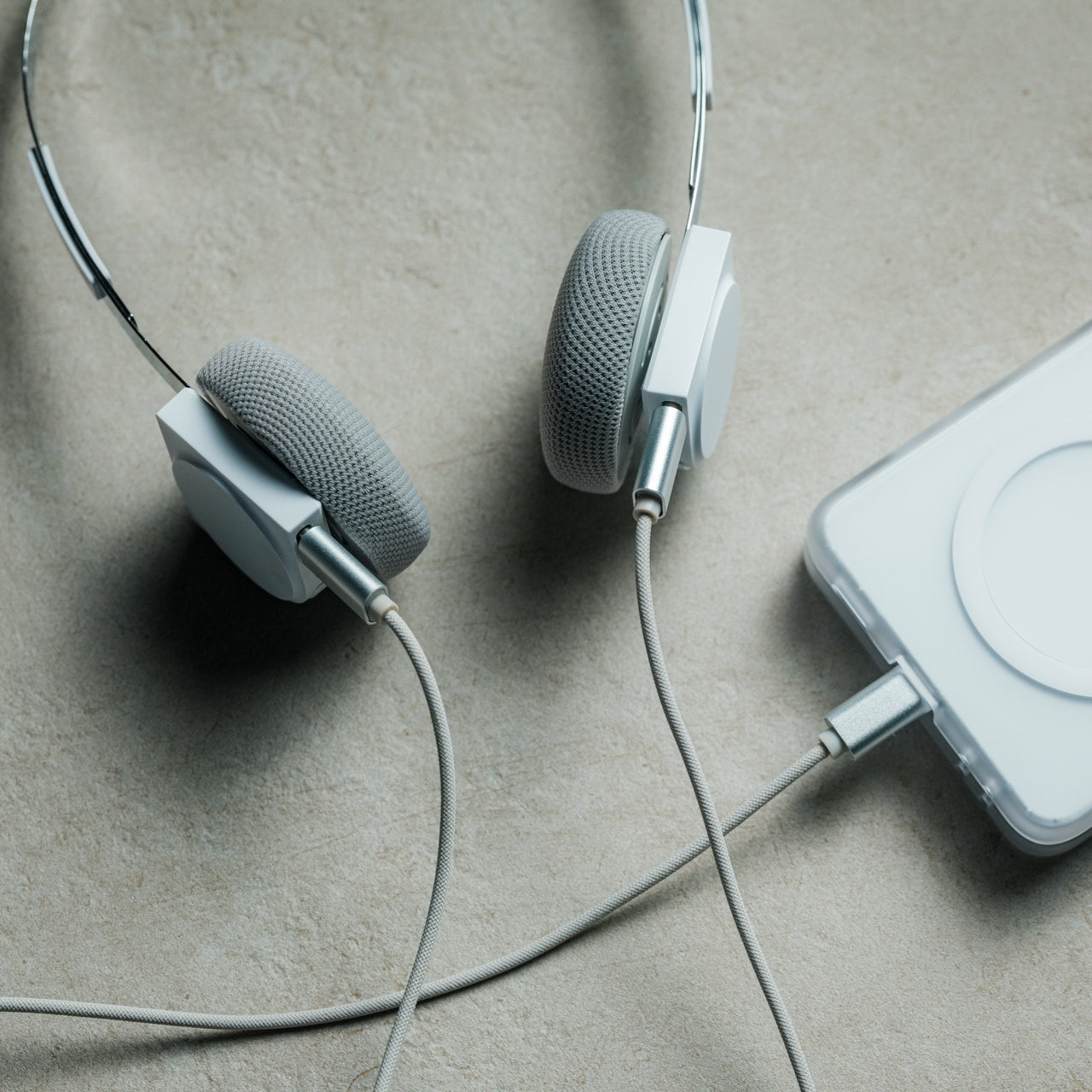
The right accessories can transform your Apple Watch into the best workout companion, a stylish timepiece and everything in between. Whether you’re looking to upgrade its style, recharge its battery quickly or make it even more convenient to use on the go, there’s an accessory out there that can help. From a stylish sport loop that keeps things comfortable during workouts to a sturdy charging stand for your bedside, there are plenty of ways to enhance your experience.
Apple has a few Watches at this point: the flagship model, the Ultra 2 and the Watch SE, and you can find accessories for any and all of them — many of which won’t break the bank. If you’re always on the go, a power bank with wireless charging can help keep your watch topped up without needing to hunt for an outlet. No matter which Apple Watch you own, the best accessories can make daily use more seamless and add a little extra style and functionality along the way.
Best Apple Watch accessories for 2026
This article originally appeared on Engadget at https://www.engadget.com/computing/accessories/best-apple-watch-accessories-133025270.html?src=rss
Having the right GPS watch on your wrist whether you’re going for your first ever run or your umpteenth run can make all the difference. The best GPS running watches not only keep track of how far you’ve run, but they track pace and other real-time metrics, advanced training features to help you hit your goals and, of course, precise distance measurements. Some models even provide offline maps for navigation, sleep tracking, recovery insights, and smart features that “regular” smartwatches do.
For those who need extra durability and lasting battery life, higher-end sport watches — like some of the best Garmin watches — are built to handle intense workouts, harsh weather and long runs. If you're training for a marathon, triathlon or just want a multisport option that can keep up with your lifestyle, these watches have the tech to support you.
With so many options available, from entry-level models to the best running watches packed with advanced running metrics, it can be tricky to find the right fit. That’s why we’ve rounded up our top picks to help you choose the perfect GPS watch for your training needs.
Best GPS running watches for 2026
Other GPS running watches we tested
Polar Pacer Pro
The Polar Pacer Pro looked and felt quite similar to our top pick, and it mapped my outdoor runs accurately. However, Polar’s companion app is leagues behind Garmin’s with a confusing interface and a design that feels very much stuck in the past. It’s also $100 more expensive than our top pick.
Amazfit Cheetah Pro
The Amazfit Cheetah Pro tracked my outdoor runs accurately and Zepp’s companion app has a coaching feature much like Garmin’s adaptive training plans that can outline a routine for you to complete in preparation for a race or to achieve a specific goal. My biggest issue with it was that its touchscreen wasn’t very responsive — it took multiple hard taps on the display to wake it, and often the raise-to-wake feature didn’t work, leaving me staring at a dark screen.
What to consider before buying a GPS running watch
GPS speed and accuracy
The most important thing for a GPS running watch to have is fast, accurate GPS tracking. That might seem obvious, but it’s quite easy to get distracted by all of the other smart features most of these devices have. Since most of them can be worn all day long as standard sport watches, there’s a lot of (possibly unnecessary) fluff that looks good on paper but won’t mean much if the core purpose if the device is left unfulfilled. To that end, I paid particular attention to how long it took each device’s built-in GPS tracking to grab my location before a run, if it ever lost my spot and the accuracy of the generated maps. Also, the device should be smart enough to let you start tracking a run while the GPS looks for your location.
Workout profiles and trackable metrics
You may not be able to suss out GPS accuracy just by looking at a spec sheet (that’s where this guide can help), but you can check for features like supported workout profiles. That’s something you’ll want to look into, even if your one and only activity is running. Check to make sure the best running watches you’re considering support all the kinds of running activities you like to do (outdoor runs, treadmill runs, etc) and any other workouts you may want to track with it.
Most fitness wearables today aren’t one-trick ponies; you’ll find a healthy number of trackable exercise modes on any sport watch worth its salt. That said, the number of workout profiles can be directly proportional to a device’s price: the higher-end the product, chances are the more specific, precise workouts it can monitor.
In a similar vein, you’ll want to check the trackable metrics of any watch you’re considering before you buy. Since we’re talking about the best GPS running watches, most will be able to track the basics like distance, heart rate and pace, and those are bare minimums. Some watches can monitor additional stats like speed, cadence, stride length, advanced running dynamics, aerobic and anaerobic training effect, intensity minutes and more. If you’re already a serious runner who trains for multiple races each year, or if you're a trail runner who needs elevation and navigation features, you’ll want to dig into the spec sheet of the watch you’re considering to make sure it can track all of your most necessary metrics.
Size and weight
It’s worth checking out a watch’s case size and weight before going all-in on one. GPS running watches, and standard smartwatches as well, can have a few different sizes to choose from so you’ll want to make sure you’re getting the best fit for your wrist. I have a smaller wrist, so I tend to avoid extra-large cases (anything over 42mm or so), especially if I intend on wearing the device all day long as my main timepiece. Weight, on the other hand, is a little less controllable, but typically smaller case sizes will save you a few grams in overall weight.
For those who need durability, particularly trail runners or those tackling extreme conditions, devices like Garmin watches offer rugged builds that can handle rough terrain, impact, and extreme weather.
Battery life
Unlike regular smartwatches, GPS running watches have two types of battery life you’ll need to consider: with GPS turned on and in “smartwatch” mode. The former is more important than the latter because most GPS running watches have stellar battery life when used just as a smart timepiece. You can expect to get multiple days on a single charge, with some surviving more than two weeks (with all day and night wear) before they need a recharge.
Battery life with GPS turned on will be much shorter by comparison, but any GPS running watch worth its salt should give you at least 10-15 hours of life with the GPS being used continuously. The more you’re willing to spend, the higher that number typically gets, with some GPS running watches lasting for 40 hours while tracking your location.
This article originally appeared on Engadget at https://www.engadget.com/wearables/best-gps-running-watch-141513957.html?src=rss
If you're looking to get fit, sleep better or just keep a closer eye on your health, a fitness wearable is a great place to start. Whether you're into intense workouts or just want to hit your step goal each day, the best fitness trackers available today can offer loads of helpful features, from sleep tracking and resting heart rate monitoring to built-in GPS and stress tracking. Some are even subtle enough to wear 24/7, like smart rings, while others double as stylish smartwatches.
There are great options out there for beginners as well as more advanced users, and the variety of features means there’s something for every lifestyle and budget. In this guide, we’ll walk you through the best fitness trackers you can buy right now, and explain who each one is best suited for.
Best fitness trackers for 2026
What do fitness trackers do best?
The answer seems simple: Fitness wearables are best at monitoring exercise, be it a 10-minute walk around the block or that half marathon you’ve been diligently training for. Obviously, smartwatches can help you reach your fitness goals too, but there are some areas where fitness bands and smart rings have proven to be the best buy: focus, design, better battery life, durability and price.
When I say “focus,” I’m alluding to the fact that fitness trackers are made to track activity well; anything else is extra. They often don’t have the bells and whistles that smartwatches do, which could distract from their advanced health tracking abilities — things like all-day resting heart rate monitoring, stress tracking, and even detailed sleep tracker insights. They also tend to have fewer sensors and internal components, which keeps them smaller and lighter. Fitness trackers are also a better option for those who just want a less conspicuous gadget on their wrists all day.
Battery life tends to be better on fitness trackers, too. While most smartwatches last one to two days on a single charge, fitness bands offer between five and seven days of battery life — and that’s with all-day and all-night use even with sleep tracking features enabled. Many fitness trackers also slot nicely into your existing ecosystem, syncing seamlessly with your smartphone, other fitness apps and cloud storage to keep all your data in one place.
When it comes to price point, there’s no competition. Most worthwhile smartwatches start at $175 to $200, but you can get a solid smart band starting at $70. That makes them a great entry point for beginners who want to track their progress without committing to a full smartwatch. Yes, more expensive bands and smart rings exist (and we recommend a few here), but you’ll find more options under $150 in the fitness tracker space than in the smartwatch space.
When to get a smartwatch instead
If you need a bit more from your wearable and don’t want to be limited to a fitness or activity tracker, a smartwatch may be the best buy for you. There are things like on-watch apps, alerts and even more robust fitness features that smartwatches have and the best fitness trackers don’t. You can use one to control smart home appliances, set timers and reminders, check weather reports and more. Some smartwatches let you choose which apps you want to receive alerts from, and the options go beyond just call and text notifications. Just make sure your smartwatch is compatible with your Android or iPhone, however, before purchasing, as not all of them work with both operating systems.
But the extra fitness features are arguably the most important thing to think about when deciding between a fitness tracker and a smartwatch. The latter devices tend to be larger, giving them more space for things like GPS, barometers, onboard music storage and more. While you can find built-in GPS on select fitness trackers, it’s not common.
If you’re someone who’s seriously training — say for a race or an endurance challenge — a dedicated running watch may be worth considering. These often provide more in-depth cardio analytics, recovery insights, and real-time pace data that go beyond what standard trackers can deliver.
Other fitness trackers we've tested
Fitbit Inspire 3
The Fitbit Inspire 3 strips out all the luxury features from the Charge 6 and keeps only the essential tracking features. You won’t get built-in GPS tracking or Fitbit Pay or Spotify control but you do get solid activity tracking, automatic workout detection, smartphone alerts and plenty more. The updated version has a sleeker design and includes a color touch display and connected GPS, the latter of which lets you track pace and distance while you run or bike outside while you have your phone with you. When compared to the Charge 6, the Inspire 3 is more fashionable, too. Its interchangeable bands let you switch up the look and feel of your tracker whenever you want, and it’s slim enough to blend in with other jewelry you might be wearing. We were also impressed by its multi-day battery life: Fitbit promises up to 10 days on a single charge, and that checked out for us. After four days of round-the-clock use, the Inspire 3 still had 66 percent battery left to go.
Fitness tracker FAQs
How long do fitness tracker batteries last?
The battery life of fitness trackers can vary depending on the model and its features. On average, most fitness trackers last between five to seven days on a single charge. Basic models with limited features could stretch up to 10 days or more. However, more advanced trackers with features like continuous heart rate monitoring, GPS, or always-on displays may need recharging after one to three days. If you're using GPS or streaming music through your fitness tracker, you'll find that this drains the battery faster. By using these features less, or turning them off, you'll extend battery life.
This article originally appeared on Engadget at https://www.engadget.com/wearables/best-fitness-trackers-133053484.html?src=rss
Gone are the days in which you needed to spend a fortune to get a good smartphone. In 2026, features once exclusive to high-end smartphones – big batteries, multi-camera arrays, high refresh rate OLED displays and more – have made their way down to more affordable models. Yes, you’ll still need to buy a flagship smartphone to get the best camera or fastest processor, but you don't have to make nearly as many compromises as you once did if you have a strict budget to adhere to when you go shopping for your next smartphone. If you have less than $600 to spend, let us help you figure out what features to prioritize when trying to find the best midrange smartphone.
While the term frequently appears in articles and videos, there isn’t an agreed-upon definition for “midrange” beyond a phone that isn’t a flagship or an entry-level option. Most of our recommendations cost between $400 and $600 — any less and you should expect significant compromises. If you have more to spend, you might as well consider flagships like the Apple iPhone 17 and the Samsung Galaxy S25 if you want the best smartphone experience. Devices like Pixel phones often sit in this price range too, offering some of the best value for Android buyers.
What to consider before buying a midrange smartphone
Buying a new device can be intimidating, but a few questions can help guide you through the process. First: what platform do you want to use? If the answer is iOS, that narrows your options down to exactly one phone. (Thankfully, it’s great.) And if you’re an Android fan, there’s no shortage of compelling options. Both platforms have their strengths, so you shouldn’t rule either out.
Of course, also consider how much you’re comfortable spending. Even increasing your budget by $100 more can get you a dramatically better product. Moreover, manufacturers tend to support their more expensive devices for longer with software updates and security updates, so it’s worth buying something toward the top limit of what you can afford.
Having an idea of your priorities will help inform your budget. Do you want a long battery life or fast charging? Do you value speedy performance above all else? Or would you like the best possible cameras with high megapixel counts? While they continue to improve every year, even the best midrange smartphones still demand some compromises, and knowing what’s important to you will make choosing one easier.
What won’t you get from a midrange smartphone?
Every year, the line between midrange and flagship phones blurs as more upmarket features and functions trickle down to more affordable models. When Engadget first published this guide in 2020, it was tricky to find a $500 phone with waterproofing and 5G. In 2026, the biggest thing you might miss out on is wireless charging – and even then, that’s becoming less true.
One thing your new phone probably won’t come with is a power adapter; many companies have stopped including chargers with all of their smartphones. Performance has improved in recent years, but can still be hit or miss as most midrange phones use slower processors that can struggle with multitasking. Thankfully, their camera systems have improved dramatically, and you can typically expect at least a dual-lens system on most midrange smartphones below $600 with decent camera quality, selfie performance and software support to keep things running smoothly for years to come..
Midrange smartphone FAQs
How long do midrange phones get software updates?
Support varies by brand, but most midrange phones receive around three to five years of software and security updates. Apple tends to support iPhones longer while companies like Google and Samsung now promise several years of Android and security patches for their midrange models. Budget-focused brands might offer less so it’s worth checking the update policy before you buy.
Are midrange phones good for gaming?
Yes, many midrange phones handle gaming well, especially popular titles like Fortnite, Genshin Impact and Call of Duty Mobile. They usually include capable processors, though you won’t always get the smoothest performance in the most demanding mobile games or at max settings. If you play casually or stick to less graphically intensive titles a midrange phone will feel more than adequate.
Georgie Peru contributed to this report.
This article originally appeared on Engadget at https://www.engadget.com/mobile/smartphones/best-midrange-smartphone-183006463.html?src=rss
There are way too many online services and subscriptions to keep track of these days, but the flip side is there’s a tool for just about everything. Time is just about up to get a physical gift shipped in time for the holidays, so below we’ve pulled together some of our favorite digital gifts and subscriptions, including time-tested video, music and gaming services as well as tools to clear your mental space and learn new skills. There are also a few subscriptions that provide ongoing, IRL deliveries, if you think your giftee will appreciate the nostalgic charm of a physical object.
Best digital gifts and subscription gifts
Gaming subscriptions
Game consoles are certainly among the most popular gift ideas this time of year. If you know someone who’s been so good that they’re getting a new Nintendo Switch, PlayStation 5 or Xbox Series X/S, one of these subscriptions will make their shiny toy immediately playable out of the box.
There’s no doubt that Microsoft has changed the value proposition for its Game Pass subscription service service. It recently raised the price for its most comprehensive Ultimate tier by 50 percent, to $30 a month. That’s a bitter pill to swallow — but devoted players who have an Xbox as their main (or only) console will still get a ton of value out of Game Pass.
The aforementioned Ultimate tier provides access to more than 500 games that’ll work on Xbox, PC and other supported devices. It’s also the only way to get “day one” release games like Hollow Knight: SilksongNinja Gaiden 4, The Outer World 2, Call of Duty Black Ops 7; in recent years other high-profile day one releases have included Doom: The Dark Ages, Starfield, Clair Obscur: Expedition 33, Forza Motorsport and numerous others. Game Pass Ultimate subscribers also have access to the highest quality and fastest game streaming Xbox offers. For a slightly less hardcore Xbox fan, though, the $15-per-month Premium tier is also worth considering.
Nintendo’s Switch Online subscription has gotten some nice upgrades in 2025, the year of the Switch 2. As it has for years, Nintendo offers two different Switch Online plans. The basic $20-per-year plan unlocks online play and enables Switch 2 owners to use the system's GameChat capabilities. It also includes more than 100 Game Boy, NES and Super NES games, cloud backups of your saved games as well as the occasional special offers. It also includes access to the rather silly but enjoyable Nintendo Music app, so you can listen to your favorite Zelda or Mario tracks at any time.
The $50 “expansion pack” adds a collection of N64, Game Boy Advance and Sega Genesis games as well as some DLC for games like Mario Kart 8, Animal Crossing: New Horizons and Splatoon 2. But most interesting are the new additions for Switch 2 owners: there’s a small but growing library of GameCube games, including classics like The Legend of Zelda: The Wind Waker and F-Zero GX. Switch 2 owners who have the expansion pack subscription can also upgrade to the Switch 2 versions of The Legend of Zelda: Breath of the Wild and Tears of the Kingdom for free.
A PlayStation Plus subscription is a must-have for any PS5 owners. That’s partially because you need one to play multiplayer games online, but there are plenty of other significant benefits. PS Plus comes in three tiers, but the middle “Extra” plan ($15/month or $135/year) is probably best for most gamers. In addition to cloud storage for saves, online multiplayer support and a couple of free games for your library every month, you get access to the PlayStation Plus catalog, which includes more than 400 PS4 and PS5 games.
There are a number of heavy hitters here, including The Last of Us Part I and II, Ghost of Tsushima, God of War Ragnarok, Death Stranding, Marvel’s Spider-Man Remastered and Returnal alongside lower-profile hits and indie games such as Citizen Sleeper, Sayonara Wild Hearts, Dave the Diver and Humanity. If you know someone who loves older games though, the “Premium” tier ($18/month or $160/year) adds a bunch of titles from the PS1 through the PS4 as well as perks like game trials and PS5 game streaming from the cloud.
This article originally appeared on Engadget at https://www.engadget.com/the-best-subscription-gifts-to-send-to-your-loved-ones-this-christmas-disney-bundle-masterclass-field-notes-and-more-141830326.html?src=rss
Chromebooks have quietly become some of the most useful laptops for everyday tasks. They boot fast, stay secure with automatic updates and often cost far less than traditional Windows or Mac machines. Modern Chromebooks also look and feel better than ever, with brighter screens, stronger processors and designs that range from simple clamshells to flexible 2-in-1s.
Whether you need a laptop for school, streaming or a portable option for travel, there is likely a Chromebook that fits your routine. After testing the top models, we picked the best Chromebooks you can buy today to help you find something that balances performance, price and reliability.
What is Chrome OS, and why would I use it over Windows?
This is probably the number one question about Chromebooks. There are plenty of inexpensive Windows laptops on the market, so why bother with Chrome's operating system? Glad you asked. For me, the simple and clean nature of Chrome OS is a big selling point. Chrome OS is based on Google’s Chrome browser, which means most of the programs you can run are web based. There’s no bloatware or unwanted apps to uninstall like you often get on Windows laptops, it boots up in seconds, and you can completely reset to factory settings almost as quickly.
Of course, simplicity will also be a major drawback for some users. Not being able to install native software can be a dealbreaker if you’re a video editor or software developer. But there are also plenty of people who do the majority of their work in a web browser, using tools like Google Docs and spreadsheets for productivity without needing a full Windows setup.
Google and its software partners are getting better every year at supporting more advanced features. For example, Google added video editing tools to the Google Photos app on Chromebooks – it won’t replace Adobe Premiere, but it should be handy for a lot of people. Similarly, Google and Adobe announced Photoshop on the web in 2023, something that brings much of the power of Adobe’s desktop apps to Chromebooks.
Chromebooks can also run Android apps, which greatly expands the amount of software available. The quality varies widely, but it means you can do more with a Chromebook beyond just web-based apps. For example, you can install the Netflix app and save videos for offline watching. Other Android apps like Microsoft Office and Adobe Lightroom are surprisingly capable as well. Between Android apps and a general improvement in web apps, Chromebooks are more than just portals to a browser.
What do Chromebooks do well?
Put simply, web browsing and really anything web based. Online shopping, streaming music and video and using various social media sites are among the most common daily tasks people do on Chromebooks. As you might expect, they also work well with Google services like Photos, Docs, Gmail, Drive, Keep and so on. Yes, any computer that can run Chrome can do that too, but the lightweight nature of Google Chrome OS makes it a responsive and stable platform.
As I mentioned before, Chrome OS can run Android apps, so if you’re an Android user you’ll find some nice ties between the platforms. You can get most of the same apps that are on your phone on a Chromebook and keep info in sync between them. You can also use some Android phones as a security key for your Chromebook or instantly tether your 2-in-1 laptop to use mobile data.
Google continues to tout security as a major differentiator for Chromebooks, and it’s definitely a factor worth considering. Auto-updates are the first lines of defense: Chrome OS updates download quickly in the background and a fast reboot is all it takes to install the latest version. Google says that each webpage and app on a Chromebook runs in its own sandbox as well, so any security threats are contained to that individual app. Finally, Chrome OS has a self-check called Verified Boot that runs every time a device starts up. Beyond all this, the simple fact that you generally can’t install traditional apps on a Chromebook means there are fewer ways for bad actors to access the system.
If you’re interested in Google’s Gemini AI tools, a Chromebook is a good option as well. Every Chromebook in our top picks comes with a full year of Google’s AI Pro plan — this combines the usual Google One perks like 2TB of storage and 10 percent back in purchases from the Google Store with a bunch of AI tools. You’ll get access to Gemini in Chrome, Gmail, Google Docs and other apps, Gemini 2.5 Pro in the Gemini app and more. Given that this plan is $20/month, it’s a pretty solid perk. Chromebook Plus models also include tools like the AI-powered “help me write,” the Google Photos Magic Editor and generative AI backgrounds you can create by filling in a few prompts.
As for when to avoid Chromebooks, the answer is simple: If you rely heavily on a specific native application for Windows or a Mac, chances are you won’t find the exact same option on a ChromeOS device. That’s most true in fields like photo and video editing, but it can also be the case in law or finance. Plenty of businesses run on Google’s G suite software, but more still have specific requirements that a Chromebook might not match. If you’re an iPhone user, you’ll also miss out on the way the iPhone easily integrates with an iPad or Mac. For me, the big downside is not being able to access iMessage on a Chromebook.
Finally, gaming Chromebooks are not ubiquitous, although they’re becoming a slightly more reasonable option with the rise of cloud gaming. In late 2022, Google and some hardware partners announced a push to make Chromebooks with cloud gaming in mind. From a hardware perspective, that means laptops with bigger screens that have higher refresh rates as well as optimizing those laptops to work with services like NVIDIA GeForce Now, Xbox Game Pass and Amazon Luna. You’ll obviously need an internet connection to use these services, but the good news is that playing modern games on a Chromebook isn’t impossible. You can also install Android games from the Google Play Store, but that’s not what most people are thinking of when they want to game on a laptop.
What are the most important specs for a Chromebook?
Chrome OS is lightweight and runs well on fairly modest hardware, so the most important thing to look for might not be processor power or storage space. But Google made it easier to get consistent specs and performance late last year when it introduced the Chromebook Plus initiative. Any device with a Chromebook Plus designation meets some minimum requirements, which happen to be very similar to what I’d recommend most people get if they’re looking for the best laptop they can use every day.
Chromebook Plus models have at least a 12th-gen Intel Core i3 processor, or an AMD Ryzen 3 7000 series processor, both of which should be more than enough for most people. These laptops also have a minimum of 8GB of RAM and 128GB of SSD storage, which should do the trick unless you’re really pushing your Chromebook. All Chromebook Plus models have to have a 1080p webcam, which is nice in these days of constant video calling, and they also all have to have at least a 1080p FHD IPS screen.
Of course, you can get higher specs or better screens if you desire, but I’ve found that basically everything included in the Chromebook Plus target specs makes for a very good experience.
Google has an Auto Update policy for Chromebooks as well, and while that’s not exactly a spec, it’s worth checking before you buy. Last year, Google announced that Chromebooks would get software updates and support for an impressive 10 years after their release date. This support page lists the Auto Update expiration date for virtually every Chromebook ever, but a good rule of thumb is to buy the newest machine you can to maximize your support.
How much should I spend on a Chromebook?
Chromebooks started out notoriously cheap, with list prices often coming in under $300. But as they’ve gone more mainstream, they’ve transitioned from being essentially modern netbooks to some of the best laptops you’ll want to use all day. As such, prices have increased: At this point, you should expect to spend at least $400 if you want a solid daily driver. There are still many Chromebooks out there available at a low price that may be suitable as secondary devices, but a good Chromebook that can be an all-day, every-day laptop will cost more. But, notably, even the best Chromebooks usually cost less than the best Windows laptops, or even the best “regular” laptops out there.
There are a handful of premium Chromebooks that approach or even exceed $1,000 that claim to offer better performance and more processing power, but I don’t recommend spending that much. Generally, that’ll get you a better design with more premium materials, as well as more powerful internals and extra storage space, like a higher-capacity SSD. Of course, you also sometimes pay for the brand name. But, the specs I outlined earlier are usually enough, and there are multiple good premium Chromebooks in the $700 to $800 range at this point.
This was our pick for best overall Chromebook for years, and it’s still one of the better options you can find for a basic laptop that doesn’t break the bank. It’s a few years older than our current top pick, so its processor isn’t fresh and it only has 128GB of storage. It also won’t get updates from Google as long as newer models. But it still combines a nice screen and keyboard with solid performance. This laptop typically costs $500, which feels high given its a few years old and Acer’s Chromebook Plus 514 is only $350, but if you can find it on sale and can’t find the Acer it’s worth a look.
ASUS CX15
This Chromebook is extremely affordable – you can currently pick it up for only $159 at Walmart. That price and its large 15.6-inch screen is mainly what it has going for it, as the Intel Celeron N4500 chip and 4GB of RAM powering it does not provide good performance if you’re doing anything more than browsing with a few tabs open. If you’re shopping for someone with extremely basic needs and have a small budget, the CX15 might fit the bill. But just be aware that you get what you pay for.
Samsung Galaxy Chromebook Plus
Samsung’s Galaxy Chromebook Plus, released in late 2024, is one of the more unique Chromebooks out there. It’s extremely thin and light, at 0.46 inches and 2.6 pounds, but it manages to include a 15.6-inch display in that frame. That screen is a 1080p panel that’s sharp and bright, but its 16:9 aspect ratio made things feel a bit cramped when scrolling vertically. Performance is very good, and the keyboard is solid, though I’m not a fan of the number pad as it shifts everything to the left. At $700 it’s not cheap, but that feels fair considering its size and capabilities. If you’re looking for a big screen laptop that is also super light, this Chromebook merits consideration, even if it’s not the best option for everyone.
This article originally appeared on Engadget at https://www.engadget.com/computing/laptops/best-chromebooks-160054646.html?src=rss
Glamping has evolved beyond simple luxury camping into a sophisticated lifestyle that demands gear as thoughtful as it is functional. The best outdoor equipment now bridges the gap between wilderness adventure and home comfort, transforming rugged landscapes into spaces where design and durability meet. These innovations aren’t just about surviving the elements—they’re about thriving within them.
The gifts featured here represent a new generation of outdoor gear that refuses to compromise. From self-inflating shelters to zero-emission speakers, each design solves real problems with elegance and ingenuity. Whether you’re shopping for the design-obsessed adventurer or the comfort-seeking nature lover, these pieces prove that beautiful living and outdoor living can be the same.
1. The Cube
Picture this: you arrive at your campsite after hours of driving, the sun dipping low on the horizon. Instead of wrestling with poles and stakes while daylight fades, you press a button and watch your shelter inflate itself in four minutes flat. The Cube transforms a tent setup from an exhausting chore into an effortless ritual, using an air tube frame system powered by a wireless electric pump that eliminates every frustrating aspect of traditional camping shelters.
What makes The Cube genuinely special extends beyond its self-setup wizardry. This tent embraces glamping’s core promise with a stretched, oversized design that prioritizes genuine comfort over bare-bones survival. The spacious interior lets you stand upright and move freely, while the modular configuration adapts whether you’re claiming solo sanctuary or hosting friends. No more hunching, no more gear tetris, just airy living space that feels more boutique hotel than backcountry bivouac.
What we like
The four-minute inflation time eliminates setup stress entirely
The spacious, oversized interior offers actual standing room and breathing space
Modular design adapts seamlessly from solo trips to group adventures
No poles, stakes, or complicated threading required
What we dislike
Relies on battery power for the electric pump
Potential vulnerability if the air tube system gets punctured
Higher price point than traditional pole tents
Requires more storage space when deflated due to the pump equipment
2. TriBeam Camplight
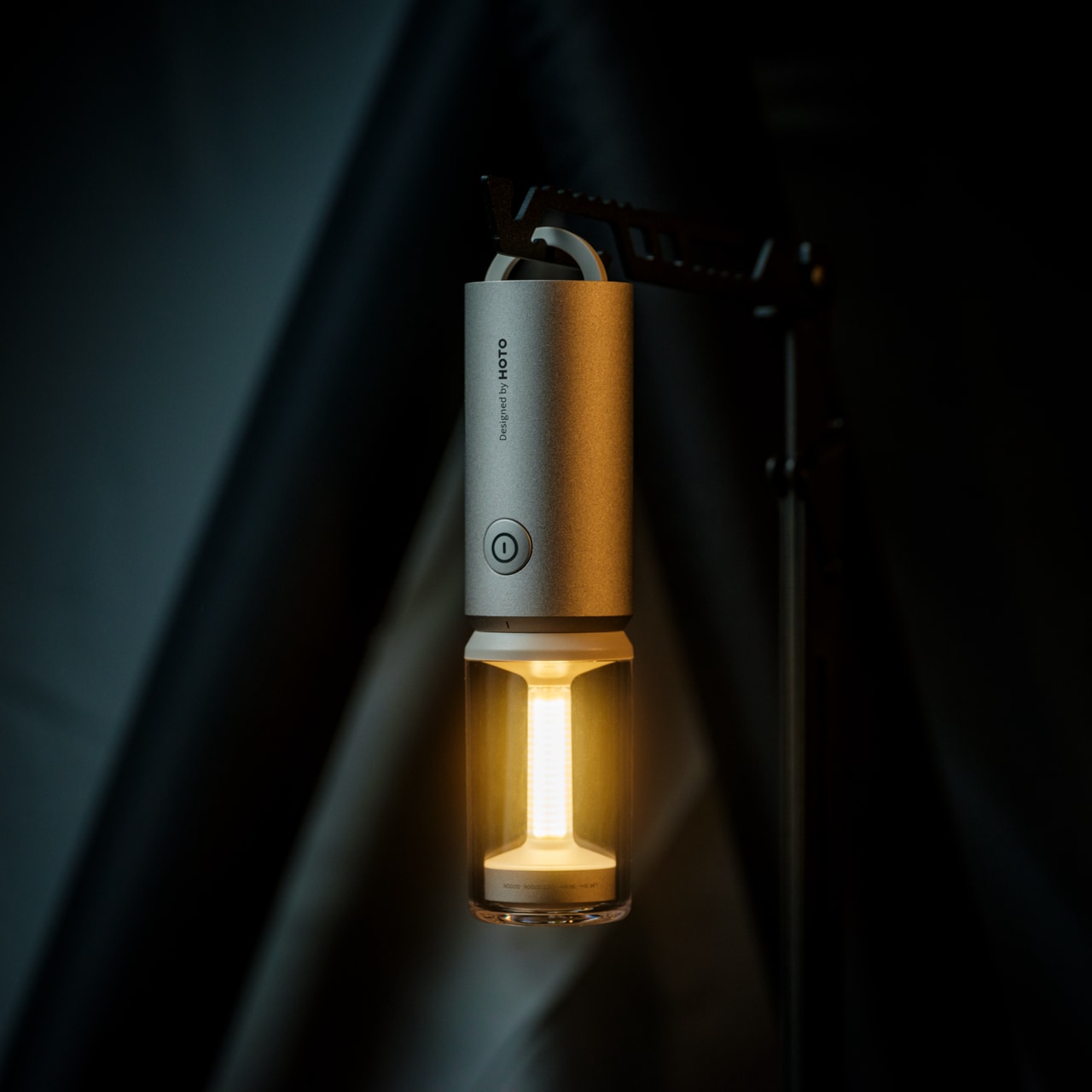
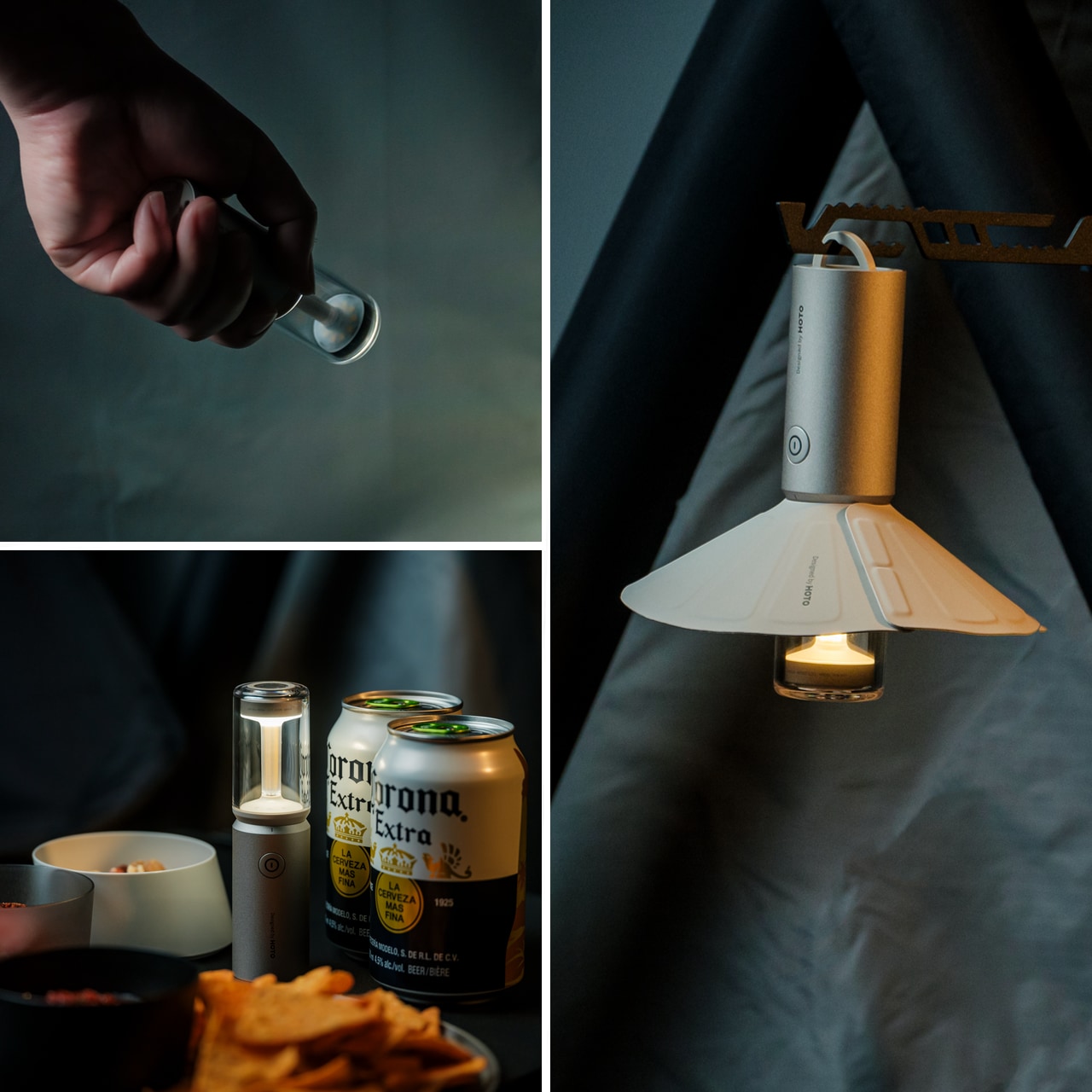
Most camping lights force you to choose between functionality and atmosphere, but the TriBeam Camplight refuses that compromise. This award-winning design delivers three distinct lighting modes—camping, ambient, and flashlight—all controlled by a single intuitive button. The brilliance lies in how it adapts: soft 5-lumen glow for intimate cabin evenings, focused 180-lumen beam for midnight trail navigation, all running up to 50 hours on one charge.
At just 12.8 centimeters tall and 135 grams, this compact powerhouse slips into jacket pockets and disappears into backpacks until the moment you need it. The detachable magnetic lampshade transforms harsh direct light into diffused ambient warmth, while the hidden handle tucks away until you want to hang it from branches, tent loops, or gear bags. It’s portable lighting that thinks like furniture, engineered to become part of your outdoor experience rather than just illuminate it.
Three lighting modes handle every outdoor scenario imaginable
Runs up to 50 hours on a single charge
Weighs only 135 grams and fits in pockets
Magnetic lampshade attachment creates instant ambiance
What we dislike
Single-button control might require cycling through unwanted modes
Magnetic attachment could separate accidentally during transport
Limited brightness compared to heavy-duty expedition lights
Small size makes it easy to misplace in crowded campsites
3. DraftPro Top Can Opener
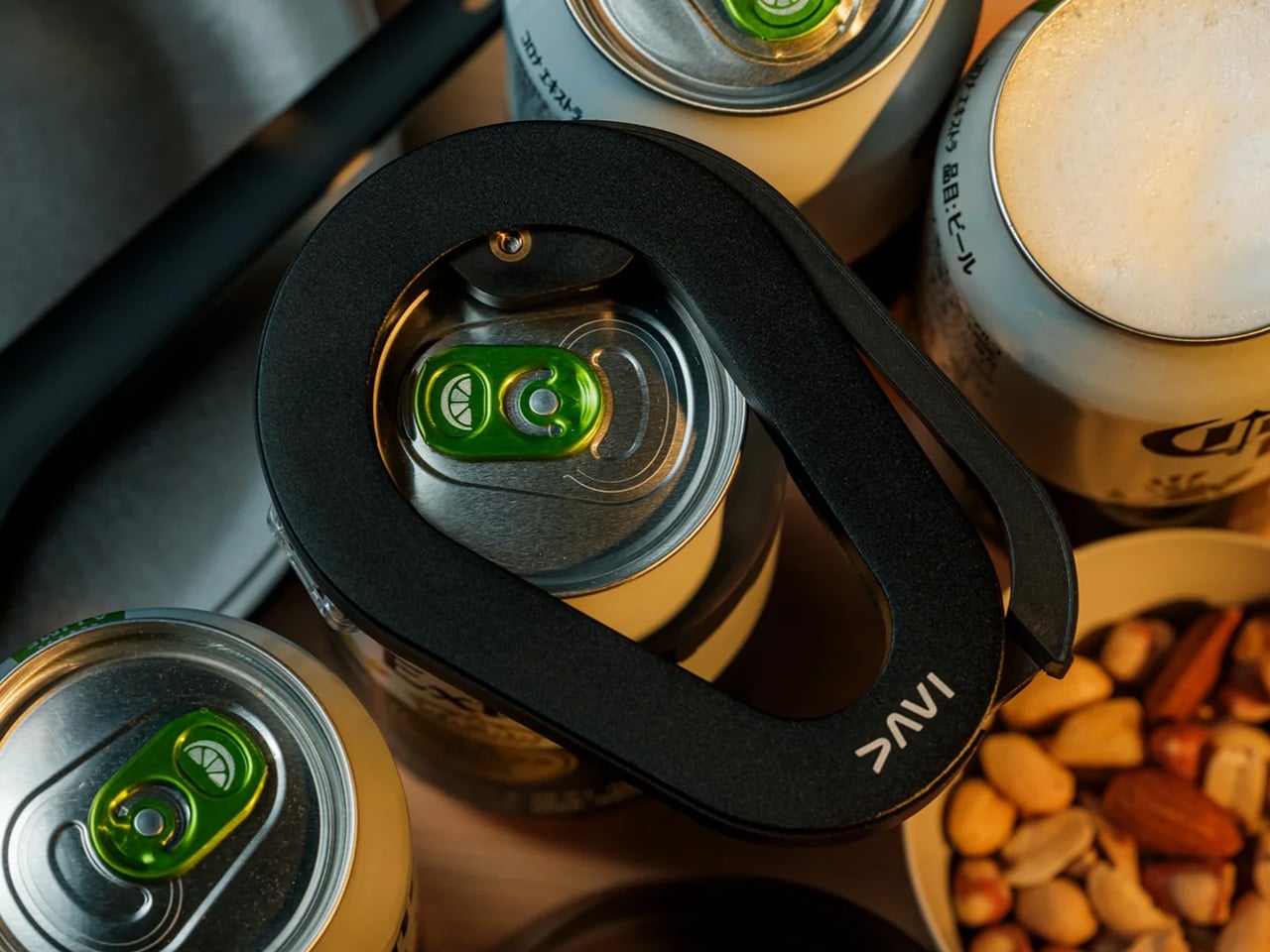
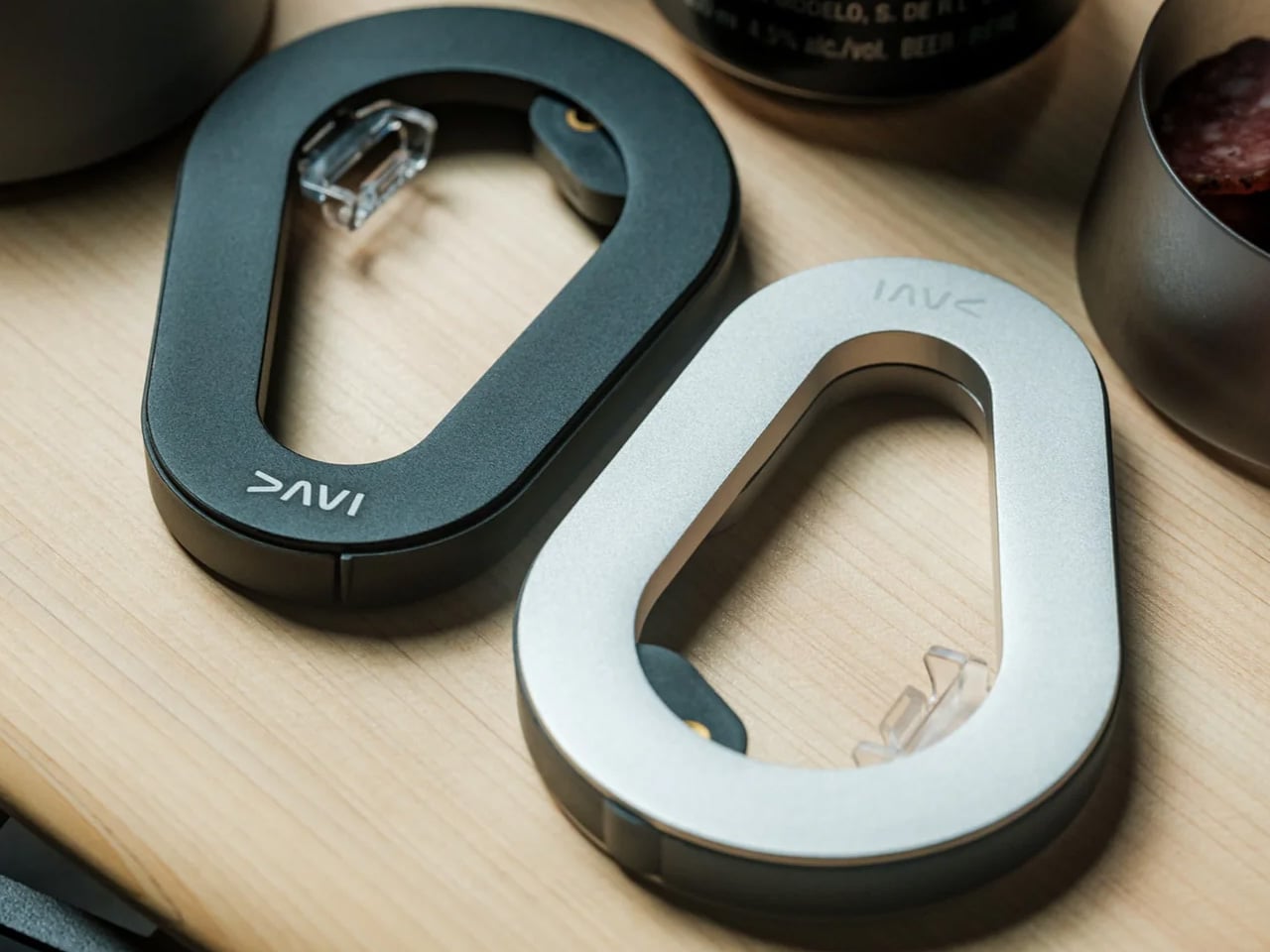
Award-winning Japanese designer Shu Kanno understood something crucial: the vessel changes the beverage. DraftPro Top Can Opener completely removes the top of any can, transforming it into a smooth-edged, wide-mouth drinking experience that lets you catch every aromatic note and flavor nuance. That first crisp snap becomes an intentional moment, elevating beer, sparkling water, or cocktails from convenient refreshment to sensory experience worth savoring.
The genius extends beyond enhanced tasting. Drop ice cubes directly into your can for instant chilling on sweltering days when the cooler isn’t cutting it. Mix cocktails right in the can without shakers, glassware, or cleanup. The universal fit works with domestic and international cans, while the lightweight, portable design packs easily for any adventure. Used cans become mini planters or organizers thanks to the clean cut, adding sustainable versatility to everyday utility.
Removes the entire top for a draft-style drinking experience
Allows adding ice directly for faster cooling
Enables cocktail mixing without extra glassware
Universal compatibility with various can sizes
What we dislike
Creates sharp edges if not used carefully
Single-purpose tool that only works with cans
Requires proper technique to achieve a smooth cut
Small design means it’s easy to lose in camping gear
4. Airflow 8-Panel Fire Pit
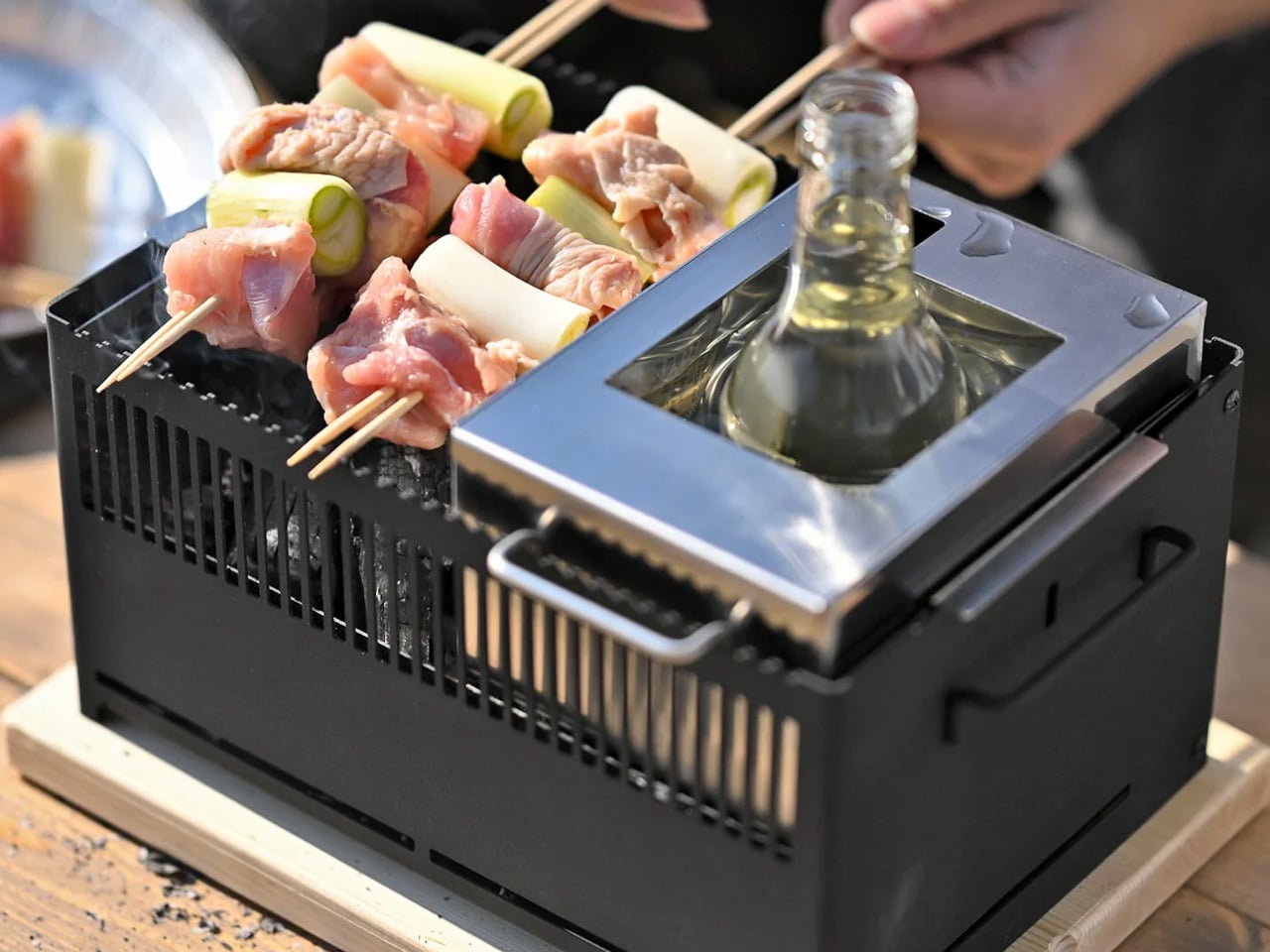
Sanyo Works drew on decades of metal processing expertise to create a fire pit that solves outdoor fires’ most persistent annoyances. The revolutionary 8-panel removable design gives you unprecedented control over fire intensity through adjustable secondary combustion. Strategic holes at each panel’s bottom channel fresh air directly to the base for primary combustion, while heated air rises through double-walled cavities and exits from top holes, creating efficient secondary combustion that dramatically reduces smoke.
Want high-intensity heat for cooking or cold nights? Enclose the fire with all panels to maximize secondary combustion and efficiency. Prefer a gentler, more open flame for ambiance? Remove panels to reduce intensity while maintaining clean burning. The engineered airflow ensures complete wood combustion, eliminating the typical smoky inconvenience that has campers constantly repositioning. This design delivers warmth and mesmerizing flame dance without respiratory irritation or smoke-dodging, letting you focus entirely on the moment.
Adjustable panel system offers complete fire intensity control
Engineered airflow produces minimal smoke
Secondary combustion creates hotter, more efficient burning
Easy cleanup thanks to complete combustion design
What we dislike
Eight removable panels create multiple pieces to track
Heavy metal construction reduces portability
Higher cost than standard fire pits
Requires a learning curve to optimize panel configuration
5. Slim Fold Dish Rack
This patent-pending innovation collapses the eternal camping cleanup struggle into something almost elegant. A brilliant spring mechanism shrinks this 14-inch dish rack down to a mere 1.2 inches in one second flat, with deployment equally instantaneous. The minimalist design ensures sufficient ventilation and space for plates, utensils, and cookware of any size, while the collapsed form becomes so compact it literally fits in pockets.
Whether you’re glamping outdoors or maximizing tight kitchen quarters, this collapsible dish rack ensures tableware and cutlery dry thoroughly and quickly. The durable construction handles camping’s rough-and-tumble reality without sacrificing the sleek aesthetic that makes it equally at home in modern kitchens. Easy to clean and dishwasher-friendly, it eliminates the bulky permanence of traditional dish racks while delivering the same functionality in a package you can take anywhere.
Collapses from 14 inches to 1.2 inches in one second
Patent-pending spring system ensures reliable deployment
Pocket-sized when collapsed for ultimate portability
Dishwasher-safe for easy cleaning
What we dislike
The spring mechanism could potentially wear over time
Limited capacity compared to full-size dish racks
Collapsed form requires careful storage to prevent accidental deployment
Premium price for what’s essentially a drying rack
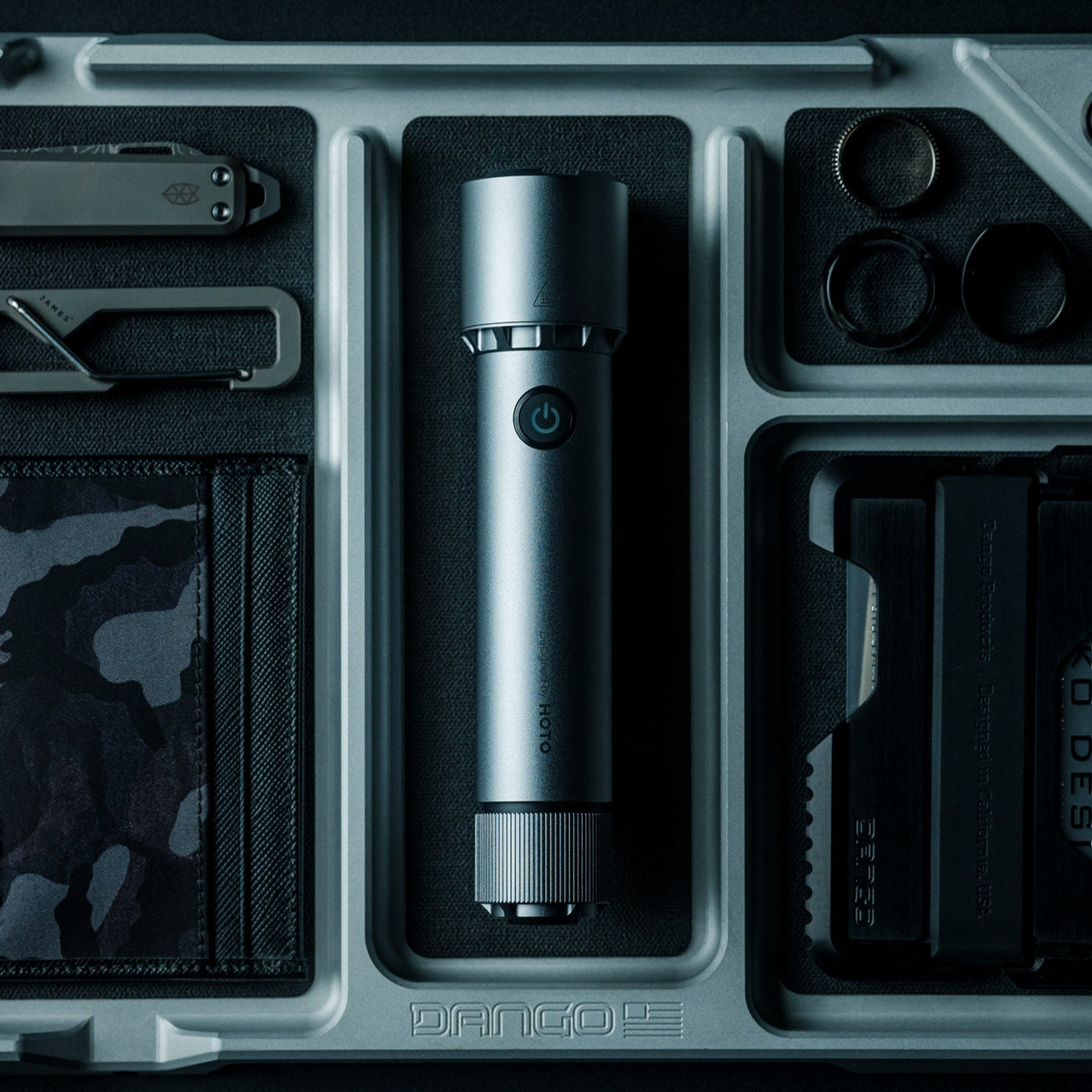
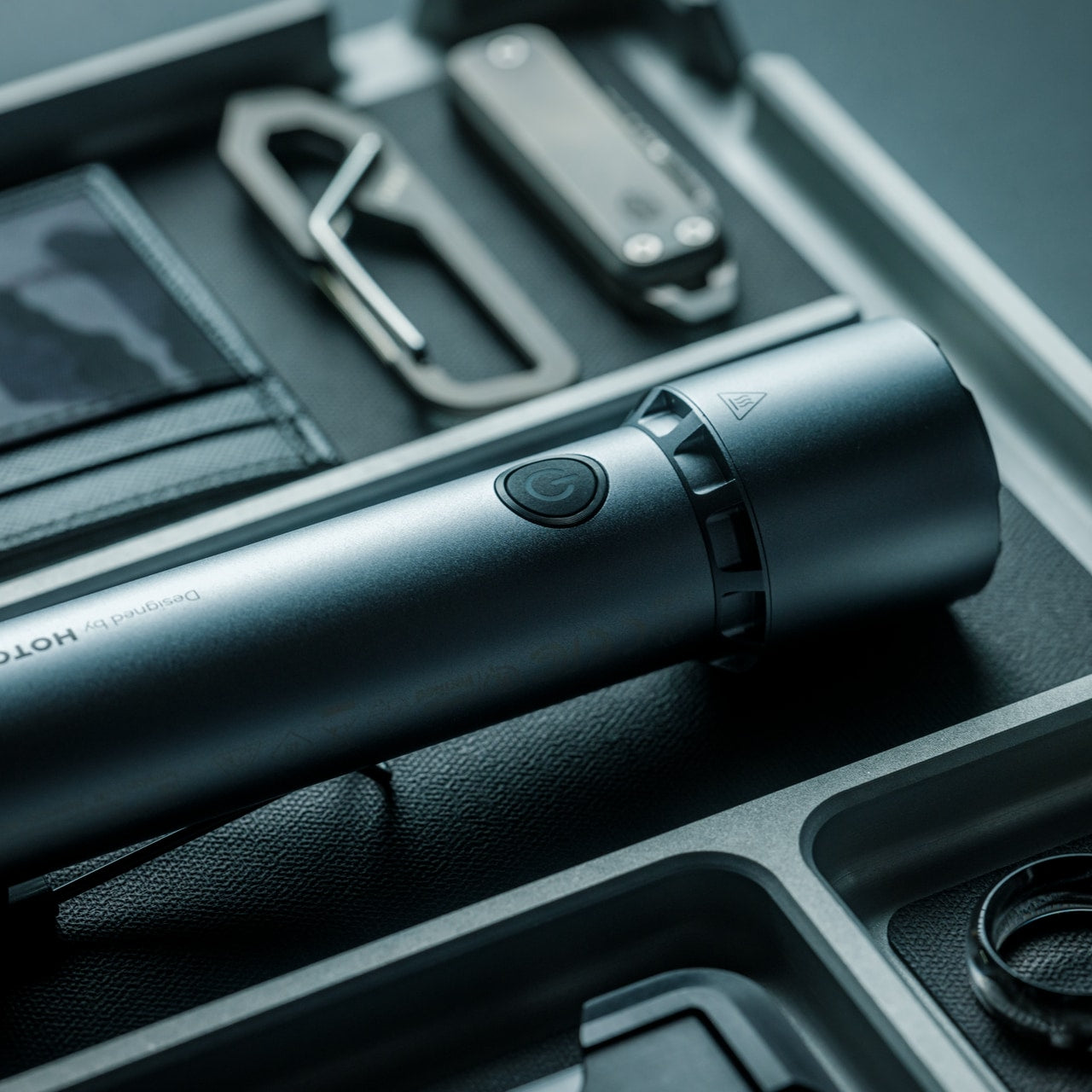
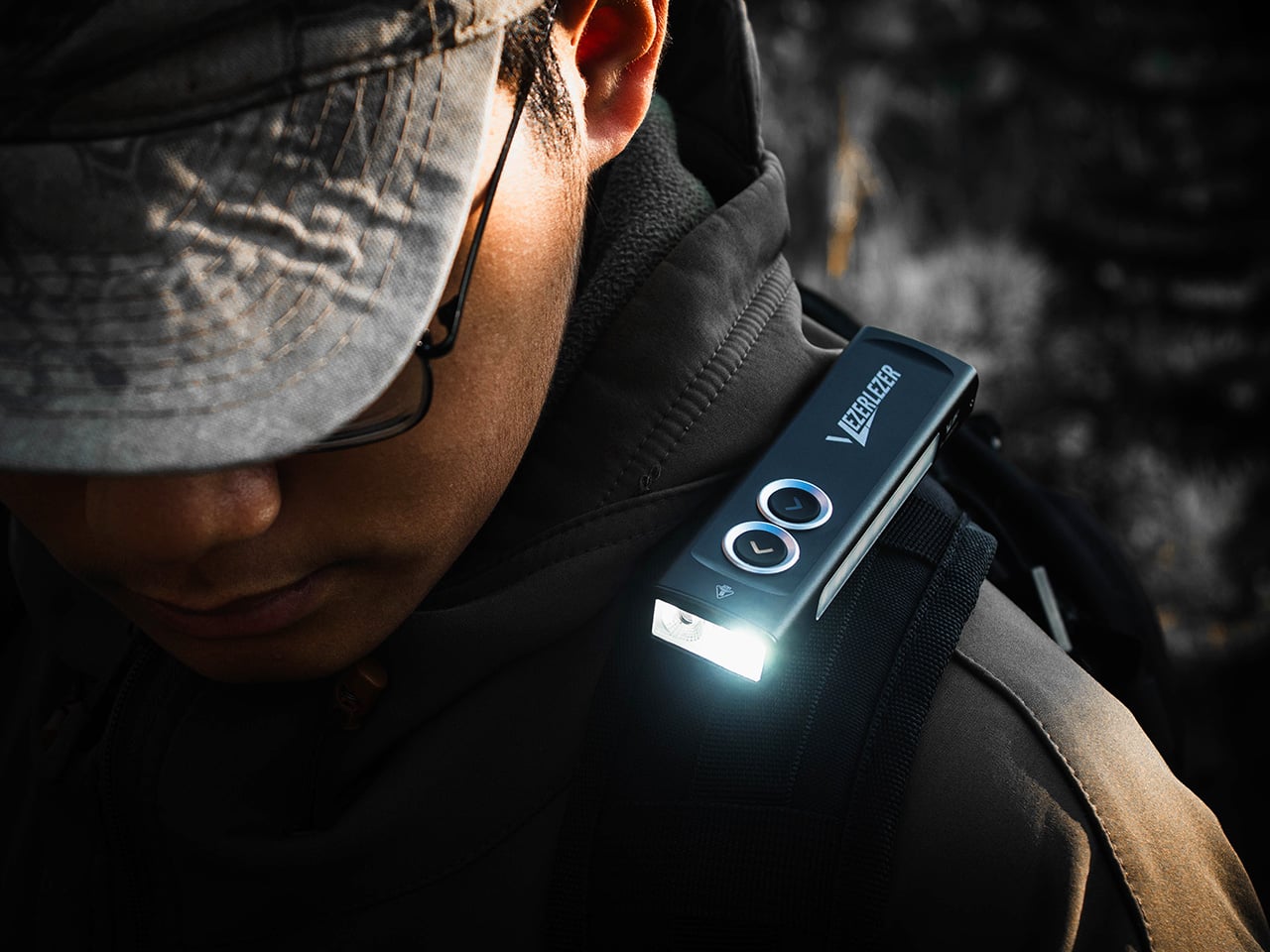
6. WUBEN X1 Pro Flashlight
The WUBEN X1 Pro refuses to be just another flashlight, delivering 13,000 lumens of combined flood and spot light through an angular aluminum alloy body that feels substantial and purposeful in your hand. Smart cooling technology keeps things running smoothly under heavy use, while the sculpted lines and one-handed grip remain easy to hold even with thick gloves during frigid expeditions.
At 383 grams and just under 14 centimeters long, this powerhouse fits in jacket pockets or bike bags without creating annoying bulk. The rugged construction handles whatever the night throws at it, from emergencies to extended exploration. As a bonus, it functions as a power bank to charge your phone when you’re far from outlets, making it an essential gear that serves multiple critical functions without fail.
What we like
13,000 lumens provide exceptional illumination power
Smart cooling prevents overheating during extended use
Doubles as a phone charger for emergencies
Compact size despite serious output capability
What we dislike
High lumen output drains the battery relatively quickly
383-gram weight feels heavy for ultralight backpackers
Premium flashlights require a significant investment
A powerful beam might be overkill for casual camping
7. Battery-Free Amplifying iSpeakers
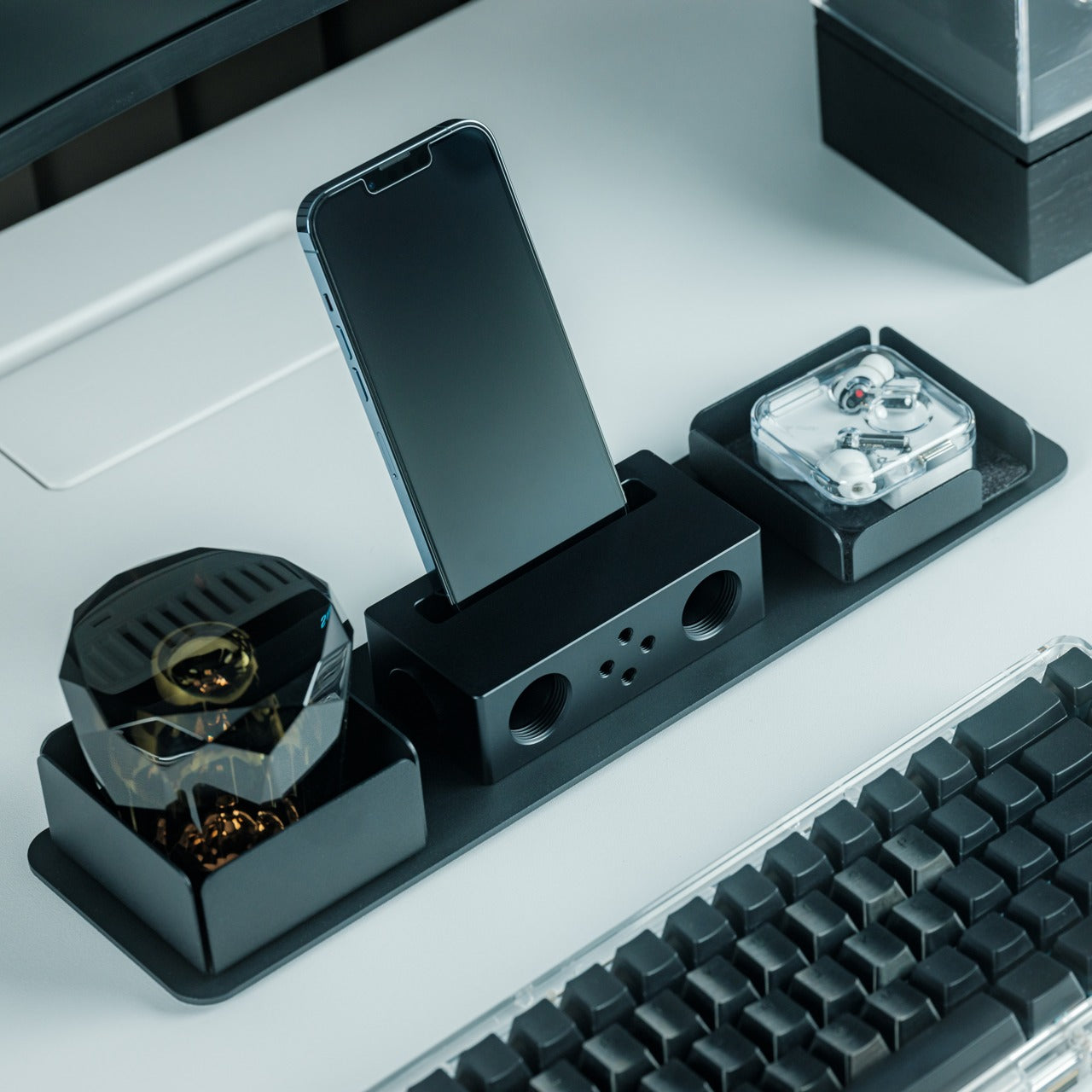
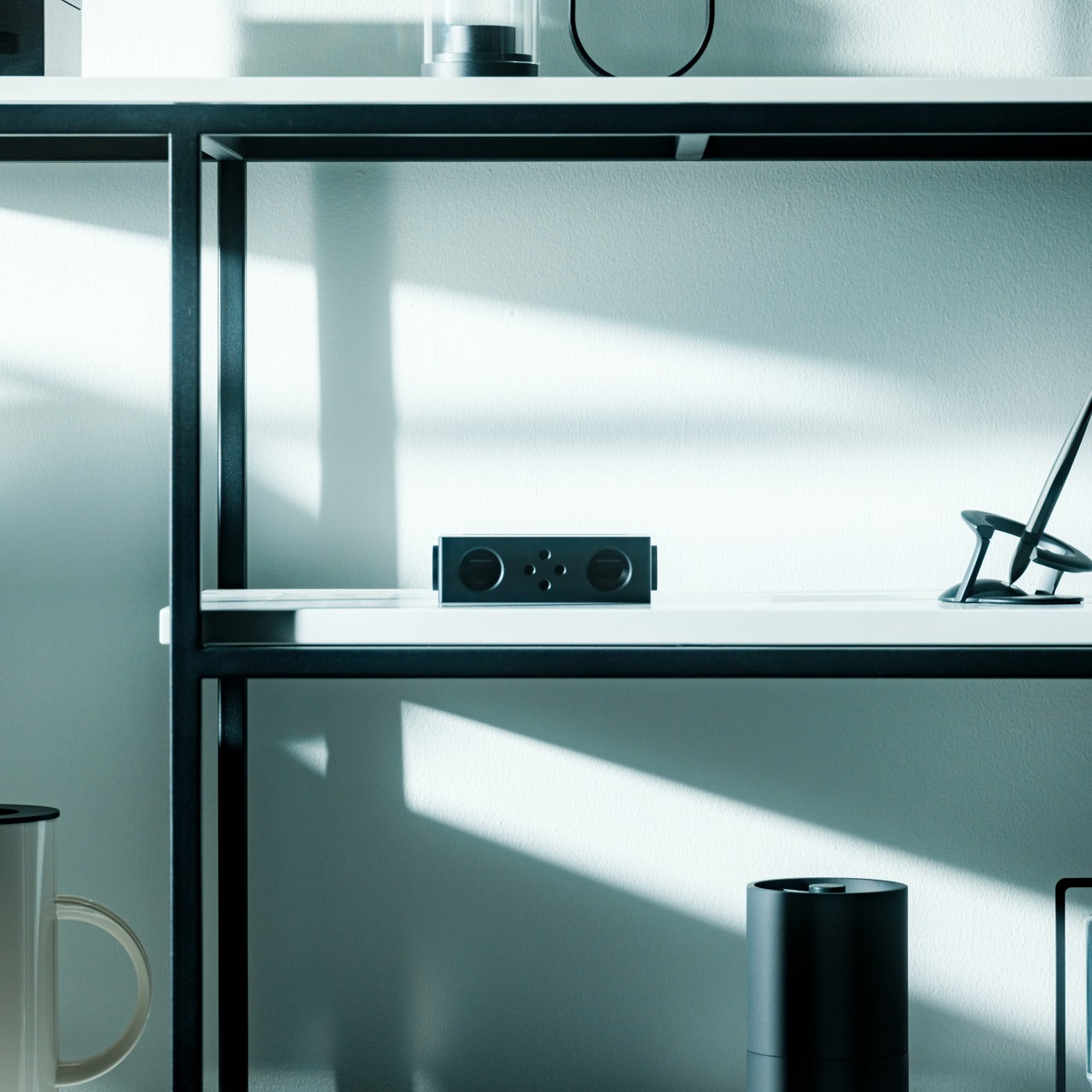
This ingenious metal smartphone speaker achieves something remarkable: amplified sound without batteries or electricity. Simply place your smartphone inside and let amplified sound waves spread your favorite music throughout the room. Made from vibration-resistant Duralumin—the same material used in aircraft construction—and designed using the golden ratio, this speaker enhances both your phone’s audio and your space’s ambiance.
The portable, no-power design means you can use it literally anywhere without worrying about charging or battery life. The Duralumin construction ensures the speaker itself won’t vibrate sympathetically, maintaining audio clarity while amplifying volume naturally through acoustic design alone. Compatible with optional +Bloom and +Jet mods for directing sound, it offers customization for those who want to fine-tune their listening experience while maintaining the core battery-free philosophy.
Optional mods allow customization for different spaces
What we dislike
Amplification is limited compared to powered speakers
Only works with smartphones, not other devices
Fixed amplification means no volume control
Modern phone sizes might not fit all models
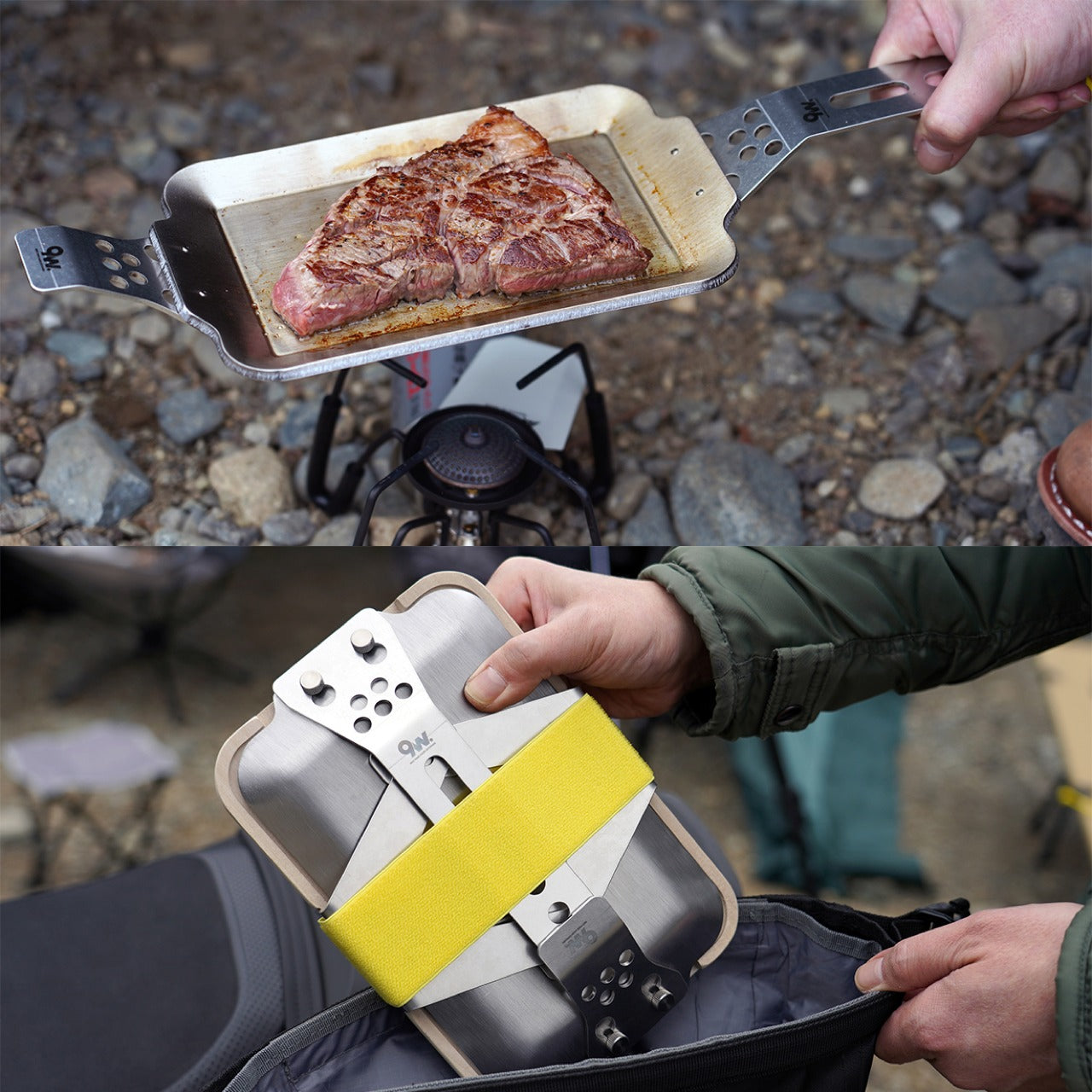
8. Compact Modular Grill Plate
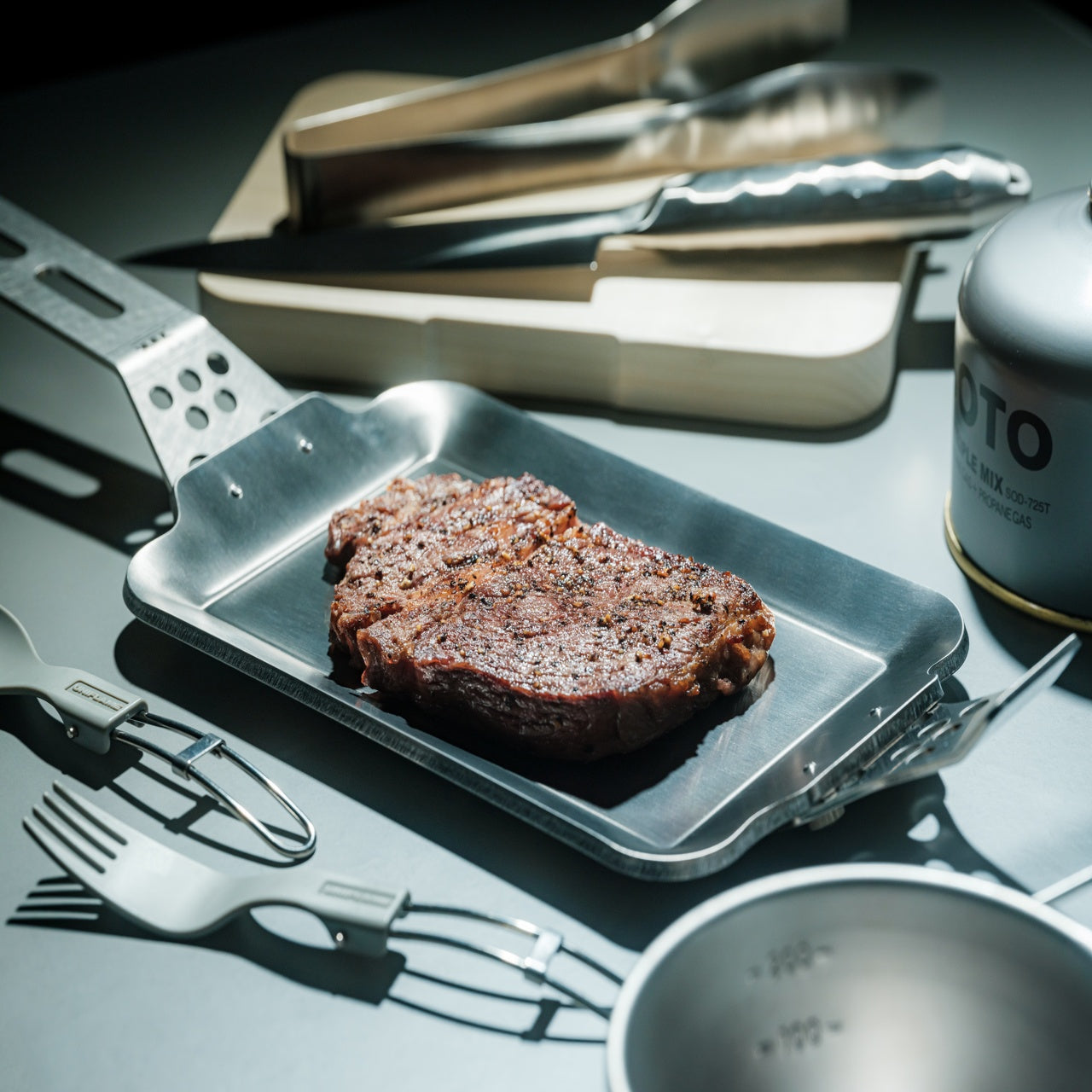
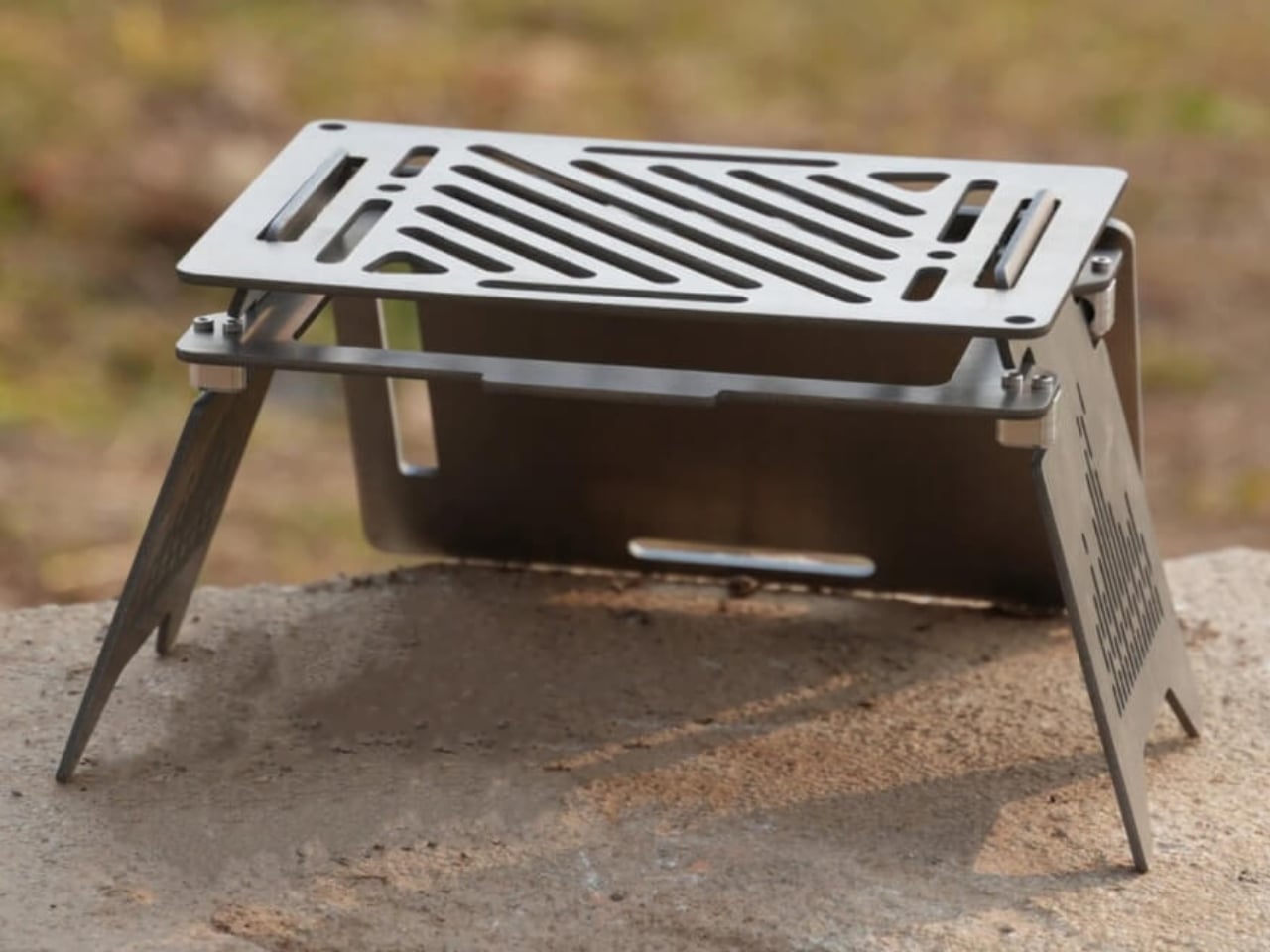
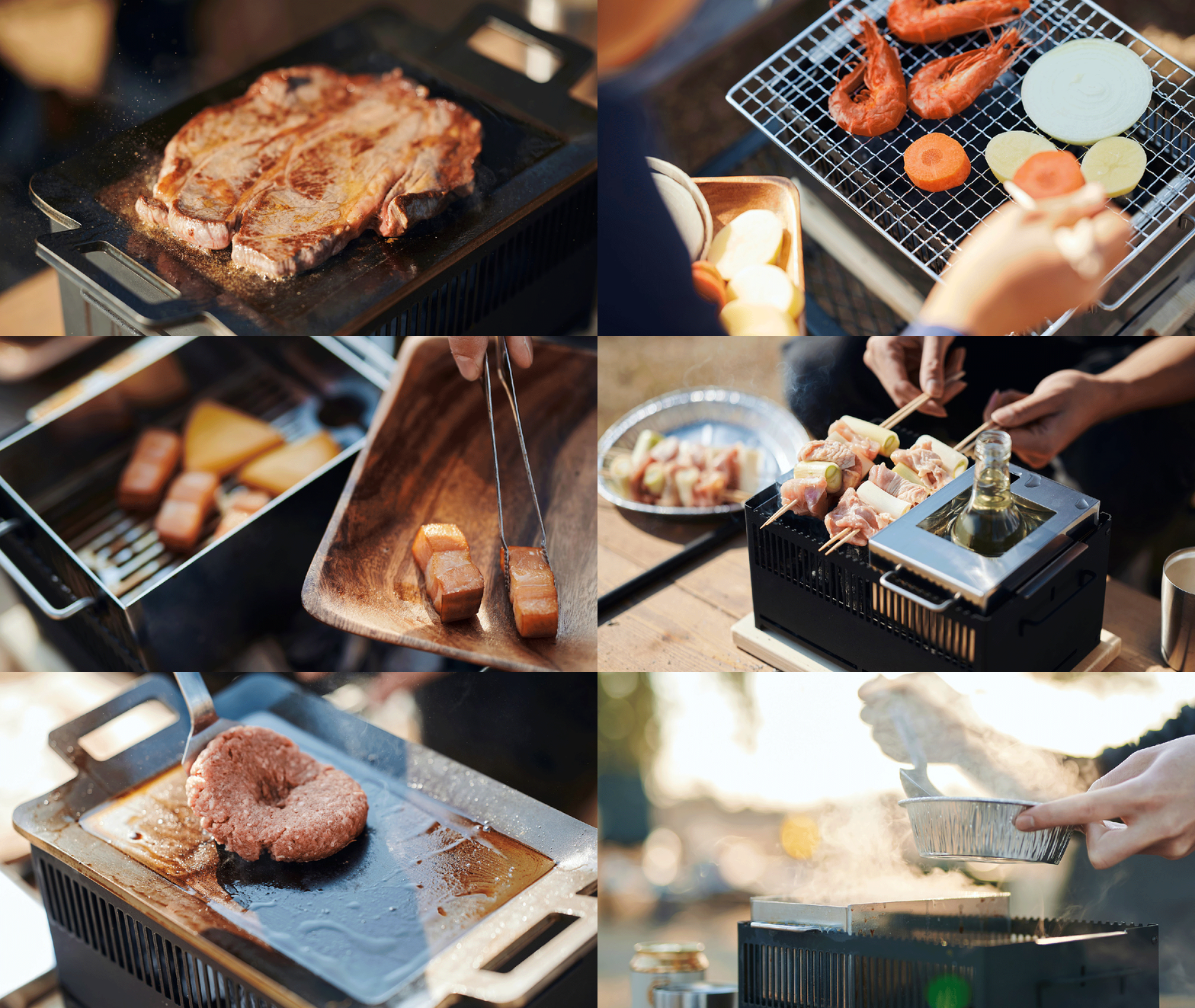
This adaptable metal grill plate transforms outdoor cooking from frustrating guesswork into reliable culinary performance. A brilliant three-layer steel plate design ensures even heat conduction across the entire surface, cooking food uniformly while maintaining juiciness for perfect steaks and dishes. The modular approach lets you swap handles depending on your situation, whether you’re working over unstable bonfires or using induction stoves at basecamp.
What separates this from standard camping cookware is its refusal to compromise. Even heat distribution means food cooks properly without hot spots or raw centers, while the compact form packs down for easy transport. Available in Basic and Special sets, it accommodates different cooking ambitions without unnecessary bulk. Compatible with various heat sources, including campfires, gas burners, and induction stoves, this grill plate adapts to you rather than forcing you to adapt to it.
Three-layer construction delivers superior heat distribution
Interchangeable handles adapt to different cooking situations
Compatible with multiple heat sources, from bonfires to induction
Compact packing size despite cooking surface area
What we dislike
Multi-piece design creates more items to pack
Steel construction adds weight to camping loads
Learning curve to master heat management
Premium sets command higher investment
9. Iron Frying Plate
JIU eliminates the middleman: the frying pan becomes your plate, letting you enjoy meals immediately after cooking them. This rust-resistant, uncoated cookware brings out exceptional flavors and textures through pure iron-to-food contact without chemical coatings interfering. Made from 1.6mm-thick mill scale steel, it arrives ready to use straight from the box, defying cast iron’s typical seasoning requirements.
The wooden handle attaches and detaches with one hand, transforming the cooking vessel into a serving plate in seconds. This beautiful boundary-blurring between cooking and eating creates intimacy with your food while eliminating cleanup steps. Rust-resistant and stick-resistant properties mean the plate maintains its character without constant maintenance, while the handsome design makes serving directly from this cookware feel intentional rather than lazy. It’s culinary efficiency meets aesthetic pleasure, wrapped in durable steel.
Rust-resistant construction eliminates maintenance headaches
What we dislike
The hot plate requires care when transitioning to eating
Single-serving size limits group meal flexibility
Iron construction retains heat, creating a burn risk
An uncoated surface still requires a proper cleaning technique
10. RetroWave 7-in-1 Radio
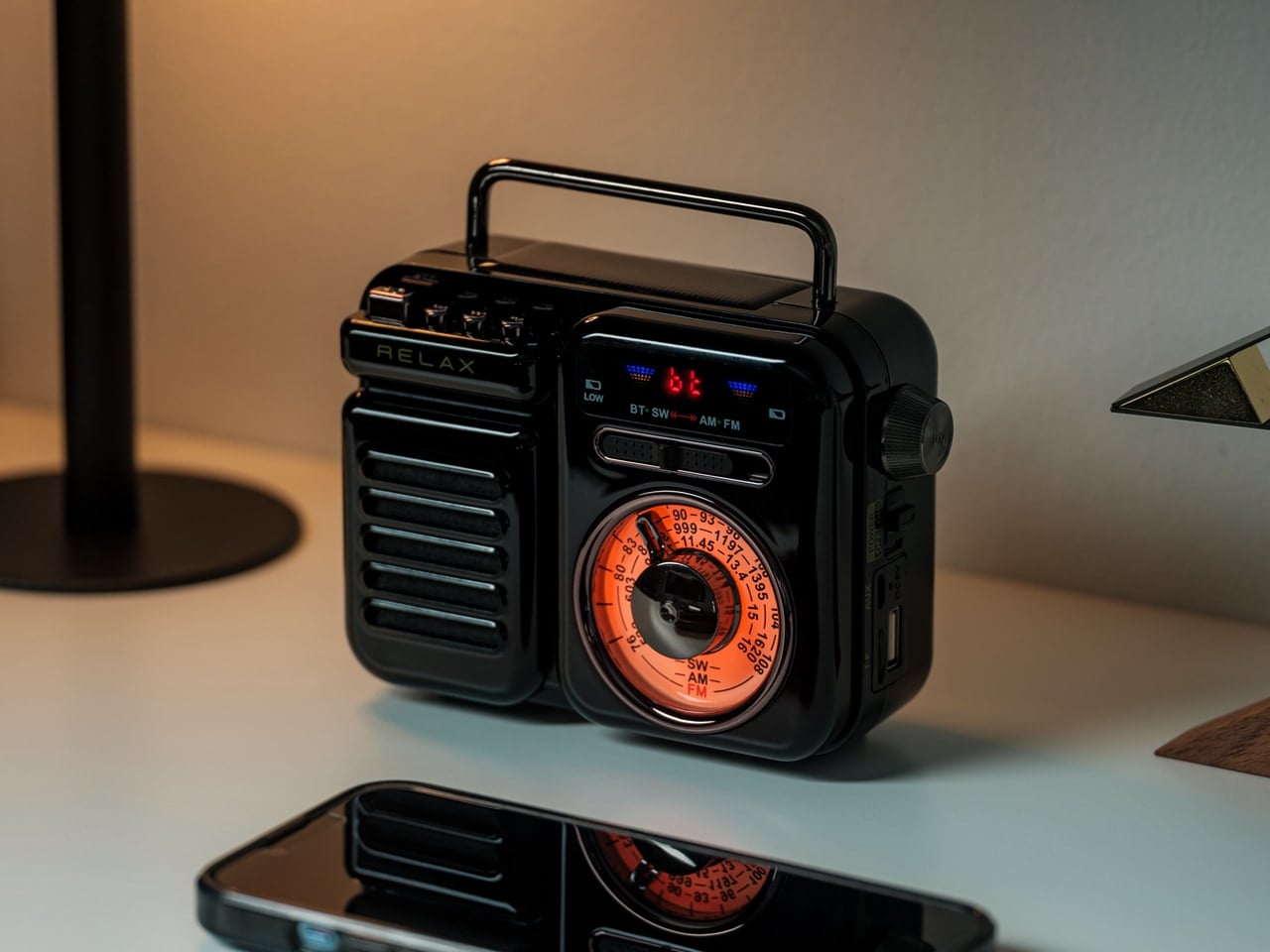
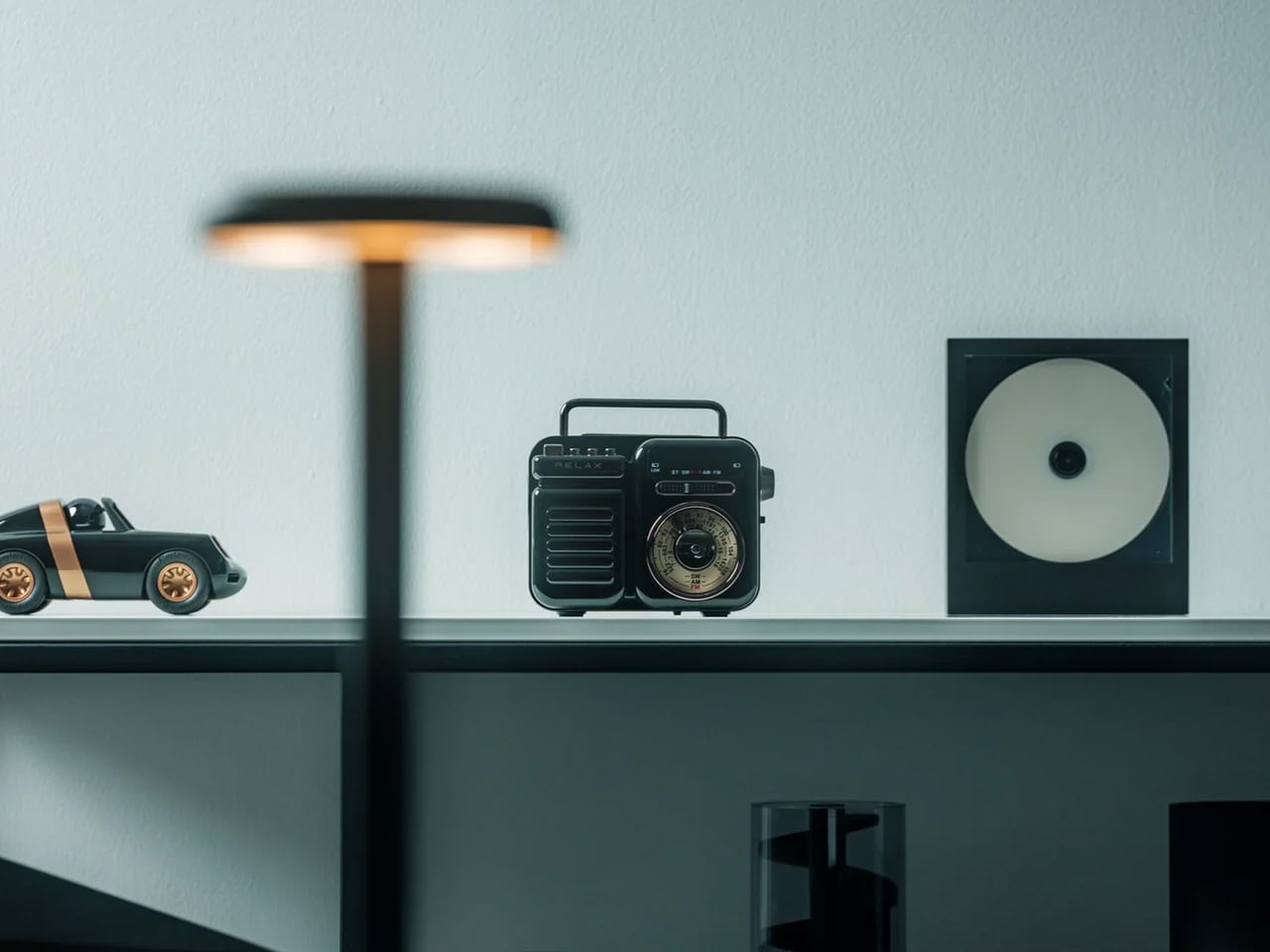
Behind its retro Japanese design and tactile tuning dial, the RetroWave 7-in-1 Radio packs serious contemporary functionality. This device serves as a speaker, MP3 player, radio, flashlight, clock, power bank, and SOS siren—designed to handle everything from daily listening to emergencies. Stream music over Bluetooth like modern life, tune into AM, FM, or shortwave stations like decades past, or rely on its emergency features when circumstances demand.
The 2000mAh battery recharges via hand-crank or solar panel when outlets disappear, while the built-in flashlight and SOS alarm provide critical safety functions. Stream from your phone, play music from USB or microSD cards, or catch local broadcasts without internet. Lightweight construction belies its capability: up to 20 hours of radio time or 6 hours of emergency lighting on full charge. Whether it’s glowing softly on your kitchen shelf during morning coffee or providing the only working station during a blackout, this radio adapts seamlessly to wherever life takes you.
Multiple charging options, including solar and hand-crank
Emergency features provide genuine safety value
Retro design looks beautiful in any setting
What we dislike
The 2000mAh battery offers limited phone charging capability
Hand-crank charging requires significant effort
Multiple functions create complexity for simple tasks
Retro aesthetic might not suit modern minimalist spaces
Final Thoughts: Where Design Meets the Great Outdoors
These ten gifts represent glamping’s evolution into a sophisticated design category where aesthetics and functionality refuse separation. Each piece solves genuine problems with intelligence and style, proving that outdoor gear can be beautiful, thoughtful, and uncompromising. They transform camping from an endurance test into a curated experience, where every detail enhances rather than distracts from nature’s magnificence.
For the glamping enthusiast in your life, these designs offer something beyond typical outdoor equipment—they provide tools that respect both their love of wilderness and their appreciation for considered design. Whether it’s a self-inflating tent, a zero-battery speaker, or a seven-function emergency radio, each gift here redefines what it means to live well outdoors in 2025.

A good laptop for both gaming and schoolwork strikes a balance that goes beyond raw power. It should handle essays and research during the day, then jump into your favorite games when you are ready to take a break. That mix is easier to find now, with more laptops offering capable GPUs, solid battery life and designs that do not look out of place in a classroom.
Whether you want a budget gaming laptop for lighter titles or a more powerful system that can run demanding games, there is something that fits just about every schedule and workload. We rounded up the best laptops for gaming and schoolwork so you can find a machine that does both without compromise.
As we’ve mentioned, gaming laptops are especially helpful if you're doing any demanding work. Their big promise is powerful graphics performance, which isn't just limited to PC gaming. Video editing and 3D rendering programs can also tap into their GPUs to handle laborious tasks. While you can find decent GPUs on some productivity machines, like Dell's XPS 15, you can sometimes find better deals on gaming laptops. My general advice for any new workhorse: Pay attention to the specs; get at least 16GB of RAM and the largest solid state drive you can find (ideally 1TB or more). Those components are both typically hard to upgrade down the line, so it’s worth investing what you can up front to get the most out of your PC gaming experience long term. Also, don’t forget the basics like a webcam, which will likely be necessary for the schoolwork portion of your activities.
The one big downside to choosing a gaming notebook is portability. For the most part, we'd recommend 15-inch models to get the best balance of size and price. Those typically weigh in around 4.5 pounds, which is significantly more than a three-pound ultraportable. Today's gaming notebooks are still far lighter than older models, though, so at least you won't be lugging around a 10-pound brick. If you’re looking for something lighter, there are plenty of 14-inch options these days. And if you're not into LED lights and other gamer-centric bling, keep an eye out for more understated models that still feature essentials like a webcam (or make sure you know how to turn those lights off).
Do gaming laptops last longer than standard laptops?
Not necessarily — it really depends on how you define "last longer." In terms of raw performance, gaming laptops tend to pack more powerful components than standard laptops, which means they can stay relevant for longer when it comes to handling demanding software or modern games. That makes them a solid choice if you need a system that won’t feel outdated in a couple of years, especially for students or creators who also game in their downtime.
But there’s a trade-off. All that power generates heat, and gaming laptops often run hotter and put more strain on internal components than typical ultraportables. If they’re not properly cooled or regularly maintained (think dust buildup and thermal paste), that wear and tear can shorten their lifespan. They’re also usually bulkier and have shorter battery life, which can impact long-term usability depending on your daily needs.
Gaming laptops can last longer performance-wise, but only if you take good care of them. If your needs are light — browsing, writing papers and streaming — a standard laptop may actually last longer simply because it’s under less stress day-to-day.
What is the role of GPU in a computer for gaming and school?
The GPU plays a big role in how your laptop handles visuals — and it’s especially important if you’re using your computer for both gaming and school.
For gaming, the GPU is essential. It’s responsible for rendering graphics, textures, lighting and all the visual effects that make your favorite titles look smooth and realistic. A more powerful GPU means better frame rates, higher resolutions and the ability to play modern games without lag or stuttering.
For schoolwork, the GPU matters too — but its importance depends on what you're doing. If your school tasks mostly involve writing papers, browsing the web or using productivity tools like Google Docs or Microsoft Office, you don’t need a high-end GPU. But if you’re working with graphic design, video editing, 3D modeling or anything else that’s visually demanding, a good GPU can speed things up significantly and improve your workflow.
Georgie Peru contributed to this report.
This article originally appeared on Engadget at https://www.engadget.com/computing/laptops/best-laptops-for-gaming-and-school-132207352.html?src=rss
We spend a lot of time staring at our screens, so it’s worth finding one that actually feels good to use. The right monitor can make your desk setup feel faster, brighter and easier on the eyes, whether you’re deep into spreadsheets, watching a show or chasing higher frame rates in your favorite game.
What the best monitor means, though, depends on what you do. Gamers might want smooth, fast refresh rates. Creators usually prioritize color accuracy. Office workers and students just need something clear, comfortable and reliable. Thankfully, monitors in 2025 cover all of those needs, with options that range from compact 24-inch displays to massive ultrawides built for serious multitasking.
We’ve tested a variety of monitors across price ranges and use cases to find the ones that stand out for everyday use. No matter your budget, setup or screen-size preference, these are the monitors that make your PC, and your time in front of it, a little better.
The cheapest monitors are still TN (twisted nematic), which are strictly for gamers or office use. VA (vertical alignment) monitors are also relatively cheap, while offering good brightness and a high contrast ratio. However, content creators will find that LCD, IPS displays (in-plane switching) deliver better color accuracy, pixel density, picture quality and wide viewing angles — making them a strong option for general computer monitor use.
If maximum brightness is important, a quantum dot LCD display is the way to go — those are typically found in larger displays. OLED panels are now available and offer the best blacks and color reproduction, but they lack the brightness of LED or quantum dot displays. Plus, they’re expensive. The latest type of OLED monitor, called QD-OLED from Samsung, is now common among gaming monitors. The most notable advantage is that it can get a lot brighter, with recent models hitting up to 1,000 nits+ of peak brightness.
MiniLEDs are now widely used in high-end displays. They’re similar to quantum dot tech, but as the name suggests, it uses smaller LED diodes that are just 0.2mm in diameter. As such, manufacturers can pack in up to three times more LEDs with more local dimming zones, delivering deeper blacks and better contrast. MiniLED displays also tend to offer excellent backlight control, making them a great choice for HDR content and video editing.
Screen size, resolution and display format
Where 24-inch displays used to be more or less standard (and can still be useful for basic computing), 27-, 32-, 34- and even 42-inch displays have become popular for entertainment, content creation and even gaming these days.
Nearly every monitor used to be 16:9, but it’s now possible to find 16:10 and other more exotic display shapes. On the gaming and entertainment side, we’re also seeing curved monitors and widescreen ultrawide monitors with aspect ratios like 21:9. If you do decide to buy an ultrawide display, however, keep in mind that a 30-inch 21:9 model is the same height as a 24-inch monitor, so you might end up with a smaller display than you expected.
A 4K monitor is nearly a must for content creators, and some folks are even going for 5K or all the way up to 8K. Keep in mind, though, that you’ll need a pretty powerful computer with a decent graphics card to drive all those sharp pixels. And 4K higher resolution should be paired with a screen size of 27 inches and up, or you won’t notice much difference between 1440p. At the same time, I wouldn’t get a model larger than 27 inches unless it’s 4K, as you’ll start to see pixelation if you’re working up close to the display. That’s when a lower resolution monitor shows its limits.
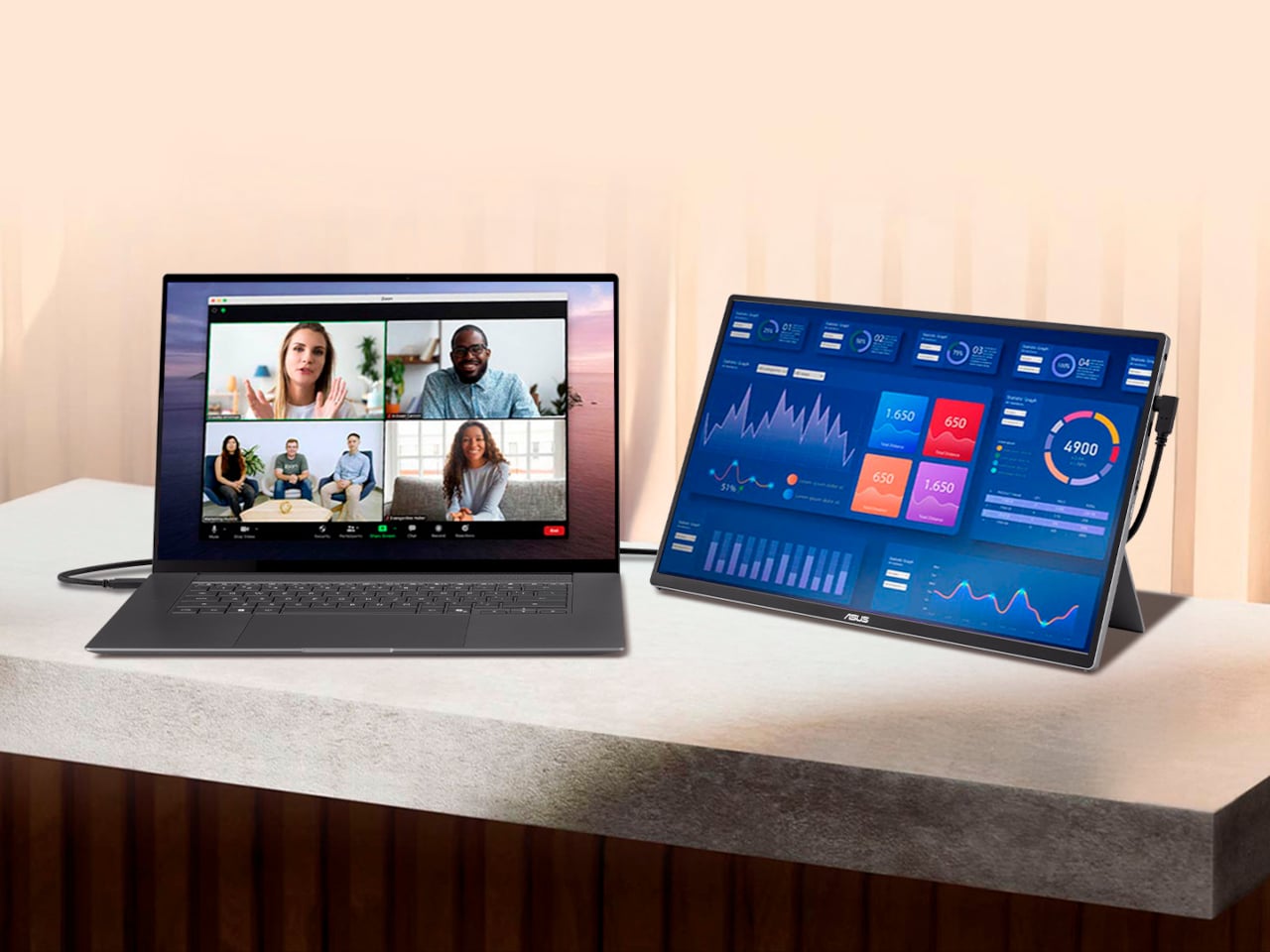
One new monitor category to consider is portable monitors designed to be carried and used with laptops. Those typically come in 1080p resolutions and sizes from 13-15 inches. They usually have a lightweight kickstand-type support that folds up to keep things compact and maximize portability and functionality.
HDR
HDR adds vibrancy to entertainment and gaming – but be careful before jumping in. Some monitors that claim HDR on their marketing materials don’t even conform to a base standard. To be sure that a display at least meets minimum HDR specs, you’ll want to choose one with a DisplayHDR rating with each tier representing maximum brightness in nits.
However, the lowest DisplayHDR 400 and 500 tiers may disappoint you with a lack of brightness, washed out blacks and mediocre color reproduction. If you can afford it, the best monitor to choose is a model with DisplayHDR 600, 1000 or True Black 400, True Black 500 and True Black 600.
Where televisions typically offer HDR10 and Dolby Vision or HDR10+, most PC monitors only support the HDR10 standard, other than a few (very expensive) models. That doesn’t matter much for content creation or gaming, but HDR streaming on Netflix, Amazon Prime Video and other services won’t look quite as punchy. In addition, the best gaming monitors are usually the ones supporting HDR600 (and up), rather than content creation monitors – with a few exceptions.
Refresh rate
High refresh rate is a key feature, particularly on gaming monitors. A bare minimum nowadays is 60Hz, and 80Hz and higher refresh rates are much easier on the eyes. However, most 4K displays top out at 60Hz with some rare exceptions and the HDMI 2.0 spec only supports 4K at 60Hz, so you’d need at least DisplayPort 1.4 (4K at 120Hz) or HDMI 2.1. The latter is now available on a number of monitors, particularly gaming displays. However, it’s only supported by the latest NVIDIA RTX 3000- and 4000-series, AMD RX 6000-series GPUs. Support for G-Sync and AMD FreeSync is also something to look for if you want to eliminate screen tearing and stuttering during fast-paced gameplay — especially when paired with a high refresh rate.
Inputs
There are essentially three types of modern display inputs: Thunderbolt, DisplayPort and HDMI. Most monitors built for PCs come with the latter two, while a select few (typically built for Macs) will use Thunderbolt. To add to the confusion, USB-C ports may be Thunderbolt 3, and by extension, DisplayPort compatible, so you may need a USB-C to Thunderbolt or DisplayPort cable adapter depending on your display.
Color bit depth
Serious content creators should consider a more costly 10-bit monitor that can display billions of colors. If budget is an issue, you can go for an 8-bit panel that can fake billions of colors via dithering (often spec’d as “8-bit + FRC”). For entertainment or business purposes, a regular 8-bit monitor that can display millions of colors will be fine.
Color gamut
The other aspect of color is the gamut. That expresses the range of colors that can be reproduced and not just the number of colors. Most good monitors these days can cover the sRGB and Rec.709 gamuts (designed for photos and video respectively). For more demanding work, though, you’ll want one that can reproduce more demanding modern gamuts like AdobeRGB, DCI-P3 and Rec.2020 gamuts, which encompass a wider range of colors. The latter two are often used for film projection and HDR, respectively.
Monitor FAQs
Is OLED better than mini-LED for monitors?
OLED is better than mini-LED in many areas but not all. Here are the advantages of OLED panels:
OLED monitors don't have any "blooming" or halos around bright parts of the image.
OLEDs have blacks with zero brightness, which is not achievable on mini-LED. That means they also have higher contrast ratios.
OLEDs consume less energy.
OLEDs have faster response times for gaming.
And here are the advantages of mini-LED monitors:
They are brighter (often much brighter), so it can be better for HDR content.
They don't suffer from burn-in like OLED can.
What size monitor is best for a home office?
This depends on the individual. For normal use, 27-32 inches is the sweet spot. If you're one who likes many windows open at a time (like a stock broker), then you might want to go up to 37 or even 42 inches.
Are curved monitors worth it for gaming?
If you need as much speed as possible, a curved monitor lets you rapidly look around the screen without changing focus or moving your head as much compared to a flat screen. It also provides more immersion. The drawback is that curved displays tend to be wider so they take up more desk space. They're also generally more expensive.
This article originally appeared on Engadget at https://www.engadget.com/computing/accessories/best-monitor-130006843.html?src=rss
Weekend camping trips have evolved beyond basic survival. Today’s outdoor enthusiasts expect gear that performs multiple functions, weighs practically nothing, and looks good doing it. The days of hauling clunky Coleman equipment into the wilderness are fading, replaced by thoughtfully engineered tools that blend form with serious function. Modern camping gear speaks a different language—one where aerospace aluminum meets compact portability, where vintage aesthetics hide cutting-edge technology.
The best weekend warriors understand that quality gear transforms a trip from an endurance test to genuine enjoyment. Every ounce matters when you’re hiking to your campsite. Every feature counts when you’re miles from the nearest outlet or hardware store. The seven essentials gathered here represent a new standard in outdoor equipment: beautifully designed, seriously capable, and built to handle everything from mild evenings to legitimate emergencies. These aren’t gadgets. They’re investments in better experiences outdoors.
1. Lumitwin DL700
Most flashlights promise brightness. The Lumitwin DL700 delivers distance—an astonishing 2 kilometers of beam throw that turns night into navigable terrain. This isn’t achieved through brute-force LED arrays but through laser-excited phosphor modules housed in dual independently-controlled barrels. Each barrel operates separately, giving you precision control over where and how light gets deployed. The aerospace aluminum body weighs just over a kilogram, substantial enough to feel serious without becoming a burden clipped to your pack.
What sets this flashlight apart for weekend camping is its adaptability through swappable color filters. Red light preserves night vision around camp. Green cuts through fog on misty mornings. The flood filter transforms focused beams into area lighting when you need to illuminate your entire campsite. IP68 waterproofing means rain, river crossings, and accidental drops into streams won’t end your light source. The 1-meter drop rating ensures it survives the inevitable tumbles that come with outdoor adventure. This is engineered resilience meeting thoughtful design.
What we like
The 2-kilometer beam distance eliminates the anxiety of navigating unfamiliar trails after dark
Dual barrels with independent controls offer lighting flexibility that no single-beam flashlight can match
What we dislike
At over 1,000 grams, it’s heavier than ultralight backpackers typically prefer
The high-performance laser-excited phosphor technology comes with a premium price point
2. RetroWave 7-in-1 Radio
Behind its vintage Japanese aesthetic and tactile tuning dial sits genuinely useful modern technology wrapped in retro charm. The RetroWave pulls off the rare feat of looking like it belongs in a 1970s study while functioning like contemporary emergency equipment. Its seven functions—AM/FM/SW radio, Bluetooth speaker, MP3 player, flashlight, clock, power bank, and SOS alarm—make it the Swiss Army knife of communication and entertainment gear. That retro dial isn’t just decorative; it’s a genuinely satisfying way to tune analog stations without touchscreens or menus.
For weekend warriors, this radio solves the connectivity problem elegantly. Stream music via Bluetooth when you have a signal. Switch to stored MP3s from USB or microSD when you’re off-grid. The hand-crank and solar panel charging ensure you’re never completely powerless, even during extended trips. The built-in flashlight and SOS alarm transform it from an entertainment device to legitimate safety equipment. Its compact form fits easily into any camping setup, bringing both comfort and contingency planning into one beautifully designed package.
Seven genuinely useful functions in one device eliminate the need for multiple gadgets
Hand-crank and solar charging provide power independence when you’re far from outlets
What we dislike
The vintage aesthetic may not appeal to minimalists who prefer sleek modern design
Shortwave radio feels somewhat redundant for typical weekend camping scenarios
3. Airflow 8-Panel Fire Pit
Traditional campfires demand constant attention—poking, prodding, repositioning logs to maintain flames while managing smoke that invariably blows in your face. Sanyo Works reimagined this ancient ritual with engineering precision. Their eight-panel removable fire pit system creates adjustable secondary combustion, fundamentally changing how efficiently wood burns. Fresh air enters through strategically positioned holes at each panel’s base, then ascends through double-walled cavities where it heats before expelling from top vents. This creates a secondary burn that consumes smoke particles before they escape.
The genius lies in adjustability. All eight panels assembled create maximum secondary combustion—hotter fire, minimal smoke, perfect for cooking or cold nights. Remove panels to reduce intensity for ambient warmth without cooking-level heat. The system self-regulates based on your configuration, giving control without complexity. Cleanup becomes genuinely simple since efficient combustion leaves less ash and residue. For weekend warriors who want campfire ambiance without campfire hassle, this represents a significant upgrade over traditional fire rings. It’s campfire culture refined through thoughtful design and metalworking expertise.
Adjustable panel system provides unprecedented control over fire intensity and smoke output
Secondary combustion technology delivers cleaner burns with significantly less ash and residue
What we dislike
The eight-panel system adds bulk compared to simple collapsible fire rings
Higher initial cost than basic camping fire solutions
4. Compact Modular Grill Plate
Camp cooking typically involves uneven heating, flare-ups, and food that’s simultaneously burnt and undercooked. This modular grill plate solves the fundamental problem through a three-layer steel construction that distributes heat uniformly across its entire surface. The engineering creates consistent temperature zones, eliminating hot spots that char one side while leaving the other raw. The plate works equally well over unstable bonfires, gas camp stoves, or induction cooktops back home, making it genuinely versatile equipment.
The modular design shines in practical use. Handles swap out depending on your cooking situation—grab the appropriate configuration for direct flame or stable stovetop cooking. Everything breaks down into compact form for transport, fitting easily into camping gear without wasted space. Cleanup becomes straightforward since the flat surface has no crevices or grates where food debris hides. The three-layer construction means this plate will outlast dozens of camping seasons without warping or degrading. It transforms camp cooking from a chore into a genuine culinary opportunity.
Three-layer steel construction eliminates hot spots for consistently cooked food
Swappable handles and compact storage make it truly practical for varied camping situations
What we dislike
The solid plate design limits the ability to cook over open flames, the way traditional grill grates do
Weight from the three-layer construction adds heft compared to ultralight camping cookware
5. 8-in-1 EDC Scissors
Multi-tools often sacrifice quality for quantity, cramming mediocre versions of many functions into unwieldy packages. These palm-sized scissors flip that equation—they’re genuinely excellent scissors that happen to include seven additional capabilities. At just 13 centimeters, they disappear into pockets or pack compartments while delivering knife, lid opener, can opener, cap opener, bottle opener, shell splitter, and degasser functions. The oxidation film coating provides rust resistance critical for outdoor gear while adding a handsome matte black finish.
The brilliance lies in maintaining scissor quality while adding utility. These cut properly through packaging, rope, fabric, food—without the awkward compromises typical of combination tools. The additional functions feel natural rather than forced, positioned where your hands naturally grip during use. For weekend camping, this becomes the tool you reach for constantly: opening packages, cutting cord for tent guy-lines, preparing food, and opening beverages. It’s the kind of simple, elegant solution that seems obvious only after someone’s designed it. Compact capability without complexity.
Maintains excellent scissor functionality while adding seven useful tools in a palm-sized form
Oxidation coating provides rust resistance and an attractive finish, perfect for outdoor conditions
What we dislike
The compact 13cm size may feel small for users with larger hands
Individual tools sacrifice some capability compared to dedicated single-purpose versions
6. TriBeam Camp Light
Lighting for camping requires three distinct modes: focused beam for navigation, diffused area light for camp activities, and soft ambient glow for winding down. Most camping lights force you to choose one or carry multiple devices. The TriBeam delivers all three in an award-winning design that weighs just 135 grams and stands 12.8 centimeters tall. A single intuitive button cycles through Camping, Ambient, and Flashlight modes. Brightness adjusts from a gentle 5-lumen glow to a powerful 180-lumen focused beam.
The runtime impresses—up to 50 hours on a single charge, depending on brightness settings. For weekend trips, that typically means charging once before departure, then forgetting about power management entirely. The compact build slips into jacket pockets or pack side compartments, always accessible when light conditions change. The design earned awards not through gimmicks but through solving the fundamental lighting problem elegantly: one light, three genuinely useful modes, beautiful industrial design. It’s the kind of gear that enhances experiences simply by working perfectly when you need it.
Three distinct lighting modes cover every camping scenario, from trail navigation to ambient evening light
Up to 50 hours of runtime eliminates anxiety about battery life during weekend trips
What we dislike
Maximum 180-lumen output may feel insufficient for users accustomed to ultra-bright tactical lights
Single-button control through three modes and multiple brightness levels has a learning curve
7. DraftPro Top Can Opener
Most camping gear focuses on survival and function. DraftPro focuses on experience. This award-winning can opener from Japanese designer Shu Kanno completely removes can tops, transforming canned beverages into glass-like drinking vessels. The wide-mouth opening releases aromatics and allows taste to develop fully rather than funneling liquid through a small opening. The smooth edge eliminates the sharp rim typical of conventional openers, making drinking genuinely pleasant.
Beyond elevating beer and sparkling water, DraftPro adds practical versatility. Drop ice directly into opened cans for rapid cooling on hot days when your cooler isn’t keeping up. Mix cocktails directly in the can without dirtying shakers or glasses—combine ingredients, stir, enjoy, then recycle. The lightweight design packs easily, works with domestic and international can sizes, and requires no particular technique to operate. It’s the rare piece of camping gear that improves everyday enjoyment rather than just solving problems. Weekend warriors who appreciate their beverages will find that this changes the camping drink experience entirely.
Complete top removal creates a glass-like drinking experience that enhances aroma and flavor
Enables direct ice addition and in-can cocktail mixing for expanded beverage options
What we dislike
Adds another single-purpose tool to packing lists for minimalist campers
Smooth edges still require careful handling despite being safer than traditional can openings
Bringing It All Together
Modern camping gear has reached a fascinating inflection point where design excellence and functional capability merge seamlessly. The seven essentials gathered here represent this evolution—tools that perform beautifully because they’re designed thoughtfully, not despite it. Each piece solves specific problems weekend warriors actually encounter: inadequate lighting, communication gaps, inefficient fires, uneven cooking, missing tools, versatile illumination needs, and enhanced drinking experiences. These aren’t luxuries. They’re refinements that transform outdoor time from roughing it to genuinely enjoying it.
The best gear becomes invisible through perfect function. You stop noticing the flashlight’s weight because its beam lets you navigate confidently. The radio disappears into camp routine, providing exactly what you need when you need it. Fire, cooking, lighting, and convenience all happen smoothly, letting you focus on why you’re outside in the first place. Weekend warriors understand this truth: quality gear doesn’t diminish the outdoor experience through over-engineering. It enhances it by removing friction between intention and enjoyment. Invest in tools that work beautifully, and every weekend becomes better spent.