4‑Axis CNC, Built‑In Laser, Auto Tool‑Change: The $899 Makera Z1 Replaces Your Entire Workbench

The maker movement has always had this tension between aspiration and reality. We want to believe that anyone with creativity and determination can fabricate complex physical objects, but the actual tools have never quite lived up to that vision. 3D printers got there eventually, becoming genuinely accessible after years of tinkering and iteration. CNC mills are still waiting for their Prusa moment, that breakthrough where capability and usability finally converge at a price point that makes sense for individual creators rather than small manufacturers.

Makera’s Z1 looks like it might be taking a serious run at becoming that machine. The specs are legitimately compelling: 4-axis machining for complex geometries, laser engraving for multi-material work, tool changing that doesn’t kill your workflow momentum. But the really smart move is how they’ve approached the software side with their Smart Machining Wizard that handles toolpath optimization automatically. That’s the kind of feature that could genuinely flatten the learning curve, because the hardest part of CNC work isn’t understanding what you want to make, it’s translating that into the specific sequence of cuts and feeds that won’t destroy your material or your bit.

Designer: Makera

Click Here to Buy Now: $899 $1199 (25% off). Hurry, only 1052/7000 left! Raised over $8 million.
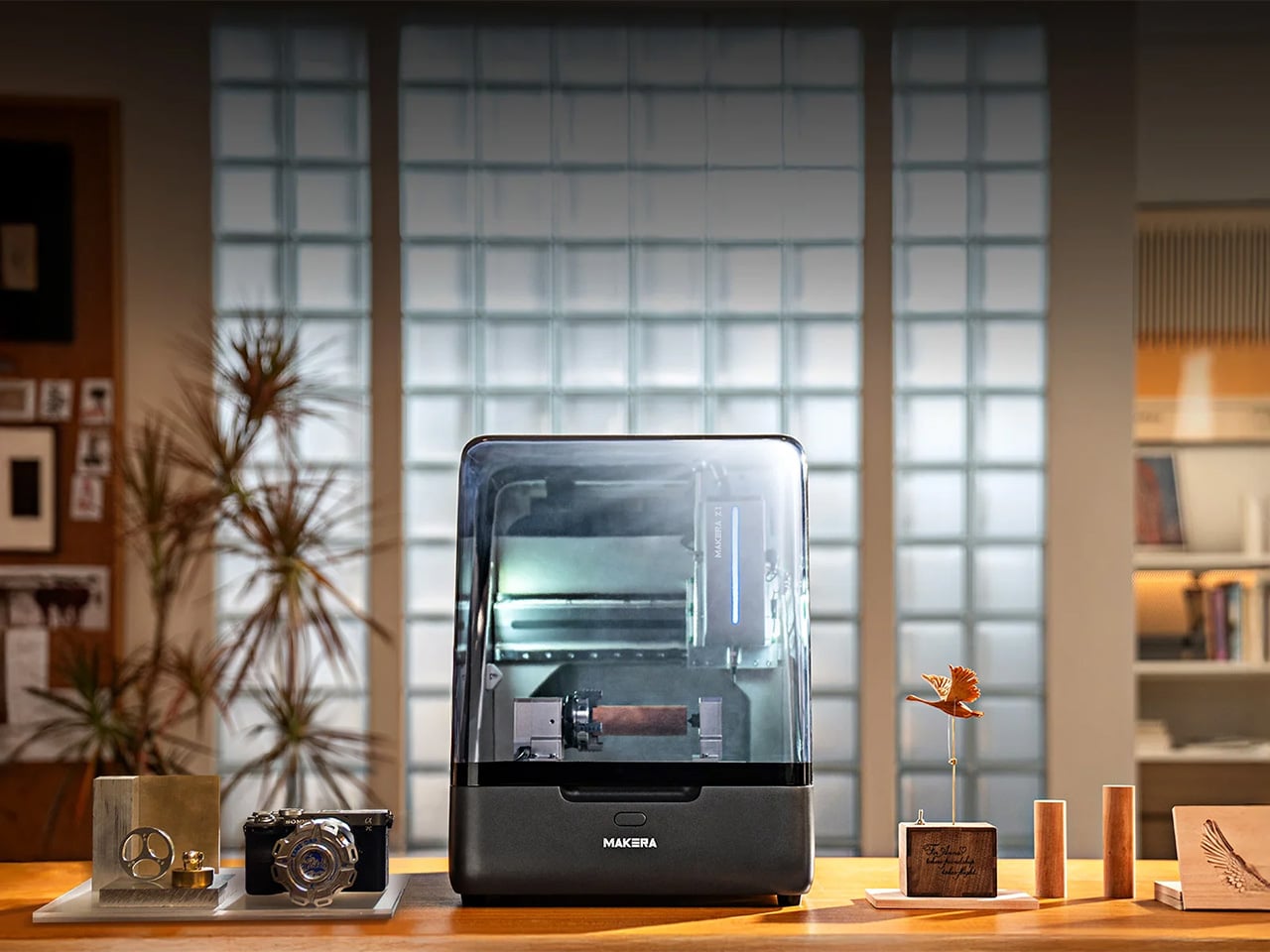
Makera built this thing with a die-cast metal frame that keeps it rigid enough for precision work while staying compact enough for a desk or workbench. Most desktop CNCs either sacrifice rigidity for size or end up being “desktop” machines that require you to dedicate half a room to them. The Z1 actually fits where people work without turning into a wobbly mess the moment you put any real cutting force on it. A transparent enclosure with blue LED lighting lets you watch what’s happening, which sounds purely aesthetic until you’ve spent enough time with CNC work to know that being able to see when something starts going wrong is the difference between catching a problem early and ruining your third attempt at an expensive piece of walnut.
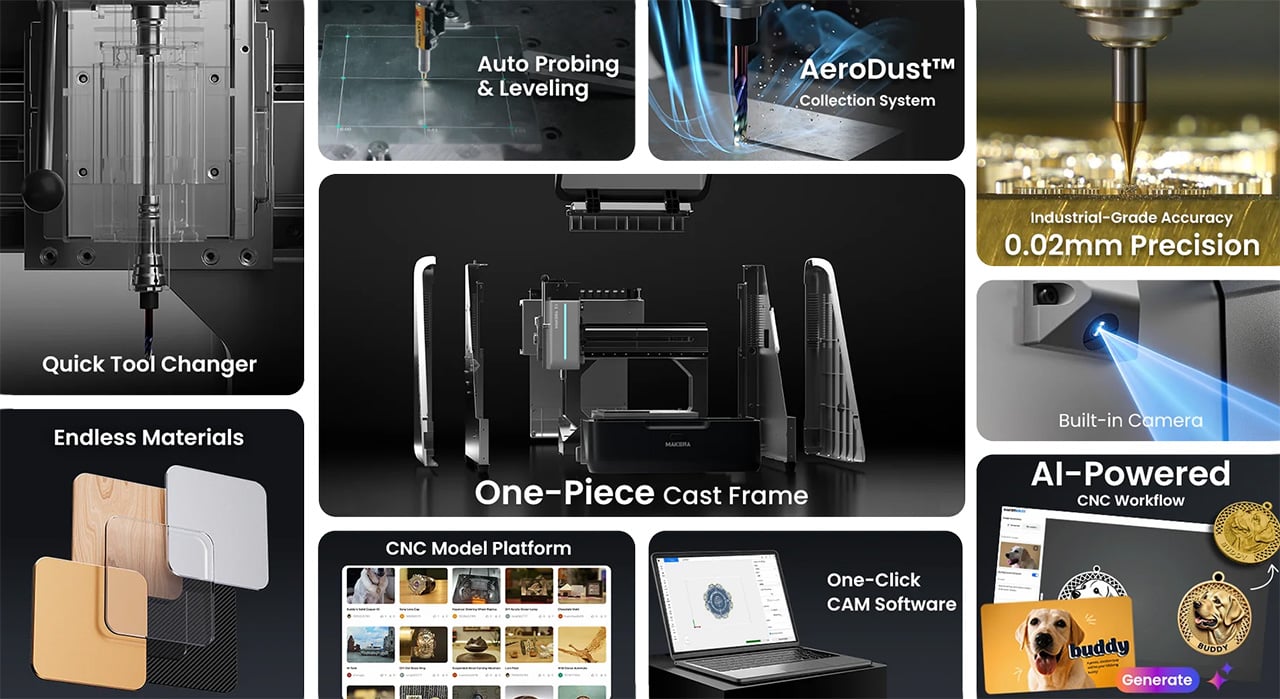
Most people who’ve used desktop CNCs have experienced the tool-changing nightmare. You’re halfway through a project, need to swap from a roughing bit to a finishing bit, and suddenly you’re stopping the job, manually changing tools, re-zeroing everything, and praying you didn’t throw off your alignment. Mess it up and you’ve wasted material, time, and patience. The Z1’s quick tool changer handles swaps in seconds without breaking workflow. Queue up your roughing pass, finishing pass, and laser engraving in sequence, start the job, and come back to finished work. You can actually plan projects with multiple operations now instead of avoiding them because the process is too tedious.

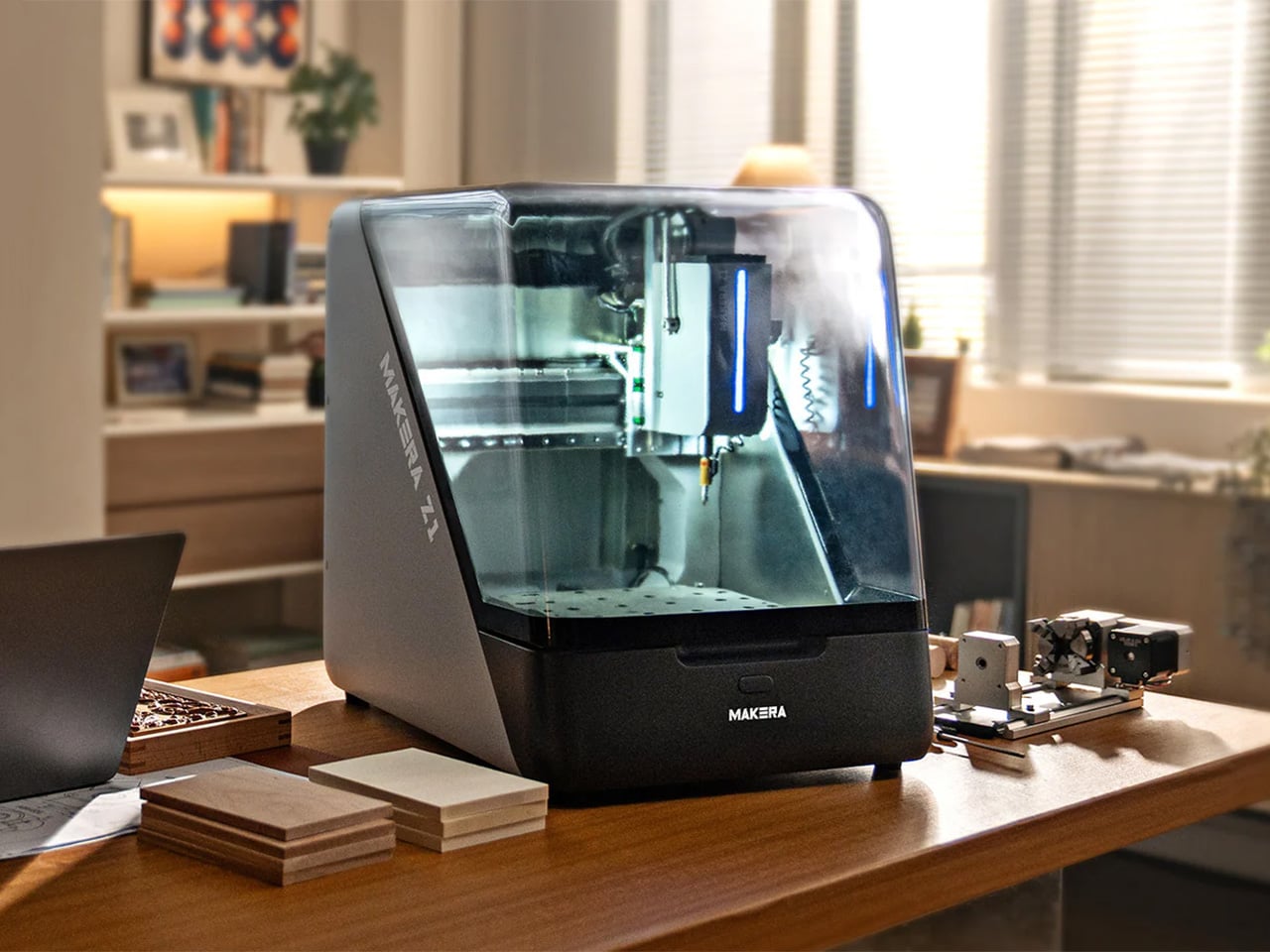
Adding a fourth axis changes what you can make, not just how easily you can make it. Standard 3-axis machines force you into flat-world thinking. Want details on a cylinder? You’re manually rotating and re-fixturing, hoping your alignment is perfect each time. Complex curves? Forget it unless you enjoy spending hours setting up custom jigs. With 4-axis capability, cylindrical parts become straightforward. Jewelry with wraparound patterns, custom instrument components, robotics parts with mounting features on multiple faces – projects that used to require either expensive shop time or elaborate workarounds become things you can just do.

Makera bundled a laser module into the same machine, which solves a problem anyone working on mixed-material projects has run into. Mills cut wood, plastic, soft metals well. Lasers excel at engraving and cutting leather, acrylic, veneer. Usually you need two machines, two software packages, and endless frustration trying to align work between them. Having both in one system with unified control means you can mill a relief pattern into wood and laser-engrave fine details in the same setup. For prototyping or small production runs, not having to move work between machines eliminates a huge source of error and wasted time.

Makera Studio unifies design, CAM, and machine control instead of forcing you to juggle multiple applications that barely talk to each other. More importantly, the Smart Machining Wizard actually does something useful: it looks at your geometry and suggests toolpath parameters. This matters because new CNC users consistently get stuck at exactly this point. You’ve got a 3D model, you know what you want to cut, but now you need to figure out feeds, speeds, stepover percentages, roughing versus finishing strategies. Get it wrong and you break expensive bits, ruin material, or spend six hours on a cut that should take forty minutes. Most CAM software assumes you already know this stuff. Makera’s wizard gives you a starting point based on your specific geometry and material, which won’t make you an expert overnight but might keep you from quitting in frustration after your fifth failed attempt.

Built-in presets cover relief carving, 4-axis operations, and PCB milling. PCB work is particularly brutal for beginners because you need precise depth control and appropriate feeds to get clean copper traces without destroying the board. Having proven workflows ready to use means these capabilities become practical tools instead of theoretical features you never figure out how to use properly.

Makerables, their content platform, lets users share projects and download models, which is table stakes for any modern fabrication tool. More useful is the AI modeling feature that generates 3D models or reliefs from images and prompts. You can argue about whether AI-generated designs are “real” making, but practically speaking, not everyone has years to invest in mastering Fusion 360. If you’ve got strong design sense but CAD software makes you want to throw your computer out a window, being able to go from concept to cuttable model without that barrier actually matters. Plenty of artists and designers who understand form, proportion, and aesthetics have been locked out of CNC work purely by software requirements.
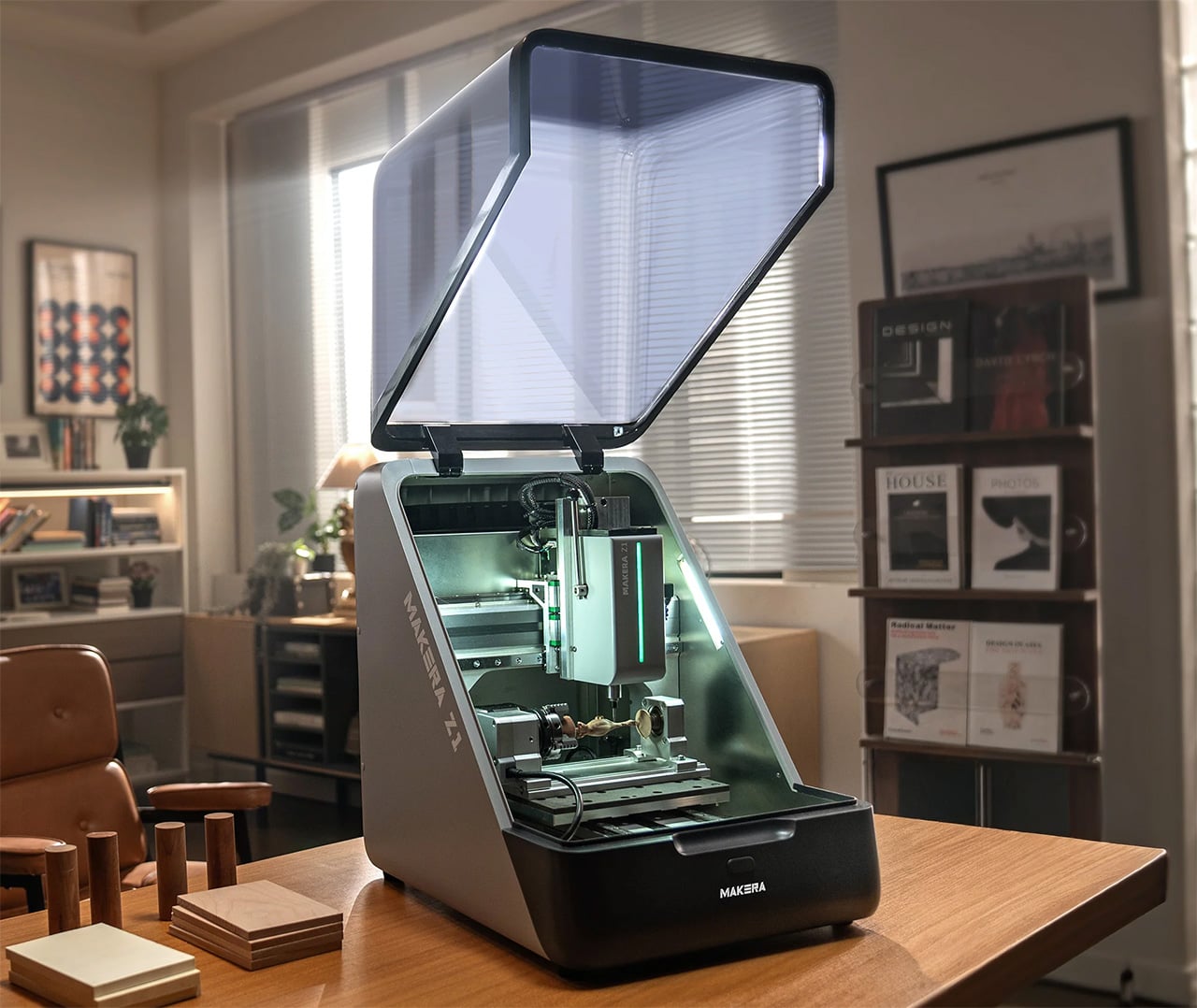
Auto-probing and leveling handle surface calibration without manual tramming, which saves twenty minutes of tedious setup before every job. Integrated dust collection with ports for external collectors means you can run this indoors without coating your entire workspace in fine dust. The built-in camera lets you check on progress remotely and record time-lapses, catching problems before they get expensive and documenting your work without setting up separate recording equipment.

Pricing sits at an MSRP of $1,199, but early Kickstarter backers can secure the Z1 for $899. Compare that to quality 3-axis desktop CNCs without laser modules, 4-axis capability, or automated tool changing, and the Z1 looks legitimately competitive. So much so that over 6,000 backers have already pledged more than $8 million USD to secure the Makera Z1- with the campaign running until December 12 – before it begins shipping next month.
Makera is also offering a Z1 Pro configuration that addresses the performance ceiling some users will eventually hit. The standard Z1 uses lead screws and open-loop steppers, which work fine for most projects but can show limitations under sustained heavy use or when you’re chasing the tightest possible tolerances. The Pro upgrade swaps in ball screws across all three axes and adds closed-loop stepper motors. Ball screws reduce backlash and handle heavy cutting loads better over time, while closed-loop motors automatically correct position errors, eliminating the lost steps that can ruin a long job when you’re six hours in and something goes slightly wrong.

The upgrade costs $399 normally but Kickstarter backers can add it for $249. You’re looking at hardware changes that meaningfully improve accuracy and reliability rather than marginal spec bumps, which matters if you’re planning to use this machine for small production runs or client work where failures get expensive fast. The Pro units ship around two months after the standard Z1, starting March 2026, which makes sense given they’re swapping core motion components. Whether the upgrade is worth it depends on your use case – hobbyists and occasional users probably won’t notice the difference, but anyone planning serious production work or precision-critical projects should consider it seriously.

Click Here to Buy Now: $899 $1199 (25% off). Hurry, only 1052/7000 left! Raised over $8 million.

The post 4‑Axis CNC, Built‑In Laser, Auto Tool‑Change: The $899 Makera Z1 Replaces Your Entire Workbench first appeared on Yanko Design.
How CNC Machining Revolutionizes Product Design: Boosting Efficiency and Precision

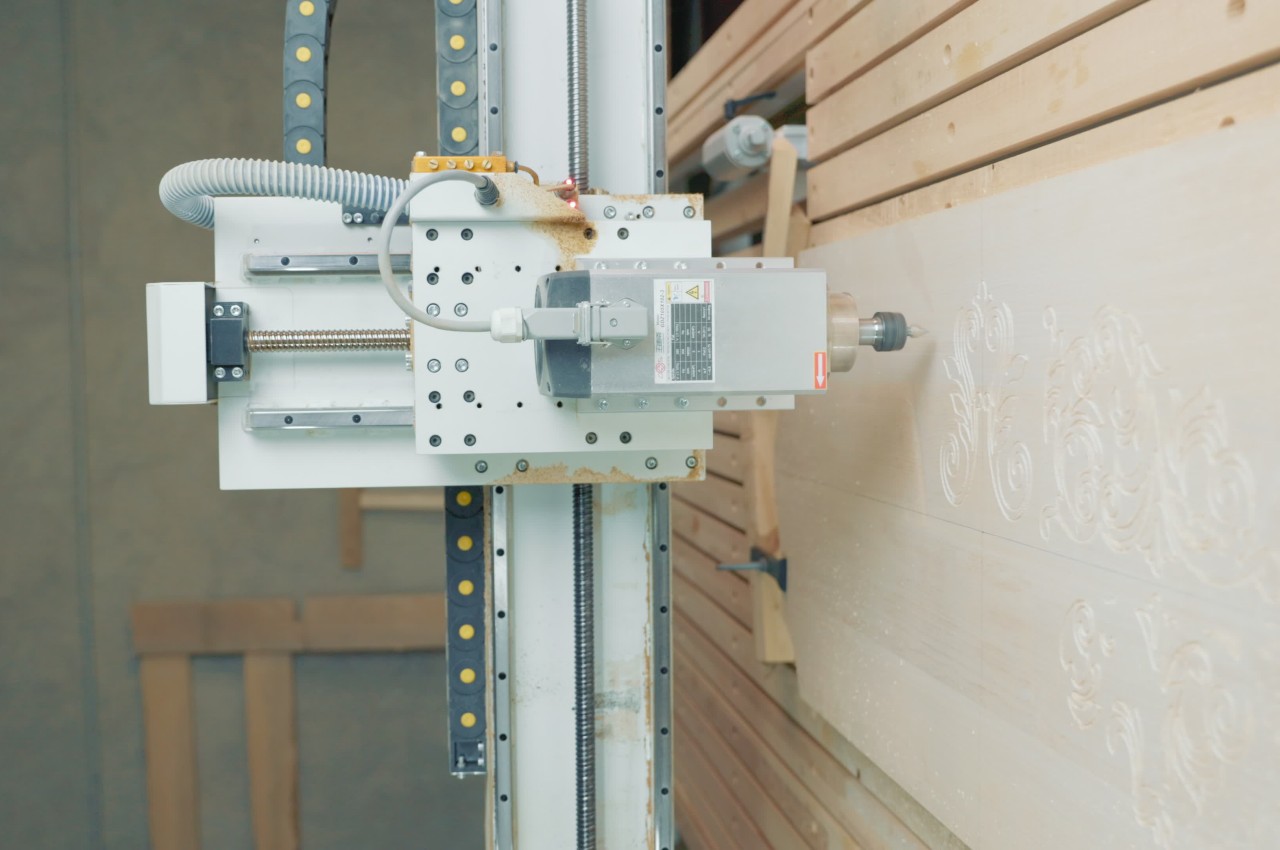
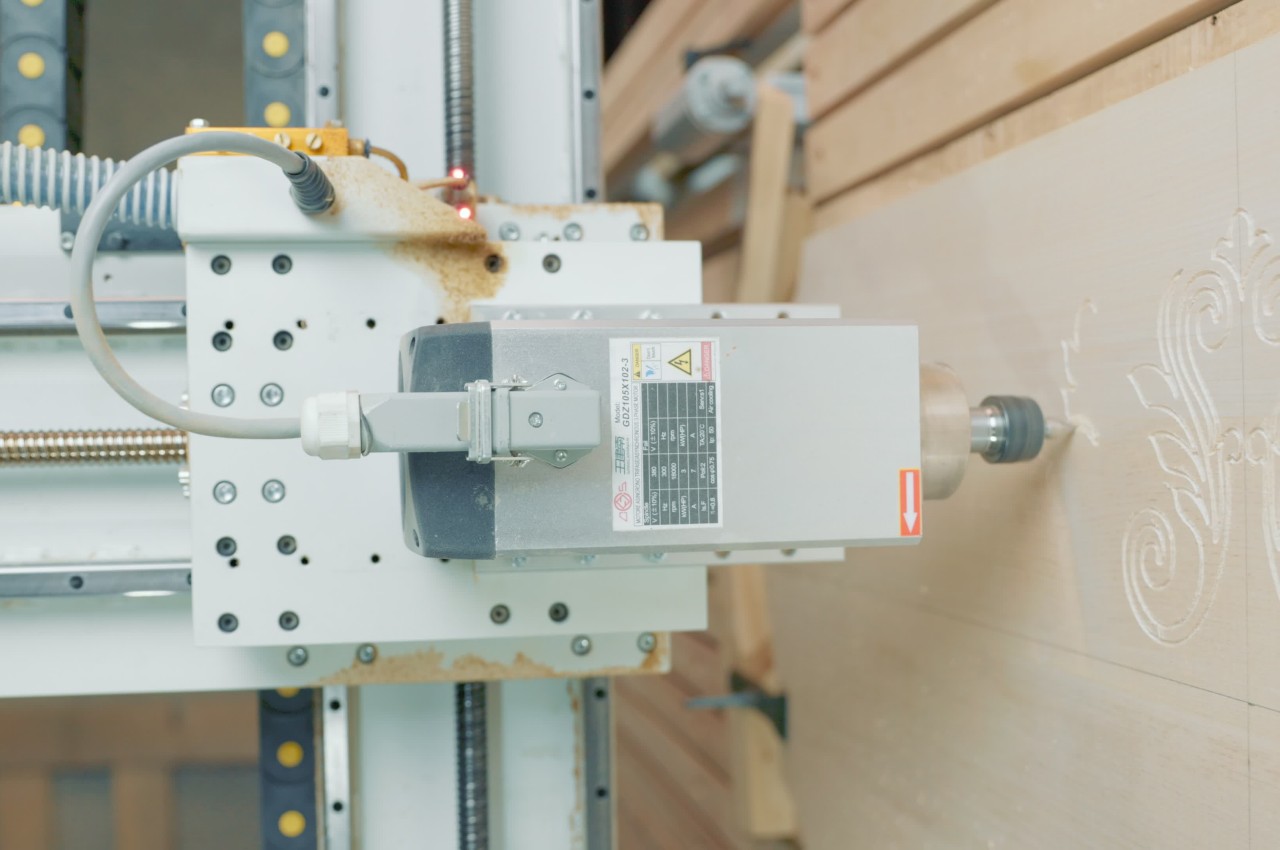
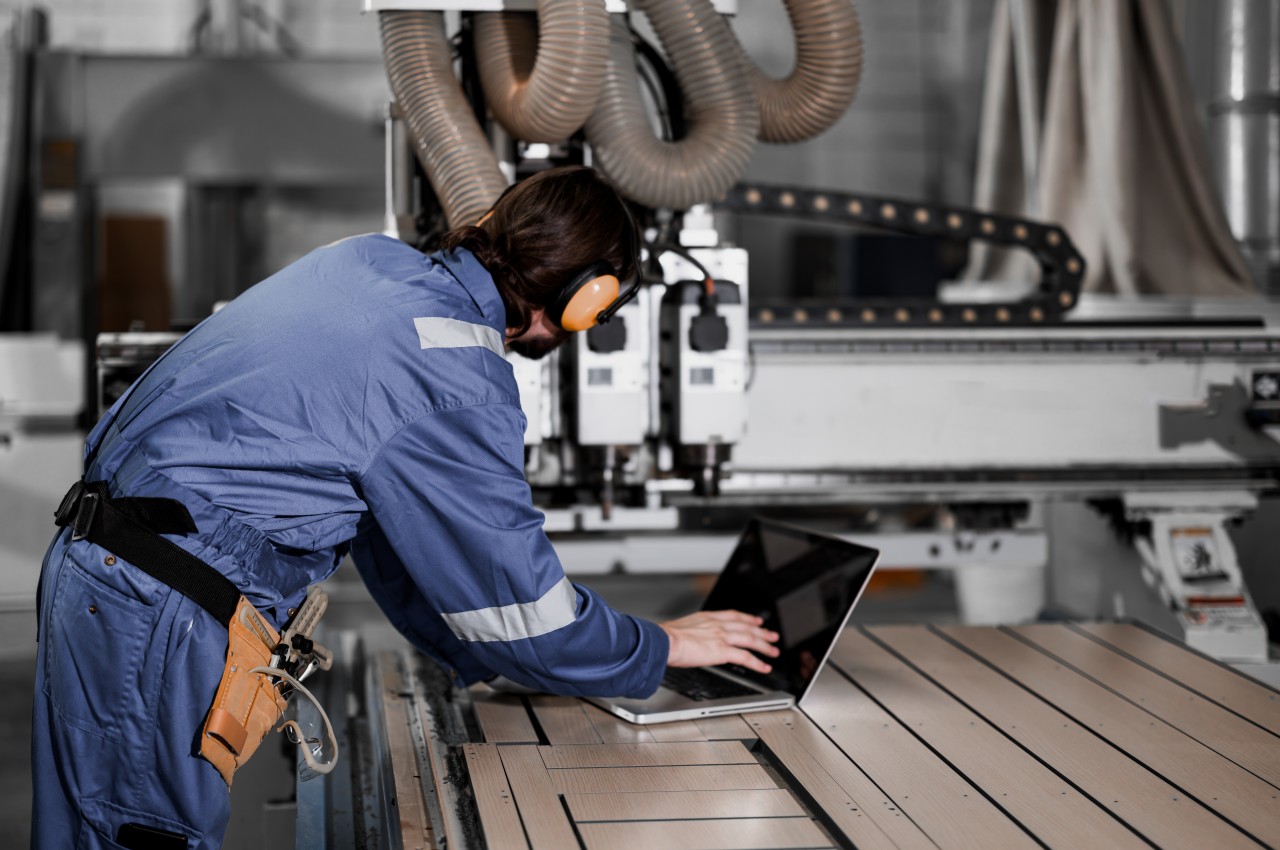
CNC machining plays a transformative role in modern manufacturing and revolutionizes product design and production by automating machine tool control through computers. Therefore, CNC machining is a high-precision solution for modern manufacturers, utilizing advanced electro-mechanical devices to move tools across various axes based on computer-programmed instructions. A typical CNC machine includes a controller, machine tool, and workpiece. The controller executes instructions from a computer program, directing the machine tool to cut or shape the workpiece.

Designer: Proximars

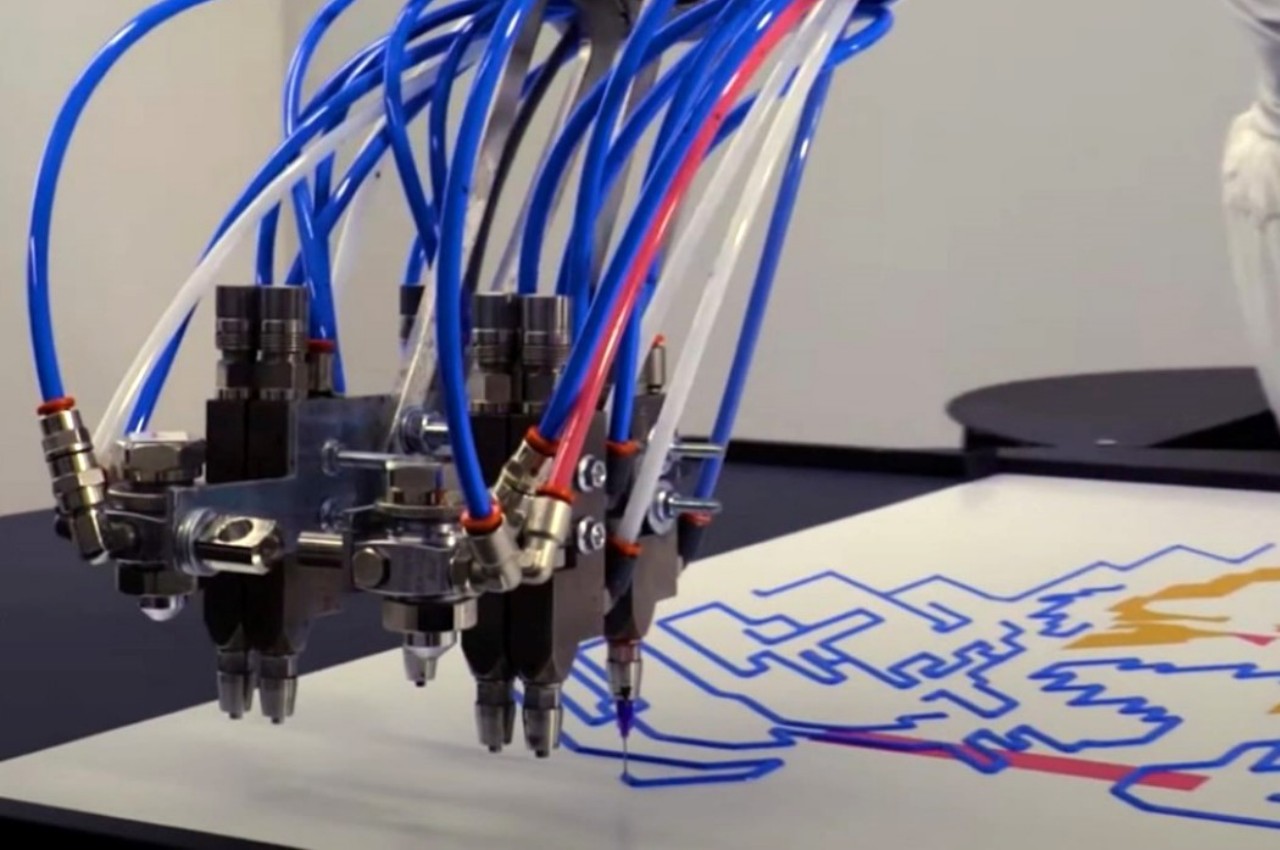
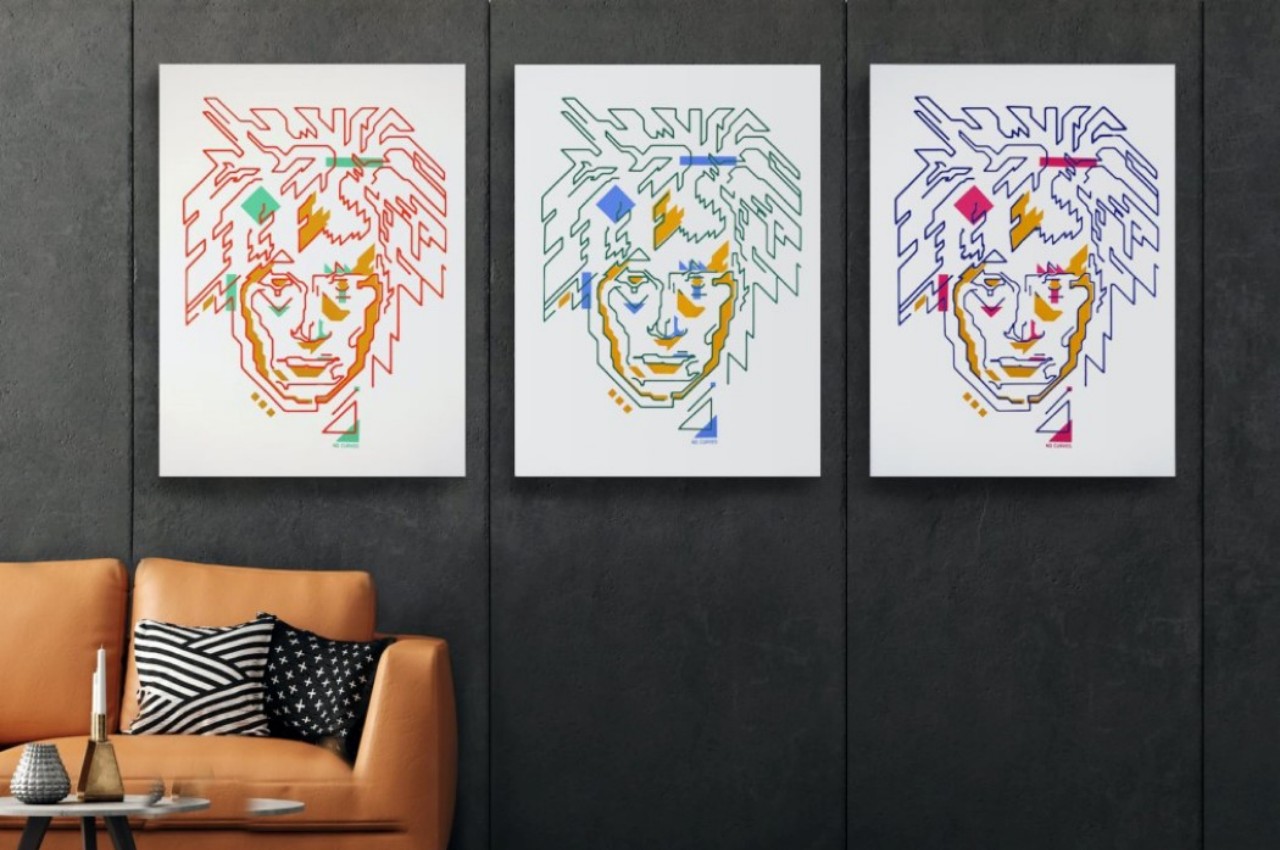
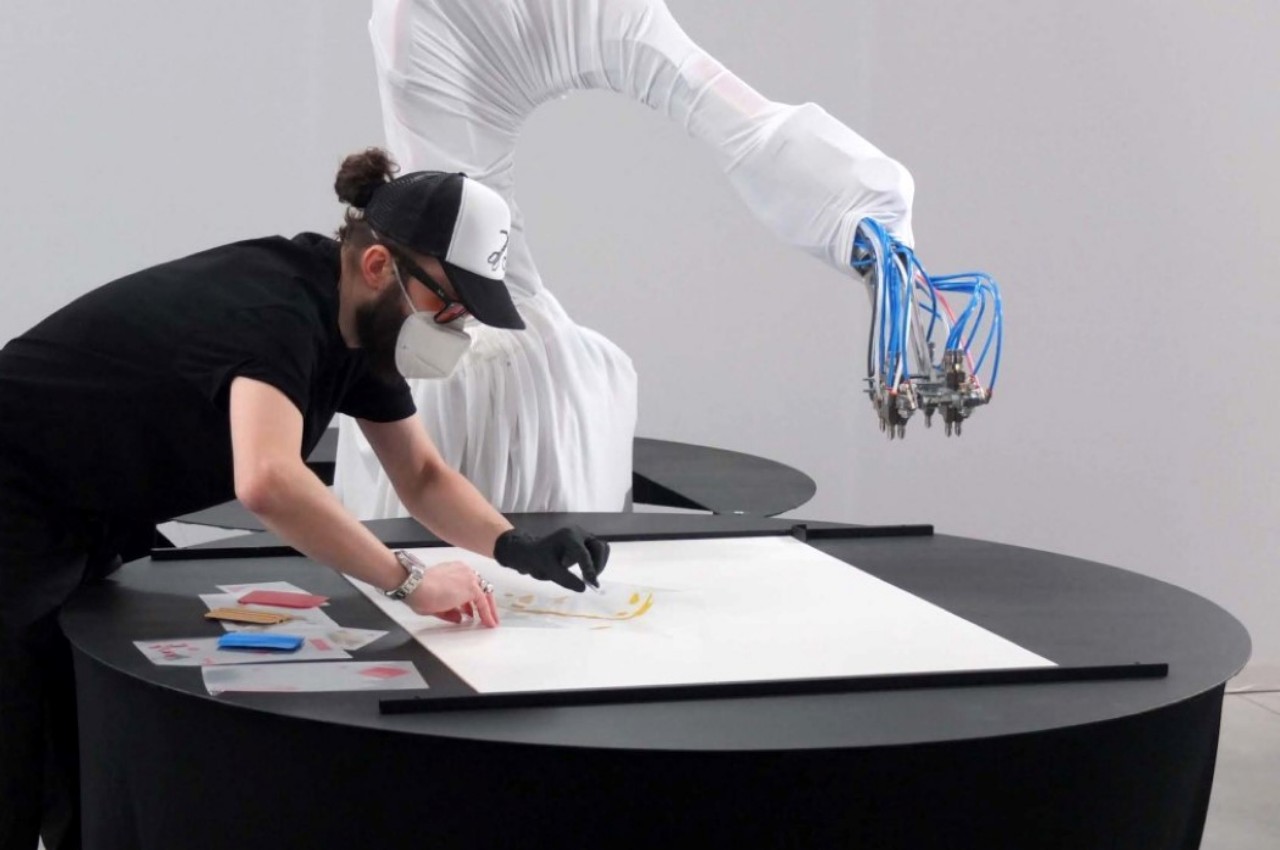
While robots are typically associated with repetitive tasks, Primus challenges this notion by partnering with human creators to execute artistic visions. This robotic arm translates digital art into commands, creating geometric pieces reminiscent of Andy Warhol. With Primus, users can mount a canvas, calibrate, and begin painting, combining human creativity with robotic precision for a truly unique artistic experience.

What are the advantages of using CNC Machining?

1. Accuracy

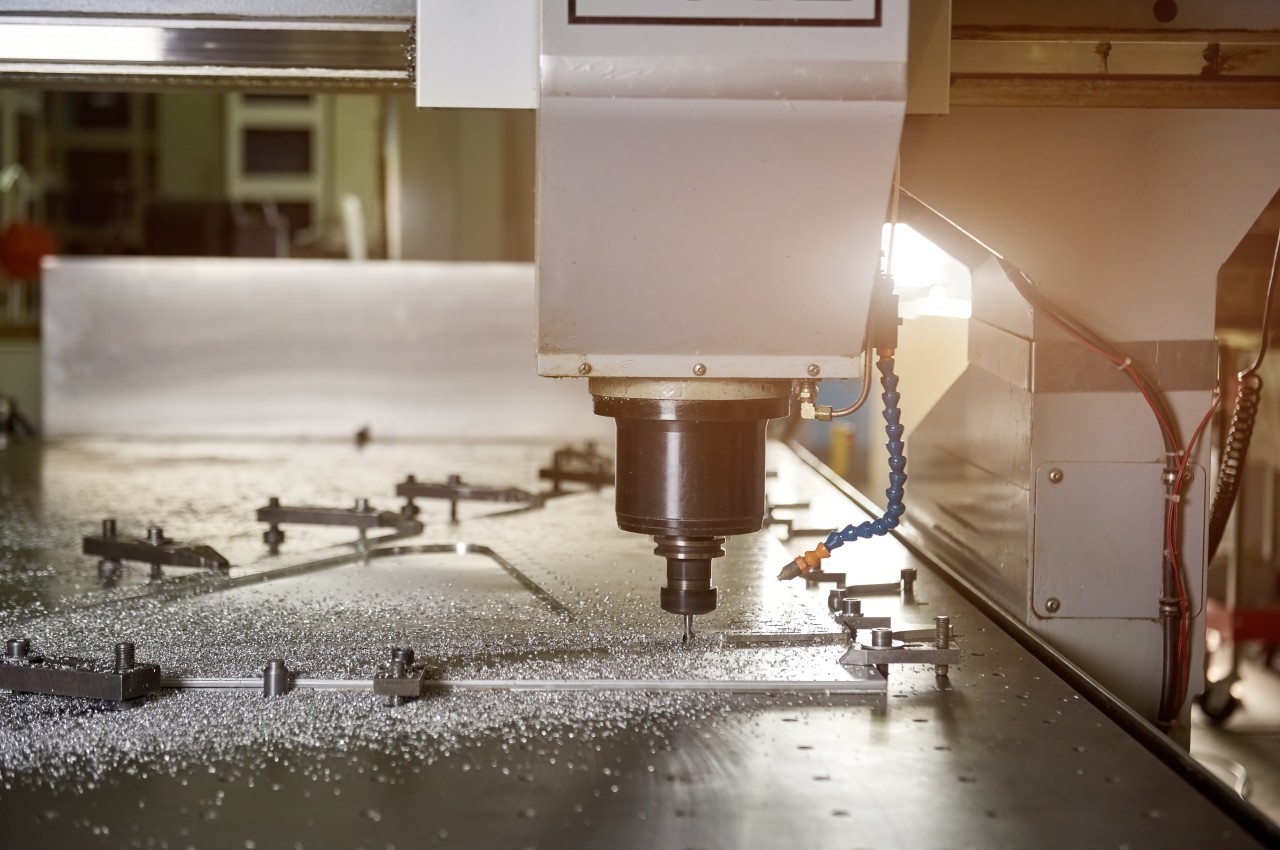
Precision turning machines operate autonomously, ensuring defect-free products with consistent accuracy. Governed by codes and software, they maintain settings throughout production cycles for product consistency. Additionally, they operate continuously without compromising quality.

Image courtesy of: stockfilmstudio

2. Achieves Speed in Production

The Running milling machines can run at their fastest speed to meet high demands, they can work nonstop, 24/7, staying accurate and saving material. This makes production fast, efficient, and scalable without extra costs.

Designer: Kenji Abe

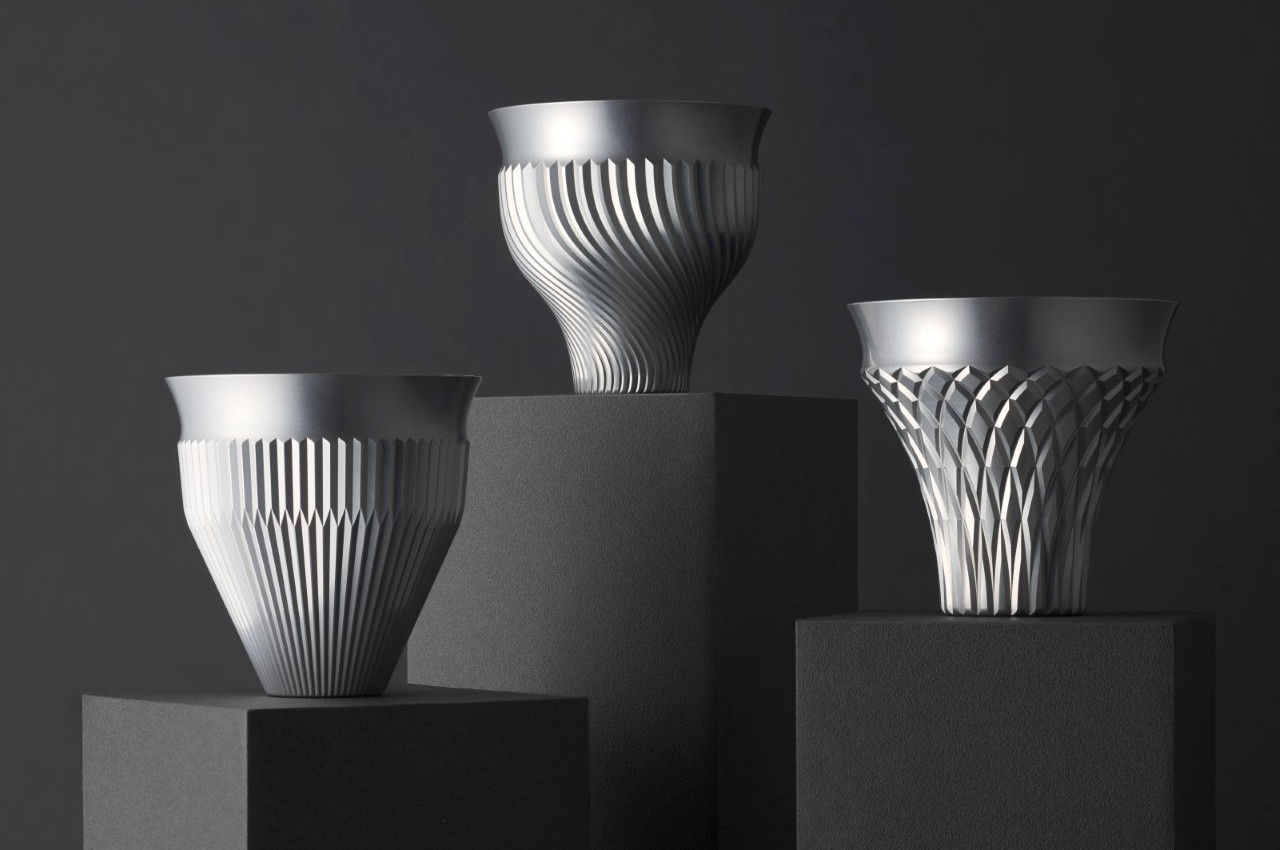
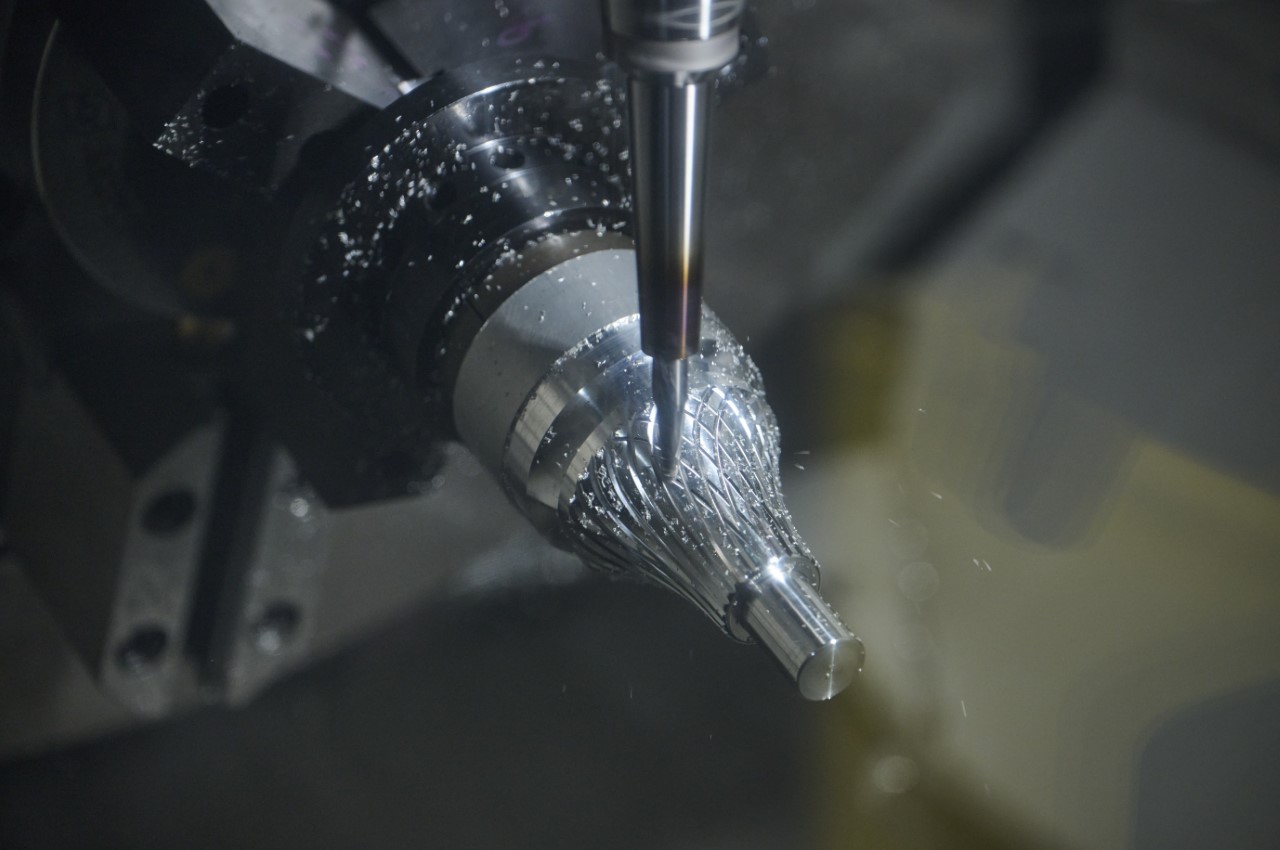
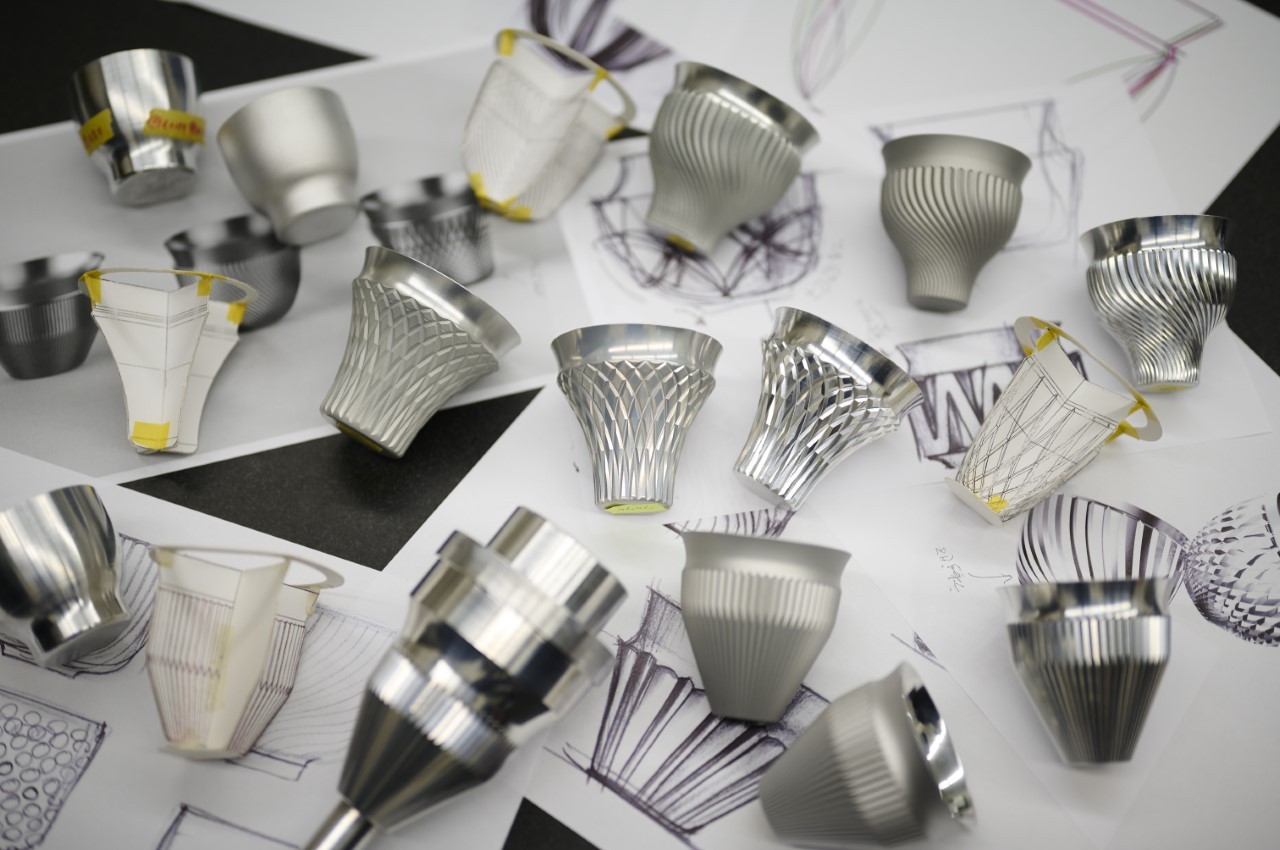
Kenji Abe’s Hakusaku series features exquisite machined aluminum saké glasses designed to elevate its visual appeal. Crafted from duralumin, these cups boast thin rims, as slim as 0.6mm, offering a unique drinking experience. Precision-machined and adorned with geometric textures, they prevent temperature transfer while enhancing aesthetics.

3. Lower Production Costs

Using CNC machines drastically cuts down production costs, enhances efficiency, and scales production without waste. It also reduces energy usage, trimming operational expenses, making it a cost-effective method without sacrificing quality. Additionally, the low overhead cost due to minimal human intervention substantially reduces expenses.

Designer: Yunjae Lee

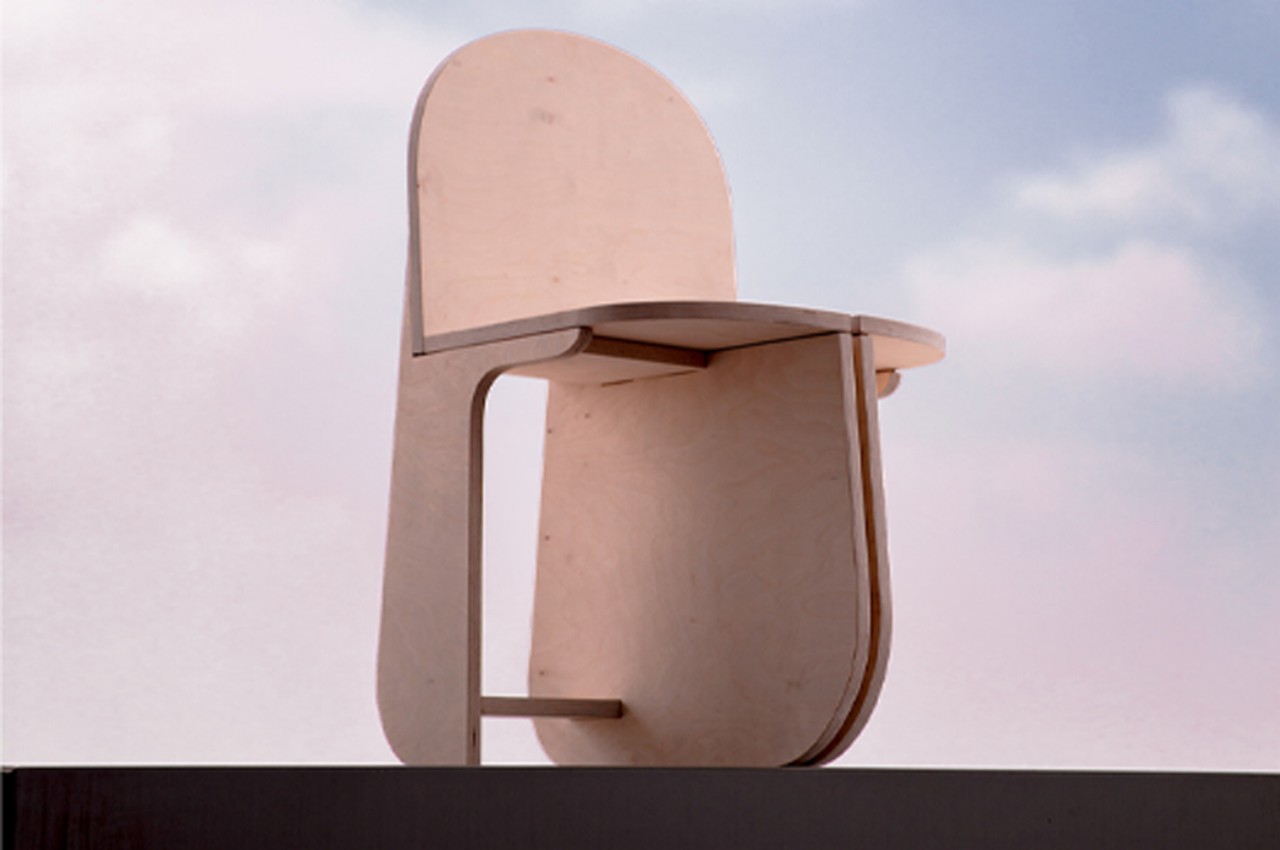
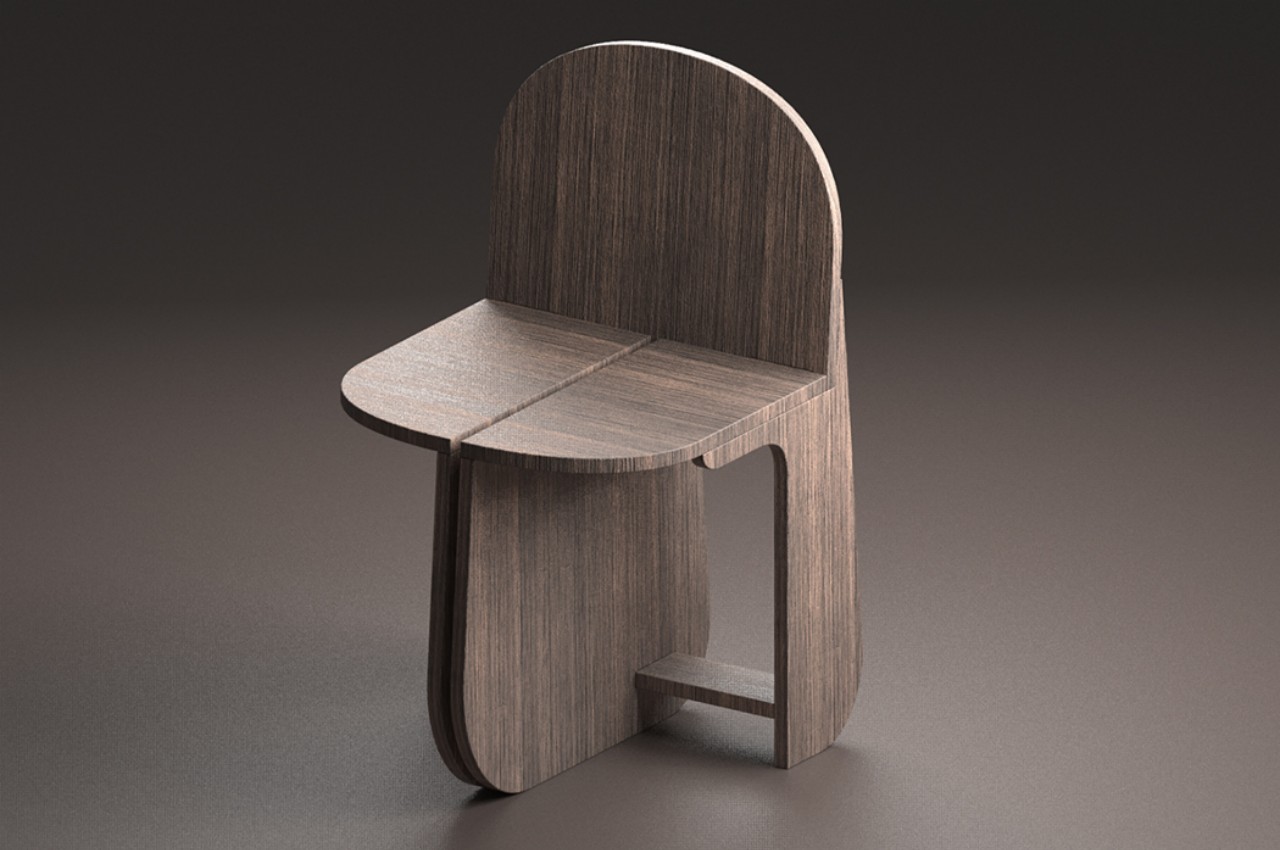
Designing unique chairs can be tough due to their long history, yet they inspire endless creativity. Seoul-based designer Yunjae Lee innovates with birch plywood and CNC milling, crafting a chair with three rounded legs, requiring no additional hardware for assembly. The Tri-Round Chair, reminiscent of IKEA projects, breaks down into eleven pieces before assembly, creating a stable structure with its interlocking design. Built from 18mm birch plywood, the chair offers stability without extra hardware, reimagining traditional chair design with a modern twist.

4. Reduced Wastage

CNC machines use iterative optimization to minimize waste and produce components efficiently. This approach, coupled with fixed tooling and routes, maximizes raw material usage and significantly reduces waste for manufacturers.

Designer: Jörg Hugo

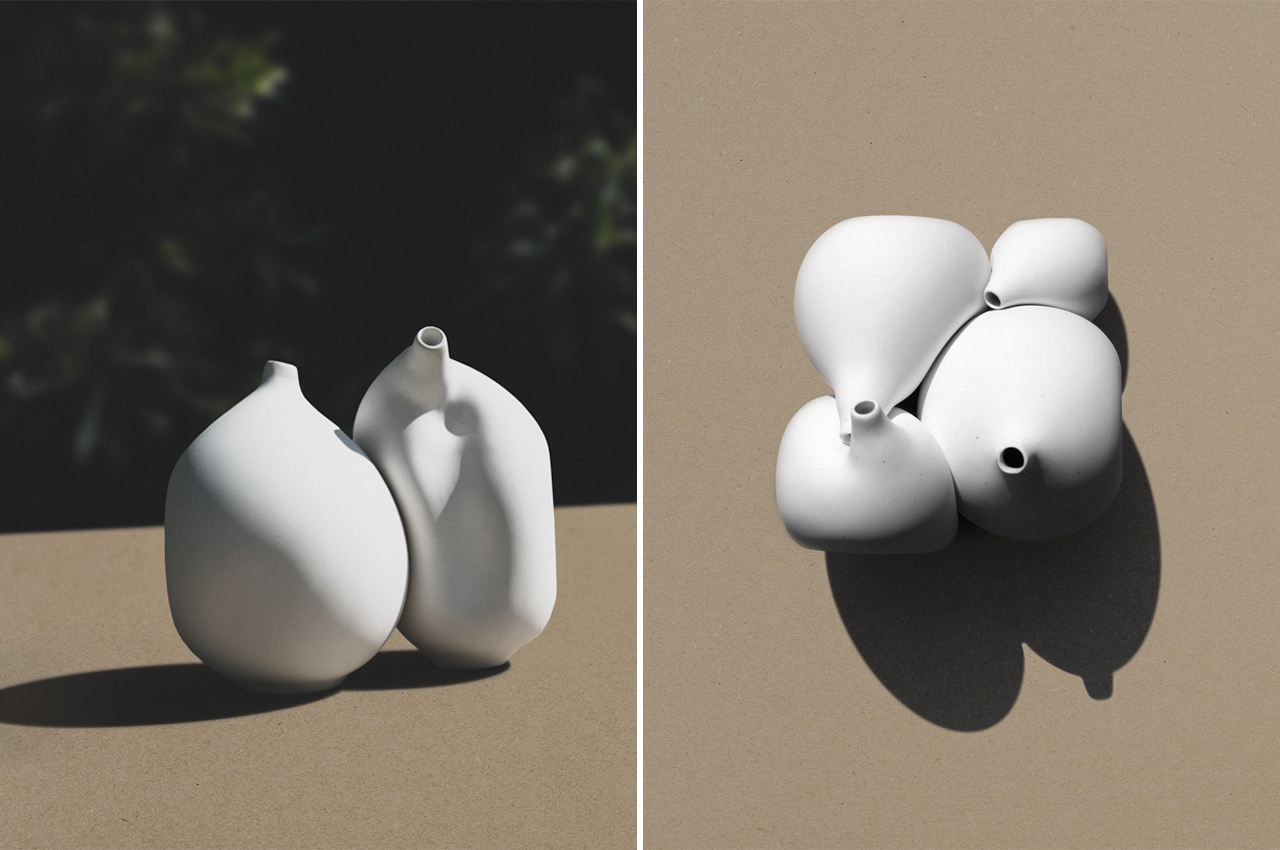
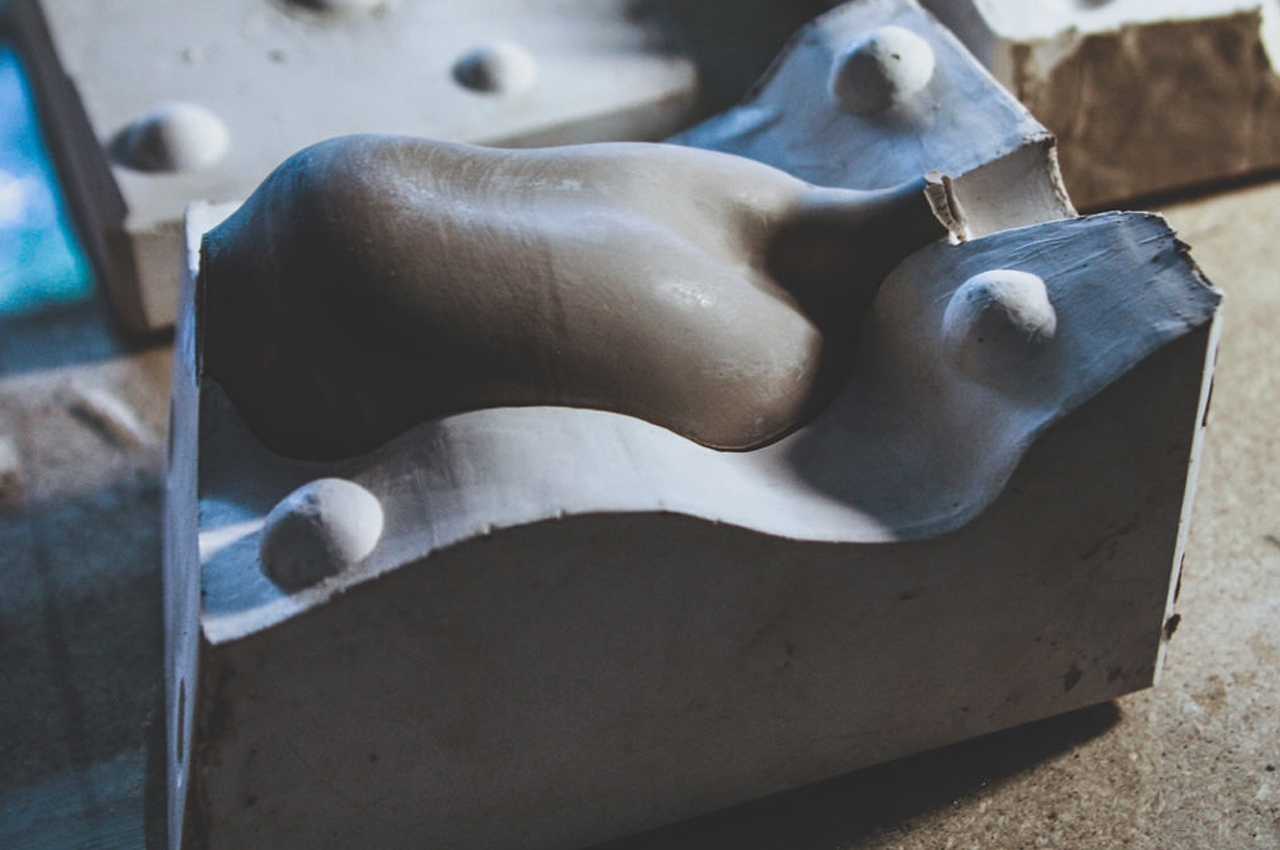
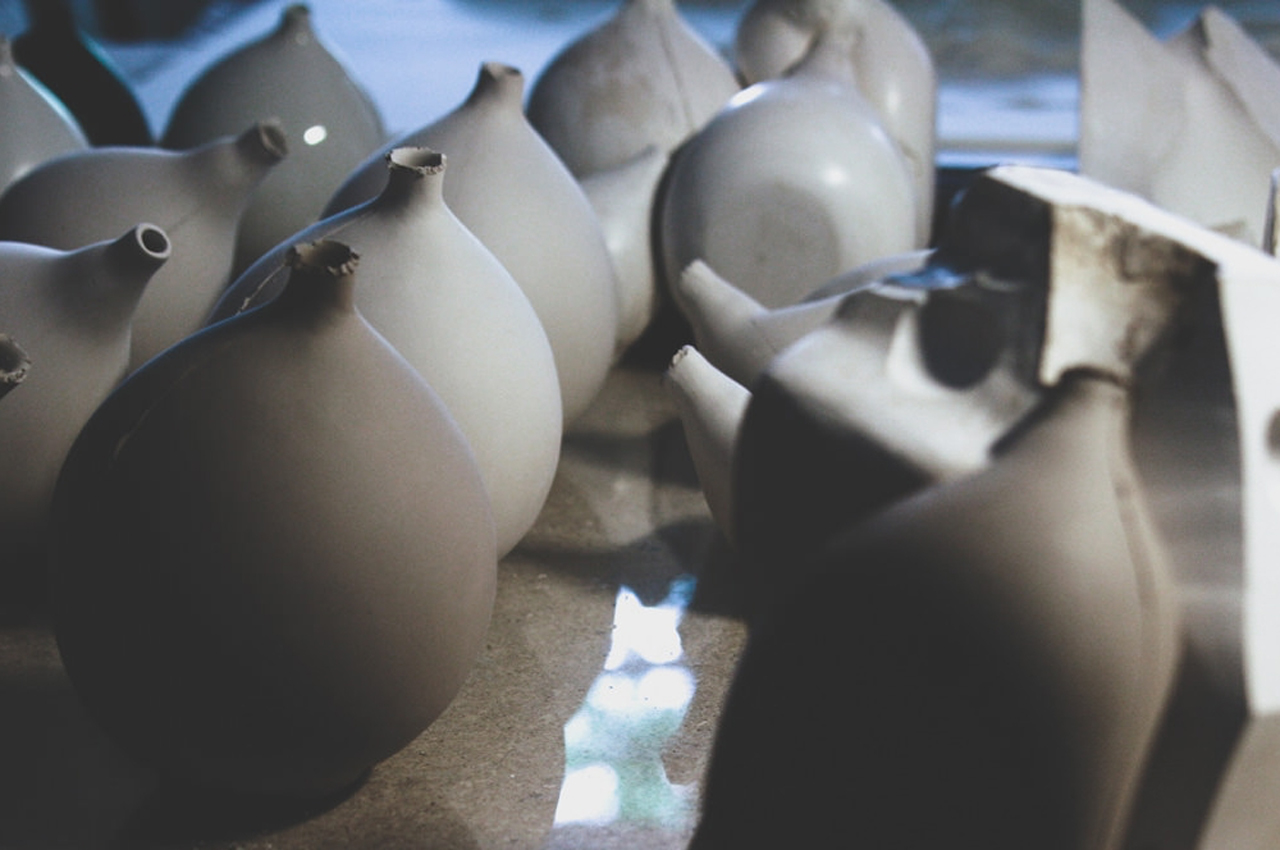
Ceramic Bodies is a collection of four porcelain vases designed by Jörg Hugo to fit together like a three-dimensional puzzle. Utilizing a blend of digital and analog design methods, Hugo creates timeless pieces that explore the relationship between materiality, form, and space. Each vase undergoes geometric optimization to minimize structural mass and energy, resulting in a visually captivating ensemble. CNC-milled plaster molds ensure precision in sizing, while 3D-scanning and modification techniques enable efficient production and customization. This innovative approach combines the craftsmanship of handcrafted ceramics with the efficiency of digital design, offering a unique and visually striking addition to any space.

5. Ensures Safety

One primary benefit for CNC machine operators is safety. CNC machines operate behind guards or enclosed, transparent safety doors, making them much safer than manually operated machines.

6. Supports Various Materials

Image courtesy of: zokov

CNC machines work with a variety of materials, including composites, metals, foam, phenolics, and plastics. When choosing materials for CNC milling, some factors like hardness and heat tolerance need to be taken into consideration.

Designer: Dom Riccobene

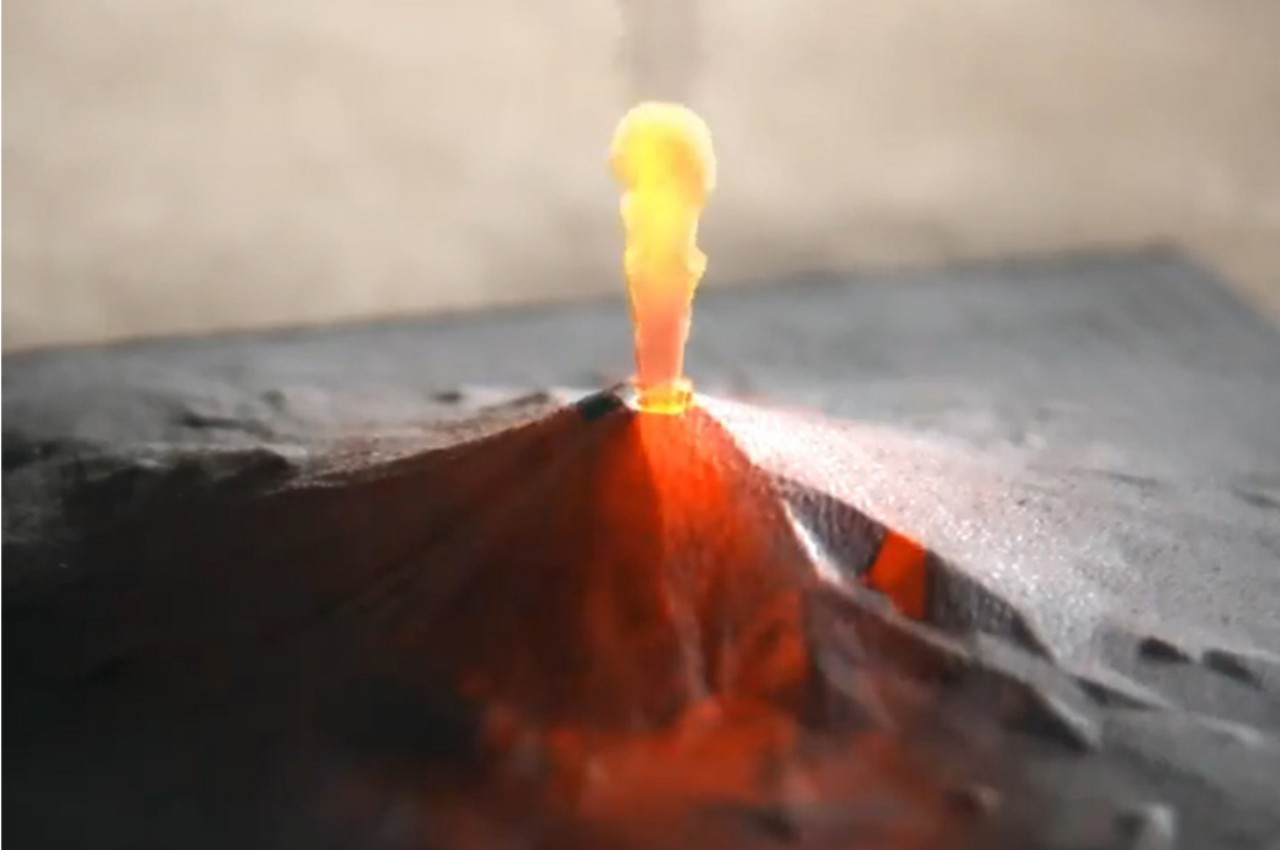
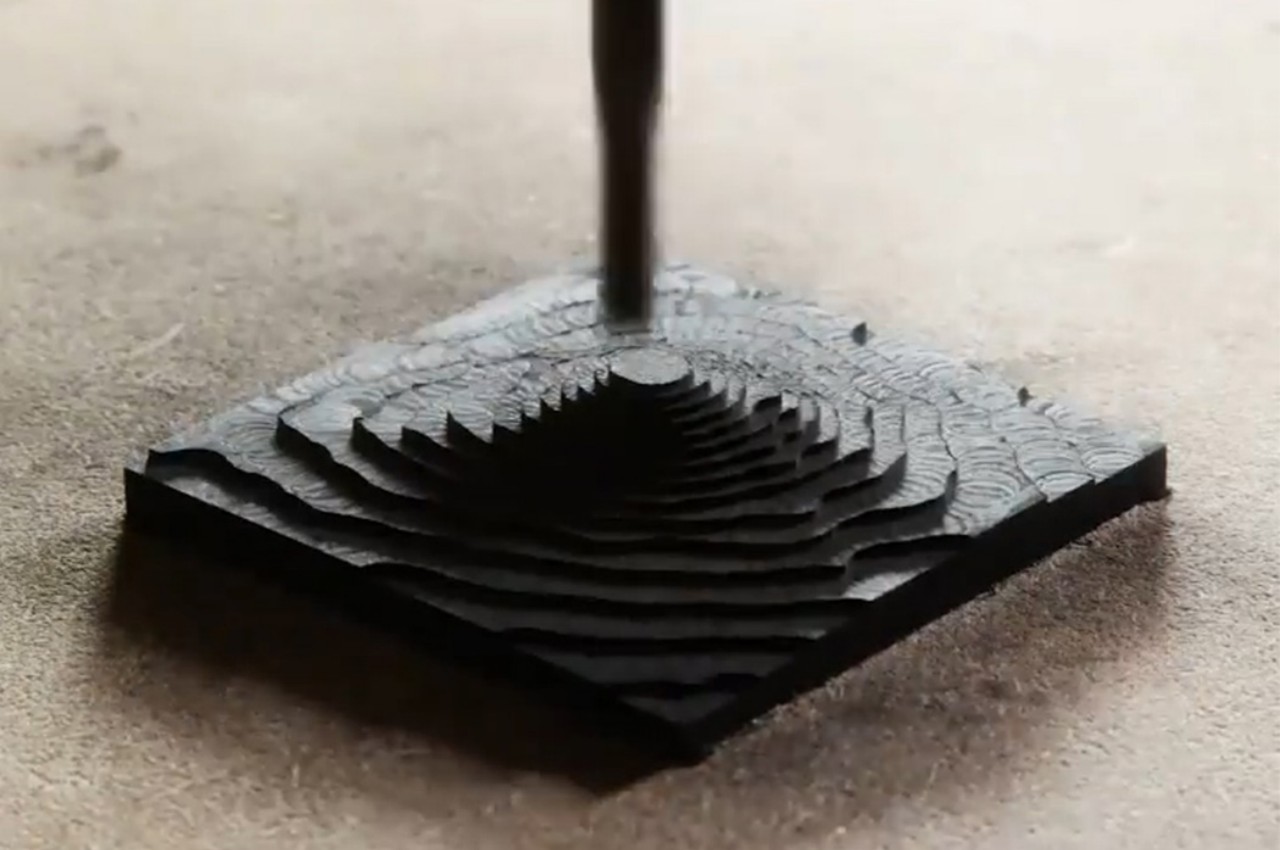
Dom Riccobene’s CNC-machined Mt. Fuji sculpture showcases the intricate beauty of Richlite, a durable and sustainable material. Blending data, art, and design, Riccobene creates detailed sculptures crafted by algorithms, earning him the title of “data sculptor.” With applications in various industries, Richlite’s versatility and tactile properties make it a preferred choice for residential, commercial, and industrial uses.

7. Low Maintenance Required

CNC milling machines are low-maintenance, usually requiring only periodic tool changes and light cleaning. This in-house serviceability saves money as professional maintenance engineers are not needed.

8. Consistent Output

The CNC process ensures uniformity by being computer-controlled, resulting in identical parts with no variations in quality.

Designer: Baliza Norte

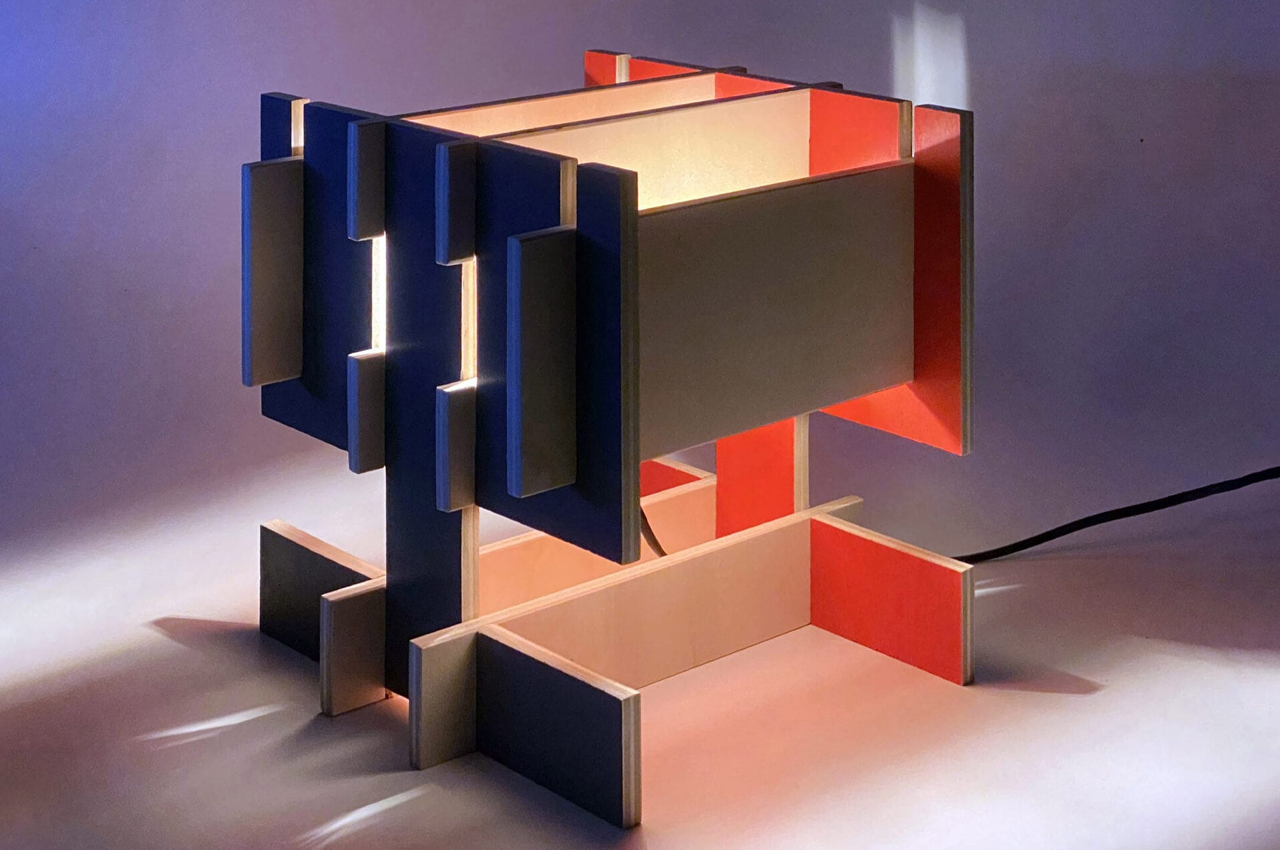
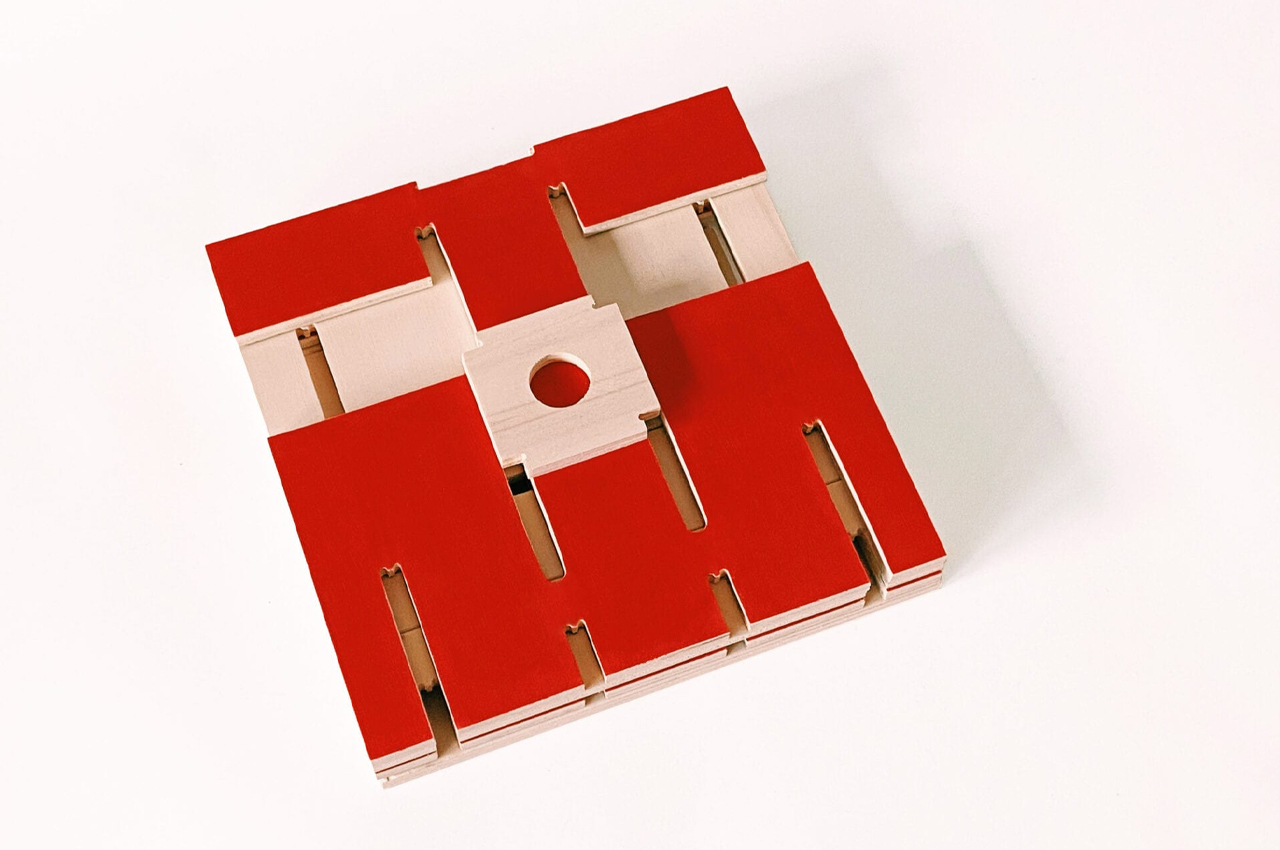
The BN! lamp, a modular table lamp crafted with CNC milling techniques, ensures precise and interchangeable assembly. Inspired by timber toys, its design guarantees symmetry and seamless operation. Delivered in a flatpack, it requires no extra hardware for assembly. Each component is meticulously crafted for easy replacement, and users can choose a bespoke brown color scheme.

CNC machines initially require a higher investment than manual machines, but as usage grows, costs decrease. Skilled technicians are still essential for programming and supervising, but finding them can be challenging, potentially impacting the quality of machined parts in some shops.

What are the four Steps of CNC Machining?

CNC machining progresses through four stages:

Step 1: Create the CAD Drawing

Image courtesy of: SpaceOak

The first step involves creating a CAD (Computer-Aided Design) model using 2D or 3D design software. Note that complex designs may require skilled designers, and the CAD model serves as the blueprint for the machining process, guiding the CNC machine in executing precise instructions for material cutting or shaping.

Designers: Ahmet Yasir Karakus & Ahmet Ergun

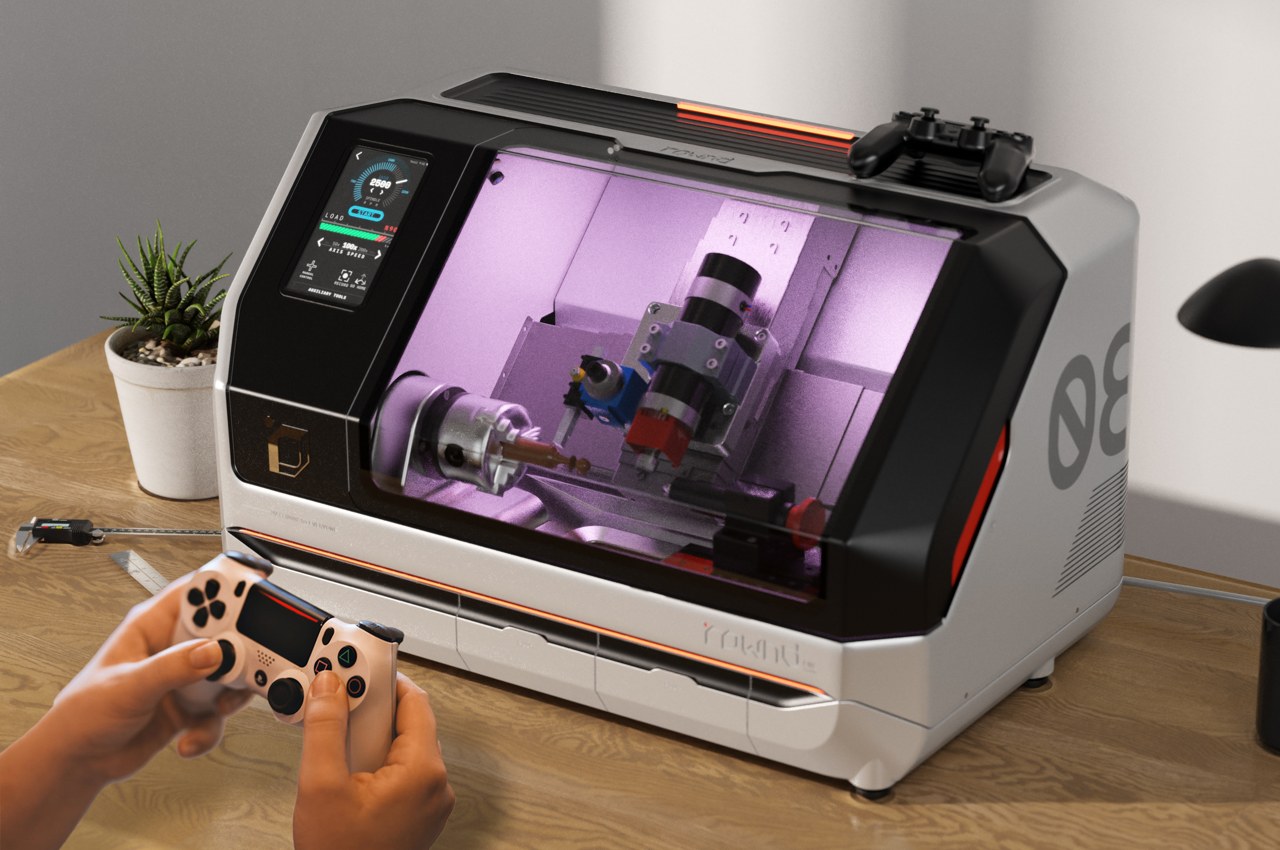
The ROWND unveils a user-friendly CNC lathe, compact and precise, suitable for new users and professionals alike. Its intuitive touchscreen interface and compatibility with various materials make it accessible and efficient for diverse projects.

Step 2: Convert CAD to CNC File

To convert CAD to CNC, use Computer-Aided Manufacturing (CAM) software or basic tools. CAM translates CAD designs into G code, which CNC machines understand. Note that basic tools offer simplicity but lack the advanced capabilities of CAM software.

Step 3: Configure the CNC Machine

Before manufacturing, the CNC machine needs proper setup, akin to configuring a printer. This involves positioning the workpiece accurately and configuring the die and other settings.

Designer: Jasper Mallinson

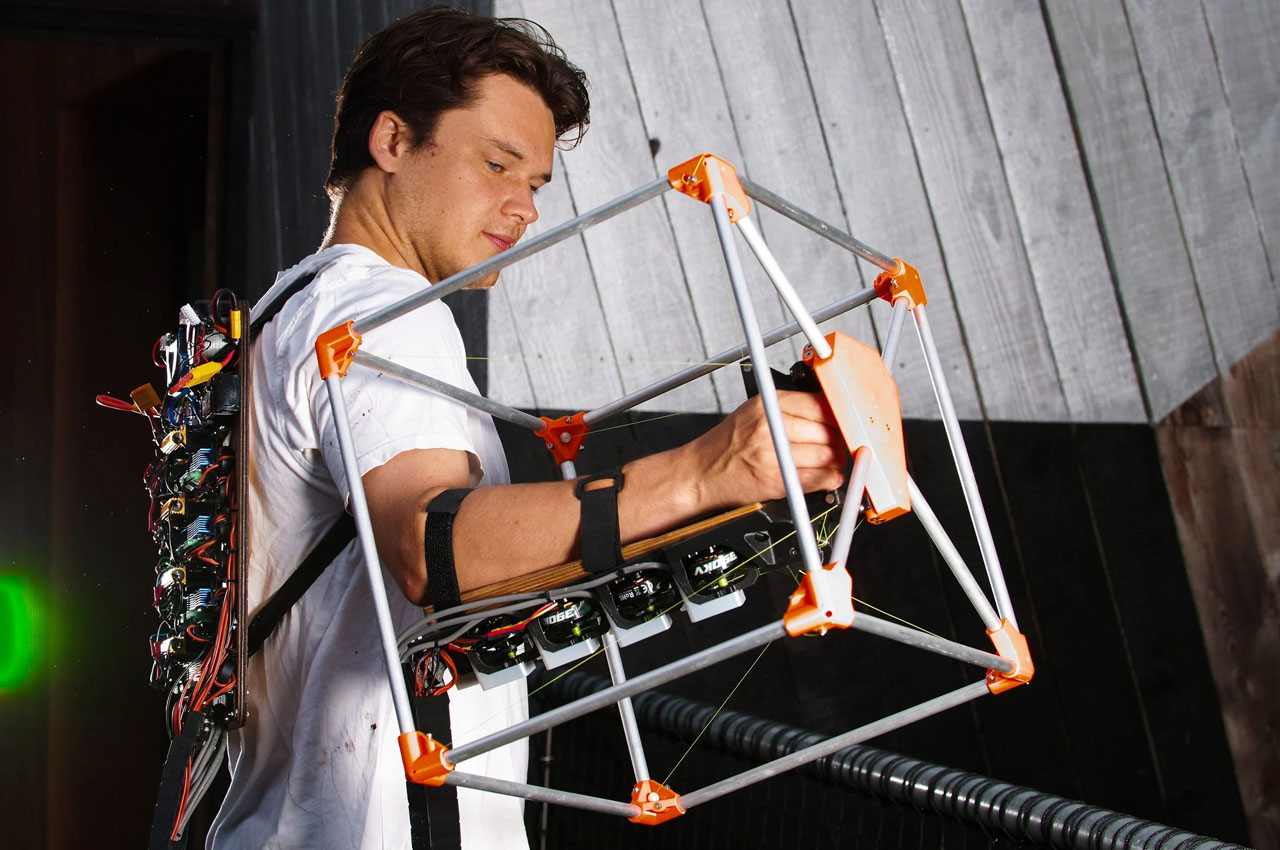
Jasper Mallinson’s Mecha-Morphis Wearable CNC Machine revolutionizes design manufacturing with its portable exoskeleton design. Small enough to fit on the arm, it provides remarkable mobility for intricate tasks, empowering creativity on the move. Versatile and sustainable, Mecha-Morphis reflects a fusion of innovation and environmental consciousness, offering a glimpse into the future of creative freedom.

Step 4: Execution

Once the configuration is complete, machine operation can proceed by executing the program on the CNC machine’s display panel. One may need to navigate program prompts for different settings. The machine runs continuously until manually stopped or due to errors or any form of power disruptions.

Designer: Makera Design

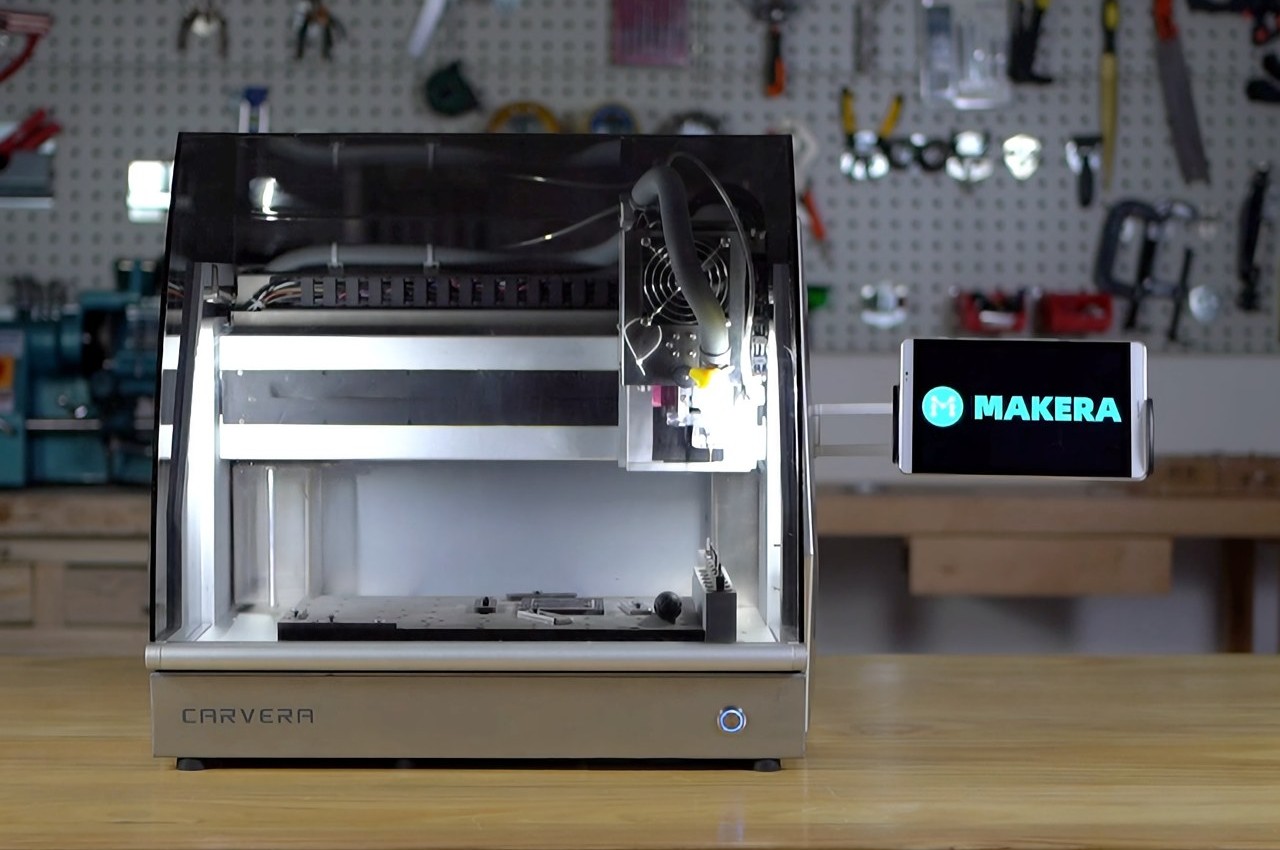
The Carvera enables one to create prototypes, designs, PCBs, and molds on your tabletop. Compact and equipped with powerful modules, it offers 3-axis CNC machining capabilities with optional laser-cutting and a 4-axis upgrade. Self-leveling and intuitive, it includes drill bits, a probe tool, and a laser module. With a robust build and versatile compatibility, it’s perfect for home or workspace use.

In conclusion, CNC-produced machines play a key role in product design as their components offer superior quality, and zero defects, alongside environmental benefits. Opting for CNC over manual machining brings advantages like precision, speed, safety, efficiency, and cost savings.

The post How CNC Machining Revolutionizes Product Design: Boosting Efficiency and Precision first appeared on Yanko Design.