This Macintosh-Inspired Hub Adds SSD Storage, Ports, Shortcuts, and a Mini Screen: Hands-on at IFA 2026

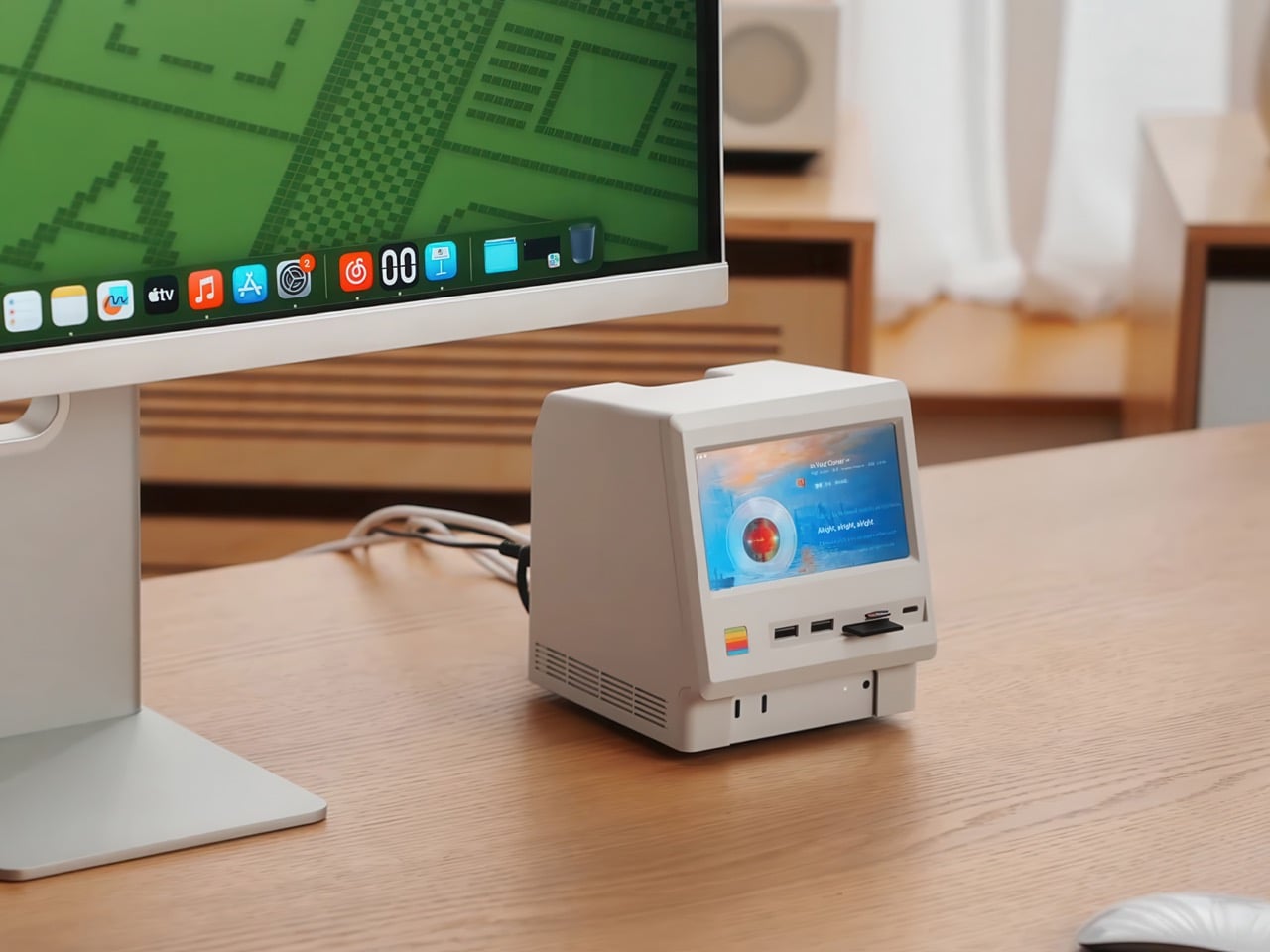
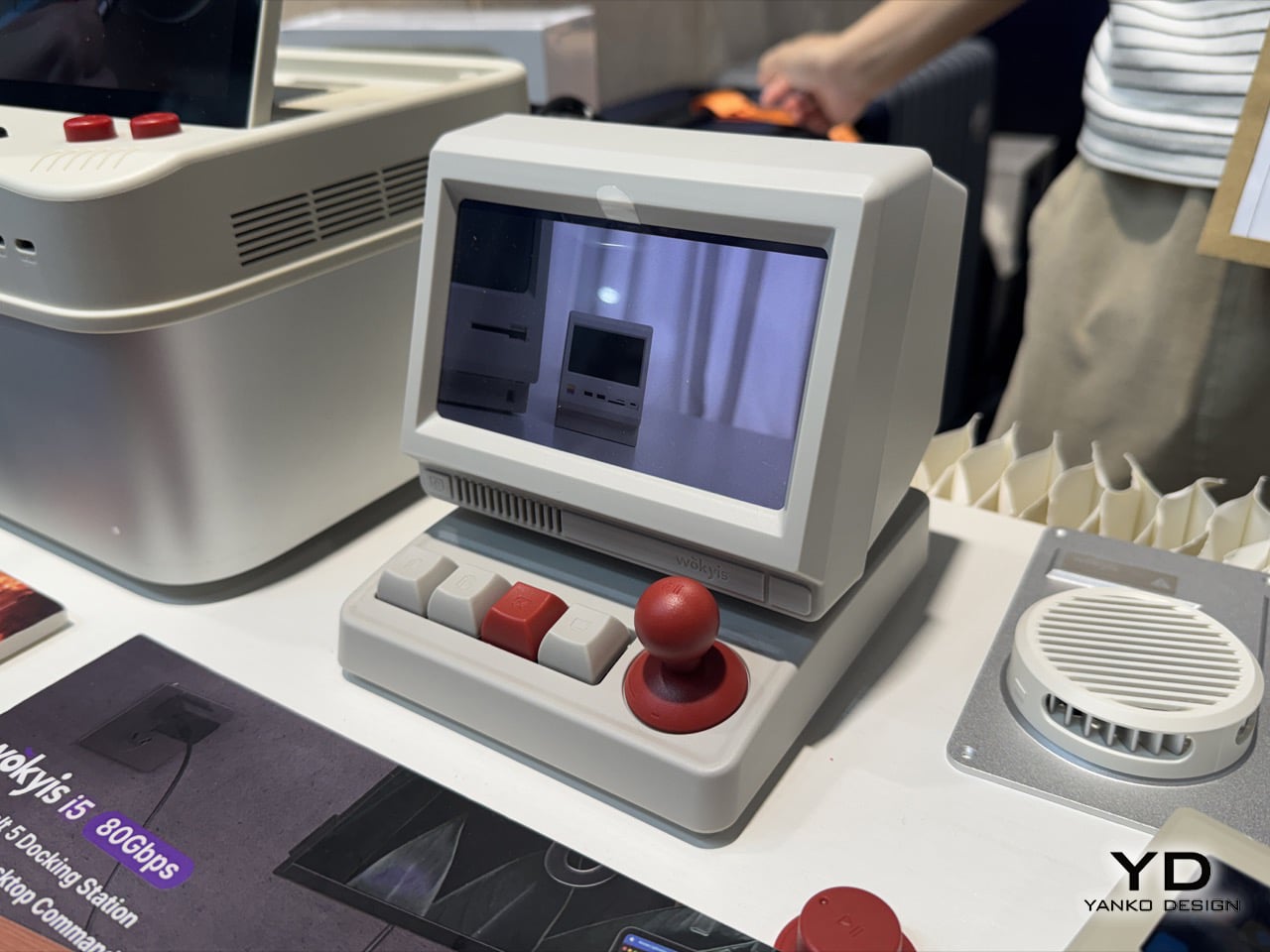
Everything on my desk right now is some shade of gray aluminum, and I’m starting to resent it a little. Every dock, every stand, every accessory wants to be a slab of cold metal that photographs well and feels like nothing in your hand. Wokyis clearly misses the old days too, back when computers were made of warm, slightly yellowed plastic that looked friendly instead of expensive. Their newest release, the i5, leans hard into that feeling, right down to the off white shell that actually looks like it wants to sit on your desk rather than intimidate it. It splits into two pieces, a tilted head up top holding a small screen, and a control deck below packed with real, clicky buttons.

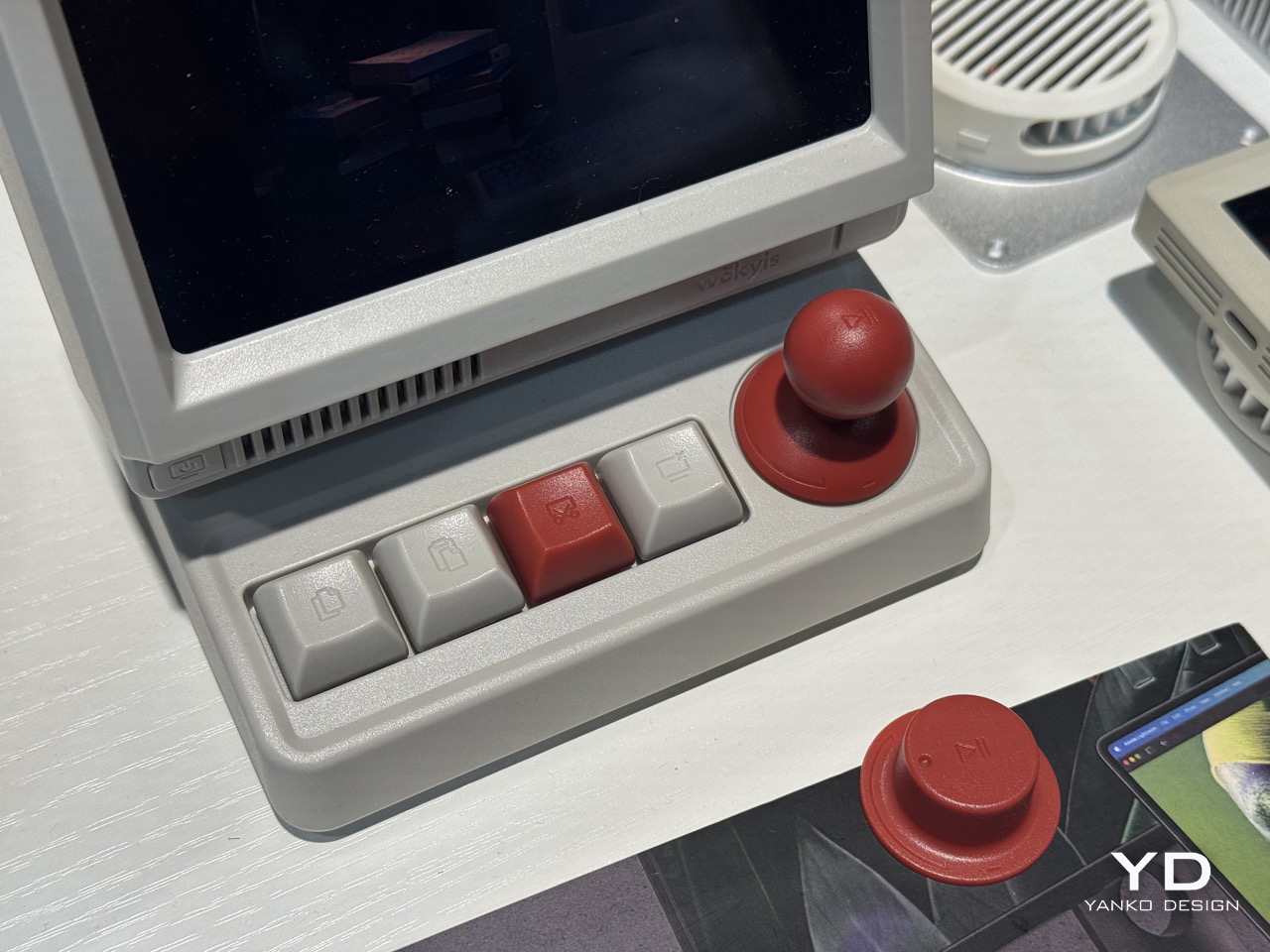
That plastic shell isn’t just a style choice, it’s basically the whole argument. Anodized aluminum is sleek, sure, but it’s also cold to the touch and forgettable within a week. This off white finish has warmth to it, the kind that made old Macs feel approachable instead of like expensive jewelry. Underneath the throwback shell, the i5 works as a genuine secondary display for your Mac or laptop, mirroring or extending your desktop, with four shortcut keys for copy, paste, screenshot, and screen lock, plus a central knob that clicks for play and pause and rotates for volume. Wokyis brought the 80Gbps Thunderbolt 5 version to IFA 2026 in Berlin, sitting above the 10Gbps model already selling on their site for $169.99.

Designer: Wokyis
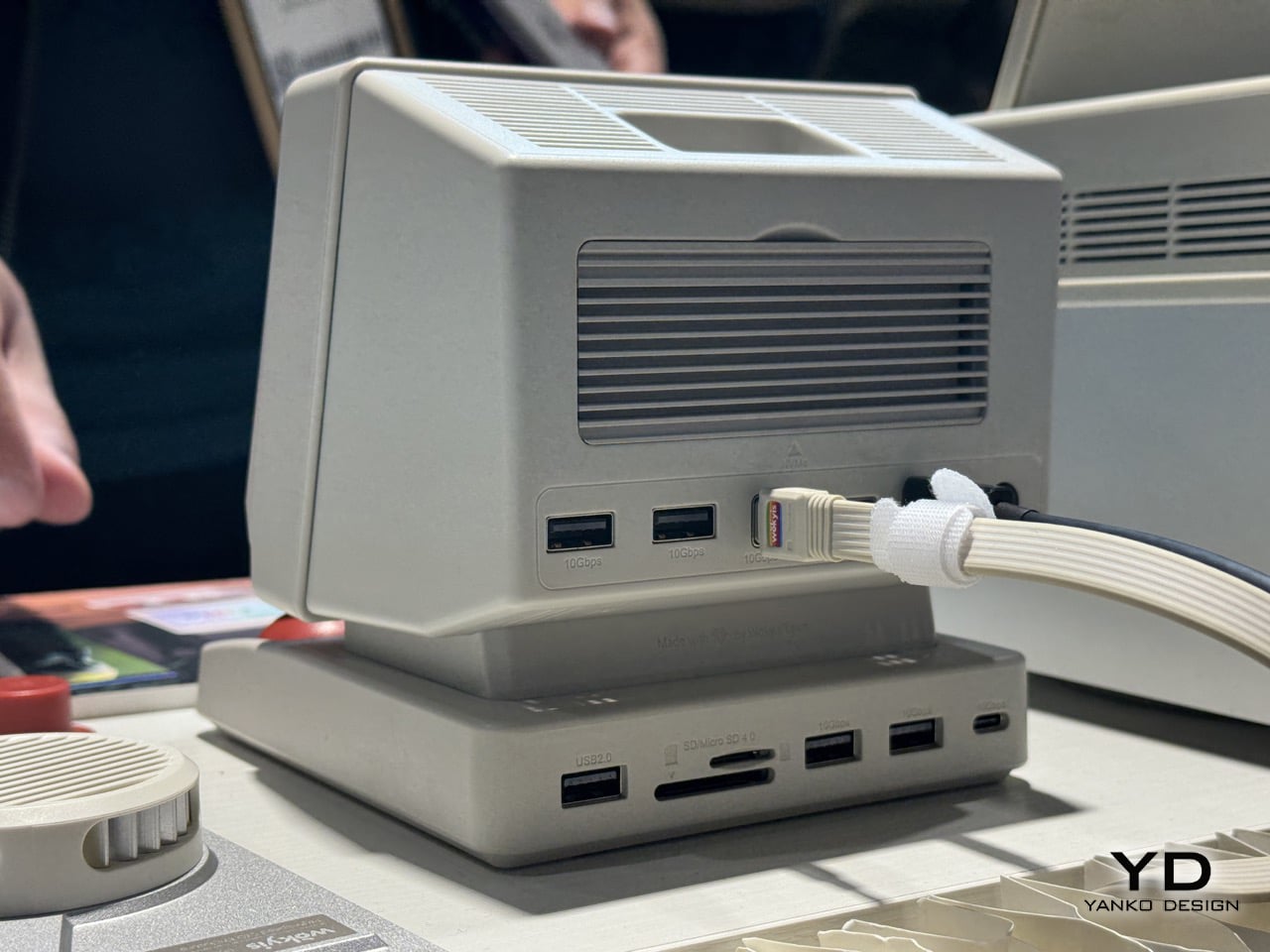
The design lineage here is not subtle, and I mean that as a compliment. That tilted head sitting atop a boxy base is a direct nod to the original Macintosh and its compact successors, the machines that first convinced people a computer could look like a friendly little appliance rather than a beige filing cabinet. Wokyis isn’t the first accessory maker to borrow that silhouette, but the i5 commits harder than most, right down to a boot screen greeting that echoes the smiling Mac startup chime era without actually copying Apple’s own iconography. It’s homage rather than imitation, and it lands because the proportions genuinely feel considered instead of slapped together for nostalgia points.
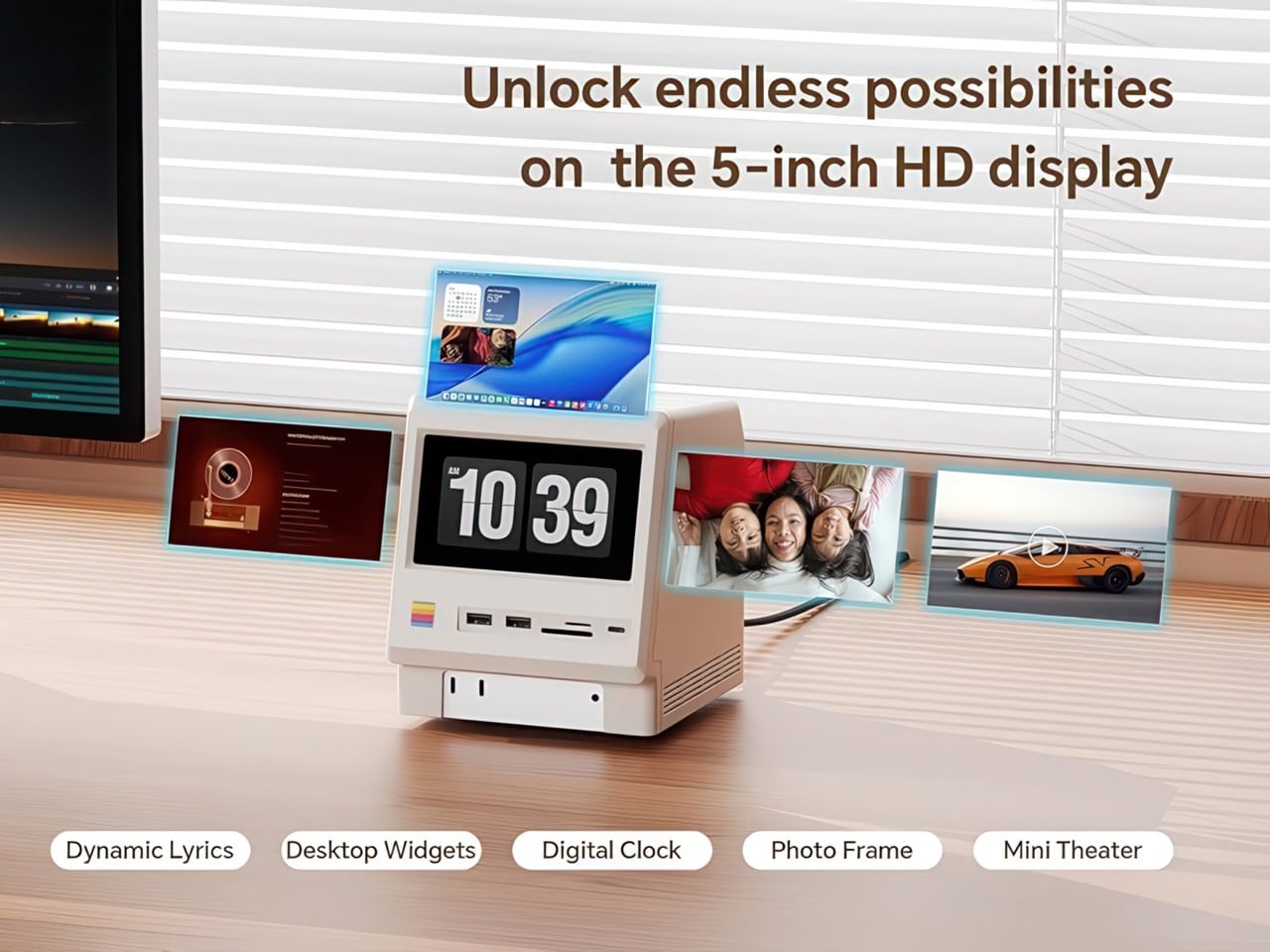
The screen itself deserves a second look before you touch it, mostly because you can’t. It’s a 5 inch, 1280×720 IPS panel, sharp enough to sit next to a real monitor without embarrassing itself, but it skips touch input entirely. There’s no finger smudging that pretty glass, no accidental taps while you reach for your coffee. You either mirror your main display onto it or extend your desktop across it, treating it like a dedicated spot for a music player, a chat window, or scrolling lyrics while the rest of your screen stays clear. It’s a small, deliberate decision in a market obsessed with adding touch to everything, and it works because the i5 never pretends to be anything other than a second monitor.
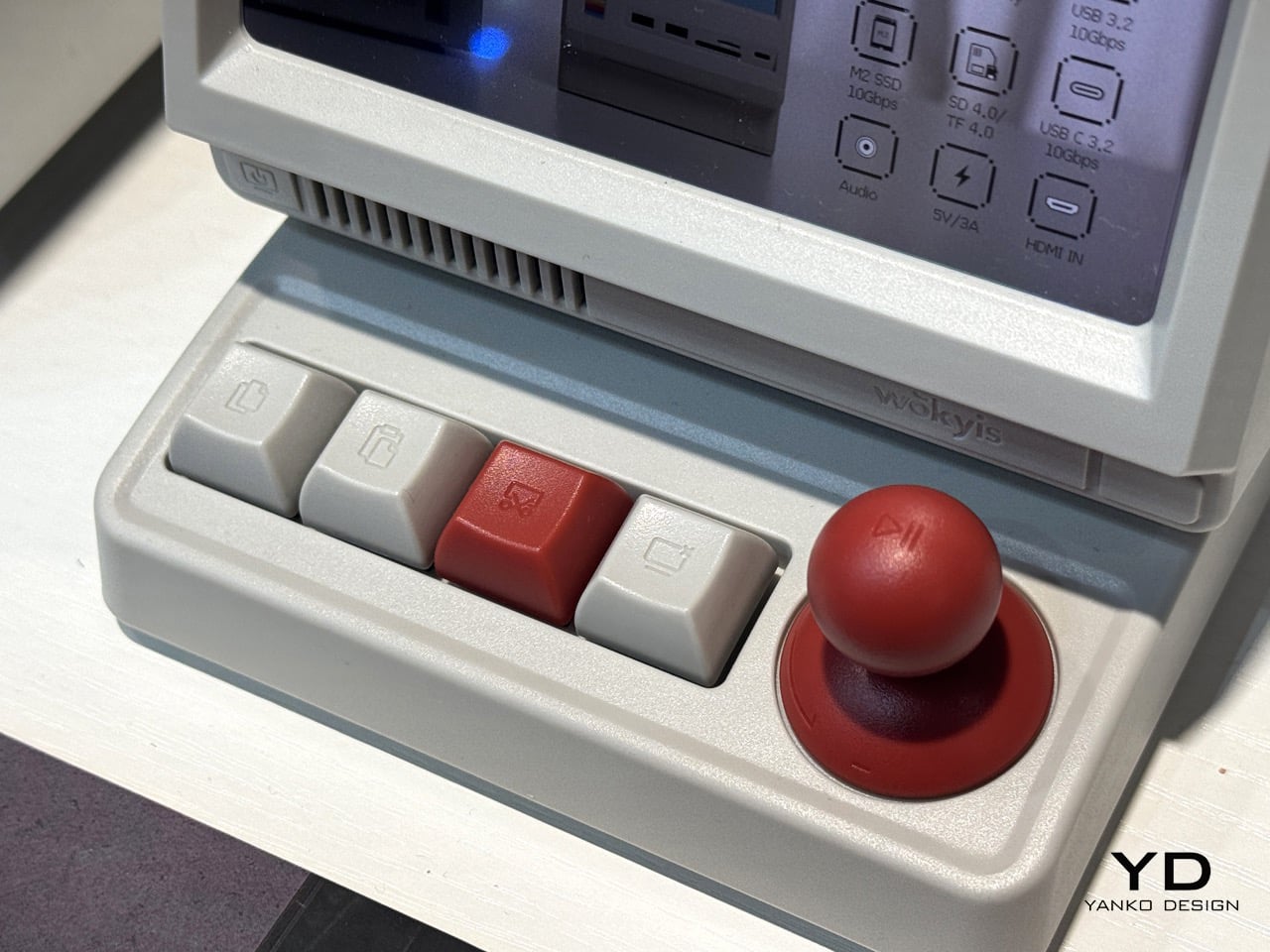
The control deck below is where the personality really lives. Four mechanical keys handle copy, paste, screenshot, and screen lock, each one a satisfying, precision click that beats fumbling for a keyboard shortcut. The centerpiece is a chunky red knob that clicks down for play and pause, then rotates like a volume dial, doing the job of two separate controls without adding a second component. It’s tactile in a way that most modern hubs never bother with, and it turns a boring task like adjusting volume into something you almost look forward to doing.
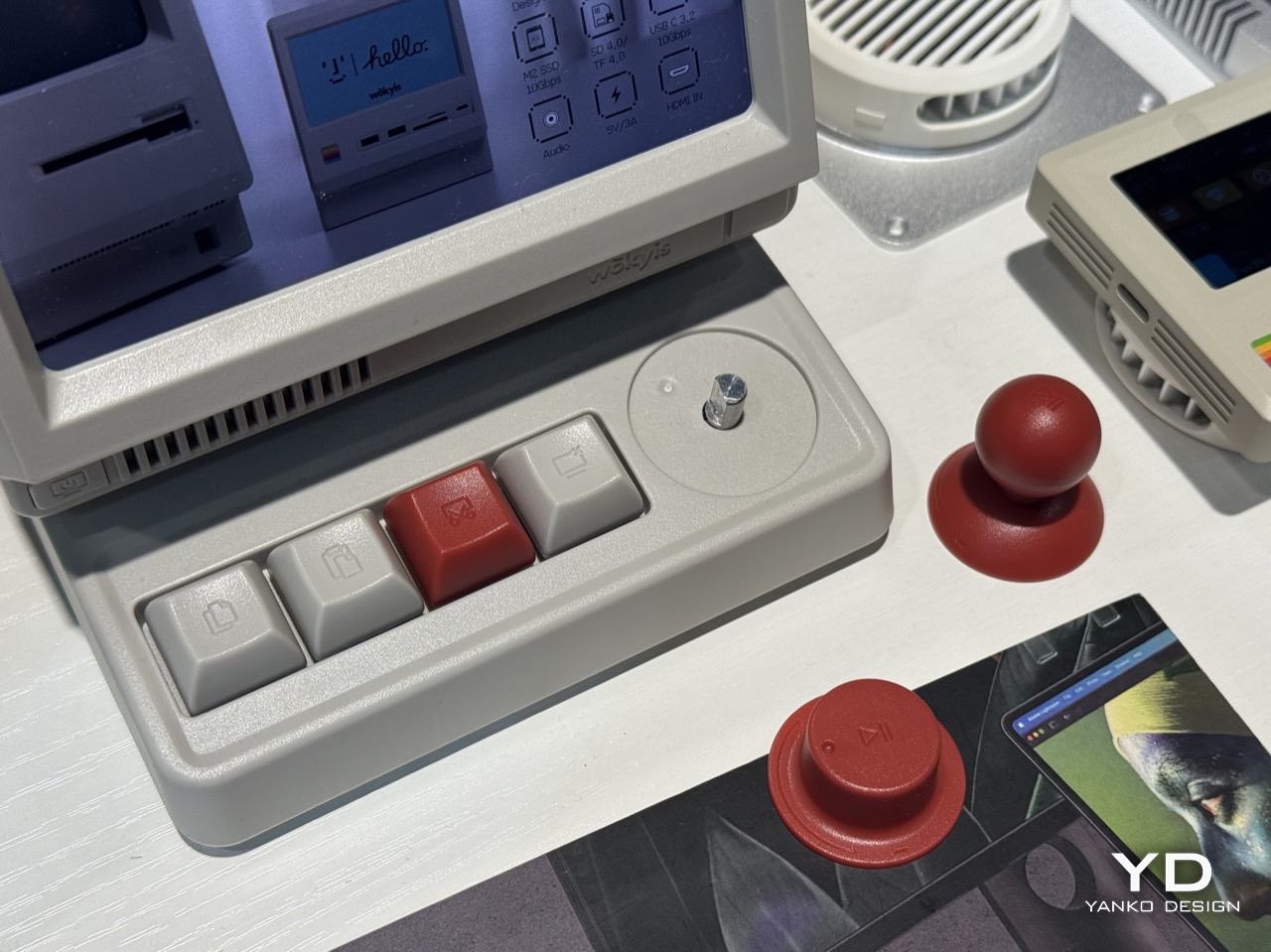
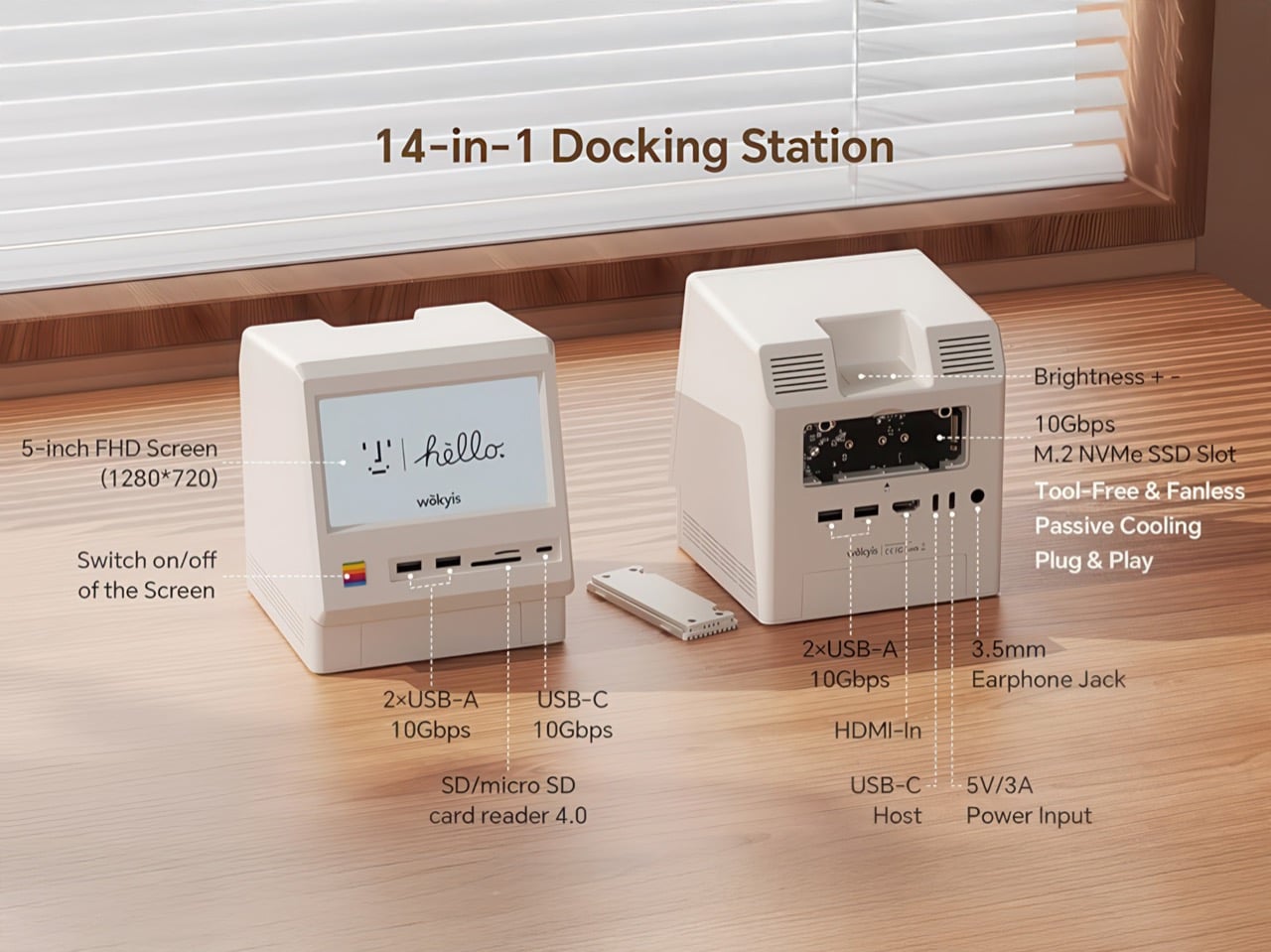
Connectivity is where the i5 earns its keep as an actual workstation rather than a desk toy. The 10Gbps model packs an M.2 NVMe slot good for up to 8TB, four USB-A ports, a USB-C port, simultaneous SD and microSD readers, a 3.5mm audio jack, and HDMI-in, all wrapped around a body that measures 145 by 131 by 154mm. The new 80Gbps Thunderbolt 5 variant shown at IFA presumably pushes that bandwidth ceiling considerably higher, though Wokyis hasn’t published pricing or a ship date for it yet.

I like that Wokyis is betting on plastic when everyone else is betting on metal, and I like it more that the bet actually pays off in how the thing feels to use. The i5 won’t replace your monitor and it isn’t trying to. It just wants to sit there, warm and a little goofy, doing real work while looking like it walked out of 1984. That’s a good trade.

The post This Macintosh-Inspired Hub Adds SSD Storage, Ports, Shortcuts, and a Mini Screen: Hands-on at IFA 2026 first appeared on Yanko Design.
This $170 Retro Dock Solves the Mac Mini M4’s Biggest Port + Connectivity Problem With Style

Apple’s Mac mini M4 is absurdly powerful for its size, but connecting anything to it requires a patience-testing game of dongle Tetris. The Wokyis M5 fixes this the fun way, wrapping your diminutive desktop in a retro Macintosh shell that’s actually packed with ports and storage. Yes, the naming is confusing since there’s no Mac mini M5 yet, but the compatibility story is straightforward: this works with the M4, M2, and M1 Mac minis, plus any Mac with Thunderbolt 3/4/5 ports.

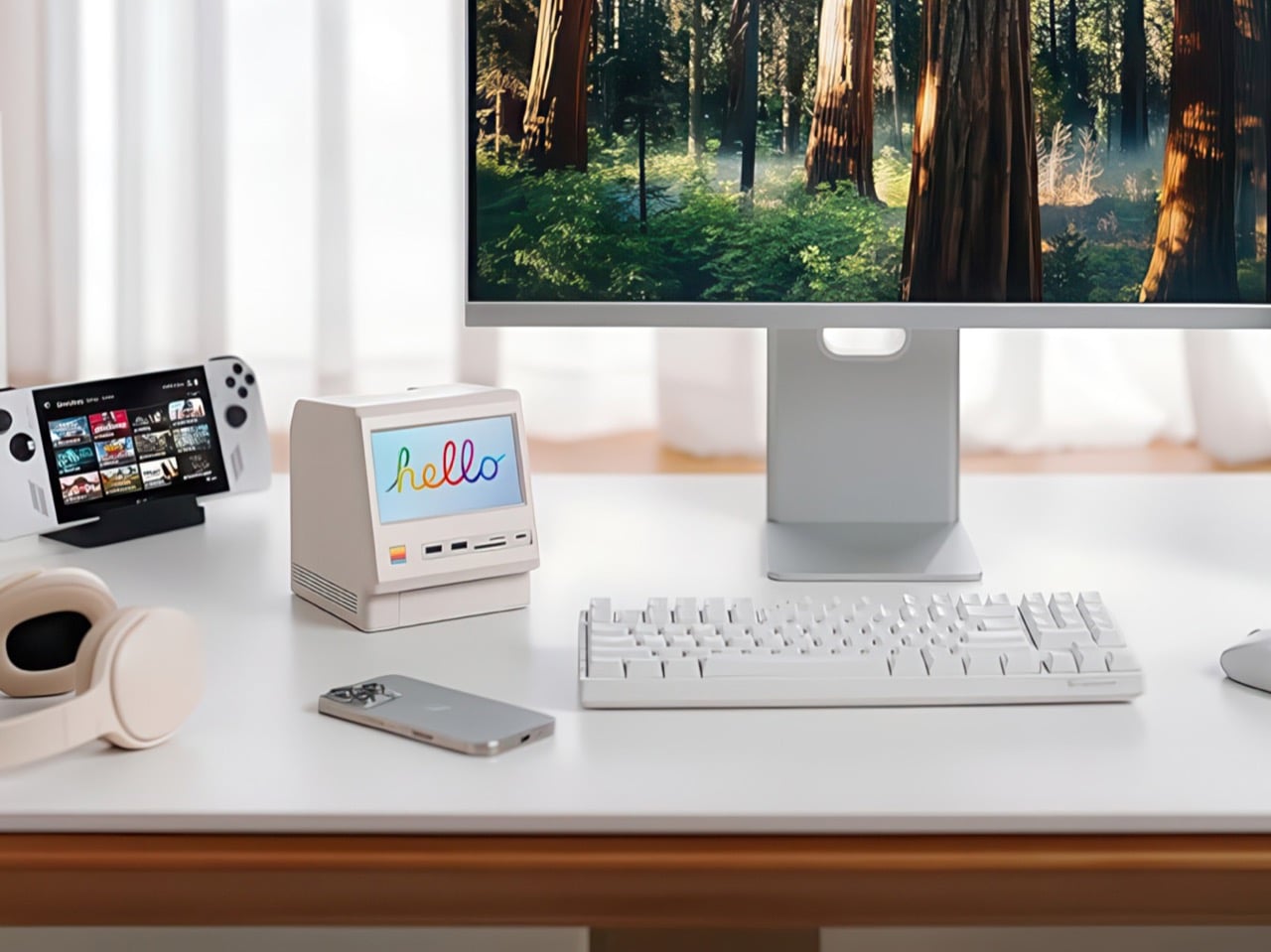
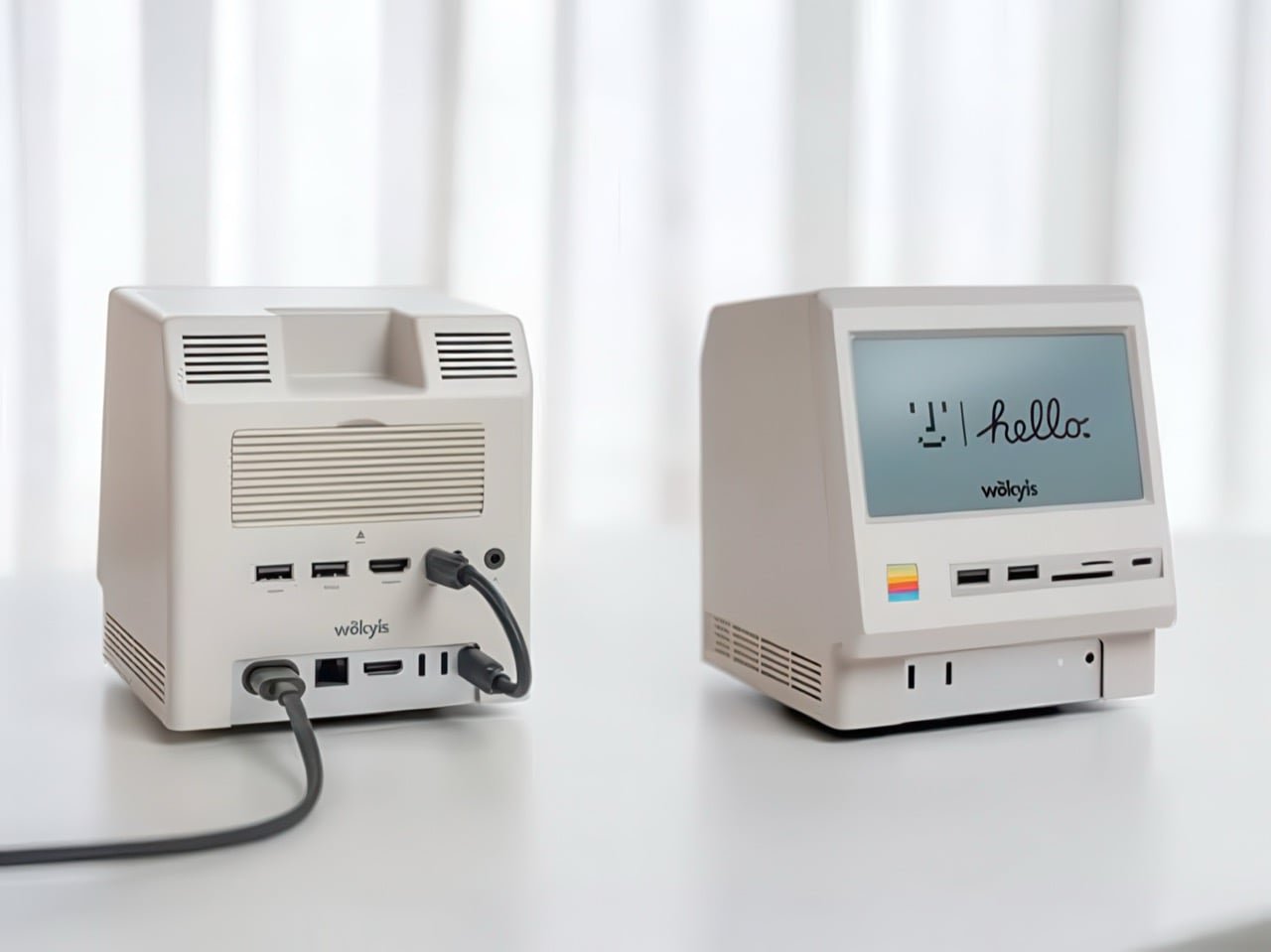
Inside that beige plastic homage to computing history, you’ll find legitimately fast 10Gbps connectivity on both USB-A and USB-C ports, card readers that hit 312MB/s with UHS-II cards, and a tool-free M.2 enclosure with included thermal pads for proper heat management. The 5-inch screen displaying “hello” works as a proper 720p panel for desktop widgets, music lyrics, photo frames, or system stats. Testing shows the SSD enclosure delivers around 900 MB/s with quality NVMe drives, which is respectable for a hub in this price range. The design lets you access the Mac mini’s own ports through a removable bottom panel, so nothing gets sacrificed in the name of aesthetics.

Designer: WOKYIS

Click Here to Buy Now

Photographers and video editors know the Mac mini M4’s port limitation intimately. Three Thunderbolt 4 ports and two USB-A ports sound adequate until your monitor claims one, your external SSD takes another, and you’re suddenly rationing connectivity like it’s a finite resource. The front panel of the M5 solves this with two USB-A 10Gbps ports, one USB-C 10Gbps port, and SD plus microSD slots that handle UHS-II speeds at 312MB/s. Offloading a 128GB card from a photo shoot takes minutes instead of the geological timescale you’d experience with slower readers. You do this without unplugging anything or performing cable gymnastics behind your monitor.

The M.2 enclosure accepts NVMe drives from 2230 to 2280 form factors and supports up to 8TB of storage. Pair it with a Samsung 990 EVO Plus and you’ll see read and write speeds hovering around 800 to 900 MB/s, which translates to genuinely usable performance for 4K editing timelines or RAW photo libraries. Wokyis ships two thermal pads in the box: a thicker one for single-sided SSDs and a thinner variant for double-sided drives. The passive cooling approach works because there’s actual thought behind the thermal management rather than hoping convection does all the heavy lifting. No fans means no noise, which matters when you’re recording voiceovers or working in a quiet space.

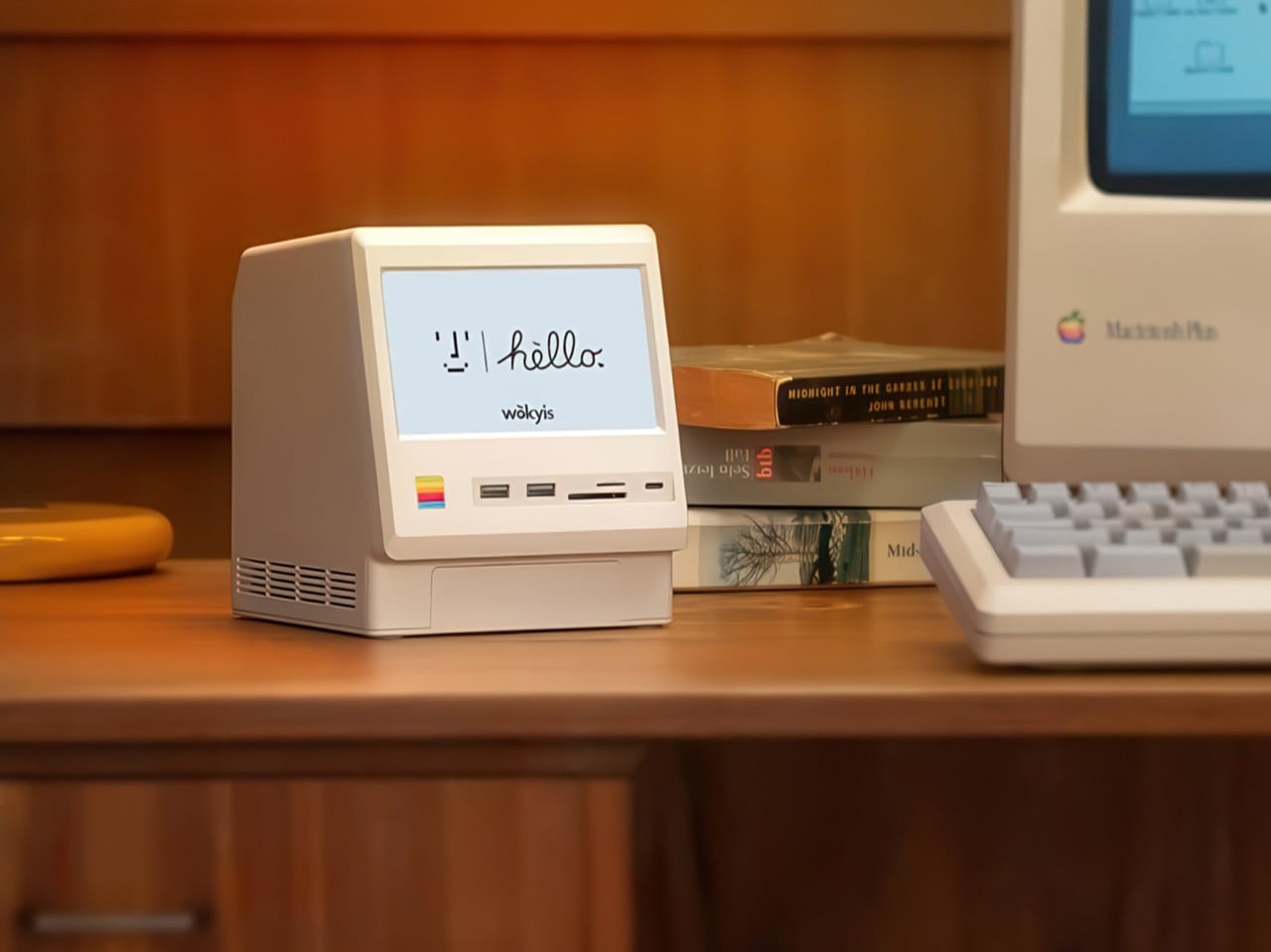
That 5-inch display hits 1280×720 resolution at roughly 290 PPI, putting it squarely in Retina territory for normal viewing distances. Text renders crisp, colors track accurately for casual use, and brightness handles typical indoor lighting without struggle. You can feed it content through the HDMI-in port or the USB-C host connection depending on your setup preferences. People are running Spotify controls on it, system monitoring dashboards, security camera feeds, even Slack notifications. The dedicated power button on the front means you can kill the screen when you don’t need it running, which beats having a perpetually glowing display burning into your peripheral vision at 2 AM.

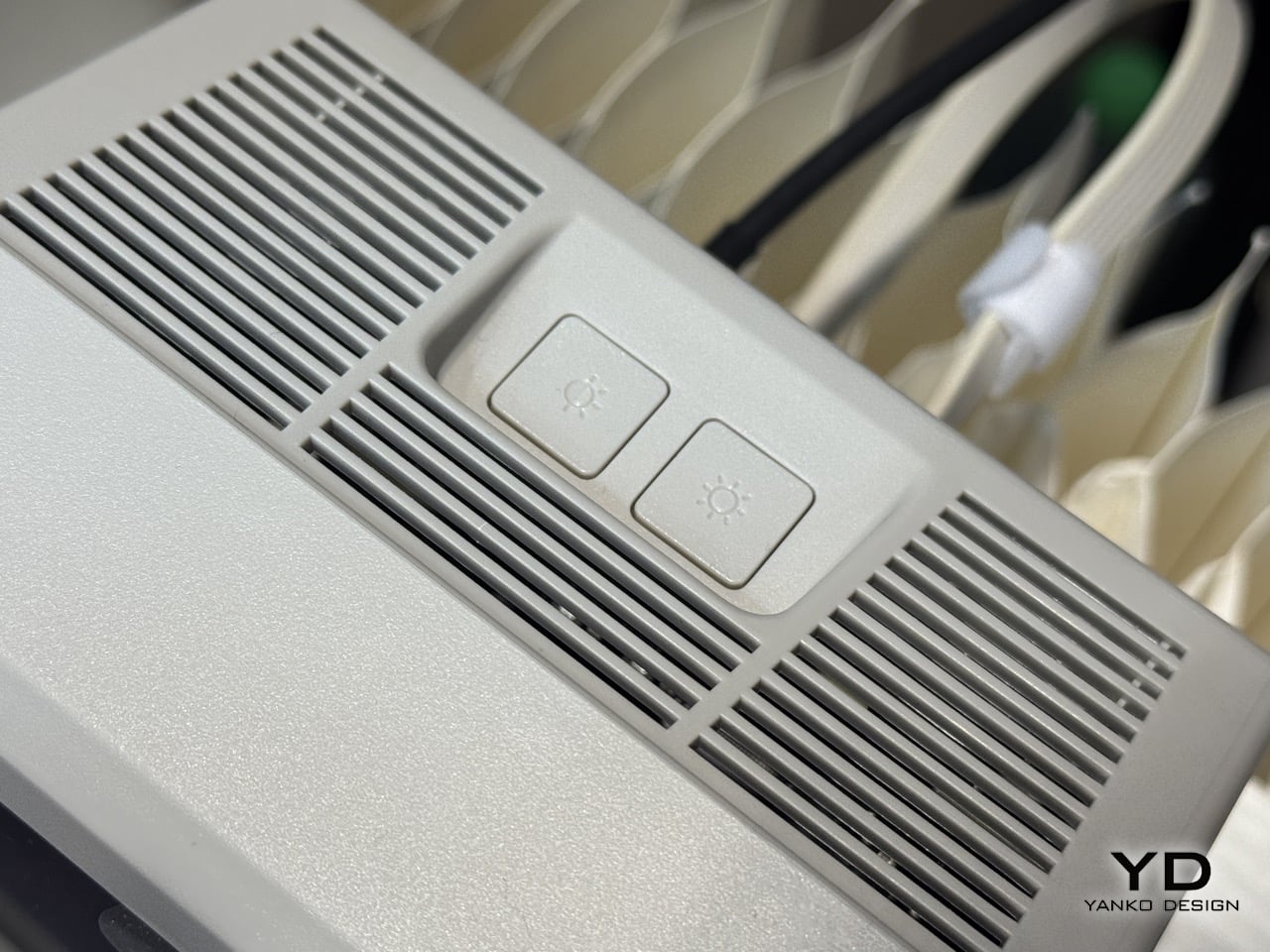
Wokyis nailed the proportions by treating the original Macintosh as inspiration rather than a blueprint to slavishly recreate. The beige matches Apple’s classic off-white perfectly, the ventilation grills reference the original’s cooling design, and that rainbow stripe sits exactly where your brain expects it. The dimensions wrap the Mac mini M4 specifically, with a removable base plate that keeps every native port accessible. You’re adding capability on top of what Apple gave you rather than trading functionality for aesthetics. The Mac mini slides in, locks down, and you’ve suddenly got a setup that looks like it time-traveled from 1984 while performing like it’s from 2025.

Generic USB-C hubs from Anker or CalDigit run $80 to $150 and offer similar port counts with zero personality. None of them include an SSD enclosure or a display. The M5 at $169.99 lands in a weird value proposition where you’re paying a modest premium for design that actually makes you happy to look at your desk. The 80Gbps Thunderbolt 5 version exists at $389 if you’re pushing enormous video files or running external GPUs, but that’s specialist territory. The 10Gbps model handles what 90% of users throw at it. Ships in two days direct from Wokyis or grab it from Amazon if you’ve got Prime and prefer that refund safety net. Either way, you’re getting a dock that makes the Mac mini M4 better at its job while looking fantastic doing it.

Click Here to Buy Now

The post This $170 Retro Dock Solves the Mac Mini M4’s Biggest Port + Connectivity Problem With Style first appeared on Yanko Design.