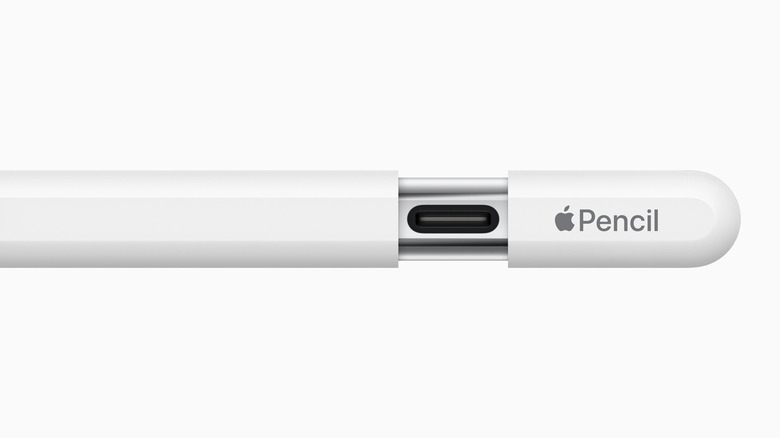
Refreshed Apple Pencils may arrive next year with improved repairability
Thanks to upcoming EU regulations, the next Apple Pencil could feature replaceable batteries.
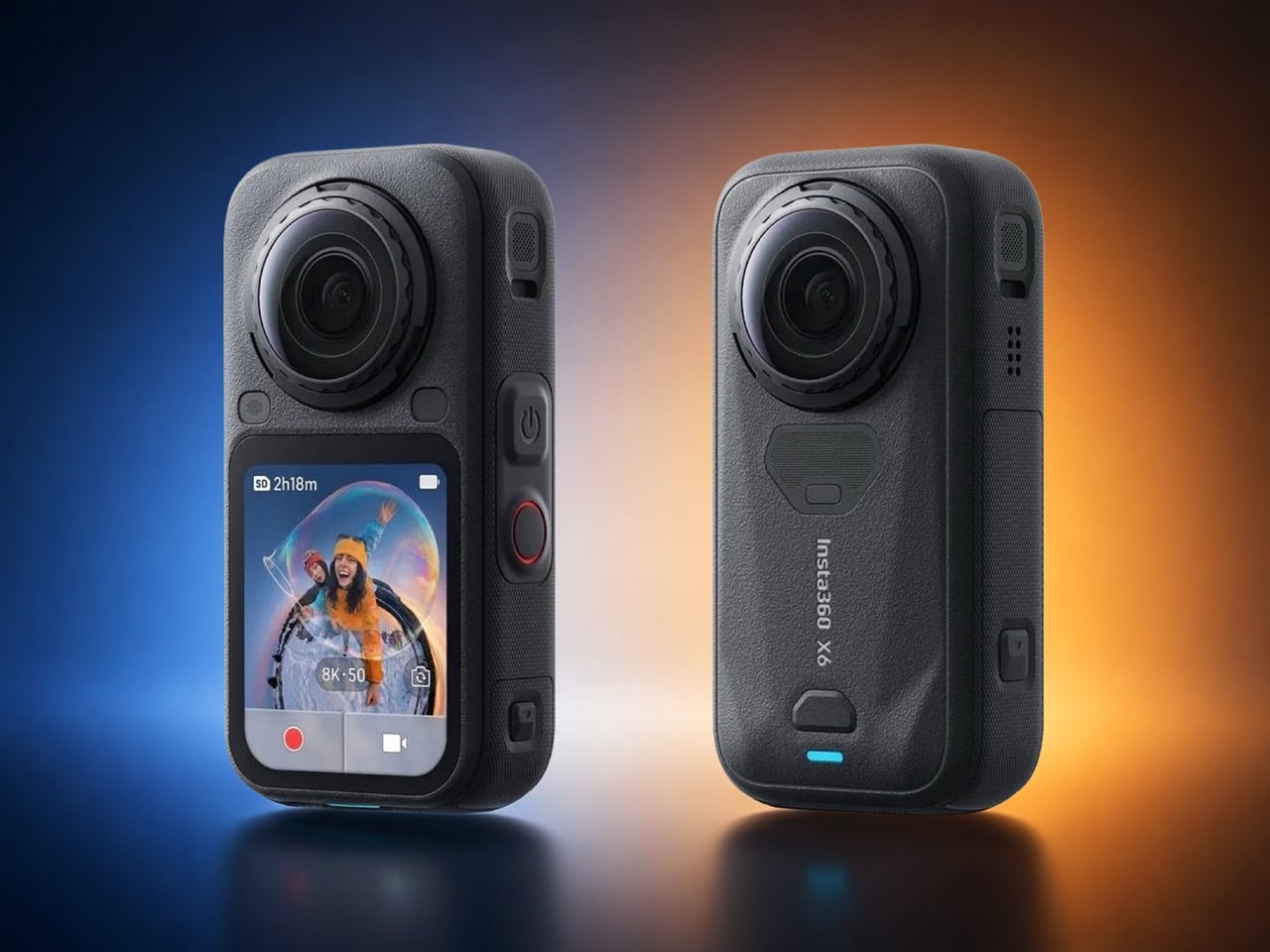
The internet has spent actual years begging for a mini smartphone. Compact flagships, tiny bezels, something that fits in a single palm without needing a spreadsheet to justify the screen size. Samsung teased it, forums campaigned for it, and every rumor cycle ends the same way, with a phone that somehow got taller instead of smaller. Insta360 looked at all that unmet demand and, whether on purpose or by accident, decided to answer it in the one product category nobody was petitioning about. Their upcoming X6 leaked this week, and the headline isn’t just the spec bump, it’s the shape. Shorter. Stockier. A real departure from the elongated body the X series has worn since the X3.
Roland Quandt of WinFuture broke the story, spotting the camera listed early at a retailer alongside official marketing images that confirm the redesign in full. The X6 keeps the dual fisheye lens setup on front and back for capturing 360 degree footage, along with the small side mounted display that’s handled preview and settings duties since earlier generations. What’s changed is everything around that formula. Performance climbs to 8K at 50 frames per second in full 360 mode, up from the X5’s 30fps ceiling. Pricing leaks put the base model at 689 euros, with an Essentials Bundle running 789 euros. No official launch date has surfaced yet, though a retail listing at this stage usually means an announcement isn’t far behind.
Designer: Insta360
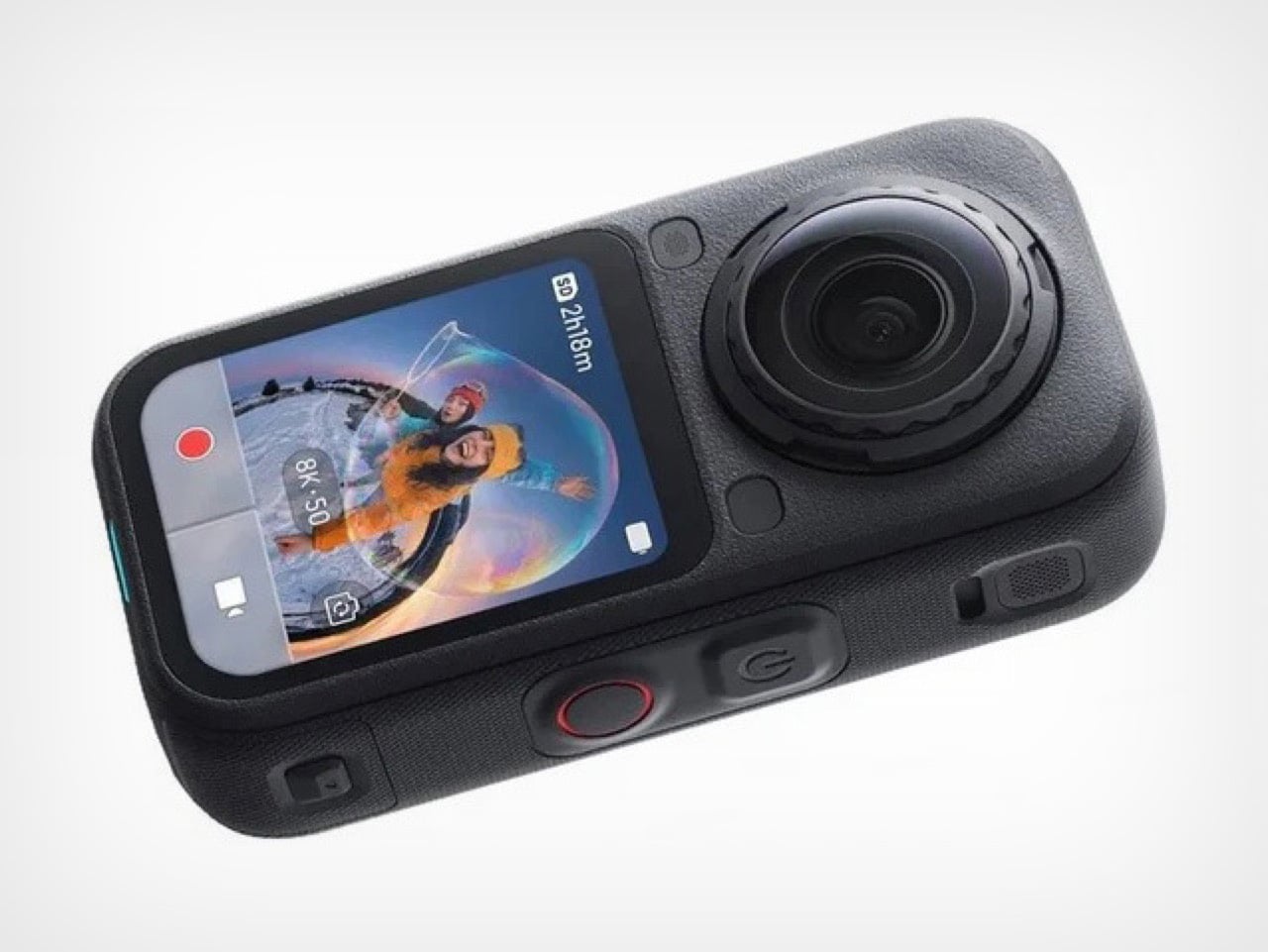
Nobody asked Insta360 for a smaller camera specifically, but the timing scratches an oddly similar itch to the mini phone conversation. We wanted small and premium in our pockets, they’re apparently delivering small and spherical instead, and the resemblance to a standard action cam silhouette is doing a lot of the visual work here. Gone is the candy bar proportions that made the X5 and X3 instantly recognizable from across a gear bag. In its place sits something that could plausibly be mistaken for a GoPro at a glance, at least until you clock the second lens staring back at you from the rear.
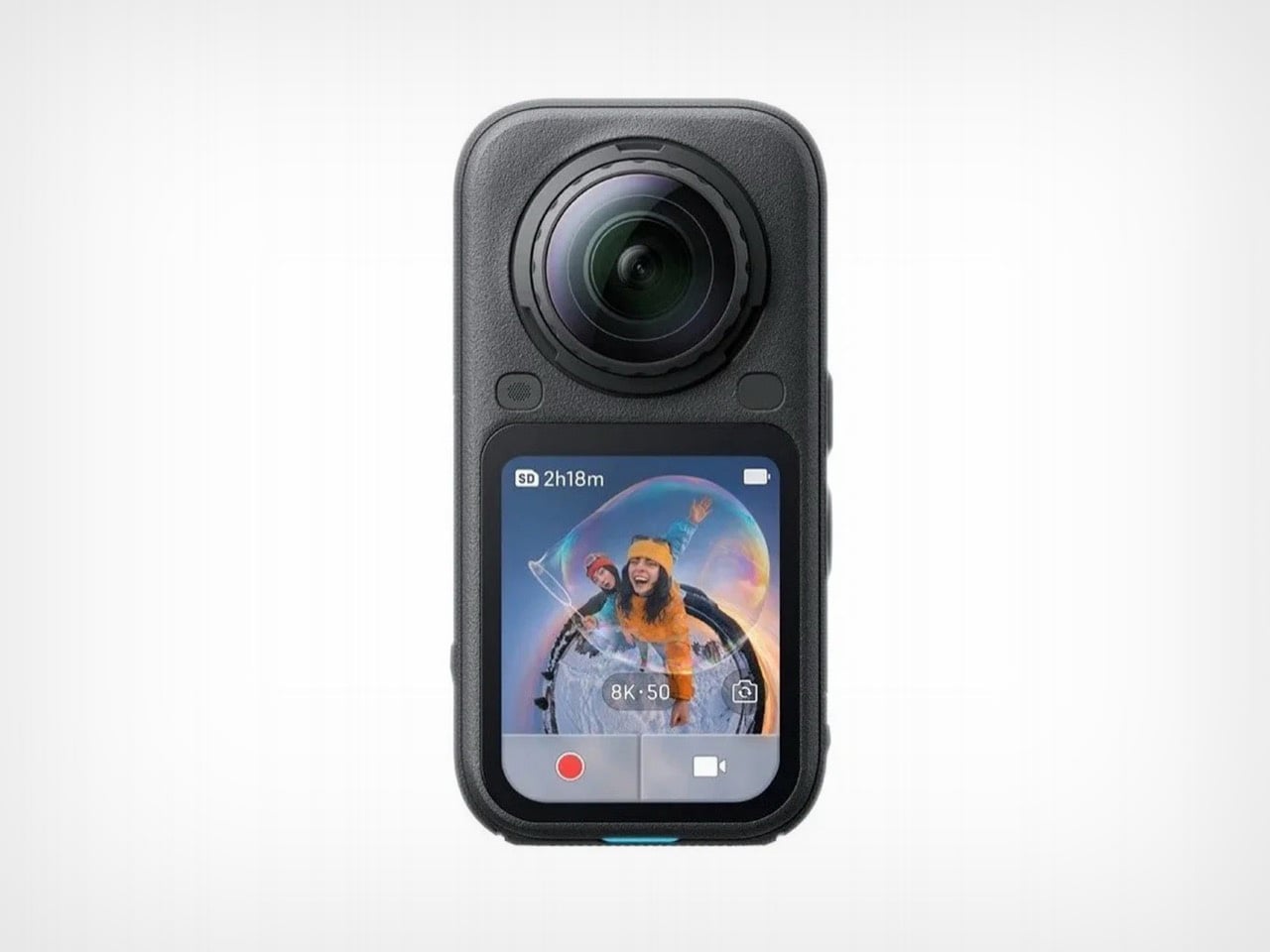
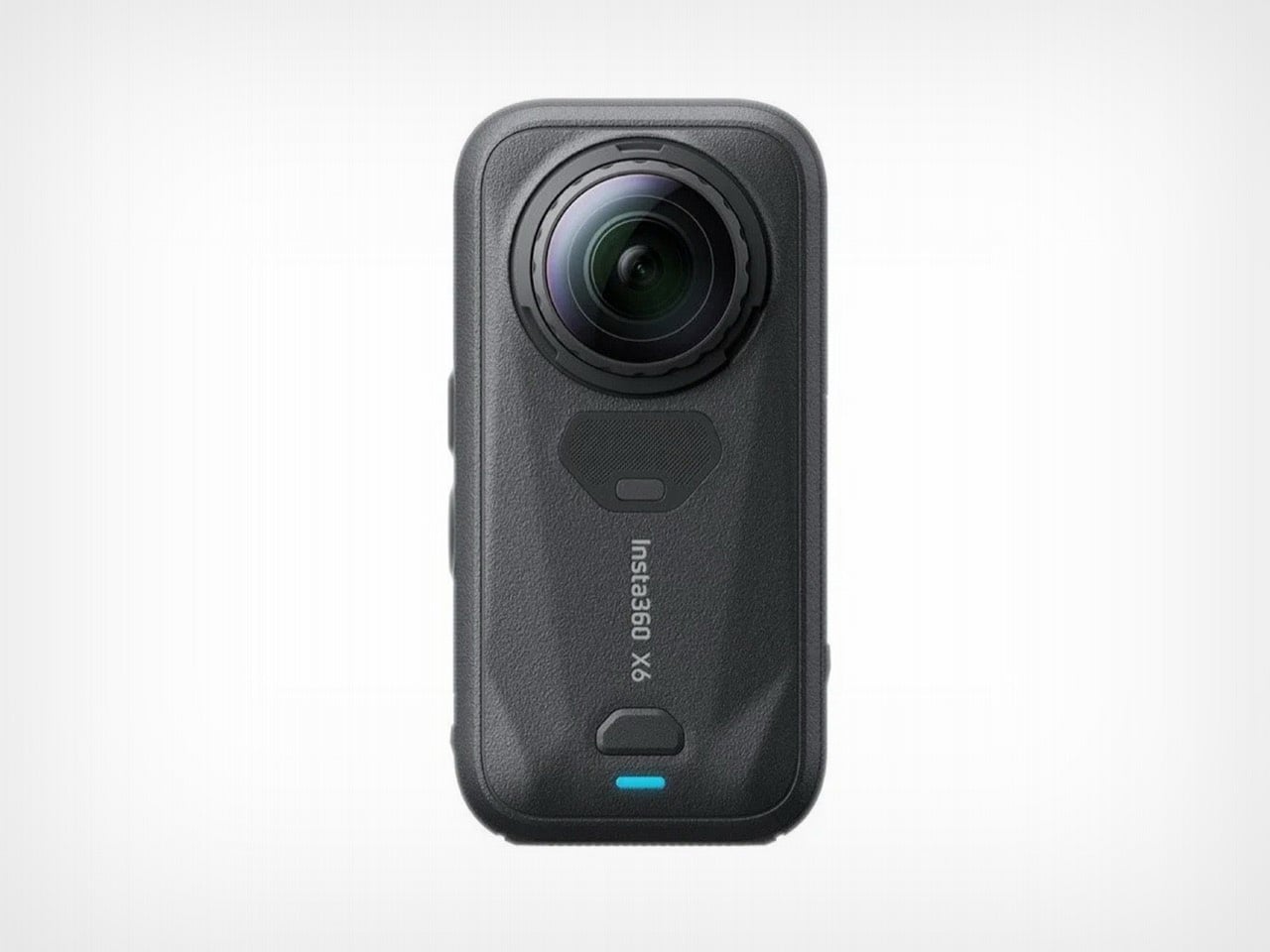
That shrink isn’t free – the X5’s battery wasn’t tucked into a corner somewhere convenient, it ran along nearly the entire length of that longer chassis, functioning almost like a structural spine as much as a power source. Compress the spine and you’re left with a real engineering decision to make. Either the cell itself shrank, sacrificing some runtime in the process, or Insta360 found a differently shaped battery that fits the new footprint without giving up capacity, or there’s some internal repackaging happening that redistributes components in ways this product line hasn’t tried before.
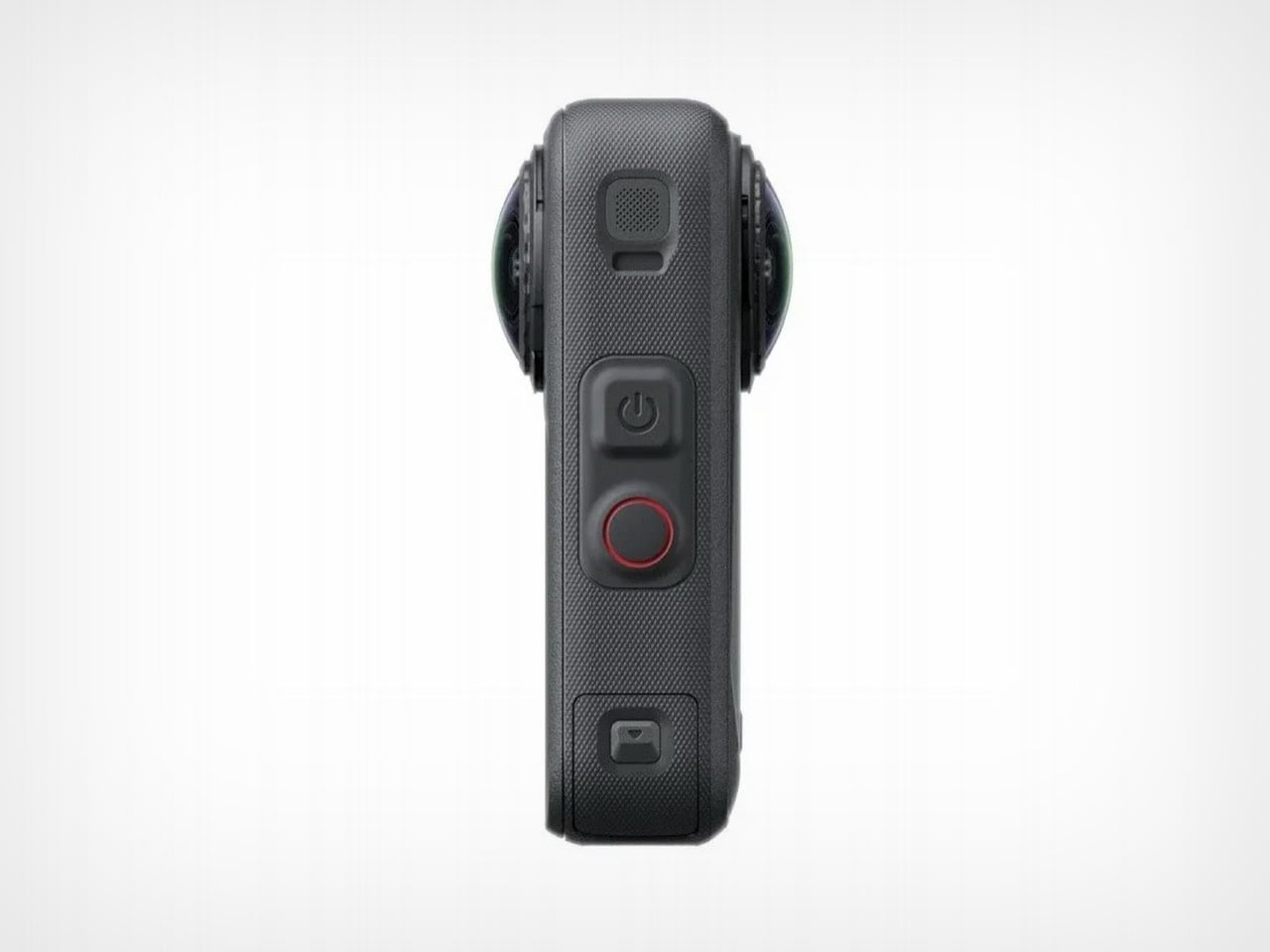
None of this has been confirmed yet, and that’s precisely the fun part of covering a leak this early. The images give us the exterior story clearly enough, right down to the reshaped corners on that side display and a button layout that looks reorganized to fit the tighter shell. What they don’t give us is a teardown, a battery spec sheet, or any hint of how Insta360 is managing thermals for a higher frame rate inside a smaller volume. Cramming more compute into less space usually means better heat engineering somewhere, or a compromise the company hasn’t disclosed. We’ll be watching for the official reveal, because this is the kind of redesign that deserves receipts, not just render leaks.
The post Insta360 X6 Leak Reveals a Shorter, Stockier Body, and I Have Battery Concerns first appeared on Yanko Design.

Somewhere in Washington state, a man named D.L. Byron recently bought a certified pre-owned Polestar 2. He did what most careful buyers do, researched the brand, appreciated the Scandinavian design, weighed the range and the reputation, and made a considered decision. Then, within days of that purchase, Polestar announced it would stop selling new vehicles in the United States from the 2027 model year onward, after the U.S. Department of Commerce denied the Swedish automaker authorization under the Connected Vehicle Rule. Byron’s reaction, reported by The Verge, was immediate and unambiguous. “It feels like we’re the ones left holding the bag, with no compensation for the sudden loss in market value on cars we just bought or leased.”
What Byron experienced is becoming the defining anxiety of the connected-car era. A modern EV purchase comes bundled with software ecosystems, service networks, regulatory standing, and brand-dependent resale value, all of which can shift dramatically on a government decision, a quarterly earnings report, or a geopolitical pressure point that the buyer had no awareness of on signing day. The car itself may run perfectly fine for years. The broader infrastructure that gives it value, the OTA updates, the service continuity, the dealer footprint, and the market confidence of potential used-car buyers, operates on forces that have very little to do with how capable the vehicle actually is. Polestar owners in the U.S. are learning this the hard way, watching resale anxiety arrive before the service network has missed a single appointment, and the lesson extends well beyond this brand and this moment.

The Connected Vehicle Rule, finalized by the Department of Commerce’s Bureau of Industry and Security, targets vehicles with a “sufficient nexus” to China or Russia, covering telematics, cameras, GPS, Bluetooth, cellular modules, and automated driving systems. The software restrictions kick in at model year 2027 with hardware restrictions following in 2030. Polestar’s problem was never where its cars were built. The Polestar 3 is assembled in South Carolina alongside Volvos from the same Zhejiang Geely Holding Group, yet local manufacturing provided no shield from the authorization denial. The rule targets ownership structure and software entanglement, and Polestar’s Geely-majority ownership, combined with its reliance on the Geely ecosystem, gave the Bureau its grounds. Volvo, operating as a separately listed entity with a decoupled software stack and a more established U.S. footprint, secured a waiver. Polestar did not.
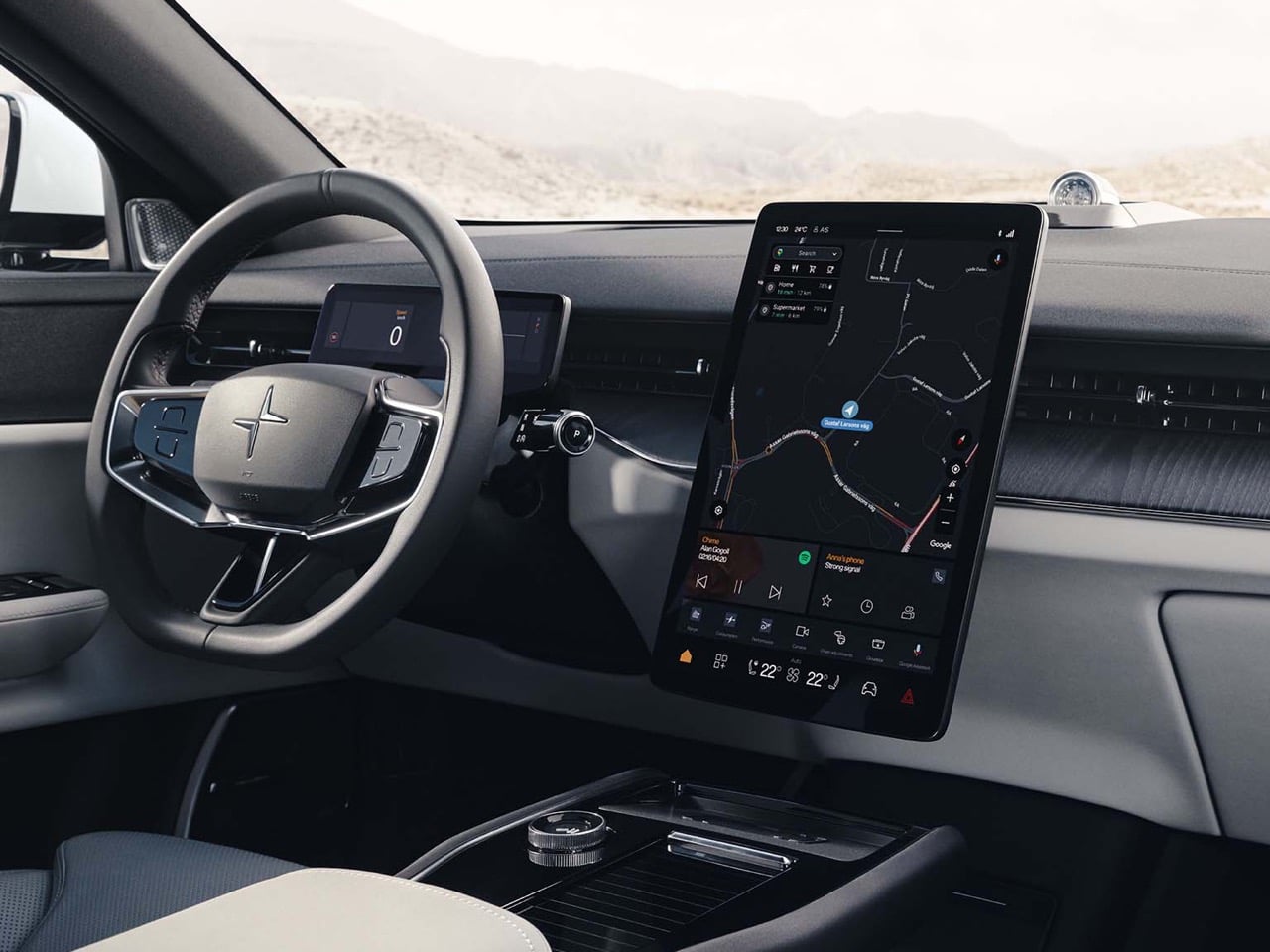
Polestar CEO Michael Lohscheller positioned the retreat as forward strategy, noting that Europe accounts for the largest share of the brand’s sales, and the company’s messaging on owner support has been consistent: warranties honored, existing Polestar 2, 3, and 4 owners continuing to receive service, and remaining Polestar 3 and 4 inventory sold at an aggressive discount until stock runs out. The brand had warned as early as 2024 that the Connected Vehicle Rule could effectively block its U.S. sales, yet when the formal exit became official, it still landed hard for buyers who had only just signed their paperwork. Matthew Haiken, owner of Polestar Short Hills in New Jersey, captured the dealer position precisely: “At this point, I have to trust that Polestar will honor its warranty and service commitments. We deserve better. This is the first time that anyone has said, ‘Hey, this is not us. It’s outside our control. It’s the government.’ So we’re left very vulnerable.” The warranty is still valid on paper. Whether the used-car market reads the situation as generously is a separate question, and used-car buyers are rarely sentimental.
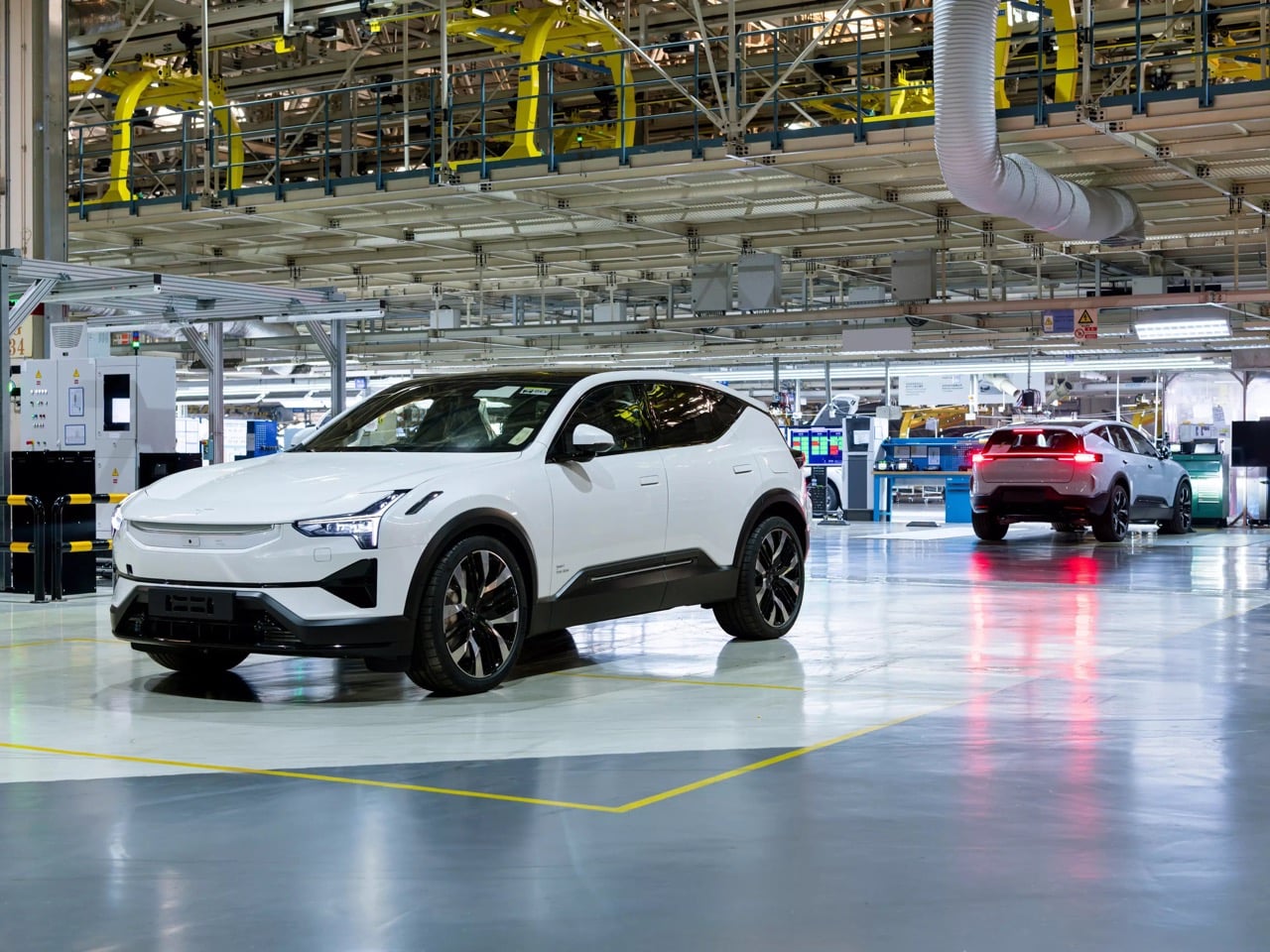
Buying a connected car in 2026 without evaluating the brand’s regulatory standing, software continuity, and commercial presence in your market is a gap that Polestar owners are now navigating in real time. Fisker’s collapse last year was the more total and immediate version of this lesson, and while Polestar’s situation is structurally different, the emotional experience for current owners is uncomfortably familiar. The Polestar 2, 3, and 4 are genuinely well-designed vehicles that many owners will hold onto for exactly that reason. But resale value is a market sentiment measure, and market sentiment on a brand that has exited your market corrects fast and waits for no one. Polestar’s predicament makes the broader case: every connected-car buyer should be stress-testing the brand’s software stack, regulatory profile, service infrastructure, and long-term commercial standing before they sign, and those variables matter as much as the range figure on the window sticker.
The post Polestar’s Sudden U.S. Exit Reveals the Hidden Risk of Buying a Connected Car first appeared on Yanko Design.

Samsung has officially unveiled its latest flagship device, the Galaxy Z Fold 8, a smartphone designed to push the boundaries of foldable technology. With a wider design, a slimmer profile, and innovative hardware, the Galaxy Z Fold 8 is poised to redefine what users expect from foldable devices. Scheduled for its grand debut at the […]
The post First Leaked Look at Samsung Galaxy Z Fold 8 Wide Impresses appeared first on Geeky Gadgets.

Garmin’s upcoming screen-free fitness tracker, CIRCA, appears to be nearing its debut, with mid-July 2026 emerging as a likely timeframe. Regulatory filings, including an FCC authorization secured on January 20, 2026 and a 180-day confidentiality request expiring on July 19, suggest that an announcement could align with this timeline. TechAvid explores how Garmin’s historical tendency […]
The post FCC Filings Suggest Garmin CIRQA May Launch Around July 19Th 2026 appeared first on Geeky Gadgets.


Most architecture competitions produce something sleek, serious, and slightly self-important. The Veggery is none of those things, and that’s precisely why it deserves your attention. Installed at the Barbican Estate’s St Giles Terrace in London, The Veggery is a temporary greenhouse pavilion designed by Studio Folk Architects and design-and-build studio Raskl. It was the winning entry to the “Seeds in the City” competition, organized by the Culture Mile Business Improvement District as part of the closing stretch of the 2026 London Festival of Architecture.
The brief asked designers to create a community-focused structure around food growing and sustainability. What came back was a hexagonal, domed greenhouse with a vaulted polytunnel roof, recycled water butts standing in as columns, and a one-metre-tall turnip finial sitting right at the top. Yes. A giant turnip. Perched at the apex of a greenhouse pavilion. On the Barbican Estate. I love it.
Designers: Studio Folk Architects and Raskl

The Barbican is one of those places that takes itself extremely seriously, and rightly so. Its brutalist architecture is globally revered, its arts centre is a cultural institution, and its residents are fiercely protective of its character. Dropping a whimsical garden folly into that context feels almost mischievous, except that Studio Folk Architects clearly thought very carefully about how to make it fit. The Veggery’s silhouette actually echoes the estate’s own barrel-vaulted roofscape, and its proportions nod to English landscape garden traditions. The turnip, though playful, is no accident. It roots the whole design in something very specific: the act of growing food, of getting dirt under your fingernails, of doing something tangible in a city that can feel relentlessly abstract.


The detail work is where it gets genuinely interesting. The patterns pressed into the structure’s surfaces weren’t generated by a computer or lifted from an archive. They came from giant paper collages made by students at the neighbouring City of London School for Girls during design workshops. That decision changes the whole feel of the pavilion. These are not decorative gestures by designers working behind a screen. They are marks made by actual people who live and study next to this space, which is exactly the kind of community integration that too many public design projects only claim to have.


Inside, the pavilion functions as a working greenhouse. Three bays of flexible shelving hold plants and potting benches, with a clear open area that can be used for talks, workshops, and events. The Barbican Horticultural Society, local residents, and school groups all contributed to the planting itself. The structure’s timber framing is also demountable and designed for easy disassembly. It is not precious about itself, which is refreshing given how many temporary pavilions seem more interested in Instagram than in actual use.


The £50,000 budget strikes me as modest for what they pulled off, and it shows what a clearly considered design brief and genuine collaboration between an architecture practice and a fabrication partner can achieve. Raskl’s hands-on, design-and-build approach seems to have kept the whole thing grounded in practicality without sacrificing ambition.


The theme of the 2026 London Festival of Architecture was “Belonging,” and The Veggery answers that prompt with more honesty than most. Belonging, at its most basic, means having somewhere to go that actually wants you there. Not to look at, not to photograph, but to use. A potting bench and a shelf of seedlings is not glamorous, but it is welcoming in a way that a lot of elevated design is not. The fact that the pavilion sits within one of London’s most architecturally celebrated estates makes that contrast land even harder.
The Veggery is only temporary, which feels like the one genuinely unfortunate thing about it. For now, it is open, free to visit, and growing things. Which is more than can be said for most of what wins design competitions.


The post A Turnip on Top: London’s Most Unexpected Design Win first appeared on Yanko Design.
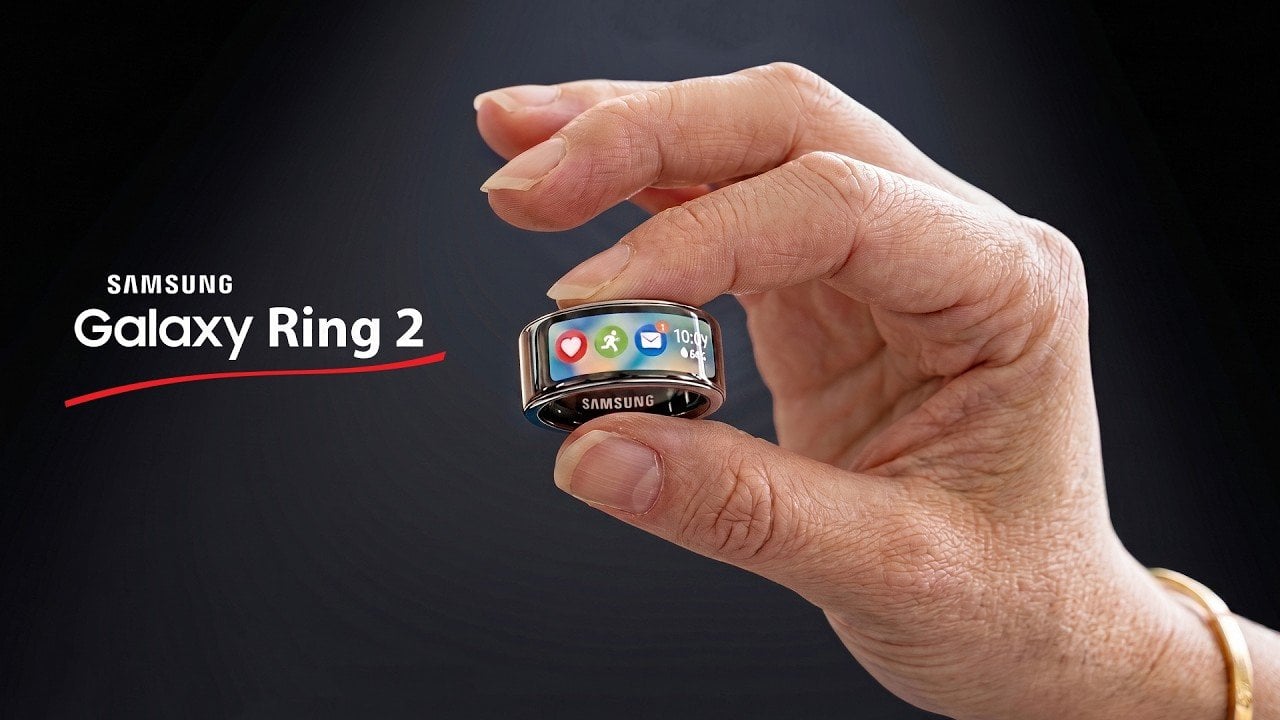
The Samsung Galaxy Ring 2 is poised to make a significant impact on the wearable technology market. Combining advanced health monitoring features with a sleek, user-friendly design, this next-generation smart ring is expected to set new standards for functionality and comfort. Anticipated to launch in the latter half of 2027, potentially during Samsung’s Galaxy Unpacked […]
The post Samsung Galaxy Ring 2 Leaks: a Thinner Design with a Massive Battery Upgrade appeared first on Geeky Gadgets.

The XREAL XBX a01+ enters the extended reality (XR) market as a lightweight and budget-friendly option, weighing just 50–62 grams. Its design prioritizes portability and comfort, making it accessible for casual users. According to Kola, notable features include customizable 3D-printed faceplates and AI HDR support, which enhance visual quality. However, the lack of positional tracking […]
The post XREAL XBX A01+ XR Glasses Beats Air4 Pro with a Wider 50-Degree FOV appeared first on Geeky Gadgets.