September always arrives with a different energy. The summer concept season wraps up, the shipping boxes start showing up, and the gadgets worth keeping finally separate from the ones that were only ever interesting in a render. This month’s lineup is unusually strong: a $2,000 iPhone that finally killed the foldable crease, a Dyson toothbrush with a camera inside the brush head, and a telescope that fits in a bag you could carry onto a plane.
What connects all eight is not a price bracket or a category. It is the feeling that the designers started with a known compromise and refused to accept it. Foldable phones have always had a crease. Astrophotography has always needed a trunk full of gear. CD players have always been opaque boxes. Each gadget below found that exact problem and built past it. September’s best gear does not update existing things. It quietly makes them look dated.
1. iPhone Ultra
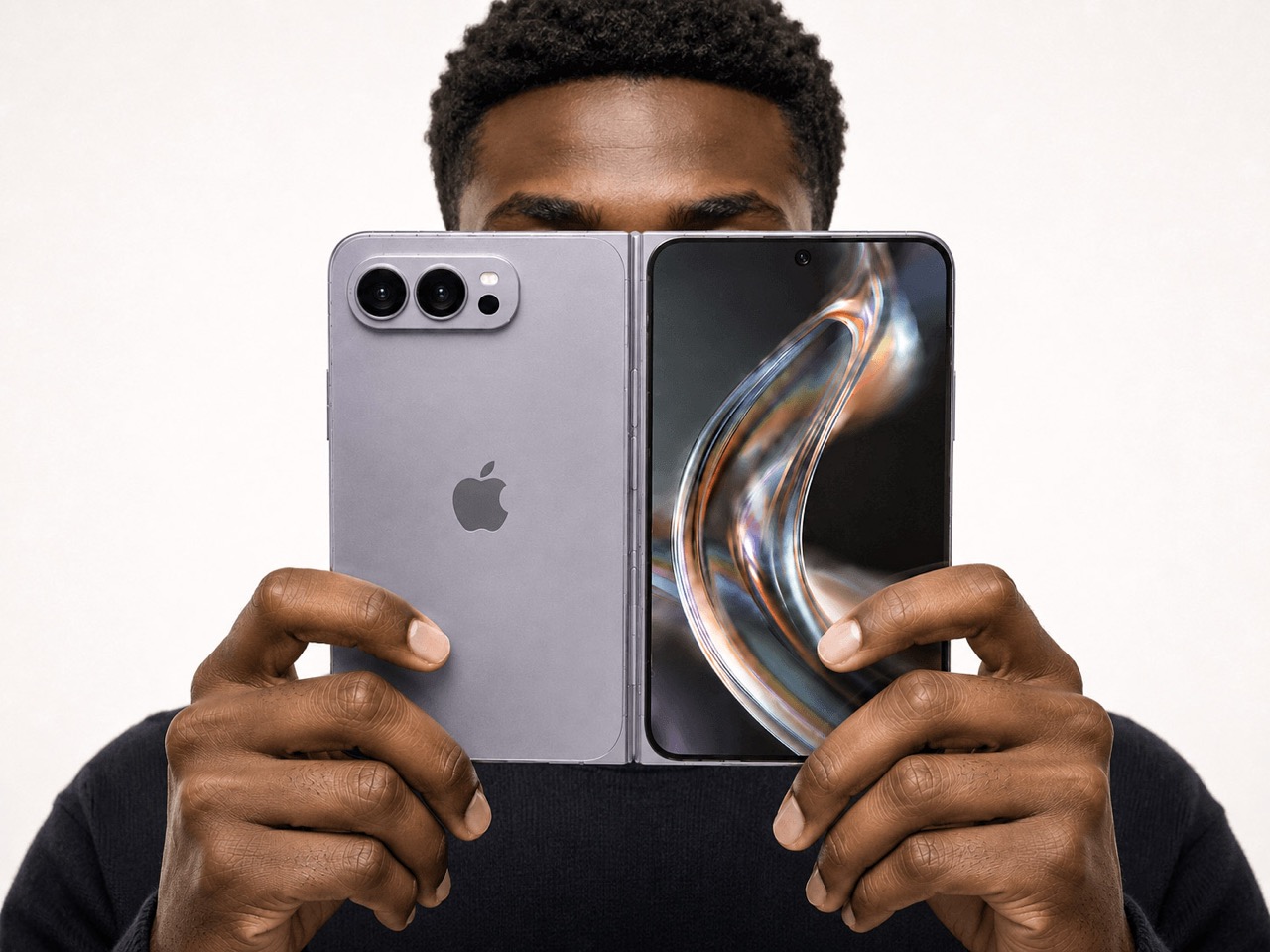

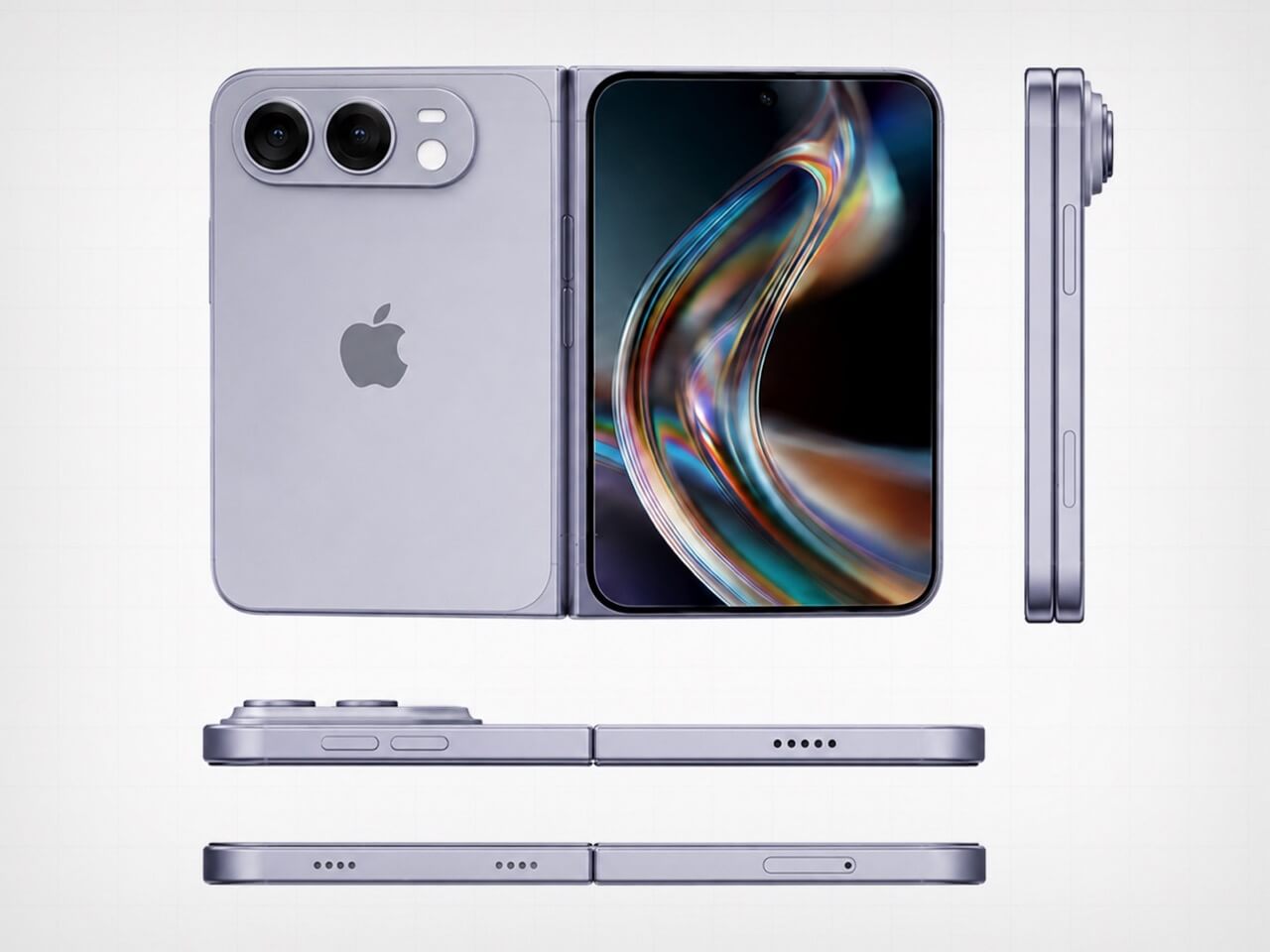
Apple saved its most aggressive design argument for last. The iPhone Ultra lands September 18 at $2,000, and the headline detail is the one that sounds impossible until you hold it — the visible crease is gone. Foldable phones have carried that horizontal line across the display since the format began, and every manufacturer called it a reasonable engineering compromise. Apple did not agree. The crease is gone, which means either the engineering problem is finally solved or a new one was quietly created in its place.
At $2,000, it is the most expensive iPhone Apple has shipped, and the price will be the loudest objection for most people. That is fair. It is also a phone that, when unfolded, gives you a display large enough to genuinely replace a small tablet, without the crease that made every foldable feel like a prototype. Whether the price is justified depends on how much that line across the screen has bothered you. For a certain buyer, the number will feel completely reasonable.
What We Like
- The visible crease is gone, a problem every other foldable has simply accepted as permanent
- September 18 availability means no waiting on a vague launch window
What We Dislike
- $2,000 is a significant ask even for the most committed Apple buyer
- At that price, the upgrade calculus is genuinely difficult for anyone coming from a recent iPhone
2. Dyson CameraJet Toothbrush
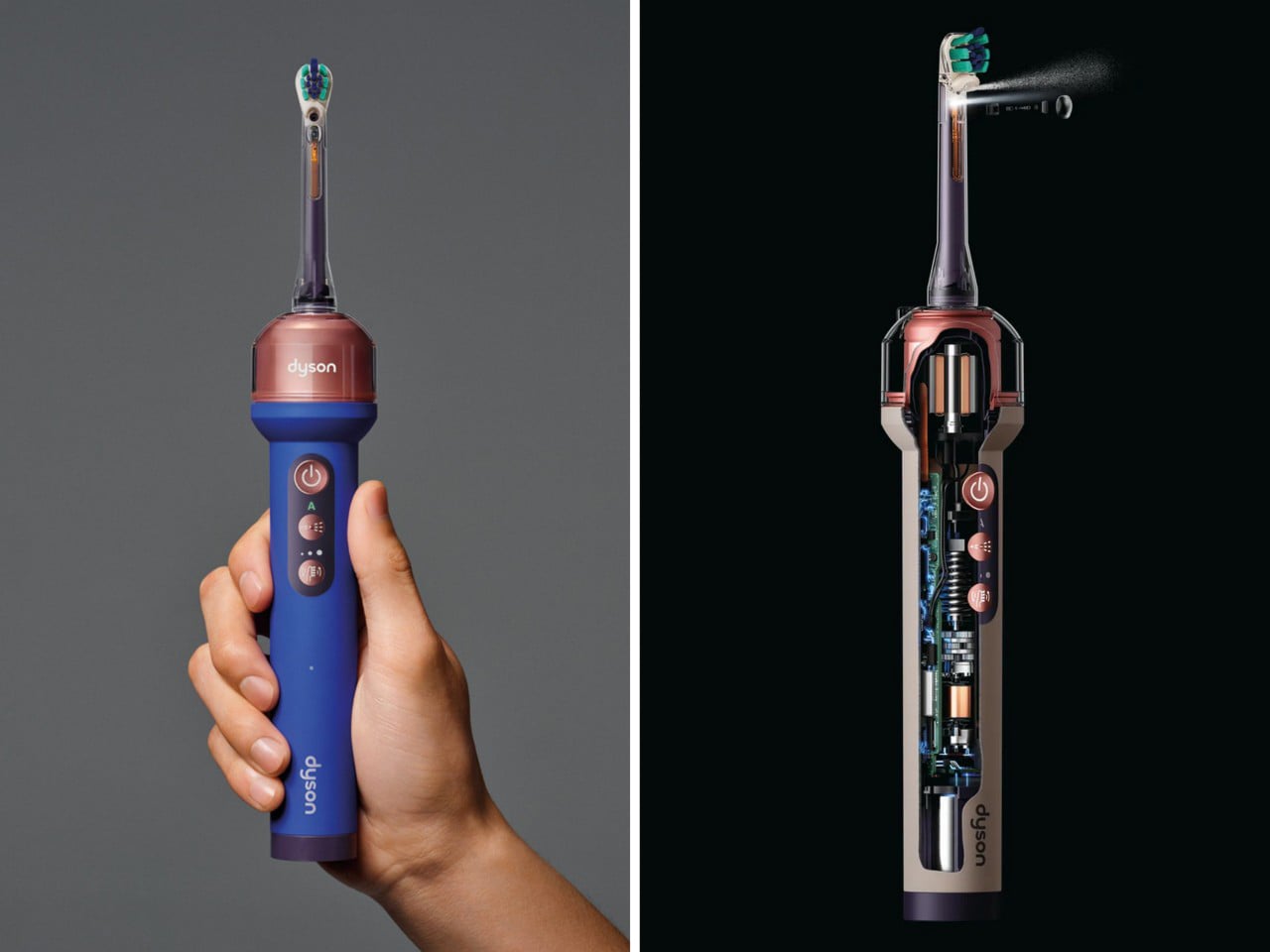
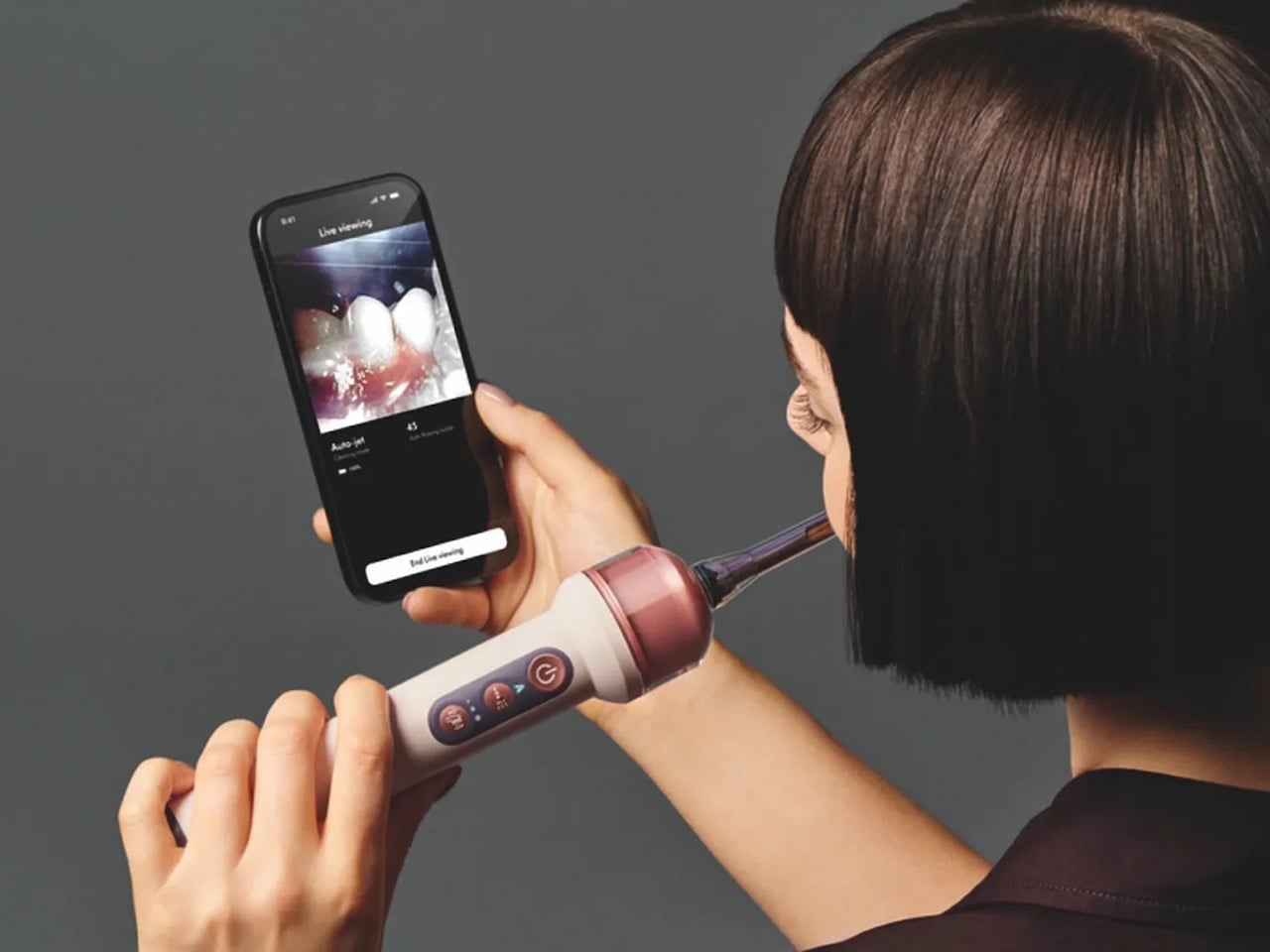
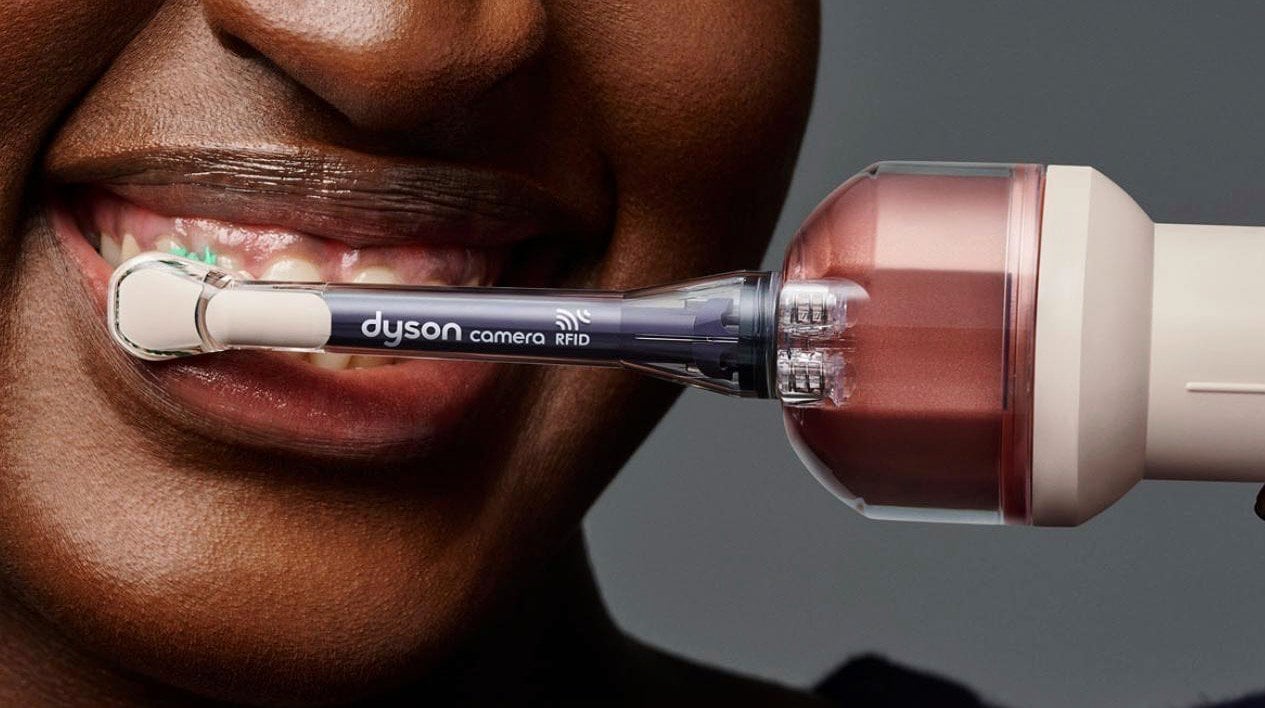
Dyson hid a 1mm camera directly under the brush head, and it reads 28 images a second while you brush. Within 100 milliseconds of detecting a gap in your coverage, the feedback loop kicks in. This is not an app that grades you on timing or buzzes when two minutes are up. It sees exactly where the bristles are not reaching and responds in real time, which is a fundamentally different answer to a problem the toothbrush industry has spent decades pretending does not exist.
The $499 price reads as absurd until you consider what it replaces. Most people spend years brushing the same spots and missing the same gaps, and no timer-based electric toothbrush has fixed that because timers do not know where your brush is. The camera does. Dyson also redesigned the toothpaste to work alongside the system, which suggests they understood that this product was not adding a feature to an existing object but rebuilding the assumptions around one entirely.
What We Like
- A 1mm camera reading 28 frames per second gives real-time coverage feedback no other toothbrush can match
- Dyson redesigned the toothpaste alongside the brush, showing the depth of thinking behind the product
What We Dislike
- $499 is a difficult number for a toothbrush regardless of what it does
- Proprietary toothpaste dependency is a meaningful lock-in that will frustrate buyers over time
3. ZWO Seestar S50 Pro
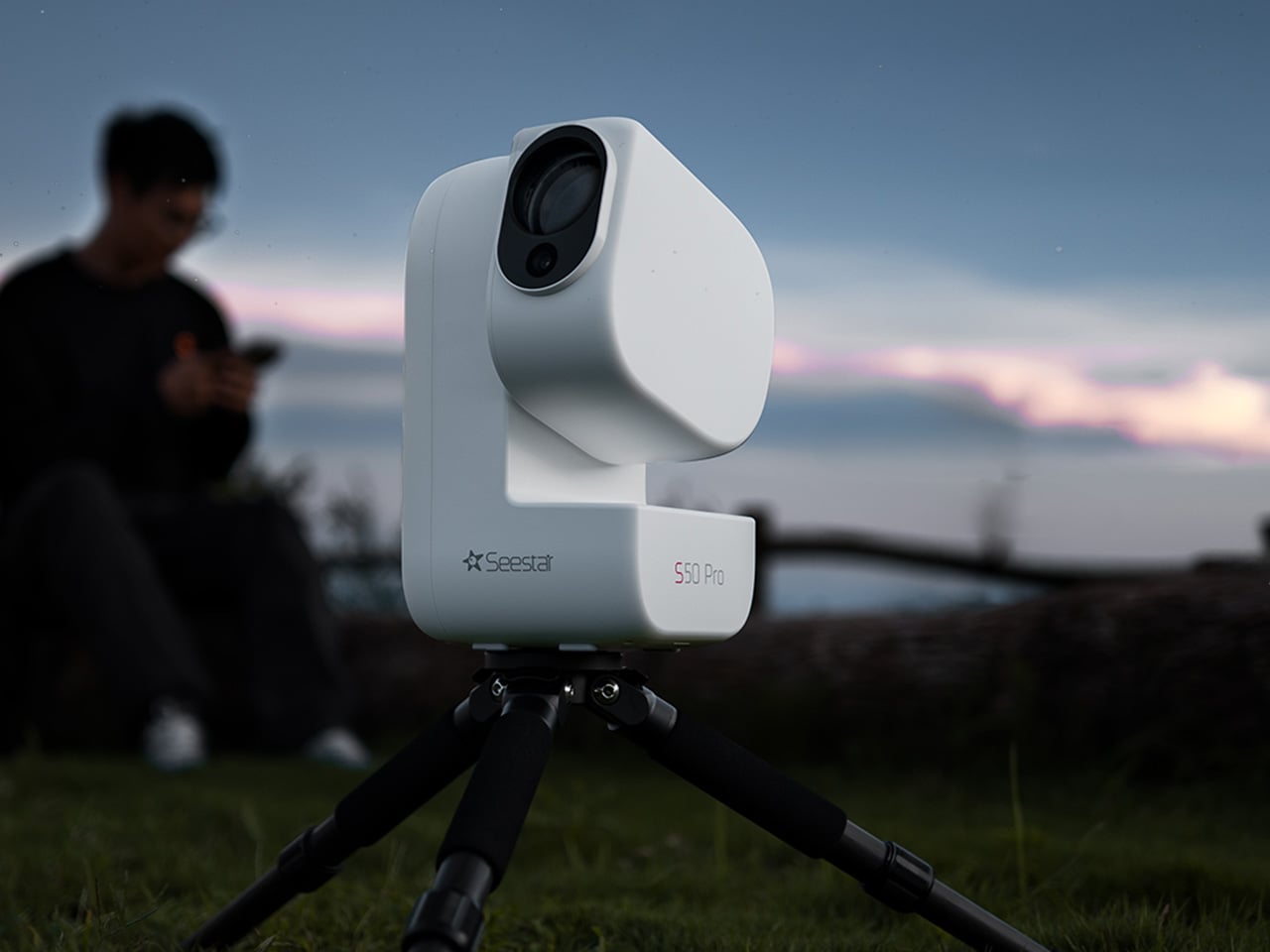
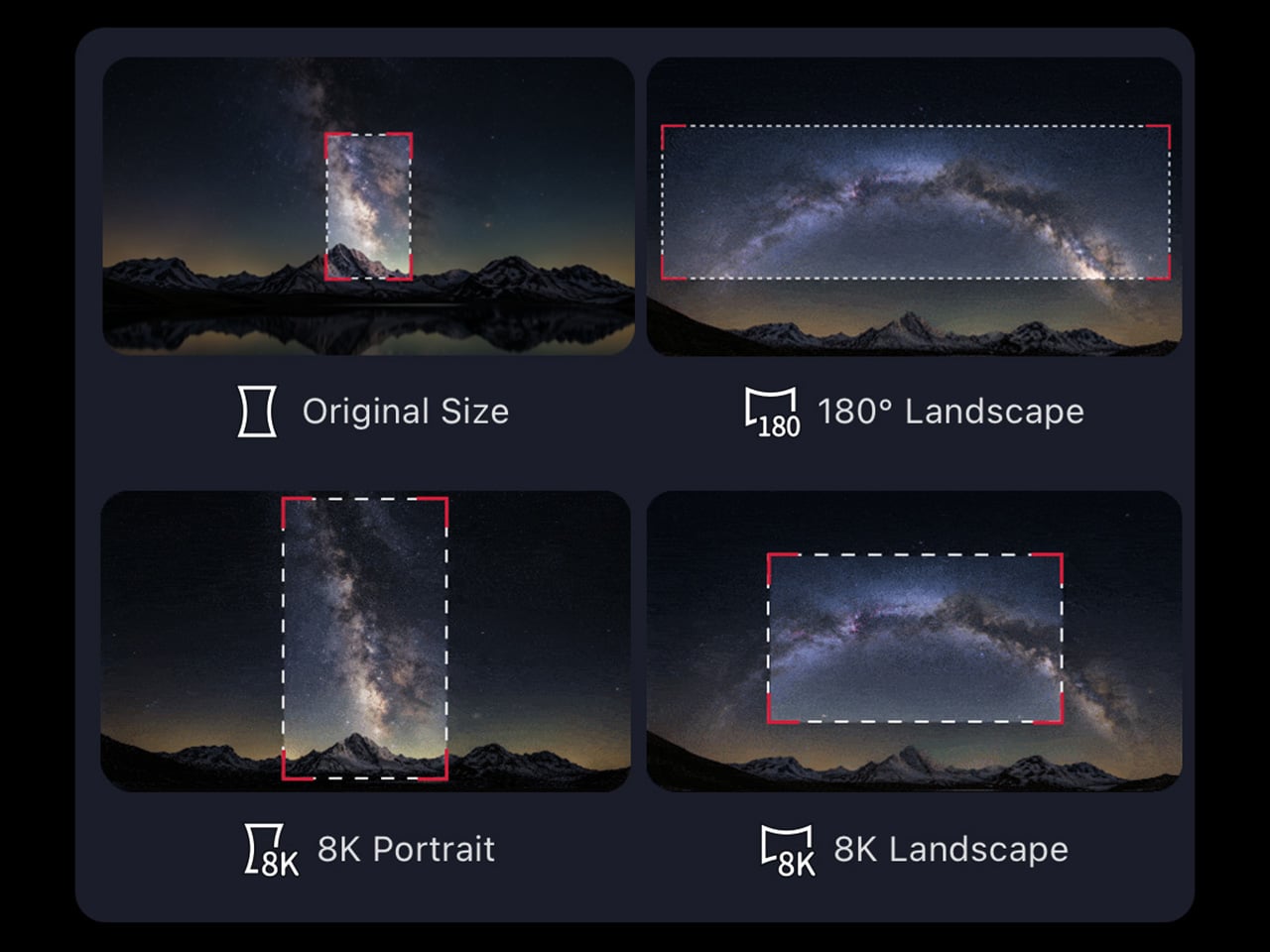
Astrophotography has always had a reputation problem. Getting a decent image of a nebula or galaxy traditionally meant a telescope, a tracking mount, a camera body, a set of filters, a laptop running capture software, and a location dark enough to make the whole trip worth it. The ZWO Seestar S50 Pro compresses that entire setup into something you could carry in a camera bag. That compression is not a minor convenience. It is the difference between astrophotography being a hobby you have and one you actually practice.
The S50 Pro is not a crowdfunded concept or a prototype. It is a shipping device sold through B&H, Amazon, and ZWO directly, part of a line that has been refining the smart telescope format for several years. For people who have wanted to try astrophotography without committing to a several-thousand-dollar hardware stack, it is the most credible entry point available right now, and the images it produces at this size are the kind that still feel surprising every time you see them.
What We Like
- Compresses a full astrophotography rig into one bag without requiring a tracking mount or separate laptop
- Sold through established US retailers with confirmed availability, not a waitlist product
What We Dislike
- Smart telescopes in this class still need a reasonably dark sky to produce compelling results
- The app-dependent workflow means the imaging experience is only as good as the software behind it
4. Camera With Digital Film
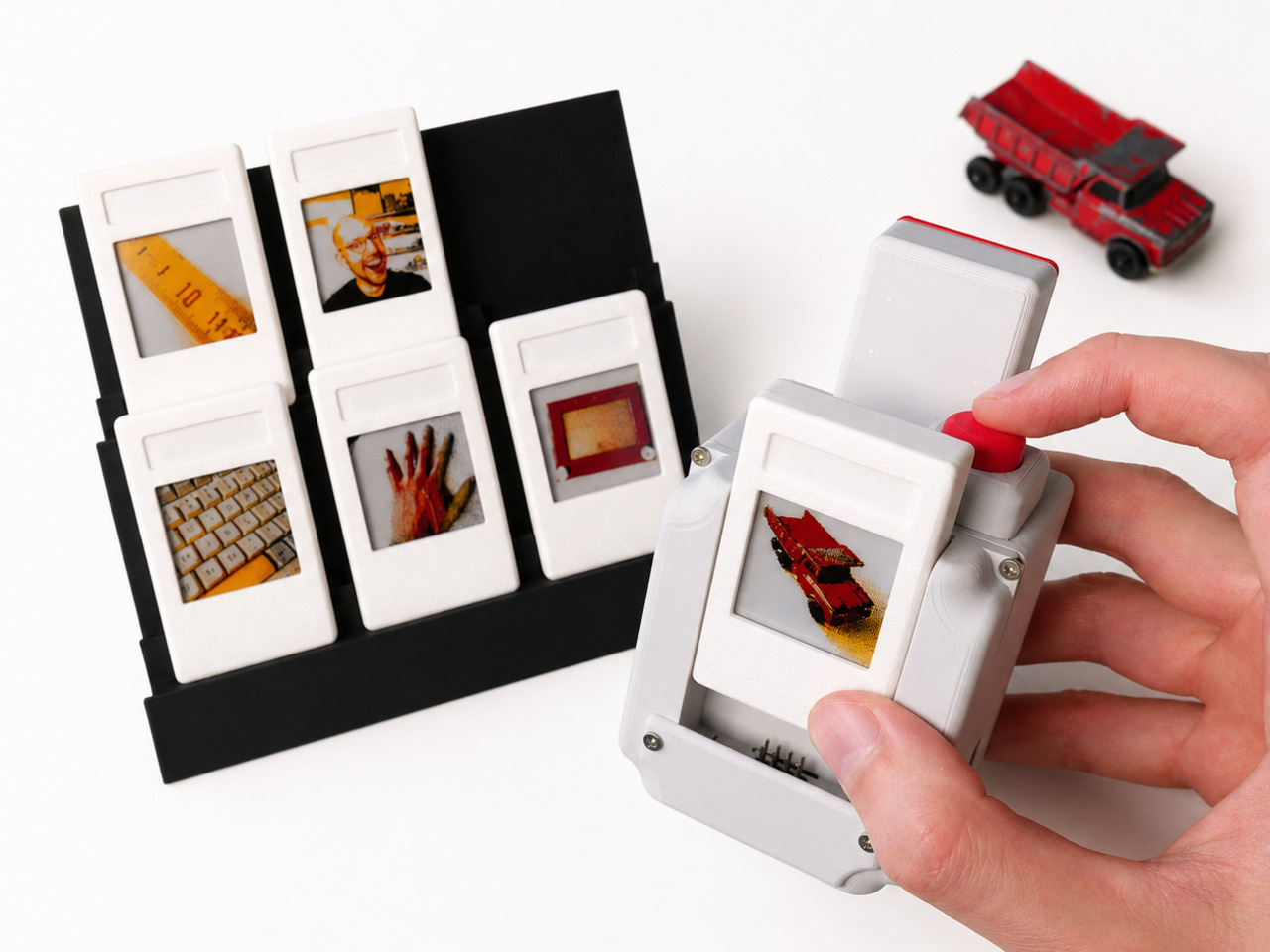
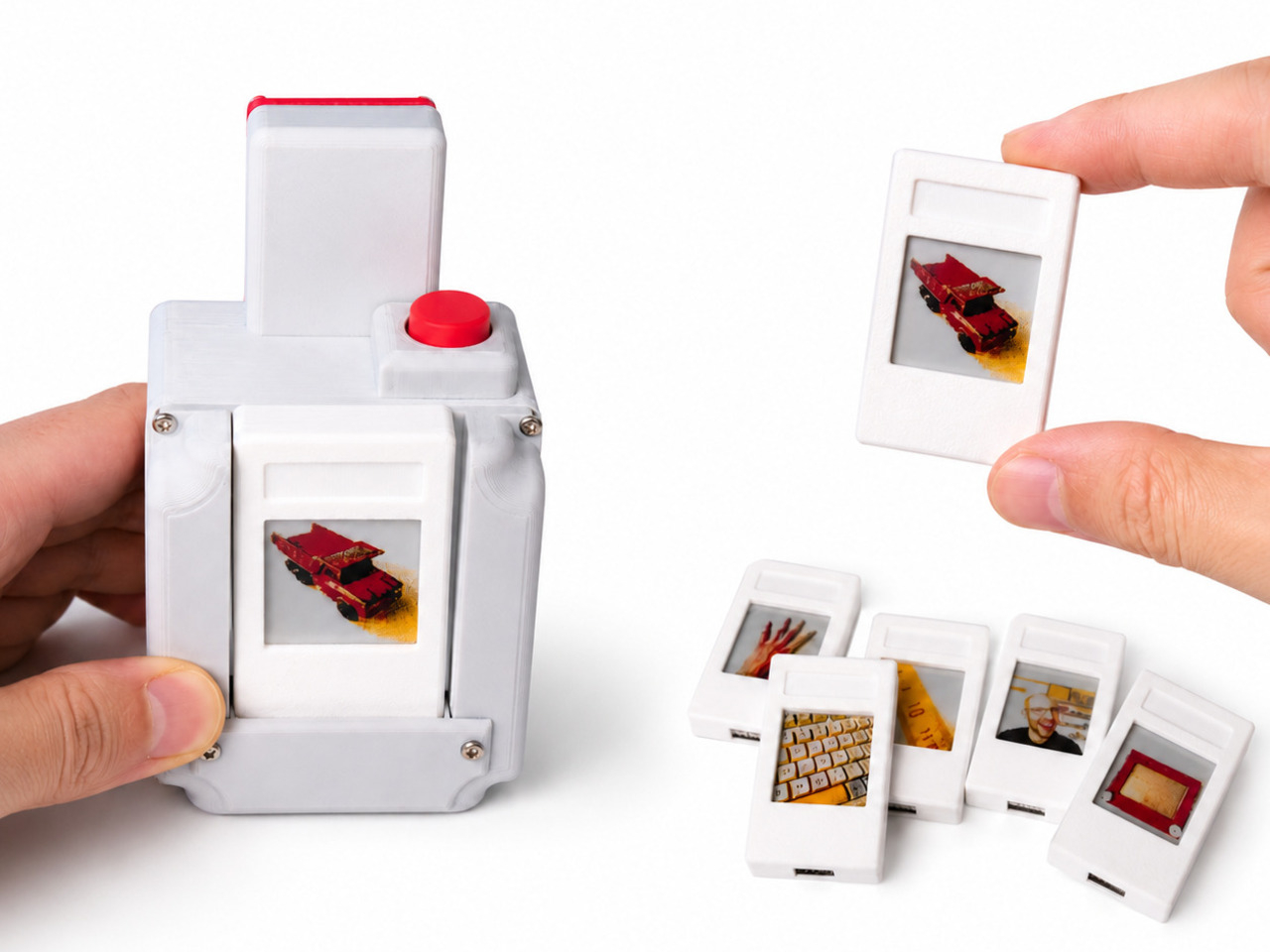
Every digital photo you have ever taken lives in a folder. Most of them stay there. The Camera with Digital Film changes the end of that process by ejecting a physical e-paper cartridge when you fire the shutter. Because e-paper holds its image without power, that small rectangle stays a picture permanently. You can lean it against a monitor, pin it to a wall, or hand it directly to the person you just photographed, and none of that requires a printer, an app, or a subscription to anything.
This is a personal maker build, not a retail product, which means you cannot order one. But the project is documented and open, which is its own kind of contribution. Instant cameras eject paper prints that fade over years. This ejects a display that does not. The object you walk away with is not a printout of a photo. It is the photo, held in a piece of hardware that draws no power to stay that way. The difference is not subtle once you hold one.
What We Like
- E-paper holds the image without power indefinitely, making every shot a permanent physical object
- The format lets you hand a photo to someone in the moment without a printer anywhere nearby
What We Dislike
- This is a maker build with no purchase option — you build it, or you do not have it
- E-paper’s limited color range means images read closer to a graphic print than a full-color photograph
5. ClearFrame Speaker + CD Player

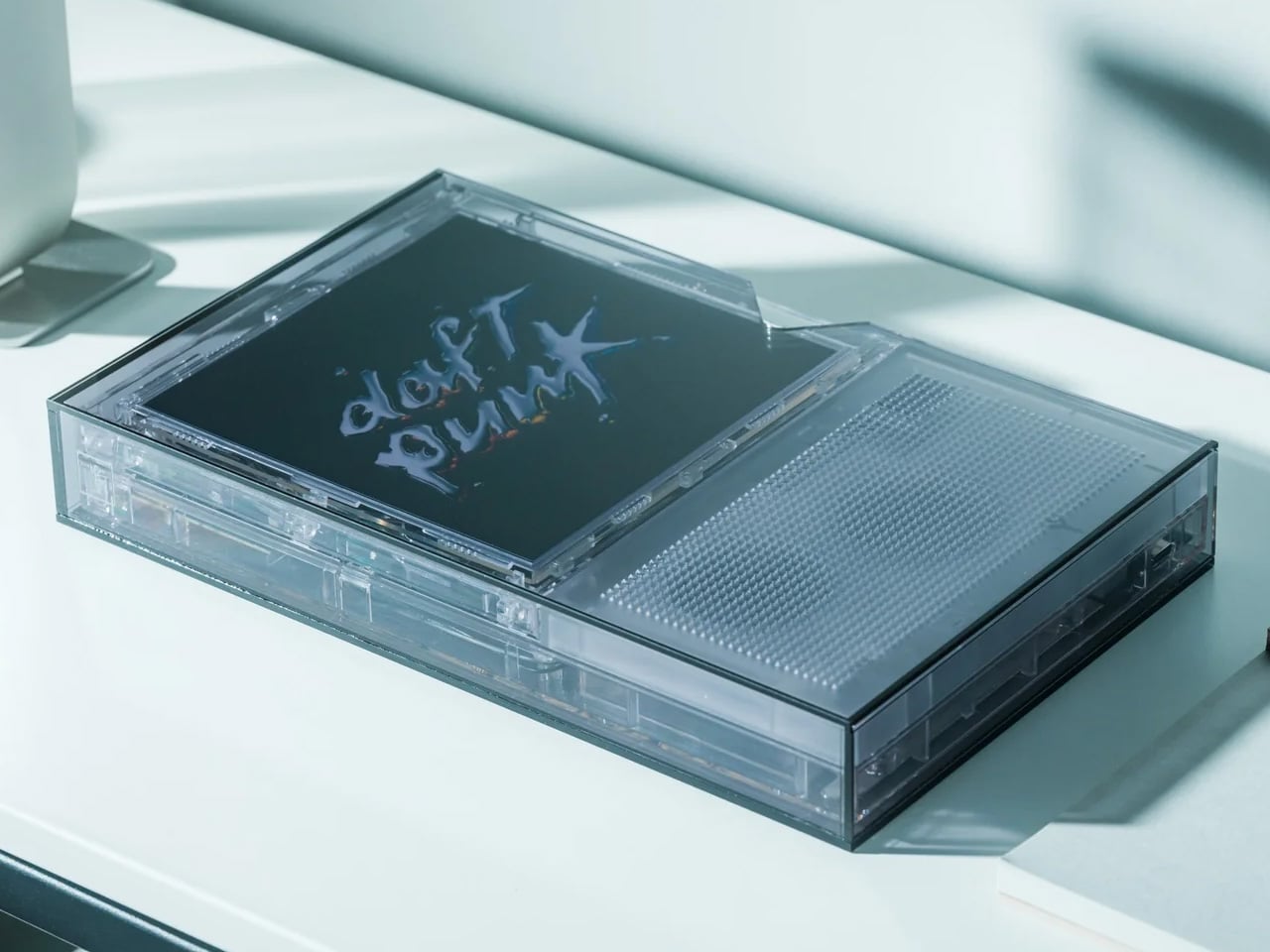
The ClearFrame puts a CD player and a speaker into a frame you can see straight through, and the transparent design earns its place by making the mechanical parts of the player the visual feature rather than something hidden behind matte plastic. Watching a disc spin inside a clear housing is a different experience from staring at a closed box, and the ClearFrame is built around the idea that the hardware itself is worth looking at. The mechanism is the aesthetic. Nothing about that is accidental.
For anyone building a desk around objects that hold their own visually, the ClearFrame gives the CD player a reason to be out in the open rather than tucked away. The disc, the mechanism, the speaker housing: all of it visible, all of it intentional. It is not a nostalgia product. It is a design argument about what audio hardware looks like when it stops hiding its own workings.
Click Here to Buy Now: $240.00
What We Like
- The transparent frame turns the mechanical components into the centerpiece rather than concealing them
- Combines a CD player and speaker into one object with a coherent visual identity
What We Dislike
- Listed under upcoming drops only, so exact pricing and shipping timeline are not yet confirmed
- A clear housing will need regular cleaning to maintain the effect it is entirely built around
6. Cyberpunk 2077 x Commodore 64
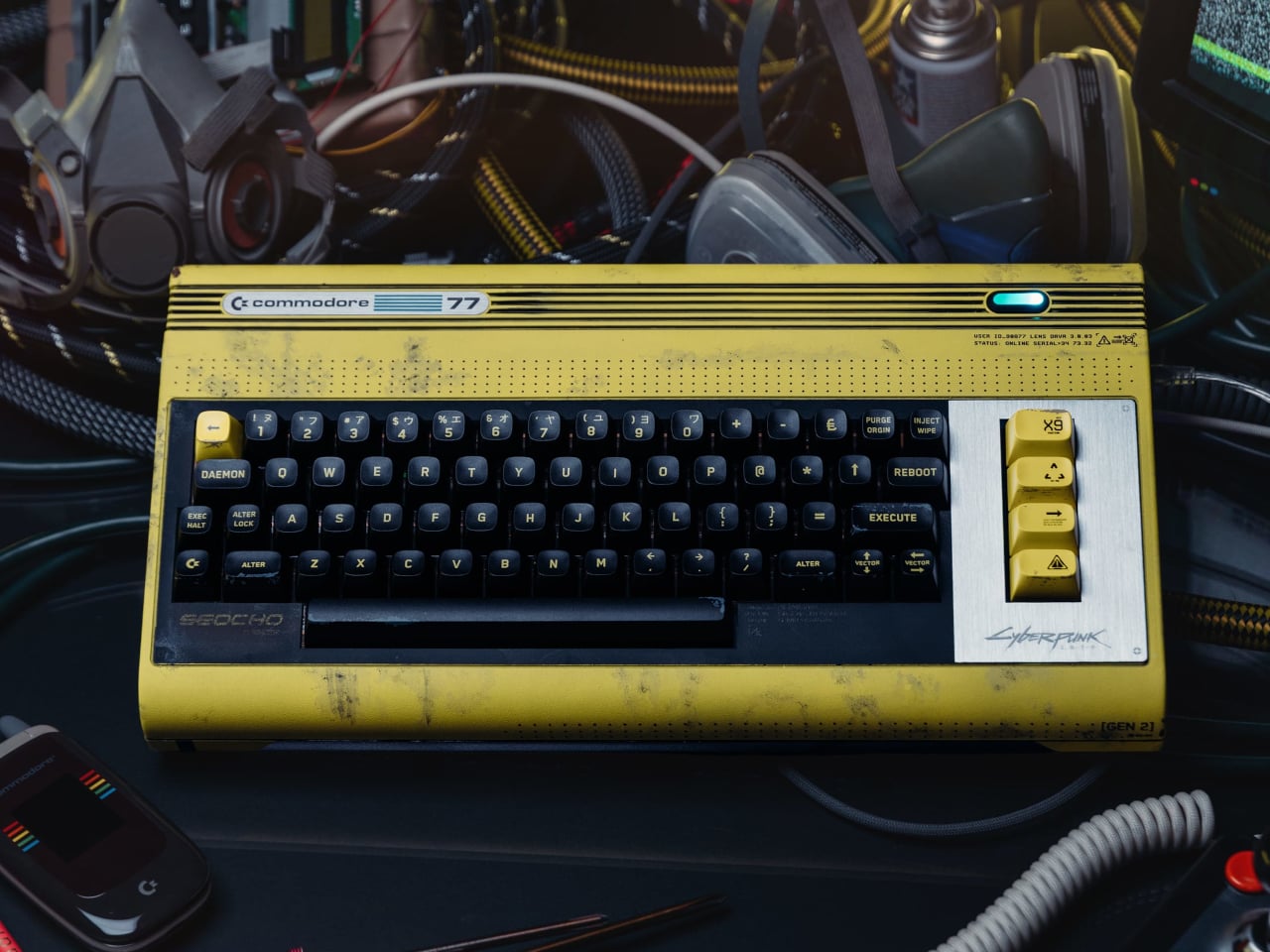

The Commodore 64 launched in 1982. Cyberpunk 2077, the game, is set in 2077. The gap between those two years is roughly the entire history of consumer computing, and this collab leans into that distance rather than papering over it. The result sits at the intersection of two very specific aesthetics: the beige plastic of early home computing and the neon-drenched maximalism of Night City. Somehow they feel like they were always related. The Retro Games Ltd license makes it a real retail product, not a limited drop built on hype.
For people who grew up with a C64 or remember it as the machine that first felt like a home computer, this collab has a logic that is hard to argue with. Cyberpunk’s world is built on the idea that technology accumulates rather than replaces, and a computer from 1982 sitting alongside a game set in 2077 makes that point visually without needing to explain itself. It is the kind of object that earns its shelf space because it means something beyond what it does.
What We Like
- The 95-year gap between the C64’s launch and the game’s setting is the entire premise, and the design commits to it
- A real licensed retail product through Retro Games Ltd, not a concept or an event-exclusive run
What We Dislike
- The appeal is almost entirely to people with an attachment to either the C64 or Cyberpunk 2077 specifically
- As a niche collab object, it will be difficult to track down outside dedicated retro gaming retailers
7. OrigamiSwift Folding Mouse


Standard mice do not pack flat. They sit awkwardly in bags, take up more space than their function warrants, and feel like a compromise every time you travel with a laptop. The OrigamiSwift uses an origami-influenced folding structure that collapses the mouse into something genuinely flat: the kind of object you forget is in your bag until you need it.
Travel mice as a category have existed for a long time, but most of them solve portability by making the mouse physically smaller rather than foldable. Smaller mice are less comfortable to use for any extended session. The OrigamiSwift’s approach is different: it folds to pack and unfolds to a full grip, which means you are not choosing between portability and comfort every time you pull it out. For anyone who works from multiple locations, that trade-off has been the quiet frustration with every travel mouse that came before this one.
Click Here to Buy Now: $85.00
What We Like
- Folds flat for packing without reducing grip size for use, a problem most travel mice simply ignore
What We Dislike
- Folding mechanisms introduce hinge wear over time that rigid designs never have to account for
- Travel-first positioning may mean trade-offs in sensor performance compared to a dedicated desk mouse
8. ROG Ally X Dual-Screen Mod
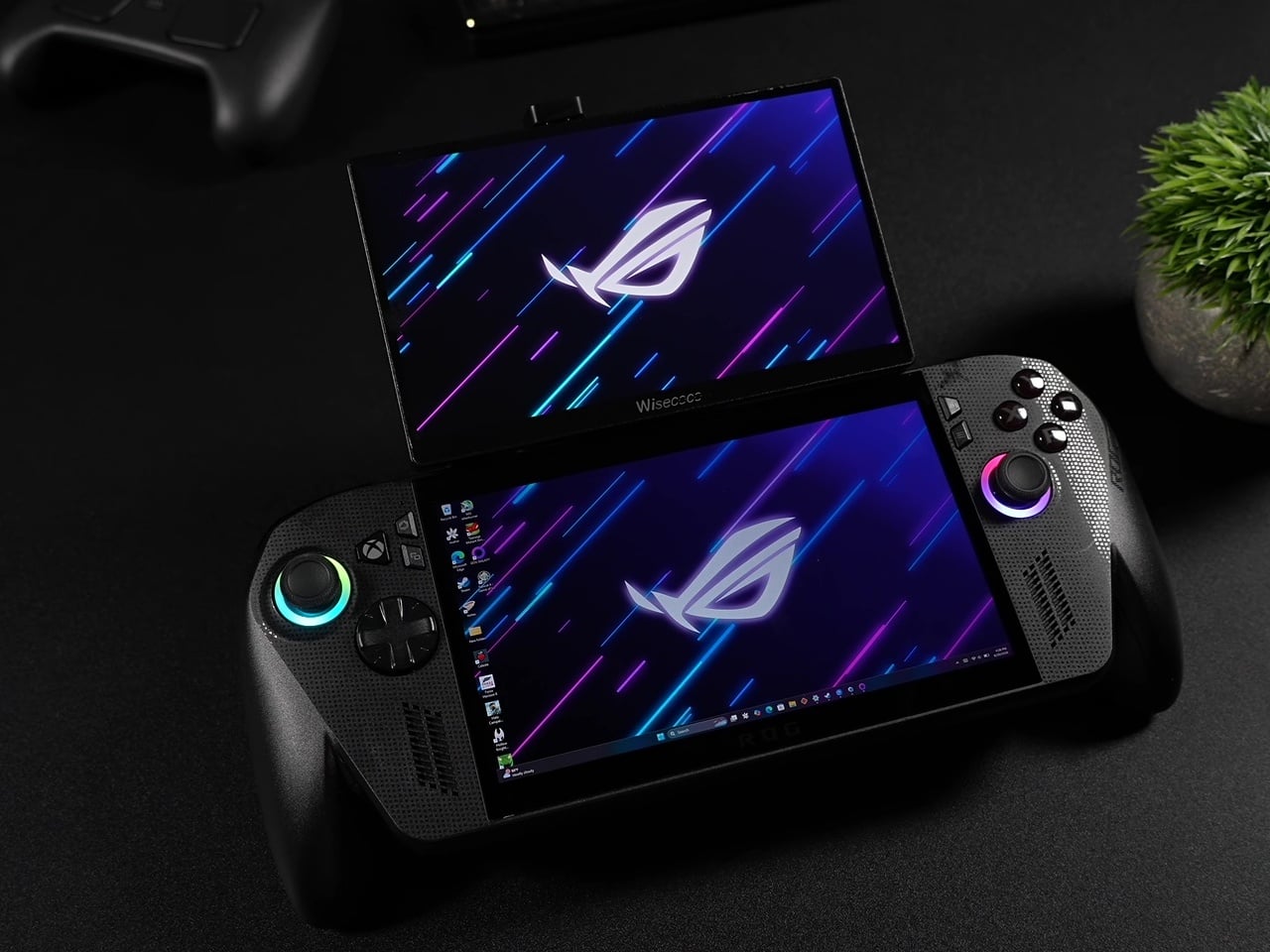
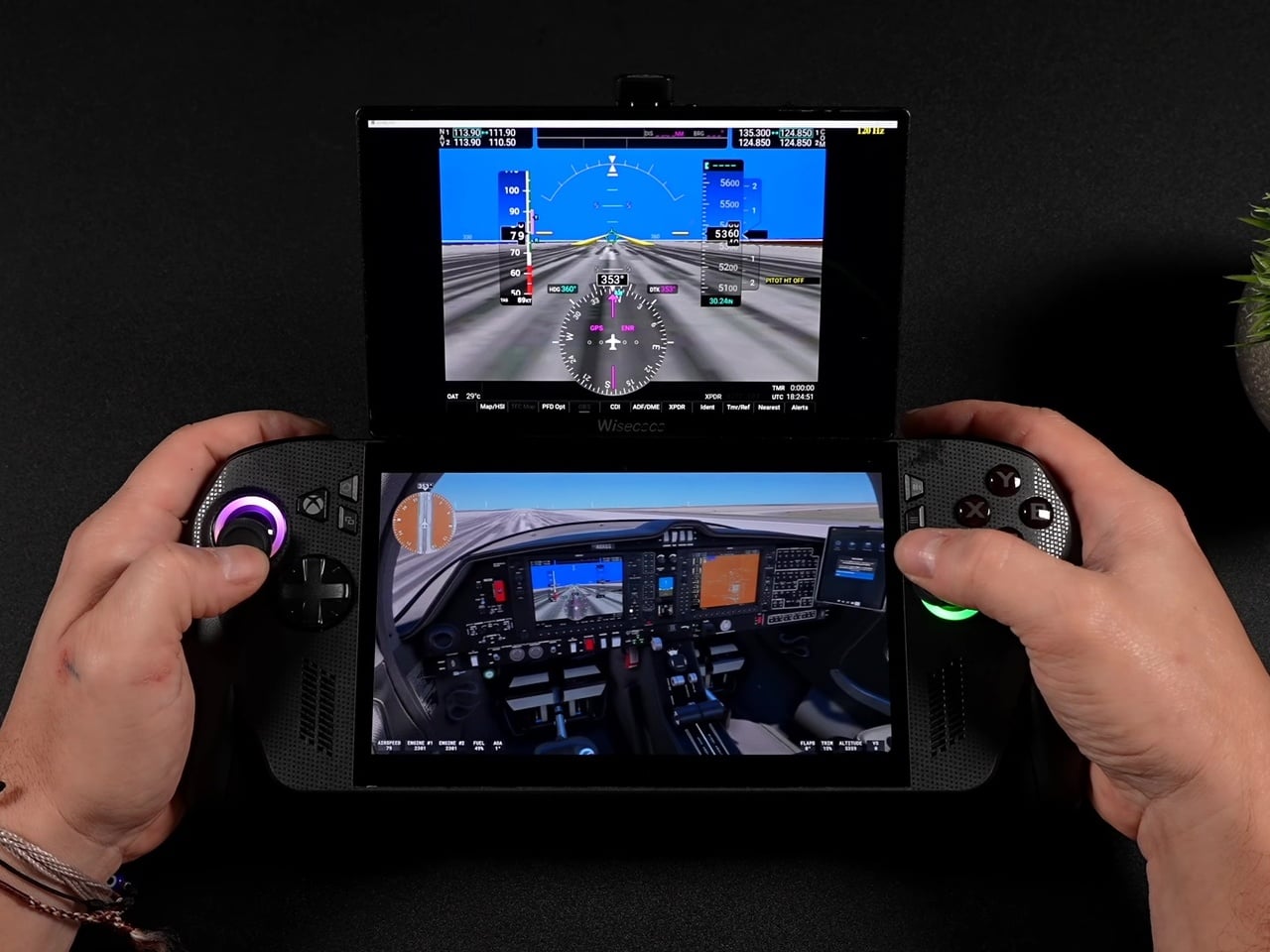
Dual-screen handhelds usually mean buying an entirely new device built around that feature from the ground up. This ROG Ally X mod skips that purchase. It snaps a 120Hz secondary display onto an existing Ally X using a mount system that removes just as easily, which means you get the dual-screen setup when you want it and a standard handheld when you do not. The engineering problem this solves is not new, but the solution here is additive rather than architectural, which makes it the more interesting answer.
It is a maker project, which means you build it rather than buy it, and the plans are documented and freely available. That limits its audience to people comfortable with a hobbyist build. Within that group, it is one of the more compelling uses of a gaming handheld’s form factor to surface this year. The 120Hz refresh rate on the secondary screen is not a placeholder spec either — it keeps up with the primary display rather than undercutting it, which has been the consistent weakness of every dual-screen attempt before this one.
What We Like
- Snaps on and off without permanently modifying the Ally X itself
- 120Hz on the secondary screen matches the primary display rather than being a visible step down
What We Dislike
- No kit to order — you source and assemble the components yourself, or you do not have it
- A second active display will draw additional power from the Ally X battery, which is already a known constraint on the device
September is not a month that usually swings this hard. Three products you can buy today, two from the YD shop, a maker build you can start this weekend, and an iPhone that lands in 16 days at a price that will generate more conversation than almost anything Apple has shipped in years. The range across eight picks is wider than usual, and that width is the point.
The through line is stubbornness. Every one of these objects exists because someone decided the accepted version of the thing was not good enough and built a different answer. A crease-free fold. A toothbrush that watches you brush in real time. A CD player you can see straight through. A photo that ejects itself from a camera. That kind of thinking does not happen every month. September had a good one.
The post The 8 Best Gadgets of September 2026 first appeared on Yanko Design.