The OnePlus 12 has officially launched in China and now the company’s most powerful phone is coming to the rest of the world. OnePlus has announced global availability for January 23, including the US. All told, the company ways the phone will be available in 50 markets worldwide. If you’ve been intrigued by the company’s latest flagship smartphone, you won’t have long to wait until getting your hands on one.
This phone certainly has mouth-watering specs. You can soup it up with up to 24GB of RAM, which is more than I have in my work laptop and the same amount as my music and video-making desktop. The base model ships with 12GB of RAM, which is still plenty. As a comparison, the iPhone 15 boasts just 6GB of RAM.
These phones also offer up to 1TB of storage and come outfitted with the Qualcomm Snapdragon 8 Gen 3 mobile chipset. Charging speeds are also great on paper, offering support for 100W wired fast charging and 50W wireless charging. Incidentally, the OnePlus 11 didn’t have wireless charging at all.
There’s a new Sony LYT-808 sensor for the 50-megapixel main camera and a 64-megapixel periscopic telephoto camera. The 6.82-inch 120Hz AMOLED display is a 2K panel manufactured by China’s BOE Technology Group.
The aesthetics resemble its predecessor, but the camera island’s color now matches the body. In addition to glossy white and classic matte black colorways, you can also purchase a OnePlus 12 in green. There’s no pricing yet, but in China this thing costs the equivalent of $610 for the base model and $820 for the high-end version with 24GB of RAM and 1TGB of storage.
The OnePlus 12 is being released as part of the company’s 10th anniversary. This isn’t the only big news to come out of that celebration. OnePlus has also announced it’ll be selling the OnePlus 12R smartphone in other parts of the world beyond China and India, a first for the “R” series. However, OnePlus hasn’t announced any specs or information about the 12R. The OnePlus 11R was a slightly underpowered and budget-friendly version of the flagship phone, so maybe the 12R will follow suit.
This article originally appeared on Engadget at https://www.engadget.com/oneplus-12-with-snapdragon-8-gen-3-will-be-available-globally-january-23-162610102.html?src=rss
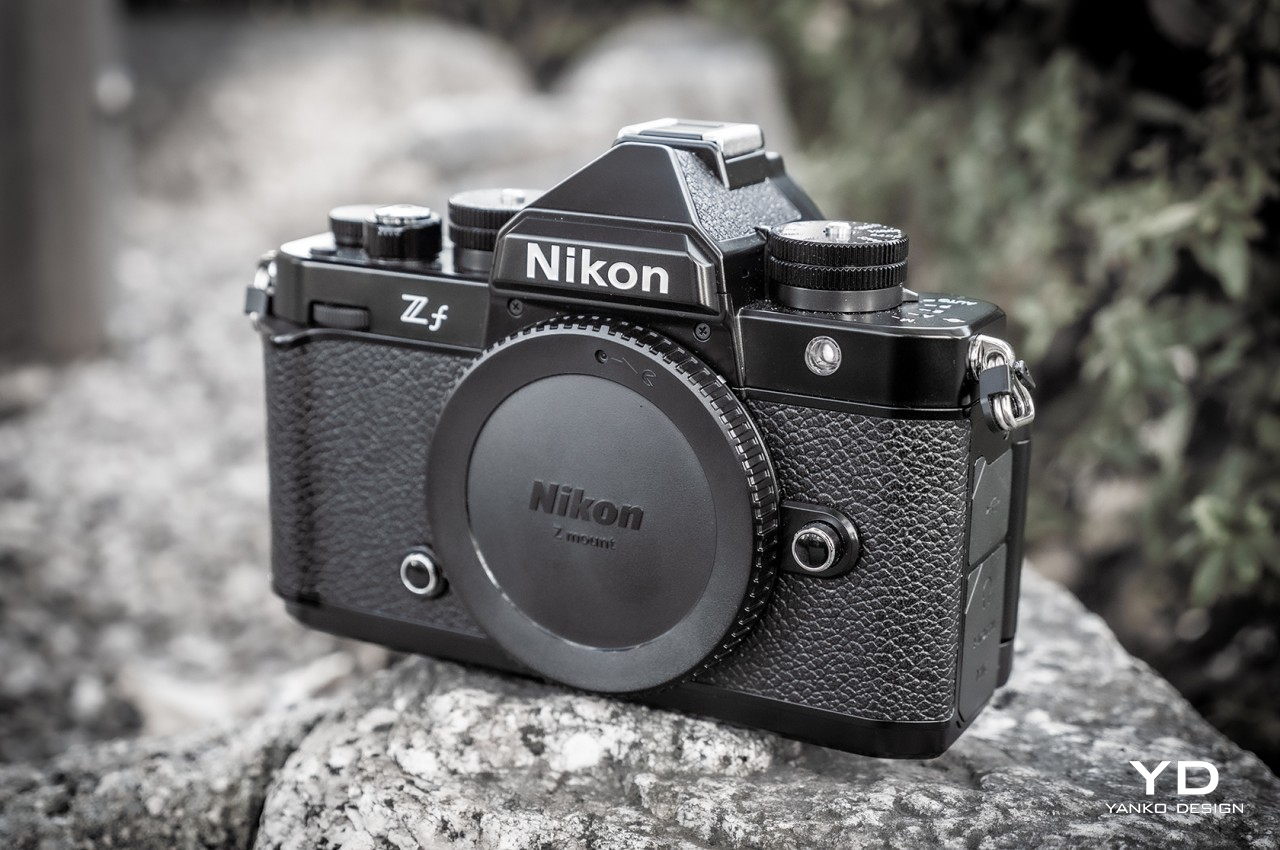
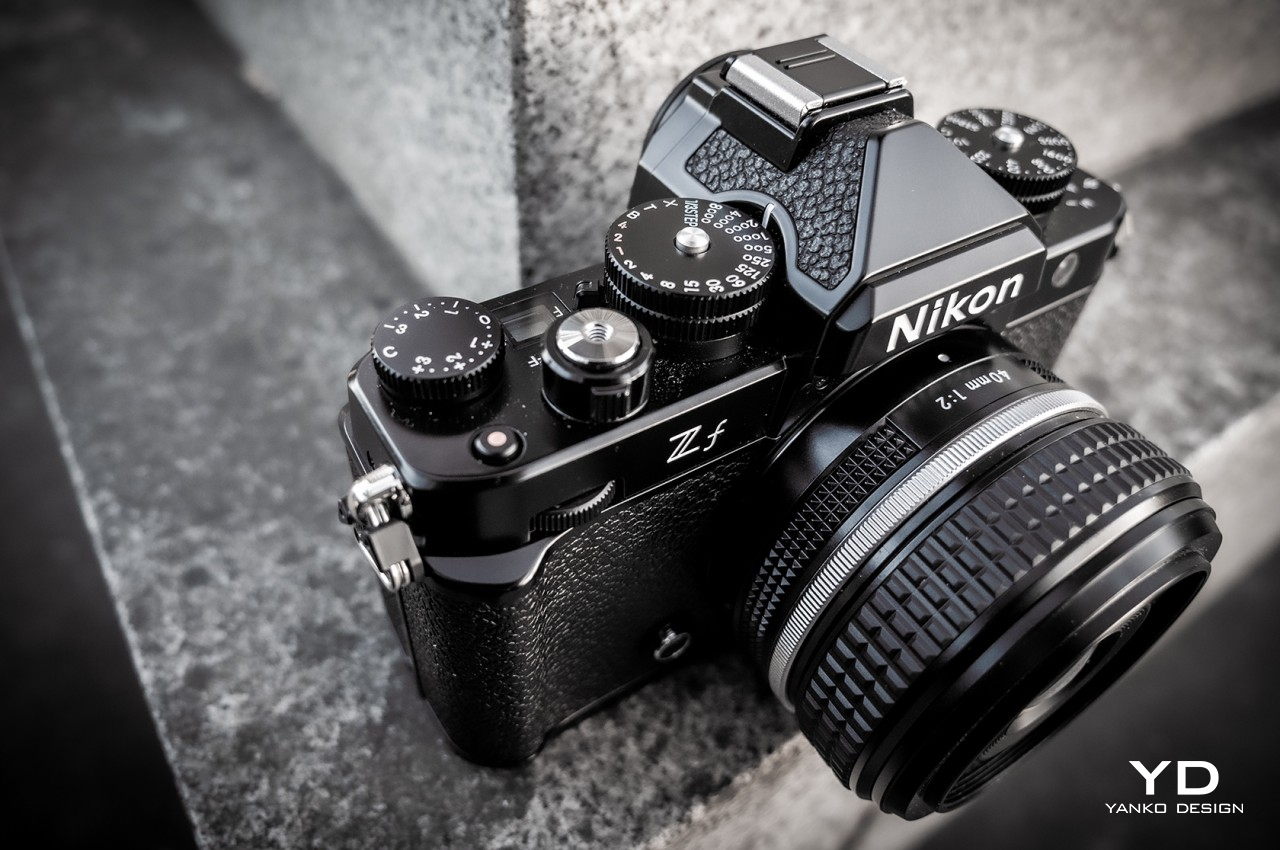
The Nikon Zf mirrorless camera finally gets the right mix of a classic design that photographers love and the modern performance that photographers need.
The powerful cameras inside our smartphones were touted to spell the end of dedicated cameras, but that couldn’t be farther from the truth. Not only are smartphones severely limited by their sizes, mobile photographers actually graduate into pros and switch to these more powerful and larger cameras. Digital cameras, both DSLR and mirrorless, have also been progressing in their designs, though some seem to have hit a wall in bringing classic aesthetics to present-day specs. Nikon has had a few hits and misses in the past, but that hasn’t stopped it from trying yet again. With the Nikon Zf, the brand makes another attempt at reviving its classic SLR aesthetic for the 21st century, and we give it a good look to see if it manages to finally pull it off.
Designer: Nikon
Aesthetics
Unless you count outliers inspired by Polaroid-style instant cameras, the basic design of cameras hasn’t changed that much in decades. Sure, there are new components like LCD touch screens, D-pads, joysticks, and buttons, but the shape, knobs, dials, and even the location of these elements have mostly stayed the same. There is definitely staying power in the classic camera designs, and Nikon has been trying to bring back those memories and grow a new appreciation for them with the new Nikon Zf, and to much success, we’re happy to say.
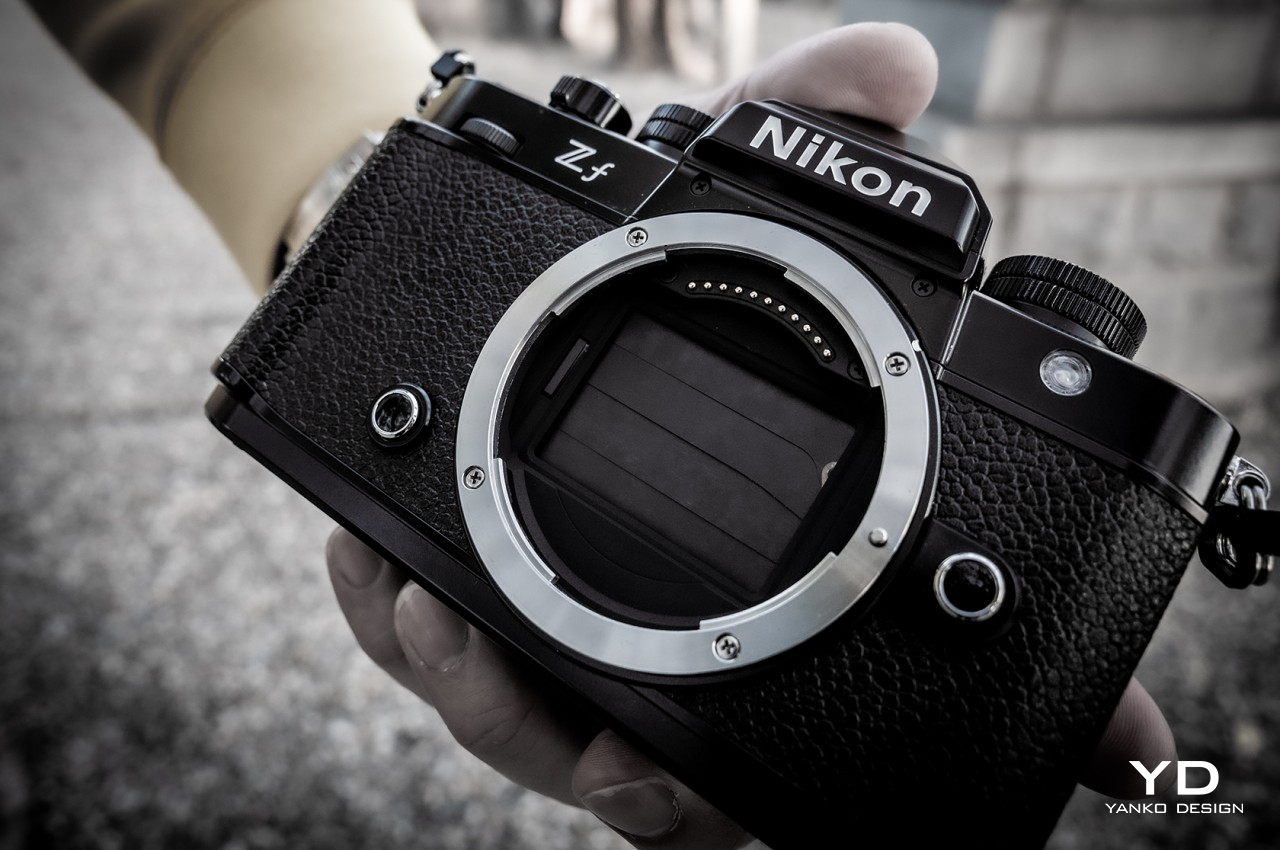
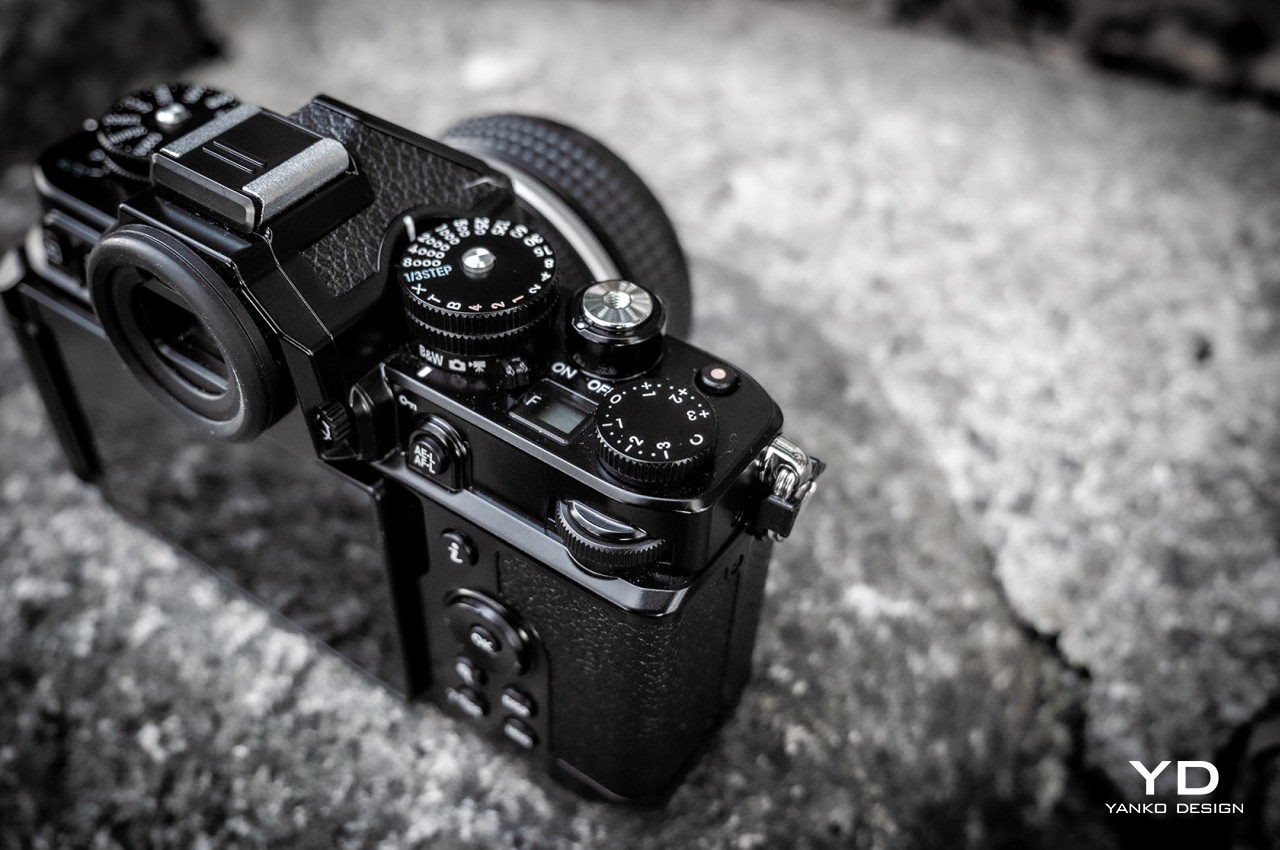
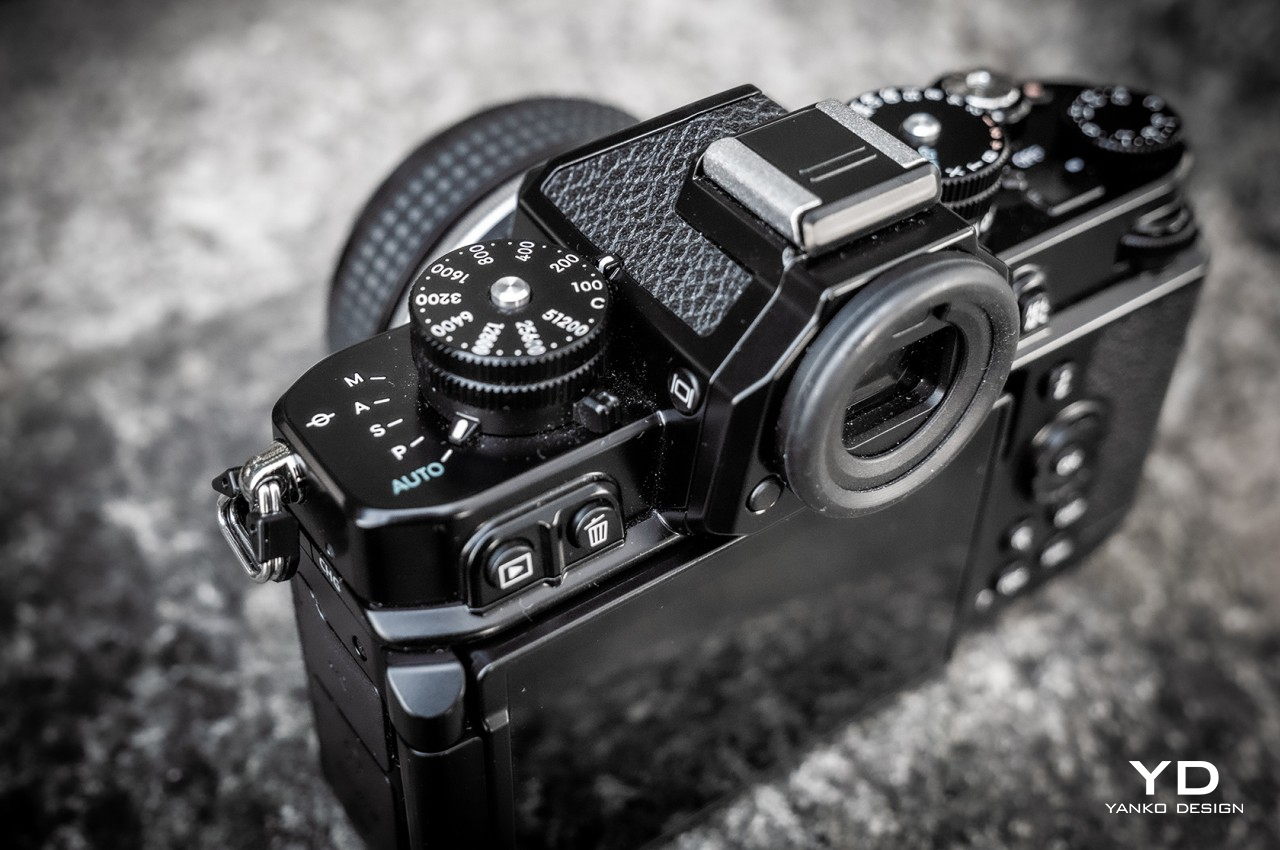
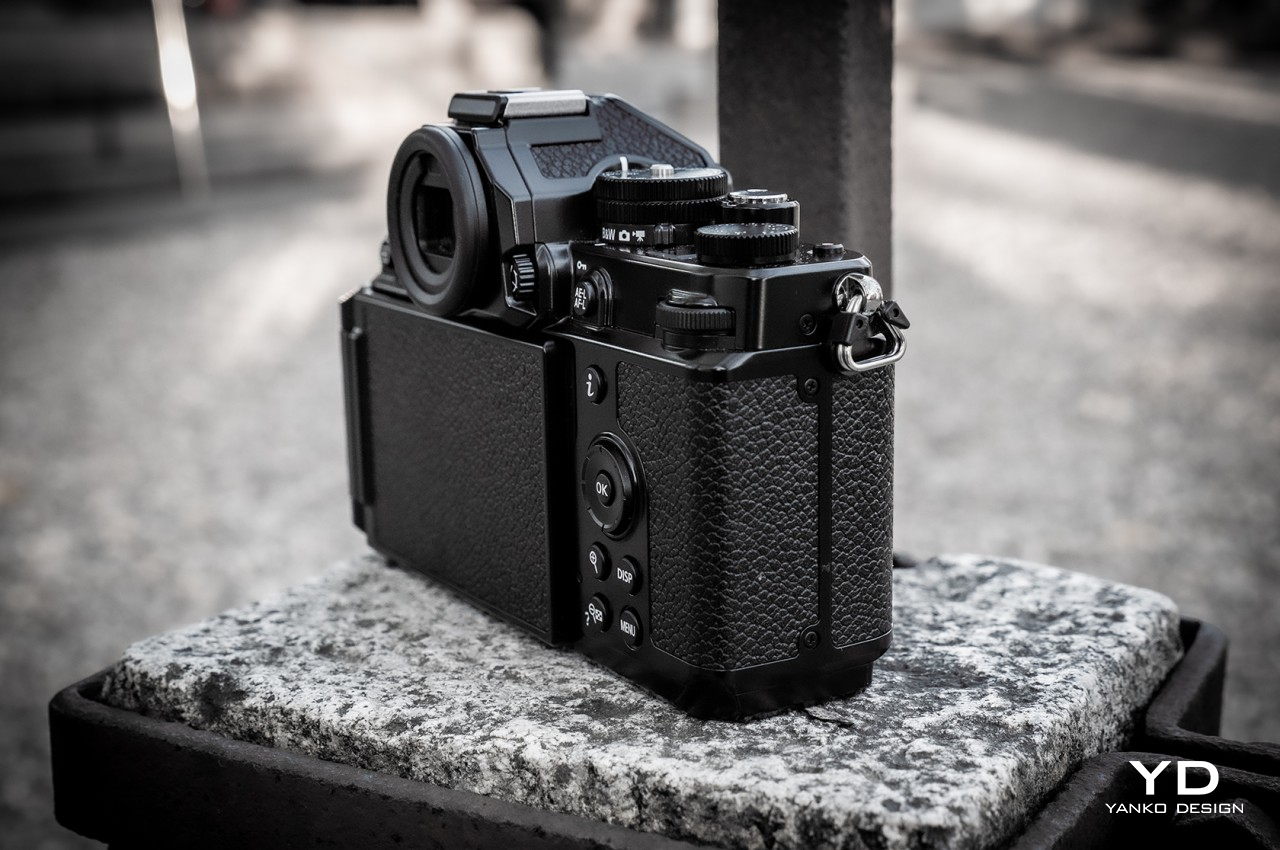
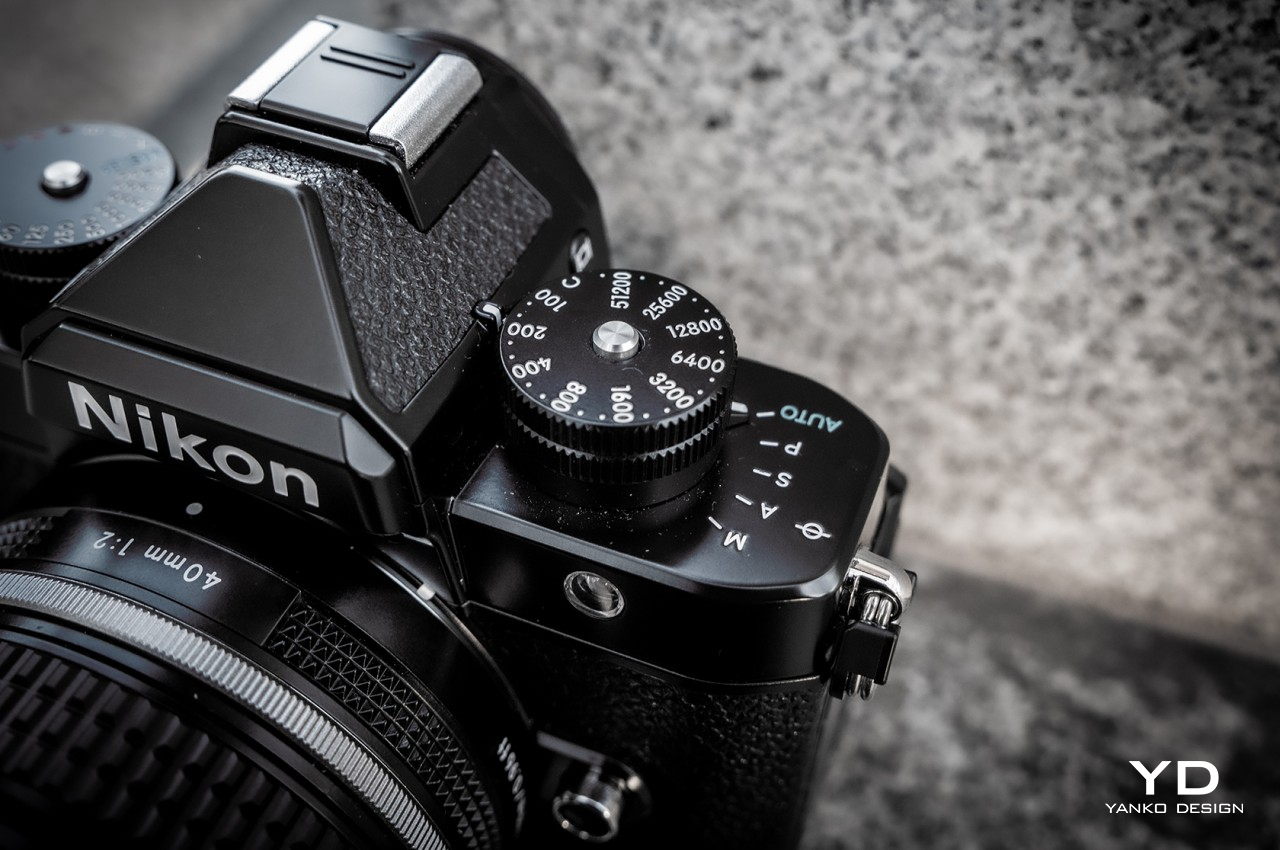
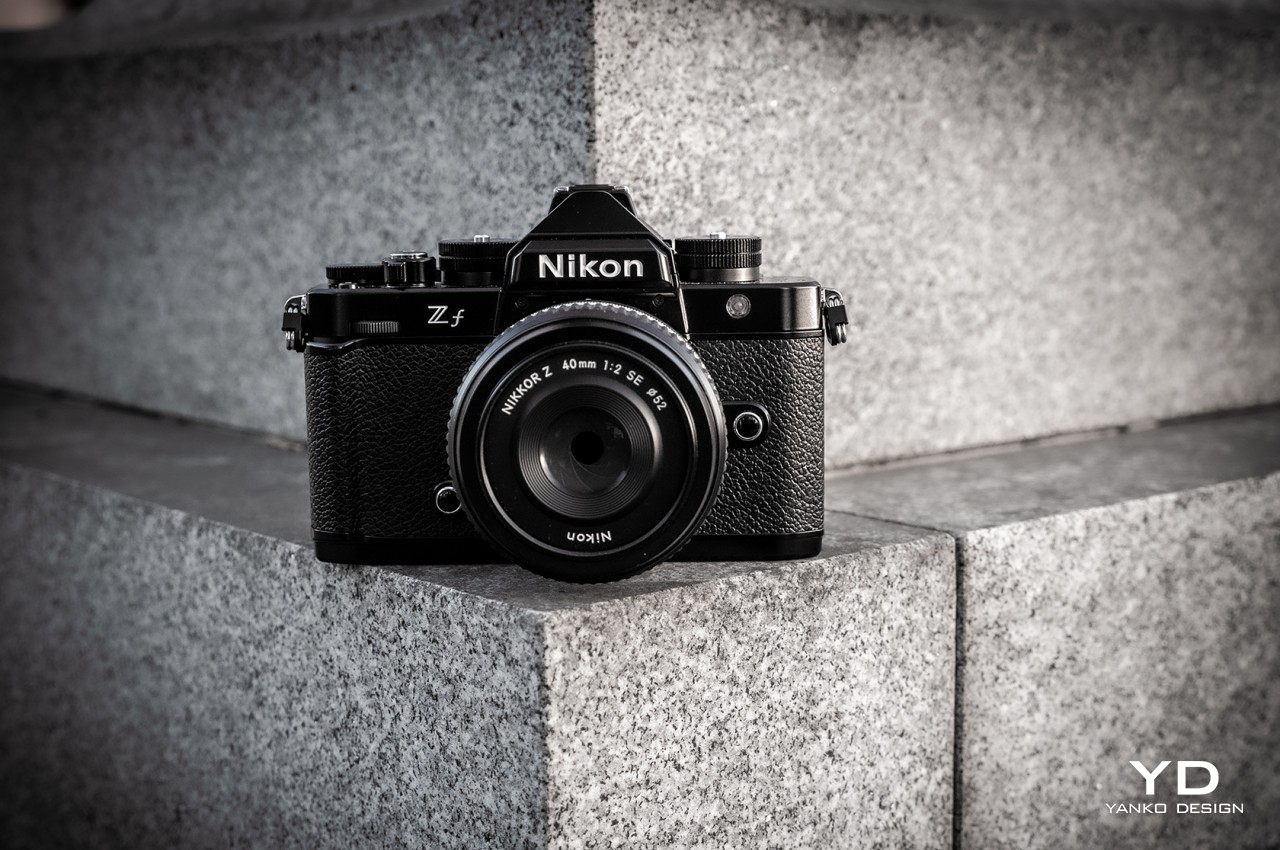
The Nikon Zf accurately captures the look and feel of the brand’s early SLRs almost to a fault. It has that all-black finish on a simple and almost featureless rectangular body, wrapped in leatherette covering, and topped by a collection of chunky dials made from brass. The back does have modern amenities like a touch screen, a directional pad to navigate certain options, and buttons as shortcuts to most-used functions, but the overall look remains classic and vintage to some degree. Unfortunately, Nikon opted to really stick close to the old design of cameras like the 80s FM2 to the point that it barely added a hand grip that has become a necessity in this day and age.
Unlike the camera maker’s previous attempt, namely the Nikon Zfc, the Nikon Zf feels just as premium as it looks. You can definitely feel the magnesium alloy body that gives it a solid build, and the brass controls add more to that heft, for better or worse. Unfortunately, the choice of materials may have limited Nikon’s color options, as there is no combination that uses a silver finish for the top section, though there are other leatherette colors available to match your preferred style.
Ergonomics
The Nikon Zf’s solid construction helps it feel premium, but that also works against it in one particular manner. The mirrorless camera has quite a bit of heft to it, which wouldn’t be a problem except for one design quirk. Unlike some cameras today, the Nikon Zf doesn’t have a substantial hand grip that would have improved the ergonomics of the design. It does have a small elevation on the right side of the camera body, but not exactly enough to offer confidence and stability. And that’s not even considering the weight of the lenses you will be attaching to the camera.
You can add a hand grip courtesy of an official Nikon accessory, but that’s an added $40 on top of the camera’s already substantial price tag. There are Nikon cameras that do have such a large hand grip built-in, so it’s not like it’s an alien concept for the manufacturer. It just intentionally chose to stick to this old-school design that, unfortunately, didn’t have that kind of focus on ergonomics.
Fortunately, using the Nikon Zf isn’t that much of a difficult chore, with most of the important dials and buttons within easy reach of your right thumb. The analog dials give a satisfying tactile experience while switching modes, ISO levels, and more. The vari-angle LCD screen makes it possible to capture photos and videos even from difficult angles, though the mushy circular directional pad makes it a little less enjoyable to navigate the camera’s menus, at least compared to a joystick.
Performance
It might look vintage, but the Nikon Zf is definitely equipped to handle the challenges of modern photography. In addition to the tried and tested 24MP full-frame BSI CMOS sensor that it has been using on well-received mirrorless cameras, Nikon has installed a newer Expeed 7 processor that opens up more possibilities for photographers, particularly when it comes to subject recognition and object tracking with autofocus. It’s quite an impressive combination that puts the Nikon Zf on par with many modern digital cameras these days. Admittedly, it’s not exactly a revolutionary new feature but at least it won’t be lagging behind its peers.
The images the Nikon Zf produces are definitely no joke, with clear and crisp details matched with accurate colors that are neither too warm nor too cold. The 8-stop in-body image stabilization makes short work of shaky hands, though you’ll still want to grab a tripod for features like pixel-shift multi-mode that composes multiple shots together for a higher-res image, or 14fps continuous shooting. The Nikon Zf has plenty of other interesting modes that let photographers flex their artistic muscles. Black and white modes offer basic Flat or red filter Deep Tone controls, and it even has a dedicated switch on the dial for this mode. You can also record videos, something the original SLRs couldn’t, at up to 4K 30fps (full-frame) or 60fps (1.5x crop).
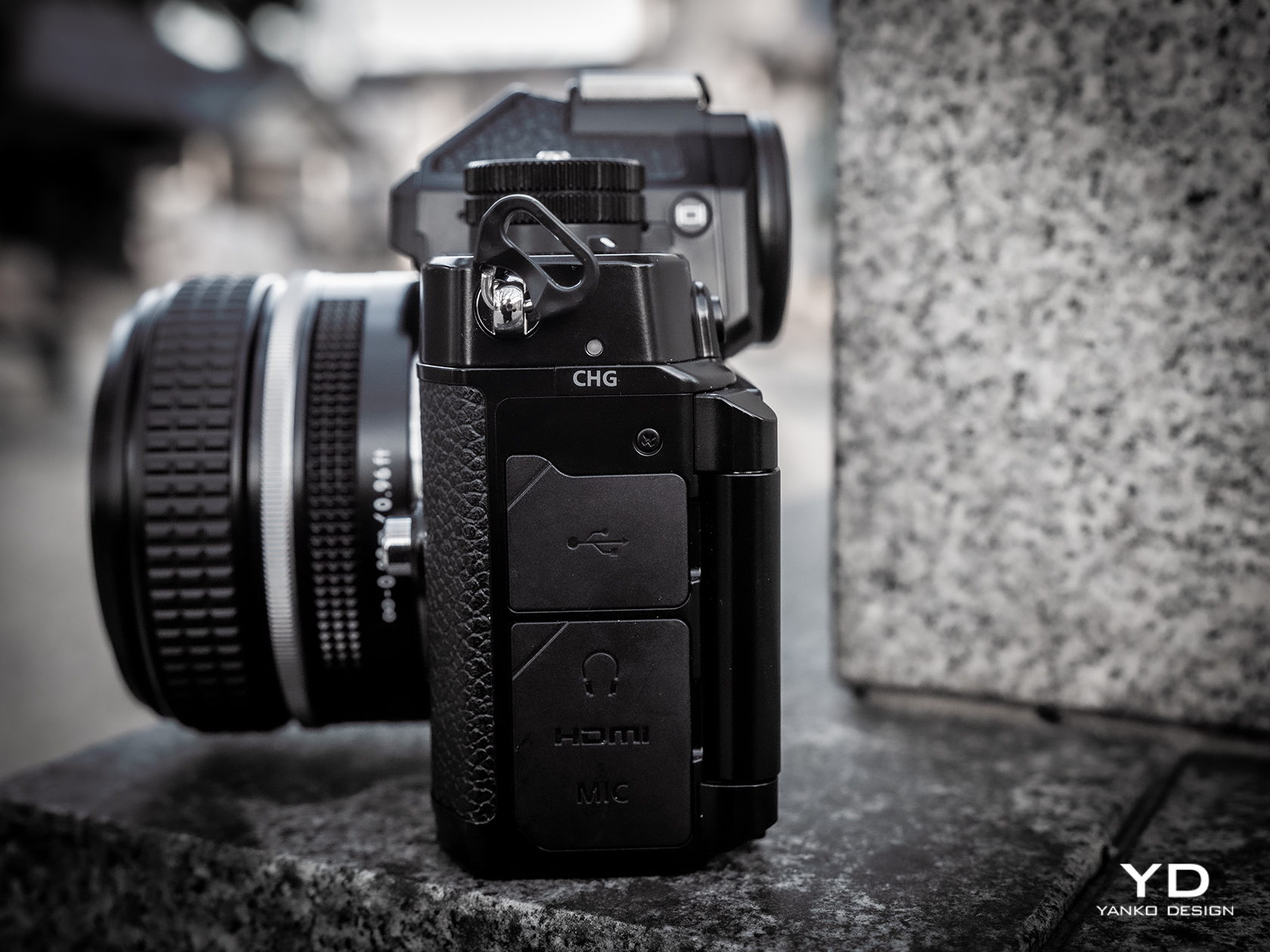
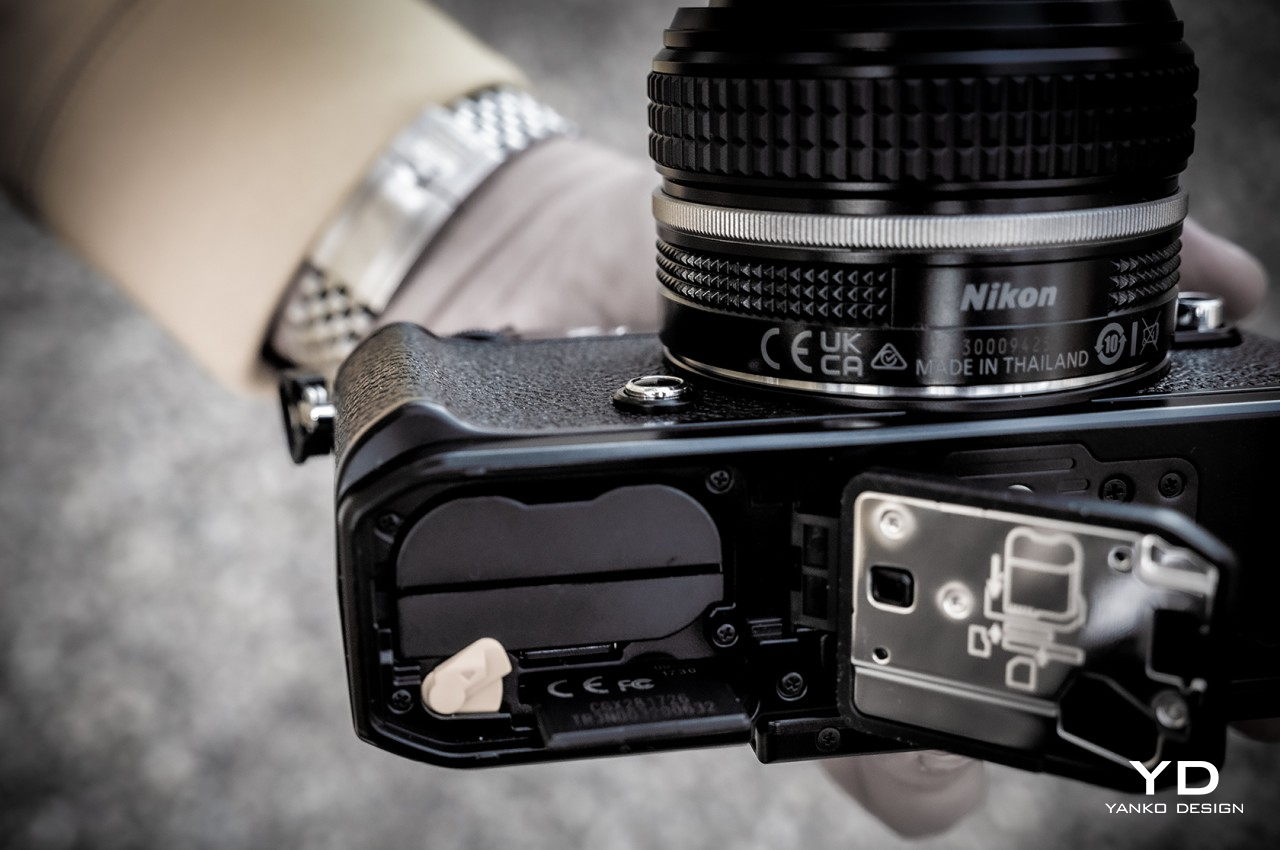
The mirrorless camera, powerful as it may be, also has a few design quirks when it comes to hardware. Some of them look good on paper, while others might leave you scratching your head. There’s a second memory card slot that can be used for backup, for example, but it can only fit a slower microSD card compared to the main UHS-II SD storage. There’s also an HDMI port for an external monitor, but it’s of the older and somewhat rare micro HDMI variety, not even a mini HDMI port. Not exactly deal breakers, but something you might want to keep in mind when buying accessories.
Sustainability
The choice of magnesium alloy for the body and brass for the controls gives the Nikon Zf a bit of an edge when it comes to sustainable materials. Sure, there is still plenty of plastic inside, especially in places where Wi-Fi radio signals have to pass through, but the amount of plastics used is reduced to some extent.
Those materials also help preserve the camera’s longevity and long-term value. The solid construction adds to the product’s durability, while the magnesium alloy shell is advertised to be dust and drip-resistant. The brass metal components also gain character as the surface develops unique patinas over years of use.
Value
One of the biggest hurdles that aspiring photographers have to climb over is the seemingly insurmountable price tag attached to these cameras. You could easily buy two or even three of the most powerful smartphones for the price of a single mirrorless or DSLR camera and you’d be able to use those devices for more than just photography. Of course, this is comparing apples to oranges, but it’s a challenge that all budding photographers will have to overcome someday.
The Nikon Zf, for example, goes for a hefty $1,999.95, and that’s for the camera body alone, which you can’t use as-is. You’ll need to attach a lens, and if you’re scratching from scratch, you’ll need to throw in another $400 or more for a complete kit. Might as well add the $40 SmallRig to get the extension grip that will help prevent accidents that will flush that expensive investment down the drain. In the end, the Nikon Zf is exactly that: an investment. It definitely has the right mix of features that will let you capture stunning and potentially award-winning shots or videos, features that won’t become obsolete in just a few years, unlike smartphones.
Verdict
The digital camera market is far from dead, though some will definitely say it is crawling to a stop. That doesn’t mean there’s no more room or opportunities for improvement, especially when trying to find the right mix of design, performance, and price. We only need to look back to the past to see where we went wrong and what we did right, and the Nikon Zf is definitely putting those hard-earned lessons to heart in order to bring a fusion of the past and the present while looking toward the future.
It’s far from being the best mirrorless camera in town, even among Nikon’s roster, but it strikes a good mix of essential features that photographers from all ranges will be able to appreciate and utilize. It packs those in a design that embraces Nikon’s legacy wholeheartedly, as if trying to prove that those designs are far from being obsolete, even decades later. Sure, there are some things we wished Nikon did differently, especially with the grip, but those don’t detract from the fact that the Nikon Zf is one solid and stylish mirrorless camera that photographers need to take note of.
Shopping for a home theater setup typically means buying a soundbar, subwoofer and rear speakers separately. Some companies may include a sub with the soundbar, but you don’t always get everything you’ll need for the most immersive sound in the same box with high-end models. Samsung includes all of those additional speakers with the HW-Q990C soundbar ($1,900), though you’re obviously paying a premium. The company offers Dolby Atmos along with a range of audio options and two HDMI inputs, beaming crisp 11.1.4-channel sound into your living room. The Q990C is a significant investment, but it’s also one-stop shopping.
Design
As the Q990C is Samsung’s high-end soundbar in its current lineup, it’s also the biggest. It’s 48.5-inches wide, which is actually about three inches less than the Sony HT-A7000. Of course, companies need the extra space on the flagship models to pack in all of the speakers. In Samsung’s case, the Q990C houses 11 front-facing drivers (including some side-firing), four up-firing drivers and an internal subwoofer. The separate wireless sub is also substantial at 16 x 16 x 8 inches and weighing in at 26 pounds. The wireless rear speakers aren’t huge, but they do have a three-driver setup with front-, side- and up-firing drivers where other companies might only have one.
Samsung opted for a mesh plastic covering for both the soundbar and rear speakers. It’s easier to keep clean than the typical speaker fabric. Samsung also kept things simple on the soundbar itself, putting just four buttons up top. Here, you’ll find a multi-function button that either turns the speaker on or cycles through the input sources. Volume controls and a microphone mute. From the front, a small display on the right side will show you input information, volume level and other settings. Instead all 90-degree angles the Q990C’s side panels follow the position of the side-firing speakers.
Setup
The initial setup for the Q990C is among the easiest I’ve ever completed for a home entertainment bundle. Once you power on the soundbar and connect it to the SmartThings app, the subwoofer and rear speakers are automatically added when you turn them on. There’s no waiting for anything to sync and I didn’t have to connect each thing individually. There are buttons on the sub and rears if you need to manually connect to the soundbar, but I never had to use them. The whole thing was quick and frustration-free, which gets you to the music and movies soon after unboxing.
Like many flagship soundbars, Samsung has included two additional HDMI inputs on top of the HDMI eARC jack you’ll use to connect your TV. Many more affordable, more compact models only have the eARC connection so you have to rely on your TV’s ports, but the pricier models typically offer additional options for connecting directly to the soundbar. Samsung says you can expect 4K/60 and HDR10+ passthrough on the Q990C, but not 4K/120 as the unit doesn’t have HDMI 2.1. That’s a big omission in a $1,900 soundbar being sold in 2023.
There’s also an optical input on the Q990C as well as Bluetooth and Wi-Fi connectivity. The latter brings Tidal Connect, Spotify Connect and AirPlay to the mix. It also allows you to connect wirelessly to a compatible Samsung TV for audio. This means you can get Dolby Atmos to the soundbar with no cables running from your television, which is handy if you’ve already mounted the display flush with the wall. And if you have a compatible Samsung phone, you can enable Tap Sound which connects to the Q990C via Bluetooth when you gently touch the speaker with the handset. As an iPhone user, I wasn’t able to test this.
SmartThings app and other features
One of the rear speakers
Photo by Billy Steele/Engadget
In addition to helping with setup, the SmartThings app is where you can tweak the Q990C’s settings. The current input and volume controls are the most prominent on the device screen, with sound modes, EQ and woofer level just below. There are also options for SpaceFit Sound, which automatically tunes the audio to the room, and Active Voice Amplifier, which combats room noise by optimizing on-screen dialog. The advanced settings menu offers voice and bass enhancement alongside a Night Mode, but all of these are on or off toggles with no further customization. SmartThings allows you to choose either Bixby or Alexa for the voice assistant you want to employ on the soundbar.
Samsung lets you choose between Standard, Surround, Game Pro and Adaptive Sound modes. The first doesn’t tweak the audio at all and it’s the only mode where the fully adjustable EQ is available (just bass and treble on the rest). For all of the others, the Q990C upscales 2.0, 5.1 and 7.1 audio to the 11.1.4-channel output the soundbar offers. Of course, all Dolby Atmos and DTS:X content is beamed out at 11.1.4, too. Surround mode is self-explanatory while Game Pro creates more immersive audio with 3D-optimized sound specifically for gaming. Adaptive Sound is the option I used most as it analyzes audio in real time to keep dialog sounding clear across a range of volumes for movies, news and sports. I found it the best-sounding preset for music, too.
In addition to selecting a sound mode in the app, you can cycle through them with a dedicated button the included remote. It also gives you access to SpaceFit Sound, Active Voice Amplifier, Voice Enhancement and more with a Sound Control button that’s labeled with the settings/gear icon. A Channel Level button lets you adjust the volume of each speaker, with Center level, Side level, Wide level, Front Top level, Rear level, Rear top level and Rear side level among the choices. There’s also a button for Tone Control, putting bass and treble tweaks just a few button presses away. These are all in addition to the standard power, input, volume (overall and subwoofer only), mute, pairing and playback options soundbar remotes typically have.
Sound quality
Thanks to the Q990C’s upscaling abilities, nearly every movie or TV show sounds more immersive than if you were listening in stereo or even with a 5.1 setup. Netflix’s Drive To Survive, which is offered in Dolby Atmos if you have the priciest Ultra HD plan, is still amazing with this soundbar for those of us on the more affordable monthly rate. The whir of the cars as they zoom past, pitlane noise and crunching crashes make the meticulously-shot series even better. Marvel shows and movies on Disney+ are available with Atmos and they sound amazing.
I can confidently say this is the closest I’ve come to a movie theater-like experience in my living room. The additional drivers in the rear speakers undoubtedly elevate the overhead sensation, contributing significantly more to directional audio than normal single-driver units. Fight scenes like the one that opens The Falcon and the Winter Soldier are loud and chaotic, but they sound more like you’re watching in real life, taking in the thud of each punch, the fire of every gun and the drone of choppers navigating the canyon.
The Q990C is also a great option for music. Crisp, clear highs and powerful, punchy bass compliment nearly every genre. Even at lower volumes, tunes like Sia’s “Everyday Is Christmas” come across layered rather than compressed. Vocals cut through clear and the bassline doesn’t overpower. The same goes for Turnpike Troubadours’ A Cat in the Rain where each member of the band stands on their own, with snare hits and country-rock vocals slicing through the mix. Bass from the large subwoofer is present but restrained, only as bombastic as it needs to be and never muddy or dull.
The full set that comes with the Q990C
Samsung
The sound on those albums was impressive and I wasn’t even streaming them in Dolby Atmos. Tunes in the immersive format sound even more incredible on the Q990C. TesseracT’s prog-metal War Of Being is soaring and atmospheric, with the staccato guitars and slapped bass on tracks like “The Gray” showing off the dimensional quality of Atmos Music. Less intense genres like Tyler Childers’ Rustin’ In The Rain come across more like live performances than streamed albums. The sound is full, crisp and envelopes the room with guitars, piano, steel guitar and perfectly calculated drum hits, all supporting Childers’ trademark eastern Kentucky vocals.
This soundbar system works well in a multi-room setup, too, and you don’t need other Samsung speakers to do it. Thanks to AirPlay, you can easily select the Q990C and other speakers on your Wi-Fi network. I was able to consistently link the soundbar with a HomePod in another room with just a few taps in Apple Music. The audio performed consistently once the two speakers were linked and I never heard any dropouts or clipping when they were used in tandem.
One audio feature that I wasn’t able to test is Q-Symphony. This uses the speakers inside Samsung TVs in addition to the drivers in the soundbar setup. The company promises it “can optimize all the channels” for a “masterfully orchestrated sound experience.” I don’t have a Samsung TV, but the soundbar system sounds great without it. What’s more, this sort of thing isn’t unique to Samsung devices as Sony offers a similar tool called Acoustic Center Sync with its soundbars and TVs.
The competition
Sony’s HT-A7000 is the best alternative to the Q990C. It also does Atmos and music very well, but everything you add to it is an additional purchase. At current prices, the soundbar, the cheapest sub and rear speaker options will cost you $1,600 while soundbar alone is $1,000. There are better choices for both the woofer and rears, but those significantly raise the price.
The A7000 offers a lot of what the Q990C has on its spec sheet. That includes the two HDMI 2.1 inputs with 4K/120 passthrough. Sony includes compatibility with both Hi-Res and 360 Reality Audio alongside various pieces of virtual surround tech and a number of sound modes. The key differences between this and the Q990C is that the A7000 is a 7.1.4-channel setup, versus 11.1.4, and the aforementioned HDMI 2.1 support.
The Q990C is currently on sale for $1,400, but it’s unclear if that price cut is permanent. The $500 savings make the all-inclusive Samsung setup even more attractive, if you can live without HDMI 2.1.
Wrap-up
Samsung’s latest flagship soundbar is a sonic powerhouse. And, perhaps more importantly, it comes with the subwoofer and rear speakers you’ll need to make the most of it in the box. For the cost of what you’d pay for a soundbar alone from some of the company’s main competitors, you get the complete package, and one that’s easy to set up and customize as needed. The sound quality is great and Atmos content is as crisp and immersive as ever, so long as you have space to accommodate the bundle. The lack of HDMI 2.1 hinders performance for gamers, and that’s a glaring omission on a premium soundbar these days. The Q990C isn’t cheap, even at the current discounted price, but at least you’re getting everything you need in one go.
This article originally appeared on Engadget at https://www.engadget.com/samsung-hw-q990c-soundbar-review-an-all-inclusive-atmos-setup-160049530.html?src=rss
Alfa Romeo has revealed that they will be launching their first fully electric SUV in 2024 and the car will be called the Alfa Romeo Milano. the new all-electric Alfa Romeo SUV will be made official at a press event in April 2024. The car gets its name from Alfa Romeo’s hometown of Milan and […]
On February 21, 2024, Apple TV will release a remarkable four-part documentary Messi’s World Cup: The Rise of a Legend. Promising to provide an intimate, in-depth look at Lionel Messi’s illustrious football career, focusing not only on his professional trajectory but also on the man behind the football legend. The series, filmed in Paris, Qatar, […]
The launch of the ASUS ExpertBook B5 AI ready laptops, specifically designed for business professionals, features the 14-inch and 16-inch ExpertBook B5 models (B5404 and B5604), is equipped with Intel Core Ultra processors and NVIDIA graphics, offering high-performance capabilities for running resource-intensive software and handling visual workloads. The ASUS ExpertBook B5 laptops are not just […]
Instagram is rolling out a feature that could help users have more fun with Stories. Starting today, you’ll have the ability to create Add Yours templates. “People will be able to develop and share their own custom, meme-able Add Yours templates by pinning GIFs, text and gallery images to a Story template,” Instagram says.
To create an Add Yours template, add GIFs, text and images that you want to include to your story. Then, go to your Sticker Tray and select Add Yours templates. After that, pick the elements (text, images and GIFs) that you want to include in the template. Here's the kicker: once you share an Add Yours template in a Story, anyone else can use it and add their own touches.
If you want to riff on someone else's template, tap on the Add Yours prompt when you see one in their Story. This will take you to the Camera, where you can see all the elements that are part of the template and play around with them, add your own and so on. If you tap the faces that appear on the left side of the sticker, you can see who else has put their own spin on a template.
As for what you can do with the Add Yours templates, it's really your call. You might create an either/or quiz, start a trend of showing followers around your workspace or encourage folks to share the most ridiculous photos they have of their pets. Livening such prompts up with images and GIFs could help them stand out and get your template seen and riffed on by thousands of other users. Instagram rolled out templates for Reels last year.
This article originally appeared on Engadget at https://www.engadget.com/instagram-rolls-out-new-customizable-story-templates-150246935.html?src=rss
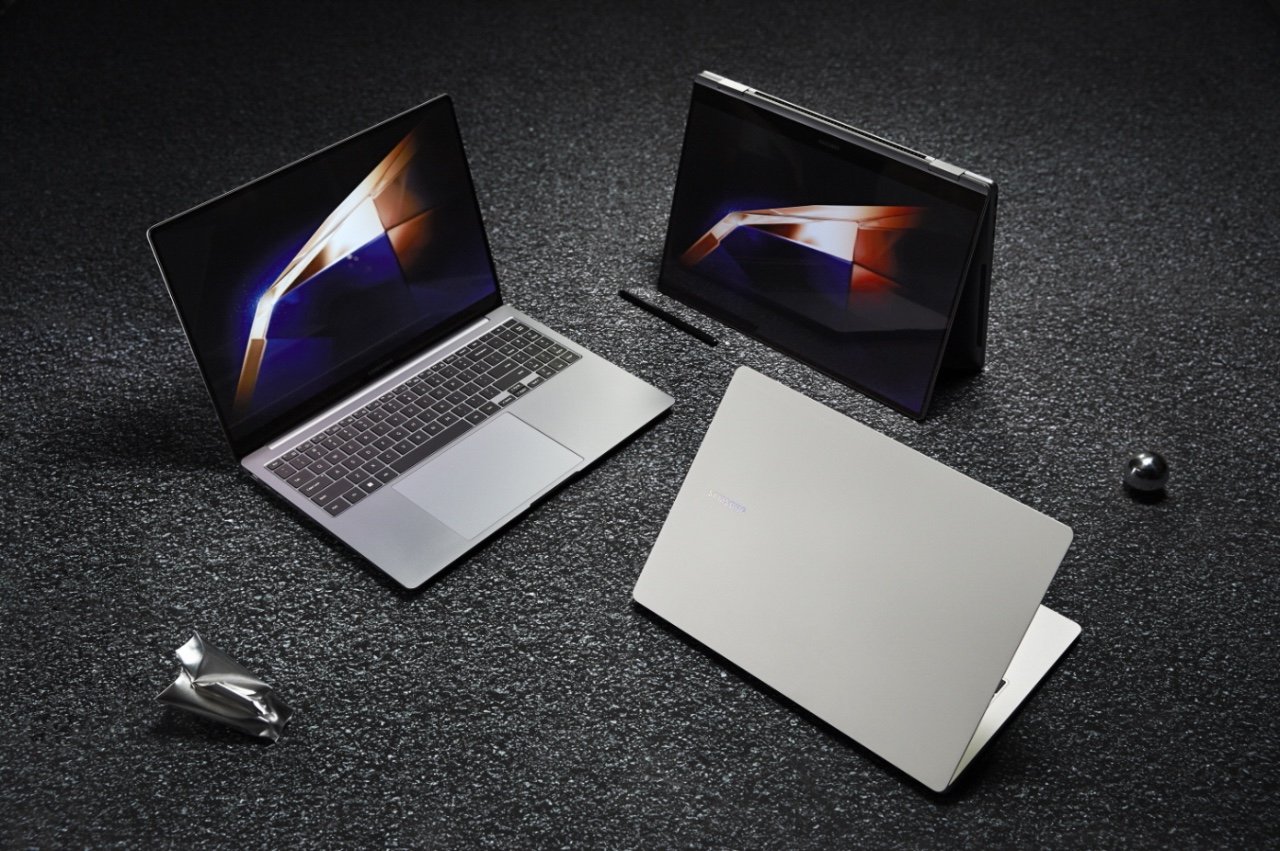
Samsung has announced its latest range of laptops, the Samsung Galaxy Book4 Series, and there will be several models in the range, these will include the new Samsung Galaxy Book4 Ultra, Book4 Pro, and Book4 Pro 360. While good visuals are crucial, having advanced audio is just as important for a well-rounded PC experience. AKG […]
This guide is designed to show you how you can improve ChatGPT responses. To enhance your experience with ChatGPT, recognizing its strengths and weaknesses is crucial. ChatGPT operates on the Generative Pre-trained Transformer (GPT) framework, a creation of OpenAI. This model specializes in producing text that corresponds to the prompts given to it. The foundation […]
Following on from the Intel AI Everywhere event this week Lenovo, has launched a range of new AI ready laptops for business and consumers, including the ThinkPad X1 Carbon, ThinkPad X1 2-in-1, and IdeaPad Pro 5i. These laptops are not just powerful computing machines but also intelligent devices that leverage Artificial Intelligence (AI) technology to […]