PROS:
- Beautiful and spacious 8.8-inch 1600p 144Hz screen
- Detachable controllers with innovative FPS (vertical mouse) mode
- Great overall performance
CONS:
- Large and heavy
- Bottom USB-C port is unusable when using the kickstand
- Short battery life
RATINGS:
SUSTAINABILITY / REPAIRABILITY
EDITOR'S QUOTE:
The Lenovo Legion Go pushes the envelope of what handheld PCs are capable of, paving the road for future innovation in this space.
Although it was hardly the first portable gaming console, the success of the Nintendo Switch really inspired a new class of gaming devices. It pushed the boundaries of what you can accomplish with a handheld, offering a gaming experience that you can enjoy anywhere, including while sitting on a couch in front of a TV or table. Of course, Nintendo’s selection of titles is just a small part of the larger gaming world, and there have been many brands that have tried to bring the magic of the Switch to PCs. The Steam Deck proved that such a product would be popular, but it just stopped there. Lenovo, on the other hand, went all out with what is possibly the closest to a “Switch PC” to date. But is the Lenovo Legion Go just a Switch clone or is it offering a completely new gaming experience? We take this innovative gaming handheld for a few good spins to find out.
Designer: Lenovo
Aesthetics
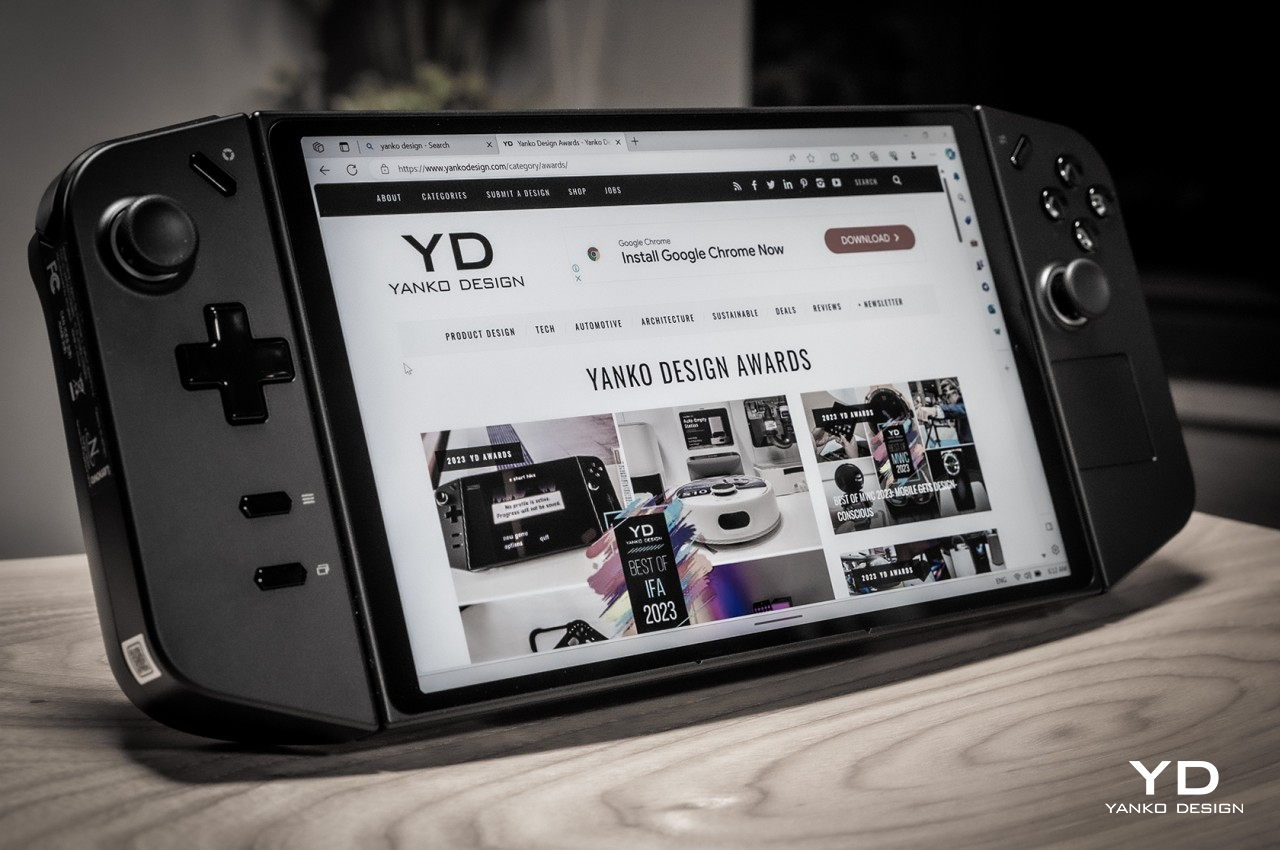
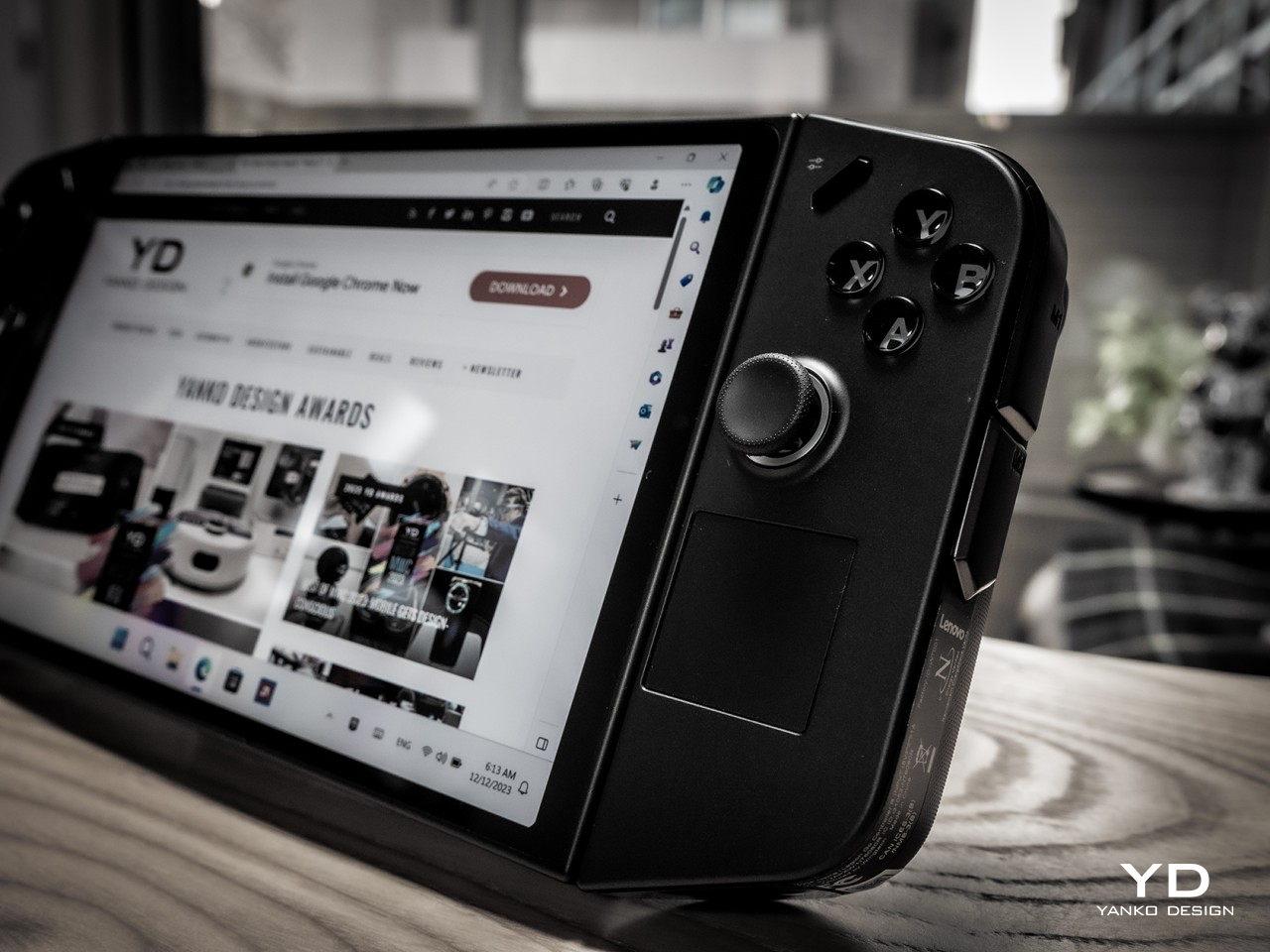
Right off the bat, the first thing you’ll notice about the Lenovo Legion Go is that it’s huge, bigger even than the Steam Deck that’s already considered a giant. It’s slightly thinner than the Deck but only in the middle because the removable controllers almost add an inch to that thickness. It is definitely the larger and heavier of the three major handheld PCs, something that has repercussions for comfort and ergonomics, as we’ll see later.
Fortunately, you might forget the Legion Go’s size the moment your eyes settle on its large 8.8-inch screen, also the largest in this niche market. With a high pixel resolution and bright colors, it easily outclasses the competition, at least in terms of sharpness and visual impact. It doesn’t come without cost, though, but if you value a large, sharp, and fast gaming screen above other specs, this is the one to beat.
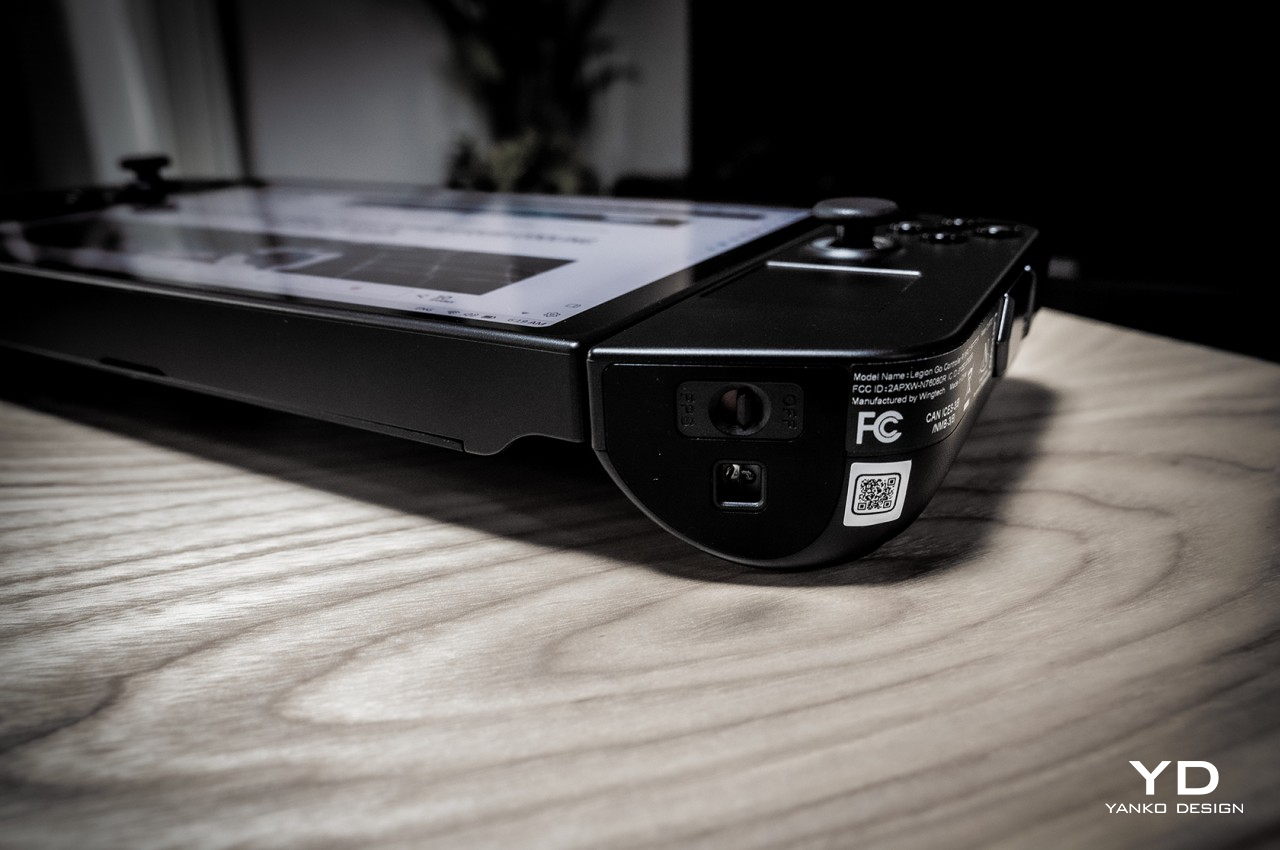
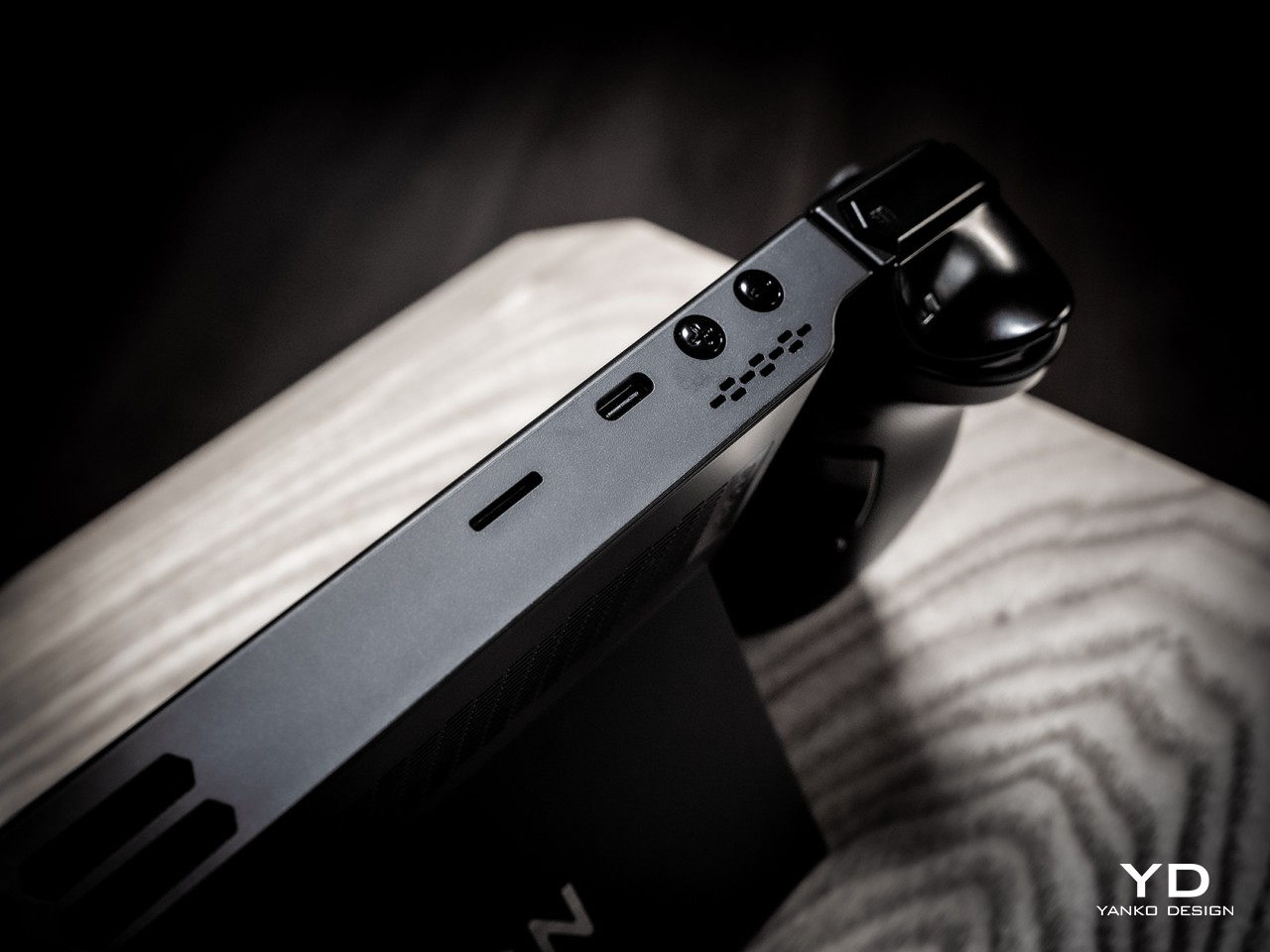
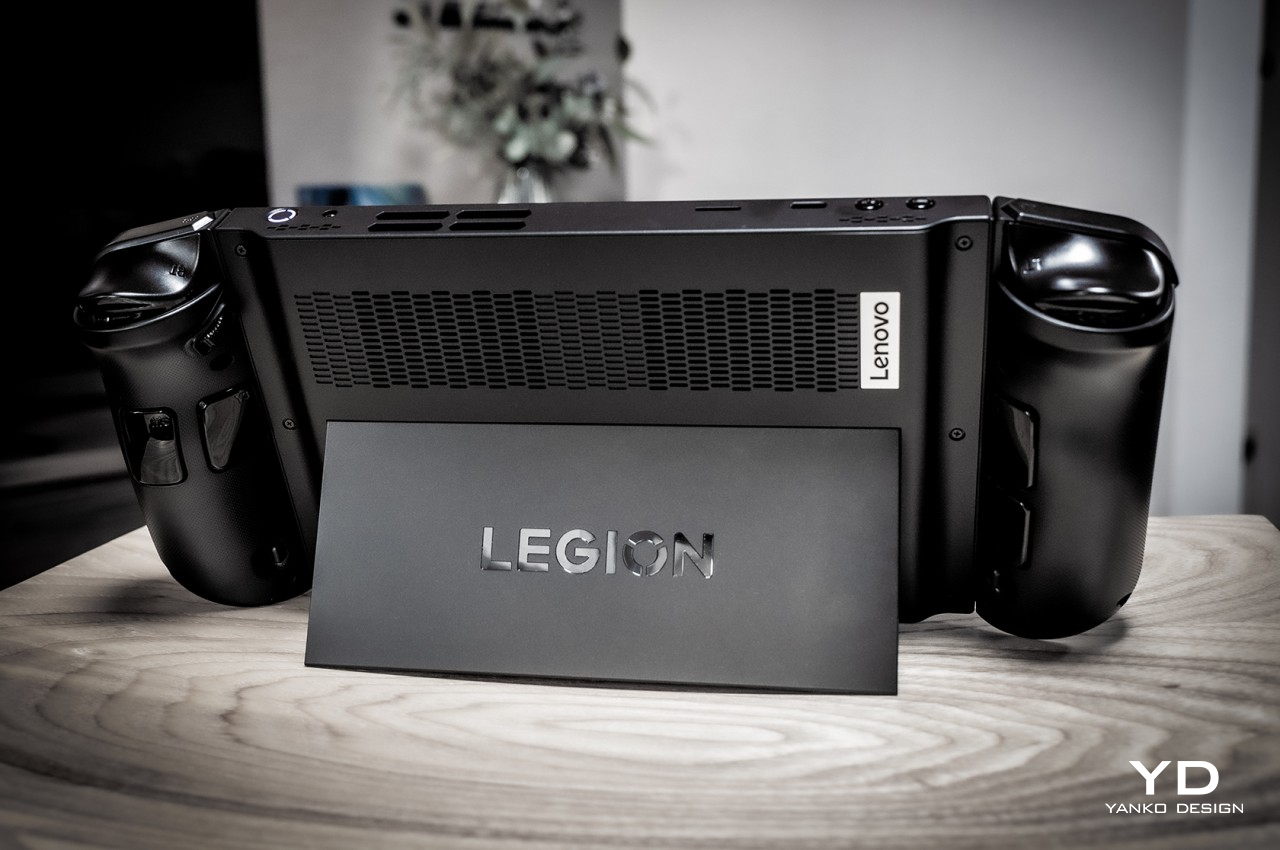
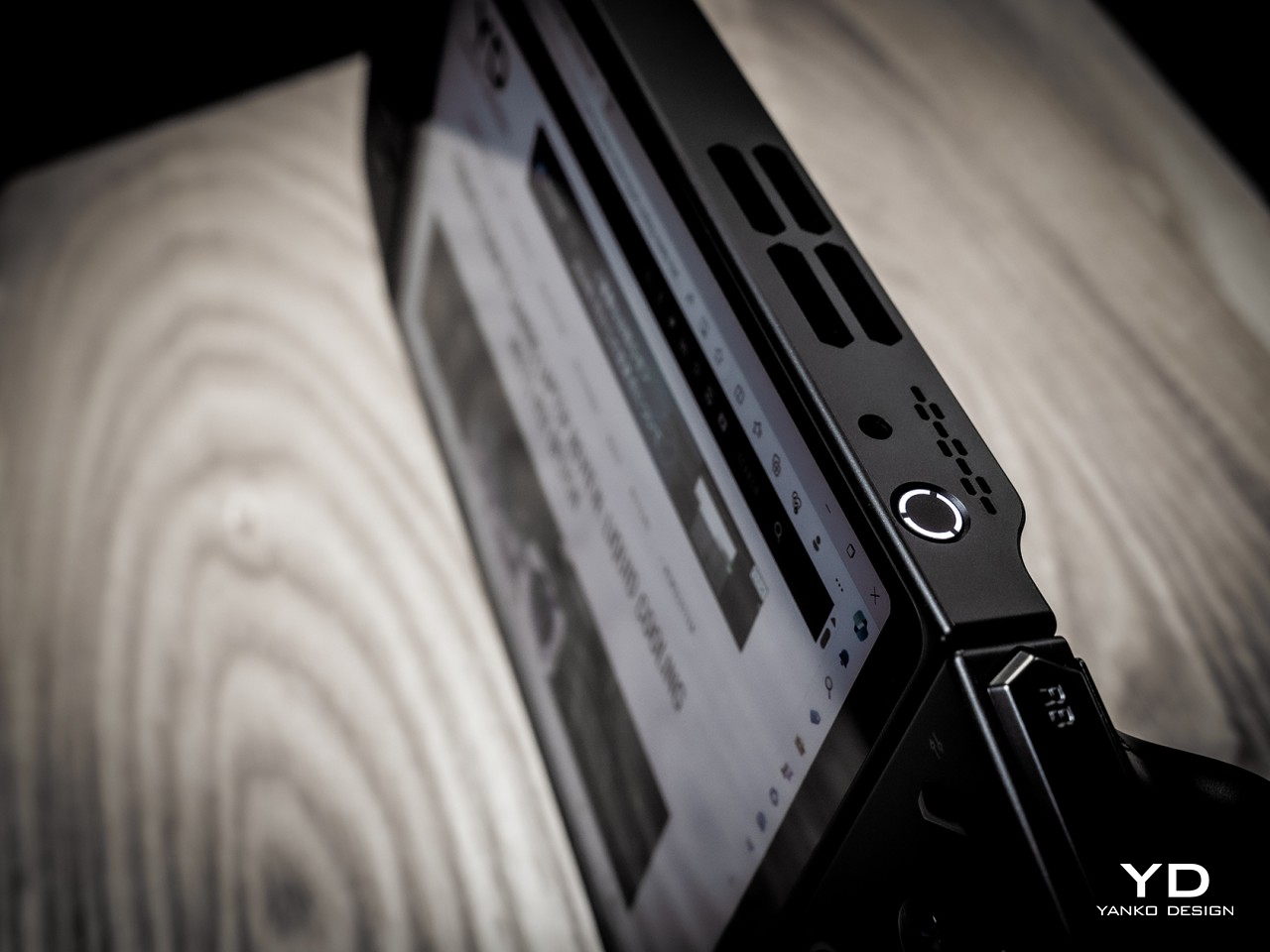
The Legion Go definitely carries itself well compared to its peers in terms of aesthetics. Unlike the more rectangular shapes of the Steam Deck and the ASUS ROG Ally, the Legion Go’s controllers taper a bit, creating a more interesting shape from the front. The back of the device is mostly flat save for the contoured handles of the controllers on each side. That back also features a full-width kickstand that lets you easily prop up the Legion Go on any flat surface for playing games or even for watching videos. The top edge has buttons and ports for controlling the device while the bottom has a lone USB-C Gen 4 port for both charging and data.
All in all, the Lenovo Legion Go presents a solid and distinctive design that doesn’t stray too far from the convention but has enough tweaks to make it stand out from the crowd. Its large screen plays in its favor, though the resulting large size is a bit of a double-edged sword. This niche market is still in its infancy and we’ll surely see more interesting designs in the future, but at least for now, Lenovo has pulled enough tricks to give the Legion Go a memorable character.
Ergonomics
There’s really no going around the fact that the Legion Go is a bulky and heavy device, bigger and heftier than its two closest rivals. For a device that’s primarily meant to be held in your hands, that can be a huge drawback. Even if its battery life lasts for hours (or if you’re playing it while charging), your hands and arms will undoubtedly tire after the first 30 minutes or an hour at most. It might be an artificial way to limit your gaming time, but the great thing about this kind of device is you don’t actually need to hold it up to play. Just like the Switch, you can simply set it down on a table or connect it to a large screen. Either way, you can just continue playing, at least as long as you have enough battery for it.
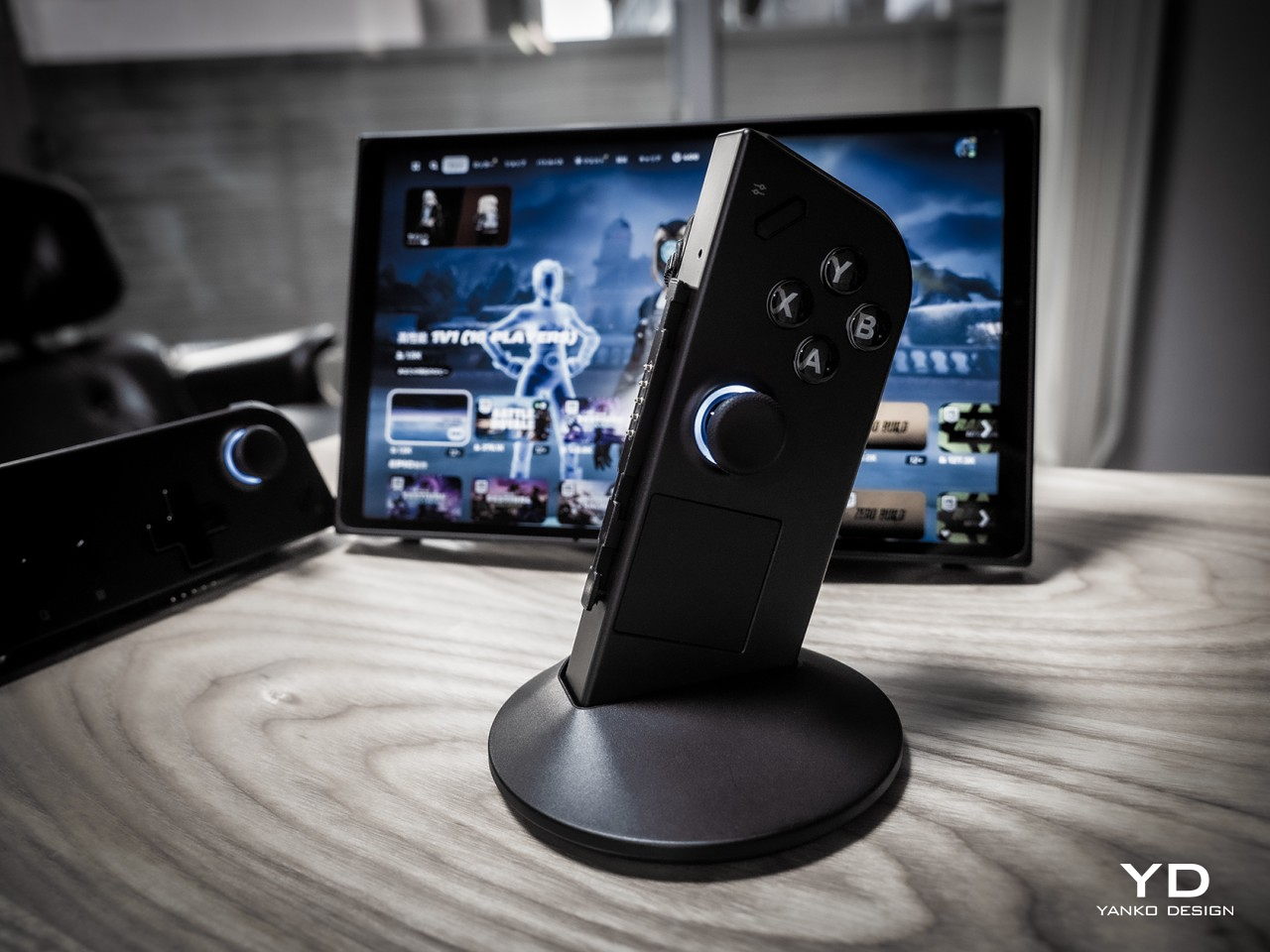
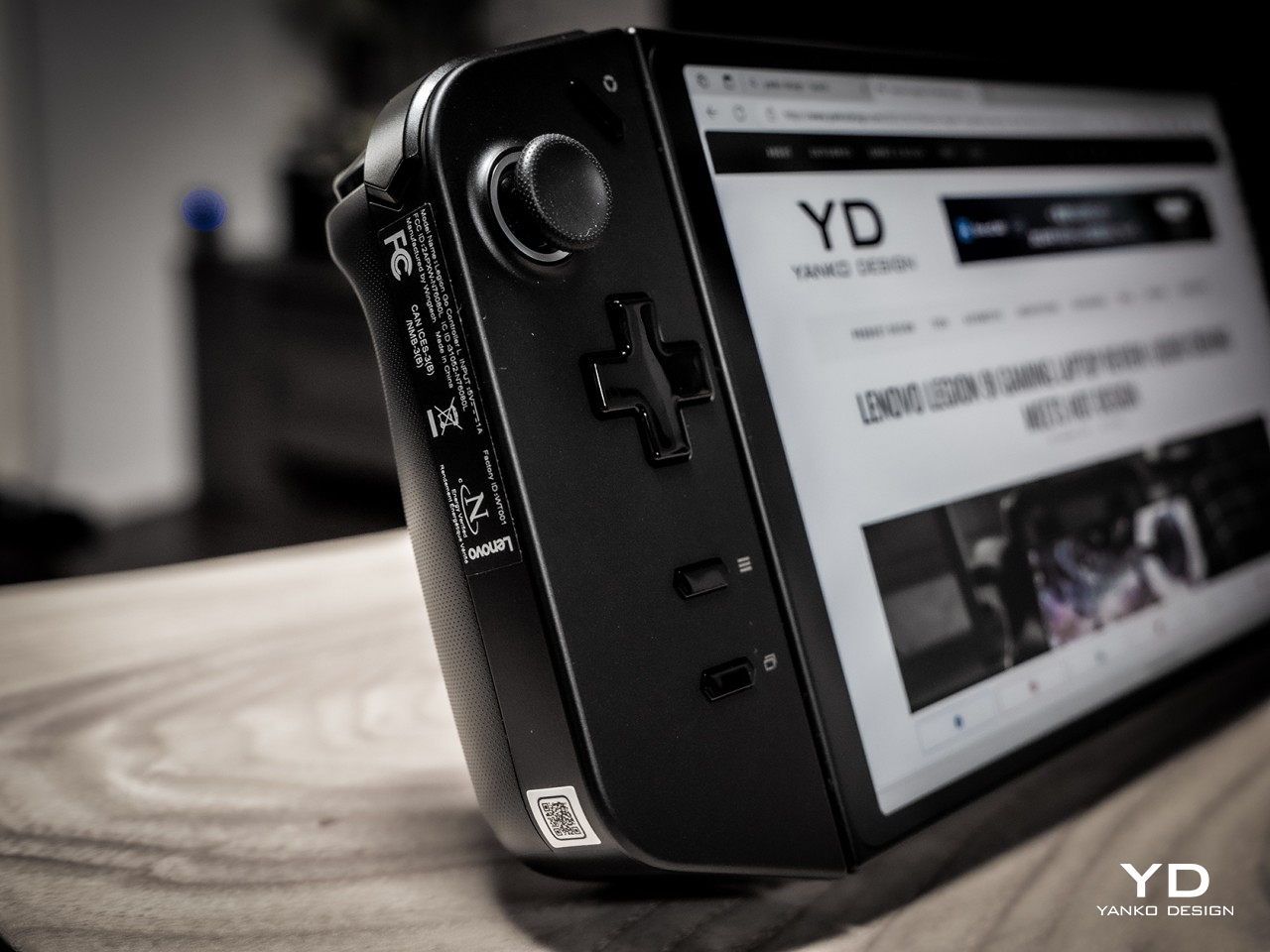
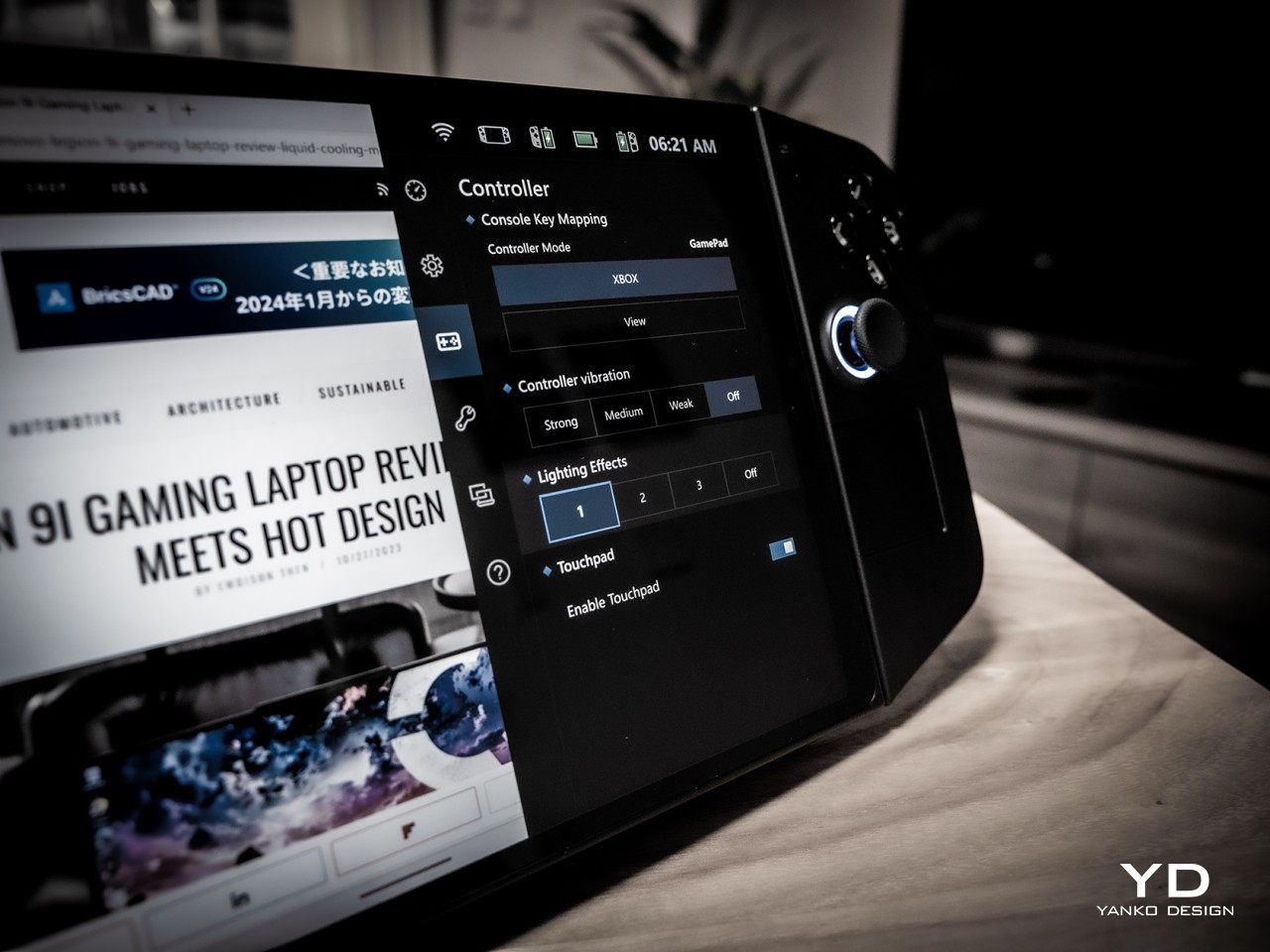
As mentioned earlier, this is as close as we’ve come to a Switch-like PC, and that’s primarily thanks to the detachable controllers. You can slide them off, though downward in the opposite direction compared to the Switch, and use them as normal Bluetooth controllers except split in two. There is, however, a special Lenovo-only mode that changes the narrative a bit. It’s called FPS mode and you stick the right controller into a base that makes it look like a joystick, except it’s a mouse that you drag across the table, not unlike those ergonomic vertical mice. As the name suggests, it’s meant to offer a more precise method of aiming with the right hand in FPS games and more fluid movement with the left controller. It’s definitely an innovative design but one that requires heavy muscle memory training to really get used to.
The Legion Go isn’t just a gaming device, however. It’s a gaming PC that runs a regular version of Windows 11, which means the user experience isn’t optimized for anything but a keyboard and mouse or, at the very least, a touch screen. This makes operating the non-gaming parts of the operating system a bit more tedious, though Lenovo thankfully included a small touchpad on the right-hand controller exactly for this purpose. There’s also a tiny scroll wheel on the back side of the same controller, but its location makes it difficult to reach. Along with the idiosyncrasies of Windows itself, this makes operating the device in handheld mode cumbersome and awkward.
Performance
Lenovo definitely pulled out the stops when it came to the Legion Go’s silicon muscles. Running inside is an AMD Ryzen Z1 Extreme with RDNA Graphics paired with 16GB of RAM and 512GB or 1TB of NVMe SSD storage. It’s not desktop-level hardware, not even a gaming laptop, but at this size, it’s currently the best that’s available for handheld computers. It can definitely handle most PC games at medium settings, and maybe a few at high settings. Of course, cranking up those options will drain the battery quicker, and there’s not a lot in the first place.
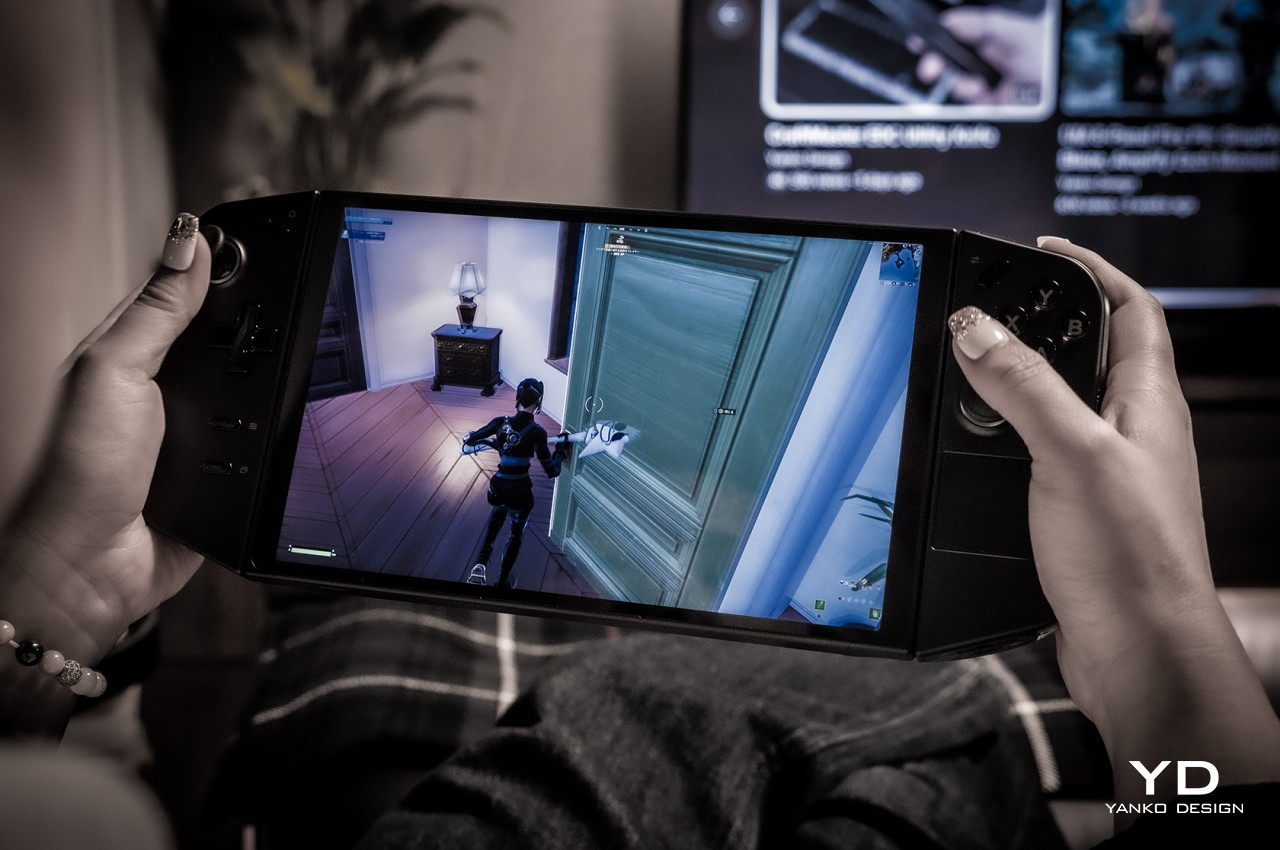
The real star of the show, however, is the impressive 8.8-inch 2560×1600 IPS LCD display with a 144Hz refresh rate. Not only is it the largest among handheld computers, it also has the highest resolution. It’s bright, vibrant, colorful, and sharp. And it’s also quite the battery drain. On paper, a high resolution such as this would be a huge boon for gaming, but only if you have lots of battery and power to spare. At full resolution, the only way you’ll get above 60fps in Fortnite is by setting the setting to medium (67fps) or low (79fps). Then again, 47fps with high settings isn’t so bad either. Dropping the resolution to 1200p made the gameplay experience much better during our test.
The real problem is the battery life, though the Legion Go isn’t alone in this regard. At medium settings, playing Fortnite (with voice chat on) drained the battery in around 79 minutes and at 1200p resolution only. Again, the sharpness of the screen is a huge advantage over the Steam Deck and the ROG Ally, but the price it entails is just too high. Sure, you can set a lower resolution by default, but then you’ll be paying for hardware you’re not able to fully utilize.
The Lenovo Legion Go has the bare minimum when it comes to hardware connectivity, namely two USB-C 4.0 ports, one at the top and another at the bottom. There’s also a headphone jack for good measure so you can connect your favorite wired headphones for more immersive gaming. Having two USB-C ports is great for connecting peripherals or a hub while still having one port free for charging the device. The catch is that the placement of the bottom port makes it inaccessible when using the built-in kickstand. Sure, you can use the top port for charging, but you still lose the other port for other accessories. To be fair, the Switch has the same problem but is worse by having a single USB port, but you’d hope that designers would have solved this problem by now.
Being able to set the Legion Go down on a table and still play using the controllers is also a Switch-inspired feature, but the actual implementation needs a little bit of work. In addition to the awkward way of pulling out the controllers, you apparently can’t use a different external controller unless you take the pair out and disable them from Windows Device Manager. It might just be a bug or a hidden setting, but the fact that it isn’t as straightforward as on a regular computer (or even the Nintendo Switch) makes it a less favorable experience.
When it comes to performance, the Legion Go spares no expense at using the best possible hardware, but having the most powerful isn’t always the correct solution. Power-hungry specs, especially a hi-res screen, drain the battery faster than it should, and owners are forced to tweak every aspect to squeeze out as much juice as they can from the device. Admittedly, PC gamers are used to tweaking settings left and right, but that’s a little less convenient and less ideal on a handheld form factor.
Sustainability
Impressive as the Legion Go’s design might be, there will definitely be concerns about its long-term viability. First-gen designs in this industry don’t always spark confidence, both in terms of durability as well as customer support down the road. Lenovo is an established brand, of course, so there’s an implicit trust in the products that it makes. This device definitely feels solid, despite its plastic body, so you can be assured that it’s not some flimsy product that will die out on you in the first few months.
Its unique design does bring a few complications, though, particularly with the removable controllers. These can be points for mechanical failure in the feature, or structural weaknesses that could lead to an early death for the device. There are a lot of custom parts used for the Legion Go as well, so repairs will have to be done by authorized Lenovo service providers only. That increases the risk factor in purchasing a device that could meet more accidents in your hands compared to a conventional laptop.
Value
Gaming handhelds are becoming popular again, both from the retro front as well as the PC market. Just looking at the growing number of options outside of major manufacturers shows there’s a sizable market for these devices. Not every PC gamer is a fan, though these would also admit dreaming of being able to play games anywhere, including in situations where they can’t use their bulky gaming laptops. As mentioned, there are plenty of options available now, but the Lenovo Legion Go offers the best-balanced set of benefits and drawbacks in the market today.
It has powerful specs topped by a gorgeous and large display that really makes games pop. The FPS mode might need a bit of getting used to, but the convenience of being able to detach the controllers when needed is a huge boon, though there are some rough edges to smoothen out. Battery life is pretty dismal by default, but that’s on par with other handheld PCs. The biggest clincher is that you’re getting this solid mobile PC gaming experience starting at just $699.99, which means you aren’t cutting corners for that juicy price tag.
Verdict
There was a time when analysts proclaimed the PC market to be dying, but that might only be true for desktops. Laptops flew off the shelves during the pandemic, and now handheld PCs are sparking interest and ushering in a new generation of PC gamers who are living the dream of playing anywhere. There are still only a few players in this market, and Lenovo, the world’s biggest PC maker, is making sure it’s leading here as well.
The Lenovo Legion Go definitely shows the brand’s expertise, combining decades of experience with a bold design and innovative features. It also proves that there is still plenty of room for improvement, whether for refining features or introducing new experiences. At this point, handheld gaming PCs like these are still considered a luxury, but with a tempting $700 price tag, the Legion Go is doing its part to make these devices more approachable and more usable for everyone.
The post Lenovo Legion Go Review: Big Steps for Handheld PC Gaming first appeared on Yanko Design.