Flashstor 6 Gen2 Review: NAS Boxes Hide, This One Belongs on Your Desk

PROS:


  • Distinctive, futuristic aesthetic and compact design

  • Powerful specs and fast data transfer speeds

  • Quiet operation even with two fans

  • Six M.2 slots with possible HDD expansion

CONS:


  • Only fits M.2 2280 size

  • Premium pricing

RATINGS:

AESTHETICS
ERGONOMICS
PERFORMANCE
SUSTAINABILITY / REPAIRABILITY
VALUE FOR MONEY

EDITOR'S QUOTE:

The Flashstor 6 Gen2 delivers a powerful and modern NAS solution that doesn't need to be hidden away behind a monitor.

award-icon

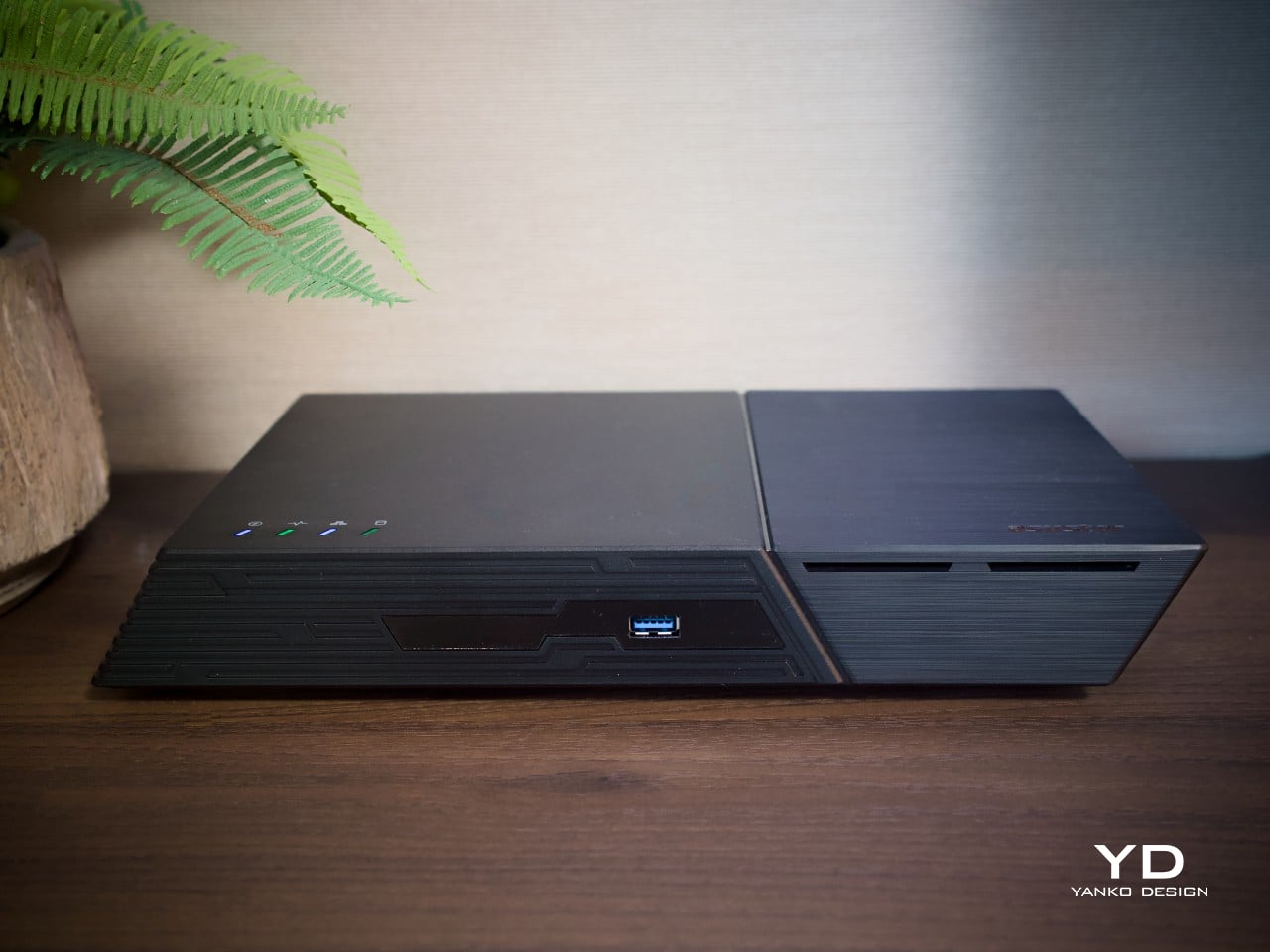
Network storage boxes rarely earn a second glance, usually parked out of sight because nobody wants a black box cluttering the desk. The Flashstor 6 Gen2 changes that expectation on sight. ASUSTOR’s second-generation all-flash NAS wears an angled, faceted shell that reads more like a compact game console than a file server, all while housing six NVMe bays and 10GbE networking underneath its sculpted plastic body.

This is the follow-up to ASUSTOR’s original Flashstor 6, and the internals show a genuine generational jump. An AMD Ryzen Embedded processor, DDR5 memory, and PCIe Gen4 support replace the older, more modest hardware inside. Built with creatives, home lab tinkerers, and small studios in mind, the FS6806X invites judgment on more than raw speed, asking to be evaluated on how it looks and feels in daily use.

Designer: ASUSTOR

Aesthetics

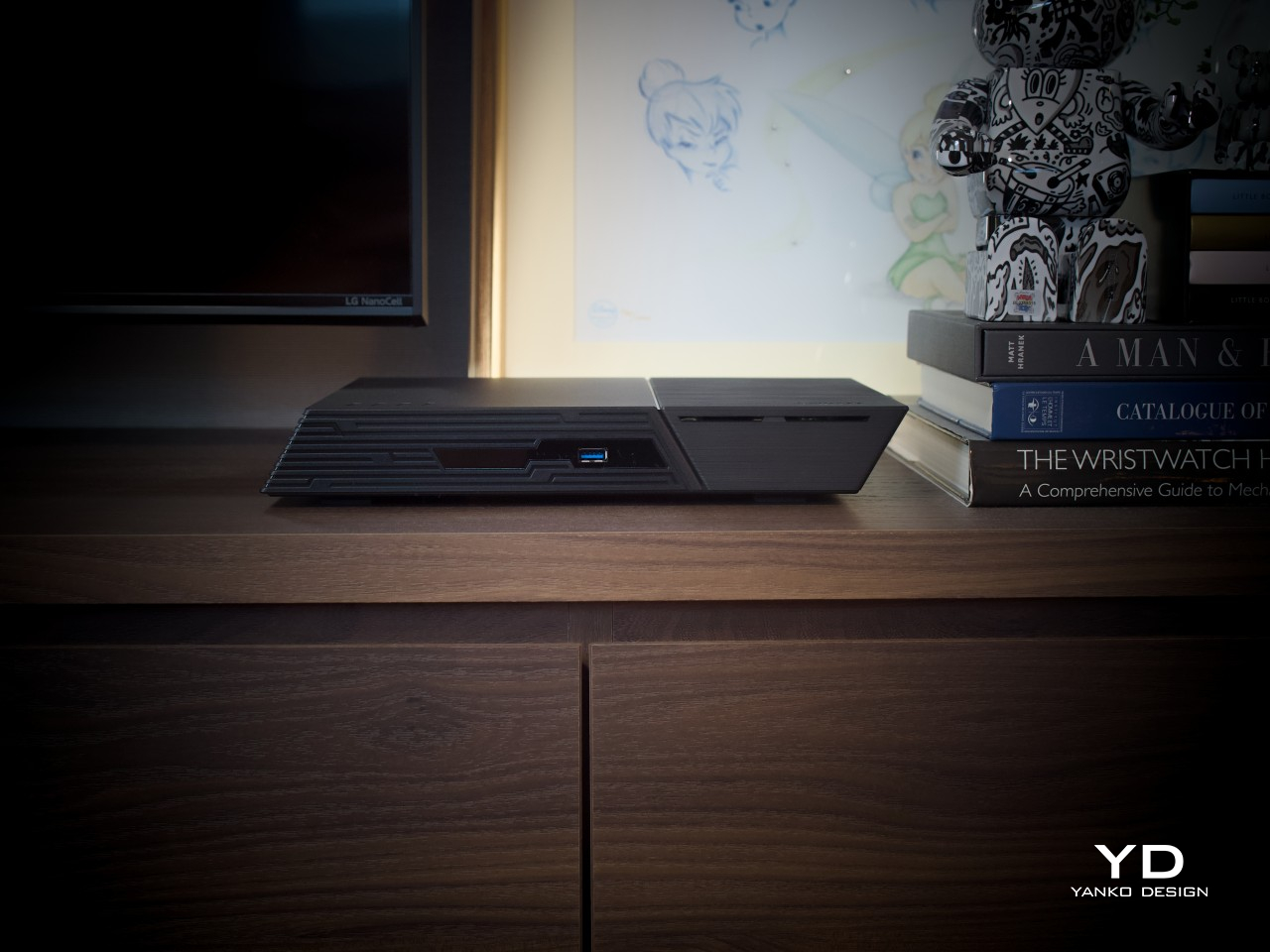
The shell makes the boldest first impression. Rather than the usual squared-off box, ASUSTOR shaped the Flashstor 6 Gen2 with a slanted, almost parallelogram-like profile that leans to the side at an angle. That single geometric choice gives the whole unit a sense of motion even while sitting still on a shelf, setting it apart from nearly every other storage enclosure on the market today.

Look closer, and the finish adds even more character. One side of the enclosure wears a brushed metal effect, while the other carries a powder-coated texture, and the contrast between the two reads as a deliberate styling choice rather than an accident. Both finishes sit on a plastic shell rather than actual metal, so the material change is really just a clever coating trick.
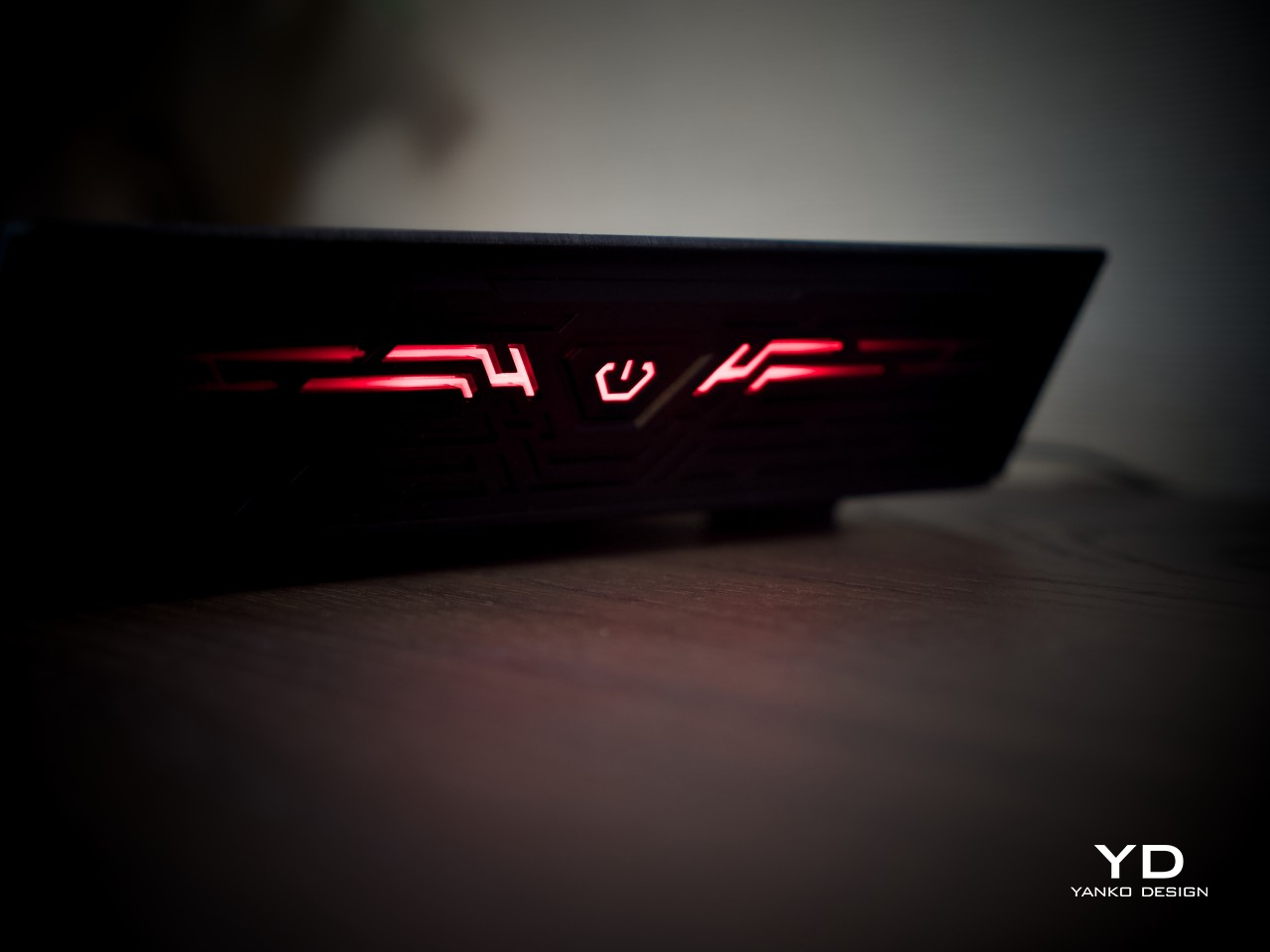
A set of lines and grooves wraps from the front panel around to one side, and that detail carries most of the futuristic feel the design is going for. It breaks up what could have been a plain surface without resorting to loud branding or extra vents. Combined with the angled face and lighting, the overall impression lands closer to a gaming console than anything typically found on a NAS shelf.

Ergonomics

Size-wise, the Flashstor 6 Gen2 measures about 7.6 x 12.1 x 1.9 inches and weighs roughly 3.1 lbs, closer to a thick external drive than a typical NAS tower. Because every bay holds an SSD instead of a spinning disk, there’s no vibration and barely any audible hum, which makes it far easier to justify keeping the unit somewhere visible instead of banished to a closet or a rack in another room.

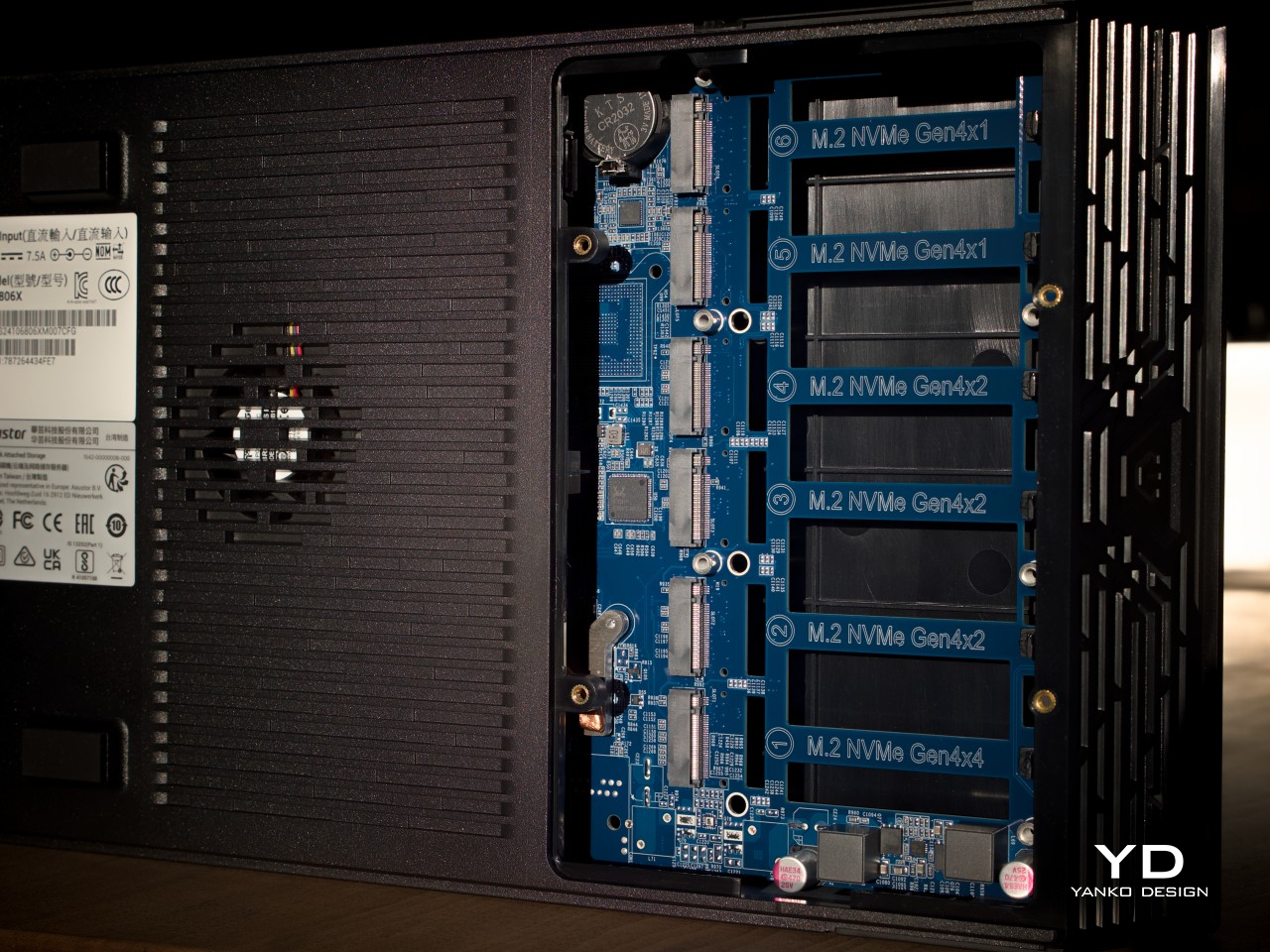
Getting inside isn’t as effortless as the sleek shell suggests. Reaching the M.2 slots means removing four screws on the bottom panel, though ASUSTOR doesn’t include a screwdriver in the box, so keep one handy. Once that panel is off, though, the slots themselves use a simple latch system, no tools needed to seat or remove an SSD. Getting to the RAM means removing even more screws, so that part takes a bit longer.
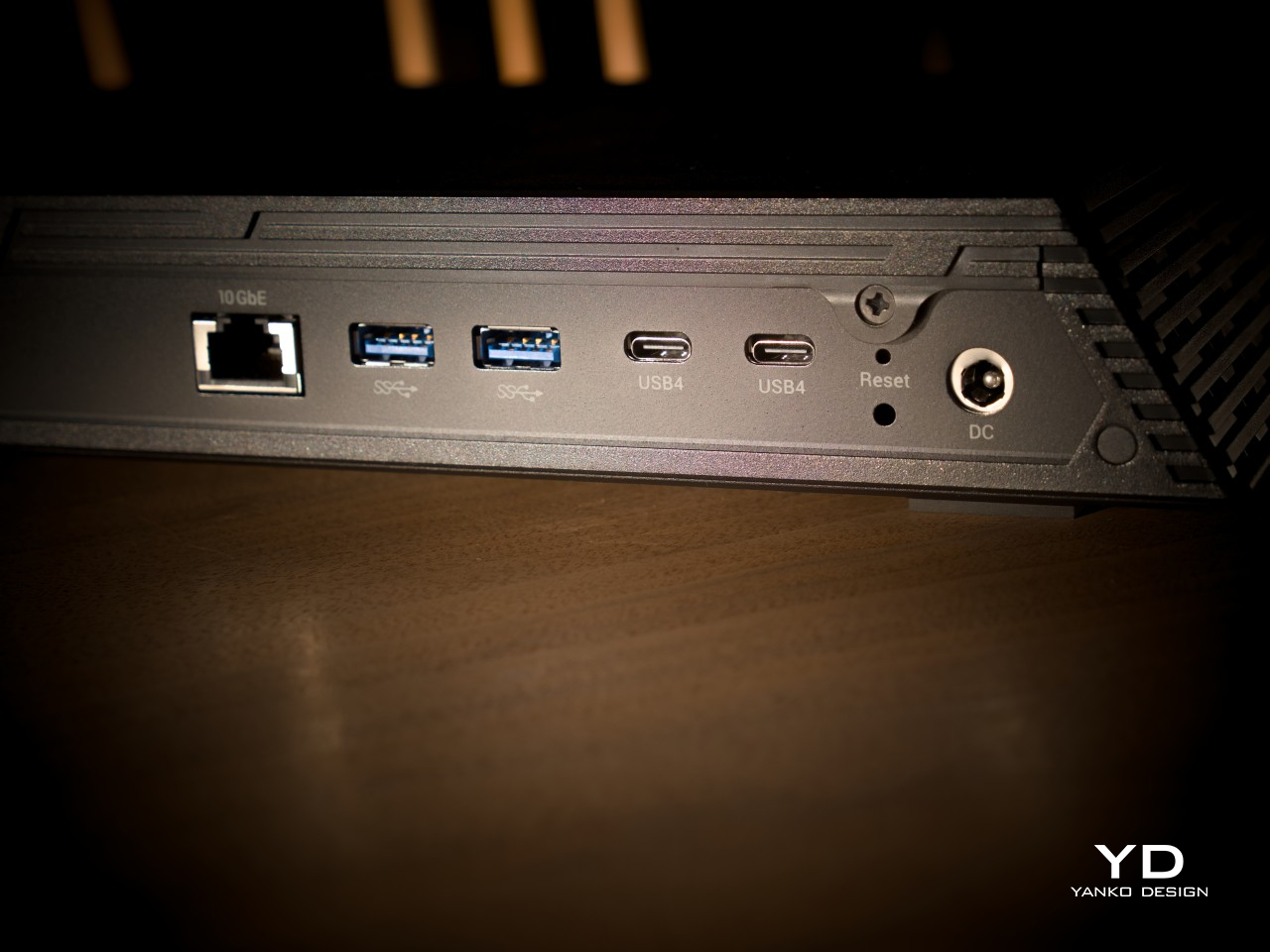
Connectivity tells a similar story of tradeoffs. Up front, there’s a single USB-A 3.2 Gen 2 port for quick backups or grabbing files off an external drive. Everything else, including both USB4 Type-C ports, sits on the rear panel alongside the 10GbE jack, which means anyone who frequently swaps cables will be reaching around the back a lot. It’s a small inconvenience that trades off for a cleaner, less cluttered front face.

Performance

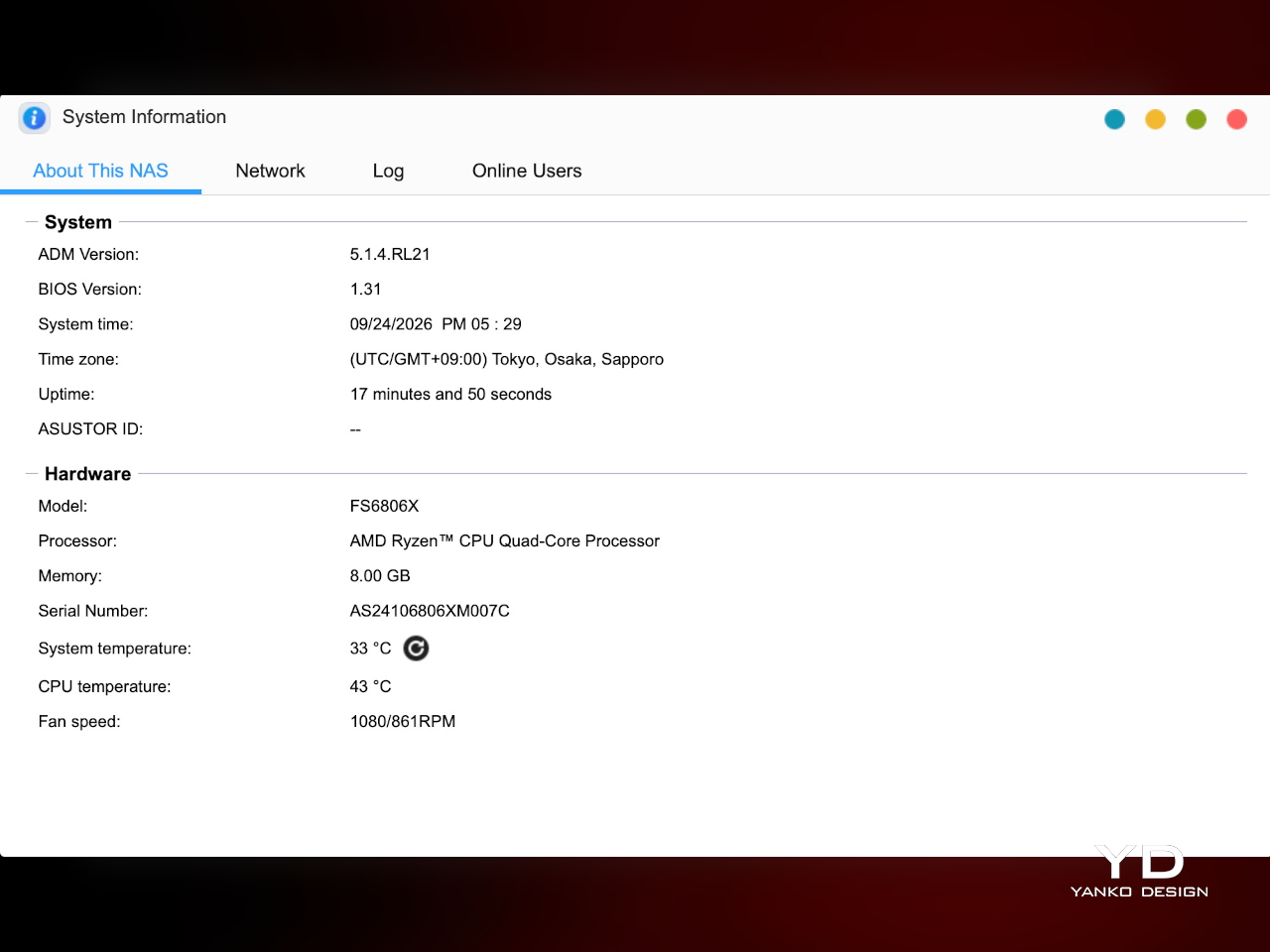
Underneath the shell sits an AMD Ryzen Embedded V3C14, a quad-core, eight-thread chip built on a 6-nanometer process with speeds reaching 3.8GHz, well ahead of the entry-level chips found in cheaper NAS boxes. It ships with 8GB of DDR5-4800 memory, expandable to 64GB across two SO-DIMM slots, and the platform supports ECC modules for anyone who upgrades, a detail that speaks to how seriously ASUSTOR treated the internals.
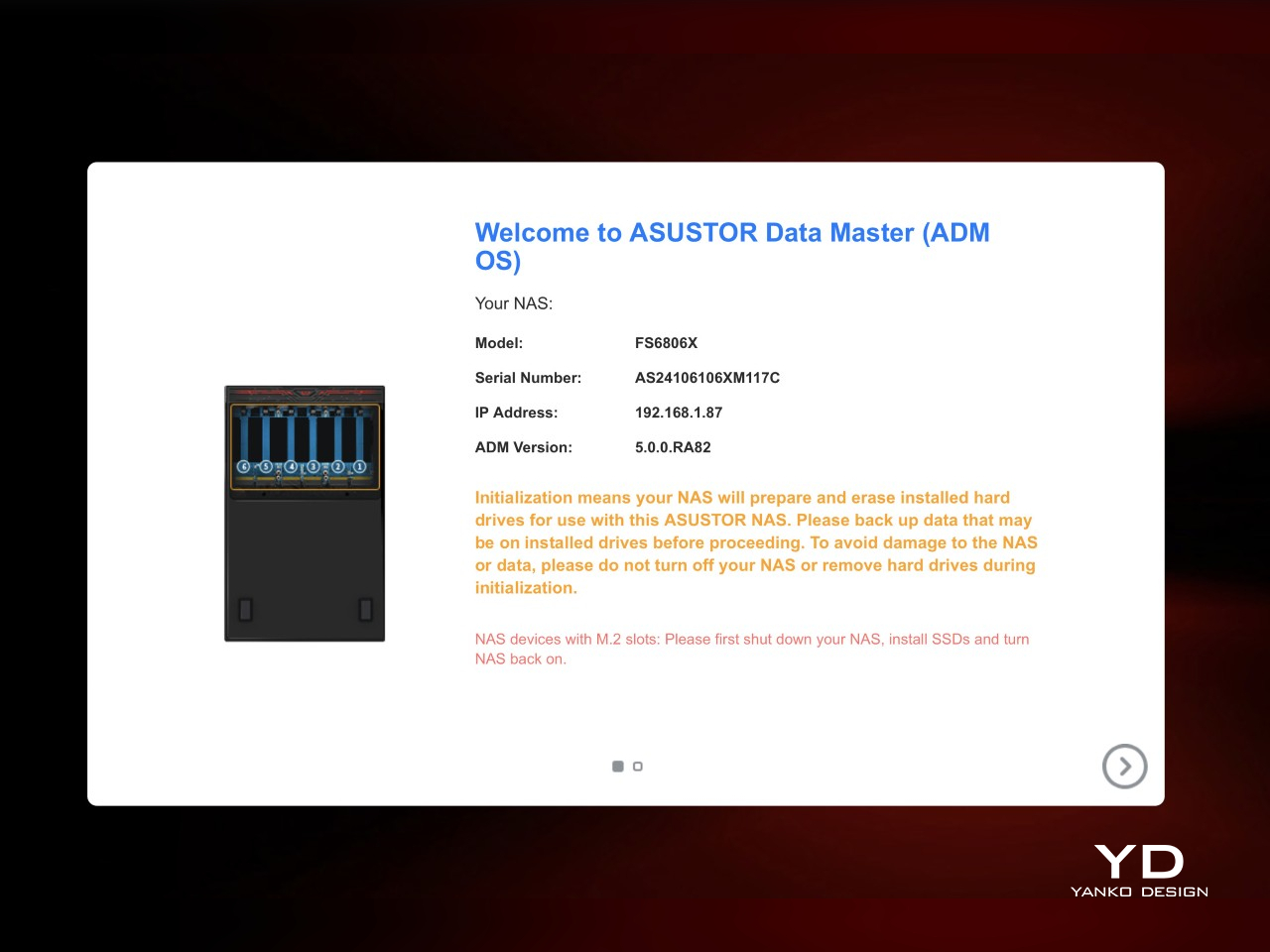
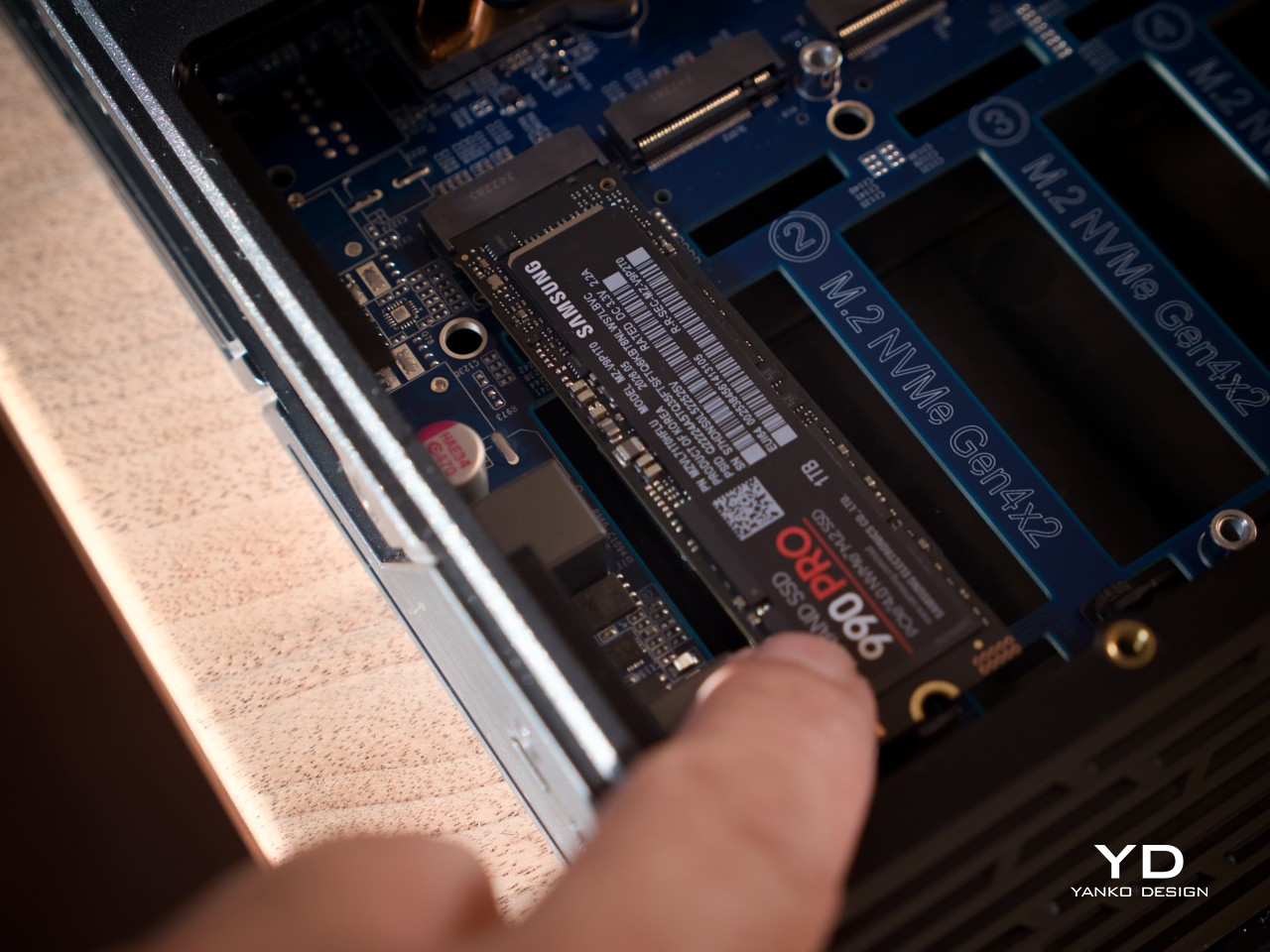
All six bays are built for M.2 NVMe drives running up to PCIe Gen4 x4, so there’s no bottleneck between the interface and the drive itself. Worth noting, the slots only fit the 2280 form factor, so shorter 2230, 2242, or 2260 drives can’t be mounted. Once populated, drives can be arranged into RAID 0, 1, 5, 6, or 10, formatted in either EXT4 or Btrfs.
That storage speed only matters if the network keeps pace, and the single 10GbE port earns its place here. Our own testing came close to ASUSTOR’s advertised figures, nearing 1,180 MB/s of sequential read/write in RAID 5 over that connection. The two USB4 Type-C ports add another route, offering up to 40Gbps per port for direct, network-free transfers.
One other significant upgrade from the Flashstor 6 gen2’s predecessor is the addition of a second cooling fan under the CPU. Given the higher processing power, that upgraded thermal management is very much warranted. But even with two fans, the NAS runs quiet, barely a murmur, adding to the appeal of putting the box somewhere visible yet unheard.
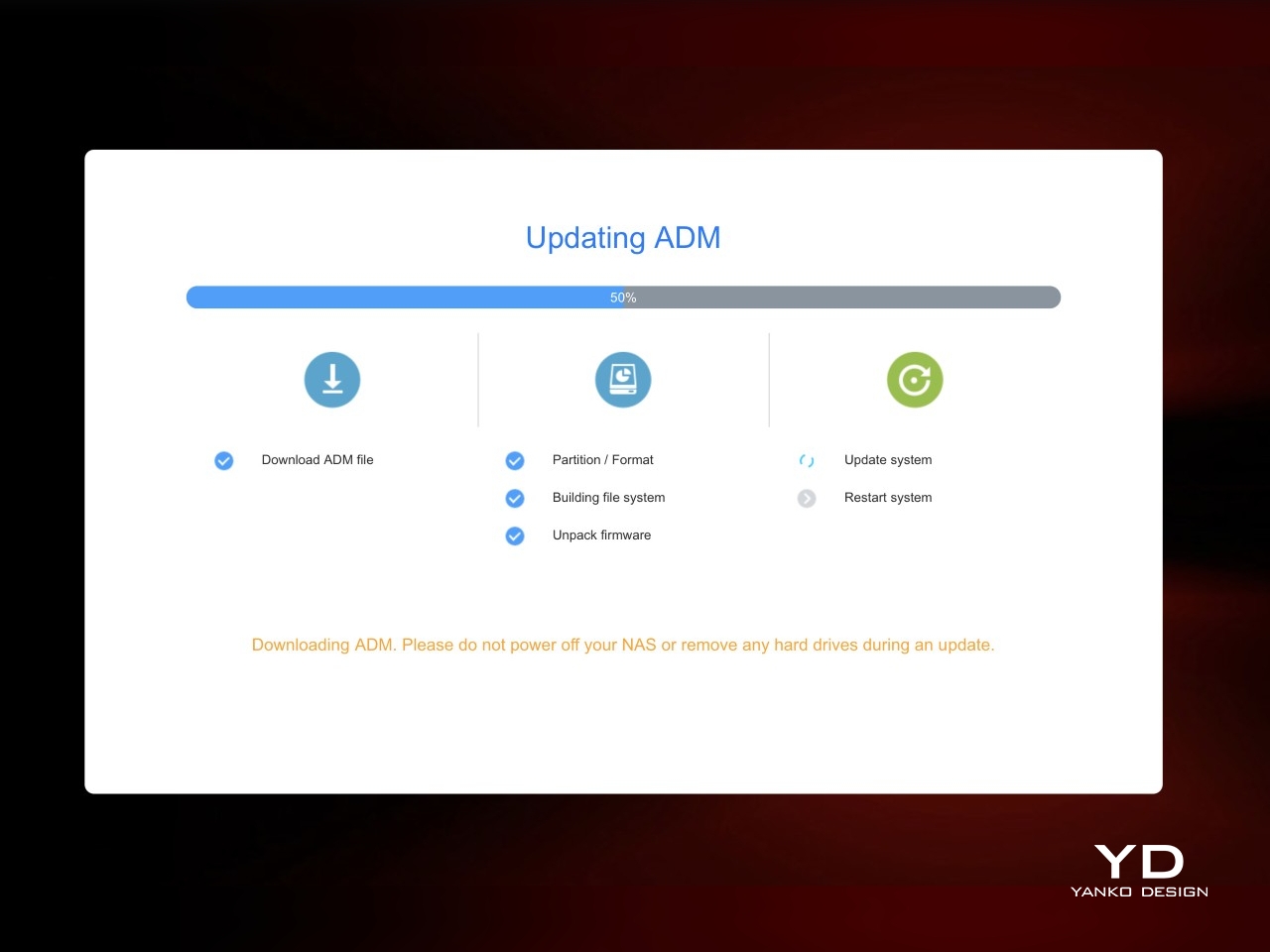
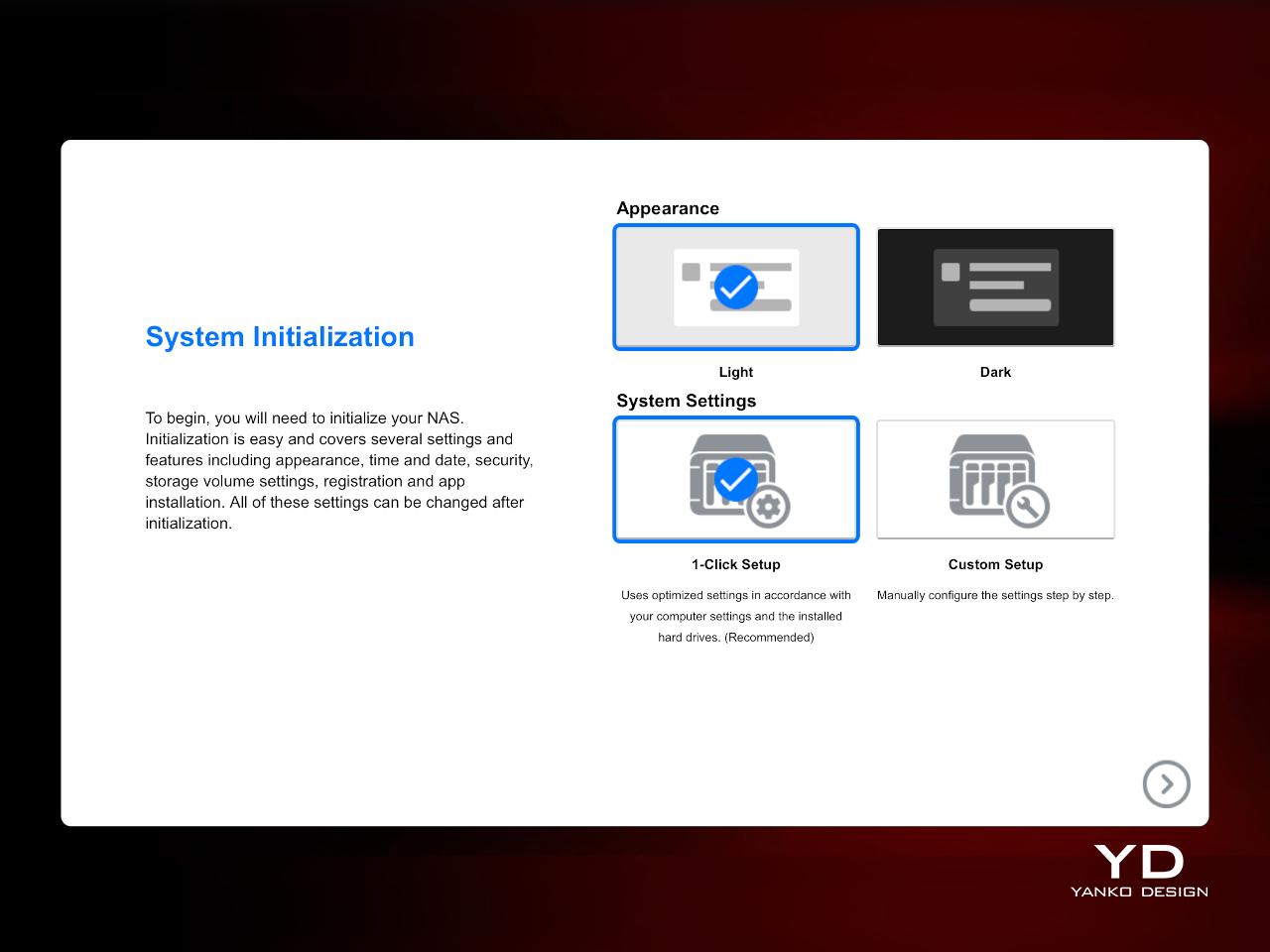
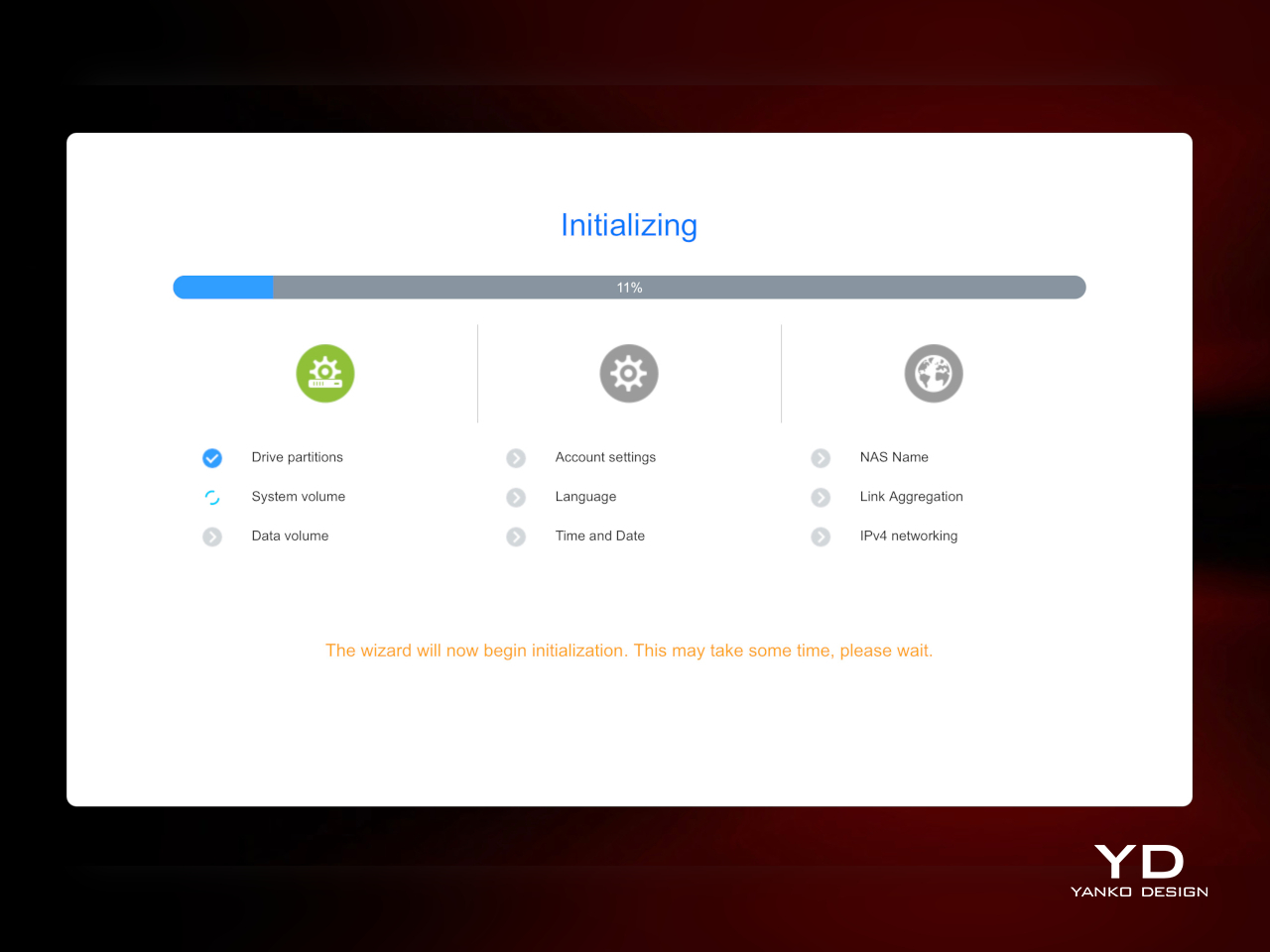
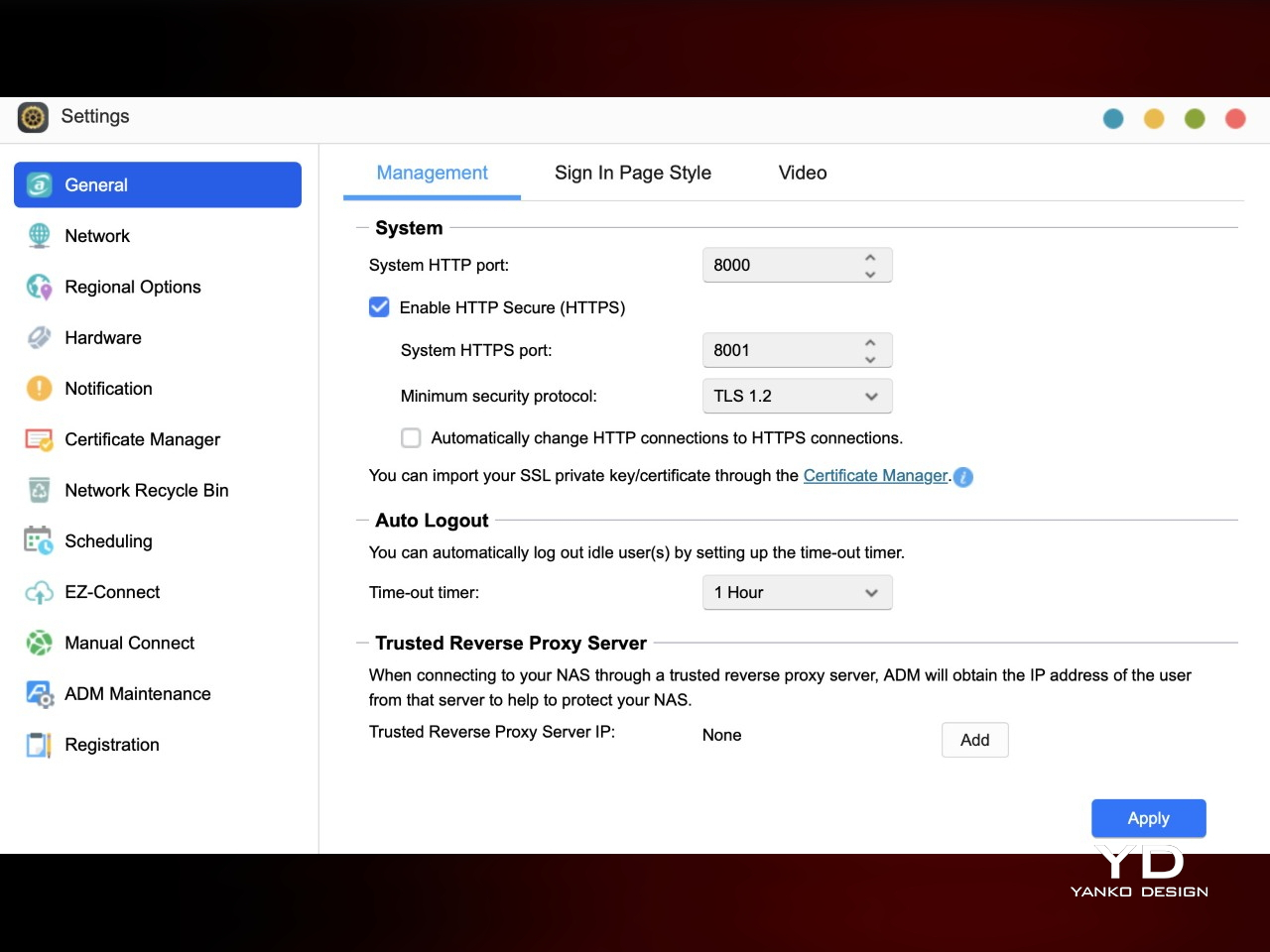
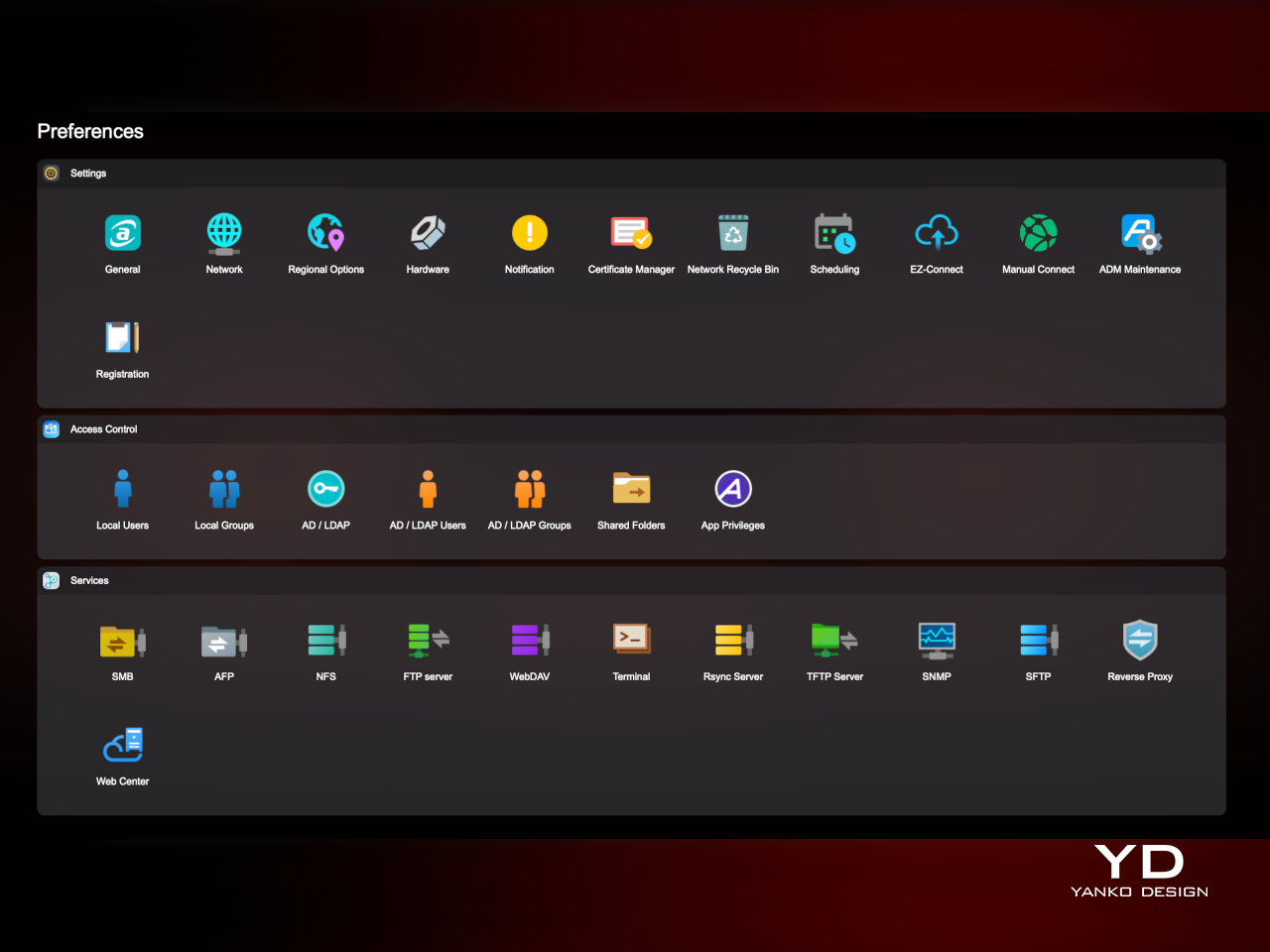
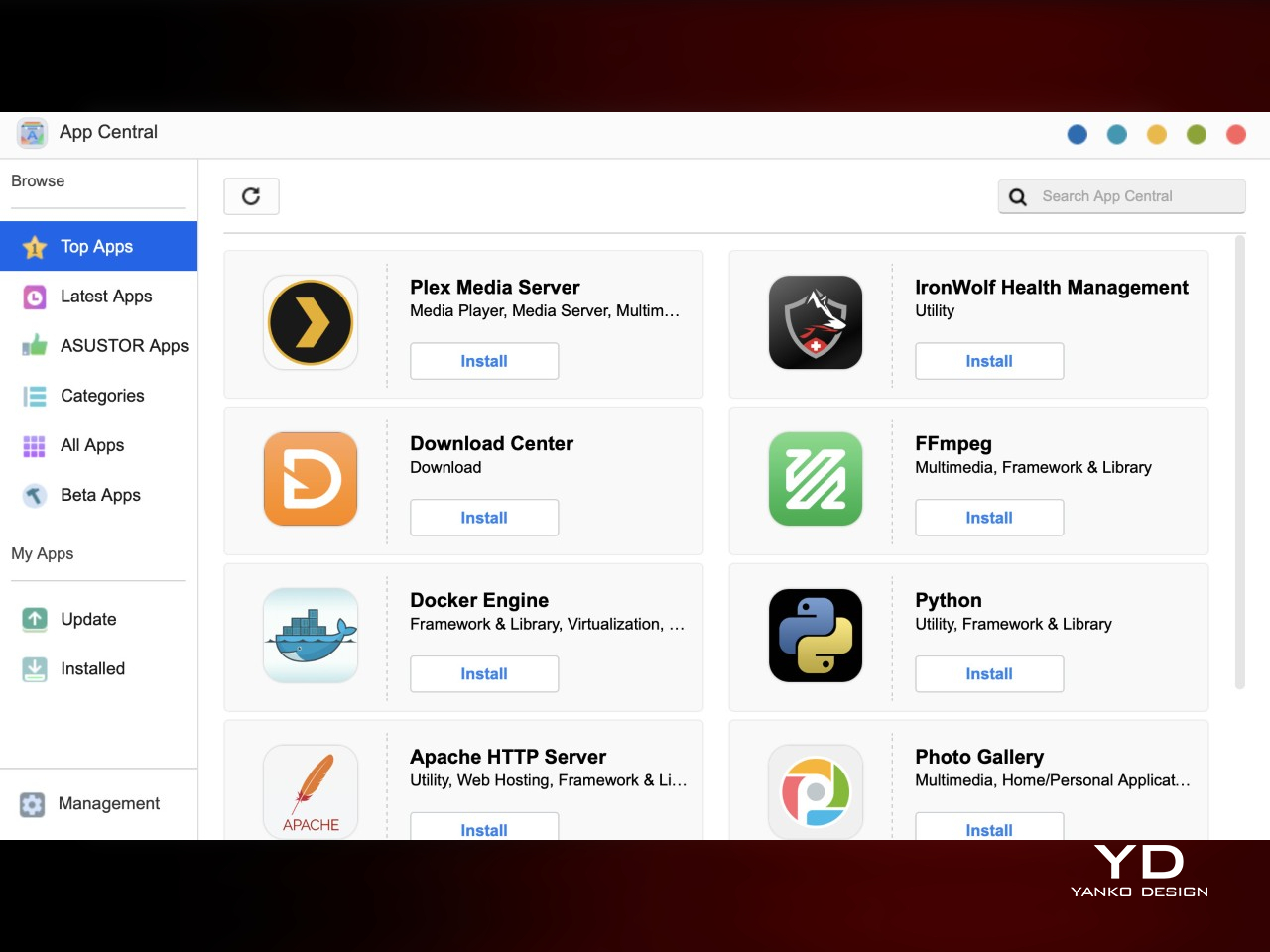
Software runs through ASUSTOR Data Master or ADM, the company’s operating system, with access to an app store covering everything from Docker containers to backup tools and media servers. If you ever decide to repurpose the NAS into a security hub someday, a handful of free surveillance camera channels will make that easier. The ADM also lets you control the speed of the fans, in case you prefer to sacrifice a bit of quiet for more aggressive cooling. And when six bays start to feel limiting, expansion units push the drive count up to 18, letting the platform grow past its footprint.
Sustainability

Going all-flash brings a few sustainability perks that are easy to miss at first glance. There are no spinning platters to wear down over years of use, less heat generated during typical workloads, and lower power draw than a comparable hard-drive NAS running the same hours. Support for ECC memory adds another layer of protection, catching data corruption before it becomes a bigger problem down the line.

The shell itself is plastic rather than metal, and it does flex a bit under pressure, a reminder of where costs were trimmed to keep the price reasonable. That’s not a huge deal-breaker, though it’s probably time for manufacturers to be more conscious of the materials they use, especially with storage solutions like NAS becoming more common even in personal use.

Value

The Flashstor 6 Gen2 sits in premium territory once six NVMe drives get factored into the total cost, and it doesn’t pretend otherwise. At roughly $1,040.99 for the box alone, this isn’t a budget pick for someone who just wants basic file backup. The cost reflects the Ryzen platform, expandable memory, PCIe Gen4 support, USB4 ports, and 10GbE networking, all wrapped in a shell that looks intentional rather than purely utilitarian.
What makes that cost easier to accept is how consistently current every component feels. The processor, memory, storage interface, and networking are all genuinely up to date rather than propped up by one flashy spec while everything else lags behind. That balance means the storage never waits on the processor, and the network never becomes the bottleneck holding back six fast drives working together.

The people who get the most out of this are already running 10GbE networks, working with large creative files, or tinkering with containers and light virtualization. Anyone still on a 1GbE home setup with modest storage needs would leave a lot of this hardware idle, and a simpler hard-drive NAS would likely serve them better per terabyte spent. Matching the buyer to the platform matters here.

Verdict
Taken as a whole, the Flashstor 6 Gen2 pulls off something a lot of NAS makers don’t even attempt: hardware that’s current, wrapped in a shell that looks like someone in the design department actually cared. The rear-heavy port layout and screw-bound drive access take some getting used to, and the plastic build has a bit of give to it, but neither issue undercuts what ASUSTOR built here.

Creators, home lab tinkerers, and anyone assembling a fast, quiet storage setup will find hardware that keeps pace with its own ambitions in the FS6806X. It asks for a commitment of both budget and desk space, but in return it hands back a machine that doesn’t need to be hidden away behind a monitor. Few storage boxes manage to earn a place in plain sight quite like this one does.

The post Flashstor 6 Gen2 Review: NAS Boxes Hide, This One Belongs on Your Desk first appeared on Yanko Design.

Huawei FreeBuds Neo Review: Style, Comfort, and a Strong Feature Set

PROS:


  • Exceptionally comfortable fit

  • Great overall performance for the price point

  • Nebula Pink gives the design real personality

  • Pleasant, well-rounded sound

    CONS:


    • Some Huawei smartwatch features were not available during testing

    RATINGS:

    AESTHETICS
    ERGONOMICS
    PERFORMANCE
    SUSTAINABILITY / REPAIRABILITY
    VALUE FOR MONEY

    EDITOR'S QUOTE:

    The FreeBuds Neo are not about chasing flagship bragging rights. They are about getting the everyday essentials right, and doing it with a bit more style than most.
    award-icon

    Huawei has been on a bit of an audio expansion streak lately. It now offers everything from traditional in-ear earbuds to open-ear and clip-style designs, and the company has openly said it wants to become the number one audio brand. In many ways, it feels like Huawei is trying to repeat the kind of success it has already had with smartwatches, building out a wider ecosystem instead of relying on just one or two standout products.

    That bigger push has also made the lineup more crowded. On the in-ear side, Huawei already has the premium FreeBuds Pro, the comfort-focused FreeBuds, the more affordable FreeBuds i, and the entry-level FreeBuds SE. The FreeBuds Neo feel like the pair meant to fill the gap in between, offering something a little more polished and feature-packed without tipping too far into premium pricing.

    Designer: Huawei

    That alone makes them interesting. I went into this review with fairly high expectations because the Huawei FreeBuds Pro 5 are still one of my favorite earbuds for ANC and sound quality. The FreeBuds Neo are clearly not trying to play in that league, but they do feel like an important part of Huawei’s bigger audio plan, and a pair that could end up appealing to a much wider audience.

    Aesthetics

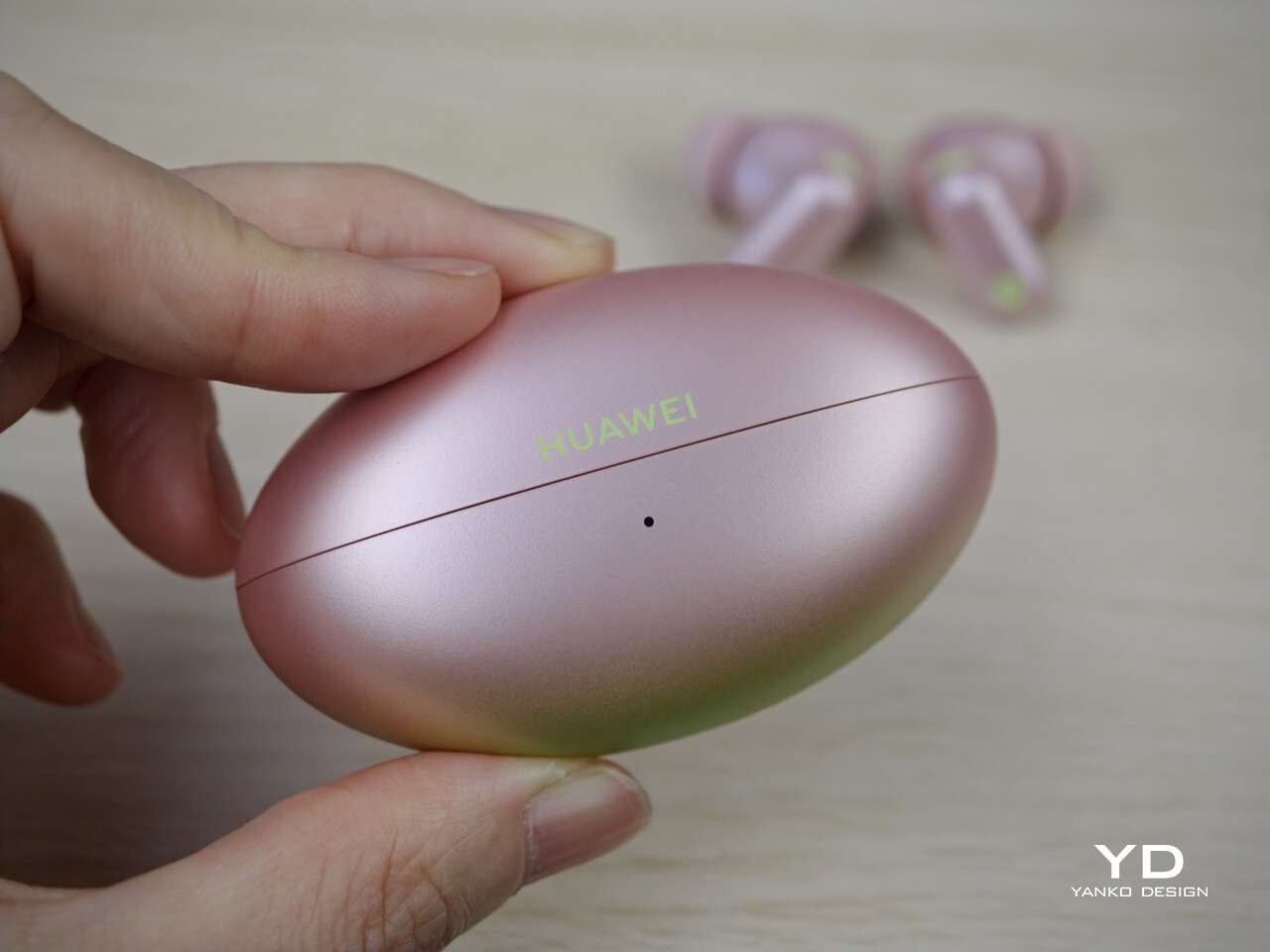
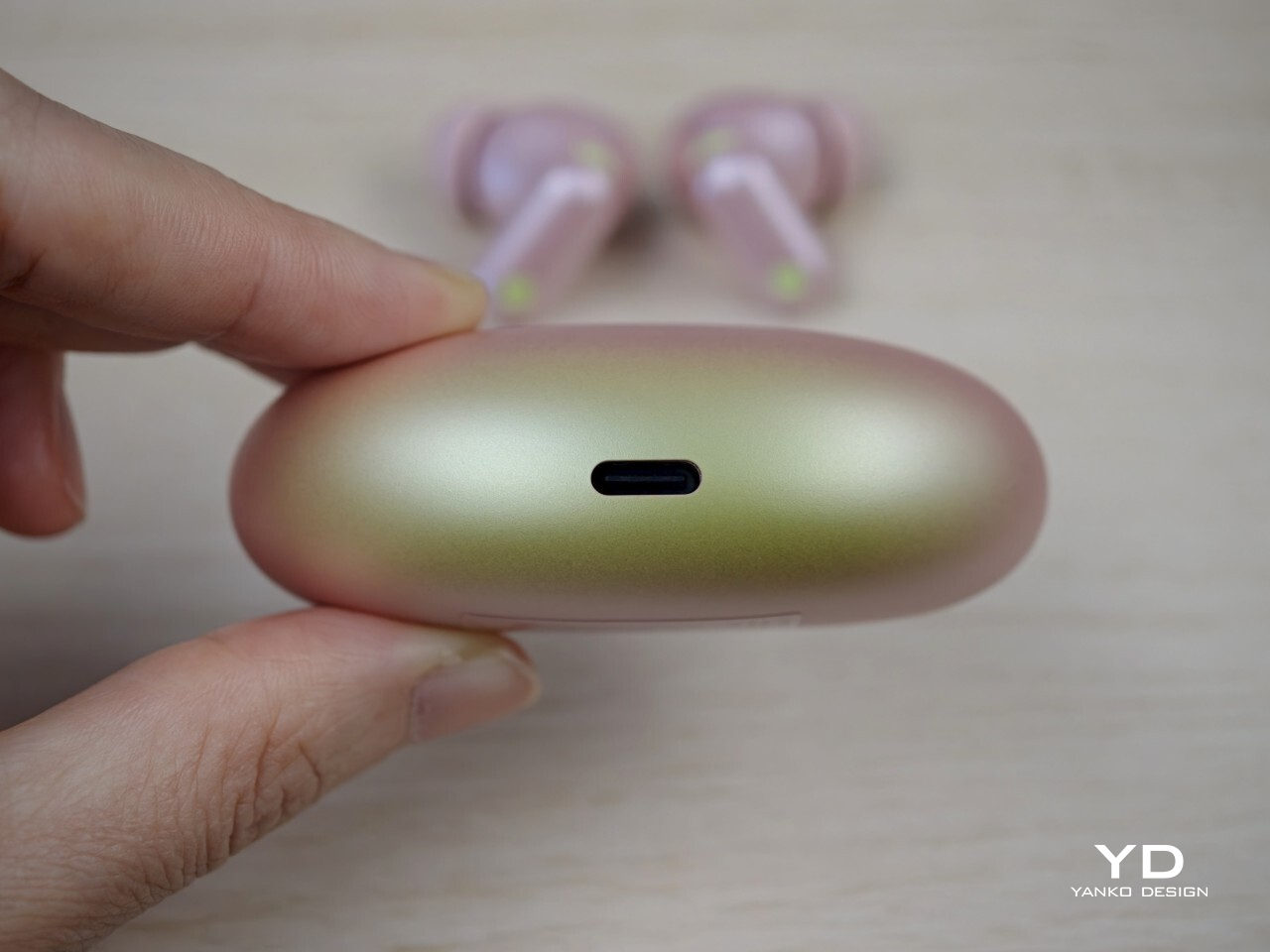
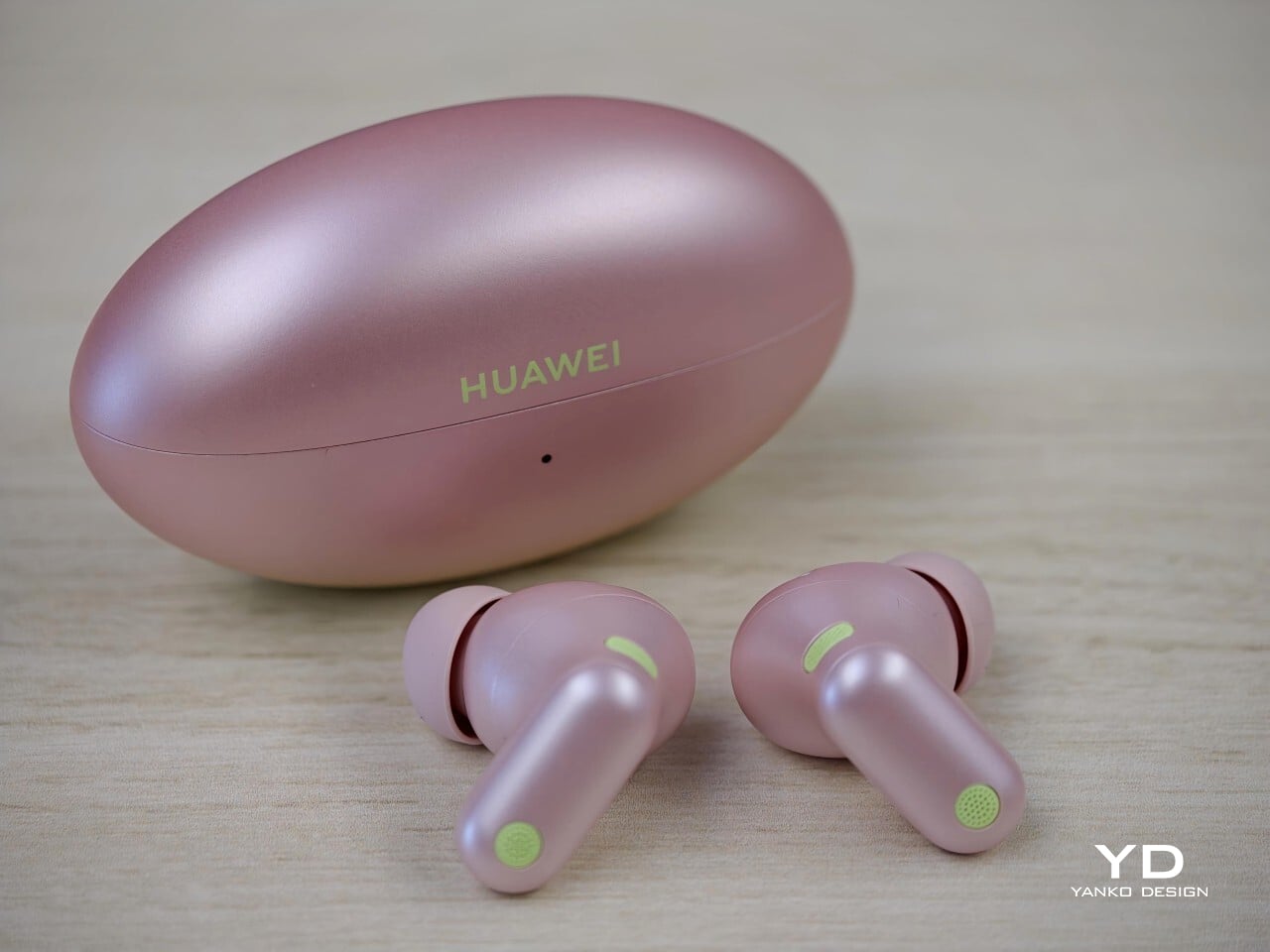
    The Huawei FreeBuds Neo brings a bit more personality than the usual square or pebble-shaped earbud case. The case has an elongated oval shape, almost like a small American football, which gives it a more distinctive look than most budget rivals. It feels a little more sculpted than the norm, while still fitting nicely in the palm.

    Nebula Pink is easily the most interesting finish in the lineup. Most of the case is a soft pink with a muted metallic sheen, while the bottom fades into a pale light green with a gentle gradient between the two. It adds more depth than a flat single-tone finish and helps this version feel less generic than the plainer Stellar Silver, Ice White, and Starry Black options.

    The earbuds themselves follow a familiar stem-based design, but the stems are relatively short, which helps them look tidier in the ear. They are finished in the same pink tone, with light green accents that tie in neatly with the case. In this color, the FreeBuds Neo feel more expressive than many affordable earbuds, while the other finishes are much more straightforward.

    Ergonomics

    The case is easy to live with. Its elongated oval shape sits nicely in the palm, and the smooth curves make it easy to slip into a pocket or small bag. It is compact without feeling fiddly, which is exactly what you want from something you will be reaching for throughout the day.

    The earbuds are also very light at just 0.17 ounces, or 4.9g, each, and that helps a lot with comfort. The short stems are not just there for looks. They improve weight distribution, so the earbuds feel more balanced in the ear instead of hanging downward like some longer-stem designs. The downside is that they are not quite as easy to handle when adjusting them or placing them back into the case, simply because there is less stem to grab.

    For me, these are among the most comfortable earbuds I have used. I actually found them more comfortable than the Huawei FreeBuds Pro 5, even though that is the more premium model in Huawei’s lineup. The short stems make a bigger difference than expected, especially when lying back or resting your head to one side. On an overnight flight, I could lean against my neck pillow without them digging in or becoming annoying, which is not something I can say about every pair of stem-based earbuds.

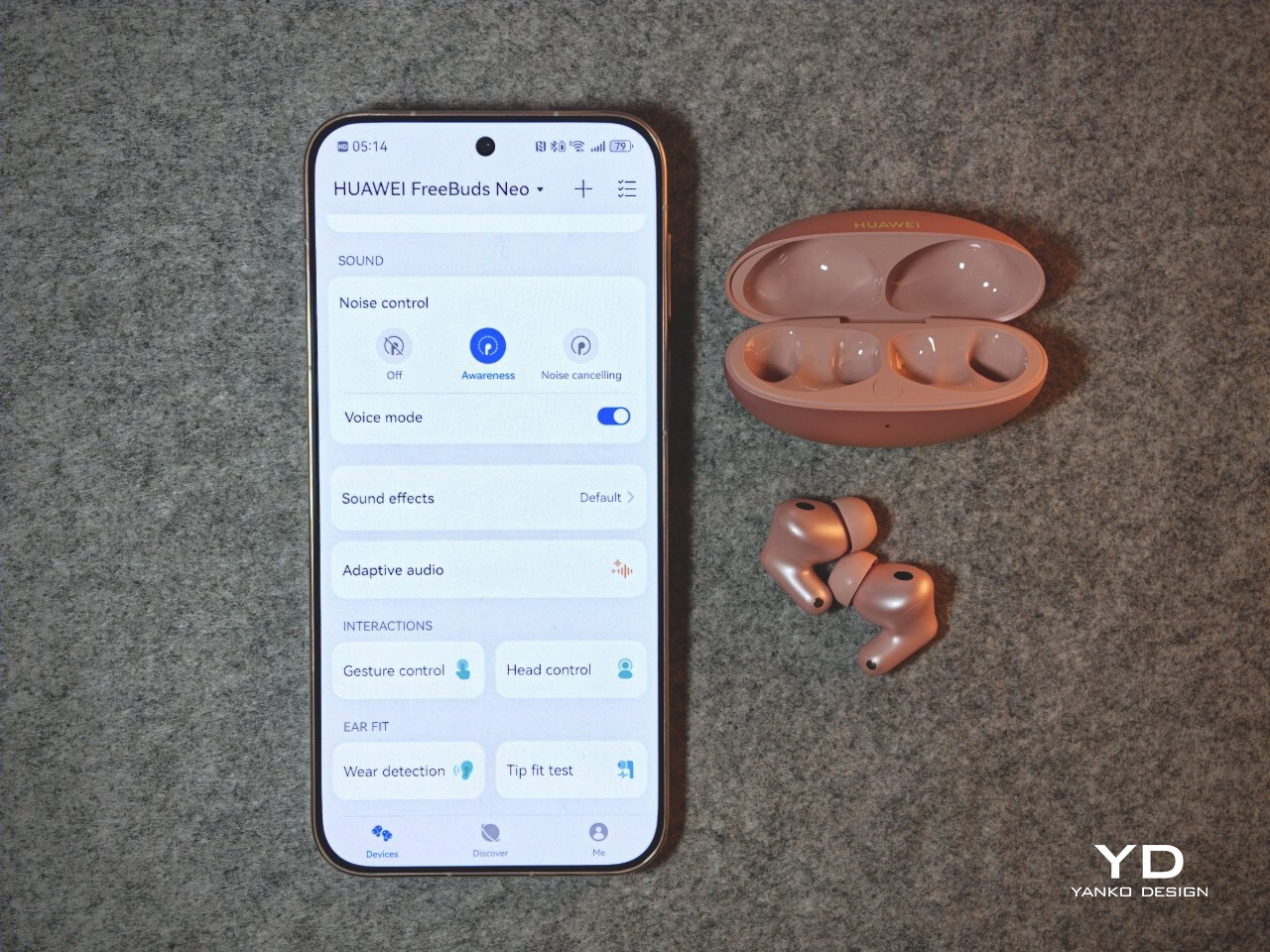
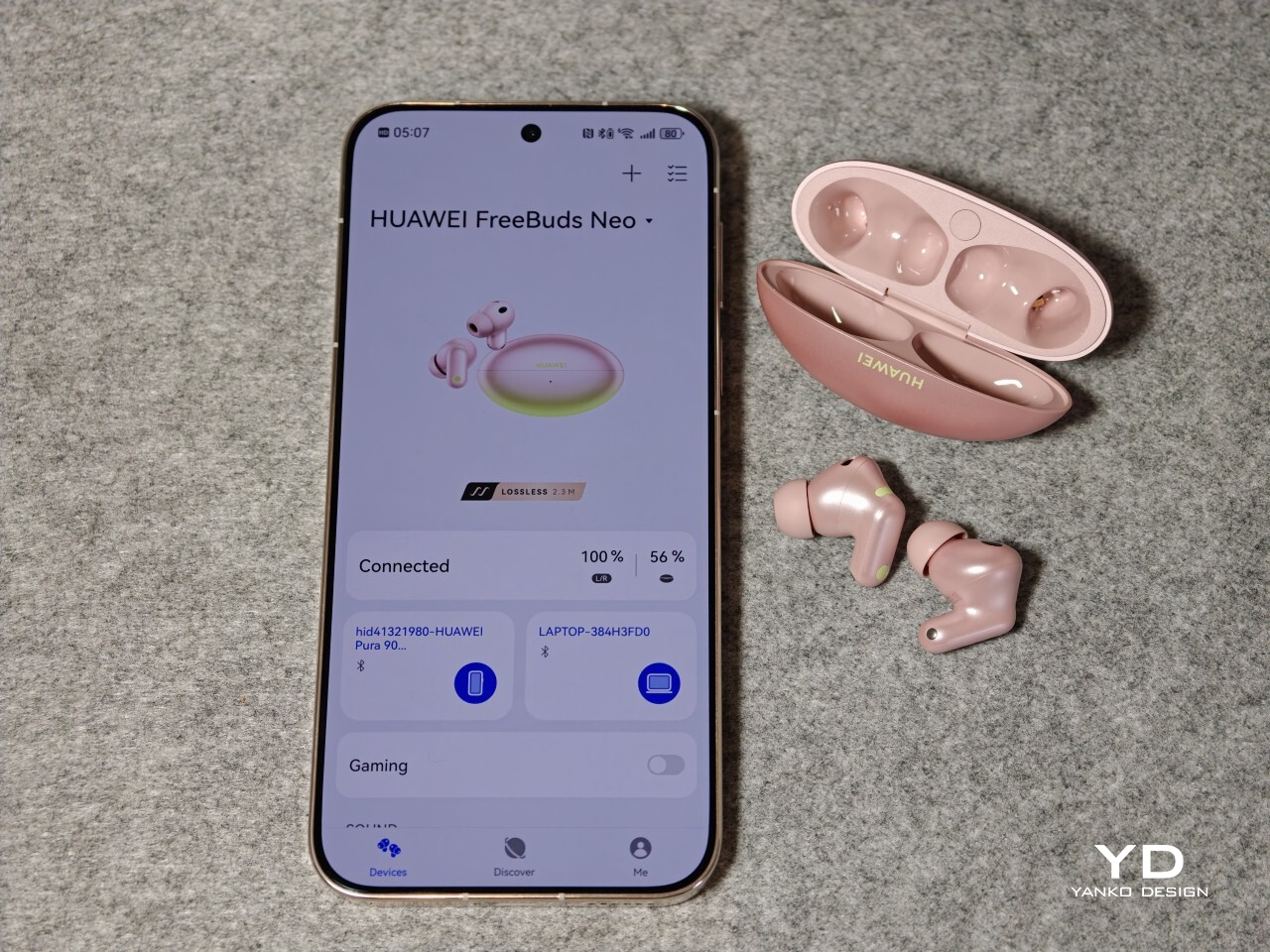
    Huawei includes extra silicone tips in XS, S, and L sizes, which is about what you would expect for in-ear earbuds. The companion app also includes a tip fit test, which can tell you whether the seal is good or not. It is a simple feature, but a useful one if you are unsure about fit.

    Performance

    The FreeBuds Neo are tuned for easy everyday listening rather than showy first impressions. They sound clean, balanced, and generally pleasant across music, videos, podcasts, and calls. Vocals come through clearly, there is enough bass to give tracks some weight, and the overall tuning avoids sounding too sharp or tiring over longer sessions. They also support LDAC and Hi-Res Audio, which is a nice bonus on a pair of earbuds at this level, especially for listeners who want access to higher-quality wireless audio.

    The ANC is good for the price. It does a solid job softening the usual background hum of travel or public spaces, though it does not match the stronger, more complete effect you get from premium models like the Huawei FreeBuds Pro 5. For everyday commuting or working in mildly noisy places, though, it is useful enough to make a real difference.

    Awareness mode works well too, and it feels genuinely useful rather than just included for the sake of it. I especially liked the voice mode within Awareness, which seems to let speech through more clearly. That made it easier to catch announcements or have a quick conversation without taking the earbuds out.

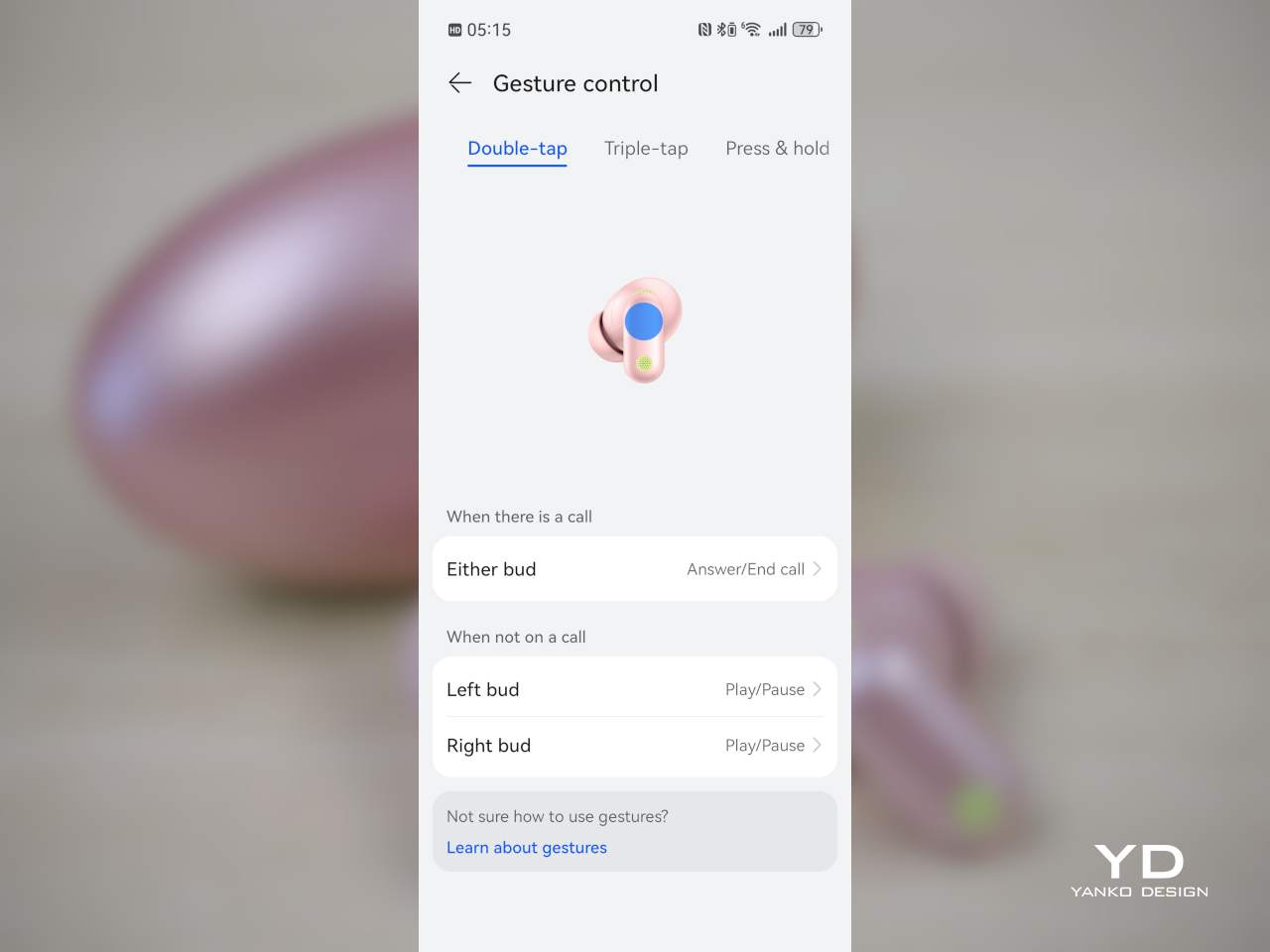
    Controls are another area where the FreeBuds Neo do well. Even with the short stems, gesture controls worked reliably for me. You get double tap, triple tap, press and hold, plus swipe up and down, which gives you a fairly complete set of controls without constantly reaching for your phone. Head controls are here too, letting you nod to answer calls or shake your head to decline them.

    Dual device connection is one of the more practical features. Being able to stay connected to two devices at once makes the earbuds much easier to slot into daily life, especially if you switch between a phone and a laptop or tablet. They also support Bluetooth 6.0, which helps keep the overall feature set feeling current.

    Huawei also says that if you have a Huawei smartwatch, you can control music playback from the watch, hear workout notifications through the earbuds while listening from your phone, and adjust settings like ANC and EQ from your wrist. In my testing, though, those extra features were not available with the Watch GT 7 Pro.

    Battery life is solid. Huawei rates the FreeBuds Neo for up to 10 hours with ANC off or 6.5 hours with ANC on, with up to 38 hours in total when you include the case. That should be more than enough for most people, especially since these are the kind of earbuds that will usually be topped up in the case between listening sessions anyway.

    Overall, the FreeBuds Neo gets the important things right. The sound is easy to enjoy, ANC is useful, Awareness mode works well, the touch controls are reliable, and dual device support adds real convenience. They may not feel as polished or as powerful as Huawei’s more expensive earbuds, but for everyday use, they offer a well-rounded set of features without becoming complicated.

    Sustainability

    Sustainability is not a major part of the Huawei FreeBuds Neo story. Huawei does not make any notable environmental claims here, and like most true wireless earbuds, they are built in a compact, sealed form that is not really designed for easy repair.

    The main durability point is the IP55 rating for the earbuds themselves, which adds some protection against dust and splashes. That should help them hold up better in daily use. As with most earbuds in this category, the best way to get long-term value is simply to take care of them and keep them in use for as long as possible.

    Value

    At £119.99 (approximately $160), the Huawei FreeBuds Neo sit in the middle of the market, but they offer a fairly complete package for the price. They are not exactly cheap, though they still come in below more premium earbuds, so the value is less about one headline feature and more about how well everything comes together.

    What you get is a strong all-rounder. There is good ANC, a useful Awareness mode, reliable gesture controls, dual device connection, LDAC support, and a design that feels more distinctive than many rivals, especially in Nebula Pink. In markets like the UK, Huawei is also offering a £20 discount before October 26, which makes them even more appealing.

    They may not be the first choice if you are only chasing the strongest ANC or the absolute best sound for the money. But as a stylish, comfortable, and easy-to-use pair of everyday earbuds, the FreeBuds Neo offer solid value and feel like a well-judged package overall.

    Verdict

    The Huawei FreeBuds Neo get a lot right for a pair of everyday wireless earbuds. They are comfortable, easy to use, and come with enough useful features to feel like a well-rounded option. The short stems, lightweight fit, and palm-friendly case make them especially easy to live with day to day.

    Nebula Pink also gives them more personality than most earbuds in this price range. Add in good ANC for the price, a useful Awareness mode, reliable gesture controls, dual device connection, and strong battery life, and there is plenty here to like.

    The ANC does not reach the level of Huawei’s more premium earbuds, but that is easy to accept given the price. Even so, at £119.99, or about $160, and less if you catch the early bird discount in some markets, the FreeBuds Neo are an easy pair to like and an easy pair to recommend for everyday use.

    The post Huawei FreeBuds Neo Review: Style, Comfort, and a Strong Feature Set first appeared on Yanko Design.
    Lenovo Yoga 9i Gen 9 14IMH9 (14″, 2024) Review: Graceful Balancing Act

    PROS:


    • Gorgeous 3.8K screen with very thin bezels

    • Stylish, lightweight, and flexible workstation on-the-go

    • Competitive performance even for light gaming

    • Creative speaker soundbar hinge design

    CONS:


    • Included pen feels cramped

    • No HDMI port or SD card slot


    RATINGS:

    AESTHETICS
    ERGONOMICS
    PERFORMANCE
    SUSTAINABILITY / REPAIRABILITY
    VALUE FOR MONEY

    EDITOR'S QUOTE:

    With a more portable design and solid performance, the Lenovo Yoga 9i Gen 9 makes for a competitive all-rounder that can cover almost every need and use case.
    award-icon

    There has been a sudden flood of new laptops in the past months, most of them trying to ride the AI wave. With so many designs and so many configurations available, it can be a bit daunting to pick one for your next major computer purchase. There’s no shortage of models catering to gamers and content creators, as well as pro models aimed at high-performance workers. On the opposite side lies the “economy” choices meant for students and some employees, carrying barely enough power for the most basic tasks. When it comes to those who need a general-purpose computer that can keep up with their changing needs and situations, the choices can be a bit more difficult because they’re all over the place. A solid option with well-balanced features and an accessible price tag is always in demand, and that’s what the 2024 Lenovo Yoga 9i Gen 9 (14IMH9) 2-in-1 convertible laptop is promising, so we take put it to the test to see if it does keep its word.

    Designer: Lenovo

    Aesthetics

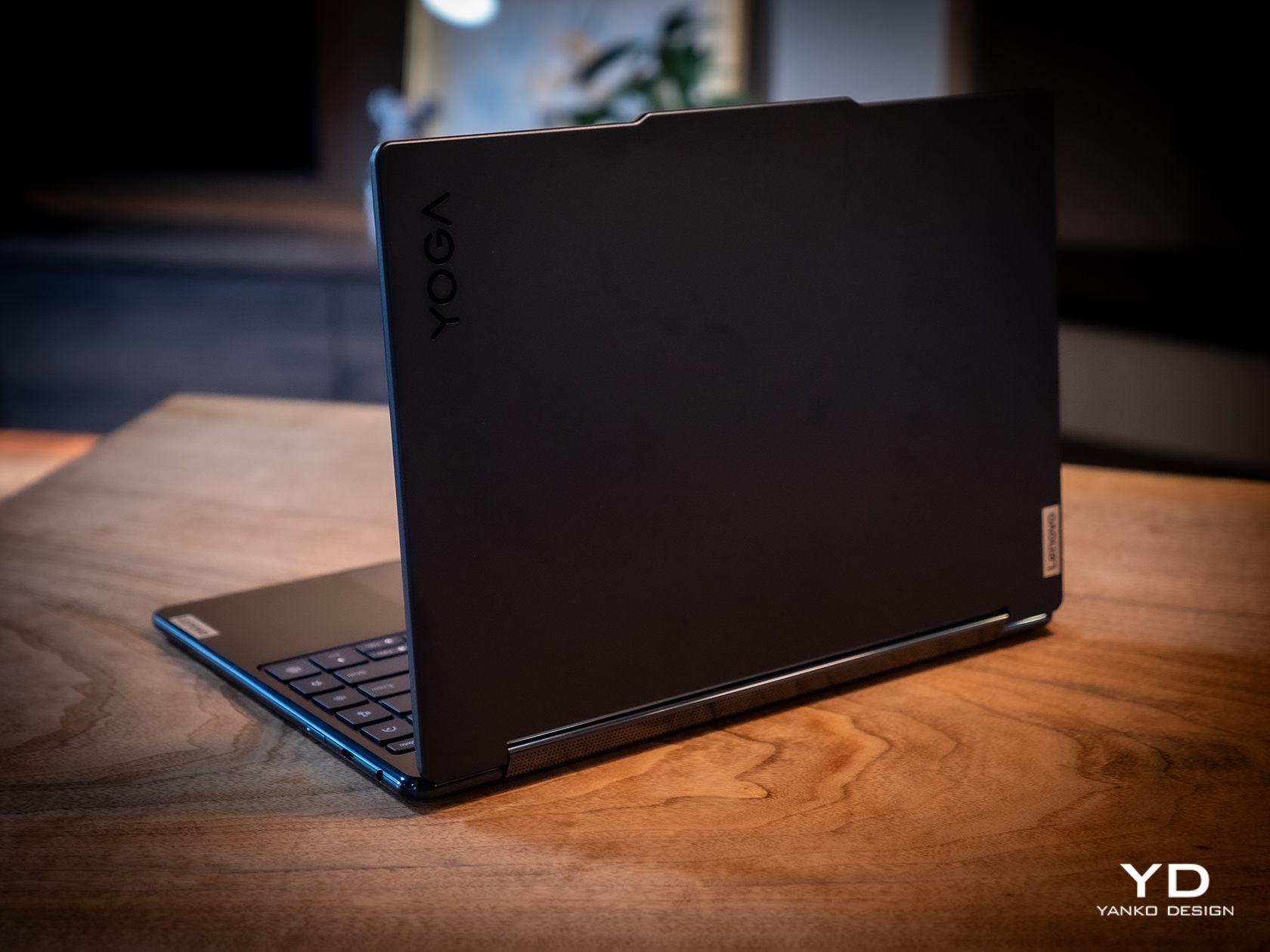
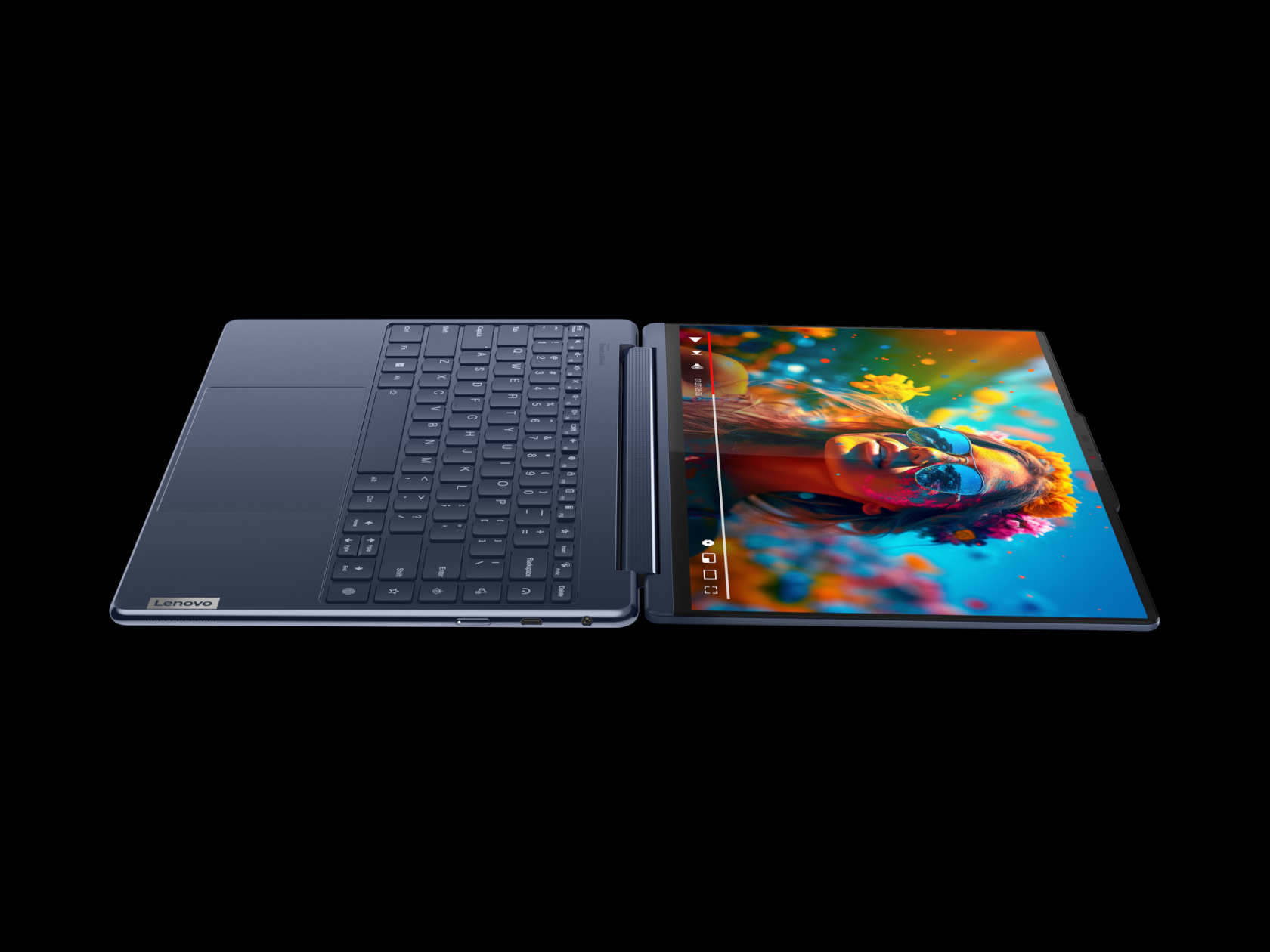
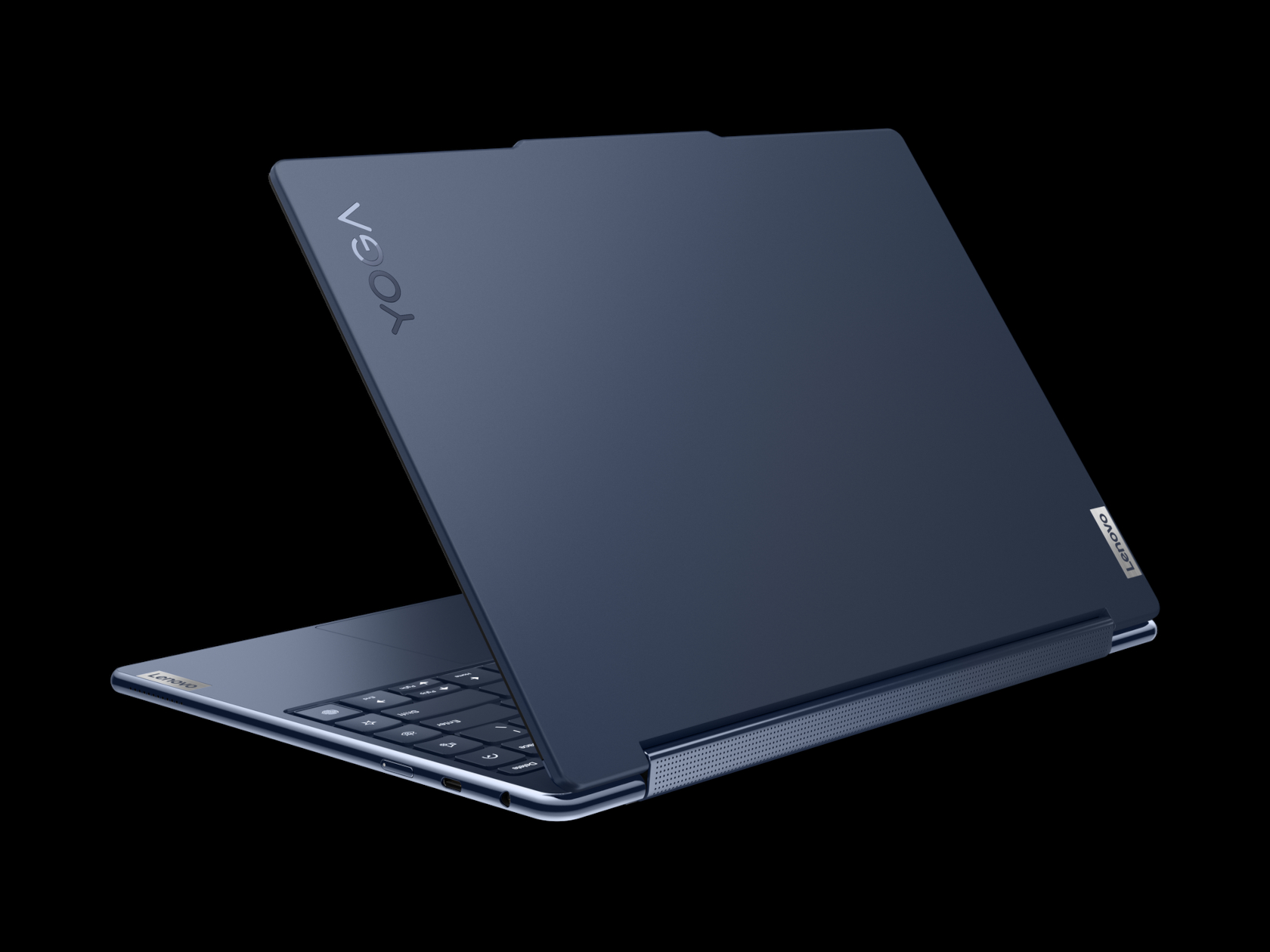
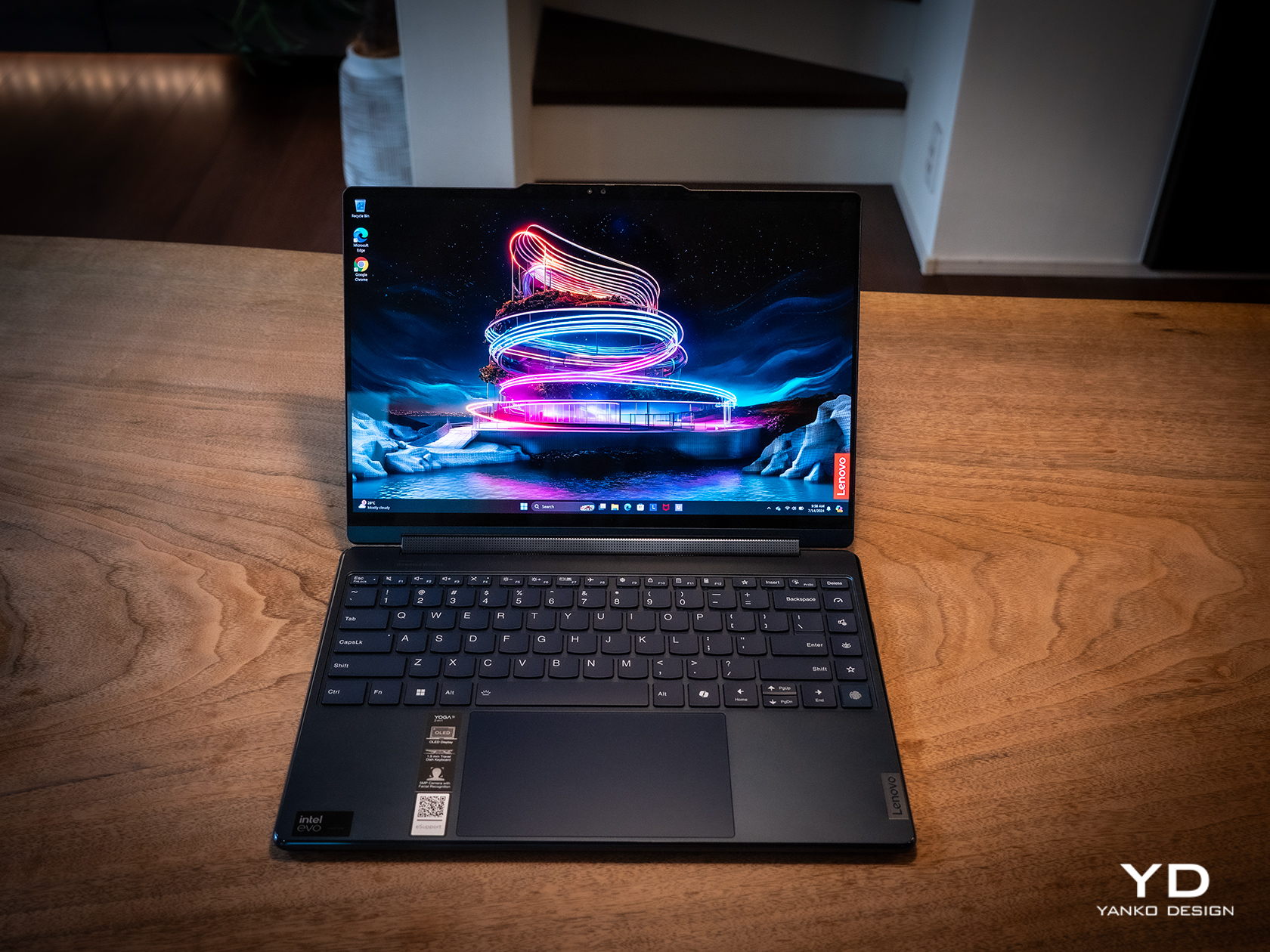
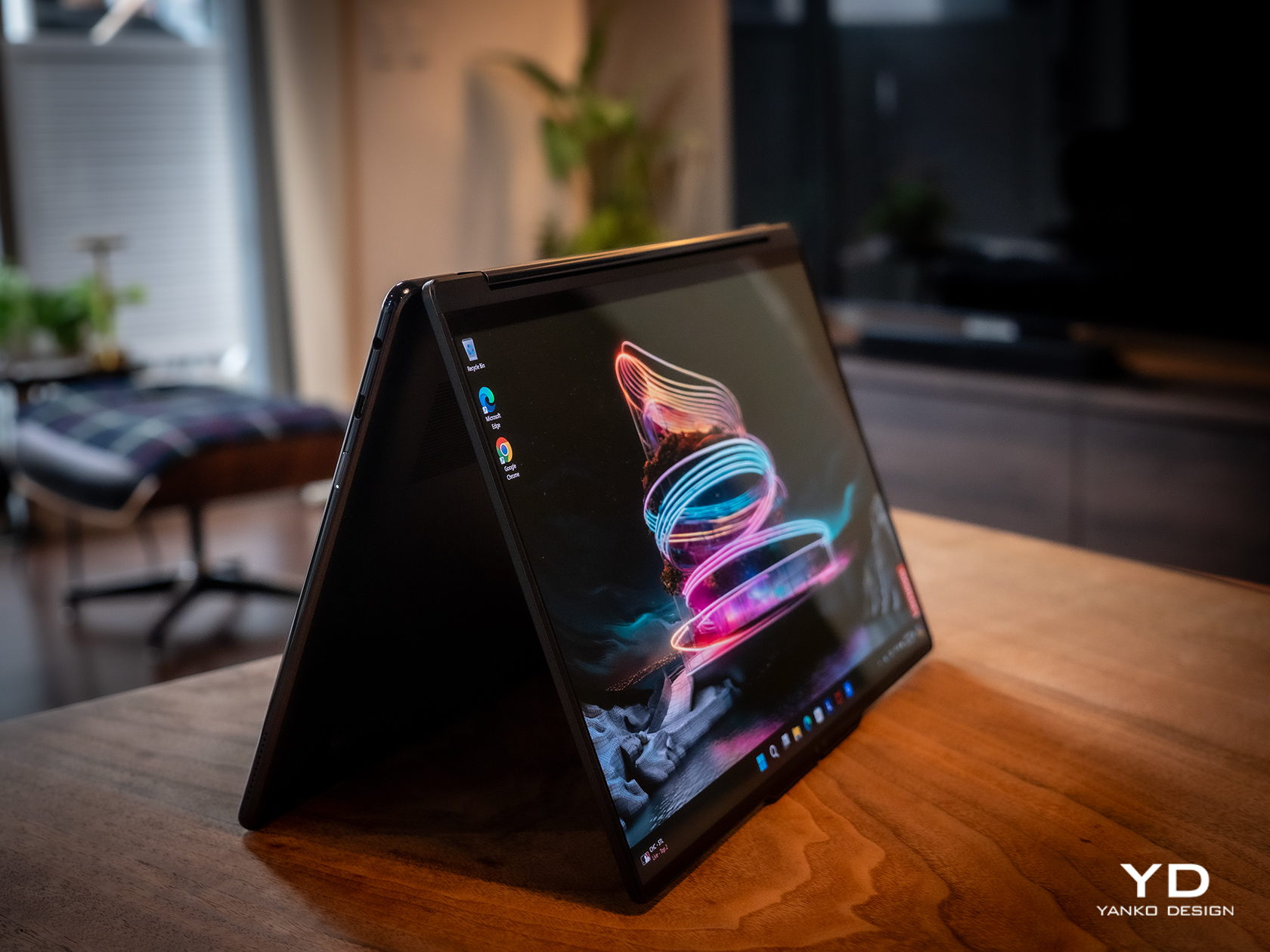
    The Lenovo Yoga 9i Gen 9 has a presence that grabs your attention without being loud or distracting. The simple yet sleek shape of the lid combined with the soft curves of the base creates an interesting silhouette whether the laptop is closed or open. And the dark Cosmic Blue hue, still a rarity in this product line, makes it stand out in an aesthetically pleasing way. When the lid is open and the screen powered on, the extra slim bezels around the display further emphasize the laptop’s modern appearance.

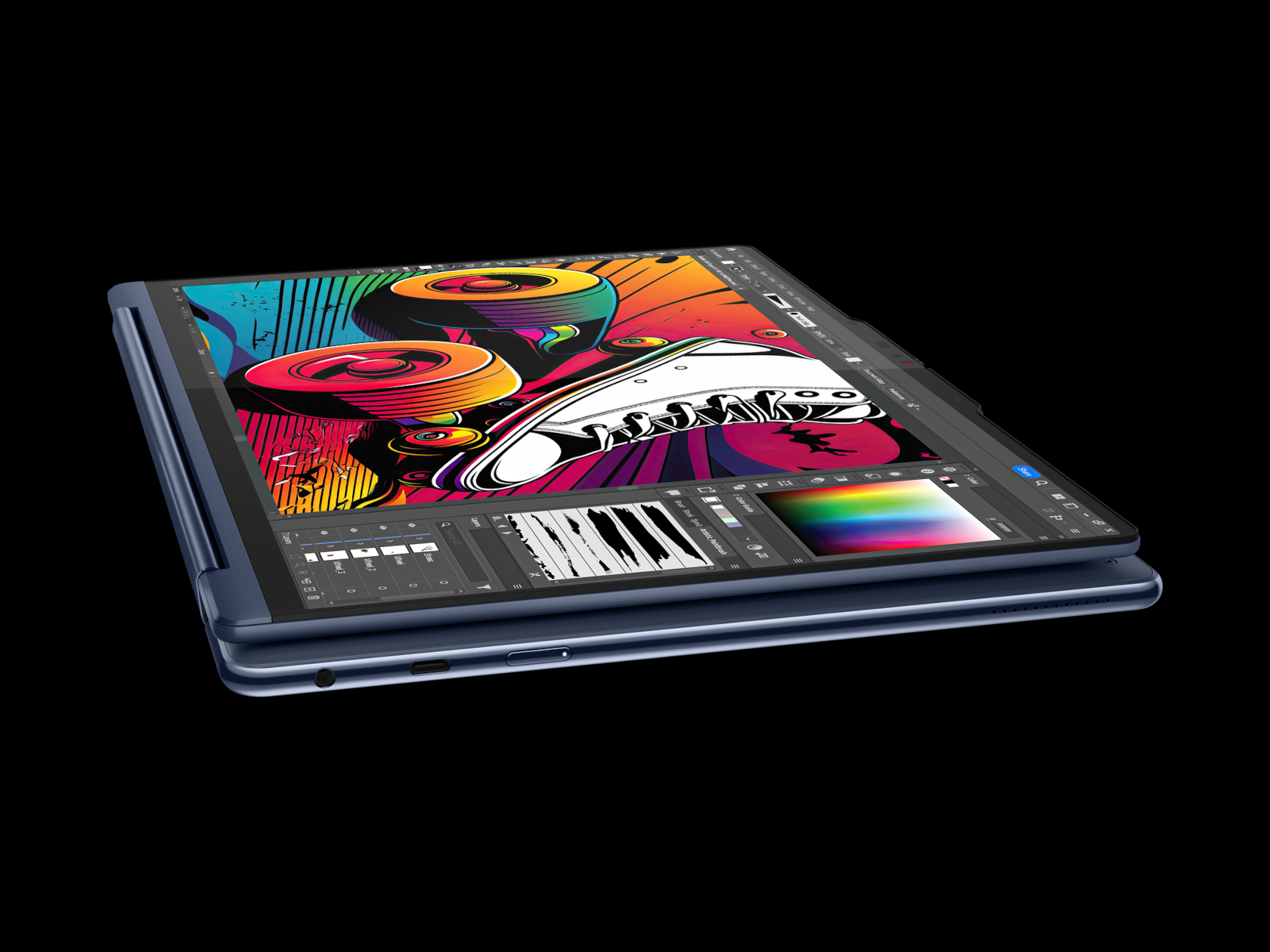
    Even at first glance, it’s immediately evident how slim and small the 2-in-1 laptop is, at least for a 14-inch device. Compared to its Gen 8 predecessor, this year’s Lenovo Yoga 9i is significantly smaller and lighter, which greatly improves its portability. This attribute is even critical for this kind of laptop since it can be used as a tablet that you’ll sometimes have to hold up for long periods of time, though it does have some drawbacks compared to typical tablets, which we’ll get to later.

    One design detail that might prove divisive is how the lid and the base practically have two different designs. The lid is thin and has flat edges with a matte surface, while the base sports curved edges with a shiny finish. The difference between the two is even more stark when you realize that the base is actually wider at its edges than the lid so that these two parts don’t sit flush with each other when closed. It’s an asymmetrical design quirk that might not sit well with some, while others might grow accustomed to it over time, enough to take it for granted.

    Ergonomics

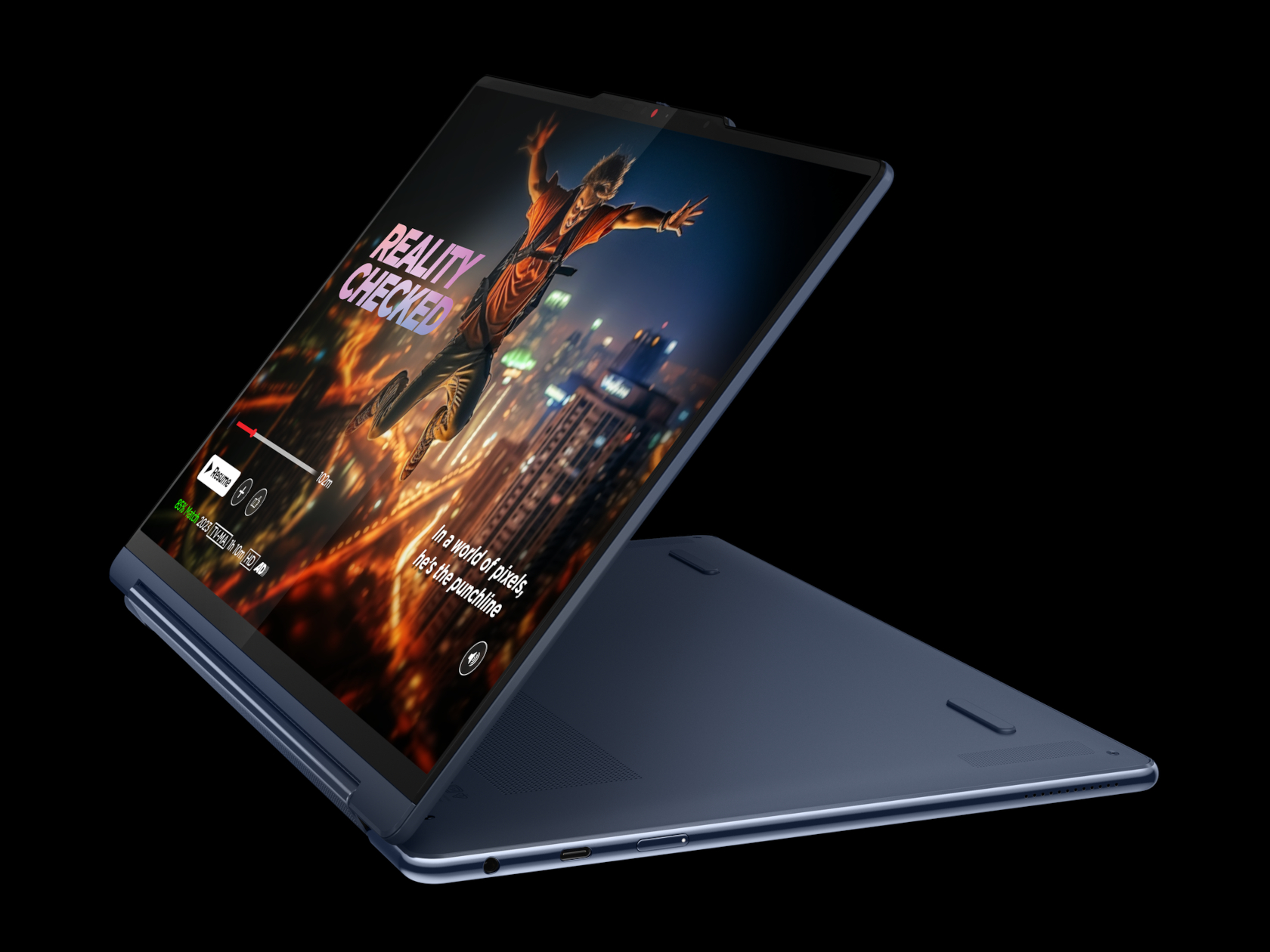
    At only 2.98 lbs (1.35kg), the Lenovo Yoga 9i Gen 9 is relatively lighter than its predecessor as well as the nearest competition. This gives it an advantage when it comes to portability, especially when you consider how it doesn’t skimp on the specs in return. You still won’t want to hold it up unsupported for long periods of time, but it’s less straining than most. That said, you won’t be able to hold it as comfortably as a regular tablet like an iPad or a Surface because the keys fold to the back of the lid. They’re disabled, of course, but you will still undoubtedly press on them, making for a rather awkward experience.

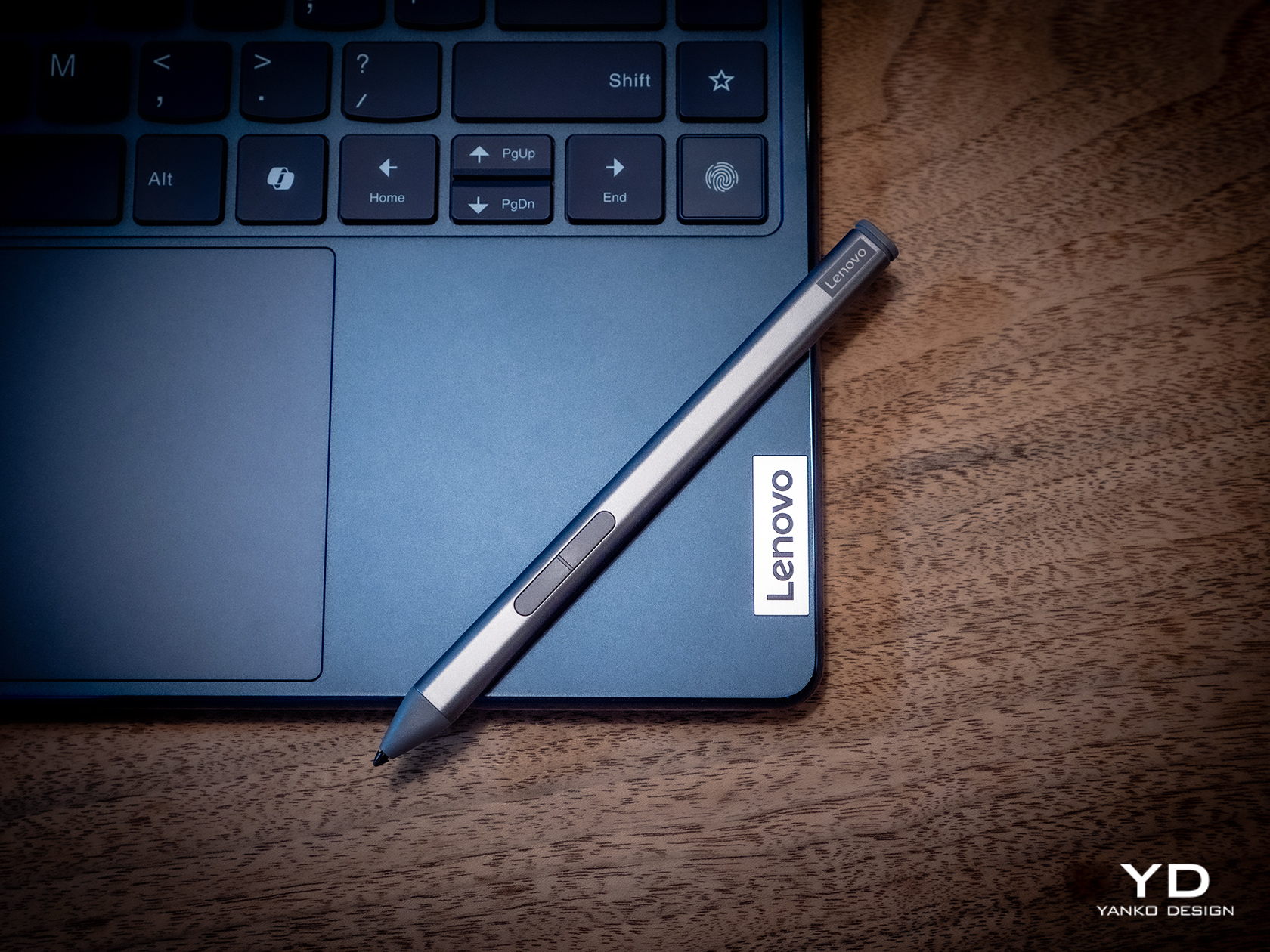
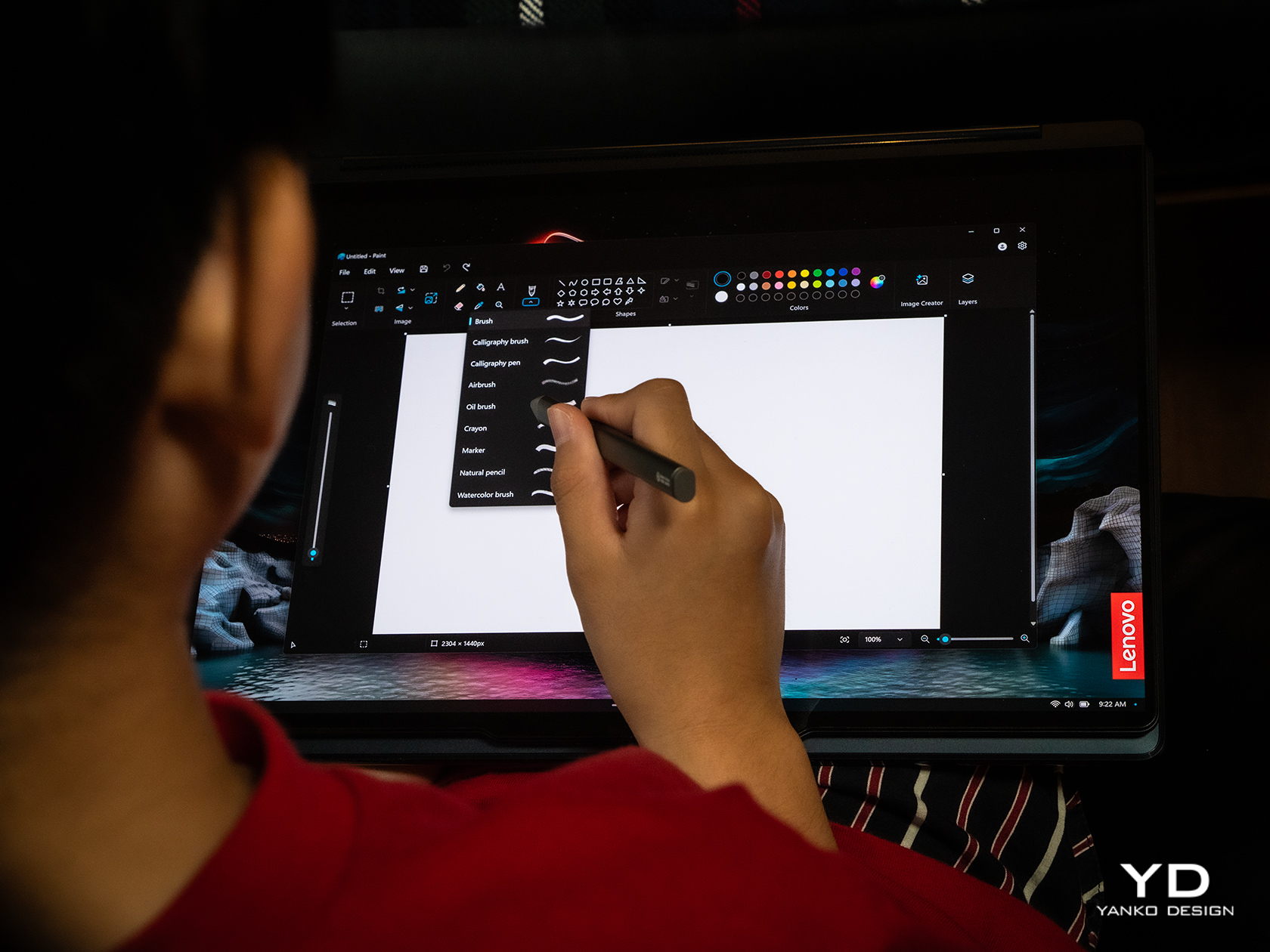
    But while using the laptop is comfortable and even enjoyable, the Lenovo Slim Pen that ships with the Yoga 9i Gen 9 is a different story. We don’t have any complaints when it comes to the performance of the stylus, since it does a great job at it, but holding the short and nearly flat stick can strain your hand if you use it for too long. There’s also no secure place to put the stylus on when not in use, because the magnet on the back and top of the lid is not exactly that strong. It almost feels as if designing the pen was an afterthought, especially since previous Yoga 9i models had a silo for its home.

    Performance

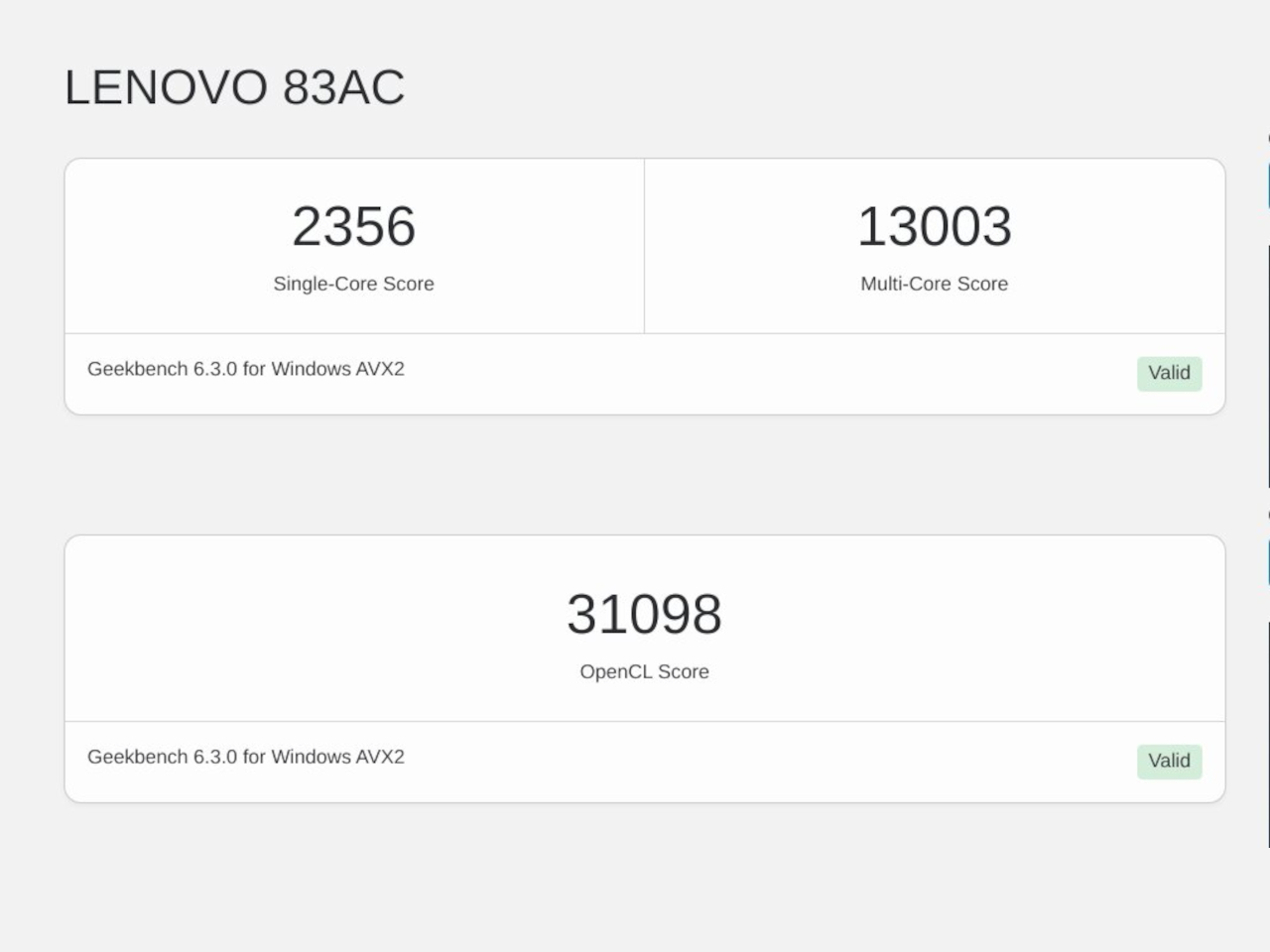
    In addition to its facelift, the 2024 14-inch Lenovo Yoga 9i Gen 9 gets a major upgrade in hardware. That’s the Intel Core Ultra 7 155H, the chip maker’s latest entry into the AI arena. This is matched with high-speed LPDDR5x RAM, 32GB for our review unit, and 1TB PCIe SSD Gen 4 M.2 of storage. In addition to the integrated Intel AI Boost NPU (Neural Processing Unit), a key feature of this configuration is the integrated Intel Arc graphics. It’s still a far cry from dedicated GPUs from the likes of NVIDIA and AMD, but it’s still a major leap forward in terms of performance. And it doesn’t disappoint, at least within the right context and expectations. It’s no gaming laptop, but light gaming with medium settings is no problem, as are content creation apps, especially those that utilize AI features.

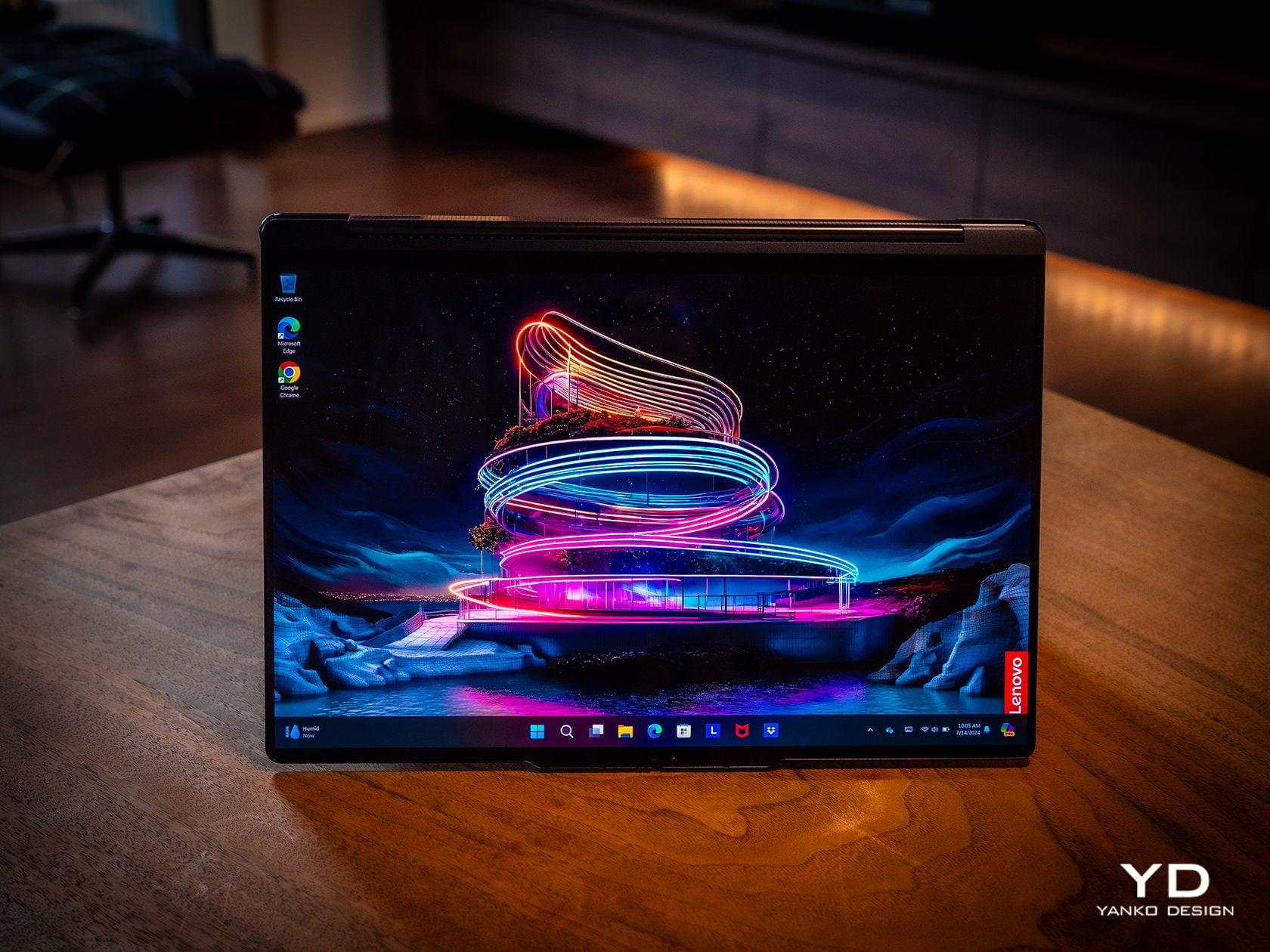
    The real star of the show here is the 14-inch OLED display, with a 3.8K WQUXGA (3840 x 2400) resolution in our review unit (there’s also a 2.8K 2880×1800 option). Both are touch-capable, as you would expect from a 2-in-1 laptop, and the image quality is just astounding in both brightness and color vibrancy. It’s by no means perfect, especially compared to more “pro” laptops, but on a consumer product, this is simply gorgeous. It doesn’t fall short when it comes to audio either, and its unique design solves one of the biggest problems laptops have: speaker placement. In the Yoga 9i Gen 9’s case, the wide hinge also acts as a soundbar that’s always firing in your direction, and the audio that it puts out is full and broad, and it doesn’t sound distorted or tinny at maximum volume.

    As a 2-in-1 laptop, the Yoga 9i Gen 9 has to carefully balance the needs of both laptop users as well as tablet users, and nowhere is that more evident than in the choice of I/O ports. There are three USB-C ports, two of which support Thunderbolt 4, one full-sized USB-A port, and a 3.5mm headphone jack. That’s pretty much it. The lack of an HDMI port means you’ll need to use a dongle if your external monitor doesn’t support USB-C video, and digital photographers might be unimpressed with the lack of a card reader. The I/O leans more on the side of portability and mobility, making some practical sacrifices along the way.

    The typing experience is quite decent, and the keys have sufficient spacing and travel to keep most users happy. It’s also backlit, so typing in the dark is no problem at all. The touchpad is large, smooth, and responsive, leaving very little reason to complain. One design detail that some might take issue with is the column of special keys on the right edge, providing quick access to a few features, including a fingerprint scanner. Unfortunately, its placement makes it too easy to hit these keys accidentally, especially since they’re so close to important keys like Enter, Backspace, and the Left cursor key. It also means that the entire keyboard is practically shifted to the left, and so will your hands.

    Battery life is decent, though not exactly remarkable. The 75Wh battery will last you an average of 5-7 hours on average use, shorter if you crank up the video or game settings. The good news is that it charges over USB-C and any of the three USB-C ports can be used for that purpose. That means you can opt for a faster and smaller GaN charger than the plain 65W brick that comes with the Lenovo Yoga 9i, not that it’s that big a charger in the first place.

    Sustainability

    The Lenovo Yoga 9i Gen 9’s all-aluminum build means there’s less plastic in each laptop. Even better, it uses plenty of recycled materials as well, like 50% recycled aluminum for the base bottom, 50% post-consumer recycled plastic for the keyboard, and, of course, 100% plastic-free packaging. That’s definitely more than what you might find in other consumer laptops, so Lenovo deserves a pat on the back there.

    Unfortunately, the longevity of the 2-in-1 laptop might be a bit of an issue, especially if you consider doing repairs or upgrades yourself. Although held down by four TORX screws, the base bottom panel also has some pretty strong adhesive that gets in the way of easily accessing replaceable parts. Also quite puzzling, this Gen 9 model has apparently dropped support for the longer 80mm NVMe SSD drives, limiting you to the 42mm variety only.

    Value

    The laptop market is a very competitive space, especially when brands put out new models almost at the same time and with the same core specs. That makes telling each apart a bit more difficult, let alone figuring out the actual value that a product has. With a price tag ranging from $1,300 to $1,500, the Lenovo Yoga 9i Gen 9 (14″, 2024) already stands out as being more affordable, but we definitely can’t judge it by that figure alone, nor can we ignore the competition.

    The Yoga 9i Gen 9 definitely offers a well-rounded set of features, wrapped in a design that is elegant and distinctive, even if a bit odd at the edges. The 14-inch display really makes videos and images pop, up and the sound quality is impressive for a laptop. That said, it’s a very close call with its biggest rival, the newly refreshed HP Spectre x360 14, also a 2-in-1 convertible laptop. It might even boil down to which product and software ecosystem you prefer, but you can’t go wrong with a solid performer like the new 2024 14-inch Yoga 9i.

    Verdict

    Finding a good balance between power, portability, and price isn’t that easy. Some designs don’t even try and instead focus on a specific aspect and refine that to perfection. The Lenovo Yoga 9i Gen 9 almost comes close, bringing the AI-empowered performance of the new Intel Core Ultra line to a sleek and elegant device that you can proudly show off, whether as a laptop or as a tablet. With a large and beautiful screen that barely has any bezels, it not only lets you focus on your work but also enjoy viewing content on it. Best of all, its sustainability and accessibility give it an edge over similarly priced options, making the Lenovo Yoga 9i Gen 9 2-in-1 laptop truly enticing for creators and workers always on the go.

    The post Lenovo Yoga 9i Gen 9 14IMH9 (14″, 2024) Review: Graceful Balancing Act first appeared on Yanko Design.

    OBSBOT Tiny 2 4K PTZ Webcam Review: Elevate Your Streaming Quality with AI this Prime Day

    PROS:


    • Sleek, compact, and minimalist design

    • Impressive imaging performance

    • Fast, responsive, and useful AI-powered features

    • Hands-free gesture and voice control offer unbeatable convenience

    CONS:


    • Struggles a bit in low light

    • Voice control might be a concern for some users

    • A bit pricey (without Amazon Prime Day deal)

    RATINGS:

    AESTHETICS
    ERGONOMICS
    PERFORMANCE
    SUSTAINABILITY / REPAIRABILITY
    VALUE FOR MONEY

    EDITOR'S QUOTE:

    With a sleek, modern design, excellent performance, and helpful AI features, the OBSBOT Tiny 2 4K camera is one of the best webcams money can buy, especially if you get it at a bargain like on Prime Day.
    award-icon

    With streaming steadily becoming a popular and even lucrative career, the webcams built into laptops and monitors are not enough to give you an edge over the competition. Sure, they might be serviceable or even decent for meetings, but holding a captive audience requires more than just showing your static, pixelated face all the time. Whether you’re streaming a game, making presentations, selling products, or creating content in general, you will want a webcam that can keep up with you, figuratively and literally. That is exactly what the OBSBOT Tiny 2 AI-powered webcam promises, so we take it out of its premium carrying case, mount it on our monitor, and take it for a spin to see if there’s more to it than an impressive list of smart features.

    Designer: OBSBOT

    Click Here to Buy Now: $296 $329 (10% off). Hurry, deal ends in 48-hours!

    Aesthetics

    Most webcams, at least those not embedded in monitors, usually come in boxy shapes that try to blend with the edge of the monitor or circles and spheres that look like a creepy eye staring back at you. Very few of their kind pay attention to the subconscious effect their designs have on the people who will be looking at the camera for long periods of time. That makes the OBSBOT Tiny 2 immediately different from its peers the moment you take it out of its carrying case because it immediately cuts a striking figure that makes its presence known without being distracting all the time.

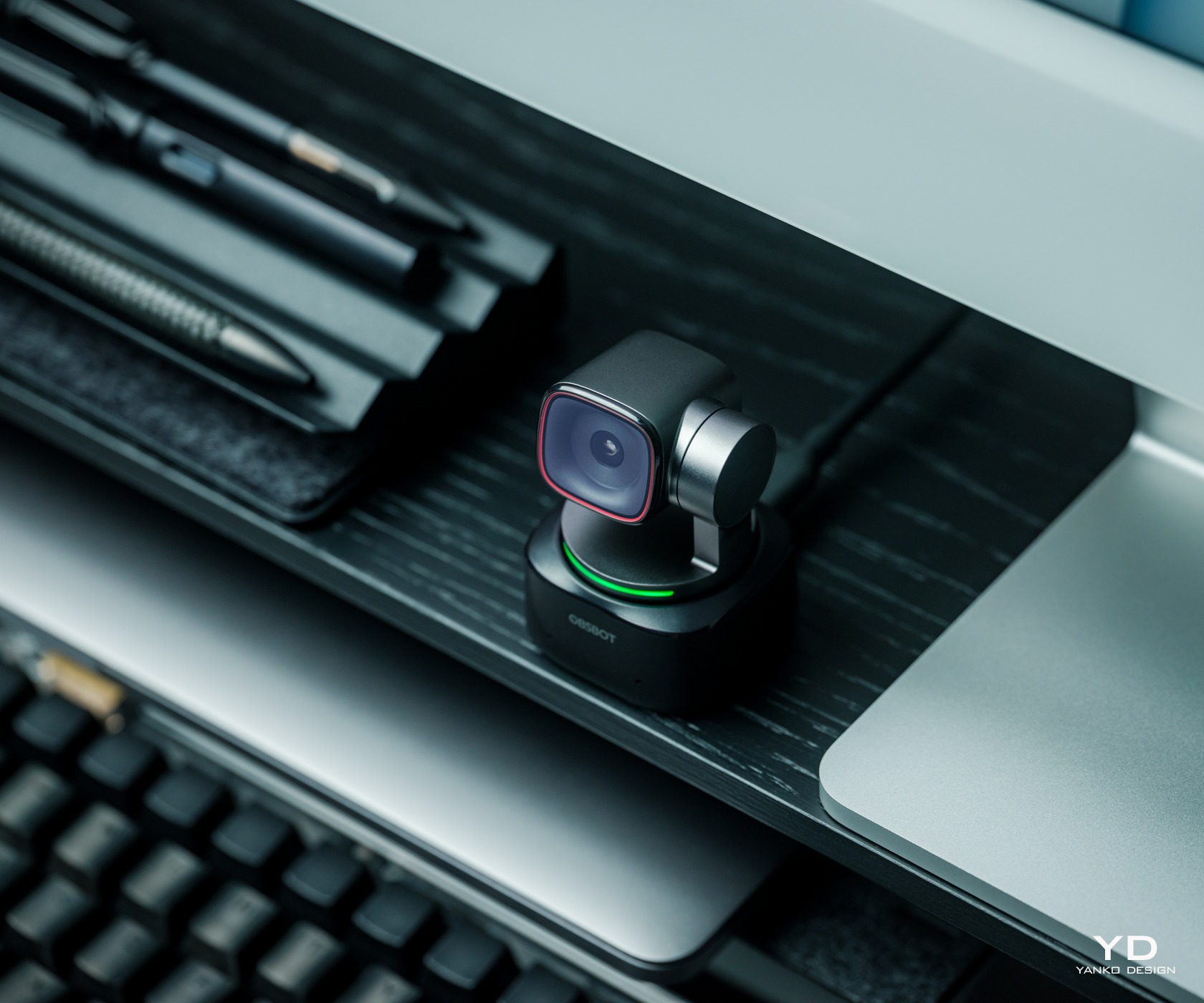
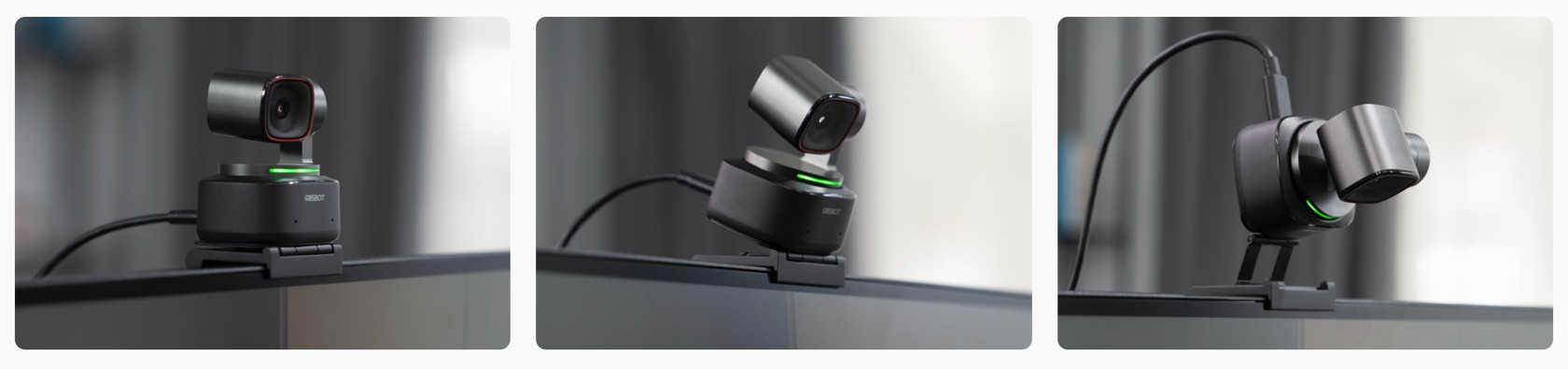
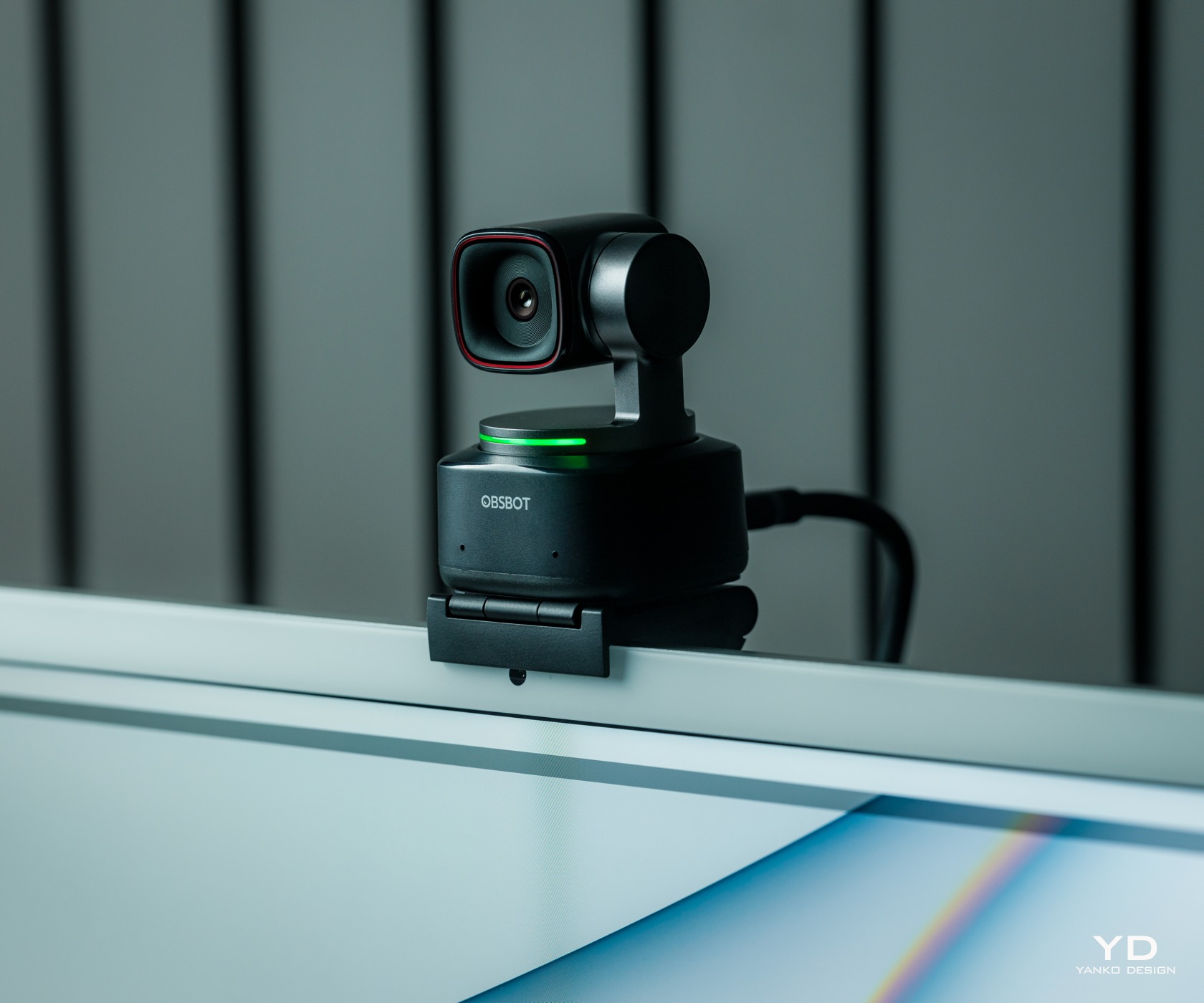
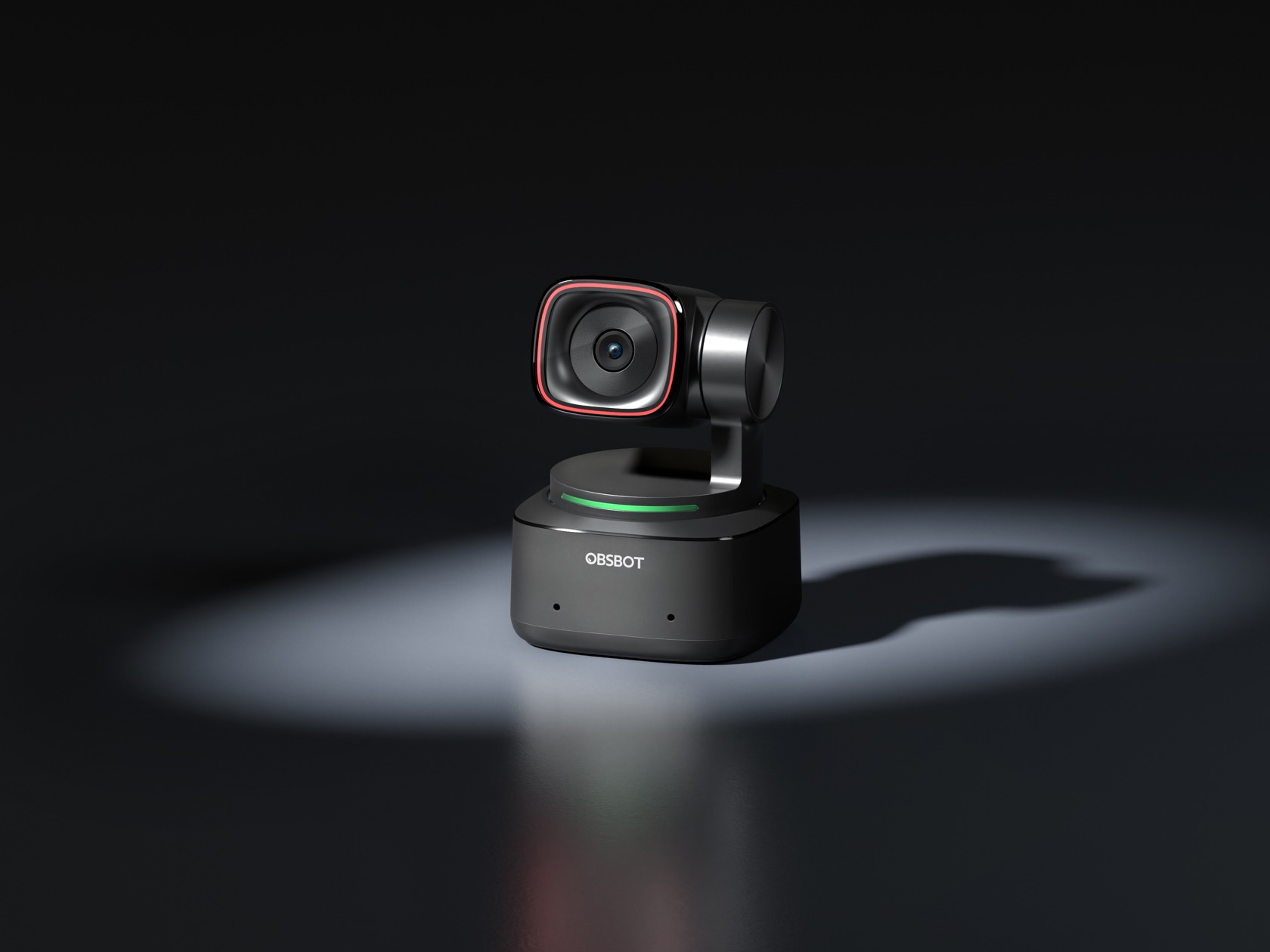
    The OBSBOT Tiny 2 comes with a rounded rectangle camera connected to a 2-axis gimbal that’s mounted on a smooth, squarish base. It has a sleek and modern aesthetic that embraces minimalism to its core. There are very few deviations from its predominantly black body, like the red accent around the camera lens and the LED light strip that indicates the camera’s modes. There are no buttons anywhere, and the only break on its surface is the USB-C port. It’s a breath of fresh air from webcams that try to look either too pretentious or too uninspiring.

    The camera’s build quality is also commendable, utilizing a metal alloy rather than the common plastic. Its compact size and simple operations make it quite handy as a portable webcam, and the OBSBOT Tiny 2 comes with a solid carrying case that has room for everything you need to use it on the go, namely, its USB-C cable and included mount. Suffice it to say, the webcam’s simple yet stylish design won’t distract you from creating your finest content but will still please your eyes and your subconscious mind every time you do look at it.

    Ergonomics

    Unlike an action camera, whether in your hand or a gimbal, a webcam is mostly meant to sit on top of your screen or somewhere stationary. And with its minimalist design, the OBSBOT Tiny 2 is definitely not something you’ll be touching a lot to use and control. That’s definitely a good thing since you don’t want to always reach out in front of you to even just adjust the camera’s direction. What you want is to be able to record yourself or take pictures without breaking your flow, and the Tiny 2 handles that quite gracefully.

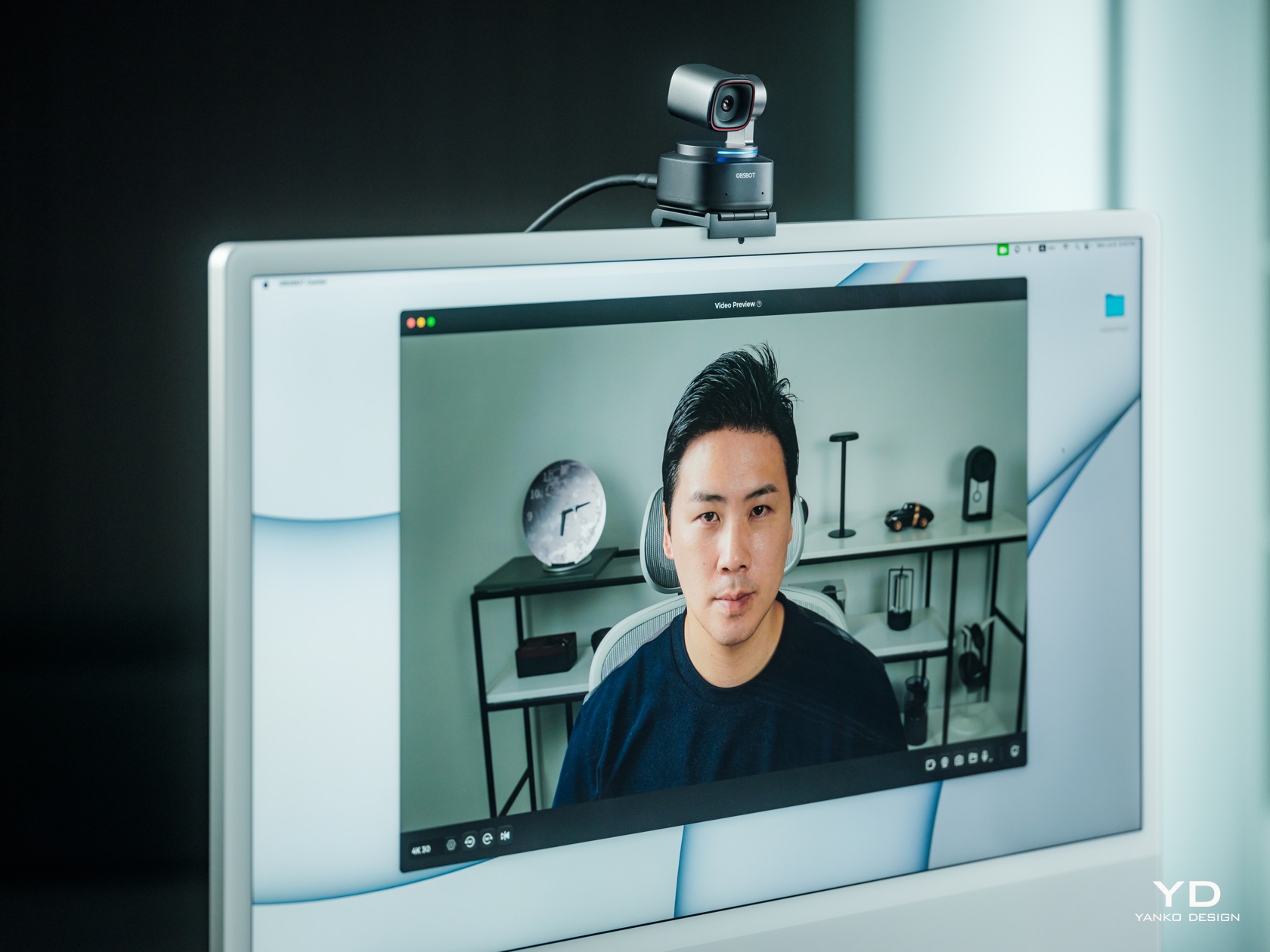
    What all this means is that you’ll be controlling the camera directly, either with gestures, voice, or the optional remote control. Yes, you’ll also use the OBSBOT Center software (formerly known as the OBSBOT WebCam), which has all the sliders and buttons you’ll need to fine-tune the camera’s performance. It can admittedly be overwhelming, but it’s something that professionals will want to have access to. And if you really need to control the camera without being near the computer, the $49 OBSBOT Tiny Smart Remote 2 has a few shortcuts handy. Plus it also functions as a presenter for those meetings that will impress your boss and even your colleagues.

    Various Placement Methods

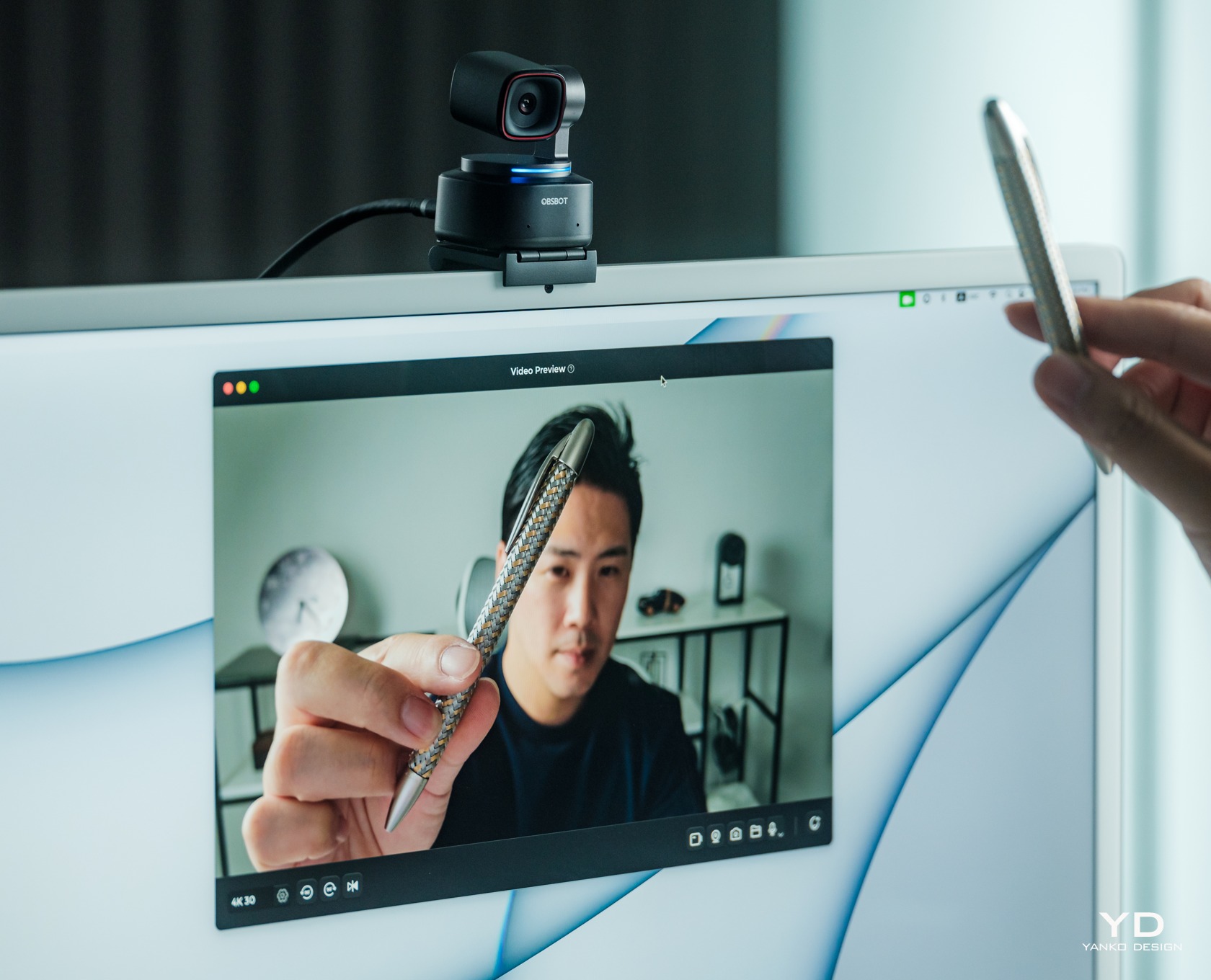
    As for placing the webcam itself on a monitor, the OBSBOT Tiny 2 comes with a foldable magnetic clamp made with the same premium metal as the camera. The mount uses physics and gravity to stay on top of the monitor, while a strong magnet keeps the OBSBOT Tiny 2 attached to it, even when you tilt the mount down. Given the foldable design of the clamp, it might have some problems with very thin laptop lids or very thick monitors. Fortunately, you can also screw the Tiny 2 on almost any mount, which opens up more possibilities on where you can use the webcam. The only requirement is that you can still connect it to a computer or even a smartphone with a lengthy USB-C cable.

    Performance

    4K Video Quality

    Before the pandemic, webcams that can go beyond 1080p resolution sounded excessive, but that’s now the bare minimum for these accessories. 4K is becoming more common, and the OBSBOT Tiny 2 is right up there with a 1/1.5-inch CMOS sensor that has an effective 50MP resolution. It’s capable of recording 4K video at 30fps or 1080p at 60fps and lower frame rates. Unfortunately, there is no “in-between” resolution like 2K of 1440p, which is also a common video quality in streaming these days.

    In Dim Lighting Conditions

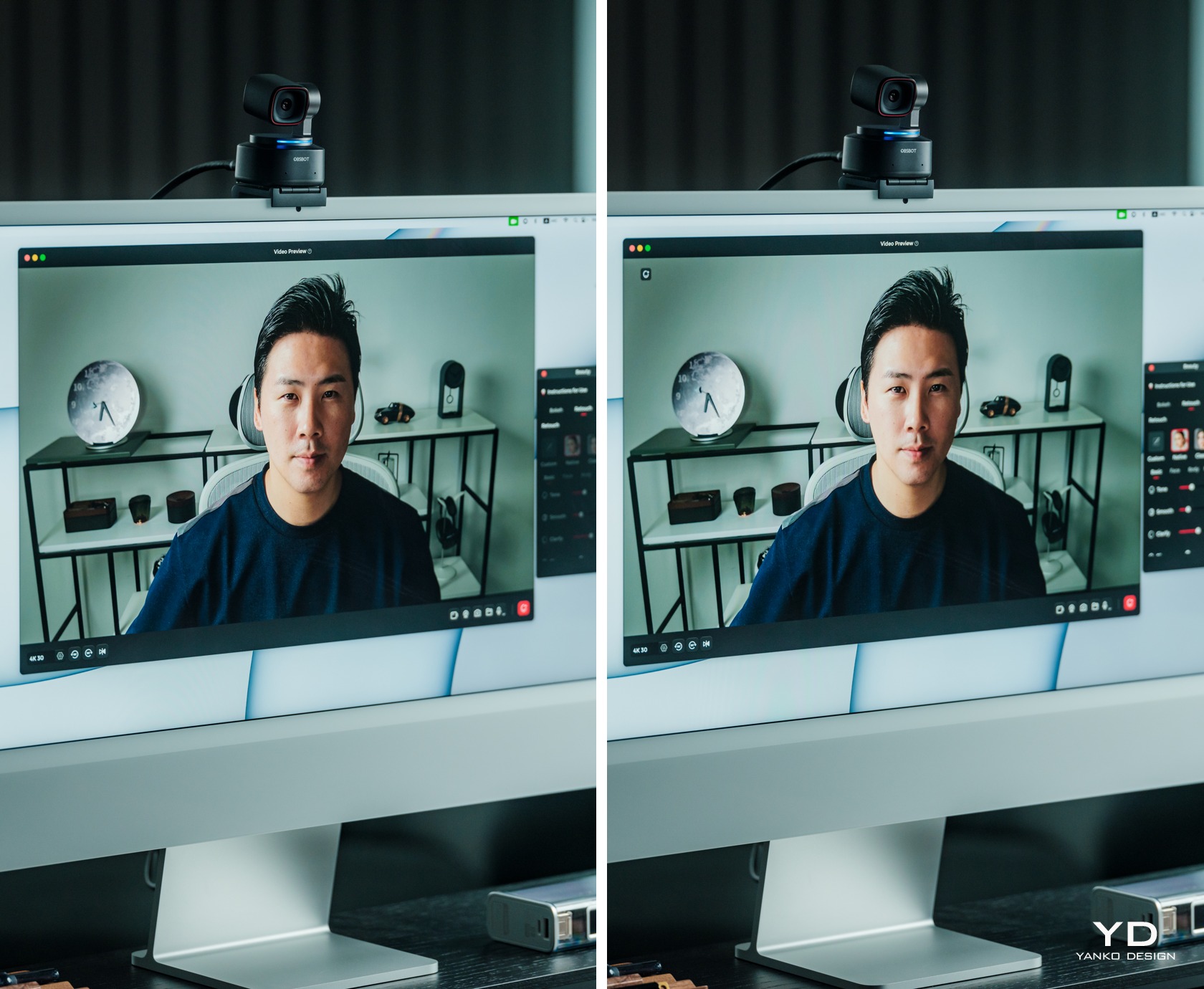
    Whichever resolution you go with, the Tiny 2 performs admirably in capturing both still and moving content with plenty of detail and wide dynamic range. It boasts a Dual ISO system that can automatically switch or combine the two depending on the lighting condition. Unfortunately, it does struggle a bit in poorly lit environments, though not terribly. If you’ll be streaming in the dark, like what many gamers do, you might still want a bit of lighting to ensure a balanced image. The camera features two built-in omnidirectional mics with noise reduction, and while it does produce decent audio, it’s not exactly something to write home about. It can also sound a little tinny, so you might want to augment your setup with a dedicated microphone if you can afford it.

    Auto Tracking with Auto Zoom

    Magical Gesture Control 2.0

    4x Zoom In/Out

    Select/Cancel Target

    While the OBSBOT Tiny 2 already delivers commendable imaging performance, it really goes to town with its long list of features to make creators’ lives easier and even more fun. And, unsurprisingly, many of these harness the power of AI with very impressive results. Tracking the subject is at the very top of the list, and it is fast and smooth, thanks both to the algorithms as well as the 2-axis gimbal. Depending on your settings, the camera can even automatically zoom in and out to make sure your head or upper body is always visible, no matter how far you are from the camera. And if more people join in on the shot, it will automatically adjust the field of view to frame everyone properly.

    Present Properly with Desk Mode

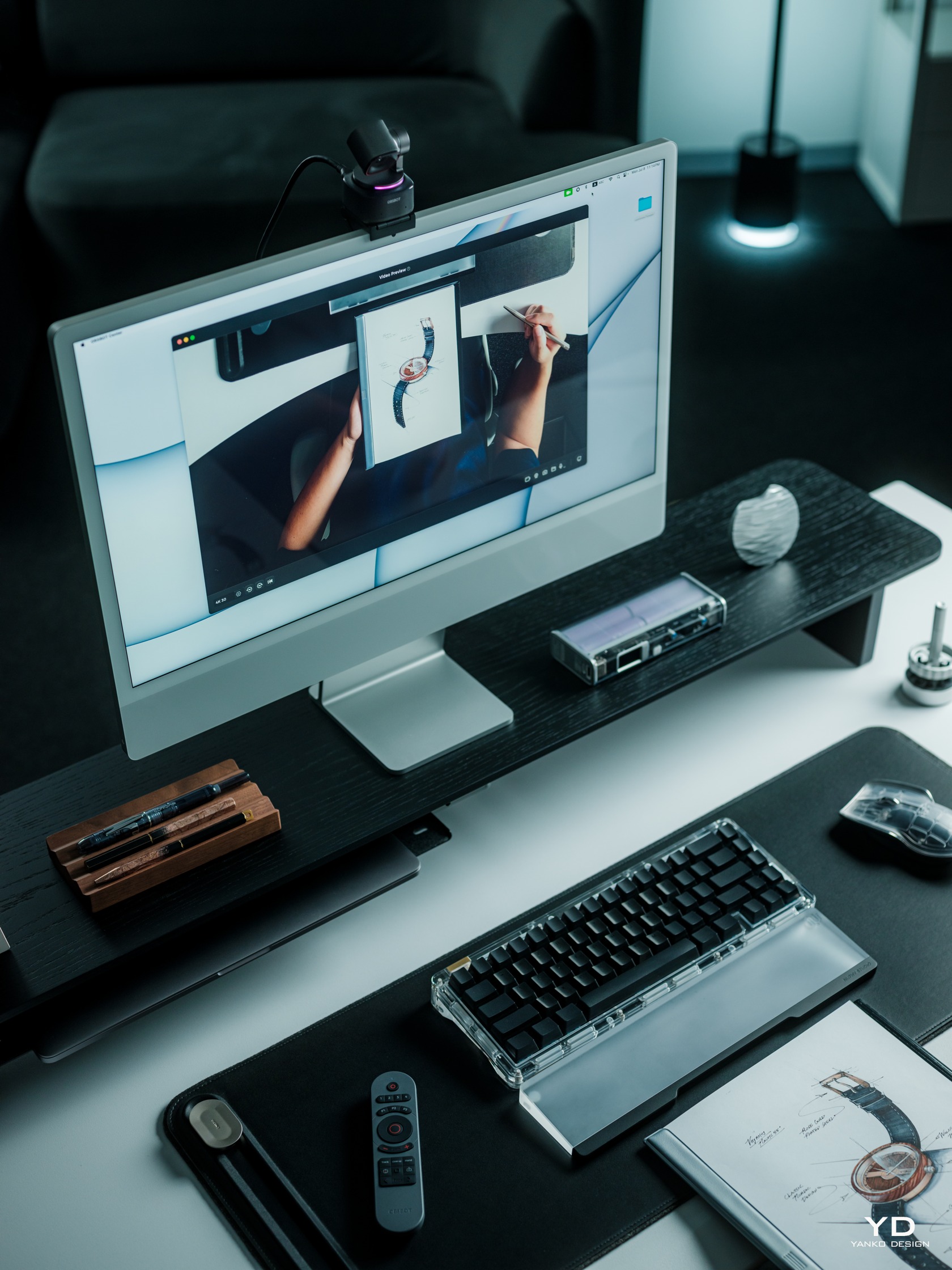
    The Tiny 2 also has a unit Desk Mode that makes the camera perfect for meetings and video instructions. In this mode, you tilt the mount forward and the camera will then adjust its angle so that it’s directly pointing down on the desk. It will then flip the video stream so that viewers can see what you’re writing or doing with your hands in the correct direction. And for those streams that require you to act like a teacher, whiteboard mode will focus, zoom in, and straighten the whiteboard for more effective delivery.

    All-Pixel Auto Focus

    The list of convenient and impressive features goes on and on. Now four times faster than its predecessor, the OBSBOT Tiny 2’s autofocus is fast and impressive, making sure that the product you’re showing off in front of you is clearly seen before it switches back to showing your face. For brief and quick camera changes, you can use hand gestures to zoom in and out, but the real headlining feature for this new model is voice control. From waking up the camera to having it follow you around, you can just ask “Tiny” rather than reach out for your mouse or keyboard. Some people might feel a bit uneasy with having a camera that’s listening and waiting for your commands, but you can always turn the camera down to turn it off and protect your privacy or disable the feature entirely.

    Beauty Mode – Smooth your skin and brighten your eyes in just one second.

    Sustainability

    With webcams a dime a dozen in the market these days, it shouldn’t be a surprise that the vast majority of them use plastic shells to cover their bodies. What’s more surprising are the outliers like the OBSBOT Tiny 2 which opt for more premium and more sustainable materials like metal. It not only adds character to the design, it also makes it look more forgiving and gentler on the planet. You will want to take better care of the camera when using it outdoors, of course, protecting it from scuffs and dents. Thankfully, that hard shell case is there for that very purpose.

    It’s not a complete win, of course, as there are still plenty of plastics in the product as well as the packaging. The camera’s seamless design also makes self-repair nearly impossible, not that you’ll want to do it yourself anyway. OBSBOT does have a strong warranty and repair policy, so you’re better off letting the experts do the hard and precise work.

    Value

    User Scenarios

    If it wasn’t clear yet, the OBSBOT Tiny 2 is chock-full of features, all of which are designed to make a content creator’s life easier and less stressful. It leverages AI so that they don’t have to make minute-by-minute decisions and adjustments to the camera, freeing them to focus on the most important part of the process: actually creating the content and engaging with a captive audience. It’s like having a small cameraman on your desk, following your body’s or hands’ cues to create those smooth transitions and to focus on important parts, whether it’s a product or your face.

    That said, the OBSBOT Tiny 2’s SRP of $329 can still be a bit difficult to swallow. Make no mistake, you’re really getting your money’s worth, but not everyone will have that much in reserve for a new tool. Fortunately, Amazon’s Prime Day is just around the corner, and you can get this AI-powered camera at a steep 10% discount that brings the price down to a juicy $296. With that price cut, there’s very little to keep you from upgrading your toolset to become the content creator you’ve always aspired to be. Prime Day also opens the door to other sweet deals, like the Remote Combo with the Tiny Remote 2 getting a 16% discount, or the PowerUp Combo with a remote, a tripod, and an HQ mic going for 15% less. Streaming veterans might want to grab the Streaming Combo (remote, tripod, UVC to HDMI adapter) or the MultiCam Combo (three OBSBOT Tiny 2 Cameras, remote, 3-in-1 USB Hub) with 15% and 14% savings, respectively.

    Verdict

    We’re way past the time when streamers and video content creators could simply sit in front of their cameras and expect the likes (and money) to start piling in. Viewers have become more discerning, perhaps even more demanding, and streamers now need to take their content to the next level. Of course, the actual content is king, but the presentation can make or break your career as well. More than just a good camera, you need a camera that understands where you’re going and can follow your cues without you even saying a word.

    The OBSBOT Tiny 2 4K PTZ Webcam delivers on both fronts, providing excellent video quality with the brains to know how you want a shot to be taken or what to focus on. And it looks great to boot, putting other webcams to shame for their lack of elegance despite all the opportunities and materials available to them. Admittedly, it’s not an inexpensive product, but with a juicy Prime Day deal, there’s no better time to upgrade your streaming equipment and upgrade your channel than with this AI-powered 4K webcam.

    Click Here to Buy Now: $296 $329 (10% off). Hurry, deal ends in 48-hours!

    The post OBSBOT Tiny 2 4K PTZ Webcam Review: Elevate Your Streaming Quality with AI this Prime Day first appeared on Yanko Design.
    Lenovo Legion Go Review: Big Steps for Handheld PC Gaming

    PROS:


    • Beautiful and spacious 8.8-inch 1600p 144Hz screen

    • Detachable controllers with innovative FPS (vertical mouse) mode

    • Great overall performance

    CONS:


    • Large and heavy

    • Bottom USB-C port is unusable when using the kickstand

    • Short battery life

    RATINGS:

    AESTHETICS
    ERGONOMICS
    PERFORMANCE
    SUSTAINABILITY / REPAIRABILITY
    VALUE FOR MONEY

    EDITOR'S QUOTE:

    The Lenovo Legion Go pushes the envelope of what handheld PCs are capable of, paving the road for future innovation in this space.
    award-icon

    Although it was hardly the first portable gaming console, the success of the Nintendo Switch really inspired a new class of gaming devices. It pushed the boundaries of what you can accomplish with a handheld, offering a gaming experience that you can enjoy anywhere, including while sitting on a couch in front of a TV or table. Of course, Nintendo’s selection of titles is just a small part of the larger gaming world, and there have been many brands that have tried to bring the magic of the Switch to PCs. The Steam Deck proved that such a product would be popular, but it just stopped there. Lenovo, on the other hand, went all out with what is possibly the closest to a “Switch PC” to date. But is the Lenovo Legion Go just a Switch clone or is it offering a completely new gaming experience? We take this innovative gaming handheld for a few good spins to find out.

    Designer: Lenovo

    Aesthetics

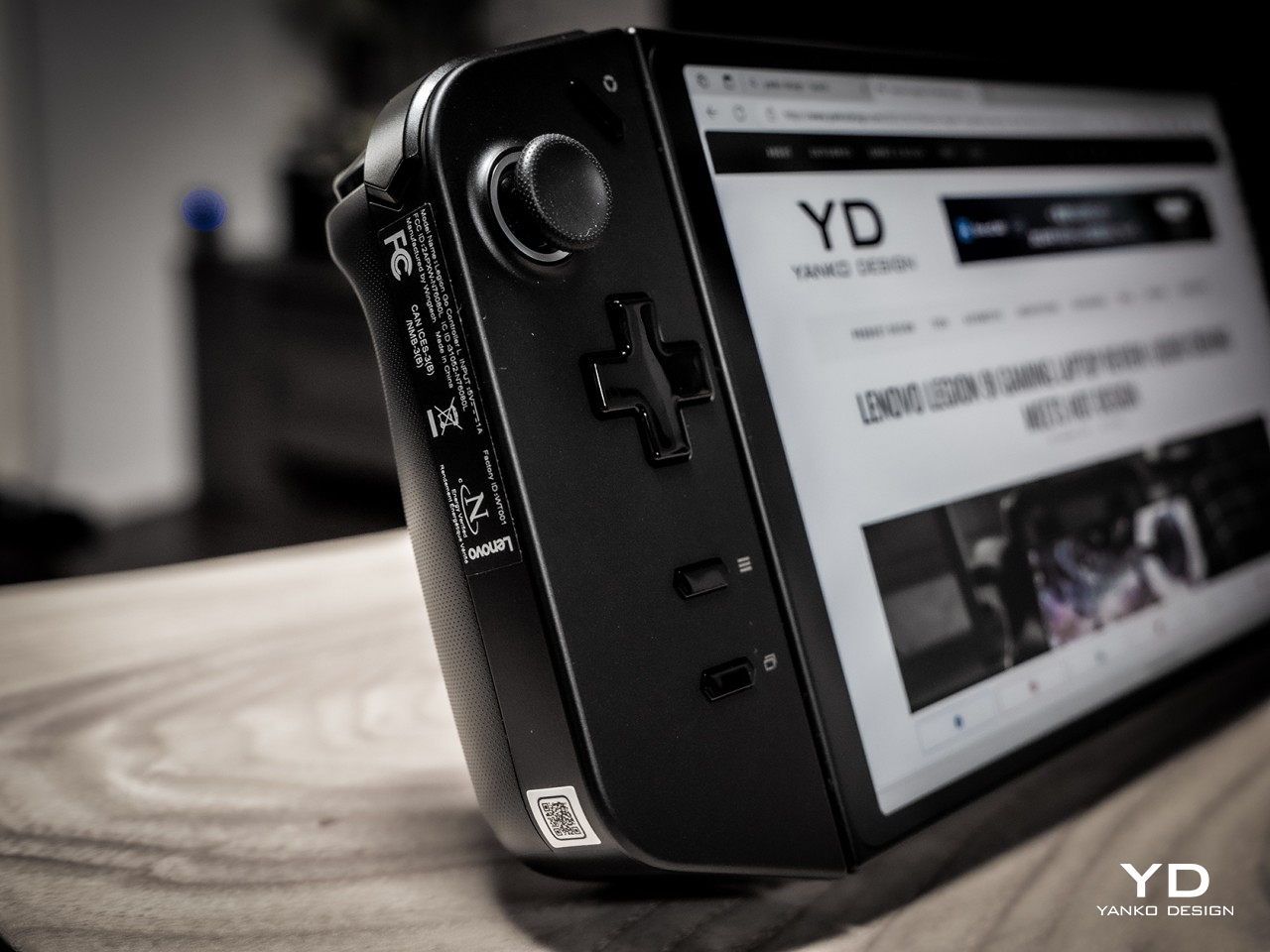
    Right off the bat, the first thing you’ll notice about the Lenovo Legion Go is that it’s huge, bigger even than the Steam Deck that’s already considered a giant. It’s slightly thinner than the Deck but only in the middle because the removable controllers almost add an inch to that thickness. It is definitely the larger and heavier of the three major handheld PCs, something that has repercussions for comfort and ergonomics, as we’ll see later.

    Fortunately, you might forget the Legion Go’s size the moment your eyes settle on its large 8.8-inch screen, also the largest in this niche market. With a high pixel resolution and bright colors, it easily outclasses the competition, at least in terms of sharpness and visual impact. It doesn’t come without cost, though, but if you value a large, sharp, and fast gaming screen above other specs, this is the one to beat.

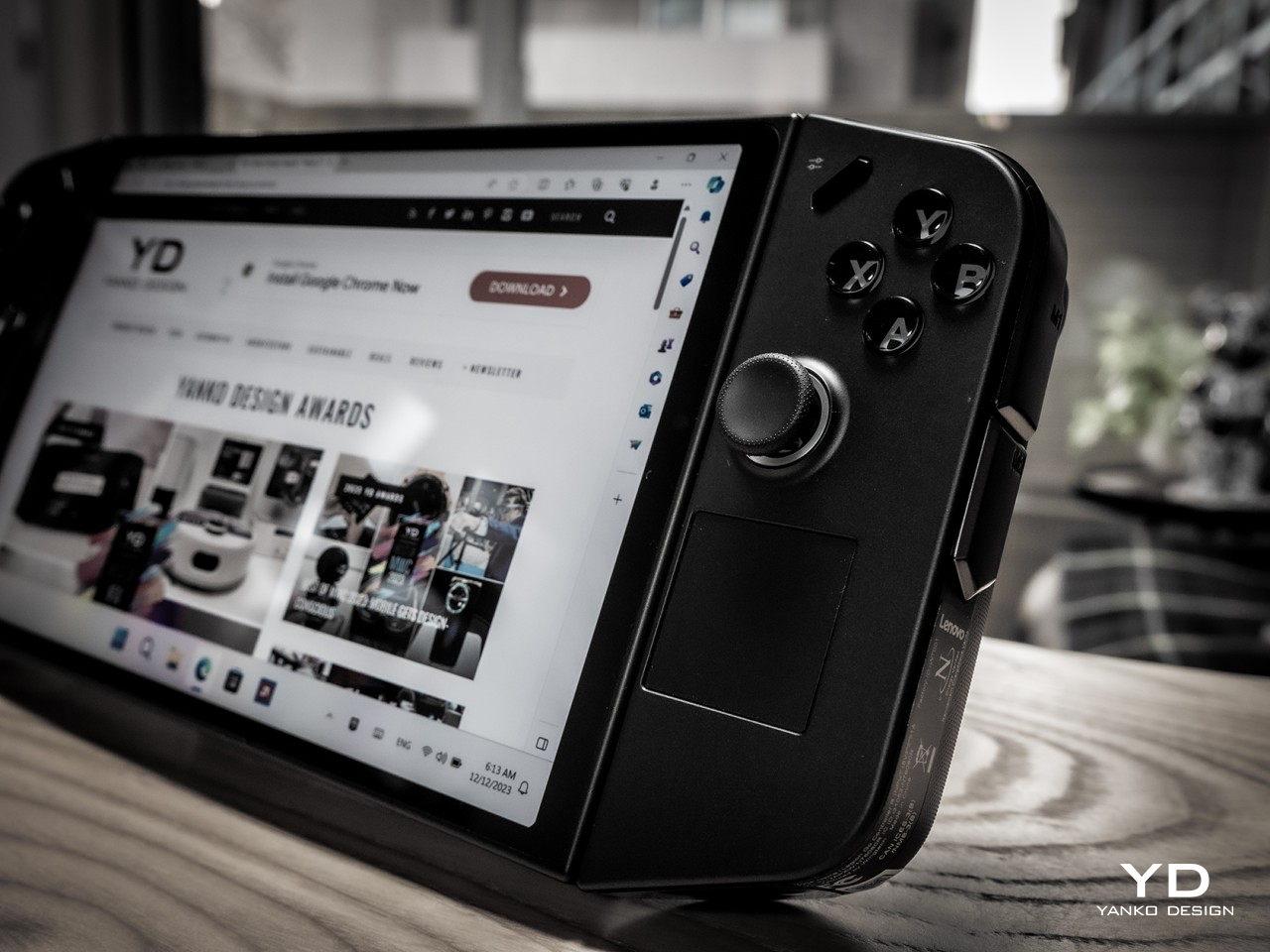
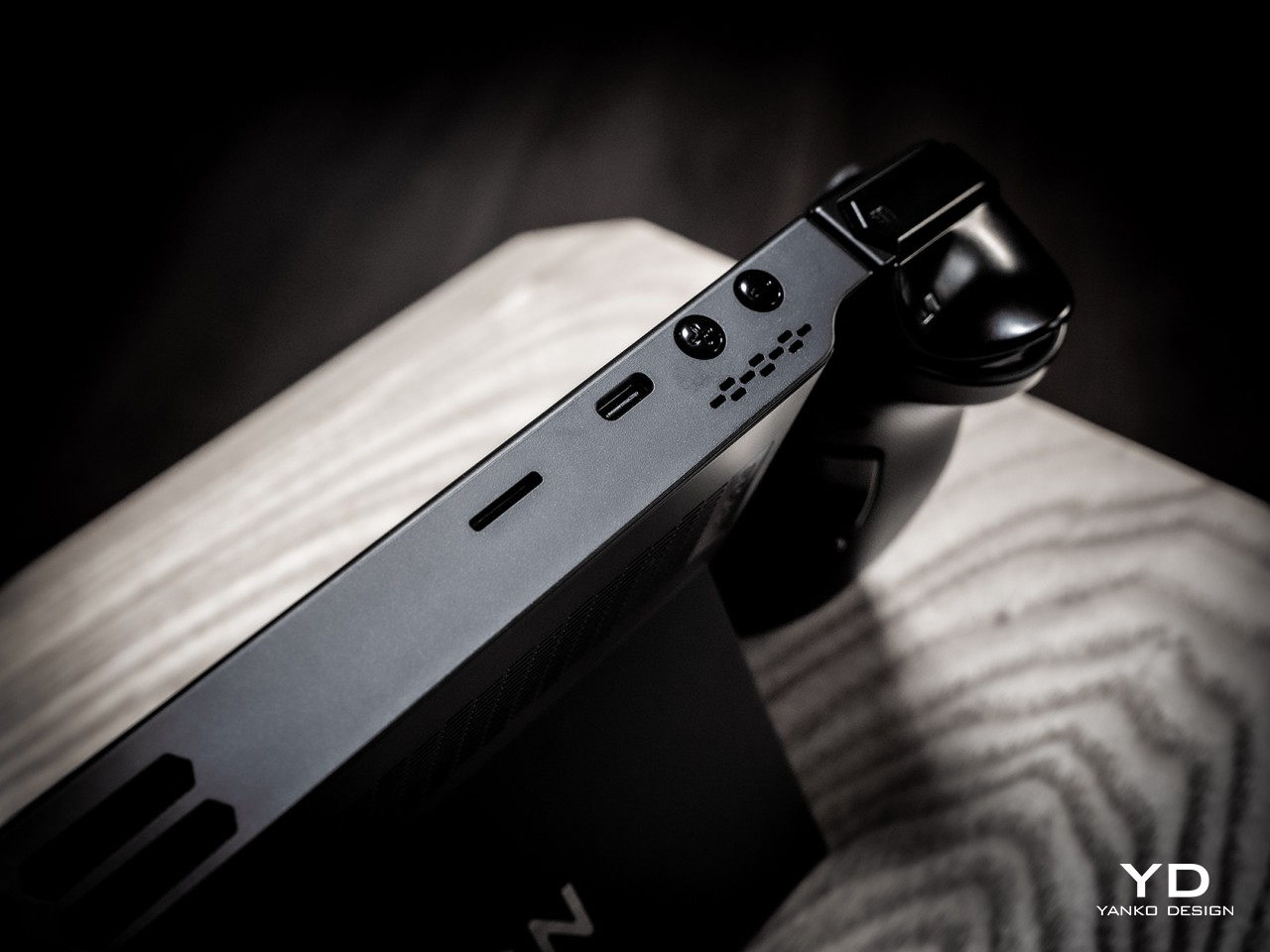
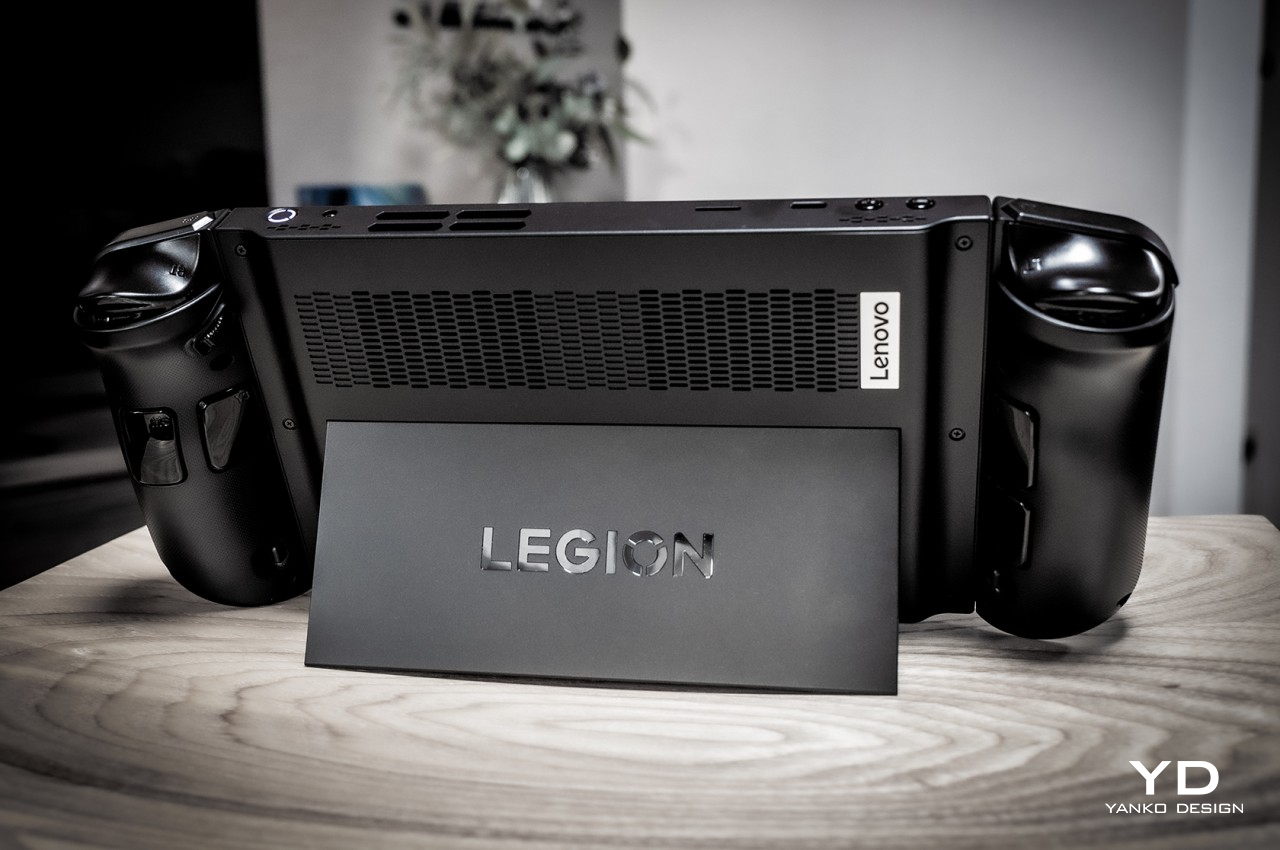
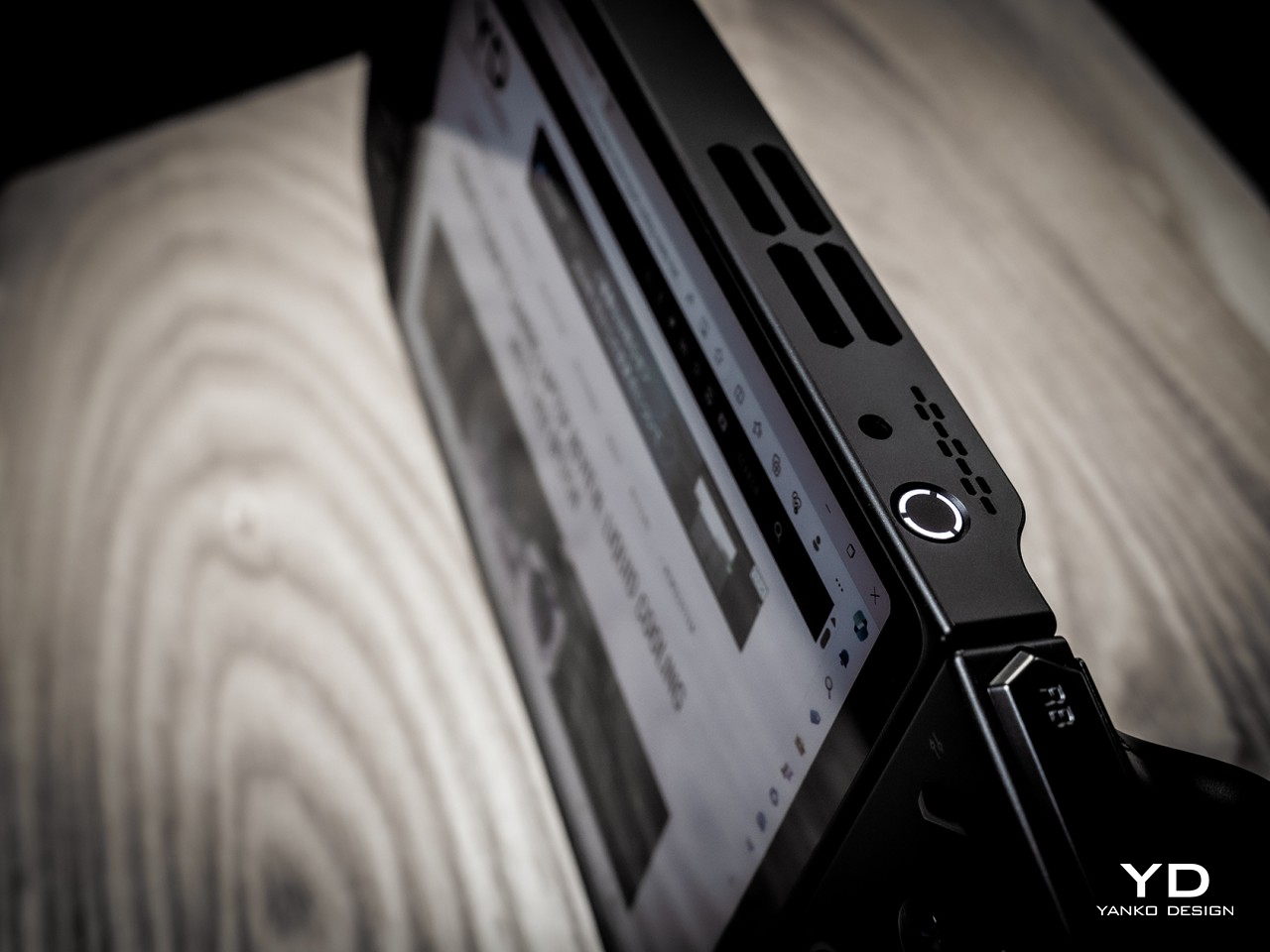
    The Legion Go definitely carries itself well compared to its peers in terms of aesthetics. Unlike the more rectangular shapes of the Steam Deck and the ASUS ROG Ally, the Legion Go’s controllers taper a bit, creating a more interesting shape from the front. The back of the device is mostly flat save for the contoured handles of the controllers on each side. That back also features a full-width kickstand that lets you easily prop up the Legion Go on any flat surface for playing games or even for watching videos. The top edge has buttons and ports for controlling the device while the bottom has a lone USB-C Gen 4 port for both charging and data.

    All in all, the Lenovo Legion Go presents a solid and distinctive design that doesn’t stray too far from the convention but has enough tweaks to make it stand out from the crowd. Its large screen plays in its favor, though the resulting large size is a bit of a double-edged sword. This niche market is still in its infancy and we’ll surely see more interesting designs in the future, but at least for now, Lenovo has pulled enough tricks to give the Legion Go a memorable character.

    Ergonomics

    There’s really no going around the fact that the Legion Go is a bulky and heavy device, bigger and heftier than its two closest rivals. For a device that’s primarily meant to be held in your hands, that can be a huge drawback. Even if its battery life lasts for hours (or if you’re playing it while charging), your hands and arms will undoubtedly tire after the first 30 minutes or an hour at most. It might be an artificial way to limit your gaming time, but the great thing about this kind of device is you don’t actually need to hold it up to play. Just like the Switch, you can simply set it down on a table or connect it to a large screen. Either way, you can just continue playing, at least as long as you have enough battery for it.

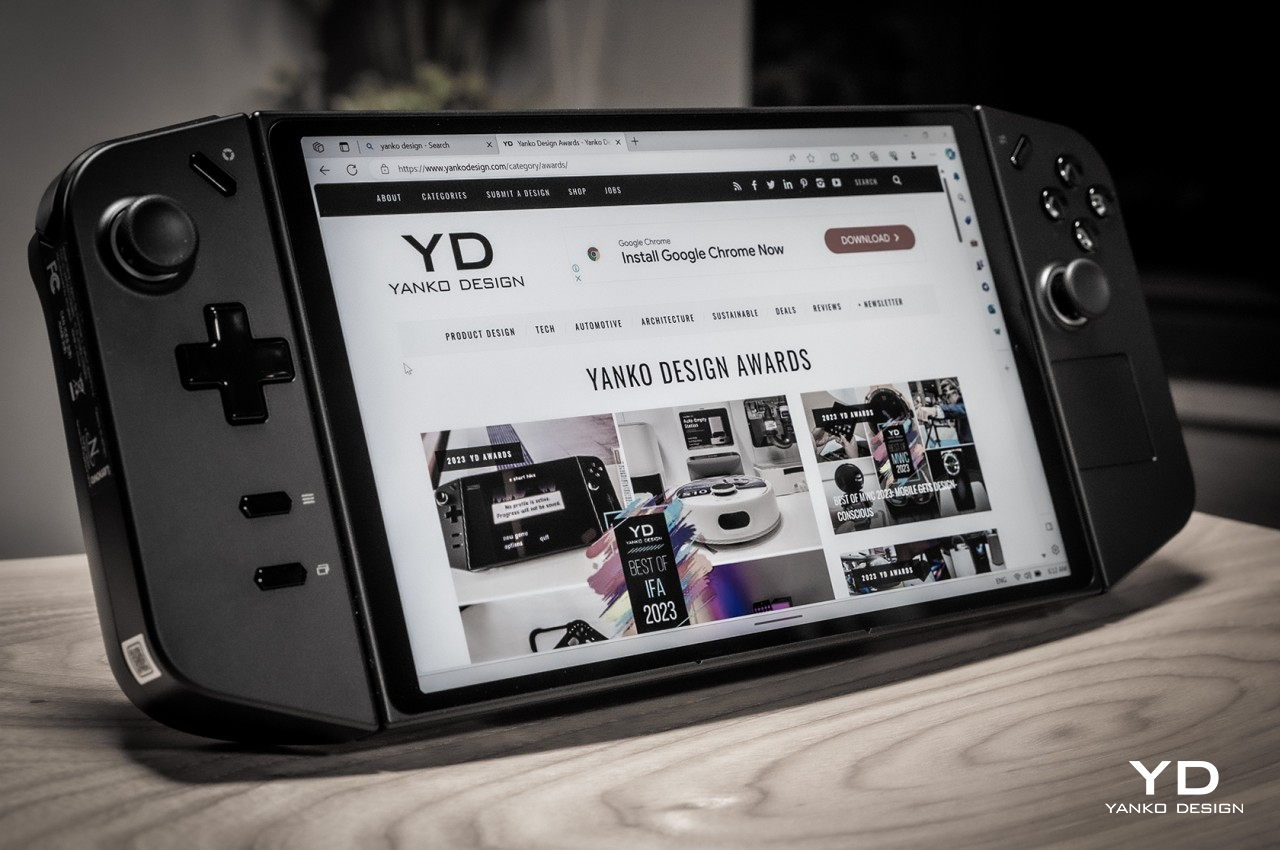
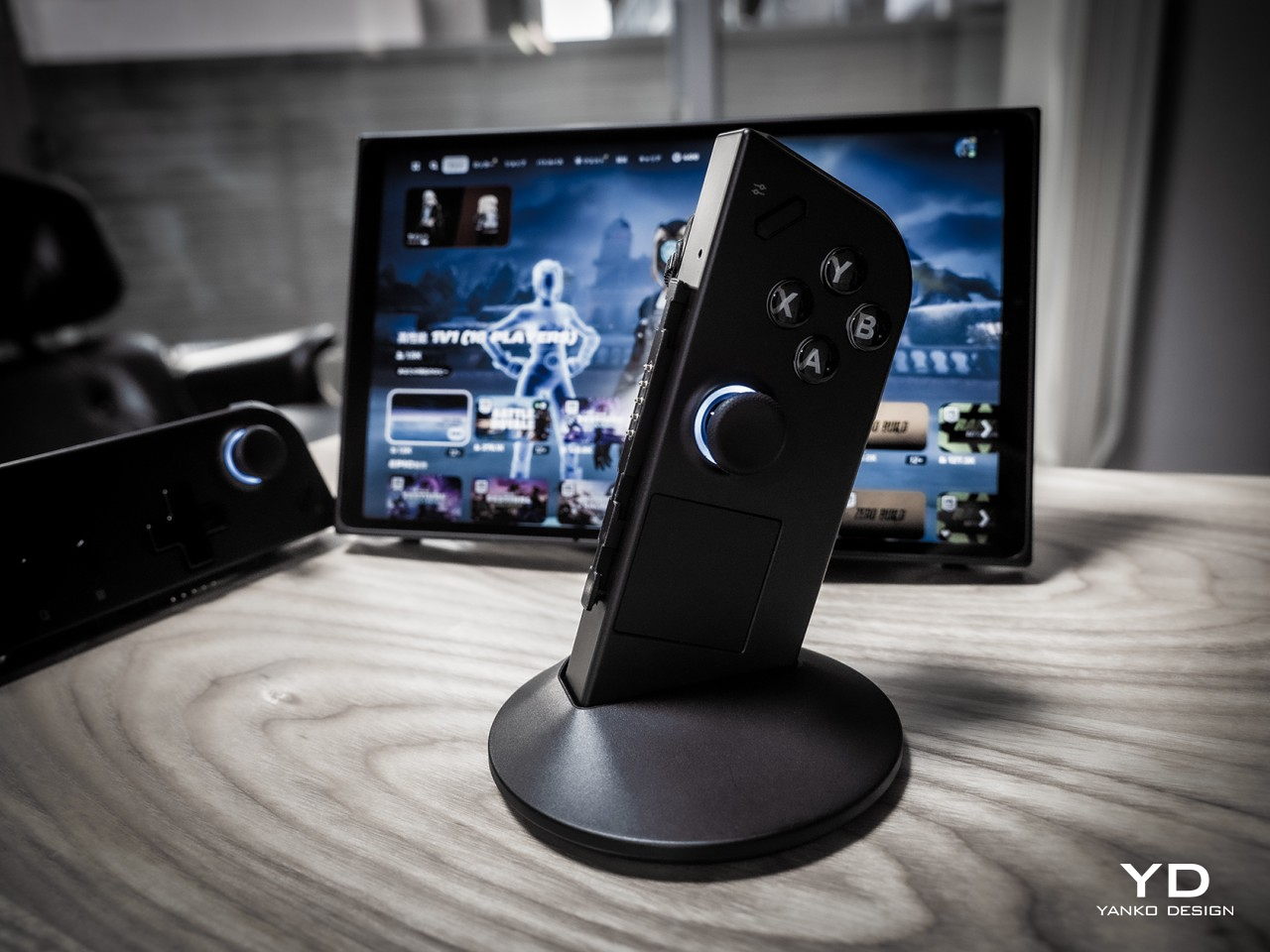
    As mentioned earlier, this is as close as we’ve come to a Switch-like PC, and that’s primarily thanks to the detachable controllers. You can slide them off, though downward in the opposite direction compared to the Switch, and use them as normal Bluetooth controllers except split in two. There is, however, a special Lenovo-only mode that changes the narrative a bit. It’s called FPS mode and you stick the right controller into a base that makes it look like a joystick, except it’s a mouse that you drag across the table, not unlike those ergonomic vertical mice. As the name suggests, it’s meant to offer a more precise method of aiming with the right hand in FPS games and more fluid movement with the left controller. It’s definitely an innovative design but one that requires heavy muscle memory training to really get used to.

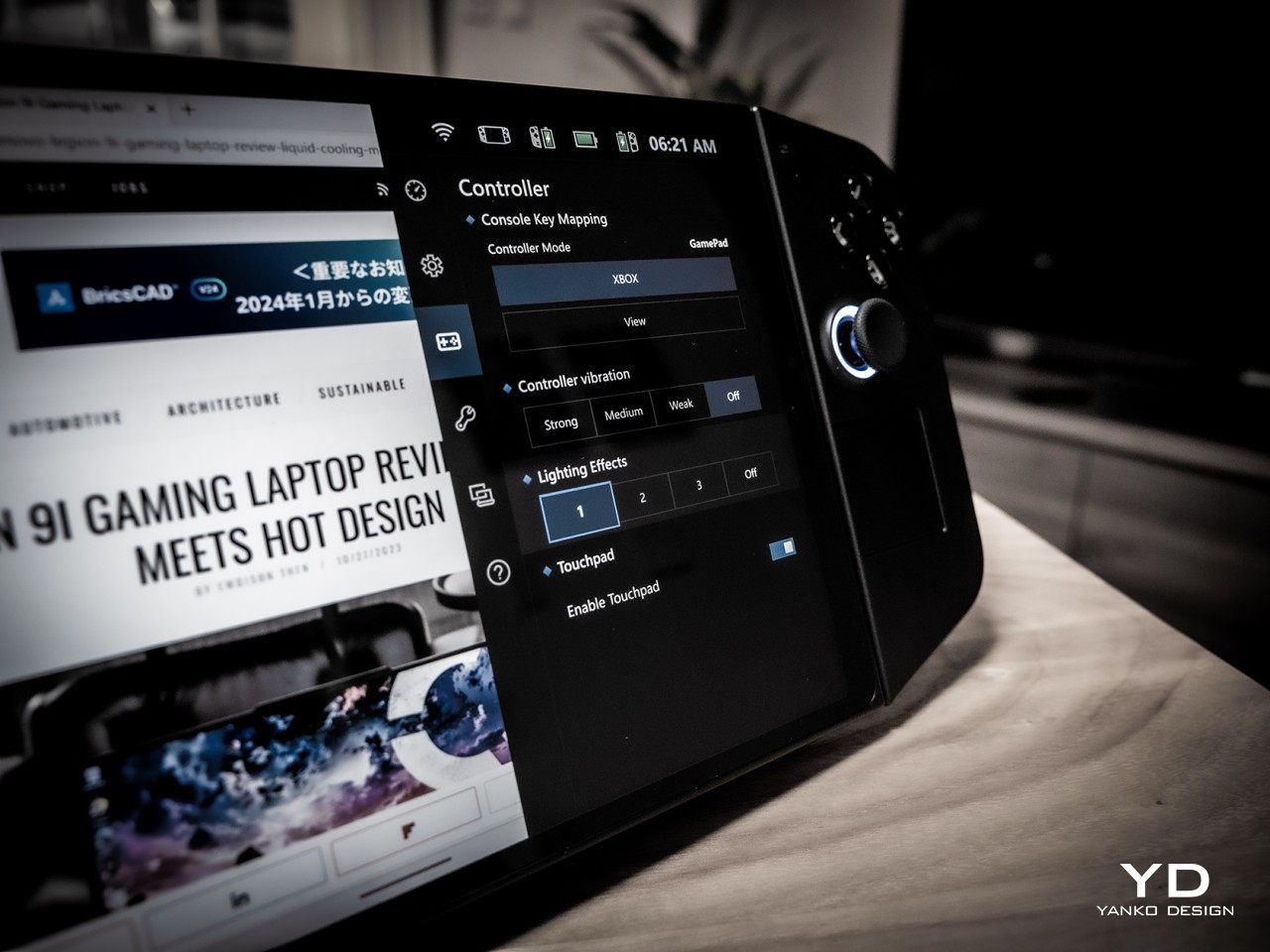
    The Legion Go isn’t just a gaming device, however. It’s a gaming PC that runs a regular version of Windows 11, which means the user experience isn’t optimized for anything but a keyboard and mouse or, at the very least, a touch screen. This makes operating the non-gaming parts of the operating system a bit more tedious, though Lenovo thankfully included a small touchpad on the right-hand controller exactly for this purpose. There’s also a tiny scroll wheel on the back side of the same controller, but its location makes it difficult to reach. Along with the idiosyncrasies of Windows itself, this makes operating the device in handheld mode cumbersome and awkward.

    Performance

    Lenovo definitely pulled out the stops when it came to the Legion Go’s silicon muscles. Running inside is an AMD Ryzen Z1 Extreme with RDNA Graphics paired with 16GB of RAM and 512GB or 1TB of NVMe SSD storage. It’s not desktop-level hardware, not even a gaming laptop, but at this size, it’s currently the best that’s available for handheld computers. It can definitely handle most PC games at medium settings, and maybe a few at high settings. Of course, cranking up those options will drain the battery quicker, and there’s not a lot in the first place.

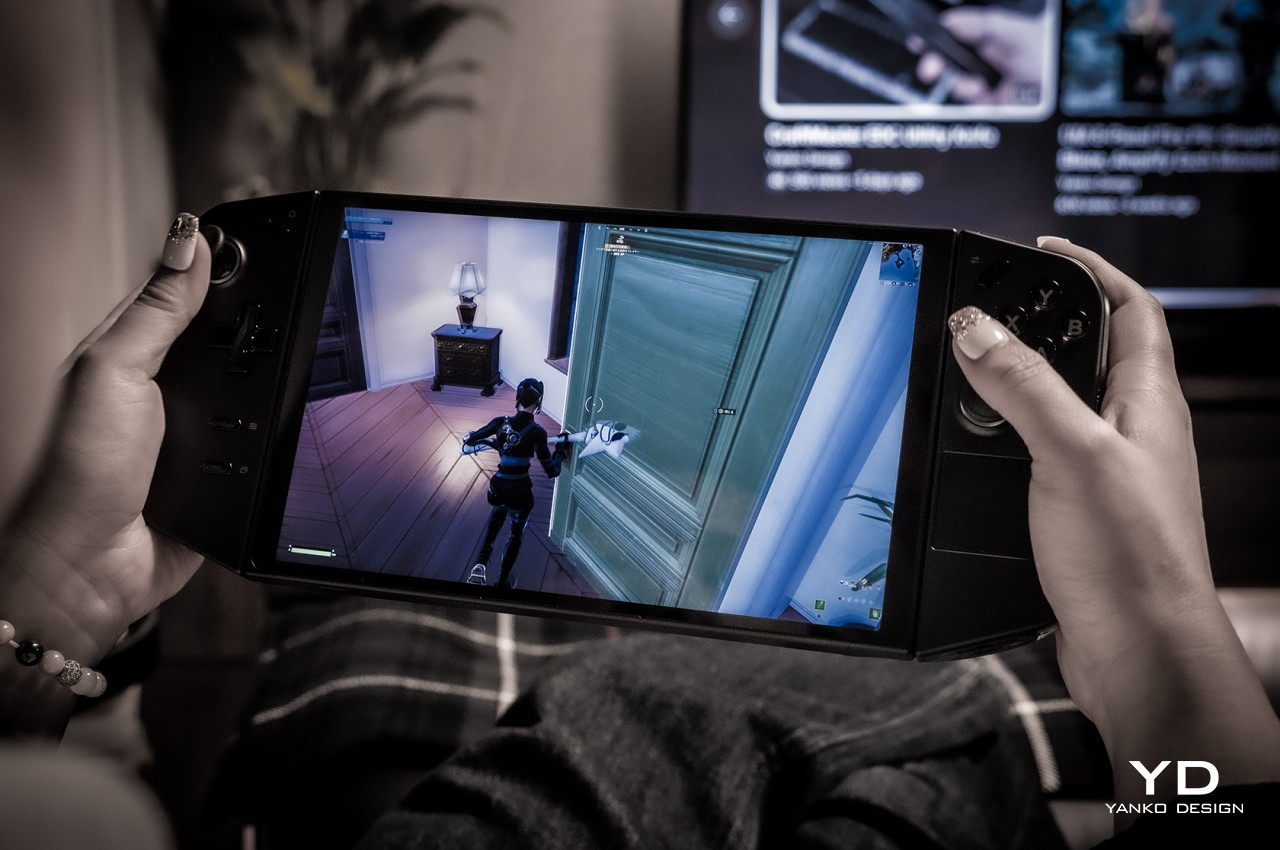
    The real star of the show, however, is the impressive 8.8-inch 2560×1600 IPS LCD display with a 144Hz refresh rate. Not only is it the largest among handheld computers, it also has the highest resolution. It’s bright, vibrant, colorful, and sharp. And it’s also quite the battery drain. On paper, a high resolution such as this would be a huge boon for gaming, but only if you have lots of battery and power to spare. At full resolution, the only way you’ll get above 60fps in Fortnite is by setting the setting to medium (67fps) or low (79fps). Then again, 47fps with high settings isn’t so bad either. Dropping the resolution to 1200p made the gameplay experience much better during our test.

    The real problem is the battery life, though the Legion Go isn’t alone in this regard. At medium settings, playing Fortnite (with voice chat on) drained the battery in around 79 minutes and at 1200p resolution only. Again, the sharpness of the screen is a huge advantage over the Steam Deck and the ROG Ally, but the price it entails is just too high. Sure, you can set a lower resolution by default, but then you’ll be paying for hardware you’re not able to fully utilize.

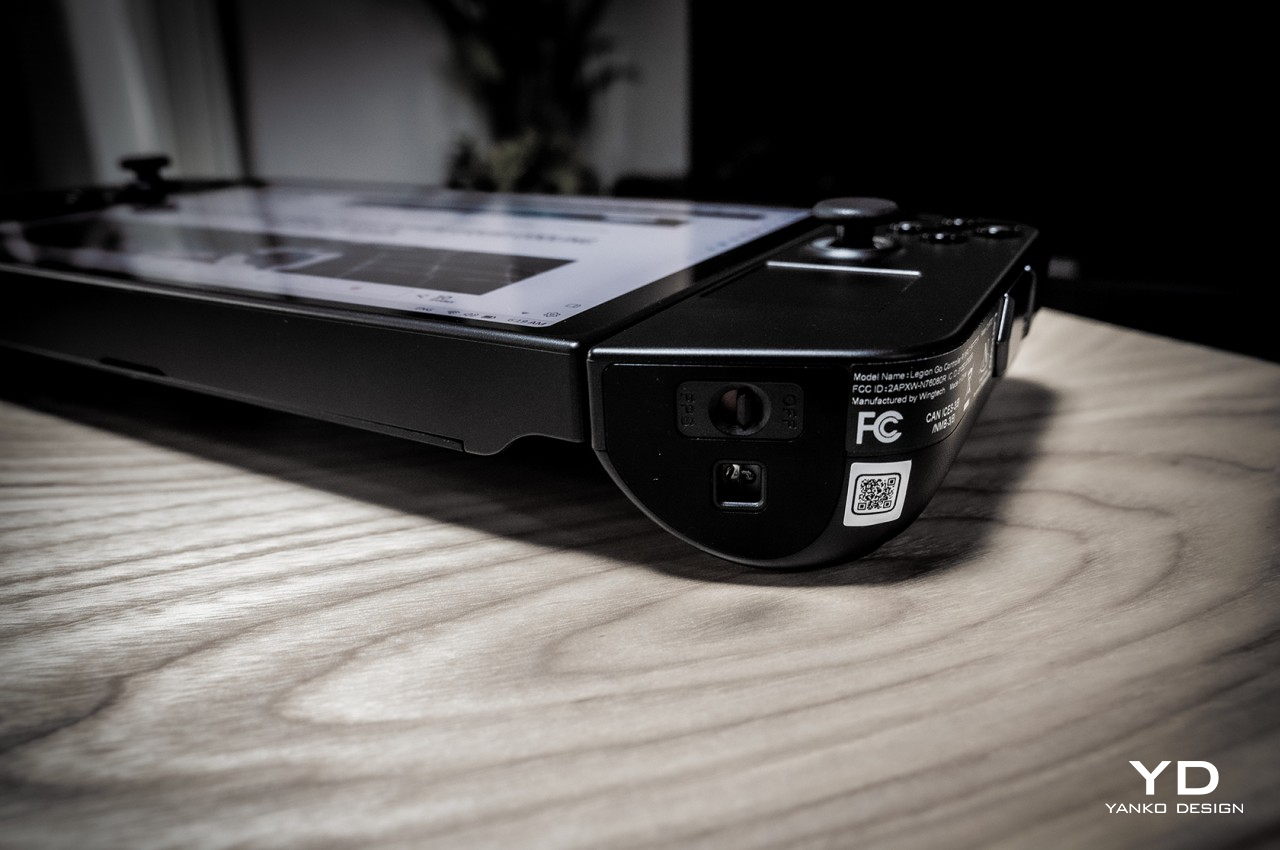
    The Lenovo Legion Go has the bare minimum when it comes to hardware connectivity, namely two USB-C 4.0 ports, one at the top and another at the bottom. There’s also a headphone jack for good measure so you can connect your favorite wired headphones for more immersive gaming. Having two USB-C ports is great for connecting peripherals or a hub while still having one port free for charging the device. The catch is that the placement of the bottom port makes it inaccessible when using the built-in kickstand. Sure, you can use the top port for charging, but you still lose the other port for other accessories. To be fair, the Switch has the same problem but is worse by having a single USB port, but you’d hope that designers would have solved this problem by now.

    Being able to set the Legion Go down on a table and still play using the controllers is also a Switch-inspired feature, but the actual implementation needs a little bit of work. In addition to the awkward way of pulling out the controllers, you apparently can’t use a different external controller unless you take the pair out and disable them from Windows Device Manager. It might just be a bug or a hidden setting, but the fact that it isn’t as straightforward as on a regular computer (or even the Nintendo Switch) makes it a less favorable experience.

    When it comes to performance, the Legion Go spares no expense at using the best possible hardware, but having the most powerful isn’t always the correct solution. Power-hungry specs, especially a hi-res screen, drain the battery faster than it should, and owners are forced to tweak every aspect to squeeze out as much juice as they can from the device. Admittedly, PC gamers are used to tweaking settings left and right, but that’s a little less convenient and less ideal on a handheld form factor.

    Sustainability

    Impressive as the Legion Go’s design might be, there will definitely be concerns about its long-term viability. First-gen designs in this industry don’t always spark confidence, both in terms of durability as well as customer support down the road. Lenovo is an established brand, of course, so there’s an implicit trust in the products that it makes. This device definitely feels solid, despite its plastic body, so you can be assured that it’s not some flimsy product that will die out on you in the first few months.

    Its unique design does bring a few complications, though, particularly with the removable controllers. These can be points for mechanical failure in the feature, or structural weaknesses that could lead to an early death for the device. There are a lot of custom parts used for the Legion Go as well, so repairs will have to be done by authorized Lenovo service providers only. That increases the risk factor in purchasing a device that could meet more accidents in your hands compared to a conventional laptop.

    Value

    Gaming handhelds are becoming popular again, both from the retro front as well as the PC market. Just looking at the growing number of options outside of major manufacturers shows there’s a sizable market for these devices. Not every PC gamer is a fan, though these would also admit dreaming of being able to play games anywhere, including in situations where they can’t use their bulky gaming laptops. As mentioned, there are plenty of options available now, but the Lenovo Legion Go offers the best-balanced set of benefits and drawbacks in the market today.

    It has powerful specs topped by a gorgeous and large display that really makes games pop. The FPS mode might need a bit of getting used to, but the convenience of being able to detach the controllers when needed is a huge boon, though there are some rough edges to smoothen out. Battery life is pretty dismal by default, but that’s on par with other handheld PCs. The biggest clincher is that you’re getting this solid mobile PC gaming experience starting at just $699.99, which means you aren’t cutting corners for that juicy price tag.

    Verdict

    There was a time when analysts proclaimed the PC market to be dying, but that might only be true for desktops. Laptops flew off the shelves during the pandemic, and now handheld PCs are sparking interest and ushering in a new generation of PC gamers who are living the dream of playing anywhere. There are still only a few players in this market, and Lenovo, the world’s biggest PC maker, is making sure it’s leading here as well.

    The Lenovo Legion Go definitely shows the brand’s expertise, combining decades of experience with a bold design and innovative features. It also proves that there is still plenty of room for improvement, whether for refining features or introducing new experiences. At this point, handheld gaming PCs like these are still considered a luxury, but with a tempting $700 price tag, the Legion Go is doing its part to make these devices more approachable and more usable for everyone.

    The post Lenovo Legion Go Review: Big Steps for Handheld PC Gaming first appeared on Yanko Design.