Voice assistants have a reputation for finicky activation, such as responding to their prompts that are spoken in an ad. Apple may have a fix for that in the works. 9to5Mac spotted this element in the tvOS 18.2 beta. A part of code called AdBlocker appears to use the Shazam API to match audio captured by a device's microphones against audio fingerprints downloaded from Apple. When there's a match, the usual Siri trigger command is disabled. In theory, this means Apple could have devices not react to the "Hey Siri" prompt when it's spoken as part of the company's keynote presentations or TV advertisements.
The publication only found this feature in the current developer beta of tvOS, which it suggests means that HomePod smart speaker will be the first device to potentially ignore those "Hey Siri" commands. However, iOS 18.2 is also in developer beta and is bringing more Apple Intelligence features to Apple's smartphones, as well as possibly integrating ChatGPT subscriptions with Siri.
This article originally appeared on Engadget at https://www.engadget.com/home/smart-home/siri-might-ignore-commands-spoken-in-apple-commercials-soon-220855324.html?src=rss
Voice assistants have a reputation for finicky activation, such as responding to their prompts that are spoken in an ad. Apple may have a fix for that in the works. 9to5Mac spotted this element in the tvOS 18.2 beta. A part of code called AdBlocker appears to use the Shazam API to match audio captured by a device's microphones against audio fingerprints downloaded from Apple. When there's a match, the usual Siri trigger command is disabled. In theory, this means Apple could have devices not react to the "Hey Siri" prompt when it's spoken as part of the company's keynote presentations or TV advertisements.
The publication only found this feature in the current developer beta of tvOS, which it suggests means that HomePod smart speaker will be the first device to potentially ignore those "Hey Siri" commands. However, iOS 18.2 is also in developer beta and is bringing more Apple Intelligence features to Apple's smartphones, as well as possibly integrating ChatGPT subscriptions with Siri.
This article originally appeared on Engadget at https://www.engadget.com/home/smart-home/siri-might-ignore-commands-spoken-in-apple-commercials-soon-220855324.html?src=rss
Apple has been forced to ditch the Lightning port and switch to USB-C for charging across its products. But there's another way to top up the battery of recent iPhones thanks to MagSafe. The company recently released a new, more powerful MagSafe charger, the price of which has fallen in an early Black Friday deal. It has dropped from $39 to $25.
The latest MagSafe charger was introduced alongside the iPhone 16 lineup this fall. When it's used with an adaptor that supports 30W of power or more, the charger reaches speeds of up to 25W with an iPhone 16 (the charging speed still maxes out at 15W on older iPhones).
As you might imagine, the charger can juice up an iPhone 16 more quickly than previous versions. According to Apple, when used with a 30W USB‑C power adapter, it can charge an iPhone 16 or iPhone 16 Pro up to a level of 50 percent in 30 minutes. Meanwhile, since the charger is Qi compatible, it can charge an iPhone 8 or later as well as AirPods with a wireless charging case.
The MagSafe charger is one of the handiest iPhone accessories to have around. This version has a 1m (3.3 ft) cable. The other model, which has a 2m (6.6 ft) cable, is also on sale. It has dropped from $49 to $34.
This article originally appeared on Engadget at https://www.engadget.com/deals/apples-latest-magsafe-charger-drops-to-25-in-an-early-black-friday-deal-173636146.html?src=rss
Apple has been forced to ditch the Lightning port and switch to USB-C for charging across its products. But there's another way to top up the battery of recent iPhones thanks to MagSafe. The company recently released a new, more powerful MagSafe charger, the price of which has fallen in an early Black Friday deal. It has dropped from $39 to $25.
The latest MagSafe charger was introduced alongside the iPhone 16 lineup this fall. When it's used with an adaptor that supports 30W of power or more, the charger reaches speeds of up to 25W with an iPhone 16 (the charging speed still maxes out at 15W on older iPhones).
As you might imagine, the charger can juice up an iPhone 16 more quickly than previous versions. According to Apple, when used with a 30W USB‑C power adapter, it can charge an iPhone 16 or iPhone 16 Pro up to a level of 50 percent in 30 minutes. Meanwhile, since the charger is Qi compatible, it can charge an iPhone 8 or later as well as AirPods with a wireless charging case.
The MagSafe charger is one of the handiest iPhone accessories to have around. This version has a 1m (3.3 ft) cable. The other model, which has a 2m (6.6 ft) cable, is also on sale. It has dropped from $49 to $34.
This article originally appeared on Engadget at https://www.engadget.com/deals/apples-latest-magsafe-charger-drops-to-25-in-an-early-black-friday-deal-173636146.html?src=rss
Stardew Valley on mobile just received its latest update, and in it is a new secret multiplayer mode. Developer ConcernedApe says it’s currently secret because of its experimental nature, and mobile multiplayer can be “frustrating.”
Unlike Stardew Valley multiplayer on other platforms, players on mobile can’t discover others’ farms and can only connect via IP address. They can still join a PC-hosted farm using their mobile devices. The developers also warn that using a mobile network isn’t recommended, as it may not be stable enough. The experience works best when both devices are on the same network, but that’s not compulsory.
ConcernedApe
To unlock mobile multiplayer, you’ll have to tap the leaves in a specific order. It’s actually part of the Konami code, but without the A and B buttons because, well, smartphones and tablets don’t have them. The Stardew Valleymultiplayer blog has instructions if you’re interested.
Once you see the new co-op menu on the screen, you can host or join a farm. You’ll need an IP address if you want to join someone’s farm, but that isn’t difficult to find on your mobile device. The Stardew Valley post also has instructions for that for both iOS and Android users.
This article originally appeared on Engadget at https://www.engadget.com/gaming/stardew-valley-now-has-a-secret-multiplayer-mode-on-mobile-150956438.html?src=rss
Amazon completely revamped its Kindle family in October when it debuted the entirely new Colorsoft ereader along with updated generations of the other three existing models: the standard Kindle, the Paperwhite and the Scribe E Ink tablet. The new Paperwhite has a slightly larger screen, a bigger battery and a more powerful processor that Amazon combined with E Ink tech to make page turns faster. This Paperwhite again comes in a Signature Edition, which adds wireless charging, an auto-adjusting front light and extra storage — all for $200, which is $10 more than the previous Signature Edition.
The standard Kindle also got a $10 price bump, leaving the same $90 gap between Amazon’s cheapest model and the Signature Edition. I tested both to see whether the price difference between the two is worth it. The higher-end model is certainly posh, but the base model handles ereader basics well. Is the deluxe treatment that much better?
Processor, capacity and other hardware features
The company is calling the Paperwhite (Signature and standard) the “fastest Kindle ever” thanks to a new dual-core processor and an oxide thin-film transistor layer that enables quicker switching of the text and graphics on the page. That layer is also more transparent than the previous tech, so the on-page clarity has increased as well.
As for storage, the Paperwhite Signature gets 32GB, double that of the regular Paperwhite, which is the same treatment as the prior generations for both. They have a couple additional backlights this time: ten standard LEDs and nine warm ones for a total of 19.
The screen is a little larger at seven inches, up from 6.8, and sports the same 300 ppi resolution. Despite a larger battery capacity (with an estimated 12 weeks of live instead of just ten), the device is a fraction of a millimeter thinner than last time, and weighs just two-tenths of a gram more. It has the same IPX8 rating, meaning it can handle full submersion, and the back is made from a metallic plastic with a rubberized texture that’s easy to grip (so you’re less likely to accidentally dunk it in water). The bezels help with grip too, as they’re just wide enough to accommodate a thumb without triggering a page turn.
The hardware upgrades are subtle, but they add up to a downright elegant way to read books. Pulling up menus, opening new titles and turning pages are all speedier than any ereader I’ve tried. And ghosting is basically non-existent. The roomy screen displays text that’s crisper than a January morning and the auto-adjusting front lights are like a warm lantern lighting your way.
If I take any issue with the design of the Signature, it’s the placement of the power button at the bottom edge. One of the simple joys in this life (for me anyway) is eating while reading. That means I hold a book or ereader on the table in front of my plate as I shovel stir fry into my mouth. Often, resting the Signature on the bottom edge accidentally presses the power button, shutting off my read mid-forkful. Notably, this doesn't happen with the standard Kindle, even though the button is in the same place, simply because the smaller ereader isn’t heavy enough to trigger the button-press. The Signature also has a rubber grommet around the edge of the flush-front screen, which I don’t hate, but I do find myself distractedly fidgeting with it when I read.
Photo by Amy Skorheim / Engadget
Touch controls and customization
I sat the Paperwhite Signature next to other ereaders in my testing collection and compared the page-turn speeds, menu load times and scrolling refresh rates. Though the differences weren’t significant, the Signature was definitely faster. (But the Kobo Libra Colour is still the fastest at waking up after a sleep of longer than a few minutes.)
The Signature’s touch response is impeccable. I’ve accepted the fact that most ereader screens occasionally need an extra tap before they do what I want. Whether that’s turning a page or pulling up a menu, my first gesture sometimes goes unnoticed. Not here; the screen immediately responds to every swipe and tap I make. Unfortunately, sometimes that tap is unintentional, and other times the screen doesn’t respond the way I want — but it always responds.
That leads me to a couple of disappointments in the Paperwhite’s interface. Those misinterpreted taps were almost always page turns. The area that skips back in your reading is a narrow sliver on the left-hand side. Some people may plow forward in a book with no backwards glances, but I often find myself at the top of a new page with the realization that I’d been thinking about toast or Cristin Milioti for most of the last page and have no idea what’s going on. Then, when I tap to go back, I’m often taken forward, which confuses me more. To be fair, swipes are generally accurate — but I’m a tapper not a swiper.
This wouldn’t be a problem if the area for a back tap were wider — but you can’t adjust that. In fact, you can’t adjust the way your taps and swipes work at all. The middle of the top of the page accesses the header menu and a swipe down from the top brings up the quick settings panel. There’s no switching those gestures or the zones to suit your preference.
It’s unfortunate because that’s something both Kobo and Boox devices can do. Those readers also give you finer adjustments for the margins, line spacing, font weight and more. The options the Kindle does provide for the look of your text are honestly fine, though. And the Kindle gets points for letting you create and save themes made up of different combinations of fonts and layouts. Kobo doesn’t allow this and Boox can’t do it in its native reader app.
Photo by Amy Skorheim / Engadget
Buying, borrowing and listening to books
Acquiring books you want to read is maybe one of the most important qualities in an ereader and Kindles have their strengths and weaknesses. These features aren’t unique to the Paperwhite, but it’s worth mentioning how Amazon’s book access compares to its competitors. The first thing to acknowledge is that the Amazon Kindle library is the largest, thanks to Amazon Exclusive books and self-published, Kindle Direct Publishing (KDP) titles. That said, if you mostly read titles from established publishers, you’ll find them on any reader.
Amazon’s devices are better for people who like to flit between reading and listening to a given book. Not only do you get a discount on an audiobook if you buy the ebook version, the Whispersync feature keeps track of where you are so you can swap between the formats and pick up the story at the right place. And if you’re active on Goodreads, a Kindle will also serve you better as the integration with (the Amazon-owned) site is baked-in.
What Kindles don’t support are ePubs with any digital rights management (DRM) other than its own. If you buy a book from a third party ebook store that uses Adobe DRM, you can’t read it on a Kindle — but you can on Kobo and Boox devices (with a few extra steps). Finally, you may want to consider how you’ll access books borrowed from your local library. Using either the Libby app on your phone or your local library’s website, you just need to choose the “send to Kindle” option for them to show up on your reader. It's worth noting that Kobo lets you search for and borrow library books from the device itself, and Boox devices let you do so from the Libby app directly.
Photo by Amy Skorheim / Engadget
How the Signature compares to the regular Paperwhite and base Kindle
The regular Paperwhite is $160 and the Signature Edition is $200. That’s a $40 increase that may make sense for some, but probably not for most people. The three add-ons (extra storage, wireless charging and auto-adjusting light) are handy, but won’t dramatically improve your reading experience. If you like having offline access to lots of audiobooks, the larger 32GB capacity might be worth it. But if you mostly read ebooks (and/or use your phone for audiobooks, which makes more sense to me), the 16GB-capacity should be more than enough for years of library expansion.
The auto-adjusting front light on the Signature Edition is responsive and calibrates the light to the environment pretty well. I still need to manually lower it in a fully dark room, so it’s not fully hands-off, plus it’s easy enough to adjust. The separate warm light (which you get with the regular Paperwhite) is the more critical feature anyway, as it makes reading into the wee hours of the night far more pleasant. The final Signature-only feature, wireless charging, is probably the least important — you only charge these things once every other month at the most. How you do so feels inconsequential.
So if you save $40 by not going with the Signature model, does it make sense to save even more by going with the $110 standard Kindle? That’s harder to answer. The base Kindle has the same 300 ppi resolution, the same storage capacity, the same font and layout options and access to the same audio- and ebooks as the standard Paperwhite. But the Kindle’s screen is smaller, the device is not waterproof, the battery lasts half as long and there’s no warm light. Touch responsiveness isn’t quite as good and page turns are slightly slower (though the difference on both counts is minor).
Honestly, the lack of a warm light on the base Kindle is the only major drawback. It’s far more enjoyable to read the softer yellowish screens of either Paperwhite than the harsher blue of the base model. But I found myself getting used to it fairly quickly, and I probably noticed the difference most when switching back and forth between the two — something most people won’t do.
Photo by Amy Skorheim / Engadget
Wrap-up
In short, the Kindle Paperwhite and the new Paperwhite Signature offer a more premium reading experience. The flush front screen and soft-touch back feel more upscale. The larger screen feels like the difference between reading a mass market paperback and a trade paperback, which isn’t to say the standard Kindle feels cramped, it’s just smaller. I see the Paperwhite (especially the Signature model) appealing to people who want the most elevated reading experience — the crispest text, the least lag, the swankiest feel. And the regular Kindle is perfect for those who just want the most direct line to reading nearly any book they want.
It comes down to whether you think a heightened experience will make you read more. If so, then it’s probably worth the price jump in the long run. But if you’re just looking for a no-frills way to read books, go for the base Kindle. Even though it’s less high-end, it feels more durable and more portable. The smaller size can fit in a back pocket and you may be more apt to toss it in a cluttered bag — all of which may very well mean you read more, and, really, that’s the whole point of any ereader.
This article originally appeared on Engadget at https://www.engadget.com/mobile/tablets/kindle-paperwhite-signature-2024-review-a-luxurious-reading-experience-163036611.html?src=rss
Tablets are always a hot gadget category during Black Friday sales and one of the models you can save on is the brand-new iPad mini 7. You can already snag a solid discount on this tablet, which Apple released just a couple of weeks ago, at Amazon. It has dropped from $500 to $484, but three out of the four color options also have a clippable coupon that brings the price down to $400. A $100 discount on a new tablet is not too bad at all.
The iPad mini 7 boasts an A17 Pro chip and 8GB of RAM, and the base model comes with 128GB of storage. We gave this iPad mini a score of 83 in our review, feeling that it was a necessary update to the previous model from 2021. We reckon it’s the best small tablet around.
The device has solid speakers and it still has Touch ID rather than Face ID. While we feel that the 8.3-inch screen is by and large very nice, it only has a 60Hz refresh rate, which is a bit disappointing.
The internal upgrades are what really matter here though, as the iPad mini now has enough heft to support Apple Intelligence features. The Apple Pencil Pro works with it too. We found the tablet a great device to kick back with and catch up on reading, play some games and watch videos on. We think it’s very handy for messaging too.
If the 2024 updates don't excite you, there are deals on the iPad mini 6 available now as well. All color options are down to $350, which is $150 off and the lowest price we've seen.
This article originally appeared on Engadget at https://www.engadget.com/deals/apples-ipad-mini-7-is-already-100-off-ahead-of-black-friday-125211529.html?src=rss
Apple has determined that "a very small percentage" of iPhone 14 Plus models are having rear camera issues, and it has launched a service program to repair them for free. If your phone isn't showing a preview when you use its rear camera, then you may be eligible to get your phone fixed at no cost — you can also contact Apple to get a refund if you'd already paid for a repair. The affected devices were manufactured between April 10, 2023 and April 28, 2024, around half a year after the model started shipping in 2022.
You can check your device's serial number on the official repair program page to know if your device is included. To get it fixed, you can bring your phone to an Apple Authorized Service Provider or to an Apple retail store after making an appointment. You can also contact Apple Support if you want to mail your device to a repair center. The program covers repairs for all eligible phones for three years after the original date of purchase, so you may want to keep it in mind in case your unit starts exhibiting the issue in the future. Apple says it may "restrict or limit repair" to the unit's original region of purchase, though, so you'll have to check with the company if you bought your iPhone while traveling outside your country.
This article originally appeared on Engadget at https://www.engadget.com/mobile/smartphones/new-apple-repair-program-will-fix-iphone-14-plus-rear-camera-issue-for-free-110051988.html?src=rss
With each passing year, Black Friday seems to turn more and more into "Black November," with many retailers starting their holiday sales weeks before the day itself. But while the bombardment of promos can be annoying, it also presents a good chance to beat the rush and finish holiday shopping ahead of time, without paying more than you have to.
To help you cut through the noise, we're rounding up the best early Black Friday deals we can find in one easy place. While most major tech retailers haven't started their early sales in earnest just yet, we've seen more than a few new discounts on gadgets we recommend pop up this week. While some have hit their lowest prices to date, there's always a chance discounts will get even deeper as we get closer to the actual sales holiday. We'll continuously update this post as more Black Friday sales pop up, so be sure to check back.
The best early Black Friday deals
Billy Steele for Engadget
Apple MagSafe charger pad for $25 ($14 off): Apple's newest MagSafe charger provides up to 25W of fast-charging power to iPhone 16 handsets when paired with a 30W or 35W adapter. It works with older iPhones too, of course, and will provide that satisfying magnetic snap with the latest Apple smartphones (and AirPods, too).
Apple iPad (9th gen) for $200 ($129 off): Apple discontinued this model with the release of the new iPad Pro and Air models earlier this year. In what's likely an effort to get rid of current stock, the price is down to a new record low of $200. The 9th generation iPad is the former budget pick in our guide to the best Apple tablets and will serve well as a casual browsing, streaming and game playing machine.
Pixel Watch 3 for $280 ($70 off): Google's latest smartwatch is down to an all time low price. This is the model we recommend for anyone with an Android phone in our guide to the best smartwatches and it earned an 84 in our review. It detects workouts quickly, has an extra long battery life and is one of the more attractive smartwatches on the market. The deal applies to the 41mm size with GPS only but the larger and cellular-enabled models are on sale too. Also at Best Buy and Target.
Beats Solo 4 for $100 ($100 off): The Solo 4 is light on features and may be uncomfortable on larger heads, but its even-handed sound and 50+-hour battery life make it worth considering if you prefer a more compact on-ear design instead of traditional over-ears. We gave it a score of 79 in our review. This discount ties an all-time low and is also available at Walmart, Target and Best Buy. The full-size Beats Studio Pro is discounted as well, but that pair is a bit harder to recommend over the top picks in our wireless headphone buying guide.
Bose QuietComfort Headphones for $199 ($150 off): This ties the lowest price we've seen for Bose's mid-tier noise-canceling headphones. At this price, their effective ANC and light fit make them a worthy alternative to higher-end pairs like the Sony WH-1000XM5 (our favorite pair overall). That said, their bass-heavy sound won't be for everyone, and the XM5 has a more comprehensive feature set. Also at Bose.com, Target and Best Buy. The higher-end QuietComfort Ultra, meanwhile, are $100 off and put out even stronger ANC, though we still prefer the XM5 for around the same price.
Anker Soundcore Space A40 for $45 ($35 off, Prime only): The Space A40 is the longtime top pick in our guide to the best budget earbuds, as it delivers the kind of robust feature set we expect from pairs that cost three times as much. Call quality isn't the best, and it won't auto-pause when you take out an earbud, but its warm sound, powerful ANC, eight-ish hours of battery life and comfy design all impress for the money. This deal ties the lowest price we've seen — it's only available to Prime subscribers at Amazon, but you can also grab it at Anker's online store with an on-page coupon.
Amazon Fire HD 10 for $75 ($65 off): No Fire HD tablet comes close to matching the performance, build quality and app support of an iPad, but they're significantly more affordable, and they still work well enough if all you need is something for casual streaming, e-reading and web browsing. At this price, the 10.1-inch Fire HD 10 is likely a better value than the smaller Fire HD 8, as it has a sharper display, it's a tick faster and it can last slightly longer on a charge. Just be ready to deal with a bunch of ads for Amazon's own apps and services. This discount ties an all-time low, and it's also available at Best Buy and Target.
Amazon Echo Show 5 for $50 ($40 off): We highlight the Echo Show 5 in our guide to the best smart displays. While the Echo Show 8 — which isn't majorly discounted yet — has a roomier display, louder speakers and sharper cameras, this 5.5-inch model provides most of the same functionality in a design that's easier to fit on a nightstand. If you're already onboard the Alexa train, it'll work nicely as a smart alarm clock. This deal is $10 more than the all-time low we saw last Black Friday, so it may drop further in the weeks ahead, but for now it matches the best price we've seen in 2024. Also at Target, Kohl's and Best Buy.
Blink Outdoor 4 (6-pack) for $180 ($300 off): The Outdoor 4 is a wireless, IP65-rated outdoor security camera we highlight in our guide to the best smart home gadgets. It captures decent (if not class-leading) 1080p video, it's relatively painless to install and it supports features like night vision, motion alerts, local storage and two-way talking. The catch is that it locks things like person detection and cloud storage behind a subscription plan. Still, it's a solid value on balance, and this deal furthers that. We've seen this price on a six-camera bundle for a few weeks, but it's still an all-time low. An eight-camera pack is also on sale for $250, another low.
Audible Premium Plus (3-month) for $1 ($29 off): Those who don't currently subscribe to Audible can get three months of the audiobook service's Premium Plus plan for $1. Normally, the service costs $15 per month after a 30-day free trial. As a refresher, Premium Plus is Audible's upper tier: In addition to giving access the full Audible Plus library, it lets you keep one title from a curated selection of audiobooks each month. We wouldn't call it essential, but if you've been on the fence, this is a good way to see if it'd work for you. Just note that the plan will auto-renew until you cancel.
Samsung Music Frame for $248 ($150 off): This unique smart speaker can show art or your own photos while it plays music, and it can sync with your Samsung TV speakers. Also available at Samsung.
JBL Clip 5 speaker for $50 ($30 off): This tiny speaker has a built-in clip so you can hang it from a backpack or bag easily, plus it packs good sound with punchy base. You can expect 12 hours of battery life on it as well.
Hisense U8N 4K TV (55-inch) for $728 ($371 off): The U8N is the next step up from the U7N in Hisense's TV lineup, so it should provide better colors, contrast and brightness across the board. If you don't mind buying a smaller panel for around the same price, this is another new low. Also at Best Buy.
Samsung T9 portable SSD (4TB) for $300 ($250 off): The latest model in the T-series of Samsung's portable drives supports read and write speeds of up to 2,000MB/s, and it has dynamic thermal guard to keep it cool even when you're pushing it to its limits. Also available at Samsung.
iRobot Roomba Combo 10 Max for $974 ($425 off): You can get a sizable discount on one of the newest (and more expensive) robovacs at Wellbots with the code ENGBF425. This one mops, vacuums, empties itself and cleans its own mop pad with little involvement from you.
Expired Black Friday deals
Apple AirPods Pro 2 for $170 ($80 off): These are the best AirPods you can get this year, thanks to their good sound quality, secure fit, solid ANC and transparency mode, and they have more hearing aid features now too.
Apple Pencil Pro for $92 ($36 off): While this deal is a couple bucks higher than the lowest price we've ever seen for Apple's top-of-the-line iPad stylus, it's still a sizable drop compared to buying from Apple directly. Just be aware that Pencil Pro is only compatible with the most recent iPad Airs and iPad Pros. Also at Walmart.
Apple iPad mini (7th gen) for $400 ($100 off): The latest iPad mini only just arrived this month, but it's already $100 off with an on-page coupon at Amazon. Only the purple colorway is on sale, but this is a giant discount for a new Apple release, so we wouldn't expect it to last long. We gave the new mini a review score of 83: It's a minor refresh, but it continues to provide most of the iPad Air's strengths in a form factor that's easier to tuck in a bag and hold with one hand. This deal is available in additional colors at Costco, but only to store members.
Apple iPad Air (13-inch, M2) for $691 ($107 off): If you'd prefer more screen space, the 13-inch iPad Air is also down to an all-time low at Amazon. This model can get slightly brighter than its smaller counterpart, but the two slates are virtually identical otherwise.
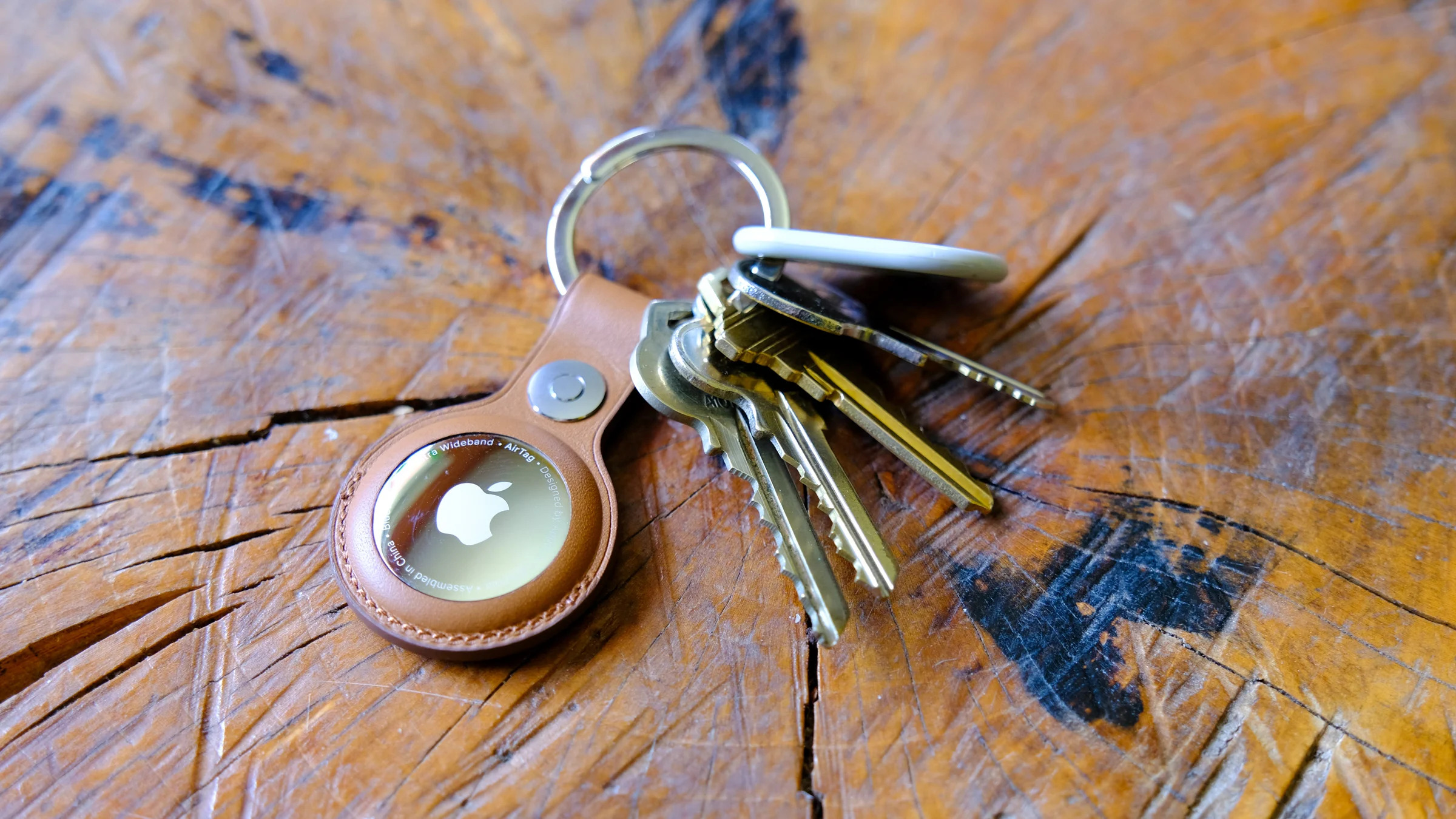
Apple AirTag (4-pack) for $74 at Amazon ($25 off): The AirTag is, unsurprisingly, the top pick for iPhone users in our guide to the best Bluetooth trackers, as it uses Apple's giant network of Apple devices and ultrawideband tech to locate items accurately. Its effectiveness has had deeply unfortunate side effects, but if you use it as intended, it can provide a little extra peace of mind. While not an all-time low, this deal is a welcome drop from the usual $80 street price we've seen for a four-pack in recent months. Also at Best Buy.
Apple MacBook Air (13.6-inch, M2) for $700 at Amazon ($300 off): This matches the all-time low for Apple's last-gen MacBook Air, which remains a perfectly competent notebook for everyday use. The caveat is that this model only comes with 8GB of RAM, so it's really only meant for lower-power tasks. Apple (finally) made 16GB of memory the standard across its MacBook lineup earlier this week, so this might be an instance of Apple trying to clear out old inventory. Still, this is a great value if you only need a laptop for basic web browsing, emailing and word processing. Clip the on-page coupon to see the full discount.
Anker Soundcore Motion+ for $69 at Amazon ($31 off): We recommend the Soundcore Motion+ in our guide to the best portable Bluetooth speakers. While it isn't especially light or compact, it pumps out a more spacious sound than most speakers in its price range, it's waterproof and it lasts a decent 12 to 15 hours per charge. We've seen this discount a few times before, but it comes within a few bucks of the lowest price we've tracked. Also at Anker's online store with an on-page coupon.
Hisense U7N 4K TV (65-inch) for $700 at Amazon ($300 off): Variousreviewsaround the web suggest that the U7N is one of the year's better TV values, with impressive brightness and contrast for the money. It supports up to a fast 144Hz refresh rate in 4K, which is great for gaming, and it runs on the easy-to-grok Google TV platform. Its image can wash out when viewed at an angle, though, and it's limited to two HDMI 2.1 ports. This discount is a new low for the 65-inch model. Also at Best Buy.
Dyson Digital Slim cordless vacuum for $250 ($250 off): It's hard to beat a Dyson for less than $300, but we do expect even more Dyson Black Friday deals to pop up as we get closer to the big day. This model is 33 percent lighter than the Dyson V11, which could make it a good pick for someone who loathes their current, heavy-duty upright vac. The LED screen shows power mode, maintenance alerts and remaining run time, and you should get up to 40 minutes of battery life here. Also available at Dyson.
Backbone One (PlayStation Edition) for $60: The Backbone One is an comfy gamepad that snaps around your phone and lets you play mobile or cloud-based games without having to rely on touch controls. We've recommended it before. This deal on the PlayStation-themed version isn't an all-time low, but it's $10 to $20 less than the usual discounts we've seen over the past year. Sony's listing doesn't specify whether this is the first- or second-gen model — the latter can fit a wider range of phones and cases — but that shouldn't be a major hindrance if you use an older iPhone or Android device. Both the USB-C and Lightning variants are on sale.
Black Friday FAQs
When is Black Friday 2024?
Black Friday 2024 lands on November 29 this year.
When do Black Friday deals start?
We expect some Black Friday tech deals to start as early as November 1. Over the past few years, retailers have been kicking off the holiday shopping season earlier and earlier. This trend will continue in 2024, and you’ll likely find early Black Friday deals available online and in stores in the weeks before the actual shopping event.
When do Black Friday deals end?
Some Black Friday tech deals will end immediately on Saturday, November 30. But those will likely be few and far between. Along with starting deals earlier and earlier, retailers have also extended Black Friday deals past the day for a while now, too. In the tech space, we’ve seen many Black Friday deals in the past run through Cyber Monday.
Where are the best Black Friday deals?
There is no one place to buy all of the best Black Friday deals, but you can expect the big retailers like Amazon, Walmart and Target to have many of the same Black Friday deals available — both in the lead up and on the day itself. We also recommend checking direct-to-consumer sites like Apple, Samsung, Sonos and others to make sure you’re getting the best deal before you cross things off your list.
Does Apple have Black Friday deals?
You typically will not find cash discounts on Apple’s website for Black Friday, though it has offered various gift card bundles during Black Friday in recent years. You may be able to find local Apple store discounts on accessories, but Apple isn’t a retailer known for slashing prices on its products. However, you can find more traditional Apple Black Friday tech deals at other retailers like Amazon, Walmart, Target and Best Buy.
This article originally appeared on Engadget at https://www.engadget.com/deals/black-friday-2024-the-best-early-deals-we-could-find-from-amazon-best-buy-apple-samsung-and-more-163039193.html?src=rss
It sounds like Samsung is hoping to launch its extended reality (XR) wearable device sometime next year. The company has revealed its outlook for 2025 in its new earnings report, wherein it said that it's looking to "improve connectivity among products, including upcoming XR devices, to further elevate user experiences in the Galaxy ecosystem." Samsung first revealed that it was working on a wearable device with augmented, mixed and virtual reality capabilities at the Galaxy S23 Unpacked event last year. It will run a Google-designed version of Android specifically made for wearable displays, and it will be powered by a Qualcomm chip.
As 9to5Google notes, previous reports claimed that Samsung will release a developer version of the wearable in October 2024, but that clearly didn't happen. Samsung didn't share more concrete details about the device's launch in its earnings report either, so there's no guarantee that the wearable will be available by next year.
During the company's earnings conference call, Samsung EVP Jaejune Kim also alluded to the possibility of developing a more affordable foldable phone. Kim said that because its foldable devices "have high levels of product satisfaction," the company is "considering ways to ease purchase barriers" so that more people can afford one. A Samsung official previously denied rumors that a cheaper Galaxy Z Fold was in the works, so it's not quite clear if the company changed its mind or if it's only working on a cheaper version of the Z Flip. In addition, Kim revealed that Samsung is "preparing a new form factor" for those "seeking an even more powerful and innovative mobile experience," though he may also be pertaining to the company's extended reality wearable device.
Of course, Samsung has confirmed that it will be launching the S25 series of phones next year. It reiterated plans to focus on AI features, as well as to improve AI offerings designed specifically for foldable phones.
This article originally appeared on Engadget at https://www.engadget.com/big-tech/samsung-could-launch-its-extended-reality-wearable-device-next-year-123008566.html?src=rss