Apple may be late to the smart glasses market, but it could be covering all its bases with up to four potential styles for its upcoming product. According to Bloomberg's Mark Gurman, Apple could launch some or all of the four styles it's currently testing for its smart glasses.
Gurman reported Apple is testing out a large rectangular frame that's comparable to Ray-Ban Wayfarers, a slimmer rectangular design like the glasses that Apple CEO Tim Cook wears, a larger oval or circular frame and a smaller oval or circle option. Apple is also working on a range of colors, including black, ocean blue and light brown, according to Bloomberg.
Internally code-named N50 for now, Apple's upcoming smart glasses will compete directly with the second-gen Ray-Ban Meta model. While similar, Apple might be differentiating its design with "vertically oriented oval lenses with surrounding lights," according to the report. Like Meta's smart glasses, Apple's upcoming product will capture photos and videos, but is meant to better sync with an iPhone, allowing users to take advantage of Apple's ecosystem for editing, sharing, phone calls, notifications, music and even its voice assistant, according to Gurman. The release of Apple's smart glasses could even coincide with the upcoming improved Siri that should arrive with iOS 27.
Gurman reported that Apple could reveal its smart glasses as soon as the end of 2026 or early 2027, followed by an official release sometime in 2027. As for the competition, Meta released its latest model that's better suited for prescription lenses and offers a more customizable fit.
This article originally appeared on Engadget at https://www.engadget.com/wearables/apple-reportedly-testing-out-four-different-styles-for-its-smart-glasses-that-will-rival-meta-ray-bans-200550013.html?src=rss
Spring has certainly sprung here at Engadget. Well, it has in terms of reviews, at least. We’ve put over a dozen devices through their paces since my last roundup, which gives you a lot to catch up on over the weekend. Read on for the rundown of all the reviews you might’ve missed.
ASUS ZenBook A16
ASUS’ ZenBook A14 didn’t live up to our expectations last year, but now the company is back with a 16-inch machine and a shot at redemption: the A16. “Compatibility issues aside, the ZenBook A16 delivers just about everything I want in an ultraportable,” senior reporter Devindra Hardawar said. “It’s got a gorgeous OLED screen and all of the ports you need. Qualcomm’s Snapdragon X2 Elite chips also give it a much-needed power boost. And best of all, it's one of the lightest and sleekest 16-inch Windows laptops I've come across.”
Apple AirPods Max 2
Until this year, Apple’s only updates to the AirPods Max were new colors and a USB-C port. The company finally gave its pricey over-ear headphones the powerful H2 chip, delivering a host of handy features from the AirPods Pro. “The H2 chip brings Apple’s over-ear headphones on par with the rest of the AirPods lineup, namely the AirPods Pro 3,” I said. “And since I don’t expect Apple to announce new earbuds this year, that parity should remain for a while.”
Sonos Play
Sonos badly needed a win. Thankfully, the company regained some of its mojo with a new portable speaker that offers the best of Bluetooth and Wi-Fi in the same device. “The latest Sonos speaker offers impressive sound quality, flexibility and portability, and it’s the kind of product that can help Sonos rebuild its reputation after its recent difficulties,” deputy editor Nathan Ingraham said.
LG Sound Suite
After an impressive CES debut, LG’s Sound Suite was my most anticipated review of the year. Despite impressive sound quality and Dolby Atmos FlexConnect, there are still some kinks to work out in both the setup and general use. “There’s no denying that LG has created a powerful and immersive living room experience with its Sound Suite lineup,” I said. “While I did experience some setup and software issues, those are things LG can iron out over time — Sound Suite is still brand new, after all.”
DJI Avata 360, Fender Audio, Nebula X1 Pro and more
Senior reporter Sam Rutherford really took one for the team and spent some time with the Robosen Soundwave Transformers robot. Lastly, Steve took flight with the DJI Avata 360 drone, which is a direct answer to Insta360’s Antigravity A1.
This article originally appeared on Engadget at https://www.engadget.com/engadget-review-recap-asus-zenbook-a16-airpods-max-2-sonos-play-and-lg-sound-suite-133000521.html?src=rss
XChat is now on the App Store, where its listing says that it’s expected to be available for download on April 17. This isn’t the same IRC app from the early aughts, which you may remember if you’re of a certain age. This is a messaging app specifically for X users. X chief Elon Musk first talked about rolling out a new version of his social network’s direct messaging feature in mid-2025. In a series of posts back then, he said the new version would be encrypted and would feature a “whole new architecture.” He also said all X users were getting XChat in June last year, but Musk is pretty infamous for being overly optimistic about timelines.
Now, instead of an upgraded DM feature on X, users are getting a standalone app. It allows them to chat with anybody on X and call each other across devices. The app is end-to-end encrypted and will let users edit and delete their messages for all participants in the conversation. It will also allow users to block screenshots and enable disappearing messages if they want the sensitive details they send in-chat to vanish within five minutes. The app allows users to create massive group chats with up to 481 members, as well. X promises in the App Store listing that XChat will not have ads and will not be tracking users.
Users can now pre-order XChat for iPhones and iPads so that it automatically downloads on their device when it comes out.
XChat is now on the App Store, where its listing says that it’s expected to be available for download on April 17. This isn’t the same IRC app from the early aughts, which you may remember if you’re of a certain age. This is a messaging app specifically for X users. X chief Elon Musk first talked about rolling out a new version of his social network’s direct messaging feature in mid-2025. In a series of posts back then, he said the new version would be encrypted and would feature a “whole new architecture.” He also said all X users were getting XChat in June last year, but Musk is pretty infamous for being overly optimistic about timelines.
Now, instead of an upgraded DM feature on X, users are getting a standalone app. It allows them to chat with anybody on X and call each other across devices. The app is end-to-end encrypted and will let users edit and delete their messages for all participants in the conversation. It will also allow users to block screenshots and enable disappearing messages if they want the sensitive details they send in-chat to vanish within five minutes. The app allows users to create massive group chats with up to 481 members, as well. X promises in the App Store listing that XChat will not have ads and will not be tracking users.
Users can now pre-order XChat for iPhones and iPads so that it automatically downloads on their device when it comes out.
Whoop, the makers of a screen-free fitness tracker of the same name, could soon have some competition. Fitbit teased its take on a Whoop-style band with the help of Steph Curry at the end of March, and based on a trademark filing spotted by Gadgets & Wearables, Garmin appears to be working on its own band that tracks similar health metrics.
This new Garmin wearable, called "CIRQA" in the trademark filing submitted in February, is designed to measure "the body's physical parameters and other physiological data, bio-signals, and bodily behavior." That could broadly describe the smartwatches and fitness trackers Garmin already sells. But the CIRQA apparently goes further, by also measuring "recovery from physical and emotional stress, human alertness level, and performance," a set of more granular, wellness-focused features that could bring the unreleased wearable into the same ballpark as a Whoop.
Garmin accidentally leaked that it was working on a new wearable via a hastily removed store page in January, Android Authority reports. While some phantom web pages and a trademark do not guarantee Garmin is working on a new device, or that the band will be screen-free in the same way the Whoop is. If the company is preparing a competitor, though, the timing makes sense. Where other devices try to split the difference between tracking biometrics and offering real-time information or other smartwatch features, Whoop is decidedly data-first. Its wearables monitor as much information as possible through a nondescript band, and then analyze and display what it learned via a smartphone app. The approach is attractive to anyone tired of dealing with screens, and the growing number of people obsessed with optimizing their health. In fact, Whoop just raised $575 million on the back of its current success. It would make sense that Garmin and Google (via its Fitbit brand) would want a piece of the company's audience, too.
Whoop-style bands are also a perfect fit for future uses of AI in health and fitness tracking. Google is interested in having users turn to Fitbit's AI-powered health coach for everything from workout tracking to nutrition advice. If health data processing is going to happen in the cloud, and you're going to have to pull out your smartphone to view that data anyway, it makes sense to sell a tracker without a screen.
This article originally appeared on Engadget at https://www.engadget.com/wearables/garmin-may-be-working-on-a-whoop-competitor-191802041.html?src=rss
Google has announced that end-to-end encryption (E2EE) for Gmail on Android and iOS is now rolling out for its enterprise users. Emails that require E2EE in Workspace can be composed and read within the Gmail app, so eligible users won’t need additional apps or portals.
The new feature expands Google’s client-side encryption (CSE) offering, a little more than a year after E2EE was introduced to Gmail on the web. According to a Google blog post, any encrypted message sent to a recipient who uses the Gmail app will appear in their inbox as any email thread would. If they don’t have the app, they’re still able to read and reply to the email in their browser securely, regardless of their email address.
Google says the new functionality "combines the highest level of privacy and data encryption with a user-friendly experience for all users, enabling simple encrypted email for all customers from small businesses to enterprises and public sector." Of course, "all users" applies only to Enterprise Plus members here, with the millions of people who use Gmail as their personal email service currently unable to take advantage of the highest level of privacy and data protection.
In order for Gmail users to start using E2EE in the app, an admin must first enable Android and iOS clients in the CSE admin interface, which is available in the Admin Console. When sending an email, you have to click the lock icon and select additional encryption before sending. Attachments can then be added as normal.
E2EE is available straight away in the Rapid Release and Scheduled Release domains. Enterprise users will need the Assured Controls or Assured Controls Plus add-on, which provides businesses and organizations that handle sensitive data with extra security and compliance-related tools.
This article originally appeared on Engadget at https://www.engadget.com/cybersecurity/google-adds-e2e-to-gmail-for-ios-and-android-enterprise-users-165345116.html?src=rss
Google has announced that end-to-end encryption (E2EE) for Gmail on Android and iOS is now rolling out for its enterprise users. Emails that require E2EE in Workspace can be composed and read within the Gmail app, so eligible users won’t need additional apps or portals.
The new feature expands Google’s client-side encryption (CSE) offering, a little more than a year after E2EE was introduced to Gmail on the web. According to a Google blog post, any encrypted message sent to a recipient who uses the Gmail app will appear in their inbox as any email thread would. If they don’t have the app, they’re still able to read and reply to the email in their browser securely, regardless of their email address.
Google says the new functionality "combines the highest level of privacy and data encryption with a user-friendly experience for all users, enabling simple encrypted email for all customers from small businesses to enterprises and public sector." Of course, "all users" applies only to Enterprise Plus members here, with the millions of people who use Gmail as their personal email service currently unable to take advantage of the highest level of privacy and data protection.
In order for Gmail users to start using E2EE in the app, an admin must first enable Android and iOS clients in the CSE admin interface, which is available in the Admin Console. When sending an email, you have to click the lock icon and select additional encryption before sending. Attachments can then be added as normal.
E2EE is available straight away in the Rapid Release and Scheduled Release domains. Enterprise users will need the Assured Controls or Assured Controls Plus add-on, which provides businesses and organizations that handle sensitive data with extra security and compliance-related tools.
This article originally appeared on Engadget at https://www.engadget.com/cybersecurity/google-adds-e2e-to-gmail-for-ios-and-android-enterprise-users-165345116.html?src=rss
Not everyone needs a $1,000 soundbar. It’s easy to argue the sonic superiority of those flagship models from Samsung, Sonos and Sony, but for some people a simple boost to their TV speakers can provide a world of difference. As part of its 2026 soundbar lineup, Sony debuted the Bravia Theater Bar 5: a $350 entry-level model that covers the basics and comes with a wireless subwoofer in the box. The real question here is how many features are you willing to live without.
The good: Sound quality, bass performance and setup
The Theater Bar 5 is the most compact soundbar among Sony’s new models, measuring just 35.5 inches wide. For comparison, that’s still about 10 inches wider than the second-gen Sonos Beam, but nearly 16 inches smaller than Sony’s flagship Theater Bar 9. This stature makes the Bar 5 well-suited for smaller spaces with smaller TVs. In fact, Sony says the soundbar will fit between the legs of Bravia TVs with multi-position stands. Plus, the Bar 5 is just over 2.5 inches tall, slightly shorter than the Beam, so it won’t block the bottom edge of most TVs.
Despite its small size, the Bar 5 cranks out some excellent sound. There’s plenty of crisp, clear audio from the 3.1-channel configuration, and the included subwoofer provides an ample amount of booming bass. The Bar 5 supports Dolby Atmos and DTS:X, but it doesn’t have up-firing drivers. Instead, the soundbar relies on Sony’s Vertical Surround Engine and S-Force Pro Front Surround tech to virtualize much of the directional and overhead audio. More on that in a bit.
While watching Netflix’s Drive to Survive, I experienced the excitement of F1 cars zooming around various circuits as the Bar 5 does well with general movement. The soundbar’s wide soundstage, excellent detail and booming bass provide some degree of immersion that doesn’t rely on audio projected overhead. That overall clarity and powerful bass are also great for listening to music, as the Bar 5 can handle a range of genres with ease.
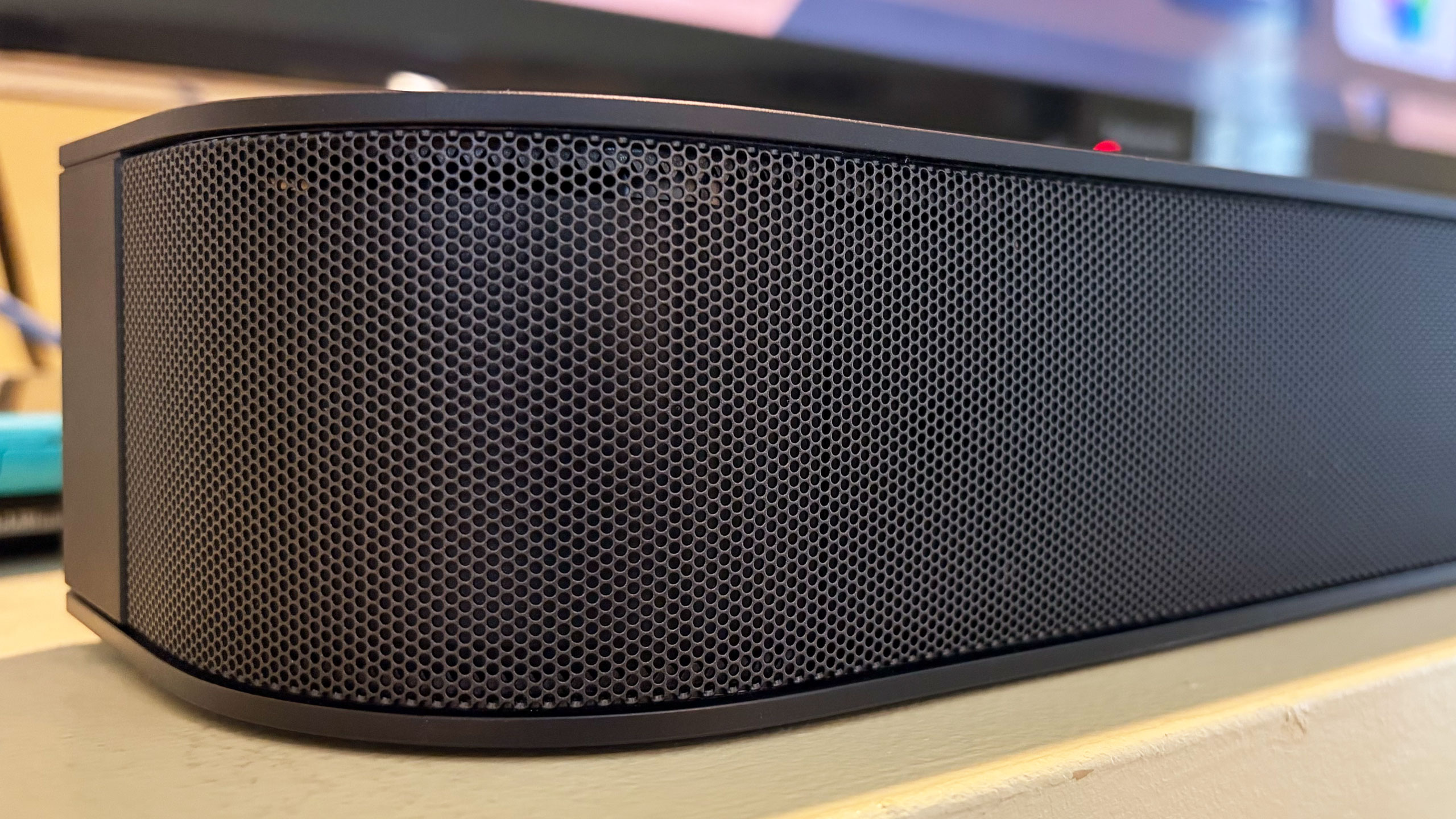
The Bravia Theater Bar 5 has a basic, compact design
Billy Steele for Engadget
From Kieran Behden & William Tyler’s acoustic/electronic 41 Longfield Street Late ‘80s to Thursday’s screamo masterpiece Full Collapse, the soundbar performs admirably. Although with heavier genres, I preferred to dial down the bass slightly. Tucker Rule’s kick drum on Full Collapse, for example,was a bit much for the standard tuning here.
After struggling with the setup on LG’s Sound Suite, I was thankful that configuring the Bar 5 was super easy. It’s very much a plug-and-play situation, and the Bravia Connect app guides you through the initial steps. It takes about five minutes to get up and running and I’d wager even the least tech-savvy person in your life can probably figure this out. You can also opt for Night mode (less bass), Sound Field (enhanced audio) and Voice mode (louder dialogue) in the Bravia Connect app.
All of this certainly makes the Bar 5 a solid option for someone who doesn’t need a lot of features, but stands to benefit from augmenting the sound from their TV alone.
The not so good: Constrained Dolby Atmos and limited features
While the Bar 5 supports Dolby Atmos and DTS:X immersive audio, Sony’s virtualization tech was a disappointment. There’s some side-to-side directional sound, but I noticed almost no simulated overhead noise. The Bar 5’s sonic clarity makes it a solid option for boosting living room audio, just don’t expect the enveloping effects that more robust (and more expensive) soundbars would offer.
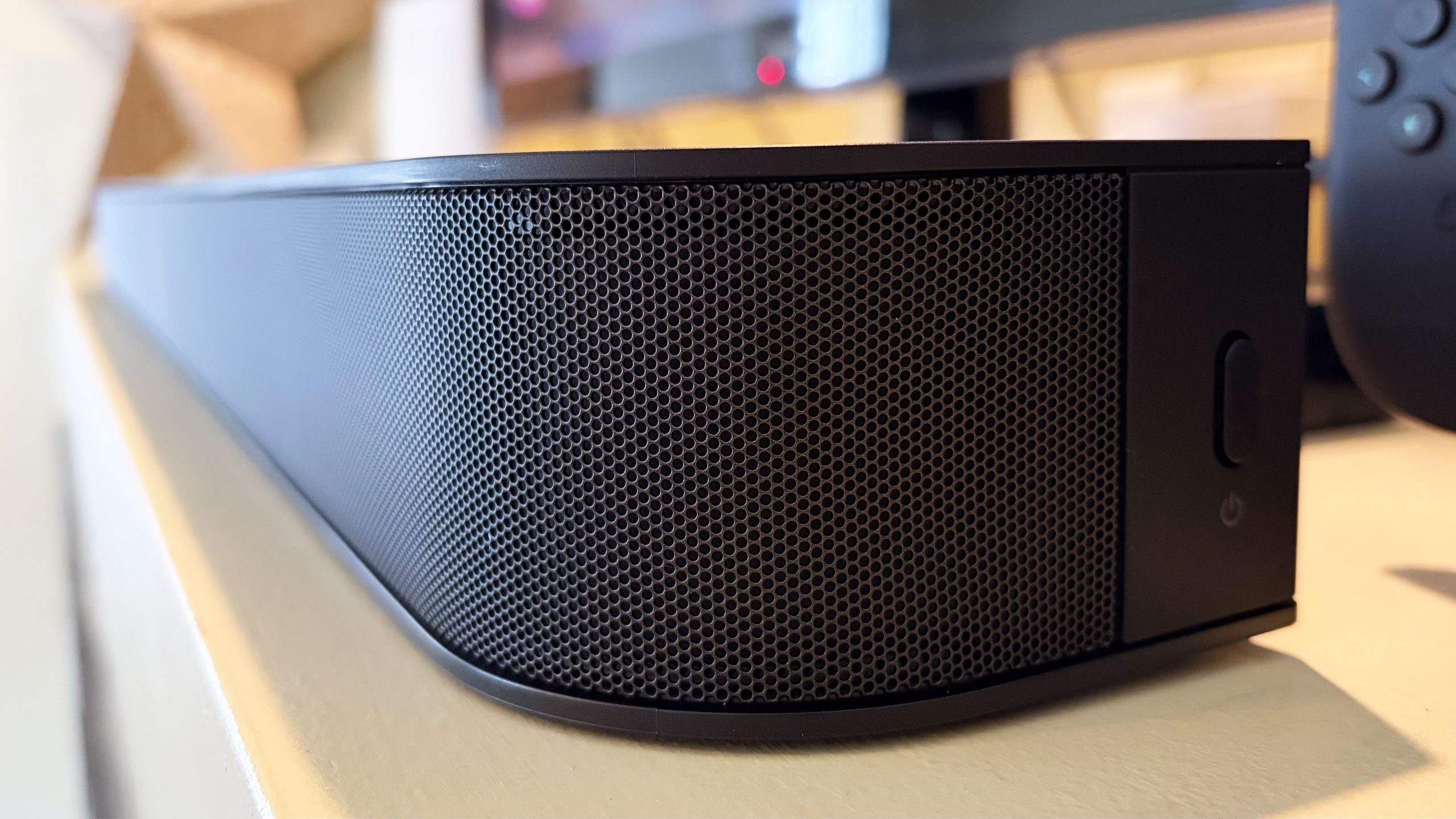
There are several features you won’t find on the Theater Bar 5, starting with the lack of onboard controls. I’m well aware that those buttons on top of soundbars don’t get used much, but if you’re like me, you still reach for them occasionally. There were several times during my testing when I tried to blindly tap the non-existent volume controls on the Bar 5. Other than a power button on the right side, your options for controlling this soundbar are a remote and the Bravia Connect app.
The power button on the right side
Billy Steele for Engadget
You also won’t find a Wi-Fi connection on the Bar 5. This means that AirPlay and Google Cast aren’t available to easily beam audio from your devices to the soundbar. There is Bluetooth 5.3, so you do have an option for music and podcasts from your phone or laptop if you need it. However, pairing your devices to the soundbar via Bluetooth isn’t as quick as selecting the soundbar in your streaming app when AirPlay or Cast are on the spec sheet.
Lastly, Sony doesn’t offer any type of room calibration on Theater Bar 5. Sure, a smaller soundbar like this is better in smaller spaces, but it would still be nice to have the system dial in the audio for the aspects of the room. After all, not every living room is a perfect rectangle. I can understand why the company left this feature out of a $350 model, since the tool would require extra components like microphones. This is certainly one of the more noticeable trade-offs for saving some money.
Wrap-up
Sometimes the basics are all you need. Sony’s Bravia Theater Bar 5 provides an entry-level boost to TV audio that will be fine for people looking for just that. While there is support for immersive audio, the soundbar’s 3.1-channel setup isn’t the best for Dolby Atmos and DTS:X performance, and that’s really the biggest knock against the Bar 5. However, this model's excellent audio quality, especially the powerful bass, will suffice for customers just looking to hear their TVs better.
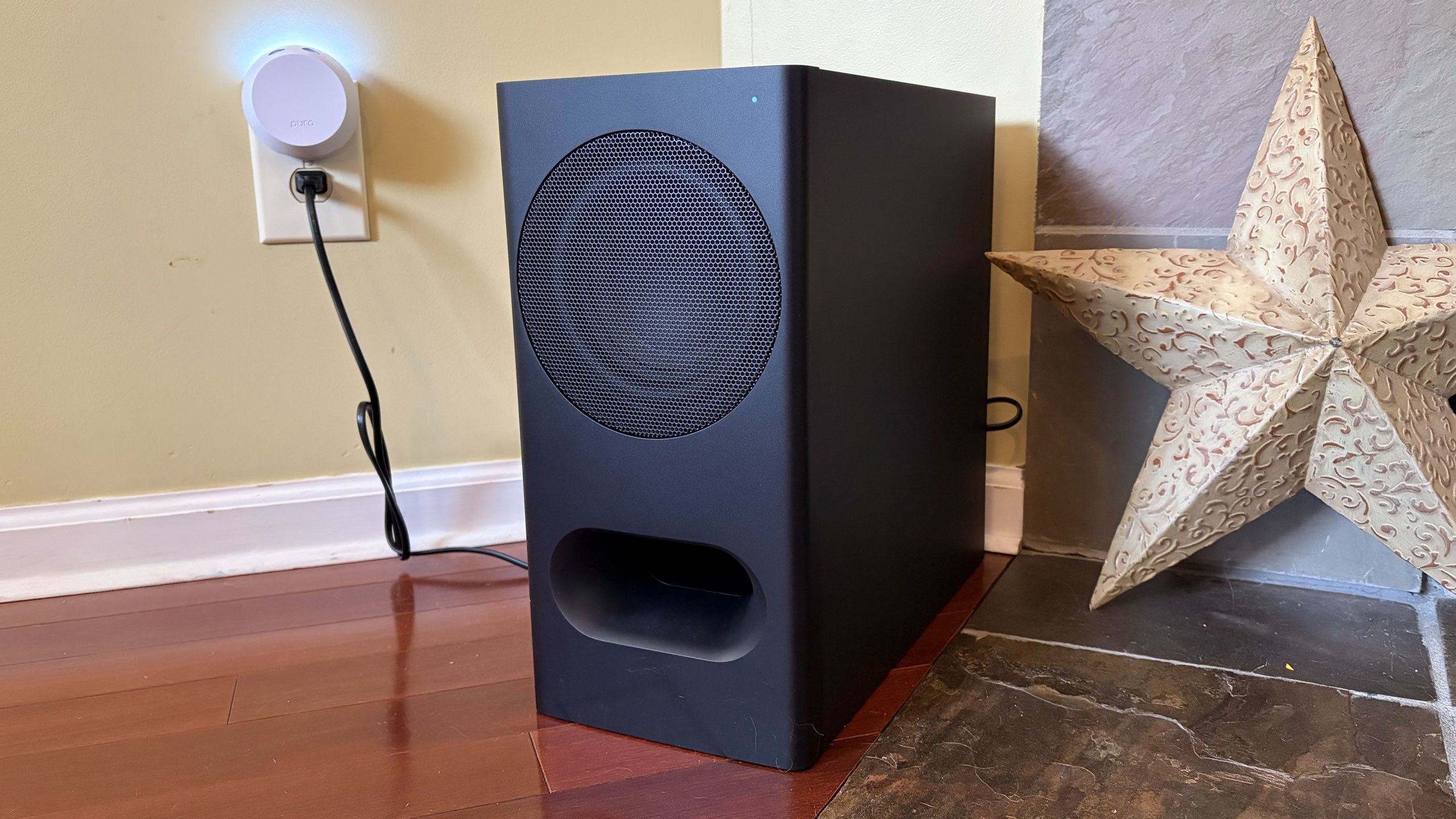
The Bravia Theater Bar 5's included subwoofer
Billy Steele for Engadget
If you want a compact soundbar that provides respectable Atmos performance, the second-gen Sonos Beam is your best bet. Sure, it’s more expensive at $499 and it doesn’t come with a subwoofer, but its additional drivers, tweeter and passive radiators offer more robust audio from the soundbar alone. You also get Trueplay room calibration and Wi-Fi connectivity there.
The Theater Bar 5 will certainly improve your living room audio compared to your TV speakers alone, but with a few more features and improved Atmos virtualization, Sony could’ve had a real winner.
This article originally appeared on Engadget at https://www.engadget.com/audio/speakers/sony-bravia-theater-bar-5-review-a-basic-tv-sound-booster-140000192.html?src=rss
Amazon’s satellite-based internet service, Leo, will enter service by mid-2026, so says company CEO Andy Jassy. Writing in his annual letter, Jassy claimed Leo would offer download speeds of up to 1Gbps, far more than what Starlink presently offers. Sadly, Amazon declined to offer any more details about what that mid-2026 service would look like. But given select partners have already been kicking Leo’s tyres for a while, we can only hope.
The mega-retailer is making some grand promises, including faster up and download speeds, cheaper cost and direct integration with Amazon’s other products. Of course, the company can also sell itself on the fact it’s a satellite internet provider not owned by Elon Musk. But it will have to buck its ideas up fast, given how far behind in its deployment of satellites it is.
ASUS’ ZenBook A16 is a 16-inch ultraportable designed to go toe-to-toe with LG’s Gram Pro 16. It’s equipped with Qualcomm’s Snapdragon X2 Elite and designed to address the flaws Devindra Hardawar found in last year’s ZenBook A14. Did it succeed? You’ll have to read his review to get the full story, but he’s certainly happy to have spent the last week using this thing.
Greece will ban under 15s from accessing social media, Prime Minister Kyriakos Mitsotakis has announced. Like many nations both in Europe and beyond, officials are concerned about the effect social media is having on children’s mental and physical health. The big platforms will be in charge of enforcing the ban, backed up by the hefty punishments enabled by the Digital Services Act.
If you’re still using a Kindle or Fire tablet made in 2012 or before, then it’s going to get a little less useful on May 20. Amazon is discontinuing support for those earlier models on that date, removing the ability to purchase, borrow or download new titles. Thankfully, whatever is on the hardware already will remain, so don’t fret if you’re only a third of the way through Remembrance of Things Past.
Billy Steele has been putting Fender Audio’s new speakers through their paces to find what can only be described as a mixed bag. Excellent audio quality and a wide variety of inputs get high praise, but the heavy weight, exposed wood and limited battery life all dent the paintwork.
WhatsApp’s CarPlay interface isn’t the most elegant or easy way to keep in touch with your friends while driving. Meta has, however, given the UI a little polish to help make it a little easier to get something useful done without pulling your attention from the road.
OpenAI has closed a yawning gap in its ChatGPT subscription pricing with a new $100 per month Pro plan that slots between the $20 per month Plus plan and $200 per month Pro plan. Offering five times more Codex than the $20 option, it appears designed to challenge Anthropic's $100 per month Claude option. "Compared with Claude Code, Codex delivers more coding capacity per dollar across paid tiers," an OpenAI spokesperson told TechCrunch.
So what's the difference between OpenAI's two Pro plans? The $200 version does offer four times the Codex. However, you get the same advanced tools and models with $100 plan, according to OpenAI's product page. To encourage users to jump in, it will offer double the Codex for a limited time, or 10 times what you get with the Plus plan.
Users have been screaming for such a plan for a while now, according to posts on OpenAI's developer community forums. "The Plus plan will continue to be the best offer at $20 for steady, day-to-day usage of Codex, and the new $100 Pro tier offers a more accessible upgrade path for heavier daily use," OpenAI said in a post on X.
With the launch of GPT 5.2 late last year and GPT-5.3-Codex in February, OpenAI significantly boosted the speed and reasoning capabilities of Codex, giving developers a tough choice between ChatGPT and Claude Opus. However, the sticking point for many power users was ChatGPT's $200 per month price — so OpenAI no doubt hopes the new plan will convince those on the fence to switch.
This article originally appeared on Engadget at https://www.engadget.com/ai/openai-has-a-new-100-chatgpt-pro-plan-to-better-match-up-with-claude-062705626.html?src=rss