I know what you're thinking, didn't OnePlus release a new phone just last month? It did. A little over five weeks after the announcement of the OP15, the company is back with the OnePlus 15R, a more affordable version of its new flagship that starts at $700 (or $200 less than its sibling). Off the top, this will be a shorter review because most of what I said about the OnePlus 15 also applies to the OP15R. It's a great phone that asks you to make one pretty significant compromise.
Design and display
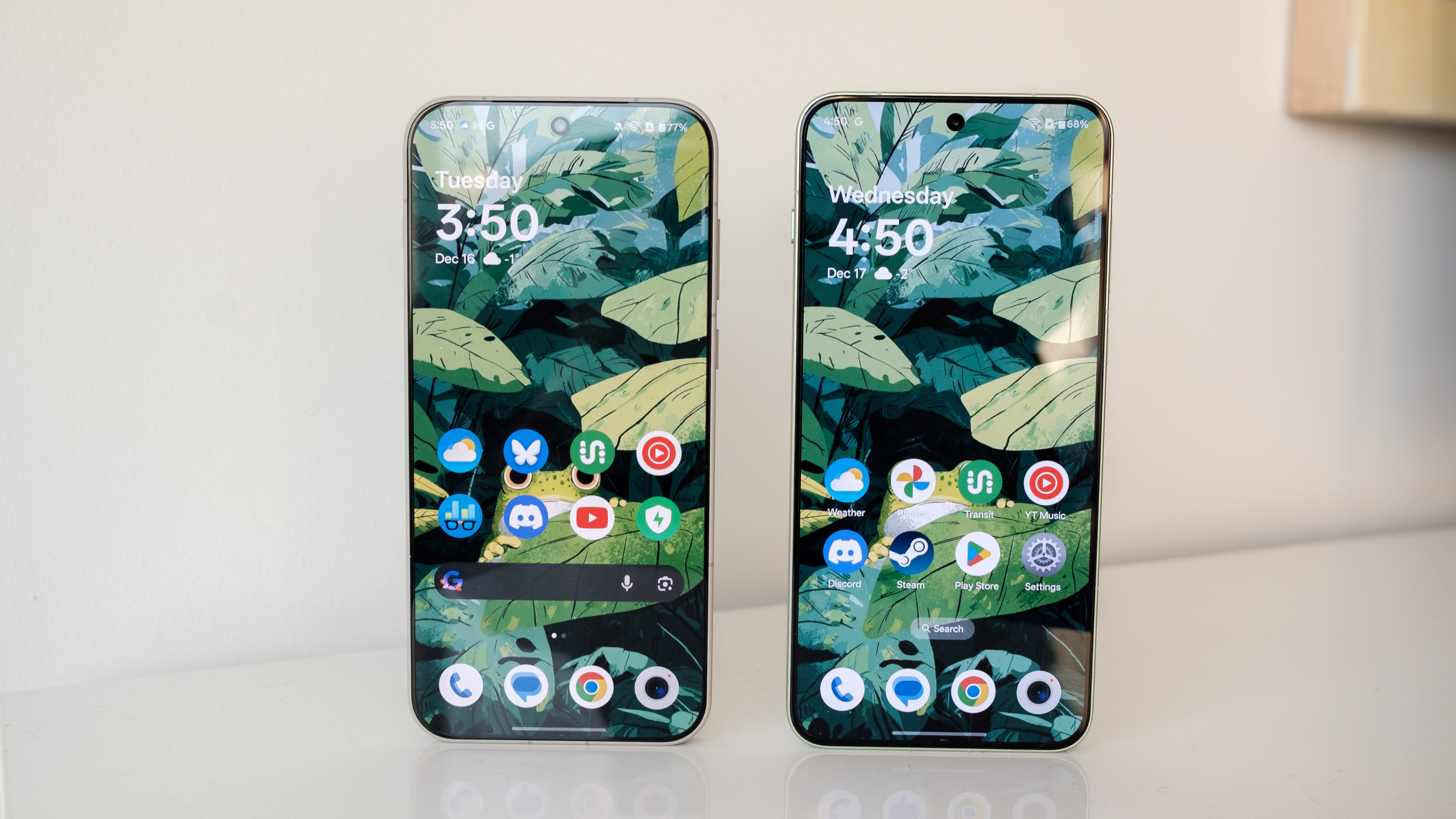
The OnePlus 15R's screen is slightly cooler than that of the OnePlus 15.
Igor Bonifacic for Engadget
Like the OnePlus 15, the 15R looks like the OnePlus 13s and 13T, a pair of smaller, 6.32-inch phones the company released in India and China this past spring. I said the design of the OP15 was boring and derivative of the iPhone 16 Pro. The 15R has done nothing to change that opinion. With one fewer camera, the OP15R doesn't look much different from the iPhone 12 I've been hanging on to since 2020.
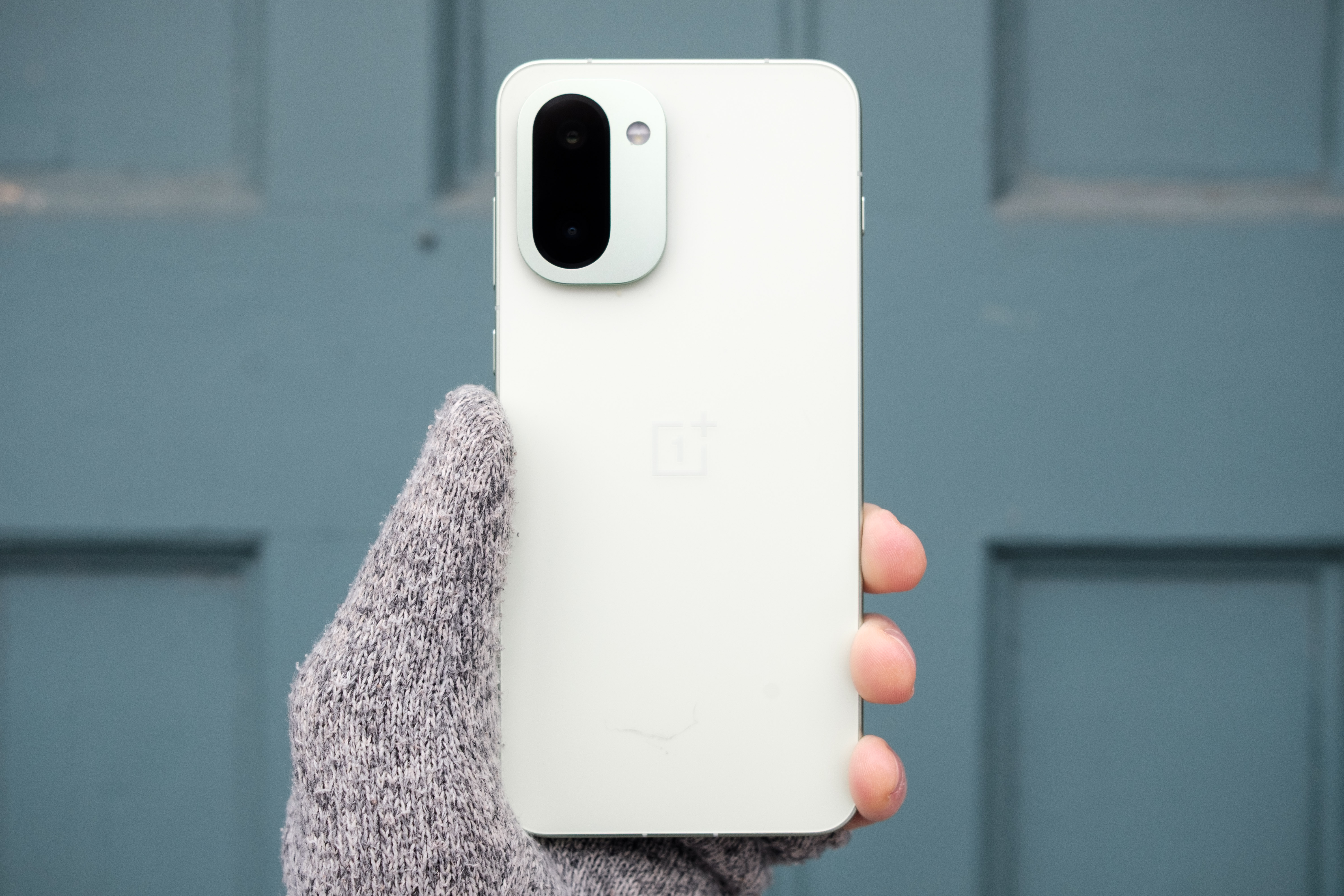
That said, I'm more fond of the 15R's mint breeze color (the phone is also available in charcoal black) than the sand storm shade of my OP15. We're big fans of minty phones here at Engadget, and OnePlus has gone with a particularly pleasing hue of the color with its new phone. With the redesign, OnePlus has also improved the phone's waterproofing, bringing it in line with the OP15. The new handset is IP69K-certified against moisture and dust, meaning it can withstand heated water shot at it at pressure. Like the OP15, the 15R trades OnePlus' old Alert Slider for a new Plus Key. It functions like the iPhone's Action button, allowing you to add a shortcut for a favorite feature. For example, you can configure it to open the camera app or act as a do not disturb toggle, among a few other options.
One departure from the OP15 is that the 15R has a larger 6.83-inch display, making it slightly taller than its sibling. OnePlus is marketing this as one reason buyers might pick the 15R over the OP15, but holding the phones side by side, there's not much difference between the two. They're both big, and you'll either like that or won't.
On top of being big, the 15R's screen can refresh at a fast 165Hz in games. The two displays are also comparable in terms of resolution and brightness; both can push 1,800 nits of brightness. One difference I noticed is the OnePlus 15 has a warmer panel, even when the two phones are set to the same colorspace. I've reached out to OnePlus to find what might be causing the disparity, but for now it may be due to a quality control issue or oversight in the company's software.
One last thing, OnePlus has upgraded the 15R to add an ultrasonic fingerprint sensor beneath the screen. This is placed in a nice spot toward the bottom third of the display, and it's fast and accurate.
Performance and battery
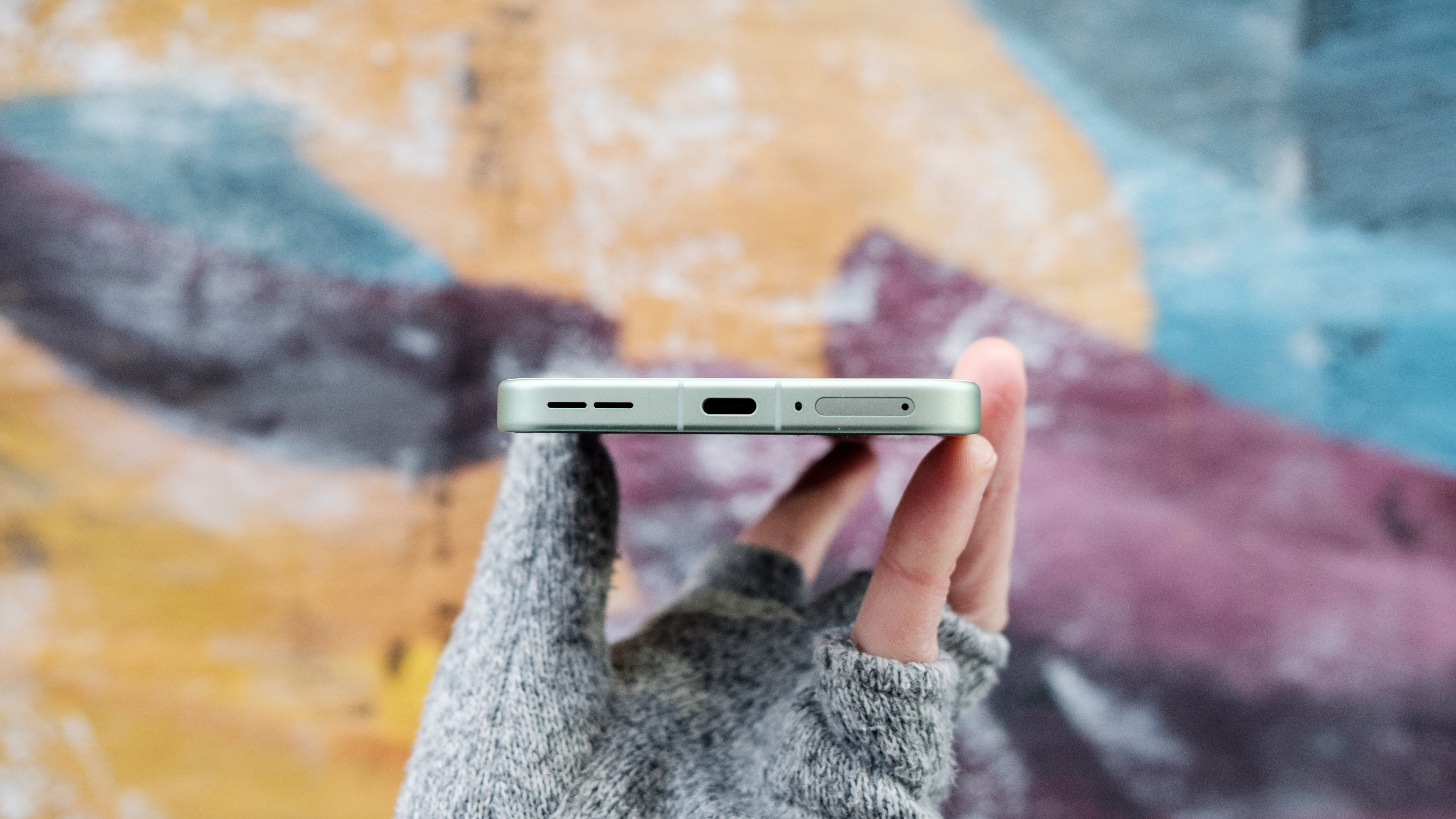
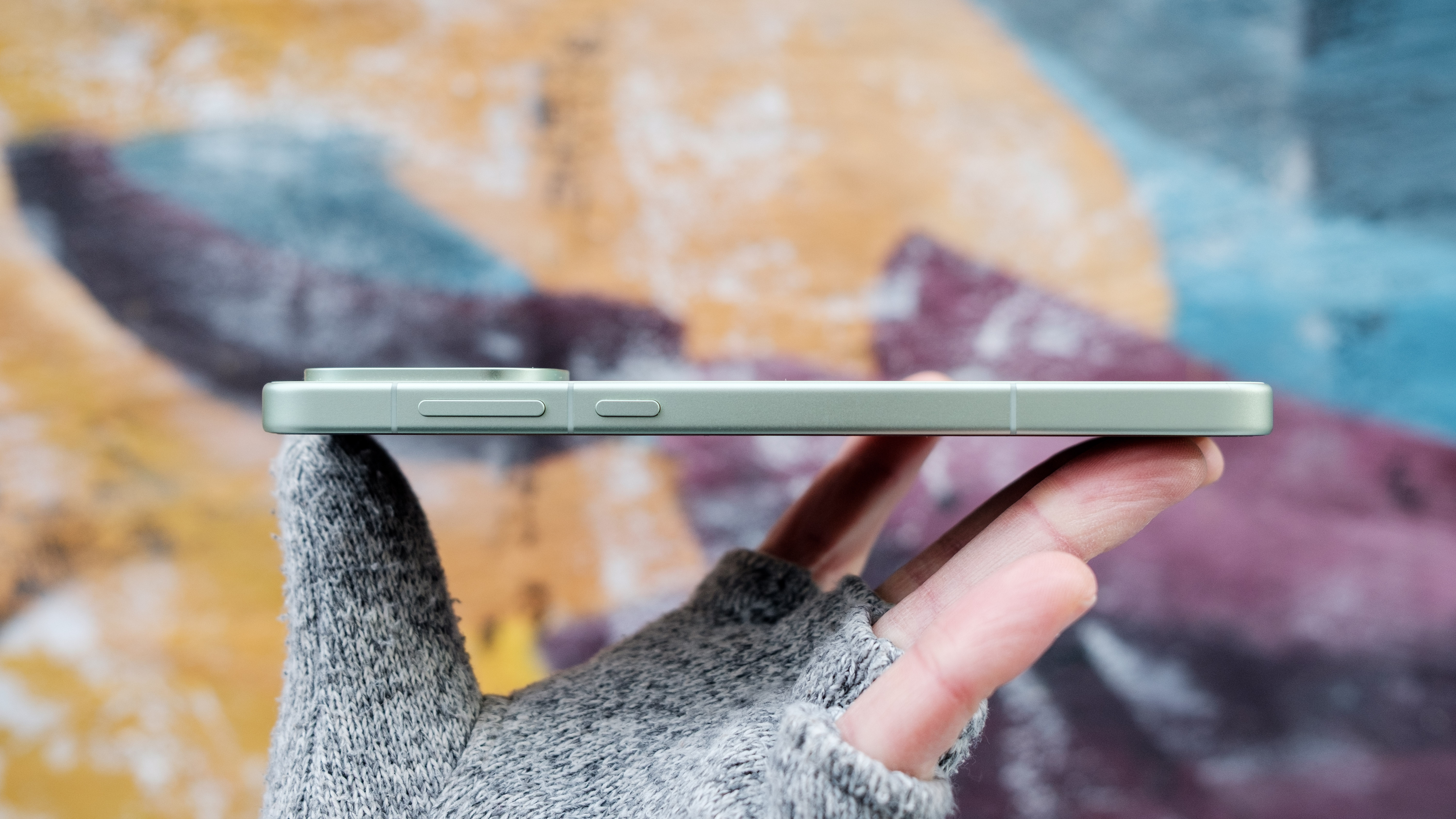
The OnePlus 15R is also slightly thinner than the OnePlus 15.
Igor Bonifacic for Engadget
The OnePlus 15R is the first phone in North America to arrive with Qualcomm's latest Snapdragon 8 Gen 5 chipset. Not to be confused with the Snapdragon Gen 5 Elite in the OP15, this new chipset is similar to Qualcomm's flagship system-on-a-chip but has a weaker CPU and GPU. This is reflected in benchmarks like Geekbench 6 where the OP15 handily outperforms the OP15R. It's not even close, either, with the OP15 delivering standout single- and multi-core scores of 3,773 and 11,293, while the 15R put up more modest results of 2,857 and 9,512.
From that perspective, you're losing a fair amount of performance, but real-world use tells a different story. Outside of the handful of games such as Call of Duty: Mobile and PUBG that support the OP15 and 15R's 165Hz displays, the Snapdragon 8 Gen 5 offers more than enough muscle for the majority of applications. Even for most games (like the ones I like to play, including Diablo Immortal and League of Legends: Wild Rift), the Snapdragon 8 Gen 5 is a great match.
OnePlus also hasn't skimped on the 15R's other internal components. You're still getting 12GB of LPDDR5X Ultra RAM and 256GB of UFS 4.1 storage. That's the same configuration as the base model of the OP15. This translates to a phone that doesn't miss a beat when switching between apps and loading files like images and videos.
The 15R has a slightly bigger battery, coming in at 7,400mAh, up from 7,300mAh on the OP15. In practice, the two phones offer the same amount of battery life. Putting them through both Engadget's video rundown test, they both ran for 38 hours before their batteries died (which makes sense given the OP15R has a bigger screen). Like the OP15, the 15R comes with the OnePlus 55W SUPERVOOC charger in the box. The adapter can get the 15R from dead to 100 percent in less than an hour. If you hate charging your phone, the 15R makes that process as painless as possible, with a battery that both lasts long and won't be at the outlet for hours.
Cameras
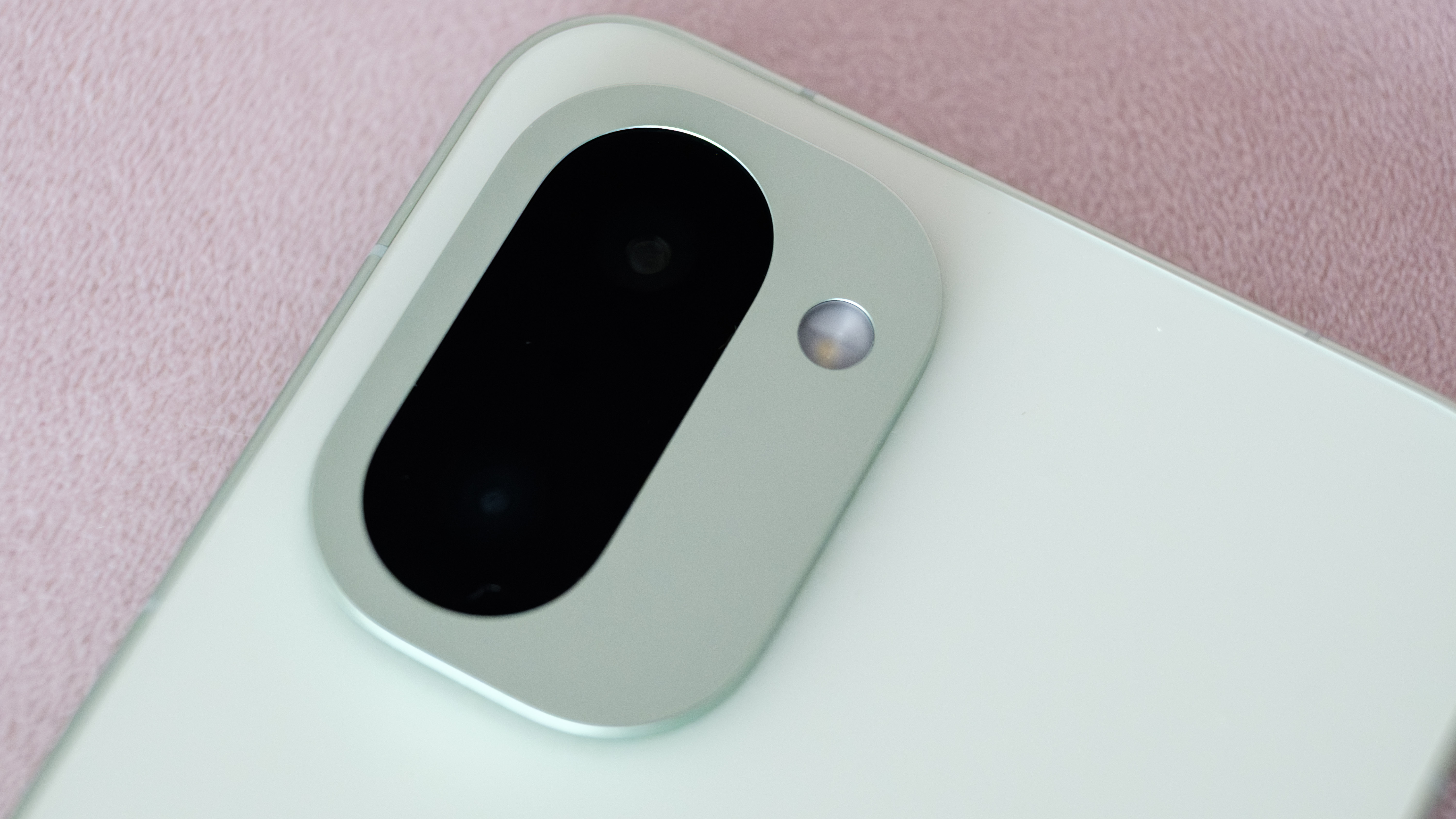
A closeup of the OnePlus 15R's camera module.
Igor Bonifacic for Engadget
By this point you're probably wondering what OnePlus cut from the OP15 to make the 15R more affordable. The answer — quite literally — is an entire camera. The new phone is missing a telephoto camera, something you could find on its predecessor, the OnePlus 13R. And as far as I can tell, the two remaining cameras use the same 50-megapixel and 8MP sensors OnePlus shipped on last year's model. The company also hasn't upgraded the glass on either camera. That leaves the selfie camera as the only area to see some change in the form of a sharper 32MP sensor and the addition of autofocus.
Unfortunately, none of the 15R's cameras stand out. As a whole, they suffer from the same set of problems that plague the OnePlus 15's cameras. They're fine out on a sunny day, but as soon as the light becomes a bit challenging, the 15R struggles with shadow details, resulting in muddy pictures. The more I've used both the OP15 and 15R, the more I've come to the conclusion that OnePlus needs to go back to the drawing board with its new Detail Max Engine. It feels like it's holding back what should, at least on paper, be solid hardware.
Software
Despite it's large size, the OnePlus 15R isn't too heavy.
Igor Bonifacic for Engadget
There's not much to say here other than the 15R ships with OxygenOS 16, just like the OP15. OnePlus has also promised to support the 15R for the same amount of time as the OP15: four years with software updates and six years with security patches. That's a shorter window than Google and Samsung, both of which promise seven years on all their latest phones. It's hopefully something that OnePlus decides to change starting with the OnePlus 16. The reason I bring that up is that the company’s version of Android is one I like a lot. OxygenOS is slick, with animations that highlight the speed of the 15R's processor and display. The fact the phone comes with the latest version of OxygenOS means you also get access to all of the company's newest AI features, including its Mind Space hub where you can save screenshots and notes for an on-device model to transcribe and summarize.
Wrap-up
The OnePlus 15R comes in a lovely mint color.
Igor Bonifacic for Engadget
In short, the OnePlus 15R is the phone for people who don't care about photos and videos. That's the same conclusion I came to with the OP15. If you're a OnePlus fan, the 15R excels in all the areas you would expect the company's devices to make a good showing: performance, battery life and display responsiveness. Given I wasn't too impressed with the OP15's camera, I would actually recommend the 15R over that model. For $200 off the starting price of the OP15, you're getting a device that has almost all of the same strengths of its more expensive sibling.
Compared to other phones in its price range, such as the Pixel 10 and Galaxy S25 FE, the 15R is not as well-rounded, and can't compete with those devices in camera quality, but you're getting much better performance, battery life and a display they can't match.
This article originally appeared on Engadget at https://www.engadget.com/mobile/smartphones/oneplus-15r-review-a-165hz-display-and-big-battery-for-700-150000340.html?src=rss
Apple TV is adding Google Cast support to its native Android app. This update allows subscribers to stream Apple TV shows from their smartphones to their televisions. Apple's streaming service only just released the dedicated app for the Android operating system in February 2025. Adding in Google Cast support helps fully integrate the app into the experience for people whose gear is part of the Android ecosystem.
The addition should make it easier for viewers to shift between screens, even mid-episode. It's a very different approach than Netflix, which recently ended Google Cast support for its streaming platform in most use cases.
This article originally appeared on Engadget at https://www.engadget.com/entertainment/streaming/apple-tv-app-for-android-now-supports-google-cast-205642324.html?src=rss
Close enough, welcome back Xperia Play. After releasing a teaser video in early November, Ayaneo fully revealed its first smartphone called the Pocket Play. As suspected, the Ayaneo Pocket Play features a sliding mechanism that transforms it from a chunky smartphone into a gaming handheld.
In its gaming configuration, the Pocket Play features a controller setup with a D-pad, ABXY buttons and four shoulder buttons. However, Ayaneo has modernized the Xperia Play design by incorporating two touchpads, which will also be seen in the handheld maker's next flagship device called the Next II. According to Ayaneo, you can map these touchpads as virtual joysticks or customizable inputs. Ayaneo hasn't revealed the specs of the Pocket Play yet, but the device appears to have slots that could hint at expandable storage options.
The Pocket Play will be Ayaneo's first foray into the smartphone world, albeit with mobile gaming in mind. It'll have to compete against the likes of other gaming-specific smartphones like the Redmagic 10 Pro or the Asus ROG Phone series, as well as the latest iPhone and Samsung Galaxy smartphones that can also handle demanding mobile games. Ayaneo will launch the Pocket Play on Kickstarter soon, but hasn't revealed any pricing details yet.
This article originally appeared on Engadget at https://www.engadget.com/mobile/smartphones/ayaneos-first-smartphone-is-a-major-callback-to-the-xperia-play-165206332.html?src=rss
Apple has released iOS 26.2, bringing a number of new convenience features and security updates. The update includes auto-generated chapters for episodes in the Podcasts app, the option to make AirDrop more secure using verification codes, alarms for Reminders and more. It also introduces new controls for how Liquid Glass appears on the Lock Screen, adding a slider to adjust the transparency level. The drop also includes updates for iPadOS, macOS, watchOS, visionOS and tvOS.
What's new in iOS 26.2 and iPadOS 26.2
It's not exactly a major update feature-wise, but iOS and iPadOS 26.2 bring a bunch of quality of life improvements to apps including Apple Music, Podcasts and Games. In Apple Music, you'll now see your Favorite Songs playlist in the Top Picks section, and lyrics will be available offline for songs you've downloaded. In addition to automatically generated chapters, Podcasts will display links to any other podcasts mentioned in the episode you're listening to. And, Games is getting in-game score banners, along with filters for the library to make it easier to find titles based on category and other descriptors. Apple says it also improved support for Backbone and Razer controllers.
With iOS 26.2, Apple made Safety Alerts for natural disasters and other emergencies more detailed, and they'll now come with maps of affected areas and other useful information. For iPad users, Apple has added drag-and-drop gestures for its new windowing system to make multitasking smoother. The update for iPhones and iPads also addresses several potential security issues, including vulnerabilities in WebKit that Apple says "may have been exploited in an extremely sophisticated attack against specific targeted individuals on versions of iOS before iOS 26." So, if you're not yet running the latest OS on your iPhone and iPad, it's a good time to update.
OS updates for the rest of the family
Beyond the iPhone and iPad, macOS Tahoe 26.2 introduces Edge Light for Mac, which turns your display into a ring light for video calls. For the Apple Watch, 26.2 fixes an issue with stuck songs in the Music app, and adds some new controls for the Sleep app. The tvOS update brings the option to add profiles even for people who don't have an Apple Account, and new restriction options for kid profiles. With visionOS 26.2, Travel Mode now has settings for cars and buses, and you'll now be able to use spatial accessories including "Logitech Muse in Notes, Freeform, and any PencilKit-enabled app" to create hand-drawn content with the Apple Vision Pro.
This article originally appeared on Engadget at https://www.engadget.com/mobile/ios-262-is-here-with-another-liquid-glass-tweak-new-podcasts-features-and-more-181020133.html?src=rss
Epic Games has spent a lot of time in court over the past several years, but it seems the company's litigious era may be winding down. The company announced today that its game Fortnite is back on the Google Play mobile store in the US. Fortnite's return to Android devices means Epic's popular hit is now available on just about every gaming platform following five years of arguing antitrust lawsuits.
Epic took both Google and Apple to court over their policies for mobile payment systems back in 2020. The gaming company has been successful on the whole in its challenges, most recently reaching a settlement with Google in November. The companies agreed to a modified version of the order US District Judge James Donato originally placed on Google regarding fees charged to developers and handling of in-app payments and third-party billing systems.
The same saga unfolded earlier this year with Apple. US Judge Yvonne Gonzalez Rogers also sided with Epic Games in May, ordering Apple to stop collecting commissions on purchases made outside its own App Store. After a bit of back and forth, Fortnite finally returned to iOS in the US a few weeks later.
This article originally appeared on Engadget at https://www.engadget.com/gaming/fortnite-is-back-on-the-google-play-store-195507458.html?src=rss
In a world where notifications persistently compete for our attention, distraction-free ereaders and writing tablets have found an audience. Putting your phone, laptop or iPad aside and curling up with a Kindle or a reMarkable tablet have become an almost ironic way for the tech-savvy to disconnect from online noise and focus on reading and writing. It’s debatable how broad the appeal of these devices is, but even in what appears to be a relatively small slice of the industry, the competition is fierce.
Amazon is arguably the biggest name in the space, with its Kindles dominating the ereader market for years. When it introduced the Kindle Scribe in 2022, the company made a play for the burgeoning E Ink writing tablet category, and just last year it launched its first color ereader with the Kindle Colorsoft. Put all those features — reading, writing and color — together, and you’ve got the ingredients for Amazon’s latest contender: the Kindle Scribe Colorsoft.
This time, Amazon expanded the Scribe line by releasing three new Scribes at once. The entry-level model is the black-and-white tablet without a front light, which costs $430. For $70 more, you’ll get the front light, and then the Colorsoft version goes for $630. There are upgrades from last year’s Scribe across the trio, and for this review we’ll be looking mostly at the Colorsoft, which has all of the new features.
Like with previous models of the Scribe, Amazon doesn’t indicate the generation number in the name, simply calling this lineup the “all-new Kindle Scribe,” attaching the word Colorsoft to the edition that renders colors. To avoid confusion, I’ll occasionally be referring to this generation of the device as the Scribe 3, and the version from last year as the Scribe 2.
Editor’s note: As I only received the Kindle Scribe Colorsoft on December 7 due to shipping delays, I won’t be assigning a score to this device until I have had more time to test it. My colleague Valentina Palladino received the new Kindle Scribe a few days before that, and has contributed testing and impressions to this review. It’s also worth noting that some new features, like “Send to Alexa+,” “Story so far” and “Ask this book” aren’t available to test yet. We will update this review with a score after spending more time with it so we can better gauge things like battery life and the usefulness of some software features.
What’s new with the Kindle Scribe Colorsoft
Aside from the obvious, which is that the Colorsoft can now render colors, the latest Kindle Scribes also feature a refined design, improved front light system, updated screen architecture, new quad-core chip, more memory and Oxide display technology. It has a larger 11-inch screen compared to the 10.2-inch display on its predecessor, and still manages to weigh 33 grams less at 400 grams (0.88 pounds). There’s also a revamped Home page that houses a Quick Note for easier access to the writing interface as well as some software and AI tools that aren’t available to test yet.
A lot of the hardware tweaks translated to a snappier, more responsive device overall. In my testing, the Scribe Colorsoft’s AI summarization and handwriting refinements took a bit less time than the Scribe 2, which I attribute most to the processor, but I also noticed improved fluidity in the writing experience.
Drawing on the Scribe Colorsoft brings me right back to my younger days testing out pens at bookstores. Amazon’s stylus feels like a pen with ink that flows more freely and consistently onto the page than others, and between the nib and the texture of the page there is a lack of resistance and overall smoothness that is very satisfying.
Cherlynn Low for Engadget
Amazon said that the Premium Pen that comes with the Scribes has been refined with a thicker and more rounded silhouette. With its latest Oxide display, the Scribe Colorsoft’s screen response rate of 14 milliseconds and the non-Colorsoft Scribe 3’s rates of 12ms are both much higher than the 20-21ms for the Scribe 2. Together, this probably is the main reason that the new Scribe feels more responsive in general, and why writing on it seems so smooth. Although, that new front light system might also be contributing to the overall feeling of freshness.
Speaking of, I put the Scribe 2 and Scribe Colorsoft side by side in my friend’s living room and the difference was stark. When I brought both devices next to the window, under direct sunlight, they both seemed similarly bright, with the typical glare-free finish you’d expect of ereaders. But when I took them into a darkened bedroom, the auto-adjusting panel on the Colorsoft lit up its screen and made it easier to read. Colors popped, and while I felt that there was a slight blue tinge to the light, it wasn’t something I would’ve noticed without a side-by-side comparison. It’s not an issue though because you can also adjust the warmth here like you can on other Kindles.
One of my complaints in my review of the Scribe 2 was the flimsy attachment method of magnets holding the pen to the tablet. While Amazon hasn’t built an onboard slot or holder for the stylus, it did increase the magnetic force on the Scribe 3. This was already noticeable during my hands-on with the device back in October, and in real-world use I appreciated this upgrade in keeping the Premium Pen tightly attached to the Scribe Colorsoft. I would still prefer a more secure approach, since I still do worry about the stylus getting lost in my purse and don’t want to have to buy a case just for this purpose. But it’s a small quibble and my concerns have largely been allayed with the increased magnetism.
Cherlynn Low for Engadget
I still need to test some software features like Send to Alexa+, Ask This Book and Story So Far, but they’re not available yet. I’ve been focusing my testing on the Notebook section and need to spend more time marking up and annotating books to better evaluate that use case. But not much has changed there since Amazon rolled out the collapsible margins in February, and you can read my review of the Scribe 2 for my impressions there.
The new home page and AI-powered Notebook search
At the moment, I can speak to one of the new features: AI-powered Notebook search. The Search bar at the top of the Scribe can now answer questions about the contents of all your Notebooks (and books). At the time of the Scribe’s announcement, I thought this would be helpful in pulling together all the tasks I’d assigned to specific team members across the to-do lists I drew up for various events.
When I asked the Scribe “what tasks have I assigned Sam,” its results page showed six categories, pulling information from my library, notebooks, the Kindle Store, the Audible Store, Goodreads and text within books. Only the second one had any findings. Under “Results in your notebooks,” there was a label “AI-powered insights” followed by a header “Sam’s Assigned Tasks.” Below that was a bulleted list, which I’ll transcribe and include an image of here:
Add content to CES sheet
Handle KPBP company set
Track Samsung mobile developments
Handle OnePlus 13
Review device during CES
Attend meetings with: - Dell & ASUS on Thursday, MSI, Razer, HP, Lenovo, Potentially Sony Ateela
Work on Sam Qi 2
Best-Sam host responsibilities
Cherlynn Low for Engadget
I quickly realized that I’d need to fine-tune my requests to get results that made more sense, since random tasks divorced from their parent documents made little sense without context. Thankfully, there was a button below the results that prompted me to “Ask Notebooks” about “these insights, or ask something else.” However, tapping that only brought me to a different page showing the same list but with a new section to see the notes they were sourced from.
I’ll also point out that this list of tasks for Sam was not the same result I got from a query about “where do I mention Sam?” In addition to the two to-do lists that I created in December 2023 and January of this year, the Scribe told me “Sam appears on a Christmas shopping list as one of the checked-off friends.”
That’s fairly impressive, since that list did have Sam under a handwritten header “Friends,” as opposed to other pages titled “Gym” or “Neighbors.” But it appeared to only be able to determine that Sam’s name was checked off thanks to the template I used for the notebook. Other check marks I made outside the predefined boxes in that background weren’t deemed as checks and instead misrecognized as dashes. So later when I asked where my friend Michelle appeared in all my notebooks, the Scribe noted an entry for “Michelle-scart” in a different holiday shopping page.
Retrying the same question did yield more accurate results, though, with a subsequent search correctly stating “Michelle appears in a list with ‘scarf’ noted next to her name.” And whether it’s my overly messy handwriting to blame or Amazon’s technological deficiencies, there were still some words or sentences that it misidentified, like “Michelle-callin” instead of “Michelle — Callie.”
So far, the AI-powered Search feels like a hit-or-miss update. Sometimes, like when I took the bait and asked the questions it suggested, I would get shockingly accurate answers. “Try asking ‘which Ariana song is mentioned in the list,’” the Scribe prompted. Or “When is the HOA meeting occurring?” For the former, it told me that the song “Bang Bang” was on a list of karaoke songs, while the latter simply told me the date and time it had found in a note titled “Appointments Dec 2022.” I’ll need more time to think of better ways to use this feature, but for now I can’t decide if it’s actually helpful without some extra work.
Cherlynn Low for Engadget
I already spent some time testing the Summarize and Refine tools introduced in the last Kindle Scribe, so I’ll just say that refining the handwriting of a to-do list on the Scribe Colorsoft was largely the same as before, just a tad faster. I didn’t really use either AI tool in the year since I reviewed the Scribe 2, so I was right last year in thinking I wouldn’t find much use for them in daily practice.
What I thought would be more practical is the redesigned Home screen and the Quick Note that takes up the top left corner of this page. Again, I’d need to spend much more time to understand how I’d navigate the device over weeks and months, but for the most part I find it easy to just hop in and out of notes I want without first going to the Home section. I’d prefer a hardware shortcut like Montblanc offers in its Digital Paper writing tablet. On that device, you can program the buttons on the pen so that a double click starts a new note, adds a blank page or brings you back home.
While you can customize the button on Amazon’s Premium Pen, your options are limited to switching between tools like the highlighter, pen, shader or eraser for use while you’re writing. (And yes, like before, you can still use the top of the Premium Pen to erase content — no need to push any button.)
One last thing to note about the home page (for now) is that seeing the rows of book covers in color is a delight, and though it’s not something that impacts the function of the device, it certainly adds a layer of visual pleasure.
How does the Kindle Scribe Colorsoft compare to the competition?
One of the Scribe Colorsoft’s main competitors is the reMarkable Paper Pro. The latter has a larger 11.8-inch screen and, correspondingly, weighs a lot more at 525 grams (1.16 pounds). Though I prefer the sharp lines of the reMarkable to the rounded edges and corners of the Scribe, I find the Kindle’s size much more manageable, especially when I’m writing for more than five minutes.
Importantly, the Kindle Scribe Colorsoft simply has a better screen than the reMarkable. It delivers brighter, more saturated colors, and supports more hues, too. Plus, when I placed them next to each other, the Paper Pro seemed to have a yellow cast and a dimmer screen overall (even at maximum brightness). And when I use the highlight function on each, the reMarkable device “flashes” — meaning you have to give it a second for the color to appear in its final form after you put the stylus to the screen. Meanwhile, the color that shows up on the Colorsoft’s panel as soon as you write on it doesn’t change — no flashing takes place.
Cherlynn Low for Engadget
The Scribe’s other strengths are its superior performance and Amazon’s ecosystem of books (for those like me who already have large Kindle libraries, anyway). Though it does offer AI features that reMarkable doesn’t, I’m generally leery of those tools, and, as already detailed in this review, they don’t usually help me.
However, the reMarkable remains the winner when it comes to writing software. It’s way more versatile than Amazon in this respect, especially with its ability to have handwritten and typed text coexist within the same document. You can also edit a note from reMarkable’s app on your phone, typing in any last-minute additions to your shopping list and bolding, italicizing or formatting them if you like. And if you’re a power user, getting your favorite ebooks onto the reMarkable tablet isn’t too difficult, provided you have the EPUB files. The main problem for me here is that you'll need to pay $3 a month for its Connect subscription to continue having access to a lot of these features.
I’ll also shout out companies like Kobo and Boox, who also make color-rendering ereaders that you can write on. Boox’s Note Air 5c starts at $530 and includes the stylus and a magnetic case for that price. It supports apps via the Google Play Store, but, as our deputy editor Valentina Palladino cautions, isn’t the most beginner-friendly product. Kobo, on the other hand, makes color ereaders like the Libra Color. Although it does support stylus input, it is much smaller with its 7-inch display.
And for those who aren’t too fussed about color, there are plenty of black-and-white E Ink writing tablets, including the $905 Montblanc Digital Paper, which I’ve been testing for a few weeks. I’m finishing up my review but that one is clearly a luxury product targeted at a much more niche audience than the already limited target market for this category of devices. If your budget is tight, I’d recommend skipping the Colorsoft model unless it’s crucial to your process. $500 is a much easier price to stomach.
Who should get the Kindle Scribe Colorsoft?
I hesitate to recommend anyone buy anything before I’ve had enough time to assign a score, since things like battery life take longer to evaluate. And while I continue to test the device to get a better sense for its battery life, I’ve already noticed that like the Scribes before it, this version doesn’t last as long as other Kindles. Amazon promises weeks of reading and writing per charge, which could be anything between two and ten (or more) weeks.
In my experience so far, the Kindle Scribe Colorsoft dropped about 20 percent in two days, which, mathematically, means it would struggle to even last a week, not to mention multiple weeks. But because the Scribe 2 showed similar battery drain during my review (with heavier use) and manages to stay charged for at least a month when I’m not testing it all day every day, I’m willing to believe Amazon’s promise of greater runtime.
Aside from my reservations about battery life, the Kindle Scribe Colorsoft is a competent device that delivers on most of its promises so far. The biggest knock against it is its price. At $500 for the monochrome model and $630 for color, this is one Amazon product that can be more expensive than the competition.
But it’s not without its strengths. I’d think of the Kindle Scribe 3 (and Colorsoft) as an E Ink tablet that is more of a notebook than a portal for textbooks you can mark up, with a robust library of Kindle titles to boot. The AI features are not crucial to the experience, but they also stay out of the way. For those looking for a more sophisticated and versatile writing tablet that is less of a book replacement, the reMarkable Paper Pro is the superior device. And for people who don’t mind the notifications, apps and alerts that these purpose-driven tablets keep from distracting you, there’s always the option of buying an iPad or an Android tablet with a stylus. Just install minimal apps or block all notifications, and you might even save hundreds of dollars in the process.
Cherlynn Low for Engadget
Wrap-up
I hate to admit it, but Amazon’s devices and services chief Panos Panay was right in calling the Kindle Scribe a 2-in-1. But the two functions it serves are very specific. I think of the Scribe devices as Kindles first and foremost. That means they’re ereaders, capable of substituting stacks of books thanks to their digital libraries and eye-friendly screens. The second role the Scribe plays well is that of a notebook substitute. It is a place to hold endless slips of digital paper, and its search function can competently help you find what you jotted down in a random note years ago.
But Amazon has not yet found a way to deliver on features like annotating and marking up ebooks that feels like pen-and-paper. Trying to mark up a digital textbook on the Scribe still feels unintuitive, involving virtual sticky notes, collapsible margins and inserting boxes within lines of text. And you won’t be able to easily edit your notes if you’re away from your Scribe, unlike how you can on a reMarkable product.
So the Kindle Scribe 3 is not a three- or four-in-one. I don’t have a problem with that, especially without the extra cost that comes with the color capabilities. While the Colorsoft model is superior to the competition at the moment, it also comes at a premium. If you’re looking for the best color E Ink writing tablet available and are willing to splurge, the Kindle Scribe Colorsoft is worth consideration.
This article originally appeared on Engadget at https://www.engadget.com/mobile/tablets/kindle-scribe-colorsoft-review-a-very-particular-set-of-skills-for-a-price-140014961.html?src=rss
Owners of the Porsche Macan and upcoming Porsche Cayenne Electric will be able to unlock and start their cars with their Galaxy phones, Samsung has announced. The cars, alongside other Porsche models, are gaining support for Samsung Wallet's Digital Key feature, which lets users wirelessly control their car over a secure UWB or NFC connection.
Digital Key support will be available in Europe in December, before rolling out globally, "aligned with the launch timeline of Porsche vehicles," Samsung says. Samsung Wallet is available on Samsung devices as old as the Galaxy S20, Note 20, Galaxy Z Fold 2 and Galaxy Flip 5G, and is included on the majority of the company's new phones. Like similar features on Google's Pixels and Apple's iPhones, Digital Key allows Porsche owners with a supported Galaxy phone to unlock, lock and start their car directly from their phone. If your phone is ever taken, you can also remotely lock or delete a Digital Key to keep your car safe.
Samsung added Digital Key support to select Volvo and Polestar EVs in February 2025. The feature first became available in 2021, and is one of several ways the phone maker imagines people will use Samsung Wallet. Beyond digital car keys, the app can also store credit and debit cards and be used to transfer money with a tap.
This article originally appeared on Engadget at https://www.engadget.com/mobile/smartphones/samsung-wallet-to-gain-support-for-digital-porsche-keys-193000085.html?src=rss
Google and Apple have long existed as polar opposites, each ruling over their tech kingdoms with little interest in cooperation. But the latest build of Android's Canary operating system hints at an unusual instance of collaboration between the brands, with a new feature that seems aimed at making data transfer simpler between Android and iOS mobile device during the setup phase. It is expected to also be available in a future developer beta of iOS 26.
A representative for Google confirmed that the report from 9to5Google on this development is accurate, but didn't provide any additional details on how the transfer will work. Each brand already has their own dedicated Switch to Android and Switch to iOS apps for making the swap between ecosystems, but making the transition easier at the operating system level and adding support for moving more types of data certainly sounds promising. That said, features can go through a fair bit of iteration between the dev betas and the final launch, and Android Canary is a very early stage of development, so we'll be curious to see what actually arrives on our smartphones.
This article originally appeared on Engadget at https://www.engadget.com/mobile/smartphones/google-and-apple-partner-on-better-android-iphone-switching-204738960.html?src=rss
Every December, the Engadget staff compiles a list of the year’s biggest winners. We scour over articles from the previous 12 months to determine the people, companies, products and trends that made the most impact over the course of the year. Not all of that influence is positive, however, and some selections may also appear on our list of biggest losers. Still, sit back and enjoy our picks for the biggest winners of 2025.
Nintendo Switch 2
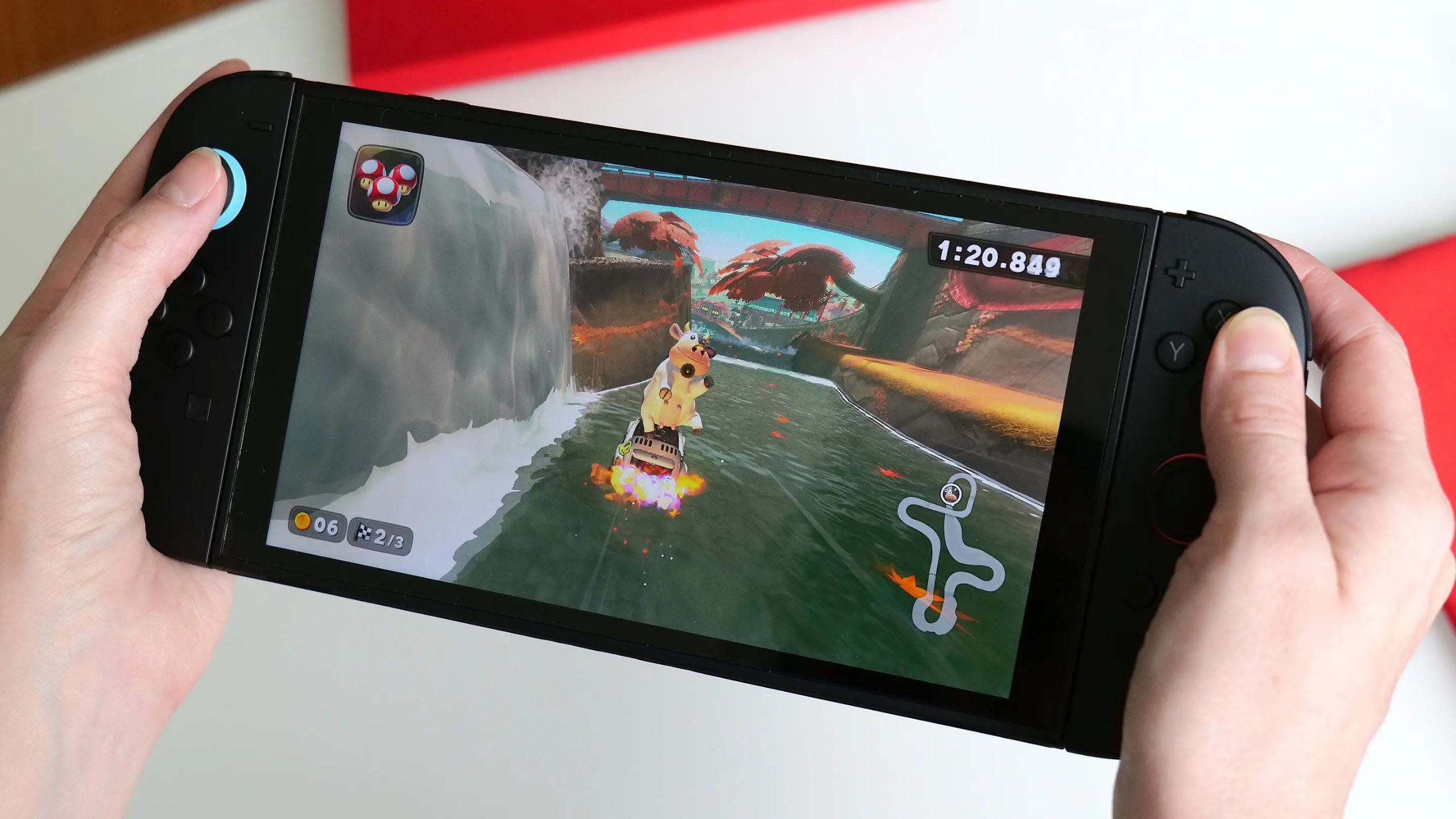
Playing Mario Kart World on the Switch 2 in handheld mode.
Sam Rutherford for Engadget
Aside from a big bump in battery life that many were hoping for, Nintendo took just about everything that made its last console such a phenomenon and upgraded it on the Switch 2. A sleeker design with magnetic Joy-Cons that are less likely to break, a larger (albeit LCD) 1080p display with HDR, much stronger performance, mouse controls and a boost to the base storage were all very welcome.
Of course, the vast majority of Switch games run on the Switch 2 (often with visual improvements or other upgrades), so the new console had a vast library right from the jump. Nintendo is building out its slate of first-party games with treats like Donkey Kong Bananza and Metroid Prime 4, and the third-party support is seriously impressive too. Cyberpunk 2077, Street Fighter 6 and Hitman: World of Assassination are already available, and the likes of Final Fantasy VII Remake Intergrade and FromSoftware's Switch 2 exclusive The Duskbloods are on the way.
The Switch 2 is an iteration, not a revolution, but Nintendo didn't need to reinvent the wheel to make another great system. It's little surprise, then, that we gave the Switch 2 a score of 93 in our review. The console is surpassing Nintendo's sales expectations as well. The company said in November that it believes it will sell 19 million units (up from 15 million) by the time its current fiscal year ends in March. — Kris Holt, Contributing reporter
NVIDIA
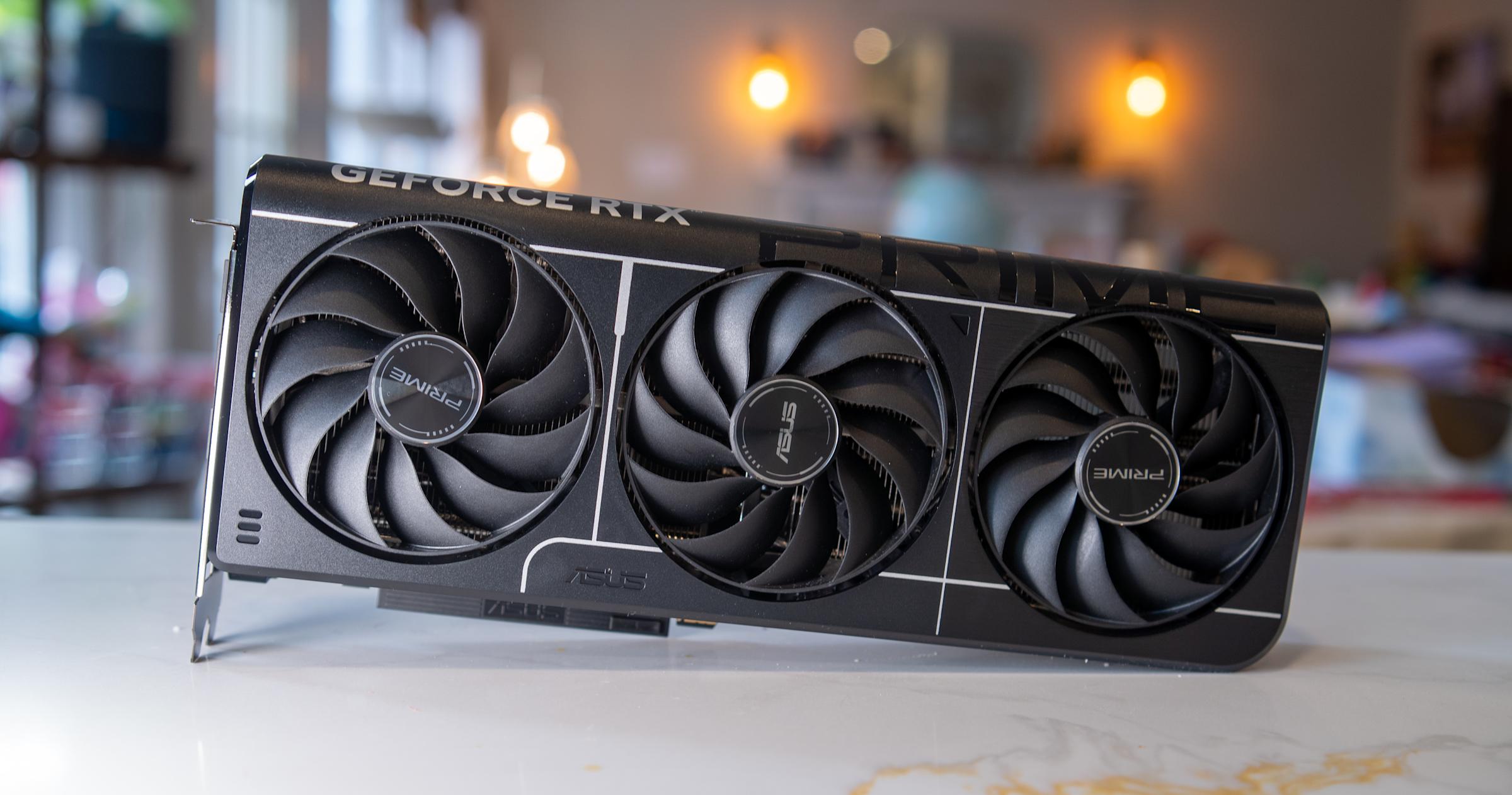
NVIDIA GeForce 5070 Ti
Devindra Hardawar for Engadget
Could things be any rosier for NVIDIA? Once just a video card company for gamers, NVIDIA's GPU hardware is now directly tied to the rise of the AI industry. Its stock has jumped a whopping 1,235 percent over the past five years, going from $13.56 per share in 2020 to a peak of $202.49 this past October. NVIDIA's server-grade cards are being used en masse to train AI models, as well as to power AI inferencing. At home, its GeForce GPUs are enabling local AI development and they're still the gaming cards to beat, despite AMD's steadily improving competition.
Clearly, the company's bet on parallel processing has paid off enormously. Its GPUs can handle tons of computations simultaneously, making them ideally suited for the demands of the AI industry. They're not exactly efficient — that's why neural processing units, or NPUs have sprung up to power consumer AI features — but it's hard to deny NVIDIA's raw computational power.
NVIDIA's AI success may not last forever, though. Companies like Google and Microsoft are already working on their own AI chips, and it's still unclear if consumers actually want widespread AI features as much as tech companies think. If the AI industry crashes, NVIDIA will be one of the first victims. — Devindra Hardawar, Senior reporter
Tech billionaires
US President Donald Trump speaks during a news conference with Elon Musk (L) in the Oval Office of the White House in Washington, DC, on May 30, 2025.
A silhouetted individual is seen holding a mobile phone with a Sora of ChatGPT OpenAI logo displayed in the background
SOPA Images via Getty Images
AI slop didn't start in 2025, but it reached new heights thanks to updates from Meta, Google, OpenAI and others that made it easier than ever to create a real-ish (emphasis on the ish) looking clips from nothing but your most unhinged mad libs. Now, AI-generated videos are just about impossible to avoid. Some platforms, like Pinterest and TikTok, have even begun offering people the ability to ask their algorithms to show less AI content in their feeds. Unfortunately, there's no way to stuff Shrimp Jesus back into the bottle.
AI video is everywhere and it's here to stay. It's not only overtaken Facebook and Instagram's recommendations, Meta created an entirely separate feed just for users' AI-generated fever dreams. OpenAI's Sora, which lets you make AI videos of real people, was downloaded a million times in just a few days. Google's Veo, which generated more than 40 million videos in a matter of weeks, is now built-in to YouTube Shorts.
It's now trivially easy for creators to churn out fake movie trailers, cute animal videos that never happened or viral clips of made up ICE raids. Hell, the president of the United States regularly shares bizarre, sometimes poop-themed, AI videos on his official social media channels. During the government shutdown, the official X account for Senate Republicans shared a deepfake of Senate minority leader Chuck Schumer.
AI video is winning not just because it's everywhere, but because so many are unable, or unwilling, to understand what's real and what isn't. More than half of Americans say they are not confident in their ability to distinguish between human and AI-generated content, according to Pew Research. Similar numbers of people report being "more concerned than excited about the increased use of AI in daily life." But those concerns have done little to stop AI slop from dominating all of our feeds, and there's no sign it will ever slow down. — Karissa Bell, Senior reporter
Galaxy Z Fold 7
Samsung Galaxy Z Fold 7
Sam Rutherford for Engadget
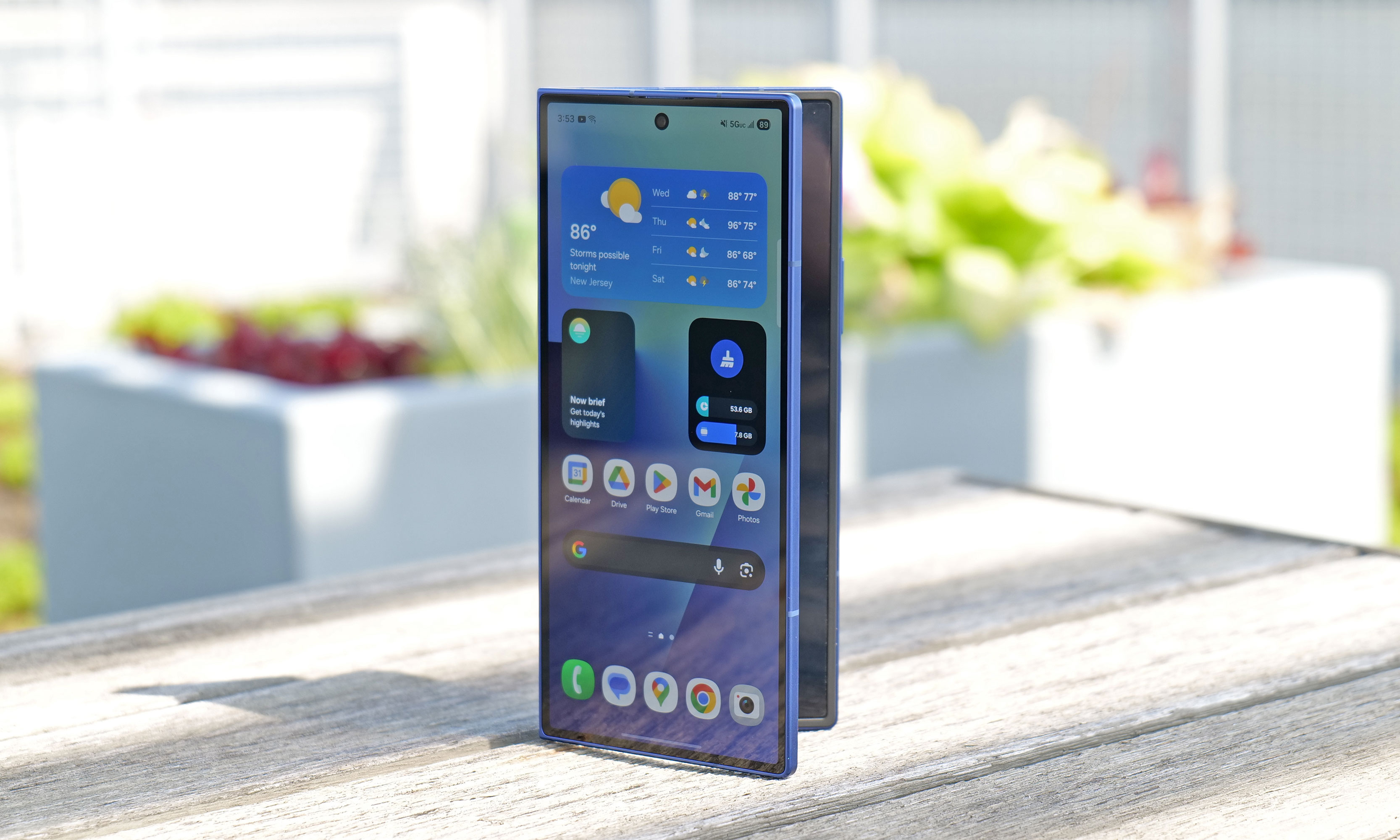
After seven generations, Samsung reached an important milestone this year with its Galaxy Z Fold line: It made a foldable phone that’s the same size as a regular handset. In fact, weighing 7.58 ounces and measuring 72.8mm wide, the Galaxy Z Fold 7 is actually lighter and narrower than an S25 Ultra, while being practically just as thin at 8.9mm (folded). It’s a real marvel of engineering, especially when you consider the phone also features a 200MP main camera, an IPX8 rating for water resistance and a 5,000 mAh battery with 45-watt wired charging. And of course, there's that huge 8-inch main screen hiding inside, which makes the Z Fold 7 both a phone and a tablet in one device. The only thing it's really missing is the improved dust resistance Google gave to the Pixel 10 Pro Fold.
But perhaps more importantly, the Z Fold 7's reduced size and weight have created a device with wider appeal. This has propelled sales of Samsung's latest flagship foldable up 50 percent compared to the previous generation while pushing shipments of foldables as a whole to record highs. Who knew that when Samsung focuses on creating world-class hardware instead of overindexing on AI, good things happen? Okay, maybe that’s a bit harsh. Regardless, for a phone category that has struggled with excess weight and bulk since its inception, the Z Fold 7 feels like a revelation and the beginning of a new era for handsets with flexible displays. Now, can we just bring their prices down, please? — Sam Rutherford, Senior reporter
Smart glasses
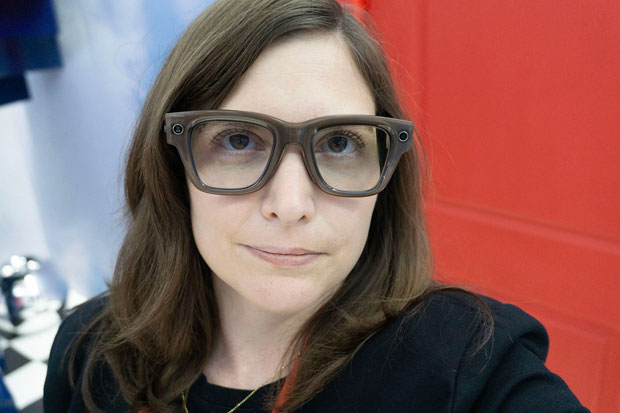
Senior reporter Karissa Bell wearing a pair of Ray Ban Display glasses.
Karissa Bell for Engadget
Like it or not, smart glasses are having a moment. Propelled by new devices like the Meta Ray-Ban Display and upcoming models like Xreal’s Project Aura, the idea of wearing specs with built-in screens suddenly became an attractive proposition. And that means a lot for a category of gadgets that’s often best remembered by the fashion tragedy that was Google Glass in 2013.
However, this development isn’t purely by chance. The latest generation of smart glasses has only just now become a reality due to the convergence of several branches of tech — including improved optics, lightweight batteries and, of course, AI. Now that last one might sound silly considering how many big companies seem to be betting the farm on machine learning being the next big thing, but AI will be a critical feature for enabling the hands-free experience that you need to make smartglasses work when you can’t rely on touch input. While this category is still in its early stages of development, the increased momentum we've seen from smart glasses this year seems poised to carry them towards being a future pillar of people's core tech kits. — S.R.
Fast charging
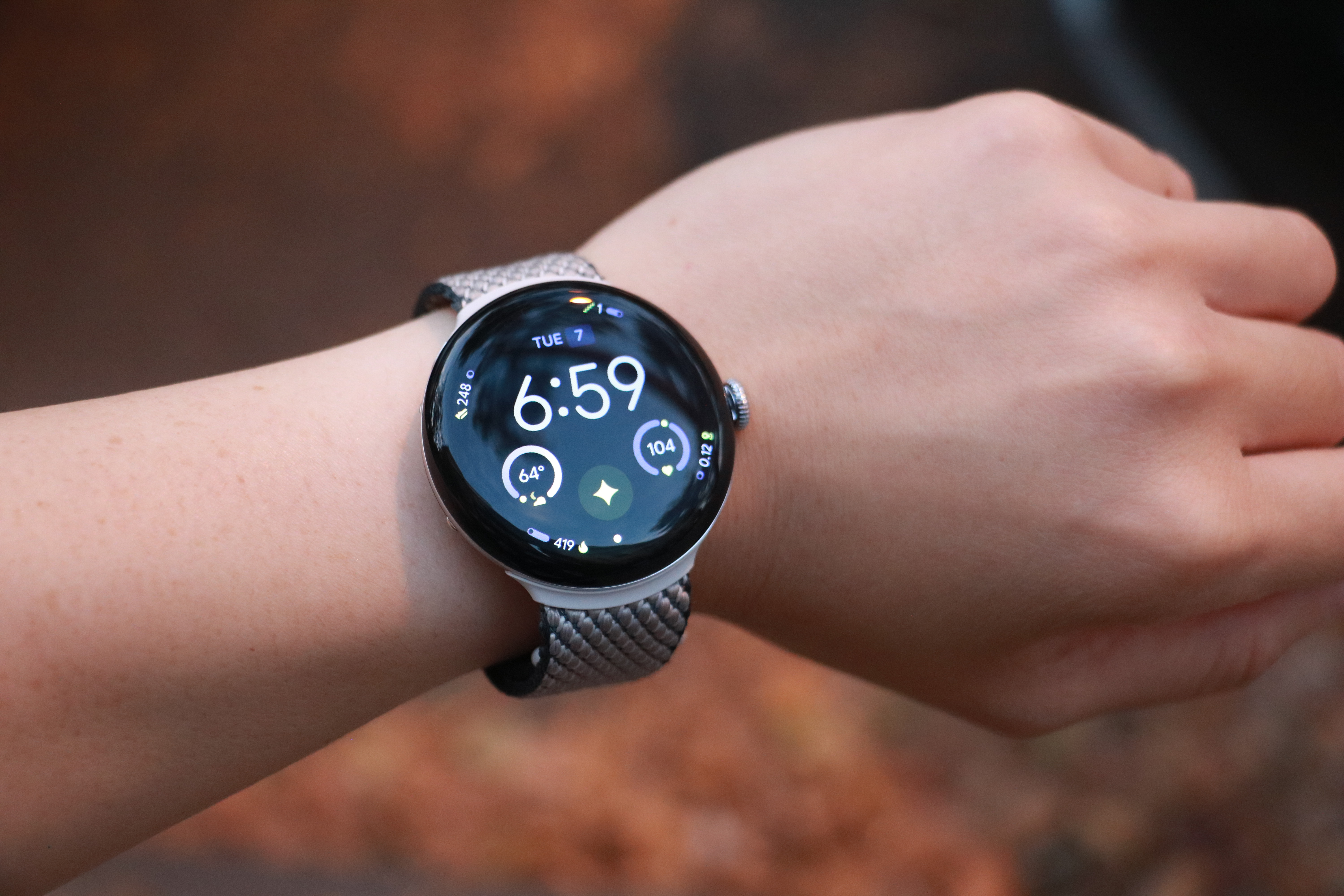
Fast charging on the Pixel Watch 4 is one implementation that impressed us this year.
Cherlynn Low for Engadget
Devices like tablets and smartwatches have matured to the point where each generation mostly sees iterative upgrades, making covering them seem boring. But this year, as the hardware review season came to a close, I noticed an interesting trend. One feature, across various product categories, genuinely excited myself and other reviewers at Engadget and around the internet: impressively fast charging.
By itself, high-speed charging isn’t new. But when I reviewed the Pixel Watch 4 in October, I was shocked that one seemingly little update changed how I went about my day. The new power system on Google’s smartwatch was so efficient that after about ten minutes on a cradle, the wearable went from below 20 percent to past 50 percent. With that boost, I stopped having to remind myself to plug the watch in — any time I ran low or was about to run out the door, I just plopped it on the charger and would have enough juice for hours.
Google wasn’t the only company to make fast-charging a meaningful addition to one of its 2025 products. Apple’s iPad Pro M5 is the first iPad to support the feature, and while in our testing it fell a little short of the 50 percent charge in 30 minutes that the company promised, our reviewer Nate Ingraham still found it a meaningful improvement.
Observers of the smartphone industry will likely point out two things. First, battery technology can be volatile, and larger, faster-charging cells might lead to exploding phones. So my optimism about this development is not without caution. Secondly, we’ve already seen all this come to handsets, especially in phones that launched outside the US first. OnePlus is known for its SUPERVOOC fast charging system, for example, and we’re seeing even more novel battery tech show up abroad. Calling fast charging a winner of 2025 may feel untimely to some.
Sure, it’s not the most eye-catching or novel technological development. But when counted in terms of precious time saved, fast charging coming to more types of devices certainly amounts to a greater good in gadgets in 2025. — Cherlynn Low, Managing editor
Magnets
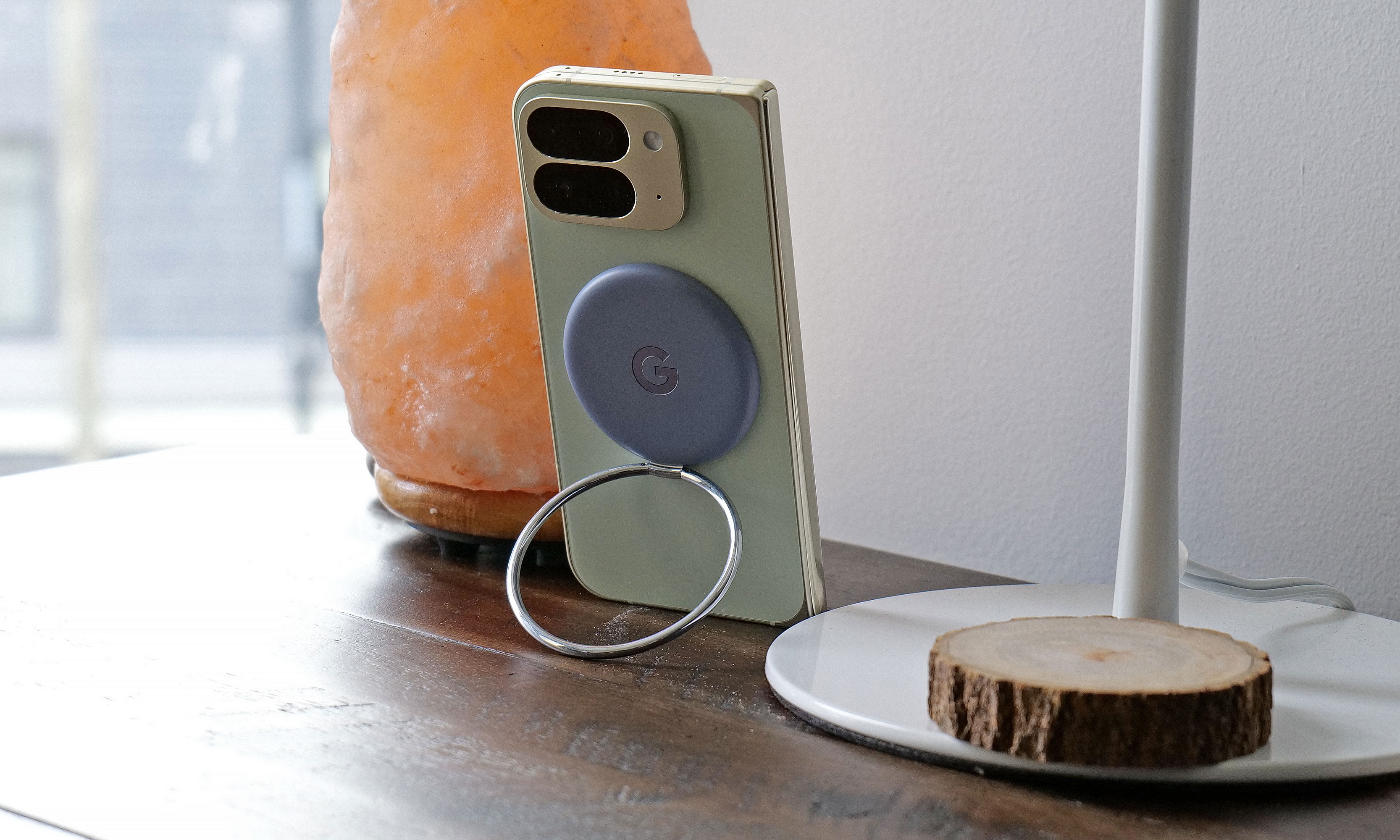
The Pixel 10 Pro Fold and the Pixel Ring Stand
Sam Rutherford for Engadget
Two years after the announcement of the Qi 2 wireless charging standard and its support of magnetic attachment accessories (a la Apple’s MagSafe), we’re finally seeing one of the more mainstream Android devices adopt it. In 2025, Google became the first Android phone maker that’s not HMD to do so, bringing such magnetic capabilities to the Pixel 10 series. It also introduced Pixelsnap — its own version of a MagSafe accessory ecosystem, including a slim puck with a fold-out kickstand that you can snap onto a phone.
I love the Pixel Ring Stand and make sure to bring it with me whenever I can. It works perfectly with my iPhone 17 Pro, and has a compact footprint that makes it easy to take anywhere. Of course, it’s not the first of its kind — Case-Mate and PopSocket, among others, already make similar products but they’re either pricier or rated poorly.
But it’s not just Google that made a magnetic accessory I unexpectedly adored. When reports of Apple’s Crossbody Strap first trickled out, I was underwhelmed. Who cares about a crossbody strap for an iPhone? But when I was presented with one to try at the iPhone 17 launch event, my cynicism quickly melted into desire.
Setting aside the convenience of having your phone on your person when you don’t have pockets or a purse, the way magnets play a part here also won me over. To adjust the length of the straps, you just separate the two overlapping pieces that stick together magnetically, move them along each other till you’re satisfied with the length and let them snap back in place.
I’m sure Apple isn’t the first to make a crossbody strap accessory for iPhones, nor is it the first to use magnets to adjust such straps. But like many Redditors, I’ve slowly come to realize the differences between those products and the Crossbody Strap for iPhone 17. It’s far from perfect, but in 2025 it was another implementation of magnets in tech that caught my attention and brought convenience to my life. — C.L.
This article originally appeared on Engadget at https://www.engadget.com/techs-biggest-winners-of-2025-180000177.html?src=rss
Today, during the XR edition of The Android Show, Google showed off a bunch of updates and new features headed to its mixed reality OS. And while most of the news was aimed at developers, I got a chance to demo some of the platform's expanded capabilities on a range of hardware including Samsung's Galaxy XR headset, two different reference designs and an early version of Xreal's Project Aura smart glasses and I came away rather impressed. So here's a rundown of what I saw and how it will impact the rapidly growing ecosystem of head-mounted displays.
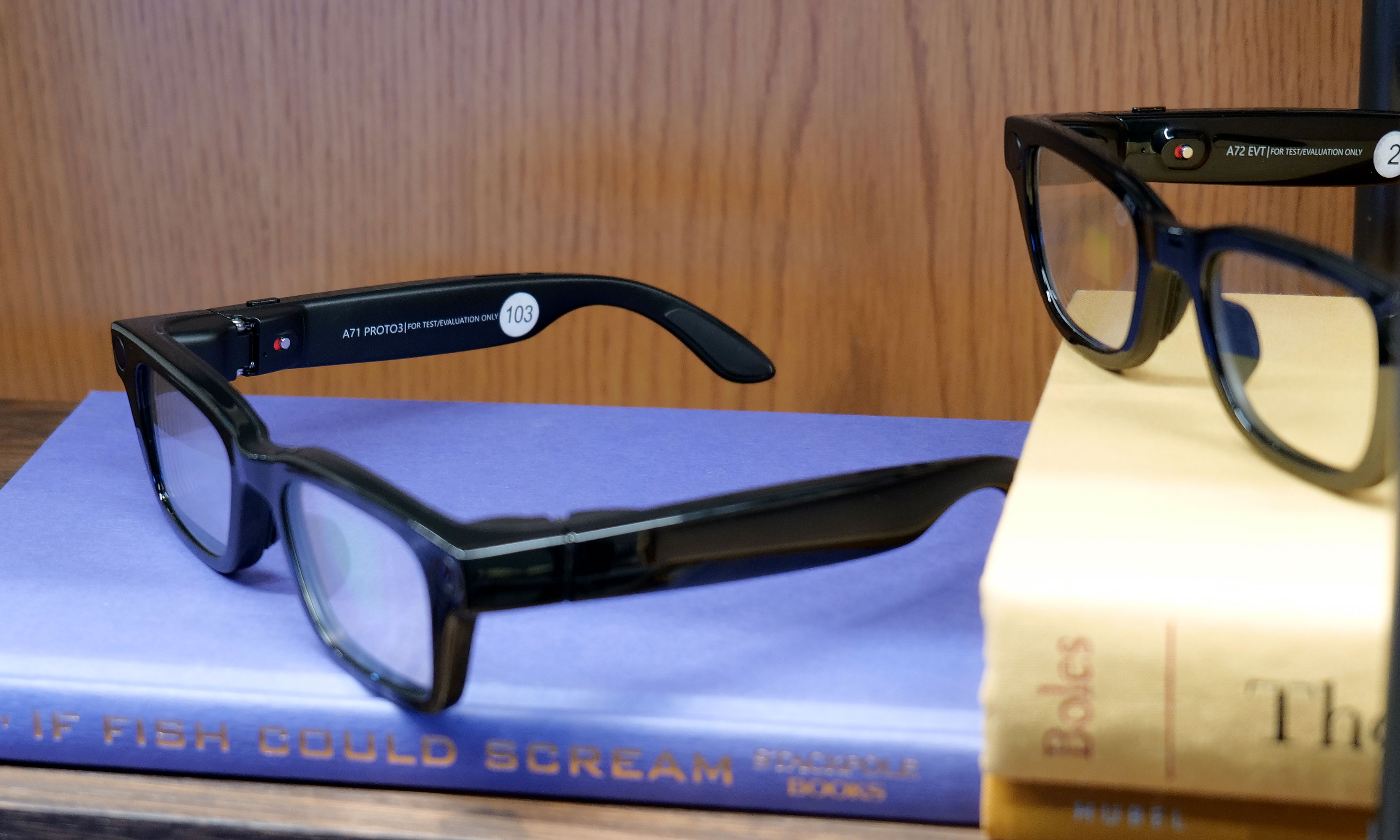
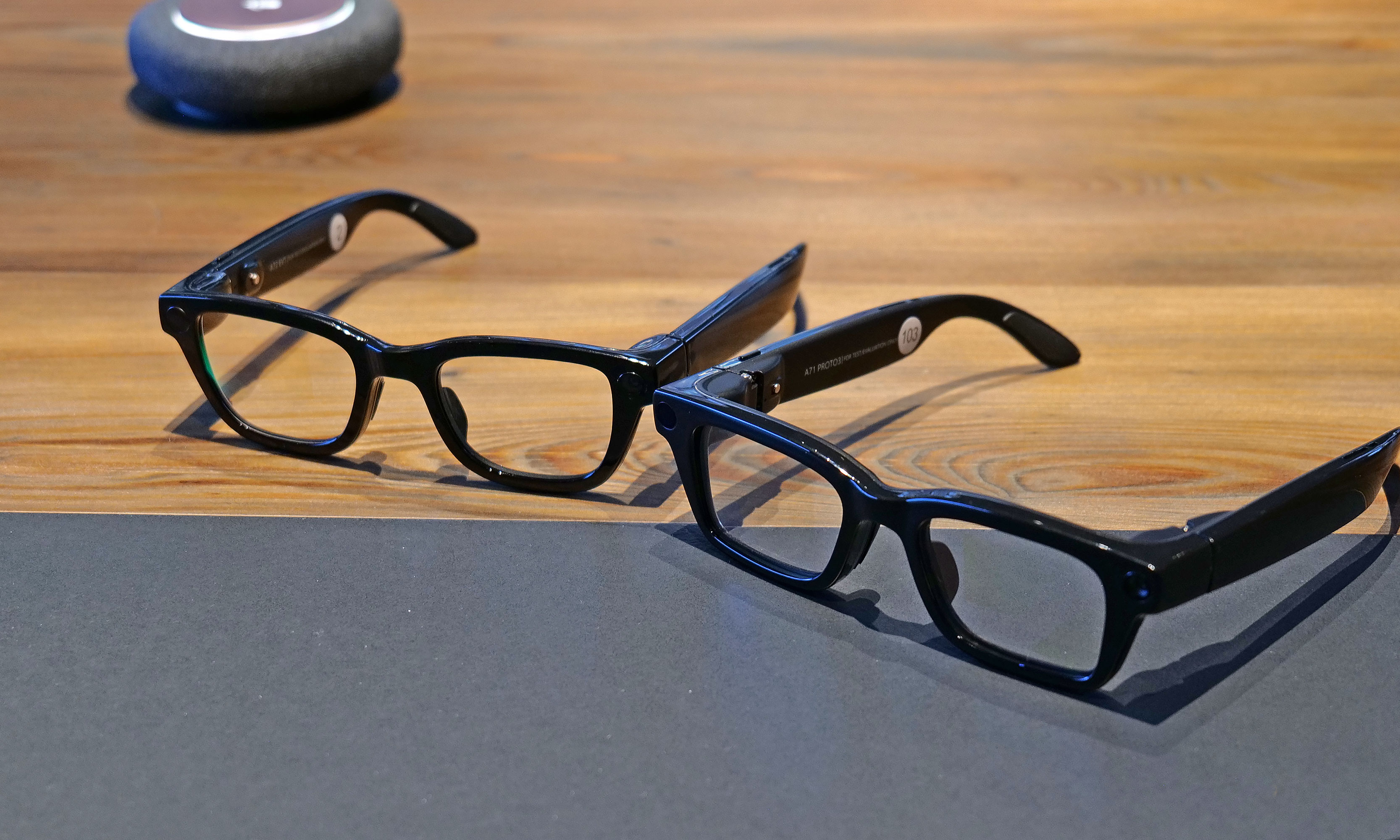
First up was one of Google's reference design smart glasses with a single waveguide RGB display built into its right lens. I've included a picture of it here, but try not to read too deeply into its design or aesthetics, as this device is meant to be a testbed for Android XR features and not an early look at upcoming models.
Try not to read too much into the appearance of Google's reference design smart glasses, as they are explicitly labeled as prototypes meant to test upcoming features in Android XR.
Sam Rutherford for Engadget
After putting them on, I was able to ask Gemini to play some tunes on YouTube Music before answering a call simply by tapping on the touchpad built into the right side of the frames. And because the reference model also had onboard world-facing cameras, I could easily share my view with the person on the other end of the line.
Naturally, I was curious about how glasses had the bandwidth to do all this, because in normal use, they rely on a Bluetooth or Bluetooth LE connection. When asked, Max Spear, Group Product Manager for XR, shared that depending on the situation, the device can seamlessly switch between both Bluetooth and Wi-Fi, which was rather impressive because I couldn't even detect when that transition happened. Spear also noted that one of Google's focuses for Android XR is making it easier for developers to port over the apps people already know and love.
This means for devices like the reference design I wore that feature a built-in display (or displays), the OS actually uses the same code meant for standard Android notifications (like quick replies) to create a minimalist UI instead of forcing app makers to update each piece of software to be compliant with an ever-increasing number of devices. Alternatively, for models that are super lightweight and rely strictly on speakers (like Bose Frames), Google has also designed Android XR so that you only need mics and voice controls to access a wide variety of apps without the need for visual menus.
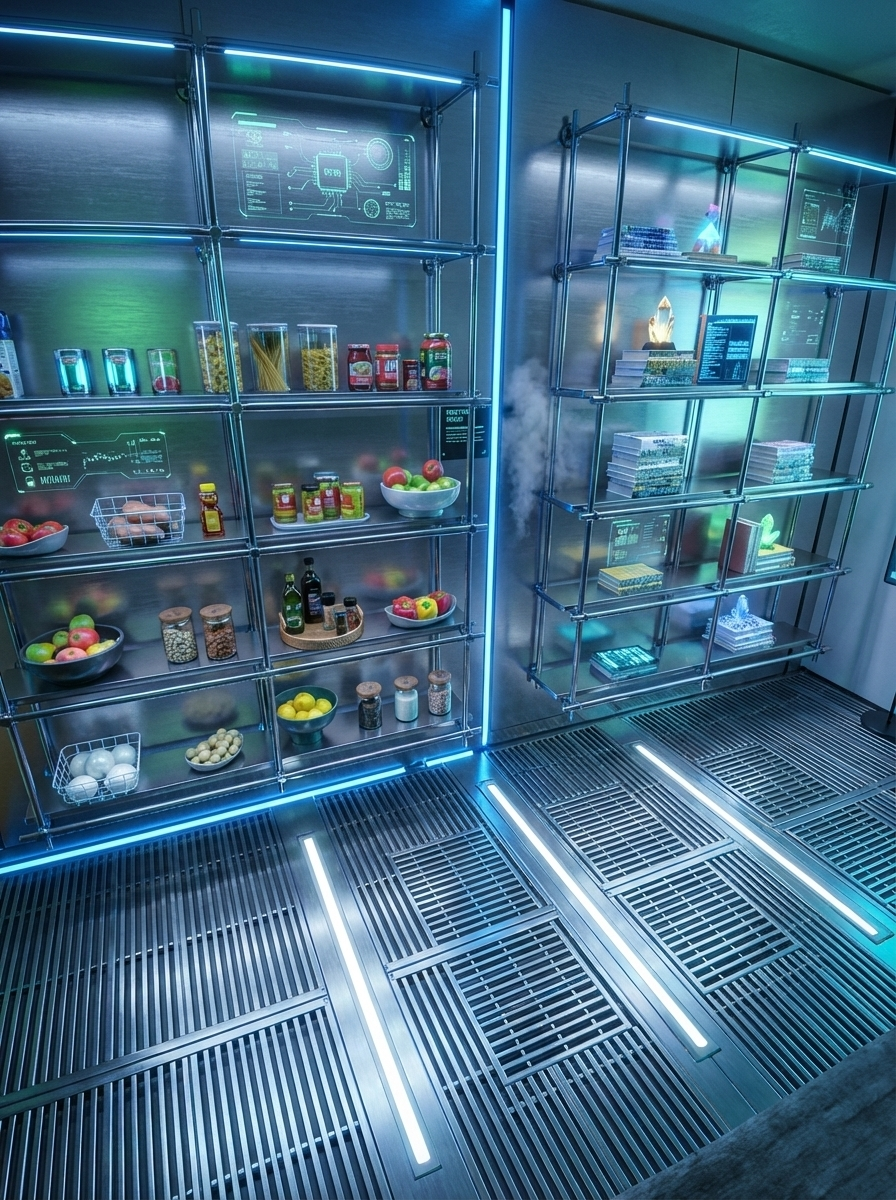
This is the picture Google's reference design smart glasses created (via Gemini ) when I asked it to transform a photo I took of some pantry shelves into a sci-fi kitchen.
Sam Rutherford for Engadget
Meanwhile, if you're hoping to take photos with your smart glasses, there's a surprising amount of capability there, too. Not only was I able to ask Gemini to take a photo, the glasses were also able to send a higher-res version to a connected smartwatch, which is super handy in case you want to review the image before moving on to the next shot. And when you want to inject some creativity, you can ask Gemini to transform pictures into practically anything you can imagine via Nano Banana. In my case, I asked the AI to change a shot of a pantry into a sci-fi kitchen and Gemini delivered with aplomb, including converting the room into a metal-clad setting complete with lots of light strips and a few bursts of steam.
However, one of the most impressive demos was when I asked Google's reference glasses to look at some of that same pantry environment and then use the ingredients to create a recipe based on my specifications (no tomatoes please, my wife isn't a fan). Gemini went down an Italian route by picking pasta, jarred banana peppers, bell peppers (which I thought was a somewhat unusual combination) and more, before launching into the first steps of the recipe. Sadly, I didn't have time to actually cook it, but as part of the demo, I learned that Gemini has been trained to understand human-centric gestures like pointing and picking things up. This allows it to better understand context without the need to be super specific, which is one of those little but very impactful tricks that allows AI to feel way less robotic.
This is how Google Maps will look on Android XR. Note that this is the flat 2D version instead of the more detailed stereoscopic view available on smart glasses with dual displays.
Sam Rutherford for Engadget
Then I had a chance to see how Uber and Google Maps ran on the reference glasses, this time using models with both single and dual RGB displays. Surprisingly, even on the monocular version, Maps was able to generate a detailed map with the ability to zoom in and out. But when I switched over to the binocular model, I noticed a significant jump in sharpness and clarity along with a higher-fidelity map with stereoscopic 3D images of buildings. Now, it may be a bit early to call this, and the perception of sharpness varies greatly between people based on their head shape and other factors, but after seeing that, I'm even more convinced that the smart glasses with dual RGB displays are what the industry will settle on in the long term.
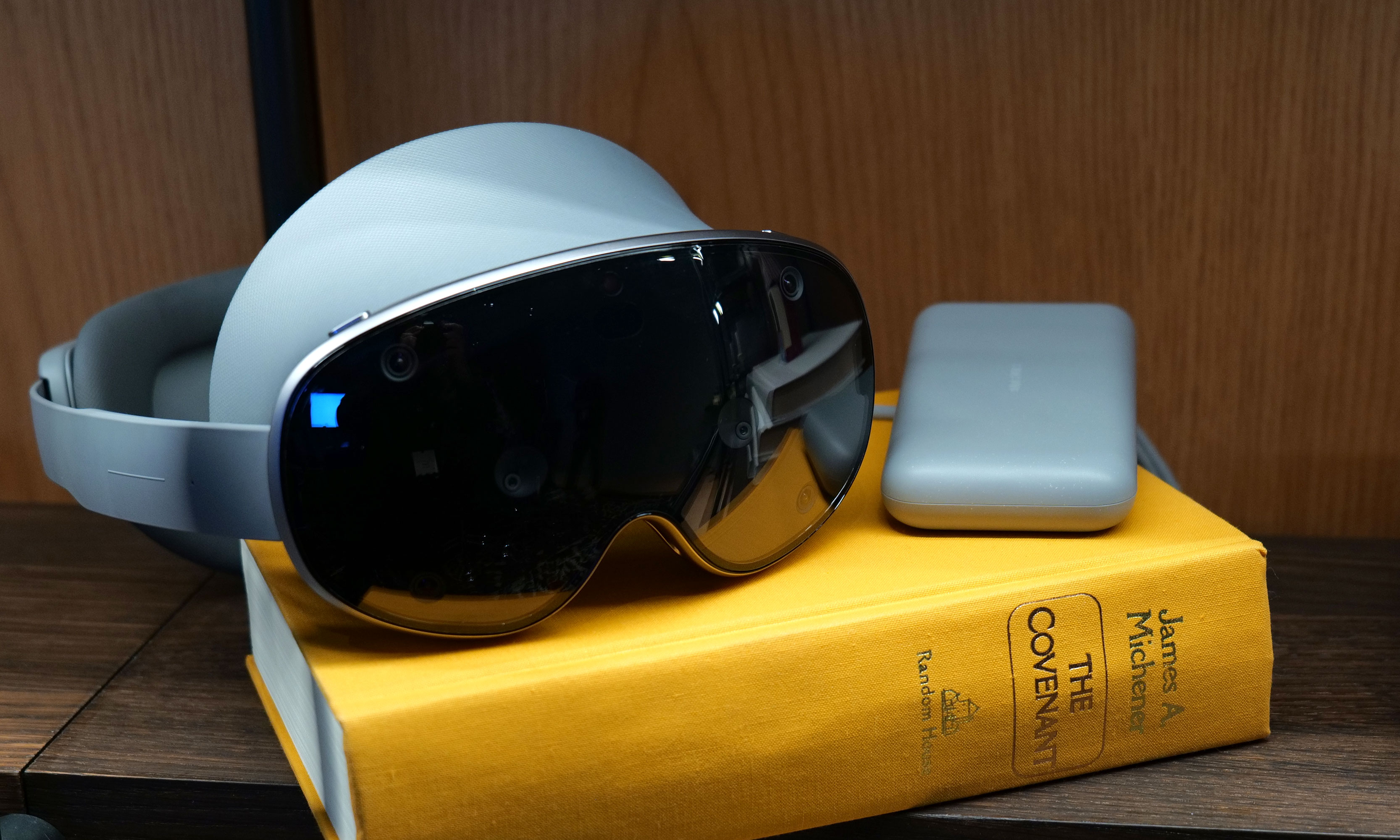
The second type of device I used was the Samsung Galaxy XR, which I originally tried out when it was announced back in October. However, in the short time since, Google has cooked up a few new features that really help expand the headset's capabilities. By using the goggle's exterior-facing cameras, I was able to play a game of I Spy with Gemini. Admittedly, this might sound like a small addition, but I think it's going to play a big part in how we use devices running Android XR, because it allows the headset (or glasses) to understand better what you're looking at in order to provide more helpful contextual responses.
Even though it was announced not long ago in late October, Samsung's Galaxy XR headset is already getting some new features thanks to some updates coming to Android XR.
Sam Rutherford for Engadget
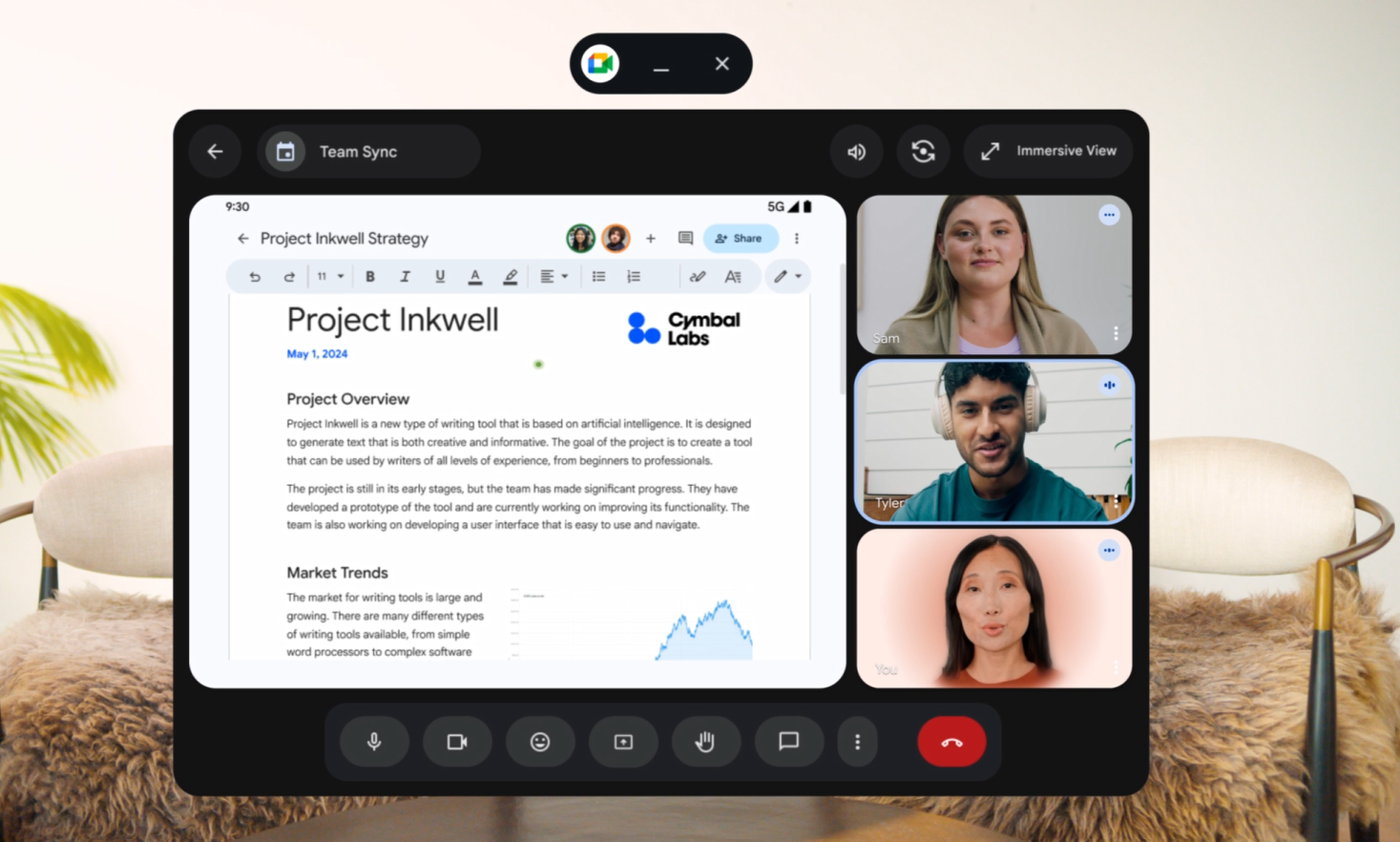
However, the biggest surprise was when I joined a virtual call with someone using one of Google's new avatars, called Likeness. Instead of the low-polygon cartoony characters we've seen before in places like Meta Horizon, Google's virtual representations of people's faces are almost scary good. So good I had to double-check that they weren't real and from what I've seen they're even a step up from Apple's Personas. Google says that headsets like the Galaxy XR rely on interior sensors to track and respond to facial movements, while users will be able to create and edit their avatars using a standalone app due out sometime next year.
The person in the bottom right is using a Likeness, which during my demo looked surprisingly responsive and realistic.
Google
Next, I got a chance to test out the Android XR's PC connectivity by playing Stray on the Galaxy XR while it was tethered wirelessly to a nearby laptop. Not only did it run almost flawlessly with low latency, I was also able to use a paired controller instead of relying on hand-tracking or the laptop's mouse and keyboard. This is something I've been eagerly waiting to try because it feels like Google has put a lot of work into making Android XR devices play nicely with other devices and OSes. Initially, you'll only be able to connect Windows PCs to the Galaxy XR, but Google says it's looking to support macOS systems as well.
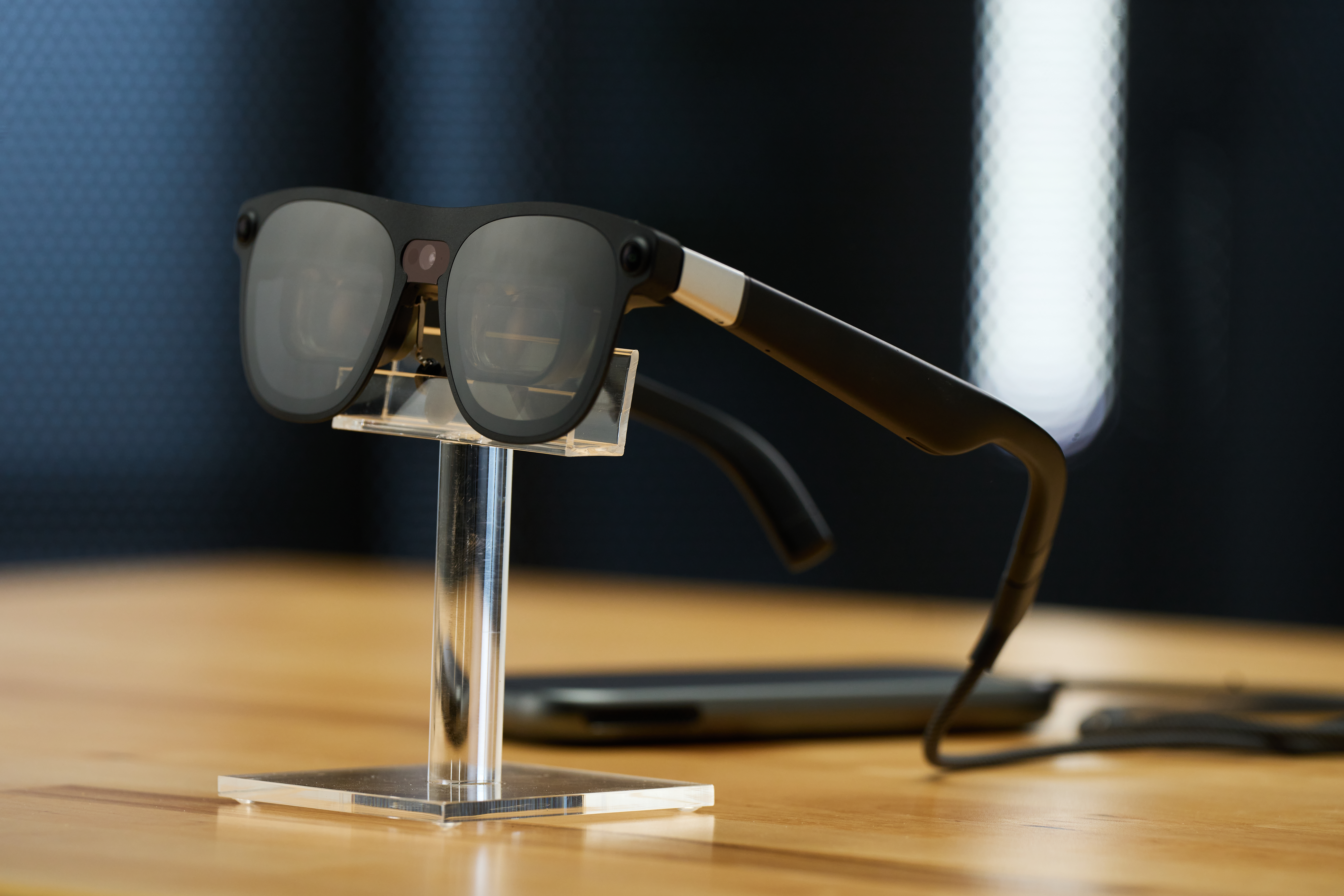
Finally, I got to try out Xreal's Project Aura glasses to see how Android XR works on a device primarily designed to give you big virtual displays in a portable form factor. Unfortunately, because this was a pre-production unit, I wasn't able to take photos. That said, as far as the glasses go, I was really impressed with their resolution and sharpness and the inclusion of electrochromic glass is a really nice touch, as it allows users to change how heavily the lenses are tinted with a single touch. Alternatively, the glasses can also adjust the tint automatically based on whatever app you are using to give you a more or less isolated atmosphere, depending on the situation. I also appreciate the Aura's increased 70-degree FOV, but if I'm nitpicking, I wish it were a bit higher, as I occasionally found myself wanting a bit more vertical display area.
Unfortunately, I wasn't allowed to take photos of Xreal's Project Aura smart glasses, as the model I used was still an early pre-production unit. So here's a shot provided by Google instead.
Google / Xreal
As a device that's sort of between lightweight smart glasses and a full VR headset, the Aura relies on a wired battery pack that also doubles as a touchpad and a hub for plugging in external devices like your phone, laptop or even game consoles.
While using the Aura, I was able to connect to a different PC and multitask in style, as the glasses were able to support multiple virtual displays while running several different apps at the same time. This allowed me to be on a virtual call with someone using a Likeness while I had two other virtual windows open on either side. I also played an AR game (Demeo) while I moved around in virtual space and used my hands to reposition the battlefield or pick up objects with my hands.
Now I will fully admit this is a lot and it took me a bit to process everything. But upon reflection, I have a few takeaways from my time with the various Android XR devices and prototypes. More than any other headset or smart glasses platform out now, it feels like Google is doing a ton to embrace a growing ecosystem of devices. That's really important because we're still so early in the lifecycle for wearable gadgets with displays that no one has really figured out a truly polished design like we have for smartphones and laptops. And until we get there, this means that a highly adaptable OS will go a long way towards supporting OEMs like Samsung, Xreal and others.
But that's not all. It's clear Google is focused on making Android XR devices easy to build for. That's because the company knows that without useful software that can highlight the components and features coming on next-gen spectacles, there's a chance that interest will remain rather niche — similar to what we've seen when looking at the adoption of VR headsets. So in a way, Google is waging a battle on two fronts, which makes navigating uncharted waters that much more difficult.
A major focus for Android XR while people are still figuring out how to make smart glasses is to support a wide variety of designs including those with single displays, dual displays or models without any displays that rely on cameras and speakers.
Sam Rutherford for Engadget
Google is putting a major emphasis on Android XR's ability to serve as a framework for future gadgets and support and address developer needs. This mirrors the approach the company takes with regular Android and the opposite of Apple's typical MO, because unlike the Vision Pro and visionOS, it appears Google is going to rely heavily on its partners like Xreal, Warby Parker, Gentle Monster and others to create engaging hardware. Furthermore, Google says it plans to support smart glasses that can be tethered to Android and iOS phones, as well as smartwatches from both ecosystems, though there will be some limitations for people using Apple devices due to inherent OS restrictions.
That's not to say that there won't be Pixel glasses sometime down the road, but at least for now, I think that's a smart approach and possibly a lesson Google learned after releasing Google Glass over a decade ago. Meanwhile, hi-res and incredibly realistic avatars like Likenesses could be a turning point for virtual collaboration, because, in a first for me, talking to a digital representation of someone else felt kind of natural. After my demos, I had a chance to talk to Senior Director of Product Management for XR Juston Payne, who highlighted the difference between smart glasses and typical gadgets by saying "Smart glasses have to be great glasses first. They need to have a good form factor, good lenses with prescription support, they need to look good and they have to be easy to buy."
That's no simple task and there's no guarantee that next-gen smart glasses and headsets will be a grand slam. But from what I've seen, Google is building a very compelling foundation with Android XR.
This article originally appeared on Engadget at https://www.engadget.com/wearables/heres-how-google-is-laying-the-foundation-for-our-mixed-reality-future-180000716.html?src=rss