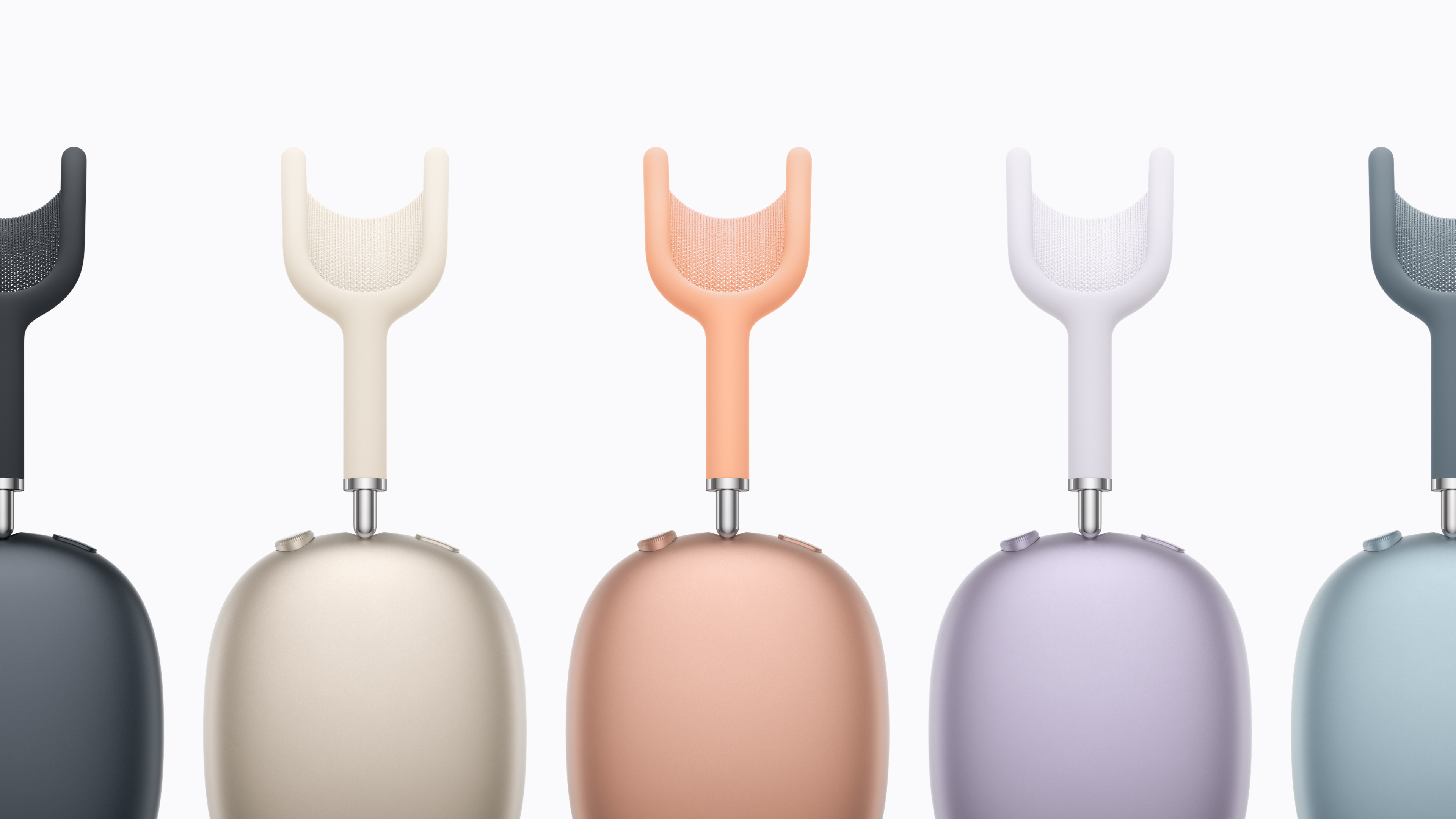
The AirPods Max 2 are almost here. Apple announced this morning that the first true update to its over-hear phones are up for pre-order on March 25 and will be shipping in early April. They look identical to the predecessor, with large, colorful earcups and a matching headband. But inside is the H2 chip that Apple first introduced with the AirPods Pro 2, which enables a host of new features. Chief among those is improved noise cancelation — Apple says with the H2 and improved audio algorithms, the AirPods Max 2 are 1.5 times more effective at reducing noise than the old model.
From an audio perspective, there’s a new amplifier on board here as well for clearer music and improved spatial audio performance. If you want lossless music, you can get that by using the included USB-C cable.
There are also a host of new features for the AirPods Max 2 enabled by the H2. These include an “Adaptive Audio” mode that balances between transparency and ANC modes depending on the environment so you can hear things when you need to while still blocking extraneous noise. Similarly, the conversation awareness features lower the volume of your content and increase transparency when your’e speaking. Live Translation comes to the AirPods Max 2 as well, a feature that uses your AirPods and iPhone to translate incoming speech to and from the language of your choosing.
Apple AirPods Max 2 colors
Apple
Essentially, the AirPods Max 2 now have almost all the features you’ll find in the AirPods Pro 3, just in an over-ear design. What hasn’t changed is the price — AirPods Max 2 still cost $549, notably more than most of the competition. Despite the high price, the first AirPods Max did sound exceptional — they’ve just been hard to recommend for years because of the aging feature set and cost.
Given that the first AirPods Max were released in 2020, these new headphones are long overdue and are probably what we should have got in 2024 when Apple added USB-C but otherwise didn’t change anything besides refreshing the colors.
This article originally appeared on Engadget at https://www.engadget.com/audio/headphones/apple-announces-the-airpods-max-2-with-improved-noise-cancelation-and-h2-chip-133319594.html?src=rss
It’s hard to believe that it’s been almost four years since Apple gave the MacBook Air a serious glow-up. The 2022 model was a total redesign that bumped its performance with the M2 chip and also improved a number of key components. It was also the first MacBook Air to drop the signature tapered design, and Apple added a 15-inch model one year later to boot. Since then, Apple’s primarily focused on making sure it has a new chip every year — we’re already up to the M5, if you can believe it.
As such, the latest MacBook Air is an expected update that doesn’t change the game. Not that it needed changing: it’s been our favorite ultraportable laptop for years now. But the Air’s place in Apple’s lineup has changed with the simultaneous introduction of the $599 MacBook Neo. And unfortunately, Apple didn’t keep the $999 price that last year’s M4 MacBook Air hit; it’s back up to $1,099, the same price as the M2 and M3 models. Now that there’s the new, inexpensive MacBook Neo out there, who is the MacBook Air for? While I haven’t used the Neo yet, I’m pretty comfortable answering that question: it’s still for almost anyone.
The essentials haven’t changed
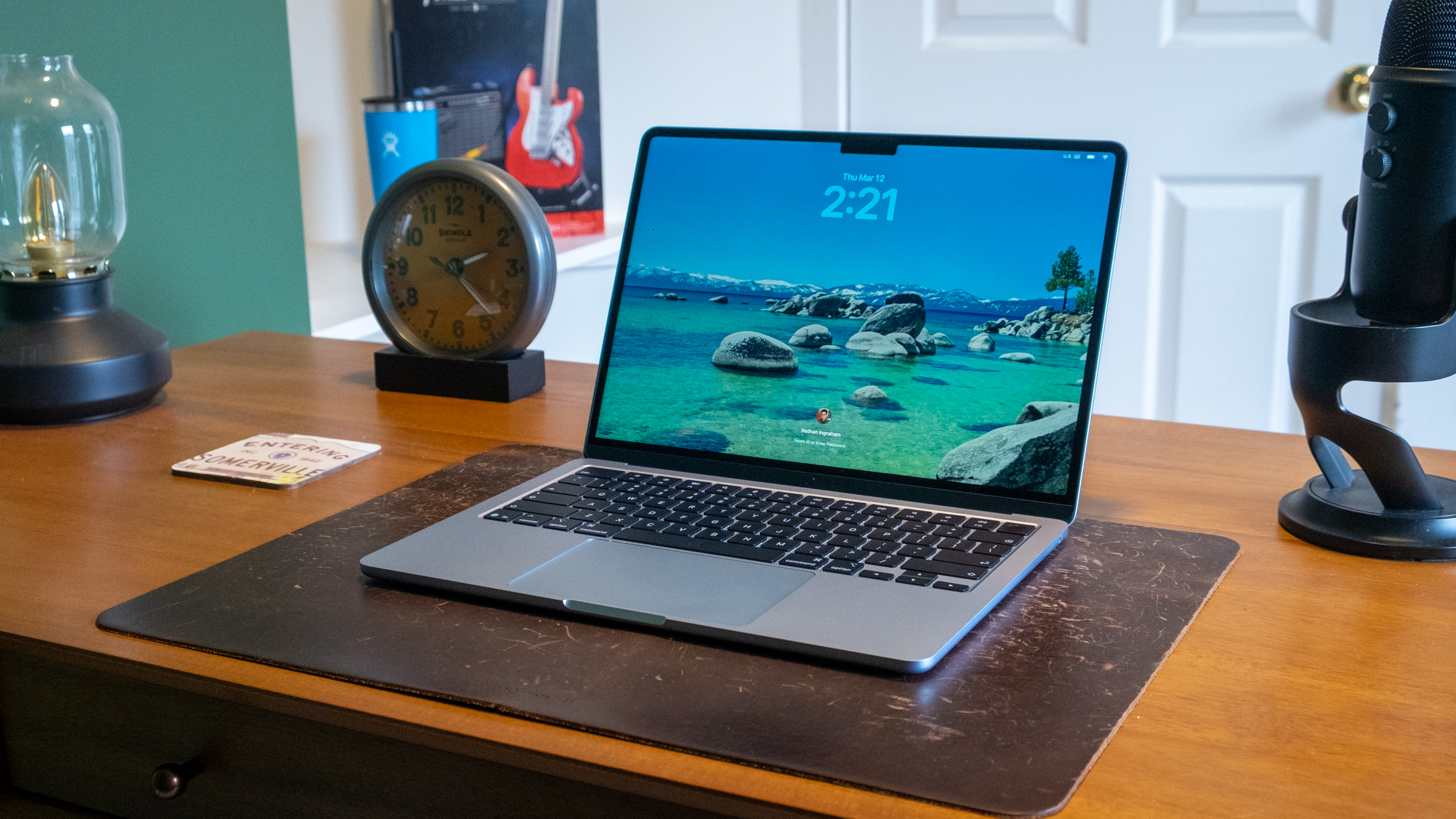
While the latest MacBook Air is physically unchanged from its 2022 revision, I don’t have a problem with that. I find the Air to be the Platonic ideal of a laptop that most people will be hard-pressed to find issues with. The 13.6-inch (or 15.3-inch, if you opt for the bigger size) display isn’t the most cutting edge screen out there, but it’s still sharp, bright and colorful. It’s stuck at a 60Hz refresh rate at a time when many PC manufacturers are using faster screens, but for the Air’s audience I don’t think that’s a problem. I may be miffed that the iPad Air similarly only has a pedestrian 60Hz refresh rate — but I think it’s less crucial on a Mac, where you’re not literally touching the screen (at least for now).
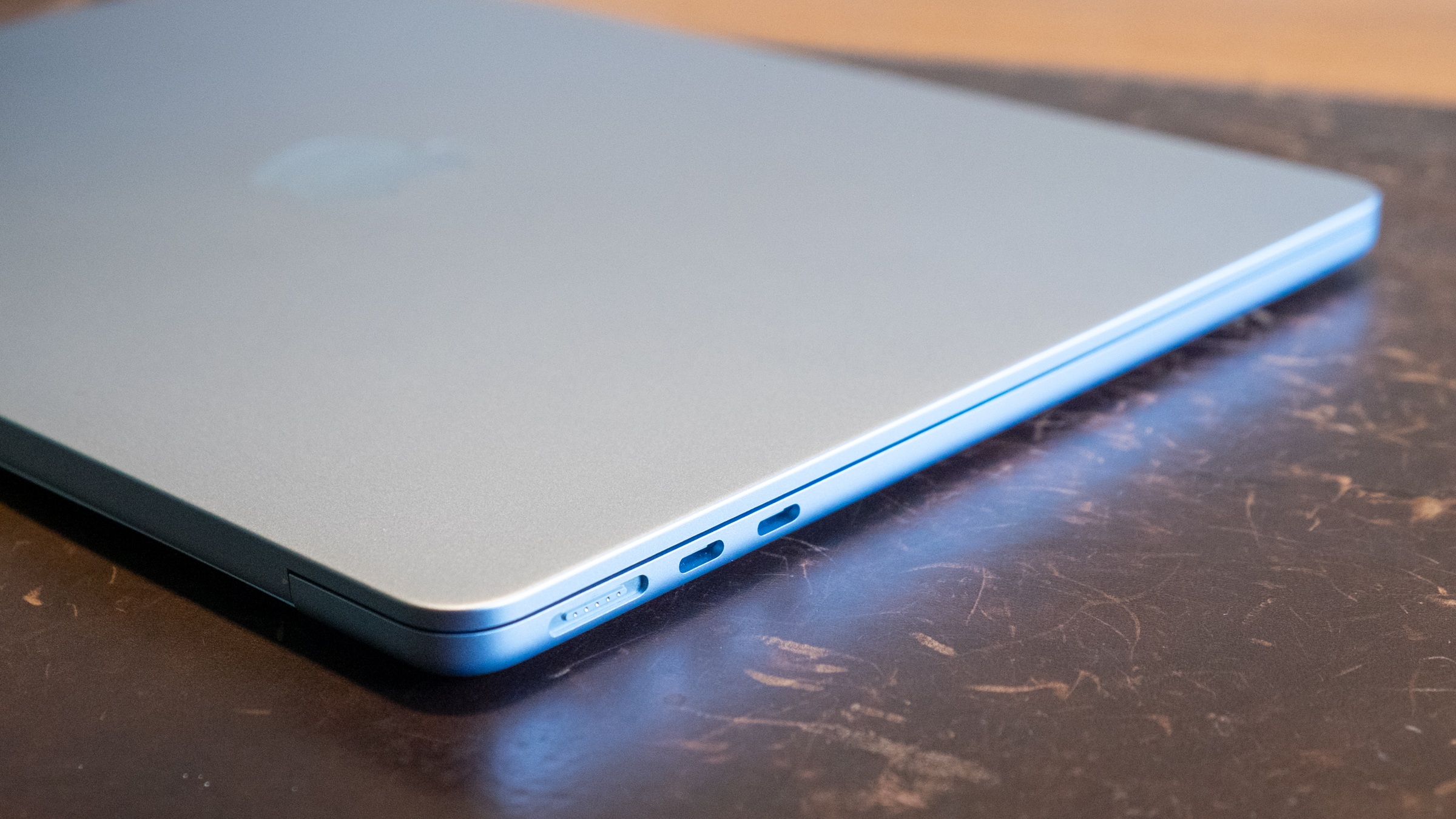
Other minor quibbles include the fact that Apple still hasn’t put a USB-C port on the right side of the computer in addition to those on the left, and the screen notch is still weird if you focus on it too much. But other than that, I can’t really come up with any issues here. At 2.7 pounds, the Air isn’t the lightest laptop out there, but I’ll take the extremely solid feel of the unibody aluminum case over a lighter and possibly flimsier plastic.
MacBook Air M5
Nathan Ingraham for Engadget
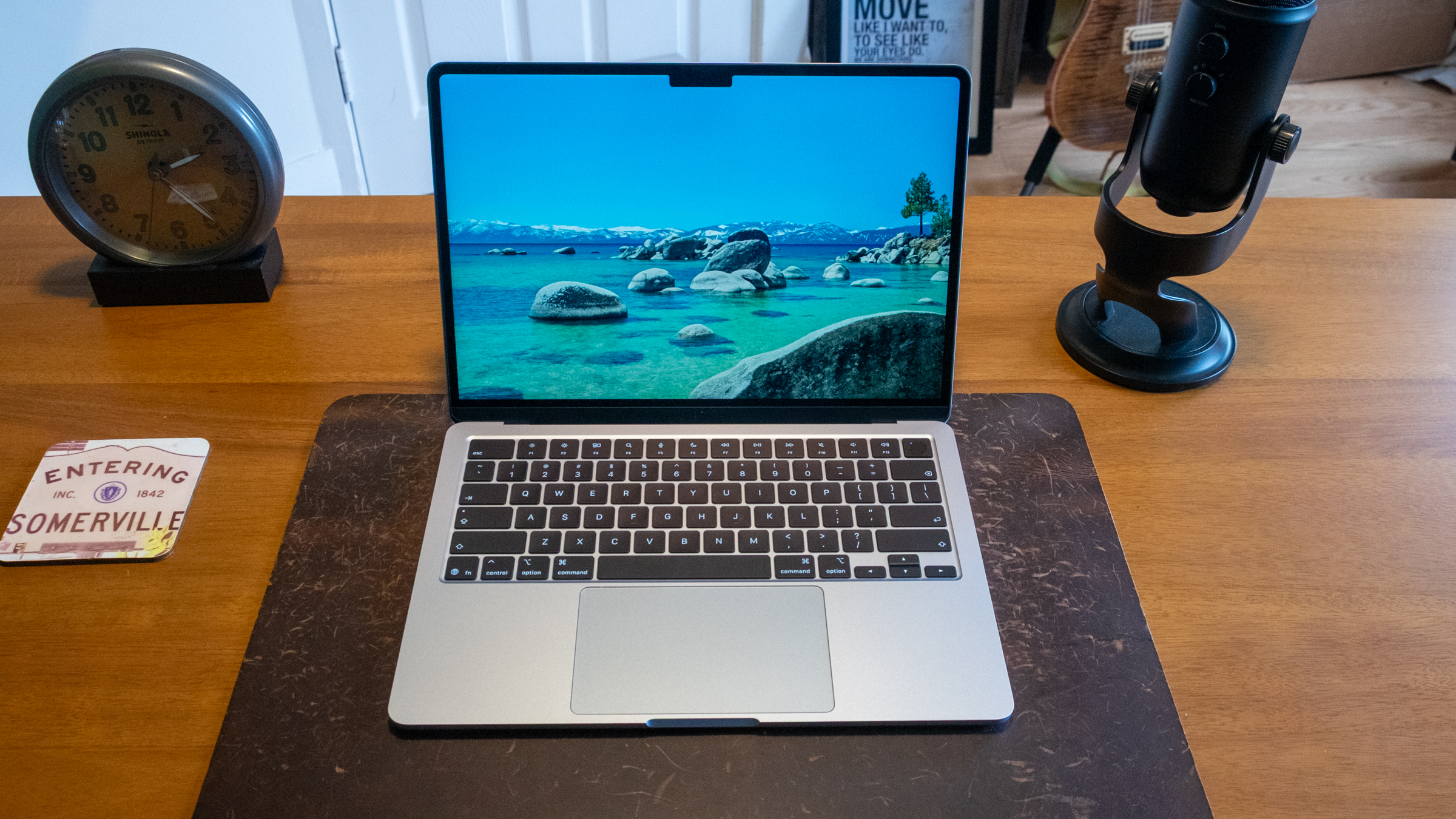
The keyboard and trackpad remain delightful, as well. My main laptop is a 14-inch MacBook Pro, and I can perceive the Air’s comparatively thinner case when typing on it. It’s not bad at all, it just feels slightly different. But after a short adjustment period, I really didn’t think about it and typed away without a care in the world. It’s baffling to me that a company that made a keyboard this good also made the horrific butterfly keyboards of yore, but fortunately that era is far in the past. The haptic-powered trackpad is huge, smooth and responsive, just like the ones on all other recent Mac laptops. Altogether, the input experience is great, and I rarely find myself really feeling like I need an external keyboard or mouse. I know people have strong feelings about that, so do as you wish, but it’s not really something I think about anymore.
The MacBook Air’s speakers and webcam are also still excellent. Last year, Apple upgraded the 1080p webcam in the Air to a 12-megapixel Center Stage model that can follow your movements to keep you in frame or switch to a “desk view” that shows a top-down viewpoint of the area in front of the laptop. The old 1080p webcam was already pretty solid, and while this one doesn’t magically repair your wrinkles, it’s definitely more versatile and detailed. The speakers, meanwhile, remain one of those things that Apple has absolutely nailed with this generation of its laptops. They’re relatively loud and well-balanced, providing far better sound than I’d expect from such a thin enclosure.
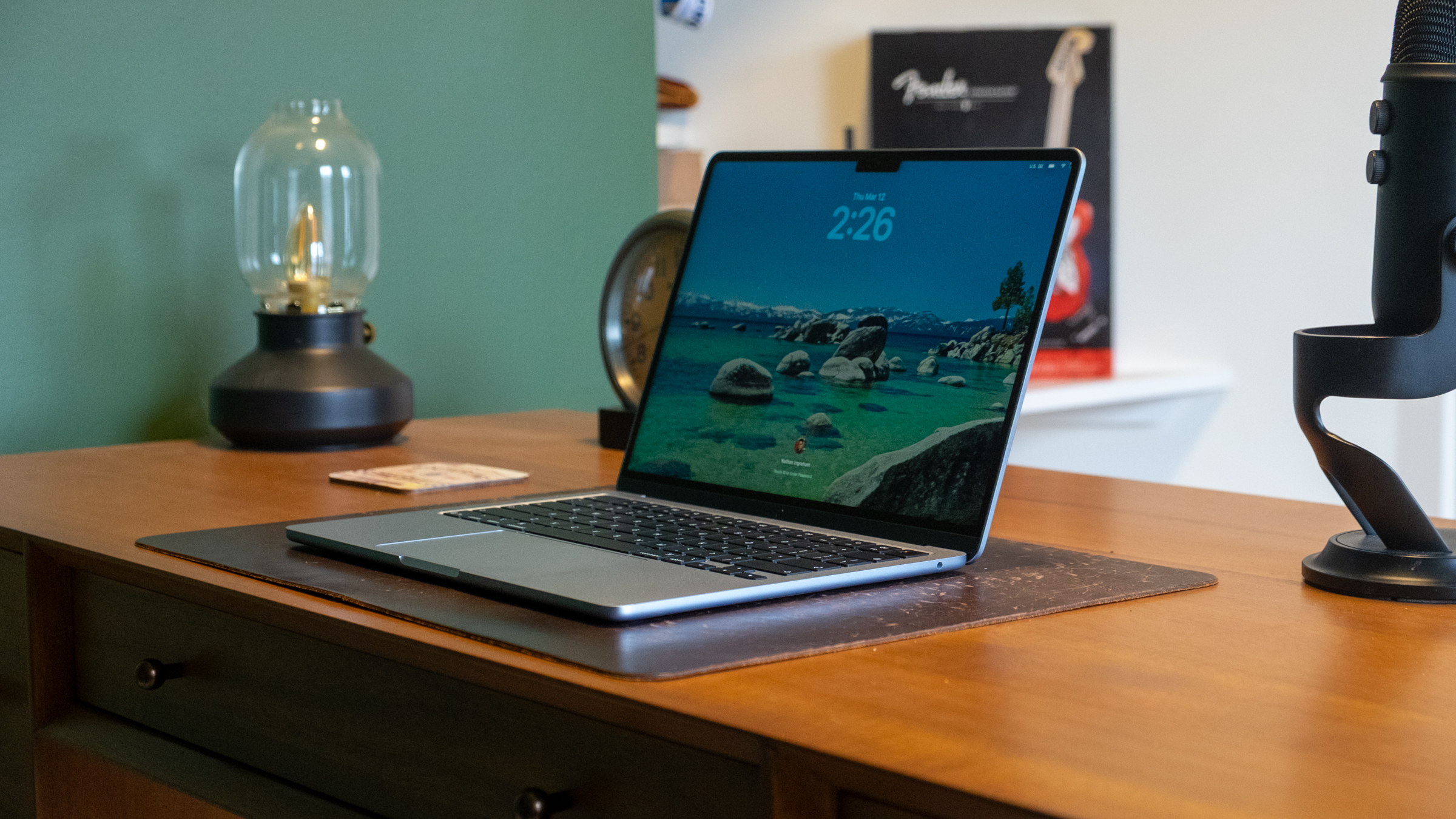
MacBook Air M5
Nathan Ingraham for Engadget
Enough power to last for years
All of this is well-known, though. The big change this year is the M5 chip, which has been available for a while already in the MacBook Pro and iPad Pro. So, we have a good idea of what to expect here as well. I’m testing the 13-inch model with 16GB of RAM and 1TB of storage that costs $1,299. It’s hard to perceive a difference between the M5 and last year’s M4 in my normal routine (dozens of tabs, Slack, Lightroom, Apple Music streaming and a bunch of lightweight apps like Bear notes, Todoist and so on). And based on my history with Apple’s M-series chips, the M5 will be a great performer for years to come. My work-issued MacBook Pro with an M1 Pro chip still runs like a champ almost five years after it was released, for example.
That said, users who do more than the basics with their laptop and have one with a chip older than 2022’s M2 will likely find the M5 Air to be a nice upgrade. Geekbench 6 benchmarks show the M5 is 11 percent and 17 percent faster than the M4 Air in single-core and multi-core tests (both with 16GB of RAM and 1TB SSDs). There were bigger GPU gains this year, with the M5 scoring 31 percent higher than the M4.
Few people out there are likely looking to upgrade from an M4 Air. But the M5 could be a noteworthy upgrade from the M3, depending of course on your workload. The M5 is 31 percent and 43 percent faster than the M3 in single- and multi-core testing. And the GPU is a whopping 56 percent faster as well. If you’re interested in doing things like video editing, music creation, gaming or AI tasks, you’ll definitely appreciate these performance gains.
MacBook Air M5
Nathan Ingraham for Engadget
Finally, these benchmarks illustrate the gap between the MacBook Neo and the Air. The M5 is about 24 percent faster than the A18 Pro in the single-core test, but it demolishes the Neo’s chip in multi-core (105 percent) and GPU (144 percent) performance. This just reiterates what we already know — the Neo is best-suited for basic tasks, while the Air should have more than enough power until you get into more specialized use cases.
And while no one will mistake the MacBook Air for a gaming laptop, Apple has had increasing success at getting developers to bring big titles to the Mac. Games like Assassin’s Creed Shadows, Cyberpunk 2077, Lies of P, Control and Resident Evil Village, along with indies like Neva, Stray and Balatro, are available here. That’s not to mention the many quality games worth checking out on Apple Arcade. All this is to say that Macs may still not be the premiere gaming platform, but people who don’t have access to a PlayStation, Xbox or more powerful gaming PC can still try a lot of great games on the platform.
Thanks to the M5, these games play pretty well to boot. I tried Cyberpunk 2077, one of the more notoriously demanding games out there, and had a stutter-free experience. Most graphically intense Mac games default to a “for this Mac” setting so you don’t really need to worry about optimizing settings. Cyberpunk 2077 stayed pretty well locked at 30 fps in my experience — obviously not as good as what you’ll get on a high-end PC or PlayStation 5, but I never felt like I was having a degraded experience. It was smooth, responsive and looked gorgeous. Getting that kind of performance from an ultraportable like the MacBook Air is hard to complain about.
Finally, battery life was close to Apple’s expectations. The company promises 18 hours of streaming video playback or 15 hours of web browsing. In my test, I looped a locally-stored 4K video file with my screen at half brightness and got… exactly 18 hours of playback before the laptop died. I’m sure it would have been less if I was streaming the video, but still. Under my usual working conditions running a variety of apps, I got more in the 10-hour range, which is more than good enough for me.
MacBook Air M5
Nathan Ingraham for Engadget
Wrap-up
Even with the MacBook Neo showing its chops despite its relatively humble hardware, I think the MacBook Air is by far the best Apple laptop for most people. Sure, Apple’s continued insistence on limiting screens with higher refresh rates to its most expensive hardware is increasingly frustrating. But other than that, the MacBook Air punches above its weight in just about every aspect — particularly when it comes to performance. The M5 is extremely powerful now and should make this year’s Air a useful computer for five years or even longer, depending on what you do with it. The MacBook Air is so mature and well-engineered at this point that it’s not the most exciting thing to review. But if you use one for a bit, it’s easy to appreciate just how good of a laptop it is.
This article originally appeared on Engadget at https://www.engadget.com/computing/laptops/macbook-air-m5-review-same-but-faster-120000685.html?src=rss
Sonos has just announced its first new products since 2024, when the company’s plans went sideways after a disastrous update to its app. First up is the Sonos Play, the company’s latest portable speaker. Long-time Sonos watchers will recognize the name from the old Play:1, Play:3 and Play:5 speakers, but this new model has little to do with those products of the past. The $299 Play is a Wi-Fi and Bluetooth speaker that sits between the $179 Roam 2 and $499 Move 2 and could be the “goldilocks” speaker in the company’s portable lineup, at least based on what I know so far.
The closest comparison for the Play is the excellent Era 100, which Sonos released back in 2023. At 7.6” tall, 4.4” wide and 3” deep, it’s much thinner than the Era 100 which is over 5 inches deep. And compared to the Move 2 (9.5” x 6.3 x 5”) it’s much more portable. That goes for weight, too — the Play is less than 3 pounds, compared to over 6.5 pounds for the Move 2. It’s not the kind of speaker you’ll throw in your bag and forget about, like the tiny Roam 2, but it’s far more portable than the Move 2. Finally, the Play is IP67 rated, just like the Roam 2. That means it can be submerged in up to a meter of water for up to 30 minutes; it’s also dustproof.
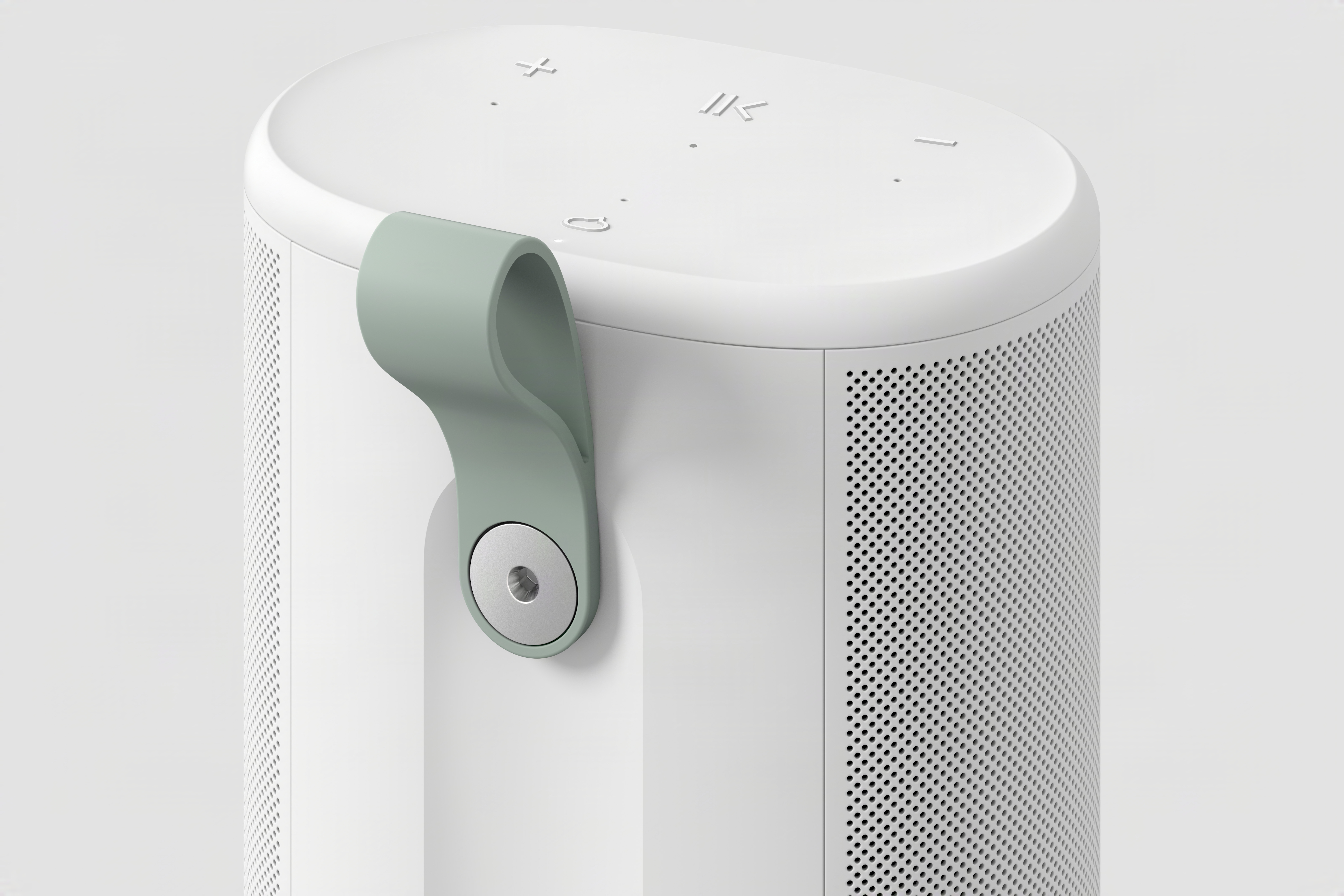
The grab handle on the back of the Sonos Play.
Sonos
From a speaker component perspective, it’s again quite similar to the Era 100. It has two tweeters positioned at a 90-degree angle for stereo separation paired with one midwoofer; it also has two additional passive radiators to increase the bass response in its relatively small case. The Era 100 lacks those passive radiators but is otherwise identical. Obviously, we’ll have to listen to the Play before saying how closely it compares to the Era 100, but this speaker should significantly outperform the Roam 2 simply due to the increased size of its components. The Move 2, on the other hand, is extremely loud and will likely still be the best choice for people who want a speaker to cover a large outdoor space.
You’ll find familiar controls on the Sonos Play, which comes in black or white. (Fingers crossed for future color options like the lovely trio that Sonos offers on the Roam.) On the top surface are buttons for play/pause, volume up and down and a microphone toggle. On the back is a power button, a Bluetooth button and a physical switch that disconnects the microphone for increased security. Finally, there’s a new feature here: a removable plastic grab loop.
Sonos was keen to note that the Play is a full-featured member of the Sonos ecosystem. Like all of its other speakers, that means you’ll see all Sonos speakers in the app and can group them as you see fit, or have different music playing on different speakers throughout the house. You can also pair two of these in stereo. If you remove one from your network (say you’re outside and away from Wi-Fi), you’ll need to re-pair them though. In addition to controlling playback via the Sonos app (which, in my testing, is functioning fine and recovered from the 2024 debacle), you can stream music via AirPlay 2 or Spotify Connect. The Sonos Voice Assistant as well as Amazon Alexa are also on board here for anyone who likes to shout at their speakers.
The Sonos Play on its wireless charging base.
Sonos
There’s a new trick here for both the Play and Move 2, as well. For the first time, you can group Sonos speakers together through Bluetooth. After pairing a Play to your phone via Bluetooth, you can press and hold the play/pause button on three more Play or Move 2 speakers to add them to the group. If you want to cover a larger outdoor space with multiple speakers, this sounds like a pretty handy way to do so.
The Play also has line-in via its USB-C port, and you can use it for Ethernet as well; both features require a separate adapter. You can even use the USB-C port to top up your phone if you’re so inclined. And while you can also charge via the USB-C port, the Play comes with a wireless charging dock which makes for a nice home base for the speaker’s primary location. Annoyingly, Sonos did not include a charger, so you’ll need to provide your own USB-C brick.
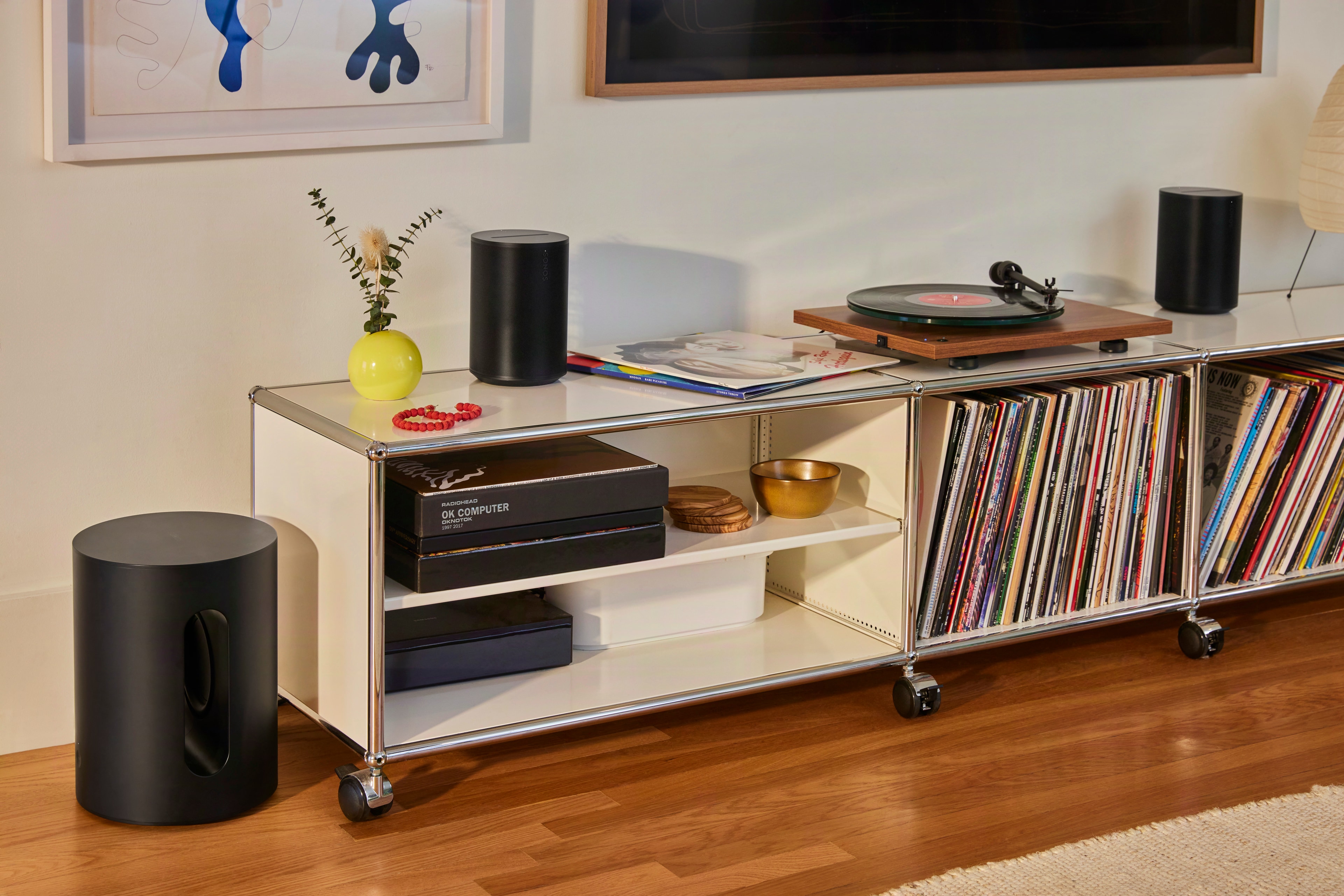
A pair of Sonos Era 100 SL speakers with a turntable.
Sonos
Sonos is also adding a second, much simpler speaker to its lineup today: the Era 100 SL. Like the One SL before it, the Era 100 SL is identical to the Era 100 with one key difference. There are no microphones on it at all. As such, the Era 100 SL is also a bit cheaper, coming in at $189 compared to $219 for the standard model.
Otherwise, there are no differences in acoustic architecture or feature set here. As its most affordable speaker besides the portable Roam 2, Sonos is positioning the Era 100 SL as the ideal entry point into its products. I can’t really argue with that, as the Era 100 still sounds outstanding and is also quite flexible with features like line-in and Bluetooth as well as all the standard streaming options. Both versions of the Era 100 are compatible with each other, too — so if you get an SL and then decide you want a stereo pair, a standard Era 100 with a mic will work there and bring voice control to your system as well.
Both the $299 Play and $189 Era 100 SL are up for pre-order now, and Sonos says they’ll be shipping on March 31.
This article originally appeared on Engadget at https://www.engadget.com/audio/speakers/the-sonos-play-puts-the-best-parts-of-the-era-100-in-a-portable-speaker-133000129.html?src=rss
Anthropic has filed a lawsuit to prevent the Pentagon from adding the company it a national security blocklist. This comes days after the Department of Defense sent a letter to Anthropic confirming the company was labeled a supply chain risk; at the time CEO Dario Amodei had all but guaranteed Anthropic would fight back with legal action.
The lawsuit claims the designation is unlawful and violated free speech and due process rights. “These actions are unprecedented and unlawful. The Constitution does not allow the government to wield its enormous power to punish a company for its protected speech," Anthropic said in a statement published by Reuters.
Engadget received the following statement from an Anthropic spokesperson:
“Seeking judicial review does not change our longstanding commitment to harnessing AI to protect our national security, but this is a necessary step to protect our business, our customers, and our partners. We will continue to pursue every path toward resolution, including dialogue with the government.”
The lawsuit characterizes the government’s actions as an “unprecedented and unlawful [...] campaign of retaliation.” It goes on to say that “the Constitution does not allow the government to wield its enormous power to punish a company for its protected speech. No federal statute authorizes the actions taken here."
Today’s legal action comes after several weeks of back-and-forth between the AI company and the government. In late February, news broke that the Department of Defense and Defense Secretary Pete Hegseth were pressuring Anthropic to remove certain safeguards from its AI systems, but Amodei made it clear the company would refuse to allow its model to be used for mass surveillance or development of autonomous weapons.
On the February 27 deadline, Amodei refused to budge, leading Hegseth to threaten the company with the supply chain risk designation; he also said the US government would cancel its $200 million contract with the company. The same day, President Trump ordered all federal agencies to cease using Anthropic as well. Despite all this, according to the lawsuit, Anthropic had agreed to “collaborate with the Department on an orderly transition to another AI provider willing to meet its demands.”
Anthropic rival OpenAI stepped into this chaos and quickly made a deal with the Department of Defense. At the time, OpenAI CEO Sam Altman said that two of OpenAI’s most important safety principles are “prohibitions on domestic mass surveillance and human responsibility for the use of force, including for autonomous weapon systems” — the same issues that got Anthropic in hot water. OpenAI then doubled down on the surveillance issue, writing into its contract that “the AI system shall not be intentionally used for domestic surveillance of U.S. persons and nationals.”
Depsite this, OpenAI’s head of robotics hardware resigned from the company this weekend in response to the Defense Department deal. Caitlin Kalinowski wrote on X that “surveillance of Americans without judicial oversight and lethal autonomy without human authorization are lines that deserved more deliberation than they got.”
This article originally appeared on Engadget at https://www.engadget.com/ai/anthropic-sues-us-government-over-supply-chain-risk-designation-152838128.html?src=rss
Anthropic has filed a lawsuit to prevent the Pentagon from adding the company it a national security blocklist. This comes days after the Department of Defense sent a letter to Anthropic confirming the company was labeled a supply chain risk; at the time CEO Dario Amodei had all but guaranteed Anthropic would fight back with legal action.
The lawsuit claims the designation is unlawful and violated free speech and due process rights. “These actions are unprecedented and unlawful. The Constitution does not allow the government to wield its enormous power to punish a company for its protected speech," Anthropic said in a statement published by Reuters.
Engadget received the following statement from an Anthropic spokesperson:
“Seeking judicial review does not change our longstanding commitment to harnessing AI to protect our national security, but this is a necessary step to protect our business, our customers, and our partners. We will continue to pursue every path toward resolution, including dialogue with the government.”
The lawsuit characterizes the government’s actions as an “unprecedented and unlawful [...] campaign of retaliation.” It goes on to say that “the Constitution does not allow the government to wield its enormous power to punish a company for its protected speech. No federal statute authorizes the actions taken here."
Today’s legal action comes after several weeks of back-and-forth between the AI company and the government. In late February, news broke that the Department of Defense and Defense Secretary Pete Hegseth were pressuring Anthropic to remove certain safeguards from its AI systems, but Amodei made it clear the company would refuse to allow its model to be used for mass surveillance or development of autonomous weapons.
On the February 27 deadline, Amodei refused to budge, leading Hegseth to threaten the company with the supply chain risk designation; he also said the US government would cancel its $200 million contract with the company. The same day, President Trump ordered all federal agencies to cease using Anthropic as well. Despite all this, according to the lawsuit, Anthropic had agreed to “collaborate with the Department on an orderly transition to another AI provider willing to meet its demands.”
Anthropic rival OpenAI stepped into this chaos and quickly made a deal with the Department of Defense. At the time, OpenAI CEO Sam Altman said that two of OpenAI’s most important safety principles are “prohibitions on domestic mass surveillance and human responsibility for the use of force, including for autonomous weapon systems” — the same issues that got Anthropic in hot water. OpenAI then doubled down on the surveillance issue, writing into its contract that “the AI system shall not be intentionally used for domestic surveillance of U.S. persons and nationals.”
Depsite this, OpenAI’s head of robotics hardware resigned from the company this weekend in response to the Defense Department deal. Caitlin Kalinowski wrote on X that “surveillance of Americans without judicial oversight and lethal autonomy without human authorization are lines that deserved more deliberation than they got.”
This article originally appeared on Engadget at https://www.engadget.com/ai/anthropic-sues-us-government-over-supply-chain-risk-designation-152838128.html?src=rss
Perhaps one of the most surprising things about the Apple Silicon era is how quickly Apple now updates its products. Take the iPad Air, for example. It’s been less than two years since the company released the M2-powered iPad Air in 11- and 13-inch sizes. We’re already on our third iPad Air iteration, one with the M4 inside. That’s the same chip that was inside the iPad Pro that was unveiled alongside that M2-powered Air in 2024. (The Pro was updated with an M5 last fall.)
Just as I said a year ago when Apple unveiled the iPad Air M3, this latest model doesn’t fundamentally change the formula. The Air is a notable step up over the basic iPad, with a more powerful processor, more RAM, a better display and superior accessories like the Apple Pencil Pro and Magic Keyboard. The Air line is also the only way to get a 13-inch iPad without spending $1,300 or more.
But without more substantial updates this year, I find myself less enthused by it than I was when the 13-inch model M2 model arrived in 2024. That’s primarily because Apple has stuck with the same display for another year. As best I can tell, the 11-inch iPad Air that I’m reviewing has the same screen in 2026 as it did when the redesigned version with no Home button was released in late 2020. Other features that feel like they should be table stakes at this point, like Face ID, are also restricted to iPads that cost at least $1,000. For better or worse, the Air is a very mature product with few surprises. But on the other hand, if you have an iPad older than the 2024 refresh, the iPad Air M4 will provide a solid performance improvement.
Apple's iPad Air M4 and the Magic Keyboard accessory.
Nathan Ingraham for Engadget
The M4 still has power to spare
Before we start answering existential questions, though, let’s quickly recap what’s new with the iPad Air. It still starts at $599 for an 11-inch version with 128GB of storage; the 13-inch models starts at $799. The one I tested came in an extremely light purple color with 1TB of storage and 5G connectivity and costs $1,249. Seriously Apple, don’t be afraid of putting a little more saturation in these colors next time! As mentioned, the iPad Air now has a more powerful M4 chip as well as 50 percent more system memory (12GB, up from 8GB on last year’s model). If you’re coming from an iPad older than the 2024 model, you’ll likely notice solid performance gains, and the M4 is so performant that I imagine this iPad will be more than powerful enough for years to come.
It looks purple-ish in the right light, I swear.
Nathan Ingraham for Engadget
I ran some Geekbench 6 benchmarks to quantify the difference between the iPad Air M4 and last year’s M3 model — unsurprisingly, the biggest gains came in the GPU. Single-core and multi-core scores were 23 percent and 12 percent higher, respectively. But the GPU score was a whopping 39 percent higher with the M4 compared to the M3. Don’t get me wrong, the single-core and multi-core performance improvements the M4 offers are impressive. But tasks that hit the GPU hard, like gaming and AI (of course) should see notable improvements.
In practice, the iPad Air M4 feels quite similar to the M3 model. That’s due in large part to my relatively modest workflow. I jump between numerous apps all day, but none of them are exactly taxing to a chip like the M4. My day mostly consists of Slack, Google Docs, a ton of Safari tabs, utilities like Messages and Todoist, constant streaming music and other lightweight apps like Gmail and Trello. But if you’re coming from an M1 iPad Air, the M4 should feel significantly faster for almost everything you do.
Apple's iPad Air M4 playing the video game 'Control.'
Nathan Ingraham for Engadget
Unsurprisingly, the iPad Air flies through games from the App Store as well. I tried my usual more casual fare like Balatro, Mini Motorways and Powerwash Simulator from Apple Arcade and those were all quite smooth. But I wanted to push things a bit more, so I downloaded Resident Evil 2 as well as a pre-release build of Control Ultimate Edition which is slated to hit iOS in the coming months. Both games looked and played great, with highly detailed environments and pretty quick action that didn’t slow the iPad Air down in the least. I could tell the graphics aren’t as sharp as on my PS5, but both games were impressive considering they’re running on extremely portable hardware with no fans.
I also tried some generative AI apps, even though that’s not really something I’m interested in. For apps like Apple’s own Image Playground, the M4 is extremely speedy. It ripped through my goofy queries (an orange kitten dressed up like an astronaut) in a matter of seconds. When I compared it to the iPad Pro M5, the Air barely lagged behind it. However, the M4 couldn’t quite keep up with more advanced image generation tools. The Draw Things iPad app lets you download and run a host of local models to create images, and the M4 definitely couldn’t keep up with the M5. The iPad Pro M5 was typically more than twice as fast as the Air. We already knew the M5 was an AI beast, so I’m not knocking the Air for its performance at all — it’s just worth knowing that if you really want to push the envelope, you’ll probably be better off with an iPad Pro.
Apple's iPad Air M4, Apple Pencil Pro and Magic Keyboard.
Nathan Ingraham for Engadget
The other main change is Apple’s in-house networking chips are on board here. The N1 covers Wi-Fi 7, Bluetooth 6 and Thread, while the C1X handles cellular connectivity if you buy a 5G-capable model. Again, this doesn’t change the experience of using the iPad Air in any major way, but having the newest Wi-Fi and Bluetooth protocols on board is good for future usage, regardless of who built the chip. In my testing, the C1X on Verizon’s 5G network was extremely fast around the suburbs of Boston and didn’t seem any slower (or any faster) than other devices I have running on the same carrier. That’s fine, as other Apple devices I’ve tried with the C1X (like the iPad Pro) are solid and reliable, which is the most important thing.
A very familiar experience
Other than these new chips, the iPad Air is identical to the last two models I’ve reviewed. (This year, Apple sent an 11-inch Air M4 to review, while the last two were the newer 13-inch. But other than the larger screen, those tablets are the same.) Same screen, same cameras, same 10-hour estimated battery life, same USB-C 3 port. Naturally, it supports the $129 Pencil Pro that Apple introduced alongside it in 2024, and it works with the revamped Magic Keyboard Apple released last year. That keyboard remains quite expensive at $269 ($319 for the 13-inch model), but for me it’s a must-buy accessory if I want to use my iPad for any “real work.” The Pencil, on the other hand, is not something I personally need, but it’s an excellent tool for anyone interested in visual art or written notes. There are a plethora of excellent apps in both categories, and the iPad app ecosystem at large remains unmatched.
Battery life also hits what I’d expect out of an iPad. I don’t get 10 hours the way that I test it — I used the iPad Air as my main machine, all day for several days. In that scenario, I got between seven and eight hours of battery life. That’s more than enough that I’d take it with me for half a day or more and not worry about charging, but not so long that I’d be totally comfortable without a charger for much longer. In a more casual, mixed-use setup, most iPads get closer to the 10-hour mark and I expect that’ll be the case here as well. Of course, if you’re playing games, editing videos or doing heavier generative AI tasks, expect battery life to drop noticeably.
I’d be remiss if I didn’t quickly mention iPadOS 26, which arrived last fall. It runs on iPad Air models all the way back to 2019, so it’s not a reason alone to upgrade. But, it improved the multitasking experience on iPads to a significant degree. It still feels native to the iPad, but there are so many Mac-like flourishes that it’s a lot easier for me to use as my main computer now. That said, it really shines on larger-screen iPads; the 11-inch model still feels best to me when running an app fullscreen or two apps side-by-side feels most comfortable to me.
Apple's iPad Air M4 and Magic Keyboard.
Nathan Ingraham for Engadget
My major lament for the iPad Air remains the screen. Apple’s LCD Retina display still looks great in a vacuum — it’s a lovely standard screen, with bright colors and sharp text. But Apple’s continued insistence on gatekeeping a screen with a higher refresh rate for iPads that cost $1000 or more gets more frustrating every year. It bothers me less on a product like the MacBook Air. But with an iPad, you’re literally touching and interacting with that screen as the main interface. Having the fluidity of a 120Hz refresh rate simply makes everything feel more responsive to your touch.
The consolation is that even Apple’s standard displays still feel very smooth, so unless you’re directly comparing an iPad Air to an iPad Pro you likely won’t notice the difference. I mostly forgot about it in my time reviewing this device, only reminded of it when I went back to the iPad Pro.
I also wish that Apple would implement more advanced display tech. Last year, I imagined that the mini-LED display used in the iPad Pro in 2021 and 2022 would be a great step up for the Air. It wouldn’t be as good as the tremendous OLED screen in the iPad Pro, but it would still offer HDR and significantly increased brightness and contrast. Alas, we’re stuck with a plain old LCD again this year. Again, that’s mostly fine, but playing games like Control made me wish for more contrast, and movies do not have nearly the same visual pop on the Air as they do on the Pro.
Apple's iPad Air M4.
Nathan Ingraham for Engadget
Wrap-up
If it’s not obvious, I very much wish that Apple would bring some of its more advanced technology to the iPad Air. But at this point, I have to accept that the Air is what it is. In the same way that the MacBook Air hasn’t changed substantially since the M2 model arrived in 2022, the same goes for the iPad Air. Both products still have displays that haven’t been cutting edge for years, and that’s just the way it is.
Once I started comparing the iPad Air to its Mac counterpart, my negative feeling mostly subsided. I think the MacBook Air is a great laptop and wouldn’t hesitate to recommend it to many people. Sure, its screen isn’t cutting edge, but it’s good enough for its target audience. And the many positives that it has outweigh a few places where Apple cut corners. The same can be said for the iPad Air.
The iPad Air offers a lot of important upgrades over the basic $349 iPad, which is saddled with the A16 chip from 2022. The Air will be a better performer for much longer, and other niceties like a better screen and accessory support are worth considering. And it doesn’t threaten the iPad Pro, which costs $400 more; between its screen, improved performance, superior industrial design and numerous other small benefits, it’s pretty easy to see what you get for your money in all cases.
So while I wish Apple would push the envelope with the iPad Air and give me something that feels more like a Pro-lite, I understand why it hasn't yet. The iPad Air isn’t an exciting gadget at this point, but I still think it’s the best iPad for most people.
This article originally appeared on Engadget at https://www.engadget.com/mobile/tablets/ipad-air-m4-review-still-apples-best-overall-tablet-with-a-few-caveats-130000409.html?src=rss
Apple is kicking off multiple days of product announcements this morning with a new iPad Air. Unsurprisingly, it’s more or less like the iPad Air Apple announced one year ago, except it now has an M4 chip instead of last year’s M3.
Apple is also including its in-house networking chips, the N1 and C1X, which will cover Wi-Fi, Bluetooth, Thread and cellular connectivity. This means the iPad Air supports the Wi-Fi 7 standard for the first time. The Air also now has 12GB of RAM standard, up from 8GB in the prior model.
The rest of the iPad Air appears unchanged at this point. It has the same display that the 2023 and 2024 models sported — either an 11- or 13-inch LCD that tops out at 500 nits of brightness and a 60Hz refresh rate. Storage options start at 128GB and go up to 1TB, same as last year. The dual stereo speaker configuration and both front- and rear-facing cameras are unchanged, as well.
For those keeping track, it’s been less than two years since Apple redesigned the iPad Air, adding a 13-inch model that had an M2 chip. I remain surprised the company is committed to releasing chip updates for the Air so frequently — even the M2 model is more than powerful enough for the target audience. But, getting a faster chip for the same money is hard to complain about.
Naturally, the iPad Air M4 is running iPadOS 26, which was released last fall. It was, without a doubt, the biggest iPadOS update we’ve seen, bringing a far more robust multitasking system than the iPad has ever had before. It’s most noticeable and useful on the larger 13-inch screen, but having greater freedom with window management and more robust background tasks is a huge step forward — even if the Liquid Glass visual redesign is a bit divisive.
Pre-orders for the new iPad Air M4 open on Wednesday, March 4, and the tablet will be fully available on March 11. As before, pricing starts at $599 for the 11-inch model and $799 for a 13-inch display.
This article originally appeared on Engadget at https://www.engadget.com/mobile/tablets/apple-updates-the-ipad-air-with-an-m4-chip-141117569.html?src=rss
Last year marked 20 years since God of War hit the PlayStation 2 and kicked off one of gaming biggest franchises. Now, at the tail end of that 20th anniversary celebration, Sony’s Santa Monica Studio has announced two new project. First, and most significantly, the original God of War trilogy from the PS2 and PS3 is being remade for the modern era.
There’s no footage of it yet — the developer says that they’re “very early in development,” so we likely won’t see or hear much about this for a while. But given renewed interest in God of War thanks to the excellent two Norse games from 2018 and 2022 (not to mention the upcoming Amazon series), it makes sense to revisit these classics.
God of War and God of War II were released for Playstation 2 in 2005 and 2007, respectively, while the third of the Greek trilogy hit PlayStation 3 in 2010. The third game was also remastered for the PS4. But it’s safe to say that while the first two games are classics for their era, they also really show their age in some gameplay spots. Hopefully the remake will smooth out those rough edges. (Who else has nightmares in the Hades level near the end of the first game? Not just me, right?)
While we won’t see the remakes for a while, there is a new God of War-inspired game out right now: God of War Sons of Sparta. It was developed by Mega Cat Studios, a developer known for its love of retro games — it even still releases games for the SNES and Genesis.
Given their pedigree, it’s no surprise that Sons of Sparta has vibes of classic 2D action/platformer games. It’s apparently canon for the series and takes place in Kratos’ youth while he trains with his brother. It obviously looks nothing like the other God of War games — but the combat and monsters shown off in the trailer definitely feel right at home in the series.
Perhaps the most fun part of all this is that it’s available today for $30. While Sons of Sparta looks like a fun curio for God of War fans, it’ll only go so far towards whetting our appetite for that remake series. Might I suggest binging some Valhalla in the meantime?
This article originally appeared on Engadget at https://www.engadget.com/gaming/playstation/god-of-war-is-getting-a-remake-trilogy-and-a-new-retro-inspired-action-game-is-out-today-234056618.html?src=rss
It’s been less than three months since we got our first look at Control Resonant, the sequel to Remedy’s mind-bending, third-person adventure that introduced us to Jesse Faden and the Federal Bureau of Control. At today’s State of Play event, we got to see the first extended bit of gameplay from Control Resonant — and the combat looks as inspired as ever, though the setting is completely new.
As we learned in December, the next Control games doesn’t focus on Jesse Faden; instead, you’ll primarily play as her brother Dylan who Jesse was trying to find for much of the first game. Dylan’s out in a warped version of New York City trying to track the game’s Resonant creatures that are responsible for whatever calamity has taken place. We knew this already, but the change of setting from the Bureau of Control building into the more open city setting should go a long way towards making this game feel fresh.
Dylan’s capabilities are also completely different than what we saw from Jesse in the original. There’s a much bigger emphasis on melee combat, as Dylan has a shapeshifting weapon called the Aberrant. You can switch from hammer to blades to other various forms, much in the way that Jesse’s firearm in the first game could morph between different types of guns.
But the thing that stood out the most to me in the brief preview was the way that NYC completely disobeyed the laws of physics. Buildings and streets would just head into the sky at 90-degree angles — and Dylan’s powers let him completely which surface is the “ground” for him.
There’s still no firm release date for Control Resonant, but that’s not unreasonable — the game was only announced a few months ago. Remedy says they’re still on target to launch in 2026. And, at the end of today’s PlayStation blog post, they promise that “things are going to get weirder.” Just what I was hoping for!
This article originally appeared on Engadget at https://www.engadget.com/gaming/playstation/the-first-control-resonant-gameplay-trailer-shows-dylan-defying-physics-in-a-sideways-nyc-224746545.html?src=rss
Last week at CES, Lego introduced its new Smart Play system, with a tech-packed Smart Brick that can recognize and interact with sets and minifigures. It was unexpected and delightful to see Lego come up with a way to modernize its bricks without the need for apps, screens or AI.
So I was a little surprised this week when the Lego Education group announced its latest initiative is the Computer Science and AI Learning Solution. After all, generative AI feels like the antithesis of Lego’s creative values. But Andrew Silwinski, Lego Education’s head of product experience, was quick to defend Lego’s approach, noting that being fluent in the tools behind AI is not about generating sloppy images or music and more about expanding what it means by teaching computer science.
“I think most people should probably know that we started working on this before ChatGPT [got big],” Silwinski told Engadget earlier this week. “Some of the ideas that underline AI are really powerful foundational ideas, regardless of the current frontier model that's out this week. Helping children understand probability and statistics, data quality, algorithmic bias, sensors, machine perception. These are really foundational core ideas that go back to the 1970s.”
To that end, Lego Education designed courses for grades K-2, 3-5 and 6-8 that incorporate Lego bricks, additional hardware and lessons tailored to introducing the fundamentals of AI as an extension of existing computer science education. The kits are designed for four students to work together, with teacher oversight. Much of this all comes from learnings Lego found in a study it commissioned showing that teachers often find they don’t have the right resources to teach these subjects. The study showed that half of teachers globally say “current resources leave students bored” while nearly half say “computer science isn’t relatable and doesn’t connect to students’ interests or day to day.” Given kids’ familiarity with Lego and the multiple decades of experience Lego Education has in putting courses like this together, it seems like a logical step to push in this direction.
In Lego’s materials about the new courses, AI is far from the only subject covered. Coding, looping code, triggering events and sequences, if/then conditionals and more are all on display through the combination of Lego-built models and other hardware to motorize it. It feels more like a computer science course that also introduces concepts of AI rather than something with an end goal of having kids build a chatbot.
In fact, Lego set up a number of “red lines” in terms of how it would introduce AI. “No data can ever go across the internet to us or any other third party,” Silwinski said. “And that's a really hard bar if you know anything about AI.” So instead of going to the cloud, everything had to be able to do local inference on, as Silwinski said, “the 10-year-old Chromebooks you’ll see in classrooms.” He added that “kids can train their own machine learning models, and all of that is happening locally in the classroom, and none of that data ever leaves the student's device.”
Lego also says that its lessons never anthropomorphize AI, one of the things that is so common in consumer-facing AI tools like ChatGPT, Gemini and many more. “One of the things we're seeing a lot of with generative AI tools is children have a tendency to see them as somehow human or almost magical. A lot of it's because of the conversational interface, it abstracts all the mechanics away from the child.”
Lego also recognized that it had to build a course that’ll work regardless of a teacher’s fluency in such subjects. So a big part of developing the course was making sure that teachers had the tools they needed to be on top of whatever lessons they’re working on. “When we design and we test the products, we're not the ones testing in the classroom,” Silwinski said. “We give it to a teacher and we provide all of the lesson materials, all of the training, all of the notes, all the presentation materials, everything that they need to be able to teach the lesson.” Lego also took into account the fact that some schools might introduce its students to these things starting in Kindergarten, whereas others might skip to the grade 3-5 or 6-8 sets. To alleviate any bumps in the courses for students or teachers, Lego Education works with school districts and individual schools to make sure there’s an on-ramp for those starting from different places in their fluency.
While the idea of “teaching AI” seemed out of character for Lego initially, the approach it’s taking here actually reminds me a bit of Smart Play. With Smart Play, the technology is essentially invisible — kids can just open up a set, start building, and get all the benefits of the new system without having to hook up to an app or a screen. In the same vein, Silwinski said that a lot of the work you can do with the Computer Science and AI kit doesn’t need a screen, particularly the lessons designed for younger kids. And the sets themselves have a mode that acts similar to a mesh, where you connect numerous motors and sensors together to build “incredibly complex interactions and behaviors” without even needing a computer.
For educators interested in checking out this latest course, Lego has single kits up for pre-order starting at $339.95; they’ll start shipping in April. That’s the pricing for the K-2 sets, the 3-5 and 6-8 sets are $429.95 and $529.95, respectively. A single kit covers four students. Lego is also selling bundles with six kits, and school districts can also request a quote for bigger orders.
This article originally appeared on Engadget at https://www.engadget.com/ai/legos-latest-educational-kit-seeks-to-teach-ai-as-part-of-computer-science-not-to-build-a-chatbot-184636741.html?src=rss