There could be even more 3D-printed Apple products coming in the future. According to Bloomberg's Mark Gurman, Apple is exploring ways to 3D print aluminum to make the manufacturing processes for iPhones and Apple Watches more efficient.
Gurman reported that this new production process could specifically change how Apple makes its watch casings as well as iPhone enclosures. It's not the first time Apple has tapped into 3D printing, since both the Apple Watch Ultra 3 and Series 11 were partially built with 3D-printed titanium that's 100 percent recycled. More recently, Apple used its 3D printing process to create the titanium USB-C port for the iPhone Air, which was touted as thinner, stronger and more environmentally friendly.
While Apple is reportedly only looking into 3D-printed aluminum right now, it could possibly result in an overall cheaper manufacturing process and lower starting prices for iPhones. Looking at Apple's just-announced MacBook Neo, the company introduced a new manufacturing process that saves on the amount of aluminum used, helping to achieve the $599 starting price for its latest entry-level laptop. Like the colorful MacBook Neo, Gurman also reported that Apple is planning to use a "refreshed color palette" for its iMac reveal later this year.
This article originally appeared on Engadget at https://www.engadget.com/mobile/smartphones/apple-is-reportedly-looking-into-3d-printing-aluminum-iphones-and-apple-watches-163721491.html?src=rss
It’s a busy time for the reviews team and Engadget, and with Apple announcing new devices this week, we aren’t letting up any time soon. New products from Samsung, Dell, Google and ASUS headline the roundup this time, and we’ve got a few unique items to discuss as well. Read on to catch up on anything you might’ve missed, including the latest installment of Pokémon.
Samsung Galaxy S26 Ultra
This year’s Samsung flagship phone may not impress you with a load of new features, but there’s one in particular that senior reporter Sam Rutherford was wowed by. “This goes double for the S26 Ultra, whose biggest upgrade — the Privacy Display — is something meant to stop other people from snooping at what you're doing.,” he said. “When it's on, you probably won't even be able to tell, which is kind of the point.”
Samsung Galaxy Buds 4 and 4 Pro
Samsung went all-in with with AirPods mimicry last year, and that continues on the Galaxy Buds 4 and 4 Pro. However, despite big improvements to sound quality and the continued addition of new features, Samsung could certainly do more. “The company is really only lagging behind Apple in two areas: hearing health and heart-rate tracking,” I wrote. “Samsung currently offers the option to amplify voices on its earbuds, but it hasn’t built a hearing test or the hearing protection tools Apple has. The biggest update on the AirPods Pro 3 was the addition of heart-rate tracking last year, which would be a great foundation for a fitness-focused version of the Galaxy Buds.”
Dell XPS 14 (2026)
We review a lot of devices that are almost excellent, except for one big flaw. That’s the case with the new XPS 14, where senior reporter Devindra Hardawar had a hard time with very basic functionality. “If I were to judge the XPS 14 based purely on its specs and design alone, it would be my favorite Windows laptop available today,” he wrote. “Dell is so close to making a PC that’s a true MacBook Pro competitor, it's a shame a simple keyboard issue holds the XPS 14 back from true greatness.”
Google Pixel 10a
Google’s A-series devices have consistently been a great option if you’re looking to spend less on phone but still want a capable handset. Despite minimal upgrades on the Pixel 10a, that sentiment still holds true. “On the one hand, part of me wants to dock points because Google has added so few updates,” senior reporter Igor Bonifacic said. “On the other, the 10a is still a great phone for $500, and at a time when consumer electronics are becoming more expensive by the day, the fact it hasn't gone up in price is a small miracle.”
ASUS ProArt GoPro Edition PX13
Creators often need a combination of power and display quality in a laptop that would be overkill for most of us. For those who do need it, contributing reporter Steven Dent found the ASUS ProArt GoPro Edition PX13 nearly checked all the boxes. “ASUS is one of the few PC manufacturers trying to compete with Apple in the creator market, and with the ProArt GoPro Edition laptop, it has largely succeeded,” he said. “This model offers excellent performance and battery life, a huge amount of memory, a very nice OLED HDR display, a nice range of ports and an excellent keyboard and trackpad.”
Ambient Dreamie, Seattle Ultrasonics and more
We also recently reviewed a couple of off-beat gadgets, both of which earned high marks from our team. The Ambient Dreamie is a “bedside companion” that functions as an alarm clock with both bedtime and morning routines. Weekend editor Cheyenne MacDonald was so impressed by how it improved her sleep that she bought one for herself. And the Seattle Ultrasonics C-200 was dubbed “the future of kitchen knives” by Sam.
Sam also played a few hours of Pokémon Pokopia and he was charmed by the new take on gameplay for the series. Lastly, Devindra put the Falcon Northwest FragBox through its paces, discovering a powerful gaming rig in machine that looks a bit like a box of fried chicken
This article originally appeared on Engadget at https://www.engadget.com/engadget-review-recap-galaxy-s26-ultra-galaxy-buds-4-dell-xps-14-and-more-140435975.html?src=rss
As part of a Year in Review blog detailing changes Valve made to Steam in 2025, the company shared a minor update on its hardware plans that doesn't sound good for anyone hoping to buy a Steam Machine, Steam Controller or Steam Frame in 2026. Specifically, the company is now opening up the possibility its new hardware won't ship this year at all.
In February, when Valve acknowledged the ongoing memory and storage shortage had delayed the launch of its hardware and could lead to higher prices, the company was still committing to a (fairly wide) window of when its hardware would ship:
"Our goal of shipping all three products in the first half of the year has not changed. But we have work to do to land on concrete pricing and launch dates that we can confidently announce, being mindful of how quickly the circumstances around both of those things can change."
As of the company's latest post, however, things somehow sound even less certain. "We hope to ship in 2026, but as we shared recently, memory and storage shortages have created challenges for us," Valve wrote in its Year in Review post. "We’ll share updates publicly when we finalize our plans!"
While Valve's air of secrecy can make it easy to read too much into the limited information the company does share, moving from "the first half of the year" to "[hoping] to ship in 2026" certainly gives it wiggle room to not release new hardware this year. And considering the difficulties other companies are facing sourcing memory and storage, it wouldn't be all that surprising.
HP said in February that RAM accounts for a third of its PC costs, and industry analysts expect the RAM shortage could radically alter the PC landscape as companies are forced to raise prices. Valve's already struggling to keep the Steam Deck in stock due to its issues securing RAM, it stands to reason sourcing components for even more devices wouldn't make that process any easier. Then again, the company hasn’t updated its launch timing FAQ, so there’s still reason to hope the Steam Machine ships in 2026.
This article originally appeared on Engadget at https://www.engadget.com/gaming/pc/valve-doesnt-sound-confident-the-steam-machine-will-ship-in-2026-221709517.html?src=rss
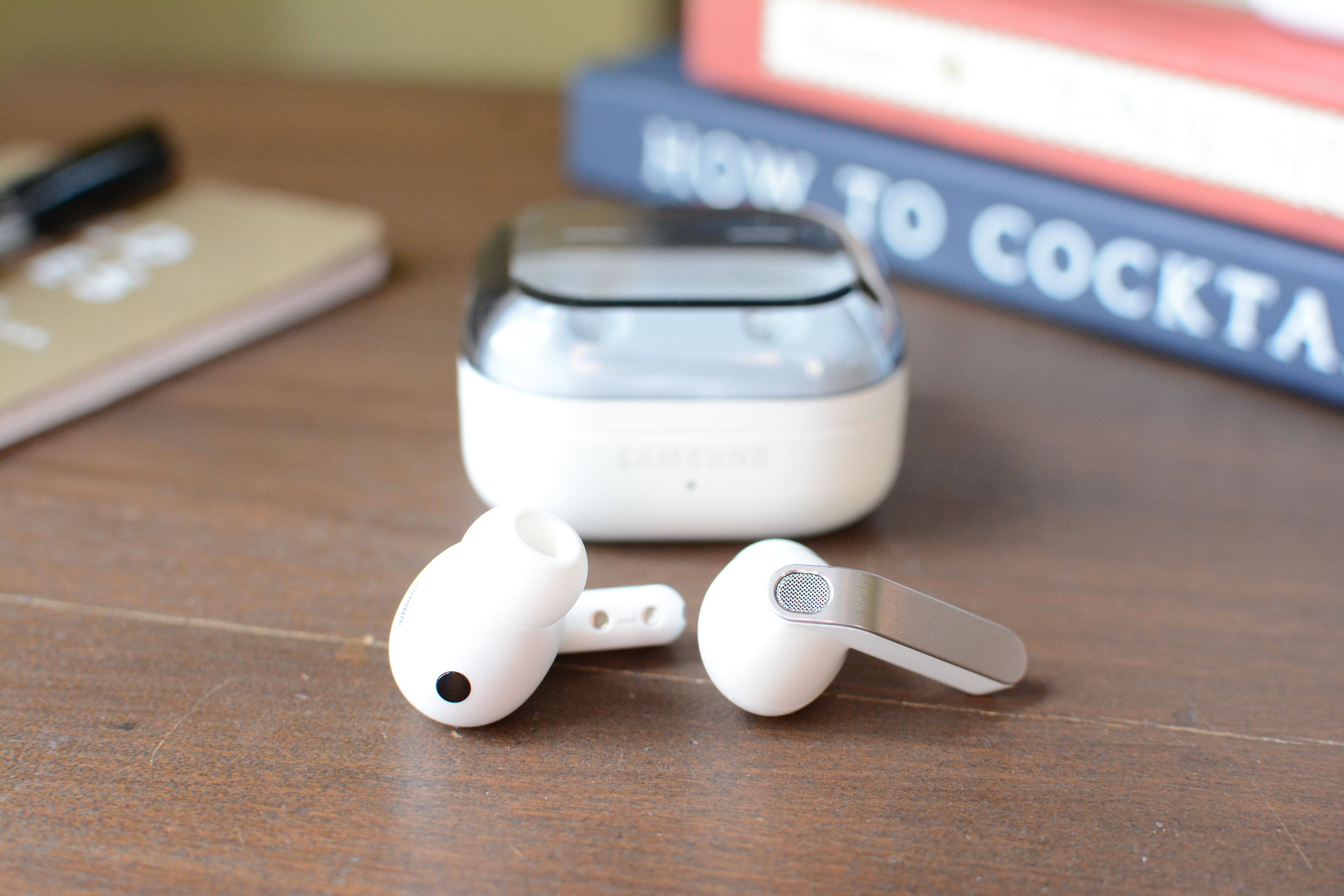
Samsung caught flak for the Galaxy Buds 3. The company’s mimicry of Apple’s AirPods was all too obvious last year when it opted for a stem or “blade” design after several generations of putting touch controls on the main housing of its earbuds. The Galaxy Buds 4 and Galaxy Buds 4 Pro continue that trajectory, as Samsung keeps adding new features with direct parallels to AirPods. The good news is, both models have been improved in various ways, all while their prices stay the same.
A refined design that’s still too familiar
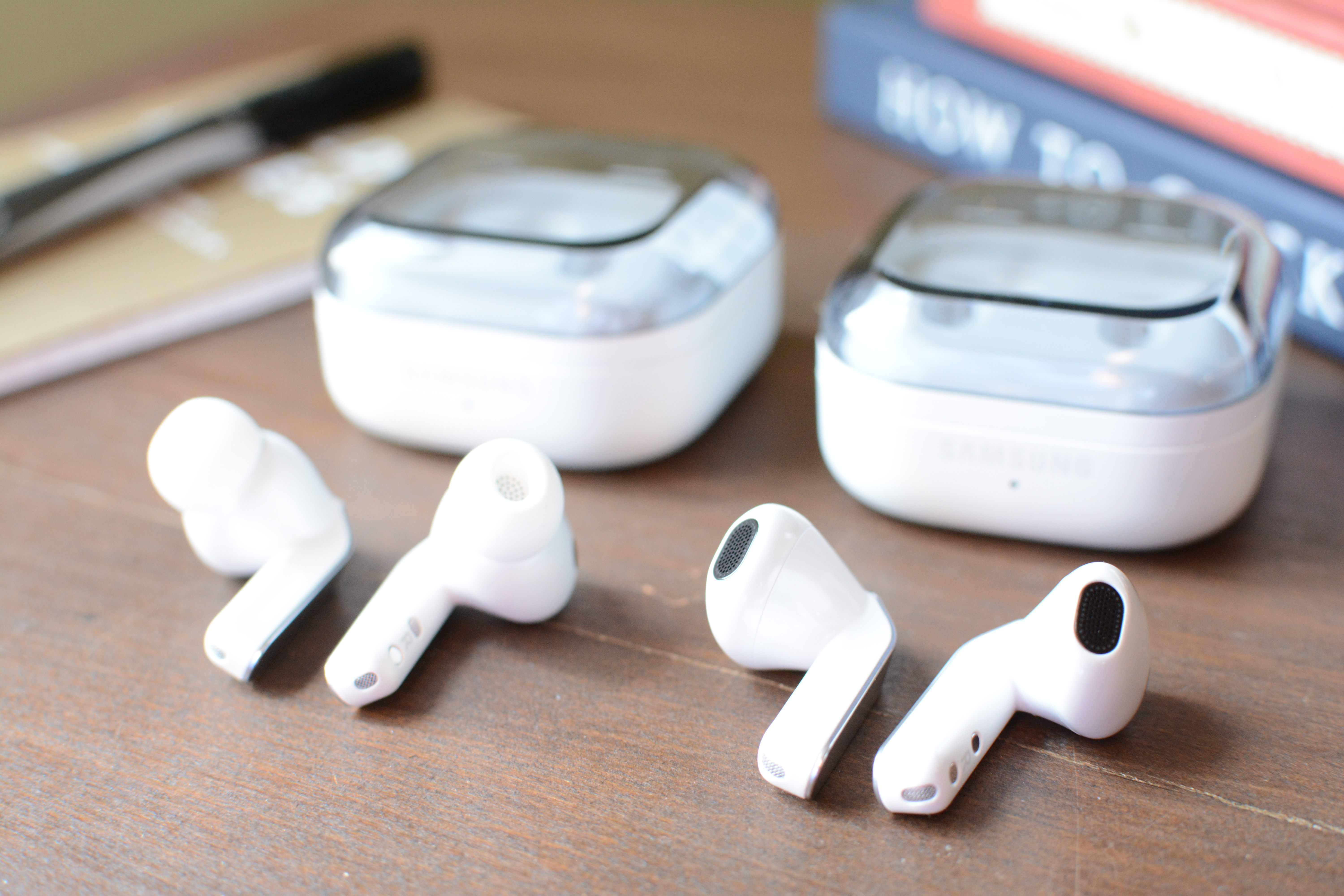
On last year’s Galaxy Buds models, Samsung introduced its “blade” design and overall shapes that clearly took inspiration from Apple’s earbuds. While all of that remains the same on the Galaxy Buds 4 lineup, Samsung made some refinements that at least gives its earbuds a more polished look.
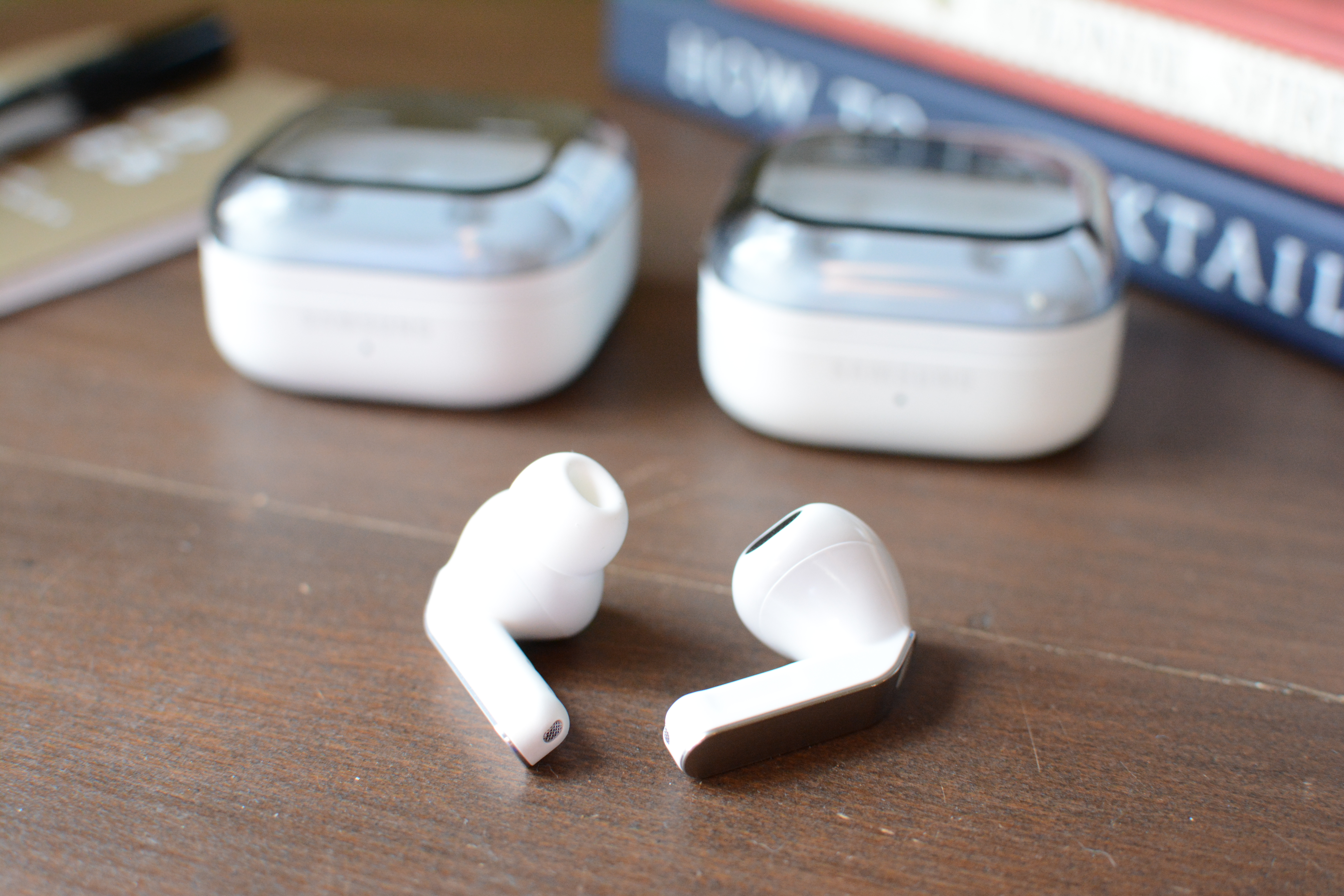
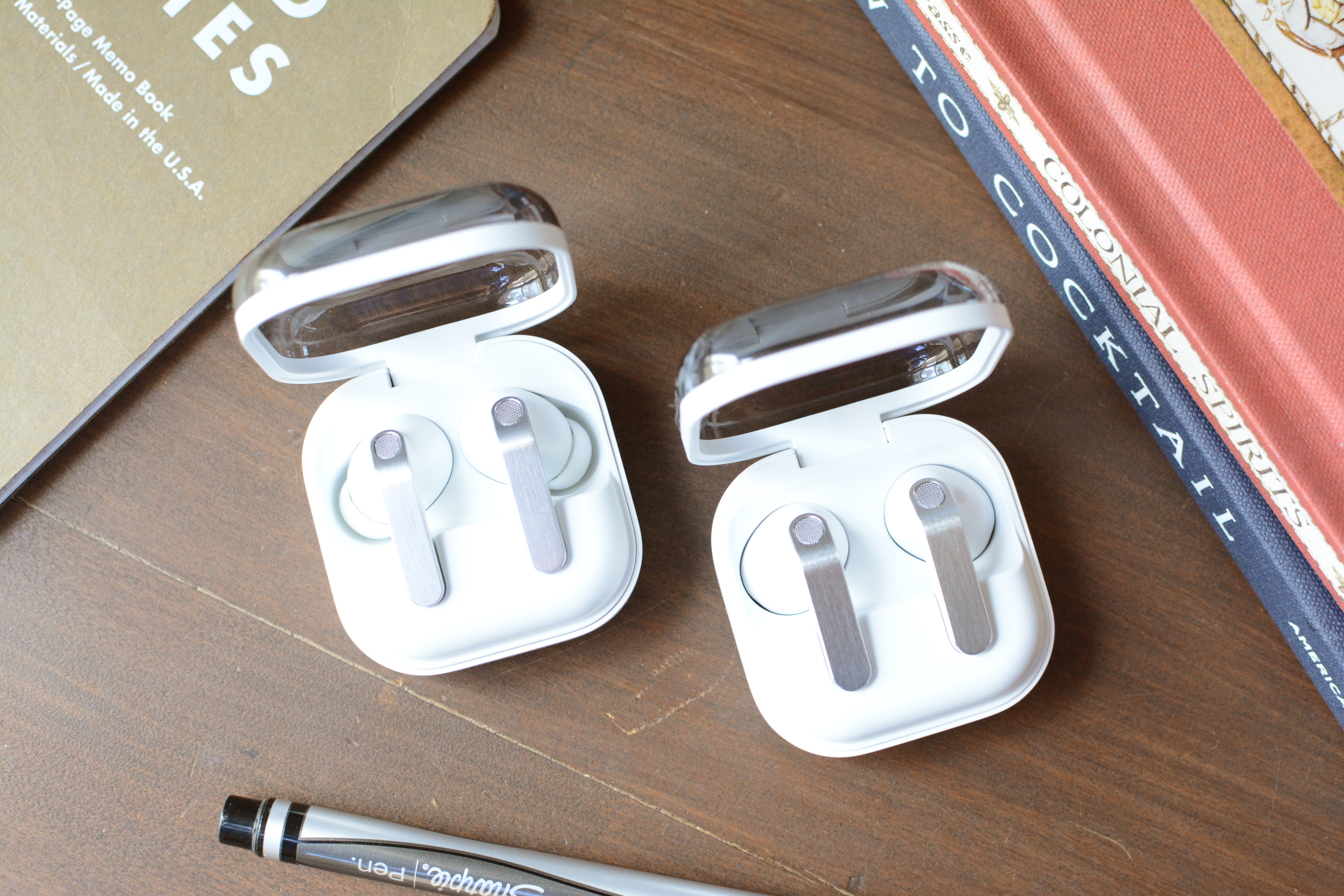
The angular “blade” is gone from both the open-fit Galaxy Buds 4 and silicone-tipped Galaxy Buds 4 Pro. That stem is now a flat panel with a thin metal cover, but it’s still called the blade (thanks, Samsung). And thank the gods, the gimmicky blade lights on the last Pro model are now gone. The Galaxy Buds 4 and 4 Pro both have an indented area that accepts both swipes and presses for the onboard controls, a design choice that makes that area easy to find by touch alone. Aside from that, the overall shape of both Galaxy Buds 4 models remains mostly the same, and they’re both pretty much the same size too.
One big change for the Galaxy Buds 4 duo is the charging case. Since the buds now lay flat in there instead of sitting vertically in the case on the previous model, Samsung has gone back to its rounded square shape from older generations. The company did, however, keep the translucent lids, so you can clearly see if the earbuds are in the case without having to open it.
In addition to their styles (the Buds 4 are open fit while the Pro have ear tips), a notable distinction between the two is their ingress protection (IP) levels. The Galaxy Buds 4 Pro is rated IP57, which is good enough for dust protection and full immersion in up to three feet for 30 minutes, while the Galaxy Buds 4 is IP54. That latter number means you’re only guarded against dust intrusion and water splashes.
Useful features, if you have a Samsung phone
Samsung Buds 4 Pro
Billy Steele for Engadget
A few years ago, Samsung offered iPhone users the same suite of features as those onGalaxy phones. Those days are long gone. Like Apple does with AirPods and Google with Pixel Buds, Samsung requires you to pair a Galaxy phone to get the most out of a pair of Galaxy Buds 4 or 4 Pro. If you opt for the open-fit model though, you’ll have to sacrifice a few features.
Let’s start with the tools that are available on both versions. You can expect Adaptive EQ 2.0, 360 audio with head tracking, Auracast, automatic switching, head gestures and both touch and swipe controls across the board. Both models also offer AI assistance via either Bixby or Gemini.
Voice features are where the two models primarily differ. The Galaxy Buds 4 Pro has voice detection that automatically lowers the volume and activates ambient sound mode when you start speaking. The pricier version also offers hands-free access to an AI assistant without having to touch the earbuds or your connected device.
Pretty much all of this stuff requires a Samsung phone. Sure, you can use the basics — ANC, onboard controls and ambient sound — from the likes of iPhones and Macs. But the more advanced items like voice detection, head gestures and automatic switching won’t be available there. As before, there’s an app for Android users with non-Galaxy phones, but things like UHD audio and higher-quality calls are not available on those devices. If you do have a Galaxy phone, everything is baked into the Bluetooth menu, just like Apple does with AirPods.
Shockingly good sound quality
Samsung Galaxy Buds 4 Pro (left) and Samsung Galaxy Buds 4 (right)
Billy Steele for Engadget
I’ve come to expect good sound from the Galaxy Buds line. I usually go into any new Samsung audio review knowing I”ll be getting average audio quality at the very least. On last year’s Galaxy Buds 3, the sound performance was well above average for both sets, and that continues on the two latest models. However, if audio is your main priority, the Galaxy Buds 4 Pro is the better pick.
Like Samsung did with the Galaxy Buds 3 Pro, this year’s 4 Pro has a two-way driver setup with an 11mm “super-wide” woofer and a 5.5mm planar tweeter. While the woofer is larger than what’s inside the 3 Pro, the tweeter is smaller. Those components combine for shockingly good sound quality for a pair of Samsung earbuds. I was truly surprised when I put the Galaxy Buds 4 Pro in my ears for the first time and played aya’s electro-tinged hexed! The driving bass line on “off the ESSO” is energetic yet nuanced, vocals are cutting and clear, while the synths and other percussive elements pierce through the mix. The Galaxy Buds 4 Pro deftly handled everything I threw at it, from Spiritbox’s heavy metal to the mellow acoustic tunes on Muscadine Bloodline’s 2025 release.
The Galaxy Buds 4 aren’t a sonic slouch by any means. It’s true you’ll get deeper bass and more overall clarity and detail from the Pro model, but prospective buyers who desire an open fit don’t have to sacrifice too much in the sound department. There’s still punchy bass and crunchy highs, with enough midrange to fill in the gaps adequately. I noticed the biggest difference on that aya track, where the bass isn’t as deep or detailed and the rest of the mix isn’t quite as dynamic as it is on the Galaxy Buds 4 Pro.
Active noise cancellation that still needs work
Samsung Galaxy Buds 4 Pro (left) and Galaxy Buds 4 (right)
Billy Steele for Engadget
While both Galaxy Buds 4 models offer active noise cancellation (ANC), the Pro version has what Samsung calls Adaptive Active Noise Cancellation 2.0 versus just Adaptive Active Noise Cancellation on the other. The company didn’t go into much detail about the differences, other than to say the ANC performance on the Galaxy Buds 4 Pro is superior. Hence the 2.0, I guess.
ANC performance was a major issue on the Galaxy Buds 3 and that continues on the Galaxy Buds 4. Samsung just hasn’t managed to crack the noise cancellation code on open-fit earbuds the same way Apple has with its “regular” AirPods. In fact, the ANC on this new model makes such a modest difference, I’d wager most customers would prefer to trade it for longer battery life (or a lower price). I only kept it on in the interest of my battery rundown, otherwise I wouldn’t have used it at all. It’s definitely more like active noise reduction than outright cancellation.
Thankfully, noise cancellation is a different story on the Galaxy Buds 4 Pro. It’s still not going to silence the world like the second-gen Bose QuietComfort Ultra Earbuds can, but Samsung’s tech does just enough to make it useful in most circumstances. I found it particularly adept at blocking moderate levels of constant noise, like a clothes dryer, fan or white noise machine. It’s the sudden jolts of racket where the Pro struggles. The Buds 4 Pro also does a decent job at muffling human voices, which caused my family much frustration.
Calls and voice quality
Samsung Galaxy Buds 4 Pro (left) and Galaxy Buds 4 (right)
Every audio company claims its special sauce is the key to the clearest calls, and Samsung is no different. The company boasts that its combo of a 16kHz super wideband mode, DNN noise reduction and personalized beamforming mics offer “calls so clear, it’s stunning.” Of course, that promise requires a Galaxy S26 series phone — not just the earbuds.
I was shocked to discover how well I sounded in quiet environments as both of these earbuds offer voice quality that’s crisp and clear. If you move to a noisy spot, both models will completely block any background roar, but you will sound slightly digitized on the other end. This was more apparent on the Galaxy Buds 4, but it’s noticeable on both versions. That’s due to all the audio processing Samsung is doing to mute those distractions.
To top it all off, the ambient sound mode on the Galaxy Buds 4 Pro is very natural, which means you won’t be yelling to hear yourself during calls or meetings.
The competition
If you’re looking for the best earbuds to use with a Samsung phone, the Galaxy Buds 4 and 4 Pro are your best options. Again, like Apple does with the AirPods and Google with the Pixel Buds, Samsung continues to offer the most advanced and most useful features to the Galaxy faithful. If you don’t really care about that synergy, the second-gen Bose QuietComfort Ultra Earbuds are currently my top pick. That set won’t wow you with features, but the combination of excellent sound quality and the best ANC performance make them hard to beat. Plus, multipoint Bluetooth connectivity offers easy switching between a Galaxy S26 and a MacBook.
Wrap-up
With each passing year, Samsung draws closer to offering Galaxy phone users a true like-for-like AirPods rival. The company is really only lagging behind Apple in two areas: hearing health and heart-rate tracking. Samsung currently offers the option to amplify voices on its earbuds, but it hasn’t built a hearing test or the hearing protection tools Apple has. The biggest update on the AirPods Pro 3 was the addition of heart-rate tracking last year, which would be a great foundation for a fitness-focused version of the Galaxy Buds.
Everything else continues to improve on a familiar formula. Samsung has bolstered overall sound quality and ANC performance, even if the noise canceling abilities of the Galaxy Buds 4 remain somewhat lackluster. The design changes offer a more premium look and the gradual addition of modern features like head gestures help the company keep pace with the competition. While the Galaxy Buds 4 and 4 Pro are both good, Samsung really needs to take bigger swings with new features to make its earbuds the must-buy that AirPods are for iPhone users.
This article originally appeared on Engadget at https://www.engadget.com/audio/headphones/samsung-galaxy-buds-4-and-4-pro-review-impressive-audio-imperfect-anc-190000202.html?src=rss
It's been a wild week for Apple. After announcing a slew of new hardware, the company capped things off with its cheapest laptop ever: the $599 MacBook Neo. It's low on specs, but high on character and value. In this episode, Devindra and Engadget Deputy Editor Nathan Ingraham dive into the MacBook Neo, as well as the refreshed MacBook Air M5, MacBook Pro M5 Pro/Max, iPad Air M4 and iPhone 17e.
Also, Devindra chats with Spencer Ackerman, author of Forever Wars and recent Iron Man comics, about the ongoing battle between Anthropic and the Department of Defense. It turns out the DOD still used Claude for attacks on Iran, after banning Anthropic'/s AI last week. And really, what do these AI companies expect to happen when they jump at military contracts?
Apple announces a the MacBook Neo priced at $599 and it’s shockingly great – 0:53
MacBook Air got the M5, MacBook Pro got the M5 Pro and M5 Max, and who needs the new iPad Air now? – 22:31
Anthropic vs. DoD with Spencer Ackerman, author of The Forever Wars – 30:34
Gemini encouraged a man to end his own life to be with his ‘AI wife’ – 58:53
Polymarket nixes bets on nuclear detonation after public outcry – 1:01:55
No Yōtei on PC: Sony closes down first party titles outside of PS5 – 1:03:56
Wildlight Studios’ Highguard shuts down after 46 days live – 1:08:23
Working on: Dell’s XPS 14 will be great when the keyboard fix comes through – 1:15:09
Pop culture picks – 1:15:58
Credits
Hosts: Devindra Hardawar and Nathan Ingraham Guest: Spencer Ackerman Producer: Ben Ellman Music: Dale North and Terrence O’Brien
This article originally appeared on Engadget at https://www.engadget.com/gaming/xbox/engadget-podcast-is-the-macbook-neo-the-one-132801575.html?src=rss
There is so much to love about Dell's new XPS 14, it's hard for me to discuss it without sounding like a total fanboy. Its new design makes it incredibly thin and light. And Intel's Panther Lake chips give it a ton of power, even when it comes to games. After reviving the XPS brand from last year's ignominious rebranding, it's as if Dell was laser-focused on fixing all the issues we've had with the XPS 14 so far.
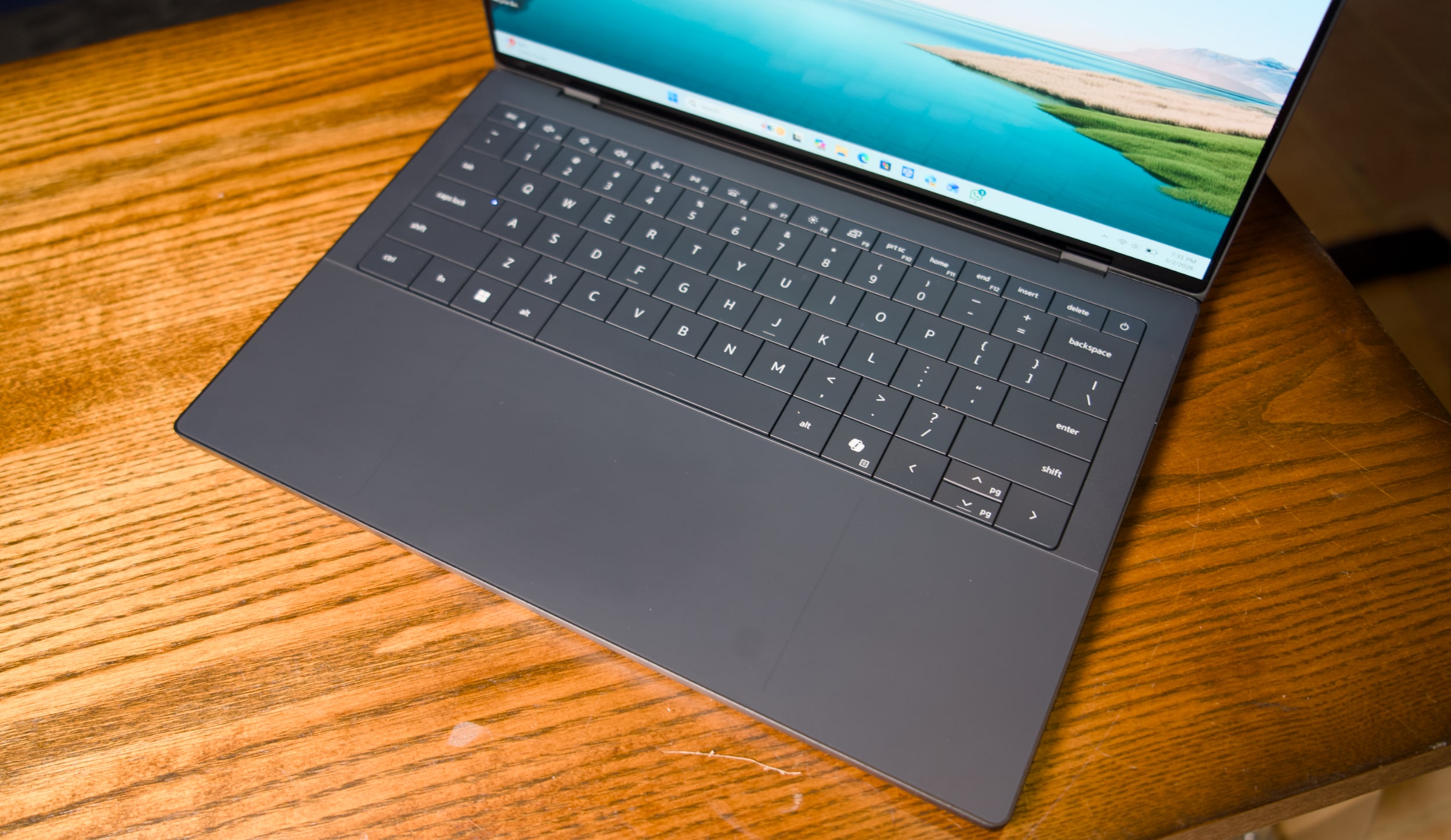
Unfortunately, a shallow, unresponsive and hilariously error-prone keyboard kept me from truly loving the XPS 14. Simply put, it has trouble recognizing keys if you press them too quickly in succession. And for fast and demanding typists like myself, that leads to countless errors that disrupt your flow. In the last sentence alone, I counted ten times where I had to go back and make sure commas appeared before a space, or tweak simple spelling errors. What good is a fast, light and beautiful machine if I can't type a sentence in peace?
It's not unusual for laptop keyboards to require a bit of user training. But my issues with the XPS 14 aren't from a lack of practice — it simply doesn't recognize key presses as quickly as every other laptop I've tested. As you can see in the video below, quick key presses are almost always recognized in reverse, or sometimes aren't recognized at all. Those issues mostly go away if you type more slowly and deliberately, but that seems like a ridiculous compromise for a premium machine in 2026.
Dell engineers are currently testing one of the two review samples I received, both of which exhibited the exact same keyboard issue. Other reviewers have also noted that they need to type more slowly for the keyboard to work best. Gizmodo's Kyle Barr seems to be just as frustrated with the keyboard as I am, but he thinks it's due to Dell's seamless key design, which doesn't have any spaces between keys. My brother, who is an IT professional, also noticed the input issues when he typed on the XPS 14.
I'm not crazy, I swear!
Dell XPS 14 (2026) keyboard
Devindra Hardawar for Engadget
According to Dell, its engineers say that “a small batch of early XPS units” have the quick typing issue I ran into. They also say the issue is currently resolved and doesn’t affect XPS units shipping now. The company plans to release a firmware fix later this month, and I’ll be sure to update this review once I get my hands on it. But given that these laptops have been out in the wild for weeks, I decided to review the XPS 14 as is. TL;DR, it's the prettiest machine I've ever used that I hate to type on.
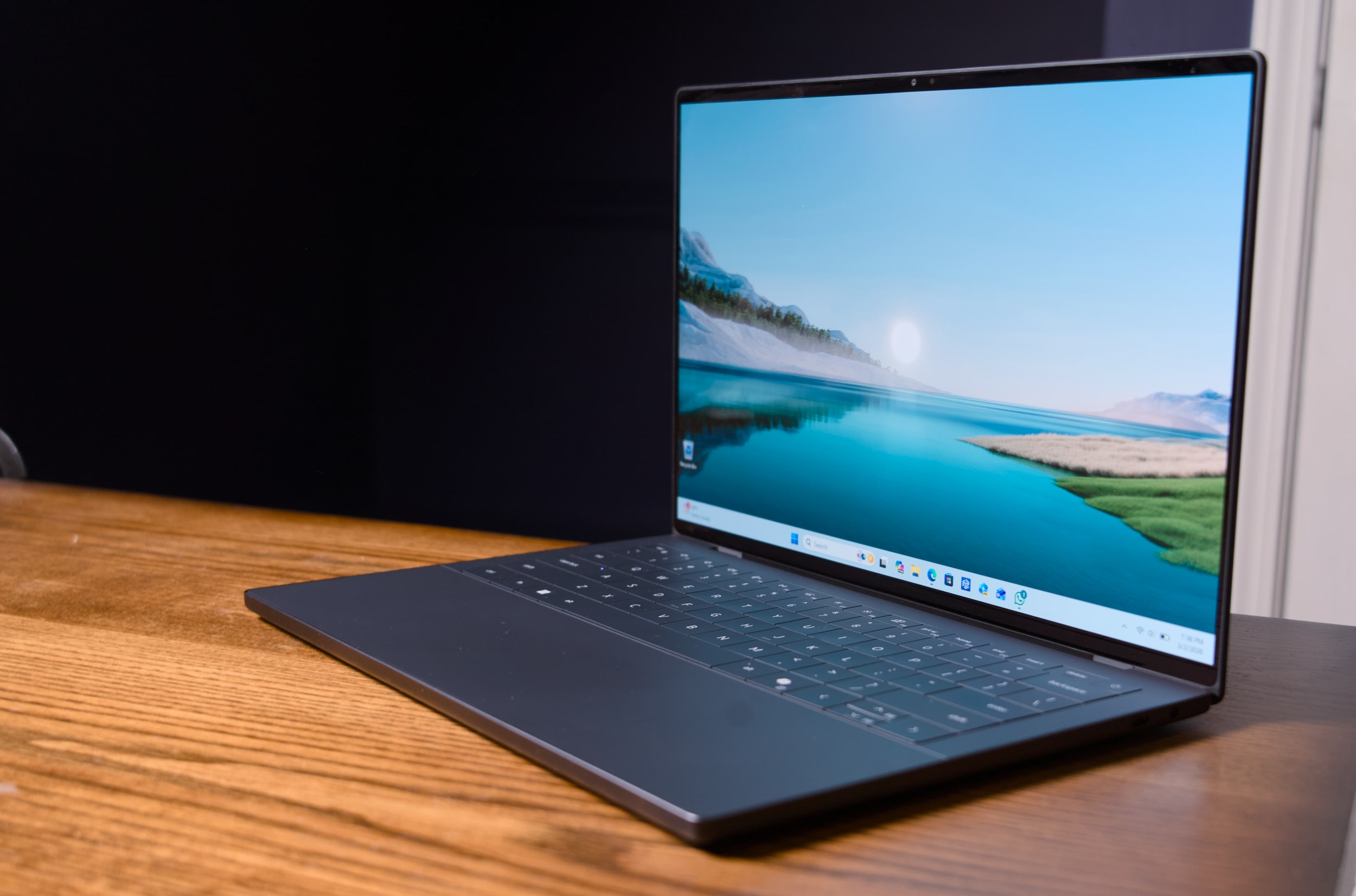
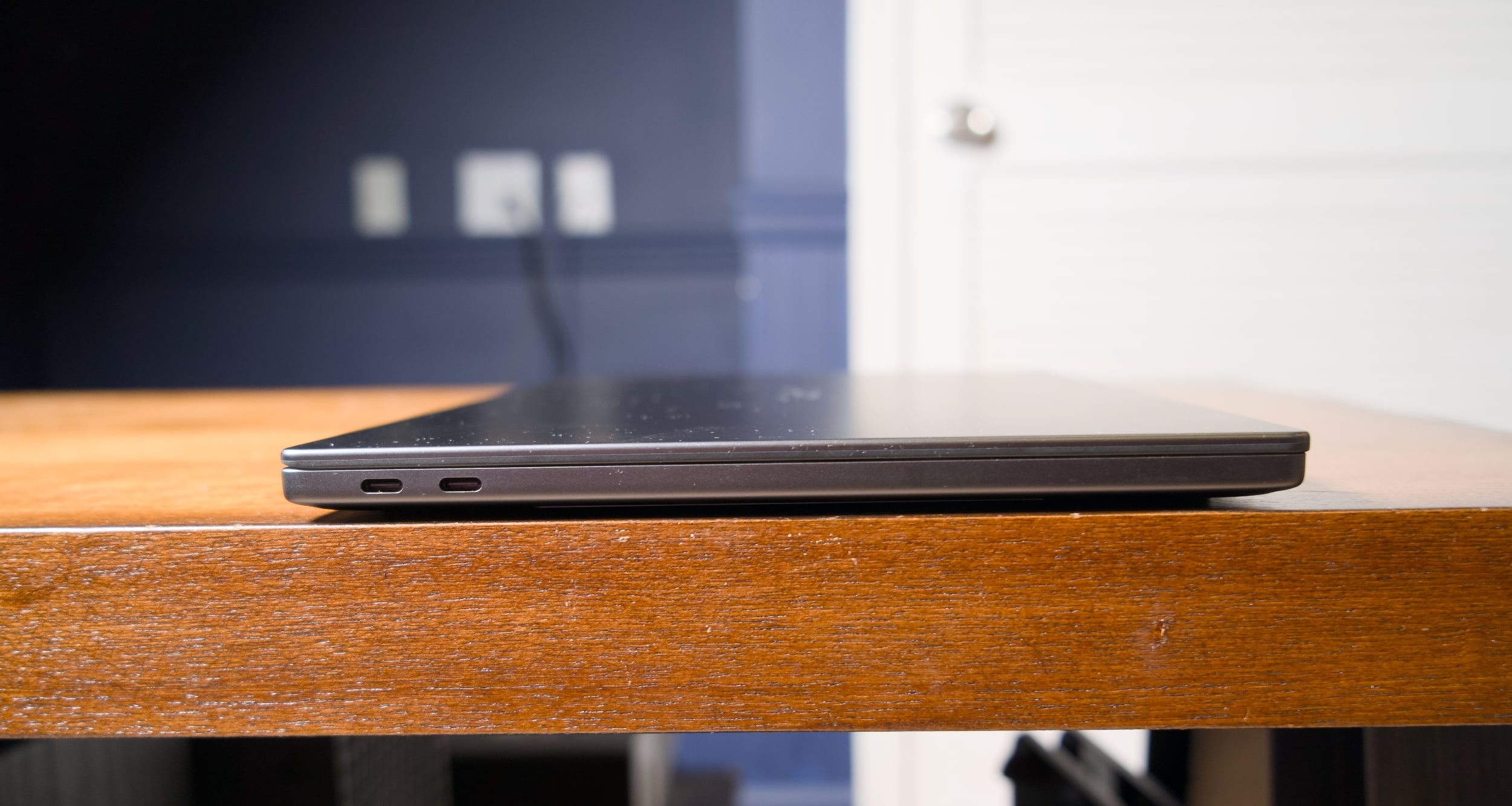
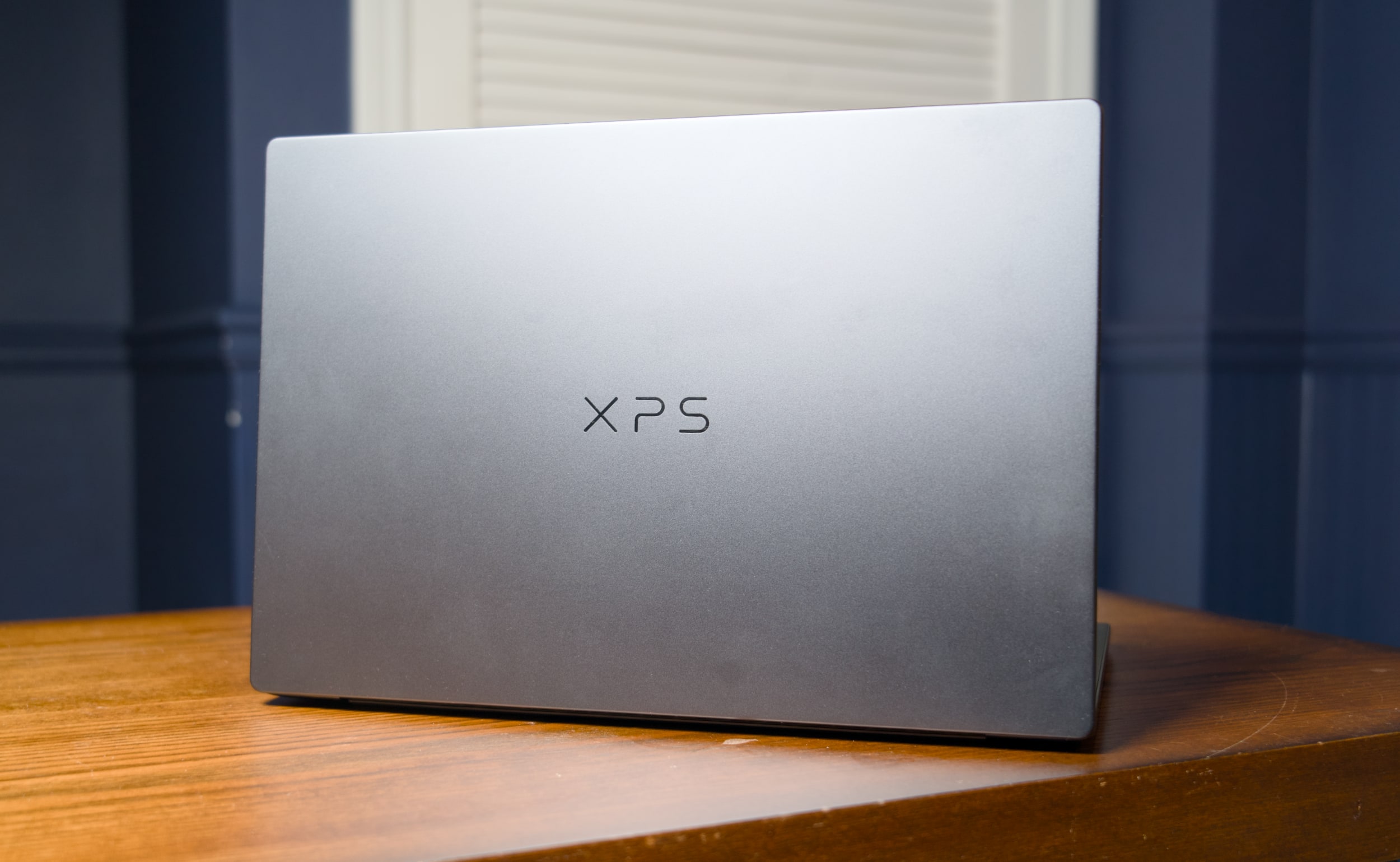
Seriously, this thing is gorgeous. Dell's designers outdid themselves with the machine's smooth metal case, which is more MacBook-like than its boxy predecessors. It's astonishing this system weighs just three pounds, putting it right between the 3.4-pound 14-inch MacBook Pro and the 2.7-pound 13.6-inch MacBook Air. It's also just a third of a pound heavier than the MacBook Neo, Apple's attempt at an underpowered entry-level laptop.
I'm also glad to see that Dell has heard my complaints about how over-designed the last XPS line was. For example, the company has stuck with its "invisible" trackpad, which sits flush with the laptop's wrist rest. But now there are two faint lines that designate where, exactly, the trackpad begins and ends. It's a solution reminiscent of Apple's MacBooks, which all feature large glass trackpads separated by a light border from their metal cases. Thanks to these two small lines, which don't detract from XPS 14's minimalist aesthetic, I feel more confident swiping around.
Dell also reversed course on the wonky capacitive function row from the previous models — which again, looked cool, but had some serious usability issues. It was tough to touch type with them, since they didn't feel as tactile as normal keys. And most crucially, the capacitive function row completely disappeared in direct sunlight. God forbid you were outside and wanted to change the volume level! This XPS 14 brings back a normal keyed function row, which is easier to touch type on and actually works in direct sunlight. (I sometimes wonder if Dell's designers ever went outside with the last XPS 14.)
Dell XPS 14 (2026)
Devindra Hardawar for Engadget
Our review model's 2.8K 14-inch OLED touchscreen looked spectacular, with bold colors and wonderfully deep black levels. But that's pretty much what I've come to expect from OLED by this point. I can't get enough of the extra eye candy OLED adds to photos and videos, and it makes a huge difference with games as well. But take note that OLED is only available for the priciest XPS 14, all other models get a standard non-touch 2K LCD.
When it comes to connectivity, three USB-C ports and a headphone jack are all you get with the new XPS 14. The microSD card slot from the previous model is gone, and there's also no HDMI or USB Type A connections like you'd find on similar systems from ASUS and Acer. Apple's 14-inch MacBook Pro, notably, features three USB-C ports, a full-sized HDMI slot, a large SD card reader and a headphone jack.
Dell XPS 14 (2026)
Devindra Hardawar for Engadget
Beyond Dell's redesign, the main star of the XPS 14 is Intel's new Panther Lake Core Ultra X7 358H chip, which offers some serious graphics upgrades over the last generation. Our review unit, which featured 32GB of RAM and Intel's built-in Arc B390 GPU, was able to reach 130fps in Arc Raiders while playing in 1080p with medium graphics settings, as well as XeSS upscaling and frame generation. I was able to play through a few rounds with no lag — my only distraction was the lingering realization I was playing so smoothly on an ultraportable's integrated graphics.
I certainly wouldn't recommend the XPS 14 for heavy gamers. But if you're forced to choose a new non-gaming system for work or school, it's certainly nice that it can play some modern titles well. I also saw 63fps while playing Cyberpunk 2077 in 1080p with medium graphics settings and XeSS tech active. Not bad for one of the most demanding PC games in recent memory!
Benchmarks also point to plenty of power under the hood: The XPS 14 scored similarly to the MSI Prestige 14 AI+, which also has the Ultra X7 358H chip, in PCMark 10 and Geekbench 6. I was also surprised to see that its single-core Geekbench 6 score was higher than ASUS's ProArt PX13 GoPro Edition, a beastly machine with 128GB of RAM and a powerful AMD Ryzen AI Max+ 395 chip. The XPS 14 also scored 3,000 points higher than the Acer Predator Triton 14 AI gaming laptop (powered by a last-gen Core Ultra 9 288V chip) in Geekbench's multi-threaded CPU test.
Clearly, this was a growth year for Intel's hardware. Just keep in mind that all of our figures come from Dell's highest-end XPS 14 configuration, which currently starts at $2,250 with 64GB of RAM on the company's site. The lowest-end configuration, which starts at $1,450, comes with an Intel Core Ultra 7 355 chip, 16GB of RAM and 512GB of storage. When I briefly tested that system (it had to be sent back to Dell for that keyboard issue), it scored 2,000 points lower than the Ultra X7 model in PCMark 10. I didn't get to game on the entry-level XPS 14, but I wouldn't expect much, since Intel's beefy Arc graphics are reserved for its pricier X7 and X9 CPUs.
Dell XPS 14 (2026) case logo
Devindra Hardawar for Engadget
I was also surprised to see that the XPS 14 lasted just 10 hours and 21 minutes in PCMark 10’s Modern office battery test. The MSI Prestige 14 went for a whopping 22 hours and 15 minutes — that’s far more in line with Intel’s efficiency claims for Panther Lake systems. I tested both the XPS 14 and MSI Prestige 14 in Window’s “balanced” battery profile, so you may be able to eke out more life with more battery saving features turned on.
If I were to judge the XPS 14 based purely on its specs and design alone, it would be my favorite Windows laptop available today. But I swear, I can't live with its keyboard issues. I had to seriously slow down my typing just to get this review written, and even then I still had to back up and make more corrections than usual. Dell is so close to making a PC that’s a true MacBook Pro competitor, it's a shame a simple keyboard issue holds the XPS 14 back from true greatness.
Update 3/6/26 2:20PM ET: Added further information about the XPS 14’s keyboard issue and a potential firmware fix.
This article originally appeared on Engadget at https://www.engadget.com/computing/laptops/dell-xps-14-2026-review-a-beautiful-laptop-that-excels-at-almost-everything-except-typing-130000656.html?src=rss
Right off the back of the iPhone 17e, new iPads and MacBook Airs, Apple also announced a keenly priced new laptop. The MacBook Neo is a multi-colored low-cost Mac ($599), running on an iPhone chipset with most but not all of the hardware features you find on the MacBook Air and Pro. All models of the MacBook Neo ship with an extremely scant 8GB of RAM, which might be the main productivity bottleneck for demanding tasks.
The Neo has a 13-inch Retina display, a 1080p webcam, two USB-C ports, a headphone jack and optional Touch ID, if you're willing to pay a little more. A lot has been said about whether this is Apple marching to the beat of its own drum again, in a year of RAM shortages and AI obsessions. This is a direct attack on cheap Windows laptops and underperforming Chromebooks. Tempted? Check out our initial impressions from Apple's event earlier this week, right here. Oh, and for everything Apple announced – we've pulled all the news together here.
There's no flagship Nothing Phone 4 this year, but the company has put a lot of effort into making its A-series almost flagship, including a notable design pivot with the Phone 4a Pro. The transparent back is now aluminum, and the trademark Nothing aesthetic has been boxed into the camera unit. It looks more grown-up, perhaps, but a little less fun? That said, the egregious camera bump on the Nothing 3a Pro last year is no more. Both 4a phones are sleek slabs of smartphones. The company has also substantially upgraded the devices, with better cameras, more batteryand improved screens. Only the 4a Pro will be coming to the US later this month.
While MWC 2026 offered us plenty of Chinese smartphones ready to wow us, established player Samsung managed to surprise us with its S26 Ultra the week before. Sure, it doesn't have a ton of major improvements, but it brings subtle upgrades across the board, along with a standout new display for anyone who cares about privacy.
The Privacy Display is the standout new feature – one we've never seen before on a smartphone. When you turn the Privacy Display on and view the phone from less than head-on, everything fades to black, like those privacy-sticker screen protectors, but at the hardware level.
The S26 ultra can even selectively activate Privacy Display under specific situations, turning on when you get notifications or open certain apps (like for banking or authenticators). The phone can also enable the feature when you need to enter a PIN, pattern, or password, though this is only for system-level prompts, such as your lock screen.
Xbox CEO Asha Sharma is gearing up to spill the beans on Microsoft’s next-generation console. In a post on X today, she revealed that the system is codenamed “Project Helix.” Confirming previous rumors, she says it will “lead in performance” and play both console and PC games. Sharma also notes that she’ll be discussing the system at GDC next week with partners and developers.
The next-gen console tease follows Sharma’s appointment as Xbox CEO a few weeks ago, after former Xbox head Phil Spencer stepped down. Last year, it was clear that things were rocky for Microsoft’s storied gaming brand, and the executive shakeup certainly didn’t help much. But it’ll be interesting to hear more details about Project Helix at GDC — is it simply a PC masquerading as a console? What sort of performance benchmarks is Microsoft trying to reach, and will we get any hints about hardware?
For the first time, in a long time, there’s something intriguing happening in the land of Xbox. Much like the first Xbox, Microsoft could end up cutting this generation short to quickly prep a successor. And if the rumors about a PlayStation 6 delay end up being true, it could give Microsoft a few years with new hardware ahead of Sony.
This article originally appeared on Engadget at https://www.engadget.com/gaming/xbox/xbox-ceo-confirms-next-gen-project-helix-console-will-play-pc-games-204654357.html?src=rss
OpenAI is releasing a new model today, and like GPT-5.2 before it, GPT-5.4 is all about professional work. OpenAI is calling GPT-5.4 its most capable frontier model for tasks like coding and data analysis. OpenAI claims the new model produced presentations with stronger, more varied aesthetics and made more effective use of its image generation tools.
It's also the first model from OpenAI built with native computer-use capabilities, making it better at carrying out tasks across several apps at the same time. When it comes to computer use, one noticeable improvement OpenAI has recorded is the way GPT-5.4 issues mouse and keyboard commands. It's significantly better at navigating a desktop environment than its predecessor.
When users turn to GPT-5.4 in ChatGPT, where it will now be the default model for the chatbot's Thinking mode, the system will outline how it plans to tackle a request, giving people the opportunity to tell it to adjust course as it's generating a response. At the same time, the new model offers better web research capabilities, especially when it comes to "highly specific" queries, according to OpenAI.
"Together, these improvements mean higher-quality answers that arrive faster and stay relevant to the task at hand," the company states. Separately, OpenAI claims GPT-5.4 is its most factual model yet, noting, relative to GPT-5.2, it's 18 percent less likely to generate a response with any errors. Here's hoping it knows not to turn to Grokipedia for information, something its predecessor was known to do.
As mentioned, GPT-5.4 will be available in ChatGPT when users select the chatbot's Thinking mode, and as GPT-5.4 Pro from the model picker. As such, this isn't a release for Free and Go users — or even Plus subscribers, for that matter. It's more for enterprise customers, and developers who rely on the company's Codex app. On that note, for API customers, OpenAI claims GPT-5.4 is its most token efficient reasoning model to date, though those tokens will cost more than their GPT-5.2 counterparts. For instance, OpenAI is pricing one million input tokens at $2.50, up from $1.75 with GPT-5.2.
The fact that OpenAI has increasingly shifted its strategy to focus on professionals shouldn't be surprising. When Microsoft announced last September it would add Anthropic's models to Copilot 365 (where previously it depended exclusively on OpenAI's systems), there were reports that suggested the company made the decision because it found Claude was better at tasks like generating spreadsheets and presentations. Reporting from The Informationsuggests OpenAI is generating about $25 billion in annualized revenue. However, the company is still far from being profitable, and with more than $1.4 trillion in data center commitments on the books, it's reliant on funding from investors to keep the lights on. Seen in that context, productivity represents a place where it might have a chance to build a sustainable business.
This article originally appeared on Engadget at https://www.engadget.com/ai/i-hope-you-like-spreadsheets-because-gpt-54-loves-them-180000444.html?src=rss
It might sound like the stuff of daydreams now, but once upon a time it was briefly the very real intention of Sony and Nintendo to collaborate on a console. Nicknamed the Nintendo PlayStation, the idea was that a new CD-ROM format backed by Sony would be added to the cartridge-based Super NES, resulting in a hybrid console that could play both.
The partnership didn’t last long, though, with Nintendo backing out before it ever really got off the ground, announcing that it would instead be working with Philips. Sony decided to make the PlayStation on its own instead, in an act of revenge that you have to say paid off in the long run, and we never did get to see Crash Bandicoot running around the Mushroom Kingdom. Still, the short-lived Nintendo PlayStation remains a fascinating what-if scenario in video game history, and the USA’s National Video Museum has acquired the original development kit.
BREAKING: The NVM has acquired the mythical Nintendo Playstation! 🤯
This Sony MSF-1 is the OLDEST known existing Nintendo Playstation hardware artifact, and is the original development system for Sony’s planned Super Nintendo CD attachment. It is the ONLY known unit to exist!… pic.twitter.com/9JQyCsFtxc
Codenamed the MSF-1, the device now in the museum’s possession is the oldest known prototype of the console that never was, and according to the Texas-based NVM, likely the only one that still exists. Being a dev kit, it’s unsurprisingly not the most attractive thing to look at, and definitely not something you would guess is designed to play video games if you didn’t know any better. But it’s still a hell of an artifact for the museum to get its hands on.
Presumably very few people outside of Sony and Nintendo would have had access to the MSF-1, but just over a decade ago Engadget was able to test an ultra-rare prototype of what was going to be the consumer product. The same prototype was later sold for more than $300,000 at an auction.
This article originally appeared on Engadget at https://www.engadget.com/gaming/the-national-videogame-museum-has-acquired-the-mythical-nintendo-playstation-173529085.html?src=rss