Prime Day deals have brought a number of steep discounts to our favorite gadgets, and one of the best is on the Dyson Airwrap. This exclusive bundle for the hair tool is a whopping $125 off for Amazon Prime Day, bringing it down to $550. This is one of the most popular pieces of beauty tech as of late, so much so that it can be hard to get your hands on it because it frequently goes in and out of stock. Now's a good time to grab it if it's been on your wishlist.
In addition to the Airwrap and its storage case, the bundle includes six attachments: two long barrels, three brushes and the Coanda smoothing dryer, plus a filter cleaning brush, a detangling comb and another storage bag. That's enough to achieve a bunch of different hairstyles with one tool, and you get a couple of ways to store the machine when you're not using it or when you need to travel with it.
For the uninitiated, the Dyson Airwrap gained popularity due to the fact that it doesn't use extreme heat to style hair. It instead uses the Coanda effect, which describes airflow's tendency to follow a curved surface, to wrap, dry and style hair all at once. How you do so specific depends on the attachment you're using, be it a barrel or a brush.
The Airwrap does use heat, to be clear, but Dyson claims the device intelligently monitors heat to keep it at the optimal temperature. It should never go above 302 degrees Fahrenheit, and that should be less damaging for your hair as opposed to using standard hot tools.
If history is any indication, the Airwrap could quickly go out of stock during a sale event like Prime Day. While $550 is still a lot to spend on any gadget, now is a good time to buy this bundle if you've had your eye on the beauty tool for a while.
Your Prime Day Shopping Guide: See all of our Prime Day coverage. Shop the best Prime Day deals on Yahoo Life. Follow Engadget for Prime Day tech deals. Hear from Autoblog’s experts on the best Amazon Prime Day deals for your car, garage, and home, and find Prime Day sales to shop on AOL, handpicked just for you.
This article originally appeared on Engadget at https://www.engadget.com/prime-day-2024-get-the-dyson-airwrap-for-125-off-123503655.html?src=rss
The retro PC game emulator UTM SE is now available on the App Store for iPhone, iPad and Apple Vision Pro, marking the first time Apple has allowed a PC emulator for iOS onto its marketplace, per The Verge. UTM SE will let you run classic PC games, but you’ll first need to either download a pre-built virtual machine — several of which UTM offers for free on its website — or you can create your own from scratch.
We are happy to announce that UTM SE is available (for free) on iOS and visionOS App Store (and coming soon to AltStore PAL)!
Shoutouts to AltStore team for their help and to Apple for reconsidering their policy.https://t.co/HAV5JnT5GO
Apple previously rejected UTM SE, but the team behind the app shared on X that it was able to move forward with a “JIT-less build” thanks to the help of another developer, so it could comply with Apple’s restrictions. The developers also said UTM SE would soon hit the alternative app marketplace AltStore PAL as well, which would open it up to users in the EU. “Shoutouts to AltStore team for their help and to Apple for reconsidering their policy,” the UTM team posted.
This article originally appeared on Engadget at https://www.engadget.com/theres-finally-a-pc-emulator-on-the-app-store-175320490.html?src=rss
Good news for anyone who’s been waiting for a better way to run the Delta game emulator on an iPad — with version 1.6, which is available now, iPad support is here. The latest update is a major one, not only bringing a version of the emulator that’s optimized for iPad, but also seamless switching between iPhone and iPad, some improvements to DS compatibility, new skins and menu button gestures, and a new logo. (Delta had to scrap its old logo after Adobe threatened to sue over similarities to its signature ‘A’).
The Delta version 1.6 update is live on both the App Store and the AltStore PAL. It comes barely three months after Delta creator Riley Testut promised iPad support was on the way, and will allow for both full screen play and multiple windows using Stage Manager and Split View. Before you run and download it, though, take note of the devs’ warnings about DS games: “This update is incompatible with existing DS save states. Please save normally in-game before updating to avoid losing progress.” The Delta team has also created a new app, Delta Legacy, to help users migrate their save states. Instructions for the process are on the Delta website.
This article originally appeared on Engadget at https://www.engadget.com/ipad-support-has-arrived-for-the-nintendo-emulator-delta-with-its-latest-update-213509165.html?src=rss
Already fascinated with y2k-era tech, some members of Gen Z have wondered what those early, simpler social networks were like. Now, they can get an idea thanks to a new app called noplace, which recreates some aspects of Myspace more than a decade after its fall from the most-visited site in the US.
The app officially launched earlier this month and briefly made the No. 1 spot in Apple’s App Store. Dreamed up by Gen Z founder Tiffany Zhong, noplace bills itself as both a throwback and an alternative to mainstream social media algorithms and the creator culture that comes with them. “I missed how social media used to be back in the day … where it was actually social, people would post random updates about their life,” Zhong tells Engadget. “You kind of had a sense of where people were in terms of time and space.”
Though Zhong says she never got to experience Myspace firsthand — she was in elementary school during its early 2000s peak — noplace manages to nail many of the platform’s signature elements. Each user starts with a short profile where they can add personal details like their relationship status and age, as well a free-form “about me” section. Users can also share their interests and detail what they’re currently watching, playing, reading and listening to. And, yes, they can embed song clips. There’s even a “top 10” for highlighting your best friends (unclear if Gen Z is aware of how much trauma that particular Myspace feature inflicted on my generation).
Myspace, of course, was at its height years before smartphone apps with a unified “design language” became the dominant medium for browsing social media. But the highly customizable noplace profiles still manage to capture the vibe of the bespoke HTML and clashing color schemes that distinguished so many Myspace pages and websites on the early 2000s internet.
noplace
There are other familiar features. All new users are automatically friends with Zhong, which she confirms is a nod to Tom Anderson, otherwise known as “Myspace Tom.” And the app encourages users to add their interests, called “stars,” and search for like-minded friends.
Despite the many similarities — the app was originally named “nospace” — Zhong says noplace is about more than just recreating the look and feel of Myspace. The app has a complicated gamification scheme, where users are rewarded with in-app badges for reaching different “levels” as they use the app more. This system isn’t really explained in the app — Zhong says it’s intentionally “vague” — but levels loosely correspond to different actions like writing on friends’ walls and interacting with other users’ posts. There’s also a massive Twitter-like central feed where users can blast out quick updates to everyone else on the app.
It can feel a bit chaotic, but early adopters are already using it in some unexpected ways, according to Zhong. “Around 20% in the past week of posts have been questions,” she says, comparing it to the trend of Gen Z using TikTok and YouTube as a search engine. “The vision for what we're building is actually becoming a social search engine. Everyone thinks it's like a social network, but because people are asking questions already … we're building features where you can ask questions and you can get crowdsourced responses.”
That may sound ambitious for a (so far) briefly-viral social app, but noplace has its share of influential backers. Reddit founder Alexis Ohanian is among the company’s investors. And Zhong herself once made headlines in her prior role as a teenage analyst at a prominent VC firm.
For now, though, noplace feels more to me like a Myspace-inspired novelty, though I’m admittedly not the target demographic. But, as someone who was a teenager on actual Myspace, I often think that I’m grateful my teen years came long before Instagram or TikTok. Not because Myspace was simpler than today’s social media, but because logging off was so much easier.
Zhong sees the distinction a little differently, not as a matter of dial-up connections enforcing a separation between on and offline, but a matter of prioritizing self expression cover clout. “You're just chasing follower count versus being your true self,” Zhong says. “It makes sense how social networks have evolved that way, but it's media platforms. It's not a social network anymore.”
This article originally appeared on Engadget at https://www.engadget.com/how-false-nostalgia-inspired-noplace-a-myspace-like-app-for-gen-z-163813099.html?src=rss
Google is adding passkey support to its Advanced Protection Program. APP is the company's highest-level security option. It's intended for targets who could be at high risk of hacks or other scams, such as elected officials or human rights workers, and it previously required a physical security key to use. In Google's announcement today, it acknowledged that the physical component made APP less feasible for some of the people who need the service most. Now, people who enroll in APP can opt for a passkey or for a physical key.
Google was one of many tech companies to start offering passkeys for security, rolling out the option to Android and Chrome in 2022 and offering them to all Google accounts in 2023. Earlier this year, Google said that more than 400 million accounts have used passkeys more than 1 billion times. And that's a big number, but on the whole, uptake of this technology has still been gradual.
In addition to adding passkey support, Google also shared that it is partnering with media nonprofit Internews to provide cybersecurity support for its network of journalists and human rights advocates. The arrangement will cover ten countries, including Brazil, Mexico and Poland.
This article originally appeared on Engadget at https://www.engadget.com/google-brings-passkeys-to-its-advanced-protection-program-100034040.html?src=rss
On Tuesday, the FTC unanimously banned the social messaging app NGL from hosting minors as part of a $5 million settlement. The first-of-its-kind ban comes after revelations that the company actively marketed the app to children with bait-and-switch tactics, false claims about AI moderation and the targeting of “popular” kids (like cheerleaders) to try to lure others onto the predatory hellscape.
“NGL marketed its app to kids and teens despite knowing that it was exposing them to cyberbullying and harassment,” FTC Chair Lina Khan wrote in an agency press release. “In light of NGL’s reckless disregard for kids’ safety, the FTC’s order would ban NGL from marketing or offering its app to those under 18. We will keep cracking down on businesses that unlawfully exploit kids for profit.”
The FTC and the Los Angeles DA’s office worked together on the complaint, which paints a picture of an exploitative business that prioritized building its social graph above honoring even the most fundamental of ethics. (Sound familiar?) Although NGL is still a relatively niche app with nowhere near the popularity of Instagram, TikTok and other first-tier platforms, it has “exploded” in popularity, according toThe Washington Post. In 2022, it briefly became the most downloaded app on the iOS App Store.
The company markets the app as a place to message anonymously with unknown friends and contacts from other social channels. That alone sounds like a recipe for disaster. But the FTC says the company made it much worse with false claims of using “world class AI content moderation” with “deep learning and pattern matching algorithms” to prevent cyberbullying and other concerning behavior. It also sent fake, computer-generated messages — which users believed were from their real friends — with provocative prompts like “Are you straight?” and “I know what you did.”
In addition, the company’s predatory business practices also allegedly included bait-and-switch upsell tactics, which promised to reveal the identity of anonymous “friends” (which may have been fake) if they paid up to $10 weekly for a premium subscription. After paying, the service would only supply useless “hints” like the message’s timestamp, the sender’s general location and whether they used an iPhone or Android phone. It would also turn on recurring, hard-to-cancel charges that users didn’t expect.
Even worse, Joao Figueiredo, one of the company’s co-founders, allegedly directed employees to look on “high school cheer [Instagram] pages” to find “kids who are popular to post and get their friends to post.” One user allegedly reported that their friend attempted suicide because of their experience on NGL.
When consumers complained, NGL executives allegedly laughed them off as “suckers.”
The FTC and Los Angeles DA added that NGL violated the COPPA Rule. It requires companies with apps “that are directed to or knowingly being used by children under 13 to inform their parents about the personal information they collect.” Other accusations include a violation of the Restore Online Shoppers’ Confidence Act.
In addition, the dumpster fire known as NGL allegedly made no attempt to verify users’ ages, failed to obtain parental consent to collect and use data from preteen children and failed to honor parents’ requests to delete children’s data. Finally, the company supposedly “retained children’s data longer than reasonably necessary to fulfill the purpose for which the data was collected.”
Under the settlement terms, NGL and its cofounders have agreed to pay $4.5 million to “provide redress to consumers” and a $500,000 civil penalty to the LA DA’s office. From now on, the company will have to require an age gate that prevents new and current users under 18 from using the app, deleting all info associated with those under 13, agreeing not to misrepresent the origins of messages, make false claims about AI tech and received consent from consumers before billing them for subscriptions (while making canceling recurring charges simple).
It remains to be seen whether the FTC can use the unanimous, bipartisan ruling against NGL as a precedent to go after bigger fish in the social sphere using egregiously unethical marketing tactics of their own.
This article originally appeared on Engadget at https://www.engadget.com/ngl-becomes-the-first-app-banned-from-hosting-minors-by-the-ftc-171524202.html?src=rss
It’s Mobile Monday, and we’re delighted to see that Apple has embraced the occasion by releasing iOS 18 Beta 3 today. This latest beta version brings a range of updates and refinements, moving closer to the official launch of iOS 18. With a focus on enhancing user experience, streamlining interfaces, and adding new features, this update highlights Apple’s ongoing commitment to improving its operating system based on feedback from developers and users.
Designer: Apple
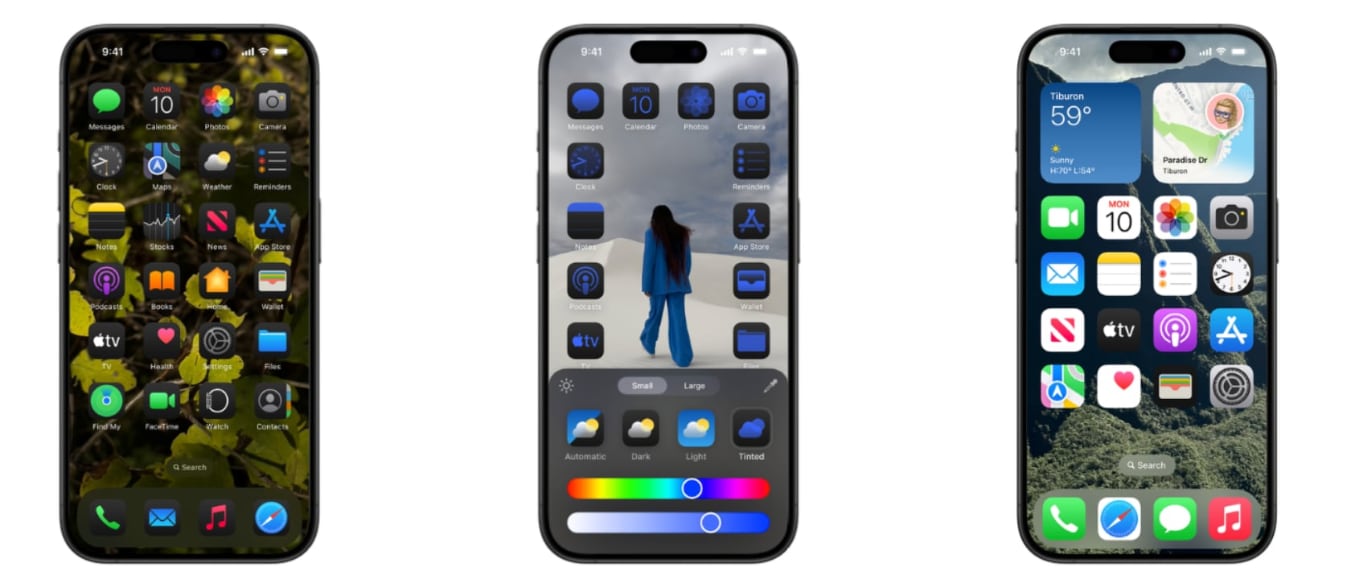
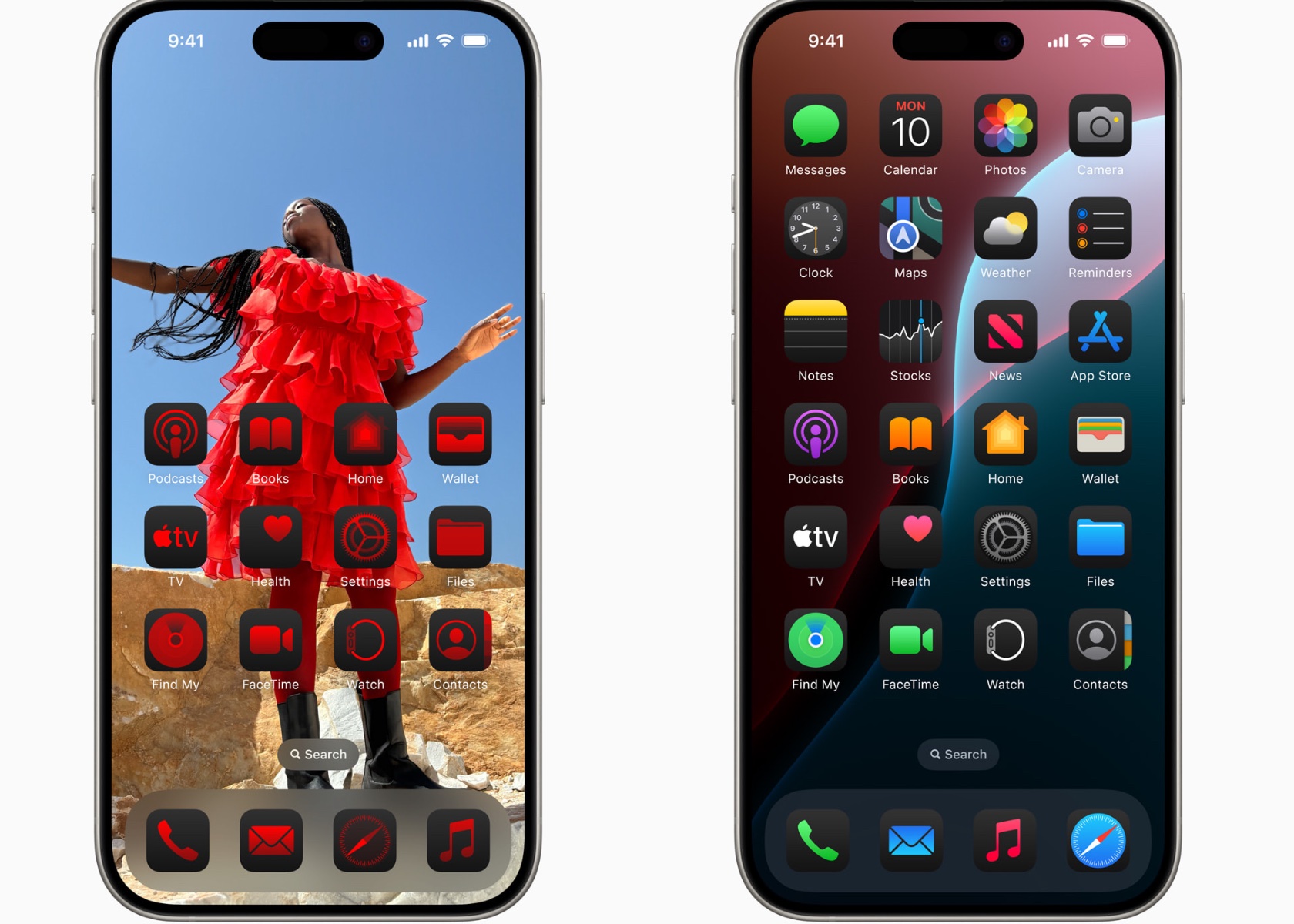
One of the significant updates in iOS 18 Beta 3 is the introduction of Dark Mode icons for several third-party apps, including Facebook, Etsy, Telegram, Signal, Slack, Notion, and YouTube. These icons now automatically adjust to Dark Mode, with secondary colors becoming the main color and backgrounds turning black. More complex app icons are tinted darker, while developers have the option to provide their own dark-tinted icons for better customization.
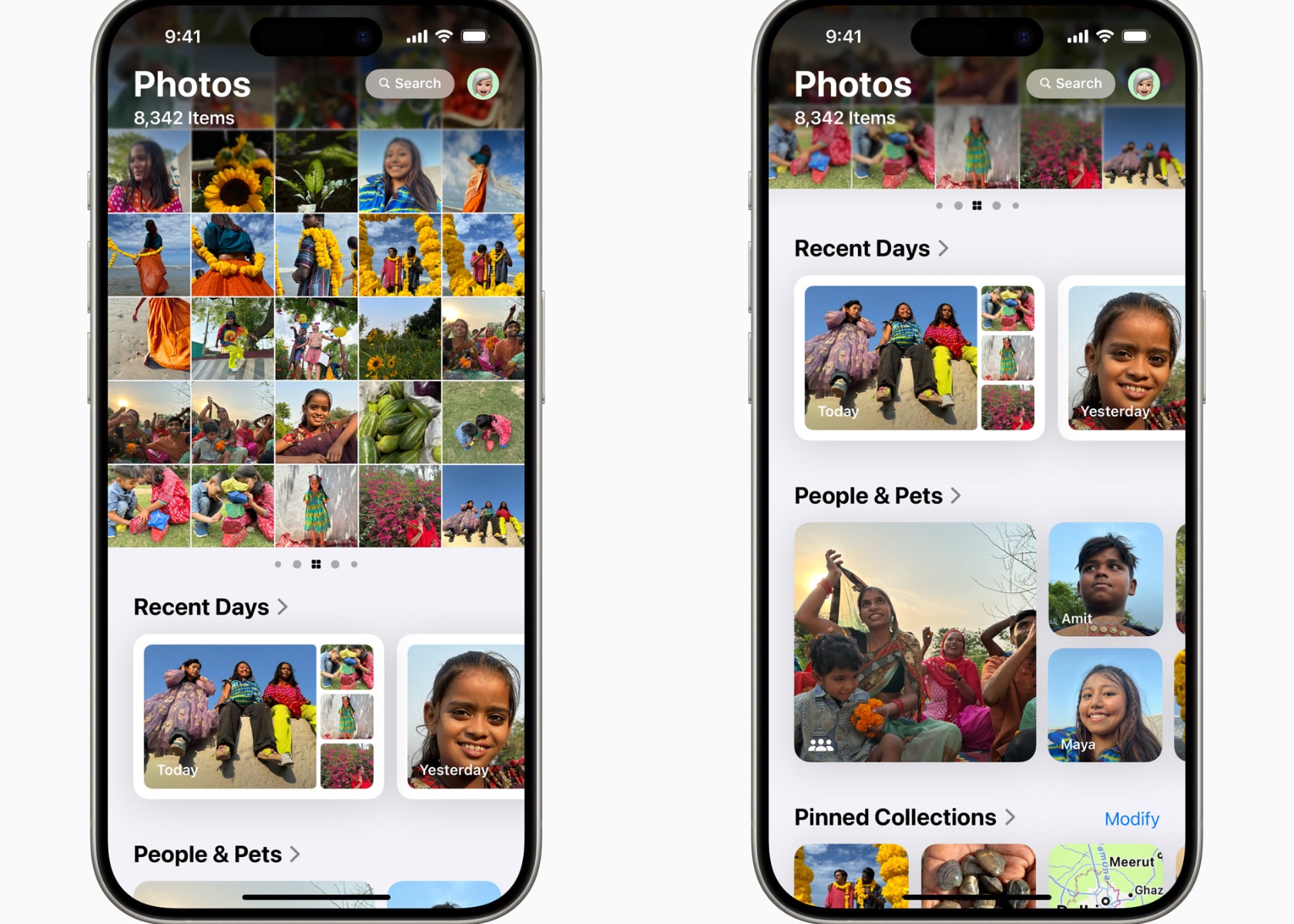
The Photos app has received a usability enhancement by adding a Select button for a more accessible selection of multiple images, eliminating the need to swipe down. The Search button has also been updated to a blue-highlighted magnifying glass, improving visibility and ease of use.
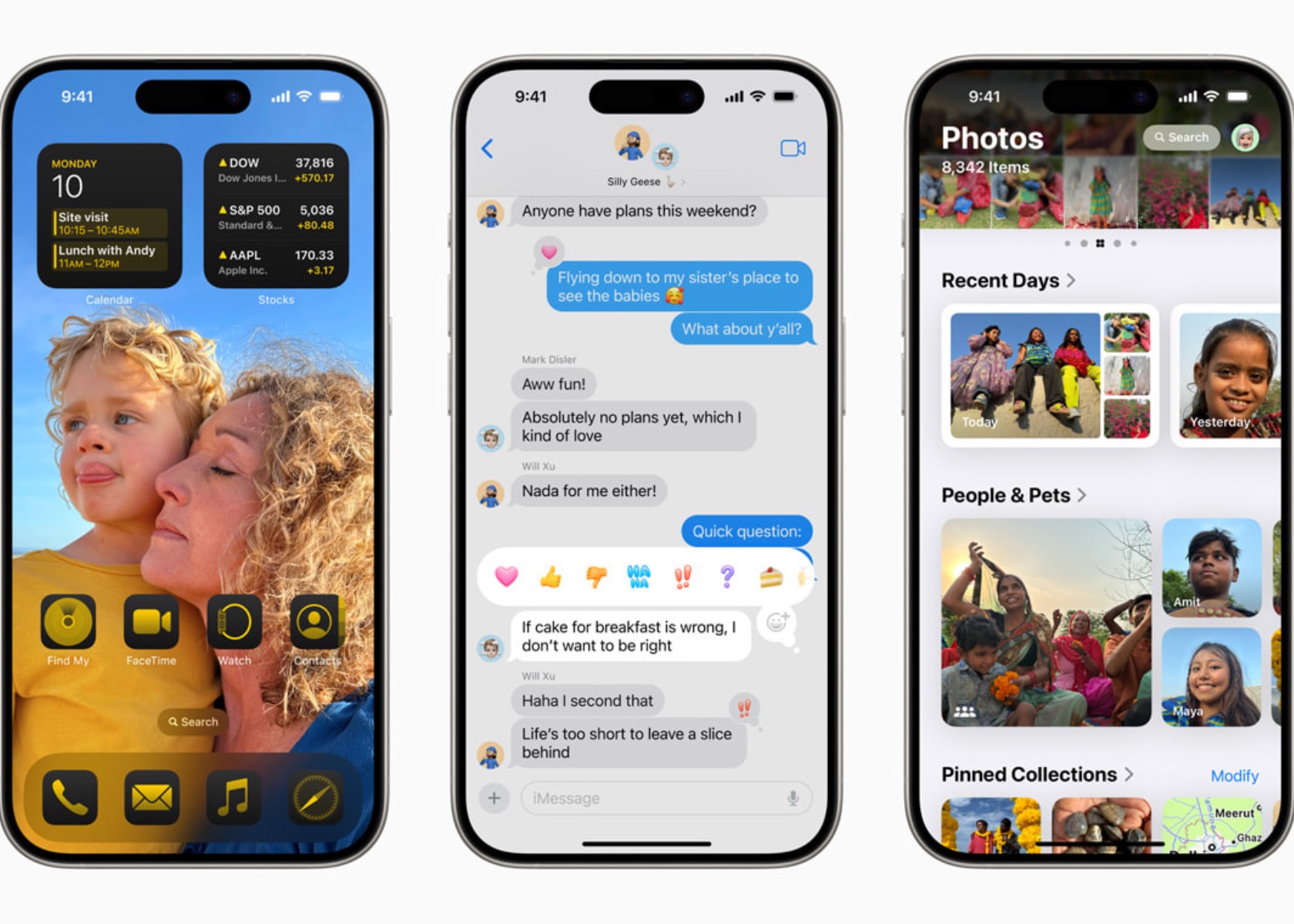
Messages have undergone significant changes, particularly in its emoji and sticker interface. The new design combines emoji, Memoji, and stickers into a single interface, navigable through small icons at the bottom of the display. Users can create and use stickers directly in messages, with non-moving stickers displayed similarly to emojis. Emojis are now shown larger, providing more detail but requiring more scrolling to see additional characters. These enhancements pave the way for the introduction of Apple Intelligence, including features like Genmoji and Image Playground.
Apple has also added a dynamic wallpaper option that transitions through different colors based on the time of day, making iOS 18 visually engaging. The flashlight interface has been refined, offering a more extensive and intuitive control for adjusting brightness and LED flash spread when activated from the Dynamic Island.
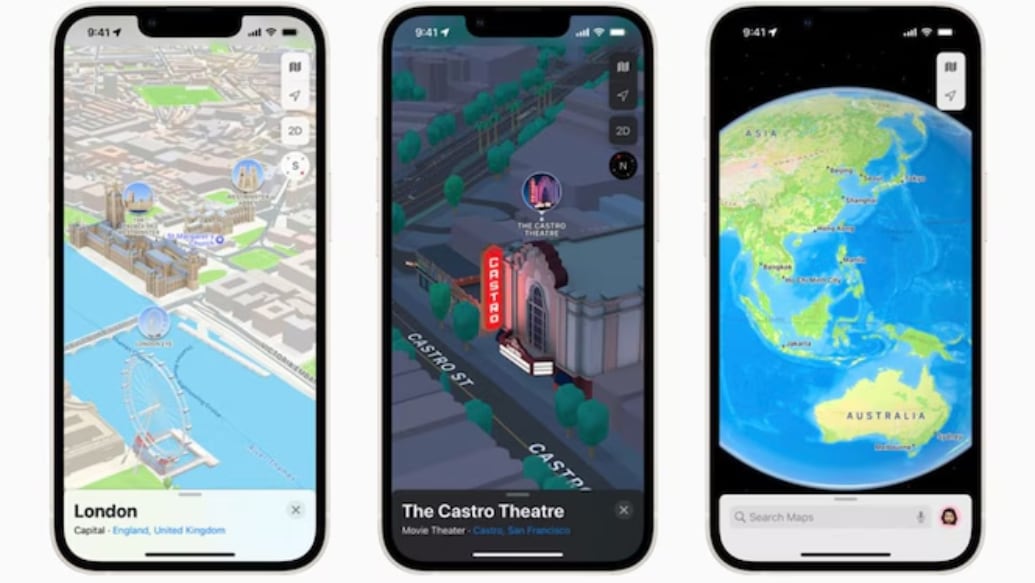
The Maps app continues to receive tweaks, particularly its icon colors, when Dark Mode is enabled, ensuring a consistent and seamless user experience. Additionally, the interface for RCS in the Messages settings has been updated to a tap-in menu that provides more context, such as the use of wireless data and the sharing of cellular network identifiers with carriers.
Hints of Apple Intelligence are becoming more apparent, with code references to features like Genmoji, Image Playground, Writing Tools, and Image Wand. These forthcoming AI enhancements are expected to significantly augment the capabilities of iOS 18, offering users a smarter, more responsive experience.
iOS 18 beta 3 is a clear sign that Apple is committed to making its operating system better and more user-friendly with every update. This release shows how Apple listens to feedback and continues to refine features, fix bugs, and add new capabilities to ensure users have a smooth and enjoyable experience with each new version.
It has finally happened. Microsoft’s text editor Notepad just got a spellcheck feature, more than 40 years after the software launched in 1983. For the history buffs, Ronald Reagan was still president in 1983 and Ghostbusters, then called Ghost Smashers, was an unmade script set to star Eddie Murphy. It was a long time ago.
Microsoft just rolled out the new spellcheck tool to the Notepad app in Windows 11 and it works how one would expect. It automatically checks spelling errors. The company began testing the feature, to whatever extent it required testing, back in March and now it has been quietly updating the software these last few days, as reported by The Verge.
Specifically, the feature works nearly the same as it does in Word or Edge. Misspelled words are highlighted via a red underline. When you right-click on the misspelled word a couple of times, you get a list of correct spelling options to change to. Microsoft has also added autocorrect to the mix, which automatically fixes errors. You get the gist. It’s 2024.
One interesting aspect, however, is that you can disable spellcheck on the basis of file type in Notepad via the settings menu. In other words, you can toggle the feature off for file types like .md or .srt. It’s automatically disabled with file types associated with coding, like log files. Also, it takes an extra click on Notepad to replace a spelling error when compared to Word. As for Word, it first got a spellcheck in 1985. Ronald Reagan was still president and Ghostbusters had just proven itself to be a massive hit.
Nike is discontinuing its self-lacing Adapt BB sneakers and providing a case in point of what can happen to tech that relies on apps. First announced in 2019, the sneakers used a Back to the Future II style power-lacing system called FitAdapt that was adjustable either manually or with an app. Now, the company will no longer make new Adapt shoes and is retiring the Nike Adapt App, it announced in a help document spotted by The Verge.
"After five years, we’re retiring the Adapt App and removing it from the Apple and Android app stores, globally, on August 6, 2024," the page states. "Don’t worry, your Adapt shoes will continue to work without the app. See below for more information about the retirement of the Adapt App."
A FAQ goes on to state that the Adapt app "should continue to function" follow its removal, if you already have it installed. You won't be able to move it to a new device, though, and future iOS updates may limit or end functionality.
Nike goes on to state that if the app is removed, the shoes will retain the last light color selected. Features still available without it include power on, check battery status, adjust your fit, save your fit, unlace shoes and power off.
Perhaps the biggest loss with the end of Adapt is in accessibility, as the shoes were marketed in part as a way to make shoe tying easier for people with limited mobility. It also shows the danger of tying functionality of physical technology to custom apps — once the app loses support, the product gets a lot worse and there's not much you can do about it.
This article originally appeared on Engadget at https://www.engadget.com/nike-is-killing-the-app-for-its-futuristic-adapt-bb-sneakers-120039424.html?src=rss
Nike is discontinuing its self-lacing Adapt BB sneakers and providing a case in point of what can happen to tech that relies on apps. First announced in 2019, the sneakers used a Back to the Future II style power-lacing system called FitAdapt that was adjustable either manually or with an app. Now, the company will no longer make new Adapt shoes and is retiring the Nike Adapt App, it announced in a help document spotted by The Verge.
"After five years, we’re retiring the Adapt App and removing it from the Apple and Android app stores, globally, on August 6, 2024," the page states. "Don’t worry, your Adapt shoes will continue to work without the app. See below for more information about the retirement of the Adapt App."
A FAQ goes on to state that the Adapt app "should continue to function" follow its removal, if you already have it installed. You won't be able to move it to a new device, though, and future iOS updates may limit or end functionality.
Nike goes on to state that if the app is removed, the shoes will retain the last light color selected. Features still available without it include power on, check battery status, adjust your fit, save your fit, unlace shoes and power off.
Perhaps the biggest loss with the end of Adapt is in accessibility, as the shoes were marketed in part as a way to make shoe tying easier for people with limited mobility. It also shows the danger of tying functionality of physical technology to custom apps — once the app loses support, the product gets a lot worse and there's not much you can do about it.
This article originally appeared on Engadget at https://www.engadget.com/nike-is-killing-the-app-for-its-futuristic-adapt-bb-sneakers-120039424.html?src=rss