How to find an affordable GPU during the great RAMageddon of 2026

If you're thinking about upgrading to a new graphics card this year, your window for doing so at MSRP has closed. When I first reported on this at the start of December, things were looking bleak but you could still find GPUs from both AMD and NVIDIA at close to their recommended prices. That changed last week when YouTube channel Hardware Unboxed reported that ASUS had stopped producing the RTX 5070 Ti and 5060 Ti 16GB due to ongoing memory shortages. 

After Engadget published the news, NVIDIA disputed the report. “Demand for GeForce RTX GPUs is strong, and memory supply is constrained. We continue to ship all GeForce SKUs and are working closely with our suppliers to maximize memory availability,” a company spokesperson told us. 

The next day, ASUS walked back its previous statements. After “explicitly” telling Hardware Unboxed it had placed the 5060 Ti 16GB and 5070 Ti into "end-of-life status," the company said "certain media may have received incomplete information from an ASUS PR representative regarding these products," adding it had "no plans to stop selling these models."  

Whether or not the 5060 Ti 16GB and 5070 Ti remain in production, one thing is certain: the AI boom has created a great deal of uncertainty in the GPU market. After the news, panic buying sent the price of the 5070 Ti through the roof. Right now, it's impossible to find that model priced at its MSRP of $749. As of the writing of this article, the most affordable version of the 5070 Ti I could find on Newegg was $1,199. 

The bigger problem is that the 5070 Ti isn't the only GPU selling for far more than MSRP. Tom's Hardware has been tracking GPU prices for months, and there's not a single model you can buy at either AMD or NVIDIA's recommended price. That puts PC builders in a tough spot. What do you do if you want to upgrade to a new graphics card this year? 

If you're sitting on an older GPU, the best advice I can give is to stick with your current hardware. If you're fine with the performance of your video card right now, it's best to wait a year or two for the market to settle down.

On the other hand, if your current GPU is not up to the task of running the games you want to play, try to buy a card with at least 12GB of VRAM — preferably 16GB if your budget allows for it. Unless you plan to play mostly older games on a 1080p monitor, it's not worth considering a model with 8GB of VRAM — it won't last you long enough to warrant the purchase price. 

For the most part, the recommendations in Engadget's recent GPU guide are still as relevant today as they were a few months ago. The recommendations I provide here are pulled from that guide and are grouped from most affordable to most expensive. Where possible, I've tried to find options from both Newegg and Amazon. As you go about looking for a new GPU, your best friend is a website like PCPartPicker where you can track pricing across multiple retailers.  

The Radeon RX 9060 XT 16GB is the best mainstream option right now.
Devindra Hardawar for Engadget

Unfortunately if you're on a tight budget, there aren't many great options under $400. For that reason, I would steer you to the Radeon RX 9060 XT as the best "entry-level" option. AMD offers two different versions of this GPU: one with 8GB of VRAM and the other with 16GB. Of the two, the latter is the better purchase, but if it's outside your budget, the more affordable model is probably the best 8GB GPU on the market right now.

While I couldn't find the 16GB variant at its recommended price of $350, I did find a few models that weren't far off. Newegg has options from ASRock and Sapphire priced at $400 and $450. At Amazon, meanwhile, you can find models from PowerColor for $400 and $430.     

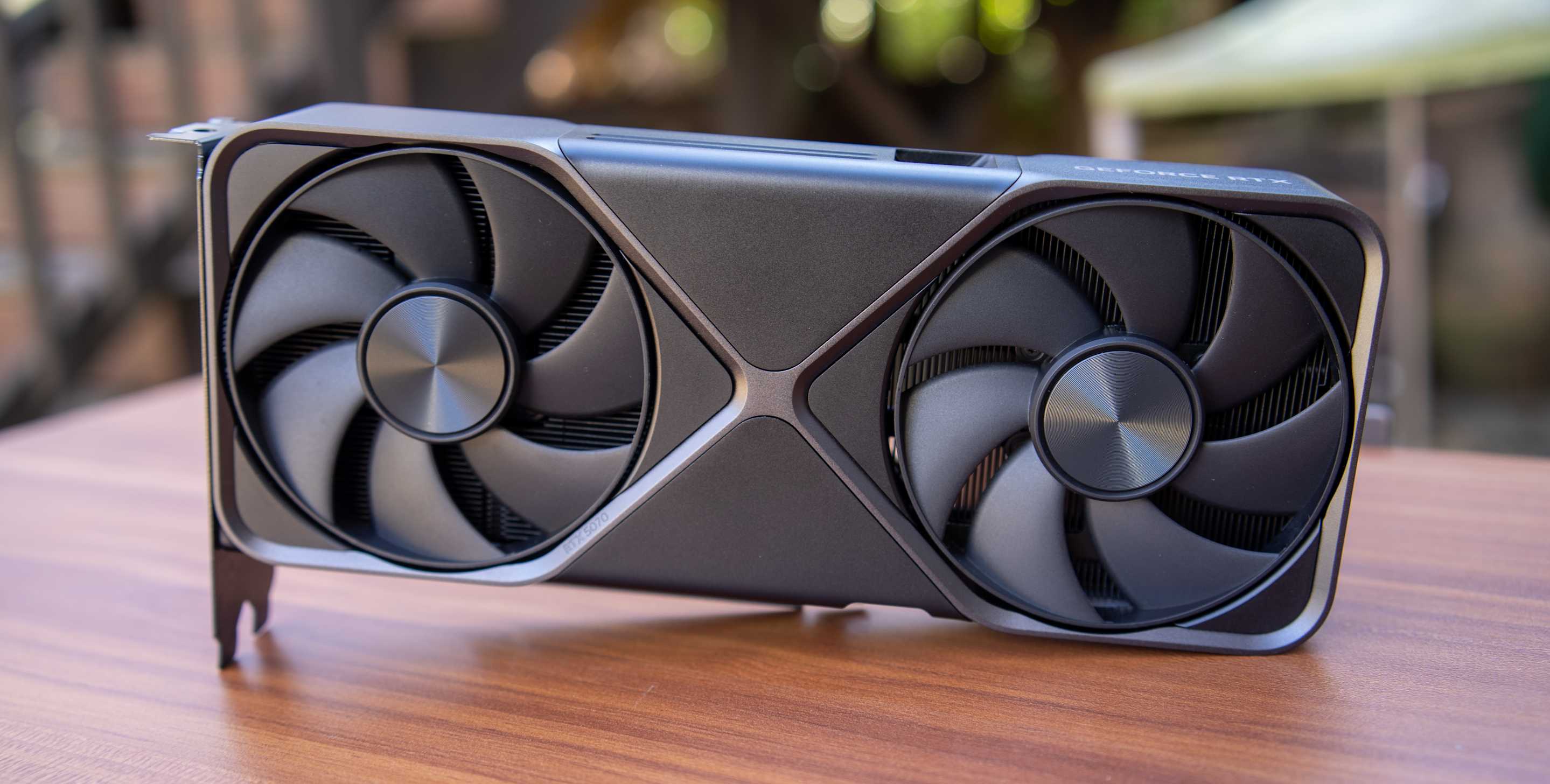
A Founders Edition NVIDIA RTX 5080 sits on a wood desk.
Devindra Hardawar for Engadget

I'm somewhat hesitant to recommend the RTX 5070. Don't get me wrong, it's a decent enough card, but with only 12GB of VRAM, you may end up replacing it sooner than you think. That said, it's one of the few NVIDIA GPUs that hasn't shot up massively in price, and I suspect that's because people have been passing it over in favor of other 50-series models. If you value NVIDIA's feature set over raw frames, then the 5070 is about the only GPU that makes sense to buy from the company right now.    

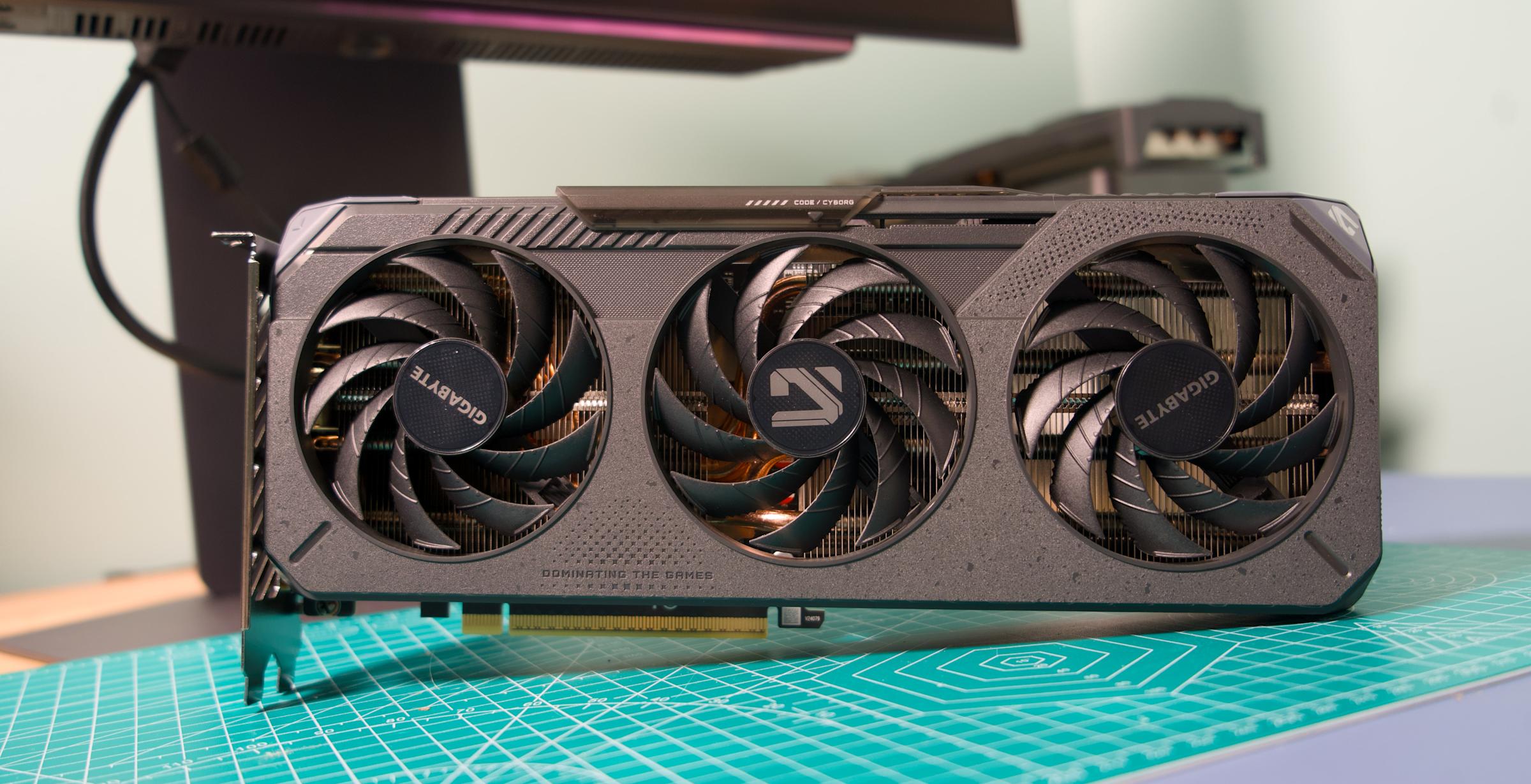
On Newegg, I found a 5070 model from Gigabyte for $650. The retailer also has a handful of different MSI variants priced at $630. Amazon has fewer options, but it does have one 5070 from Gigabyte for $585, which is the closest to the card's $549 MSRP.    

If you're a fan of Team Red, the Radeon RX 9070 and 9070 XT are among the best cards of this generation.
Devindra Hardawar for Engadget

For a card that offers better price-to-performance than the 5070, the Radeon RX 9070 is your best bet. AMD's take on NVIDIA features like DLSS aren't as polished, but the RX 9070 offers more VRAM and excellent performance across the latest AAA games. 

It's unlikely you'll find one at its MSRP of $550, which was always more of an aspirational price, but I found a few models priced between $590 and $640. Both Newegg and Amazon have a PowerColor model for $590. The two also have a Gigabyte model priced at $600 after $40 rebate with coupon.      

For those with more to spend, the RX 9070 XT is probably where I would cap things. Beyond that, you're looking at GPUs like the 5080 that cost far more than MSRP. On Newegg, I found a model from ASRock selling for $730. Amazon, meanwhile, has options from Gigabyte and ASUS for $720. None of those are great deals, but that's to be expected with a card that's at the top of the stack.    

This article originally appeared on Engadget at https://www.engadget.com/gaming/pc/how-to-find-an-affordable-gpu-during-the-great-ramageddon-of-2026-130000654.html?src=rss



Snapchat gives parents more info on who their kids are talking to

Snapchat is updating its parental control features to give parents more detailed information about who their kids are connecting with in the app and which features they use the most. The app's Family Center already gives parents visibility into their child's friend list, but it will now surface contextual details when a new friend is added.

For example, the feature could highlight that the two share mutual friends or have each other's contact info saved in their phones. It could also indicate that they are classmates if both users have joined the same in-app “community.” If the two have no commonalities, then that could be a sign for a parent to "start a productive conversation," Snap says. 

The company has long been criticized for making it too easy for teenagers to talk to strangers. The issue has come up in safety-related lawsuits, including an ongoing case brought by New Mexico's Attorney General. Snap says that adding additional "trust signals" to its parental control features "make it easier for parents to understand new connections and have greater confidence that their teen is chatting with someone they know in real life."

The update is also adding more granular stats about how exactly teens are spending their time in the app. Family Center's screen time dashboard now includes a breakdown of how much of their time spent in the app is in its messaging, camera, map or shortform video features. It will still be up to parents to decide what, if any, limits they want to put on their teens. But at a time when there's increasing conversation around banning teens from social media entirely, having access to more stats could better help parents understand their kids' relationship with Snapchat.

This article originally appeared on Engadget at https://www.engadget.com/social-media/snapchat-gives-parents-more-info-on-who-their-kids-are-talking-to-120000077.html?src=rss

X is also launching Bluesky-like starter packs

X is rolling out a new feature called “Starterpacks” to all users in the coming weeks, the company’s head of product has announced. It’s made up of compilations of accounts new users can follow based on their interests. If that sounds familiar, it’s because Bluesky launched a very similar feature that’s also called “starter packs” back in 2024. Bluesky allows ordinary users to curate their own packs as long as each one doesn’t exceed 50 accounts. They can then share those lists broadly on the platform or directly with new users via QR code. X, on the other hand, compiled and curated its own lists.

In his announcement, X head of product Nikita Bier said the company “scoured the world for the top posters in every niche and country.” X then compiled them into Starterpacks “to help new users find the best accounts — big or small — for their interests.” Before X announced its own take on the feature, other social media services had already launched their clones of Bluesky’s tool. Threads’ version, which rolled out in late 2024, puts collections of recommended profiles as suggestions in the feeds of new users. Mastodon launched its own in 2025, which gives existing users the freedom to choose whether they can or can’t be included in the lists.

This article originally appeared on Engadget at https://www.engadget.com/social-media/x-is-also-launching-bluesky-like-starter-packs-050057033.html?src=rss

X is also launching Bluesky-like starter packs

X is rolling out a new feature called “Starterpacks” to all users in the coming weeks, the company’s head of product has announced. It’s made up of compilations of accounts new users can follow based on their interests. If that sounds familiar, it’s because Bluesky launched a very similar feature that’s also called “starter packs” back in 2024. Bluesky allows ordinary users to curate their own packs as long as each one doesn’t exceed 50 accounts. They can then share those lists broadly on the platform or directly with new users via QR code. X, on the other hand, compiled and curated its own lists.

In his announcement, X head of product Nikita Bier said the company “scoured the world for the top posters in every niche and country.” X then compiled them into Starterpacks “to help new users find the best accounts — big or small — for their interests.” Before X announced its own take on the feature, other social media services had already launched their clones of Bluesky’s tool. Threads’ version, which rolled out in late 2024, puts collections of recommended profiles as suggestions in the feeds of new users. Mastodon launched its own in 2025, which gives existing users the freedom to choose whether they can or can’t be included in the lists.

This article originally appeared on Engadget at https://www.engadget.com/social-media/x-is-also-launching-bluesky-like-starter-packs-050057033.html?src=rss

Marshall’s new Heddon hub adds multi-room audio to speakers with Auracast

Marshall plans to add seamless multi-room audio to its Bluetooth speakers via a newly announced music streaming hub called Heddon. The $300 hub makes it possible to connect and synchronize multiple older Marshall speakers together, not unlike Sonos' audio devices.

Rather than use Wi-Fi to get multiple speakers playing the same audio, though, the Marshall Heddon uses Auracast. The hub connects to services like Spotify Connect or Tidal over Wi-Fi, or other devices through Google Cast and AirPlay, and then shares that audio over Auracast to the Marshall Acton III, Stanmore III and Wobrun III speakers. You can control playback over a connected Marshall app and the Heddon also has RCA ports to connect other speakers or a record player to the system.

Because the Heddon requires a Wi-Fi connection, Marshall says it could add features to the system over-time, but even in the short term, the hub should meaningfully extend the life of the company's speakers. Rather than switch to newer models with built-in Wi-Fi, you can just grab a Heddon. Sonos offers similar functionality through its Sonos Port and Sonos Amp accessories, and third-party hubs from companies like WiiM can add even more options. The Marshall Heddon is more streamlined in comparison, but if you're already invested in the company's speakers, or planning to build out your audio system with them, the hub could be a helpful tool to have.

The Marshall Heddon is available to purchase now for $300. Marshall says that customers purchasing an Acton III, Stanmore III or Woburn III can get a Heddon at half price, and the hub is included for free when you buy two or more eligible Marshall home speakers.

This article originally appeared on Engadget at https://www.engadget.com/audio/marshalls-new-heddon-hub-adds-multi-room-audio-to-speakers-with-auracast-210500811.html?src=rss

Apple is reportedly overhauling Siri to be an AI chatbot

Apple has been spinning its wheels for many months over its approach to artificial intelligence, but a strategy finally appears to be emerging for the company. Bloomberg's Mark Gurman reported today that Apple's long-awaited Siri overhaul will allegedly involve transforming the voice assistant into an AI chatbot, internally called Campos. 

Sources have reportedly told Gurman that Apple chatbot will completely replace the current Siri interface in favor of a more interactive model similar to those used by OpenAI's ChatGPT and Google's Gemini. He also cited sources who claimed that while Apple has been testing a standalone Campos app, the company doesn't plan to release it for customers. Instead, the new chatbot will emphasize deep software integrations when it rolls out, reportedly as part of the iOS 27, iPadOS 27 and macOS 27 wave late next year. However, there will reportedly be a new features for the current iteration Siri coming in the iOS 26.4. Those additions will include the much-delayed updates Apple first promised for the platform back in 2024.

Pivoting to a chatbot gives some additional context to Apple's recent move to collaborate with frequent rival Google; the companies announced earlier in January that Gemini models will be used to power the upcoming versions of Siri. Gemini has become ubiquitous in the Google ecosystem, and it makes sense for Apple to leverage outside help in this segment where it has already been trailing its competitors

 Although Apple may not have a standalone app for its Siri chatbot, the company does appear to be considering new places to host its AI resource. Additional reports today claimed that 2027 could also see the release of a wearable AI pin.

This article originally appeared on Engadget at https://www.engadget.com/ai/apple-is-reportedly-overhauling-siri-to-be-an-ai-chatbot-205303818.html?src=rss

Apple is reportedly developing a wearable AI pin

Apple will reportedly try to succeed where Humane failed (miserably). On Wednesday, The Information reported that the iPhone maker is working on an AI pin. The wearable is said to resemble a slightly thicker AirTag and include multiple cameras, a speaker, microphones, and wireless charging.

The report coincides with another from Bloomberg that claims that Apple will revamp Siri as a ChatGPT-style chatbot. When combined with the recent announcement that Google's Gemini will power Siri AI, it looks like the company is finally making a more defined play for a piece of the generative AI pie. On the other hand, the wearable pin is reportedly only in the very early stages and could still be canceled.

The pin is described as a thin, flat, circular disc with an aluminum and glass exterior. It includes two cameras (standard and wide-angle) for taking photos and videos of the user's surroundings. It also has three microphones. It includes a speaker and a physical button along one edge. It has a magnetic inductive charging interface, similar to the Apple Watch's charging mechanism.

Given the way Apple markets itself as a privacy-focused company, it will be interesting to see how the company pitches the public on what sounds like an incognito recording device. Although on that note, the App Store still hosts the Grok app, which egregiously violates privacy by generating nearly-nude deepfakes of real people — despite Apple's rules explicitly prohibiting such apps.

The Information says Apple could release its AI pin as early as 2027. The company sounds confident in the device's appeal, as it reportedly plans to produce around 20 million units at launch.

This article originally appeared on Engadget at https://www.engadget.com/wearables/apple-is-reportedly-developing-a-wearable-ai-pin-204705065.html?src=rss

Microsoft ports the Xbox app to Arm-based Windows PCs

Microsoft has announced that the Xbox app is now available on all Arm-based Windows 11 PCs. The app's release follows an update Microsoft made to its Prism emulator in December 2025, which translates x86 and x64 apps to Arm, and now includes support for AVX and AVX2. Both extensions play a role in making games run efficiently on Windows.

Windows on Arm users will be able to use the Xbox app to purchase, download and stream PC games, and Microsoft says that "more than 85 percent of the Game Pass catalog" now runs on Arm PCs. Unlike Valve's SteamOS, Windows on Arm also supports anti-cheat software like Epic's Easy Anti Cheat, which means you can access a wider library of online multiplayer games in comparison to what you can get on the Steam Deck.

Microsoft has been working on getting Windows running on Arm for years at this point, and the company made a major push with its own Arm-based hardware and the launch of the Copilot+ PC program in 2024. Many Copilot+ PCs use Qualcomm's Snapdragon chips, the latest of which the company announced in September 2025. Up until this point Microsoft's handheld efforts have been focused on PCs running AMD chips, but expanded support for Arm and Qualcomm's own teases certainly makes it seem like an Arm-based Windows 11 handheld could be announced sooner rather than later.

This article originally appeared on Engadget at https://www.engadget.com/gaming/pc/microsoft-ports-the-xbox-app-to-arm-based-windows-pcs-191049475.html?src=rss

Sony LinkBuds Clip review: Open-fit benefits aren’t enough to stand out

I vividly remember when Bose announced the Ultra Open Earbuds. While I applauded the company for trying something different, I wasn’t sure if the clip-on design would take hold. Well, here we are almost two years later and most earbud makers now have something akin to Bose’s fashion experiment. You can now count Sony among those as the company revealed its LinkBuds Clip ($230) open-fit earbuds today. 

These aren’t the first open-wear earbuds in Sony’s LinkBuds lineup. The company has two generations of the LinkBuds Open (originally called just LinkBuds) under its belt, giving users a more traditional earbud fit with donut-shaped drivers that let ambient sounds in. Now Sony is taking a cue from Bose and others with a clip-on design that attaches securely and comfortably to the ear while leaving the ear canal unobstructed. It’s clear companies believe customers like this type of earbuds, but Sony’s challenge is to make the LinkBuds Clip unique among the growing list of alternatives.

Sony isn’t offering anything distinctive in terms of design here, but that’s okay. To be fair, I haven’t seen too much innovation in terms of aesthetics in these clip-on-style earbuds. For the most part, they all have similar shapes: two cylindrical cases connected by short, flexible cable. True to its predecessors, Sony put the drivers in a squatty housing while the bulk of the components are in a larger one that sits behind your ear lobe. 

Sony kept the weight of the LinkBuds Clip low, and it avoided the bulk of the Ultra Open Earbuds. Both of these factors contribute to a very comfortable fit, so the IPX4-rated earbuds can be easily worn all day without becoming a burden. And while I didn’t need them, Sony includes a pair of flexible silicone “fitting cushions” in the box. These clip on to the short, flat cable of the newest LinkBuds for a more secure fit. During my tests, the LinkBuds Clip stayed in place just fine without them, but there also wasn’t any decreased comfort when I did install them. 

The last design-related item I’ll mention is the touch controls. On the LinkBuds Clip, the flat connector between the two housings accepts taps for playback controls, volume changes, cycling through sound modes and more. You can tap along this area to make an adjustment, and you don’t have to do so right in the center. The LinkBuds Clip were pleasantly responsive during this review, quickly completing the task without delay or repeated taps. That is, except for volume, because you have to keep tapping for that change to happen. 

Controls are situated along the connector between the two cylindrical housings
Billy Steele for Engadget

Sony typically throws a whole host of features at its earbuds. Even though they’re technically the company’s midrange line, the LinkBuds family has a robust set of conveniences that make them well suited for both productivity and leisure. Unfortunately, the LinkBuds Clip doesn’t have as much to offer here. The company gives you the basics, like the ability to fine-tune the tap controls or customize the EQ, and there’s even the Adaptive Audio tool that lets you customize settings based on activity or location (Sony calls them “scenes”). But there are some handy features I’ve come to expect from Sony that are notably absent. 

The LinkBuds Clip doesn’t support speak-to-chat, Sony’s voice recognition feature that pauses audio and activates ambient sound when you start talking. Quick attention mode, the tool that lowers the volume and lets in ambient sound for brief chats, isn’t here either. These earbuds don’t even have wear detection, and you have to settle for regular ol’ DSEE audio upscaling instead of an enhanced version of that tech.  

Sony did equip the LinkBuds Clip with unique listening modes meant to enhance the audio performance in two scenarios. First, Voice Boost increases the volume of voices when you’re on a call or listening to podcasts or audiobooks. The company says this is designed for noisy environments where the ambient sound is overly raucous. During my testing, I found the setting to be an extreme treble boost and volume increase — something that’s definitely not well-suited for music. 

Next, Sound Leakage Reduction dials back high-pitched tones to avoid annoying your neighbors in the office or coffee shop. To me, this is the opposite of Voice Boost, removing the highs for a more mid- and bass-heavy tuning, but it doesn’t sound very good compared to the default setting. Plus, my family wasn’t really able to hear any leakage on the LinkBuds Clip anyway, unless I had the volume cranked uncomfortably high. I’ll also note that any EQ customization/presets and DSEE upscaling are only available in Standard (default) listening mode. 

The LinkBuds Clip have both noise reduction and bone conduction tech for calls
Billy Steele for Engadget

Open-fit earbuds typically struggle to muster adequate low-end tone, and the LinkBuds Clip meets the same fate. However, it’s not all bad in the audio department as these earbuds have great clarity and provide a solid soundstage so overall quality doesn’t suffer to the point of being unpleasant. The lack of bass is most apparent in booming genres, like hip-hop and synth-heavy electronic tunes. 

The LinkBuds Clip doesn’t fare much better with more chaotic music styles like rock and metal. Spiritbox’s “Holy Roller” doesn’t have the depth that it does on closed-fit earbuds like the AirPods Pro 3 or over-ear headphones like Sony’s WH-1000XM6. As such, the band’s songs aren’t nearly as immersive or impactful without adequate amounts of bass. So if pristine, enveloping sound quality is your primary aim, you’ll want to look elsewhere, and you’ll want to tread carefully with any other open-type earbuds. 

The open nature of the LinkBuds Clip makes them well-suited for calls. Since your ears aren’t plugged, you can clearly hear your own voice so you never feel like you need to shout. Sony says these earbuds have AI noise reduction and a bone conduction sensor for voice pickup, both of which are supposed to keep you sounding good. During the course of this review, I found the background noise reduction worked well without making me sound overly processed. However, the overall voice quality is average at best, which means you can get by with using these for calls, but there are better options if you really value clarity here.   

When it comes to battery life, Sony says you can expect up to nine hours of use on a charge with up to 37 hours when you factor in the case. That means the LinkBuds Clip alone is enough to get you through a full workday, especially if you’re pausing for the occasional office chat or in-person meeting. And you’ll get more if you’re docking the earbuds in their case once or twice a day. If you do find yourself with a depleted battery though, a three-minute charge will give you an hour of play time. 

In multiple attempts at a full, nine-hour run down, I wasn’t able to hit Sony’s stated figure. In Standard mode with DSEE upscaling set to automatic and volume at about 60-70 percent, the LinkBuds Clip lasted just over six hours. This timeframe included a mix of music, podcasts and calls — typical work day activities.

The including "fitting cushion" (left) can help with a secure fit
Billy Steele for Engadget

Based on my testing, the Bose Ultra Open Earbuds are still the best in this emerging clip-on category. However, they’re the bulkiest and the most expensive at $299. While they offer all the perks of open wear, sound quality can vary based on how they fit your ears and the lack of multipoint Bluetooth could be a deal breaker for some. 

If you’re hoping to pay less than either Bose or Sony, Anker’s Soundcore line offers the AeroClip for $170. Or if you’re truly ballin’ on a budget, JLab has the Flex Open Earbuds that are now just $40. JBL just announced a new $150 set during CES too, but those won’t be available until March. I’ve only given these two a casual listen without any in-depth testing, so I won’t make a definitive call on which one stacks up best against the LinkBuds Clip. But they’re also just three of currently available options, and there are many more if none of these seem compelling. 

The LinkBuds Clip expands Sony’s midrange lineup with a completely different design that comes with inherent perks. They’re plenty comfortable and exploit the benefits of open-type designs while doing basic earbud functionality well. Subpar bass performance and the omission of some of Sony’s more attractive features (and even some basic ones) mean the company hasn’t done enough to distinguish the Clip from the competition in an obvious way. Sure, these earbuds work as intended without being flashy or overly complicated, but there are plenty of other options that do that too.

Update, January 21 2026, 4:45PM ET: After conducting additional battery testing, I still wasn’t able to meet the nine hour figure Sony promises. Due to this, I’ve adjusted the score from a 72 to a 70 to reflect the performance in this area. I’ve also updated the battery life section with more detailed impressions.

This article originally appeared on Engadget at https://www.engadget.com/audio/headphones/sony-linkbuds-clip-review-open-fit-benefits-arent-enough-to-stand-out-160000140.html?src=rss

The 512GB Samsung P9 microSD Express card is 33 percent off

If you're looking to expand the storage on your Switch 2, the 512GB Samsung P9 microSD Express card is on sale right now for 33 percent off, marked down to $80 from $120. With component prices skyrocketing these days, it's getting increasingly rare to see good storage on sale, and 512GB for $80 is a much better deal than you'll currently find directly from Nintendo.

The P9 boasts transfer speeds of up to 800MB/s, making moving games to the card that much faster. As for load times, in our testing we found that any microSD Express, the standard the Switch 2 requires, will offer roughly the same performance. This format is pretty new, so there aren't a ton of cards on the market. As such, the P9 makes our list of best microSD cards for the Nintendo Switch 2.

The P9 microSD Express is also compatible with the Steam Deck or any other gaming console that accepts the format, as well as cameras and more.

Follow @EngadgetDeals on X for the latest tech deals and buying advice.

This article originally appeared on Engadget at https://www.engadget.com/deals/the-512gb-samsung-p9-microsd-express-card-is-33-percent-off-143849572.html?src=rss