The iPad and Blackmagic’s Micro Color Panel make strange bedfellows

With the current rebellion against Adobe’s subscription model, folks are taking a hard look at Blackmagic Design’s DaVinci Resolve Studio. And many like what they see. It’s arguably more powerful than Adobe’s Premiere Pro, offering better color correction tools along with built-in effects and audio apps. Best of all, it’s free (though you can pay $300 to upgrade to the Studio version).

To make it more practical for those editing on the go, Blackmagic introduced an iPad version in late 2022 with the Cut (editing) and Color pages, but no effects or audio apps. The idea was to offer creators a way to edit or color-correct on the road, with everything syncing up via Blackmagic Cloud. It was also a good option for those who prefer to work on mobile devices.

Earlier this year, Blackmagic introduced the $509 Micro Color Panel that gave users tactile control for color correction, just like the highly paid colorists in Hollywood. Better still, it can be used with Resolve on iPad, so you can click, dial and roll in a precise manner, rather than pawing inaccurately on a touch display.

DaVinci Resolve for iPad and the Micro Color Panel are cool separately
Steve Dent for Engadget

I love control surfaces, so I was eager to test the Micro Color Panel with my iPad Air M2 to see how they work together. At the same time, I wanted to try out Blackmagic’s Cloud to share projects on multiple devices.

You get two installs with DaVinci Resolve Studio, so I used my desktop key to install it on my iPad Air M2. Blackmagic recommends an iPad with an M1 or later processor, and though it will work with earlier iPads, you may be restricted to HD and features will be limited.

Blackmagic provided me with a free trial of its Cloud service so I could transfer projects from my desktop over to the iPad. That normally costs $5 per month per library, which gives you 500GB of storage and unlimited projects that can be shared with up to 10 collaborators.

You can easily share timelines, effects, metadata and media. To transfer files, you can either connect a USB-C drive or share full or proxy media (smaller versions of your video clips) on Blackmagic Cloud. That requires a fast connection — both to upload and download — but once that’s done, they live locally on your iPad. Any new media files are automatically synced to the Cloud.

DaVinci Resolve for iPad and the Micro Color Panel are cool separately
Steve Dent for Engadget

The downside of DaVinci Resolve on an iPad is the clumsy touch-based interface, especially for color correction – but that’s where the Micro Color Panel comes in. Blackmagic has a rich history of building such controllers for professional use, but the new model is its smallest and cheapest to date.

Though diminutive compared to the $859 version, the new Micro Panel still oozes quality. Its black finish can draw some dust but otherwise looks professional. The buttons light up to help you find them in a dark studio, but the labels on the dials don’t, so they can be hard to read.

The panel comes with its own battery that gives you about 15 hours on a charge. Though you can use USB-C to connect to PCs or Macs, iPads only support Bluetooth, with USB-C reserved for charging.

After pairing the Micro Control Panel to your iPad, you need to enable it in DaVinci Resolve’s preferences. Then, you can slide your iPad into the slot on the back and you’re ready to work.

DaVinci Resolve for iPad and the Micro Color Panel are cool separately
Steve Dent for Engadget

To be clear, the Micro Control Panel is not designed for editing — it’s strictly for color correction. To that end, it mirrors the interface of DaVinci Resolve’s Color Page. The main controls are for “Lift” (black levels), “Gamma” (contrast) and “Gain” (overall brightness).

Those wheels and dials offer nice levels of resistance and accuracy, compared to the Loupedeck+ and other types of control surfaces I’ve tried. They're used for things like shadows, highlights and saturation, while the buttons let you view the image full screen, move from clip to clip, add keyframes and more.

The tactile experience is a strong selling point of the Micro Control Panel, but there’s a catch-22 using it with the iPad. At home, I’d be likely to use it with my PC or Mac for more speed and versatility. When I’m on the road with my iPad, though, I’m not sure I’d take the Micro Control Panel with me, because it’s too bulky.

DaVinci Resolve for iPad and the Micro Color Panel are cool separately
Steve Dent for Engadget

So despite Blackmagic marketing this as an iPad accessory, I’d say it’s currently better for desktop DaVinci Resolve Studio users who want more tactile control. It’s great for people who only edit on iPad, but I’d imagine that in a Venn diagram of those folks and the ones willing to spend $508 on a color correction panel, there is only a tiny overlap.

In sum, Blackmagic’s Micro Color Panel is portable, attractive, well-designed, nice to use and reasonably priced. If you spend a lot of time on color correction, you’ll find it to be a timesaver once the controls become second nature. It’ll also make your editing suite look more professional.

Though not yet a great match for the iPad, that could change. Apple recently launched the iPad Pro M4, including a 13-inch model that offers similar performance to many MacBooks. At the same time, Blackmagic Design has promised to bring the iPad version of DaVinci Resolve more on par with the desktop versions. If that happens, many Resolve users may opt to use the iPad version exclusively — which would make the Micro Color Panel more desirable.

This article originally appeared on Engadget at https://www.engadget.com/the-ipad-and-blackmagics-micro-color-panel-make-strange-bedfellows-183835929.html?src=rss

The Samsung Galaxy S9+ is Down to an All Time Low Price – $749

Amazon is offering a killer deal on the Samsung Galaxy S9+ tablet, cutting the price from $1,000 to $750 for the 256GB Beige model. The Graphite version is also discounted to $800 – I’d rather this version but I’m not sure the added $50 is worth it.

Samsung Galaxy Tab S9+

The Galaxy S9+ features a 12.4-inch display with Vision Booster technology, offering a resolution of 2800p x 1752p. This tablet is powered by the Snapdragon 8 Gen 2 processor, ensuring speedy performance + AI integration. It also comes with 12GB of RAM, a robust 10,090mAh battery, and an IP68 rating for dust and water resistance. In other words, this is a tablet you could game on at the beach…if you need to keep your pesky kids occupied.

The Galaxy S9+ is designed with thin bezels and an Armor Aluminum finish, making it both stylish and durable. This tablet is part of Samsung’s premium lineup, which includes the Galaxy S9 Ultra and the standard Galaxy S9. The S9+ is noted for its larger screen size and enhanced display features, making it ideal for both work and entertainment.

Key features include:

  • Processor: Snapdragon 8 Gen 2
  • Screen Size: 12.4 inches
  • Resolution: 2800p x 1752p
  • Memory: 12GB RAM
  • Battery: 10,090mAh
  • Durability: IP68 rating for dust and water resistance

This deal is a great opportunity to get a high-performance tablet at a significant discount. For more details and to take advantage of this offer, visit Amazon.

The post The Samsung Galaxy S9+ is Down to an All Time Low Price – $749 appeared first on OhGizmo!.

Virtual tabletop gaming platform Roll20 experienced a serious data breach

Popular virtual tabletop service Roll20 has experienced a serious security breach, according to an email the company sent out to users. The email, written on July 2, warned users that their personal data may have been exposed, including “first and last name, email address, last known IP address, and the last four digits” of credit cards. However, the breach didn’t expose passwords or full financial information, so that’s good.

The company discovered “unauthorized access” to an administrative account last week. It immediately blocked the impacted account, but this particular account had access to the aforementioned personal information. Roll20 doesn’t know if anyone actually used this breach to scoop up data, saying it has “no reason to believe that your personal information has been misused” and that it’s notifying users “out of an abundance of caution.”

Engadget reached out to the company for more information regarding the timeline and the potential impact. We’ll update this post when we hear more. “We truly regret that this incident occurred on our watch,” Roll20 founder Riley Dutton told Wargamer.

It’s worth noting that users have been asking the company to implement two-factor authentication (2FA) for years, to no avail. It experienced a similar data breach in 2018 that impacted four million users. It’s probably time for Roll20 to bump its charisma stats and approach a 2FA service provider, for the good of the realms. 

This article originally appeared on Engadget at https://www.engadget.com/virtual-tabletop-gaming-platform-roll20-experienced-a-serious-data-breach-181052179.html?src=rss

Virtual tabletop gaming platform Roll20 experienced a serious data breach

Popular virtual tabletop service Roll20 has experienced a serious security breach, according to an email the company sent out to users. The email, written on July 2, warned users that their personal data may have been exposed, including “first and last name, email address, last known IP address, and the last four digits” of credit cards. However, the breach didn’t expose passwords or full financial information, so that’s good.

The company discovered “unauthorized access” to an administrative account last week. It immediately blocked the impacted account, but this particular account had access to the aforementioned personal information. Roll20 doesn’t know if anyone actually used this breach to scoop up data, saying it has “no reason to believe that your personal information has been misused” and that it’s notifying users “out of an abundance of caution.”

Engadget reached out to the company for more information regarding the timeline and the potential impact. We’ll update this post when we hear more. “We truly regret that this incident occurred on our watch,” Roll20 founder Riley Dutton told Wargamer.

It’s worth noting that users have been asking the company to implement two-factor authentication (2FA) for years, to no avail. It experienced a similar data breach in 2018 that impacted four million users. It’s probably time for Roll20 to bump its charisma stats and approach a 2FA service provider, for the good of the realms. 

This article originally appeared on Engadget at https://www.engadget.com/virtual-tabletop-gaming-platform-roll20-experienced-a-serious-data-breach-181052179.html?src=rss

Prime Day deals have already discounted our favorite JLab wireless earbuds to only $20

Amazon has Engadget’s favorite pair of budget running headphones on sale for 33 percent off. The JLab Go Air Sport surprised us with its combination of affordability, sound quality and battery life. The hook-style earphones are only $20 when you click a $10-off coupon.

The JLab Go Air Sport adopts the style of workout headphones with flexible hooks that wrap around the outside of your ears. It makes them more comfortable and can help stabilize them during runs, aerobics or other fitness routines with lots of quick or jerky movements.

Although you won’t get sound quality equivalent to high-end models that cost hundreds of dollars, we found them to sound much better than expected (a pleasant surprise for this price range). They have three EQ modes (Signature, Balanced and Bass Boost), which you can cycle through on the device — no need to mess with an app.

The JLab Go Air Sport is IP55-rated for water and dust resistance, so they should be fine if you get caught in the rain.

The JLab earphones have a solid eight hours of playtime on the headphones themselves, and the charging adds another 24 hours. However, one of our biggest gripes is that they have a bulky case with a USB-A cable instead of USB-C. But at this price, that’s a relatively minor gripe.

Your Prime Day Shopping Guide: See all of our Prime Day coverage. Shop the best Prime Day deals on Yahoo Life. Follow Engadget for Prime Day tech deals. Hear from Autoblog’s experts on the best Amazon Prime Day deals for your car, garage, and home, and find Prime Day sales to shop on AOL, handpicked just for you.

This article originally appeared on Engadget at https://www.engadget.com/prime-day-deals-have-already-discounted-our-favorite-jlab-wireless-earbuds-to-only-20-174550539.html?src=rss

Prime Day deals have already discounted our favorite JLab wireless earbuds to only $20

Amazon has Engadget’s favorite pair of budget running headphones on sale for 33 percent off. The JLab Go Air Sport surprised us with its combination of affordability, sound quality and battery life. The hook-style earphones are only $20 when you click a $10-off coupon.

The JLab Go Air Sport adopts the style of workout headphones with flexible hooks that wrap around the outside of your ears. It makes them more comfortable and can help stabilize them during runs, aerobics or other fitness routines with lots of quick or jerky movements.

Although you won’t get sound quality equivalent to high-end models that cost hundreds of dollars, we found them to sound much better than expected (a pleasant surprise for this price range). They have three EQ modes (Signature, Balanced and Bass Boost), which you can cycle through on the device — no need to mess with an app.

The JLab Go Air Sport is IP55-rated for water and dust resistance, so they should be fine if you get caught in the rain.

The JLab earphones have a solid eight hours of playtime on the headphones themselves, and the charging adds another 24 hours. However, one of our biggest gripes is that they have a bulky case with a USB-A cable instead of USB-C. But at this price, that’s a relatively minor gripe.

Your Prime Day Shopping Guide: See all of our Prime Day coverage. Shop the best Prime Day deals on Yahoo Life. Follow Engadget for Prime Day tech deals. Hear from Autoblog’s experts on the best Amazon Prime Day deals for your car, garage, and home, and find Prime Day sales to shop on AOL, handpicked just for you.

This article originally appeared on Engadget at https://www.engadget.com/prime-day-deals-have-already-discounted-our-favorite-jlab-wireless-earbuds-to-only-20-174550539.html?src=rss

What Meta should change about Threads, one year in

It’s been a year since Meta pushed out Threads in an attempt to take on the platform now known as X. At the time, Mark Zuckerberg said that he hoped it would turn into “a public conversations app with 1 billion+ people on it.”

Meta’s timing was good. Threads launched at a particularly chaotic moment for Twitter, when many people were seeking out alternatives. Threads saw 30 million sign-ups in its first day and the app has since grown to 175 million monthly users, according to Zuckerberg. (X has 600 million monthly users, according to Elon Musk.)

But the earliest iteration of Threads still felt a little bit broken. There was no web version, and a lot of missing features. The company promised interoperability with ActivityPub, the open-source standard that powers Mastodon and other apps in the fediverse, but integration remains minimal.

One year later, it’s still not really clear what Threads is actually for. Its leader has said that "the goal isn’t to replace Twitter” but to create a “public square” for Instagram users and a “less angry place for conversations.”But the service itself still has a number of issues that prevent it from realizing that vision. If Meta really wants to make that happen, here’s what it should change.

If you follow me on Threads, then you probably already know this is my top complaint. But Meta desperately needs to fix the algorithm that powers Threads’ default “For You” feed. The algorithmic feed, which is the default view in both the app and website, is painfully slow. It often surfaces days-old posts, even during major, newsworthy moments when many people are posting about the same topic.

It’s so bad it’s become a running meme to post something along the lines of “I can’t wait to read about this on my ‘For You’ feed tomorrow,” every time there’s a major news event or trending story.

The algorithmic feed is also downright bizarre. For a platform that was built off of Instagram, an app that has extremely fine-tuned recommendations and more than a decade of data about the topics I’m interested in, Threads appears to use none of it. Instead, it has a strange preference for intense personal stories from accounts I’m entirely unconnected to.

In the last year, I’ve seen countless multi-part Threads posts from complete strangers detailing childhood abuse, eating disorders, chronic illnesses, domestic violence, pet loss and other unimaginable horrors. These are not posts I’m seeking out by any means, yet Meta’s algorithm shoves them to the top of my feed.

I’ve aggressively used Threads' swipe gestures to try to rid my feed of excessive trauma dumping, and it’s helped to some extent. But it hasn’t improved the number of strange posts I see from completely random individuals. At this moment the top two posts in my feed are from an event planner offering to share wedding tips and a woman describing a phone call from her health insurance company. (Both posts are 12 hours old.) These types of posts have led to blogger Max Read dubbing Threads the “gas leak social network” because they make it feel as if everyone is “suffering some kind of minor brain damage.”

Look, I get why Meta has been cautious when it comes to content moderation on Threads. The company doesn’t exactly have a great track record on issues like extremism, health misinformation or genocide-inciting hate speech. It’s not surprising they would want to avoid similar headlines about Threads.

But if Meta wants Threads to be a “public square,” it can’t preemptively block searches for topics like COVID-19 and vaccines just because they are “potentially sensitive.” (Instagram head Adam Mosseri claimed this measure was “temporary” last October.) If Meta wants Threads to be a “public square,” it shouldn’t automatically throttle political content from users’ recommendations; and Threads’ leaders shouldn’t assume that users don’t want to see news.

A year in, it’s painfully clear that a platform like Threads is hamstrung without a proper direct messaging feature. For some reason, Threads’ leaders, especially Mosseri, have been adamantly opposed to creating a separate inbox for the app.

Instead, users hoping to privately connect with someone on Threads are forced to switch over to Instagram and hope the person they are trying to reach accepts new message requests. There is an in-app way to send a Threads post to an Instagram friend but this depends on you already being connected on Instagram.

Exactly why Threads can’t have its own messaging feature isn’t exactly clear. Mosseri has suggested that it doesn’t make sense to build a new inbox for the app, but that ignores the fact that many people use Instagram and Threads very differently. Which brings me to…

Meta has said that the reason why it was able to get Threads out the door so quickly was largely thanks to Instagram. Threads was created using a lot of Instagram’s code and infrastructure, which also helped the company get tens of millions of people to sign up for the app on day one.

But continuing to require an Instagram account to use Threads makes little sense a year on. For one, it shuts out a not-insignificant number of people who may be interested in Threads but don’t want to be on Instagram,

There’s also the fact that the apps, though they share some design elements, are completely different kinds of services. And many people, myself included, use Instagram and Threads very differently.

A “public square” platform like Threads works best for public-facing accounts where conversations can have maximum visibility. But most people I know use their Instagram accounts for personal updates, like family photos. And while you can have different visibility settings for each app, you shouldn’t be forced to link the two accounts. This also means that if you want to use Threads anonymously, you would need to create an entirely new Instagram account to serve as a login for the corresponding Threads account.

It seems that Meta is at least considering this. Mosseri said in an interview with Platformer that the company is “working on things like Threads-only accounts” and wants the app to become “more independent.”

These aren’t the only factors that will determine whether Threads will be, as Zuckerberg has speculated, Meta’s next 1 billion-user app. Meta will, eventually, need to make money from the service, which is currently advertising-free. But before Meta’s multibillion-dollar ad machine can be pointed at Threads, the company will need to better explain who its newest app is actually for.

This article originally appeared on Engadget at https://www.engadget.com/what-meta-should-change-about-threads-one-year-in-173036784.html?src=rss

What Meta should change about Threads, one year in

It’s been a year since Meta pushed out Threads in an attempt to take on the platform now known as X. At the time, Mark Zuckerberg said that he hoped it would turn into “a public conversations app with 1 billion+ people on it.”

Meta’s timing was good. Threads launched at a particularly chaotic moment for Twitter, when many people were seeking out alternatives. Threads saw 30 million sign-ups in its first day and the app has since grown to 175 million monthly users, according to Zuckerberg. (X has 600 million monthly users, according to Elon Musk.)

But the earliest iteration of Threads still felt a little bit broken. There was no web version, and a lot of missing features. The company promised interoperability with ActivityPub, the open-source standard that powers Mastodon and other apps in the fediverse, but integration remains minimal.

One year later, it’s still not really clear what Threads is actually for. Its leader has said that "the goal isn’t to replace Twitter” but to create a “public square” for Instagram users and a “less angry place for conversations.”But the service itself still has a number of issues that prevent it from realizing that vision. If Meta really wants to make that happen, here’s what it should change.

If you follow me on Threads, then you probably already know this is my top complaint. But Meta desperately needs to fix the algorithm that powers Threads’ default “For You” feed. The algorithmic feed, which is the default view in both the app and website, is painfully slow. It often surfaces days-old posts, even during major, newsworthy moments when many people are posting about the same topic.

It’s so bad it’s become a running meme to post something along the lines of “I can’t wait to read about this on my ‘For You’ feed tomorrow,” every time there’s a major news event or trending story.

The algorithmic feed is also downright bizarre. For a platform that was built off of Instagram, an app that has extremely fine-tuned recommendations and more than a decade of data about the topics I’m interested in, Threads appears to use none of it. Instead, it has a strange preference for intense personal stories from accounts I’m entirely unconnected to.

In the last year, I’ve seen countless multi-part Threads posts from complete strangers detailing childhood abuse, eating disorders, chronic illnesses, domestic violence, pet loss and other unimaginable horrors. These are not posts I’m seeking out by any means, yet Meta’s algorithm shoves them to the top of my feed.

I’ve aggressively used Threads' swipe gestures to try to rid my feed of excessive trauma dumping, and it’s helped to some extent. But it hasn’t improved the number of strange posts I see from completely random individuals. At this moment the top two posts in my feed are from an event planner offering to share wedding tips and a woman describing a phone call from her health insurance company. (Both posts are 12 hours old.) These types of posts have led to blogger Max Read dubbing Threads the “gas leak social network” because they make it feel as if everyone is “suffering some kind of minor brain damage.”

Look, I get why Meta has been cautious when it comes to content moderation on Threads. The company doesn’t exactly have a great track record on issues like extremism, health misinformation or genocide-inciting hate speech. It’s not surprising they would want to avoid similar headlines about Threads.

But if Meta wants Threads to be a “public square,” it can’t preemptively block searches for topics like COVID-19 and vaccines just because they are “potentially sensitive.” (Instagram head Adam Mosseri claimed this measure was “temporary” last October.) If Meta wants Threads to be a “public square,” it shouldn’t automatically throttle political content from users’ recommendations; and Threads’ leaders shouldn’t assume that users don’t want to see news.

A year in, it’s painfully clear that a platform like Threads is hamstrung without a proper direct messaging feature. For some reason, Threads’ leaders, especially Mosseri, have been adamantly opposed to creating a separate inbox for the app.

Instead, users hoping to privately connect with someone on Threads are forced to switch over to Instagram and hope the person they are trying to reach accepts new message requests. There is an in-app way to send a Threads post to an Instagram friend but this depends on you already being connected on Instagram.

Exactly why Threads can’t have its own messaging feature isn’t exactly clear. Mosseri has suggested that it doesn’t make sense to build a new inbox for the app, but that ignores the fact that many people use Instagram and Threads very differently. Which brings me to…

Meta has said that the reason why it was able to get Threads out the door so quickly was largely thanks to Instagram. Threads was created using a lot of Instagram’s code and infrastructure, which also helped the company get tens of millions of people to sign up for the app on day one.

But continuing to require an Instagram account to use Threads makes little sense a year on. For one, it shuts out a not-insignificant number of people who may be interested in Threads but don’t want to be on Instagram,

There’s also the fact that the apps, though they share some design elements, are completely different kinds of services. And many people, myself included, use Instagram and Threads very differently.

A “public square” platform like Threads works best for public-facing accounts where conversations can have maximum visibility. But most people I know use their Instagram accounts for personal updates, like family photos. And while you can have different visibility settings for each app, you shouldn’t be forced to link the two accounts. This also means that if you want to use Threads anonymously, you would need to create an entirely new Instagram account to serve as a login for the corresponding Threads account.

It seems that Meta is at least considering this. Mosseri said in an interview with Platformer that the company is “working on things like Threads-only accounts” and wants the app to become “more independent.”

These aren’t the only factors that will determine whether Threads will be, as Zuckerberg has speculated, Meta’s next 1 billion-user app. Meta will, eventually, need to make money from the service, which is currently advertising-free. But before Meta’s multibillion-dollar ad machine can be pointed at Threads, the company will need to better explain who its newest app is actually for.

This article originally appeared on Engadget at https://www.engadget.com/what-meta-should-change-about-threads-one-year-in-173036784.html?src=rss

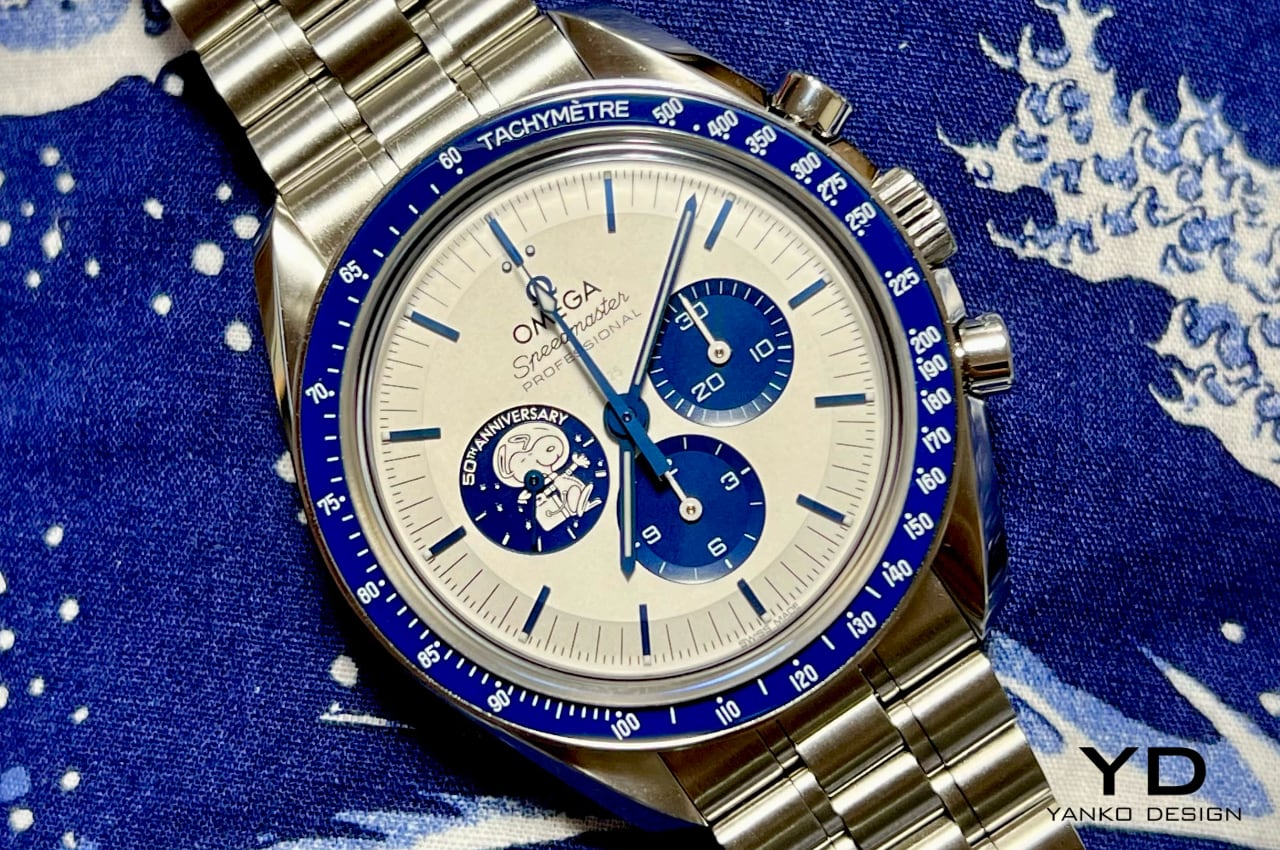
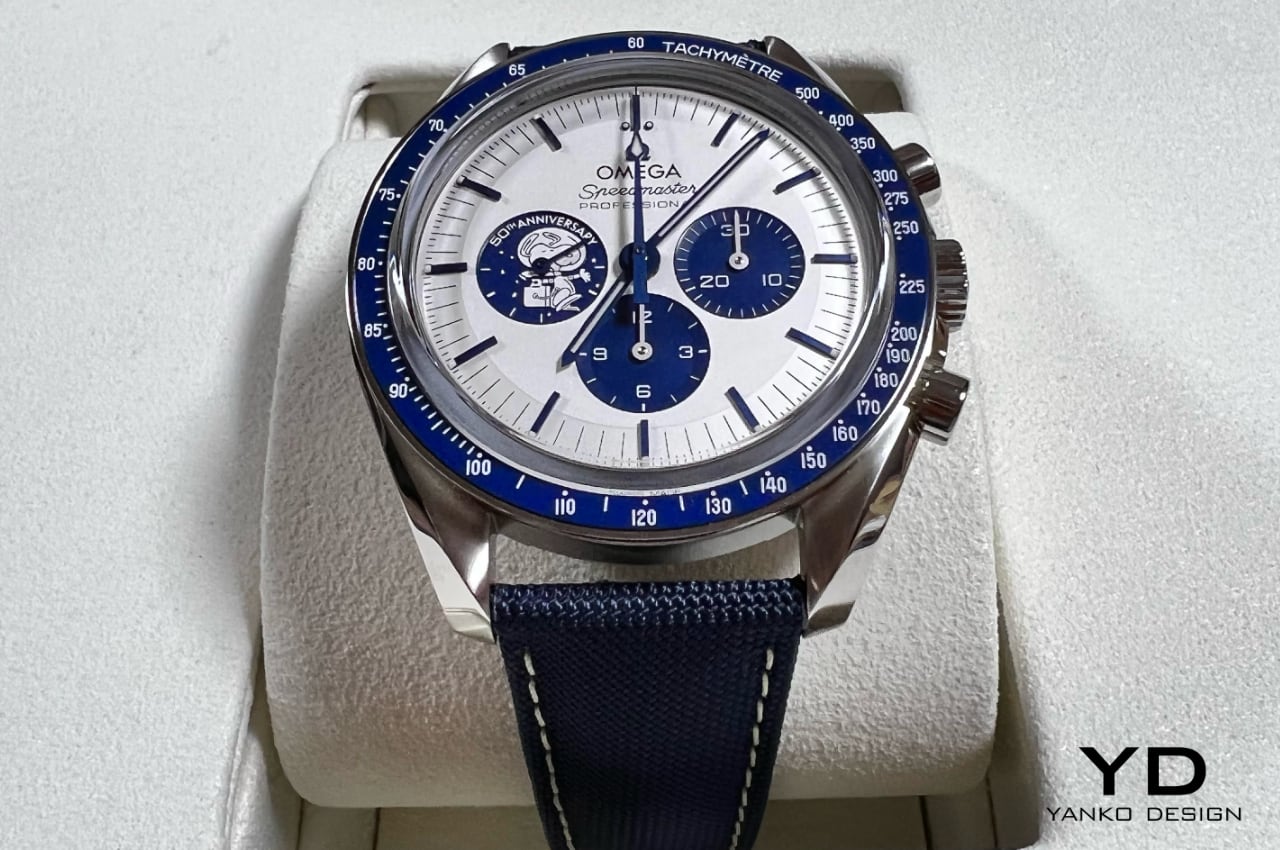
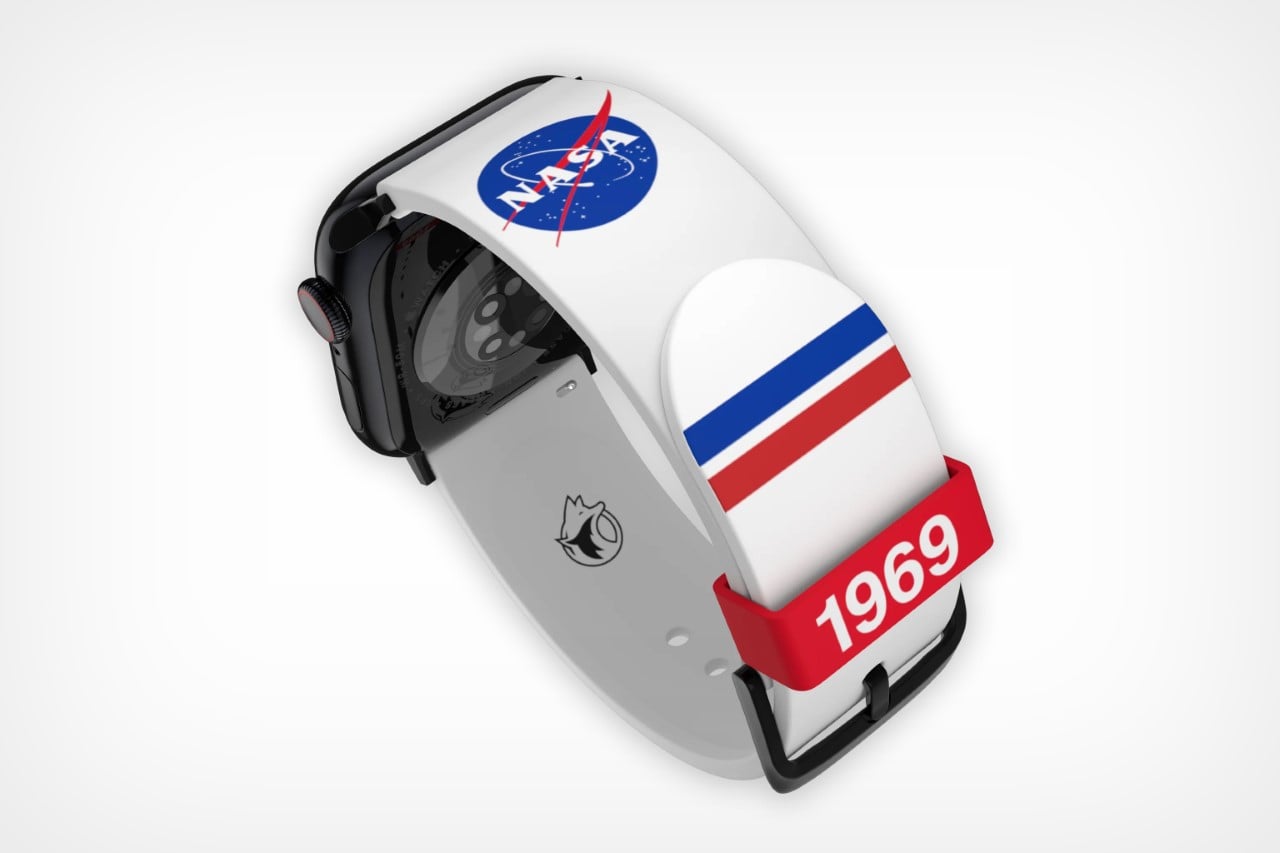
Beyond the Watch Head: The Importance of Straps in Your Timepiece Experience

Choosing between metal and soft material straps significantly impacts comfort and style when selecting a watch—metals like stainless steel and titanium offer durability and a premium feel. Titanium, in particular, is favored for its lightweight properties, making it comfortable for prolonged wear without the heaviness that often accompanies metal watches.

Metal straps often come with adjustable links that ensure a perfect fit, providing security and balance on the wrist. However, the weight of metal can sometimes be a drawback. For larger watch heads, this can potentially cause discomfort over extended periods.

In contrast, soft material straps provide greater comfort and breathability. Leather straps are classic and versatile, suitable for formal and casual settings. They mold to the wrist over time, providing a personalized fit. Rubber straps are perfect for sporty and active lifestyles, offering flexibility and resistance to water and sweat.

Canvas straps combine durability with a rugged aesthetic, ideal for casual wear. These materials significantly reduce the overall weight of the watch, enhancing wearability and comfort, particularly in warmer climates or during physical activities.

Buying a Watch: The Whole Package

When buying a watch, it’s essential to consider the whole package rather than just falling “head over heels” for the watch head alone. The watch’s fit, feel, and overall weight are crucial in the wearing experience. If a lightweight watch is a priority but you prefer metal, opting for a bracelet made of lightweight materials like titanium is a wise choice. Titanium offers the durability of metal without the associated weight, making it comfortable for extended wear.

Exploring options with leather, rubber, or canvas straps can provide the desired comfort without the added weight. Leather straps are known for their timeless appeal and versatility, molding to the wrist for a custom fit over time. Rubber straps are ideal for those with an active lifestyle, offering flexibility and resistance to environmental factors such as water and sweat.

Canvas straps are durable and rugged, perfect for casual wear and outdoor activities. Considering the strap’s overall weight and material, one can ensure a balanced and comfortable wearing experience.

Strap and Buckle Options: Tang vs. Deployment

The choice of strap and buckle can significantly impact the user experience. Tang buckles, traditional and straightforward, offer reliability and ease of adjustment. They are commonly found on leather and fabric straps and are known for their simplicity and effectiveness. Tang buckles are easy to use and allow quick adjustments, making them a practical choice for everyday wear. However, they might not distribute the weight of the watch evenly, which can cause discomfort over extended periods.

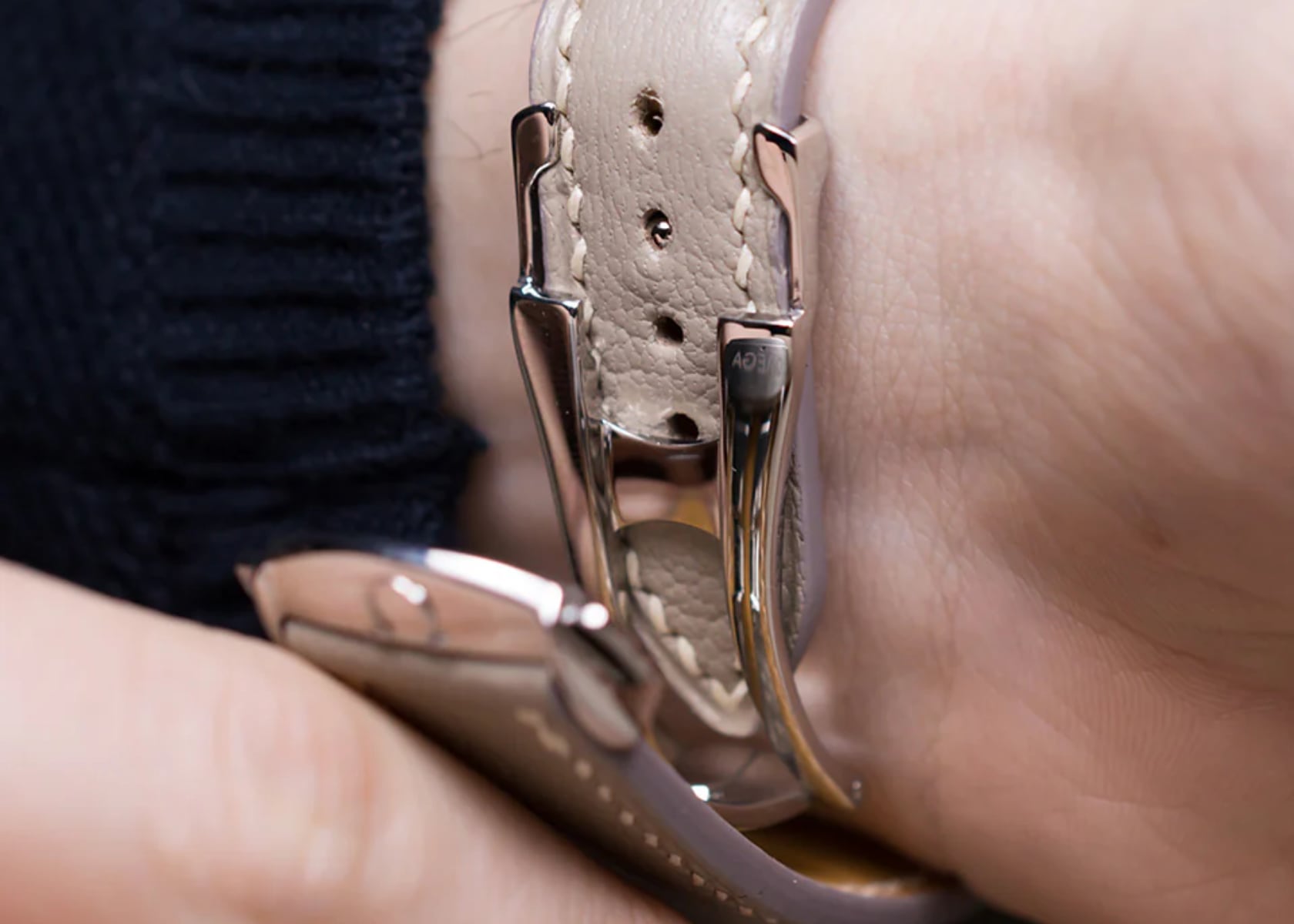
Deployment buckles, on the other hand, add a touch of sophistication and ensure the watch stays securely on the wrist. These buckles are often found on metal and high-end leather straps, providing a more refined appearance and making the watch easier to put on and take off. Deployment buckles help distribute the weight of the watch more evenly across the wrist, enhancing comfort and reducing pressure points. The clasp mechanism allows for a secure fit and easy adjustment, making it a preferred choice for those looking for both style and functionality.

Analysis of the Omega Swatch MoonSwatch Strap

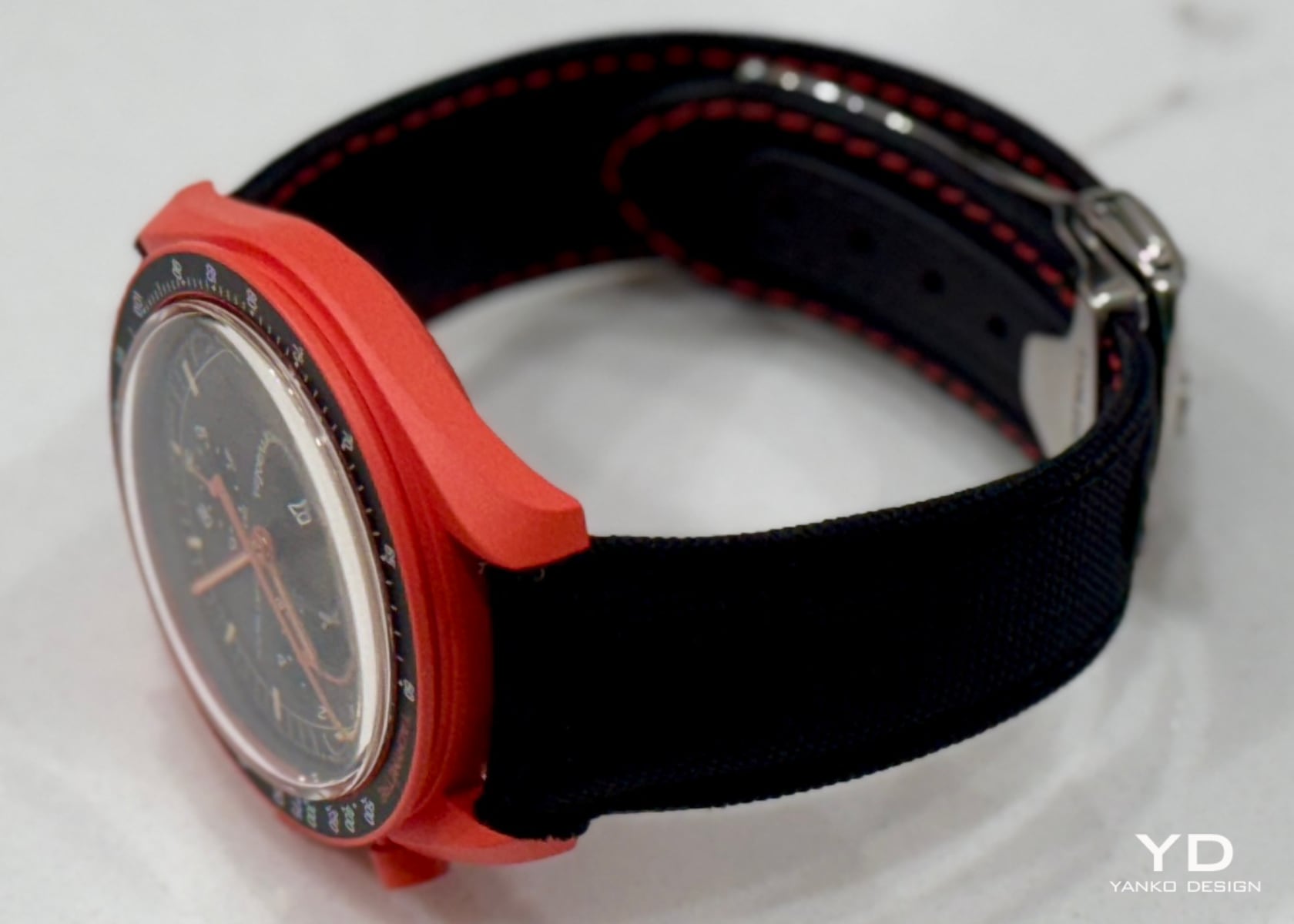
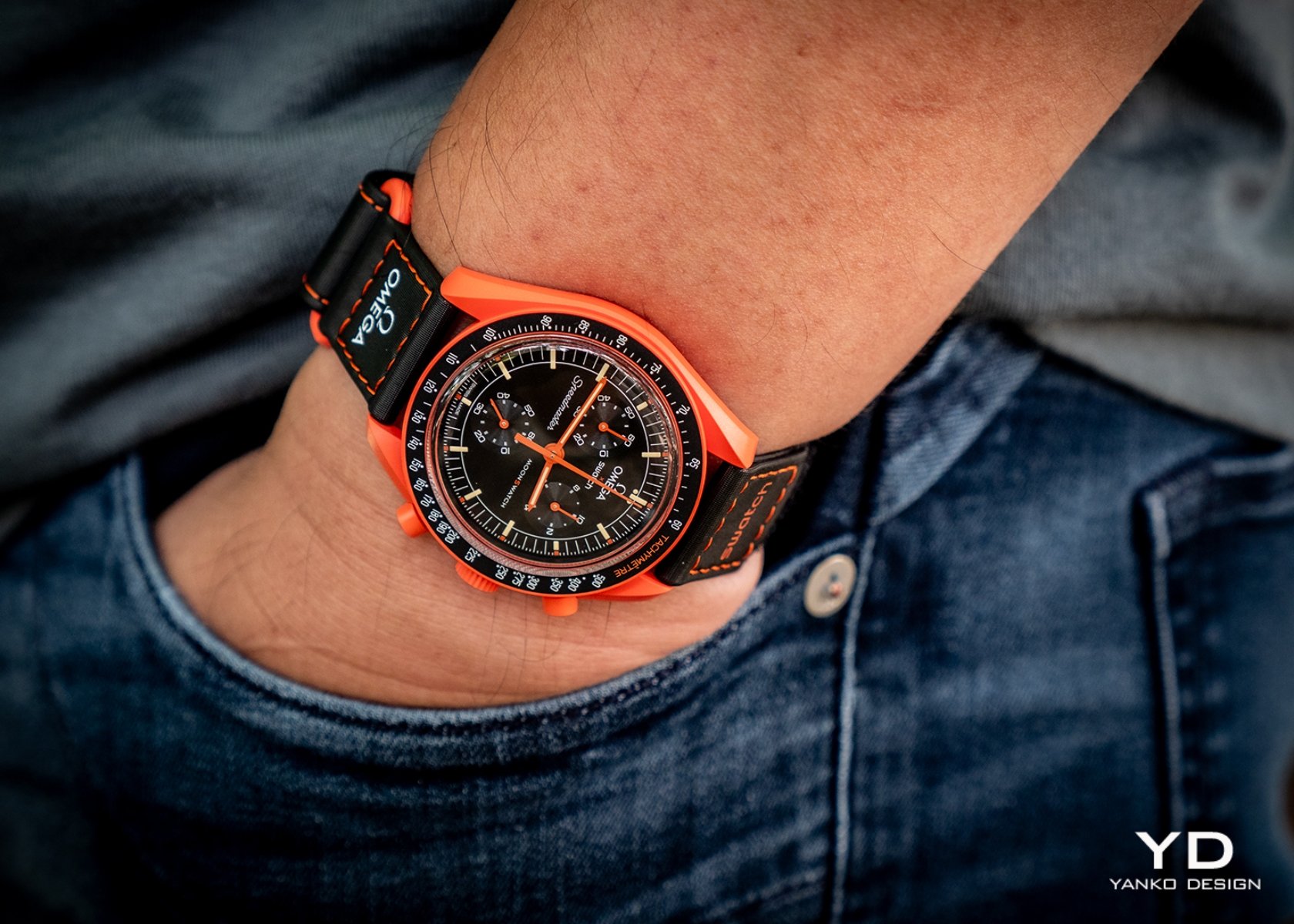
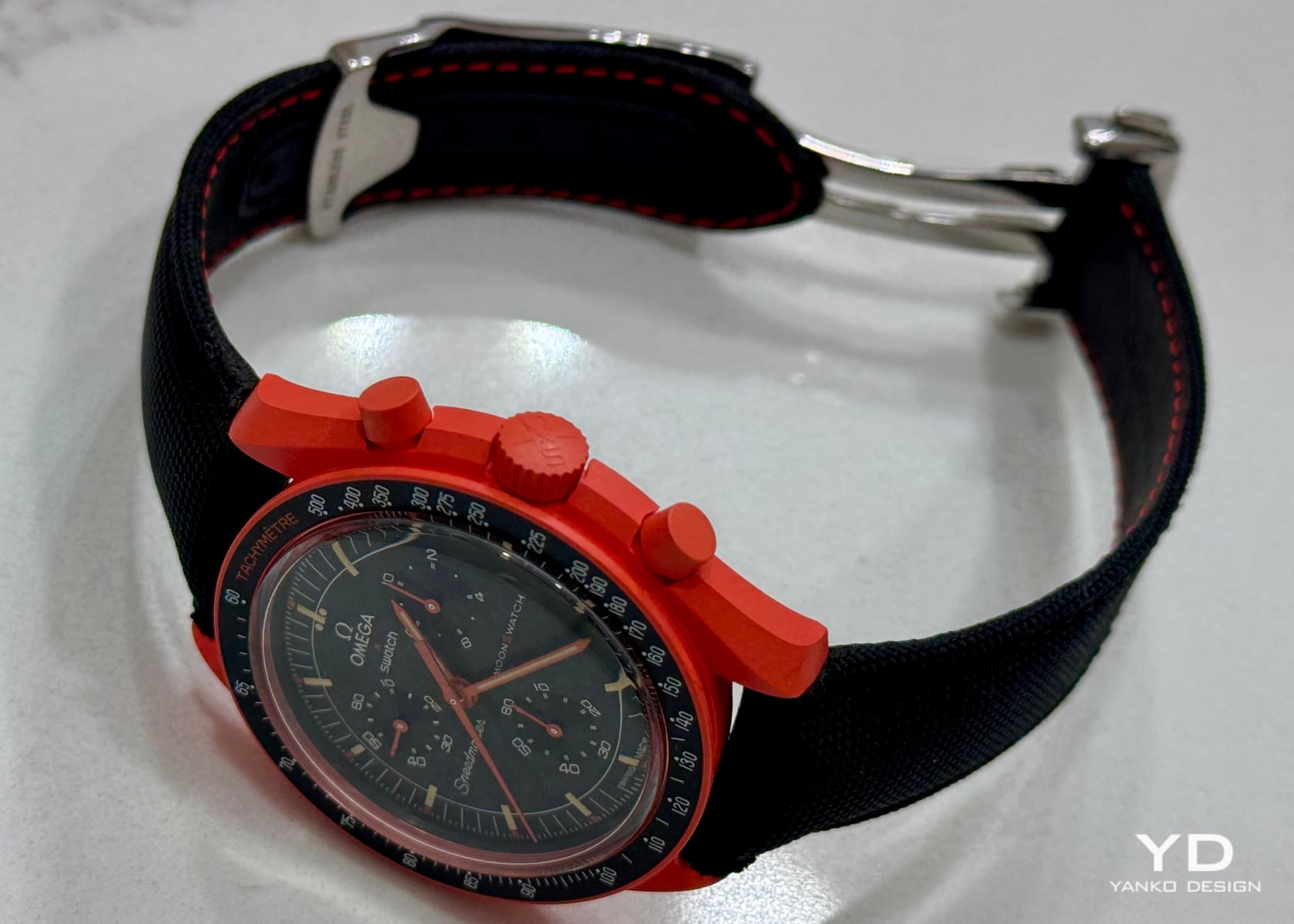
Reflecting on our recent review of the Omega Swatch MoonSwatch Mission to Earth Lava on Yanko Design, it’s essential to compare the included Velcro strap with the official Omega deployment buckle and canvas strap. While the Velcro strap thematically fits with the MoonSwatch series, it may not offer the same comfort level as a traditional leather or fabric strap. The Velcro can feel stiff and less breathable, which might be an issue in warmer climates or during physical activity.

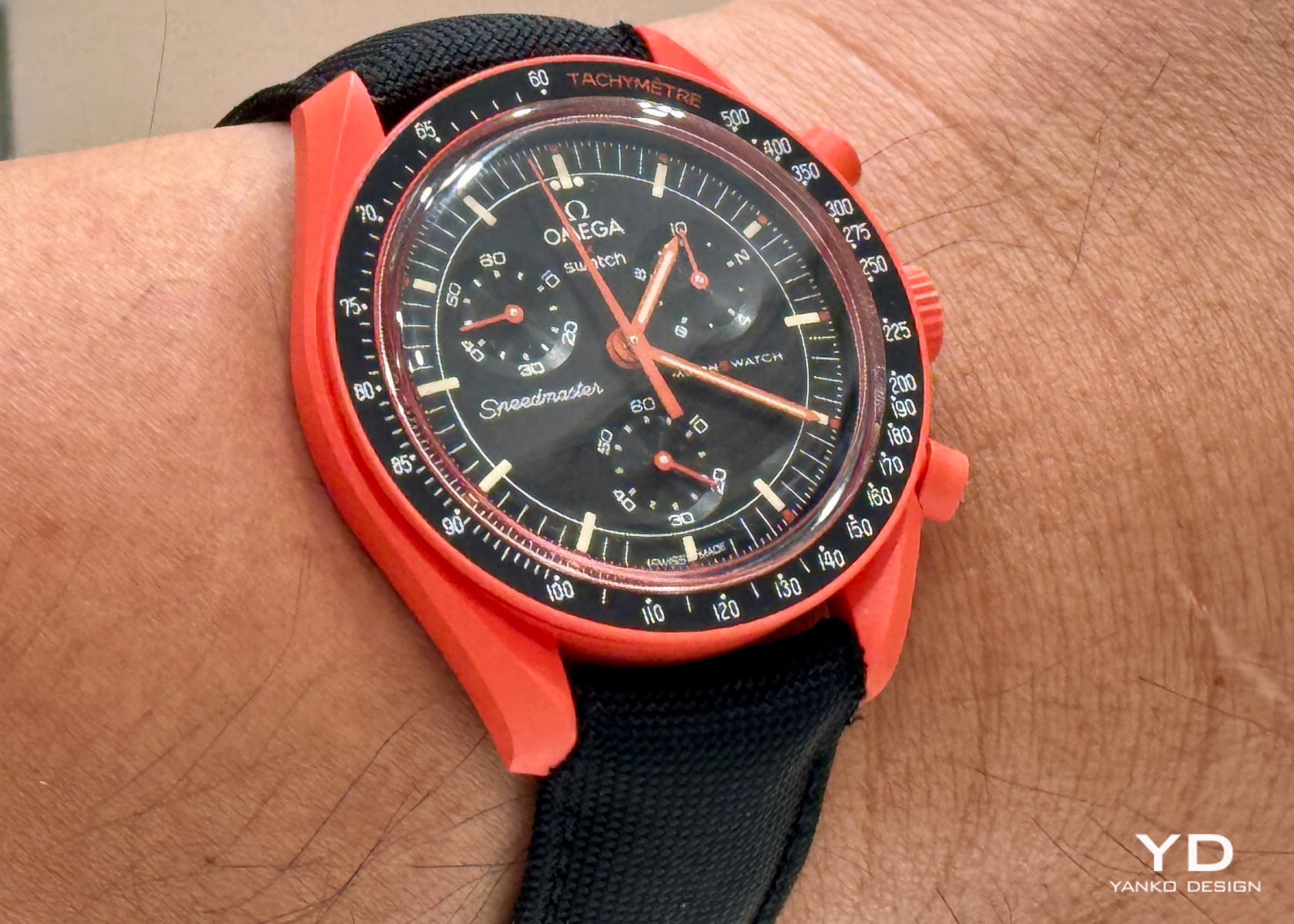
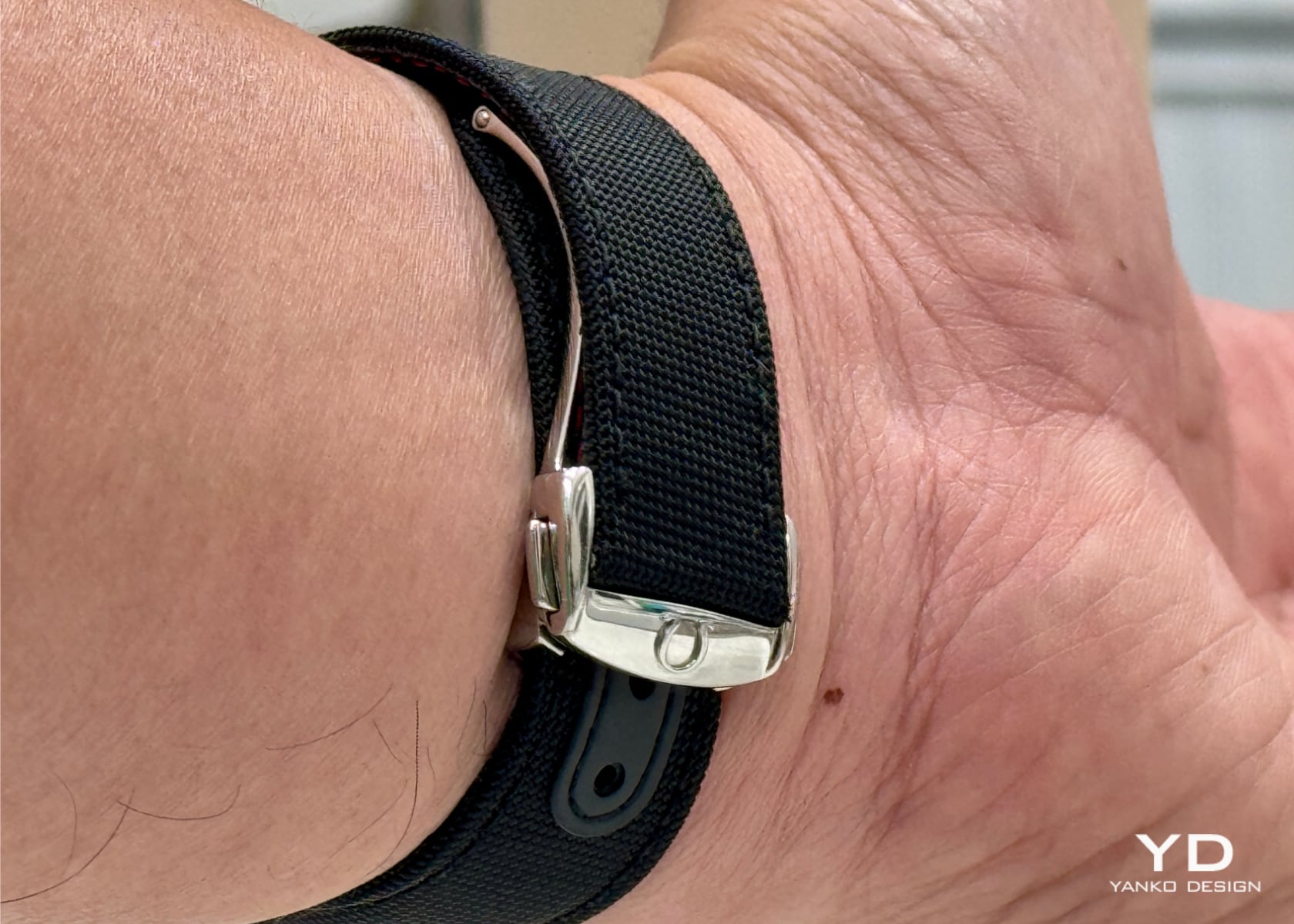
In contrast, the official Omega deployment buckle and canvas strap provide enhanced comfort and a secure fit. The deployment buckle makes the watch feel more integrated, keeping it in place while maintaining a lightweight profile. The canvas strap is comfortable and lightweight, offering a perfect blend of durability and flexibility.

The deployment buckle and the high-quality strap combine to ensure the watch stays balanced and does not shift on the wrist, providing a superior wearing experience.

Personal Note and Conclusion

I love how the integrated strap and deployment buckle makes the watch feel. They keep the whole watch balanced, stay in place, and are lightweight. The comfort and stability provided by this combination elevate the overall wearing experience.

However, it’s essential to consider the price, as the buckle and strap alone cost more than the Swatch itself. You can change the strap and buckle if you own more than one Omega Swatch or even a proper Omega Speedmaster. Now that’s maximizing your purchase, plus you’ve found the strap you love.

Despite the cost—over $500 for the buckle and strap alone—this investment can be justified if you own multiple Omega Swatch models or even a proper Omega Speedmaster. The ability to interchange straps and buckles maximizes your purchase and allows personalization. The official deployment buckle and canvas strap provide enhanced comfort and a secure fit, making the watch feel balanced and stable on the wrist.

I hope you found this information useful in this Wristwatch Wednesday edition, and I look forward to hearing from you.

The post Beyond the Watch Head: The Importance of Straps in Your Timepiece Experience first appeared on Yanko Design.

Beyond the Watch Head: The Importance of Straps in Your Timepiece Experience

Choosing between metal and soft material straps significantly impacts comfort and style when selecting a watch—metals like stainless steel and titanium offer durability and a premium feel. Titanium, in particular, is favored for its lightweight properties, making it comfortable for prolonged wear without the heaviness that often accompanies metal watches.

Metal straps often come with adjustable links that ensure a perfect fit, providing security and balance on the wrist. However, the weight of metal can sometimes be a drawback. For larger watch heads, this can potentially cause discomfort over extended periods.

In contrast, soft material straps provide greater comfort and breathability. Leather straps are classic and versatile, suitable for formal and casual settings. They mold to the wrist over time, providing a personalized fit. Rubber straps are perfect for sporty and active lifestyles, offering flexibility and resistance to water and sweat.

Canvas straps combine durability with a rugged aesthetic, ideal for casual wear. These materials significantly reduce the overall weight of the watch, enhancing wearability and comfort, particularly in warmer climates or during physical activities.

Buying a Watch: The Whole Package

When buying a watch, it’s essential to consider the whole package rather than just falling “head over heels” for the watch head alone. The watch’s fit, feel, and overall weight are crucial in the wearing experience. If a lightweight watch is a priority but you prefer metal, opting for a bracelet made of lightweight materials like titanium is a wise choice. Titanium offers the durability of metal without the associated weight, making it comfortable for extended wear.

Exploring options with leather, rubber, or canvas straps can provide the desired comfort without the added weight. Leather straps are known for their timeless appeal and versatility, molding to the wrist for a custom fit over time. Rubber straps are ideal for those with an active lifestyle, offering flexibility and resistance to environmental factors such as water and sweat.

Canvas straps are durable and rugged, perfect for casual wear and outdoor activities. Considering the strap’s overall weight and material, one can ensure a balanced and comfortable wearing experience.

Strap and Buckle Options: Tang vs. Deployment

The choice of strap and buckle can significantly impact the user experience. Tang buckles, traditional and straightforward, offer reliability and ease of adjustment. They are commonly found on leather and fabric straps and are known for their simplicity and effectiveness. Tang buckles are easy to use and allow quick adjustments, making them a practical choice for everyday wear. However, they might not distribute the weight of the watch evenly, which can cause discomfort over extended periods.

Deployment buckles, on the other hand, add a touch of sophistication and ensure the watch stays securely on the wrist. These buckles are often found on metal and high-end leather straps, providing a more refined appearance and making the watch easier to put on and take off. Deployment buckles help distribute the weight of the watch more evenly across the wrist, enhancing comfort and reducing pressure points. The clasp mechanism allows for a secure fit and easy adjustment, making it a preferred choice for those looking for both style and functionality.

Analysis of the Omega Swatch MoonSwatch Strap

Reflecting on our recent review of the Omega Swatch MoonSwatch Mission to Earth Lava on Yanko Design, it’s essential to compare the included Velcro strap with the official Omega deployment buckle and canvas strap. While the Velcro strap thematically fits with the MoonSwatch series, it may not offer the same comfort level as a traditional leather or fabric strap. The Velcro can feel stiff and less breathable, which might be an issue in warmer climates or during physical activity.

In contrast, the official Omega deployment buckle and canvas strap provide enhanced comfort and a secure fit. The deployment buckle makes the watch feel more integrated, keeping it in place while maintaining a lightweight profile. The canvas strap is comfortable and lightweight, offering a perfect blend of durability and flexibility.

The deployment buckle and the high-quality strap combine to ensure the watch stays balanced and does not shift on the wrist, providing a superior wearing experience.

Personal Note and Conclusion

I love how the integrated strap and deployment buckle makes the watch feel. They keep the whole watch balanced, stay in place, and are lightweight. The comfort and stability provided by this combination elevate the overall wearing experience.

However, it’s essential to consider the price, as the buckle and strap alone cost more than the Swatch itself. You can change the strap and buckle if you own more than one Omega Swatch or even a proper Omega Speedmaster. Now that’s maximizing your purchase, plus you’ve found the strap you love.

Despite the cost—over $500 for the buckle and strap alone—this investment can be justified if you own multiple Omega Swatch models or even a proper Omega Speedmaster. The ability to interchange straps and buckles maximizes your purchase and allows personalization. The official deployment buckle and canvas strap provide enhanced comfort and a secure fit, making the watch feel balanced and stable on the wrist.

I hope you found this information useful in this Wristwatch Wednesday edition, and I look forward to hearing from you.

The post Beyond the Watch Head: The Importance of Straps in Your Timepiece Experience first appeared on Yanko Design.