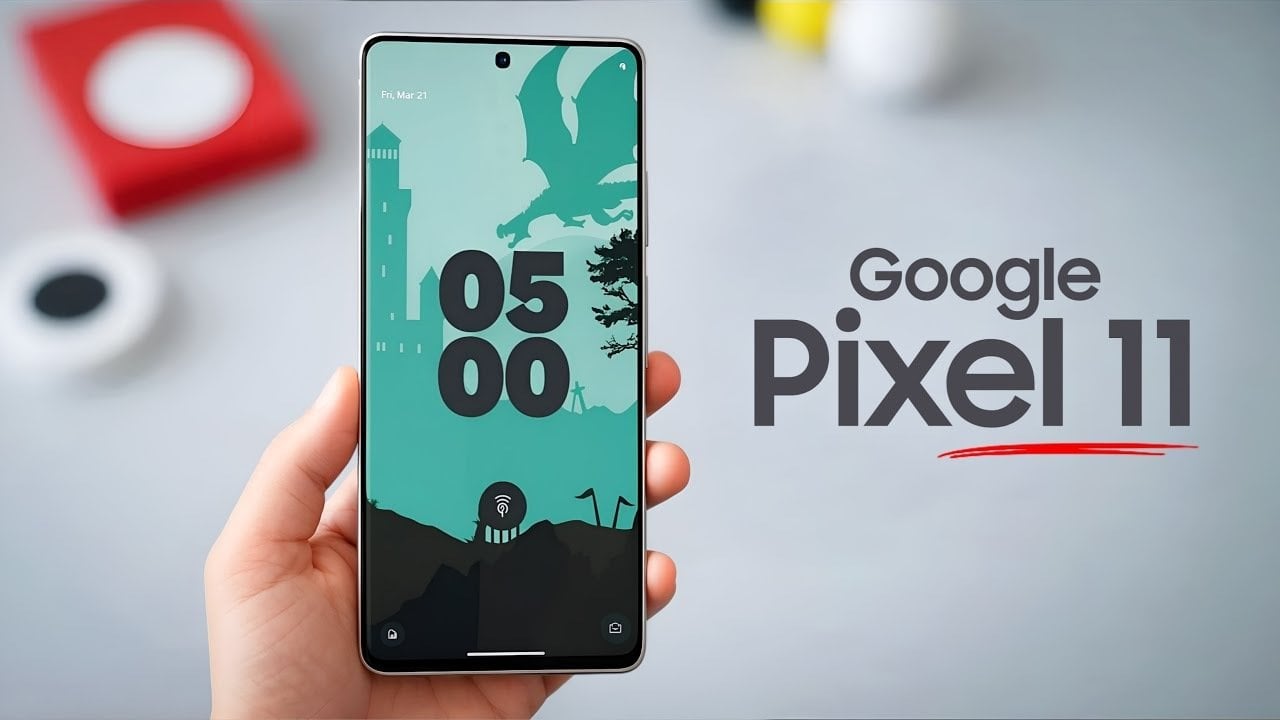
The Google Pixel 11 Pro XL is poised to make a significant impact in the competitive smartphone market. By combining innovative technology, refined aesthetics, and user-focused features, Google’s latest flagship aims to set a new standard for premium devices. With advancements in performance, photography, artificial intelligence, and connectivity, the Pixel 11 Pro XL offers a […]
The Crew-12 astronauts will soon make their way to the ISS, joining the three remaining spacefarers on board after the previous mission was cut short due to a medical concern. NASA was originally planning a February 15 launch date for the mission, but it has moved it up to February 11. It’s now targeting a liftoff of no earlier than 6:01 AM Eastern that day from Cape Canaveral in Florida. The crew members are already in quarantine, and if everything goes well on launch day, the Dragon capsule they’re on will dock with the orbiting lab at approximately 10:30 AM on February 12.
If you’ll recall, NASA decided to bring Crew-11 members back home on January 15, a month earlier than planned, citing a medical concern with one of the members. While the affected astronaut was stable, the ISS didn’t have the equipment necessary to be able to diagnose them properly. All four members of Crew-11 flew home, leaving the whole space station in the hands of three people, namely NASA astronaut Chris Williams and two cosmonauts for the Russian side. They will be joined by Crew-12’s NASA astronauts Jessica Meir and Jack Hathaway, European Space Agency’s Sophie Adenot and Roscosmos cosmonaut Andrey Fedyaev.
SpaceX recently had to ground its Falcon 9 rocket after an issue with its upper stage for a few days, leaving the Crew-12’s flight schedule in question. But on February 6, the Federal Aviation Administration cleared it for its next flight. NASA will livestream the mission’s prelaunch, launch and docking activities on NASA+, Amazon Prime and on its YouTube channel, with its launch coverage starting at 4AM Eastern time on February 11. You can also bookmark or pin this page to watch the launch below.
This article originally appeared on Engadget at https://www.engadget.com/science/space/nasa-is-sending-crew-12-astronauts-to-the-iss-on-february-11-153000139.html?src=rss
What if your next coding project could debug itself, or your legal review could process a million words without missing a beat? In this overview, Universe of AI explores how the newly released ChatGPT 5.3 Codex and Claude Opus 4.6 are redefining what AI can achieve. These innovative models, unveiled by OpenAI and Anthropic, bring […]
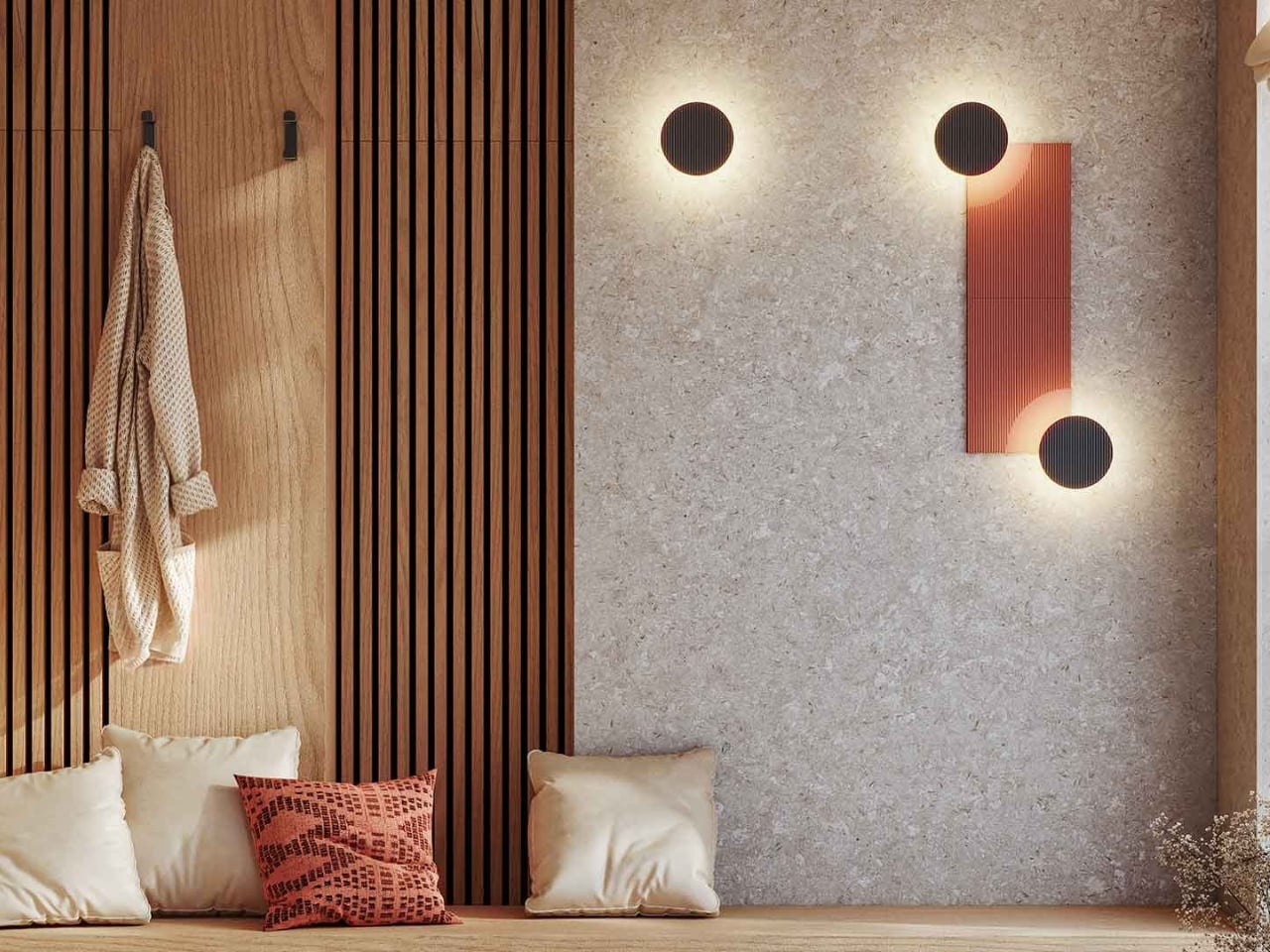
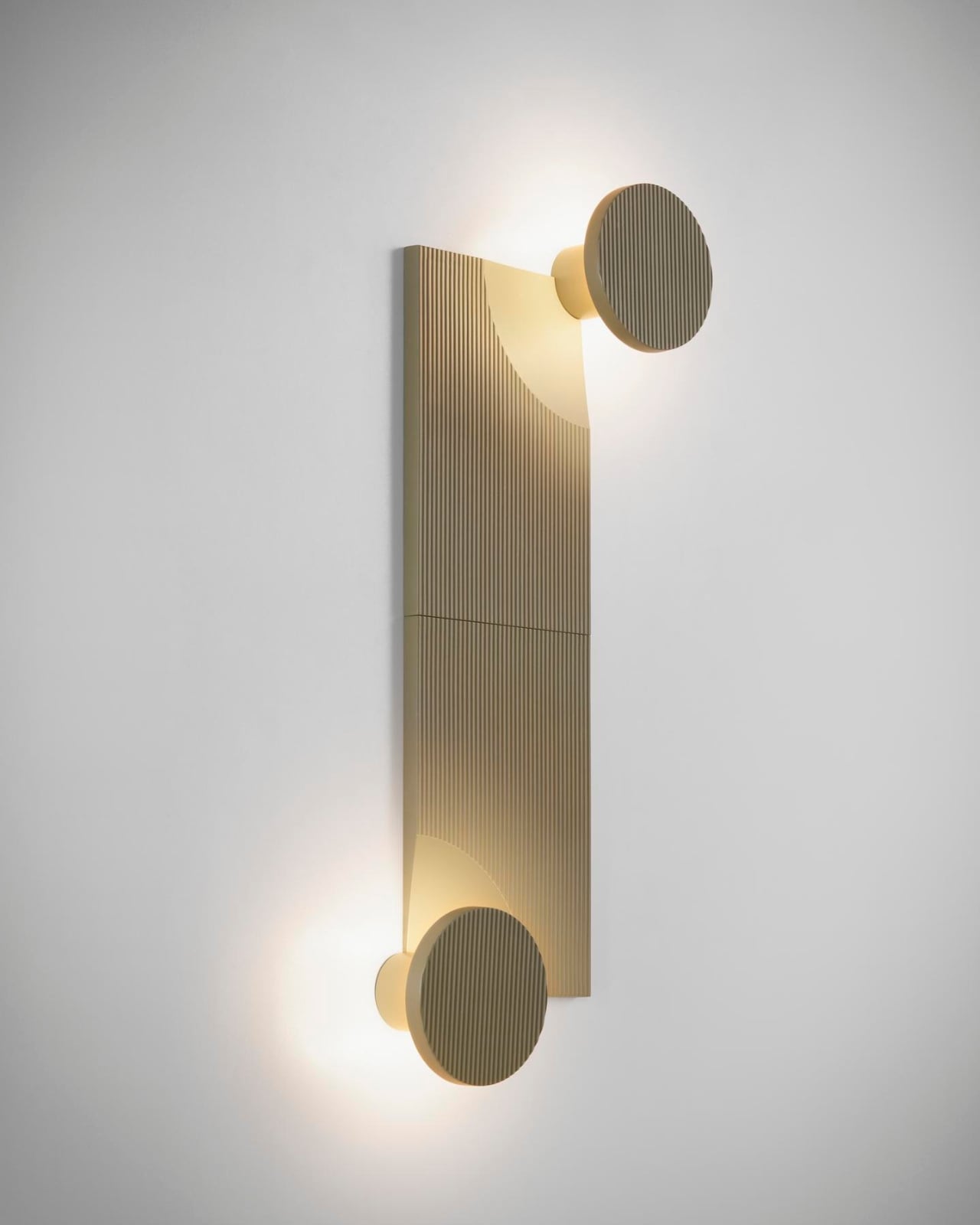
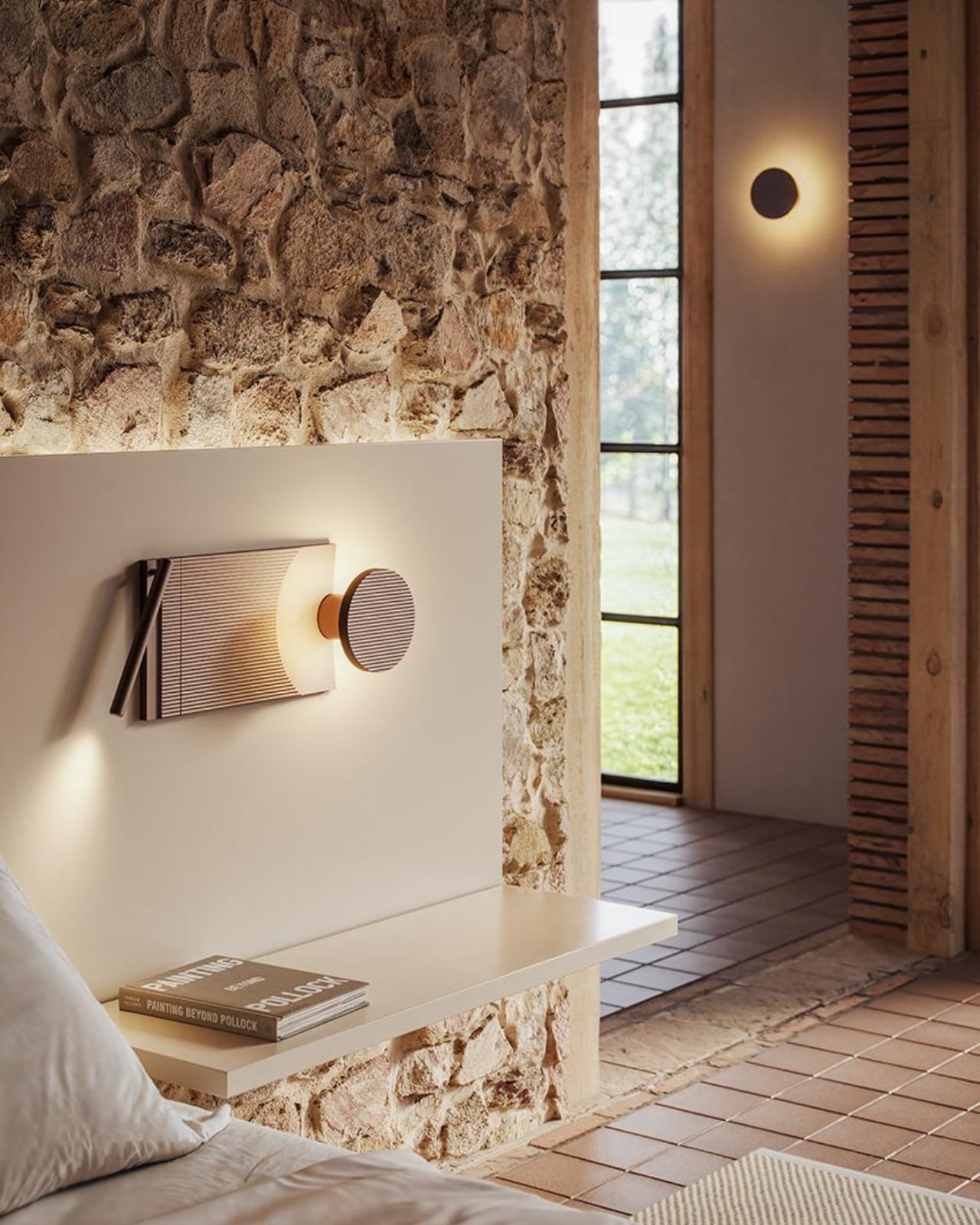
There’s something fascinating about watching designers take inspiration from the natural world and translate it into something you can actually use in your home. The ARID Modular Lighting System from Nahtrang Studio and Spanish brand Bover does exactly that, capturing the subtle beauty of arid landscapes and transforming it into a wall light that’s part art installation, part customizable tech.
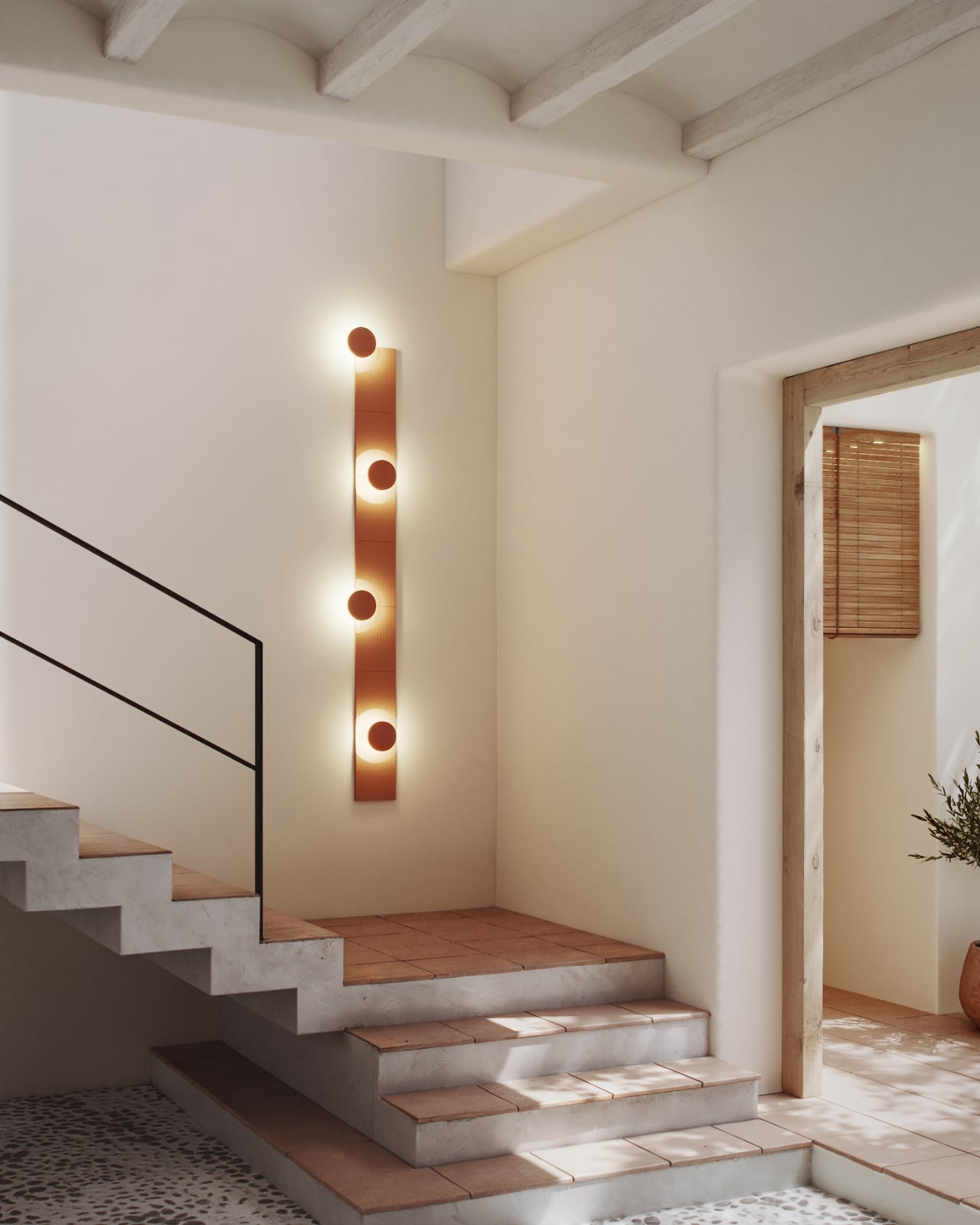
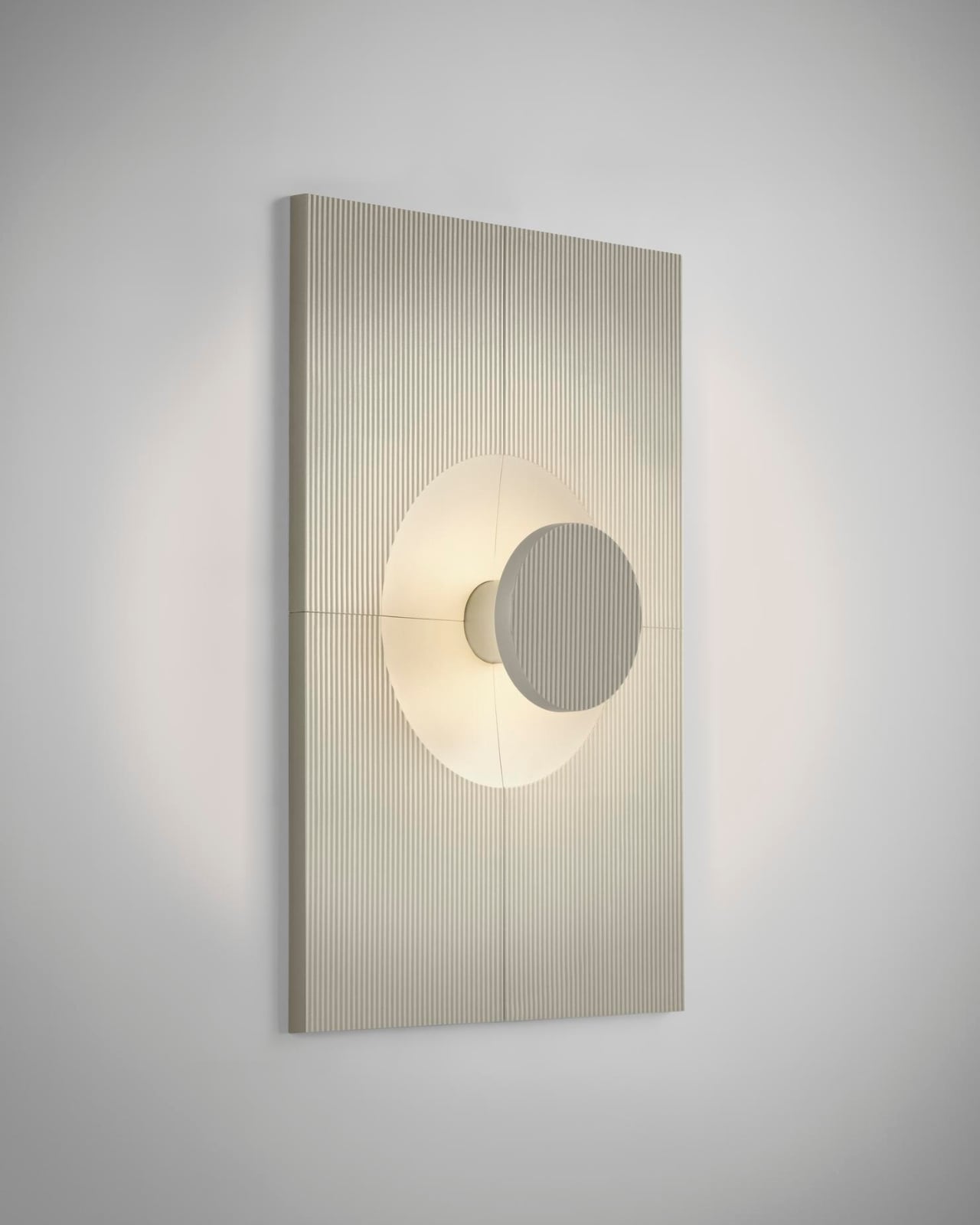
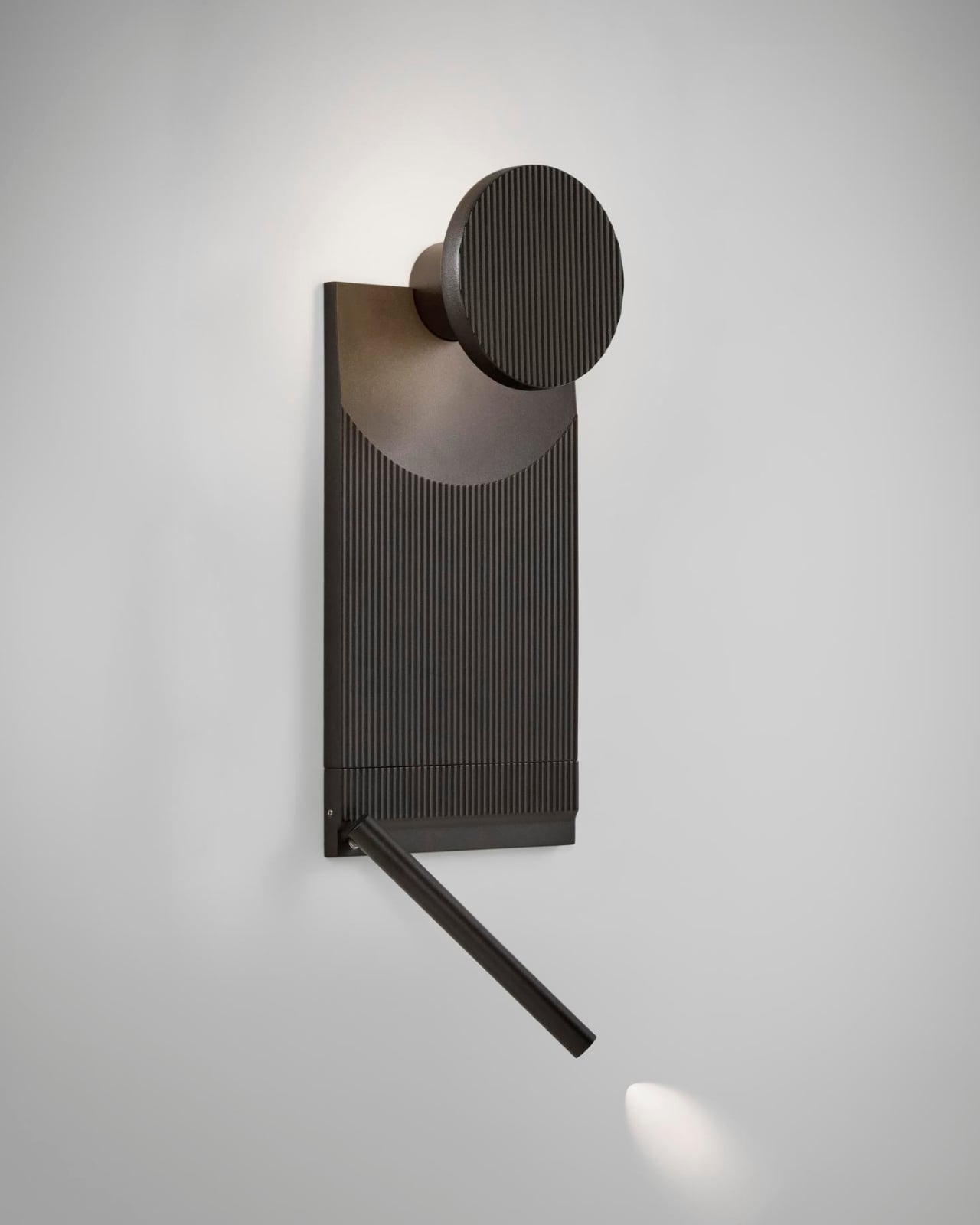
The concept is beautifully simple. Think of ARID as a grown-up version of building blocks, but for your walls. The system consists of a core lighting unit that can be paired with various aluminum tiles in different configurations. You can arrange them to create your own unique composition, which means no two installations have to look the same. It’s like getting a bespoke piece without the bespoke price tag.
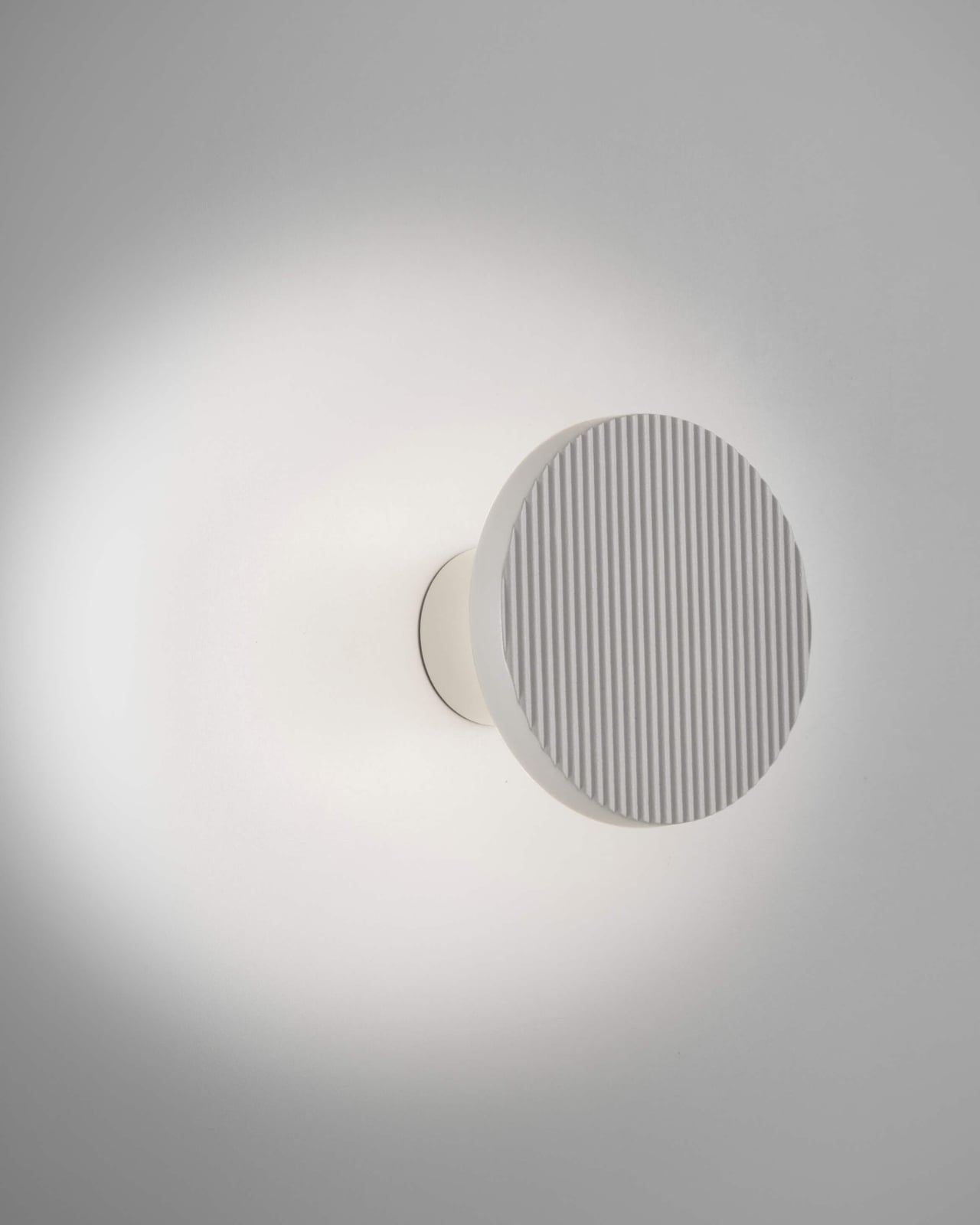
Nahtrang Studio approached this project with a clear mission from the start. They wanted to create something flexible and adaptable that could work in different spaces while maintaining a strong visual identity. The result is a fixture that performs its technical job while contributing real atmosphere to a room. Light emerges gently from behind the aluminum panels, tracing their forms and casting subtle shadows that mimic the way sunlight plays across desert terrain.
The choice of aluminum wasn’t arbitrary. According to the designers, it gave them the technical precision they needed while checking important boxes for sustainability. Aluminum is recyclable, lightweight, and durable, making it an intelligent choice for a product meant to last. The material also takes finishes beautifully, which is evident in the eight available colorways.
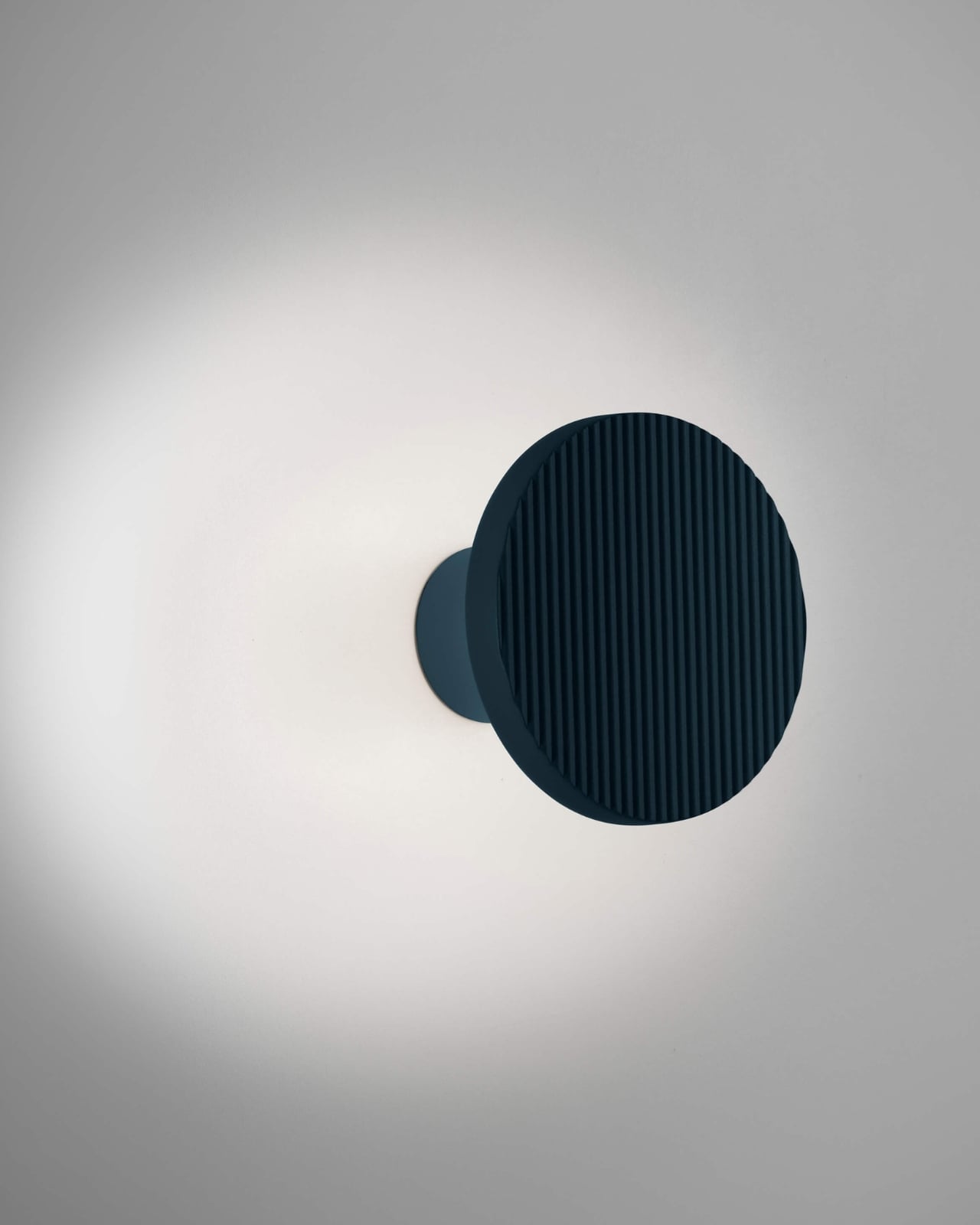
Speaking of colors, this is where ARID really shines. Forget basic black and white (though those are available if that’s your thing). The palette includes terracotta, pebble grey, graphite brown, olive grey, grey blue, and sand yellow. Each shade feels pulled directly from nature, giving you an easy way to bring earthy tones into contemporary spaces without things feeling forced or themey.
The modularity extends beyond just aesthetic choices. Different tile configurations create different lighting effects, so you can prioritize direct illumination in one area while keeping things more ambient in another. The lighting unit itself is rated IP44, meaning it can handle some moisture, and it’s fully dimmable, letting you adjust the mood as needed.
What makes ARID particularly interesting in today’s market is how it bridges the gap between customization and accessibility. Custom lighting installations typically require working with specialized designers and manufacturers, resulting in lengthy timelines and hefty costs. ARID gives you the creative control without the complexity. You’re essentially the designer, arranging the components in whatever configuration speaks to you.
This approach feels especially relevant now, when personalization has become such a significant part of how we think about our spaces. We’re no longer satisfied with mass-produced solutions that look exactly like everyone else’s. But we also don’t necessarily have the budget or patience for fully custom work. ARID occupies that sweet spot in between.
The system also reflects a broader shift in lighting design, where fixtures are increasingly expected to do more than just illuminate. They need to create ambiance, add visual interest, and ideally, tell some kind of story. ARID accomplishes this by referencing natural landscapes without being literal about it. You get the feeling of weathered rock formations and desert light without any kitschy desert motifs.
Barcelona-based Bover has built its reputation on this kind of thoughtful design, and their collaboration with Nahtrang Studio continues that tradition. Both the studio and the brand seem to share a philosophy about balancing technical excellence with emotional resonance, creating objects that work well while also making you feel something.
At around $550 to $625 depending on the configuration you choose, ARID sits in the premium category without reaching unapproachable luxury pricing. For that investment, you’re getting a lighting system that’s sustainable, customizable, and genuinely distinctive. More importantly, you’re getting something that can evolve with your space. As your taste changes or you move to a different room, you can reconfigure the tiles to create an entirely new look.
That kind of flexibility is genuinely rare in lighting design, making ARID feel less like a purchase and more like a long-term creative tool for your home.
The highly anticipated MacBook Pro models featuring Apple’s M5 Pro and M5 Max chips have been delayed, sparking curiosity among tech enthusiasts and professionals alike. The primary reason for this delay lies in Apple’s strategic decision to align the hardware release with the finalized version of macOS 26.3. This move underscores Apple’s commitment to delivering […]
What if you could have the power of a high-performance gaming PC with the effortless simplicity of a console, all in one sleek device? Blaze2K outlines how Valve’s long-awaited Steam Machine is set to redefine gaming in 2026, despite facing hurdles like global component shortages and pricing dilemmas. With its hybrid design and the promise […]
Apple Health brings sleep tracking, scheduling and long-term analysis into one place, with your iPhone acting as the hub and the Apple Watch doing the overnight monitoring. Once everything is set up, Apple Health can show how long you slept each night, how consistent your sleep schedule is and how much time you spend in different sleep stages. Here is how to get started, track your sleep and review your data.
Sleep tracking in Apple Health relies on two things: You need to set up Sleep in the Health app on your iPhone, and you need a compatible Apple Watch to wear to bed. While you can set sleep schedules without a watch, detailed sleep data — including sleep stages — requires an Apple Watch.
How to set up Sleep in Apple Health
Sleep tracking is available on all watchOS 8 (or later) models and setup starts in the Health app on your iPhone. Open Health, tap Browse and then tap Sleep. If this is your first time setting it up, you will see an option to get started. Apple Health will guide you through choosing a sleep goal, setting a bedtime and wake-up time and deciding whether you want one sleep schedule for every day or different schedules for weekdays and weekends.
During setup, you can also enable sleep reminders and a wind-down period. Wind Down reduces distractions before bedtime by activating features like Focus mode and dimming notifications at a set time before sleep. These settings are optional but they help keep your schedule consistent, which improves the quality of the data Apple Health collects over time.
Once Sleep is configured, Apple Health automatically syncs those settings to your Apple Watch. You can adjust your sleep schedule later by returning to the Sleep section in Health and tapping Full Schedule and Options. Any changes you make here update on both your iPhone and Apple Watch.
How to prepare your Apple Watch for sleep tracking
To track sleep, your Apple Watch needs to be worn overnight and have enough battery to last until morning. If the battery drops below 30 percent before bedtime, your watch will prompt you to charge it first. Sleep tracking also relies on Sleep Focus which activates automatically based on your sleep schedule. Once Sleep Focus has been set, open the Settings app on your Apple Watch, tap Sleep and ensure that Track Sleep with Apple Watch is turned on. With both features enabled your watch can monitor sleep automatically without any manual start or stop each night.
Comfort matters when wearing a watch to bed, so many people prefer a softer band for sleep. As long as the watch fits securely and stays in contact with your wrist, it can track sleep without issue.
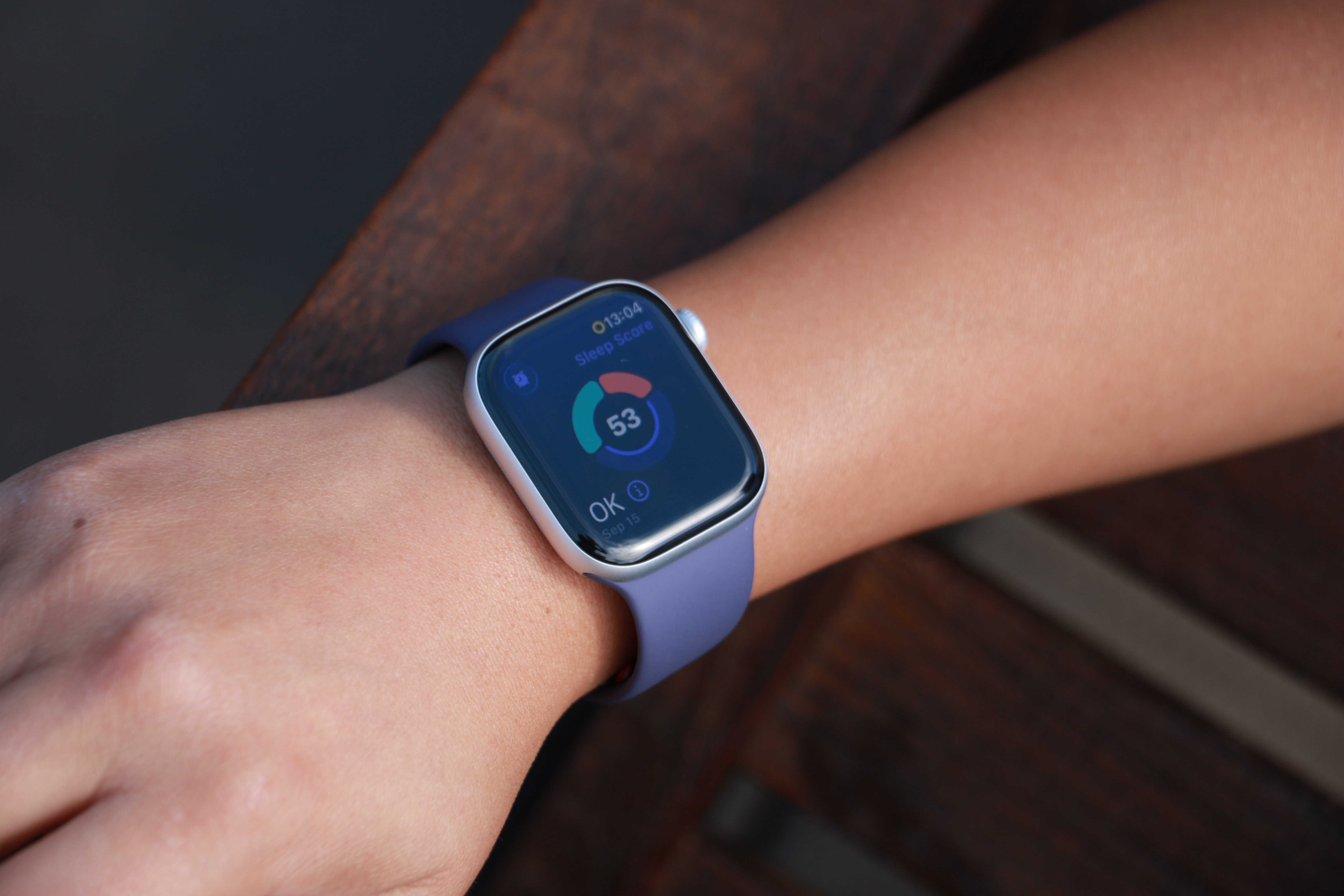
The Apple Watch Series 11 on a person's wrist, showing a ring with three segmented arcs encircling a Sleep Score of 53 and the description "OK" in the bottom left.
Cherlynn Low for Engadget
How Apple Watch tracks your sleep
When Sleep Focus is active, the Apple Watch uses its accelerometer and heart rate sensor to detect when you are asleep and awake. Newer models also track sleep stages, including time spent in REM, core and deep sleep. Apple Health combines this information into a single overnight record that appears in the Sleep section the next morning.
You do not need to start or stop sleep tracking manually. As long as you follow your sleep schedule or enable Sleep Focus before bed, the Apple Watch automatically does everything else. If you wake up early or go to bed later than planned, Apple Health adjusts the data based on actual movement and heart rate rather than just your scheduled times. In addition, some Apple Watch models (SE 3 or higher) support on-device Siri, enabling you to ask questions such as “how much sleep did I have last night?” for a more immediate response.
How to view your sleep data in Apple Health
To see your sleep data, open the Health app on your iPhone and tap Browse, then Sleep. At the top of the screen, you will see a chart showing how long you slept the previous night. Tapping this chart reveals a detailed breakdown, including time asleep, time in bed and sleep stages (if available).
Scrolling down shows trends over longer periods. You can switch between daily, weekly, monthly and six-month views to see patterns in your sleep duration and consistency. Apple Health also highlights whether you are meeting your sleep goal and how regular your schedule has been.
Under Highlights, Apple Health may surface insights such as changes in average sleep time, variations in sleep stages or your nightly sleep score. Sleep scores provide a simplified summary of how well you slept, and is based on factors such as duration, consistency and restfulness. These summaries update automatically as more data is collected over time.
Understanding sleep stages and trends
If your Apple Watch supports sleep stages, Apple Health displays how much time you spent in REM, core and deep sleep. These stages give context to your overall sleep quality, though Apple emphasizes trends over individual nights. Occasional short nights or unusual stage distributions are normal.
Over time, Apple Health makes it easier to spot patterns. Consistently short sleep durations, irregular bedtimes or frequent awakenings become clearer when viewing weekly or monthly summaries. This makes the Sleep section useful not just for nightly check-ins but for understanding longer-term habits.
Editing and managing sleep data
Apple Health allows you to add or edit sleep data if needed manually. In the Sleep section, tap AddData to log sleep that was not recorded automatically. This can be useful if you forget to wear your watch or take a nap without it.
You can also manage which devices contribute sleep data by scrolling to the bottom of the Sleep screen and tapping Data Sources and Access. This is helpful if you use third-party sleep apps or multiple devices.
Once set up, sleep tracking in Apple Health runs quietly in the background. With a consistent schedule and a charged Apple Watch, your sleep data builds into a clear picture of your nightly rest, all stored securely within Apple’s health platform.
This article originally appeared on Engadget at https://www.engadget.com/mobile/smartphones/how-to-track-your-sleep-and-view-your-sleep-data-in-apple-health-130000023.html?src=rss
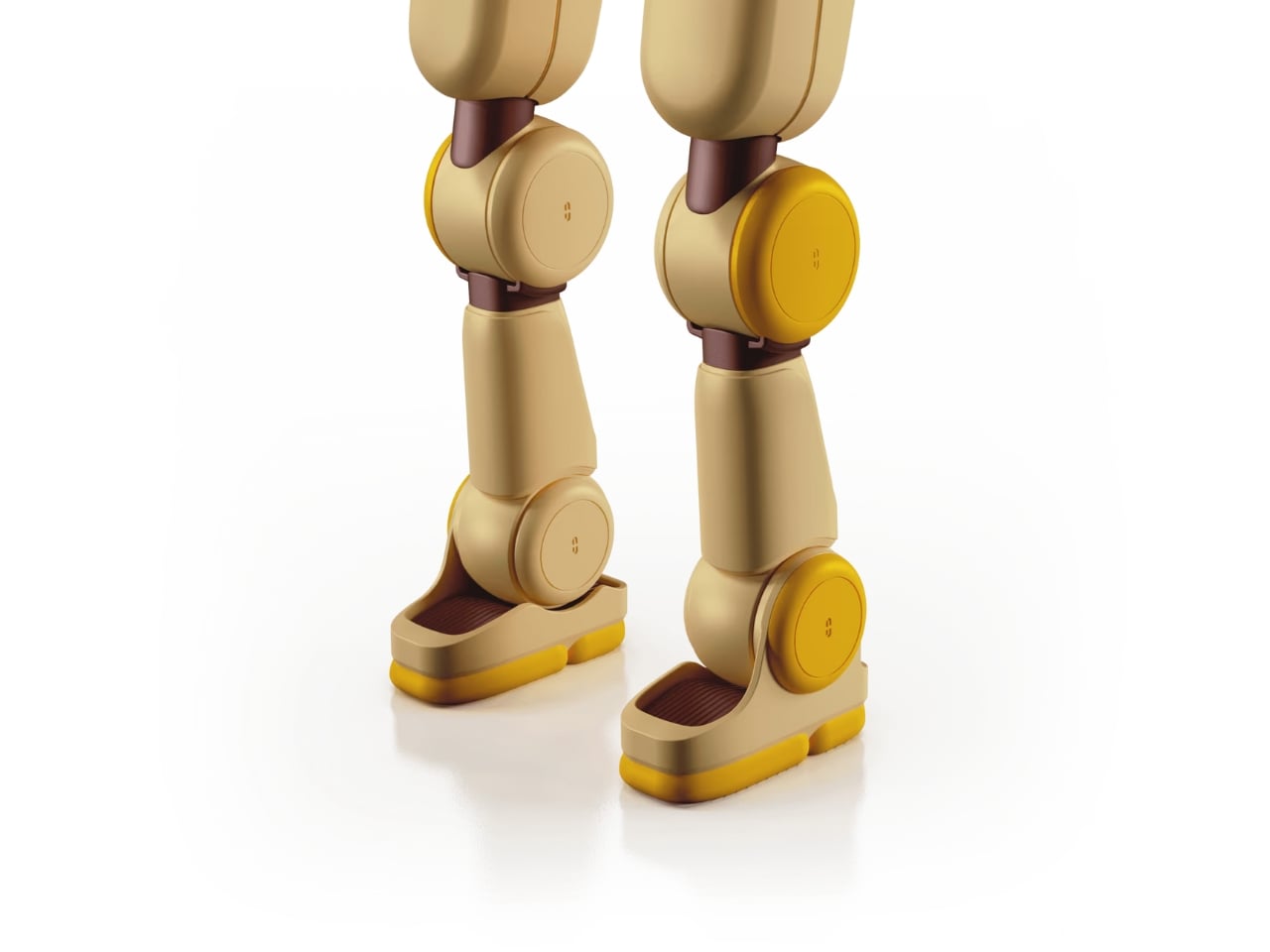
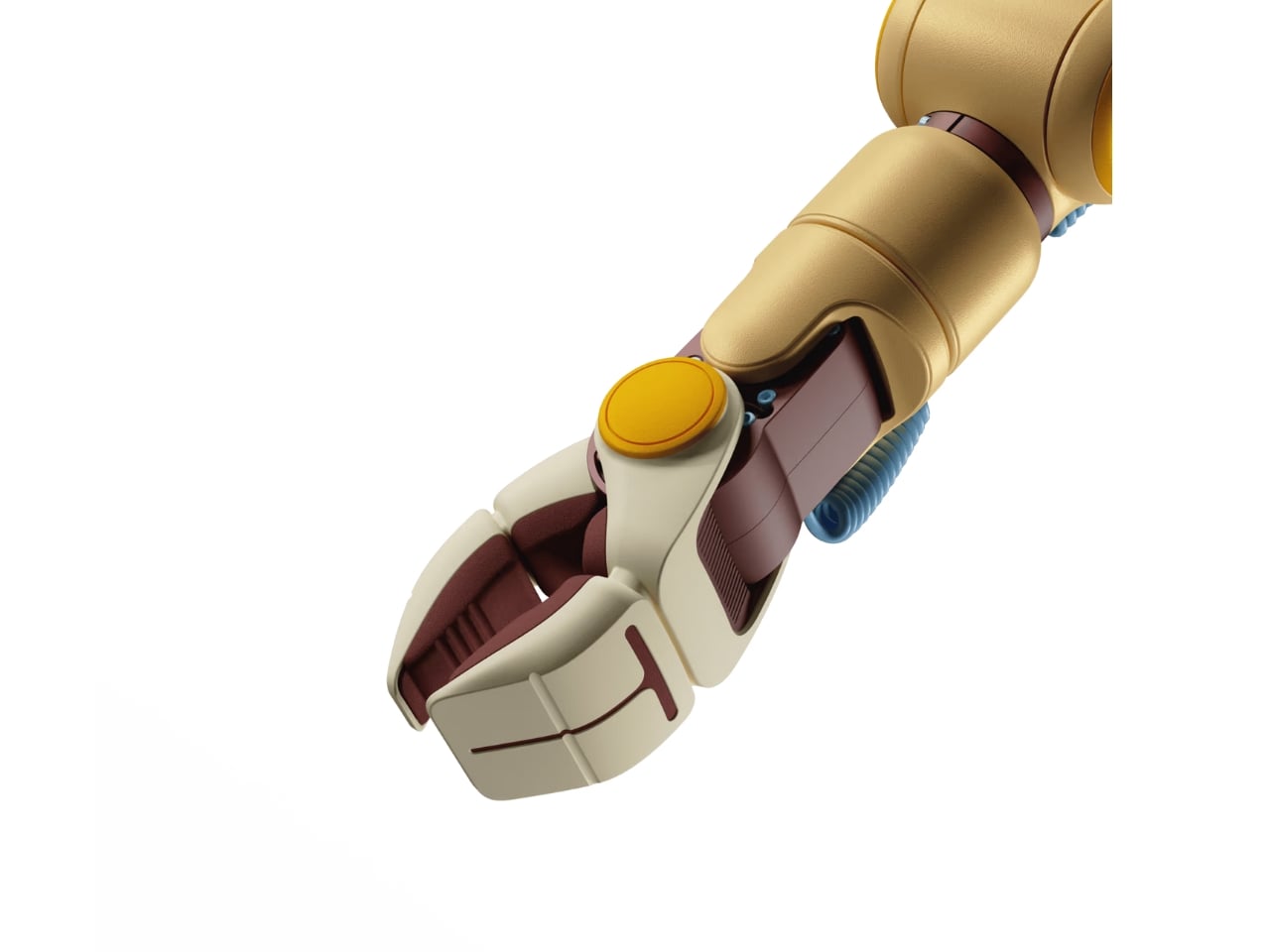
Picture a humanoid robot, and you probably imagine something sleek, vaguely threatening, or at least a little cold. Maybe it’s built for a factory floor, towering and intimidating, or designed to look eerily human in a way that triggers that uncanny valley feeling. Either way, it’s not exactly something you’d want hanging around your living room.
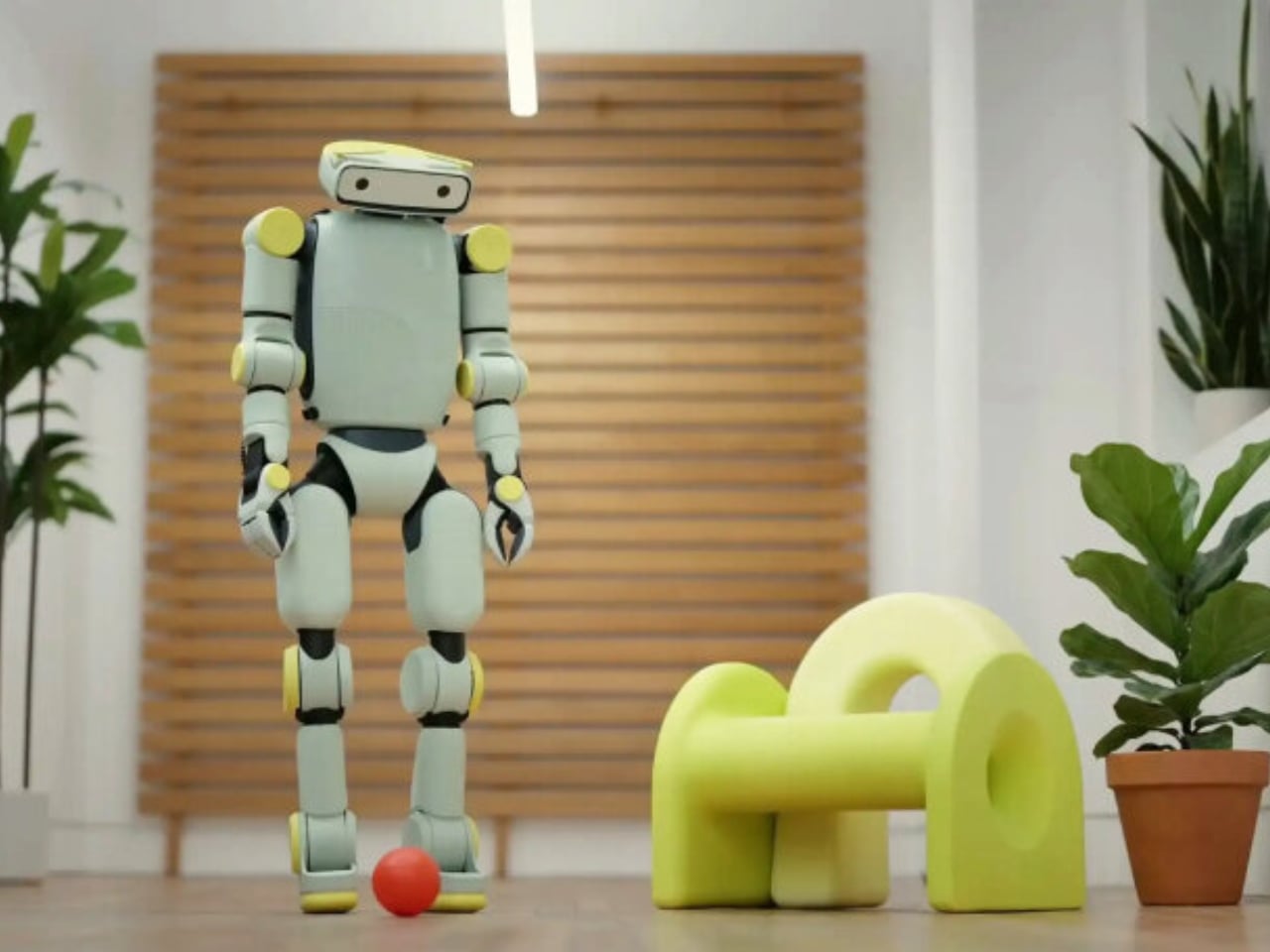
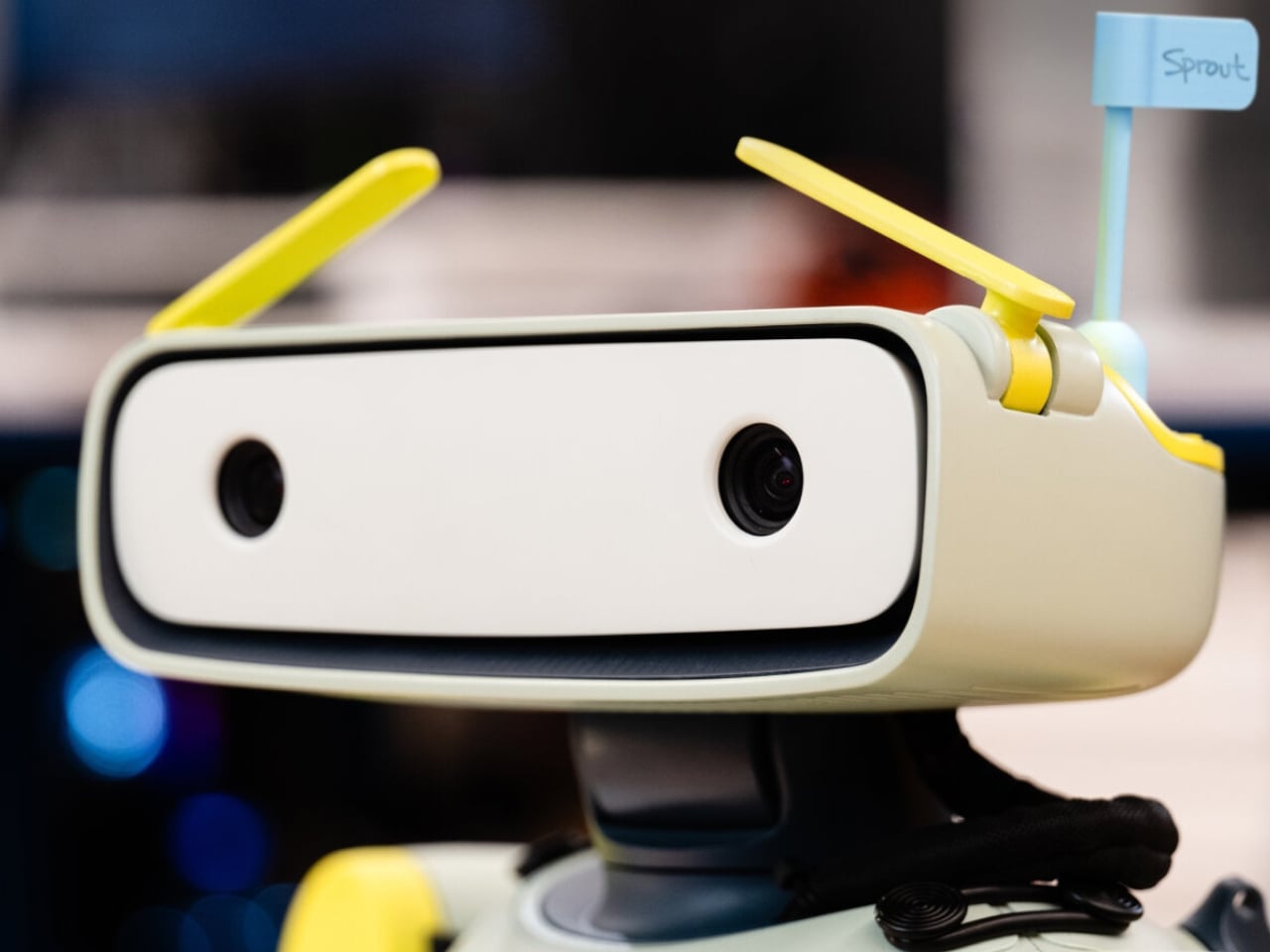
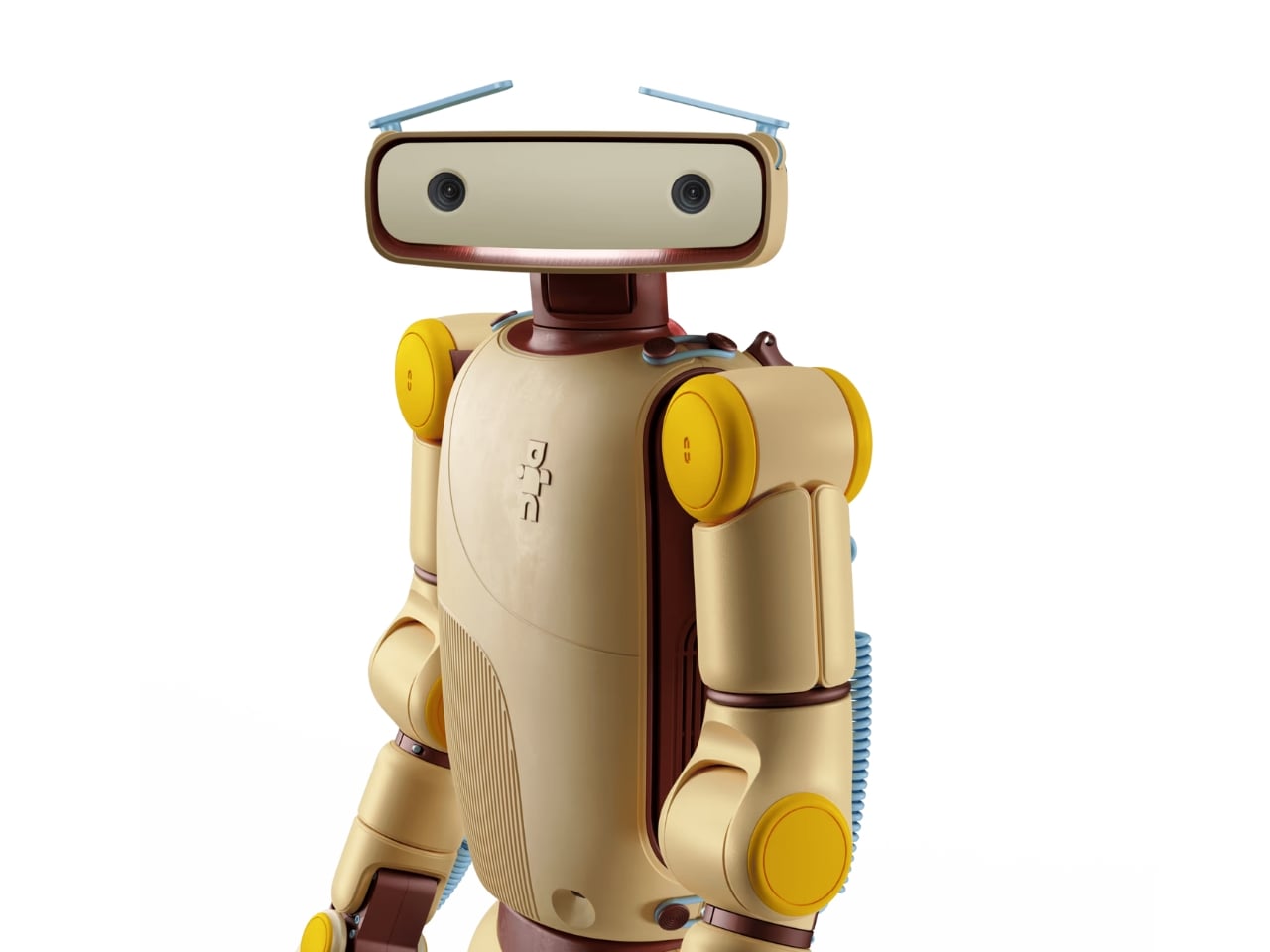
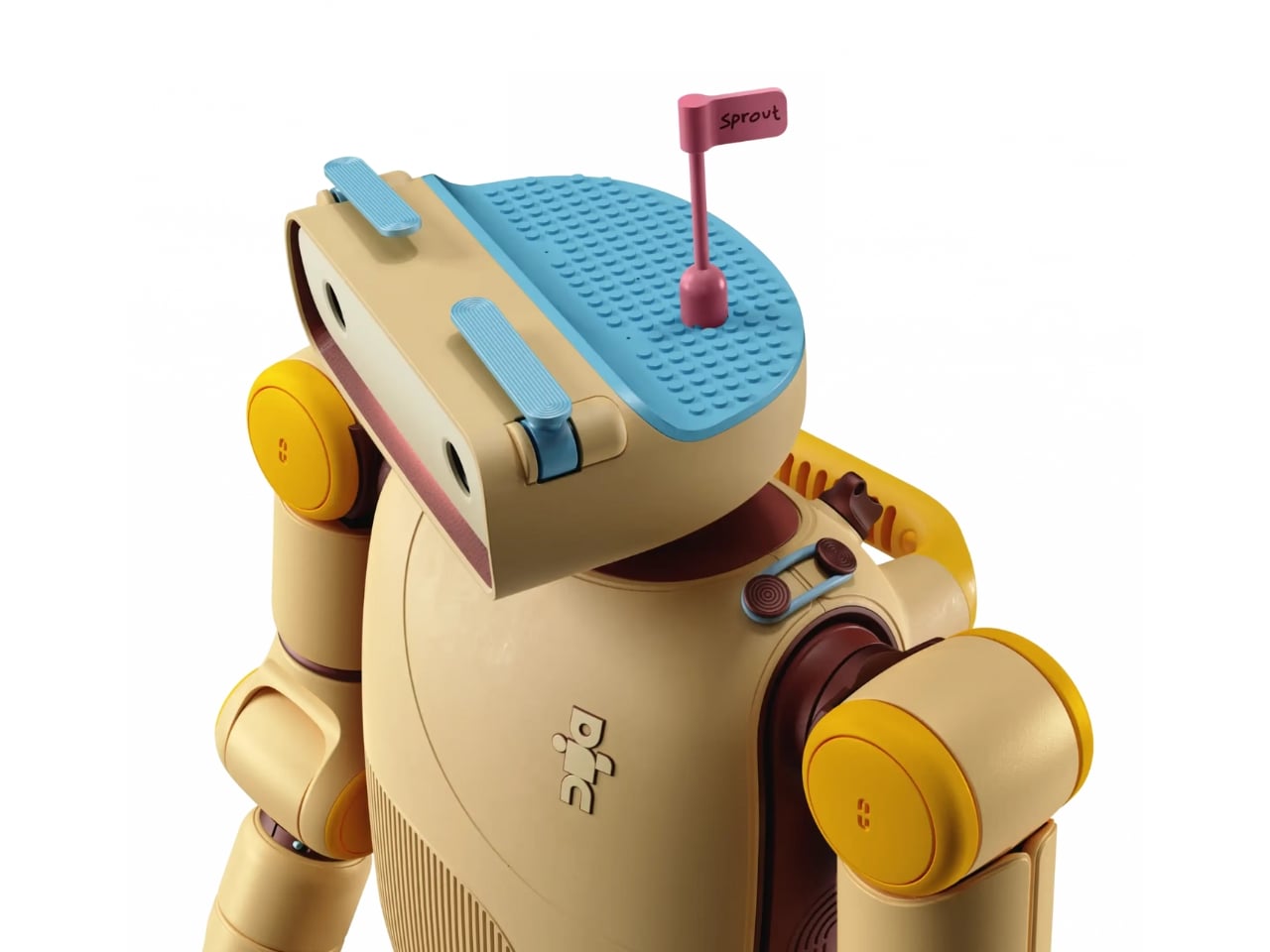
That’s what makes Sprout so different. This portable humanoid from Fauna Robotics just launched out of stealth mode, and it’s taking a completely opposite approach to robot design. Instead of trying to look impressively human or industrial, Sprout leans into something that feels refreshingly approachable and, dare I say it, genuinely charming.
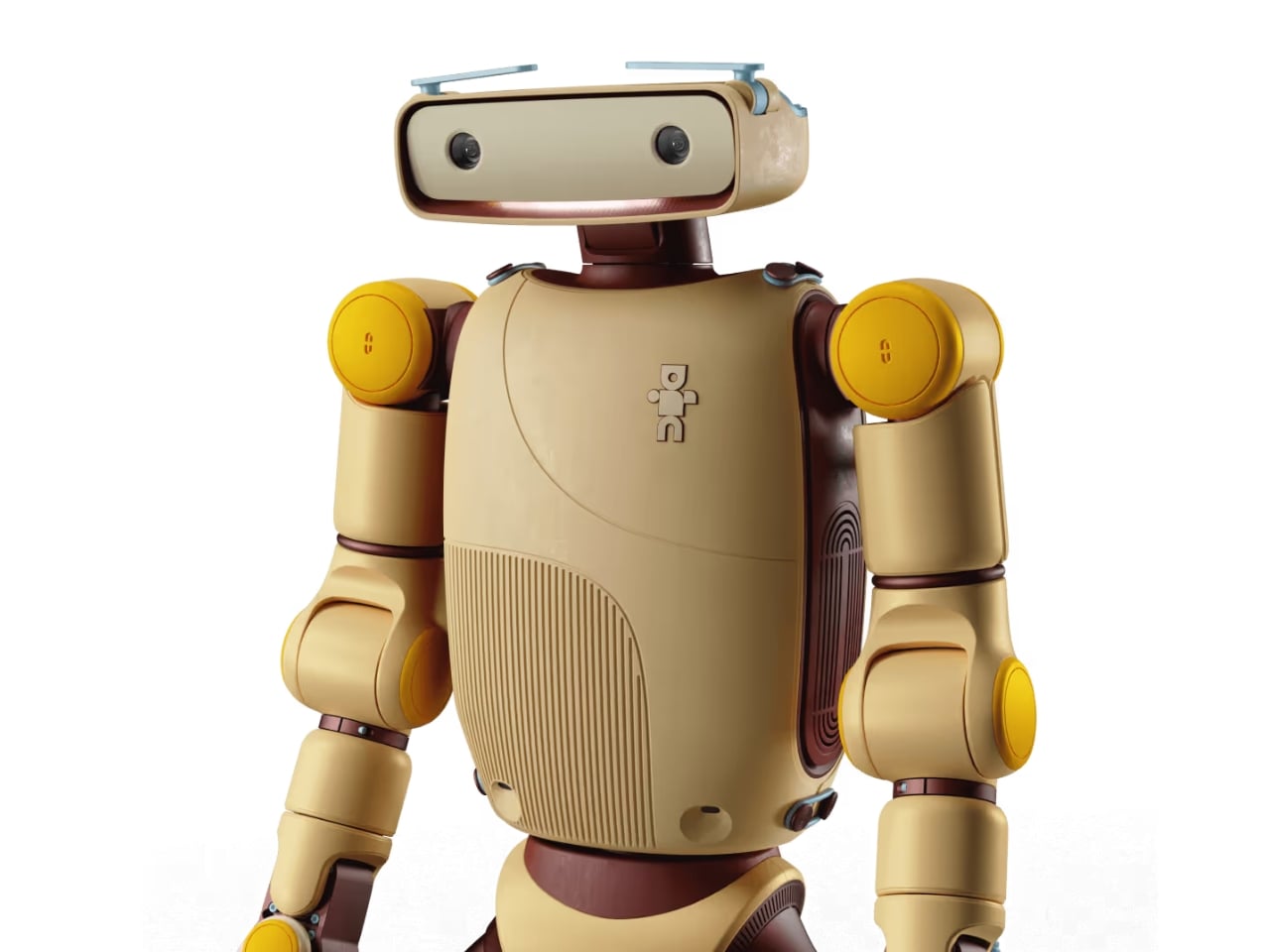
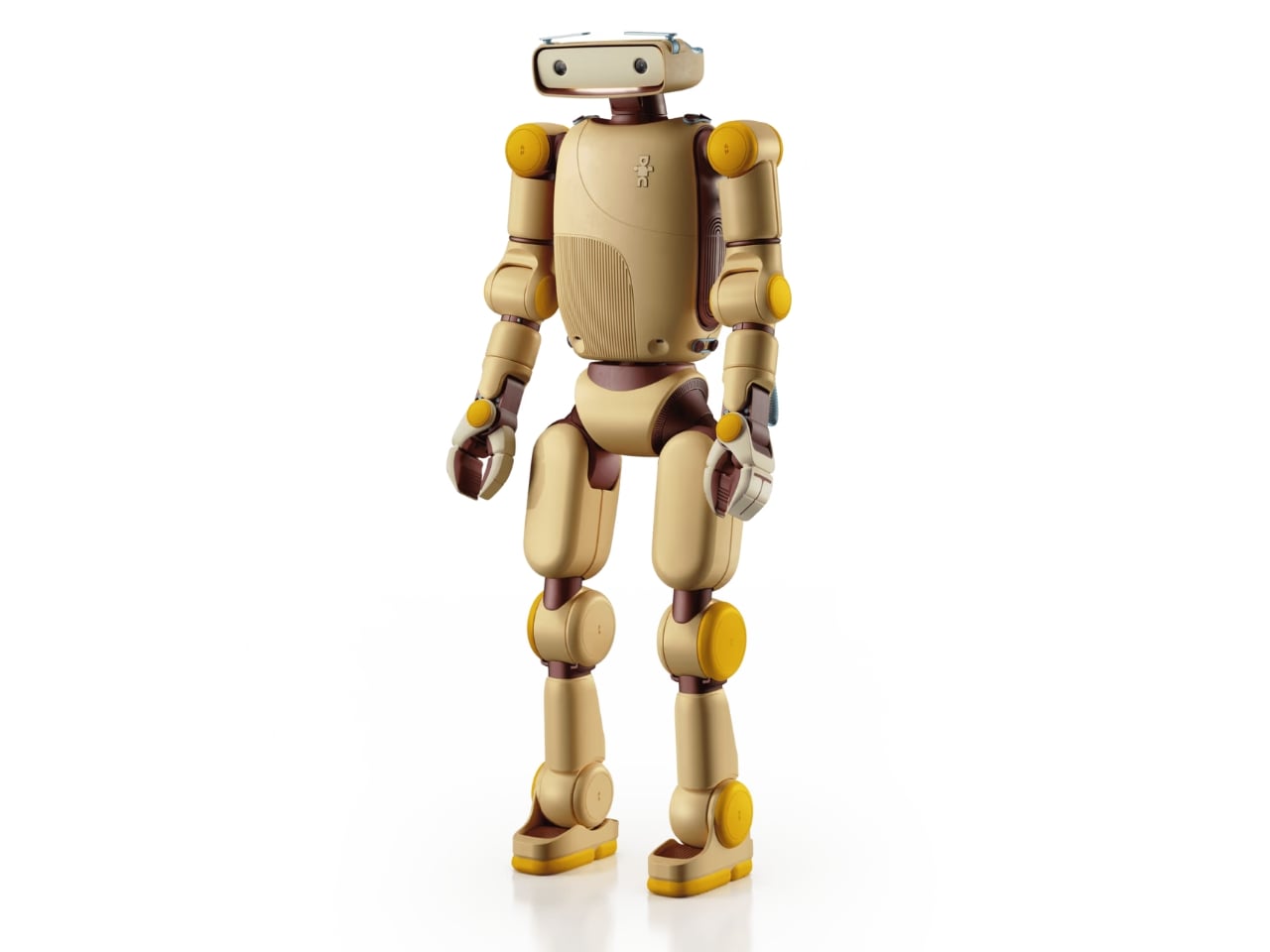
Standing just 3.5 feet tall and weighing about 50 pounds, Sprout is compact and lightweight in ways that most humanoid robots simply aren’t. But what really sets it apart are those antenna-like eyebrows perched on its wide, rectangular head. They move up and down like little windshield wipers, giving this robot an expressive quality that feels more Pixar character than sterile machine.
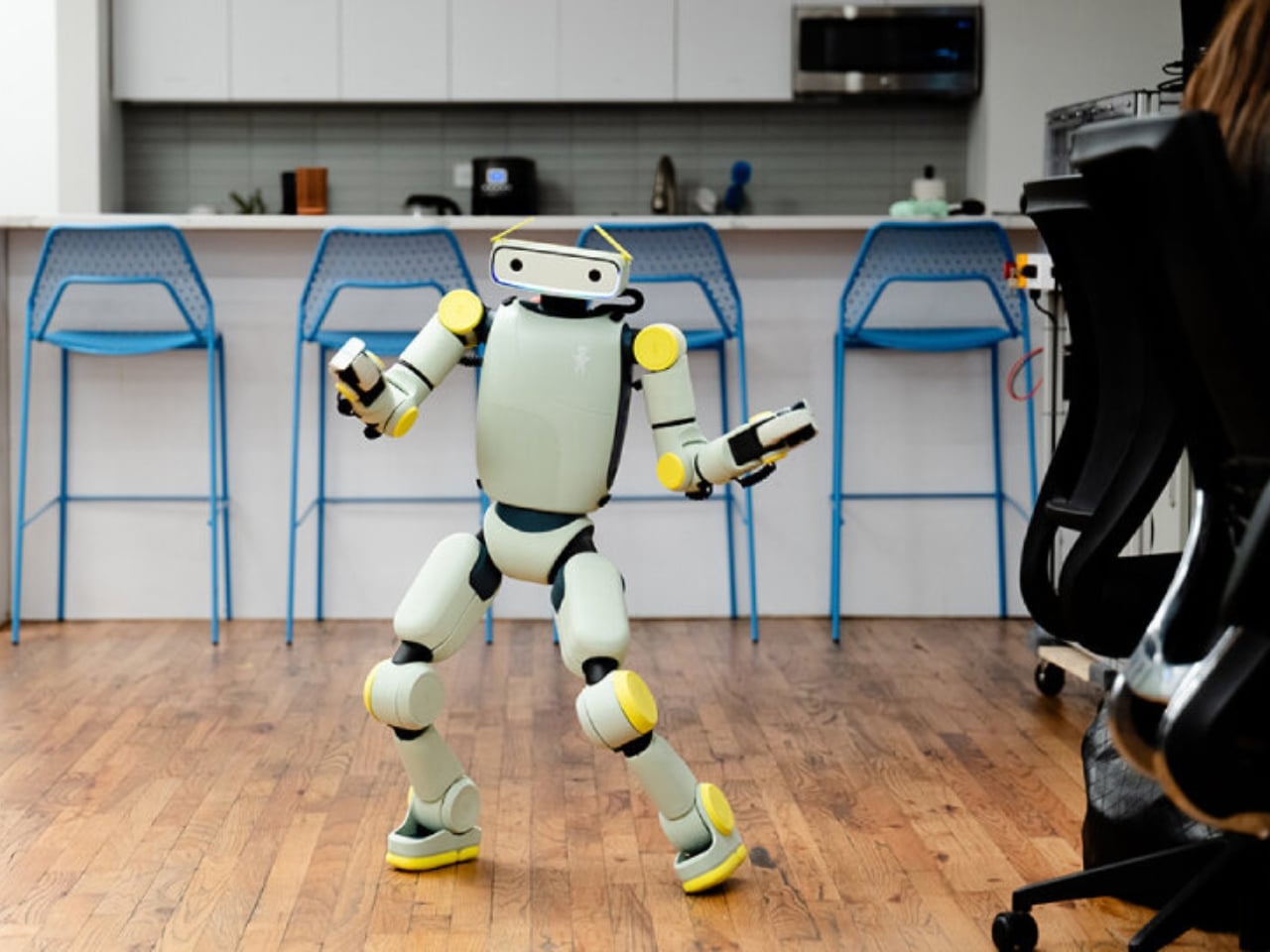
The eyebrows work alongside a 360-degree LED facial display that animates with different light patterns and colors, plus body language that includes walking, kneeling, crawling, and sitting. Together, these features create a communication style that doesn’t rely on mimicking human faces or voices alone. Instead, Sprout uses a whole vocabulary of movement and light to express what it’s doing or feeling, which somehow makes it feel less like a failed attempt at humanity and more like its own friendly creature.
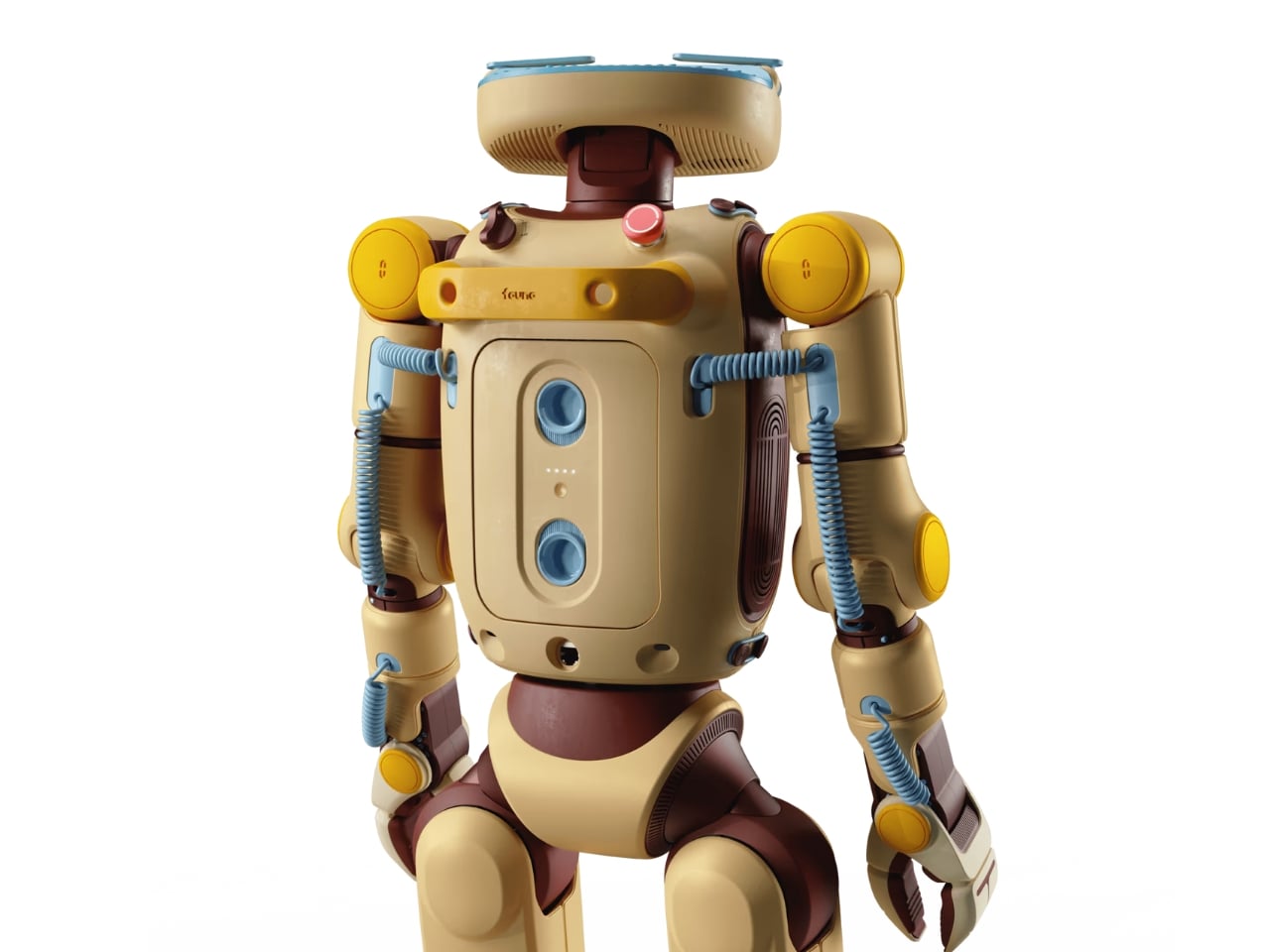
The design philosophy here clearly draws inspiration from beloved fictional robots like Baymax from Big Hero 6 or Rosie from The Jetsons, characters designed to feel helpful rather than threatening. Fauna Robotics wrapped the whole thing in a soft, padded exterior that’s safe to touch, and the company emphasizes that Sprout is built to operate in shared human spaces, around adults, children, and even pets.
This isn’t just a cute toy, though. The Creator Edition that’s shipping now is aimed at developers, researchers, and institutions that want to experiment with embodied AI in real-world settings. Sprout comes with some serious tech under that friendly exterior, including an NVIDIA Jetson AGX Orin processor with 64GB, stereoscopic vision, four time-of-flight sensors, a directional microphone array, and dual speakers.
Early customers are already putting Sprout to work. Disney, Boston Dynamics, UC San Diego, and NYU are all testing applications across retail, entertainment, home services, and research. The robot can navigate both indoor and outdoor environments without needing restricted zones, and its battery runs for about 3 to 3.5 hours before needing a swap. The price tag sits at $50,000 for the Creator Edition, which positions it as a serious development platform rather than a consumer product ready for mass adoption. But that’s kind of the point. Fauna Robotics is building the foundation for what humanoid robots could become once they leave the factory and start mingling with regular people in everyday spaces.
What strikes me most about Sprout is how it sidesteps the whole debate about whether robots should look human. By embracing a more abstract, expressive design, it avoids that creepy almost-human trap while still feeling relatable and engaging. Those eyebrows, as simple as they are, do more emotional heavy lifting than a thousand attempts at realistic facial expressions.
The broader question, of course, is whether we’re ready for robots like this in our lives. But maybe that’s the wrong question. Maybe the better question is whether robots are ready for us, designed in ways that make interaction feel natural rather than forced or unsettling. Sprout suggests that the path forward might not be about making robots that look like people, but rather creating robots that feel like they belong in the spaces where people actually live, work, and play.
With its soft exterior, expressive features, and human-scale design, Sprout represents a different vision of what personal robotics could look like. Whether it succeeds in changing minds about humanoid robots remains to be seen, but those articulated eyebrows are certainly making a compelling argument.
We’re starting to hit our stride in 2026. Now that February is here, our reviews team is flush with new devices to test, which means you’ve got a lot to catch up on if you haven’t been following along. Read on for a roundup of the most compelling new gear we’ve tested recently from gaming, PCs, cameras and more.
Nex Playground
If you still have a fondness for the Xbox Kinect, the Nex Playground might be right up your alley. Senior reporter Devindra Hardawar recently put the tiny box through its paces and found an active gaming experience that’s fun for the whole family. “While I have some concerns about the company’s subscription model, Nex has accomplished a rare feat: It developed a simple box that makes it easy for your entire family to jump into genuinely innovative games and experiences,” he wrote.
MSI's Prestige 14 Flip AI+
Devindra also tested MSI’s latest laptop, the powerful Prestige 14 Flip AI+. While the machine got high marks for its performance, display and connectivity, he noted that the overall experience is hindered by subpar keyboard and truly awful trackpad. “As one of the earliest Panther Lake laptops on the market, the $1,299 Prestige 14 Flip AI+ is a solid machine, if you're willing to overlook its touchpad flaws,” he explained. “More than anything though, the Prestige 14 makes me excited to see what other PC makers offer with Intel's new chips.”
Shokz OpenFit Pro
Fresh off of its Best of CES selection, I conducted a full review of the OpenFit Pro earbuds from Shokz. I continue to be impressed by the earbuds’ ability to reduce ambient noise while keeping your ears open. And the overall sound quality is excellent for a product that sits outside of your ears.
Sony A7 V
Contributing reporter Steve Dent has been busy testing cameras to start the year. This week he added the Sony A7 V to the list, noting the excellent photo quality and accurate autofocus. “The A7 V is an incredible camera for photography, with speeds, autofocus accuracy and image quality ahead of rivals, including the Canon R6 III, Panasonic S1 II and Nikon Z6 III,” he said. “However, Sony isn’t keeping up with those models for video.”
Apple AirTag (2026)
Our first Editors’ Choice device of 2026 is Apple’s updated AirTag. All of the upgrades lead to a better overall item tracker, according to UK bureau chief Mat Smith. “There's no doubt the second-gen AirTags are improved, and thankfully, upgrading to the new capabilities doesn’t come at too steep a cost,” he concluded.
This article originally appeared on Engadget at https://www.engadget.com/engadget-review-recap-shokz-openfit-pro-nex-playground-sony-a7-v-and-more-123400089.html?src=rss
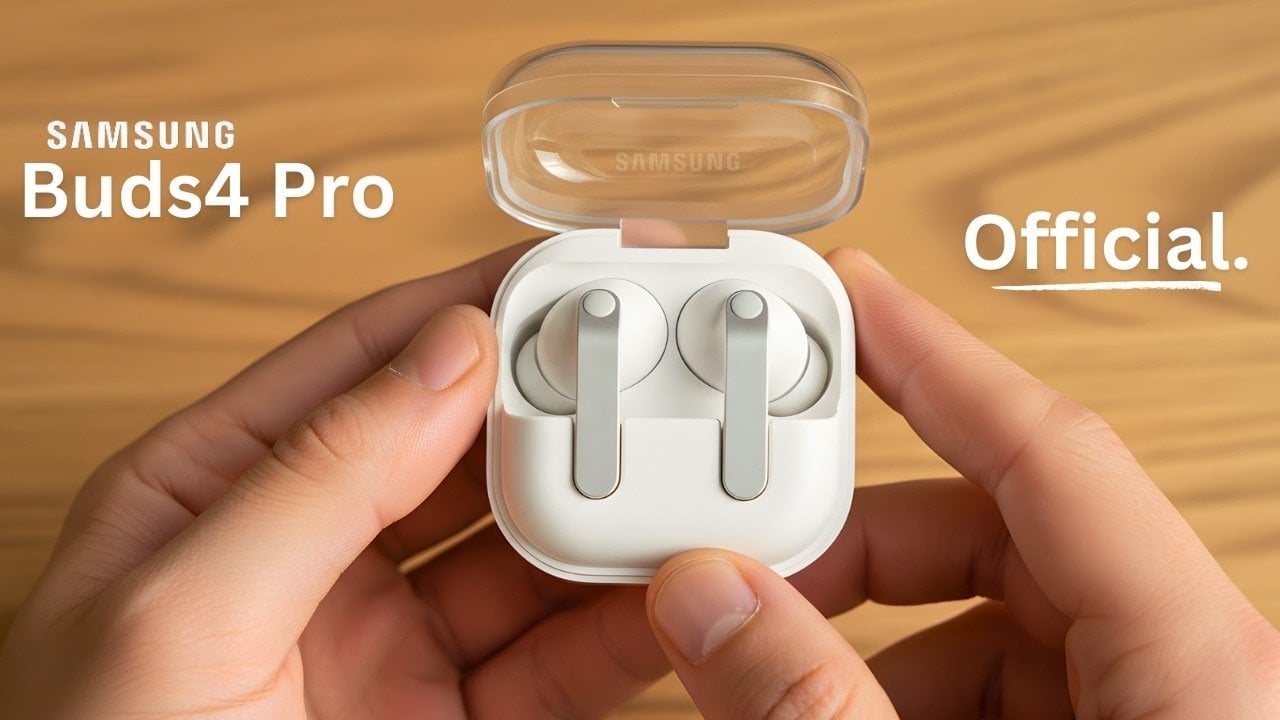
Samsung is poised to elevate the premium audio market with the highly anticipated Galaxy Buds 4 series, spearheaded by the Galaxy Buds 4 Pro. Scheduled to launch alongside the Galaxy S26 lineup, these earbuds promise a harmonious blend of advanced technology, refined aesthetics, and seamless functionality. By addressing user feedback from previous models, Samsung aims […]