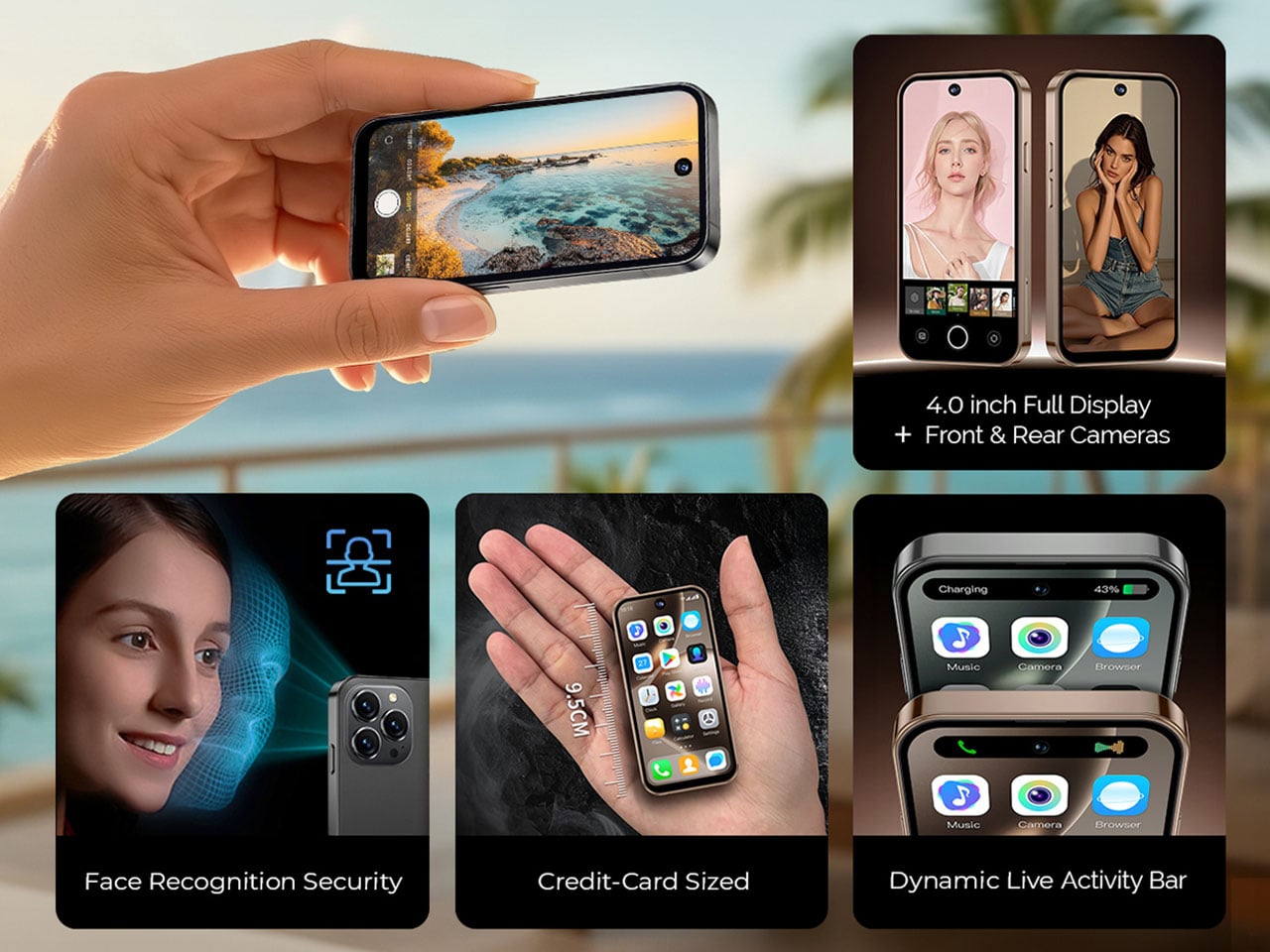
Let’s be honest, smartphones have grown quite big in size from their very early designs. A 6.5-inch brick is considered standard these days, as flagships can even outgrow that size to give users maximum display real estate with an impressive screen-to-body ratio. Challenging the conventions to bring back minimalistic dimensions for a pocket-friendly approach to your BFF pocket gadget, the NanoPhone turned heads when it was introduced in late 2024.
The telltale vibe of the device’s iPhone Mini resemblance was hard to ignore, given it had all the check boxes ticking for the right reasons. Barring its thick bezels and a few little kinks, the shrunken gadget had everything going in the right direction. Now, the phone is back in a Pro version with the bezels shrunk down for a more modern appeal, with all the other perks intact to make it a highly pocketable phone for every kind of user.
Although it looks like a shrunk-down iPhone, the credit card-sized 4G device is powered by Android 12 and certified for Google Play apps. The NanoPhone Pro does everything a normal phone can – browse the internet, make calls, listen to music, real-time navigation, and more – all while taking up minimal space in your pocket. This makes the mini phone ideal for people who prefer minimalism and are not intrigued by the entertainment aspect of current-day versatile smartphones that are more than ideal for gaming or binge-watching favourite shows.
The device has a modest 5MP camera on the rear and a 2MP front shooter for taking quick photos or engaging in video chats. This makes it fit to be used as a secondary phone, especially when you are trying hard to reduce your screen time. The device is also fit for kids and the elderly who want a major chunk of the functionality without any complications or bulk.
Since size is the USP, the device optimizes the 2000mAh battery performance well on the 4-inch edge-to-edge IPS touchscreen for a complete day of use. The 4G support, dual-SIM slot, and wireless connectivity promise quite a lot in this pocket rocket device. Weighing just 79 grams, the phone can be tethered to a lanyard on your backpack or running belt. Priced at $100, the NanoPhone Pro hits the sweet spot for users who always wanted such a device. The makers are generous enough to include a protective case and a screen protector in the packaging, making it an even sweeter deal at a modest price.
The Samsung Galaxy S26 Ultra builds upon the solid foundation of its predecessor, the S25 Ultra, by introducing a series of thoughtful refinements in design, display technology, performance, and AI integration. While the S25 Ultra remains a highly capable flagship device, the S26 Ultra focuses on enhancing the overall user experience rather than introducing new […]
Working on the move means accepting a certain amount of small friction. You can have a great laptop and still spend the first five minutes of a café session digging through a bag for a mouse, or realizing you left it on your desk at home. Accessories are the first things to get lost because they don’t have a natural home when you’re packing up in a hurry, and no amount of good habits fully solves that.
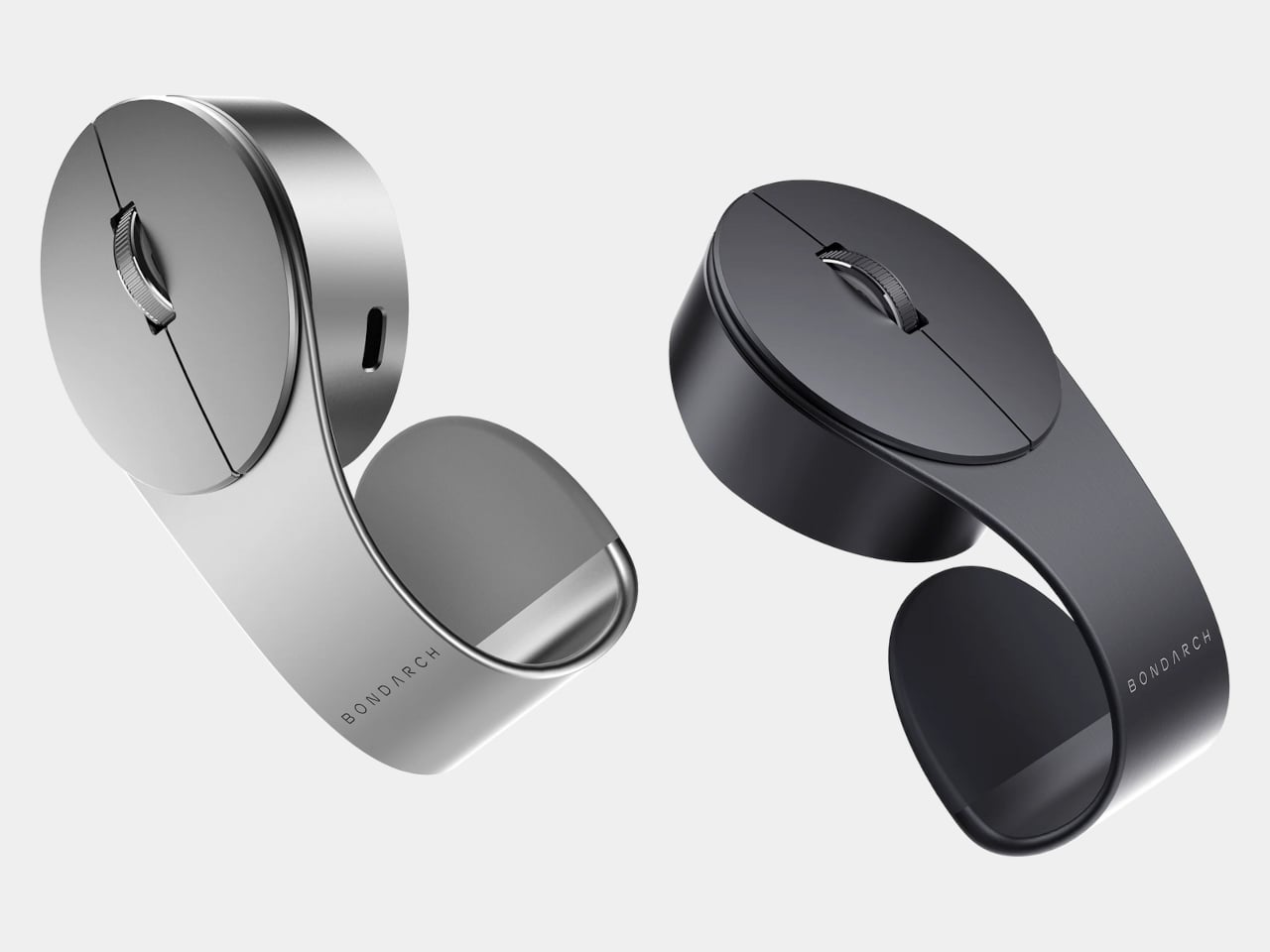
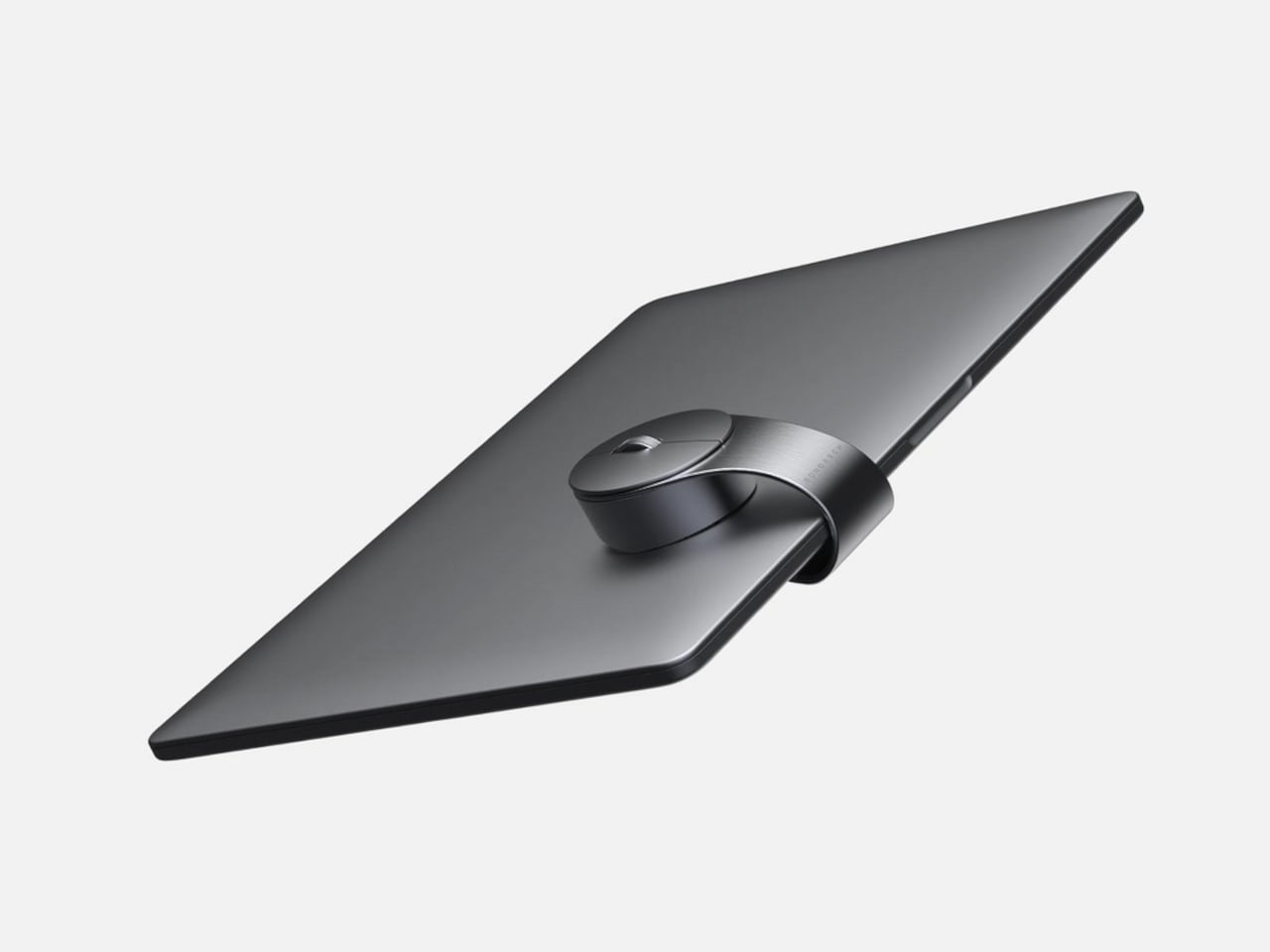
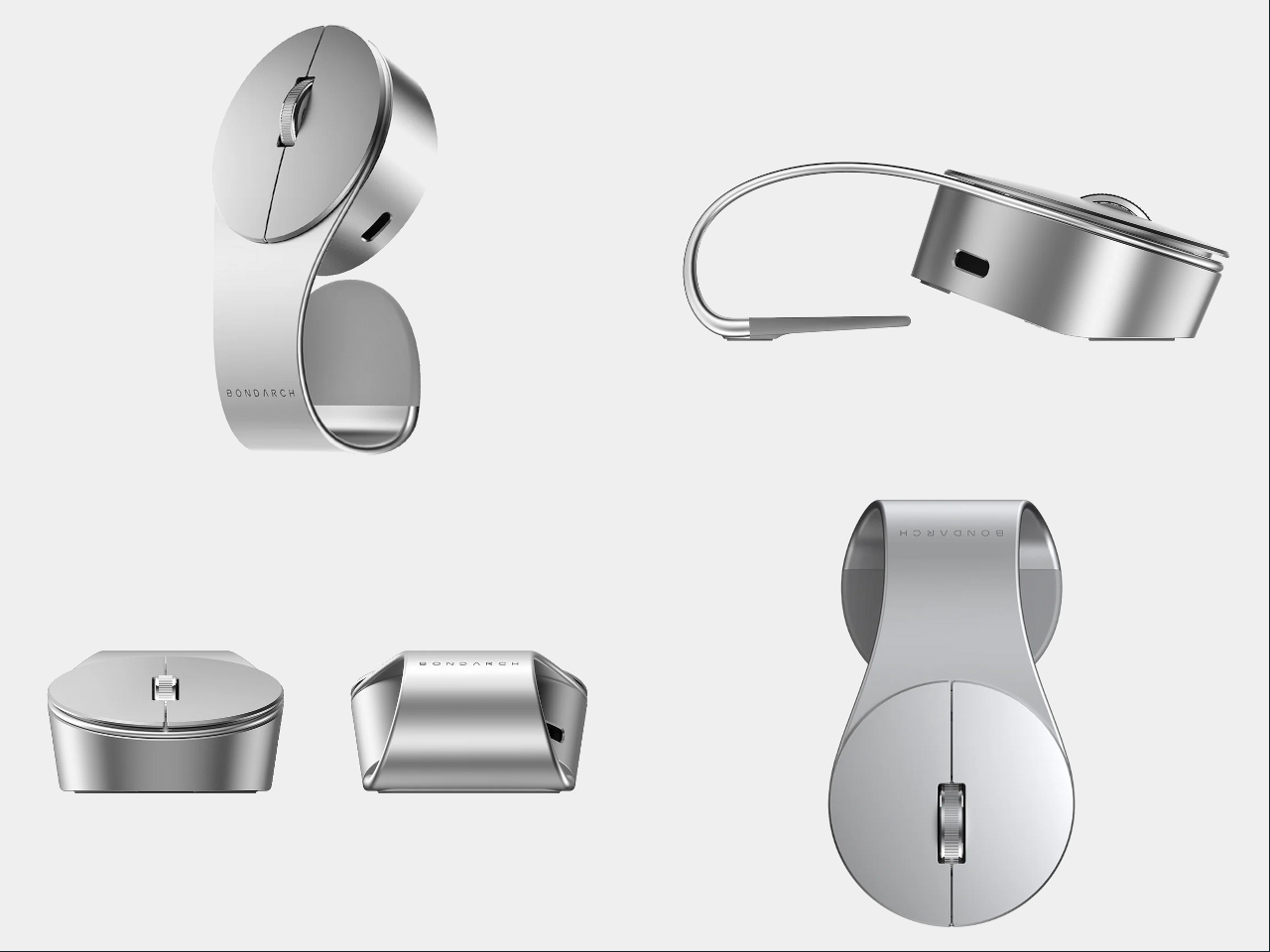
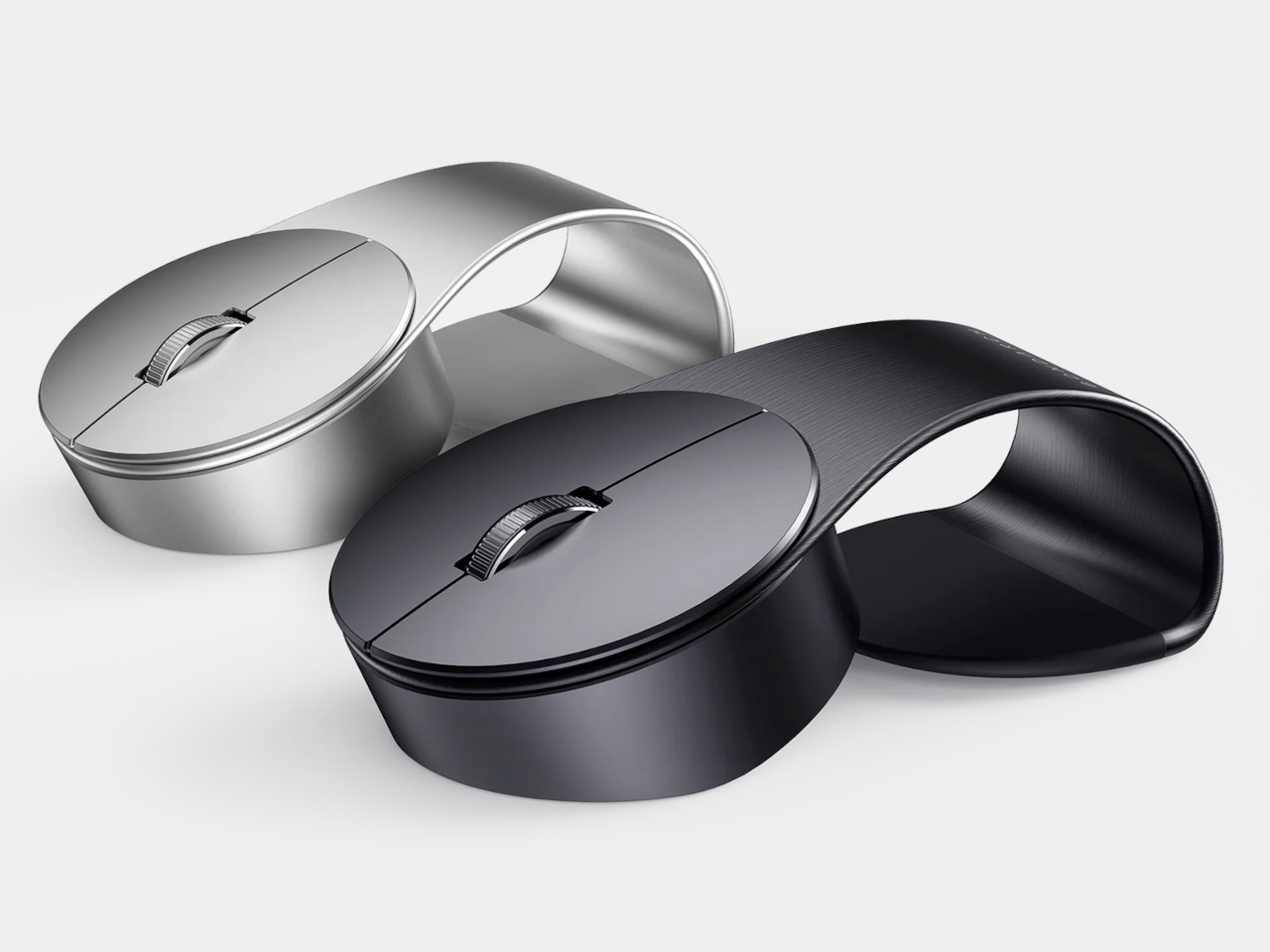
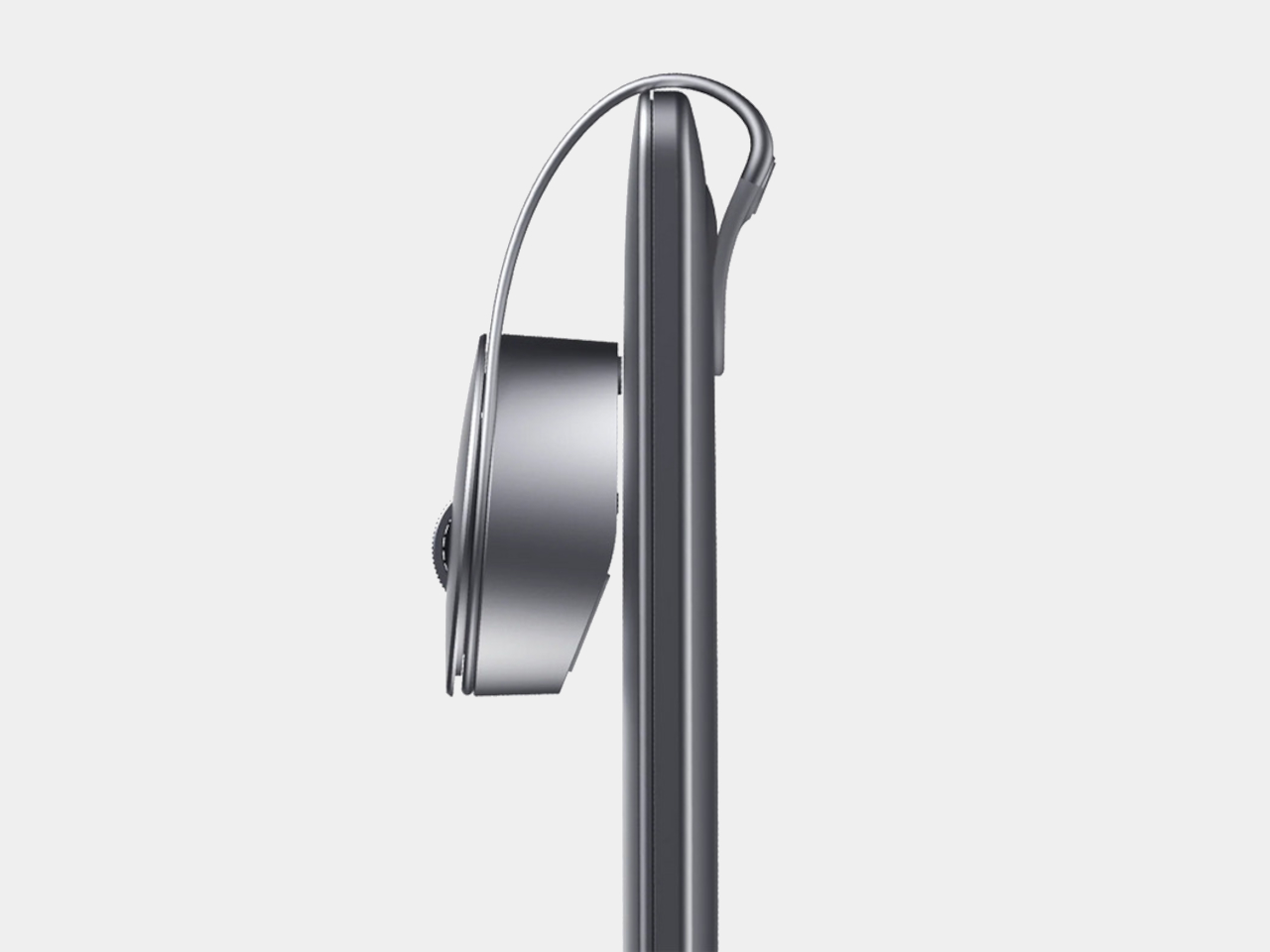
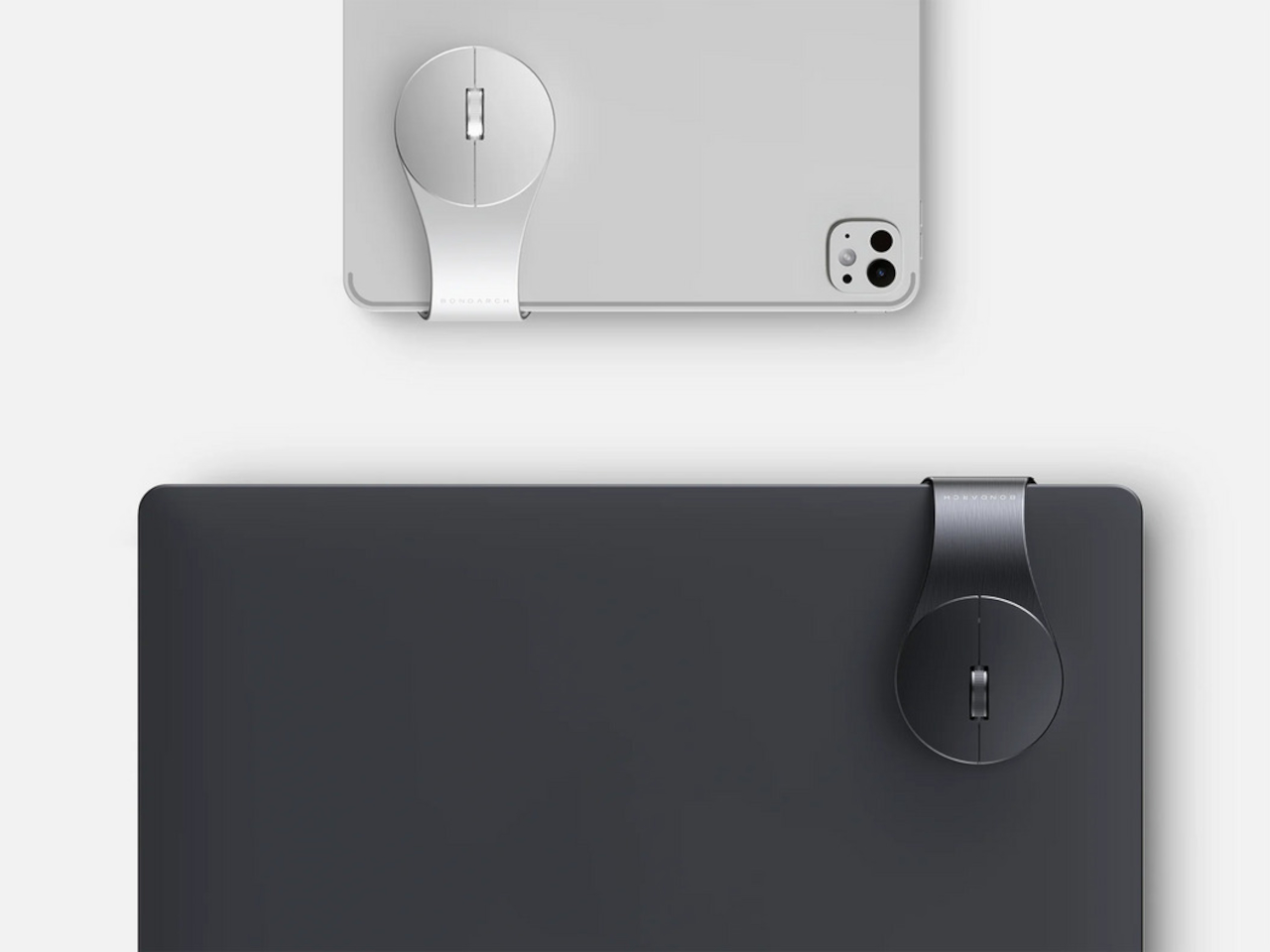
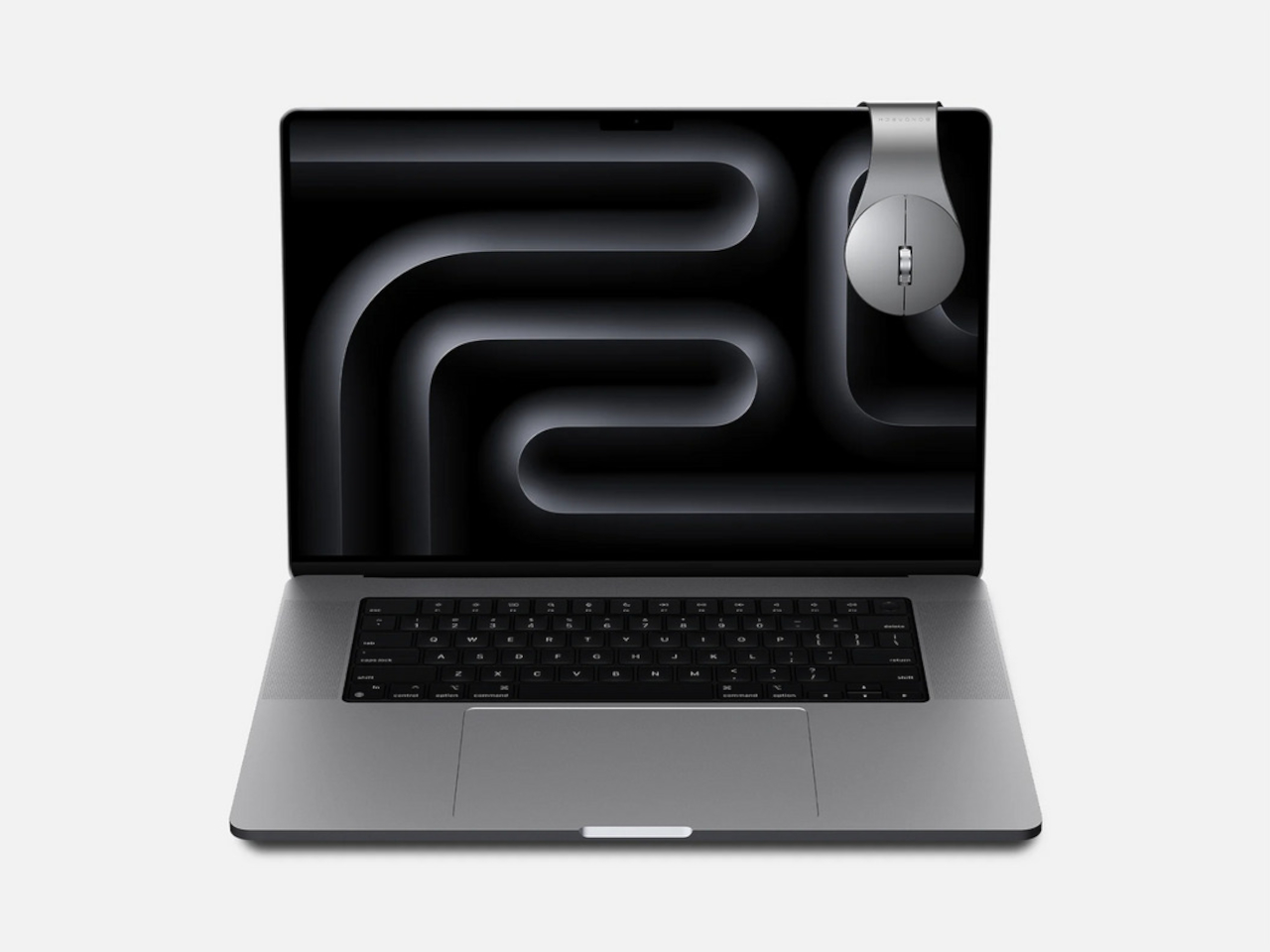
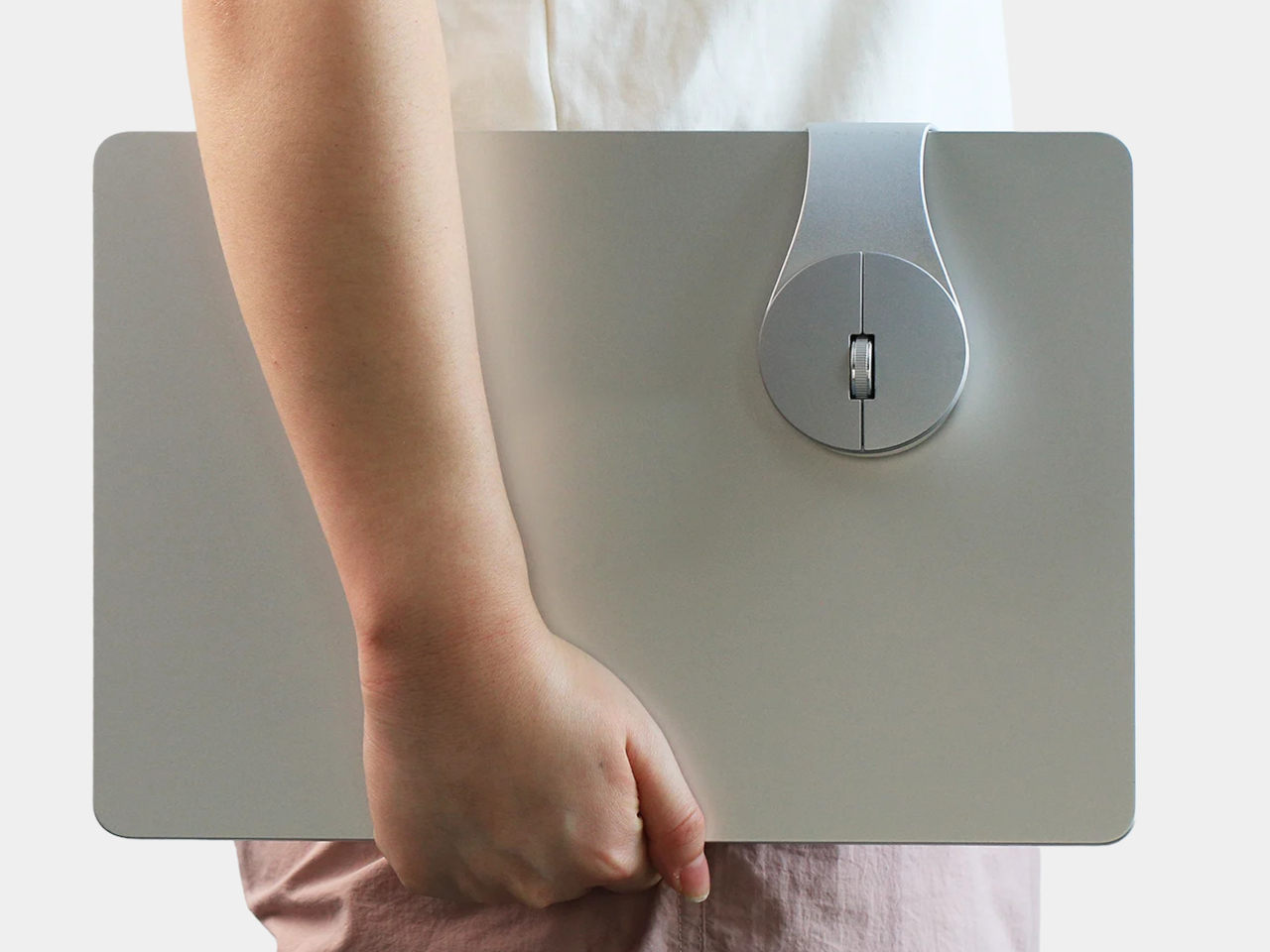
BondClip by BondArch is a wireless mouse engineered to clip onto the edge of a laptop or tablet, so it travels with the device instead of floating loose. The G-shaped architecture is the whole idea, a flowing aluminum loop that forms a natural clip and keeps the mouse attached to the device like a tool rather than stored like a separate accessory you have to keep track of.
Designers: Sangmin Yu and Rinchar Ren (HNDESIGN) for BondArch
The clip itself relies on geometry and friction rather than a clamp or spring mechanism. A silicone pad on the underside of the loop increases contact friction, helping BondClip grip the laptop’s edge firmly during travel without digging into the surface or requiring the kind of force that would mark a premium finish. The silicone also absorbs minor vibrations, so it doesn’t rattle around in a bag with the laptop.
The weight comes in at 72g and dimensions at 110.6mm x 60mm x 36.2 mm, which puts it in compact travel mouse territory. The more meaningful shift is behavioral. When you open the laptop, the mouse is already there, clipped to the edge and ready to go. That changes the rhythm of setting up in a meeting room or café, removing one physical search from the start of every work session.
Connectivity covers 2.4GHz wireless and Bluetooth 5.4, switchable via a mode button on the underside, so you can pair it to a laptop and tablet independently and switch between them without re-pairing. Adjustable DPI runs from 600 to 3600, covering slow, precise cursor work and faster general browsing without needing software to set it up.
The 25 mAh rechargeable battery is rated for 130 hours of use on a single charge, with USB-C for recharging. At that battery life, it’s the kind of peripheral you plug in occasionally rather than manage carefully, which matters when you’re already keeping an eye on a laptop, phone, and earbuds.
The body is precision-bent aluminum alloy, with polycarbonate and silicone components, in Silver and Midnight finishes. BondArch calls it “office luxury,” which isn’t an empty claim when the sandblasted matte finish is clearly aimed at the same visual register as a modern MacBook. It’s a mouse that gives itself a place to live on the device it works with, which turns out to be a more useful idea than another wireless range number.
Gemini Canvas offers a dynamic, editable workspace designed to support a wide range of creative and practical applications. As overviewed by Paul Lipsky, this platform goes beyond traditional AI chat systems by allowing users to directly create, refine, and interact with projects like apps, dashboards, and educational materials. One standout feature is its interactive workspace, […]
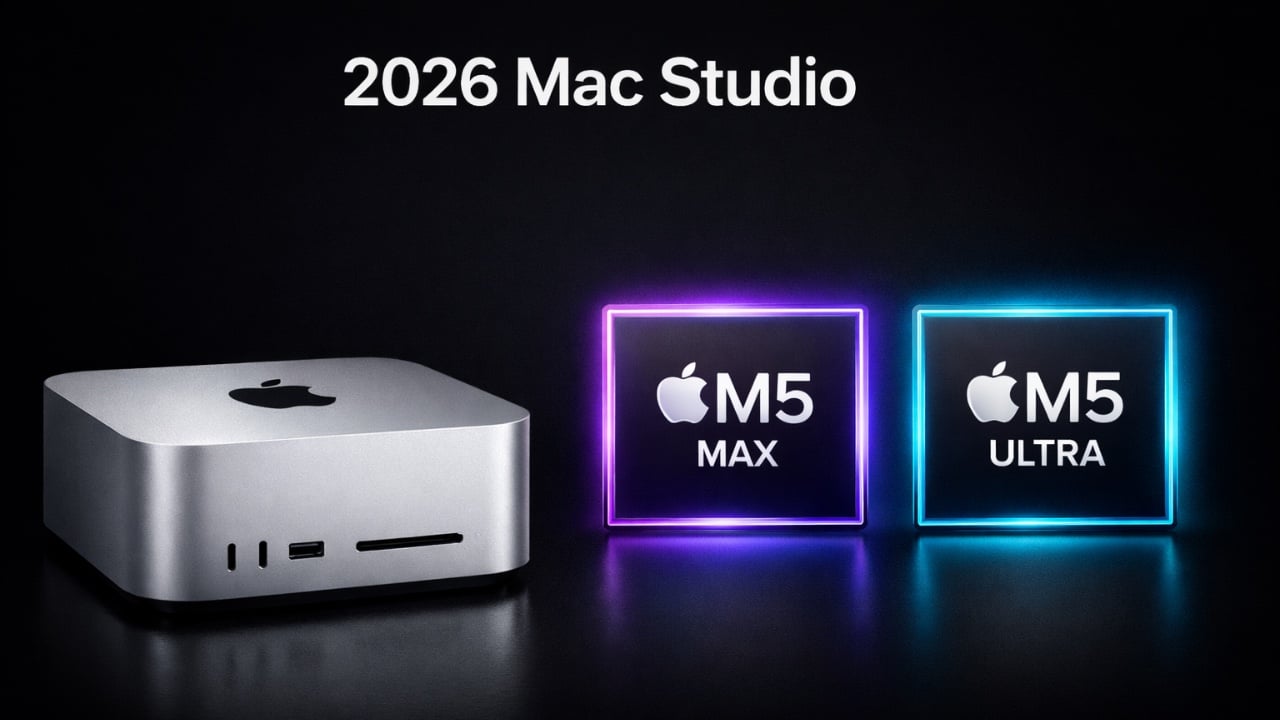
The 2026 Mac Studio establishes itself as a cornerstone of professional desktop computing, blending exceptional performance with a compact and efficient design. Equipped with Apple’s latest M5 Max and M5 Ultra chips, it delivers the speed and efficiency required for demanding tasks such as video editing, 3D rendering, and machine learning. Enhanced storage and […]
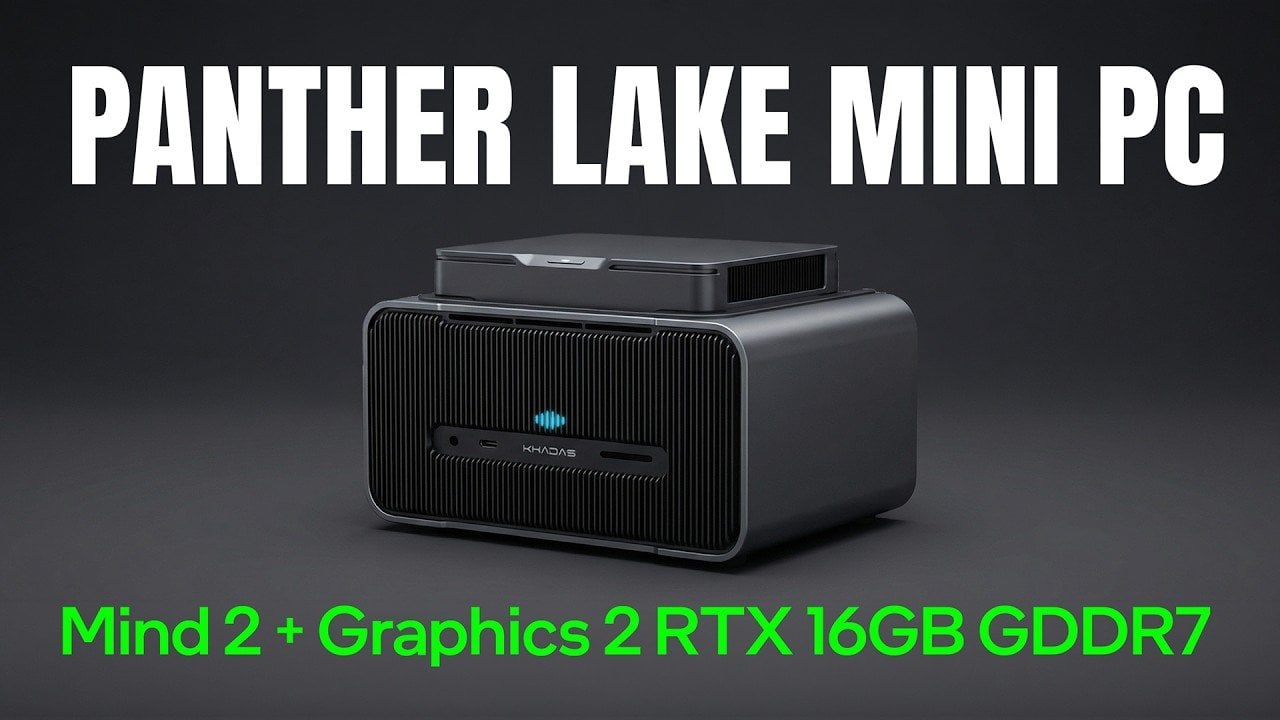
The Kados Mind Pro, paired with the Mine Graphics 2 dock, introduces a new approach to portable computing by using the Mind Link PCIe 5.0 X4 interface for high-speed data transfer. As detailed by ETA Prime, this setup combines the power of Intel’s Core Ultra X7 358H processor with the flexibility of desktop-class graphics provided […]
WebMCP is a browser API developed collaboratively by Google and Microsoft to enhance how AI agents interact with websites. According to Better Stack, this API allows developers to define specific website functionalities as structured actions that AI can directly use, bypassing older methods like HTML parsing or screen scraping. By allowing websites to function as […]
Apple’s iOS 27 is poised to deliver a significant update, building on the foundation of iOS 26 while addressing user feedback and introducing new features. This release focuses on refining the user interface, enhancing performance, and reimagining Siri with advanced capabilities. The beta version is expected to launch in June, with a full public release […]
Mafia: The Old Country demands to be played on an enormous screen. As much as I love my 32-inch Alienware OLED gaming monitor, it doesn't do justice to Mafia's cinematic vistas of Sicily. But, I also wanted to play that game in its full 4K glory, with none of the compromises of today's game consoles. So why not just shove a tiny gaming desktop under my home theater? Enter the Fragbox, Falcon Northwest's revamped small form factor gaming PC. While it's very expensive, starting at $3,997, it's incredibly powerful and gives you the freedom to easily upgrade the hardware down the line.
I know what you're thinking: "A $4,000 desktop, in this economy?" That pricing also doesn't include upgrading from the stock NVIDIA's RTX 5070 GPU, as well as adding more RAM and larger SSDs, all of which could drive the price up thousands more. I initially planned to review the FragBox back in early December 2025, before the AI-induced RAMaggedon made memory, storage and other components dramatically more expensive. Falcon Northwest is mainly known as a boutique and high-end system builder, so its wealthier clientele can likely weather the pricing storm. If you're looking for a deal, though, you won't find it here.
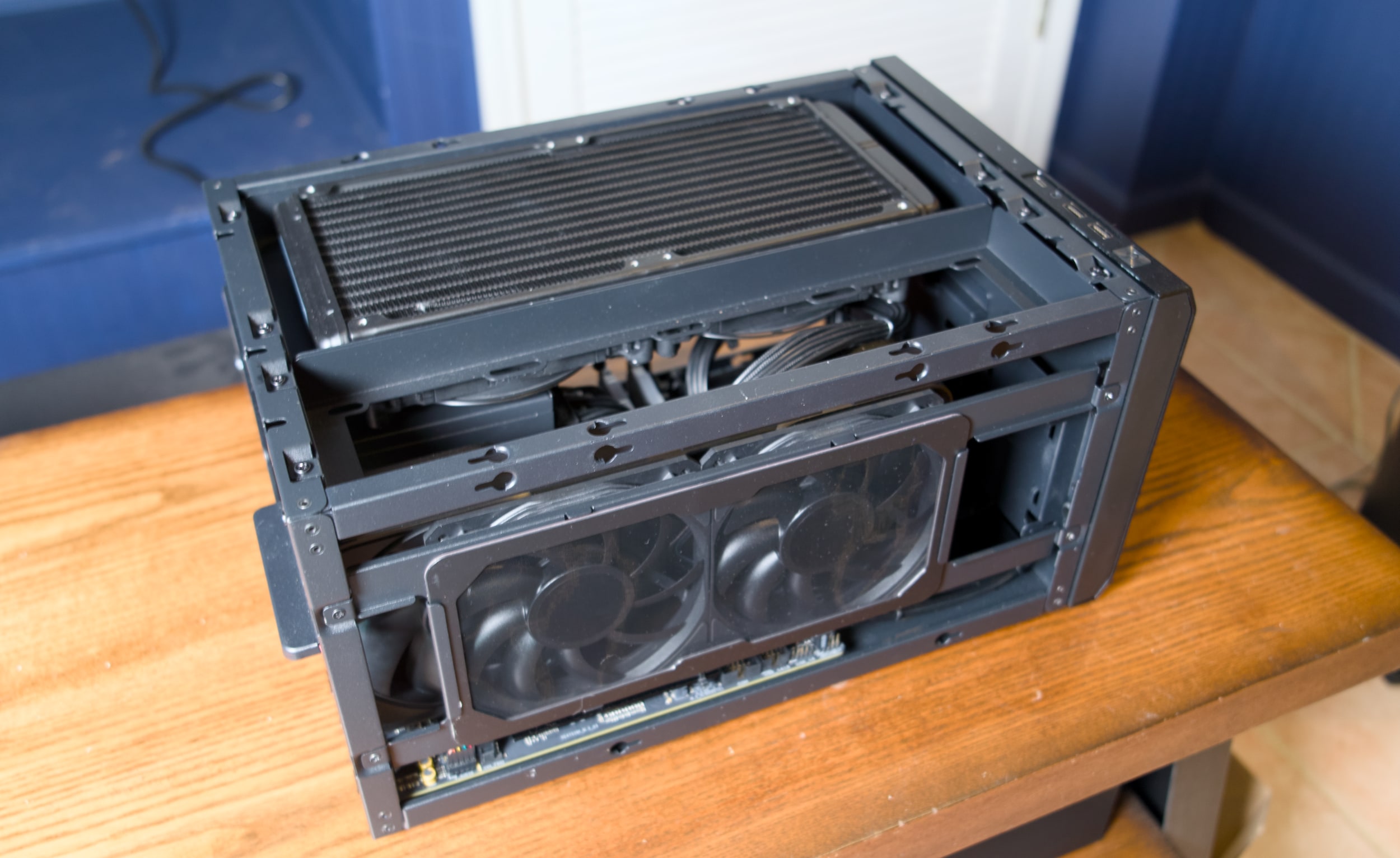
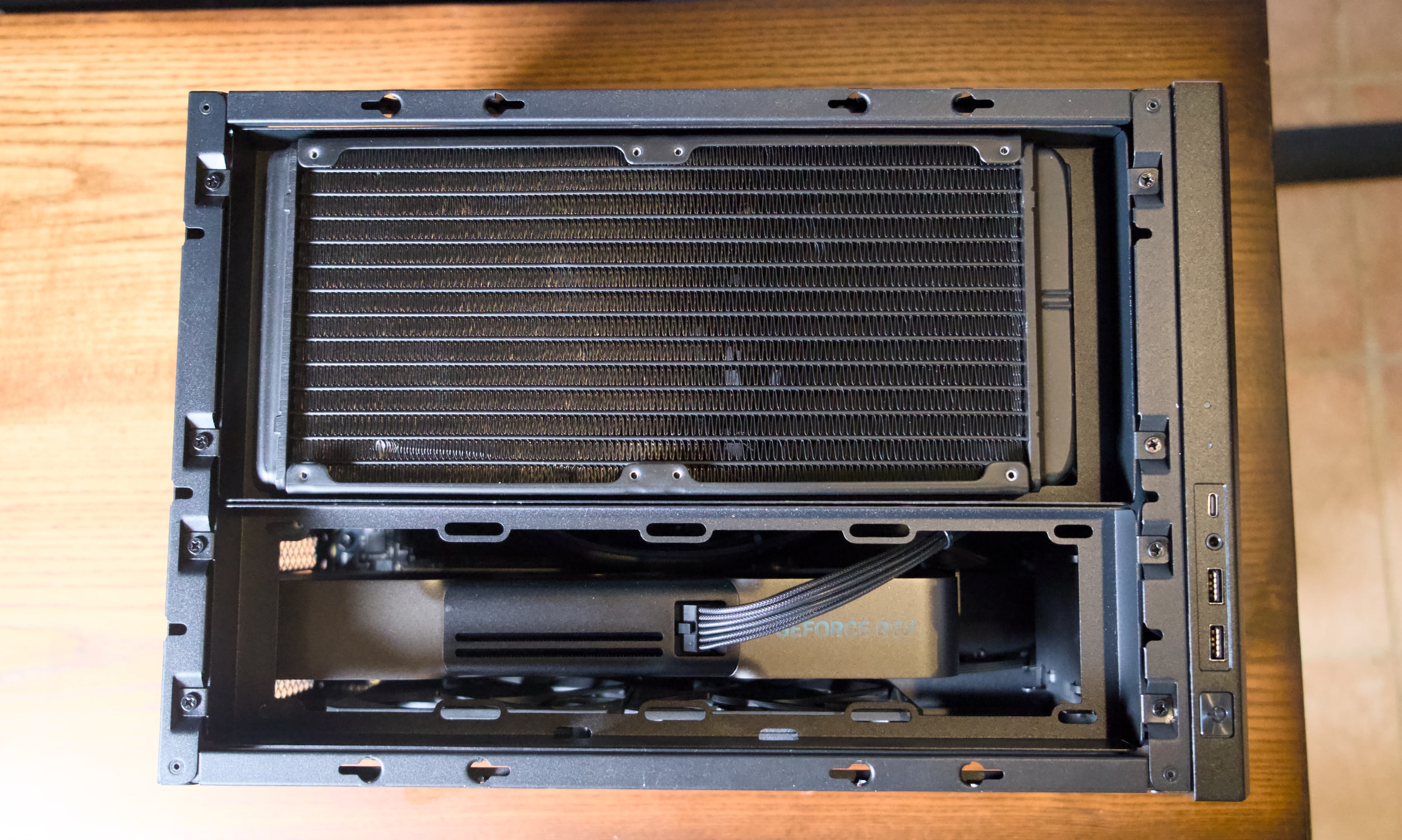
So what, exactly, is a FragBox? Imagine a typical mid-tower desktop squashed down to a system that's only 10.2-inches tall, 10.5-inches wide and 15.9-inches deep. When Falcon initially debuted the FragBox in 2003, it was notable for being a genuinely small PC that used full-sized parts. That's still a main selling point today: It can still fit in large NVIDIA GPUs, including the beefy RTX 5090, as well as either Intel's latest Core Ultra chips or AMD's Ryzen 9000 CPUs. A huge 280mm radiator sits at the top pulling out hot air, and it also serves as an All-in-One (AIO) liquid cooler for the CPU.
At 25 pounds, the FragBox isn't exactly light, but its sturdy metal handle makes it easy to move around. Most mid-tower desktops usually weigh between 20 and 35 pounds, depending on their case material. But they're also much larger and harder to squeeze into tight spaces. The FragBox's relatively squat size makes it easy to shove into a home entertainment center, or just sit on the corner of your desk. If you need a bit more height clearance, you can also remove the handle from the top panel. Just be sure there’s enough room for some airflow — all of that heat has to go somewhere, right?
Falcon Northwest FragBox
Devindra Hardawar for Engadget
Despite its density, the FragBox's elegant design makes it a cinch to access to all of the system's components. Just unscrew the side and top panels and you can easily remove the GPU, RAM, storage and other major components. There are three slots of M.2 SSDs, as well as two locations for 2.5-inch drives and a spot for a large 3.5-inch HDD. The system is bundled with a 1,200W power supply, which should be more than enough to handle future GPUs and CPUs.
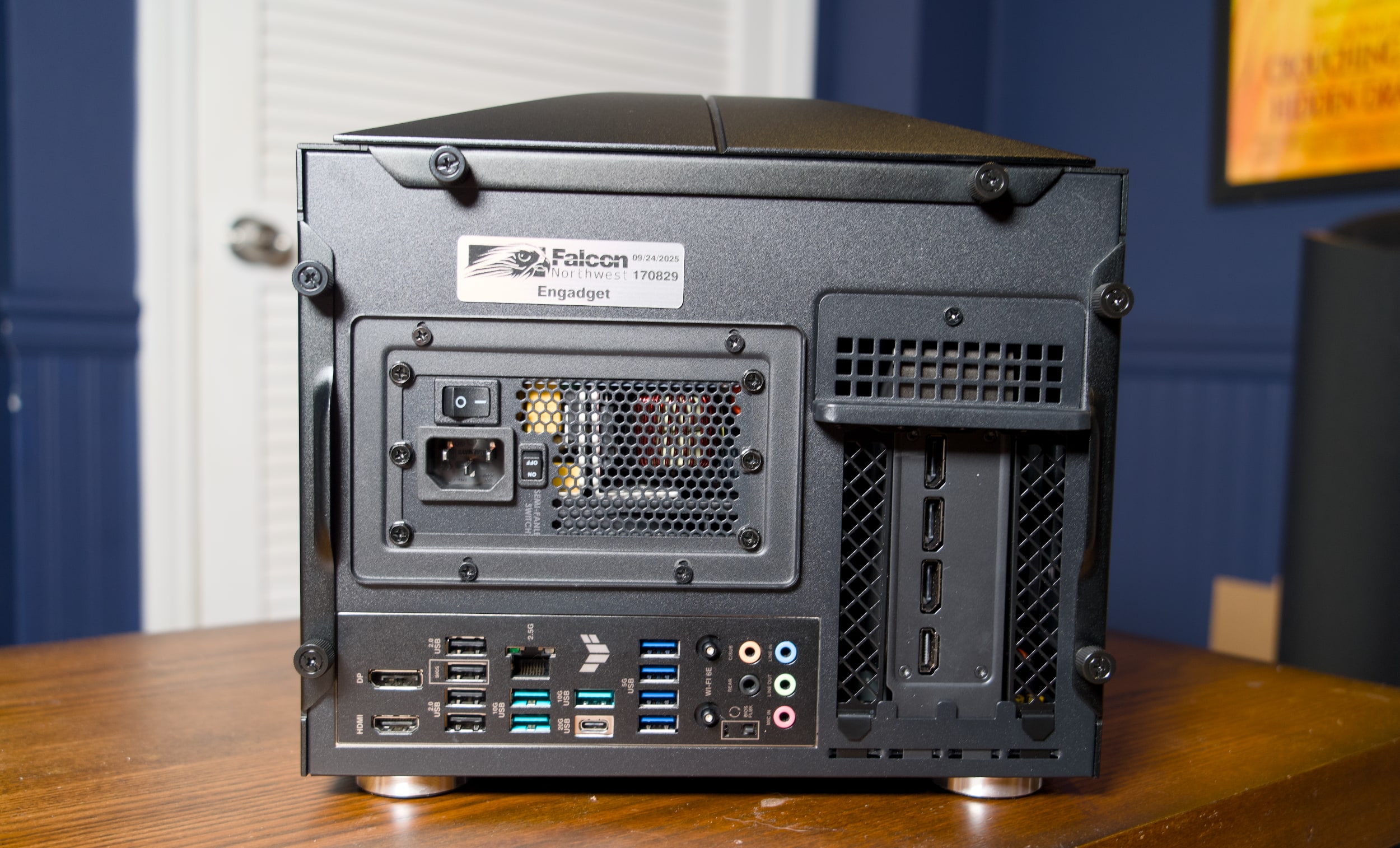
Ports are plentiful as well: There are two USB-A and one USB-C connections right up front, alongside a headphone jack. On the rear, you've got your typical assortment of mid-tower connections, including four USB-A 2.0 connections, seven USB-A 3 ports, one 20G USB-C 3.2 port, 2.5G Ethernet, HDMI and DisplayPort. Our RTX 5090 review unit also included three DisplayPort jacks and one HDMI connection (which you'll see on most GPUs). Wi-Fi 6E was also built into our unit, but Falcon says that Wi-Fi 7 is now standard with new builds.
Falcon Northwest FragBox
Devindra Hardawar for Engadget
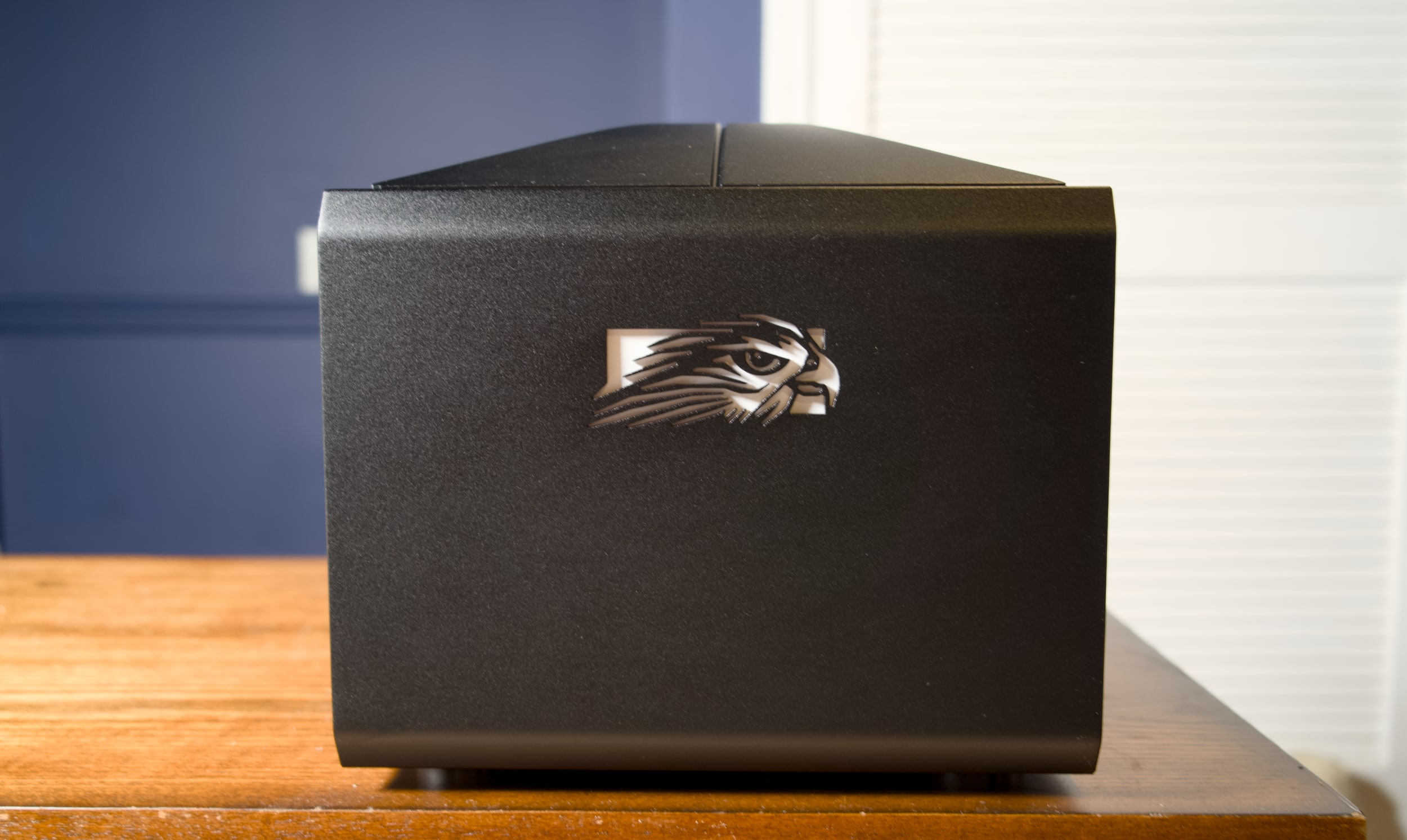
The FragBox, thankfully, lacks the garish LEDs and cheesy thermal glass you find on more ostentatious gaming rigs. Falcon Northwest's aluminum case looks and feels stately, like an old-school luxury car. If you want something flashier, you can shell out an additional $400 for a custom UV printed case or $149 for a UV-printed front panel.
Our review unit was equipped with AMD's Ryzen 9950X3D CPU, NVIDIA's RTX 5090, 96GB of DDR5 RAM and a 2TB SSD, which adds up to a whopping $7,995. Five months ago, it would have cost $7,047 —- you can thank the RAM shortage for the price jump.
Even before benchmarking or running any games, I expected it to be a beast. In PCMark 10, the FragBox scored a whopping 13,810, which is around 500 points higher than my mid-tower system with the same CPU and GPU. It also scored the highest 3DMark Speedway and Port Royal ray tracing scores I've ever seen. Even more impressive, the FragBox's fans were barely audible under load, and the CPU and GPU sat at a chill 52C and 65C, respectively
CPU
GeekBench 6 CPU
GeekBench 6 GPU
Cinebench 2024
Falcon Northwest FragBox
3,445/22,787
390,148
N/A
Desktop with AMD Ryzen 9 9950X3D, RTX 5090
3,366/18,950
381,400
134/2,124
Desktop with AMD Ryzen 9 7900X, RTX 5090
2,822/14,216
358,253
113/1,103
Apple Mac Studio M4 Max
4,090/26,394
116,028
190/2066
To get back to my initial point, it ran Mafia: The Old Country in 4K flawlessly, with every graphics setting cranked all the way up. While playing on my 120-inch projector home theater setup, the game reached 62 fps natively, and flipping on DLSS upscaling and frame generation bumped that up to 120 fps. Not that you need a super higher framerate for a slow-paced, mostly cinematic action game. I was just happy to be playing without any compromises — even the PS5 Pro can't reach the same level of graphical fidelity as the monstrously powerful RTX 5090.
Falcon Northwest FragBox
Devindra Hardawar for Engadget
I'm no stranger to big-screen PC gaming, but previously I've had to run a laughably long HDMI cable from my desktop to make it work. I'm just too old for that mess now. And it also doesn't work consistently, especially at higher framerates, thanks to the massive bandwidth required to pump out 4K at high refresh rates. In-home game streaming is also an option, but that's not great when you're blowing games up to an enormous TV or projector screen. It's just too hard to ignore the imperfections of streaming compression. (Admittedly, I need to test newer high-bandwidth options, especially after I was impressed by NVIDIA's GeForce Now upgrade last year.)
The FragBox also made it easy to jump into all of my recent Steam titles, including Mewgeneics and Arc Raiders on a big screen. Unfortunately, Windows itself remains a key stumbling block for home theater PC gaming. You'll still need to keep a keyboard and PC around to deal with the initial OS configuration. And even once I enabled Steam's Big Picture mode, which offers excellent controller options, I still occasionally had to deal with Windows Updates and other annoyances.
Falcon Northwest FragBox
Devindra Hardawar for Engadget
Microsoft is currently trying to optimize Windows for gaming handhelds, and it's reportedly doing even more to make a future PC-powered Xbox feel more console-like. For now, though, using a Windows PC in your home theater doesn't feel much different than it did a decade ago. Steam is your savior, Windows is your enemy. Or you could just save thousands of dollars and buy a $500 PlayStation 5 or $700 PS5 Pro, instead. The latter will still get you smooth framerates and a healthy dose of ray tracing, without the annoyance of Windows, keyboards and mice.
But if you just want a compact and insanely powerful gaming desktop, and you don't mind spending a premium, it's hard to deny that the FragBox gets everything right.
Update 2/23, 1:48PM: Added updated information about Wi-Fi 7, handle removability and pricing.
This article originally appeared on Engadget at https://www.engadget.com/computing/falcon-northwest-fragbox-review-a-compact-gaming-rig-that-does-everything-right-130000837.html?src=rss
Reticulum is a decentralized networking protocol that operates without traditional internet infrastructure, as highlighted by Data Slayer. It uses cryptographic identity-based addressing and integrated encryption to ensure secure and private communication without relying on centralized servers. Its hardware-agnostic approach supports multiple communication mediums, including LoRa, Wi-Fi, and Ethernet, allowing users to build networks suited to […]