Claude Code offers a streamlined way to create and edit files for websites, apps and workflows using plain English prompts. In a recent breakdown by Skill Leap AI, the focus is on helping users grasp 80% of Claude Code’s core functionality in just 26 minutes. The guide begins with foundational steps like installation and project […]
The M5 Pro MacBook Pro (15 Core) strikes an impressive balance between performance, features, and value. Priced at $2,200, it offers a robust combination of hardware and software capabilities, making it a compelling choice for professionals, creatives, and even gamers. Whether you’re tackling demanding workflows or exploring the growing gaming ecosystem on macOS, this machine […]
Hearing aid company Sonova has put its Sennheiser consumer audio division on the auction block less than five years after acquiring it, the company announced on Reddit. "Today Sonova announced they intend to divest the business and will focus on Hearing Care," Sonova wrote, adding it intends to find "the right new owner."
Sennheiser's consumer audio division mainly manufactures high-end headphones like the HD 400, HD 500, HD 600 and HD 800 series and recently launched the HDB 630, $500 wireless headphones aimed at audiophiles. The company's most (in)famous lineup is the HE series, which includes the $55,000 HE 90 and €89,990 HE 1.
Sonova originally purchased Sennheiser with the intent of expanding its demographic to younger customers. At the time, it said "even if [young people] don't have hearing loss, most of them will gradually get hearing loss with age, and devices like Sennheiser's allow us to have earlier consumer access to such people." For its part, Sennheiser said it wanted to relinquish its consumer business in order to focus on its pro audio, business and Neumann (high-end microphone) divisions that it still owns.
Things apparently didn't go to plan, though. Sonova's Sennheiser division's sales in the last half-year declined significantly year-over-year and the company was hit with a €6 million fine over its retail pricing practices (that occurred prior to the acquisition). However, the company's recent products have been praised by the audiophile community as a return to previous form, with Engadget's audio reviewer Billy Steele calling the HDB 630 "a sonic marvel."
This article originally appeared on Engadget at https://www.engadget.com/audio/sennheisers-owners-want-to-sell-its-consumer-headphone-business-121830441.html?src=rss
Open source AI models provide a unique opportunity to customize, fine-tune and deploy artificial intelligence solutions tailored to specific needs. In her guide, Tina Huang breaks down the practical steps for running these models, highlighting methods like local setups and browser-based platforms. For example, running models locally on your own hardware offers unmatched privacy and […]
When comparing Apple’s 16-inch M5 Max MacBook Pro, priced at $4,400, to Dell’s 18-inch Pro Max 18 Plus, which costs $11,238, the differences in performance, design, and price highlight two distinct approaches to high-end laptops. Apple focuses on delivering a balance of performance and efficiency, while Dell emphasizes raw power and workstation-grade capabilities. This detailed […]
Late last year, Samsung launched its newest generation of affordable A-series phones, starting with the entry-level A17. Following the arrival of the flagship Galaxy S26 line, the company has returned to flesh out the rest of its midrange portfolio. The more affordable Galaxy A37 and Galaxy A57 sport some interesting upgrades, even when compared to some of their pricier siblings.
Core specs and features
Before we dive into my hands-on impressions, I want to do a quick rundown of each phone's specs as that should help set up (or temper) expectations. As you'd expect based on their numbering, the A37 is the more affordable of the two with a base price of $450 for 6GB of RAM and 128GB of storage. You can also choose 8GB RAM and 256GB of storage for $540. Notably, when compared to the A17, the A37 features a much more recent and more powerful Exynos 1480 chip that brings a big jump in NPU performance and helps unlock much of the phone's newfound AI capabilities. It also comes with a large 6.7-inch AMOLED display, a 5,000mAh battery and three rear cameras. However, two of those will likely get more use than the other as the A37 packs a 50-megapixel main camera and an 8MP ultra-wide, along with a 5MP macro shooter.
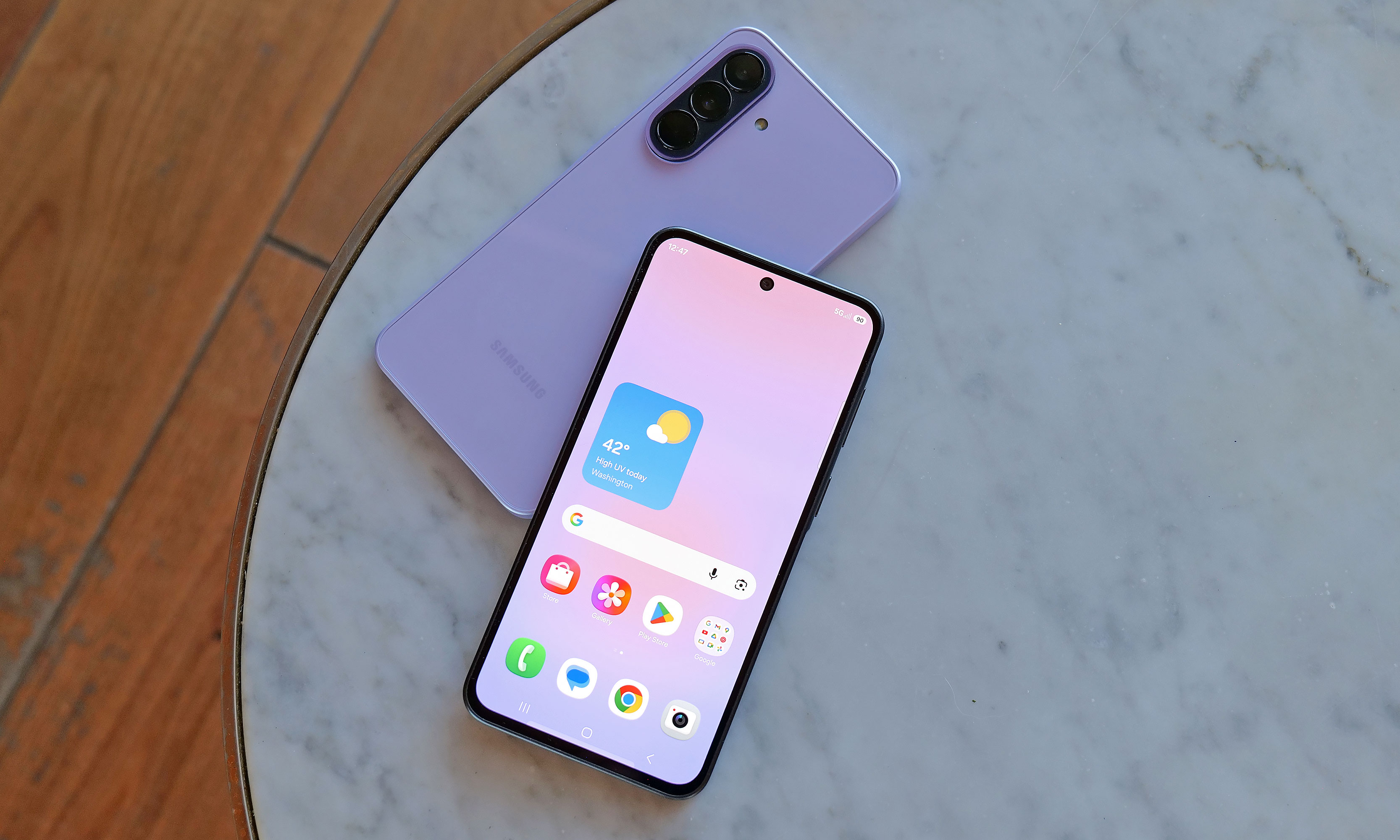
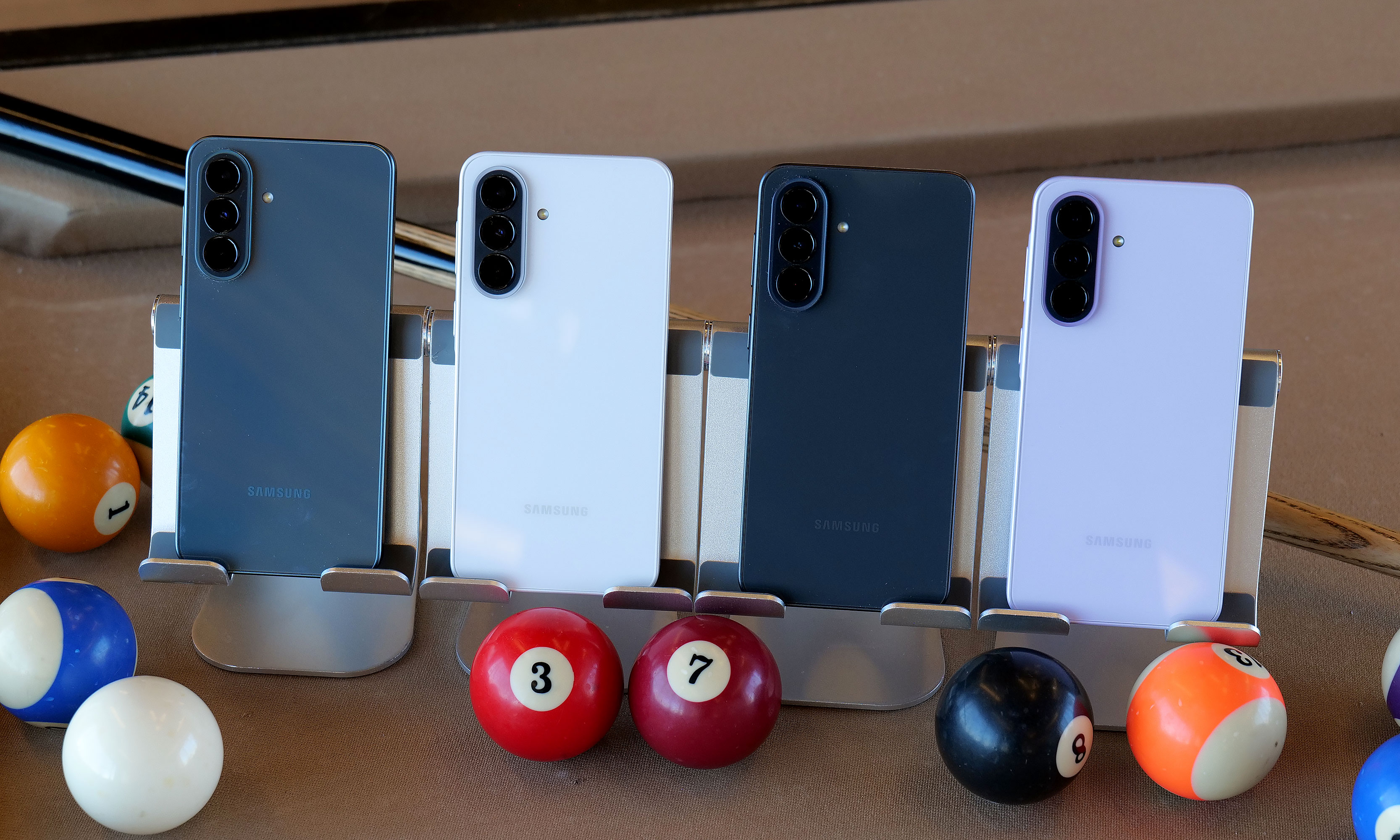
The Galaxy A37 will be available in four colors: charcoal, white, lavender and graygreen. However, the middle two are Samsung.com exclusives and the last one is only available from Best Buy.
Sam Rutherford for Engadget
Meanwhile, the Galaxy A57 is a bit more expensive, starting at $550 for 8GB of RAM and 128GB of storage, or $610 for the 8GB/256GB version. It also features a slightly more powerful Exynos 1680 processor and a higher-res 12MP sensor for its ultra-wide lens, but aside from that, it has the same general camera setup as A37 and the same size battery. One small difference is that the A57 has Bluetooth 6 connectivity and Wi-Fi 6E, but the A37 is still stuck with BT 5.3 and basic Wi-Fi 6.
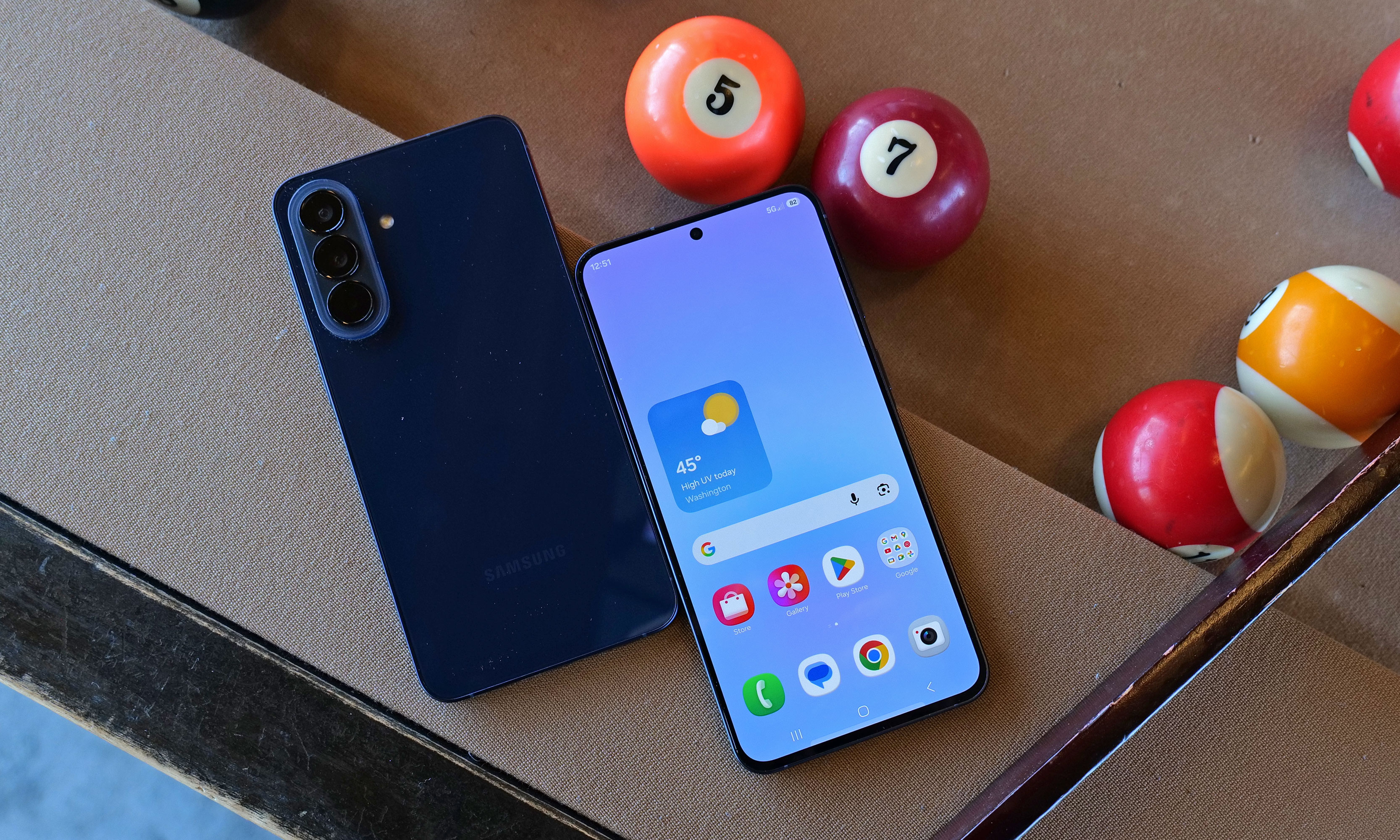
For some reason, the A57 is only available in one color: navy.
Sam Rutherford for Engadget
Both phones come with IP68 ratings for dust and water resistance (which is an upgrade from IP67 on the A36) and 120Hz refresh rates. However, the most important shared trait is that while neither supports wireless charging, they can both take wired power at up to 45 watts, which is actually faster than a base Galaxy S26's limit of just 25 watts. Finally, in addition to six years of OS and security updates, the A37 and A57 are getting some trickle-down AI features from its flagship siblings. Those include improved support for Google's Circle to Search, Object Eraser and better transcription and translation capabilities in the Samsung Voice Recorder app.
Galaxy A37 impressions
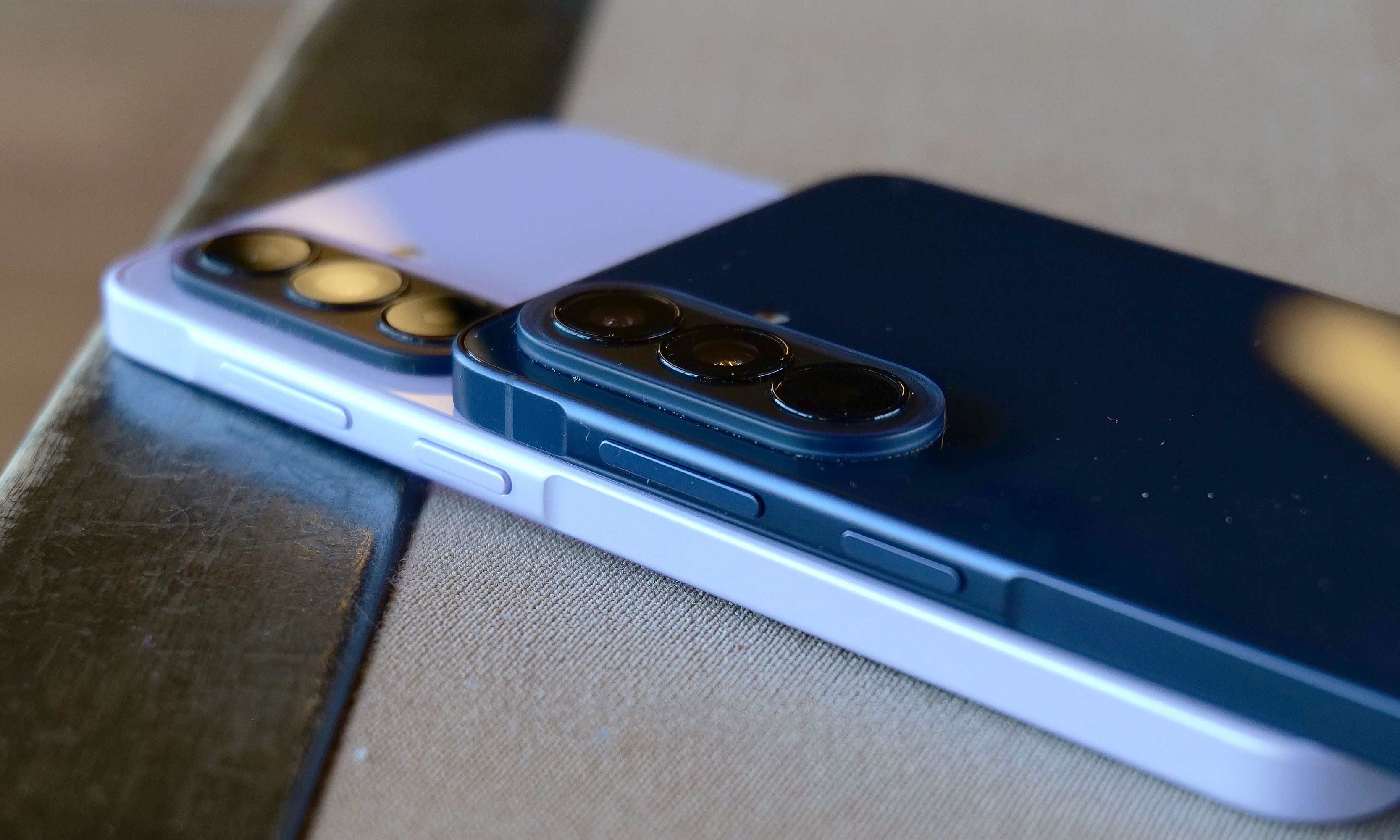
Both phones have nearly identical designs, right down to the same screen size and number of cameras. That said, one area where Samsung cut corners on A37 is that it features a plastic frame instead of the A57’s aluminum. But even when you hold them side by side, it's rather difficult to discern between the two. There's no obvious difference in appearance or button layout, so the main way to tell the two apart is by feeling for the cooler touch you typically get from a metal chassis. Alternatively, if you look closely, you'll notice that the A37 has slightly thicker bezels around the outside of its screen.
Here's a closer look at the A37's color options.
Sam Rutherford for Engadget
Compared to the Galaxy A17, the A37's Exynos 1480 felt significantly snappier and much better equipped for multitasking or AI-based tasks like removing unwanted objects from photos. Regardless, as the less expensive of Samsung's new midrange phone options, the company did a really good job disguising the major differences between the two new models.
Galaxy A57 impressions
To be honest, the A57 wasn't quite as appealing as the A37 due to its higher price and no additional features. The main tool it has that isn't available on its more affordable sibling is Samsung's Best Face camera tool, which allows the phone to analyze people's expressions so you can select your favorite reaction and put it in the photo you want. On paper, its Exynos 1680 chip should be a bit faster, but in normal use, it's really hard to tell. And unlike the A37, which comes in four colors (white, charcoal, lavender and gray/green, depending on the retailer), the A57 is only available in navy.
Early thoughts
While they look the same, the A57 features an aluminum chassis instead of plastic like on the A37, which should be better for long term durability.
Sam Rutherford for Engadget
As a more powerful and more premium alternative to the $200 A17, the A37 feels like a worthy upgrade for the money. It offers noticeably smoother performance along with a more elegant hole-punch selfie cam (instead of a waterdrop) and stereo speakers (instead of mono). Starting at $450, the A37 can also undercut the Pixel 10a while offering a larger 6.7-inch AMOLED display (versus 6.3 inches for the Pixel) and a smattering of equivalent AI features. And in some ways, the wider selection of colors just reinforces that Samsung is probably placing bigger bets on the A37's market prospects. If I were looking for an affordable Android phone with a big screen, I'd give more consideration to this new middle child in Samsung's A-series lineup.
Aside from bezels that are a tiny bit bigger, the Galaxy A37 (left) looks almost exactly the same as the more expensive Galaxy A57 (right).
Sam Rutherford for Engadget
As for the A57, it's certainly not a bad phone, but starting at $550, it suffers from being in a much more competitive price bracket. For those who prefer smaller devices, the $500 Pixel 10a is cheaper while offering even better AI tools, a cleaner UI, wireless charging, a slightly larger battery and unmatched photo quality. However, the A57's biggest rival is arguably another Samsung phone: the Galaxy S25 FE. Aside from slower wired charging, it has an even nicer design, an extra year of software and security updates (seven total) and a proper telephoto camera instead of a macro lens. And while its MSRP is a bit higher at $650, it's regularly on sale for under $600 (or less), which effectively sidesteps the A57's biggest advantage.
That said, no matter which one you prefer, more options for affordable gadgets are always welcome — especially with the price of smartphones and PCs increasing due to the global RAM shortage.
The Galaxy A37 and A57 will officially go on sale April 9.
This article originally appeared on Engadget at https://www.engadget.com/mobile/smartphones/samsung-galaxy-a37-and-a57-hands-on-the-cheaper-phone-might-be-a-winner-120000965.html?src=rss
Apple has introduced more than just new features, like an AI playlist generator, with iOS 26.4 in the UK. The company now requires users in the region to verify their ages and to prove they’re 18 years old or above before they can access “certain services or features, or take certain actions on their account.” Users can verify their ages in Settings by linking a credit card to their account or scanning an ID. For people who’ve had an Apple account for a while, the company will check if they already have a payment method on file that can prove they’re of age.
The company says it will automatically switch on its Web Content Filter and Communication Safety features for everyone under 18 and for those who haven’t verified their ages. These tools are integrated into Apple’s operating systems and can restrict users from accessing specific websites on Safari and third-party browsers, as well as warn users when they’re receiving or sending images and videos containing nudity.
Ofcom, the UK’s communications regulator, praised Apple for the decision, especially since it’s not required to implement age verification for the iOS or its App Store under the region’s Online Safety Act. “Apple’s decision that the UK will be one of the first countries in the world to receive new child safety protections on devices is a real win for children and families,” the regulator said. “Our rules are flexible and designed to encourage innovation, particularly in age assurance. We've worked closely with Apple and other services to ensure they can be applied in a variety of contexts in order to ensure users are protected. This will build on the strong foundations of the Online Safety Act, from widespread age checks that keep young people away from harmful content, to blocking high-risk sites and stepping up action against child sexual abuse material.”
This article originally appeared on Engadget at https://www.engadget.com/big-tech/apple-introduces-age-verification-for-icloud-accounts-in-the-uk-115340237.html?src=rss
OpenAI’s decision to discontinue Sora, its AI-driven video generation platform, highlights a shift in the company’s strategic focus. Matt Wolfe explains that Sora’s high computational demands and limited scalability made it difficult to sustain alongside OpenAI’s broader objectives. By retiring Sora and its APIs, OpenAI is reallocating resources to more widely adopted offerings like ChatGPT […]
March brought the kind of furniture that doesn’t need to announce itself. A student chair that shifts between sitting and lounging through physics alone. A coffee table whose legs look like they’re caught mid-step toward the door. A stool that opens from flat with a single press and no tools required. An office system built to reconfigure whenever the day asks for something different. A footstool that handles posture quietly, without making it your problem to manage.
What connects these five pieces isn’t a shared material or a shared aesthetic. What connects them is the absence of excess. Each one solves something real, and each one does it without layering on complexity to get there. That kind of restraint is harder to land than it looks. Most furniture design in 2026 is reaching for the new, for the bold, for the statement piece. These five reach for the right answer instead, and find it.
1. Tilt Chair
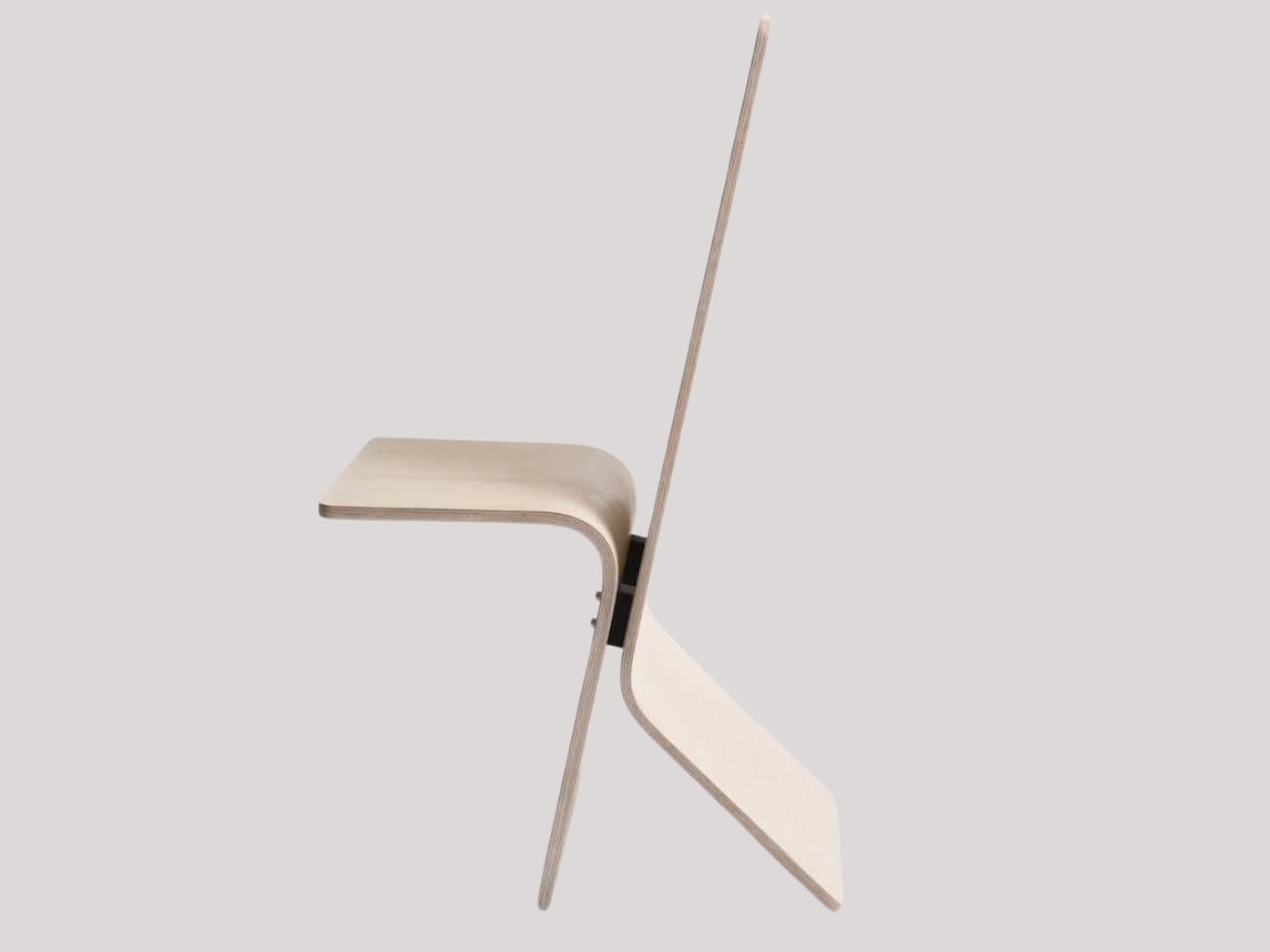
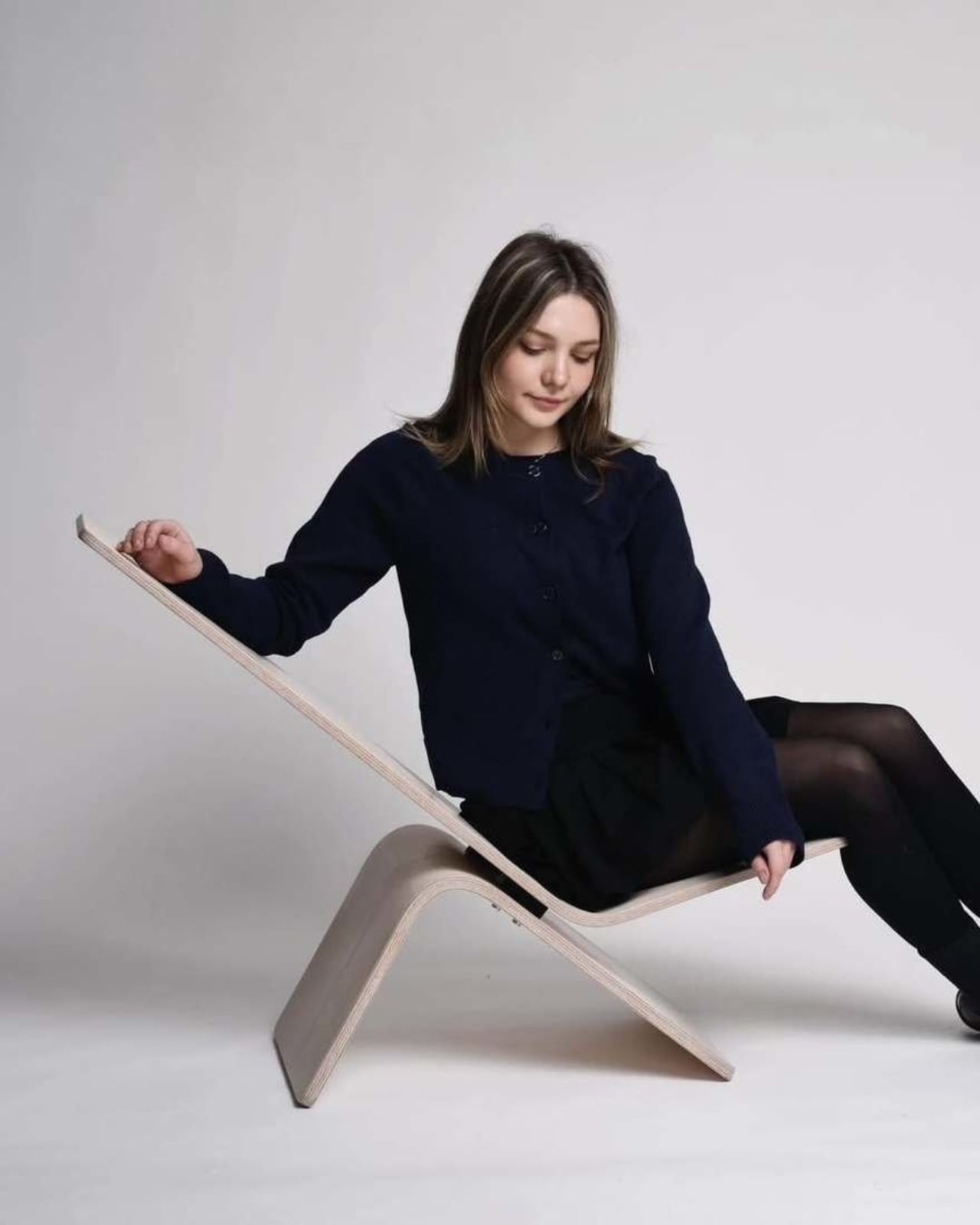
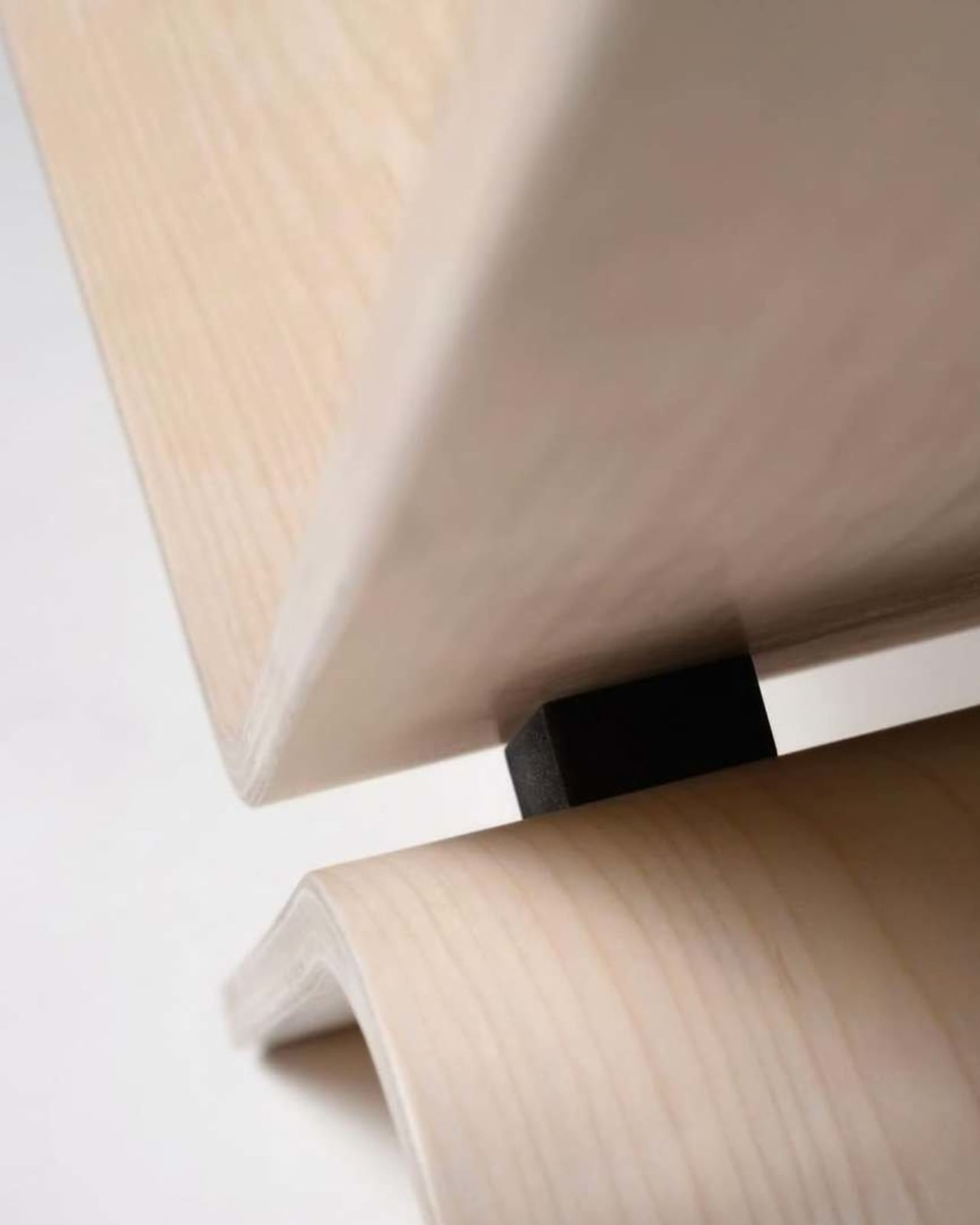
Manuela Hirschfeld is an industrial design student at Germany’s Hochschule Pforzheim, and her Tilt chair does exactly what the name suggests. Built from bent plywood, it shifts between upright and reclined with a single forward tilt. No levers, no hardware, just physics and balance. The restraint here is rare for student work. Most student designs reach for the complex or the speculative. Tilt strips everything back until the idea stands entirely on its own.
What makes it genuinely useful is how naturally it handles the shift between focused work and winding down. Most chairs make you choose one mode and stay there. Tilt lets your body make that call instead. Lean it forward, and the geometry changes. The bent plywood keeps it light and easy to move, so it works as well in a small apartment as it does in a studio or home office.
What We Like
No mechanical parts means nothing to replace or service over time
Dual function in a single lightweight form, no extra hardware needed
What We Dislike
The minimal plywood aesthetic may feel too sparse for warmer, more layered interiors
May not offer enough firm back support for users who need a fixed, stable position
2. Barefoot Collection
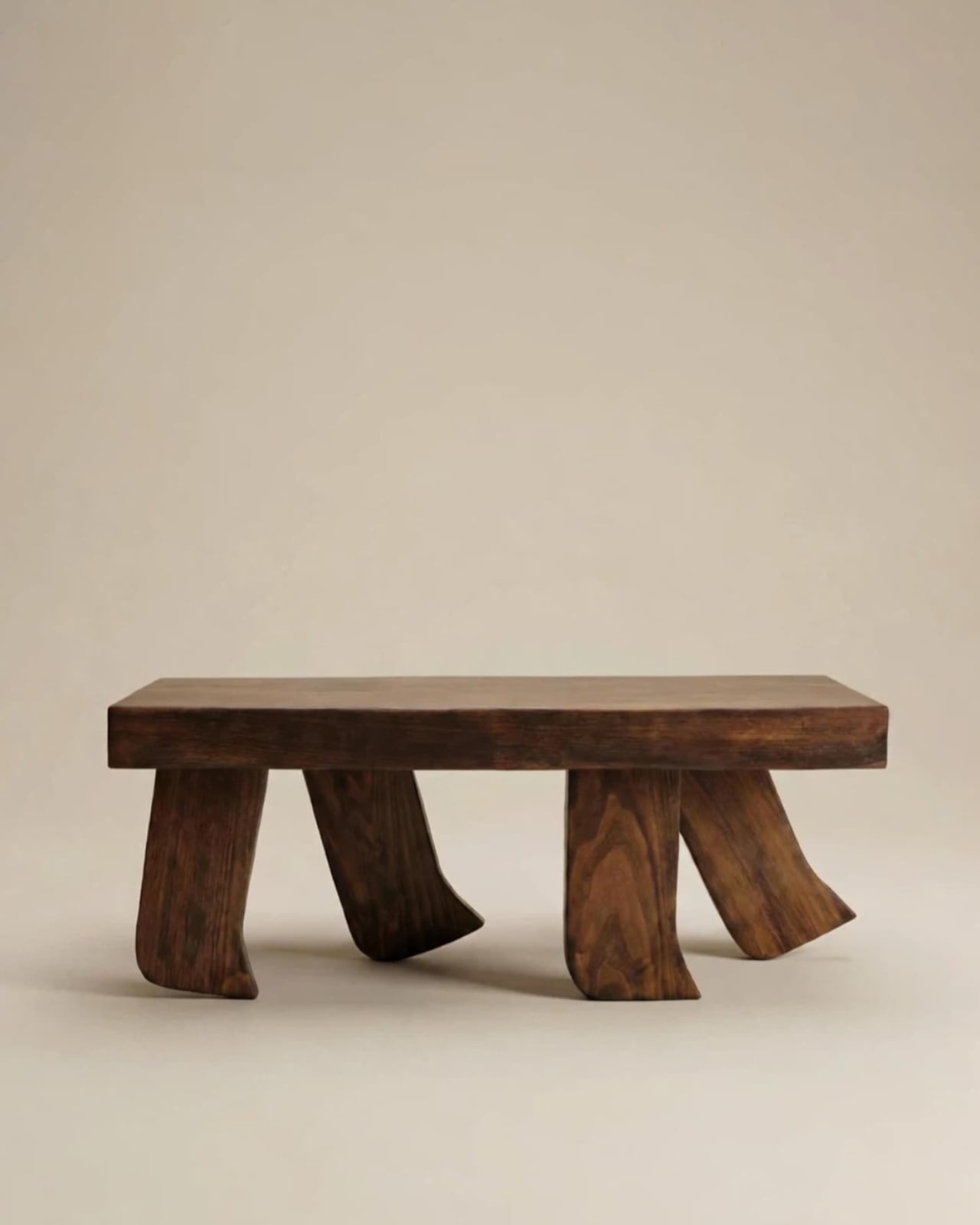
The Barefoot Collection started with a single image: a coffee table that looks like it’s walking away. The legs are carved from solid wood to simulate the arc and flex of a bare foot mid-step, while the tabletop stays completely flat and rectilinear. Stillness above, motion below. That contrast is the whole point, and it works better than it has any right to. The piece reads as coherent long before it reads as clever.
What you actually get is a coffee table that functions without apology and sparks a real conversation without ever trying to. Set a cup on it and forget the concept entirely. Then a guest walks in, does a double-take, and suddenly the room is talking. Most concept-led furniture exhausts you after a few weeks. Barefoot earns its place by being genuinely useful first and genuinely interesting second. That’s always the right order.
What We Like
Solid wood construction gives it real longevity, well beyond its visual appeal
Works as a fully functional surface while quietly holding a strong point of view
What We Dislike
The sculpted legs make it difficult to pair with more conventional, straight-lined furniture
The level of craft involved likely puts it at a higher price point
3. Press Stool
The Press Stool borrows its structural logic from folded paper. A flat sheet has no load-bearing strength, but fold it, and the forces redistribute across the geometry. Crease it further, and the form resists compression. That principle does all the work here. In its flat state, it collapses into a wide oval with a crinkled metallic silver surface that lands somewhere between industrial foil and fabric. One press and it opens. No legs, no bolts, no tools.
For anyone in a small apartment, it solves a storage problem while putting something worth looking at in the room. It ships flat, weighs little, and can slide under a bed or lean against a wall when it isn’t needed. Most fold-flat furniture looks like a compromise. The Press Stool looks intentional. The crinkled surface and gathered folded ends give it a presence that holds up even when it’s closed.
What We Like
Ships and stores completely flat, ideal for smaller homes and tight living spaces
No assembly required, the folded form does all the structural work
What We Dislike
The metallic silver finish is a strong statement that won’t suit every interior palette
Load capacity may be more limited compared to stools with conventional structural frames
4. Kylinc Modular Office System
Kylinc treats the workspace like something that should change whenever the day asks it to. Each piece rolls on oversized wheels, which makes reconfiguring your office feel genuinely effortless rather than theoretically possible. Push pieces apart for a collaboration zone, pull them together for focused work. Power management is built directly into the furniture, with smart cable organization that keeps surfaces clean without any additional accessories to track down or manage.
The benefit shows up most for people working from home across a day that never asks the same thing twice. A static configuration works well some of the time and poorly the rest. Kylinc changes that without requiring much effort, which is the real difference between a system that actually gets used and one that stays fixed out of habit. The built-in cables move with the furniture. Your layout becomes something you actually control.
What We Like
Oversized wheels make real reconfiguration effortless, not just possible on paper
Integrated power and cable management keep the workspace clean without extra accessories
What We Dislike
Rolling furniture may feel less stable than fixed pieces for users who prefer an anchored setup
A full modular system likely carries a significantly higher upfront cost than standard office furniture
5. OTTO Footstool
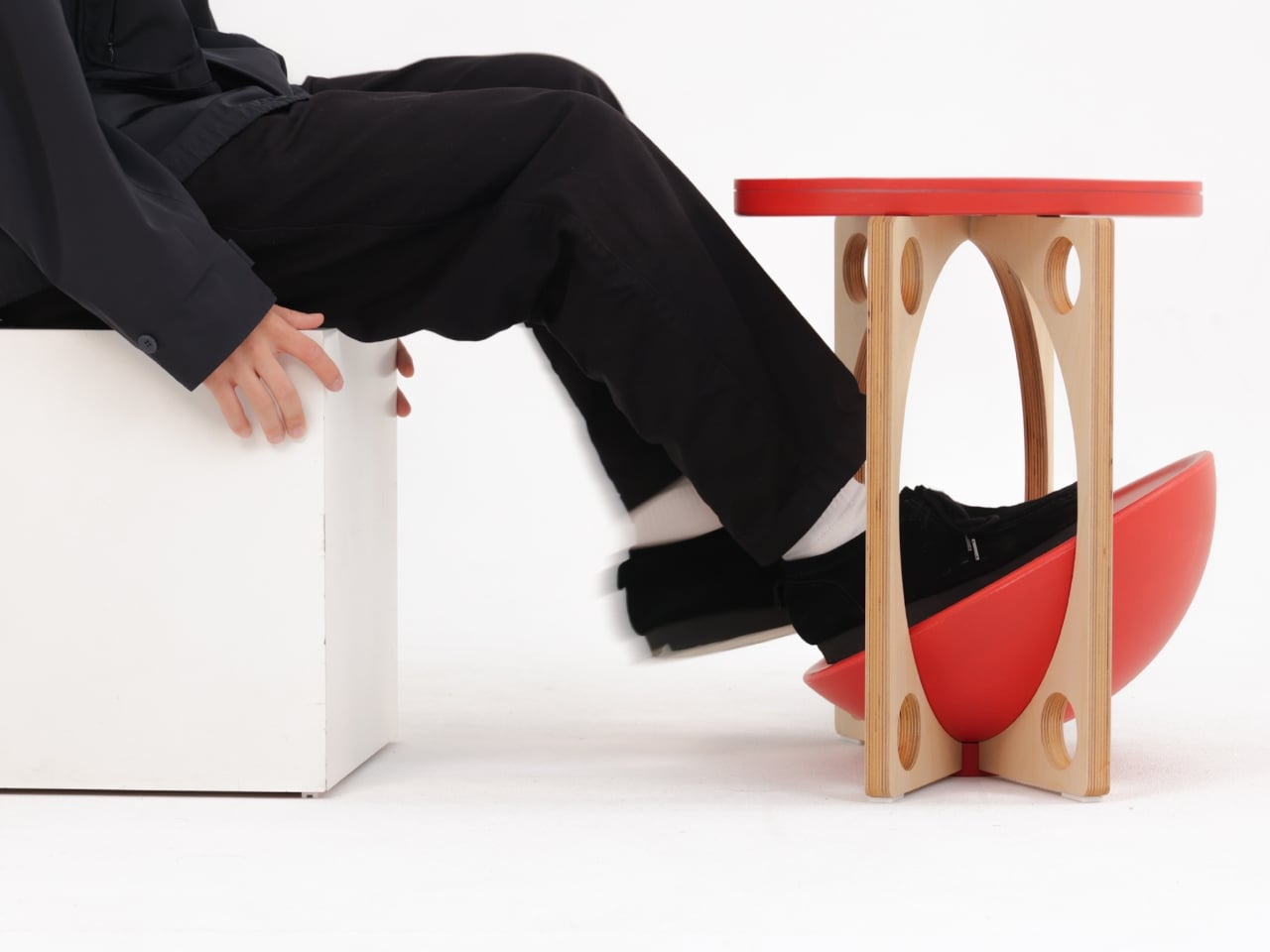
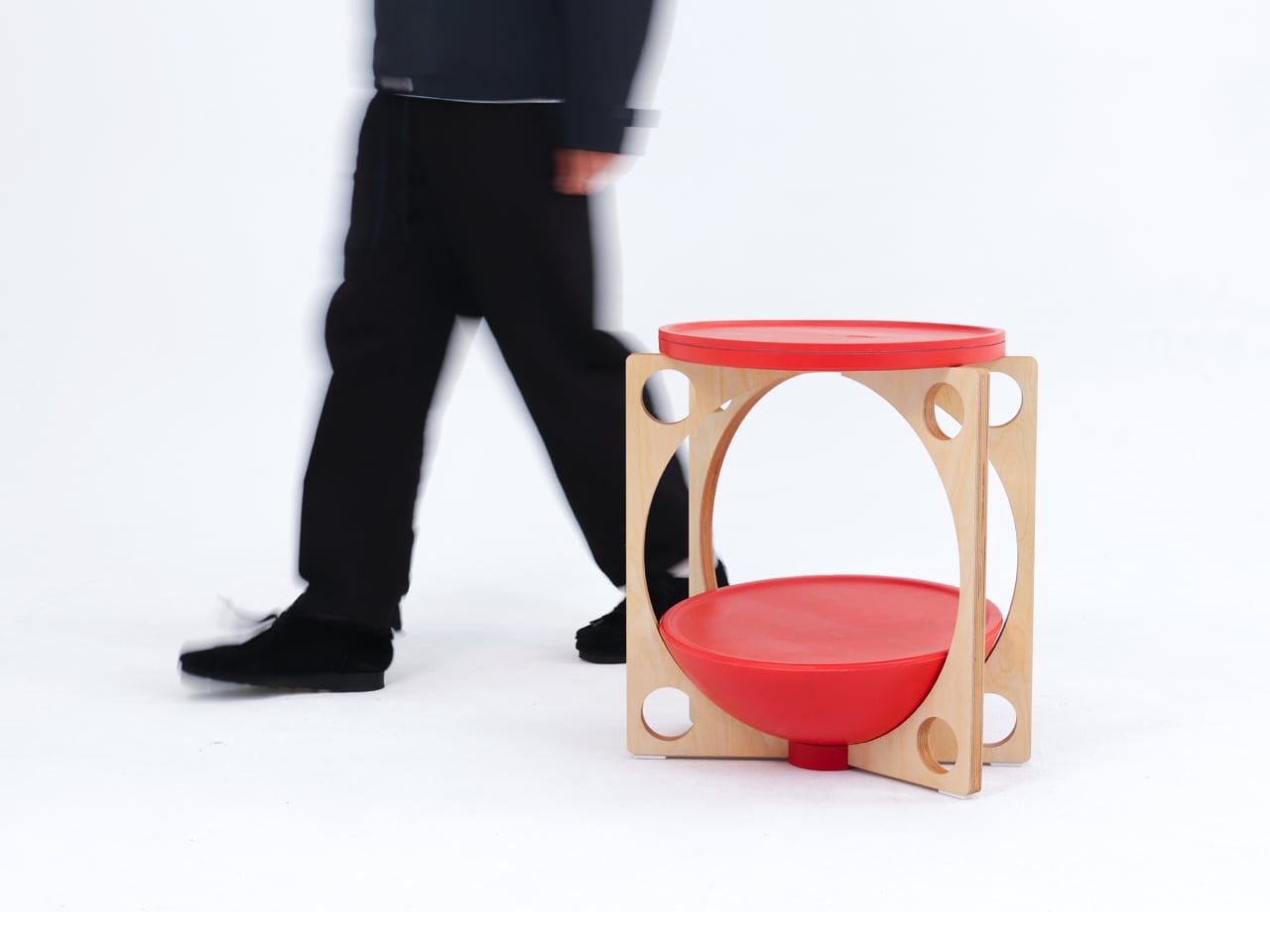
OTTO takes its name from the Korean roly-poly toy Ottogi, a round-bottomed figure that always rights itself because of its convex base. Designer Woonghee Ma applied that same logic to a footstool. The convex base means it rocks and shifts as your body moves throughout a long sitting session. No adjustment needed, no settings to configure. You shift weight, the stool moves with you, and that’s the whole mechanism.
For a home office that needs to support you without making a production of it, OTTO is exactly right. Most ergonomic products demand your attention to work. OTTO doesn’t. The passive rocking base handles posture support quietly while you stay focused on everything else. It also looks good, which matters more than it might seem for something you’ll look at every working day. Clean, compact, and entirely unpretentious about what it is.
What We Like
Passive rocking base provides ergonomic support through natural weight shifts, no settings required
Compact and well-proportioned, it works equally well in home and professional office settings
What We Dislike
The rocking motion may feel unfamiliar at first for users accustomed to fixed support
May not suit very low seating arrangements where foot elevation isn’t part of the setup
March Didn’t Make a Noise. It Made a Point.
What connects these five pieces isn’t an aesthetic or a material. It’s restraint. A chair that changes mode with one gesture. A table that earns its concept by being useful first. A stool that ships flat and opens in a second. A workspace that adapts without asking for your help. A footstool that supports you without ever drawing your attention to the fact that it’s doing so. That quiet confidence is what good design actually looks like in practice.
Most design coverage this month was busy chasing the big swing. The sculptural statement, the unexpected material, the idea that needs a paragraph of explanation before it lands. What these five pieces share is something quieter. They ask less of you. They make their case by fitting into your life rather than reshaping it around themselves. March didn’t produce the loudest furniture of the year. It produced some of the most considered. That’s always the better result.
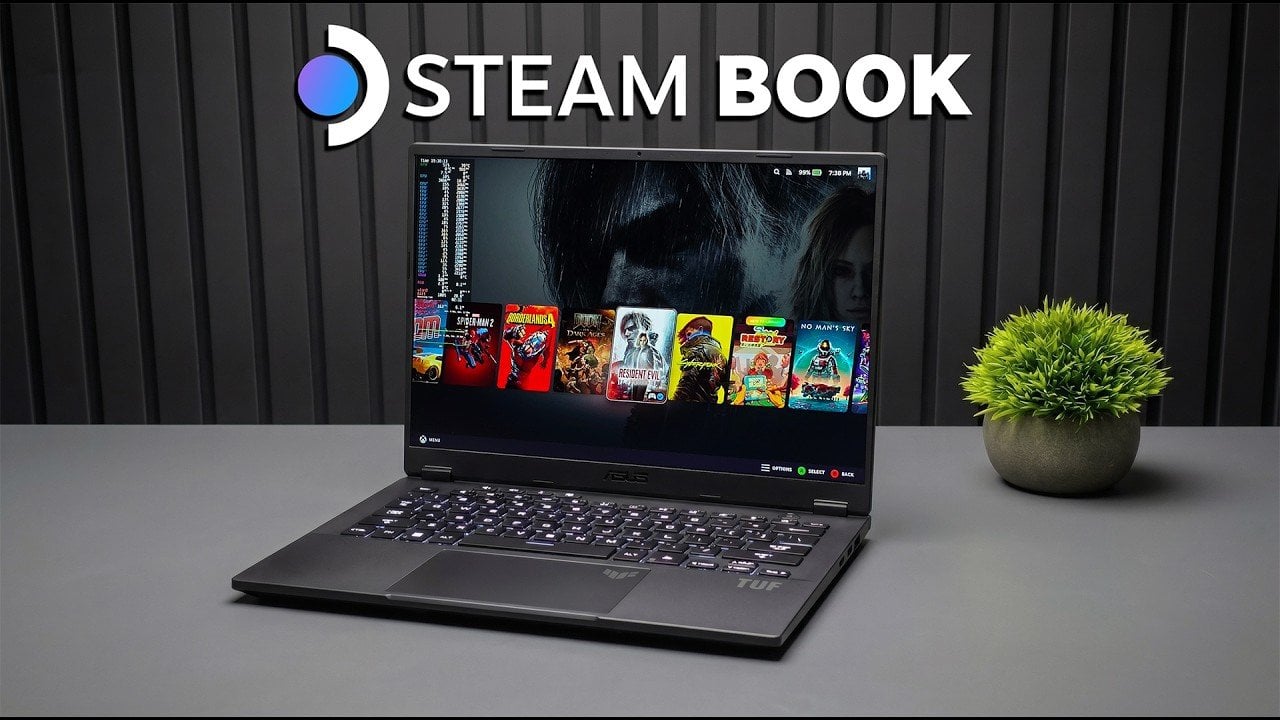
ETA Prime demonstrates how the Asus TUF A14, equipped with the AMD Ryzen AI Max Plus 392 processor and Radeon 8060S iGPU, can be customized to function as both a gaming and productivity device. A key aspect of this setup is the dual-boot configuration with Windows 11 and Steam OS 3.9, allowing users to switch […]