Techtober may have come to an end, but our reviews team is still hard at work with this fall’s haul of new devices. Over the last two weeks, we’ve tested two new Apple products, a powerful gaming handheld, some seriously impressive headphones and Meta’s sporty smart glasses — and that’s just the start. Read on to catch up on all you might’ve missed, including our picks for the best of 2025.
Apple MacBook Pro M5 (14-inch)
When it comes to the new M5-powered MacBook Pro, the question isn’t whether it’s a capable machine or not. The real dilemma is whether to buy now or wait for even more muscle from the upcoming M5 Pro and M5 Max chips. “If you absolutely need a workhorse MacBook Pro today, you'll have to settle for the M4 Pro and M4 Max (which are still far faster than the base M5 chip),” senior reviews reporter Devindra Hardawar explained. “But for most creatives, the M5 MacBook Pro offers an impressive balance of power and portability.”
Sennheiser HDB 630
Sennheiser uses a USB-C dongle to bridge the gap between wireless convenience and audiophile-grade sound quality with the HDB 630. The problem is they don’t really look like a set of high-end headphones and the $500 asking price is steep. “As good as the HDB 630 is sound-wise, I can also appreciate that these aren’t the best headphones for everyone,” I wrote. “If you crave the best sound quality that still offers the convenience of wireless headphones — and you’re okay with a few extra steps — the HDB 630 is a worthy investment. Just don’t leave home without that dongle.”
Lenovo Legion Go 2
Sometimes it’s better to have a utility player instead of a specialist. According to senior reviews reporter Sam Rutherford, that’s exactly what you get with Lenovo’s Legion Go 2. You encounter great performance from a device with a huge 8.8-inch OLED display, but the handheld is expensive and bulky. “Just like an SUV that might go off-road once or twice a year, you might not use the Legion Go 2's full capabilities all the time, but when you do and everything comes together, you realize all that utility isn't just for show,” he said. “While the ROG Xbox Ally X is the better value, I appreciate how Lenovo's handheld was made to handle a variety of battle conditions.”
Apple iPad Pro M5 (13-inch)
The M5 iPad Pro is impressive, but it’s also entirely too expensive. While the new chip offers a sizable upgrade, the screen is excellent and fast charging has finally hit the iPad, this model also requires you to spend more on accessories. “Unless you are going to use it as your main computer — all day, every day — and know exactly what benefits you’ll get from the iPad over a more traditional laptop, you’re probably better off buying an iPad Air and saving yourself a lot of money,” deputy news editor Nathan Ingraham wrote.
Oakley Meta Vanguard
Meta’s sportier collab with Oakley has arrived, with a slew of features that might convince you to replace your action cam with a set of smart glasses. “If you're a dedicated cyclist, runner, hiker or [insert outdoor activity of your choice], there's a lot to like,” senior reporter Karissa Bell said. “The camera makes a lot more sense for action cam-like POV footage, and better video stabilization means you're more likely to get shots you actually want to share.”
Other recent reviews
In other reviews, deputy buying advice editor Valentina Palladino put the slightly updated Powerbeats Fit through their paces and senior reporter Igor Bonifacic went on a gaming spree with the Fractal Design Scape. Igor also spent some time with the Galaxy S25 FE and I test drove Amazon’s completely rebuilt Echo Studio. Senior writer Sam Chapman compiled a list of the best free VPNs and published an in-depth review of Private Internet Access VPN.
Engadget’s best of 2025
In case you missed it, we announced our best of 2025 earlier this week. We made our picks based solely on the highest review scores in a variety of categories, so there’s a range of devices that made the cut. Our editors also explained why each one was the best in its category, so this is a good opportunity to get reacquainted with this year’s crop of gadgets and services.
This article originally appeared on Engadget at https://www.engadget.com/engadget-review-recap-an-apple-duo-sennheiser-hdb-630-lenovo-legion-go-2-and-more-120000983.html?src=rss
The iPad, of course, isn't the only tablet computer out there — it wasn't even the first — but Apple's version redefined the category. In our opinion, it's the best tablet you can buy and these slates consistently earn highscores in our reviews. That doesn't mean you should have to pay full price for your next iPad. We are continually on the hunt for good deals on iPads (and other Apple gear while we're at it) and each week, we round them up right there.
Current discounts include the iPad mini and the 11-inch iPad Pro, each for $100 off the list price. Beyond iPads, are a few other Apple deals are going around, such as the latest AirPods Pro 3 for the lowest price yet at $199 and certain colors of the Apple Watch Series 11 for $299. Here are the best Apple deals we found this week.
Best iPad deals
Apple iPad Air (M3, 11-inch) for $499 ($100 off): The iPad Air is the top overall pick in our guide to the best iPads. Yes, it’s pricier than the entry-level iPad (A16), but its faster chip, extra RAM, laminated and more color-rich display, better speakers and superior accessory support add up to a more pleasant experience in day-to-day use. This isn't the lowest price we've tracked — the price went as low as $450 just after Black Friday, but this is still $100 cheaper than buying directly from Apple.
Apple iPad Pro (11-inch, M5) for $899 ($100 off): The latest iPad Pro is still more tablet than most people will ever need, but its class-leading OLED display, impressively thin design and super-powerful M5 chip make it a luxury experience for those who can afford it. The device was only released in October, so this deal ties its lowest price to date. Also at Best Buy and B&H.
Apple iPad Pro (13-inch, M5) for $1,199 ($100 off): It’s not a massive discount, but this matches the lowest price so far for the larger iPad Pro, which may be worthwhile if you’ve got cash to burn and want to use an iPad as your main computer. We gave it a score of 85 in our review. Also at B&H.
Best Apple deals
Apple AirTags (4-pack) for $65 ($34 off): These are the best Bluetooth trackers for iPhone users thanks to their vast finding network and accurate ultra-wideband features for locating your things when they’re close by. Just attach them to your keys, wallet or bag with the right AirTag holder and keep track of everything in the Find My app.
Apple AirPods 4 for $74 ($55 off): If you don't need active noise cancellation and hate the feeling of headphones that just into your ear canal, the standard AirPods 4 remain a good buy. They lack built-in volume controls, and no open-style earbuds can produce the same level of bass as typical in-ear headphones, but they generally sound more pleasant than most pairs along these lines and still offer the usual array of Apple-friendly features. This discount is only $5 more than the all-time low we saw around Black Friday. Also at Best Buy for $85 if that runs out of stock.
Apple Watch SE 3 for $199 ($50 off): This discount has been around for a few weeks, but it’s the lowest price to date for Apple’s newest entry-level smartwatch. We gave the SE 3 a score of 90 in our review last month: The big upgrade is an always-on display, which makes it so you no longer have to wake the watch to check the time or notifications. It still includes most of the essential health and fitness features beyond that, plus it now runs on the same chipset as the higher-end Apple Watch Series 11. Also at Walmart.
Apple Pencil Pro for $95 ($34 off): The Pencil Pro is Apple’s most feature-rich stylus, offering pressure sensitivity, wireless charging, haptic feedback and unique gesture controls compared to the standard USB-C model (which isn’t significantly discounted). Just note that it’s not compatible with the entry-level iPad and other older models. While this discount is only $5 below the device’s usual street price, it’s still the largest discount we’ve seen this year. Also at Walmart.
Apple MacBook Air (15-inch, M4) for $949 ($250 off): The 15-inch MacBook Air is nearly identical to the smaller version; apart from its roomier display, it adds better speakers and a more spacious trackpad. This deal matches the all-time low, and other configurations are similarly discounted.
Apple MacBook Pro (M5, 14-inch, 512GB) for $1,350 ($249 off): Apple’s most recent M-series chip is the M5, and only comes equipped on the 14-inch MacBook Pro and the iPad Pro. When the M5 MacBook Pro M5 came out in October, we promptly reviewed it and awarded it a 92. The new chip gives the laptop an impressive graphics upgrade, which only adds to the Pro's known qualities: a sturdy build, excellent trackpad and speakser paired with an impressively long battery life — we clocked 34 hours in a video run-down test. Also at Walmart. It's $1,399 at Best Buy and B&H.
Apple Mac mini (M4) for $479 ($120 off): The latest iteration of Apple’s tiny desktop PC has a smaller footprint, a faster M4 chip, 16GB of RAM by default, two front-facing USB-C ports and an extra Thunderbolt 4 port. It can also drive three external displays, though it lacks USB-A ports entirely. We gave a higher-end model with Apple’s M4 Pro chip a score of 90 in our review. This deal on the base model with an M4 chip, 16GB of RAM and 256GB of storage is $10 more than the best deal we've seen but $20 less than the config's typical street price.
Apple MagSafe cable 25W for $24 ($15 off): With this puck, the iPhone 17 can wirelessly recharge at 25-watt speeds. You can also get those speeds with iPhone 16 handsets that have updated to the latest OS 26 version. Just note that you’ll need to plug it into at least a 30 watt adapter, which isn’t included. This is the lowest price we've tracked.
Apple USB-C Magic Mouse for $68 ($11 off): This isn't a record-low price for Apple's popular mouse — it went for $60 in October. It's lightweight, supports multi-touch features including scroll and the battery life is fairly long — just note that the charging port is on the bottom so you can't use it while it refills. The discount only applies to the white model.
This article originally appeared on Engadget at https://www.engadget.com/deals/the-best-ipad-deals-this-week-include-the-ipad-mini-for-100-off-150020342.html?src=rss
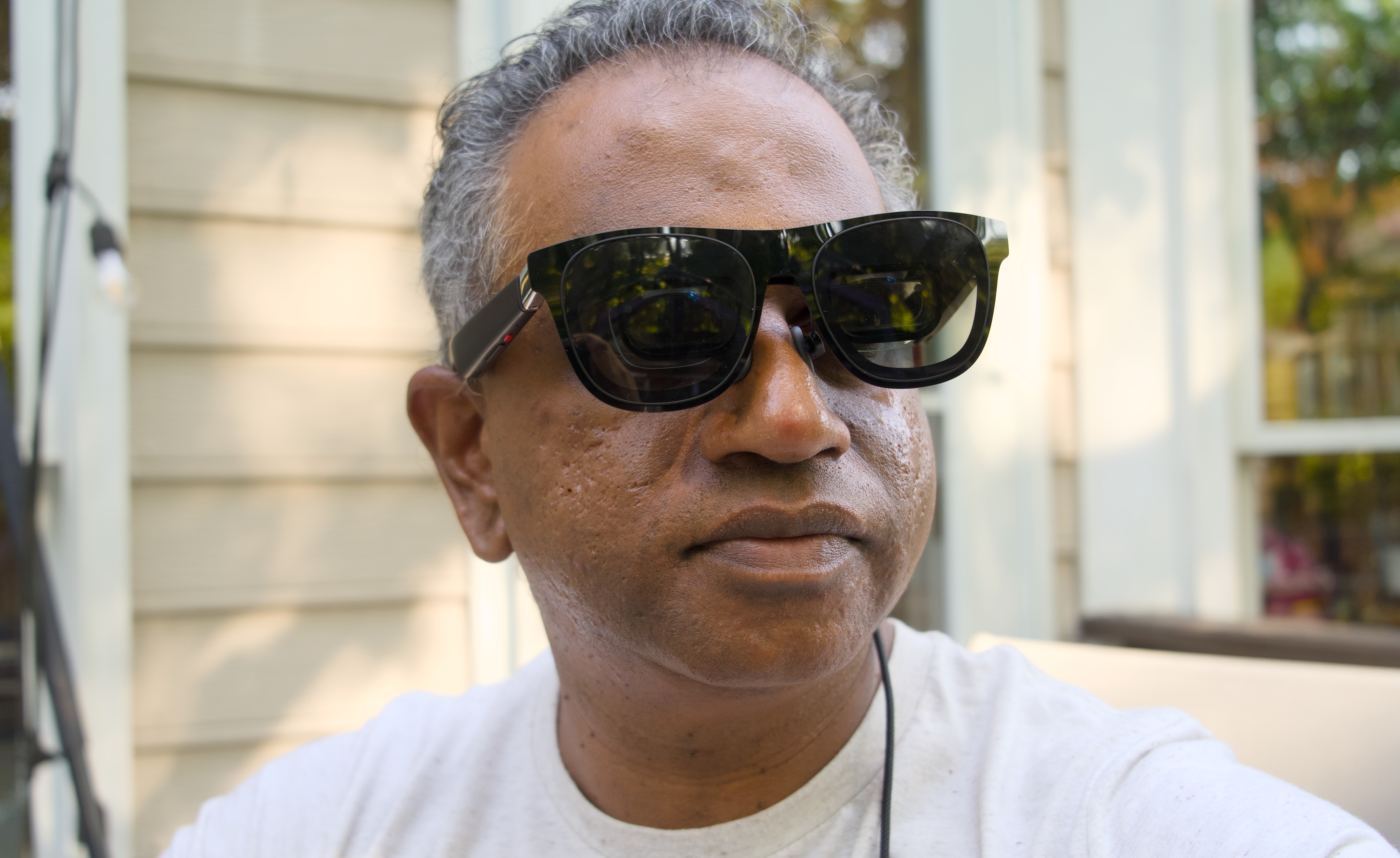
Forget Samsung's $1,800 Galaxy XR, the Android XR device I'm actually intrigued to see is Xreal's Project Aura, an evolution of the company's existing smart glasses. Instead of being an expensive and bulky headset like the Galaxy XR and Apple Vision Pro, Xreal's devices are like over-sized sunglasses that project a virtual display atop transparent lenses. I genuinely loved Xreal's $649 One Pro for its comfort, screen size and relative affordability.
Now that I'm testing the M5-equipped Vision Pro (full review to come soon!), it's clearer than ever that Apple should replicate Xreal's winning formula. It'll be a long while before we'll ever see a smaller Vision Pro-like device under $1,000, but Apple could easily build a similar set of comfortable smart glasses that more people could actually afford. And if they worked like Xreal's glasses, they'd also be far more useful than something like Meta's $800 Ray-Ban Display, which only has a small screen for notifications and quick tasks like video chats.
Xreal One Pro smart glasses
Devindra Hardawar for Engadget
While we don't have any pricing details for Project Aura yet, given Xreal's history of delivering devices between $200 and $649, I'd bet they'll come in cheaper than the Galaxy XR. Xreal's existing hardware is less complex than the Vision Pro and Galaxy XR, with smaller displays, a more limited field of view and no built-in battery. Project Aura differs a bit with its tethered computing puck, which will be used to power Android XR and presumably hold a battery. That component alone could drive its price up to $1,000 — but hey, that's better than $1,800.
During my time with the M5 Vision Pro, I couldn't help but imagine how Apple could bring visionOS to its own Xreal-like hardware, which I'll call the "Vision Air" for this thought experiment. The basic sunglasses design is easy enough to replicate, and I could see Apple leaning into lighter and more premium materials to make wearing the Vision Air even more comfortable than Xreal's devices. There's no doubt it would be lighter than the 1.6-pound Vision Pro, and since you'd still be seeing the real world, it also avoids the sense of being trapped in a dark VR headset.
To power the Vision Air, Apple could repurpose the Vision Pro's battery pack and turn it into a computing puck like Project Aura's. It wouldn't need the full capabilities of the M5 chip, it would just have to be smart enough to juggle virtual windows, map objects in 3D space and run most visionOS apps. The Vision Air also wouldn't need the full array of cameras and sensors from the Vision Pro, just enough track your fingers and eyes.
I could also see Apple matching, or even surpassing, Project Aura's 70-degree field of view, which is already a huge leap beyond the Xreal One Pro's 57-degree FOV. Xreal's earlier devices were severely limited by a small FOV, which meant that you could only see virtual screens through a tiny sliver. (That's a problem that also plagued early AR headsets like Microsoft's HoloLens.) While wearing the Xreal One Pro, though, I could see a huge 222-inch virtual display within my view. Pushing the FOV even higher would be even more immersive.
In my review of the original Vision Pro, I wrote, "If Apple just sold a headset that virtualized your Mac's screen for $1,000 this well, I'd imagine creative professionals and power users would be all over it." That may be an achievable goal for the Vision Air, especially if it's not chasing total XR immersion. And even if the Apple tax pushed the price up to $1,500, it would still be more sensible than the Vision Pro’s $3,500 cost.
While I don’t have high hopes for Android XR, its mere existence should be enough to push Apple to double-down on visionOS and deliver something people can actually afford. If Xreal can design comfortable and functional smart glasses for a fraction of the Vision Pro’s cost, why can't Apple?
This article originally appeared on Engadget at https://www.engadget.com/ar-vr/whats-next-for-vision-pro-apple-should-take-a-cue-from-xreals-smart-glasses-113000437.html?src=rss
Color is the buzziest feature in ereaders right now, but is it necessary? It makes the covers more fun, and readers of comics and graphic novels will appreciate the added hues (though they may be happier with an E Ink tablet for better image detail). Color is just one factor to consider when picking out the best ereader. The lights, screen quality, housing and buttons make a difference too. Then there’s the software: Do you want to stay in the Kindle ecosystem or get a device that can handle lots of apps? We tested more than a dozen ereaders to come up with our recommendations. This guide also points out ways to get the most out of your new e-book companion once you pick your favorite.
Best ebook readers for 2026
What to look for in an ereader
Plenty of apps, including the Kindle app, will let you download and read digital books on an iPhone, Android Phone or tablet. But what makes ebook readers different is the screen: nearly all of them use technology from a company called E Ink. It manufactures electronic paper displays (EPD) composed of three sheets: one containing millions of microcapsules filled with black and white ink particles sandwiched between transparent electrode layers. When a charge is applied, either the black or white particles shift to the top, forming letters and the whitespace around them.
Color ereaders add a color filter array on top of the standard black and white microcapsule layer. The result is two different resolutions on one screen — the color clarity is 150 dpi while black and white images and text are still 300 dpi.
Because these displays are so different from standard backlight LED panels, you can expect most good ereaders to do a number of things well. They’ll be easier to stare at for long periods of time and easier to read in direct sunlight. Also, since E Ink displays only require power to rearrange the ink, these devices have much longer battery lives than even the best tablets: we’re talking weeks on a single charge, not days.
The ereader market is not as saturated as, say, the smartphone market, but there are still plenty of options out there and they do have small but important differences among them. They tend to range from around $100 to more than $400, though usually the higher end options are stylus-enabled read/write E Ink tablets like the Kindle Scribe. Beyond price, you should consider physical properties like buttons, lights, storage and resolution, as well as how the software lets you find and access books.
Reading features
With any ereader, you’ll navigate the OS via taps and swipes, and some add physical page-turn buttons. Most with built-in buttons have an auto-rotating screen so you can press with your right or left hand.
As E Ink technology has advanced, resolution has greatly improved – even the budget Kindle ereader has a 300 ppi display. You can still find models with lower resolution, but we don’t recommend them.
Some ereaders have front LEDs that support light temperature adjustment. That means you can switch to a warmer light after the sun goes down, which will feel easier on the eyes. If you’re concerned about blue light, you should go for a reader with that feature. Finally, dark mode is available on most later model ereaders, allowing you to invert the black and white text and background, which some people find easier to read in low-light settings.
Other features
The capabilities of these pocket libraries have advanced considerably since the early days. In addition to storing books, some let you browse the web, run apps and play music. The screen’s frame rate can’t handle gaming, but it’s good enough to show you the Wikipedia entry for Striver’s Row while you read Crook Manifesto.
If you listen to audiobooks, you may want a Bluetooth-enabled ereader capable of playing them. Most of the models we tested have that ability, with the notable exception of the Nook ereader we tried. Keep in mind that audiobook files can take up more space than print files so you'll probably want a device with a higher storage capacity if you plan on doing a lot of listening.
Above all, you should consider where and how you intend to find books to read. Most ereaders make it easiest to shop through their own digital bookstores, but all of them (even Kindles) will now let you download titles from other sources, like libraries, unaffiliated ebook sellers and free public domain sites.
Photo by Amy Skorheim / Engadget
How to get books for your ereader
Kindle, Nook and Kobo all have their own stores that you access directly from each brand’s devices. Prices are the same among all sellers, too. Publishers set the price of an ebook, not the retailer, so a title will cost the same at Amazon, Barnes & Noble, eBooks.com and the Kobo store.
Amazon offers Kindle Unlimited for $12 per month, and it includes four million titles from which you can pick your next read. It includes audio and ebooks, but you won’t find many big, new releases or older bestsellers. Kobo has a subscription called Kobo Plus with about 1.3 million titles: it goes for $8 per month for ebooks only, $8 for audiobooks only or $10 for both.
Buying a book from a proprietary store instantly delivers it to your device, provided you’re connected to WiFi. It also syncs your reading across devices and apps, so you can pick up where you left off on your phone if you forgot your ereader at home. It truly is the most convenient way to go, but if you don’t want to be locked into one brand’s store, or if you opt for an ereader without its own marketplace, you do have options.
How to upload ePubs onto an ereader
Stores like ebooks.com and Google Play have millions of ebooks for sale as digital rights-managed (DRM) ePub files, which Kobo, Nook and PocketBook readers can read in their native ereader apps. Kindles don’t support DRM ePub files at all and Boox devices require third party reading apps (of which there are many) to read those files. Titles from Apple Books are only readable in iOS devices.
Titles from some publishers like Tor and public domain classics from sites like Project Gutenberg are also sold as ePubs, but without the added DRM. Consequently, Kindles and the Boox Neoreader do support those files. Books you get from third-party sources will look just like ones you bought from a proprietary store, thanks to the flowable, formatted nature of ePub files. While these device-agnostic ebook collections give you extra options for finding your next read, they require a few additional steps to get the files onto your ereader.
To do so, you’ll typically need a computer running a free program called Adobe Digital Editions (ADE). After buying and downloading the ePub file, open ADE and plug your ereader into your computer (all readers here have a USB-C port for charging and data transfers). Your device should pop up in the left panel. Drag and drop the ePub file from your downloads folder into the main panel in ADE. The file will display as an image of the book cover. Drag that image onto your device on the left panel. If the file includes digital rights management (which protects against unauthorized copying) you’ll need to authorize your ereader, which requires using or creating a free Adobe ID. Once you’ve finished adding files to upload, eject the reader from your computer to complete the transfer process.
Kindles use a web-based uploader instead of the ADE method. But since Kindle uses its own proprietary DRM technology instead of Adobe's, the only files it can accept from third parties are non-DRM files, such as from Tor Publishing or Project Gutenberg. After downloading a compatible ePub file, drag and drop it into your browser with the Send to Kindle page open. As long as you’re signed into Amazon, this wirelessly transfers the files to your associated device.
Boox also uses a browser uploader called BooxDrop (along with many other methods) to deliver ePubs to the device. Open it from the Boox App menu and you’ll see a device-specific url. Type that into your browser to access a file delivery portal that uploads to your library. Boox’s built-in ereader app, NeoReader, also doesn’t support files with DRM, so you won’t be able to read current titles from most publishers using that app. Fortunately, Boox devices run nearly every ereader app out there, Kobo and Kindle included, letting you access ePubs any number of ways.
Recently, Bookshop.org, the online seller of physical books that supports indie bookstores, started selling ebooks and up to 100 percent of the profits will go to local booksellers. The company uses a different rights management system than ADE so, right now, you can only read titles you buy from them on the Bookshop.org app, but the company is working with the makers of both Kindle and Kobo to extend compatibility to those ereaders.
How to read library books on an ereader
Your local library card lets you borrow audio and ebooks through a program called Overdrive and its companion app Libby. On a Kobo, you have have built-in access to Overdrive in a separate tab. Once you’ve linked your public library card, the search function will include results for titles available from your local library system; a few taps will upload your selections to your device for the length of the loan. I personally find it easiest to borrow the title I want through the Libby app on my phone. After that, the book pops up on my Kobo’s home screen once the device syncs.
To read library books on a Kindle, you can either go through the Libby app or the Overdrive section of your library’s website. Once you click Borrow, you’ll see the option to “Read now with Kindle,” which takes you to Amazon’s site to sign in. After that, the book will be delivered to your device the next time it connects to WiFi.
For other ereaders, you’ll go through your library’s Overdrive portal and download the ePub after clicking the Borrow button. You can then use the ADE process we described above. Devices that run external apps, like Boox's Page, Go Color 7 or Palma, allow you to read library books via the Libby app, just as you would on a smartphone or iPad.
You can also use the Libby app to borrow audiobooks, but you won’t be able to access them through your ereader. (The exception is an ereader, like a Boox device, that allows external apps). I found it was easier to listen to an audiobook on my phone anyway, regardless of whether I borrowed it through Libby or bought it from Kindle or Kobo.
Photo by Amy Skorheim / Engadget
How we test ereaders
When putting together any guide, the first thing we do is spend hours researching the field. We look at what’s available, what’s new, and what shoppers and professional reviewers have to say. Then we narrow a list to the best candidates for hands-on testing.
Over the course of the past three years, I’ve tested just over a dozen ereaders, representing five different brands: Amazon, Kobo, Barnes & Noble, Boox and PocketBook. I bought, borrowed and uploaded books for each device using the methods above. I used each one for between a few days to a few months. I evaluated each one in the areas of book access, ease of reading, extra features and overall value. Here’s everything we tested so far:
Amazon’s first color Kindle impressed with its quick page-turns and load times, auto-adjusting front light and, of course, a decently striking color E Ink display. But at $280, it’s more expensive than all of the other color ereaders in its size range, including the Kobo Libra Colour and the Boox Go Color 7.
Also, some Colorsoft owners reported seeing a yellow band at the bottom of their ereader’s display. This issue did not affect our first review unit during the original testing period, but it eventually appeared. An Amazon spokesperson told Engadget: "A small number of customers have reported a yellow band along the bottom of the display. We take the quality of our products seriously—customers who notice this can reach out to our customer service team for a replacement or refund, and we’re making the appropriate adjustments to ensure that new devices will not experience this issue moving forward."
Amazon sent us a new Colorsoft ereader at the end of 2024 and it does appear that the fixes the company made resolved the yellow-band issue. The screen on our second review unit appears warmer overall, but not overly so. It’s more akin to the screen on the Kobo Libra Colour, and that’s a good thing.
Boox Go 7 stylus-enabled ereader
Boox recently released two new stylus-enabled generations of their seven-inch reader: The monochrome Go 7 and a color-screen Go Color 7 (Gen II). After trying out the stylus-enabled Go 7, I still like the standard, non-stylus enabled version better. True, I liked the Notebook app with its array of handwriting templates and I appreciated the low-to-no latency with the stylus. It also offers a good assortment of brush, pen and style options. But outside of the Notebook app, I didn’t find much use for the stylus.
I was able to doodle in the margins of DRM-free books in Boox’s native NeoReader, but it doesn’t work in other apps or on any rights-managed books. There's a FreeMark option that allows you to draw or write atop any app, but it saves your doodles as separate images, as opposed to allowing you to mark up the page itself. I also found enabling the stylus to be a little glitchy. If you plan to do a lot of writing, you’ll probably be better served by an E Ink tablet, but if you want an ereader that can mark up your books, I suggest going with the Kobo Libra Color, detailed above.
Ereader FAQs
What's the difference between an ereader and an e-ink reader?
Really, they are the same thing. E Ink is a company that designs and manufactures the paper-like screens found in most ereader devices. Technically, anything you read ebooks on can act as an ereader, so your phone, iPad or Android tablet could all serve that purpose, but they’re not considered dedicated ereaders. While there are some devices marketed as ereaders that have LCD or OLED screens instead of E Ink, they aren’t as common. One of the benefits of ereaders is the E Ink screen’s paper-like quality, which causes less eye strain for many people.
But there is a difference between ereaders and E Ink tablets. These larger e-ink devices also employ E Ink screens, but they have stylus input and are often used for note taking and other tasks in addition to reading ebooks. We have an entire guide devoted to helping you pick out an E Ink tablet.
Are there ads on my ereader?
The base model Kindle and Kindle Paperwhite come with ads by default, but you can opt to pay $20 to remove them, either at the time of purchase or after you start using the device. The ads are limited to the lockscreen and are typically for other books or Kindle services. Kobo and Boox ereaders don’t come with ads.
Which ereader has the longest battery life?
Of the devices we tested, the Boox Go Color 7 has the largest listed battery capacity at 2,300mAh (Amazon doesn’t list the capacity of its Kindle devices). But thanks to the nature of E Ink screens and the relatively limited processing power required to display e-books, nearly all ereaders can go for weeks before they need a recharge. That means battery life probably isn’t as much of a deciding factor in buying an ereader as it would be with a tablet or smartphone.
Which ereaders can read Kindle books?
Amazon’s Kindle ereaders are the obvious answer, but other devices capable of running apps can also read titles from the Kindle store. For example, you can download the Kindle app on a Boox ereader through Google Play (the store comes standard in the Boox app menu). You can then sign into your Kindle account and access all the books in your library — the same way you’d read Kindle books on your phone or tablet.
Can you buy Kindle books without a Kindle?
Yes. You can buy Kindle books through the Kindle app or through Amazon’s website via a browser. You can read those titles on a Kindle or any device that can run the Kindle app, such as a smartphone, tablet or computer. Just be aware that Kindle titles can only be read through one of Amazon’s ereaders or the Kindle app. The company uses proprietary digital rights management on all ebooks it sells that can’t be read by other ereader apps like Kobo or Adobe ADE.
What's the difference between Kindle and Kobo?
Both Kindle and Kobo are brands of dedicated ereaders that support searching, buying, downloading and reading ebooks from their own stores. Both also support borrowing books from your local library via Overdrive and Libby.
The difference is that Kindle is owned by Amazon and uses the Kindle store, whereas Kobo is owned by Rakuten and its books come from the Kobo store. Both stores come pre-loaded as a tab on their respective ereader and both carry most in-print books. Each store also carries their own exclusive ebooks as well, but Amazon’s library of Kindle-only books is much larger than Kobo’s. Amazon also offers Amazon Original stories to read on the Kindle, which are free short fiction and nonfiction reads that are free to Prime members.
Which ereader is best for library books?
Both Kobos and Kindles have simple systems for borrowing library books. Other ereaders, like Boox, let you borrow books after downloading the Libby App. Only Kobo ereaders let you search for and borrow books directly on the ereader, with a dedicated Overdrive tab. Kindles, on the other hand, utilize a convenient “read on Kindle” function from the Libby app or website. You can send a borrowed book to your Kindle just by signing into your account. Both methods are pretty easy, so which is the best for you probably depends on other factors than just the library-book feature.
Recent updates
January 2026: Added the Boox Palma 2 Pro as the best smartphone ereader.
August 2025: Included new frequently asked questions covering battery life, E Ink screens and ads on ereaders. Mentioned Amazon’s release of a cheaper Colorsoft Kindle.
July 2025: Added our impressions of the new stylus-enabled Boox Go 7 series. Updated our Boox Palma recommendation to account for the upgrades to the Boox Palma 2. Included text formats to our specs and the battery life of the Kobo Clara Colour.
March 2025: Added news about Bookshop.org getting into the ebook market. Updated information about price-setting by publishers.
January 2025: Updated the "Others we tested" section to include impressions of the second Kindle Colorsoft review unit we received.
August 2024: Replaced our Android tablet pick with the new Go Color 7 ereader from Boox. Updated book titles to current examples. Added an FAQ section to explain the difference between Kobo and Kindle ereaders and further detail library-book support on different models.
November 2024: Following the release of Amazon's new Kindle ereaders, we tested and reviewed the Kindle Paperwhite Signature Edition, the base-model Kindle and Amazon's new color ereader, the Kindle Colorsoft. Accordingly, we updated our budget pick, added a premium pick and noted our experience with the Colorsoft.
This article originally appeared on Engadget at https://www.engadget.com/mobile/tablets/best-ereader-130013808.html?src=rss
The Nothing Phone universe continues to expand. On Wednesday, the company launched the fourth model in the Phone 3 lineup: the Nothing Phone 3a Lite. The cheapest model in the series, the Phone 3a Lite pairs the brand's distinct styling with solid all-around specs for an entry-level handset. However, with the company saying its non-flagship devices will soon include pre-installed apps and lock-screen ads, there may be a trade-off.
The Nothing Phone 3a Lite uses a Panda Glass casing over an aluminum internal frame. As you can see, it retains some familiar design strokes, albeit pared down to match its €249 price. As the company describes it, the handset's "asymmetric, transparent look and nano-coating creates a beautiful balance of matte and gloss." (Poetry!) The phone ships in white and black variants. Whether Nothing's design language is your cup of tea or not, you'll be hard-pressed to find a more striking and bold design language in a budget model.
The handset includes the Essential Key, a multi-purpose physical button found on all Phone 3 series models. The phone is IP54-rated for dust and water resistance.
Nothing
Nothing honors the brand's unique Glyph system (while keeping costs down) by using a notification LED. (Remember those on early Android phones?) This model's "Glyph Light" supports the lineup's Flip to Glyph feature, which switches to light-only alerts when the device is face down. The LED can stay on for "key contact and app notifications" and serve as a camera countdown timer. You can also customize its light sequences for calls and specific contacts.
The handset has a hearty 5,000 mAh battery. Nothing advertises 22 hours of YouTube playback or 9.5 hours of gaming. It supports 33W fast charging, reaching 50 percent in about 20 minutes.
The Phone 3a Lite has a triple-camera system. That includes a 50MP primary camera with a 1/1.57-inch Samsung sensor. Joining it are an 8MP ultra-wide and a macro lens. The rear camera system shoots 4K video at app to 30 FPS. On its front is a 16MP lens.
Nothing
The Nothing Phone 3a Lite has more than respectable display specs for a budget phone. It uses a 6.77-inch flexible AMOLED panel with 1,080 x 2,392 resolution (387 PPI). It has a 120Hz adaptive refresh rate and a 1,000Hz touch sampling rate. It can reach 3,000 nits peak HDR brightness and 1,300 nits outdoor brightness.
The handset's processor is the 4nm MediaTek Dimensity 7300 Pro 5G. The 8-core CPU can reach up to 2.5 GHz. Nothing says the chip performs better than the MediaTek 7200 silicon in last year's Phone 2a. The company claims its CPU is 15 percent faster, its GPU supports 20 percent higher FPS, and its NPU delivers 100 percent better AI performance.
The phone also uses a liquid-cooling system, which may help during intensive gaming sessions. It ships with 8GB of RAM and comes in 128GB and 256GB storage tiers.
Nothing
The phone runs the Nothing OS 3.5 UI on top of Android 15. The company says Nothing OS 4.0 will arrive in the first half of 2026.
And that brings us back to those trade-offs. Earlier this week, Nothing confirmed to 9to5Google that its strategy moving forward will include "Lock Glimpse." This rotating lock-screen wallpaper feature includes text with links to external content hosted by a Chinese advertising company. (That firm, Boyuan, says it offers a "rich mixture of content" to help its partners "commercialize the mobile traffic.") Think of it as a slightly less obnoxious version of lock-screen ads.
Fortunately, Lock Glimpse is off by default in the current Nothing OS 4.0 beta. Nothing pledges it will give users "full control over features like Lock Glimpse." However, that promise doesn't explicitly say the feature will remain off by default.
Another cost-subsidizing move is Nothing's (also confirmed) embrace of pre-installed apps. The company said its "carefully considered" third-party apps are those "most people install on day one, like Instagram." In fairness, that's a common practice among Android phone manufacturers. And Nothing says it will make third-party apps removable.
But again, the concessions here arguably run counter to one aspect of the brand's stated ethos: clean, bloat-free software. And if business considerations forced compromises in this area, it makes you question how long Lock Glimpse will stay off by default.
The Nothing Phone 3a Lite is available now in Europe on the company website. The 128GB model costs €249 (EU) / £249 (UK). Meanwhile, the 256GB model will set you back €279 (EU) / £279 (UK).
Update, October 29, 2025, 11:20 AM ET: This story has been updated to add information from Nothing about the lack of US availability and additional detail from Nothing's community post.
This article originally appeared on Engadget at https://www.engadget.com/mobile/smartphones/the-nothing-phone-3a-lite-has-a-big-battery-and-triple-camera-system-130016149.html?src=rss
The last thing you want during a long day is your phone dying at the most inopportune moment. Having a portable battery that can stay on your person without weighing you down is crucial for the busiest among us. Some of the best options for that are magnetic power banks, since they're typically very slim and can top up your phone without adding much bulk to your everyday carry. Baseus’ Picogo 5K falls into that category, and right now you can pick one up for $36, which is a record low price.
While this particular accessory only made it into the "others we tested" section in our guide to the best MagSafe power banks for iPhone, that’s only because it was slightly beaten in the slimness department by the Anker Nano. However, as we noted in the guide, the Nano doesn’t have a stand, and the Picogo 5K does, so if you like to be able to prop up your phone while it’s charging, it might be the better pick for you.
As you can probably guess from its name, Baseus’ power bank has a 5,000mAh capacity and is Qi2-certified. In our testing. It gave our tester iPhone 15 a 43 percent bump in battery in 42 minutes, which returned the phone to 91 percent. It has a curved design and is wrapped in soft silicone, making it easy to grip in a pinch.
As a reminder, MagSafe charging is supported on iPhone 12 models and later, though you’ll need an iPhone 13 or later to reach the 15W charging speed on a third-party Qi2 accessory such as the one featured in this deal. If you don't need the built-in stand, Baseus has a similar magnetic power bank without it on sale for only $20. You can also upgrade to a 10K bank with the same design for only $40.
This article originally appeared on Engadget at https://www.engadget.com/deals/pick-up-baseus-magnetic-power-bank-while-its-on-sale-for-only-36-164814229.html?src=rss
One of our favorite power banks is on sale for one of the best prices we've seen, period. The Anker MagGo Power Bank 10K has dropped to only $57, which is 37 percent off its usual price. To put it into perspective, the lowest we've tracked it is $54, and that only happened briefly at the end of 2024. Today's sale applies to multiple colorways.
This model topped our list of the best power banks, and with very good reason. It's a workhorse that gets the job done. It includes Qi2 tech for fast wireless charging and ships with a sturdy kickstand to prop up smartphones during use. The integrated LED display makes it easy to see the battery percentage, which is always nice.
The 10,000mAh battery should charge a modern iPhone nearly two times before requiring a trip to the outlet. For those not keen on wireless charging, there's a USB-C port.
As for compatibility, this power bank has been optimized for Apple iPhones. It'll work with Android handsets, but the wireless charging will be disabled. That's basically the only downside here.
This article originally appeared on Engadget at https://www.engadget.com/deals/get-37-percent-off-one-of-our-favorite-magsafe-power-banks-ahead-of-black-friday-152128352.html?src=rss
Apple is planning to introduce OLED displays to its iPad Air, iPad mini and MacBook Air devices, Bloomberg's Mark Gurman reported. The technology offers deeper blacks and better contrast than the LCDs currently used on those devices, which would make them better for things like content creation and entertainment. However, OLED is also more expensive, so it could result in higher prices on future models.
The company is currently testing versions of each product with OLED screens, according to people familiar with the matter. That display tech is usually reserved for higher-end PCs and tablets — right now, Apple only uses OLED screens in its iPad Pro lineup (apart from iPhones). However, it may be looking to boost flagging sales of Mac and iPad products, with OLED displays offering buyers a good reason to upgrade.
The first device to gain the tech will probably be the iPad mini that may launch next year, according to Gurman's sources. The OLED version, code-named J510, may cost up to $100 more thanks to the new display and an updated water-resistant design. The iPad Air and MacBook Air will follow later on, possibly in 2028 in the case of the latter.
Earlier this month, both Gurman and analyst Ming-Chi Kuo predicted that Apple would release a MacBook Pro with an OLED touchscreen in late 2026 or early 2027 — despite the fact that Steve Jobs famously hated touchscreens. It's not clear if the MacBook Air with OLED would also have a touch display.
On top of the contrast and black level advantages, OLED displays are lighter than LCDs as they don't require a backlight. The main drawback is a lack of brightness. Apple's current MacBook Pros use MiniLED tech that does offer higher brightness levels, but has inferior contrast compared to OLED. Take these rumors with a grain of salt, of course, and even if they're accurate, Apple's plans may change.
This article originally appeared on Engadget at https://www.engadget.com/mobile/tablets/apple-will-reportedly-shift-to-oled-displays-for-macbooks-ipad-air-and-mini-120005423.html?src=rss
Engadget has been reviewing the latest devices for over two decades, adding well over 100 in-depth product tests to our tally every year. For 2025, we have compiled a list of the best gear we reviewed this year based on the highest review scores in each category. From Pixel to iPad, and Switch 2 to Sony WH-1000XM6, our reviews team has spent thousands of hours testing new products this year to discover the best of the best. Now it’s your turn to rediscover the best gadgets of 2025, including explanations from our editors as to why these products were rated so highly.
Best overall phone: Google Pixel 10 Pro
Best iPhone: iPhone 17 Pro
Best foldable: Samsung Galaxy Z Fold 7
Best laptop: MacBook Air M4
Best Windows laptop: Dell 14 Premium
Best gaming laptop: Acer Predator Triton 14 AI
Best smartwatch: Apple Watch Series 11
Best tablet: Apple iPad Air (M3, 13-inch)
Best desktop: Apple Mac Studio M4 Max
Best gaming handheld: Nintendo Switch 2
Best headphones: Sony WH-1000XM6
Best earbuds: Apple AirPods Pro 3
Best CPU: AMD Ryzen 9 9950X3D
Best GPU: NVIDIA GeForce RTX 5070 Ti
Best drone: DJI Neo 2
Best camera: Sony A1 II
Best smart glasses: Ray-Ban Meta (2nd gen)
Best home theater: Anker Nebula X1
Best kitchen appliance: Ninja Swirl by Creami
Best kitchen accessory: Thermoworks RFX
Best EV: 2026 Nissan Leaf
Best VPN: Proton VPN
Best wireless mouse: Logitch MX Master 4
Best charging accessory: Anker Laptop Power Bank
This article originally appeared on Engadget at https://www.engadget.com/engadgets-best-of-2025-114500543.html?src=rss
The best iPad accessories can make an aging tablet feel like new again, or give you additional ways to use that new slab you just bought. Whether it's a slim folio case, an Apple Pencil, a docking station or a paper-like screen protector, there are so many iPad accessories out there that can transform how you use your tablet on a regular basis — and make your iPad last longer, too. We've tested a plethora of accessories over the years, and these are the best iPad accessories you can get right now.
Before you splurge on a bunch of accessories, you should double check which iPad generation you own. There are a couple of ways to do this: first, you can check the back of your tablet for its model number, which will start with an “A” and end with a series of numbers. You can also go into Settings on your iPad, then General and look up the model number in the top section. If you see a series of letters and numbers with a slash (“/“) in it, just tap that to reveal the iPad’s true model number.
The most important iPad details to consider before buying accessories are the charging port, screen size and Apple Pencil compatibility. Most iPads now have USB-C charging, save for the now discontinued 9th-gen iPad that still requires a Lightning cable. Make sure to double check your iPad’s screen size before buying a folio for iPad or a screen protector — especially if you have the new iPad Air 11-inch. As for the Apple Pencil, check out this guide to how to choose the right Apple Pencil (and even replacement pencil tips) to make sure you're getting the right one for the tablet you have.
Best iPad accessories for 2026
iPad cases
iPad stands and docks
iPad keyboards and mice
iPad stylus
iPad chargers
iPad screen protectors
If you’re a heavy user of the Apple Pencil or some other stylus, you should consider getting a screen protector for your new iPad. They pull double-duty: Not only do they act as a first line of defense if your iPad goes careening onto concrete, but they can also enhance the digital drawing and writing experience. Using a stylus on an iPad is strange at first because gliding the stylus nib over a glass surface feels nothing like “normal” writing. Matte screen protectors can get closer to replicating the pen-on-paper experience, and they also prevent the stylus nib from wearing down as quickly.
This article originally appeared on Engadget at https://www.engadget.com/computing/accessories/best-ipad-accessories-130018595.html?src=rss