Apple Intelligence at WWDC 2024: The Future of Personalized and Secure AI

Apple Intelligence is a revolutionary step in making your devices smarter and more in tune with your daily life. Imagine having an assistant that not only responds to your commands but also understands your needs and habits. Unlike traditional AI, which relies on generic data, Apple Intelligence integrates deeply with your personal context. It knows your routine, preferences, and relationships, making interactions more meaningful and tailored specifically to you.

What is Apple Intelligence?

Apple Intelligence redefines how you interact with technology, making it feel like a natural extension of yourself. Whether managing your schedule, writing emails, or capturing moments, the intelligence within your devices anticipates your needs and offers solutions proactively. Moreover, it’s built with privacy at its core, ensuring your personal data remains secure and confidential. In an era where privacy concerns are paramount, Apple Intelligence sets a new standard by processing most tasks directly on your device and using private cloud computing only when necessary.
Apple Intelligence

Apple Intelligence is designed to simplify tasks, anticipate your needs, and provide relevant suggestions, all while keeping your data secure. This transformation goes beyond adding new features; it’s about enhancing your user experience. For busy professionals, students, and families, having a device that understands and adapts to your unique context can streamline daily tasks, reduce stress, and enhance productivity. By prioritizing user privacy, Apple Intelligence also addresses growing concerns about data security, making it a trustworthy assistant in the digital age.

Is Apple Intelligence the First True GenAI Ecosystem That’s Secure?

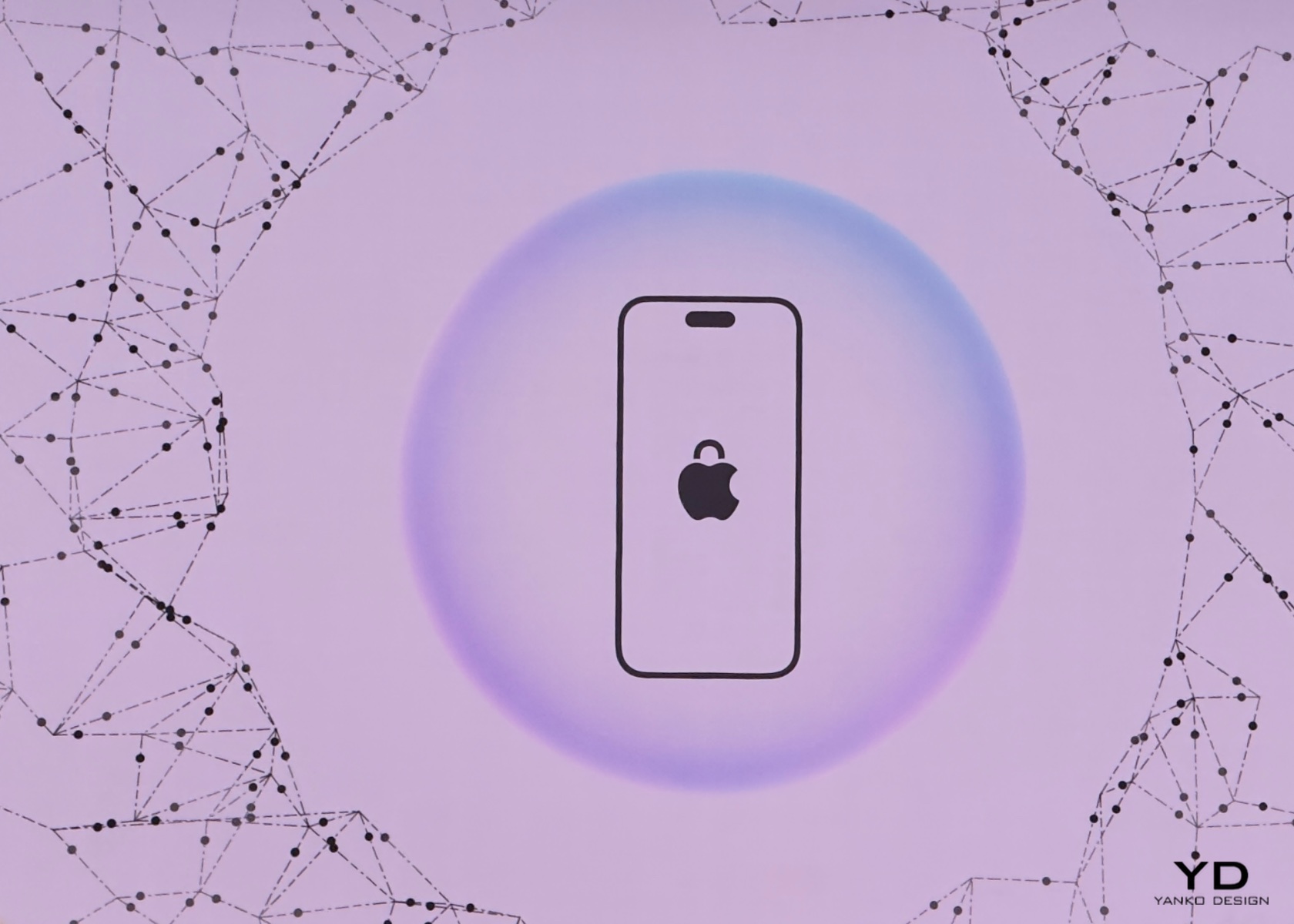
Absolutely. Apple has set the bar high with the first truly secure generative AI ecosystem. Apple Intelligence ensures that your data remains private by performing most of the processing on your device. For more complex tasks that require additional computing power, it uses Private Cloud Compute. This innovative approach allows Apple to harness the full potential of generative AI while ensuring that your personal data is never exposed or compromised.
Apple’s commitment to privacy extends to its server operations as well. All server-based models run on dedicated Apple silicon servers, and the code is open to independent inspection. This means you can trust that your information is handled with the utmost care and transparency. By combining cutting-edge AI capabilities with rigorous privacy standards, Apple Intelligence delivers powerful, personalized intelligence without sacrificing security.
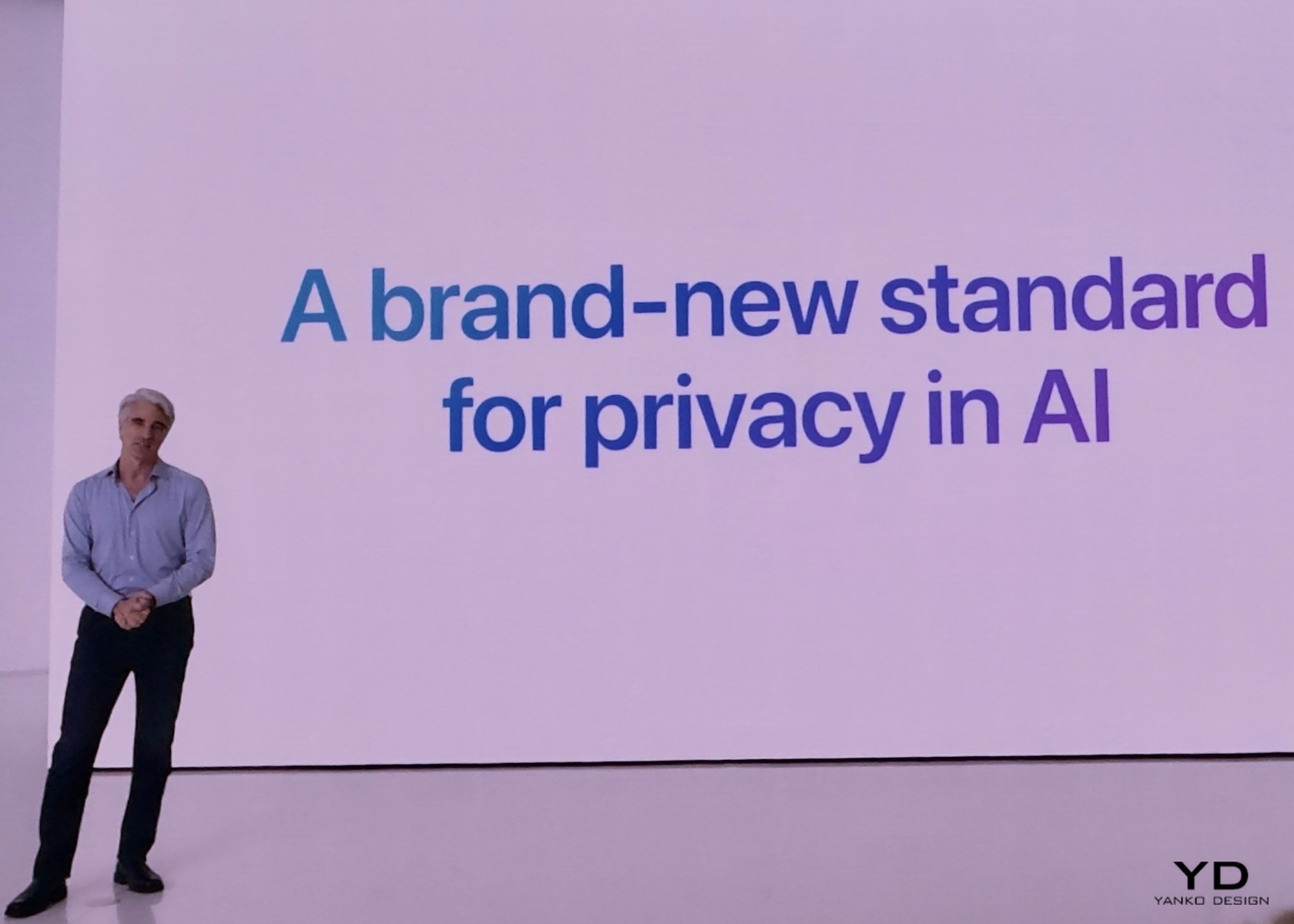
The importance of this secure ecosystem cannot be overstated. In a time where data breaches and privacy concerns are rampant, Apple Intelligence offers peace of mind. Users can confidently rely on their devices to handle sensitive information and perform complex tasks without fear of data misuse. This makes Apple Intelligence a technological advancement playing a vital development role in fostering user trust and safety in digital environments.
Elements and Features of Apple Intelligence

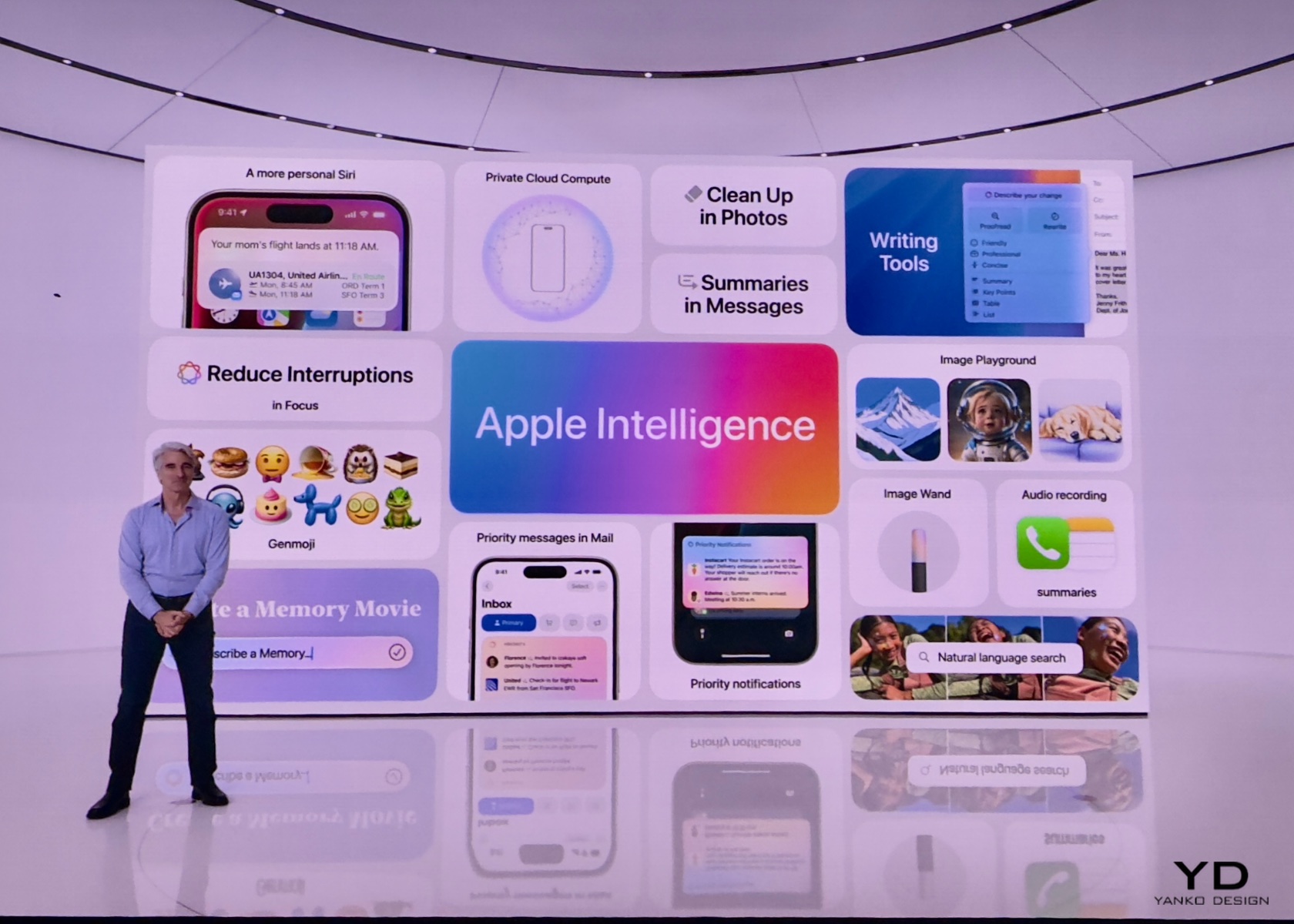
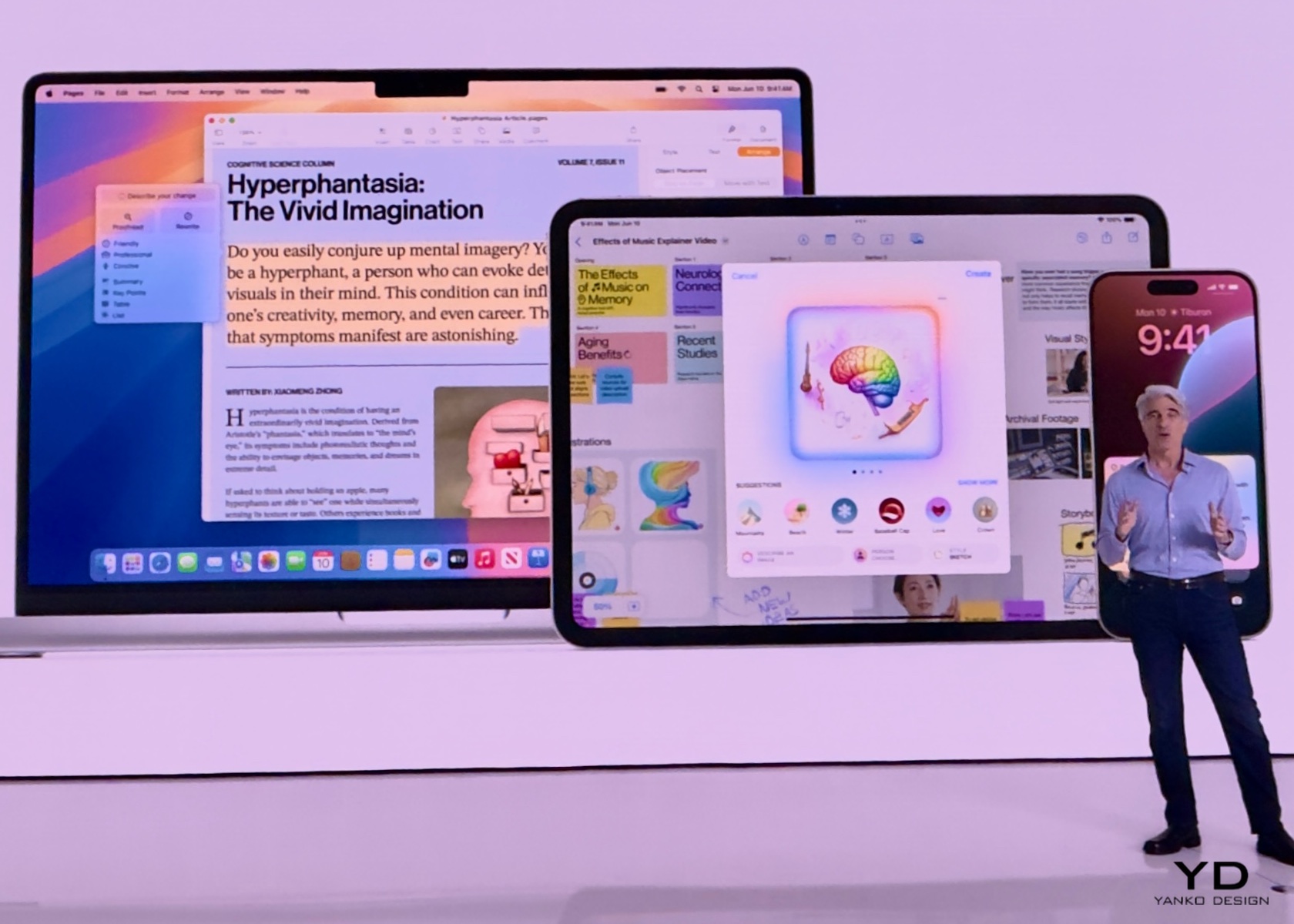
Apple Intelligence is built into your iPhone, iPad, and Mac, bringing a suite of powerful features that make everyday tasks easier and more enjoyable. Let’s dive into what this means for you.
1. Writing Tools

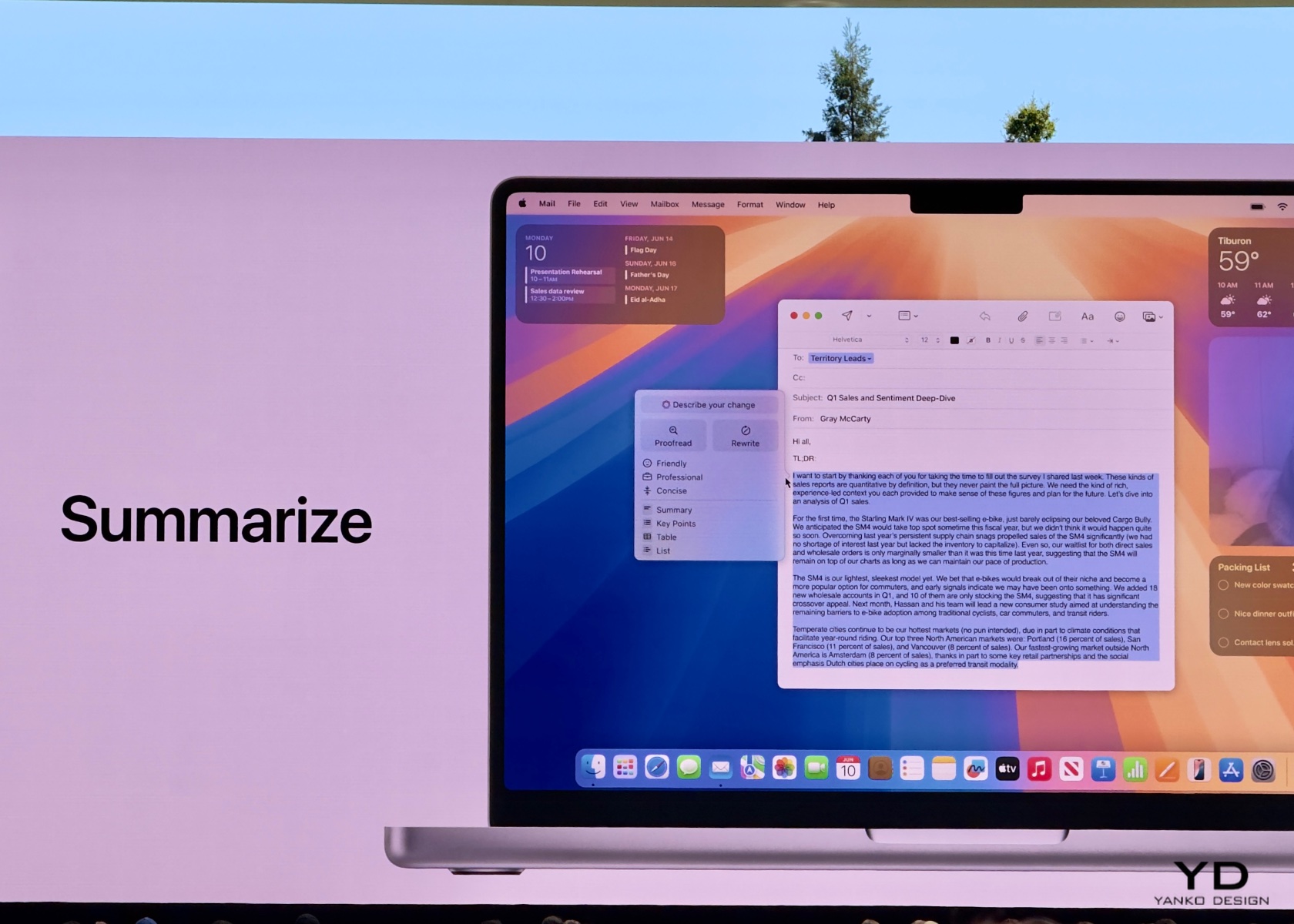
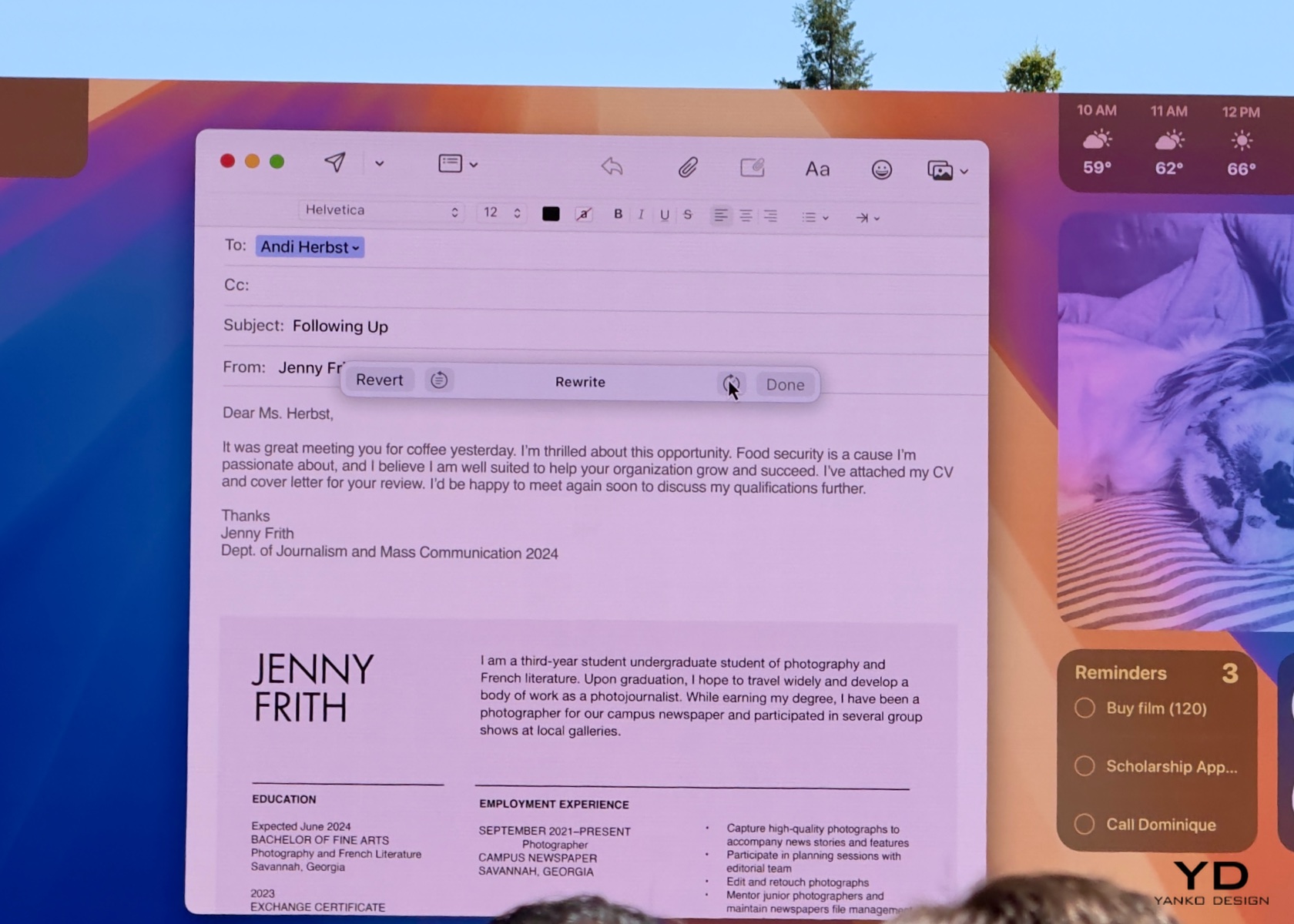
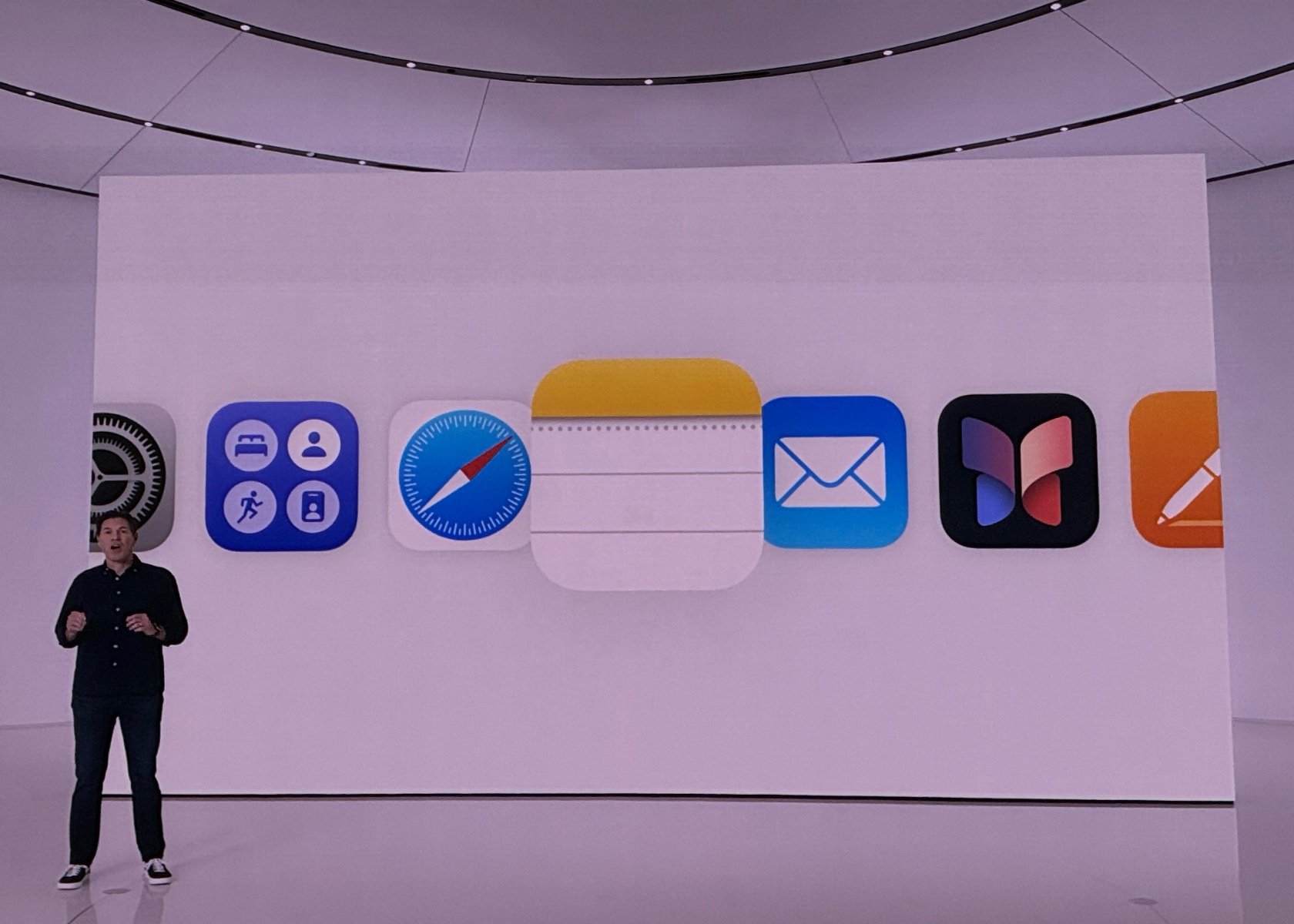
Apple Intelligence includes systemwide writing tools that act like a personal editor wherever you write. Whether you’re drafting an email, jotting down notes, or crafting a blog post, these tools enhance your writing by providing real-time suggestions and corrections. Rewrite allows you to adjust the tone of your text to suit different audiences, whether you need to be more formal for a cover letter or add some humor to a party invitation. Proofread checks your grammar, word choice, and sentence structure, offering edits and explanations to help you improve.
Summarize is another fantastic feature, perfect for condensing long articles or documents into digestible key points or paragraphs. Imagine being able to take a lengthy research paper and quickly create a concise summary for easier review. These tools are integrated into apps like Mail, Notes, and Pages, as well as third-party apps, making them accessible whenever and wherever you need them. With Apple Intelligence, your writing becomes clearer, more precise, and tailored to any situation.
These tools are particularly useful because they enhance communication and productivity. For students, professionals, and casual users alike, having an intelligent assistant that helps refine and improve writing can save time and reduce errors. Whether you’re preparing a report, sending an important email, or simply jotting down ideas, these features ensure that your written communication is effective and polished.
2. Priority Messages and Notifications

Managing your communications has never been easier with Apple Intelligence’s Priority Messages and Notifications. This feature ensures that you see the most important emails and notifications first. For example, a same-day dinner invitation or a boarding pass for an upcoming flight will appear at the top of your inbox, so you never miss critical information. Instead of previewing the first few lines of each email, you can see summaries that highlight the key points, making it easier to manage your inbox efficiently.
The new Reduce Interruptions Focus mode is a game-changer for those who need to stay focused on important tasks. It filters notifications to show only the ones that require immediate attention, such as a text about an early pickup from daycare. This means fewer distractions and more time to concentrate on what matters most. By prioritizing urgent messages and minimizing unnecessary interruptions, Apple Intelligence helps you stay organized and in control of your communications.
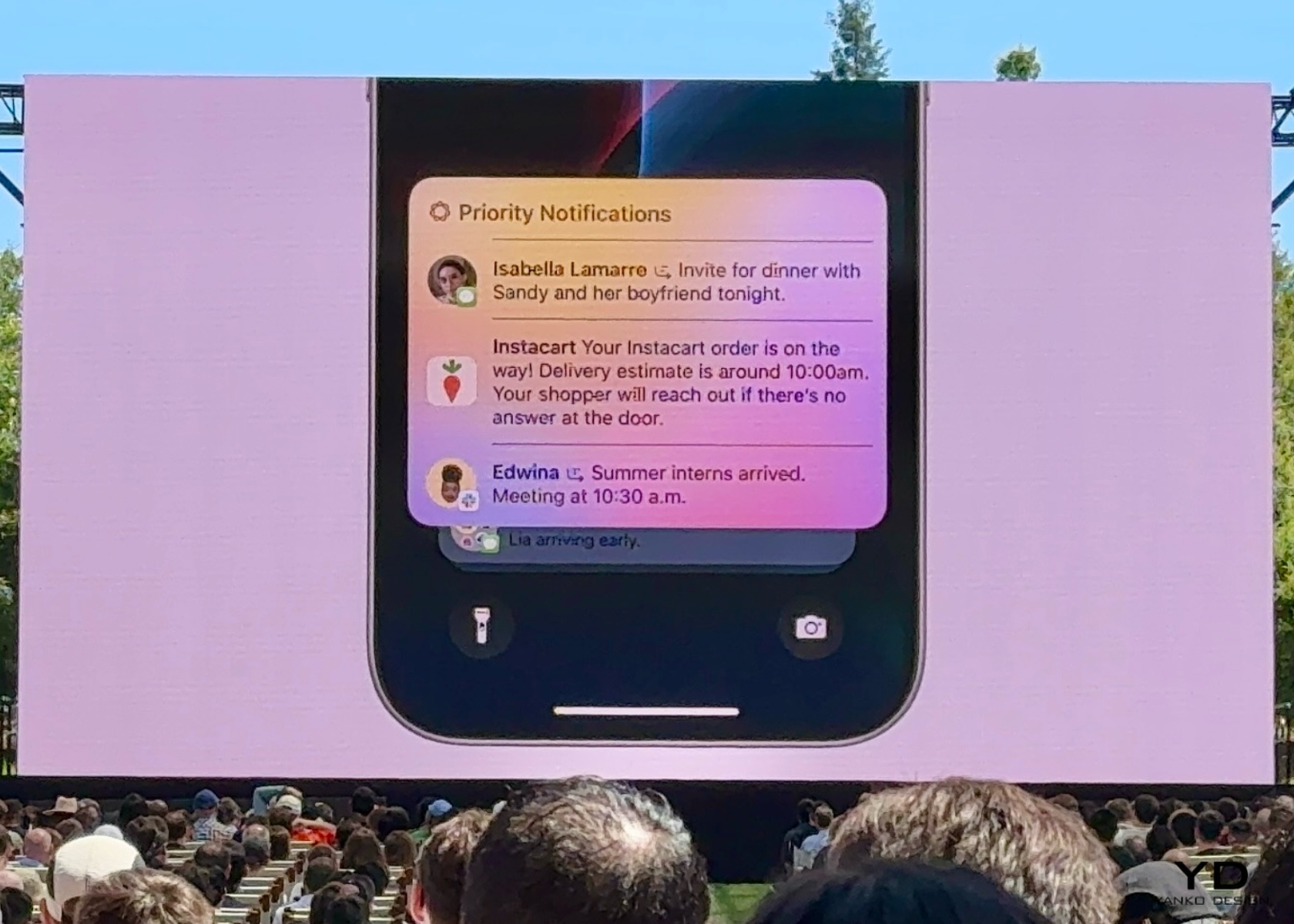
These features are crucial for anyone who juggles multiple responsibilities. By keeping you informed of the most important messages and minimizing distractions, Apple Intelligence helps improve productivity and reduce stress. Whether you’re managing work emails, family schedules, or social invitations, having a streamlined communication system ensures that you stay on top of what truly matters without getting overwhelmed by the noise.

3. Audio Recording and Transcription

In the Notes and Phone apps, Apple Intelligence introduces advanced audio recording and transcription capabilities. This feature is incredibly useful for capturing detailed notes during calls and meetings. When you record a conversation, Apple Intelligence transcribes the audio in real-time, allowing you to read and review the content immediately. This makes it easy to keep track of important discussions and decisions without missing any details.

Once the recording is finished, Apple Intelligence generates a summary of the key points, making it simple to recall and share the most important information. For instance, after a brainstorming session, you can quickly review the main ideas and action items without having to listen to the entire recording. This feature saves time and enhances productivity by ensuring that you have accurate and organized notes at your fingertips.

The importance of these features lies in their ability to enhance efficiency and accuracy. For students, professionals, and anyone who attends meetings or interviews, having an automatic transcription and summary tool can significantly reduce the time spent on note-taking and ensure that no critical information is missed. This allows you to focus more on the conversation and less on capturing every detail manually.

4. Image Playground and Genmoji

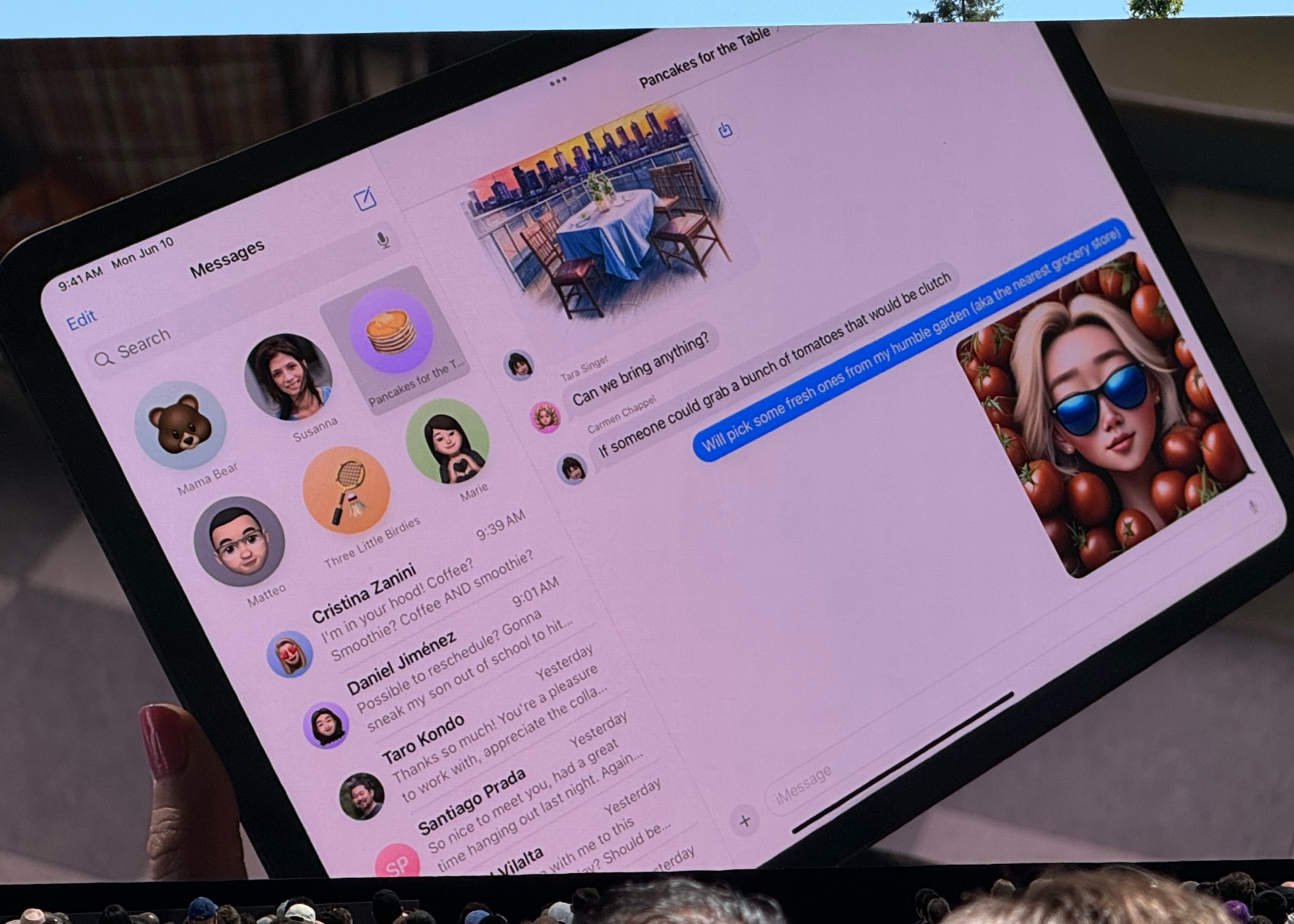
Image Playground and Genmoji are two exciting features powered by Apple Intelligence that make communication and self-expression more fun and creative. Image Playground lets you create engaging images in seconds, choosing from styles like Animation, Illustration, or Sketch. It’s built right into apps like Messages, so you can easily spice up your conversations with personalized visuals. Whether you’re creating an image of your family hiking or a fun meme for a group chat, the possibilities are endless.

Genmoji takes emojis to the next level by allowing you to create unique, personalized emojis based on descriptions or photos. For example, typing “smiley relaxing wearing cucumbers” generates a Genmoji that you can use in your messages or as a sticker. You can even create Genmoji of friends and family members based on their photos, adding a personal touch to your digital interactions. These features make it easier and more enjoyable to express yourself visually, whether you’re chatting with friends or creating content for social media.
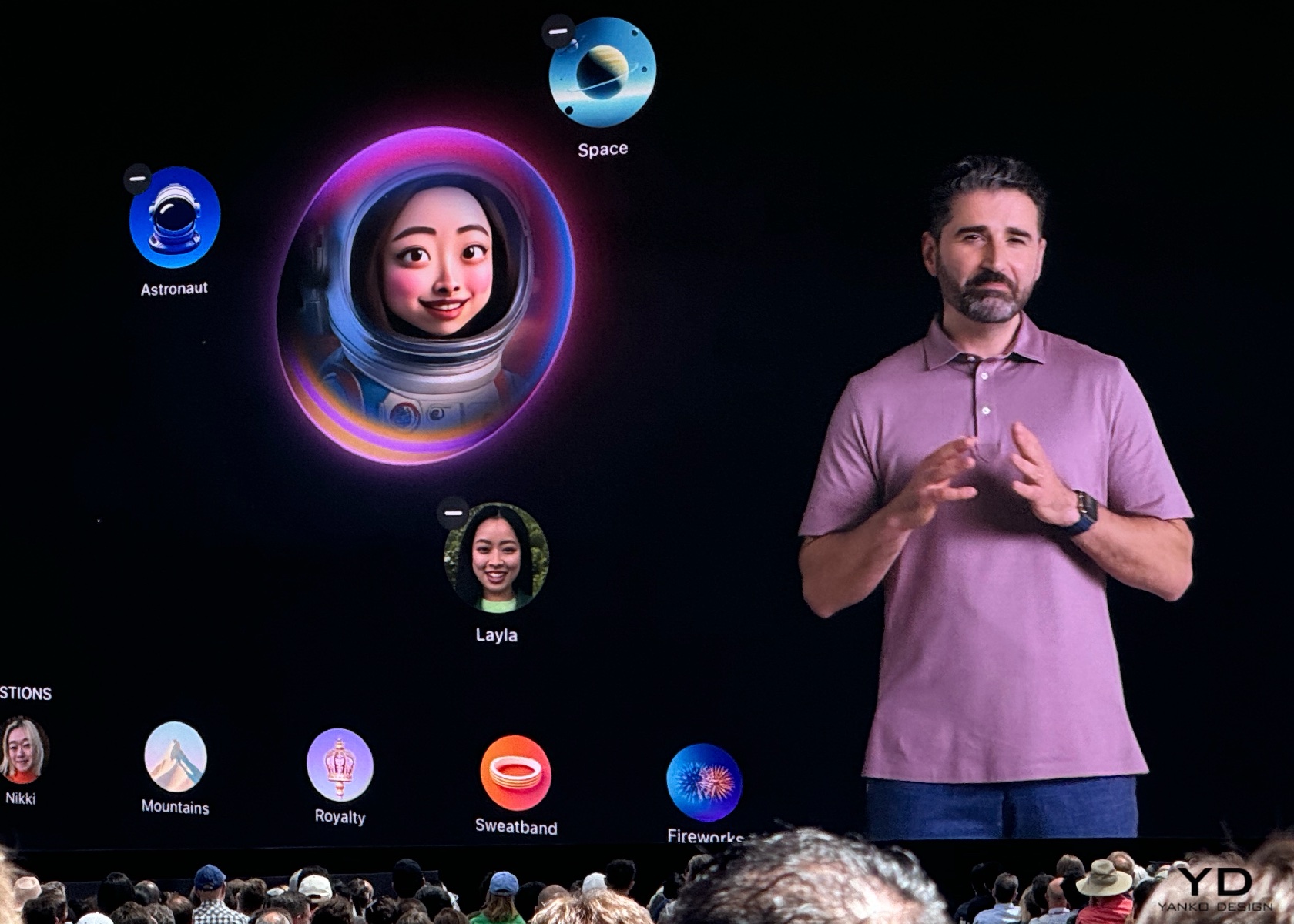
These features are especially significant in today’s online interactions. Visual elements, such as images and emojis, are essential for expressing ourselves. With tools to create personalized and unique visuals, Apple Intelligence enriches our connections with others. This approach makes conversations more engaging and allows for deeper, more personal expression, ultimately fostering stronger relationships and more enjoyable interactions.

5. Enhanced Photo and Video Search

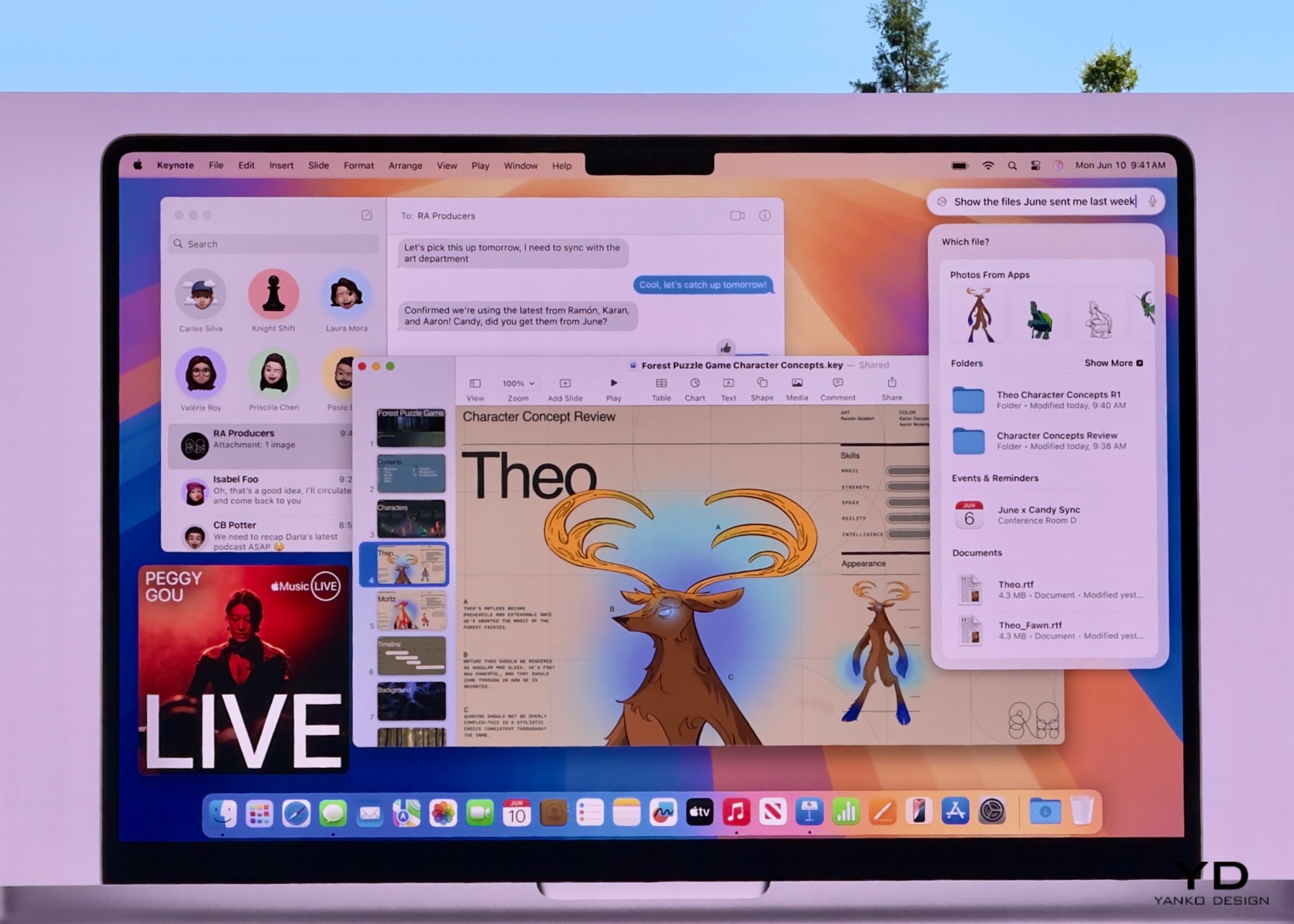
Apple Intelligence makes finding and managing your photos and videos a breeze with enhanced search and editing capabilities. Using natural language processing, you can search for specific photos and videos with simple descriptions. For example, searching for “Maya skateboarding in a tie-dye shirt” quickly pulls up the exact photo from your library. This feature saves time and makes it easier to relive your favorite moments.
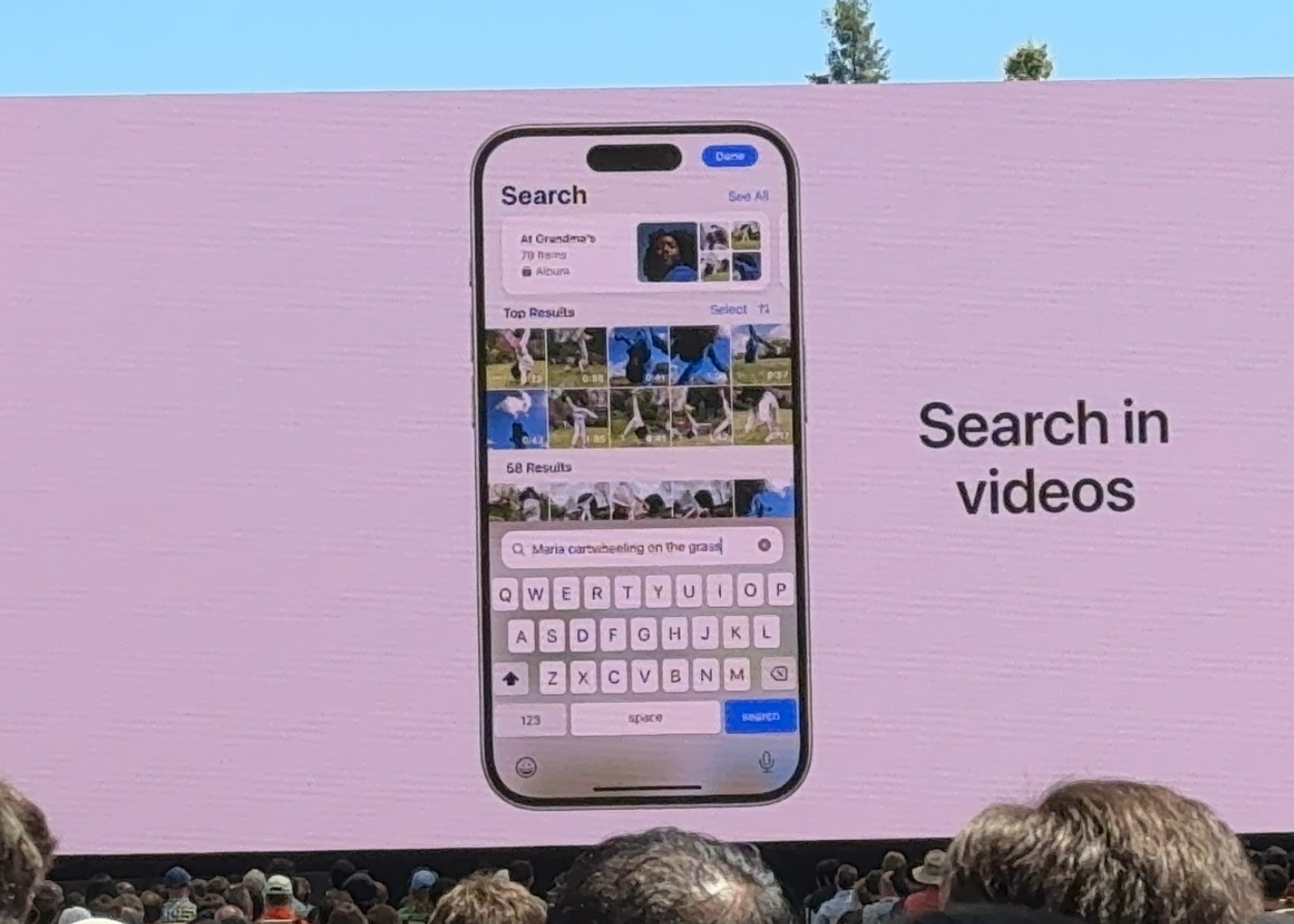
The Clean Up tool is another handy feature that helps you enhance your photos by removing distracting objects from the background without altering the main subject. This is perfect for tidying up those almost-perfect shots. Additionally, the new Memories feature allows you to create movies from your photos and videos by simply typing a description. Apple Intelligence selects the best images, crafts a narrative, and even suggests music from Apple Music to match the mood. This makes it effortless to create beautiful, shareable memories from your digital collection.

These features are invaluable for everyone who captures and stores digital memories. With the sheer volume of photos and videos we accumulate, having tools that simplify searching and editing can save significant time and effort. Whether you’re organizing a photo album, creating a digital scrapbook, or just looking for that perfect picture from last summer, Apple Intelligence makes it easier to manage and enjoy your visual content.

6. Siri Enhancements

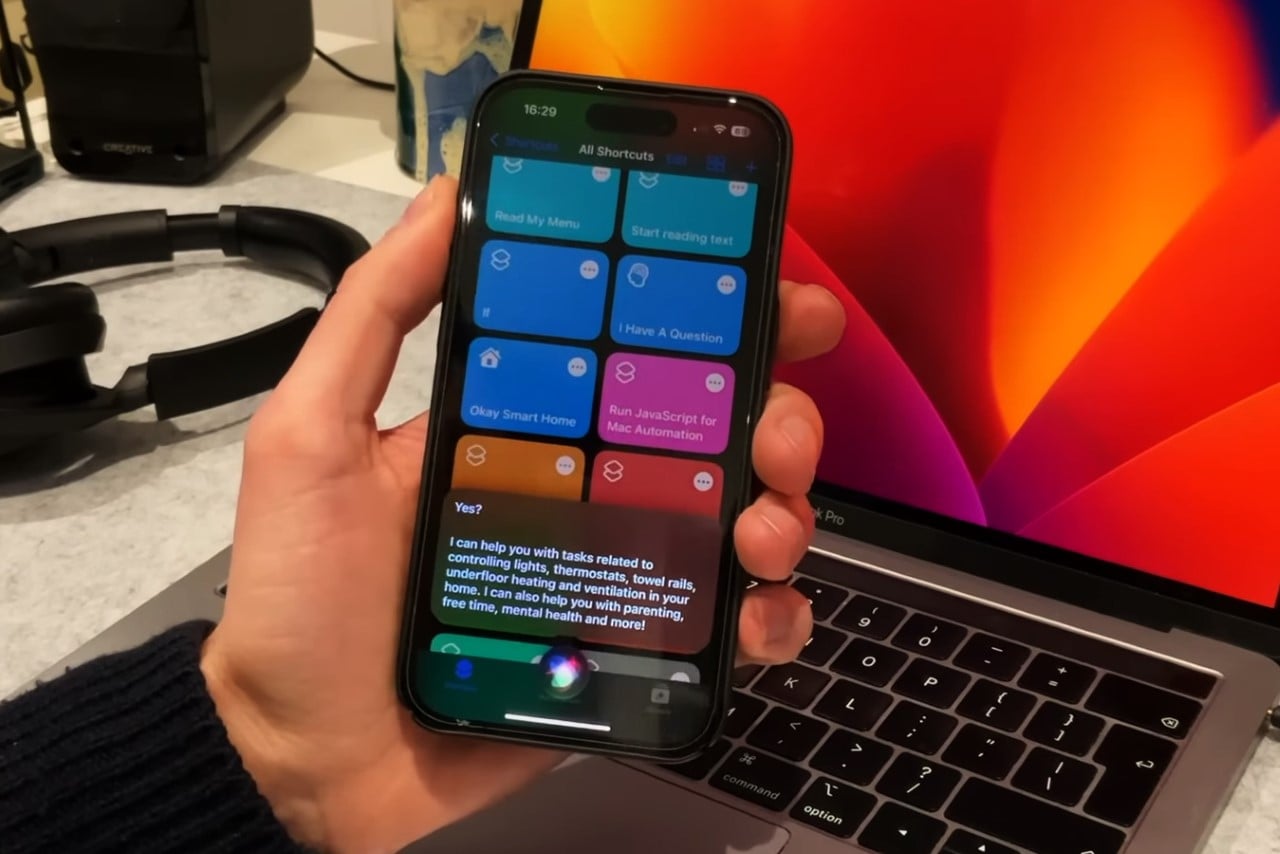
Powered by Apple Intelligence, Siri is now more capable and contextually aware than ever before. This transformation means your assistant can understand and act on a wider range of requests, making it even more useful in your daily life. Whether you need to schedule an email, switch from Light to Dark Mode, or add a new address to a contact card, Siri can handle these tasks with ease. It can follow along if you stumble over words and maintain context from one request to the next, providing a more seamless interaction.
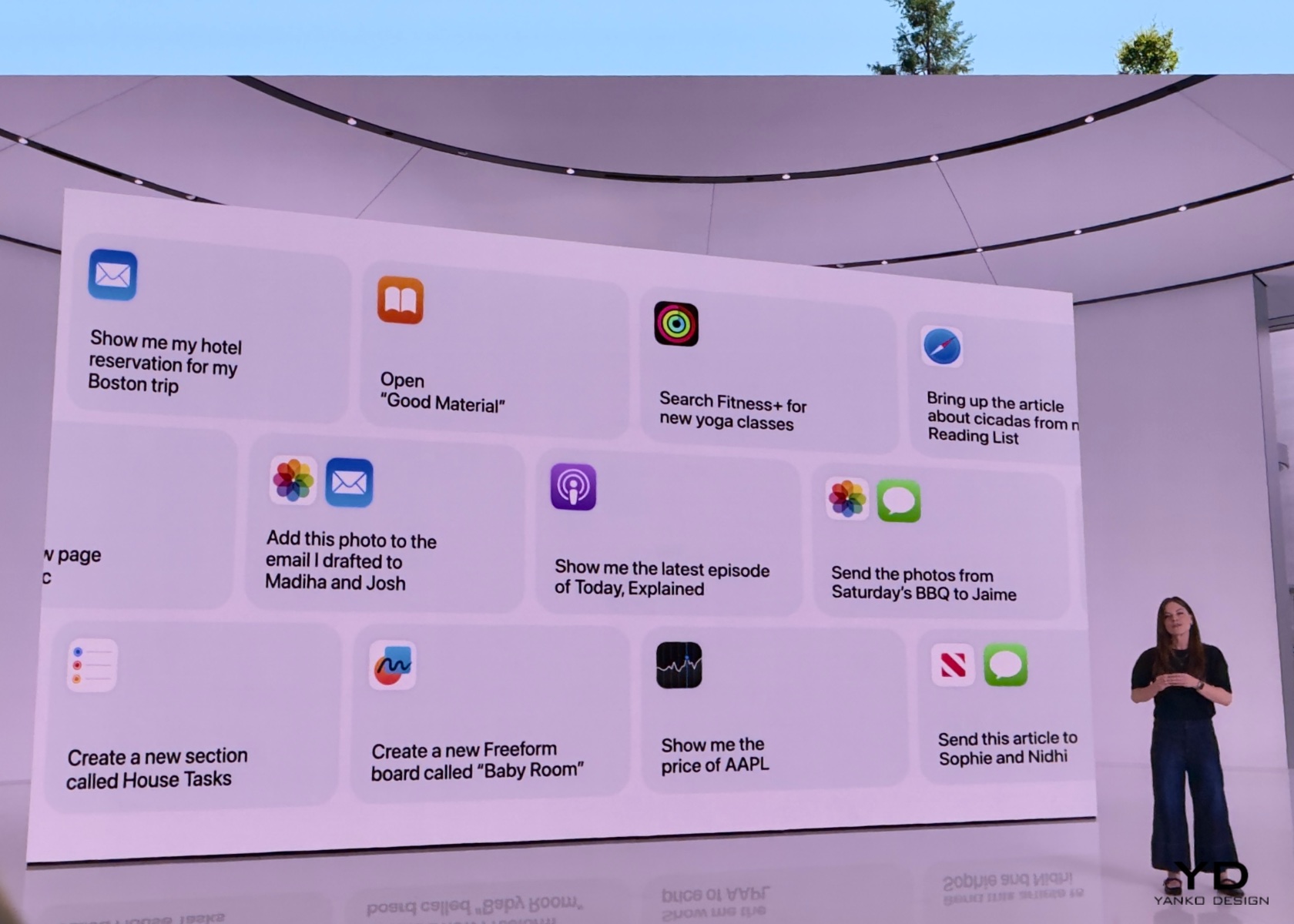
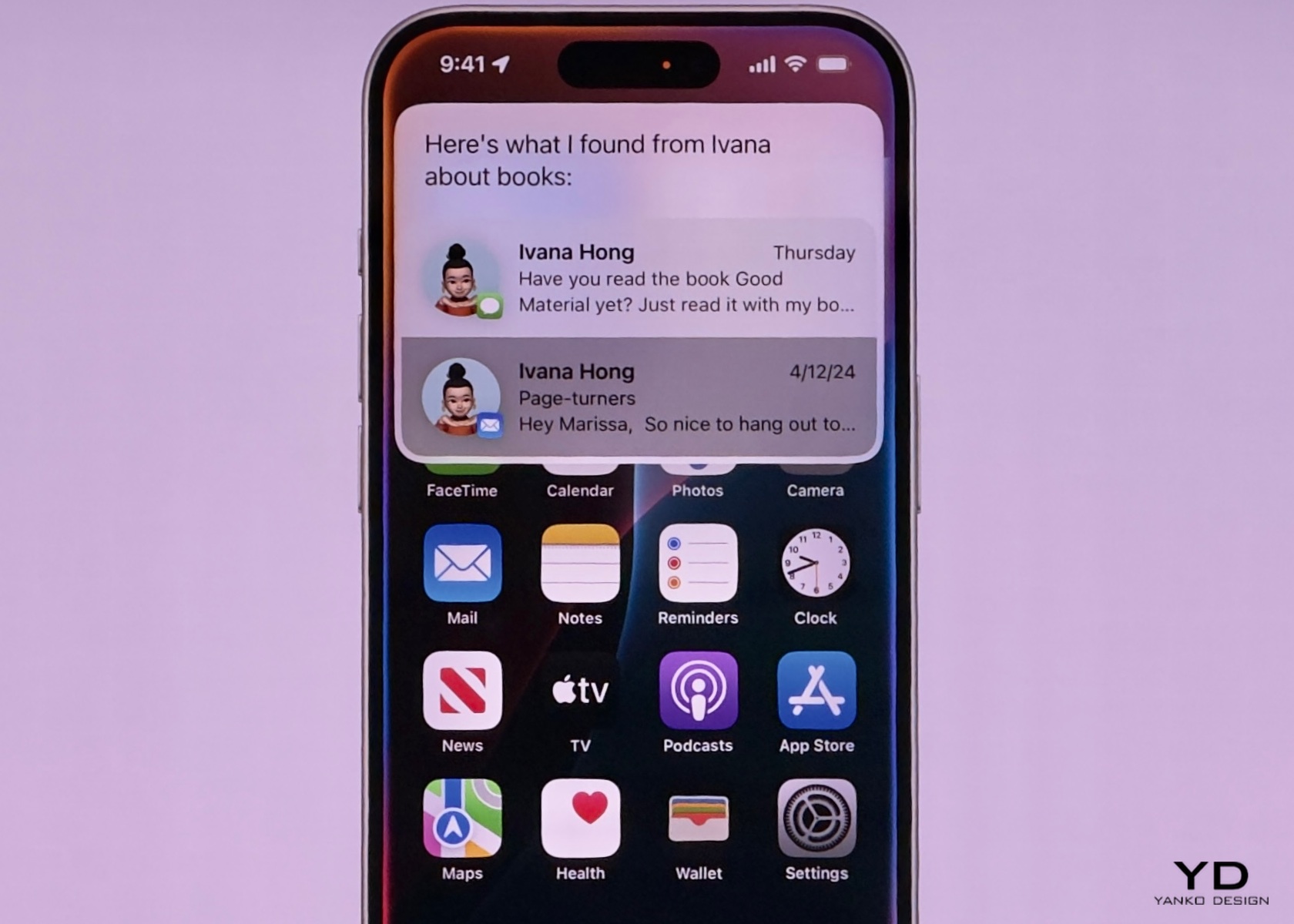
One of the most exciting improvements is Siri’s ability to perform hundreds of new actions across Apple and third-party apps. For instance, you can ask Siri to bring up an article from your Reading List, send photos from a recent event to a friend, or play a podcast recommended by a contact. The new design includes an elegant glowing light around the edge of the screen when Siri is active, making it visually engaging and easier to know when Siri is listening.

Siri now pulls from your messages, emails, and other apps to provide more personalized assistance. If a friend texts you their new address, you can simply say, “Add this address to his contact card,” and Siri will update the contact information without needing additional input. Additionally, Siri can understand and follow up on previous requests, making it easier to carry on more natural, conversational interactions. Imagine planning a day trip; you could ask about the weather at your destination, book a reservation at a local restaurant, and get directions—all in a seamless flow of conversation.
Another significant enhancement is Siri’s deep integration with personal context. For example, you can ask, “What’s the weather like near Muir Woods?” and then follow up with, “Create an event for a hike there tomorrow at 9 a.m.” Siri maintains the context of “there” to schedule the hike without needing you to repeat the location. The assistant also supports switching between text and voice input seamlessly, which is perfect for situations where speaking aloud isn’t convenient.

These improvements are crucial for making technology more accessible and user-friendly. By expanding its capabilities and making it more contextually aware, Apple Intelligence ensures that users can rely on Siri for a wider range of tasks. This can significantly enhance productivity and convenience, making it easier to manage daily activities and access information quickly. For anyone looking to streamline their workflow or simplify their interaction with technology, these enhancements make Siri an even more integral part of everyday life. Whether you’re coordinating a busy schedule, managing home automation, or simply trying to stay organized, the new capabilities make your digital assistant more indispensable than ever.

Conclusion
Integrating deeply with personal context, Apple Intelligence redefines how we interact with our devices. It understands your routines, preferences, and relationships, offering solutions that feel tailor-made just for you. With most tasks processed on your device, it keeps your data secure while boosting productivity through advanced writing tools, priority notifications, and real-time transcription. Fun features like Image Playground and Genmoji bring a personal touch to visual communication, while enhanced photo and video search make managing digital memories a breeze. Siri’s enhanced abilities enable smooth, conversational interactions, making everyday tech use more intuitive and efficient, all while upholding strong privacy standards. I hope this helps answer and explain what Apple Intelligence is, what the features are, and how you can benefit from them.

The post Apple Intelligence at WWDC 2024: The Future of Personalized and Secure AI first appeared on Yanko Design.

Apple was right about the iPad Calculator App… After 14 years, the iPad Calculator is Game-Changing

After over a decade, the iPad finally got a calculator app. Let’s just get one thing straight – Apple just made the calculator glamorous.

Steve Jobs debuted the iPad back in January 2010, that’s a whopping 14 and a half years ago… and mysteriously enough, the iPad never shipped with an Apple-branded calculator app. Whenever pressed on the issue, Apple spokespeople always had the same answer – they didn’t want to release a calculator app just for the sake of it. They wanted to get it right by designing the best-ever calculator app for the iPad. Up until yesterday, all that felt like deflection, that Apple didn’t quite care about calculators on the iPad (after all, it was an entertainment and visual productivity device). Today, however, Apple is vindicating itself after over a decade of judgment. The new iPad Calculator app debuted at WWDC and it’s INCREDIBLE.

The new Calculator app for the iPad comes with a familiar interface, but uses the iPad’s larger screen to its advantage, delivering more oomph thanks to larger real estate. It has a history feature and built-in unit conversions, but if you have an Apple Pencil lying around, the Calculator experience gets MUCH more interesting.

Pair the Calculator with the Pencil and you get what Apple calls Math Notes, a more interactive, personal experience that takes your hand-written notes and graphs and turns them into computable datasets. Write an equation and the calculator understands your handwriting and solves the equation for you. Draw geometry, label the parts, and add a ‘=’ sign and the app intuitively understands what you want to calculate, giving you the answer. It’s like the self-answering Horcrux book from Harry Potter and the Chamber Of Secrets but on steroids. The app understands what you’re drawing/writing and how you’re doing so too. It mimics your handwriting to deliver answers (so when you write 2+2=, it adds ‘4’ to the end in a similar writing style). You can change parts of your calculations and the answers update in real-time. You can turn equations into graphs, change variables, and watch the graph change in real-time too.

This brilliant reinterpretation of the calculator comes thanks to Apple’s integration of the calculator’s features in its Notes app. It’s nothing like anything we’ve seen before. In fact, we’ve seen ChatGPT and Google Bard (or Gemini) fail in this exact area, with their inability to understand graphs or photos of equations, resulting in hilariously wrong answers. The iPad calculator app sidesteps all that by giving you the ability to intuitively take notes and compute calculations using the Pencil. You don’t need to upload an image from a text book, just draw stuff out instead. Now whether the Math Notes will be able to do all this correctly is something entirely different. It could end up making the same mistakes as GPT and Google, or create unique errors that will only be made evident once the Calculator and Math Notes features roll out with iOS 18 this fall. For one, I can definitely say that math teachers are NOT going to be happy about all of this!

The post Apple was right about the iPad Calculator App… After 14 years, the iPad Calculator is Game-Changing first appeared on Yanko Design.
WWDC 2024: New Apple Intelligence From the Core

Apologies for today’s Sneakers Sunday feature being replaced, but there’s a compelling reason: Apple’s special event, WWDC 2024, is taking place tomorrow. Given the significance of this event, I’ll be attending WWDC to provide firsthand insights and experiences. The keynote begins at 10 a.m. PT (1 p.m. ET) on Monday, June 10, and I’ll be on the ground for two days to dive deeper into the announcements and hopefully experience some of the new features Apple will unveil.

Apple Park Steve Jobs Theatre

WWDC holds a special place for Apple and the entire tech community. It’s an annual gathering where developers come to learn, network, and gain insights directly from Apple’s engineers and executives. For Apple, it’s a platform to showcase their latest innovations and set the tone for the year ahead. For developers, it’s an invaluable opportunity to get hands-on experience with new tools and technologies that will shape the apps and services they create. And for end users, WWDC often hints at the future capabilities of their devices, offering a glimpse into the enhancements and features that will soon be at their fingertips.

The anticipation surrounding WWDC isn’t solely about the big reveals; it’s about the entire ecosystem Apple has built. From beta testing new versions of iOS, macOS, watchOS, and more, to understanding the deeper integration of software and hardware, WWDC is a comprehensive showcase of Apple’s vision. The joy of beta testing is something that many tech enthusiasts look forward to every year. It’s a chance to experience the cutting-edge developments before they are officially released, and to contribute feedback that helps refine the final product. This iterative process of development, testing, and feedback is crucial in delivering the polished, user-friendly experiences that Apple is known for.

Tomorrow’s WWDC promises to be particularly exciting due to the speculations and rumors that have been swirling for months. From AI advancements to the integration of new technologies in their operating systems, Apple is expected to make several significant announcements. The focus on AI is especially intriguing, with rumors suggesting that Apple will introduce a range of new AI-driven features across its platforms. The term “Apple Intelligence” has been floated, hinting at features like voice memo transcriptions, enhanced search capabilities, and a more conversational Siri. The integration of AI is expected to be subtle yet impactful, enhancing the user experience in ways that feel intuitive and seamless.

In recent years, the tech industry has seen a surge in AI developments from companies like OpenAI, Microsoft, Samsung, and Google. Apple’s response to this trend will be closely watched, as the company has traditionally taken a more measured approach to integrating new technologies, prioritizing user privacy and security. The upcoming announcements are expected to reflect this philosophy, with a focus on on-device AI processing. This approach not only enhances performance but also reinforces Apple’s commitment to privacy, ensuring that user data remains secure.

While the prospect of new hardware always generates excitement, it’s the software updates that are the true highlight of WWDC. The introduction of new operating system versions for iPhone, iPad, Mac, and Apple Watch will set the stage for the next generation of apps and services. The iPad Pro M4, with its advanced capabilities, is a prime example of the kind of device that will benefit from these updates. Developers and users alike are eager to see how Apple and third-party developers will leverage the hardware to create new, innovative experiences.

The Importance of WWDC for Apple, Developers, and Consumers

WWDC is a cornerstone event for Apple, providing a platform to unveil its latest software advancements and to set the strategic direction for the coming year. For developers, WWDC is a goldmine of information, offering detailed sessions on new APIs, frameworks, and tools that will empower them to create more sophisticated and powerful apps. This event is crucial for keeping the developer community engaged and informed, fostering innovation, and ensuring that Apple’s ecosystem continues to thrive.

For consumers, WWDC is equally important. The announcements made at the event often translate into new features and improvements that enhance the everyday use of their devices. Whether it’s a new operating system with improved functionality, enhanced security features, or entirely new apps, the ripple effect of WWDC is felt across the user base. The excitement generated by WWDC stems from the promise of better, more integrated experiences that make technology more useful and enjoyable.

The Joy of Beta Testing

One of the most exciting aspects of WWDC for many tech enthusiasts is the opportunity to beta test new software. Apple’s beta programs for iOS, macOS, watchOS, and other platforms allow users to experience the latest features before they are officially released. This early access provides a unique opportunity to explore new functionalities, discover bugs, and provide feedback that can help shape the final product.

Beta testing isn’t just about getting a sneak peek at new features; it’s about being part of the development process. Users who participate in beta testing contribute valuable insights that help Apple refine its software, ensuring that the final release is as polished and user-friendly as possible. This collaborative approach underscores Apple’s commitment to delivering high-quality experiences that meet the needs and expectations of its users.

Analysis of Expected Announcements

This year’s WWDC is expected to be rich with announcements that will shape the future of Apple’s ecosystem. The emphasis on AI, particularly on on-device processing, is likely to be a major theme. Apple’s approach to AI, dubbed “Apple Intelligence,” is expected to bring a host of new features designed to enhance productivity and user experience. These include voice memo transcriptions, faster search capabilities, and a more conversational Siri.

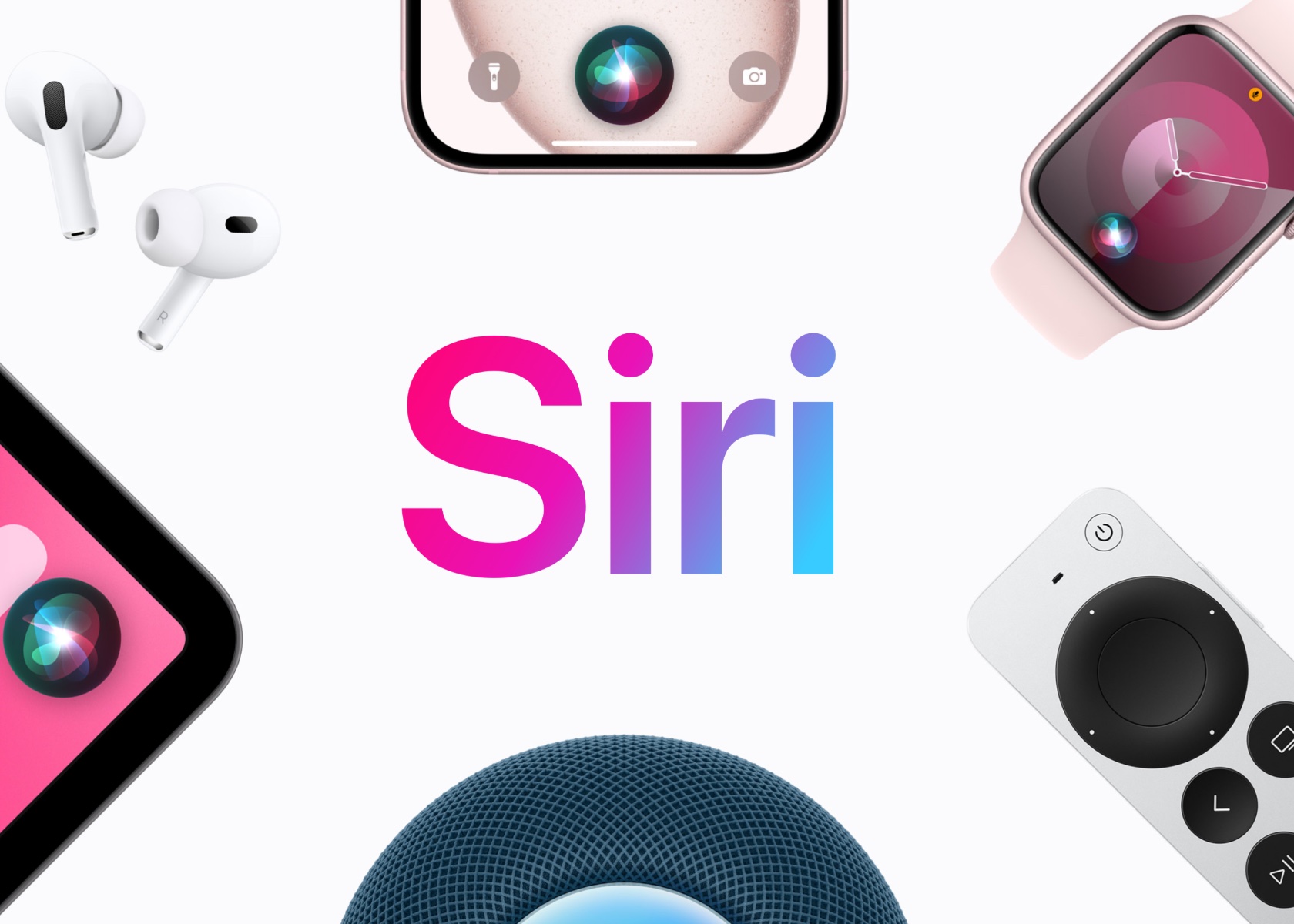
Apple Siri

Siri’s at the heart of Apple’s AI strategy. The assistant is poised for a major upgrade, potentially becoming more context-aware and capable of handling multi-step tasks. Imagine asking Siri to create a GIF from a set of photos and send it to one of your contacts in a single command. This evolution is expected to make Siri a more powerful digital assistant, aligning it with advancements seen in other AI systems. The integration of AI isn’t limited to iOS. macOS and watchOS are also expected to receive significant updates that incorporate AI capabilities. For example, macOS may see enhancements that improve multitasking and productivity, while watchOS could introduce new health and fitness features powered by AI. The Apple Watch, already a leader in wearable technology, could become even more indispensable with these new capabilities.

In addition to AI, there are rumors that Apple is working with OpenAI to integrate advanced language models into its operating systems. This collaboration could lead to more sophisticated natural language processing features, enhancing the way users interact with their devices. Although previous reports suggested that Apple was also in talks with Google about incorporating its Gemini AI system, it appears that these discussions may not have resulted in a partnership.

Another area of focus at WWDC is expected to be customization and accessibility. With iOS 18, users may gain more control over the appearance and layout of their Home Screen, allowing for greater personalization. Accessibility features, such as Eye Tracking on iPad and iPhone and Live Captions on VisionOS, will likely be highlighted, reflecting Apple’s ongoing commitment to making its products accessible to everyone.

The Role of Security in AI and On-Device Processing

Security has always been a cornerstone of Apple’s philosophy, and this is especially true when it comes to AI. By processing AI tasks on-device, Apple can ensure that user data remains secure and private. This approach minimizes the need to send data to the cloud, reducing the risk of exposure to potential security breaches. It also aligns with Apple’s broader strategy of maintaining user trust by prioritizing privacy in its product designs.

The integration of on-device AI processing will allow Apple to offer advanced features without compromising security. For example, AI-powered features like voice memo transcriptions and enhanced search can be processed locally on the device, ensuring that sensitive information remains secure. This approach not only enhances performance but also reinforces Apple’s commitment to privacy, a key differentiator in an industry where data security is increasingly a concern.

New Hardware and Software Updates

While new hardware announcements are always exciting, it’s the software updates that truly steal the show at WWDC. The introduction of new versions of iOS, macOS, watchOS, and other operating systems will set the stage for the next generation of apps and services. These updates are expected to bring a host of new features and improvements that will enhance the user experience across Apple’s ecosystem.

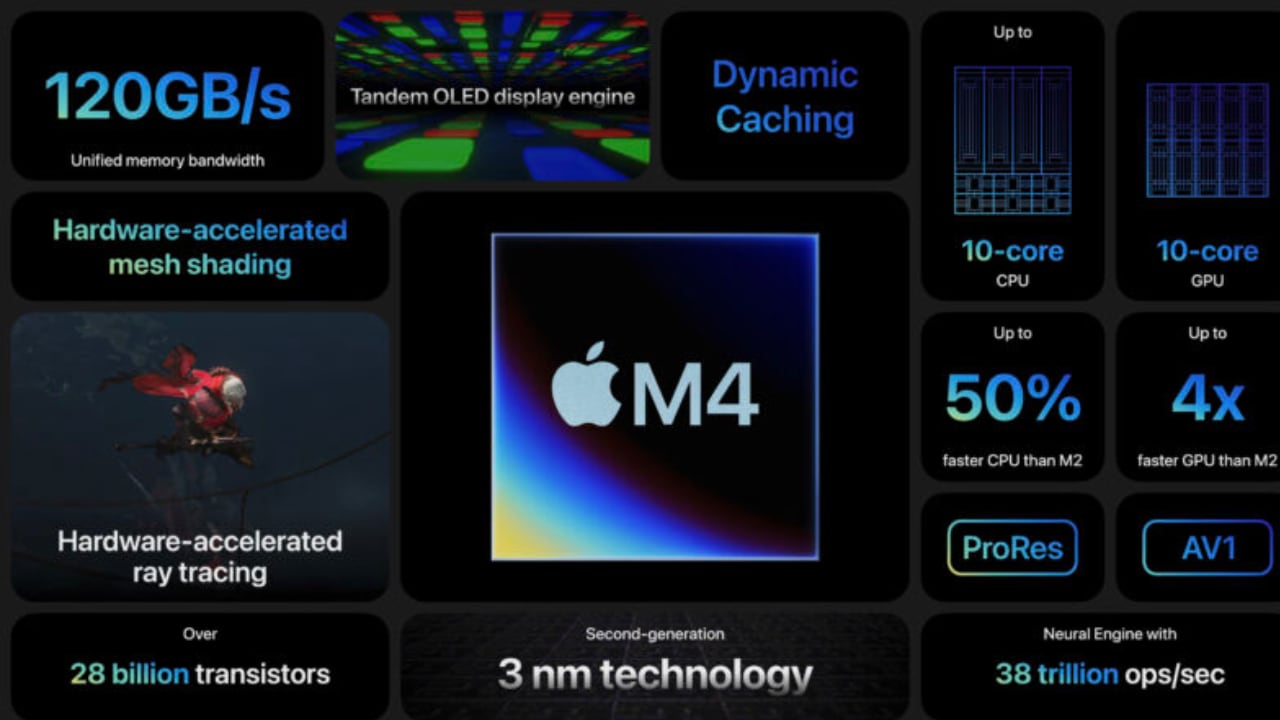
The iPad Pro M4, with its advanced capabilities, is a prime example of the kind of device that will benefit from these updates. With the new software, developers will have the tools they need to create innovative apps that leverage the hardware’s full potential. From productivity enhancements to new creative tools, the possibilities are endless.

Apple M4 Chip

WWDC 2024 promises to be a landmark event for Apple and its community of developers and users. The focus on AI and on-device processing highlights Apple’s commitment to innovation while maintaining its core principles of privacy and security. The joy of beta testing, the anticipation of new software updates, and the excitement of potential hardware announcements all contribute to the unique allure of WWDC. As we look forward to the keynote and the days that follow, the tech world eagerly awaits the next chapter in Apple’s ongoing story of innovation and excellence.

Don’t miss out on our coverage from the “mothership.” Be sure to check back tomorrow and Tuesday for Yanko Design’s in-depth analysis and updates straight from WWDC 2024.

The post WWDC 2024: New Apple Intelligence From the Core first appeared on Yanko Design.
Highlights from Yanko Design: Baxley Moto, Apple WWDC 2024 Insights, and AI Voice Assistant Developments

This week, Yanko Design highlights some of the most exciting developments in tech and design. From the futuristic Baxley Moto to the highly anticipated Apple WWDC 2024 and the evolving role of AI voice assistants, these topics underscore the rapid advancements shaping our world. Each product and topic discussed not only showcases cutting-edge innovation but also reflects the practical applications of these technologies in enhancing our daily lives.

Baxley Moto: A Futuristic Ride

The Baxley Moto, an innovative electric motorbike designed by Shane Baxley, stands out with its hubless wheel design, merging angular lines with sleek contours. This electric bike features a hunched-forward riding position, large treaded tires, and a suspended tail section, emphasizing its capability for high-speed thrills. Even though I don’t ride motorcycles, I still appreciate the great design and innovation this bike brings to the table. The Baxley Moto’s sleek black colorway with vibrant red and metallic gold accents enhances its visual appeal, suggesting power and sophistication.

Designer: Shane Baxley

Using lightweight carbon fiber for the frame and applying hubless wheel technology show promise for market readiness. This blend of futuristic aesthetics and functional features creates a compelling vision of electric bikes’ future. Baxley’s design balances innovation with practical elements, making it a realistic candidate for future production.

Apple WWDC 2024 Preview: Expectations and Insights

We are thrilled to attend Apple’s Worldwide Developers Conference (WWDC) 2024 in person for the first time. The keynote on June 10 at Apple Park is expected to reveal the latest advancements in iOS, iPadOS, macOS, watchOS, tvOS, and visionOS. Our team will be on-site to provide comprehensive coverage of these exciting updates.

Designer: Apple

iOS 18 and iPadOS 18

Apple’s iOS 18 and iPadOS 18 are set to introduce advanced AI functionalities such as suggested email and message replies, text summaries, and improved photo touchup tools. Rich Communication Services (RCS) will enhance messaging between iOS and Android with features like end-to-end encryption and high-resolution media sharing. Additionally, custom emoji generation and customizable app icons are rumored to provide more personalization options for users.

macOS 15

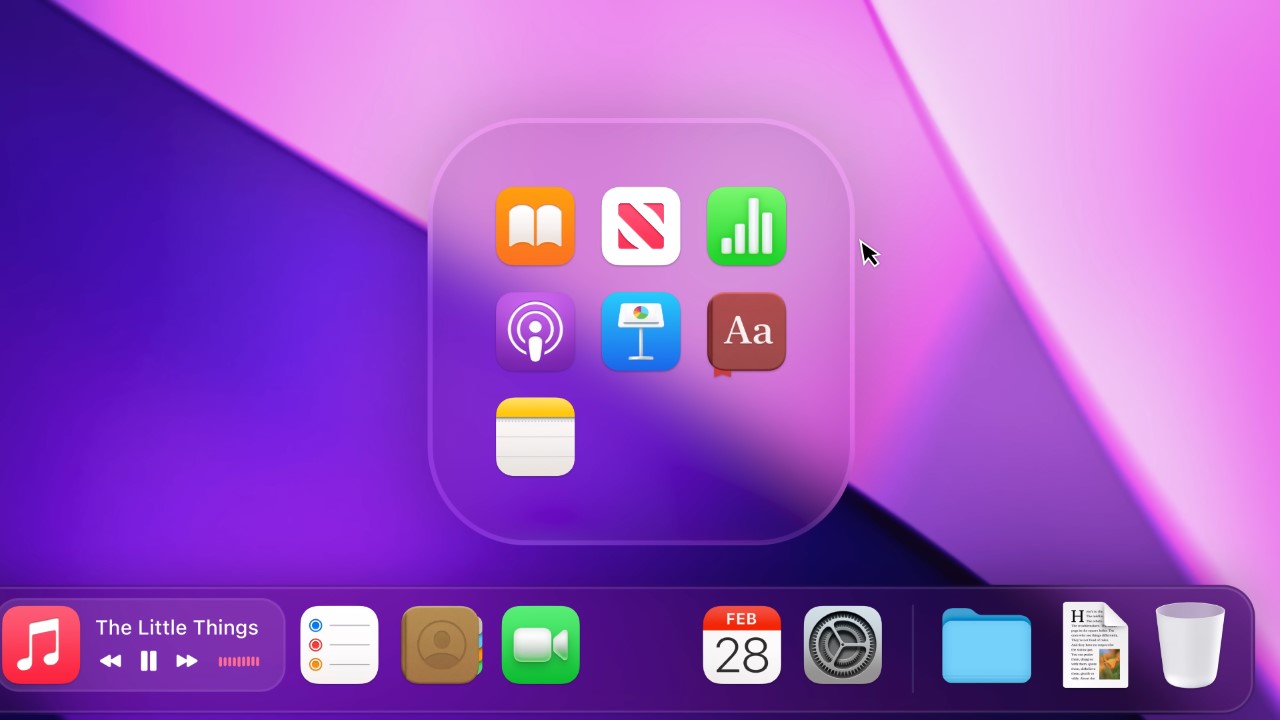
The next version of macOS, possibly named after a California location, is expected to incorporate many AI enhancements seen in iOS 18. Updates to core apps like Apple Music, Notes, and productivity tools will focus on integrating AI functionalities to enhance user productivity. The System Settings app is rumored to be reorganized for better usability, and Siri’s menu bar icon might get a new look. Accessibility improvements are also anticipated, including custom spoken phrase triggers in Shortcuts.

Generative AI

Generative AI will be a significant focus at WWDC 2024. Apple is expected to integrate OpenAI’s ChatGPT and potentially Google’s Gemini AI assistant into iOS 18. These integrations could bring advanced conversational capabilities and intelligent assistant features to iPhones and iPads. Siri is also slated for substantial upgrades using Apple’s large language models, enhancing voice recognition and response accuracy and focusing on practical, everyday applications. Apple aims to enhance user privacy and security by handling AI processing on devices when possible.

Next-Generation CarPlay

CarPlay is set for significant updates with iOS 18. New accessibility features like Voice Control and Color Filters will enhance usability. Sound Recognition will notify users of driving-related sounds, benefiting those who are deaf or hard of hearing. Next-generation CarPlay is expected to integrate more deeply into vehicle systems, including instrument clusters and climate controls, providing a seamless and comprehensive user experience.

AI Voice Assistants: Gender Dominance and Implications

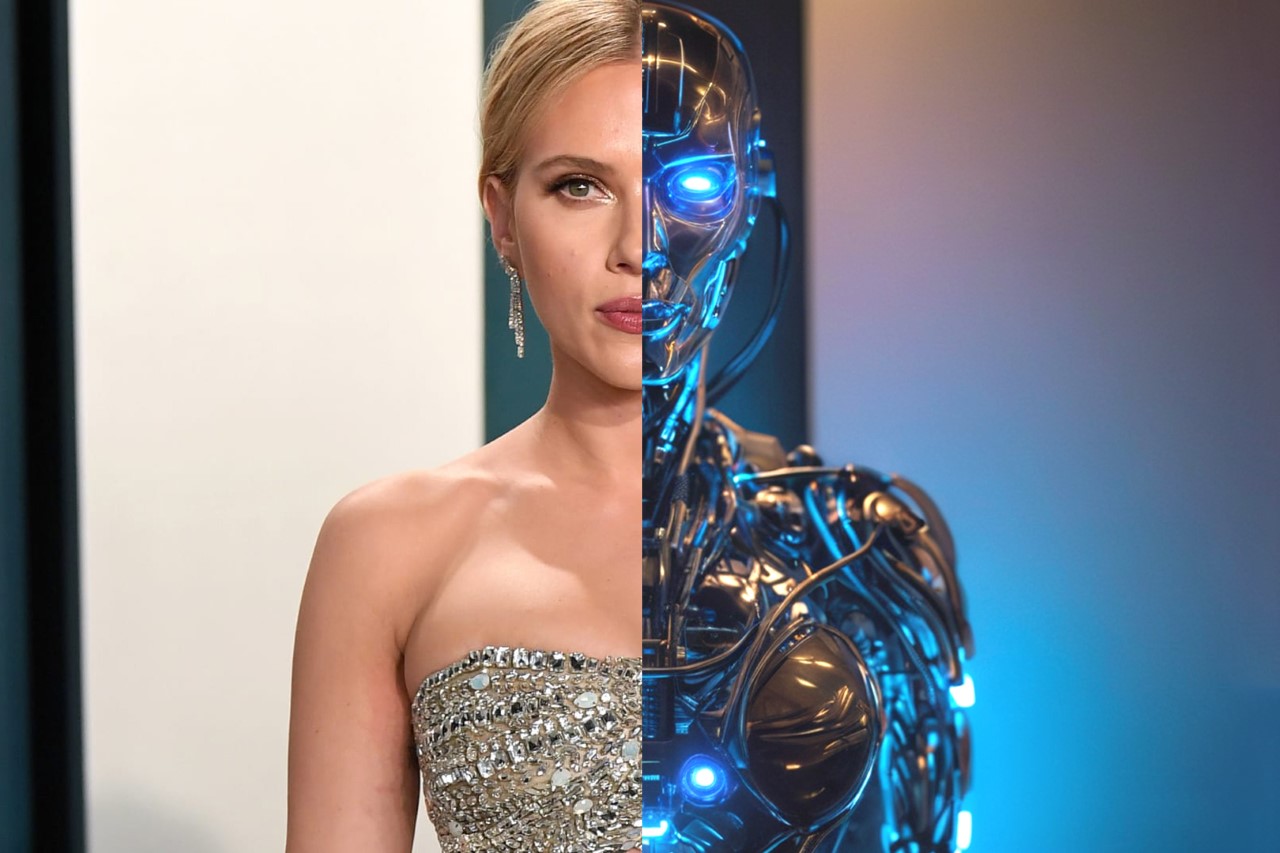
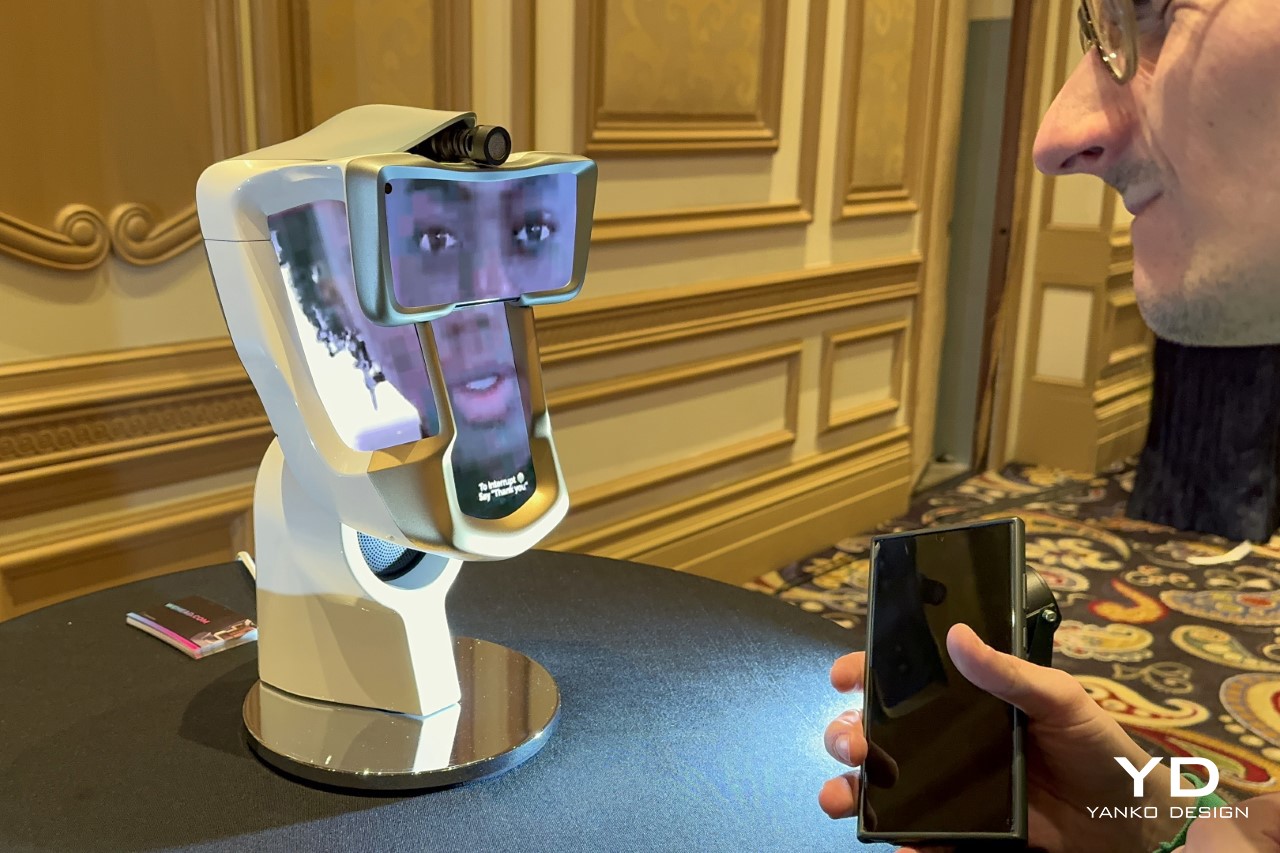
This week, we explored the dominance of female voices in AI systems. Voice assistants like Siri, Alexa, and Google Voice feature female voices to create a friendly user experience. Studies show that users generally find female voices more soothing and pleasant, enhancing the effectiveness of these assistants in support roles.

The trend towards female voices in AI voice assistants raises important questions about gender perceptions and biases. Ensuring diverse training data and mitigating biases in AI systems is crucial for creating fair and balanced AI assistants. As AI becomes more integrated into daily life, addressing these issues is vital to avoid reinforcing negative biases and ensuring equitable technology representation.

This integration’s relevance extends to AI tools revolutionizing the design process, as seen in BMW’s Designworks studio. AI tools like MidJourney and Runway streamline workflows, making it easier for designers to visualize and iterate on ideas rapidly. This synergy between AI and human creativity ensures the final product is technologically advanced and artistically inspired.

Fitbit Ace LTE: A New Era in Kids’ Wearables

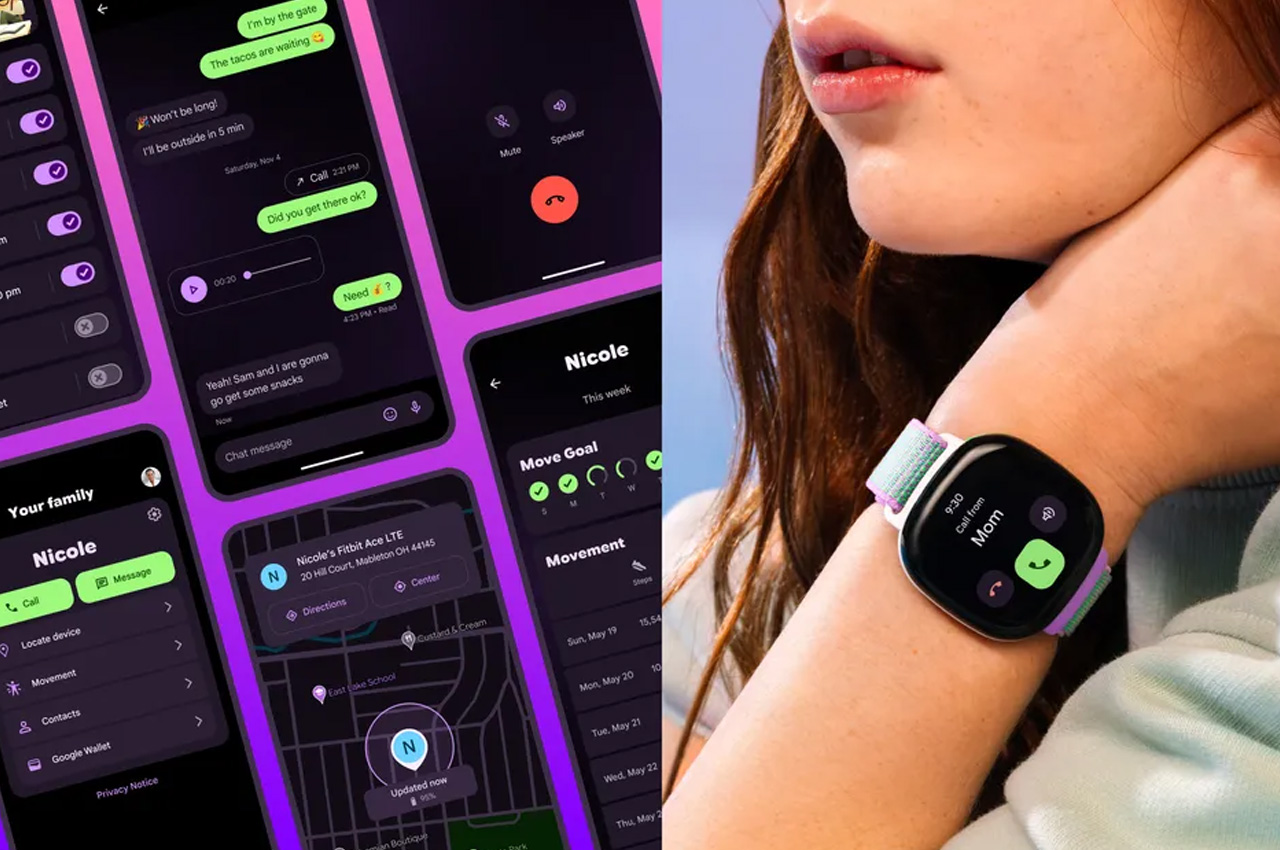
The Fitbit Ace LTE is a new wearable designed for kids aged seven and up, combining playtime with video games to get kids active. It introduces immersive, interactive 3D games to the child’s wrist, aligning gametime with physical activity. Privacy and parental control are core features, with real-time location tracking, call and text capabilities, and voice messaging through the Fitbit Ace Pass and app.

Designer: Fitbit

For those already invested in the Apple ecosystem, the Apple Watch offers similar tracking features and more, potentially making the Fitbit Ace LTE redundant. However, this product is particularly valuable for non-Apple users, providing a unique tool for balancing screen time with physical activity. Its innovative design and functionality make it a worthwhile investment for enhancing kids’ active lifestyles.

Essential Workspace Accessories for Enhanced Productivity

To enhance your daily workflow, here are three essential workspace accessories that can significantly boost productivity and comfort:

Magic Bar
The Magic Bar is a portable Touch Bar that can be teamed up with any Apple peripheral. It is a sleek, seamless toolbar that aligns horizontally with your keyboard, enhancing your productivity with ease.

Triple 4K Docking Station
This docking station transforms your MacBook setup into a multi-display powerhouse. It can extend your display to three extra screens and offers a 4K HDMI port at 60Hz and additional HDMI slots and DisplayPort outputs.

FLIKK Laptop Stand & Sleeve
The FLIKK Laptop Stand & Sleeve provides ergonomic support and convenient portability. It offers the desired viewing angle to create a comfortable working environment and transforms into a laptop sleeve for easy carrying.

By focusing on these innovative products and topics, Yanko Design continues to showcase the latest trends and tools that promise to make our lives more efficient, creative, and connected. These selections highlight the forefront of technological advancement, emphasizing the importance of integrating design and functionality to meet the demands of modern living.

The post Highlights from Yanko Design: Baxley Moto, Apple WWDC 2024 Insights, and AI Voice Assistant Developments first appeared on Yanko Design.