Ergonomic controller suggests a more comfortable way to use XR glasses

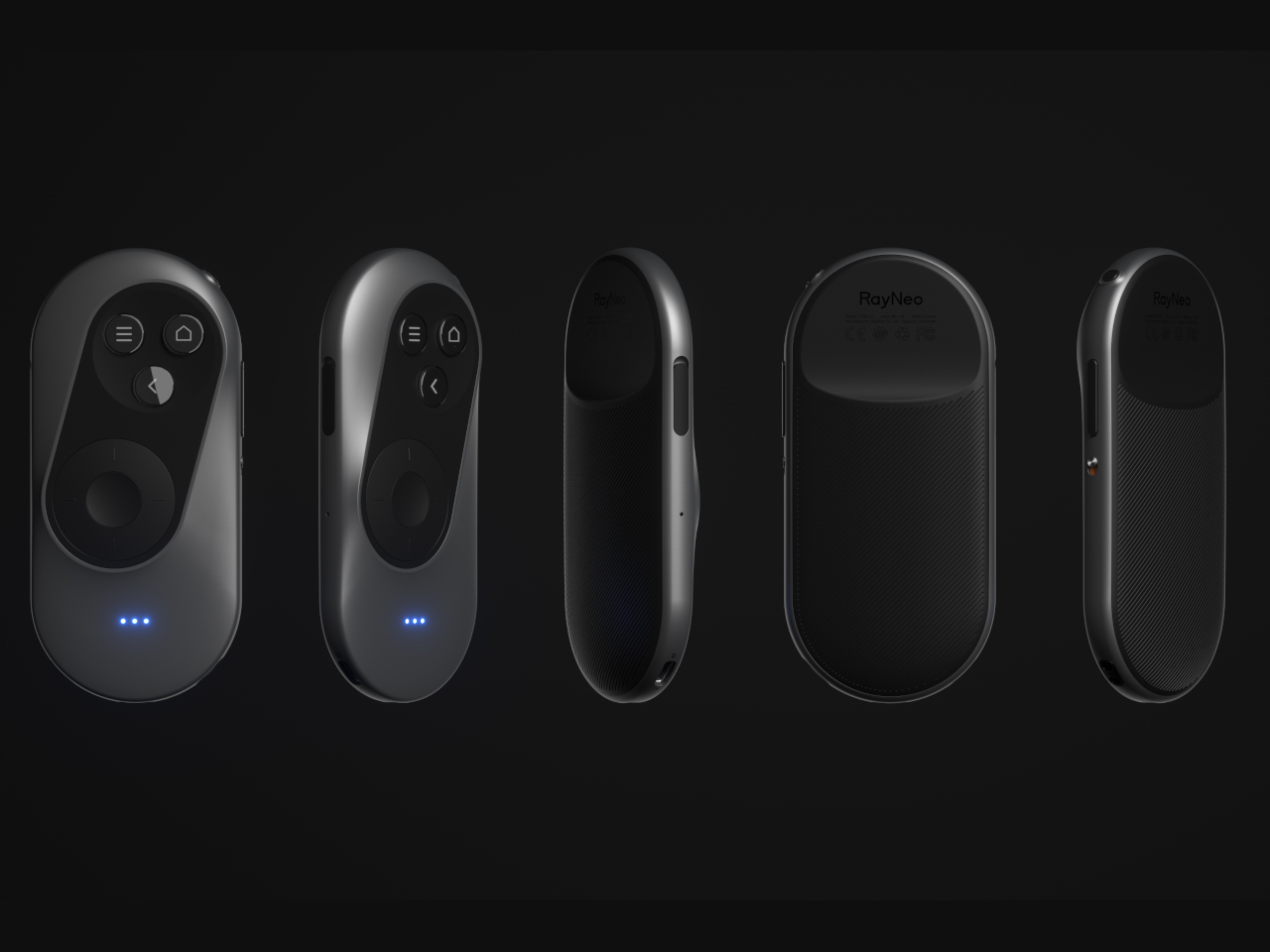
The launch of the Apple Vision Pro sparked renewed interest in extended reality experiences, both those offered by full-blown and heavy headsets as well as those pushed by more straightforward glasses. The latter often rely on your smartphone or a dedicated remote control to navigate through apps projected in front of you, an indirect interaction method made more awkward by the standard design of these devices. Remote controls might be fine for TVs and appliances, but not when you can barely see your own hand. This concept design tries to challenge convention by redesigning the face of a remote, offering a more ergonomic and simpler way to move around mixed reality while wearing those XR glasses.

Designer: Yiqiao Liu
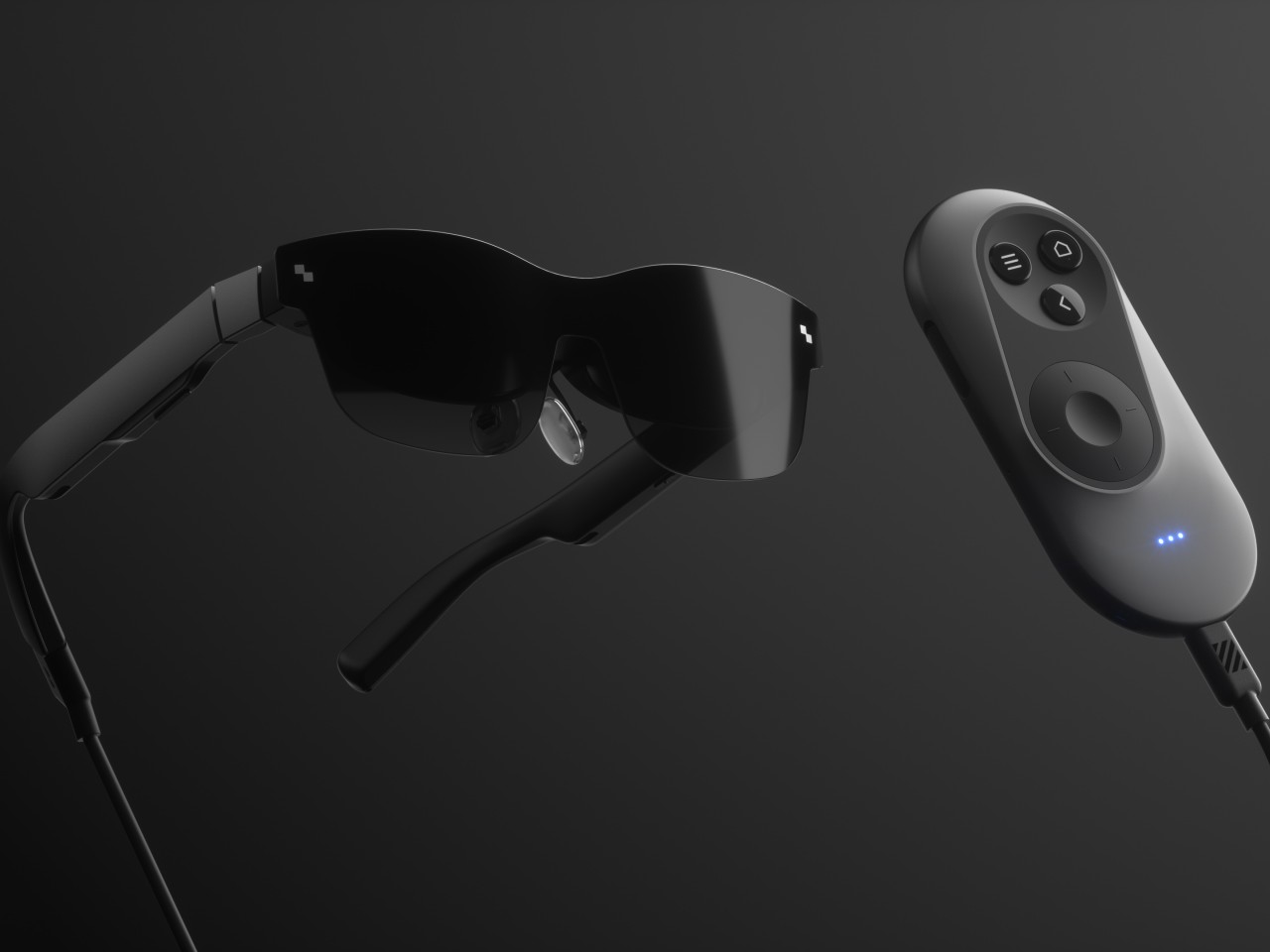
XR or eXtended Reality glasses like the Xreal Air and TCL RayNeo can probably be called the poor man’s Vision Pro. They practically display a virtual monitor in front of you, which may or may not be pinned in an arbitrary location or follow your head around. This allows the glasses to be lighter, cheaper, and less conspicuous, though they do look like overgrown sunglasses. This also makes using the XR platform feel a bit more familiar because they more or less correspond to familiar operating systems like Windows or Android.
Moving around and interacting with objects in this XR space is then a simpler matter as well, and some even use the phone itself as a pointer and remote control, which is difficult to use when your vision is partially obscured by the glasses and all your fingers can feel is a flat and featureless surface. On the other hand, conventional remotes with their numerous buttons and straightforward layout can also be cumbersome to use as well.

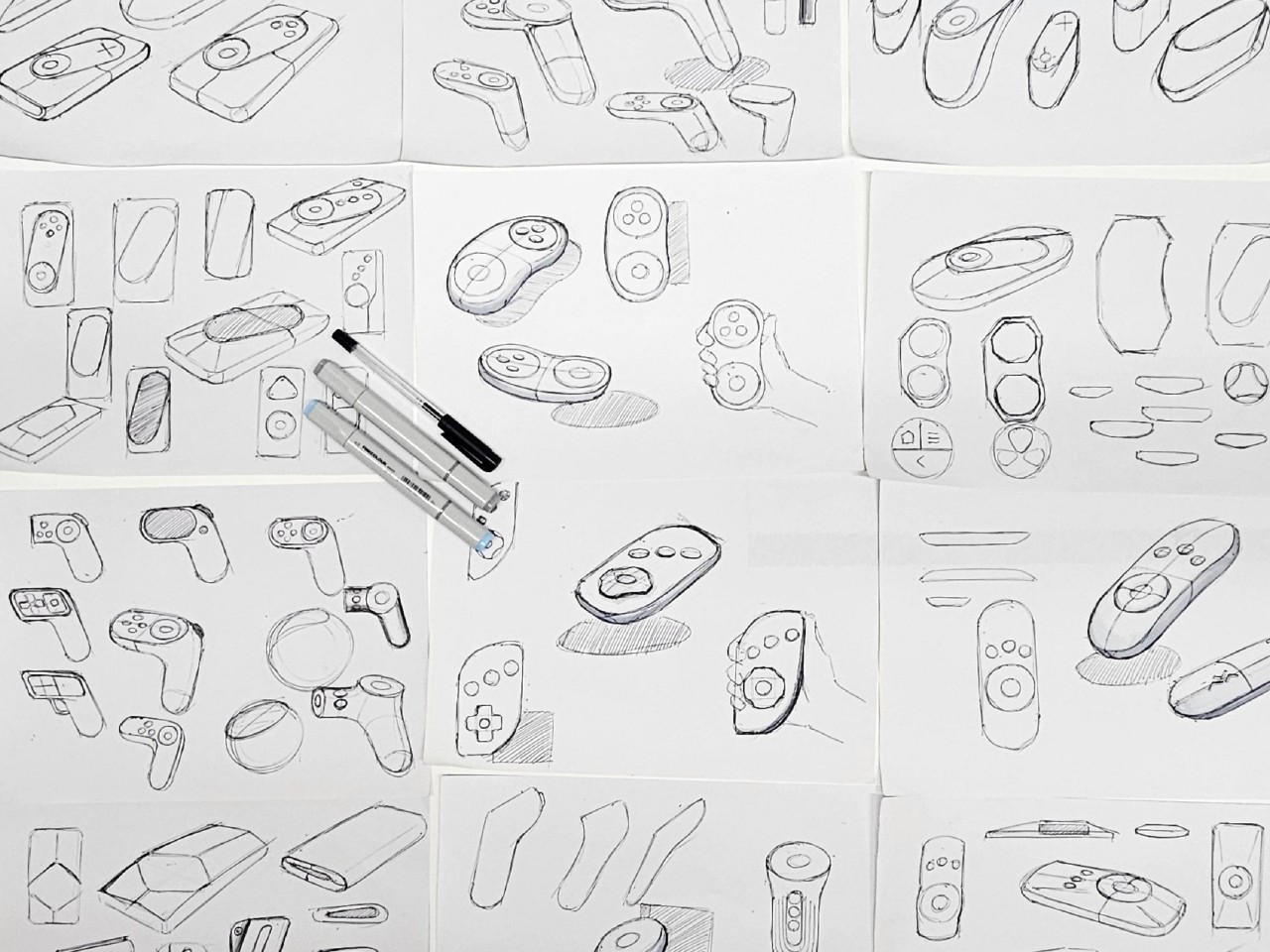
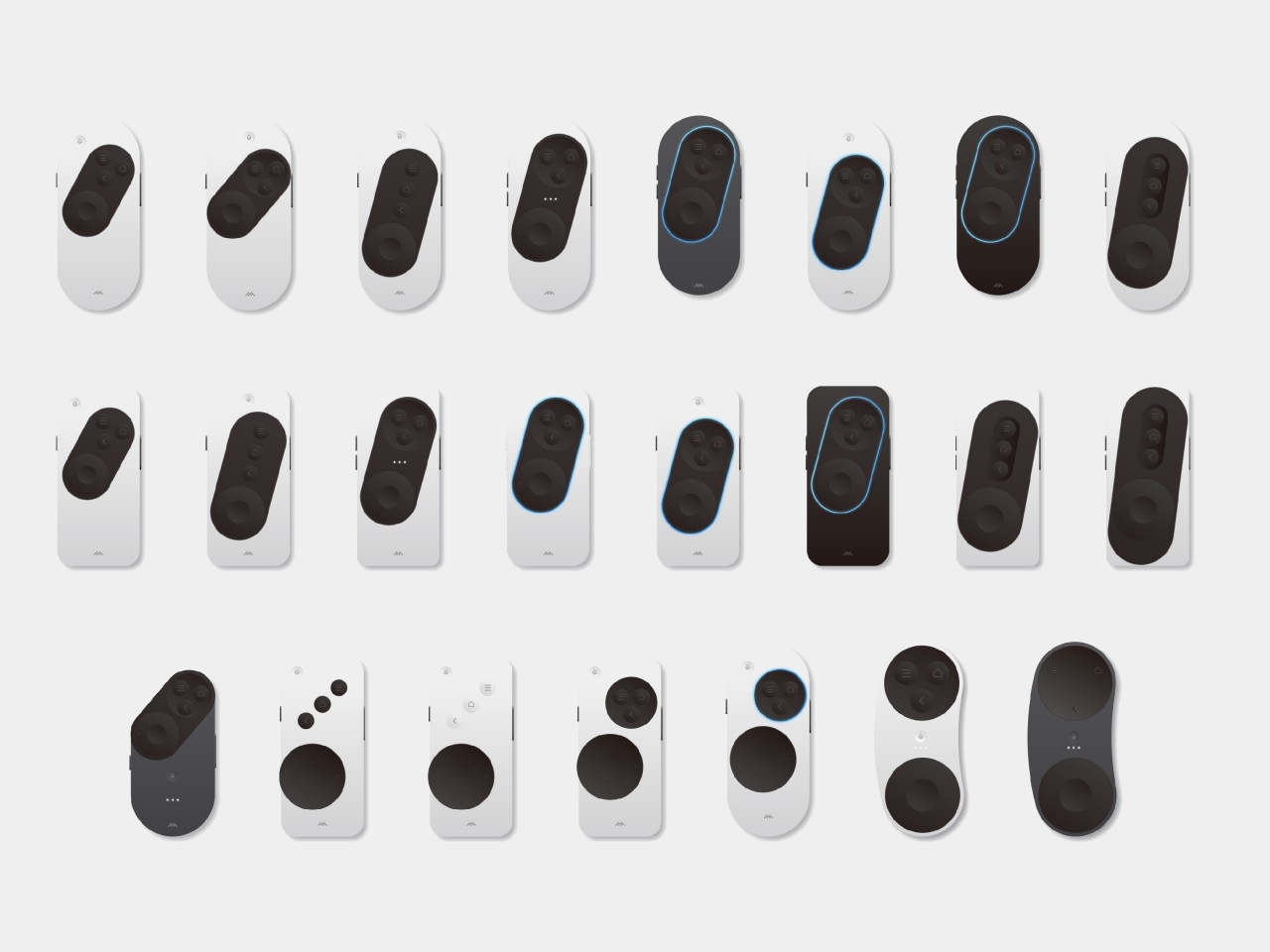
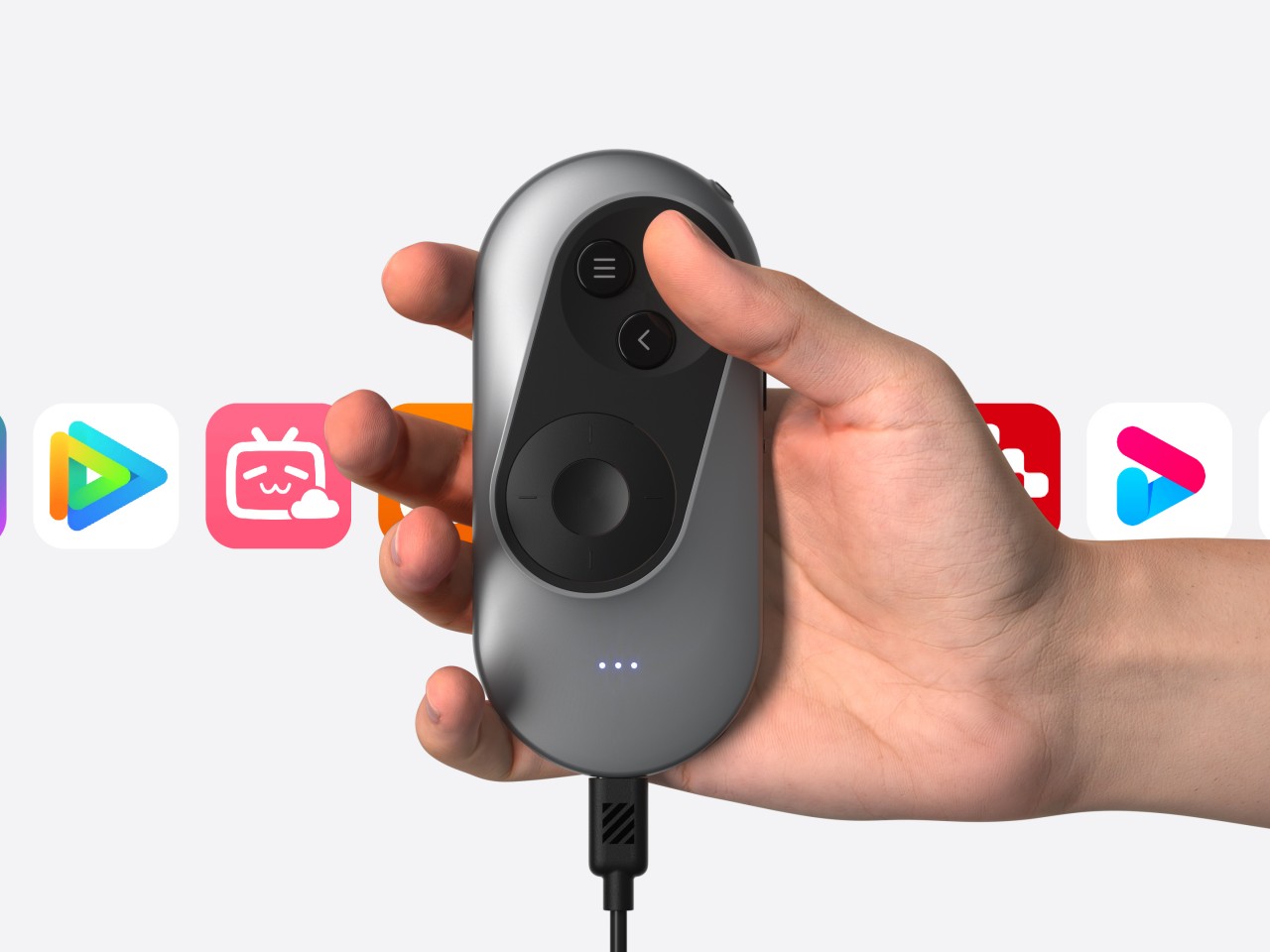
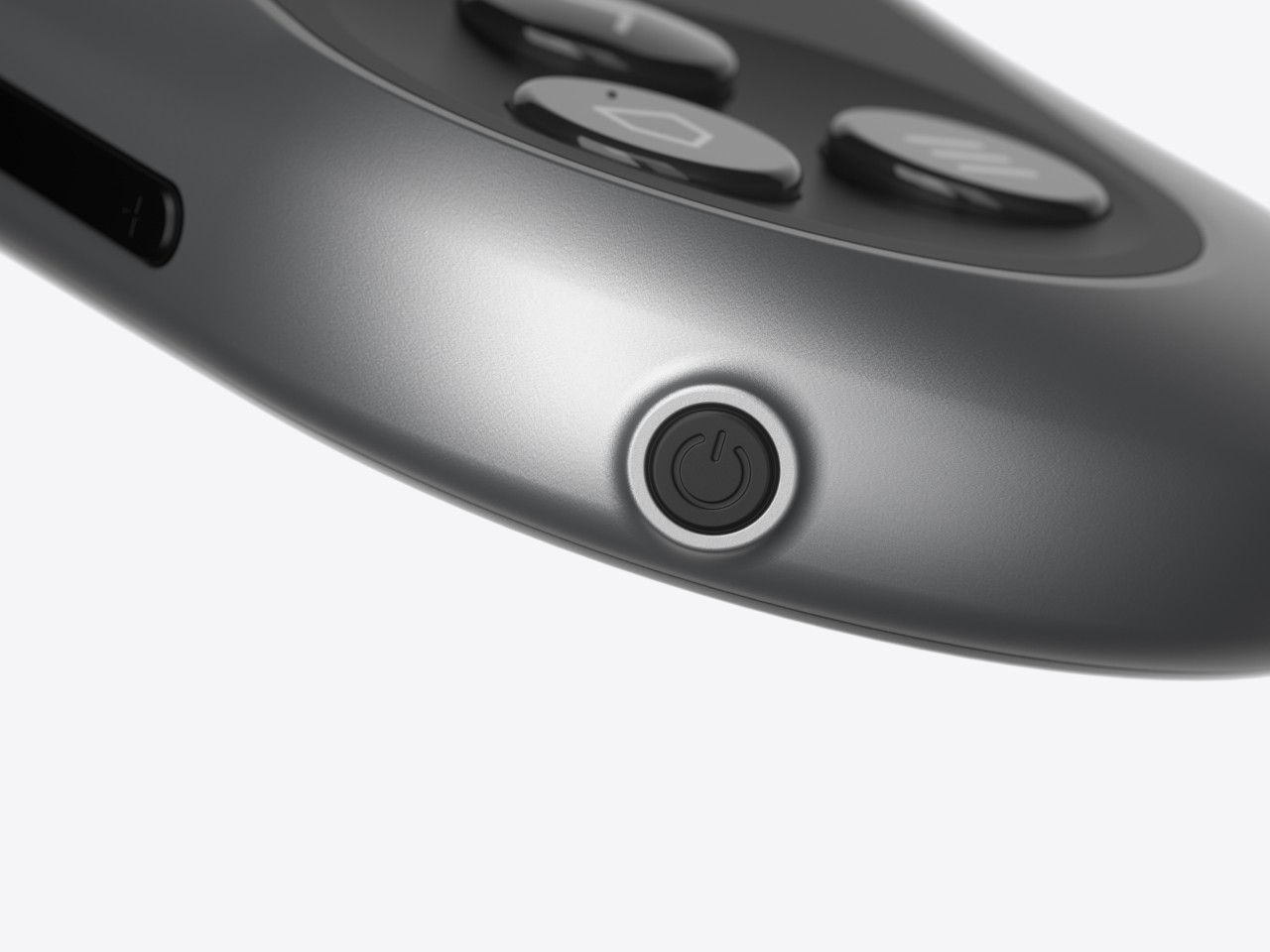
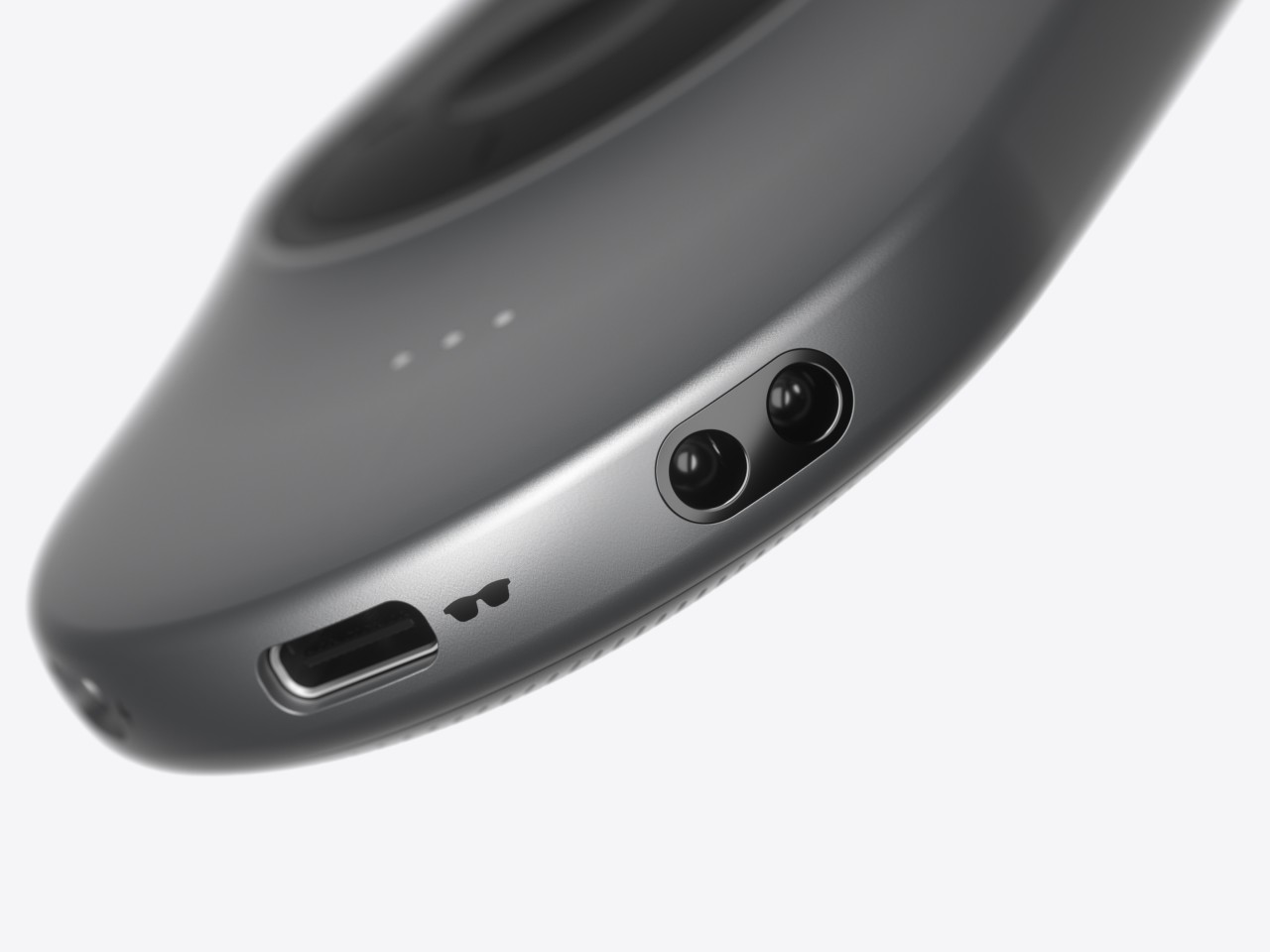
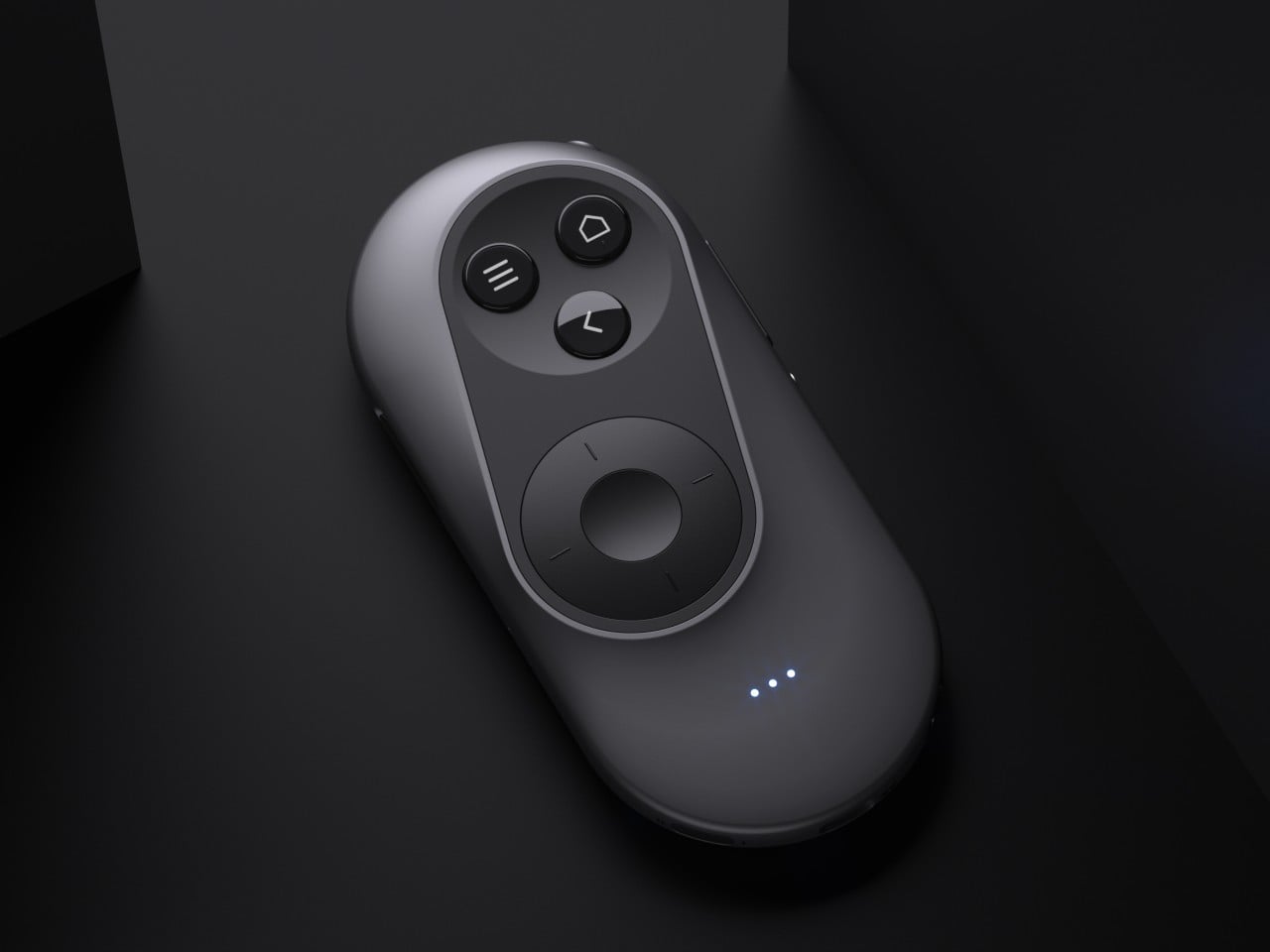
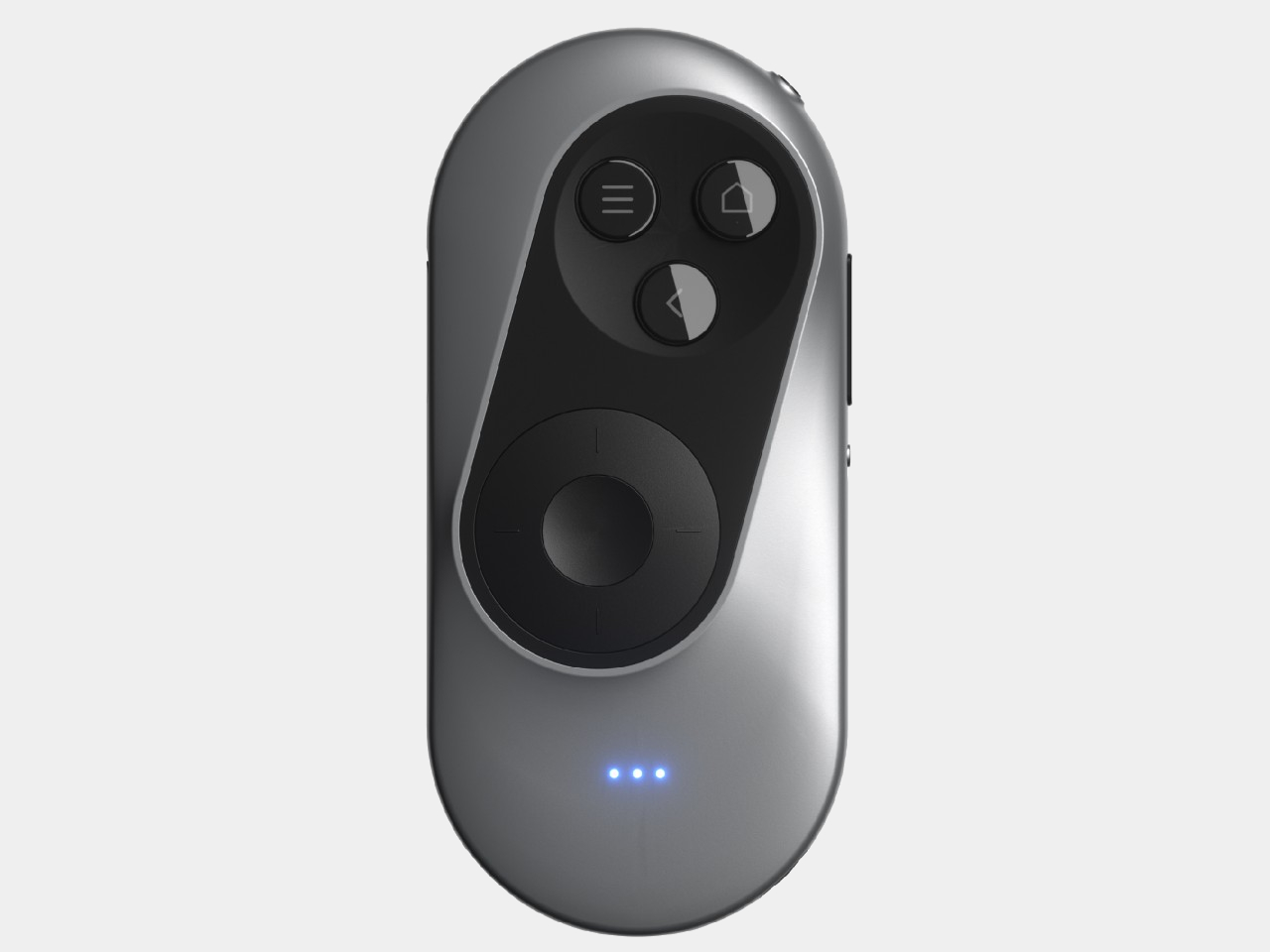
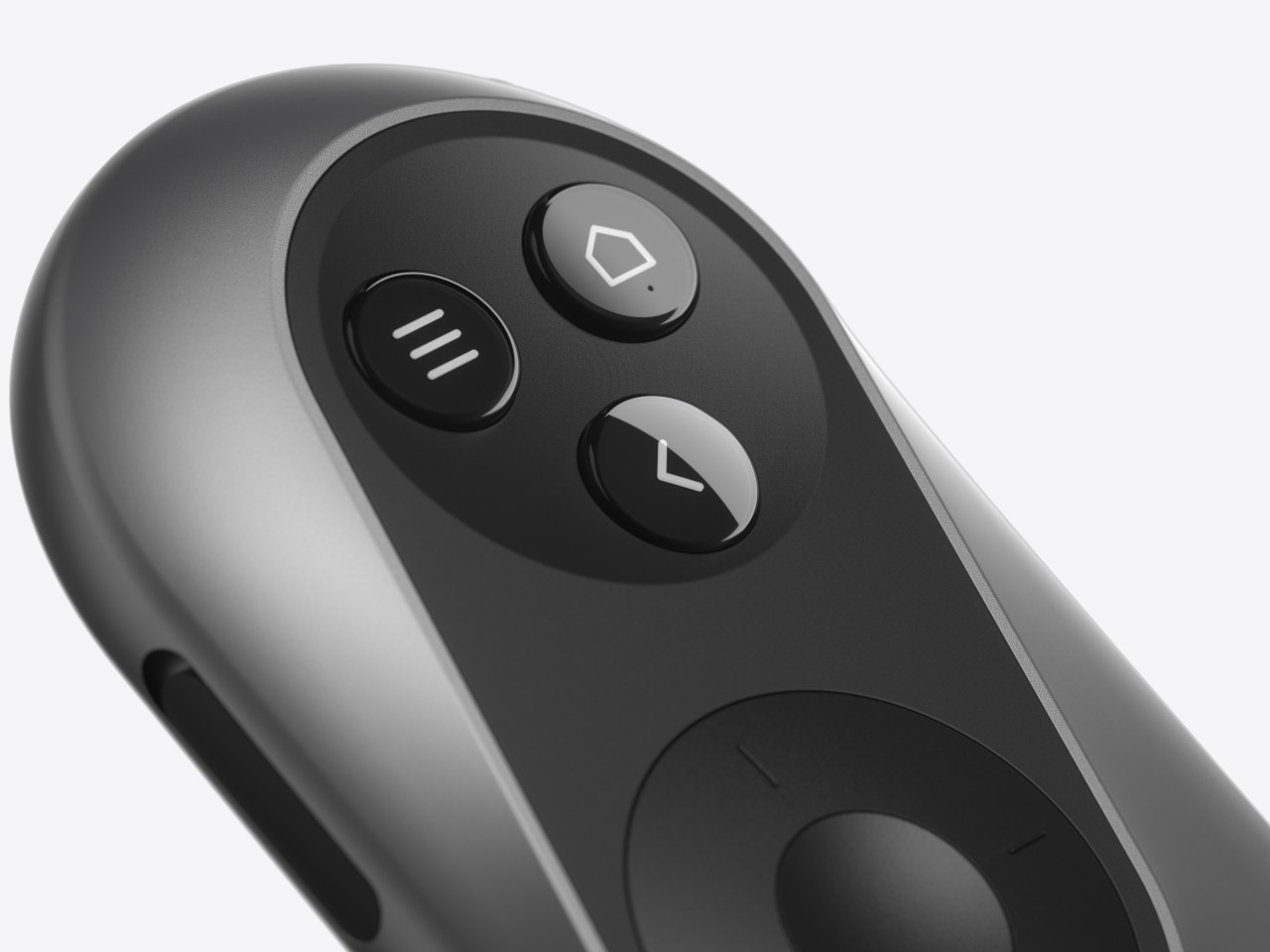
The XR Glasses Controller concept takes the minimalist design of something like an Apple TV remote and tilts it at an angle. Visually, this soap-shaped device looks like an unbalanced remote, with the top buttons leaning to the right and the bottom touch dial sliding to the left. It’s not a design that was made just to look different, though it definitely gives it a distinctive appearance.

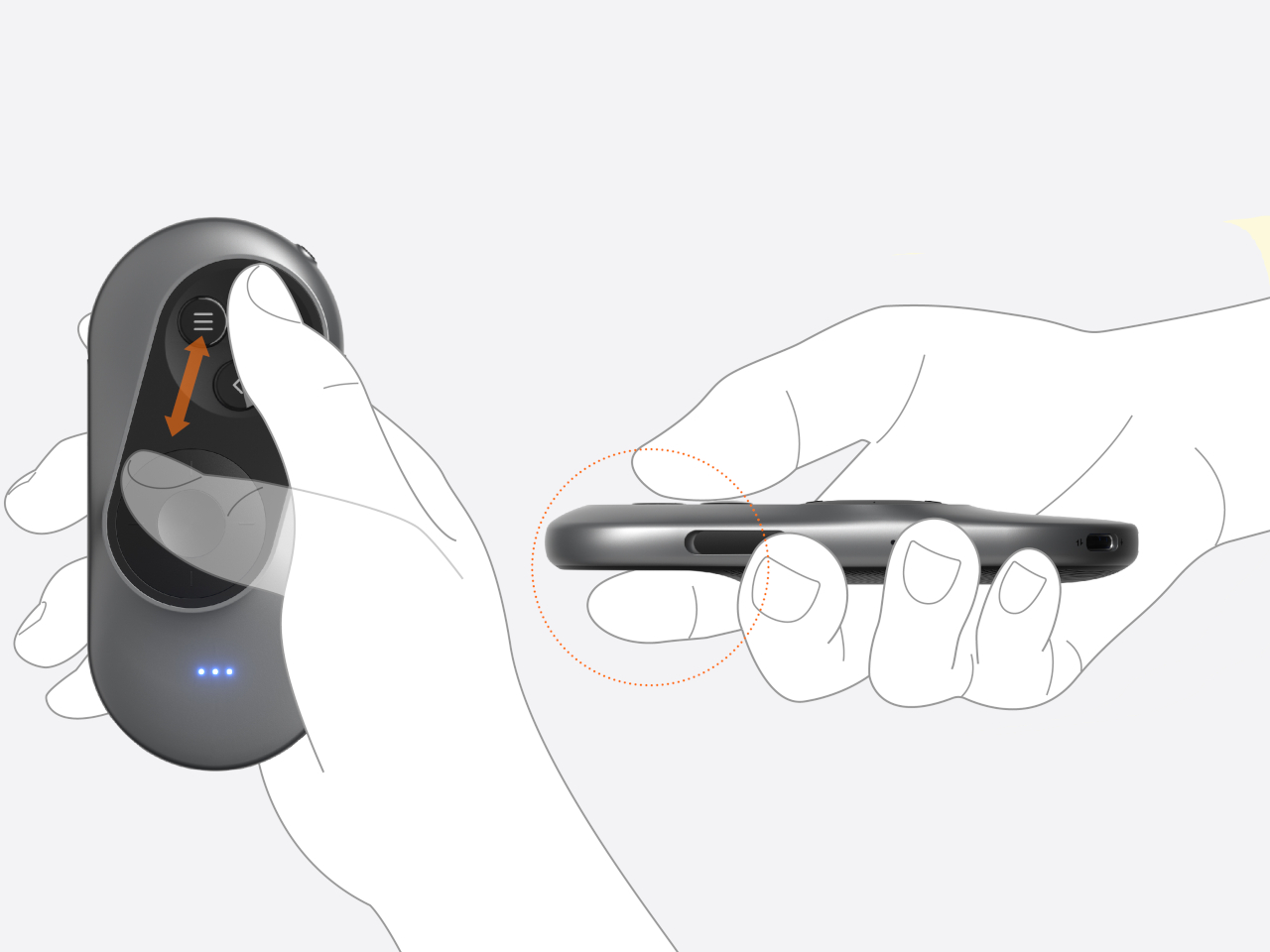
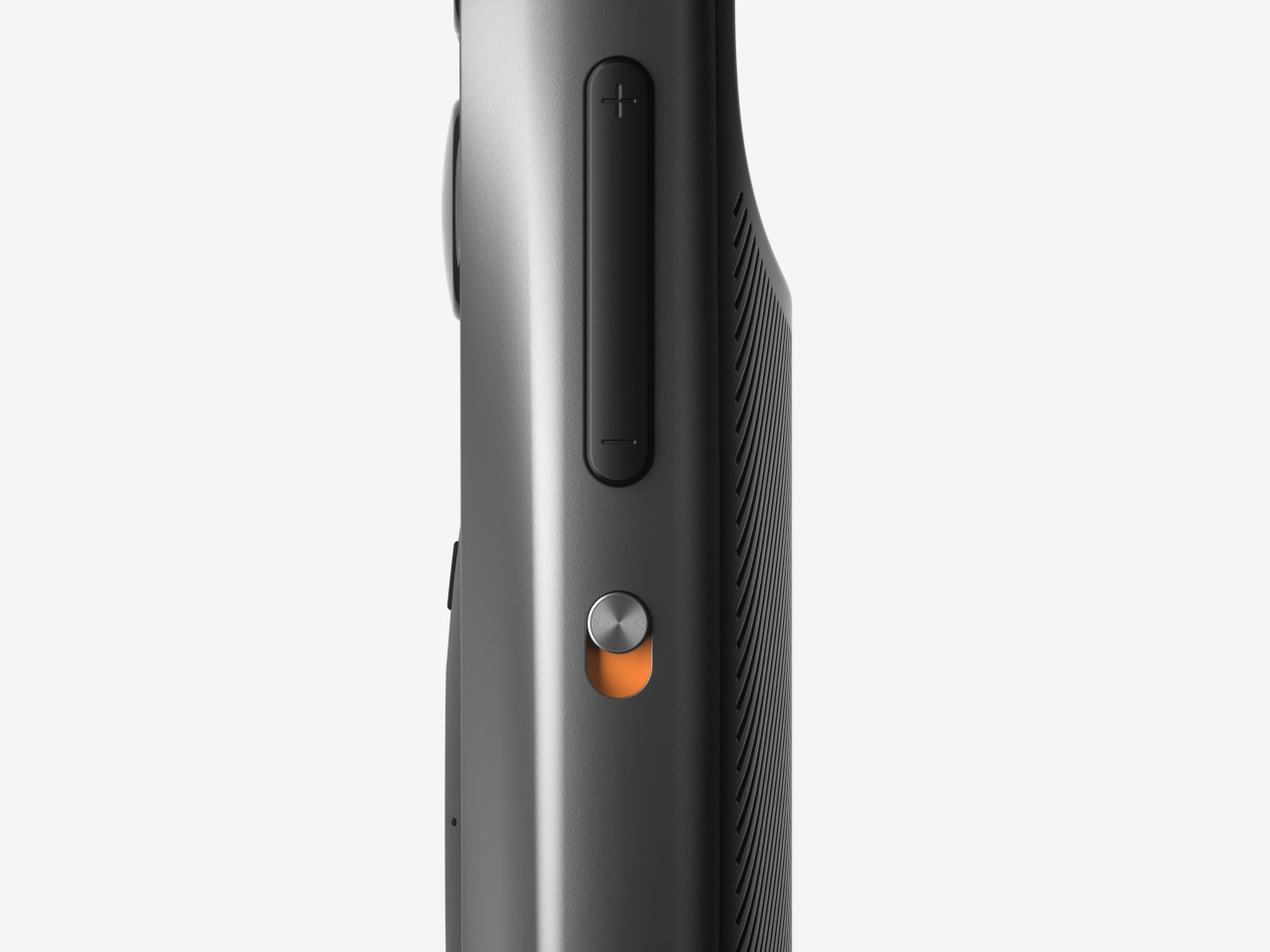
The theory behind this design is the mobility and limited range of our thumbs when holding a remote. As many smartphone designers already know by now, the thumb holding the remote moves naturally in an arc, and that up-and-down movement can cause more strain. The controls are thus aligned with this arc, making it easy for the user to switch between buttons and touchpad without having to overextend or bend their thumb. Along with the significantly reduced number of buttons, the remote is easier to use as well, though it does limit itself to Android-based XR platforms since those buttons perfectly match Android’s navigation scheme.
The post Ergonomic controller suggests a more comfortable way to use XR glasses first appeared on Yanko Design.

Proton VPN’s browser extension is now free for all users

You can now get and use Proton VPN's browser extension even if you're not a paying user. The extension used to only be accessible if you're on one of the service's paid plans, but now you can install it as long as you're on a Firefox- or a Chromium-based browser. Proton VPN was our top choice for VPNs last year, because it was fast and doesn't collect data that passes through its network. 

Its apps for Windows, Mac, iOS, Android and Linux have always been free to use, but the unpaid service does come with limitations. The service's paid plans are faster, has over 100 countries to choose from and lets you connect up to 10 devices at once. Meanwhile, the free version struggled to stay connected at times when we tested it out. Still, it does its job and now it comes with access to the service's browser extension, which lets you keep your Proton VPN connection within your browser only. 

Yes, the extension will let you use your standard internet connection outside of your browser. If you're using an app that doesn't work properly when you're on a device-wide VPN, but you want to protect your connection or circumvent region-based website blocks, the extension can solve your problem. Proton unfortunately has no plans to release a Safari browser for now, but we'll let you know if that changes. You can get the Chrome and Firefox extensions from Proton VPN's official website.

The company has also recently launched a new plan called Proton Duo, if you're considering paying for its products. It was specifically designed for two users who'll then get to share 1 TB of storage space (with additional 15 GB of bonus storage every year), as well as full access to Proton Mail, Drive, Calendar, Pass and VPN. 

This article originally appeared on Engadget at https://www.engadget.com/computing/proton-vpns-browser-extension-is-now-free-for-all-users-100049528.html?src=rss

Supercharge Your Google Sheets with ChatGPT, DALL·E, & Perplexity

Google Sheets

Integrating powerful AI tools like ChatGPT, DALL·E, and Perplexity with Google Sheets can transform your workflow, allowing you to automate tasks, boost efficiency, and unlock new possibilities. The video below will walk you through the process of setting up app scripts and API keys to seamlessly integrate these innovative technologies into your Google Sheets environment. Unlocking the […]

The post Supercharge Your Google Sheets with ChatGPT, DALL·E, & Perplexity appeared first on Geeky Gadgets.

Google Launches Gemini Live Mobile AI Assistant

Gemini Live

Google has unveiled its latest innovation, Gemini Live, an AI-powered mobile assistant designed to transform how users interact with their devices. Unlike traditional digital assistants, Gemini Live leverages generative AI to offer a more natural, conversational, and intuitive experience. This groundbreaking technology aims to save users hours by assisting with complex tasks, making it a […]

The post Google Launches Gemini Live Mobile AI Assistant appeared first on Geeky Gadgets.

Apple Releases iPadOS 18 Beta 6 & iPadOS 18.1 Beta 2

iPadOS 18 Beta 6

Apple has recently released two new beta versions for its iPadOS operating system: iPadOS 18 Beta 6 and iPadOS 18.1 Beta 2. While these updates do not introduce any groundbreaking features, they bring several minor improvements and enhancements that aim to refine the user experience on iPad devices. iPadOS 18 Beta 6: Streamlining User Experience […]

The post Apple Releases iPadOS 18 Beta 6 & iPadOS 18.1 Beta 2 appeared first on Geeky Gadgets.

New Apple CarPlay Features in iOS 18.1 Beta 2

Apple CarPlay

Apple has released the iOS 18.1 Beta 2 update, bringing a wealth of exciting new features and improvements to Apple CarPlay. This update focuses on enhancing the user experience, fixing bugs, and introducing new functionalities that make using CarPlay more intuitive and enjoyable. Let’s dive into the key highlights of this update: Media Playback Enhancements […]

The post New Apple CarPlay Features in iOS 18.1 Beta 2 appeared first on Geeky Gadgets.

Google Pixel Watch 3 Smartwatch Unveiled

Google Pixel Watch 3

The Google Pixel Watch 3 is a catalyst in the world of smartwatches, offering a perfect blend of innovative technology and advanced fitness tracking capabilities. With its sleek design, enhanced performance, and a host of innovative features, the Pixel Watch 3 is set to become the go-to device for fitness enthusiasts and tech-savvy individuals alike. […]

The post Google Pixel Watch 3 Smartwatch Unveiled appeared first on Geeky Gadgets.

New Apple Ring vs Samsung Galaxy Ring

Apple Ring

Samsung and Apple are poised to transform the wearable technology market with their upcoming smart rings. While Samsung has officially announced the Galaxy Ring, Apple’s offering remains speculative at this stage. The video below from Matt Talks Tech looks at the features and functionalities of these innovative devices, focusing on their health-tracking capabilities, battery life, […]

The post New Apple Ring vs Samsung Galaxy Ring appeared first on Geeky Gadgets.

Another Look at iOS 18 Beta 6

iOS 18 Beta 6

Apple continues to refine its upcoming operating system with the release of iOS 18 Beta 6, now available for developers and public beta testers. This update brings a wealth of new features, bug fixes, and performance enhancements, not only to iOS but also to other Apple operating systems, including iPadOS, watchOS, macOS, tvOS, and visionOS. […]

The post Another Look at iOS 18 Beta 6 appeared first on Geeky Gadgets.

Google Pixel 9 Pro Fold Smartphone Gets Official

Google Pixel 9 Fold

The Google Pixel 9 Pro Fold is an innovative addition to the smartphone market, seamlessly blending state-of-the-art hardware and software into a sleek, foldable design. This groundbreaking device features the largest inner display ever seen on a mobile phone, making it an unparalleled tool for multitasking and entertainment. With its advanced camera system, powered by […]

The post Google Pixel 9 Pro Fold Smartphone Gets Official appeared first on Geeky Gadgets.