GLEDE M-XTR pocket precision EDC electric screwdriver set $59

EDC electric screwdriver

The M-XTR screwdriver set is here to transform your repair and installation tasks with its 148-in-1 bit functionality. This versatile tool is designed for precision maintenance and ease of use, making it an essential addition to your toolkit. This powerhouse EDC electric screwdriver is designed to tackle a wide range of repair and installation tasks […]

The post GLEDE M-XTR pocket precision EDC electric screwdriver set $59 appeared first on Geeky Gadgets.

Flipper Zero Behind The Scenes: How a group of enthusiasts designed the ‘perfect’ ethical hacking toy

Although announced back in 2020, the Flipper Zero didn’t become a cult object up until 2022 when it gained popularity among the pentesting community for being able to ‘hack’ into various everyday items. Governments and online retailers immediately panicked, attempting to ban or stop the sale of the Flipper Zero – a harmless game-inspired pentesting device… while the community that helped popularize the Flipper Zero had a valid counter-argument. If exposing the digital vulnerability of everyday objects like traffic lights, cars, air conditioners, or smart homes was so easy, is it really the Flipper Zero’s fault for pointing it out?
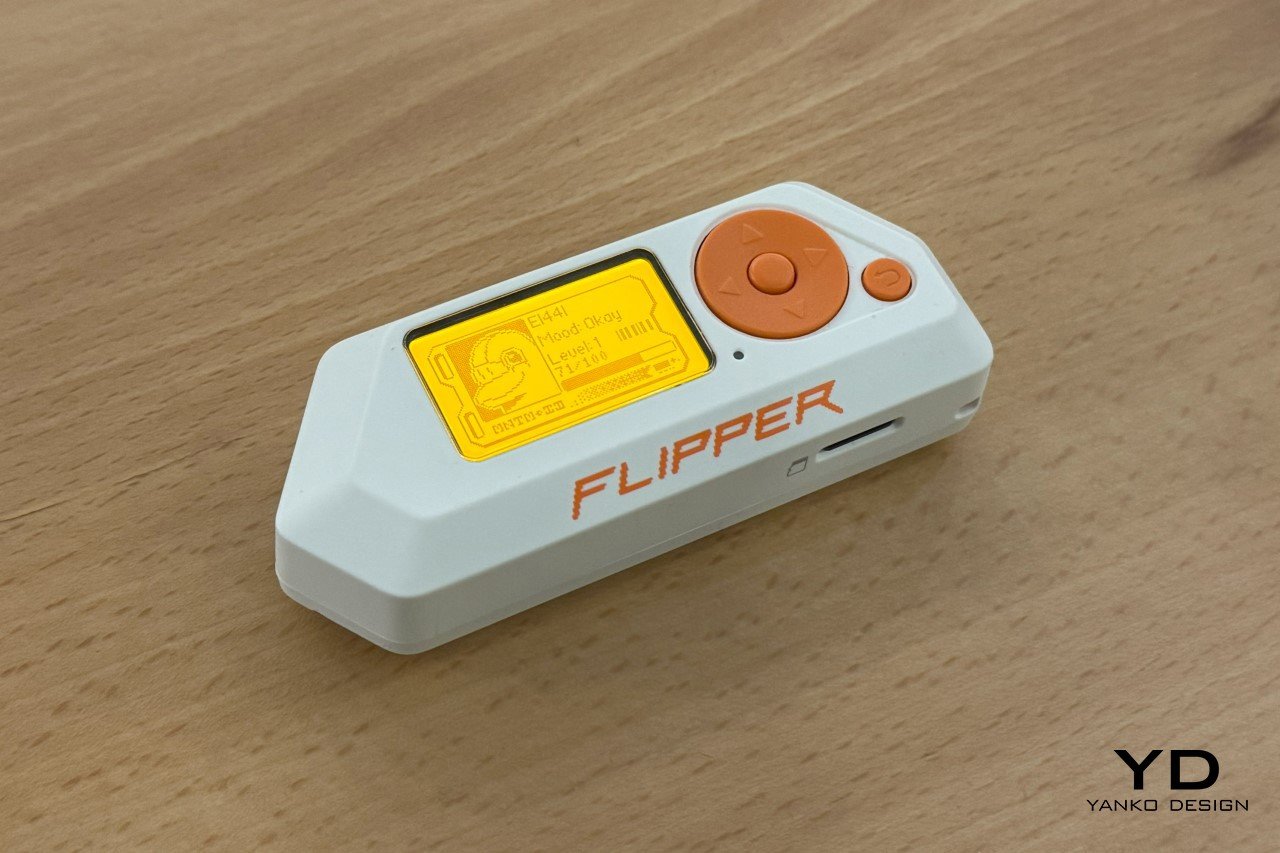
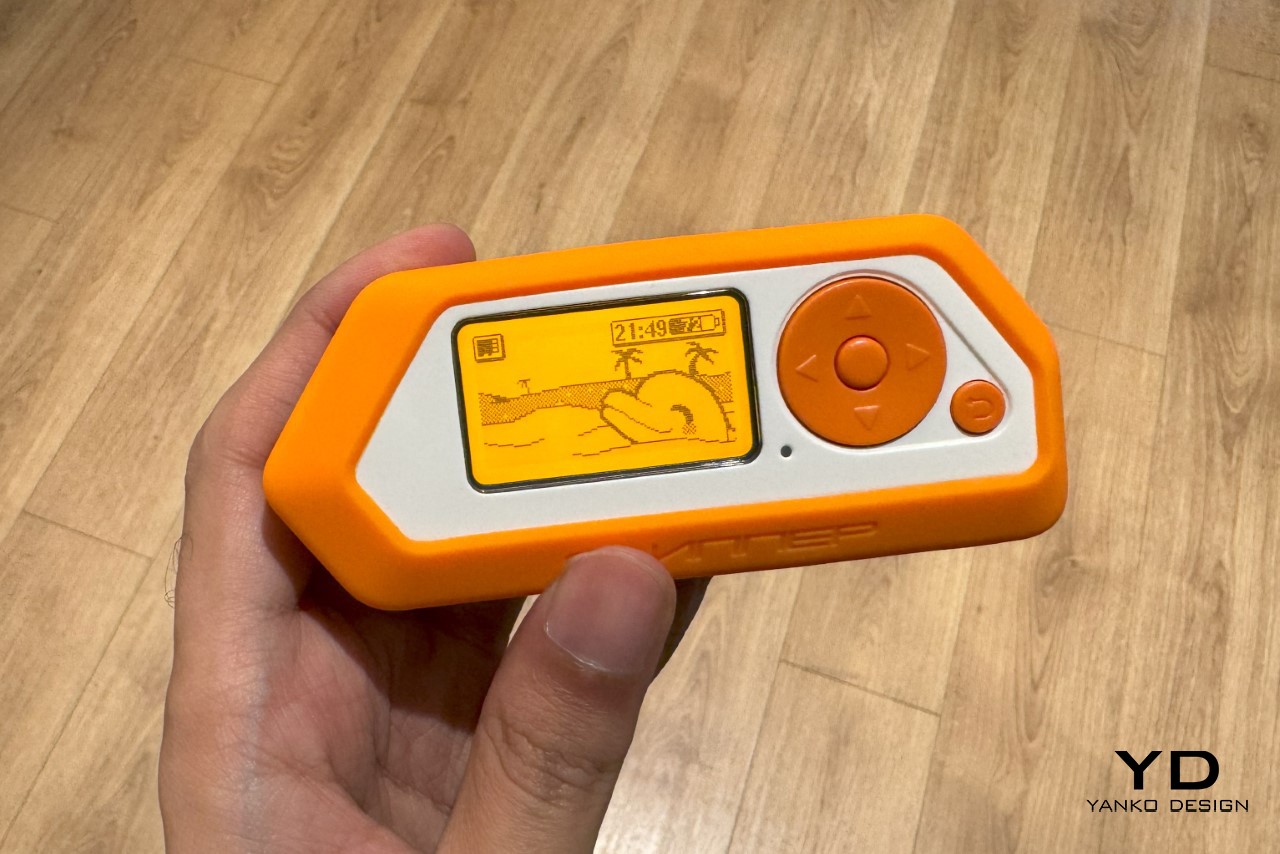
Old mobile phones like the Siemens C55 served as references. The orange color was taken from the Siemens C55 screen because of its nostalgic warmth.

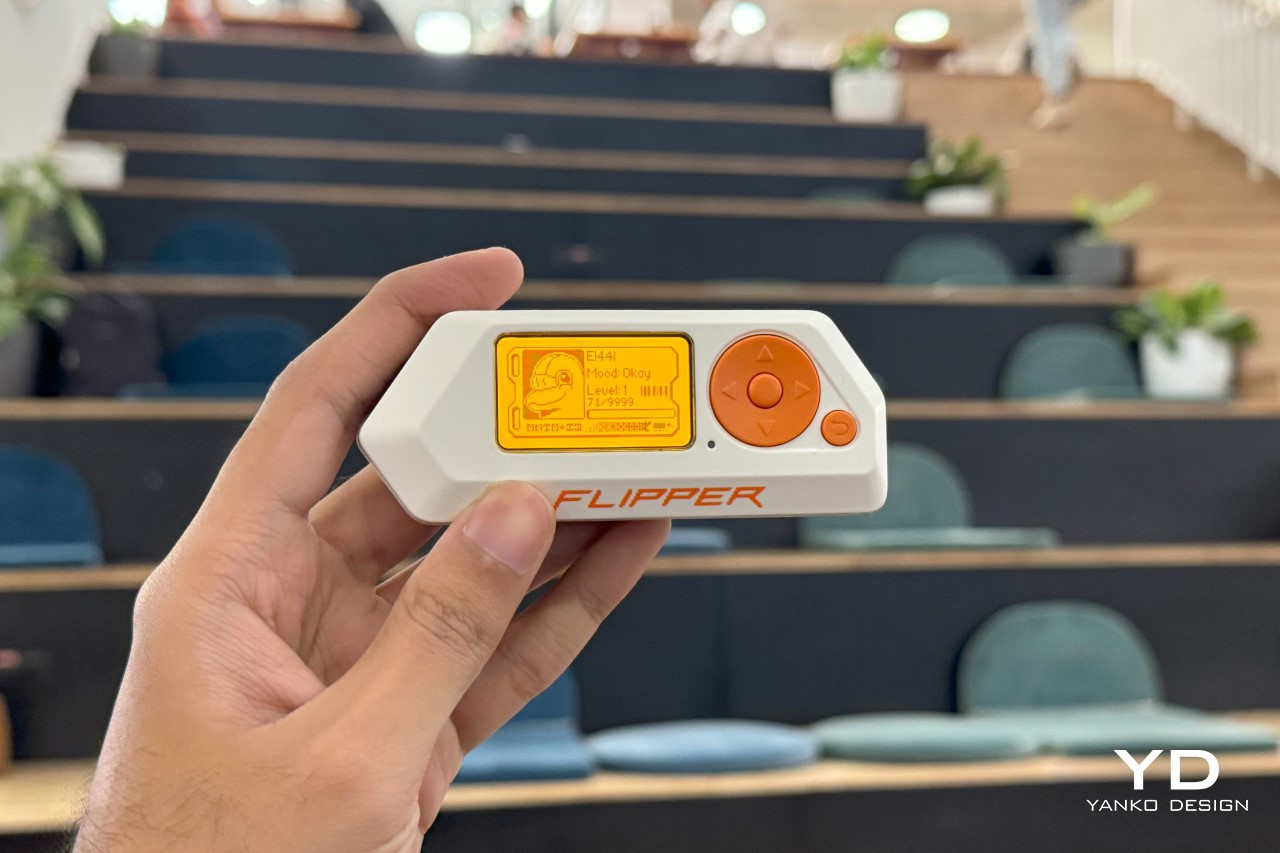
Envisioned as a Tamagotchi that let you explore the world of electronics, the Flipper Zero is a tiny, handheld, versatile device that lets you play games, test electronics, build powerful devices, and even penetration-test gadgets around you. The product gained a cult following in 2022 when videos on TikTok showed how it could be used to clone RFID cards, tap into WiFi networks, and get into all sorts of mischief. That’s similar to having an outcry over hairpins because they open locks… or sellotape because it picks up fingerprints. Needless to say, the Flipper Zero sold out almost immediately, and I spent a good year and a half searching for a device of my own on eBay and Etsy. I finally got my hands on one last month, and even got in touch with the folks who built the Flipper Zero. Beyond asking them the obvious questions that every publication already had, we dove into the Flipper Zero’s approach, its design brief, and most importantly, its design process.
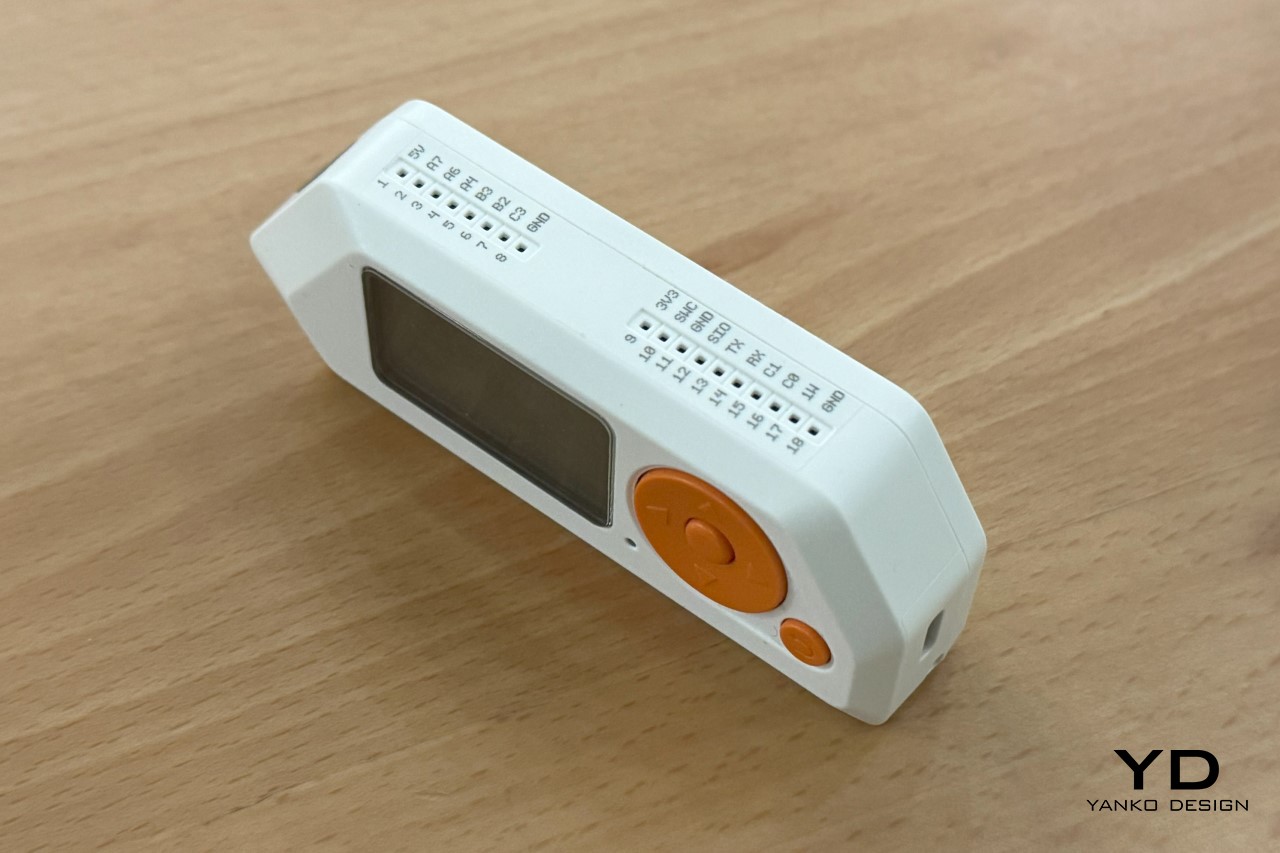
A view of the GPIO pins on the top for attaching newer modules
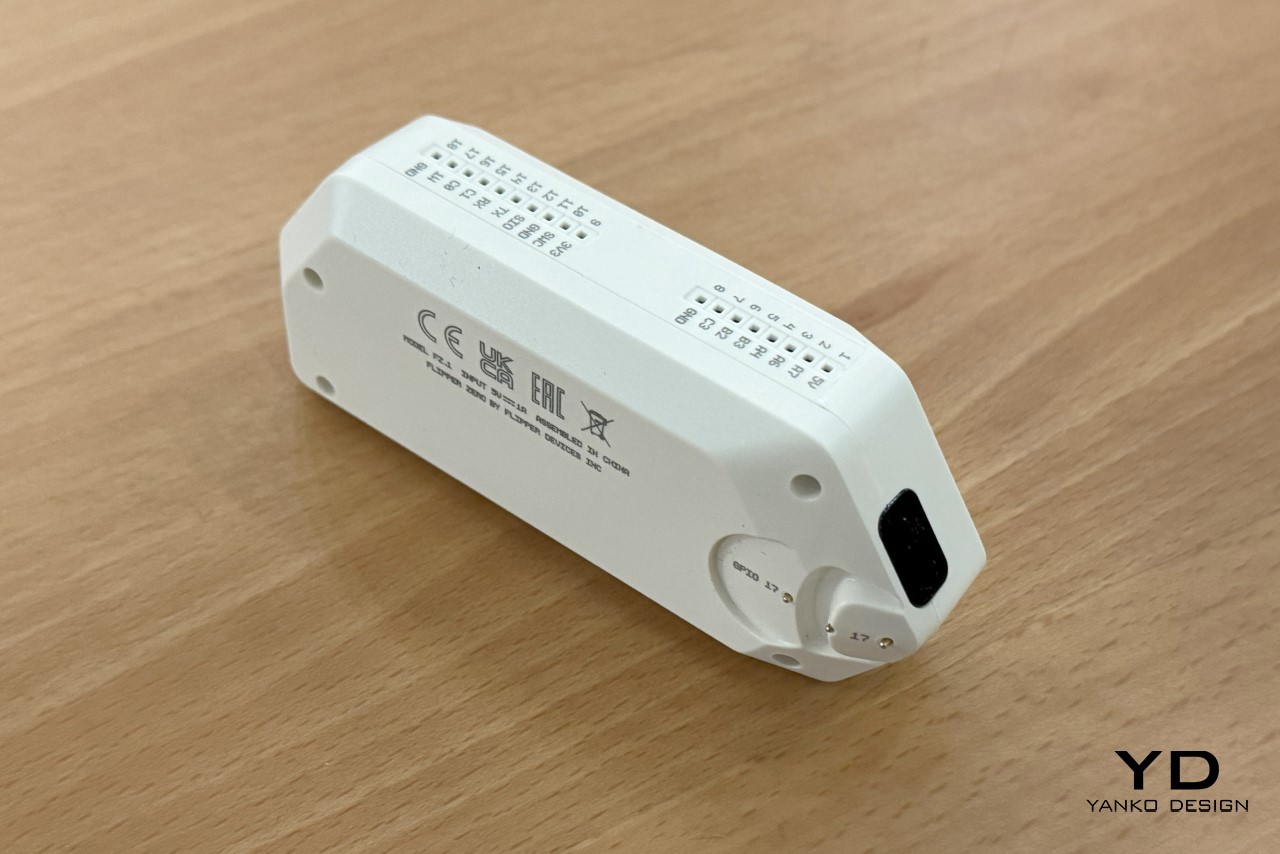
The IR blaster on the side, and the iButton reader/writer

The minute you understand the Flipper Zero’s origin story, its design makes a world of sense. It was envisioned in 2020 to help develop a more common interest in technology, cybersecurity, and electronics. Existing products in this domain were just way too complicated and boring – they had ultra-utilitarian designs, bare-basic aesthetics, wires, soldering, and they looked like something that would come out of an engineer’s workshop. This was in contrast to what sci-fi movies had us believe. Minority Report, Tron, The Matrix, Bladerunner, every movie showed a more concept-art-driven product future, but existing ‘hacker’ devices looked nothing like the ones we were used to seeing in movies. This was a great starting point for the folks at Flipper, who wanted to create a device that A. paid homage to decades of sci-fi films, and B. was the electronic equivalent of an EDC multitool – compact, multifunctional, awesome. “In a Swiss army knife, you have a blade, corkscrew, screwdriver, ruler, scissors, etc., all in one tool. The idea of the Flipper Zero was to combine all the hardware tools you’d need for exploration and development on the go,” the Flipper team told Yanko Design. “Flipper Zero has a 125 kHz or Sub-1 GHz antenna, CC1101 chip, built-in NFC module, Bluetooth Low Energy (BLE) support, 1-Wire connector to read iButton contact keys, infrared transmitter, and a microSD card slot. All in a toy-like body.” Moreover, despite all these features, the Flipper Zero came with GPIO handles on the top that let you explore the device’s open-source nature by adding PCB hardware and exploring even more features and capabilities.
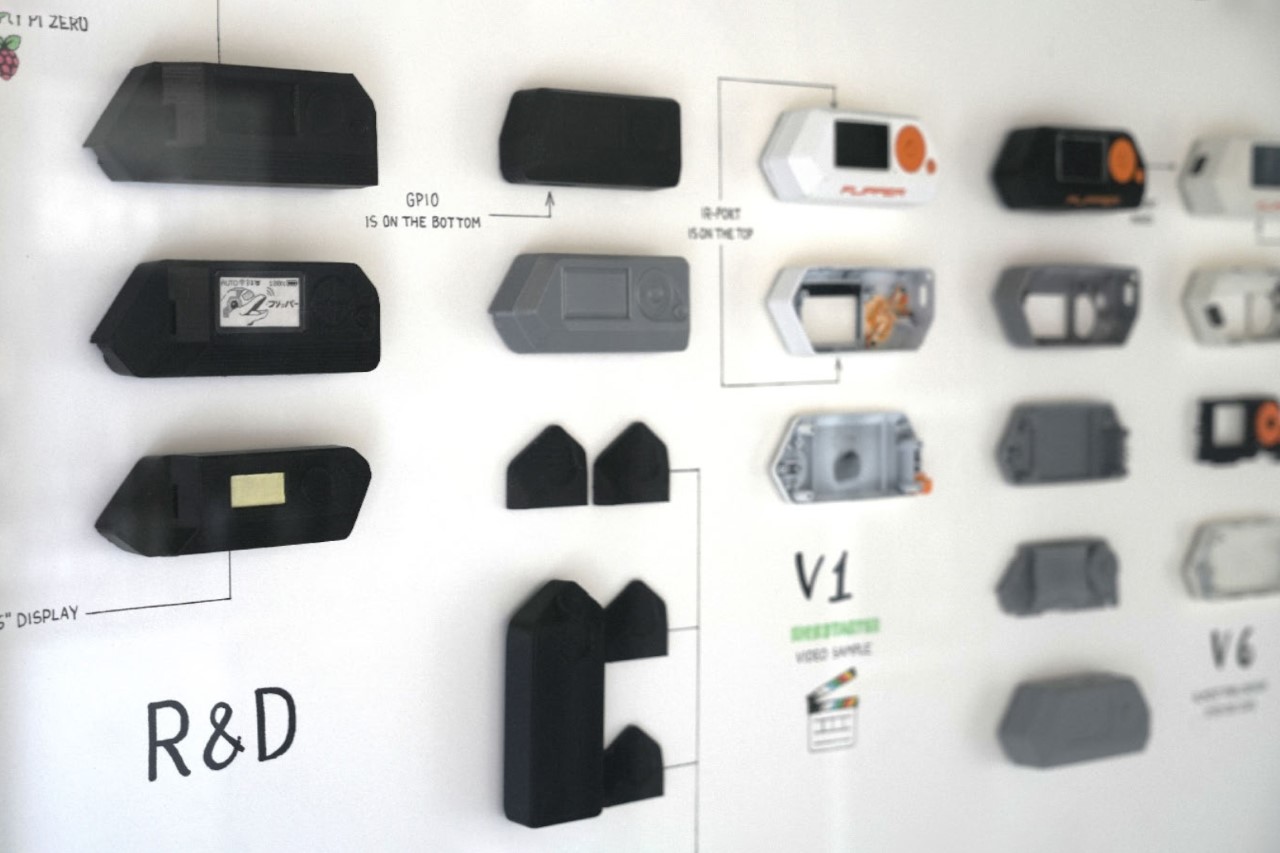
Flipper Zero development process

The Flipper Zero’s design is actually pure genius if you look at how much they’ve managed to squeeze into a product that small. Yes, I did ask them whether they considered making something with a touchscreen, or something phone-like, but the Tamagotchi approach seemed to be the most convenient route – it was uncomplicated, and could be done without expensive OLED displays and other hardware. Ultimately, it did lend to the Flipper Zero’s overall charm, with its monochrome orange screen that was a hat-tip to the Siemens C55. “We went through several design iterations to achieve this functionality and look, constantly overcoming challenges in electronics design, component limitations, and multiple antenna designs,” the Flipper team mentioned. “For example, the first version of the hardware used an off-the-shelf main PCB, but we eventually decided to design our own. This gave us more freedom and flexibility regarding the shape and form of the device while also giving us more control over the supply chain and costs.”
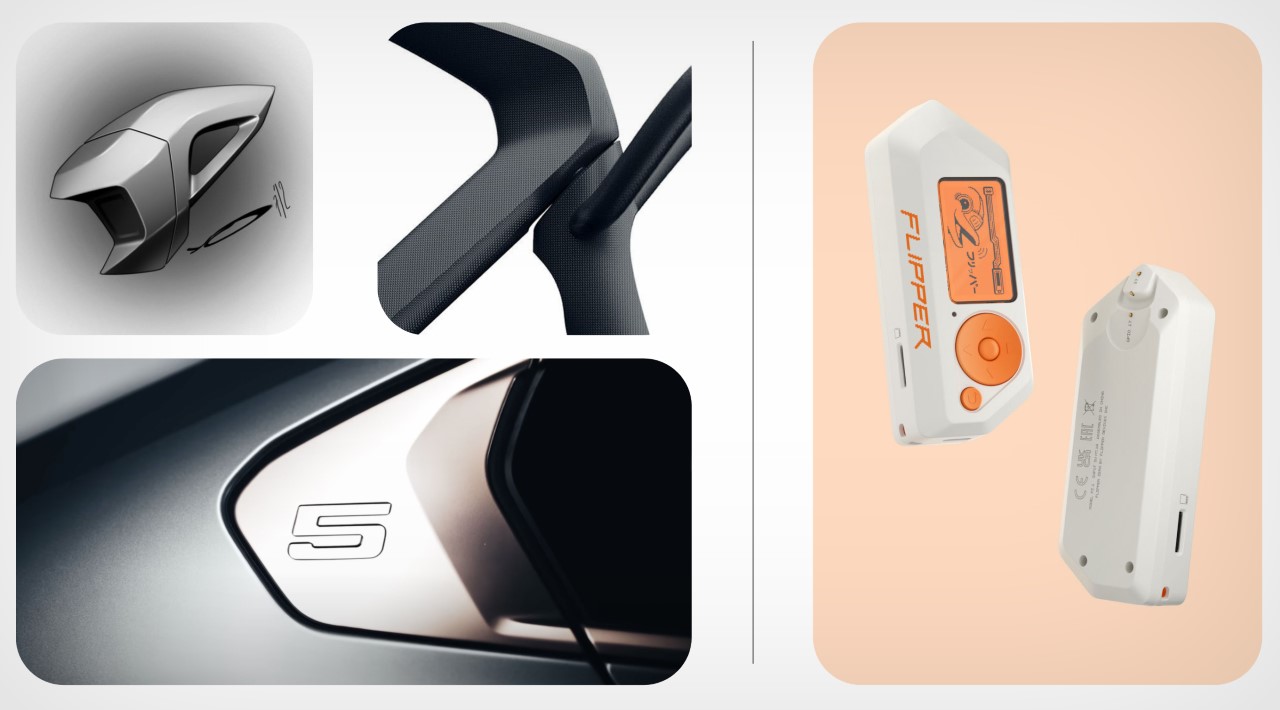
Inspiration moodboard for the Flipper Zero’s Cyberpunk Design

The entire device is nothing without its mascot, the cyberpunk dolphin that forms the essence of the Flipper Zero’s experience. It functions quite literally as a Tamagotchi, growing and being happier and happier the more you explore the device’s features and play with the product. The idea of using the dolphin existed way back in the beginning, and you could think of the product’s shape as somewhat resembling a dolphin’s flipper too, albeit with sharper, cyberpunk-ish edges. The team told us, “The main inspiration was William Gibson’s cyber-dolphin Jones, from Johnny Mnemonic, who had a dark biography and could do very dangerous things. Our dolphin is a quirky, queer, and enthusiastic but simple and nice guy at the same time. We wanted to create a character that you’d want to be friends with.” The dolphin’s persona received a lot of design experimentation as it essentially was to serve as the product’s mascot, guiding you through the features, exploring uncharted electronic territories with you, and forming a codependent bond that allows you to get more and more familiar with and attached to your Flipper Zero. You loved your Game Boy because of all the Pokemon you caught, grew, and evolved on it – the same would apply to the Flipper Zero.
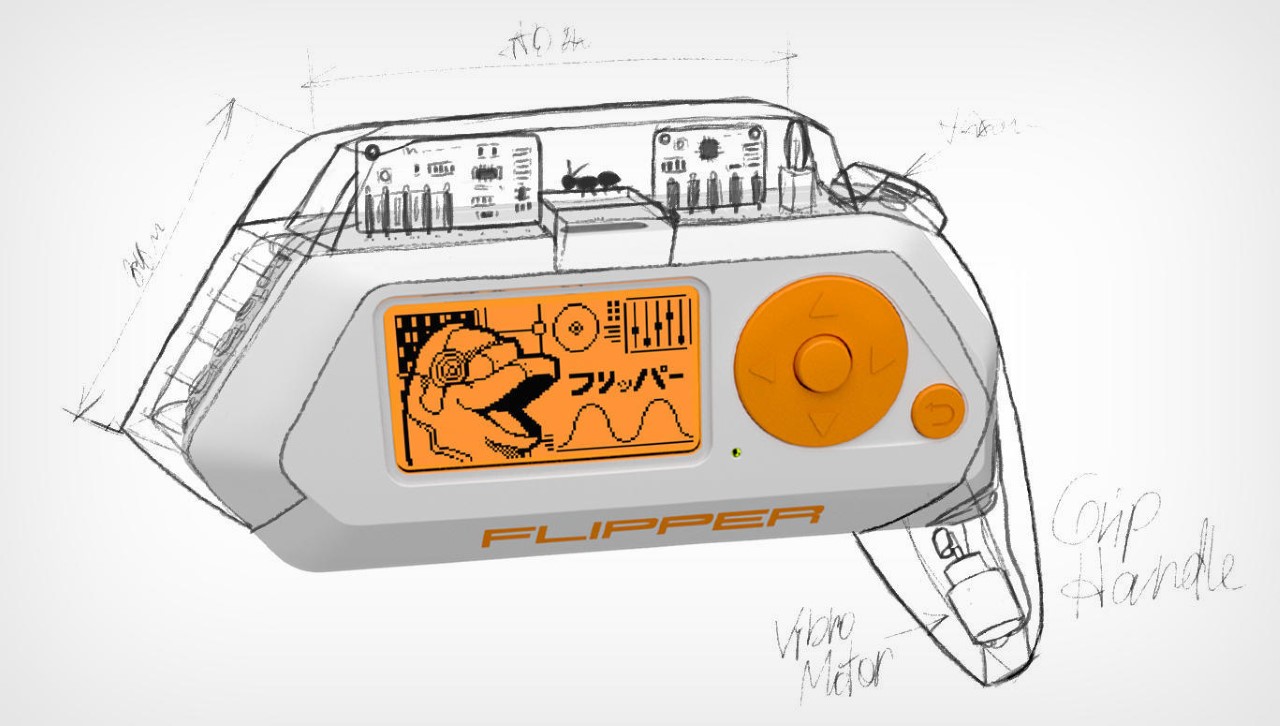
Sketches of in-house modules for the Flipper Zero

However, as a non-hacker myself (and with no coding background), owning a Flipper Zero was still quite an interesting experience. The interface immediately felt familiar to a guy who grew up on Nokia and Sony Ericsson phones, and the internet is FILLED with documentation and tutorials that allow folks like me to figure out how to use the Flipper Zero. For now, I’m proud to say that I managed to clone my buddy’s car key fob and can open her doors remotely. All done with consent, though. The device also allows me to save RFID cards, NFC codes, and even be prankish enough to change channels on televisions or control air conditioners using the infrared function. All these are gradual steps, and the interface makes it exceptionally simple to navigate. You can even play games on the Flipper Zero like Solitaire, Doom, Pong, Snake, and Tetris. Additionally, you can set a Pomodoro timer or metronome, check the nearest weather station, or encrypt a message to your friend using Caesar Cipher or Morse code apps. For anything else, there’s a burgeoning Flipper community that routinely explores everything the Flipper Zero has to offer, discussing new features, writing new lines of code, or creating new apps. After all, with more than half a million devices sold, there’s clearly a massive sub-culture of loyal Flipper Zero users ready to tinker with anything they find, just the way our parents were encouraged to take a screwdriver and pull apart objects so they could learn how to repair them. It’s an art that seems lost on our generation, especially with how complicated devices have gotten, and how ruthless companies are when it comes to creating terms and conditions that prevent us from looking under the hoods of the gadgets we own.
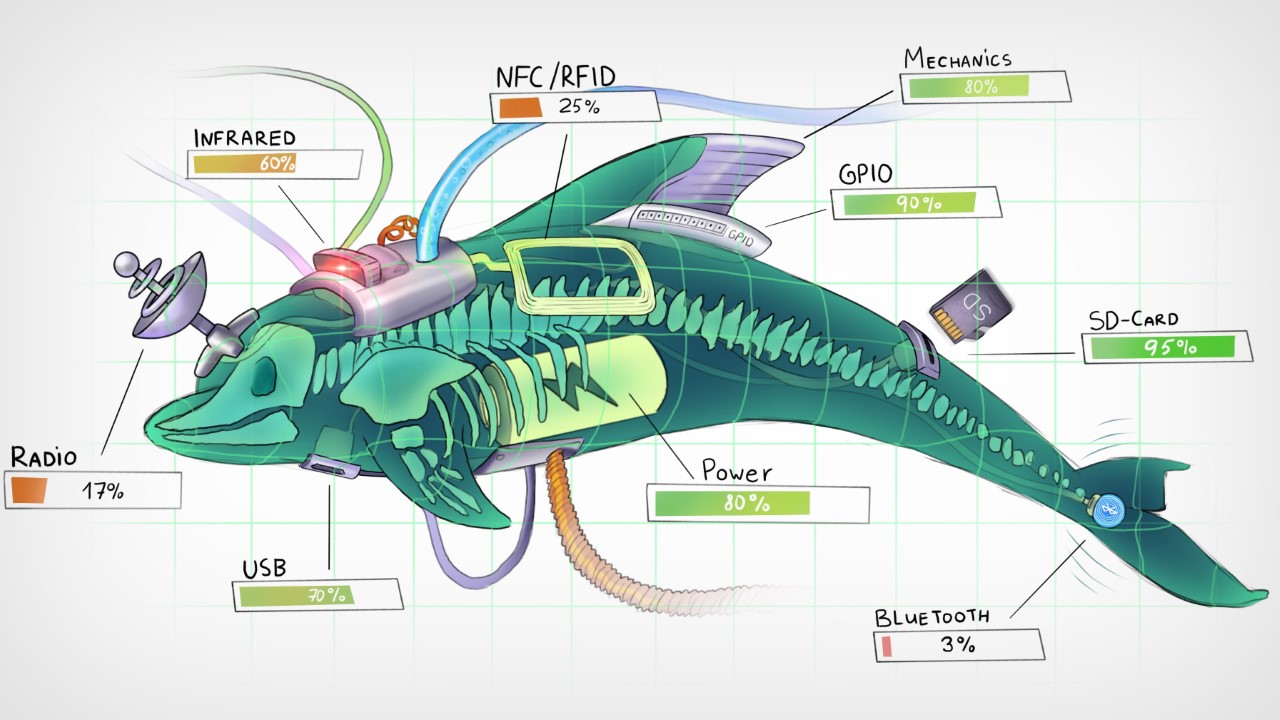
The Flipper Zero is just the beginning, though. Given the movement it stands for, and the resounding success of their flagship device, Flipper’s team is just getting started. They’re continuously working on new modules that can be attached to the Flipper Zero, giving it even more powerful new features… and yes, there’s a Flipper One in the works, although they’re pretty hush-hush about it right now!
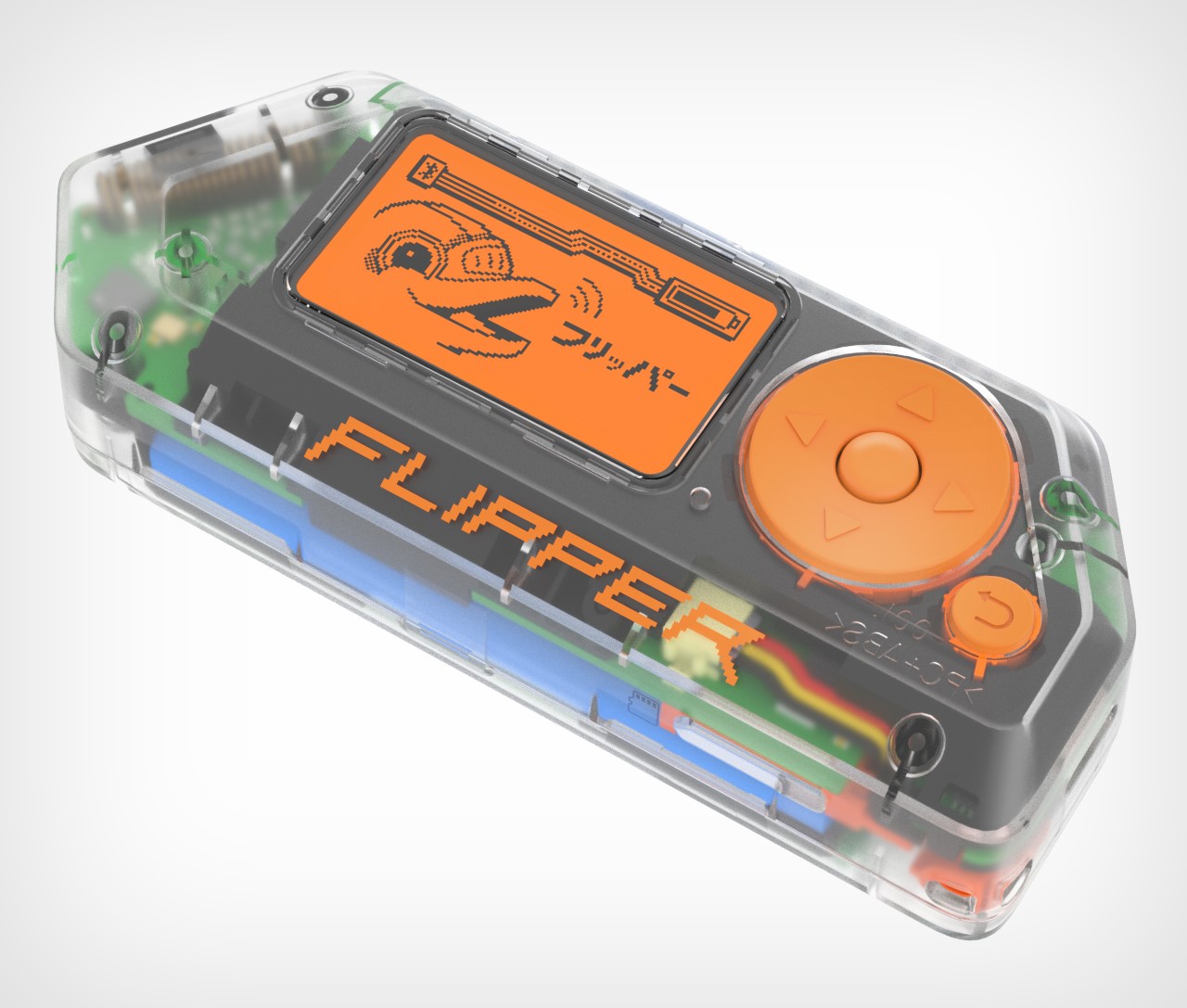
Limited-edition transparent version of the Flipper Zero
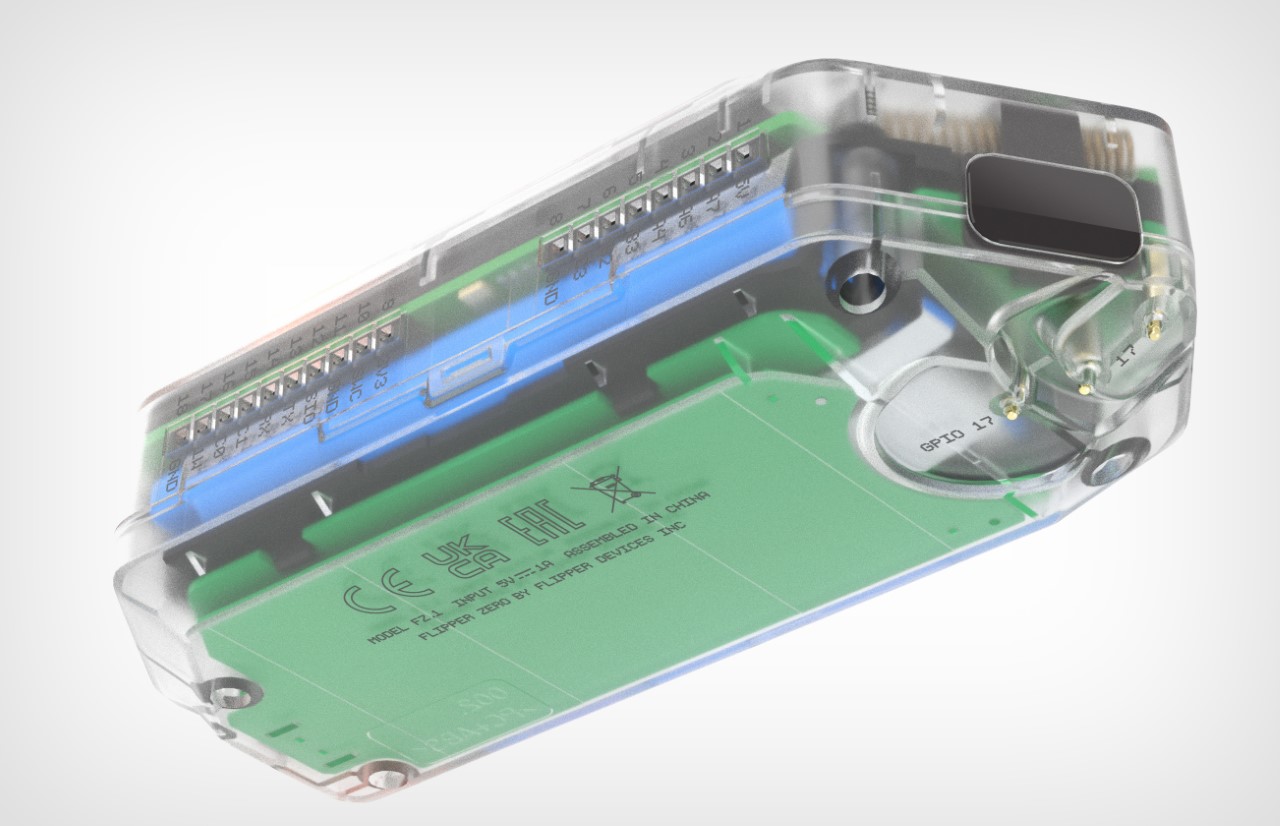
The post Flipper Zero Behind The Scenes: How a group of enthusiasts designed the ‘perfect’ ethical hacking toy first appeared on Yanko Design.

How to Master the New Notion Home Page

Notion Home Page

Notion, the popular productivity and collaboration platform, has recently introduced significant updates to its homepage, aiming to enhance user experience and streamline task management. These updates offer a more focused user interface, new database views, and improved integration with existing systems like Life OS templates and second brain setups. Let’s dive into the key features […]

The post How to Master the New Notion Home Page appeared first on Geeky Gadgets.

Posted in Uncategorized | Tagged

How to use Microsoft Loop to improve your Teams meetings

Using Microsoft Loop to organise your meetings

If you are searching for ideas on how to make your Microsoft Teams meetings more productive and less chaotic? You’re not alone. Many teams struggle with disorganized workflows and poor communication during virtual meetings. But what if there was a solution that could seamlessly integrate with Microsoft Teams to enhance collaboration and streamline your processes? […]

The post How to use Microsoft Loop to improve your Teams meetings appeared first on Geeky Gadgets.

Posted in Uncategorized | Tagged

35 Tips & Tricks For Your Mac

Mac Tips

When you get a new Mac, it’s essential to take the time to optimize it for your specific needs and preferences. By customizing your Mac’s settings and features, you can significantly enhance your productivity and overall user experience. This comprehensive guide provides you with 35 crucial tips and tricks to help you get the most […]

The post 35 Tips & Tricks For Your Mac appeared first on Geeky Gadgets.

Use Microsoft Copilot AI assistant to easily plan your week

Microsoft Copilot AI weekly planning guide

Starting your workday can often feel like stepping into a whirlwind of meetings, emails, and document reviews. It’s easy to get overwhelmed and lose track of what’s important. But what if there was a way to simplify this chaos? Enter Microsoft Copilot in Teams. This guide will show how Copilot can help you manage your […]

The post Use Microsoft Copilot AI assistant to easily plan your week appeared first on Geeky Gadgets.

Posted in Uncategorized | Tagged

How to Fix Battery Drain in iOS 18

iOS 18 Battery Drain

Are you experiencing battery drain issues with the iOS 18 beta? Don’t worry, there are several practical tips you can follow to optimize your device’s battery life. By adjusting certain settings and disabling specific features, you can maintain your device’s performance and extend its battery life. The video below from iReviews will walk you through […]

The post How to Fix Battery Drain in iOS 18 appeared first on Geeky Gadgets.

How to send emails from Excel using Power Automate

Excel Power Automate Feature

Ever found yourself buried under a mountain of emails, each needing a personal touch, and wondered if there’s a more efficient way to handle it? Many of us have faced the daunting task of sending out personalized emails one by one. But what if you could automate this process directly from your Excel sheet? This […]

The post How to send emails from Excel using Power Automate appeared first on Geeky Gadgets.

Posted in Uncategorized | Tagged

The Top New Features in iPadOS 18: A Complete Guide

iPadOS 18

Apple iPadOS 18 introduces a wide array of new features designed to enhance user experience, productivity, and security on iPad devices. This update brings significant improvements to various aspects of the operating system, including: Enhanced SharePlay capabilities for better collaboration and remote assistance Increased home screen customization options for a more personalized user interface Advanced […]

The post The Top New Features in iPadOS 18: A Complete Guide appeared first on Geeky Gadgets.

Put a Wind Tunnel on Your Desk and Experience Dynamic Aerodynamics with Windsible

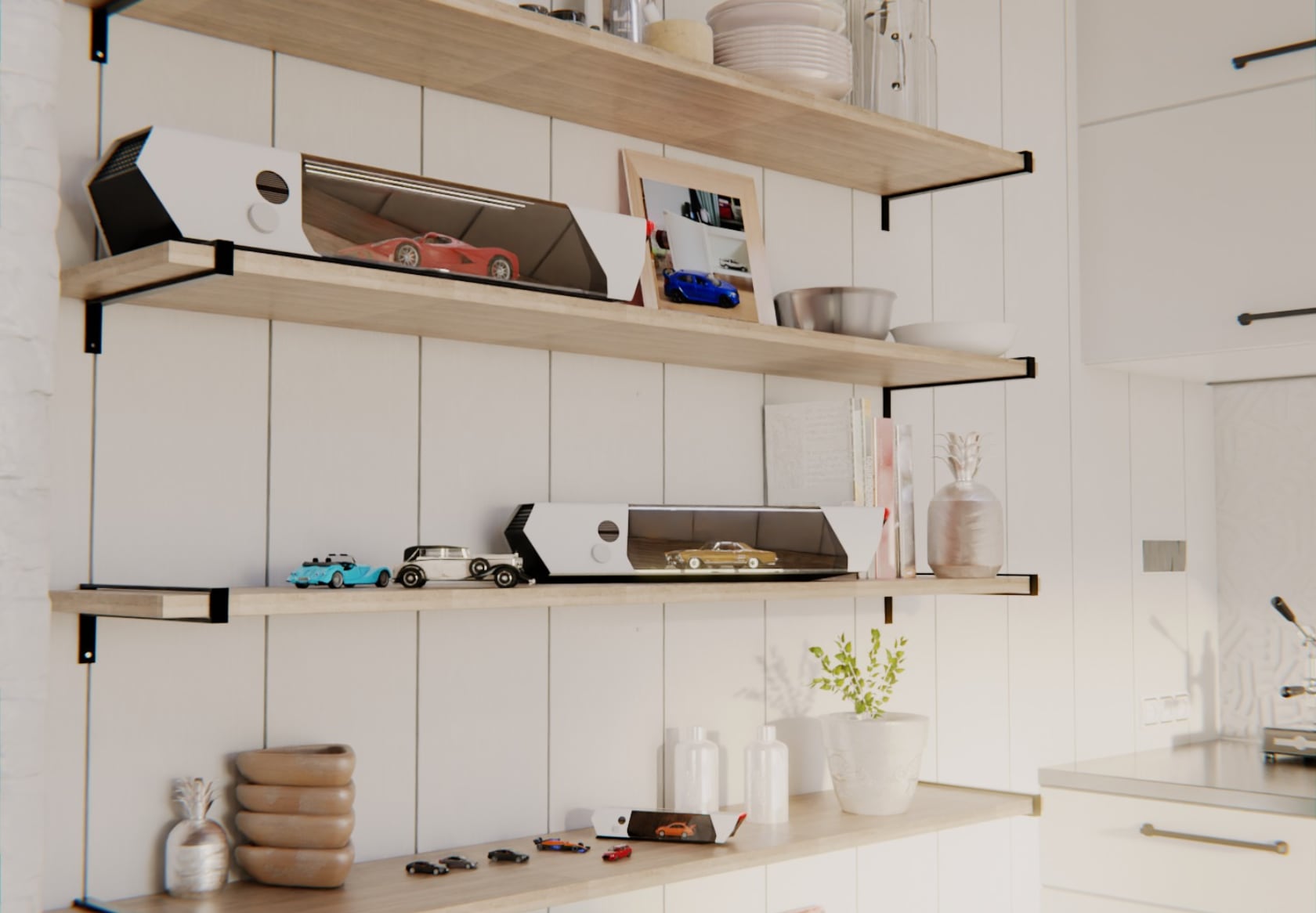
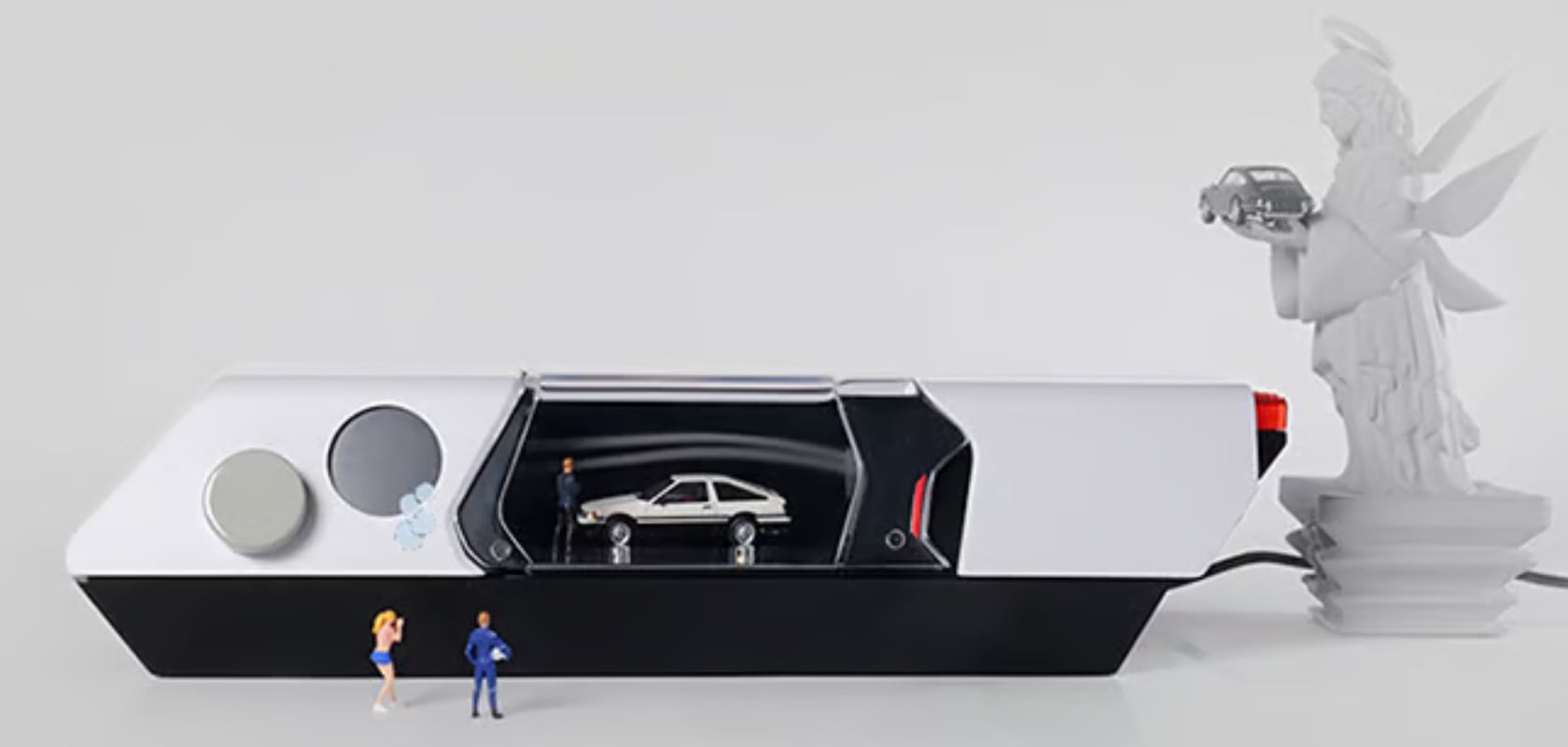
Your static die-cast car collection springs to life with the Windsible Wind Tunnel, a marvel of miniaturized engineering. Visual fluid dynamics ignite as air sweeps over each model, and smoke trails accentuate every curve and contour. These models simulate racing through a gust of wind, mimicking the thrill of a racetrack or the precision of a design lab. Enhanced lighting transforms each car into a spectacle of speed, creating a scene reminiscent of a Formula 1 team’s testing facility right on your desk.

The beauty of Windsible lies in its ability to replicate real-world aerodynamic testing on a miniature scale. Watching your models respond to airflow gives you a new appreciation for the intricate designs and engineering that go into each vehicle. Visualizing how air interacts with different car shapes gives you insights into the principles of aerodynamics, offering both entertainment and education in a single, captivating package.

Designers: Jayden Han and Jarvis Jiang

Click Here to Buy Now: $129 $239 (46% off). Hurry, only a few left! Raised over $165,000.

Compact and Versatile Design

Windsible’s design is compact and portable, seamlessly fitting into any space, from a professional office to a cozy home. The device’s sleek, futuristic look complements your decor, whether on a desk, a living room shelf, or a display cabinet. Its portability means quickly moving it around, showcasing your collection in different settings, and sharing the excitement with others.

Imagine bringing Windsible to a car club meeting, where fellow enthusiasts can marvel at the dynamic displays. Or place it in your office, where it can serve as a conversation starter and a stress reliever during breaks. The ease of setup and use makes it a versatile addition to any environment.

Customizable Interactive Features

Customization is at the heart of Windsible. The LED lighting can be adjusted to highlight different aspects of each model, creating a fresh and exhilarating display every time. Interchangeable smoke nozzles allow you to create various visual effects, enhancing the realism and visual appeal of the display. This feature enables you to experiment and find the perfect setup that best showcases your models.

These interactive features make every display session with Windsible a unique experience. Each session becomes an opportunity to explore new ways to highlight the beauty and design of your car models, making Windsible a dynamic addition to your hobby.

Educational and Engaging

Windsible brings the science of aerodynamics to life. In the professional realm, wind tunnels are essential for testing and refining designs. By using Windsible, you can explore these principles in a hands-on way. It’s like having a miniature version of a wind tunnel testing facility at your disposal, perfect for both learning and fun.

Imagine a sleek sports car model competing in aerodynamic efficiency against a scale model of a cheeseburger. As smoke trails highlight the airflow, you gain a vivid demonstration of fluid dynamics. This interactive feature turns every test into a captivating lesson, perfect for sparking curiosity and innovation in both young and old. Windsible is a valuable tool for classrooms, workshops, and personal study.

This hands-on approach to learning makes complex scientific concepts accessible and engaging. Visualizing how air flows over different shapes helps you better understand the factors that influence aerodynamics. This knowledge can inspire new ideas and innovations, whether you’re an aspiring engineer, a student, or a curious enthusiast.

Comprehensive Protection and Versatility

Protecting your valuable die-cast models is crucial, and Windsible addresses this with a robust design. The dustproof and shockproof features ensure each model remains pristine, safeguarding them from potential damage. The gentle, oil-based smoke in the display protects the models, avoiding the possible harm that water mist could cause.

Available in three scales—1:18, 1:24, and 1:64—Windsible caters to various model sizes, ensuring every car in your collection gets the spotlight it deserves. This versatility suits many enthusiasts, from casual collectors to dedicated hobbyists. The durable construction and thoughtful design elements ensure your collection is always safe and well-presented.

The Journey and Community

Windsible’s journey began with a spark of inspiration at Cranfield University, ignited by Steven Smith, an engineer passionate about aviation and vehicles. The blend of Steven’s aviation expertise and vehicle design knowledge laid the foundation for this innovative product. He joined forces with Axia Rossi from Politecnico di Torino, who brought her deep understanding of vehicle engineering, and Jayden Brown, a vehicle designer, who added his flair for creating visually appealing designs. Their combined expertise ensured Windsible was technically sound, visually appealing, and user-friendly.

The development process was highly collaborative, involving feedback from model car enthusiasts and experts. Tank Johnson, an enthusiastic member of their Discord group, played a crucial role in managing external communication and gathering user insights. This community-driven approach ensured that the final product met the needs and expectations of its users. By listening to the voices of the community, the Windsible team refined and perfected the design, resulting in a product that truly resonates with its audience.

Embrace the Future of Model Display

Transform how you showcase and interact with your die-cast car models using Windsible’s cutting-edge technology, interactive features, and sleek design. Imagine your collection coming to life, each model animated by a miniaturized wind tunnel on your desk. Adjustable LED lighting and interchangeable smoke nozzles allow you to personalize your display, turning every interaction into a new adventure. This hands-on tool makes aerodynamics accessible, inspiring curiosity and innovation for students, educators, and enthusiasts alike.

Windsible’s dustproof and shockproof design ensures your models remain pristine, while versatile sizing caters to various collections. Rooted in expertise and community feedback, Windsible meets the highest technical and visual excellence standards. Join the community to experience the art and science of car model design in a new way. This ultimate desktop wind tunnel brings excitement, education, and enjoyment to your collection, making it an indispensable tool for every car model enthusiast.

Click Here to Buy Now: $129 $239 (46% off). Hurry, only a few left! Hurry, only a few left! Raised over $165,000.

The post Put a Wind Tunnel on Your Desk and Experience Dynamic Aerodynamics with Windsible first appeared on Yanko Design.