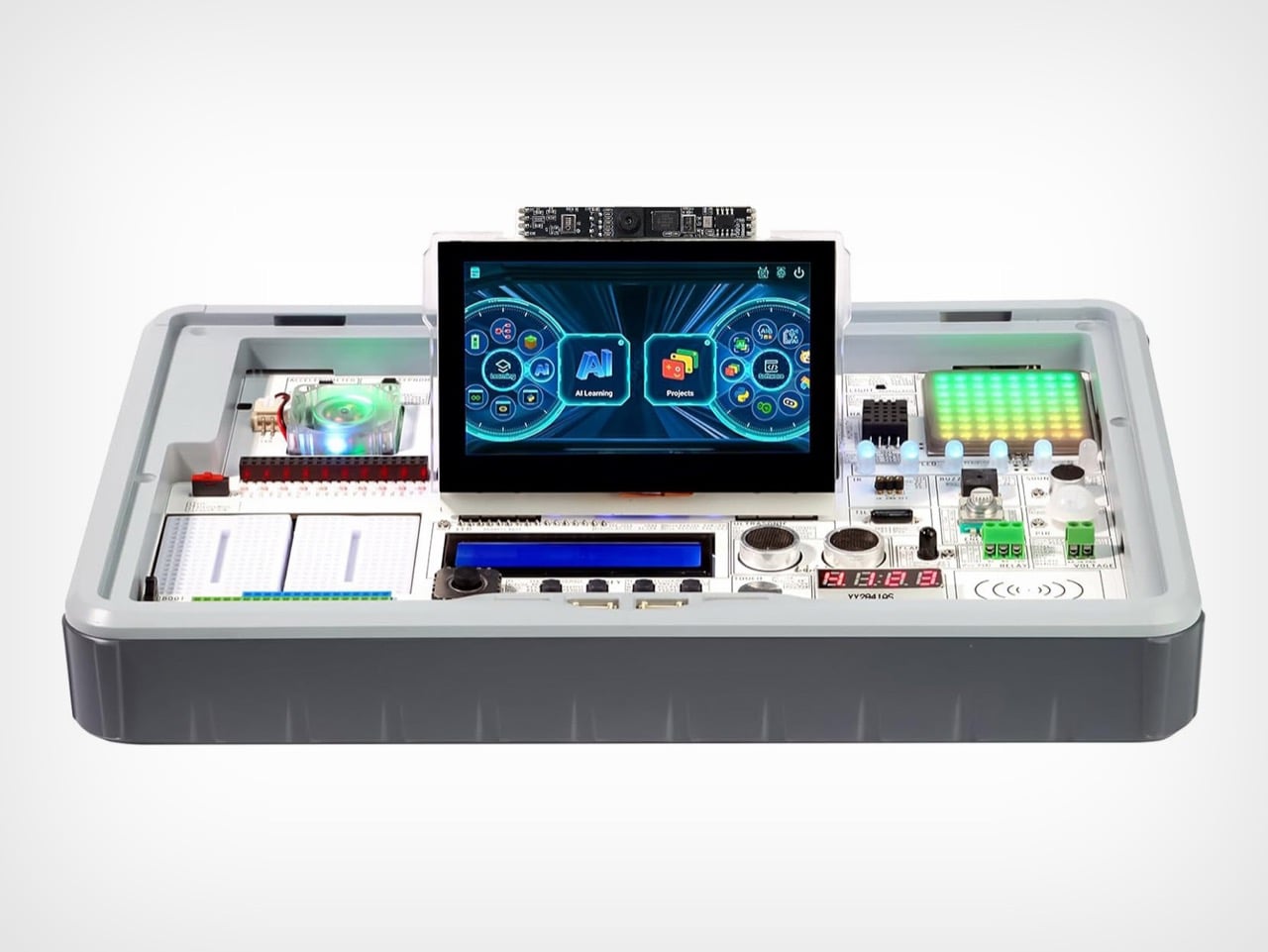
Flipper One Behind The Scenes: “Sharper, Smarter, More Cunning, Brutal” says Flipper CEO

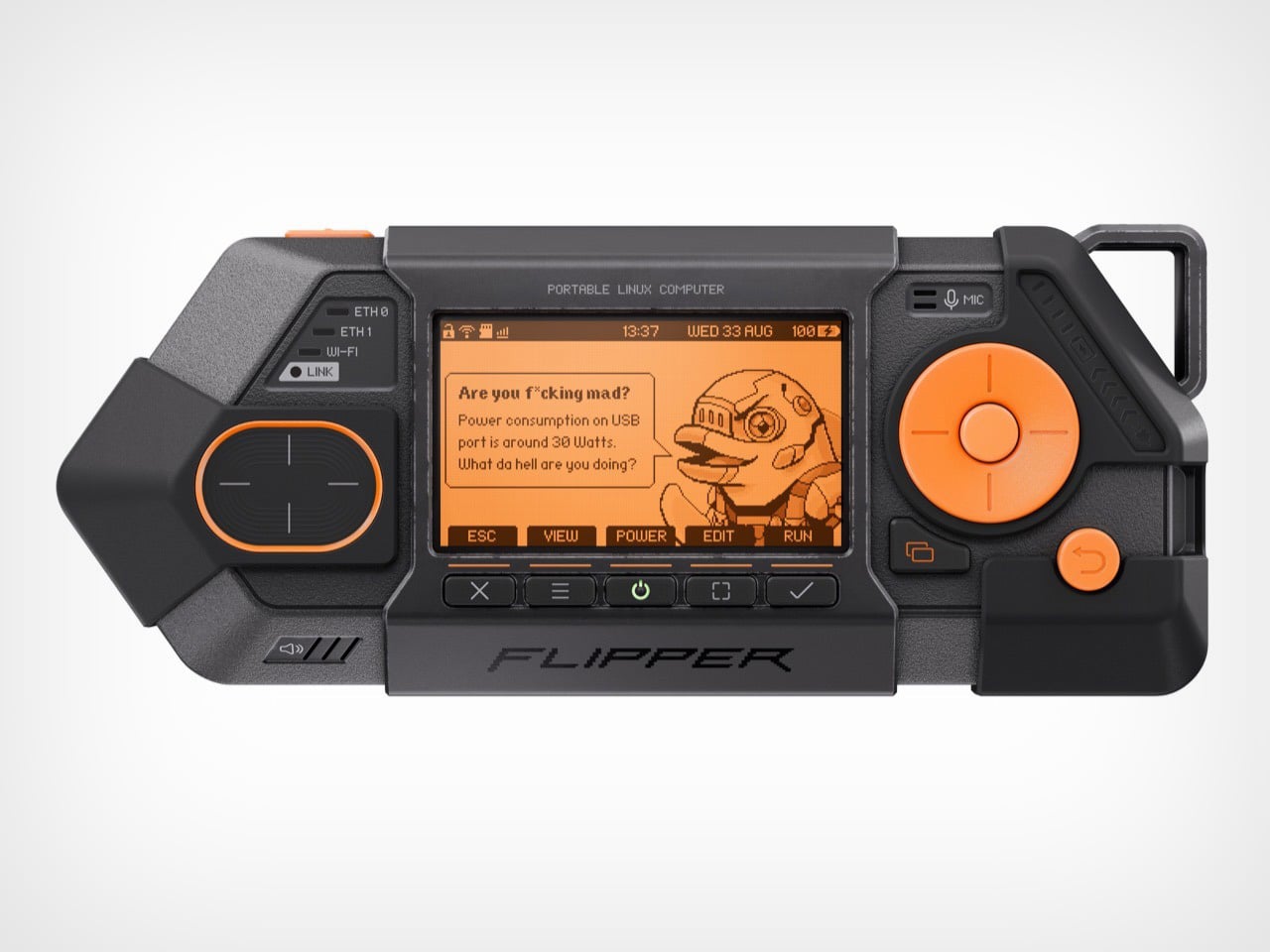
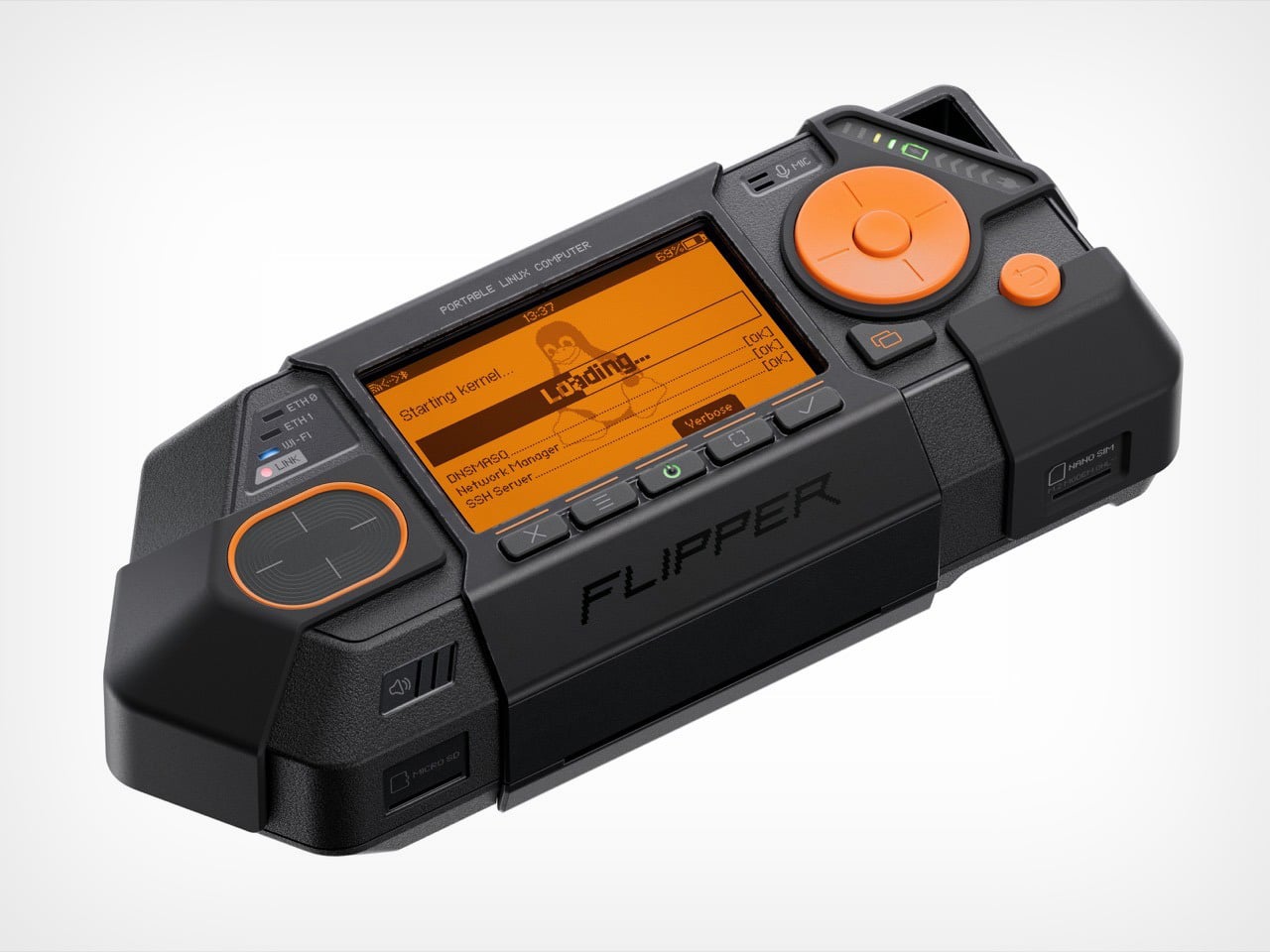
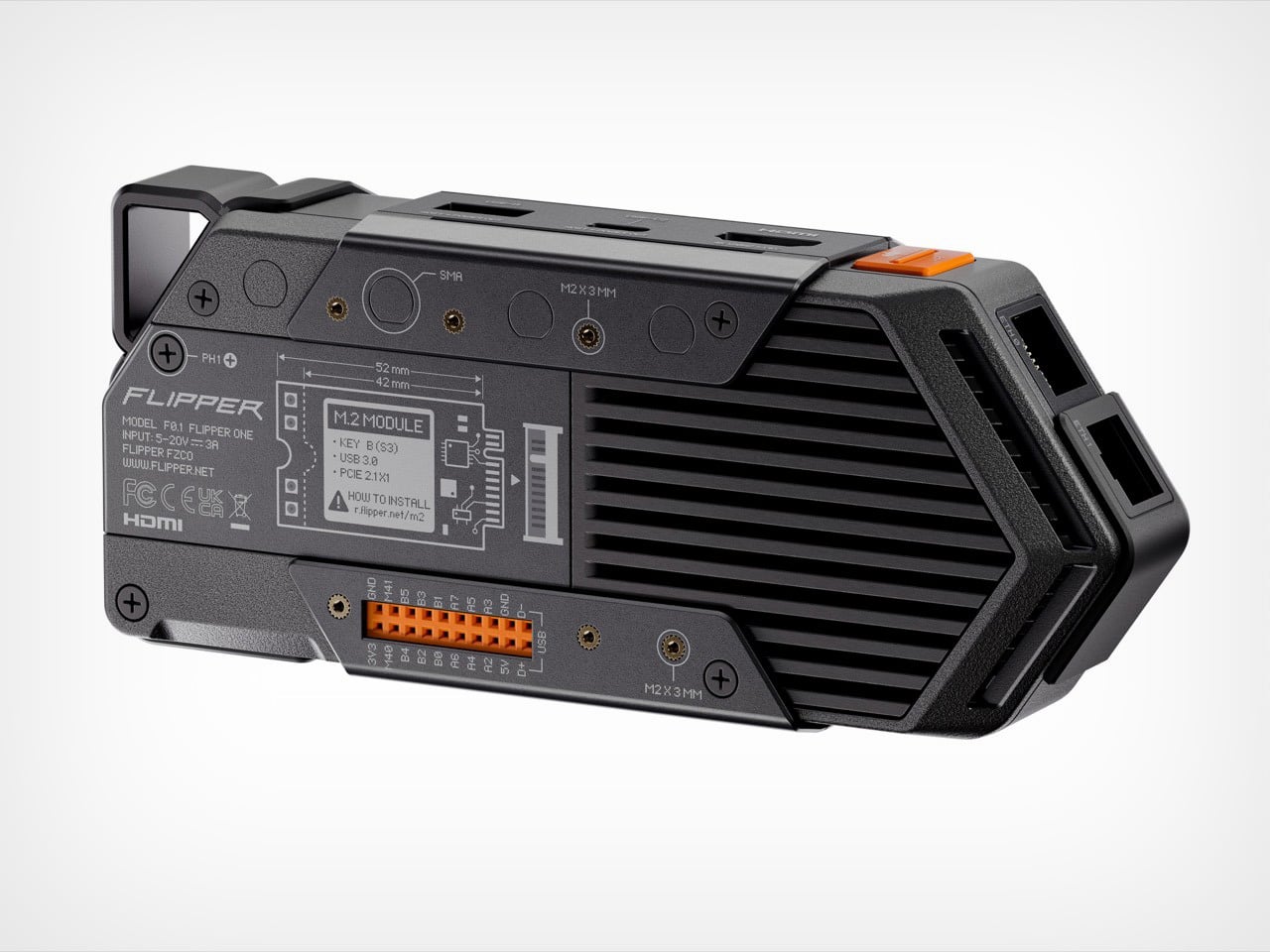
When you first see the Flipper One, it’s clear something has changed. Its predecessor, the Flipper Zero, had the playful, almost toy-like charm of a 90s gadget. It was clever, compact, and just a little bit mischievous. The Flipper One, by contrast, is not playing around. With its exposed metal, ruggedized shell, and dense, purposeful form, it looks less like a hacker’s Tamagotchi and more like something you’d find bolted to the dashboard of a military vehicle. The design language has become, in the words of Flipper’s CEO Pavel Zhovner, “sharper, smarter, more cunning, more brutal.”

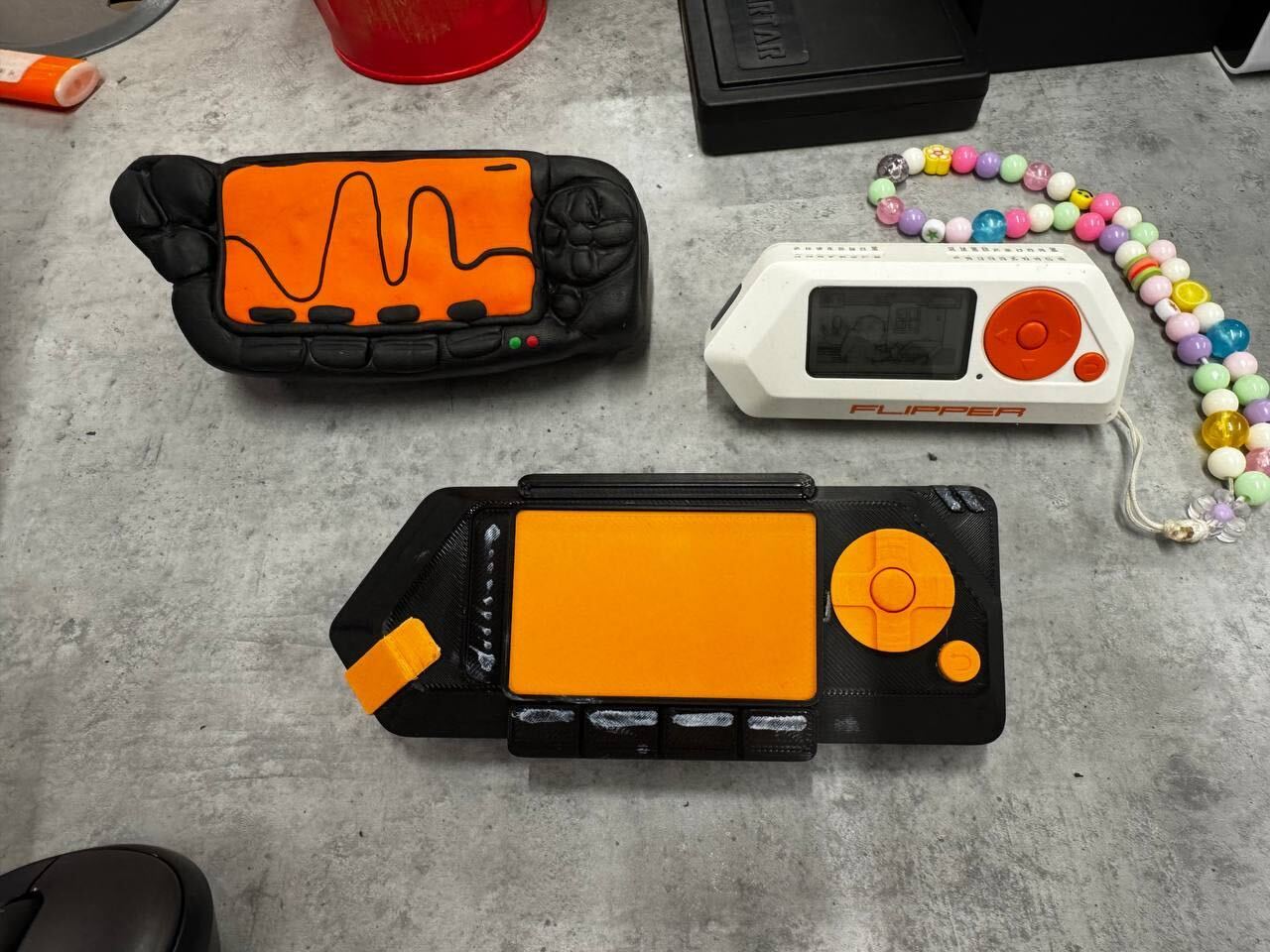
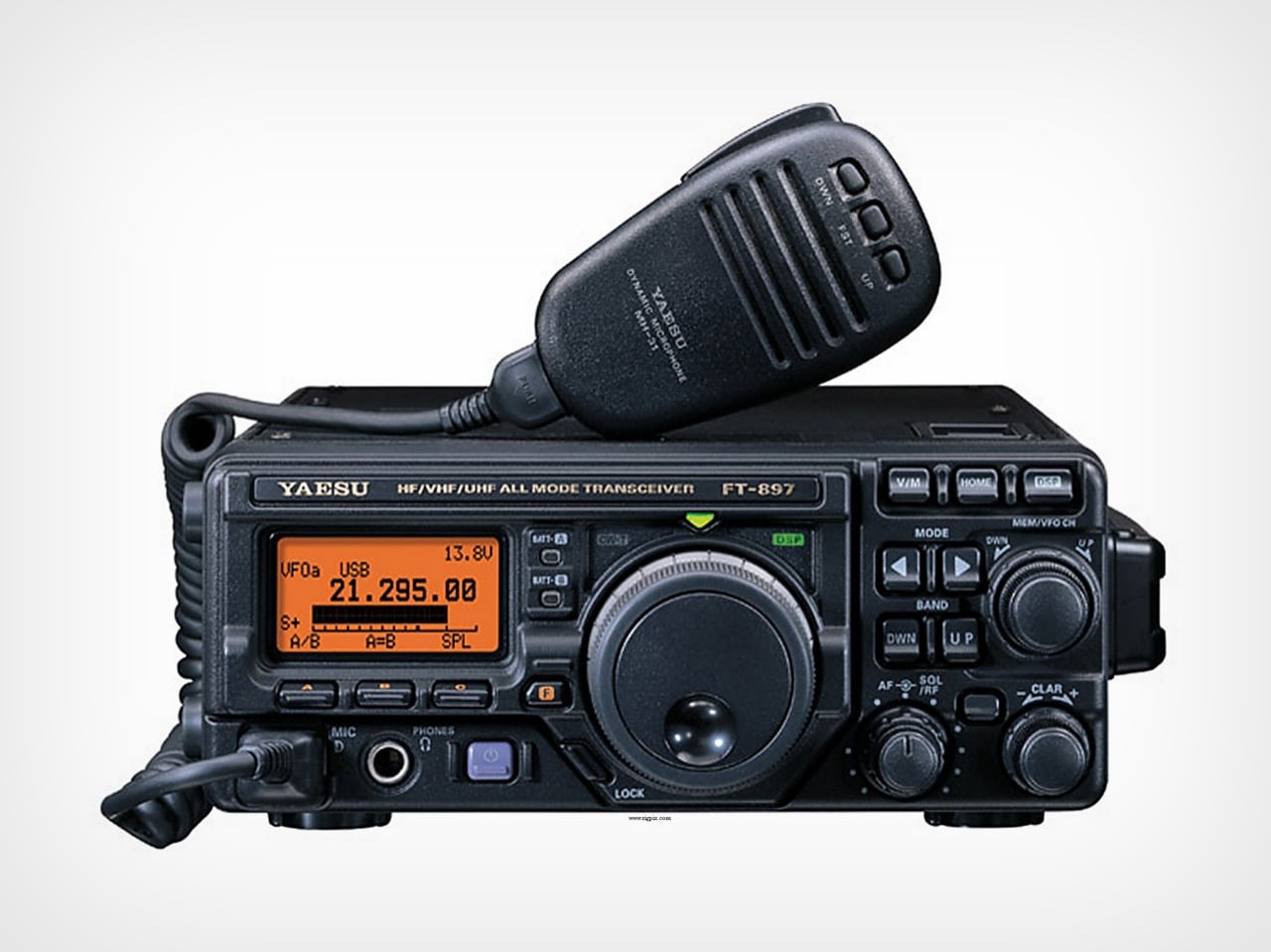
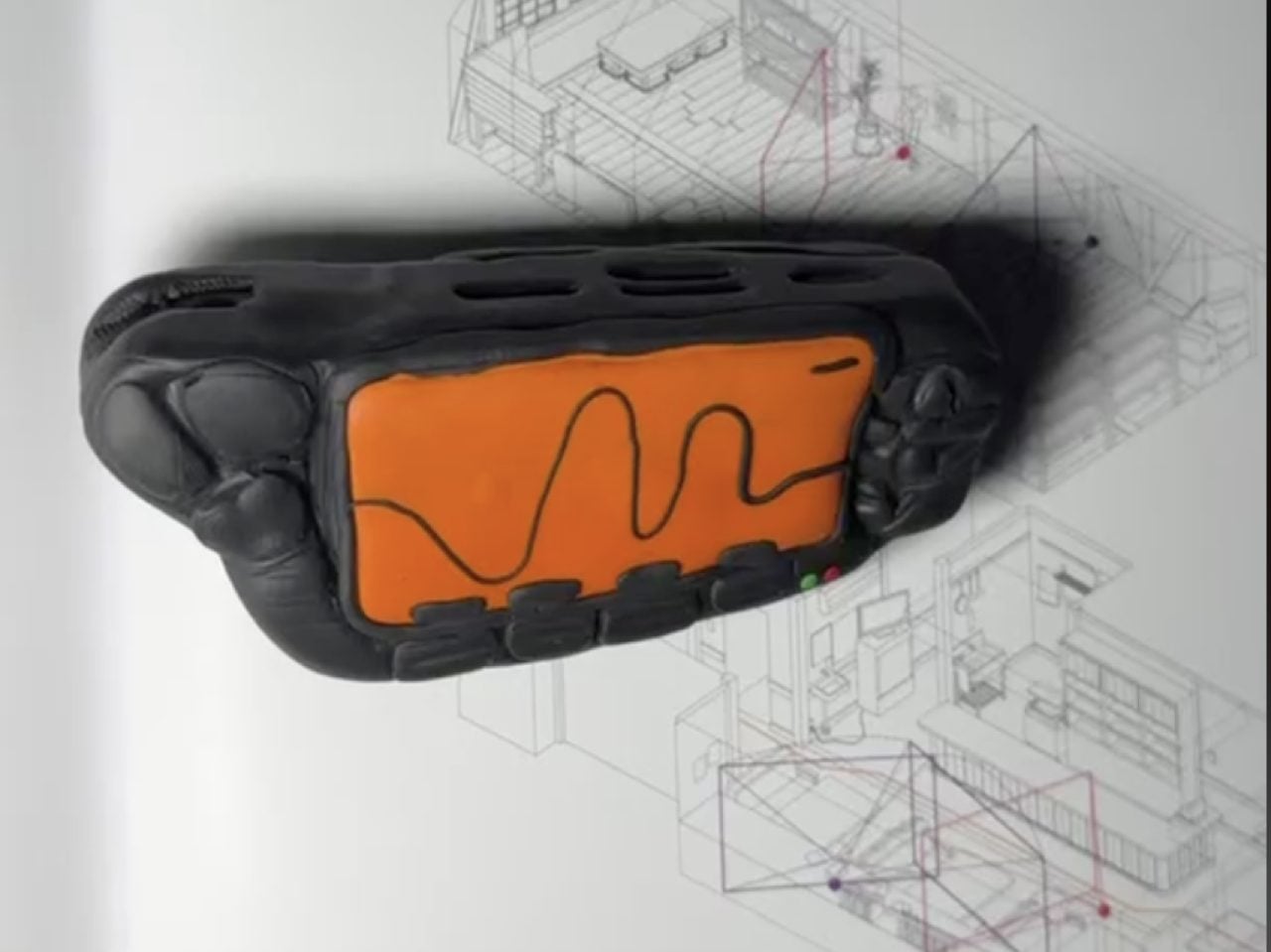
The source of this aesthetic shift isn’t another cyberpunk movie. While the team’s love for William Gibson’s Johnny Mnemonic is still part of the lore, the Flipper One’s design was shaped by a much more tangible artifact. “There was a very tangible, physical reference this time too,” Zhovner explains in an exclusive interview with Yanko Design, “the Yaesu FT-897D radio transceiver. It’s serious field communications equipment.” That single object unlocks the entire story behind the Flipper One’s aggressive new form. The team’s earliest prototypes, he notes, were shaped by hand in polymer clay to mimic the radio’s rugged, function-first ergonomics, and even then, they “looked remarkably close to it.”

Designers: Pavel Zhovner & Flipper Devices

Yaesu FT-897D radio transceiver

This move from fiction to field equipment wasn’t just a stylistic choice; it was a direct response to the device’s new capabilities. The core challenge in creating the Flipper One wasn’t about living up to the Zero’s reputation, but a years-long technical quest. “For years, we were chasing the right balance between performance, battery life, and price,” Zhovner recalls. Every processor they considered “forced a compromise we weren’t willing to make.” The breakthrough finally came with the arrival of the RK3576 chip. “The moment we looked at its performance specs and peripheral support, we knew – this was it.”

But that power came at a cost: heat. “Unlike Flipper Zero, Flipper One runs hot,” Zhovner says. Suddenly, the housing couldn’t just be a passive shell; it had to become an active part of the thermal solution. This is where the Yaesu’s design influence became critical. The rugged, armored look isn’t just for show. “The metal elements are doing real thermal work, acting as part of the cooling system,” Zhovner points out. The design team decided to lean into this necessity, creating a device that visually communicates its own power and thermal demands. The Flipper One wears its cooling system like armor because, in a very real sense, it is.

This philosophy of brutal honesty extends to the iconic dolphin mascot, which has also evolved. It’s now sharper, more angular, and decidedly less friendly – a reflection of the smarter, more powerful machine it represents. This commitment to a cohesive design language is rooted in the team’s belief in their core visual element. “We’re simply in love with our aggressive triangle,” Zhovner states. “It was never up for debate.” The goal was to preserve that instant recognizability while adapting it to a more demanding set of functional requirements.

Preliminary clay model of the Flipper One

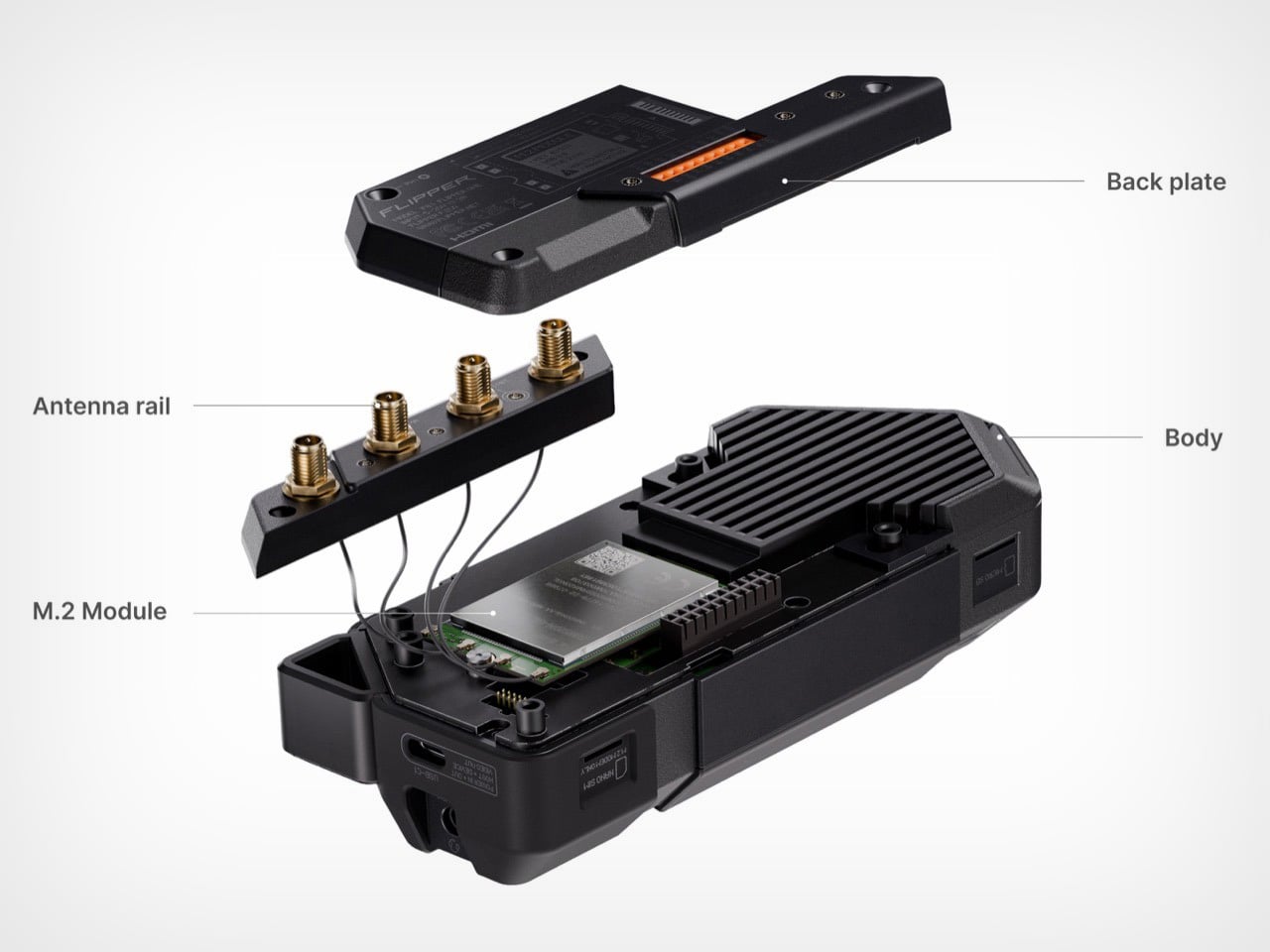
The device’s functionality was also shaped by hard-won lessons from the Flipper Zero. One of the biggest takeaways was that expandability should never come at the expense of usability. “With Flipper Zero, the moment you plug in any module, the whole experience degrades,” Zhovner admits. “It becomes harder to carry and pocket, and the port takes a beating over time.” For Flipper One, this led to a strict design mandate: modules had to integrate seamlessly. The team landed on two types – M.2 and GPIO – both designed to either “disappear completely under the back cover, or they extend flush along the rear surface.” It’s a small detail that reveals a mature approach to product design, focused on the realities of daily use.

Ultimately, the Flipper One’s serious, function-driven design is meant to signal that it’s an entirely different kind of tool. Zhovner is quick to clarify that this isn’t a replacement for the Flipper Zero. Instead, the two devices operate on different technological layers. Flipper Zero is a “Layer 0” offline tool for NFC, RFID, and other low-level interfaces. Flipper One is a “Layer 1” IP/network cyberdeck – a pocket-sized, open Linux computer. It can be a portable gateway, a smart home hub, a media center, or a radio platform for listening to everything from pilot communications to satellites.

By grounding its design in the world of serious hardware, Flipper has created a device that feels less like a controversial gadget and more like a piece of portable infrastructure. It’s a tool that, despite its aggressive looks, is designed to be quietly useful, whether as a travel router in a hotel or a honeypot sensor guarding your home network. The Flipper One’s journey from a clay model inspired by a ham radio to a finished cyberdeck is a story of a company, and a product, that is growing up.

The post Flipper One Behind The Scenes: “Sharper, Smarter, More Cunning, Brutal” says Flipper CEO first appeared on Yanko Design.
This BlackBerry Cyberdeck Brings Back the QWERTY Keyboard, Powered by an old Intel Compute Stick

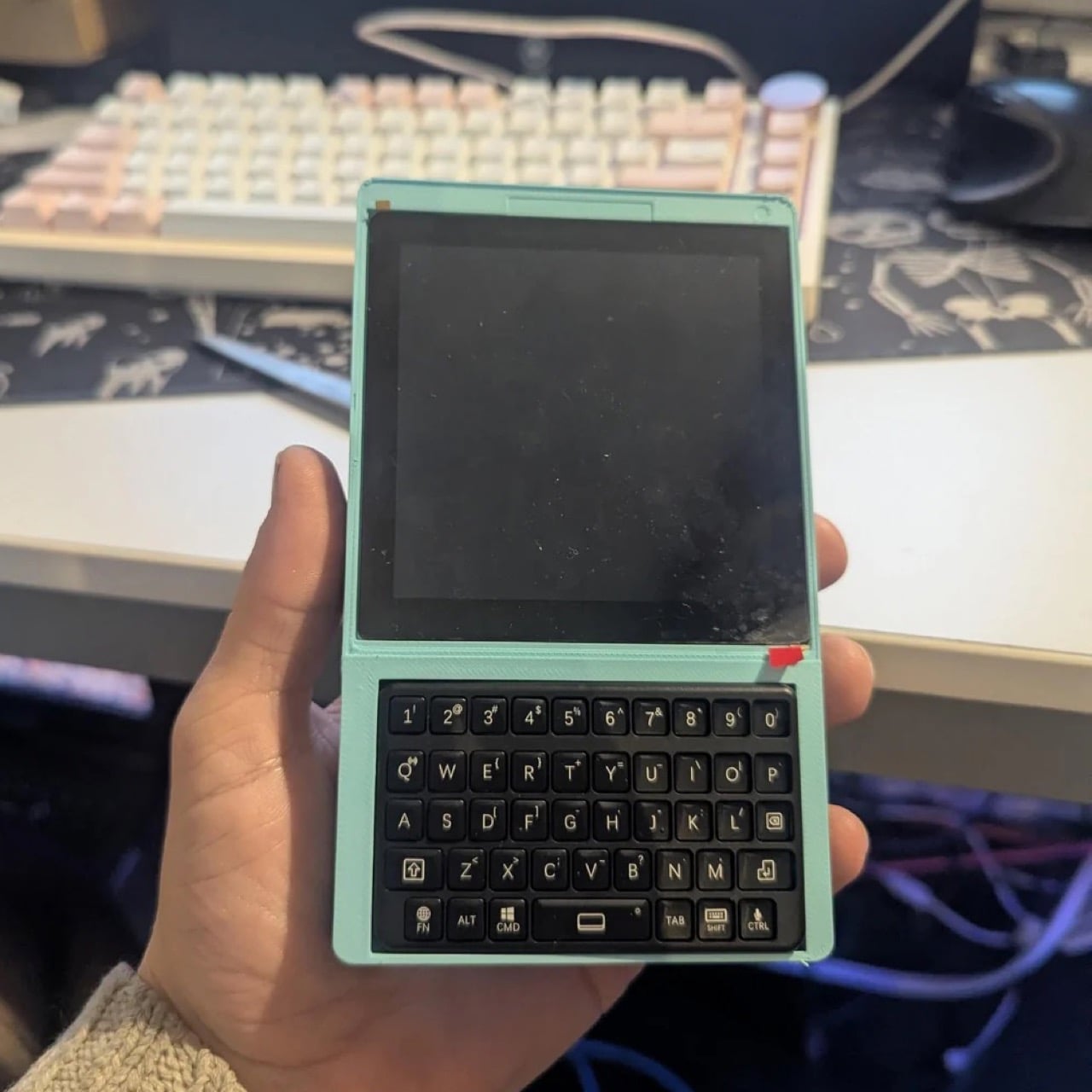
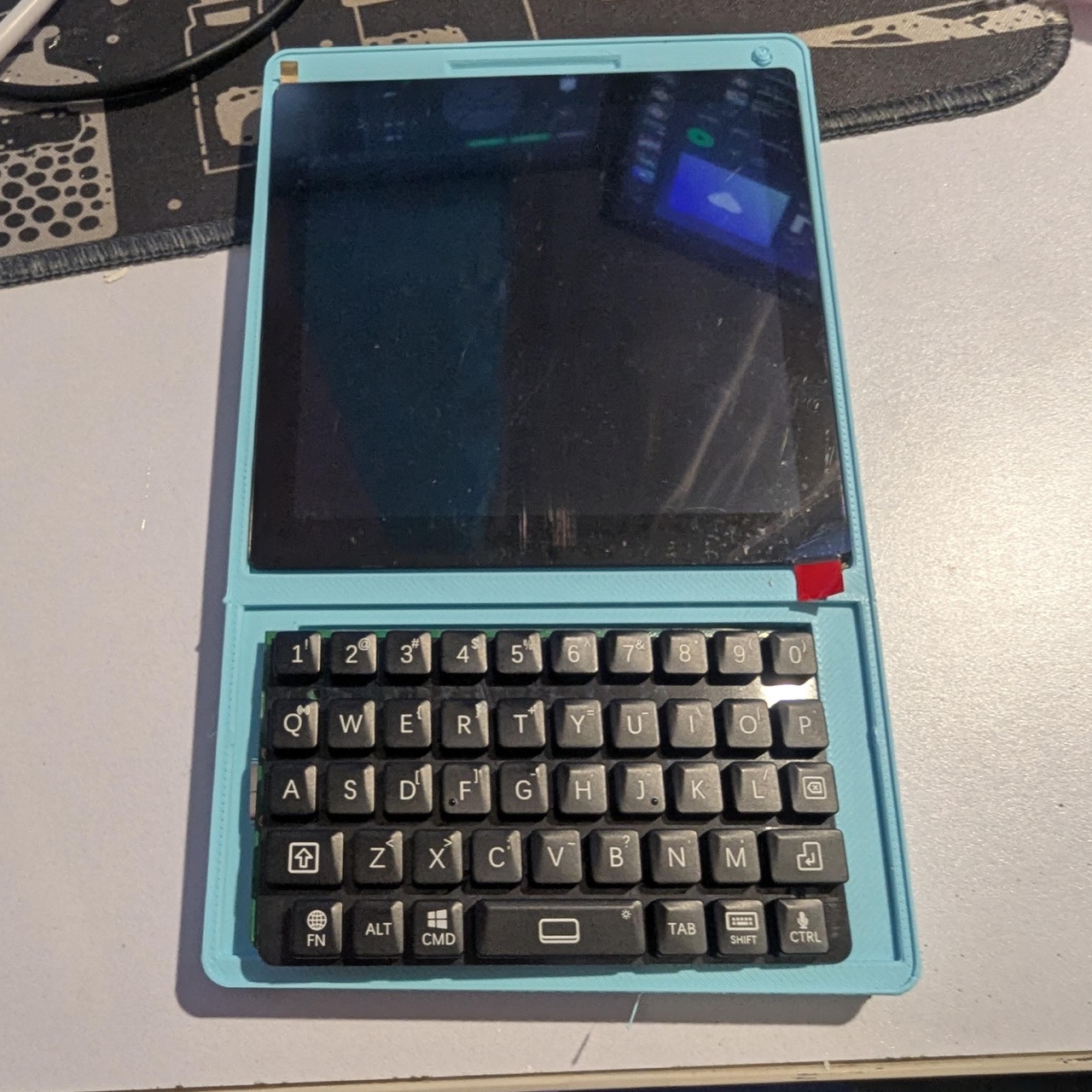
Everyone has a drawer somewhere with a dead BlackBerry sitting at the bottom of it, wedged between a tangle of old chargers and a phone you swore you’d sell on eBay someday. Most of those BlackBerrys are never coming back to life, the batteries swollen and the software hopelessly outdated, fit only for nostalgia and the occasional TikTok unboxing. One Reddit user looked at that drawer of dead phones and saw raw material instead of trash. Rather than reviving an old BlackBerry as a phone, they ripped out just the keyboard and gave it an entirely new life and purpose. What came out the other end looks like a BlackBerry, types like a BlackBerry, and yet runs on hardware that has nothing to do with phones at all.

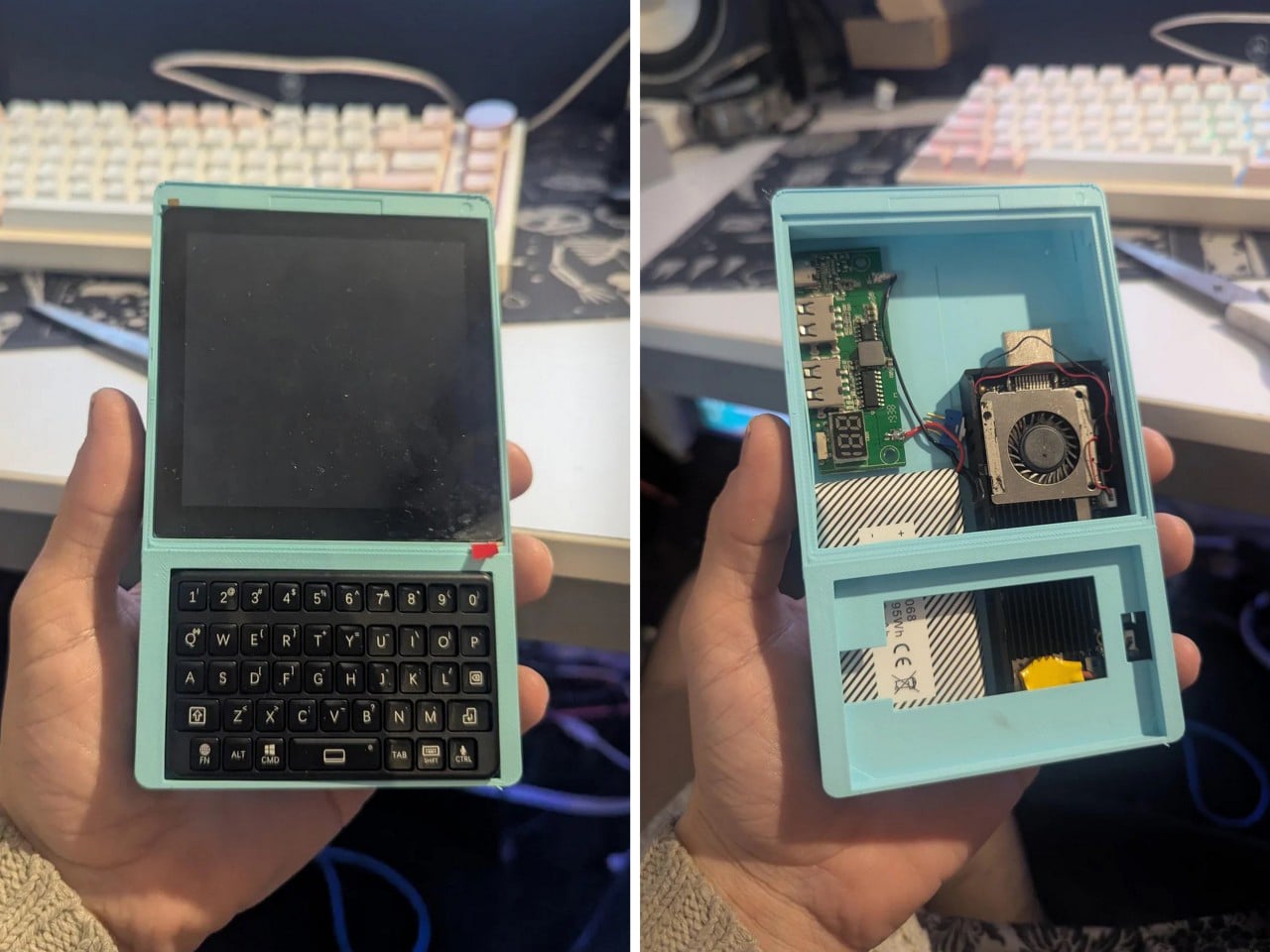
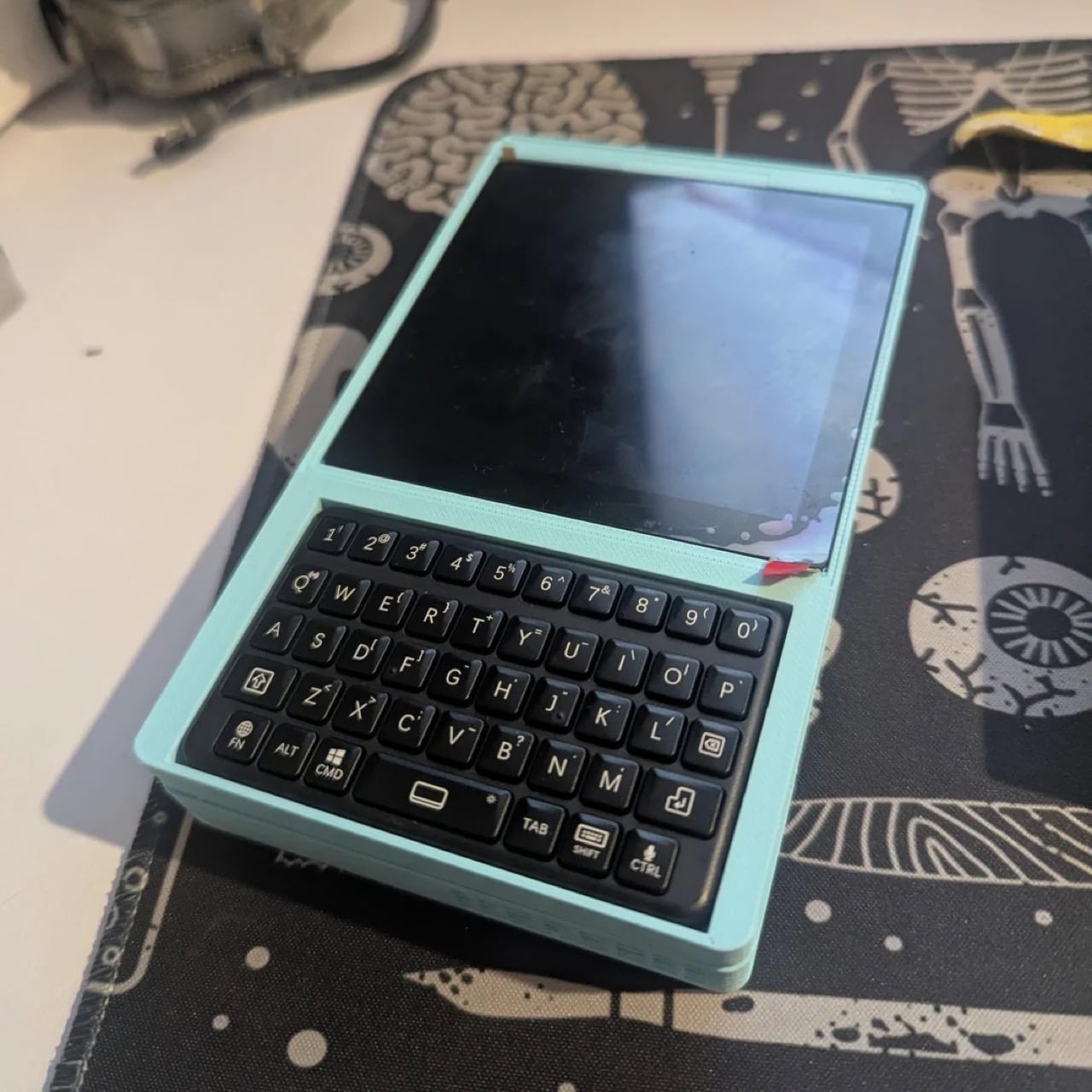
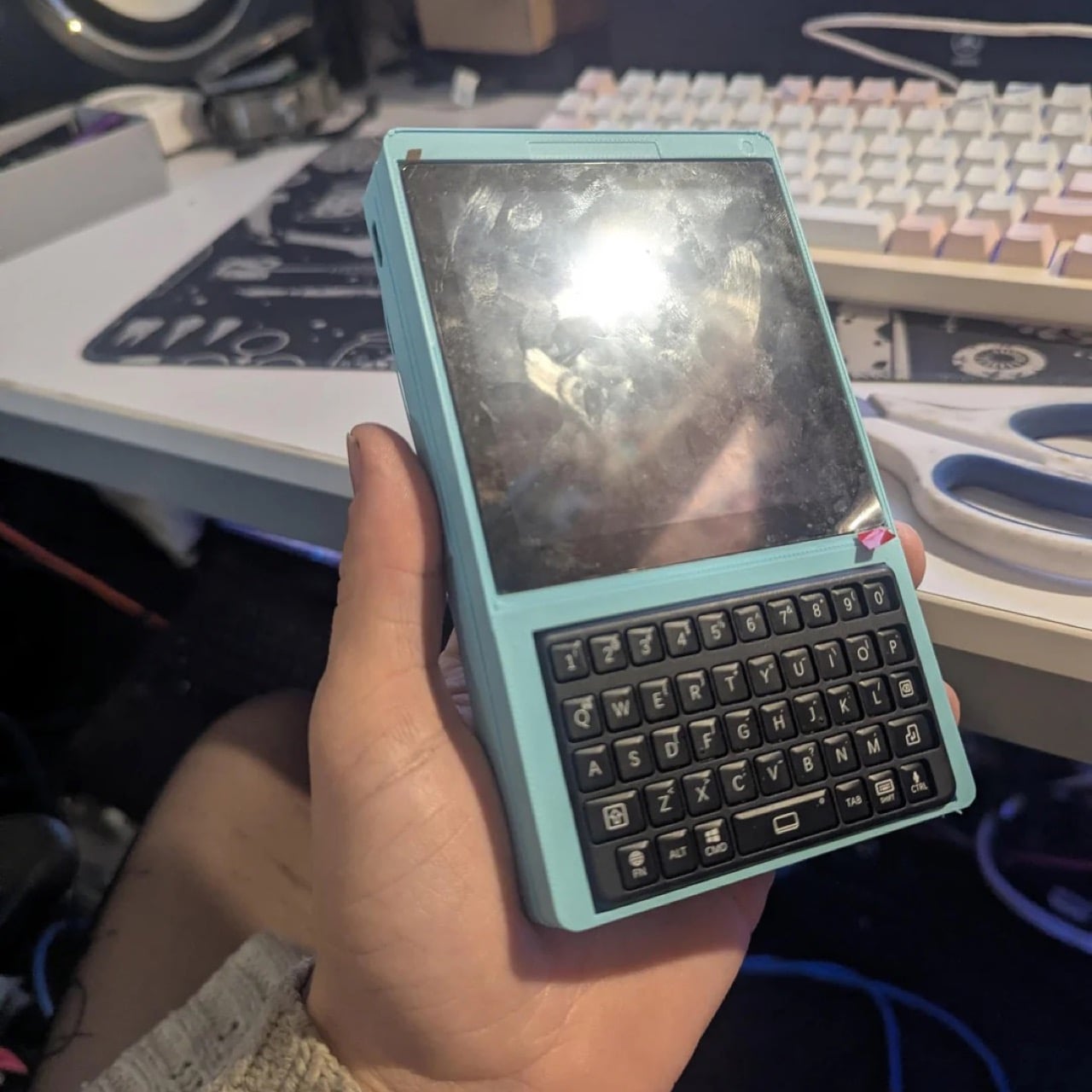
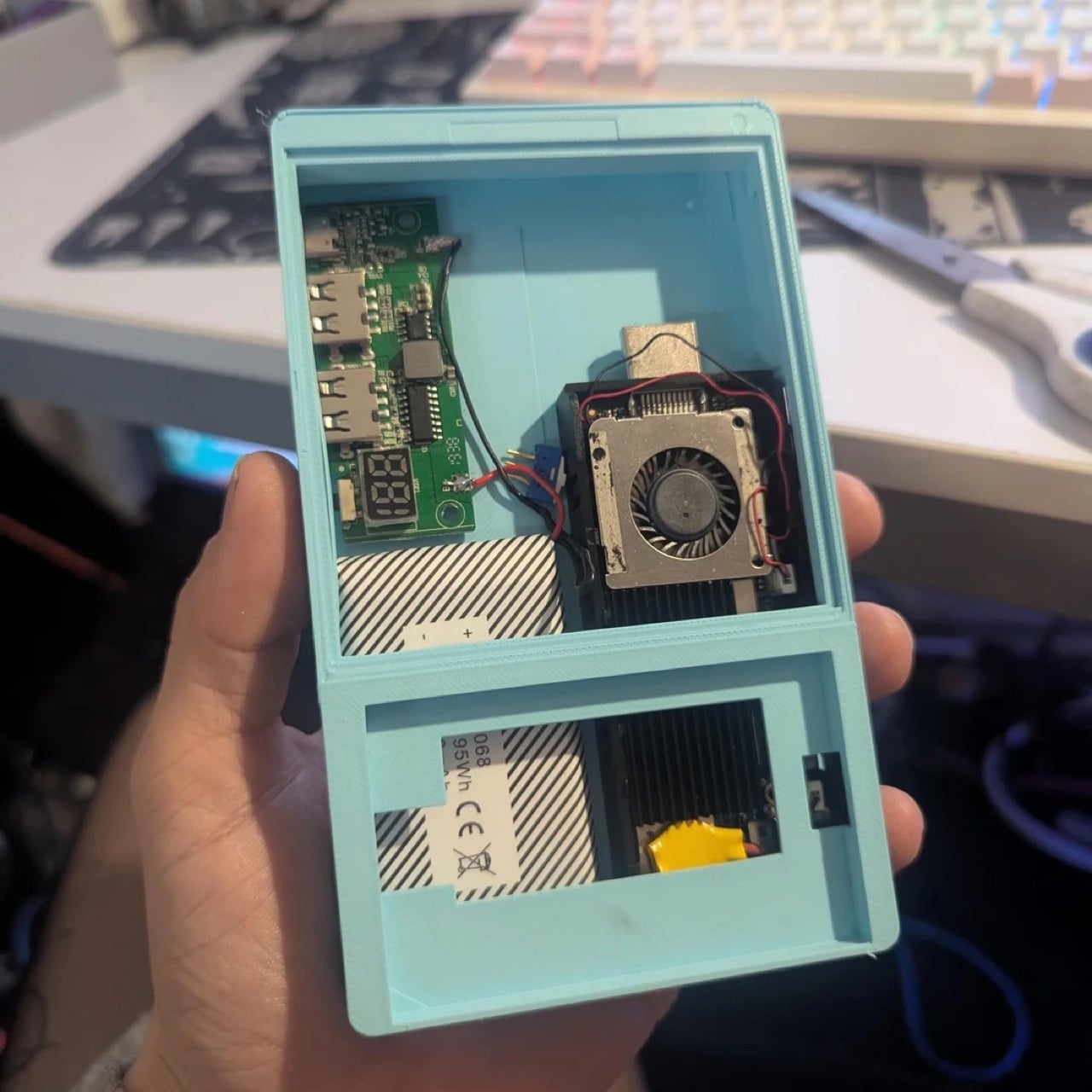
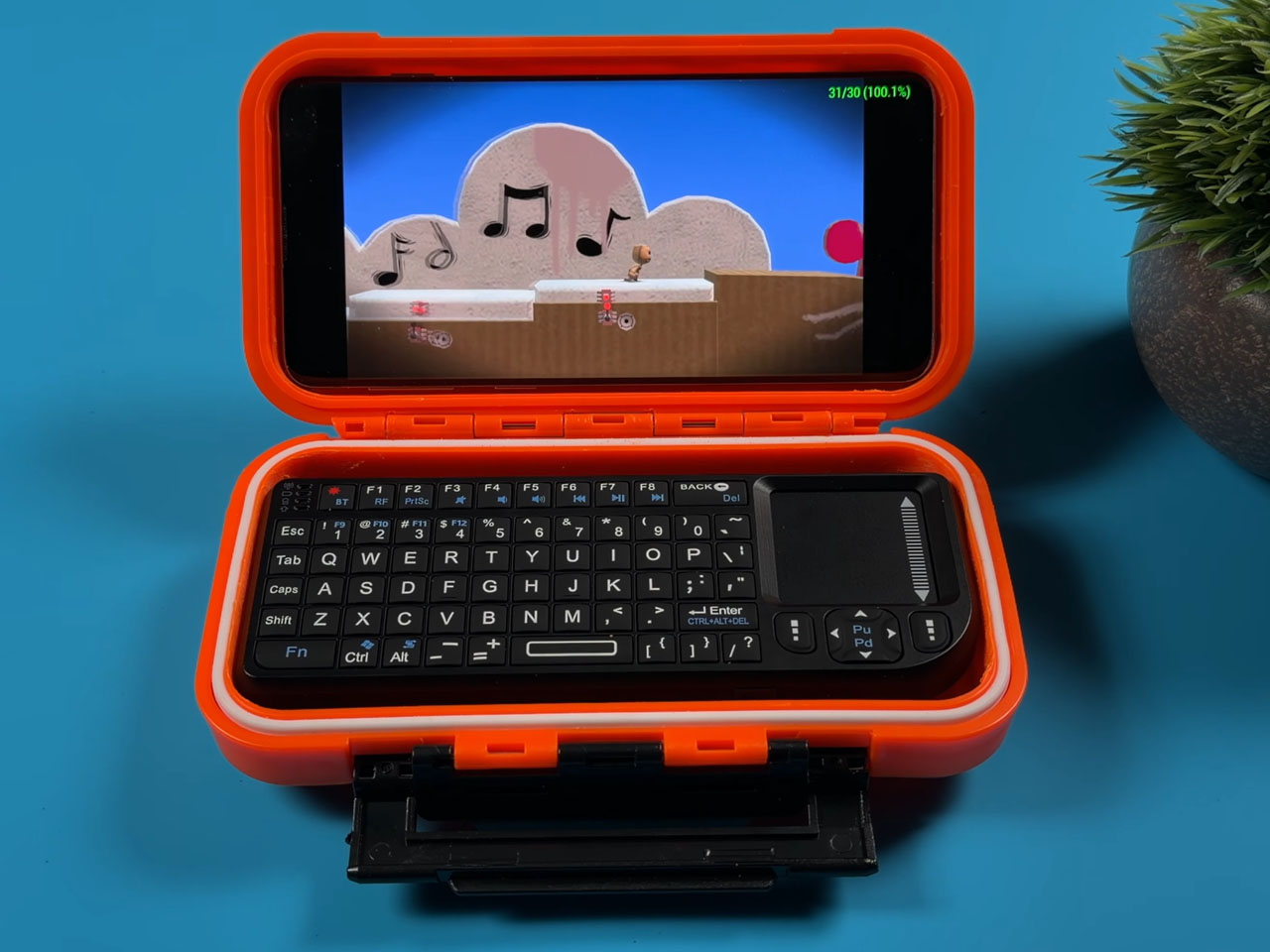
The build, posted by a Redditor going by thetechdoc, is currently named the blackberry cyberdeck while the comments section argues over something catchier. In place of a BlackBerry’s actual phone parts, the keyboard now sits on top of a tiny stick computer, the same kind of gadget people used to plug into a TV’s HDMI port to stream movies. It runs on a homemade power setup too, combining a charging circuit pulled from a phone charger with a battery salvaged from an old Android handheld, enough for about six hours of video so far. Everything is wrapped in a 3D printed shell that’s currently mint green, with a matte black version planned once the fit is finalized. There’s even talk of giving away the design for free, so anyone with a 3D printer and a soldering iron could build their own slice of BlackBerry nostalgia.

Designer: thetechdoc

BlackBerry’s keyboards were built for thumbs, with a slight curve on each key that helps you find letters without looking down. That shape is exactly why this build works, since the keys were already sized for something this small. We’ve covered cases like Clicks that bolt a similar keyboard onto an iPhone, though the phone grows noticeably longer to make room. This build skips that tradeoff by ditching the smartphone entirely and building a new device around just the keyboard. The footprint stays close to the keyboard’s own size, with a small screen stacked directly above it.

The project started as an attempt to retire an aging Palm Tx PDA, mainly for reliable alarms and a calendar. Small Android powered boards turned out to be a dead end, since none of them could properly sleep and wake. A rumored Palm OS port for the tiny Pi Pico chip also came up empty, with no public files anywhere. The fix ended up being an old Intel Compute Stick, a mini PC once meant for the back of a TV. It already has a working power button for sleep and wake, solving the one problem that kept derailing earlier attempts.

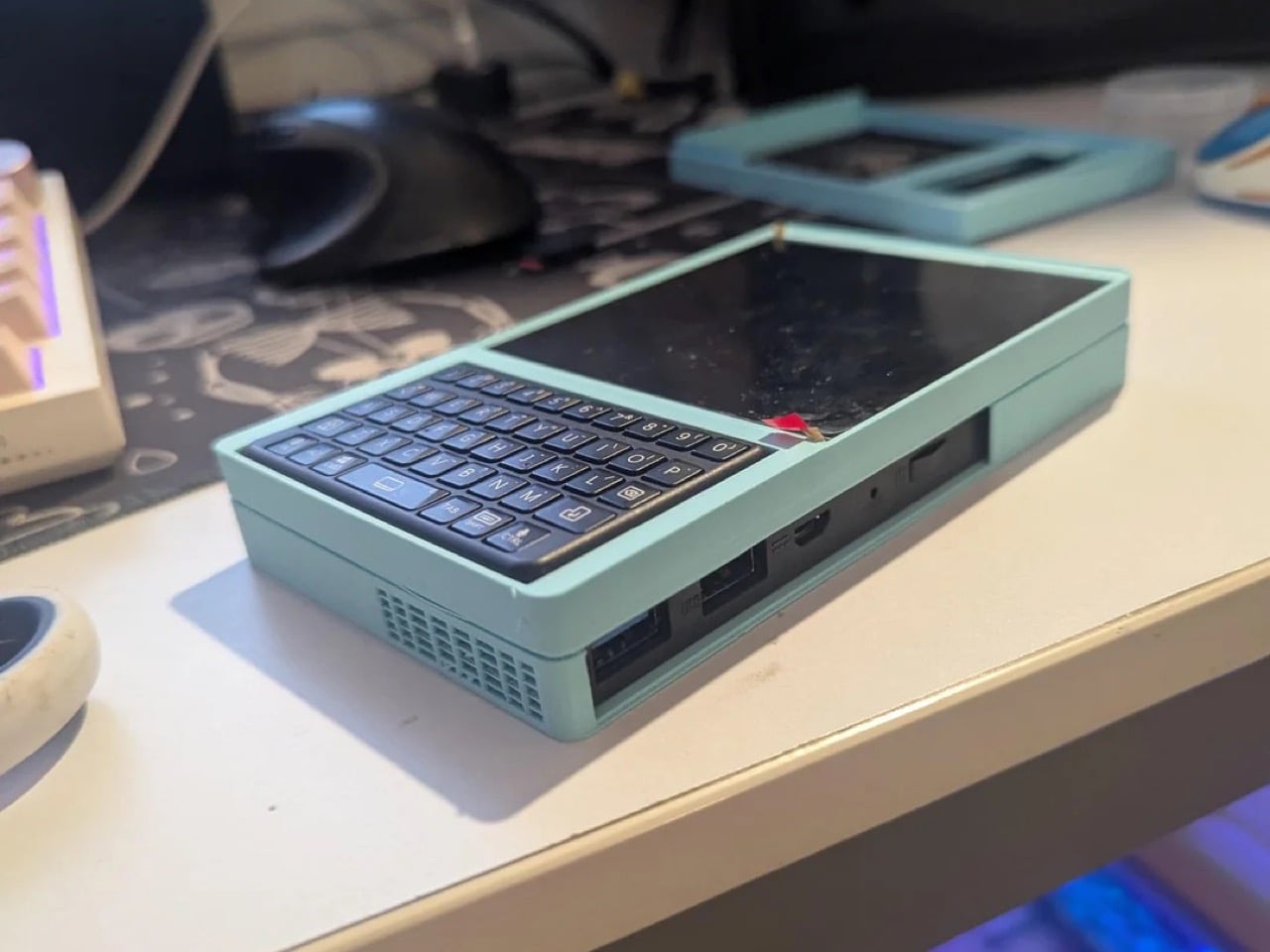
Crack the case open and it looks more like a tiny power station than a phone, with a charging board salvaged from a portable charger. A battery pulled from an old Android handheld powers it all, good for around six hours of video so far. A pair of USB ports and an HDMI output line the edge of the case for accessories or a monitor. Even the name is still up for grabs, with suggestions ranging from Deckberry to the slightly unfortunate Dickberry. Color is just as undecided, with the mint green prototype splitting opinion against the matte black finish planned for later.

What you can actually do with it once it’s finished is the more interesting question, since the x86 chip allows a real desktop operating system instead of the cut down mobile interfaces most pocket computers settle for. thetechdoc plans to run CentOS or Fedora as the main system, with an Android x86 build available as a secondary option for app heavy tasks. That means actual desktop software runs natively, browsers, terminal access, file managers, even basic coding tools, rather than a locked down phone interface pretending to be a computer. The original PDA goal of alarms and a calendar still works fine, but now it sits alongside the ability to SSH into a server, edit a document, or use the whole thing as a tiny desktop once it’s plugged into a monitor. What it adds up to is a genuinely useful pocket sized Linux machine that happens to type like a BlackBerry.

thetechdoc has floated releasing the design files for free, undercutting paid BlackBerry keyboard decks like the HackberryPi that sell for around $90 to $125 USD. All it would cost anyone else is a 3D printer, a soldering iron, and some patience. If the final version works, BlackBerry diehards finally have a good reason to dig that old keyboard muscle memory back out of storage.

The post This BlackBerry Cyberdeck Brings Back the QWERTY Keyboard, Powered by an old Intel Compute Stick first appeared on Yanko Design.
Forget the Steam Deck, This Custom-Built Handheld Runs a Full Linux Desktop in Your Palms

Before the iPhone arrived in 2007 and quietly buried the category, handheld PCs were shaping up to be something genuinely exciting. Devices like the Sony Vaio UX and OQO Model 2 promised a full desktop OS in your jacket pocket, and for a brief window, that felt like the obvious future of personal computing. Smartphones won that argument decisively, and the handheld PC faded into a footnote. A YouTuber who goes by Wisce decided that footnote deserved a second chapter, and built one himself from scratch.

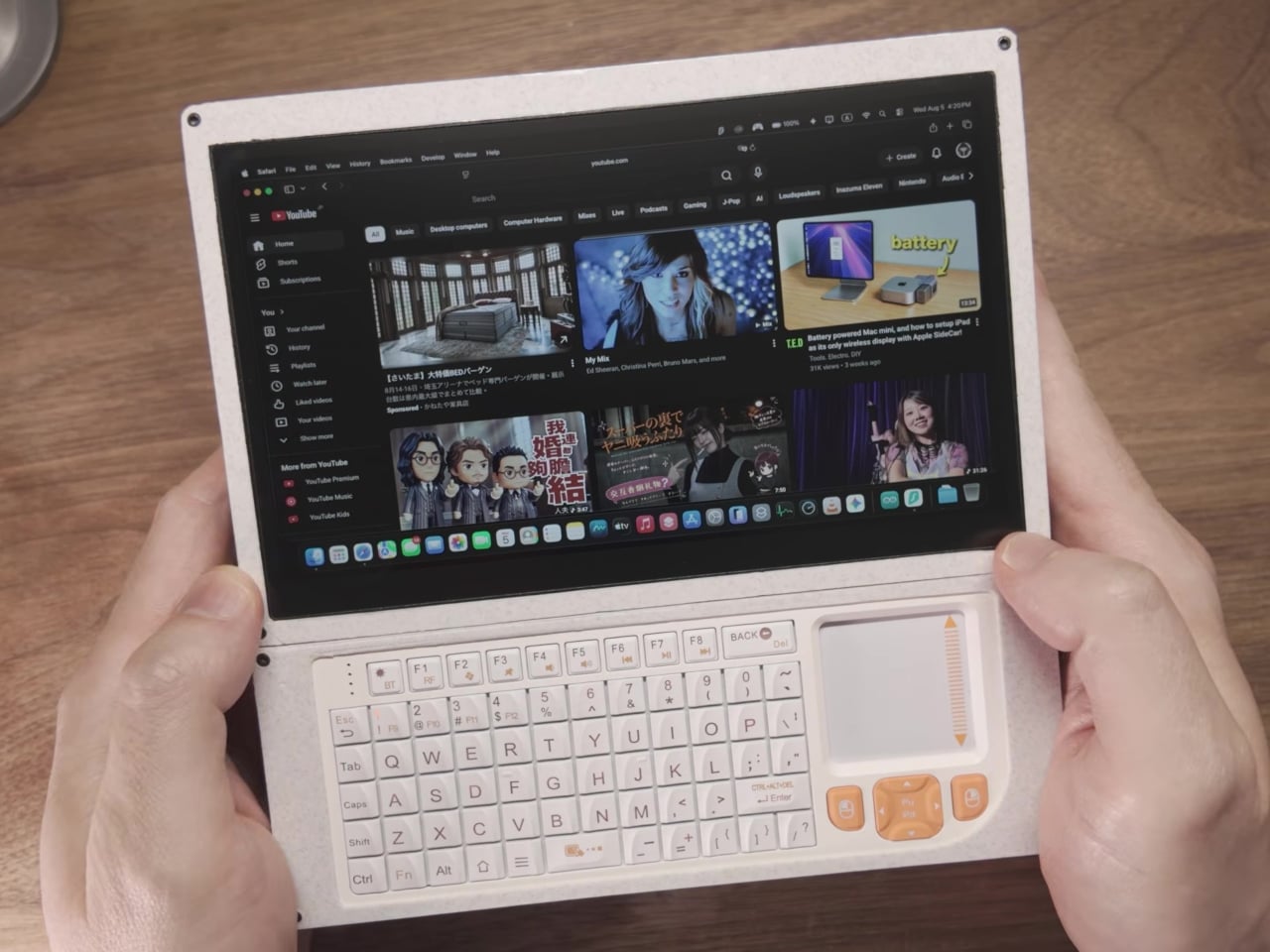
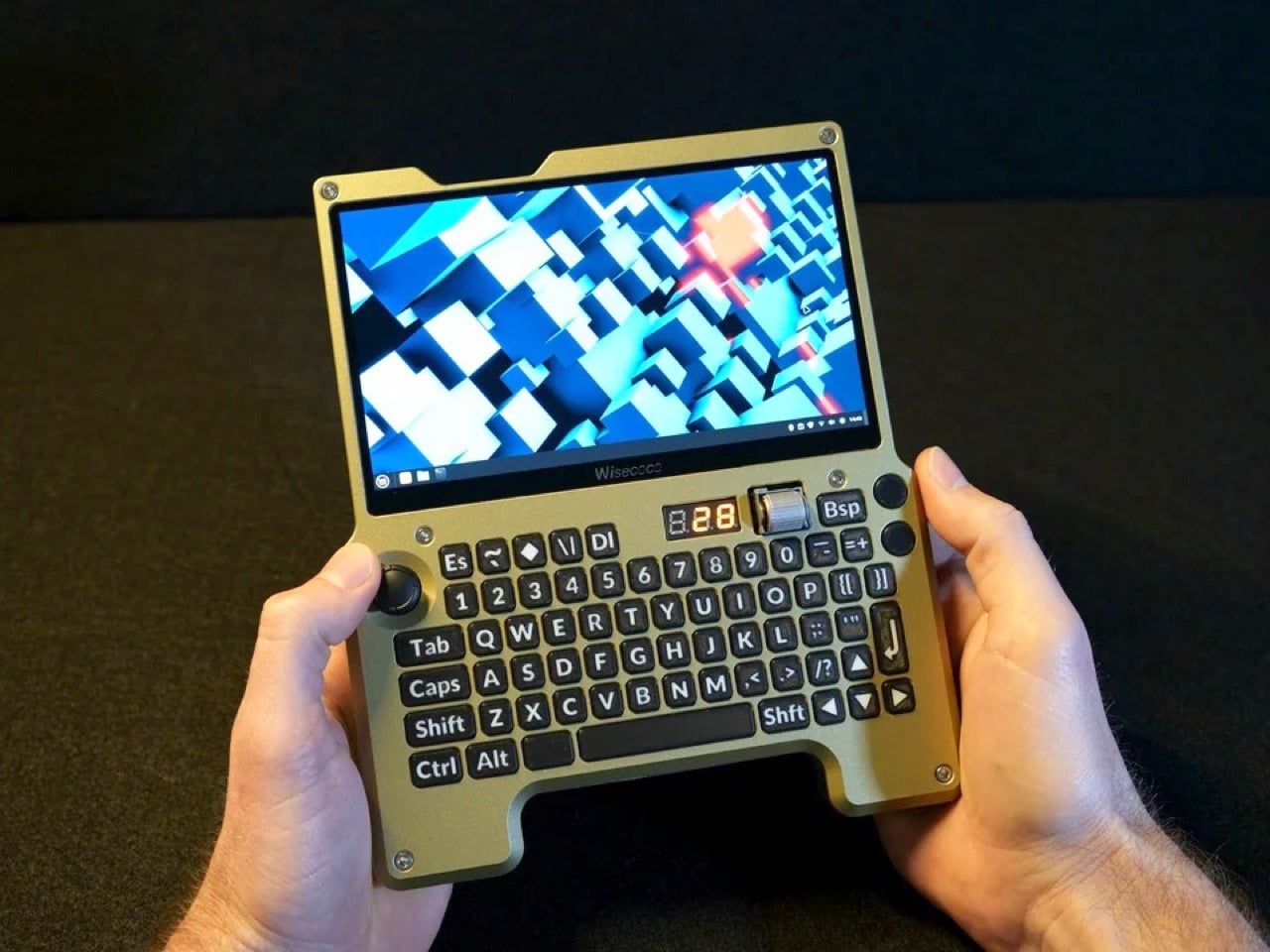
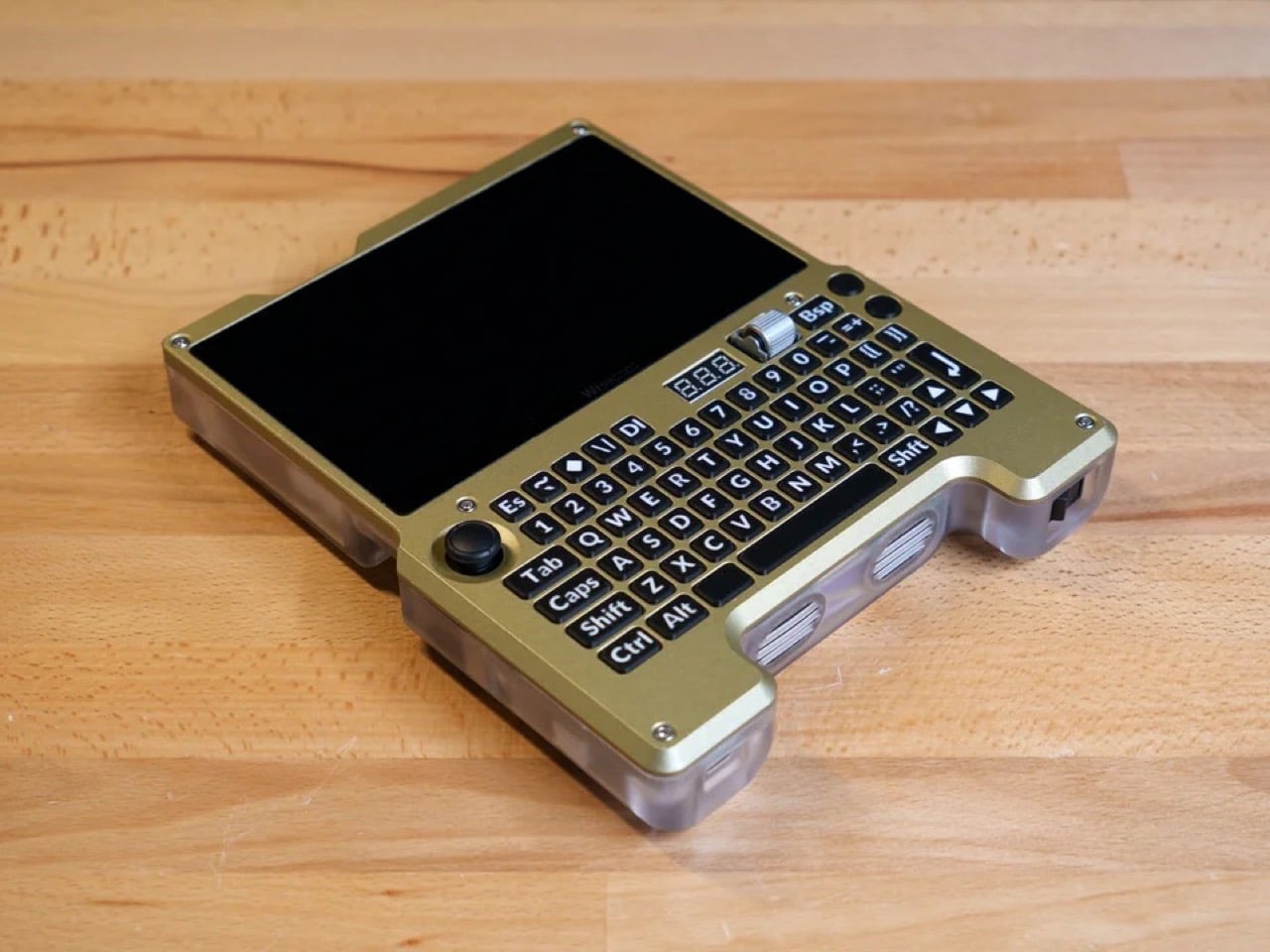
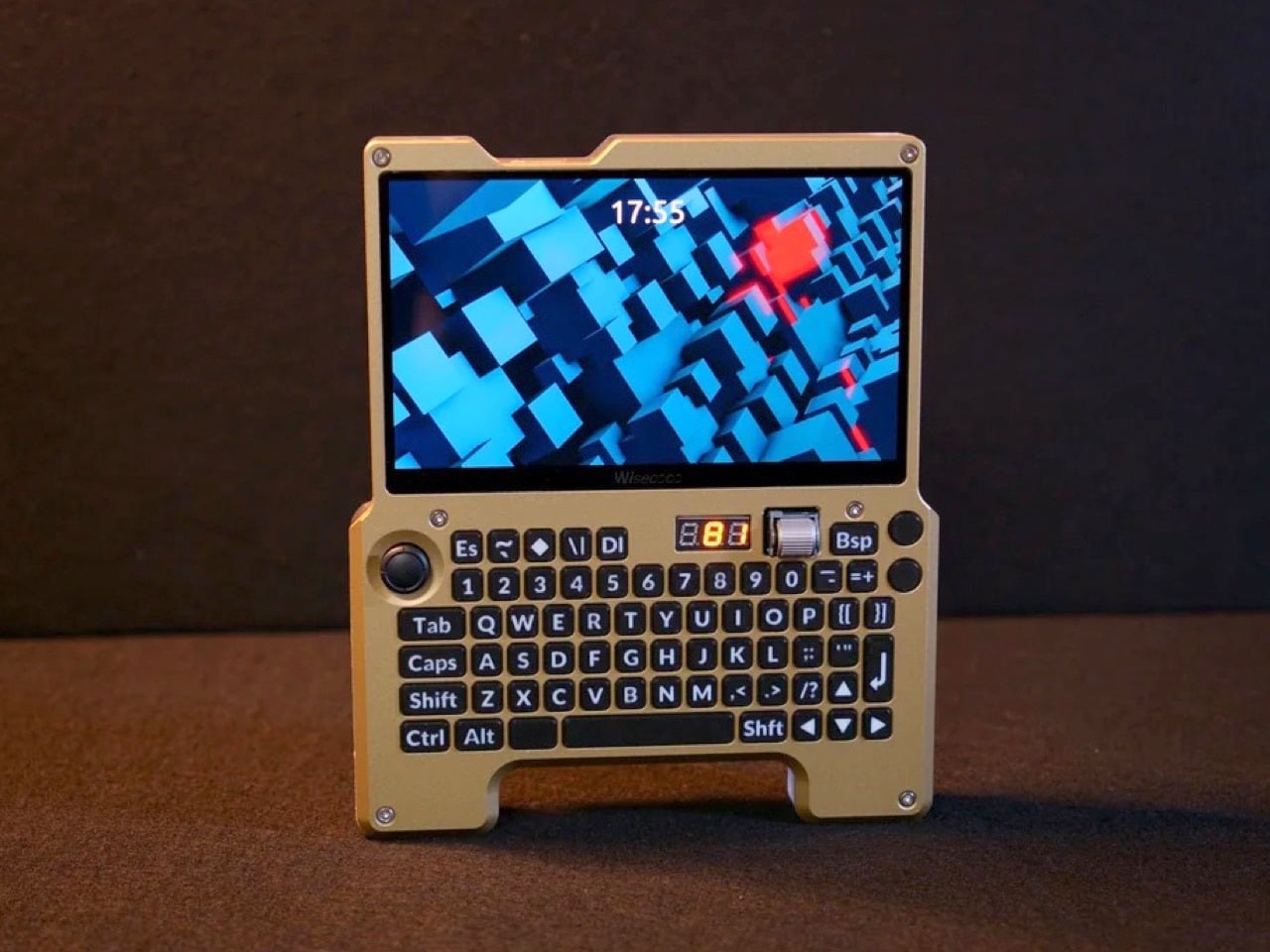
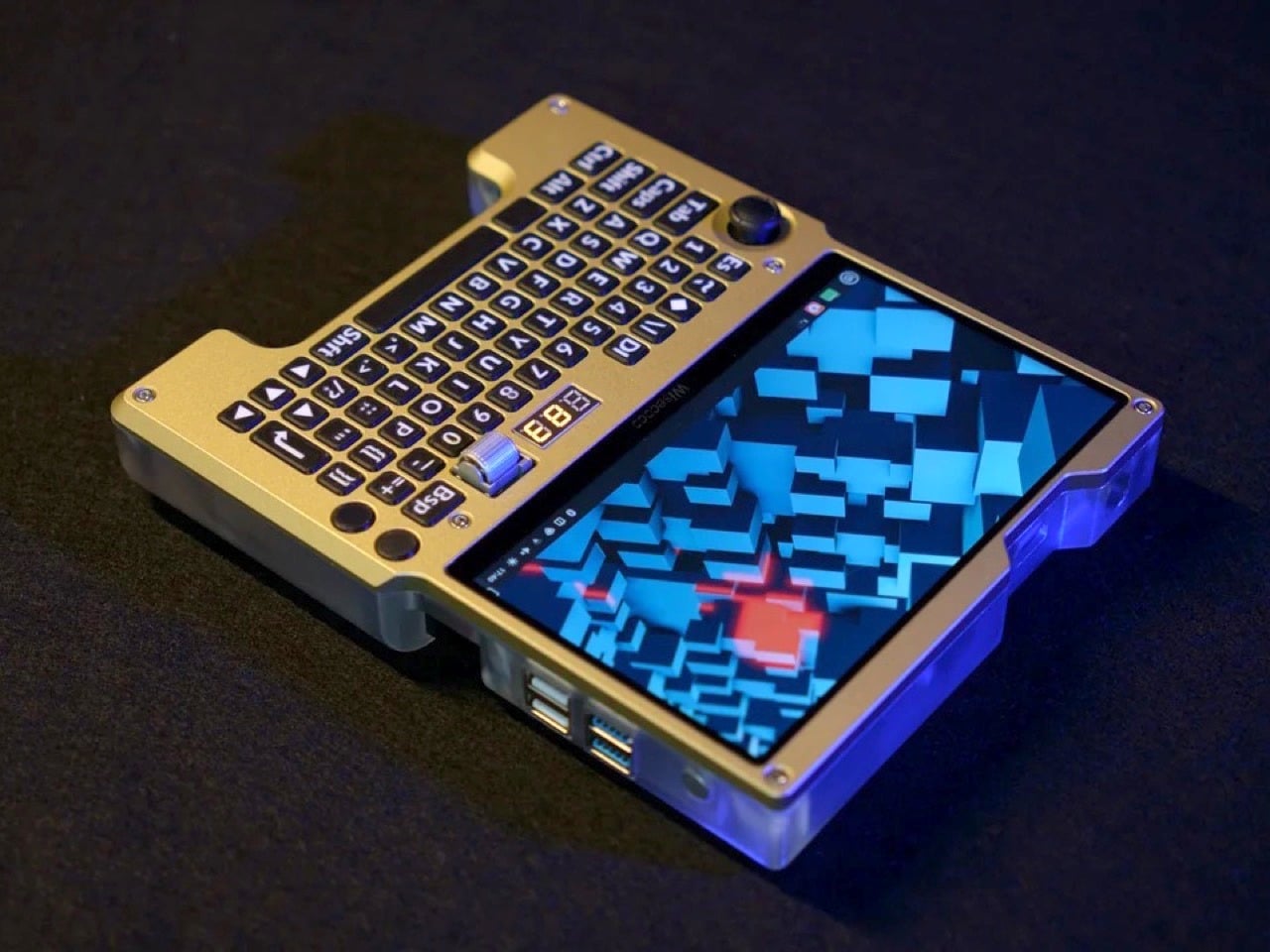
The result is a fully custom x86 handheld computer built around the LattePanda Mu single-board computer, running Linux Mint on a 7-inch 1920×1080 120Hz display. It has a full QWERTY ortholinear thumb keyboard with custom-printed keycaps, a Joy-Con thumbstick repurposed as a mouse, a horizontal scroll wheel, four USB ports, a full-size HDMI output, USB-C charging, and a 4,500mAh battery pack with a three-digit readout that tells you exactly how much juice is left. Every single component was designed, sourced, or fabricated by hand.

Designer: Wisce

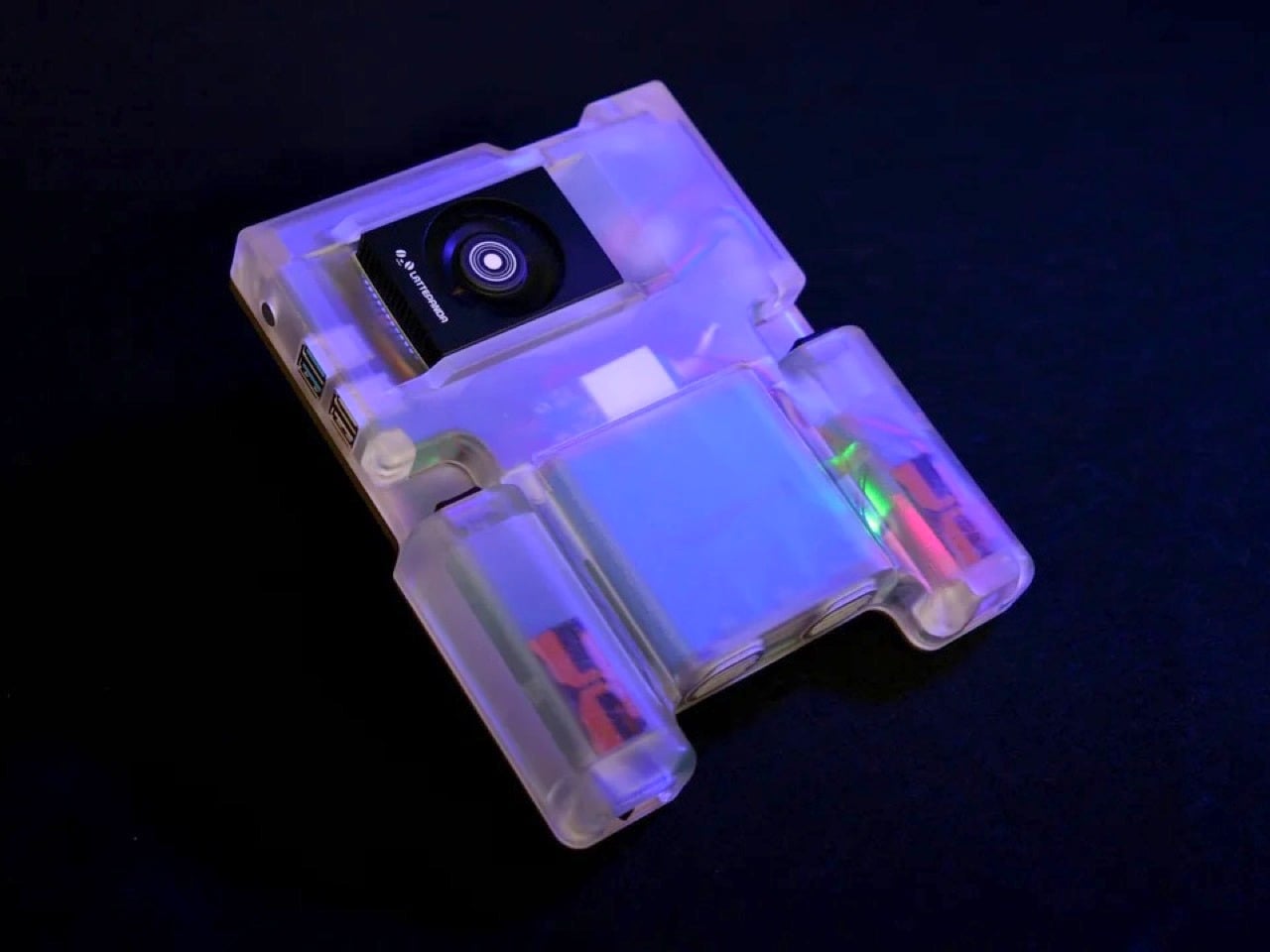
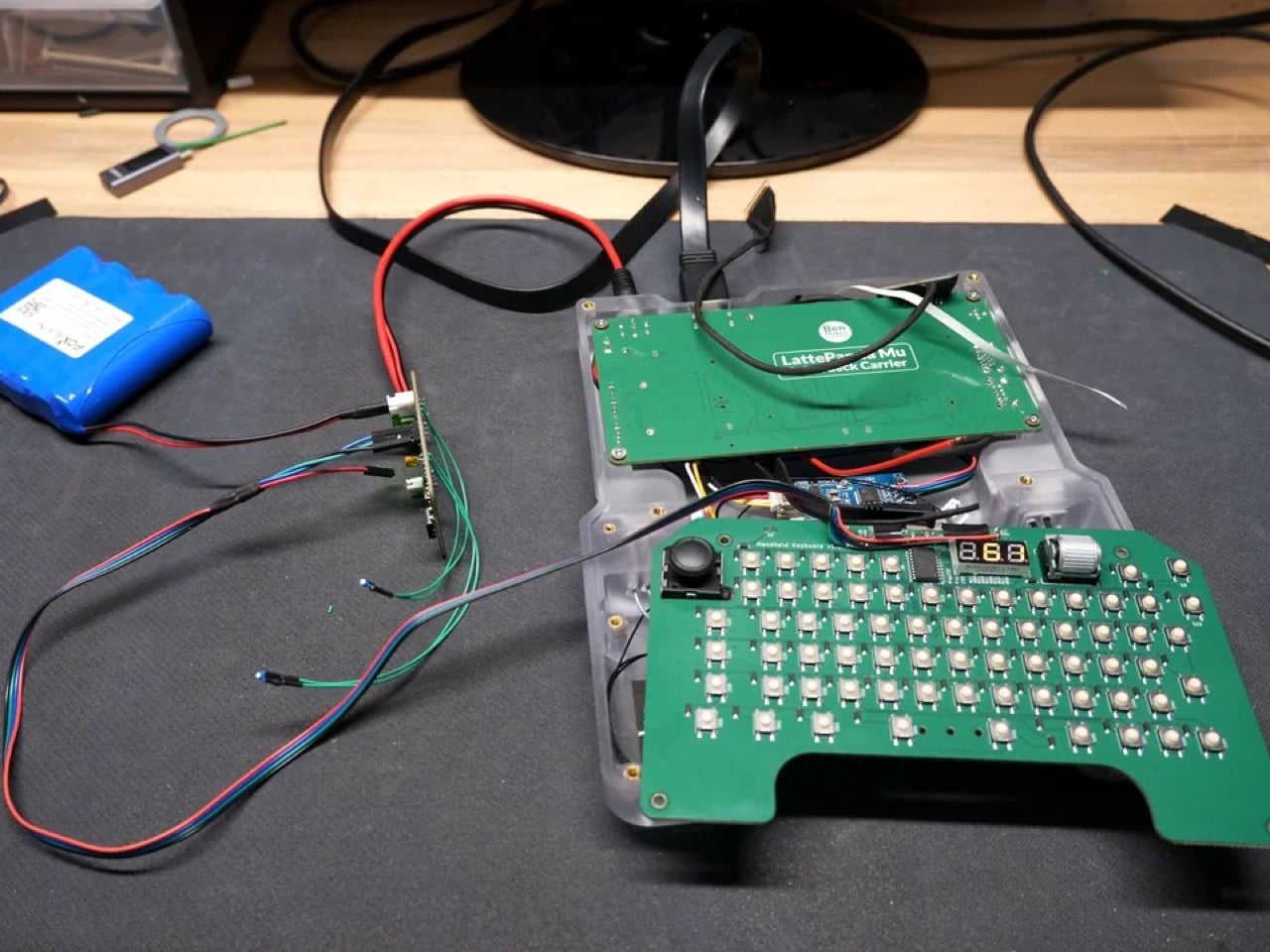
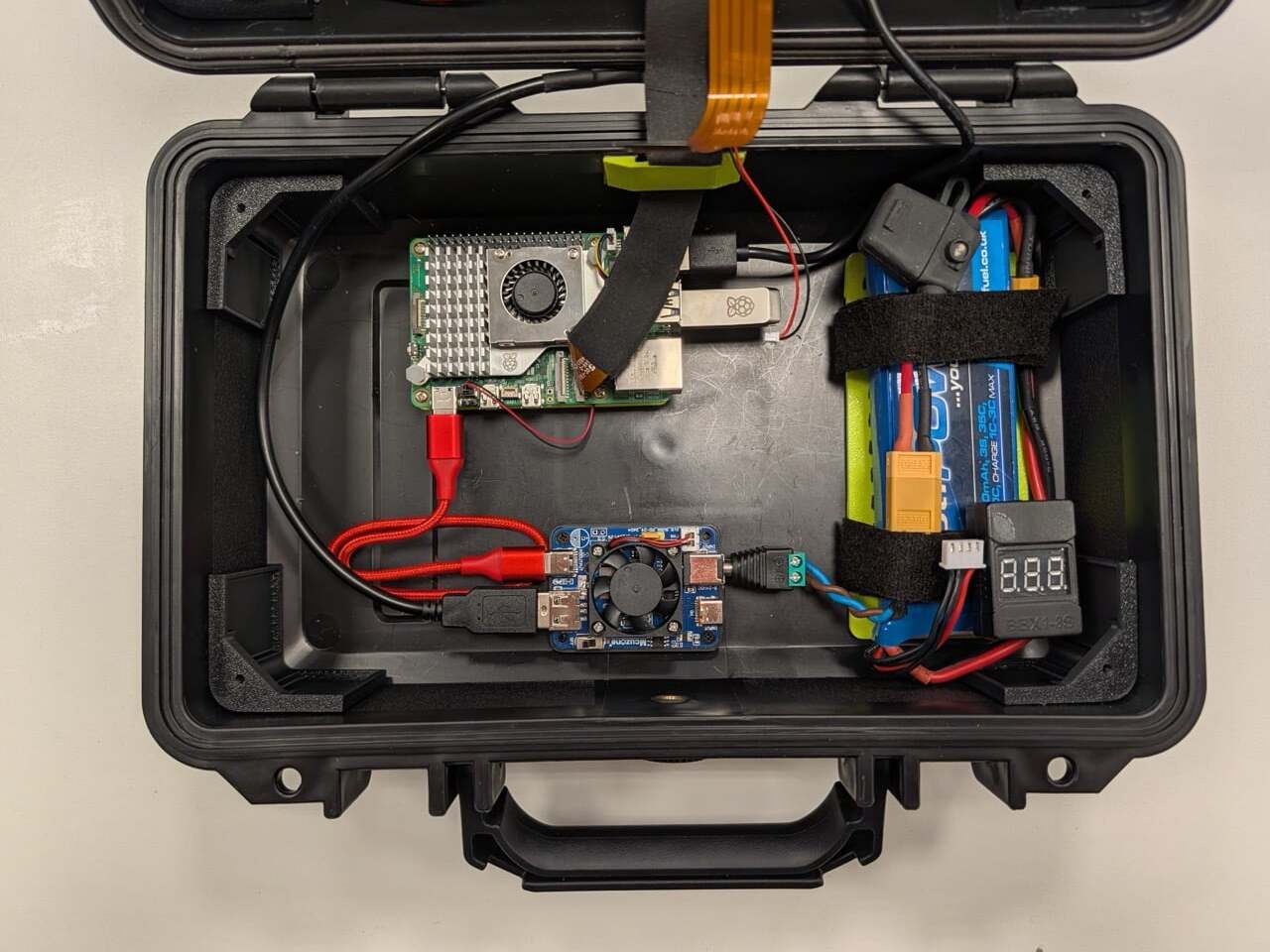
The LattePanda Mu is an x86 SBC that outperforms even the Raspberry Pi 5 by a notable margin, and Wisce built a custom carrier board for it rather than using an off-the-shelf solution. That board delivers four full-size USB ports, a full-size HDMI port, M.2 SSD and Wi-Fi slots, and internal USB connectors for the keyboard and audio subsystem. A 1TB SSD and a budget Wi-Fi card complete the internals. The operating system is Linux Mint, chosen partly on merit and partly because Wisce’s previous builds attracted considerable audience displeasure when they shipped with Windows 11. Linux also strips out the background process bloat that Windows tends to accumulate, giving the Mu’s x86 architecture more room to breathe.
The display decision alone took multiple iterations to land. Wisce initially planned to use a 1024×600 60Hz panel from DF Robot, the parent company behind the LattePanda line, but rejected it for its low resolution, large bezel, and limited refresh rate. The replacement is a 1920×1080 120Hz eDP panel with a much thinner bezel, connected directly to the Mu’s native eDP output via a custom PCB that reroutes a pin mismatch between the two connectors. That kind of problem-solving shows up everywhere in this build: when a straightforward solution didn’t exist, Wisce designed one.

The keyboard runs on a custom PCB with an RP2040 microcontroller integrated directly into the board, bypassing the need for a separate Arduino or Pi Pico. The switches are surface-mount tactile types rated for around two million presses, sized small enough to fit a full QWERTY layout without sacrificing the thumb-typing ergonomics the ortholinear arrangement was chosen to support. Keycaps were modeled in Fusion 360 and printed on an FDM machine using a 0.2mm nozzle and multi-material filament to get legible, sharp legends on each key. The Joy-Con thumbstick on the left handles cursor movement via a QMK profile that maps it as a mouse, and the horizontal rotary encoder scroll wheel on the right is, by Wisce’s own admission, one of his favorite things about the finished device.

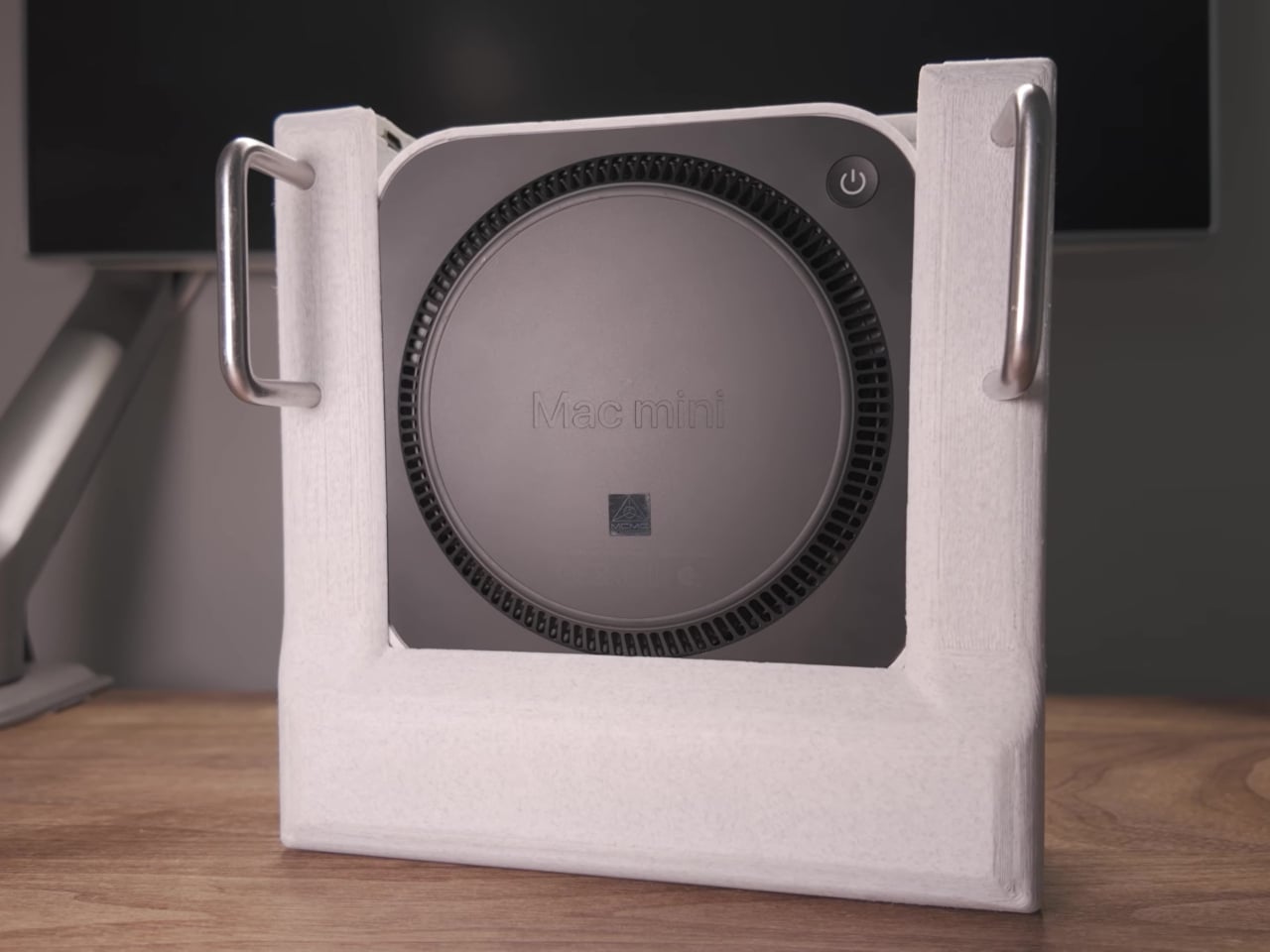
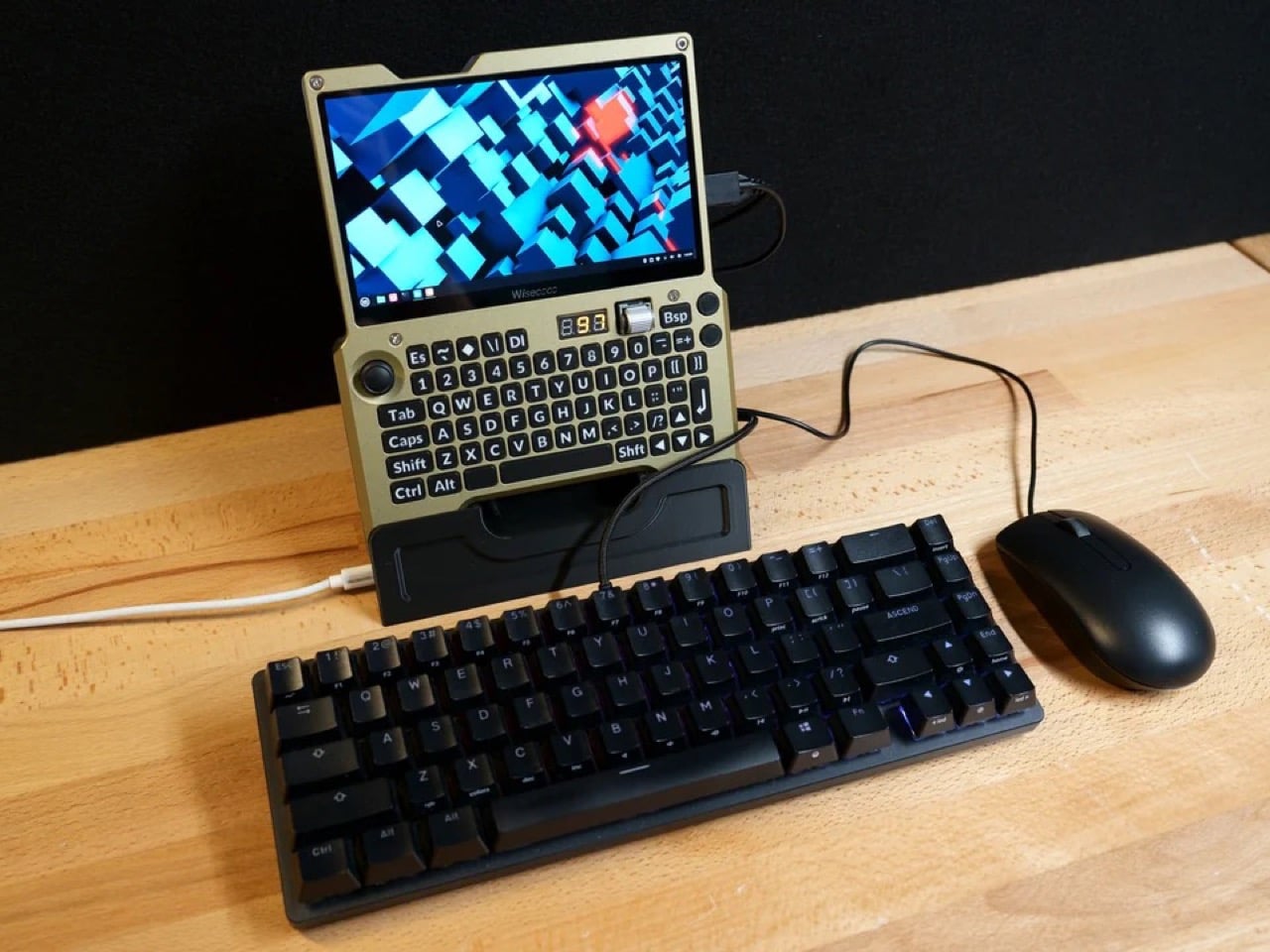
The enclosure is a two-part construction: a translucent resin rear shell that keeps the internal geometry visible, and an aluminum front plate that was CNC machined, anodized, then repainted by hand after the factory “champagne” finish came out looking closer to a flesh tone than the golden bronze Wisce had rendered. The finished device is 36mm thick at its deepest point and weighs approximately one kilogram, which puts it in a different category from a Game Boy but well within the range of something you’d actually carry. A 3D-printed dock props it upright on a desk with the HDMI port and USB-C charging accessible, turning the handheld into a functional desktop workstation when paired with an external keyboard and mouse.

What makes this build genuinely compelling, beyond the craftsmanship, is how clearly it articulates a design philosophy that commercial manufacturers keep fumbling. Devices like the GPD Win 5 chase gaming performance and end up compromising portability or pricing out most buyers. The Steam Deck nails the gaming use case and handles general computing as an afterthought. Wisce’s machine is neither of those things. It’s a full x86 desktop OS in a form factor that fits in two hands, with physical controls that were chosen specifically for the way humans hold objects, a battery system that actually communicates with its user, and a screen bright and sharp enough to make the whole proposition feel current. The handheld PC category failed twenty years ago because the hardware wasn’t ready. This build suggests the hardware has been ready for a while, and we’ve just been waiting for someone stubborn enough to put it together properly.

The post Forget the Steam Deck, This Custom-Built Handheld Runs a Full Linux Desktop in Your Palms first appeared on Yanko Design.