The Fastest Way to Clear iPhone RAM in 2026 With iOS 26.4

The Fastest Way to Clear iPhone RAM in 2026 With iOS 26.4 Featured image for How To Clear iPhone RAM Memory - iOS 26.4 !

Clearing your iPhone’s RAM is a practical way to improve its performance, particularly when dealing with unresponsive apps or sluggish behavior. By freeing up RAM, you can temporarily enhance your device’s speed and responsiveness. This guide outlines two effective methods for clearing RAM on devices running iOS 26.4, making sure a smoother and more efficient […]

The post The Fastest Way to Clear iPhone RAM in 2026 With iOS 26.4 appeared first on Geeky Gadgets.

Posted in Uncategorized

DJI Osmo Pocket 4 review: The only vlogging camera you’ll ever need

DJI’s Osmo Pocket 3 gimbal-camera was a category-defining camera. Two years since its launch, everyone from vloggers to pro film makers continue to upload how-to guides and gushing reviews to YouTube. When the Osmo Pocket 4 landed at the FCC at the end of 2025 (followed by a credible leak), creator forums and Reddit threads started to chatter with excitement. Over the following months the Pocket 4 leaked again and again, to the point where there’s very little that someone with a passing interest and an internet connection doesn’t already know about the camera. But DJI chose today to give us the official reveal, so we’re here with the full review which, remarkably, does contain some surprises. 

For those who were waiting for official, confirmed specs and information, here’s a rundown of the headline new features of the Osmo Pocket 4. The camera is still 4K, but comes with an updated 1-inch CMOS sensor that DJI says is good for another two stops of low light performance (for a total of 14). The camera retains the 20mm equivalent, f/2.0 lens but squeezes in an improved max framerate of 240 fps (up from 120 fps) for up to 10x slow-mo. The Pocket 4 can also shoot in full, high dynamic range 10-Bit D-Log, upgraded from the more lightweight D-Log-M available on the Pocket 3. Shutter speeds are now expanded and go right down to 1/4 for extreme light effects. 

Hardware changes are few, but do include two new buttons below the 2-inch display. One is a dedicated zoom button and the other you can assign a function from a selection of common tasks — rotating the gimbal, toggling recording presets and so on. You can assign up to three different controls to this button via single, double and triple clicks. There’s also 107GB of internal storage. You can still use SD cards, but you don’t need to if you don’t want to.

That zoom, DJI states, is good for 2x “lossless” zoom while shooting in 4K and 4x in 1080p. The Pocket 3’s 2x Mid-Tele zoom had to be activated first, but now you can use lossless zoom any time and/or while using ActiveTrack face-tracking. It’s available in Portrait mode, too, but if you’ll need to have the screen in the horizontal position to access the buttons, which means your viewfinder/preview will be teeny-tiny as it’s rescaled for 16:9.

DJI Osmo Pocket 4
DJI Osmo Pocket 4
James Trew for Engadget

DJI has added on-camera “Film Tones” which are similar, functionally, to film simulations seen on Fujifilm cameras. There are six to choose from at launch and include subtle and not-so-subtle stylized color tones that apply different “moods” to your videos without having to manually color grade or use a LUT after the fact. As for still images, there’s an on-screen button for “Live” photos similar to what you might find on an iPhone. Live photos were sorta-kinda possible on the Pocket 3, but they are a little bit easier this time around.

A lot of DJI drones include Gesture Control, which lets you start/stop recording and engage ActiveTrack from a distance, and that’s new on the Pocket 4 too. 

On the audio side of things, the Pocket 4 now has “audio zoom,” so if you have two people in a scene and do a close up on one of them, the volume of their voices will be boosted. It’s a little crude, but it could be handy in certain situations. The Pocket 4 can also record spatial audio via the three onboard microphones, good for live music and other situations where sound placement might matter. 

Lastly, the Pocket 4 has a modular component. At launch, there’s a magnetic fill light that clips onto the gimbal and can be configured via the camera menus. It’s included in the creator combo and opens the door for other modular accessories, though it’s limited to things that can sit on the gimbal without causing problems. A shotgun-style microphone, for example, could be possible.

The display and controls on the Osmo Pocket 4
James Trew for Engadget

Battery life also gets a slight boost over the Pocket 3 with a 1,545mAh cell — which is almost a 20 percent increase. That translates to an extra 30 minutes or so of recording time for an average of two and a half hours at 4K, more if you shoot in lower resolutions or are using the camera for photos.

What we don’t see here, an item that you might have been hoping for, is any type of optical zoom. What’s more, the max resolution in vertical mode remains capped at 3K. You still have to rotate the camera if you want full-sensor, 4K video in portrait.

The popularity of the Pocket series is thanks to its combination of high-quality video and a portable form factor. The Pocket 4 builds on this winning formula with exceptional quality for the camera’s size. The new 1-inch sensor is noticeably more detailed than the Pocket 3 and DJI’s claim of improved low light performance is backed up by stellar results. I took the Pocket 4 out at night and it bested its predecessor with far more dynamic range and better exposure in shadowed areas that come out dark or fuzzy on the Pocket 3. 

Image performance in general is impressive and a definite strong point for a camera of this size. Colors now look more natural than ever without looking over-saturated. Similar shots on the Pocket 3 look a little flatter when viewed side by side. I like that the f2.0 aperture still provides some light bokeh, and when combined with the new D-Log mode, there’s plenty of scope for cinematic shots. These would be harder to achieve with a phone and don’t require the setup and planning of a mirrorless camera. 

With the extended shutter speeds you can get some interesting effects — dramatic light trails in traffic for example — but it’s going to over expose any other light source in your shot. So, proceed with caution. The Pocket 3 bottomed-out at 1/25, but the Pocket 4 goes right down to a dramatic 1/4. 

The 2x lossless zoom surprised me. At first, I was sceptical about DJI’s claims of it being lossless, but it does seem to maintain visual quality without noticeable loss of detail. Though if you want to use that 4x zoom in 4K, expect to see some digital artifacts. The Pocket 4’s 20mm lens is particularly suited to wider, vlog-style shots, so a usable zoom is a welcome addition. It’s worth noting that it’s better used for static and tripod shots as any gimbal movements and keeping a subject in frame can feel like steering a ship.

Until now, if you were aiming for a more cinematic style, you had to get comfortable shooting in D-Log-M and boning up on color-grading. DJI provided some filters in the Mimo app for a quick and dirty way to add a mood or vibe to your videos, but that still caused some friction in the workflow. The new film modes are on camera, so achieving something more stylized is now just a menu tap away. I’ll be honest, I’m not a huge fan of the selection available right now as they’re either too hot or too cold. Of the six, Warm and Movie seem the most usable for cozy-style landscapes or B-roll cityscapes. 

DJI hasn’t shared much about whether these are just on-camera filters or true film simulations. Movie and Retro, at least, were already available as filters in the app. If the full effect is too strong, you can dial down the intensity, but that’s the extent of the control. Their addition here expands what you can get out of the camera without using the app or having to drag things over to your editing software. It’s unclear if we’ll see more options in the future, but they’re there if you need them.  

One of my main complaints with the Pocket cameras was the zoom. More specifically, controlling it with the joystick. It always looks slow, inconsistent and a bit amateur when zooming in manually. The new button provides an instant punch-in that can be used for an intentional, attention-drawing effect. I can’t count the number of times I’ve ruined a shot because I thought I had the joystick set to zoom, but it was still assigned to panning (you had to toggle its use via an on-screen button). With the physical button, I can close in on a target instantly and never worry about accidental pans.

The button layout on the Osmo Pocket 4
James Trew for Engadget

The second, customizable button is also a real usability upgrade. If, like me, you’re constantly recentering the gimbal, you’ll know that the usual double-click on the joystick is often unreliable. Now you can assign that action to the button plus two more controls from a selection of common actions. I have it set so double-click switches to one of my manual recording presets and triple-click locks the gimbal so I no longer have to jump into the main menu to switch gimbal modes. It even works while recording if I spontaneously decide I want to keep my horizon level.

Changing what this button does is simple: Long-press it and it’ll jump into the settings where you can choose its functionality. There’s still scope for some refinement, as although a double click can instantly start recording with my preferred settings, clicking again doesn’t stop it. You have to use the record button. This makes some sense, but I’m used to using the same button to stop/start recording, so intuitively I thought that might be the case here. Sadly not.

Something a little unexpected in the Pocket 4 is the addition of spatial audio. Using the three built-in microphones, the theory is you should be able to hear where sounds are coming from — though you’ll need headphones on for the effect to work. In practice, it does create a different audio ambience, one where sounds feel more relative to their location, but it comes at a price. If you speak to the camera, even if you’re nearby, your voice will sound distant and muddled so spatial audio is something you’ll want to use intentionally and certainly not as a default setting.

The same is true for that audio “zoom.” To be fair to DJI, I’ve never found an audio zoom I truly liked. You can’t capture better audio than what the microphone is receiving, so amplifying it in any way isn’t going to improve it beyond what you can do with editing software. In a pinch, this might help with interviews when you have multiple speakers, no external microphone and need to publish quickly, but I’m reluctant to recommend it for anything else.

You can get an Osmo Pocket 4 bundle with a DJI lapel mic
James Trew for Engadget

The new “Vocal Boost” is a more useful option under the Pro settings menu. When activated, it enhances voices by lowering background noise and other sounds. Again, it’s not a fix for getting good source audio, but in noisy run-and-gun vlogging environments, it can improve your chances of capturing something useful with just the internal microphones.

Fortunately, DJI has a much better solution that was already a feature of Pocket cameras — native connectivity with its wireless microphones. The Creator Combo now includes a single DJI Mic 3 transmitter and charging cable, and it’s the absolute best way to get YouTube-ready audio from the camera. One nice tweak with the Pocket 4 is that you can now export videos with both the built-in and external mic audio as one 4-channel file. Open this in your video editor and you can mix and cut between mic and ambient audio without having to deal with separate files as before. 

The fact that there’s no real direct competition for the Pocket series is surprising. For true, like-for-like gimbal cameras, expect to find alternatives from brands you’re less familiar with — such as Agfaphoto or Feiyu. Most of the nearest competition will be action cameras like the GoPro Mission 1 or Insta360 Ace Pro 2. Both of these are great portable cameras with solid stabilisation, but they unsurprisingly favor that wide, bright and sharp action-style footage. The Pocket 4’s nearest rival for stabilized vlog-friendly filming is still the Pocket 3.

This raises the question of whether the Pocket 4 (£445) is worth it over the more affordable Pocket 3 (£389) at launch. (DJI can’t directly sell the Pocket 4 in the US, so official prices are in British Pounds or Euros.) Both are great, all-purpose, vlogging cameras versatile enough for recording in a variety of situations — though less suited to rugged/action filming thanks to the delicate mechanical gimbal. It’s likely that the price difference between the two will expand after the launch window. 

The Osmo Pocket 4 flipped down and powered off
James Trew for Engadget

The Pocket 4 might not bring defining new features like optical zoom or higher resolution, but it’s a better camera in every way that matters. There are also several quality of life improvements that make it incredibly compelling. For the extra money, you’re getting better image quality that will pay you back over time. The new buttons make the camera even more convenient and that onboard storage alone effectively closes the price gap — not to mention the huge convenience that feature alone brings with it.

Hardcore fans might have been hoping for more “dazzle” with the Pocket 4. In reality, DJI delivered a camera that builds on an already winning formula in ways that actually matter: higher quality video, improved usability, modular capabilities and longer battery life. It’s hard to argue with that.

This article originally appeared on Engadget at https://www.engadget.com/cameras/dji-osmo-pocket-4-review-the-only-vlogging-camera-youll-ever-need-120000374.html?src=rss

Anthropic will ask Claude users to verify their identities ‘for a few use cases’

Anthropic has started rolling out identity verification on Claude “for a few use cases.” The company didn’t list out those use cases in its announcement, but we’ve asked it for details and will update this post when we hear back. Anthropic says you might see a verification prompt upon “accessing certain capabilities,” asking you to verify your identity. You would have to show a valid and physical government-issued photo ID. You’d also have take a selfie with your phone or computer camera that the system will compare against the ID you present. 

The news, as you’d expect, wasn’t well-received. Many users are questioning the necessity of identity verification to be able to use an AI chatbot, especially if Anthropic already has their credit cards on file as paying subscribers. People are also criticizing Anthropic’s decision to use Persona Identities, which also provides age verification services for OpenAI and Roblox. One of Persona’s major investors is venture firm Founders Fund, which was co-founded by Peter Thiel, who’s also the co-founder and chairman of surveillance company Palantir. 

Palantir’s customers are mostly federal agencies and government offices, including the FBI, the CIA and US Immigration and Customs Enforcement. Most criticisms against the company center around the services it provides those customers, as they’re mainly used to expand government surveillance using its facial recognition and AI technologies. 

In its announcement, Anthropic said that Persona will be the one handling your IDs and selfies. It will not copy and store those images. It also said that Persona is “contractually limited” in how it can use your data and that all data passing through its process is “encrypted in transit and at rest.” Anthropic emphasized that it will not use your identity data to train its models and that it will not share your data with anyone else. 

Update April 16, 2026, 11:35AM ET: Reached for comment, an Anthropic spokesperson told Engadget that "this applies to a small number of cases where we see activity that indicates potentially fraudulent or abusive behavior, which violates our usage policy."

This article originally appeared on Engadget at https://www.engadget.com/ai/anthropic-will-ask-claude-users-to-verify-their-identities-for-a-few-use-cases-115754092.html?src=rss

Why a 60-Person Indie Studio Just Crushed Ubisoft’s $650M Pirate Game

Why a 60-Person Indie Studio Just Crushed Ubisoft’s $650M Pirate Game Split screen showing Windrose pirate survival gameplay next to Skull and Bones ship combat

Ubisoft’s long-anticipated Skull and Bones has faced significant challenges, from repeated delays to lukewarm reception, despite its massive budget and years of development. In stark contrast, the indie title Windrose, created by the 60-person team at Kraken Express, has emerged as a standout success. With over 1 million Steam wishlists and a peak of 70,000 […]

The post Why a 60-Person Indie Studio Just Crushed Ubisoft’s $650M Pirate Game appeared first on Geeky Gadgets.

Posted in Uncategorized

Forget Taking Notes — These 5 Genuis Tools Do It Better Than Your Brain Ever Could

The meeting ends. The ideas fade. The action items that felt so clear twenty minutes ago are now a blur of half-remembered phrases scrawled in a margin you’ll never look at again. Note-taking has been a productivity staple for decades. Yet, most people are still terrible at it — not because they’re disorganized, but because the tools they’ve been handed have never really matched how the brain works under pressure, in flow, or during creative momentum.

These five tools take a different approach. Some are physical, some are digital, and one sits somewhere elegantly in between. What they share is a willingness to rethink the ritual from scratch: whether that means flipping a desk whiteboard to reveal a second surface, whispering a half-formed idea into your earbuds mid-walk, or letting a handwritten time cue trigger its own reminder automatically. Note-taking doesn’t have to be a discipline you fail at. These are the tools that prove it.

1. Note

The Note desk whiteboard is exactly what it sounds like, and that restraint is the point. A small vertical slate designed for the kind of thinking that doesn’t need to last: quick diagrams, passing ideas, calculations that only need to survive the afternoon. It sits on your desk without drama, works without setup, and erases with a single cloth wipe. For anyone who has stared at a page of old notes and wondered why they kept them, the appeal is immediate. Temporary thinking deserves a temporary surface.

What earns Note a place on this list beyond the obvious is the flip mechanism. The whiteboard rotates to reveal a second surface, doubling your working space without claiming any extra desk real estate. One side can carry a dotted grid for structured diagrams and spatial thinking, while the other stays plain for freeform notes. The vertical format also accepts sticky notes directly on the surface, so you’re never locked into one method. A quick wipe resets everything, and you’re back to a blank slate without the guilt of wasted paper or the overhead of an app.

What we like

  • The double-sided flip mechanism gives you twice the working surface while keeping the desk footprint identical
  • Accepts sticky notes directly on the board, so you can blend methods without committing to just one

What we dislike

  • Notes are entirely temporary, meaning anything worth keeping still needs to be photographed or transferred before you wipe
  • The vertical format may feel unnecessary for people whose thinking is already fully digital

2. HiNotes 3.0

Most meeting tools solve the easy part. They record, they transcribe, and they deliver a summary you’ll skim once and never open again. HiNotes 3.0 is built around what happens after that. The HiDock P1 hardware works through your own earbuds with no bots, no awkward announcements, no friction at the point of capture. As founder Sean Song puts it, the real productivity crisis was never about recording: “We have built some of the most sophisticated recording and transcription technology in history, and we are still leaving meetings with a list of things we never act on.” HiNotes is an attempt to fix the silence that follows.

Where HiNotes 3.0 genuinely separates itself is in two places: context and capture on the move. Action items come with the original conversation attached, not just a stripped-down to-do. The transcript lives behind a dedicated button in each note, expandable inline so you can cross-reference the AI output against what was actually said. Speaker labels are editable after the fact. And Whisper Notes handles the other end of the problem entirely: a low-friction way to voice-record ideas wherever they arrive, pulling scattered recordings from across the day into a single coherent summary. Seven frontier models, including GPT, Claude Sonnet, and Gemini Pro, are switchable per meeting, because different content asks for different kinds of intelligence.

Explore HiNotes 3.0 Here

What we like

  • Whisper Notes captures ideas on the move with zero friction, solving the single biggest gap that every other meeting tool leaves open
  • Per-meeting model switching gives users real control over how their content gets synthesized, rather than burying a single default choice

What we dislike

  • The full feature set requires the HiDock P1 hardware, which adds a meaningful cost above the software alone
  • Seven model options, while genuinely useful, may feel like unnecessary complexity for users who want one reliable tool and nothing more

3. Almo

Almo starts from one quietly brilliant question: what if your handwritten notes could set their own reminders? The premise sounds minor until you’ve lost track of a time-sensitive idea because writing it down felt like enough. Almo reads the time you scrawl next to a note and sets a gentle alert automatically, with no menus, no switching apps, no separate alarm to configure. It respects the ritual of writing by hand while adding the one layer of intelligence that handwriting has always lacked. The result is a device that feels less like a gadget and more like a natural extension of how most people already think.

The hardware is designed to live on a desk without demanding attention. A sturdy kickstand and a magnetic back mean it can sit upright on a surface, attach to a metal cabinet, or move between both throughout the day. The dedicated pen clips magnetically to the top, so it’s never missing when you need it. Writing and erasing feel immediate and light, which matters more than it sounds. A note-taking device that creates friction is one you quietly stop reaching for. Almo removes that excuse with a form that stays out of your way until the moment it needs to be useful.

What we like

  • Automatic reminders triggered by handwritten time cues remove a step that most people skip, which is the very step that causes ideas to go unfollowed
  • The magnetic pen attachment solves a persistently annoying problem with stylus-based devices in a way that feels genuinely considered

What we dislike

  • As a concept design, production availability remains uncertain, and the final version may differ from what has been shown
  • Handwriting recognition accuracy depends on legibility, which could limit reliability for fast writers or people with naturally loose handwriting

4. Rocketbook Reusable Sticky Notes

The sticky note is one of the most quietly brilliant office inventions ever made. Small, repositionable, and readable wherever you place it, it solves a spatial problem that digital tools have never fully replicated. The Rocketbook version keeps everything that works about the format and fixes the one thing that doesn’t: waste. Using the same whiteboard-like paper surface that Rocketbook has built its name on, these sticky notes wipe clean, hold their adhesive across multiple uses, and work in every situation where you’d reach for a regular one. The familiar format does most of the heavy lifting, and Rocketbook doesn’t get in its way.

The size itself is doing real design work here. Because sticky notes are small, the reusable format doesn’t feel like a compromise or a replacement for something better. You still get the spatial flexibility of rearranging your thinking across a wall, a whiteboard, or a monitor frame. The hoarding problem disappears too: one pad replaces the rotating stack of barely-used sheets that most people accumulate and eventually discard in bulk because the adhesive has given out. Sustainability and function are pointing in the same direction, which is rarer in stationery than it should be.

What we like

  • The reusable adhesive retains its stickiness across multiple uses, unlike standard sticky notes that degrade and lose grip over time
  • The small format preserves the spatial flexibility that makes sticky notes worth using, rather than scaling up into something that changes the whole behavior

What we dislike

  • The whiteboard surface requires a compatible marker rather than any pen, which introduces a small but real dependency into an otherwise simple system
  • Erasing requires a damp cloth, a noticeable shift from the instant-disposal habit that most sticky note users have spent years building

5. Personal Whiteboard

There is a version of note-taking that doesn’t need to be precious. No archiving, no syncing, no formatting decisions. Just a surface to think on and a way to clear it when you’re done. The Personal Whiteboard Notebook is built precisely for that kind of thinking: compact enough to carry anywhere, works with any standard whiteboard marker, and resets completely clean when you need it to. The object makes no claims beyond what it is. It gives fast, temporary thinking the right kind of home, and it does it without asking for anything complicated in return.

What makes the notebook more considered than it first appears is how the cover functions. It acts as an eraser, a built-in stand, and a storage pocket, so the entire system travels as a single self-contained unit. The Mag Force system doubles as a handle for the cover and a holder for the marker pen, keeping everything tight and within reach. Snap a photo before you wipe, and your notes move to wherever you need them without the board ever needing connectivity of its own. It is portable thinking fully resolved, in a format that fits in a bag without negotiation.

Click Here to Buy Now: $49.00

What we like

  • The multi-functional cover as eraser, stand, and storage pocket means the entire system is contained in one slim, travel-ready object
  • Compatible with any standard whiteboard marker, so there is no proprietary dependency keeping you tied to a specific brand or refill

What we dislike

  • The single-surface format limits working space compared to double-sided or larger alternatives if your thinking runs long
  • Cloud backup depends entirely on the user remembering to photograph before wiping, which is easy to forget in the middle of a fast-moving session

The Best Tool Is the One That Gets Out of Your Way

The brain is genuinely bad at holding onto things under pressure. Meetings, momentum, ideas that arrive mid-walk — they all create cognitive load that makes reliable recall harder than it feels in the moment. Research suggests that nearly 44% of action items go unexecuted after meetings, not because people lack the intention, but because the tools designed to help have been solving the wrong problem entirely. These five objects aim for the actual gap: the distance between capturing something and doing something with it.

None of them asks you to become a better note-taker. That’s what makes them worth paying attention to. The best productivity tools are the ones that disappear into how you already work, removing friction at exactly the right moment without adding new habits on top. Whether that means a wipe-clean surface on your desk or an AI that reads context back to you after the room empties, the logic is the same: less distance between the thought and what happens next. That’s not laziness. That’s design working the way it’s supposed to.

The post Forget Taking Notes — These 5 Genuis Tools Do It Better Than Your Brain Ever Could first appeared on Yanko Design.

Why You Should Be Using Strokes for Text Effects in Pixelmator Pro

Why You Should Be Using Strokes for Text Effects in Pixelmator Pro Transparent text effect masking a subject layer in Pixelmator Pro

Styling text with strokes can enhance both the visual appeal and functionality of your designs, whether for digital projects or print media. According to Pixelmator, features like customizable stroke width, alignment and patterns allow for precise control over text appearance. For example, the dotted outline effect creates a clean, spaced-dot border around text, offering a […]

The post Why You Should Be Using Strokes for Text Effects in Pixelmator Pro appeared first on Geeky Gadgets.

Posted in Uncategorized

iPhone Photography: The Complete Guide to Mastering Your Camera in 2026

iPhone Photography: The Complete Guide to Mastering Your Camera in 2026 iPhone Photography

The iPhone camera has evolved into a powerful tool, offering advanced features that cater to both casual users and professional creators. With its innovative technology and customizable settings, it provides unparalleled flexibility for capturing stunning photos and videos. The video below from AppleDsign explores the essential features, configurations, and techniques to help you unlock the […]

The post iPhone Photography: The Complete Guide to Mastering Your Camera in 2026 appeared first on Geeky Gadgets.

Posted in Uncategorized

5 Smart Glasses Tested: Why an $89 Pair Beats Ray-Ban Meta

5 Smart Glasses Tested: Why an $89 Pair Beats Ray-Ban Meta Side-by-side comparison of $89 smart glasses and Ray-Ban Meta Gen 1.

Smart glasses have become increasingly accessible, offering a variety of features across different price ranges. In his detailed analysis, Steven Sullivan compares five models to the Ray-Ban Meta Gen 1, highlighting their strengths and limitations. Among the options discussed, the $89 smart glasses stand out for their sleek design and superior sound quality, making them […]

The post 5 Smart Glasses Tested: Why an $89 Pair Beats Ray-Ban Meta appeared first on Geeky Gadgets.

Posted in Uncategorized

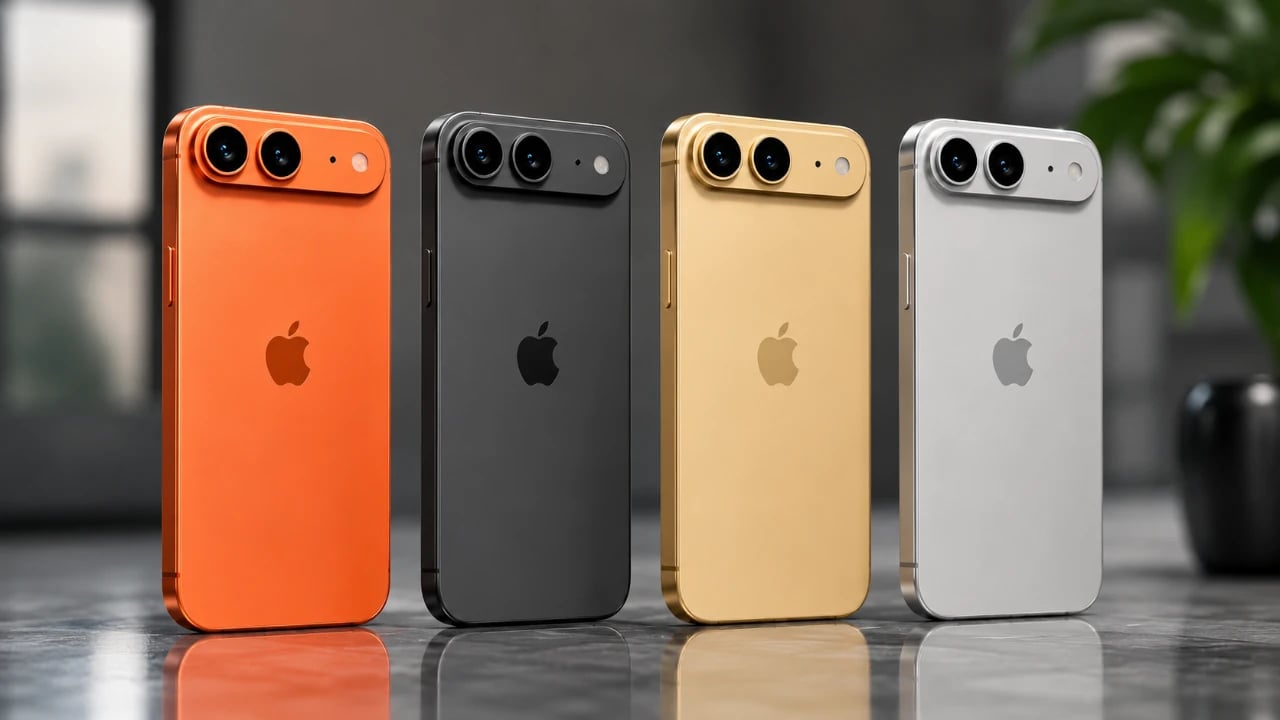
4.5mm Thin: The iPhone Ultra is Apple’s Most Radical Design in a Decade

4.5mm Thin: The iPhone Ultra is Apple’s Most Radical Design in a Decade Hand holding the iPhone Ultra folded, showing the slim 9.5 mm profile and outer display edge.

Apple is set to reshape the smartphone industry with the highly anticipated iPhone Ultra, its first-ever foldable device. This innovative addition to Apple’s flagship lineup combines a sleek foldable design, innovative technology and advanced connectivity features. By introducing the iPhone Ultra, Apple is not only entering the foldable smartphone market but also redefining what premium […]

The post 4.5mm Thin: The iPhone Ultra is Apple’s Most Radical Design in a Decade appeared first on Geeky Gadgets.

Posted in Uncategorized

How to Set Up Hermes Agent : The AI That Actually Learns from You

How to Set Up Hermes Agent : The AI That Actually Learns from You List of Hermes Agent skills including academic research and code generation

Hermes Agent, created by Nous Research, is an open source AI platform that utilizes persistent memory and iterative learning to retain knowledge across sessions and improve over time. Wes Roth outlines the setup process, highlighting its use of Docker containers to streamline configuration and maintain consistency. Deployment options include local installation for greater control or […]

The post How to Set Up Hermes Agent : The AI That Actually Learns from You appeared first on Geeky Gadgets.

Posted in Uncategorized