Apple’s Starflow : Fast AI Image and Video Model With Tradeoffs

Apple’s Starflow : Fast AI Image and Video Model With Tradeoffs

What if the next big leap in artificial intelligence wasn’t just impressive, it was almost too good to be true? Imagine an AI model so advanced it could generate stunning images and videos in mere seconds, all while consuming fewer resources than its competitors. Apple’s new Starflow AI model claims to do just that, boasting […]

The post Apple’s Starflow : Fast AI Image and Video Model With Tradeoffs appeared first on Geeky Gadgets.

Posted in Uncategorized

Massive Android 16 Update: QPR2 Changes More Than You Think

Massive Android 16 Update: QPR2 Changes More Than You Think

The Android 16 QPR2 update brings a host of new features and improvements designed to enhance your experience on Pixel devices. With a focus on personalization, security, and performance, this update aims to make your device more intuitive, efficient, and enjoyable to use. The video below from In Depth Tech Reviews gives us a detailed […]

The post Massive Android 16 Update: QPR2 Changes More Than You Think appeared first on Geeky Gadgets.

Posted in Uncategorized

Meet OpenCode, a Community-Built Agent That Trims Tokens & Costs

Meet OpenCode, a Community-Built Agent That Trims Tokens & Costs

What if we told you the AI coding agent you’ve been waiting for is here, and it’s open source? Meet OpenCode, a new tool that’s redefining the way developers interact with AI in their workflows. Forget the limitations of Gemini CLI or the quirks of ClaudeCode; OpenCode isn’t just a competitor, it’s a fantastic option. […]

The post Meet OpenCode, a Community-Built Agent That Trims Tokens & Costs appeared first on Geeky Gadgets.

Posted in Uncategorized

This Curved Clock’s Sunrise Feature Actually Beats Your Snooze Habit

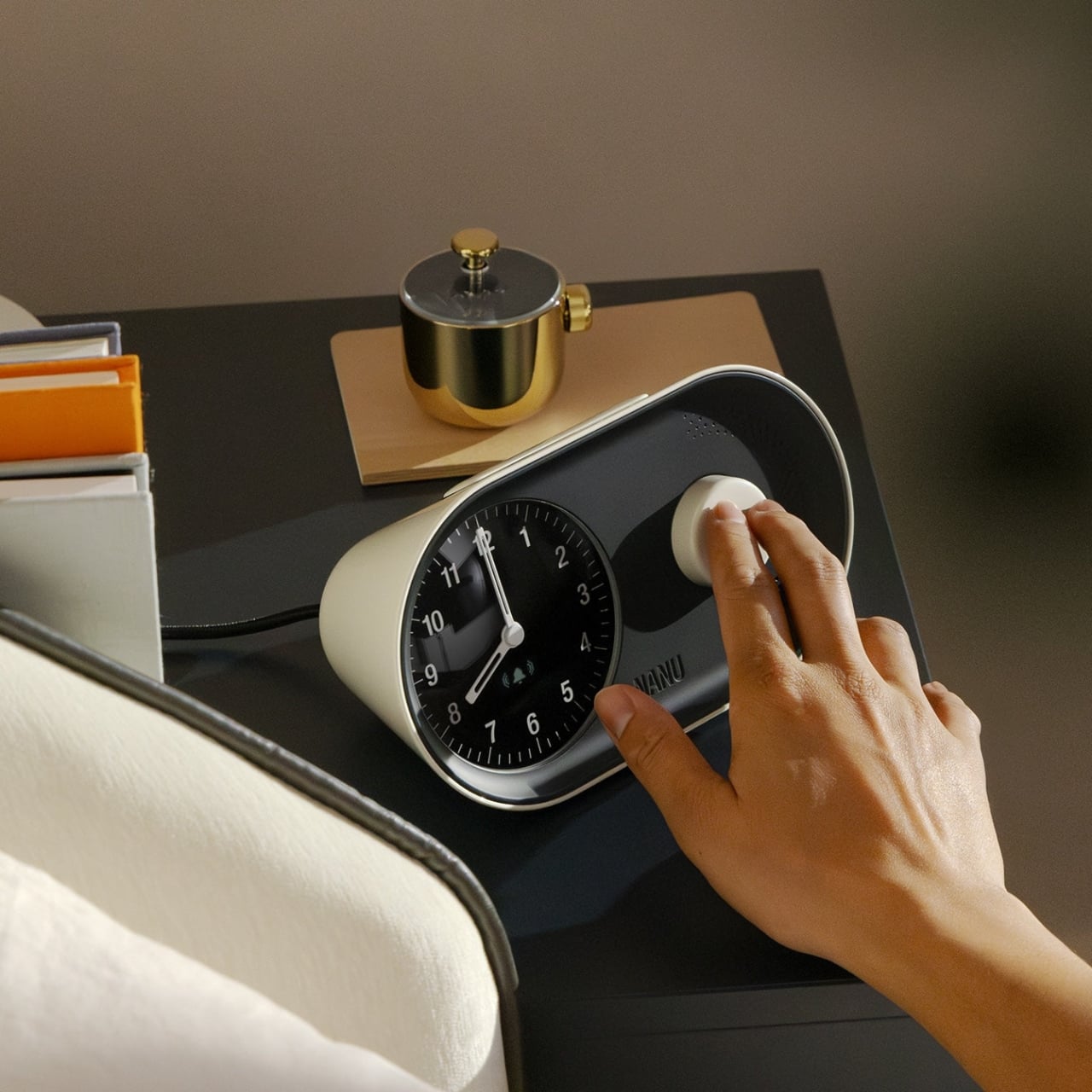
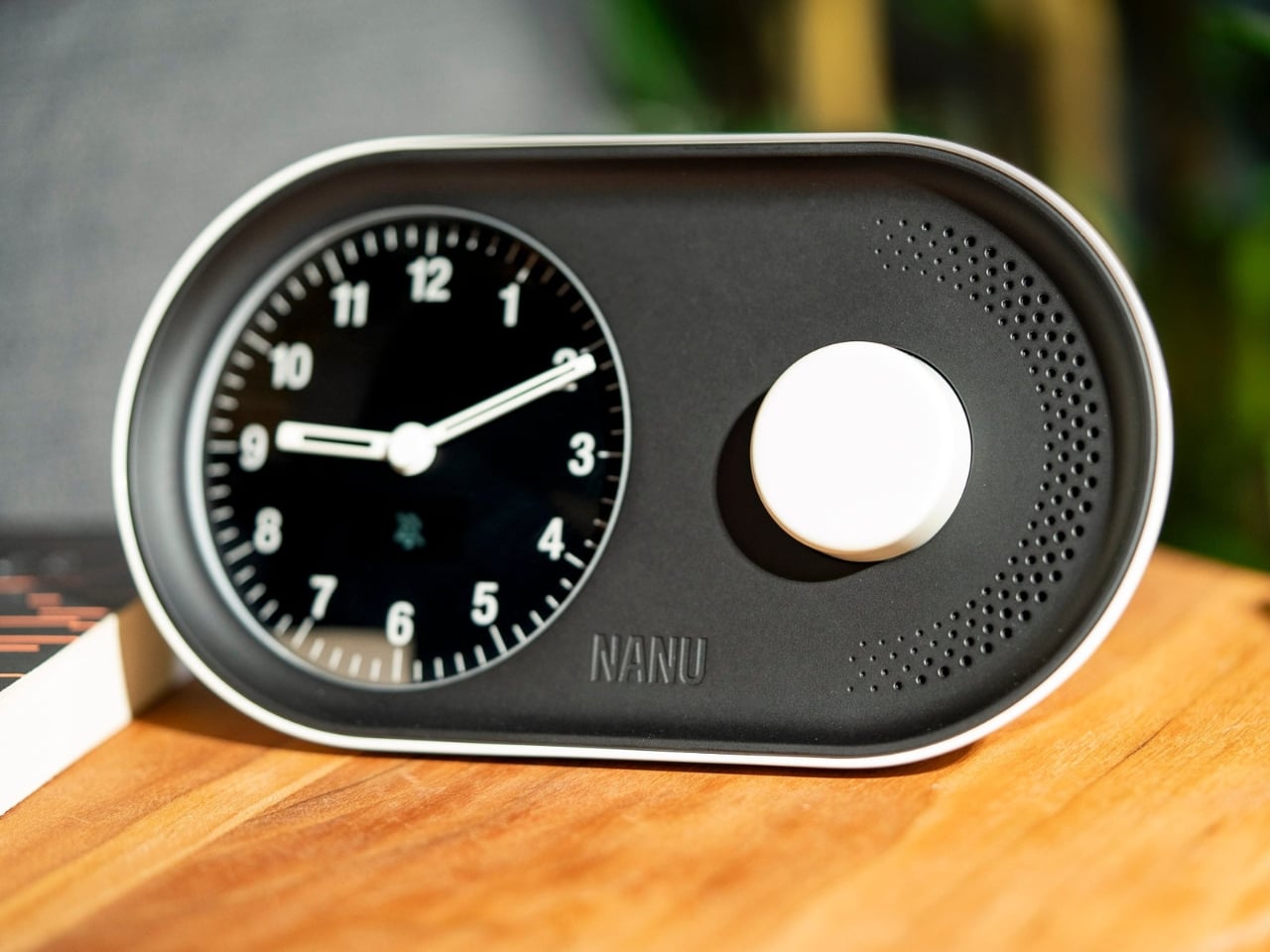
There’s something oddly satisfying about a product that does exactly what it’s supposed to do, but does it with style. That’s the vibe I get from the Arc Alarm Clock by Nanu Electronics, a piece that manages to feel both futuristic and oddly nostalgic at the same time.

At first glance, the Arc looks like it belongs in a sci-fi movie set in a very tasteful future. The curved design is its defining feature, and honestly, it’s a bold move in a world where most alarm clocks are either aggressively minimalist rectangles or trying way too hard to be cute. This one splits the difference beautifully. The gentle arc creates a natural viewing angle that actually makes sense when you’re blearily checking the time at 3 a.m., which is more thoughtful than you’d expect from something you probably curse at daily.

Designer: Nanu Electronics

What really sets the Arc apart is how it approaches the whole “waking up” problem. We’ve all been there: you set an alarm, it goes off, you hit snooze approximately seven times, and suddenly you’re late for that meeting you swore you’d be early for. The Arc uses a sunrise simulation feature that gradually increases light intensity before your alarm actually sounds. It’s basically tricking your brain into thinking it’s morning, which sounds manipulative but in the best possible way. Your body responds to light more naturally than it does to a jarring alarm sound, so you’re more likely to actually wake up instead of entering that weird snooze-induced time warp.

But here’s the thing: it doesn’t sacrifice functionality for aesthetics. The LED display is crisp and easy to read without being obnoxiously bright at night. There’s something to be said for a clock that doesn’t light up your entire bedroom like a miniature sun. The controls are intuitive enough that you won’t need to keep the manual on your nightstand, which is a low bar but one that surprisingly few products clear.

The Arc also works as a bedside lamp, which makes it genuinely useful beyond its alarm clock duties. It’s one of those features that seems obvious in retrospect but that most alarm clocks skip entirely. You can adjust the brightness to whatever suits your needs, whether you’re reading before bed or just need a gentle glow to navigate your way to the bathroom at night without fully waking yourself up. Sound quality matters more than you might think for an alarm clock. The Arc’s speaker is decent enough for casual music listening or podcasts, though audiophiles will probably still prefer their dedicated speakers. But for morning news, white noise, or just having some background sound while you get ready, it does the job without sounding tinny or cheap.

From a design perspective, the Arc fits into that sweet spot where it’s distinctive enough to be interesting but neutral enough to work with most decor styles. It comes in a few color options, so you can match it to your aesthetic whether you’re going for modern minimalist, cozy maximalist, or something in between. The curved form factor also means it takes up less visual space than a traditional rectangular clock, even though its footprint is similar.

Is it going to revolutionize your life? Probably not. But it might make your mornings slightly less awful, and in this economy, we’ll take small victories where we can get them. The Arc Alarm Clock proves that everyday objects don’t have to be boring or purely utilitarian. Sometimes the things we interact with most frequently deserve a little extra thought and care in their design. If you’re in the market for an alarm clock that looks good on your nightstand and might actually help you wake up like a functional human being, the Arc is worth considering. It’s the kind of purchase that feels slightly indulgent but practical enough to justify.

The post This Curved Clock’s Sunrise Feature Actually Beats Your Snooze Habit first appeared on Yanko Design.

Is the Dynamic Island is Dead? iPhone 18 Pro Max Design Leaked

Is the Dynamic Island is Dead? iPhone 18 Pro Max Design Leaked

  The iPhone 18 Pro Max represents Apple’s latest advancement in the premium smartphone market, blending innovative technology with thoughtful refinements. With a strong emphasis on performance, camera enhancements, and connectivity, the iPhone 18 series aims to solidify its position as a leader in the industry. The video below from TT Technology explores the standout […]

The post Is the Dynamic Island is Dead? iPhone 18 Pro Max Design Leaked appeared first on Geeky Gadgets.

Posted in Uncategorized

Raspberry Pi vs Hailo-8 vs Jetson Orin Nano : Edge AI Price, Power & Speed Compared

Raspberry Pi vs Hailo-8 vs Jetson Orin Nano : Edge AI Price, Power & Speed Compared

What if your next AI-driven project could process data in real-time, without relying on the cloud, all while maintaining lightning-fast speeds and ironclad privacy? As edge AI continues to transform industries, from autonomous drones to smart cameras, the choice of hardware becomes a critical decision. But not all devices are created equal. The Raspberry Pi […]

The post Raspberry Pi vs Hailo-8 vs Jetson Orin Nano : Edge AI Price, Power & Speed Compared appeared first on Geeky Gadgets.

Posted in Uncategorized

The Compact Powerhouse: Vivo X300

The Compact Powerhouse: Vivo X300

The vivo X300 stands out as a compact flagship smartphone that combines innovative technology with a sleek, ergonomic design. Priced at $699, it caters to users who prioritize high performance, innovative camera capabilities, and durability in a compact form factor. This device is a compelling choice for those seeking a balance between functionality and premium […]

The post The Compact Powerhouse: Vivo X300 appeared first on Geeky Gadgets.

Posted in Uncategorized

Guide Your Agent to Track Trends, Rivals, Funding, and Company Updates

Guide Your Agent to Track Trends, Rivals, Funding, and Company Updates

What if you could build a market research assistant as easily as chatting with a friend? Imagine a tool that doesn’t require coding expertise yet enables you to track competitors, analyze trends, and gather customer insights, all through an intuitive, conversational interface. Enter Langsmith Agent Builder, a innovative no-code platform that’s redefining how businesses approach […]

The post Guide Your Agent to Track Trends, Rivals, Funding, and Company Updates appeared first on Geeky Gadgets.

Posted in Uncategorized

The best laptops for gaming and schoolwork in 2026

A good laptop for both gaming and schoolwork strikes a balance that goes beyond raw power. It should handle essays and research during the day, then jump into your favorite games when you are ready to take a break. That mix is easier to find now, with more laptops offering capable GPUs, solid battery life and designs that do not look out of place in a classroom.

Whether you want a budget gaming laptop for lighter titles or a more powerful system that can run demanding games, there is something that fits just about every schedule and workload. We rounded up the best laptops for gaming and schoolwork so you can find a machine that does both without compromise.

As we’ve mentioned, gaming laptops are especially helpful if you're doing any demanding work. Their big promise is powerful graphics performance, which isn't just limited to PC gaming. Video editing and 3D rendering programs can also tap into their GPUs to handle laborious tasks. While you can find decent GPUs on some productivity machines, like Dell's XPS 15, you can sometimes find better deals on gaming laptops. My general advice for any new workhorse: Pay attention to the specs; get at least 16GB of RAM and the largest solid state drive you can find (ideally 1TB or more). Those components are both typically hard to upgrade down the line, so it’s worth investing what you can up front to get the most out of your PC gaming experience long term. Also, don’t forget the basics like a webcam, which will likely be necessary for the schoolwork portion of your activities.

The one big downside to choosing a gaming notebook is portability. For the most part, we'd recommend 15-inch models to get the best balance of size and price. Those typically weigh in around 4.5 pounds, which is significantly more than a three-pound ultraportable. Today's gaming notebooks are still far lighter than older models, though, so at least you won't be lugging around a 10-pound brick. If you’re looking for something lighter, there are plenty of 14-inch options these days. And if you're not into LED lights and other gamer-centric bling, keep an eye out for more understated models that still feature essentials like a webcam (or make sure you know how to turn those lights off).

Not necessarily — it really depends on how you define "last longer." In terms of raw performance, gaming laptops tend to pack more powerful components than standard laptops, which means they can stay relevant for longer when it comes to handling demanding software or modern games. That makes them a solid choice if you need a system that won’t feel outdated in a couple of years, especially for students or creators who also game in their downtime.

But there’s a trade-off. All that power generates heat, and gaming laptops often run hotter and put more strain on internal components than typical ultraportables. If they’re not properly cooled or regularly maintained (think dust buildup and thermal paste), that wear and tear can shorten their lifespan. They’re also usually bulkier and have shorter battery life, which can impact long-term usability depending on your daily needs.

Gaming laptops can last longer performance-wise, but only if you take good care of them. If your needs are light — browsing, writing papers and streaming — a standard laptop may actually last longer simply because it’s under less stress day-to-day.

The GPU plays a big role in how your laptop handles visuals — and it’s especially important if you’re using your computer for both gaming and school.

For gaming, the GPU is essential. It’s responsible for rendering graphics, textures, lighting and all the visual effects that make your favorite titles look smooth and realistic. A more powerful GPU means better frame rates, higher resolutions and the ability to play modern games without lag or stuttering.

For schoolwork, the GPU matters too — but its importance depends on what you're doing. If your school tasks mostly involve writing papers, browsing the web or using productivity tools like Google Docs or Microsoft Office, you don’t need a high-end GPU. But if you’re working with graphic design, video editing, 3D modeling or anything else that’s visually demanding, a good GPU can speed things up significantly and improve your workflow.

Georgie Peru contributed to this report.

This article originally appeared on Engadget at https://www.engadget.com/computing/laptops/best-laptops-for-gaming-and-school-132207352.html?src=rss