The bag you carry into every shared space tells a story before the laptop opens. For years that story was functional at best, a charger shaped like a building block, a mouse borrowed from the budget shelf, a phone that looked underdressed next to the work it was doing. Something has shifted. The tools nomads carry in 2026 are beginning to look as considered as the work they produce. The standards have moved, and the products have followed.
What separates a setup that earns the table from one that simply occupies it is rarely one product. It is the accumulation of small, deliberate choices made across everything you reach for during a session. Each of the seven products here earns its slot not by being the loudest option in its category, but by being the most resolved. The café table becomes a studio when every object placed on it was designed to be there.
1. Nothing Phone (4a)
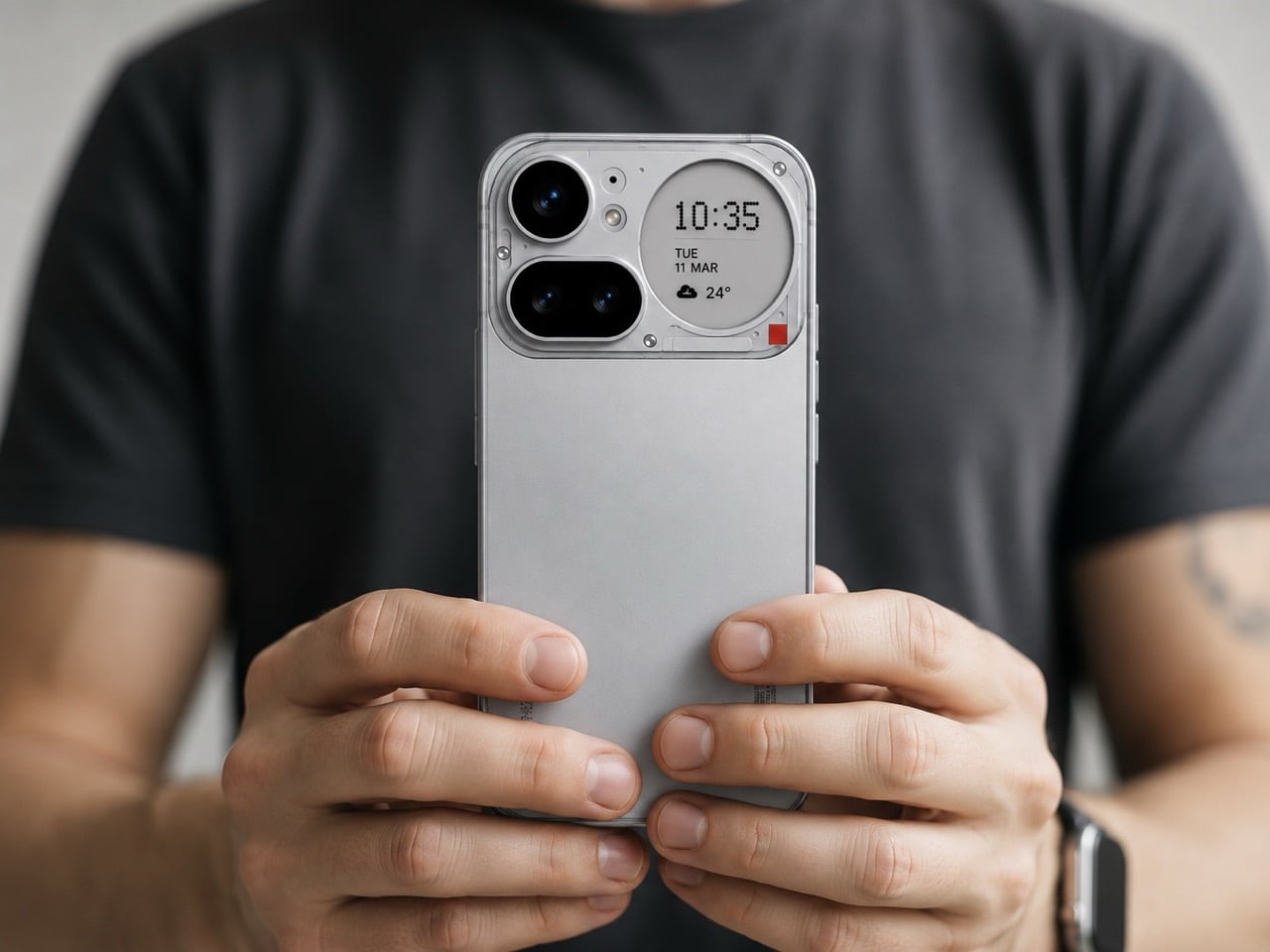
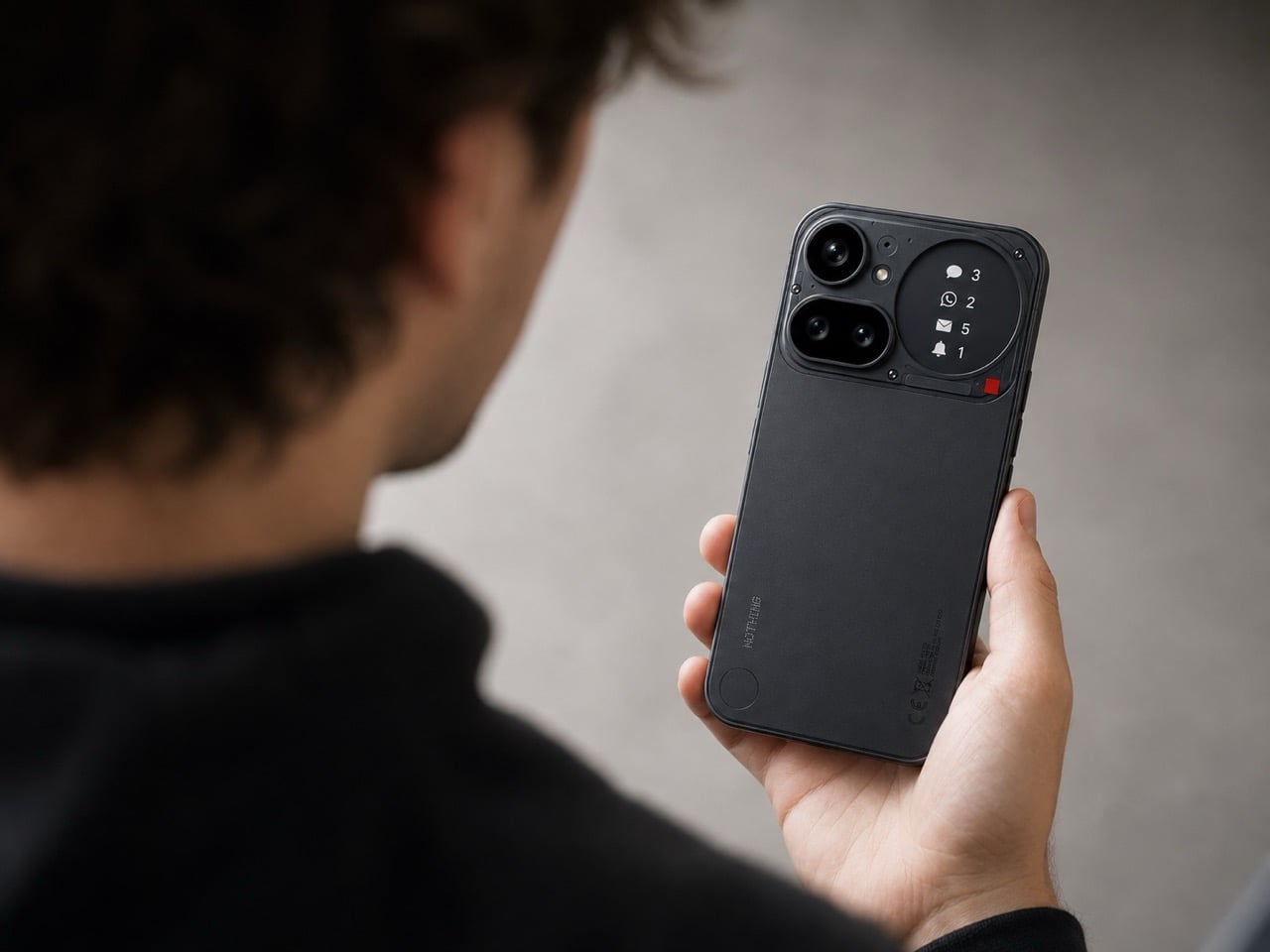
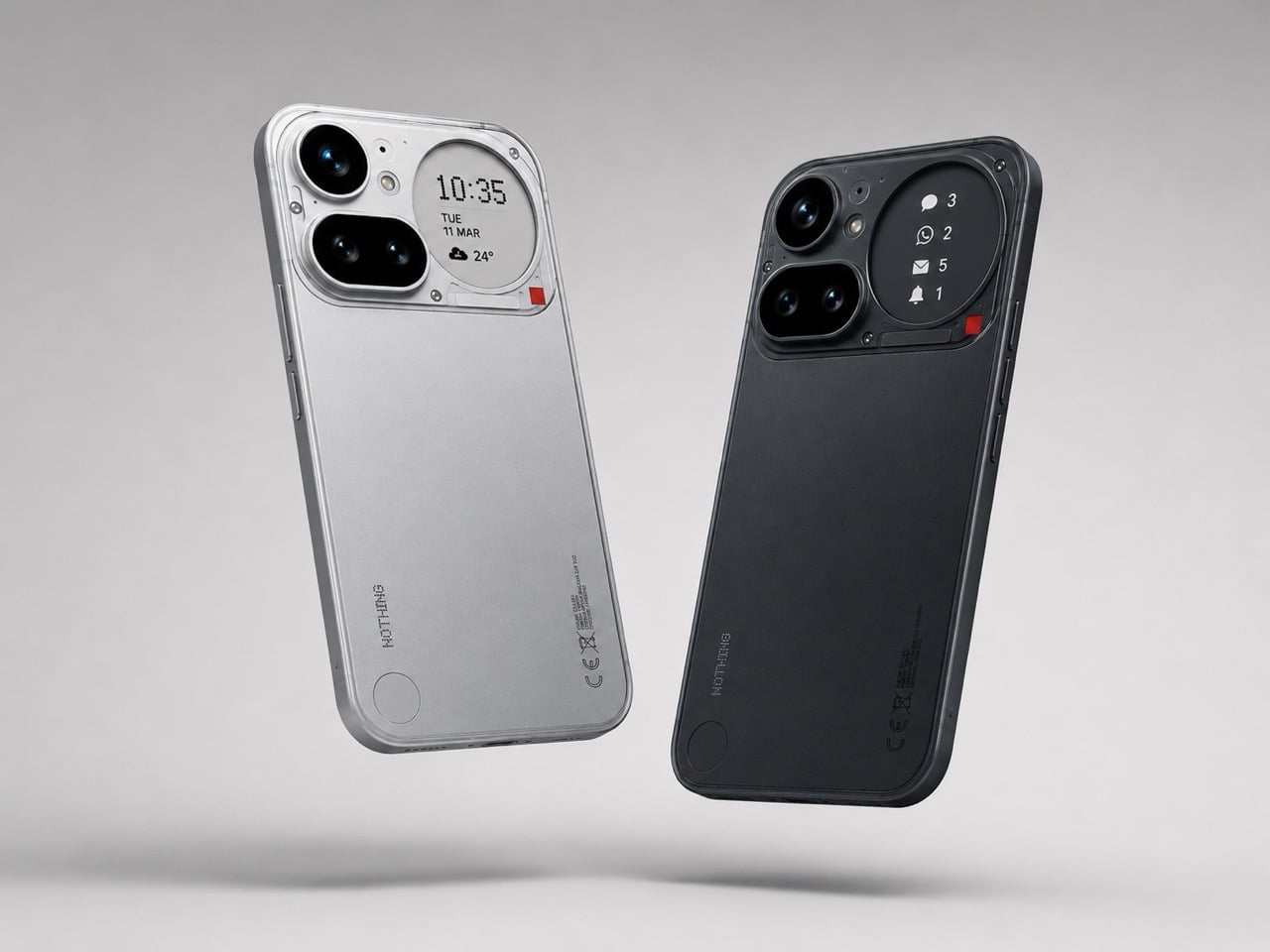
Most work phones carry a quiet contradiction: chosen for a camera or a price point rather than anything that makes them genuinely pleasant to hold for eight hours. The Nothing 4a disrupts that at the industrial design level. A transparent rear that reveals its internal architecture rather than concealing it, a Glyph interface that surfaces notifications without demanding the screen, and a material language borrowed from industrial design more than consumer electronics. It is the phone that actually earns its place on a considered desk.
For you, the benefit is a device that reads as intentional in every environment it enters. Boardrooms, airport lounges, café counters: the Nothing 4a does not look borrowed or accidental. The Glyph system means you can leave the phone face-up and receive the information you need without performing a full screen unlock, keeping your attention where the work is. A phone that manages your attention rather than capturing it is a different category of tool entirely, and that distinction compounds across a full working day.
What we like:
- The transparent rear turns the phone into a design object without adding a single gram or millimeter of unnecessary material
- The Glyph interface filters information at a glance, reducing the number of times you unlock the screen during a focused session
What we dislike:
- The aesthetic confidence that makes the Nothing 4a distinctive will read as a deliberate signal in environments where understated hardware is the professional norm
- Transparent backs accumulate fingerprints more visibly than opaque finishes, which means the phone looks its best roughly twenty seconds after you set it down
2. OrigamiSwift Mouse


Travel mice have been solved in the wrong direction for decades. The industry shrank them, which created smaller cramps rather than better tools. The OrigamiSwift is built around a different premise: transformation rather than compression. It collapses to card-sized flatness via magnetic clips, then opens into a fully contoured ergonomic mouse that fills a palm the way a stationary mouse does. At 40 grams, it disappears into a jacket pocket. Its polygonal geometry earns its grip through structure rather than rubber texture.
For you, the value is arriving at any surface with precision input that a trackpad cannot replicate without penalty. Extended editing sessions, dense spreadsheets, precise layout work: the OrigamiSwift removes every excuse for not carrying a proper mouse. Bluetooth 5.2 connects without a dongle. A three-month battery life on a single USB-C charge takes it out of the daily rotation of things to remember to charge.
Click Here to Buy Now: $85.00
What we like:
- Card-flat in the bag, full ergonomic profile on the desk, with no intermediate configuration that compromises either state
- Three months of battery life on USB-C removes it from the daily charging conversation entirely
What we dislike:
- The hinge is the most structurally complex component, and daily fold cycles over years could introduce wear that a solid-body mouse accumulates more slowly
- Scroll feedback is softer than premium stationary alternatives, something certain users register immediately, and others never notice
3. ASUS ZenScreen OLED MQ16FC
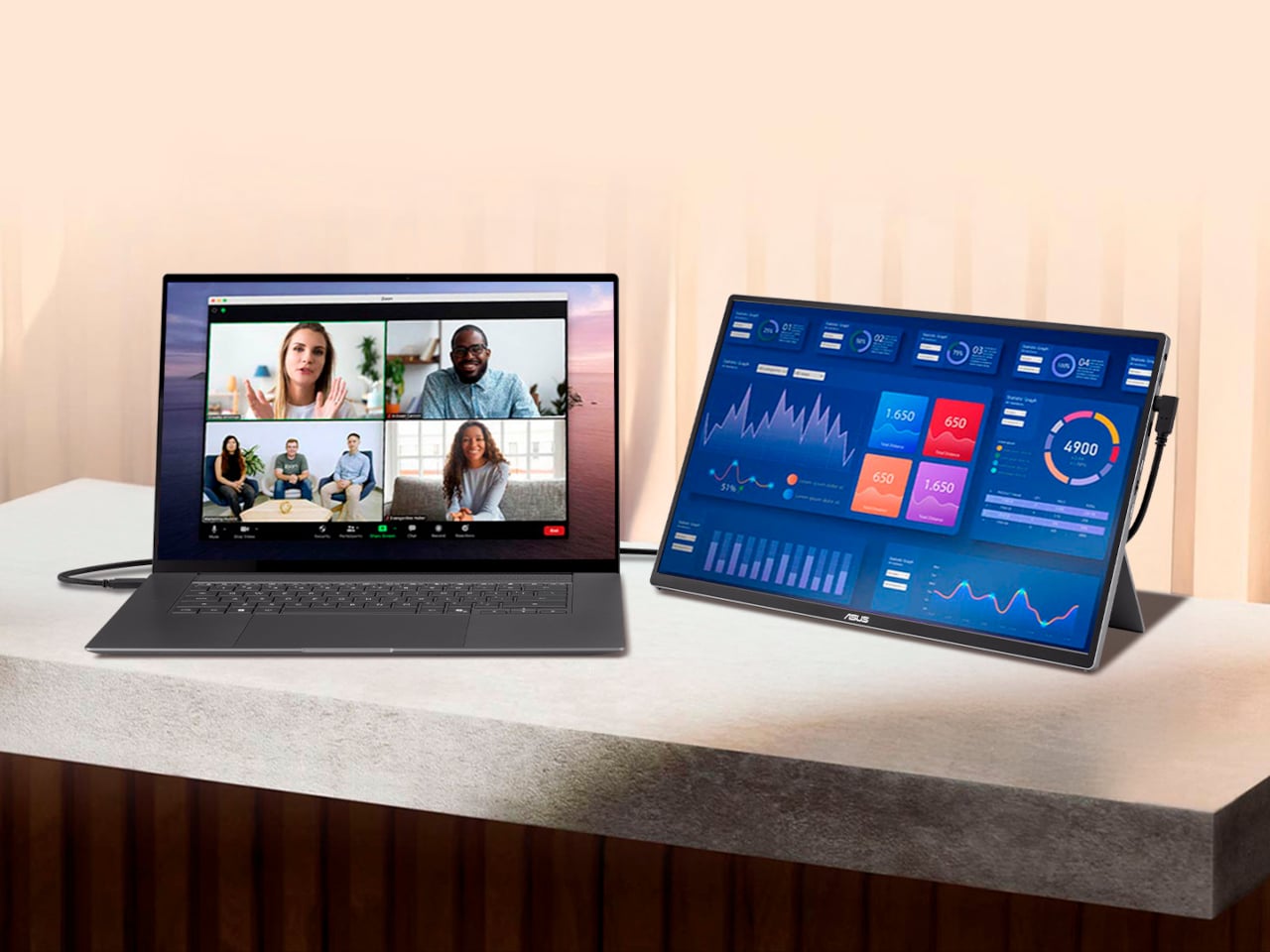
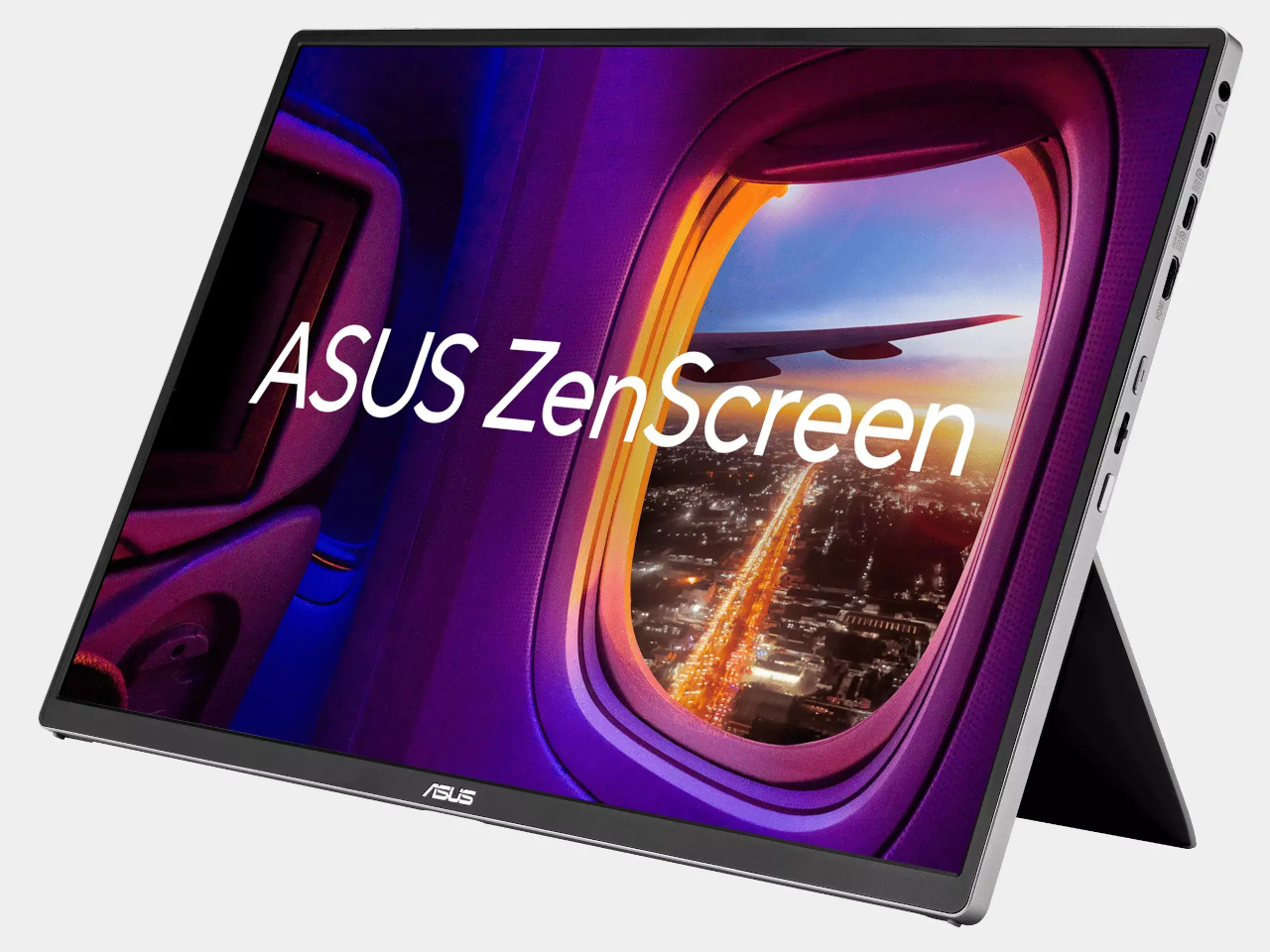
Portable monitors have become standard nomad equipment. The trade-off nobody advertises is the power drain: every secondary screen draws from the laptop it is connected to, shortening the session it was brought along to extend. The ASUS ZenScreen OLED MQ16FC addresses that at the port level. Two USB-C connections that send power in either direction mean plugging a wall charger into the monitor and running a single cable to the laptop charges the notebook while the display runs. One cable, one outlet, both devices fed.
For you, this changes the arithmetic of a café setup. One power outlet handles everything; the laptop charges through the monitor while the session continues uninterrupted. A 16-inch OLED panel at 9mm thin and 0.68 kilograms weighs less than most hardcover books you would carry alongside it. The 16:10 aspect ratio returns the vertical screen space that widescreen layouts consistently remove.
What we like:
- Bidirectional USB-C power routing means one wall adapter charges both the monitor and the laptop through a single cable, a simplification the portable monitor category should have standardized years ago
- A 16:10 OLED panel at 9mm thin makes this genuinely portable without the visual compromise that IPS alternatives at the same size still carry
What we dislike:
- The glossy OLED surface is not your ally on café terraces or near windows, where reflections compete with the content the screen is trying to show you
- The kickstand-only stand is limiting on uneven or narrow surfaces, and without a wall charger in the loop the bidirectional power advantage disappears entirely
4. Stillframe Headphones
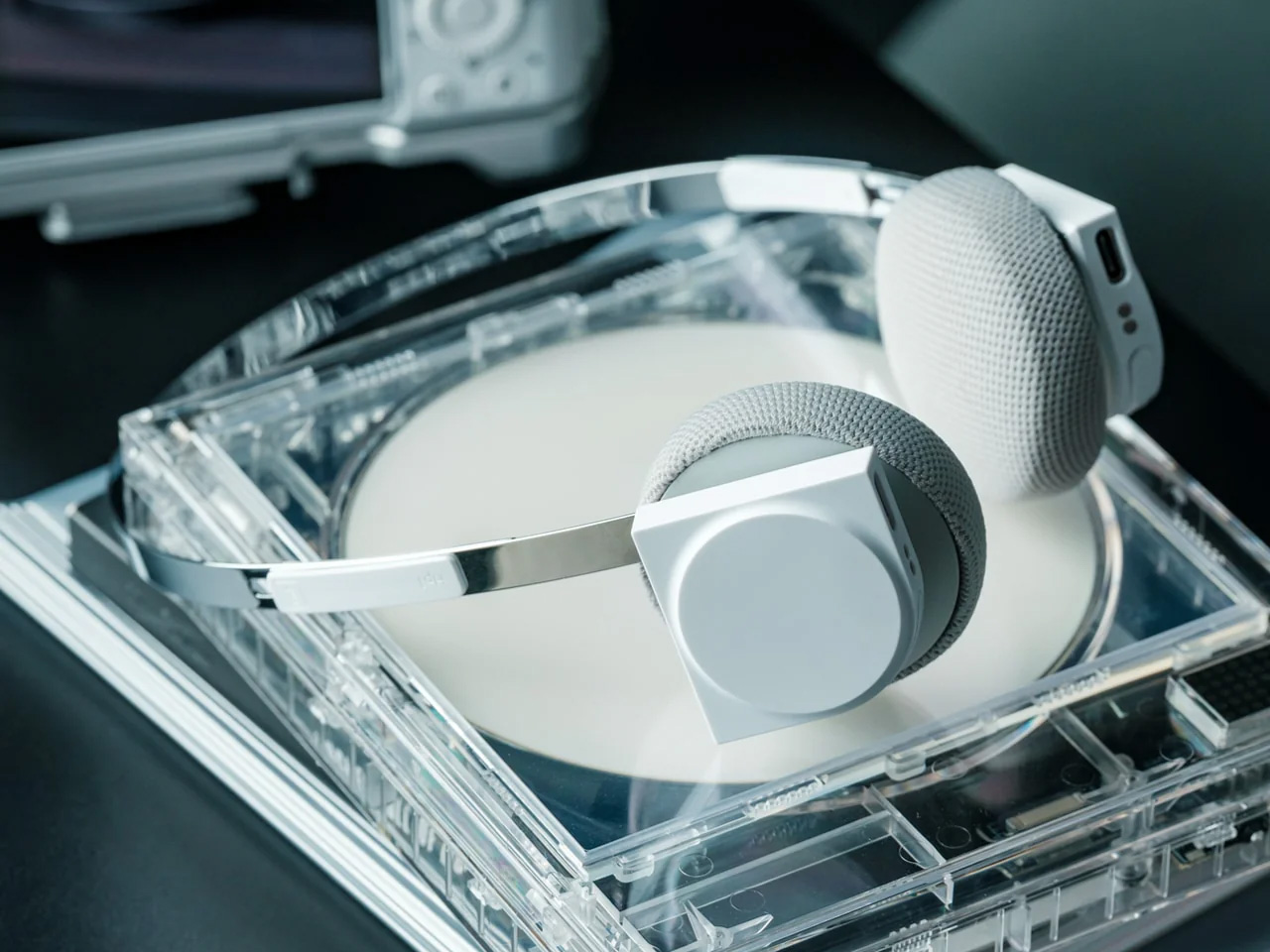
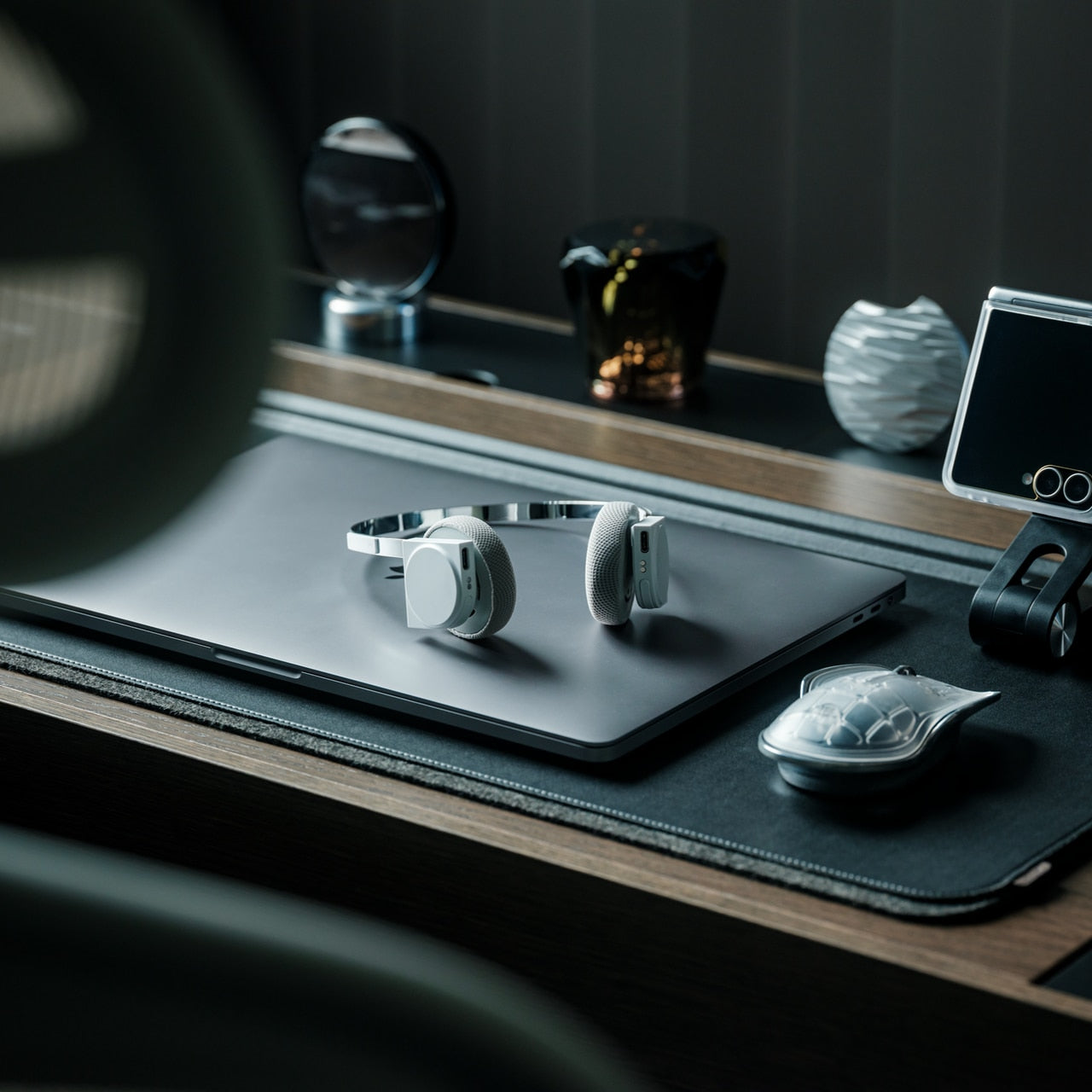
The over-ear headphone has become standard café furniture, which means the design bar is simply to not look like every other pair at the adjacent table. Stillframe takes a quieter approach than most: a minimal frame with a material story that holds up to extended handling, and passive isolation that removes the ambient noise layer without requiring battery charge as an entry fee to concentration. The headphones do what the category promises and rarely delivers: they get out of the way, and they look considered while doing it.
For you, the argument for Stillframe in a nomad kit is as much about weight and packability as it is about sound. Headphones that collapse flat and travel without a dedicated case free up bag volume that protective cases have been quietly borrowing for years. Paired with a phone that manages notifications intelligently, the combination removes the two most consistent interruptions to a working session: ambient noise and screen pulls. The setup earns back the attention that open environments routinely take without asking.
Click Here to Buy Now: $245.00
What we like:
- Passive isolation that works without battery dependency means the headphones perform equally on a plane, in a café, and in a dead-battery situation
- A minimal design language holds up across every professional environment without announcing the brand or the price
What we dislike:
- Over-ear passive designs sacrifice some of the seal that active noise cancellation provides in genuinely loud environments like airport terminals or open-plan offices
- Without a dedicated case, the finish accumulates contact wear more quickly, which is a real consideration over years of daily travel use
5. Satechi OntheGo Foldable Stand Hub

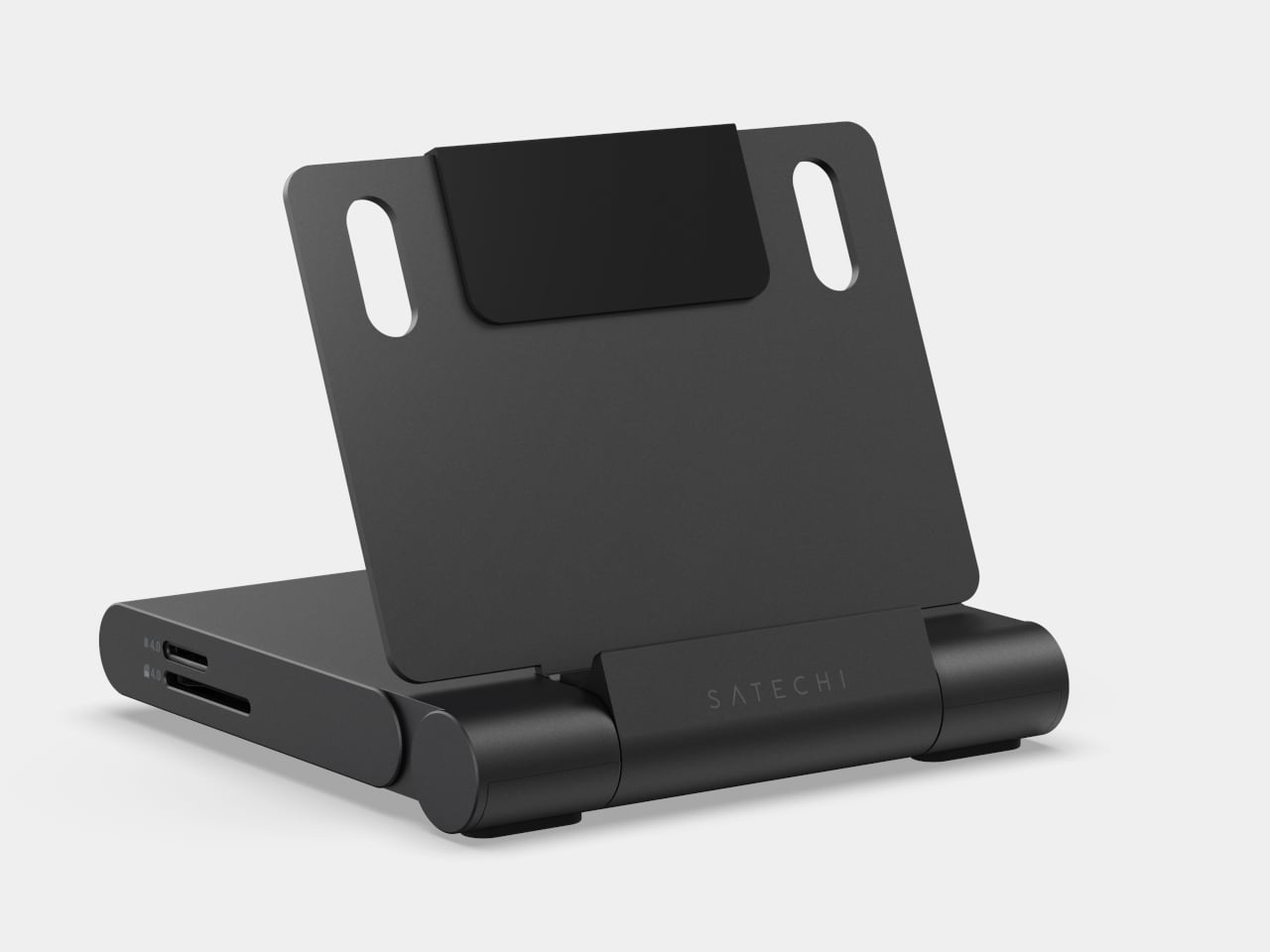
The laptop stand problem has never been about ergonomics alone. It is the deal that comes with raising the screen: a separate keyboard, a separate dock, and a surface cluttered enough to look like you moved in for the week. The Satechi OntheGo Foldable Stand Hub collapses that negotiation into a single 187.5-gram unit. Folded flat at under 20mm, it carries a laptop stand, USB-C dock, SD card reader, and HDMI output, with a 17cm integrated cable that connects everything in one motion.
For you, the value is what it removes from the bag rather than what it adds. Three accessories become one object that fits flat in a laptop sleeve pocket at $79.99, adding no dedicated volume to the packing equation. Deploy it at a table, and the laptop rises to eye level, the dock connects, the screen real estate doubles without a second cable appearing from somewhere. The borrowed surface stops feeling improvised. That shift, from occupying a table to owning one, is what a kit built around intention produces every time.
What we like:
- Four accessories in one 187.5-gram flat unit means the stand-dock combination adds virtually no bag weight over carrying the laptop alone
- The 17cm integrated USB-C cable removes the cable that would otherwise need locating from the bottom of the bag before the setup is usable
What we dislike:
- Stand height is fixed, which suits most working postures but offers none of the angle adjustability that dedicated stands designed for extended sessions provide
- The port selection is minimal enough that a heavier workflow with multiple peripherals will still need a second hub alongside it
6. MagSafe Power Bank (Qi2.2)
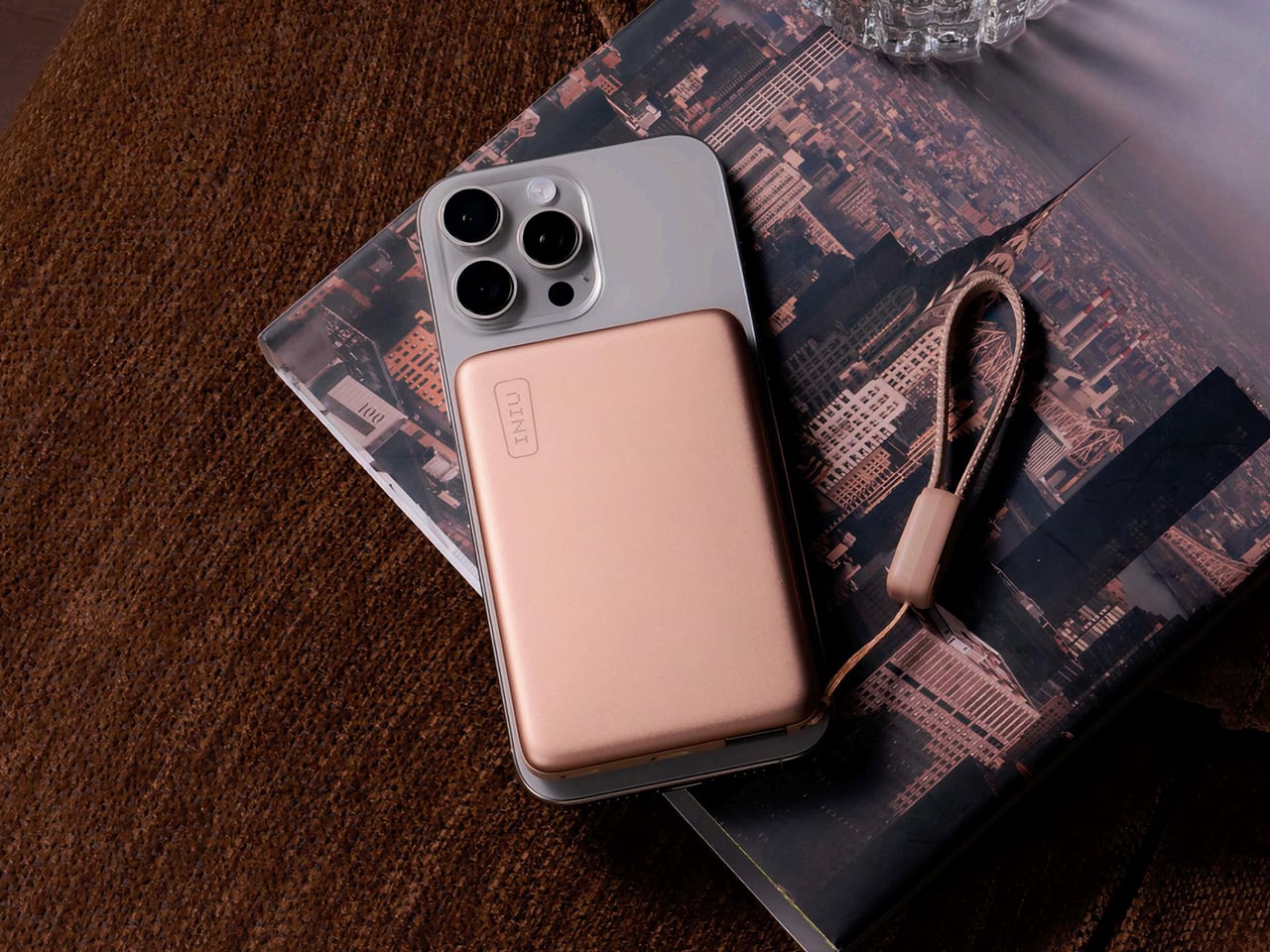
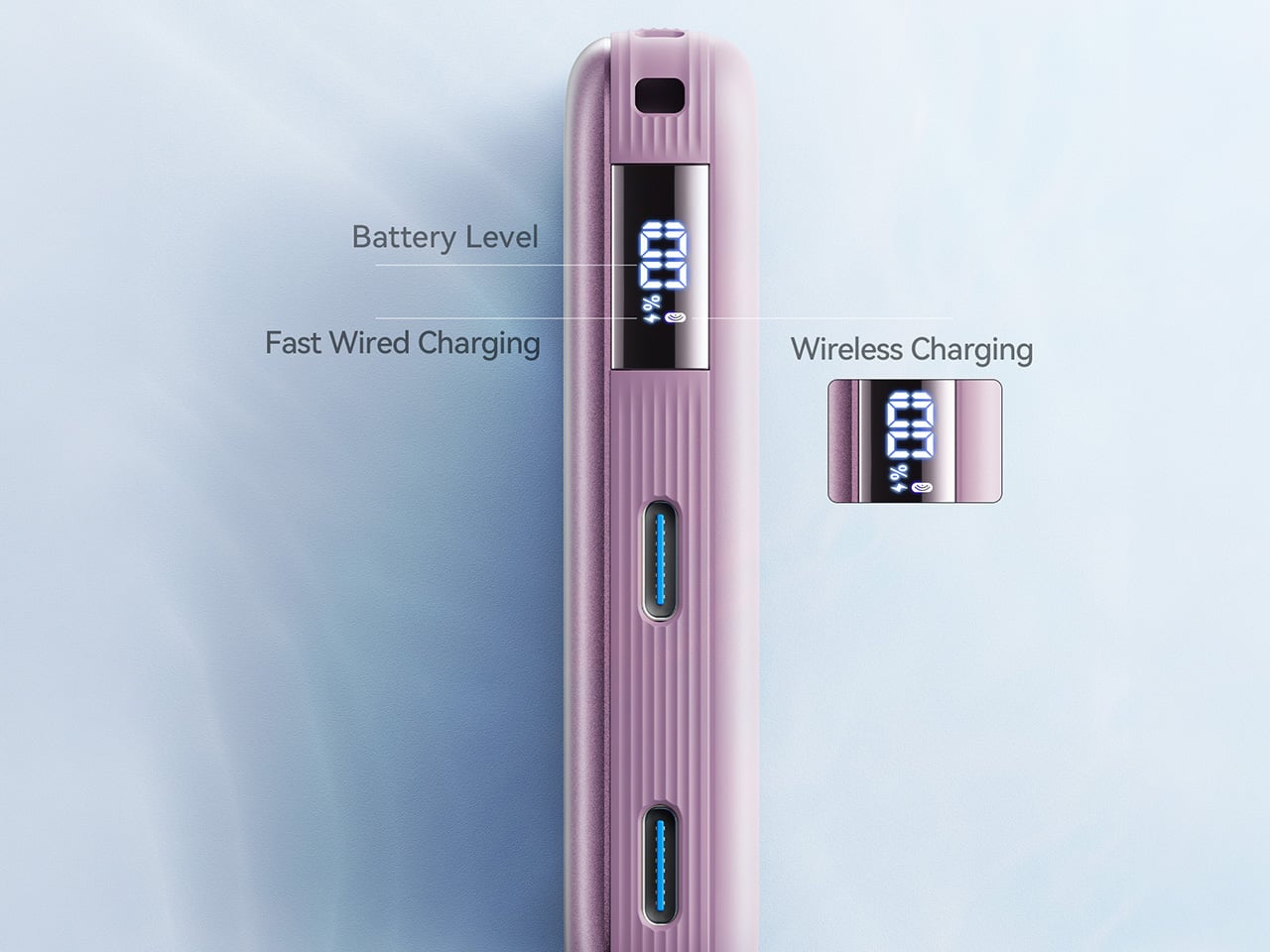
The power bank category has been solving the same problem the same way for a decade: more capacity, same shape, same ritual of fishing a cable from the bottom of a bag before anything charges. The Qi2.2-compatible version changes the interaction at the surface level. At 10,000mAh with 25W wireless output through the Qi2.2 standard and 45W wired through its integrated port, it delivers wall-adapter-speed charging from a device that weighs less than a paperback. Magnetic attachment means placing the phone on it is the complete action.
For you, the practical gain is charging speed that works on a deadline. Previous wireless standards topped out at 15W, useful for overnight top-ups but not for the forty minutes before a meeting starts. At 25W wireless, this bank changes that calculation. At $54.99, it sits at the price where the convenience case is easy to make without the qualifier that it barely charges faster than waiting. The 45W wired port covers everything the wireless standard does not yet reach, including laptops under lighter loads.
What we like:
- Qi2.2 at 25W is the first wireless standard fast enough to substitute for a wired connection in time-sensitive situations, not just overnight sessions
- Magnetic attachment removes the cable-to-phone connection from the charging workflow entirely, a small interaction change that compounds across every session
What we dislike:
- 10,000mAh handles phones and earbuds cleanly but offers only marginal support for laptop charging under any real workload
- Full Qi2.2 speeds require a compatible recent device; older phones receive standard Qi output that brings the $54.99 proposition back to ground level
7. Inseparable Notebook Pen
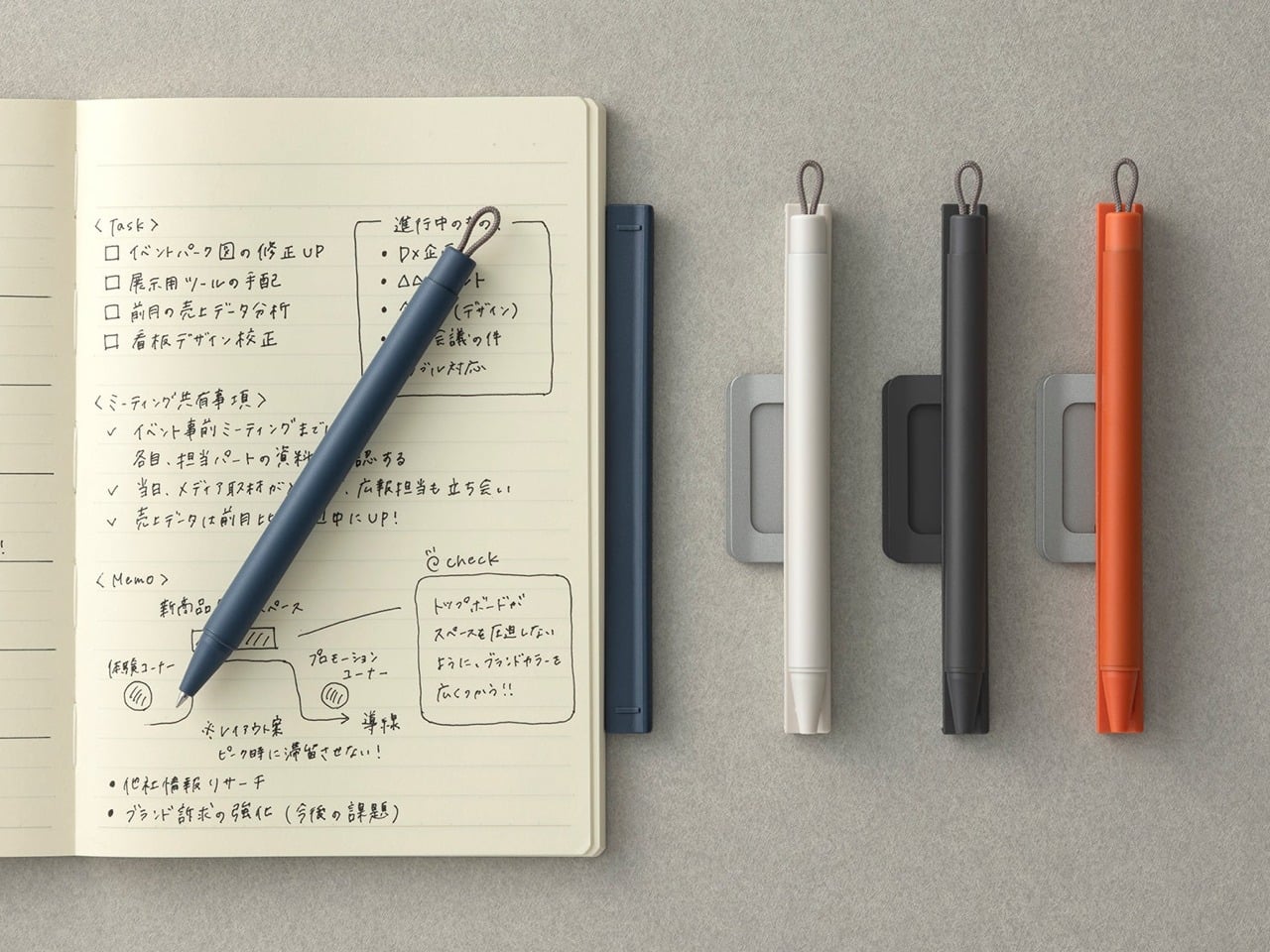
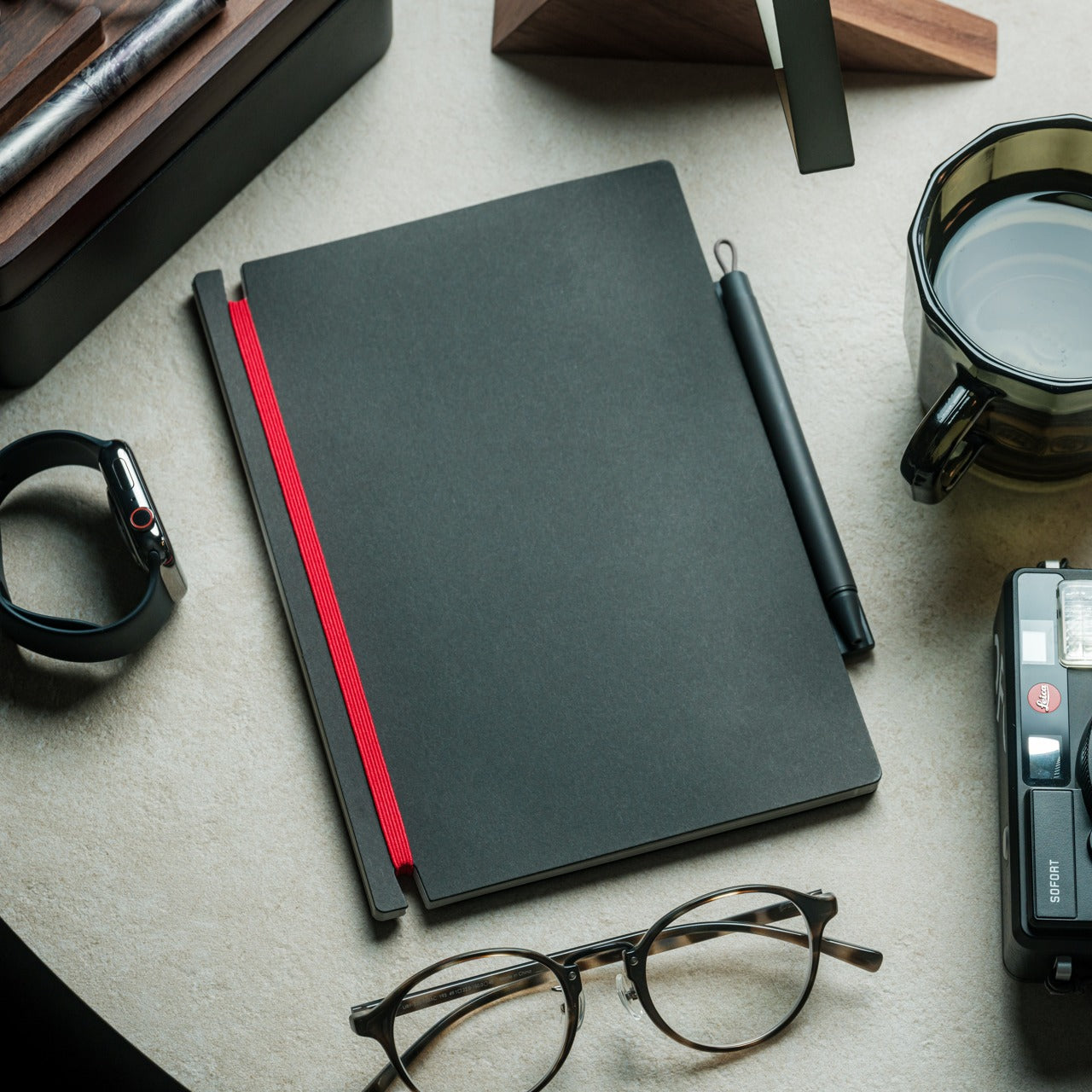
Digital tools handle the work that scales: files that duplicate without cost, edits that undo freely, documents that update across every device at once. None of them handle the moment when the idea arrives faster than the interface. The Inseparable is built for that gap: a pen and notebook designed as a single object, each incomplete without the other. The pen stores magnetically against the notebook’s spine, removes in one gesture, and returns the same way. No cap to misplace. No drawer to search before the thought is gone.
For you, the benefit is analog capture that travels without the compromise of a pen that ends up loose in the lining of a bag. The Inseparable stays together because it was designed to: the magnetic bond holds across the movement a bag accumulates through a full day of travel without releasing unless you intend it to. On a desk built around precision and intention, a notebook and pen that belong together without effort carry exactly the same design logic as everything else placed on the surface. The last object in the kit earns its place the same way the first one did.
Click Here to Buy Now: $19.95
What we like:
- Magnetic attachment between pen and notebook keeps the analog layer of the kit complete without a separate sleeve, clip, or loop to manage
- The combined object makes a quiet argument about paired tools that every other notebook and pen combination treats as an afterthought
What we dislike:
- The magnetic bond strength that holds the pen through a day of travel is the same resistance you pull against when you reach for it quickly: a tension the design resolves in most situations but not all
- As a paired product, replacing one half when the other wears out means sourcing within the same ecosystem rather than reaching for any compatible alternative
The Studio Is the Kit You Carry Into It
The setup that makes a borrowed table feel chosen does not require ten accessories and a cable management plan. It requires seven products that each solved a specific problem in a way that leaves nothing clumsy behind. A phone that manages your attention. A mouse that folds to a card. A monitor that charges the laptop while it runs. An analog layer that stays together because it was designed to. The whole is more than the parts, but the parts have to earn it first.
Nomad work in 2026 is no longer defined by what you can endure on a borrowed surface. The tools exist to make the temporary feel permanent, the accidental feel deliberate, the afternoon productive without apology. Every object here was designed with that intention, and the desk they build together reflects the same judgment you bring to everything else the work asks you to care about. The studio is not a place. It is the kit you carry into it.
The post 7 Best Gadgets & Gear for Digital Nomads in 2026 That Turn Any Café Into a Proper Studio first appeared on Yanko Design.