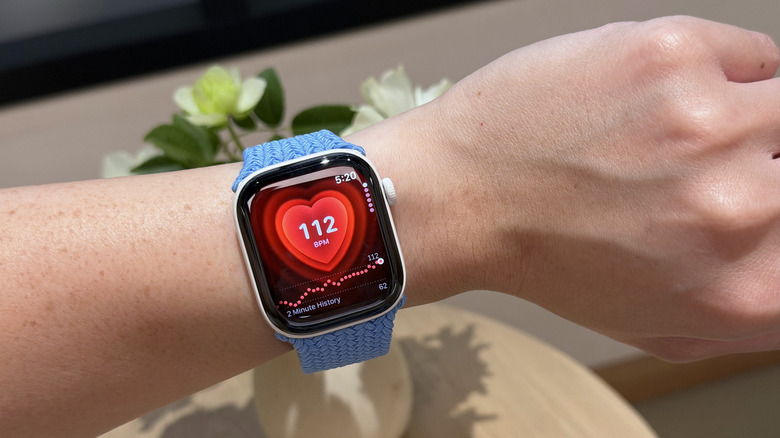
Apple Watch Series 12 hands-on: New sensing system, health features and audio intelligence
There was a lot more new stuff than expected.
“Could you come again?” “Pardon?” “Huh?” “Wait, say that one more time?” These are examples of phrases that make you seem dumber than you really are. Nothing destroys aura more than unironically asking someone to repeat something they said because A. you weren’t listening, or B. you were but just didn’t happen to comprehend what they were saying. Apple has a solution for that, and it’s wrapped up in their latest smartwatch. The new Live Rewind feature, powered by Apple’s new S11 chip, allows you to instantly transcribe the past 15 seconds of any conversation and read its chat logs. Press the digital crown on the new Watch twice, and you pretty much get ‘subtitles’ for the past 15 seconds, so you don’t have to “excuse me” your way into a repetition.
Your watch, just like your phone, earbuds, smart speaker, and smart home hub, is always listening. It’s waiting for the magic words “Hey Siri” or Alexa, or Google depending on which ecosystem you’re tied into. The point is, it’s always listening, so Apple simply created a way to package that into a feature that feels impressive rather than invasive. Think of how a dashcam can auto-log the past 3 minutes of video AFTER an accident occurs (using a feature called loop recording), Apple just brought that to your watch, packaged as a part of its new Audio Intelligence suite of features. Impressive, no?
Designer: Apple
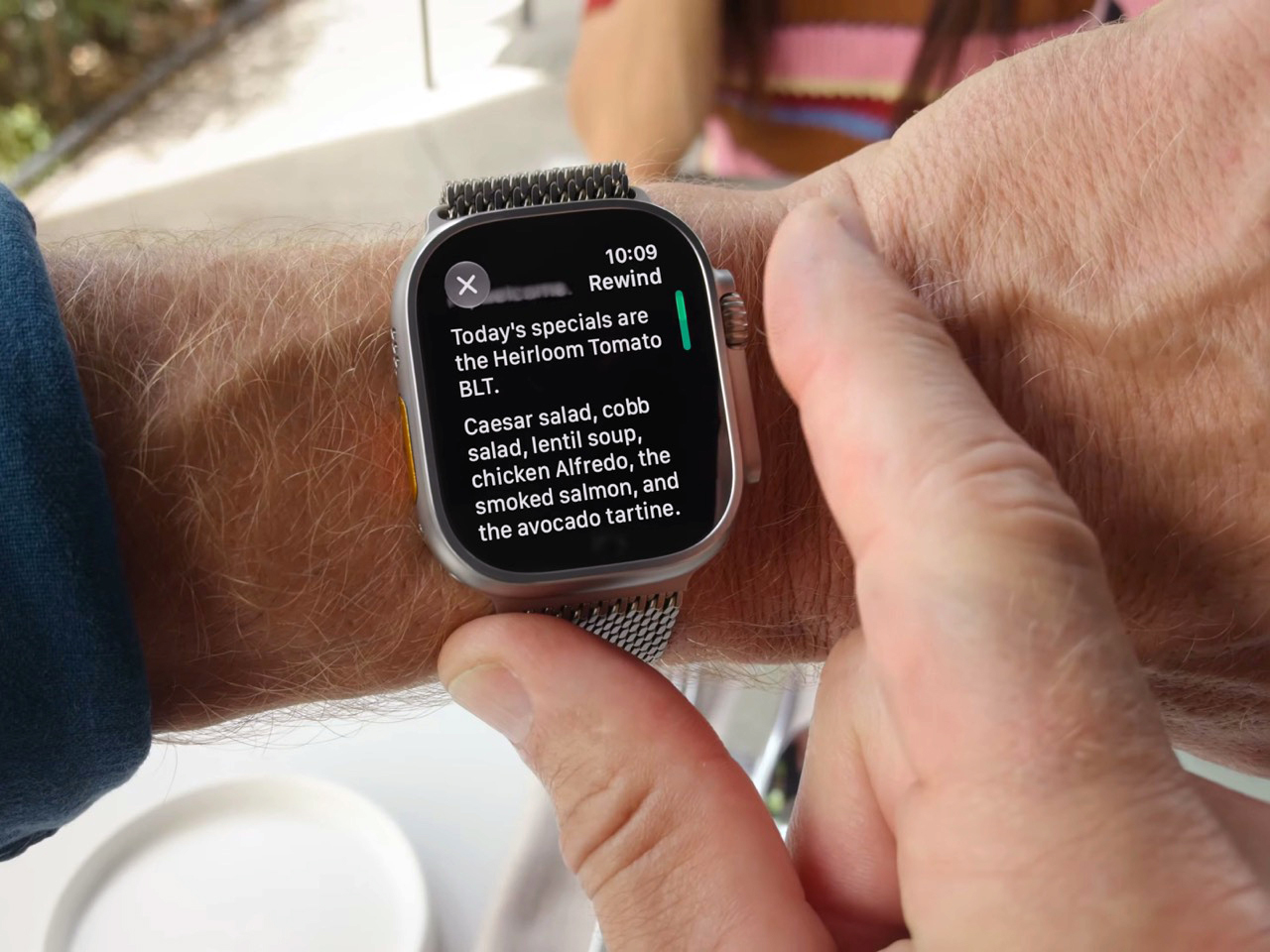
Once you’ve got the transcript, you can ask Siri about it directly, or save it into the new Siri app to dig up later. Say your coworker rattles off a Wi-Fi password or a colleague mentions a book recommendation mid-hallway chat. Instead of fumbling for your phone, you catch it on your wrist and move on. Apple says none of this gets recorded in the traditional sense. Audio flows into a secure buffer inside the S11’s Secure Exclave, a hardware compartment isolated from the rest of the system, and once the transcript is generated, the raw audio is gone. No file, no clip, nothing to subpoena, because nothing exists.
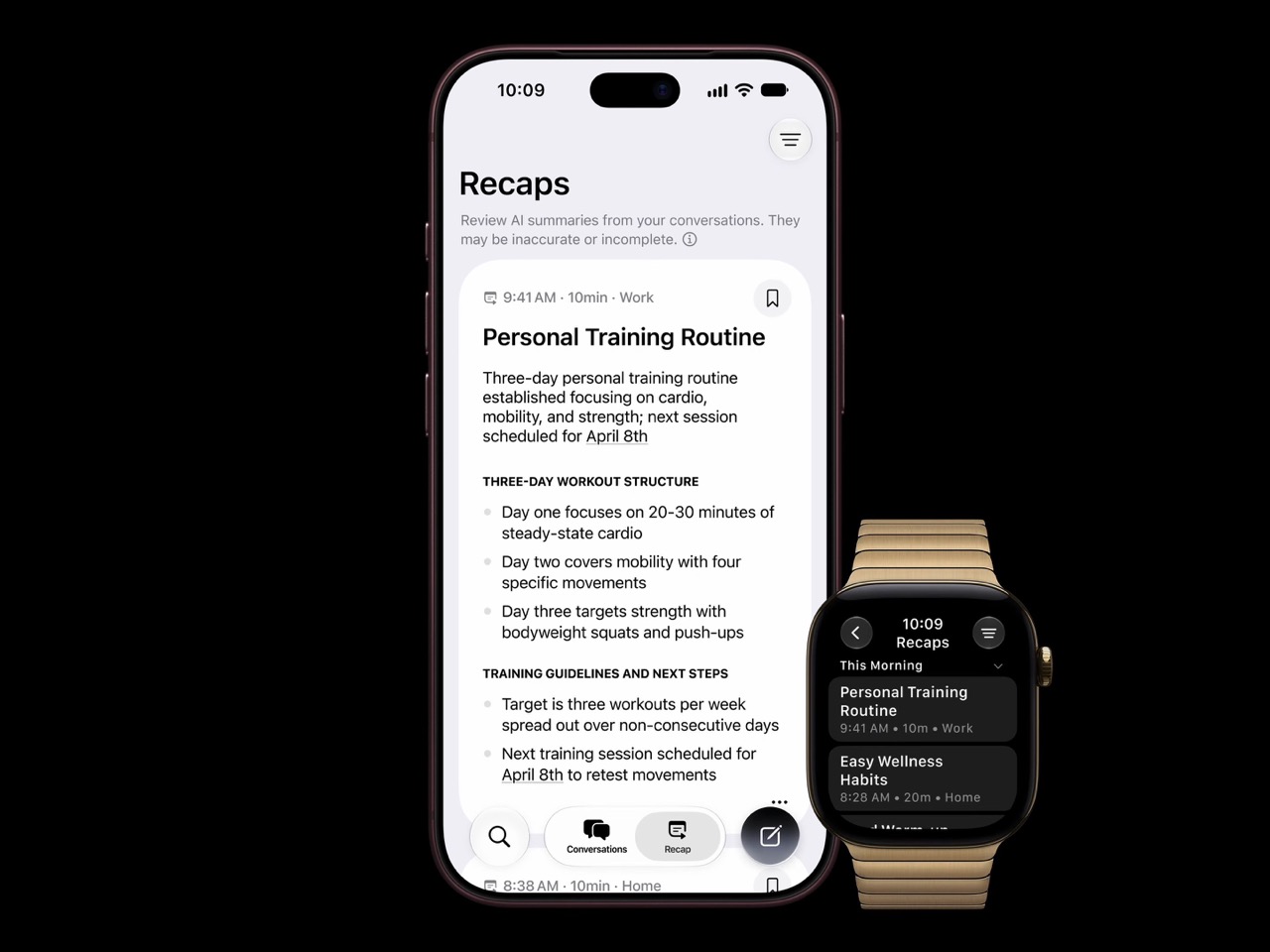
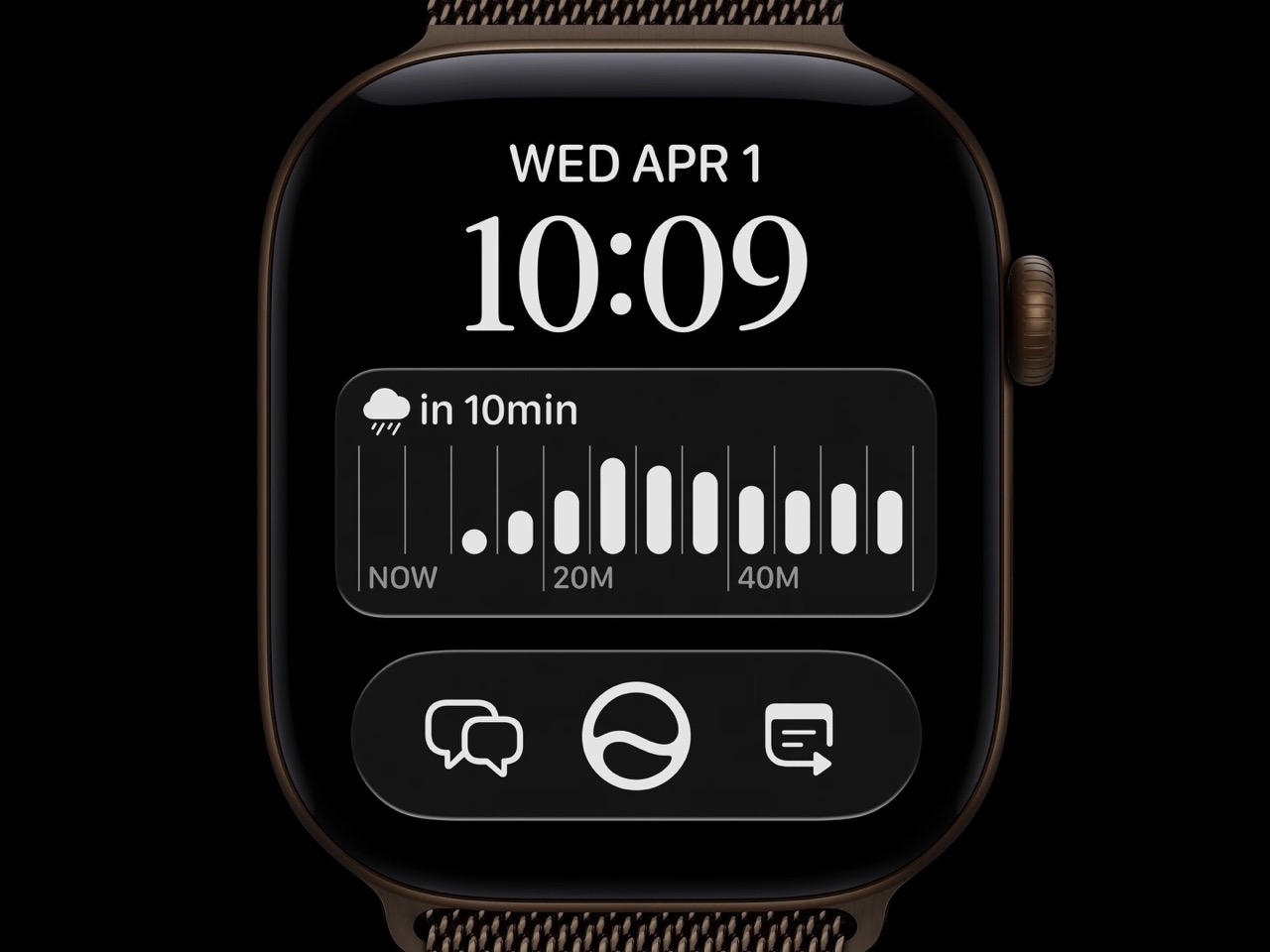
Sitting next to Live Rewind is Siri Recap, which does the same basic trick but for an entire conversation instead of a 15 second clip. Turn it on before a meeting or a parent teacher conference, and Apple Intelligence quietly builds a title, a summary, and a list of key points you can review afterward in the Siri app. You control the boundaries here more than you’d expect. Leave it running all day, schedule it for work hours only, or flip it off entirely from Control Center whenever the conversation turns private. Summaries auto delete after seven days unless you save them, and saved ones sync end to end encrypted, so not even Apple can read them back.
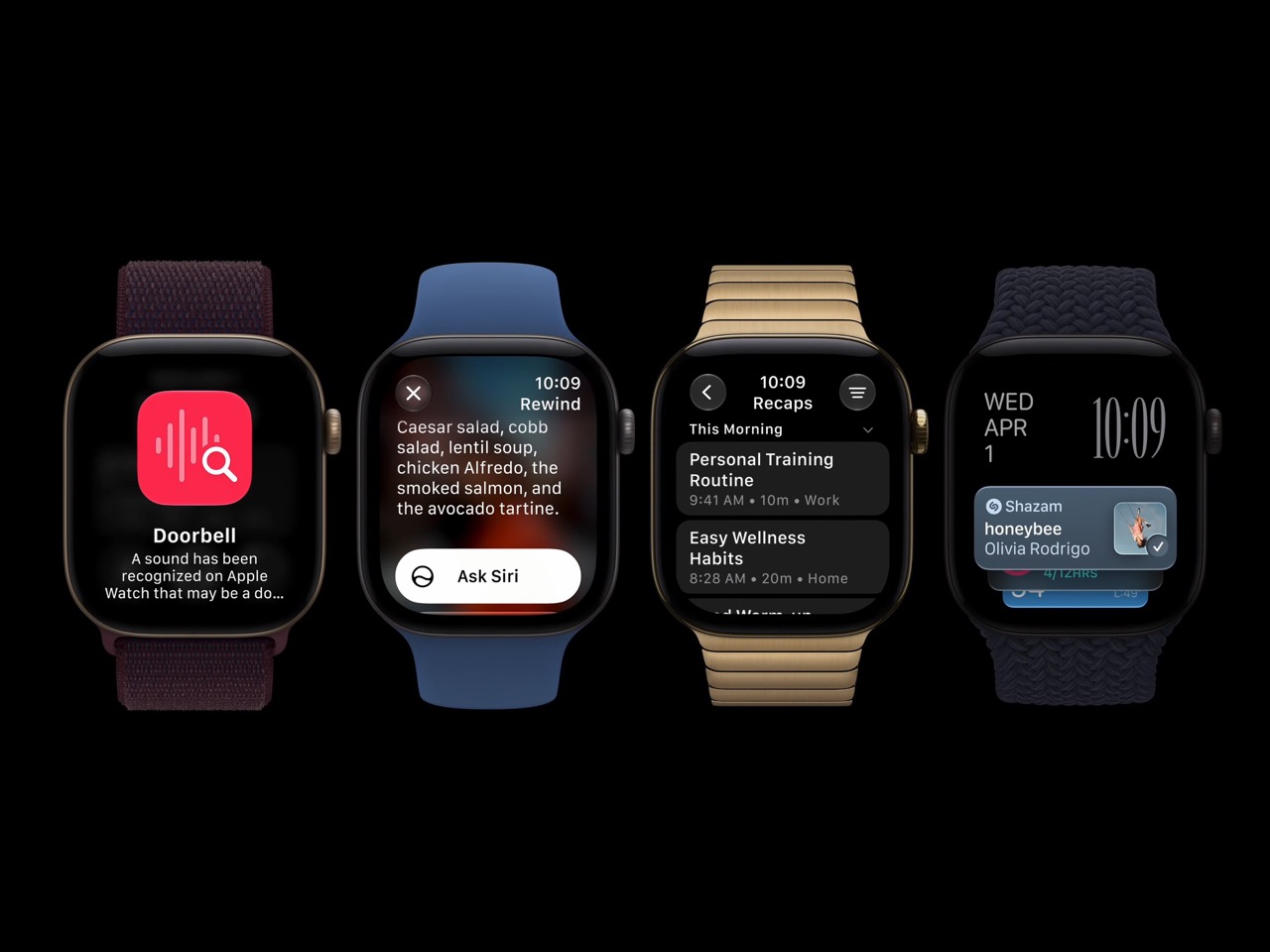
Audio Intelligence isn’t just built for eavesdropping on your own life. Sound Recognition listens for sirens, alarms, doorbells, and crying babies, then buzzes your wrist even when your phone is nowhere nearby, which makes it a genuinely useful accessibility tool for anyone who is deaf or hard of hearing. Shazam gets folded in too, sitting in the Smart Stack and naming whatever song is playing around you without you having to pull out a phone. Four features, one microphone, and one chip doing the quiet work behind all of them.

Both Live Rewind and Siri Recap need Siri AI to function, and Siri AI is still in beta, so expect this to roll out gradually starting in English before other languages follow. You’ll also need an iPhone 16 or newer paired to the Watch, so the 16e and anything older is out of luck. Apple Watch Series 12 itself starts at $399, is available for preorder today, and ships September 18. The health sensors got a real upgrade this generation too, but for once, that isn’t the headline. The mic is.
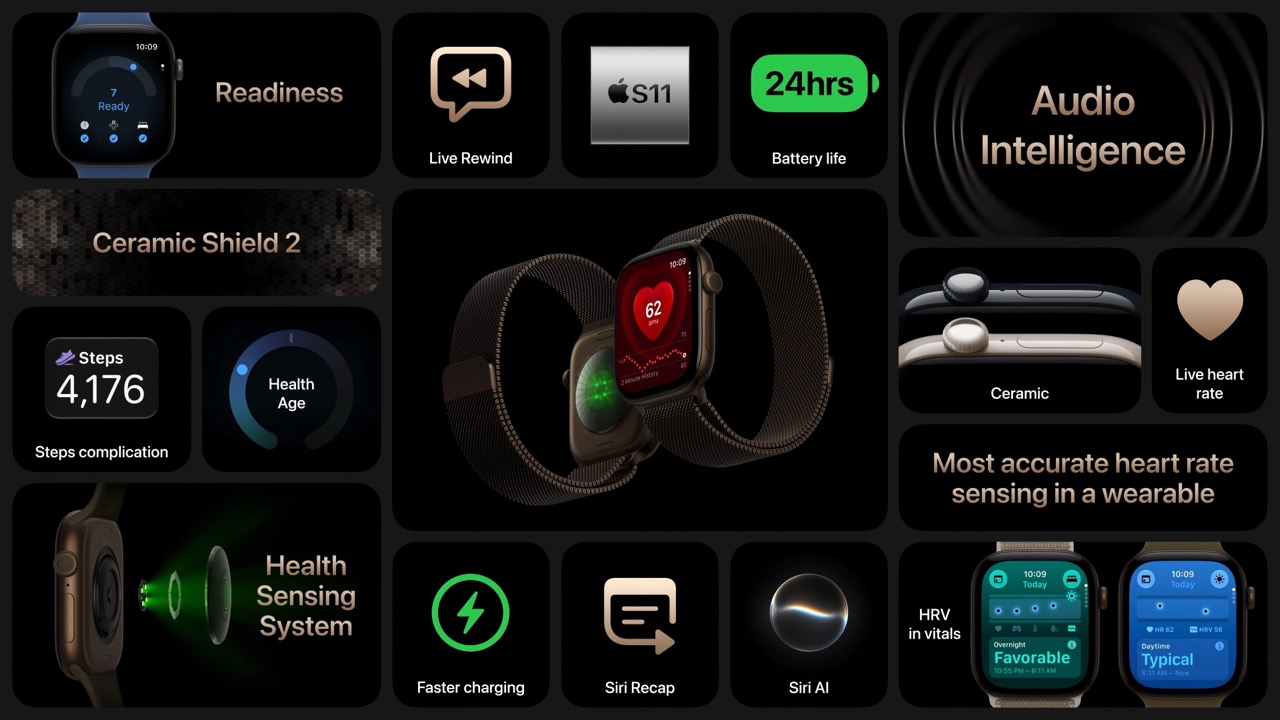
The post Apple’s Coolest Watch Feature Has Nothing To Do With Health… It Lets You Rewind Time. first appeared on Yanko Design.

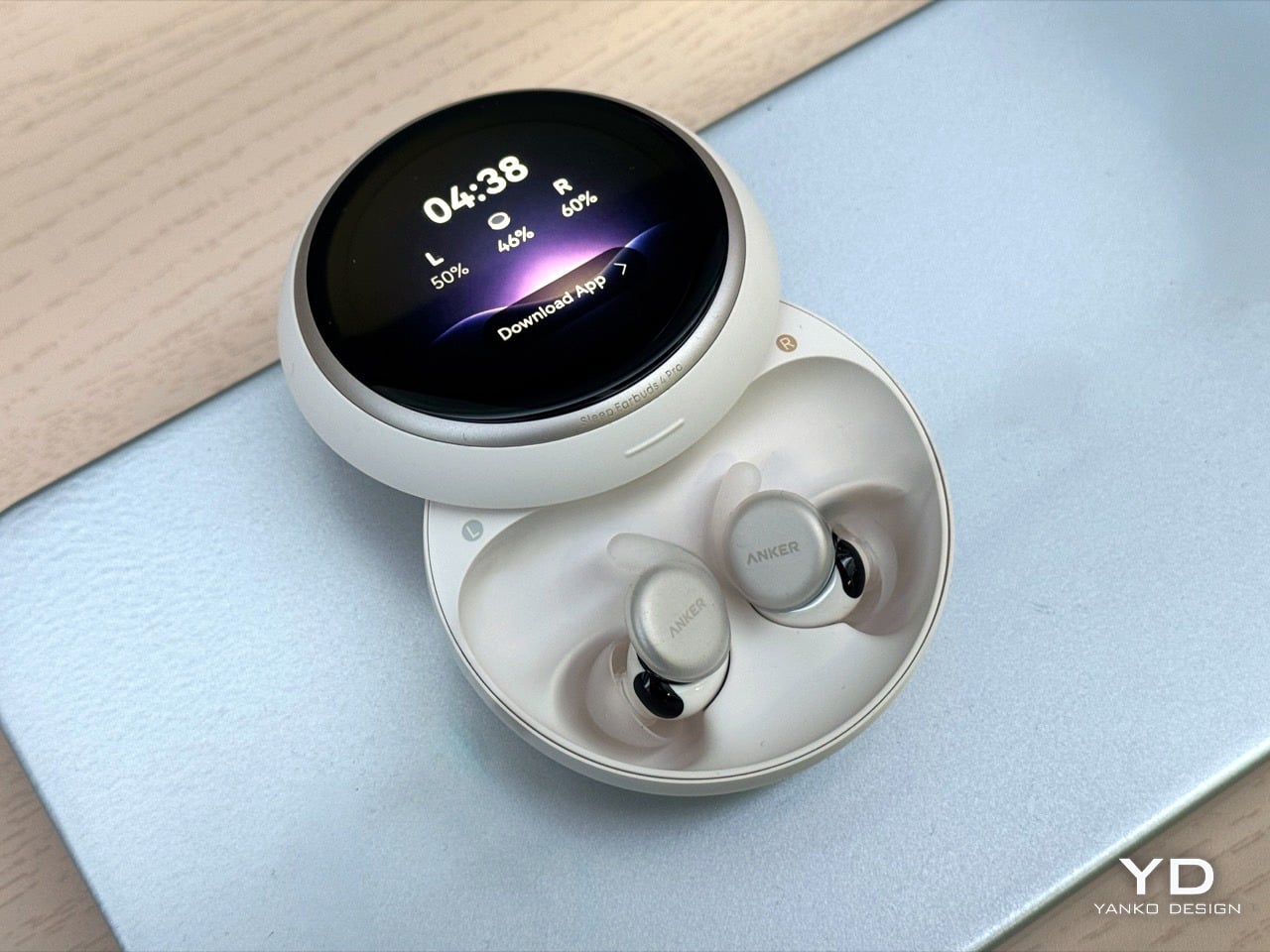
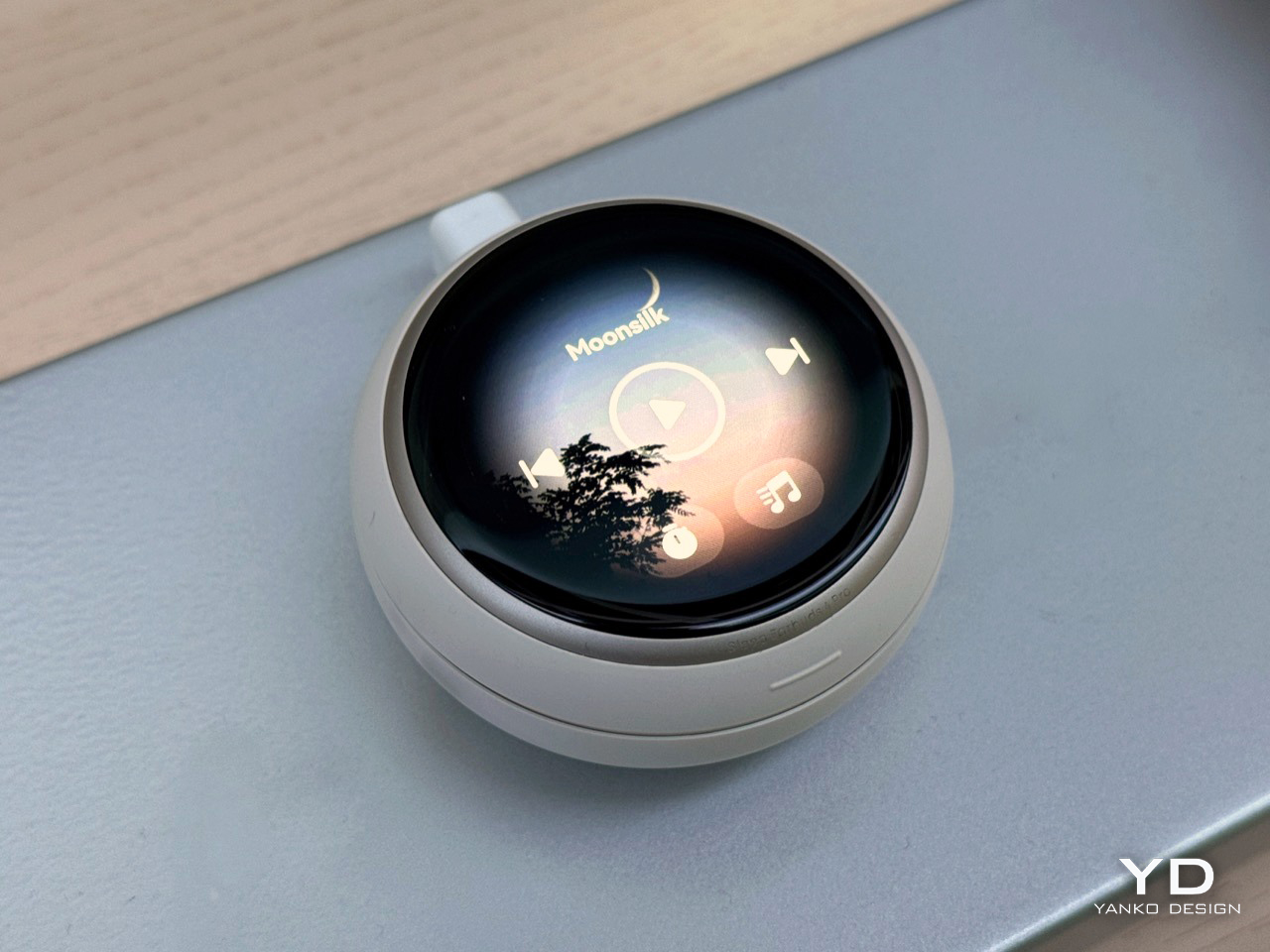
Anker’s new Soundcore Sleep Earbuds 4 Pro stuff a heart rate sensor into your ear canal and bolt a round AMOLED touchscreen onto the charging case, so bedtime happens without your phone anywhere near the pillow. Each bud is a flat three gram disc with a soft silicone fin that wedges into the ridge of your ear, sitting 20 percent flatter against your head than the old Sleep A30 so side sleepers can actually lie on them. A microphone in the case listens for your partner’s snoring and reshapes the masking audio as the snore shifts pitch. It arrives in November for $349.99.
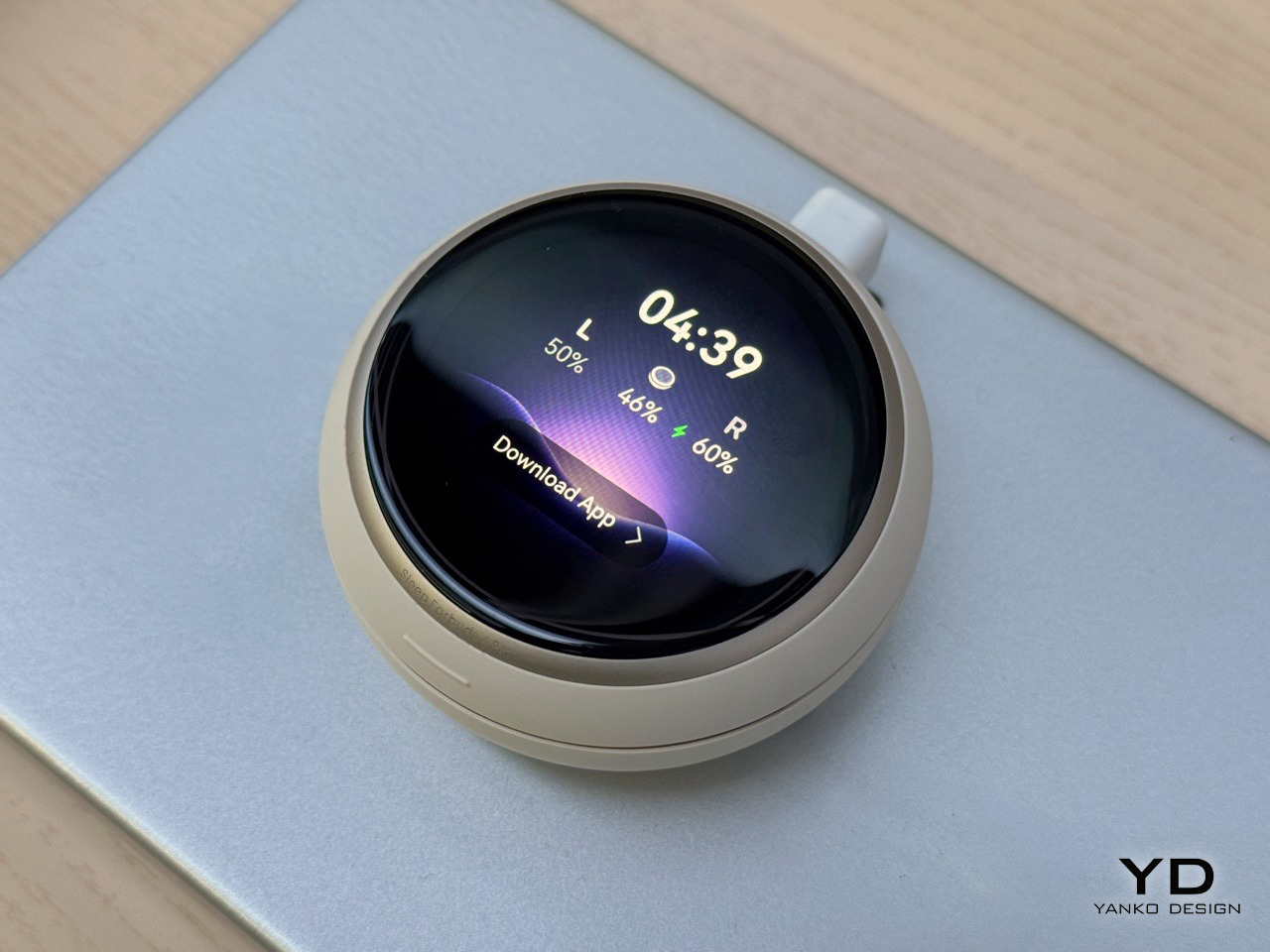
Handling them at IFA, the thing that struck me was the hierarchy. The case is the brain here, with its own screen, chip and local storage, while the buds have quietly demoted themselves to sensors you happen to wear. Pop the lid and a circular display shows the time and battery for each side. Tap through for playback controls, a brightness slider, an alarm toggle. Your phone, the single worst object to hold at midnight, has been designed out of the room entirely.
Designer: Anker
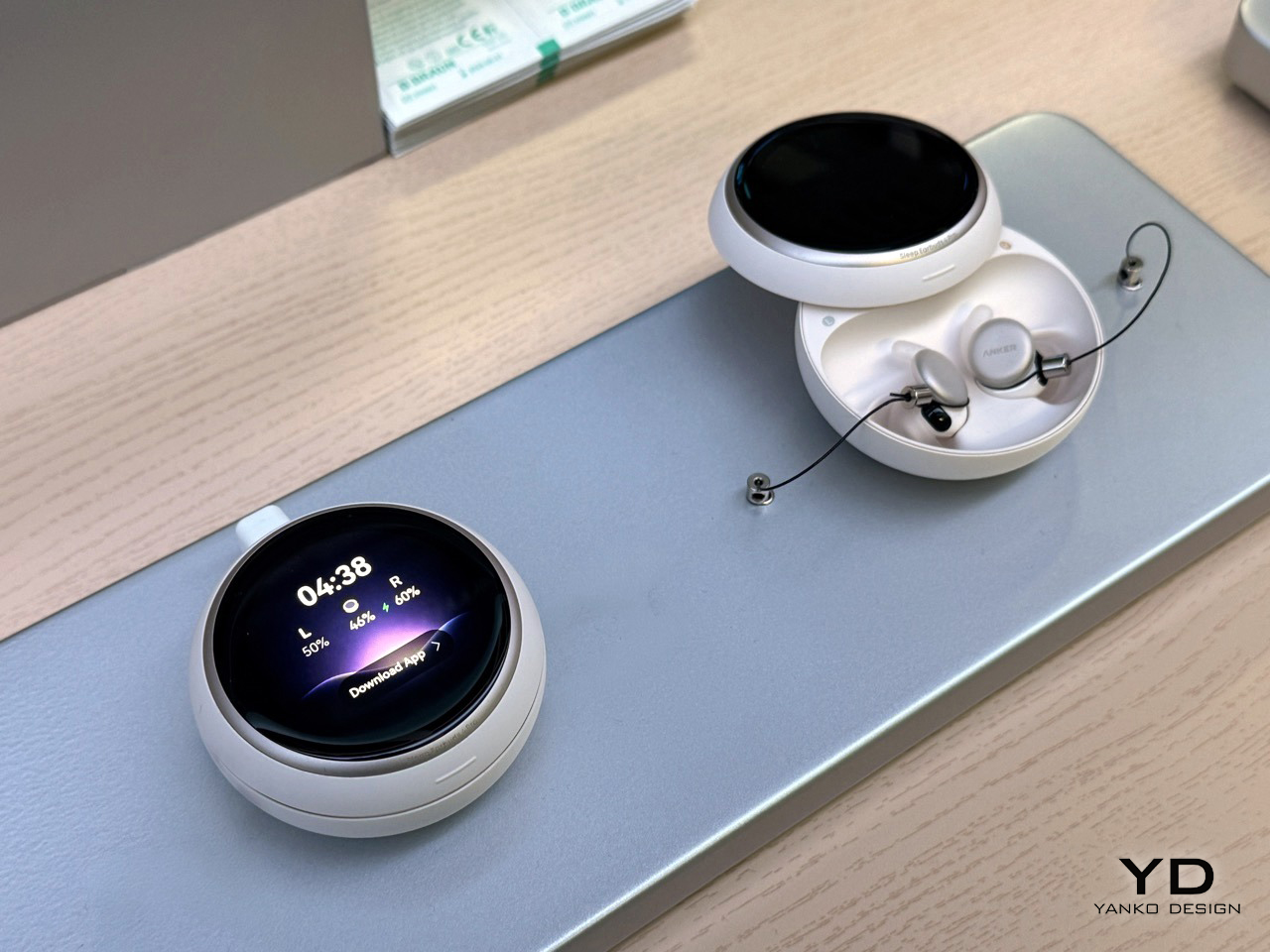
Sleep earbuds run on a brief that works backward from every other earbud, since the real question is what happens when a skull presses the thing into a pillow for eight hours. Anker’s bud is a flat disc with no stem and no nozzle, and the silicone fin locks into the ear ridge instead of pushing inward. I picked one up at the booth and it felt closer to a hearing aid component than a music earbud, the correct lineage for something meant to disappear under the weight of your head. The case carries the real design budget: a round AMOLED display, its own chip, and local audio storage, so soundscapes play offline.
Inside the ear, a 100 Hz optical PPG sensor tracks heart rate and HRV through the night, feeding BioSync, a system that checks relaxation roughly every five minutes and nudges the tempo, soundscape and binaural beats accordingly. Anker calls this an experimental lab feature, not a medical grade one, honest framing for a claim this ambitious. Snore masking runs on a separate loop: the case mic picks up snoring nearby and reshapes the masking sound as pitch and rhythm change, rather than looping one fixed track all night. Anker recommends keeping the case within two meters of the sleeping culprit with the mic aimed their way, the most savage guidance to come out of IFA this year.
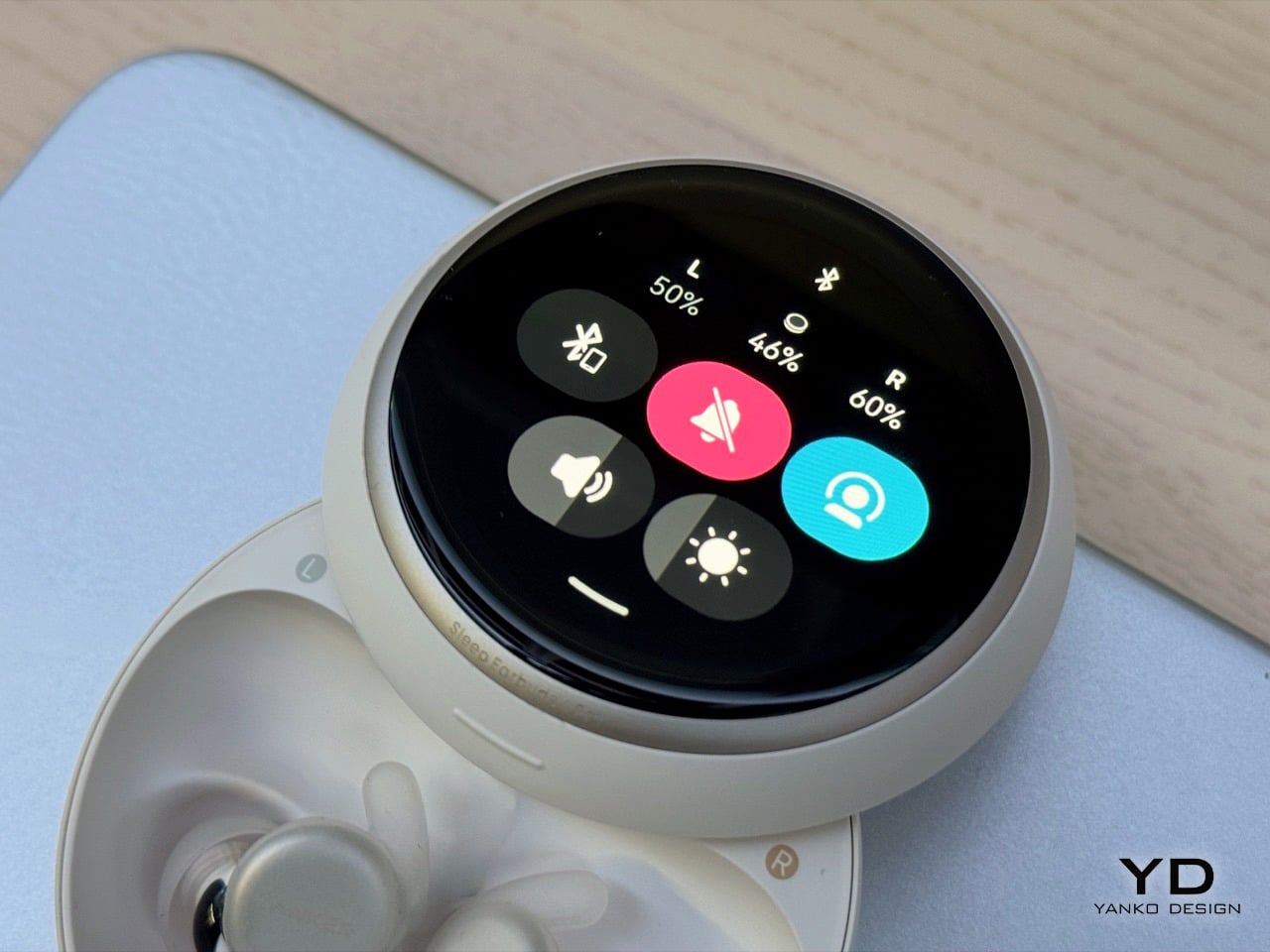
The cheaper $229.99 Sleep Earbuds 4 skips the PPG sensor and the touchscreen entirely, yet it can recognize a baby crying or a fire alarm through its case mic and duck the masking audio into transparency. The Pro, despite carrying all the sensor hardware, does not do this. It reads as two products, two timelines, with no merge forced before launch. Paying $120 more buys a heart rate graph and a screen, not the feature that wakes you when something is actually wrong. That tradeoff is worth Anker addressing before the Pro ships in November.
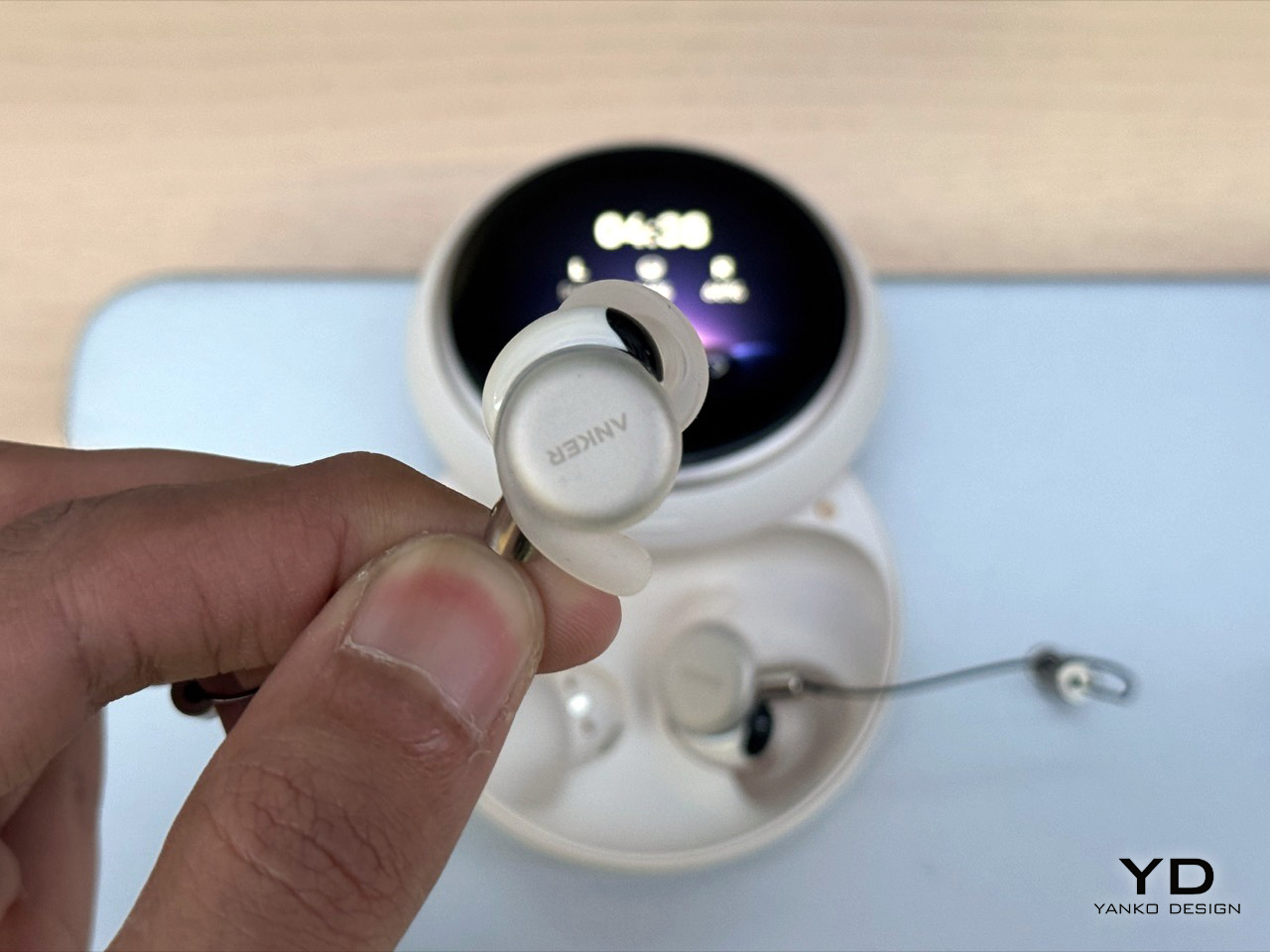
Anker took the accessory and made it the computer, while the wearable itself got smaller and closer to invisible, the reverse of how most earbud lines evolve. Cases usually shrink as buds gain features. Here the buds vanish and the case gets a face. Whether BioSync improves anyone’s sleep needs real nights and real data, not a show floor. But a screen you check instead of a phone you scroll is the right instinct for something built to sit beside your head while you’re unconscious.
The post Anker’s Sleep Earbuds 4 Pro Silence Snoring in Real Time With Adaptive Masking: Hands-on at IFA 2026 first appeared on Yanko Design.

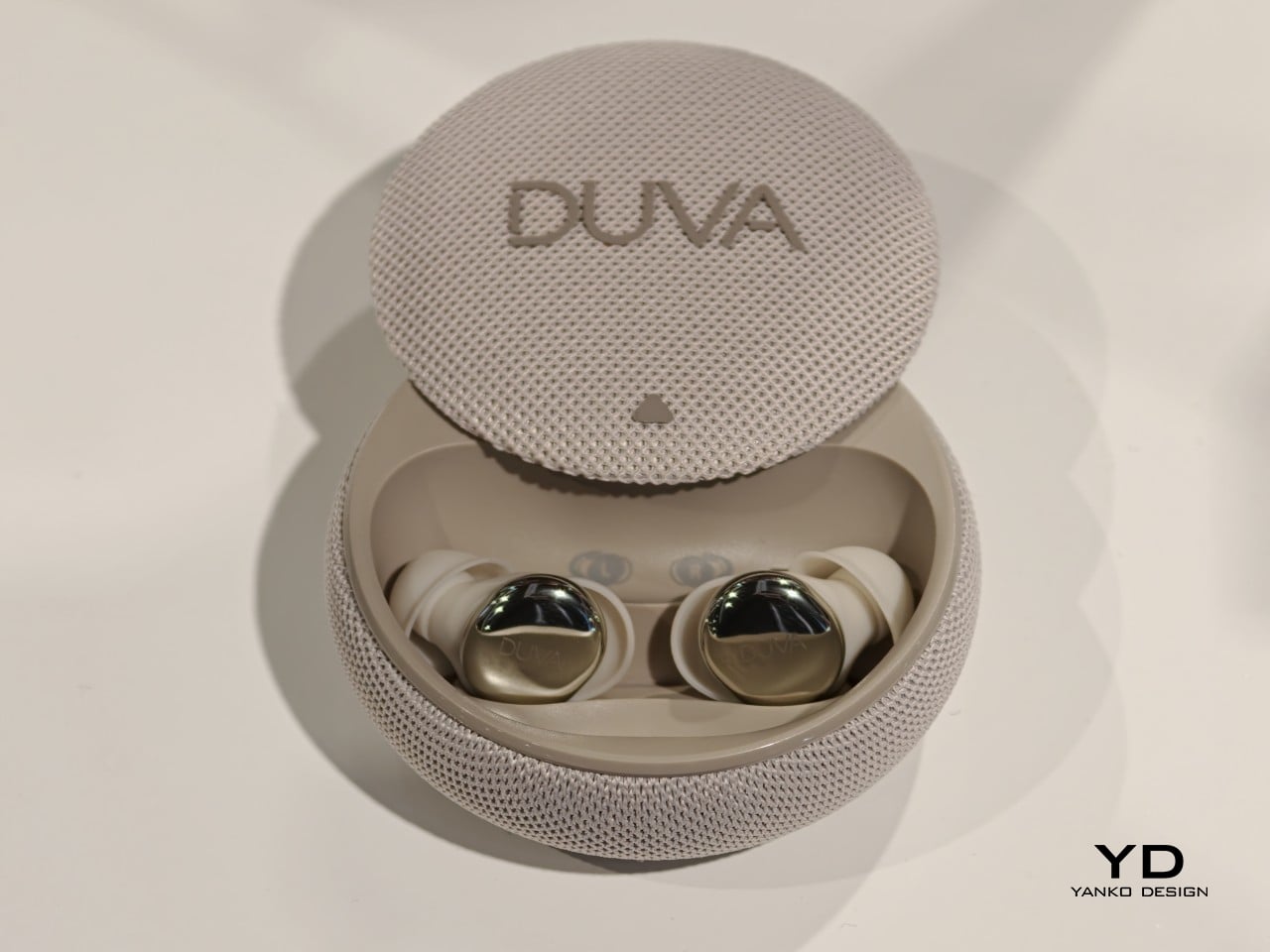
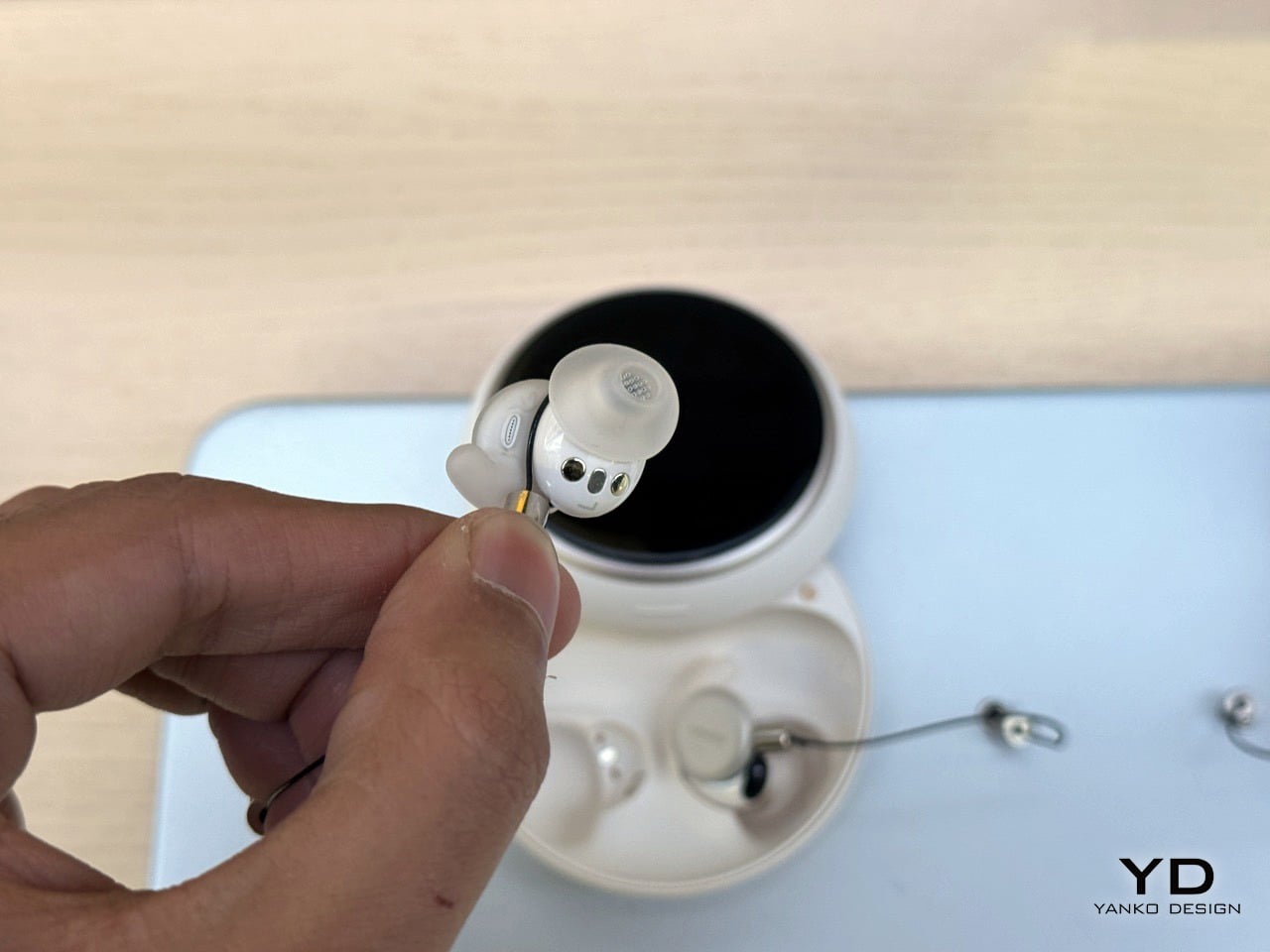
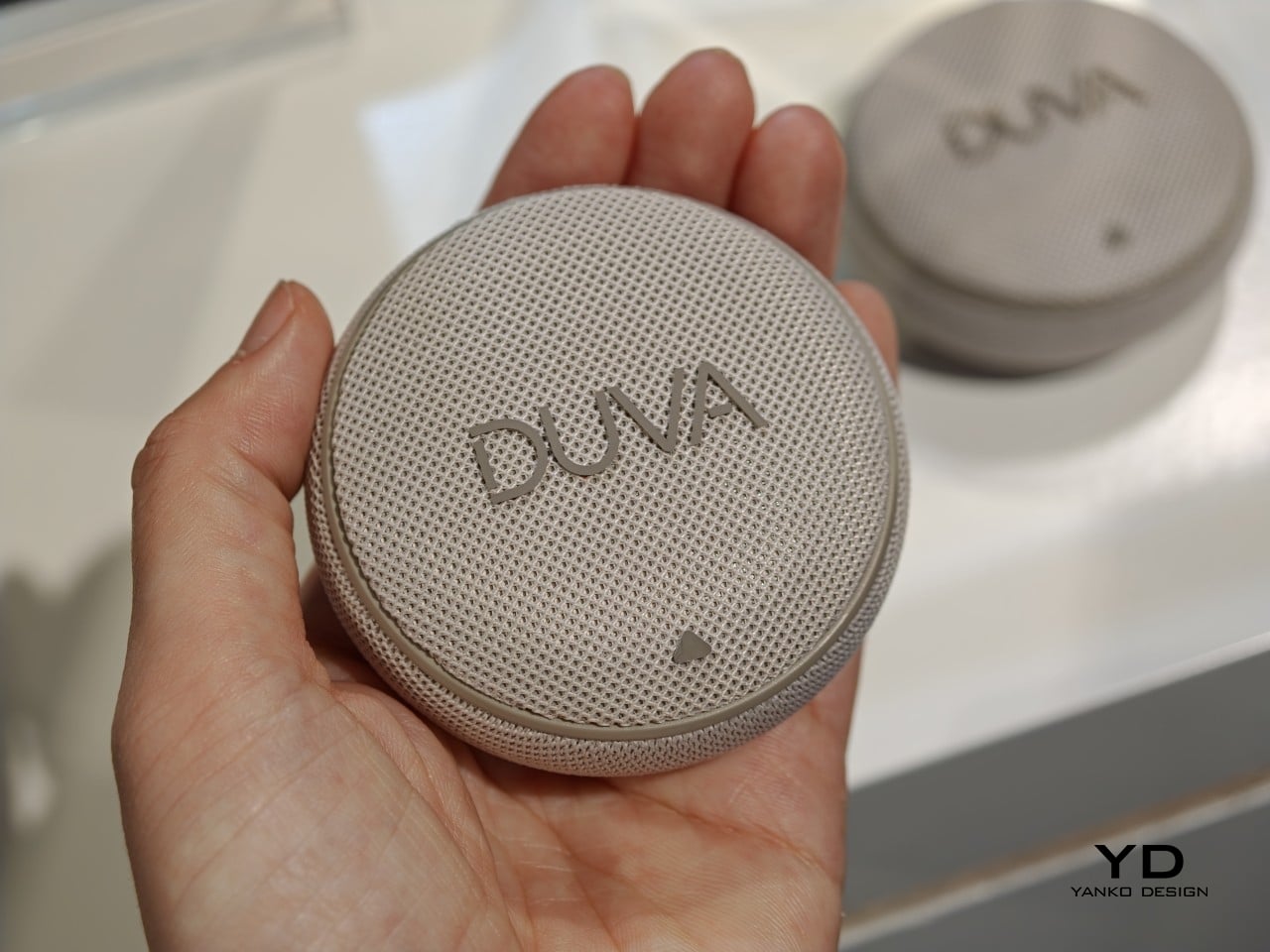
Most sleep trackers wait until morning to tell a story that’s already over. A person tosses through a noisy night, wakes up groggy, and gets handed a score explaining what went wrong hours after it happened, with no chance to fix anything while it mattered. DUVA One, introduced at IFA Berlin 2026, moves that entire conversation into the middle of the night itself, treating disruptions as something to respond to in real time rather than data to review at breakfast.
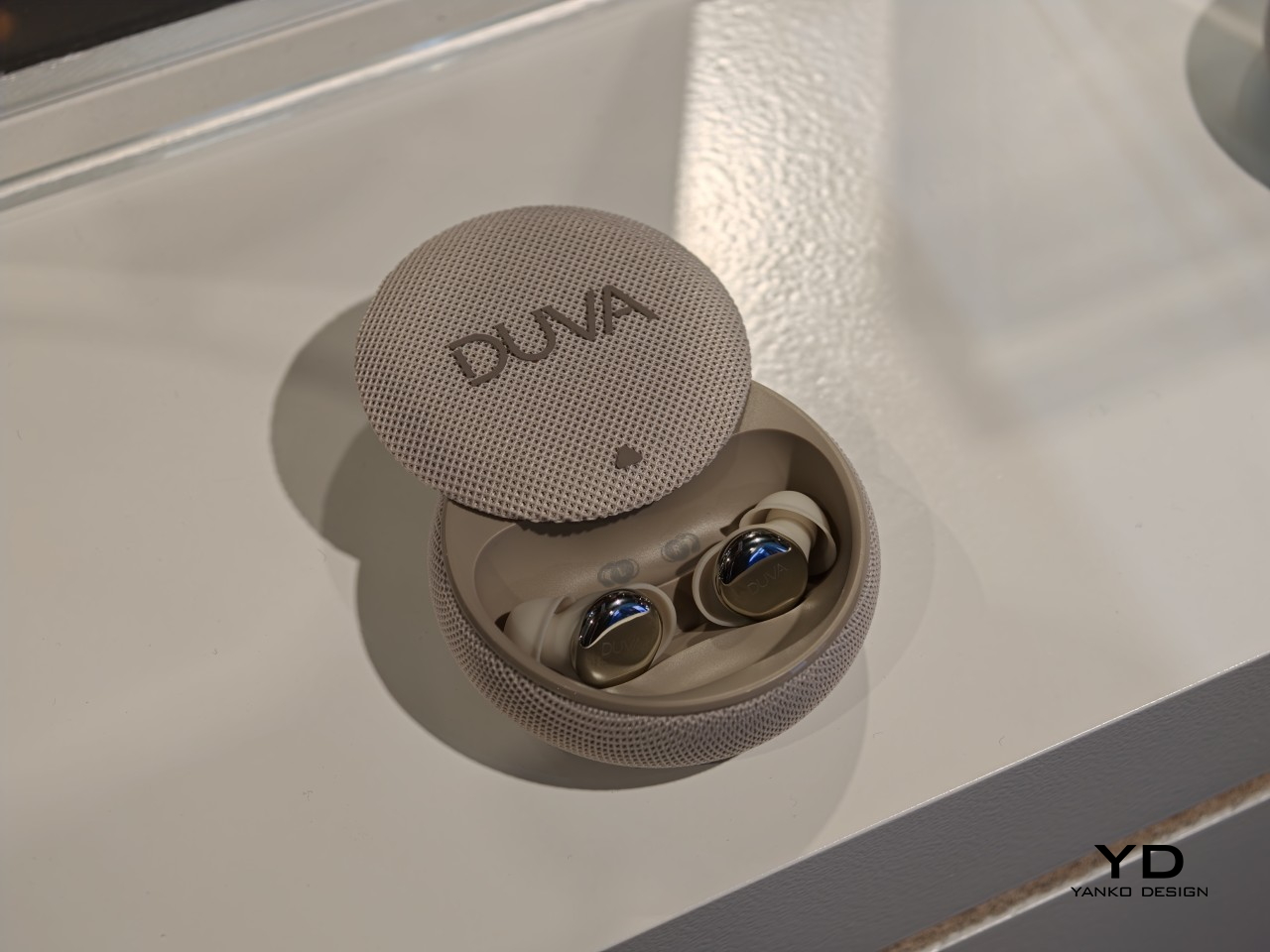
The system builds its response around two simultaneous points of view. Inside the ear, PPG and motion sensors track heart rate, HRV, movement, and sleep position throughout the night. Sitting beside the bed, the charging case reads the room itself, picking up noise, light, temperature, and humidity, then lining that environmental data up against what’s happening in the body at the exact same moment.
Designer: DUVA (Fitnexa)
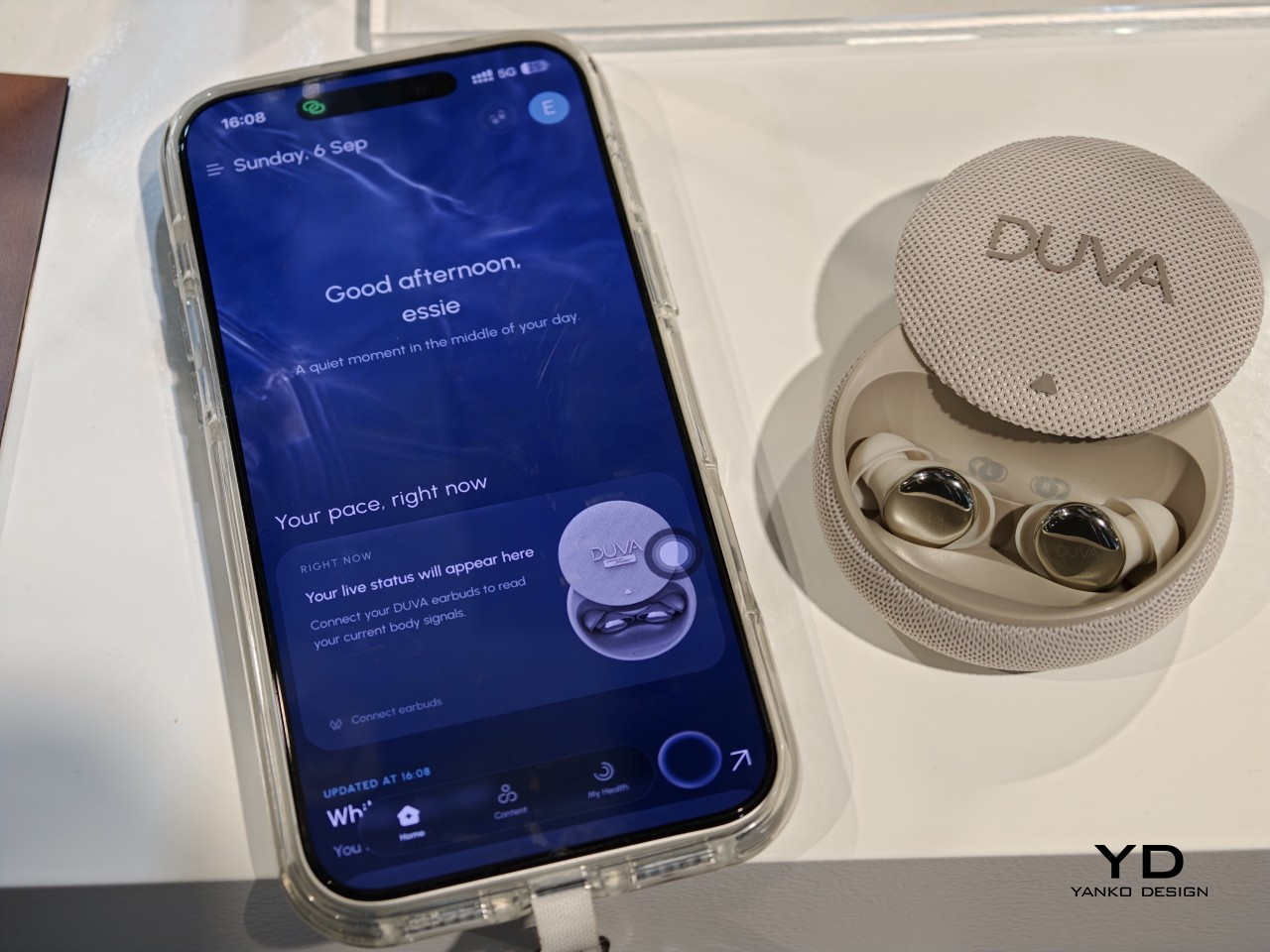
That pairing turns a random 3 AM wakeup into something with an actual cause. A spike in movement paired with a sudden noise spike tells a different story than one paired with a temperature swing, and DUVA One uses that context to decide what to do next. It can dial in active noise cancelation, layer in sound masking, or switch on sleep audio, then keep watching to see whether the response actually helped or needs adjusting.
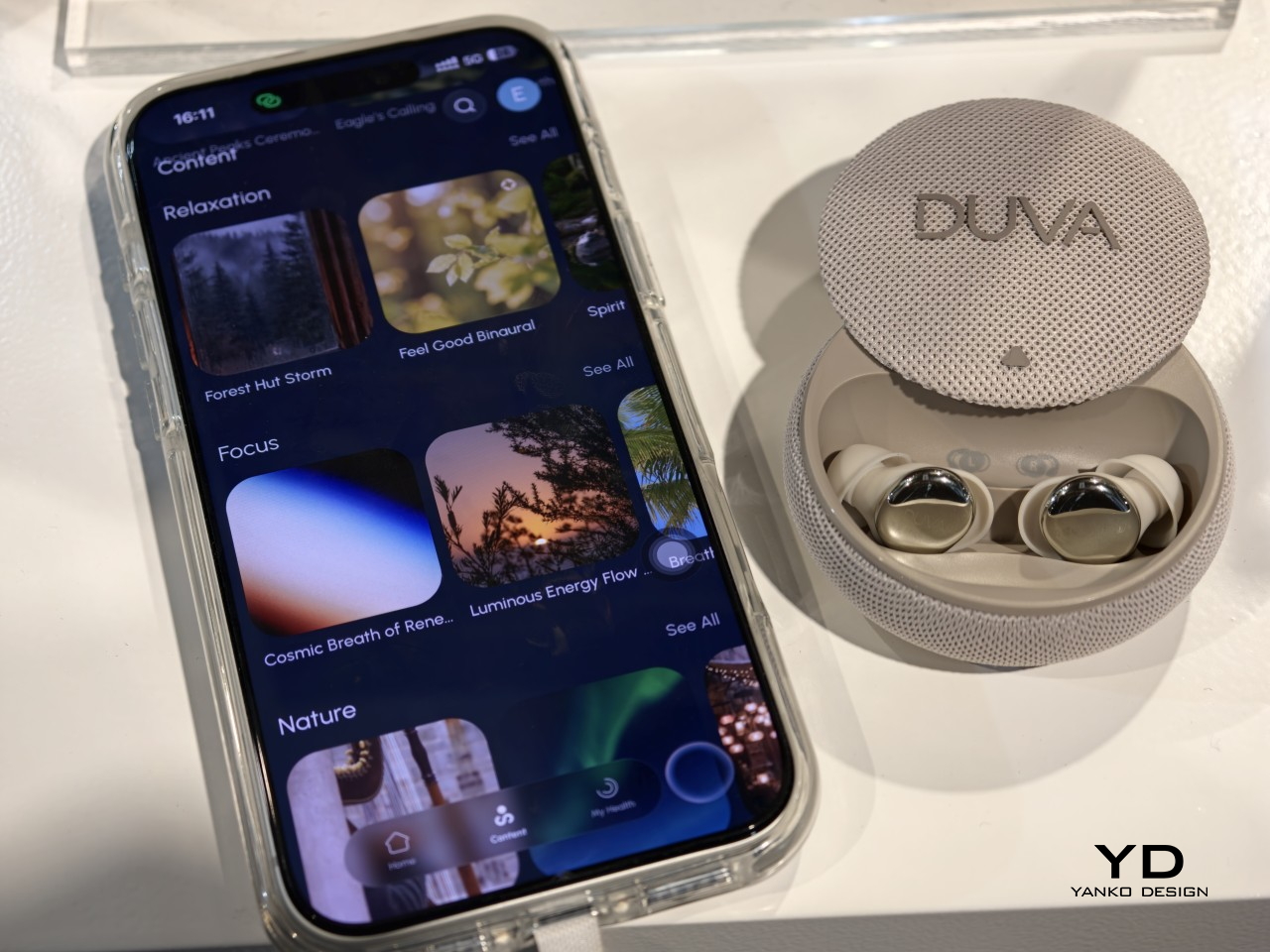
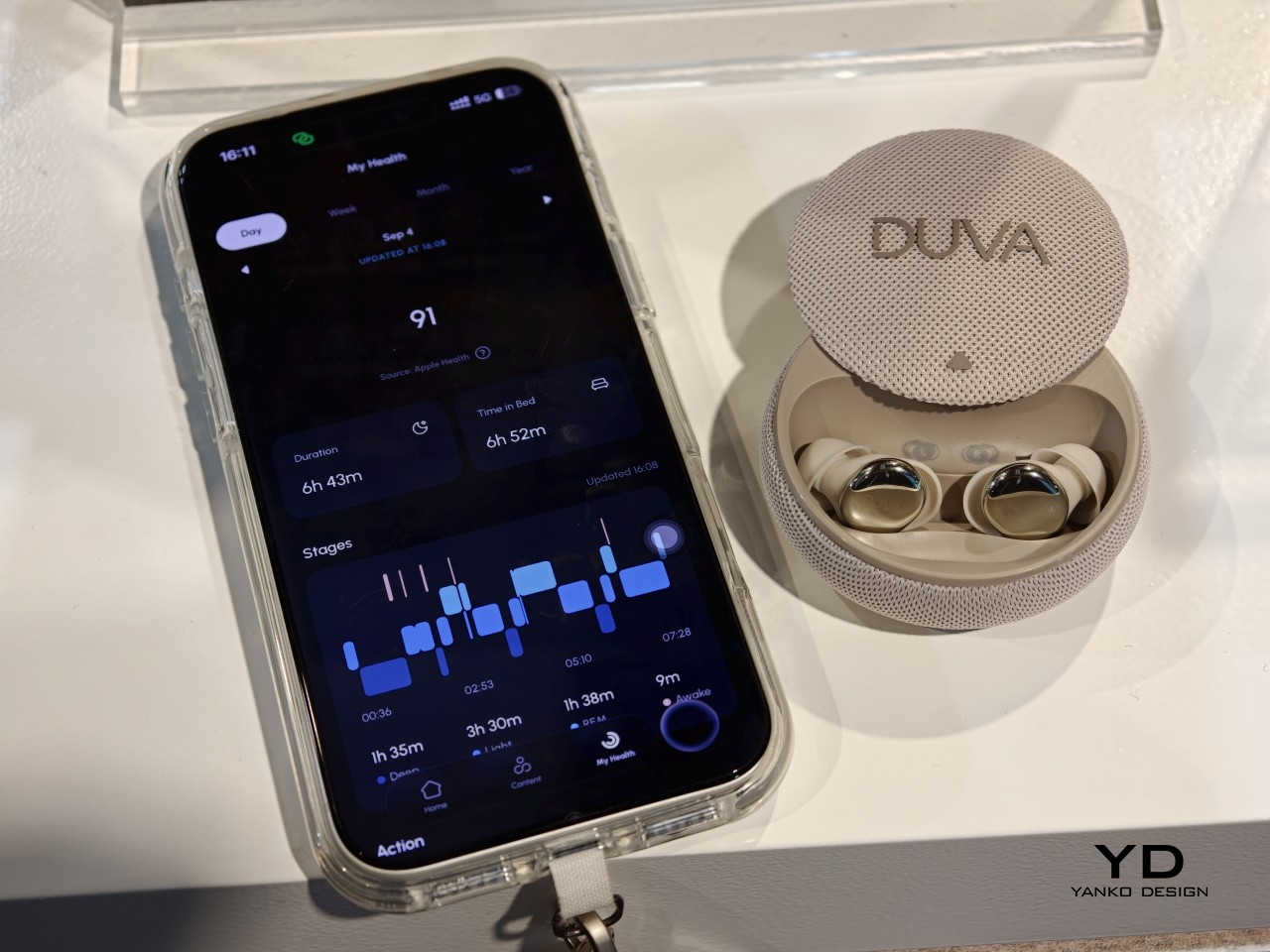
Audio handling reflects the same instinct toward reading the moment instead of locking into one setting at bedtime. Someone might drift off with a podcast streaming over Bluetooth, and once DUVA One detects sleep, it can quietly hand off to locally stored sleep audio, cutting the connection while trimming power use for the rest of the night. It’s a small transition, but it removes the usual choice between falling asleep to something and burning battery doing it.
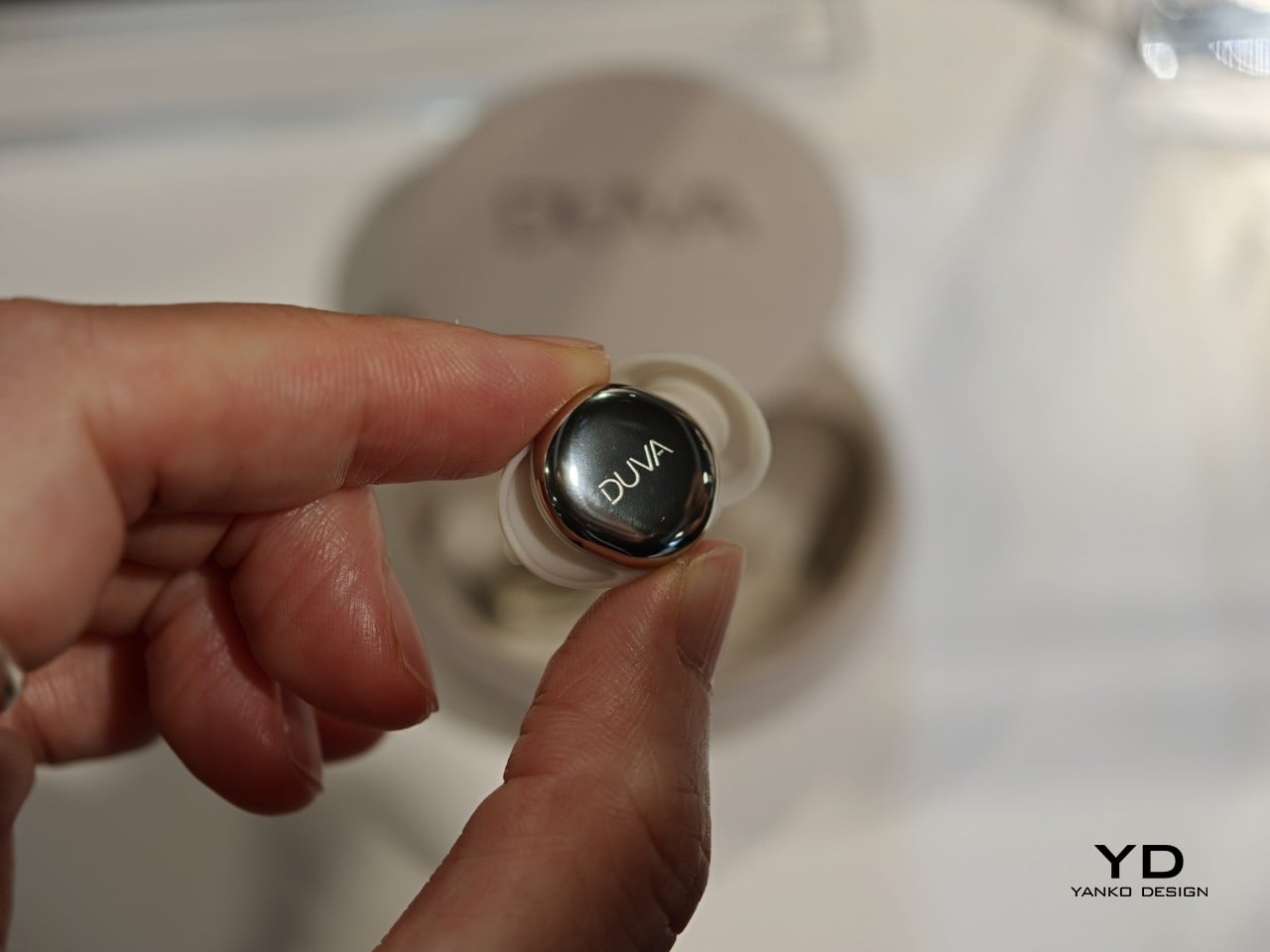
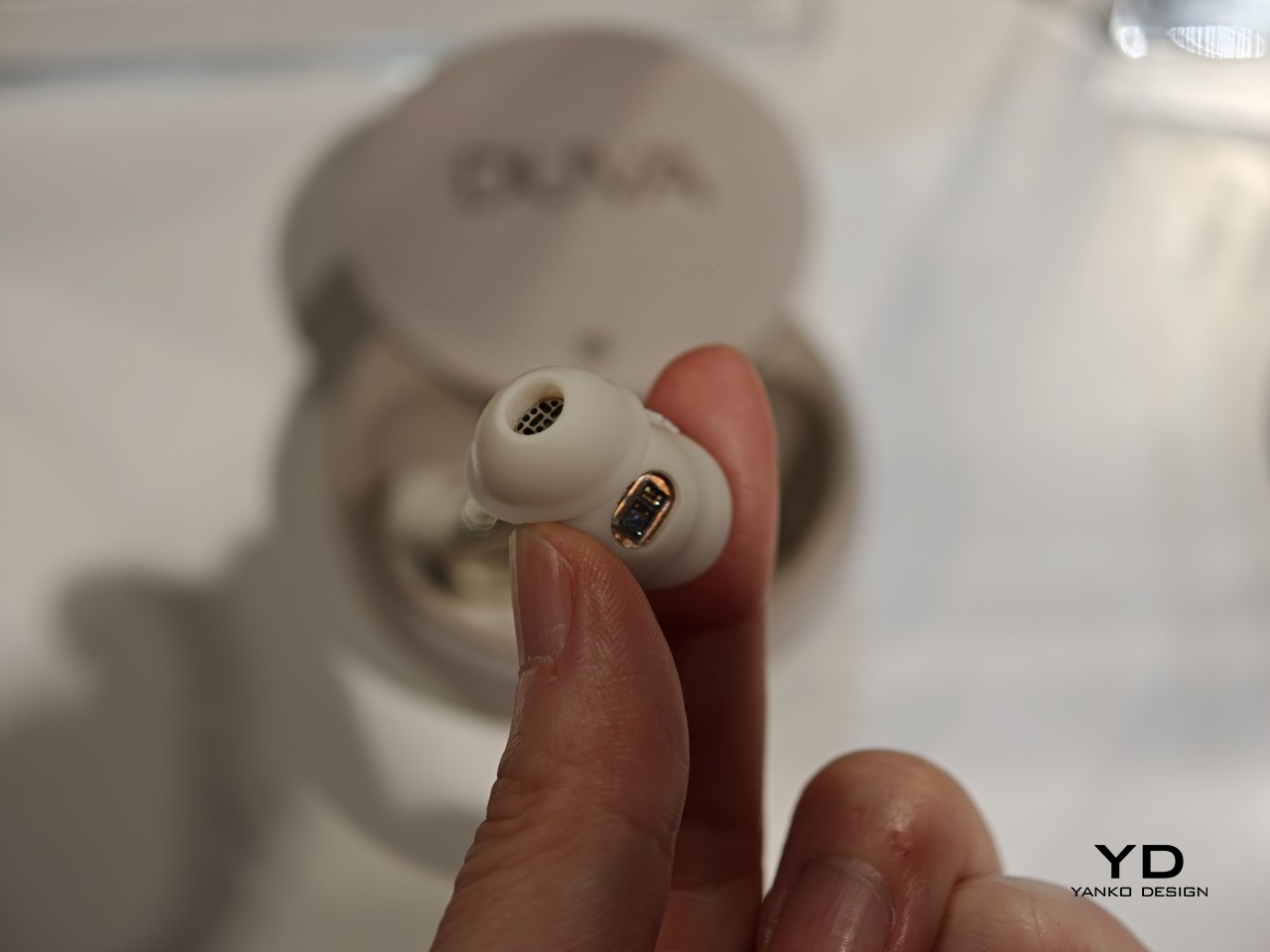
All of that would be pointless if the earbuds themselves got in the way of actual sleeping, making you prefer not to have them on at all. DUVA built each one down to a 9.9mm profile at roughly 3.3g, sized specifically for people who sleep on their sides and need something that won’t dig into an ear against a pillow for eight hours straight. Multiple tip and stabilizer wing sizes come along to fit that shape to different ears rather than forcing a single mold.
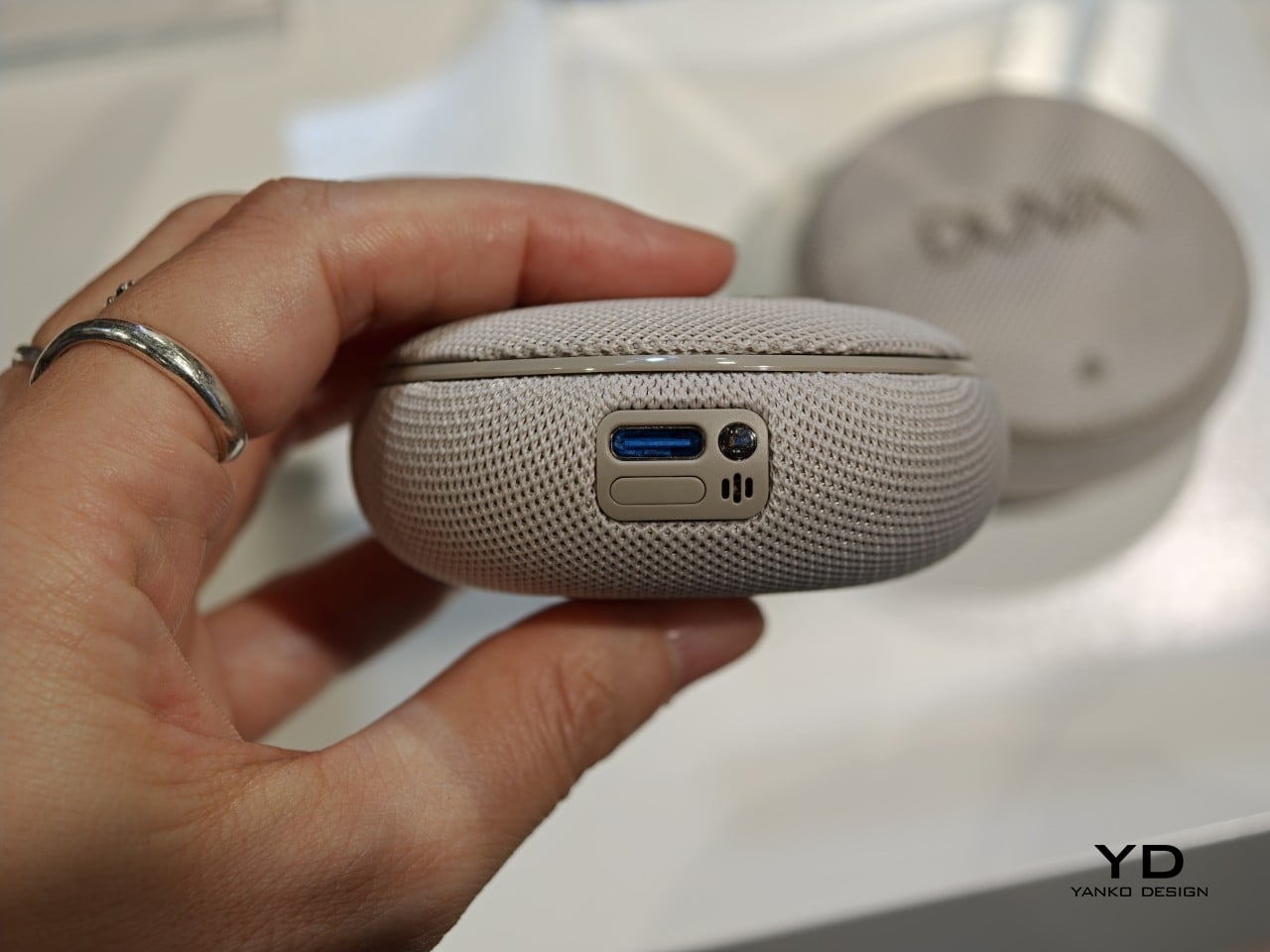
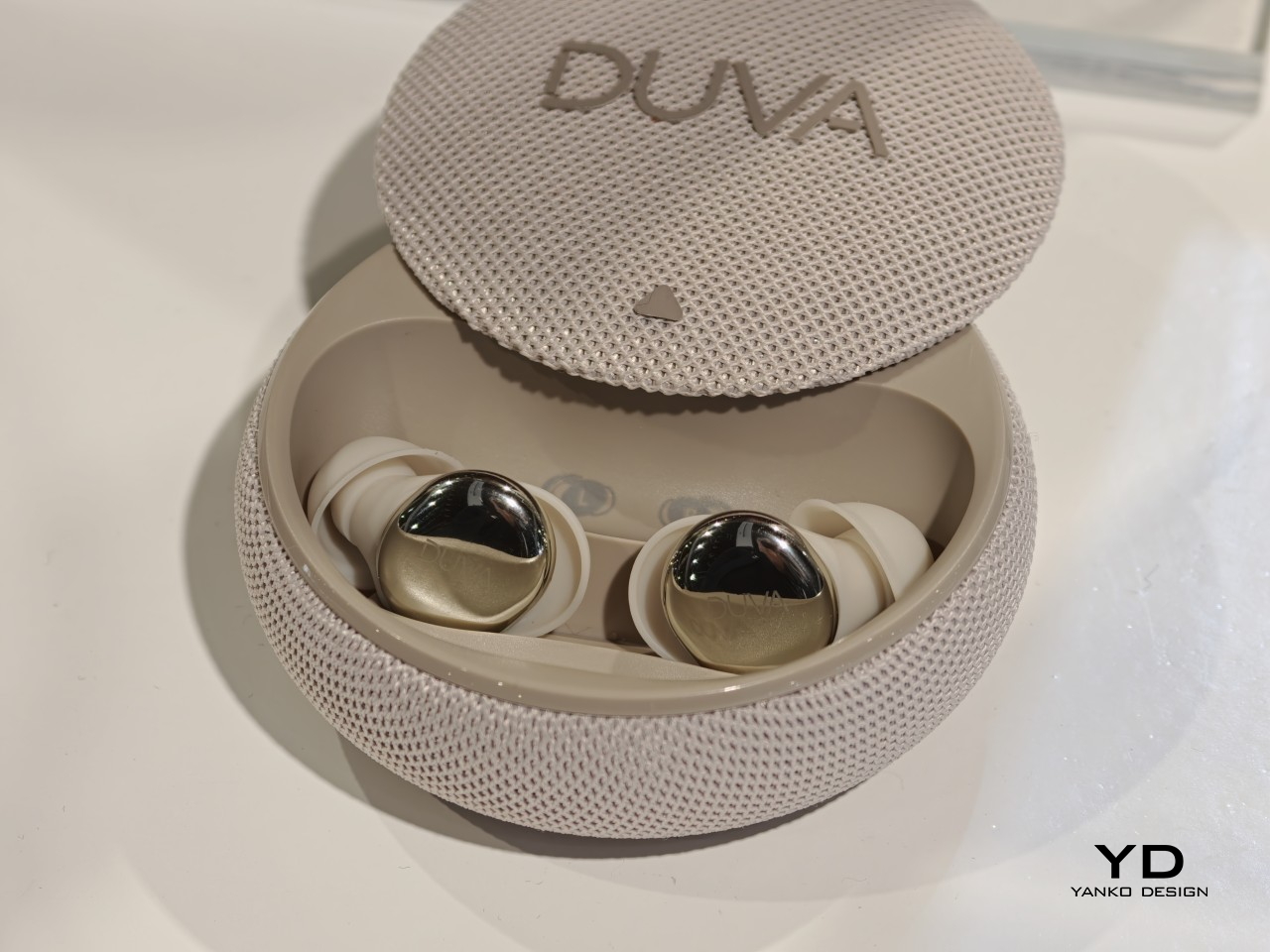
Morning wakeups get the same considered touch through a private, offline alarm that builds in volume gradually, with snooze options set directly through the earbuds instead of reaching for a phone. On the data side, DUVA draws a clear line around privacy, skipping conversation recording or raw audio storage entirely, while letting users switch off individual sensors or erase their history outright. DUVA One arrives in October 2026 at $349.99, targeting the US, Canada, UK, EU, and Australia.
The post Most Sleep Trackers Grade Last Night, but DUVA One Adjusts Tonight first appeared on Yanko Design.
If you live a life full of meetings and conversations, there’s a good chance you’ve forgotten something important that was said to you. Sure, you can take notes or jot things down as you go, but not everyone likes doing that, and not everyone has the time to stop and sort through everything they hear during a busy day.
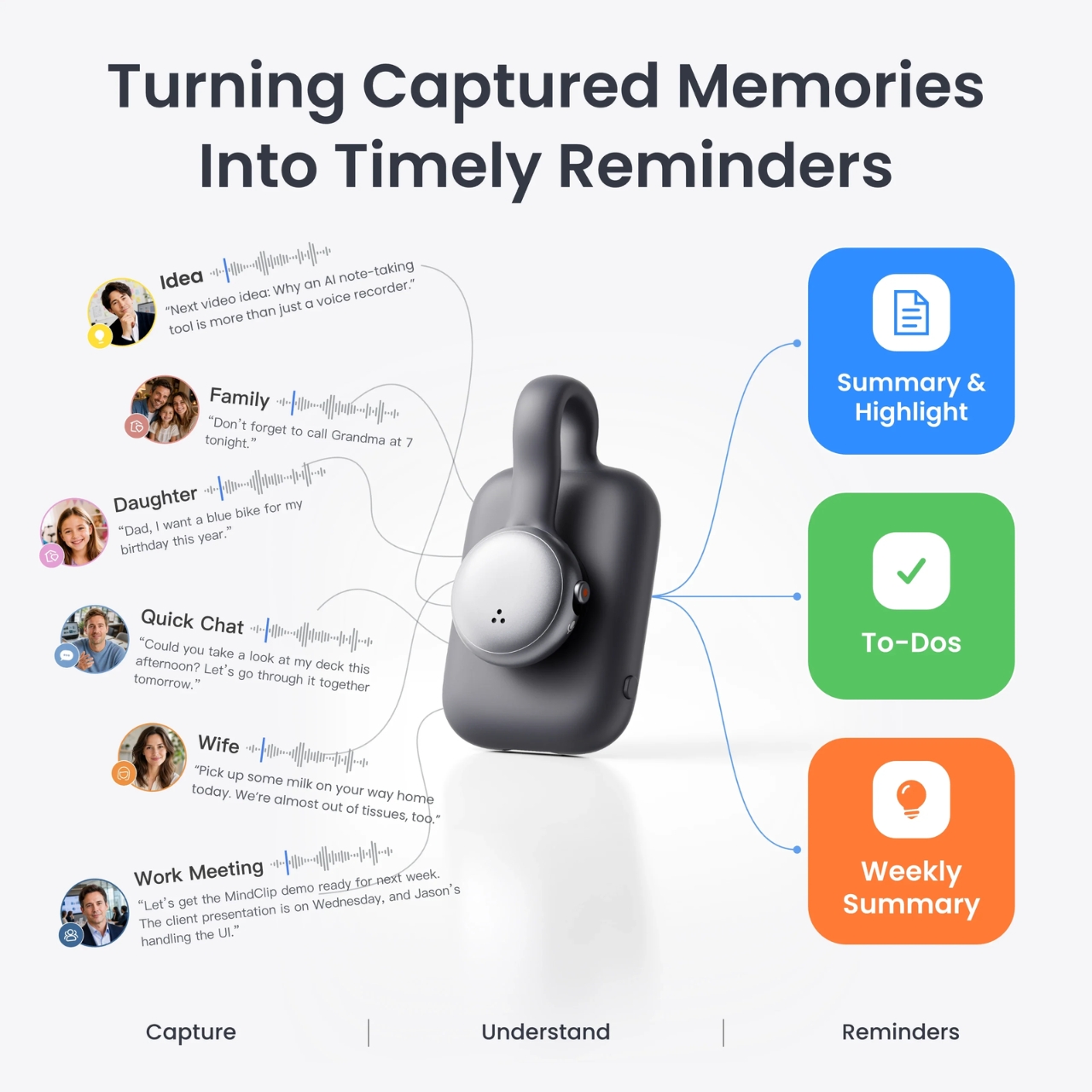
The SwitchBot AI MindClip wants to do the heavy lifting for you by creating a “second brain.” It’s a lightweight, clip-on wearable AI gadget that can record conversations and meetings while also letting you add voice notes whenever inspiration strikes. From there, it automatically transcribes, summarizes, and organizes everything so the information ends up exactly where you need it, whether that’s your calendar, your to-do list, or a searchable archive you can revisit later.
Designer: SwitchBot
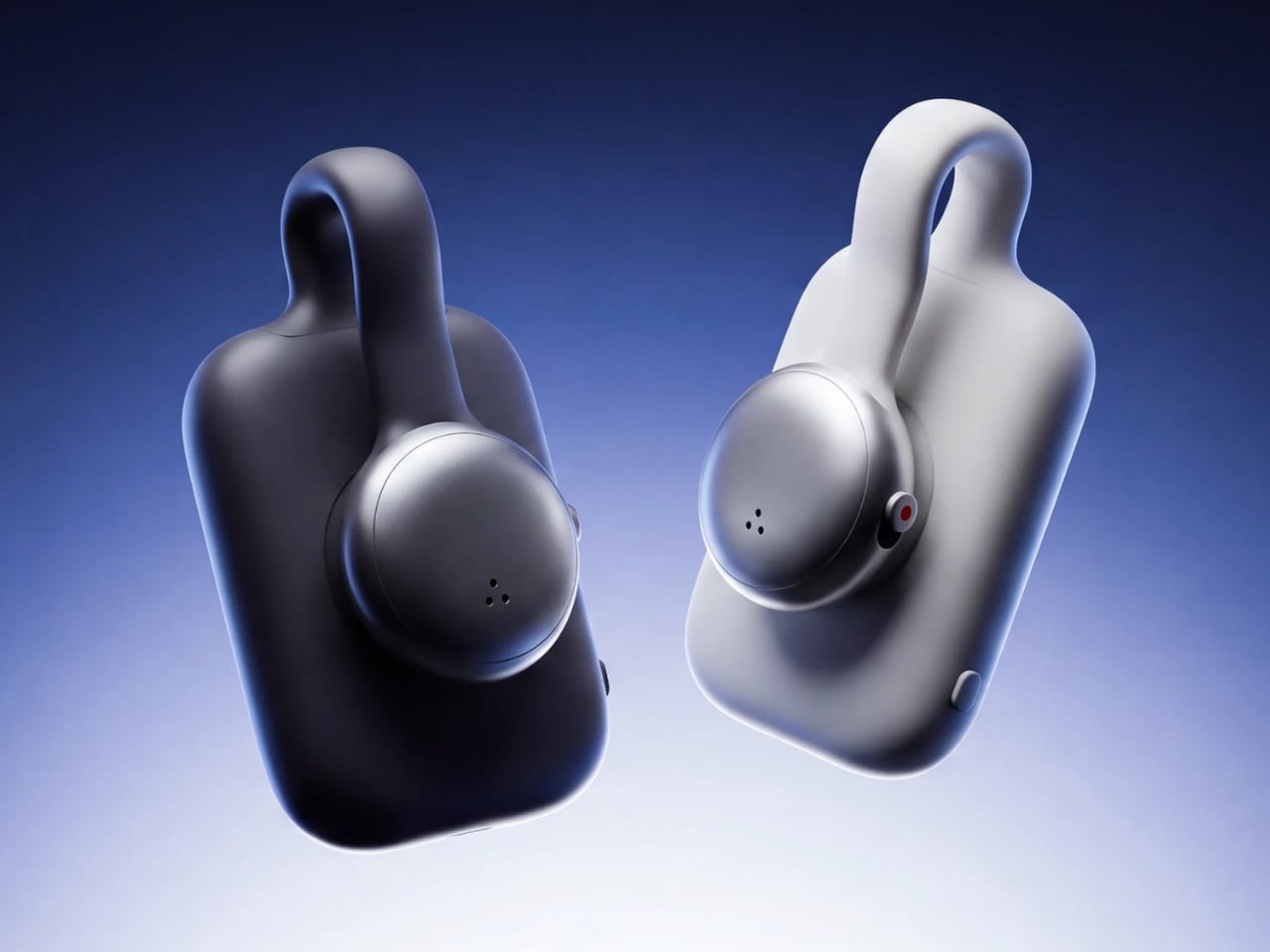
Plenty of recording devices already exist, mostly built to capture meetings and interviews. But the MindClip does more than just dump everything into one long audio file. It sorts your recordings into categories like Timeline, Priority, Daily Memory, Weekly Summary, and To-Do Overview. You can even sync it with your calendar and reminder apps, turning those “overheard” details into real, actionable schedules and tasks instead of letting them slip away.

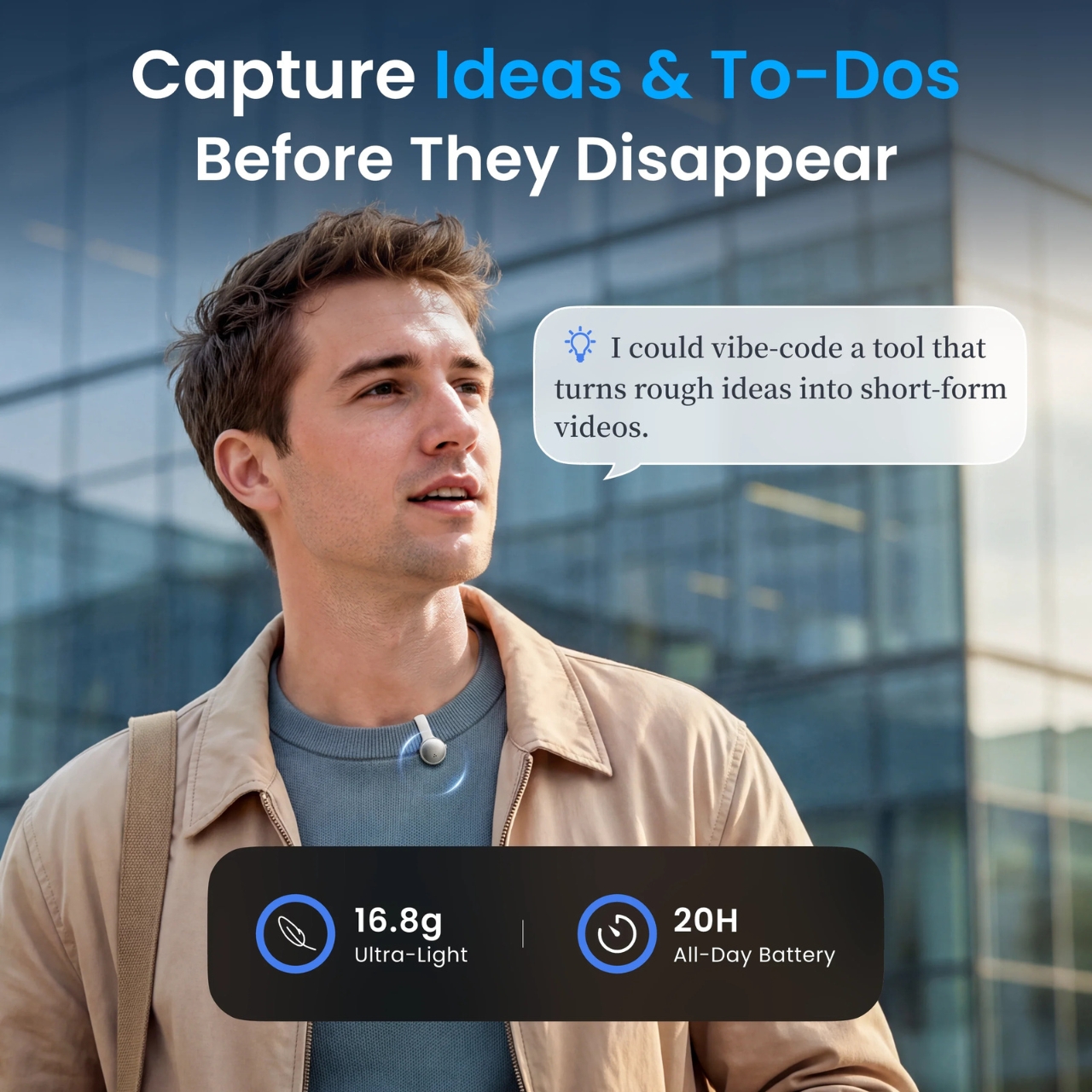
As for the design itself, the AI MindClip is a small, button-like, square-shaped clip that looks more like a tiny badge or pin than an actual recorder. It’s built to blend into whatever you’re wearing rather than stand out, which makes it easy to put on every day and take just about anywhere. The device is made from aluminum alloy and ABS plastic, giving it a premium feel while keeping it both durable and lightweight at just 16.8 grams. It comes with a clip-back mount that easily attaches to collars, jackets, bag straps, and lanyards. It’s also sweat-resistant and splash-resistant, so it’s built to handle real-world scenarios like commuting, phone calls, meetings, and everyday wear without missing a beat.
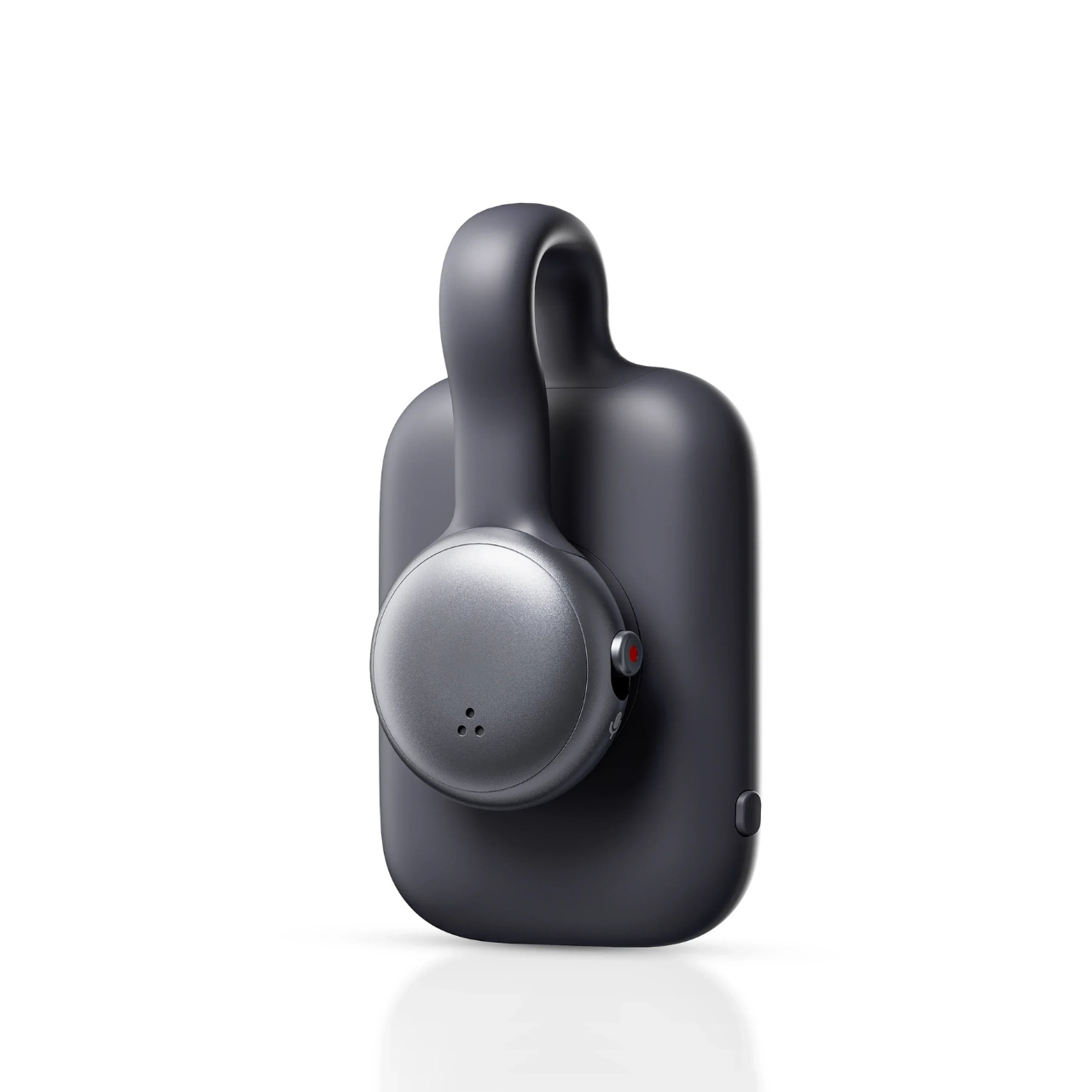
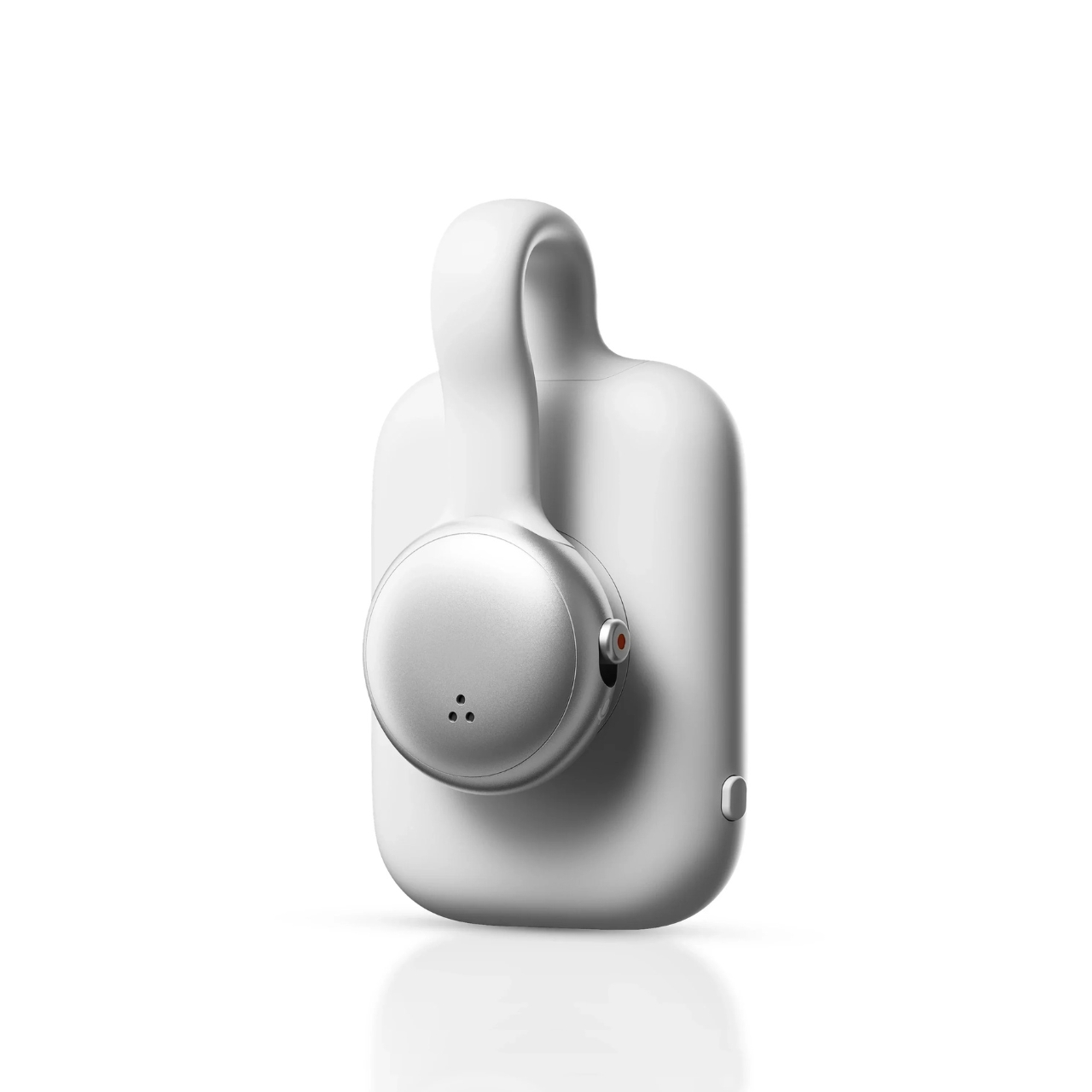
This tiny device is packed with AI-powered features, including automatic speech-to-text transcription, AI summaries built from a variety of templates, automatic to-do generation, and weekly recap summaries. You can even ask it questions about past recorded audio using its “AskAI” conversational search feature, so instead of scrolling through old notes, you can simply ask what was said and get a straight answer.

Of course, a device like this naturally raises questions about privacy and legality. SwitchBot has built in a number of in-app privacy and data management controls, along with end-to-end encryption for both pairing and file transfer. Even so, there will likely be ongoing concerns given the device’s “always recording” nature. SwitchBot will need to make it clear that these features won’t create problems for the wearer or for the people around them, especially since many U.S. states require everyone in a conversation to consent to being recorded.

Personally, I still prefer pen and paper, or typing things out on a keyboard, when it comes to note-taking and remembering things I need to act on later. But no method is foolproof, and there are definitely moments, like a packed workday or a hectic family schedule, when a tool like this could genuinely come in handy.
At the end of the day, the SwitchBot AI MindClip is an interesting bet on where note-taking might be headed. Instead of asking people to change their habits by pulling out a phone or opening an app mid-conversation, it simply rides along, quietly listening and organizing so nothing important gets lost in the shuffle. Whether it becomes a genuine everyday essential or just another gadget that ends up in a drawer will likely come down to how well the AI features hold up in daily use and whether people feel comfortable wearing something that’s always listening.

Still, for busy professionals, parents juggling a dozen things at once, students sitting through long lectures, or anyone who’s ever walked out of a meeting thinking, “wait, what did we just agree to?”, the MindClip is at least trying to solve a problem most of us know all too well. Sometimes the best kind of tech isn’t flashy. It just quietly helps you remember.

The post This $99 Clip-On AI Remembers Everything You’ll Ever Forget first appeared on Yanko Design.
The creator economy reshaped who makes content, and then quietly reshaped what tools are worth building. When millions of people are shooting, editing, scanning, and streaming from wherever they happen to be, the market for professional-grade hardware that works without a full production crew gets very real, very fast. That’s the underlying logic behind a lot of what’s in this roundup, running from portable LiDAR scanners and robotic camera arms all the way to ambient AI screens that sit on your desk and quietly keep track of everything.
Companionship, it turns out, is harder to engineer than most consumer tech companies have been willing to admit. Hengbot’s Sirius is a robot dog that owners can train like a real one, using a Creator Studio that requires no coding. Takway AI’s Sweekar hatches from an egg and grows through four life stages, shaped entirely by how its owner treats it. Mind with Heart Robotics built AnAn, a panda-shaped companion that has been piloted in eldercare and dementia care settings in Hong Kong and Shanghai. These are serious attempts at a genuinely hard question: what does it look like when AI lives with you, rather than just working for you? Here’s a look at some such brands and their innovative products at the Global Connect Show at IFA 2026.
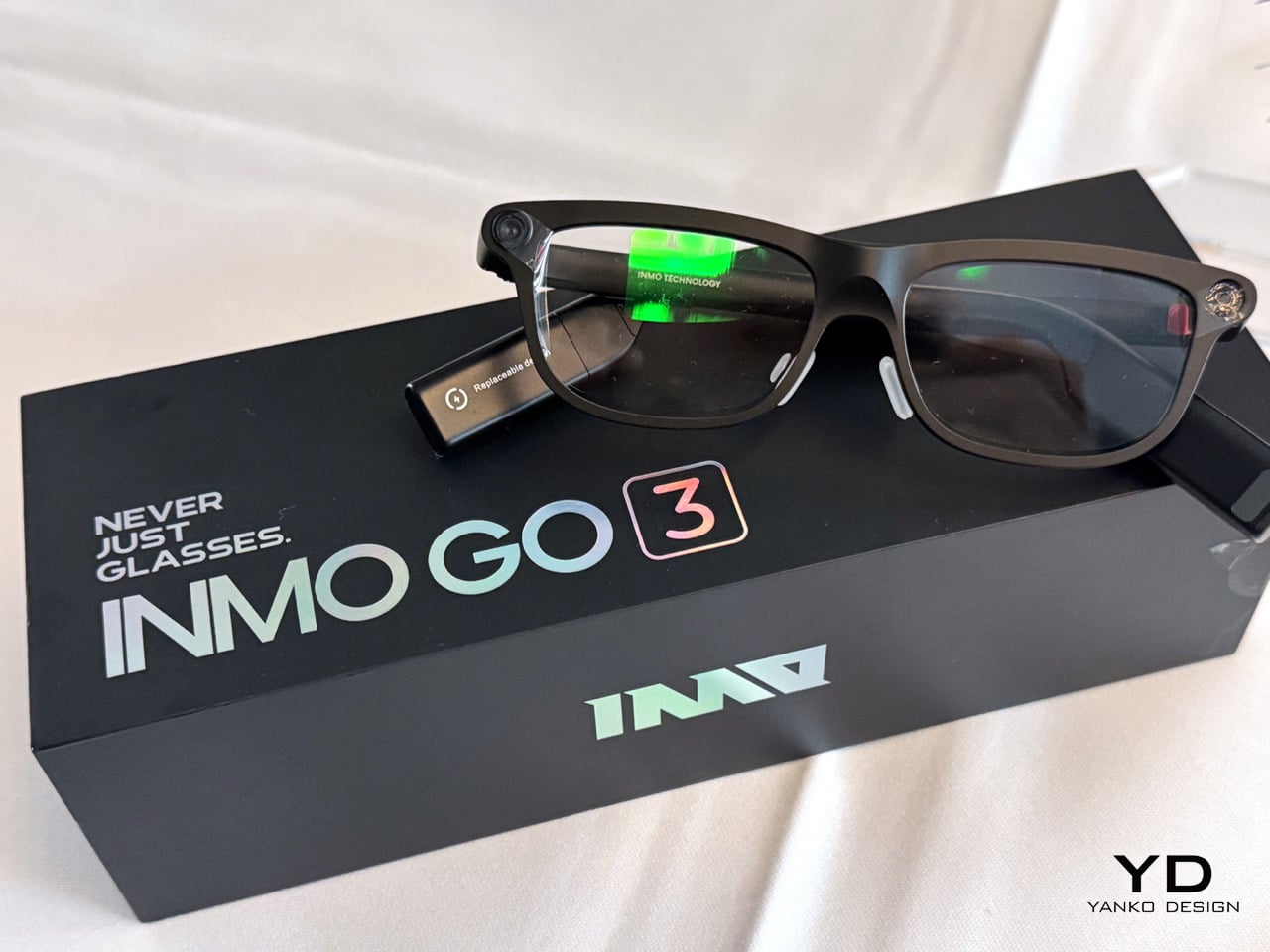
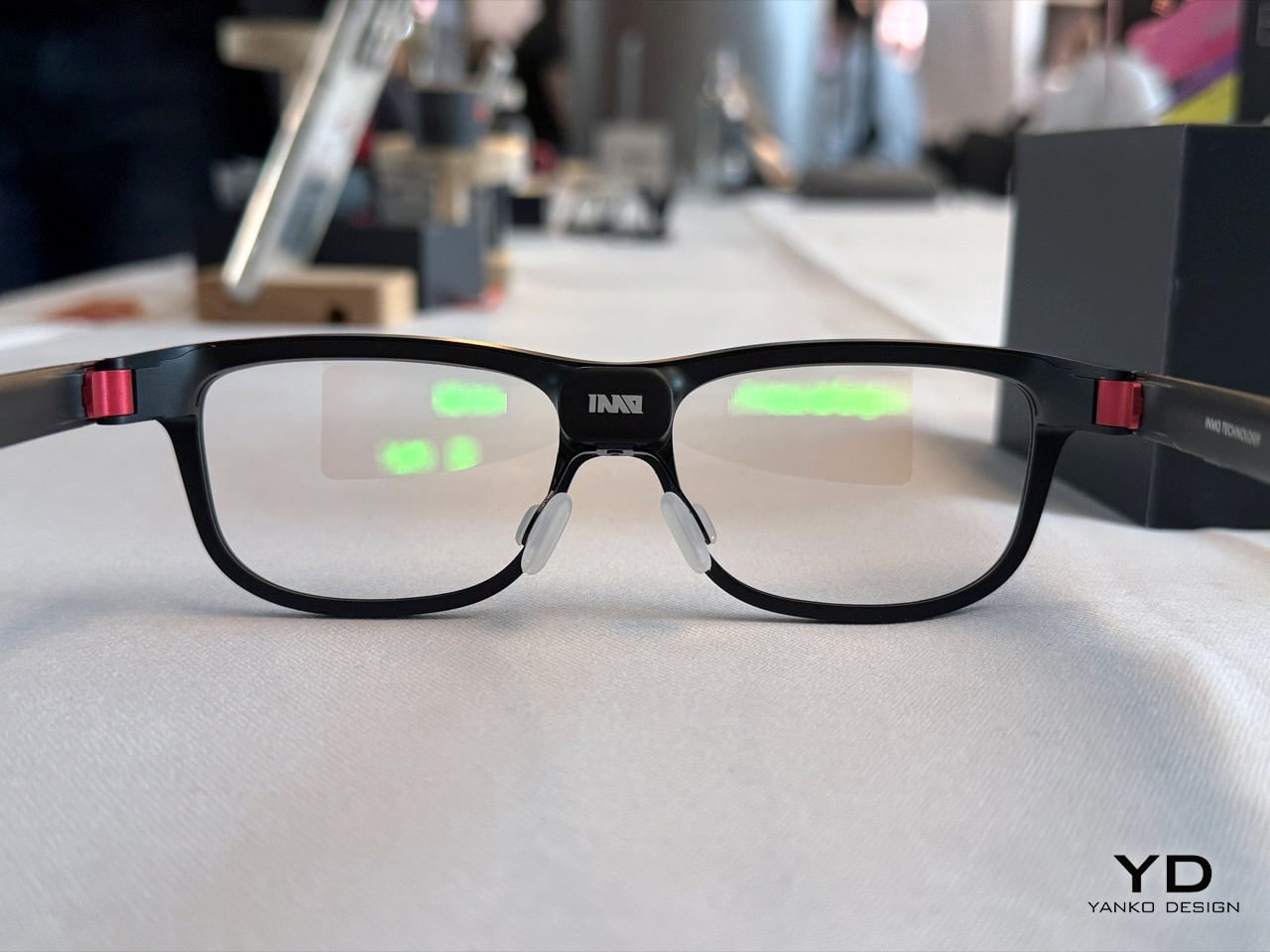
Smart glasses have had a rough decade of almost. Google Glass made everyone nervous at restaurants. The Ray-Ban Metas got people excited again, but a camera and a speaker do not a smart display make (not to mention the PR disaster they’ve been having this past year). INMO has been quietly chipping away at the real version of this category for a while now, with the Air series handling light office and audio-visual entertainment, and the GO series zeroing in on translation. The GO3 is that third iteration, and the brief is tighter and more useful than anything the brand has shipped before: a lightweight pair of glasses combining a discreet monochrome display with real-time AI assistance, in a form factor that resembles regular eyewear.
The translation engine handles 77 source languages and 98 target languages, with offline support for nine of them when you’re somewhere the internet has opinions about itself. The engineering detail that deserves more attention, though, is the battery system. Magnetic battery replacement takes approximately five seconds, and removed batteries automatically recharge in the case, enabling uninterrupted use throughout the day. The dual-eye green Micro-LED display with diffractive waveguide optics hits up to 1,500 nits at 640×480 resolution, staying visually discreet enough that nobody beside you would know you’re reading meeting notes. A built-in camera privacy cover physically shields the camera for more comfortable use in public or social settings, which is one of those small decisions that says a lot about how seriously a company has thought through the real-world context its product actually lives in.
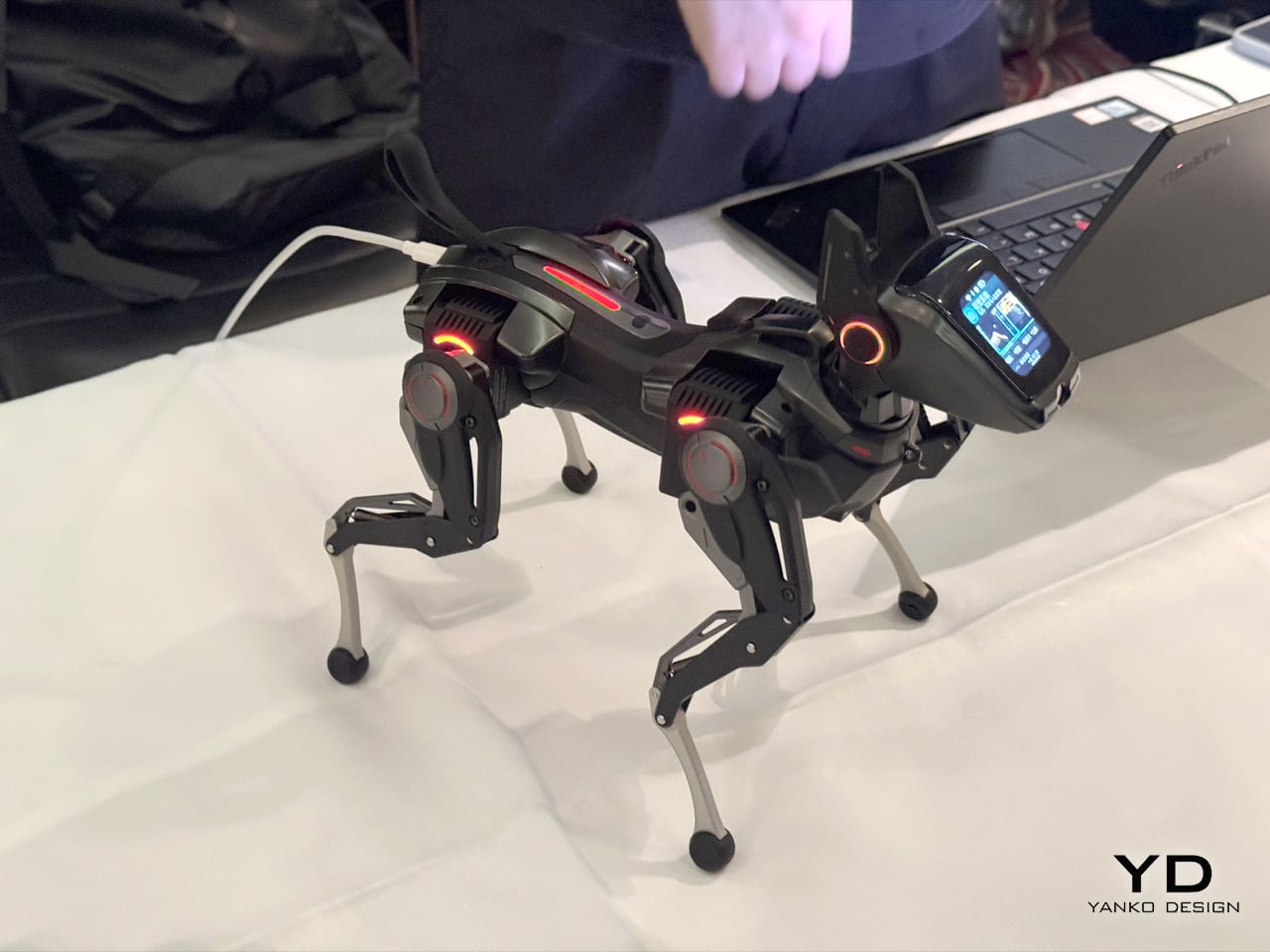
When we covered Sirius on Yanko Design last year, we noted that it sat in a gap the robot dog market had left frustratingly empty for years, somewhere between Boston Dynamics-level industrial machines that cost more than a car and toy-grade STEM kits that shuffled around like arthritic spiders. Hengbot filled that gap, and the Kickstarter campaign backed that read up with over $308,000 raised. At IFA, the story moves forward: the focus is on how continued development in voice interaction and motion control is making Sirius easier to communicate with and more capable in physical movement. You tell it to sit, move forward, or shake hands, and Sirius translates these instructions into physical actions, letting people interact with the robot without relying entirely on conventional controls.
The motion engineering is where it gets genuinely interesting. Rather than releasing physical force abruptly, Sirius can reduce it progressively, which allows certain movements and physical responses to feel smoother and less rigid while reducing sudden loads on the mechanical system. If it falls over, it can perform a recovery sequence and return to a standing position, recovering from common physical interruptions without requiring the user to reposition it manually. Packed into a body weighing just over a kilogram, with a removable 2,250 mAh battery, 30W PD charging, and developer support spanning Python, C, C++, and ROS 2 interfaces, Sirius is targeting consumers and creators in equal measure, which is a harder pitch to land than it sounds, and one Hengbot is getting noticeably better at making.
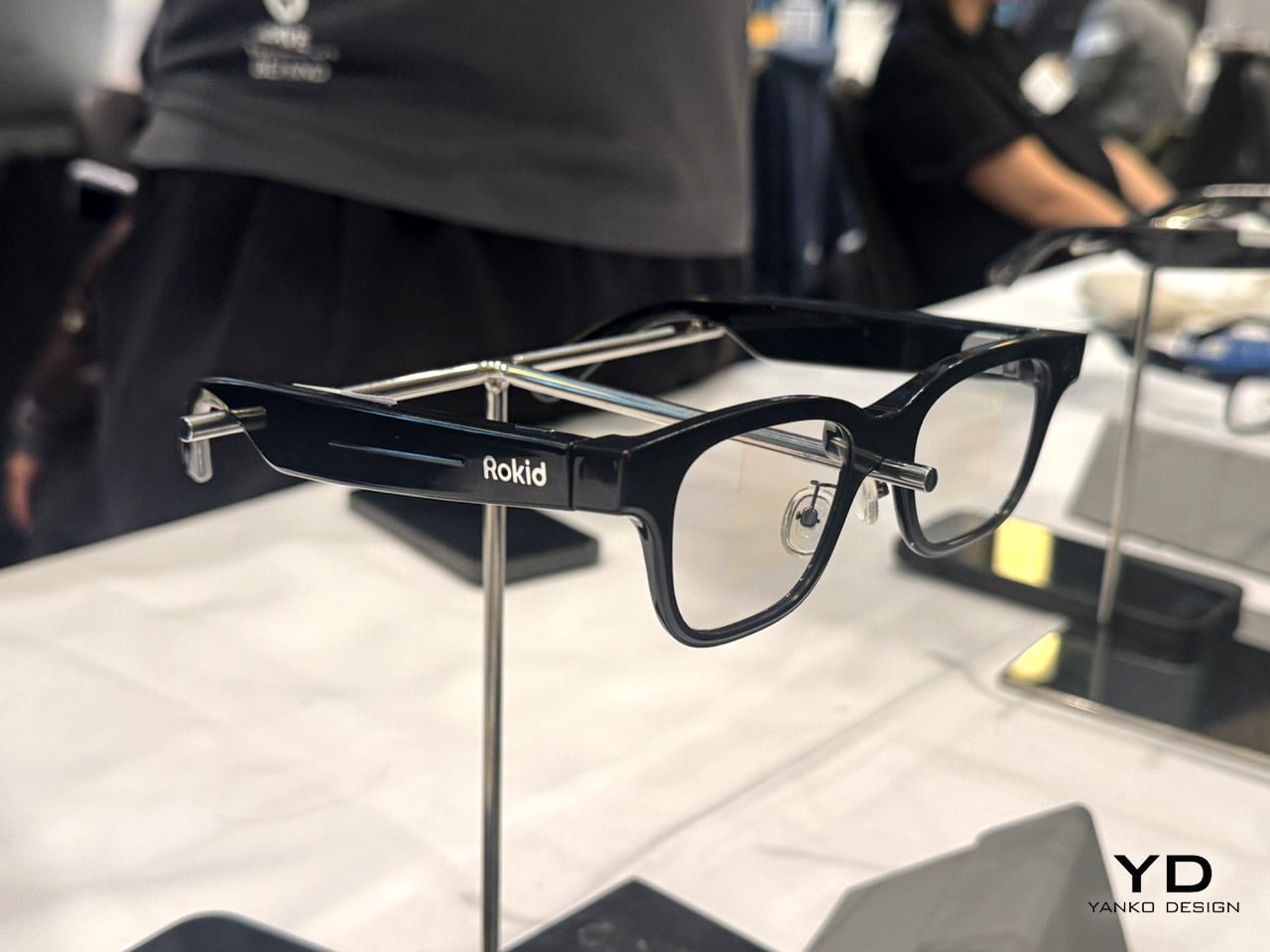
If the INMO GO3 is purpose-built around translation and teleprompters, the Rokid Glasses are playing a broader game entirely. Rokid has been in this space since 2014, long before smart glasses were a mainstream conversation, and we’ve covered the brand’s journey on Yanko Design from its early AR gaming hardware all the way through to a full profile on how it’s building the glasses that Google couldn’t. The Rokid Ai Glasses Style Pack, announced at CES 2026 and covered here in March, brings that decade-plus of development into what is comfortably the most ambitious feature set in the display-less glasses category. At just 38.5 grams, in a TR90 frame with titanium alloy hinges and a 12MP Sony IMX681 camera with electronic image stabilization, the hardware alone makes a strong case. The Power Capsule that comes bundled in the Style Pack delivers 6+ charges and gets the glasses back to 80% in 20 minutes, so battery anxiety largely exits the conversation.
Rokid is the world’s first manufacturer to natively support Google’s Gemini on a pair of AI smart glasses, with the Ai Glasses Style integrating both OpenAI’s ChatGPT and Google Gemini to answer almost any question. That’s not just a spec flex, it’s a genuine design philosophy – the glasses function as an open platform rather than a locked ecosystem, which is exactly the kind of thinking that will matter as AI models continue to evolve fast. The Agent Store, a centralized platform where developers can create and share AI apps for Rokid’s smart glasses, has already attracted more than 3,000 submissions for new agent workflows, with more than 400 agents published and available to users. Real-time translation in 89 languages, object and scene recognition, live transcription, and posture monitoring round out a feature set that makes these feel less like a gadget and more like a platform you happen to wear on your face.
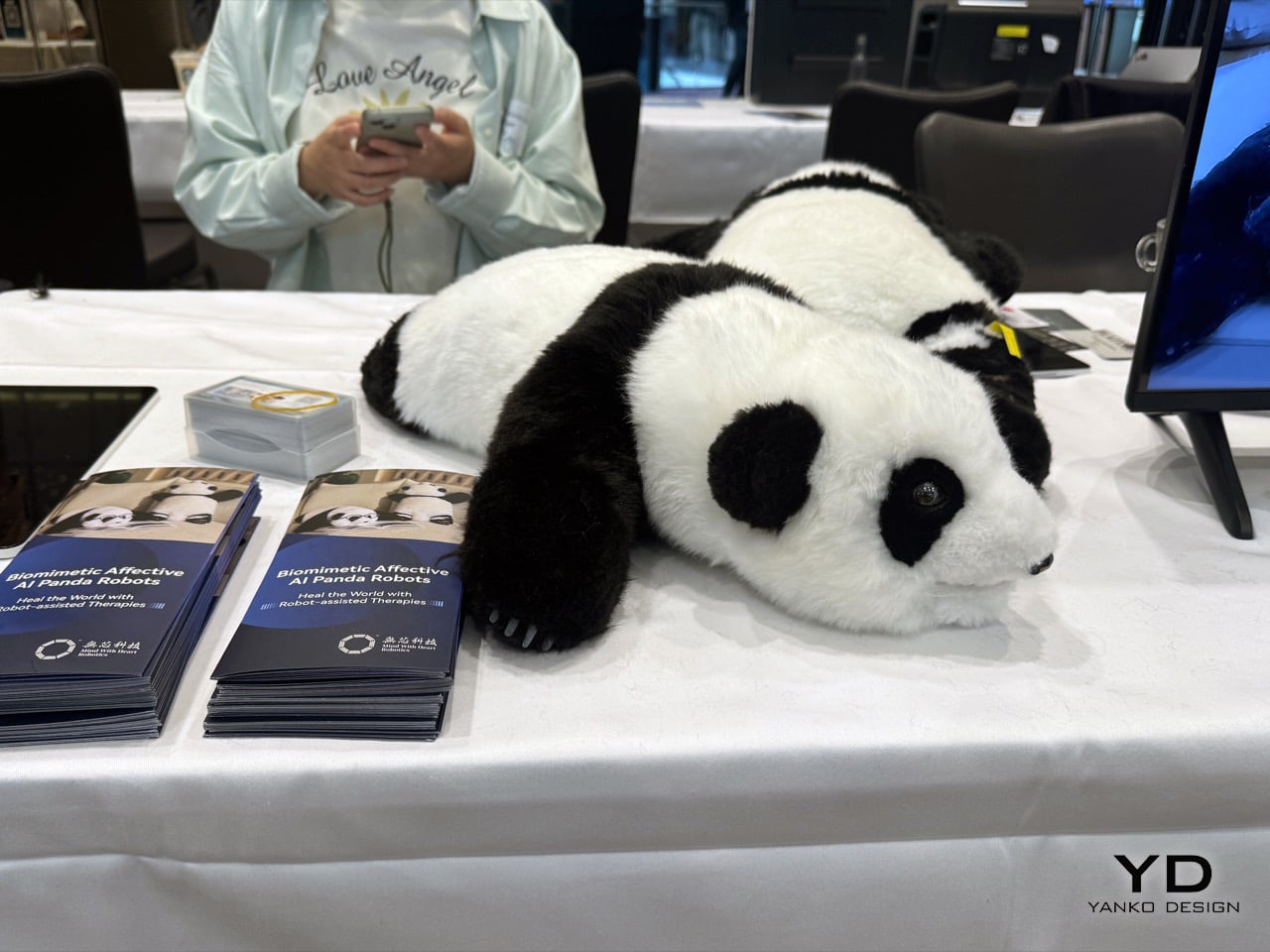
The conversation around companion robots has been building for a while on Yanko Design, from Sony’s Aibo to Hengbot’s Sirius to Sweekar, and a pattern is becoming clear: the more a robot is designed to perform, the less it feels like company. Mind With Heart Robotics took a different path entirely, and AnAn is the result. A panda-shaped companion robot built from soft, lifelike materials with full-body tactile sensing, AnAn is designed for companionship and elderly support first, and everything else second. The live demonstrations at IFA show AnAn’s full-body tactile sensing system responding to touch through gentle movements and emotional feedback, along with proactive interaction, gentle reminder functions, and its ability to learn a user’s interaction habits over time through long-term memory. That last part matters more than the spec sheet: a companion that actually remembers you is a fundamentally different product from one that resets. Mind With Heart Robotics develops emotionally intelligent companion robots across multiple form factors designed for emotional support, elderly companionship, children’s well-being, and institutional care, guided by its mission to Heal The World, backed by a patent portfolio of more than 30 filings and 18 patents granted to date.
IFA Berlin marks AnAn’s European debut, appearing at IFA’s official Robots on the Runway showcase, following its recognition as a CES 2026 Innovation Awards Honoree in the Artificial Intelligence category. The company is also debuting its Duncan Series companion robots in Europe, which are designed for neurodivergent children as well as typically developing children in early education. So the product family spans elderly care on one end and early childhood development on the other, which is a more considered and humane product brief than most robotics companies have attempted. AnAn goes on sale in Europe in September 2026 at retail pricing between $1,000 and $1,500, with distributor agreements already signed in Germany and Belgium, a completed production run of 100 units with samples available for immediate shipment, and a dedicated European repair and after-sales center in Belgium supporting customers across the region. The B2B version includes secure dashboards tracking behavioral trends and interaction patterns for care providers, meaning the product has been thought through at the institutional level too, for care homes, therapy settings, and clinical environments where the robot needs to report back as well as show up. Soft on the outside, seriously engineered on the inside.
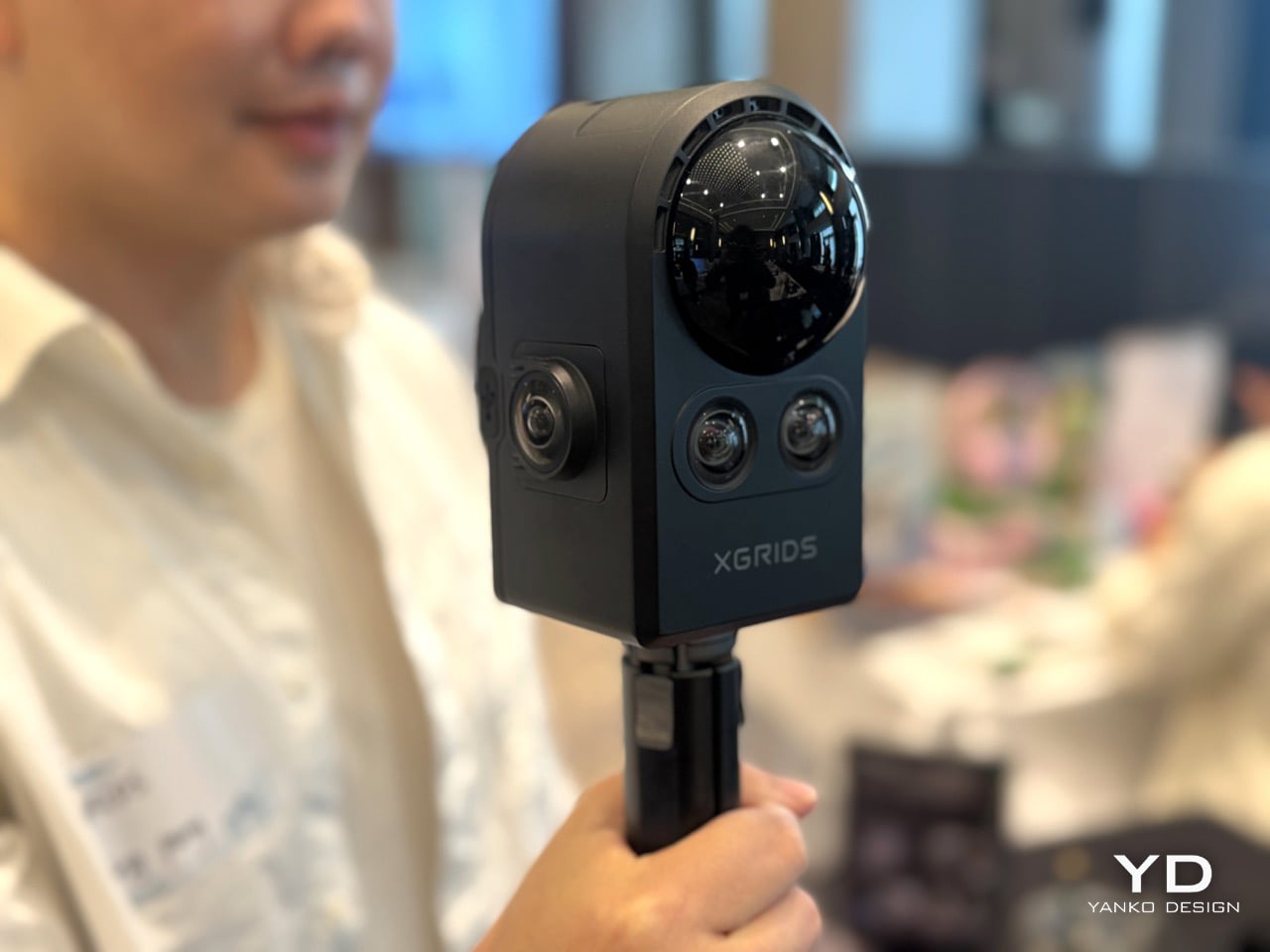
3D Gaussian Splatting sounds like something a physics PhD invented to win an argument at a dinner party, but it has quietly become one of the most consequential breakthroughs in spatial computing in years. The short version: rather than building a 3D scene out of polygons the way traditional CGI does, 3DGS represents a space using millions of tiny colored blobs, or “gaussians,” that together produce photo-realistic environments you can actually navigate through in real time. XGrids has been building its entire product stack around this technology, and the two products at IFA represent opposite ends of the same pipeline. The PortalCam is billed as the first handheld device that captures reality as interactive 3D environments using 3DGS technology, combining LiDAR, a four-camera array, and automated processing to create photorealistic spatial models you can walk through, edit, and share across platforms. At under 900 grams, it can scan 100 square metres in 10 minutes at walking speed. The LiDAR system fires 856,000 points per second across a 180-degree azimuth by 180-degree elevation field of view, while the four-camera array pairs two fisheye lenses with two front-facing cameras, each fisheye covering 200 degrees. That’s a lot of spatial data coming in very fast, from a device you can carry in a backpack.
The Lixel CyberColor platform, or LCC, is where all that captured data becomes something usable. It combines Multi-SLAM precision with optimized 3D Gaussian Splatting to create measurement-grade, photorealistic, lightweight 3D models, bridging the gap between technical accuracy and immersive visualization for professionals across industries. The compression story is particularly worth noting: a breakthrough 90% compression technology dramatically reduces file sizes without compromising quality, enabling smooth playback on cloud, edge, and mobile. That solves the problem that has always made spatial content impractical outside of specialized production environments, the files are simply too large to move around and too heavy to stream. Ready-made integration with Unity, Unreal Engine, WebGL via Cesium and Three.js, mobile apps, and XR applications means the output plugs directly into workflows that architects, game developers, and filmmakers are already using. And then there’s the surprise announcement at the show: LCC Scan, a new iOS application that enables users to transform ordinary photos and videos into detailed 3DGS models directly on their iPhones. The professional pipeline and the consumer entry point, both at IFA, in the same week. That’s a confident move.
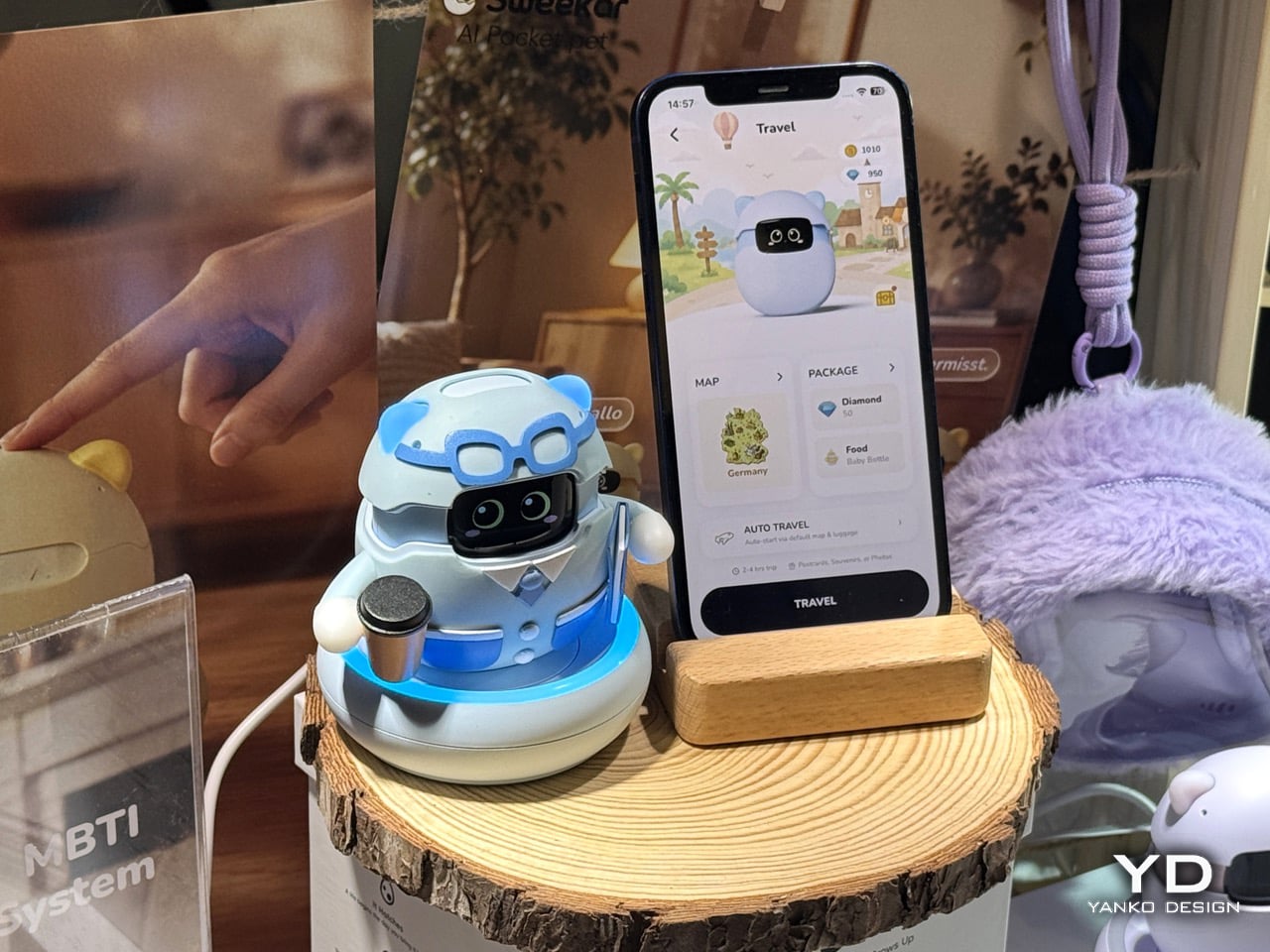
Hengbot’s Sirius is a genuinely impressive piece of engineering, a robot you put through its paces, teach tricks, and watch execute a controlled landing from an elevated surface. It rewards the tinkerer. Sweekar, from Takway AI, is asking a completely different question: what if the robot didn’t perform for you, but grew because of you? Not every AI companion needs to be a workhorse. Sometimes the whole point is that it just shows up, and keeps showing up. Sweekar is an AI pocket pet inspired by the iconic Tamagotchi, but rebuilt as a living, evolving AI companion. It hatches from a physical egg, grows through four life stages, and develops a personality shaped by the relationship you build with it. The growth mechanic has real engineering behind it: every interaction, feeding, talking, cleaning, picking it up, generates XP, and when Sweekar levels up, it physically grows a few millimetres taller, driven by a precision stepper motor, plays a special evolution animation, and unlocks new behaviors, new language, and new personality dimensions. That’s a stepper motor doing emotional labor, which is a sentence that shouldn’t work but somehow absolutely does.
The part that actually separates Sweekar from everything else in this category is the memory system. Most AI companions have the same gap: sessions reset, context vanishes, and the relationship never actually deepens. Users report the same frustration: it feels like starting over with a friendly stranger every single time. Sweekar’s long-term emotional memory retains the owner’s voice, daily habits, shared stories, favorite things, and small victories, and surfaces them naturally in future conversations. The longer you raise it, the more it sounds like it genuinely knows you. Voice recognition is trained specifically to the primary owner, and the personality develops through an MBTI-inspired behavioral framework, meaning two people who buy the same unit on the same day will have fundamentally different companions very soon, because every person raises things differently. At 89 grams it fits in a pocket, runs on a phone hotspot so it travels with you, and from Level 30 onward, Sweekar cannot die. The emotional investment compounds for years. What you build together is yours and it keeps going. That last detail is the one that sticks. Someone actually engineered emotional longevity into the product brief, and that’s worth paying attention to.
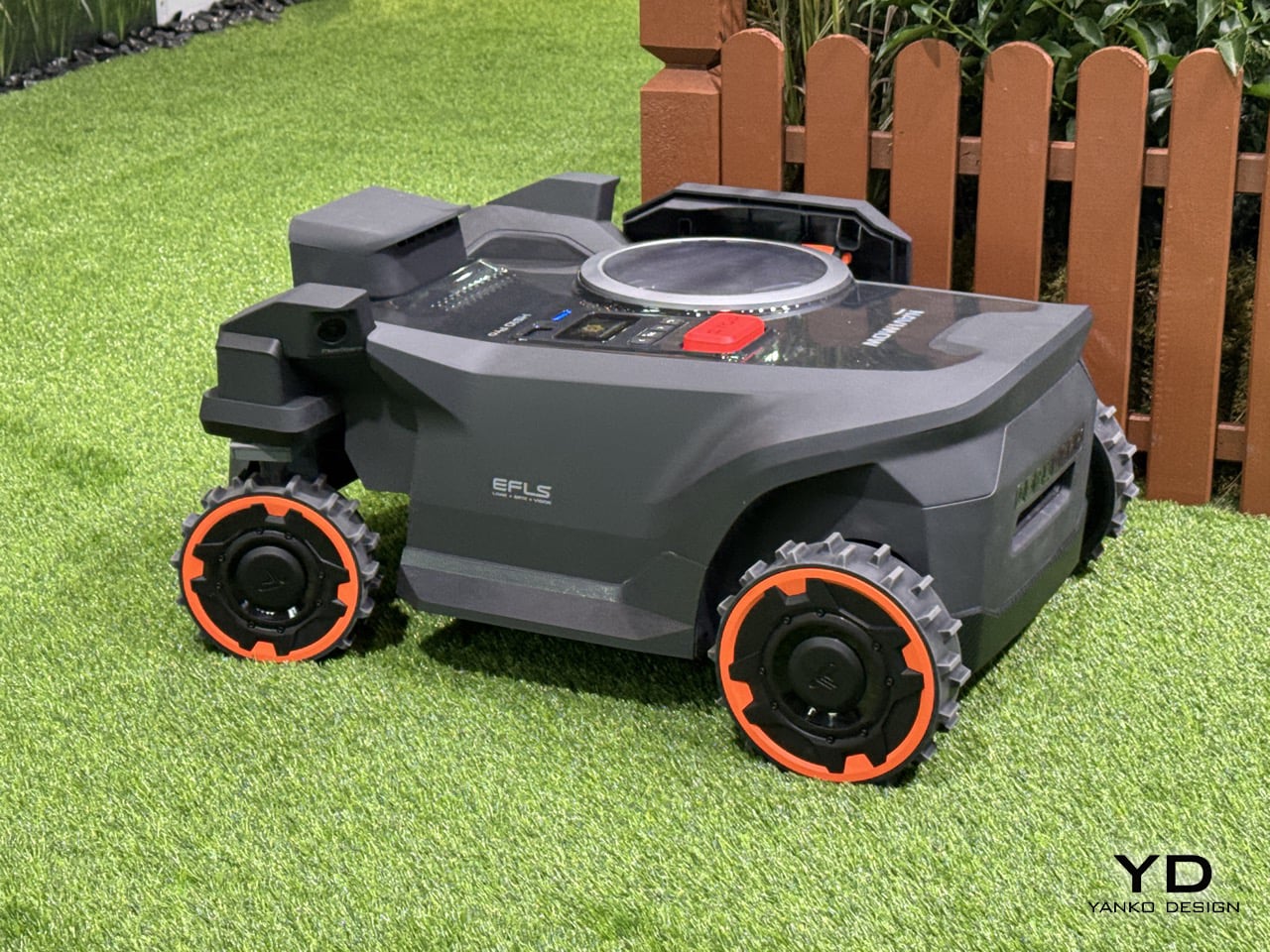
Robotic lawn mowers have gotten remarkably good at the easy 80% of the job and left everyone dealing with the same annoying leftover, the trim along fences, flower beds, and hedgerows that no autonomous mower could quite reach. Segway Navimow, the world’s No. 1 wire-free robotic lawn mower brand by retail sales volume for two consecutive years, built the H5 Pro specifically to close that gap, using a breakthrough EdgeMaestro extendable robotic arm for true zero-edge mowing. The arm pushes the cutting system out 7.7cm beyond the mower’s body, letting it trim flush against borders and obstacles instead of leaving that familiar uncut strip that sends homeowners out with a separate trimmer every weekend. It’s a genuinely clever mechanical solution to a problem that’s been treated as an acceptable limitation for years, mostly because nobody had bothered to engineer around it properly.
What makes the H5 Pro worth watching at IFA specifically is that this is Navimow’s first appearance at the show, after building its reputation almost entirely on the gardening and outdoor living expo circuit. That’s a notable shift in venue for a brand whose audience has traditionally been landscapers and homeowners rather than gadget crowds, and it says something about how robotic garden tech is increasingly being read as consumer tech rather than a niche horticultural category. The H5 Pro also carries a thermal sensor that protects hedgehogs and other small animals even in low-light conditions, a detail that fits Segway’s stated push toward mowing technology that’s thoughtful about the wildlife sharing the same lawn, not just efficient at cutting grass. Alongside the existing X4, H2, i2, and Terranox lines, the H5 Pro rounds out a lineup built for gardens of every size and complexity, and its arrival at a tech show rather than a gardening fair suggests Navimow is angling for a bigger, more design-conscious audience going forward.
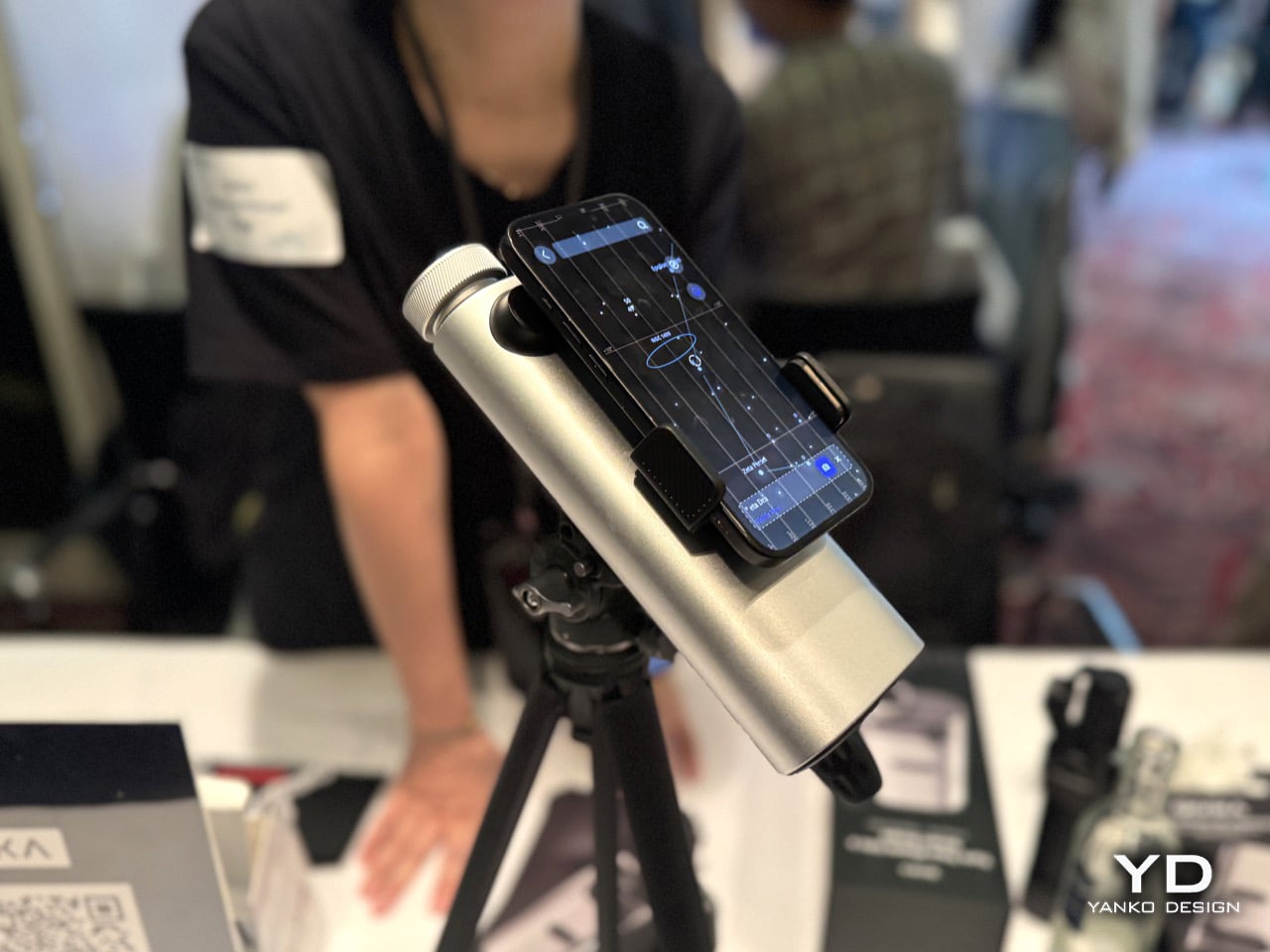
Smartphone camera hardware has had a wild few years. Periscope lenses pushed optical zoom past 5x, then 10x, then further, and the gap between a phone and a dedicated camera narrowed considerably. But there’s a ceiling, and the people who actually want to see lunar craters in detail, or pick out a bird species from 200 metres away, still had to choose between carrying dedicated optics that require setup and expertise, or making do with a phone camera that simply couldn’t bridge the distance. QIVIKA’s Smart Scope is a direct answer to that gap. Using a precision periscope optical architecture to fold the optical path into a compact form factor, it delivers 25x optical magnification and up to 3000mm equivalent focal length at approximately 300g, bringing high-performance long-range optics into a genuinely portable smartphone-based system. ED low-dispersion glass and multi-coated optics help preserve clarity and contrast, bringing distant subjects from lunar details to birds and wildlife within reach of a smartphone. That’s a meaningful spec for the price point, and the form factor is the real story: it clips onto your smartphone.
The hardware is only half the pitch. QIVIKA combines long-range optics with on-device AI composition. The AI analyzes the live view directly on the device and provides real-time framing assistance, helping users capture distant subjects more effectively, without cloud processing or an internet connection. This brings computational intelligence directly into the long-range imaging experience. The app splits into three intelligent shooting modes covering solar, explore, and deep sky use, with a Smart Sky Guide that overlays constellation lines and guides users to celestial targets with on-screen directional arrows, functioning essentially as GPS for the night sky. The birding side of the app is equally considered: AI identification supports 10,000+ bird species, while Life Lists, personal birding maps, community-shared locations, and observation records turn individual sightings into a growing personal exploration history. The whole experience is built around the loop of observe, capture, identify, remember, and explore, which means the product gets more valuable the more you use it, rather than plateauing once the novelty of the optics wears off. At $359 with a Kickstarter launch coinciding with IFA, it’s targeting exactly the kind of curious outdoor person who wants to look further without becoming an astronomer.
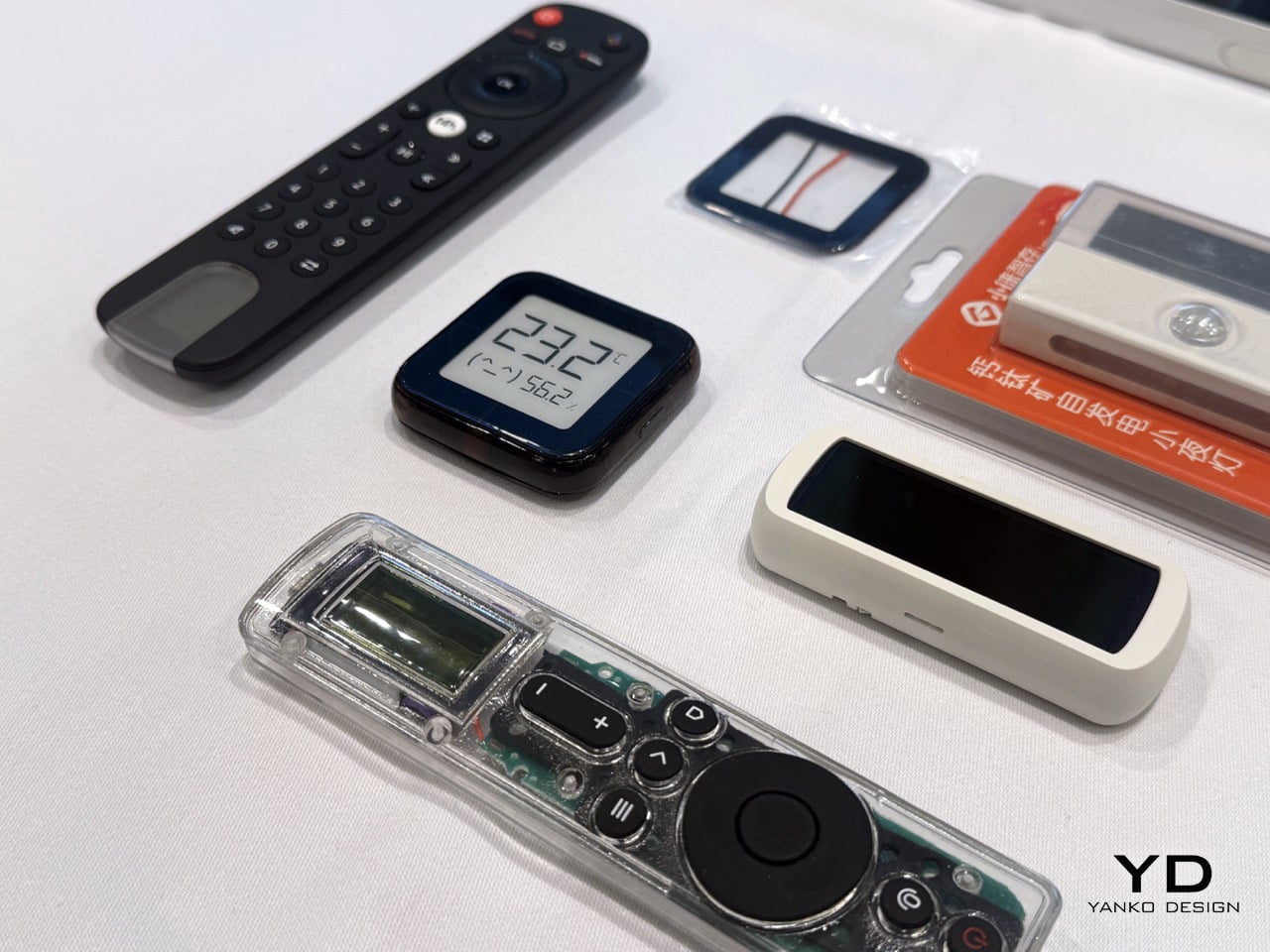
Most of the products in this roundup are end products, things you hold, wear, scan with, or talk to. Yanhe Technology is something different. It’s the infrastructure layer that makes the whole category more interesting. The pitch is elegantly simple: perovskite solar cells thin and efficient enough to build directly into everyday devices, so the smartwatch on your wrist, the AI glasses on your face, or the smart lock on your front door can top itself up from whatever light happens to be in the room. The indoor low-light power solution activates at an illuminance below 20 lux, achieves power conversion efficiency of more than 30% under low-light conditions, and carries an indoor service life exceeding 10 years, supporting devices such as keyboards, mice, smart locks, remote controls, AIoT sensors, and electronic shelf labels while reducing reliance on batteries or power cables. The component thickness sits below 0.5mm with an areal density below 0.15g per square centimetre, which means it conforms to curved and arbitrary freeform surfaces, including smart wearables and automotive aerodynamic contours. A module with a 1.7 square centimetre aperture can initiate power generation at just 20 lux, which is dimmer than most indoor spaces ever get.
The manufacturing story is what separates Yanhe from a university lab with a press release. The company has built the world’s first 100MW fully automated production line for consumer-grade perovskite modules, supporting 24-hour lights-out manufacturing, consistent product quality, and volume delivery. Yanhe is among the world’s first perovskite companies to receive TÜV Rheinland certification in accordance with IEC 63163. Its products are now available in more than 50 countries and integrated into the supply chains of over 100 brands, with collaborations established with Lenovo, Samsung, and Xiaomi. Founded in 2024 by a team out of Peking University and Columbia, that’s a remarkable amount of ground covered in a very short time. The bonus detail that makes this feel genuinely sci-fi: alongside its consumer business, Yanhe is developing perovskite photovoltaic solutions for space applications, has completed an engineering prototype of a flexible roll-out solar wing, and has begun ground-based engineering validation, with a satellite model and a space photovoltaic module also on display at IFA. So yes, they’re powering your keyboard from room light and also building solar wings for satellites. Just a Tuesday for Yanhe, apparently.
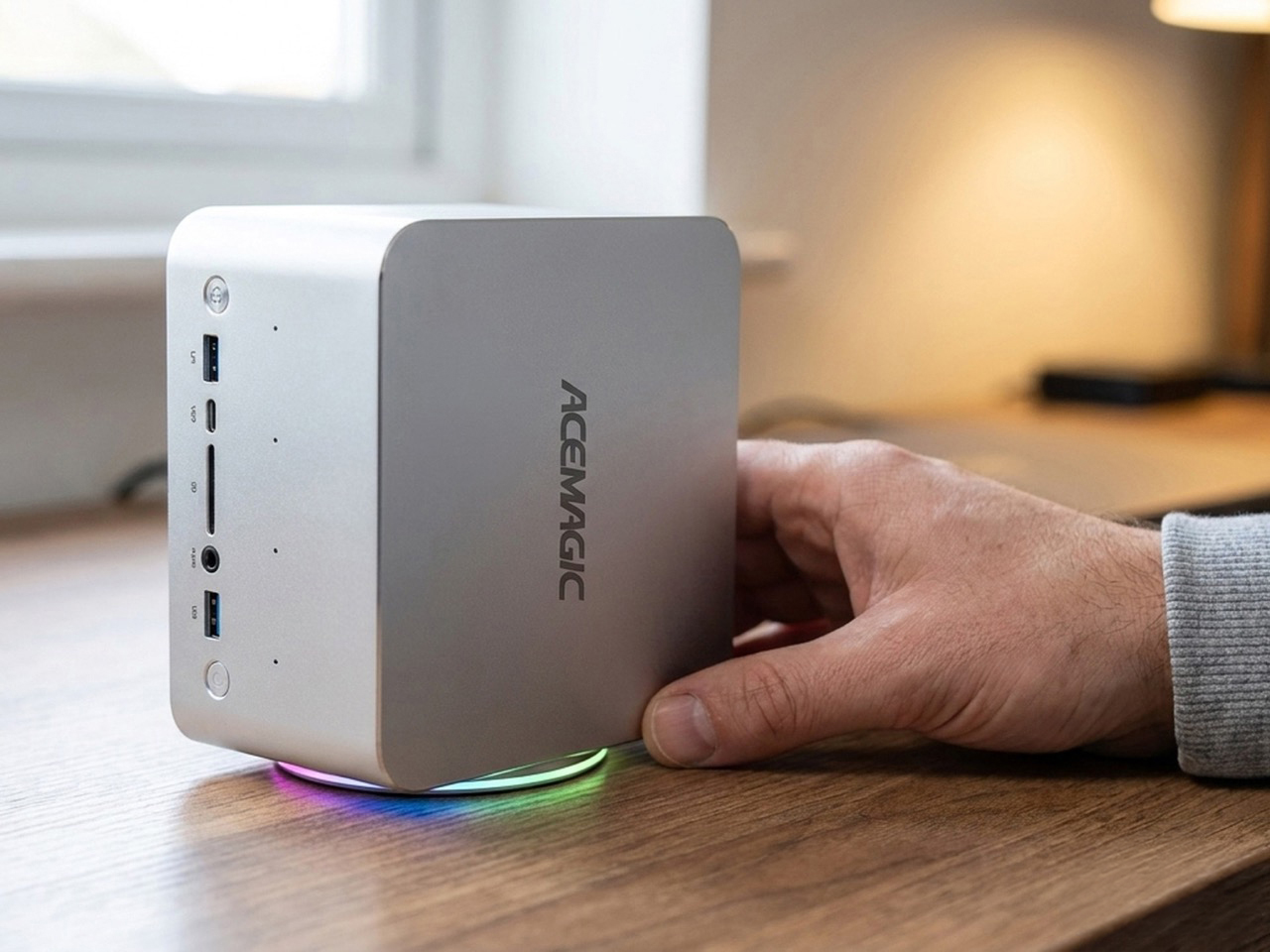
Running a local LLM at 200-billion-parameter scale on a 1.3-kilogram box that sits next to your monitor sounds like a footnote in a spec sheet, but the ACEMAGIC F9A Mini Workstation makes it the headline. The chassis comes in two configurations: the F9A-395 powered by AMD Ryzen AI Max+ 395 with 128GB of max memory at 8000MT/s, and the F9A-PRO 495 with AMD Ryzen AI Max+ PRO 495 scaling up to 192GB at 8533MT/s. On the AI inference side, the 395 supports up to 96GB of shared memory on Windows for MoE models up to 200B parameters, while the PRO 495 pushes that to 160GB of shared memory and models up to 300B parameters. Both variants share the same aerospace-grade aluminum unibody with a fingerprint-resistant finish, a hidden bottom air intake for improved airflow, and 3,000-plus ventilation holes across both sides for sustained full-power CPU performance. Keeping that thermal headroom intact is a five-heat-pipe turbo fan with a 3D air duct, sustaining 140W peak and 120W TDP without throttling during long-running AI workloads. OCuLink via PCIe 4.0×4 adds flexible expansion for external GPUs, compute cards, data acquisition cards, and industry-specific devices through an expansion dock.
The connectivity list punches well above the 2-liter form factor. Dual 2.5GbE ports handle high-speed wired data transfer for cloud computing and external services, while Wi-Fi 7 delivers twice the bandwidth of Wi-Fi 6 with support for 4096-QAM, Multi-RU, and Multi-Link Operation. HDMI 2.1, dual USB4, and DP2.1 combine to support four simultaneous 8K@60Hz displays for multi-screen creative setups. A quad-DMIC microphone array provides 360-degree far-field voice recognition with a built-in noise-canceling mic chip and 2W x 2 DTS speakers, making it viable for meeting rooms and home AI hubs. Dual M.2 NVMe slots on PCIe 4.0×4 support up to 8TB with RAID 0 and RAID 1 configurations, and both SSDs get thermal pads and aluminum plates for cooling. The broader pitch ACEMAGIC is making is a clean one: plug-and-play from a standard outlet, no server room, quiet and energy-efficient, a one-time investment with no recurring costs, and local processing for data security.
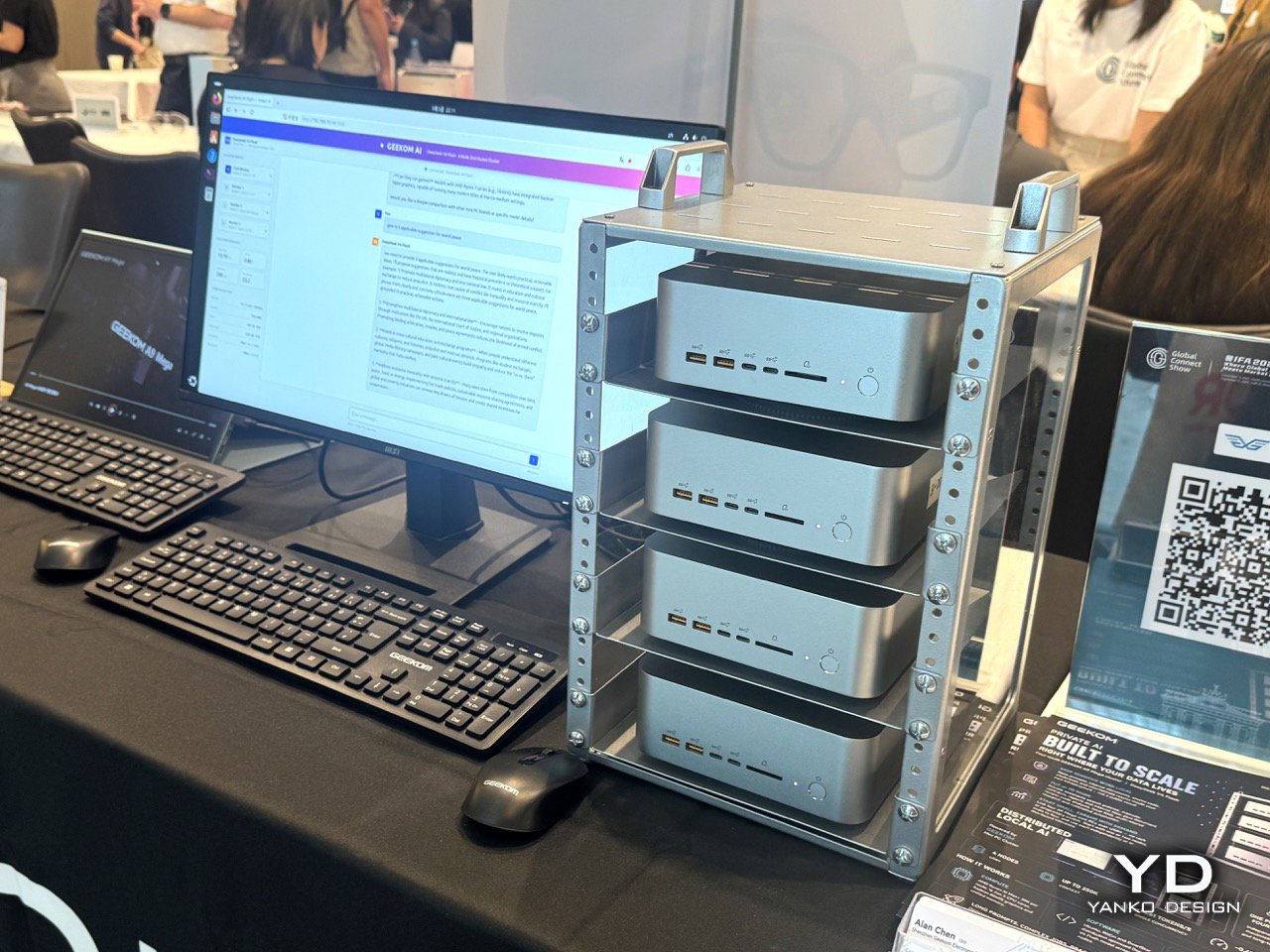
Mini PCs have had a quiet decade of steady credibility-building. What started as underpowered boxes for digital signage and light home-theater use has, thanks largely to AMD’s Ryzen and Intel’s latest mobile silicon, turned into a genuine alternative to full desktop builds for a surprising range of workloads. GEEKOM has been one of the more consistent players in that space, and we’ve covered the brand on Yanko Design before, noting that the case for a palm-sized PC has never been more compelling than right now, when the chips inside them have stopped making excuses. At IFA, GEEKOM is showing two products that sit at very different points on the performance spectrum, and together they make a pretty complete argument for the category. The A9 Mega is the AMD flagship, built around the Ryzen AI 9 HX 370 with its 12-core, 24-thread architecture, 50 TOPS of NPU performance, and up to 64GB of DDR5-5600 RAM. That NPU figure puts it squarely in Microsoft’s Copilot+ PC certification territory, meaning this is hardware built for the current wave of on-device AI workloads, local large language models, real-time transcription, and AI-assisted creative workflows, running entirely without a cloud connection.
The IT13 Max is the Intel counterpart, and it plays a slightly different game. Built on the Intel Core i9-13980HX, a 24-core, 32-thread processor with a 5.6GHz peak boost clock, it supports up to 96GB of DDR5 RAM and up to 4TB of NVMe storage across two M.2 slots. That memory ceiling is unusual for a device this size, and it’s what makes the IT13 Max interesting for professionals running virtual machines, large datasets, or memory-intensive creative applications who genuinely cannot justify a full tower but also cannot afford to compromise. Both units support triple 4K display output, meaning a three-monitor productivity setup from a box smaller than most external hard drives, which remains one of those specs that sounds made up until you’re actually looking at the back panel. GEEKOM backs both products with a three-year warranty, which is the unsexy detail that actually closes the deal for anyone considering replacing a desktop. The whole pitch across both machines is that raw performance and physical footprint stopped being a trade-off a while ago, and these are the receipts.
The post Smart Glasses, Robot Dogs, AI Tamagotchis, and Desk-Sized Supercomputers: How IFA 2026 Redefined Robots first appeared on Yanko Design.

Tech shows have always been about what’s next, and for a while that meant displays, processors, and connectivity standards nobody could fully explain. The “next” that keeps showing up now is a lot more personal. AI that tracks your muscle tension and adjusts a massage roller’s pressure in real time. Exoskeleton hardware that detects your activity type and switches support modes in under 200 milliseconds. Earbuds running a transcription service across 78 languages in the background while you go about your day. The body has become the most actively developed platform in consumer technology, and the hardware being built around it is finally starting to match the ambition.
Hearing protection for children. Clinic-style oral care without the clinic. Underwater AR navigation that projects real-time depth, air, and directional data into a diver’s field of view. Scalp wellness built around making hair loss treatment less of a chore to stick to. An AI sports camera that follows the action in 4K without anyone behind the lens. These brands at the Global Connect Show at IFA 2026 cover wildly different ground, and that breadth is exactly what makes them worth pulling into one roundup. Here’s our full breakdown.
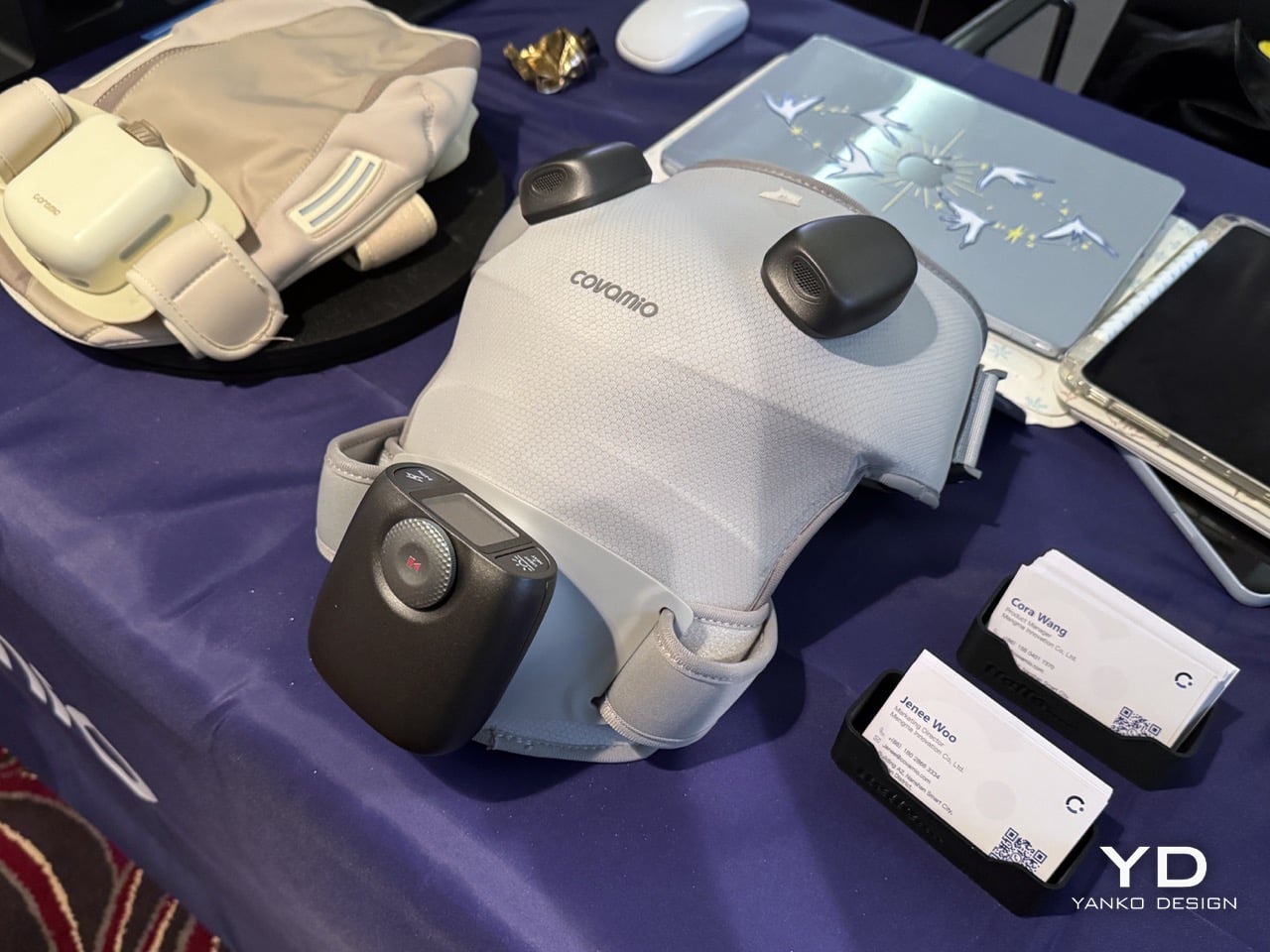
The shoulder is a weird body part to build around. Covamio picked it deliberately as one of the most complex wearable rehabilitation scenarios, citing high daily use, complex movement and stability demands, common pain and stiffness, and a clear need for ongoing support. The S1 is their answer to what a device shaped specifically around that complexity should look like. The core proposition is consolidating five therapy modalities into one wearable: their proprietary M-sti matrix electrical pulse system running TENS and NMES programs for pain and muscle activation, red and near-infrared light for photobiomodulation, zoned heat for pre-session warmup, adaptive compression to hold everything in contact while the shoulder moves, and AI-assisted sensing monitoring fit, contact, temperature, and output during each session. The specific choice to use dry electrodes stands out, since it removes the gel-pad consumable that most TENS units depend on, which is quietly one of the more practical design decisions in the whole package.
Where the S1 gets more ambitious is the platform layer. Covamio frames this as the first node in a system rather than a standalone gadget, with a three-part software platform covering device-side sensing and control, user applications for guided sessions and activity history, and professional tools that aggregate device activity, user feedback, and progress for clinician review. The roadmap is stated openly: S1 establishes a foundation for future systems built around other joints, each wearable shaped to its own anatomy but connecting through the same platform. That’s a meaningful architectural bet, positioning the wrap as infrastructure rather than a one-off product. Worth flagging, this is still pre-commercial, and hard specs like pricing, dimensions, weight, battery figures, and wavelength details for the light therapy are not yet public. What’s available is the design reasoning, and on that front, it’s a thoughtful pitch for what shoulder recovery hardware should be doing right now.
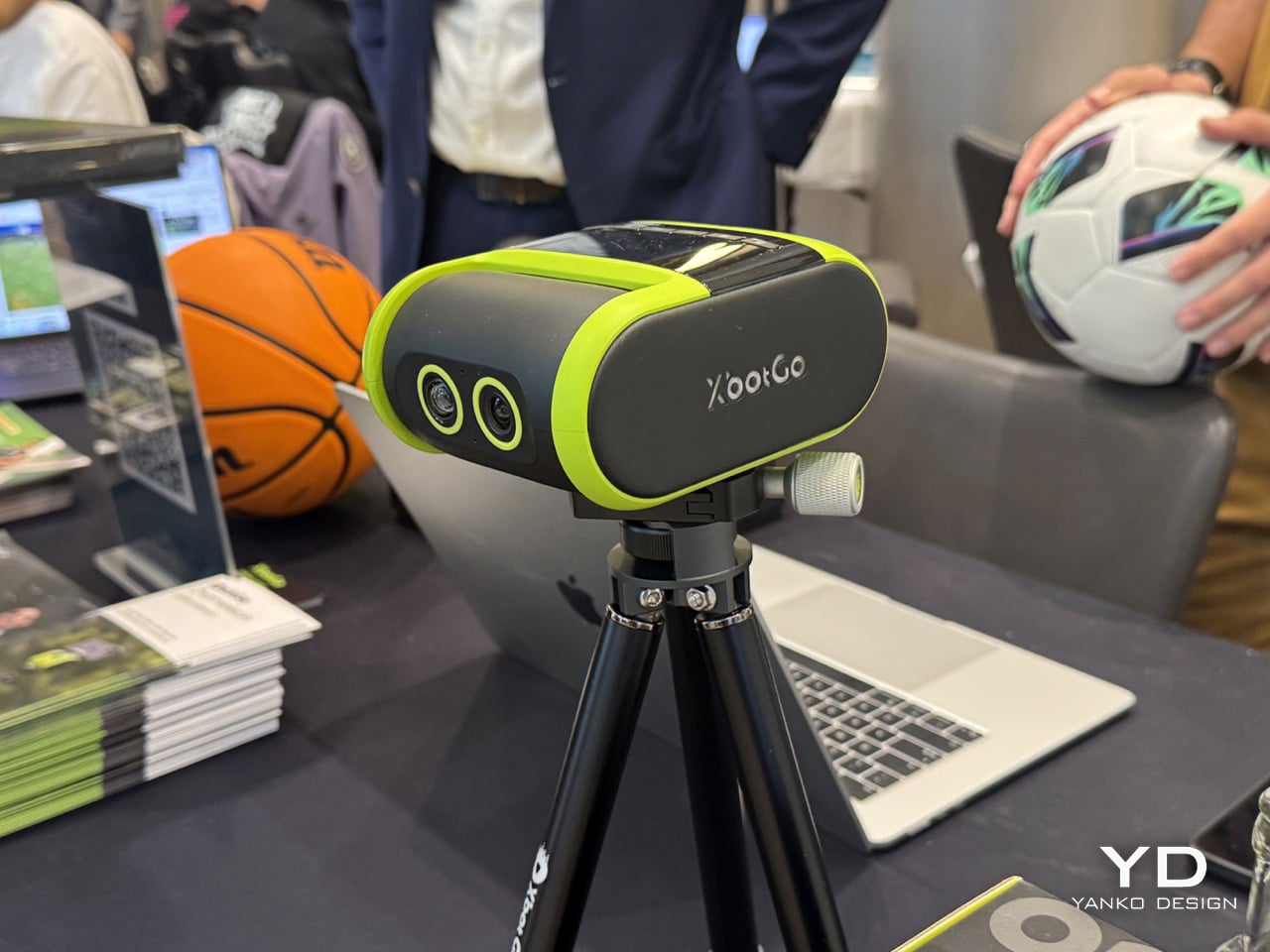
AI auto-tracking cameras for sports have been around for a bit, mostly in the form of school and club-level systems that require installation, licensing fees, and a monthly subscription just to access the footage you already paid to record. XbotGo is taking direct aim at that model. The Falcon is a compact, 544-gram, dual-lens camera built around a 1/1.8″ Sony CMOS sensor shooting true 4K, with a 106-degree wide-angle tracking lens working alongside the recording lens so the system always knows where the action is. A 6-TOPS AI processor handles the motion intelligence onboard, with 360-degree panoramic rotation and 160 degrees of ground-to-sky tilt giving it coverage across sports as varied as soccer, basketball, lacrosse, pickleball, and badminton. Zone Mapping lets you lock the play area through the XbotGo app so the tracking stays disciplined and doesn’t chase the wrong thing. Battery life runs to 4.5 hours, it’s IPX5 rain-resistant, and setup is fast enough that you’re recording before the warm-up is over.
The pricing sits at $799, and critically, the core AI tracking and recording intelligence comes with no ongoing subscription, which is a meaningful differentiator in a market where competitors have leaned hard into recurring revenue from the very features users expect to work out of the box. On top of that, live streaming to YouTube and Facebook is built in and free, with a Live Scoreboard overlay and AI-generated highlight reels that clip the best moments automatically. XbotGo was founded by Dr. David Tan, a computer vision researcher who reportedly built the Falcon partly out of frustration from trying to film his own kid’s games. That origin story shows in the design philosophy: this is a camera built for the parent on the sideline and the coach with no camera operator, not for a broadcast crew with a van full of gear.
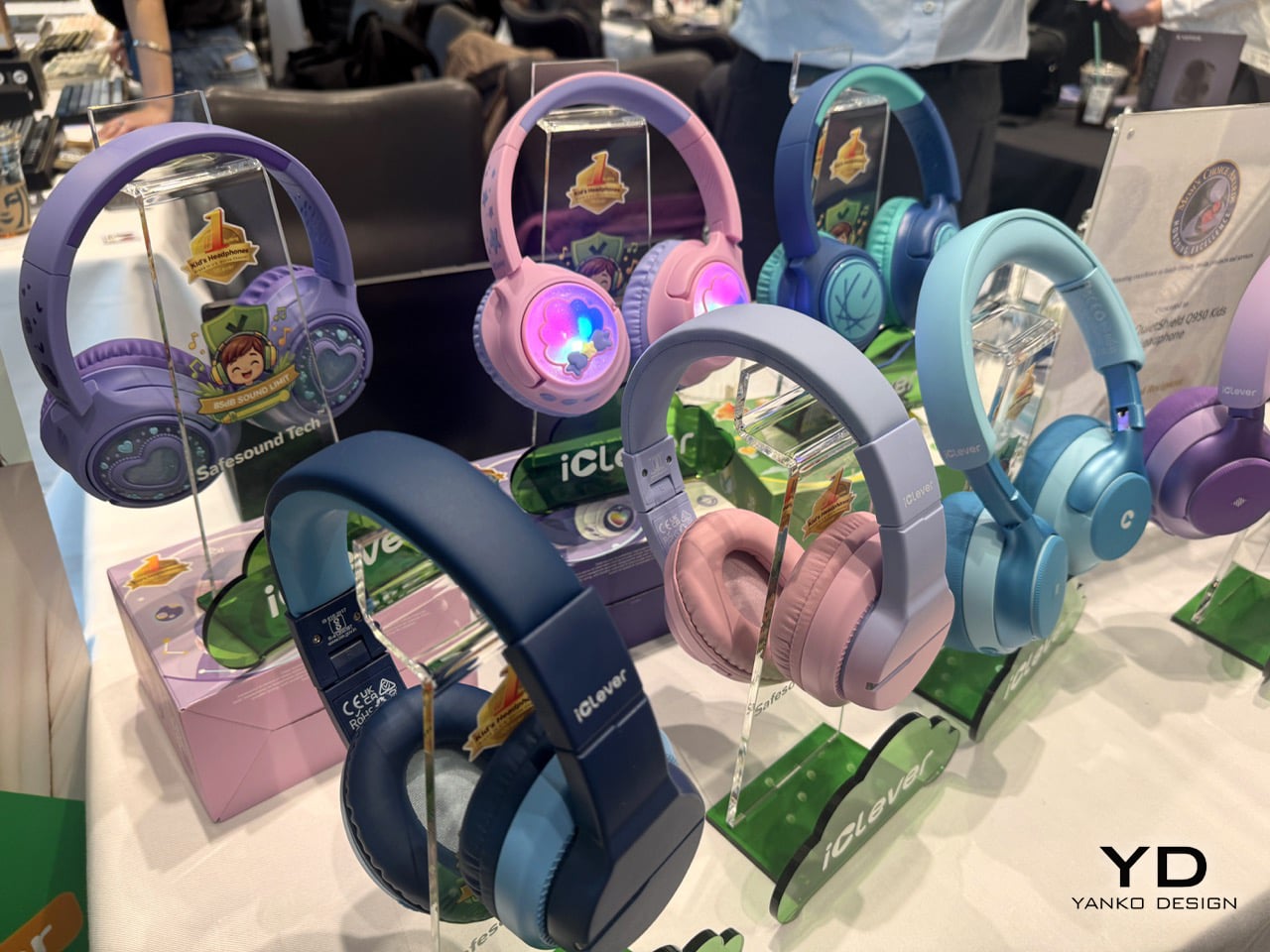
We covered the iClever Q950 back in July when it quietly became one of the more impressive sub-$70 audio products of the year, with our writer noting it was good enough they might use it themselves. The headline credential hasn’t changed: the Q950 is the world’s first kids’ headphone to earn TÜV Rheinland Hearing Care Certification, capping volume at 80dBA and delivering hybrid ANC with up to 35dB of noise reduction. That ANC works in wired mode too, which matters on planes and in classrooms where a dead battery shouldn’t mean a loud environment. It also picked up the 2026 Red Dot Award for Industrial Design, which makes it a rare thing in consumer audio: a children’s product that got taken seriously by industrial design judges.
The build is worth talking about. High-strength POK headband construction and reinforced metal hinges provide enhanced resistance to bending and drops, validated through SGS-certified 3,000-cycle twist durability and drop testing. The ear cups rotate 90 degrees to reduce pressure on younger heads, there’s auto-pause when the headphones come off, and Bluetooth 6.0 keeps the connection stable and low-latency. Battery life runs to 60 hours with ANC off, 35 hours with it on. At $54.99 on sale, this is the headphone category doing the right thing at the right price.
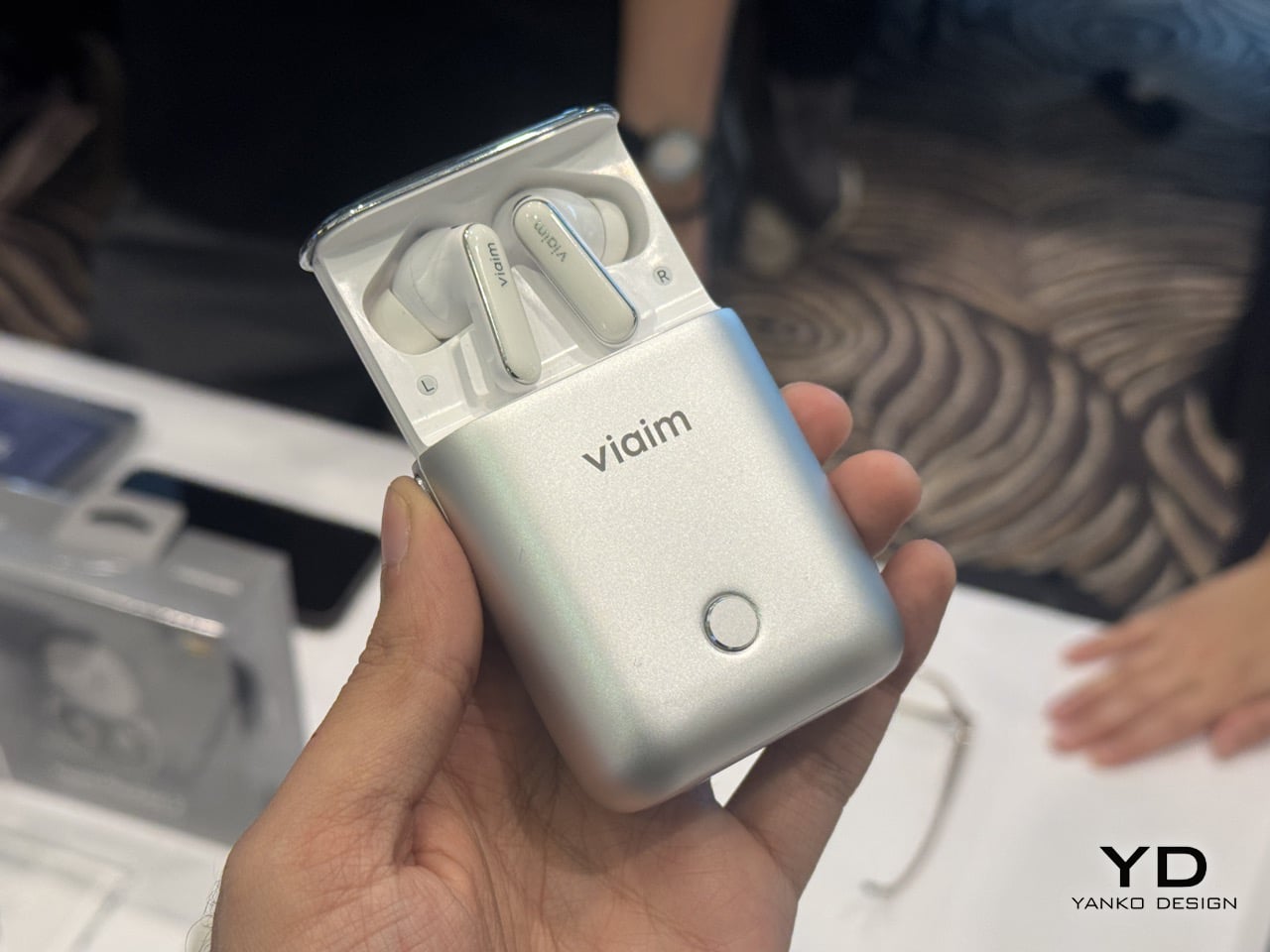
The AI note-taking space has gotten crowded fast. Standalone recorders, transcription apps, dedicated meeting hardware. What Viaim is doing with the Rise is trying to collapse all of that into something you were already going to put in your ears. The Rise is an AI Agent Earbuds system built around premium earbuds and a press-to-rise smart case that captures every meeting, call, and piece of content shaping your work, then turns it into editable notes, ready-to-send follow-ups, and agent-handled tasks. The case interaction is the hook: a mechanical press-to-rise structure opens the case and triggers instant capture with no app, no unlock, no interruption. One tap records calls, live meetings, media, and simultaneous interpretation across 78 languages and 145 accents, and the smart case captures even when the buds are off. Switch on Ambient Listening and it builds memory in the background without retaining the underlying audio.
The hardware underneath is serious. An 11mm and 6mm dual driver sits alongside an 11-mic array with VPU bone-conduction denoising, and the USB-C smart case doubles as a 3-mic PC recorder, with Bluetooth 5.4, Apple MFi, Google Fast Pair, Find My, and IP55 rated. On the software side, Space Intelligence connects recordings, documents, and project history, while Vitana, viaim’s built-in AI assistant, surfaces new risks, decisions, and next steps the moment they emerge. Task Broker routes user-approved actions into Google Workspace, Codex, Claude Code, Cursor, and Copilot, with more integrations rolling out through 2027. The Rise launched on Indiegogo on August 31, 2026, which makes IFA its first major hardware show outing, and the timing feels deliberate. This is a product that wants to be seen.
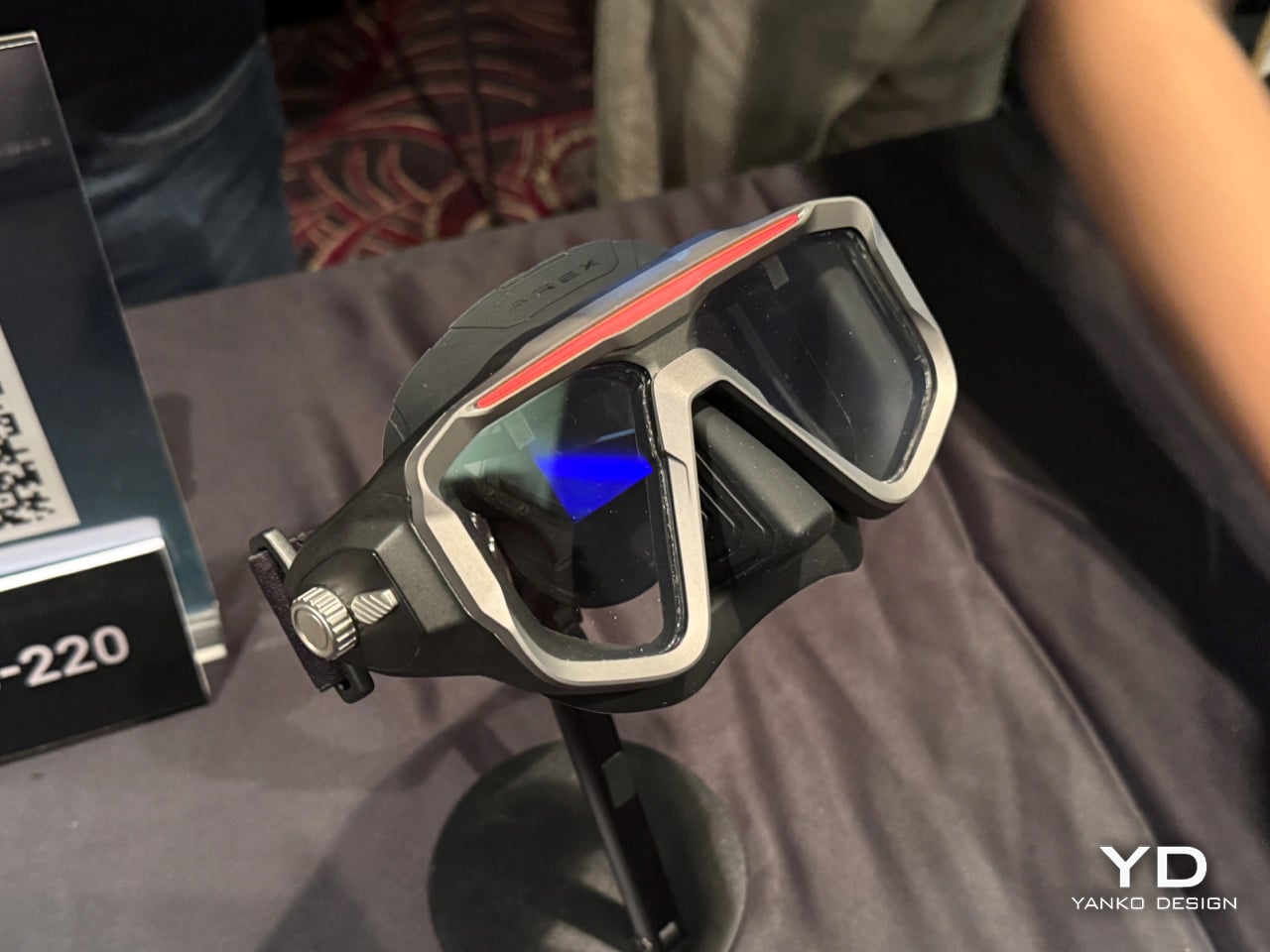
Dive computers have always had an uncomfortable irony at their core. The device keeping you safe underwater sits on your wrist, which means every critical check requires you to pull your gaze away from the environment you’re actively navigating. Underwater, that life-saving data living on your wrist means constant checking and occupying your hands during critical moments, and when your attention leaves the dive, risks arise. AREX is building its entire pitch around fixing that. The AREX ONE is positioned as the world’s first AR dive computer mask, projecting all the information you’d normally glance down at directly into your natural field of view. It’s the kind of form-factor shift that sounds obvious in hindsight, and the kind that tends to make an entire product category look overdue.
The feature set covers a built-in dive computer, AR data, a marine ID scanner, personalized RGB lights, a 120-meter depth rating at 13 ATM, tank data display, 40-hour battery life, in-sight air integration, an intuitive control dial, and a unified digital ecosystem. The dive computer side runs on an independent logic board processing real-time sensor data and ZHL-16C algorithms, which is the same decompression standard used in serious technical dive computers from Shearwater and Suunto. The modes scale from a minimal immersive mode all the way to a full technical mode with PPO2, tissue saturation charts, and gradient factors. Then there’s the marine life identification feature, which frames marine life in your natural field of view to instantly scan and identify species, turning a hammerhead passing by into a labeled data card without breaking your focus. It comes with three attachable modules: a Marine ID Scanner, a TX Pressure Pod, and a Sync Dive Torch, each feeding into the same in-mask display. The Kickstarter launch puts it in the crowdfunding category for now, but the hardware ambition here reads like something that’s been genuinely thought through, not just rendered.
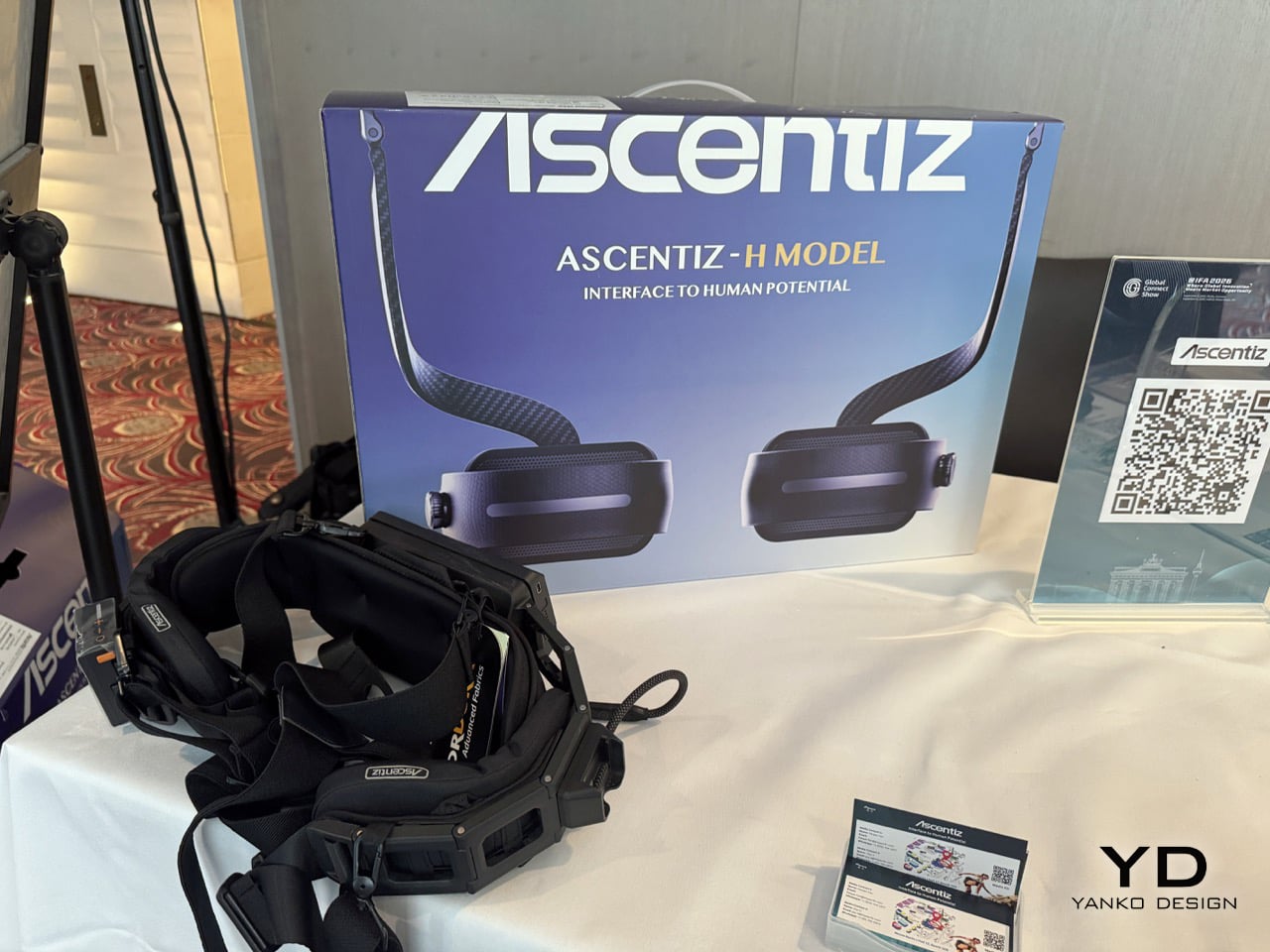
Ascentiz has been at this since 2023, building modular exoskeleton hardware that clips onto your hips or knees depending on what your body needs that day. We’ve covered them on YD before, and the brand has only gotten sharper since. The bigger picture Ascentiz is working toward is a full modular ecosystem, lower body now, upper body eventually, rather than a single fixed device you’re stuck with. The H Pro and H Ultra are the current center of that ecosystem, and both run on an AI MOTION engine that recognizes 12 terrain types on the Pro and 16 on the Ultra, covering everything from slow walks and sprints to stair climbing, cycling, and full hike up and down modes. Both models come in at around 2.5kg, operate at under 35dB, and carry IP54 weatherproofing, which covers the kind of conditions you’d actually want to wear an exoskeleton in. Kinetic energy recovery comes standard on both, charging the battery while the system is actively driving you forward.
The H Pro is the everyday option, built for fitness, commuting, and lighter outdoor use, with a 25km assisted range and a price of $1,499. The H Ultra is built for longer, harder journeys, with Toray T700 carbon fiber and a titanium-alloy Exo-Belt, a dual-battery setup, and an assisted range of up to 50km. It also adds a Boost Mode the Pro doesn’t carry, bumps motor torque from 22Nm to 24Nm, and upgrades the fabric from waterproof-coated nylon to Event waterproof and breathable material, which is the kind of detail that separates a product that’s been actually tested outdoors from one that hasn’t. Both units are airplane-portable and charge fully in 65 minutes via Type-C at up to 100W. The Ultra sits at $1,999, and between the materials, the range, and the extra terrain intelligence, the $500 gap makes reasonable sense. The hardware has already picked up the iF Design Award, Red Dot, and several others, which tracks for a company that’s clearly been thinking hard about what wearing one of these things should actually feel like.
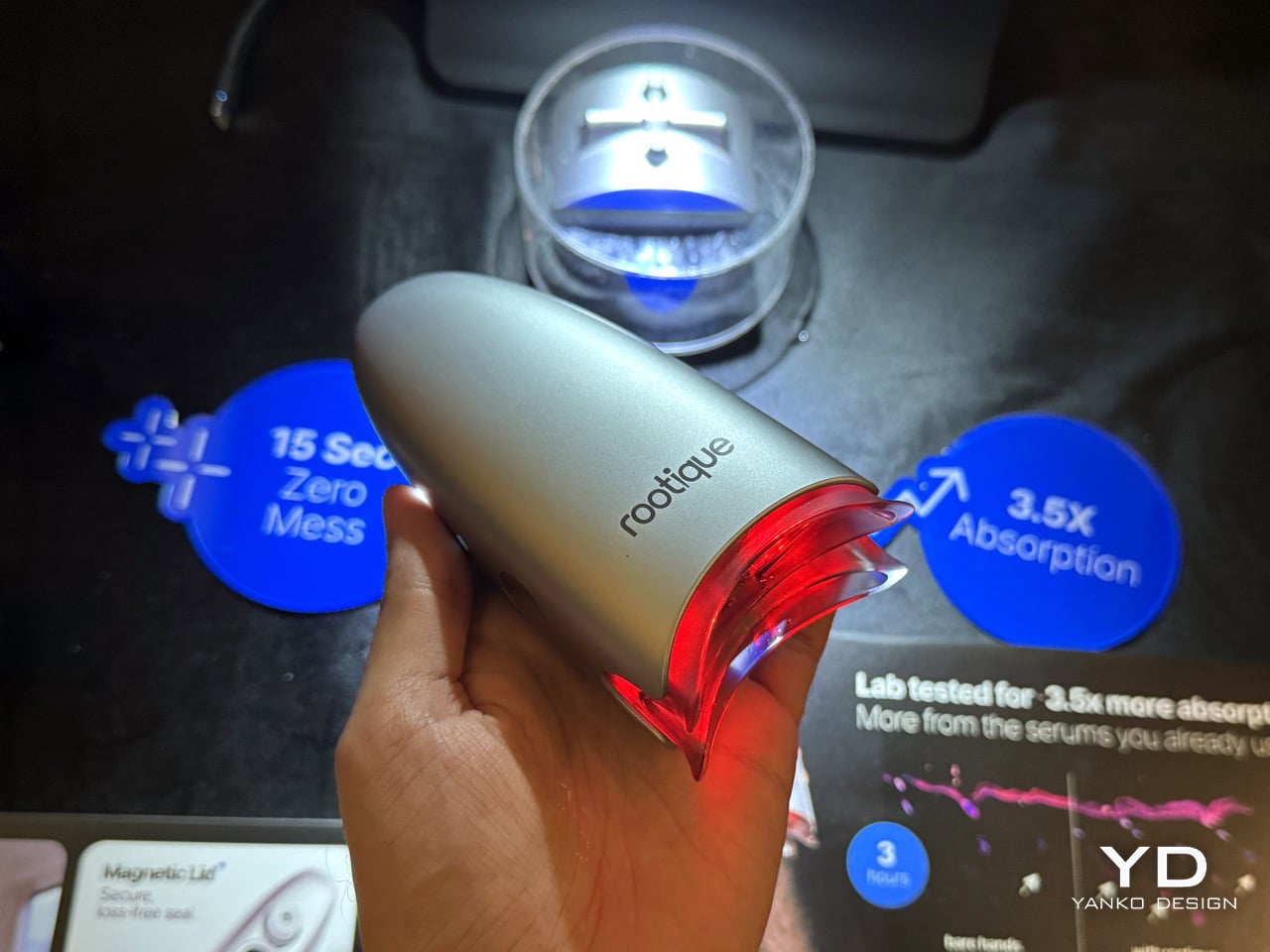
The data sitting behind ROOTIQUE is blunter than most brands would choose to lead with. A 2023 study in Dermatology and Therapy found that 86.3% of patients discontinued topical minoxidil treatment, not because it failed to work, but because the application process was messy, inconsistent, and easy to skip. ROOTIQUE is built entirely around that dropout problem. The DUO is the world’s first micro-misting hair tonic applicator, and its core argument is simple: consistency is the treatment as much as the tonic. IntelliMist converts tonic into 0.005mm mist particles delivered directly to the follicles, bypassing the hair fibres that absorb most of what people apply by hand. The result, per independent fluorescence-tracer testing, is up to 3.5x absorption compared to bare-hand application.
The DuoTrace teeth part the hair gently for direct-to-scalp delivery, a 660nm red light at clinically recognized wavelength supports follicle health simultaneously, and the whole session takes 15 seconds with zero residue on the hands. The 5ml tank holds enough for multiple sessions, charges to up to 40 uses, and is travel-ready without cords. One beep signals 1ml dispensed, two beeps means you’re done, so there’s no guesswork on dosage. ROOTIQUE claims 50% less tonic wasted compared to manual application, and 56% of customers self-reported increased consistency after switching to DUO. For a product category where quitting early is the norm, turning a messy two-minute ritual into a 15-second routine is, genuinely, the whole product.
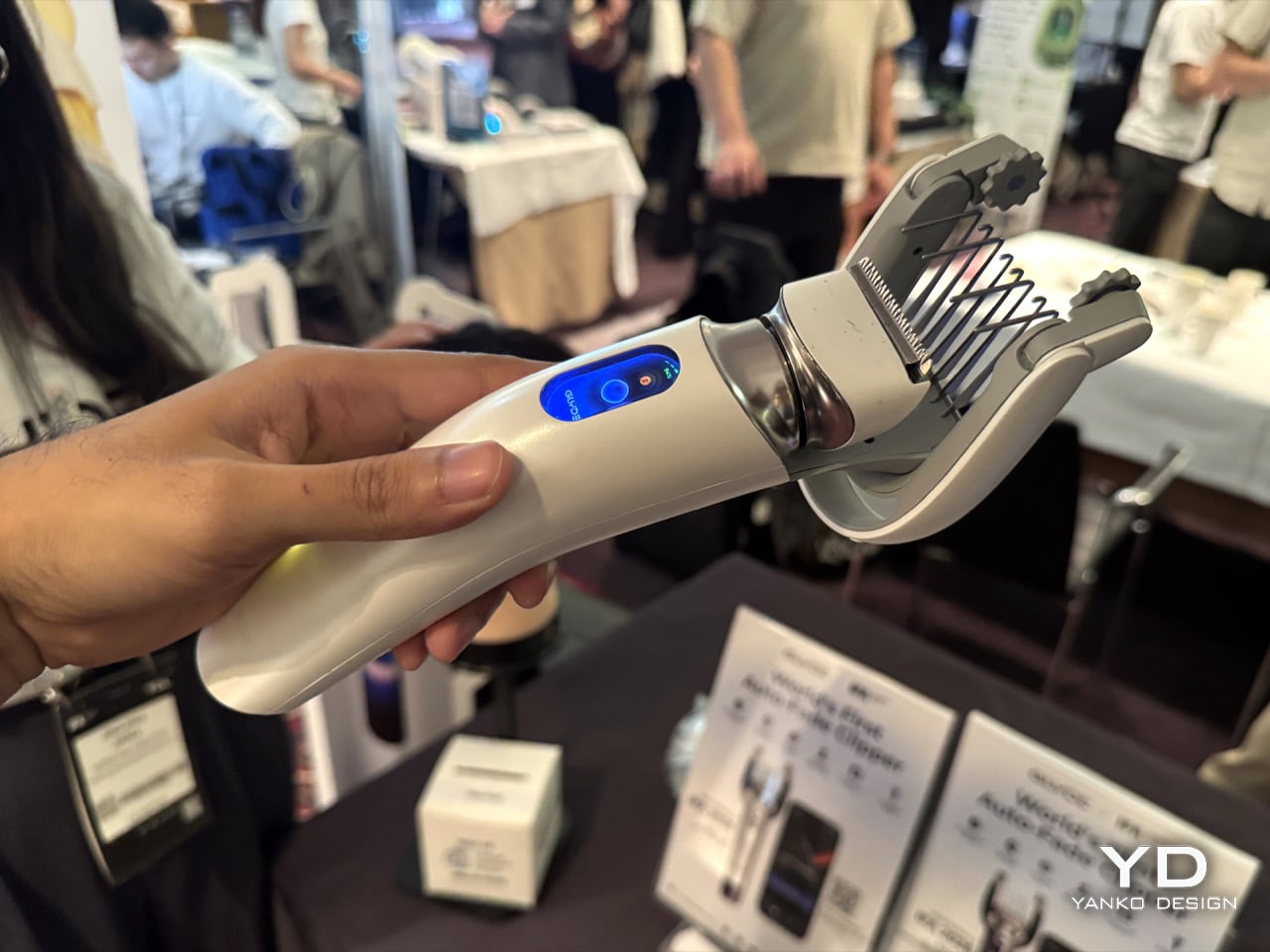
For most people who cut their own hair, the actual clipping is manageable. The part that breaks everything is the fade, that gradual transition between different lengths on the sides and back that barbers make look effortless. A home user can’t see the back of their own head, can’t simultaneously judge angle, distance, and cutting length, and one wrong pass leaves a harsh line that’s impossible to fix without cutting shorter. GLYDE, the debut product from Shenzhen-based Kuaiku Innovation, is built entirely around solving that one problem. Working with a wearable Fade Band, GLYDE tracks where the clipper is relative to the fade line and adjusts the blade in real time, handling the gradual blending that makes fades so difficult and helping users get cleaner, more consistent results at home. It also solves the consistency problem by storing hairstyle profiles digitally. Once users dial in a fade they like, they save it and recall it with a single tap, and the clipper reproduces the exact same parameters every session.
That search for the right product took nearly three years, with no auto-fade clipper to reference, no established technical roadmap, and no competitor to reverse-engineer. Every mechanism and algorithm had to be defined and validated from scratch. What IFA is seeing is the result of that work, refined after an on-site CES survey where more than 60 percent of respondents said their primary concern was maintaining the sides and back, not getting a full haircut. GLYDE deliberately breaks from the traditional clipper aesthetic, with a cold-toned minimal body, polished stainless steel accents, and a signature LED light orb that reads more like consumer electronics than a grooming tool. Hardware specs for the current prototype include a 2600 mAh battery, approximately two hours of runtime, Bluetooth Low Energy, USB-C charging, a 1.47-inch display, and a weight of about 370 grams. It is still a pre-production prototype with pricing TBD, but the product logic is already sharp: GLYDE believes that a portion of men’s haircutting, especially fade maintenance, will follow the same trajectory shaving did when the electric razor moved it from barbershop to bathroom counter.
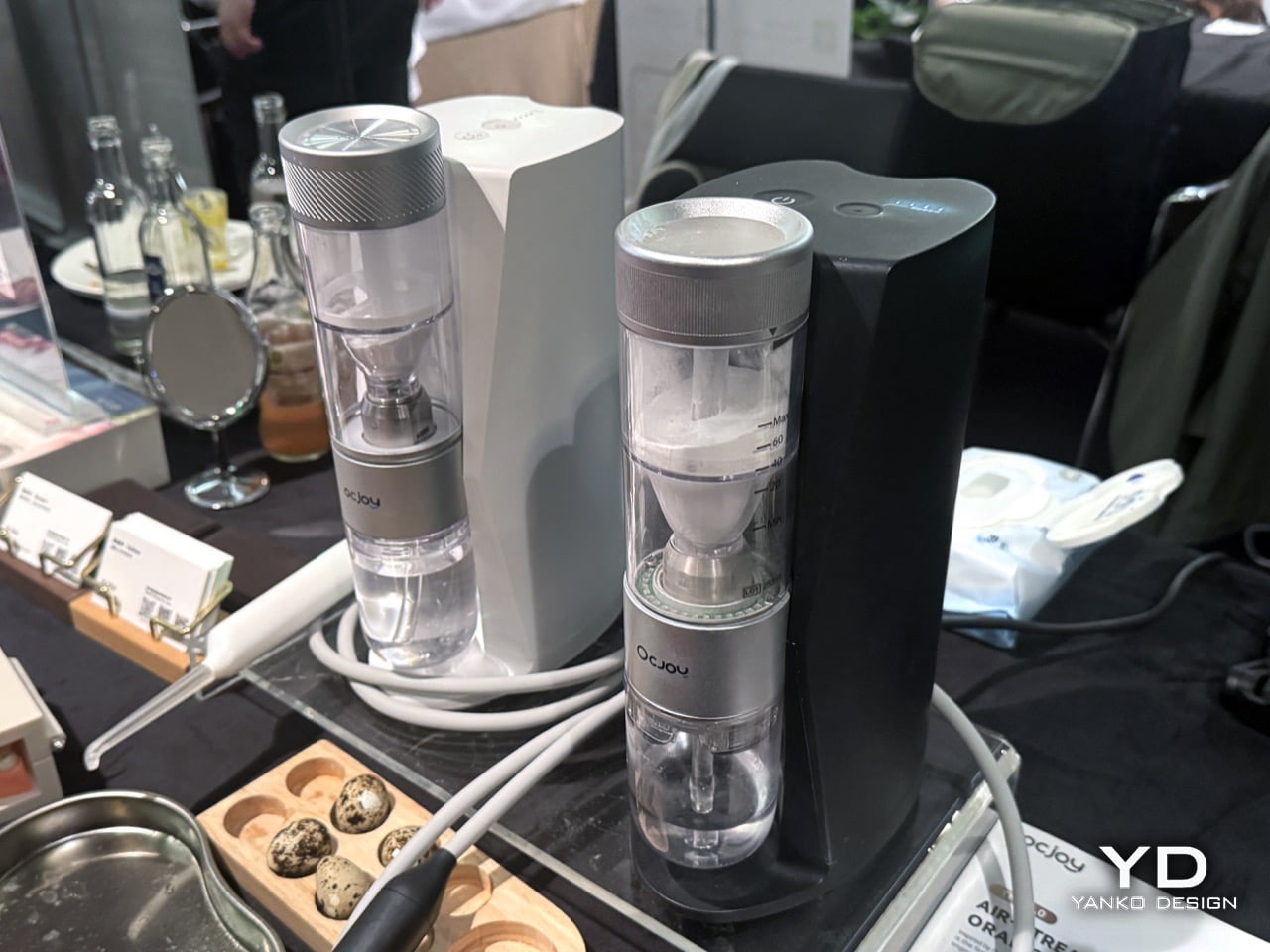
Plaque gets all the marketing attention in oral care, but the real problem is biofilm, the structured bacterial colony that anchors to enamel, builds a protective shield, and starts rebuilding within hours of brushing. Bristles only clean where they make contact, leaving grooves, pits, and gumline areas routinely untouched. Water flossers reach the gaps but carry no active cleaning agent. OCJOY’s answer is Air-Streaming Technology, built on Guided Biofilm Therapy (GBT), a Swiss clinical protocol designed to gently lift biofilm using precisely controlled air, water, and fine food-grade powder. Until now, GBT has been available only in dental practices; OCJOY makes it practical for daily use, delivering a clean that bristles or water alone cannot achieve. The proprietary TriMatter system propels millions of fine particles across enamel surfaces and into grooves, pits, and interdental gaps, disrupting biofilm exactly where water flossers cannot reach.
Independent lab testing puts numbers behind those claims. In 20 seconds, OCJOY removed 99.9% of biofilm, compared to 9.2% left behind by an electric toothbrush under the same conditions. Surface stains from coffee, tea, wine, and tobacco cleared at 88% to 100% without bleach, and a 100-participant study recorded visible whitening of 2-3 shades within 3-7 days. Traditional oral care demands four separate tools, a water flosser, toothbrush, dental polisher, and mouthwash, taking up to 15 minutes for a thorough clean; OCJOY consolidates all of that into a single device in approximately three minutes. The powder chamber holds enough for about 20 uses, the 150mL magnetic water tank lifts out, refills, and snaps back in seconds, and a single tap triggers an automatic self-cleaning cycle that blows out residual moisture and flushes internal pathways to prevent clogs. Clinicians from USC, Shanghai Jiao Tong University School of Medicine, and West China Hospital of Stomatology have evaluated the technology and recommend it for daily cleaning between professional visits.
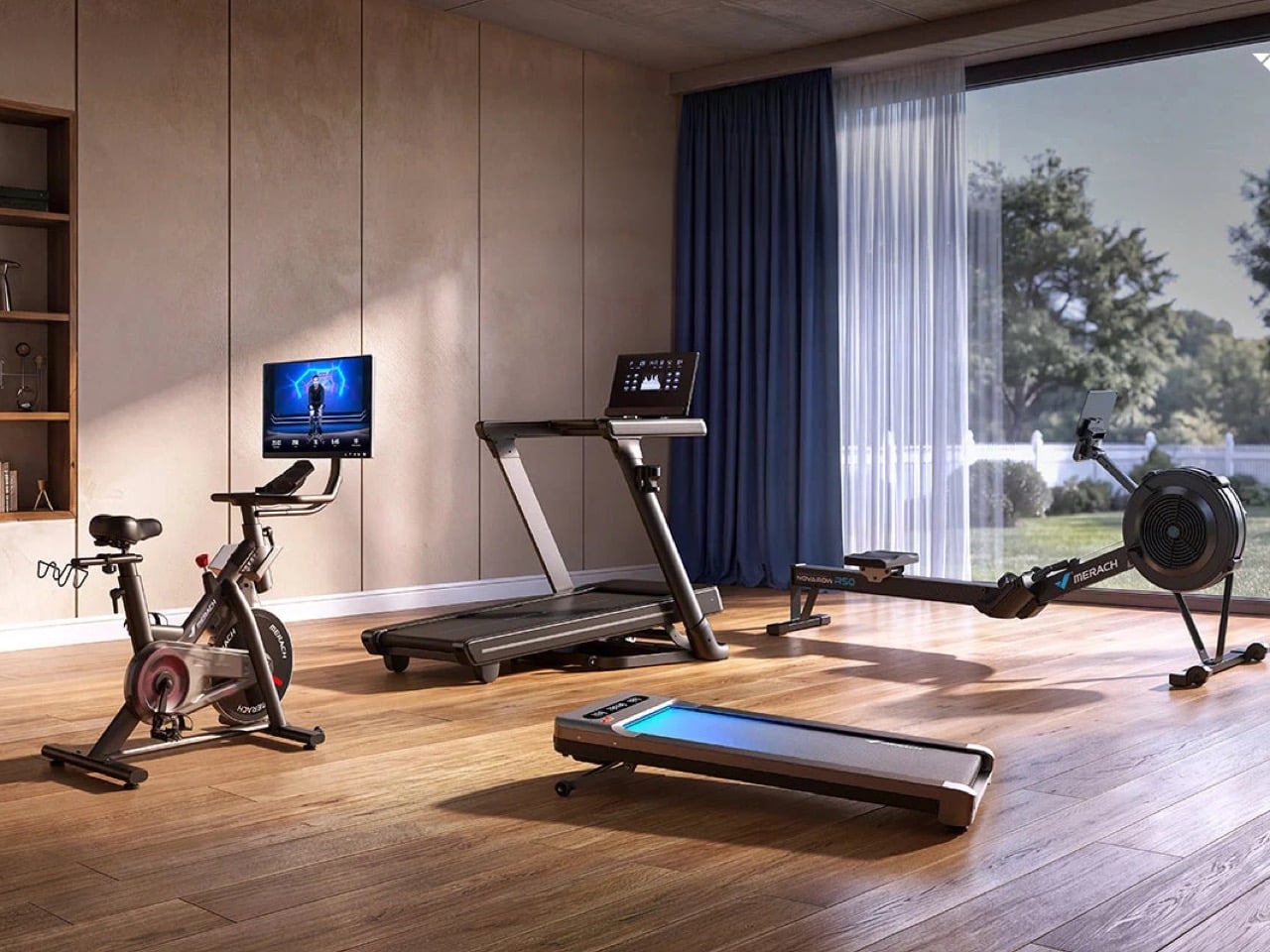
Founded in 2018, Merach climbed to the top of China’s fitness hardware market in a short window, building a lineup around products that treat home space as a constraint worth designing around rather than ignoring. Their rowing machines run on magnetic resistance systems with multiple adjustable levels and Bluetooth app connectivity, letting users track strokes per minute, output, and workout history without a subscription gate in the way. The walking pads fold thin enough to slide under furniture and run on motors quiet enough for apartment living, a combination that turns out to be genuinely rare at this price tier. Stationary bikes round out the core range with foldable frames and app-paired resistance adjustment, keeping the footprint manageable even when the workout is serious.
Showing up at IFA for the first time, despite already being a recognized name in European and North American markets, puts Merach in an interesting position. The brand built its international following largely through e-commerce and community word-of-mouth, so the audience arriving at their Berlin booth has often already bought something, watched a review, or at least seen the name float past. IFA gives that existing relationship a physical layer, a chance for buyers to grip a rowing handle or step onto a walking pad before committing. For a brand that converted most of its global audience through a screen, that kind of face-to-face engagement at one of the world’s biggest consumer tech stages is a logical next step.
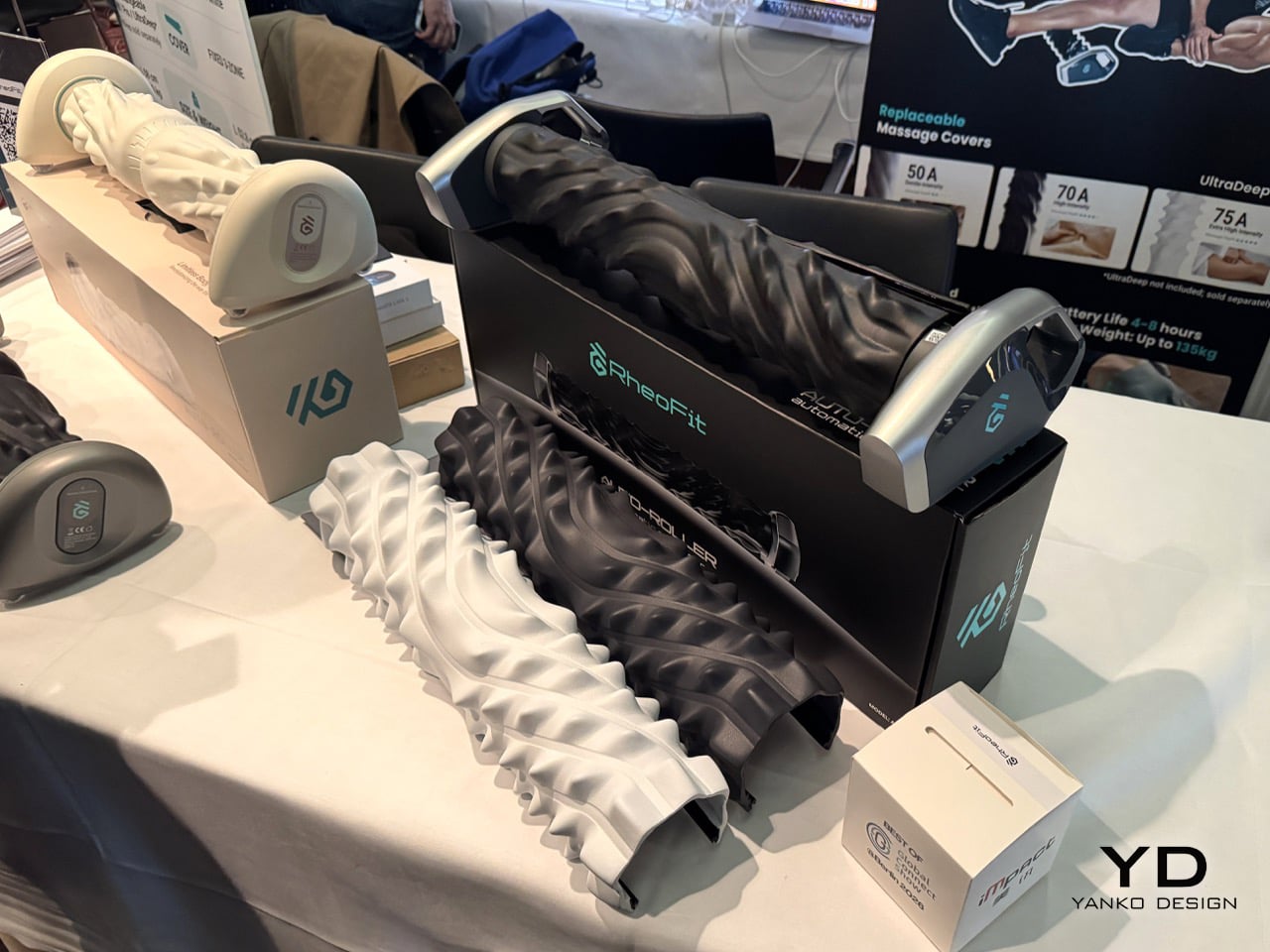
Recovery gear has spent years pretending that adding vibration is enough to count as innovation. RheoFit goes in a much smarter direction. The A1 and A1 Lite are automatic massage rollers built around the idea that post-workout recovery should be as hands-free as possible, which immediately makes them stand out in a market full of massage guns, static foam rollers, and devices that still expect you to twist yourself into awkward positions after leg day. RheoFit frames the product around rehabilitation medicine and AI, with both rollers designed to detect body contour and weight distribution, identify key muscle groups, and generate a personalized massage plan through the app. That makes the whole category feel less like gym equipment and more like body-aware hardware, the kind of product that understands recovery as a system instead of a single feature.
The A1 is the more robust version, supporting up to 300 lbs while weighing 5.4 lbs, with 4 to 8 hours of use per charge and up to two weeks between charges depending on usage. It comes with two interchangeable massage surfaces, a high-intensity serrated roller with 70A Shore hardness for deeper, knuckle-like pressure, and a gentler 50A soothing roller shaped for a broader palm-fit feel. The A1 Lite keeps the same core promise but trims the package down into a more portable format, weighing 4.4 lbs, supporting up to 250 lbs, and adding a more targeted recovery pitch with 15 recovery positions that include full-body, targeted, and upper-back modes. Together, they make a strong case for the next phase of wellness hardware, where the roller finally rolls itself and your body gets treated like something technology can actually learn from.
The post Your Body Is the New Tech Platform: The Wildest Wearables at IFA 2026 first appeared on Yanko Design.
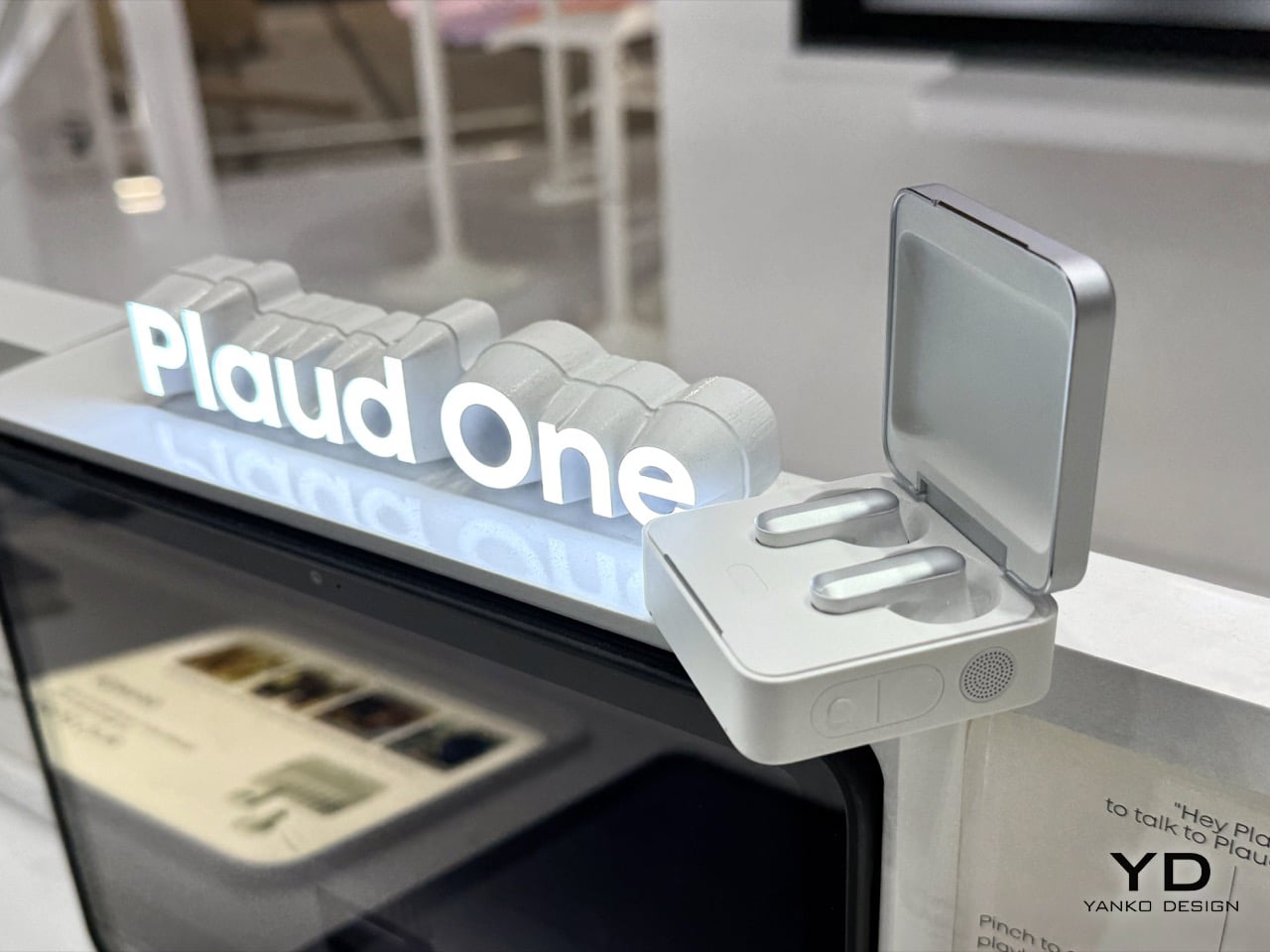
For three years, Plaud made very good tape recorders with a PhD. You pressed a button, it captured a meeting, and mere minutes later a summary showed up. The Plaud One, launched at IFA 2026 for €249.90, reverses that arrow. Its charging case now holds four beamforming mics, a speaker, an agent button and a built in eSIM, so it stays online without a phone nearby. Hold the agent button and the AI talks back, asks what you meant, then builds the deck or drafts the email while you get on with your day.
That flip from recording to doing needed hardware nobody had built yet. Not a pendant, not a pin, not another app crammed onto a phone you were already staring at. Plaud built a palm sized aluminum box with a fluted lid that looks like a Rimowa suitcase went through a shrink ray, sitting on a table, listening across a room, and talking back like a colleague who never needs coffee. The Explorer Edition opens for pre order now, capped at 2,000 units worldwide, with deliveries landing in Q4. A public version follows in 2027, once Plaud has watched two thousand early adopters put the thing through its paces.
Designer: Plaud
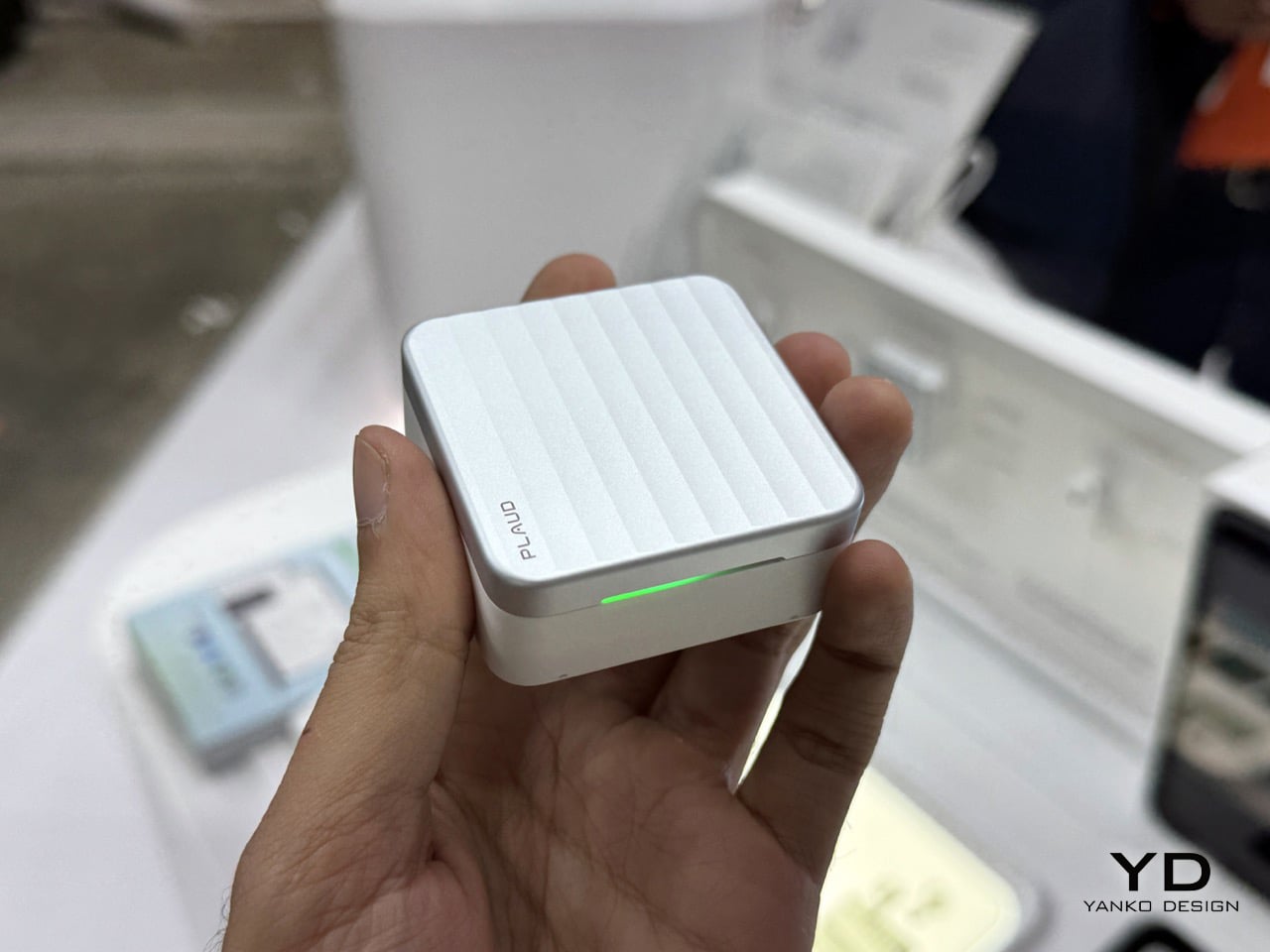
The original Plaud Note clipped onto a phone and did one job, listen to a meeting and hand back a transcript once it ended. The Note Pro added a screen and better mics. The NotePin S shrank the format onto a lanyard clip. Every generation stayed reactive by design, a smart recorder waiting for you to press stop before it did anything useful. That business built Plaud’s 2.5 million user base and reportedly crossed $100 million in annual software revenue by June, which is exactly the kind of runway that lets a company gamble on reinventing its own hardware category from scratch.
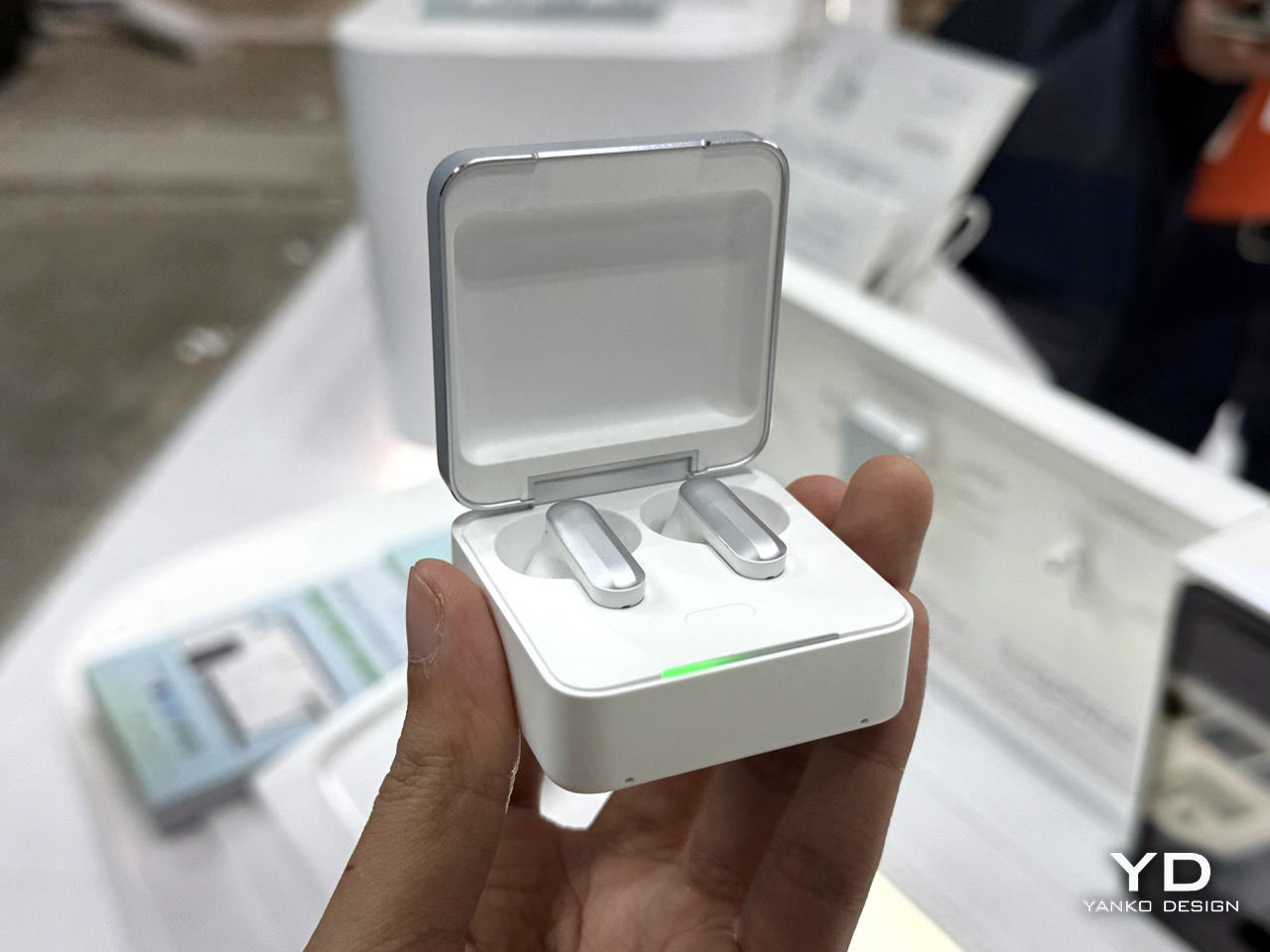
Vertical fluting runs down the case’s aluminum lid, the same visual trick Rimowa has stamped into cabin luggage since the 1950s, giving a 62 gram object a sense of density it has no right to carry. Flip it open and the earbuds sit half in ear, silver capped, in a tray that reads closer to a jewelry box than a charging dock. A speaker grille, a record button and a separate agent button line the case’s edge, the three controls that turn a charger into a device you actually talk to. None of it apes a phone. It reads like furniture for a desk, not gear for a pocket.
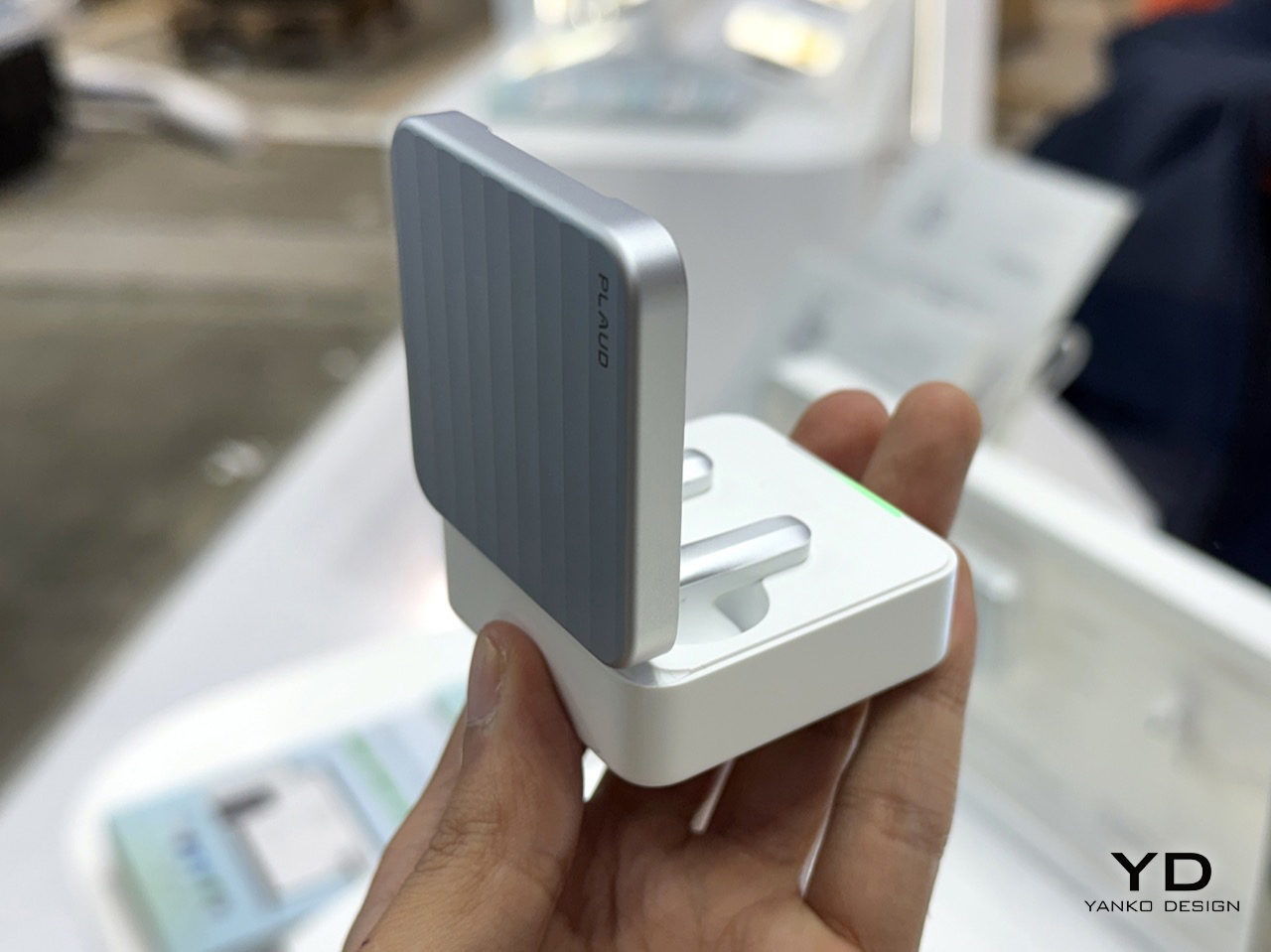
Earlier Plaud devices leaned on your phone for both processing and connectivity, so the intelligence always sat one hop away from the microphone. Plaud One’s case carries its own 4G LTE connection through a built in eSIM, closing that gap entirely. Capture, transcription and agent response now run in one box, independent of any other screen in your life. Leave your phone in a bag, walk into a cafe, and the case still records the table’s conversation, answers a question out loud through its speaker, or fires off a follow up email on command. Every pendant and pin that came before this quietly depended on a phone doing the real work behind the scenes. Plaud One is the first in the category that genuinely does not.
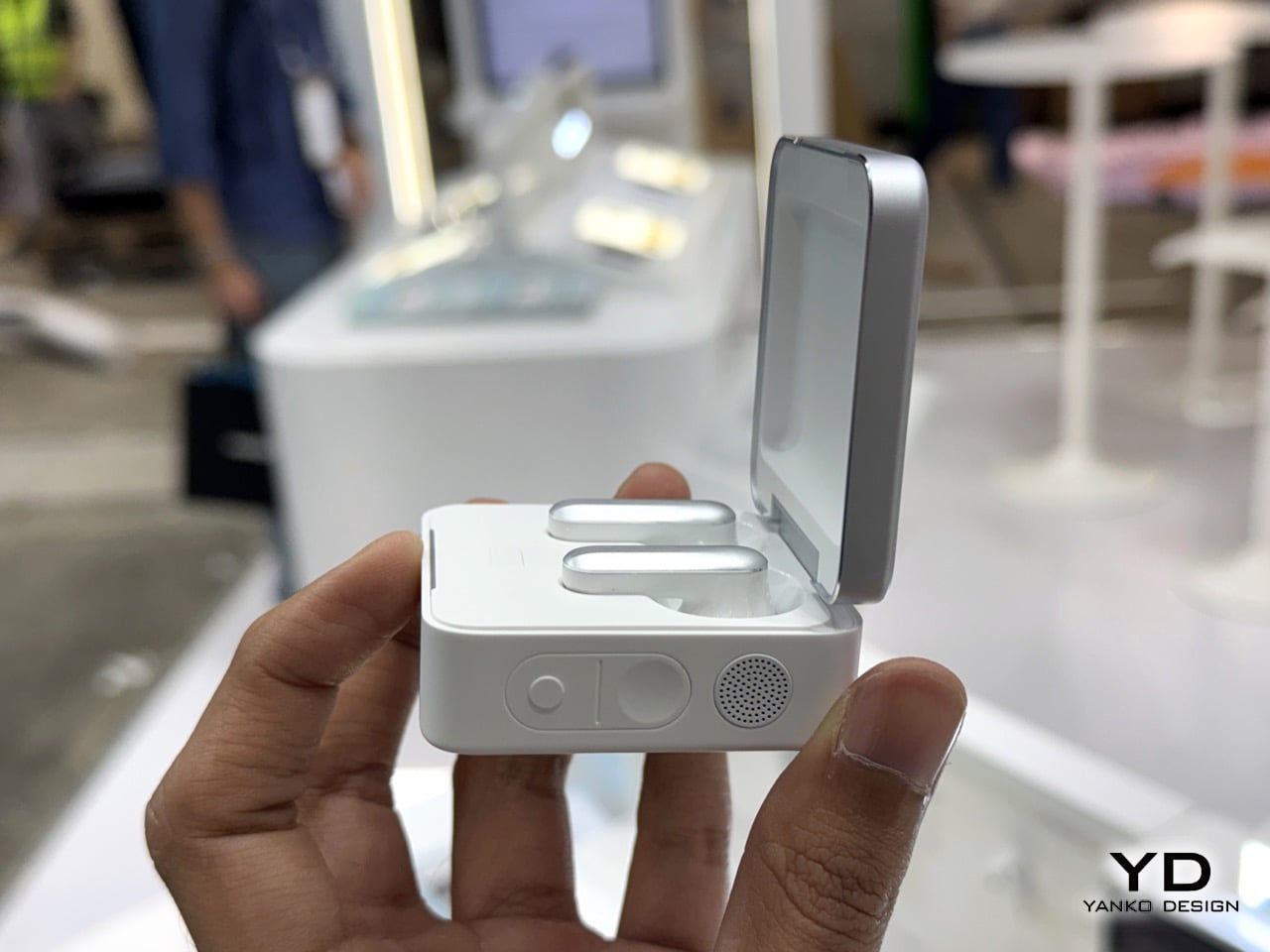
Plaud Agent drafts a follow up email the moment a client call ends. Feed it a meeting and it builds a slide deck while you sit through your next call, then drops the finished file straight into Notion with zero copy pasting. The platform connects to Gmail, Google Workspace, Microsoft Teams, Slack and Notion today, with more integrations promised as the software matures. Set it loose on a standing task, a monthly competitor scan for instance, and it runs quietly in the background, waiting with a finished report the next time you check. This is the actual bet Plaud is making, that an assistant worth having has to act, not just remember.
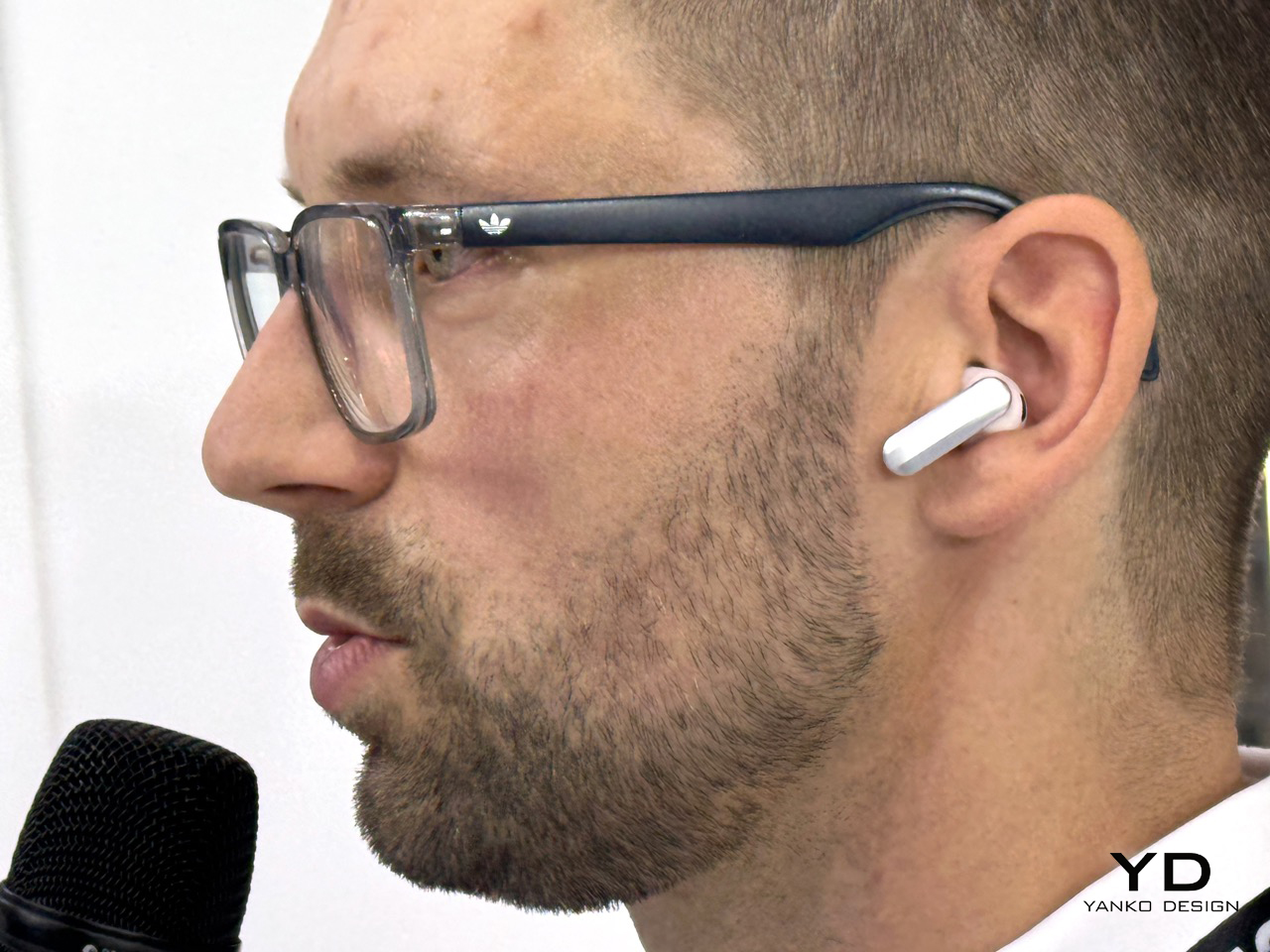
Pre orders for the Explorer Edition are open now at €249.90, with the first 2,000 units shipping in Q4. Buyers get $200 in Plaud Credits toward the heavier agent features on top of a starter transcription plan, so the price buys a running start on the software as much as the hardware. Calling this an Explorer Edition rather than a finished release is the honest move, an open beta wearing genuinely sharp industrial design. Plaud spent three years building the best possible way to listen. Plaud One is its first real attempt at building something worth talking to.
The post Plaud One Hands-On at IFA 2026: AI Earbuds That Transcribe Meetings, Then Draft Emails And Decks For You first appeared on Yanko Design.