
Apple Vision Pro Air Typing experience takes a small step toward usability

It’s truly mind-blowing to see virtual objects floating before our eyes, but the magic and illusion start to break down once we try to manipulate those objects. Input has always been a tricky subject in mixed reality, either because we can’t see our actual hands or we can’t feel what we’re supposed to be touching, which is physically nothing. Until the perfect haptic feedback gloves become a reality, we have to make do with tricks and workarounds to make input less awkward and more convenient. That’s especially true with typing on air, and Apple is apparently using some special techniques to offer a more usable experience on the Vision Pro mixed reality headset.

Designer: Apple (via Brian Tong)
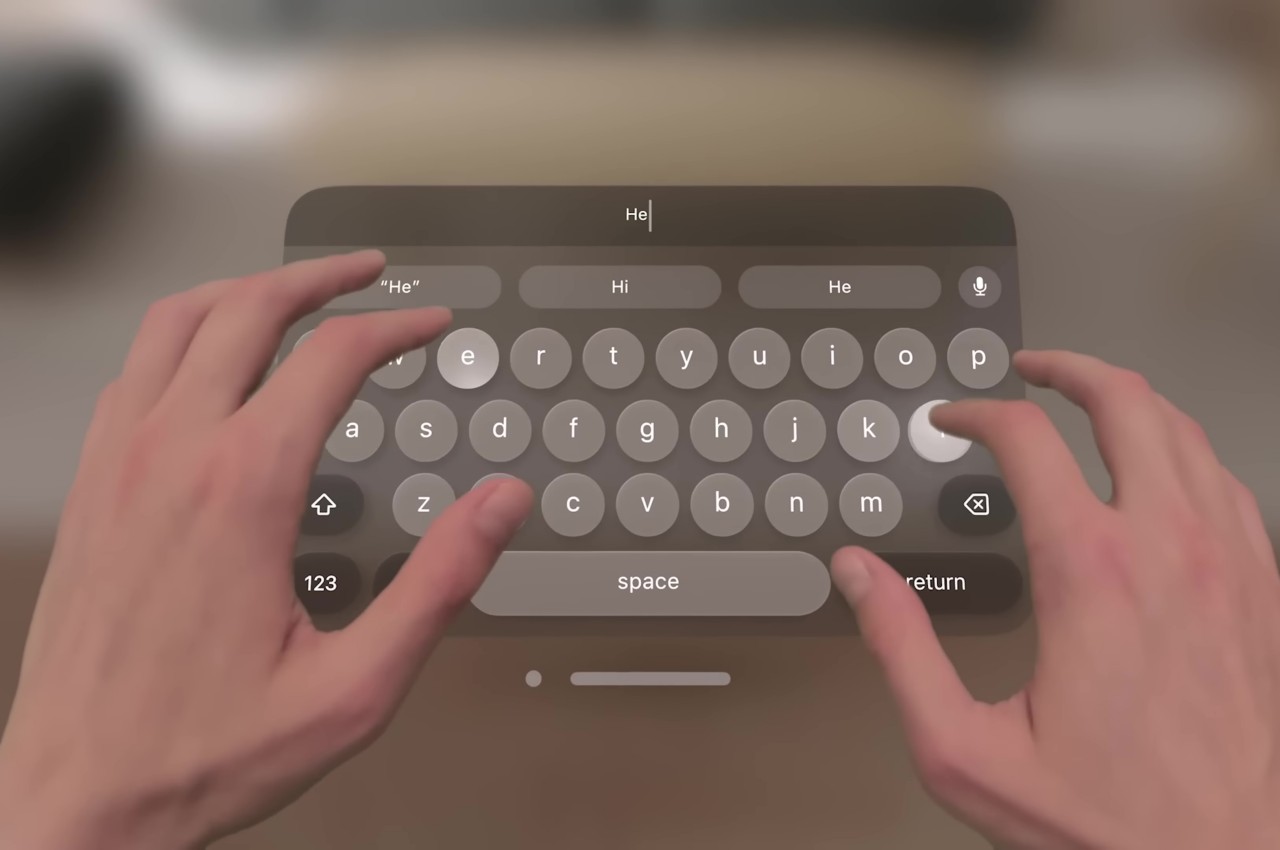
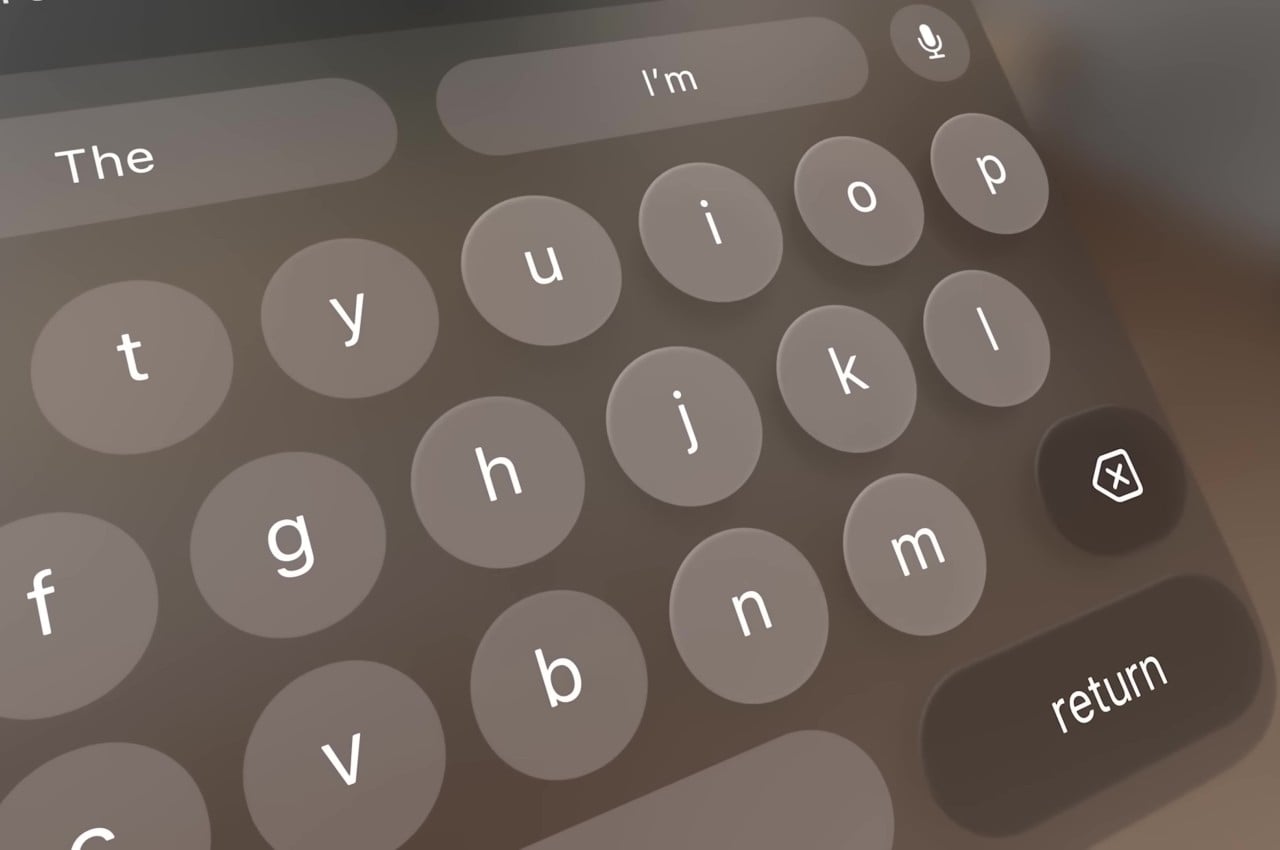
Apple’s first teaser for the Vision Pro headset and visionOS platform didn’t show typing of any sort. It focused, instead, on icons, windows, and menus, virtual 3D objects that are easier to interact with using hand gestures. Of course, sooner or later you will be faced with the need to input text, and the usual method of voice recognition won’t always cut it. visionOS, fortunately, does include a virtual floating keyboard like other VR systems, but the way you use it is quite special and, to some extent, ingenious.
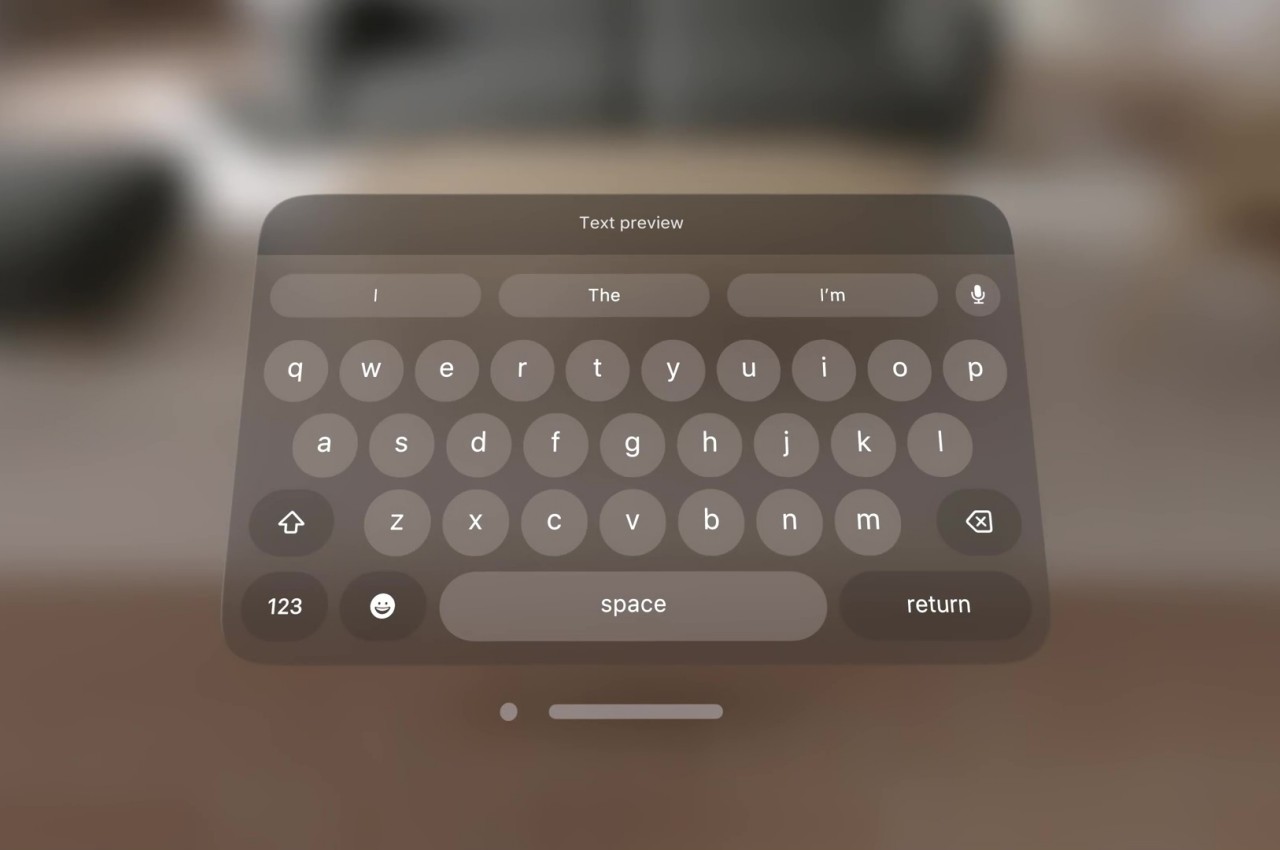
For one, you can interact with the keyboard like you would any part of the Vision Pro’s interface, which is to look at the UI element to focus on it and then use hand gestures. In this case, pinching a letter is the equivalent of selecting it, just like what you’d do for menu items or icons in visionOS. It makes the gesture grammar consistent, but it’s also an awkward way to type.
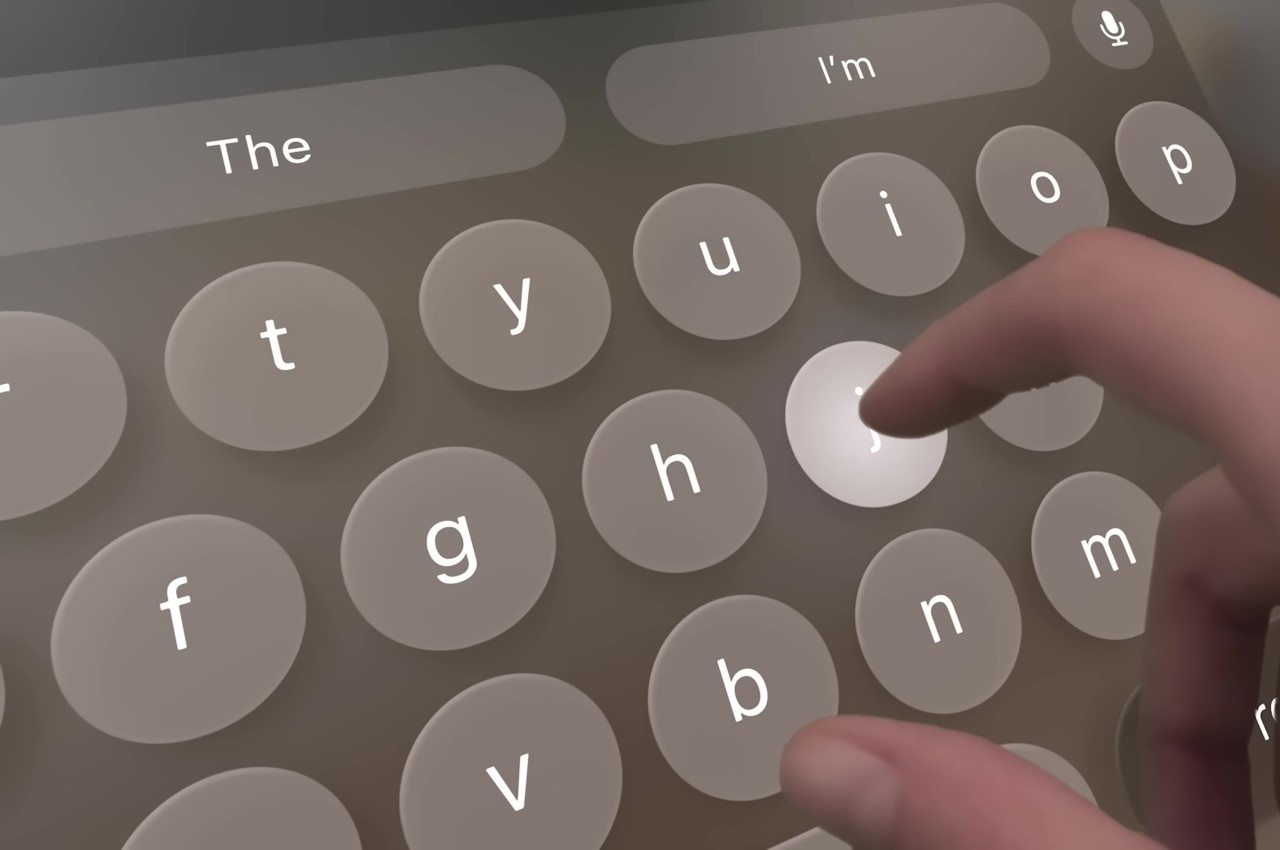
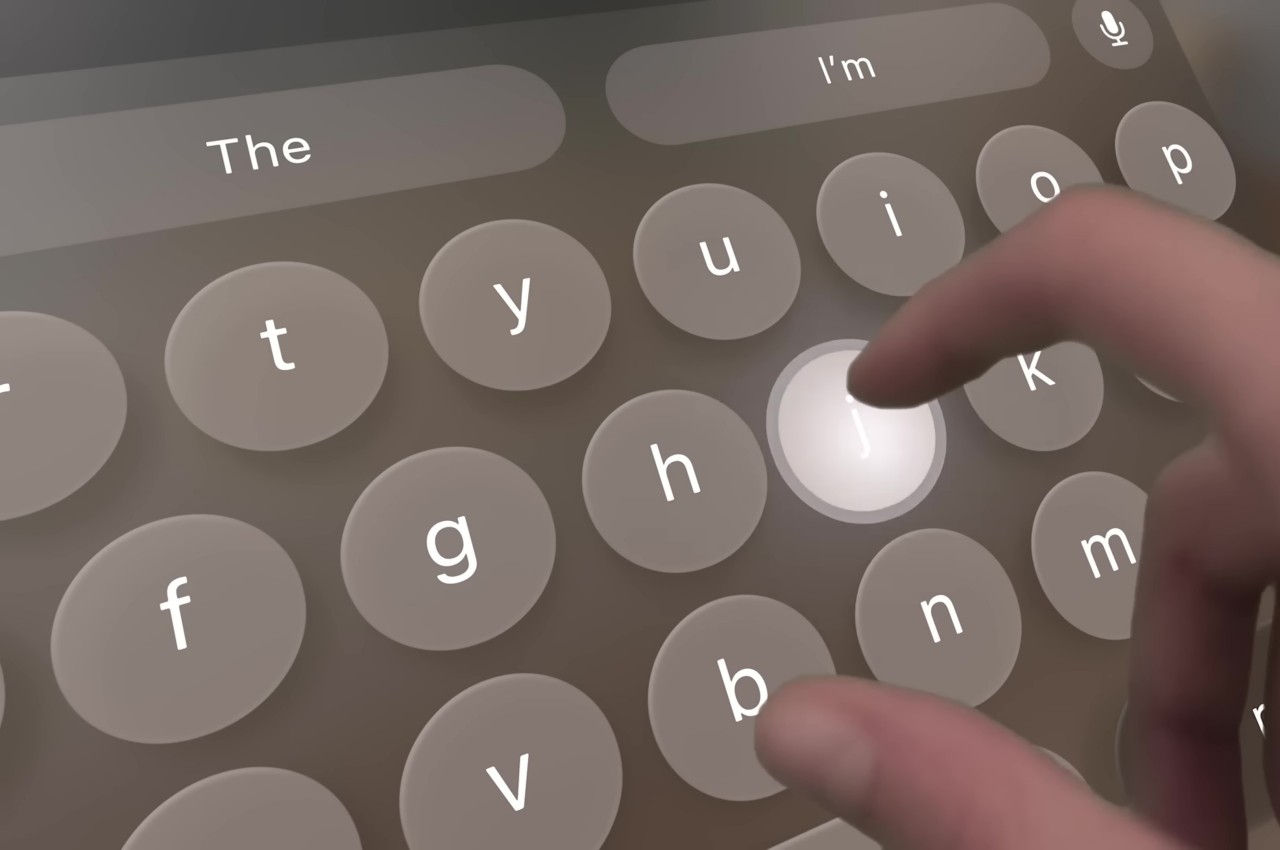
You can also “peck” at the keys with your fingers, making you feel like you’re typing on air. The difference that the Vision Pro makes, however, is that it tricks your eyes into believing you’re actually pressing down on those keys. Thanks to Apple’s flavor of spatial computing, hovering your real-world finger on a virtual key makes that key glow, and tapping on it results in an animation that looks like the key is actually moving down, just like on a real keyboard. There’s also a haptic sound, similar to the clicking sound effect you’d normally hear on an iOS virtual keyboard, to complete that audiovisual illusion.

Of course, your fingers aren’t actually hitting anything physical, so there’s still a disconnect that will probably confuse your brain. The visual effect, which is really only possible thanks to spatial computing, is still an important step forward in helping our minds believe that there’s a “real” three-dimensional object, in this case, a keyboard, right in front of us. It’s not going to be the most efficient way to input text, but fortunately, you can connect a wireless keyboard to the Vision Pro and you’ll be able to see your actual hands typing away on it.
The post Apple Vision Pro Air Typing experience takes a small step toward usability first appeared on Yanko Design.


ASUS Zenbook 14 OLED UX3405 laptop

ASUS Zenbook 14 OLED UX3405

ASUS has raised the bar for ultraportable laptops with the unveiling of the Zenbook 14 OLED (UX3405). This premium laptop, with its Intel Evo Edition specification, combines high-performance components with enhanced sustainability features, setting a new standard in the industry. The Zenbook 14 OLED houses an impressive range of top-tier specifications. At its core, it […]

The post ASUS Zenbook 14 OLED UX3405 laptop appeared first on Geeky Gadgets.

What we bought: Our favorite gadgets of 2023

Engadget staffers test and review tons of gadgets every year, and we also buy a lot of things for ourselves. In 2023, some of us upgraded our at-home coffee-making setup, splurged on fancy keyboards and digital pianos and even made our homes a bit smarter with things like app-controlled litter boxes. But there are plenty of other things we've bought and loved this year that have yet to make it on the site. Here, our staff takes a look back at the things they've personally purchased this year that they want to gush about a bit more before 2023 is up.

This article originally appeared on Engadget at https://www.engadget.com/what-we-bought-our-favorite-gadgets-of-2023-140016145.html?src=rss

How to make an AI Instagram influencer using ComfyUI

creating an AI influencer

The emergence of AI Instagram influencers is capturing the imagination of users worldwide and providing an easy way to harness the power of artificial intelligence to create AI pictures. These digital personalities are not just a novelty; they’re a testament to the blend of technology and creativity. If you’re intrigued by the idea of creating […]

The post How to make an AI Instagram influencer using ComfyUI appeared first on Geeky Gadgets.

Gemini Pro vs GPT-3.5 vs GPT-4

Gemini Pro vs GPT-3.5 vs GPT-4

The world of artificial intelligence is evolving at an impressive pace, with new models emerging that are capable of performing a wide array of tasks. One of the  more recent releases has been made by Google in the form of its new Gemini artificial intelligence. Google’s Gemini Pro is now directly competing with the likes […]

The post Gemini Pro vs GPT-3.5 vs GPT-4 appeared first on Geeky Gadgets.

How to fix the “iPad Unavailable” message on your tablet

iPad Unavailable

The dreaded “iPad Unavailable” message can strike fear into the hearts of even the most tech-savvy iPad users. This jarring message appears when you’ve entered an incorrect passcode too many times, rendering your iPad temporarily unusable. While it may seem like a daunting issue, there are several methods you can employ to regain access to […]

The post How to fix the “iPad Unavailable” message on your tablet appeared first on Geeky Gadgets.

Novitec Lamborghini Urus Performante Esteso unveiled

Novitec Lamborghini Urus Performante Esteso

Novitec has unveiled an even more extreme version of the Lamborghini Urus, the Novitec Lamborghini Urus Performante Esteso, and the car comes with an impressive 782 horsepower and 10,32 Nm of torque. The new Novitec Lamborghini Urus Performante Esteso comes with 23-inch king-sized wheels and a Novitec Esteso Widebody kit, it has a 0 to […]

The post Novitec Lamborghini Urus Performante Esteso unveiled appeared first on Geeky Gadgets.

Easily and time stamps to your YouTube videos using Tubestamp

add timestamps to your YouTube videos easily with Tubestamp

When creating YouTube content one of the more tedious tasks for creators has been adding timestamps to video descriptions, which help viewers find and jump to the most interesting parts of a video. Some more established YouTubers get timestamps automatically added but have no control over whether Google actually does add it to their descriptions […]

The post Easily and time stamps to your YouTube videos using Tubestamp appeared first on Geeky Gadgets.

Adobe terminates its $20 billion Figma acquisition amid regulatory scrutiny

Adobe is abandoning its planned $20 billion acquisition of Figma after the companies determined that there was no clear path to obtaining approval from UK and European Union regulators. The two sides have signed an agreement that fully resolves all aspects of the Adobe-Figma merger termination. Adobe will pay the collaborative design platform a previously agreed $1 billion termination fee after failing to overcome regulatory hurdles.

In November, the UK's Competition and Markets Authority (CMA) and the European Commission both cited concerns over the proposed acquisition's impact on competition. The CMA said in its provisional findings that that the merger would “eliminate competition between two main competitors.” The watchdog said it was considering either blocking the deal or requiring Adobe to sell Figma's core product, Figma Design, along with Adobe XD.

Earlier on Monday, Adobe claimed that it wouldn't offer the CMA any potential remedies. “It is clear that no realistic remedy would satisfy the concerns the CMA is maintaining,” an Adobe spokesperson told Bloomberg. “We believe that the best path forward is to continue our ongoing engagement with the CMA on the merits.”

Last month, the EC sent Adobe a Statement of Objections, in which it warned the company that its planned purchase of Figma "may reduce competition in the global markets for the supply of interactive product design software and of other creative design software," such as vector editing tools (i.e. Illustrator and its ilk) and Photoshop-style raster editing tools. The EC planned to make a final decision on the merger by February 5. Adobe had indicated it was willing to offer possible remedies to appease European regulators, but it appears that's no longer the case.

“Adobe and Figma strongly disagree with the recent regulatory findings, but we believe it is in our respective best interests to move forward independently,” Shantanu Narayen, Adobe chair and CEO, said in a statement. “While Adobe and Figma shared a vision to jointly redefine the future of creativity and productivity, we continue to be well positioned to capitalize on our massive market opportunity and mission to change the world through personalized digital experiences.”

Adobe also anticipated a potential lawsuit from the US Department of Justice in an attempt to block the deal Stateside. The company and Figma reportedly met with DOJ officials last week to try and secure approval for their merger. 

This article originally appeared on Engadget at https://www.engadget.com/adobe-walks-away-from-its-20-billion-figma-acquisition-amid-regulatory-scrutiny-132203336.html?src=rss

Octopus arcade fight stick for PC, PS5, Switch, Steam Deck and more

Arcade fights to compatible with PC, switch, steam deck and more

The Octopus Arcade Stick is a new gaming controller designed to replicate the feel and experience of arcade gaming, but with the infusion of modern technology. One of the standout features of the Octopus Arcade Stick is its design and construction, built to be durable and long-lasting. It is a wired controller, a feature preferred […]

The post Octopus arcade fight stick for PC, PS5, Switch, Steam Deck and more appeared first on Geeky Gadgets.