Apple’s new AI-powered Siri can use apps for you

As expected, Apple’s assistant is about to get much more helpful thanks to a load of new AI-powered capabilities. During WWDC, the company previewed a new version of Siri that can take actions on your behalf and understand a wide range of new queries.

The new version of Siri has a better understanding of the apps on your phone and will be able to take more than 100 actions based on your activity and device. For example, you could ask Siri to show you specific photos or memories in your Photos app or to find tracking details for an expected delivery from an email in the Mail app.

Siri will also be able to perform some tasks for you, like adding an address to a contact card, tweak a photo, or share a summary of your notes in an email. Third-party developers will also be able to take advantage of these new capabilities with a new “app intents framework” that will allow them to tap into Apple Intelligence and make certain actions compatible with Siri.

Apple said that Siri’s new AI powers could be a major time saver for otherwise tedious tasks. One example offered by the company was the need to fill in a driver’s license number in an online form. Instead of searching your photos yourself, you could ask Siri and it would be able to find the image of your license, grab the number and fill in the form. Siri can also answer questions based on details from your messages and emails, like remembering your dinner reservations or providing up-to-date flight tracking for a previously-shared reservation. 

Siri will be able to respond to text commands.
Apple

Another major change is that Siri will no longer be only a voice-activated assistant. Apple is adding a “type to Siri” feature that makes it a bit closer to the experience of other generative AI chatbots. When you do chat with Siri, the experience should feel more natural as the assistant will be better able to respond to queries when the command isn’t spoken perfectly. Apple demoed how Siri could respond to a request about weather conditions even when the speaker stumbled over their words and misspoke. Additionally, the assistant can provide help and answer about iPhone capabilities, like “I need to scan a document.”

Siri will also be able to take advantage of chatGPT, thanks to Apple's newly-announced OpenAI partnership. For some text-based queries, users can opt to get an answer from chatGPT from within the new type to Siri interface. 

Apple didn’t specify when all of the new Siri capabilities will launch, but said the new version of its assistant will be coming to iPhone, iPad and the Mac. The revamped Siri is part of Apple’s push into “personal intelligence,” which Tim Cook described as the “next big step” for the company.

Catch up here for all the news out of Apple's WWDC 2024.

This article originally appeared on Engadget at https://www.engadget.com/apples-new-ai-powered-siri-can-use-apps-for-you-184116016.html?src=rss

Apple brings a full-featured Passwords app to the Mac, iPhone, iPad and Windows

The rumors are true. Apple is adding a dedicated passwords manager app to most of its operating systems. These include macOS, iPadOS, visionOS and iOS. It’ll even work on Windows by accessing the Passwords app via iCloud. That’s pretty neat. There are way too many passwords out there.

The first-party service is powered by iCloud Keychain and will compete with some heavy hitters in the space, like LastPass and 1Password. The simply-named Passwords app will be able to list various user logins and categorize them based on service type. For instance, banking passwords would be grouped differently than social media passwords. The app will also allow users to bypass manual password input by leveraging Face ID, Touch ID and autofill.

It’s worth noting that Apple already had a password manager, but it’s not exactly beloved and has been buried in the settings page. This new app, however, is quite a compelling option for those tied into the Apple ecosystem. The company didn’t say if the app was free or if it would require a monthly subscription.

Catch up here for all the news out of Apple's WWDC 2024.

This article originally appeared on Engadget at https://www.engadget.com/apple-brings-a-full-featured-passwords-app-to-the-mac-iphone-ipad-and-windows-181607490.html?src=rss

macOS Sequoia will let you see your iPhone mirrored on your Mac’s screen

Apple's macOS 15 update is called Sequoia. The 2024 Mac software, coming this fall, includes iPhone mirroring and notification, a new passwords app and Safari upgrades. Of course, it also includes Apple Intelligence. The new software was announced at Apple’s WWDC 2024 keynote at Apple Park.

Like the company’s other 2024 updates, macOS Sequoia includes Apple Intelligence baked in — but only for Apple Silicon Macs with an M1 or newer chip. The system-wide writing tools will work in Mail, Notes, Pages and third-party apps. The AI composition features can rewrite text, proofread and summarize content.

Sequoia also includes Image Playground, Apple’s image generation tool. It lets you create “playful images” in several styles, including animations, illustrations and sketches. The feature is built into Apple’s core apps and has a standalone app.

Typing to Siri also arrives on the Mac in Sequoia, letting you switch between voice and text-based chats with the assistant. You can also use Apple Intelligence’s ChatGPT integration, which asks for user permission to send your requests to OpenAI’s bot.

iPhone mirroring lets you use your Mac to view, control and interact with your phone. It lets you access iOS apps and receive notifications from your nearby handset. Your iPhone screen stays locked in Standby mode (one of iOS 17’s updates) while you work on your computer.

macOS Sequoia features
Apple

macOS Sequoia also adds a new Windows-like snap window arrangement tool. Drag an app near the screen’s edge, and macOS will automatically suggest where to tile it. You can quickly place windows side by side or in corners. Sequoia will also include new keyboard and menu shortcuts to arrange tiles even faster.

Apple highlighted new video conferencing features in its WWDC keynote. Presenter Preview lets you see what you’re about to share with your call partner(s) before they see it, potentially saving folks some embarrassment. Meanwhile, Background Replacement (as its name implies) lets you swap out your real surroundings for built-in ones or your own photos in video calls.

1Password’s developers are likely squirming today with the introduction of Apple’s new Passwords app. Building on iCloud Keychain and the passwords previously buried in Safari’s settings (and system settings on iPhone and iPad), the standalone app will include all your saved credentials, verification codes and security alerts. It syncs across devices and will also appear on iOS, iPadOS, visionOS and even Windows (via iCloud for Windows).

Safari also gets some upgrades. These include Highlights, which automatically detect relevant info from webpages, and Summaries, which provide AI-fueled recaps of web content in a redesigned Reader mode.

macOS Sequoia has some gaming advancements, including improved Windows porting capabilities in Gameporting Toolkit 2. Apple said it will also be easier to port Mac games to iPad and iPhone, potentially giving developers an extra financial incentive to make or port titles for the Apple ecosystem.

Catch up here for all the news out of Apple's WWDC 2024.

This article originally appeared on Engadget at https://www.engadget.com/macos-sequoia-will-let-you-see-your-iphone-mirrored-on-your-macs-screen-180215857.html?src=rss

Apple redesigned the Photos app in iOS 18 to intelligently organize your memories

Apple’s iOS 18 update — which the company described as the "biggest ever" — will bring major changes for the Photos app. The company previewed the redesigned, which, among other things, automatically organizes all your photos around memorable moments like trips and events. 

The new version will ditch the app's current tabbed layout in favor of a single screen where you can view all your photos, albums and memories in one place. The familiar grid view of all your images will live at the top of the app, with intelligently organized “collections” below. 

The redesigned Photos app arriving in iOS 18.
Apple

Apple is also making the app smarter with its new collections, which will sort your photos into album-like views based things like on recent trips and the people you spend the most time with. The feature is a bit like the existing "memories" feature in photos, in that it groups like images together and can autoplay them when you want to revisit the moment. (Though, unlike memories, collections don't include sound effects and animations.) 

Photos is also more customizable with the ability to pin collections to a dedicated section of the app. And new filtering abilities will make it easier to look for specific types of pictures or weed out screenshots while browsing. 

The Photos app will also benefit from Apple's new AI abilities in iOS. Photos is getting AI-powered image editing with a new "Clean Up" editing tool that can remove background objects similar to Google's "magic eraser" feature. You'll also be able to create custom stories based on your photos with a new memories feature that allows you to type a description of the moment you want to capture. "Apple Intelligence will pick out the best photos and videos based on the description, craft a storyline with chapters based on themes identified from the photos, and arrange them into a movie with its own narrative arc," the company says. 

The new redesigned Photos app will be arriving with the iOS 18 update later this year. 

Catch up here for all the news out of Apple's WWDC 2024.

This article originally appeared on Engadget at https://www.engadget.com/apple-redesigned-the-photos-app-in-ios-18-to-intelligently-organize-your-memories-174959393.html?src=rss

AirPods Pro update adds head-nodding gesture to silently respond to Siri

At WWDC 2024, Apple revealed a few key updates coming to AirPods this year. First, the company is adding new head-nodding gestures called Siri Interactions on AirPods Pro that allow you to respond in crowded places where you'd rather not speak. You'll be able to nod affirmatively to silently say "yes" or shake your head for "no" and the voice assistant will react accordingly. In a demo, Apple showed a man in a crowded elevator shaking his head to tell Siri he didn't want to take a call from "Gam Gam." Siri Interactions aren't just for calls though. You'll also be able to interact with messages, manage notifications and more without uttering a sound.

Apple explained that it will also improve Voice Isolation on the AirPods Pro this year. As you might expect, this should improve how the earbuds pick up your voice in noisy places. During a demo, a person on a call during their commute passing a loud construction site remained clear on the other end. Apple says this update brings the "game-changing" Voice Isolation from Mac, iPhone and iPad to AirPods Pro.

Both Siri Interactions and Voice Isolation are powered by the Apple H2 chip that's inside the second-gen AirPods Pro. Rumors have speculated that the component will make its way to other AirPod models this year, but for now, the Pro version is the only option for the advanced earbud features that the company has developed. Those include Adaptive Audio, Personalized Volume and Conversation Awareness.

Lastly, Personalized Spatial Audio is expanding to gaming. Available on AirPods (3rd generation), AirPods Pro and AirPods Max, Personalized Spatial Audio with dynamic head tracking will deliver the immersive sound that has previously been available for TV shows, movies and music. Apple says you can expect 16-bit, 48kHz voice performance for chatting during gaming sessions on the AirPods Pro, in addition to "the best wireless audio latency Apple has ever delivered" for playing on mobile devices with that AirPods model.

All of these new AirPods features will likely arrive this fall alongside iOS 18.

Catch up here for all the news out of Apple's WWDC 2024.

This article originally appeared on Engadget at https://www.engadget.com/airpods-pro-update-adds-head-nodding-gesture-to-silently-respond-to-siri-174141928.html?src=rss

Canon is making a new lens to capture spatial video for Apple’s Vision Pro

Alongside announcing its next-generation OS for Vision Pro, Apple wants to improve the content you can capture and share on the headset. It's getting help with that from camera mainstay Canon, which is working on a new dedicated spatial lens for its R7 camera.

While details are light for now, the new lens, shown briefly during WWDC’s big presentation, is a lot more subtle than previous stereo lenses. It’s a 7.8mm f/4 lens with STM (stepping motor technology) that keeps focus quiet and smooth.

In the past, Canon has dabbled with lenses aimed at VR and spatial content. Its last spatial lens was $2,000, so this probably is outside the remit of most of us. (That said, if you bought the Vision Pro, you might have that in change.) 

Intriguingly, Canon previously said that none of its current cameras are fast enough to offer video that matches the Vision Pro. We’re waiting to hear exactly what kind of video (and at what refresh rates and resolution) this lens-and-camera combo can capture. 

Apple also followed up with updates to its 180-degree 3D 8K video format, partnering with Blackmagic to create a new workflow to make Immersive Videos easier to capture and work with.

Catch up here for all the news out of Apple's WWDC 2024.

This article originally appeared on Engadget at https://www.engadget.com/canon-is-making-a-new-lens-to-capture-spatial-video-for-apples-vision-pro-173600145.html?src=rss

Yes, iOS 18 will include RCS support

Blink and you'll miss it: Apple just confirmed that RCS support will be in iOS 18 via a three-word update at the end of Craig Federighi's update on the new software. I wish this post was longer, with more details, but they said literally nothing else about it! We'll just have to wait until the iOS 18 beta is out there, I guess.

Catch up here for all the news out of Apple's WWDC 2024.

This article originally appeared on Engadget at https://www.engadget.com/yes-ios-18-will-include-rcs-support-173500589.html?src=rss

visionOS 2 adds spatial photos, new UI gestures and improved Mac mirroring

Apple has updated the operating software for the Apple Vision Pro, visionOS, and added a bunch of features. The company unveiled the changes at its live WWDC keynote and they look pretty useful. 

The biggest news with visionOS 2 is the addition of spatial photos that provide depth to 2D images. When the Vision Pro released earlier this year, Apple had reserved this technology for videos. Spatial photos will allow users to peek beyond the frames of the photo by moving your head, giving people a bit more to see from the right and left sides of the original image. 

A kid playing drums.
Engadget

There's a new way to share these spatial photos with friends and family. The SharePlay feature in the Photos app lets people simultaneously view content and discuss it in real-time by integrating the headset's avatar personas. Vacation photos just got a serious level up. 

The operating system is also bringing updated gestural control options. You'll be able to hold your hand up and tap to open the home view and flip your hand over to bring up time and battery details. Another tap will bring up Control Center and quick access to notifications. 

A hand using the AVP.
Engadget

Later this year, visionOS 2 will offer some benefits to those who use the AVP for screen-mirroring. Resolution is getting an upgrade, and a forthcoming option for a wraparound ultrawide will be able to approximate two 4k monitors placed side by side.

Travel mode is even getting a little bit of an update here, with train support. In other words, the algorithm will be familiar with the usual bumps from a subway or long-distance train ride, so you can continue using the headset without any interruptions. 

For developers, there are plenty of new APIs coming down the pike, like one for tabletop apps and another for advanced volumetric images. Finally, there's a lens coming for the Canon EOS R6 digital camera that will allow filmmakers to make immersive video experiences for the headset. 

While not a game-changing software update, the addition of the aforementioned features should make strapping a computer to your head more of an attractive notion. The thing’s still $3,500 though.

Catch up here for all the news out of Apple's WWDC 2024.

This article originally appeared on Engadget at https://www.engadget.com/visionos-2-adds-spatial-photos-new-ui-gestures-and-improved-mac-mirroring-172746000.html?src=rss

2024 Audi RS7 Performance: Unmatched Power and Luxury

There are a lot of fine machines that you can get if you’re willing to spend over $100,000 these days. In fact, you can get multiple amazing cars for that amount of money, so if you’re going to choose just one car and pay over $150,000 for it, it had better be very, very good.

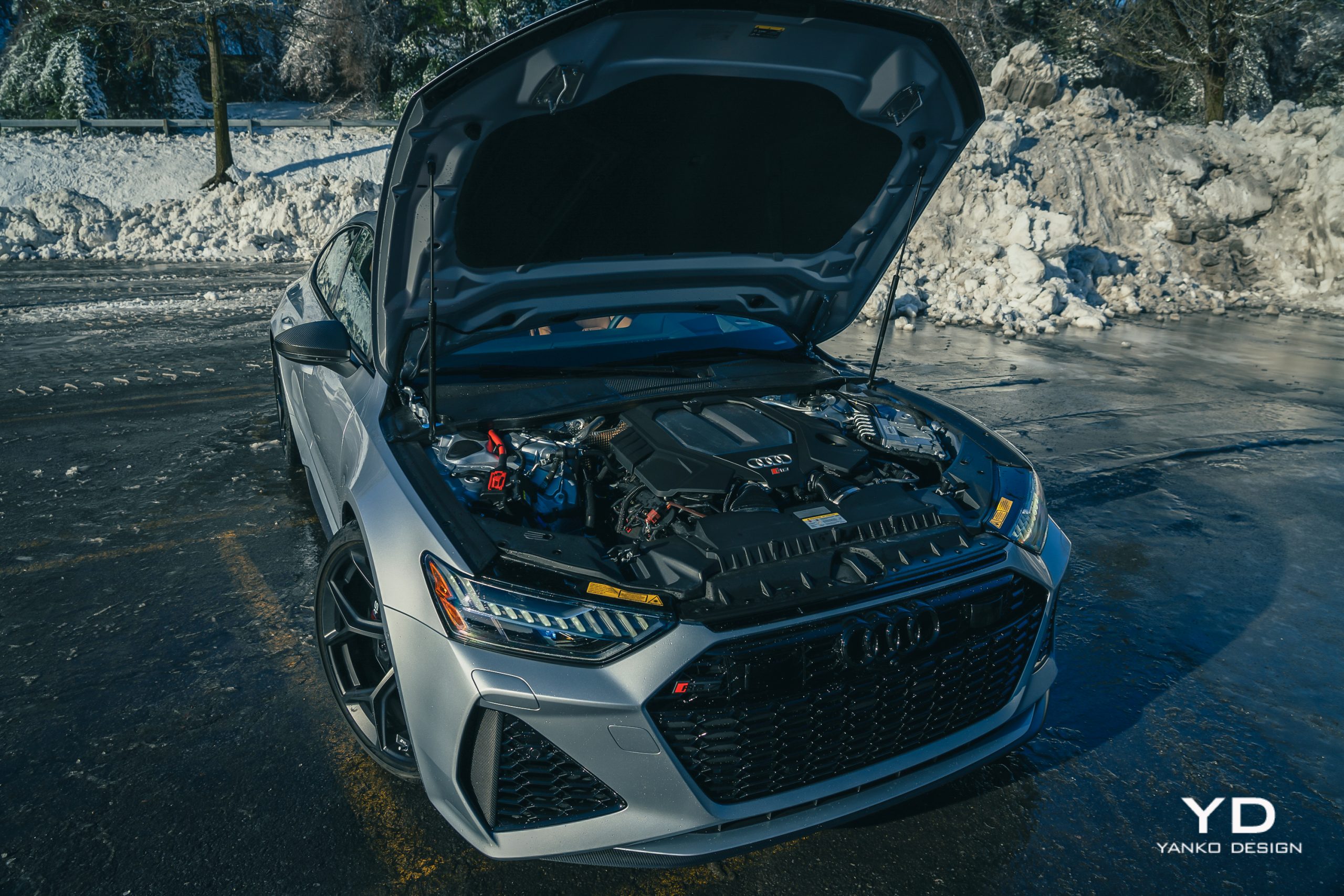
And that’s exactly what Audi’s RS7 promises to be. With 621 horsepower from a 4.0-liter V8 routed to all four wheels through an advanced all-wheel drive system with an active, torque-vectoring differential and an eight-speed automatic transmission, it certainly promises to be a powerhouse when it comes both to performance and all-season poise. But does it deliver, especially when optioned up to a final price of $151,840?

Design

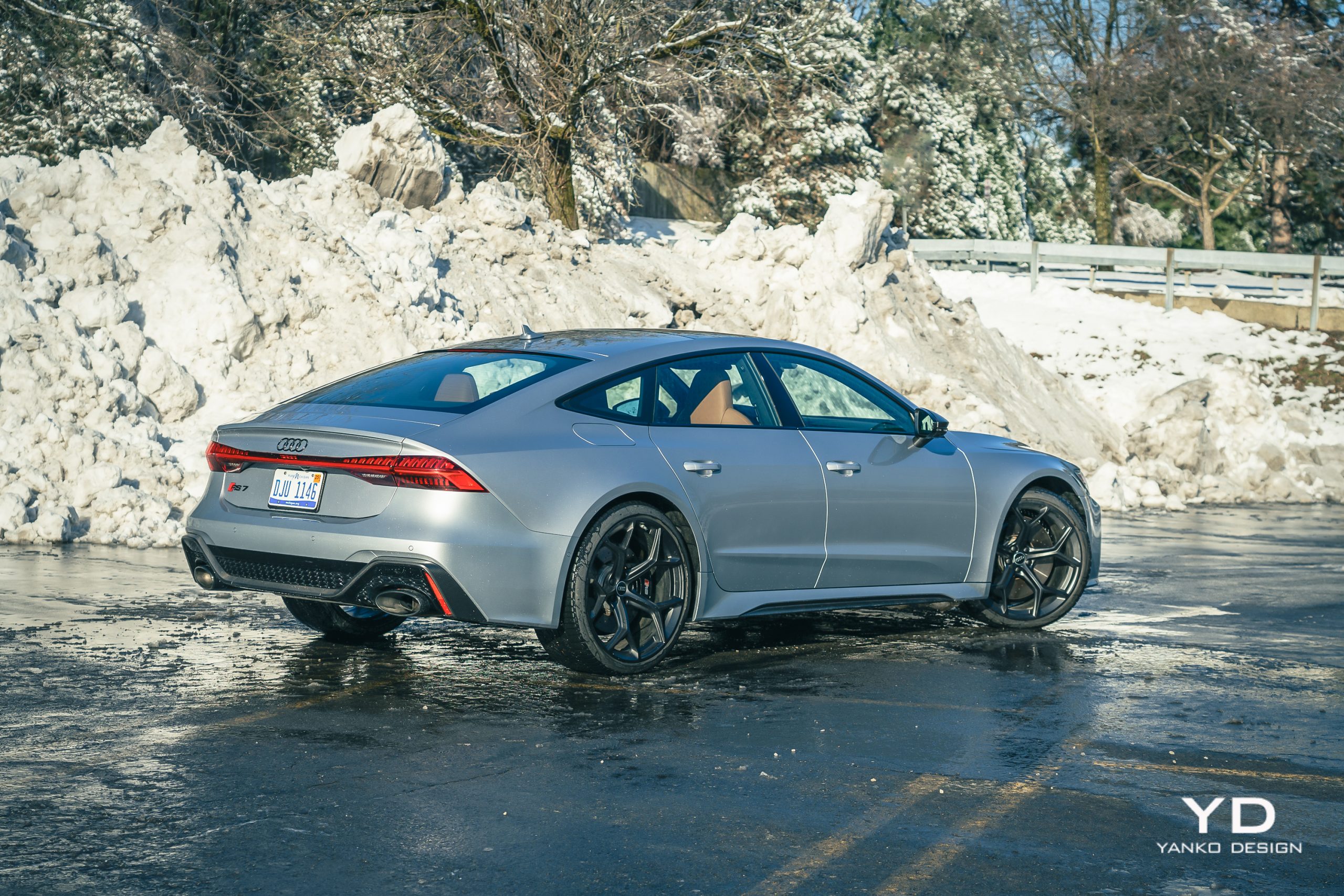
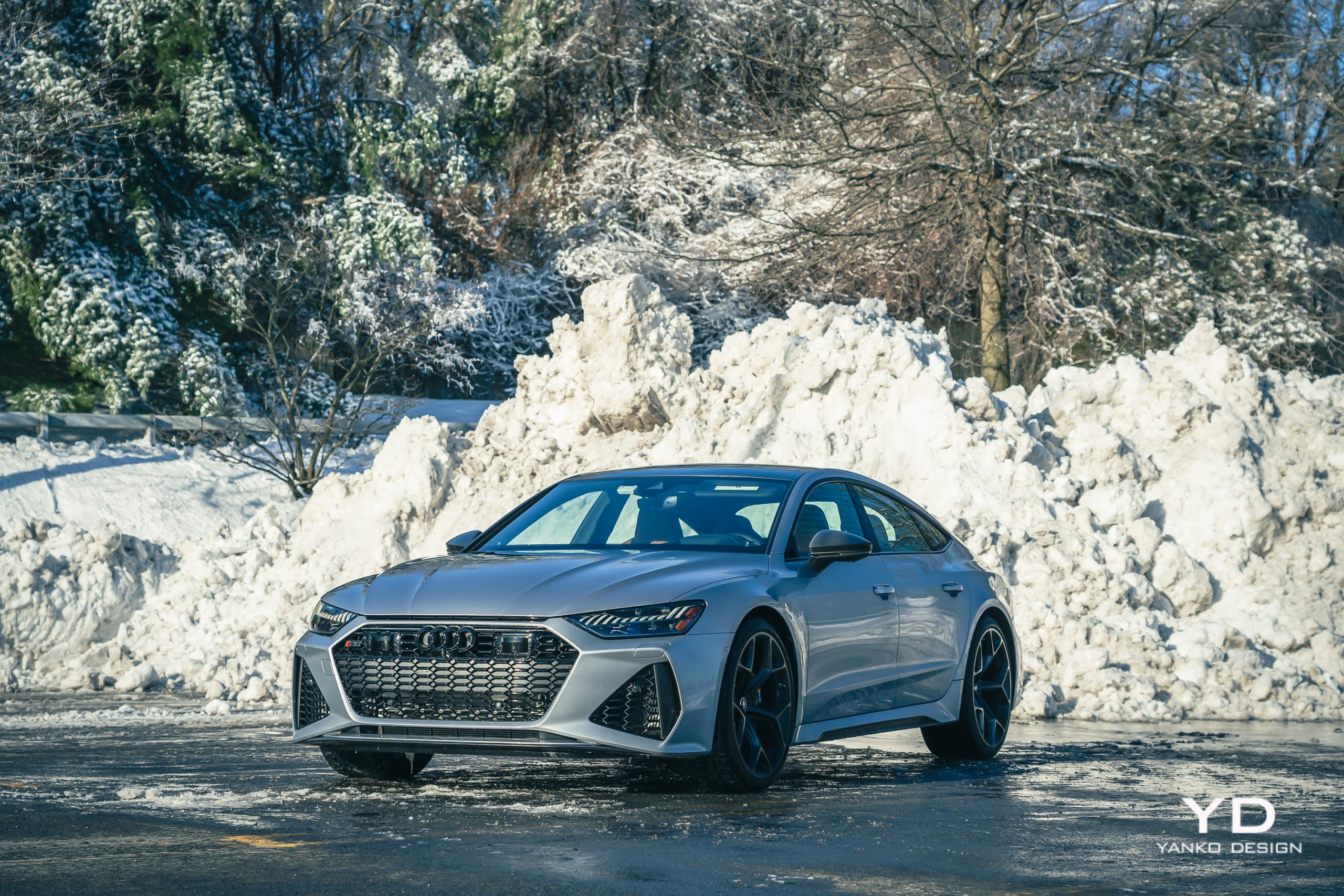
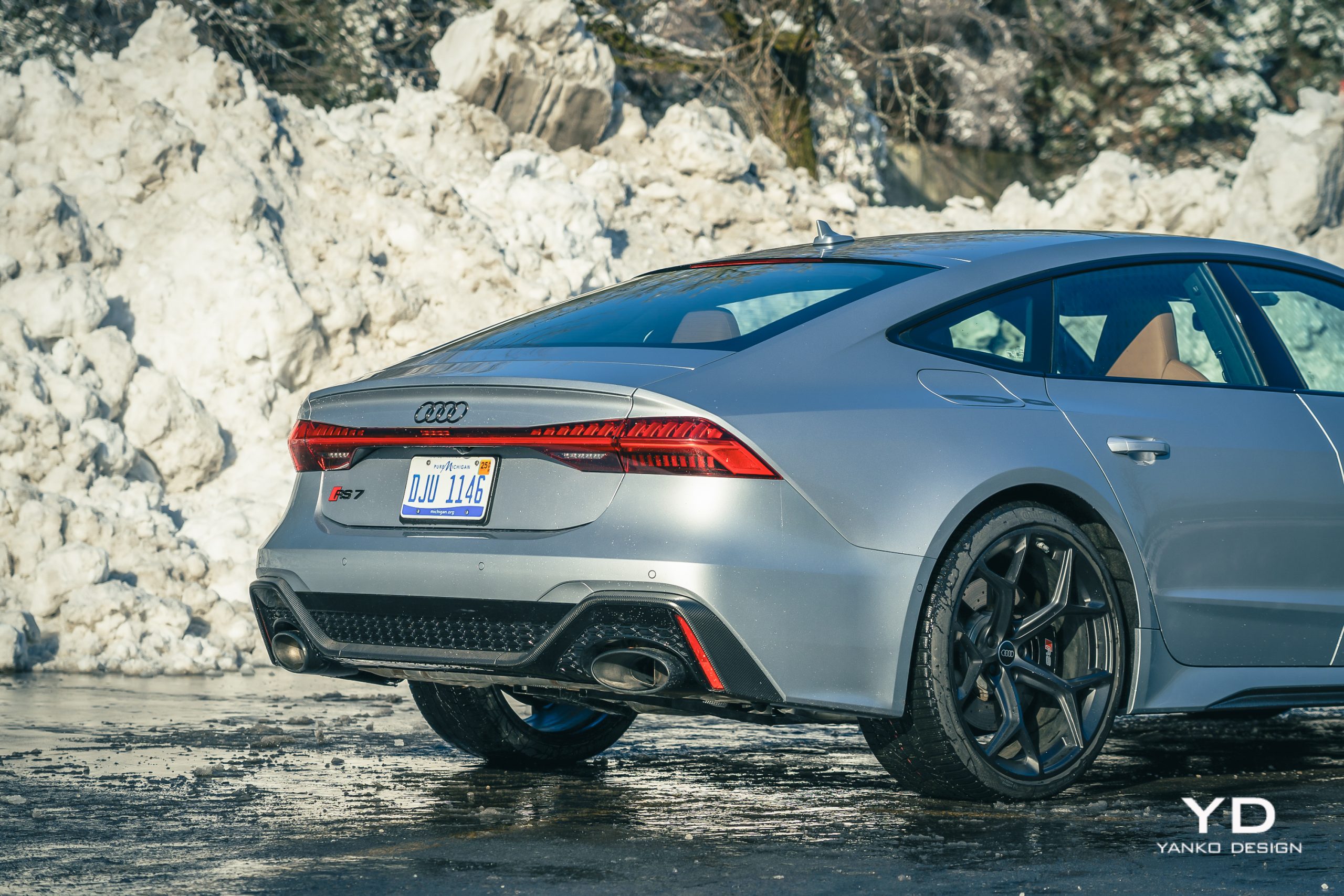
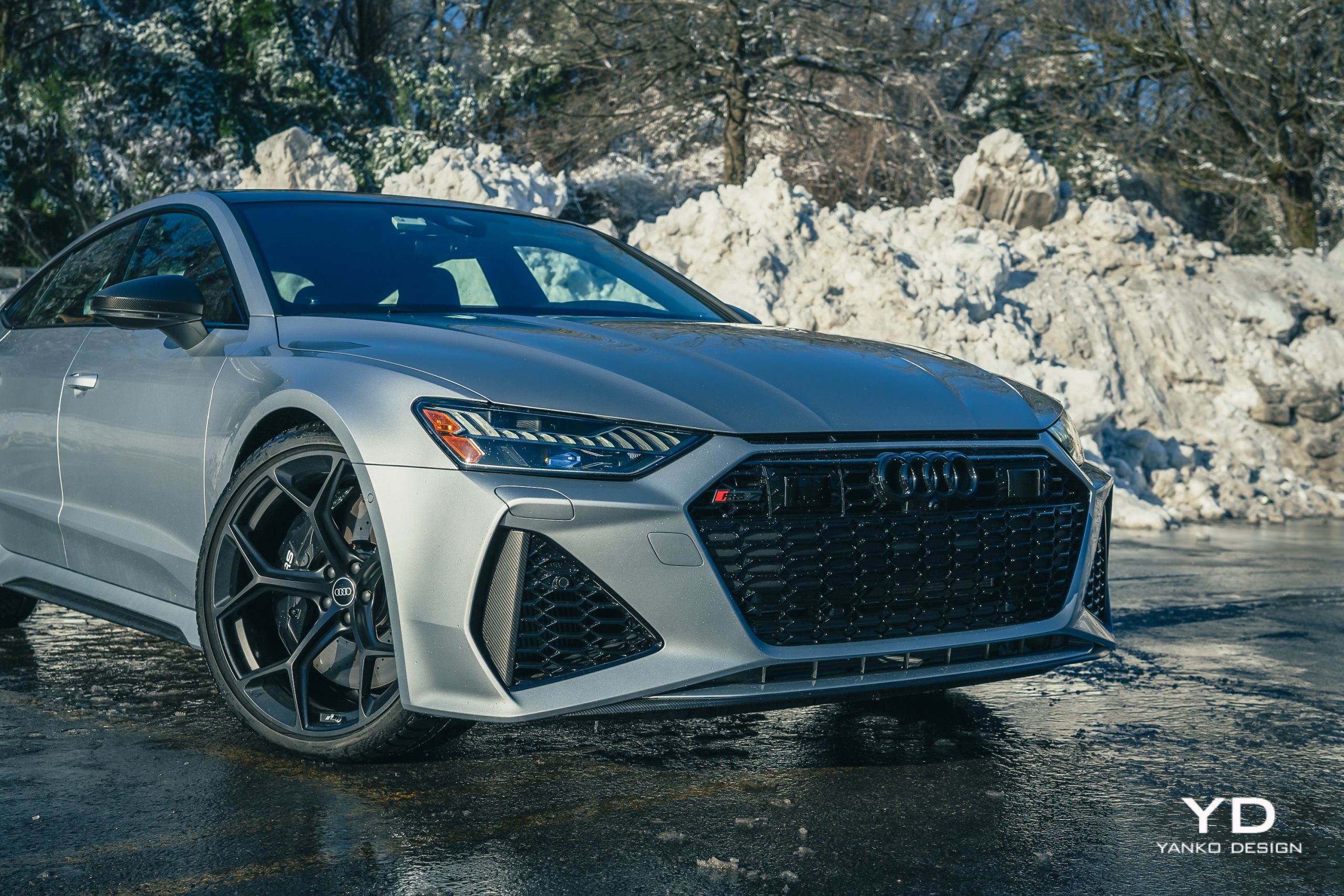
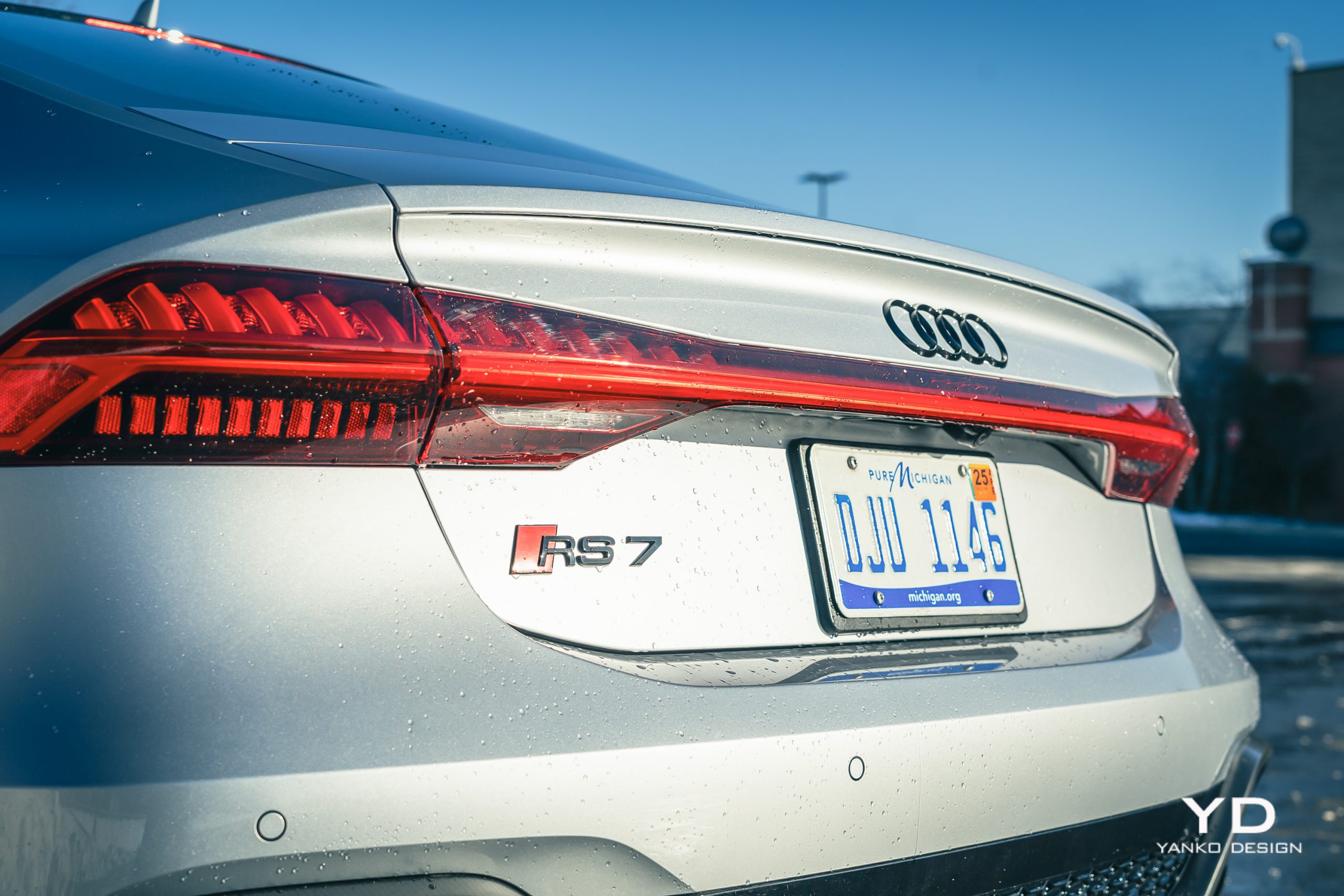
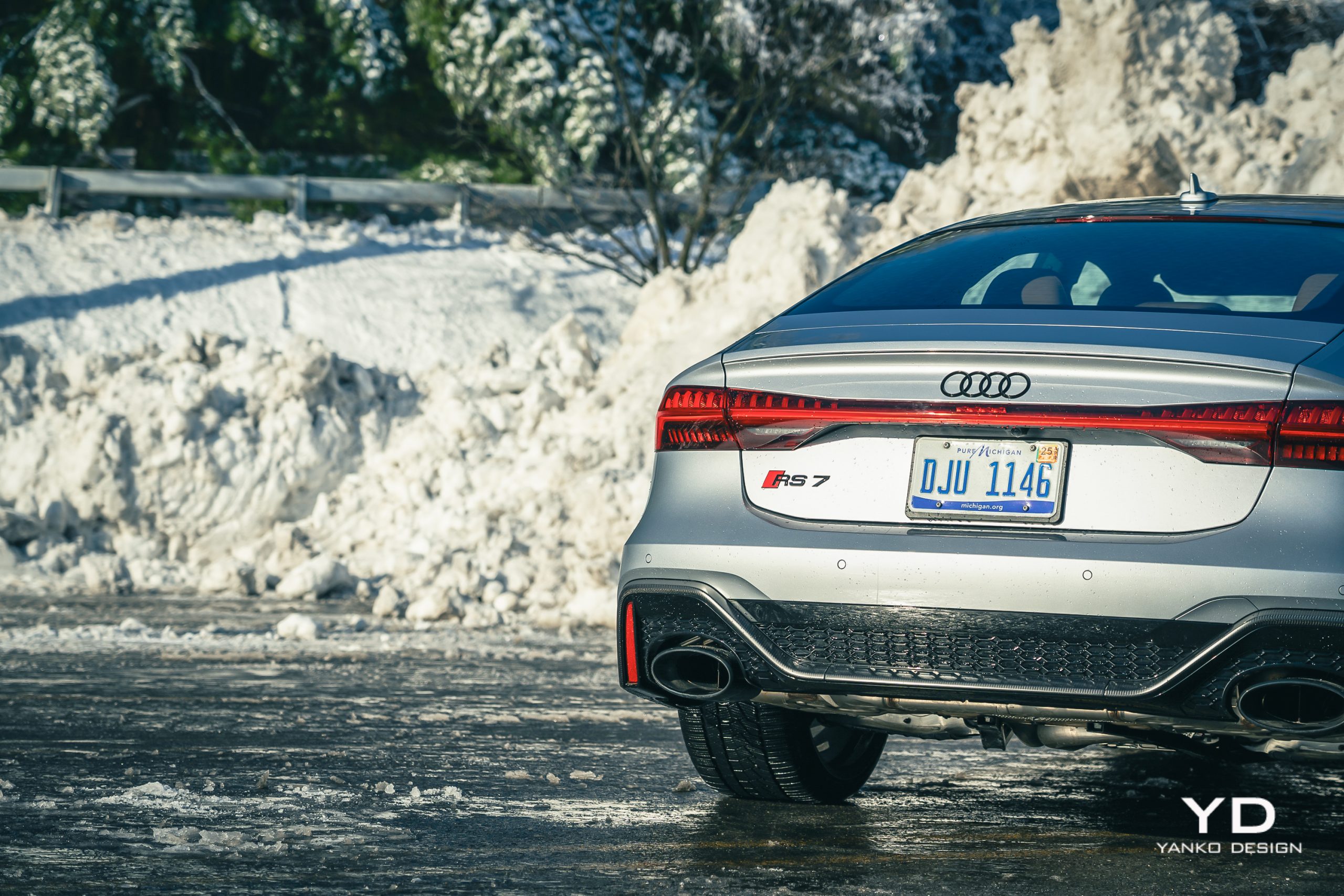
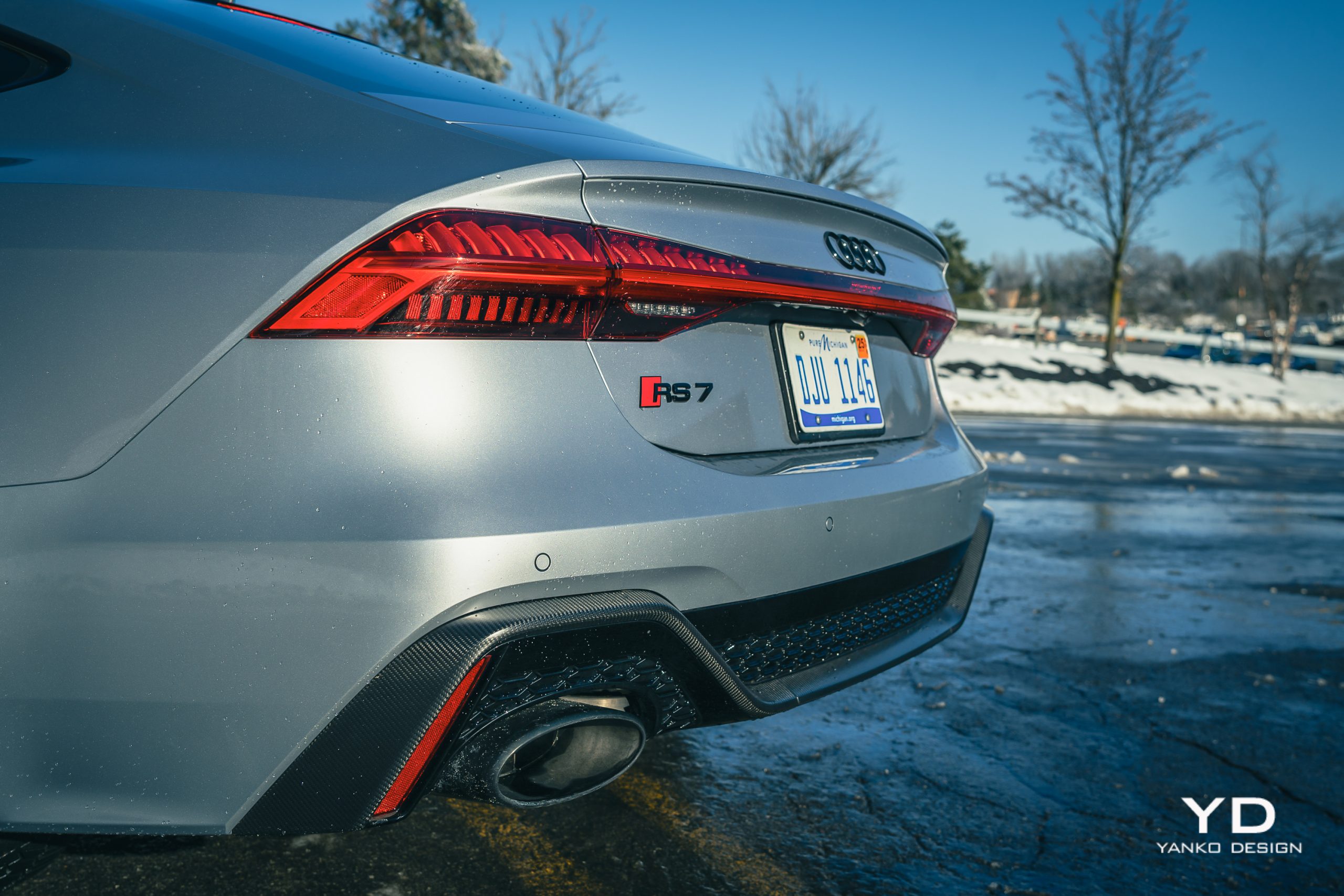
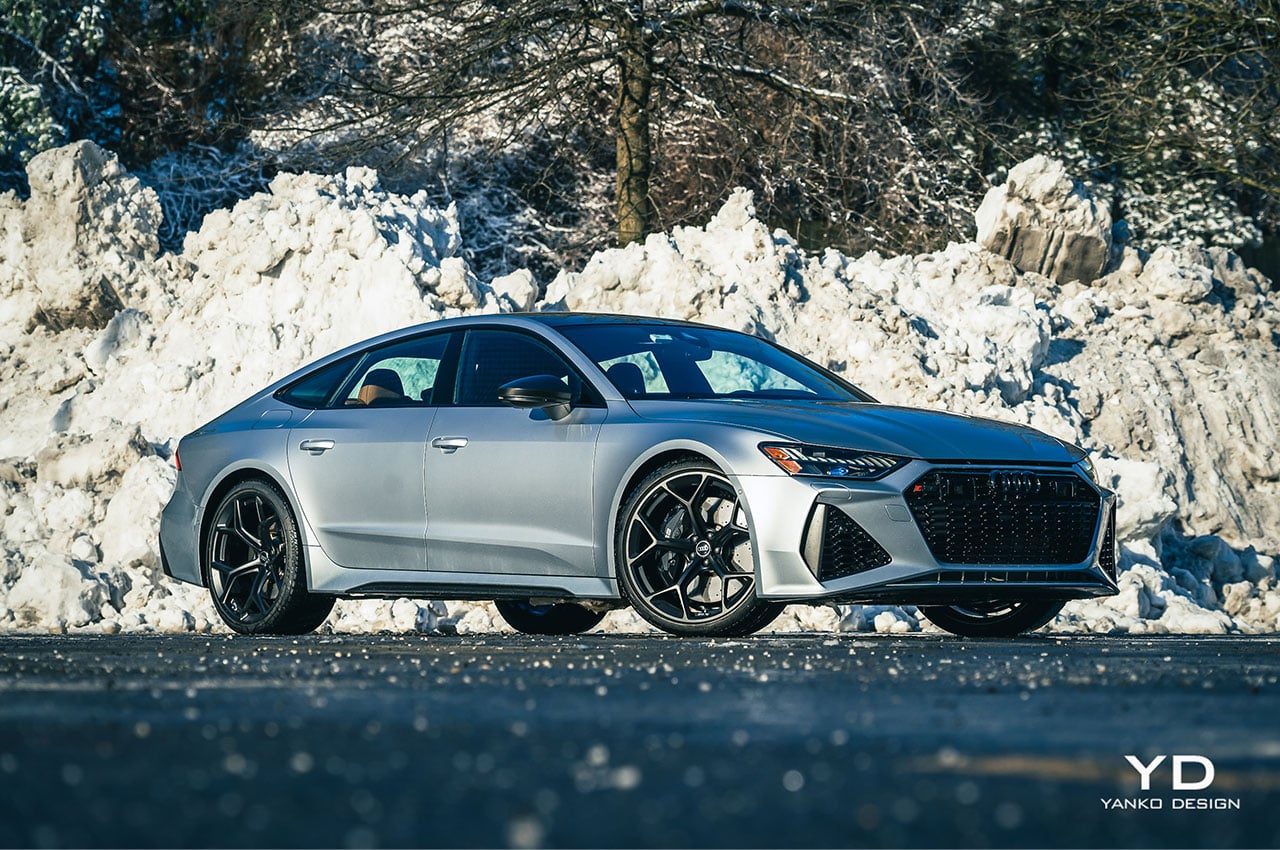
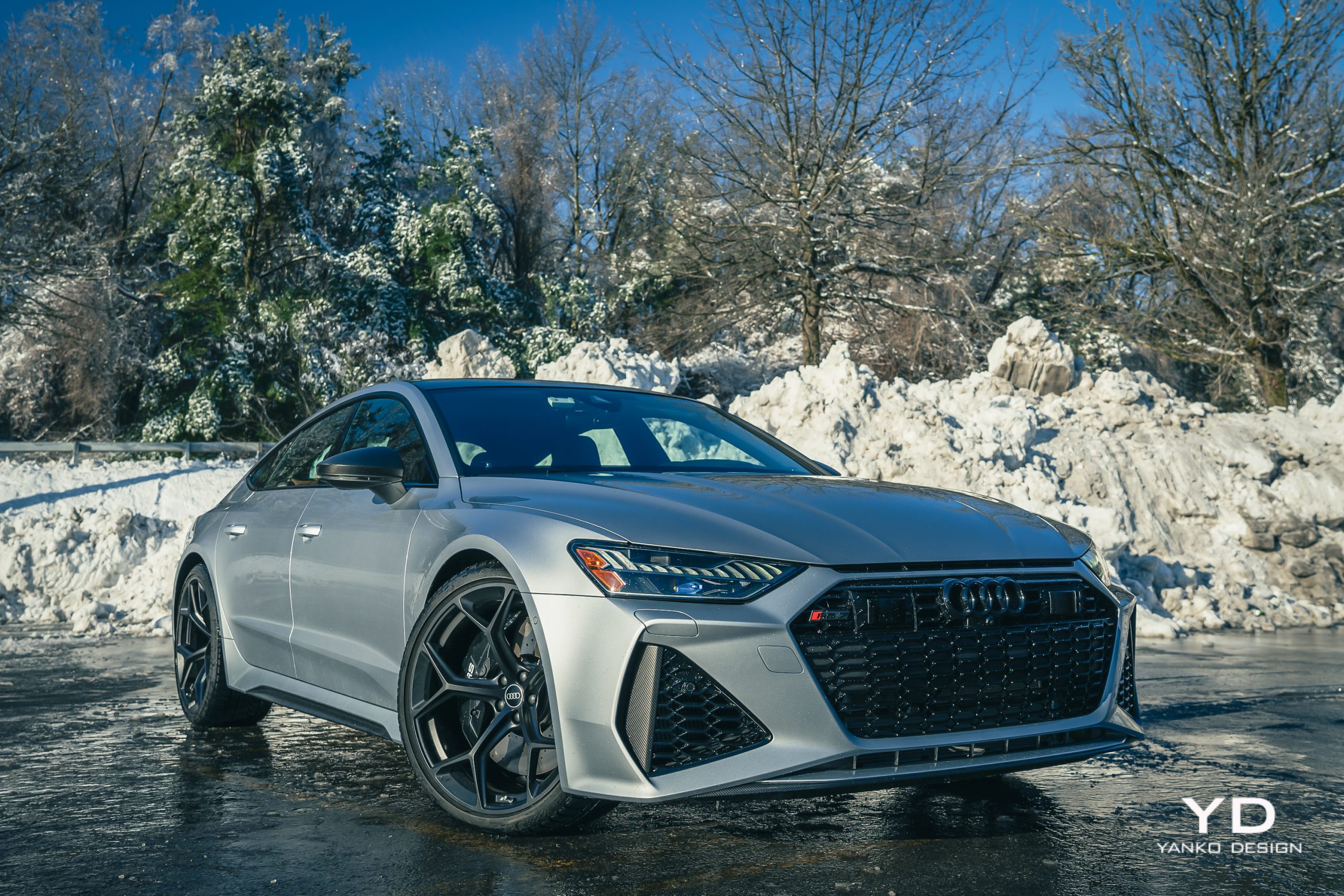
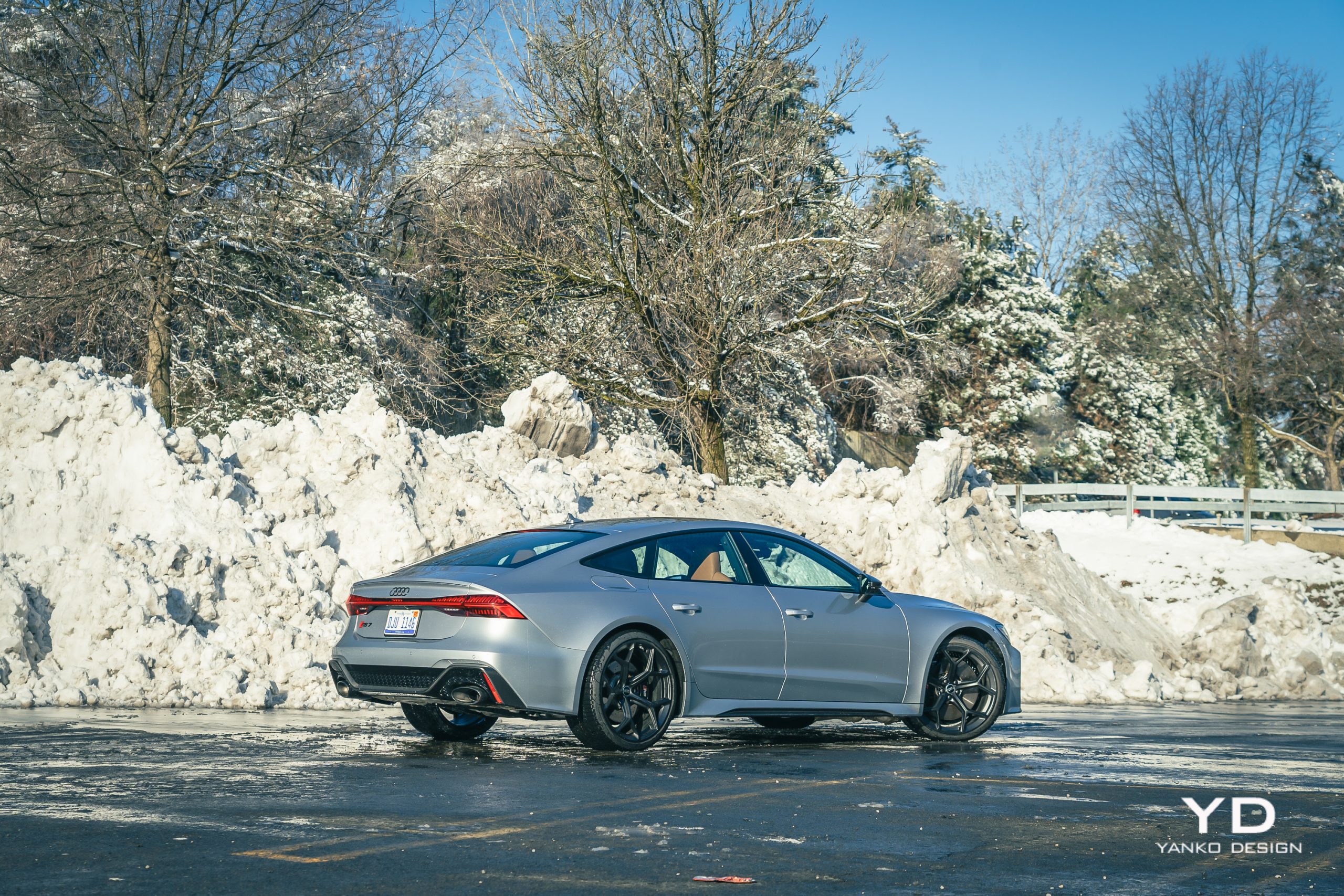
First impressions are key with a car like this, and the RS7 doesn’t disappoint. While you can get this same basic silhouette for as little as $72,000 in the base A7, stepping up past the roughly $85,000 S7 into the RS7 you see here adds several model-specific customizations — some subtle, others less so.

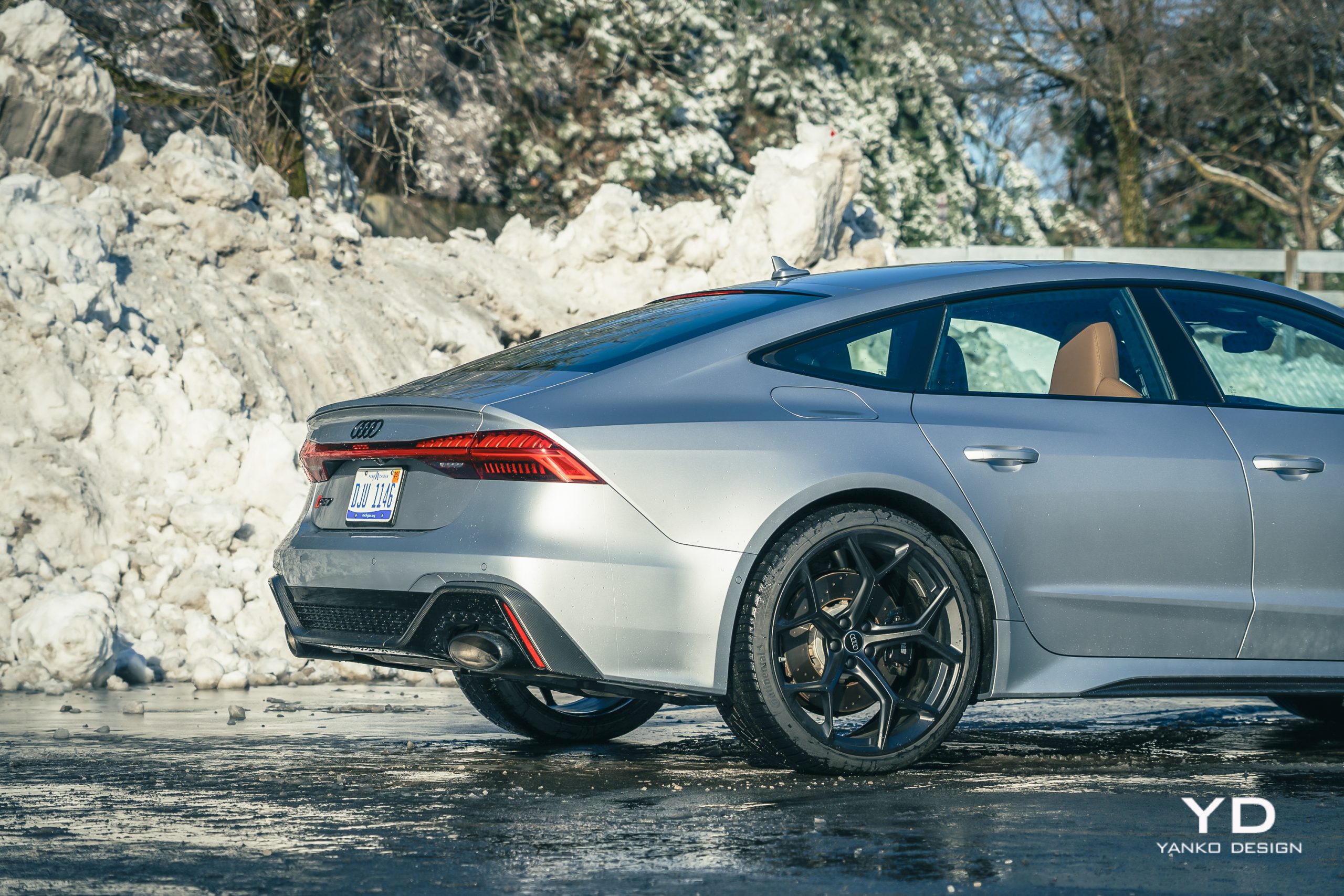
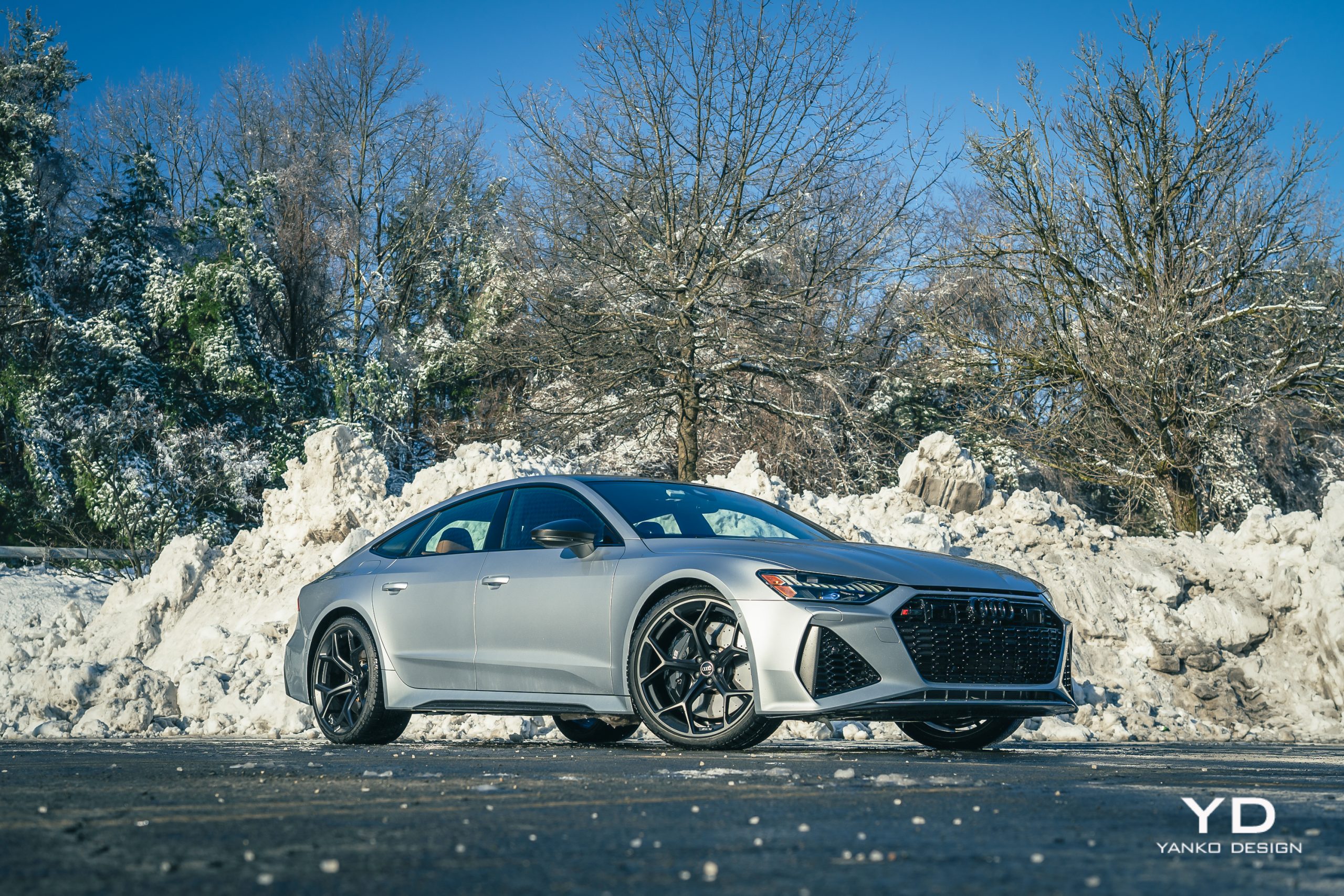
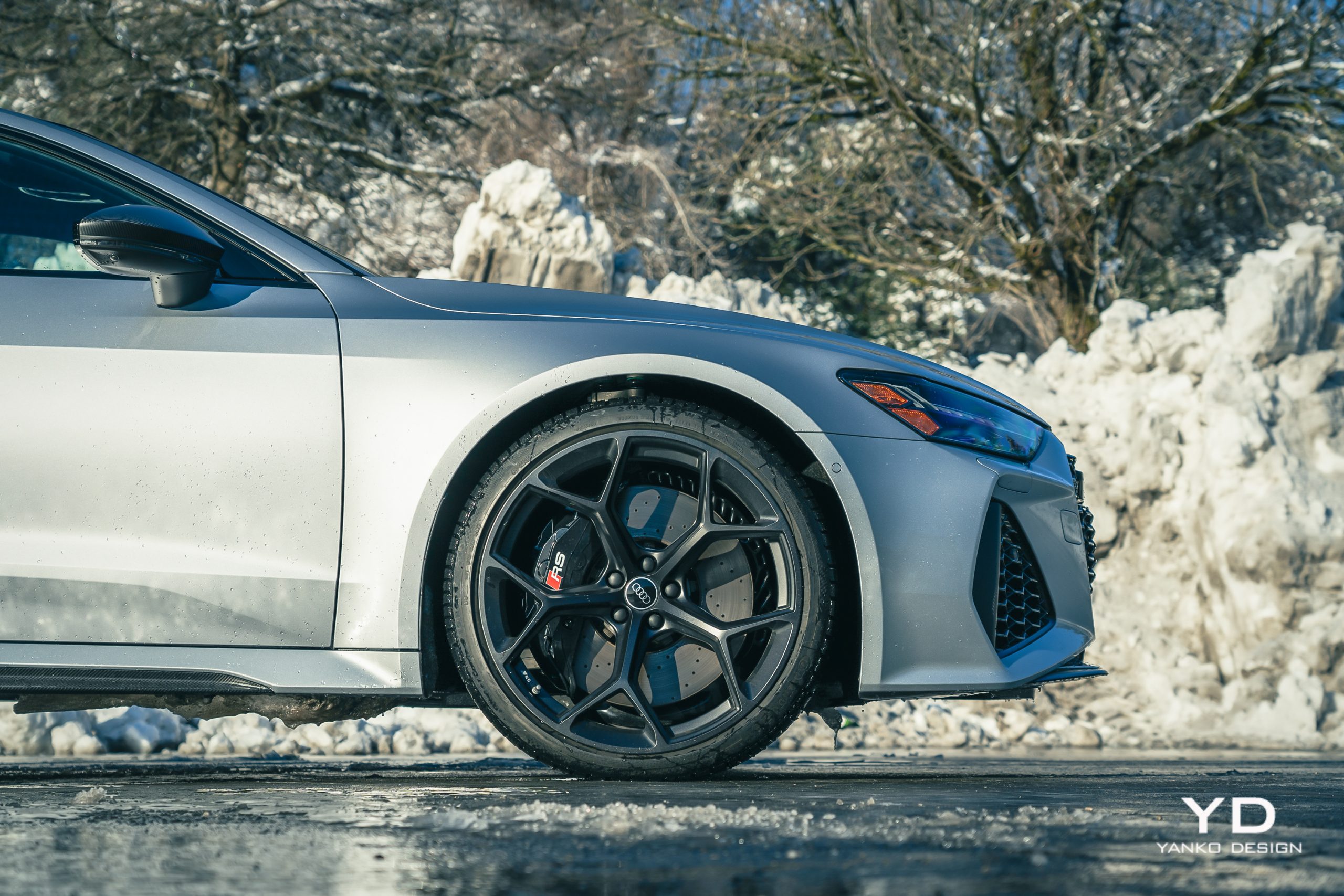
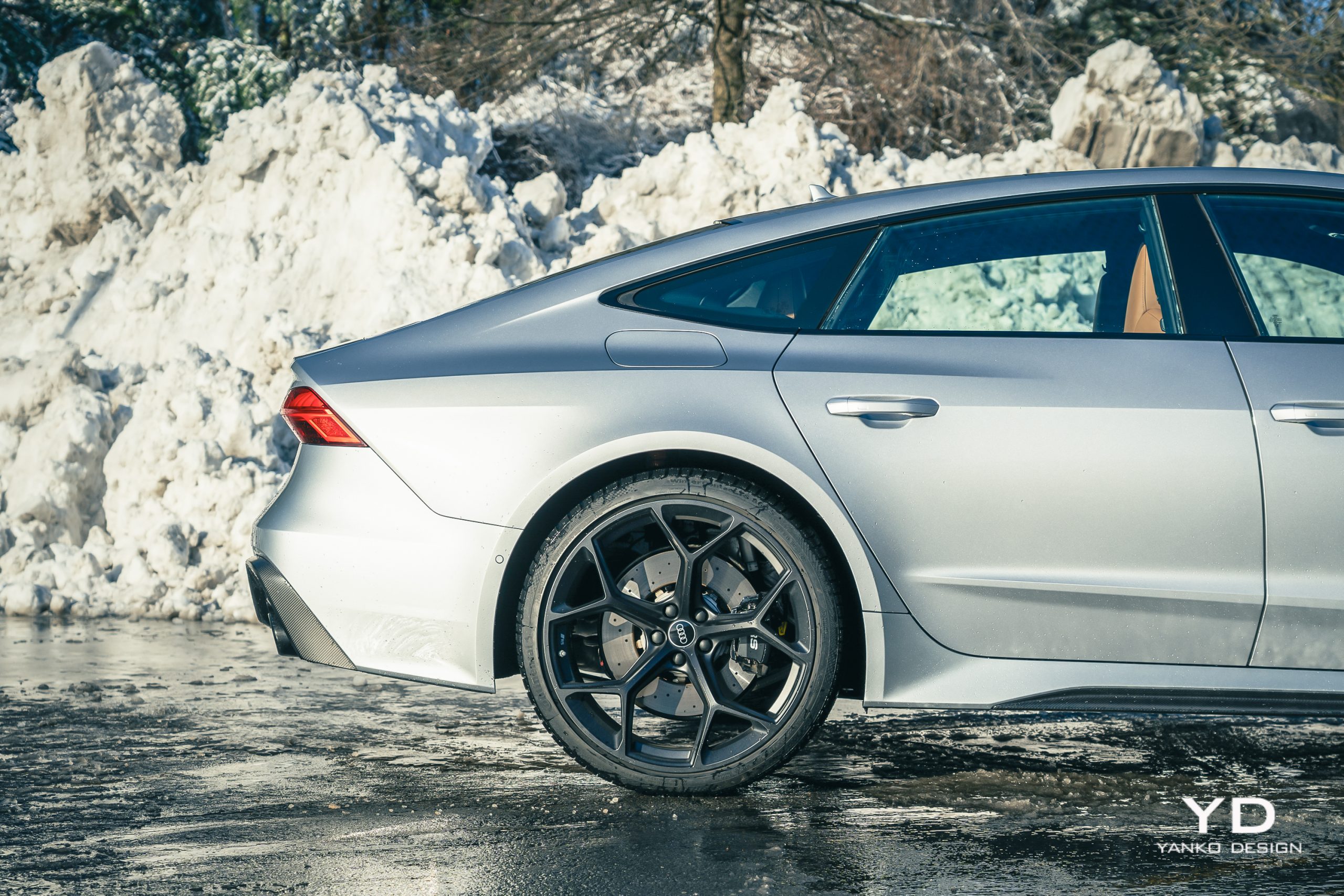
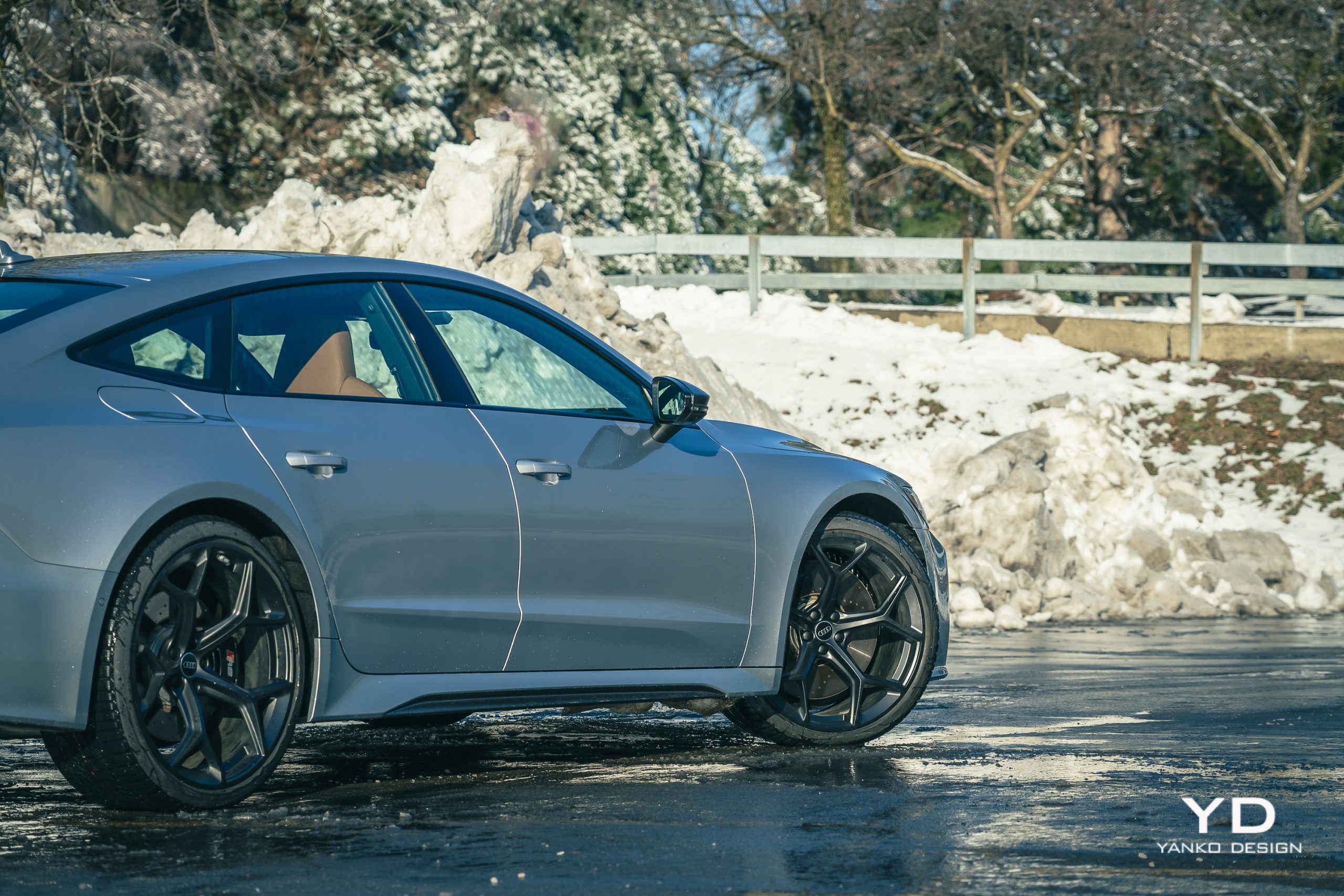
To me, the most striking are those amazing 22-inch wheels. While I’m not generally a fan of black wheels, especially on a car like this, you could paint these any color you like, and they’d still be striking. The shape, which seems delicate as a spider’s web, is beautifully compelling, while the deep dish provided by that offset gives this sedan a concept-car stance.
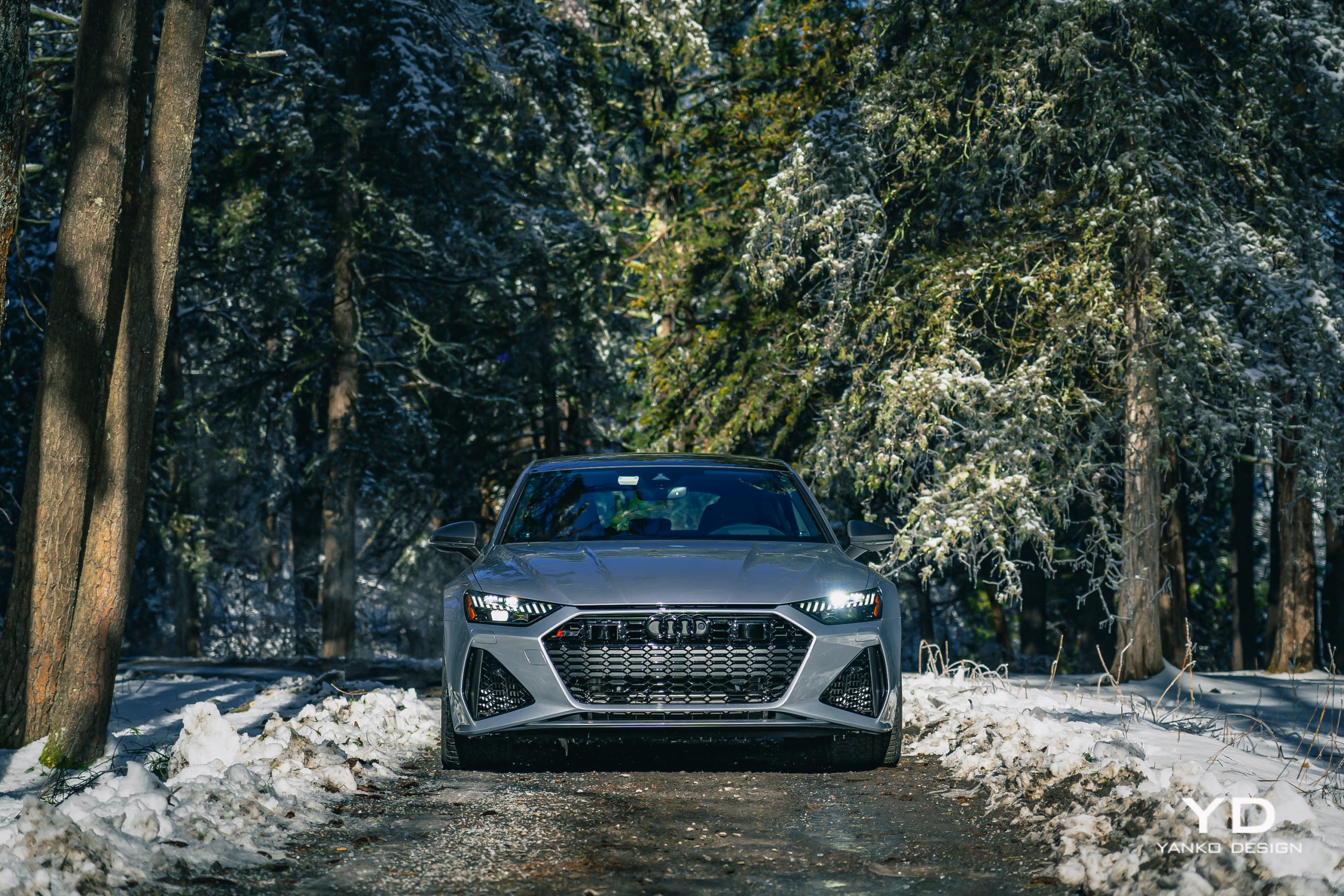
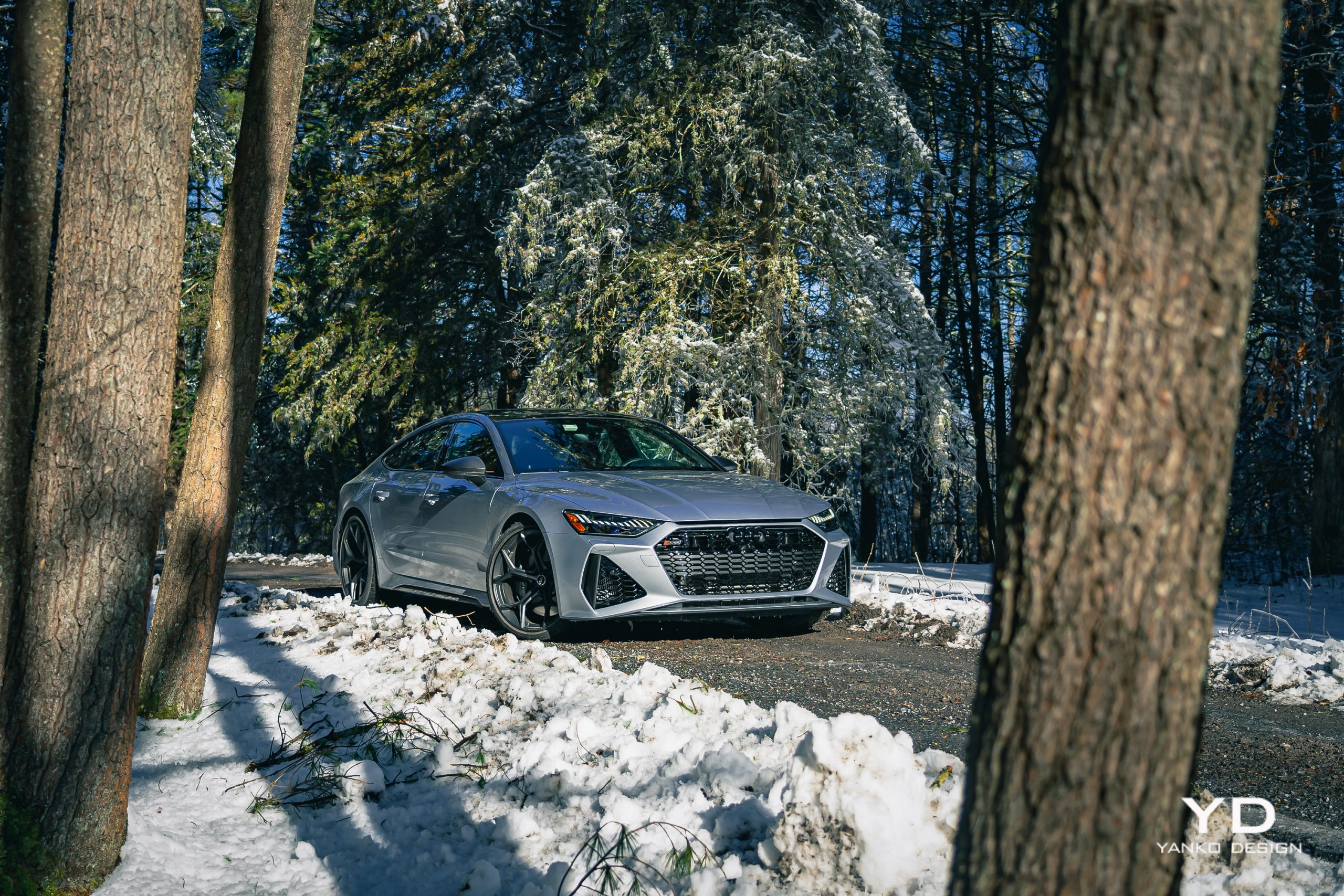
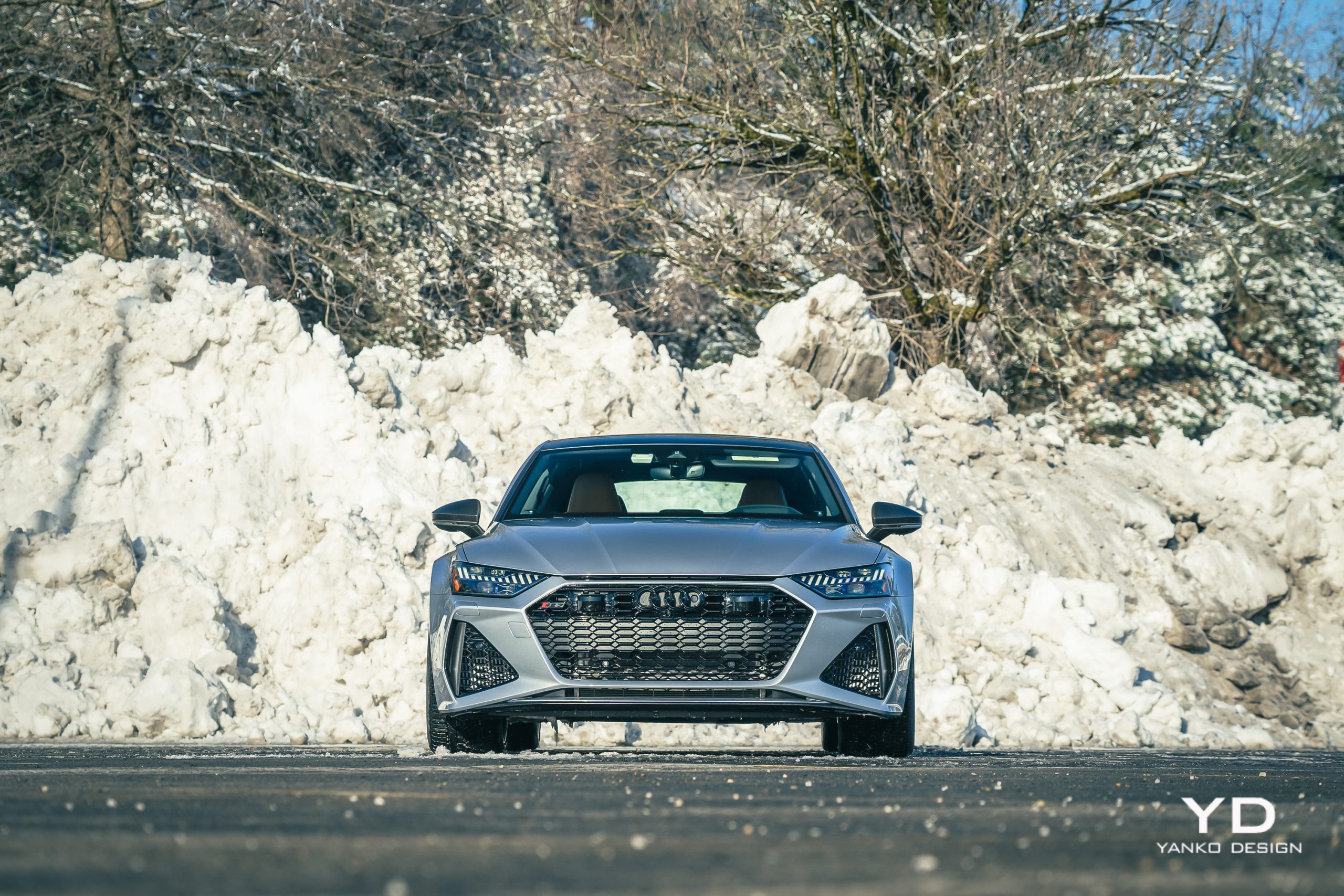
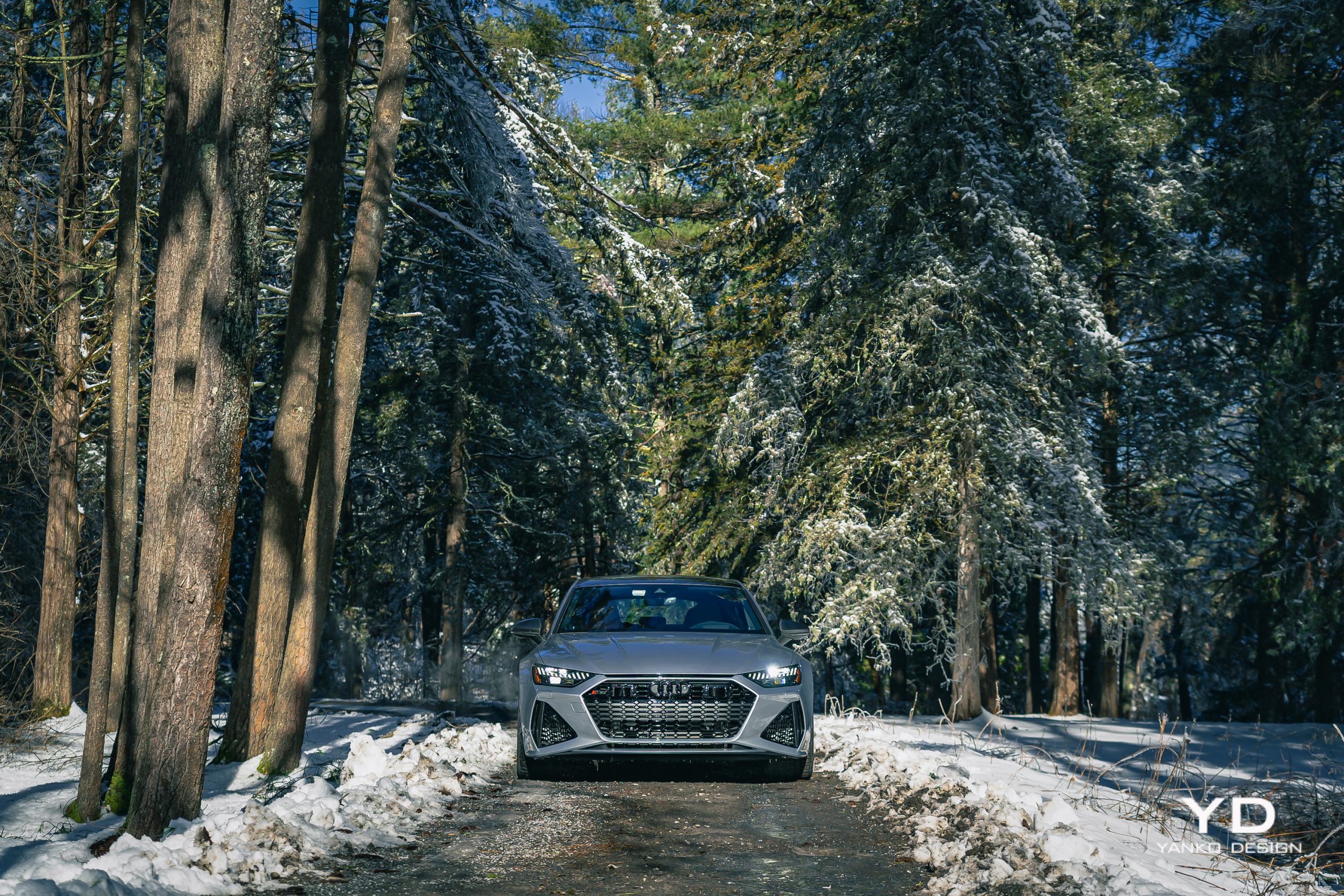
That deep-dish profile helps fill the fenders on the RS7, which are substantially wider than those on the base A7. It’s the nose, though, that is most noticeable, with massive inlets featuring exposed carbon fiber slats. The color here, Florett Silver, is on the subtle side for a car this powerful, but it pairs beautifully with the black wheels and carbon highlights.

But what I like most about the RS7 is that, despite those details that enthusiasts will spot from a mile away, your average person out there on the streets won’t necessarily see this one coming. On a casual glance, the RS7 doesn’t shout its presence. The added bits aren’t so much flare as they are finesse, and that’s very much in line with what I want from a car.
Interior detailing

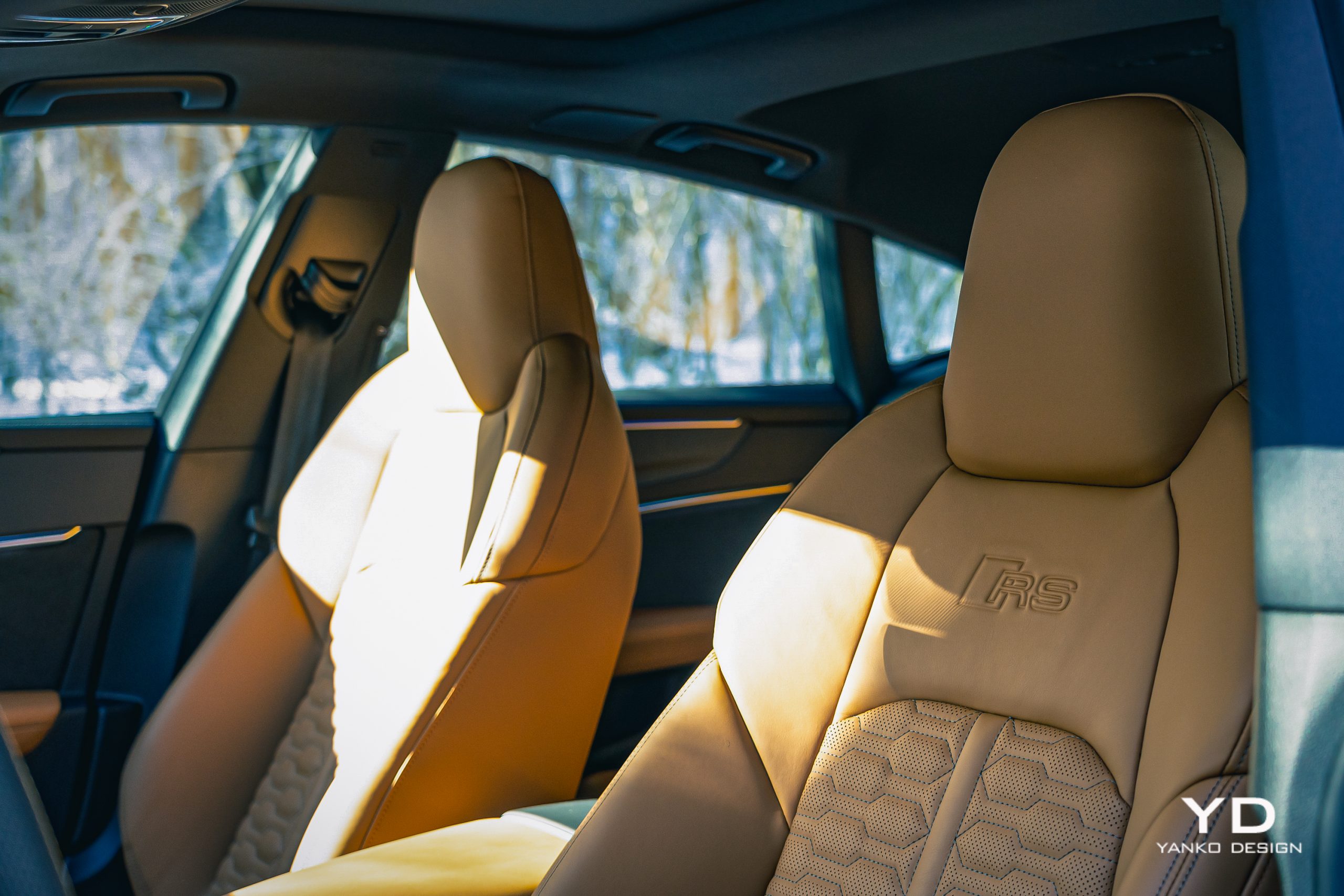
On the inside, the changes over the base A7 are similarly subtle, but there are differences. It starts with the deep-set sports seats with their distinctive hexagonal pattern. They look great, especially in Cognac leather, but if I’m honest, for a car with this much performance, I might have wanted something a bit sportier, like those offered by the $3,000 RS Design package with contrasting stitching.

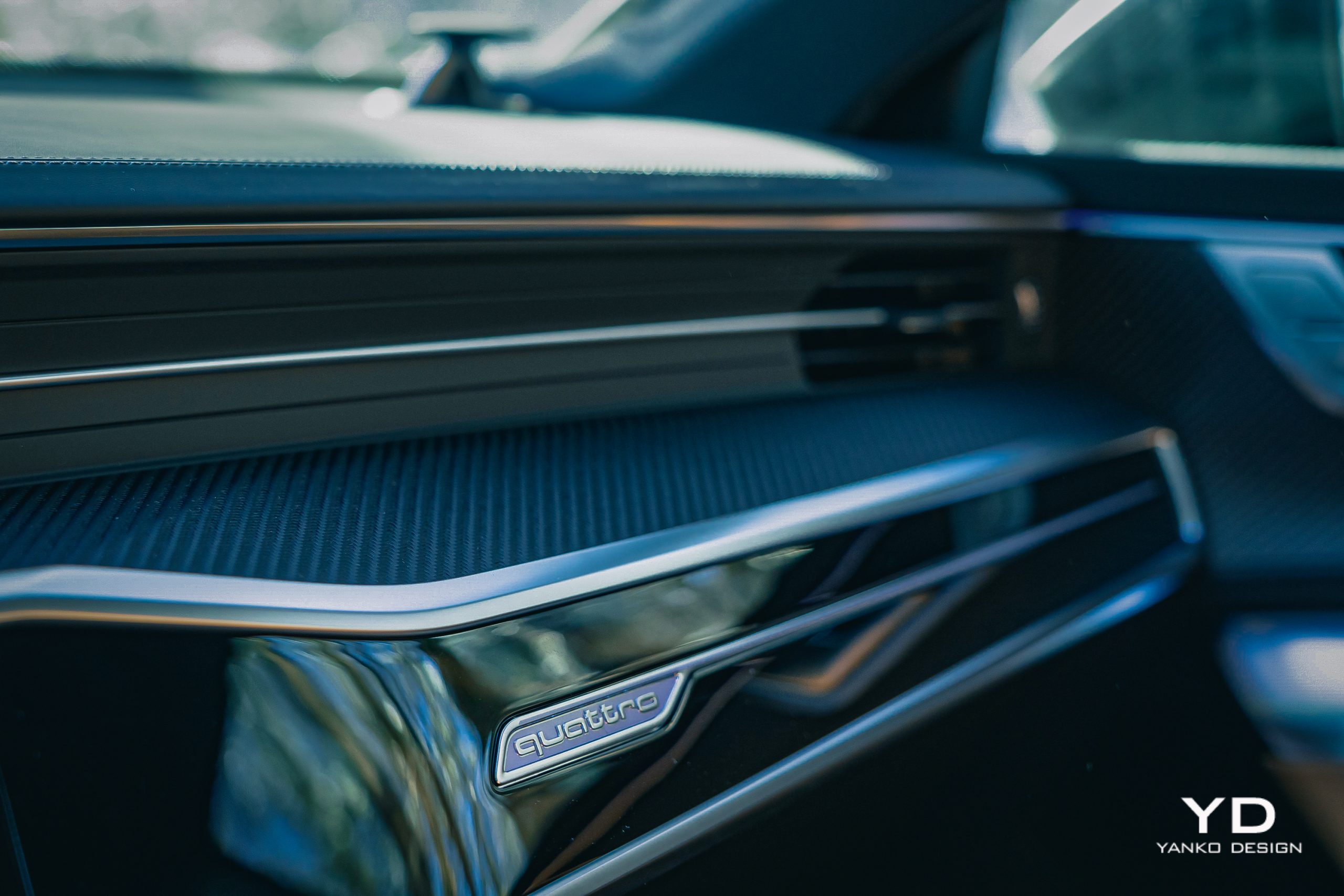
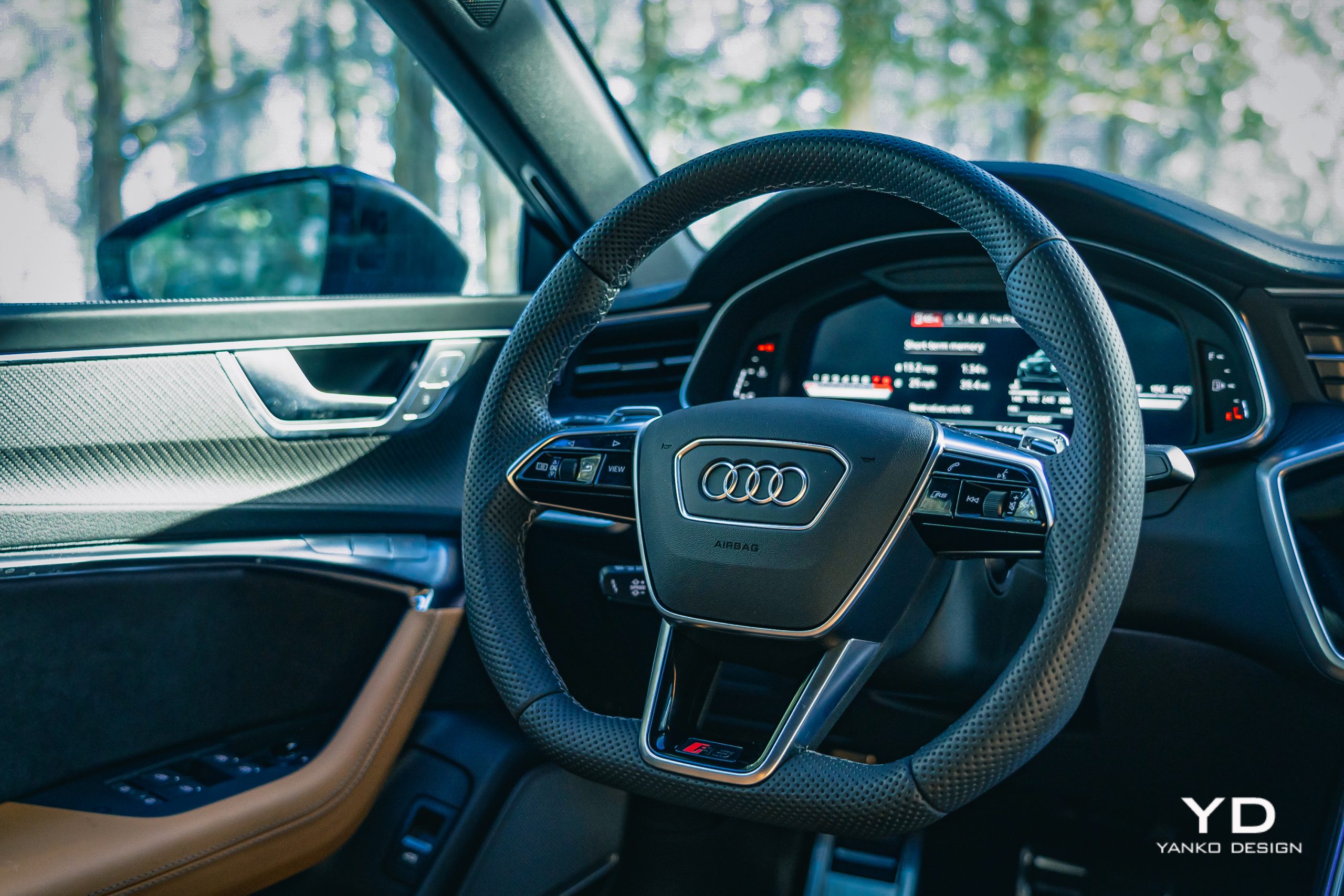
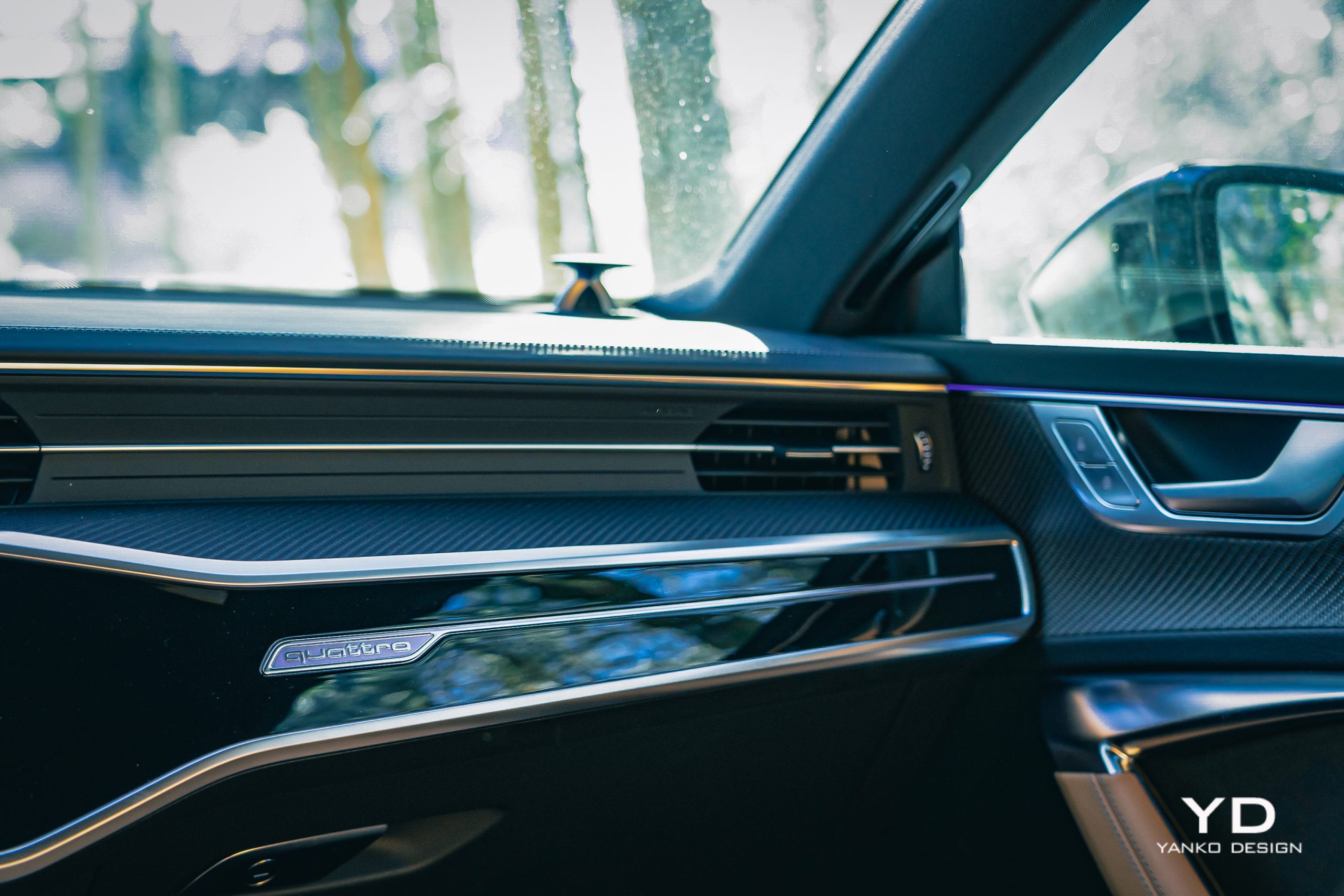
The dash and doors in the RS7 receive slashes of carbon fiber, left matte, not sealed behind glossy resin like on most cars. This means it’s as lovely to touch as it is to see. Likewise, the steering wheel is Audi’s deep, thick sports shape that fits my hands like it was molded for them. A pair of discrete metal shift paddles on the back waiting for sportier drives.
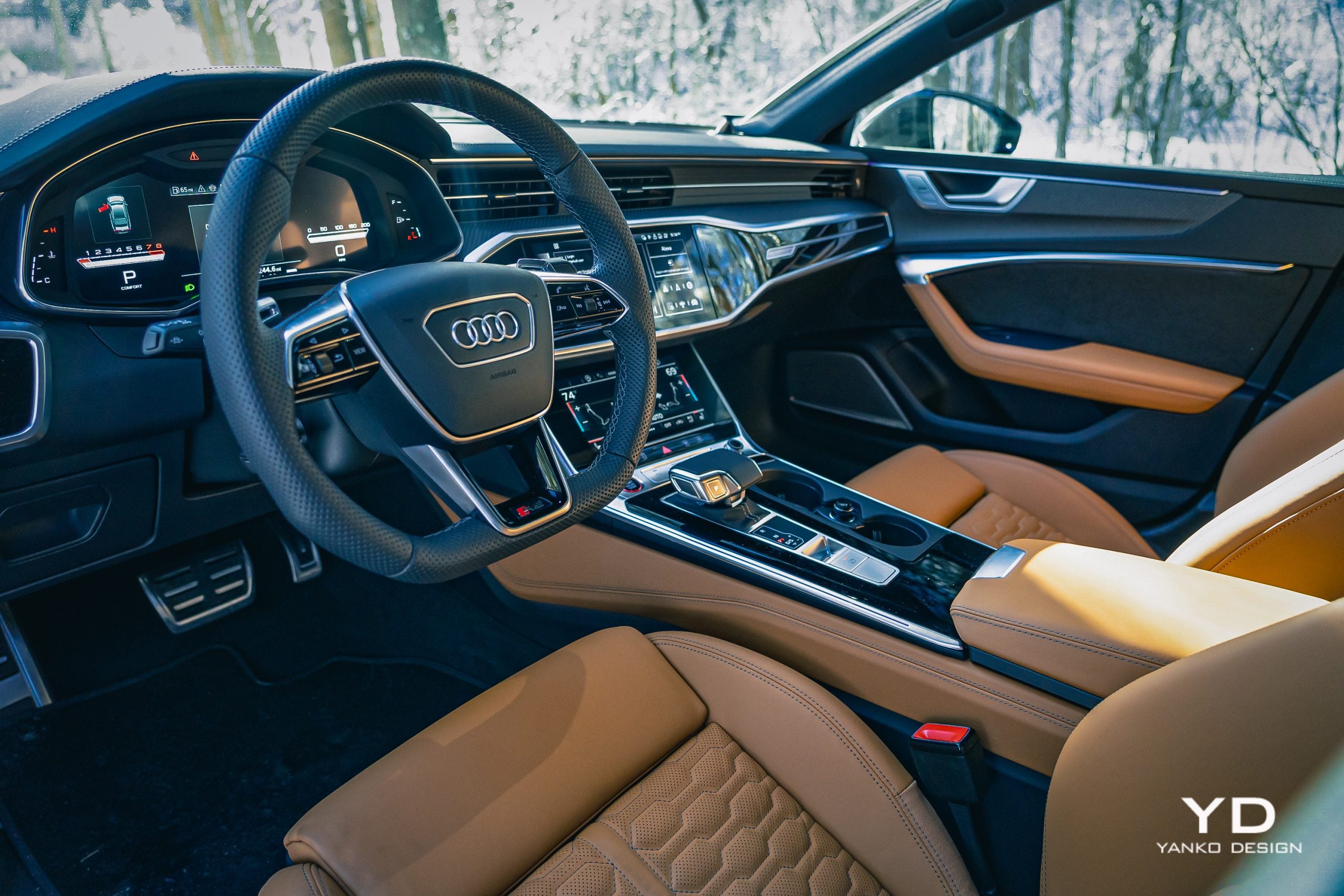
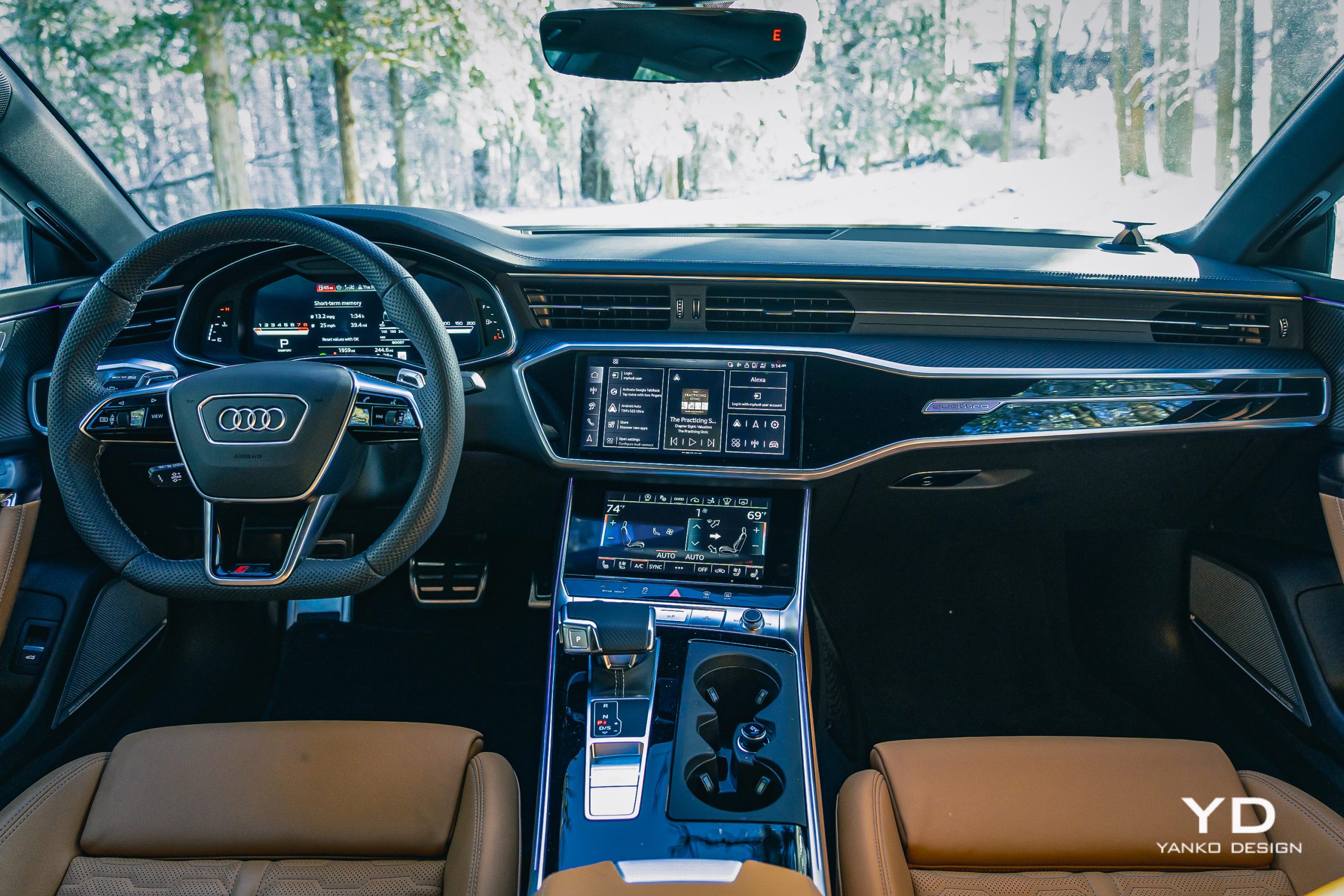
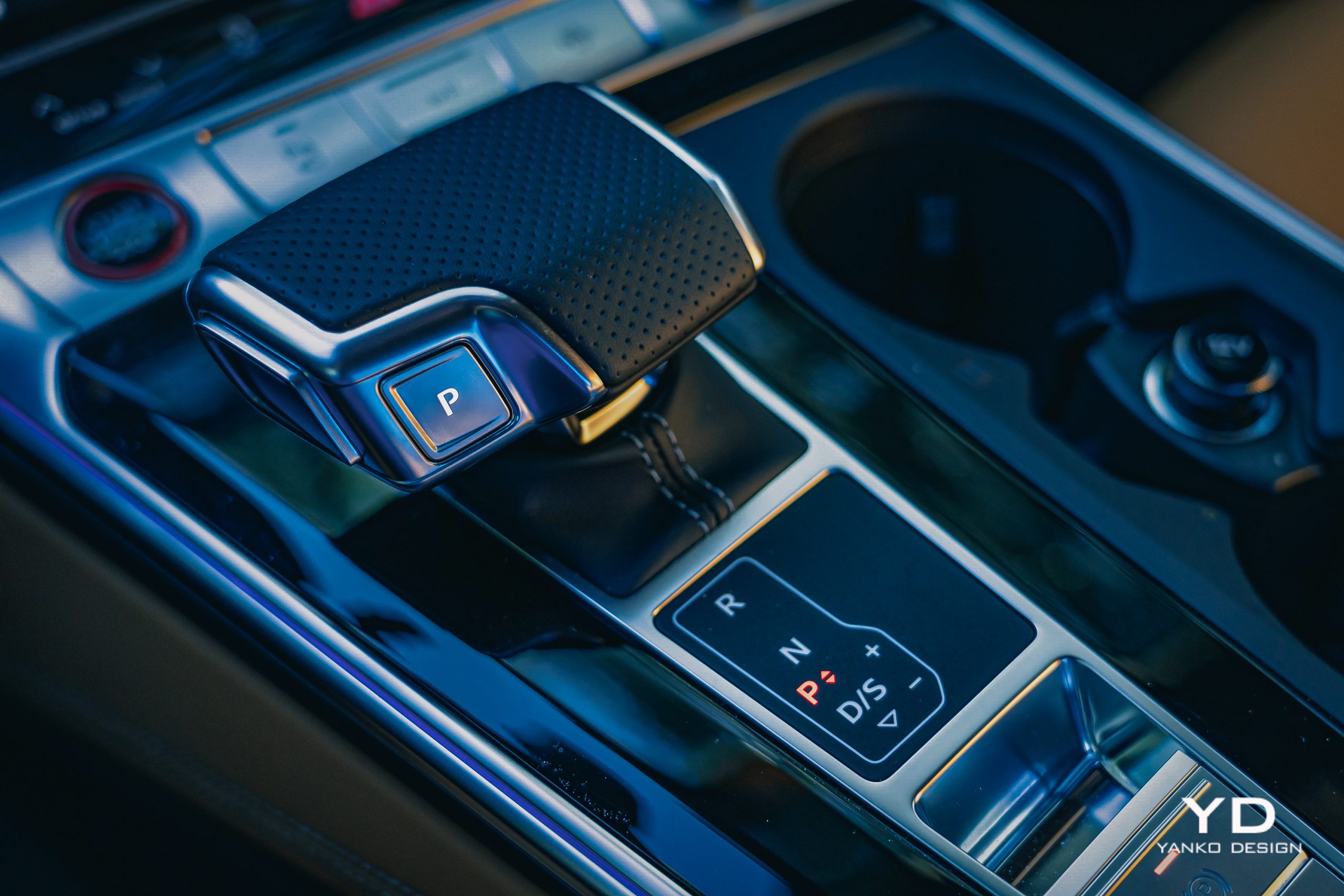
Everything in here is high-quality, with the only aspects I don’t appreciate being the expanses of glossy piano black on the center console around the shifter and running across the center of the dashboard. But, from a materials and fit-and-finish standpoint, there’s nothing to complain about.

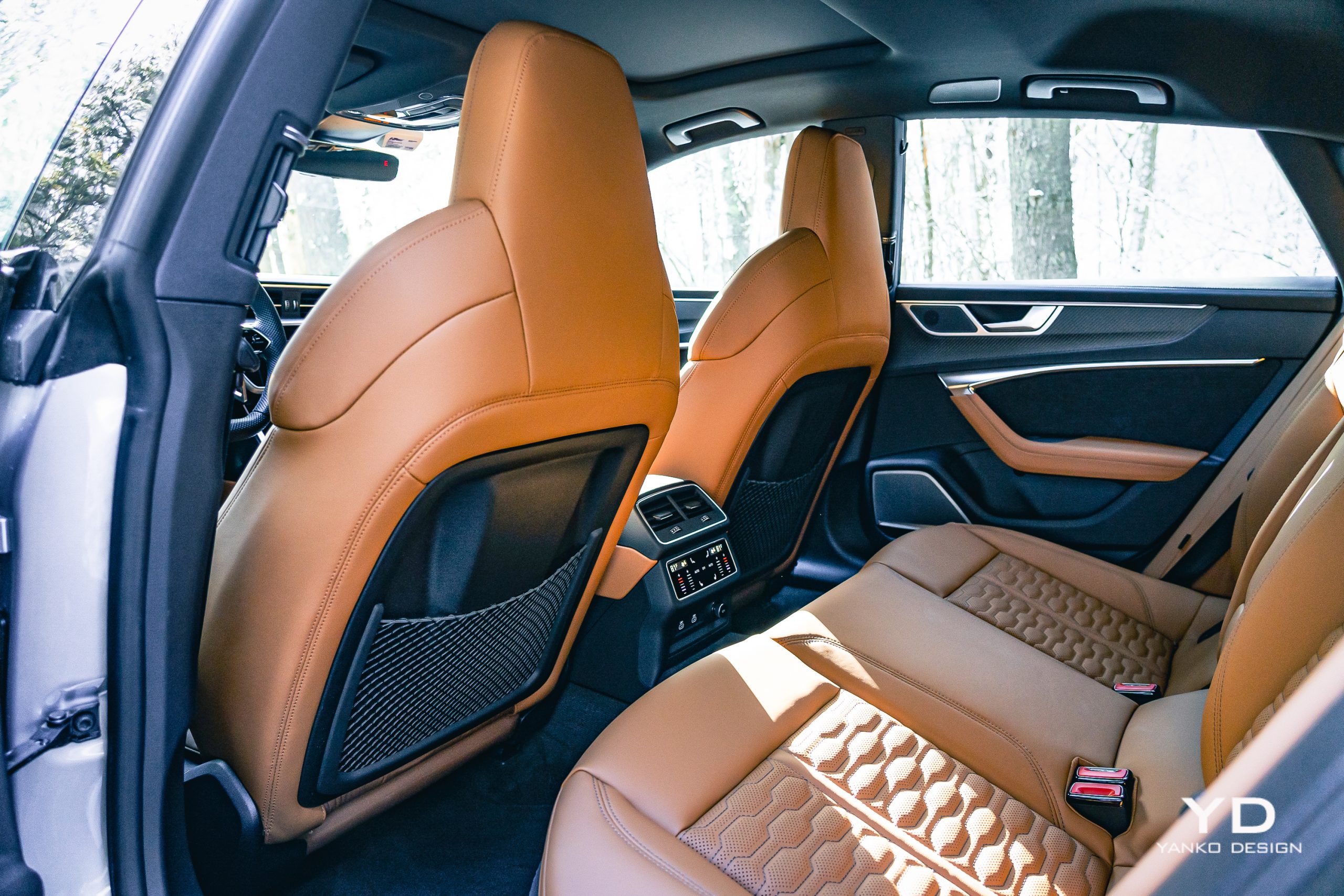
The same goes for front-seat comfort. There’s plenty of headroom and legroom, and the comprehensive heating and ventilation of those front seats will keep your posterior thermally managed. The rear seats are also heated but don’t offer anywhere near the space. As you can probably guess by that roofline, headroom out back is limited, as is legroom.

But those seats do at least fold out of the way easily, with a 40/20/40 split, meaning you can drop just the middle section should you want to seat four in here while also carrying some skis, snowboards, or the like. Just make sure the two rear passengers are somewhat short of stature.
The software experience

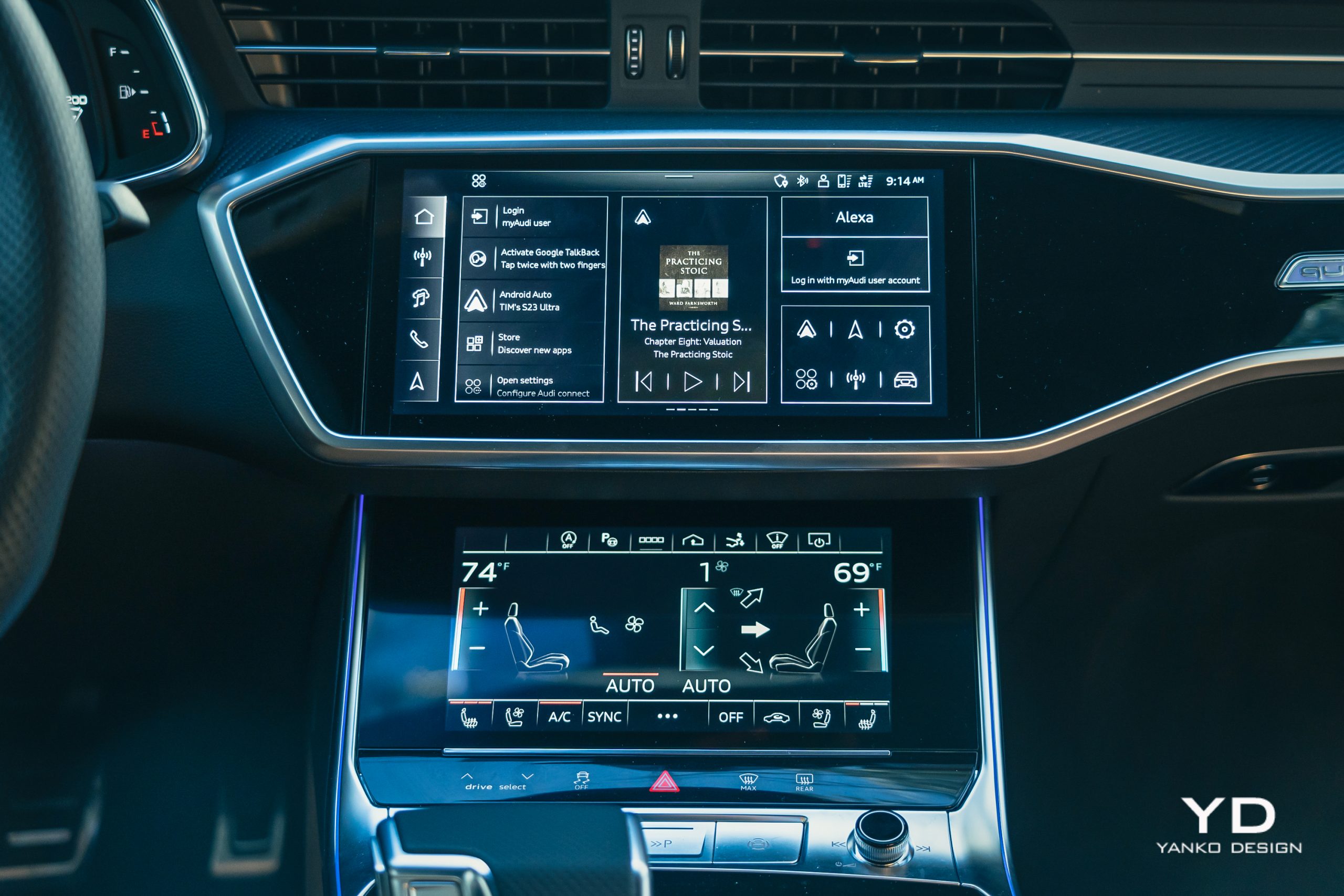
Audi’s MMI experience handles infotainment duties, a dual-screen system that’s comprehensive if occasionally confusing. The bottom screen is mostly used for the car’s climate control system, but occasionally, you’ll use the top screen for that.

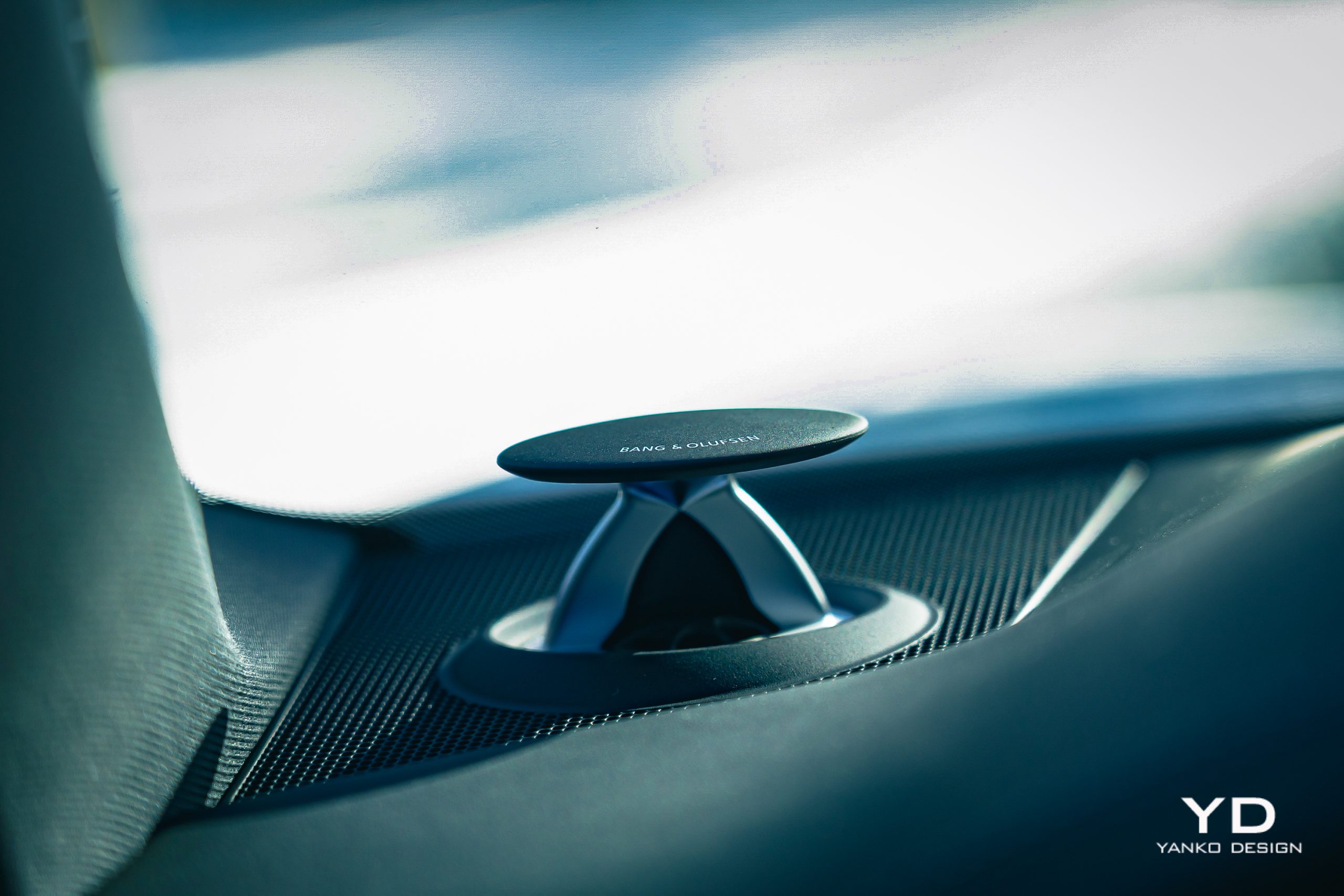
Meanwhile, the top screen has the bulk of the infotainment experience, and you’ll find the integrated navigation system and media playback here. Connect your phone for wireless Android Auto or Apple CarPlay and either of those displays take over the top screen. Media is played through a 23-speaker Bang & Olufsen sound system, which offers a rich, broad sound but comes with quite an asking price: $4,900.
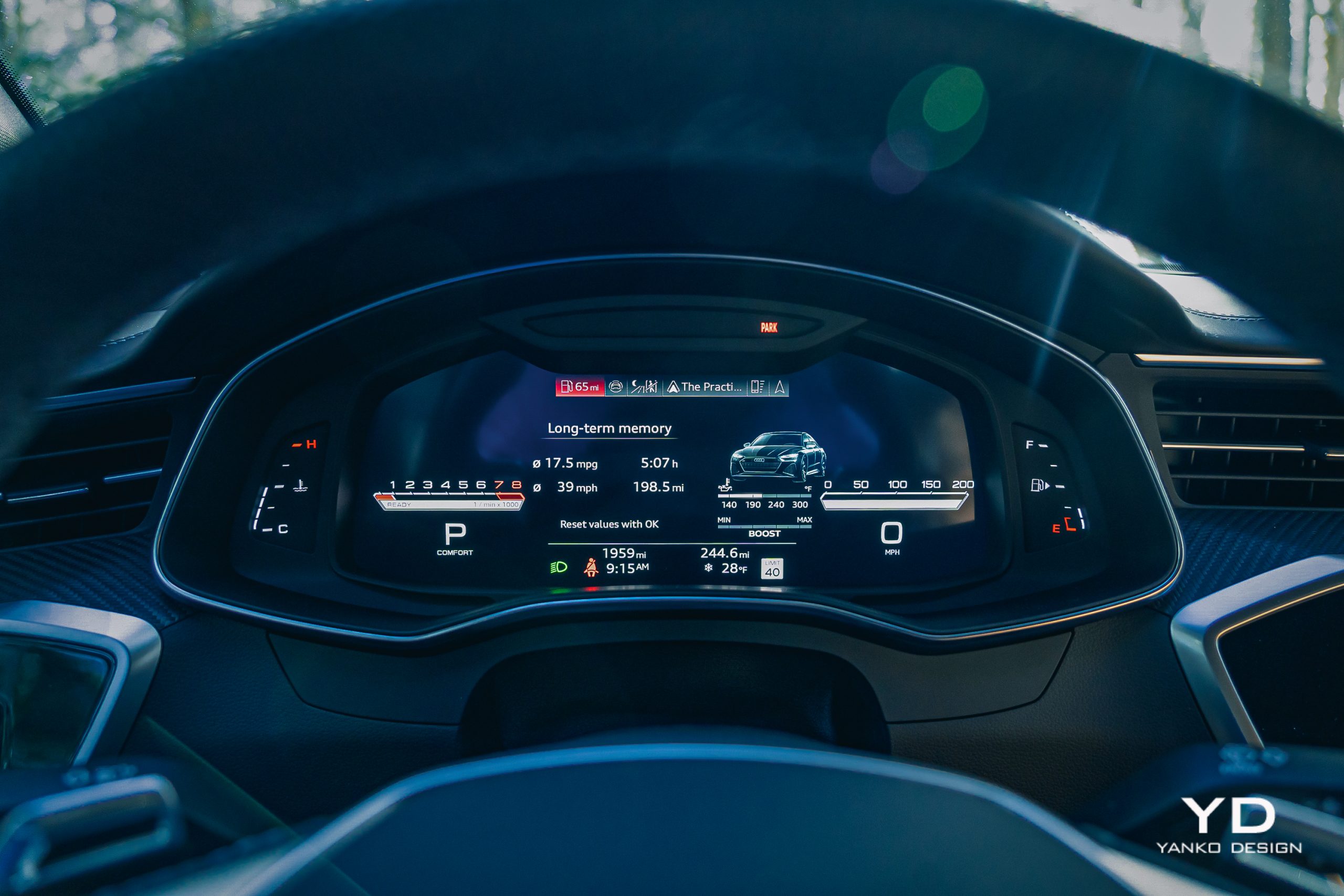
The gauge cluster is likewise fully digital, measuring 12.3 inches on the diagonal, and there’s a heads-up display as well, meaning you’ll not be lacking for information. All displays are thoroughly customizable and full of telemetry covering everything from maximum g-forces to tire pressures.

The most important control might just be on the steering wheel. It’s the RS button, which you can use to quickly toggle through two user-defined RS modes: RS1 and RS2. You can customize the engine response, suspension stiffness, steering resistance, engine sound, and differential setup.

Dig a little deeper, and you can also raise or lower the adaptive suspension, which I frequently had to do while driving the car.
Winter testing

My RS7 visit coincided with one of the worst ice storms we’ve experienced in New York in years. Heavy rains swept through, followed by a rapid temperature drop and a foot of heavy, wet snow. The resulting combination not only left the roads covered in ice and slick snow but also brought down trees and branches all over.

And I had to drive three hours straight into the heart of it.

Virtually any other 600-horsepower, $151,000 car would have left me, at best, stranded or, at worst, halfway through a tree. The RS7 handled it all remarkably well. Though the RS7 is low, it’s not so terminally low that the aggressive front air dam turned into a plow when the snow started to pile up.

Meanwhile, Audi’s sportiest sedan did an excellent job of getting all that power to the ground. In the few times I dug deep into the throttle (purely for the sake of experimentation), the RS7 squirmed just a bit, making the most of the grip, then shot forward in a controlled, predictable way.
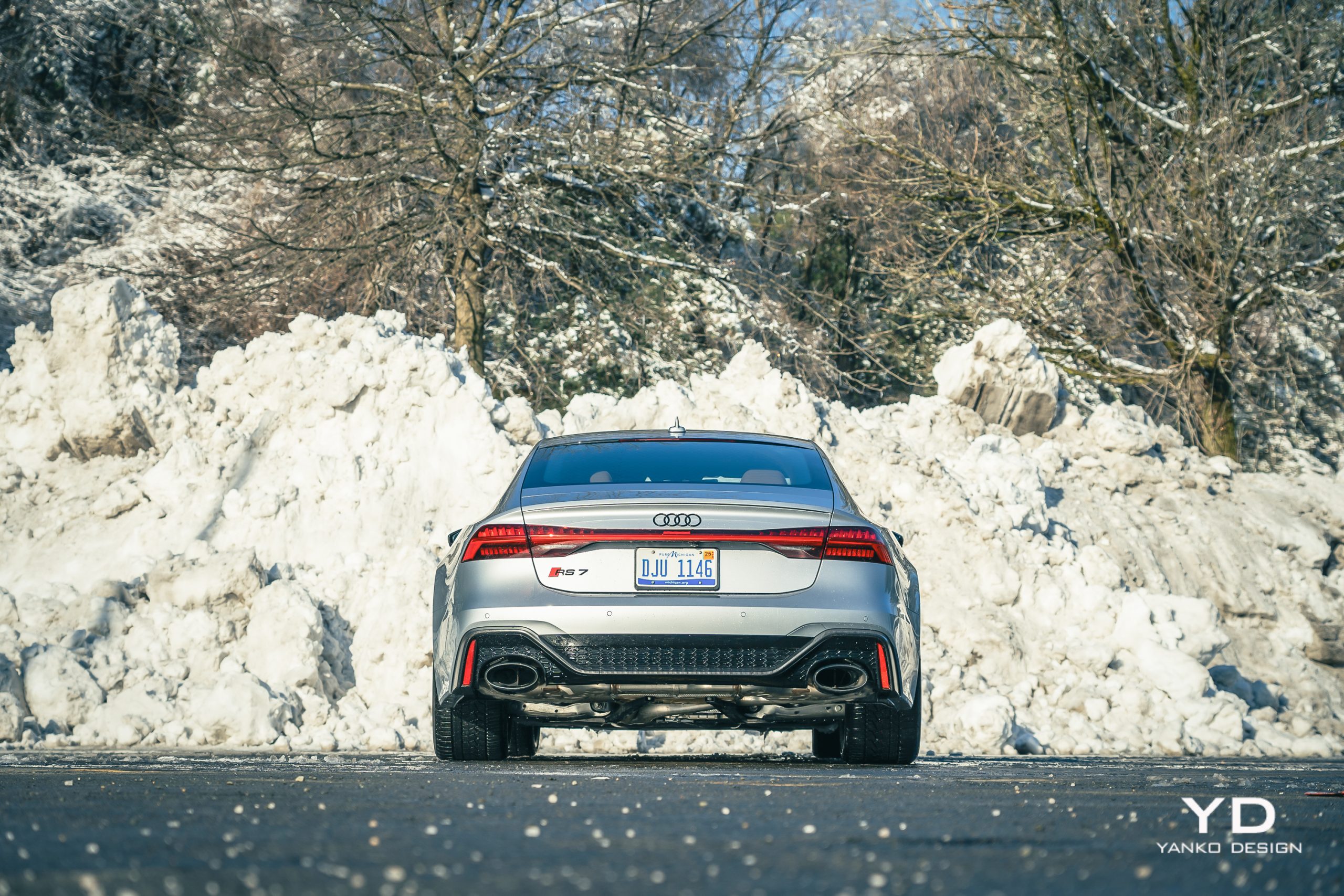

This was on some of the slickest, nastiest roads I’ve ever experienced. I saw many cars in ditches, yet I had no problem getting home. I even enjoyed myself. And, on those few times when I needed to clear some particularly deep snow, raising the car an extra 0.8 inches was a reassuring thing — even if it was only a maximum speed of about 20 mph.

Much of this performance must be attributed to the Continental WinterContact tires on the car, which, despite being incredibly wide and low-profile, delivered good and predictable grip. But the RS7’s advanced differential system ensured that the power got to those tires in a balanced way and ultimately ensured that I got home safe.

Once the weather cleared and the roads dried, I had a chance to sample the car’s speed and performance differently. Here the RS7 is brutal and fast. That twin-turbo V8 sounds fantastic as it roars up through your every acceleration and burbles gently as you lose that speed again. The transmission clips through ratios without hesitation but did have a tendency to make the car jerk and stumble a bit when coasting to a stop.

The steering is delightfully quick, if a bit numb, and the grip levels are, of course, huge. For a car of this size, it’s very, very good.

Switching back to Comfort mode, the car returns to being a calm and relaxing luxury sedan. It’s really only that occasionally jerky transmission that betrays this car’s performance capability, that and an excess of road noise, which would surely be lessened with summer or all-season tires rather than the chunky winter tire treads here.

The 17.4 mpg I saw during my testing also points to this car’s capabilities, which matches the car’s official combined rating. However, according to the EPA, you can get up to 22 mpg on the highway if you drive it gently.

Pricing and Options

The 2024 Audi RS7 Performance you see here had a starting MSRP of $127,800, but included a number of options, including $7,650 for the matte carbon fiber, $4,900 for the Bang & Olufsen sound system, and $2,250 for the driver assistance package. The total price came out to $151,840 after a $1,095 destination charge.

As a machine meant to mix both luxury and performance, the RS7 handles both categories well, not providing the posh experience of something like a Mercedes-Benz S-Class, but lining up quite compellingly against something like a Mercedes-AMG GT Sedan or Porsche Panamera and with a price to match.

With its visual tweaks and hints of outrageous performance, the RS7 feels a bit more special than either of those two, a bit more rare. Still, with Porsche’s new Panamera coming, and Mercedes raising the bar with the AMG GT, Audi’s barnstormer might need some new moves to keep up.
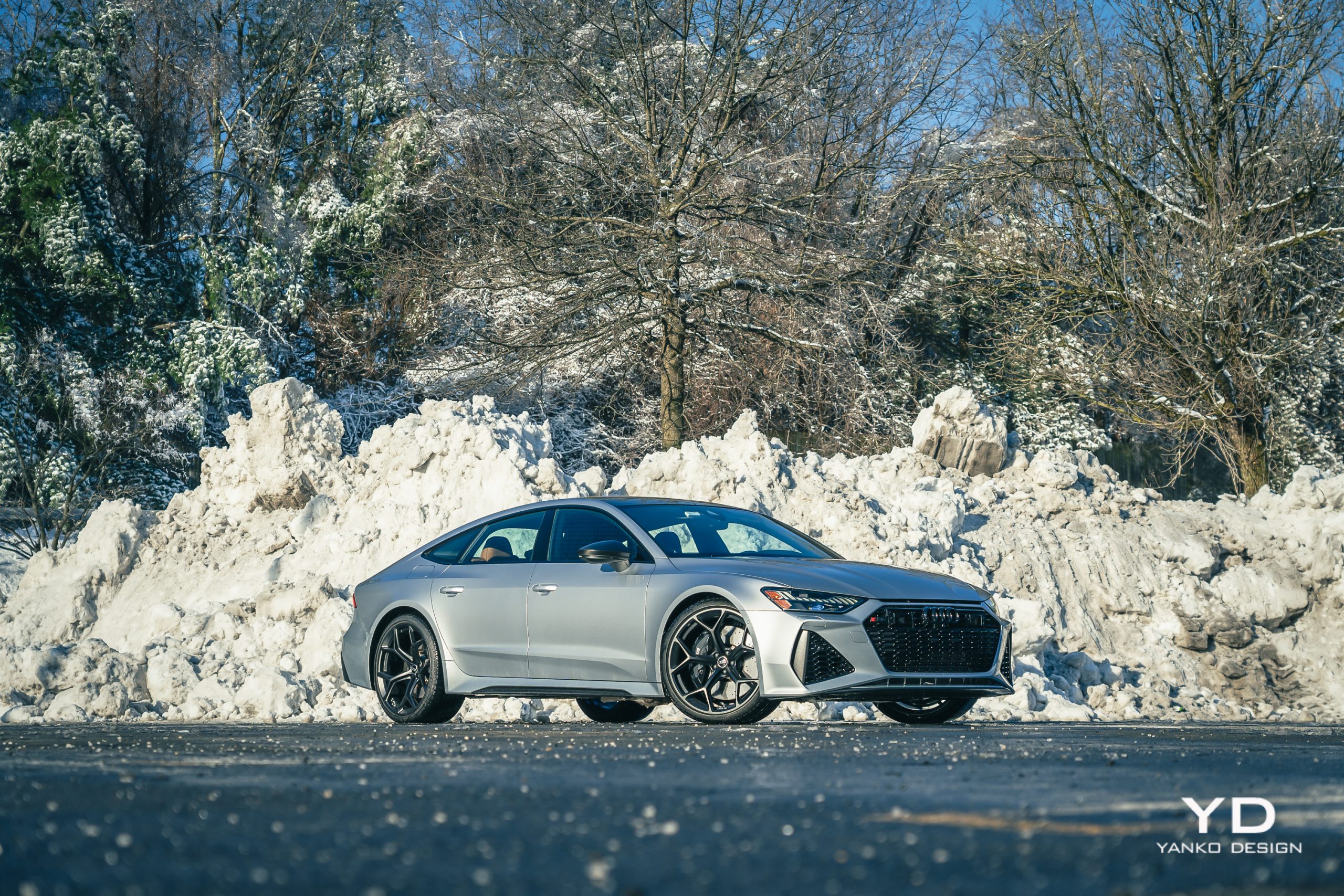

 

The post 2024 Audi RS7 Performance: Unmatched Power and Luxury first appeared on Yanko Design.

Nokia just made the first phone call using 3D spatial audio

Nokia just announced that it has made the first-ever audio and video call using 3D spatial audio. This is actually a big deal, as all phone calls currently made over a cellular network are monophonic, so there’s no possibility for spatial audio.

This call, however, was placed over a cellular network using the 3GPP Immersive Video and Audio Services (IVAS) codec, which lets people hear “sound spatially in real-time.” For the uninitiated, spatial audio splits into multiple channels to make it sound like it's coming from different directions. This technology has become pretty popular when streaming music, but video calls are certainly a unique use-case scenario.

However, you won’t be able to call up a family member to argue about politics in glorious 3D audio just yet. The IVAS codec is part of a forthcoming update to 5G networks, called 5G Advanced. This upgrade will purportedly offer faster speeds, improved energy efficiency and more accurate cellular positioning. 5G Advanced will technically make spatial calls possible, but Reuters says it’ll be a few years before cellular networks start offering the service.

The only possible hurdle is that the IVAS codec will only enable spatial audio in smartphones with at least two microphones, though that’s most of them nowadays. Nokia says the “vast majority” of phones should offer support for spatial audio calls once the cellular carriers get on board.

Also worth noting, this technology wasn’t developed by the Nokia that sells cheap handsets. The cellphone brand was licensed to HMD some years back. This is the research and technical arm of the company, so there’s no need for jokes about flip phones.

Nokia isn’t the only company trying to expand uses for spatial audio. Audible now offers spatial audio on select original titles and podcasts and Netflix recently brought the technology to hundreds of TV shows and movies.

This article originally appeared on Engadget at https://www.engadget.com/nokia-just-made-the-first-phone-call-using-3d-spatial-audio-165043937.html?src=rss