Your iPhone may soon be able to do more than call for emergency help and send messages via satellite, according to the latest Power On newsletter. Bloomberg's Mark Gurman reported that Apple is planning to expand on satellite features available on iPhones.
Apple introduced the ability to send and receive texts with the Messages via Satellite feature last year, but is reportedly looking to enhance this with the option to send photos too. Beyond texting, Apple wants to enable 5G NTN support on its iPhones, which allows cell towers to get a coverage boost by tapping into satellites, according to Gurman. For anyone who needs directions in a remote area without a cellular or Wi-Fi connection, Apple reportedly has plans to introduce satellite connectivity to Apple Maps.
Along with these upgrades, Gurman reported that Apple is looking into "natural usage" improvements where users won't have to point their iPhones towards the sky to connect to a satellite network. Instead, an iPhone could stay connected even when there's no clear view of the sky, like in indoor environments. On the developer side of things, Gurman said that Apple is also working on an API that allows app makers to add satellite connections.
There's no timeline for when these rumored satellite features will go live, but Apple previously waited a couple of years between introducing Emergency SOS via Satellite in 2022 and Messages via Satellite with the release of iOS 18.
This article originally appeared on Engadget at https://www.engadget.com/mobile/smartphones/apple-is-reportedly-working-on-more-satellite-features-for-iphone-172151203.html?src=rss
Apple's AirPods 4 have dropped back down to a record low price in a Black Friday deal on Amazon. If you aren't looking for active noise cancellation, the model without ANC is a steal at 47 percent off, bringing it down to just $69 from its usual price of $130.
The Apple AirPods 4 are the best budget AirPods you can get in 2025, with Apple's H2 audio chip to support some of the more advanced audio features from more expensive models.
They offer Voice Isolation, Personalized Spatial Audio with dynamic head tracking and more. If you get the model without active noise cancellation, you won't have features like Transparency Mode and Conversation Awareness, or Apple's hearing health tools. But, the entry-level model still offers great sound quality for the price.
This model also features the redesigned shape, which makes for a more comfortable and secure fit so you don't have to worry about them falling out of your ears. A force sensor on the stem allows for basic touch controls, including play and pause, play next track, previous track and answer a call. You can also summon Siri by pressing and holding the stem.
You can expect to get up to 5 hours of battery life on a charge with the non-ANC model, and up to 30 hours using the USB-C charging case.
Elsewhere when it comes to Black Friday AirPods deals, you can pick up the AirPods 4 with ANC for $100, the new AirPods Pro 3 for $220 and the AirPods Max (in certain colors) for $400.
This article originally appeared on Engadget at https://www.engadget.com/deals/black-friday-apple-deals-include-the-airpods-4-for-47-percent-off-162917296.html?src=rss
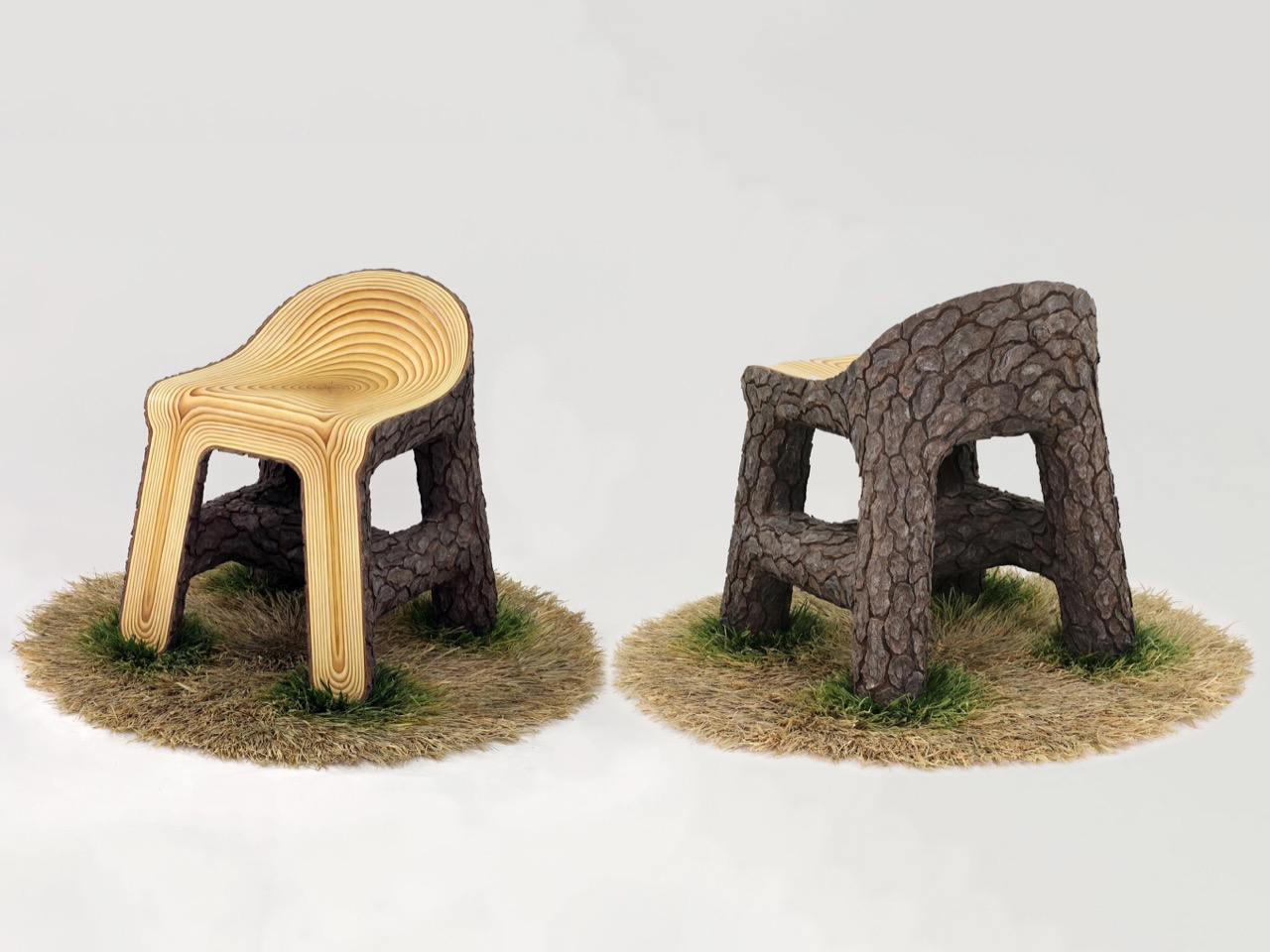
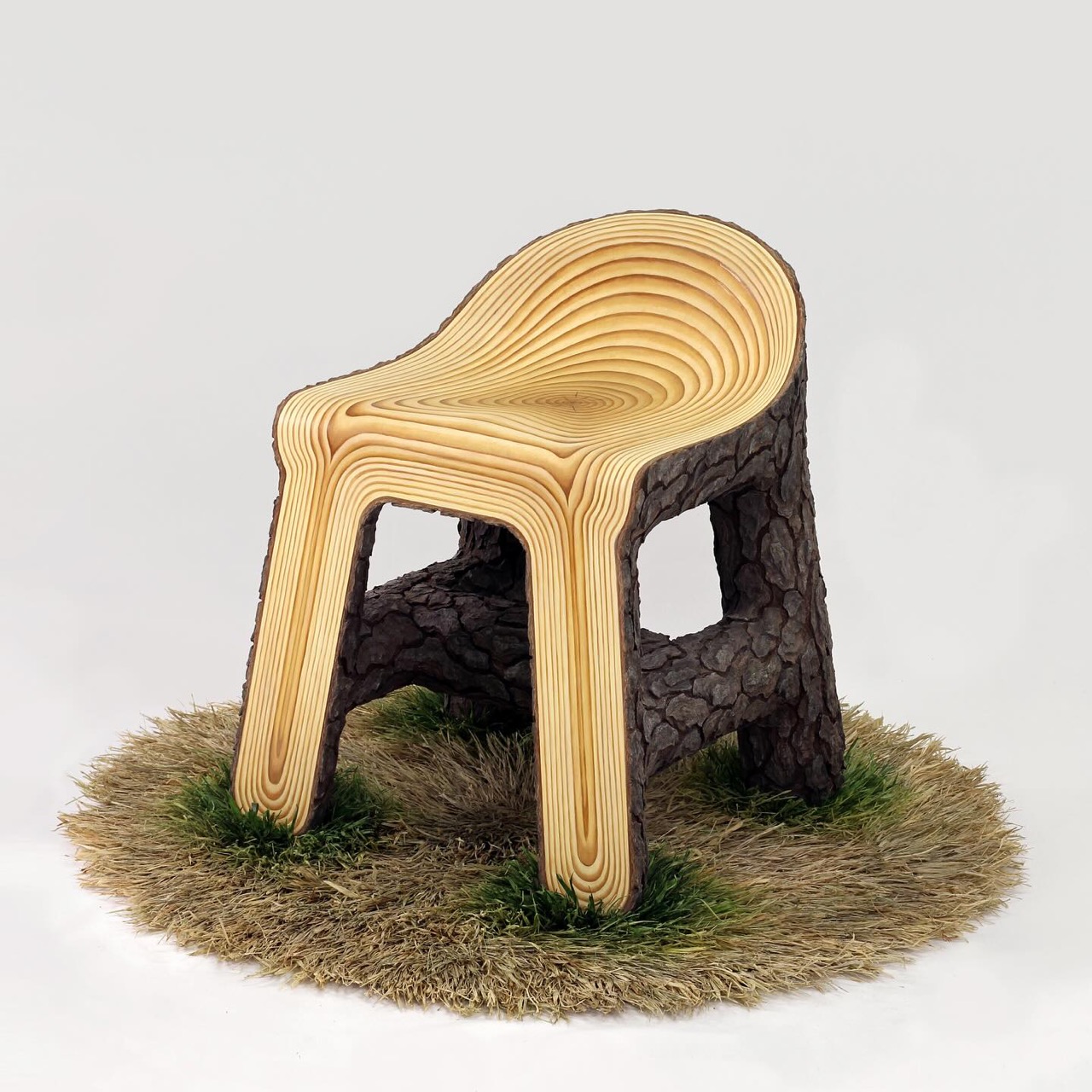
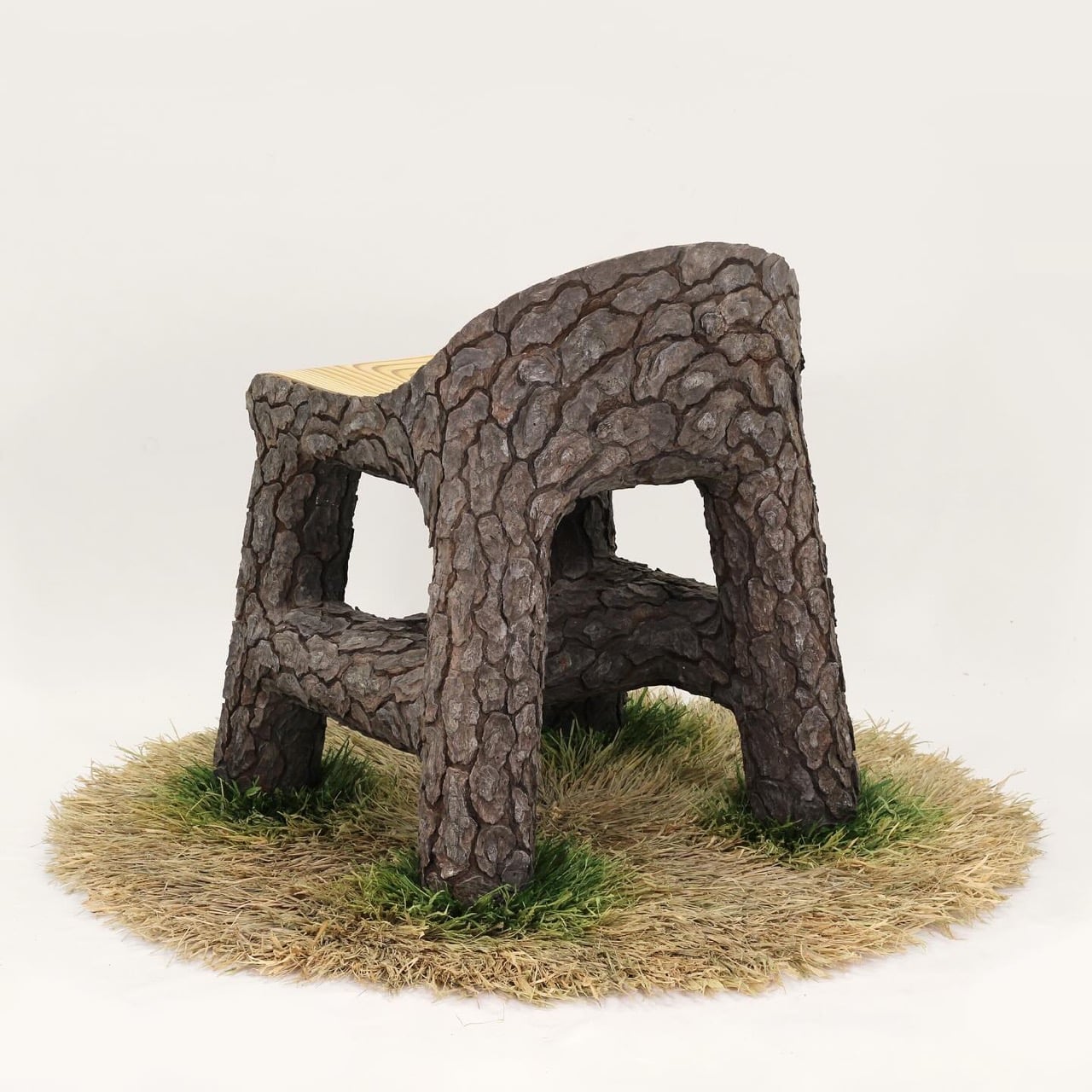
In Wood Chair on Grass, 2025, the artist extends the celebrated Wood Chair series into a deeply tactile meditation on nature, artifice, and the human instinct to create comfort out of raw material. This piece, crafted from oil paint, epoxy clay, plywood, wood, and raffia fibers, reveals the artist’s meticulous dialogue between the organic and the handmade, between illusion and touch.
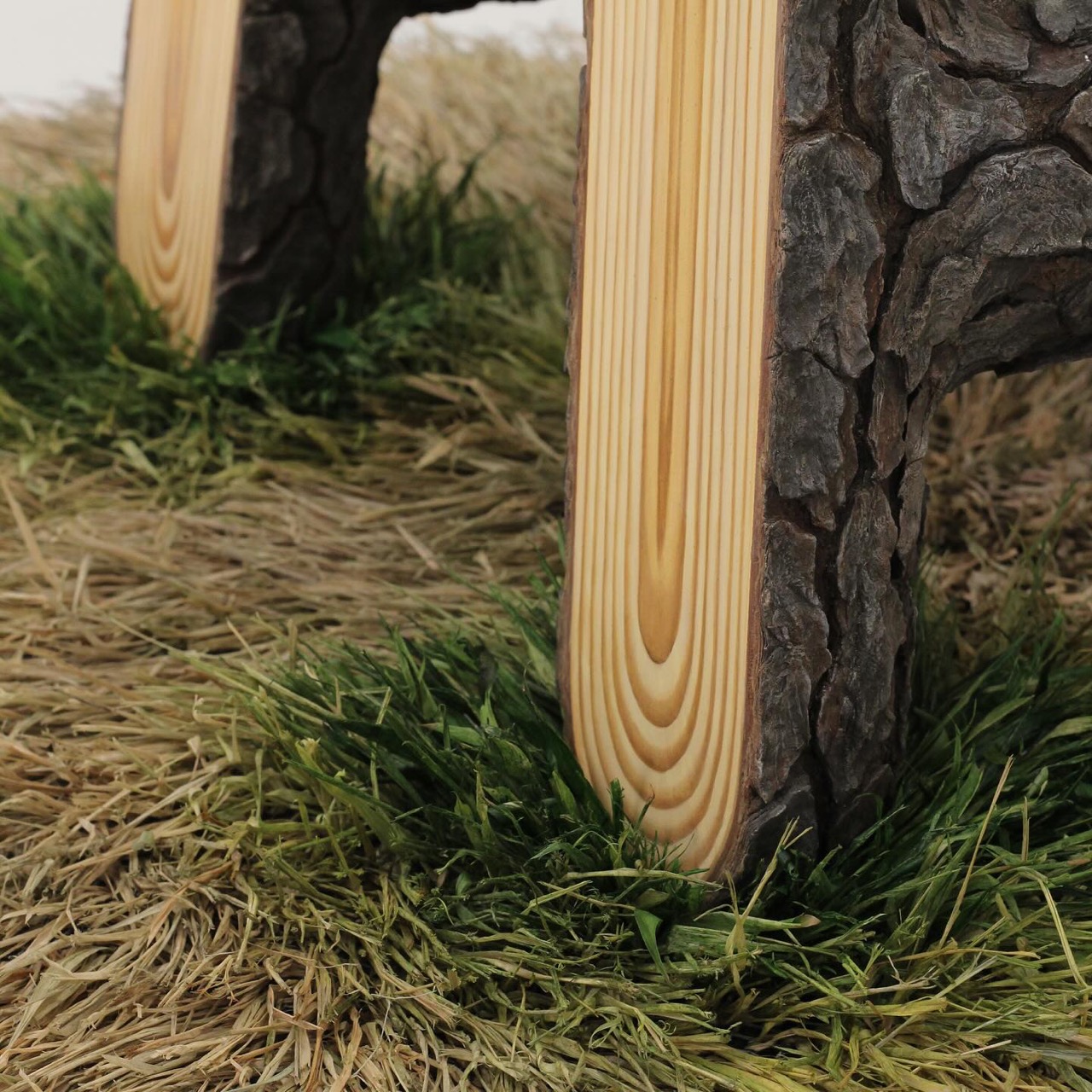
At first glance, the chair presents itself as a modest, almost familiar object, a low-back saddle seat resting calmly atop what seems like a patch of grassy earth. But upon closer inspection, it becomes clear that every element is a constructed illusion. The “grass” is not real, but a latch-hooked rug of dyed and painted raffia fibers. Each strand mimics the play of sunlit blades swaying in a breeze, but they are fixed in place, forever frozen in mid-motion. This deliberate tension between the natural and the artificial is what gives the piece its quiet power.
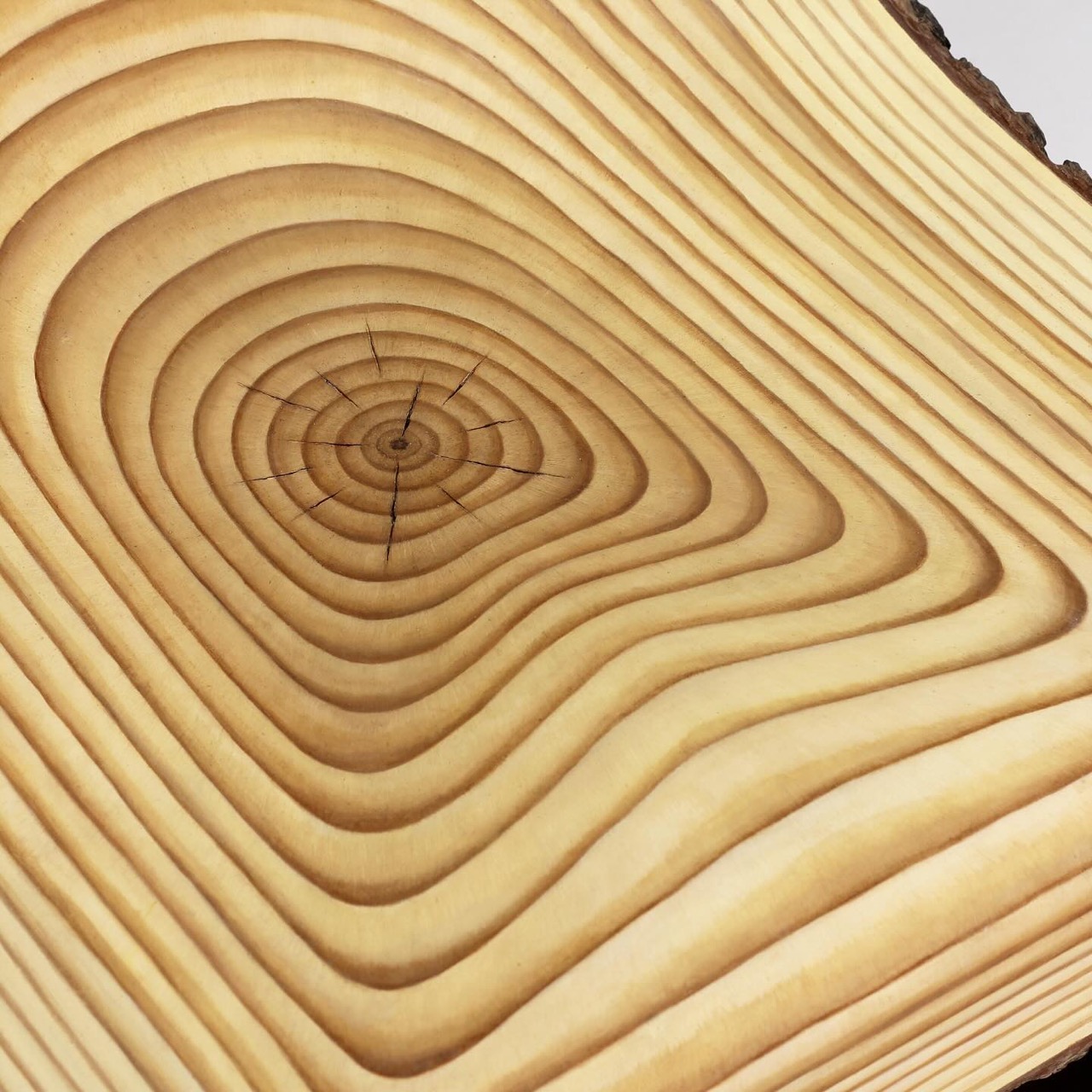
The seat itself is modeled after pine wood, yet it transcends imitation. Cracks are hand-carved into the surface, each line a gesture of imperfection that makes the chair feel lived-in, almost sentient. The wood grain alternates between matte and satin varnishes, an effect invisible under soft light but revealed dramatically when illuminated directly. This shifting visibility turns the viewer into an active participant, requiring them to move around the piece, to discover it rather than merely observe. It’s a subtle invitation to slow down, to look with intent, to feel the weight of craftsmanship.
The artist’s pride in the bark detail is well-earned. The bark, sculpted with epoxy clay and layered with oil paint, might be their most convincing and three-dimensional work yet. It clings to the seat’s edges like memory to an old tree, giving the illusion that the chair has grown from the ground rather than been placed upon it. There’s a certain poetry in this, an object designed for rest that itself seems to have taken root.
Beyond its technical mastery, Wood Chair on Grass captures the artist’s evolving relationship with materials. The raffia fibers, dyed and painted by hand, bring softness and unpredictability, contrasting the solidity of the wooden frame. The juxtaposition of natural texture with synthetic precision makes the work feel both ancient and contemporary, a bridge between folk craft and fine art.
Ultimately, this piece is an environment condensed into an object. It embodies the artist’s ongoing fascination with how we recreate nature within our own boundaries, how we seek to hold onto fleeting sensations through form and surface. In Wood Chair on Grass, 2025, the familiar becomes extraordinary, and the humble materials of wood and fiber transcend their physicality to evoke the emotional warmth of presence, patience, and place.
Budgeting can be a stressful, challenging and uncomfortable experience. While it's completely possible to do it on your own, we've become fans of a few great budgeting apps. Take our favorite budgeting app Quicken, which is having a 50 percent off sale for Black Friday.
The Quicken Simplifi app is down to $3 monthly from $6 monthly, adding up to $36 for the year. Quicken Classic, the company's "original desktop software" for "experienced investors" is also half off at $6 monthly, down from $12 monthly. The sale starts today and is available until Wednesday, December 3.
One of the many things that sets Quicken Simplifi apart from its competitors is its sleek, easy to use interface. The setup is pretty straightforward and it allows for your spouse or financial advisor to act as co-manager of the account.
It also clearly shows figures like net worth, recent spending, upcoming recurring payments and more. Plus, there's an option to say if you're expecting a refund. Quicken Simplifi unfortunately doesn't offer a free trial so testing it out with a discount means less money invested if it's not for you.
This article originally appeared on Engadget at https://www.engadget.com/deals/our-favorite-budgeting-app-has-50-percent-off-subscriptions-for-black-friday-160025270.html?src=rss
Apple’s iOS 26.2 developer beta introduces a variety of updates aimed at enhancing usability, accessibility, and overall functionality. With a focus on refining the user experience across the Apple ecosystem, this release brings visually appealing design changes, practical app integrations, and thoughtful accessibility improvements. Below is a detailed exploration of the most notable features and […]
What does it take to shake up an industry as competitive and innovation-driven as gaming? For Xbox, the answer seems to lie in a staggering commitment: an order of 50 million AMD chips for its next-generation console, the Xbox Magnus. This bold move signals more than just a hardware upgrade, it’s a declaration of intent […]
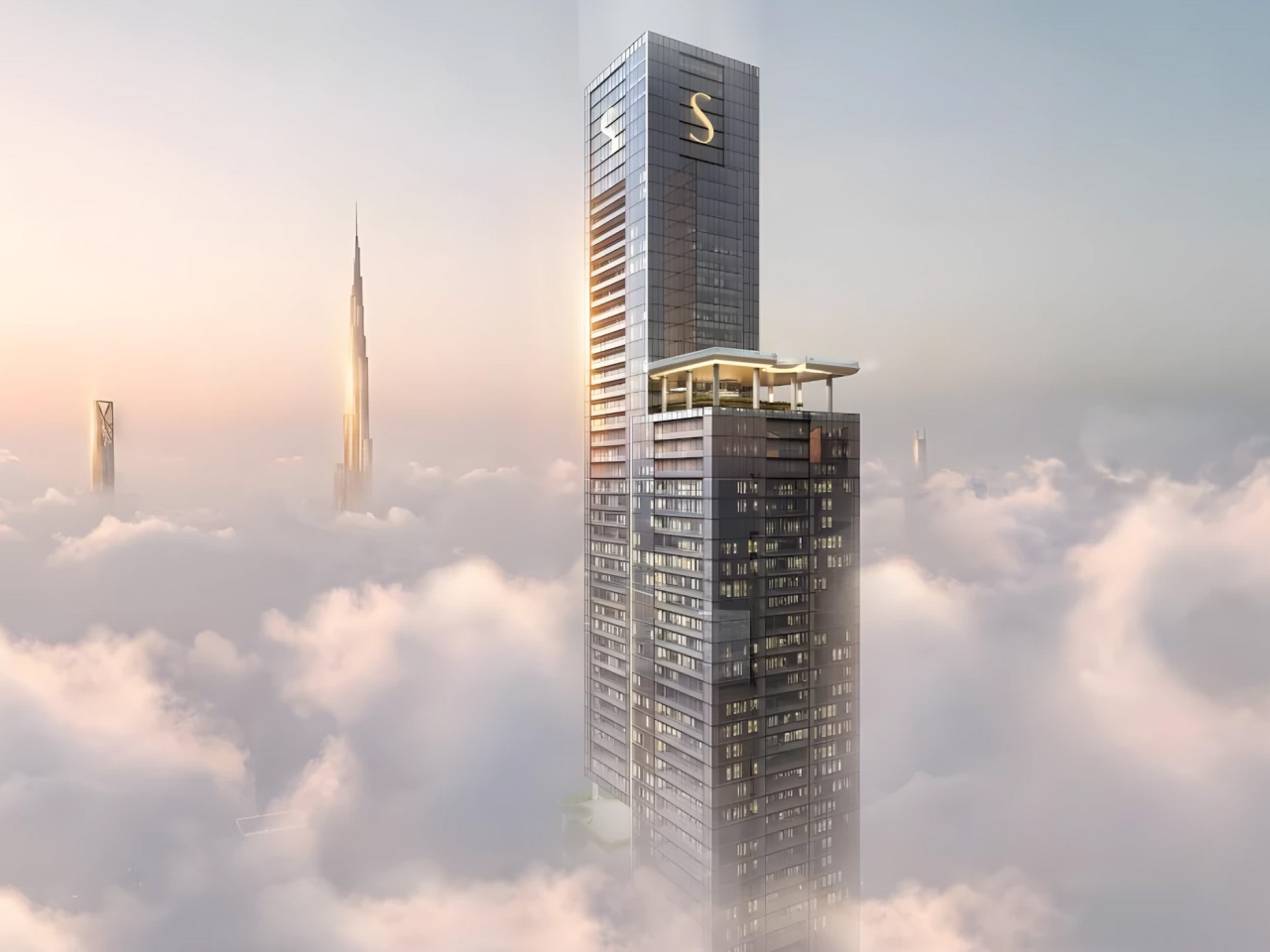
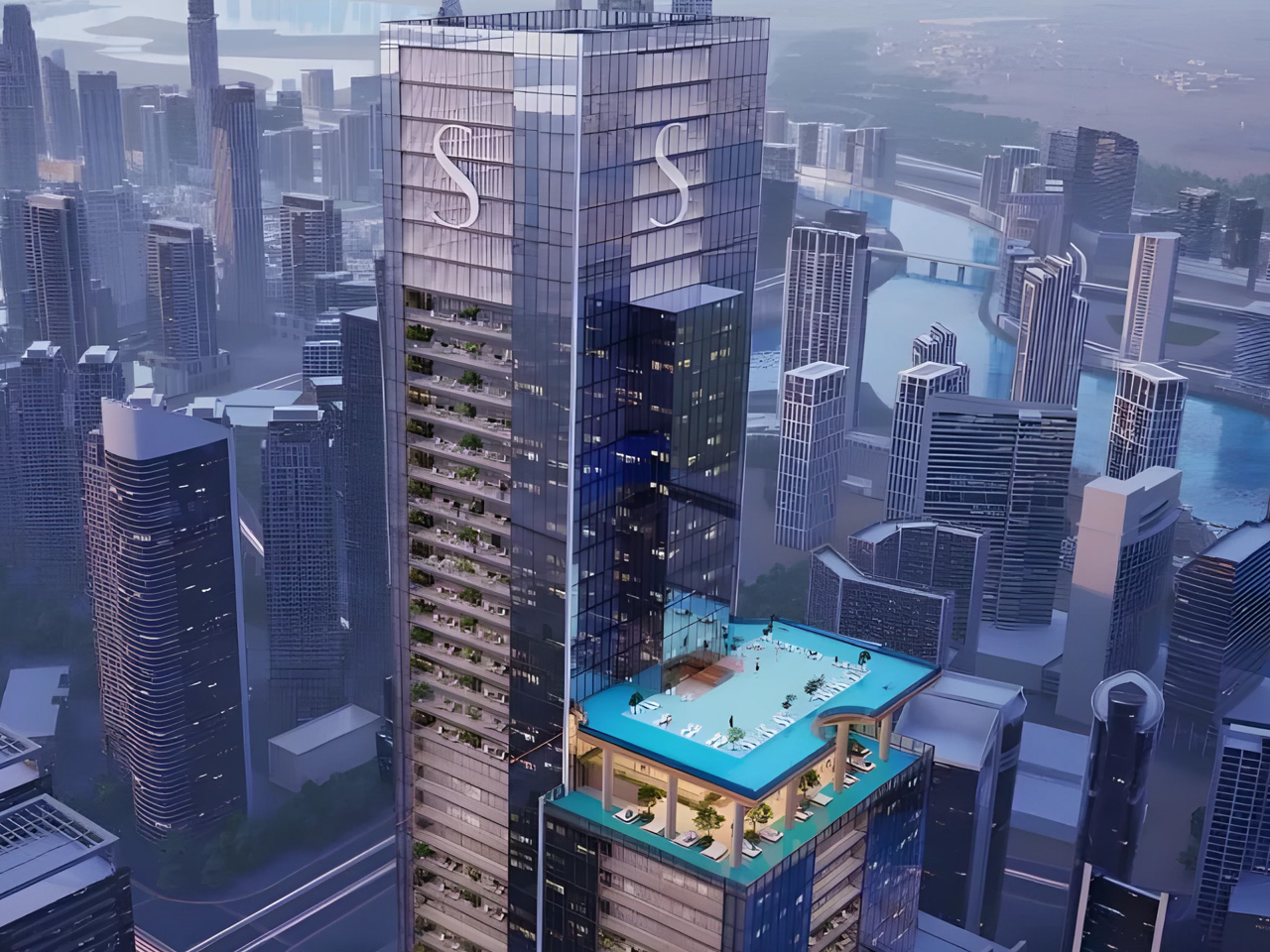
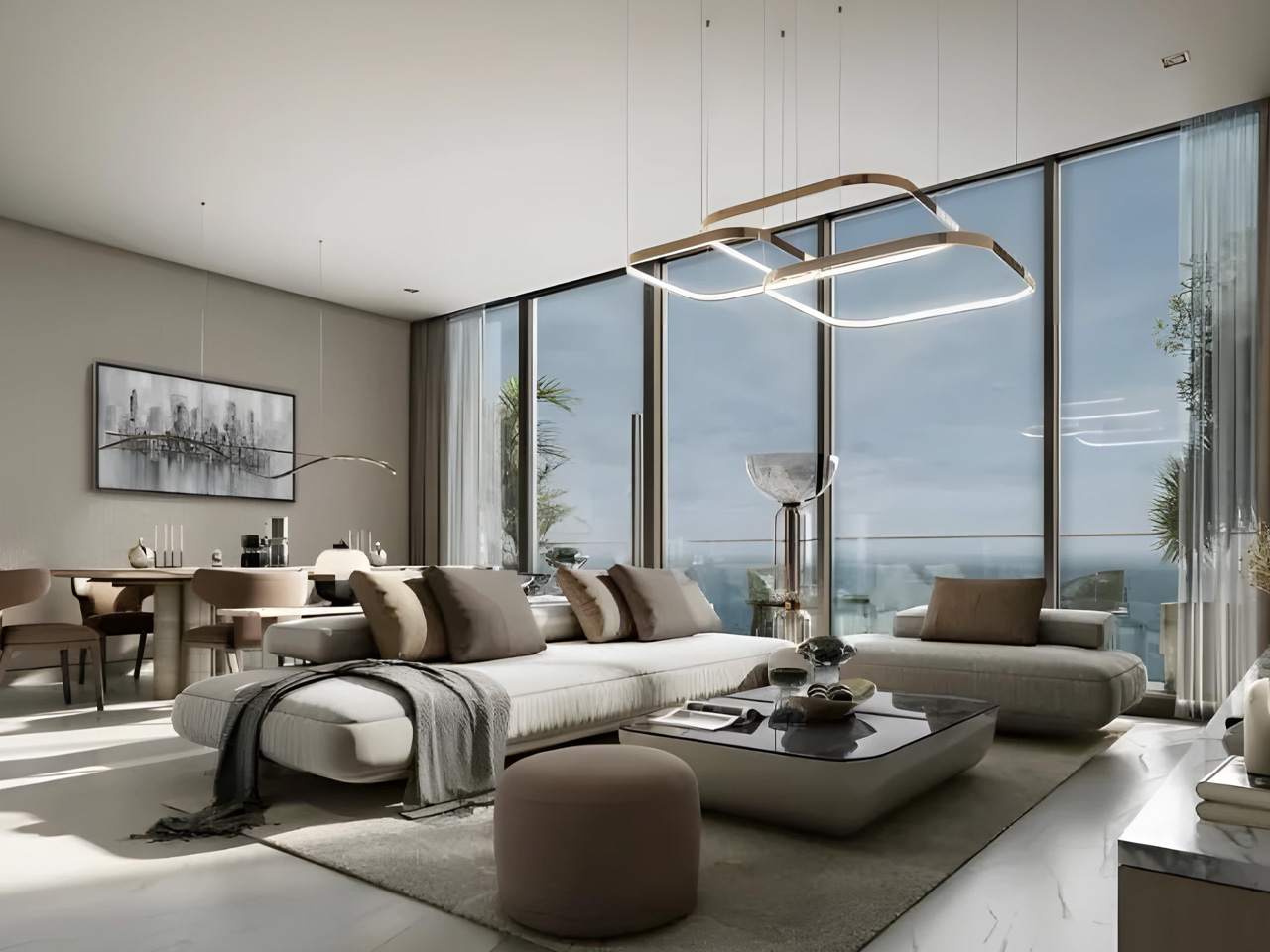
Dubai’s getting another jaw-dropping addition to its skyline, and this one’s a real showstopper. Sobha Realty just unveiled Sobha SkyParks, a massive 109-story tower that’ll stretch 450 meters into the sky. When it’s done, this giant will rank among the UAE’s five tallest buildings—quite a feat for any developer. The project comprises 684 luxury apartments across 109 floors, each offering incredible views of the city sprawling below. For Sobha Realty, this isn’t just another project—it’s their tallest development yet, pushing them into entirely new territory in Dubai’s competitive luxury market.
The tower’s landing on Sheikh Zayed Road in Business Bay which is about as prime as real estate gets in Dubai. This stretch of road has become synonymous with luxury living, and Sobha SkyParks fits right into that narrative. Business Bay’s infrastructure is already well-established, and being so close to Downtown Dubai doesn’t hurt either. The location practically sells itself—residents get easy access to business districts, shopping, and transport links throughout the city. Sheikh Zayed Road has this way of making every building along it feel important, and Sobha SkyParks certainly won’t be an exception to that rule.
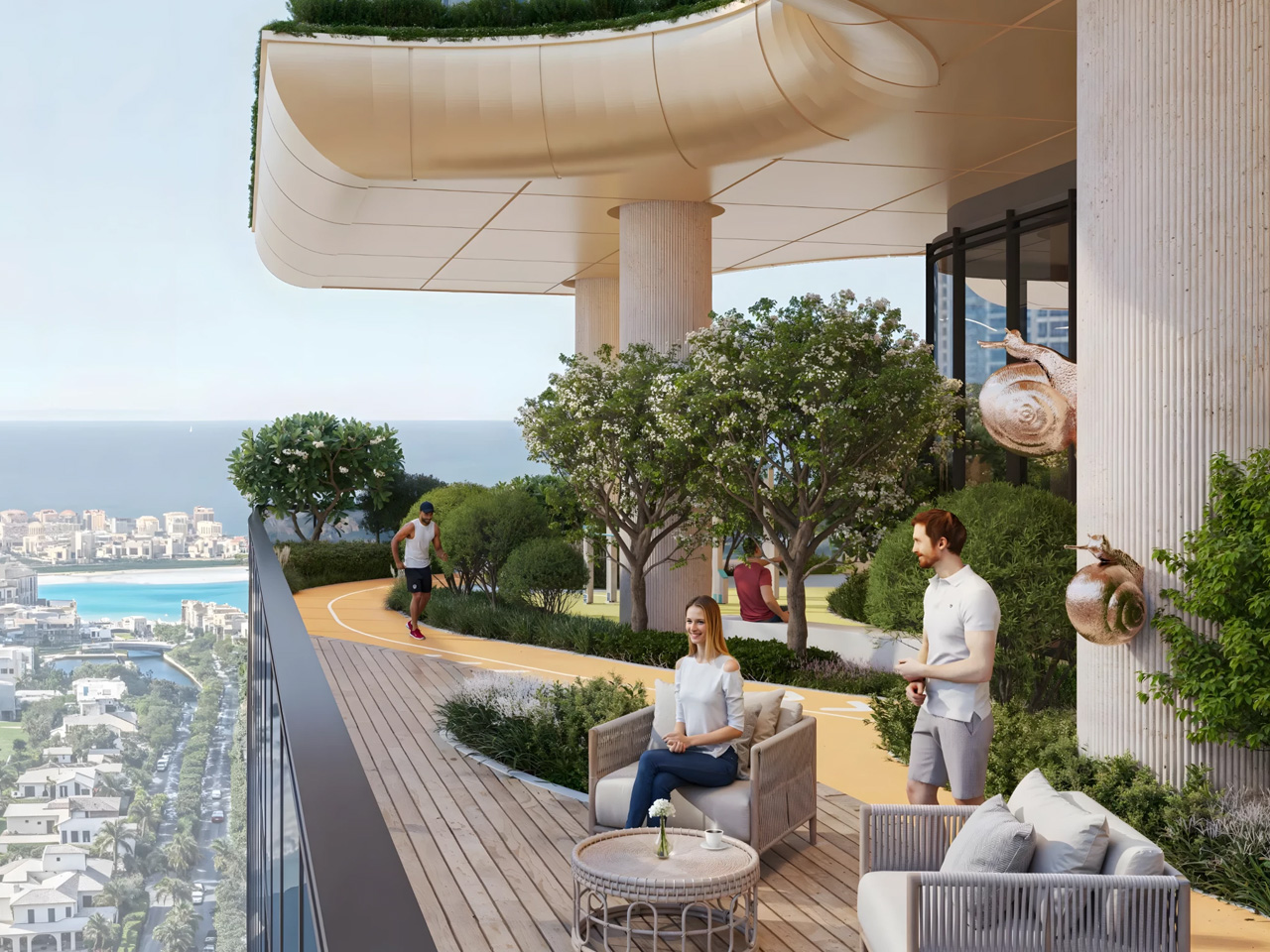
Here’s where things get interesting, though. Instead of just building another tall glass tower, Sobha’s doing something different with four themed sky gardens scattered throughout the building’s height. Think about it—actual parks floating hundreds of meters above the street. It’s not just a cool concept; it tackles that age-old problem of urban living where green space feels like a luxury. These aren’t tiny balcony gardens either; we’re talking about proper outdoor spaces that bring nature up to where people actually live. The whole multilevel garden approach is getting attention from architecture circles as a fresh take on sustainable urban development.
The building’s crown jewel has to be the sky-high infinity pool. Picture swimming laps while looking out over all of Dubai—it’s the kind of amenity that sounds almost too good to be true. Francis Alfred from Sobha Realty puts it well, saying they’re trying to “blend art, engineering, and lifestyle into a single masterpiece.” That’s not just marketing speak, either. When you combine the elevated parks with amenities like that infinity pool, you’re looking at something that goes way beyond typical luxury housing. It’s more like they’re building a vertical neighborhood where everything you need is stacked up instead of spread out.
The real estate crowd is already buzzing about what this could mean for Dubai’s market. Sobha’s built a solid reputation over the years, so when they go big like this, people pay attention. The project’s been making rounds on social media and industry forums, with everyone from investors to architecture enthusiasts weighing in on what it means for the city’s future. Dubai keeps attracting international buyers looking for something special, and Sobha SkyParks seems designed exactly for that market. It’s not just about having a nice apartment anymore—people want experiences, views, and bragging rights that come with living somewhere truly unique.
Construction’s underway, and this project represents something bigger for Sobha Realty. They’re clearly making a statement about where they want to position themselves in Dubai’s ultra-luxury segment. By the time this tower’s finished, it won’t just be another address—it’ll be a landmark that changes how people think about living vertically in one of the world’s most ambitious cities. Dubai’s always been about pushing boundaries, and Sobha SkyParks fits perfectly into that story. The combination of record-breaking height, innovative design, and those sky-high amenities should set new expectations for what luxury living can look like when you’re willing to think outside the box.
The iPhone 17 Pro Max and Galaxy S25 Ultra represent the pinnacle of smartphone technology in 2025, showcasing two distinct approaches to innovation. Apple emphasizes bold advancements in hardware and ecosystem integration, while Samsung refines its proven formula with incremental improvements. Both devices cater to different user needs, but the iPhone 17 Pro Max emerges […]
What if the secret to success in the booming AI industry isn’t chasing the next big thing but going small—strategically small? While the tech world buzzes with attempts to dethrone giants like ChatGPT, there’s a quieter, smarter opportunity waiting for those willing to think differently. Imagine creating an AI tool so tailored, so specific, that […]
Apple has continued its trend of giving users more creative freedom over how their iPhones look and feel, and one of the most striking new customization options in iOS 26 is the ability to stretch the clock on your lock screen. The feature, part of Apple’s refreshed design language for iPhone software, allows the time to expand across more of the screen, giving it a bold, modern appearance. Whether you prefer the minimalist look of small numerals or the dramatic impact of an oversized clock, iOS 26 makes it easy to adjust your lock screen style to suit your taste.
This new resizing option is officially referred to as “adaptive time,” and it transforms what used to be a static lock-screen element into something that feels more fluid and responsive. By dragging a simple on-screen handle, you can expand or shrink the size of the time display, creating a distinctive visual effect that gives your lock screen a fresh new personality.
How to stretch your lock-screen clock
To access the stretch option, start by waking your iPhone and remaining on the lock screen. Instead of unlocking the device, press and hold anywhere on the display to enter customization mode. This brings up a carousel of your saved lock screens, allowing you to edit the one that’s currently active. Tap “Customize,” then choose the “Lock Screen” option to enter the editor.
Once the editing screen appears, tap directly on the clock. This will bring up the familiar font and color panel introduced in earlier versions of iOS. To make the stretch feature available, the first font option (the default and leftmost style) must be selected. It should also be set to use the Arabic Western script. After confirming these settings, tap the clock again to close the font panel.
If the wallpaper supports the feature, a small circular drag handle will appear in the lower-right corner of the clock. Touch and hold this handle, then drag it downward to stretch the clock. The digits will expand in real time as you move your finger. When you’re happy with the size, release the handle. To save your changes, tap “Done” in the top-right corner of the screen. Exiting customization mode will reveal your new, enlarged clock on the lock screen.
If the stretch feature doesn’t appear, the issue is usually related to the font or wallpaper. Some wallpapers, particularly those with subjects that fill the upper portion of the frame, limit how much the clock can expand. If the image leaves little open space, iOS hides the handle to prevent the time from overlapping key parts of the photo. Switching to a simpler or more spacious wallpaper usually resolves this.
Understanding the stretched clock feature
In previous versions of iOS, the lock-screen clock was fixed in place. Regardless of the wallpaper used, its size and position remained the same. iOS 26 changes that by introducing a resize handle that appears on the bottom-right corner of the clock once the screen is in edit mode. When this handle is dragged downward, the digits expand, allowing the time to stretch dramatically toward the center of the screen. The feature works in both directions, meaning the clock can also be shrunk back to its previous size if the stretched look is too much for you.
The stretched clock effect works best with the new Liquid Glass interface design Apple introduced in iOS 26. This approach blends the clock’s font with the background, creating a subtle depth effect where the time appears to hover over the wallpaper. However, the resizing tool is not available on every setup. It only works when specific conditions are met, including the use of the default clock font and the standard Arabic Western script. If any other font or script is selected, the stretch handle will not appear.
Cherlynn Low for Engadget
Troubleshooting and limitations
The stretch function in iOS 26 is a visual adjustment, not a full-scale redesign of the lock screen, and there are a few limitations to be aware of. It works only with the default clock font, and changing the typeface or script will remove the resize option entirely. Users who rely on different numeral styles or custom fonts won’t see the handle appear. Similarly, widgets can interfere with resizing if they occupy too much space beneath the clock. Removing them temporarily can make it easier to adjust the clock size.
Some users have reported that the stretch handle disappears after software updates or when certain Focus modes are active. However, restarting your iPhone or disabling those modes typically restores it. As this is a relatively new feature, Apple may still be refining how it behaves across different iPhone models and lock-screen setups.
The visual impact of the stretched clock depends largely on your wallpaper. Minimal backgrounds with clean space at the top allow the time to expand without cluttering the screen. Complex or busy images tend to reduce the effect, as the clock will automatically adjust its transparency and positioning to stay readable. The stretched design looks particularly polished on wallpapers that match Apple’s new Liquid Glass aesthetic, where colors subtly blend through the numerals for a semi-transparent glow.
Making the most of your stretched clock
While the stretch feature is primarily cosmetic, it contributes to the broader trend of personalization across iOS. Apple’s lock-screen customization tools now include options for widgets, depth-aware wallpapers, color filters and dynamic animations, giving users more control than ever over their device’s appearance. The stretched clock fits naturally into this toolkit, offering an easy way to change the entire mood of your lock screen in seconds.
For users who prefer a bold, modern design, the larger clock size provides immediate impact and better visibility. Those who favor a more minimalist layout can keep it subtle by dragging the handle upward to restore the smaller, classic look. Whatever your preference, the process is reversible and quick, meaning you can experiment freely without losing your original layout.
Apple’s focus with iOS 26 is clearly on personalization and polish. The stretched clock may seem like a small detail, but it captures the overall philosophy behind this update, blending design flexibility with simple, intuitive gestures. With just a few taps and a short drag, your iPhone’s lock screen can transform into something uniquely yours, whether that’s a subtle enhancement or a bold statement across the display.
This article originally appeared on Engadget at https://www.engadget.com/mobile/smartphones/how-to-stretch-the-clock-on-your-lock-screen-in-ios-26-130032926.html?src=rss