In good news for our wallets and the environment at large, many electronic devices like phones and tablets last longer now than they once did. That means refurbished gadgets can have more life than ever before. There are no laws governing the terms, but refurbished or renewed devices tend to be a level above just plain “used.” At minimum, refurbished tech should have undergone cleaning and diagnostic testing. Some sellers also replace components like batteries and screens. Once ready for sale, these devices should operate as if they were new, with only minor scuffs indicating their history.
Refurbished devices not only save you a bit of cash, they have a drastically lower carbon footprint since most environmental impact comes from manufacturing. It’s more efficient than recycling and helps keep e-waste out of landfills. But there are better places to shop refurbished tech than others. We’ve gathered /a few recommendations, along with our advice on what to look for when you start shopping for refurbished gear.
What to consider when buying refurbished devices
Refurbished vs used
Refurbished is not the same as used. Used items tend to be sold “as-is,'' which means you’re simply inheriting whatever mileage and quirks a device had when the previous owner said goodbye to it. It’s true that most refurbished items were previously owned, and many are a result of the growing trend of trading in your old device when you upgrade. But others were hardly used at all and are one of the millions of returns generated each year. Either way, a properly refurbished item has undergone testing to verify that it works, along with cleaning, repairs and parts replacement as needed.
Since there are no government regulations for renewed items, it’s up to the sellers to define what steps they take to ready a device for sale. And it’s up to the buyer to find out what those steps are before taking the plunge. The processes for refurbishing devices from Apple, Bose, Microsoft, Google Pixels and Samsung, for example, include cleaning, inspection, parts replacement as needed and shipment in a new box with the originally supplied accessories. They also all provide a one-year warranty.
Warranties and returns
A refurbished device should perform as well as its new counterpart, but the only way to guarantee that’s the case is to make sure it comes with a warranty. All of the sites we recommend below include a warranty with the products they sell. If you see something labeled as refurbished, but doesn’t include some sort of guarantee as to its reliability – shop elsewhere.
Also, a good return policy will let you send the item back (preferably with the same free shipping a new item gets) for any reason — including that you just changed your mind. That way if a refurbished product doesn’t look as good as you thought it would, you can send it back without having to prove there’s something wrong with it.
Sanitation
Most refurbished tech was used before it made its way back on the market. And while renewed items are cleaned, you’ll still need to consider your comfort with sanitation issues when buying things like headphones and earbuds.
Polina Lebed via Getty Images
Where to buy refurbished tech
We recommend going directly to the manufacturer whenever possible, especially for more technical items like smartphones and laptops. If you need a new MacBook, check out Apple’s refurbished stock first; if you want a new Galaxy phone, hit up Samsung before anyone else. Repairs will be handled using genuine parts and you’re far more likely to get items that were properly unpaired from the original owner and all data wiped.
Retailers like Amazon, Walmart, and Best Buy are decent options if you’re on a tighter budget or if you’re looking for gadgets from a manufacturer that may not have its own refurbished outlet. Refurbished marketplaces like BackMarket can be useful if you’re looking for older, more specific items, or if price is the number one factor for your purchase.
Other retailers
Some smaller manufacturers like Dyson, Vitamix, Nintendo and JBL offer their own refurbished products, but for many other brands, you may need to head to a retailer.
Choosing between the MacBook Neo and the M5 MacBook Air can be a complex decision, especially when factors such as performance, design, battery life, and overall value come into play. While the Neo provides a budget-friendly entry point, the M5 Air offers advanced features and superior performance, making it the better option for most users. […]
This generation of MacBook Pro might just be the last gasp of the 2021 remodel. It's still an incredibly powerful machine that's been honed to near-perfection, but if you're looking for something that feels truly new, it may be worth waiting several months.
It's not too surprising to see the M5 Pro and Max MacBook Pros be relatively low-key efforts. Apple launched the M5 14-inch MacBook last fall with a mere press release. But at least that model delivered a noticeable leap in graphics performance. The new M5 Pro and Max chips are a bit faster than before, but they don't really have any major features to call out. (Unless you're super excited about Neural Accelerators for AI work.)
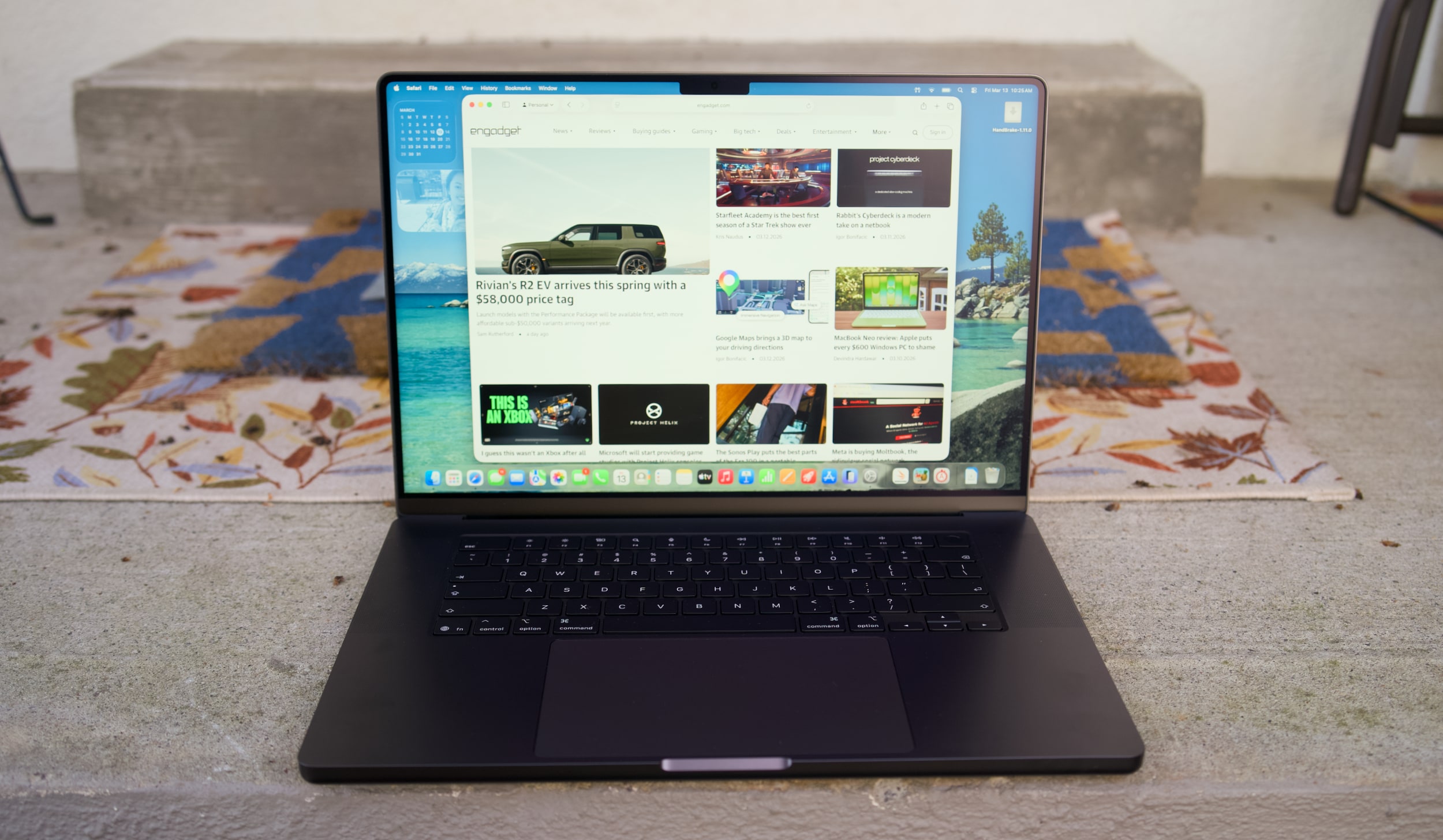
I don't want to sound like I'm complaining too much, though. The 16-inch M5 Max MacBook Pro I'm reviewing is still a gorgeous laptop, with an overall design that most premium Windows PC makers are still trying to copy. Apple's unibody metal frame design still feels rock solid. There's a generous amount of ports, including three Thunderbolt 5 USB-C connections, HDMI, a headphone jack and a SD card reader. Its 16-inch Liquid RetinaXDR screen also looks incredible, thanks to its bright Mini LED backlighting, and there's once again a nano-texture option to reduce glare.
What else could you want in a laptop? I suppose there's the lingering feeling that an OLED screen would look better, with sharper contrast and pure black levels. But you'd be hard pressed to find much else to complain about with the MacBook Pro's screen. I'm also intrigued to see how Apple implements a touchscreen interface alongside macOS in upcoming MacBook Pros, but I'll admit, I haven't really been compelled to touch this laptop's display much.
Touchscreens always seemed like a quixotic effort for laptops — they're nice to have, but Microsoft has been trying to shove them into PCs for 15 years now. The addition of touchscreens really didn't improve the overall Windows experience much. So I wasn't surprised to see Apple take its time bringing the technology to macOS — if you really want to swipe around screens, just get an iPad.
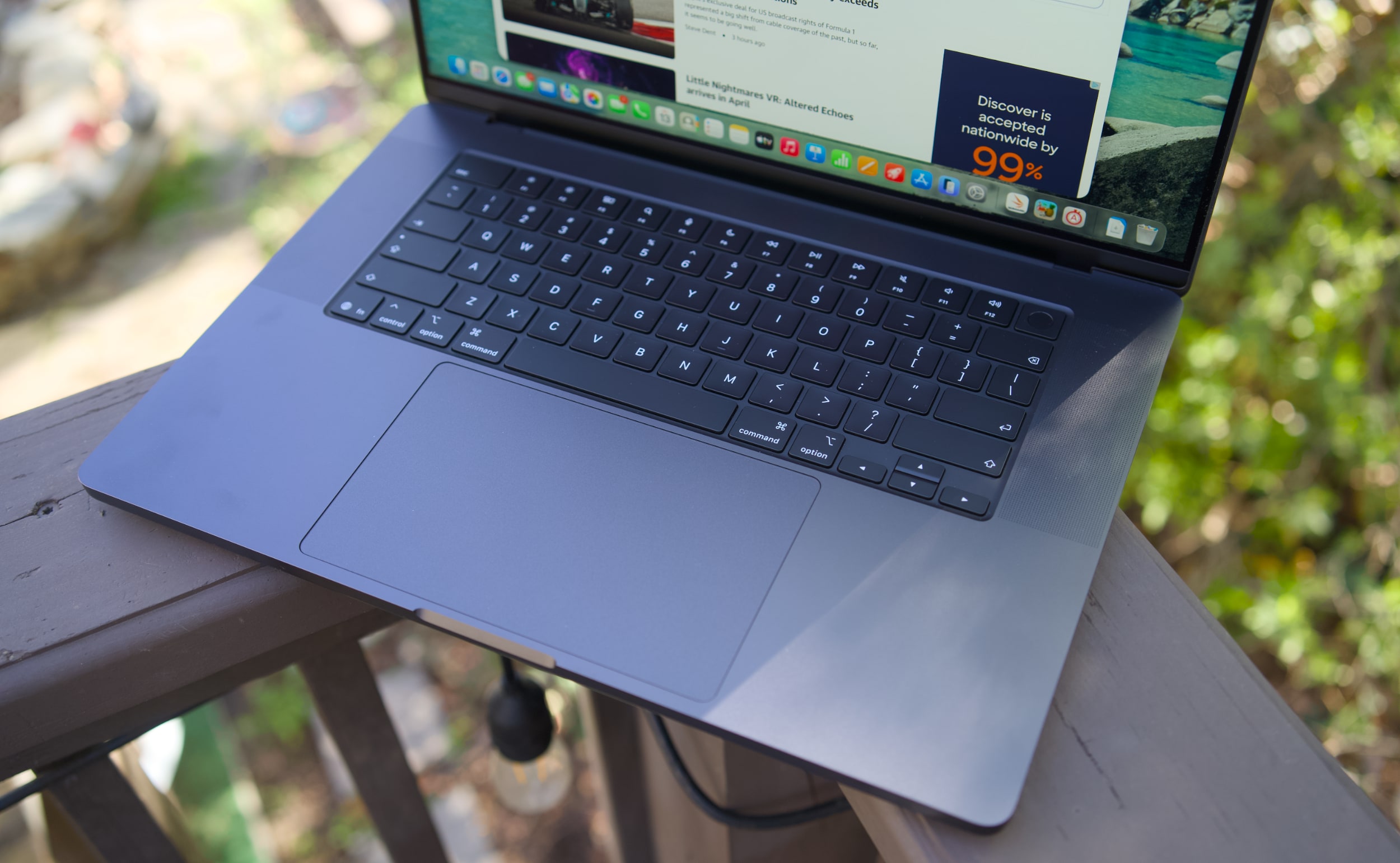
MacBook Pro 16-inch (2026, M5 Max) keyboard and trackpad
Devindra Hardawar for Engadget
But back to this MacBook Pro: I still love everything about Apple's current design. Sure, the keyboard could have a bit more depth, but it withstood my furious typing like a champ. (Unlike Dell's XPS 14, which tried so hard to be a MacBook Pro-killer.) And the MacBook Pro's glass touchpad is still one of the best I've ever seen in a laptop.
Our review unit was also equipped with 32GB of RAM, a 4TB SSD, a 40-core GPU and Apple’s $150 nano-texture display upgrade, bringing the total for this M5 Max system to a whopping $6,149. That may seem excessive to most consumers, but for creative professionals who actually need the power of the M5 Max chip, it’s not that unusual. You can also save over $1,000 by opting for the M5 Pro chip instead.
So what does the M5 Max bring to the party? Obviously, it's speedier than the M4 Max. Our review unit was 30 percent faster than the M4 Max-equipped MacBook Studio in the Geekbench 6 multi-threaded CPU benchmark. It's only 10 percent faster in Geekbench's single-threaded test, but that still gives Apple room to claim that it has the fastest chip core around. If you've got an M4 Max machine, you certainly don't need to dump it for this lineup. But if you've been hammering on an M1 Max or M2 Max system for years, you'll see some meaningful benefits from upgrading now.
Computer
Geekbench 6
Geekbench 6 GPU
Cinebench 2024
Apple MacBook Pro 16-inch (M5 Max, 2026)
4,338/ 29,261
145,309
192/2,150 | GPU: 22,374
Apple MacBook Pro 14-inch (M5, 2025)
4,310/18,003
48,840
197/1,034 | GPU: 6,143
Apple MacBook Pro 16-inch (M4 Pro, 2026)
3,925/22,456
70,197
178/1,689 GPU 9,295
Apple MacBook Pro 16-inch (M3 Max, 2024)
3,202/21,312
92,344
143/1,686 GPU 13,182
Apple says this new line of MacBook Pros also feature its latest SSD technology, which is up to twice as fast as before. Our review unit reached 13.8 GB/s write speeds and 13 GB/s read speeds in the ATTO disk speed test, whereas previous MacBook Pros hovered around 6 GB/s for read/write speeds. If you're working with huge data files every day, you'll likely notice the difference. Another benefit to the new hardware? Apple is now equipping every MacBook Pro with 1TB of storage by default.
All of the M5 chips feature faster GPUs than before, but that's less noticeable on the M5 Max. I've never had trouble running a high-end game like Lies of P on the M2, M3 or M4 Max hardware, and once again it still runs incredibly well with the M5 Max in its native resolution, and with all of the graphics settings cranked up. All I'm looking for is a smooth 60 fps frame rate, and the MacBook Pros have delivered on that for years. macOS isn't the sort of platform where you'll be playing many high fps games, but the MacBook Pro's 120Hz refresh rate is equipped to handle them.
MacBook Pro 16-inch (2026, M5 Max) on a doorstep.
Devindra Hardawar for Engadget
Beyond raw performance, the MacBook Pro continues to be a joy to use. Its screen is gloriously bright, and its smooth refresh rate makes scrolling through documents and websites easy on the eyes. Its six-speaker setup remains the best audio experience I've ever heard on a laptop, allowing for crisp, detailed and surprisingly dynamic bass. When I'm too lazy to cast music to my Sonos speakers, I can still have a decent jam session on the MacBook Pro's built-in setup.
It's hard to improve much on the 30 hours and 16 minutes of battery life we saw on last year's 16-inch MacBook Pro, but the M5 Max model managed to beat that by 30 minutes. Realistically, it means you can likely use the MacBook Pro for a few days without needing to recharge, assuming you're not doing heavy-duty work the entire time.
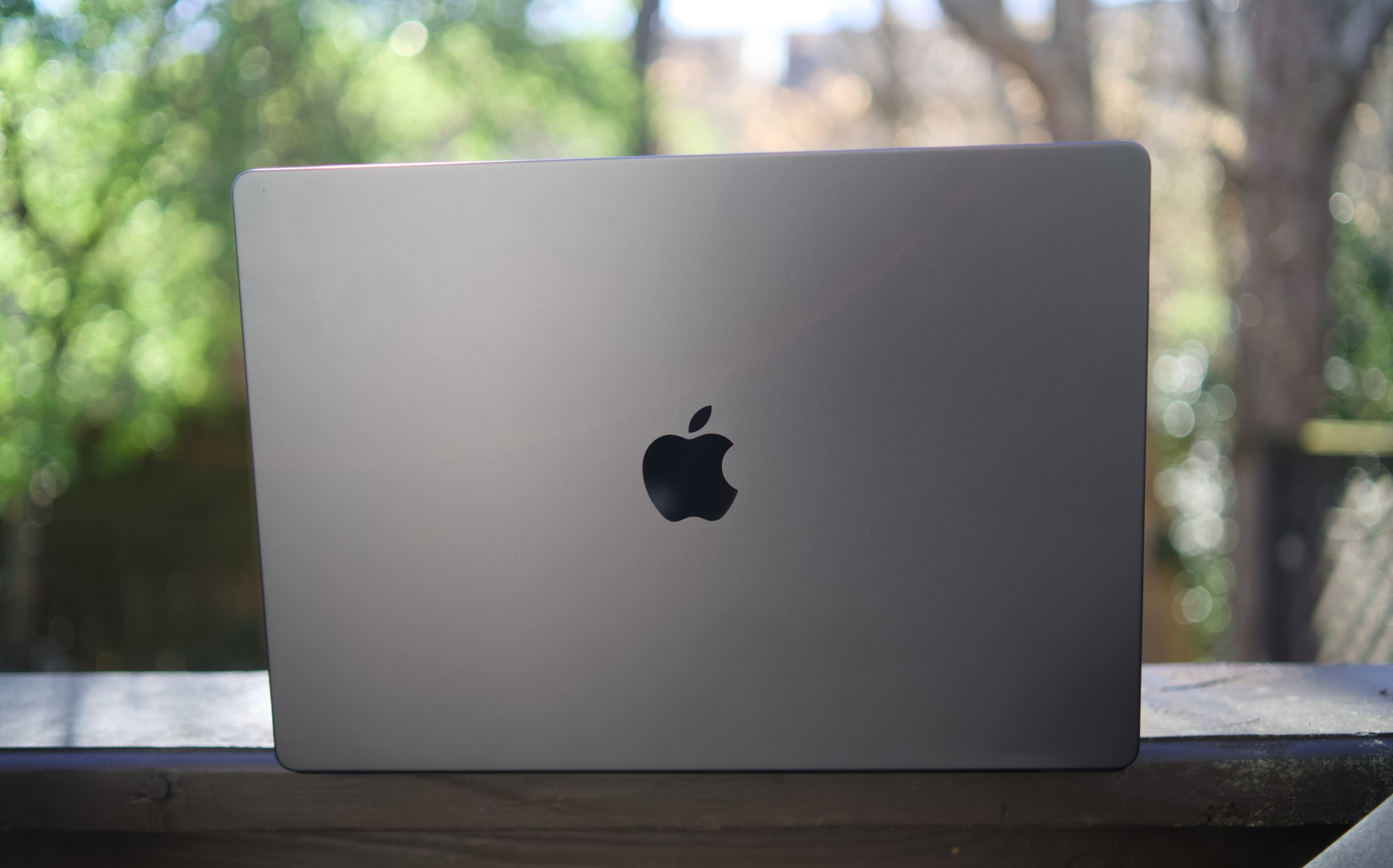
MacBook Pro 16-inch (2026, M5 Max)
Devindra Hardawar for Engadget
You don't need me to sell you on the MacBook Pro; all you need to know is that the M5 Max actually delivers. Given how well the standard M5 14-inch MacBook Pro performed, I'd also expect a decent speed bump from the M5 Pro model. The only downside to the M5 systems is that they'll feel out of date quickly if the rumored OLED and touchscreen models arrive later this year. But if you need the best performance now, it's hard to go wrong with any MacBook Pro.
This article originally appeared on Engadget at https://www.engadget.com/computing/laptops/macbook-pro-m5-max-16-inch-review-still-the-pinnacle-120000325.html?src=rss
The Jetson ONE is an electric vertical takeoff and landing (EVTOL) aircraft designed to make personal flight more accessible and practical. With a lightweight frame made from aluminum and carbon fiber, it weighs just 115 kilograms (253 pounds), including its battery system. This compact design allows for easy storage and transportation, with foldable arms that […]
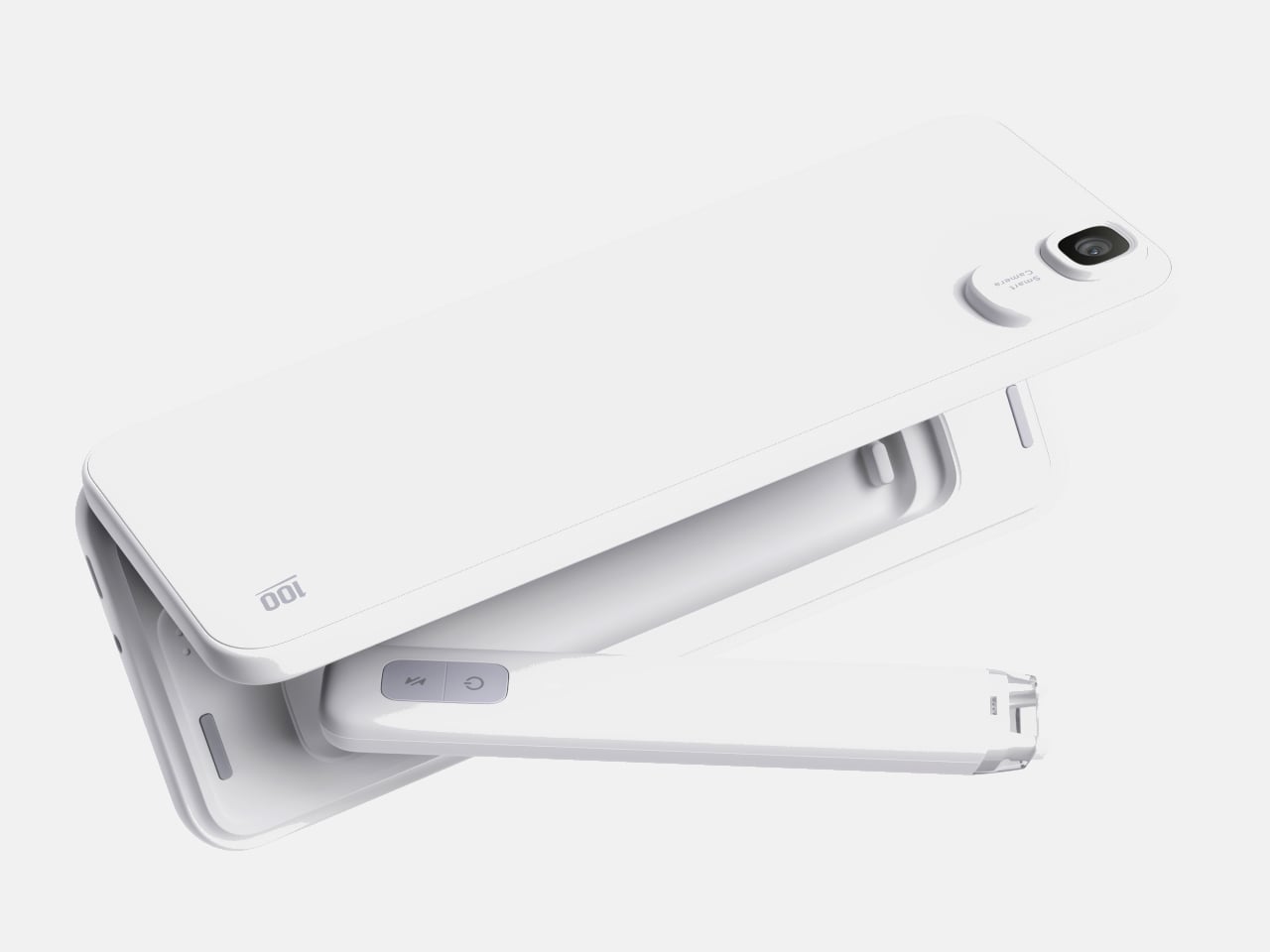
Somewhere between the overstuffed tech pouch and the empty pocket lies a sweet spot that most gadget makers ignore. The minimalist carry is not about owning less for the sake of it, but about each object earning its place through thoughtful design and genuine daily utility. We have been keeping tabs on pocket-friendly gadgets that manage to pack serious functionality into forms small enough to forget about until the moment they are needed. These seven picks balance portability with purpose, skipping gimmicks in favor of smart engineering.
What ties this list together is a shared restraint. None of these products tries to do everything. Each one solves a specific problem within a compact footprint, and the design decisions behind them reflect a growing shift in how makers approach portable tech. Less bloat, more intention, and a willingness to rethink form factors that have gone unchallenged for too long.
1. OrigamiSwift Mouse
The OrigamiSwift borrows its name from Japanese paper folding, and the comparison holds up. This foldable Bluetooth mouse collapses flat for storage and springs into a full-sized shape in under half a second, making it one of the more clever portable input devices we have come across recently.
At just 40 grams, the mouse is lighter than most pens and thin enough to slip into a jacket pocket without adding bulk. The ergonomic curve that appears when unfolded feels closer to a standard desktop mouse than most travel mice bother attempting, which makes extended work sessions far less punishing on the wrist.
The origami-inspired folding mechanism is quick and satisfying, going from flat to functional almost instantly.
Weighing only 40 grams, it vanishes into a bag or pocket and adds almost zero weight to a travel setup.
What we dislike
The folding hinge is a mechanical point of failure that could wear over time with heavy daily use.
Bluetooth-only connectivity means no option for a USB dongle, which can be a dealbreaker for users who prefer a dedicated receiver.
2. DuRobo Krono
Reading on a phone screen is a compromise most people accept without questioning. The DuRobo Krono pushes back on that default by squeezing a 6.13-inch E Ink Carta 1200 display into a form factor that fits pockets as easily as a smartphone, but replaces the distraction engine with a focused reading and productivity tool.
The 300 PPI resolution matches what premium Kindles deliver, and the tall 18:9 aspect ratio gives the Krono a narrow, phone-like grip at 154 x 80 x 9mm and 173 grams. Built-in AI capabilities turn it into a note-taking and creative thinking companion, not just a page-turner.
What we like
The E Ink display at 300 PPI is sharp and comfortable for extended reading without the eye fatigue that LCD screens cause.
AI features baked into the device add a productivity layer that separates it from standard eReaders stuck in single-purpose territory.
What we dislike
E Ink refresh rates remain sluggish for anything beyond static pages, making note-taking and navigation feel slower than on a phone.
At 6.13 inches, the screen is on the smaller side for PDFs and academic papers that need more real estate to be readable.
3. Pokepad Pocket PC
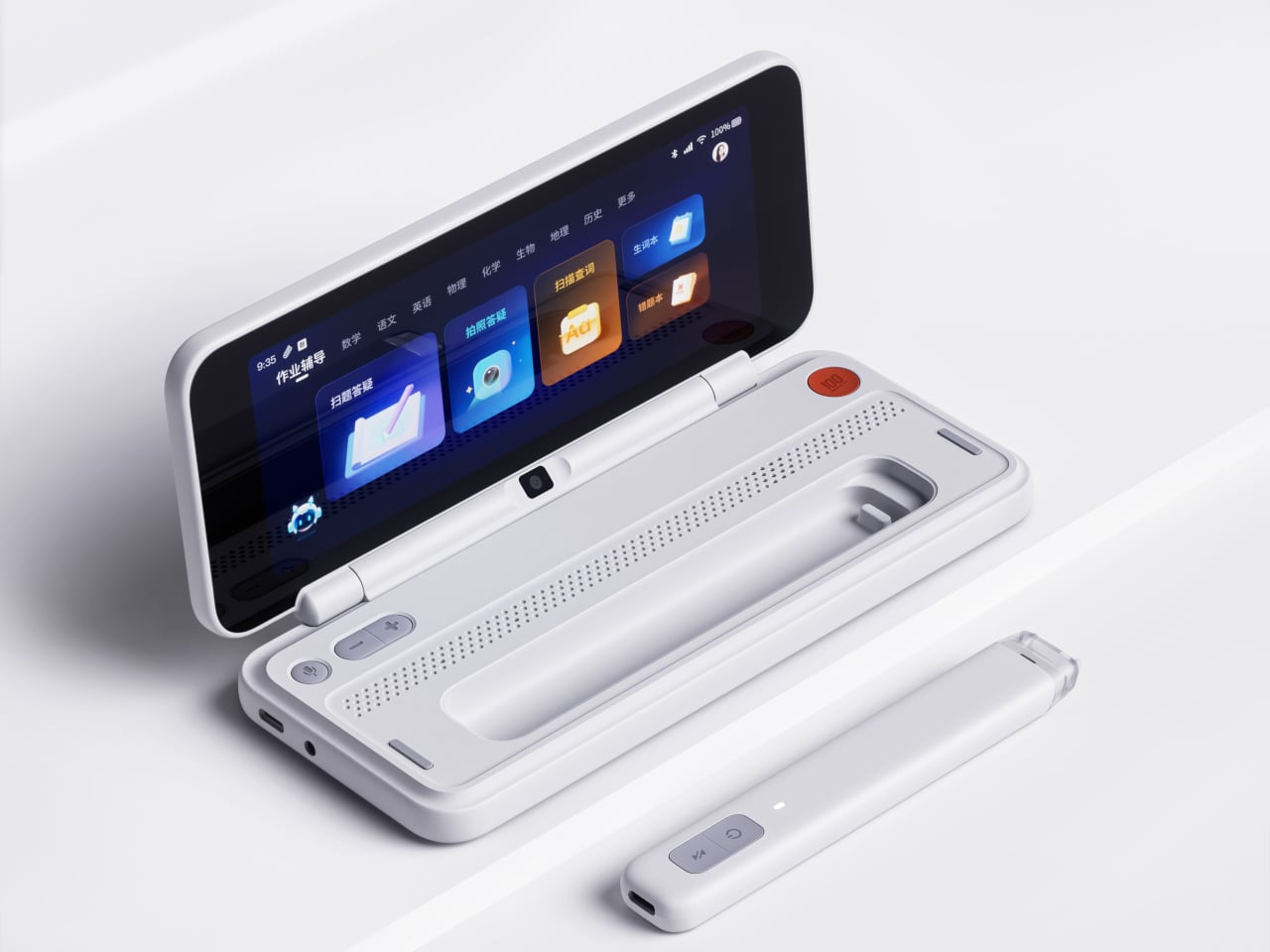
Most devices aimed at students are either stripped-down tablets or locked-down phones fighting a losing battle against social media. Pokepad takes a different route: a compact learning device shaped like a slim rectangular box, with a flip-out pen and zero gaming apps. The goal is a distraction-free tool that travels from classroom to bus to bedroom.
The design team tested multiple shapes before landing on this box form factor, balancing enough internal volume for a decent battery, speakers, and a pen mechanism without tipping into tablet territory. The deliberate absence of an app store full of entertainment is the product’s sharpest design choice, and its most controversial one.
What we like
The flip-out pen integrated directly into the body eliminates the need to carry (and inevitably lose) a separate stylus.
A distraction-free software environment means this device stays focused on learning rather than competing with TikTok for attention.
What we dislike
This is still a concept, so there are no confirmed specs, pricing, or a release timeline to evaluate.
The locked-down software approach assumes students will not simply resist using a device that blocks entertainment entirely.
4. Battery-free Amplifying iSpeakers
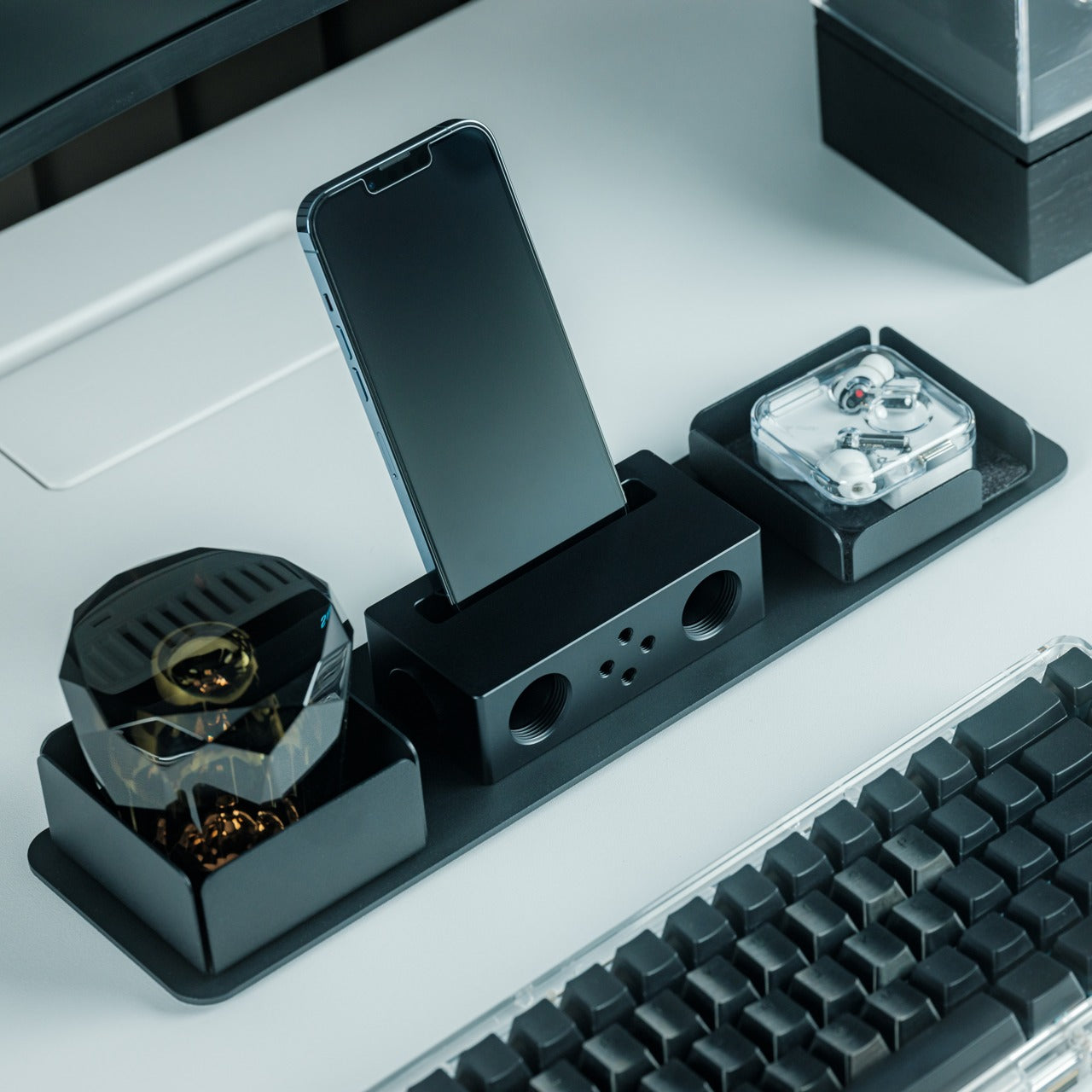
In a category drowning in Bluetooth speakers that need charging, the iSpeakers strip things back to pure physics. This metal smartphone speaker amplifies sound using acoustic design alone, with no battery, no electricity, and no pairing process. Slot a phone in, and the Duralumin body does the rest.
The material choice is the interesting detail here. Duralumin is an aluminum alloy used in aircraft construction, chosen for its vibration-resistant properties and its ability to project sound cleanly. The speaker’s proportions follow the golden ratio, which shapes how sound waves travel through the chamber and spread outward. Optional +Bloom and +Jet mods (sold separately) let users direct sound for different room setups.
Zero power requirement means no batteries to charge, no cables to carry, and no wireless connectivity to troubleshoot.
Duralumin construction gives it a premium, lasting feel that ages well and resists the kind of dings that kill plastic speakers.
What we dislike
Volume output is inherently limited by passive amplification, so this will not fill a large room or compete with powered speakers.
Compatibility depends on phone size and speaker placement, so not every phone model will fit or project sound optimally.
5. Unix UX-1519 NEOM Power Bank
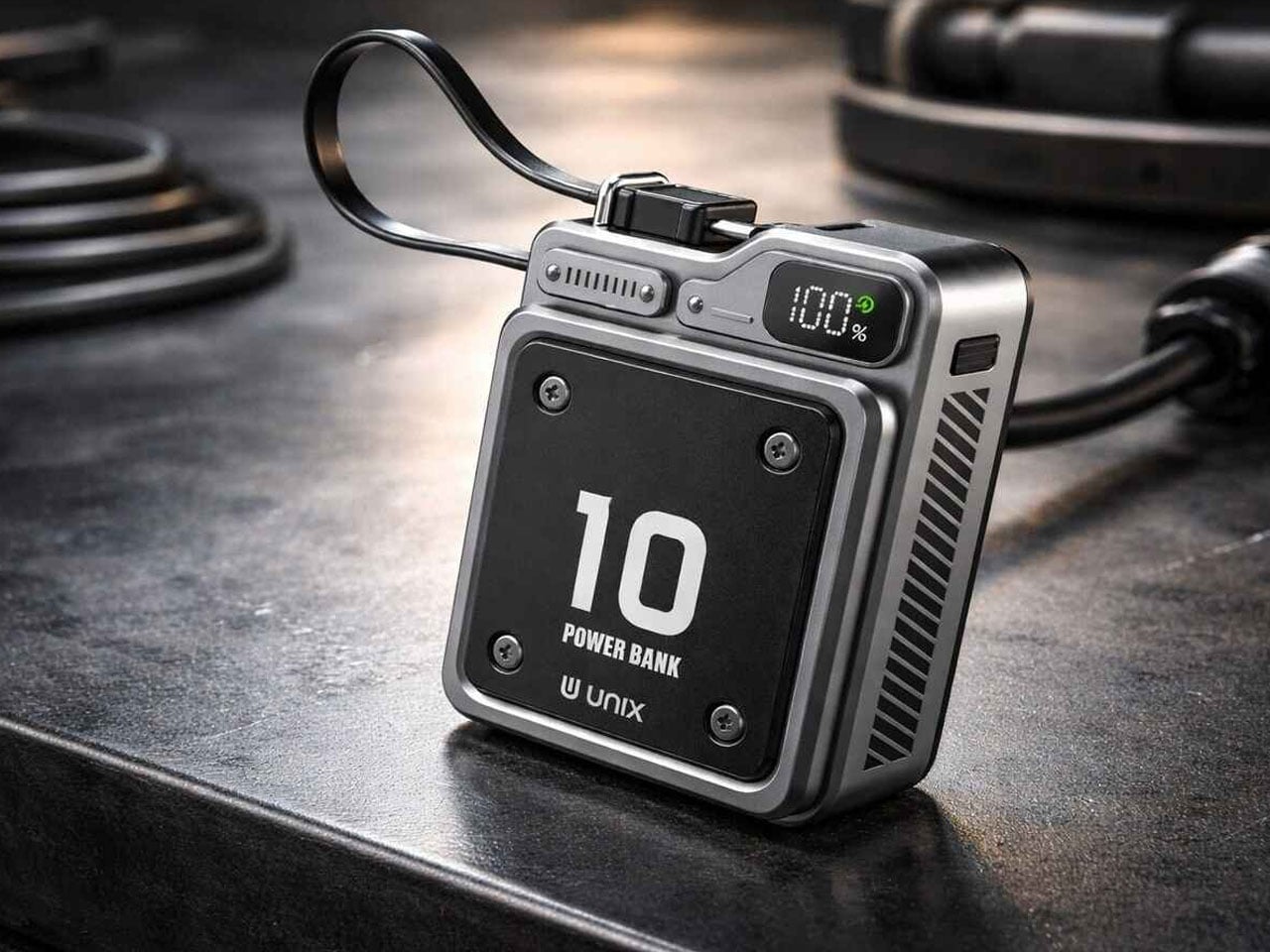
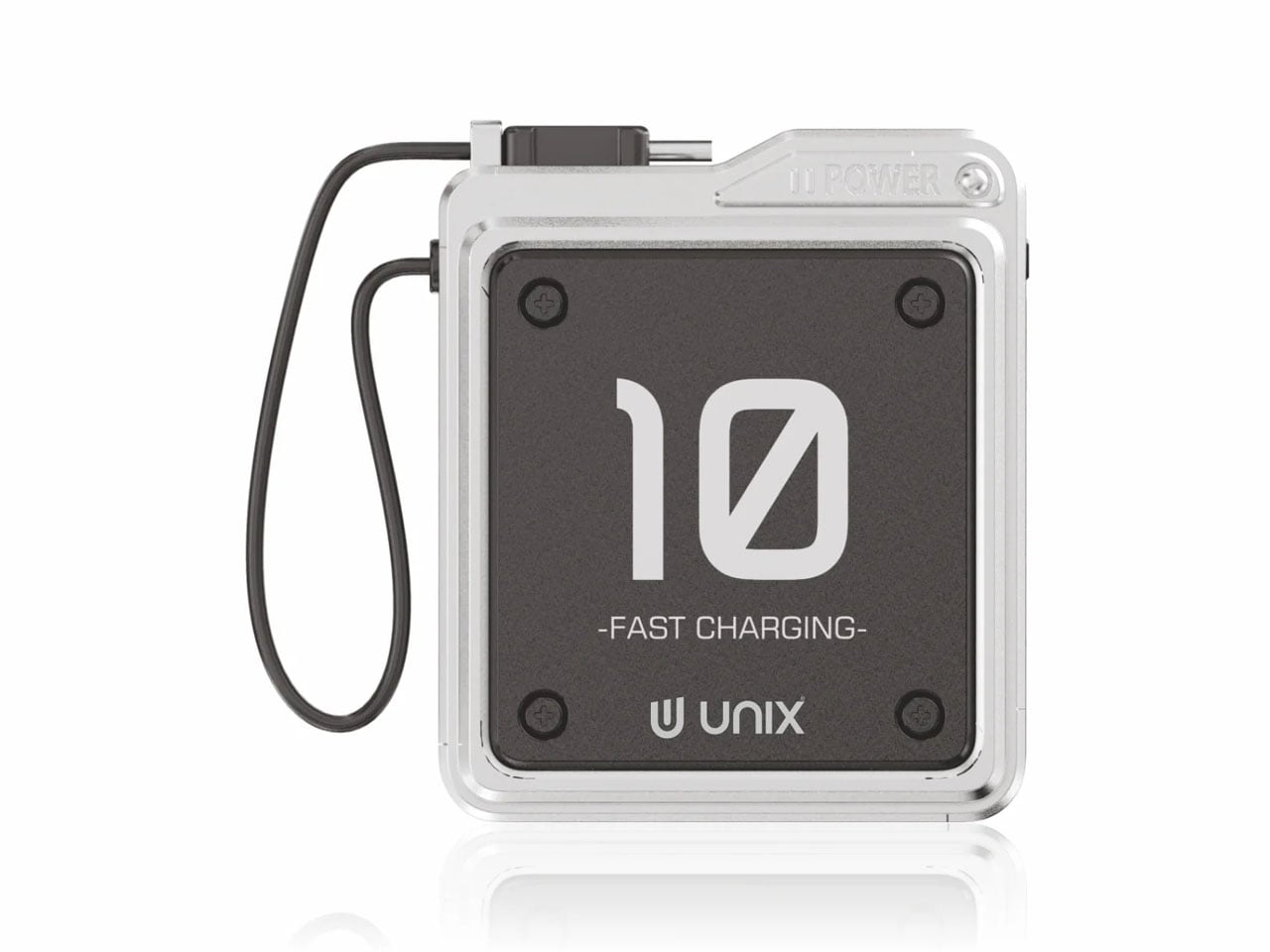
Power banks are the most boring objects in the average carry. The Unix UX-1519 NEOM challenges that assumption by wrapping 10,000mAh of capacity and 22.5W fast charging in an industrial design language that actually looks intentional. This is a real, shipping product, not a concept render.
The retro-modern aesthetic slots neatly alongside devices from brands like Nothing and Teenage Engineering, where exposed design elements and visible construction details are part of the appeal. Under the surface, a high-density Lithium Polymer battery provides a safer, longer-lasting cell compared to standard lithium-ion packs found in most competing power banks.
What we like
The industrial design treatment turns a utilitarian object into something worth displaying alongside the rest of a curated collection.
22.5W fast charging keeps compatible devices topped up quickly, cutting the time spent tethered to a power bank.
What we dislike
The design-forward approach may command a price premium over functionally identical power banks with plainer exteriors.
At 10,000mAh, capacity is adequate for one to two phone charges, but falls short for users who need to power tablets or laptops on the go.
6. Keychron B11 Pro
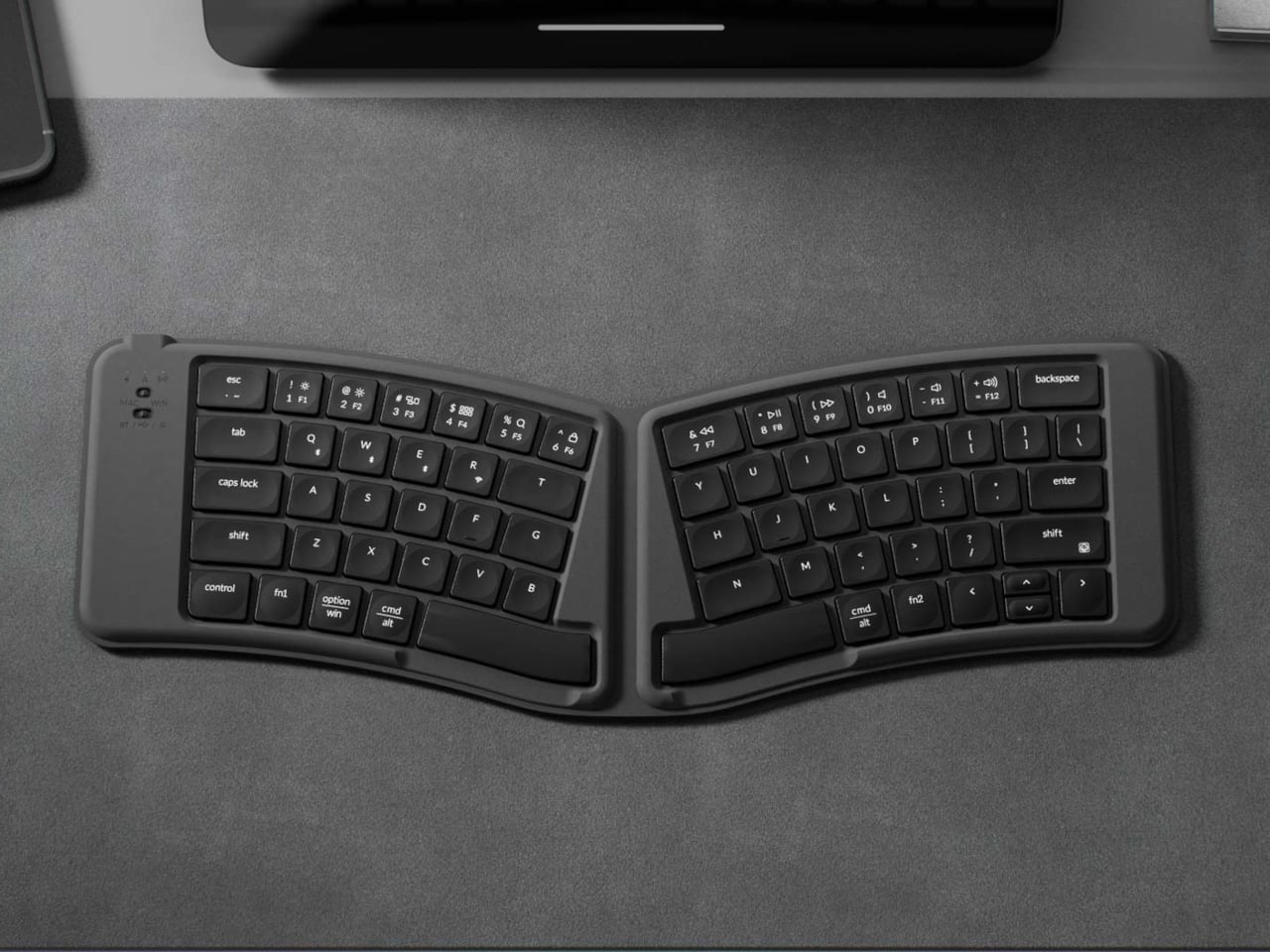
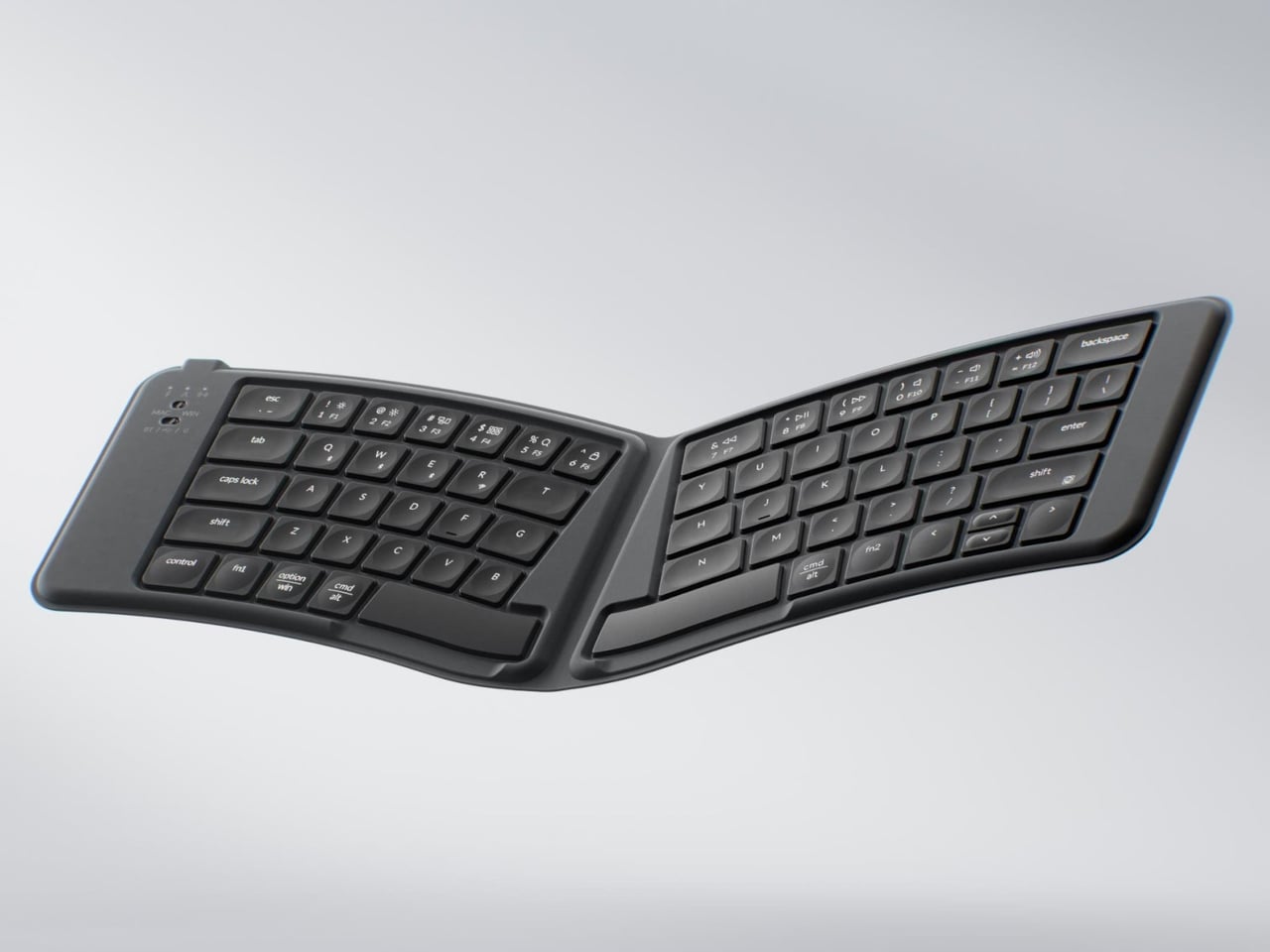
Portable keyboards have spent years treating compactness as the only variable worth optimizing. The Keychron B11 Pro adds a second priority: ergonomics. It folds in half to a 196.3 x 143 mm footprint (smaller than a paperback) at 258 grams, but unfolds into a 65% Alice layout that angles both key clusters inward for a more natural wrist position.
The Alice geometry is what separates this from every other folding keyboard in its price bracket. Keychron already uses the same split-angle approach in the desk-bound K11 Max, a full mechanical keyboard, so the ergonomic logic is well tested. Putting it into a foldable form at $64.99 is a different proposition, one that treats travel typing as something deserving of the same wrist comfort as a home office setup.
What we like
The Alice split layout reduces lateral wrist strain during long typing sessions, a benefit that flat portable keyboards do not offer.
At $64.99, the price point is accessible compared to other ergonomic keyboards that cost two to three times as much.
What we dislike
A 65% layout means missing dedicated function rows and navigation clusters, which power users may find limiting.
The folding hinge adds a visible seam along the middle of the keyboard that could collect dust and affect long-term build quality.
7. Frame CD Player
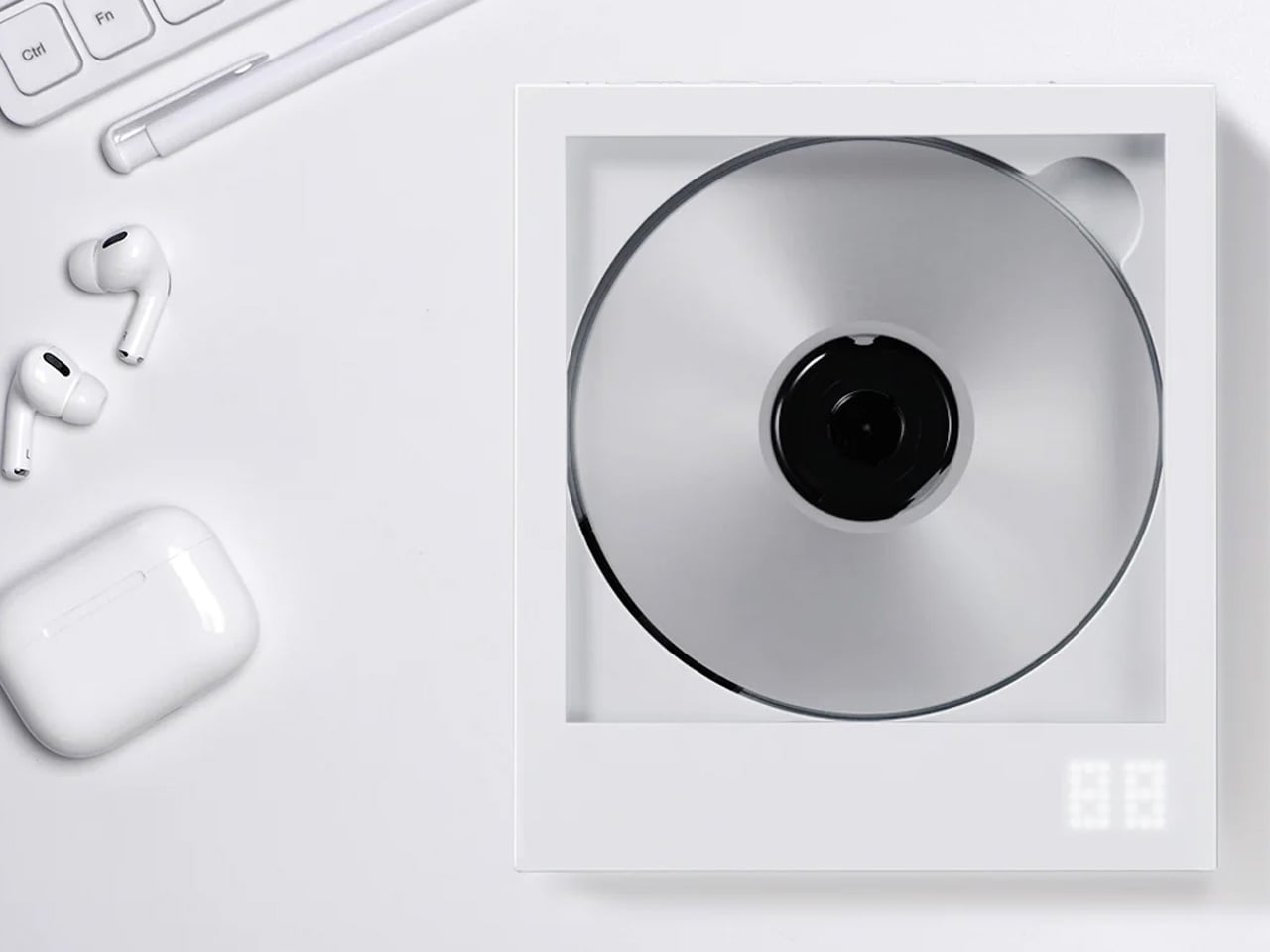
Streaming killed the CD, but it never replaced the ritual. The Frame CD player leans into that gap with a portable player that does double duty as a display for album jacket art. Pop in a disc, slide the cover art into the built-in frame, and the album becomes an object again instead of a thumbnail on a screen.
Bluetooth 5.0 lets the player connect to wireless speakers and earphones, so it works within modern audio setups without demanding a wired system. A built-in battery makes it portable enough to move between rooms or take on the go, and the minimalist housing is designed to hang on a wall as a piece of functional decor when not in transit.
The album art frame transforms a music player into a visual display piece, giving physical media a presence that streaming cannot replicate.
Bluetooth 5.0 connectivity bridges the gap between vintage formats and modern audio gear without extra adapters or cables.
What we dislike
CD collections are shrinking, so the player’s long-term utility depends on how committed a listener is to physical media.
Sound quality through Bluetooth compression will not satisfy audiophiles who are drawn to CDs for their lossless audio in the first place.
Less carry, more intent
The common thread running through these seven gadgets is not a spec sheet or a price bracket. It is an attitude toward what portable tech should be: small enough to disappear when not needed, capable enough to perform when called upon, and designed with enough intention that carrying them feels like a choice rather than a burden. Not every product on this list will suit every carry, but each one earned its pocket space.
What makes this current wave of compact gadgets exciting is the refusal to treat portability and quality as opposites. The best pocket-sized tech does not ask for compromise. It simply demands better design thinking, and these seven products deliver on that front in different, often surprising ways.
Anthropic’s Claude AI has introduced a feature that allows users to create visualizations directly within its chat interface using plain language descriptions. This capability eliminates the need for coding or specialized software, making it accessible to a wide audience. For instance, a user could type a request to map out a project timeline or explain […]
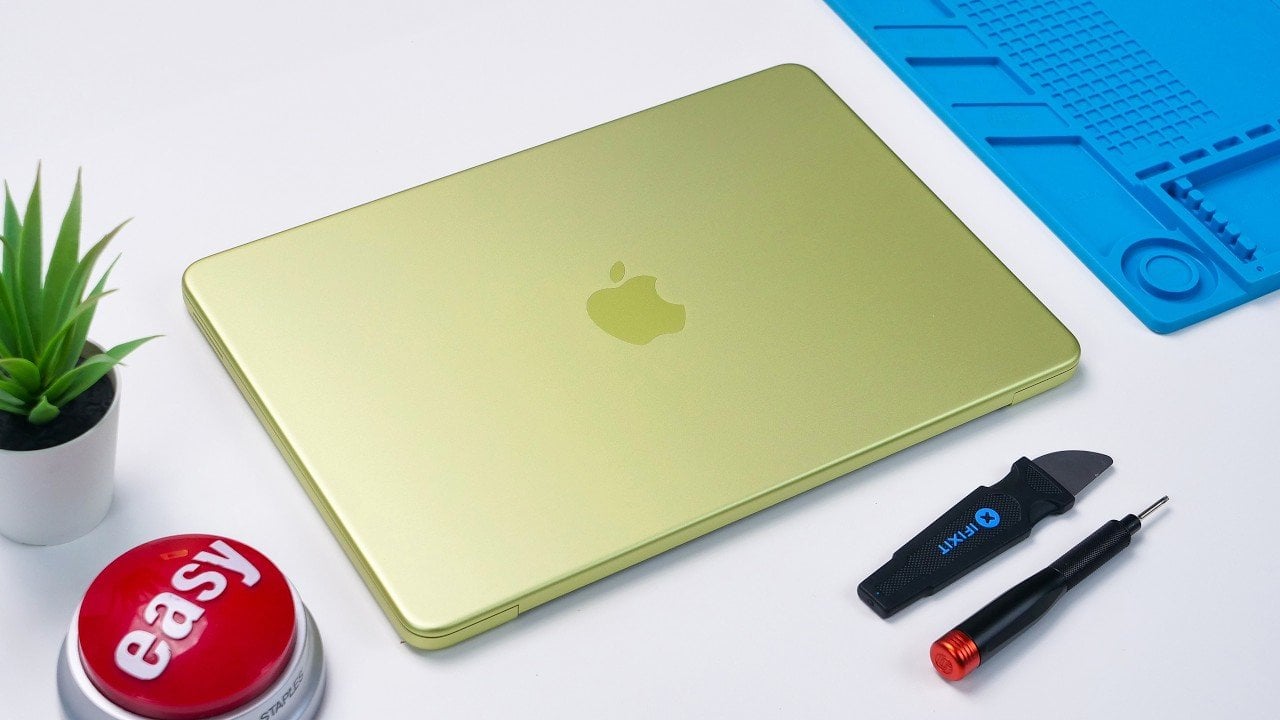
Apple’s MacBook Neo marks a pivotal shift in the company’s strategy, targeting budget-conscious users while emphasizing repairability and sustainability. This laptop combines affordability with a modular design, offering a glimpse into Apple’s evolving priorities. Positioned as a cost-effective alternative to premium models, the MacBook Neo balances innovation with compromises, as revealed in a detailed teardown […]
LangSmith by LangChain addresses the challenges of building reliable AI agents by focusing on observability and systematic refinement. AI agents often rely on probabilistic reasoning, which can complicate debugging and evaluation compared to traditional software. LangSmith offers features like real-time tracing and clustering to analyze agent behavior. For example, its clustering capabilities can pinpoint recurring […]
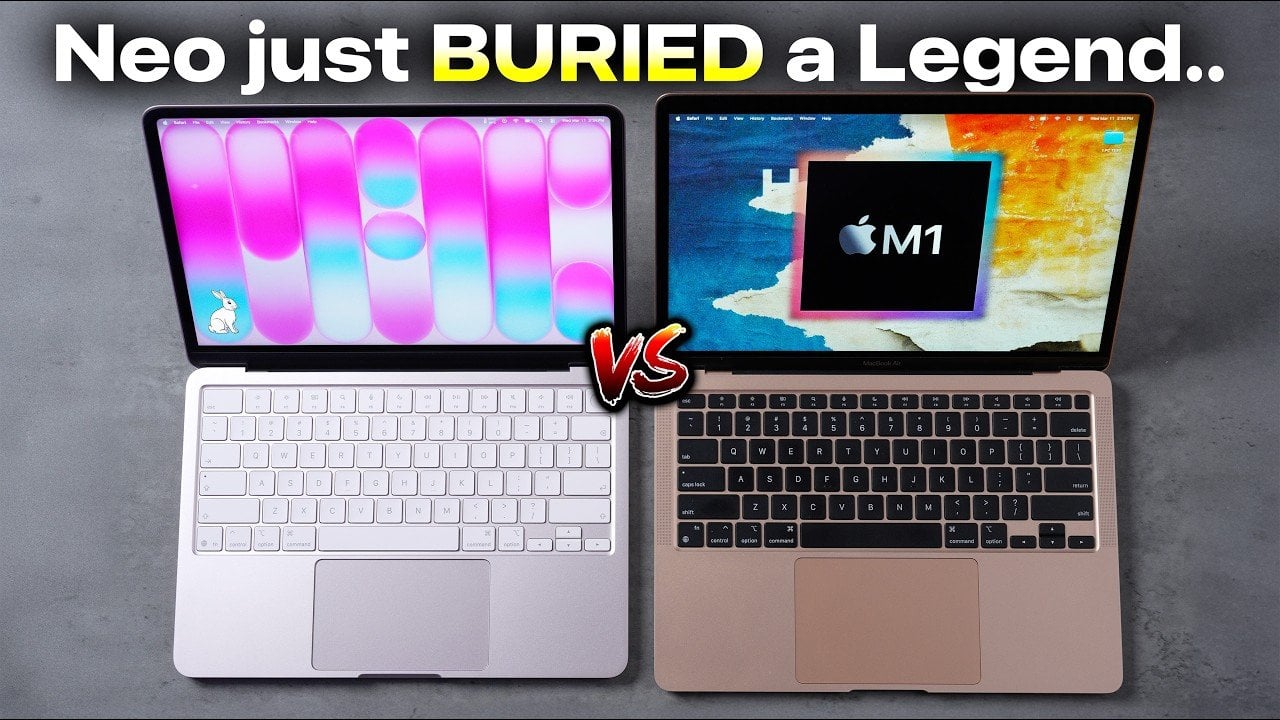
Choosing between the MacBook Neo and the M1 MacBook Air can be a nuanced decision, as both models are designed to cater to distinct user needs. The MacBook Neo provides a cost-effective entry point with modern features, while the M1 MacBook Air delivers robust performance and a premium build quality. This detailed comparison examines key […]
Artificial intelligence is reshaping how financial tasks are approached, offering practical solutions for data management and analysis. Kenji Explains reviewed over 100 AI-driven platforms to identify those most effective for finance-related activities, such as research, modeling and reporting. For example, AlphaSense aggregates insights from diverse sources, making it a valuable resource for due diligence and […]