Backbone just released a new Pro version of its Xbox controller. The Backbone Pro Xbox Edition looks like an improvement over the pre-existing One controller in nearly every way.
It's still a USB-C shell that wraps around a phone or related device, but the actual controller is now more in league with an actual Xbox gamepad. It features full-size control sticks, hall effect triggers and two customizable back buttons. Most of the inputs can be remapped. This should make plowing through that Game Pass library an absolute breeze.
To that end, this controller has Bluetooth. This means you won't have to rely on a smartphone or whatever device can physically attach to the gamepad. Game Pass has become available on all kinds of platforms in recent years, from PCs and smart TVs to Meta Quest VR headsets. This opens up all of that. The company promises a simplified "tap and play" experience.
Backbone
This Bluetooth mode does offer 40 hours of battery life per charge. The smartphone powers it when using it in a wired configuration, so it'll last as long as the phone does. The controllers pair with a proprietary app that allows for the aforementioned remapping and other customization options.
The controller is available right now at brick and mortar locations like Best Buy and digital storefronts such as Amazon. It costs $180 and ships with a free month of Game Pass Ultimate. The only potential downside here is Game Pass itself. The price keeps going up.
This article originally appeared on Engadget at https://www.engadget.com/gaming/xbox/backbone-launches-pro-xbox-edition-controller-with-bluetooth-and-an-updated-design-170018809.html?src=rss
The Independent Workers of Great Britain (IWGB) has issued formal legal claims against Rockstar Games, which it has accused of union busting. The Grand Theft Auto VI developer last month fired dozens of employees who were organizing.
The IWGB said in a statement it made several attempts to meet with Rockstar with the aim of resolving the situation through negotiations, but claimed the studio rebuffed the union. It’s now looking to take the matter before a court. “We have now issued formal legal claims against Rockstar on behalf of the claimants,” the IWGB said. It added that it believed the firings “amount to victimization and collective dismissal linked to trade union activity.” The union previously said that all of those who Rockstar fired were members of the members of an IWGB Game Workers Union Discord server.
Alex Marshall, the president of IWGB pledged that the union will “mount a full legal defense with our expert group of caseworkers, legal officers and barristers. Employers like Rockstar would do well to understand that private spaces such as trade union Discord servers have protections, and that their company’s contractual clauses do not supersede UK law.” Marshall added that the union will “not be intimidated.”
Rockstar claimed that it fired the more than 30 workers in question for “gross misconduct, and for no other reason” and it accused them of “distributing and discussing confidential information in a public forum.” Engadget has asked the company, which last week delayed GTA VI by a further six months, to comment on IWGB issuing legal claims against it.
People Make Games reported this week that a collective of workers called the Rockstar Games Workers' Union had recruited just over 10 percent of the company’s UK workforce to join. That’s one of the benchmarks needed to apply for statutory recognition in the country. If that were granted, the government would be able to force Rockstar to recognize the union. The Rockstar Games Workers' Union was said to be just weeks away from formally announcing its existence before Rockstar allegedly fired a majority of the organizing committee.
This article originally appeared on Engadget at https://www.engadget.com/gaming/union-files-legal-claims-against-rockstar-games-following-alleged-union-busting-165033747.html?src=rss
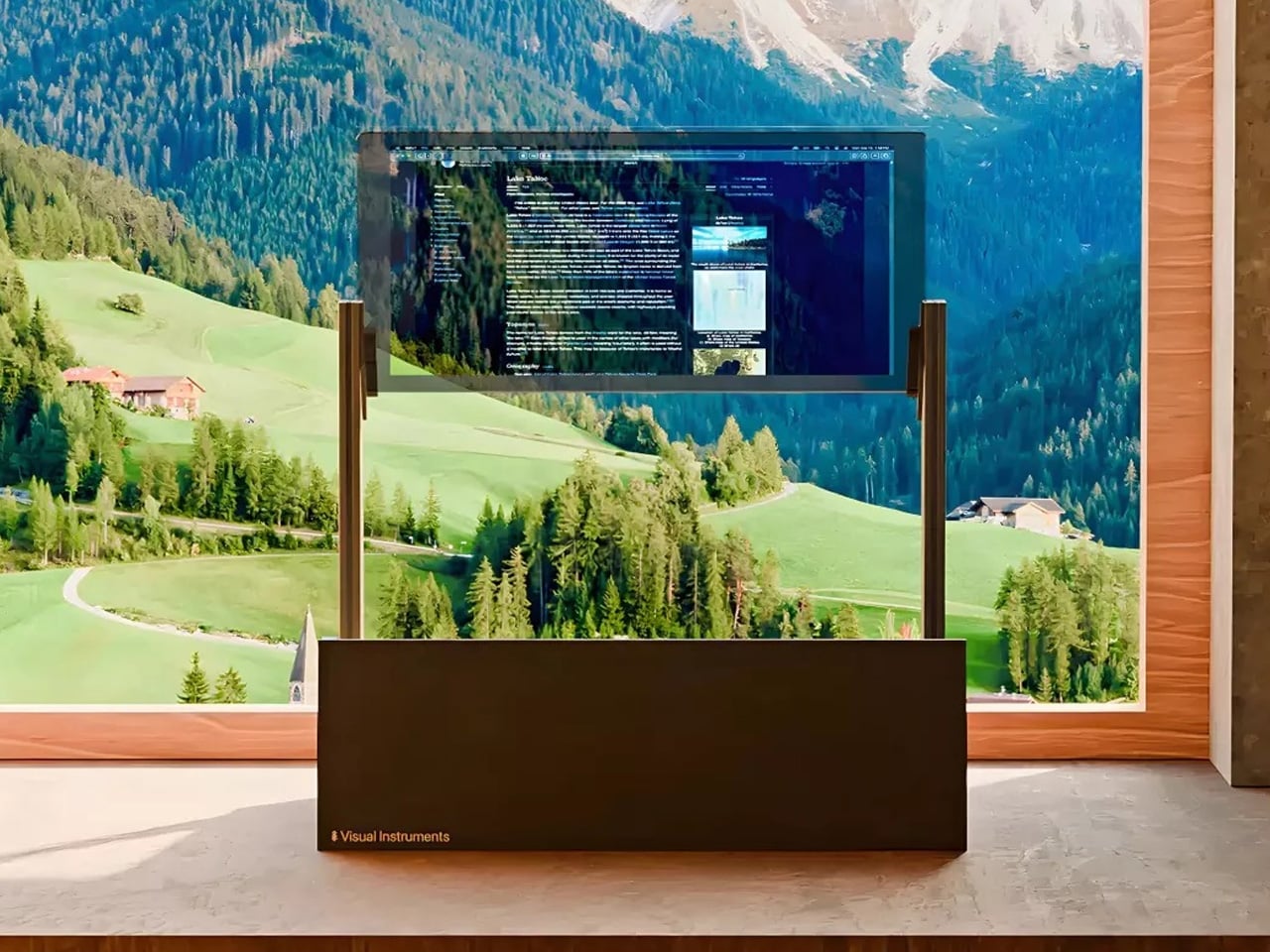
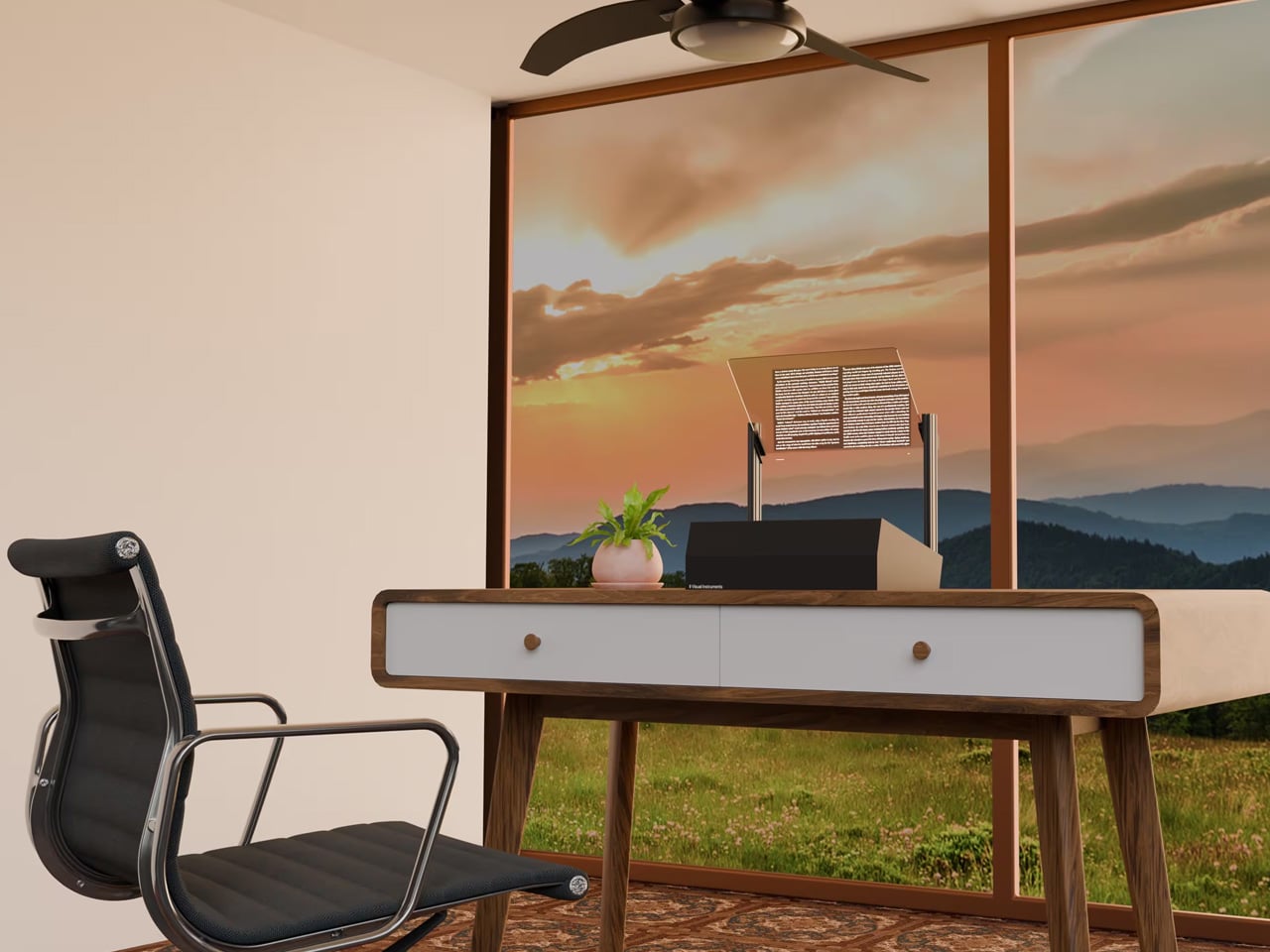
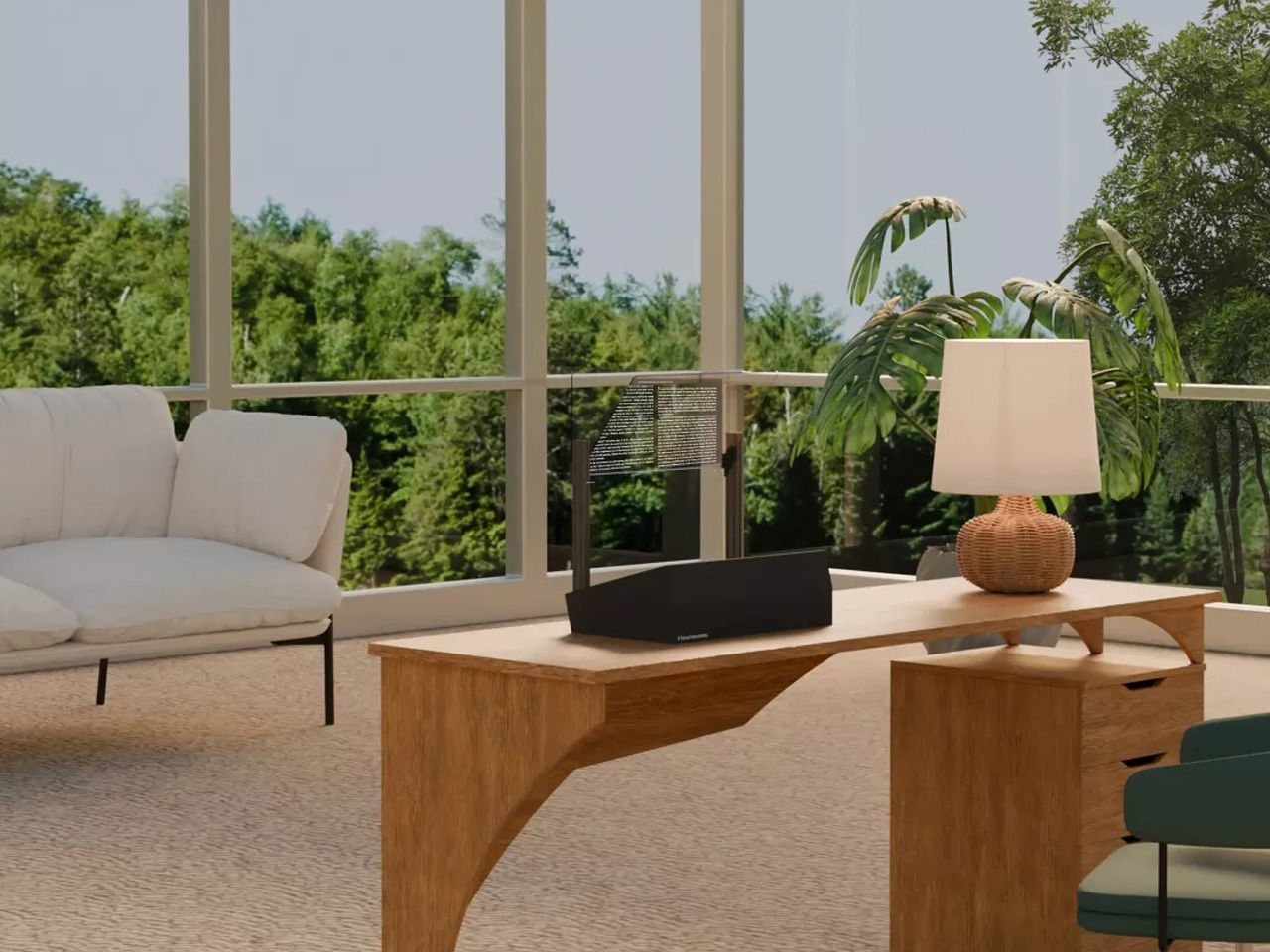
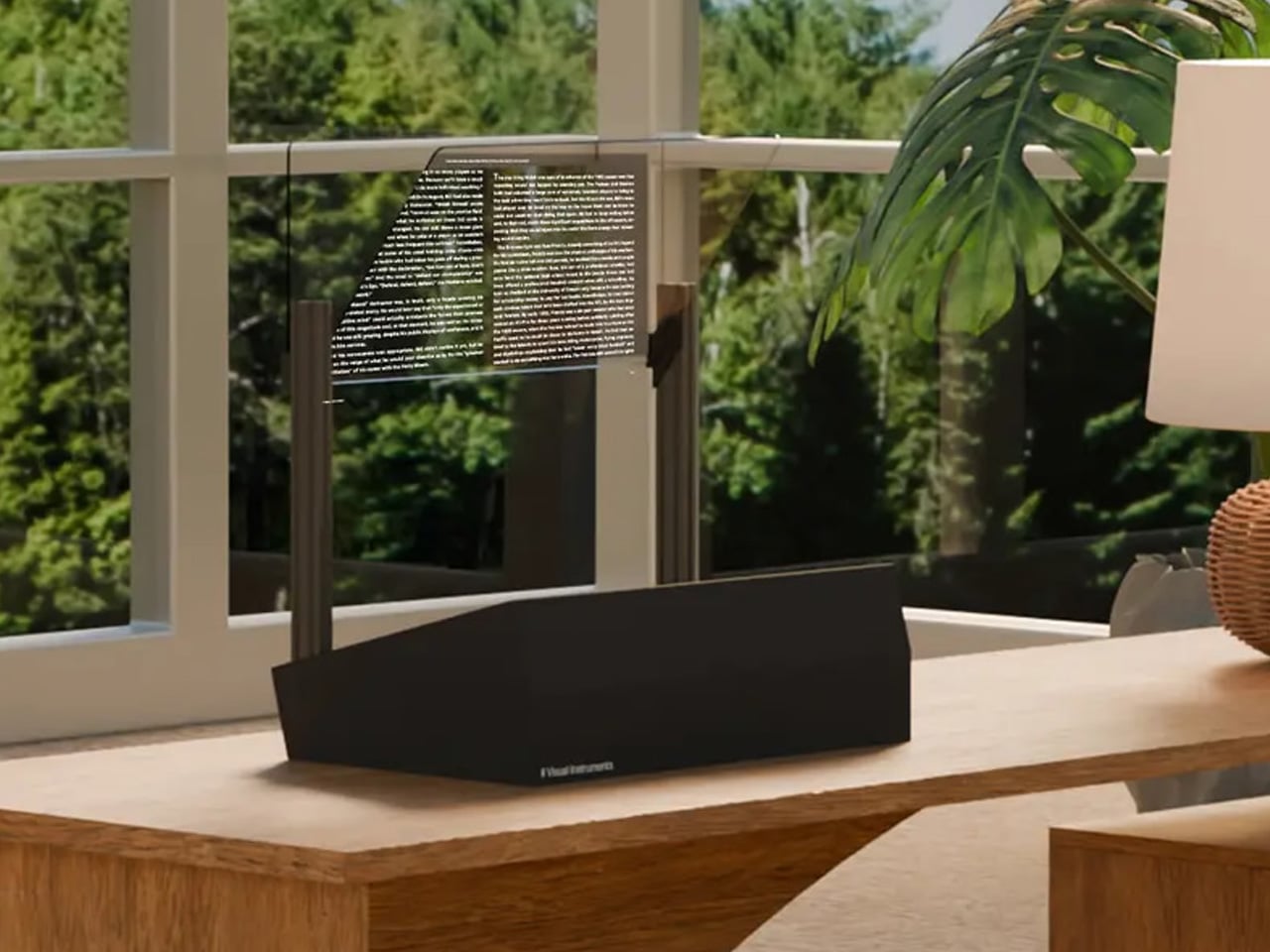
Why settle for a normal computer monitor when you can get your hands… err… eyes on a transparent computer monitor that’s designed to impress and go easy on your vision? Meet the Phantom. Designed and created by Vision Instruments, Phantom is touted as the world’s first transparent computer monitor.
Yes, there have been iterations of a similar context in the past, but none have really impressed us productively as this one does. The monitor, the company says, “projects your content into real space, merging the digital and physical worlds.” The product is built around similar technology to a head-up display (HUD) used in aircraft or vehicles. It may be an effective way of achieving transparency, but what really sets the Phantom apart is its adjustable transparency. With just a quick setting change between three presets, it can transform from a transparent display into a traditional monitor whenever you like.
As Vision Instruments explains on its website, the Phantom “merges the physical and digital worlds,” allowing users to seamlessly shift focus between the on-screen content and the real world behind it. Unlike traditional monitors, which force you to look away to rest your eyes, the Phantom lets you do so naturally. Doctors recommend that people with long work hours turn away from the screens and look at different things to reduce eye fatigue. With the Phantom, it’s just possible by just gazing through the monitor itself, at least the company wants us to believe it that way.
Whether you buy into that promise or not, some early believers already have. Vision Instruments is now taking preorders for the Founders Edition of the Phantom, limited to just 10 examples worldwide. There is no word on the pricing structure, but we learn that the transparent monitor is likely to ship in the US by the end of 2025, and that three units of the Founders Edition are already booked, at the time of writing.
Before you make up your mind, here’s a brief of the Phantom’s specifications. The monitor features a USB Type-C and an HDMI port to work directly with any computer, mobile device, or gaming system that can connect via these ports. The 24-inch 4K monitor, as mentioned, distinguishes itself from the other transparent options you may have seen by featuring adjustable transparency.
It keeps the background visible through it, and seems to appear like a floating screen in the middle of the room until you choose to toggle the settings, and the screen turns into an opaque monitor, like the one I’m typing this on. This concept of a see-through monitor, Visual Instruments says, “allows you to instantly relax your eyes, anytime you want.” The Phantom further touts a 16:9 aspect ratio, has up to 5,000 nits of peak brightness, and boasts a 100% coverage of the sRGB color space.
Airbnb is testing a service in which guests can order groceries through Instacart, as reported by Bloomberg. This may not sound like a big deal at first, because guests can already use any grocery app during their stay to stock the house up with snacks. However, this service can be accessed by customers before their stay.
This means that folks can prepare for, say, a barbecue or similar event ahead of time. I can see this being pretty dang useful around certain holidays. This duty falls to the hosts, who will have to actually put the groceries away.
Airbnb will give hosts $25 for every completed order, so long as they tuck the food away before the guests arrive. Guests can, of course, order groceries through Instacart during their stay, though they'll have to put them away on their own. Customers will be allowed to place an Instacart order up to three weeks before their stay.
This pilot program begins on January 5 and Airbnb will be testing it for three months to see how guests and hosts react. It'll be open to "select hosts" throughout the US in areas like Phoenix, Orlando and Los Angeles.
This is just the latest unique integration for Airbnb. The platform teamed up with ChargePoint last year to offer hosts discounts on EV chargers. This is an effort to entice hosts to install chargers on the premises.
This article originally appeared on Engadget at https://www.engadget.com/apps/airbnb-tests-letting-users-order-groceries-through-instacart-161340408.html?src=rss
Plenty of companies have promised to produce a gaming laptop that could be upgraded over time. If we’re honest, nobody has managed to properly deliver on that pledge until now, as Framework launches a meaningful CPU and GPU upgrade for the Laptop 16. Almost two years after the machine first went on sale, you can now swap out its discrete Radeon RX 7700S for NVIDIA’s GeForce RTX 5070. If the company deserves a standing ovation for that feat, then it gets an extra prize for bringing an NVIDIA GPU to AMD’s hinterland.
Hardware
Framework’s late-2025 upgrade for the laptop is arguably more important than every product it’s released since its very first. It’s the first chance for users (of any laptop, really) to swap out or add a discrete GPU to an existing machine. If you bought the first-generation model, you could have relied on the integrated graphics, or equipped it with a discrete Radeon RX 7700S. Now, you get the option to buy NVIDIA’s GeForce RTX 5070 with 8GB DDR7 RAM which you can add to the chassis yourself. The company has also repackaged the existing Radeon RX 7700S with the promise of less fan noise and better thermal performance than the previous model.
The new GPU pulls some of the focus away from the new mainboards, which are equipped with a choice of AMD’s Ryzen AI 7 350 or Ryzen AI 9 HZ 370, both of which promise to deliver 45W TDP. As before, you can equip the board with up to 86GB RAM, one or two SSDs, and your pick of ports via the six expansion card slots housed in the chassis.
If you’re buying the laptop new, you’ll get a raft of smaller upgrades, starting with a new 165Hz, 2,560 x 1,600 panel which supports NVIDIA G-Sync. Plus, a new top cover, improved keyboard, number pad, webcam, Wi-Fi 7 support and an upgraded 240W power adapter. Sadly, I can’t talk about these as I was testing the upgrade from the 2024 model which just included the new mainboard and GPU module.
Framework did listen to gripes about that rear-slung USB-C port which previously didn’t support charging. It was an omission that severely vexed my colleague Devindra Hardawar in his review of the original machine. But now, if you splurge for the RTX 5070, you can now use the rear port in the way that most people would intend. (If you’re unfamiliar, the Laptop 16’s discrete GPUs are packaged in self-contained “Expansion Modules” that go into the back of the chassis. The Radeon version could only be used for accessories and/or connecting additional displays.)
Rounding out the changes is Framework’s continual promise that it’s improved the cooling situation. The thermal paste has been switched out for Honeywell PTM, there’s a new, redesigned fan geometry and tweaked pipes for better airflow. And, look, I don’t want to ding Framework for failing to deliver on one promise when it’s kept so many others. But if you’ve followed the company for any length of time, you already know what I’m gonna say in the In-use section.
The obligatory AMD port compromise
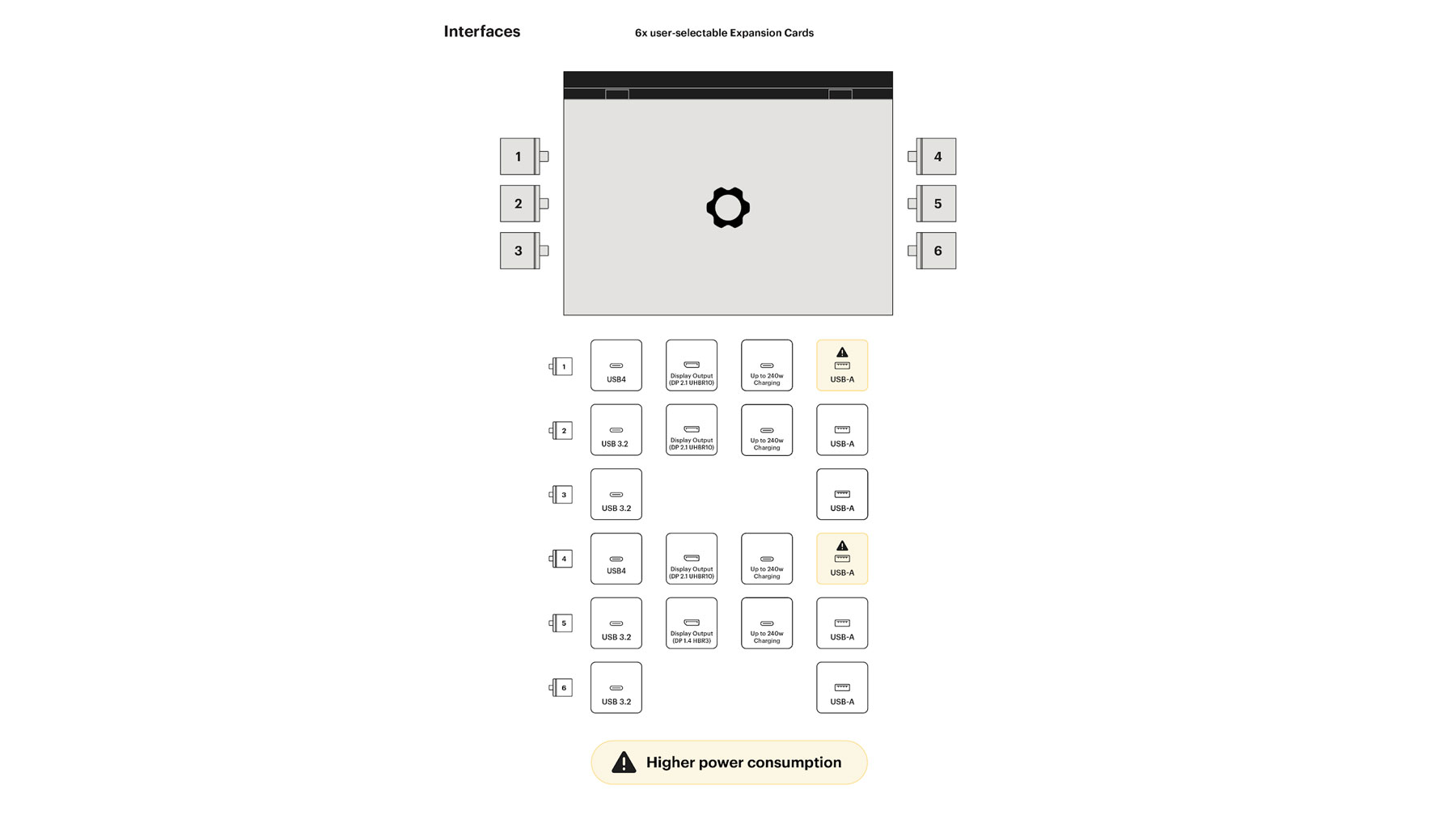
Graphic showing which ports work with which cards with an AMD mainboard.
Framework
As is custom whenever discussing an AMD-toting Framework machine, you’ll need to memorize the diagram of which expansion card slots will work with which devices. We’re not going to ding Framework for an issue present in all AMD hardware, and the only reason it’s noticeable here is that you have the choice of which ports to use for what. You don’t have the sort of universal port flexibility that you might otherwise be expecting.
Installation
Laptop 16 is bigger and more complex than its smaller siblings, but that doesn’t mean it’s any harder to maintain. The company’s iFixit-style guides hold your hand so well that popping the mid plate off should feel as natural as breathing. And you get a real sense of how well the components are laid out when you’re asked to take them all apart and put them back together. The company says replacing the mainboard and graphics module should take you an hour, which is far too generous. It took me about 22 minutes to get everything swapped in and set up, to the point where I think installing the new drivers was more laborious than this.
I can’t stress enough how much of a feat it is to have a modular, upgradeable gaming laptop that offers you the chance to leap a generation. Being able to pull out a two-year-old Radeon to swap in a fresh RTX is the stuff of dreams (for some people, at least). Imagine how long it’ll be possible to keep this machine going if this type of bi-annual upgrade cycle continues. This isn’t a particularly difficult process, making it easy enough for those folks who would otherwise blanch at the idea.
In-use
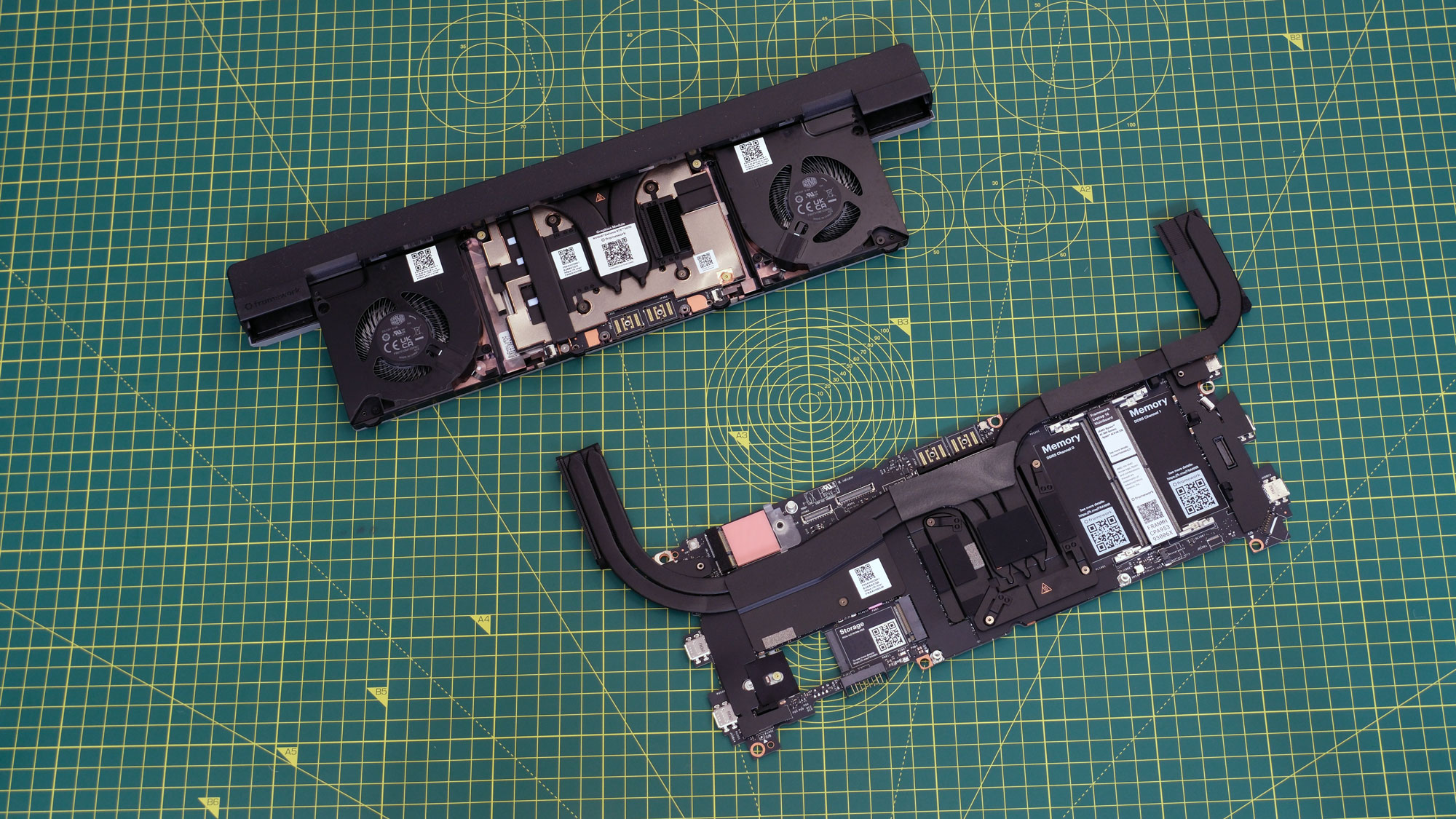
Image of the 2025 mainboard and expansion modules for the Framework Laptop 16.
Daniel Cooper for Engadget
Of course, strapping such a powerful chip and graphics [INAUDIBLE DUE TO FAN NOISE] lead to issues. As discrete components, both the mainboard and expansion module need their own self-contained cooling. That’s never going to be as efficient as a holistically designed laptop. When you’re not taxing the machine, it’s not an issue at all, it’s only when you use it for its intended purpose that it becomes a serious problem. If you want to play games with this thing, get headphones or put the subtitles on, and don’t even think about using this in public. Did… did you hear that? CAN YOU HEAR ME? I SAID… AS DISCRETE COMPONENTS…
And that’s before we get to the heat that this thing kicks out. I’ve got my unit on a stand with about four inches of clearance from the desk. I put my hand underneath the chassis to feel how warm it was getting and it was enough to make me never want to put this on my lap, ever.
It’s a shame the noise and heat is such a bear as it’s a machine with sufficient grunt to impress many a jaded enthusiast. I set Cyberpunk 2077 to the highest settings I could (Ray Tracing: Overdrive) on 1080p, and it was able to comfortably produce 140 fps. Setting it to the defaults (Ray Tracing: Low, but the resolution set to the display’s maximum) it was able to crank out 182 fps.
You’ll find similarly-impressive performance if you use the Laptop 16 more for productivity than gaming. It compressed a 38GB 4K video file down to an 8GB HD mp4 in 28 minutes and 29 seconds. Using LM Studio, I was able to run Google’s Gemma 3 27B model with what I’d call fairly decent performance. Certainly, the chatbot wasn’t responding as quickly as Gemini would online, but it was hardly stuttering. I’d say that the performance here is more or less what you’d expect from the specs, with the one downside being that godawful fan noise.
Pricing
If you buy a new Laptop 16 pre-built from Framework, the Ryzen AI 7 configuration starts at $1,500, the AI 9 at $1,800. Add in the RTX 5070 and you can add another $699 to that price, which is the same cost as if you buy the GPU standalone as an upgrade. Or, if money’s tight, you could buy the new machine now and then add in the 5070 whenever you’d like — that’s the benefit of modularity.
It should be obvious you can get laptops with these sorts of components for less if you look elsewhere. In the run-up to the holiday season, I’ve seen machines — such as HP’s Omen Max — offer a Ryzen AI 7 and an RTX 5070 Ti for under $2,000. But here you’re not just buying a laptop, you’re buying into Framework’s broader ethos. You’ll get the fastest machine it can sell you right now, plus the ability to cheaply swap out to the next big thing in a couple years’ time without the cost of buying a new machine.
As I said back when reviewing the Ryzen AI 300 upgrades for the Laptop 13 earlier this year, Framework is well placed to take advantage of the world’s political situation. If the price of a whole new laptop skyrockets, then you can at least make a saving by just replacing what you need.
Wrap-up
I wonder if “Should you get one?” is the best question to ask and answer given the singular furrow Framework is ploughing. If you want a powerful laptop where every part can be replaced or upgraded, you don’t really have a serious alternative. Laptop 16’s natural target market is professionals and enthusiasts who value modularity and longevity over everything else. These new components give you enough power to play games, run AI models locally and whatever other demanding tasks you’ll throw at it.
As for everyone else, it’s a question of how willing you are to accept the heat, the noise and the slightly agricultural aesthetics. After all, this machine isn’t the sort of gadget you’ll be looking to move on in a few years’ time, it’ll be one you’re committing to for a long while.
This article originally appeared on Engadget at https://www.engadget.com/computing/laptops/framework-laptop-16-2025-upgrade-review-the-rtx-5070-is-the-star-160000464.html?src=rss
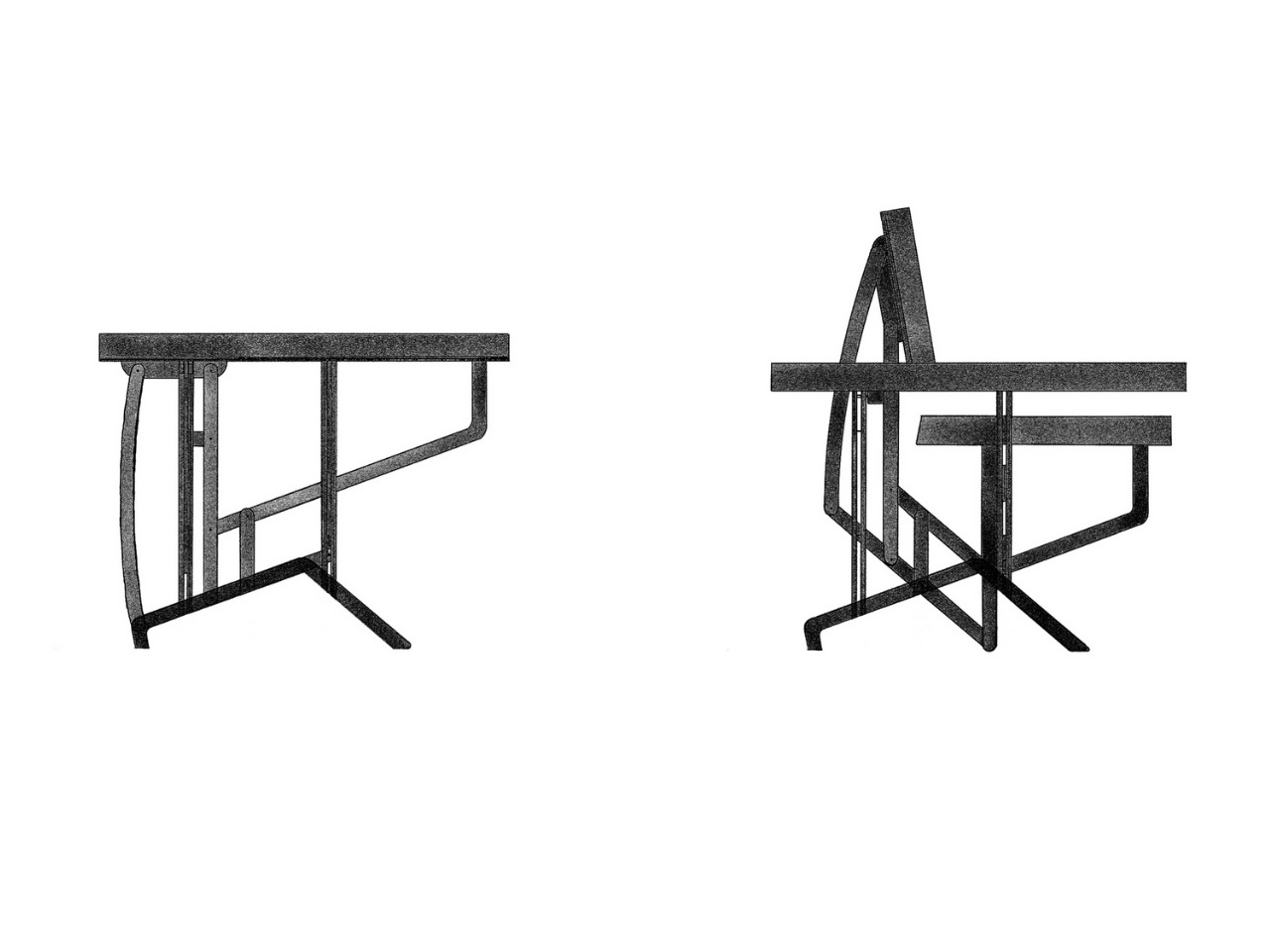
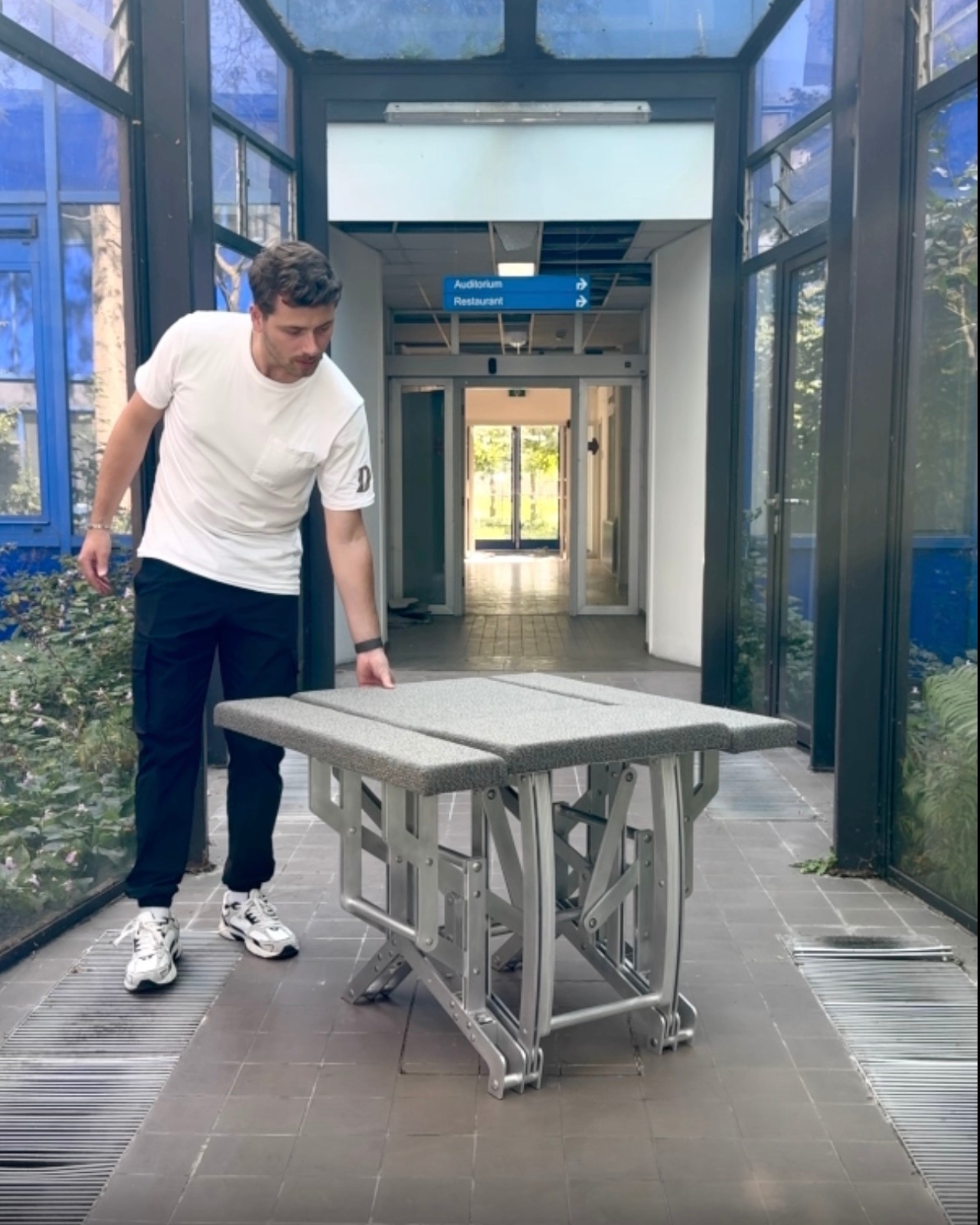
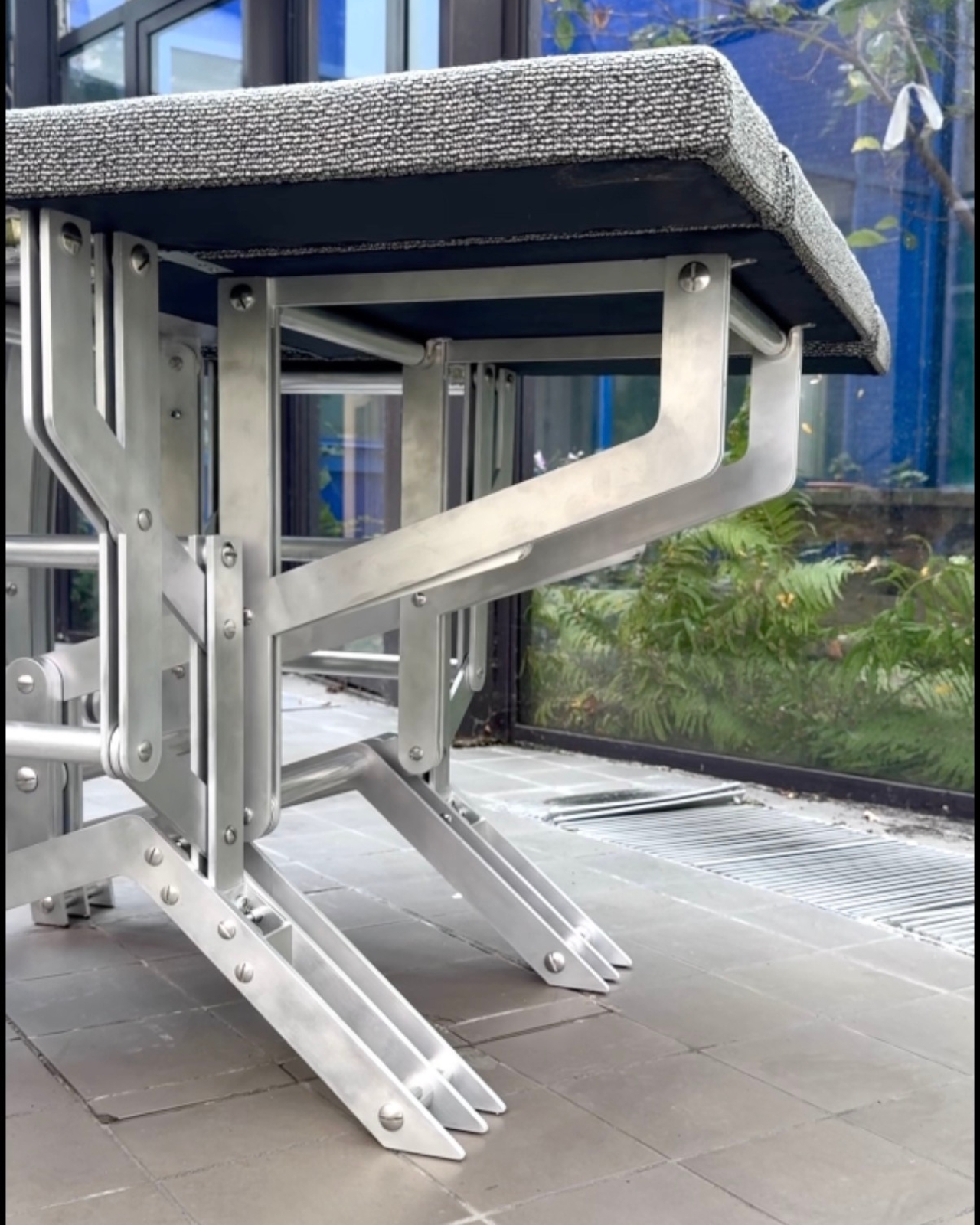
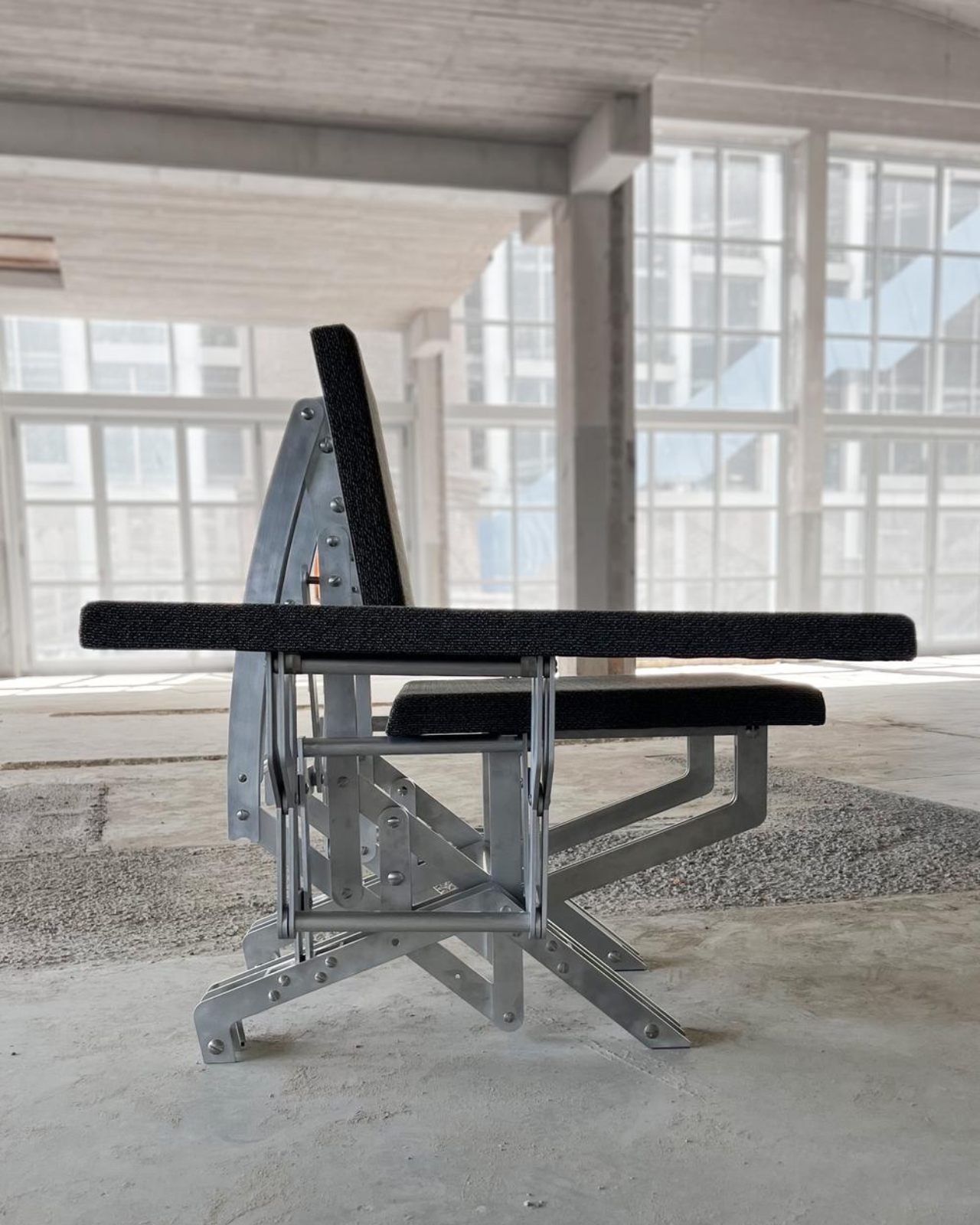
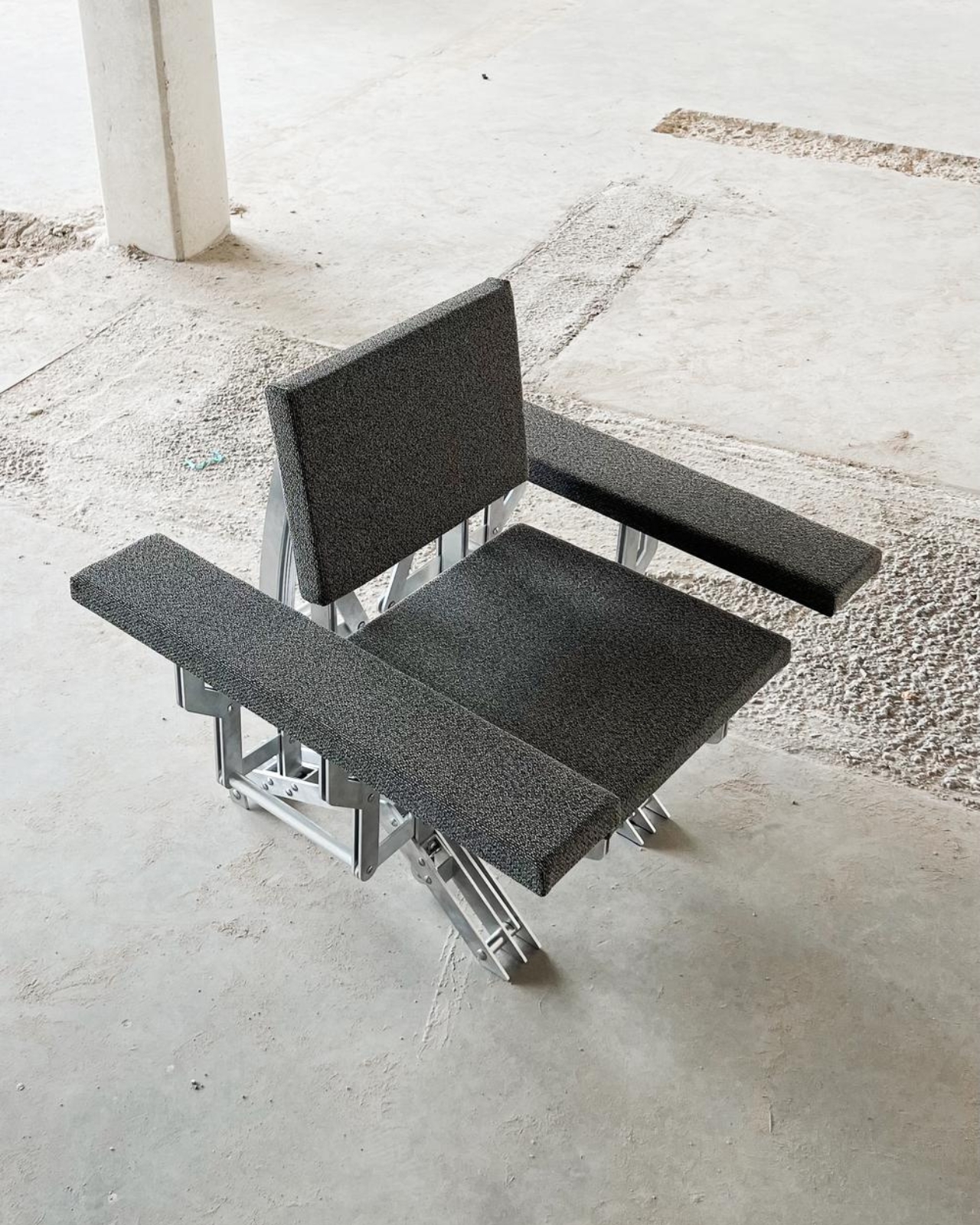
Picture this: you walk into a room, spot what looks like a sleek wooden ottoman, and press down on it. Suddenly, petals of wood bloom outward, transforming the compact stool into a full armchair that seems to welcome you with open arms. It sounds like something from a sci-fi movie, but it’s very real, and it’s the brainchild of recent Eindhoven graduate Aaron Preyer.
His project, called Blooming Furniture, is exactly what it sounds like. These aren’t your grandmother’s heirloom chairs or that boring IKEA bookshelf everyone owns. This is furniture with personality, furniture that responds to you, furniture that literally moves and transforms when you interact with it.
Preyer describes himself as someone fascinated by movement and transformation, and boy, does it show. The Blooming collection features several kinetic pieces that react to touch and weight through pressure-sensitive mechanisms cleverly embedded in metal bases. The magic happens when you apply pressure. Wooden segments that were neatly folded away suddenly fan out like a flower opening at dawn, creating entirely new shapes and functions.
What makes this project so compelling isn’t just the cool factor (though let’s be honest, watching furniture transform never gets old). It’s the way Preyer has thought about how we actually use furniture in our daily lives. We lean on things, we perch on edges, we need surfaces to adapt to different moments throughout the day. Instead of buying multiple pieces to serve different purposes, what if one piece could shift to meet your changing needs?
The technical execution is impressive too. Each piece demonstrates how movement and functionality come together in what Preyer calls “a playful and innovative design”. The mechanisms need to be smooth enough to feel intuitive, strong enough to support weight, and reliable enough to withstand repeated use. It’s one thing to create a transforming object as an art piece; it’s another entirely to make it functional furniture.
The project emerged from extensive research into moving mechanisms within furniture and objects. Preyer wasn’t just playing around in a workshop. He was systematically exploring questions about how furniture could be more responsive, more adaptable, more alive. The result is a collection where each piece has its own character, its own way of opening up to you. There’s something almost emotional about furniture that responds to your presence. In our world of smart homes and connected devices, we’ve gotten used to technology responding to us through screens and voice commands. But physical objects that change shape when we touch them? That hits differently. It’s tactile, immediate, visceral in a way that digital interactions just aren’t.
Some designers at Dutch Design Week 2025 noted that Preyer’s work explores the intersection between living systems and domestic design. That’s a fancy way of saying these pieces feel oddly organic, almost biological. They breathe and stretch like living things, even though they’re made from wood and metal. The practical applications are obvious. In our era of tiny apartments and multi-functional spaces, furniture that can transform from one thing to another is incredibly valuable. That ottoman that becomes a chair could also potentially shift into a side table or storage unit. We’re living in smaller spaces, working from home more, and constantly rearranging our lives. Why shouldn’t our furniture keep up?
But beyond practicality, there’s something delightful about objects that surprise us. In a world where most furniture is static and predictable, Blooming Furniture offers a sense of wonder. It reminds us that everyday objects don’t have to be boring. They can be playful, responsive, even magical. Preyer’s work sits at this fascinating intersection of craft, engineering, and experience design. It’s not just about making furniture move. It’s about creating moments of connection between people and objects, about reimagining what it means for something to be functional, beautiful, and interactive all at once.
The Analogue 3D is finally set to ship to buyers. After several delays, Analogue is set to start sending out its 4K remake of the Nintendo 64 on November 18, as spotted by — appropriately enough — Wario64. If you haven’t already locked in a pre-order, however, you face a longer wait, as both the black and white variants of the $250 system are out of stock.
Unless there’s a last-minute hitch, the company behind the Analogue Pocket will stick to the promise it made in August to ship the 3D in the last quarter of 2025. Analogue previously delayed the 3D in March and then again in July.
As with other Analogue systems, the console uses an FPGA (field programmable gate array) chip to emulate Nintendo’s original hardware. FPGA-based systems are more accurate than software emulation options and tend to have lower input lag.
Analogue claims the 3D will support every N64 cartridge — both PAL and NTSC variants — without any inaccuracies or slowdowns. I’m interested to see how well that promise will hold up in a four-player round of Perfect Dark.
The 3D delivers 4K output and supports variable refresh rate. You’ll be able to use "original display mode" filters to replicate the look of playing on a CRT or PVM. There’s still always the option of picking up an N64, but Analogue’s approach to scaling might make the 3D the best way to play N64 games (using original cartridges) on modern TVs.
The 3D has four ports into which you can plug original N64 controllers. It also has a USB-C power port, two USB ports for accessories (such as third-party controllers) and an HDMI port. In addition, the console has a Wi-Fi chip that can be used for operating system updates. The Analogue 3D only officially runs games from N64 cartridges. I’m 100 percent sure that no one will jailbreak the system to boot ROMs from the SD card slot. Nope, no way.
This article originally appeared on Engadget at https://www.engadget.com/gaming/nintendo/analogues-4k-remake-of-the-n64-will-at-long-last-ship-on-november-18-151854397.html?src=rss
A lot of people think the original Google Glass failed because of subpar tech. But the larger issue was that they were so ugly that people simply didn't want to wear them. And when it's a device that sits on your face, that's kind of important. Thankfully, that's a lesson Even Realities seemingly took to heart when it made the G1, which combined the stylishness of proper eyewear with built-in waveguide displays. Now the company is back with its second-gen smart glasses — the G2 — which offer even better optics, an updated UI and a companion ring (the R1) to their expanded list of features.
While the design of the Even G2 hasn't changed a ton from its predecessor, that's not a bad thing as there wasn't much to fix. Compared to every other pair of smart glasses on sale today, these look the most like normal eyewear. Meanwhile, thanks to a titanium and magnesium alloy design and the company's very intentional decision not to include onboard cameras or speakers, the new model only weighs 36 grams, so they're also super comfortable. You even get two styles to choose from (panto or rectangular) along with a few different finishes (gray, brown and green), so chances are there's a combination that will work with your wardrobe. The Even G2 also features an IP67 rating for dust and water resistance, so you don't need to worry about wearing them in adverse conditions.
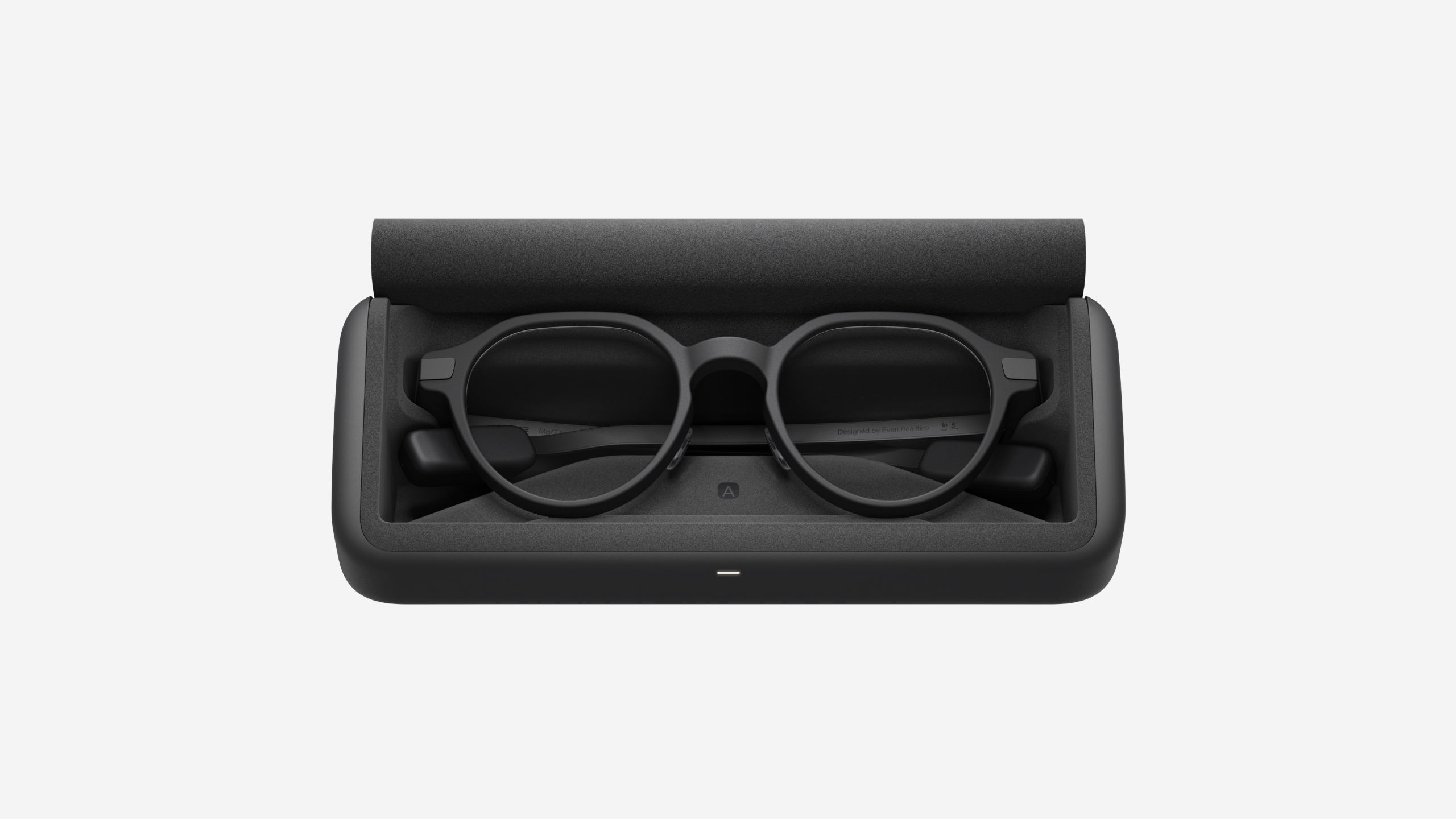
The G2's battery life can last up to two days, while its case has juice for up to seven additional charges.
Sam Rutherford for Engadget
The G2’s optics are based on the company's new Even HAO 2.0 (Holistic Adaptive Optics) that use custom-designed dual waveguides to produce a green heads-up display. It’s not only brighter and sharper than before but also features a wider field of view. Now admittedly, that's not quite as impressive as the single RGB display in something like the Ray-Ban Meta Display. But considering that the Even G2 is way less chunky and sports significantly longer battery life (up to two days plus seven full recharges from its included case), that feels like a worthy trade-off to deliver increased usability.
However, the biggest upgrade for the G2 is an expanded roster of smart features. In addition to showing notifications, turn-by-turn directions and the teleprompter functionality available on the previous model, Even has developed a much more robust UI that lets you read the news, track stock prices and create lists using your voice. There is now an onboard AI assistant and LLM that can translate speech on the fly or pick out key words during a conversation to give more background and context about unfamiliar terms. This means the glasses can handle a lot of tasks you'd normally need your phone for, which is great if you're walking around, or similarly indisposed, and would rather keep your hands free.
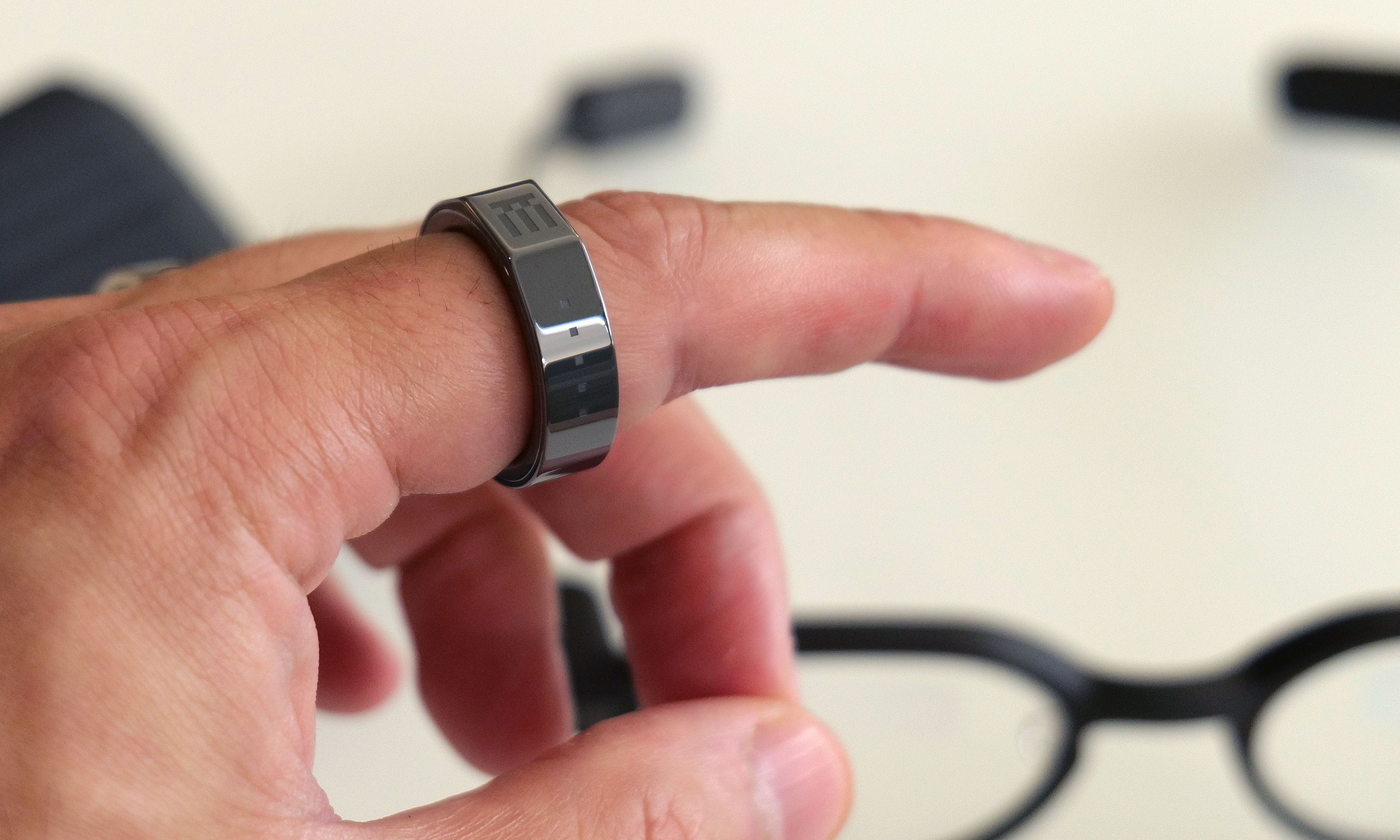
In addition to basic health and fitness tracking, the R1 ring also has a tiny built-in touchpad (denoted by the four dots) to make it easier to navigate the G2's new UI and menus.
Sam Rutherford for Engadget
While you can access most of these features using voice controls, the icing on the cake is the R1 companion ring that makes better use of the new UI. Not only does it track some basic health and fitness data (steps, heart rate, sleep, SpO2 and more), it also serves as a tiny touchpad so you can check notifications, revisit your notes and more without anyone nearby knowing what you're up to. All told, the G2 glasses and the R1 ring create a very stylish and discreet package that allows you to stay connected and keep your phone in your pocket.
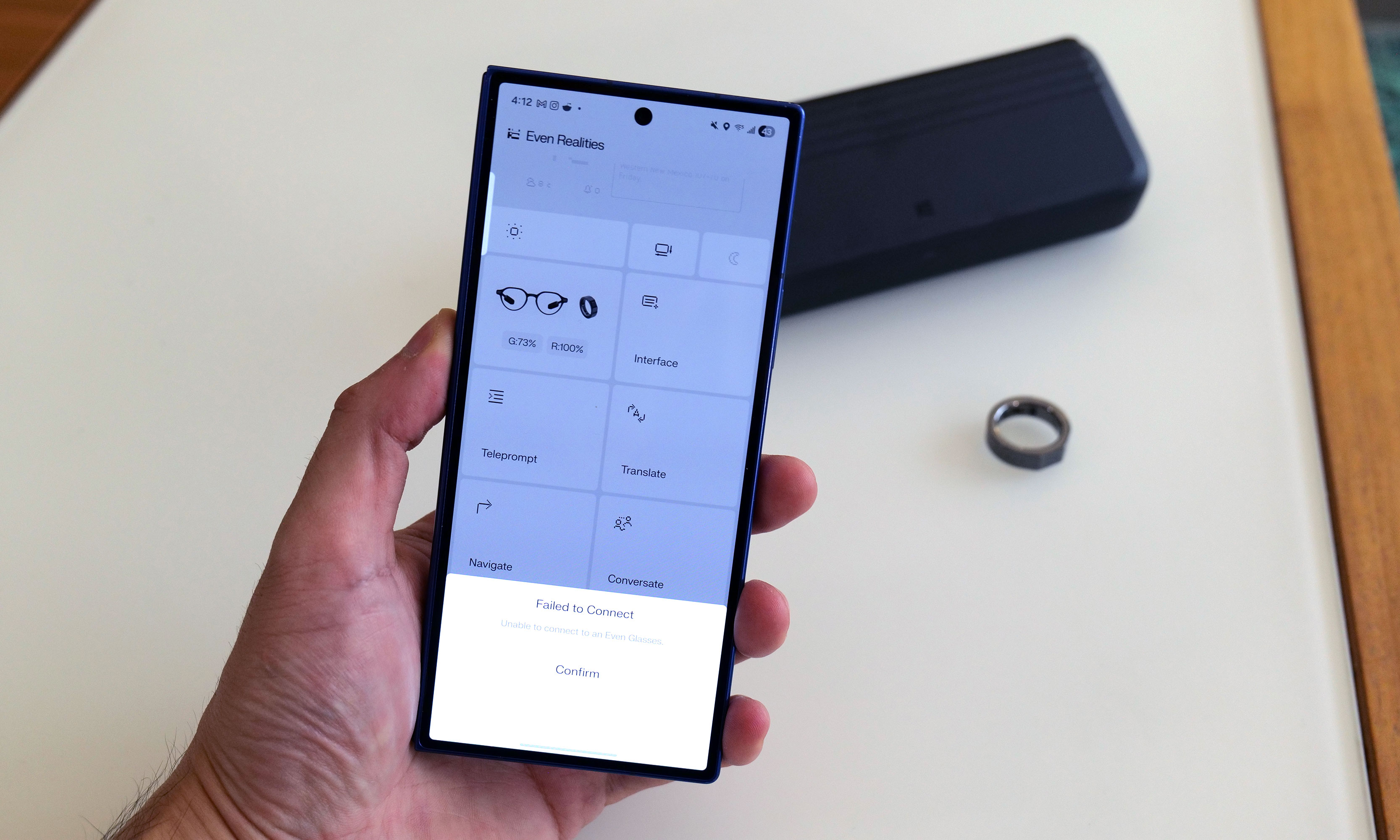
That said, you might want to wait before throwing money down on these. I've been testing the G2 and R1 over the past few days, and even though I really like the hardware, the company's software just isn't ready yet. It's important to note that I've been using a beta version of the Even Realties app, so encountering some bugs was not entirely unexpected. But even so, the touch controls on the ring feel imprecise and occasionally erratic. Many of the fitness metrics aren't being properly recorded and both devices have had a difficult time staying paired to the app. Even little things, like the auto brightness settings (which don't work at the moment) or ability to add more sources to the glasses' news feed, feel janky. The only outlet I've been able to successfully use is ABC.
While the tech and features of the G2 are very interesting, I've run into a number of software issues while using a beta version of the app.
Sam Rutherford for Engadget
Granted, some of the G2 and R1's issues that I've run into, like wonky touch input and the unfinished health tracking, are known problems that are currently being worked on by Even Realities. Still, this feels like a situation where the launch of these devices should have been delayed until the company could smooth out these hiccups.
But if you are undeterred, the Even G2 Display Smart Glasses and Even R1 Smart Ring go on sale today for $599 and $249, respectively. For everyone else, I'm hoping to check back in on these devices after the company pushes out some software updates. I’m eager to see if they can eventually live up to their potential as an interesting alternative to bigger, chunkier and more intrusive smartglass alternatives like the Ray-Ban Meta Displays.
This article originally appeared on Engadget at https://www.engadget.com/mobile/even-realities-g2-first-look-this-years-best-looking-new-smart-glasses-still-need-work-151500132.html?src=rss
Even Realities is releasing the next version of its lightweight smart glasses, and this time it’s pairing them with an entirely new device that will act as both a controller and health tracker. The Even G2 Display Smart Glasses are a more refined version of the G1 smart glasses, and you'll be able to interact with them without having to touch the frames or uses voice commands thanks to the new Even R1 Smart Ring.
The G2 features an updated version of the Even Realities' HAO optical engine (a combination of micro-LED projectors, waveguides and digitally surfaced lenses), that still displays text in bright green, but now with added depth and sharpness. For example, Even Realities says the new glasses can display pop-ups like AI prompts and notifications at a different depth from the glasses' normal interface, so you don't lose the context of whatever you're reading. The G2 also supports a wider range of prescription lenses (from -12 to +12 diopters), making them more accessible to people who already wear glasses.
In comparison to the G1, Even Realities says the G2 has 54 percent slimmer temples and, in a first for the company, is IP67-rated for dust and water resistance. The G2 also gets two days of battery life in comparison to the G1's one and a half days, and its charging case can provide up to seven full charges.
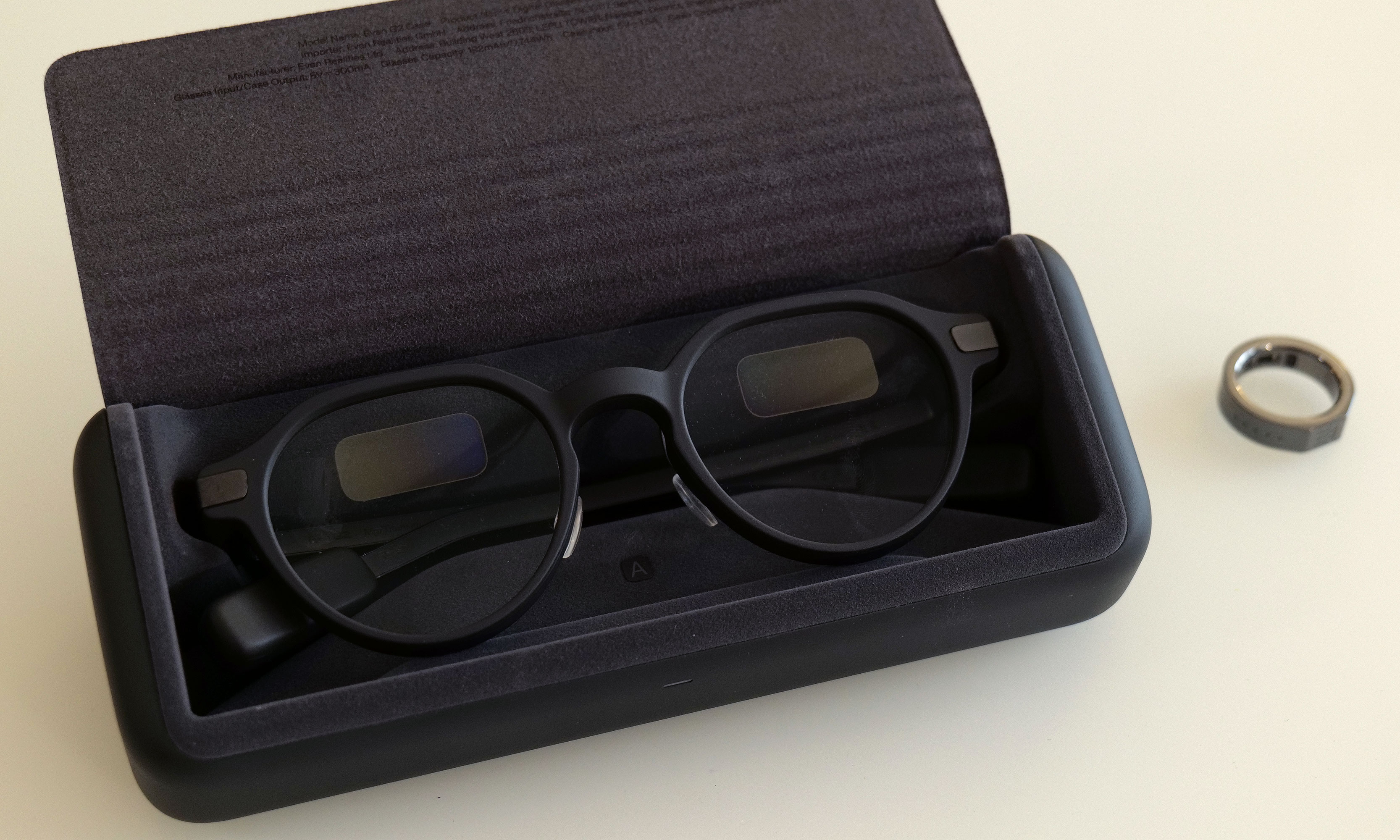
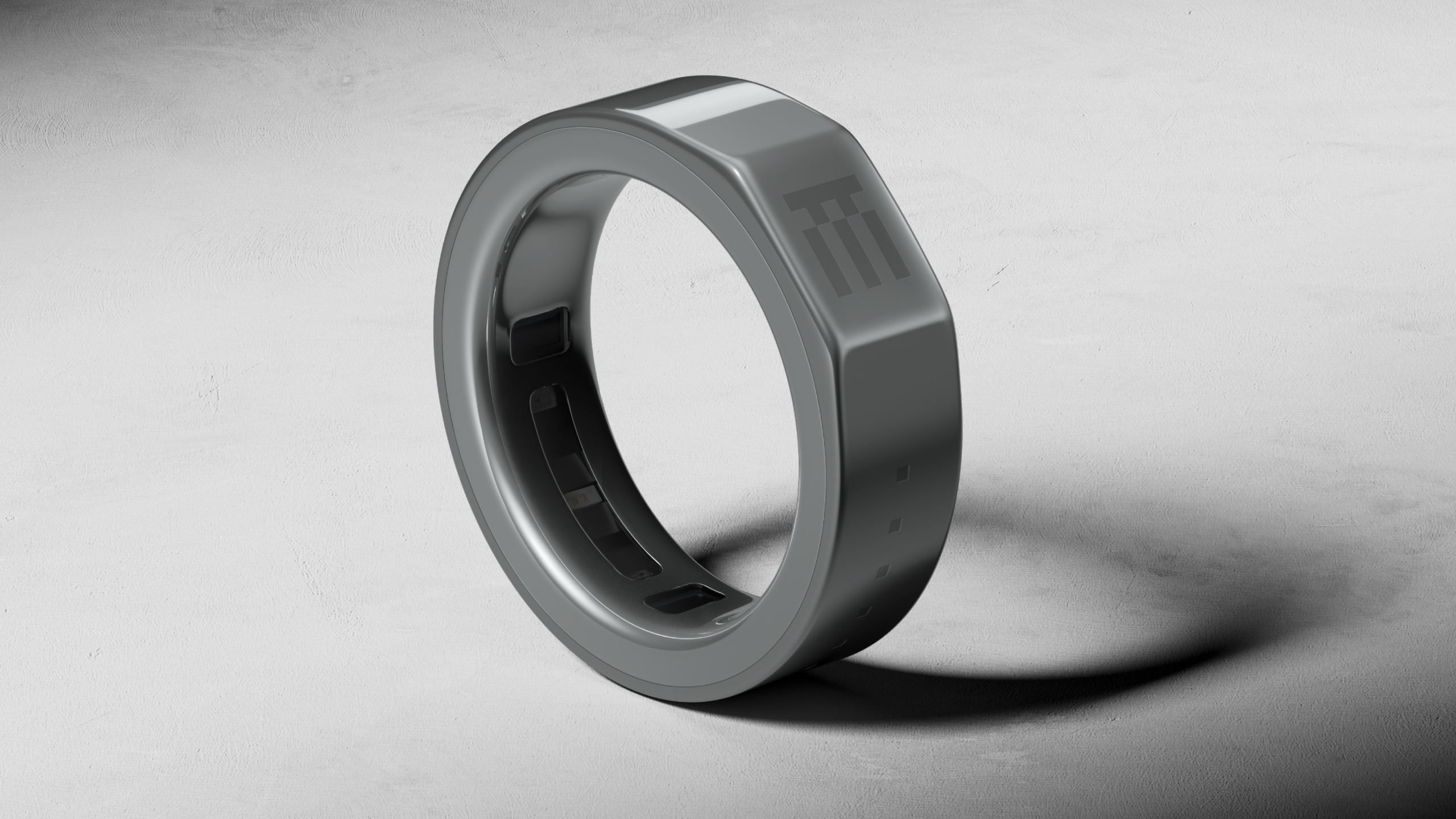
A ceramic and titanium R1 smart ring with a flat side.
Even Realities
While the G2 glasses can still be controlled by tapping a built-in touchpad or using voice commands, the R1 Smart Ring will let you interact with the smart glasses without moving your arm. The R1 is made from ceramic and medical-grade stainless steel, and features a flat touchpad surface for activating the G2's interface. Besides a touch sensor for navigation, the R1 also includes an optical heart rate sensor and accelerometer for tracking your heart rate and steps, which can be viewed on the G2. While less technically advanced than the Neural Band Meta included with the Meta Ray-Ban Display Glasses, Even Realities ring seems like it can make controlling its glasses similarly discrete, while being useful in its own right as a health tracker.
Even Realities is also adding a new AI skill alongside its glasses and ring. The G2 supports the same translation, notifications and teleprompter features as the company's last model, but this time includes a feature called "Conversate" that attempts to offer AI-generated information during conversations. Even Realities says Conversate can provide explanations, context and follow-up questions during a conversation, and then generate a summary and key points once you're finished talking. The whole thing sounds a bit distracting, but might be something you have to demo to understand.
A pair of Even G2 Display Smart Glasses in a charging case.
Even Realities
That extra layer of complication seems inherent to the pitch for both the G2 glasses and the R1 ring. While Even Realities has made its smart glasses more convenient, and they're definitely not trying to be a phone replacement in the same way Meta's glasses are, they do seem like they'll have more of a learning curve than the last generation.
The Even G2 Display Smart Glasses and Even R1 Smart Ring are available to order today, November 12, for $599 and $249, respectively. Even Realities says that anyone who purchases the G2 will be able to receive the R1 and other accessories for 50 percent off for a limited time.
This article originally appeared on Engadget at https://www.engadget.com/wearables/even-realities-g2-smart-glasses-can-be-controlled-with-a-smart-ring-151500125.html?src=rss
The Samsung Galaxy S26 Ultra is poised to make a significant impact in the smartphone market, combining state-of-the-art features with thoughtful refinements. From its advanced camera system to strategic chipset decisions, this flagship device is designed to deliver a seamless and premium user experience. By addressing past challenges and incorporating meaningful upgrades, Samsung aims to […]