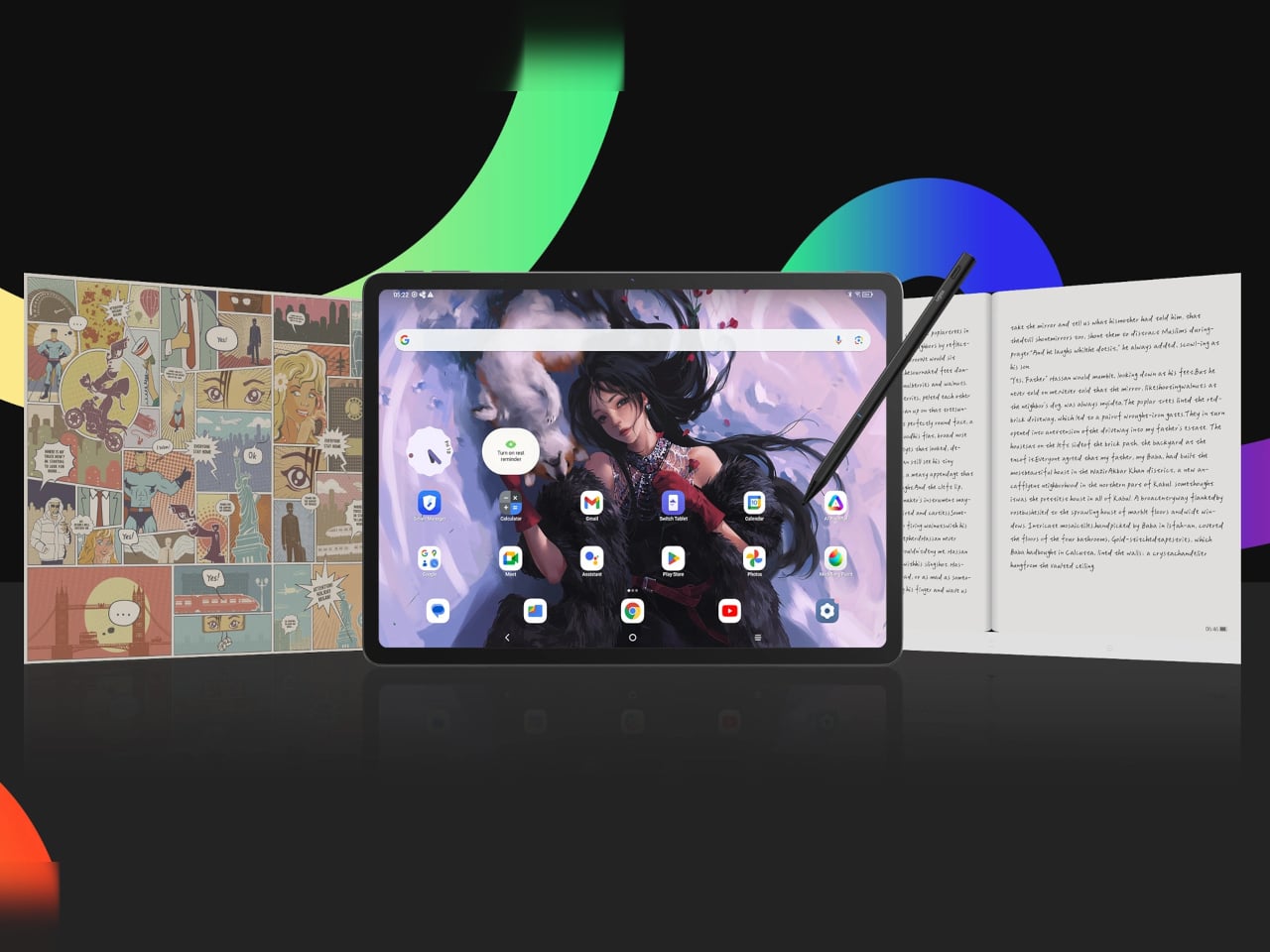
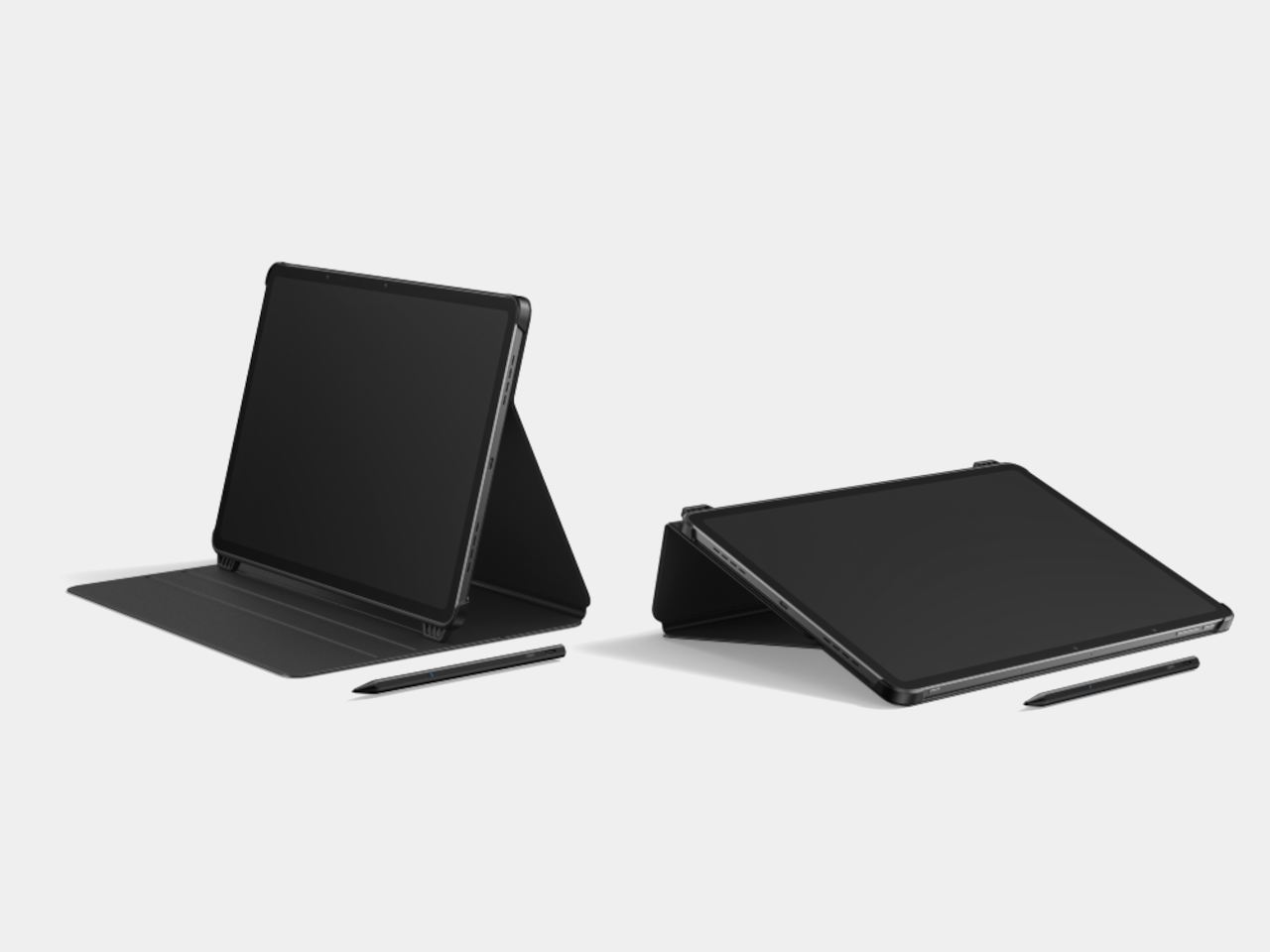
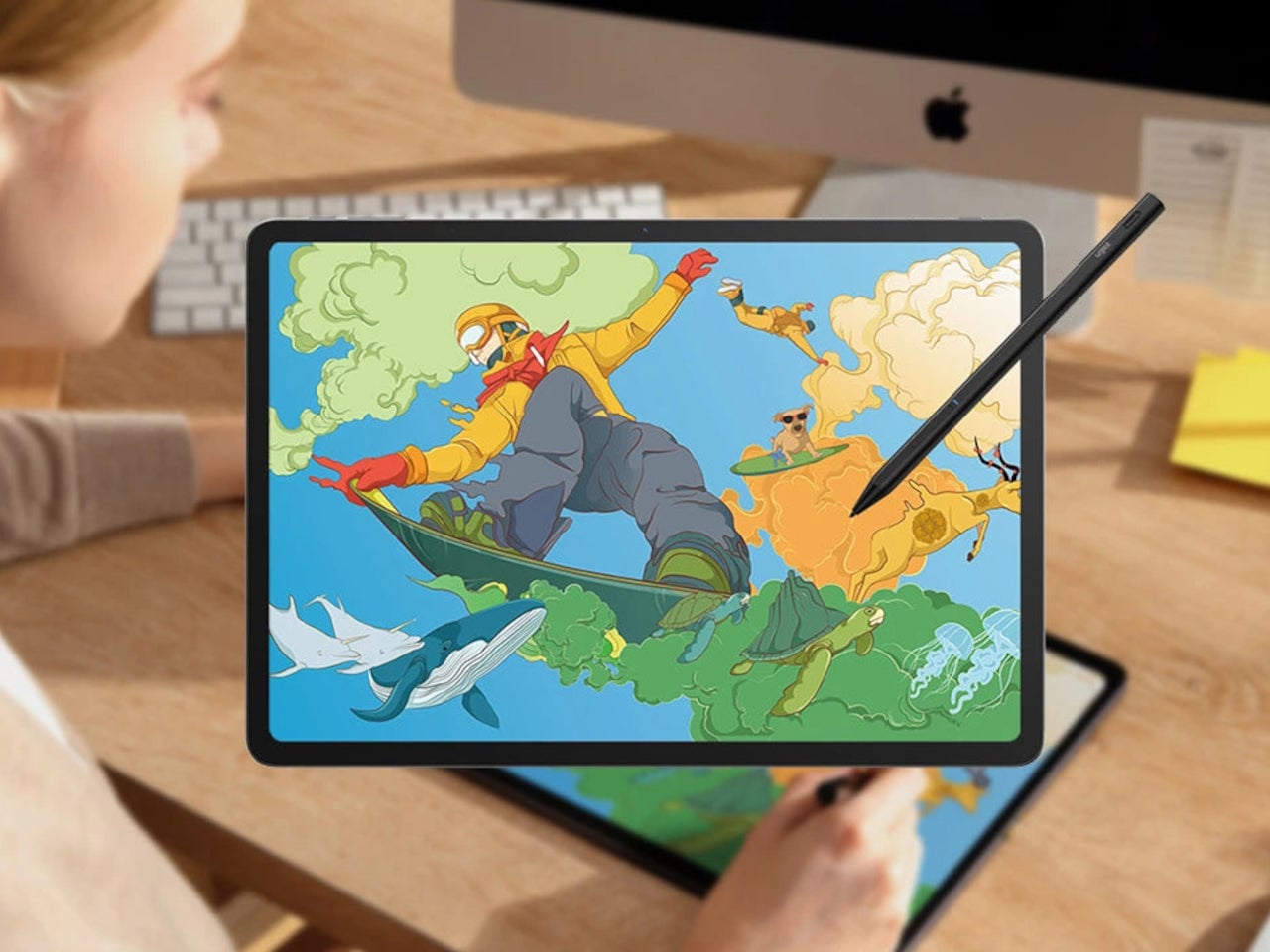
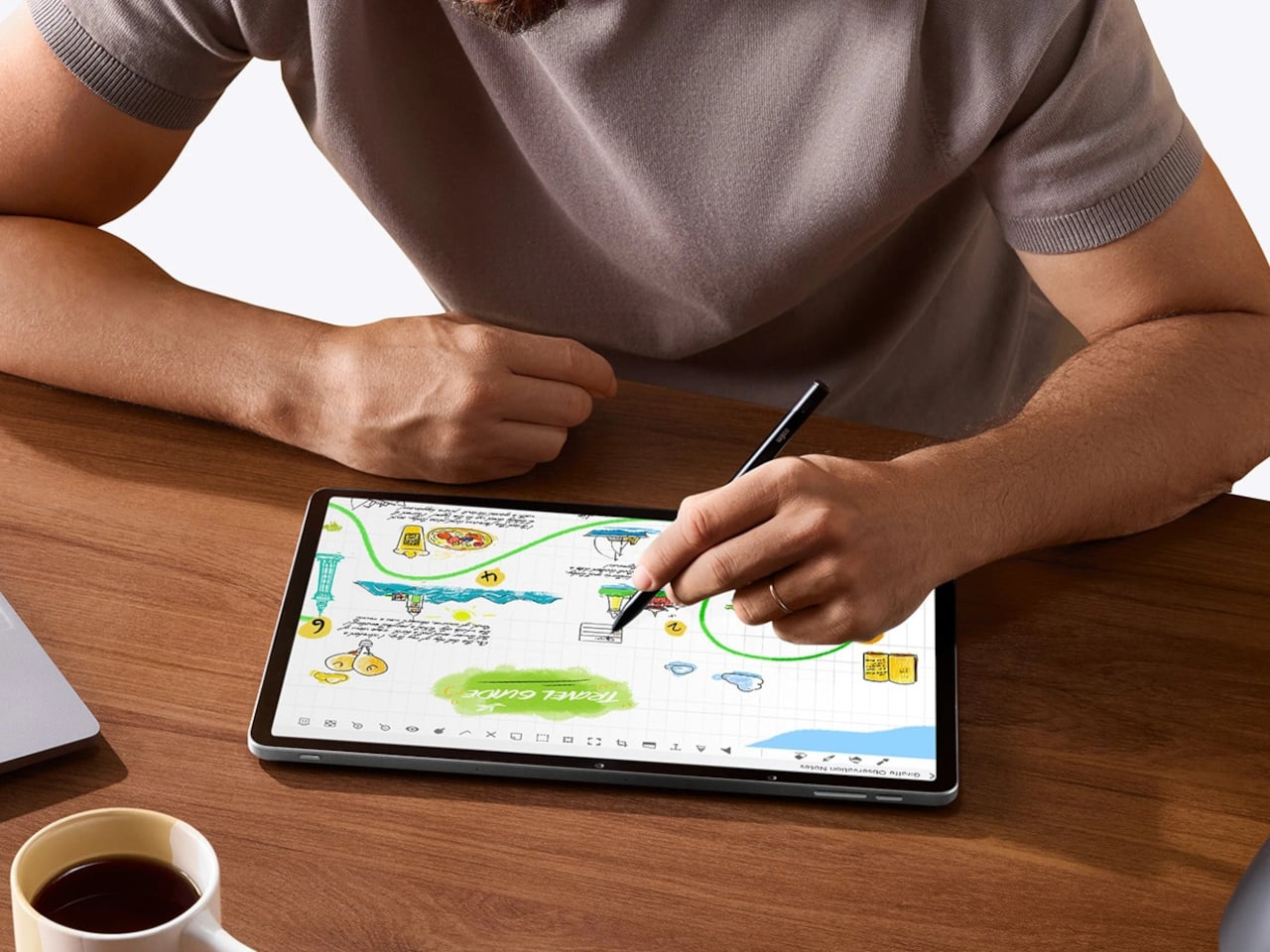
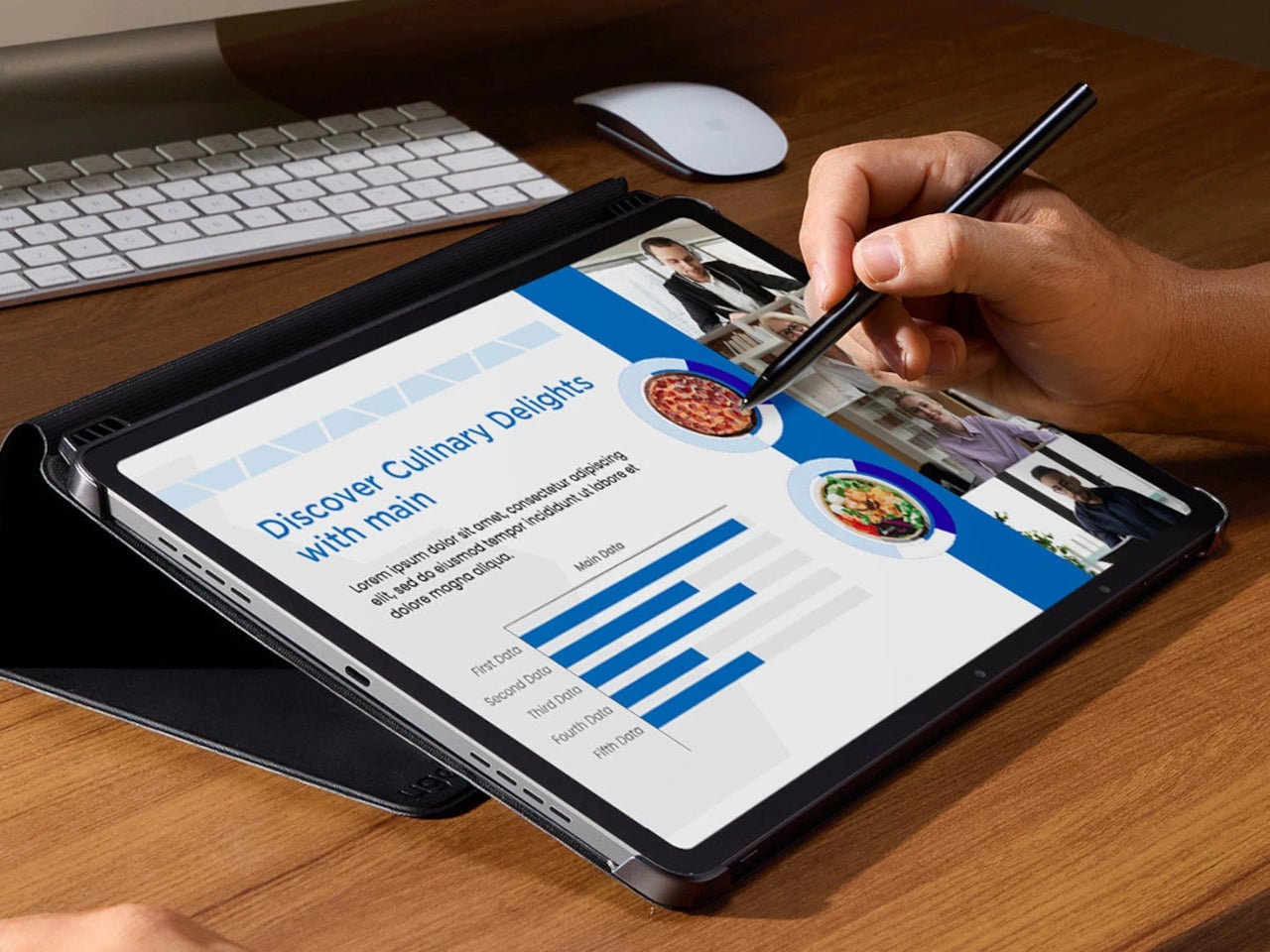
The usual creative setup involves too many screens. A pen display for sketching, an iPad or laptop for apps and browsing, maybe a Kindle for long-form reading without wrecking your eyes. Switching between them breaks flow, and most devices still treat drawing, reading, and general use as separate jobs that require separate hardware. The ugee Trio Pad UT3 tries to collapse those roles into one 14.25-inch slab with three distinct screen personalities.
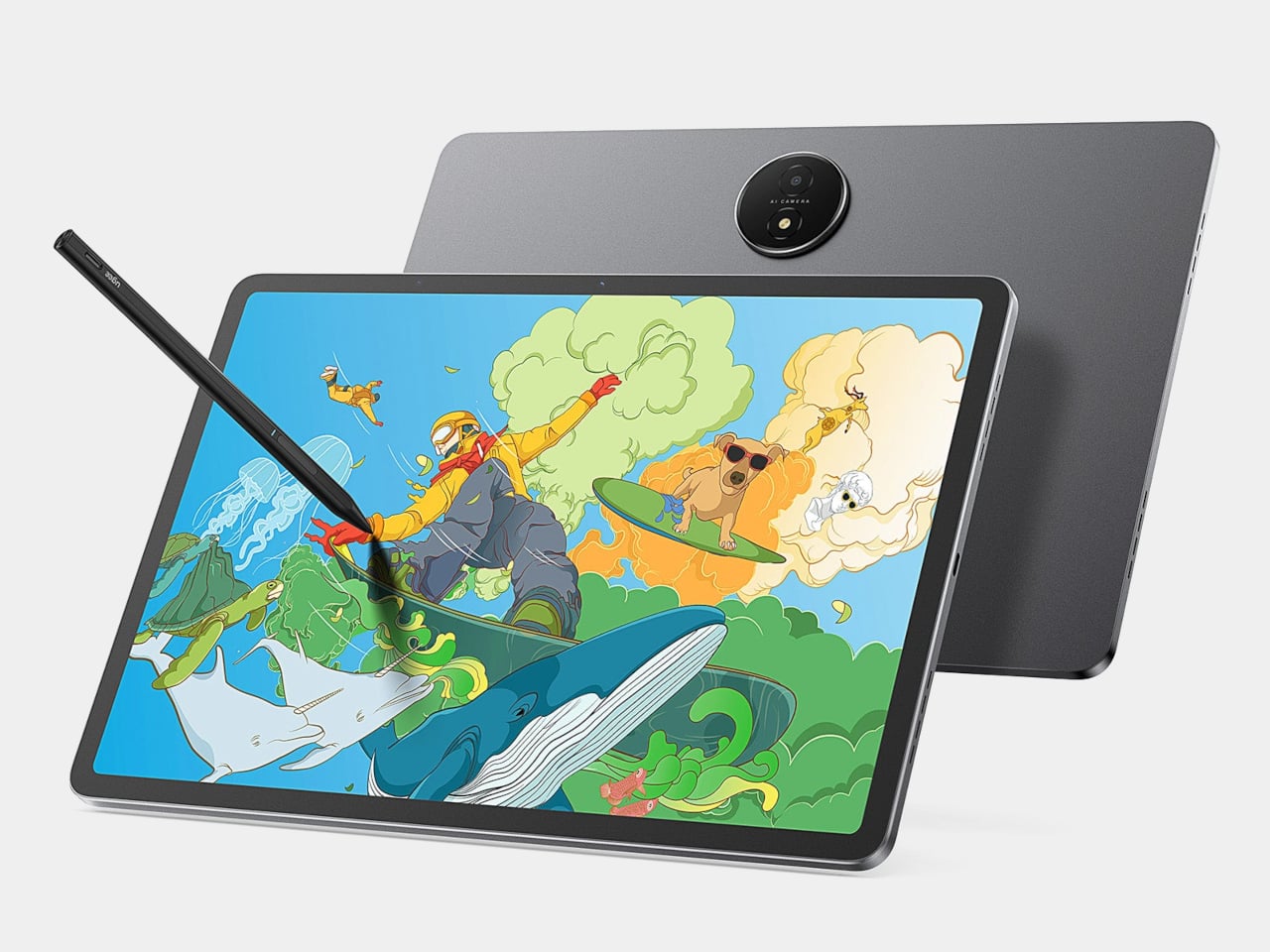
The UT3 is an Android drawing pad with a 2K resolution, 3:2 aspect ratio display that behaves like a full-color tablet, a paper-like sketch surface, or an Ink Mode reader. It includes a U-Pencil stylus with 4,096-level pressure sensitivity, runs Android 14, and ships with a MediaTek Helio G99 processor and 8 GB of RAM. The interesting part is the dedicated U-Key that flips screen modes in hardware.
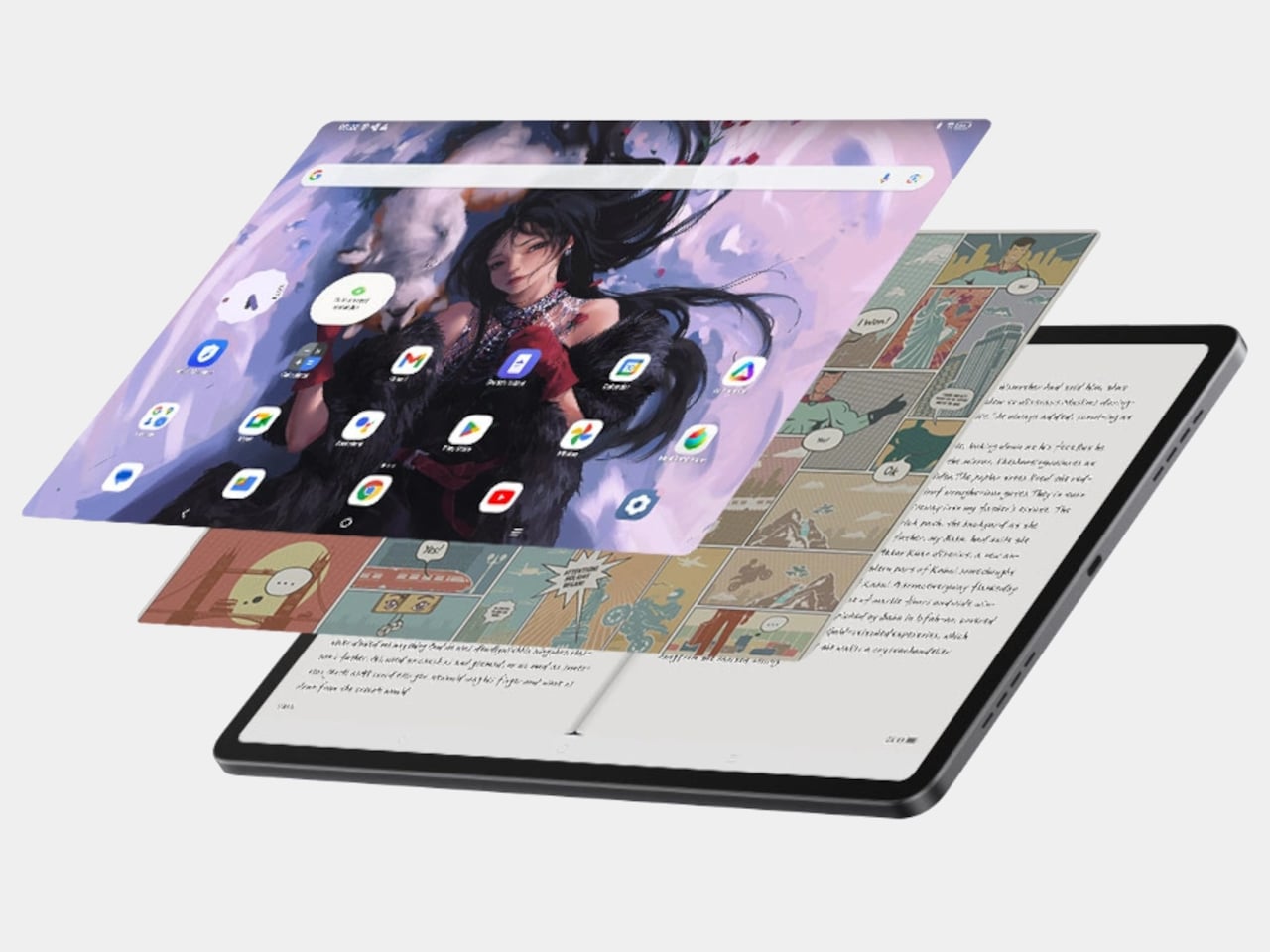
The U-Key is a small button on the top edge that cycles the screen through Regular, Paper, and Ink modes seamlessly. That matters when you are sketching, need to read a brief, then jump back into color work. The key turns the UT3 into a sketchbook, reader, or tablet on demand, changing how it sits in a workflow instead of forcing you to pick one identity and stick with it all day.
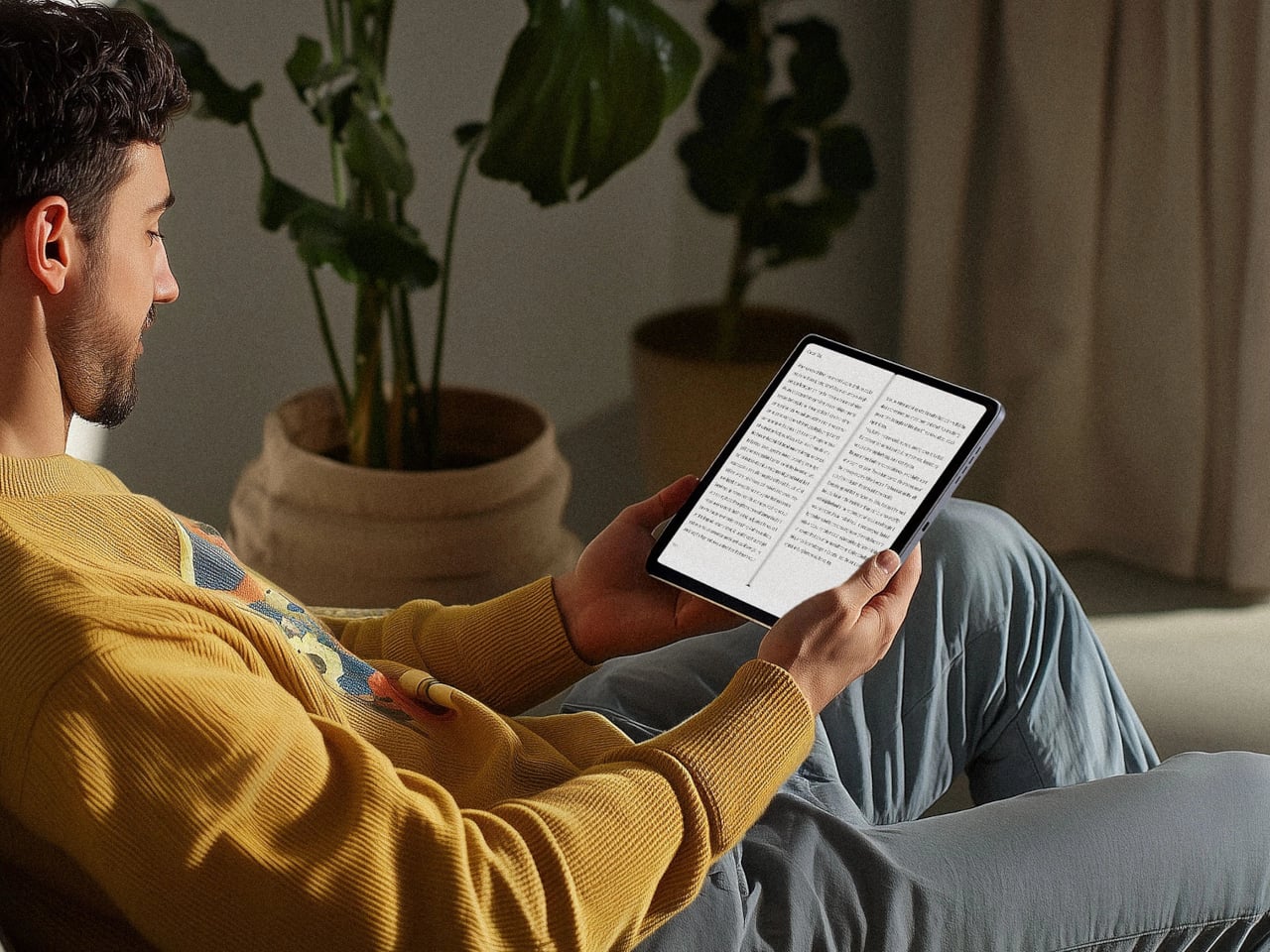
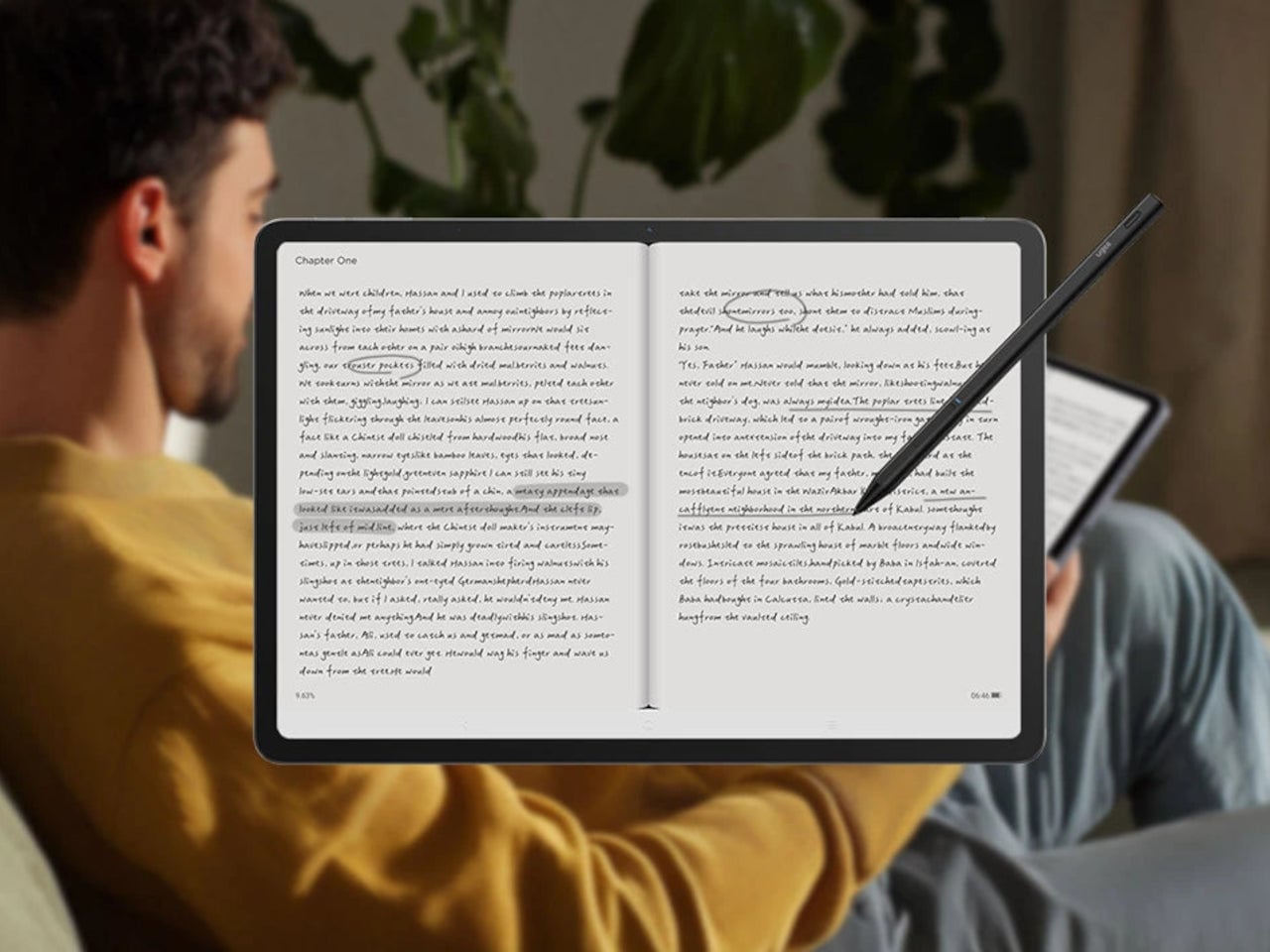
Ink Mode is the pseudo-E-Ink personality, a high-contrast, black-and-white profile that strips away color and visual noise. It makes the UT3 useful for reading scripts, briefs, or tutorials, and for parking reference text beside your workstation. It is still an IPS panel, not true E-Ink, but the monochrome look, combined with TÜV Rheinland eye-comfort tuning, makes it feel closer to a dedicated reader than a glowing app screen.
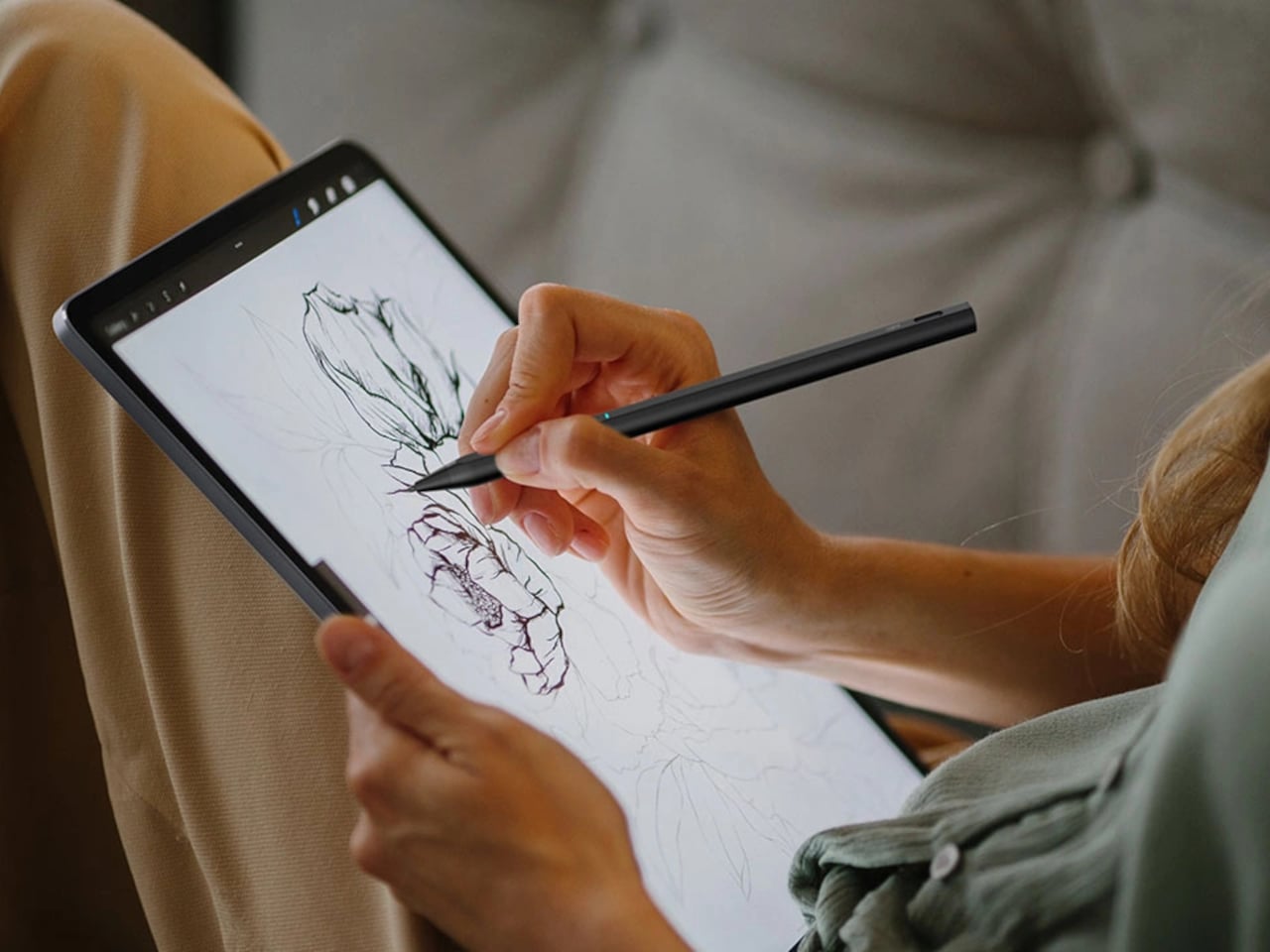
Paper Mode pairs a muted color profile with the fully laminated panel and NanoMatte coating to create a paper-like drawing surface. The NanoMatte reduces glare and adds a slight tooth that helps line work feel more controlled and less slippery. The laminated stack brings your stylus tip closer to the pixel underneath, reducing parallax, and the 13 g U-Pencil with 20 ms response time handles inking, shading, and quick gesture sketches without lag.
The Android tablet side means you can run full drawing apps, reference tools, and streaming services directly on the device. The 10,000 mAh battery with 27 W fast charging supports around 13 hours of writing or drawing, and the 256 GB of storage plus microSD expansion handles large file libraries. You can sketch, watch, and read without tethering to a PC, then use the U-Key to keep the screen aligned with the task.
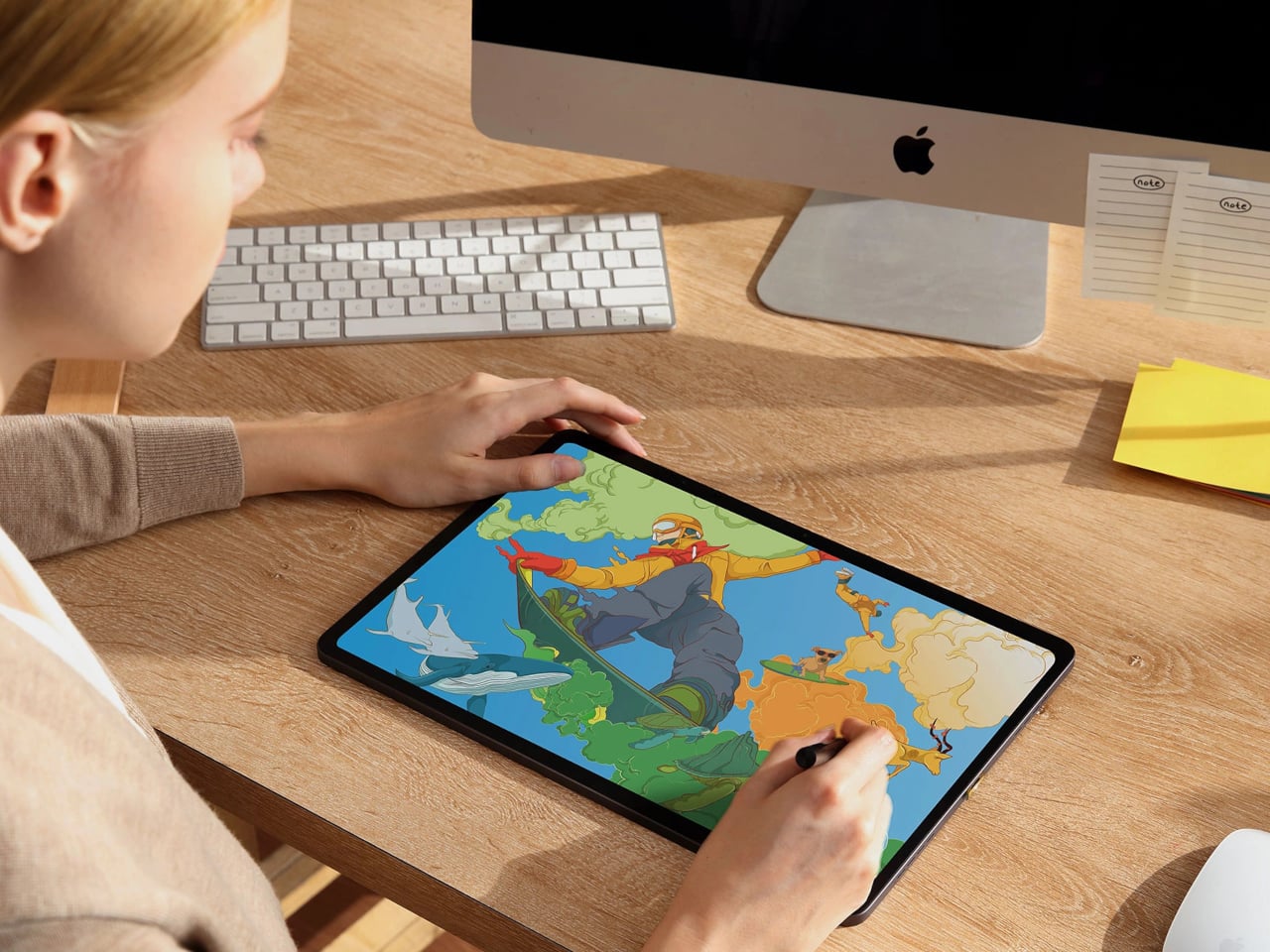
A day in the studio could start with the UT3 in Ink Mode for morning reading, flip into Paper Mode for sketching, then jump into full-color Regular mode for painting and video. The hardware mode switch makes that feel natural, turning one slab into three different tools. For artists and designers tired of juggling devices or forced to choose between a drawing tablet and a reading screen, that kind of shape-shifting display might be the most practical feature on the list.
If learning a new skill is one of your New Year's resolutions, then you might want to know that MasterClass subscriptions are currently 50 percent off. This brings the top-tier subscription with offline mode and use on up to six devices down from $240 annually to $120. The entry-level plan, which supports just one device and doesn't offer offline viewing, is marked down to $60 from $120.
Over the past few years, MasterClass has grown to over 200 classes, sessions and original series. You can learn about entrepreneurship from Richard Branson, screenwriting from Aaron Sorkin, cooking from Gordon Ramsay and heaps more. Each of these offers classes in a one-on-one format with slick instructional videos and often workbooks to accompany them.
MasterClass also appears on our list of the best subscription gifts for this Christmas. Loved ones will enjoy superb production quality and a rich library where they are sure to find something that piques their interest. Gift subscriptions can also be scheduled, so you can take advantage of the current sale even for future gifts. If you're buying it for yourself, know that MasterClass offers a 30-day money-back guarantee.
Whether you're looking to learn about business from Kim Kardashian or basketball skills from Steph Curry, MasterClass can help you expand your horizons in 2026. The holiday offer is available through December 24.
This article originally appeared on Engadget at https://www.engadget.com/deals/masterclass-deal-get-50-percent-off-subscriptions-for-the-holidays-150520715.html?src=rss
The Samsung Galaxy S26 Ultra stands as a testament to the evolution of premium smartphones, combining a bold design, exclusive color options, and innovative performance. With the introduction of the Exynos 2600, the world’s first 2-nanometer processor, Samsung has reinforced its position as a leader in mobile innovation. This flagship device reflects a strategic shift […]
What if you could hold the past in your hands, only reimagined for the present? The Commodore 64, a symbol of 1980s computing, has always been a touchstone for tech nostalgia. But what if this iconic machine had evolved into something it never was: a fully portable laptop? That’s exactly what this bold concept design […]
Not long ago, you may have thought of projectors as complicated, unreliable or just too expensive. In 2025, though, consumer sentiment started to flip. Companies like Anker and Valerion made the projector experience more practical and immersive, helping drive consumer interest and, ultimately, sales.
This shift has been quite a few years in the making. LG helped kickstart the projector renaissance back at CES 2018 when it introduced its unusual-looking CineBeam HU80K projector that could provide a 150-inch image. The next year at CES saw the dawn of the ultra short-throw (UST) laser projector that could create a similarly large display while sitting just inches from your wall. Another big technological upgrade over the following years was the bright and long-lasting laser light engines that replaced weaker, more fragile bulbs.
The timing couldn’t have been better for projector manufacturers. When COVID shut down theaters in 2020, consumers were forced to get their entertainment at home. Many wanted something akin to a movie theater experience — both indoors and out — and thus interest in projectors started to take off.
In 2025, though, projectors really entered the zeitgeist thanks to two new products. The first was Anker’s SoundCore Nebula X1, the highest-rated home theater product Engadget reviewed this year. It comes with a triple-laser engine that allows for 3,500 lumens of brightness — enough that you can watch it during the day. It also uses liquid cooling to reduce annoying fan noise and offers color-accurate picture quality with support for Dolby Vision HDR.
Even better, it can be carried outside easily via the retractable handle and used for movie nights under the stars. If you splurge for the Soundcore Nebula X1 Pro version that comes with huge party speakers, you can even expect excellent sound quality. It also looks sleek and modern, unlike the plasticky models normally aimed at mid-range buyers.
However, the most interesting feature — which is new for a projector in this price range — is the motorized tilting lens that automatically fits the picture to your screen or surface. That allows buyers to set up the Nebula X1 themselves in just a few minutes, rather than hours. That also makes it easy to move the projector around and use in another location.
Valerion
The other model that captured our imagination was the Valerion VisionMaster Max. This projector shares many traits of the Nebula X1, like Dolby Vision, a triple laser system and automatic setup. It’s also a nice-looking, modern product.
However, it has two other innovations that made it extra interesting. The first is the dynamic iris and its Enhanced Black Level technology. That had reviewers raving about its deep black levels that were comparable to projectors like JVC’s NZ8 that cost twice as much. The other is the so-called anti-rainbow technology, which eliminates most of the rainbow-hued strobing that appears with models using Texas Instruments DLP chips. This resolves a common complaint with mid-range projectors.
For a similar price as a good quality TV ($1,500 - $3,000), these models can beam an image double the size. And to install one, you just need to position the projector in front of the screen, roughly center it and hit “calibrate” to get a perfect image.
Both the X1 and VisionMaster Max were first announced on Kickstarter and became the top two projectors ever sold on the site. Plus, several projector models, particularly from Anker/Soundcore, appeared on Google’s gadget search trends. All of that is helping the home projector market increase to the point that it’s, well, projected to nearly double by 2030.
As people researched these products, they may have noticed the other advantages. Along with movies, they’re also great for gaming and sports, particularly if you have a big group of people. In fact, they actually take up less room than a TV if both the projector and screen are ceiling mounted. And many models are portable, battery-powered and bright enough to use outside for parties and camping.
Steve Dent for Engadget
A prime example of a recent projector convert is Engadget editor and cinema podcaster Devindra Hardawar, who explained why he decided to make the leap. “I know big TVs have gotten cheaper, but they still can't reach the massive 120-inch screen size of my Formovie ultra-short throw projector,” he said. “It makes watching anything feel truly cinematic, and not like I'm just staring at another screen.”
Even though projectors are gaining some ground, they won’t replace TVs for most people. Mid-range televisions still cost less at around $1,000. TVs are obviously easier to install and more convenient to use, as all projectors need time to warm up. TVs are much brighter, too: even dim models put out at least 500 nits of brightness, compared to 200 to 300 nits max for very bright projectors. However, even though projector setups are less tricky than before, you still need to buy and install a screen for optimal performance, which adds cost and complexity.
How much more can projectors improve? I think they’ll continue to get brighter, more color accurate and even easier to install. Another piece of technology with potential to reduce complexity and improve image quality is the roll-up screen. If those come down in price enough, they may convince some buyers to replace their TVs with a projector. They’re still likely to remain a niche product, but for cinephiles who want a theater-like experience, projectors are now a more compelling option.
This article originally appeared on Engadget at https://www.engadget.com/home/home-theater/projectors-won-us-over-in-2025-143655492.html?src=rss
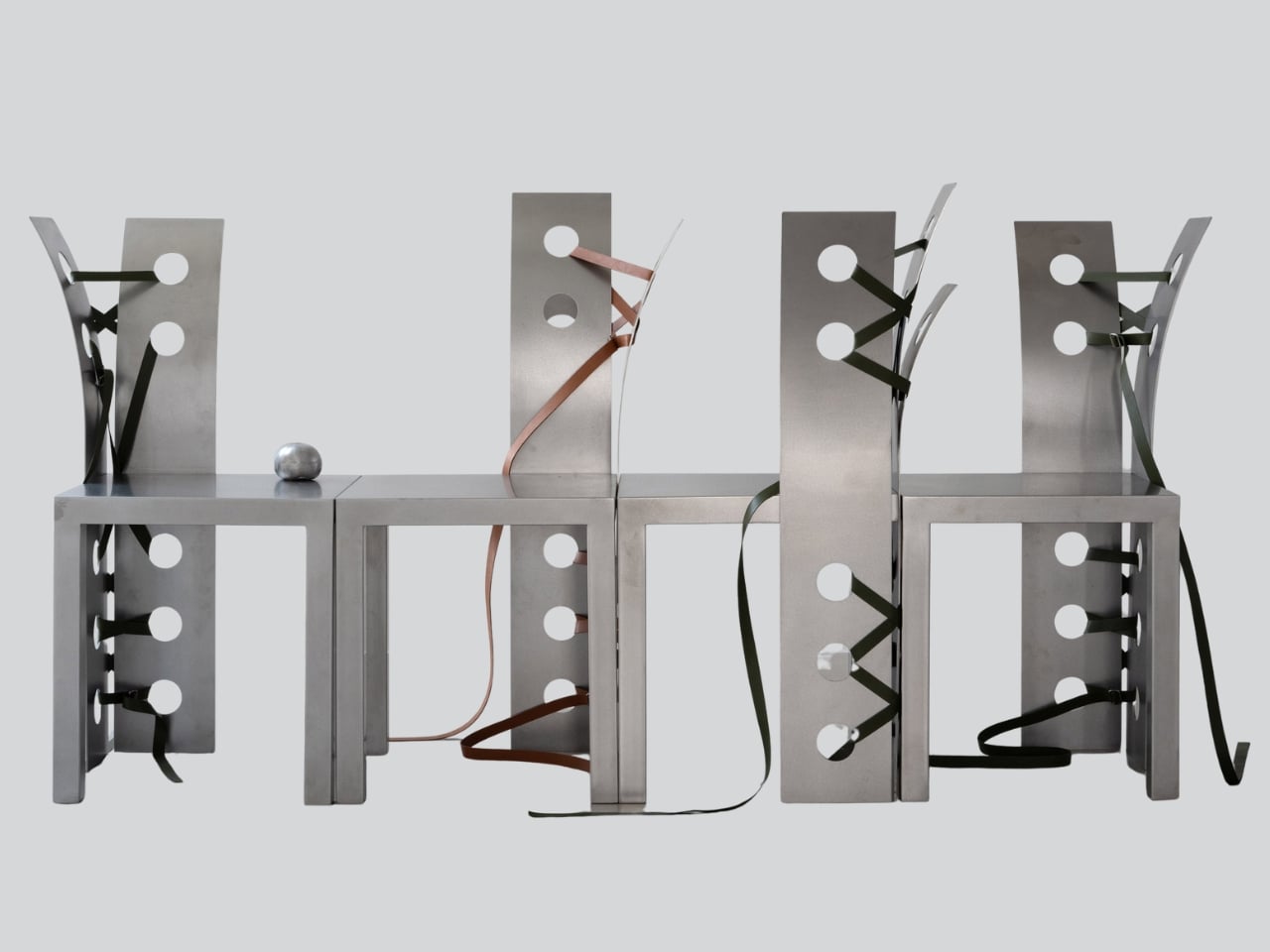
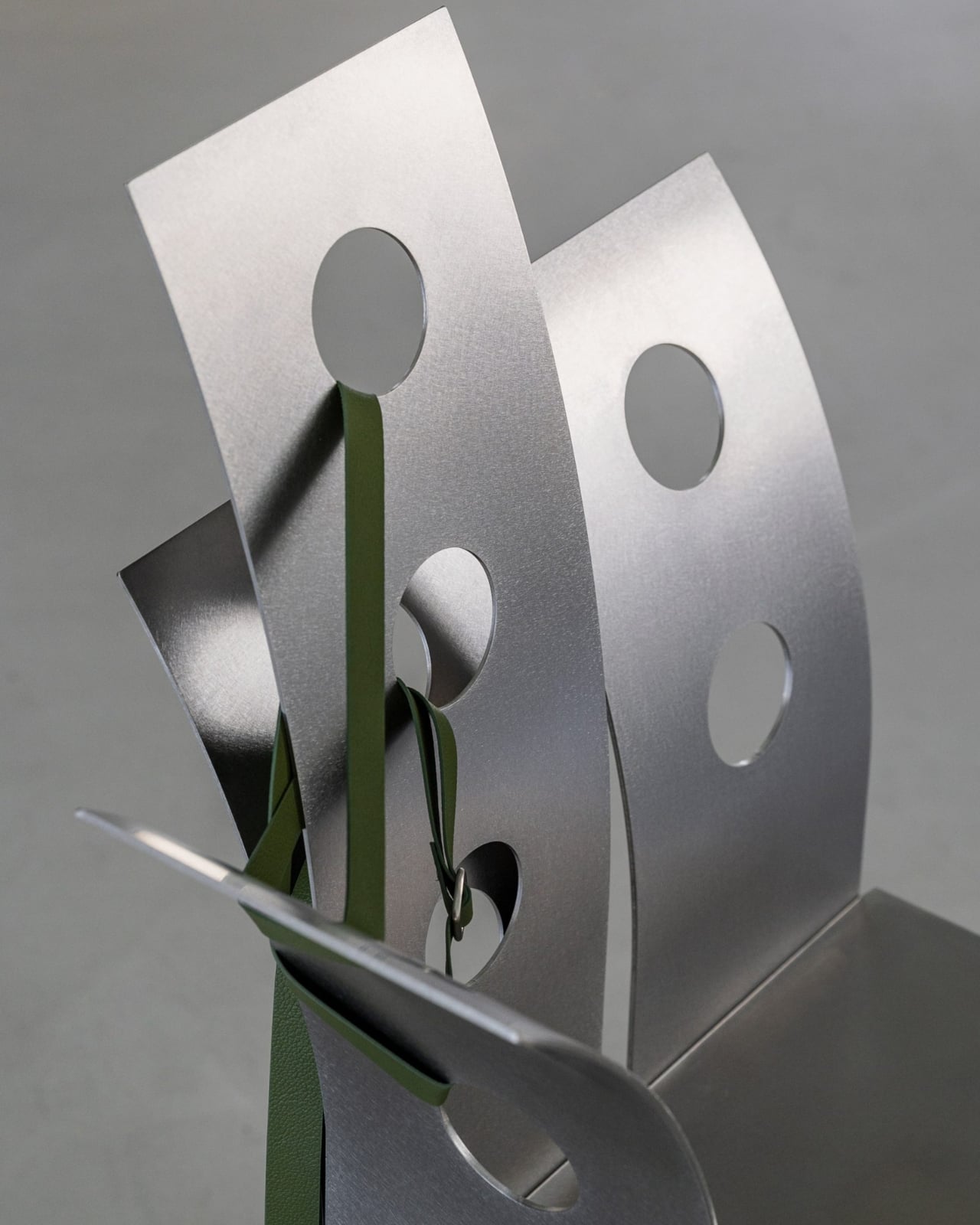
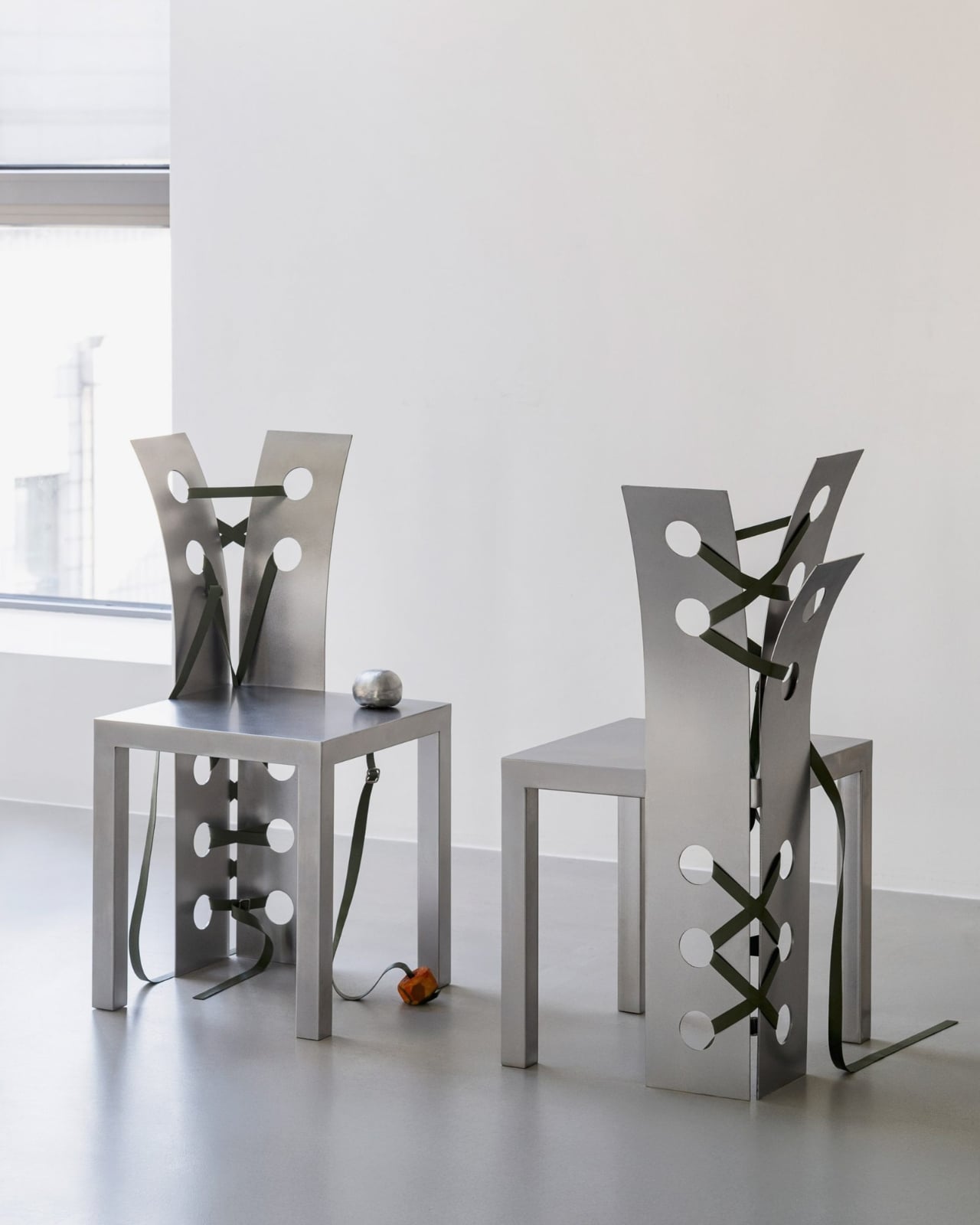
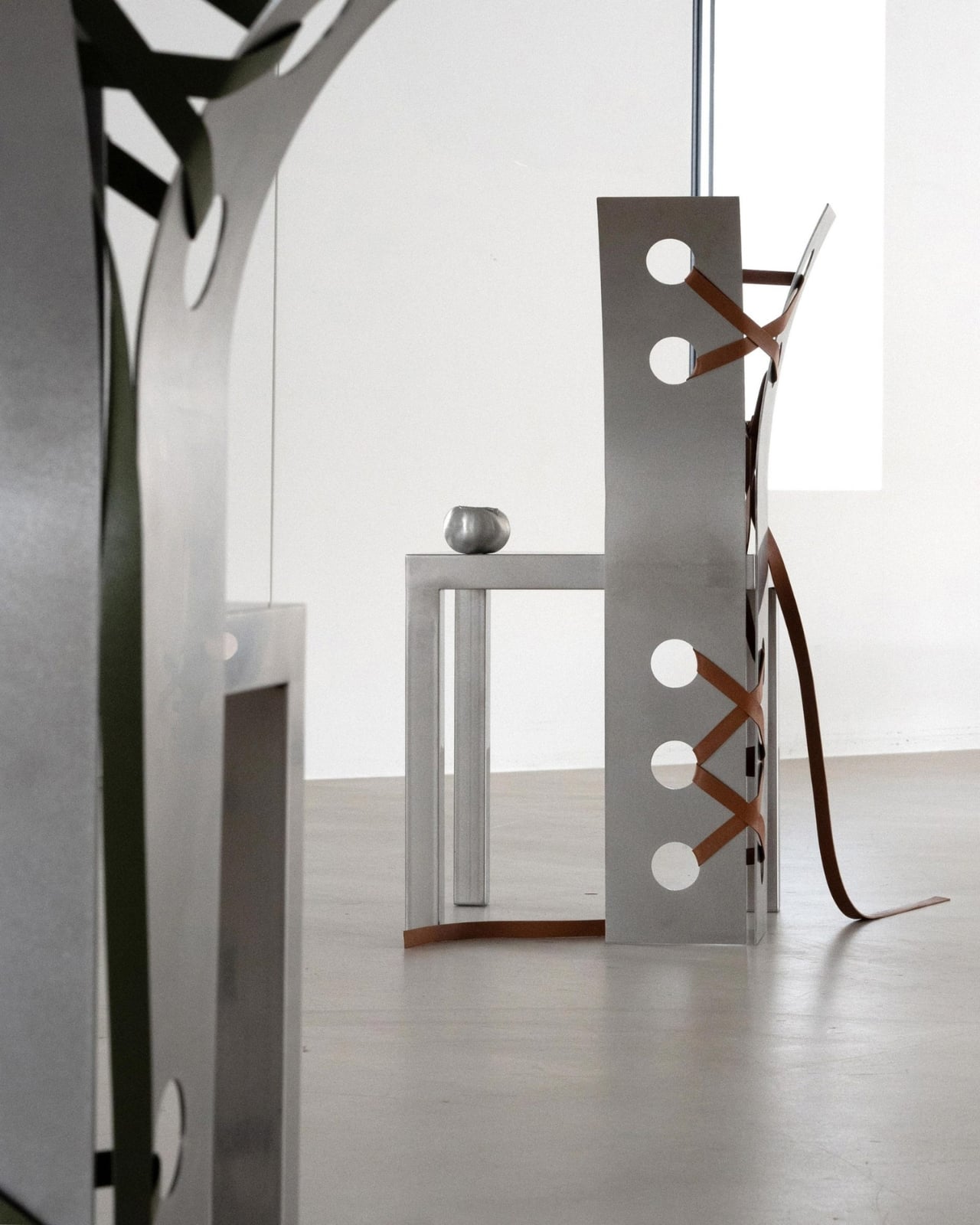
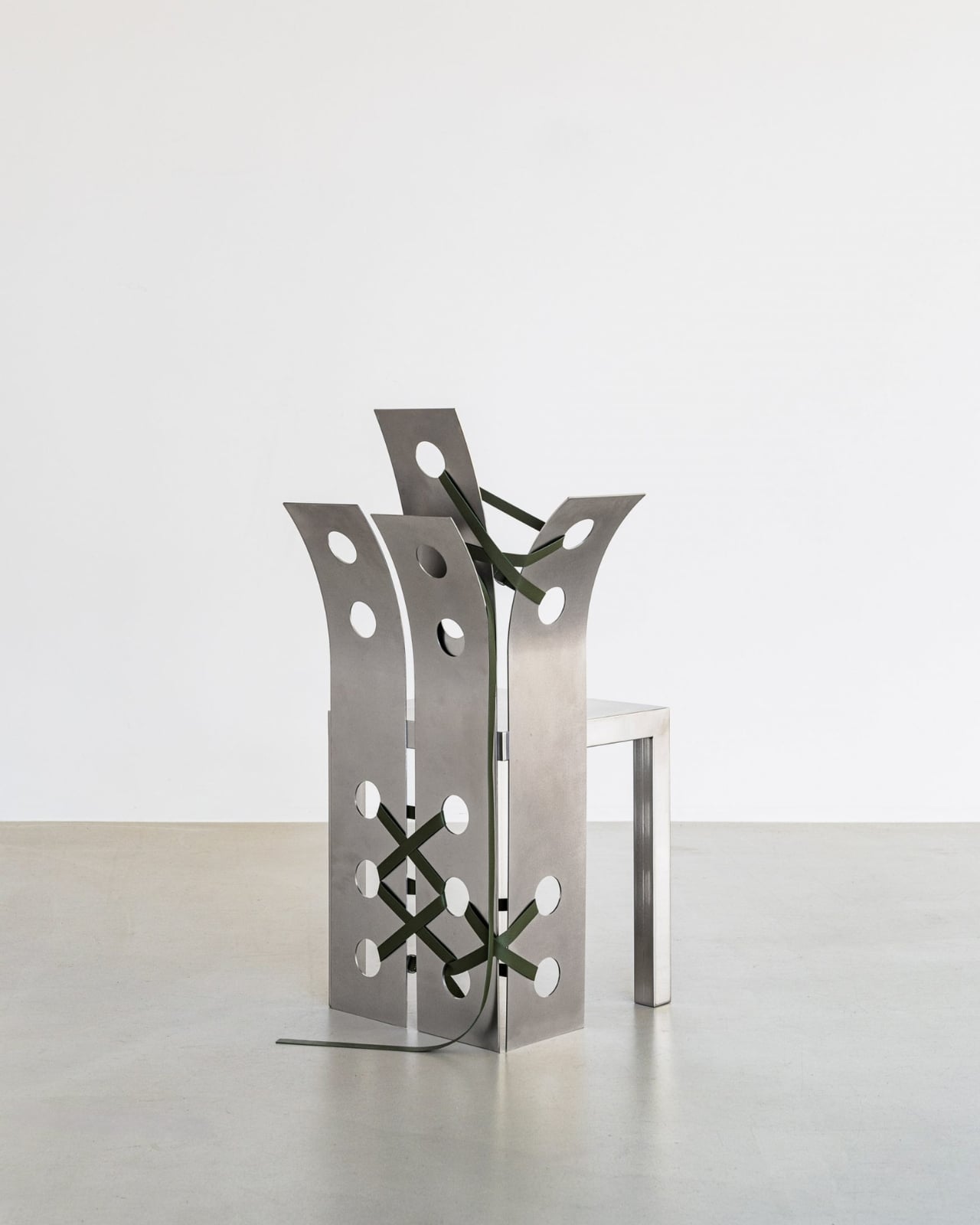
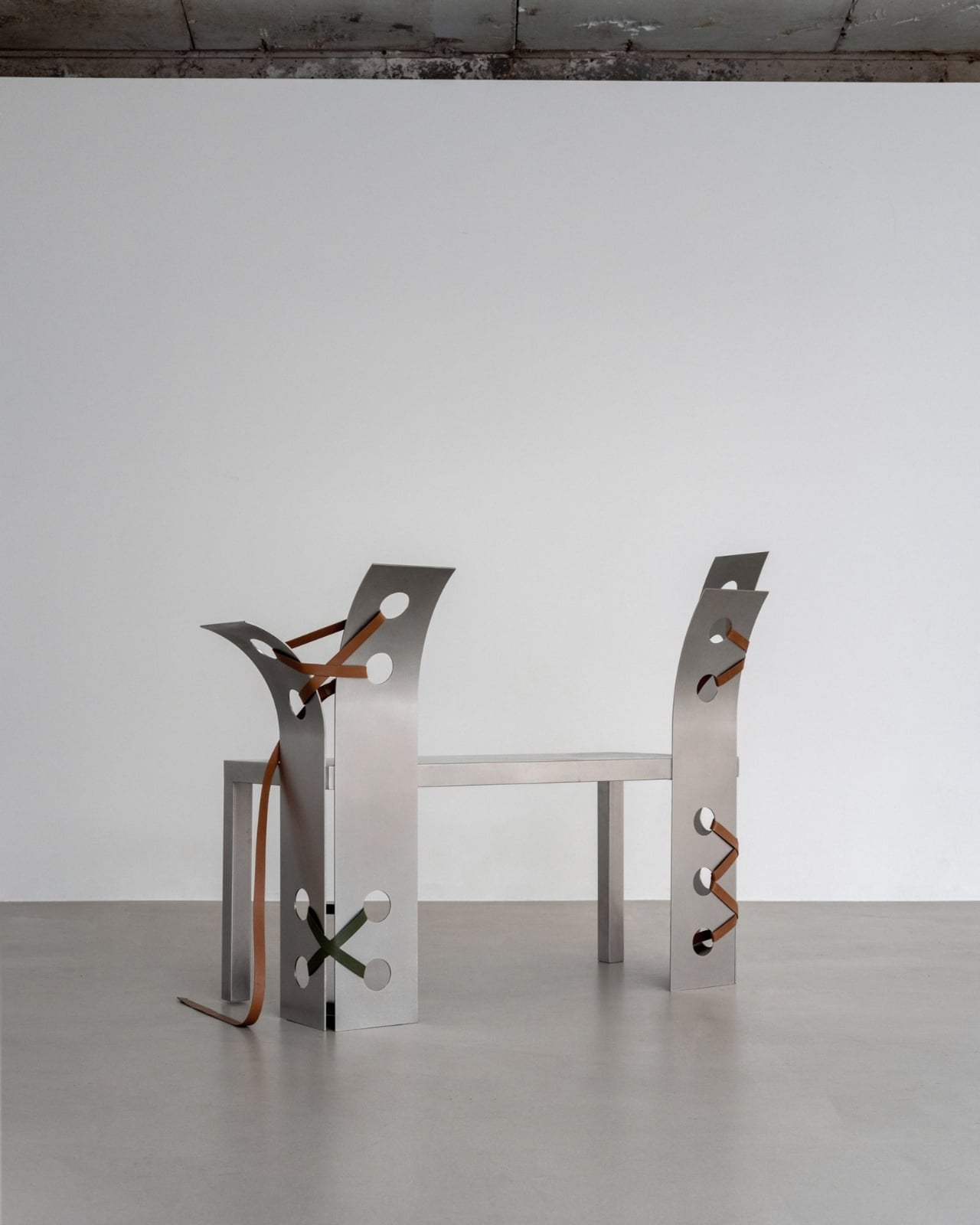
There’s something quietly rebellious about seeing delicate leather straps wrapped around cold, hard steel. It’s unexpected, a bit contradictory, and exactly what makes Nara Lee’s Pul collection so captivating. The Paris-based architect just unveiled this sculptural furniture series at The Sun Room exhibition in Seoul, and it’s turning heads for all the right reasons.
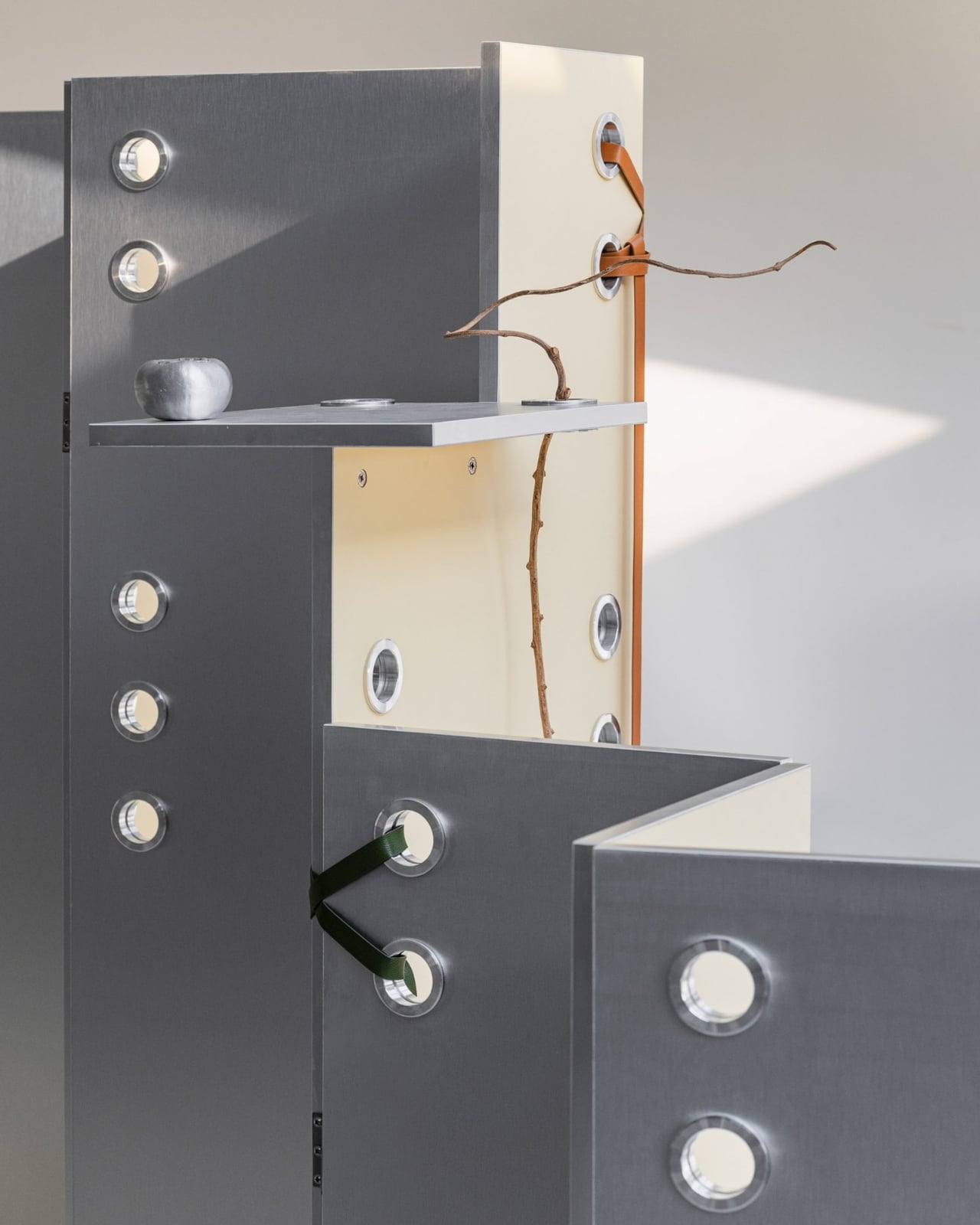
What strikes you first about these pieces isn’t just their minimalist beauty, but the story they tell about urban nature. Lee drew inspiration from what she calls Seoul’s “wild nature,” those moments when the organic world refuses to be contained by concrete and glass. Think weeds breaking through sidewalk cracks, vines climbing up apartment buildings, or wildflowers blooming in forgotten corners. It’s nature being stubborn and beautiful in places it technically shouldn’t exist.
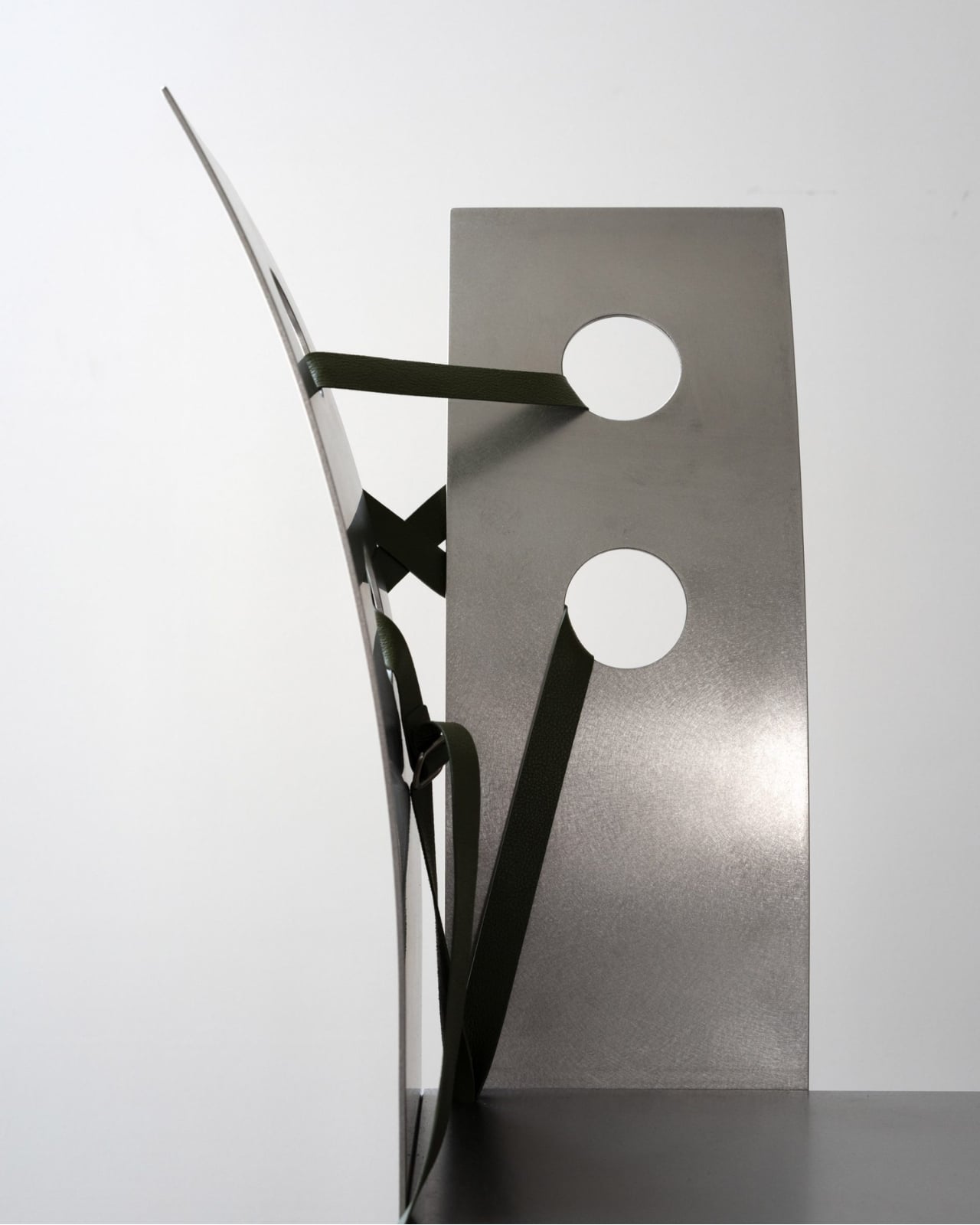
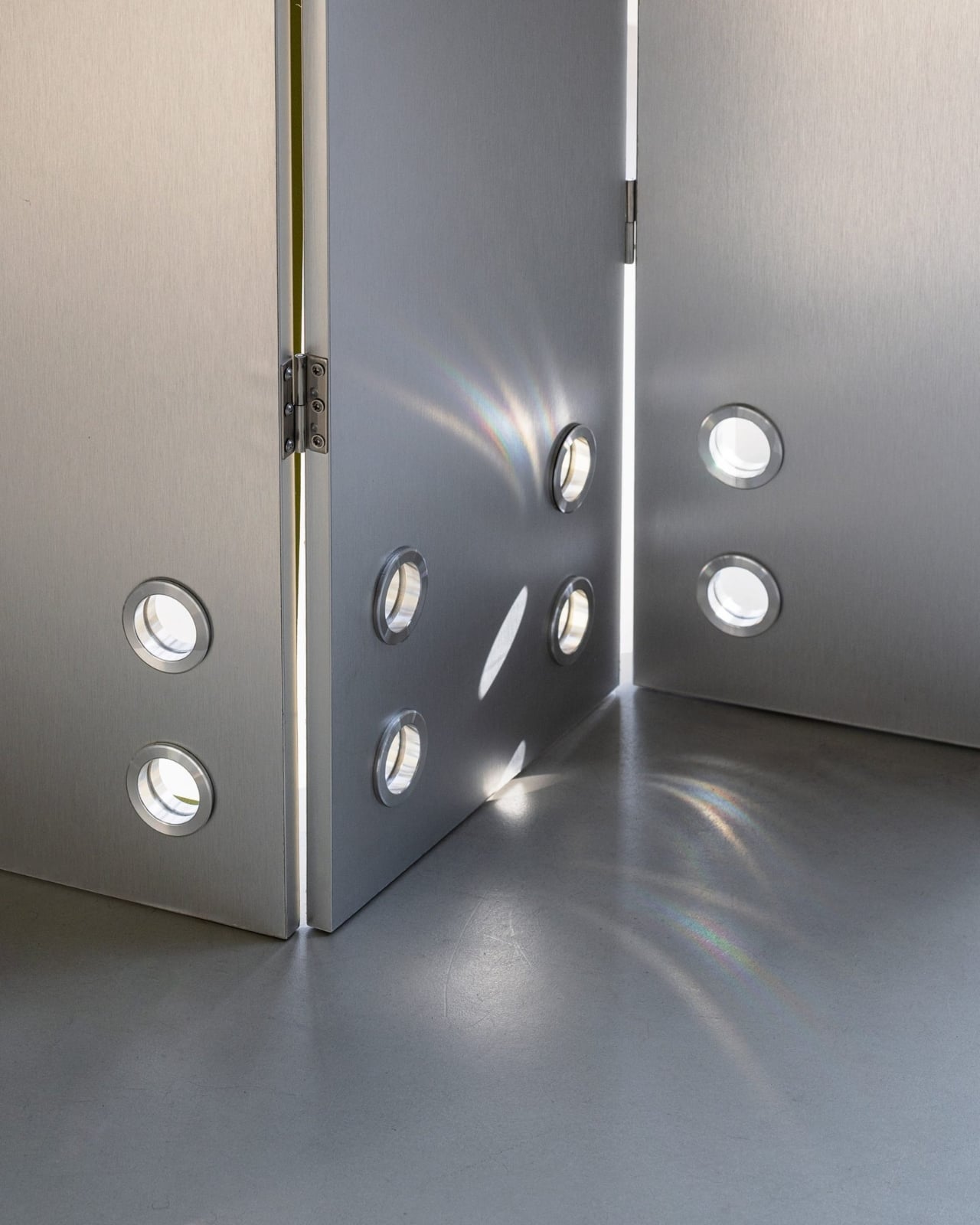
The Pul collection channels this tension between the rigid and the organic through its material choices. Stainless steel provides the structure, all clean geometric lines and industrial precision. But then there are those leather ties that seem to hold everything together, adding warmth and tactility to pieces that could have been austere. The chairs are particularly striking, with backs that bend backwards in ways that feel both sculptural and functional.
What Lee has done here is create furniture that lives in the space between art object and everyday utility. These aren’t pieces that disappear into a room. They command attention, make statements, and start conversations. Yet they’re still fundamentally chairs, tables, and functional objects meant to be used rather than just admired from a distance.
The process behind the collection is just as interesting as the finished products. Lee combines industrial metalworking with traditional hand-crafted techniques, bringing together two worlds that don’t usually share space. The stainless steel gets precision-cut and welded using modern manufacturing methods, while the leather components require old-school craftsmanship and careful hand-stitching. It’s this marriage of high-tech and handmade that gives each piece its unique character.
There’s also something to be said about Lee’s choice to debut this collection in Seoul rather than in Paris, where she’s based. It feels intentional, like coming full circle with inspiration. The city that sparked the concept gets to see its wild nature reflected back through these striking furniture pieces. It’s a love letter to Seoul’s particular brand of urban beauty, where modernity and nature negotiate their coexistence daily.
The sculptural quality of the Pul collection places it firmly in that growing category of design that refuses to pick a lane between art and function. These are pieces that would look equally at home in a contemporary art gallery or a stylishly minimalist living room. That versatility is part of their appeal. They’re conversation starters that also happen to be incredibly practical. What makes this collection feel particularly relevant right now is its exploration of contrast. We’re living in an era obsessed with binaries and either-or thinking, but Lee’s work suggests there’s beauty in bringing opposites together. Hard and soft, industrial and organic, precise and imperfect. The Pul collection doesn’t try to reconcile these differences so much as celebrate them.
For anyone interested in where contemporary design is heading, the Pul collection offers some compelling hints. There’s a growing appetite for pieces that tell stories, that reference their cultural contexts, and that don’t sacrifice artistic vision for mass appeal. Lee’s work checks all those boxes while still maintaining a clean, approachable aesthetic that doesn’t require a degree in design theory to appreciate.
The leather straps aren’t just decorative elements or structural necessities. They’re the collection’s way of softening steel’s edge, of adding human warmth to industrial coolness. They represent the hand-crafted in conversation with the machine-made, the traditional meeting the contemporary. In a world increasingly dominated by algorithmic precision and mass production, there’s something refreshing about furniture that proudly shows the marks of human touch alongside industrial fabrication.
Nara Lee’s Pul collection proves that furniture can be more than just functional objects. It can be commentary, poetry, and practical seating all at once. And sometimes, the most interesting design happens when you let contradictions coexist rather than trying to resolve them.
What if your next adventure took you far beyond the reach of cell towers, into rugged mountains, dense forests, or remote deserts? For those who crave the thrill of the unknown, staying connected and safe can feel like an impossible challenge. Enter the Garmin inReach Mini 3 Plus, a compact yet powerful satellite communicator that […]
In a world where notifications persistently compete for our attention, distraction-free ereaders and writing tablets have found an audience. Putting your phone, laptop or iPad aside and curling up with a Kindle or a reMarkable tablet have become an almost ironic way for the tech-savvy to disconnect from online noise and focus on reading and writing. It’s debatable how broad the appeal of these devices is, but even in what appears to be a relatively small slice of the industry, the competition is fierce.
Amazon is arguably the biggest name in the space, with its Kindles dominating the ereader market for years. When it introduced the Kindle Scribe in 2022, the company made a play for the burgeoning E Ink writing tablet category, and just last year it launched its first color ereader with the Kindle Colorsoft. Put all those features — reading, writing and color — together, and you’ve got the ingredients for Amazon’s latest contender: the Kindle Scribe Colorsoft.
This time, Amazon expanded the Scribe line by releasing three new Scribes at once. The entry-level model is the black-and-white tablet without a front light, which costs $430. For $70 more, you’ll get the front light, and then the Colorsoft version goes for $630. There are upgrades from last year’s Scribe across the trio, and for this review we’ll be looking mostly at the Colorsoft, which has all of the new features.
Like with previous models of the Scribe, Amazon doesn’t indicate the generation number in the name, simply calling this lineup the “all-new Kindle Scribe,” attaching the word Colorsoft to the edition that renders colors. To avoid confusion, I’ll occasionally be referring to this generation of the device as the Scribe 3, and the version from last year as the Scribe 2.
Editor’s note: As I only received the Kindle Scribe Colorsoft on December 7 due to shipping delays, I won’t be assigning a score to this device until I have had more time to test it. My colleague Valentina Palladino received the new Kindle Scribe a few days before that, and has contributed testing and impressions to this review. It’s also worth noting that some new features, like “Send to Alexa+,” “Story so far” and “Ask this book” aren’t available to test yet. We will update this review with a score after spending more time with it so we can better gauge things like battery life and the usefulness of some software features.
What’s new with the Kindle Scribe Colorsoft
Aside from the obvious, which is that the Colorsoft can now render colors, the latest Kindle Scribes also feature a refined design, improved front light system, updated screen architecture, new quad-core chip, more memory and Oxide display technology. It has a larger 11-inch screen compared to the 10.2-inch display on its predecessor, and still manages to weigh 33 grams less at 400 grams (0.88 pounds). There’s also a revamped Home page that houses a Quick Note for easier access to the writing interface as well as some software and AI tools that aren’t available to test yet.
A lot of the hardware tweaks translated to a snappier, more responsive device overall. In my testing, the Scribe Colorsoft’s AI summarization and handwriting refinements took a bit less time than the Scribe 2, which I attribute most to the processor, but I also noticed improved fluidity in the writing experience.
Drawing on the Scribe Colorsoft brings me right back to my younger days testing out pens at bookstores. Amazon’s stylus feels like a pen with ink that flows more freely and consistently onto the page than others, and between the nib and the texture of the page there is a lack of resistance and overall smoothness that is very satisfying.
Cherlynn Low for Engadget
Amazon said that the Premium Pen that comes with the Scribes has been refined with a thicker and more rounded silhouette. With its latest Oxide display, the Scribe Colorsoft’s screen response rate of 14 milliseconds and the non-Colorsoft Scribe 3’s rates of 12ms are both much higher than the 20-21ms for the Scribe 2. Together, this probably is the main reason that the new Scribe feels more responsive in general, and why writing on it seems so smooth. Although, that new front light system might also be contributing to the overall feeling of freshness.
Speaking of, I put the Scribe 2 and Scribe Colorsoft side by side in my friend’s living room and the difference was stark. When I brought both devices next to the window, under direct sunlight, they both seemed similarly bright, with the typical glare-free finish you’d expect of ereaders. But when I took them into a darkened bedroom, the auto-adjusting panel on the Colorsoft lit up its screen and made it easier to read. Colors popped, and while I felt that there was a slight blue tinge to the light, it wasn’t something I would’ve noticed without a side-by-side comparison. It’s not an issue though because you can also adjust the warmth here like you can on other Kindles.
One of my complaints in my review of the Scribe 2 was the flimsy attachment method of magnets holding the pen to the tablet. While Amazon hasn’t built an onboard slot or holder for the stylus, it did increase the magnetic force on the Scribe 3. This was already noticeable during my hands-on with the device back in October, and in real-world use I appreciated this upgrade in keeping the Premium Pen tightly attached to the Scribe Colorsoft. I would still prefer a more secure approach, since I still do worry about the stylus getting lost in my purse and don’t want to have to buy a case just for this purpose. But it’s a small quibble and my concerns have largely been allayed with the increased magnetism.
Cherlynn Low for Engadget
I still need to test some software features like Send to Alexa+, Ask This Book and Story So Far, but they’re not available yet. I’ve been focusing my testing on the Notebook section and need to spend more time marking up and annotating books to better evaluate that use case. But not much has changed there since Amazon rolled out the collapsible margins in February, and you can read my review of the Scribe 2 for my impressions there.
The new home page and AI-powered Notebook search
At the moment, I can speak to one of the new features: AI-powered Notebook search. The Search bar at the top of the Scribe can now answer questions about the contents of all your Notebooks (and books). At the time of the Scribe’s announcement, I thought this would be helpful in pulling together all the tasks I’d assigned to specific team members across the to-do lists I drew up for various events.
When I asked the Scribe “what tasks have I assigned Sam,” its results page showed six categories, pulling information from my library, notebooks, the Kindle Store, the Audible Store, Goodreads and text within books. Only the second one had any findings. Under “Results in your notebooks,” there was a label “AI-powered insights” followed by a header “Sam’s Assigned Tasks.” Below that was a bulleted list, which I’ll transcribe and include an image of here:
Add content to CES sheet
Handle KPBP company set
Track Samsung mobile developments
Handle OnePlus 13
Review device during CES
Attend meetings with: - Dell & ASUS on Thursday, MSI, Razer, HP, Lenovo, Potentially Sony Ateela
Work on Sam Qi 2
Best-Sam host responsibilities
Cherlynn Low for Engadget
I quickly realized that I’d need to fine-tune my requests to get results that made more sense, since random tasks divorced from their parent documents made little sense without context. Thankfully, there was a button below the results that prompted me to “Ask Notebooks” about “these insights, or ask something else.” However, tapping that only brought me to a different page showing the same list but with a new section to see the notes they were sourced from.
I’ll also point out that this list of tasks for Sam was not the same result I got from a query about “where do I mention Sam?” In addition to the two to-do lists that I created in December 2023 and January of this year, the Scribe told me “Sam appears on a Christmas shopping list as one of the checked-off friends.”
That’s fairly impressive, since that list did have Sam under a handwritten header “Friends,” as opposed to other pages titled “Gym” or “Neighbors.” But it appeared to only be able to determine that Sam’s name was checked off thanks to the template I used for the notebook. Other check marks I made outside the predefined boxes in that background weren’t deemed as checks and instead misrecognized as dashes. So later when I asked where my friend Michelle appeared in all my notebooks, the Scribe noted an entry for “Michelle-scart” in a different holiday shopping page.
Retrying the same question did yield more accurate results, though, with a subsequent search correctly stating “Michelle appears in a list with ‘scarf’ noted next to her name.” And whether it’s my overly messy handwriting to blame or Amazon’s technological deficiencies, there were still some words or sentences that it misidentified, like “Michelle-callin” instead of “Michelle — Callie.”
So far, the AI-powered Search feels like a hit-or-miss update. Sometimes, like when I took the bait and asked the questions it suggested, I would get shockingly accurate answers. “Try asking ‘which Ariana song is mentioned in the list,’” the Scribe prompted. Or “When is the HOA meeting occurring?” For the former, it told me that the song “Bang Bang” was on a list of karaoke songs, while the latter simply told me the date and time it had found in a note titled “Appointments Dec 2022.” I’ll need more time to think of better ways to use this feature, but for now I can’t decide if it’s actually helpful without some extra work.
Cherlynn Low for Engadget
I already spent some time testing the Summarize and Refine tools introduced in the last Kindle Scribe, so I’ll just say that refining the handwriting of a to-do list on the Scribe Colorsoft was largely the same as before, just a tad faster. I didn’t really use either AI tool in the year since I reviewed the Scribe 2, so I was right last year in thinking I wouldn’t find much use for them in daily practice.
What I thought would be more practical is the redesigned Home screen and the Quick Note that takes up the top left corner of this page. Again, I’d need to spend much more time to understand how I’d navigate the device over weeks and months, but for the most part I find it easy to just hop in and out of notes I want without first going to the Home section. I’d prefer a hardware shortcut like Montblanc offers in its Digital Paper writing tablet. On that device, you can program the buttons on the pen so that a double click starts a new note, adds a blank page or brings you back home.
While you can customize the button on Amazon’s Premium Pen, your options are limited to switching between tools like the highlighter, pen, shader or eraser for use while you’re writing. (And yes, like before, you can still use the top of the Premium Pen to erase content — no need to push any button.)
One last thing to note about the home page (for now) is that seeing the rows of book covers in color is a delight, and though it’s not something that impacts the function of the device, it certainly adds a layer of visual pleasure.
How does the Kindle Scribe Colorsoft compare to the competition?
One of the Scribe Colorsoft’s main competitors is the reMarkable Paper Pro. The latter has a larger 11.8-inch screen and, correspondingly, weighs a lot more at 525 grams (1.16 pounds). Though I prefer the sharp lines of the reMarkable to the rounded edges and corners of the Scribe, I find the Kindle’s size much more manageable, especially when I’m writing for more than five minutes.
Importantly, the Kindle Scribe Colorsoft simply has a better screen than the reMarkable. It delivers brighter, more saturated colors, and supports more hues, too. Plus, when I placed them next to each other, the Paper Pro seemed to have a yellow cast and a dimmer screen overall (even at maximum brightness). And when I use the highlight function on each, the reMarkable device “flashes” — meaning you have to give it a second for the color to appear in its final form after you put the stylus to the screen. Meanwhile, the color that shows up on the Colorsoft’s panel as soon as you write on it doesn’t change — no flashing takes place.
Cherlynn Low for Engadget
The Scribe’s other strengths are its superior performance and Amazon’s ecosystem of books (for those like me who already have large Kindle libraries, anyway). Though it does offer AI features that reMarkable doesn’t, I’m generally leery of those tools, and, as already detailed in this review, they don’t usually help me.
However, the reMarkable remains the winner when it comes to writing software. It’s way more versatile than Amazon in this respect, especially with its ability to have handwritten and typed text coexist within the same document. You can also edit a note from reMarkable’s app on your phone, typing in any last-minute additions to your shopping list and bolding, italicizing or formatting them if you like. And if you’re a power user, getting your favorite ebooks onto the reMarkable tablet isn’t too difficult, provided you have the EPUB files. The main problem for me here is that you'll need to pay $3 a month for its Connect subscription to continue having access to a lot of these features.
I’ll also shout out companies like Kobo and Boox, who also make color-rendering ereaders that you can write on. Boox’s Note Air 5c starts at $530 and includes the stylus and a magnetic case for that price. It supports apps via the Google Play Store, but, as our deputy editor Valentina Palladino cautions, isn’t the most beginner-friendly product. Kobo, on the other hand, makes color ereaders like the Libra Color. Although it does support stylus input, it is much smaller with its 7-inch display.
And for those who aren’t too fussed about color, there are plenty of black-and-white E Ink writing tablets, including the $905 Montblanc Digital Paper, which I’ve been testing for a few weeks. I’m finishing up my review but that one is clearly a luxury product targeted at a much more niche audience than the already limited target market for this category of devices. If your budget is tight, I’d recommend skipping the Colorsoft model unless it’s crucial to your process. $500 is a much easier price to stomach.
Who should get the Kindle Scribe Colorsoft?
I hesitate to recommend anyone buy anything before I’ve had enough time to assign a score, since things like battery life take longer to evaluate. And while I continue to test the device to get a better sense for its battery life, I’ve already noticed that like the Scribes before it, this version doesn’t last as long as other Kindles. Amazon promises weeks of reading and writing per charge, which could be anything between two and ten (or more) weeks.
In my experience so far, the Kindle Scribe Colorsoft dropped about 20 percent in two days, which, mathematically, means it would struggle to even last a week, not to mention multiple weeks. But because the Scribe 2 showed similar battery drain during my review (with heavier use) and manages to stay charged for at least a month when I’m not testing it all day every day, I’m willing to believe Amazon’s promise of greater runtime.
Aside from my reservations about battery life, the Kindle Scribe Colorsoft is a competent device that delivers on most of its promises so far. The biggest knock against it is its price. At $500 for the monochrome model and $630 for color, this is one Amazon product that can be more expensive than the competition.
But it’s not without its strengths. I’d think of the Kindle Scribe 3 (and Colorsoft) as an E Ink tablet that is more of a notebook than a portal for textbooks you can mark up, with a robust library of Kindle titles to boot. The AI features are not crucial to the experience, but they also stay out of the way. For those looking for a more sophisticated and versatile writing tablet that is less of a book replacement, the reMarkable Paper Pro is the superior device. And for people who don’t mind the notifications, apps and alerts that these purpose-driven tablets keep from distracting you, there’s always the option of buying an iPad or an Android tablet with a stylus. Just install minimal apps or block all notifications, and you might even save hundreds of dollars in the process.
Cherlynn Low for Engadget
Wrap-up
I hate to admit it, but Amazon’s devices and services chief Panos Panay was right in calling the Kindle Scribe a 2-in-1. But the two functions it serves are very specific. I think of the Scribe devices as Kindles first and foremost. That means they’re ereaders, capable of substituting stacks of books thanks to their digital libraries and eye-friendly screens. The second role the Scribe plays well is that of a notebook substitute. It is a place to hold endless slips of digital paper, and its search function can competently help you find what you jotted down in a random note years ago.
But Amazon has not yet found a way to deliver on features like annotating and marking up ebooks that feels like pen-and-paper. Trying to mark up a digital textbook on the Scribe still feels unintuitive, involving virtual sticky notes, collapsible margins and inserting boxes within lines of text. And you won’t be able to easily edit your notes if you’re away from your Scribe, unlike how you can on a reMarkable product.
So the Kindle Scribe 3 is not a three- or four-in-one. I don’t have a problem with that, especially without the extra cost that comes with the color capabilities. While the Colorsoft model is superior to the competition at the moment, it also comes at a premium. If you’re looking for the best color E Ink writing tablet available and are willing to splurge, the Kindle Scribe Colorsoft is worth consideration.
This article originally appeared on Engadget at https://www.engadget.com/mobile/tablets/kindle-scribe-colorsoft-review-a-very-particular-set-of-skills-for-a-price-140014961.html?src=rss
The Mac Notes app is a robust tool that extends far beyond basic note-taking. With its advanced features and seamless integration across Apple devices, it can serve as a central hub for productivity and organization. Whether you’re a student, professional, or casual user, understanding its full potential can help you stay organized, save time, and […]
What if creating high-quality 3D models no longer required expensive software, specialized hardware, or years of expertise? Enter Meta’s SAM 3D, an open source AI tool that promises to provide widespread access to 3D modeling by making it faster, more accessible, and entirely free. Building on the success of Meta’s “Segment Anything Model” (SAM) initiative, […]