Concrete’s default mode in product design is heavy, rectilinear, and a little confrontational. It shows up in candles, bookends, and lamp bases that lean into the brutalist reference, as if rawness is the whole point. That aesthetic works in the right context, but it rarely feels calm or considered at desk scale, where the goal is usually a surface that helps you focus rather than one that announces itself at every angle.
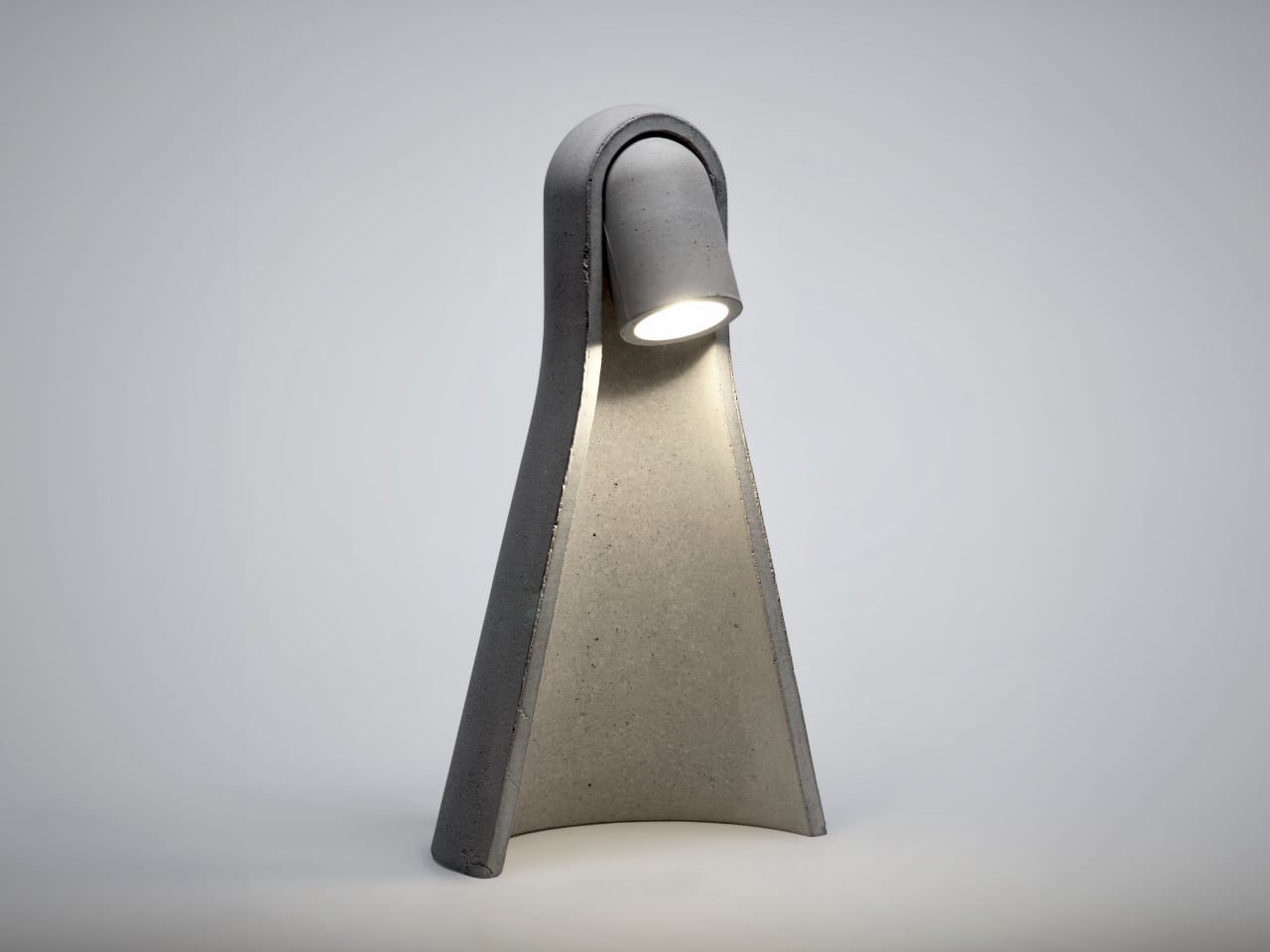
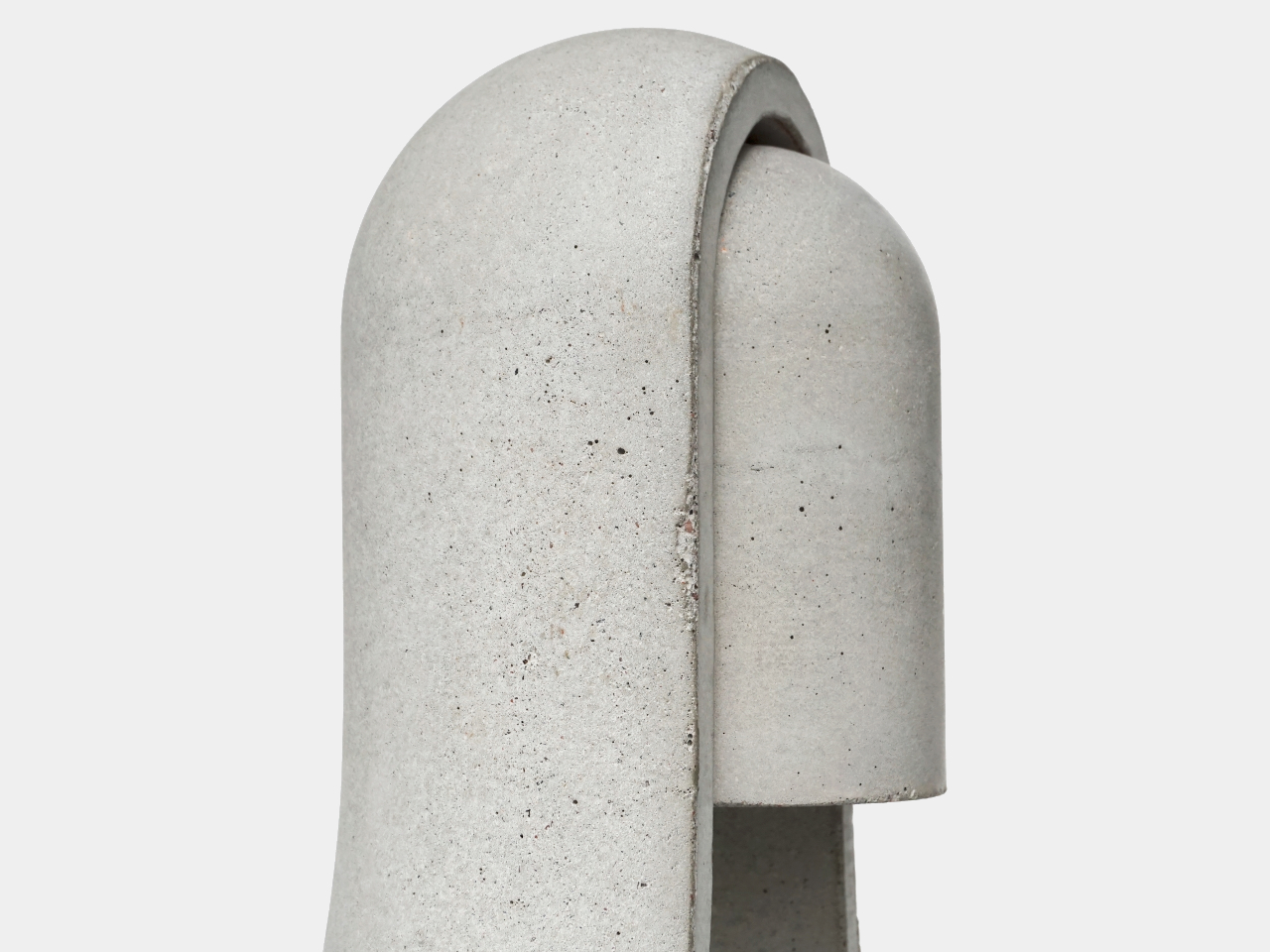
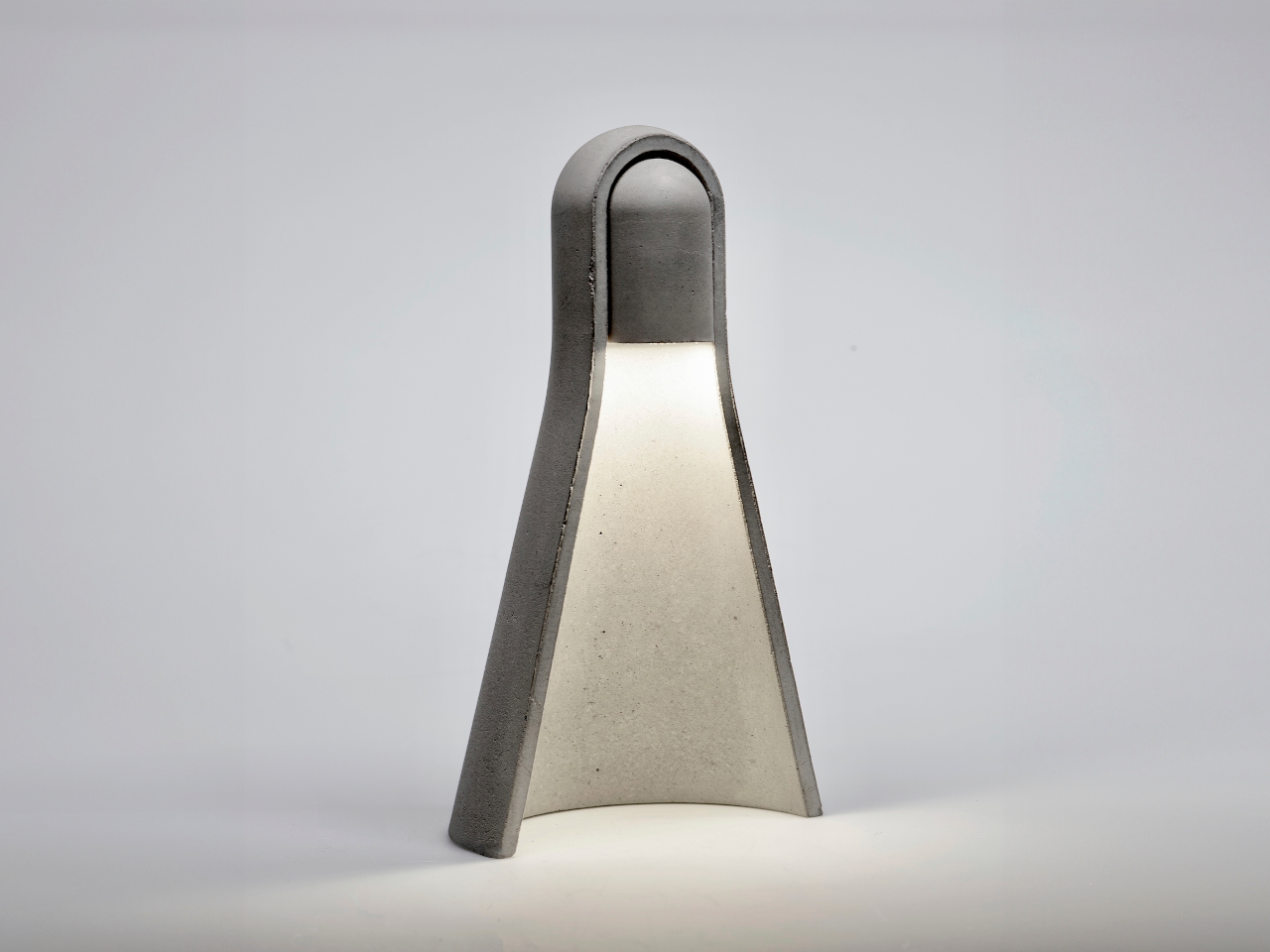
Mikka started as a question: what if cast concrete could feel light? The answer was a desk lamp with softened edges, carefully balanced volumes, and a silhouette that reads as calm rather than rigid. The intent wasn’t to disguise the material or pretend it’s something else, but to present concrete in a way that feels contemporary and approachable without stripping away what makes it honest.
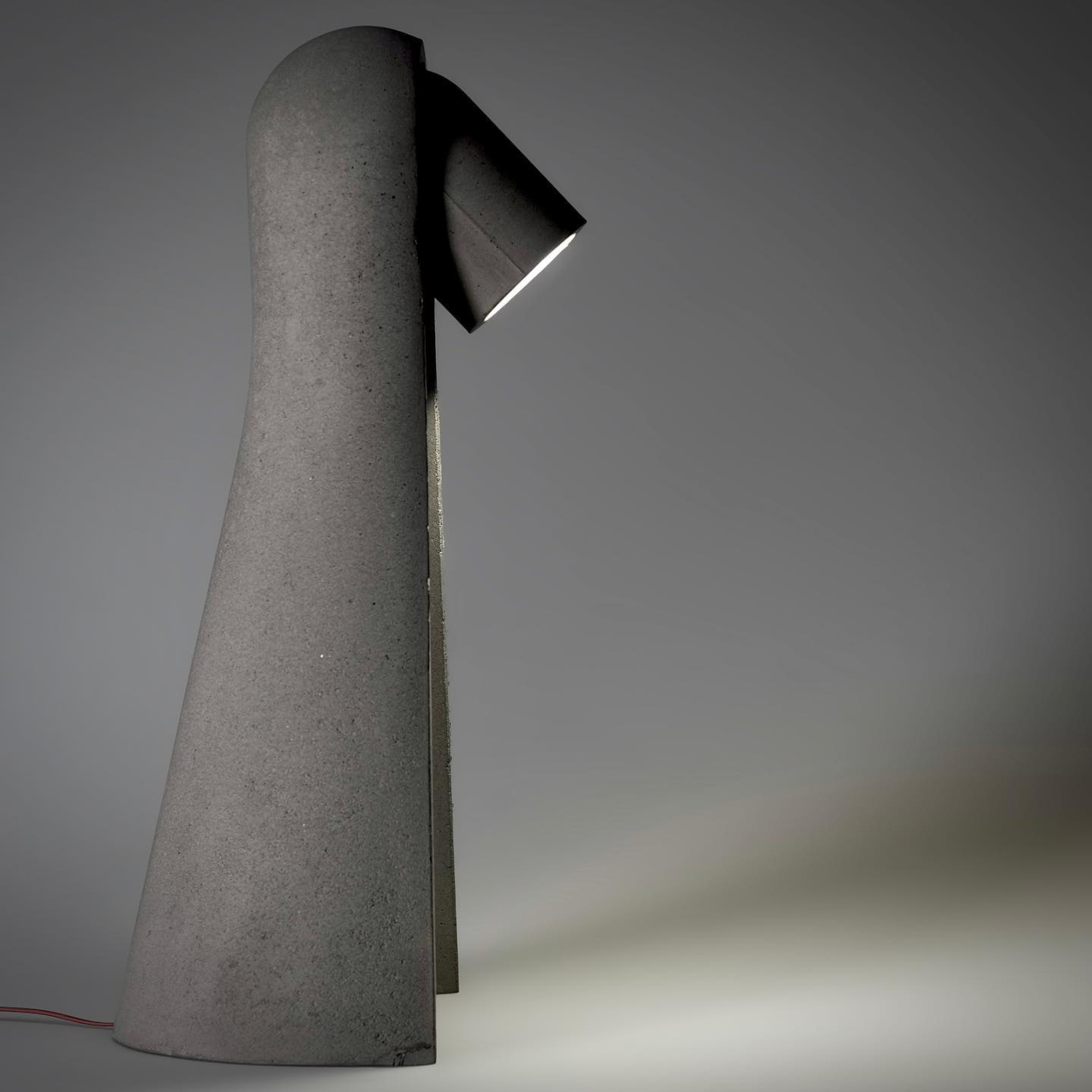
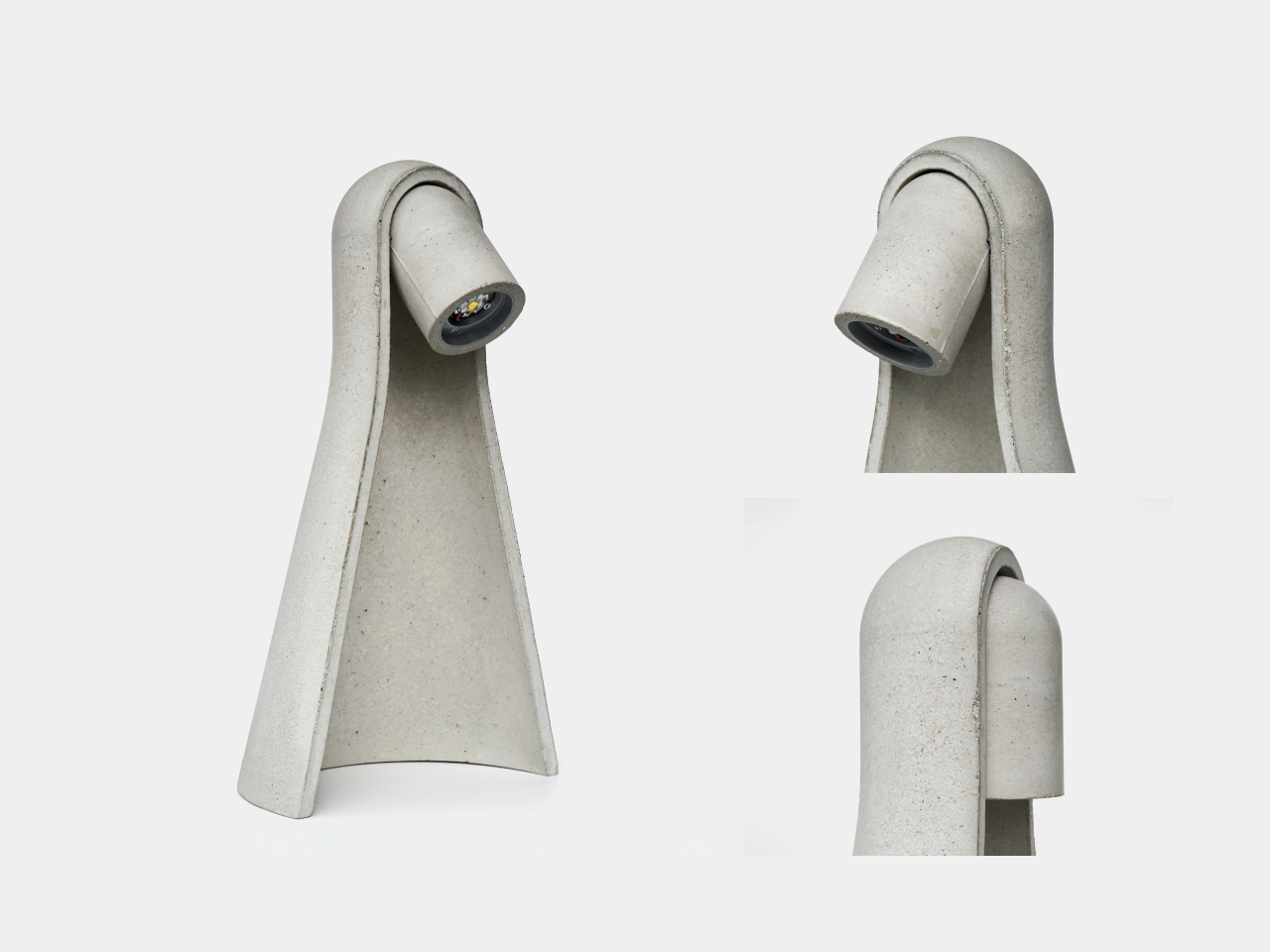
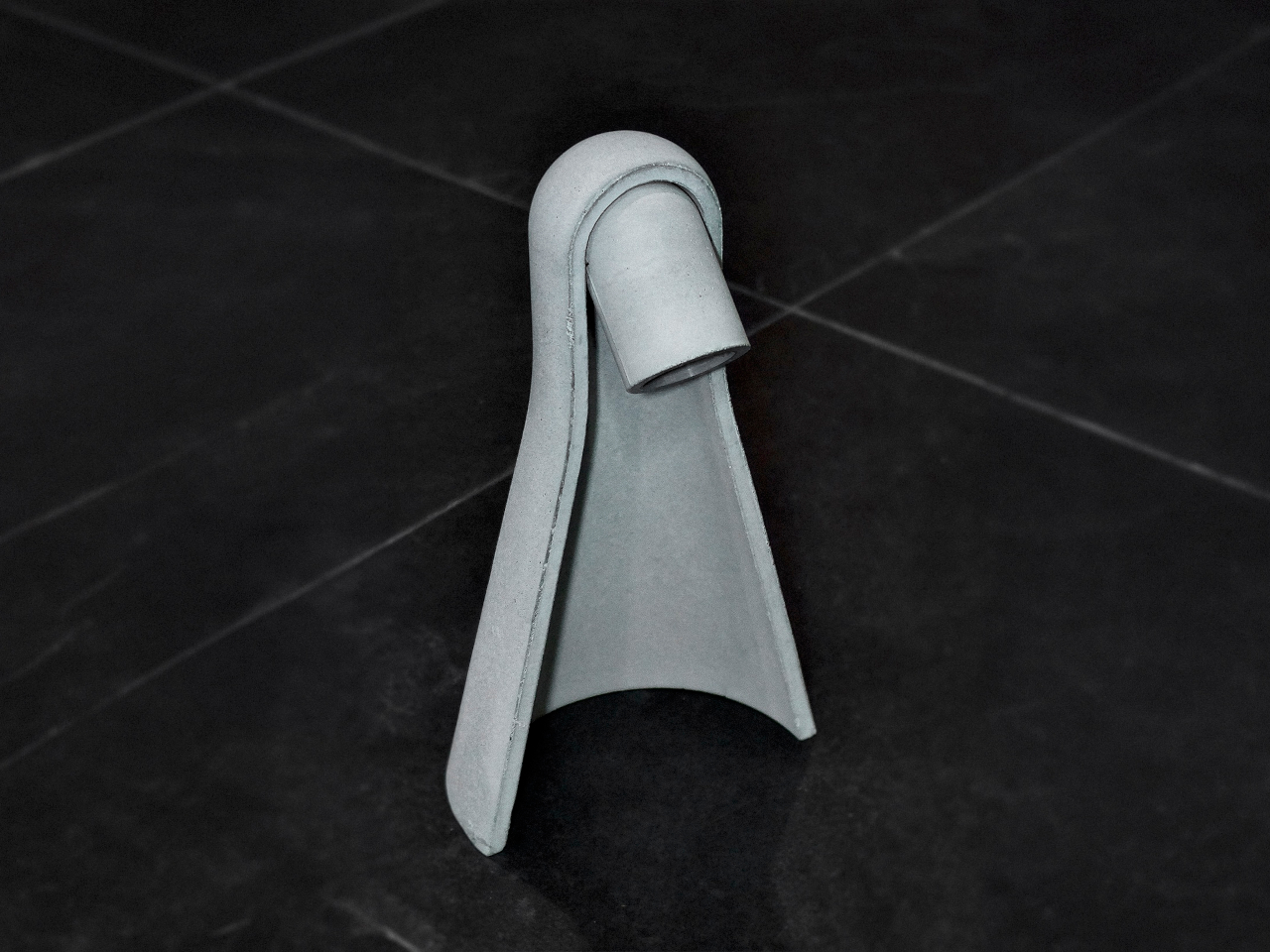
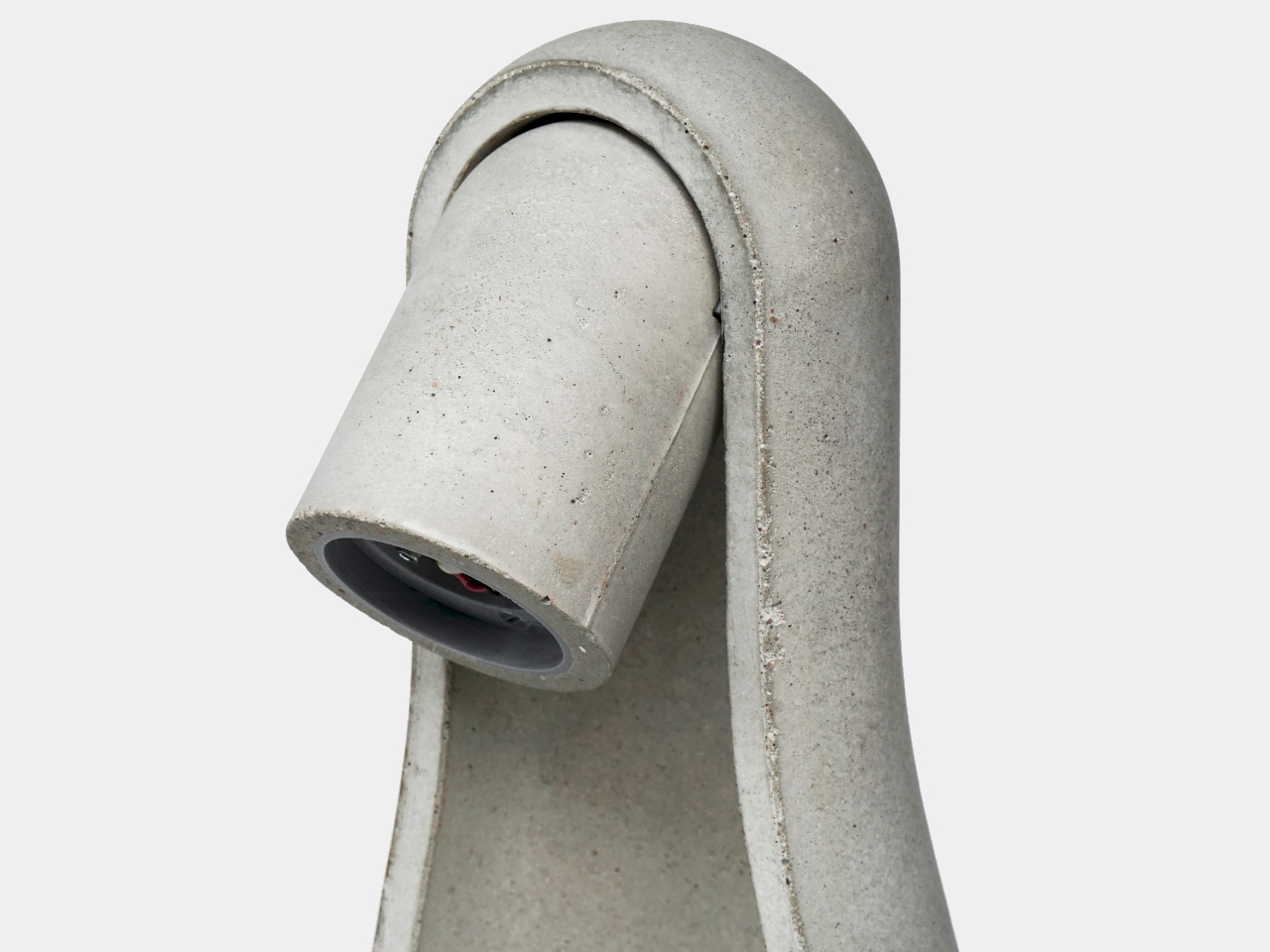
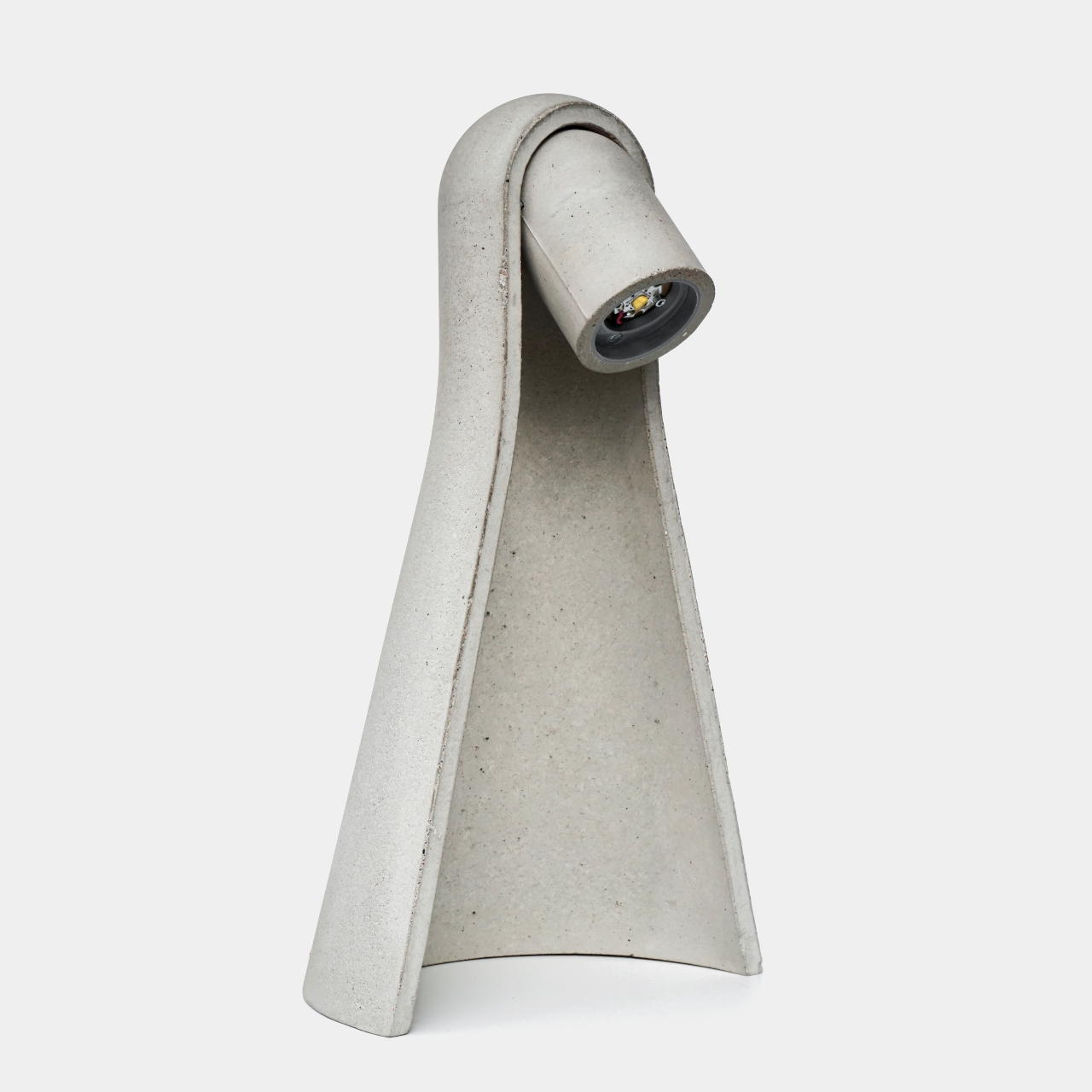
The form does most of the work. Surface transitions are controlled and gradual, edges are rounded rather than chamfered, and the overall proportions avoid the solid block feel that makes most concrete objects look like they belong on a construction site. The negative space inside the body carves away visual mass, helping the lamp feel lighter than any concrete object has a right to feel when you know how dense the material actually is.
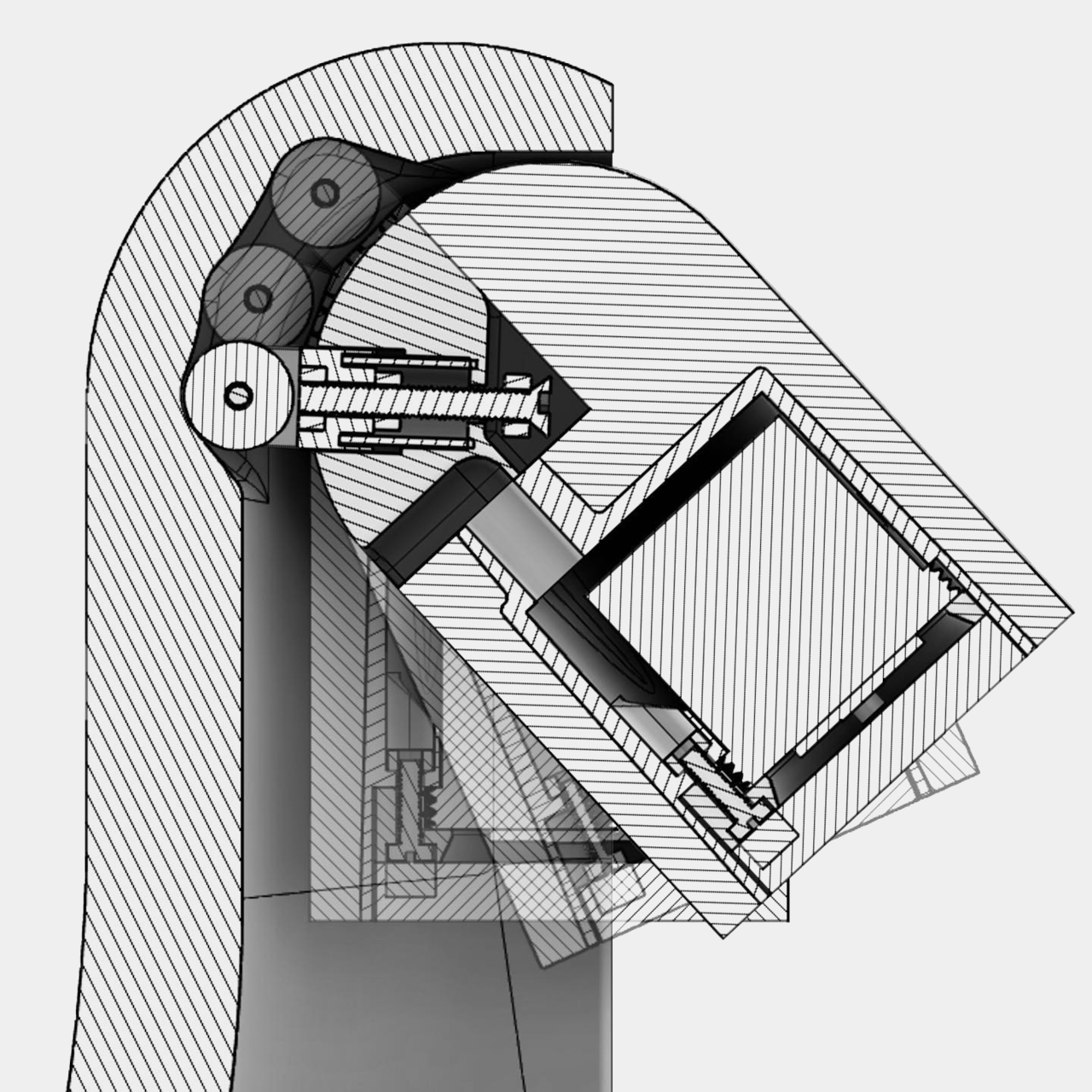
Manufacturing played a central role in making that geometry possible. The housing was cast using a precisely engineered 3D-printed mold, which enabled tight radii, consistent wall conditions, and a refined surface finish that would be difficult to achieve with conventional mold making. This is a hybrid workflow, additive manufacturing used as tooling for traditional casting, and it’s what allows the lamp to have the controlled, nuanced form language it’s going for rather than the rougher profile that hand-built molds often produce.
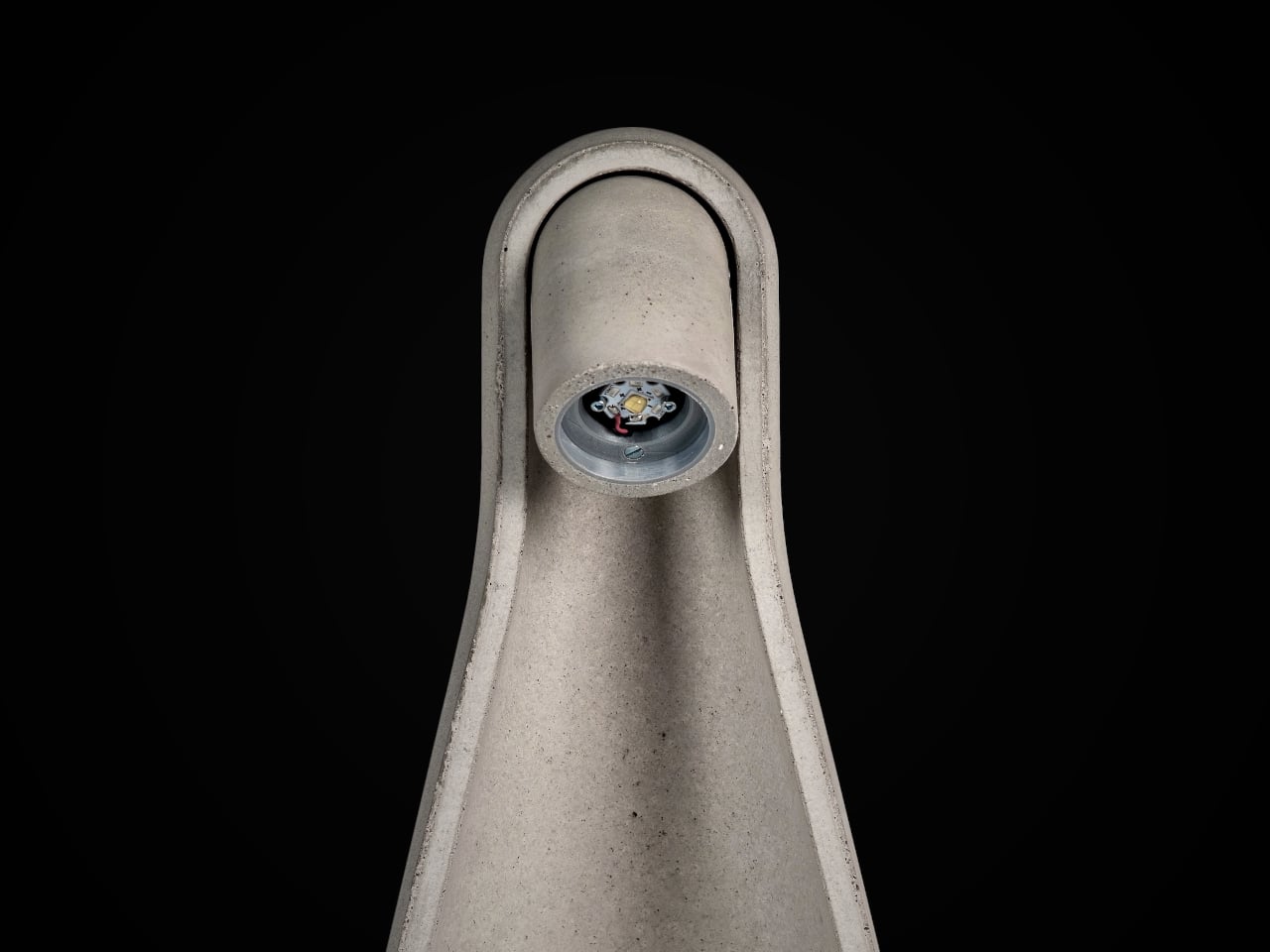
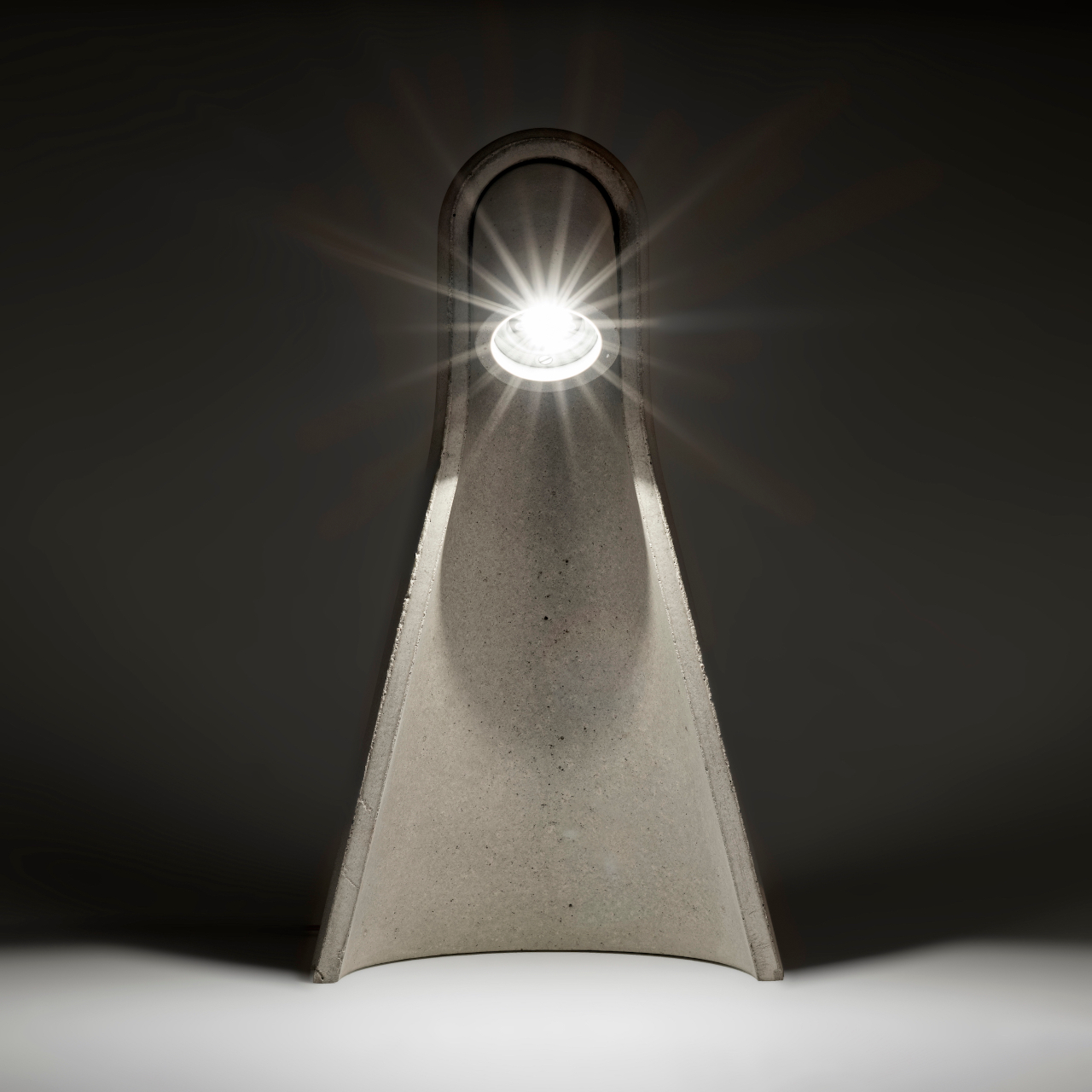
The pivot mechanism is where Mikka asks for interaction. Angle the head downward, and the beam grazes across the concrete surface, revealing subtle texture variations and the natural imperfections from the casting process. The lamp becomes almost self-referential in that mode, drawing attention to the material qualities that define it. Angle it outward, and it becomes a practical reading or work light, focused and direct. One gesture shifts the whole character of the object.
That duality is what keeps it interesting on a desk rather than just on a shelf. Late at night, angled inward, it’s a quiet ambient presence. During the day, aimed at a book or screen, it’s functional and unfussy. It doesn’t ask you to commit to one mode, which is a useful quality in a lamp that has to share space with other objects.
Mikka suggests that concrete at product scale doesn’t have to default to weight and aggression. When the form is thoughtful, and the mold is controlled, the material can carry a different kind of presence, one that fits on a desk at home without demanding to be the only thing you notice in the room.
Apple Shortcuts offer a practical way to streamline tasks and enhance your iPhone experience by using automation and AI. As overviewed by Anthony Olivieri, these shortcuts range from managing daily routines to introducing creative and interactive features. For instance, the Morning AI Assistant consolidates weather updates, calendar events, and reminders into a single message, helping […]
The US Department of Defense has reportedly reached a deal to use Elon Musk's Grok in its classified systems, according to Axios. That follows news that the Pentagon is currently in a dispute with another AI company, Anthropic, over limits on its technology for things like mass surveillance.
Last year, the White ordered Grok, along with ChatGPT, Gemini and Anthropic's Claude to be approved for government use. Up until now, though, only Anthropic's model has been allowed for the military's most sensitive tasks in intelligence, weapons development and battlefield operations. Claude was reportedly used in the Venezuelan raid in which the US military exfiltrated the country's president, Nicolás Maduro, and his wife.
However, the Pentagon demanded that Anthropic make Claude available for "all lawful purposes" including mass surveillance and the development of fully autonomous weapons. Anthropic reportedly refused to offer its tech for those things, even with a "safety stack" built into that model.
xAI, by contrast, agreed to a standard that would allow the DoD to employ its AI for any purpose it deems "lawful." However, the xAI model is not considered by officials to be as cutting-edge or reliable as Anthropic's Claude, and they admit that replacing Claude with Grok would be a challenge. The Pentagon is reportedly also negotiating deals with OpenAI and Gemini, both of which it considers to be on par with Anthropic.
xAI had announced a version of Grok for US government agencies in July 2025. Shortly before that, though, the chatbot started spouting fascist propaganda and antisemitic rhetoric while dubbing itself "MechaHitler." All of that followed a public spat between Musk and Trump over the president's spending bill, after which GSA approval of Grok seemed to stall. Earlier this week, Anthropic accused three Chinese AI labs of abusing Claude's AI with "distillation attacks" to improve their own models.
This article originally appeared on Engadget at https://www.engadget.com/ai/the-us-military-will-reportedly-use-elon-musks-grok-ai-in-its-classified-systems-110049021.html?src=rss
Apple CarPlay has evolved into an essential tool for modern drivers, offering seamless integration between your iPhone and your vehicle’s infotainment system. Despite its widespread use, many users fail to explore its full range of features. This guide provides a comprehensive overview of how to optimize your CarPlay experience, from connectivity options and navigation tools […]
Google has unveiled a new chat-based workflow for NotebookLM, as explained by Paul Lipsky. This update allows users to create personalized content such as infographics, podcasts, and slide decks through conversational input rather than traditional manual steps. For example, you can request a slide deck on renewable energy with a focus on solar power, and […]
Learn how to set up OneDrive on different platforms, use Files on Demand to manage storage efficiently, and apply AI-driven features like Microsoft Copilot to streamline tasks. You will also learn how to protect sensitive files with the Personal Vault and improve file organization with advanced search and customization settings. These insights will help you […]
Starting later this year, Apple will start manufacturing Mac minis meant for sale in the US within the country. The company took The Wall Street Journalon a tour of its Houston facility, where Foxconn is also building servers for Apple Intelligence, and was shown an empty warehouse. Apple says it will turn the space into a 220,000 square feet plant where it will produce the compact desktop computers. The decision to produce Mac minis for local sales within the US is part of the company’s efforts to make good on its pledge last year that it will spend $500 billion in the US over the next four years.
If you’ll recall, Apple announced it was going to ramp up its investments and hiring in the US after Tim Cook met with President Trump. The president said at the the time that the company was growing its US investments because it wanted to avoid tariffs. Prior to that pledge, during the Biden administration in 2021, Apple vowed to invest $430 billion domestically over the following five years.
As the Journal notes, Apple previously made Mac Pros in a facility in Texas, but production in the plant has dwindled in recent years. Sabih Khan, Apple’s COO, told the Journal that the company feels more confident in projecting the Mac mini’s long term demand. At the same time, the model makes up a tiny portion of Apple’s sales, making it one of the company’s best options if it wants bring more production into the US. It will be incredibly difficult, after all, to move the production of a more in-demand product, say the iPhone, stateside. The companies making and assembling iPhones in China already have factories fitted for and people with skills honed for the production of Apple’s best-selling device.
Khan said the Houston facility will be able to meet local demand as production ramps up, insinuating that it might start small. Apple will also continue manufacturing Mac minis in Asia for everyone else in the world.
This article originally appeared on Engadget at https://www.engadget.com/big-tech/apple-will-start-making-mac-minis-in-the-us-101000341.html?src=rss
Whether you’re on back-to-back video meetings, live streaming or just trying to look presentable on a family call, your webcam matters more than most might expect. The cameras built into laptops are fine in a pinch, but they rarely deliver consistent image quality, especially in less-than-ideal lighting. A dedicated webcam can noticeably improve sharpness, color accuracy and overall reliability.
There’s no single “best” webcam for everyone, though. Some models are built around higher resolutions, while others focus on smoother video, better low-light performance or stronger onboard microphones. We’ve tested a wide range of options to see which ones are actually worth using day to day.
Best webcams for 2026
Factors to consider before buying a webcam
Resolution and field of view
While some newer computers have 1080p webcams, most built-in cameras have a resolution of 720p, so you’ll want to look for an external webcam that has a higher resolution. FHD webcams will give you better video quality; ideally, you’re looking for something that can handle 1080p at 60fps or 30fps. If you’re considering a cheap 720p webcam, make sure to get one that supports at least 30fps (most will) or, even better, 60fps. However, if your primary concern is better picture quality during video calls, 1080p is the way to go.
Some webcams can shoot in 4K, but that’s overkill for most people. Not to mention most video conferencing services like Zoom, Google Meet and Skype don’t even support 4K video. When it comes to streaming, Twitch maxes out at 1080p video, but YouTube added 4K live streaming back in 2016. Ultimately, with 4K webcam shots having such limited use, most people can get by with a solid 1080p camera.
Field of view (FOV) controls how much can fit in the frame when you’re recording. Most webcams I tested had a default field of view of around 78 degrees, which captured me and enough of my background to prove that I really need to organize my home office. On cheaper webcams you’ll usually see narrower fields of view (around 60 degrees), and those aren’t necessarily bad. They won’t show as much of your background, but that also means you won’t be able to squeeze as many friends or family members into frame when you’re having Zoom birthday parties. On the flip side, more expensive webcams may let you adjust the field of view to be even wider than average, and some even offer features like digital zoom.
Autofocus and other “auto” features
Webcams with autofocus will keep the image quality sharp without much work on your part. You should be able to move around, step back and forth, and remain in focus the whole time. Some standalone webcam models let you manually adjust focus, too, if you have specific needs. Devices with fixed focus are less convenient, but they tend to be more affordable.
In the same vein is auto framing, a feature that some high-end webcams now offer. Similarly to Apple’s Center Stage feature, the camera automatically adjusts to keep you in the center of the frame even as you move around. This used to be a feature only available on the most premium webcams, but now you can find it on sub-$200 devices.
You’ll also see other “auto” features listed in webcam specs, most notably auto light correction. This will adjust the camera’s settings to make up for a dimly lit room. If you don’t have bright lights, or often take calls in places where you can’t control the lighting, this feature will be valuable. Alternatively, you might consider using your mirrorless camera as a high-quality webcam solution, taking all of the benefits and features with you (albeit in a cumbersome package).
Microphones
Most webcams have built-in microphones that, depending on your setup, might end up being closer to you than your computer’s own mics. Check to see if the model you’re considering has mono or stereo mics, as the latter is better. Some even use noise-reduction technology to keep your voice loud and clear. While audiophiles and streamers will want to invest in a standalone microphone, most others can get by using a webcam’s built-in mic.
Design
There aren’t a ton of fascinating breakthroughs when it comes to external webcam design. Most are round or rectangular devices that clip onto a monitor or your laptop screen. Some have the ability to swivel or screw onto a tripod stand and others can simply sit on your desk beside your computer. But unless you really like having people stare up your nose, the latter isn’t ideal. We recommend clipping your webcam to your monitor and ensuring that it’s at or slightly above eye level.
A few webcams go above and beyond by adding hardware extras like built-in lights and lens covers, too. The former can help you stand out in a dark room, while the latter makes it so hackers can’t view you through your webcam without your knowledge.
Price
Most external webcams that are just good enough to be a step up from your computer’s built-in camera cost between $60 and $150. If the webcam has the same resolution as the internal one on your laptop, you should look out for other specs like auto light correction, a wider field of view or an extra-long connecting cable that can provide a step-up in quality or ease of use.
Spending $150 or more means you might get advanced features that tend to be present in a pro webcam like 4K resolution, vertical and horizontal recording options, stereo mics, customizable video settings and more. But unless you’re spending hours on video calls each day or streaming multiple times each week, you can settle on a budget webcam and safely skip most of those high-end options.
How we test webcams
We primarily test webcams by putting them through as much real-world use as possible. We examine their design, how flexible they are and how easy they are to reposition, and make note of how heavy they are and if that affects their ability to stay put while sitting on top of a screen. We use each webcam for at least a week straight as our primary camera for all video chats, and we make sure to use the device in different lighting environments to test low-light performance. We also use any built-in microphones as our primary audio inputs on video calls as well. Finally, although most of these webcams are plug-and-play, we test out any proprietary software that’s intended to work with each webcam, tweaking things like field of view, video resolution and effects, and using any special features like Show Mode on Logitech webcams.
Others webcams we tested
Logitech C920s Pro HD
Our previous top pick, the Logitech C920s Pro HD webcam remains a solid option for those with less than $100 to spend and really only need a basic 1080p camera to upgrade their setup, or something affordable to make them look better on those inevitable Zoom calls. It has a 78-degree field of view, decent microphones and handy privacy shutter built in. The Brio 500 took the top spot away from this model thanks to its advanced light correction, auto-framing and Show Mode.
Webcam FAQs
Should I get a 4K or 1080p webcam?
It depends on how you plan to use it. A 1080p webcam is more than enough for most video calls, online classes and casual streaming. The picture looks clear, loads quickly and works well even on slower internet connections.
A 4K webcam makes sense if you want sharper detail, especially for content creation, professional streaming or recordings you plan to upload. The extra resolution also helps if you crop or zoom in during a call without losing much quality. Keep in mind that 4K requires more bandwidth and not every platform supports it, so think about whether your setup and audience will benefit before spending more.
Georgie Peru contributed to this report.
This article originally appeared on Engadget at https://www.engadget.com/computing/accessories/best-webcams-123047068.html?src=rss
Samsung Galaxy devices are renowned for their versatility, offering a wide range of features that cater to both productivity and personalization. These devices are designed to simplify your daily tasks while enhancing your overall experience. Whether you’re a professional, student, or casual user, understanding the tools available on your Galaxy device can help you unlock […]
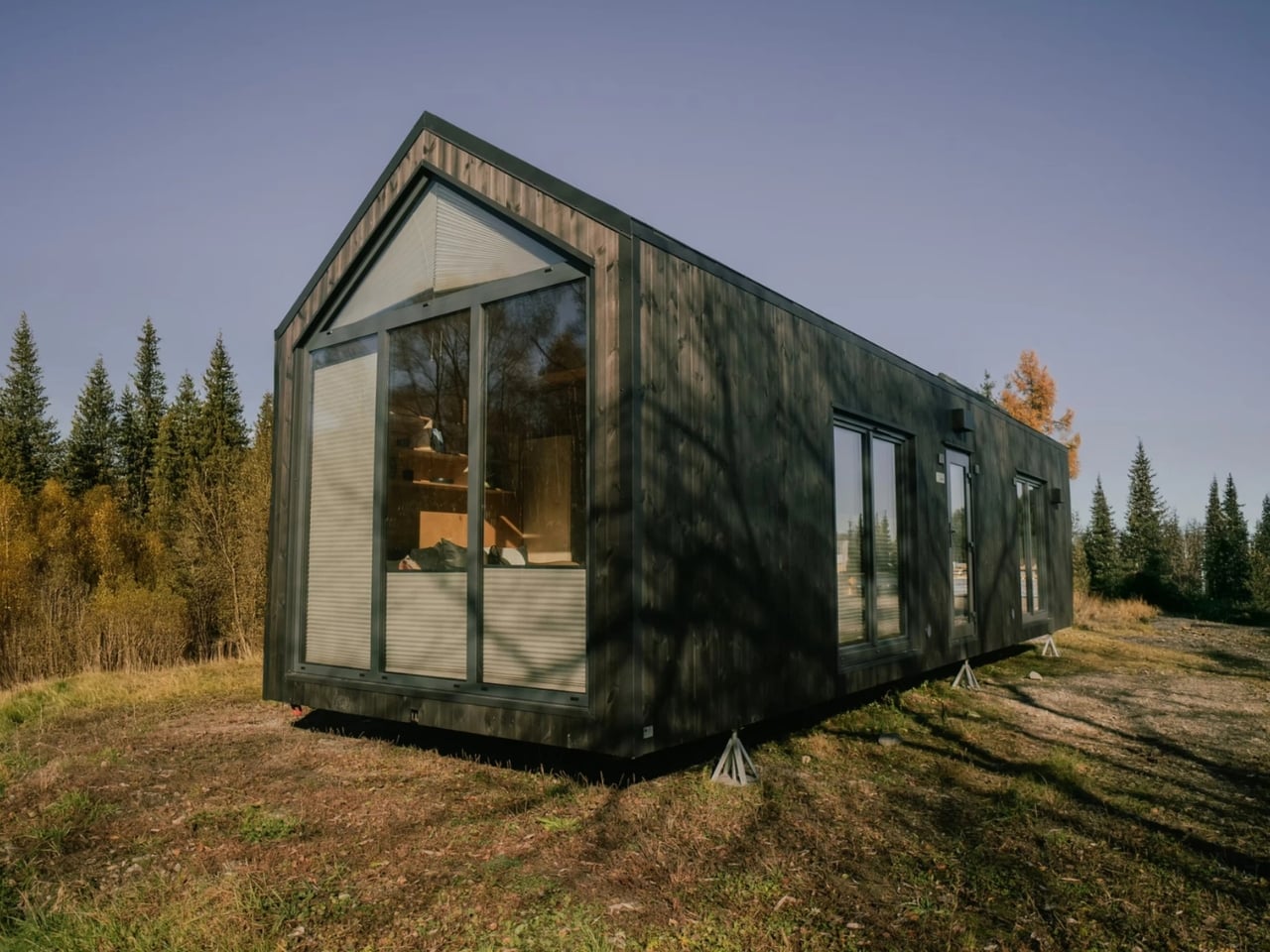
Most people picture a tiny house as a romantic retreat for one or two people with very few belongings and an even smaller grocery budget. The Zenith by Vagabond Haven is here to argue otherwise. Built by the Sweden-based design studio behind some of the most thoughtfully crafted small homes in Europe, the Zenith is a non-towable tiny house that takes aim at a demographic the tiny house movement has largely ignored: families. Not just couples, not just digital nomads, but actual families with kids, toys, and the basic human need for a door that closes.
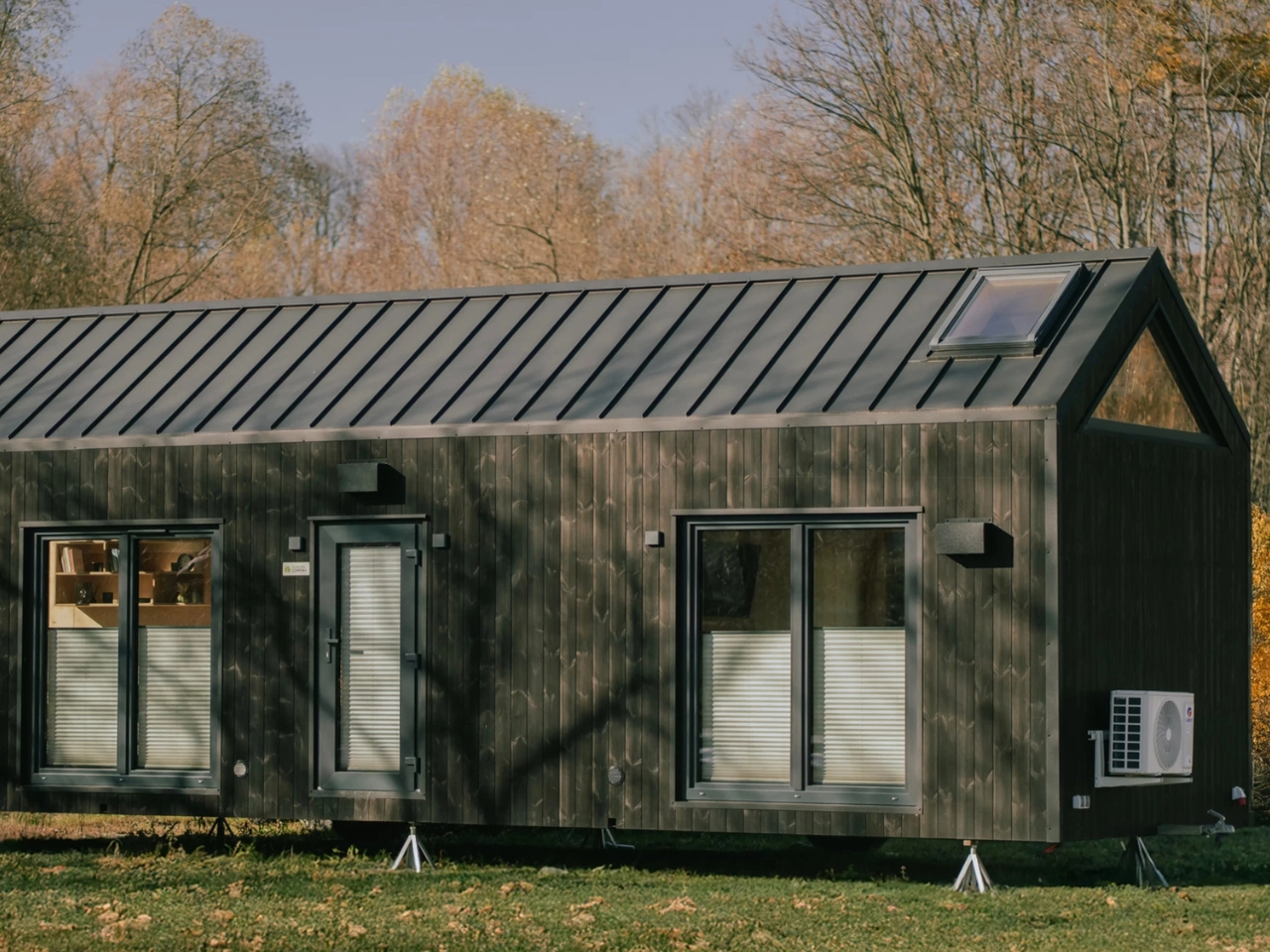
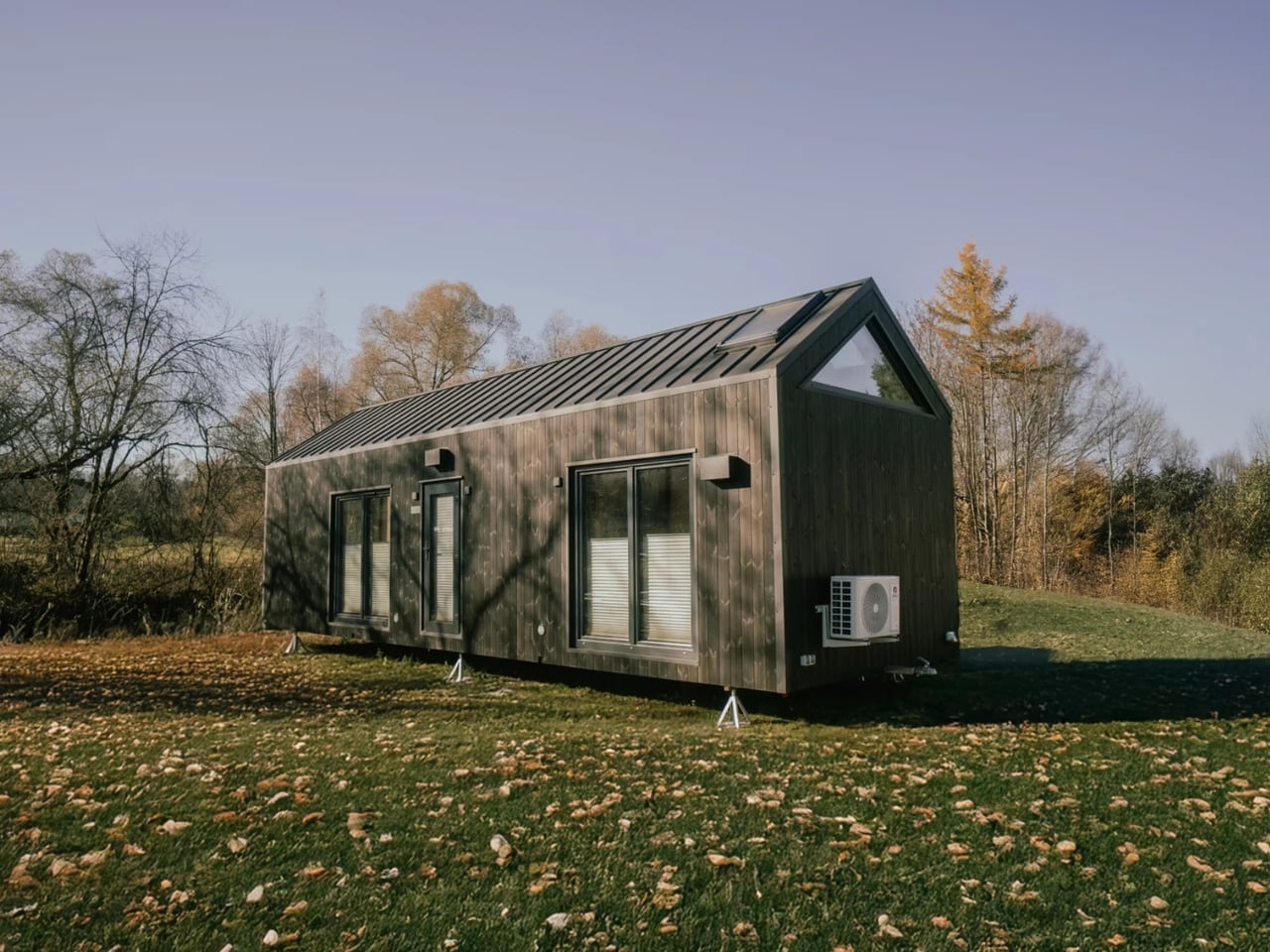
At 11 meters long and 3.45 meters wide (about 36 by 11 feet), the Zenith stretches the definition of “tiny” just far enough to make it livable for more than one person. The total living area clocks in at 44 square meters, or roughly 473 square feet. That’s generous for a tiny house, and the layout makes every inch count.
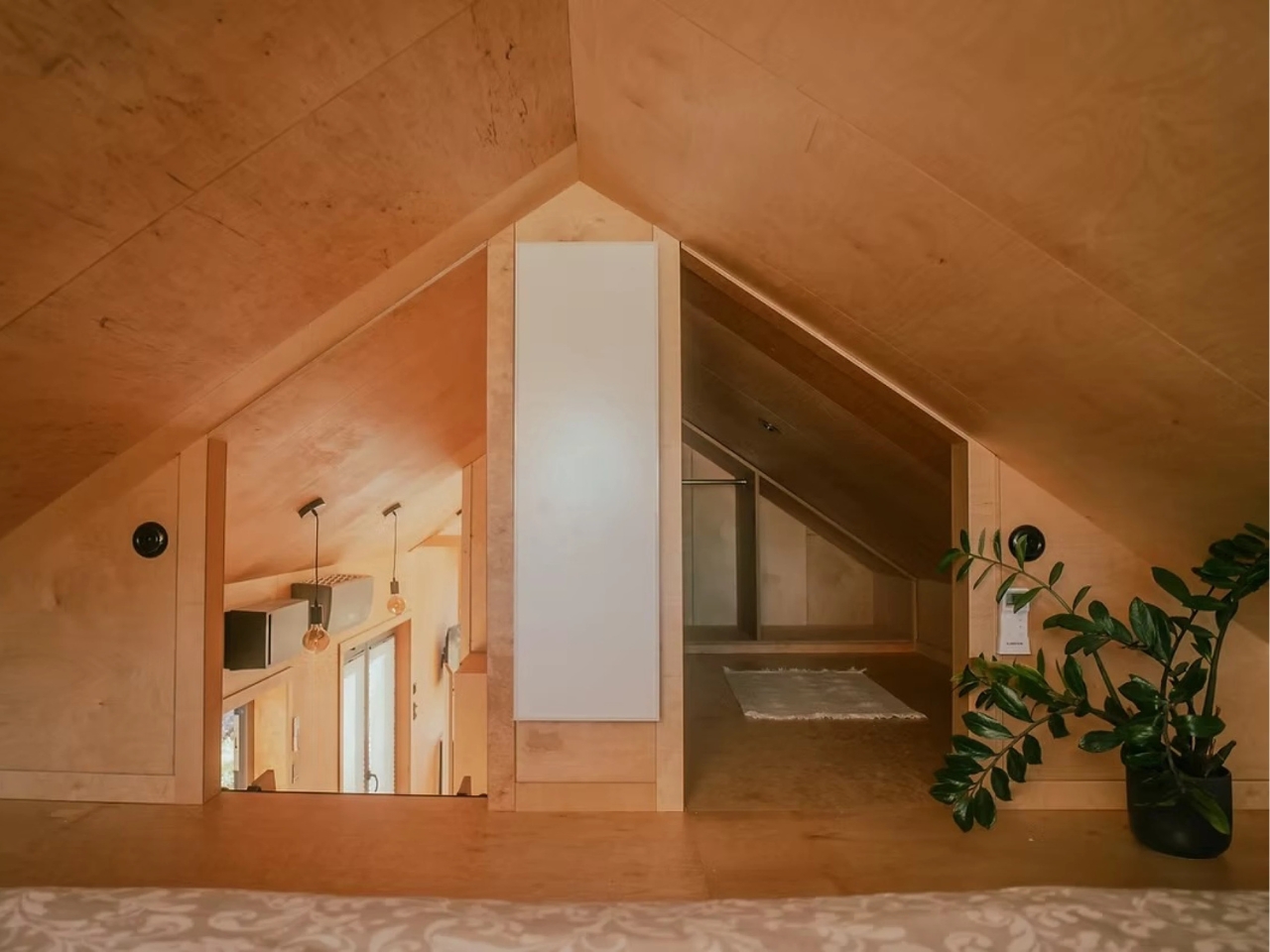
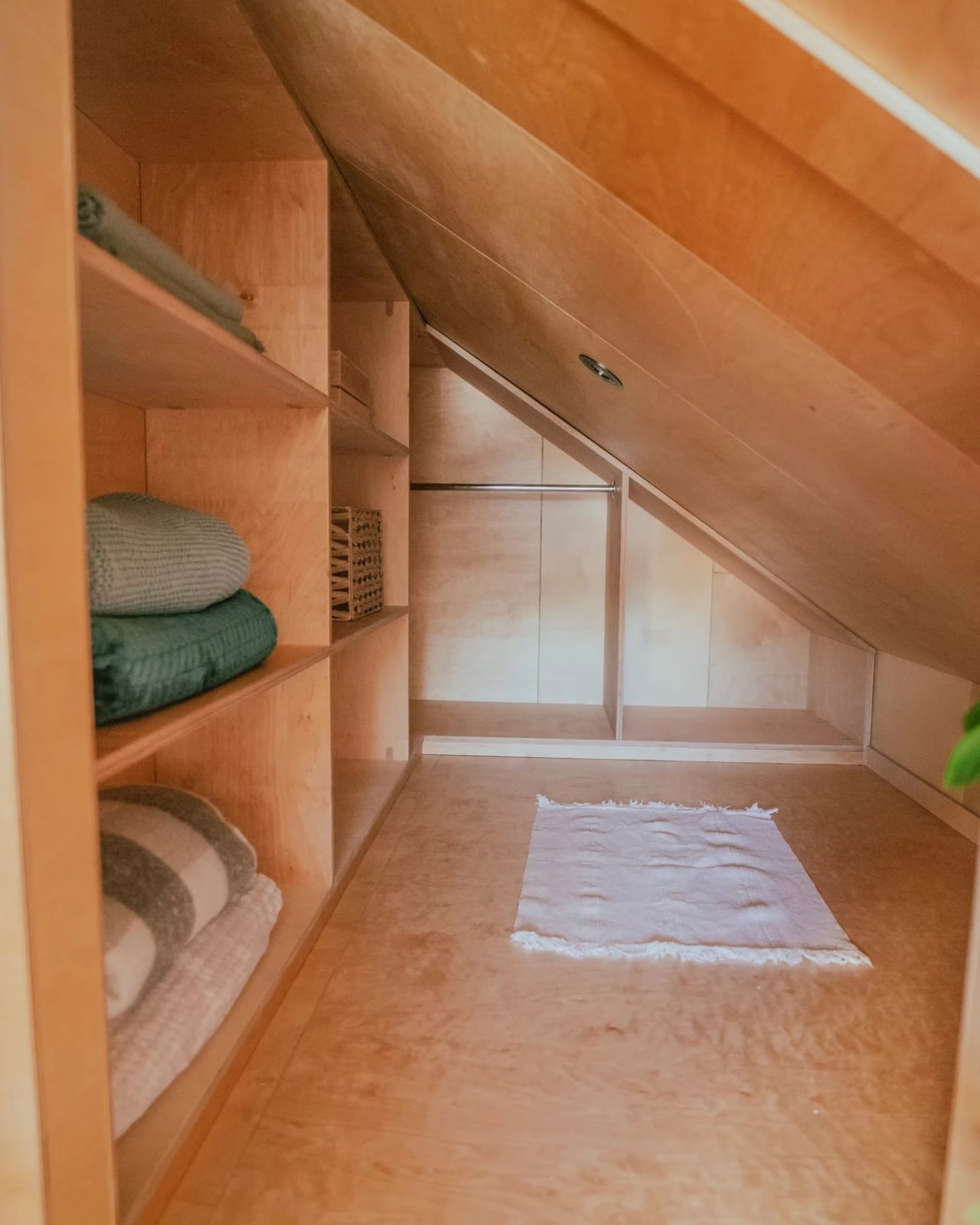
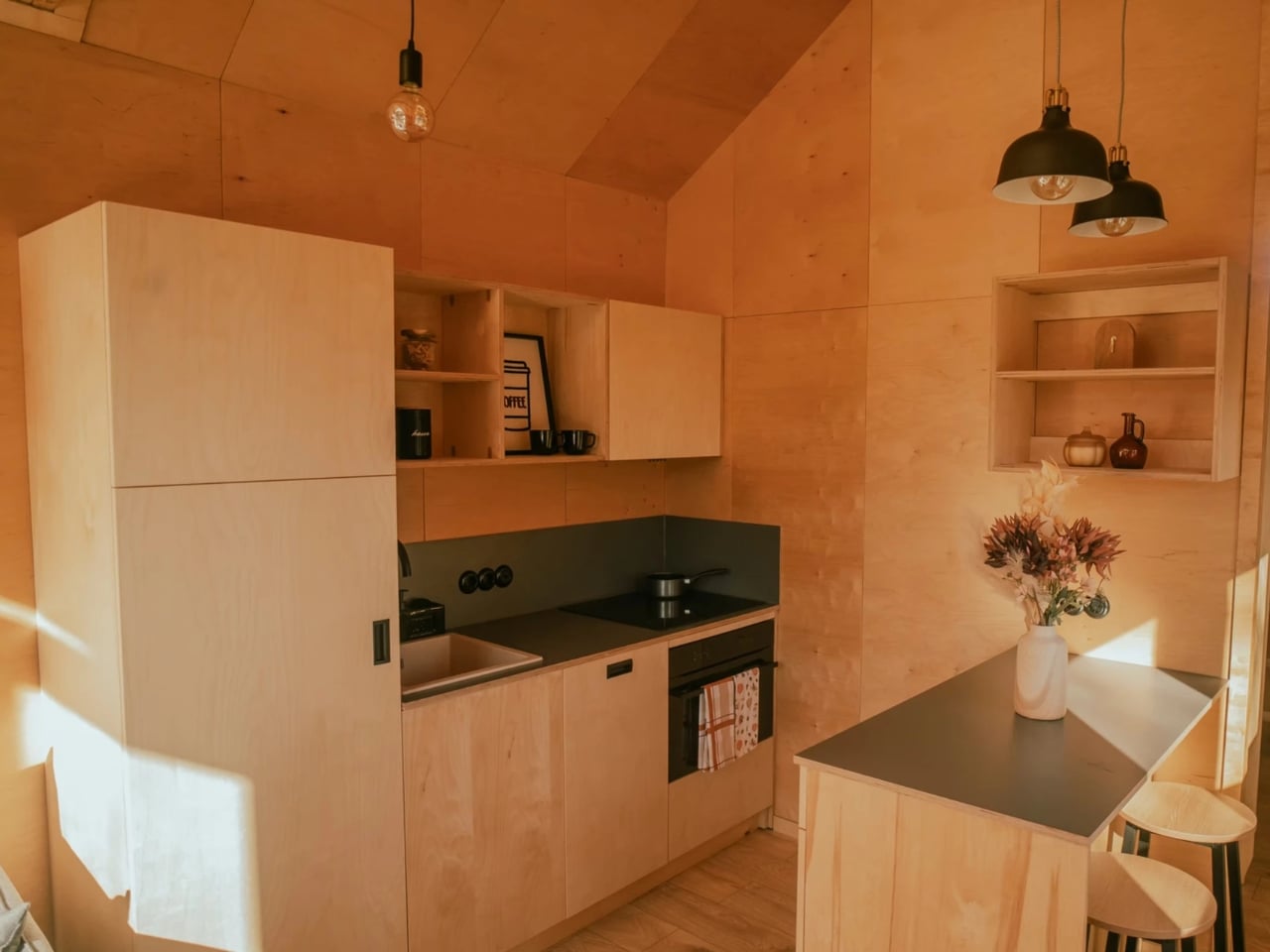
The Zenith is an evolution of Vagabond Haven’s earlier Sky model. Where the Sky kept things minimal, the Zenith brings in a second sleeping space in the form of an overhead loft, a dedicated flex room that can serve as a walk-in closet or a child’s bedroom, and a larger kitchen designed for actual cooking rather than survivalist meal prep. These aren’t small upgrades. They’re the kind of design decisions that signal a shift in who the tiny house market is really meant to serve.
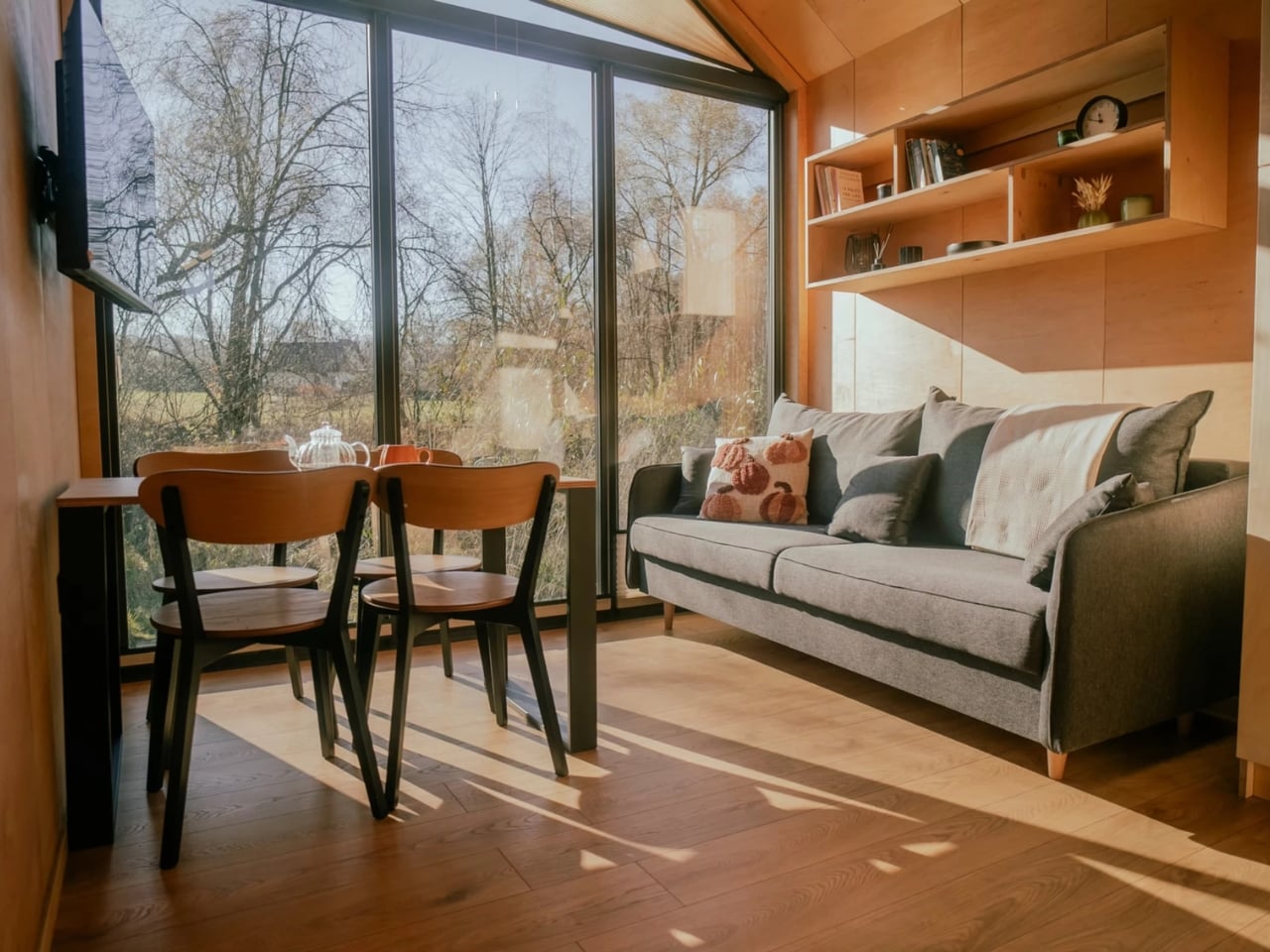
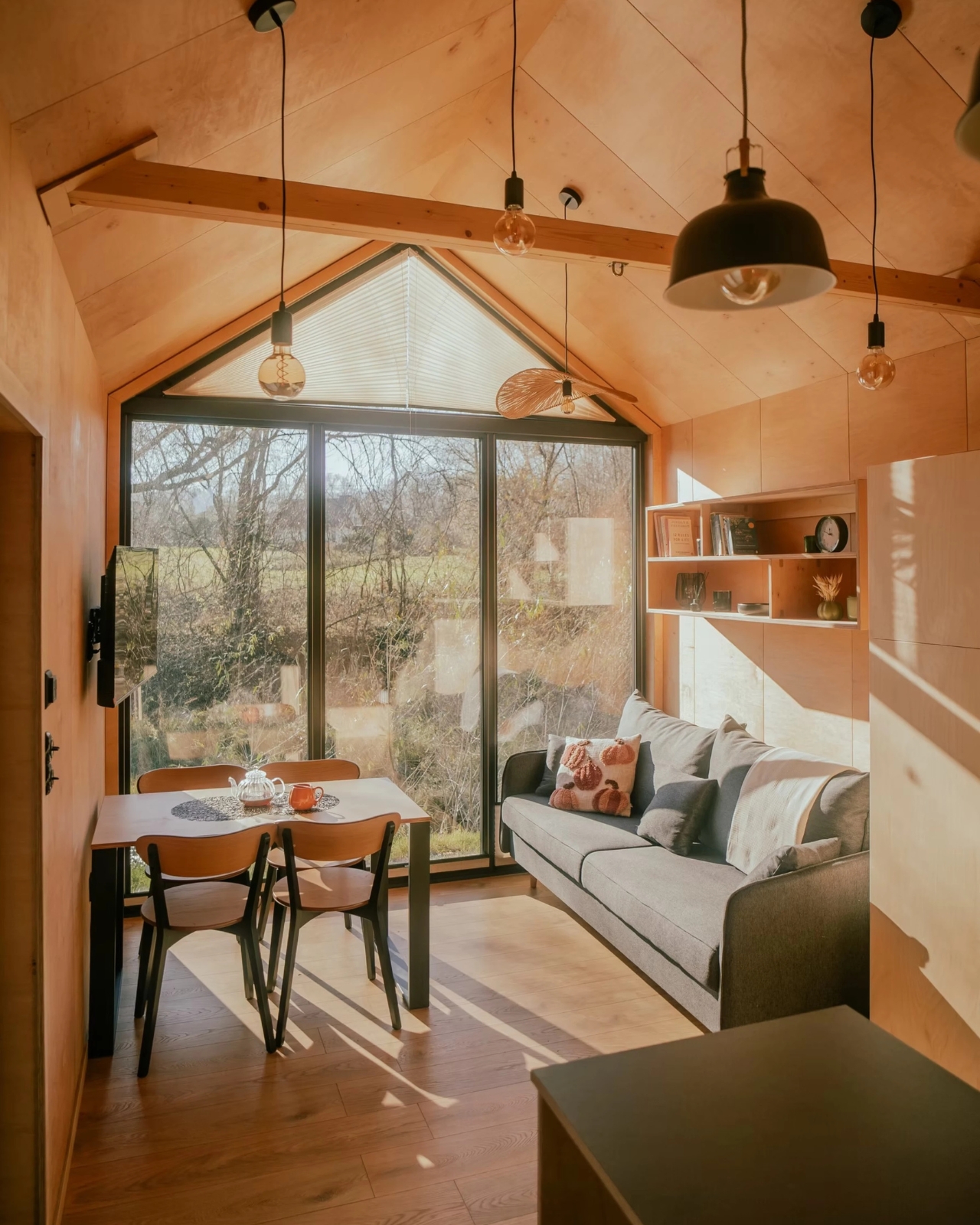
The exterior is finished in engineered wood with an aluminum roof, which gives it a clean, modern aesthetic without the sterile coldness of a shipping container conversion. Big windows and skylights run throughout the interior, keeping the space feeling open even when square footage isn’t exactly on your side. Natural light is doing a lot of heavy lifting here, and it shows.
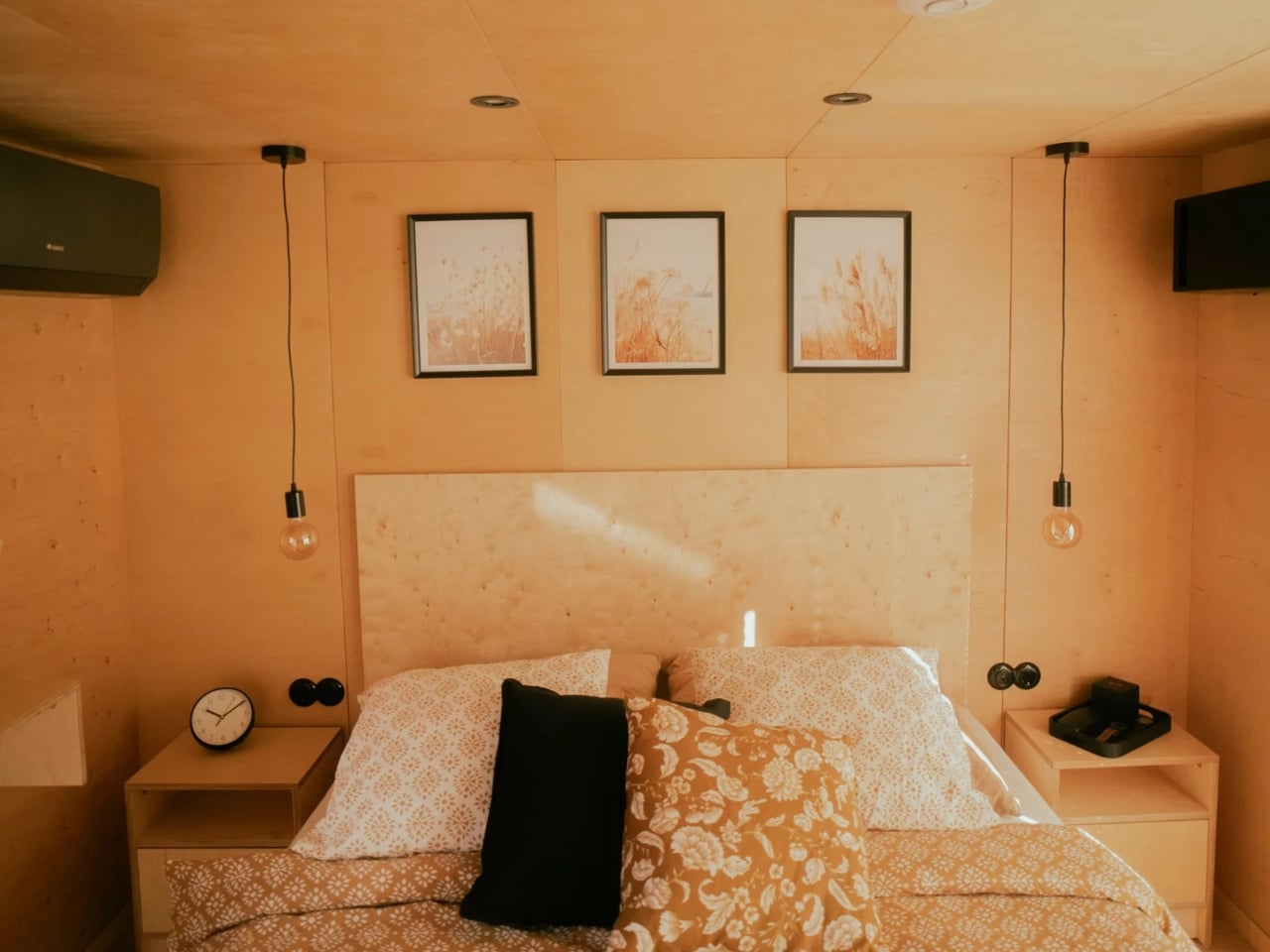
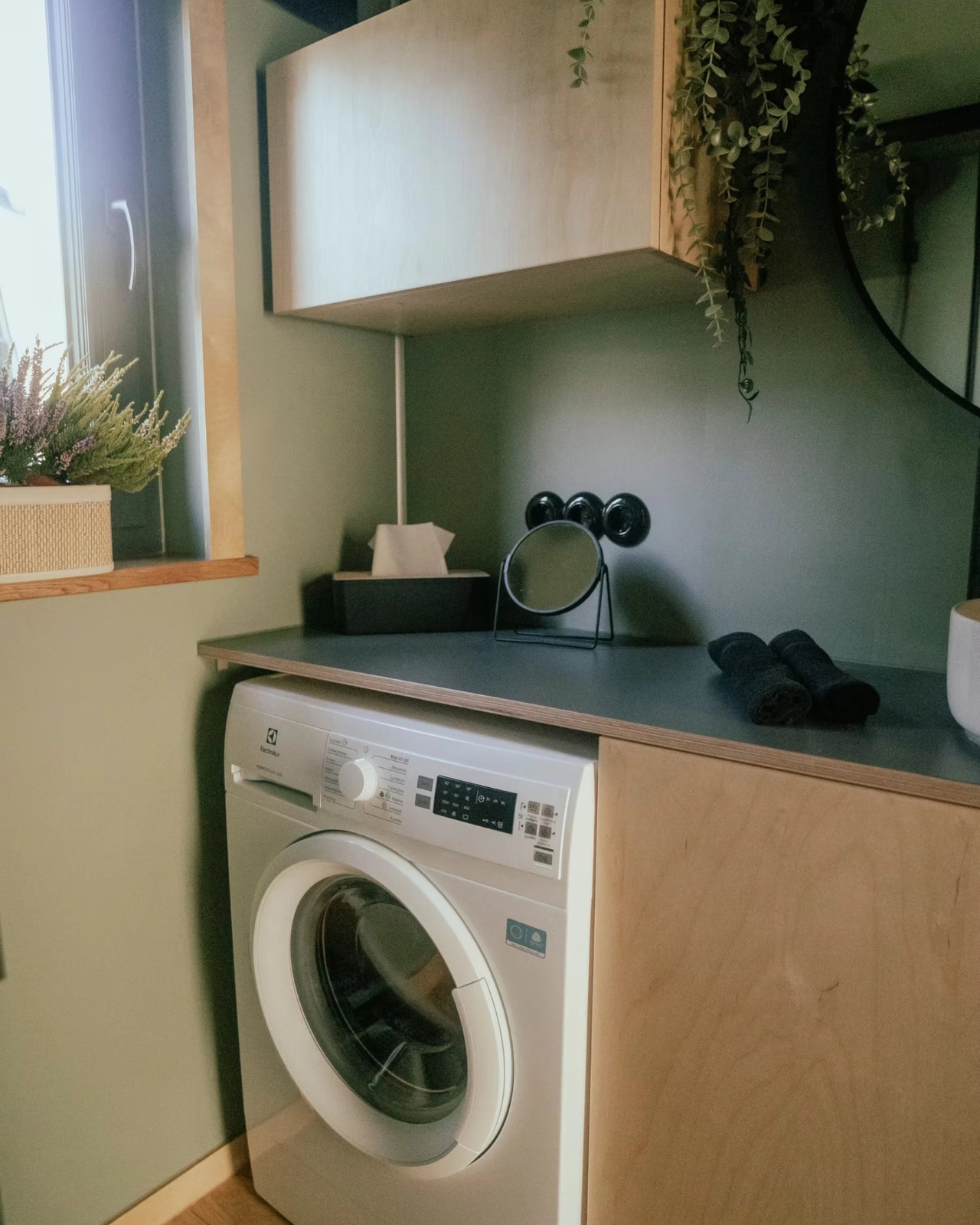
Inside, the main bedroom sits on the ground floor, which is a meaningful detail for anyone who’s ever tried to navigate a steep loft ladder at 2 a.m. The bathroom doesn’t cut corners either. It features wet room-approved walls from Fibo panels, a glass shower cabin, a generous countertop, and space under the vanity for a washing machine. Vagabond Haven also gives buyers a choice between flush, composting, Separett, or incinerating toilets, which speaks to the range of customers they’re designing for, from sustainability-minded homeowners to those building on remote land without conventional hookups.
Storage is woven into the design at every turn rather than treated as an afterthought. The floor plan has a logical flow to it, the kind that only comes from spending real time thinking about how people actually move through a home. The flex room in particular is one of the smarter elements, giving the layout breathing room for families at different stages of life.
On the utilities side, the Zenith can be configured with a solar system, a rainwater harvesting setup, a heat recovery ventilator, and electric or gas hot water heating. It’s a house that can run largely off the grid if that’s what you’re after, or connect to standard services if you’d rather keep things conventional. Vagabond Haven offers eurowide delivery, which means this isn’t just a Scandinavian fantasy but a genuinely accessible option for buyers across the continent.
Pricing starts at around €53,380 before VAT, which puts it well below the cost of a traditional home in most European cities and in the same ballpark as a high-end campervan, except with considerably more dignity and a door that locks from the inside.
The tiny house movement has spent years proving that you can live with less. The Zenith makes a slightly different case: that you can live with less space without actually giving up the things that make a house feel like a home. For families who’ve been watching the tiny house trend from the sidelines and wondering if there’s something in it for them too, the Zenith might finally be the answer they’ve been waiting for.