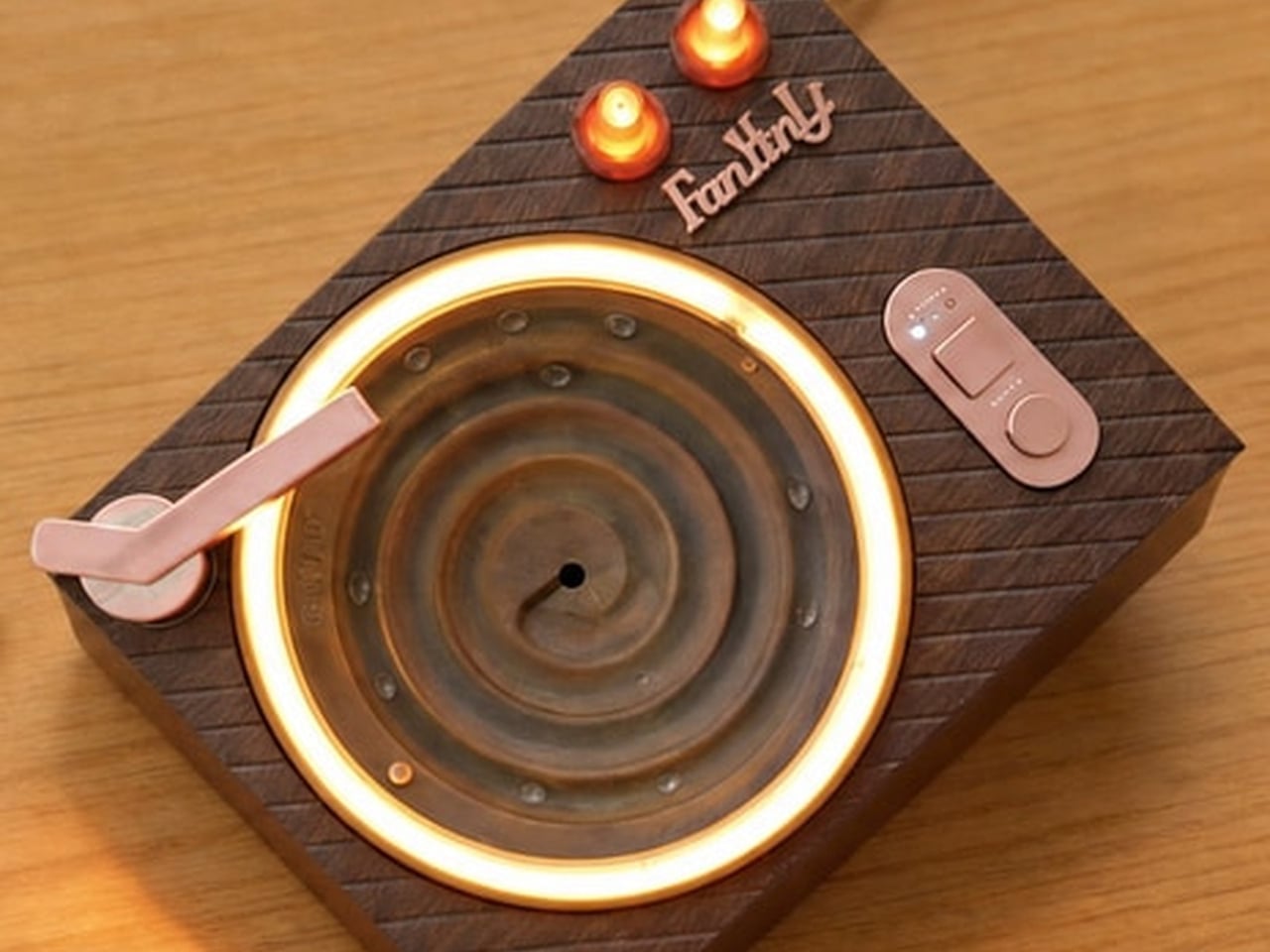
The Record Player That Skips the Vinyl and Plays Falling Water

A vintage turntable earns its warmth from ritual, the small act of placing a needle and watching a disc spin. The Retro Water Drop Ambient Player borrows that same silhouette and swaps the needle for something less expected: falling water. A quiet pump lifts liquid from a magnetic 130mL tank, and gravity does the rest, turning a desk accessory into something closer to a tiny, glowing fountain with a record player’s calm posture.

Water climbs to the top of the unit and lands in individual drops on a coated spiral basin that gently lets the water droplets roll back into the tank. None of it needs plumbing. A single USB-C cable handles power, which means the whole loop runs as easily on a nightstand as it does tucked beside a monitor, with no drain or faucet anywhere near the setup.

Designer: FayYin Li (sovenomund)
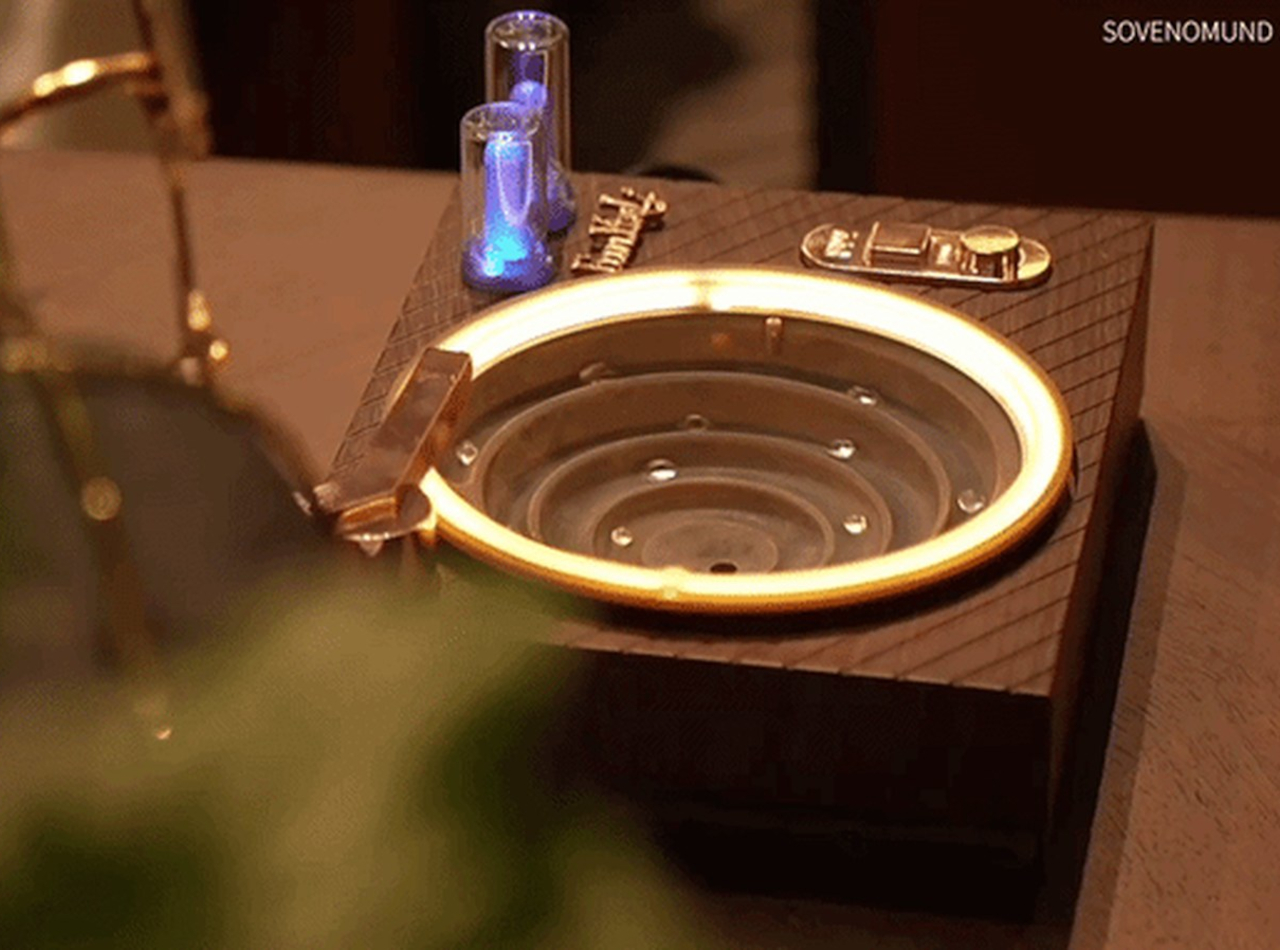
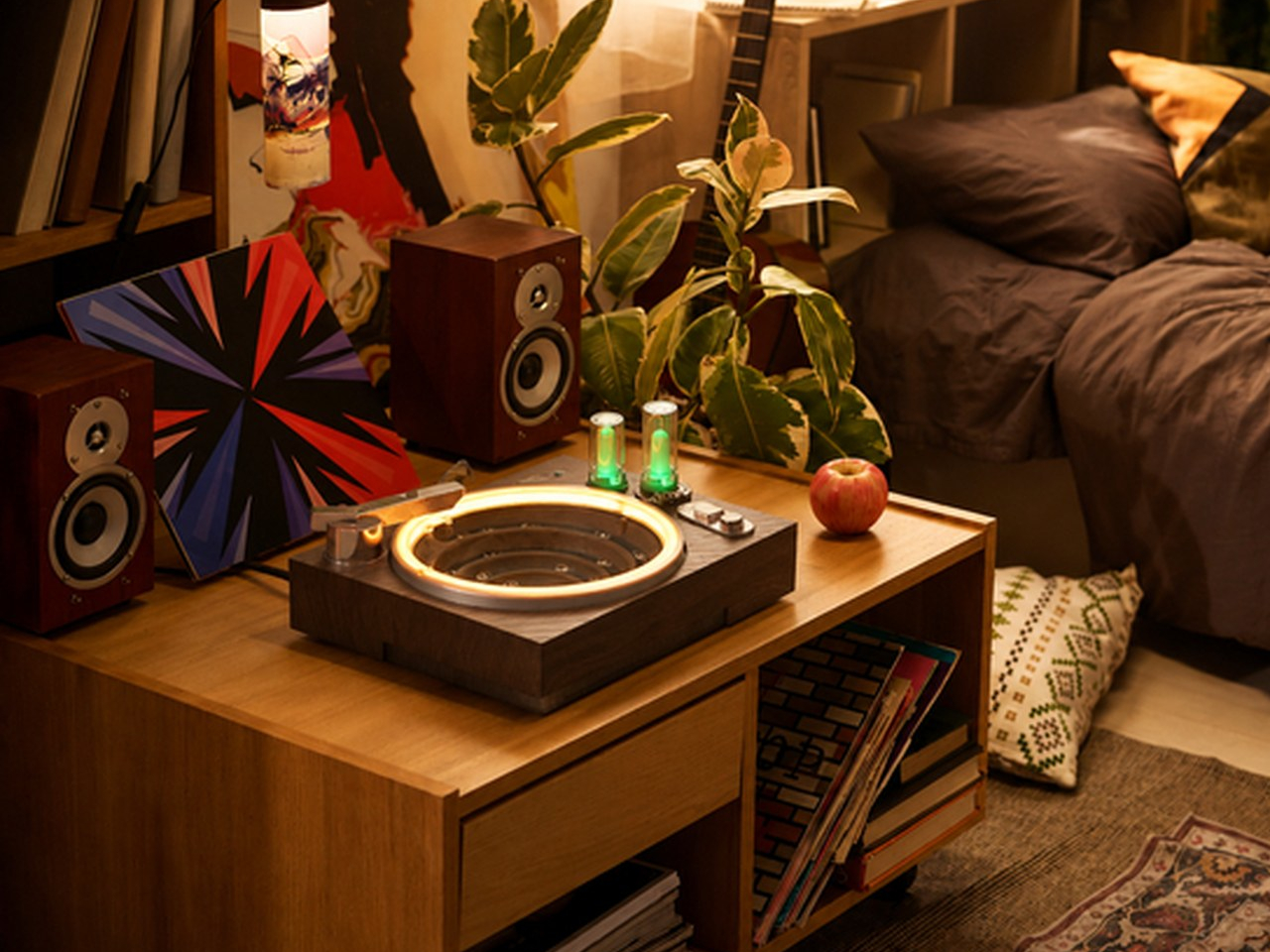
The platter itself carries the visual weight. Full-color RGB light glows around the rim of the basin, cycling automatically so the piece keeps working as a soft light source once the room goes dark. Imagine it sitting on a shelf after sunset, quietly shifting color while everything else in the room stays still, doing the job of a lamp without ever looking like one.
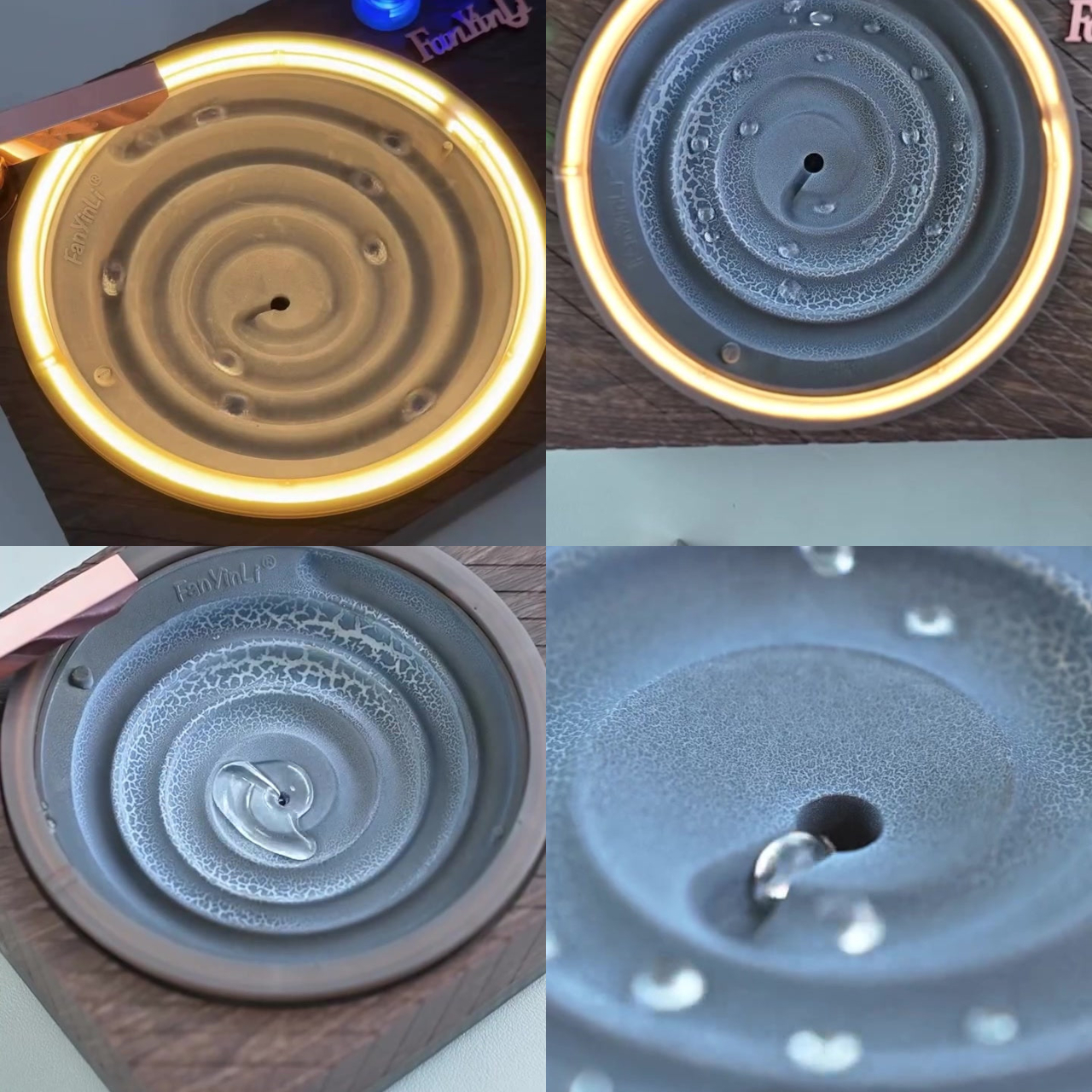
Sound comes from two layered sources rather than one speaker doing all the work. The falling water generates its own natural, non-looping texture, while a built-in speaker adds a gentle white-noise layer underneath it. A knob handles volume, and pressing that same knob switches control over to water flow, letting someone dial in a trickle or a fuller cascade depending on the moment.

A single square button sets an auto-off timer at 15, 30, or 60 minutes, useful for anyone who wants the sound and light running through a work session or a stretch of sleep without leaving it on all night. That kind of restraint, one knob and one button, keeps the interaction simple enough to operate half-asleep or without glancing away from a laptop screen.
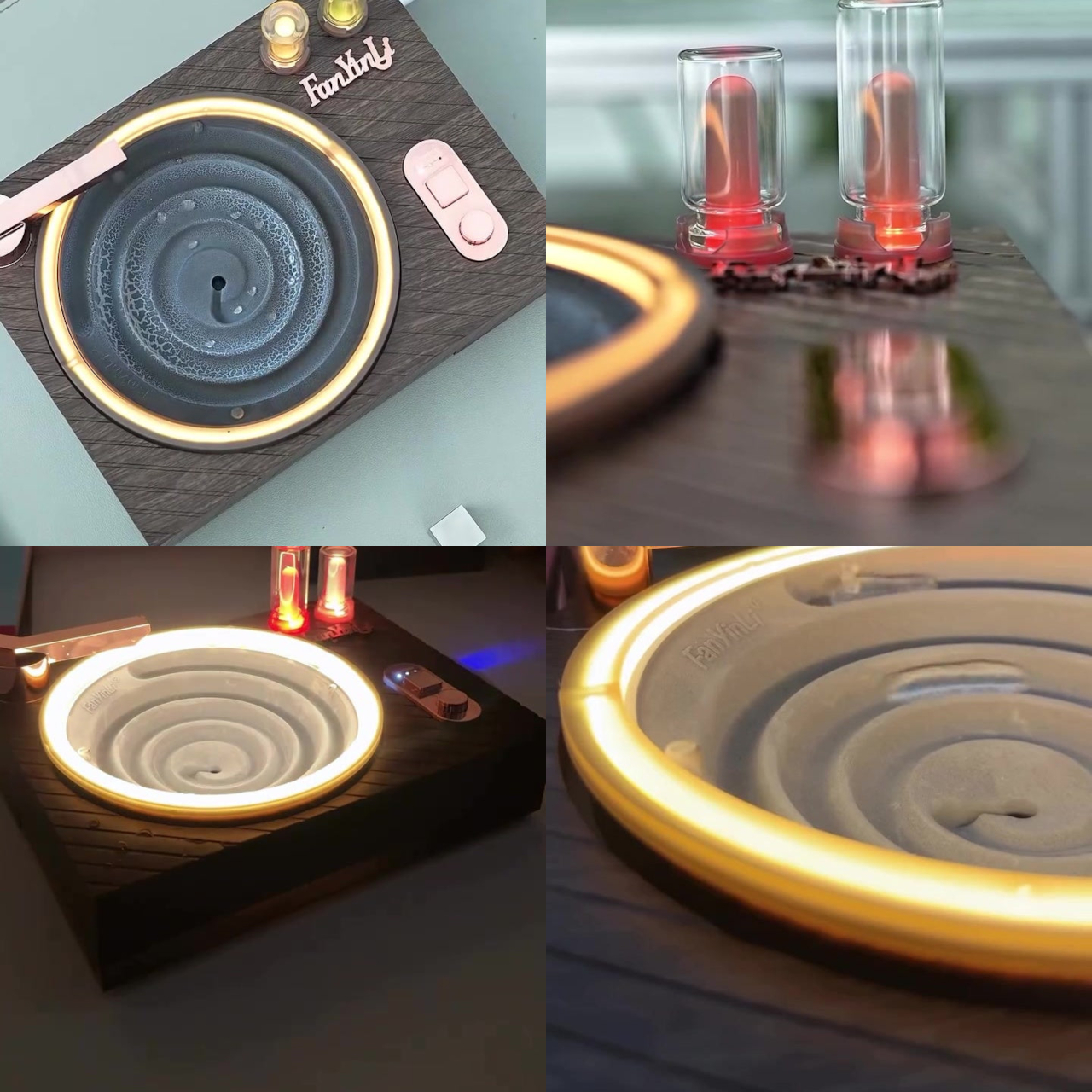
Material choices lean toward daily handling rather than delicate display. The body uses a wood-grain textured ABS and PC shell with electroplated metal accents, chosen for being light, wipe-clean, and durable, while the chambers themselves stay real glass for clarity and that visible ripple effect. The whole unit measures roughly 7.3 by 9.7 by 5.3 inches and weighs about 1.3 pounds, compact enough to relocate on a whim.

Each unit ships with the player, two glass chambers, a USB-C cable, and a manual, covering the basics without extra accessories to track down separately. That completeness matters for something meant to move between spaces, since swapping a chamber or wiping down the shell shouldn’t require hunting for a replacement part months later.
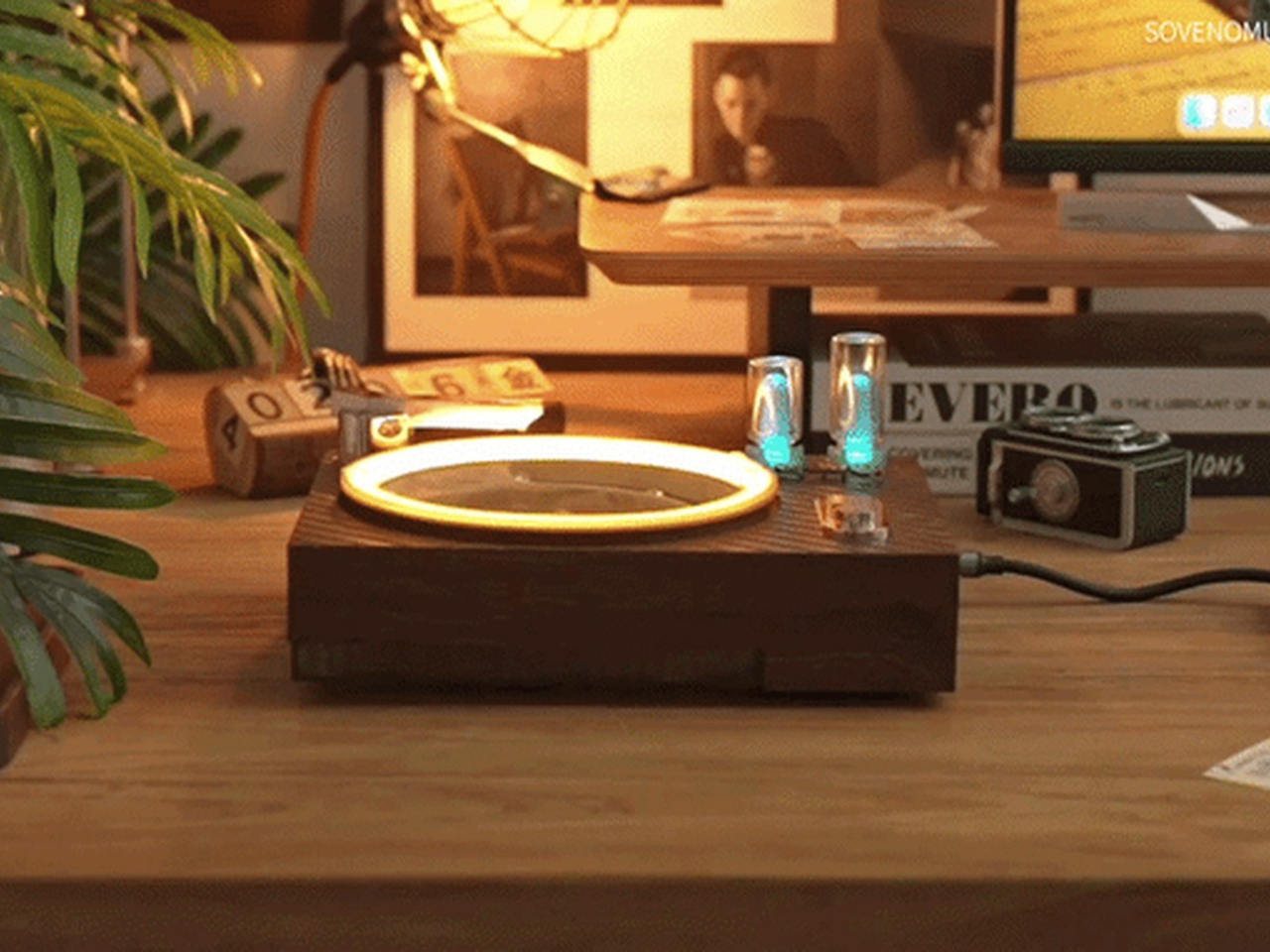
Set on a desk, the piece becomes a moving focal point rather than a static object, something to glance at between tasks. Move it to a shelf, and it turns into a lit decor piece that changes character after dark. Keep it at the bedside, and it settles into a quieter role, offering light and sound together without demanding attention, closer to a companion than a gadget.
The post The Record Player That Skips the Vinyl and Plays Falling Water first appeared on Yanko Design.

New DeepSeek 4.1 Flash Cuts Memory 4X vs DeepSeek 4.0 Flash

New DeepSeek 4.1 Flash Cuts Memory 4X vs DeepSeek 4.0 Flash Chart demonstrating the 4x KV cache reduction in DeepSeek 4.1.

DeepSeek 4.1 Flash introduces a new shared memory system that reduces AI memory requirements by an impressive fourfold compared to its predecessor. This advancement, highlighted by Two Minute Papers, reengineers the KV cache to be 437 times smaller than its original version, drastically improving memory efficiency. By allowing neural network layers to share resources and […]

The post New DeepSeek 4.1 Flash Cuts Memory 4X vs DeepSeek 4.0 Flash appeared first on Geeky Gadgets.

Posted in Uncategorized

iPhone 18 Pro Max Durability Test Reveals the Truth About Apple’s Build

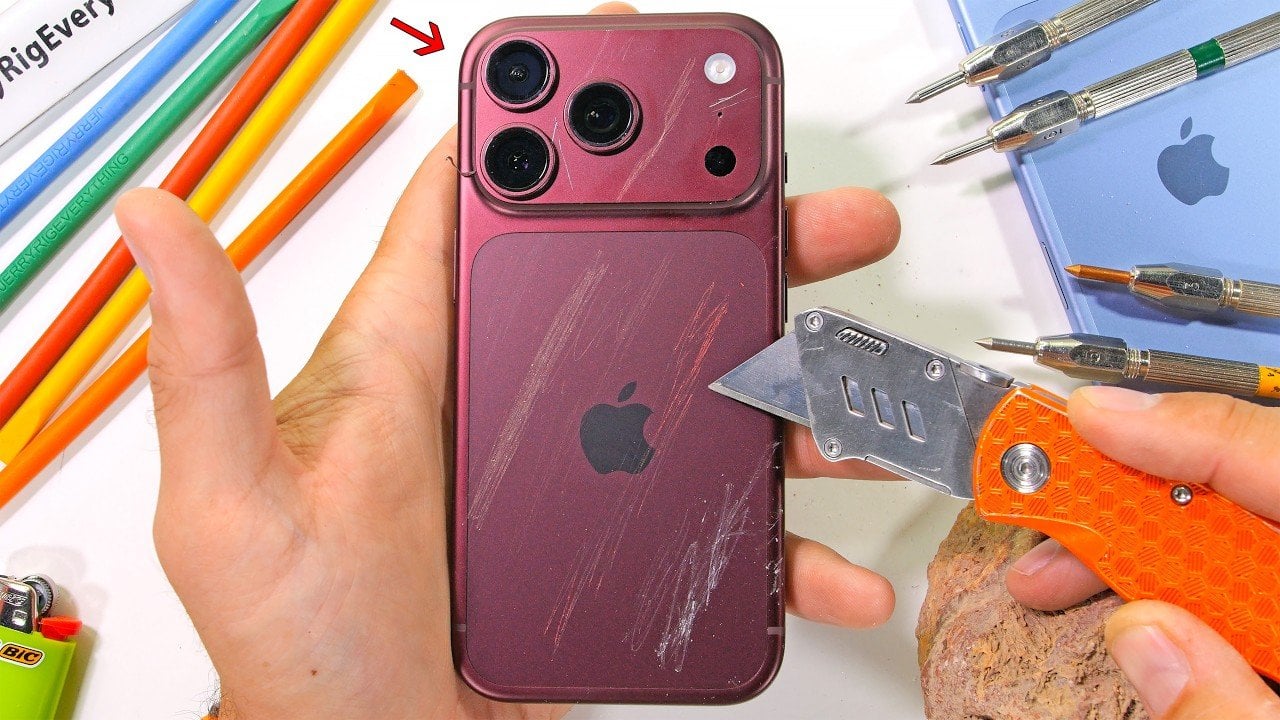
iPhone 18 Pro Max Durability Test Reveals the Truth About Apple’s Build Front view of the iPhone 18 Pro during a durability test

The iPhone 18 Pro and 18 Pro Max continue to uphold Apple’s reputation for premium craftsmanship and robust durability. These models introduce features such as a variable aperture main camera and an under-screen Face ID, showcasing Apple’s commitment to refining user experience. However, these advancements are not entirely new, as similar features have been present […]

The post iPhone 18 Pro Max Durability Test Reveals the Truth About Apple’s Build appeared first on Geeky Gadgets.

Posted in Uncategorized

Valve Replaces Steam Global Popularity with Custom Picks

Valve Replaces Steam Global Popularity with Custom Picks The Steam storefront showing personalized game recommendations based on user tags.

Valve has introduced a major update to Steam’s recommendation system, fundamentally changing how players discover games on the platform. As explained by Water CS2, the new algorithm shifts away from global popularity metrics and instead focuses on personalized recommendations tailored to individual users. By analyzing factors like play history, wish lists and library tags, the […]

The post Valve Replaces Steam Global Popularity with Custom Picks appeared first on Geeky Gadgets.

Posted in Uncategorized

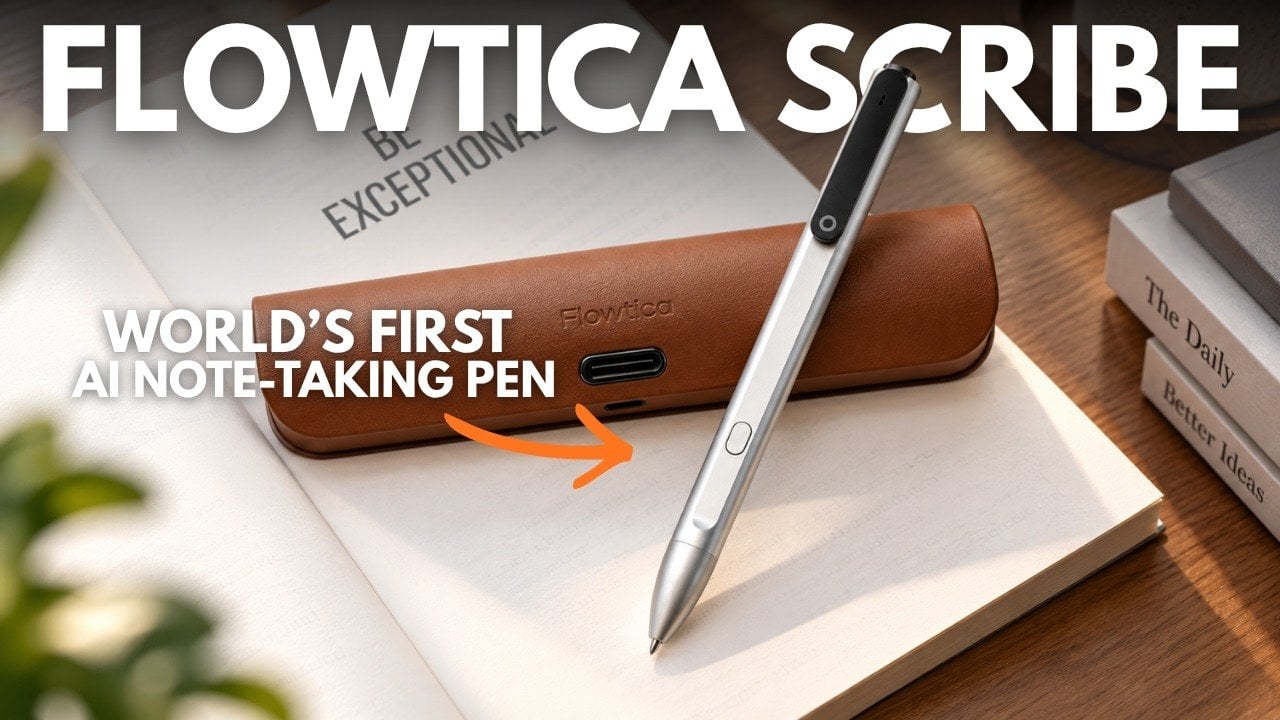
Flowtica Scribe AI Pen Transcribes Audio in 39 Languages

Flowtica Scribe AI Pen Transcribes Audio in 39 Languages A sleek aluminum Flowtica Scribe pen resting on a desk.

The Flowtica Scribe is a unique device that combines the tactile familiarity of a writing instrument with the intelligence of advanced AI. Highlighted by Tech Court, this device stands out for its ability to seamlessly integrate handwriting and audio recording, offering features like multilingual transcription across 39 languages and a high-performance microphone with a 16.4-foot […]

The post Flowtica Scribe AI Pen Transcribes Audio in 39 Languages appeared first on Geeky Gadgets.

Posted in Uncategorized

Power Strips Have Always Been Floor Objects, Pedestal Disagrees

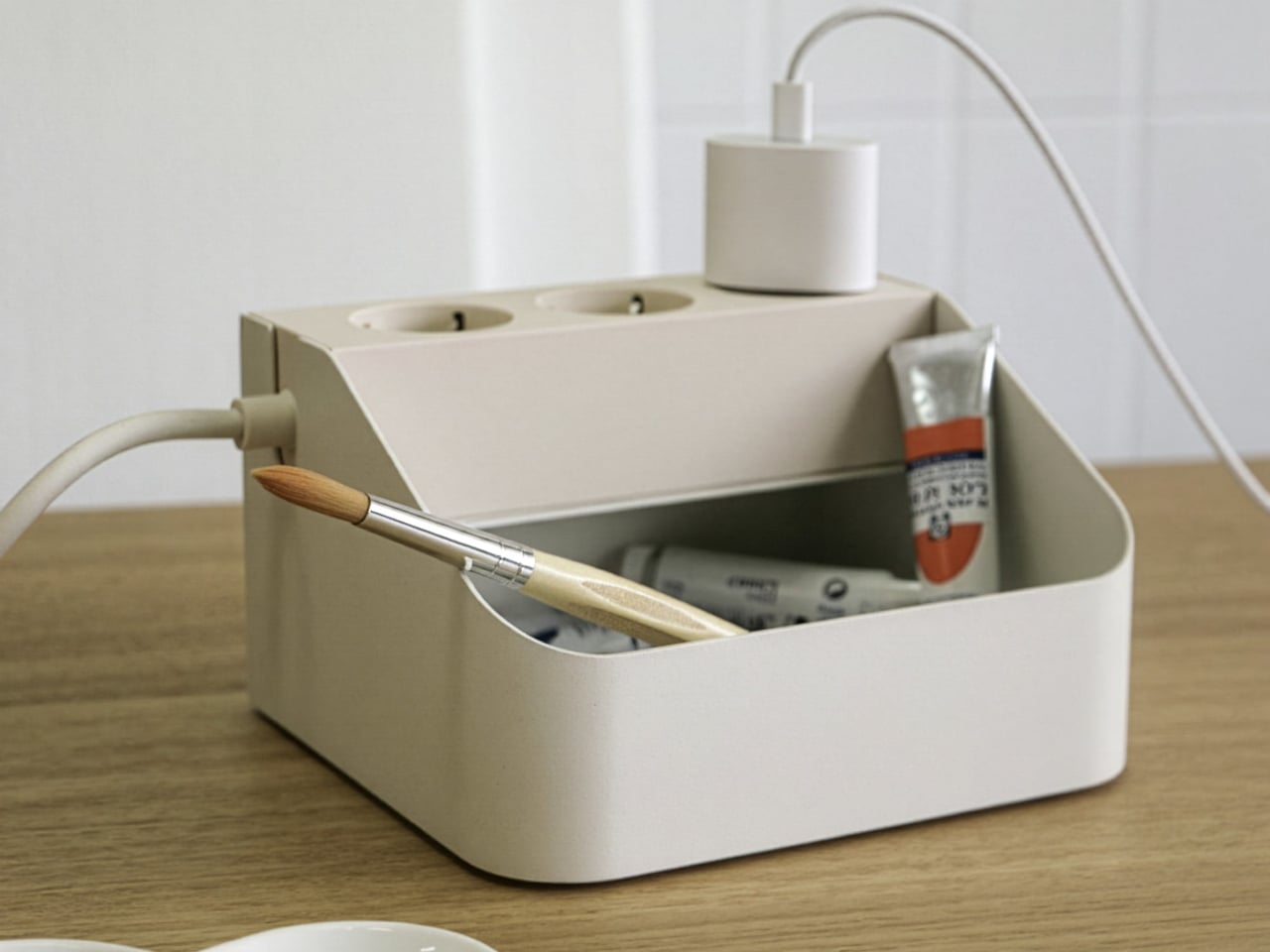
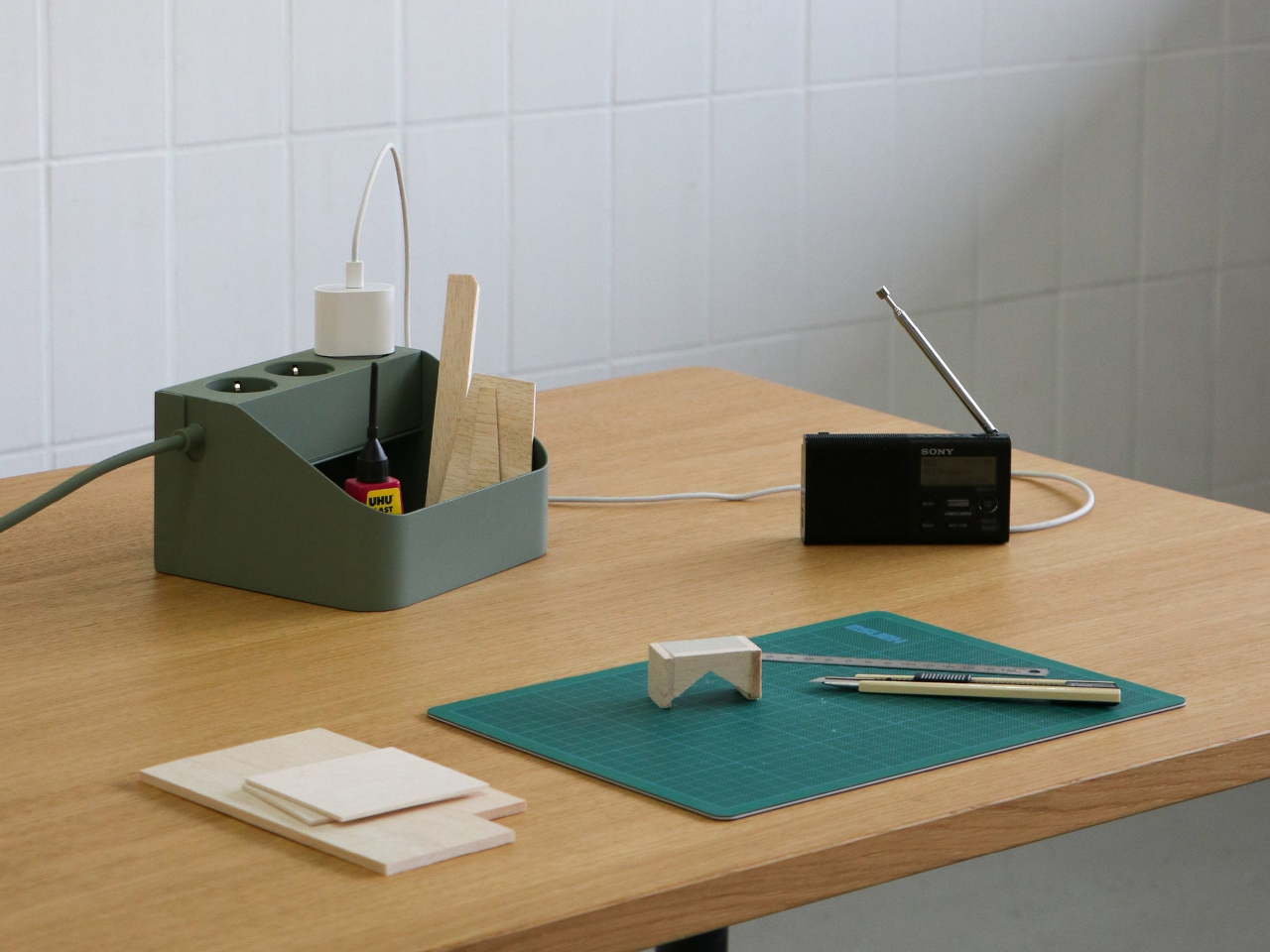
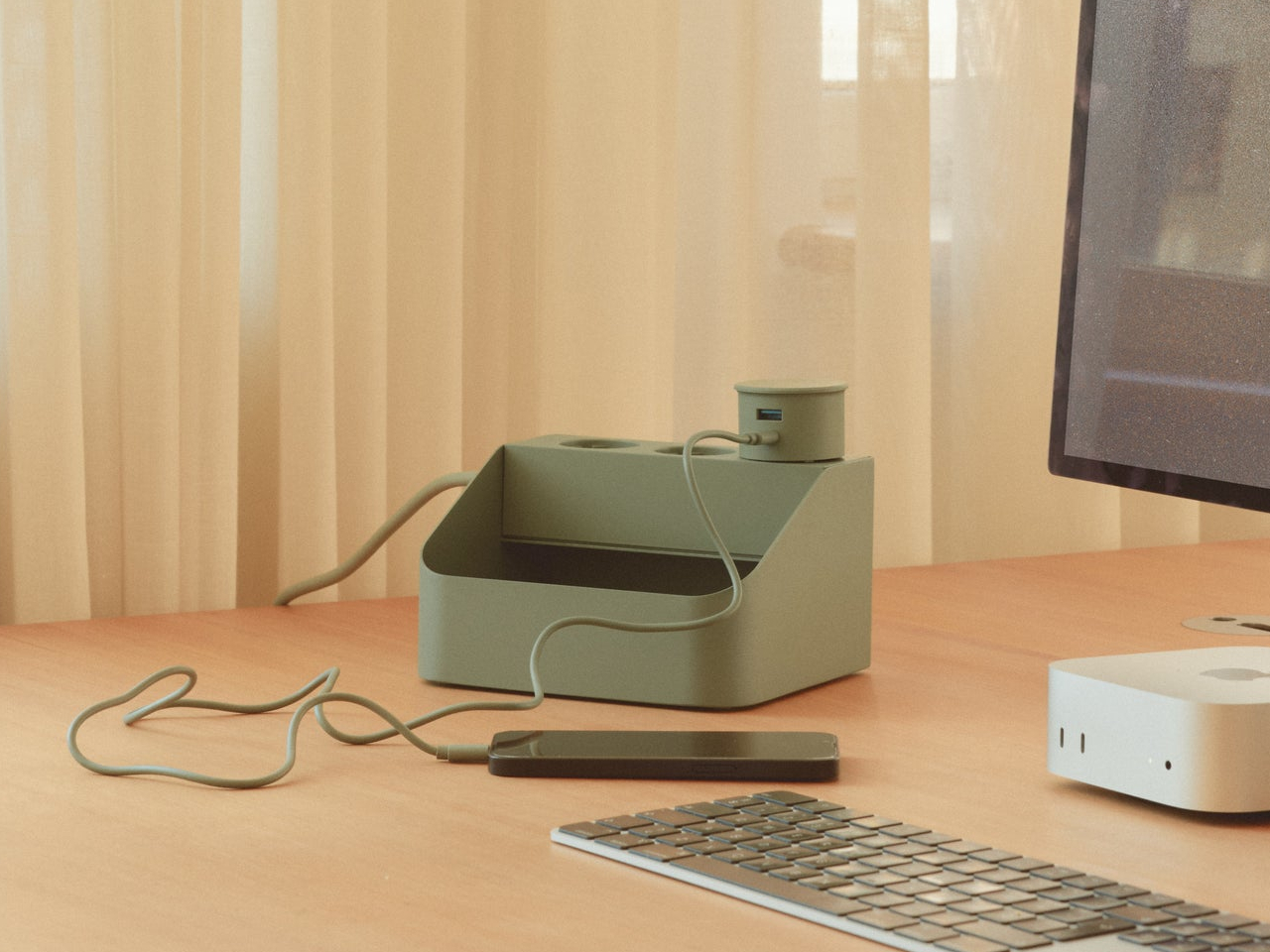
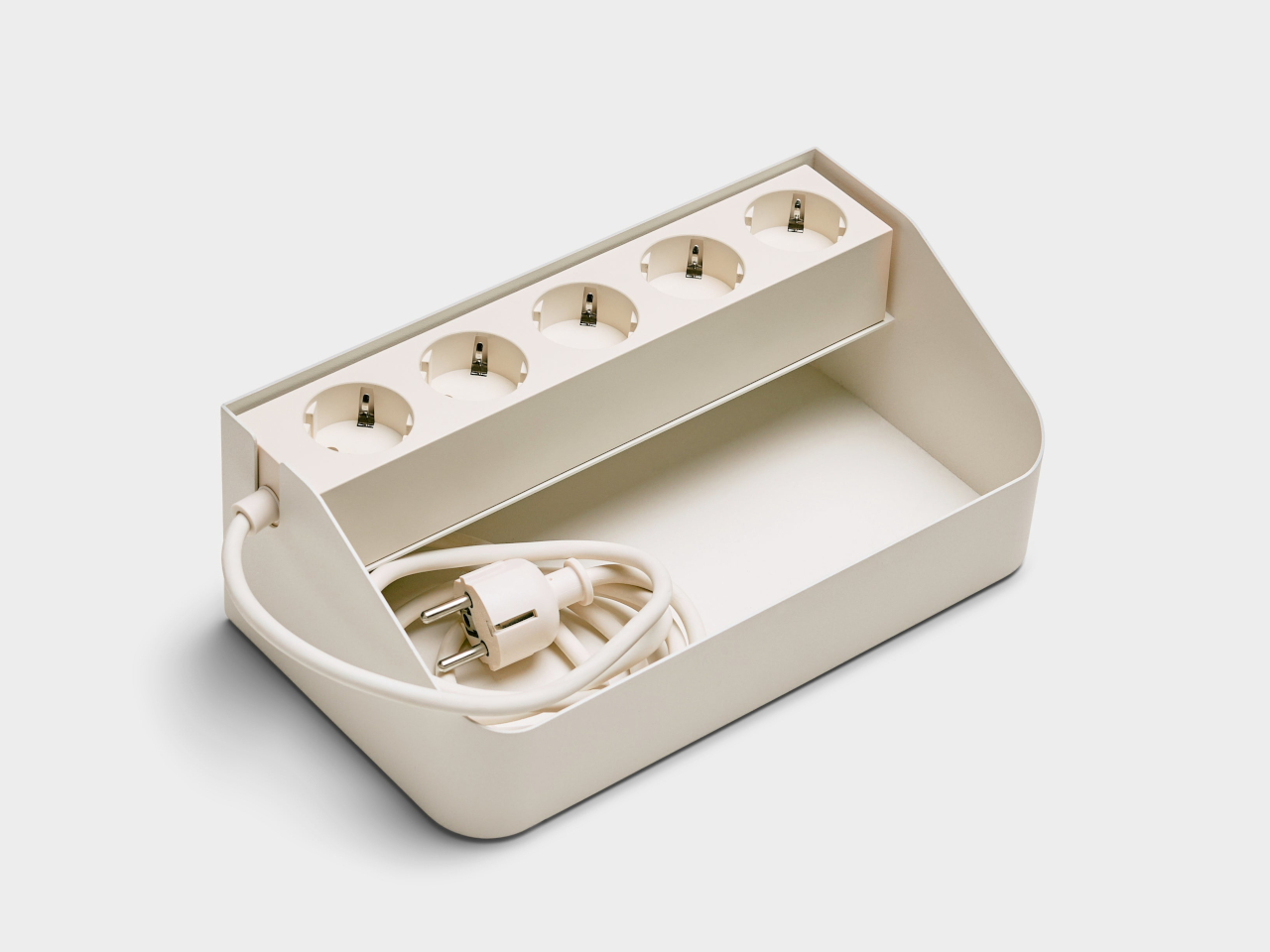
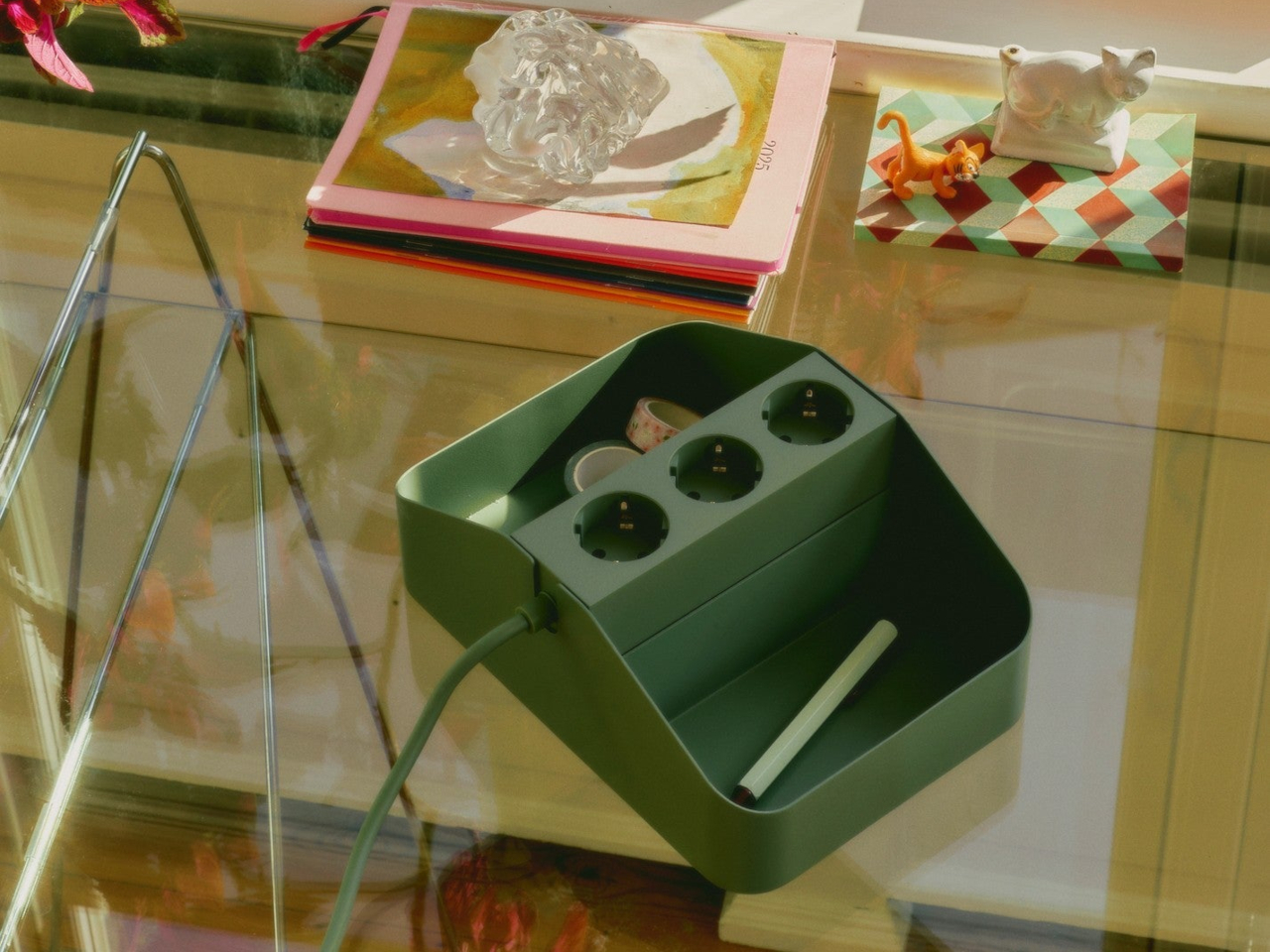
Power strips have sat on the floor under desks for decades, tangled and forgotten, without anyone treating that as a design problem worth solving. Pedestal’s Power Bar Tray changes that quietly, giving its companion power strip an actual home instead of a random spot on the carpet. Made from powder-coated steel with a matte charcoal finish, the tray turns a neglected object into something that belongs on top of a desk in plain sight.

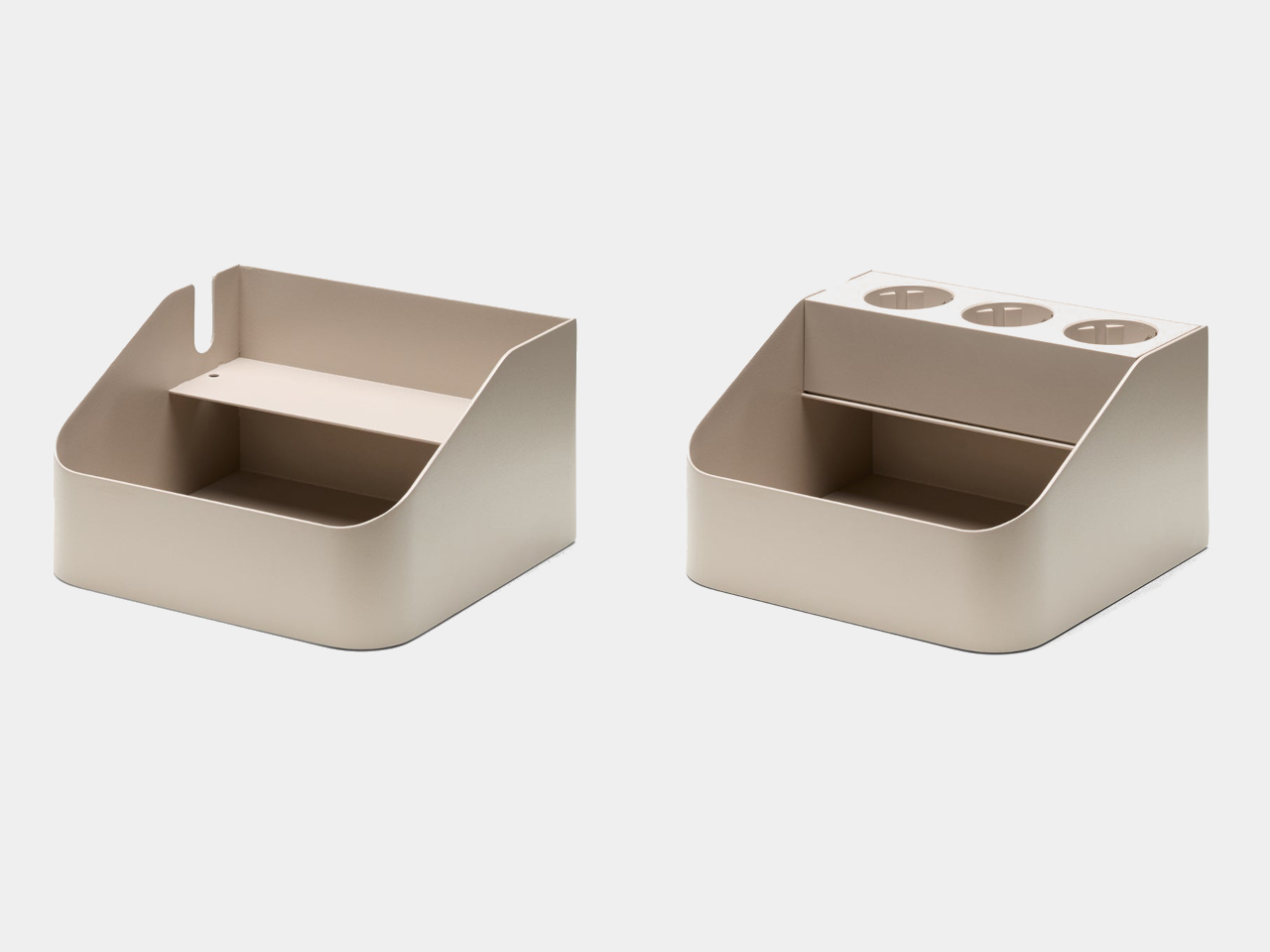
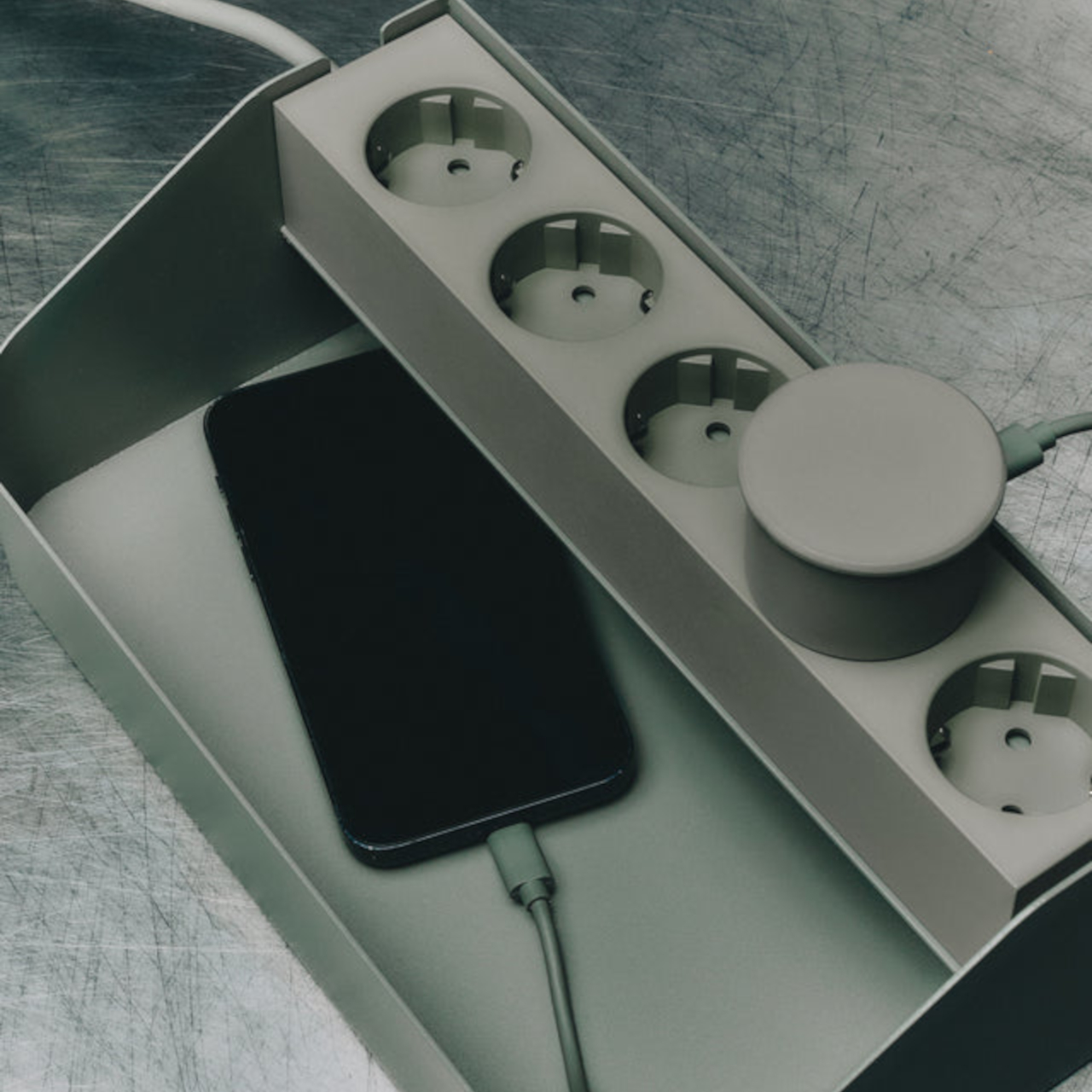
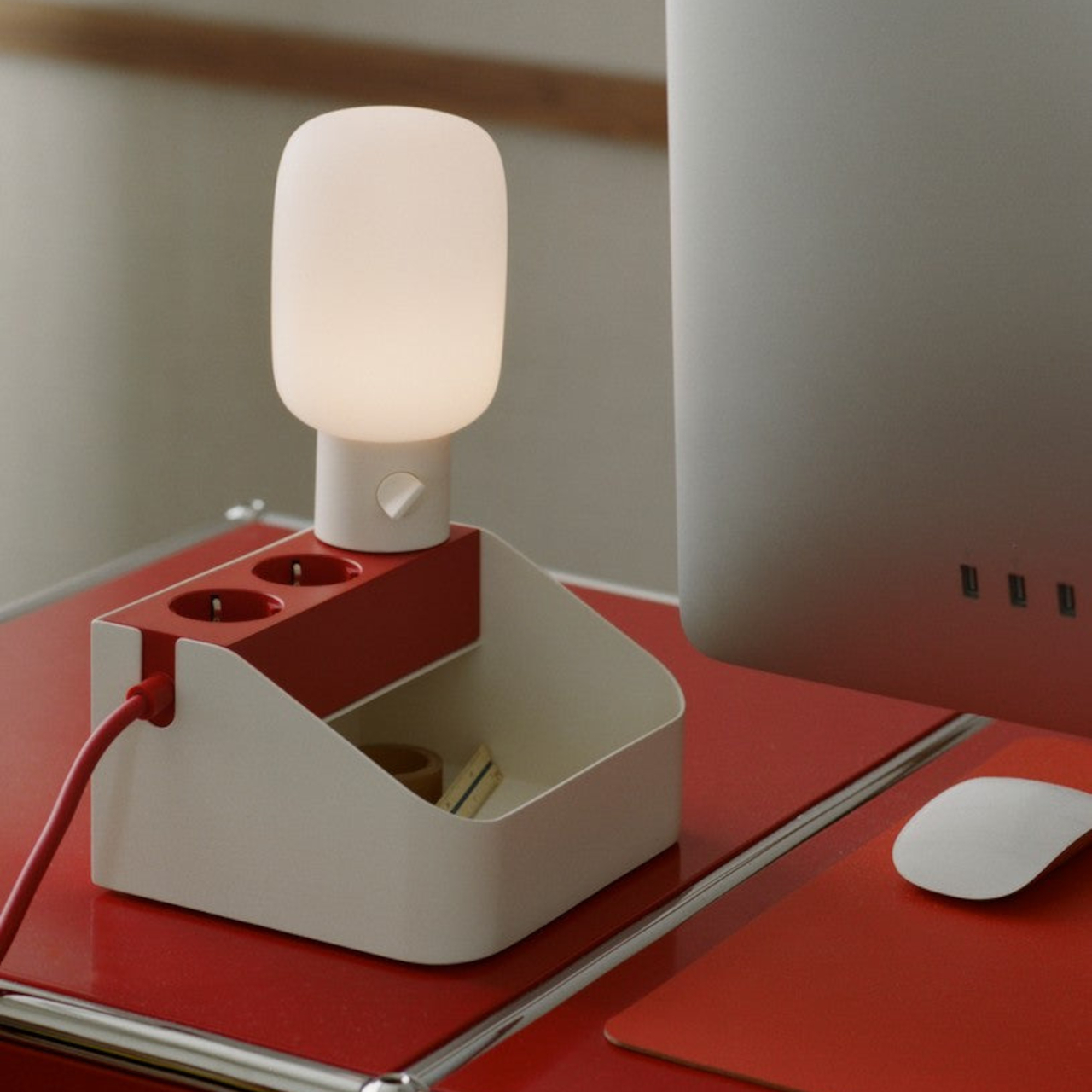
The shape does the real work here. A wedge-profile steel shell holds the Power Bar strip snugly in place, while an open front compartment catches adapters, dongles, and the small electronics clutter that otherwise drifts into drawers. A cord notch lets cables exit cleanly to the side, so nothing bunches up against a wall or gets pinched under the tray’s own weight. That single cutout solves a problem most cable organizers ignore entirely.

Designer: Pedestal

Who hasn’t seen a home office where a laptop charger, a phone brick, and a pair of earbuds all fight for the same corner of a desk? Drop the Power Bar Tray there, and each of those pieces gets one dedicated spot instead of a loose pile. The tray measures just 6.7 by 5.9 by 3.9 inches, small enough to disappear next to a monitor stand without eating into usable desk space.

For setups that outgrow the single bay, the Power Bar Tray Double doubles the footprint to 9.8 inches wide, splitting the interior into two separate compartments. It’s built for anyone juggling a second power strip’s worth of gear, a gaming console’s tangle of accessories, or a home studio where cables multiply faster than shelf space allows. The extra width still keeps that same matte steel finish, so nothing about the design reads as an afterthought.

Both trays lean on a straightforward idea: a power strip left loose on a desk looks messy no matter how expensive the desk is. Docking it inside a steel enclosure with a defined shape gives the whole setup a sense of intention, the kind that makes a cluttered corner suddenly look considered. It’s a small piece of furniture doing a job that most people never thought to assign to furniture at all.

What makes this pairing work is restraint. Neither tray tries to hide the power strip completely or wrap it in unnecessary bulk. Instead, they frame it, treating a mundane object as something that deserves a proper edge and a stable base rather than a tangle of cords hidden behind a monitor. That’s a small shift in thinking, but it changes how a desk actually looks once the strip has somewhere to live.

At $50 for the single tray and $85 for the Double, the price tracks with what a well-made steel accessory should cost, not what a plastic cable box usually runs. The charcoal finish keeps both versions visually quiet enough to sit next to almost any desk material, from raw wood to brushed aluminum. Cable management rarely gets this much attention to form, and that’s precisely what separates a tray from a genuine accessory.

The post Power Strips Have Always Been Floor Objects, Pedestal Disagrees first appeared on Yanko Design.
Power Strips Have Always Been Floor Objects, Pedestal Disagrees

Power strips have sat on the floor under desks for decades, tangled and forgotten, without anyone treating that as a design problem worth solving. Pedestal’s Power Bar Tray changes that quietly, giving its companion power strip an actual home instead of a random spot on the carpet. Made from powder-coated steel with a matte charcoal finish, the tray turns a neglected object into something that belongs on top of a desk in plain sight.

The shape does the real work here. A wedge-profile steel shell holds the Power Bar strip snugly in place, while an open front compartment catches adapters, dongles, and the small electronics clutter that otherwise drifts into drawers. A cord notch lets cables exit cleanly to the side, so nothing bunches up against a wall or gets pinched under the tray’s own weight. That single cutout solves a problem most cable organizers ignore entirely.

Designer: Pedestal

Who hasn’t seen a home office where a laptop charger, a phone brick, and a pair of earbuds all fight for the same corner of a desk? Drop the Power Bar Tray there, and each of those pieces gets one dedicated spot instead of a loose pile. The tray measures just 6.7 by 5.9 by 3.9 inches, small enough to disappear next to a monitor stand without eating into usable desk space.

For setups that outgrow the single bay, the Power Bar Tray Double doubles the footprint to 9.8 inches wide, splitting the interior into two separate compartments. It’s built for anyone juggling a second power strip’s worth of gear, a gaming console’s tangle of accessories, or a home studio where cables multiply faster than shelf space allows. The extra width still keeps that same matte steel finish, so nothing about the design reads as an afterthought.

Both trays lean on a straightforward idea: a power strip left loose on a desk looks messy no matter how expensive the desk is. Docking it inside a steel enclosure with a defined shape gives the whole setup a sense of intention, the kind that makes a cluttered corner suddenly look considered. It’s a small piece of furniture doing a job that most people never thought to assign to furniture at all.

What makes this pairing work is restraint. Neither tray tries to hide the power strip completely or wrap it in unnecessary bulk. Instead, they frame it, treating a mundane object as something that deserves a proper edge and a stable base rather than a tangle of cords hidden behind a monitor. That’s a small shift in thinking, but it changes how a desk actually looks once the strip has somewhere to live.

At $50 for the single tray and $85 for the Double, the price tracks with what a well-made steel accessory should cost, not what a plastic cable box usually runs. The charcoal finish keeps both versions visually quiet enough to sit next to almost any desk material, from raw wood to brushed aluminum. Cable management rarely gets this much attention to form, and that’s precisely what separates a tray from a genuine accessory.

The post Power Strips Have Always Been Floor Objects, Pedestal Disagrees first appeared on Yanko Design.
iPhone 18 Pro Max vs. Galaxy S26 Ultra Speed Test: A20 Pro vs. Snapdragon Showdown

iPhone 18 Pro Max vs. Galaxy S26 Ultra Speed Test: A20 Pro vs. Snapdragon Showdown iPhone 18 Pro Max vs. Galaxy S26

The iPhone 18 Pro Max, powered by Apple’s innovative A20 Pro chip, and the Samsung Galaxy S26 Ultra, equipped with Qualcomm’s Snapdragon 8 Gen 5, represent the pinnacle of modern smartphone technology. These flagship devices are designed to deliver exceptional performance, but their strengths vary depending on specific use cases. The video below from XEETECHCARE […]

The post iPhone 18 Pro Max vs. Galaxy S26 Ultra Speed Test: A20 Pro vs. Snapdragon Showdown appeared first on Geeky Gadgets.

Posted in Uncategorized

DJI Neo 3 Leak Reveals a Likely Upward Obstacle Detection Sensor

DJI Neo 3 Leak Reveals a Likely Upward Obstacle Detection Sensor Leaked image of the potential DJI Neo 3 drone showing top-mounted components.

The DJI Neo 3 appears poised to address some of the key criticisms of its predecessor, the Neo 2, particularly in terms of design and functionality. One notable upgrade is the introduction of a pusher propeller configuration, which could enhance flight efficiency while contributing to a more compact and portable design. Additionally, leaked images suggest […]

The post DJI Neo 3 Leak Reveals a Likely Upward Obstacle Detection Sensor appeared first on Geeky Gadgets.

Posted in Uncategorized

How to Build a DIY ESP32 Messaging System Without Wi-Fi

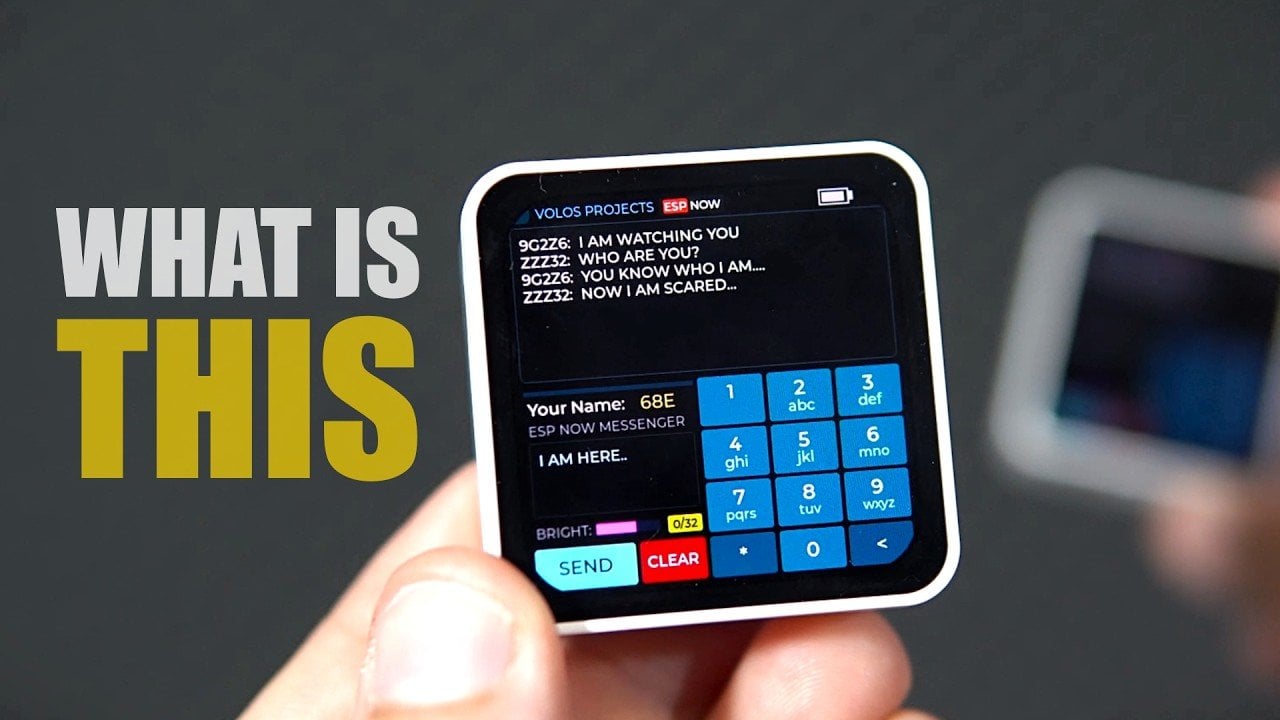
How to Build a DIY ESP32 Messaging System Without Wi-Fi Two ESP32 messaging devices displaying text on their screens.

Wireless communication and microcontroller programming come to life in the DIY ESP32 Messaging System, a project shared by Volos Projects. Built around the Waveshare ESP32C6 board, this system uses the ESP-Now protocol to enable two devices to exchange messages without relying on Wi-Fi or SIM cards. Designed with a retro SMS-style interface, it offers a […]

The post How to Build a DIY ESP32 Messaging System Without Wi-Fi appeared first on Geeky Gadgets.

Posted in Uncategorized