Music streaming services are starting to unleash their year-in-review features for 2025, and Apple Music’s version is out now. Apple Music Replay is here to lay bare your listening stats for the year — at least so far, because these tools go live with a whole month of the year left to go. You can check out the 2025 edition from the Home tab in the app.
As ever, Replay shows your total listening time, the number of artists you checked out, your most-listened-to song and album and more. New this year is a discovery stat, which highlights new artists you started listening to in 2025. The loyalty factor will tell you which artists you listen to year after year, and “comebacks” shows which artists have slotted back into your rotation.
The most popular song on Apple Music overall this year was the ultra-catchy “Apt.” by Rosé and Bruno Mars. “Luther” by Kendrick Lamar and SZA; “Die with a Smile” by Lady Gaga and Mars; “Not Like Us” by Lamar; and “Birds of a Feather” by Billie Eilish rounded out the top five. “Apt.” is also the most Shazamed song of the year.
I really didn’t need Replay to tell me that party metal vanguards Electric Callboy and kawaii metal pioneers Babymetal were my top artists for 2025, since I’ve had both on extremely heavy rotation since the spring — their stupendously fun collab, “Ratatata,” was my top song this year. I was a little surprised that the wonderful Japanese math rock band Toe were in third place and that post-punk revival crew Editors made the top five, though I did listen to the latter’s The Back Room a bunch at the start of the year.
Early last year, Apple Music rolled out a monthly version of Replay, which shows the top songs, albums and artists and personal listening milestones for each month. You can also go back and listen to previous versions of your personalized Replay playlists, and check out a Replay All Time one, which highlights the songs you’ve listened to most on Apple Music overall.
Update, December 2, 4PM ET: This story was update after publish to clarify that the comebacks information is folded into your recap, rather than available as a separate tab.
This article originally appeared on Engadget at https://www.engadget.com/entertainment/music/apple-music-replay-2025-is-here-to-highlight-your-unimpeachable-music-taste-151224318.html?src=rss
It’s been 18 years since the last Metroid Prime game, but I felt right at home in Metroid Prime 4: Beyond. Almost too at home. Whether fighting my way through a volcano, exploring a research base in a frozen tundra or getting lost in a vast desert, I couldn’t shake the feeling I’d done this before. As the fourth game in a series, that’s not a huge surprise, but it was my main disappointment in Metroid Prime 4: Beyond. Think about the leap Nintendo took going from 2011’s The Legend of Zelda: Skyward Sword and 2017’s Breath of the Wild. They were both recognizably Zelda games, but Nintendo redefined what that means between those two games.
No such reinvention has happened with Metroid Prime 4: Beyond. But that doesn’t mean it isn’t a great time — it executes the template for a Metroid Prime game extremely well. It’s thrilling to see the series finally make the jump to HD, iconic bounty hunter Samus Aran has some intriguing new powers, there’s a badass motorcycle to shuttle her around the game’s open world hub and the game’s design and art direction show Nintendo at its best. It's everything you’d expect from a Metroid Prime game — no more, no less. Whether that’s a good thing is up to you to decide.
If you haven’t played the previous Metroid Prime games before, fear not. There isn’t anything story-wise that you need to know before you jump into this adventure. As with all Metroid games, you take control of acclaimed bounty hunter Samus Aran, an ultra-powerful warrior with a mechanized suit full of fun tricks. The vast majority of the game takes place in first-person view where you can lock on to the many creatures trying to kill you and blast away with an ever-expanding arsenal. The other main interface is your scan visor, where you can learn about your surroundings and enemies to find weaknesses and figure out what you need to do to advance.
Metroid Prime 4: Beyond
Nintendo
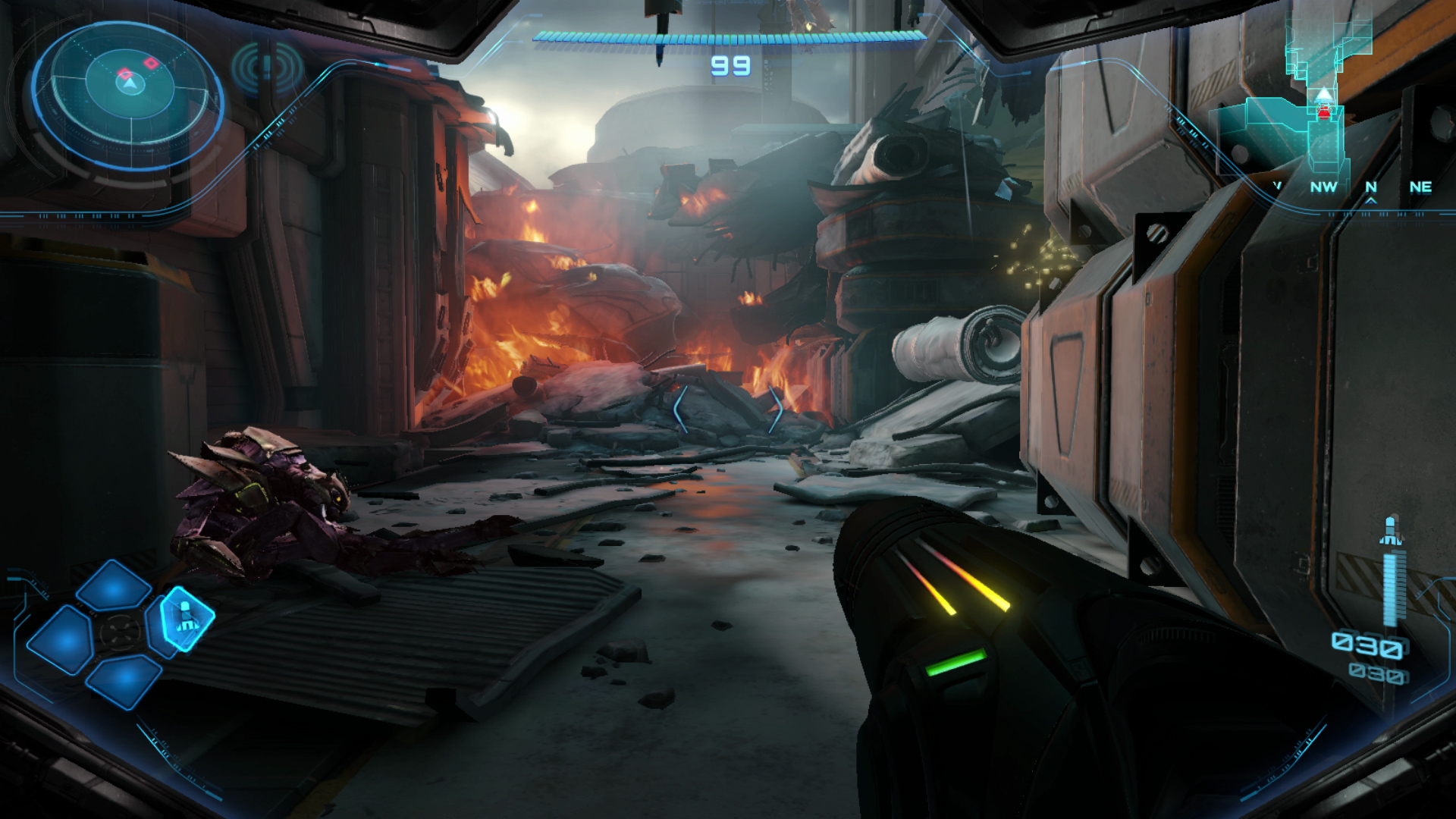
Beyond throws you right into a firefight that serves as a solid tutorial for the game's varied control schemes. A Galactic Federation outpost is under attack, and Samus flies in to help defend the troops and keep a secret artifact safe. This somewhat bombastic intro is a great way to show off the Switch 2's power. Sure, we're not talking about a PS5 Pro here, but this is perhaps the most visually-advanced game Nintendo has released. With a Switch 2 docked to a TV, you can play it at either 4K / 60fps or 1080p / 120fps (in handheld mode, that drops to 1080p or 720p with the same frame rates). I don’t have a huge TV, so I mostly went with “performance mode,” but in either case the game felt extremely fluid with no frame rate drops and looked outstanding.
The game starts as Samus Aran flies in to help the Galactic Federation fight off an invasion, and that opening cut scene shows off with some HDR-enhanced explosions and a detailed environment of a space base in chaos. There are little fires and explosions everywhere; it's visually busy but in a good way that serves the setting, and it all looks vibrant and life-like. As with basically all Nintendo games, Metroid Prime 4: Beyond isn't aiming for realism, but it's closer to a game like Horizon Forbidden West or Cyberpunk 2077 than any other Nintendo titles I can think of. Things like the textures of metal installations, the leaves on alien trees or Samus' gloves all have a level of textural detail you don't usually see in Nintendo's games. Often, that's due to a conscious art direction choice to go in a more cartoonish direction, but the Switch 2's hardware is helping make the game as lifelike as possible.
Metroid Prime 4: Beyond
Nintendo
(Note that Metroid Prime 4: Beyond is also available on the original Switch. I didn’t play it there so I can’t comment on how things like frame rates and textures hold up on that much older console. If you’re thinking about trying this game on the first Switch, it’s probably a good idea to see how other reviewers find that experience before shelling out $60.)
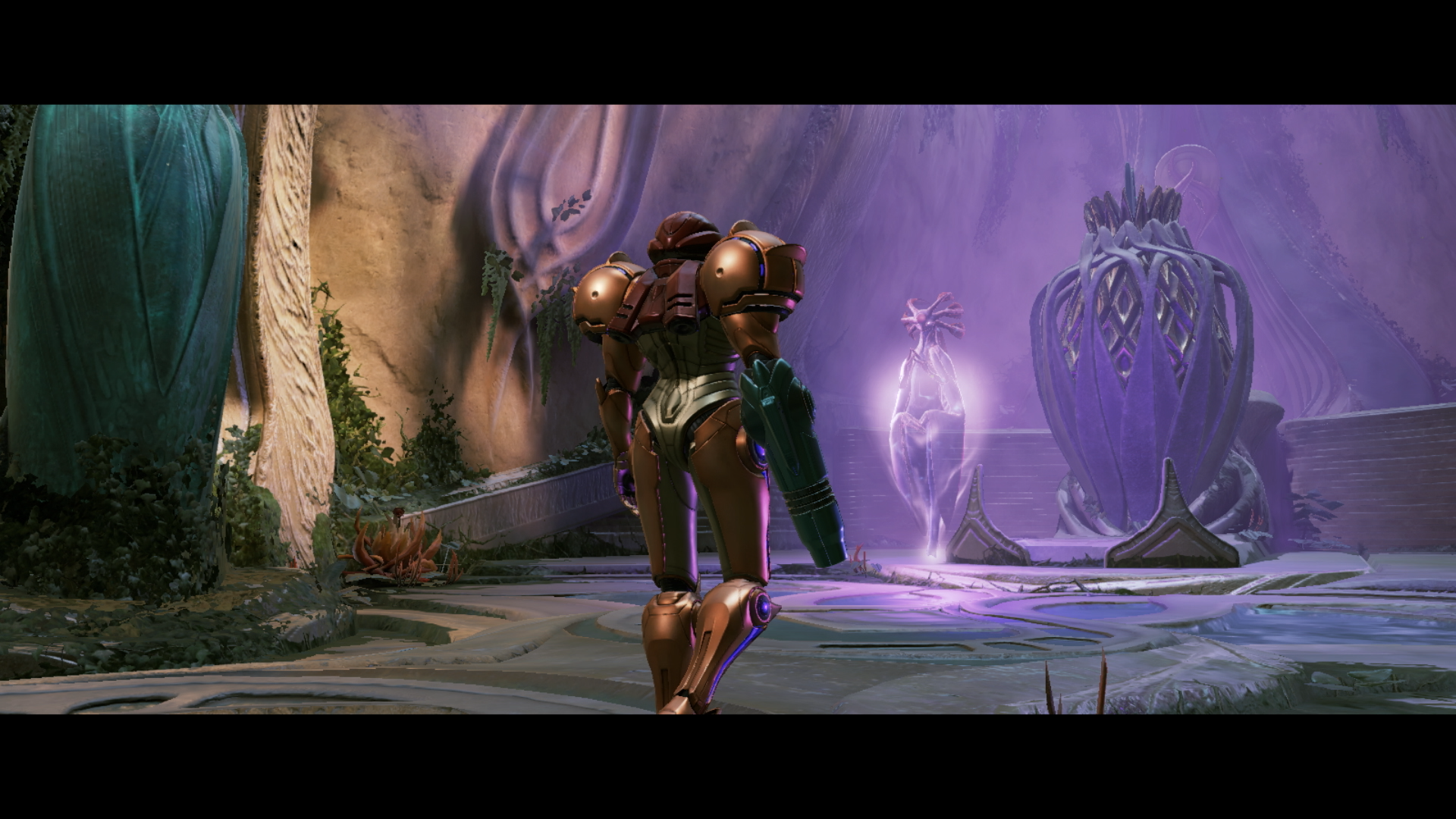
The aforementioned intro sets up the big conflict in Beyond. As Samus comes in to try and help the troops defend a mysterious artifact, the game’s big bad Sylux shows up and everything hits the fan. Samus and some other Galactic Federation forces are mysteriously transported to the planet Viewros, where Samus comes into contact with a near-excinct society called the Lamorn. A Lamorn elder telepathically pleads with Samus to try and save the society from being totally forgotten — indeed, she may be able to bring them back from the brink of extinction if all goes well. They’ve been waiting for a “chosen one,” you see, and Samus is naturally it.
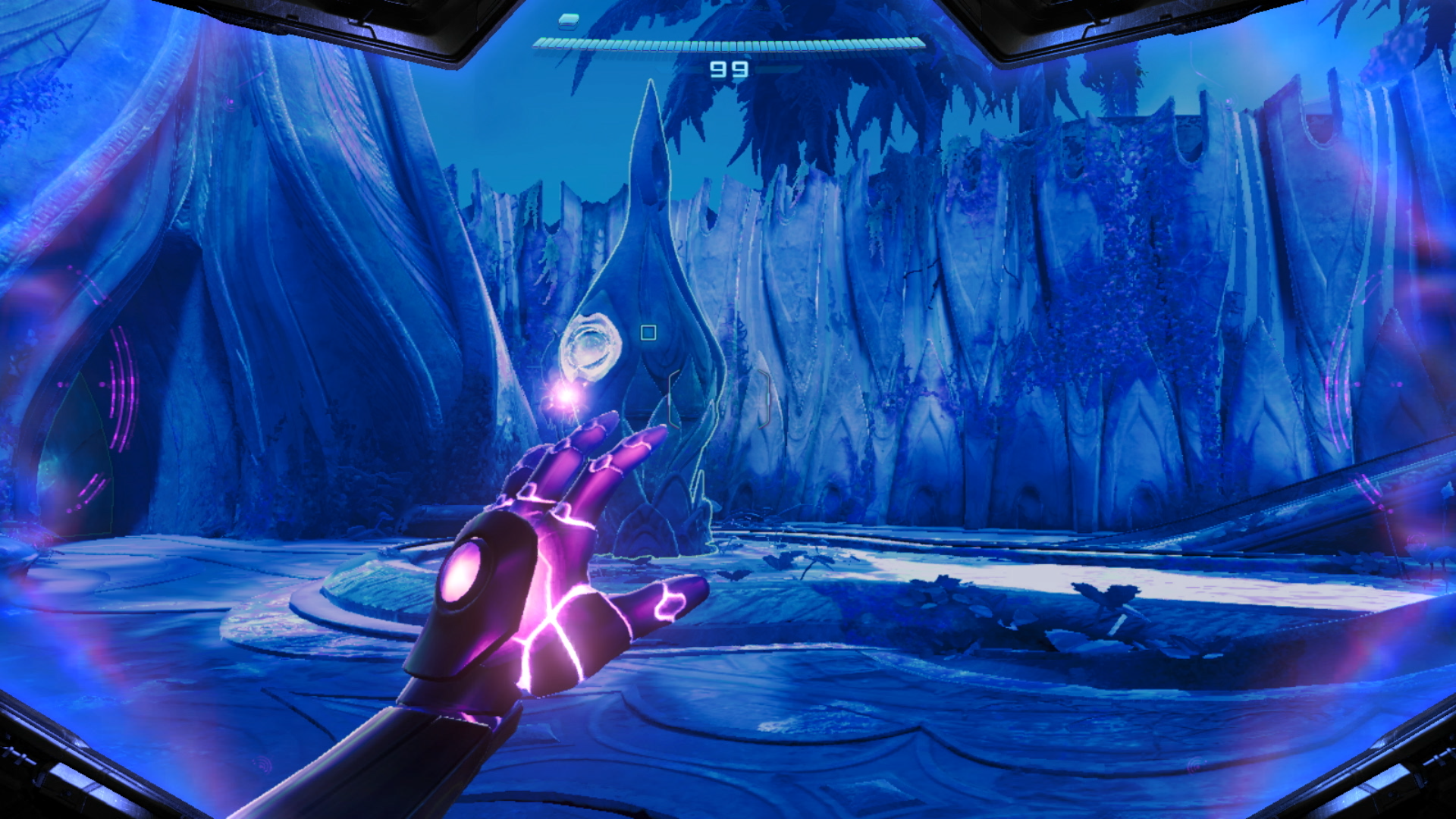
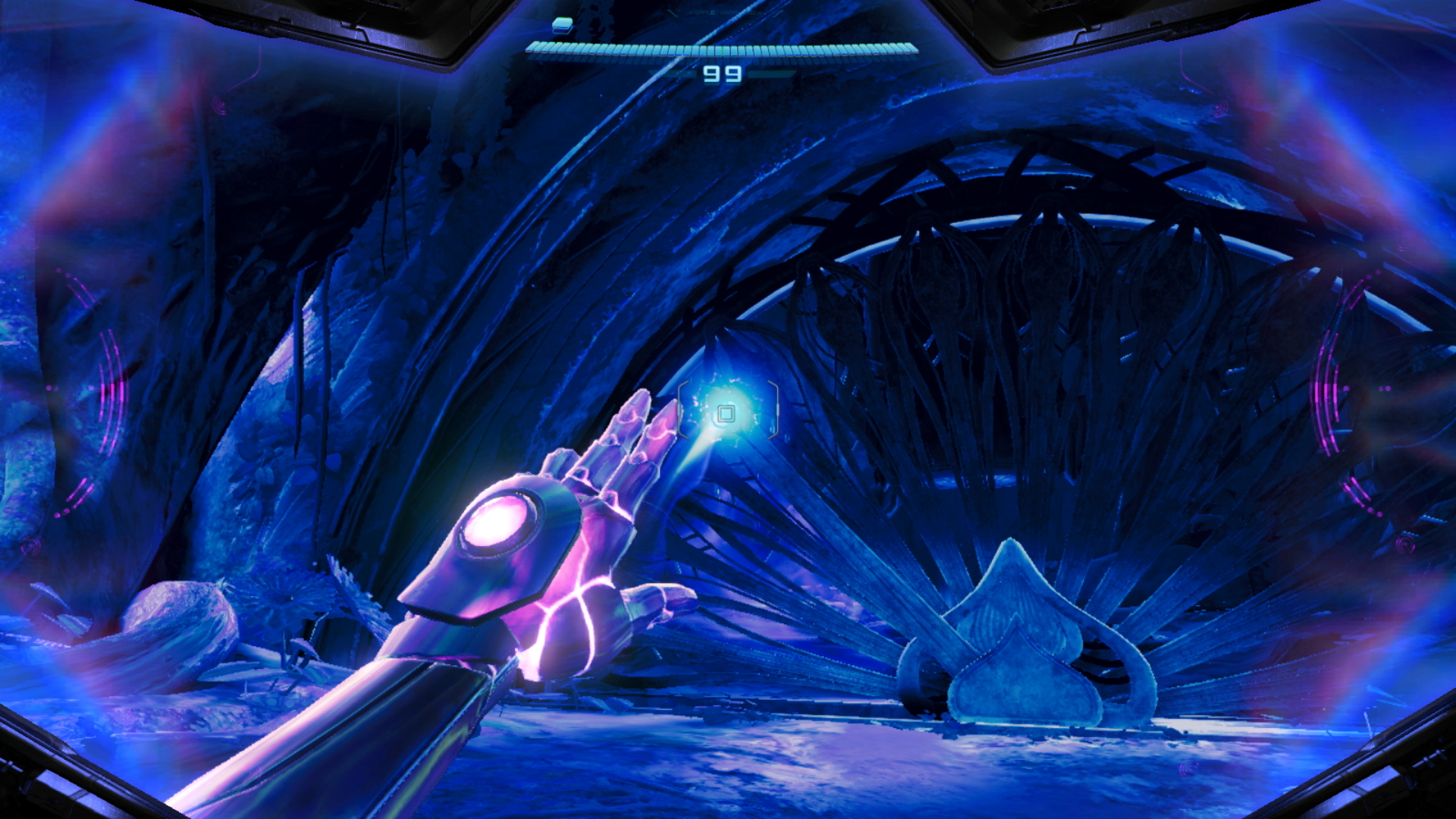
As part of this intro, Samus gains her signature new physic powers in Beyond. These allow her to interact with otherwise-hidden parts of the environment to solve puzzles. The most significant is the Control Beam. When you charge your arm cannon while in the psychic scan visor mode (a slight tweak on the environmental scanning feature that has been a major part of all Metroid Prime games), you can fire a beam that slows time down and can be controlled with the right joystick. That means you can pass the Control Beam through multiple targets, something you’ll need to do periodically to weaken enemies or unlock the way forward.
Metroid Prime 4: Beyond
Nintendo
For the most part, though, the psychic powers besides the beam are just repackaging of already-familiar tools. Metroid veterans will be familiar with the Spider Ball, an upgrade to the Morph Ball that lets Samus magnetically attach to tracks that help her get to out-of-reach areas. In Beyond, you instead get the “Psychic” Spider Ball — that does essentially the same thing. Occasionally, you’ll find Psychic Ball Tracks that you have to scan to reveal; they’ll then blast Samus into a secret area that usually has a weapon upgrade or energy tank. Even Samus’ main weapon gets a fancy “Psychic Beam” name — but the description of it in the inventory admits that it’s the same weapon. “The Psychic Beam’s strength and performance are equal to the standard Power Beam.” While the Control Beam adds a fun wrinkle to the gameplay, the psychic abilities don’t otherwise change the Metroid Prime formula in any significant way.
The main task Samus faces is collecting five Teleporter Keys that can get her off the planet. Those keys are hidden in various environments around Viewros that are all connected by Sol Valley, a large desert that holds lots of upgrades and side quests that you’ll need to clear to advance in the game. The desert is more of a hub than an open world — there are small areas to explore dotted around it, but the main action happens in places like Ice Belt, Volt Forge, Flare Pool and several others you’ll find your way to as you collect those teleporter keys.
Metroid Prime 4: Beyond
Nintendo
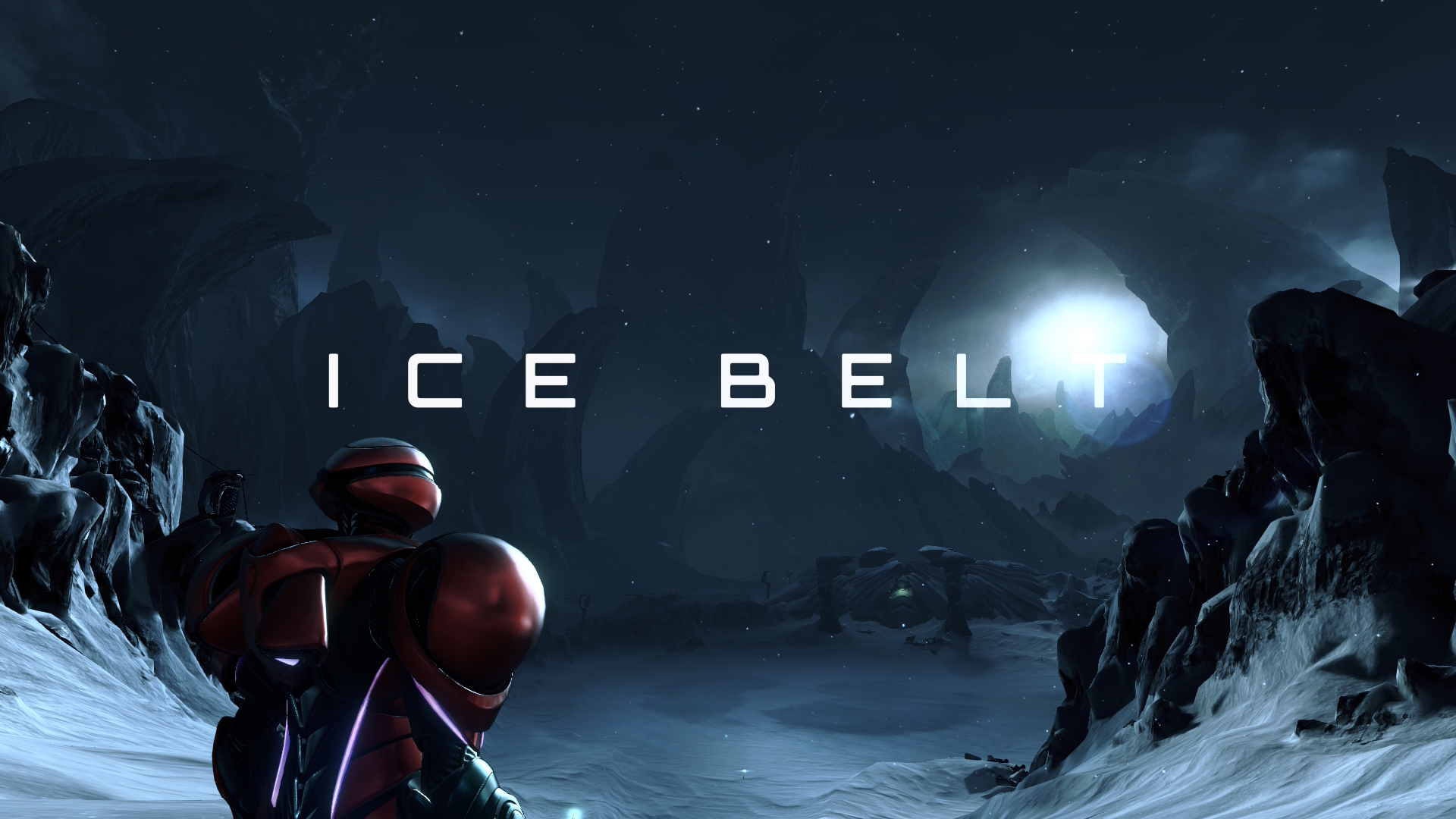
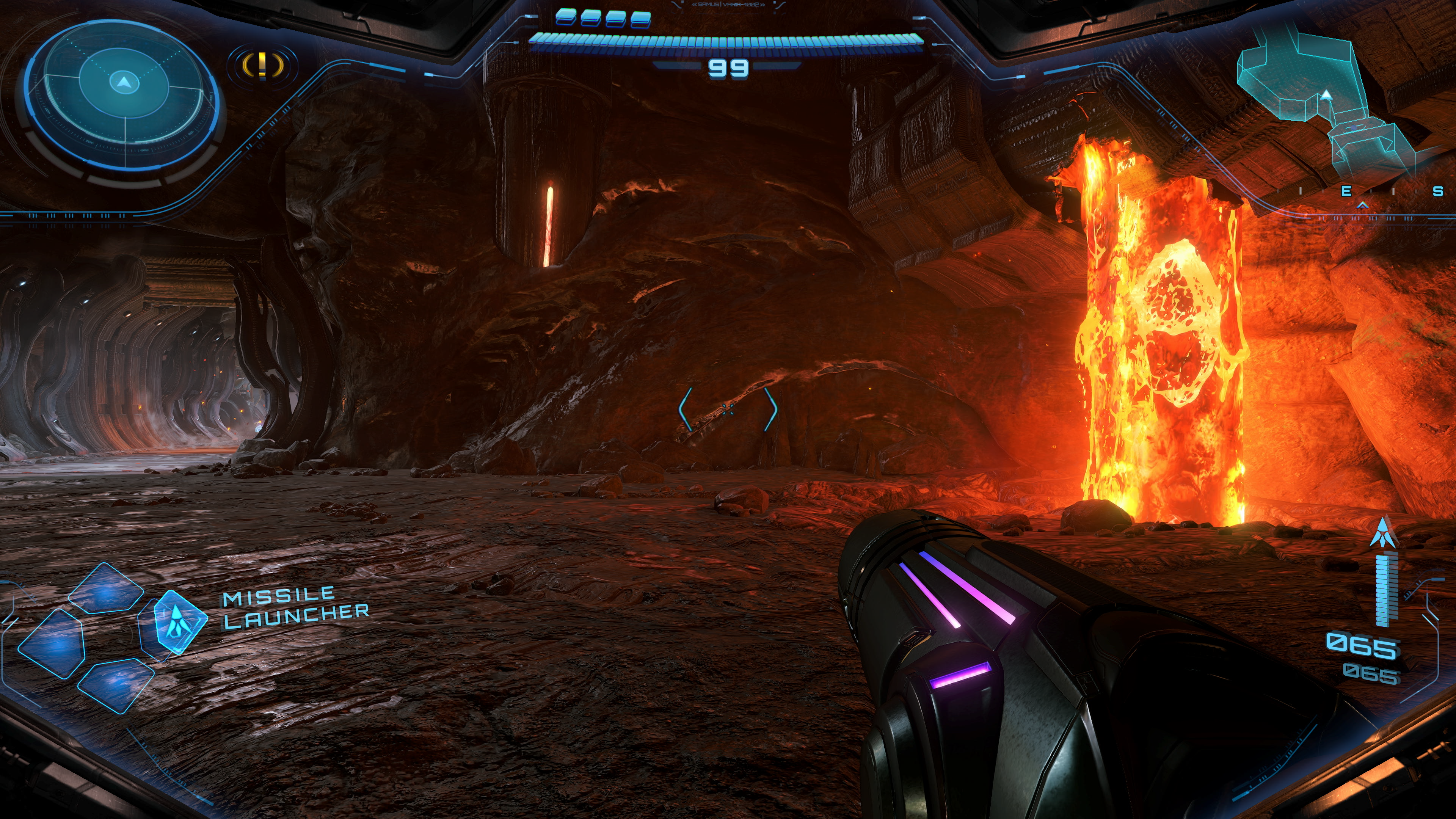
As those names suggest, Ice Belt is a frozen area where you explore an abandoned research facility, while Flare Pool is inside of a volcano. And, as you might expect, you’ll need certain weapons to advance in those areas. In addition to her standard beam and missile weapons, Samus collects the obligatory freeze ray and fire blaster sort of weapons. This is where the game really started to remind me of the original Metroid Prime — the three elemental weapons she collects are essentially the same as those in the first game, and environments like a frozen wasteland or a fiery volcano are nearly identical to ones you’ll find in that game. The Lamorn, meanwhile, reminded me a lot of the departed Chozo tribe you’ll find on Tallon IV in the first Metroid Prime. Of course, that game came out all the way back in 2002, and Metroid Prime 4: Beyond will likely be the first game of the series many play. A little recycling of classic elements is forgivable.
That said, I was a bit disappointed that the game has a tightly-scripted flow. After the intro and the first mission on Viewros, you hit the desert with multiple locations where Teleporter Keys are believed to be hidden. But you can’t tackle them in any order you choose. This is a Metroid game, after all, and that means exploring to find powers that let you explore a new area that was previously closed off. Part of me was hoping for the freedom of a game like Breath of the Wild where you could tackle areas in any order you choose. But after playing through nearly the entire game, I appreciate the excellent execution of the familiar formula.
Metroid Prime 4: Beyond
Nintendo
Another thing that’ll be familiar to those who’ve played the older Metroid Prime games is the control scheme. For the most part, you can pick up the controller and get right to it, as the main control layout employs a two-joystick first-person view that should be pretty easy to get the hang of. But there are definitely times where I found myself wishing for more precision. You can lock onto enemies and targets with the ZL button and start blasting away with your chosen weapon, but many of the boss battles require you to lock on to a large creature and then use the right stick to adjust your aim to hit very specific targets. This took some getting used to, because I was used to the lock-on target vulnerable areas. Doing it with a Switch Pro Controller made things much easier, but using the standard Joy-Cons could get frustrating in a hurry. If I was playing in handheld mode, I would often pause before a big battle and wait until I could hook up to my TV and use a proper controller. I’d recommend you do the same — it’ll make for a much more enjoyable experience.
Beyond also offers the option of using one Joy-Con in “mouse” mode for aiming while using the other for moving around. For me, this isn’t a viable option. I tried it a few times and immediately felt completely disoriented and far worse at aiming than I was with the right stick. I can appreciate the idea behind offering mouse-like controls for a first-person FPS game, but it just did not feel well executed. That said, this might be on me. I haven’t played a game with a keyboard and mouse in years; nearly all of my gaming is on a twin-stick controller, so I’m just more comfortable with that setup. I’m thinking about starting from the beginning and seeing how I adapt to mouse mode and will update this review if my opinion changes.
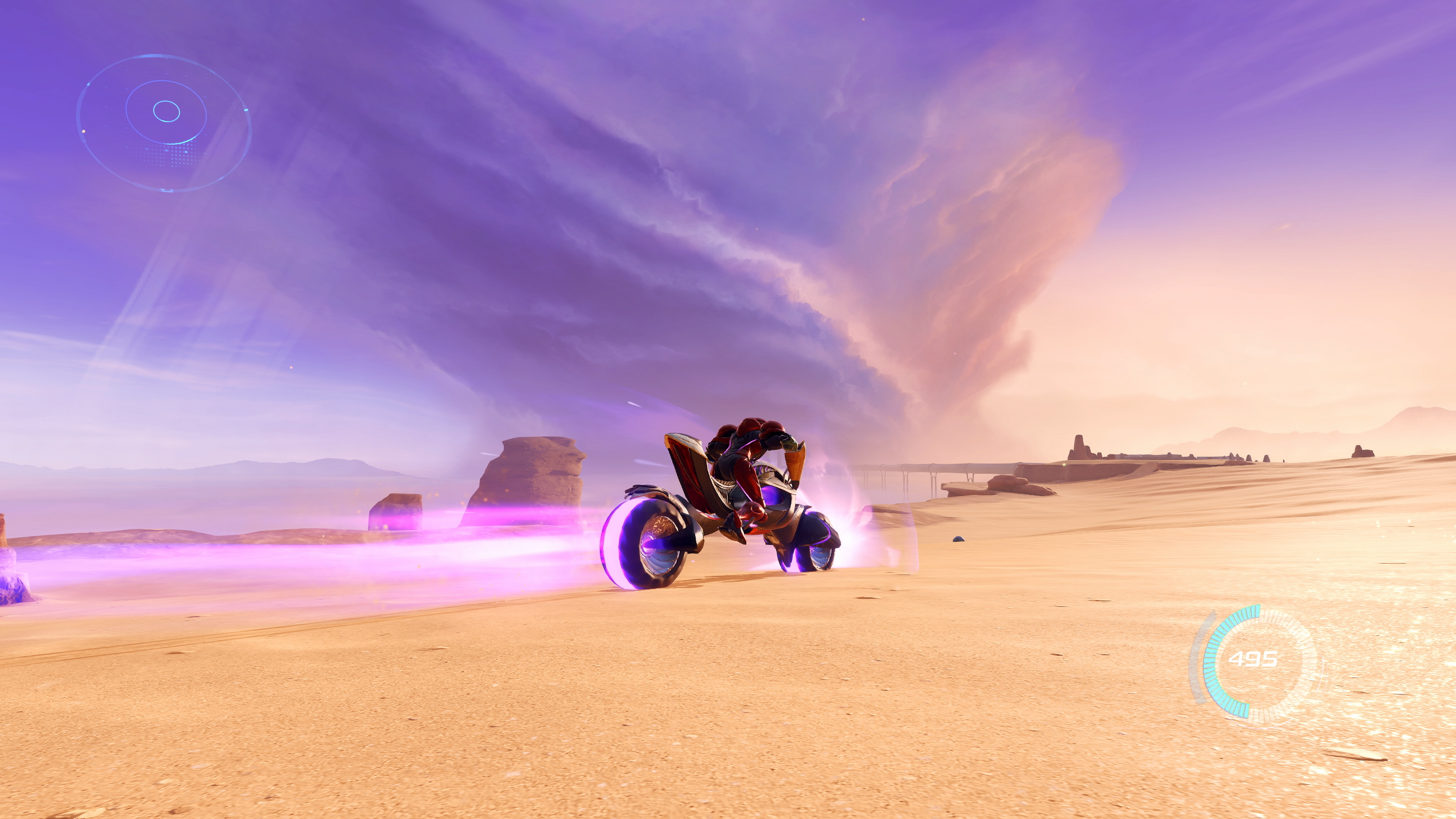
There are a few things that Beyond does that are completely new to the series. The most obvious one is Vi-O-La, the wild robotic motorcycle that Samus rides. You’ll unlock that early in the game, and its primary utility is to get around Sol Valley. For anyone worried that the game is overly focused on an element that admittedly feels a bit anachronistic to the usual Metroid vibe, fear not. You’ll use it a bunch, but it’s more about fast transportation and exploration than something that has detailed mechanics you need to master. There are a few segments where it’s a major part of the mission, but for the most part it’s just another tool in your arsenal rather than something that steals the focus of the game.
Metroid Prime 4: Beyond
Nintendo
The same can be said for the motley crew of adventures you assemble. One of the loudest bits of feedback that came out of the preview Nintendo offered the press a few weeks ago was “what’s the deal with Myles MacKenzie?” You see, in the first hours of the game you come across MacKenzie, a bumbling engineer type who you rescue in the jungles of Viewros shortly after landing on the planet. You then have to escort him around a bit, during which he makes some pretty bad and occasionally obnoxious jokes. This led many who played the preview to worry about MacKenzie shattering the quiet and lonely solitude the Metroid series is known for.
Don’t worry — Samus is on her own for the vast majority of the game. You’ll encounter a few more stranded Galactic Federation soldiers throughout the game, but they usually only stick around for short segments before returning to the home base you establish with Myles. And as for Myles himself, he’ll help upgrade your weapons and is available on the radio to give you hints on where you need to go, something that I honestly didn’t mind. I’d rather have hints at hand than spend all my time wandering lost throughout the vast world of Beyond. But I can also see that the hint system is occasionally too aggressive in dropping details on where to go next.
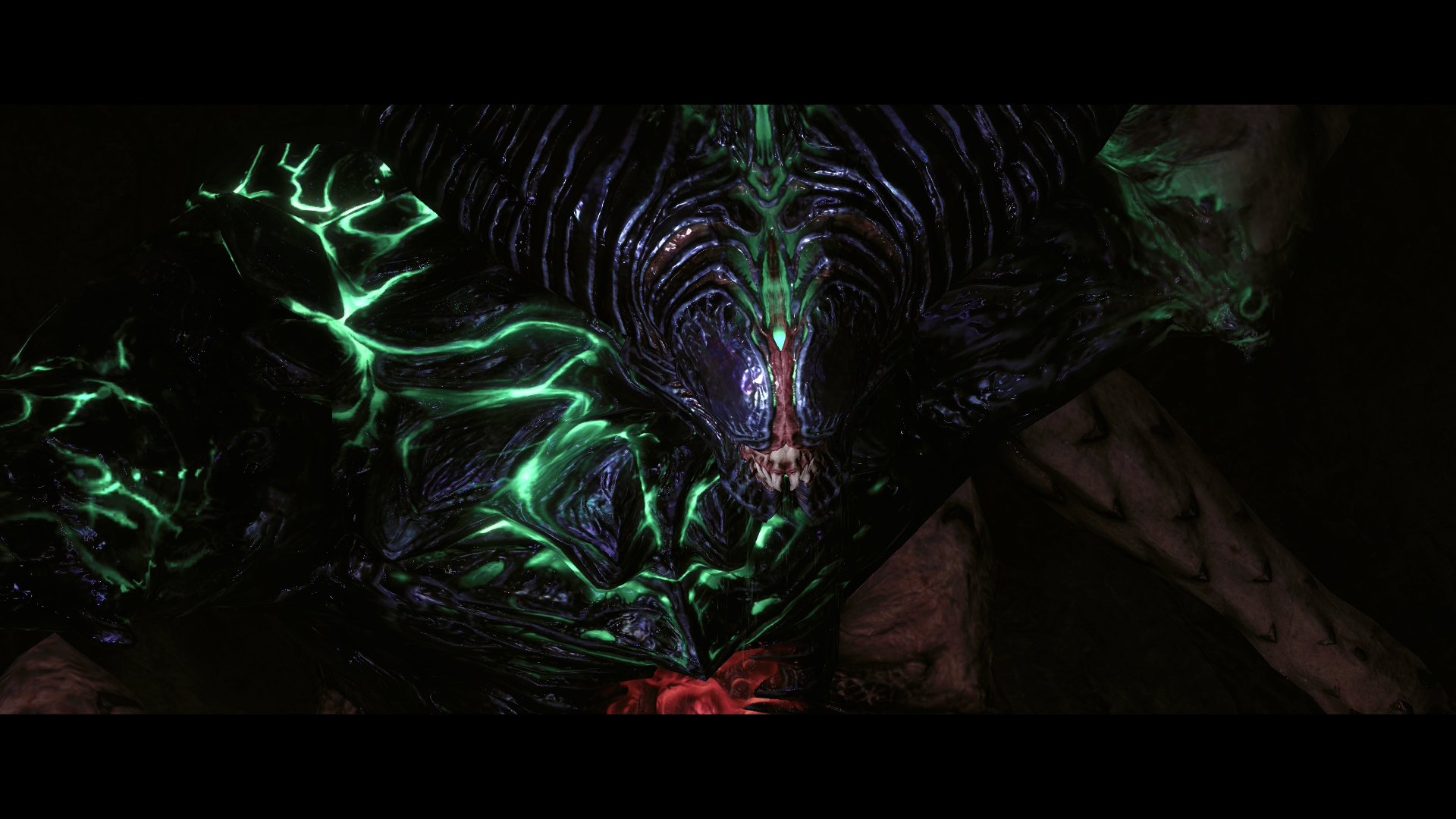
As a seasoned player, Beyond mostly felt challenging but fair. Games in the Metroid Prime series are notorious for moments of serious difficulty, but this one feels a little more forgiving. When battling bosses, there were plenty of ammo and energy drops that helped me even the score. I usually died a handful of times while figuring out my strategy or getting a feel for their attacks, but it wasn’t overly frustrating or tedious. That said, there were two bosses near the end (including the final boss) where the difficult curve spiked in a way that felt completely unreasonable.
Metroid Prime 4: Beyond
Nintendo
There were also a few times when I felt wildly lost, with no useful information about my next step to be found anywhere on the map. Myles told me to find a member of the crew “out in the desert.” And while Sol Valley isn’t the same open-world scale of some bigger games, it’s still a pretty big space to explore without any other indication of where to go. I wasted far too much time riding my motorcycle across dunes aimlessly figuring out where to go. It wouldn’t be a Metroid game if you didn’t get hopelessly stuck at some point, though.
For the most part, I enjoyed the addition of some people helping Samus along her way. It helps flesh out the world of the game in small ways, giving some perspectives on everything going on from people who aren’t ultra-powerful, silent bounty hunters. It did make Samus’ never-ending silence feel a bit awkward, but it also fits with her otherworldly, not-quite-human presence.
Metroid Prime 4: Beyond
Nintendo
In some ways, it’s easy to sum up Metroid Prime 4: Beyond. It’s the Metroid Prime experience, modernized. The graphics are better, the world is bigger, experiences like Vi-O-La and Samus’ psychic abilities offer a greater variety of gameplay experiences. But it’s also very much a Metroid Prime game at its core, with the familiar but effective mix of biomes to exploration, giant enemies to dispatch and weapon upgrades to find. And, of course, there were moments of immense frustration when things just got too difficult, another hallmark of the series. Seriously, the final battle is wildly frustrating. Maybe I just need to get good, but it felt so far out of sync with the entire rest of the game that it almost ruined the fun that came before.
That intense moment of frustration aside, anyone who played earlier games in the series will find a lot to love here. But, they also might be disappointed that Nintendo didn’t push the series further. However, there are also a lot of people who’ve never played a Metroid Prime game in the last two decades or so — those people will find that the formula Nintendo engineered in the 2000s still holds up here. Metroid Prime 4: Beyond is far more unique than your average first-person shooter, it was worth the long wait, and it’s a must-play for anyone who is up for the challenge.
This article originally appeared on Engadget at https://www.engadget.com/gaming/nintendo/metroid-prime-4-beyond-review-an-excellent-modernization-but-not-a-total-reinvention-150000082.html?src=rss
Update December 3 2025, 10:43am ET: India has withdrawn its mandate requesting manufacturers to install the Sanchar Saathi app, according to reporting from Reuters. The text below has been left unaltered.
India has issued a mandate to all smartphone manufacturers and importers requiring them to install a state-owned cyber security app. But Apple is reportedly not going to comply, citing privacy and security concerns, according to Reuters.
The app, called Sanchar Saathi (meaning Communication Companion), is supposed to expedite the process of finding lost or stolen devices and stopping their misuse, according to a government press release on Monday. It further states that companies, including the likes of Samsung and Xiaomi, should "endeavor" to use software updates to download the app on previously purchased smartphones.
The Sanchar Saathi app comes alongside an entire website designed for reporting fraudulent communication and tracking missing phones. However, critics worry that the app is a means for Prime Minister Narendra Modi's government to gain access to every smartphone in India.
The messages coming out of the Indian government have been mixed so far. In Monday's public announcement, it said companies must comply within 90 days and submit a report within 120 days. It also states that the app should be "readily visible and accessible to the end users at the time of first use or device setup and that its functionalities are not disabled or restricted."
Yet, today, India's Union Communications Minister Shri Jyotiraditya Scindia stated that the app is "completely democratic and fully voluntary." He added that users can deactivate or delete it "at any time."
At the same time, industry sources told Reuters that Apple will not comply with preinstalling the app. Whether that pushback lasts remains to be seen — Apple has bowed to government mandates in the past. Recently, it removed two of China's biggest LGBTQ+ dating apps, following orders from the country's internet regulator and censor.
This article originally appeared on Engadget at https://www.engadget.com/big-tech/apple-will-reportedly-refuse-to-pre-install-indias-state-mandated-security-app-143050110.html?src=rss
Sony has launched its mid-range flagship mirrorless camera, the A7 V, with a strong emphasis on speed but a bit less on video than some may have hoped. The new model sports a 33MP partially stacked full-frame Exmor RS sensor and an all-new Bionz XR2 processor with built-in AI, powering what the company calls its fastest, most accurate subject-detect autofocus ever. At the same time, it can shoot 14-bit photos at up to 30 fps with 16 stops of dynamic range, the highest ever on a Sony (or nearly any other) camera.
On the video side, the A7 V now supports 4K 10-bit S-Log3 video at 60 fps using the full sensor width with supersampling from 7K. Note that to get full-width video in 4K 60 fps mode, you must turn on a feature called Angle of View Priority that turns off in-camera noise reduction but doesn't affect quality, according to Sony. 4K at 120 fps is also possible with an APS-C crop. The graphite heatsink disperses heat well, so you can record 90 minutes continuously at 4K 60 fps.
However, the A7 V doesn't offer any resolutions beyond that, unlike its primary rivals in this price range: the Canon R6 III (7K 60 fps), Nikon Z6 III (6K at 60 fps) and Panasonic S1 II (6K at 60 fps). Also surprisingly, there's no internal or external RAW capture, unlike all three rival cameras, with recording limited to Sony's XAVC (H.265 and H.264) formats.
Sony
Sony told Engadget that rather than RAW or 7K, it preferred to focus on features that it believes creators really want, namely sharp, high-quality 4K 60 fps that won't fill up your hard drive (along with fast and precise autofocus, of course). It also prioritized speed with the partially stacked shutter in order to reduce rolling shutter for full-frame video.
The company has a point that while RAW video provides extra quality, a single minute can take up gigabytes of space and requires a powerful PC for processing. That said, I'd personally like to have a 6K or 7K capture option in case I need to reframe a shot or output high-resolution vertical video. However, the A7 V can kind of do that itself with its Auto Framing mode that keeps a human in the scene and crops in on them automatically, like robotic cameraperson.
With all the extra speed, the A7 V can shoot 30 fps blackout-free RAW bursts with accurate AF and auto exposure in electronic shutter mode (with 14-bit RAW quality rather than 12-bit as before), or 10 fps with the mechanical shutter. There's no fully uncompressed RAW option, but it does support lossless compressed RAW and a new lightweight RAW format. It also supports extended RAW processing on PC with high-resolution output, along with 12 creative look presets with custom parameters.
With the new sensor and image processor, Sony is promising precise AF down to EV-4.0 in low light conditions, with 759 phase-detection points that cover about 94 percent of the image area. It also supports pre-capture and speed boost so you won't miss important moments in wildlife or sports photography. In terms of AI recognition, it now supports Human, Animal, Bird, Insect, Car/Train and Airplane detection, along with Auto Recognition of the target.
Sony
The A7 V's five-axis in-body stabilization delivers up to 7.5 stops of shake reduction, compared to 8.5 for Canon and Panasonic's latest models. It offers both Active and Dynamic Active modes depending on how energetically you're handling the camera, with the latter introducing some cropping.
The 2.1-million-dot rear display flips out for vloggers as before, but also tilts up and down for easier hip-level photography. The OLED electronic viewfinder has the same 3.69-million dot resolution as the A7 IV. Battery life via Sony's NP-FZ100 battery stretches out to 750 shots (CIPA), the best of any camera in this category. Rather than the dual-dual card slot configuration of the A1 II, the A7 V offers a hybrid CFexpress Type A (that only Sony uses) and SD UHS II slot, along with single SD UHS II slot. Other features include 3.5mm mic and headphone ports, a full-sized HDMI port, Wi-Fi 6 and two USB-C ports.
With the extra speed, high resolution compared to rivals and gain in picture quality, Sony's A7 V should appeal to hybrid shooters who focus on photography and so some video. It's now on pre-order starting at $2,899 ($3,099 with a kit lens) or $3,699/$3,899 CAD. It's due to start shipping on December 18, 2025, but only in limited numbers to start with.
This article originally appeared on Engadget at https://www.engadget.com/cameras/sonys-much-anticipated-a7-v-is-here-with-a-faster-33mp-sensor-and-4k-120p-video-140403371.html?src=rss
YouTube has introduced a yearly recap to the main app for the first time ever, bringing the focus to video. This recap highlights a user's favorite channels, topics and other fun little nuggets sourced from viewing habits throughout the year. It's available for perusal right now for both free and premium users.
Just look for the "You" tab at the bottom of the app to get started. Alternatively, web users can head to youtube.com/recap to access the same information. This recap can be shared across social media, just like all of the other ones from platforms like Spotify and Apple Music.
YouTube
Speaking of music, the yearly YouTube Music recap is still going, but there's a slight twist. Users will get shuttled to the Music app for a dedicated recap after working through the 2025 video highlight reel. This feature only triggers for users who have enjoyed the YouTube Music app for at least ten hours.
These recaps are only available for adults, which should please parents who don't want to see an itemized list of all of the annoying loudmouths their kids watch on YouTube all day. This was the platform's 20th year, so we recently compiled our own list of our favorite videos going all the way back to 2005.
This article originally appeared on Engadget at https://www.engadget.com/apps/youtube-just-introduced-a-yearly-recap-of-your-watched-videos-140016460.html?src=rss
After a few years — and a few shakeups — it looks like Amazon's God of War series is finally full speed ahead. The video game adaptation is now in pre-production in Vancouver and has been bumped up to a two-season order, Deadline reports.
The latest update includes news that Frederick E.O. Toye will direct the first two episodes of God of War. Toye has led episodes of shows such as Fallout, The Boys and Westworld. In 2024, his work on Shogun won him the Emmy for outstanding directing for a drama series.
The show is based on 2018's God of War video game, which finds inspiration in Norse mythology. As Amazon puts it, the show "follows father and son Kratos and Atreus as they embark on a journey to spread the ashes of their wife and mother, Faye. Through their adventures, Kratos tries to teach his son to be a better god, while Atreus tries to teach his father how to be a better human."
Casting is currently underway for the roles of Kratos and Atreus.
This article originally appeared on Engadget at https://www.engadget.com/entertainment/tv-movies/amazons-god-of-war-adaptation-gets-a-two-season-order-133059803.html?src=rss
One of the newer traditions of the holiday season is reading itemized lists of what we watched, played and listened to on our favorite streaming platforms throughout the year. Spotify Wrapped is perhaps the most famous of the bunch, but Amazon Music has its own year-end recap called Delivered and this year's edition is available right now.
Amazon
Amazon Music Delivered started last year and provides subscribers with a list of their favorite songs, artists and podcasts. It also shows off "the top request you've made with Alexa." I use Alexa primarily as an alarm, so that particular statistic won't be setting my world on fire.
This year, there's a "Best of 2025" section that highlights the biggest songs, albums and podcasts from every user across the app. This list includes songs by Taylor Swift, Geese, Bad Bunny and others. Finally, the app will generate a fake music fest based on a particular user's favorite artists.
Amazon
Amazon Music Unlimited costs $11 per month for Prime members and $12 per month for everyone else. As previously mentioned, Prime members do get a streamlined version of the service as a perk.
This article originally appeared on Engadget at https://www.engadget.com/apps/amazon-musics-year-end-recap-arrives-today-130029446.html?src=rss
As promised, we’re back to normal. Don’t even think about buying Kindles or subscribing to a new streaming service until Black Friday 2026.
Instead, let’s talk about a new Samsung foldable with even more folds. The Galaxy Z TriFold is breaking cover and will launch in Korea and other select countries (read: not the US) on December 12.
Unlike the early trifold from Huawei, the smartphone has an inward-folding display meant to protect the wider main display, 10 inches wide. The cover screen is 6.5 inches when folded, while the entire TriFold is 12.9mm when collapsed and 3.9mm at its thinnest when unfolded.
That might seem a bit chunky in the face of super-thin smartphones, but it’s much thinner than Samsung’s first Z Fold (17.1mm), back in 2019. Arguably, it’s a 10-inch tablet (with the right screen ratio) crammed into a smartphone form factor.
The phone runs on a custom Snapdragon 8 chip, with a 5,600 mAh three-cell battery and support for 45W super-fast charging. Like the Z Fold 7, the rear camera lineup includes a 12-megapixel ultra-wide lens, a 200MP wide-angle lens and a 10MP telephoto lens.
Intrigued? Samsung says the TriFold will be available in the US and elsewhere in the first quarter of 2026. The company hasn’t stipulated pricing yet, but it could be spicy.
You should still be able to cast to older Chromecast or Google Cast devices.
Struggled to cast Stranger Things over the long weekend? It wasn’t you — and it probably wasn’t your TV’s fault either. Netflix is ending support for casting from mobile devices to many TVs. According to a help page spotted by Android Authority, “Netflix no longer supports casting shows from a mobile device to most TVs and TV-streaming devices. You’ll need to use the remote that came with your TV or TV-streaming device to navigate Netflix.” The company previously removed AirPlay support in 2019 due to “technical limitations.”
Embattled exec John Giannandrea is leaving the company.
Apple has hired AI researcher Amar Subramanya, a longtime Google exec, pulling him away from Microsoft to push its AI efforts forward. Subramanya, who Apple describes as a “renowned AI researcher,” spent 16 years at Google, where he was head of engineering for Gemini. The company also announced that current AI exec, John Giannandrea, will retire in 2026.
Giannandrea has shouldered much of the blame for the delays in delivering the next-generation version of Siri. He joined Apple in 2018 after a stint at Google that included VP of search. While his hiring was seen as a major coup for Apple at the time, the company has failed to deliver its more personalized AI-centric version of Siri, previewed earlier last year. Not earlier this year: last year.
Google has announced that free users can currently generate two images per day, down from three previously, on its Nano Bana Pro image generator. “Image generation and editing is in high demand,” the company writes. “Limits may change frequently and will reset daily.”
This is due to the new model being a big improvement on what came before. The text rendering portion is significantly improved and can even render legible text on top of an existing image. It can also blend multiple elements into a single composition, supporting up to 14 images at once. Google is also limiting free Gemini 3 Pro use.
Whether you’re into shooters, fighting games or immersive RPGs, there’s something for every Xbox owner out there. While Microsoft’s first-party output has been a bit slim lately, the company has been on a tear acquiring the likes of Bethesda and Activision Blizzard, as well as pumping up the amount of worthwhile titles in its Game Pass subscription service. The result is a plethora of games to choose from, which can be either a blessing or a curse for the indecisive gamer.
To make life a bit easier, we’ve highlighted some of the best titles available on the Xbox Series X and S (some of which are also playable on older Xbox One systems). We’ve chosen a mix of old and new titles, but given the hundreds of hours we’ve put into these games, we can guarantee they’re well worth your time.
If you’ve upgraded your phone recently, there’s a good chance it supports wireless charging. Battery life can be one of the first things to deteriorate as your phone ages, so you’ll need quick and easy ways to power up wherever you are. You may not always be able to have a cable on your person, but investing in a wireless phone charger (or a few) can make it more convenient to plop your phone down and know it’ll have more juice when you pick it back up again.
While you’re not going to get the same charging speed with a wireless charger that you would with a power cable, the convenience of a power source like this is undeniable. Stick a wireless charger on your bedside, on your desk at work, in your kitchen or wherever you spend a good chunk of your time and you’ll have a reliable way to power up your phone, sans bulky, messy cables. Needless to say, there are a ton of options out there with different charging capabilities and price ranges. Below, we’ve collected the best wireless chargers we’ve tested to make your search a little easier.
While it’s tempting to buy a wireless charging pad optimized for the specific phone you have now, resist that urge. Instead, think about the types of devices (phones included) that you could see yourself using in the near future. If you’re sure you’ll use iPhones for a long time, an Apple MagSafe-compatible magnetic wireless charger will be faster and more convenient. If you use Android phones or think you might switch sides, however, you’ll want a more universal design. If you have other accessories like wireless earbuds or a smartwatch that supports wireless charging, maybe you’d be better off with a 3-in-1 wireless charger or full wireless charging station.
Where and how will you use your charger?
Odds are that you have a specific use case in mind for your charger. You may want it by your bedside on your nightstand for a quick charge in the morning, or on your desk for at-a-glance notifications. You might even keep it in your bag for convenient travel charging instead of bulky portable chargers or power banks. Think about where you want to use this accessory and what you want to do with the device(s) it charges while it’s powering up. For example, a wireless charging pad might be better for bedside use if you just want to be able to drop your phone down at the end of a long day and know it’ll be powered up in the morning. However, a stand will be better if you have an iPhone and want to make use of the Standby feature during the nighttime hours.
For a desk wireless charger, a stand lets you more easily glance at phone notifications throughout the day. For traveling, undoubtedly, a puck-style charging pad is best since it will take up much less space in your bag than a stand would. Many power banks also include wireless charging pads built in, so one of those might make even more sense for those who are always on the go. Some foldable chargers are also designed for travel, collapsing flat to take up less space.
Wireless charging performance
Although wireless charging is usually slower than its wired equivalent, speed and wattage are still important considerations. A fast charger can supply enough power for a long night out in the time it takes to change outfits. Look for options that promise faster charging and support standards like Qi2 certified charging for the best balance of efficiency and compatibility.
In general, a 15W charger is more than quick enough for most situations, and you’ll need a MagSafe-compatible charger to extract that level of performance from an iPhone. With that said, even the slower 7.5W and 10W chargers are fast enough for an overnight power-up. If anything, you’ll want to worry more about support for cases. While many models can deliver power through a reasonably thick case (typically 3mm to 5mm), you’ll occasionally run into examples that only work with naked phones.
There are some proprietary chargers that smash the 15W barrier if you have the right phone. Apple’s latest MagSafe charging pad can provide up to 25W of wireless power to compatible iPhones when paired with a 30W or 35W adapter — the latter being another component you’ll have to get right to make sure the whole equation works as fast as it possibly can.
Quality and box contents
Pay attention to what’s included in the box. Some wireless chargers don’t include power adapters, and others may even ask you to reuse your phone’s USB-C charging cable. What may seem to be a bargain may prove expensive if you have to buy extras just to use it properly. As mentioned above, you’ll want to make sure all of the components needed to use the wireless charger can provide the level of power you need — you’re only as strong (or in this case, fast) as your weakest link.
Fit and finish is also worth considering. You’re likely going to use your wireless charger every day, so even small differences in build quality could make the difference between joy and frustration. If your charger doesn’t use MagSafe-compatible tech, textured surfaces like fabric or rubberized plastic are more likely to keep your phone in place. The base should be grippy or weighty enough that the charger won’t slide around. Also double check that the wireless charger you’re considering can support phones outfitted with cases — the specifications are usually listed in the charger’s description or specs.
You’ll also want to think about the minor conveniences. Status lights are useful for indicating correct phone placement, but an overly bright light can be distracting. Ideally, the light dims or shuts off after a certain period of time. And while we caution against lips and trays that limit compatibility, you may still want some barriers to prevent your device falling off its perch on the charging station.
Wireless chargers FAQs
Do wireless chargers work if you have a phone case?
Many wireless chargers do work if you leave the case on your phone. Generally, a case up to 3mm thick should be compatible with most wireless chargers. However, you should check the manufacturer’s guide to ensure a case is supported.
How do I know if my phone supports wireless charging?
Checking the phone’s specification should tell you if your phone is compatible with wireless charging. You might see words like “Qi wireless charging” or “wireless charging compatible.”
Do cords charge your phone faster?
Most often, wired charging will be faster than wireless charging. However, wired charging also depends on what the charging cable’s speed is and how much power it’s designed to carry. A quick-charging cable that can transmit up to 120W of power is going to be faster than a wireless charger.
This article originally appeared on Engadget at https://www.engadget.com/computing/accessories/best-wireless-charger-140036359.html?src=rss