Google has announced that end-to-end encryption (E2EE) for Gmail on Android and iOS is now rolling out for its enterprise users. Emails that require E2EE in Workspace can be composed and read within the Gmail app, so eligible users won’t need additional apps or portals.
The new feature expands Google’s client-side encryption (CSE) offering, a little more than a year after E2EE was introduced to Gmail on the web. According to a Google blog post, any encrypted message sent to a recipient who uses the Gmail app will appear in their inbox as any email thread would. If they don’t have the app, they’re still able to read and reply to the email in their browser securely, regardless of their email address.
Google says the new functionality "combines the highest level of privacy and data encryption with a user-friendly experience for all users, enabling simple encrypted email for all customers from small businesses to enterprises and public sector." Of course, "all users" applies only to Enterprise Plus members here, with the millions of people who use Gmail as their personal email service currently unable to take advantage of the highest level of privacy and data protection.
In order for Gmail users to start using E2EE in the app, an admin must first enable Android and iOS clients in the CSE admin interface, which is available in the Admin Console. When sending an email, you have to click the lock icon and select additional encryption before sending. Attachments can then be added as normal.
E2EE is available straight away in the Rapid Release and Scheduled Release domains. Enterprise users will need the Assured Controls or Assured Controls Plus add-on, which provides businesses and organizations that handle sensitive data with extra security and compliance-related tools.
This article originally appeared on Engadget at https://www.engadget.com/cybersecurity/google-adds-e2e-to-gmail-for-ios-and-android-enterprise-users-165345116.html?src=rss
Google has announced that end-to-end encryption (E2EE) for Gmail on Android and iOS is now rolling out for its enterprise users. Emails that require E2EE in Workspace can be composed and read within the Gmail app, so eligible users won’t need additional apps or portals.
The new feature expands Google’s client-side encryption (CSE) offering, a little more than a year after E2EE was introduced to Gmail on the web. According to a Google blog post, any encrypted message sent to a recipient who uses the Gmail app will appear in their inbox as any email thread would. If they don’t have the app, they’re still able to read and reply to the email in their browser securely, regardless of their email address.
Google says the new functionality "combines the highest level of privacy and data encryption with a user-friendly experience for all users, enabling simple encrypted email for all customers from small businesses to enterprises and public sector." Of course, "all users" applies only to Enterprise Plus members here, with the millions of people who use Gmail as their personal email service currently unable to take advantage of the highest level of privacy and data protection.
In order for Gmail users to start using E2EE in the app, an admin must first enable Android and iOS clients in the CSE admin interface, which is available in the Admin Console. When sending an email, you have to click the lock icon and select additional encryption before sending. Attachments can then be added as normal.
E2EE is available straight away in the Rapid Release and Scheduled Release domains. Enterprise users will need the Assured Controls or Assured Controls Plus add-on, which provides businesses and organizations that handle sensitive data with extra security and compliance-related tools.
This article originally appeared on Engadget at https://www.engadget.com/cybersecurity/google-adds-e2e-to-gmail-for-ios-and-android-enterprise-users-165345116.html?src=rss
Google News has begun showing Polymarket bets and odds alongside actual stories, according to a report by Futurism. These look to appear as large blocks that include links to numerous ways for people to lose their money.
Bets tend to appear in the "For you" section of Google News, which is supposed to be tailored to a person's particular interests. Futurism notes that the platform actually placed a Polymarket bet as the top news result when inquiring about the price of Bitcoin.
The publication saw links to the prediction market all over Google News, including in searches. It popped up in queries regarding the Strait of Hormuz, which presents a link that lets people bet on the number of ships that would be allowed to pass through the critical passageway. The report even indicates that users were able to set the gambling platform as a source, which directs readers to an aggregate page of other Polymarket links.
Oof The Top Google News Result Is For Polymarket LOL.
There's a caveat here. I wasn't personally able to confirm most of these results. This could indicate that Google has quietly made some changes behind the scenes following Futurism's initial report.
Complaints from users on social media indicate that Google started doing this at the tail-end of March. However, one user noted all the way back in January that Polymarket results had started showing up in the news section of a traditional Google search. I was able to replicate that one.
Lawrence Bonk/Google News
Engadget has reached out to Google to see just what's going on here and if it plans to continue displaying Polymarket bets alongside actual news stories. The company did announce a partnership with both Polymarket and Kalshi back in November. This deal indicated the two gambling platforms would feed prediction data into Google's finance platform, but didn't say anything about News.
It's pretty easy to see why Polymarket would be attractive to Google's algorithms. The platform generates huge numbers on pages that are constantly updated. This could make these algorithms think the links are leading to valuable news stories and not, you know, a place to bet on human misery.
Prediction markets like Polymarket give users the ability to place bets on real world outcomes, which includes wars and other gruesome things. This has led to numerous scandals, which include an incident in which an unknown Polymarket user made more than $400,000 after "predicting" the capture of Venezuela's president Nicolás Maduro just hours before US troops invaded the country and abducted him.
Polymarket has hosted bets on the use of nuclear weapons in current global conflicts, which is pretty dang chilling when you consider the possibility of government employees tipping the scales in their favor. President Trump did, after all, recently threaten to end an entire civilization.
This article originally appeared on Engadget at https://www.engadget.com/big-tech/google-has-reportedly-started-to-add-polymarket-data-to-news-results-161708462.html?src=rss
After its history-making trip around the Moon, NASA's Artemis II mission is set to return to Earth later today. The Orion spacecraft carrying astronauts Reid Wiseman, Christina Koch, Victor Glover and Jeremy Hansen is scheduled to splash down off the coast of San Diego at approximately 8:07PM ET. NASA will stream the landing on YouTube and its NASA+ website, as will Netflix and HBO Max. The official broadcast will begin at 6:30PM ET.
After leaving Earth on NASA's super heavy-lift SLS rocket and spending nine days in space, the most dangerous part of the Artemis II mission still lies ahead. It will take approximately 13 minutes for the Orion spacecraft to complete re-entry. During that time, it will be subject to temperatures of up to 5,000 degrees Fahrenheit (2,760 degrees Celsius).
Reentry is dangerous for any crewed spacecraft, but is of particular concern here because of a "skip reentry" during the Artemis 1 mission. At that time, the Orion crew vessel briefly used its own lift to "skip" back out of Earth's upper atmosphere before re-entering for the final descent, suffering excess charring in the process. NASA spent months investigating and determined the craft was safe to fly, but Artemis II will take a more gradual approach back to Earth in hopes of reducing its exposure to excess heat.
Still, this is the first time in 53 years that NASA will need to guide a human crew back from the Moon. Once all is said and done, however, the Artemis II crew will have traveled 695,081 miles (1,118,624 km), captured amazing images along the way and reminded the world what’s possible when nations work together.
This article originally appeared on Engadget at https://www.engadget.com/science/space/how-to-watch-the-artemis-ii-landing-145344873.html?src=rss
After its history-making trip around the Moon, NASA's Artemis II mission is set to return to Earth later today. The Orion spacecraft carrying astronauts Reid Wiseman, Christina Koch, Victor Glover and Jeremy Hansen is scheduled to splash down off the coast of San Diego at approximately 8:07PM ET. NASA will stream the landing on YouTube and its NASA+ website, as will Netflix and HBO Max. The official broadcast will begin at 6:30PM ET.
After leaving Earth on NASA's super heavy-lift SLS rocket and spending nine days in space, the most dangerous part of the Artemis II mission still lies ahead. It will take approximately 13 minutes for the Orion spacecraft to complete re-entry. During that time, it will be subject to temperatures of up to 5,000 degrees Fahrenheit (2,760 degrees Celsius).
Reentry is dangerous for any crewed spacecraft, but is of particular concern here because of a "skip reentry" during the Artemis 1 mission. At that time, the Orion crew vessel briefly used its own lift to "skip" back out of Earth's upper atmosphere before re-entering for the final descent, suffering excess charring in the process. NASA spent months investigating and determined the craft was safe to fly, but Artemis II will take a more gradual approach back to Earth in hopes of reducing its exposure to excess heat.
Still, this is the first time in 53 years that NASA will need to guide a human crew back from the Moon. Once all is said and done, however, the Artemis II crew will have traveled 695,081 miles (1,118,624 km), captured amazing images along the way and reminded the world what’s possible when nations work together.
This article originally appeared on Engadget at https://www.engadget.com/science/space/how-to-watch-the-artemis-ii-landing-145344873.html?src=rss
Not everyone needs a $1,000 soundbar. It’s easy to argue the sonic superiority of those flagship models from Samsung, Sonos and Sony, but for some people a simple boost to their TV speakers can provide a world of difference. As part of its 2026 soundbar lineup, Sony debuted the Bravia Theater Bar 5: a $350 entry-level model that covers the basics and comes with a wireless subwoofer in the box. The real question here is how many features are you willing to live without.
The good: Sound quality, bass performance and setup
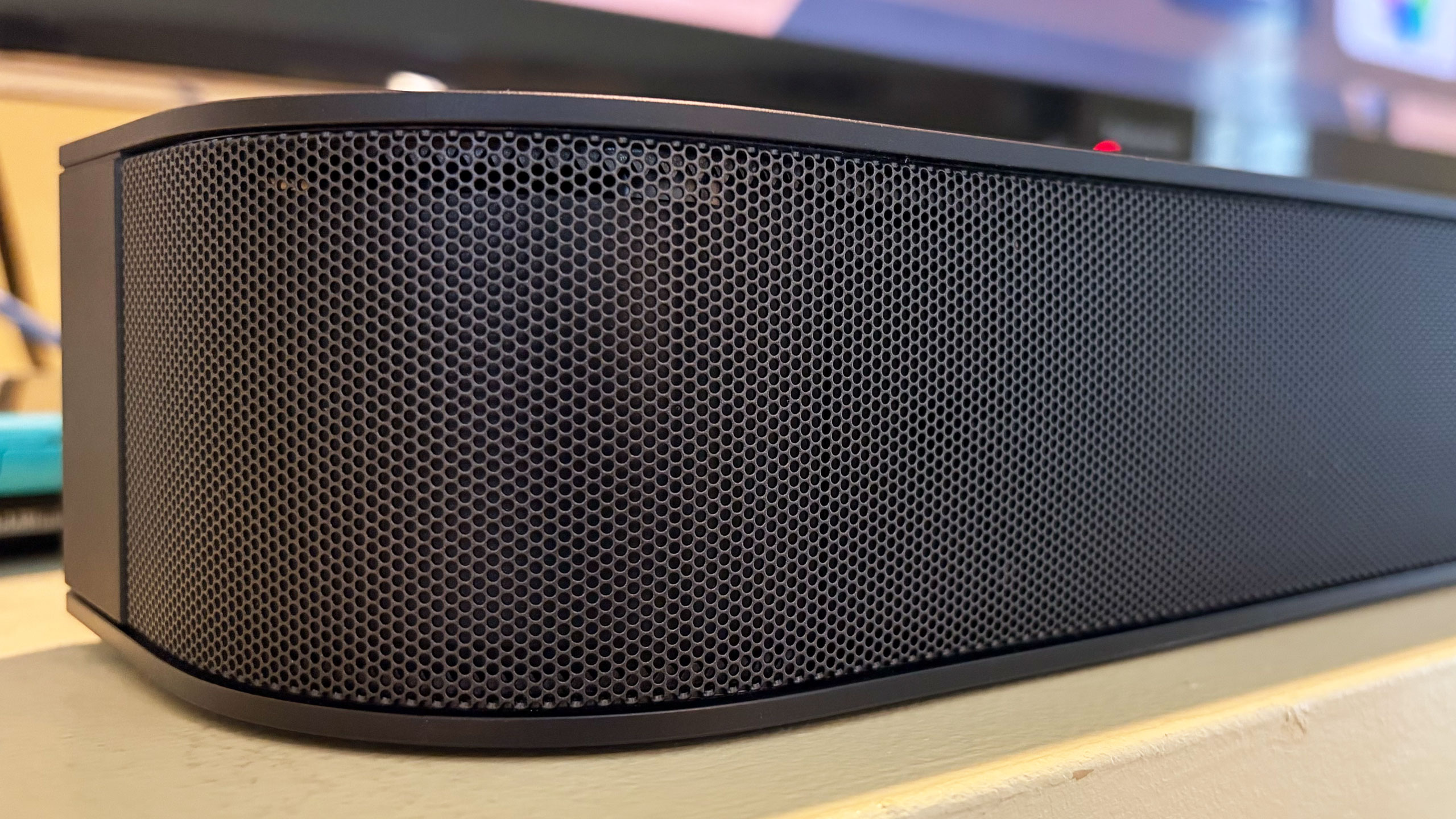
The Theater Bar 5 is the most compact soundbar among Sony’s new models, measuring just 35.5 inches wide. For comparison, that’s still about 10 inches wider than the second-gen Sonos Beam, but nearly 16 inches smaller than Sony’s flagship Theater Bar 9. This stature makes the Bar 5 well-suited for smaller spaces with smaller TVs. In fact, Sony says the soundbar will fit between the legs of Bravia TVs with multi-position stands. Plus, the Bar 5 is just over 2.5 inches tall, slightly shorter than the Beam, so it won’t block the bottom edge of most TVs.
Despite its small size, the Bar 5 cranks out some excellent sound. There’s plenty of crisp, clear audio from the 3.1-channel configuration, and the included subwoofer provides an ample amount of booming bass. The Bar 5 supports Dolby Atmos and DTS:X, but it doesn’t have up-firing drivers. Instead, the soundbar relies on Sony’s Vertical Surround Engine and S-Force Pro Front Surround tech to virtualize much of the directional and overhead audio. More on that in a bit.
While watching Netflix’s Drive to Survive, I experienced the excitement of F1 cars zooming around various circuits as the Bar 5 does well with general movement. The soundbar’s wide soundstage, excellent detail and booming bass provide some degree of immersion that doesn’t rely on audio projected overhead. That overall clarity and powerful bass are also great for listening to music, as the Bar 5 can handle a range of genres with ease.
The Bravia Theater Bar 5 has a basic, compact design
Billy Steele for Engadget
From Kieran Behden & William Tyler’s acoustic/electronic 41 Longfield Street Late ‘80s to Thursday’s screamo masterpiece Full Collapse, the soundbar performs admirably. Although with heavier genres, I preferred to dial down the bass slightly. Tucker Rule’s kick drum on Full Collapse, for example,was a bit much for the standard tuning here.
After struggling with the setup on LG’s Sound Suite, I was thankful that configuring the Bar 5 was super easy. It’s very much a plug-and-play situation, and the Bravia Connect app guides you through the initial steps. It takes about five minutes to get up and running and I’d wager even the least tech-savvy person in your life can probably figure this out. You can also opt for Night mode (less bass), Sound Field (enhanced audio) and Voice mode (louder dialogue) in the Bravia Connect app.
All of this certainly makes the Bar 5 a solid option for someone who doesn’t need a lot of features, but stands to benefit from augmenting the sound from their TV alone.
The not so good: Constrained Dolby Atmos and limited features
While the Bar 5 supports Dolby Atmos and DTS:X immersive audio, Sony’s virtualization tech was a disappointment. There’s some side-to-side directional sound, but I noticed almost no simulated overhead noise. The Bar 5’s sonic clarity makes it a solid option for boosting living room audio, just don’t expect the enveloping effects that more robust (and more expensive) soundbars would offer.
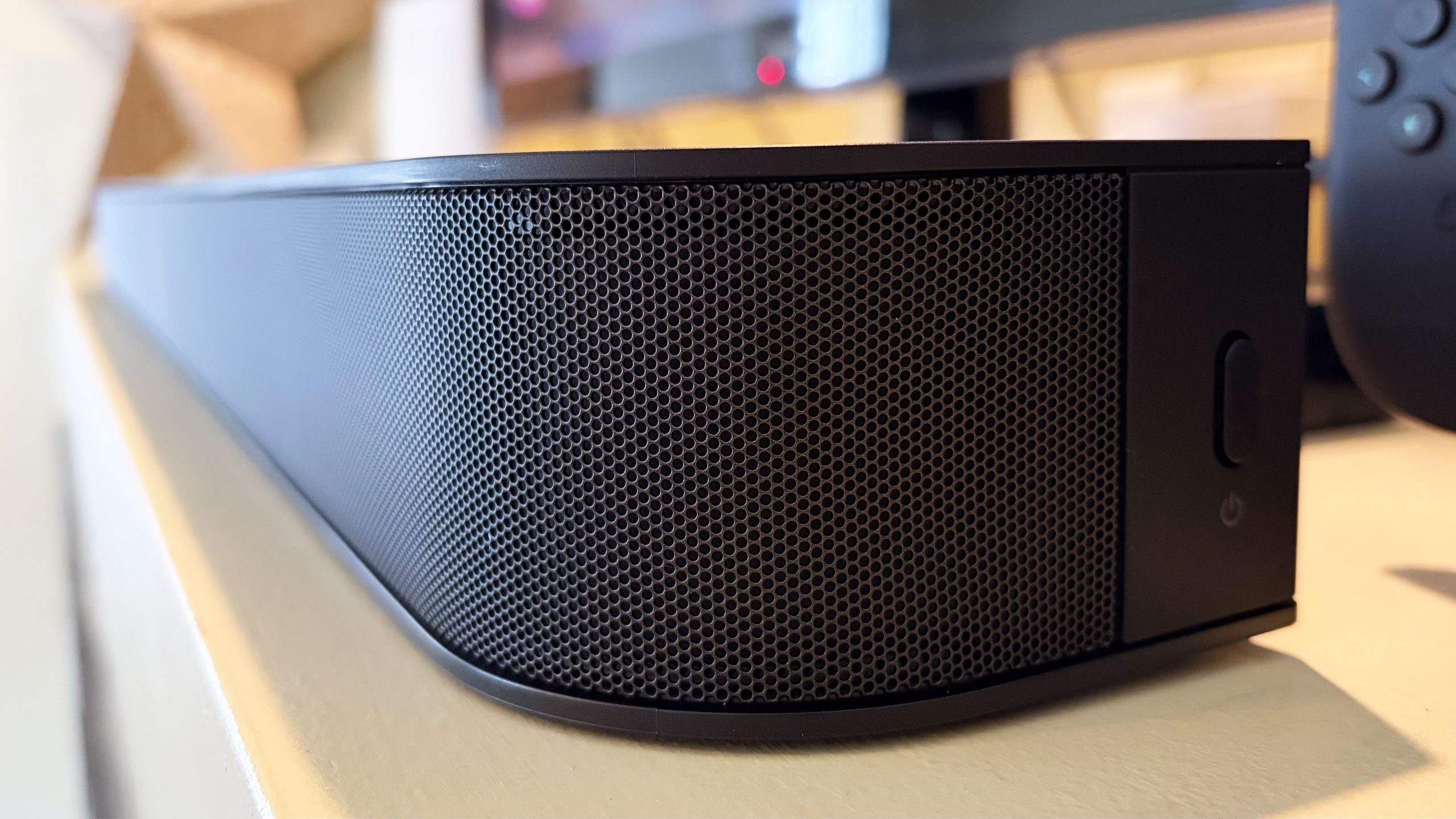
There are several features you won’t find on the Theater Bar 5, starting with the lack of onboard controls. I’m well aware that those buttons on top of soundbars don’t get used much, but if you’re like me, you still reach for them occasionally. There were several times during my testing when I tried to blindly tap the non-existent volume controls on the Bar 5. Other than a power button on the right side, your options for controlling this soundbar are a remote and the Bravia Connect app.
The power button on the right side
Billy Steele for Engadget
You also won’t find a Wi-Fi connection on the Bar 5. This means that AirPlay and Google Cast aren’t available to easily beam audio from your devices to the soundbar. There is Bluetooth 5.3, so you do have an option for music and podcasts from your phone or laptop if you need it. However, pairing your devices to the soundbar via Bluetooth isn’t as quick as selecting the soundbar in your streaming app when AirPlay or Cast are on the spec sheet.
Lastly, Sony doesn’t offer any type of room calibration on Theater Bar 5. Sure, a smaller soundbar like this is better in smaller spaces, but it would still be nice to have the system dial in the audio for the aspects of the room. After all, not every living room is a perfect rectangle. I can understand why the company left this feature out of a $350 model, since the tool would require extra components like microphones. This is certainly one of the more noticeable trade-offs for saving some money.
Wrap-up
Sometimes the basics are all you need. Sony’s Bravia Theater Bar 5 provides an entry-level boost to TV audio that will be fine for people looking for just that. While there is support for immersive audio, the soundbar’s 3.1-channel setup isn’t the best for Dolby Atmos and DTS:X performance, and that’s really the biggest knock against the Bar 5. However, this model's excellent audio quality, especially the powerful bass, will suffice for customers just looking to hear their TVs better.
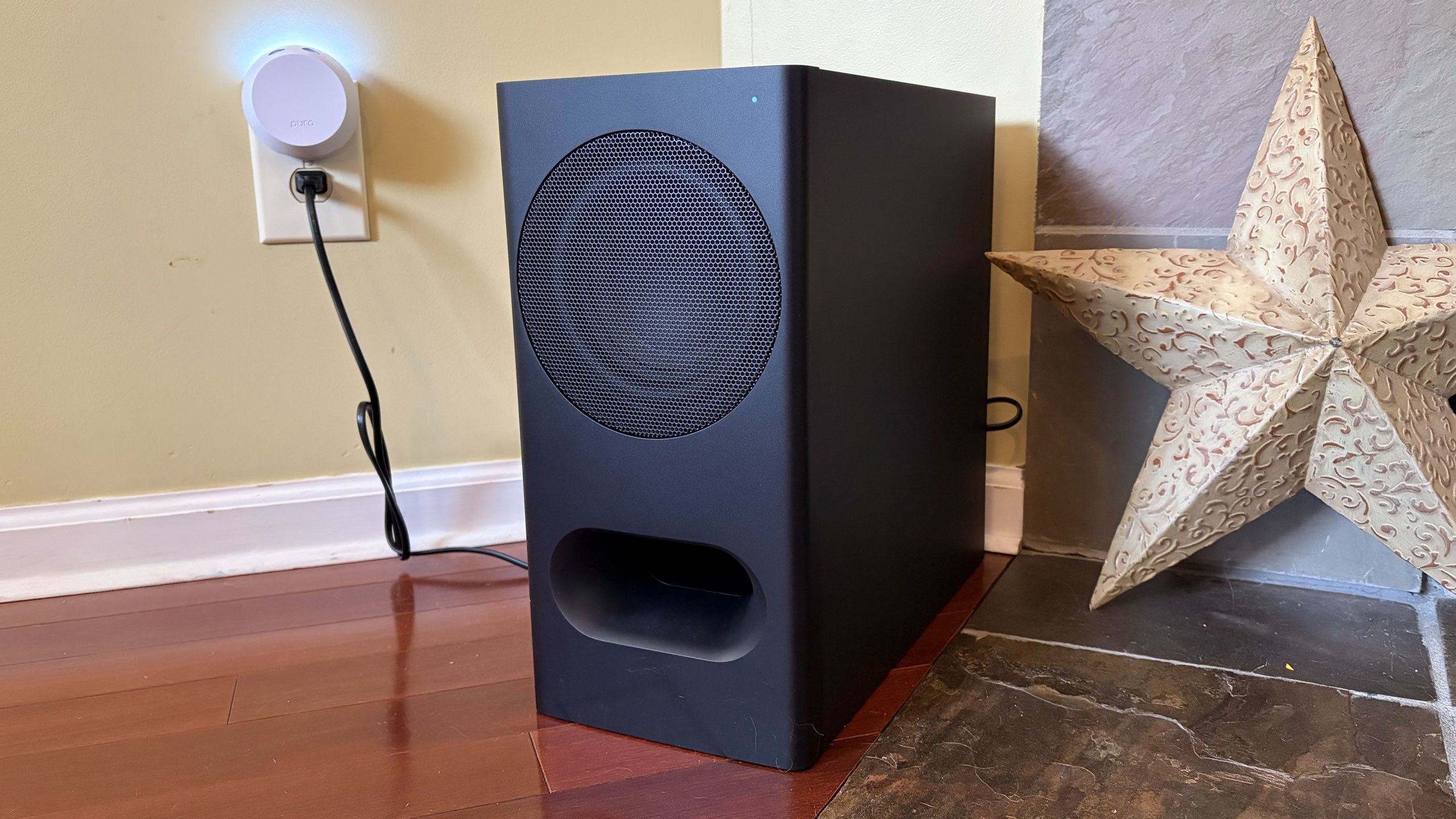
The Bravia Theater Bar 5's included subwoofer
Billy Steele for Engadget
If you want a compact soundbar that provides respectable Atmos performance, the second-gen Sonos Beam is your best bet. Sure, it’s more expensive at $499 and it doesn’t come with a subwoofer, but its additional drivers, tweeter and passive radiators offer more robust audio from the soundbar alone. You also get Trueplay room calibration and Wi-Fi connectivity there.
The Theater Bar 5 will certainly improve your living room audio compared to your TV speakers alone, but with a few more features and improved Atmos virtualization, Sony could’ve had a real winner.
This article originally appeared on Engadget at https://www.engadget.com/audio/speakers/sony-bravia-theater-bar-5-review-a-basic-tv-sound-booster-140000192.html?src=rss
Another day, another subscription price hike, this time for YouTube Premium. Every plan for YouTube’s ad-free tier is going up, and depending on which one you have, you could be paying as much as $4 per month more.
As reported by 9to5Google, YouTube has started emailing subscribers about the price changes, rather than announcing them publicly, and some Reddit users have posted screenshots of the emails they’ve received. The emails say that the increases will kick in during the June 2026 billing period. Individual plans are now $16 per month, up from $14, so a $2 hike. If you’re on a YouTube Premium family plan, you’ll now pay $27 per month, a $4 increase from the previous price of $23.
As a reminder, YouTube Premium unlocks ad-free viewing and listening on YouTube (including YouTube Kids) and YouTube Music, as well as offline viewing and the ability to continue listening in the background with other apps open. A family plan allows up to six accounts to enjoy all of the same benefits.
Both the Lite — which allows ad-free viewing and downloads for most, but not all, YouTube videos, and excludes music — and Music Premium plans are getting $1 increases, so the former now costs $9 per month, while the music streaming service is up to $12 per month from $11 before, according to 9to5Google. This makes it more expensive than Apple Music when taken on its own (YouTube Music Premium is also bundled with the YouTube Premium individual and family plans at no extra cost).
YouTube Premium last raised its prices (also rather quietly) in 2023, also by $2 for the regular plan. The latest price hikes follow Spotify putting its prices up by comparable amounts back in February. Netflix also jacked up the cost of all of its plans last month.
This article originally appeared on Engadget at https://www.engadget.com/social-media/youtube-premiums-us-pricing-is-going-up-132121683.html?src=rss
Microsoft has rolled out a Notepad update for Windows Insiders that removes the Copilot branding and icon from within the app, Windows Central has reported. The old Copilot menu has been replaced with “writing tools,” but it’s worth noting that the tools are still powered by AI and are pretty much identical to the selection found in the old menu. Microsoft has just replaced the Copilot button with a pen icon. In addition, the company has removed mentions of AI in the Settings menu and has placed the option to disable the AI-powered writing tools within the “Advanced features” section.
The company first announced that it was dialing back its Copilot branding last month, most likely in response to all the criticisms against the AI assistant. It’s not very well-liked, with people complaining that Microsoft is forcing them to use the assistant inside all its apps and that Copilot doesn’t provide a consistent experience across different applications. “You will see us be more intentional about how and where Copilot integrates across Windows,” said Windows and Devices EVP Pavan Davuluri. Microsoft also promised to remove “unnecessary Copilot entry points,” starting with Notepad, Snipping Tool, Photos and Widgets. According to The Verge, Microsoft has already stopped showing the Copilot button when selecting areas to capture with the Snipping Tool, as well. Clearly, the company has been making good progress on yanking at least the visual reminders of Copilot from its apps.
This article originally appeared on Engadget at https://www.engadget.com/ai/microsoft-starts-removing-unnecessary-copilot-buttons-in-windows-11-120346728.html?src=rss
Amazon’s satellite-based internet service, Leo, will enter service by mid-2026, so says company CEO Andy Jassy. Writing in his annual letter, Jassy claimed Leo would offer download speeds of up to 1Gbps, far more than what Starlink presently offers. Sadly, Amazon declined to offer any more details about what that mid-2026 service would look like. But given select partners have already been kicking Leo’s tyres for a while, we can only hope.
The mega-retailer is making some grand promises, including faster up and download speeds, cheaper cost and direct integration with Amazon’s other products. Of course, the company can also sell itself on the fact it’s a satellite internet provider not owned by Elon Musk. But it will have to buck its ideas up fast, given how far behind in its deployment of satellites it is.
ASUS’ ZenBook A16 is a 16-inch ultraportable designed to go toe-to-toe with LG’s Gram Pro 16. It’s equipped with Qualcomm’s Snapdragon X2 Elite and designed to address the flaws Devindra Hardawar found in last year’s ZenBook A14. Did it succeed? You’ll have to read his review to get the full story, but he’s certainly happy to have spent the last week using this thing.
Greece will ban under 15s from accessing social media, Prime Minister Kyriakos Mitsotakis has announced. Like many nations both in Europe and beyond, officials are concerned about the effect social media is having on children’s mental and physical health. The big platforms will be in charge of enforcing the ban, backed up by the hefty punishments enabled by the Digital Services Act.
If you’re still using a Kindle or Fire tablet made in 2012 or before, then it’s going to get a little less useful on May 20. Amazon is discontinuing support for those earlier models on that date, removing the ability to purchase, borrow or download new titles. Thankfully, whatever is on the hardware already will remain, so don’t fret if you’re only a third of the way through Remembrance of Things Past.
Billy Steele has been putting Fender Audio’s new speakers through their paces to find what can only be described as a mixed bag. Excellent audio quality and a wide variety of inputs get high praise, but the heavy weight, exposed wood and limited battery life all dent the paintwork.
WhatsApp’s CarPlay interface isn’t the most elegant or easy way to keep in touch with your friends while driving. Meta has, however, given the UI a little polish to help make it a little easier to get something useful done without pulling your attention from the road.
Google has removed popular psychological horror game Doki Doki Literature Club!from the Play Store. According to Dan Salvato, who led its development team, and publisher Serenity Forge, Google told them the visual novel was removed because it violated its Terms of Service in its depiction of sensitive themes. The game is “widely celebrated for portraying mental health in a way that meaningfully connects deeply with players around the world,” they said in their announcement. Its free version, which came out first, has been downloaded at least 30 million times, while the paid “Plus” version has had at least one million downloads. The visual novel has repeatedly made Engadget’s lists of favorite games over the years.
Doki Doki Literature Club! has the drawing style and the makings of a typical dating sim, but players find themselves confronted with serious themes, including depression and suicide, soon after starting. Its Play listing was appropriately marked as “Mature 17+,” which means that children won’t be able to download it if their devices have parental controls. In addition, the developers clearly communicate that the game tackles serious issues. "This game is not suitable for children or those who are easily disturbed" is the first line of the game. "In-game content warnings for such material can be enabled in the Settings menu at any time,” it also warns players. In settings, there’s a link to a page that lists content warnings that apply to the visual novel.
We’ve asked Google for a statement on why the game was removed, and we’ll update this post when we hear back. Salvato and Serenity Forge said they’re doing everything they can to “find a path forward for getting DDLC reinstated on the Google Play Store.” They’re also looking at other methods of distribution for Android devices. At the moment, the game’s Play listing shows that it’s still not available, but it’s still out on Steam, PlayStation, Switch eShop, iOS and other platforms.
This article originally appeared on Engadget at https://www.engadget.com/gaming/google-removes-doki-doki-literature-club-from-the-play-store-080615951.html?src=rss