Apple’s Podcasts app now supports HTTP Live Streaming video technology

Apple is planning a major update for its Podcasts app. The app now supports the company's HTTP Live Streaming (HLS) video technology. Previously, it only streamed video in various formats like MOV, MP4 and M4V.

This provides several benefits for the end user. It lets people switch seamlessly between watching and listening, in addition to offering a horizontal full display option. It'll also make both video and audio streams available to download for offline viewing. This wasn't possible with the previous streaming method, which pulled content from an RSS-like feed. RSS is still available as a distribution option, but HLS definitely brings some advantages

The technology integrates picture-in-picture for multitasking on products like the iPad. Finally, the updated app will automatically adjust the picture quality to ensure smooth playback in various network conditions, including both Wi-Fi and cellular.

The update will be available on most platforms, including iOS, iPadOS, visionOS and the web. It's in beta right now, but the company plans a major rollout this spring as part of the upcoming 26.4 operating systems.

This article originally appeared on Engadget at https://www.engadget.com/apps/apples-podcasts-app-now-supports-http-live-streaming-video-technology-182605460.html?src=rss

Apple’s next event is set for March 4

Apple has lined up its first event of the year. The company has invited members of the press to an “Apple Experience” that’s taking place in New York City on March 4 at 9AM ET. It hasn’t yet confirmed whether it will stream the event publicly. According to MacRumors, versions of this Apple Experience will also take place simultaneously in London and Shanghai.

It seems likely that Apple will take this opportunity to unveil its latest slate of iPads and MacBooks. Bloomberg’s Mark Gurman reported earlier this month that Apple was planning to make a number of hardware announcements “as early as the week of March 2.”

Apple Event invite for March 2026
Apple

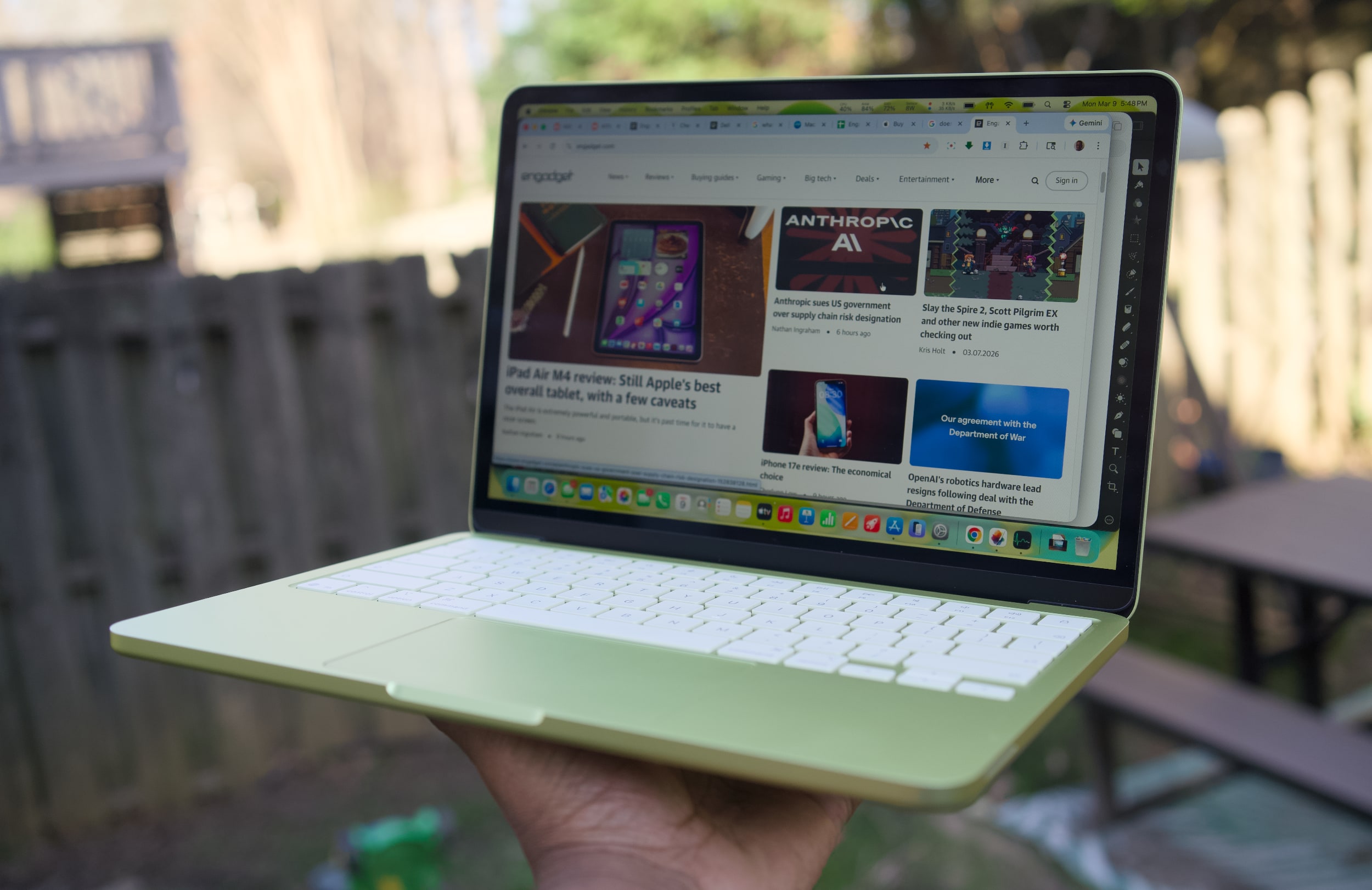
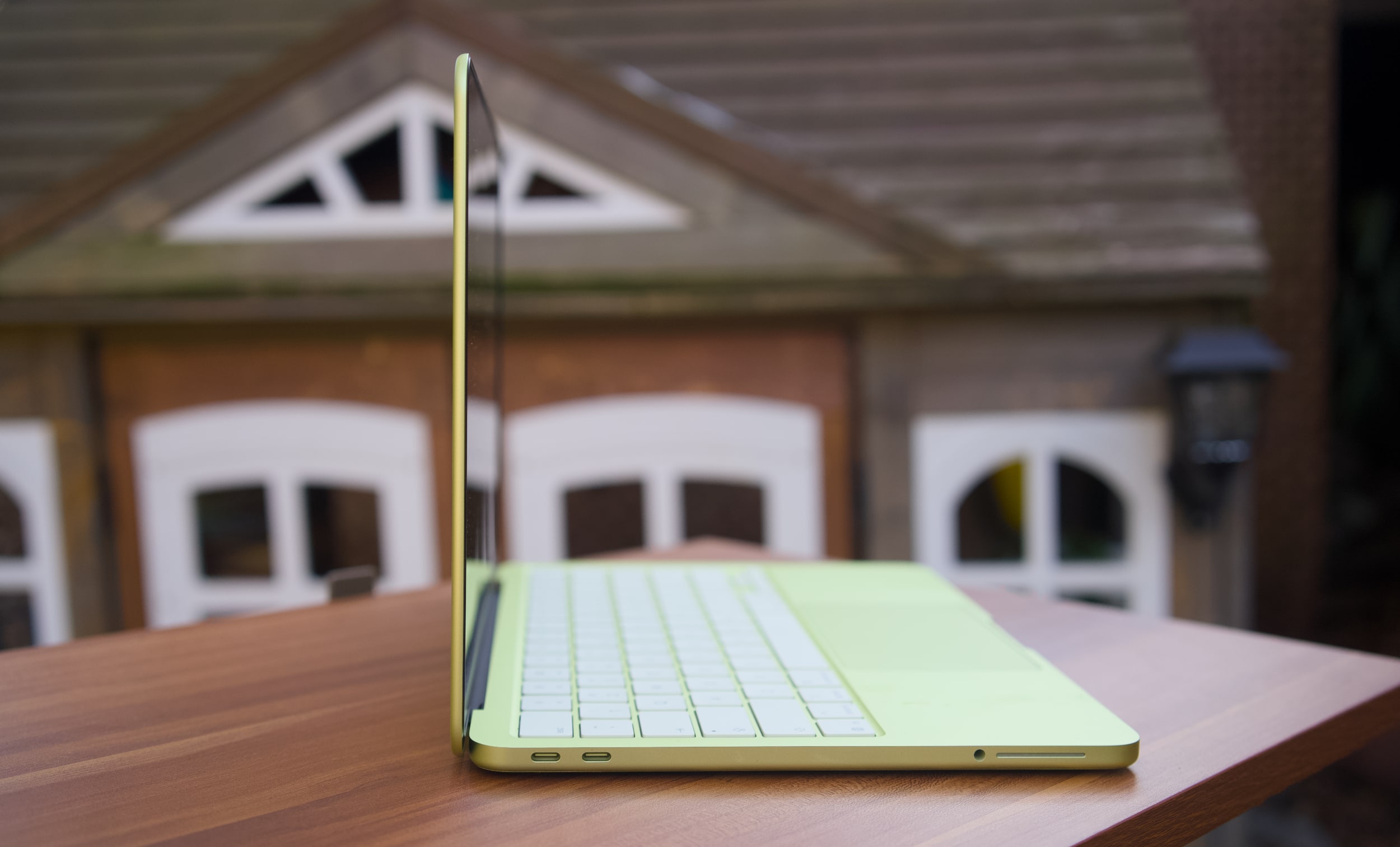
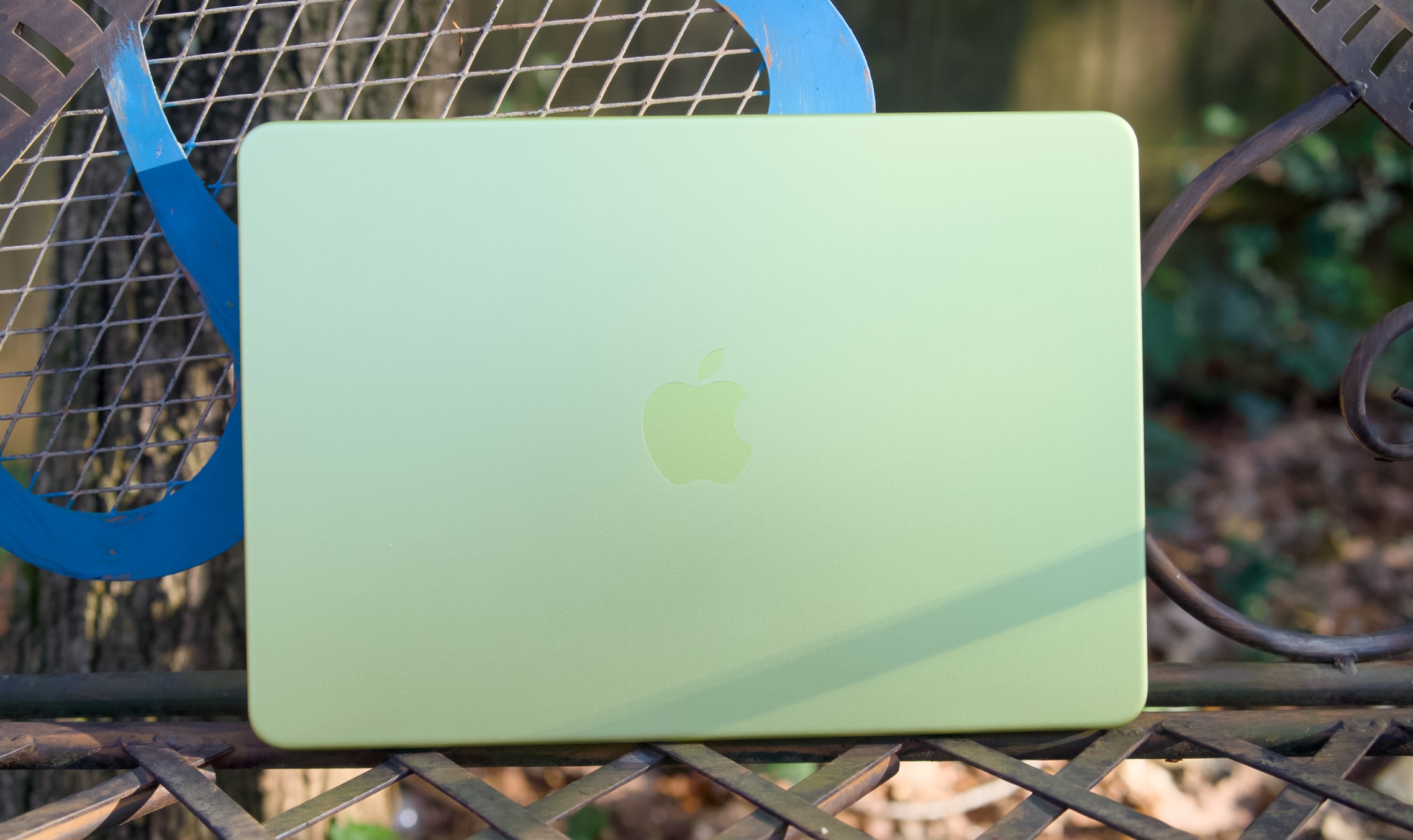
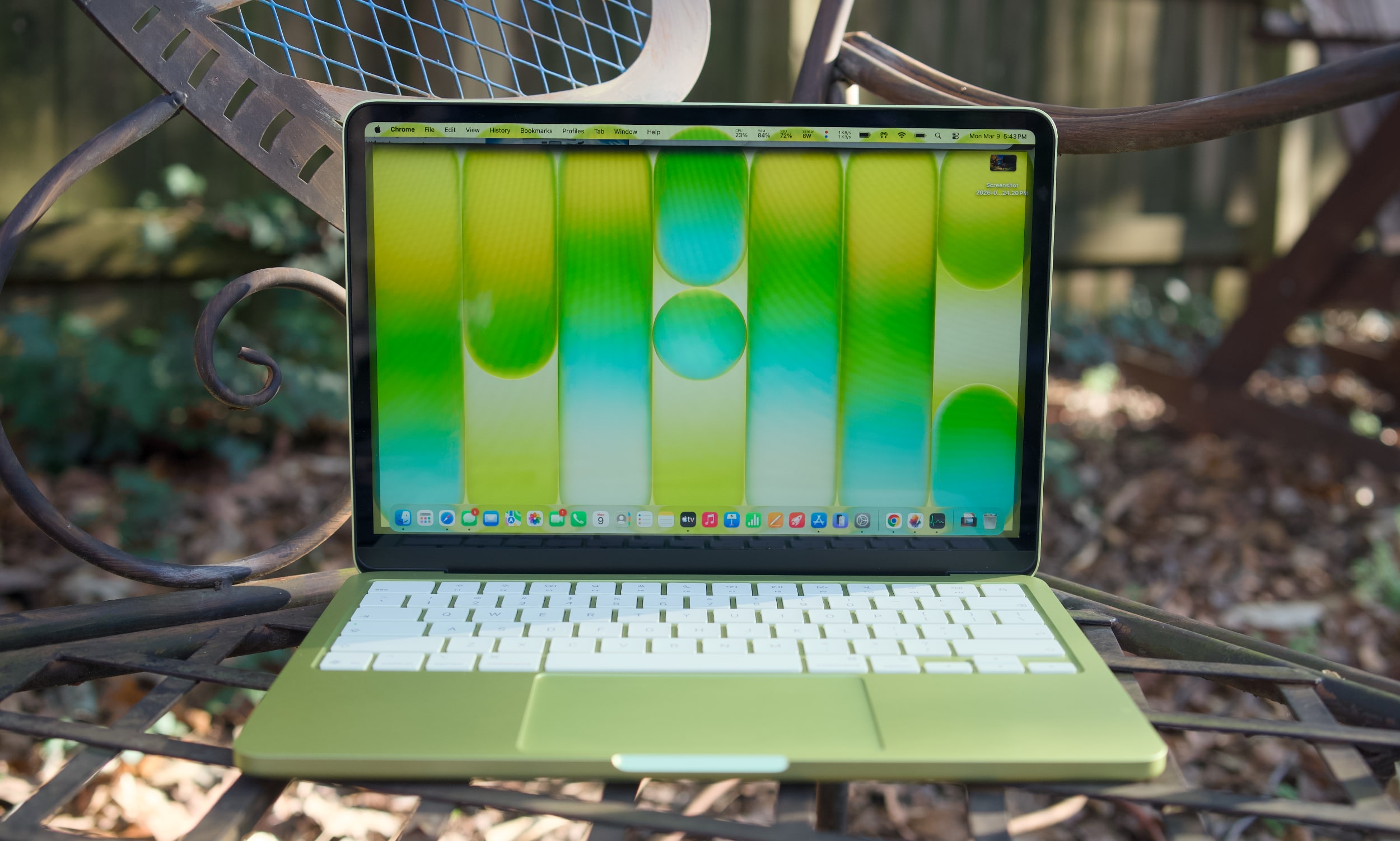
This is expected to include a new MacBook Air and refreshed 14- and 16-inch MacBook Pros, with the M5 Pro and M5 Max making their debuts (a MacBook Pro with the base M5 chip arrived in October). There’s also speculation that Apple will announce a new entry-level MacBook that will be available in light yellow, light green, blue and pink colorways.

In addition, we may see new iPads here (or perhaps a little farther down the line), including an entry-level model with an A18 chip that’s capable of supporting Apple Intelligence features. The iPad Air could be in line for an upgrade as well with the introduction of the M4 chip to that line. Apple is also expected to roll out updated versions of the Mac Studio, Studio Display and Mac mini later this year.

This article originally appeared on Engadget at https://www.engadget.com/computing/laptops/apples-next-event-is-set-for-march-4-145931890.html?src=rss

Monarch Money deal: Get a 50 percent off one of our favorite budgeting apps

If you’ve been meaning to get a better handle on your finances, now might be a good time to try one of our favorite budgeting apps without paying full price. Monarch Money is offering new users 50 percent off an annual subscription when you use the code MONARCHVIP at checkout, bringing the cost down to $50 for a full year of access instead of the usual $100.

Monarch regularly earns a spot in our guide to the best budgeting apps thanks to its detailed tracking tools, flexible budgeting systems and collaborative features. The app lets you connect unlimited accounts, track spending and investments, set financial goals and share access with a partner, all across web, mobile and tablet apps.

Monarch Money is the kind of budgeting app that can feel a little overwhelming at first, especially when you’re setting up categories, rules and recurring transactions. There’s a bit of a learning curve, and some of the finer details are easier to manage on the web than in the mobile app. But once you’re past that initial setup, it starts to make a lot more sense and becomes a powerful tool for keeping tabs on your finances.

Where Monarch Money really shines is in the level of detail it offers. It’s built for people who want a clear, structured view of their money, not just a running list of transactions. In the budgeting section, you can see budgets versus actual spending by category, along with forecasts by month or by year. Recurring expenses can also be defined using more than just merchant names, which helps keep things accurate with less manual cleanup.

Beyond day-to-day budgeting, Monarch does a good job of showing the bigger picture. It includes visual reports and charts that make it easier to spot trends over time, plus tools for tracking net worth, investments and financial goals. Monarch can even factor in non-cash assets like your home or vehicle, pulling in estimates automatically so they appear alongside your accounts.

All of that depth won’t be for everyone, but if you’re willing to spend a little time getting set up, Monarch Money offers a lot of control and insight. With the current deal bringing the price down to $50 for a full year, it’s a solid opportunity to try one of our favorite budgeting apps at a discount of 50 percent off and see if it fits how you like to manage your money.

This article originally appeared on Engadget at https://www.engadget.com/deals/monarch-money-deal-get-a-50-percent-off-one-of-our-favorite-budgeting-apps-120000712.html?src=rss

The best cheap phones for 2026

A few years ago, it may have been fashionable to spend $1,000 on the latest flagship smartphone, but for most people, that’s neither practical nor necessary. You don't even have to spend $500 today to get a decent handset, whether it’s a refurbished iPhone or an affordable Android phone, as there are plenty of decent options as low as $160.

However, navigating the budget phone market can be tricky; options that look good on paper may not be in practice, and some devices will end up costing you more when you consider many come with restrictive storage. While we spend most of our time reviewing mid- to high-end handsets at Engadget, we've tested a number of the latest budget-friendly phones on the market to see cut it as the best cheap phones you can get right now.

For this guide, our top picks cost between $100 and $300. Anything less and you might as well go buy a dumb phone instead. Since they’re meant to be more affordable than flagship phones and even midrange handsets, budget smartphones involve compromises; the cheaper a device, the lower your expectations around specs, performance and experience should be. For that reason, the best advice I can give is to spend as much as you can afford. In this price range, even $50 or $100 more can get you a dramatically better product.

Second, you should know what you want most from a phone. When buying a budget smartphone, you may need to sacrifice a decent main camera for long battery life, or trade a high-resolution display for a faster CPU. That’s just what comes with the territory, but knowing your priorities will make it easier to find the right phone.

It’s also worth noting some features can be hard to find on cheaper handsets. For instance, you won’t need to search far for a device with all-day battery life — but if you want a phone with excellent camera quality, you’re better off shelling out for one of the recommendations in our midrange smartphone guide, which all come in at $600 or less.

Wireless charging and waterproofing also aren’t easy to find in this price range and forget about the fastest chipset. On the bright side, most of our recommendations come with headphone jacks, so you won’t need to buy wireless headphones.

iOS is also off the table, since, following the discontinuation of the iPhone SE, the $599 iPhone 16e is now the most affordable offering from Apple. That leaves Android as the only option in the under-$300 price range. Thankfully today, there’s little to complain about Google’s operating system – and you may even prefer it to iOS.

Lastly, keep in mind most Android manufacturers typically offer far less robust software features and support for their budget devices. In some cases, your new phone may only receive one major software update and a year or two of security patches beyond that. That applies to the OnePlus and Motorola recommendations on our list.

If you’d like to keep your phone for as long as possible, Samsung has the best software policy of any Android manufacturer in the budget space, offering at least four years of security updates on all of its devices. Recently, it even began offering six years of support on the $200 A16 5G, which we recommend below. That said, if software support (or device longevity overall) is your main focus, consider spending a bit more on the $500 Google Pixel 9a, or even the previous-gen Pixel 8a, which has planned software updates through mid-2031.

This article originally appeared on Engadget at https://www.engadget.com/mobile/smartphones/best-cheap-phones-130017793.html?src=rss

The best cheap phones for 2026

A few years ago, it may have been fashionable to spend $1,000 on the latest flagship smartphone, but for most people, that’s neither practical nor necessary. You don't even have to spend $500 today to get a decent handset, whether it’s a refurbished iPhone or an affordable Android phone, as there are plenty of decent options as low as $160.

However, navigating the budget phone market can be tricky; options that look good on paper may not be in practice, and some devices will end up costing you more when you consider many come with restrictive storage. While we spend most of our time reviewing mid- to high-end handsets at Engadget, we've tested a number of the latest budget-friendly phones on the market to see cut it as the best cheap phones you can get right now.

For this guide, our top picks cost between $100 and $300. Anything less and you might as well go buy a dumb phone instead. Since they’re meant to be more affordable than flagship phones and even midrange handsets, budget smartphones involve compromises; the cheaper a device, the lower your expectations around specs, performance and experience should be. For that reason, the best advice I can give is to spend as much as you can afford. In this price range, even $50 or $100 more can get you a dramatically better product.

Second, you should know what you want most from a phone. When buying a budget smartphone, you may need to sacrifice a decent main camera for long battery life, or trade a high-resolution display for a faster CPU. That’s just what comes with the territory, but knowing your priorities will make it easier to find the right phone.

It’s also worth noting some features can be hard to find on cheaper handsets. For instance, you won’t need to search far for a device with all-day battery life — but if you want a phone with excellent camera quality, you’re better off shelling out for one of the recommendations in our midrange smartphone guide, which all come in at $600 or less.

Wireless charging and waterproofing also aren’t easy to find in this price range and forget about the fastest chipset. On the bright side, most of our recommendations come with headphone jacks, so you won’t need to buy wireless headphones.

iOS is also off the table, since, following the discontinuation of the iPhone SE, the $599 iPhone 16e is now the most affordable offering from Apple. That leaves Android as the only option in the under-$300 price range. Thankfully today, there’s little to complain about Google’s operating system – and you may even prefer it to iOS.

Lastly, keep in mind most Android manufacturers typically offer far less robust software features and support for their budget devices. In some cases, your new phone may only receive one major software update and a year or two of security patches beyond that. That applies to the OnePlus and Motorola recommendations on our list.

If you’d like to keep your phone for as long as possible, Samsung has the best software policy of any Android manufacturer in the budget space, offering at least four years of security updates on all of its devices. Recently, it even began offering six years of support on the $200 A16 5G, which we recommend below. That said, if software support (or device longevity overall) is your main focus, consider spending a bit more on the $500 Google Pixel 9a, or even the previous-gen Pixel 8a, which has planned software updates through mid-2031.

This article originally appeared on Engadget at https://www.engadget.com/mobile/smartphones/best-cheap-phones-130017793.html?src=rss

The best cheap phones for 2026

A few years ago, it may have been fashionable to spend $1,000 on the latest flagship smartphone, but for most people, that’s neither practical nor necessary. You don't even have to spend $500 today to get a decent handset, whether it’s a refurbished iPhone or an affordable Android phone, as there are plenty of decent options as low as $160.

However, navigating the budget phone market can be tricky; options that look good on paper may not be in practice, and some devices will end up costing you more when you consider many come with restrictive storage. While we spend most of our time reviewing mid- to high-end handsets at Engadget, we've tested a number of the latest budget-friendly phones on the market to see cut it as the best cheap phones you can get right now.

For this guide, our top picks cost between $100 and $300. Anything less and you might as well go buy a dumb phone instead. Since they’re meant to be more affordable than flagship phones and even midrange handsets, budget smartphones involve compromises; the cheaper a device, the lower your expectations around specs, performance and experience should be. For that reason, the best advice I can give is to spend as much as you can afford. In this price range, even $50 or $100 more can get you a dramatically better product.

Second, you should know what you want most from a phone. When buying a budget smartphone, you may need to sacrifice a decent main camera for long battery life, or trade a high-resolution display for a faster CPU. That’s just what comes with the territory, but knowing your priorities will make it easier to find the right phone.

It’s also worth noting some features can be hard to find on cheaper handsets. For instance, you won’t need to search far for a device with all-day battery life — but if you want a phone with excellent camera quality, you’re better off shelling out for one of the recommendations in our midrange smartphone guide, which all come in at $600 or less.

Wireless charging and waterproofing also aren’t easy to find in this price range and forget about the fastest chipset. On the bright side, most of our recommendations come with headphone jacks, so you won’t need to buy wireless headphones.

iOS is also off the table, since, following the discontinuation of the iPhone SE, the $599 iPhone 16e is now the most affordable offering from Apple. That leaves Android as the only option in the under-$300 price range. Thankfully today, there’s little to complain about Google’s operating system – and you may even prefer it to iOS.

Lastly, keep in mind most Android manufacturers typically offer far less robust software features and support for their budget devices. In some cases, your new phone may only receive one major software update and a year or two of security patches beyond that. That applies to the OnePlus and Motorola recommendations on our list.

If you’d like to keep your phone for as long as possible, Samsung has the best software policy of any Android manufacturer in the budget space, offering at least four years of security updates on all of its devices. Recently, it even began offering six years of support on the $200 A16 5G, which we recommend below. That said, if software support (or device longevity overall) is your main focus, consider spending a bit more on the $500 Google Pixel 9a, or even the previous-gen Pixel 8a, which has planned software updates through mid-2031.

This article originally appeared on Engadget at https://www.engadget.com/mobile/smartphones/best-cheap-phones-130017793.html?src=rss

Apple may be adding a splash of color to its upcoming budget-friendly MacBook

The hardest choice to make for building your next MacBook might be selecting a color. According to Bloomberg's Mark Gurman, Apple has tested colors including light yellow, light green, blue and pink for its next entry-level MacBook that's aimed at students and enterprise users.

Beyond the more vibrant colors, Gurman said that Apple has also trialed its classic silver and dark gray colorways for its cheaper laptop. Gurman added that not all of these six colors will make it to the final product, but Apple has recently shown it's not afraid to dip into flashier options. Apple refreshed the iMac in 2024 with a total of seven colors and swapped out the space gray option for sky blue for the latest MacBook Air.

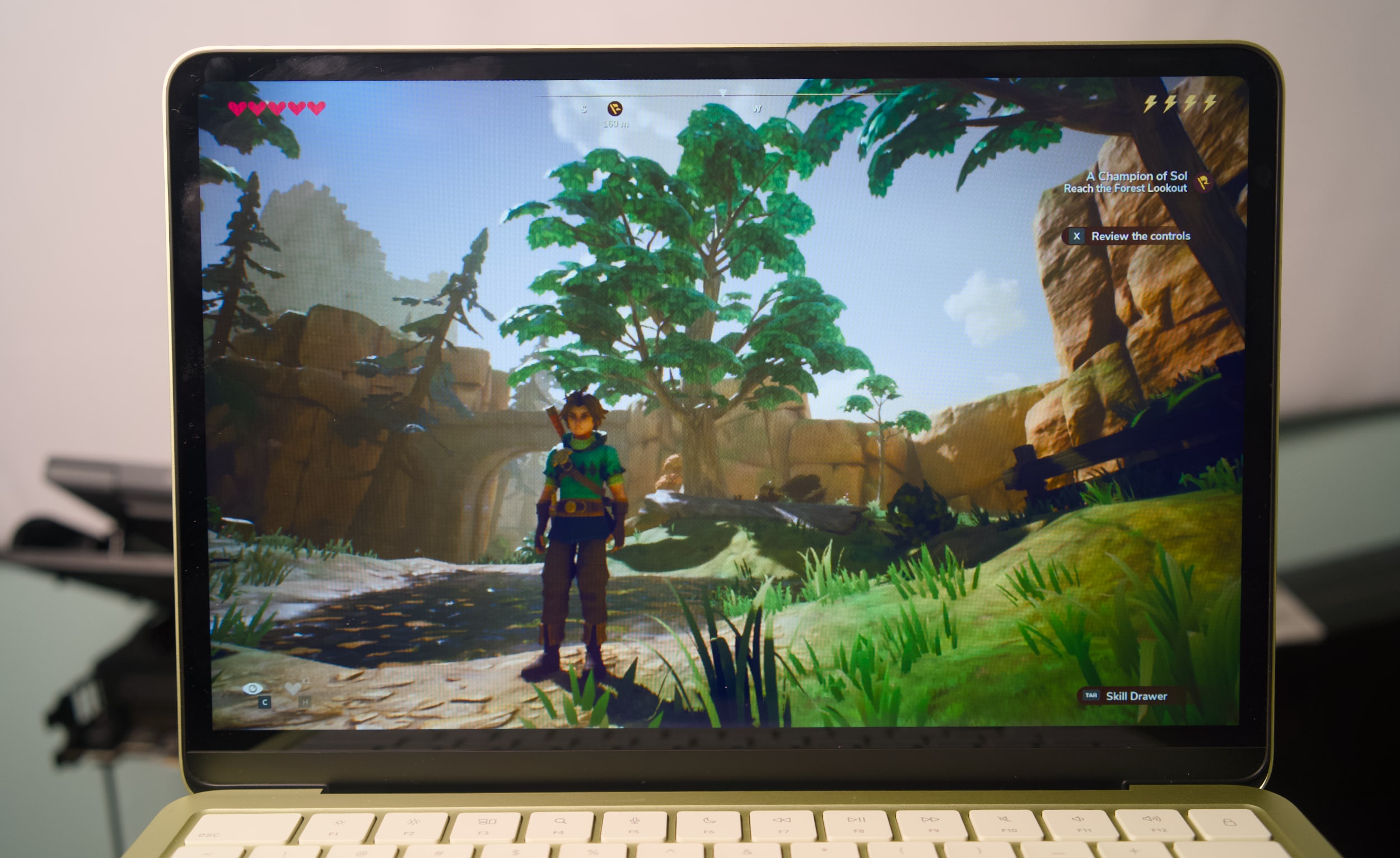
Color choices aside, the latest rumors point to the upcoming MacBook having a price tag that's anywhere between $699 and $799. To achieve that lower price point, Apple is expected to port over its chips designed for iPhones, like the A18 Pro that we first saw with the iPhone 16 Pro Max. We're also anticipating Apple will compromise on specs, ports, or even the display, but Gurman reported that the company won't be skimping when it comes to the shell. According to Gurman, Apple will employ a new manufacturing process to craft aluminum shells for the affordable MacBook, instead of opting for a cheaper material like plastic to cut costs. We may not have to wait long to see the official colors of the budget MacBook, as Gurman reported that it will be announced during an event in March.

This article originally appeared on Engadget at https://www.engadget.com/computing/laptops/apple-may-be-adding-a-splash-of-color-to-its-upcoming-budget-friendly-macbook-192740002.html?src=rss

Tesla CarPlay is coming but it’s reportedly being held back by low iOS 26 adoption numbers

We're still waiting for Apple CarPlay compatibility for Tesla EVs, but it's been pushed back thanks to a slight hitch with iOS 26, according to Bloomberg's Mark Gurman. In the latest Power On newsletter, Gurman said that Tesla's plans to adopt CarPlay have been delayed due to app compatibility issues as well as low adoption rates for iOS 26.

It's been a long wait for Tesla drivers who want CarPlay compatibility, especially since initial rumors indicated a late 2025 rollout and Bloomberg reported that Tesla was testing CarPlay in its vehicles in November. However, Gurman's latest newsletter revealed that there were some compatibility issues between Apple Maps and Tesla's in-house navigation software, which also supports the self-driving features.

To address this, Apple released an iOS 26 update that would better synchronize the two navigation apps, especially when a driver would use Tesla's autonomous driving options. Still, Tesla is reportedly concerned enough about the low adoption rates of iOS 26 to delay delivering CarPlay to its vehicles. Gurman also noted that iOS 26 adoption rates were lower than usual, but are already going up, citing Apple's latest numbers that 74 percent of all iPhones released in the last four years are running iOS 26. 

There's still no official date for when CarPlay arrives in Teslas, but including the beloved in-car feature could be a way to boost sales for the company. According to the January registration estimates in the US, Tesla saw sales slip for the fourth month in a row.

This article originally appeared on Engadget at https://www.engadget.com/transportation/evs/tesla-carplay-is-coming-but-its-reportedly-being-held-back-by-low-ios-26-adoption-numbers-173812736.html?src=rss

What to read this weekend: The unsettling new horror novel, Persona

Need something new for your reading list? Here are two titles we think are worth checking out. This week, we read Aoife Josie Clements' deeply unsettling Persona, and the first issue of Bleeding Hearts, from the relaunch of the DC imprint, Vertigo.


This article originally appeared on Engadget at https://www.engadget.com/entertainment/what-to-read-this-weekend-the-unsettling-new-horror-novel-persona-185152256.html?src=rss

How to customize your iPhone home screen with iOS 26

Apple has steadily expanded home screen customization on the iPhone over the past few years, and iOS 26 continues that trend with more visual control over app icons. Building on the changes introduced in iOS 18, the latest update lets you resize icons, remove app labels, apply system-wide color tints and make icons translucent using Apple’s new Liquid Glass design language.

Most of these options live in one place: the Customize menu, which appears after entering edit mode on the home screen. While iOS still doesn’t allow total freeform icon placement or third-party icon packs without shortcuts, the tools Apple provides are now flexible enough to dramatically change how an iPhone looks and feels. This guide walks through how to customize app icons and layouts using the options available in iOS 26, with a focus on icon size, color, appearance and arrangement.

All home screen customization starts the same way.

  1. Go to the Home Screen.

  2. Touch and hold an empty area of the Home Screen background until the apps begin to jiggle.

  3. Tap Edit in the top left corner, then select Customize from the menu.

A customization panel appears along the bottom of the screen. Changes made here apply across all home screen pages at once, rather than on a per-page basis.

From the Customize menu, you can:

  • Adjust icon size

  • Change appearance (e.g., Dark)

  • Make icons translucent with a clear look

  • Add a color tint to icons and widgets

One of the simplest changes in iOS 26 is also one of the most visually impactful. From the Customize menu, tap the icon showing two app squares of different sizes. This switches the home screen to Large App Icons mode.

When large icons are enabled, app labels disappear entirely and the icons themselves expand to fill more of the grid. This creates a cleaner look and makes apps easier to tap, particularly on iPhone models with larger screens. The tradeoff is that fewer icons fit on each screen and spacing between rows becomes more pronounced.

To revert to standard icons with labels, repeat the steps and tap the same button again.

undefined

iOS 26 offers four icon appearance styles: Default, Dark, Clear and Tinted. These options are available from the top row of the Customize panel. From the Customize panel, you can tap the sun icon across all options in the top left-hand corner to toggle wallpaper dimming. This generally makes app icons and labels easier to read. 

The Default option keeps icons looking as the developers intended, with no system-wide color or transparency applied.

Selecting Dark applies a darker background to supported app icons and widgets. Apple’s own apps fully support this mode, and some third-party apps do as well, though many retain their original colors. When Dark is enabled, iOS can also dim the wallpaper slightly, which may help reduce power usage on OLED displays.

The Clear option enables translucency across all apps on the Home Screen. This removes all color but retains app labels. The layered, frosted-glass effect changes depending on the background image. Clear icons can be paired with Light, Dark or Auto styles using the options along the bottom of the Customize panel.

Tinted mode allows all supported app icons and widgets to take on a single color scheme. After selecting Tinted, color and saturation sliders appear at the bottom of the screen. Adjusting these changes the hue applied across icons, creating a uniform look that can range from subtle pastels to high-contrast monochrome themes.

If you want a specific color from your iPhone’s wallpaper, select the eyedropper tool, then tap and hold while dragging the cursor across the screen until you land on your chosen color. Like the Clear option, you’ll be able to select from Light, Dark or Auto when adjusting the Tinted settings.

The Auto option allows icons to switch between light and dark appearances based on system-wide light or dark mode.

App placement works the same way it did before iOS 26, but the visual changes introduced by larger icons and spacing make layout choices more noticeable.

Apps can be rearranged by accessing an empty space on the Home Screen, then tapping and holding until the apps start jiggling. From here you can drag icons to new positions. The grid remains fixed, meaning icons cannot overlap or be placed freely, but there is more flexibility in how empty space is used.

Icons can be clustered toward the bottom of the screen, aligned to one side or arranged to frame a wallpaper. With large icons enabled, the gap between the dock and the first row of apps becomes more pronounced, but it cannot be filled with additional icons.

Changes apply across all home screen pages, so reorganizing one page does not affect icon size or appearance on another.

Despite expanded customization, some long-standing limitations remain. iOS 26 does not support per-app icon color selection, custom icon packs without shortcuts or freeform icon placement outside the grid. Icon appearance settings apply globally, not per page or per app.

Widgets, lock screen customization and focus mode filters add additional layers of personalization, but those tools sit outside the scope of the home screen Edit menu.

iOS 26 gives iPhone users more control over the look of their home screen than ever before, even if Apple’s approach remains structured. By combining icon resizing, appearance modes and careful app arrangement, it’s possible to create a layout that feels cleaner, more personal and easier to use without relying on workarounds.

This article originally appeared on Engadget at https://www.engadget.com/mobile/smartphones/how-to-customize-your-iphone-home-screen-with-ios-26-130000798.html?src=rss