Japan’s hit virtual pet, Punirunes, will be released in the US this summer and I can almost guarantee most of you have never seen a toy quite like this before. A play on the Japanese mimetic word for “squishy” (punipuni), Punirunes has a design quirk that sets it apart from other gadgets of its ilk: a doughy button at the center of the device that serves to simulate physical contact with your pet. How do you get to that button? By sticking your finger into the quarter-sized hole in the side of the plastic shell.
It is undeniably a little weird. The device will even display an animation of your finger on the screen when you do this (you can choose from a variety of skin colors during setup). But once you get past the strangeness of the aforementioned act and really get into the things it allows you to do, Punirunes’ oddest feature actually makes for a pretty rich virtual pet experience. The squishy button feels like a joystick wrapped in mochi, which makes sense because the characters themselves are adorable, gummy-like creatures that start their lives as small blobs. You can pat them on the head to show them affection and bounce them to catch items; you can even drag them around to clean the virtual floor using their sticky bodies as a mop.
Spin Master/Takara Tomy
The device has a full-color, LCD display and the potential to raise 55 different characters. There are 6 built-in games, each of which make use of the squish mechanism, plus a food cooking activity in which you have to mix the ingredients yourself. To play the mini-games or visit the other locations — including the marketplace and the forest — you have to bounce your character through a window portal Super Mario 64-style. You can also accessorize your pet and change up the decor in its room. I've been playing around with Punirunes for a few days now, and I've got to say, I'm having a lot of fun with it. The characters are so cute it hurts.
Spin Master/Takara Tomy
Anyone who follows the digital pet space closely has probably come across Punirunes at some point. The toys were first released in Asian markets from Takara Tomy in 2021 and have since grown to include multiple generations of the devices. They even inspired an anime series, which was released in the fall of 2022. I myself have had my eye on Punirunes for some time, but was hesitant to purchase the Japanese-language version because the gameplay seemed a bit more complex than something like a Tamagotchi.
Their expansion to the US comes through a partnership with Spin Master, the company behind Paw Patrol, Hatchimals and a slew of other popular kids’ brands. Punirunes will make its US debut in August and be available in the teal shell from all major retailers for $40.
This article originally appeared on Engadget at https://www.engadget.com/a-popular-japanese-digital-pet-with-the-weirdest-mode-of-interaction-is-coming-to-the-us-130050165.html?src=rss
Two weeks ago, Google announced a slew of new AI-powered features at its I/O developer conference. Microsoft followed suit last week with the introduction of its Copilot+ PCs that have, you guessed it, a slew of new AI-powered features. Somewhat predictably, Google is announcing its answer to the Copilot+ PC initiative with… the humble Chromebook. The Chromebook Plus line that it first announced last October, to be specific. When Google first announced Chromebook Plus, it focused on a combination of higher-performance hardware as well as some modest AI software features compared to what you’d get on regular Chromebooks.
Now, however, Google is delivering on what it first announced: Chromebook Plus models are getting a host of features that Google first teased last year as well as some new ones we haven’t heard about before.
Google
AI features
For starters, the “help me write” feature Google soft-launched earlier this year is now available on all Chromebook Plus laptops. This should work across any text entry field you find on a website, whether that’s a Google product like Gmail or a site like Facebook. You can use it to get a prompt, or have it analyze what you’ve already written to make it more formal, or more funny (though Google did admit the jury’s out on whether AI can actually be funny). Basically it’s a generative text tool that you can use across the web. It’s not surprising to see it show up in Chromebooks, as Google said you could turn it on in Chrome for Windows and Mac back in February. But Google says that it's being implemented at the OS level on Chromebooks so that you can use it outside the browser
The next feature is another one Google announced last fall, and it’s purely for fun. A built-in image generator will enable you to generate wallpaper and video call backgrounds by typing in a prompt. It’s not at all dissimilar to what you’d do with other image generators, though I can’t yet say how fast it works or how well it sticks to what you ask it for. Google is including a few prompts for you to try or customize to get you started.
Google
The last update is that the Magic Editor in Google Photos is coming to laptops exclusively as a feature for Chromebook Plus devices. First available on Google’s Pixel devices, Magic Editor was part of the Google One subscription plan for a while, but now it’s more broadly available provided your phone meets the minimum specs. As for laptops, though, Chromebook Plus models are the only ones that can use Magic Editor. The reasoning seems pretty simple: Chromebooks can run Android apps, including Google Photos.
Google
Still, if you’ve wanted to mess around with Magic Editor on a bigger screen than your phone, doing so on a Chromebook seems like a decent option. As a refresher, Magic Editor basically lets you manipulate your photos in a variety of ways to change the reality of what you captured, but much faster and easier than using something like Photoshop. You can select people or objects to move them around, have the app turn a cloudy sky blue, resize or delete other objects and generally make it even harder to trust that photos you create or share are authentic.
Unsurprisingly, Google is also baking its Gemini chatbot more directly into Chromebooks by having the app pre-installed and sitting right on the launcher. More significant though is that Google is giving Chromebook Plus buyers a full year of its Google One AI Premium plan, which puts Gemini features right in Gmail, Docs and other Workplace apps. It also includes access to Gemini Advanced, which adds support for things like uploading documents for analysis and access to Gemini Pro 1.5 and its 1 million token context window (which Google said would grow to 2 million tokens soon).
Given that the Google One AI plan costs $20 a month, double the standard pricing for the 2TB storage plan, this is a pretty good perk for Chromebook Plus buyers, even if they don’t care about using Gemini. And it sounds like even if you already subscribe to another Google One plan, you'll be able to get the year of Google One's AI option.
Smaller tweaks
There are also a number of new software tweaks coming to all Chromebooks too. Probably most notable is Game Dashboard, a sort of control center for gaming-related activities. While most Chromebooks still can’t run a lot of games, there are more options now between cloud gaming services like GeForce Now and Android titles. Indeed, Google said that 25 percent of Chromebook owners use them for games, and they’ve seen a 40 percent year-over-year increase in the number of people gaming on a Chromebook.
Google
Game Dashboard has a handful of features, but the most notable one is a comprehensive key-mapping system. This lets you take games that are designed for a controller or touch screen and map their buttons to various keys on your laptop. For Android games with specific swiping patterns, you’ll be able to say pressing a key is the same as doing a certain swipe in a certain direction.
It also provides one-click recording — that’ll start recording both your gameplay as well as a view of you playing via the laptop’s webcam, if you want to be in the video. And you can quickly upload to various services like YouTube or Discord from the Game Dashboard, as well. This feature is exclusive to Chromebook Plus, at least for now.
Google
Other new features include Google Tasks integration into the menu bar — there’s already a calendar widget that shows you your upcoming appointments there, and now it’ll also show you items from your Tasks list, making it a solid one-top look at what’s coming in your day. The screen recorder can now generate GIFs, something we all want to be able to do at any time. And you can set up an Android phone via your Chromebook now, as well. If you scan a QR code on your Chromebook with the phone you’re setting up, your Google account and Wi-Fi info will all sync over.
Future updates
It doesn’t stop there, though. Google also announced a bunch of forthcoming software features to look forward to, just like they did last fall. I appreciate the little sneak peak at what’s coming, and since Google is indeed delivering on what they showed in October I feel confident we’ll see most of these sooner or later.
Chief among them is Google’s Gemini-powered “help me read” feature. As the name suggests, it’ll offer summaries of web pages, documents or PDFs, and you’ll be able to ask follow-up questions. Of course, your results may vary on how useful this all is. Google’s also working on an AI-powered overview screen that’ll pop up when you open your laptop — rather than throw you back into the dozens of tabs you have, it’ll try and organize and show you the apps and pages you have open so you can decide where you want to go from there. It’ll also take into account things you’re doing on Chrome on other devices, so if you’ve been reading on your phone you can jump back in on your laptop.
Google
In the same vein, there’s a new focus tool that combines Google Tasks and YouTube Music with a count-down timer. You can basically pick an urgent task, a playlist and a timer and you’ll go into do not disturb mode while you crank away on what you’re supposed to be doing. Not exactly a game-changer, but it’s kind of clever.
Google
Perhaps most interesting is a new accessibility feature based on the hands-free “Project Gameface” tool it showed off at I/O in 2023 and 2024. Google says it’s building Gameface right into ChromeOS, which will use face and gesture tracking to help people do things on their computer without a keyboard or mouse. It’s “early” in the project’s timeline, so I don’t think we’ll see this six months from now, but it’s definitely an important feature that could make Chromebooks a lot more useful for more people.
Google
Of course, Google and its hardware partners are launching a slew of new Chromebook Plus devices to go along with all of this — you can read about the new hardware here. As for the software, everything should start rolling out today, aside from all of the stuff Google is promising for a later date.
This article originally appeared on Engadget at https://www.engadget.com/google-is-bringing-a-slew-of-ai-powered-software-features-to-chromebook-plus-laptops-130049652.html?src=rss
Google just announced a slew of new features coming to ChromeOS, many of them coming to the more premium Chromebook Plus models that were announced last fall. But today's news isn't just about the software — Google's hardware partners have a bunch of new laptops ready to take advantage of these features. Here's a quick run-down of what's coming.
Acer
Acer has two updates to existing models, the Chromebook Plus Spin 714 and Chromebook Plus 516 GE. These were already two of my favorite Chromebooks, and they've now been updated with new Intel chips. The Spin 714 starts with an Intel Core Ultra 5 115U processor, while the 516 GE has the Core 5 120U processor. Both of these laptops already had solid performance, but it's good to get them with some of the newest chips Intel is offering.
The Spin 714 keeps its lovely 14-inch touchscreen with a 360-degree hinge and a 1,920 x 1,200 resolution; it also includes up to 16GB of RAM and up to 512GB of storage. The 516 GE is one of the game-focused Chromebooks you can buy — as such, it has features like a large 16-inch screen with a 2,560 x 1,600 resolution and a 120 Hz refresh rate. It also has customizable RGB keyboard lights and anti-ghosting technology, an ethernet port and Wi-Fi 6E. You can get up to 2TB of storage and 16GB of RAM on this machine. Despite the gaming focus, I've found it to be the best performance-oriented large-screen Chromebook you can buy, regardless of what you want to do with it. The Spin 714 starts at $700 and the 516 GE starts at $650; both are available at Best Buy for starters.
ASUS
Probably the most interesting new device from ASUS is the ExpertBook CX54 Chromebook Plus, a high-end laptop that should compete with Acer's Spin 714. Given its highfalutin name, it's not surprising that you can get the ExpertBook CX54 with up to Intel's Core 7 processor, paired with 16GB of RAM and 512GB of storage. The display also sounds like a standout: the 14-inch touchscreen has a 2,560 x 1,600 resolution, significantly more pixel-dense than the Spin 714. It also has an 8-megapixel front camera as well as two Thunderbolt 4 USB-C ports and an HDMI port — that'll enable you to hook up three external monitors. Finally there are two USB-A ports and a microSD slot, making this laptop a good option if you need to hook up a lot of devices. ASUS hasn't yet said when this device will be available, or how much it'll cost.
The company is also updating its Chromebook Plus CX34 model with a 13th-gen Intel Core i5 processor, though that extra power will cost you — it's selling for $499 at Best Buy, compared to the $399 you can get it for at Target with a 12th-gen i3 chip.
ASUS also has a new 2-in-1 Chromebook, the CM30. There have been a few Chromebooks like this over the years, but they've never really caught on. Regardless, the CM30 has a 10.5-inch screen with a 1,920 x 1,200 resolution plus 8GB of RAM and 128GB of storage for $299. It includes a MediaTek Kompanio 520 processor, so this won't be a performance beast. But if you want a small device for your kid to bang away on this could be a decent option.
HP
Confusingly, HP has two new models, both of which come as "Plus" and "non-Plus" options for lack of a better descriptor. The HP Chromebook 14-inch and HP Chromebook x360 14-inch both come with Intel's N100 or N200 processors, both of which only have four cores. The Plus models, meanwhile, come with a Core i3-N305 chip, which offers eight cores. Both chips were introduced in early 2023, so they're not the most current, but of the two options I think it's safe to say you should opt for the i3 options.
The two models are actually pretty similar, with the main difference being the x360's hinge that lets you flip the laptop all the way around, a gimmick many Chromebooks have offered for years that I don't fine useful. But your milage may vary. Both laptops have 1080p displays (the HP Chromebook Plus 14 offers touch and non-touch options), and the x360 has thinner bezels. Both have two USB-C ports and one USB-A port, and come with 8GB of RAM and either 128GB or 256GB of storage. If you want the lightest option, x360 weighs just over 3 pounds, while the standard model weighs 3.2 pounds.
The HP Chromebook 14-inch starts at $249 at Walmart — while its processor may not be the fastest, that's not bad for a budget option. You can get the Plus model for $449 at CostCo. As for the Chromebook Plus x360, that'll set you back $429 at Walmart.
What to buy?
While Google has made things consistent by using the Plus labeling to assure people they're getting a certain level of performance, there are still a ton of options on the market to sort through. HP's $429 x360 Plus sounds like a solid option, while both of Acer's new laptops should be good for people who are OK spending more money for a more premium experience. That said, my favorite Chromebook is still probably Lenovo's Chromebook Plus IdeaPad Flex 5i — but I'll dig into these laptops soon and see if any of them offer a better value.
This article originally appeared on Engadget at https://www.engadget.com/acer-asus-and-hp-all-have-new-chromebook-plus-laptops-with-googles-built-in-ai-features-130029246.html?src=rss
If you are searching for ways to automate those mundane and boring tasks in your daily workflows you might be interested in learning how to use Make. A powerful no code automation platform that allows you to transform your workflows into powerful automations saving you time and money and allowing you to concentrate on more […]
In the era of high-performance smartphones, thermal throttling has become a significant challenge, hindering devices from maintaining optimal performance during intensive tasks. Enter the Red Magic VC Cooler 5 Pro, a phone liquid cooler offering a cutting-edge mobile phone cooling solution designed to keep your device running at peak efficiency. By employing advanced cooling technologies and […]
We have an awesome video that shows us 7 great apps that utilize the Dynamic Island on the iPhone 14 Pro and iPhone 15 Pro models. The introduction of the Dynamic Island feature on the iPhone 14 Pro series has revolutionized the way users interact with their devices. This innovative feature transforms the traditional notch […]
As an Apple Mac user, you have access to a wide range of features and tools designed to streamline your workflow and improve your overall experience. In the video below, Mac Vince walks us through 37 amazing tips and tricks for your Mac. The tips range from basic shortcuts to advanced features across various Mac […]
Opera users can already rely on the capabilities of OpenAI's large language models (LLMs) whenever they use the browser's Aria built-in AI assistant. But now, the company has also teamed up with Google to integrate its Gemini AI models into Aria. According to Opera, its Composer AI engine can process the user's intent based on their inquiry and then decide which model to use for each particular task.
Google called Gemini the "the most capable model [it has] ever built" when it officially announced the LLM last year. Since then, the company has announced Gemini-powered features across its products and has built the Gemini AI chatbot right into Android. Opera said that thanks to Gemini's integration, its browser "will now be able to provide its users with the most current information, at high performance."
The company's partnership with Google also enables Aria to offer new experimental features as part of its AI Feature Drop program. Users who have the Opera One Developer version of the browser can try a new image generation feature powered by Google's Imagen 2 model for free — in the image above, for instance, the user asked Aria to "make an image of a dog on vacation at a beach having a drink." In addition, users can listen to Aria read out responses in a conversational tone using Google's text-to-audio model. If everything goes well during testing, Opera could roll out the features to everyone, though they can still go through some changes, depending on early adopters' feedback.
This article originally appeared on Engadget at https://www.engadget.com/opera-is-adding-googles-gemini-ai-to-its-browser-120013023.html?src=rss
If you are searching for ways to improve your writing or even complete entire books by harnessing the power of artificial intelligence (AI). You might be interested in learning how you can use ChatGPT to improve your writing. In the evolving landscape of digital tools for writers, artificial intelligence (AI) has emerged as a game […]
What’s the first thing you need when you wake up in the morning? Is it a cup of tea?! Me too! It’s the boost of energy, dose of motivation, and rush of serotonin that I need every morning. And, I’m pretty sure that’s the case for most of us. We all need our cup of tea. There is a different satisfaction and pleasure in sipping caffeine that you know is the result of your hard work, something precariously prepared with your personal touch to it. And if you’re someone who’s chasing that feeling, then a unique, innovative, and interactive tea brewer is all you need, and ninety-five percent of the battle is won (the other five percent is you setting aside your laziness and operating the machine)! And this collection of kitchen tools and appliances is designed to make your tea-making and drinking experience effortless and fun!
1. Smart Tea Pot
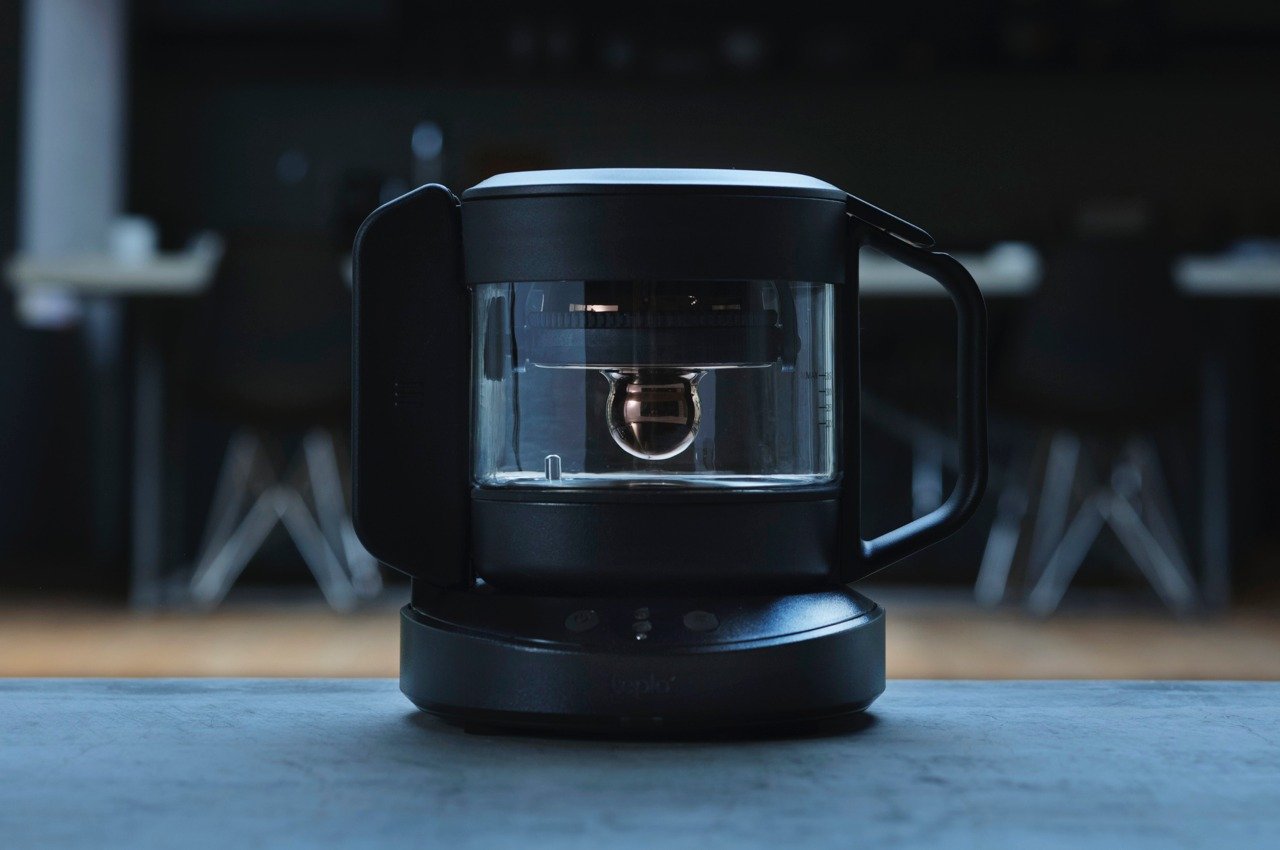
Calling all tea lovers! You guys need to get your hands on the Smart Tea Pot. This unique connected teapot gives you a chance to brew and prepare your own cup of tea using technology. It prepares a relaxing brew on the basis of the tea you prefer to drink, creating your own choice of brew.
It has advanced brewing adjustments which you can customize according to the tea you wish to drink. It features a “Golden Drop” rotating infuser which perfectly captures the beauty of Japanese minimalism.
What we like
It has a compact size and minimal aesthetics
What we dislike
The teapot uses technology for brewing, which can be complicated for some people to use
2. U Soo
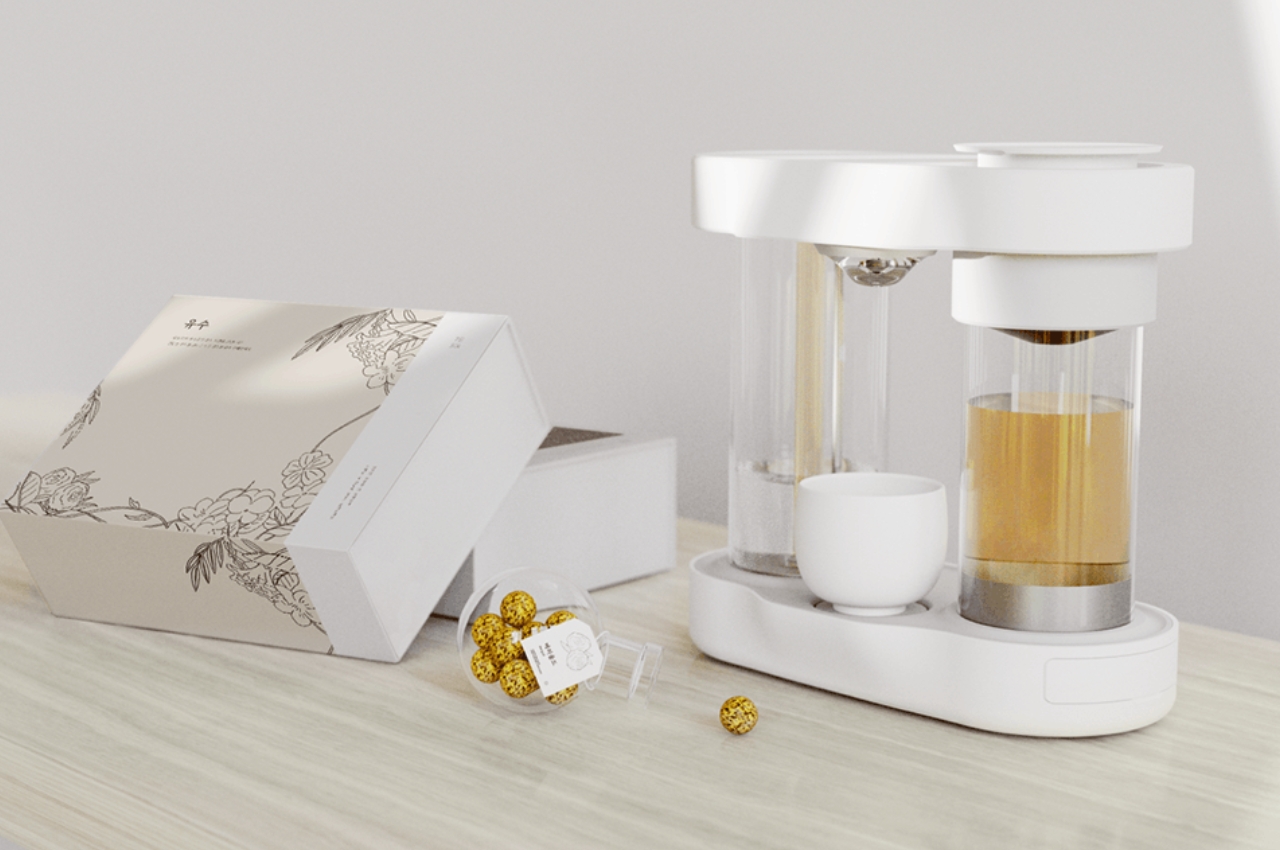
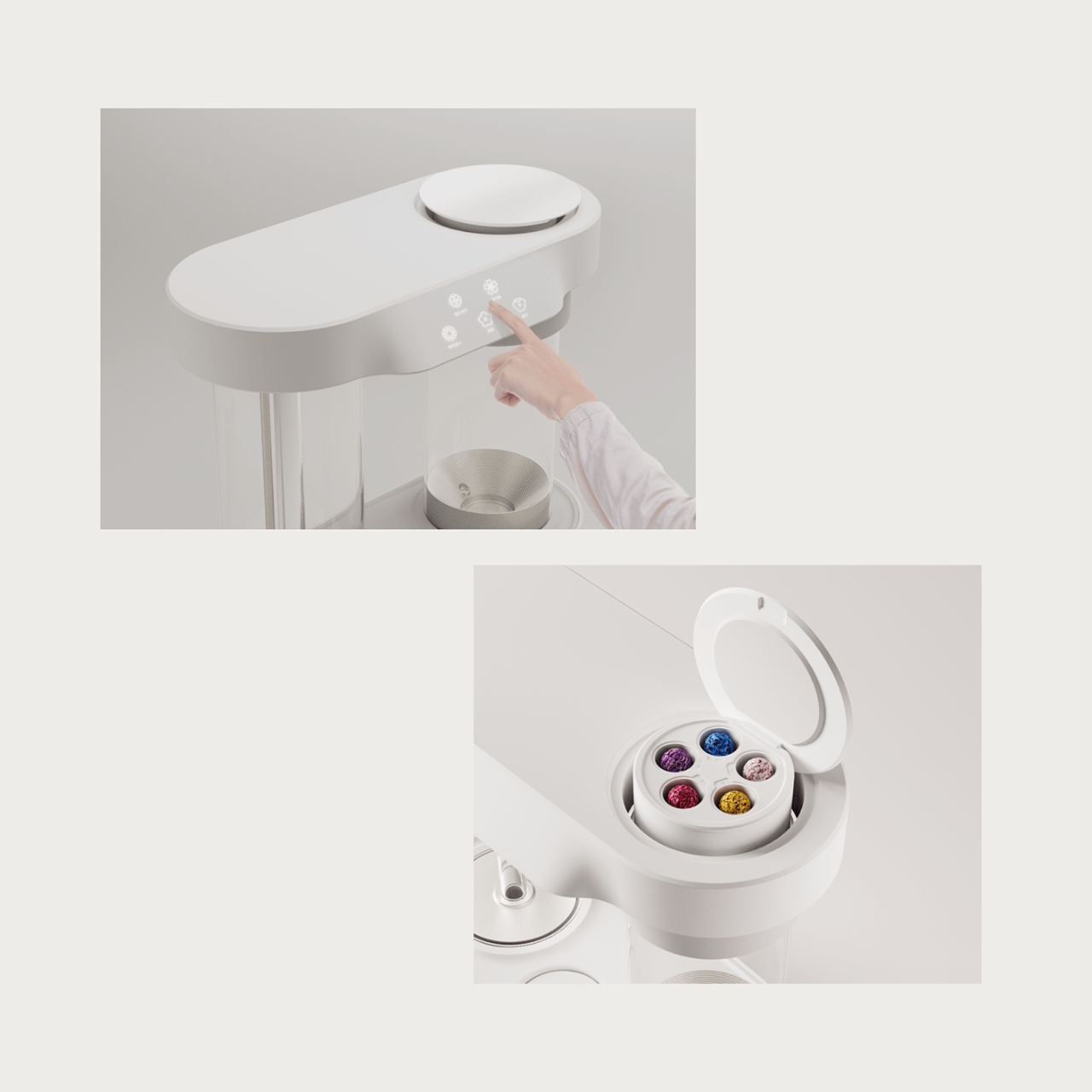
Called U Soo, this conceptual tea maker lets you chill and relax. When the tea is being prepared, you can actually smell the tea as it steeps, so it also functions as an aroma diffuser. The machine resembles a coffee machine, or something eccentric straight out of a laboratory.
Why is it noteworthy?
You can witness the entire process – ranging from boiling the water to the steeping of the tea when you pour it into your cup. This whole transparency adds a rather therapeutic and interactive element of the tea machine.
What we like
Has an element of transparency which makes the tea maker interactive and interesting
What we dislike
It’s a conceptual design, so we don’t know how well it will translate into a tangible product
3. Ceramic Mug
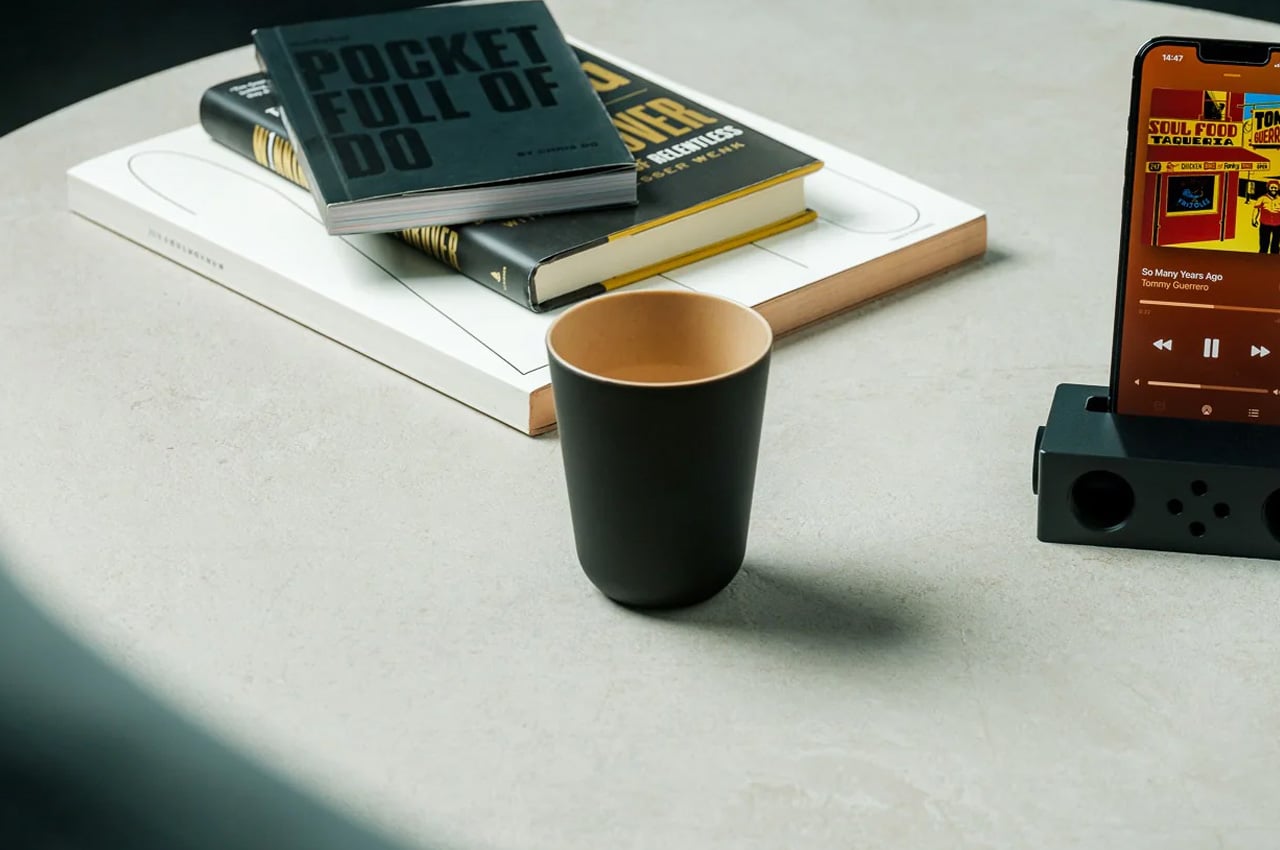
Called the Ceramic Mug, this elegant little mug is well-crafted and the ideal example of earth meets wood. It combines a symphony of textures to create a lovely treat for your fingers and lips. As you slowly drink from the mug, you experience an enriching sensory stimulation.
When you drink your tea from the mug, you come into contact with the surface, and this sets a soothing mood for your entire tea-drinking experience. It serves as an engaging design with intriguing contrasts.
What we like
The mug is made from quality Japanese ceramics
What we dislike
The mug cannot be placed in a microwave, which is quite inconvenient
4. Earth-friendly Stacking Cup
Called the Earth-friendly stacking cup, this refined and minimal cup is designed to save the environment. It is crafted from eco-friendly synthetic materials, which offers the cup a pretty unique texture. This ensures that you have a sensory experience when you drink your tea.
The cup has a lovely texture which makes you think of wood and ceramic. It offers a unique sensory experience in your lips and mouth, while also featuring minimal aesthetics and an eco-friendly practice.
What we like
Made from plant-derived biodegradable resin
What we dislike
Aesthetically quite common to other cups on the market, nothing to set it apart
5. OTOTO’s Tea Trap
Look at this adorable little tea trap by OTOTO! OTOTO’s Tea Trap puts a whimsical and amusing twist on the art of tea brewing. It’s a refreshing change from the typical metal infusers, and instead, it resembles a carnivorous plant – one that eats tea leaves for breakfast!
Why is it noteworthy?
You fill the Tea Trap’s stomach or mouth with leaves and dunk it in a cup of hot water. The tea infuses through the perforations on the infuser. The Tea Trap also includes an elongated handle which you can use to stir until your tea achieves the perfect color. Once you’re done preparing your tea, the trap spits out the leaves into the bin.
What we like
Adds a fun twist to an ordinary design
What we dislike
The holes in the trap seem to be too big for loose tea, it can slip out
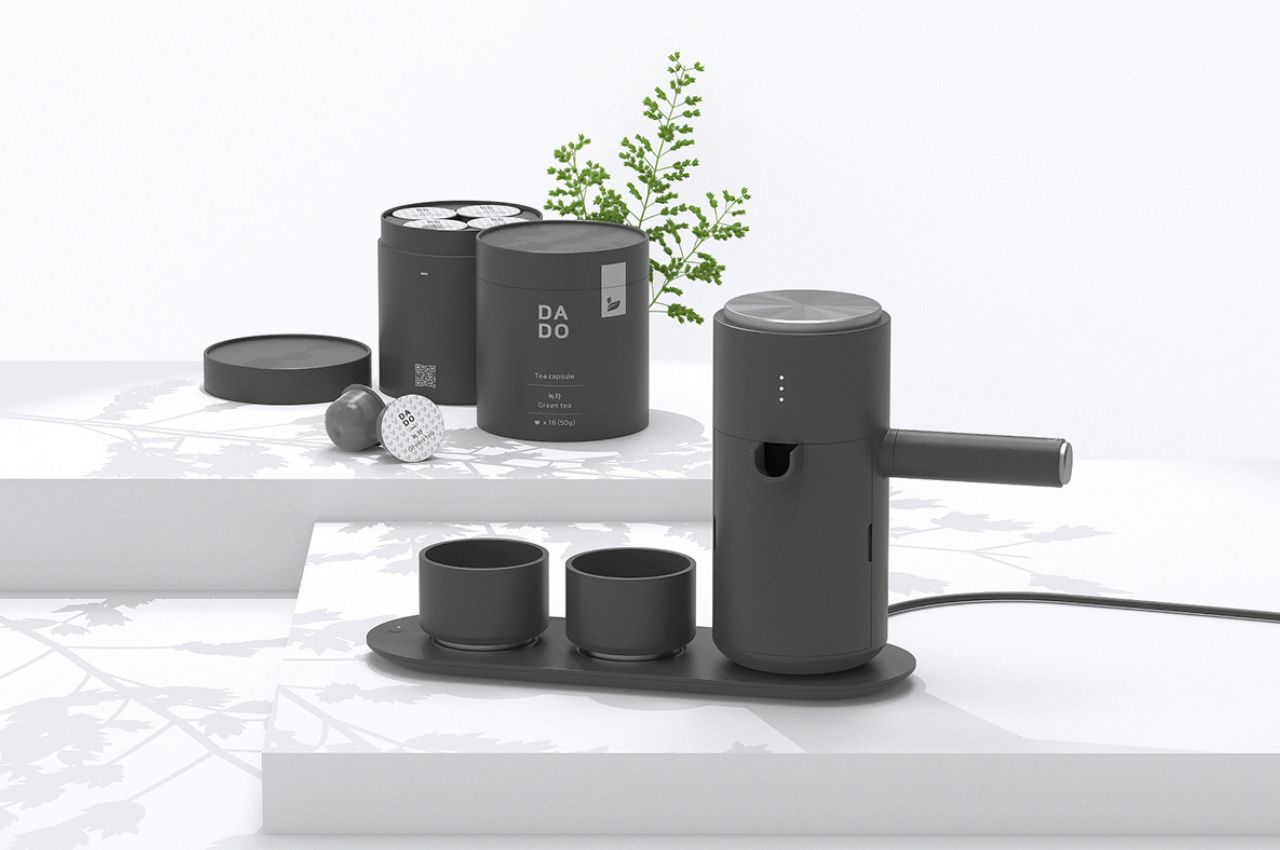
6. DADO
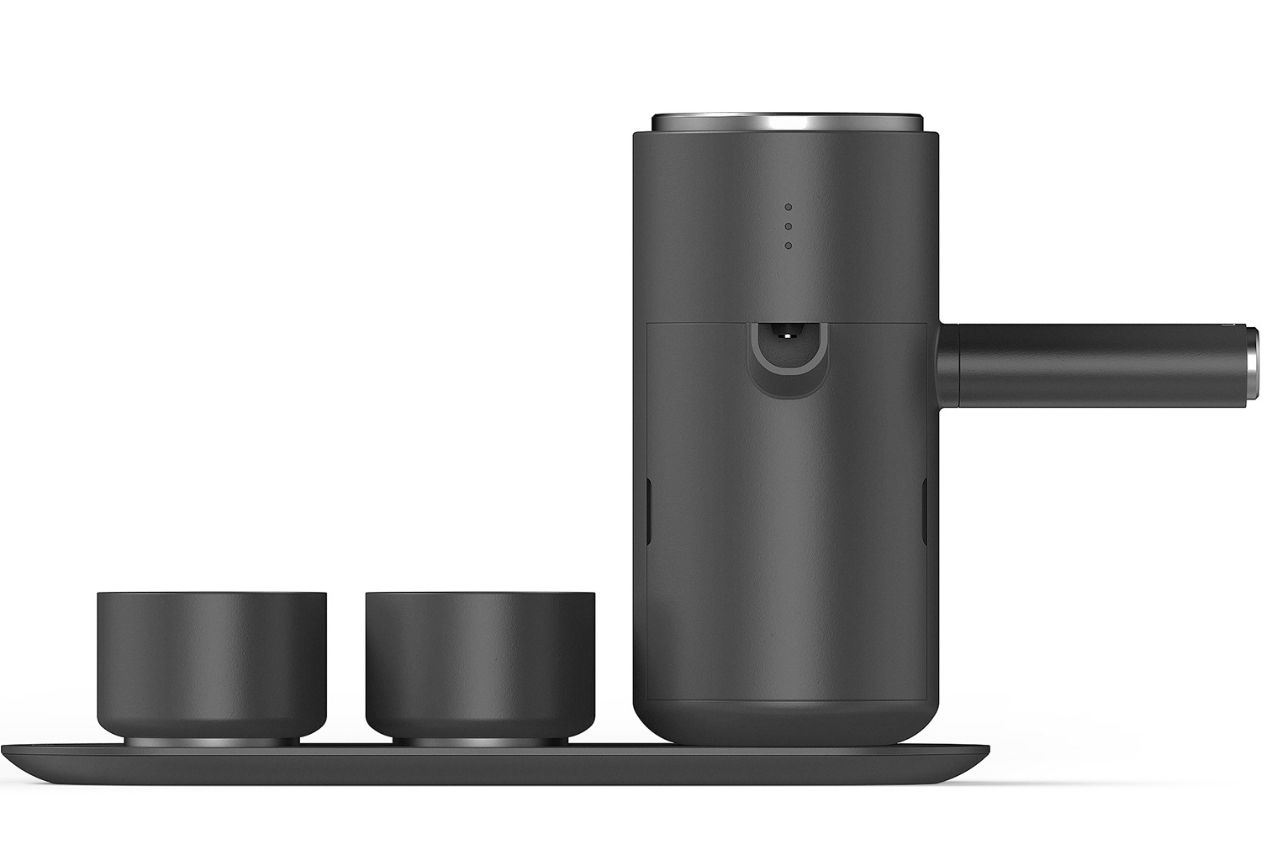
Called DADO, this minimalist capsule teach machine is a unique conceptual design that looks unlike a typical tea maker. It has a modern twist to it. The kettle portion is inspired by a traditional tea maker, and the entire design has a minimalist ethos which brings a sense of calm to your tea-preparing experience.
Why is it noteworthy?
DADO features a kettle and two cups placed on top of a heating pad, which resembles an induction stovetop. You can fill water in the kettle using the bucket section located at the back. You can preheat the cups that are next to the kettle by simply pressing a button.
What we like
Perfectly merges traditional and minimal aesthetics
It has different flavors for the tea capsules
What we dislike
Disposable capsules with a substantial carbon footprint
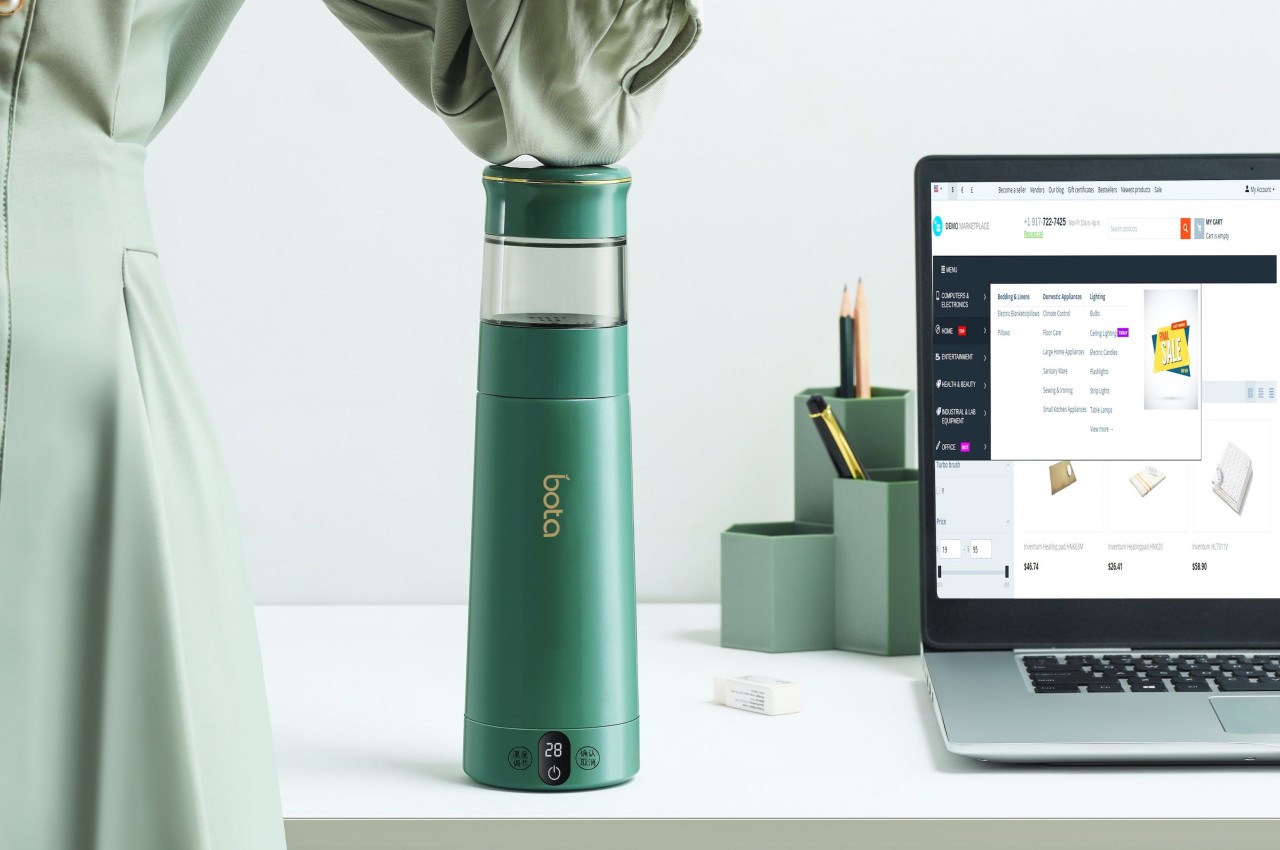
7. Bota
Meet Bota – an all-in-one smart tea bottle that lets you brew a cup of hot tea, letting you enjoy your favorite flavors. It has everything you could need to make tea in a single bottle. It holds and boils your water for you at the specific temperature needed for brewing. It also includes a steeping chamber to hold the leaves separately.
Why is it noteworthy?
Bota is extremely easy to clean and ensures a hassle-free cleaning experience. It also keeps your tea hot for about 12 hours. You can drink some hot tea anytime or anywhere, letting you brew a fresh batch whenever you like.
What we like
Features a sleek and portable form
No complicated buttons, easy-to-use
What we dislike
Aesthetically similar to other portable brewers on the market
8. ECLIPSE
Called the ECLIPSE, this portable tea brewing station is an innovative design, completely different from the boring old tea bag. The design features a travel thermos and a French-press-style brewing system and is designed to be easy to use and easy to carry. You can brew two cups or one large of tea.
Why is it noteworthy?
ECLIPSE completely modernizes the tea-making process. It offers the same steps you’d see in a regular tea brewing process but in a new format and form. It is a multi-part travel press that features a measuring cup, brewing teapot, plunger, and a drinking vessel.
What we like
Features an easy-to-carry and portable design
Equipped with a ceramic coating to pay tribute to the traditional tea-brewing practices
What we dislike
There aren’t different color or size options
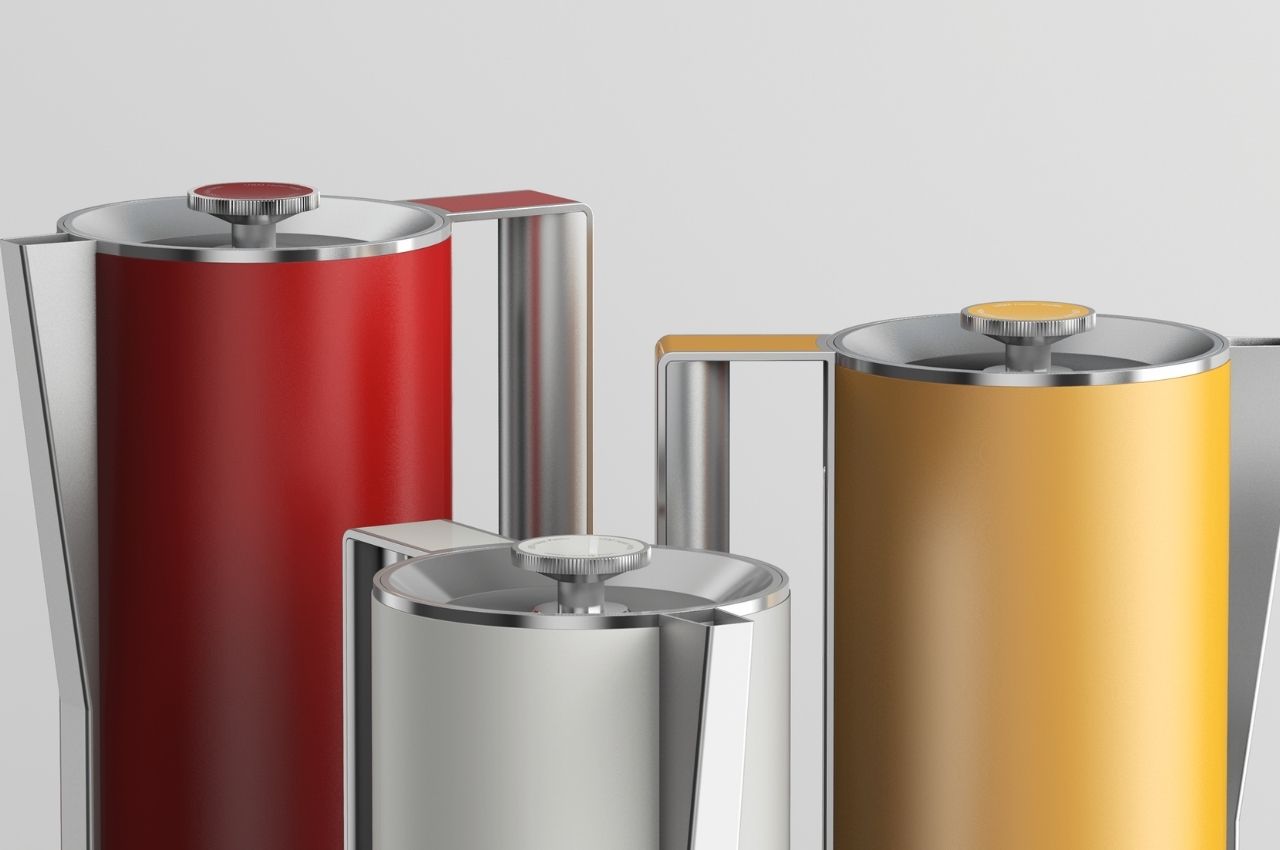
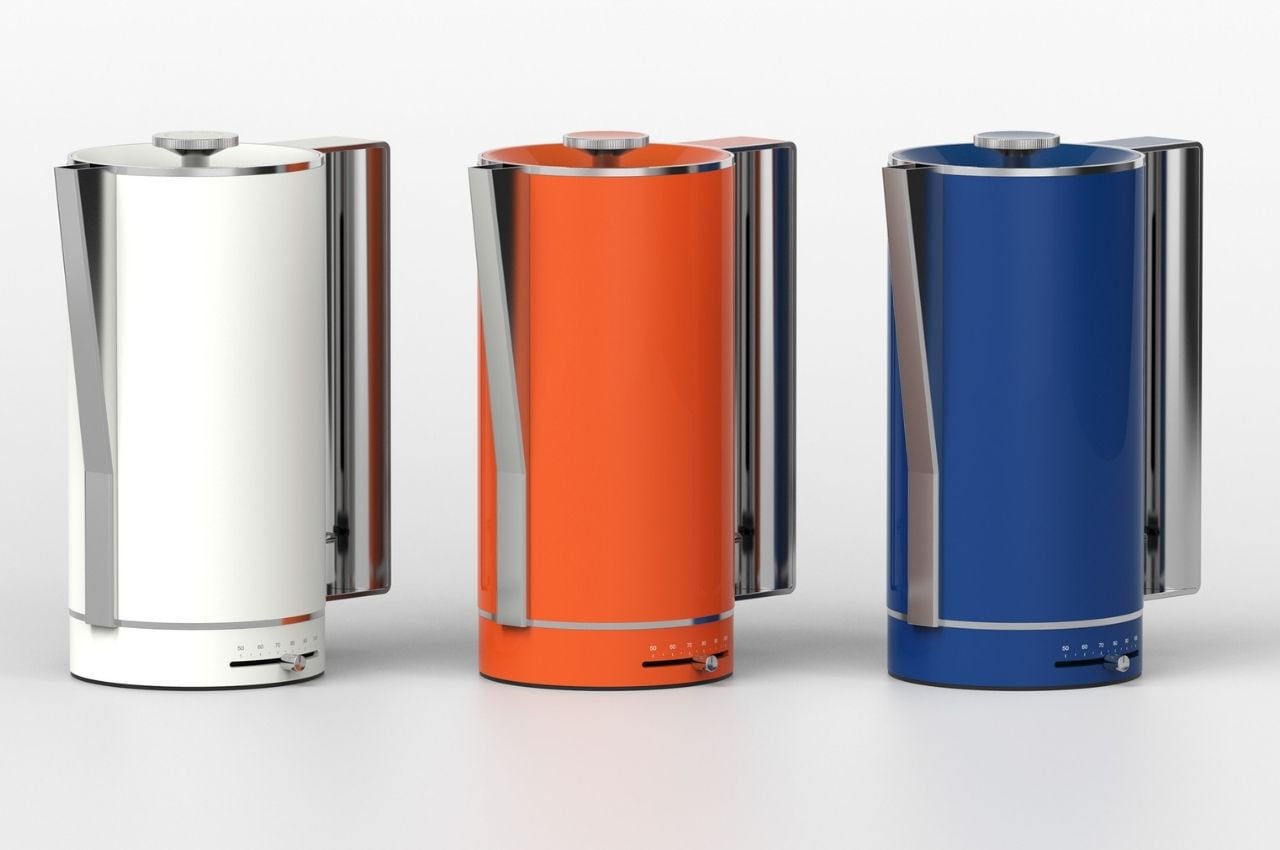
9. USM-Inspired Kettle
If you’re someone who loves the work of the Swiss modular furniture brand, then you need to check out this USM-inspired kettle. This kettle uses the original aesthetics of the brand, creating a kettle that is circular in design, while the handle is rectangular. The spout has a unique triangle shape.
Why is it noteworthy?
The renders of the kettle display it in various colors, which are also the basic colors of the USM Haller line. There are kettles available in blue, orange, red, yellow, and white, creating a kitchen appliance that is fun, and whimsical while also being wholly functional.
What we like
Minimal and clean aesthetics
Available in various USM-inspired colors
What we dislike
It’s still a concept, so we don’t know how well it will translate into a tangible product
10. TEO Smart Tea Maker
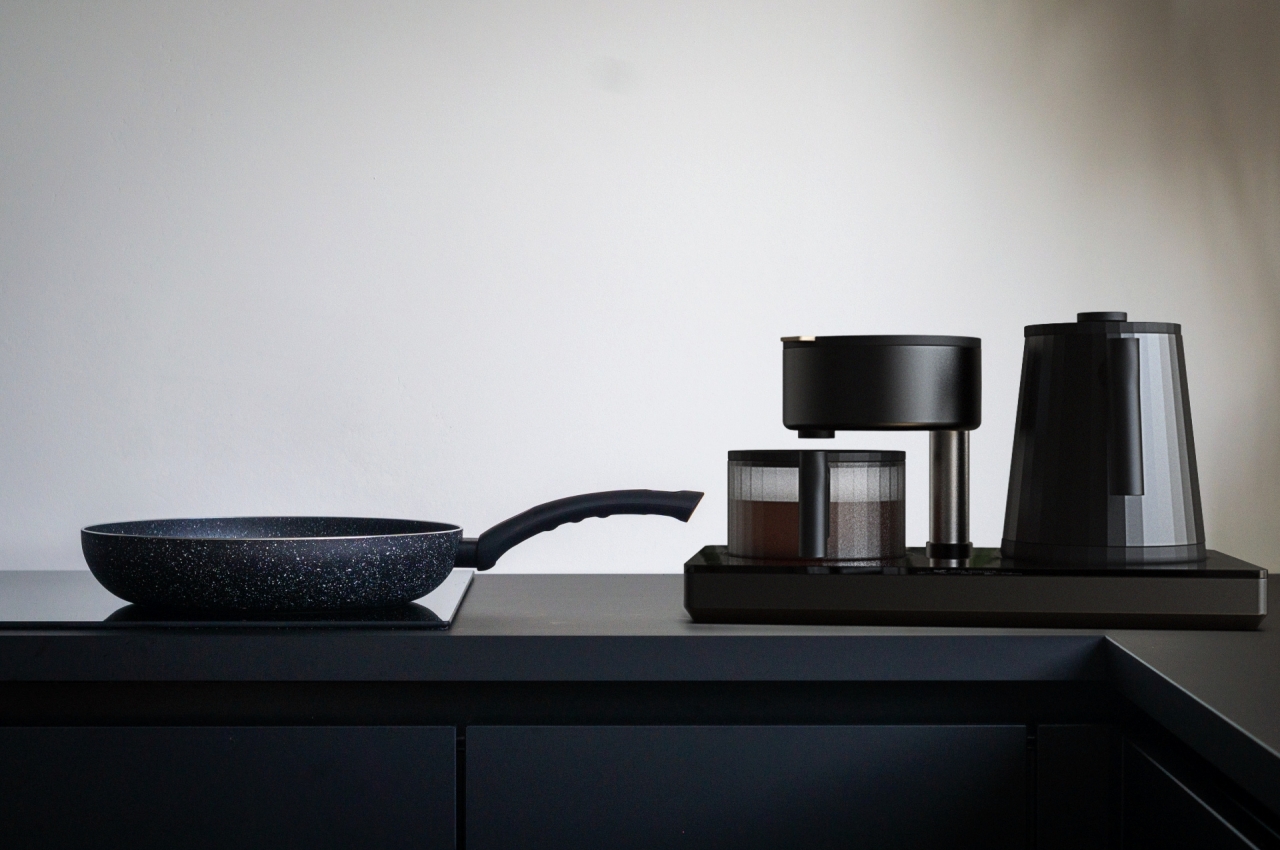
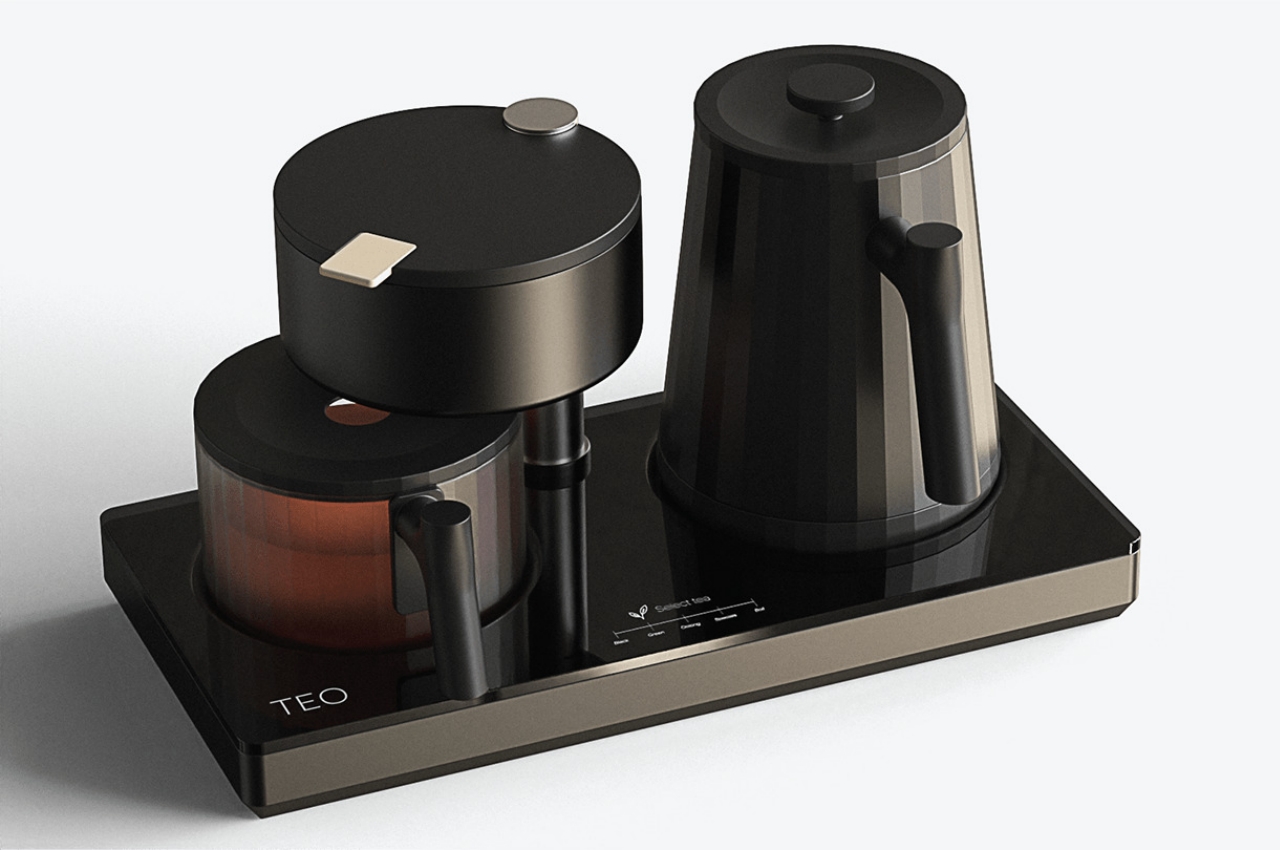
Dubbed the TEO Smart Tea Maker, this sleek and unique design has a coffeemaker feel to it. It features a monochromatic design which allows you to pay focus to the tea extract, by making that portion transparent. The tea maker comprises of three main parts – the water tank, the brewing section, and the glass container.
Why is it noteworthy?
The glass container is transparent and gives the teak maker a really appealing and sleek look. You pour the brewed tea into that section. The tea maker also has a fourth component – which is basically the base and it looks like an induction stove, although it does include lesser buttons.
What we like
Brings a peaceful and zen-like sensation to the tea-making process
Sleek monochromatic design that will blend well with modern kitchens
What we dislike
It is a concept, so we don’t know how well it will work in reality