In the rapidly evolving world of technology, two roles have gained significant prominence of late: Data Scientist vs AI Engineer. While these positions share some similarities, they also have distinct responsibilities, skill sets, and work environments. Understanding the differences and overlaps between these roles is crucial for organizations looking to leverage data and artificial intelligence […]
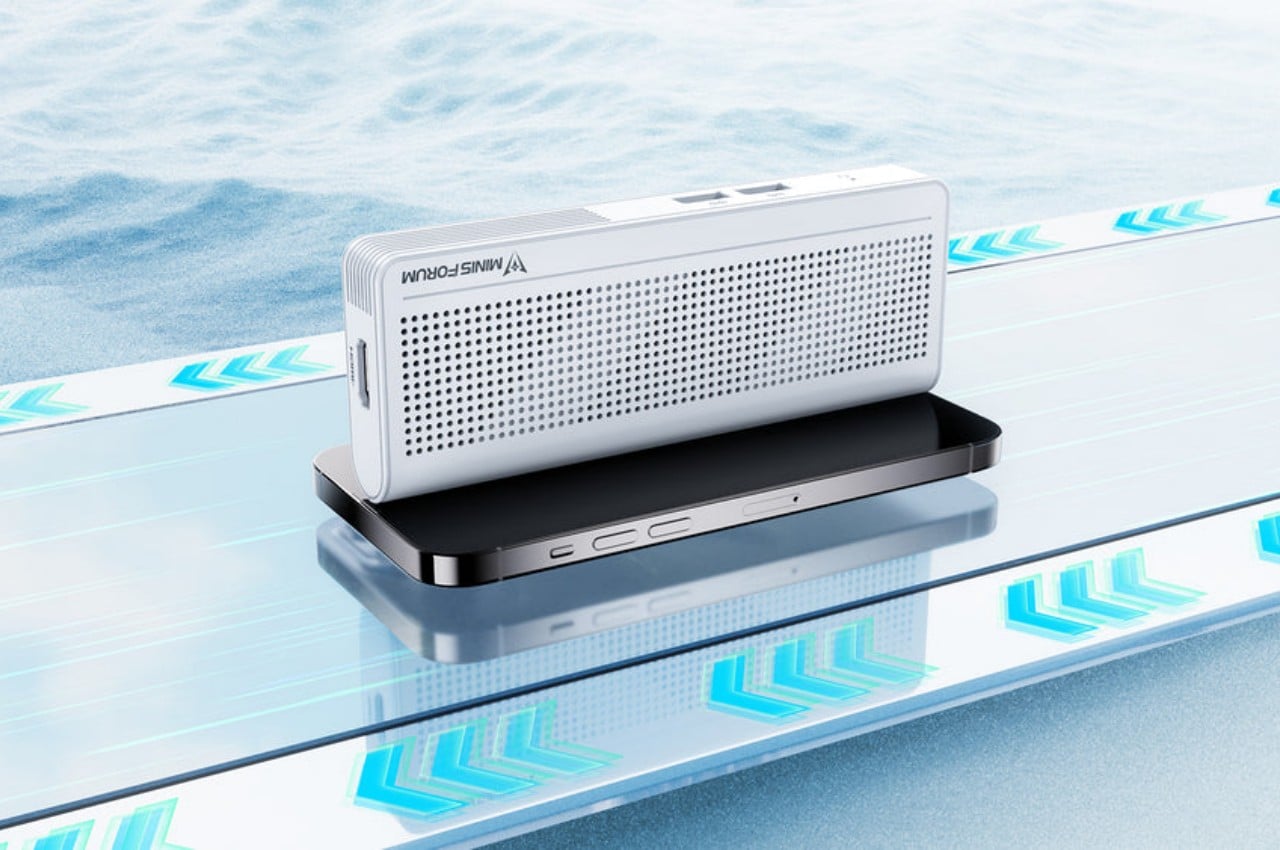
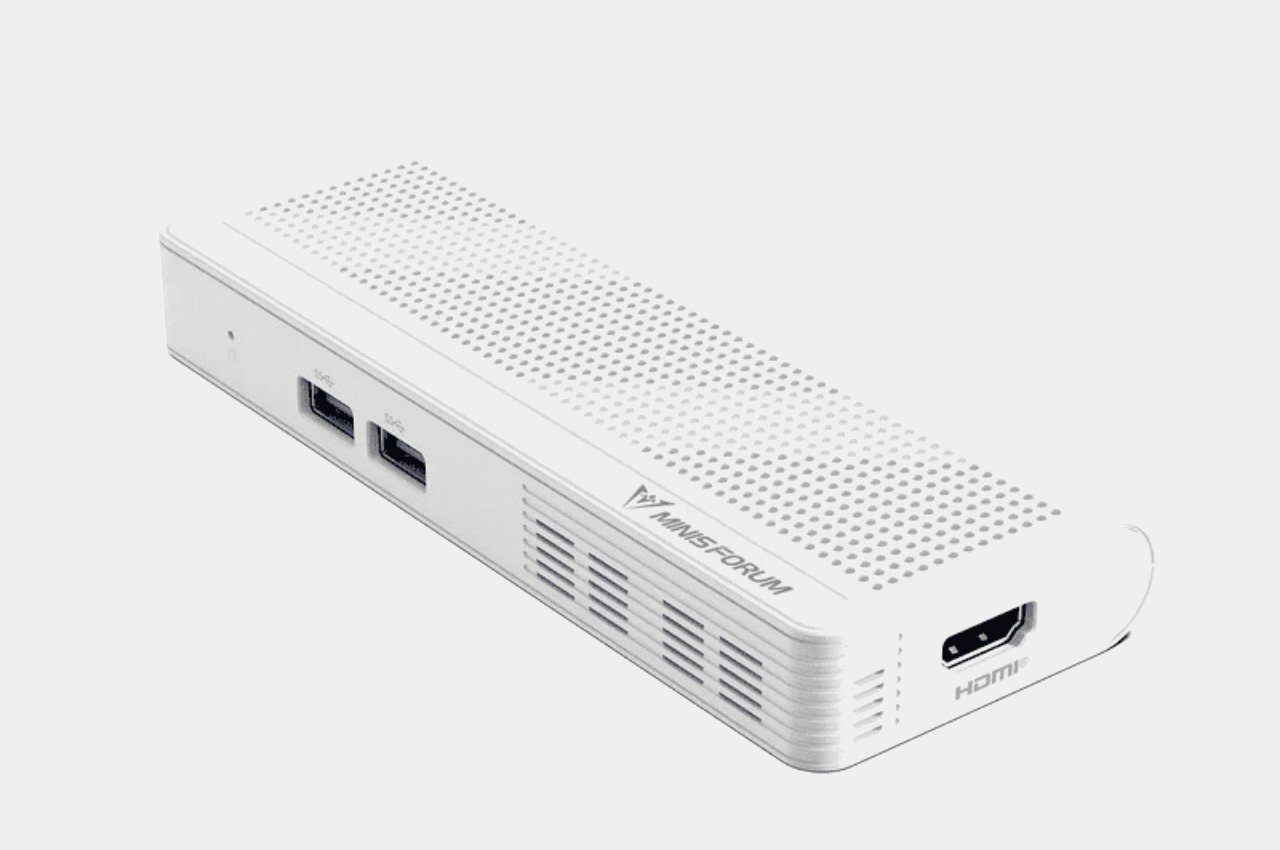
Our smartphones have become so powerful that, in theory, they have hardware equivalent to entry-level laptops from a few years back. But despite all that silicon muscle, they can’t really replace our everyday PCs mostly because of the operating system that’s used on most of these computers: Windows. Small, portable, and inconspicuous computers have always been a dream for both users and business owners, whether it’s for working on the go or setting up kiosks, security systems, or space-efficient workstations. This small brick tries to deliver exactly that, giving you the flexibility you need for any kind of computing in almost any context in a size that’s no larger than high-capacity power banks.
With the popularity of the Apple Mac Mini and, now, the Mac Studio, mini PCs have become more visible in the market. These desktop alternatives, however, are still meant to sit on a table or even on a shelf despite their small sizes. But while these small computers do offer plenty of power to support even some content creation or light gaming, that hardware also closes the door on many possible use cases that would have required them to be less tied down to a table.
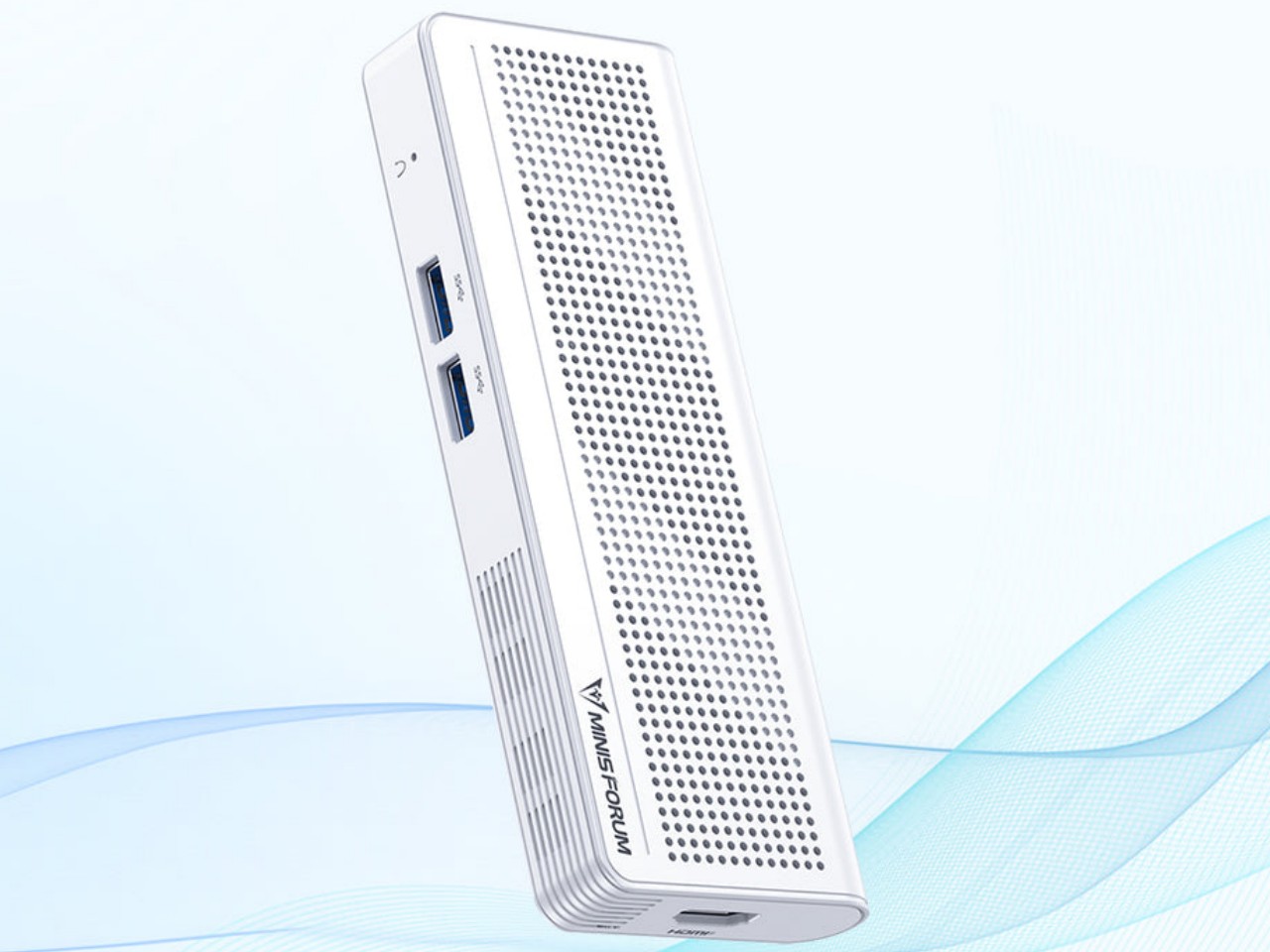
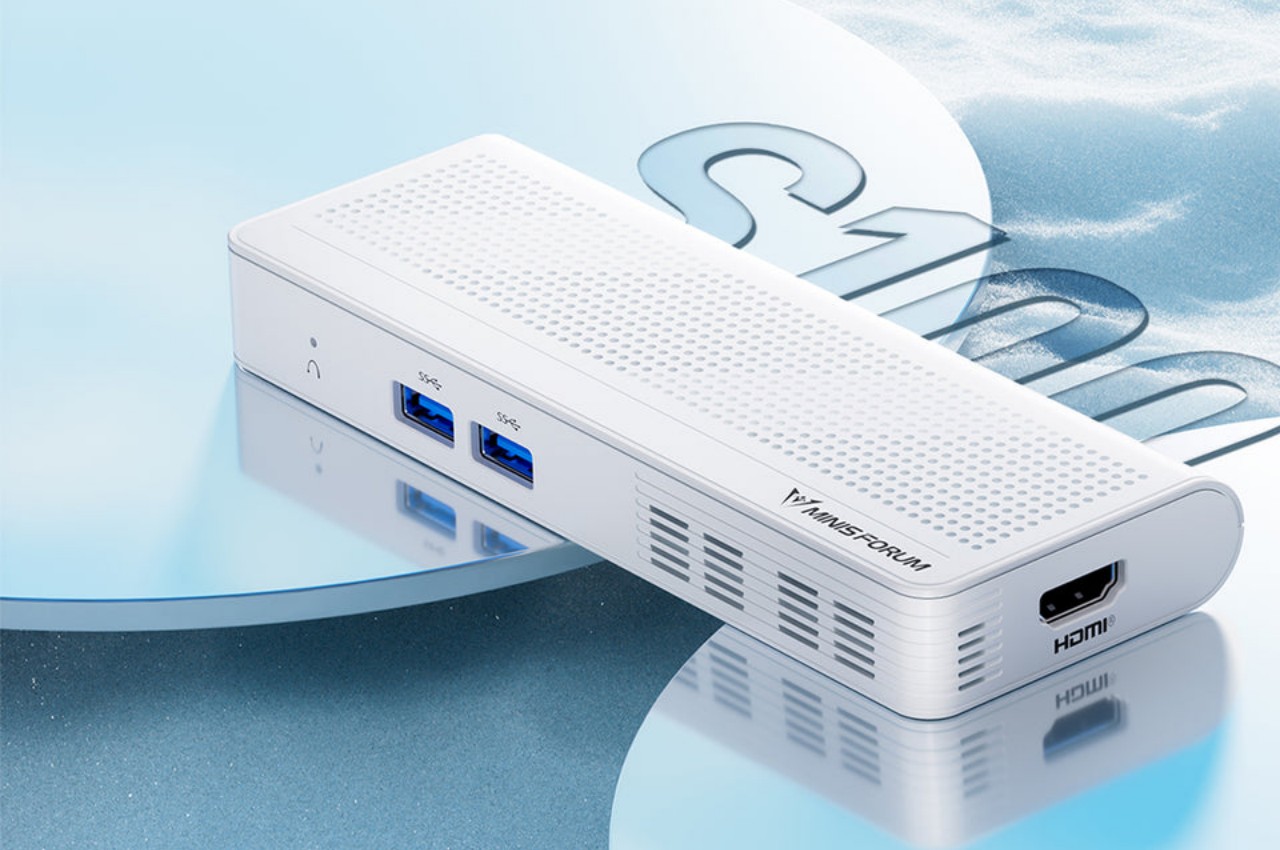
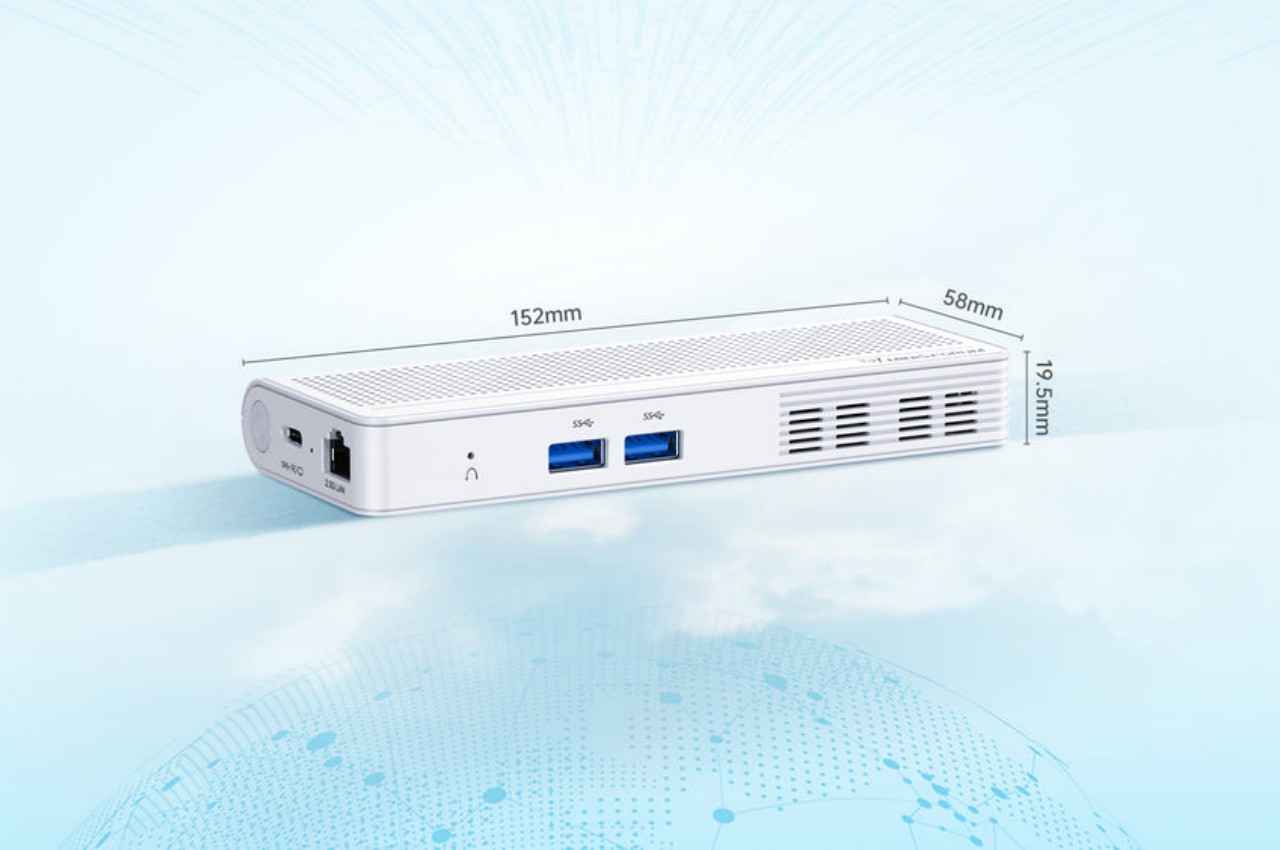
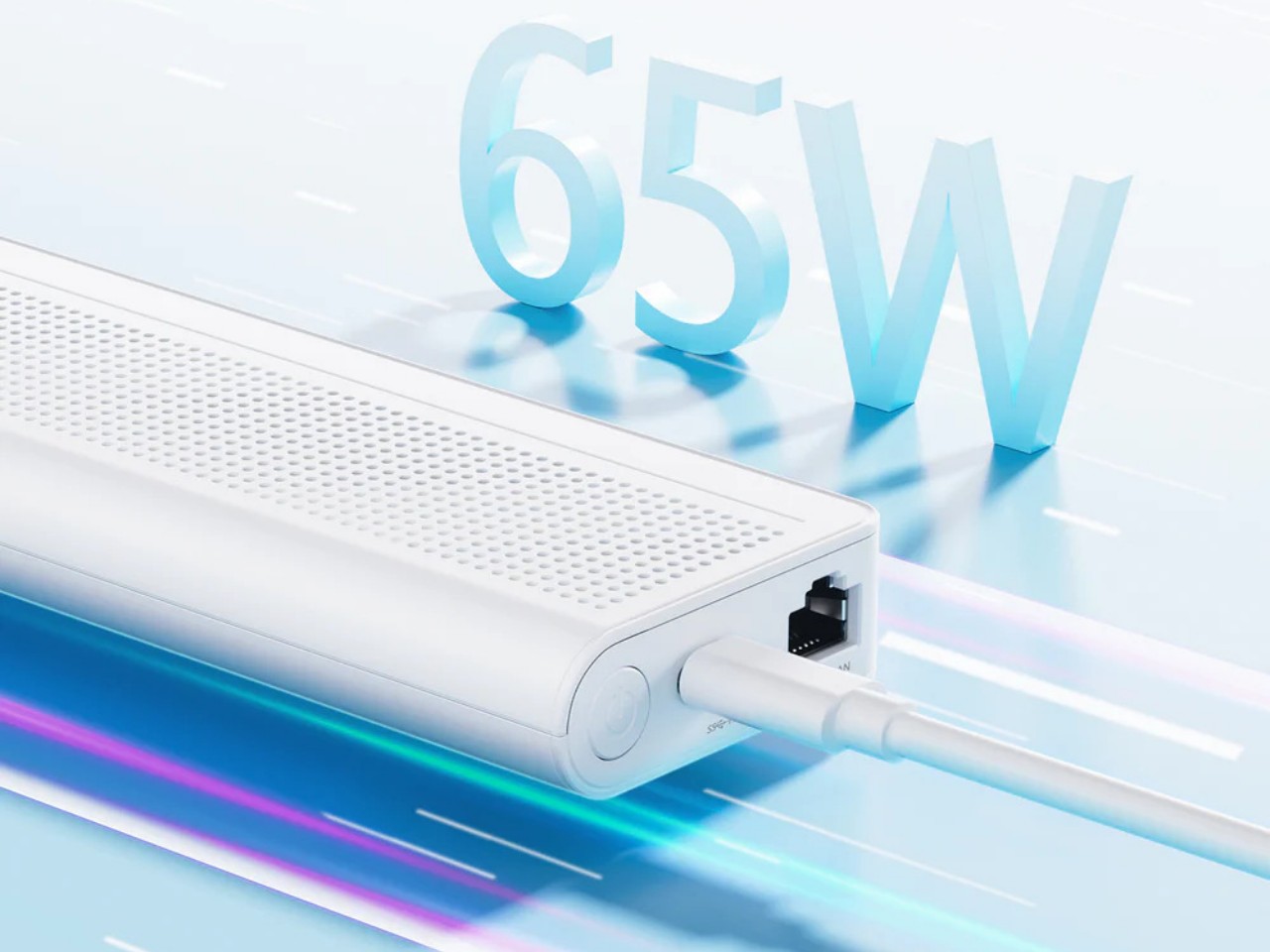
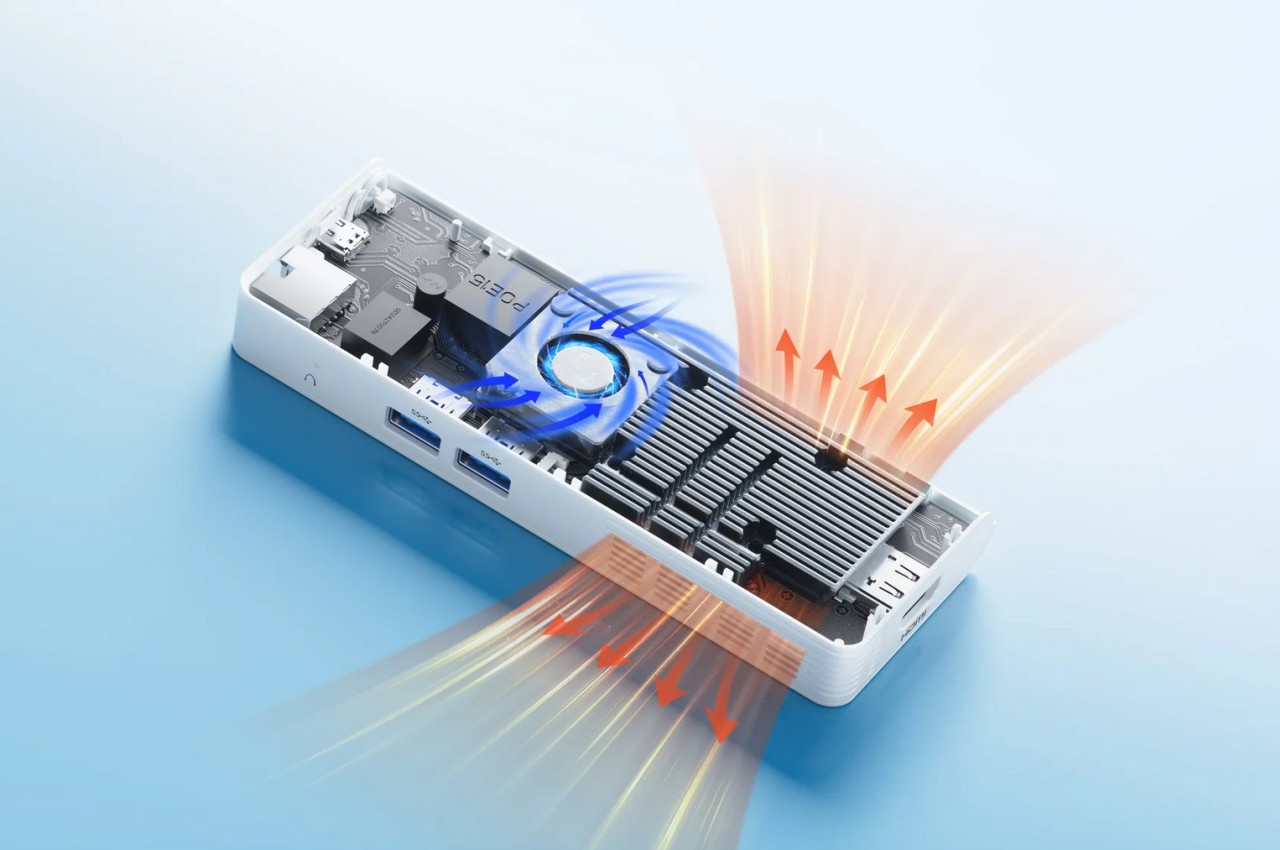
The Minisforum S100 is a small, sleek box that you might easily mistake for a power bank. Ironically, it doesn’t actually have its own battery but is a mini PC that you can bring along with you or install in the narrowest of spaces. Despite its small size, it actually boasts a complete set of standard connectivity options, including Wi-Fi 6, Bluetooth 6.2, 2.5 Gbps Ethernet, USB-A ports, HDMI, and 65W USB-C.
The latter two are what make this design so portable and flexible. On a typical desktop, you can connect it to a USB-C monitor that supports USB-C PowerDelivery so that you don’t even have to plug the S100 into an outlet. You can connect another monitor via HDMI to have a dual-screen setup for increased productivity. And when you’re done for the day, you can pick up the palm-sized mini PC and go, maybe even work or chill in a cafe by connecting an external display and a power bank. The Ethernet port also supports Power-over-Ethernet or PoE, so you can use the S100 as the brains behind a camera security system and not have it plugged in at all.
Despite the flexibility that the Minisforum S100 offers, its performance is hampered a bit by the quad-core Intel N100 processor that runs the show, definitely not the best among the chip maker’s “mobile” processors. Its lower-power operation, however, does allow the mini PC to sip rather than chug electricity and keep thermals equally low. You definitely won’t be running heavy applications, but for $189, a Windows 11 computer you can easily slip into your bag or even your pocket might actually be worth the price.
The Sony Xperia 10 VI is a mid-range smartphone that offers an impressive array of features and capabilities, making it an excellent choice for everyday use. With its blend of performance, durability, and user-friendly features, the Xperia 10 VI is designed to cater to the needs of a wide range of users, from tech enthusiasts […]
This might come as a shock to you but the things people put on social media aren't always truthful — really blew your mind there, right? Due to this, it can be challenging for people to know what's real without context or expertise in a specific area. That's part of why many platforms use a fact-checking team to keep an eye (often more so look like they're keeping an eye) on what's getting shared. Now, Threads is getting its own fact-checking program, Adam Mosseri, head of Instagram and de-facto person in charge at Threads, announced. He first shared the company's plans to do so in December.
Mosseri stated that Threads "recently" made it so that Meta's third-party fact-checkers could review and rate any inaccurate content on the platform. Before the shift, Meta was having fact-checks conducted on Facebook and Instagram and then matching "near-identical false content" that users shared on Threads. However, there's no indication of exactly when the program started or if it's global.
Then there's the matter of seeing how effective it really can be. Facebook and Instagram already had these dedicated fact-checkers, yet misinformation has run rampant across the platforms. Ahead of the 2024 Presidential election — and as ongoing elections and conflicts happen worldwide — is it too much to ask for some hardcore fact-checking from social media companies?
This article originally appeared on Engadget at https://www.engadget.com/threads-gets-its-own-fact-checking-program-130013115.html?src=rss
If you are a filmmaker or photographer, constantly seeking tools that elevate your creative vision while seamlessly integrating into your dynamic shooting environment. The new SIRUI Night Walker Cine Lenses might be worth further investigation and offer an innovative addition to your filmmaking arsenal. Providing photographers and video refers with unparalleled performance and versatility. With […]
At last year's Google I/O developer conference, the company introduced Project Gameface, a hands-free gaming "mouse" that allows users to control a computer's cursor with movements of their head and facial gestures. This year, Google has announced that it has open-sourced more code for Project Gameface, allowing developers to build Android applications that can use the technology.
The tool relies on the phone's front camera to track facial expressions and head movements, which can be used to control a virtual cursor. A user could smile to "select" items onscreen, for instance, or raise their left eyebrow to go back to the home screen on an Android phone. In addition, users can set thresholds or gesture sizes for each expression, so that they can control how prominent their expressions should be to trigger a specific mouse action.
The company developed Project Gameface with gaming streamer Lance Carr, who has muscular dystrophy that weakens his muscles. Carr used a head-tracking mouse to game before a fire destroyed his home, along with his expensive equipment. The early version of Project Gameface was focused on gaming and uses a webcam to detect facial expressions, though Google had known from the start that it had a lot of other potential uses.
For the tool's Android launch, Google teamed up with an Indian organization called Incluzza that supports people with disabilities. The partnership gave the company the chance to learn how Project Gameface can help people with disabilities further their studies, communicate with friends and family more easily and find jobs online. Google has released the project's open source code on GitHub and is hoping that more developers decide to "leverage it to build new experiences."
Catch up on all the news from Google I/O 2024 right here!
This article originally appeared on Engadget at https://www.engadget.com/googles-project-gameface-hands-free-mouse-launches-on-android-123029158.html?src=rss
Canva is a versatile, user-friendly design platform that enables you to create a wide range of content, from social media posts to presentations and videos. This guide will walk you through the essentials of using Canva, from signing up to mastering its various features, empowering you to create stunning visual content with ease. Getting Started […]
Never underestimate how crucial great office furniture can be to a workspace! We spend the majority of our day sitting on our office chairs or typing away on our desks whether we’re working in our home office or a corporate one. Hence, these pieces of furniture need to be not only comfortable but ergonomic, and aesthetic as well. And we’ve curated a collection of furniture designs that meet all these criteria. From the ultimate task chair for you to a minimal cubicle-like furniture system – these innovative furniture designs are not only great for maintaining a healthy posture, but are also super comfy to work on, and will perfectly match the interiors of your modern office. Enjoy!
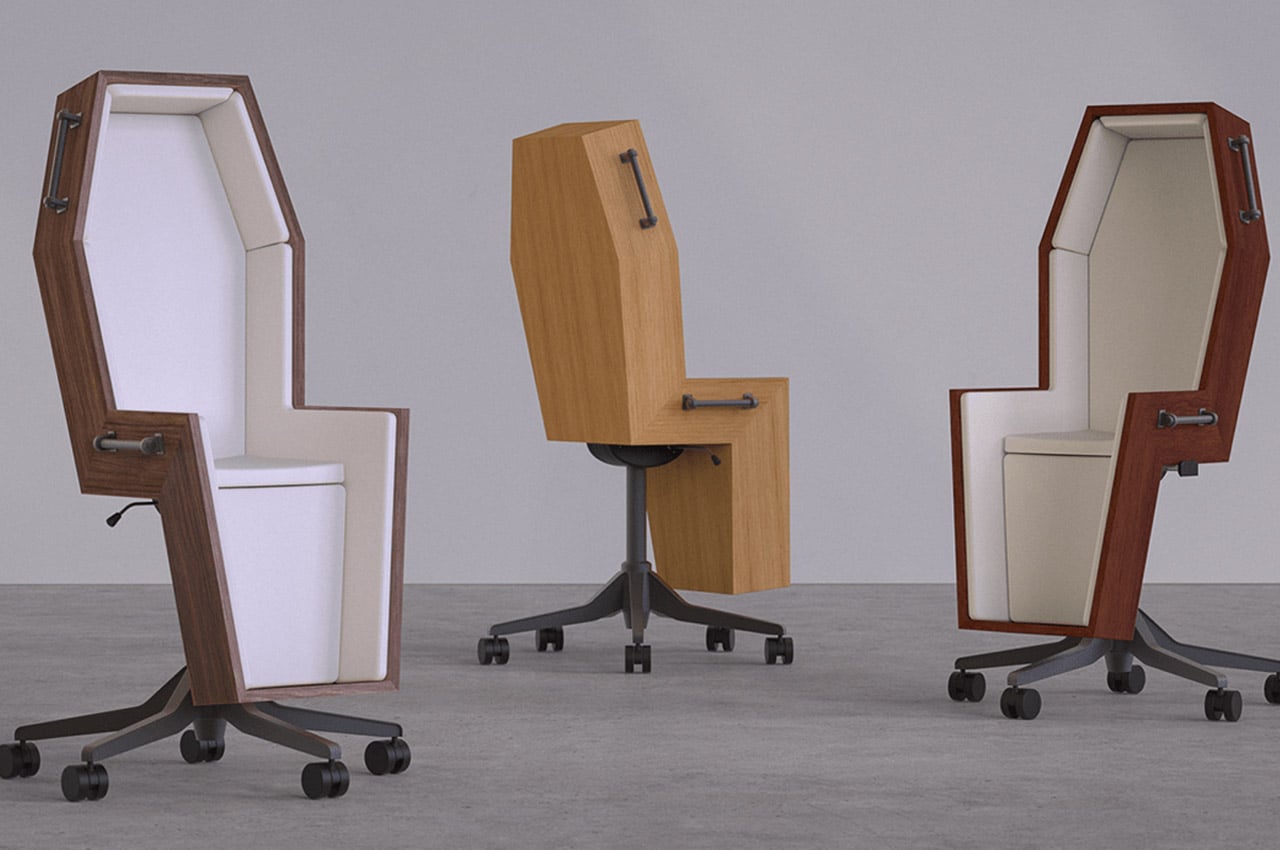
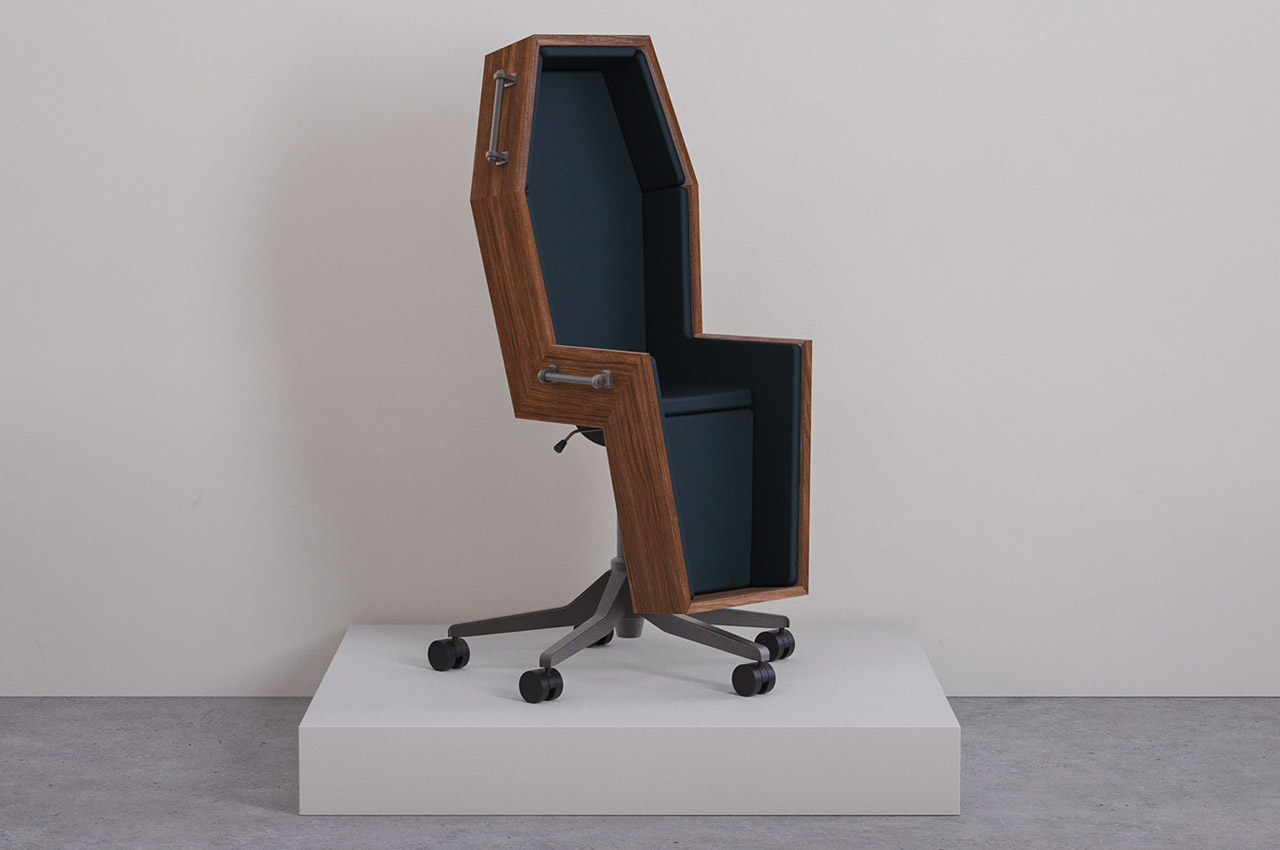
1. Coffin Chair
Shaped like a coffin, this interesting-looking office chair captures the emotions you feel regarding your dead-end corporate job. It is a unique and innovative chair for those who are quite stressed with their jobs but cannot leave. This allows them to process their emotions in a healthy manner.
Why is it noteworthy?
The chair completely captures the feelings you may experience as you go through another tedious workday. It encapsulates the sense of mundaneness and exhaustion you feel as you sit through another dreary meeting that could have quite easily been an email!
What we like
Inspired by a painting, giving it an artistic context
Captures the emotions of a dead-end job perfectly
What we dislike
Lacks cozy cushioning, so not a good option for sitting for long periods of time
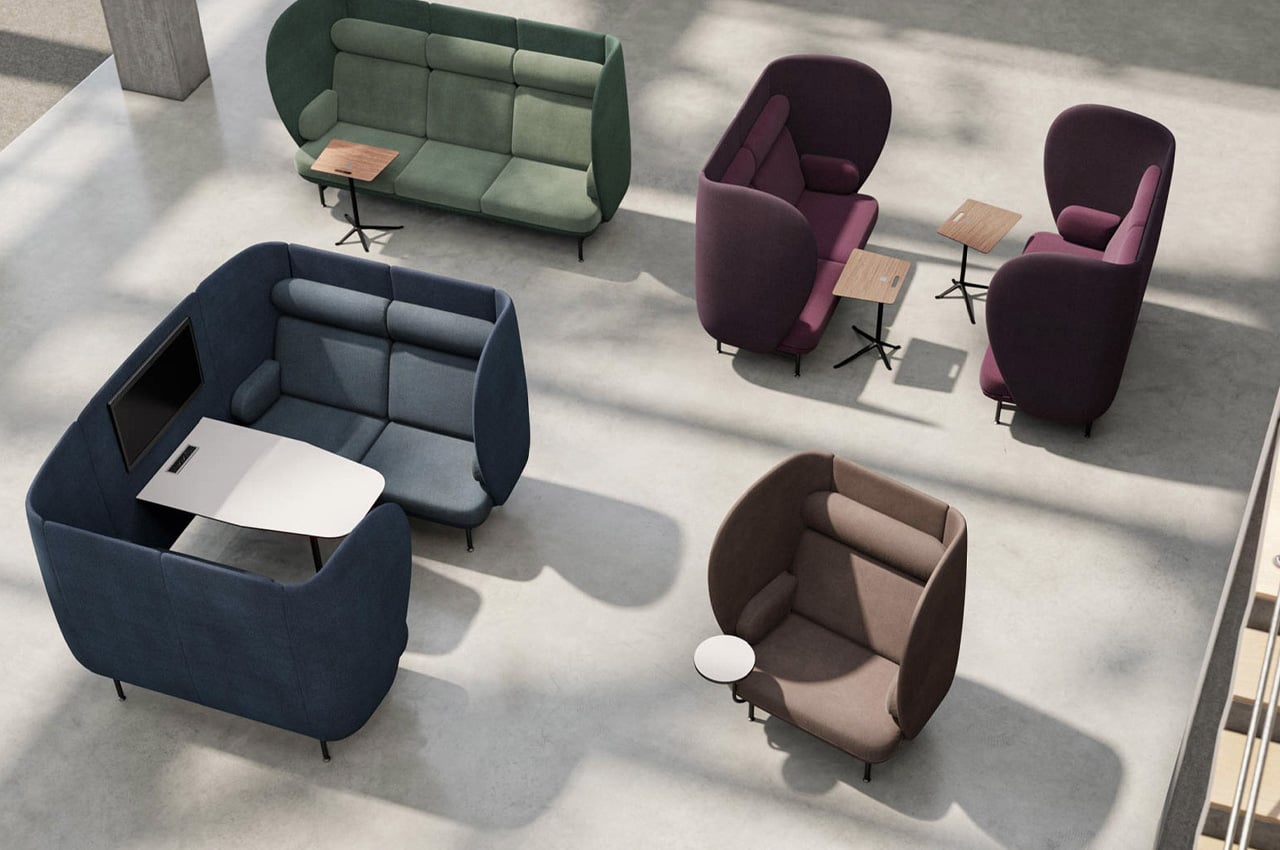
2. Plenum Cabin
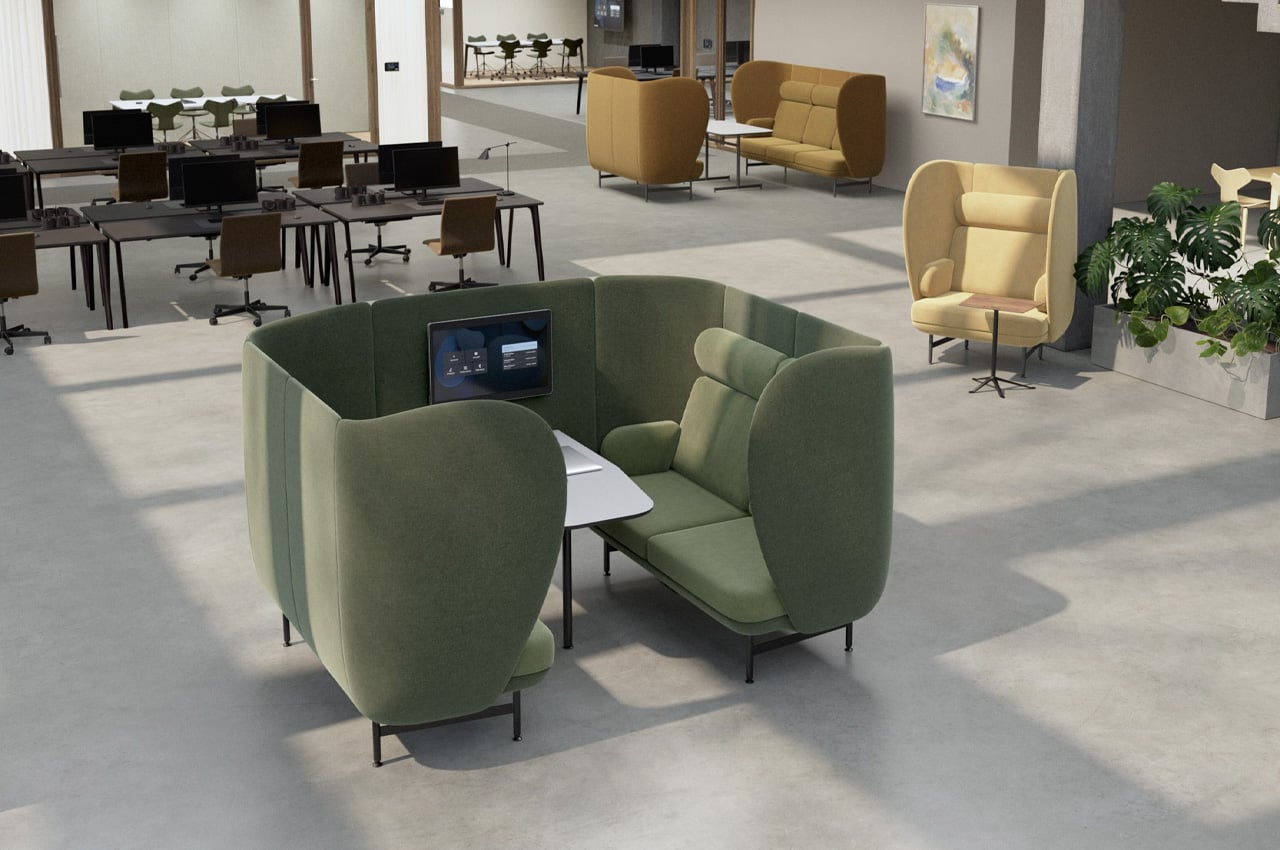
Created by Jaime Hayon for the Danish brand Fritz Hansen, the Plenum Cabin provides comfy spaces to work in corporate offices. The cabins have been designed to function as meeting spots for informal meetings, and they serve as integral focal points in office spaces.
Why is it noteworthy?
“With Plenum Cabin, my aim was to craft a space within a space – a haven for intimate conversations and informal gatherings,” said Hayon. “It’s not just a cabin – it’s an invitation to connect, to share, and to experience the best of human interaction in the workplace.” And the cabin really does function as a comfy and private oasis to work in.
What we like
Features a table, an internal cable management system, and an integrated screen
What we dislike
Space-consuming design, not intended for offices with space constraints
3. Flow Wall Desk
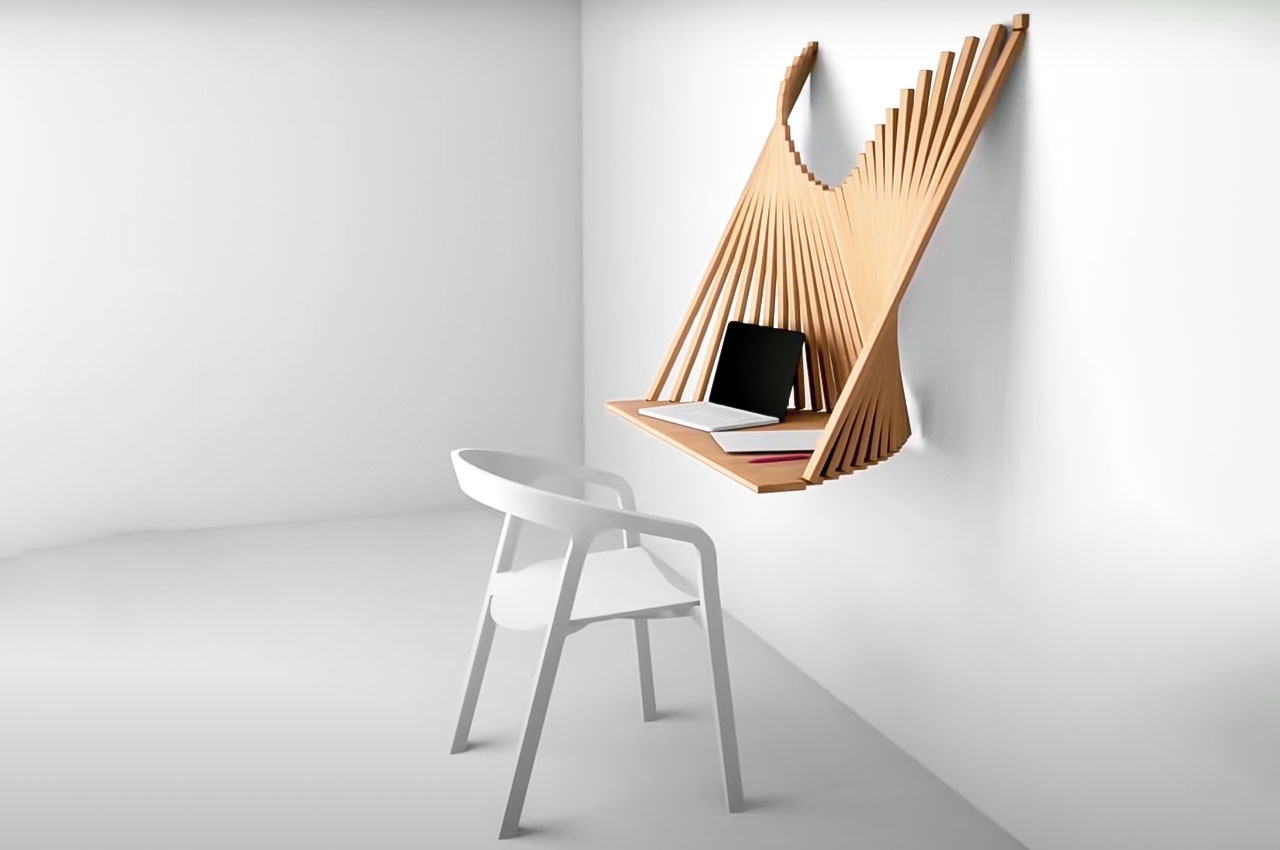
Called the Flow Wall Desk, this intriguing furniture design is intended to be an excellent piece of office furniture for spaces that don’t have too much space. It features a sustainable and simple design philosophy, and it is quite decorative as well, besides having great functionality.
Why is it noteworthy?
You can store and fold up the Flow Wall Desk, allowing it to look like a piece of art on your wall, when you’re not working on it. It looks like a ‘spiraling caterpillar’ when you unfold it!
What we like
Has a flatpack form
It can be easily stored away
What we dislike
Folding and unfolding the desk whenever you need to use it means we can’t have a constant setup
4. Accessible Office Furniture Concept
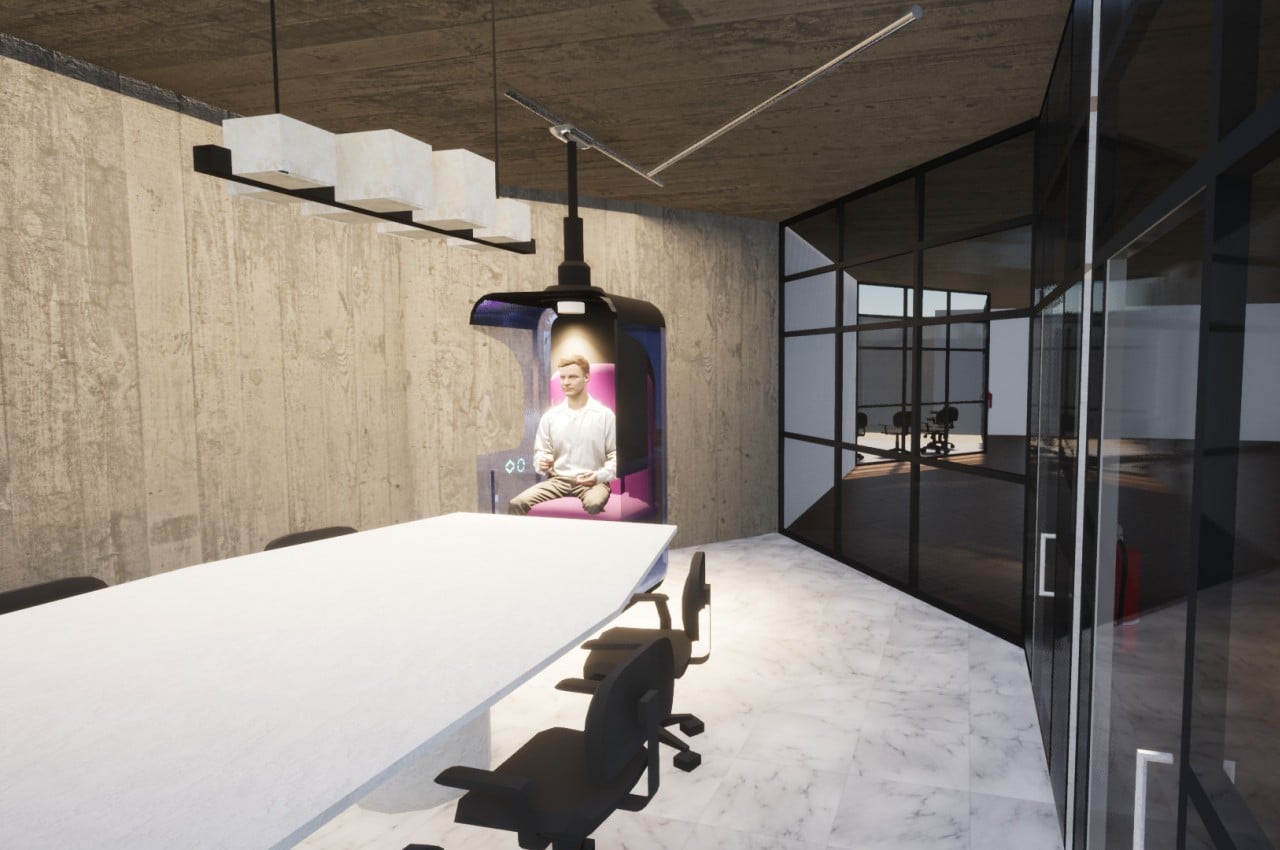
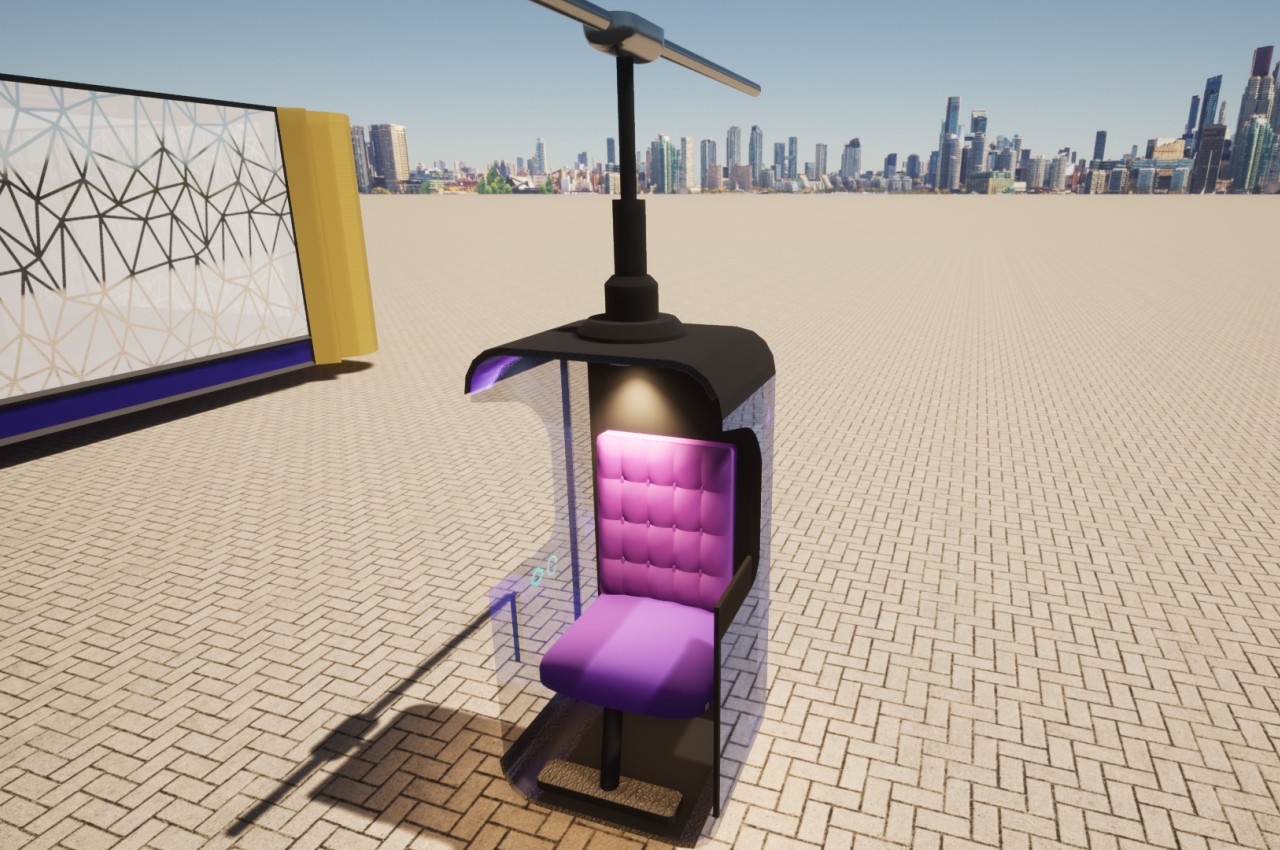
This office furniture concept merges mechanisms that will be needed by people from all walks of life. This innovative chair shifts forward to facilitate moving from the chair to a wheelchair, a feature that is used in cars made for accessibility.
Why is it noteworthy?
This unique concept involves a motorized track running across the ceiling, like trains on a rail. This ensures that the person doesn’t have to move around, the furniture will help move them around. A desk was also created, and it pivots and slides in and out as needed, like the chairs.
What we like
Features a smart glass that goes opaque if the person needs privacy
What we dislike
It is currently a concept, so we don’t know how well it will translate into a tangible product
5. Typo Chair
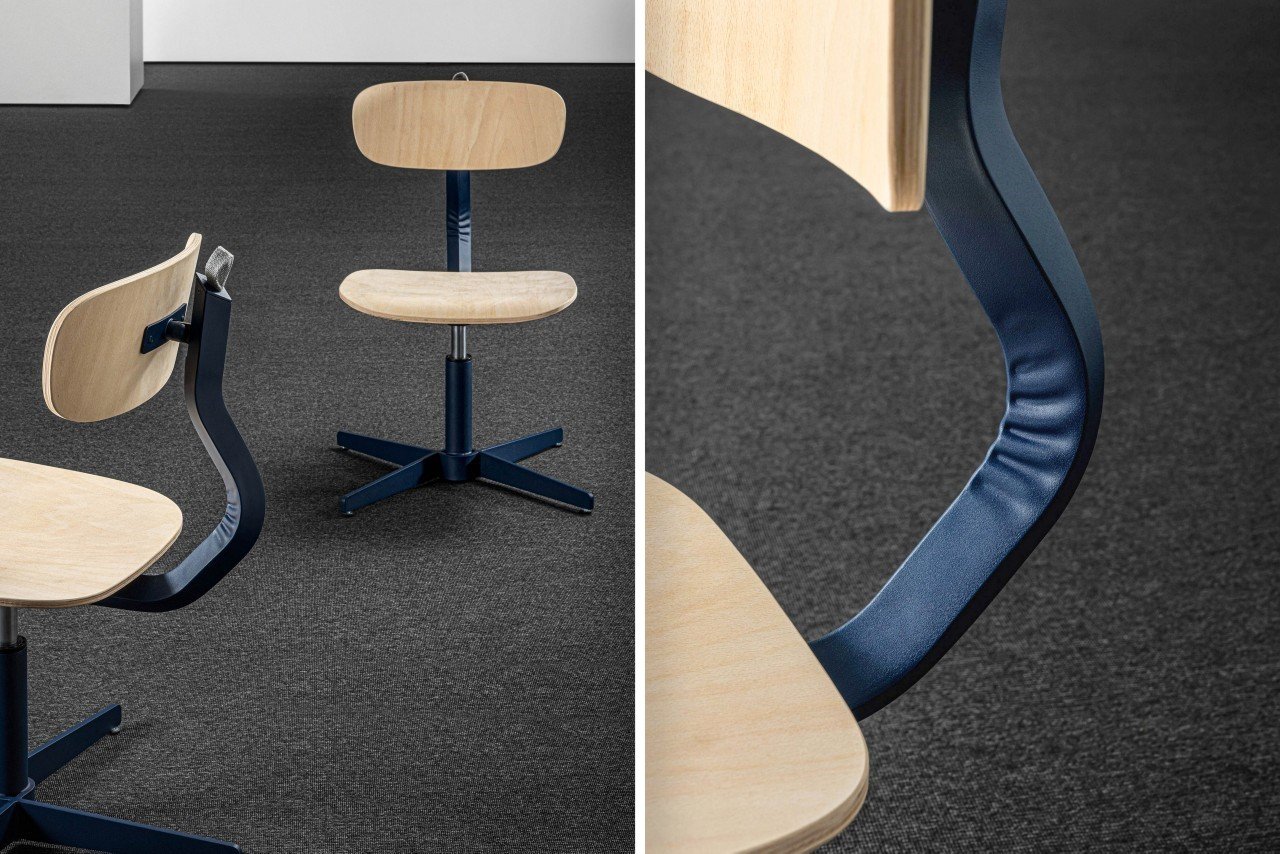
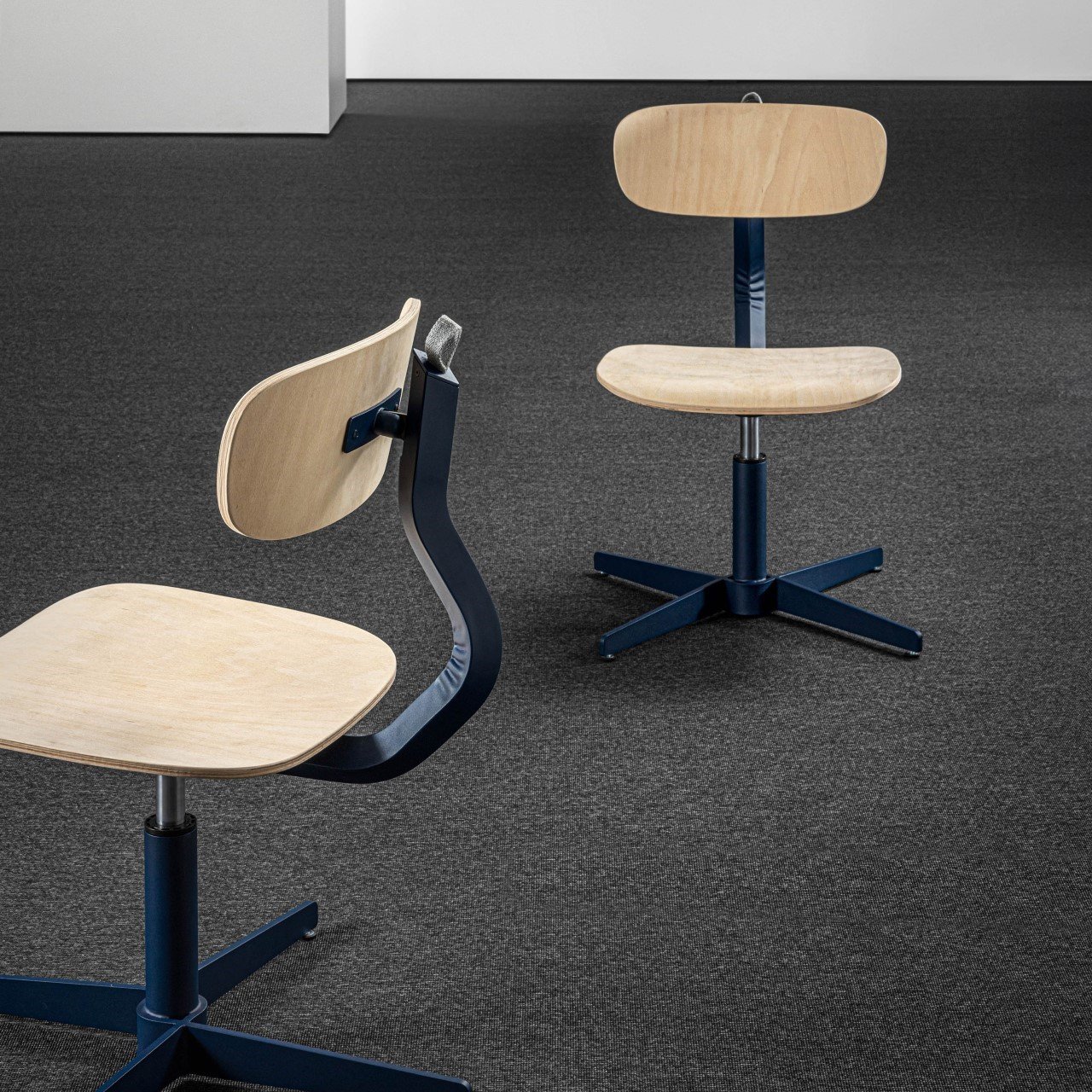
Dubbed the Typo Chair, this unique chair is minimal yet quite powerful. It is designed by AMDL Circle for the furniture brand Mara, and what makes it stand out is its playful bent form, which functions as a one-of-a kind and quite an uncommon element in furniture design.
Why is it noteworthy?
The Typo Chair is an ergonomic furniture design equipped with a light timber base. It features a gentle curve, which allows the chair to stand apart from other conventional chair designs. The cure is the star feature of the entire furniture piece.
What we like
The wooden and colored metal elements contrast to form a dynamic silhouette
The gentle curve adds some depth and character to an otherwise simple chair
What we dislike
There seems to be no option for customization, which can be inconvenient for some users
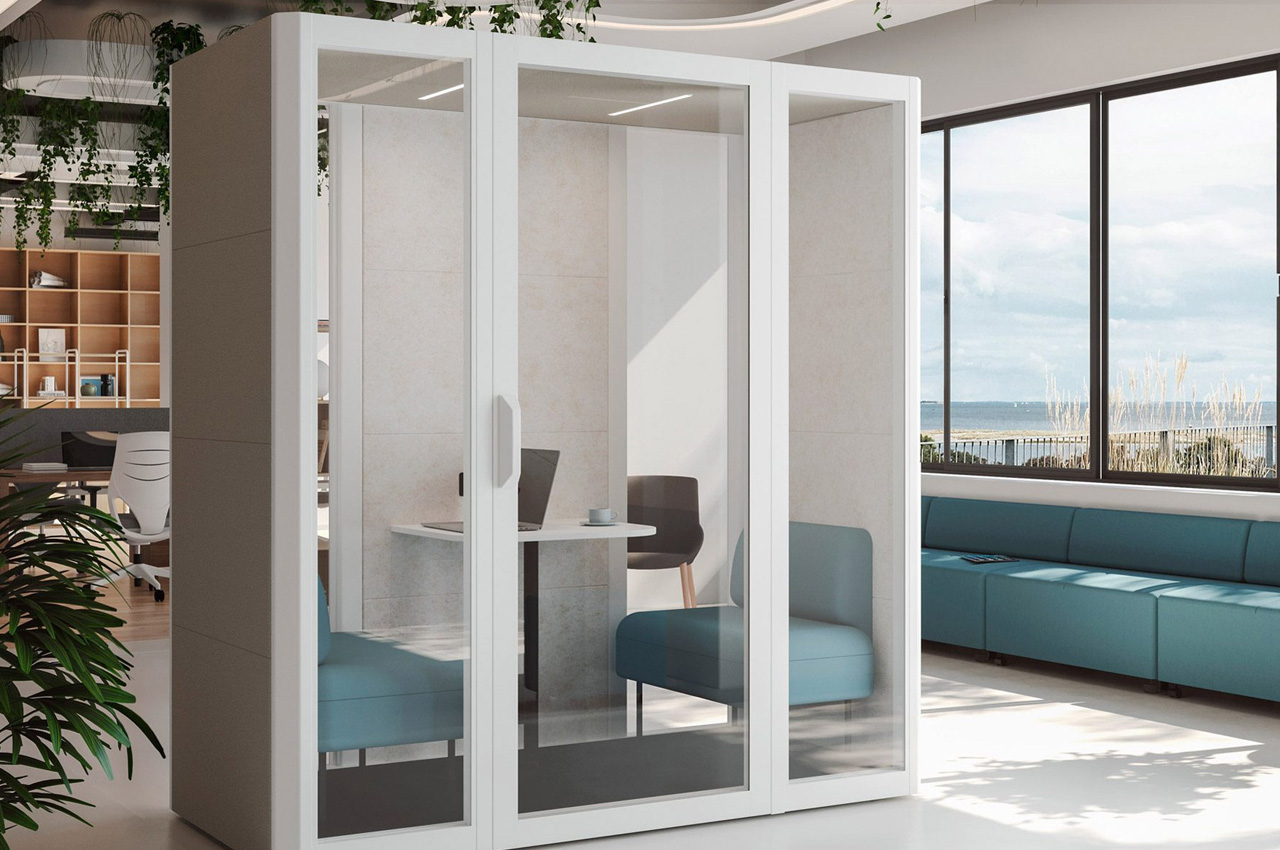
6. Qyos
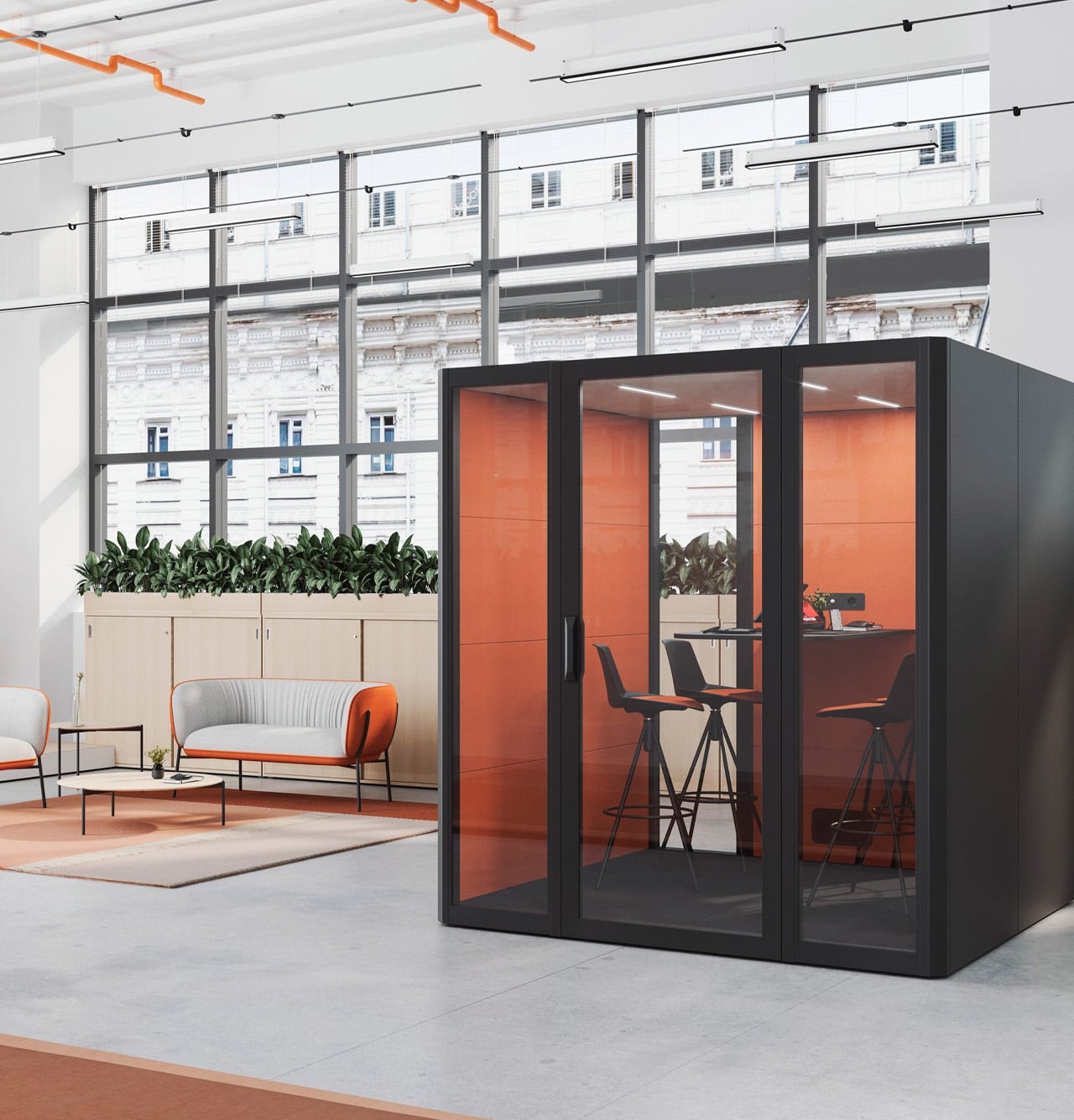
Designed by the Spanish furniture brand Acitu, the Qyos is their first acoustic meeting pod. Qyos was designed to function as “islands of privacy”, allowing employees to work in peace without being disrupted by the rest of the office environment. The pods function as meeting spaces to boost productivity and focus better.
Why is it noteworthy?
The cabins are modular and sound-insulated cabins that were designed by Actiu’s research and development team. They’re excellent for making calls or completing tasks that require all your focus and attention.
What we like
Offers an escape from noisy office spaces
Can be easily put together and assembled
What we dislike
There are similar designs on the market, it has nothing too exciting to set it apart
7. Anthros Task Chair
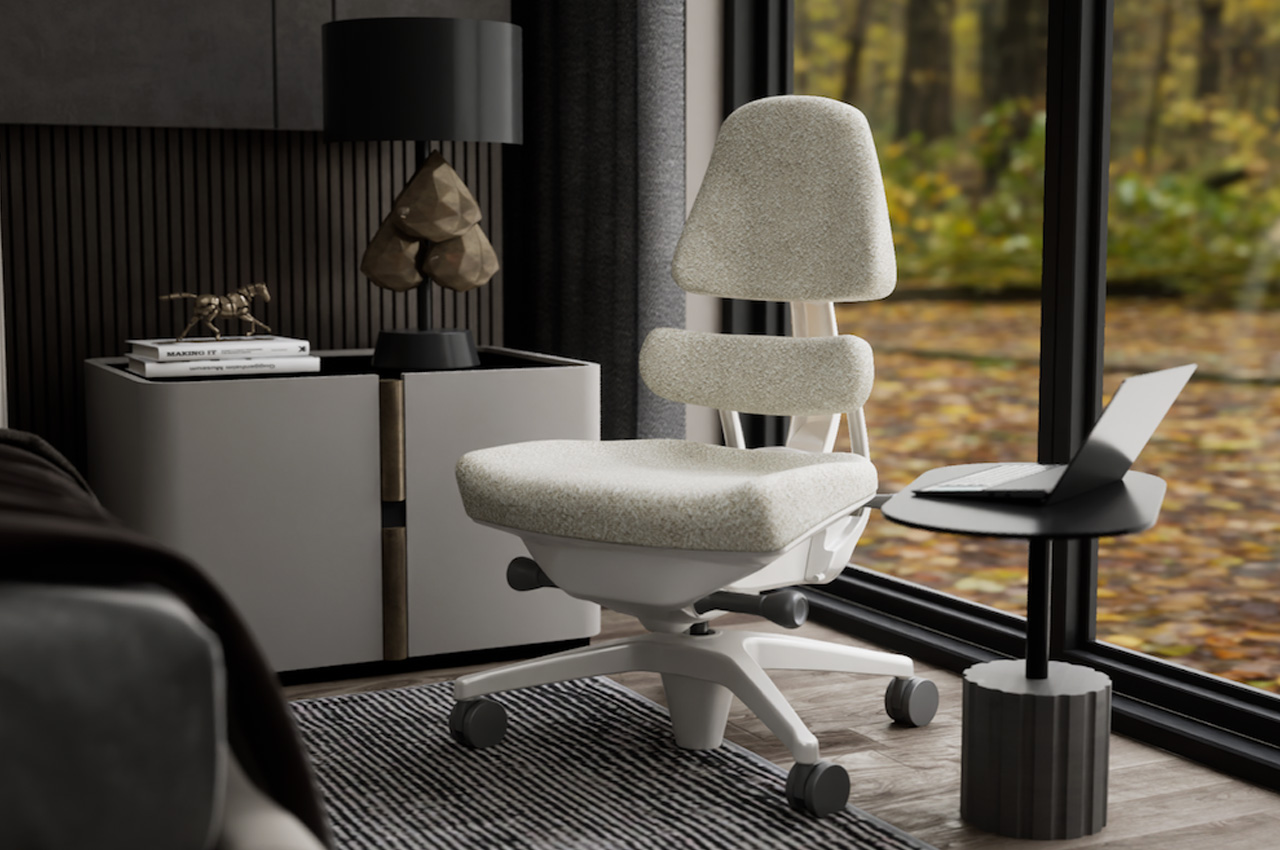
Dubbed the Anthros Task Chair, this one-of-a-kind task chair is designed with a wholly fresh approach. The chair was made using scientific evidence and research, creating a furniture design that improves your posture, minimizes pain points, helps you focus better, and boosts productivity.
Why is it noteworthy?
The Anthros team observed wheelchair users and worked with them, to understand the importance of right seating. They used this invaluable experience to form a novel way to modern task chair.
What we like
The chair features 4D armrests, so you can adjust the height, pivot angle, and depth
What we dislike
Learning how to operate the chair can be a bit complicated
8. Catifa Carta
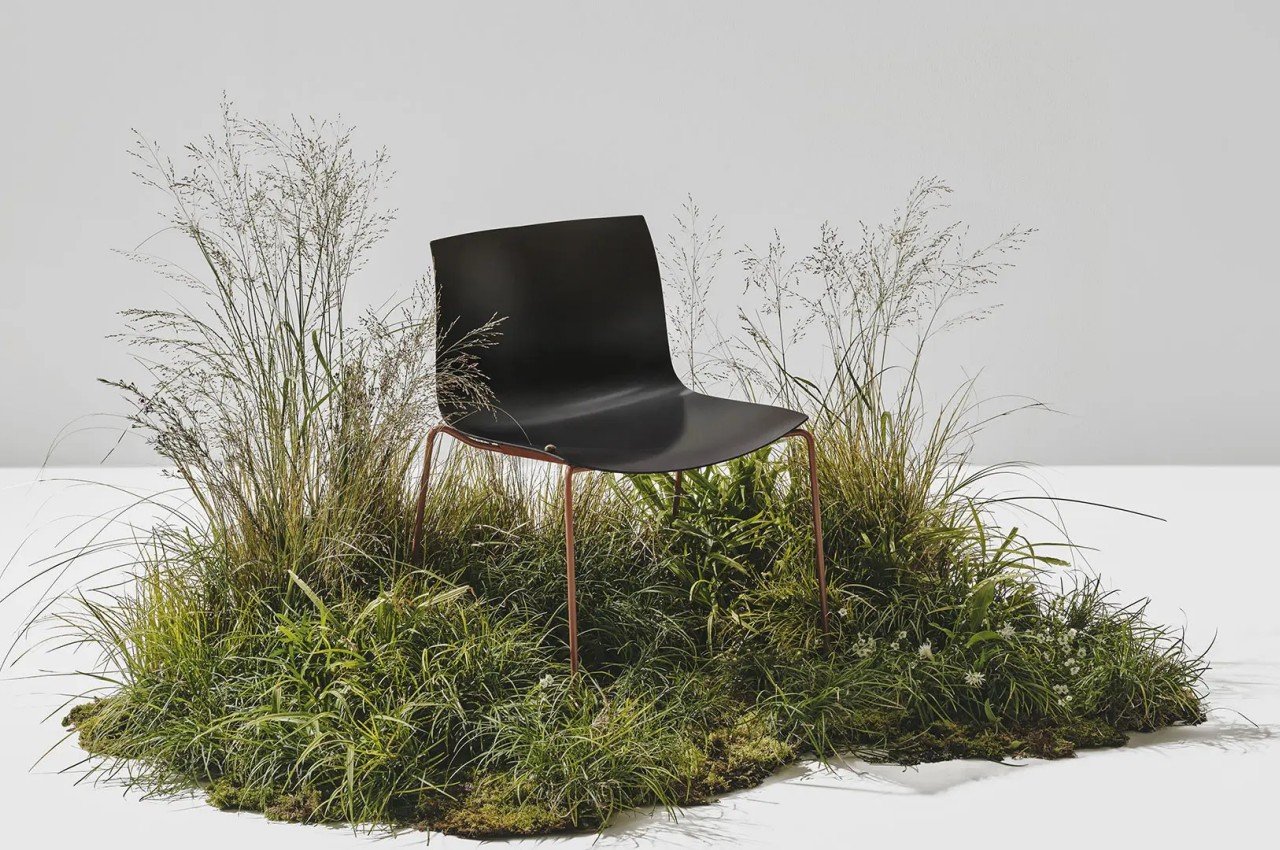
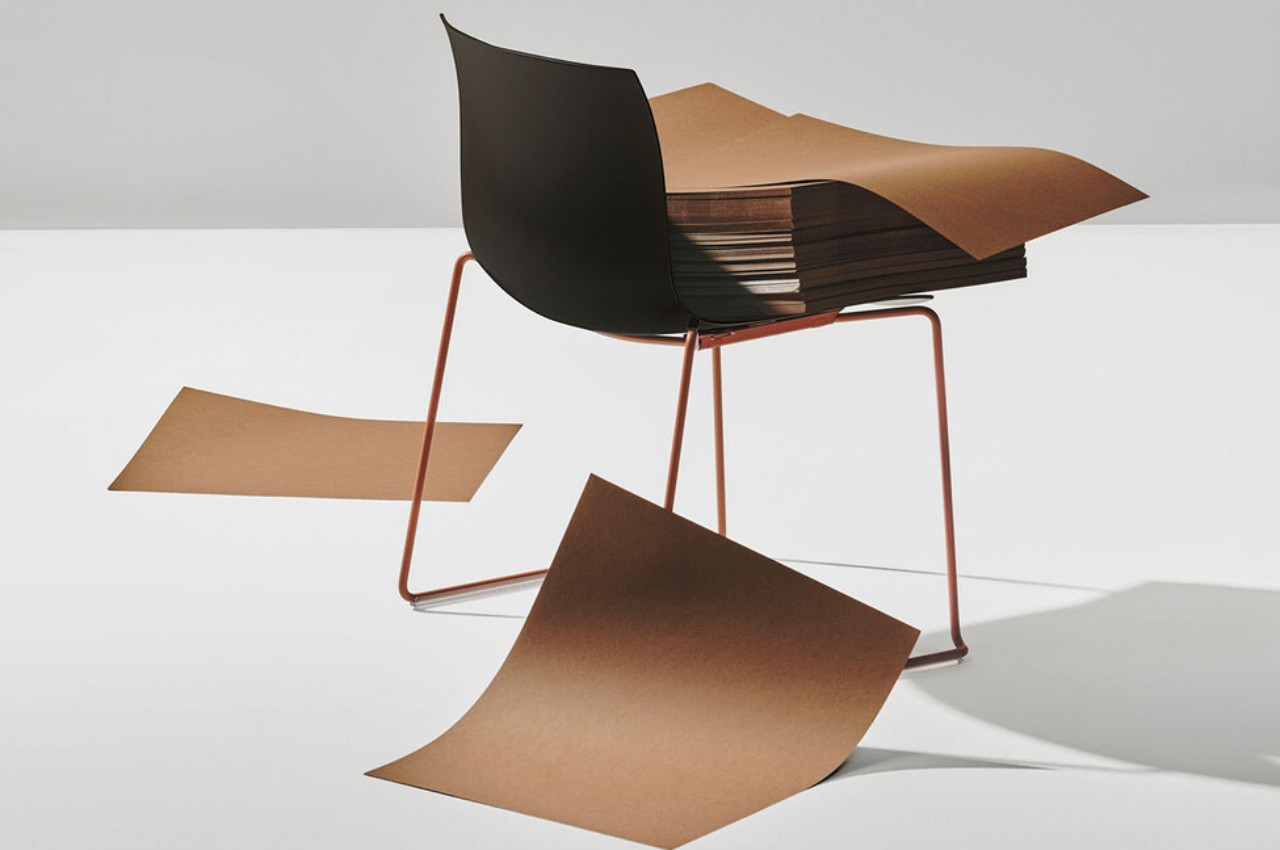
Say hello to the Catifa Carta – a lovely sustainable chair with a minimal ethos. The chair is built from dozens of sheets of paper, or specifically PaperShell – an innovation material created by transforming paper into a wood-like material. The end result is a functional and sleek office chair!
Why is it noteworthy?
The wood-like material has a lot of benefits to it. It is rigid, stable, and also quite charming to look at. The material is created by using wood-by products such as sawdust, chips, and waste wood such as the fallen branches from forests. This novel paper-like material is a sustainable alternative to plastic, wood, or fiber composites.
What we like
PaperShell has certain natural imperfections which imparts eah chair with a unique characteristic
What we dislike
Not sure how effective the ergonomics of the chair are for sitting for longer durations of time
9. Eto Desk
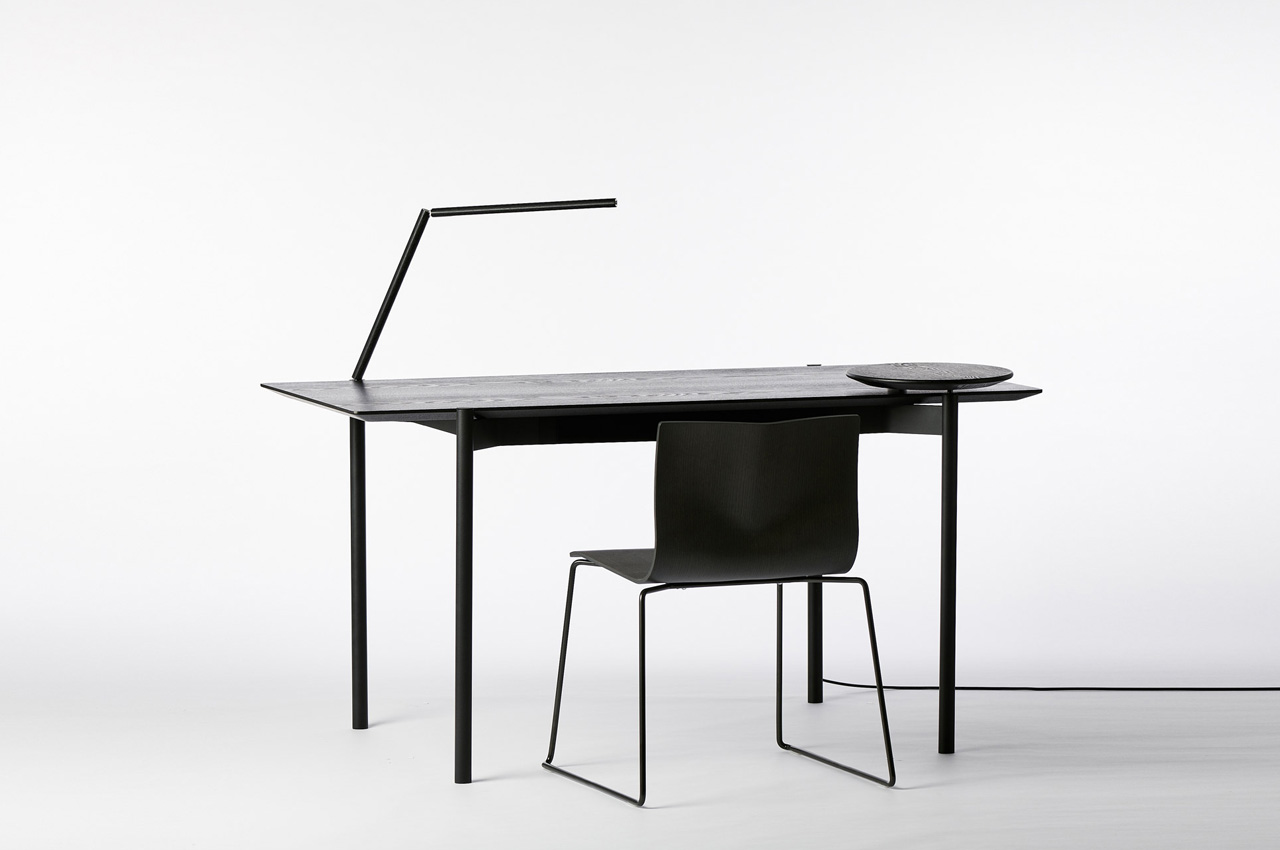
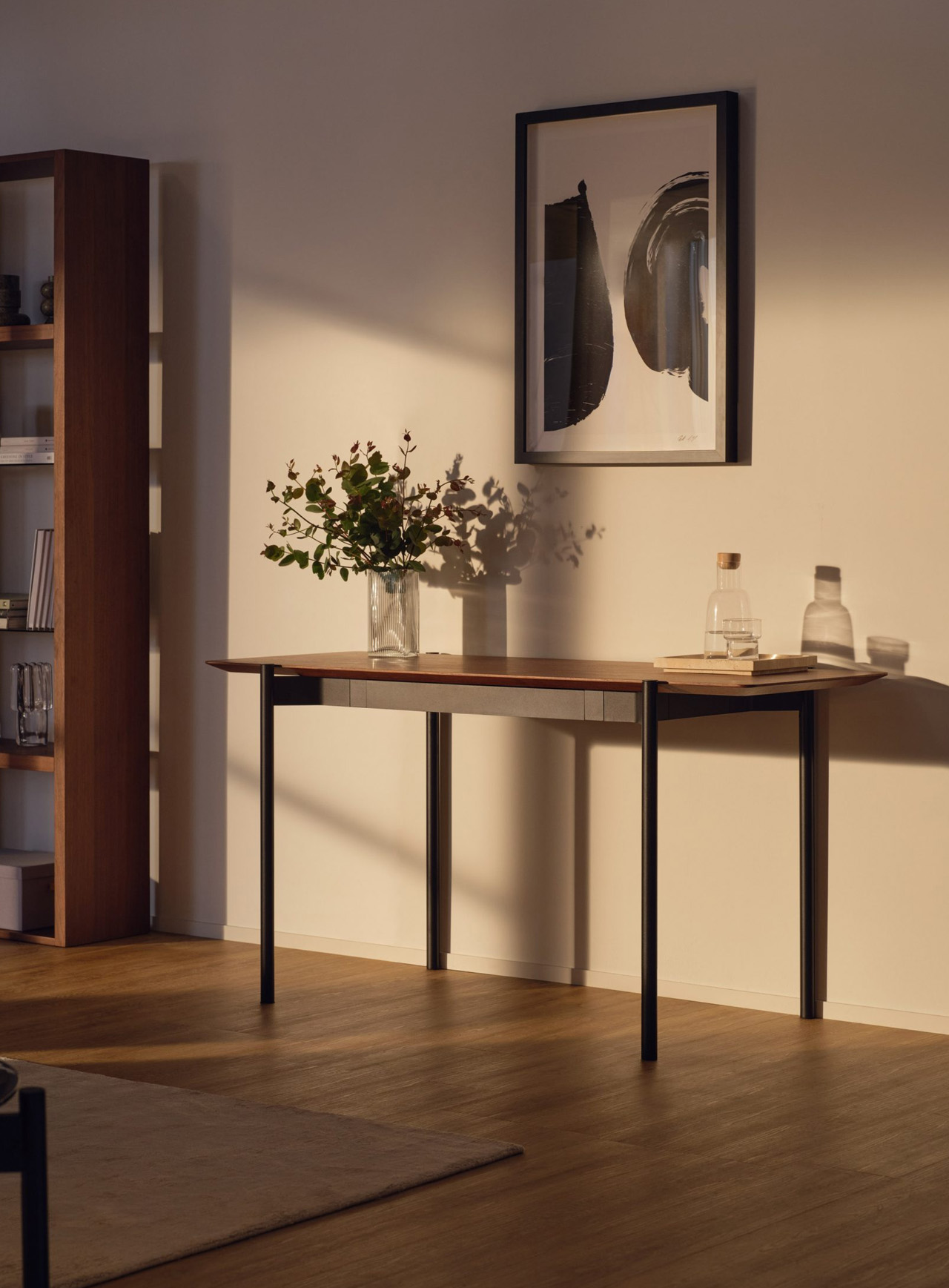
Designed by Australian designer Tom Fereday for the furniture brand King, the Eto Desk includes minimal angles and smart integrated accessories. The desk is an excellent option for your home office or even a corporate home, although its minimal and subtle looks make it a great contender for your home office.
Why is it noteworthy?
The desk is quite sleek and minimal and includes an aluminum frame and a timber veneer top that is available in three finishes – Smoked Oak, American Walnut, and Congo.
What we like
The desk is slim and equipped with accessible storage for your stationery
What we dislike
Aesthetics are a bit simple and unassuming, which may not be preferred by some. They could have worked on the aesthetics a little more
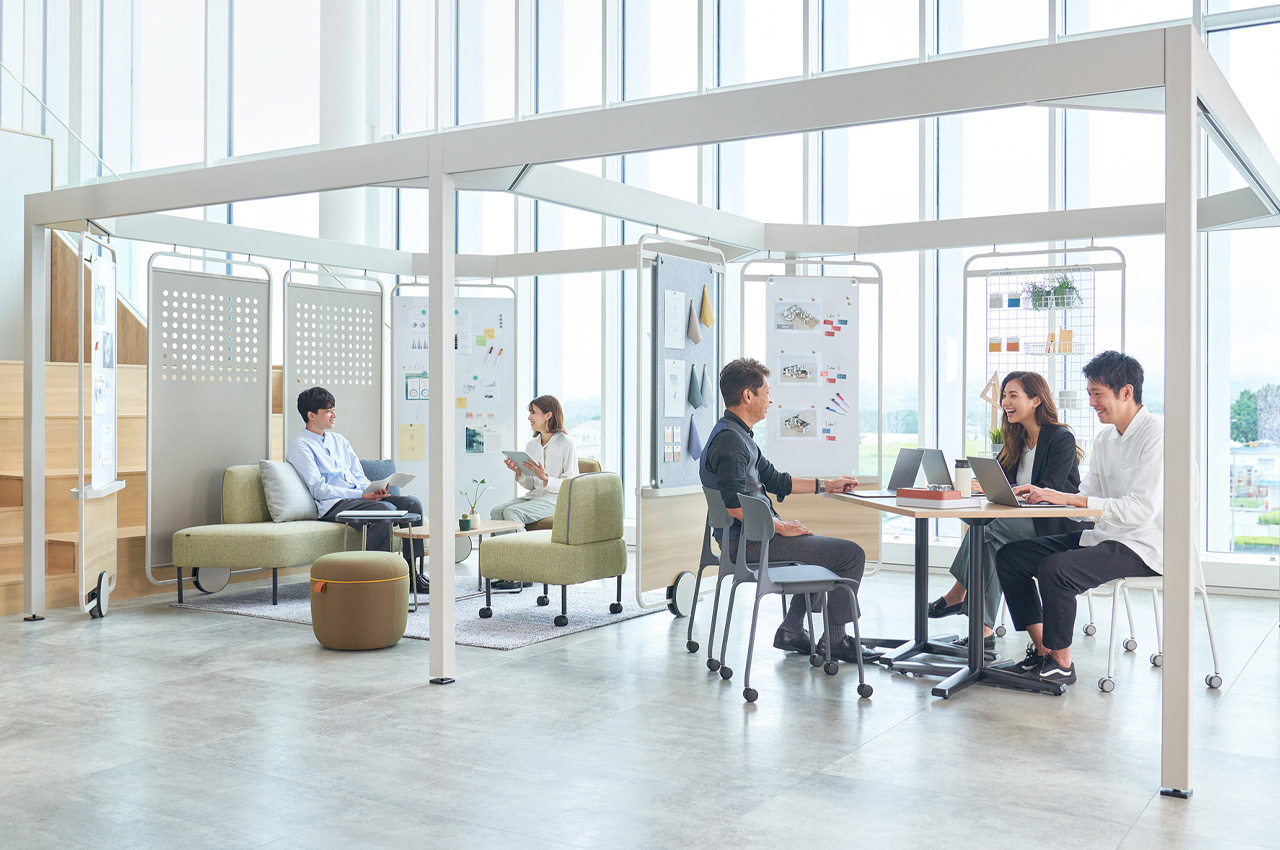
10. Lives Post + Beam workspace
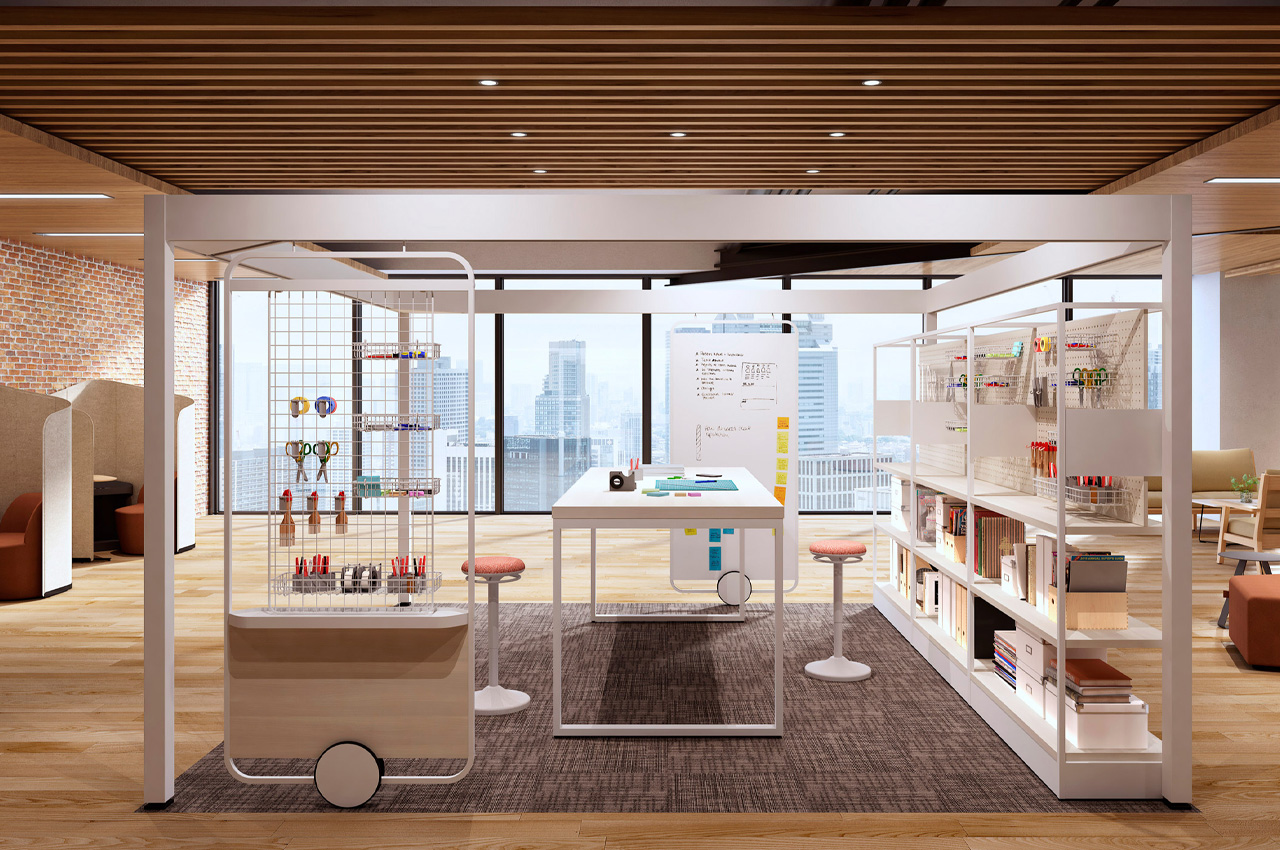
Created by the Japanese furniture brand Okamura, the Lives Post + Beam workspace is created to be a flexible + versatile workspace for modern-day offices. The offices are designed to be comfortable and interactive spaces where co-workers can work and engage with one another, creating new ideas and fostering growth.
Why is it noteworthy?
The workspace is designed with a frame and sliding wall panels, and these panels are customizable, allowing users to customize square frames with fixed or moveable panels that can be attached to the top rail.
What we like
Allows companies to create personalized workspaces catering to the needs of their employees
What we dislike
It’s not available yet, so we don’t know how the final design will turn out to be