A charged drill battery and a dying laptop can sit on the same table and still be useless to each other. That feels like an unnecessarily strict division of labor. DeWalt’s DCB094K USB Charging Kit addresses that disconnect by letting compatible tool batteries power USB devices through an attachable adapter. If you already have spare packs in the garage, the appeal is straightforward: stored energy becomes available to something besides the tool it normally clicks into.
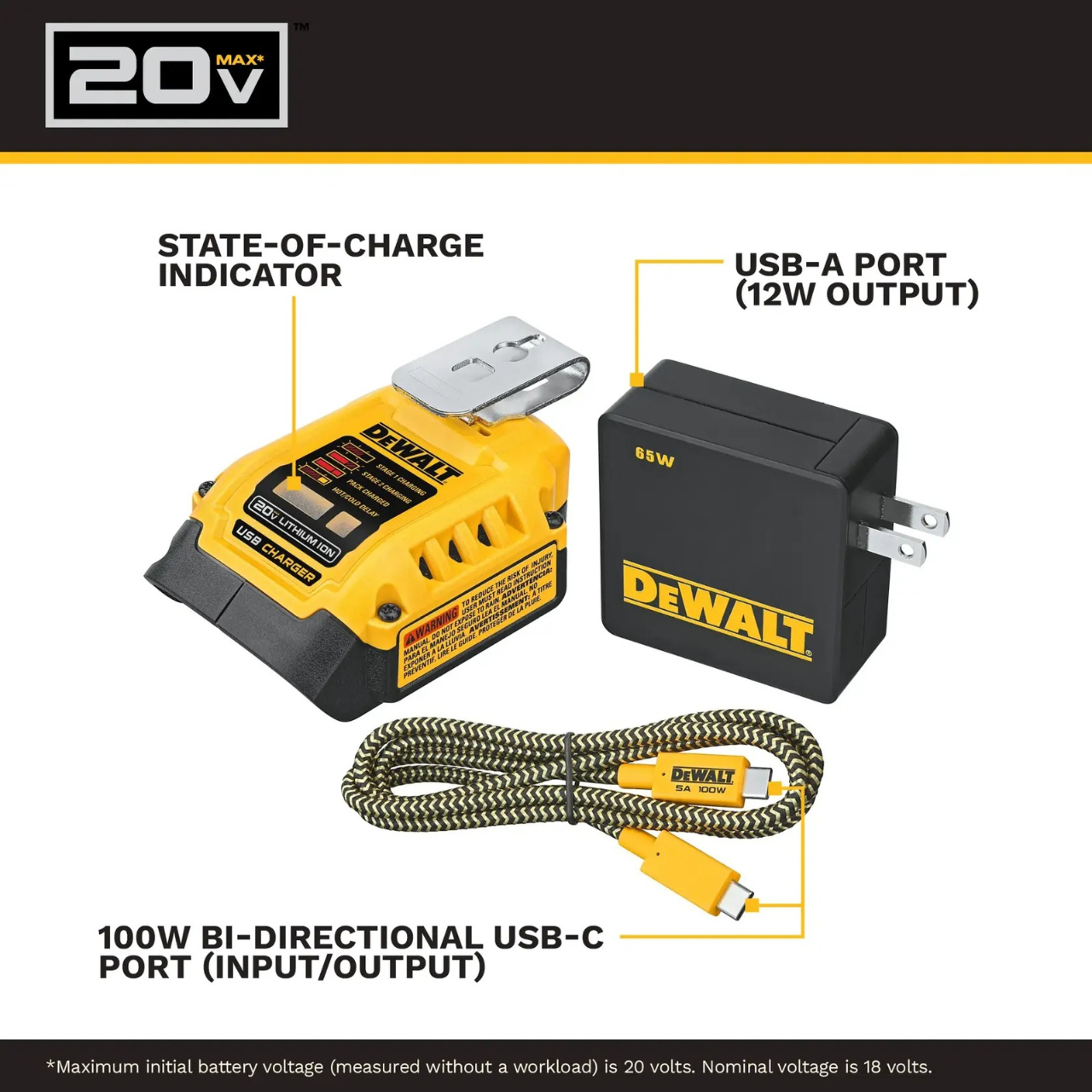
The better detail is that power can travel the other way, too. The kit’s DCB094 adapter has a bidirectional USB-C port, so it can recharge a DeWalt battery from a suitable USB power supply as well as draw from that battery to charge personal electronics. That solves a second annoyance: needing a dedicated tool-battery charging dock when a compatible USB supply could do the job. It’s this return trip that makes the accessory interesting to me.
Designer: DeWalt
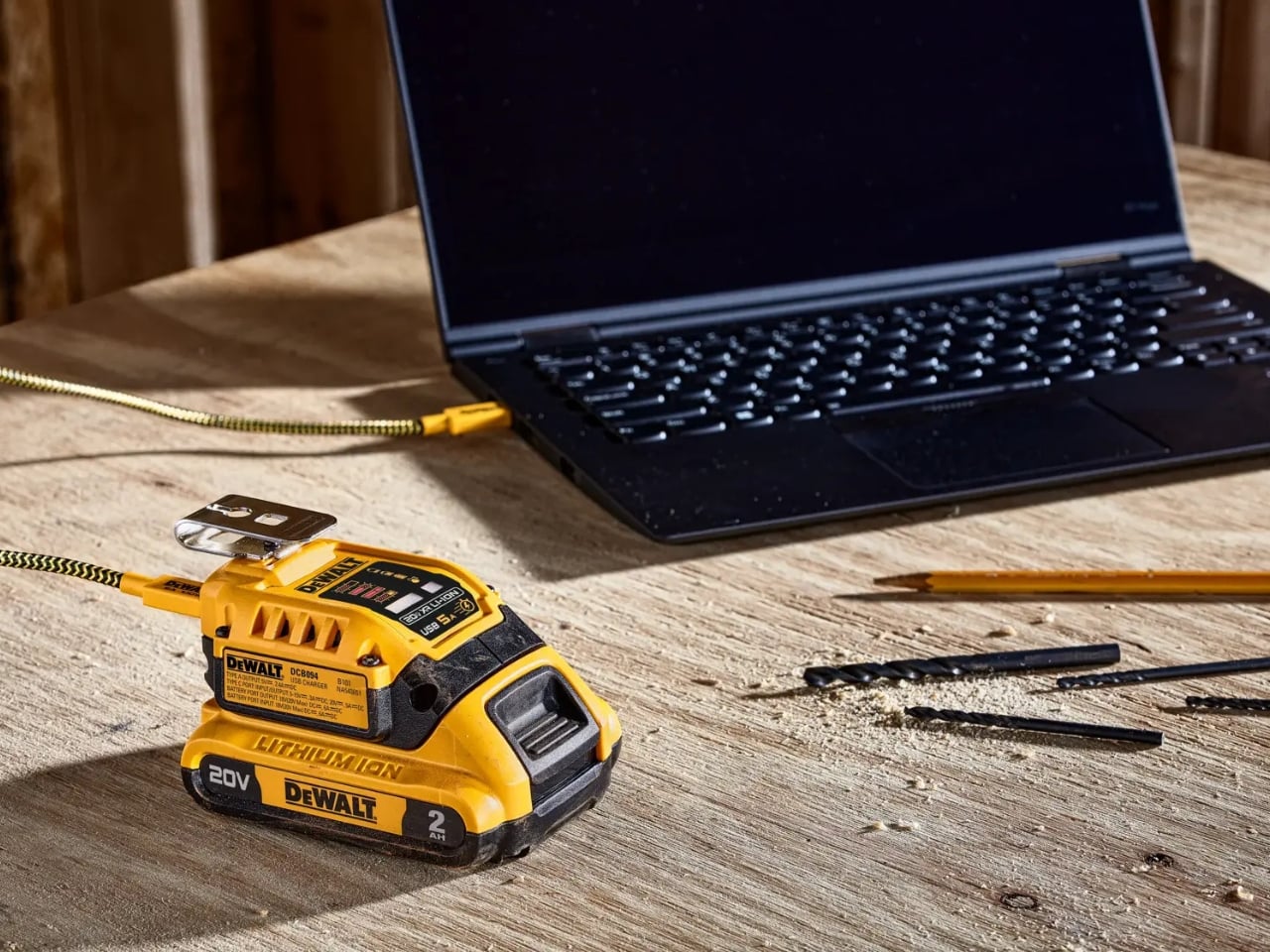
Visually, DeWalt hasn’t tried to disguise it as a sleek desk accessory. The yellow-and-black housing sits on the battery like a smaller piece of power-tool equipment, complete with ventilation slots and a metal belt hook. In the product photograph, the attached battery still accounts for much of the assembly’s bulk. I like that lack of pretense. It looks appropriate beside drill bits and a pencil, even when the cable coming out of it leads to a laptop.
The headline specification deserves a closer look, though. DeWalt rates the USB-C connection for up to 100 watts in either direction, but the kit includes a 65-watt wall supply. You also get a 100-watt-rated USB cable and the belt hook, but no battery. In other words, the adapter’s maximum capability and the supplied wall charger’s output are different numbers. The included charger cannot deliver a 100-watt input simply because the port can accept it. That distinction matters more than the big number on the listing.
Compatibility also needs a little attention. DeWalt lists support for its 20V MAX and FLEXVOLT batteries, while the adapter provides a USB-A output rated at up to 12 watts alongside USB-C. The latter is the connection to consider for a compatible laptop, but check the computer’s charging requirements first. A USB-C socket alone doesn’t establish that a laptop accepts charging through it, and this adapter isn’t a universal substitute for every computer’s power brick.
One interface choice feels less intuitive than the overall idea. The adapter’s indicator lights report charging activity for the DeWalt battery, not the phone or laptop receiving power. DeWalt’s manual specifically notes that the LEDs won’t illuminate while charging personal devices. I’d prefer an obvious output indicator, particularly on an accessory that changes roles depending on what’s connected. As designed, you’ll need to look at the receiving device to confirm that it’s getting power.
The workbench appearance shouldn’t be mistaken for permission to leave it in the weather, either. The manual says to keep the charger out of rain and snow and provide a dry location outdoors. It also instructs owners to detach the battery when the adapter isn’t being used to avoid draining the pack in storage.
Runnings currently lists the kit at $119, which makes this a considered accessory purchase rather than an automatic addition to the cart. I’d find it easier to justify with compatible batteries already on hand. Buying a battery as well would mean paying for an entire setup when the actual need might simply be keeping a phone charged. The useful question is how often those existing packs could cover a charging need away from an outlet.
For someone who moves between DIY projects and laptop work, the two-way charging is the strongest argument. I’d rather add a useful connection to equipment I already own than collect another battery solely for occasional backup duty. The DCB094K makes that possible, provided its price and your device’s requirements line up.
Interchangeable batteries offer near-uninterrupted use
Familiar frame styling keeps the design approachable
Adjustable temples and nose pads help personalize the fit
In-view translation into 98 languages reduces the need to check a phone
CONS:
Swapping batteries require a 5-second reboot
Optional prescription lenses don't support hyperopia (farsightedness)
RATINGS:
AESTHETICS
ERGONOMICS
PERFORMANCE
SUSTAINABILITY / REPAIRABILITY
VALUE FOR MONEY
EDITOR'S QUOTE:
The INMO GO3 AI Glasses pair familiar eyewear styling with practical translation tools and the convenience of swappable batteries.
Looking down at a phone to translate a conversation can interrupt the exchange it’s supposed to help. Reading presentation notes creates a similar problem, pulling attention away from the people in front of you. The INMO GO3 AI Glasses bring those words into view instead, putting translation and presentation tools inside a familiar rectangular frame that doesn’t require a dramatic change in personal style.
That familiar shape is only part of the appeal, though. Adjustable contact points, discreet controls, and, most importantly, a replaceable battery give the GO3 a practical foundation beyond its display. Together, they suggest an approach to smart glasses that puts everyday wear on equal footing with software features. How convincingly the GO3 brings those priorities together comes down to a few details, starting with the frame itself.
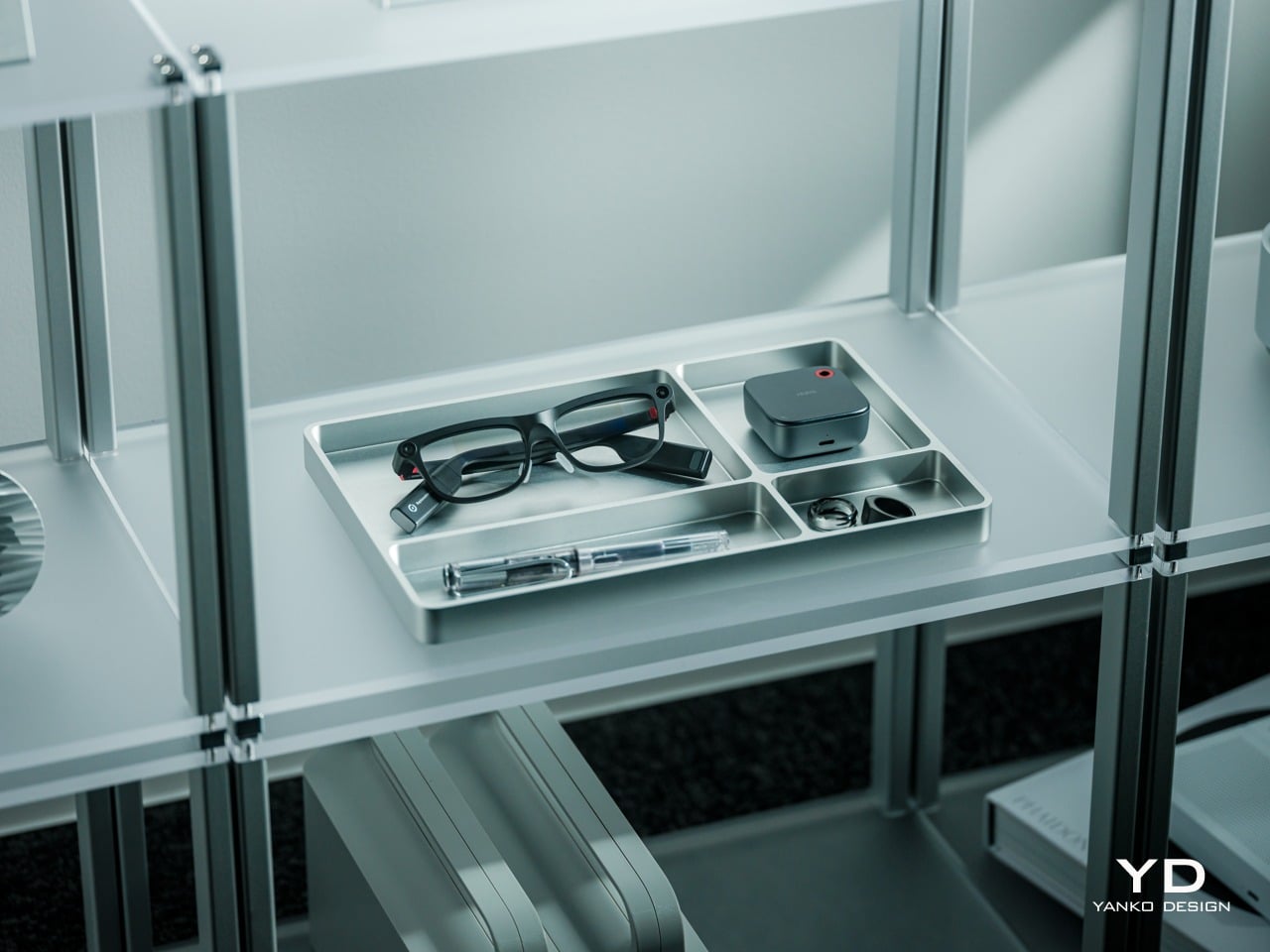
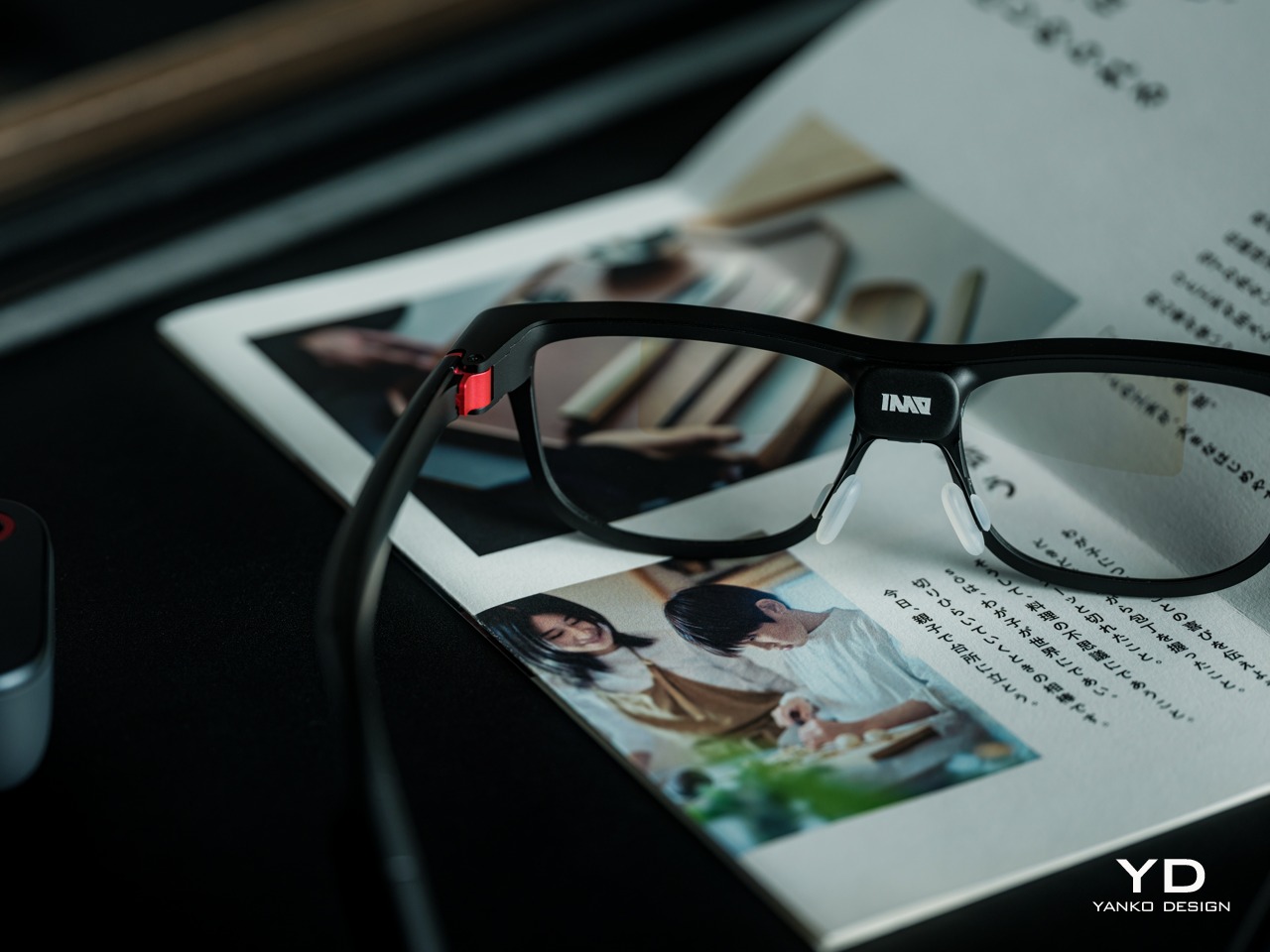
The INMO GO3’s rectangular lenses and softened corners give it the outline of conventional eyewear, although the frame has more substance than a pair of reading glasses. That’s a reasonable visual compromise, of course, given what it packs inside. The thicker brow provides room for the display hardware while giving the front a confident shape, rather than leaving its components looking like something awkwardly attached afterward.
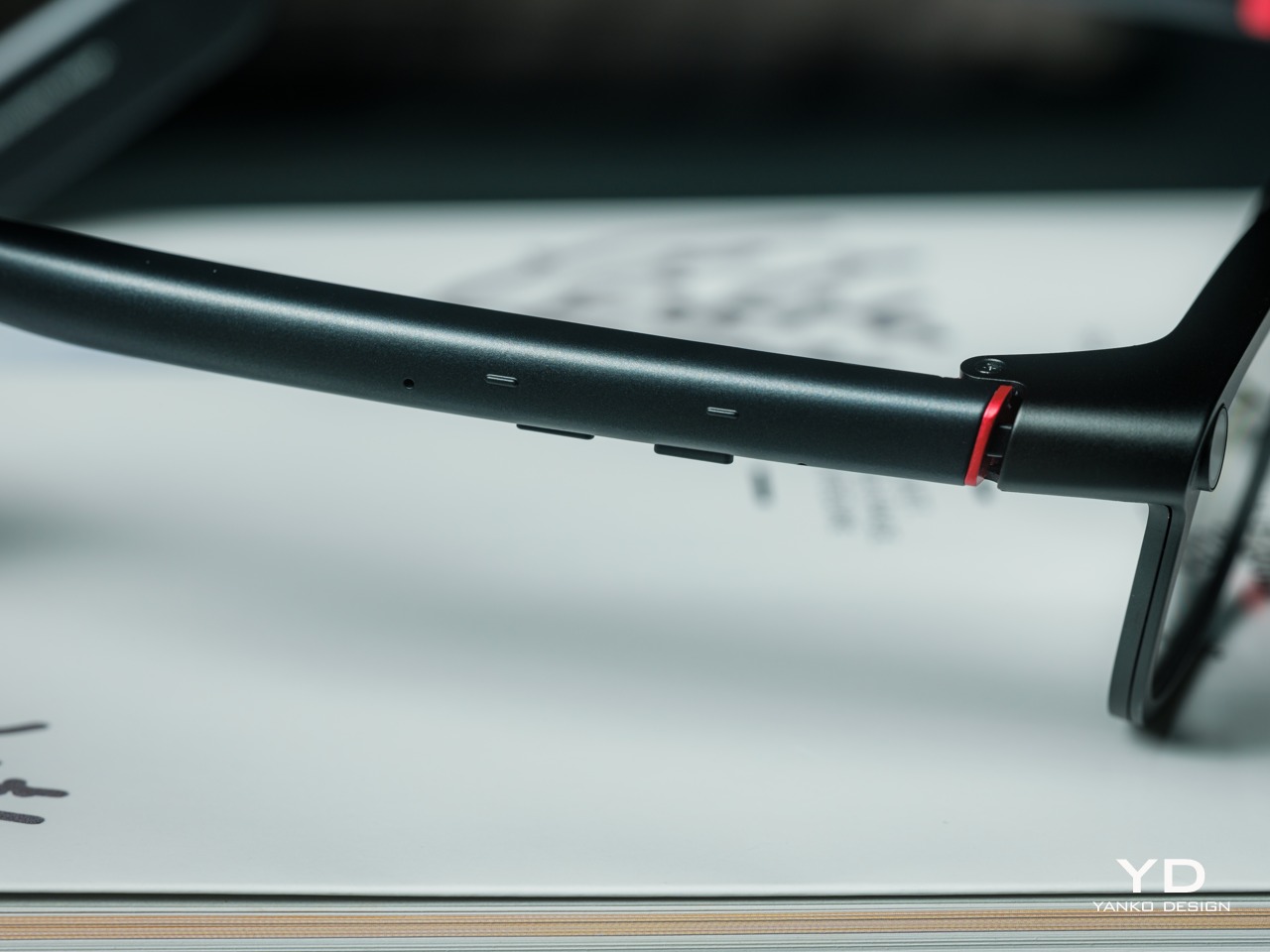
The dark matte finish does much of the visual work. It gives the broad surfaces a quieter presence than glossy plastic would, while the small red accents around the hinges add a bit of personality. Thankfully, the color doesn’t spread across the frame. There’s enough contrast to make the details interesting without making the glasses look like equipment borrowed from a gaming setup.
The GO3 utilizes aluminum alloy and polyamide for the construction with a CNC-finished, fingerprint-resistant surface. It’s not an entirely metal object, which makes sense when you consider that the electronics also add their own weight to the equation. The frame and temples share a restrained finish instead of competing for attention through contrasting textures.
The slim temples measure around 8mm, keeping the side profile from becoming an oversized box. The curved ends retain the familiar outline of glasses, even with additional hardware inside. It isn’t dainty eyewear, admittedly, but the shape avoids the visor treatment that would make a business lunch feel like a technology demonstration.
The camera is integrated into the front rather than perched above it, and the controls follow the temples. These details help the INMO GO3 read as a somewhat fashionable object instead of gadgets sharing a frame. A supplied camera cover also provides a way to obscure the lens when recording isn’t appropriate, especially given the current conversations around smart glasses.
Ergonomics
At approximately 58 grams, the INMO GO3 has the weight of electronics to accommodate as well as the frame itself. Comfort depends on more than the number on the specification sheet. The relationship between the nose pads, temples, and ears matters as much. There’s a focus on those contact points, rather than relying on a lightweight label to explain away the fitting process.
Air-cushion nose pads support the front, while the temples offer 15 degrees of adaptive movement, at least on paper. That flexibility gives the frame room to accommodate differences in head shape. Naturally, there will be cases when the head shape just won’t fit, but INMO has tried to accommodate as many head sizes as possible.
Given we’re talking about glasses, prescription support is another important piece of that everyday equation. The GO3 uses an insert system, with INMO’s current lenses supporting nearsightedness and astigmatism, though not farsightedness. That won’t cover every prescription, but it gives supported wearers a way to combine vision correction and the display.
Operating the glasses doesn’t have to depend on talking to them. Temple touch controls and physical power and GO buttons provide alternatives, while the companion app handles setup and settings. When you’re around people or somewhere that requires a degree of silence, a discreet gesture is often preferable to a spoken command, and familiar controls help make the wearable format a little less foreign.
Performance
Two-Way Dialogue Translation – Read translations directly through the glasses, while the other person sees or hears your translated response on the phone.
The INMO GO3’s binocular green Micro-LED display uses optical waveguides, with a 640×480 resolution and a 30-degree field of view. Adjustable brightness is listed up to 1,500 nits, which is plenty even for the bright outdoors. That said, those specs clearly mark it as something more for text and guidance rather than a miniature cinema. Green lettering has a slightly retro character, but a translation or the next line of a speech doesn’t need a full-color backdrop to be useful.
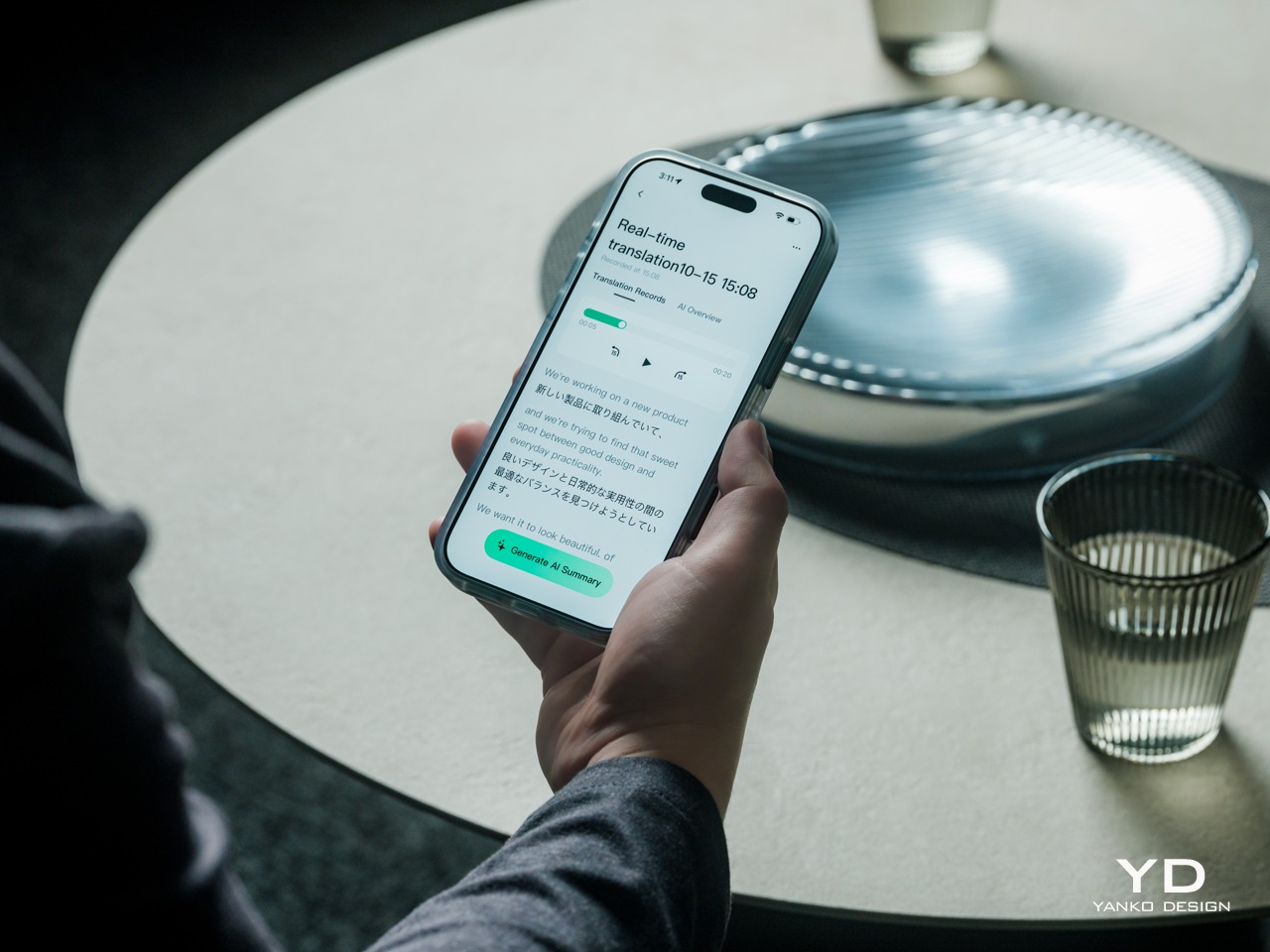
Translation, of course, is the primary use case for these glasses, and the numbers are admittedly impressive. INMO lists 78 source languages and 98 target languages online, with subtitles appearing in view rather than on a phone held between speakers. Offline support covers nine languages on Android and 13 on iOS, and future updates promise even more. The phone still needs to stay paired to a phone, of course, but a missing internet connection needn’t end every supported conversation.
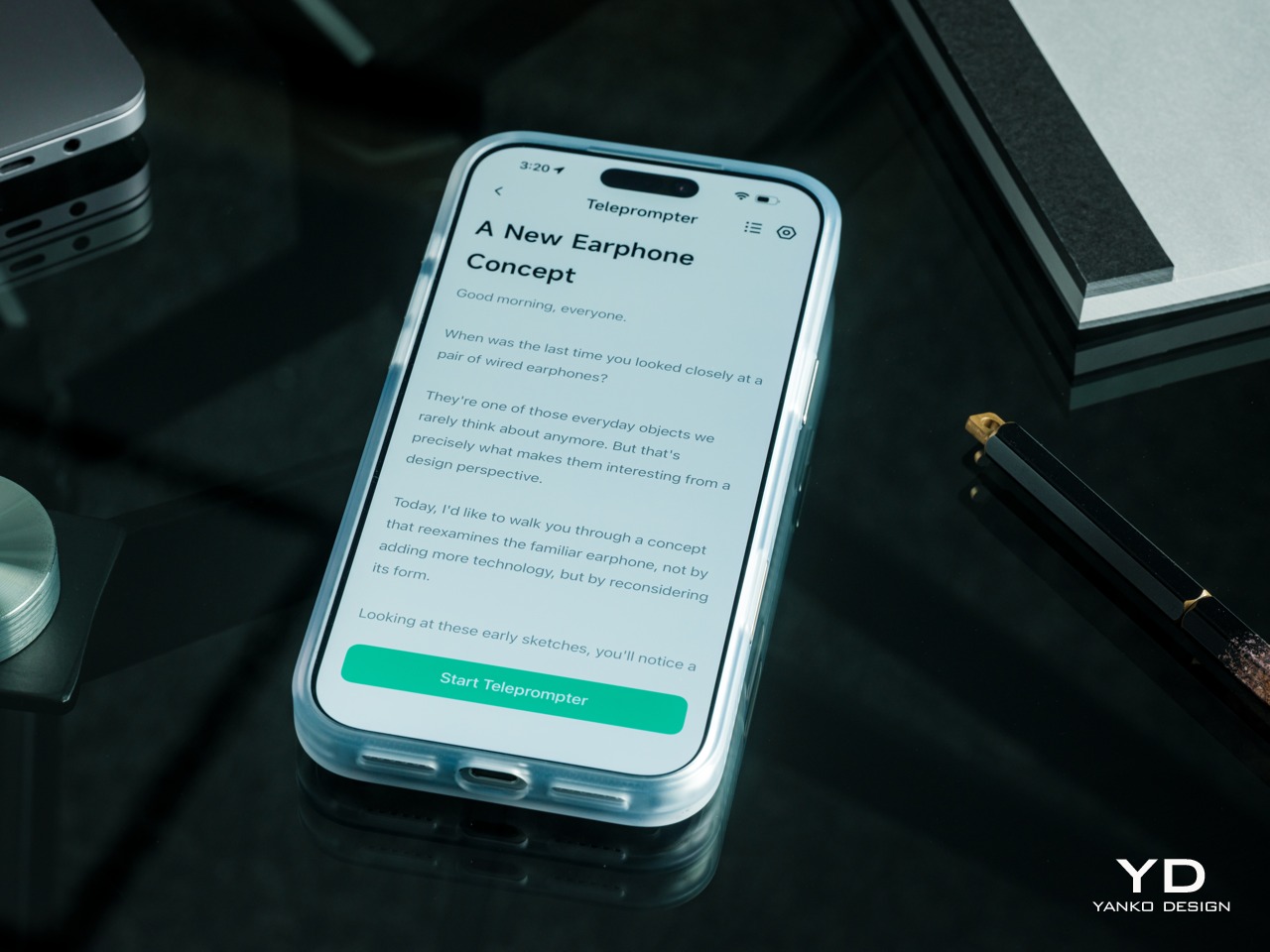
Built-In Teleprompter – Follow your script directly through the glasses.
For presentations, the teleprompter moves the script from a desk into the speaker’s field of view, allowing for a more natural-looking stage presence. There’s automatic voice-following advancement in 17 languages (including English, Mandarin, Cantonese, Japanese, Korean, German, French, Thai, Russian, Spanish, Portuguese, Polish, Arabic, Indonesian, Vietnamese, Dutch, and Italian), alongside manual scrolling from the temple. Other languages will be displayed, depending on the document uploaded by the user, but the pages for unsupported languages can’t be automatically turned by voice. Very few will be sitting close enough to realize you’re not exactly looking at them, but at least you won’t be spending half of the presentation staring down at your notes.
Photo Translation – Point the camera at written text and read its translation directly through the glasses.
The GO3 also offers features better used in meetings, such as recording, transcription, and AI summaries for later review. Walking and cycling directions, an AI assistant powered by ChatGPT and Gemini, and photo translation extend the same idea beyond work scenarios: put a useful answer nearby without making a phone screen the center of every activity.
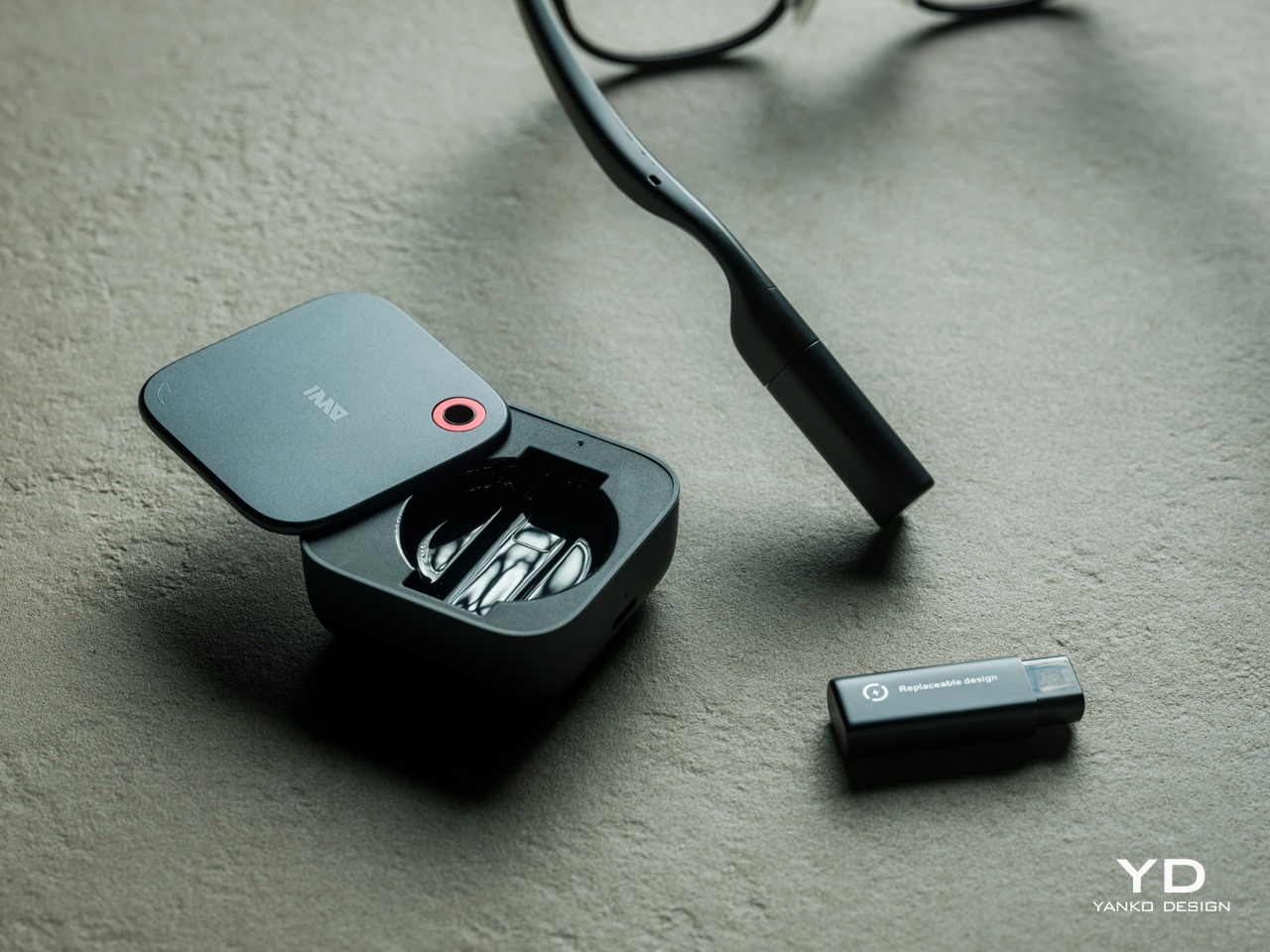
Admittedly, many AI smart glasses offer similar features, but the INMO GO3’s killer feature is its interchangeable battery system. One 270mAh battery is installed in the glasses, with one spare included. Continuous use yields around 3 hours on a full charge, which is probably more than enough for most use cases. The 1,300mAh battery charging case offers three to four more charges, so you practically get a full day’s worth in total.
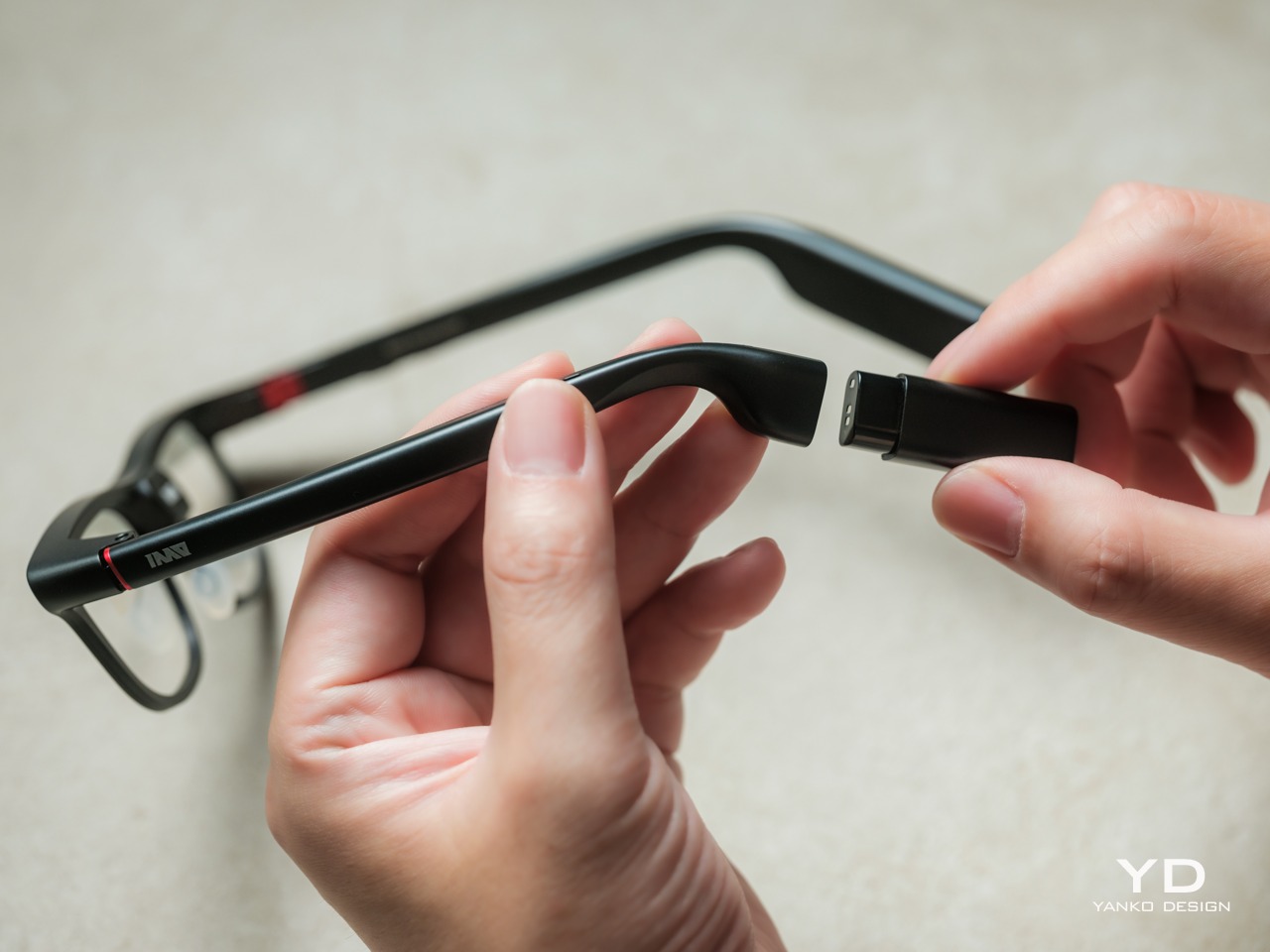
Where it gets interesting is how you can swap out the dead battery on the tip of the GO3 with the spare in the charging case. It’s quick and convenient, but not entirely seamless. The glasses will shut down when you pull out the battery, but plugging a fresh one in boots it up in just a few seconds. It does mean you have to briefly stop what you’re doing or make sure you’re not in the middle of something critical, but it’s better than waiting for minutes for the glasses to charge up.
Sustainability
The replaceable battery has a longer-term benefit beyond getting through a busy afternoon. An aging power cell doesn’t automatically have to take the entire pair of glasses out of service. INMO lists a replacement battery at $49, making that component a separate ownership expense. That’s a useful piece of product design: the part expected to wear with repeated charging doesn’t have to remain permanently sealed inside.
That doesn’t establish a complete sustainability story, and there’s no need to pretend otherwise. The reviewed specifications don’t establish recycled material content, comprehensive component repairability, or an end-of-life program. The more defensible advantage is the ability to keep the same frame in service when its battery needs replacing. Thoughtful care still matters, particularly for the lenses and hinges, but accessible power replacement is a concrete place to start.
Value
At $699, currently discounted to $509, the INMO GO3 asks for a commitment beyond casual curiosity. The standard package includes the glasses, installed battery, single spare, and battery charging case. That’s a coherent starting point, with the power system already accounted for. The value comes from using the display repeatedly, rather than paying for a collection of functions that remain untouched save for a few presentations or travels abroad.
The useful comparison is between priorities, rather than a contest over the longest feature list. Camera-and-audio glasses answer a different need from eyewear that puts text in view, while entertainment-focused displays serve another purpose again. For someone moving between multilingual conversations and presentations, the GO3’s combination is easier to justify. That it can also be your travel companion and AI assistant brings added value to the table, especially when you don’t look like a walking technology advertisement.
Verdict
The INMO GO3’s most appealing quality is how its design keeps returning to recognizable habits. Wear glasses, follow a conversation, glance at a script, and change a battery when necessary. The technology adds steps of its own, of course, but the physical form doesn’t ask for an entirely new routine. Its familiar outline and adaptable contact points give the translation and presentation tools a sensible place to live.
Travelers, presenters, and people working across languages have the clearest reasons to appreciate that combination. A paired phone remains part of most workflows, and battery changes belong between tasks, but neither qualification takes away the appeal of information placed closer to the conversation. There’s something refreshingly practical about glasses that leave room for ordinary interactions, even when a little green text is helping them along.
Wireless earbuds have come a long way, ever since Apple started the trend of removing the 3.5mm headphone jack from smartphones. Most sound fine or even great, but batteries both in the buds themselves as well as charging cases still pose a longevity problem. Taking a cue from its larger Fairbuds XL headphones, Fairphone’s new Fairbuds 2 make both those batteries replaceable, so that declining battery life doesn’t have to send the whole set into retirement.
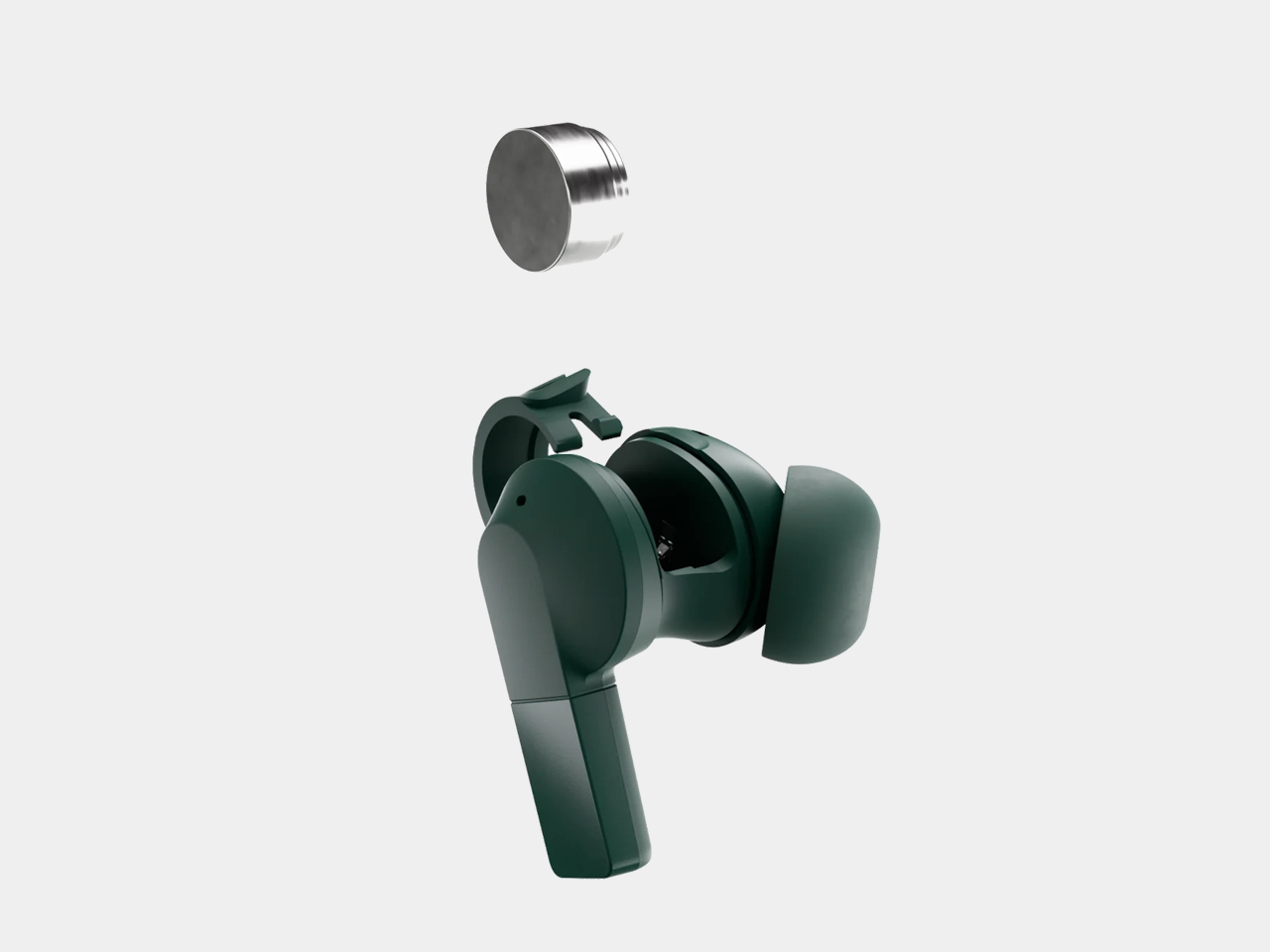
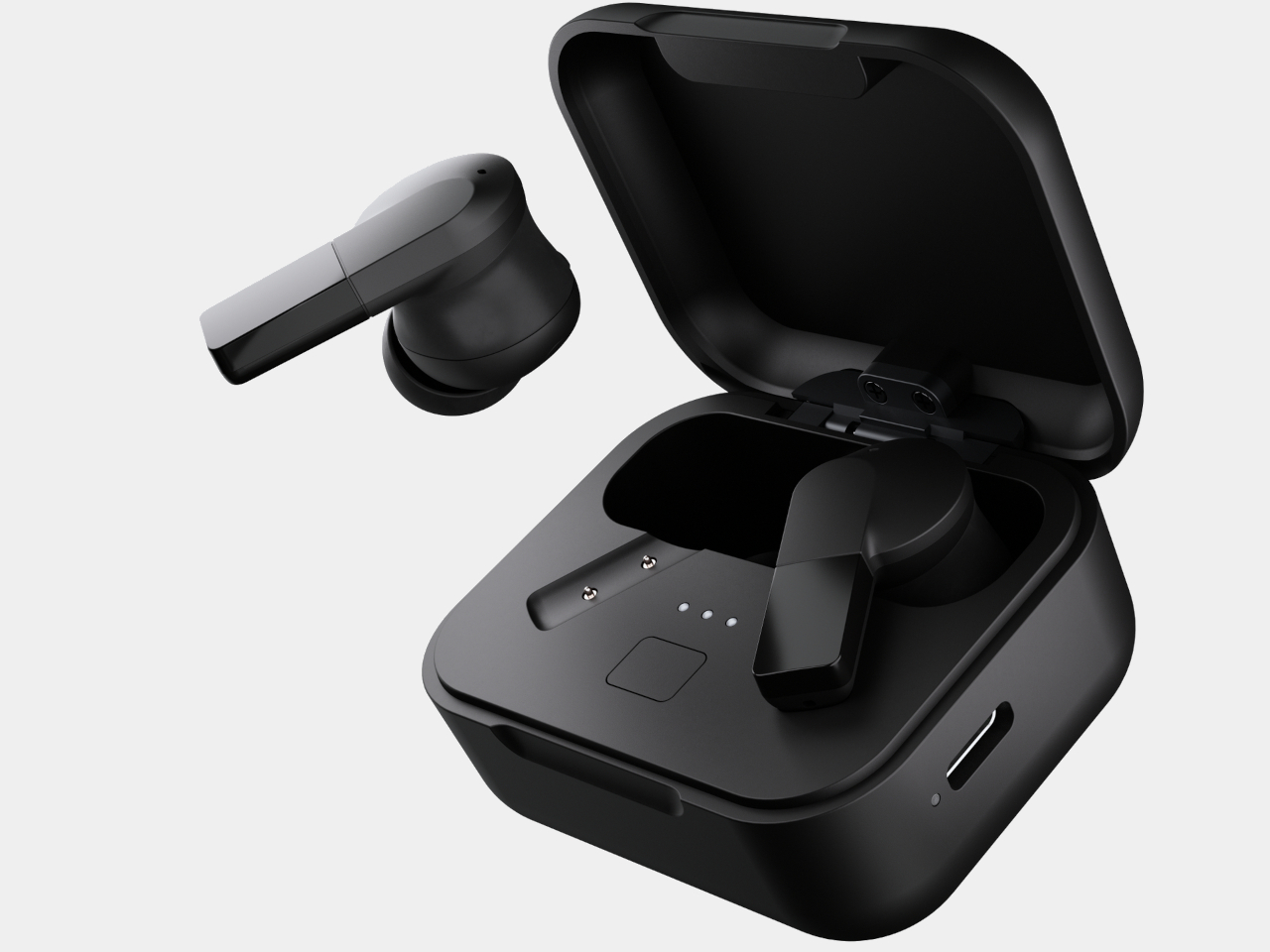
On the outside, the Fairbuds 2 look fairly conventional, with rounded earpieces and short, flat stems. Forest Green offers an alternative to the familiar black, which is also an available option, and the matching case has softened corners rather than a rugged shell. The useful detail is a removable silicone sleeve around each earbud, hiding the opening that lets you reach its battery when it eventually needs replacing.
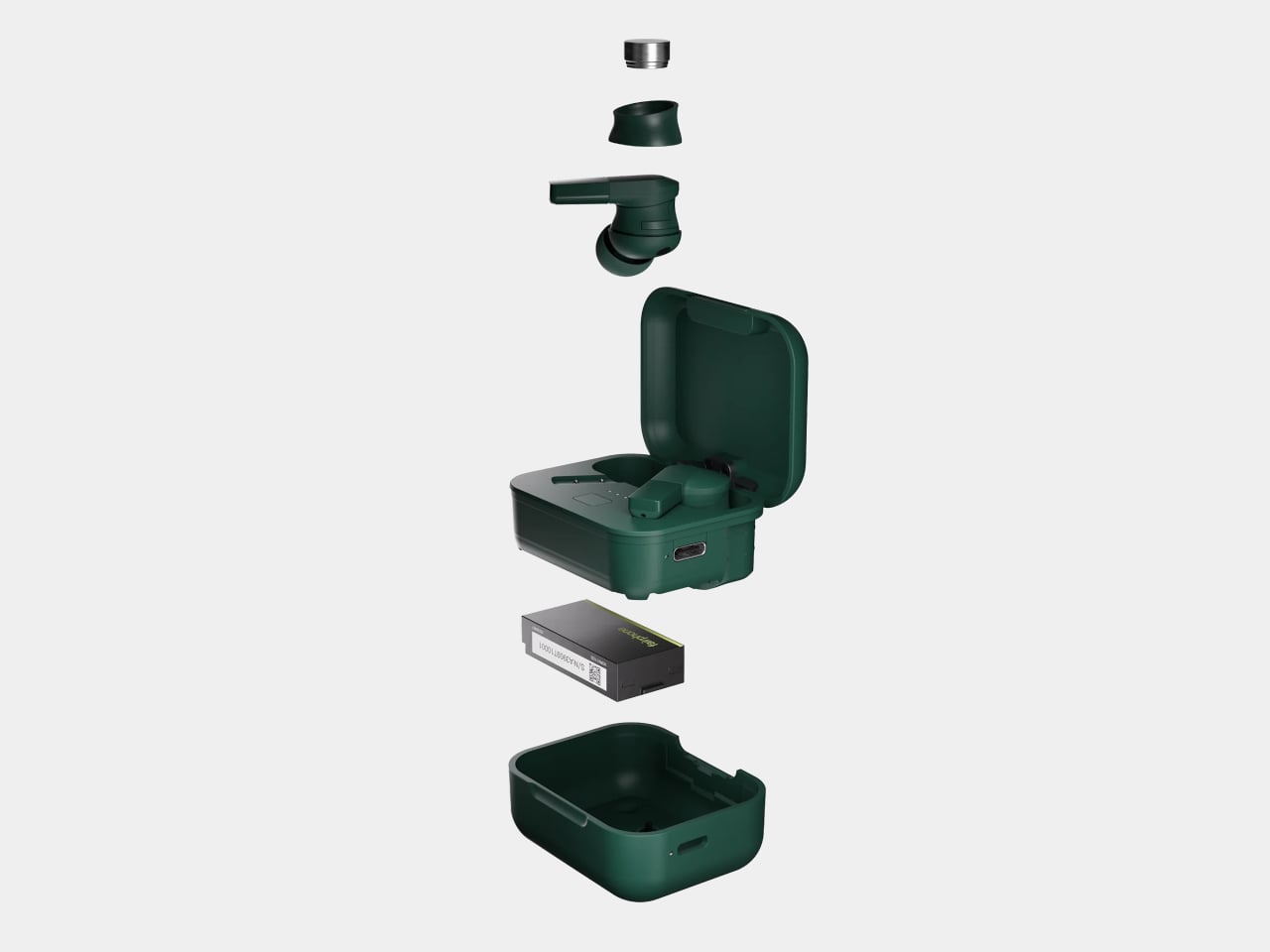
Remove that sleeve and the earbud’s battery compartment becomes accessible without tools. The charging case does require a Torx T5 screwdriver to reach its cell, but nothing you can’t get from a hardware store. Fairphone lists seven replaceable parts, including the case body and individual earbuds. Losing one earbud therefore doesn’t require buying another pair, which is reassuring if your usual storage system involves the bottom of a crowded bag.
Of course, easy repairs won’t make you enjoy a playlist if the sound doesn’t suit you. The Fairbuds 2 use 0.43-inch bio-cellulose drivers, with four presets and a five-band equalizer in the companion app. LDAC support adds a higher-bitrate option on compatible Android devices, but it isn’t a shortcut to guaranteed sound quality, and iPhone owners don’t get that particular audio codec.
Active noise cancellation handles the isolation side, with Fairphone claiming up to 45dB of reduction. Six microphones support noise management and calls, while multipoint connectivity keeps two devices connected simultaneously. You can move between a laptop and phone without pairing from scratch every time. The earbuds remember up to six devices, although that doesn’t mean six audio streams competing for your ears.
Battery life is a separate consideration from battery replacement. Fairphone claims up to eight hours of listening, or 40 hours with the charging case, with noise cancellation switched off. Turn it on, and the earbuds’ estimate drops to six hours. That could cover a commute and some desk time, but charging remains USB-C only, so a wireless charging pad won’t help here.
There’s a practical limit to the repair story, though. Seven replaceable parts don’t mean every internal component can be fixed separately, and continued use still depends on getting the right spares. Fairphone includes replaceable ear tips and silicone sleeves in that count. The IP54 rating provides dust and splash resistance for daily wear, but don’t mistake it for permission to take them swimming.
The US price is $119.99, with a November 2, 2026 release scheduled. Fairphone offers warranty coverage of up to three years, but a battery wearing out isn’t automatically a warranty claim. Fortunately, replacing it yourself doesn’t void coverage when done correctly. That leaves owners with two different ways to keep listening: support for manufacturing faults, and accessible spare parts for things that wear out.
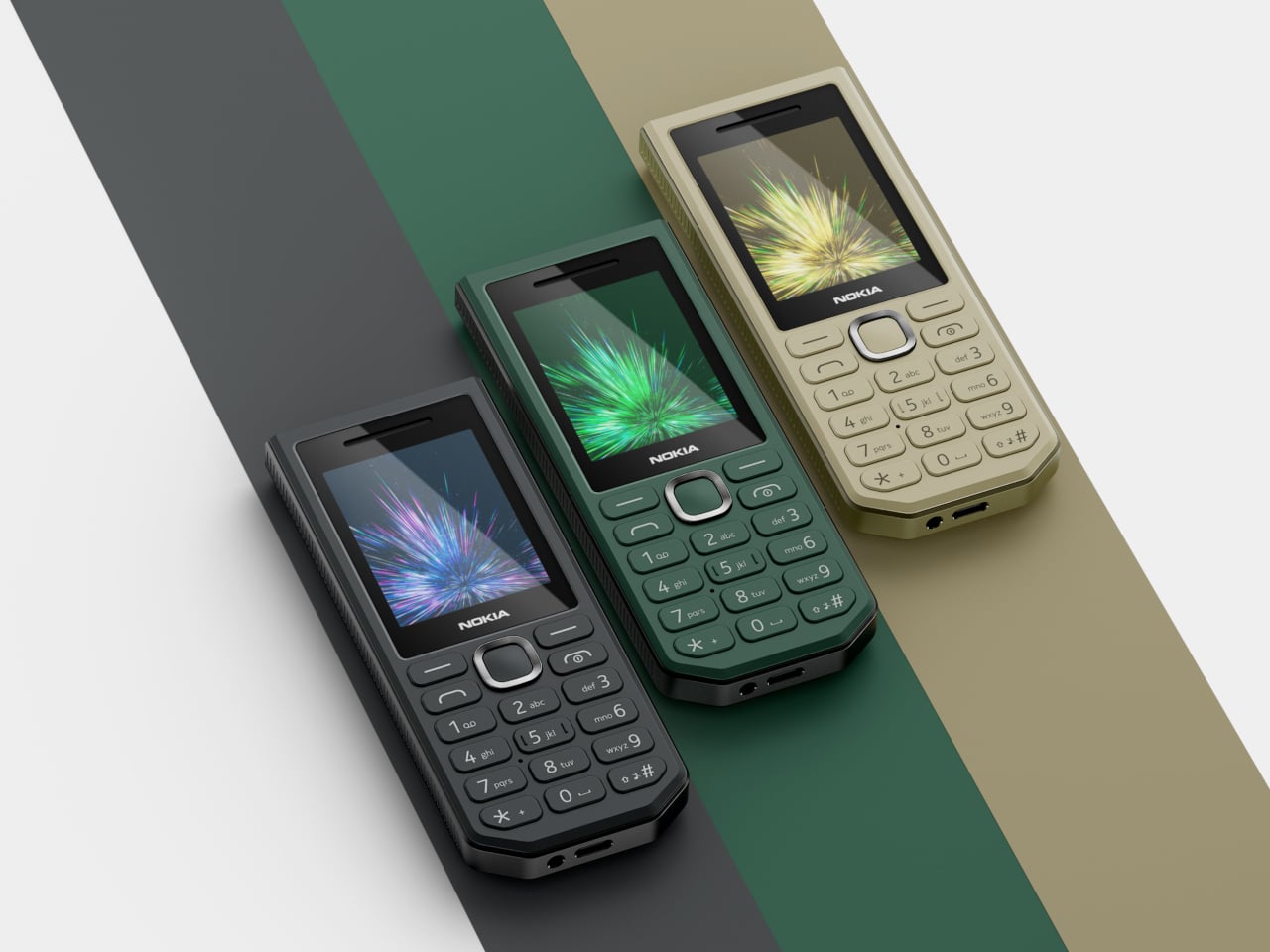
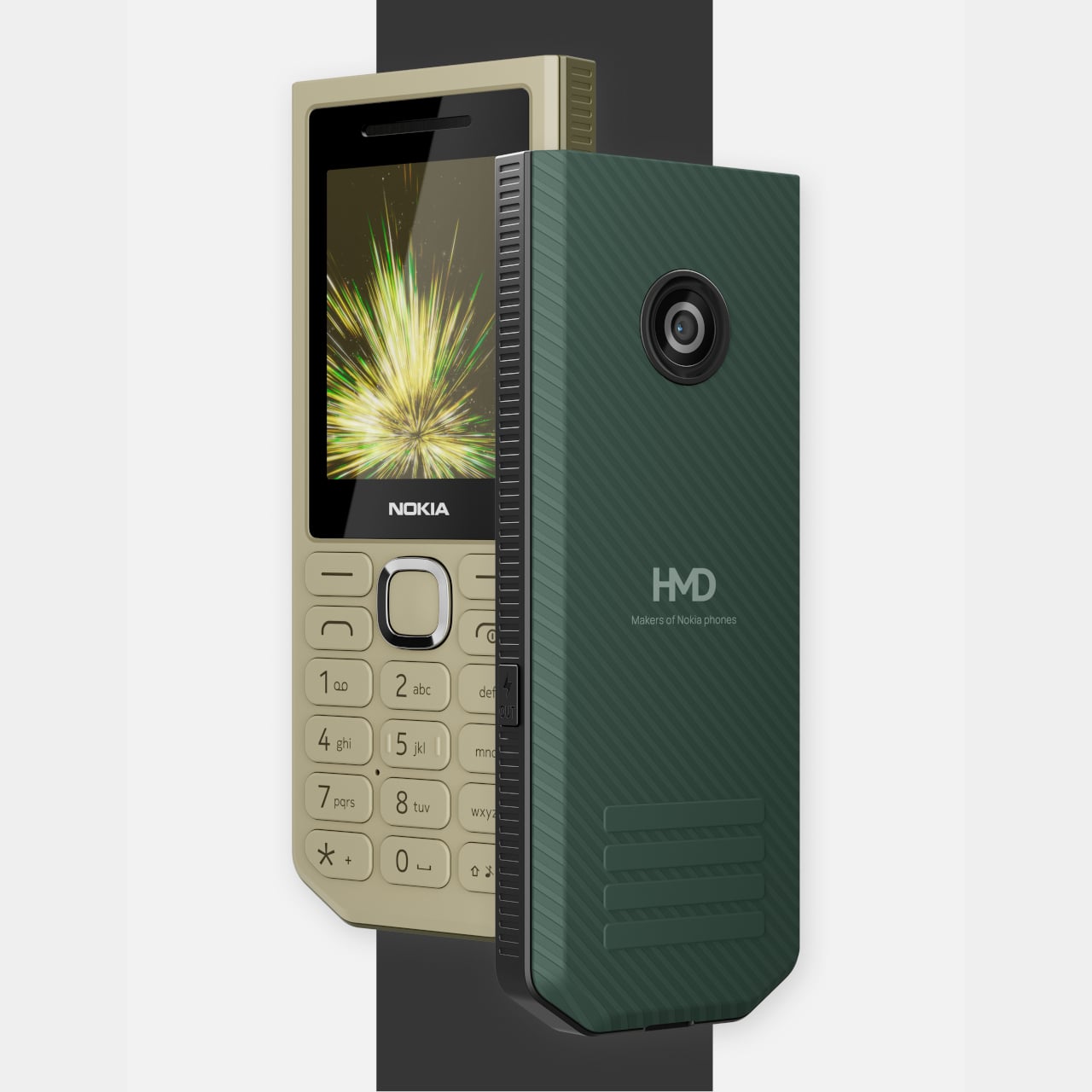
The idea of carrying a power bank separately has never been particularly glamorous. It’s another thing to charge, another thing to forget, and another thing to dig out of your bag just when you need it. The Nokia 300 Charge sidesteps that by folding the power bank into the phone itself, a feature phone with a 3,700mAh battery that can share its charge with other devices.
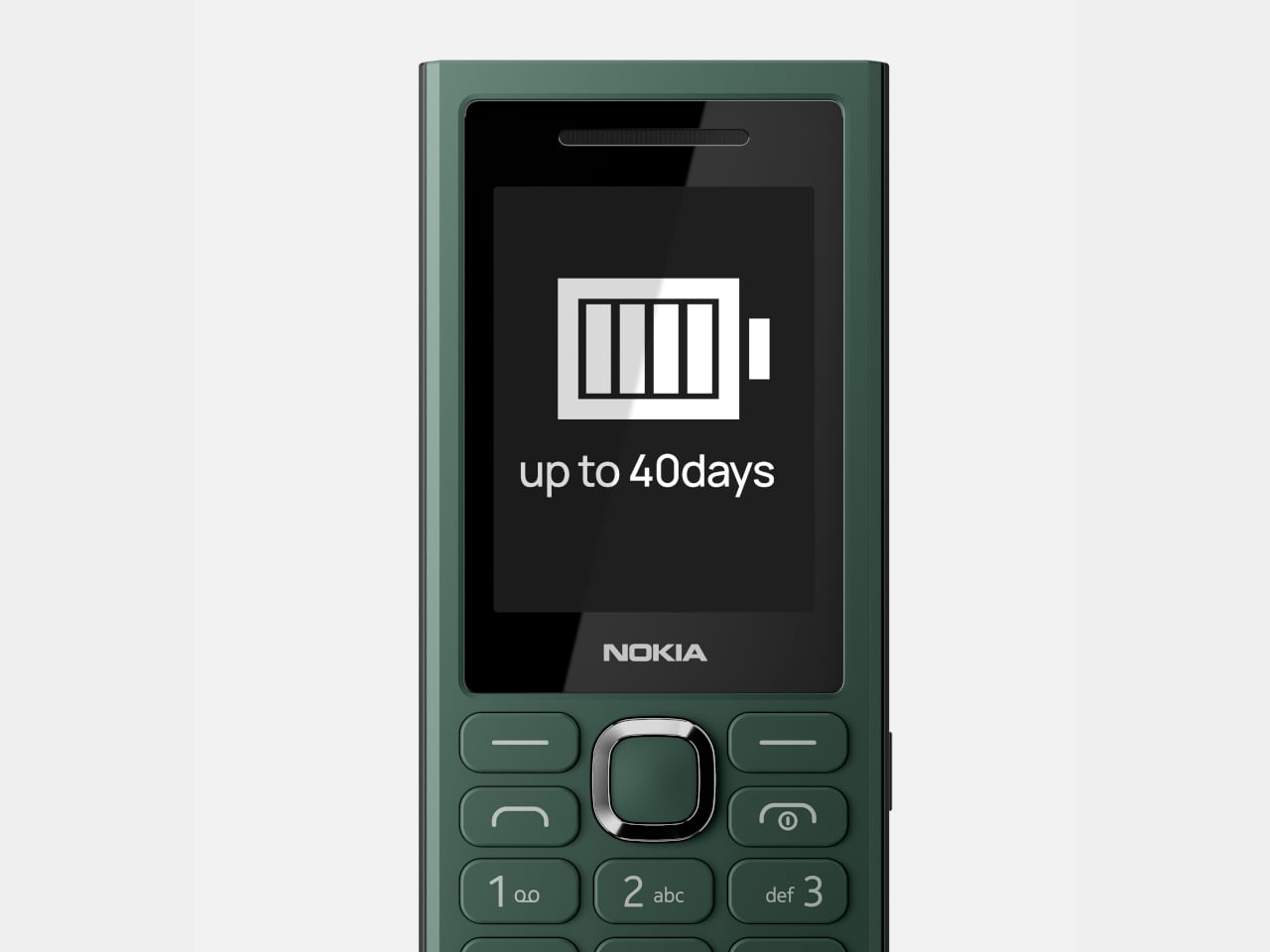
That 3,700mAh figure sounds modest until you consider what it’s sitting inside. Most feature phones top out well below 2,000mAh, and the Nokia 110 Power only packs 1,750mAh, despite the name. The 300 Charge has more than double that, giving you up to 37 hours of talk time and over 40 days of standby. For a phone living in a drawer or a travel bag, those numbers genuinely matter.
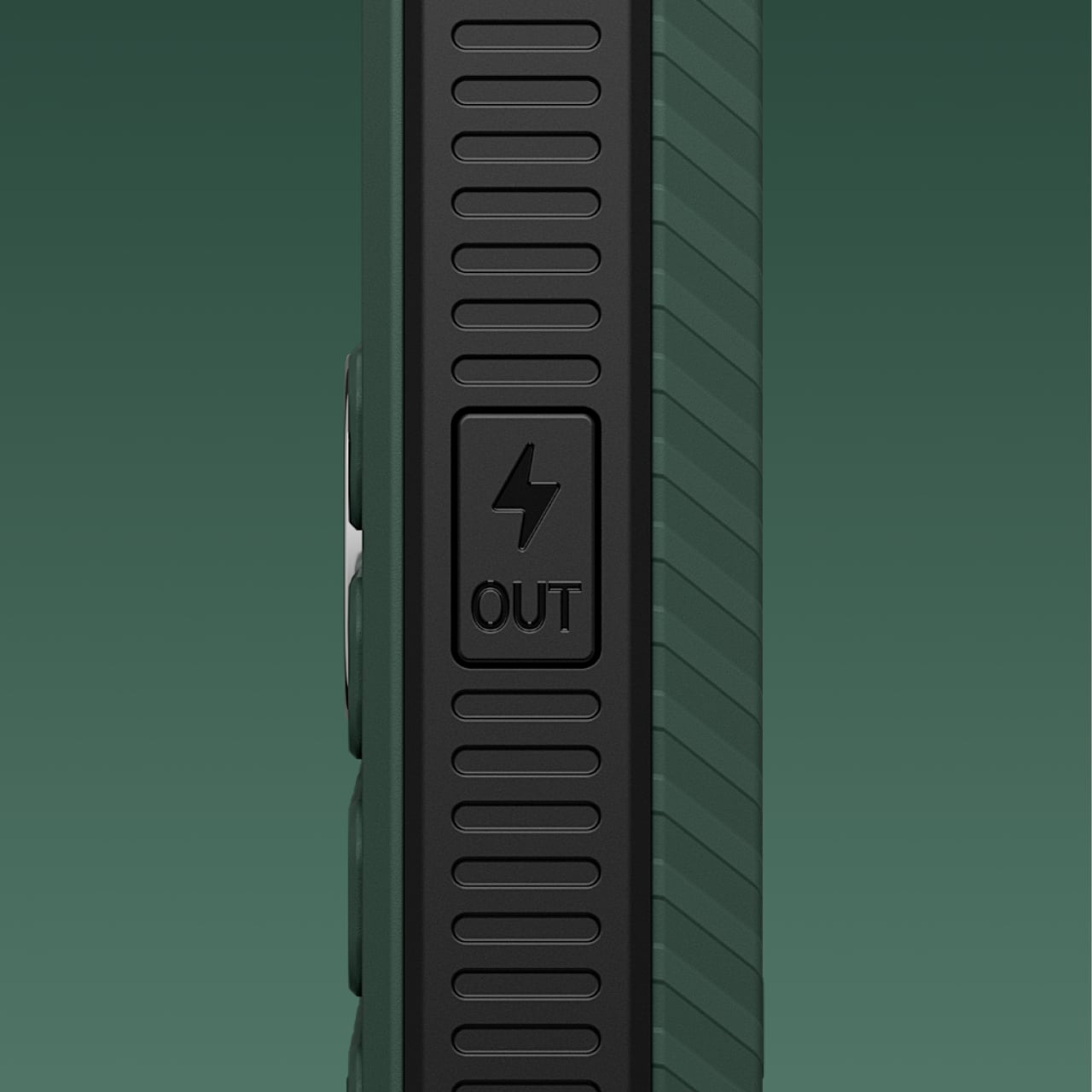
The reverse charging works through the same USB-C port the phone charges from, activated by a dedicated button on the side. Press it, plug in a cable, and the 300 Charge starts pushing 10W out to whatever’s connected. An included 4-in-1 cable covers most devices you’d commonly carry, and the phone itself charges at the same 10W speed when it’s on the receiving end.
Long travel days and power outages share a common anxiety: a smartphone dying when there’s no wall socket in sight. You’d normally be counting on someone else’s power bank to get through. With the Nokia 300 Charge in your bag, you’re already carrying the solution. It’s the kind of device that makes sense stashed in a go-bag, a glove compartment, or a festival backpack before a long weekend.
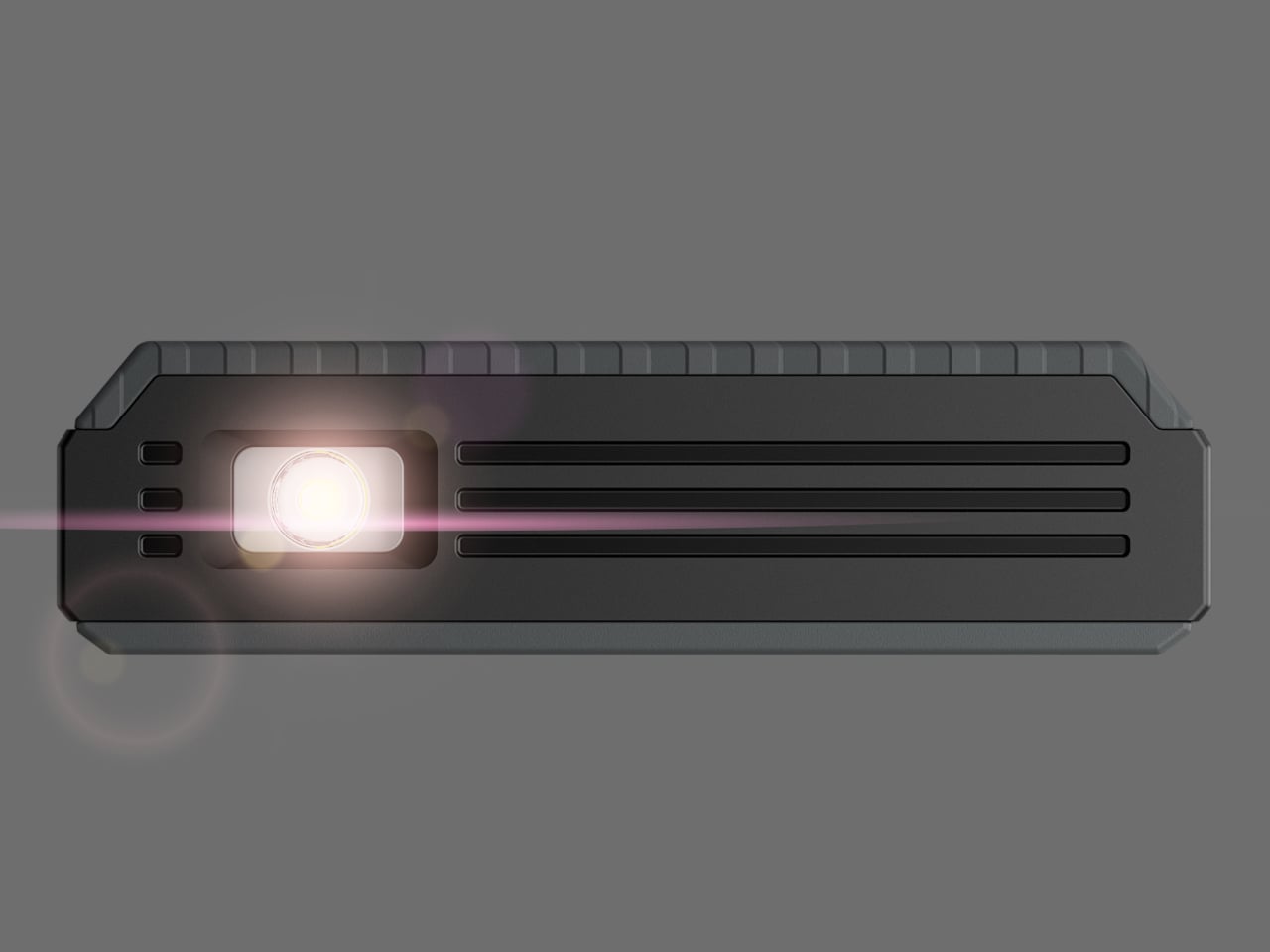
Then there’s the torch. The Nokia 300 Charge has a high-power LED flashlight that’s reportedly four times brighter than the one on the Nokia 105. That kind of output actually matters when the power goes out, or you need to navigate somewhere dark. Rather than a gimmick, it’s one of the more immediately useful things on the device, especially given what the phone is designed to handle.
The phone is built for situations where things get knocked around. A rugged chassis with a textured, anti-slip grip keeps it secure in your hand, while the overall package comes in at 138 grams and about 15mm thick. It doesn’t feel like a compromise between durability and portability. Available in Sandstone, Green, and Black, the colorways lean practical rather than flashy.
On the inside, the Nokia 300 Charge keeps things simple. A 2.4-inch display, a microSD slot expandable up to 32GB, a 3.5mm headphone jack, and dual SIM support cover the basics. Connectivity is 2G only, which limits it to regions where that network infrastructure is still active. It’s worth confirming coverage before picking one up for travel, since some markets have already shut down their 2G networks.
The Nokia 300 Charge launched in the Philippines at around $32, with a wider international rollout expected. The battery is removable, a practical detail that most phone makers have quietly dropped. It charges at 10W via USB-C, matching the same output it provides when sharing power. A feature phone that calls, texts, lights your way, and tops up other devices at that price doesn’t need a complicated pitch.
Backup power is one of those things most people don’t think about until they absolutely have to. You lose electricity during a storm, open the fridge out of habit, and then spend the next few days doing an anxious mental calculus on whether the leftovers are still safe to eat. It’s a frustratingly universal experience, and for all the innovation happening in home tech right now, it’s remarkable how little of it was pointed directly at the refrigerator. Jackery apparently noticed that gap too.
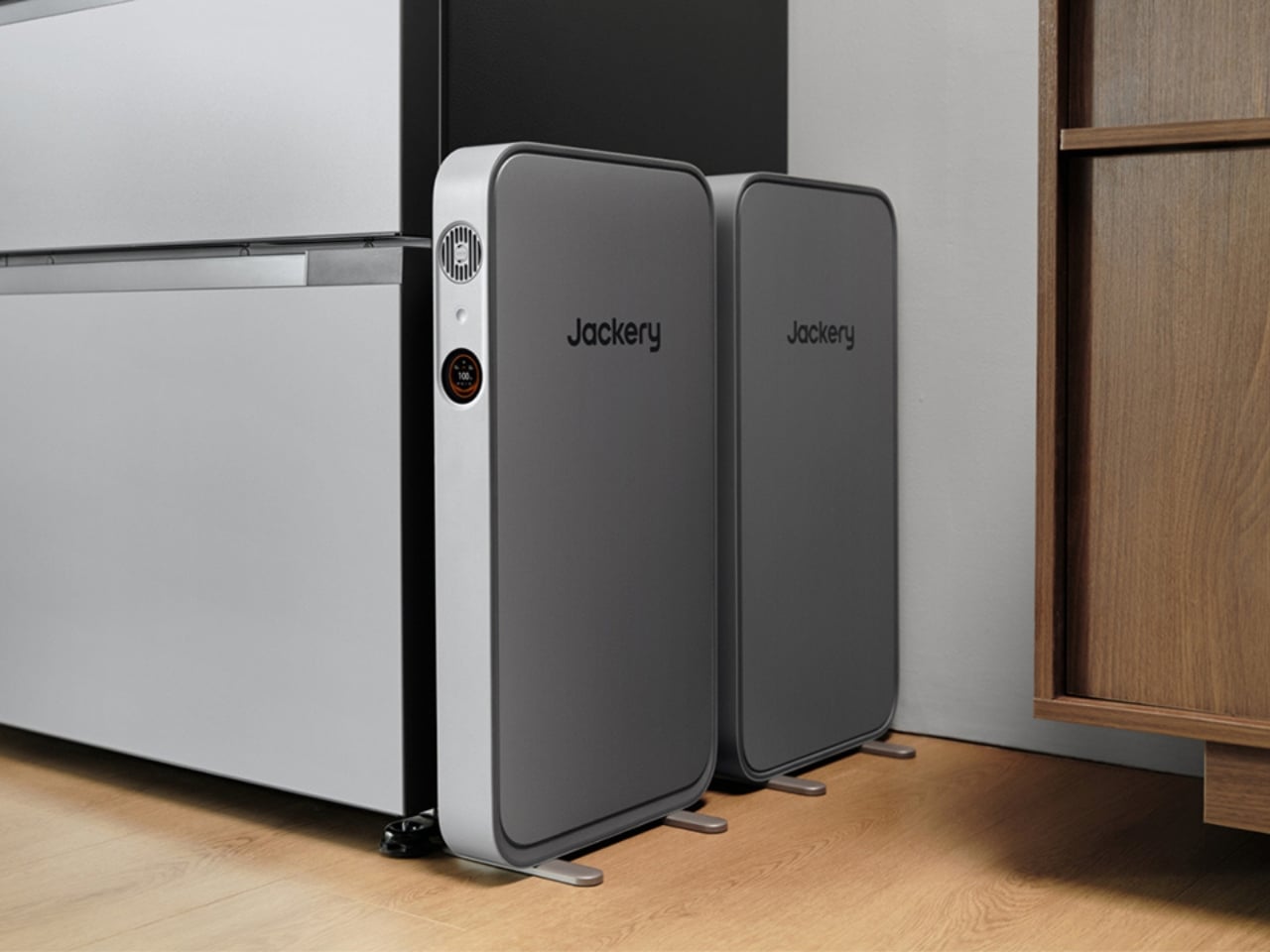
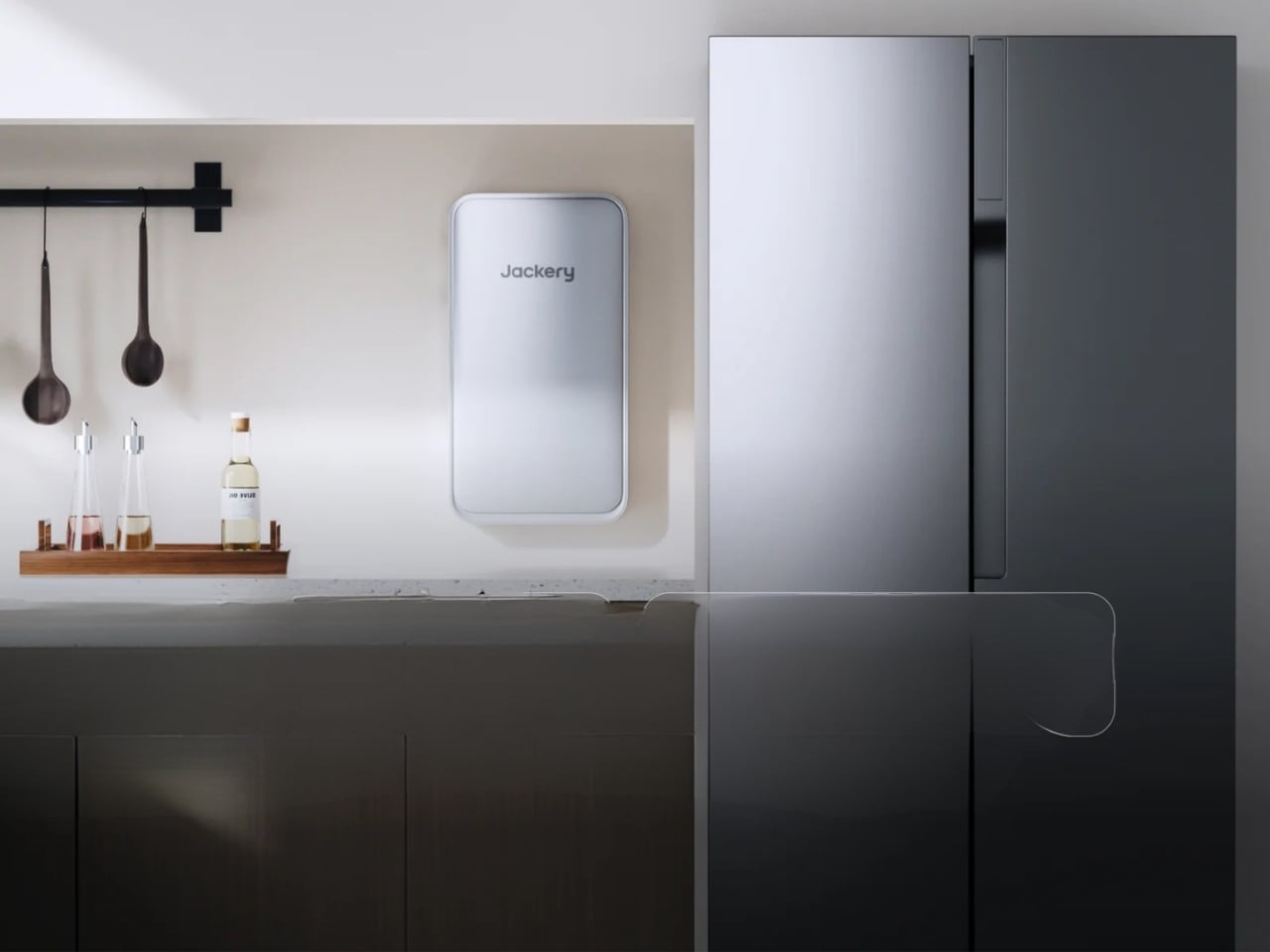
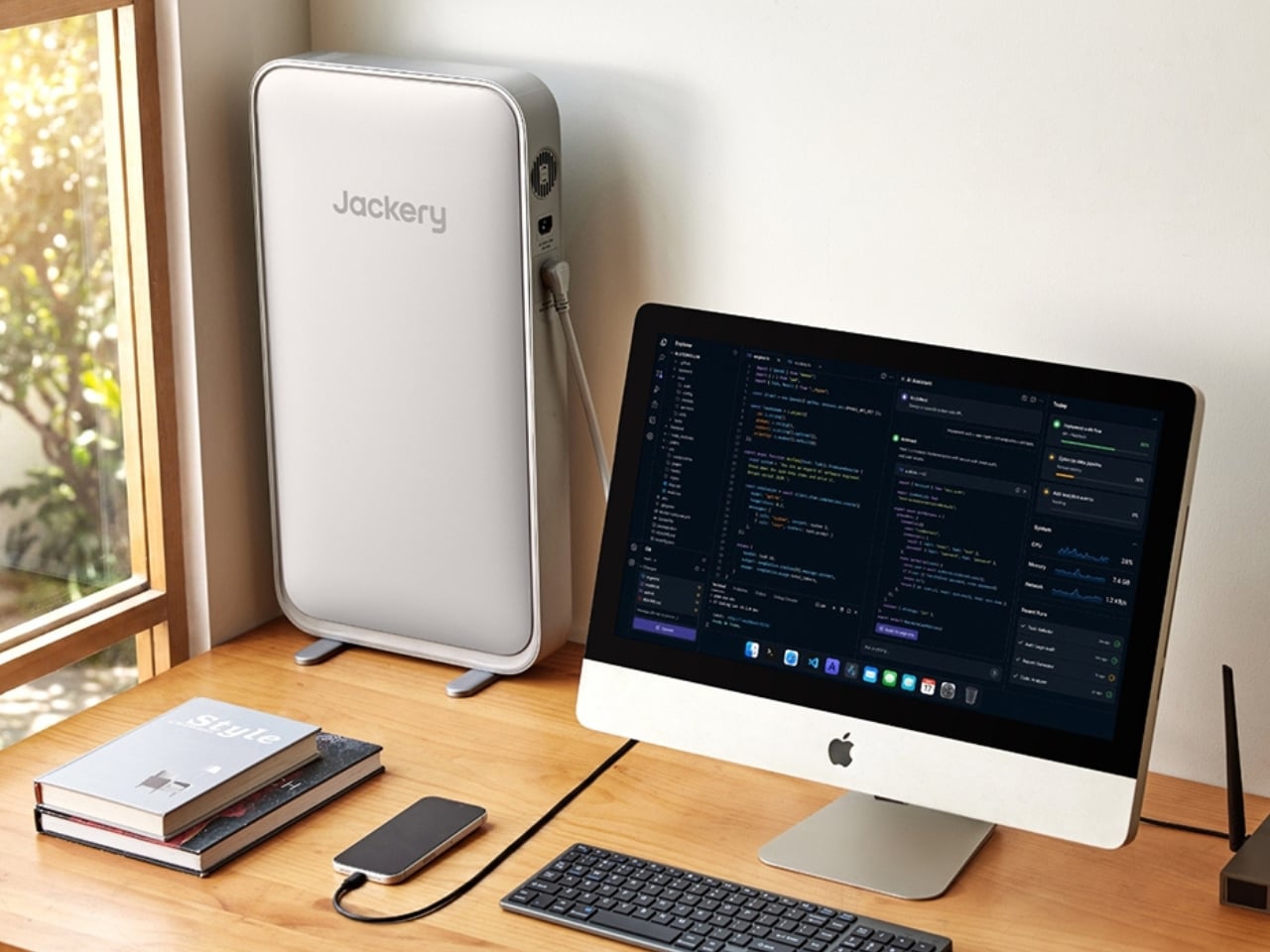
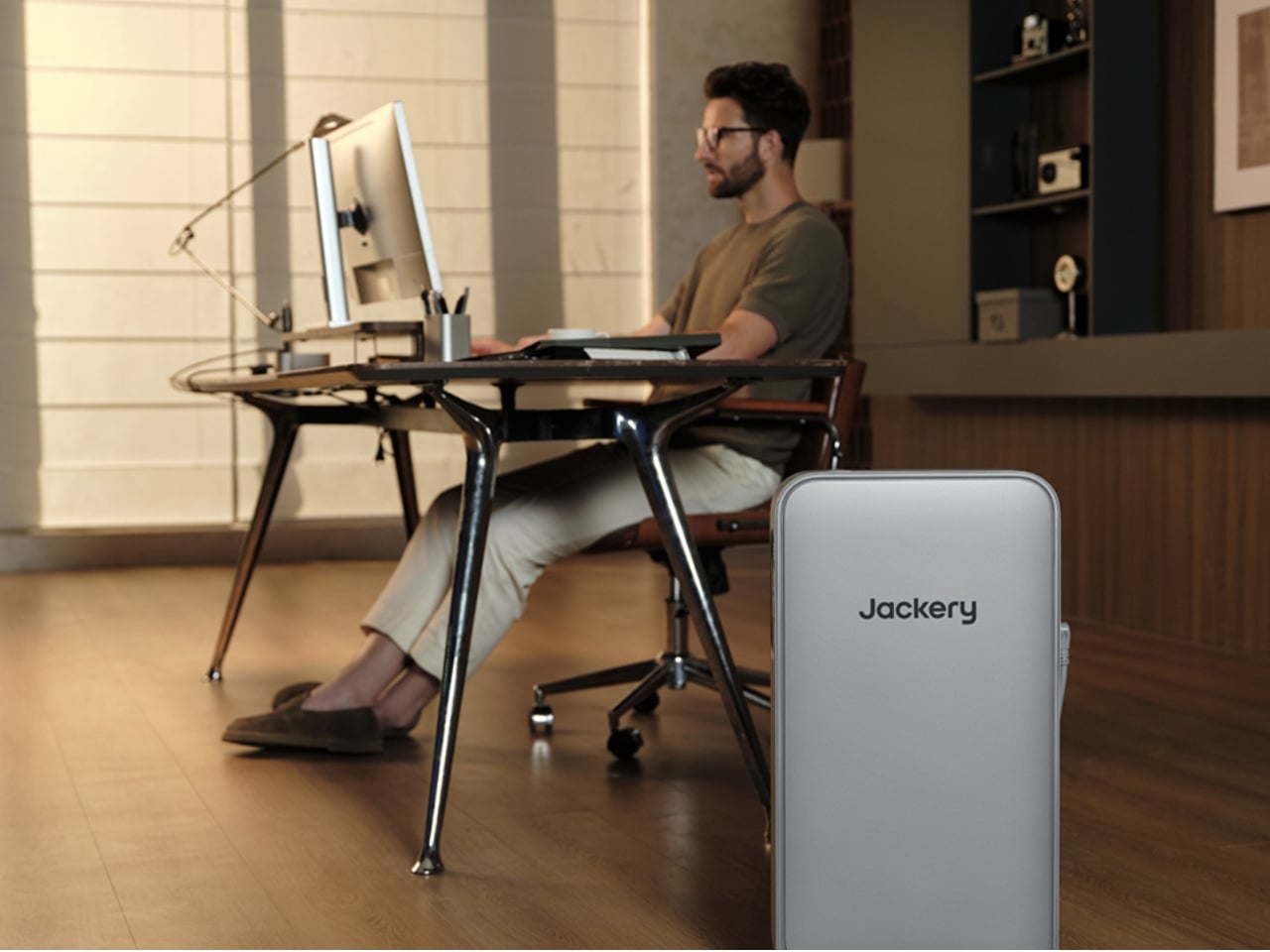
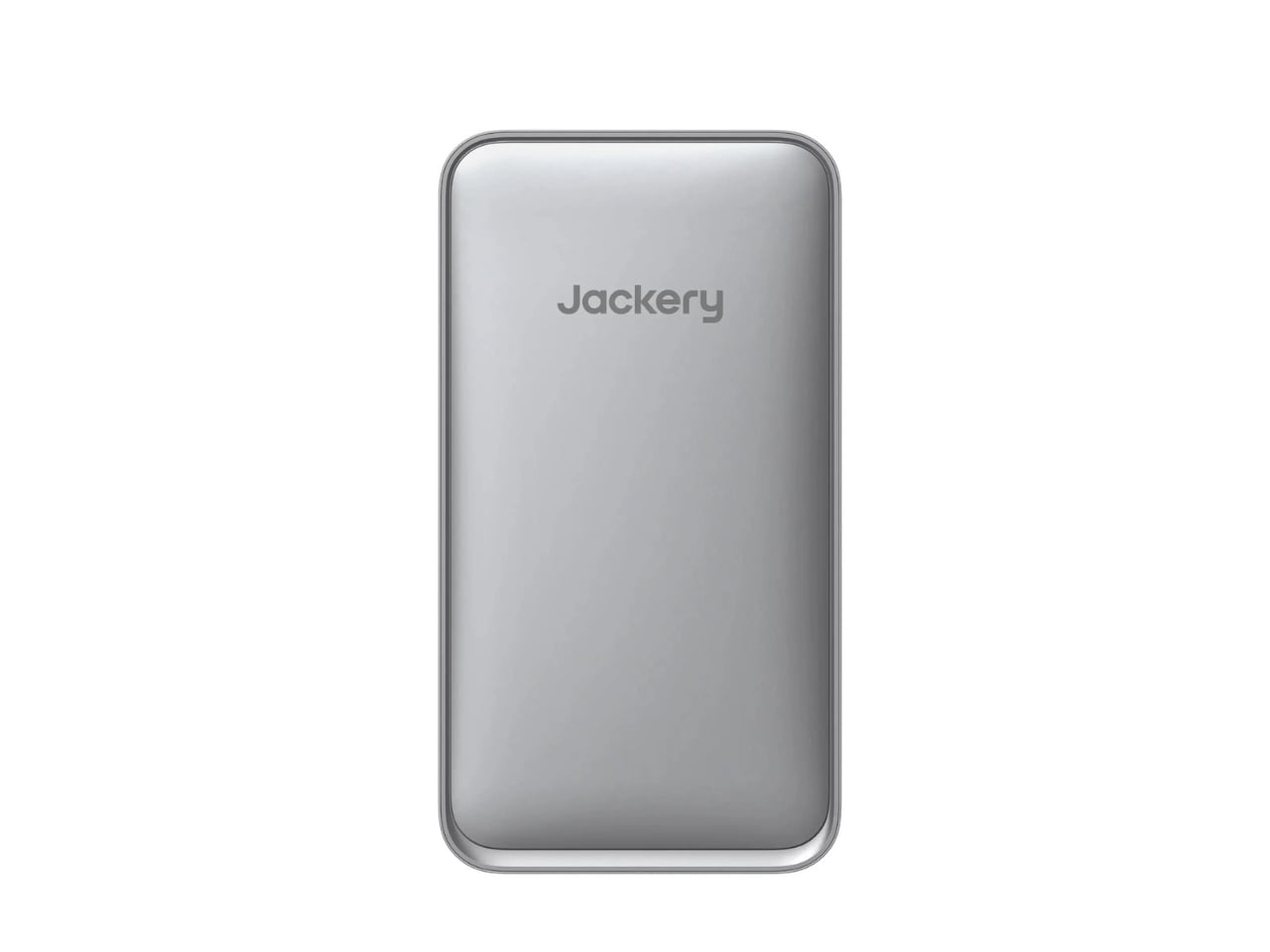
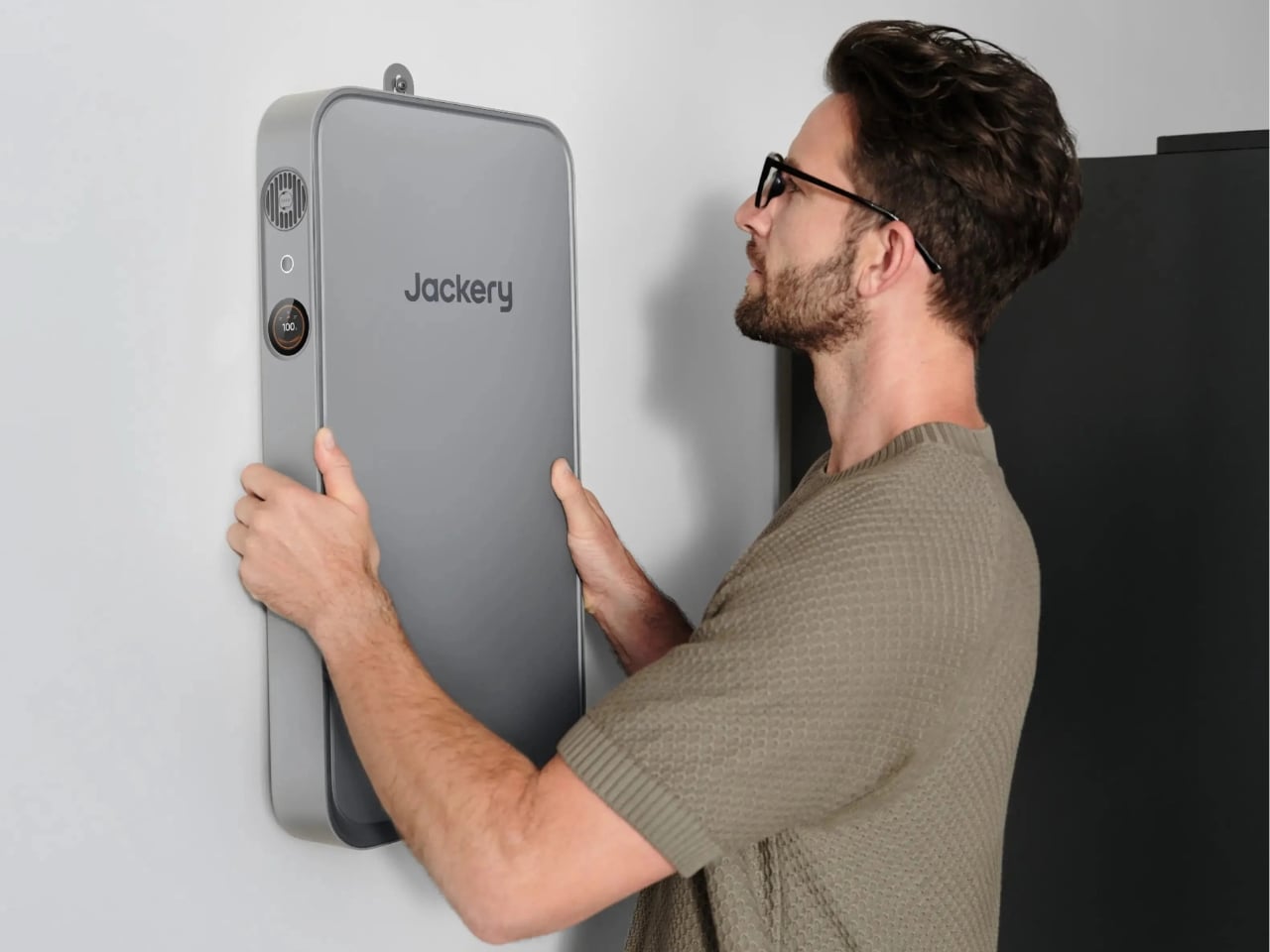
The FridgeGuard is a dedicated refrigerator backup battery, and the first thing that sets it apart is how thoroughly it was designed for the space it actually occupies. At just 2.6 inches thick and weighing around 23 pounds, Jackery calls it the world’s slimmest power station. Visually, you believe it. It looks less like industrial equipment and more like something an architect might quietly approve for a kitchen renovation. You can mount it on the wall behind your fridge, prop it vertically beside it, or lay it flat on top. That flexibility isn’t a minor feature; it’s a design decision that understands most people are not trying to add a bulky, yellow generator to their kitchen aesthetic.
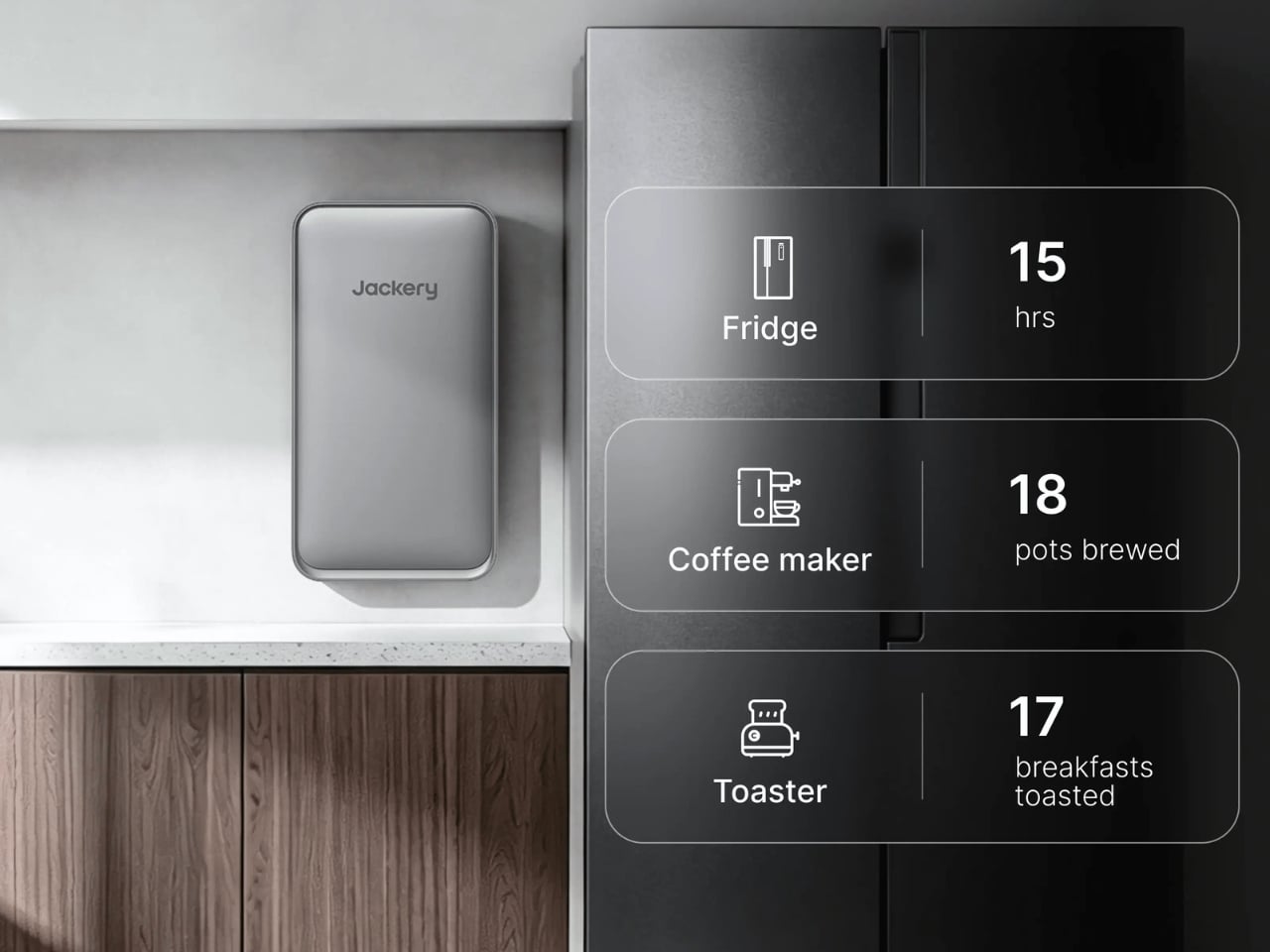
The technical side is where it gets genuinely interesting. The FridgeGuard runs on a 1,024Wh battery capacity and delivers power through a single 110V outlet, which sounds limiting until you remember this thing exists for one appliance and one appliance only. It delivers up to 1,600 watts of compressor-ready power, which is exactly what you need for a refrigerator’s startup surge. Jackery calls their system FridgeSafe Technology, and it covers the practical details: a switchover time of under 10 milliseconds so your fridge doesn’t even notice the grid went down, a Delay Start to protect the compressor, and surge protection built right in. Standard runtime is estimated at around 15 hours on a full charge, which doubles to roughly 30 hours if you pair it with the optional expansion battery that brings total capacity to 2,048Wh.
The lifespan claim is the detail that sticks with me. The battery cells are rated for 6,000 cycles, which Jackery projects translates to up to 16 years of use while retaining 70% of capacity. For context, most portable power stations don’t come close to that kind of longevity. It reframes the FridgeGuard from being a reactionary purchase after a bad storm to a genuine long-term home investment. That shift in positioning matters, and it’s the kind of thinking that tends to change who buys into a product category.
Cold weather performance deserves a mention too, especially for people in northern climates, remote cabin owners, RV users, or anyone planning to store the unit in an unheated garage. The FridgeGuard can both charge and discharge at temperatures as low as -20°C, a spec that puts it well ahead of many competitors that restrict operation in colder conditions. For a product meant to function year-round in unpredictable situations, that’s a more meaningful detail than it might initially seem.
Is it perfect? Not entirely. The single AC outlet means if you need to run anything else alongside your fridge during an outage, you’re out of luck. And since an average full-sized refrigerator draws roughly 1,300Wh per day, the standard battery alone won’t cover a full 24 hours without the expansion add-on. These are real constraints worth knowing before you buy.
But the bigger picture here is that Jackery figured out something the home backup industry has been surprisingly slow to grasp: people want solutions that fit their lives, not ones they have to build their lives around. The FridgeGuard doesn’t just solve a problem; it does it in a way that respects the space it lives in. That combination of smart form, solid function, and genuine forward-thinking is exactly the kind of product design worth paying attention to, whether you’re in the market for one or not.
AI on laptops has created a new kind of battery problem. The promise of on-device AI processing, where the work stays local rather than routing through a cloud server, is genuinely useful for anyone handling sensitive data. But running a neural processing unit alongside everything else a laptop already juggles accelerates battery wear in ways that weren’t as much of a concern three years ago. The battery that comes with a new laptop today degrades faster than the hardware around it.
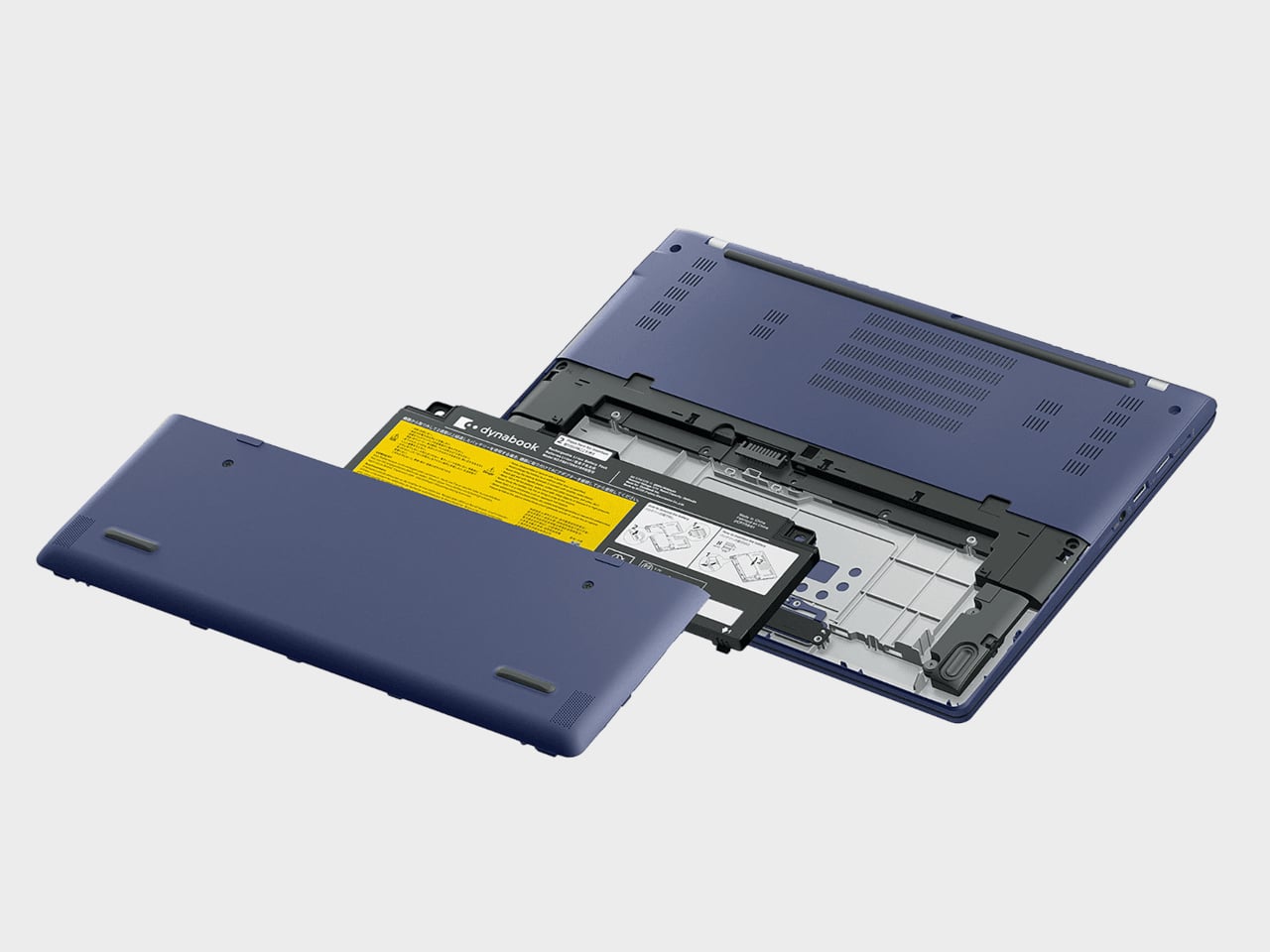
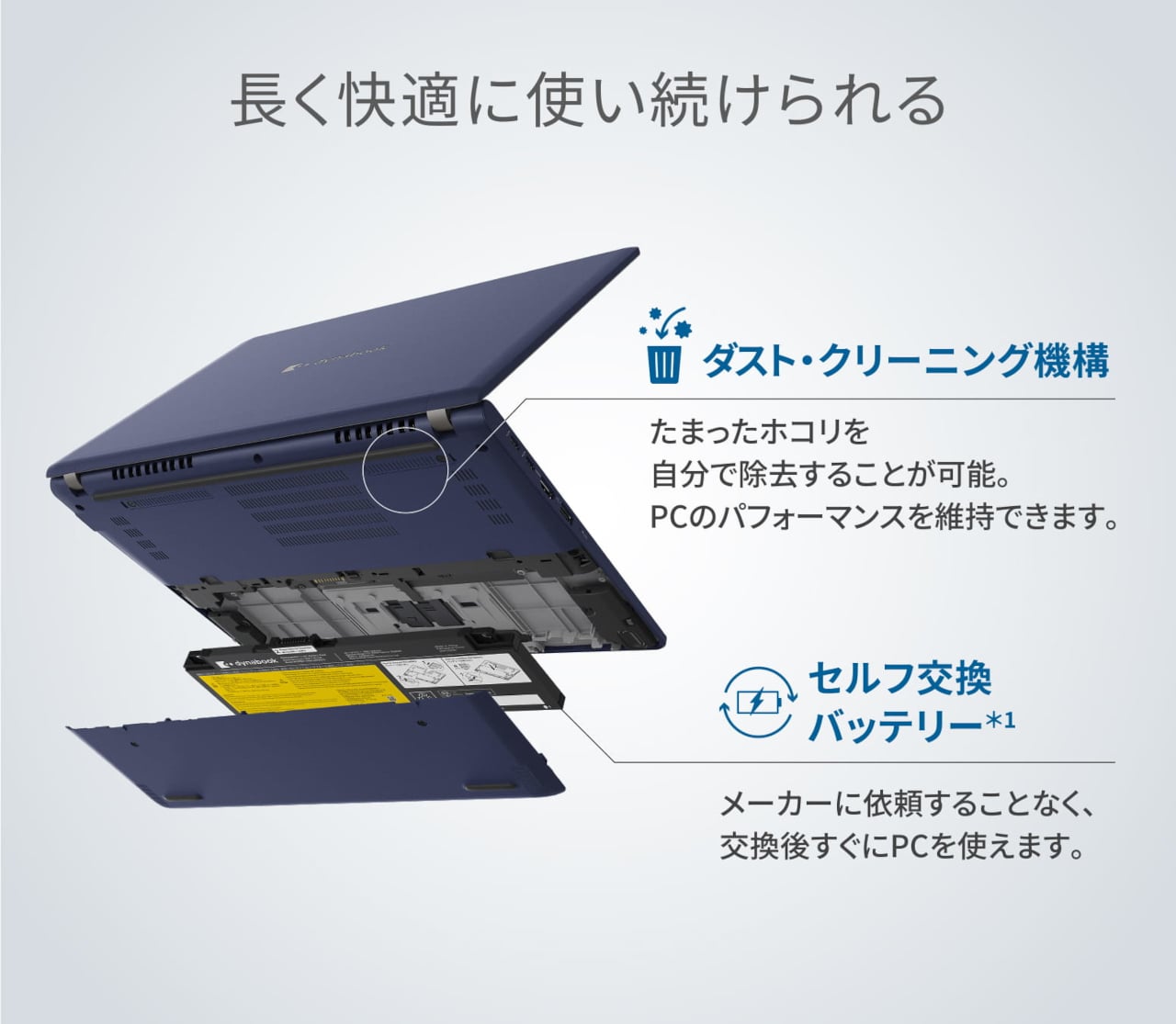
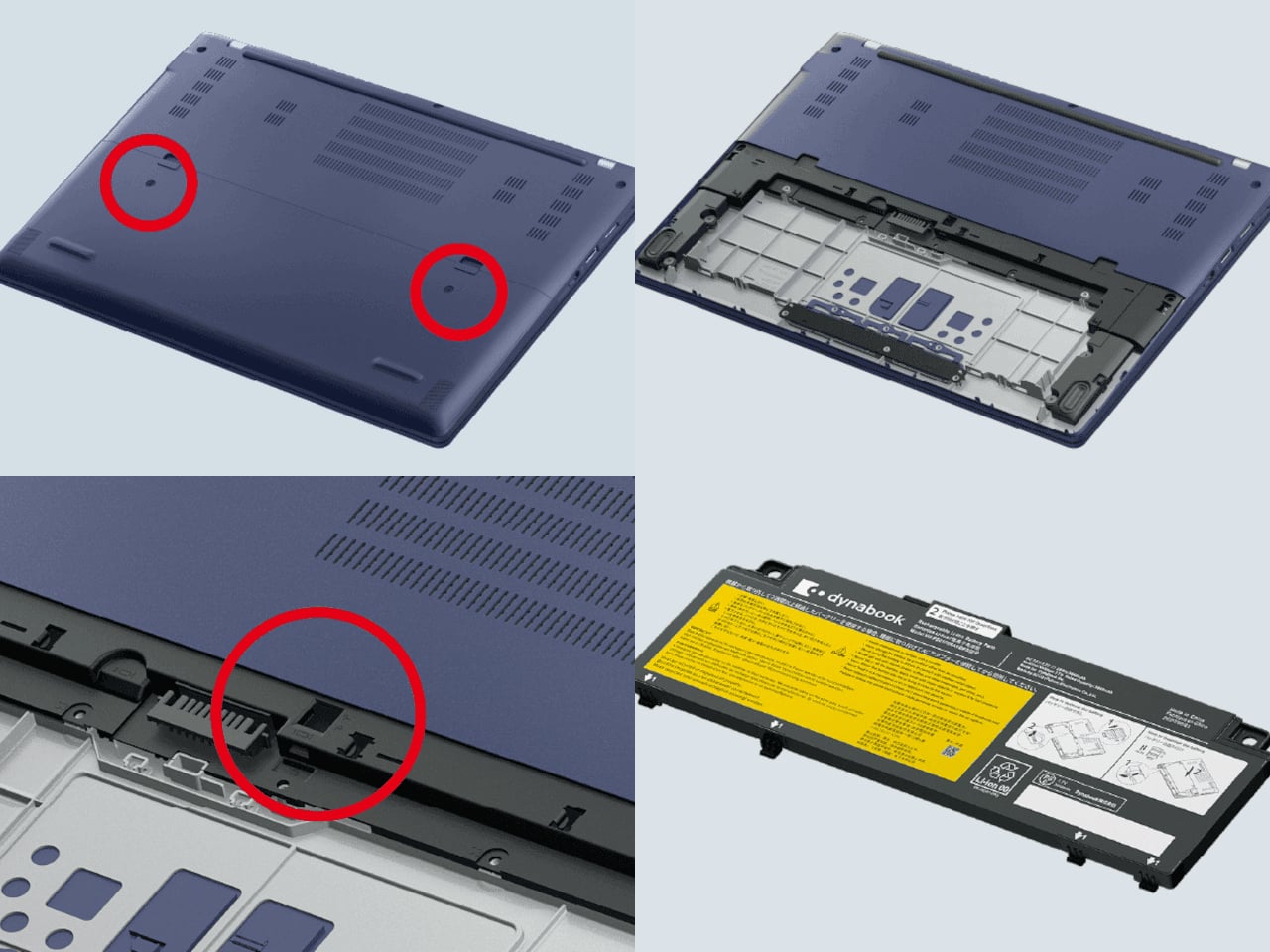
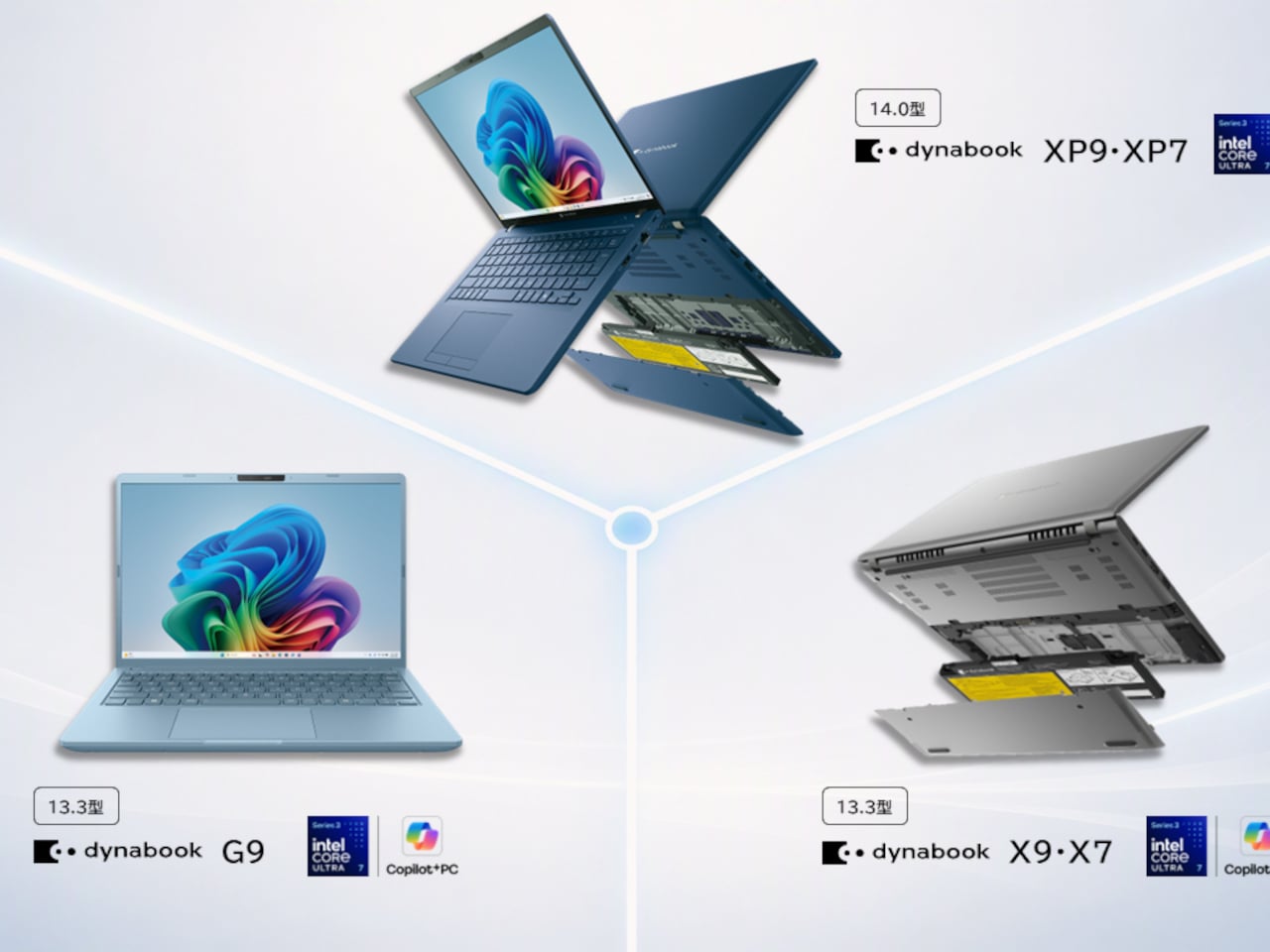
Most manufacturers solve this by designing the battery to be inaccessible. The result is that when a battery eventually loses capacity, it’s either a service center visit or a new laptop. Dynabook’s 2026 fall and winter lineup takes a different position by making the battery user-replaceable in two of its Panther Lake models, the 14-inch XP9/XP7 and the 13.3-inch X9/X7. A sliding panel lets owners swap it themselves without tools or a technician.
The reasoning is spelled out plainly in the press release: heavy AI use accelerates battery degradation, and forcing users to choose between repair costs and a full replacement creates unnecessary financial pressure and waste. A replacement battery sold separately as an optional accessory means the rest of the hardware, which is still perfectly functional, gets to stay in use longer. It’s a longevity argument that happens to line up with right-to-repair expectations at the same time.
The XP9/XP7, a 14-inch Copilot+ PC, comes in at 999 g, while the X9/X7 at 13.3 inches checks in at 948 g. Both run Intel’s Core Ultra Series 3 Panther Lake processors. The X9/X7 claims up to 17 hours of video playback and up to 32.5 hours at idle, which is a considerable buffer for a machine that doubles as an on-device AI workstation. Both models pass MIL-STD-810H military-grade durability testing.
Connectivity is genuinely comprehensive for an ultra-light design. Thunderbolt 4 and USB 3.2 Gen 1 Type-A ports sit on both sides of the chassis, alongside HDMI output, a LAN port, and a microSD card slot. That’s a full professional port layout without a dongle in sight, which matters for anyone who has spent time hunting for the right adapter in a conference room. Dolby Atmos handles audio on both models.
The on-device AI processing is the capability that sits behind the user-replaceable battery feature in a practical sense. Running local AI keeps private and sensitive data from leaving the machine, which the press release frames as a concrete advantage over cloud-dependent workflows. The AI privacy assist feature also detects attempts to view the screen from unintended angles, adding a physical layer to what would otherwise be a software-only privacy story.
For those who want the same 13.3-inch form factor at the lowest possible weight, the G9 comes in at 899 g with the same Panther Lake processor and MIL-STD-810H certification. It doesn’t include the user-replaceable battery design, but it undercuts the X9/X7’s weight by nearly 50 g, which matters when the laptop travels daily. All models launched in Japan on August 7, with no global availability confirmed yet.
Camera batteries are one of those accessories that photographers never think about until something goes wrong. They’re small enough to vanish into the bottom of a bag or a jacket pocket, common enough to own several of and regularly mix up, and important enough that losing one mid-trip can force an early stop to a shoot. The solution most people reach for is buying more of them, which only increases the number of things to keep track of.
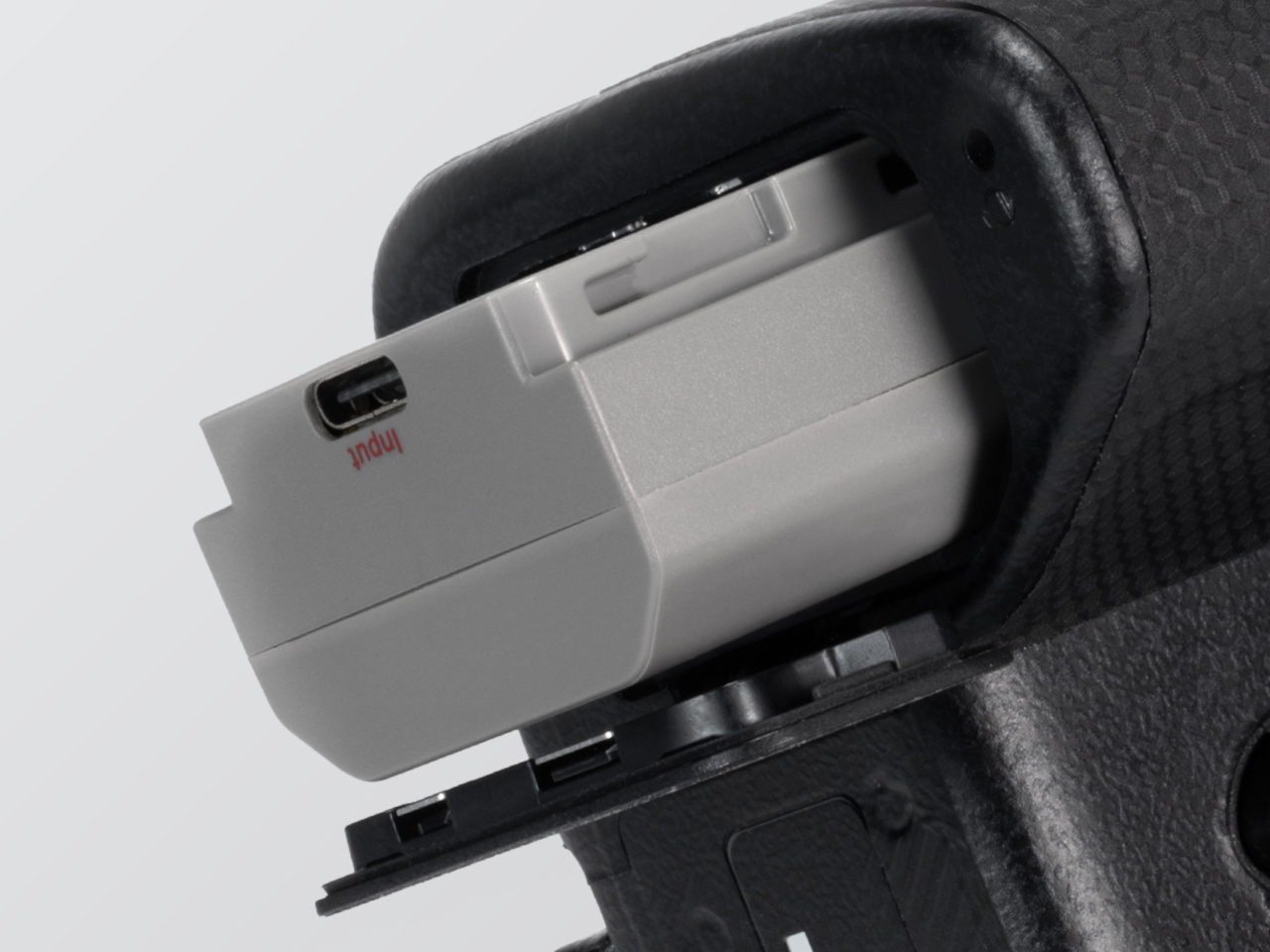
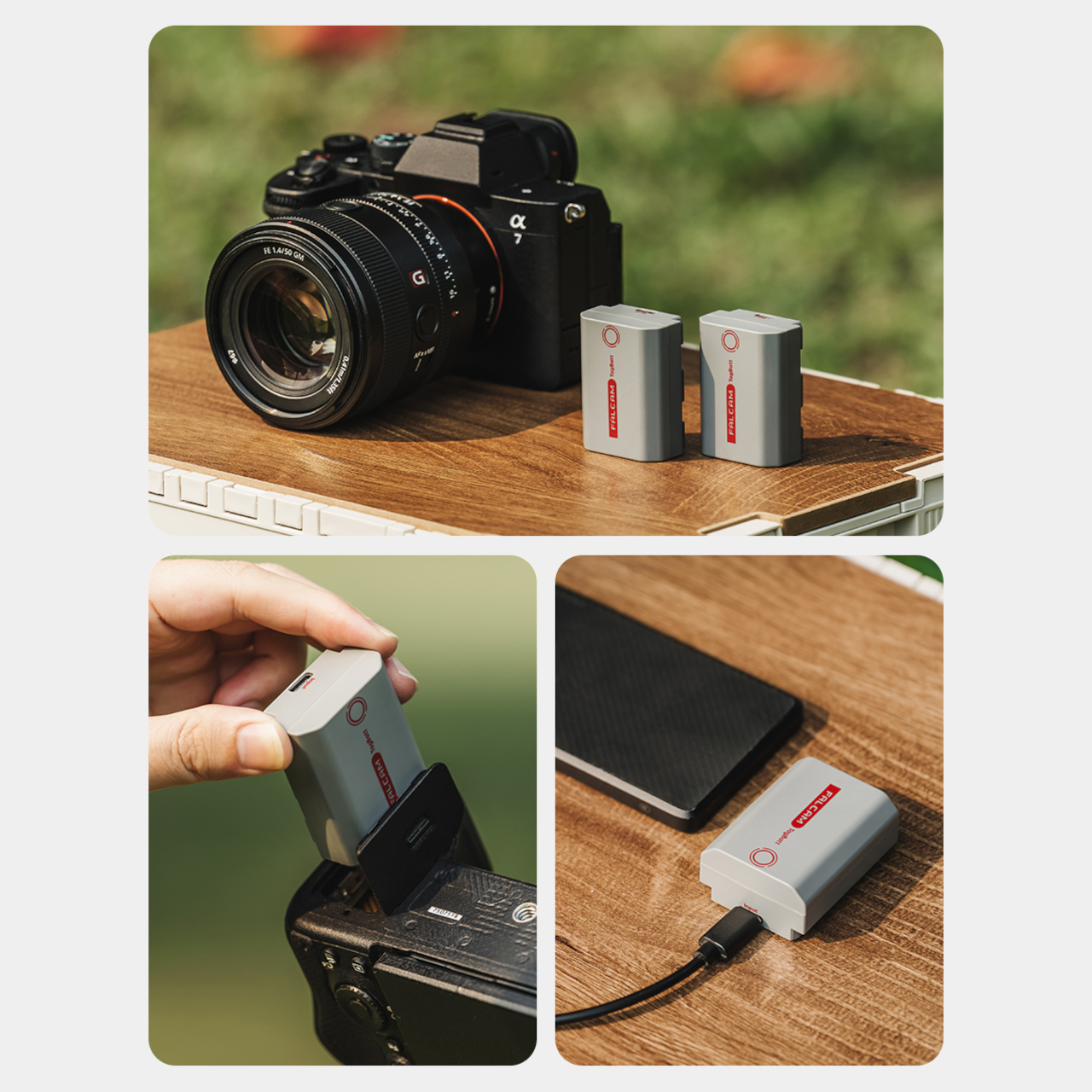
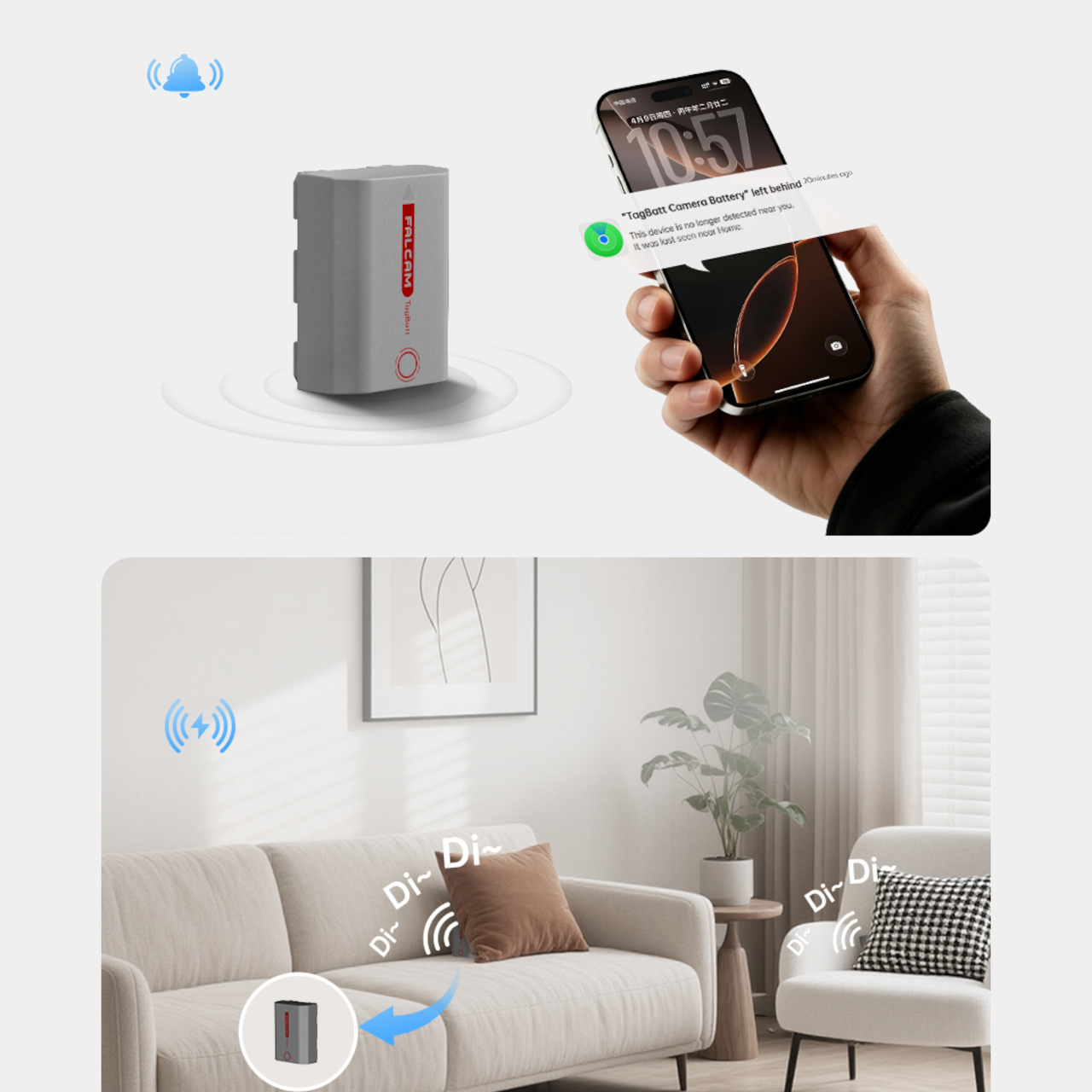
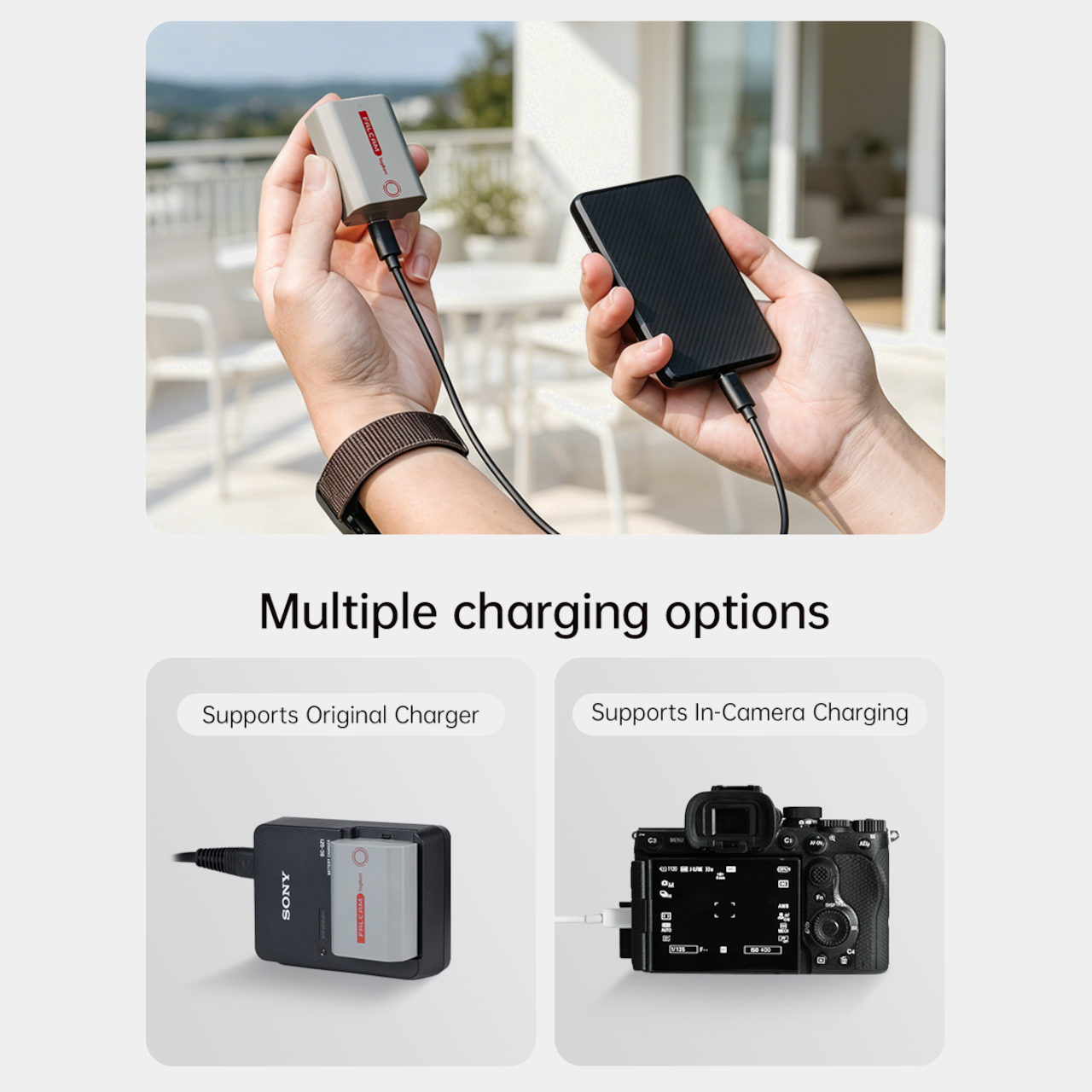
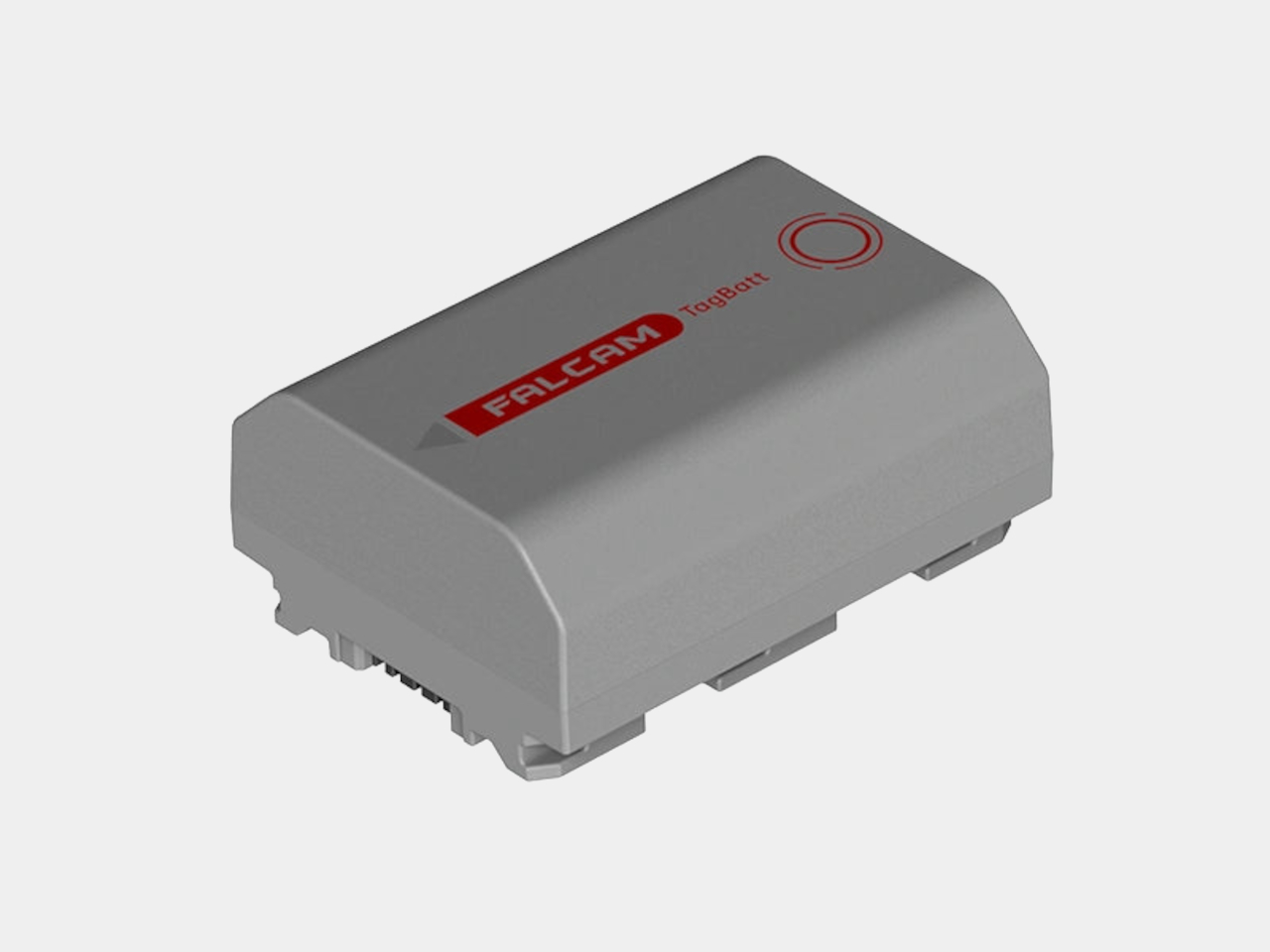
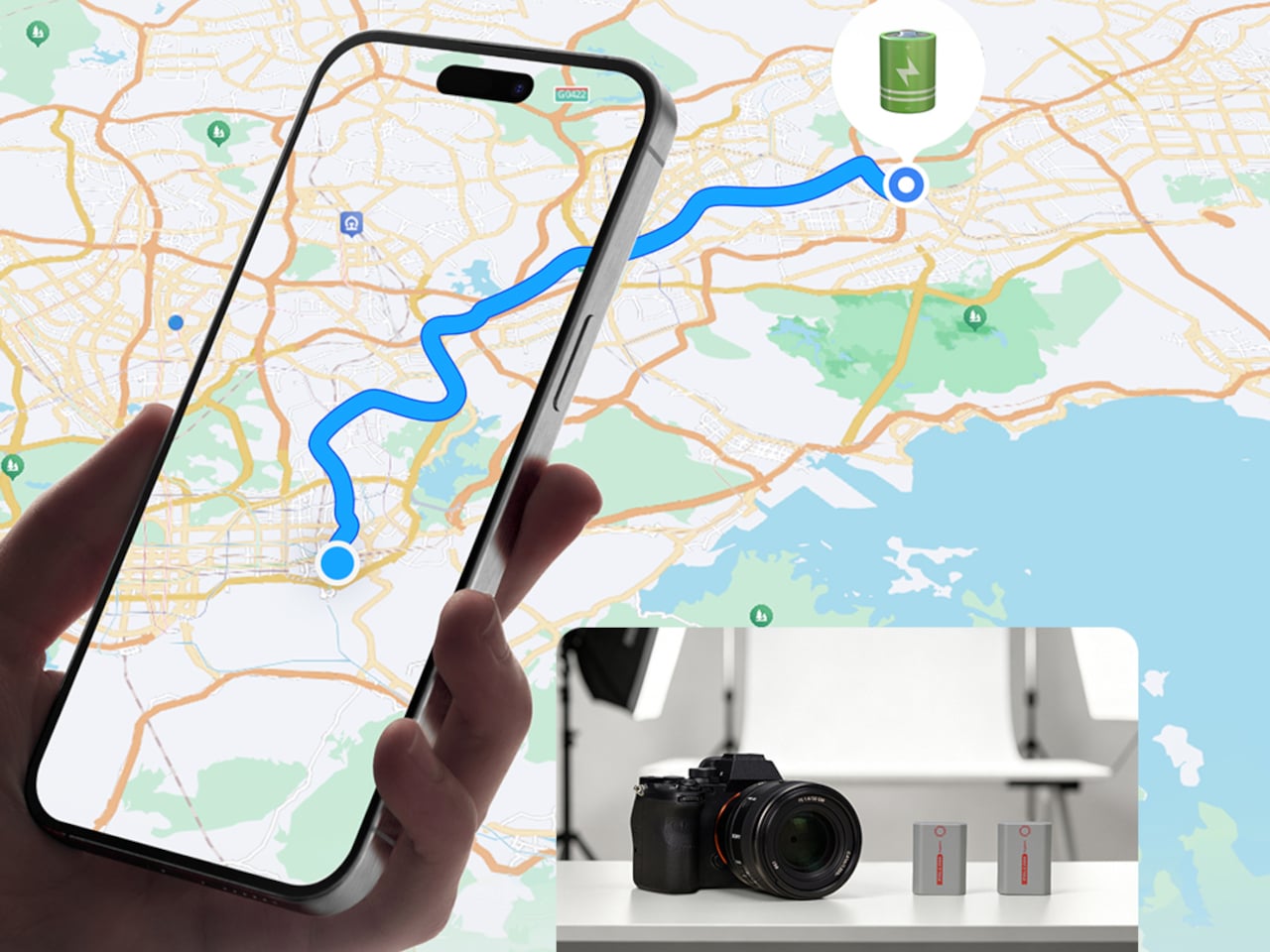
The FALCAM TagBatt addresses the problem from inside the battery itself. Compatible with Sony’s NP-FZ100 form factor, it integrates Apple’s Find My tracking technology directly into the cell, so the battery carries its own location data wherever it goes. If it ends up left behind at a studio, a venue, or the seat pocket of a flight, the Find My app will flag it and show its last known position.
Because the tracker lives inside the battery rather than clipped to a camera strap or screwed into a cage mount, it’s considerably harder to spot. An opportunistic thief who grabs a camera bag and removes any obvious Bluetooth puck from the outside can’t strip out what’s already built into the power source. It’s the kind of discreet integration that external trackers can’t quite replicate, no matter how small they get.
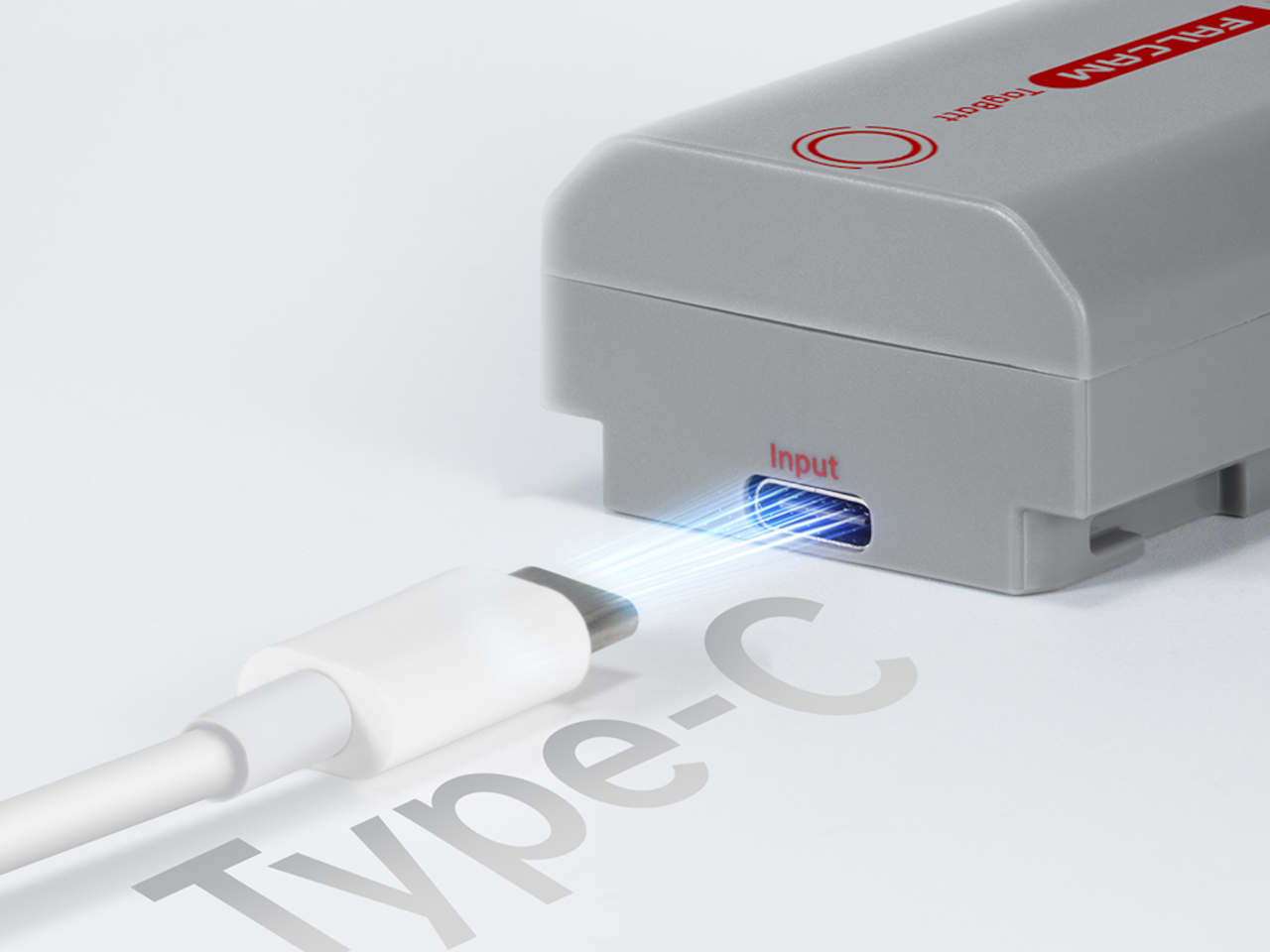
The tracking isn’t the only thing the TagBatt changes about how a camera battery behaves. A built-in USB-C port lets it charge directly from any standard USB-C source, including a power bank or a travel adapter, without needing the dedicated Sony battery charger that typically takes up its own space in a kit bag. Pop it out of the camera, plug it in overnight, and it’s ready in the morning without routing around a charger at all.
Capacity comes in at 2,600mAh against the OEM Sony NP-FZ100’s 2,280mAh, which translates to a modest but real advantage per charge. An advanced decoding chip handles the communication with the camera’s internal systems so the body treats it as it would any genuine battery, with accurate charge-level reporting and none of the “non-genuine battery” warning messages that typically accompany third-party cells.
Compatibility covers a wide sweep of Sony’s current lineup, including the Alpha 7 series through the Alpha 7 V, the Alpha 9 series, the Alpha 6700, the FX3 and FX30, and the ZV-E1, among others. A Canon LP-E6 version is also available now, with Nikon EN-EL15 and Fujifilm NP-W235 versions confirmed to be in development.
At $69.99, the TagBatt costs more than a standard third-party replacement but considerably less than the Sony original, and it comes with two capabilities that the original simply doesn’t offer. For photographers who travel frequently, work in locations where gear occasionally goes astray, or are just tired of carrying a charger they’d rather leave at home, the trade-off makes a fairly straightforward case.
Wireless gaming headsets have carried a quiet contradiction since they first appeared. Cutting the cable was supposed to mean more freedom, but the moment the battery dropped, you were plugging back in anyway, tethered to a wall or a charging dock and waiting. The industry’s answer has been to push battery life further with each generation, but even a 60- or 70-hour headset runs flat eventually, usually in the middle of something.
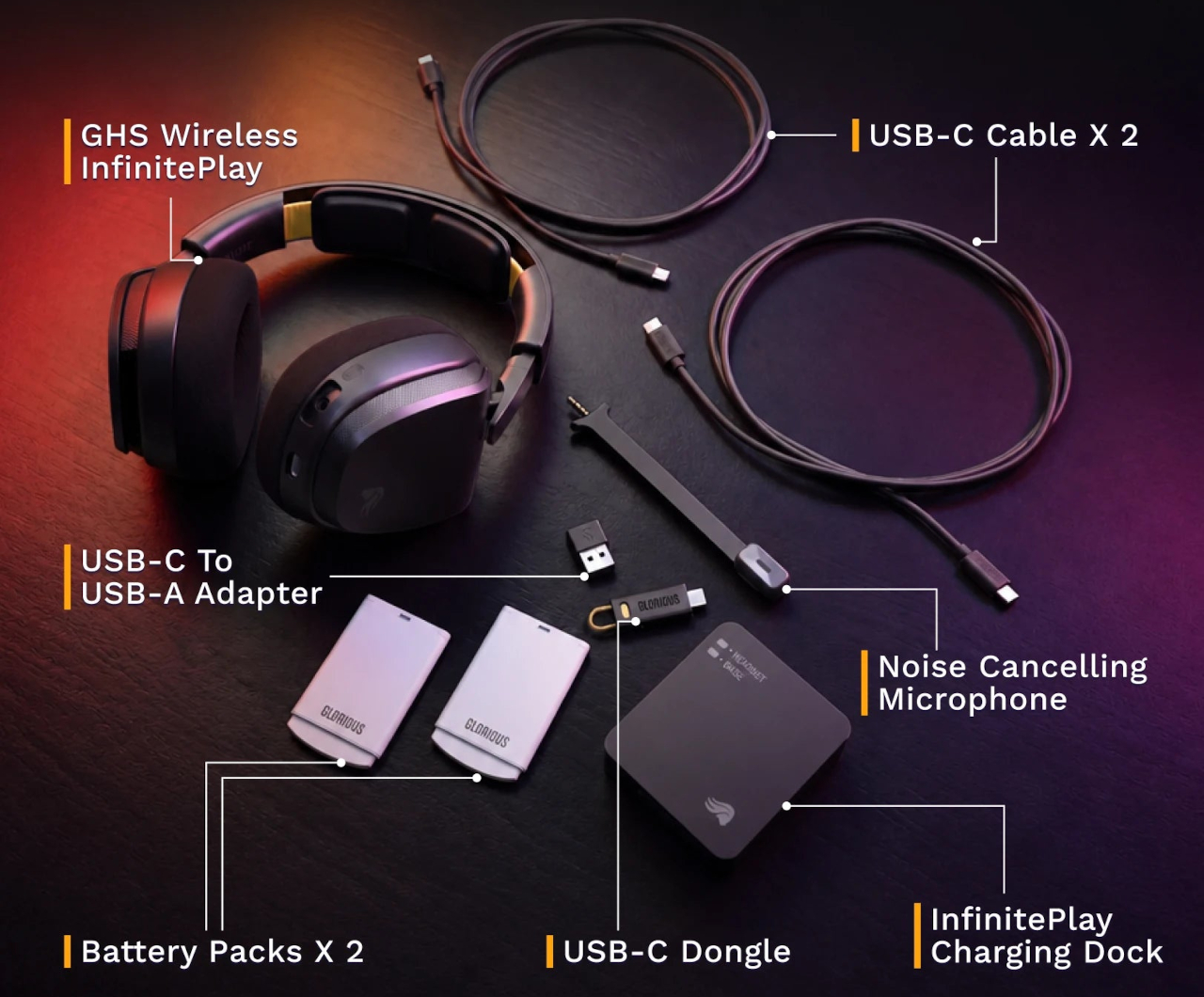
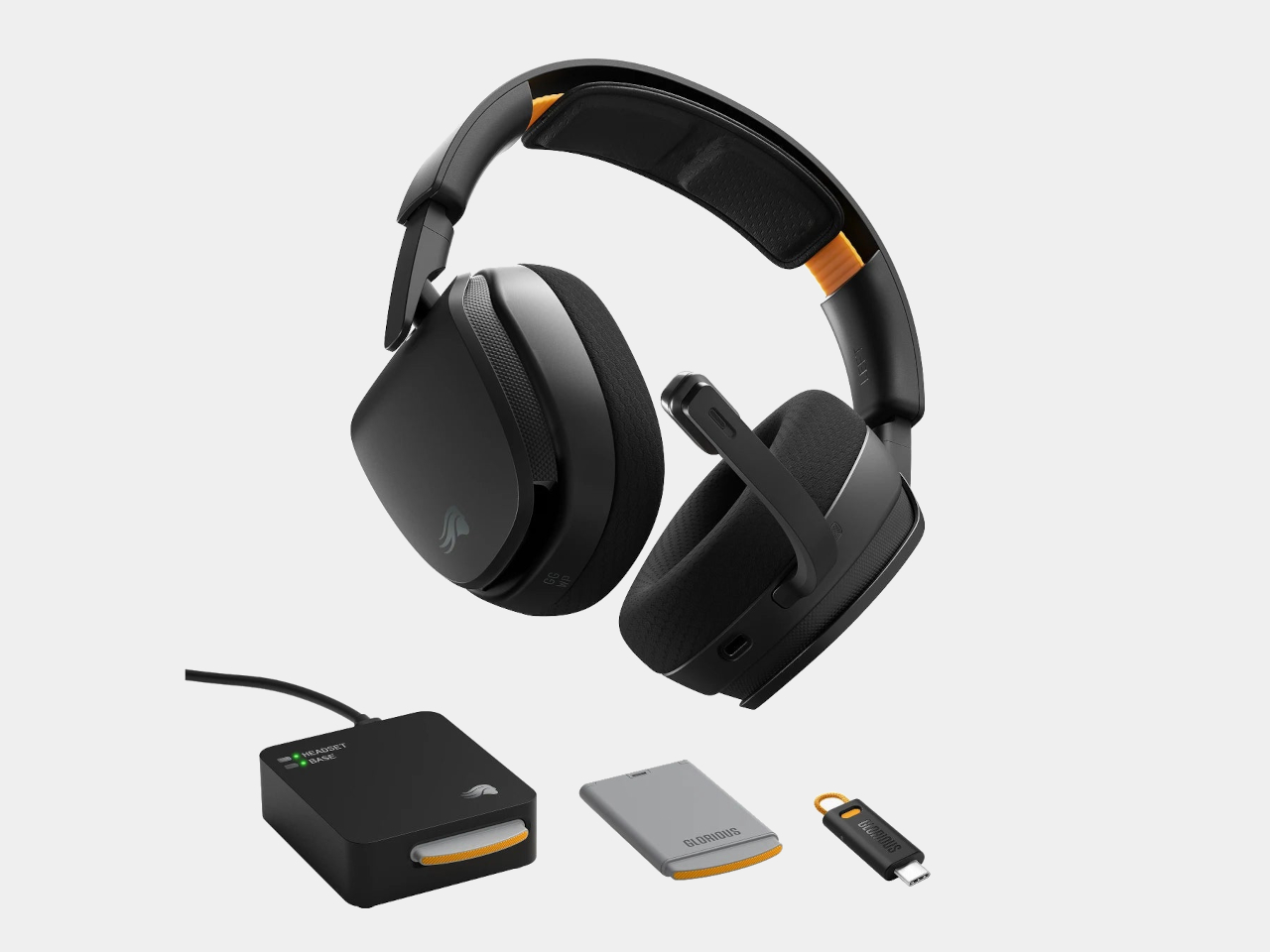
Glorious took a different angle with the GHS Wireless InfinitePlay. Rather than chasing a single larger battery, the headset ships with two hot-swappable 85-hour battery packs and an internal Guardian Battery reserve that bridges the gap during the moment of the swap. The result is a headset that, in practical terms, never actually stops playing, because by the time one pack drains, the other is already charged and ready.
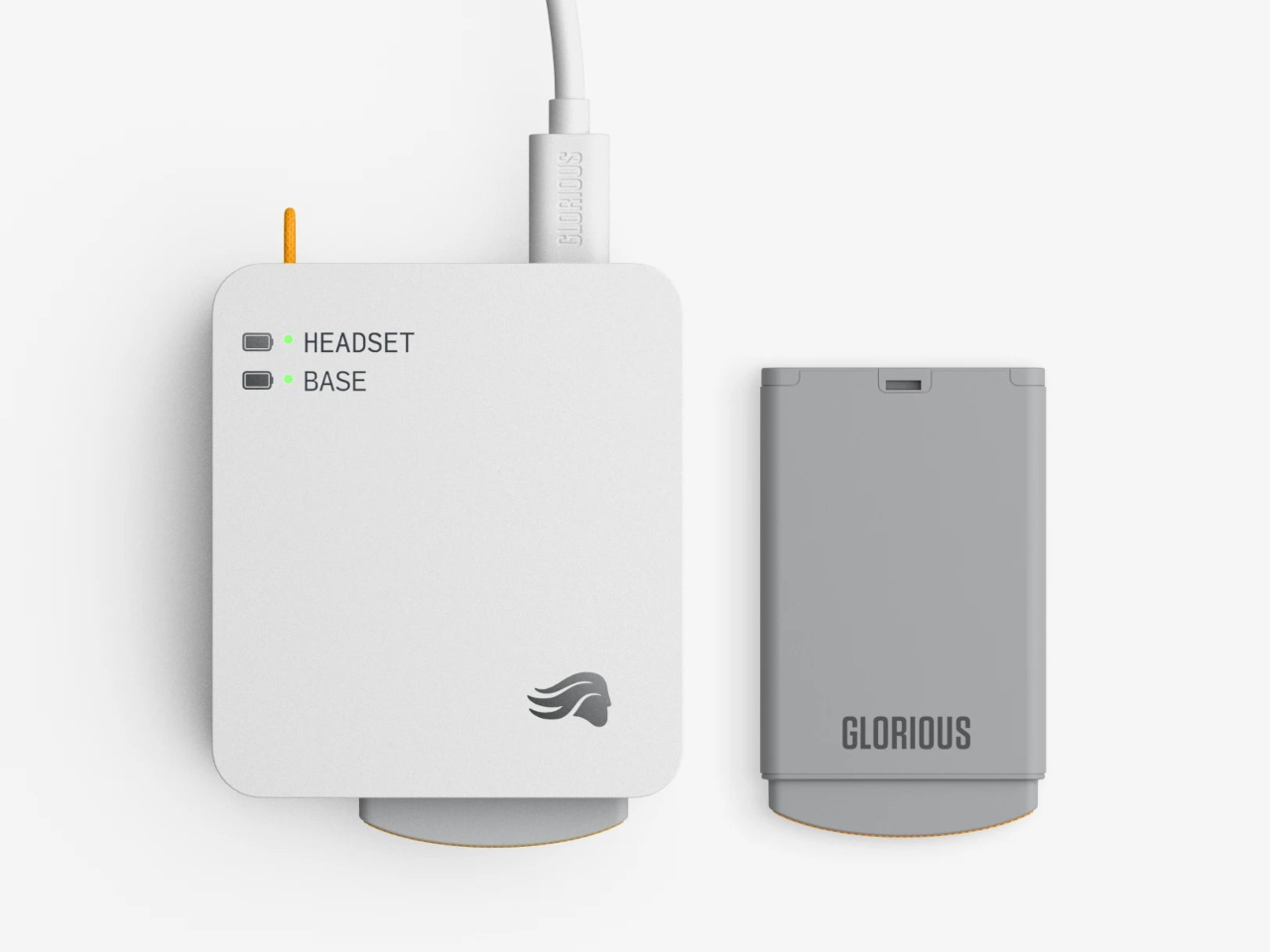
The system works through a dual-purpose charging base that also serves as the 2.4 GHz wireless dongle. One battery sits in the headset while the other charges on the base. When the depleted pack comes out and the charged one slots in, the Guardian Battery, which can run the headset independently for about 3 hours, has already kept audio uninterrupted through the swap. There’s no pause in sound and no drop in connection.
Combined, the two packs add up to more than 170 hours of capacity. For any kind of extended session, a long run at a tournament, a weekend of back-to-back play, or everyday use where charging gets forgotten, the swap-based approach removes the anxiety from the equation entirely. Swap the battery, put the depleted one on the dock, and carry on without another thought about it.
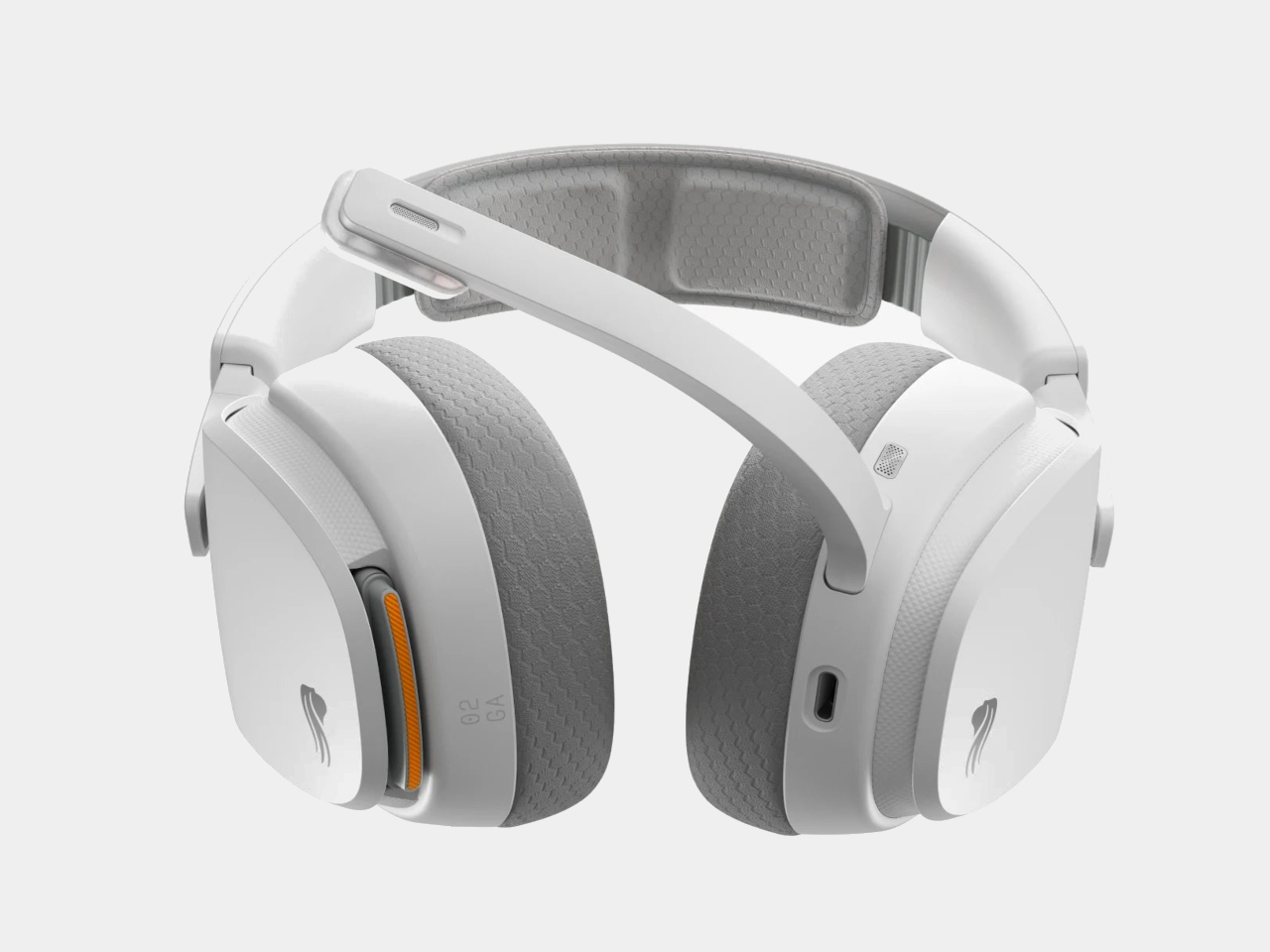
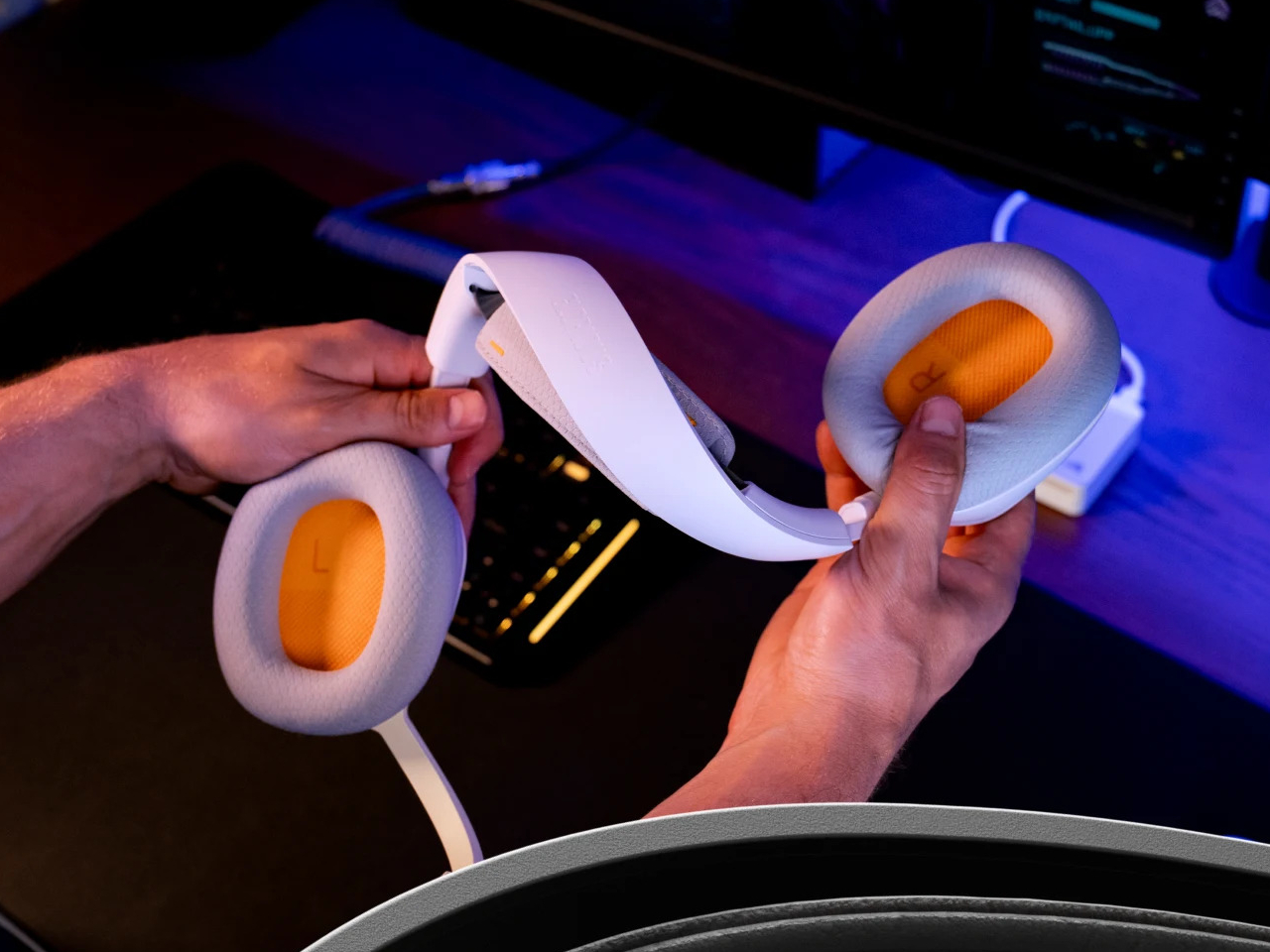
The headset is built around 40mm custom-tuned drivers angled to improve clarity and stereo imaging, covering a frequency response of 20Hz to 20kHz. The detachable boom microphone is noise-cancelling, and the ear cups use memory foam padding over a suspension headband that distributes the 360g weight across the top of the head. Connectivity covers both 2.4 GHz wireless for low-latency gaming and Bluetooth 5.4 for everything else, switchable with one button press.
That Bluetooth mode makes the headset practical outside the gaming setup too. Moving from a PC session to a phone call or a commute doesn’t require switching to a different pair of headphones. The same swap-and-go logic applies to any situation where the headset is living on your head for extended stretches, and the battery system works just as well whether you’re at a desk or out the door.
Most hot-swappable headsets at higher price points make the process awkward or require specific docking sequences. Glorious kept it simple enough to execute mid-session without missing a beat, which is ultimately the only version of this feature that actually matters. The GHS Wireless InfinitePlay is priced at $229.99 and comes in black and white. Both battery packs and the charging base are included in the box, so the whole swappable system is ready to go from day one, not sold separately as an add-on down the line.
Battery anxiety has become a familiar part of modern daily life. Smartphones, wireless earbuds, tablets, and handheld gaming devices all run down faster than most people expect, and the window between a full charge in the morning and a dead battery by mid-afternoon keeps shrinking. Portable chargers exist precisely to solve that, but most of them are still too thick and heavy to carry comfortably every day.
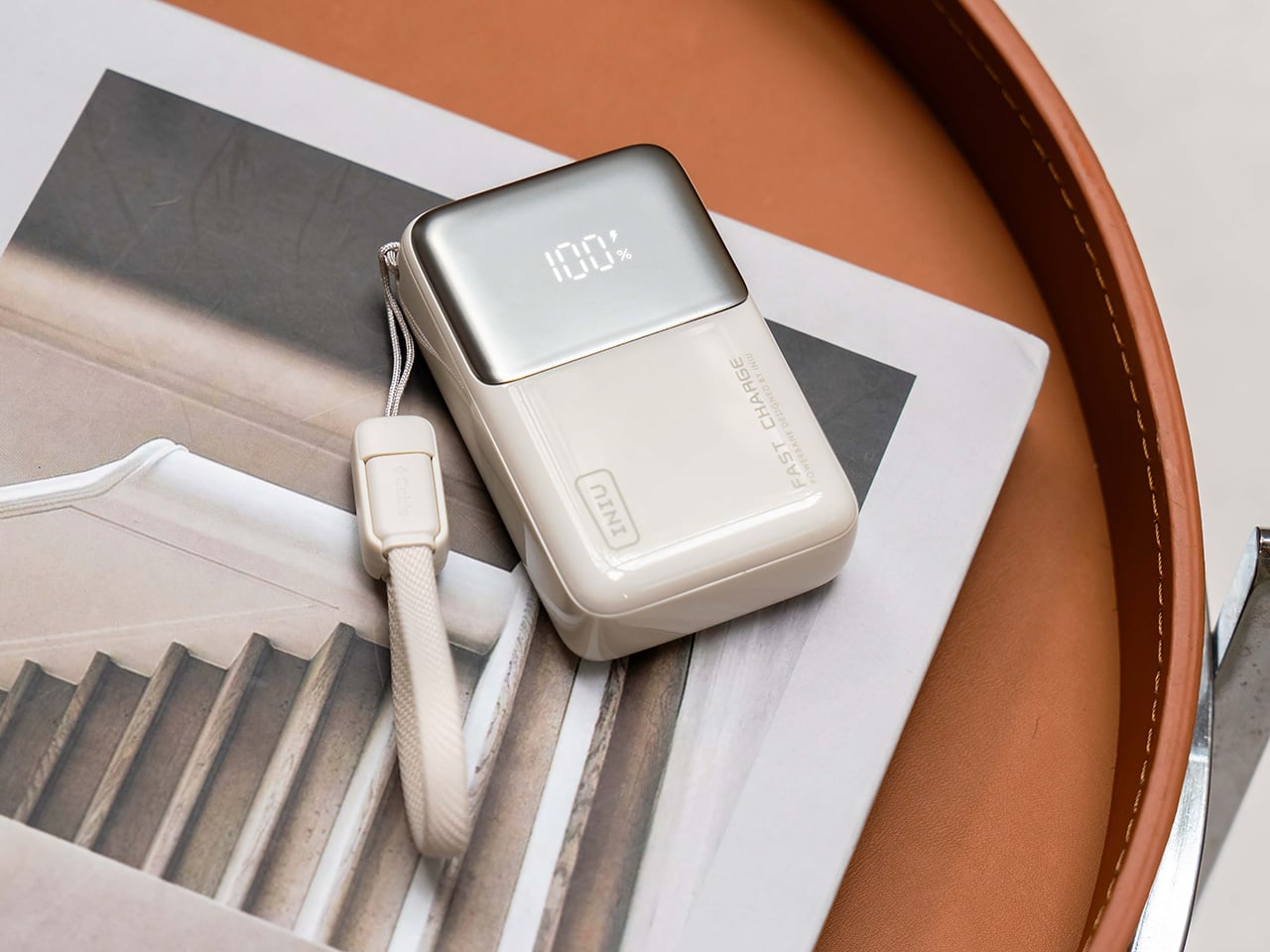
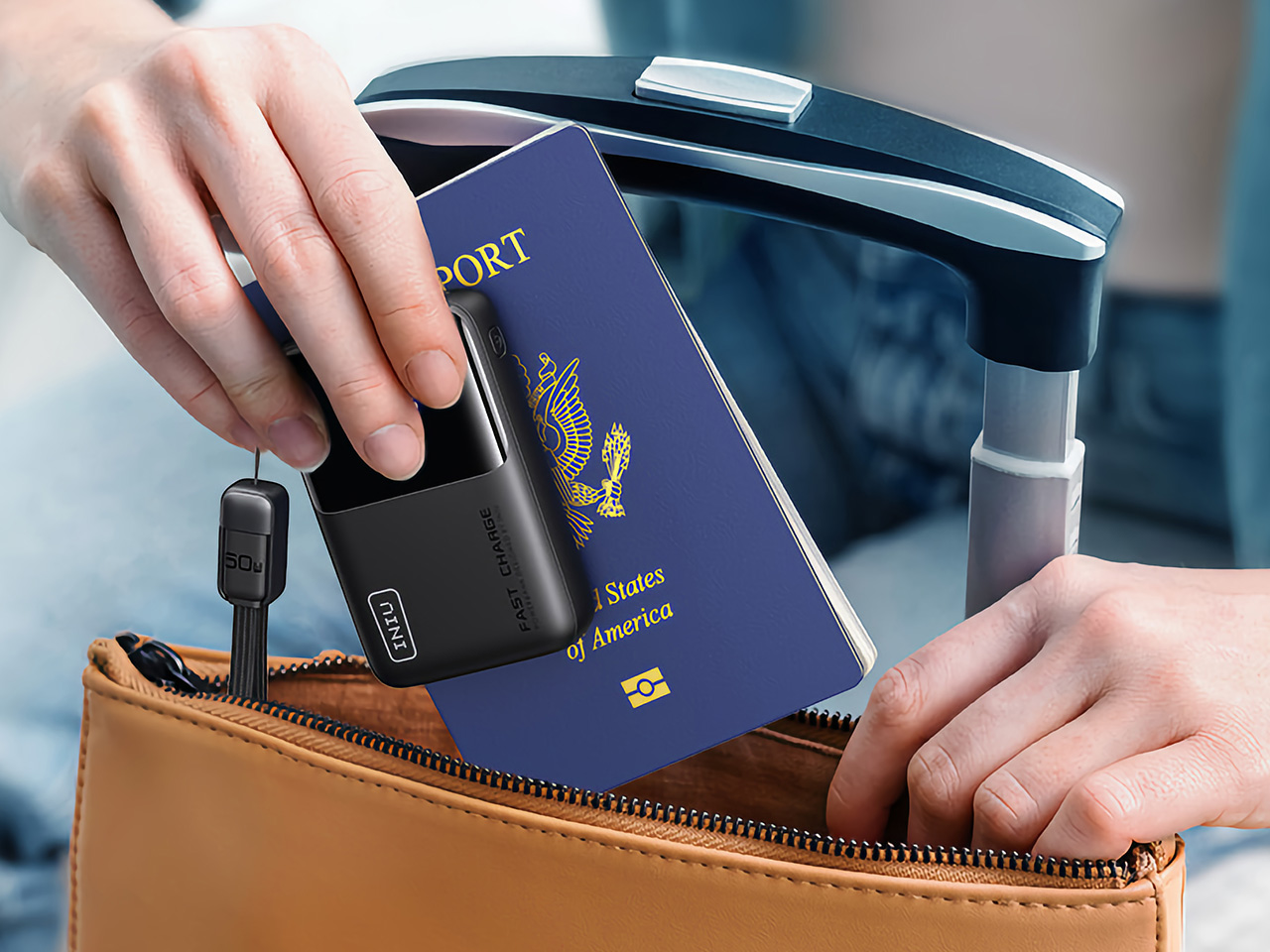
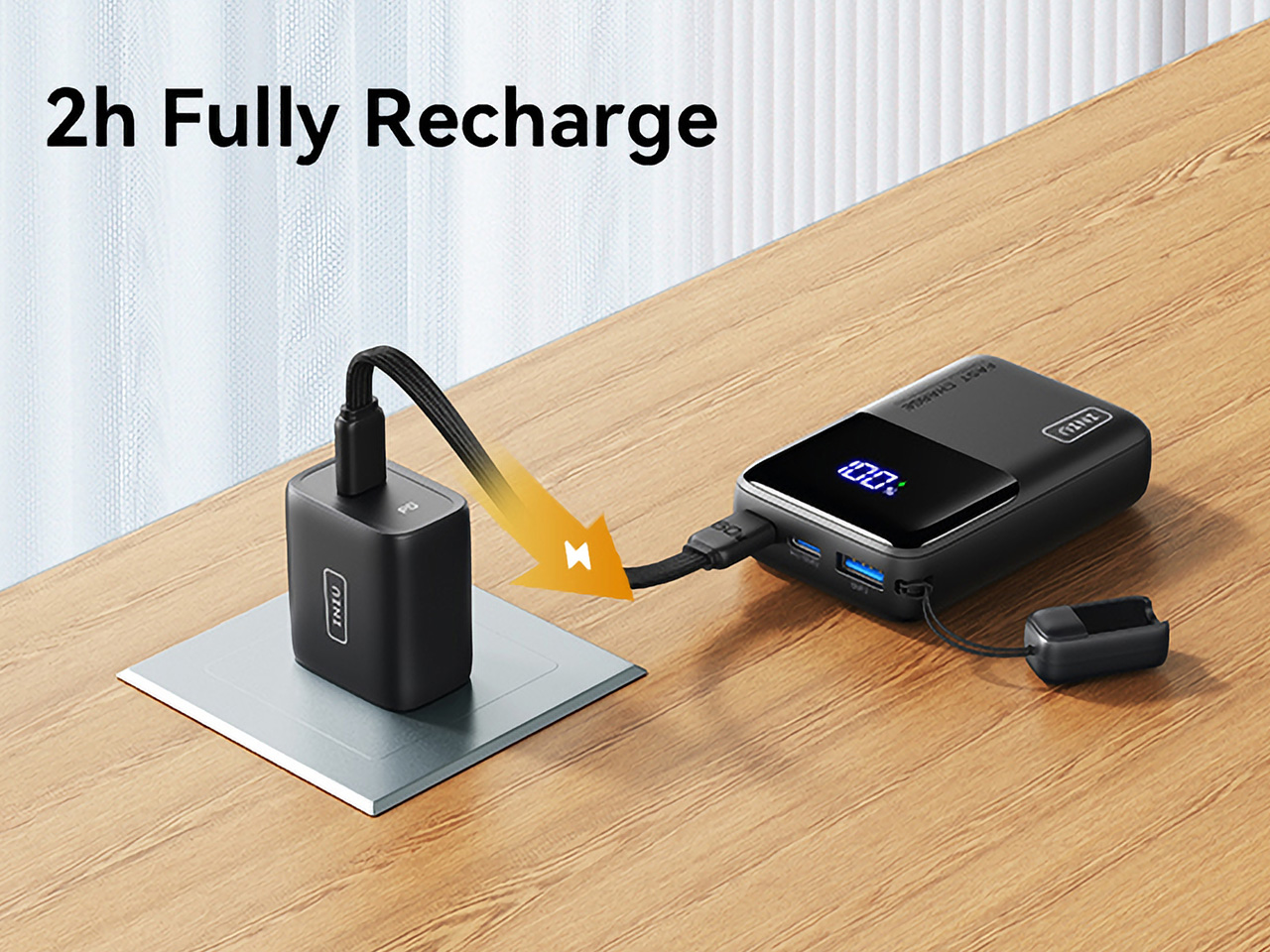
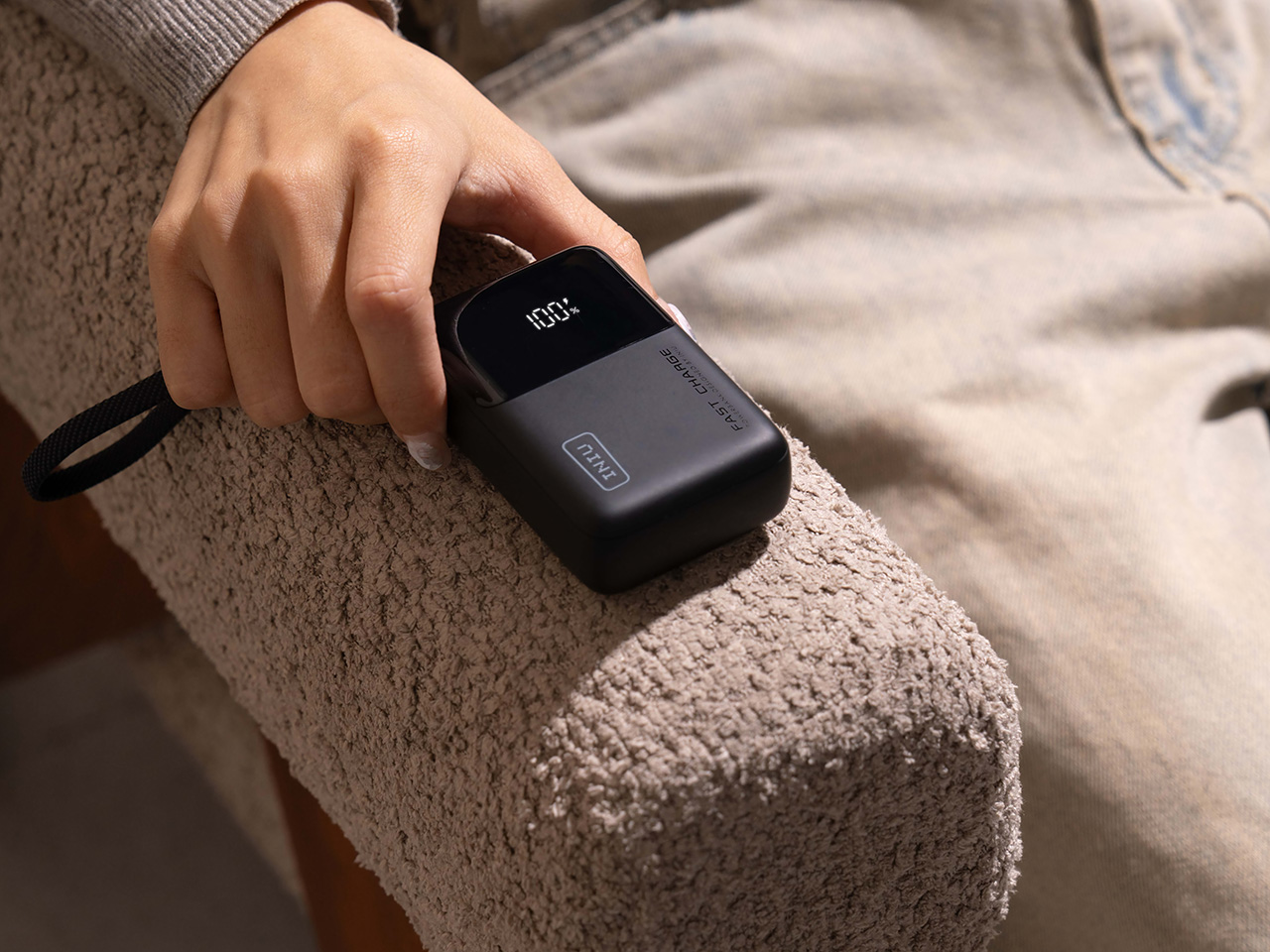
The INIU Pocket Rocket P50 tries to change that calculation. It’s a compact 10,000mAh power bank with 45W fast charging, packed into an ultra-light 160g body that’s small enough to fit in a pocket. With advanced thermal management for stable charging on the go and a built-in USB-C cable for ease of use, INIU built it around a fairly straightforward premise: the best backup charger is the one you’ll actually have with you when you need it most.
Think about the kind of day that starts early and doesn’t slow down. You’re out the door before your phone is fully charged, the bag’s already heavier than you’d like, and by mid-morning, the battery indicator has already started to creep downward. Having the INIU P50 Pocket Rocket in your pocket means you don’t have to plan around outlets or change your route just to find somewhere to charge.
Travel is another situation where the INIU P50 earns its keep. Long airport layovers, train rides, and road trips have a way of draining devices faster than expected, and spending time hunting for a free outlet while juggling luggage isn’t how anyone wants to spend their time. With its compact and lightweight 160g body, this 10,000 mAh portable charger fits easily into a carry-on or daypack without taking up the kind of space better reserved for actual travel essentials.
Of course, a small form factor only tells part of the story. The 45W fast charging is what keeps the INIU P50 Pocket Rocket from feeling like just a novelty. That’s fast enough to charge an iPhone 17 to 70% in 25 minutes. Rather than slowly inching a phone battery up over an hour, it pushes out enough power to make a noticeable difference in a short window, which is exactly what most people need when they’re moving between tasks with little time to spare.
Whether it’s a quick top-up during a lunch break, a longer charge during a flight, or just keeping a pair of earbuds alive through a long afternoon of calls, the speed makes those short windows count for more. It shifts the INIU P50 from something you carry just in case to something that actively keeps your devices running through whatever the day ends up looking like.
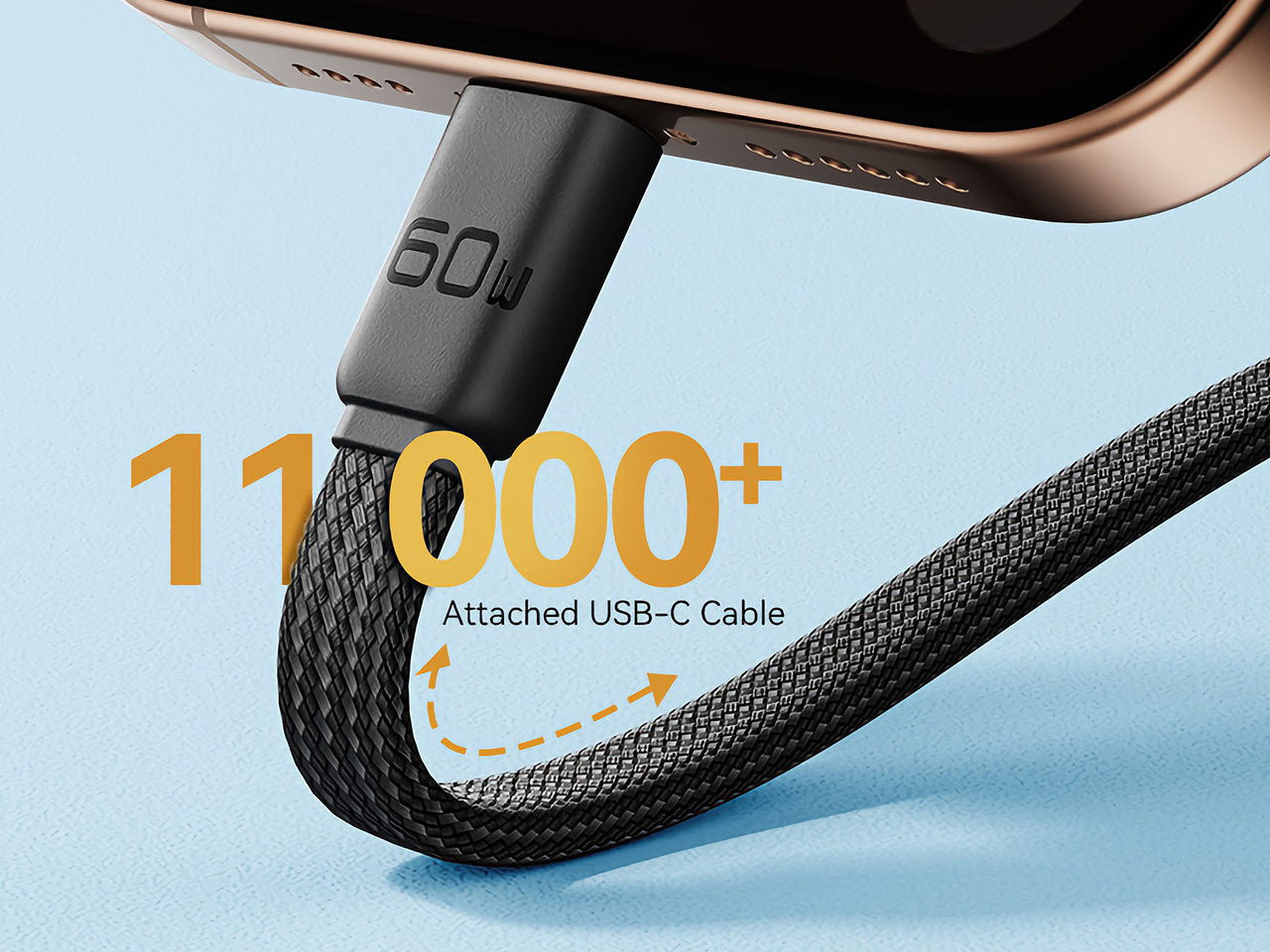
Not every feature on the INIU P50 is about speed or capacity. There’s a USB-C GoCord lanyard cable that’s integrated into the unit but detaches when needed, so there’s always one ready without having to dig through a bag for a spare. A real-time smart display shows exactly how much charge is left, and an optional engraving for names or icons makes the whole thing feel genuinely personal. Advanced thermal management also offers peace of mind, knowing you’re getting not only the most stable but also the safest charging experience possible.
Then there’s the question of how it looks, which isn’t as superficial a concern as it might seem. Most power banks are anonymous black or grey bricks, designed with no apparent interest in how they appear outside of a drawer. The INIU P50 Pocket Rocket comes in a range of colors that let it feel like a considered personal accessory rather than a piece of emergency hardware you apologize for pulling out.
Portable chargers have been around long enough that the category can start to feel routine, but the INIU P50 Pocket Rocket is a good reminder that there’s still room to do it better. Getting 10,000mAh of capacity and 45W of output into something genuinely pocketable, with enough design character to make it feel intentional rather than incidental, takes more thought than most people might expect.
The drawer full of half-used AA and AAA batteries, some new, some dead, some leaking, is familiar. The last-minute scramble for batteries when a remote dies usually means digging through the pile, testing them one by one, and feeling uneasy about throwing spent alkalines into the trash. The problem is not just waste, it is the lack of a clear system for how we power small devices scattered around a home.
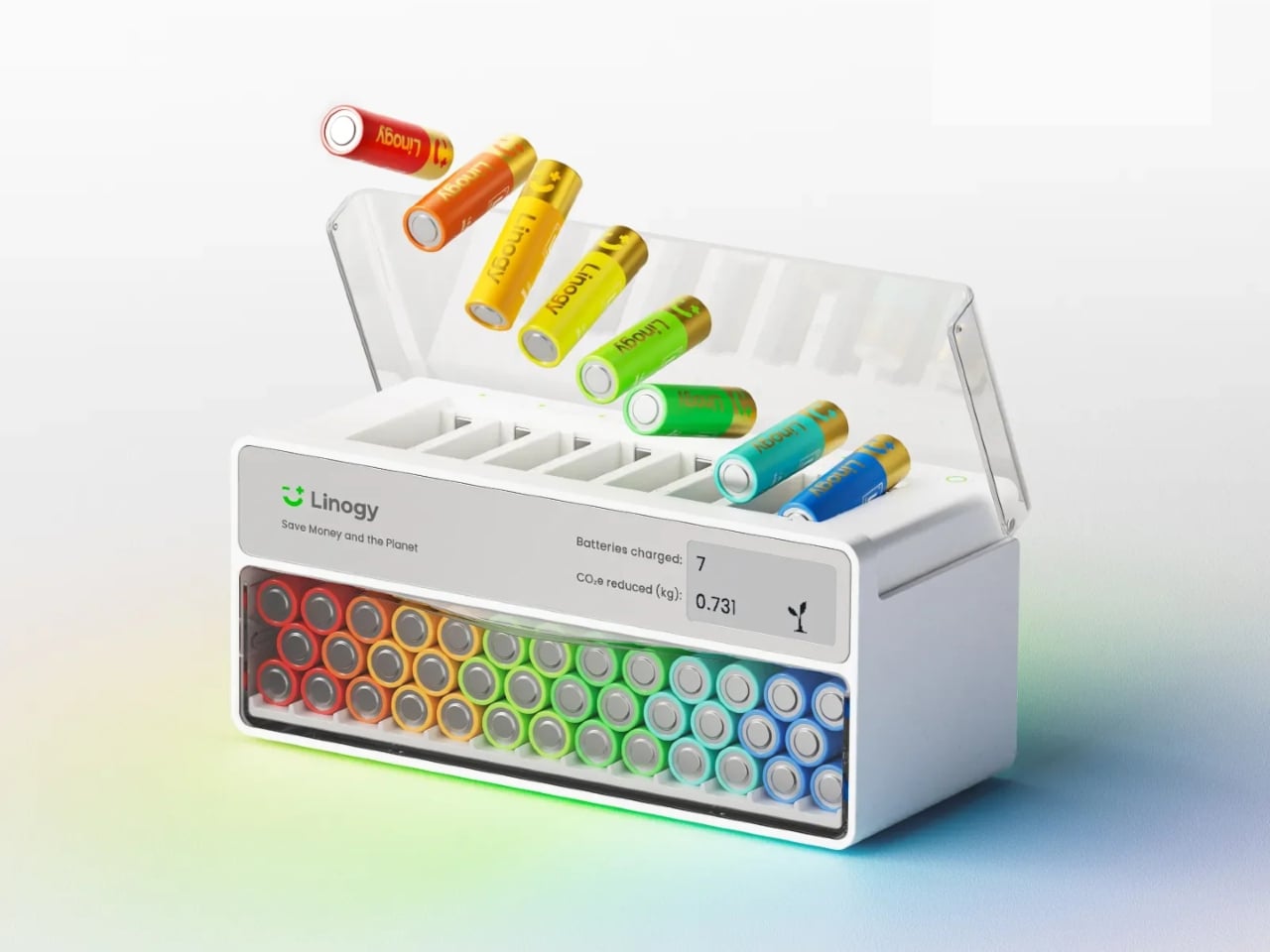
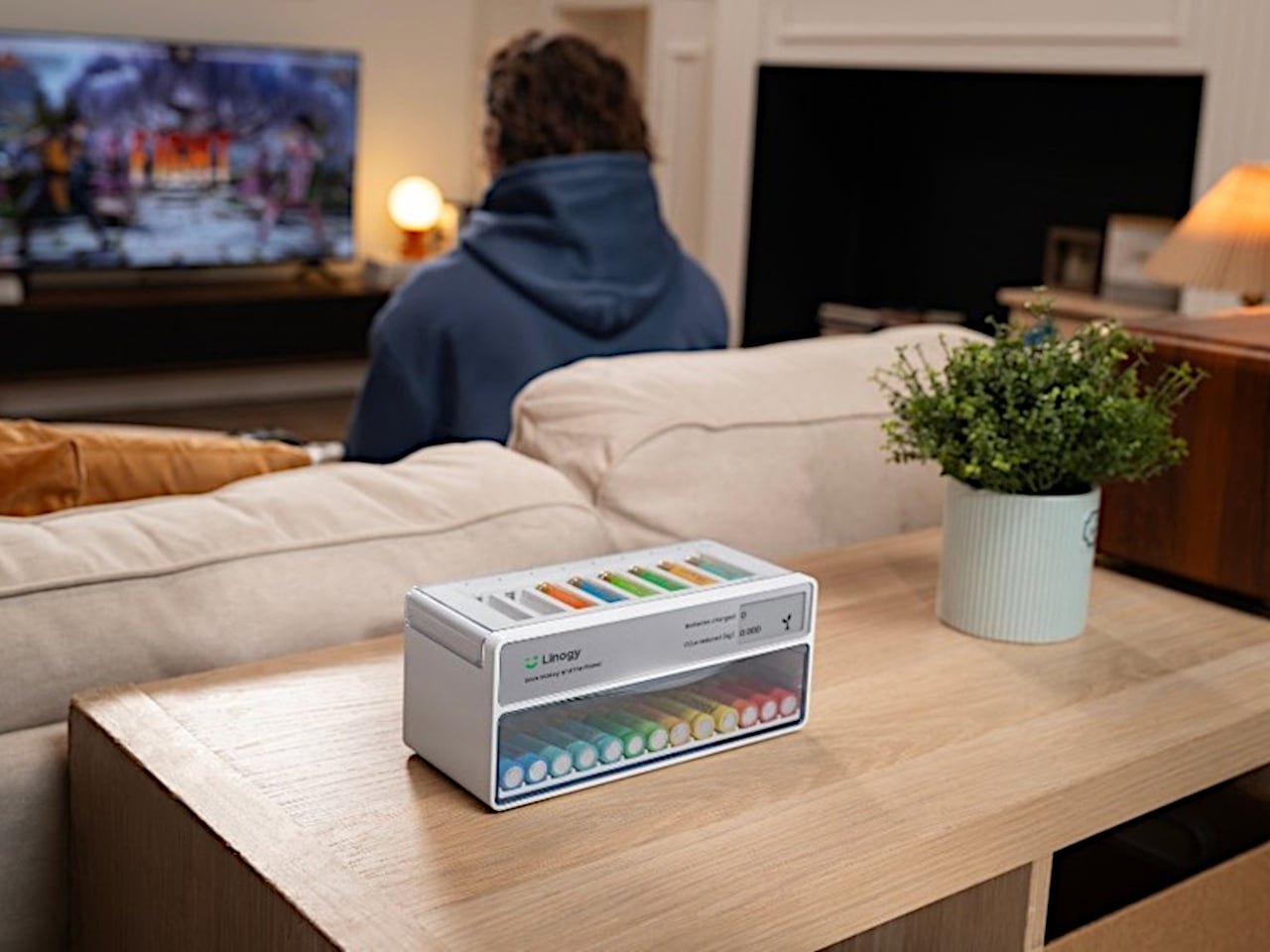
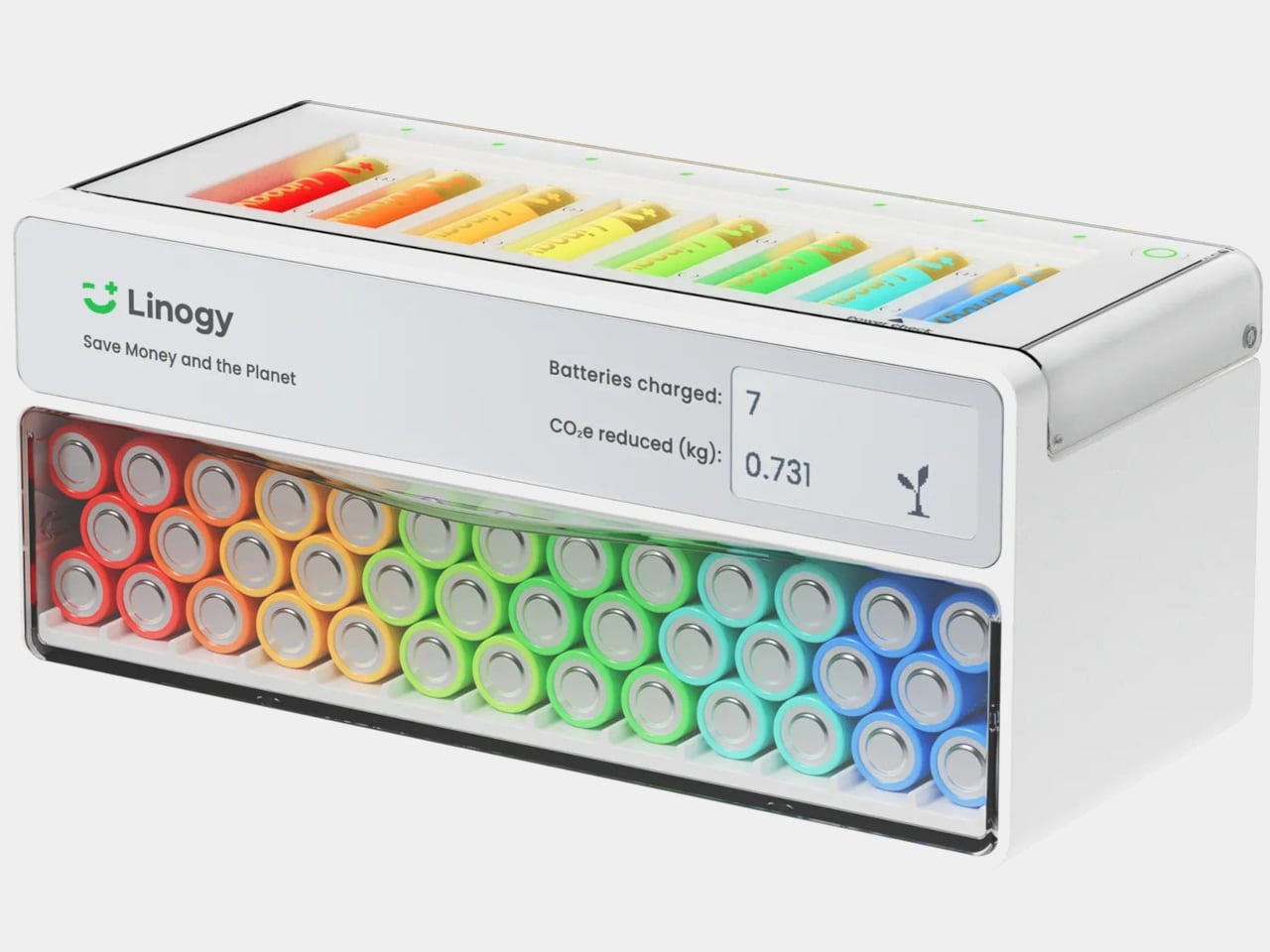
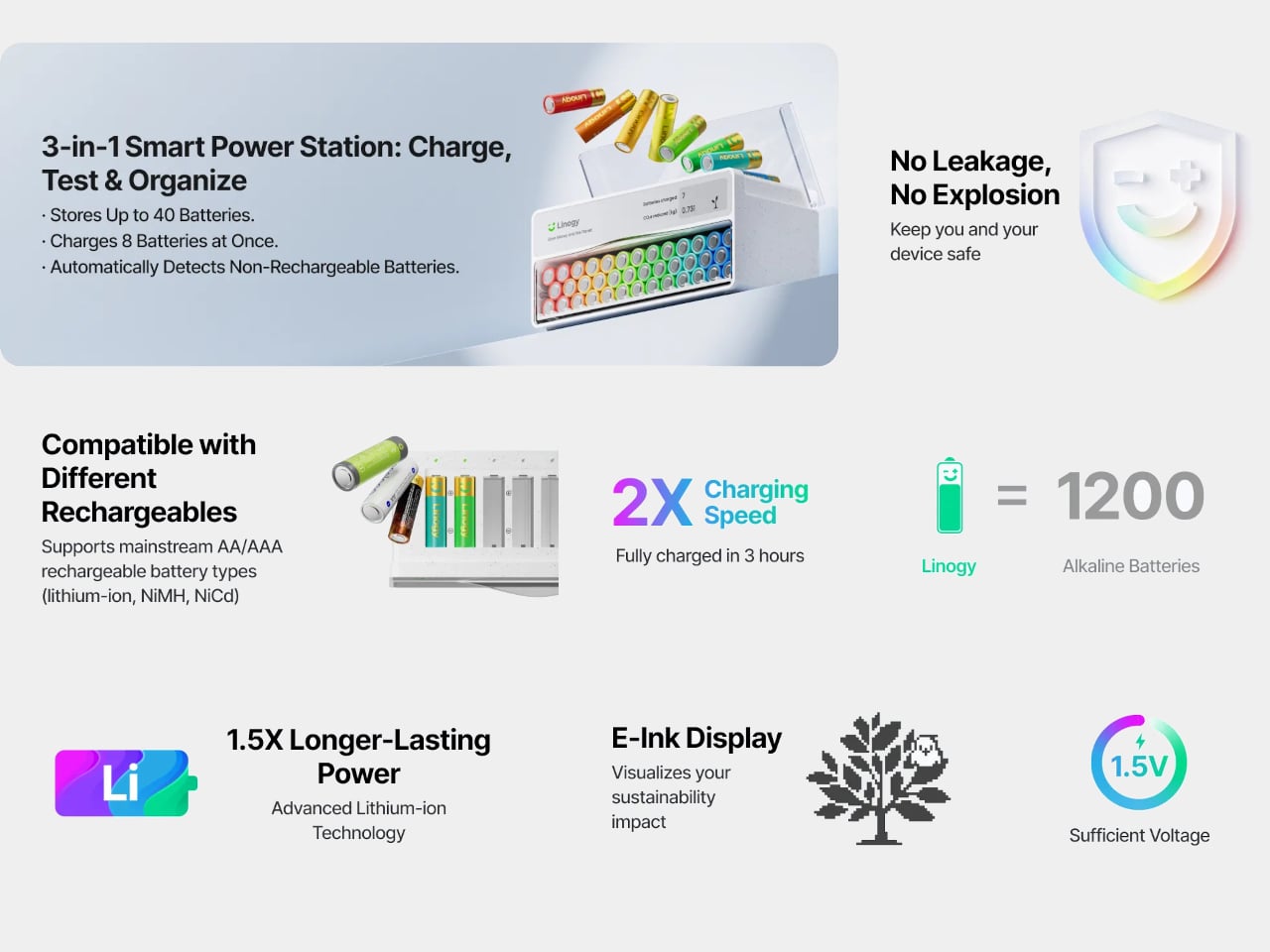
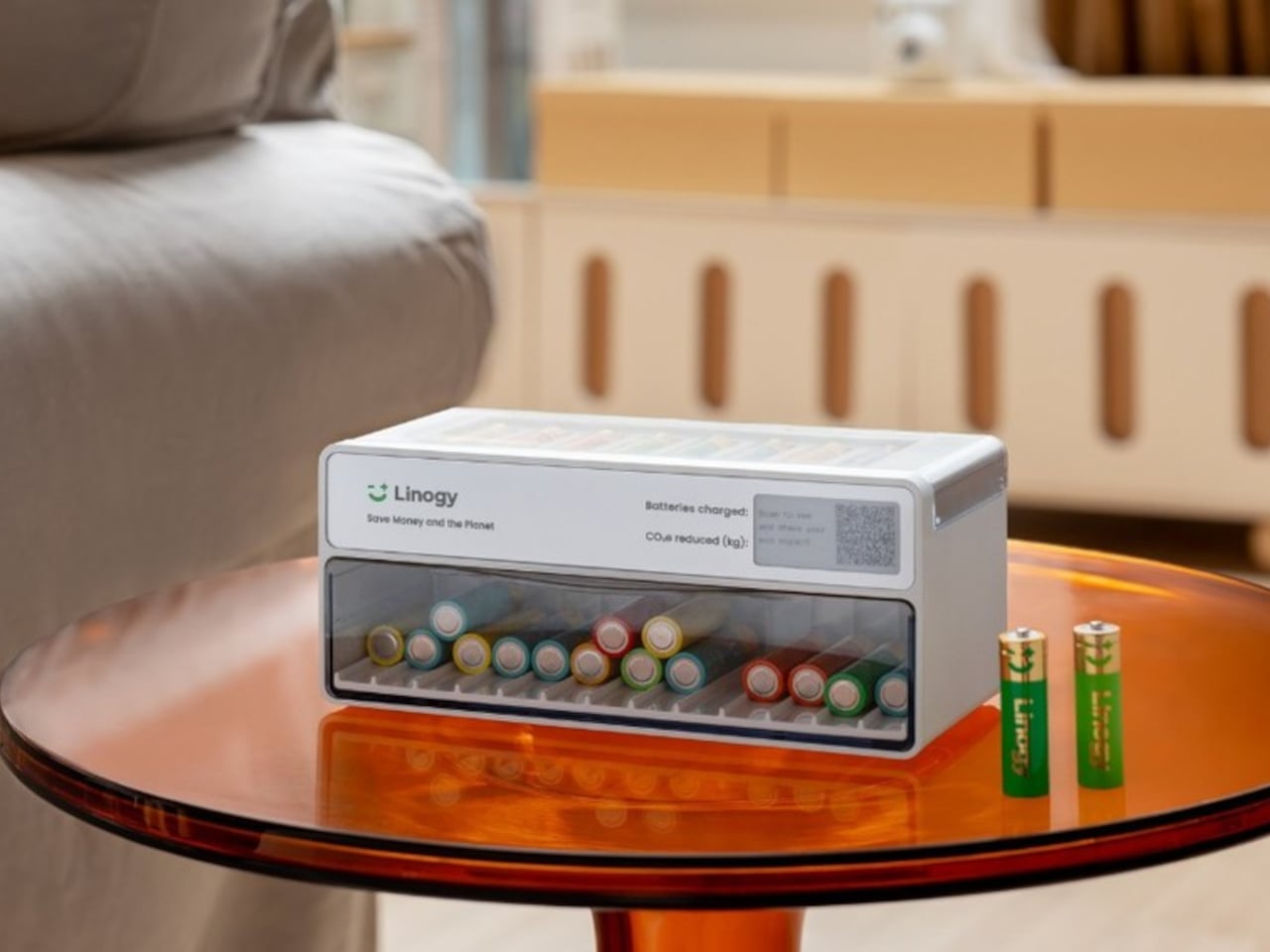
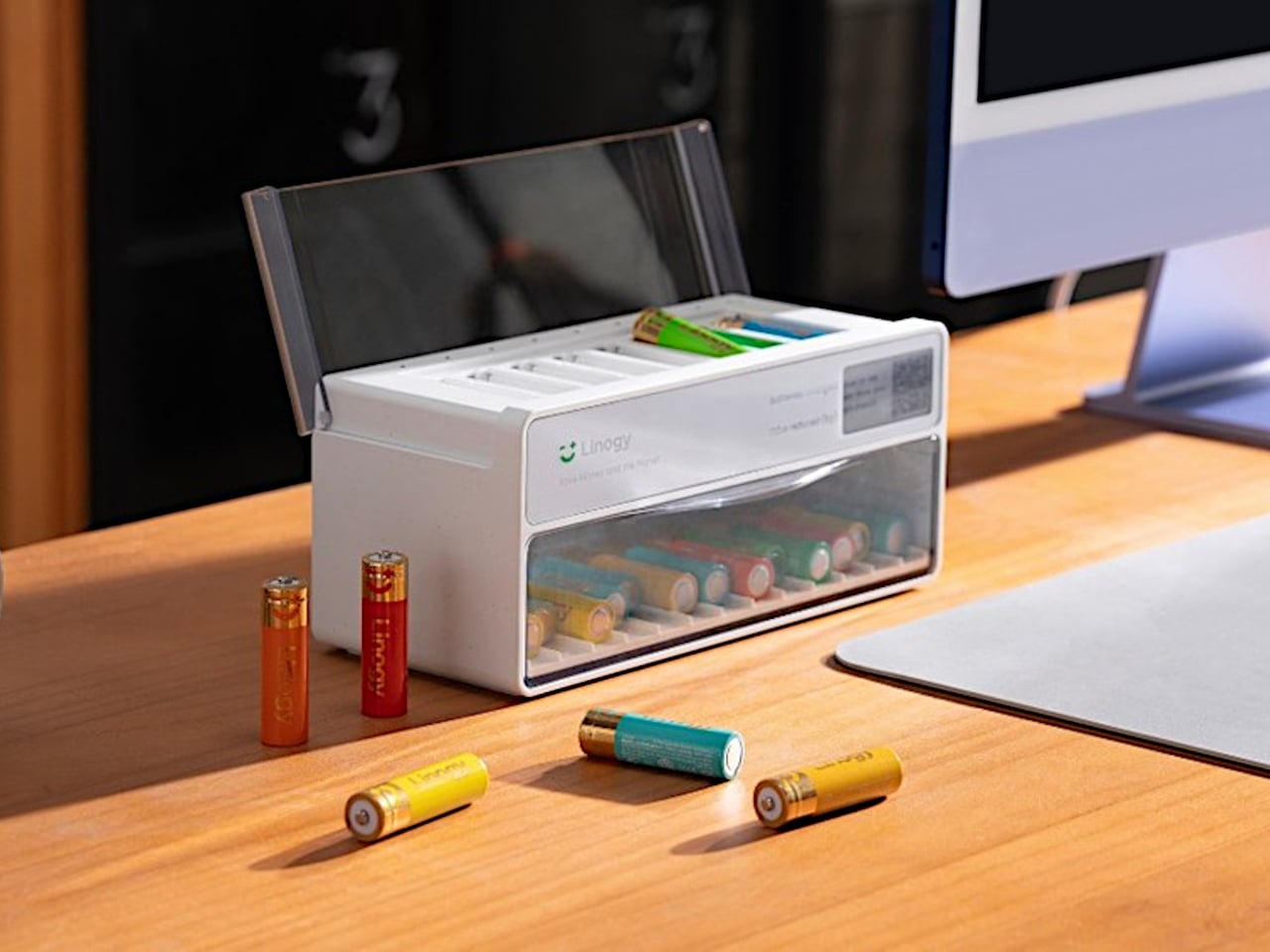
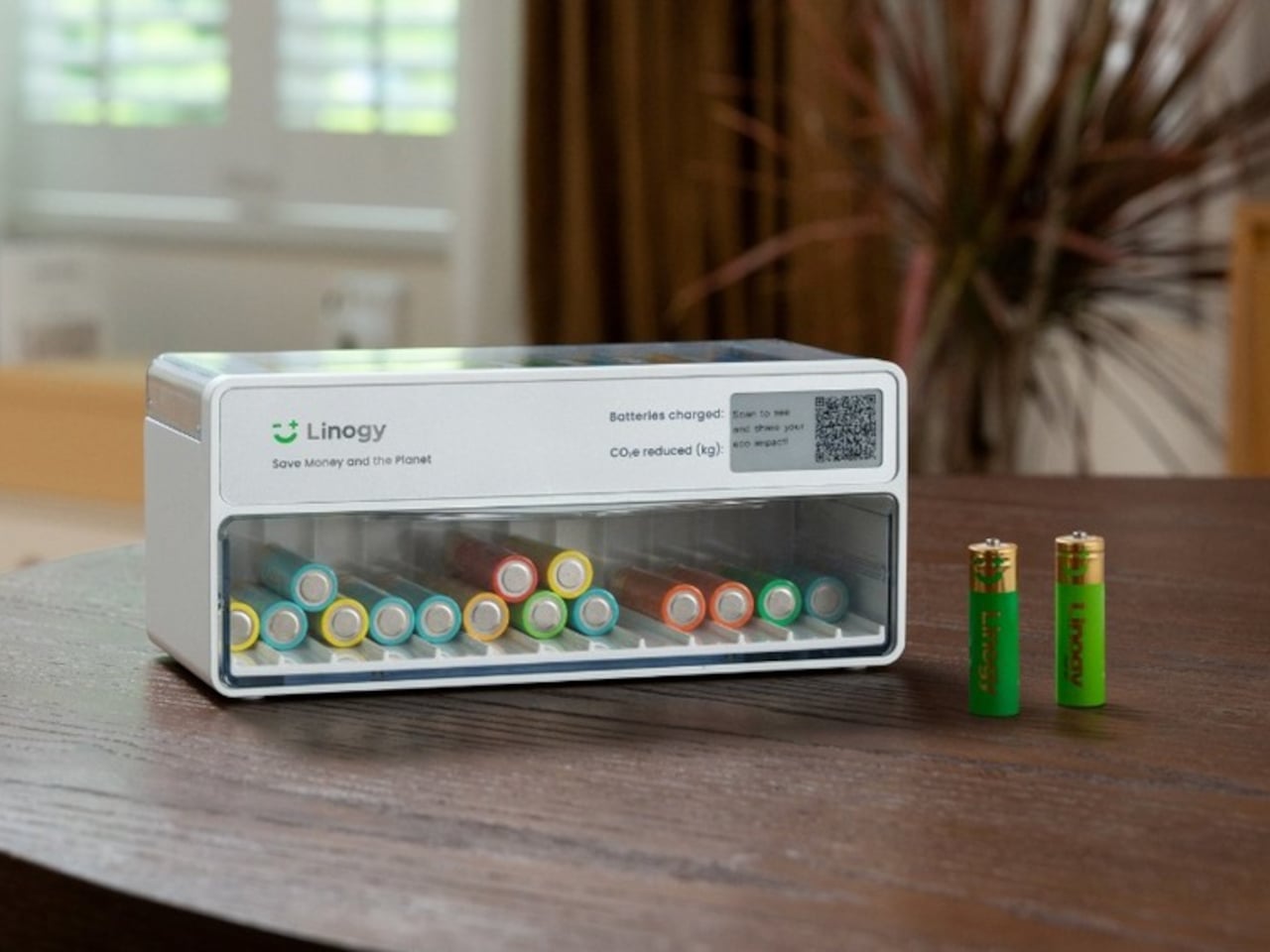
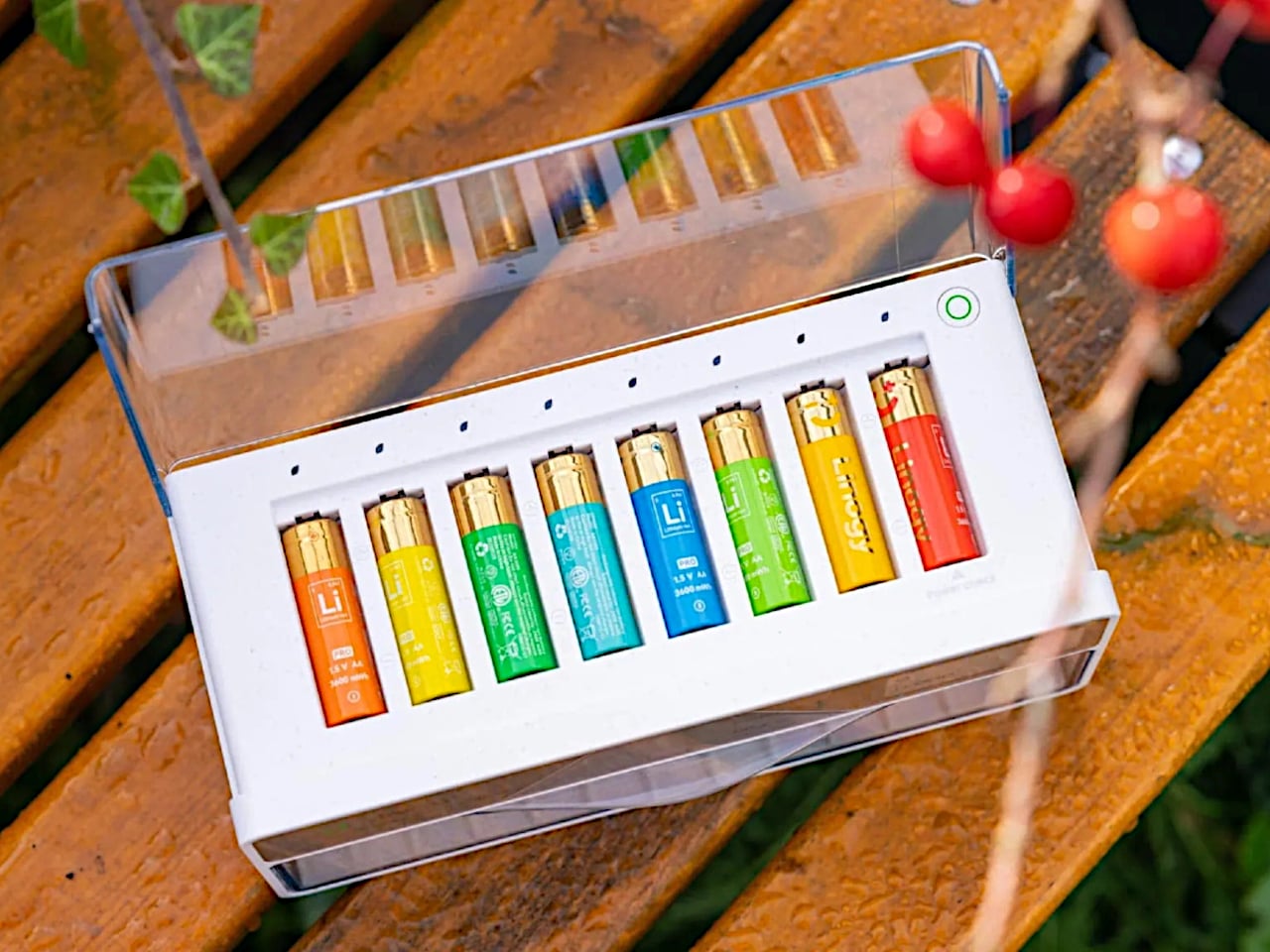
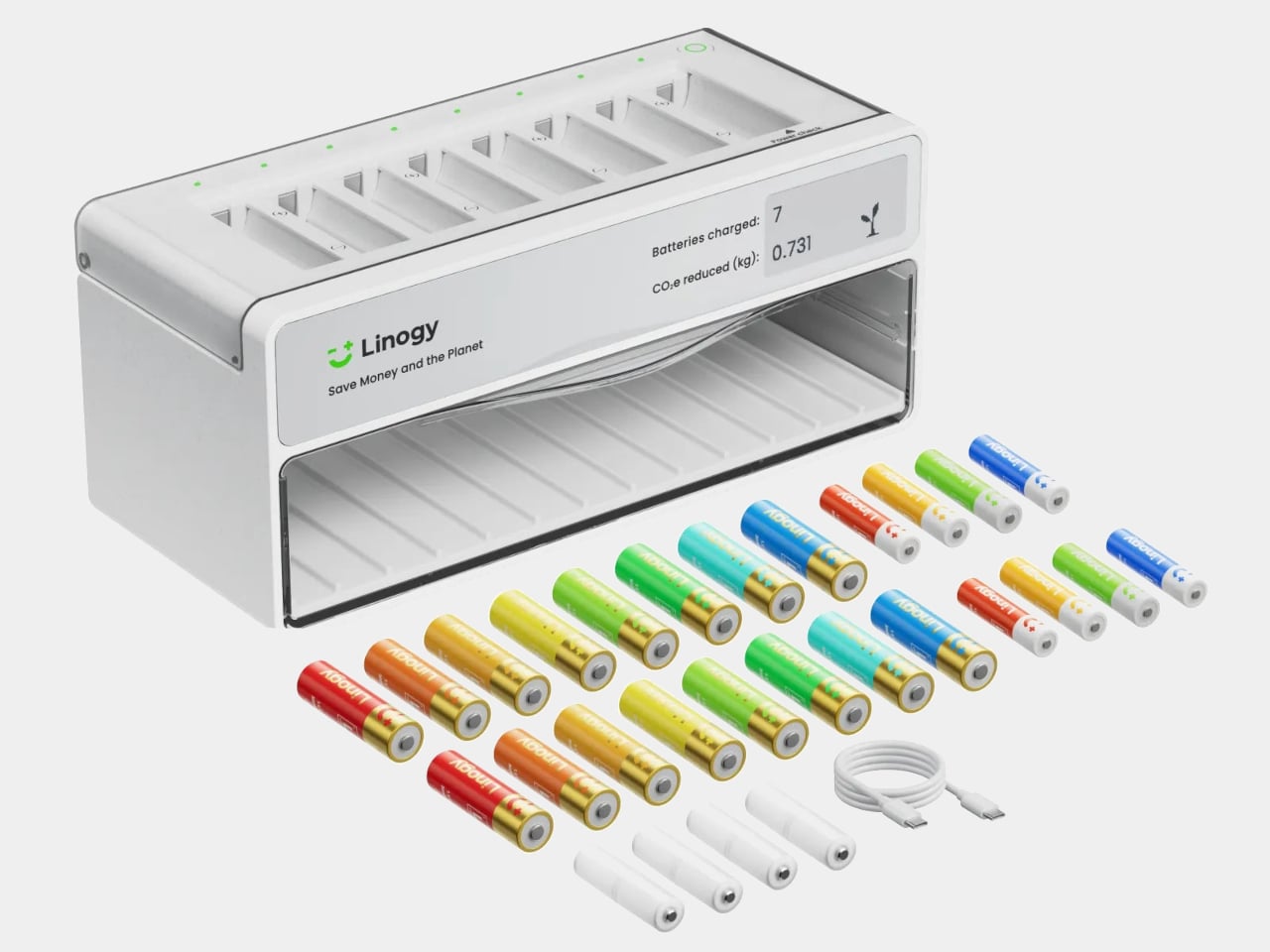
Linogy is a rechargeable battery ecosystem built around 1.5 V Li-ion AA and AAA cells plus an all-in-one smart station. The station lives on a desk or shelf, acting as a battery tester, fast charger, and organizer case that holds up to 40 cells. The goal is to replace the random drawer with a single, visible place where all your batteries live and get managed.
Disposable alkalines are convenient but add up to billions of cells tossed each year, along with tens of thousands of tons of waste and CO₂. Ni-MH rechargeables solve part of that but bring their own quirks: 1.2V output that some devices dislike, high self-discharge, lower energy density, and slow charging that makes topping them up feel like a chore you keep postponing.
Linogy’s cells pack around 3,600mWh and deliver stable 1.5V, closer to what devices expect from alkalines, so performance and battery indicators behave more predictably. The cells are rated for up to 1,200 cycles, meaning one rechargeable can stand in for roughly 1,200 disposables over its life, and built-in protection layers handle overcharge, short circuit, and drop impacts without leaks or smoke.
Dropping a mix of AA and AAA cells into the station, it automatically detects type, health, and charge level. The e-ink display shows which batteries are full, which are charging, and which are ready to retire, without bright LEDs or guesswork. A full charge takes around three hours, and once topped up, the station stops charging and simply holds the cells until something needs power.
The station is compatible with Linogy’s Li-ion cells, Ni-MH, and Ni-Cd AA and AAA batteries. You do not have to throw out existing rechargeables; the same box can test and charge them while you gradually swap in higher-capacity 1.5V cells. Over time, the random mix becomes a more coherent set of batteries you actually trust instead of avoiding.
A simple change in how you handle AA and AAA power can reduce waste and friction. One Linogy cell replacing up to 1,200 alkalines, recyclable packaging, and a charger that looks like a small appliance rather than a tangle of cables all add up. It turns the humble battery from something you forget about until it fails into a part of the home that is designed, visible, and surprisingly satisfying to keep in order.