vivo X300 Ultra Review: Putting the Camera at the Center of Everything

PROS:


  • Excellent photography performance even without accessory

  • Modular photography ecosystem with extenders, grips, and cages

  • Simple yet stylish design

  • Flagship performance now avialabe globally


CONS:


  • Quite heavy for one-handed use

  • Premium pricing might only appeal to mobile shutterbugs


RATINGS:

AESTHETICS
ERGONOMICS
PERFORMANCE
SUSTAINABILITY / REPAIRABILITY
VALUE FOR MONEY

EDITOR'S QUOTE:

The vivo X300 Ultra is a camera platform that happens to run Android, built for people who shoot with purpose and want their phone to keep up.

The premium smartphone market has gotten very good at producing flagships that look and feel essentially identical. Brighter displays, larger sensors, and faster chips are standard expectations now, and while the results are impressive, they rarely feel purpose-built for a specific kind of user. The phones that genuinely stand out tend to commit to a clear identity and organize everything, from hardware to aesthetics, around it.

The vivo X300 Ultra is making its global debut right now, the first time vivo’s top-tier X Series flagship has launched outside of China. It arrives with a clear, photography-first premise built around the ZEISS Master Lenses Collection, offering professional creators unprecedented creative freedom through pioneering telephoto solutions, three prime-equivalent focal lengths, and a modular telephoto system that turns the phone into something closer to a portable camera platform than a smartphone that happens to have good cameras.

Designer: vivo

Aesthetics

The X300 Ultra doesn’t hide what it’s about. The rear is dominated by a large circular camera module, a bold black disc rimmed in polished metal with ZEISS T* branding at the center. It’s a confident, unapologetic choice that reads as a statement of intent rather than a feature shoehorned into standard smartphone form. The module doesn’t merely support the design; it is the design.

Our review unit is the white colorway, and it’s a particularly considered finish. The back panel has a subtle, almost etched texture beneath the surface, giving it more depth than you’d expect from a white phone. The polished frame and classic split design, inspired by the hues of unprocessed film, create a striking visual contrast while maintaining a slim, premium presence without relying on glossy flash or loud visual contrast.

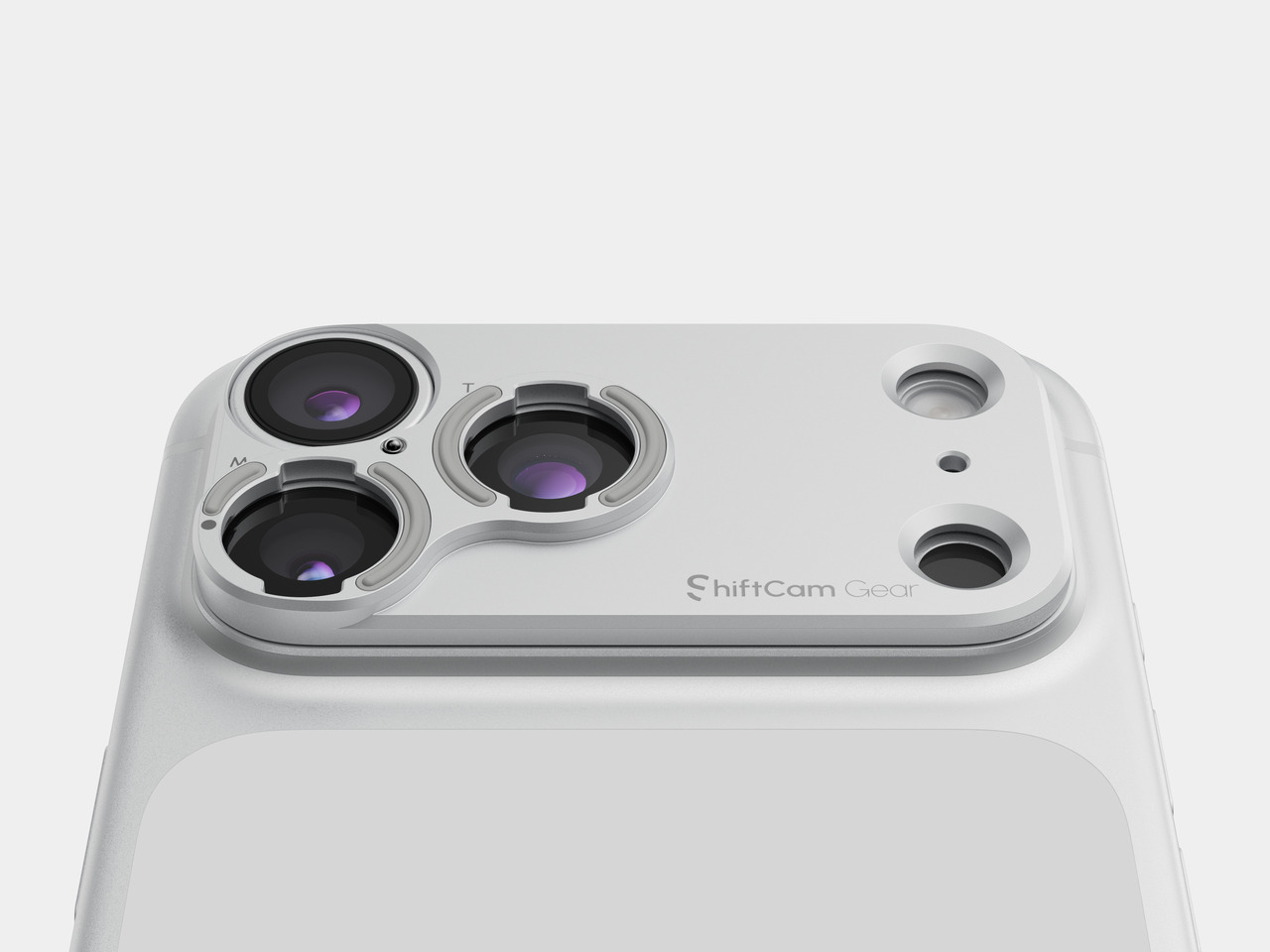
The camera-inspired detailing rewards a closer look. The device features a metal “biscuit-style” camera bump with a knurled texture and engraved lettering on the sidewall of the camera bump, adding a precision-tool quality you feel the moment you hold it. These aren’t details that show up in a spec sheet, but they make a real difference in how the phone feels to own and carry every day.

The front takes a different approach entirely. The 6.82-inch 2.5D flat screen sits behind slim, even bezels with a small centered punch-hole for the 50MP front camera, and the whole face feels clean and uncomplicated. That contrast with the expressive rear works in the phone’s favor, keeping the display experience neutral and focused while the camera side carries all the personality.

Ergonomics

The first thing you notice when picking up the vivo X300 Ultra is the weight. At 237g, the white model is among the heaviest flagship phones currently on the market, and the substantial camera module adds to that presence both physically and psychologically. The Unibody 3D Glass Fiber Design of the Black edition results in a lighter 232g, but regardless of colorway, the flat-sided metal frame distributes the weight well, making the phone feel grounded and deliberate rather than awkwardly front-heavy.

One-handed use is possible, but not the most comfortable for extended periods, which is expected for a device of this size. The flat sides help with grip, giving you a firm hold, and the 8.49mm slim profile feels justified by the optical hardware packed inside. It’s a noticeable phone in the pocket, though that’s really true of any flagship with serious camera ambitions.

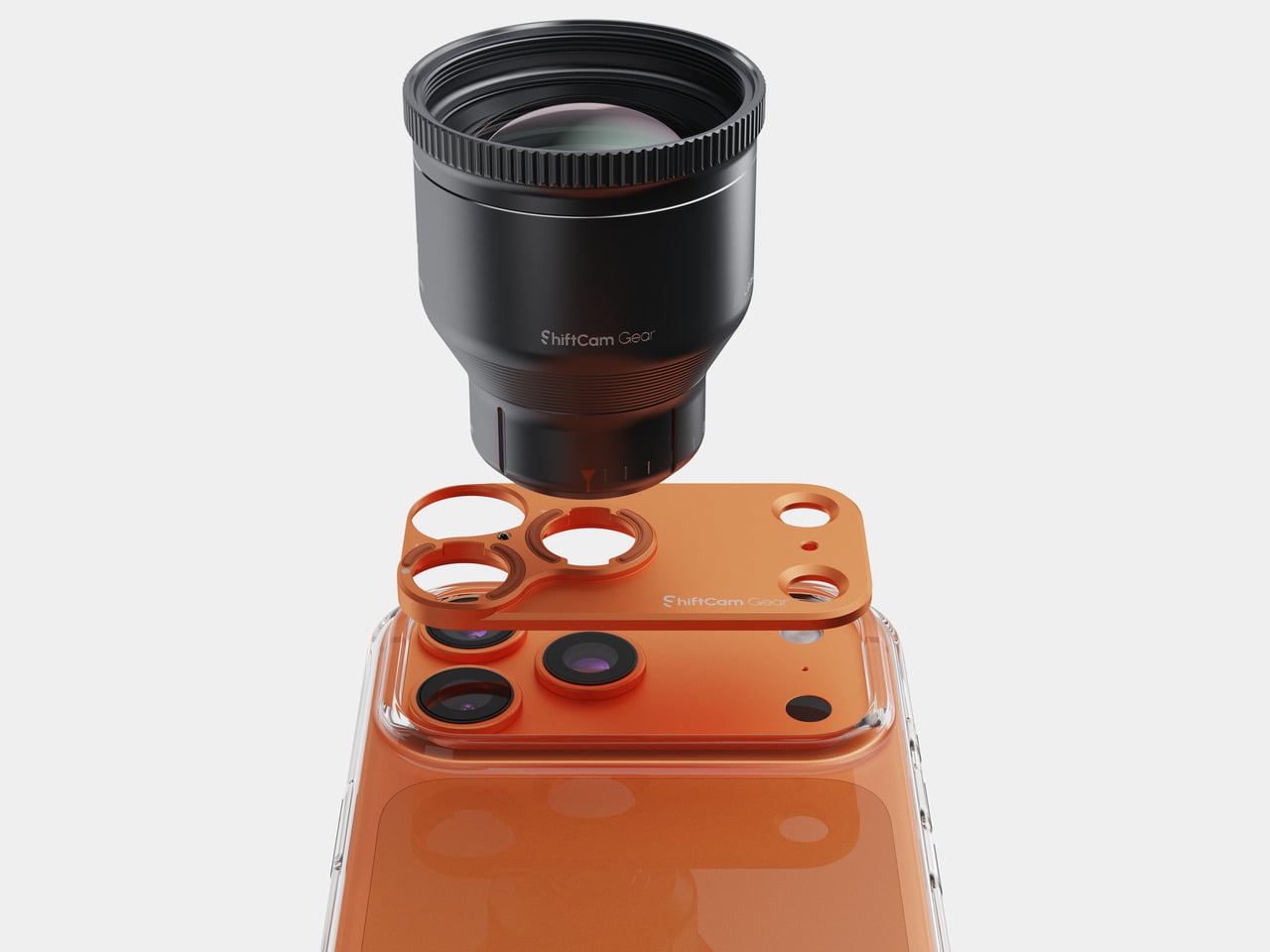
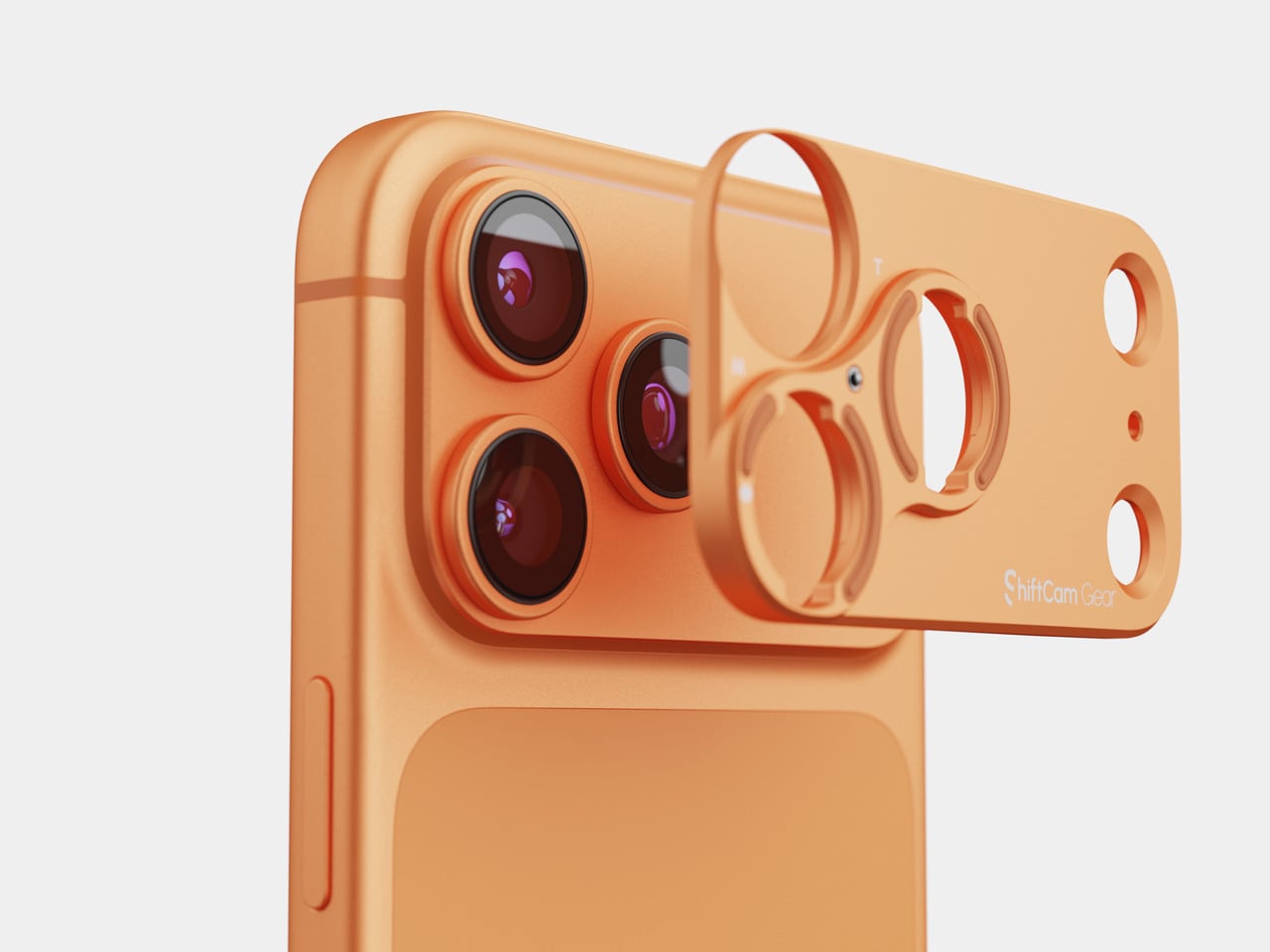
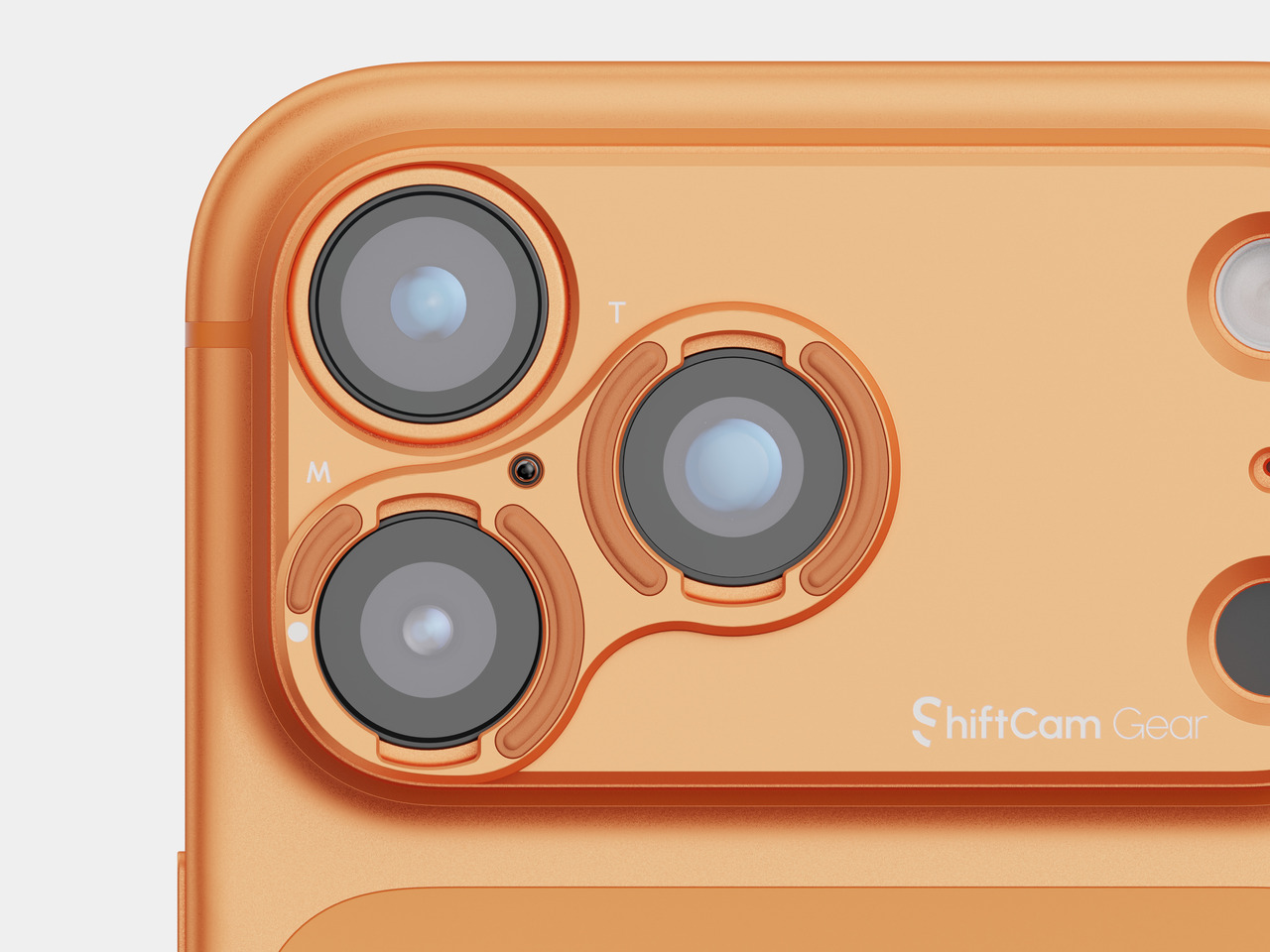
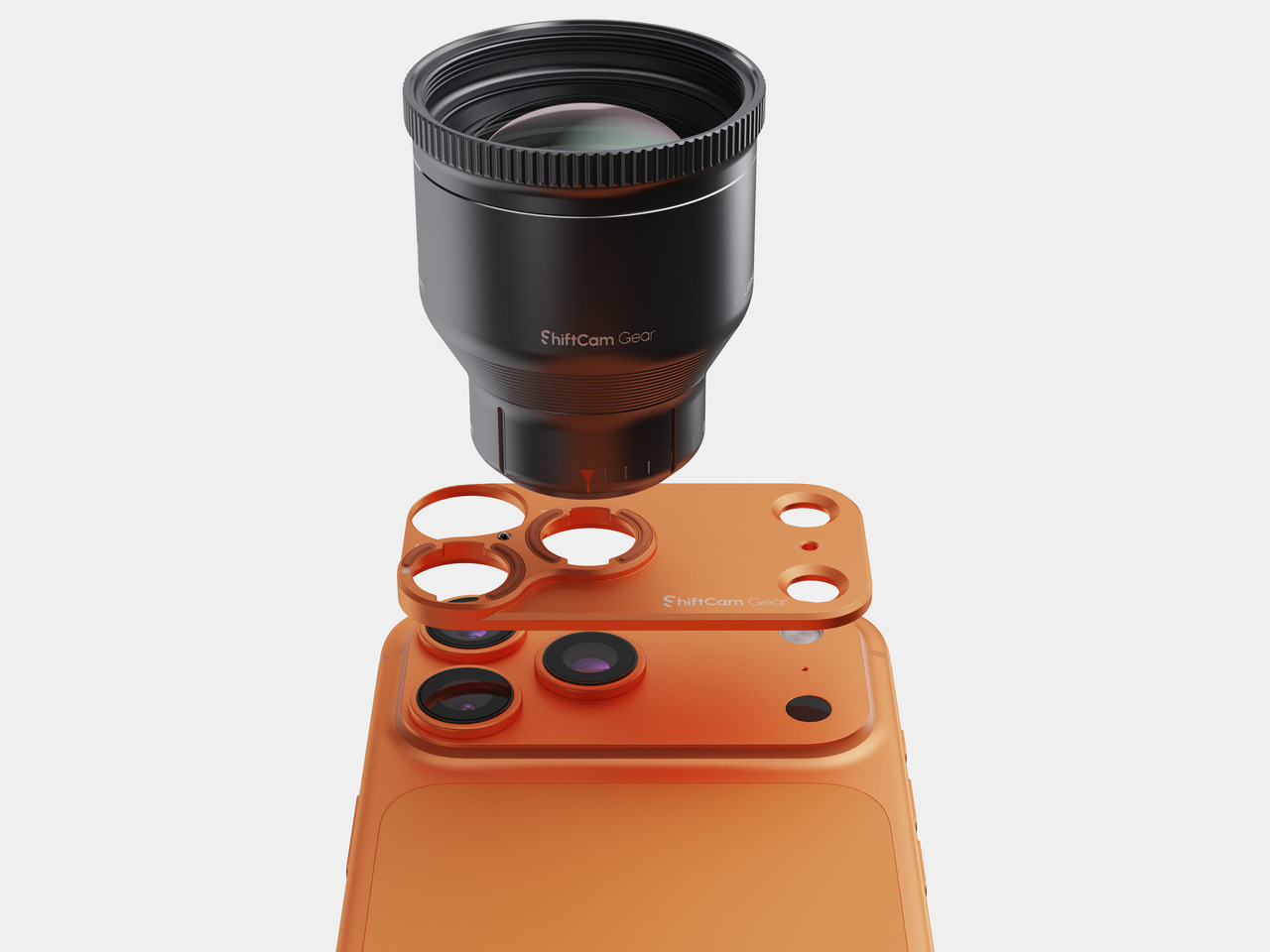
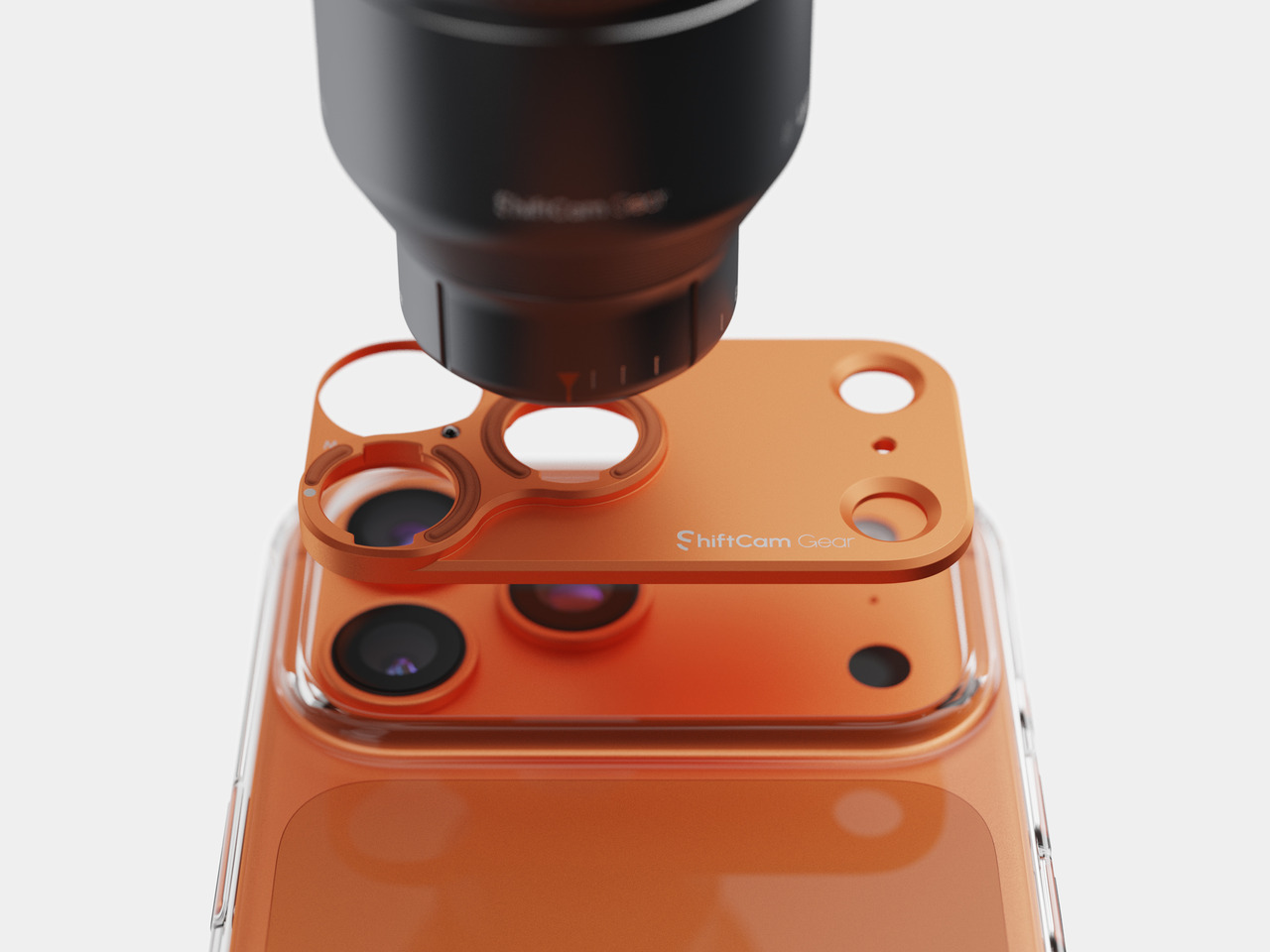
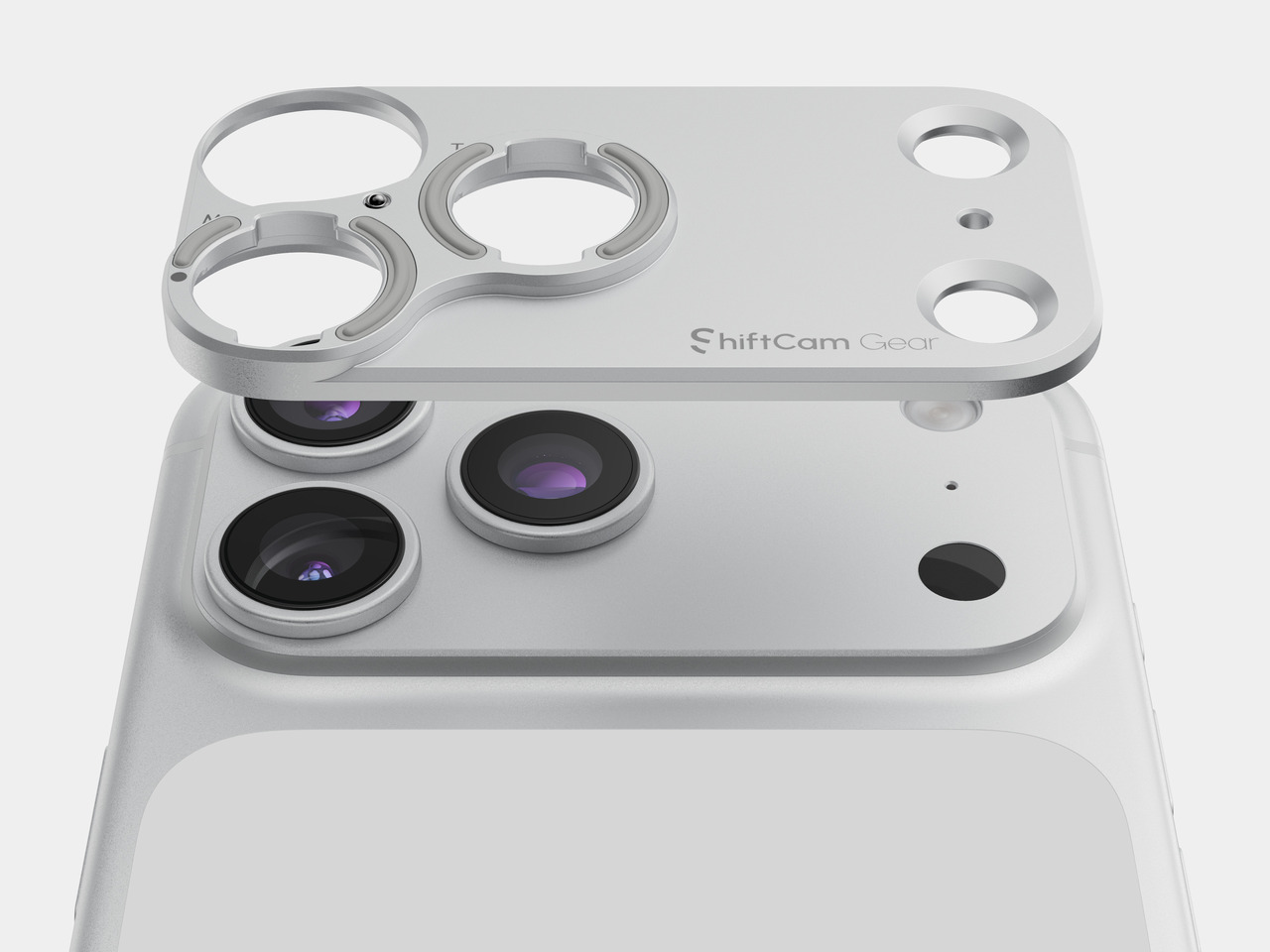
The ergonomics shift noticeably when the telephoto extenders enter the picture. The protective case becomes a functional necessity, as the lens mount system requires it to interface with the accessories. Once a telephoto extender is attached, the modular grip moves from optional to practically essential, providing the stability and comfort that the added length and weight demand.

Performance

At the core lies the Snapdragon 8 Elite Gen 5, paired with vivo’s own Pro Imaging Chip VS1+ and up to 16GB of RAM with up to 1TB of storage. Day-to-day performance is exactly what you’d expect from a 2026 flagship: fast, fluid, and unfazed by demanding tasks. OriginOS 6, based on Android 16, keeps things running smoothly with an Origin Smooth Engine that keeps the interface feeling responsive even after extended sessions.

The display is a 6.82-inch 8T LTPO panel running at 3,168 x 1,440 with a 144Hz adaptive refresh rate. It’s bright enough to review shots comfortably outdoors, with 4,500 nits of local peak brightness and certifications for Dolby Vision, HDR10+, and Netflix HDR. As a viewfinder for the camera system, it performs its job well, delivering accurate colors that reflect what the camera is actually capturing.

Battery life is solid for a phone with this level of imaging ambition. The 6,600mAh BlueVolt Battery supports 100W wired FlashCharge and 40W wireless charging, making it easy to top up quickly between shoots. Bypass charging with smart temperature control also keeps heat in check during longer sessions, which matters when you’re shooting all day.

The camera system is, of course, where the X300 Ultra makes its most interesting argument. Rather than organizing three cameras as “main, ultrawide, and telephoto,” vivo builds them around three prime-equivalent focal lengths, each treated as a dedicated imaging tool. The 35mm ZEISS Documentary Camera, equipped with a Sony LYTIA 901 sensor at a 1/1.12-inch sensor size and 200MP direct output, is the natural storytelling lens with a field of view close to the human eye. It’s ideal for portraits, street photography, and everyday moments, particularly in low light, where it delivers sharp, naturally detailed results.

Color Profile: Authentic

Color Profile: Vivid

Portrait Mode

Macro Mode

The 85mm ZEISS Gimbal-Grade APO Telephoto Camera is arguably the most technically ambitious of the three. Its 200MP sensor captures extraordinary detail even at high zoom levels, meeting ZEISS APO standards for optical precision. With 3-degree gimbal-level OIS and 60fps AF tracking in Snapshot mode, it handles fast-moving subjects with a composure that most telephoto cameras on phones can’t manage. Concerts, wildlife, and sports are where this lens makes the clearest case for itself, letting you track and capture decisive moments with confidence.

Telephoto Lens (No Mode)

Telephoto Lens (Pro Sports Mode)

Telephoto Lens (Pro Sports Mode)

Ultra-wide

The 14mm ZEISS Ultra Wide-Angle Camera rounds things out at 50MP, with a large aperture that makes it more capable than the typical ultrawide found on most flagships. It isn’t an afterthought; vivo positions it as a main-camera-grade lens designed for natural landscapes and broader compositional work, and that ambition shows in the results.

Main

Telephoto Camera (No Lens Extender)

The telephoto extenders add another layer to the whole system. The 200mm equivalent vivo ZEISS Telephoto Extender Gen 2 connects to the phone via the case’s lens mount and delivers optical-grade output at a focal length that no internal module can match, all at a more manageable 153g, refined down from 210g in the previous generation. The 400mm equivalent Telephoto Extender Gen 2 Ultra takes things further still, built on a Kepler-inspired optical design with 15 high-transmittance glass elements and support for 200MP optical output. Both extenders support gimbal-grade OIS and up to 60fps AF tracking, and together they extend the X300 Ultra’s imaging range into territory that genuinely blurs the boundary between smartphone and dedicated camera.

200 mm ZEISS Telephoto Extender Gen 2

400 mm ZEISS Telephoto Extender Gen 2 Ultra

Sustainability

The X300 Ultra is built to last, and that conviction shows in the hardware choices. Armor Glass protects the exterior, and the phone carries both IP68 and IP69 dust and water resistance ratings, covering both prolonged submersion and high-pressure water exposure. These are meaningful standards for a device that’s meant to travel and shoot in varied conditions.

The strongest sustainability argument, though, is software longevity. vivo is committing to five years of OS upgrades and seven years of security maintenance, a support window that puts the X300 Ultra ahead of most Android flagships and signals genuine confidence in its long-term relevance. For a phone at this price point, that kind of assurance matters, extending the useful life of the device considerably.

Like most sealed flagship phones, however, the X300 Ultra isn’t particularly repair-friendly, and vivo doesn’t make any specific claims about recycled or sustainable materials in this build. That’s a common gap across the ultra-premium phone category, and the long support window and durable construction go some way toward compensating for it.

Value

The X300 Ultra sits squarely in the ultra-premium flagship tier, and it makes no attempt to be a broadly accessible phone. It’s a specialized, photography-first device with a modular accessory system, three prime-equivalent focal lengths, and a build quality that communicates its ambitions at every turn. The starting price in China begins at CNY 6,999, roughly in line with other high-end imaging flagships globally, though global pricing hasn’t been officially confirmed at the time of this review.

For the right buyer, that price feels well-matched to what the phone actually delivers. Photographers and creators who think in focal lengths, who want to shoot 200MP RAW files on a 35mm lens, track birds or performers at 85mm, and then extend to 200mm or 400mm with an optically serious external lens, will find it harder to justify a more generalist flagship. The X300 Ultra covers a lot of creative ground that most phones simply can’t.

That said, buyers looking for the lightest or simplest ultra-premium smartphone, something to carry easily through a full day without thinking twice about it, may find the X300 Ultra’s weight and accessory ecosystem a bit more demanding than they bargained for. It’s a phone that asks for a certain kind of engagement, and it rewards that engagement handsomely.

Verdict

The vivo X300 Ultra is one of the most coherent camera-first flagships to arrive in years. The design, the optics, the telephoto ecosystem, and the software are all pulling in the same direction, creating a product that knows its audience and delivers on their priorities with real conviction. The 237g weight and accessory dependency aren’t oversights; they’re the cost of a system this capable, and for the right user, that’s a perfectly reasonable trade.

What makes it genuinely memorable, though, isn’t any single spec. It’s the feeling that the whole thing was designed by people who actually think about photography, not just camera marketing. The focal lengths are deliberate, the extenders are optically serious, and the hardware detailing reinforces the idea that this is a tool as much as it is a phone. For anyone who shoots with intent, that kind of commitment is exactly what a flagship should offer.

The post vivo X300 Ultra Review: Putting the Camera at the Center of Everything first appeared on Yanko Design.

Your Dusty Film Camera Can Shoot 26MP Digital: No Modifications Needed

Film cameras have had a strange little comeback, and not in the way anyone expected. It’s not that people find waiting days for developed photos convenient. It’s that pulling a mechanical viewfinder to your eye still feels more deliberate, more personal, than tapping a glass screen. Vintage bodies from the 1970s and ’80s have become far more desirable again than they were a decade ago.

The obvious problem is the film itself. Processing costs have climbed, lab turnaround times can stretch into weeks, and there’s always that faint dread of discovering a whole roll came out underexposed. I’m Back Roll tries to address that without asking you to give up the camera you actually love. The idea is to keep the body intact and quietly swap out what goes inside.

Designer: Samuel Mello Medeiros

Click Here to Buy Now: $449 $699 ($250 off). Hurry, only 1/435 left! Raised over $525,000.

What goes inside is a digital roll the size of a standard film cartridge, housing an APS-C sensor positioned in the film gate. Close the camera back, and almost nothing looks different from outside. No rear screen, no clunky attachment bolted to the body. The only visible concession to the digital world is a small Bluetooth remote that clips near the winding lever.

That remote is how you synchronize the digital sensor with the mechanical shutter, pressing it just before you fire. It sounds fiddly at first, but it also reinforces the whole point. There’s no live view to second-guess yourself with, no image to review immediately after. You shoot, move on, and download everything wirelessly later. That’s closer to how film photography actually felt than most digital cameras manage.

At the heart of the roll is Sony’s 26.1 MP APS-C IMX571 sensor, the same sensor family also used in astronomy cameras, where low-noise performance matters. It sits inside a CNC-machined aluminum body designed for heat dissipation, with up to 256GB of internal solid-state storage and both Wi-Fi and Bluetooth for transferring images once you’re done shooting.

The battery follows the same logic as a film roll, sitting in the film chamber where a cartridge would normally live. It’s interchangeable, so you can swap in a fresh one mid-session the same way you’d load a new roll. That’s a small but genuinely clever bit of design thinking, because it doesn’t ask the camera to pretend it’s something it was never built to be.

An old Nikon F3 or a Contax G2 becomes a genuinely different camera with the I’m Back Roll inside, without actually looking any different on the outside. From that point, it shoots RAW and JPEG files across an ISO range of 100 to 6400, with presets inspired by classic film stocks and brands, including Fujifilm and Ilford, for anyone who wants some of that analog character in the output.

There’s something appealing about the idea of pulling a camera out of a drawer and actually using it again. The roll works with most 35mm bodies from major brands, including Nikon, Canon, Pentax, and Leica, though cameras where the back opens from bottom to top may need a custom rear panel. Many classic 35mm bodies can accommodate it, though some may need the pressure plate removed or a custom rear panel.

Of course, the two-step shooting process, activating the sensor before triggering the shutter within a second or two, is going to feel less natural to some. Someone who relies on live view or reviews every frame would need to adjust expectations considerably. The rhythm here is slower and more committed, which is either the whole point or the main reason to look elsewhere.

What I’m Back Roll is really arguing is that cameras collecting dust on shelves aren’t finished. The lenses are still sharp, the mechanics are still smooth, and the experience of using them is still genuinely different from anything modern. Slipping a digital core inside doesn’t change any of that. It just means those cameras might actually get used again, which feels like the better outcome.

Click Here to Buy Now: $449 $699 ($250 off). Hurry, only 1/435 left! Raised over $525,000.

The post Your Dusty Film Camera Can Shoot 26MP Digital: No Modifications Needed first appeared on Yanko Design.

Insta360’s $80 Snap Lets Your Phone’s Best Camera Shoot Selfies

Anyone who’s owned a modern smartphone knows the frustration. The front camera you rely on for selfies and vlogs is almost always the weakest lens on the device. Rear cameras have grown increasingly capable, packing larger sensors, multiple focal lengths, and advanced computational photography, yet most people never use them for self-facing shots because there’s simply no way to see what’s being captured.

That’s the problem Insta360 is solving with the Snap Selfie Screen, a portable magnetic display that attaches to the back of your phone and gives you a live view of what the rear camera sees. It’s a fairly obvious idea in hindsight, one that’s been a long time coming, but there’s enough thoughtfulness in the execution to make it feel like a genuinely practical accessory.

Designer: Insta360

On iPhones, the Snap attaches magnetically to any MagSafe-compatible model from the iPhone 15 series onward and connects through the USB-C port. That wired link is what keeps the preview stable and responsive, in a way that Bluetooth or Wi-Fi-based alternatives simply can’t match. The Snap draws power directly from the phone as well, so there’s nothing separate to charge or carry.

Insta360 says the wired connection keeps latency down to around 30ms during 4K recording, close enough to real time that there’s no discernible gap between movement and what appears on the screen. Android users aren’t left out either, as those with USB-C and DisplayPort Alt Mode support can use the Snap with the magnetic ring adapter that comes included in the box.

The 3.5-inch touchscreen goes well past a passive viewfinder. It fully mirrors your phone’s display and responds to touch, so you can adjust exposure, switch focal lengths, change apps, and tap the shutter all from the back of the device. Any camera app on your phone works exactly as it normally would, including Instagram, so you’re not tied to Insta360’s own software.

The premium edition adds a ring light around the screen, co-developed with beauty-tech company AMIRO. It comes with three color settings and five brightness levels, which makes a real difference when shooting indoors under flat lighting or outdoors at an awkward hour. For content creators who’d rather not carry a separate panel light, this version handles fill lighting without adding much to the bag.

At just 6.8mm thick, the Snap fits into a bag without adding much. The protective cover that folds over the screen also secures the USB-C cable when not in use, so nothing tangles with other gear. That tidy design makes daily carry feel easy, and it’s especially handy for solo travelers who’d rather have a reliable way to photograph themselves than hope a willing passerby is nearby.

Both editions are available now through Insta360’s store and Amazon. The standard version starts at $79.99, with the ring-light edition at $89.99. Smartphone cameras have been improving for years, but always with the assumption that you’d be shooting other things. The Snap flips that around, putting the device’s most capable optics in the hands of the person holding it.

The post Insta360’s $80 Snap Lets Your Phone’s Best Camera Shoot Selfies first appeared on Yanko Design.
Leica and Xiaomi Built a Phone With a Rotatable Camera Ring

Most of us carry a capable camera in our pockets every day, yet somehow the act of taking a photo still feels like wrestling with a piece of software rather than making an actual picture. You tap, swipe, wait for the AI to decide what the scene should look like, and end up with something technically perfect and faintly anonymous. That’s the frustration the Leica Leitzphone powered by Xiaomi is trying to address, arriving at MWC 2026 as a phone designed around the idea that shooting should feel deliberate.

The most telling detail is the rotatable camera ring around the lens module. It’s a physical control you can assign to focal length, focus, or bokeh depth, borrowing directly from the tactile language of Leica’s rangefinder cameras. There’s something telling about that choice: at a time when every interaction is a touch gesture, adding a ring you can actually turn is a quiet argument that the best interface for a camera might not be a flat sheet of glass.

Designer: Leica x Xiaomi

The hardware behind that ring is genuinely serious. The primary sensor is a 1-inch format with LOFIC HDR technology, which gives it a real optical size advantage over the smaller sensors in most flagship phones, particularly in high-contrast or low-light situations. A 200 MP telephoto covering 75–100 mm and a 14 mm ultra-wide complete the system, so the focal length range maps fairly naturally onto how photographers tend to think rather than how smartphone specs sheets tend to read.

Software is where it gets more interesting, and where you’re asked to trust the collaboration a little more. Leica Essential Mode simulates the output of two specific cameras: the Leica M9 and the M3 with MONOPAN 50 film. For people who know those cameras, that’s a specific and meaningful promise. For everyone else, it’s an aesthetic reference that requires some faith, and there’s a gap between “inspired by classic Leica lenses” and actually using one that the marketing doesn’t quite close.

The rest of the phone is exactly what a 2026 flagship should be. Qualcomm’s Snapdragon 8 Elite Gen 5 handles the processing, a 6,000 mAh battery supports 90W wired and 50W wireless charging, and the 6.9-inch 120 Hz OLED display hits 3,500 nits peak brightness. Leica also redesigned the entire UI, with custom fonts, icons, and two interface themes running across every system element, which is more thoroughgoing than a co-branded phone usually gets.

One feature that doesn’t make the headline but probably should is the built-in Content Authenticity Initiative metadata support, which embeds provenance data in every image to confirm its origin and integrity. As AI-generated imagery gets harder to distinguish from photographs, having a phone that can prove a picture is real starts to feel less like a niche feature and more like an actual need.

The post Leica and Xiaomi Built a Phone With a Rotatable Camera Ring first appeared on Yanko Design.

EZCast Just Turned Every Phone Into a Professional Camera Monitor

Monitoring a camera feed used to require either hovering behind the viewfinder or investing in a dedicated wireless video system with separate transmitters, receivers, and field monitors. For solo content creators, small production teams, and anyone shooting interviews or tutorials with limited gear, that kind of setup has always felt disproportionate to the task. The gap between “professional monitoring” and “just squinting at the back of the camera” remained stubbornly wide.

EZCast’s CamCast CT-1 is a compact wireless transmitter designed to sit on top of any HDMI-equipped camera, from mirrorless bodies and DSLRs to action cams and camcorders. Once connected, it broadcasts a live 1080p 60fps feed over 5GHz Wi-Fi to up to four iOS or Android devices simultaneously. EZCast has spent over a decade building wireless display and screen-mirroring technology for offices and classrooms, and the CamCast is their first product built specifically for cameras, applying that signal distribution expertise to a production context.

Designer: EZCast

Click Here to Buy Now: $129 $239 ($110 off). Hurry, only a few units left!

The device itself is small enough to mount on a camera hot shoe or gimbal arm, with included adapters for both horizontal and vertical orientation. A built-in OLED screen displays connection details, and pairing happens through a QR code scan that takes roughly three seconds. Power comes from either a standard NP-F battery, the same type used across countless cinema accessories, or a USB-C connection at 5V/3A. That dual-power flexibility means a battery for mobility on location or a simple cable for longer, stationary shoots where runtime matters more.

1

Beyond passive monitoring, the companion CamCast app lets users save takes directly to their phone, review footage instantly, and share clips without ever pulling a memory card from the camera. For a two-person crew shooting a wedding, for instance, the second operator can watch the main camera’s composition from across the venue on a phone while managing their own setup. A makeup artist can confirm framing before the talent walks on set. Four people watching the same live feed, all from devices they already carry, collapses a communication problem that traditionally required dedicated hardware to solve.

What separates the CamCast CT-1 from a basic wireless HDMI sender, though, is the built-in PTP camera control. From the app on a phone or tablet, users can adjust shutter speed, ISO, color temperature, and aperture, and even navigate through camera menus remotely. Consider a camera mounted on an overhead rig for a cooking tutorial, or locked onto a gimbal for a tracking shot. Physically reaching the camera to change a setting interrupts the flow of a shoot. Being able to tweak exposure or white balance from a phone across the room changes how a solo creator or small team interacts with their gear.

1

The CamCast CT-1 also has a UVC output, which means it can connect directly to a laptop or desktop and function as a capture card. For livestreamers, educators, or anyone running a webinar, this removes an entire piece of hardware from the signal chain. One device handles wireless monitoring to phones and wired streaming output to a computer at the same time, which is a lot of functions packed into something that weighs less than most on-camera microphones.

1

Picture a YouTuber who films with a mirrorless camera on a tripod across the room. Right now, checking framing or adjusting settings means walking over, making a change, walking back, and repeating until it looks right. With the CamCast mounted on that camera, the phone becomes both the monitor and the remote control. An instructor recording a craft tutorial gets the same benefit, turning their tablet into a live preview without needing cables snaking across the workspace or an expensive field monitor clamped to a light stand.

Rather than building another monitor or another receiver, EZCast built a bridge between cameras and the screens people already own. That redistribution of function, turning four phones into four production monitors through a single transmitter, might be the more interesting design move in a category still dominated by expensive, single-purpose hardware.

Click Here to Buy Now: $129 $239 ($110 off). Hurry, only a few units left!

The post EZCast Just Turned Every Phone Into a Professional Camera Monitor first appeared on Yanko Design.

EZCast Just Turned Every Phone Into a Professional Camera Monitor

Monitoring a camera feed used to require either hovering behind the viewfinder or investing in a dedicated wireless video system with separate transmitters, receivers, and field monitors. For solo content creators, small production teams, and anyone shooting interviews or tutorials with limited gear, that kind of setup has always felt disproportionate to the task. The gap between “professional monitoring” and “just squinting at the back of the camera” remained stubbornly wide.

EZCast’s CamCast CT-1 is a compact wireless transmitter designed to sit on top of any HDMI-equipped camera, from mirrorless bodies and DSLRs to action cams and camcorders. Once connected, it broadcasts a live 1080p 60fps feed over 5GHz Wi-Fi to up to four iOS or Android devices simultaneously. EZCast has spent over a decade building wireless display and screen-mirroring technology for offices and classrooms, and the CamCast is their first product built specifically for cameras, applying that signal distribution expertise to a production context.

Designer: EZCast

Click Here to Buy Now: $129 $239 ($110 off). Hurry, only a few units left!

The device itself is small enough to mount on a camera hot shoe or gimbal arm, with included adapters for both horizontal and vertical orientation. A built-in OLED screen displays connection details, and pairing happens through a QR code scan that takes roughly three seconds. Power comes from either a standard NP-F battery, the same type used across countless cinema accessories, or a USB-C connection at 5V/3A. That dual-power flexibility means a battery for mobility on location or a simple cable for longer, stationary shoots where runtime matters more.

1

Beyond passive monitoring, the companion CamCast app lets users save takes directly to their phone, review footage instantly, and share clips without ever pulling a memory card from the camera. For a two-person crew shooting a wedding, for instance, the second operator can watch the main camera’s composition from across the venue on a phone while managing their own setup. A makeup artist can confirm framing before the talent walks on set. Four people watching the same live feed, all from devices they already carry, collapses a communication problem that traditionally required dedicated hardware to solve.

What separates the CamCast CT-1 from a basic wireless HDMI sender, though, is the built-in PTP camera control. From the app on a phone or tablet, users can adjust shutter speed, ISO, color temperature, and aperture, and even navigate through camera menus remotely. Consider a camera mounted on an overhead rig for a cooking tutorial, or locked onto a gimbal for a tracking shot. Physically reaching the camera to change a setting interrupts the flow of a shoot. Being able to tweak exposure or white balance from a phone across the room changes how a solo creator or small team interacts with their gear.

1

The CamCast CT-1 also has a UVC output, which means it can connect directly to a laptop or desktop and function as a capture card. For livestreamers, educators, or anyone running a webinar, this removes an entire piece of hardware from the signal chain. One device handles wireless monitoring to phones and wired streaming output to a computer at the same time, which is a lot of functions packed into something that weighs less than most on-camera microphones.

1

Picture a YouTuber who films with a mirrorless camera on a tripod across the room. Right now, checking framing or adjusting settings means walking over, making a change, walking back, and repeating until it looks right. With the CamCast mounted on that camera, the phone becomes both the monitor and the remote control. An instructor recording a craft tutorial gets the same benefit, turning their tablet into a live preview without needing cables snaking across the workspace or an expensive field monitor clamped to a light stand.

Rather than building another monitor or another receiver, EZCast built a bridge between cameras and the screens people already own. That redistribution of function, turning four phones into four production monitors through a single transmitter, might be the more interesting design move in a category still dominated by expensive, single-purpose hardware.

Click Here to Buy Now: $129 $239 ($110 off). Hurry, only a few units left!

The post EZCast Just Turned Every Phone Into a Professional Camera Monitor first appeared on Yanko Design.

EZCast Just Turned Every Phone Into a Professional Camera Monitor

Monitoring a camera feed used to require either hovering behind the viewfinder or investing in a dedicated wireless video system with separate transmitters, receivers, and field monitors. For solo content creators, small production teams, and anyone shooting interviews or tutorials with limited gear, that kind of setup has always felt disproportionate to the task. The gap between “professional monitoring” and “just squinting at the back of the camera” remained stubbornly wide.

EZCast’s CamCast CT-1 is a compact wireless transmitter designed to sit on top of any HDMI-equipped camera, from mirrorless bodies and DSLRs to action cams and camcorders. Once connected, it broadcasts a live 1080p 60fps feed over 5GHz Wi-Fi to up to four iOS or Android devices simultaneously. EZCast has spent over a decade building wireless display and screen-mirroring technology for offices and classrooms, and the CamCast is their first product built specifically for cameras, applying that signal distribution expertise to a production context.

Designer: EZCast

Click Here to Buy Now: $129 $239 ($110 off). Hurry, only a few units left!

The device itself is small enough to mount on a camera hot shoe or gimbal arm, with included adapters for both horizontal and vertical orientation. A built-in OLED screen displays connection details, and pairing happens through a QR code scan that takes roughly three seconds. Power comes from either a standard NP-F battery, the same type used across countless cinema accessories, or a USB-C connection at 5V/3A. That dual-power flexibility means a battery for mobility on location or a simple cable for longer, stationary shoots where runtime matters more.

1

Beyond passive monitoring, the companion CamCast app lets users save takes directly to their phone, review footage instantly, and share clips without ever pulling a memory card from the camera. For a two-person crew shooting a wedding, for instance, the second operator can watch the main camera’s composition from across the venue on a phone while managing their own setup. A makeup artist can confirm framing before the talent walks on set. Four people watching the same live feed, all from devices they already carry, collapses a communication problem that traditionally required dedicated hardware to solve.

What separates the CamCast CT-1 from a basic wireless HDMI sender, though, is the built-in PTP camera control. From the app on a phone or tablet, users can adjust shutter speed, ISO, color temperature, and aperture, and even navigate through camera menus remotely. Consider a camera mounted on an overhead rig for a cooking tutorial, or locked onto a gimbal for a tracking shot. Physically reaching the camera to change a setting interrupts the flow of a shoot. Being able to tweak exposure or white balance from a phone across the room changes how a solo creator or small team interacts with their gear.

1

The CamCast CT-1 also has a UVC output, which means it can connect directly to a laptop or desktop and function as a capture card. For livestreamers, educators, or anyone running a webinar, this removes an entire piece of hardware from the signal chain. One device handles wireless monitoring to phones and wired streaming output to a computer at the same time, which is a lot of functions packed into something that weighs less than most on-camera microphones.

1

Picture a YouTuber who films with a mirrorless camera on a tripod across the room. Right now, checking framing or adjusting settings means walking over, making a change, walking back, and repeating until it looks right. With the CamCast mounted on that camera, the phone becomes both the monitor and the remote control. An instructor recording a craft tutorial gets the same benefit, turning their tablet into a live preview without needing cables snaking across the workspace or an expensive field monitor clamped to a light stand.

Rather than building another monitor or another receiver, EZCast built a bridge between cameras and the screens people already own. That redistribution of function, turning four phones into four production monitors through a single transmitter, might be the more interesting design move in a category still dominated by expensive, single-purpose hardware.

Click Here to Buy Now: $129 $239 ($110 off). Hurry, only a few units left!

The post EZCast Just Turned Every Phone Into a Professional Camera Monitor first appeared on Yanko Design.

EZCast Just Turned Every Phone Into a Professional Camera Monitor

Monitoring a camera feed used to require either hovering behind the viewfinder or investing in a dedicated wireless video system with separate transmitters, receivers, and field monitors. For solo content creators, small production teams, and anyone shooting interviews or tutorials with limited gear, that kind of setup has always felt disproportionate to the task. The gap between “professional monitoring” and “just squinting at the back of the camera” remained stubbornly wide.

EZCast’s CamCast CT-1 is a compact wireless transmitter designed to sit on top of any HDMI-equipped camera, from mirrorless bodies and DSLRs to action cams and camcorders. Once connected, it broadcasts a live 1080p 60fps feed over 5GHz Wi-Fi to up to four iOS or Android devices simultaneously. EZCast has spent over a decade building wireless display and screen-mirroring technology for offices and classrooms, and the CamCast is their first product built specifically for cameras, applying that signal distribution expertise to a production context.

Designer: EZCast

Click Here to Buy Now: $129 $239 ($110 off). Hurry, only a few units left!

The device itself is small enough to mount on a camera hot shoe or gimbal arm, with included adapters for both horizontal and vertical orientation. A built-in OLED screen displays connection details, and pairing happens through a QR code scan that takes roughly three seconds. Power comes from either a standard NP-F battery, the same type used across countless cinema accessories, or a USB-C connection at 5V/3A. That dual-power flexibility means a battery for mobility on location or a simple cable for longer, stationary shoots where runtime matters more.

1

Beyond passive monitoring, the companion CamCast app lets users save takes directly to their phone, review footage instantly, and share clips without ever pulling a memory card from the camera. For a two-person crew shooting a wedding, for instance, the second operator can watch the main camera’s composition from across the venue on a phone while managing their own setup. A makeup artist can confirm framing before the talent walks on set. Four people watching the same live feed, all from devices they already carry, collapses a communication problem that traditionally required dedicated hardware to solve.

What separates the CamCast CT-1 from a basic wireless HDMI sender, though, is the built-in PTP camera control. From the app on a phone or tablet, users can adjust shutter speed, ISO, color temperature, and aperture, and even navigate through camera menus remotely. Consider a camera mounted on an overhead rig for a cooking tutorial, or locked onto a gimbal for a tracking shot. Physically reaching the camera to change a setting interrupts the flow of a shoot. Being able to tweak exposure or white balance from a phone across the room changes how a solo creator or small team interacts with their gear.

1

The CamCast CT-1 also has a UVC output, which means it can connect directly to a laptop or desktop and function as a capture card. For livestreamers, educators, or anyone running a webinar, this removes an entire piece of hardware from the signal chain. One device handles wireless monitoring to phones and wired streaming output to a computer at the same time, which is a lot of functions packed into something that weighs less than most on-camera microphones.

1

Picture a YouTuber who films with a mirrorless camera on a tripod across the room. Right now, checking framing or adjusting settings means walking over, making a change, walking back, and repeating until it looks right. With the CamCast mounted on that camera, the phone becomes both the monitor and the remote control. An instructor recording a craft tutorial gets the same benefit, turning their tablet into a live preview without needing cables snaking across the workspace or an expensive field monitor clamped to a light stand.

Rather than building another monitor or another receiver, EZCast built a bridge between cameras and the screens people already own. That redistribution of function, turning four phones into four production monitors through a single transmitter, might be the more interesting design move in a category still dominated by expensive, single-purpose hardware.

Click Here to Buy Now: $129 $239 ($110 off). Hurry, only a few units left!

The post EZCast Just Turned Every Phone Into a Professional Camera Monitor first appeared on Yanko Design.

EZCast Just Turned Every Phone Into a Professional Camera Monitor

Monitoring a camera feed used to require either hovering behind the viewfinder or investing in a dedicated wireless video system with separate transmitters, receivers, and field monitors. For solo content creators, small production teams, and anyone shooting interviews or tutorials with limited gear, that kind of setup has always felt disproportionate to the task. The gap between “professional monitoring” and “just squinting at the back of the camera” remained stubbornly wide.

EZCast’s CamCast CT-1 is a compact wireless transmitter designed to sit on top of any HDMI-equipped camera, from mirrorless bodies and DSLRs to action cams and camcorders. Once connected, it broadcasts a live 1080p 60fps feed over 5GHz Wi-Fi to up to four iOS or Android devices simultaneously. EZCast has spent over a decade building wireless display and screen-mirroring technology for offices and classrooms, and the CamCast is their first product built specifically for cameras, applying that signal distribution expertise to a production context.

Designer: EZCast

Click Here to Buy Now: $129 $239 ($110 off). Hurry, only a few units left!

The device itself is small enough to mount on a camera hot shoe or gimbal arm, with included adapters for both horizontal and vertical orientation. A built-in OLED screen displays connection details, and pairing happens through a QR code scan that takes roughly three seconds. Power comes from either a standard NP-F battery, the same type used across countless cinema accessories, or a USB-C connection at 5V/3A. That dual-power flexibility means a battery for mobility on location or a simple cable for longer, stationary shoots where runtime matters more.

1

Beyond passive monitoring, the companion CamCast app lets users save takes directly to their phone, review footage instantly, and share clips without ever pulling a memory card from the camera. For a two-person crew shooting a wedding, for instance, the second operator can watch the main camera’s composition from across the venue on a phone while managing their own setup. A makeup artist can confirm framing before the talent walks on set. Four people watching the same live feed, all from devices they already carry, collapses a communication problem that traditionally required dedicated hardware to solve.

What separates the CamCast CT-1 from a basic wireless HDMI sender, though, is the built-in PTP camera control. From the app on a phone or tablet, users can adjust shutter speed, ISO, color temperature, and aperture, and even navigate through camera menus remotely. Consider a camera mounted on an overhead rig for a cooking tutorial, or locked onto a gimbal for a tracking shot. Physically reaching the camera to change a setting interrupts the flow of a shoot. Being able to tweak exposure or white balance from a phone across the room changes how a solo creator or small team interacts with their gear.

1

The CamCast CT-1 also has a UVC output, which means it can connect directly to a laptop or desktop and function as a capture card. For livestreamers, educators, or anyone running a webinar, this removes an entire piece of hardware from the signal chain. One device handles wireless monitoring to phones and wired streaming output to a computer at the same time, which is a lot of functions packed into something that weighs less than most on-camera microphones.

1

Picture a YouTuber who films with a mirrorless camera on a tripod across the room. Right now, checking framing or adjusting settings means walking over, making a change, walking back, and repeating until it looks right. With the CamCast mounted on that camera, the phone becomes both the monitor and the remote control. An instructor recording a craft tutorial gets the same benefit, turning their tablet into a live preview without needing cables snaking across the workspace or an expensive field monitor clamped to a light stand.

Rather than building another monitor or another receiver, EZCast built a bridge between cameras and the screens people already own. That redistribution of function, turning four phones into four production monitors through a single transmitter, might be the more interesting design move in a category still dominated by expensive, single-purpose hardware.

Click Here to Buy Now: $129 $239 ($110 off). Hurry, only a few units left!

The post EZCast Just Turned Every Phone Into a Professional Camera Monitor first appeared on Yanko Design.

EZCast Just Turned Every Phone Into a Professional Camera Monitor

Monitoring a camera feed used to require either hovering behind the viewfinder or investing in a dedicated wireless video system with separate transmitters, receivers, and field monitors. For solo content creators, small production teams, and anyone shooting interviews or tutorials with limited gear, that kind of setup has always felt disproportionate to the task. The gap between “professional monitoring” and “just squinting at the back of the camera” remained stubbornly wide.

EZCast’s CamCast CT-1 is a compact wireless transmitter designed to sit on top of any HDMI-equipped camera, from mirrorless bodies and DSLRs to action cams and camcorders. Once connected, it broadcasts a live 1080p 60fps feed over 5GHz Wi-Fi to up to four iOS or Android devices simultaneously. EZCast has spent over a decade building wireless display and screen-mirroring technology for offices and classrooms, and the CamCast is their first product built specifically for cameras, applying that signal distribution expertise to a production context.

Designer: EZCast

Click Here to Buy Now: $129 $239 ($110 off). Hurry, only a few units left!

The device itself is small enough to mount on a camera hot shoe or gimbal arm, with included adapters for both horizontal and vertical orientation. A built-in OLED screen displays connection details, and pairing happens through a QR code scan that takes roughly three seconds. Power comes from either a standard NP-F battery, the same type used across countless cinema accessories, or a USB-C connection at 5V/3A. That dual-power flexibility means a battery for mobility on location or a simple cable for longer, stationary shoots where runtime matters more.

1

Beyond passive monitoring, the companion CamCast app lets users save takes directly to their phone, review footage instantly, and share clips without ever pulling a memory card from the camera. For a two-person crew shooting a wedding, for instance, the second operator can watch the main camera’s composition from across the venue on a phone while managing their own setup. A makeup artist can confirm framing before the talent walks on set. Four people watching the same live feed, all from devices they already carry, collapses a communication problem that traditionally required dedicated hardware to solve.

What separates the CamCast CT-1 from a basic wireless HDMI sender, though, is the built-in PTP camera control. From the app on a phone or tablet, users can adjust shutter speed, ISO, color temperature, and aperture, and even navigate through camera menus remotely. Consider a camera mounted on an overhead rig for a cooking tutorial, or locked onto a gimbal for a tracking shot. Physically reaching the camera to change a setting interrupts the flow of a shoot. Being able to tweak exposure or white balance from a phone across the room changes how a solo creator or small team interacts with their gear.

1

The CamCast CT-1 also has a UVC output, which means it can connect directly to a laptop or desktop and function as a capture card. For livestreamers, educators, or anyone running a webinar, this removes an entire piece of hardware from the signal chain. One device handles wireless monitoring to phones and wired streaming output to a computer at the same time, which is a lot of functions packed into something that weighs less than most on-camera microphones.

1

Picture a YouTuber who films with a mirrorless camera on a tripod across the room. Right now, checking framing or adjusting settings means walking over, making a change, walking back, and repeating until it looks right. With the CamCast mounted on that camera, the phone becomes both the monitor and the remote control. An instructor recording a craft tutorial gets the same benefit, turning their tablet into a live preview without needing cables snaking across the workspace or an expensive field monitor clamped to a light stand.

Rather than building another monitor or another receiver, EZCast built a bridge between cameras and the screens people already own. That redistribution of function, turning four phones into four production monitors through a single transmitter, might be the more interesting design move in a category still dominated by expensive, single-purpose hardware.

Click Here to Buy Now: $129 $239 ($110 off). Hurry, only a few units left!

The post EZCast Just Turned Every Phone Into a Professional Camera Monitor first appeared on Yanko Design.