The Mark II Turns a Bookmark Into a Second Memory for Readers

A bookmark’s only job has stayed the same for centuries: hold a place in a book, then disappear the moment reading stops. The Mark II asks that same humble object to do considerably more, turning a strip of aluminum and plastic into a scanner, a voice recorder, and a running archive of everything a reader decides is worth keeping between two covers.

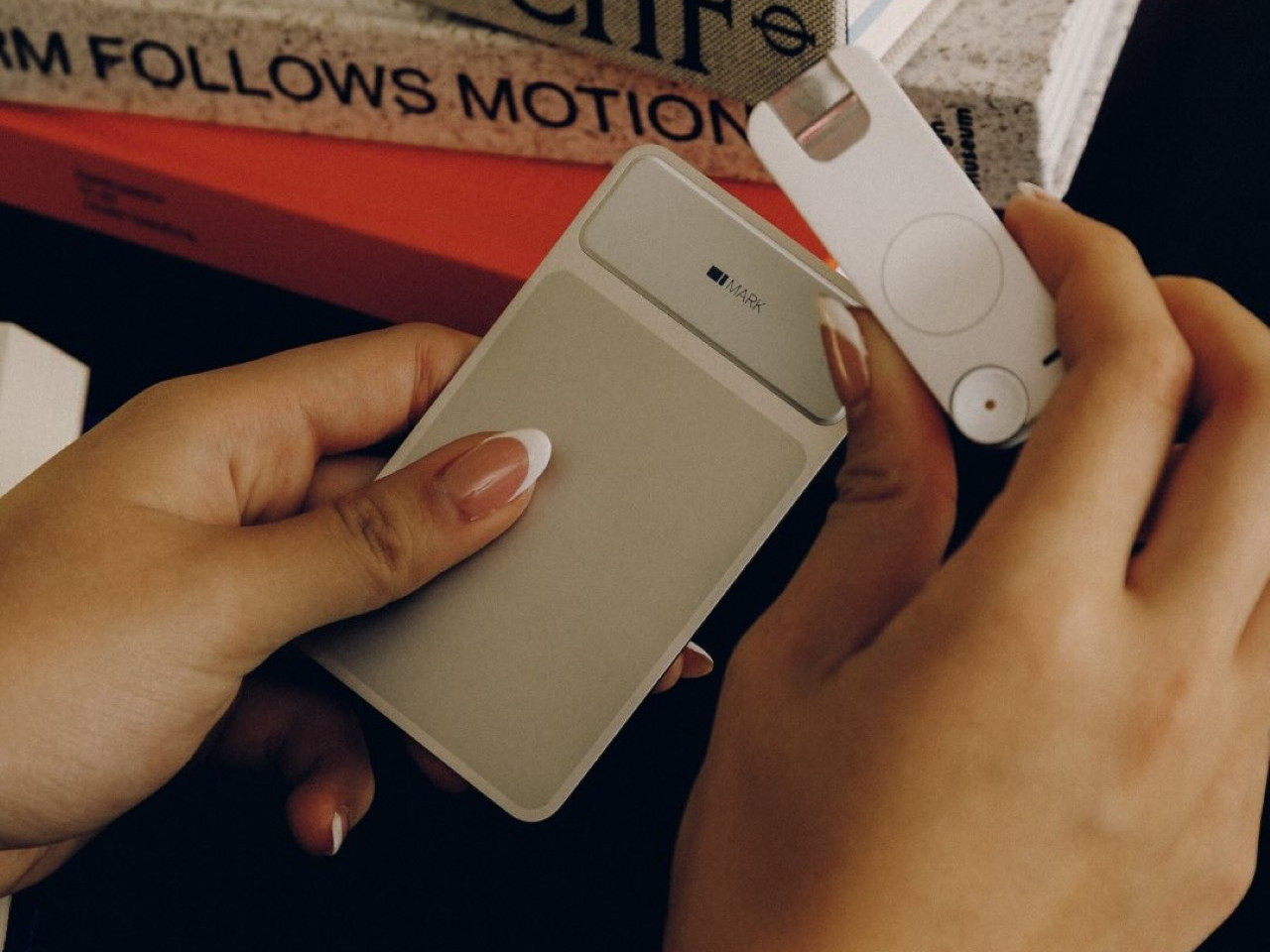
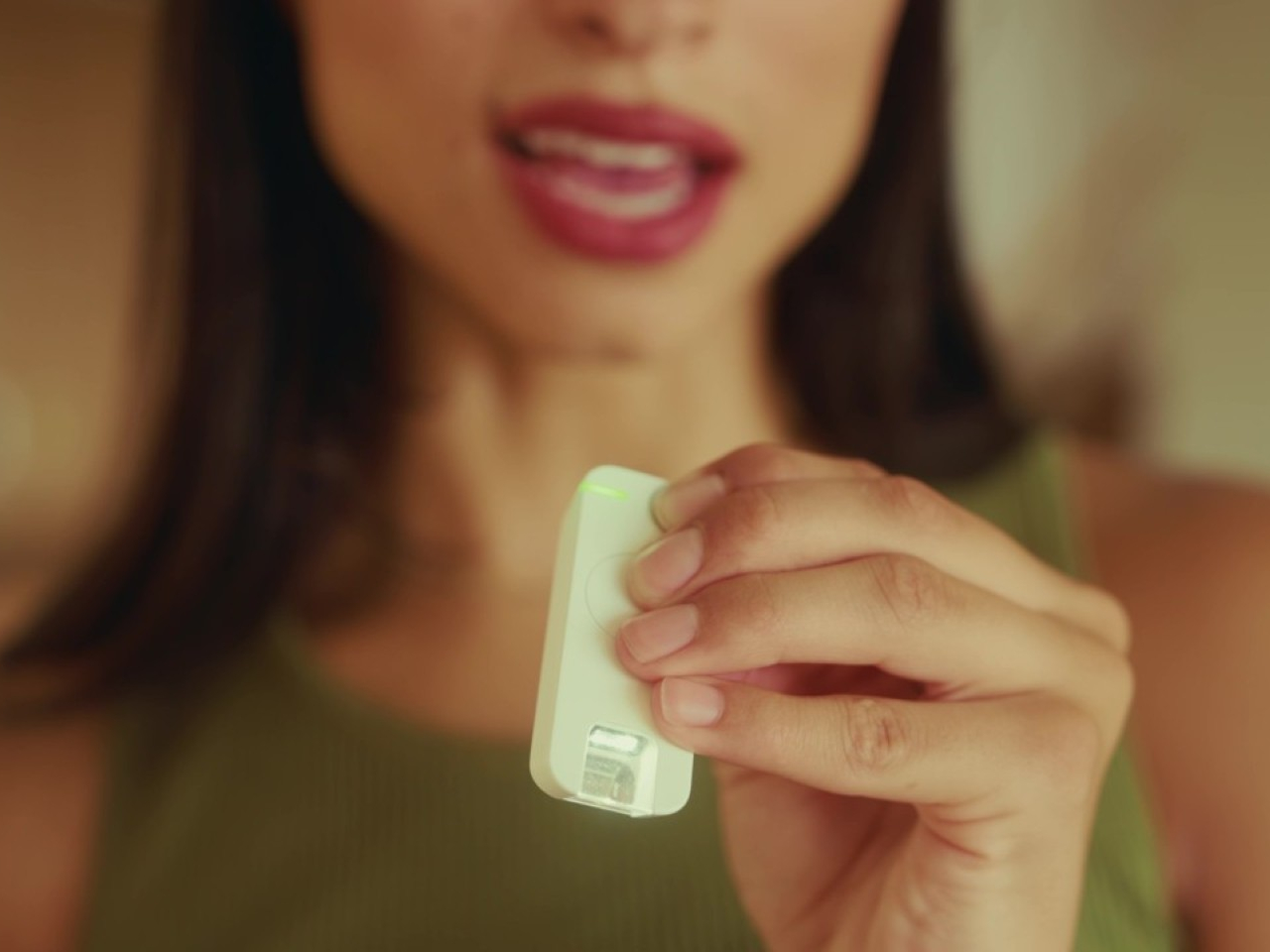
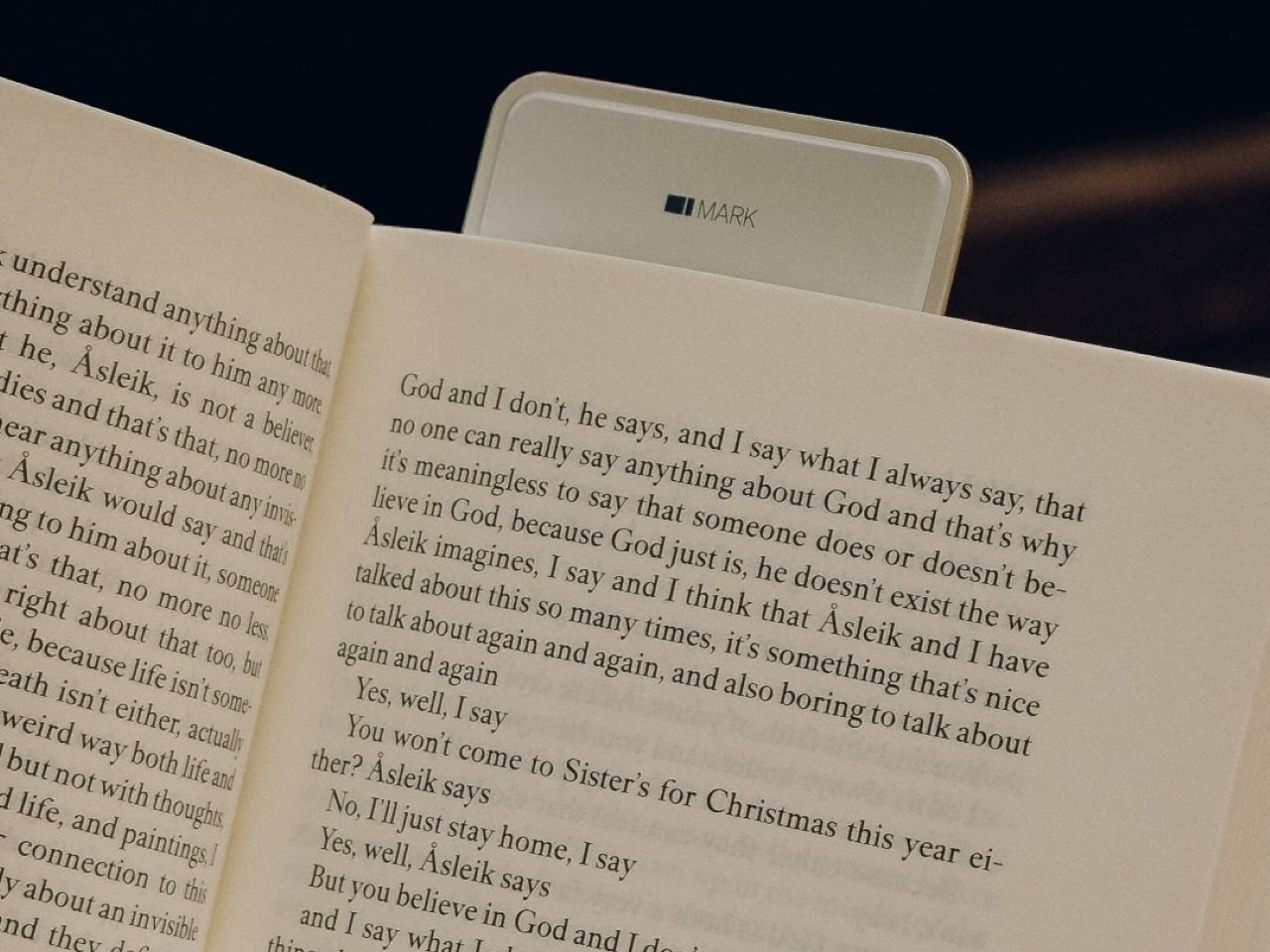
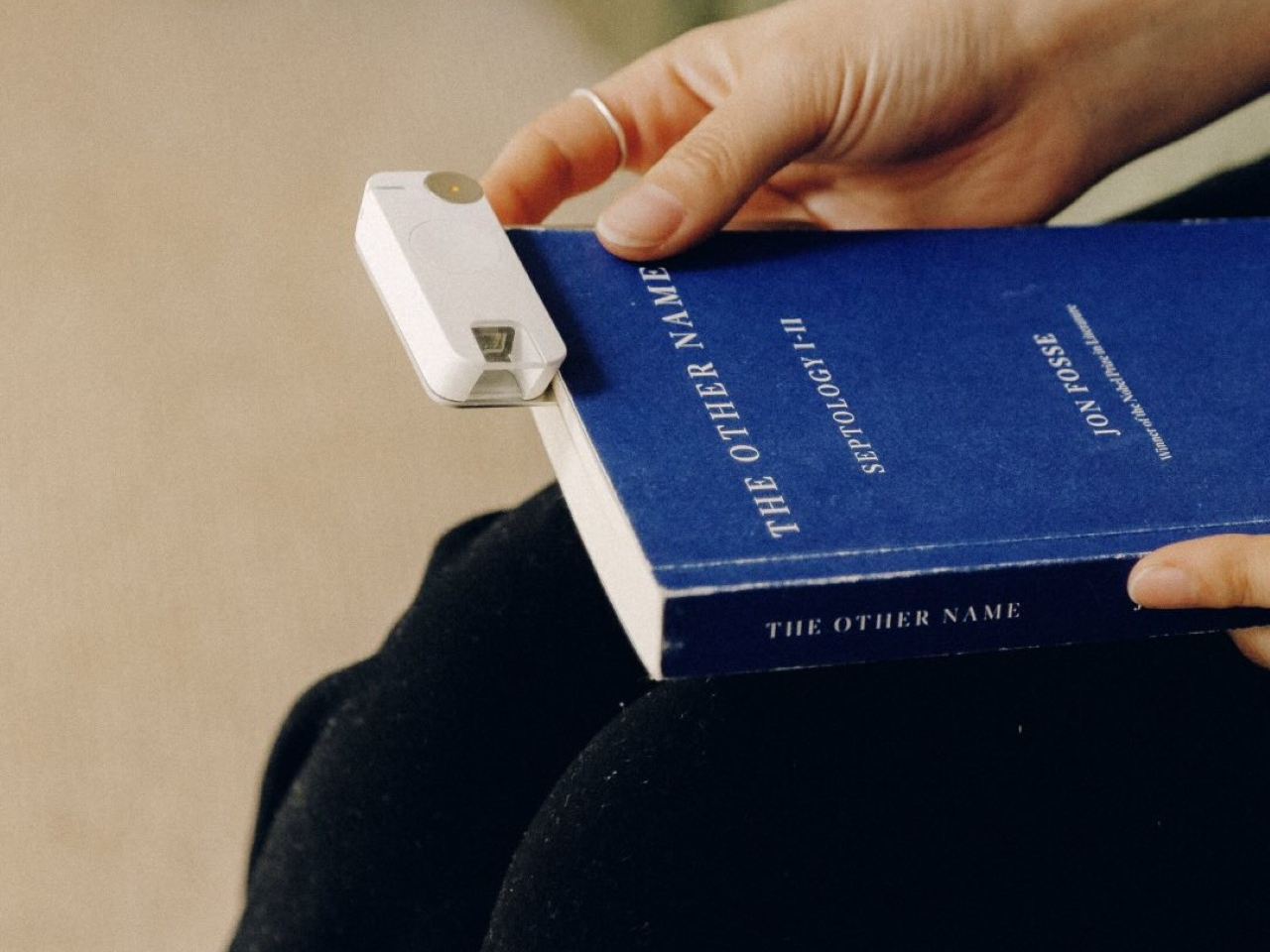
The system splits into two physical pieces working together. A slim bookmark stays tucked inside the book itself, marking the page the same way a scrap of paper always has. A separate highlighter piece does the actual capturing, gliding across a printed line to scan it, or getting pressed once to start recording a spoken thought before it slips away entirely.

Designer: Eason Tang
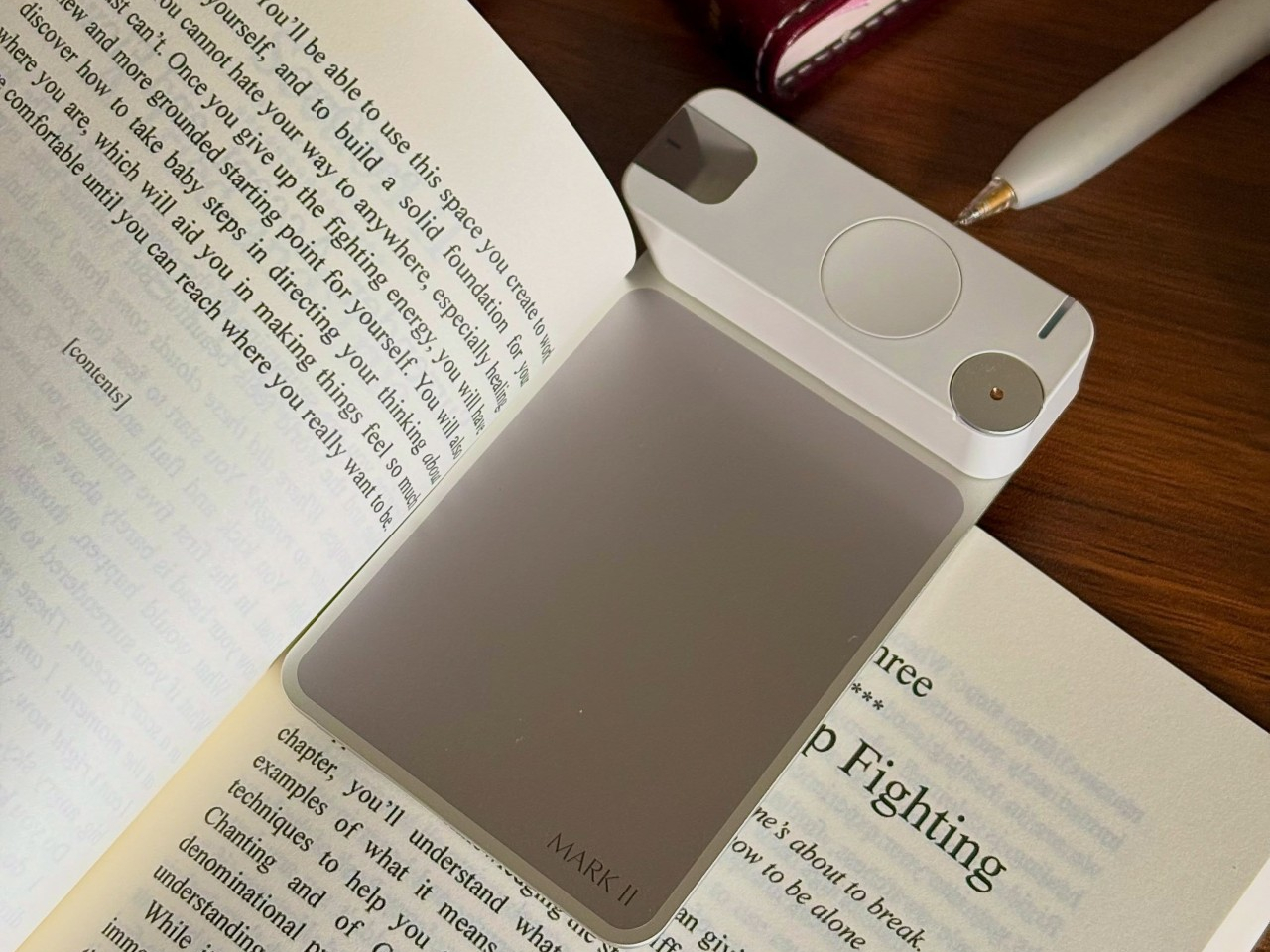
That scanning works across both paper and screens, reading handwriting in more than 100 languages just as easily as printed type. Nothing about the process asks a reader to break stride mid-page. The housing itself uses premium aluminum paired with ABS in a double-injection unibody build, a construction choice meant to survive being dropped, shelved, and carried in a bag daily without cracking.
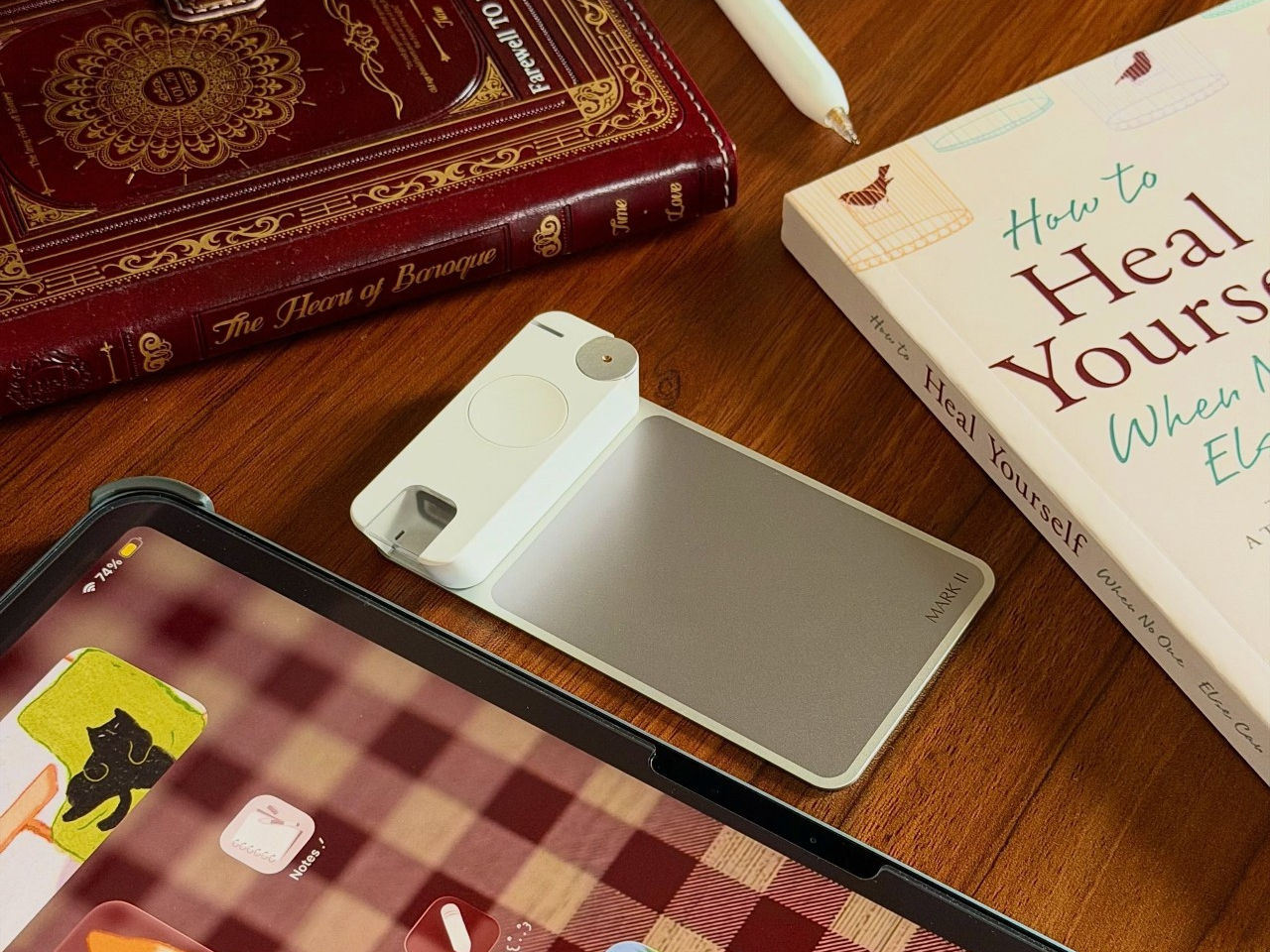
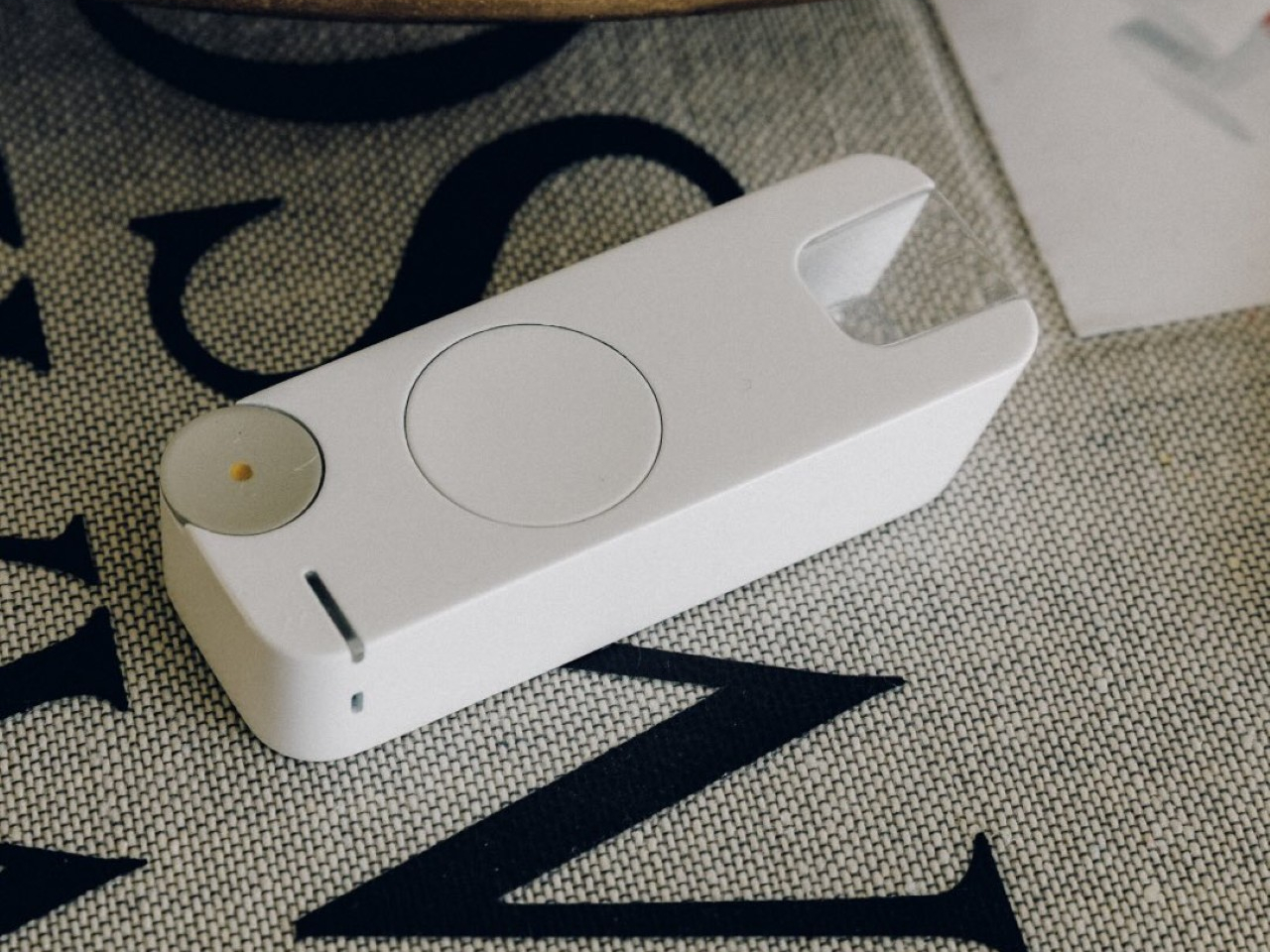
Battery life is advertised to stretch across roughly a week of regular reading before needing a recharge, topped back up through a standard USB-C cable rather than a proprietary dock. Every scan and recording is designed to land automatically inside the companion app, sorted by book, topic, or the moment it was captured, turning scattered notes into something that can actually be searched back through months later instead of forgotten in a drawer.

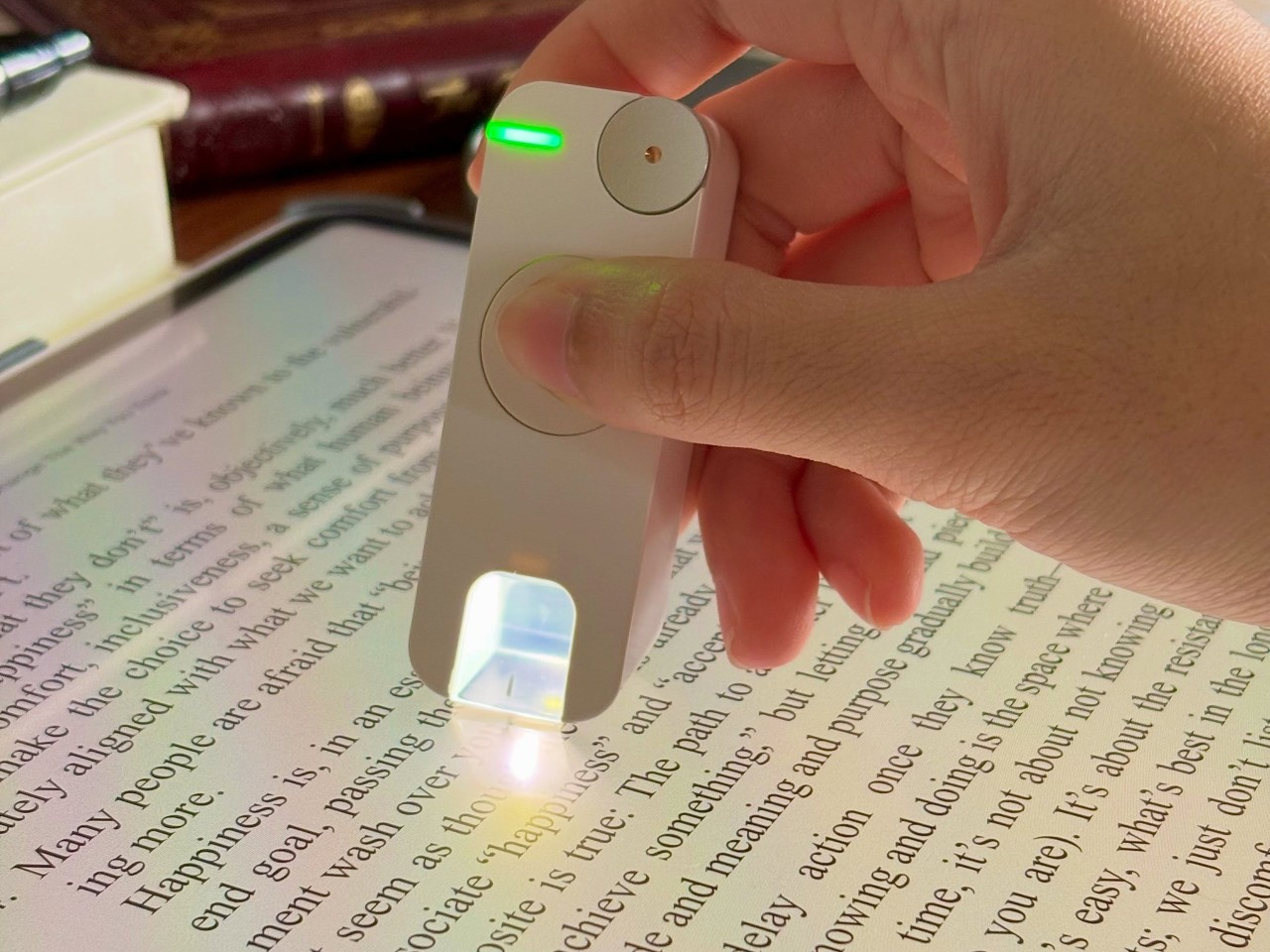
Half-remembered quotes get their own dedicated search, pulling back a fragment along with its original source rather than leaving someone to reread an entire chapter hunting for one line. A chat feature goes further, answering questions using only what’s actually been captured. It won’t invent a passage never highlighted or summarize a book never opened, a deliberate limit rather than a missing capability.
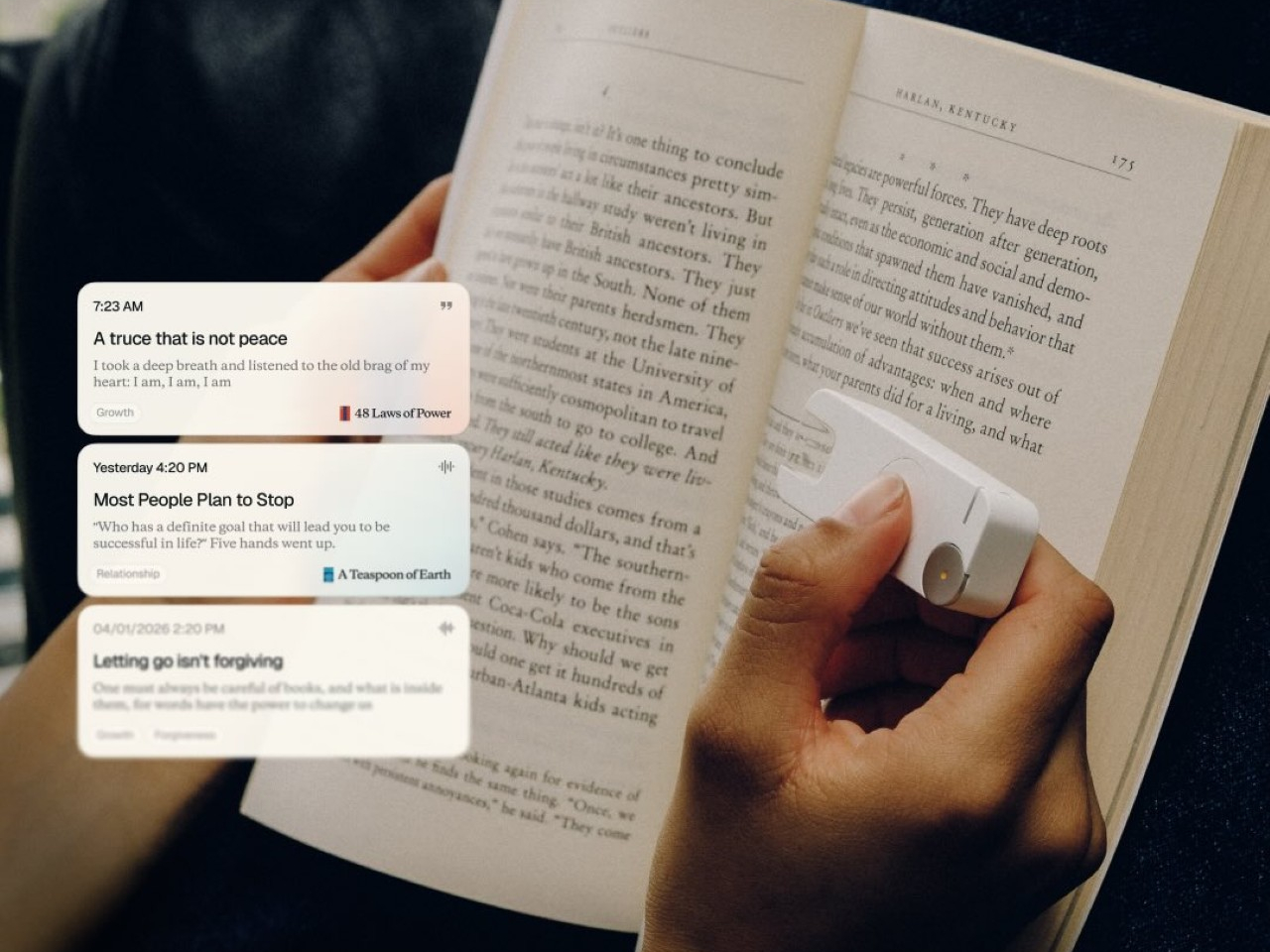
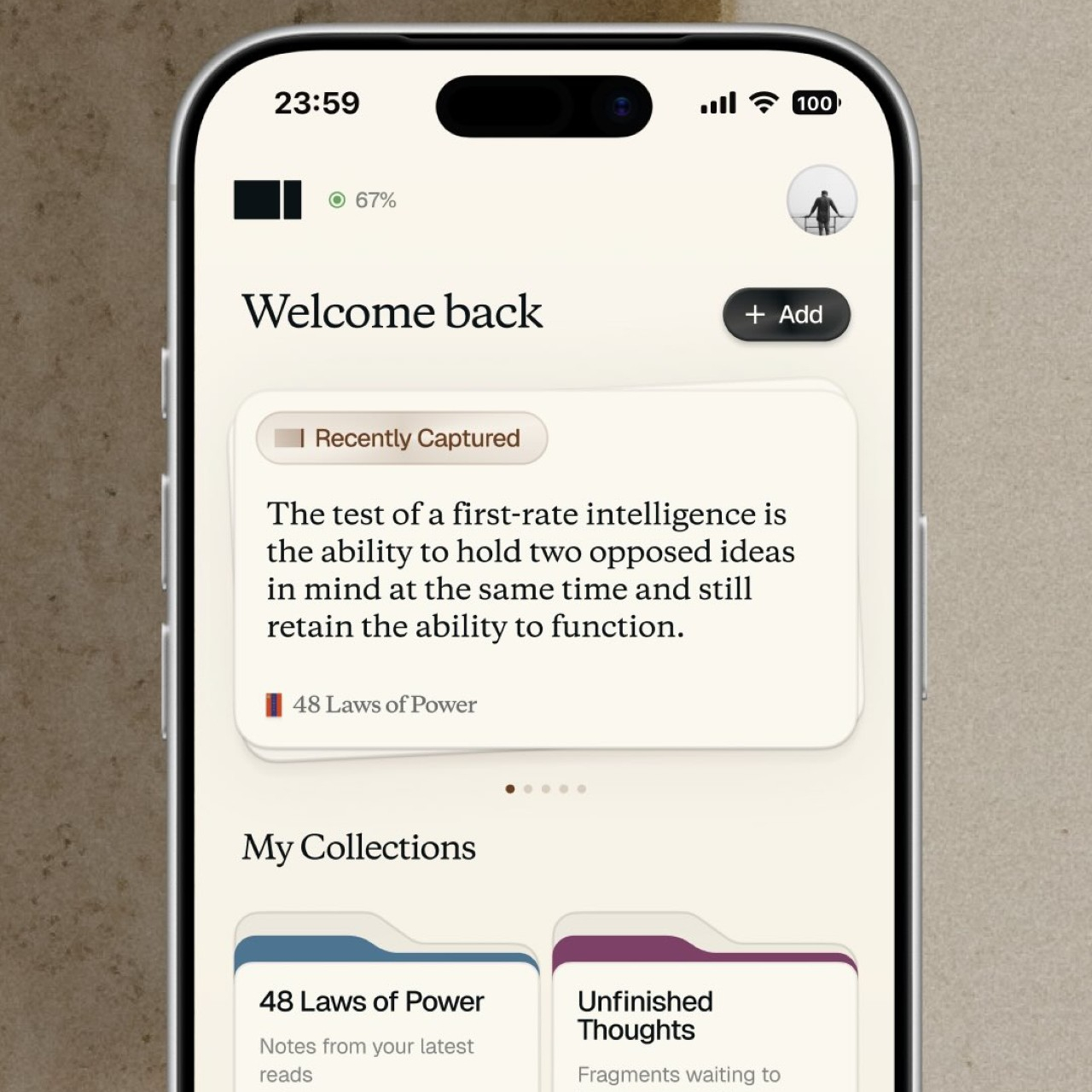
None of this demands abandoning tools already in use elsewhere. Captured highlights sync directly to Notion and Readwise, while a one-click import pulls existing notes from Obsidian or Apple Notes into the same catalog instead of starting from zero. That migration matters for anyone who’s already built years of scattered notes across three different apps and never quite trusted any of them.
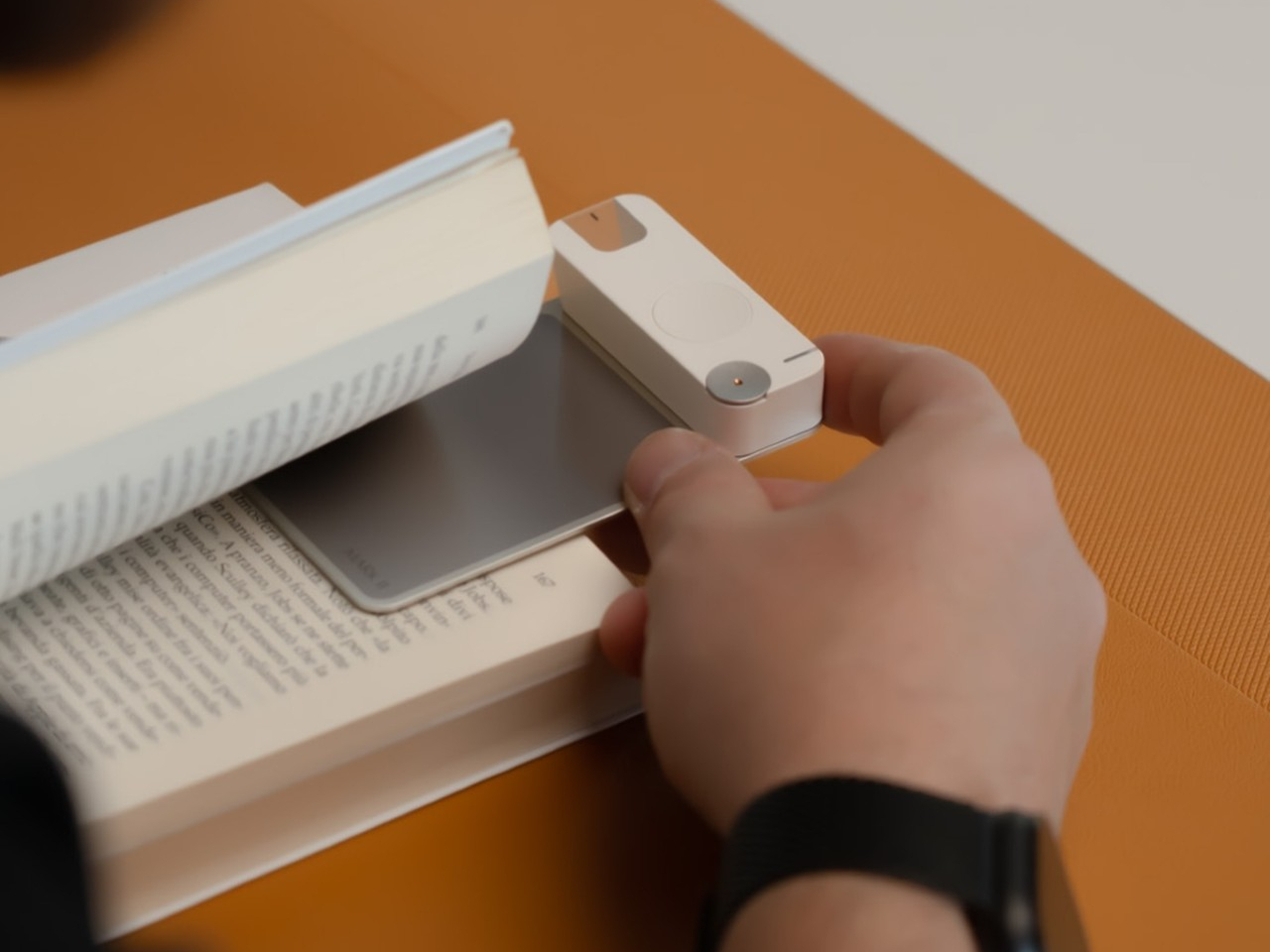
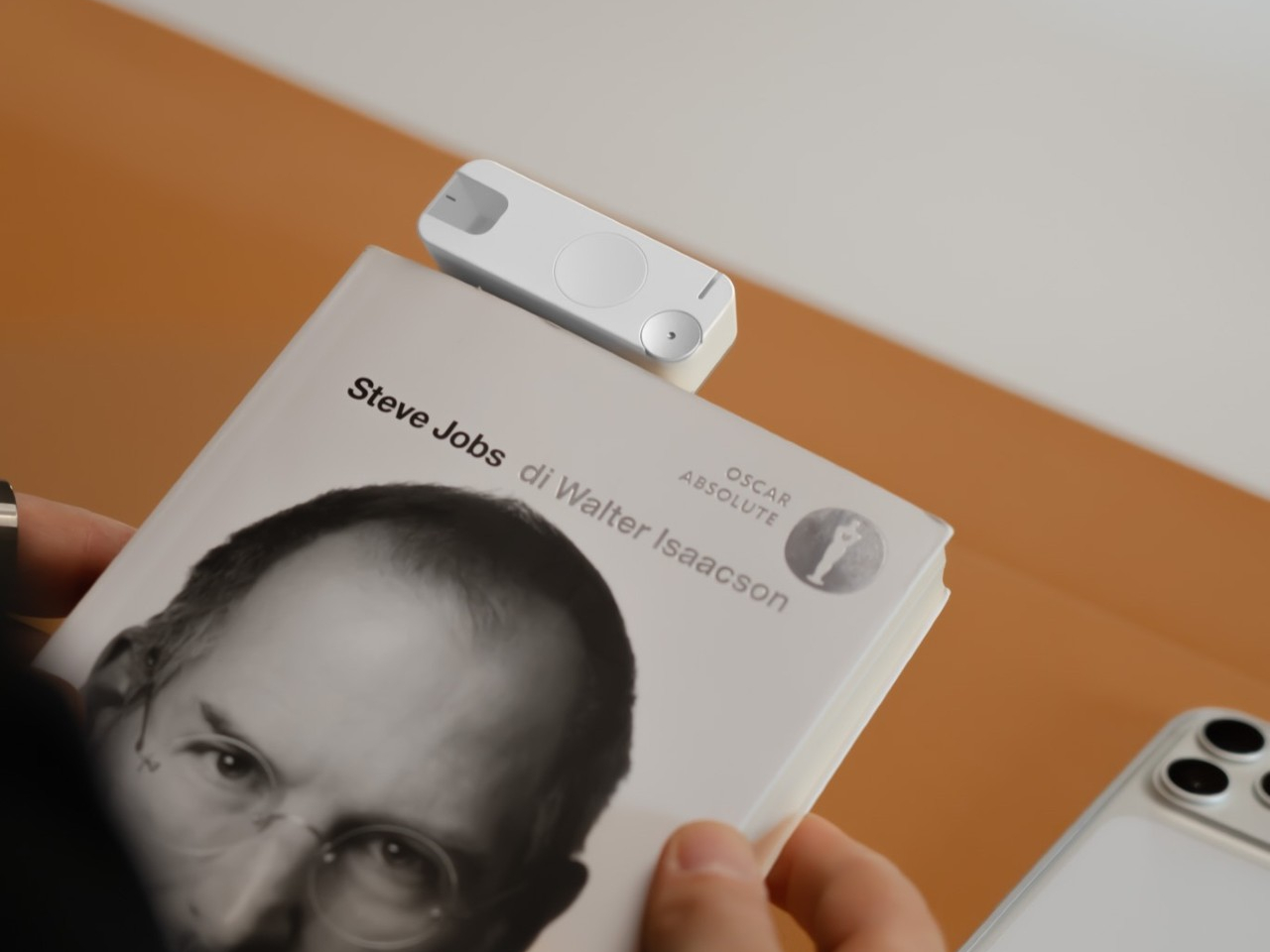
A research binge across a stack of library books usually ends with sticky notes multiplying on every page, half of them falling out before a deadline arrives. Sliding the highlighter across a passage instead replaces that entire ritual with one motion, leaving behind a searchable, sourced record rather than a pile of paper scraps nobody can match back to the right page.
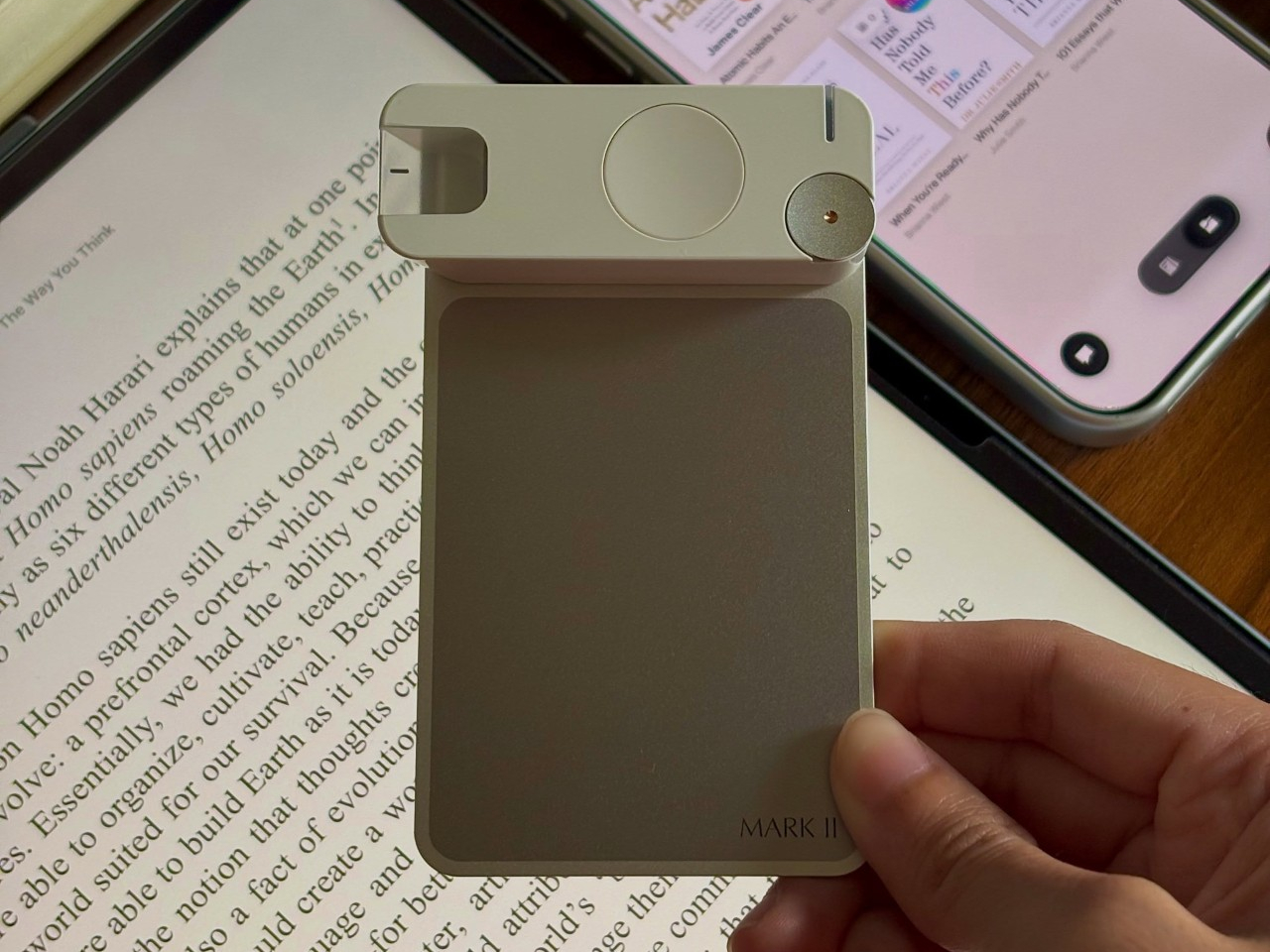
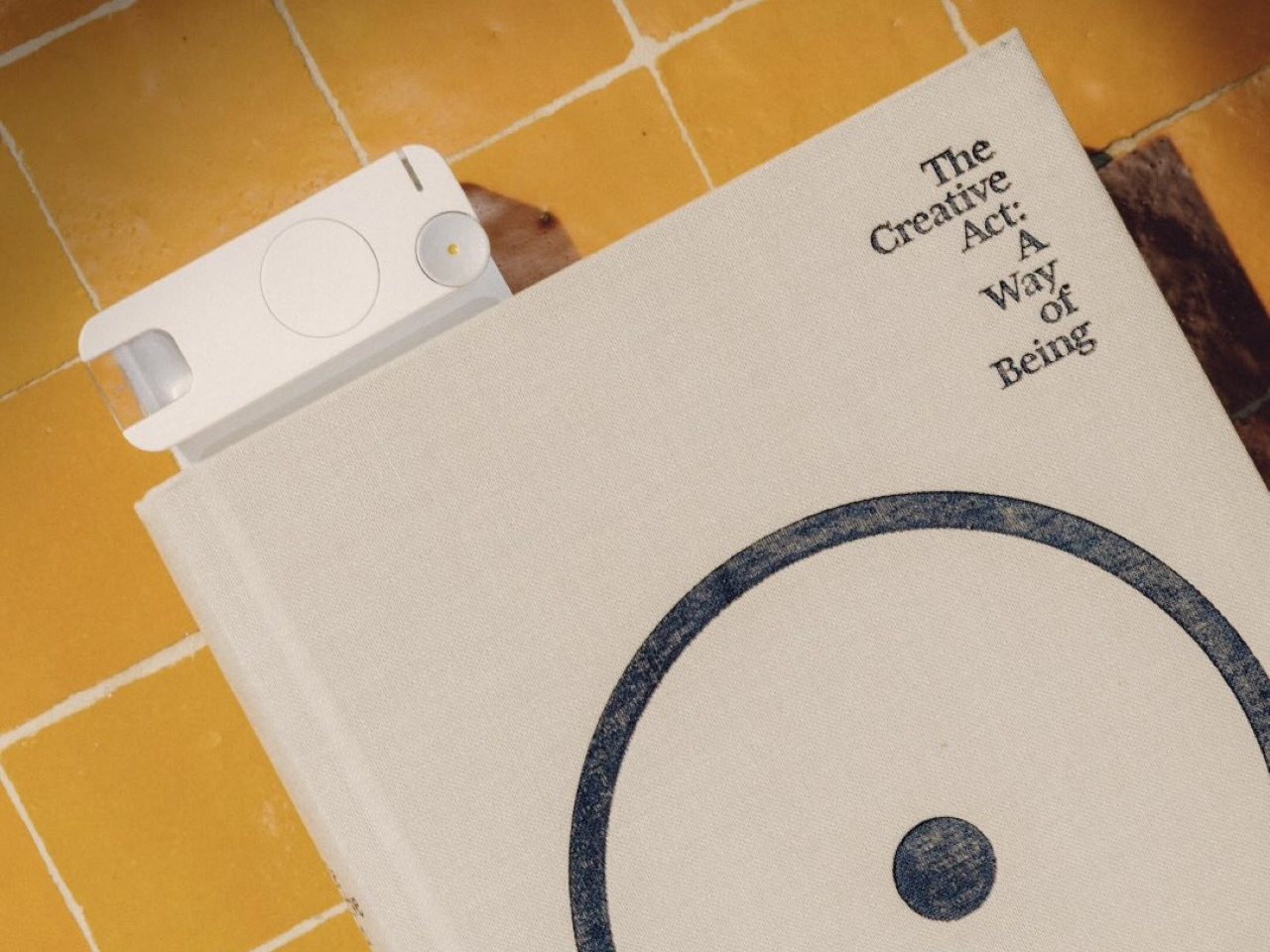
The device will ship in white or black, priced at $159, with availability starting in the US and Canada before expanding further. That price positions Mark II closer to a premium accessory than a casual gadget, a bet that readers serious enough to annotate books by hand will pay for a tool built specifically around that habit instead of a generic note-taking app.
The post The Mark II Turns a Bookmark Into a Second Memory for Readers first appeared on Yanko Design.
Phone Screens Are Too Busy for Notes, Verso Handles Them on the Back

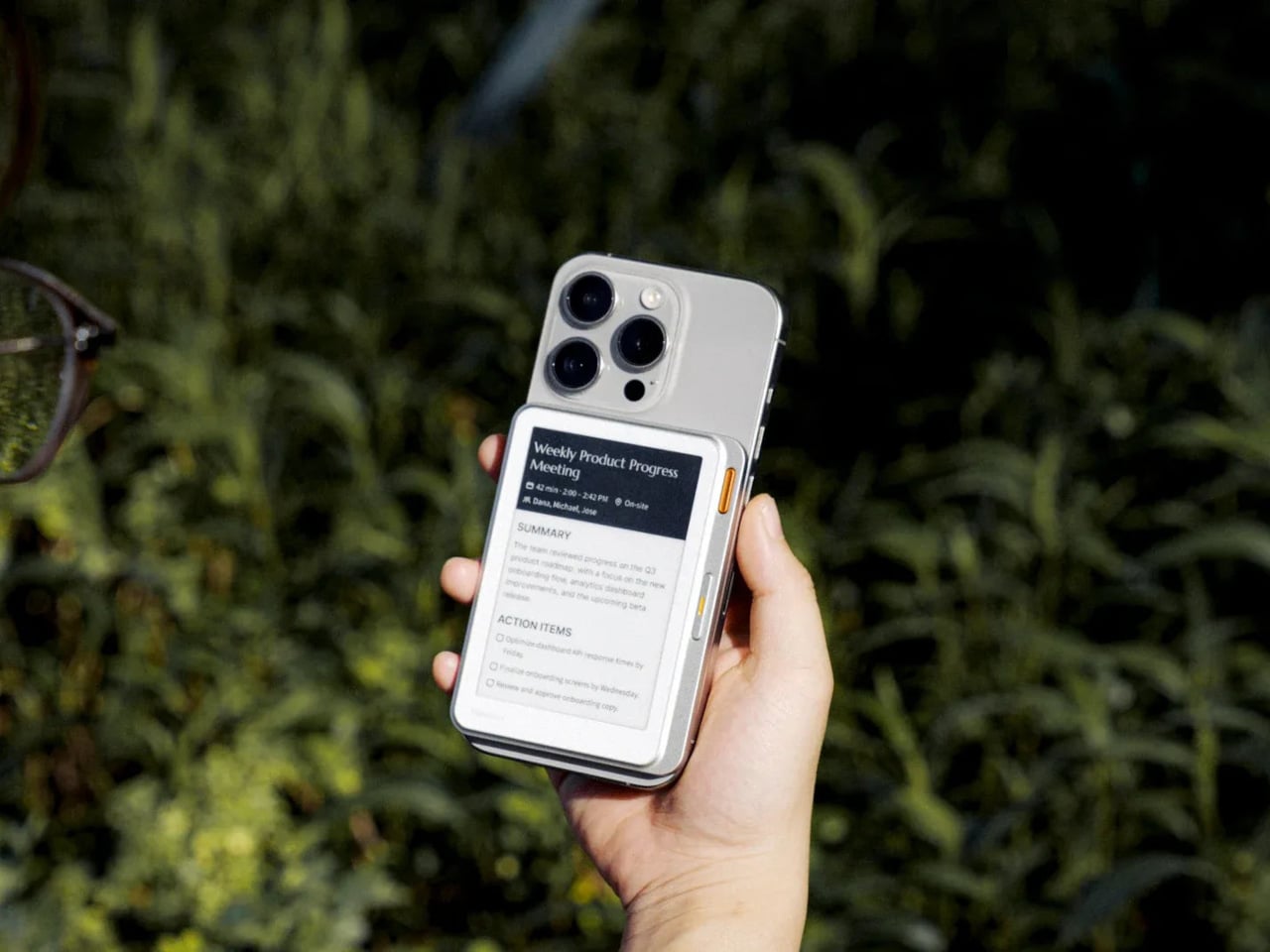
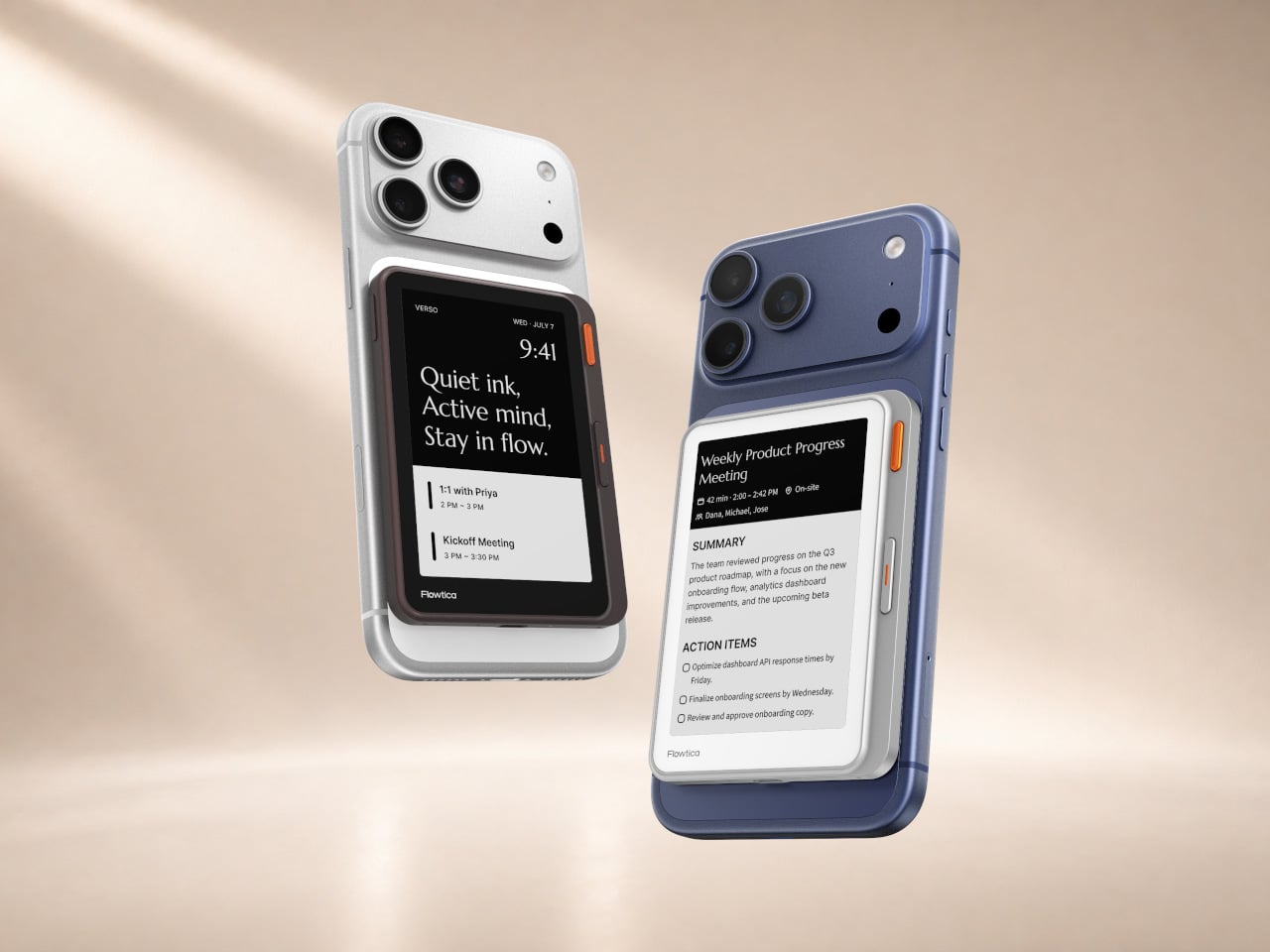
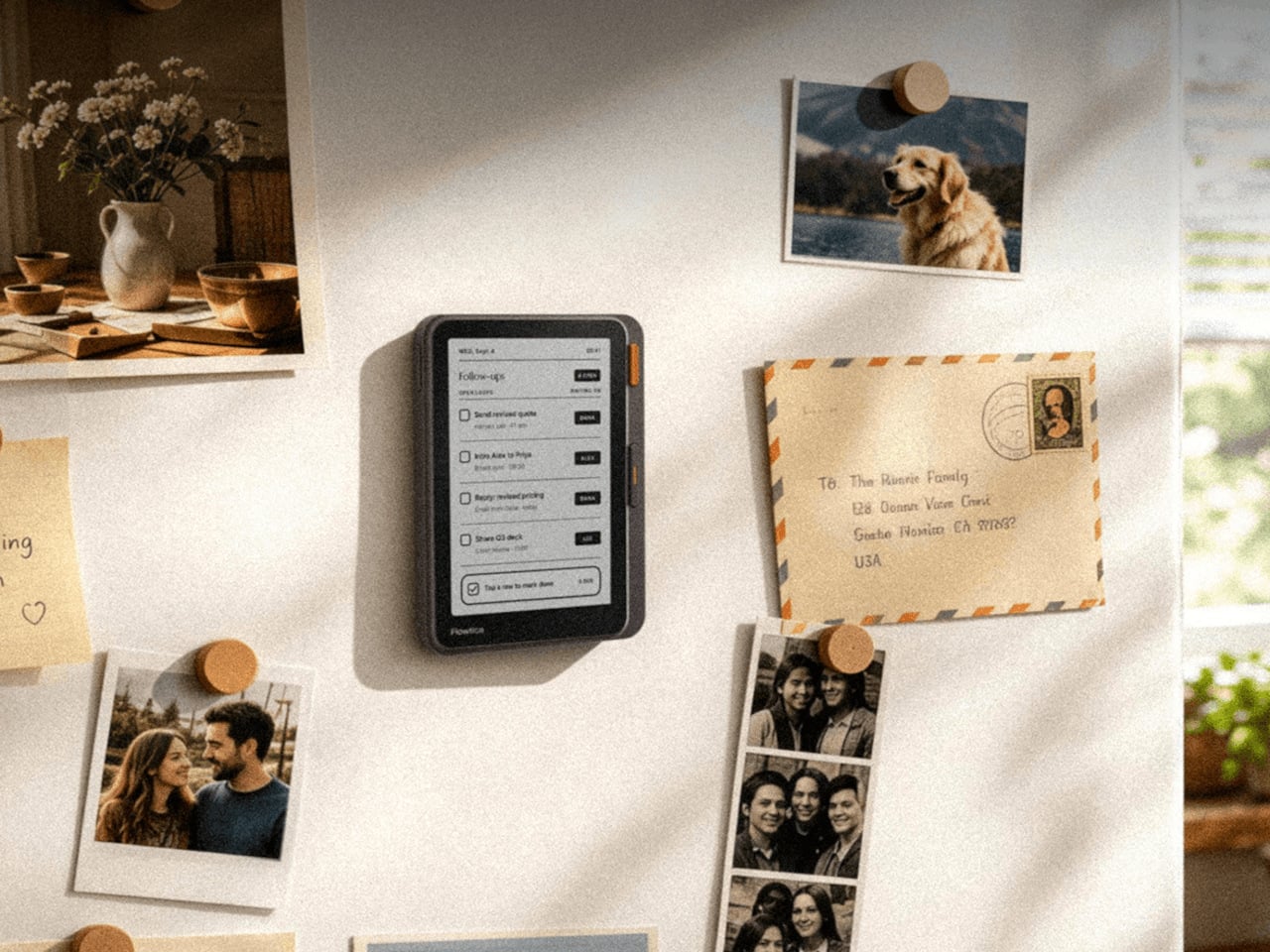
Phone screens have quietly become the default display for everything, including thoughts that never needed an app in the first place. The Flowtica Verso pushes back on that habit by giving your phone a second face, a card-sized panel with its own always-on e-paper screen. Snap it onto the back of a handset, and it starts listening, transcribing, and summarizing conversations without asking you to unlock anything.

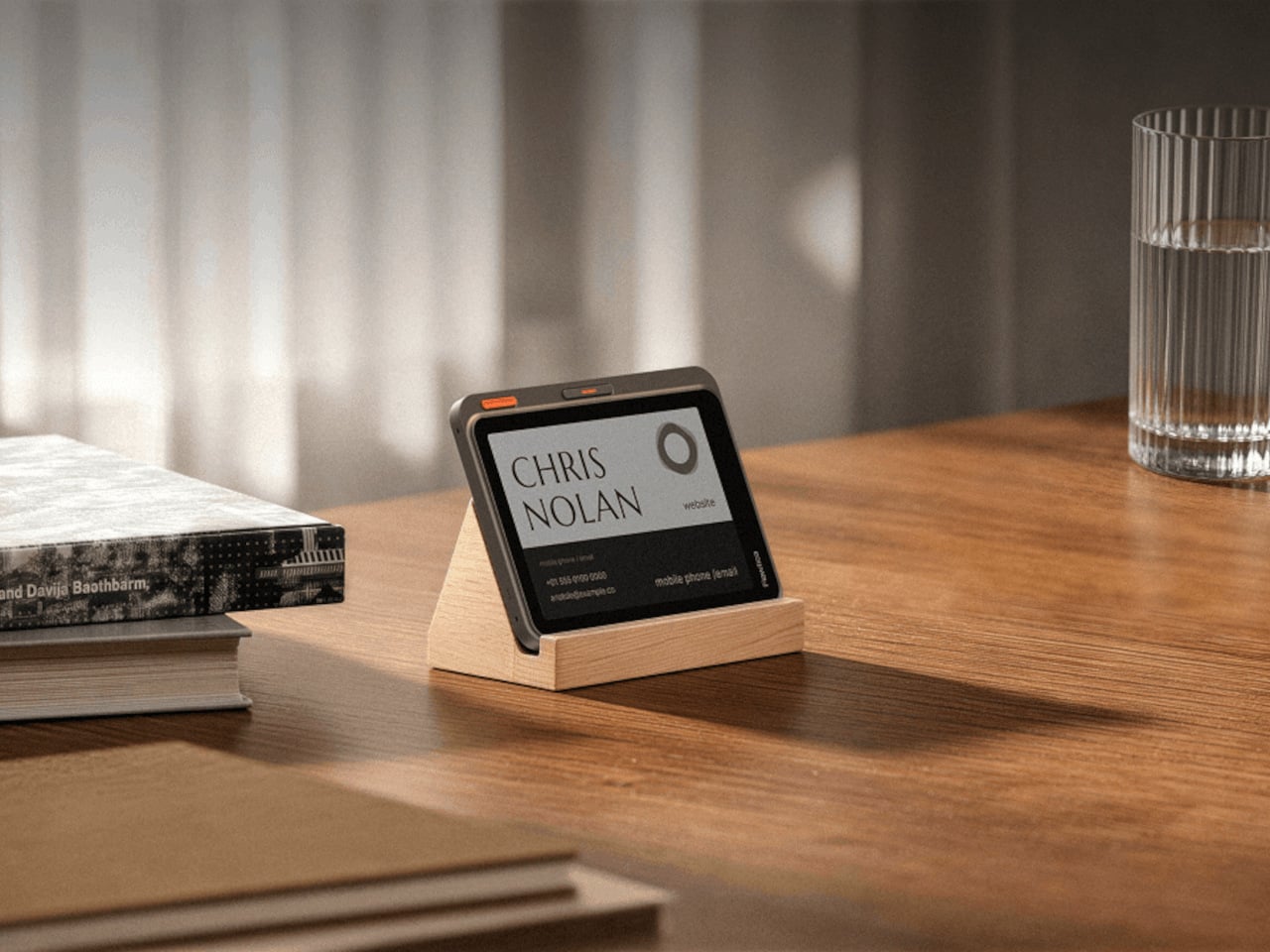
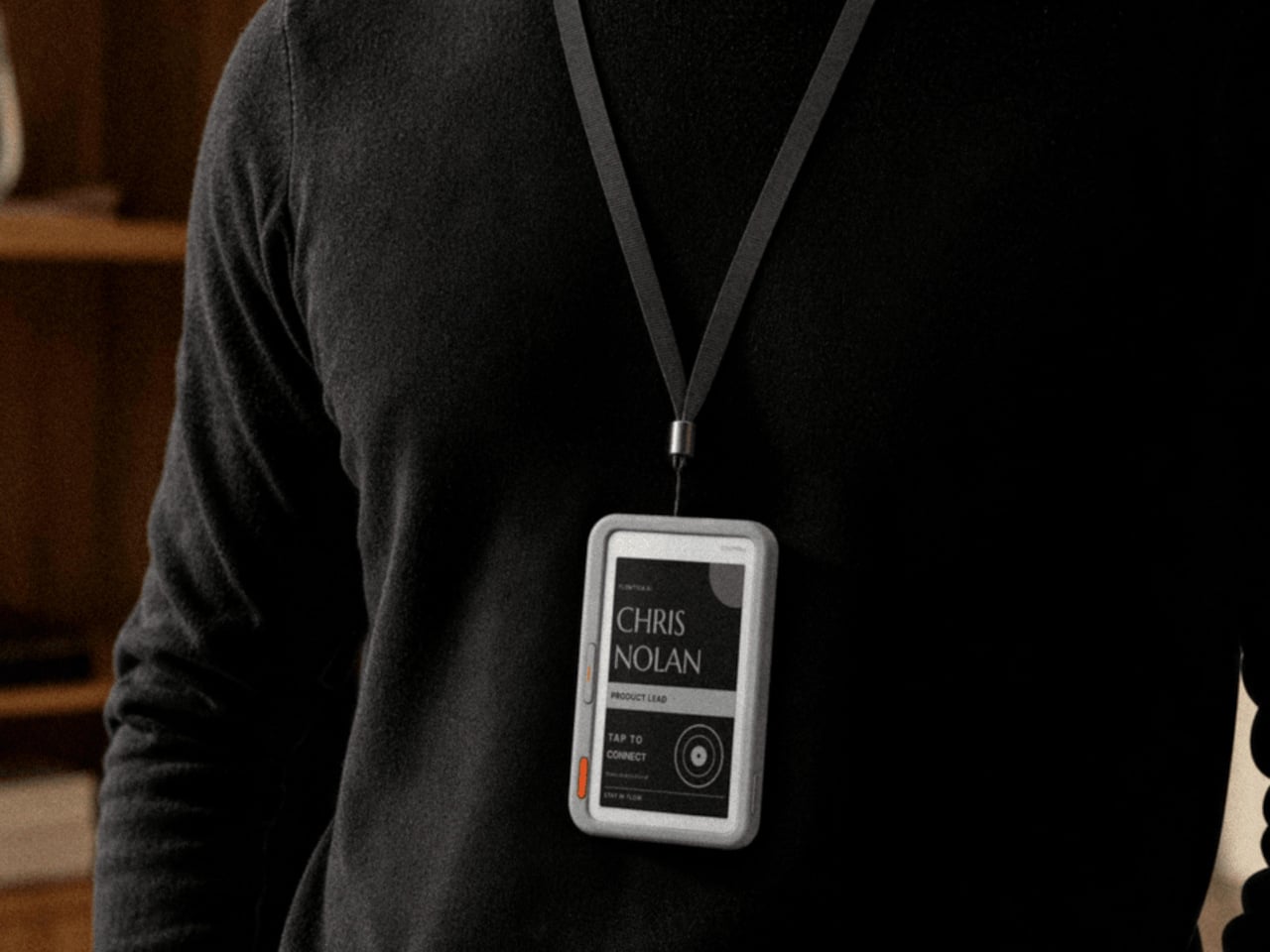
That panel is barely 6.5 millimeters thick, thinner than most phone cases, yet it holds a full touchscreen, a five-microphone array, and enough battery to run for up to 72 hours between charges. Magnets let it click onto a MagSafe-compatible phone, but that’s only one option. Hang it from a lanyard during a conference, or prop it on a desk stand next to a laptop instead.

Designer: Flowtica

When a Meeting Runs Long

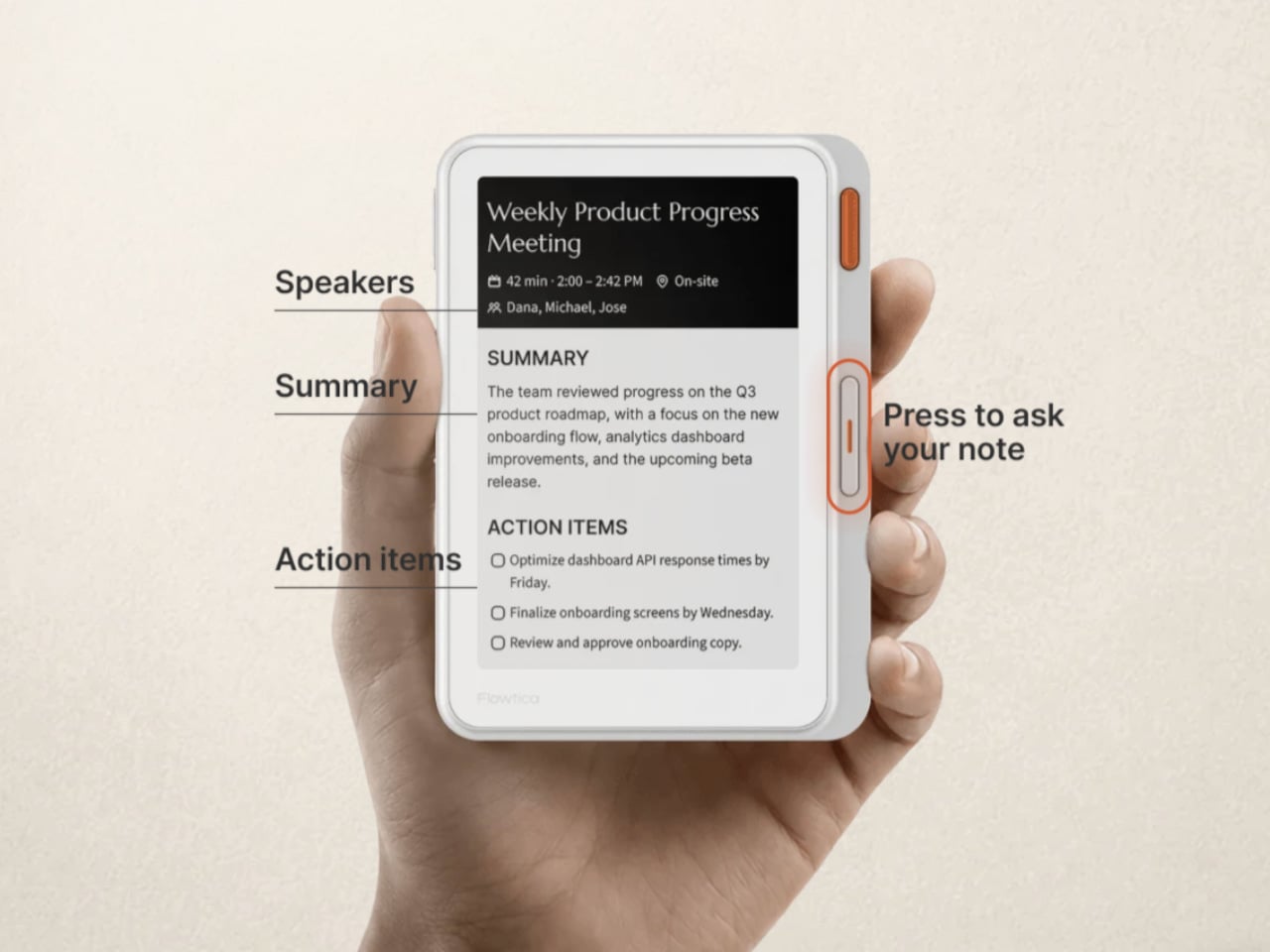
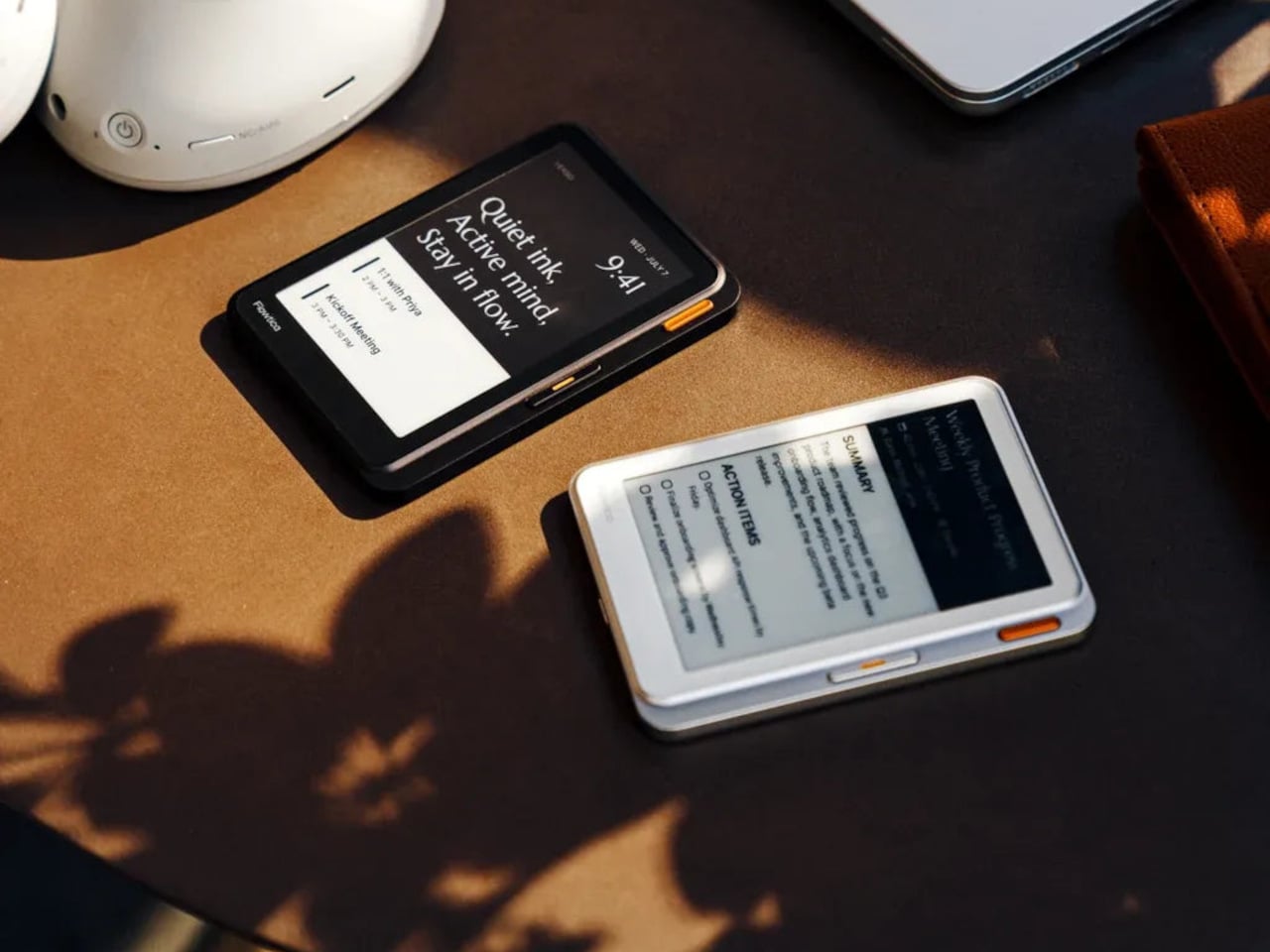
Picture a meeting that runs long and scattered, the kind where important details slip past because everyone’s phone is face down on the table. With the Verso clipped to a case, none of that gets lost. It records the discussion, then turns the audio into a clean summary with action items sitting right there on its screen, ready before anyone reaches for a notebook or a second device.

A second button turns the same panel into something closer to a conversation partner. Hold it down, ask a quick question about what just got discussed, and the answer appears on the e-paper face within seconds, no app switching required. That small design choice matters more than it sounds, because it keeps a person’s attention on the room instead of a glowing rectangle in their palm.

A Screen That Keeps Working After the Meeting Ends

Beyond a single meeting, the same panel doubles as a running dashboard for the day. It surfaces calendars, pending to-do items, and summaries pulled from earlier recordings, so checking on today’s schedule stops requiring a phone unlock at all. The device is priced at $299, positioning it closer to a dedicated tool than a phone accessory picked up on a whim.

E-paper is the quiet advantage running through the whole design. Unlike an OLED display that drains a battery just by staying lit, the Verso’s screen holds its last update with almost no power draw, which is how it stretches to 72 hours of use. Text also stays legible outdoors under direct sun, somewhere most phone screens start to wash out and become unreadable within minutes.

Shared Real Estate, Different Jobs

The back of a phone has quietly become contested real estate. Xteink’s X4 Classic strips a magnetic add-on down to page-turn buttons and nothing else at $79, while its X4 Pro version adds a front light for $99, and BOOX’s Picco shrinks a touchscreen reader to pocket size for around $100. Each one chases distraction-free reading. Verso claims the same magnetic footprint but points it at conversations instead of pages.

That distinction matters because a magnetic back panel is easy to copy, but the job it performs is not. Reading gadgets ask for stillness and a single task done well. Verso asks for the opposite, staying alert through scattered conversations and handing back organized thoughts before the moment passes. Both approaches treat a phone’s blank back as valuable space, just aimed at very different kinds of attention.

The post Phone Screens Are Too Busy for Notes, Verso Handles Them on the Back first appeared on Yanko Design.
Clover Emotion Tracker Turns Small Happy Moments into a Daily Desk Ritual

People are more stressed than ever, yet still find it hard to talk honestly about how they feel, even with therapists or friends. Most mental health tools live inside apps that want you to rate your mood on a slider or fill out forms about your day, which can feel clinical or like homework you forgot to do. Clover is a concept that tries to make emotional check-ins gentler and more tangible, focusing on collecting small moments that went right instead of cataloging everything that went wrong.

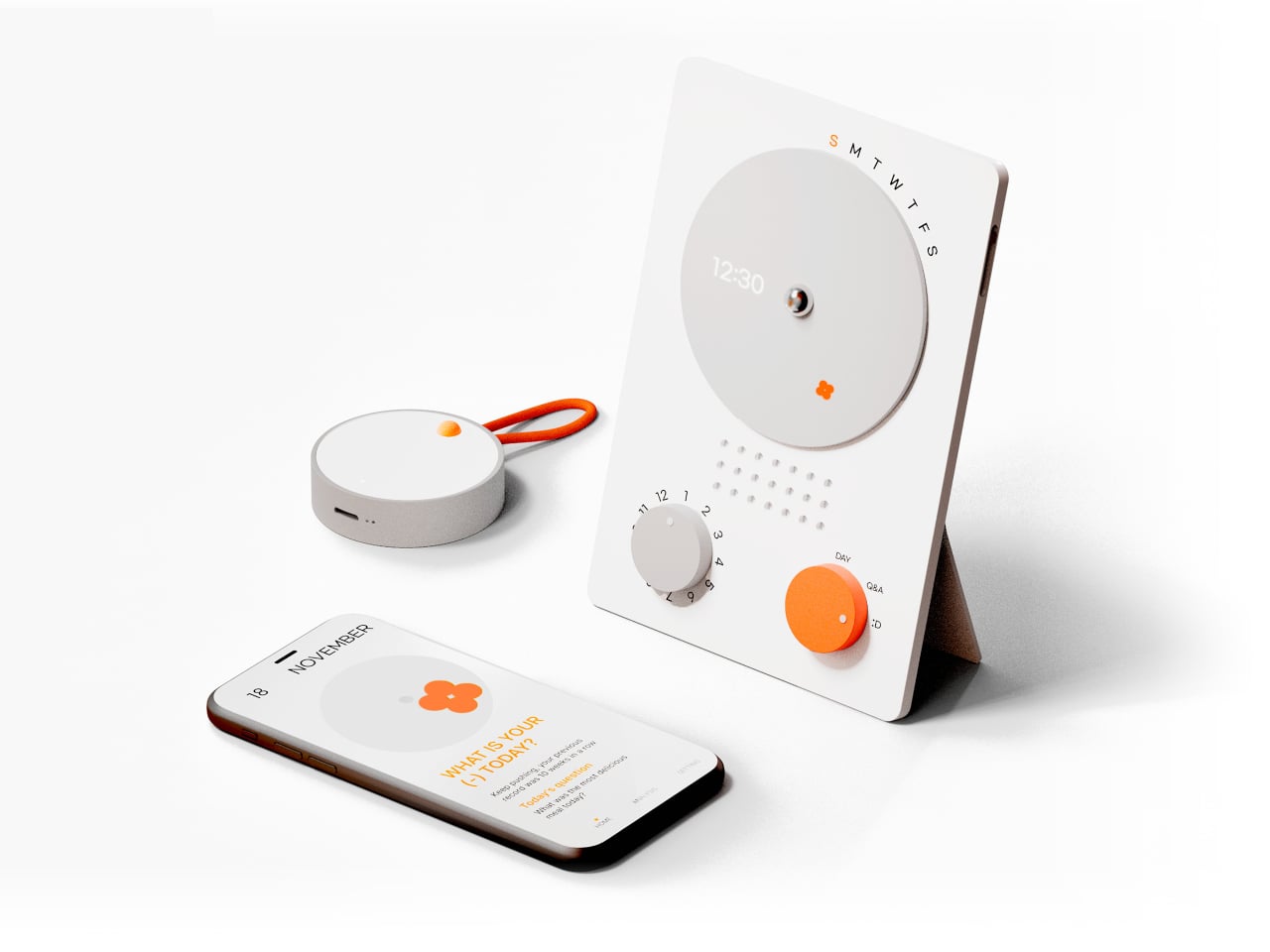
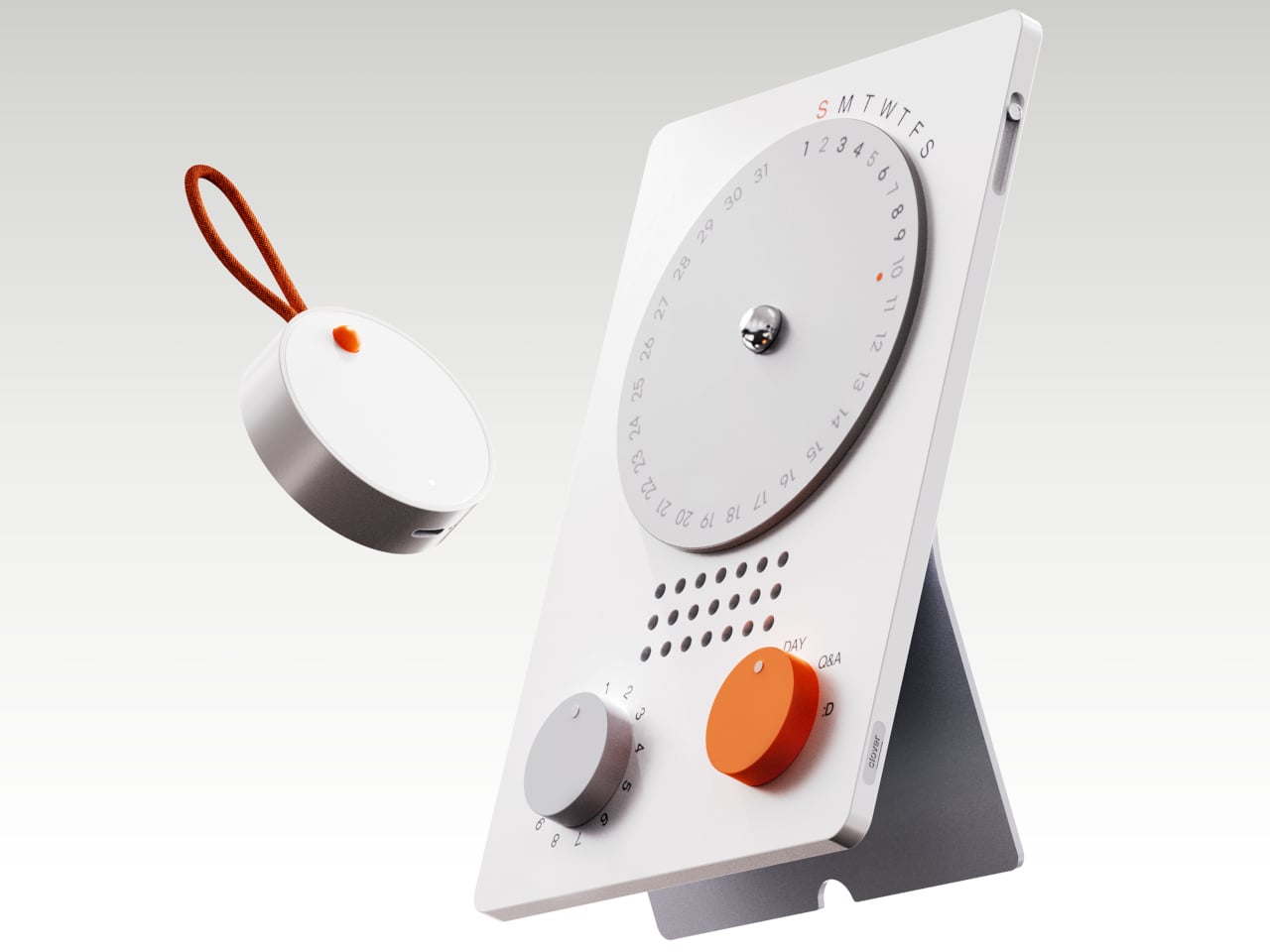
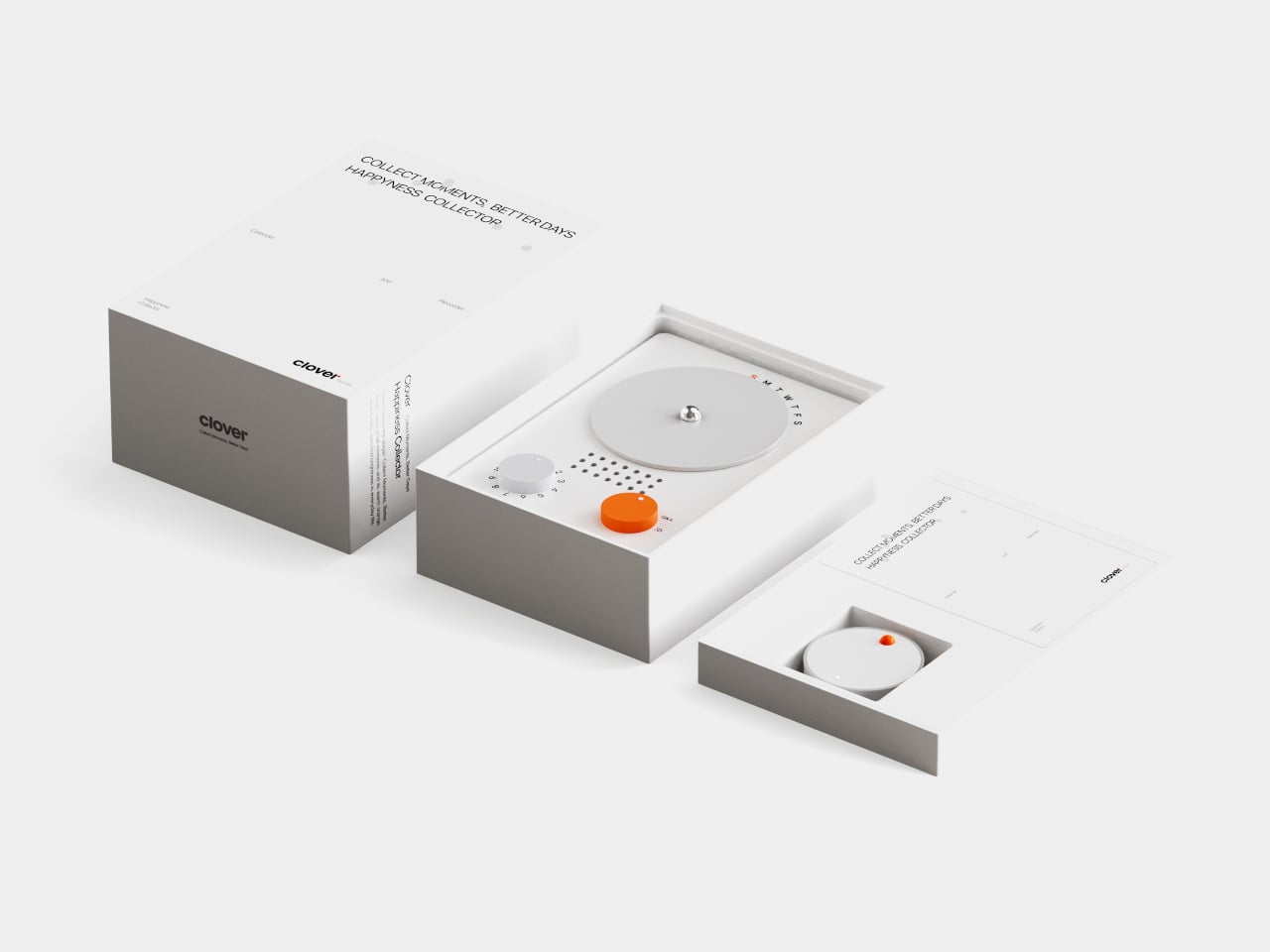
Clover is a small ecosystem built around three pieces: a pocketable voice recorder, a desk-calendar device, and a companion app. Instead of logging stress or symptoms, you press a button and record short voice notes whenever something makes you genuinely happy. Those moments are then visualized on the calendar and analyzed in the app, turning your week into a kind of happiness log that quietly reframes how you see your days.

Designers: Seyeon Park, Bhin Son, Yu Jin Song, Jiwon Park, Jinya Kim

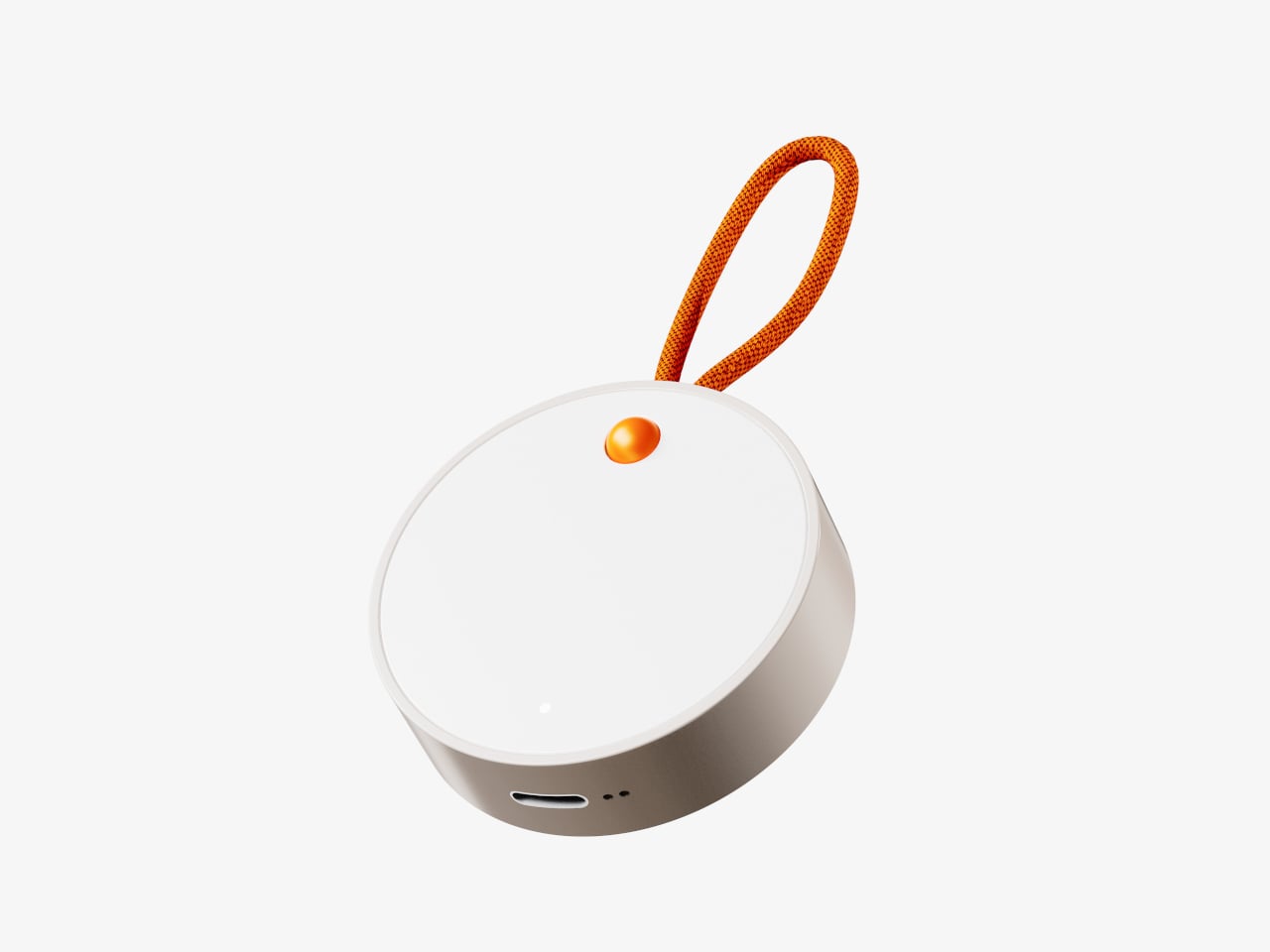
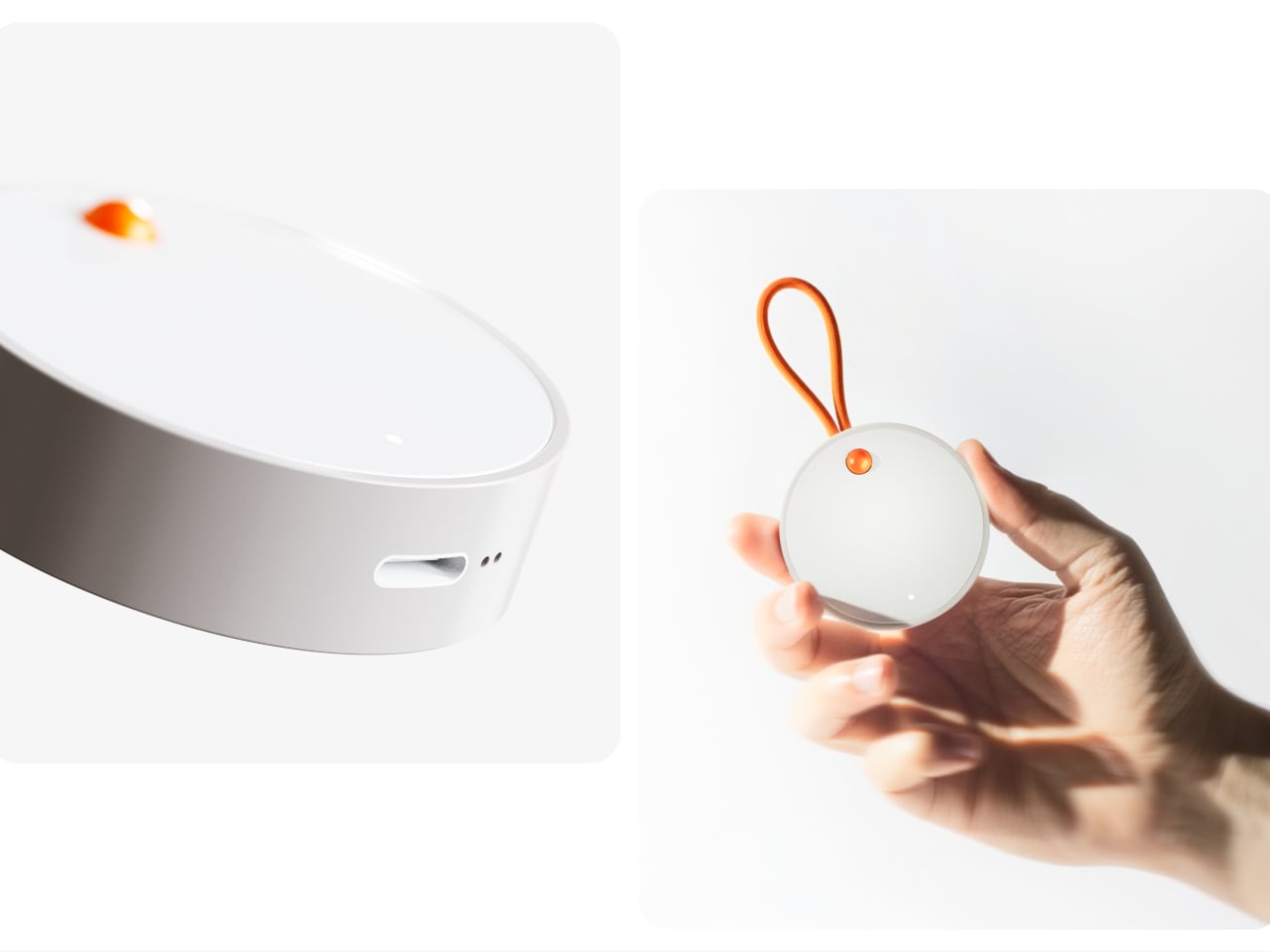
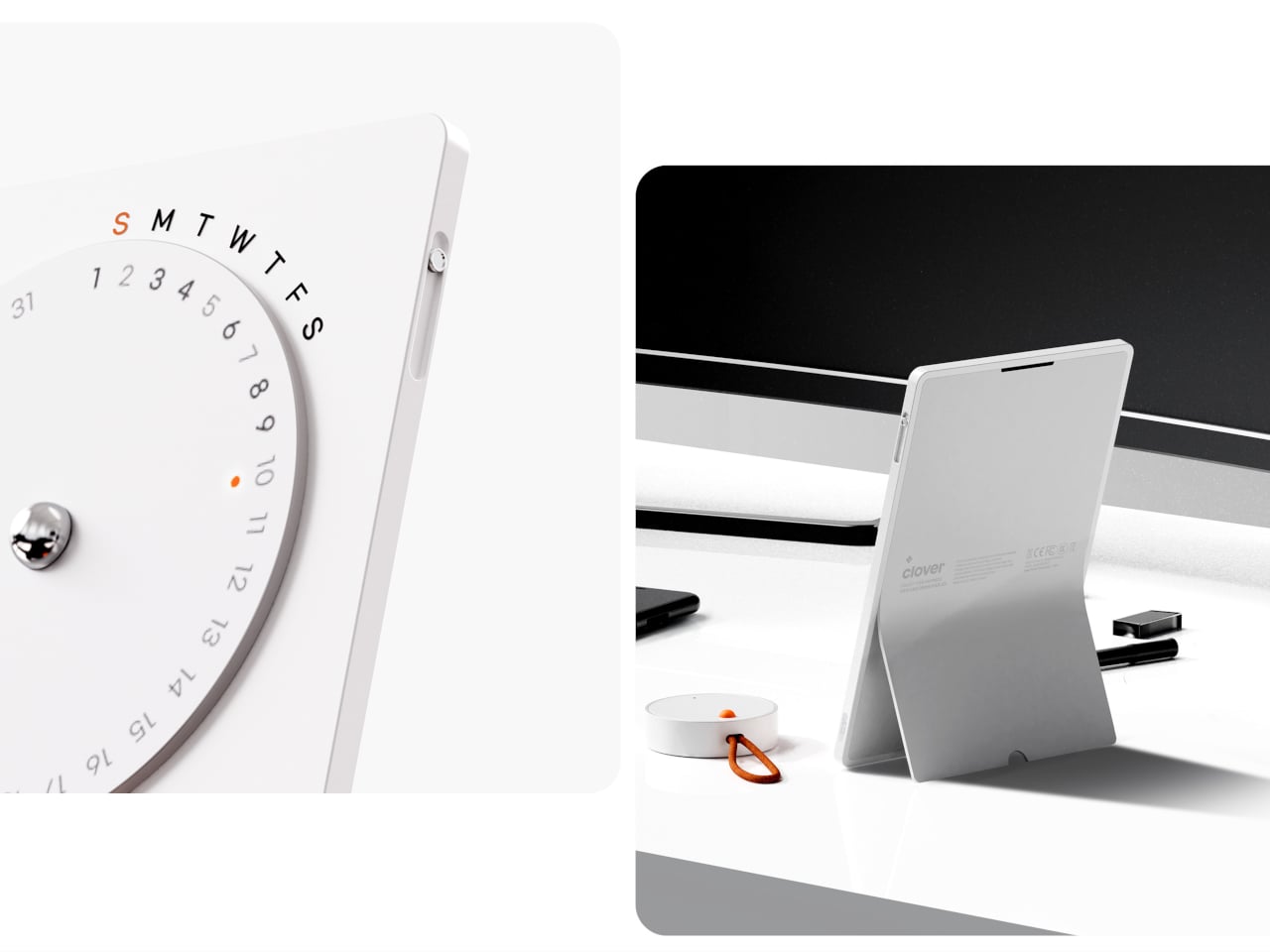
The recorder is a small, circular object with a single orange button and a loop strap, designed to be grabbed and pressed quickly. It is meant for capturing tiny, specific moments, sunlight on your desk, a good cup of tea, a joke from a friend, in your own voice. The goal is to lower the friction so much that recording a positive moment feels as easy as taking a photo, no unlocking, no tapping through screens, just press and speak.

1

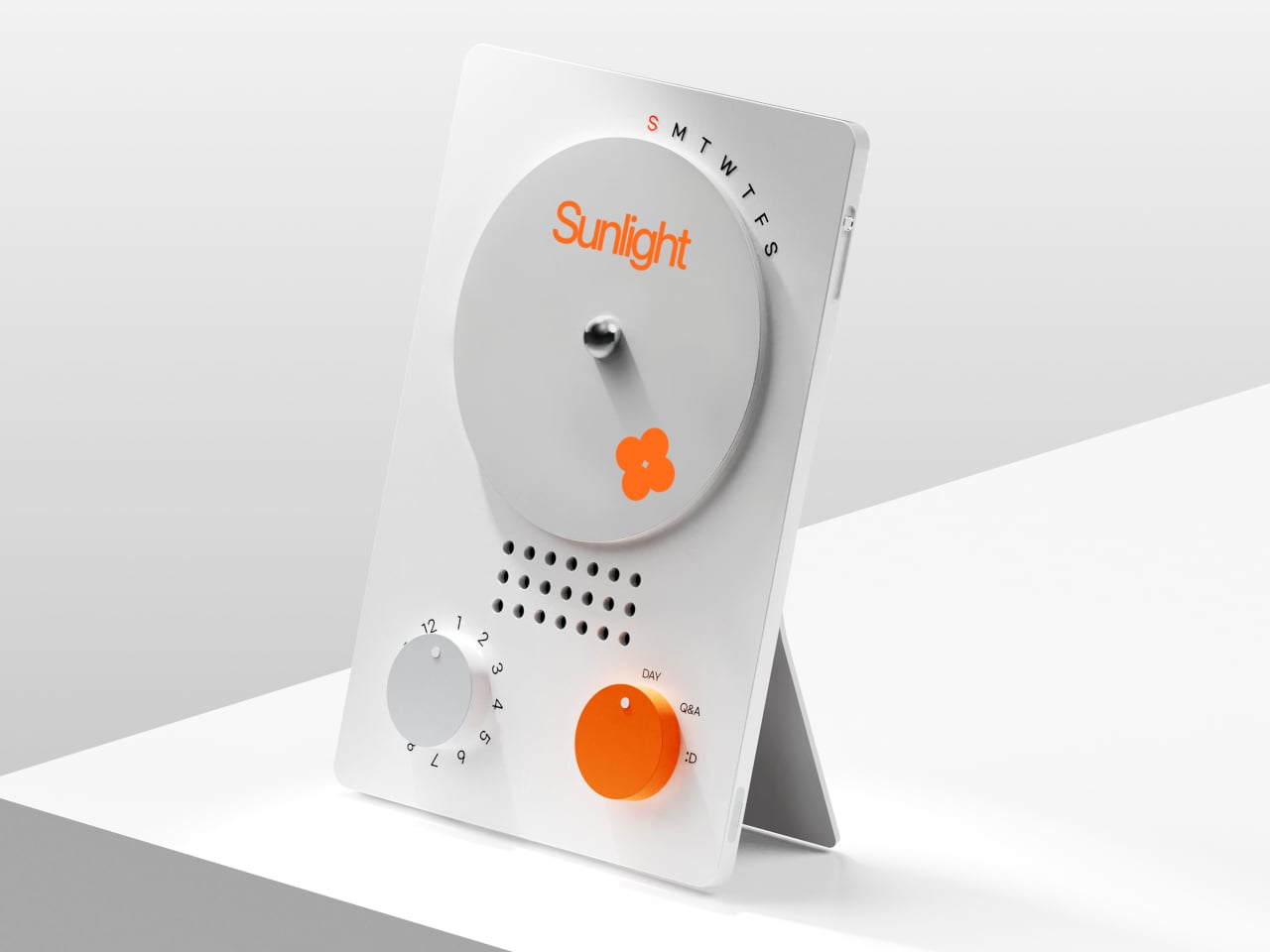
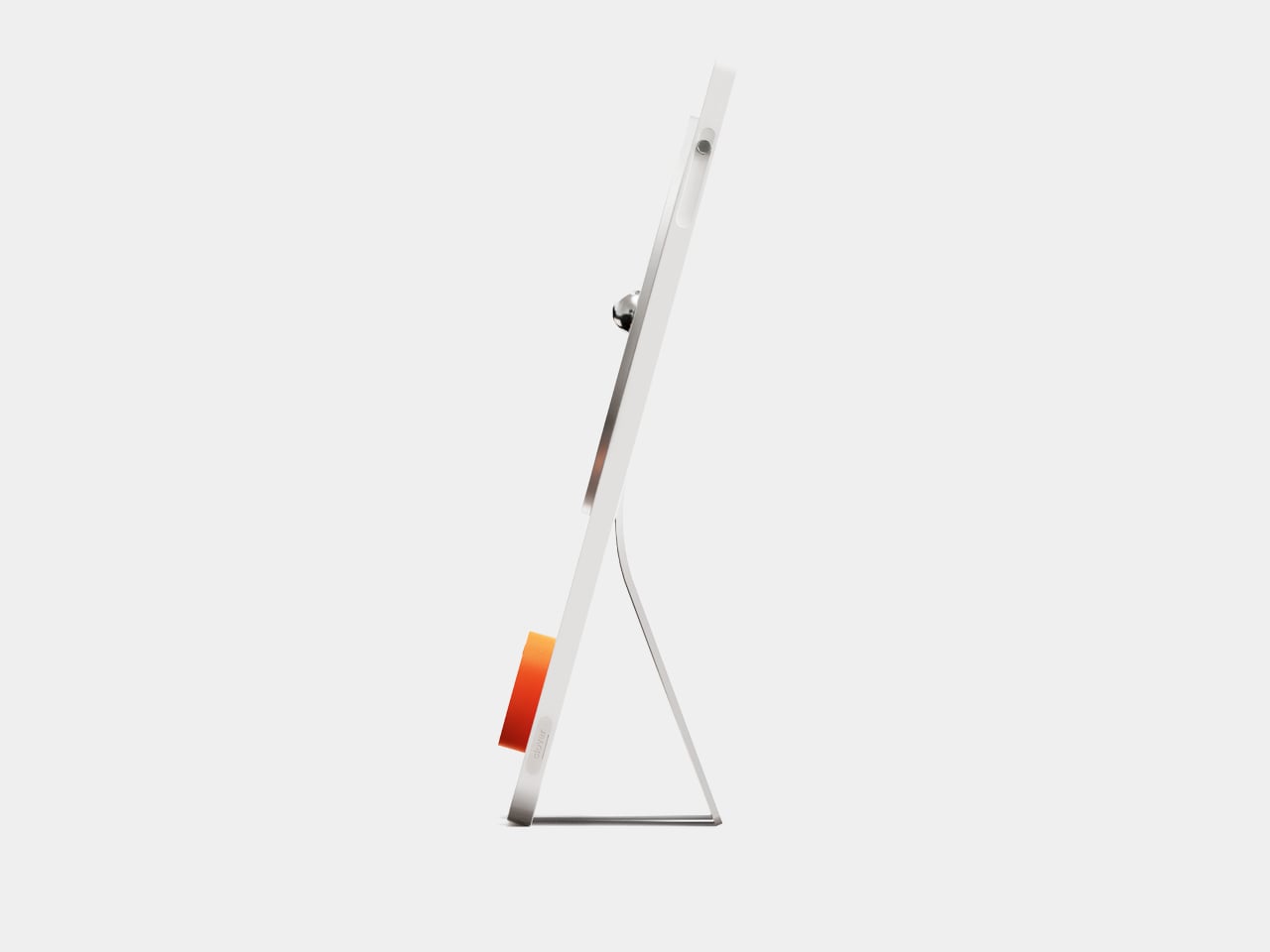
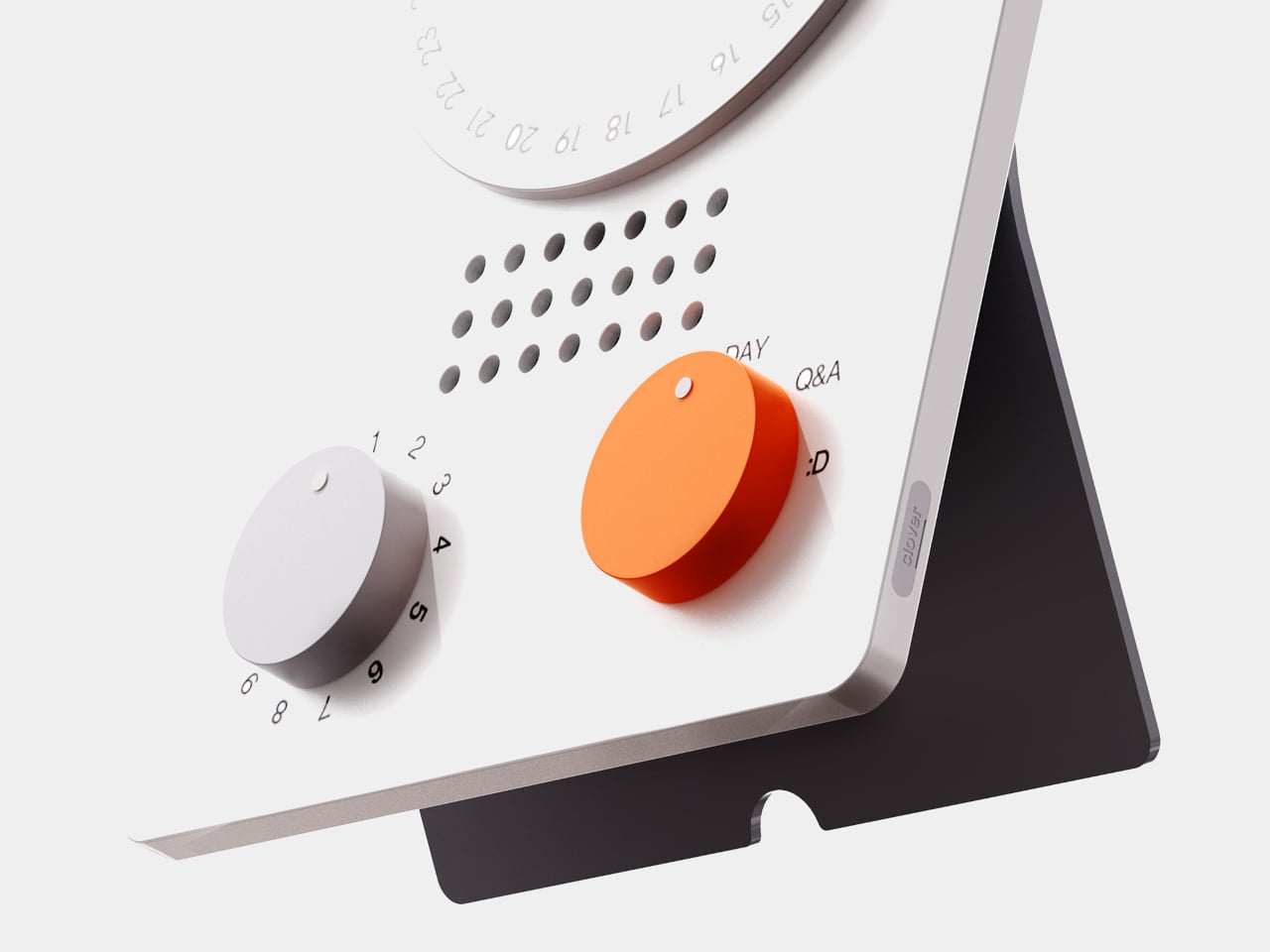
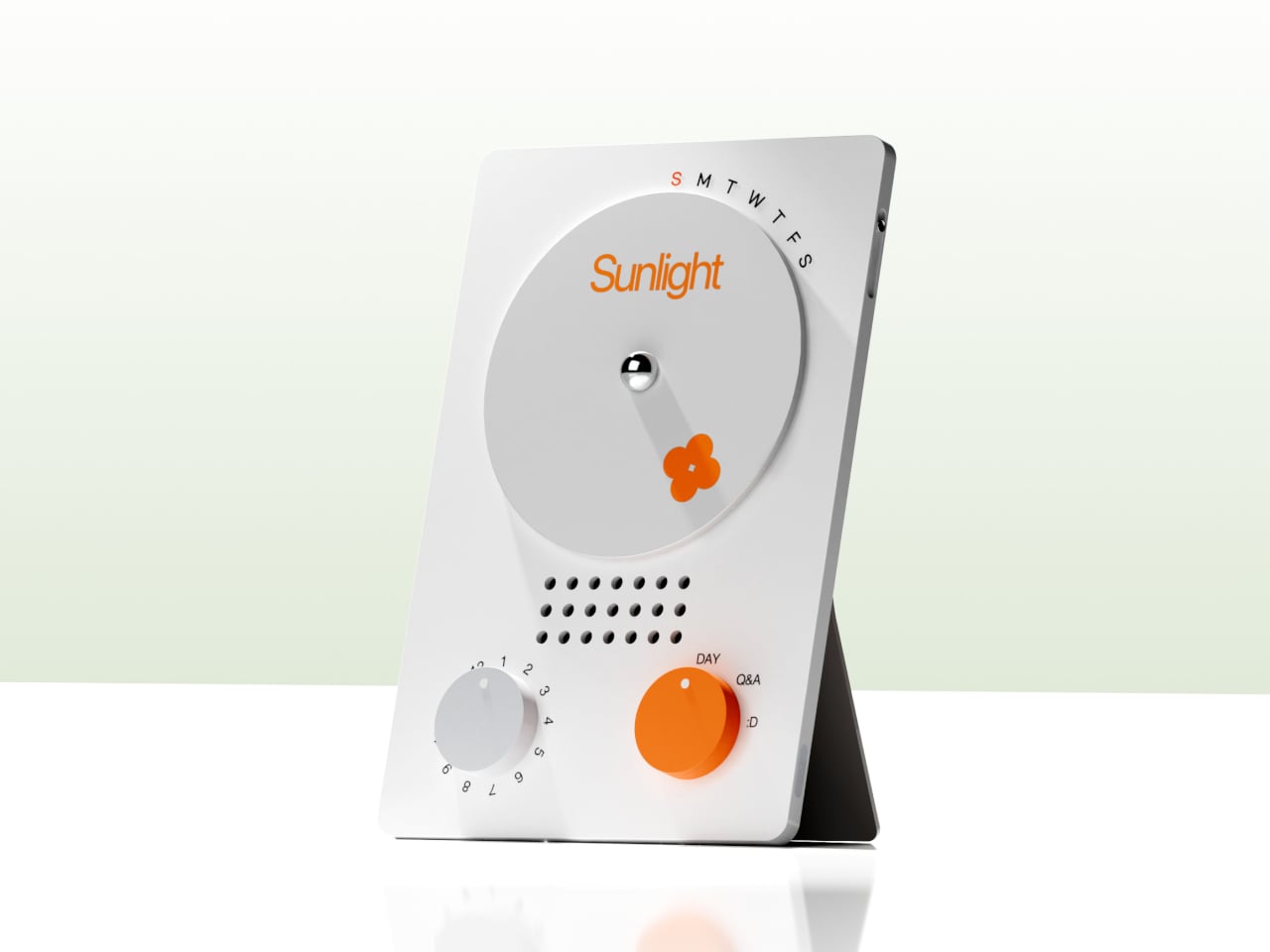
The desk calendar is a tilted white slab with a large circular dial labeled with days of the week and a small screen that displays words like “Sunlight” or “Spring.” It plays back or summarizes your voice recordings by day, and turning the dial lets you move between Day mode, Q&A mode, and long-term overview modes. Checking your emotional log becomes a physical ritual, more like flipping through a calendar than scrolling a feed or staring at another glowing interface.

1

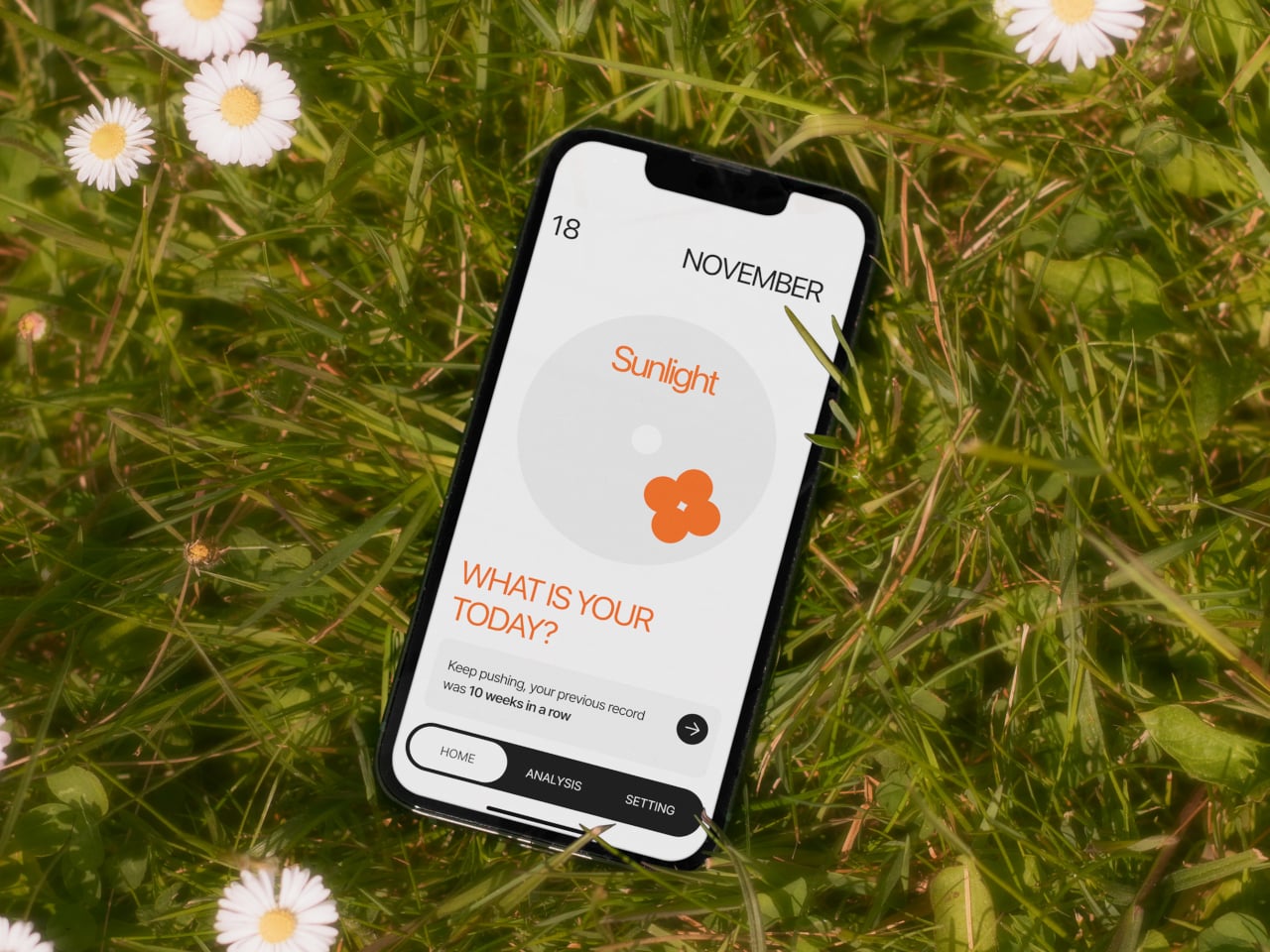
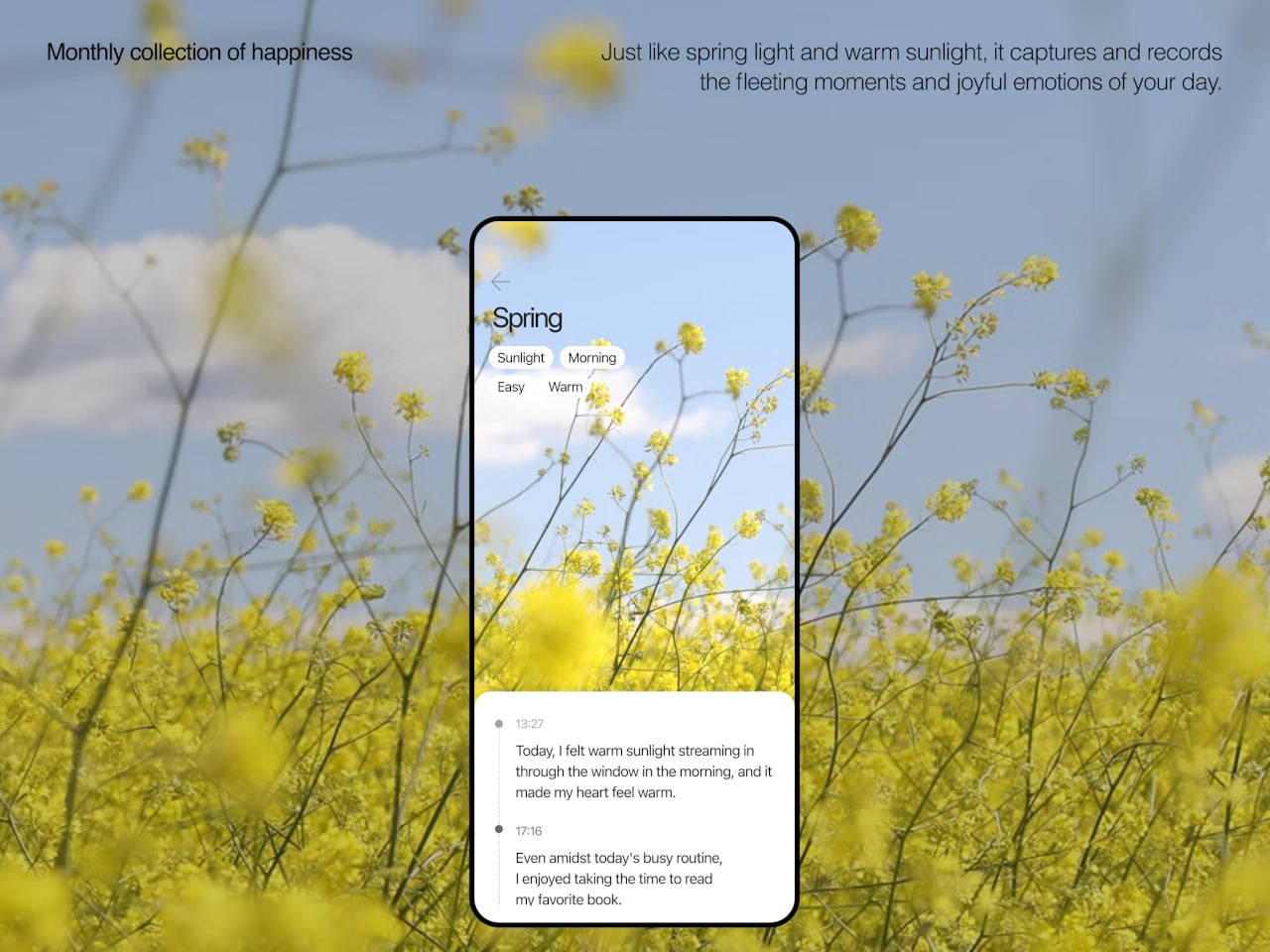
The app brings everything together, with daily cards asking “What is your today?”, weekly and monthly views full of dots and bars, and simple text insights that highlight recurring themes. You can tag entries by time, category, or keywords, and later see which people, places, or activities show up most often in your happiest moments. The analysis stays gentle, showing patterns without drowning you in numbers or making you feel like you failed when a week looks sparse.

1

Clover’s visual language, white and grey surfaces with orange accents, soft typography, and a clover icon that appears on hardware and UI, keeps the system from feeling like medical equipment. The core values, self-honesty, emotional balance, and everyday positivity, are baked into how it looks and behaves. It frames itself as a friendly desk object and app you would not mind seeing every day, not a reminder that something is broken.

Clover quietly flips the usual tracking script. Instead of asking you to monitor symptoms or productivity, it asks you to notice and collect small good things, then shows you that they happen more often than you think. For people who are tired of mood sliders and habit streaks, the idea of a physical recorder and calendar that simply help you remember what felt right might be the most calming part of the concept.

The post Clover Emotion Tracker Turns Small Happy Moments into a Daily Desk Ritual first appeared on Yanko Design.