OneXPlayer 3 Just Turned the Gaming Handheld Into a 3-in-1 PC

Gaming handhelds have settled into a fairly predictable shape. A display, a battery, a chip, and controllers, all sealed into a body you carry as a single unit. That works well for most people in most situations. It doesn’t, however, work especially well when you want the same device to handle a different role, because the controllers are permanently in the way and the laptop mode simply doesn’t exist.

The OneXPlayer 3 is built around a different idea. Announced at Computex 2026, it runs Intel’s Arc G3 Extreme processor, a chip designed specifically for handheld gaming on the Panther Lake platform, with 14 CPU cores, 12 Xe3 GPU cores, and up to 180 TOPS of total platform AI compute. What sets it apart from every other Arc G3 device shown at the same event, though, isn’t the chip. It’s the structure.

Designer: ONEXPLAYER/ONE-NETBOOK
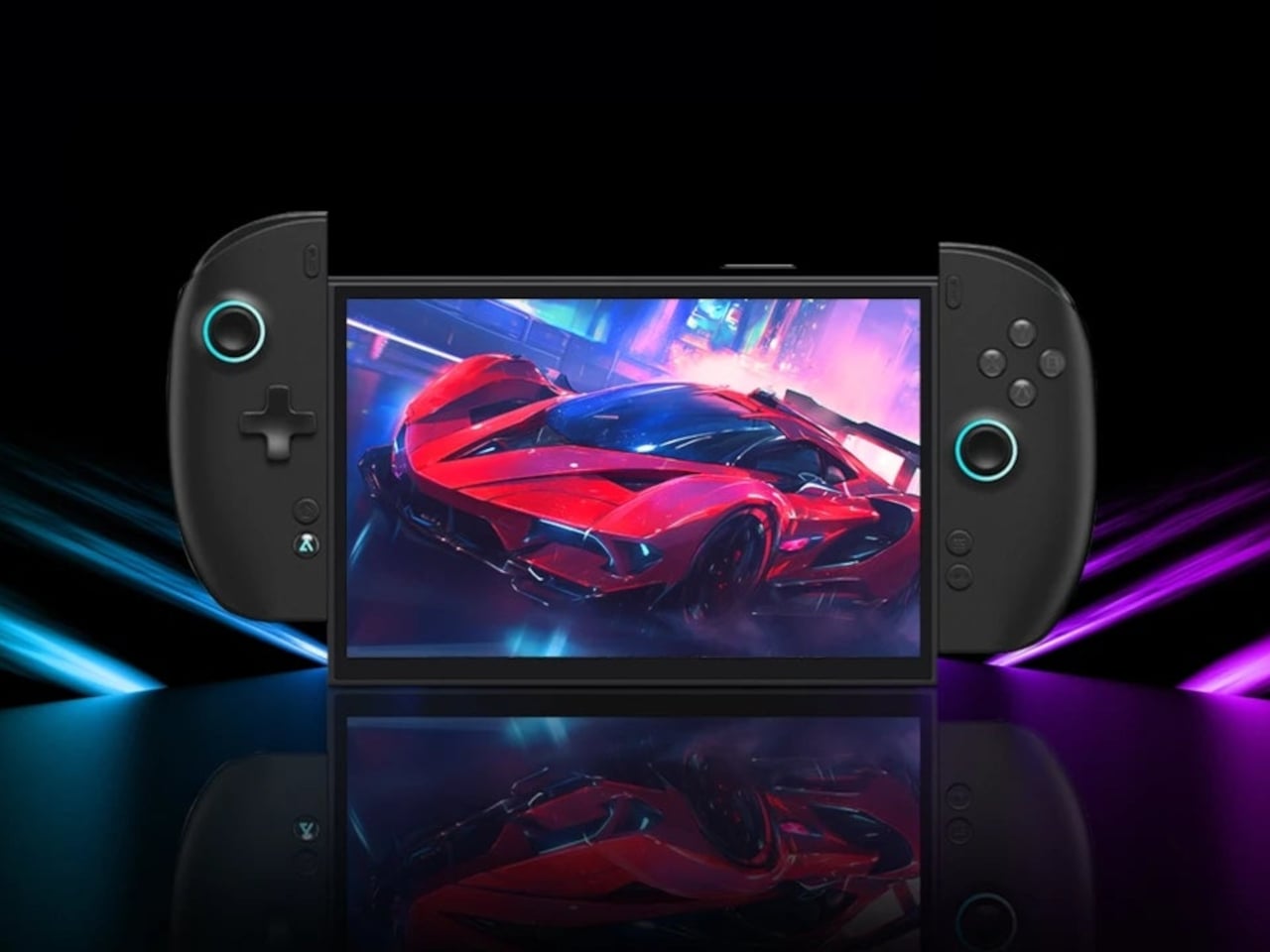
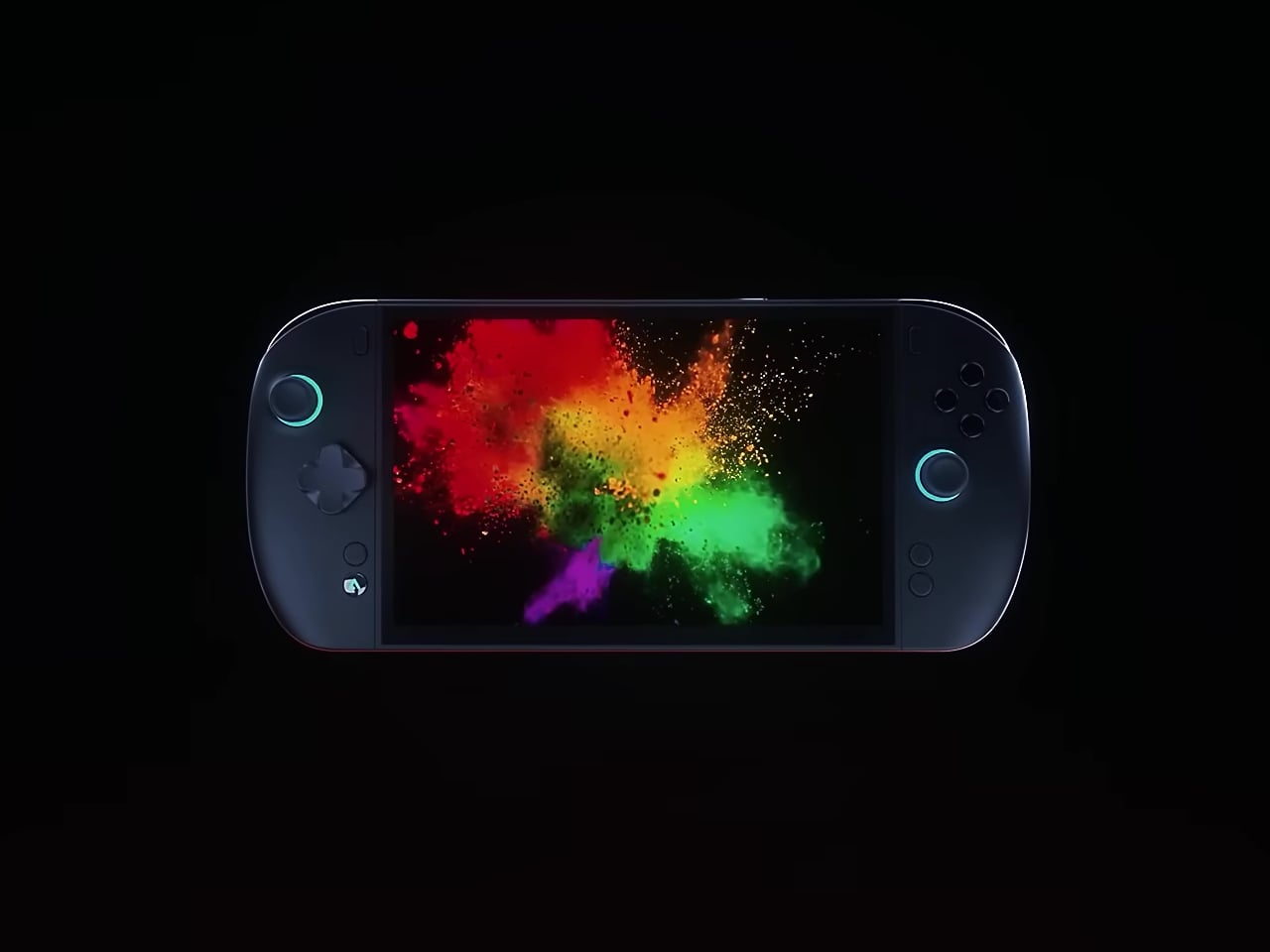
The controllers detach. Clip them onto both sides, and it’s a gaming handheld. Remove them and add the magnetic backlit keyboard, and it becomes a compact laptop. Pull that off too, and what’s left is a standalone tablet with an 8.8-inch AMOLED display in native landscape orientation. That last detail matters: most handhelds use portrait panels rotated sideways, which introduces subpixel layout issues. The OneXPlayer 3 doesn’t have that problem.
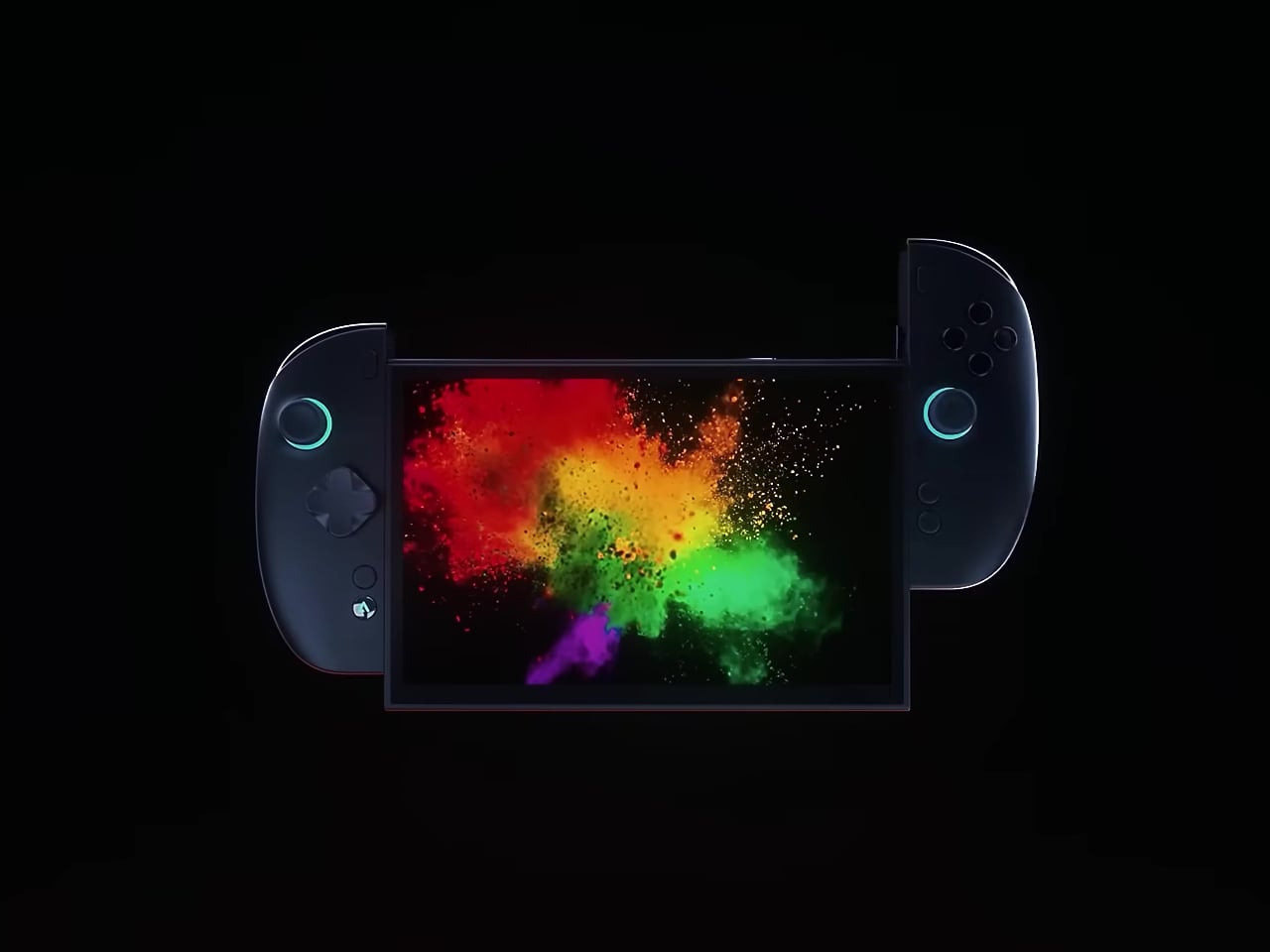
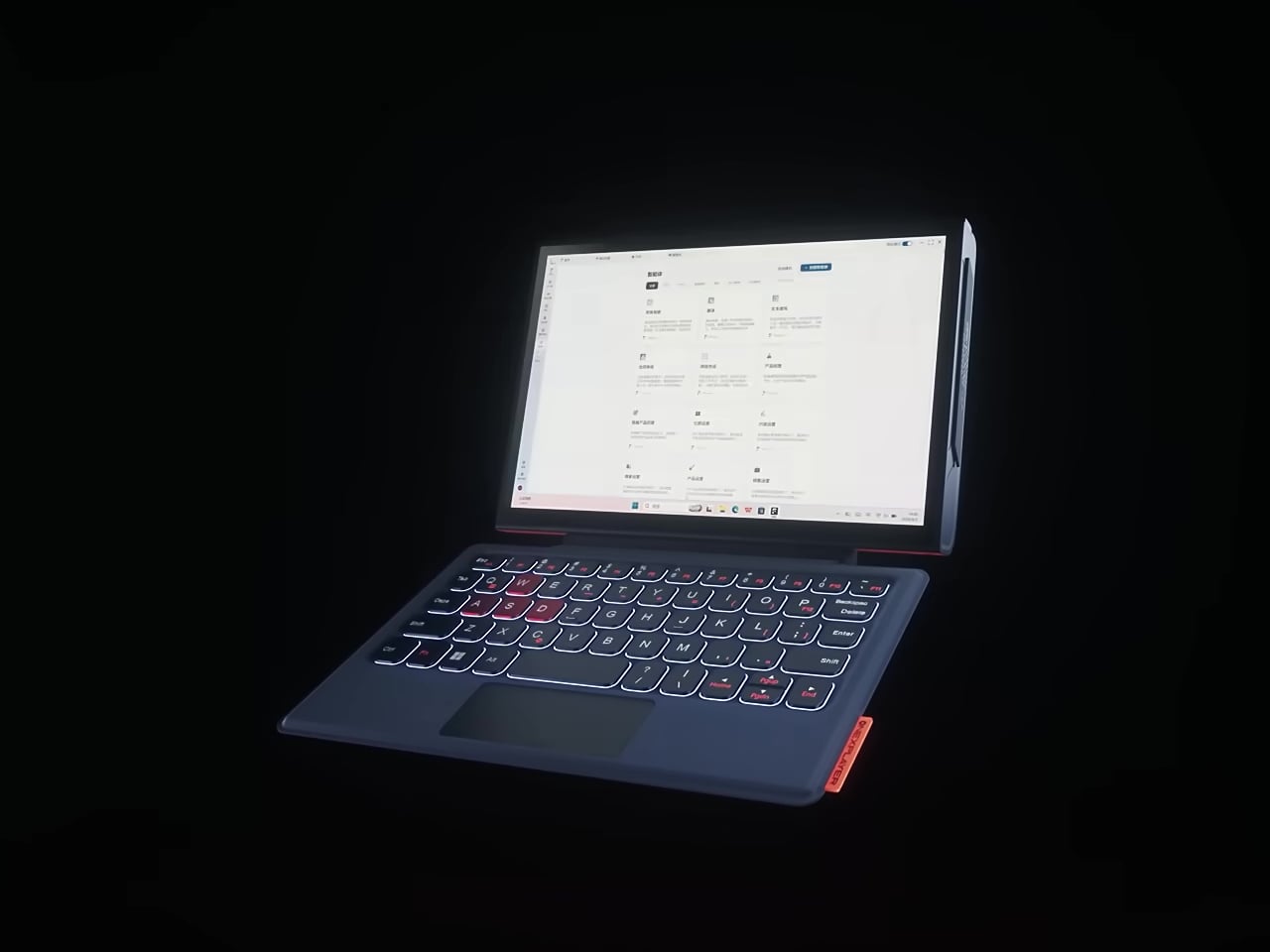
The display runs at 144Hz with VRR and HDR support, which counts during fast-paced titles where motion clarity and input responsiveness make a concrete difference. The detachable controllers aren’t simplified accessories, either. They carry Hall Effect joysticks for drift-resistant precision, two-stage triggers, a capacitive touchpad for cursor control without needing an external mouse, and rear buttons that keep extra inputs within reach during play.

Battery capacity sits at 85Wh, which is among the largest in any current gaming handheld. An extended session doesn’t mean much, though, if the chip is running too hot to maintain performance throughout. OneXPlayer addresses that with a liquid cooling system designed to manage the sustained thermal output of the Arc G3 Extreme under gaming loads, rather than leaning on a conventional fan arrangement alone.
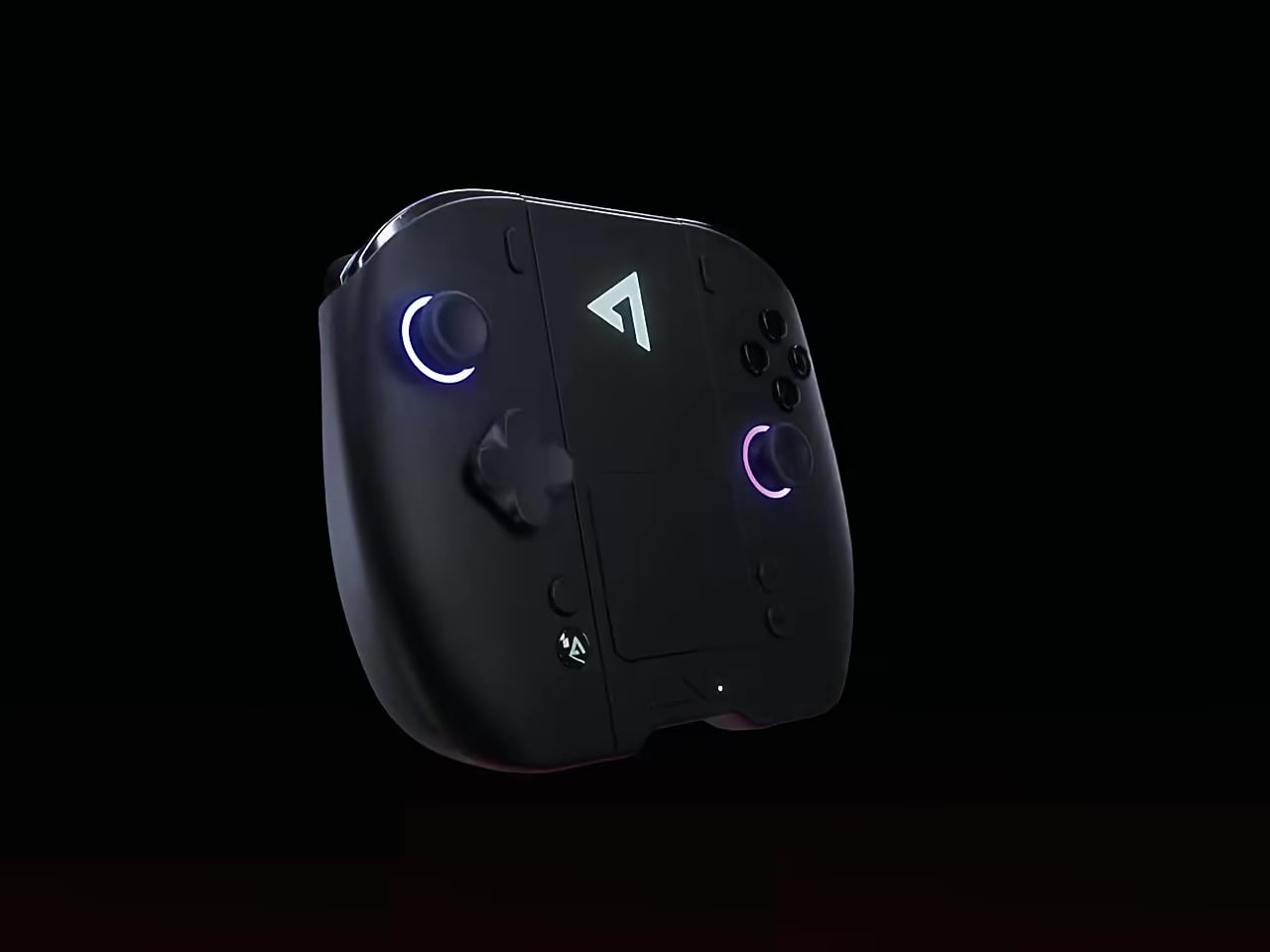
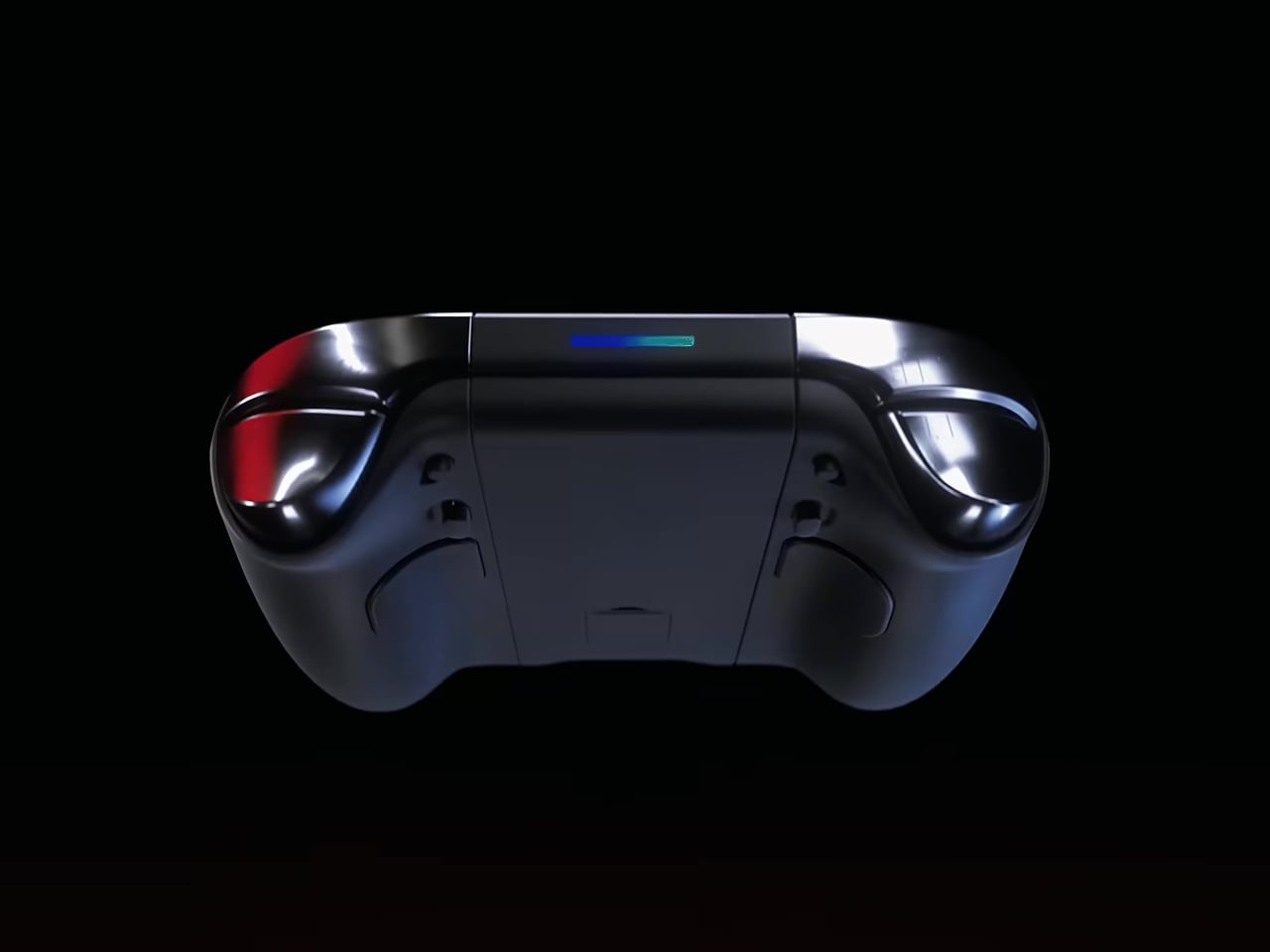
The port selection reflects how the device wants to be used. USB4 opens up external display connections and eGPU docking that most handhelds simply don’t support. USB-A, a mini SSD expansion slot, MicroSD, and a 3.5mm audio jack fill out the rest, covering both gaming peripherals and the connectivity and storage needs that come up during productivity work.

Intel’s Panther Lake platform also delivers up to 50 TOPS of NPU AI performance alongside the GPU’s compute capabilities, contributing to that 180 TOPS total. That headroom targets AI-assisted gaming features and on-device content creation tools that will roll through software updates, giving the hardware a longer useful life than a device designed purely for gaming today.
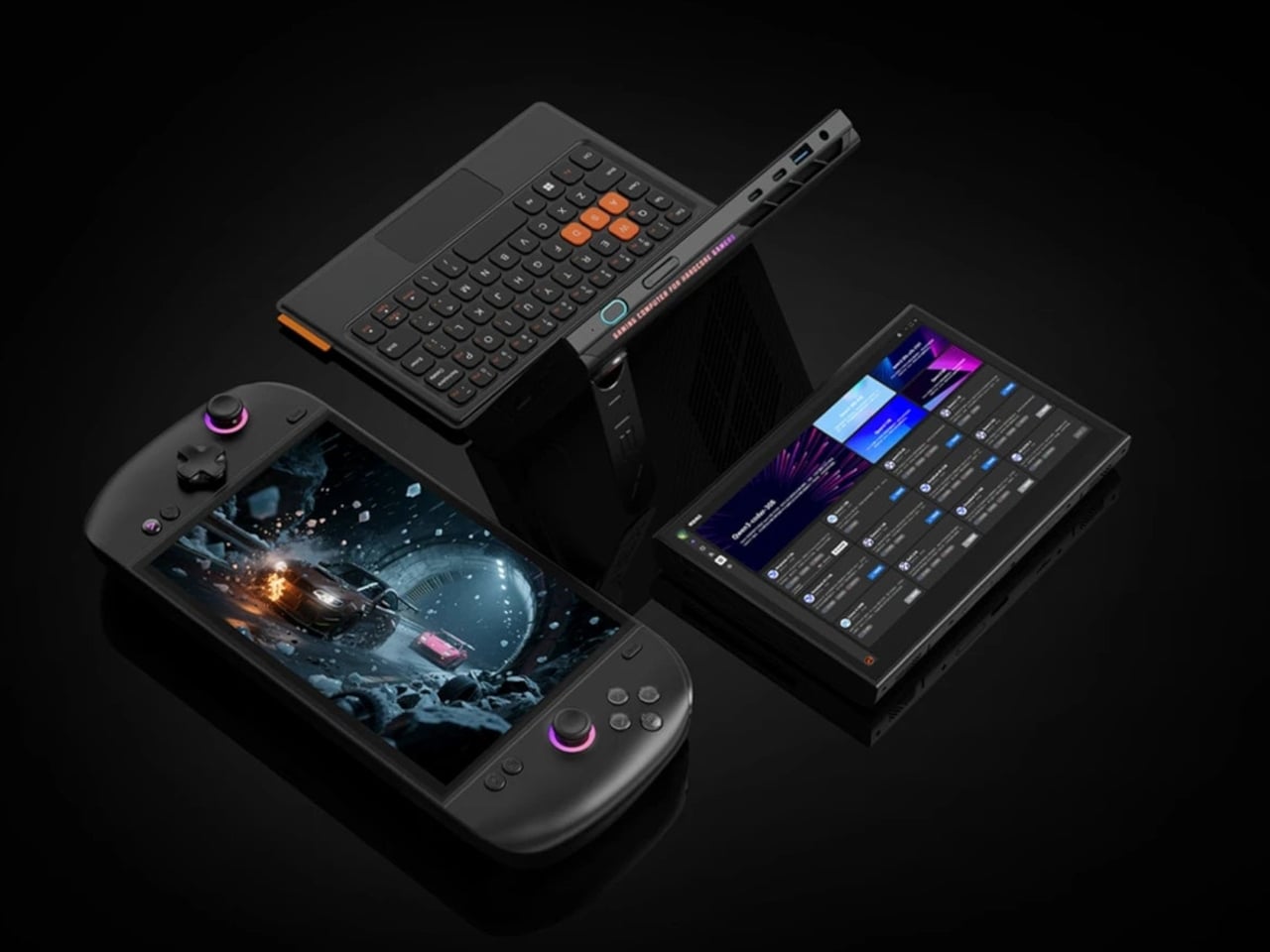
Pricing hasn’t been confirmed, though the hardware points to a starting figure above $1,500, with higher configurations likely pushing well past that. A global release is expected in 2026. For a market where most handhelds look and function almost identically, the OneXPlayer 3 is asking a direct question about what a handheld should do when the gaming is done and the bag needs to close.

The post OneXPlayer 3 Just Turned the Gaming Handheld Into a 3-in-1 PC first appeared on Yanko Design.
How to Force Your MacBook to Stop Charging at 80% (Just Like Your iPhone)

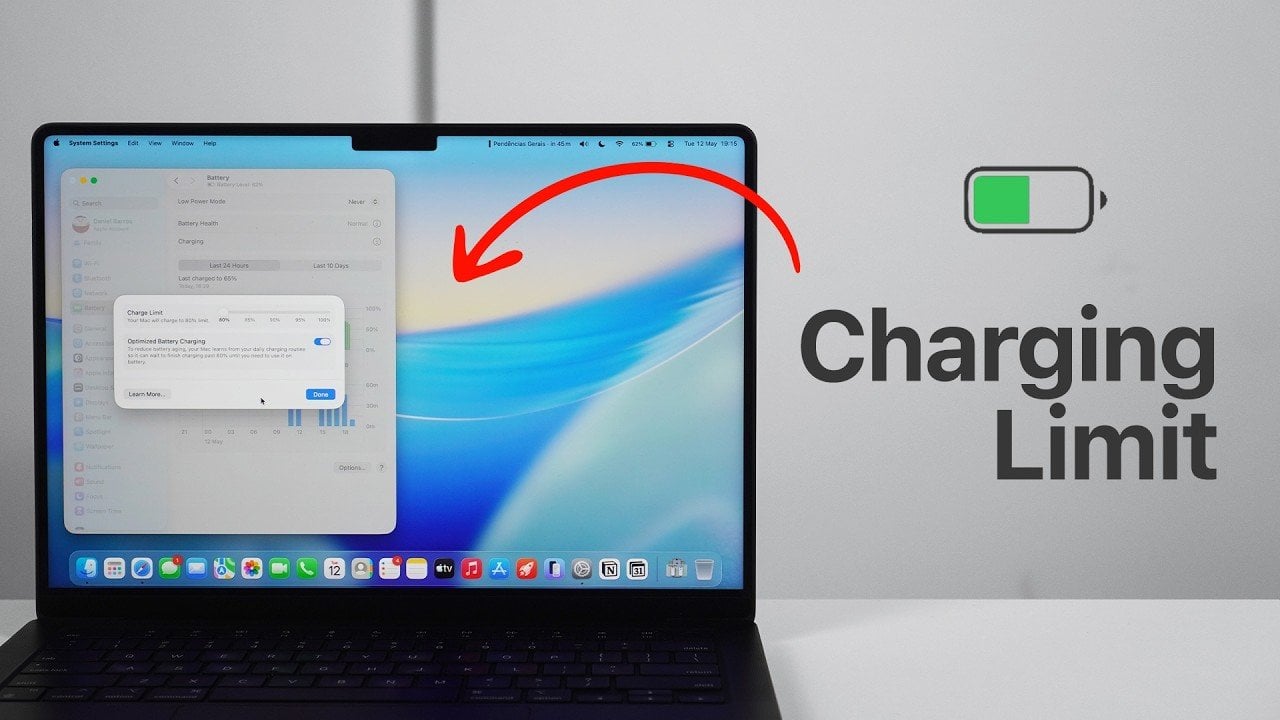
How to Force Your MacBook to Stop Charging at 80% (Just Like Your iPhone) System settings menu showing the 80 percent charge limit on a Mac

Maintaining your MacBook’s battery health is essential for making sure consistent performance and extending its overall lifespan. With the release of macOS 26.4 (MacOS Tahoe) and later versions, Apple has introduced advanced charging features designed to reduce battery degradation. These tools allow you to set a charging limit and enable optimized battery charging, giving you […]

The post How to Force Your MacBook to Stop Charging at 80% (Just Like Your iPhone) appeared first on Geeky Gadgets.

Posted in Uncategorized

Hidden Mac Desktop Features Most Users Completely Miss

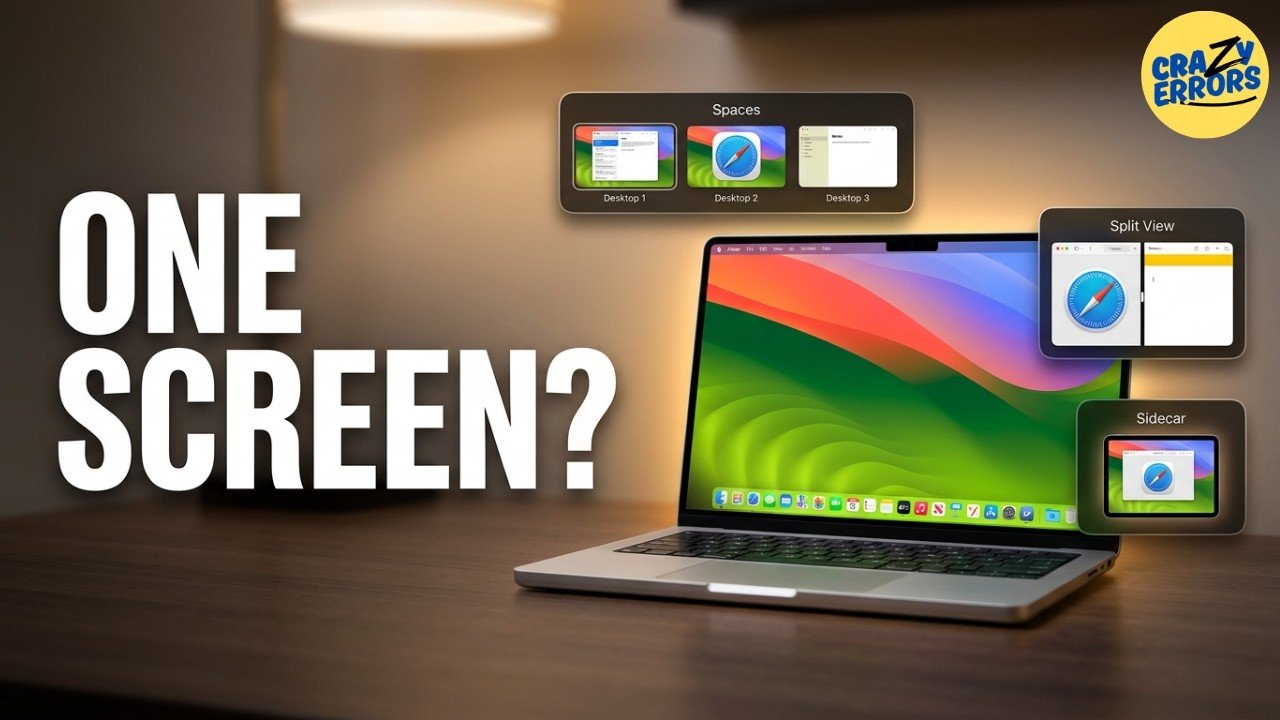
Hidden Mac Desktop Features Most Users Completely Miss Mac Mission Control interface showing multiple open desktops

Your Mac’s multiple desktop functionality is a feature that often goes unnoticed, yet it holds the potential to significantly enhance your productivity. By using Mission Control, you can create and manage separate desktops for different tasks, such as dedicating one to work projects and another to personal activities. Crazy Errors highlights how features like app […]

The post Hidden Mac Desktop Features Most Users Completely Miss appeared first on Geeky Gadgets.

Posted in Uncategorized

What the Latest Apple Ring Leaks Reveal About the Next Big Wearable

What the Latest Apple Ring Leaks Reveal About the Next Big Wearable Leaked design concept of the upcoming Apple smart ring

Apple is reportedly working on a smart ring that could significantly advance the field of wearable technology. This innovative device is expected to combine innovative health tracking, intuitive gesture controls, and seamless integration with Apple’s ecosystem. Designed as a discreet and stylish alternative to traditional smartwatches, the Apple Ring aims to deliver robust functionality in […]

The post What the Latest Apple Ring Leaks Reveal About the Next Big Wearable appeared first on Geeky Gadgets.

Posted in Uncategorized

How Gemini Omni is Changing Video Production for Creators

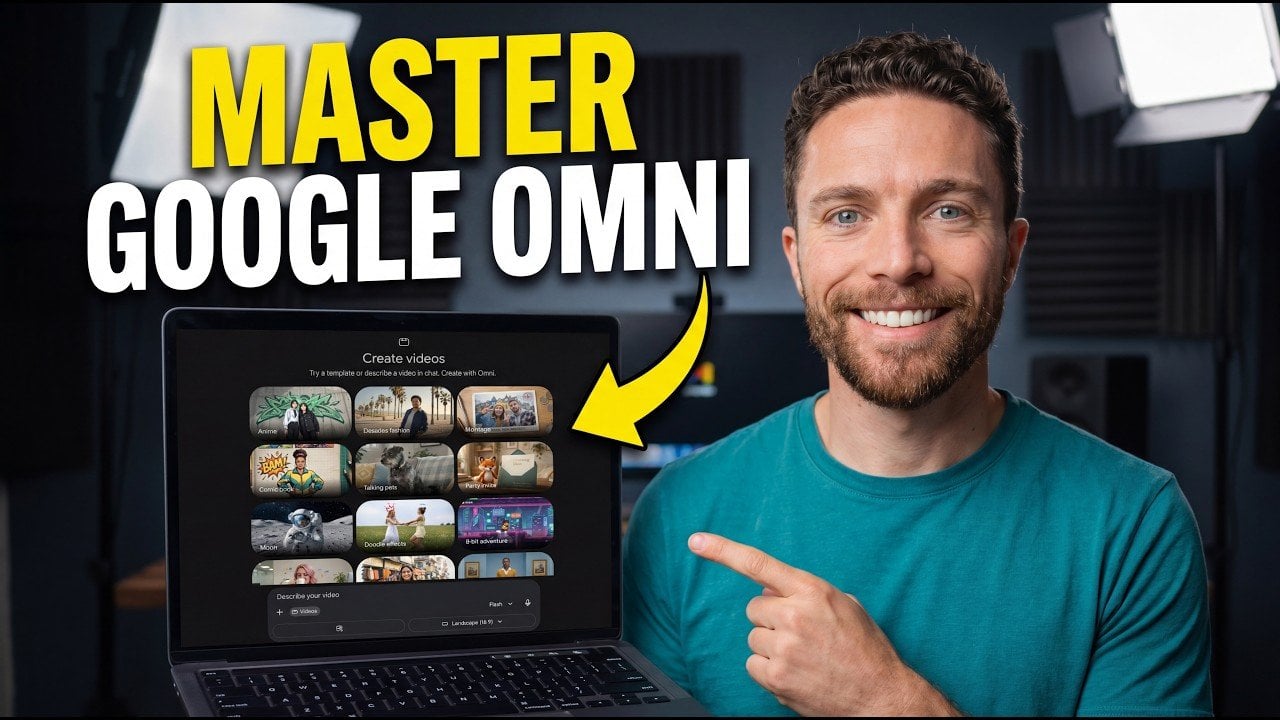
How Gemini Omni is Changing Video Production for Creators A user interface showing video editing features in Google Gemini Omni.

Gemini Omni is changing how creators approach video production by combining advanced AI capabilities with user-friendly features. In this guide, Paul Lipsky explores how Omni simplifies tasks like video editing, dynamic camera simulation and multilingual translation. For instance, its iterative prompting system allows you to fine-tune edits step-by-step, making sure that effects like animated overlays […]

The post How Gemini Omni is Changing Video Production for Creators appeared first on Geeky Gadgets.

Posted in Uncategorized

Why the Samsung Galaxy S27 Ultra is Rumored to Drop Its Signature Vertical Camera Layout

Why the Samsung Galaxy S27 Ultra is Rumored to Drop Its Signature Vertical Camera Layout Rear camera module of the Samsung Galaxy S27 Ultra

Samsung is expected to launch its new Galaxy S27 Ultra smartphone in early 2027, a flagship smartphone that promises to push the boundaries of mobile technology. With a focus on innovative camera systems and refined design, this device is set to deliver an elevated user experience. Among its standout features are a 200-megapixel camera sensor, […]

The post Why the Samsung Galaxy S27 Ultra is Rumored to Drop Its Signature Vertical Camera Layout appeared first on Geeky Gadgets.

Posted in Uncategorized

Inside NVIDIA’s Four Groundbreaking AI Announcements at GTC Taipei

Inside NVIDIA’s Four Groundbreaking AI Announcements at GTC Taipei Robotics system powered by the Cosmos 3 multimodal AI model

NVIDIA’s latest announcements at GTC Taipei introduced four significant advancements in artificial intelligence, each addressing unique challenges across industries. Among these, the NeMo Neutron 3 Ultra stands out as an open source AI model featuring 550 billion parameters and using the hybrid Mamba Transformer architecture. AI Grid highlights how this model achieves five times the […]

The post Inside NVIDIA’s Four Groundbreaking AI Announcements at GTC Taipei appeared first on Geeky Gadgets.

Posted in Uncategorized

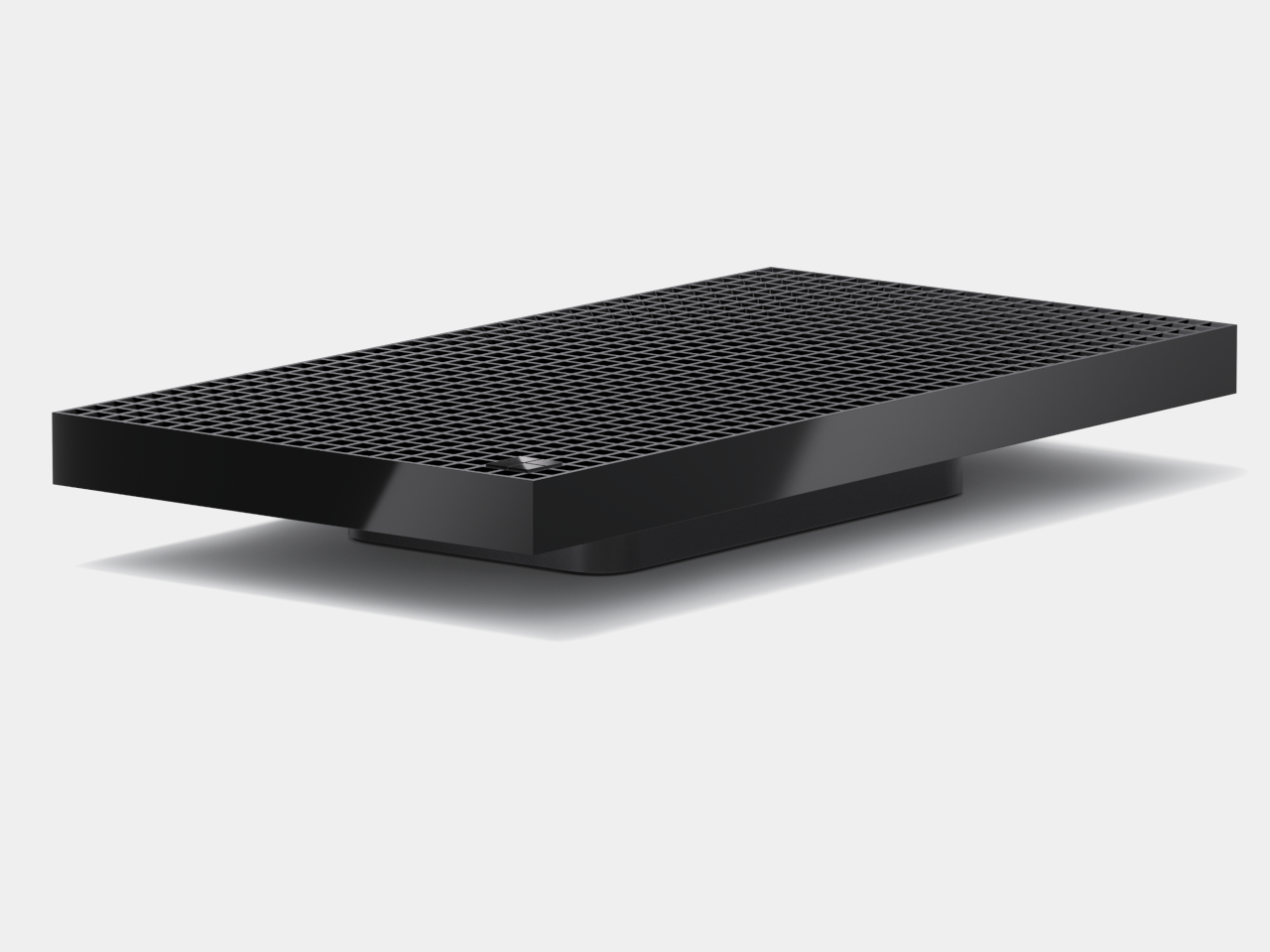
Microsoft RTX Dev Box Has 1,000 Holes, All of Them Intentional

The economics of AI development have been quietly changing how developers think about their hardware. Cloud GPU bills compound fast when you’re iterating through a model dozens of times a day, and every fine-tuning run or inference loop on a remote server adds to a cost that has no natural ceiling. The push toward local AI compute isn’t just about performance. It’s about moving from a metered relationship with infrastructure to one you own outright and sit in front of.

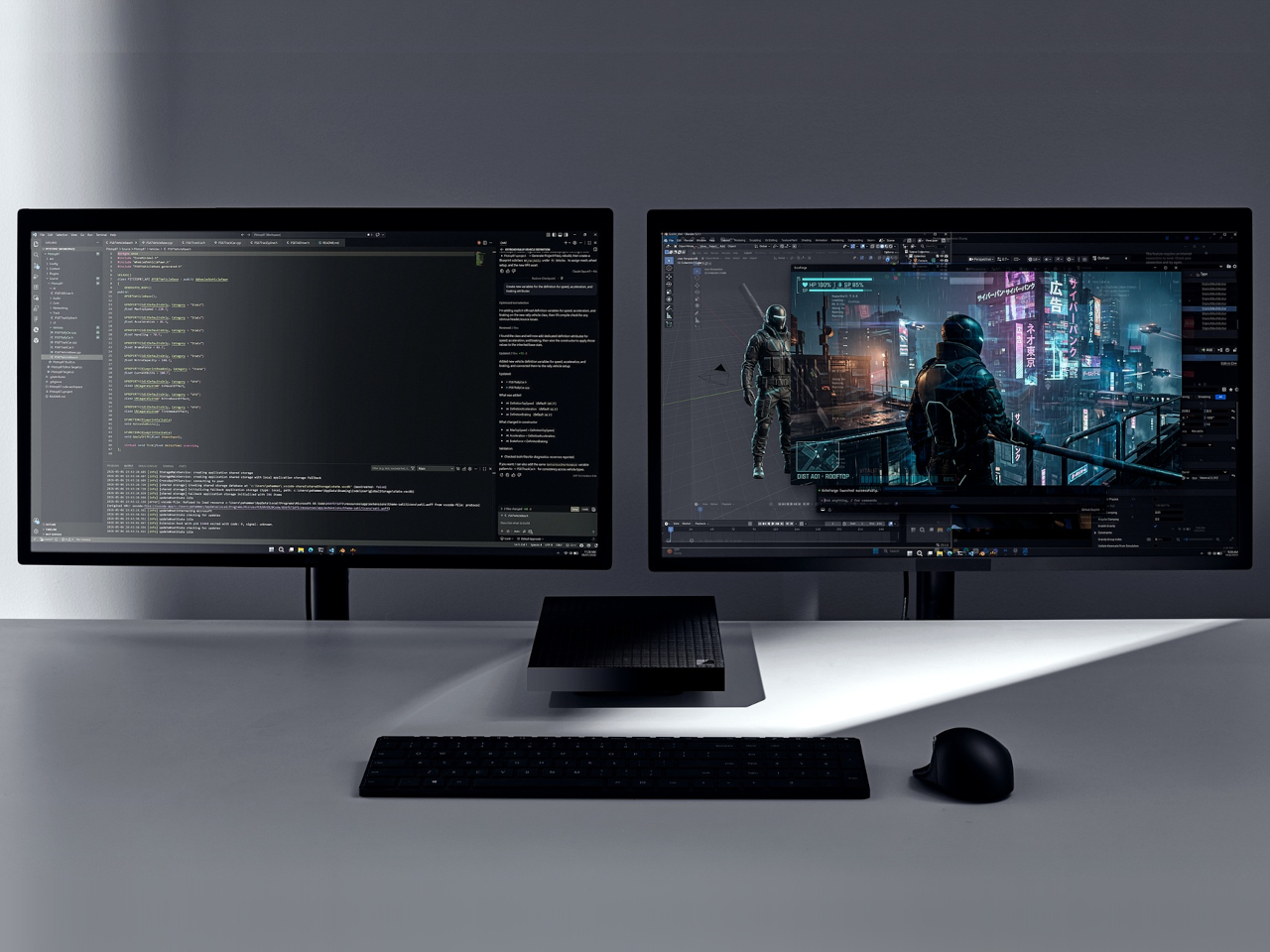
Microsoft announced the Surface RTX Spark Dev Box at Build 2026 as its answer to that shift. It’s a compact mini PC powered by the NVIDIA RTX Spark superchip, the same ARM-based silicon debuting in the Surface Laptop Ultra, and it arrives on a developer’s desk already configured and ready to run serious AI workloads without touching a cloud endpoint.

Designer: Microsoft

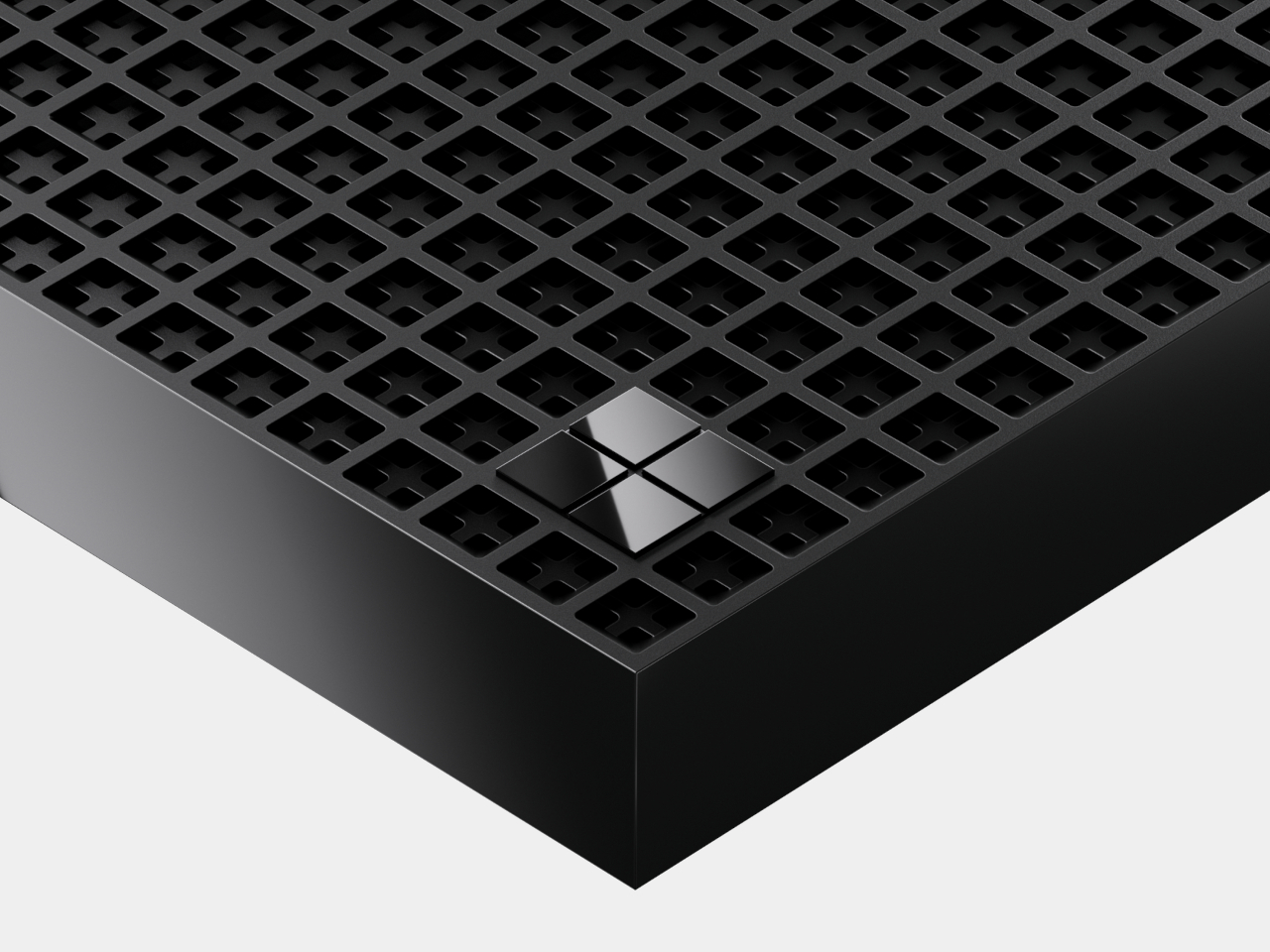
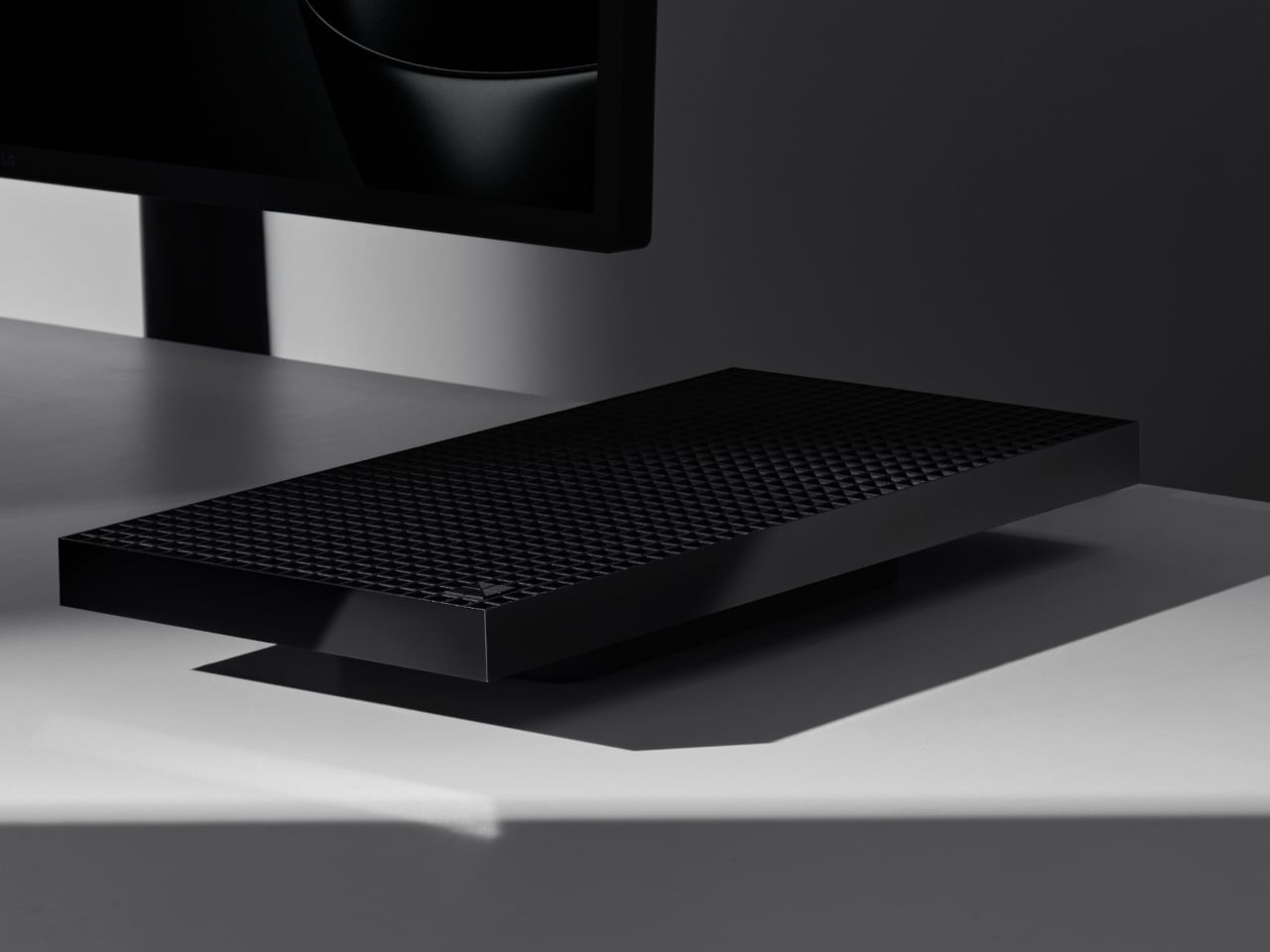
The device’s most distinctive quality isn’t anything in the spec sheet. It’s the body itself, a 3D-printed anodized aluminum chassis perforated with exactly 1,000 vents arranged across its surface in a precise grid. Those vents are functional, the aluminum chassis doubles as the passive heatsink, managing a 100W sustained thermal envelope without a traditional cooling tower. They’re also a deliberate reference: 1,000 vents for 1,000 teraflops, or 1 petaflop, of AI compute. It’s a design that’s equally a statement and an engineering solution, and nothing else on a desk looks remotely like it.

That petaflop is delivered by NVIDIA’s RTX Spark, which combines a 20-core Grace CPU with a Blackwell RTX GPU carrying 6,144 CUDA cores, connected via NVLink-C2C. The 128GB of unified memory shared dynamically between the processor and GPU is what separates this from a high-end gaming box. That memory ceiling is what makes loading a 120-billion-parameter model possible without partitioning it or shunting inference work to the cloud.

The software side ships pre-configured and aimed precisely at the developer who doesn’t want to spend time on setup. WSL2 with native GPU passthrough and full CUDA support comes pre-installed and ready to use, alongside Visual Studio Code, GitHub Copilot, and PowerShell 7. Windows settings are tuned specifically for development work rather than general consumer use, a small but meaningful distinction when your machine runs long overnight training jobs and needs stability rather than a live tiles grid.

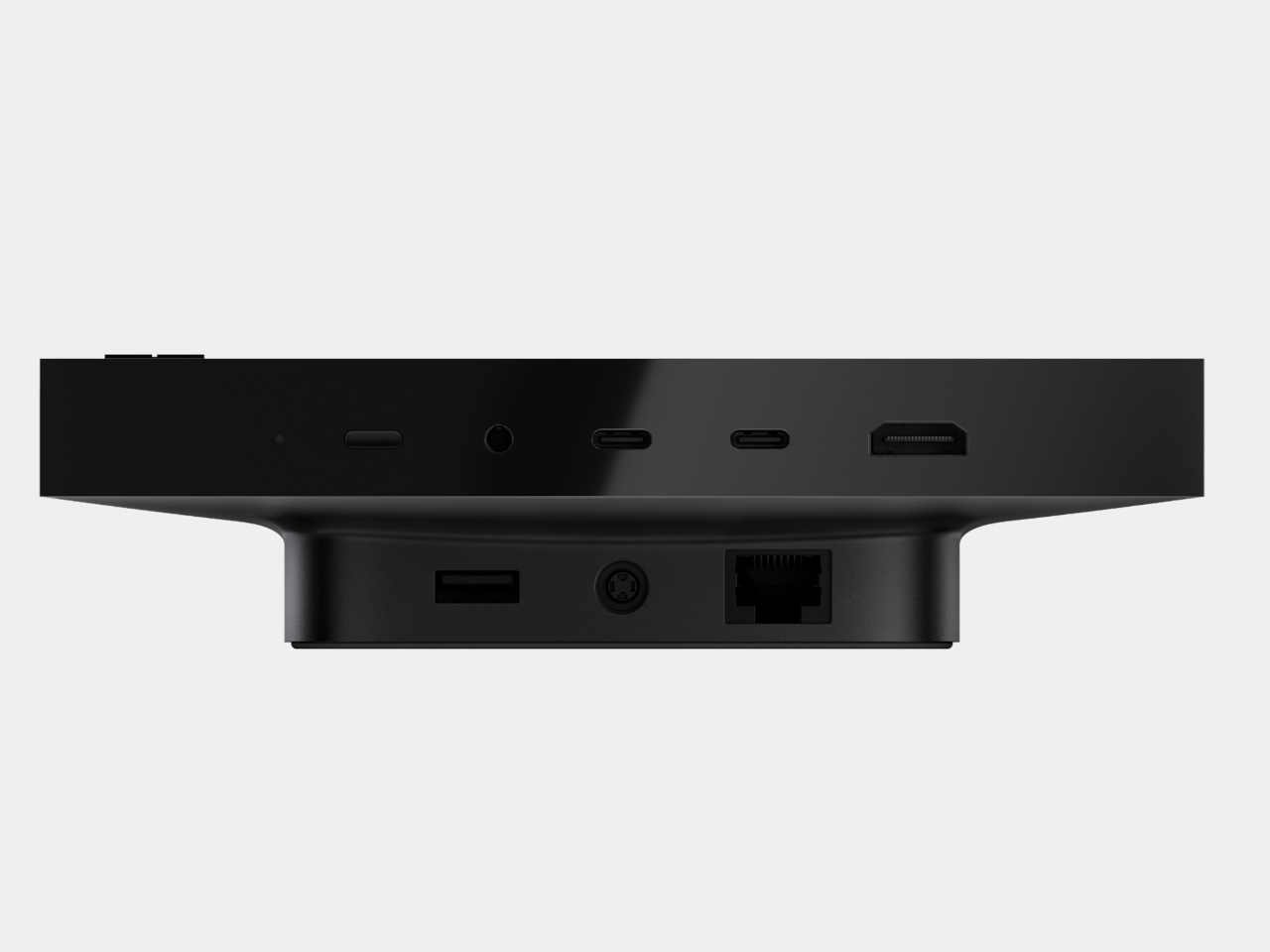
Connectivity covers HDMI, Ethernet, USB-C, USB-A, and a headphone jack, nothing exotic, but a port set that covers what a desk-based development machine actually uses. The machine runs under 100W during intensive workloads, which means it can sustain training jobs and agentic pipelines without the kind of thermal throttling that eventually frustrates sustained use.

For a machine announced without a price, the Surface RTX Spark Dev Box is already doing a specific kind of work. It positions local AI inference as a fixed cost rather than a running expense, and it makes that argument in a chassis that doesn’t look like any other mini PC on the market. A 3D-printed aluminum grid covered in a thousand deliberate holes is an odd form for a developer tool, but it makes the machine’s purpose unmistakably legible from across the room. Availability is expected later in 2026 in the US through Microsoft’s online store.

The post Microsoft RTX Dev Box Has 1,000 Holes, All of Them Intentional first appeared on Yanko Design.
The Real Reason Apple Delayed the New Apple TV (Until Now)

The Real Reason Apple Delayed the New Apple TV (Until Now) Apple TV 4K

Apple is poised to redefine the smart home landscape with significant updates to its Apple TV and HomePod Mini. These devices, which have seen minimal innovation in recent years, are set to receive fantastic upgrades powered by Siri 2.0, Apple’s next-generation voice assistant. Central to these advancements is the integration of Apple Intelligence, an innovative […]

The post The Real Reason Apple Delayed the New Apple TV (Until Now) appeared first on Geeky Gadgets.

Posted in Uncategorized