Elon Musk’s new Grok AI will be available to all X Premium Plus subscribers first

Elon Musk Grok AI Nov 2023

Elon Musk, the driving force behind xAI, Tesla, Space X and Twitter now known as X, has recently announced the development of a new artificial intelligence (AI) system to compete with the likes of  ChatGPT. The new AI model developed by xAI is intriguingly named ‘Grok’, is a reference to the science fiction novel ‘Stranger […]

The post Elon Musk’s new Grok AI will be available to all X Premium Plus subscribers first appeared first on Geeky Gadgets.

Deepseek Coder open source AI coding assistant runs online and locally

Deepseek Coder AI coding assistant

If you could do with a little assistance when coding or when learning a new coding language you might be interested in a new AI coding assistant in the form of Deepseek Coder. The AI coding assistant has been created using a series of code language models trained on both 87% code and 13% natural […]

The post Deepseek Coder open source AI coding assistant runs online and locally appeared first on Geeky Gadgets.

Why is Apple’s USB-C cable so expensive?

Why is Apple's USB-C cable so expensive

During its recent press conference Apple unveiled a number of new additions to its range of iPhones, MacBooks and accessories. One of which was a new Thunderbolt 4 USB‑C Pro Cable available in 1m, 1.8m and 3m lengths. However as you would expect much more expensive than most USB-C cables on the market. Why is […]

The post Why is Apple’s USB-C cable so expensive? appeared first on Geeky Gadgets.

New BeagleV-Fire FPGA and RISC-V Single Board Computer

New BeagleV-Fire FPGA and RISC-V SBC

BeagleBoard, a prominent player in the field of single-board computers (SBCs), has recently unveiled its latest product, the BeagleV-Fire. This advanced SBC is powered by Microchip’s PolarFire MPFS025T FCVG484E, a 5x core RISC-V System on Chip (SoC) that includes an integrated FPGA fabric. The BeagleV-Fire is the latest addition to the BeagleV series of SBCs, […]

The post New BeagleV-Fire FPGA and RISC-V Single Board Computer appeared first on Geeky Gadgets.

The Best Practices for Using Google Bard

Using Google Bard

Google Bard, a remarkable large language model chatbot, has emerged as a versatile tool for a diverse range of tasks, from crafting compelling text to translating languages with remarkable accuracy. While its capabilities are impressive, maximizing its potential requires a strategic approach and adherence to certain best practices. Embracing these guidelines will empower you to […]

The post The Best Practices for Using Google Bard appeared first on Geeky Gadgets.

Posted in Uncategorized | Tagged

Kingston IronKey D500 hardware encrypted USB flash drive review

Kingston IronKey D500 hardware encrypted USB flash drive review

If you are in the market for a secure and reliable encrypted USB flash drive, you’ll be pleased to know that the Kingston IronKey D500S presents itself as a noteworthy contender. This hardware-encrypted flash drive is designed to be the safekeeper of your sensitive data, and it comes with a suite of features that might […]

The post Kingston IronKey D500 hardware encrypted USB flash drive review appeared first on Geeky Gadgets.

Double Your Productivity with this Vertically Stacked Dual 4K Monitor that’s Foldable and has Touch Input

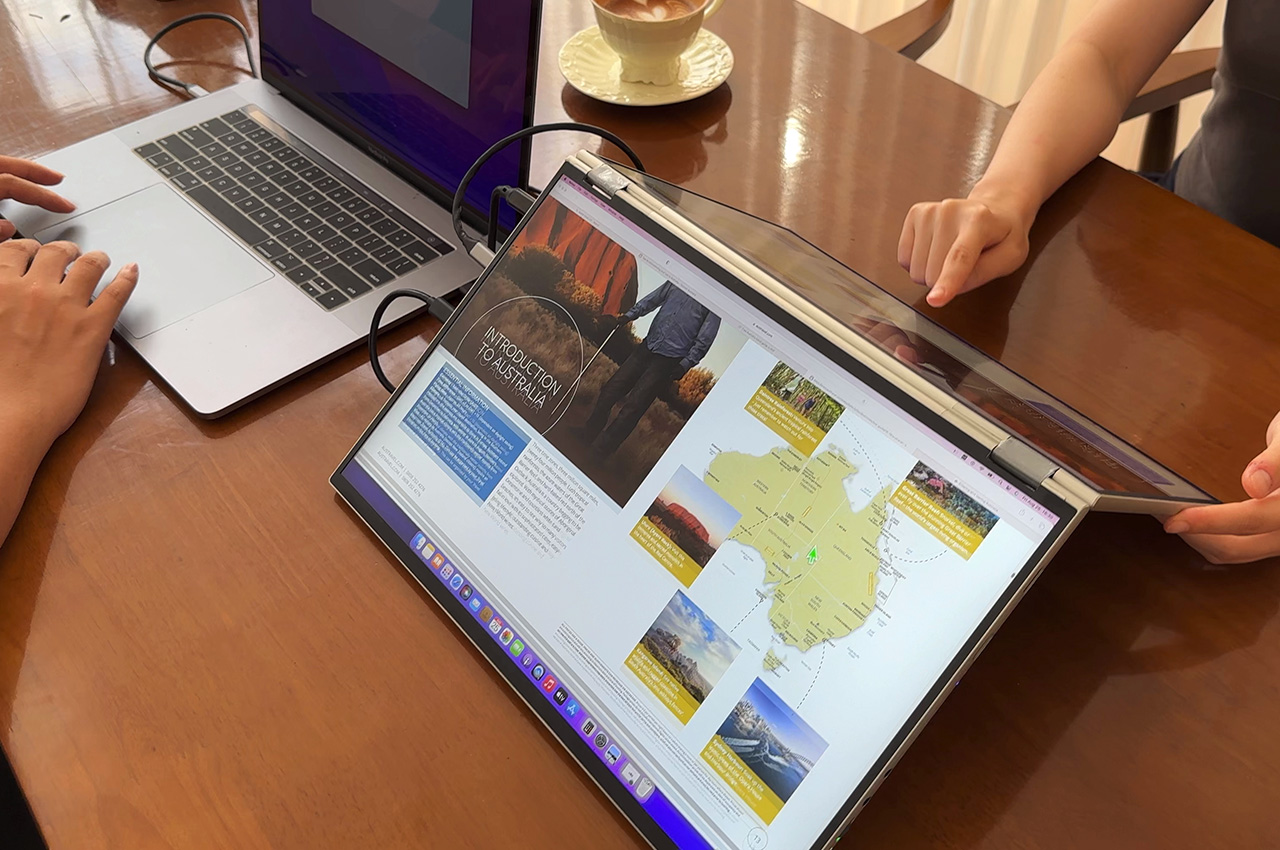
Now THIS is a foldable display that I can agree with! Meet the DUOONE, a portable external monitor system that has not one, but TWO displays to connect to your desktop or laptop setup. Designed to be foldable just like a laptop, the DUOONE opens up into a vertically oriented double 4K display setup that matches your eye level, increases your productivity, and does so without the neck strain of side-by-side displays that always have you looking from left to right. DUOONE’s double 17.3-inch displays feature an adjustable hinge between them that let you orient your displays at a variety of angles (you can even have one display facing away from you for a ‘presentation mode’), with display continuity so that you can move files and folders from one monitor to another, and lossless frame rates that make the entire process seamless. Both displays accept touch inputs, have a color gamut that represents 1.06 billion different shades, and boast of 500-nits peak brightness, making them perfect for gaming, graphic design, video editing, coding, presentations, multitasking, and anything else you’d need a powerful, portable double-display setup for…

Designer: Sunny Cheung

Click Here to Buy Now: $699 $1093 (36% off). Hurry, only 13/20 left!

The Future of Multitasking

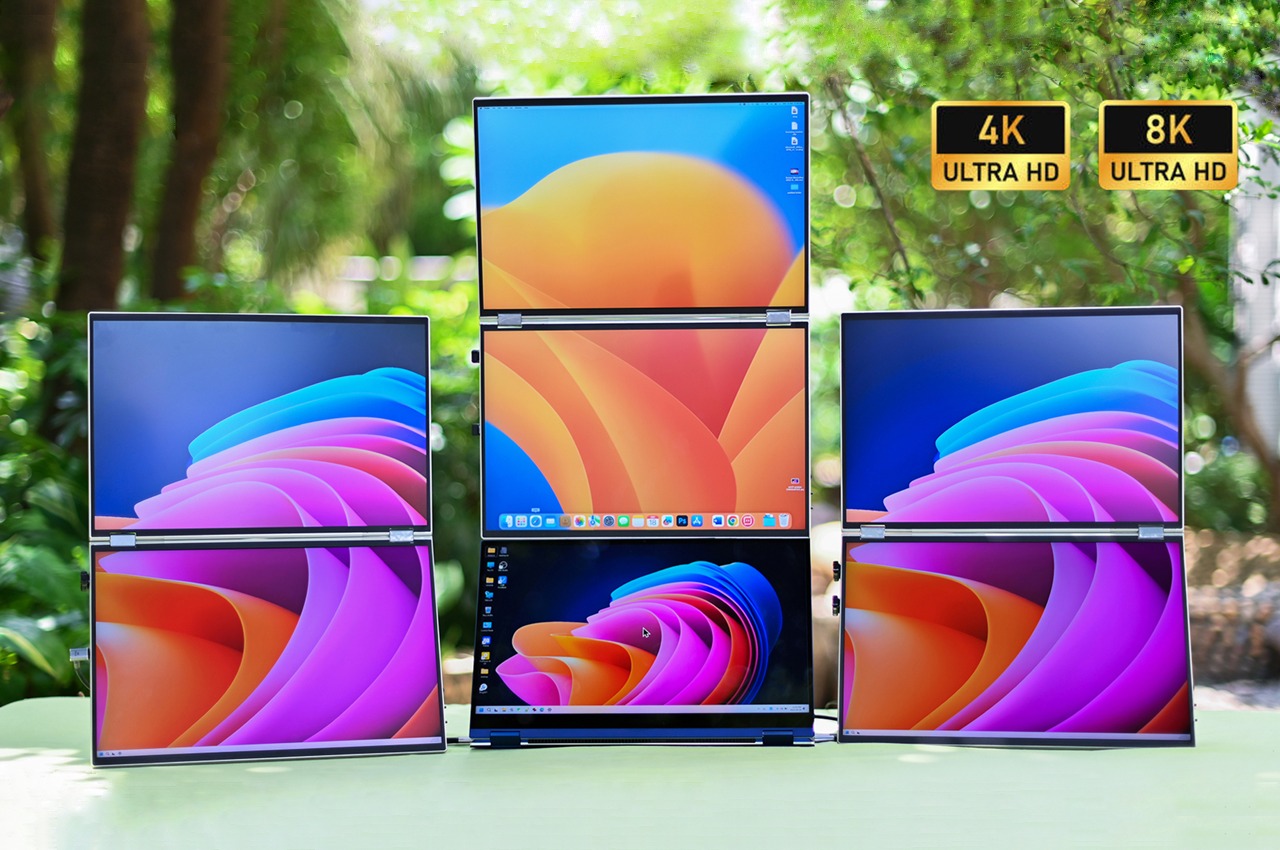
Dual-screens are great in theory, but are notoriously complicated in practice. Sure, they expand your laptop’s horizons, but multiple monitors can be a hassle physically, aren’t usually portable, can cost a lot, and offer a less-than-desirable experience when it comes to connectivity and smoothness. Designed to be the future of portable multitasking, DUOONE gives you a dual-screen setup with no compromises. The two screens go up to 4K each, giving you an 8K setup that merely tethers to your laptop. Depending on the configuration, you’ve got a 144Hz refresh rate, 500 nits of brightness, and 1.06 billion color representation, but perhaps the icing on the cake is DUOONE’s seamless connectivity. A hardware-based connection (that doesn’t rely on driver software) seamlessly bridges your laptop with DUOONE’s screens, giving you a setup that you can use in a whole variety of ways.

A World of Possibilities

The DUOONE’s outwardly simple design makes it such a versatile little peripheral. For starters, it comes with a laptop-esque foldable design that you can easily shut and carry with you wherever you go. Use it beside your laptop screen, above your laptop screen, or instead of your laptop screen, the DUOONE lets you extend, mirror, or serve entirely as your device’s primary display. It works with desktops too, becoming a potent two-screen solution for anyone who agrees that one 15″ screen isn’t enough to unleash your full potential. Heck, you can use each of DUOONE’s displays with separate machines, running two devices on each of its screens in one unified solution.

Thunderbolt-accelerated Smoothness

No matter how you use your DUOONE, its creators promise a buttery smooth experience as the device relies on a thunderbolt-based hardware connection to sync both displays perfectly and allow a smooth transition between elements on each screen. No USB drivers, and no buggy, latency-filled experience. The One-Screen mode, as DUOONE’s makers call it, assures no lag, lossless picture quality, and uninterrupted frame rates between both displays.

Seamless One-Screen Mode

The hardware-based plug-and-play feature makes the DUOONE incredibly easy to set up and even allows it to be modular, allowing you to set up as many as 6 or even more screens together (you’d be absolutely bonkers to do so, but it is, in fact, possible). The One-Screen mode gives you a continuous display that runs from top to bottom, although you’ve got the option to configure each individual display however you see fit. You can use both displays as external monitors with the same machine, or have each display running different machines.

Versatile Screen Modes & Book Mode

The foldable design lets you either close the DUOONE shut, or open it nearly 300° and have it standing like one of those convertible laptops – a feature that’s brilliant for when you’re presenting to a client, or playing mano-a-mano against a friend with each of you having your own display. Prop the DUOONE on its side and you can use it like a massive vertical book too, for reading, coding, or for setting up at an exhibition center or kiosk based on your business requirements. A simple USB-C or HDMI port is all you need to connect to your DUOONE, and it works straight out of the box with no extra firmware or drivers required.

Choose What Matters To You

Depending on your need (and your budget), the DUOONE offers two resolution options – dual 2.5K and dual 4K. The dual 2.5K variant sports two 16″ screens oriented vertically with a 144Hz refresh rate, while the dual 4K model bumps up your screen size to 17.3″ for each display, giving you a cool 8K@60Hz screen with a 28-inch diagonal as a whole. The smaller 16″ model has a brightness of 400 nits but gives you the benefit of 10-bit color depth that displays 1.06 billion colors, while the larger peaks at 500 nits but reproduces a commendable 16.7 million colors. Both displays are 100% sRGB and DCI-P3, with lossless picture quality, hardware-based pairing, and a VESA mount at the back for attaching to stands or walls. They do, however, cater to different audiences.

The smaller screen has a higher refresh rate and better color reproduction, making it more suited for graphic work, while the bigger screen does give you more resolution, making it a good pick for general multitasking and a fair bit of gaming. Additionally, the touchscreen feature is entirely optional, letting you opt out of it if you specifically want a dual-display setup that doesn’t respond to accidentally being tapped, wiped, or touched. The touch-input feature, however, vastly improves the DUOONE’s overall capabilities, helping designers, artists, presenters, etc. benefit from being able to interact with digital elements as if they have their own foldable tablet PC with not one, but two crystal clear displays!

The DUOONE starts at $699 for the 16” 2.5K@144Hz variant, going to $767 if you want the touchscreen ability. The 17.3” 4K@60Hz version starts at $1350, giving you an unparalleled 8K dual-display setup for half the price while still being portable… and touch-sensitive! Pledge for the DUOONE using the link below and you’ll also get a free wireless mouse and keyboard with your portable monitor.

Click Here to Buy Now: $699 $1093 (36% off). Hurry, only 13/20 left!

The post Double Your Productivity with this Vertically Stacked Dual 4K Monitor that’s Foldable and has Touch Input first appeared on Yanko Design.

Upgrade your Old Basic 3D Printer into a Hi-End Multi-Filament Color 3D Printer with this Retrofit System

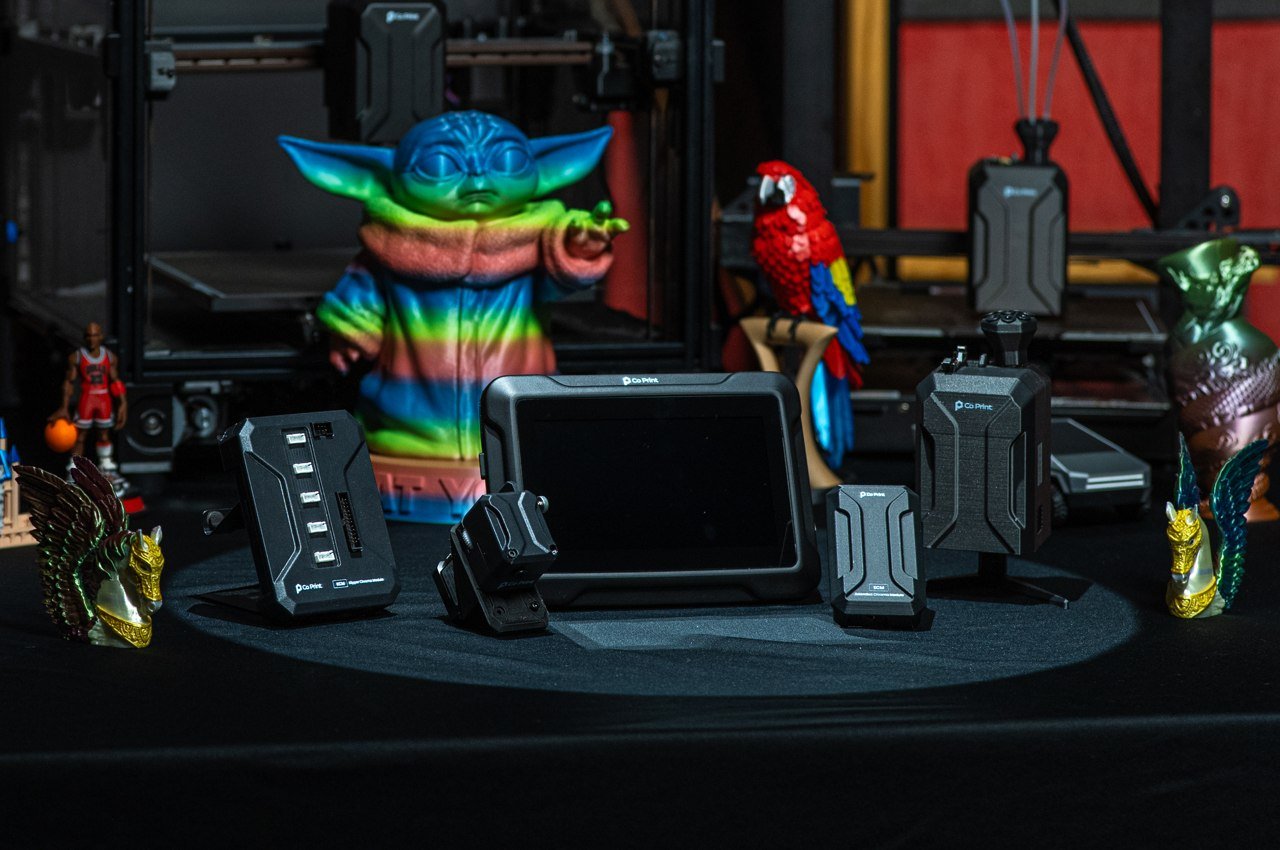
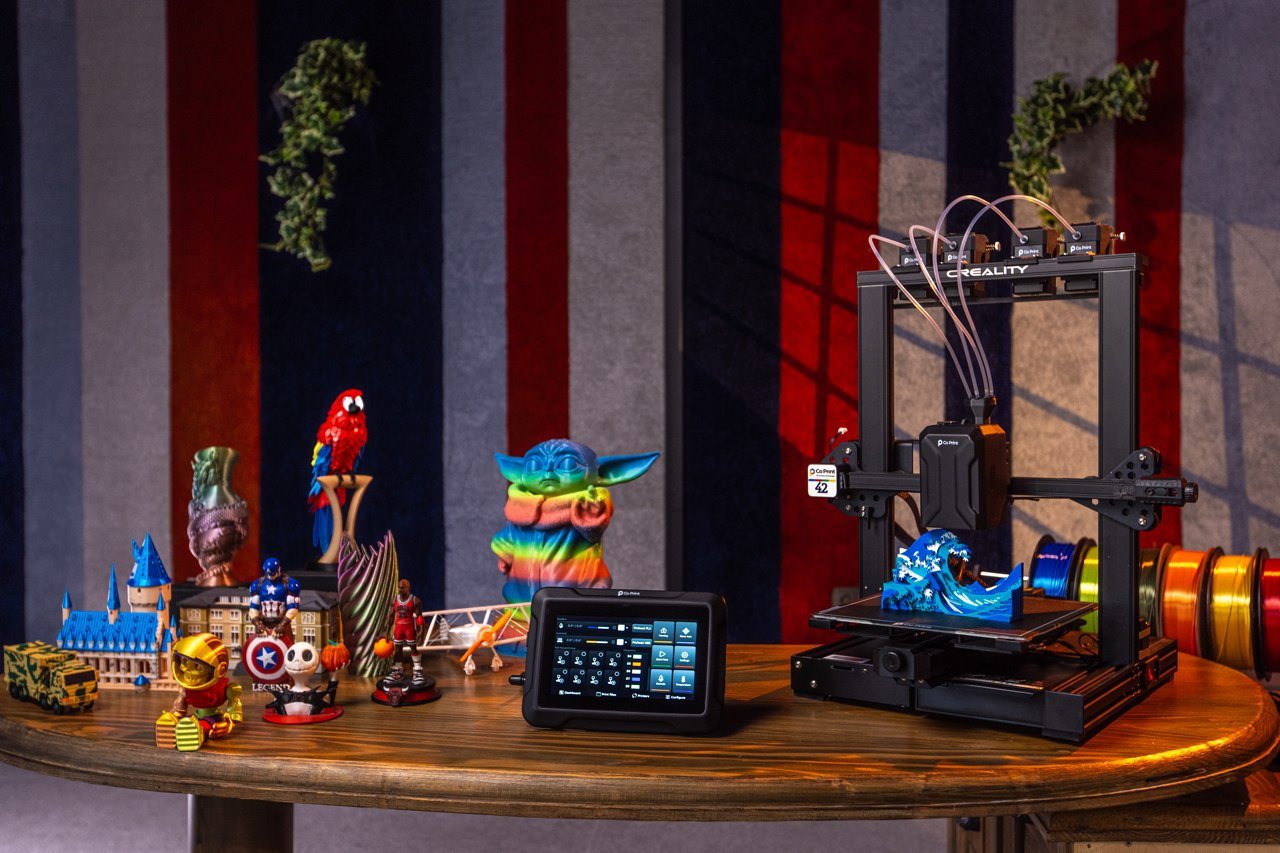
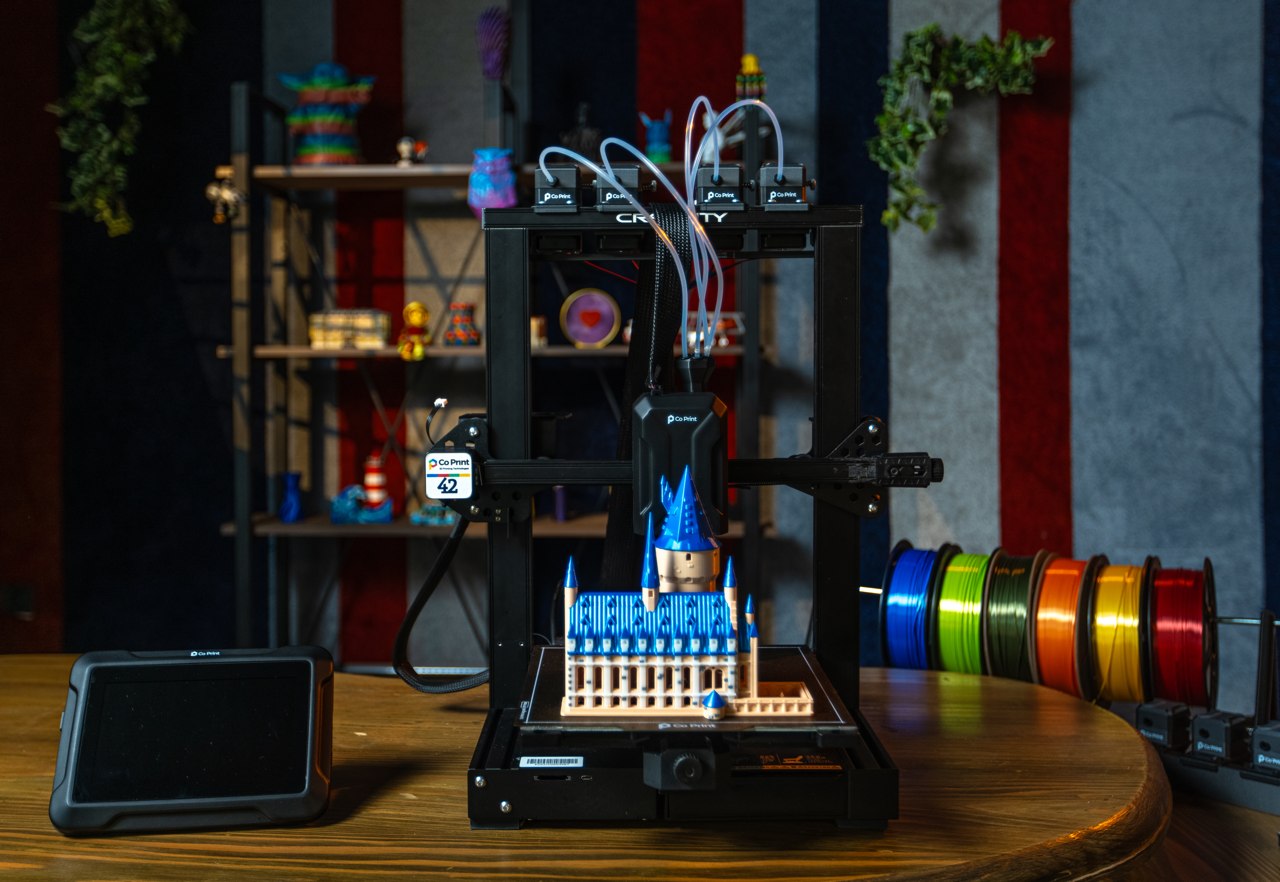
Imagine taking your Ford Fiesta and putting a V12 engine under the hood… that’s what the Co Print ChromaSet does for your regular consumer-grade 3D printer. Designed as a highly-advanced system that beefs up your single-filament printer, the ChromaSet features a multi-filament hot-end that replaces the one on your existing printer, along with extruder blocks that feed as many as 8 different filaments into your existing printer. A separate ChromaPad tablet manages the printer, acting as the brains behind it all, turning your $400 printer from 2 years back into a multi-color 3D printing wizard. The Co Print ChromaSet comes with universal compatibility that allows it to attach to a variety of printer brands, and that ChromaPad tablet lets you individually manage as many as 8 printers together through one dashboard. We’ve literally never seen something this incredible.

Designer: Huseyin Ozen of Co Print

Click Here to Buy Now: $349 $489 ($140 off). Hurry, limited quantities! Raised over $240,000.

Using the literal words of the folks at Co Print, “ChromaSet brings color, speed, and ease of control to your existing 3D printer setup.” It supercharges your current printer by adding mods and upgrades to it, optimizing its performance, improving its output, and allowing you to manage your new multi-filament printer with even more ease than before. The system all boils down to 6 different modules that attach right onto any existing 3D printer, working with different mechanical systems including linear, shaft + bearing, and sigma profile-style printers. Once set up, printing happens smoother than before. The printer automatically manages and switches between filaments, while the tab lets you monitor and control multiple printers working in tandem. There’s no need for calibration, changing filaments in between prints, or even waiting hours to complete jobs. ChromaSet’s entire system hyper-optimizes operations with 300mm/s speeds that help cut down print times in almost half.

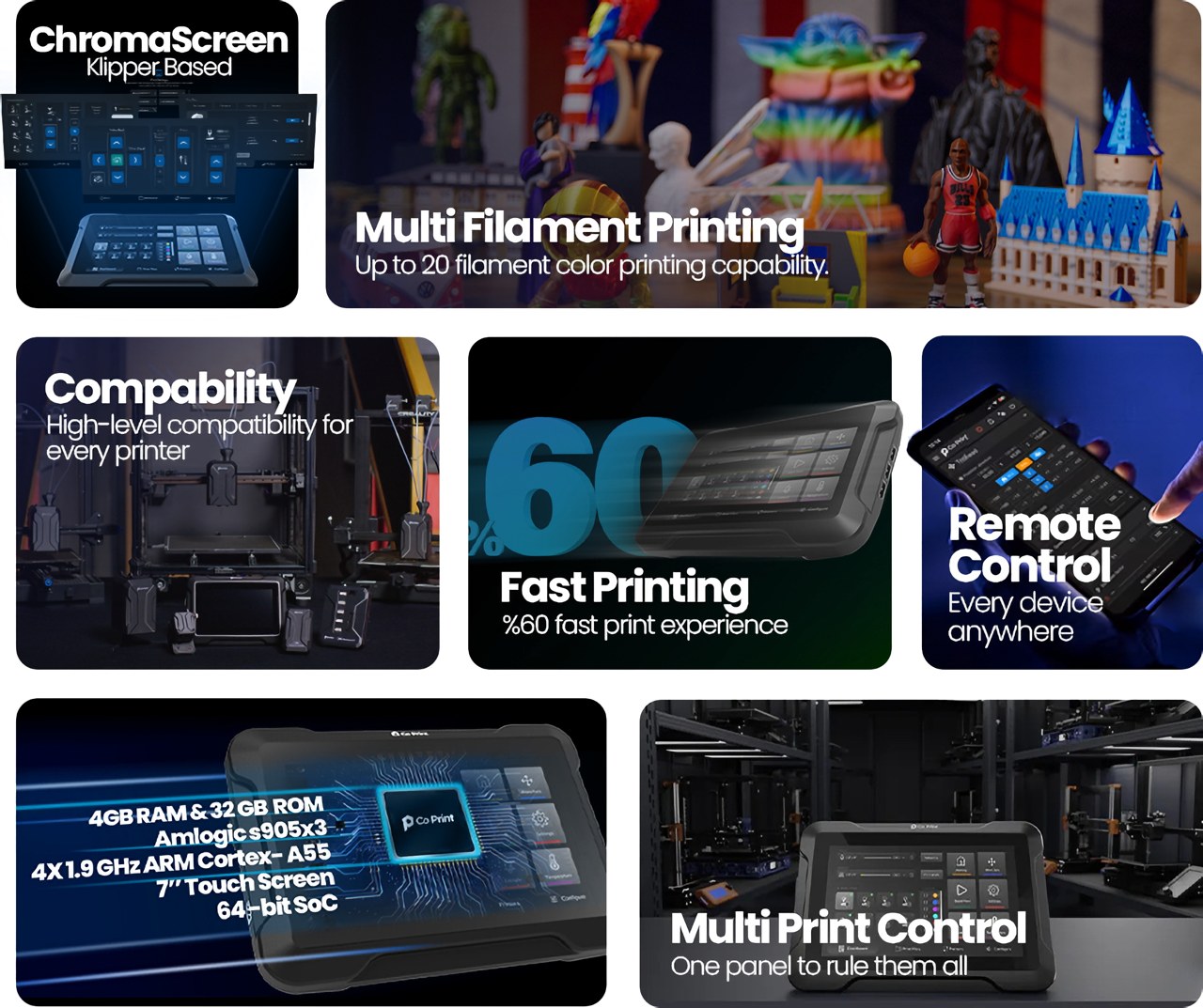
ChromaPad – Excels in color, material, speed, and control, unlocking limitless potential.

Fastest Multi-color Printing Experience – ChromaPad pushes the usual boundaries of 3D printing speed for both single and multi-filament projects. Accelerate your print up to 300+ mm/s and get your project in hand three times faster.

ChromaScreen Advanced Klipper Software – Comes with features like the ability to control multiple extruders, a helpful setup wizard, and the ability to manage multiple printers at once.

Manage Multiple Printers Effortlessly – ChromaPad allows you to control up to 8 printers in a single simple panel.

The 6 different modules have very specific roles, starting with the ChromaPad which becomes the ultimate hub for all your printing needs. With a 7-inch touchscreen on the outside and a powerful AmlogicS905X3 processor on the inside, the ChromaPad is the buffer between you and the 3D printer, using a special ChromaScreen software (based on Klipper Screen) that gives you the ability to control multiple extruders, to manage multiple printers at once, and a helpful setup wizard that allows you to effectively things up by upgrading your old printer.

ChromaHead – Designed to match your needs on multi-filament 3D printing. When combined with ChromaPad or KCM, it minimizes all the issues that can occur such as jamming and clogging.

Filament Cutter for High Quality Prints – Powered by a robust servo motor with up to 20 kg of force and supported by a durable Japanese blade, ChromaHead’s precise filament cutting mechanism achieves a success rate of 99.9% in clean cuts.

Universal Rail Plug System – The design allows you to match with different brands and different models, and solves the compatibility issues.

Supports all the Materials you Need – Different colors, different materials. Your creative journey knows no bounds.

The ChromaSet can practically attach onto any existing 3D printer, augmenting its abilities. Its design is a result of a partnership between Co Print and companies like Creality, Phaetus, LDO Motors, and other popular 3D printer makers and suppliers, which means the ChromaSet works with all popular printers, attaching on in just minutes. The process starts with mounting the ChromaHead, which contains the hot-end and nozzle, along with a filament management system that helps efficiently switch between filaments mid-print. The ChromaHead is a unique-looking device, with an 8-holed funnel on top that accepts multiple filaments at the same time. Based on the print requirement, it effectively alternates between filaments, heating them to the right temperature before dispensing them through the nozzle onto the print-plate. But how does it know which filament to take next? Well, the CX-1 Extruder takes care of that. Sitting on top of the printer, this extruder manually feeds the right filament into the hot-end. Layer as many as 8 of them side by side and they work in tandem like ink cartridges in a regular printer, delivering the right filament at exactly the right time. This potentially allows you to print an entire multi-material product in one single job, printing TPU, PLA, ABS, and PETG at the same time.

KCM (Klipper Chroma Module) – For users who already have a Klipper-based 3D printer. KCM gives you all the great features of ChromaPad right out of the box, so you don’t need to buy ChromaPad separately.

ECM (Extended Chroma Module) – Designed to increase your extruder limits. ECM allows you to add up additional 4 extruders into a single output via USB.

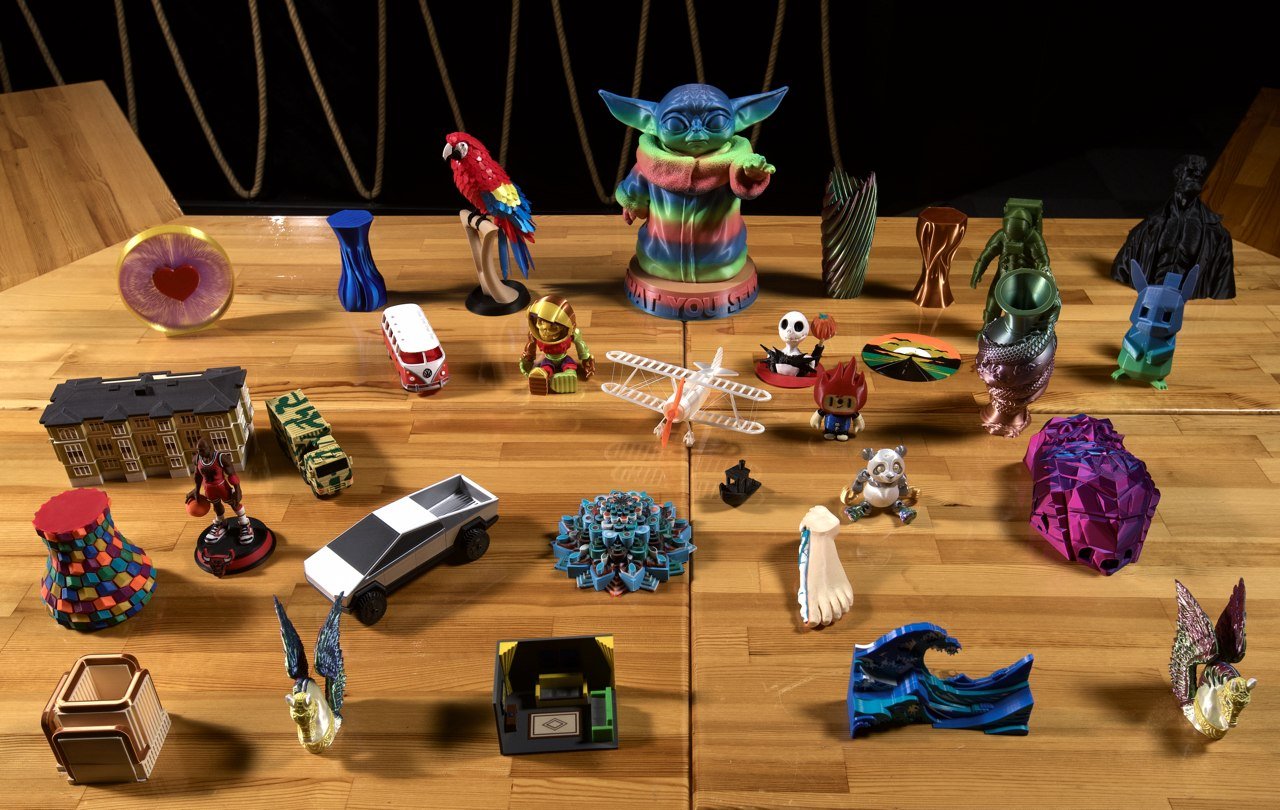
The results look nothing like what you’d get from a starting or mid-range printer. The ChromaSet’s output feels undeniably premium, with the kind of materials and colors that one could expect from a printer costing four figures in the least. Moreover, a single ChromaPad can control multiple printers at once, allowing you to revamp that old printer from 5 years ago lying in your garage, bringing it up to speed with your new printer. If your printer is Klipper-based, you don’t even need the pad to control it – the Klipper Chroma Module (or KCM) lets you turn it into a multi-filament machine without the pad, and if you REALLY want to push your printer’s multi-filament chops to the limits, the ECM or Extended Chroma Module allows you to add up additional 4 extruders into a single output via USB, letting you simultaneously print with 20 filaments of different colors and materials.

The results pretty much speak for themselves. Although the video doesn’t document a time comparison, ChromaSet boasts nearly 3x printing speeds without any drop in quality. You don’t need to calibrate the printer or manage filaments manually because the system does it all for you. The ChromaScreen software is entirely open-source, and even if you’re away from your printer (or printers), support for remote devices lets you monitor and even control active print jobs on your phone, tablet, laptop, or any other internet-connected device. The entire ChromaSet starts at a discounted $349 if you opt for the KCM bundle, or $499 for the bundle with the ChromaPad tablet device – both bundles include 4 Extruders, with the ability to add more to your initial pledge. If you ask me, that’s not a bad investment, considering how the minor upgrade turns your basic printer into a high-end industry-grade one!

Click Here to Buy Now: $349 $489 ($140 off). Hurry, limited quantities! Raised over $240,000.

The post Upgrade your Old Basic 3D Printer into a Hi-End Multi-Filament Color 3D Printer with this Retrofit System first appeared on Yanko Design.

Top 10 Stationery Designs To Complete Your Everyday Work Tasks With Ease & Efficiency

What really makes a desk stand out to me is the collection of stationery items placed on top of it (and also the manner in which they are placed). The true value and efficiency of your desk lie in the smart assortment of designs you adorn it with – these are after all the objects that are gonna help you get through your workday, and directly or indirectly affect your productivity. It’s imperative to have a collection that really lets you work easily, efficiently, and effectively. And, we’ve curated a collection of innovative and nifty stationery designs that you must own! From an everlasting all-metal pencil to minimal Japanese drawing pads – these are the modern stationery designs you need to meet your modern stationery needs.

1. The Note
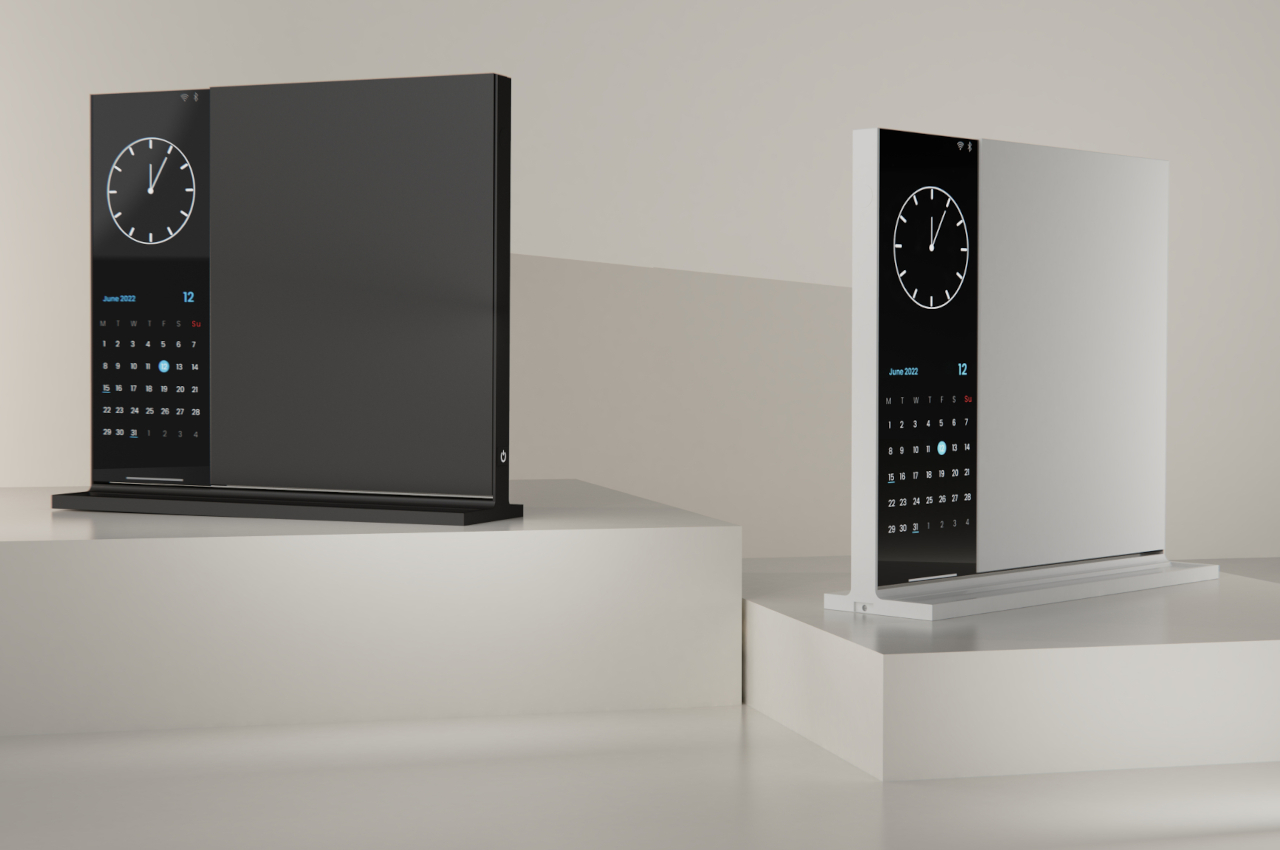
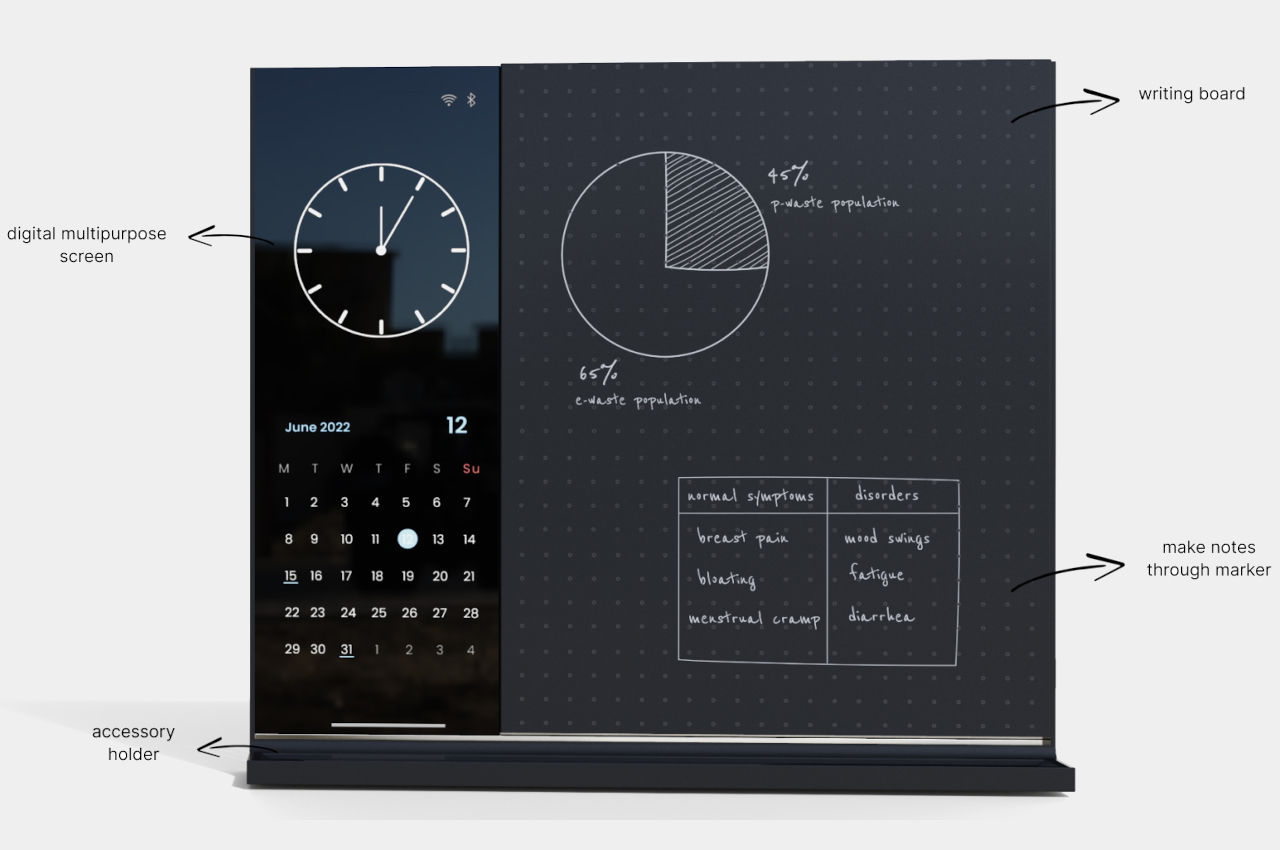
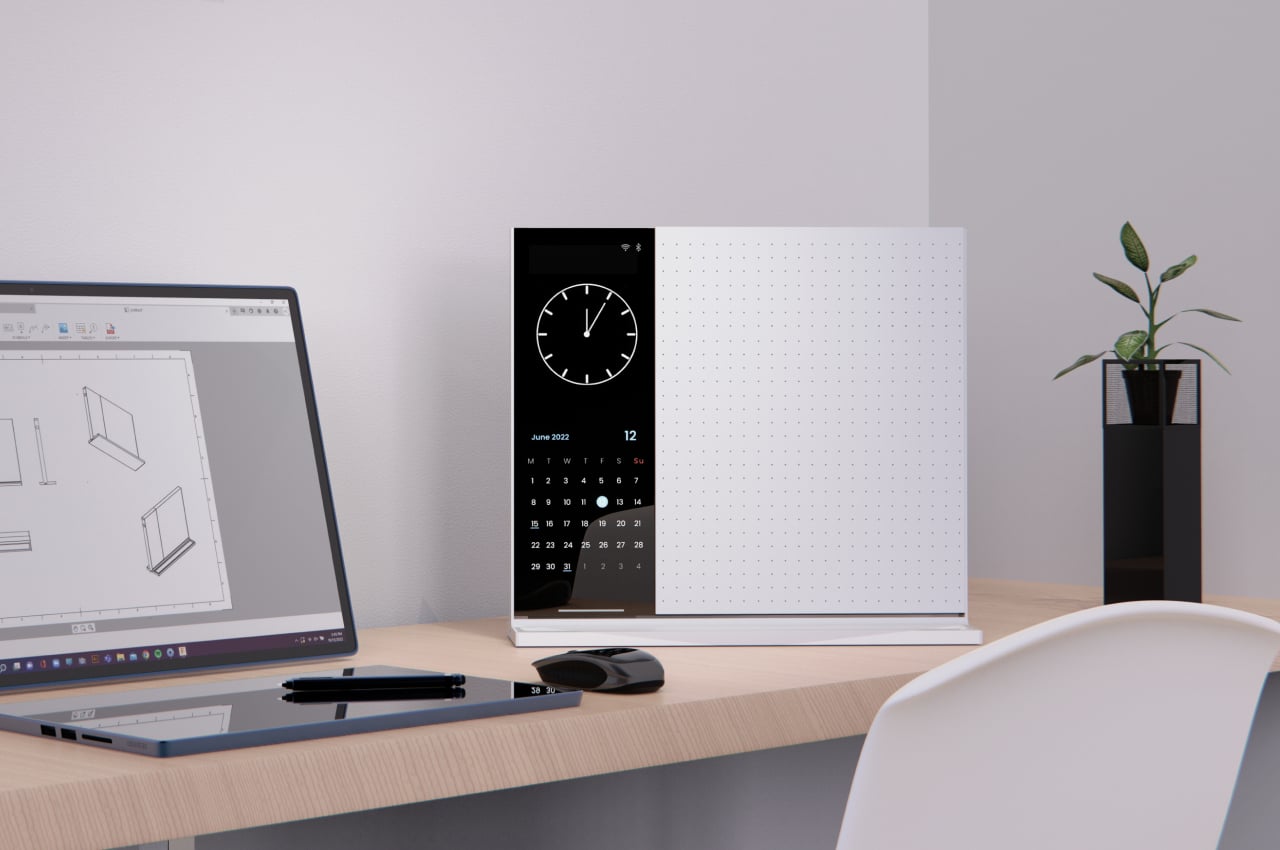
Named the Note, this compact desk whiteboard allows you to take notes with complete and total efficiency. It isn’t your everyday ordinary note taker, it has a few exciting tricks up your sleeve!

Why is it noteworthy?

The “whiteboard” twists or flips over, giving you twice the space to write down your notes. One side can have a dotted grid surface to help with diagrams, while the other can be plain, or they can have the same design on both sides. As with any vertical slate, you can also place sticky notes on it, in case scribbling notes down on paper is quicker for you.

What we like

  • Features a multi-purpose vertical screen that you can utilize to view the time, calendar, and appointments

What we dislike

  • The screen doesn’t support and show videos, a function that may be important in some people’s fields of work

2. Funno
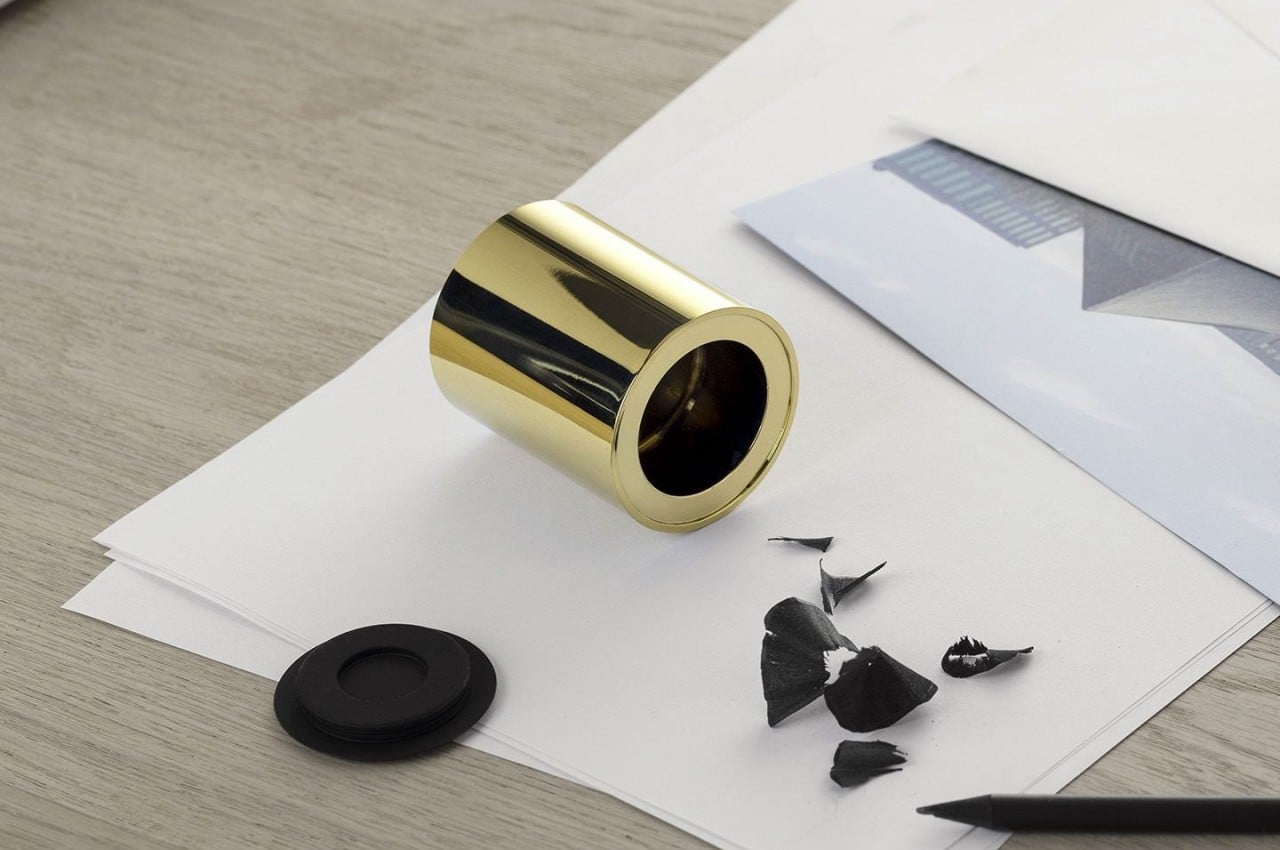
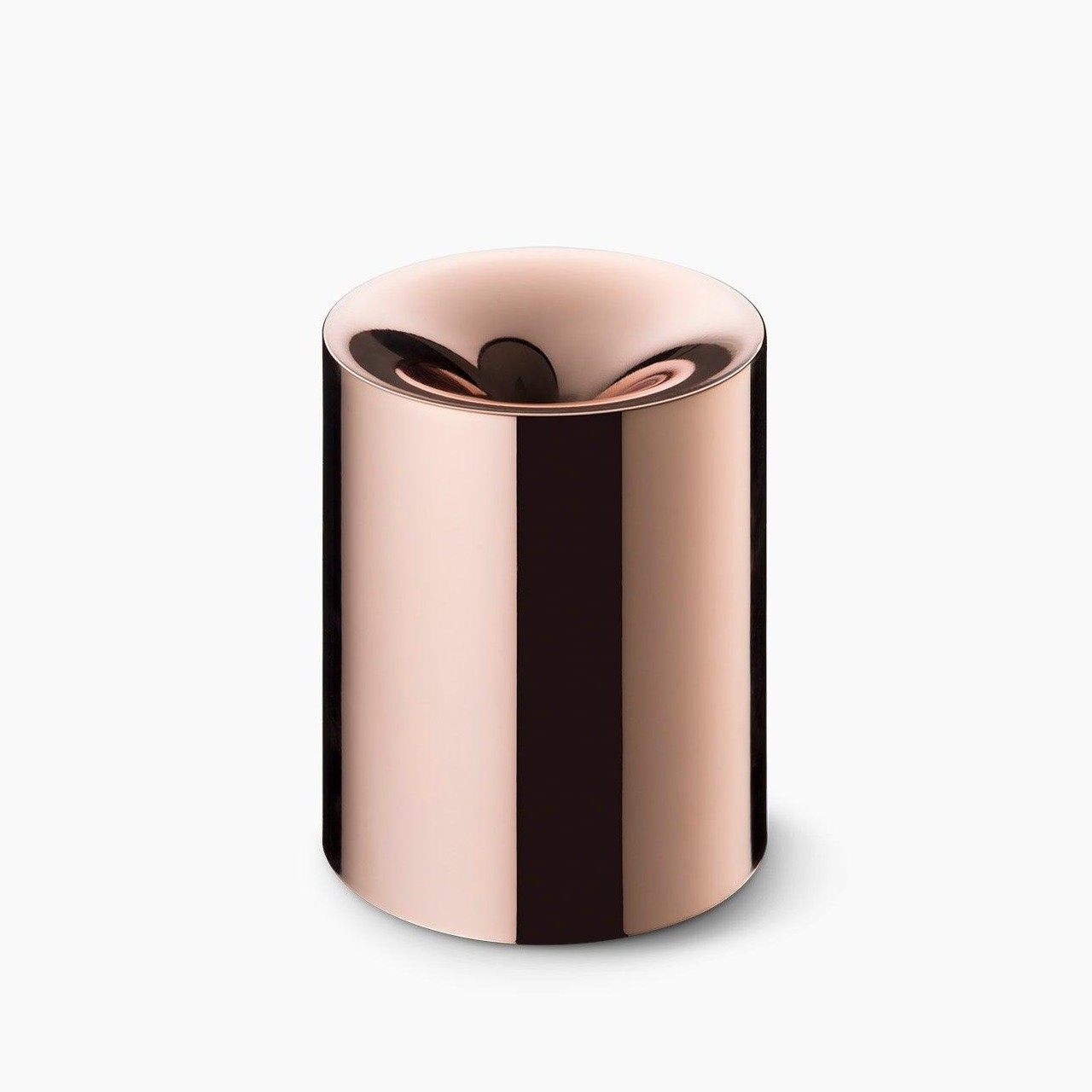
Funno is anything but your typical pencil sharpener. In fact, the unique stationery design is in the form of a small cylinder, which makes it quite uncommon anyway.

Why is it noteworthy?

What really sets it apart is the lustrous sheen that makes it look more like a priceless desk decoration than something that cuts through wood and gets dirtied by black graphite.

What we like

  • Features a German-made Möebius+Ruppert inside to make short work of dull pencils

What we dislike

  • Some people may prefer a typical and traditional sharpener. The design may be too radical for some

3. The Everlasting Metal Pencil
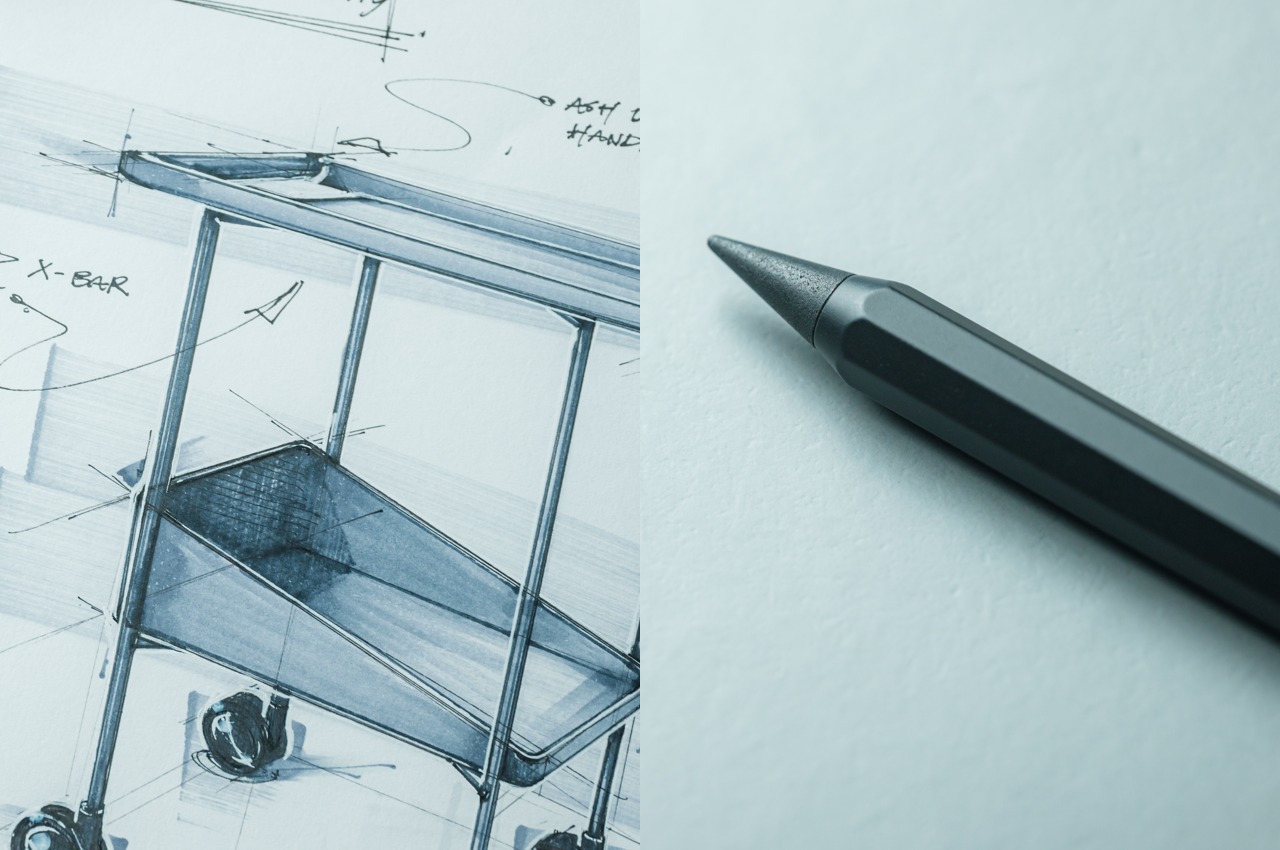
Dubbed the Everlasting Metal Pencil, this Wacom-like style has a tip that doesn’t need any replacing or sharpening. The innovative pencil allows you to focus on the creative process entirely.

Click Here to Buy Now: $18 $19.95 (10% off at checkout).

Why is it noteworthy?

The octagonal shaft is made of aluminum and houses a special alloy core. Knowing that, you might think that all it will do is leave heavy grooves on your paper, but your mind might be blown away when it draws like a real pencil without seeing the tip wear down even after dozens of marks.

What we like

  • It has a metal core instead of clay or charcoal, so it wears down slowly, and may actually outlive you

What we dislike

  • The pencil doesn’t smudge or smear like normal graphite, which could be a disadvantage for those who use smudging techniques

4. World Clock
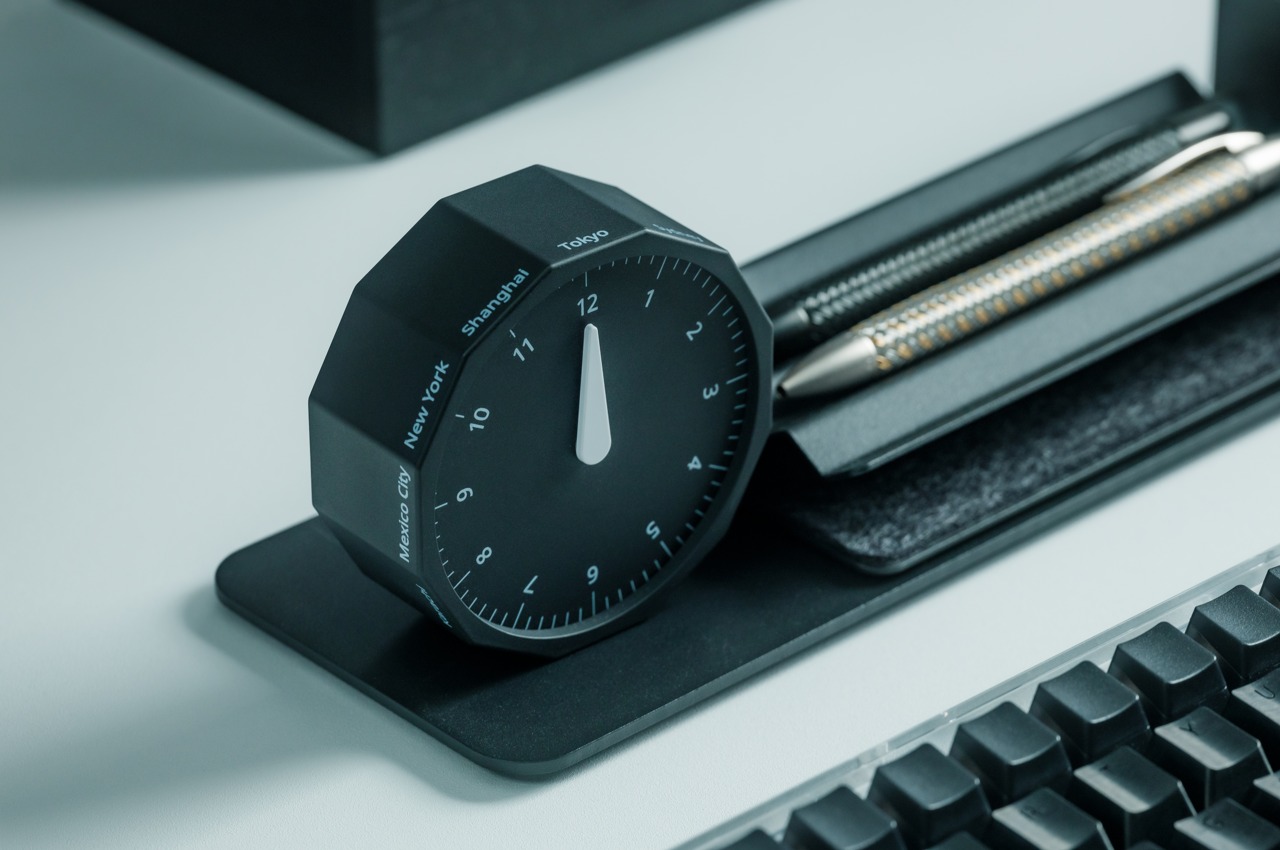
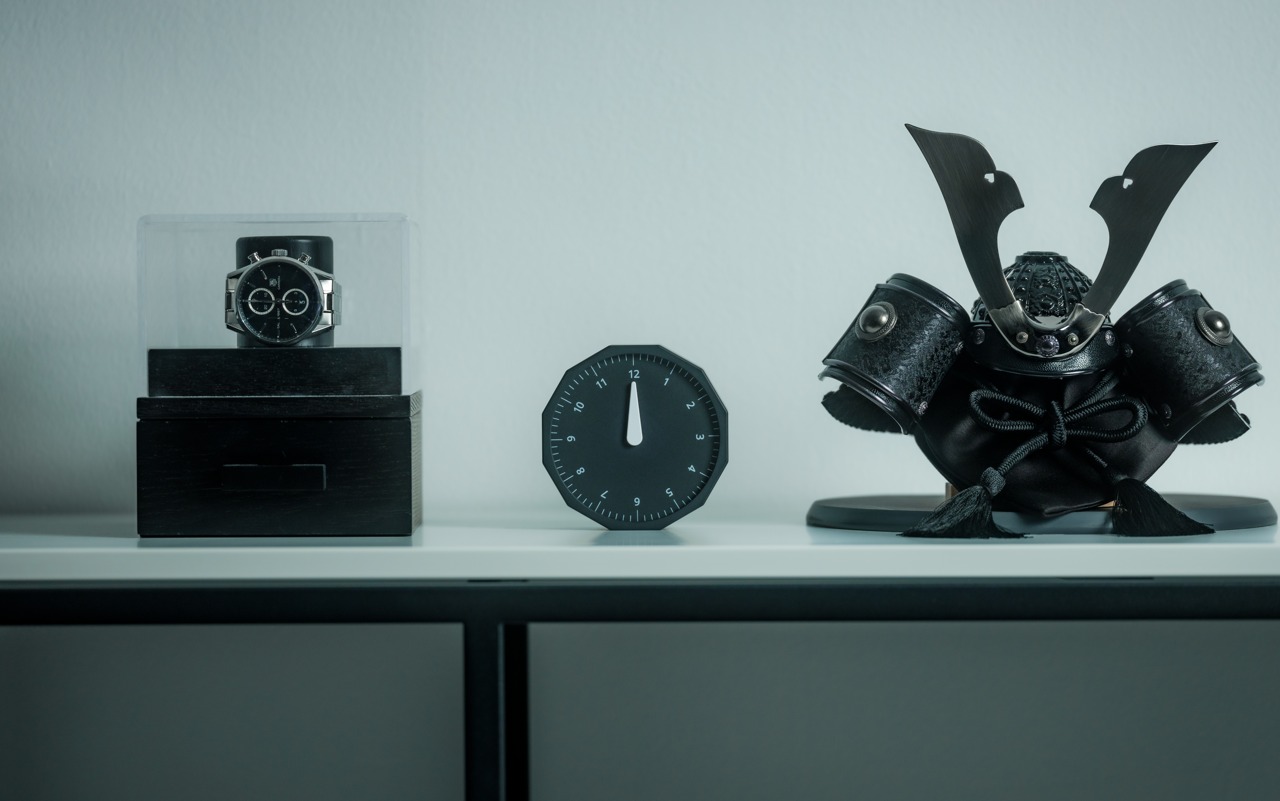
One look at the World Clock, and you know it’s not your typical desk or shelf clock! The unique clock features a dodecagonal shape, and it only has one hand on its minimalist face.

Click Here to Buy Now: $49

Why is it noteworthy?

The design is intentional because it gives you just the right information you need when you want to know what time it is in another part of the world. With a quick look, you’ll be able to immediately tell the hour, and a closer inspection could even tell you which quarter of the hour it is.

What we like

  • Each of the 12 sides of the clock has markings for a city that represents a particular timezone

What we dislike

  • The clock has only 12 set timezones.

5. The Horizon Key®
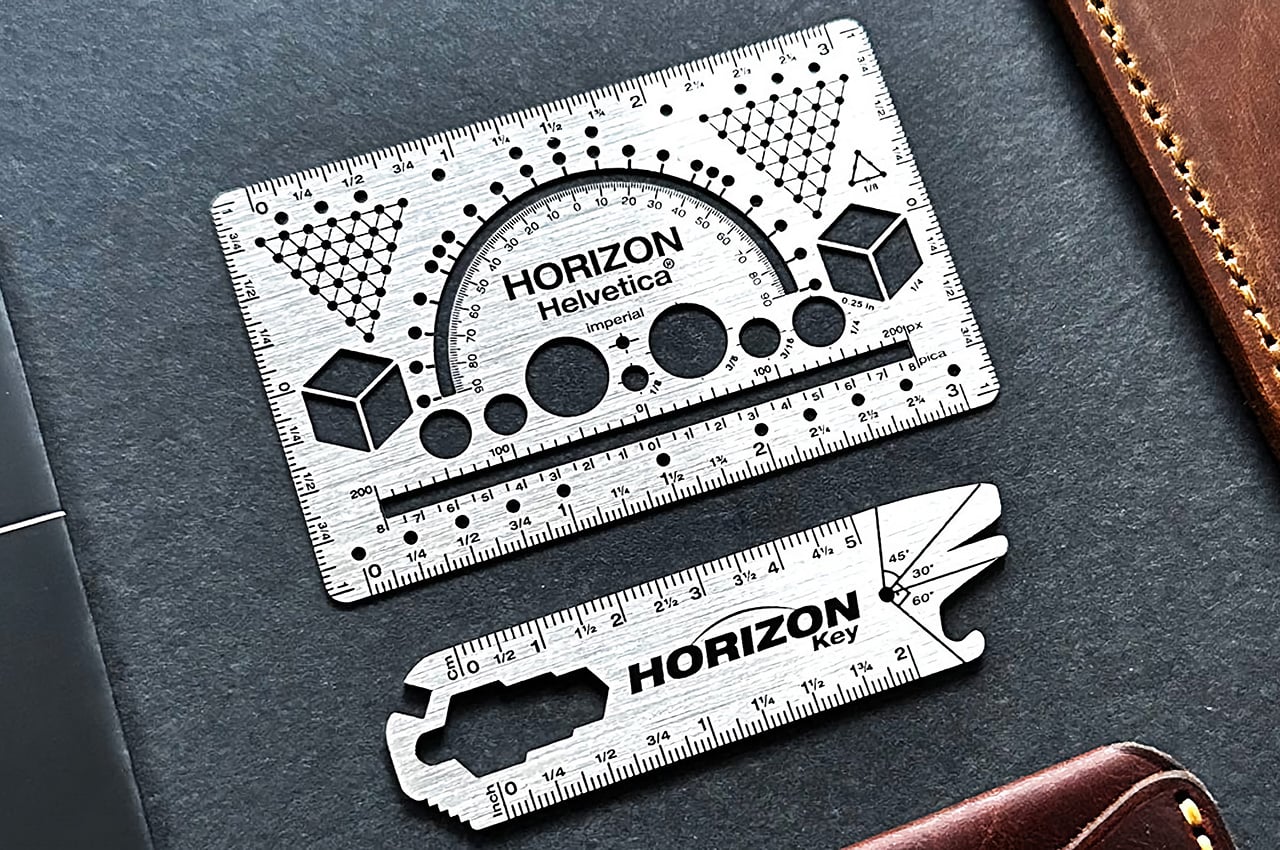
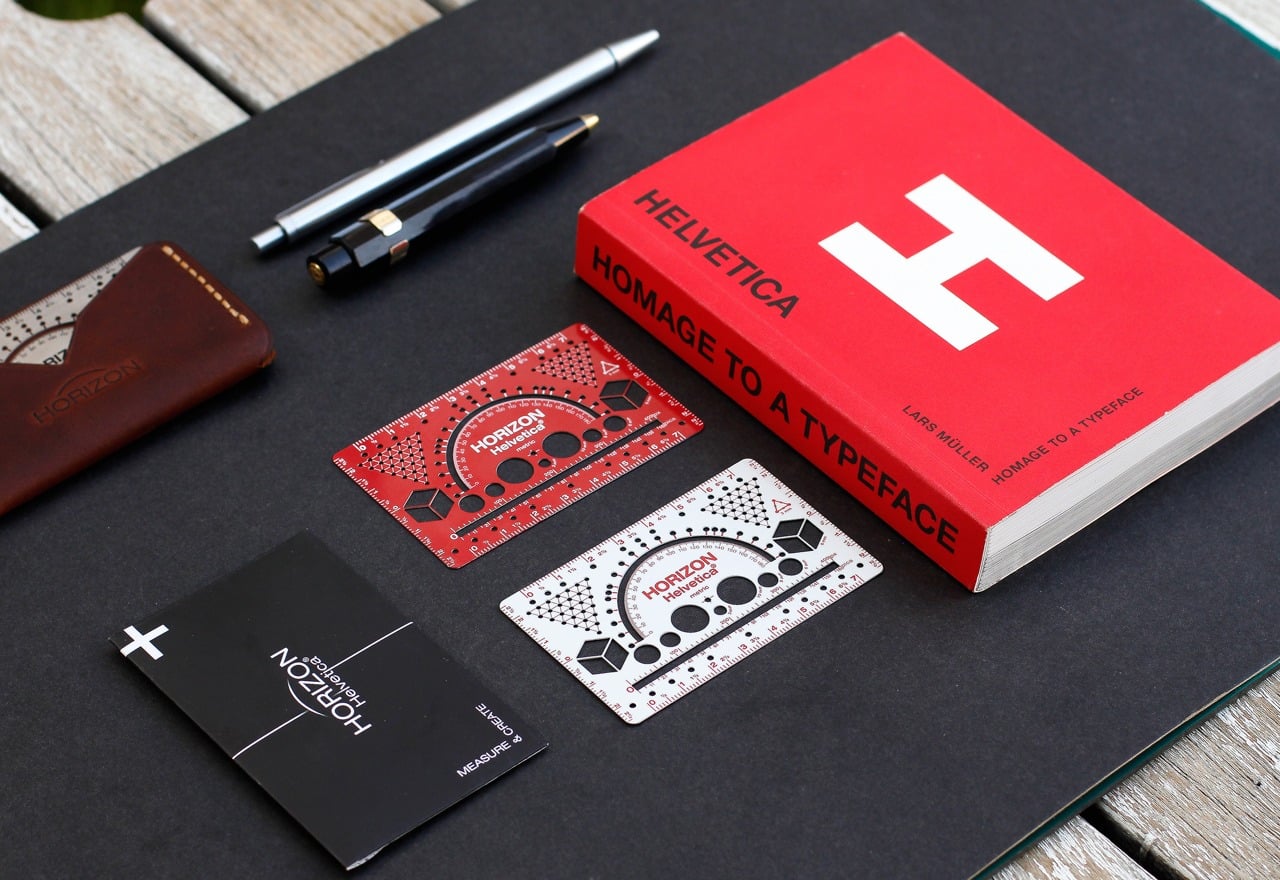
The Horizon Helvetica® is an artist-oriented piece of EDC that is meant to be an alternative to conventional stationery kits, and it has a new companion this year called the Horizon Key®.

Why is it noteworthy?

The Horizon Key® is a keychain-friendly multitool that not only looks, but also functions as a scale, a hex wrench, a bottle opener, a basic protractor, a flat-head screwdriver, a mini-saw, and a wire ripper.

What we like

  • It lets you sketch, ideate, plan, and measure anywhere
  • Portable and easy-to-carry design

What we dislike

  • The tool only comes in metal as an option

6. Modular Picture Frame Concept

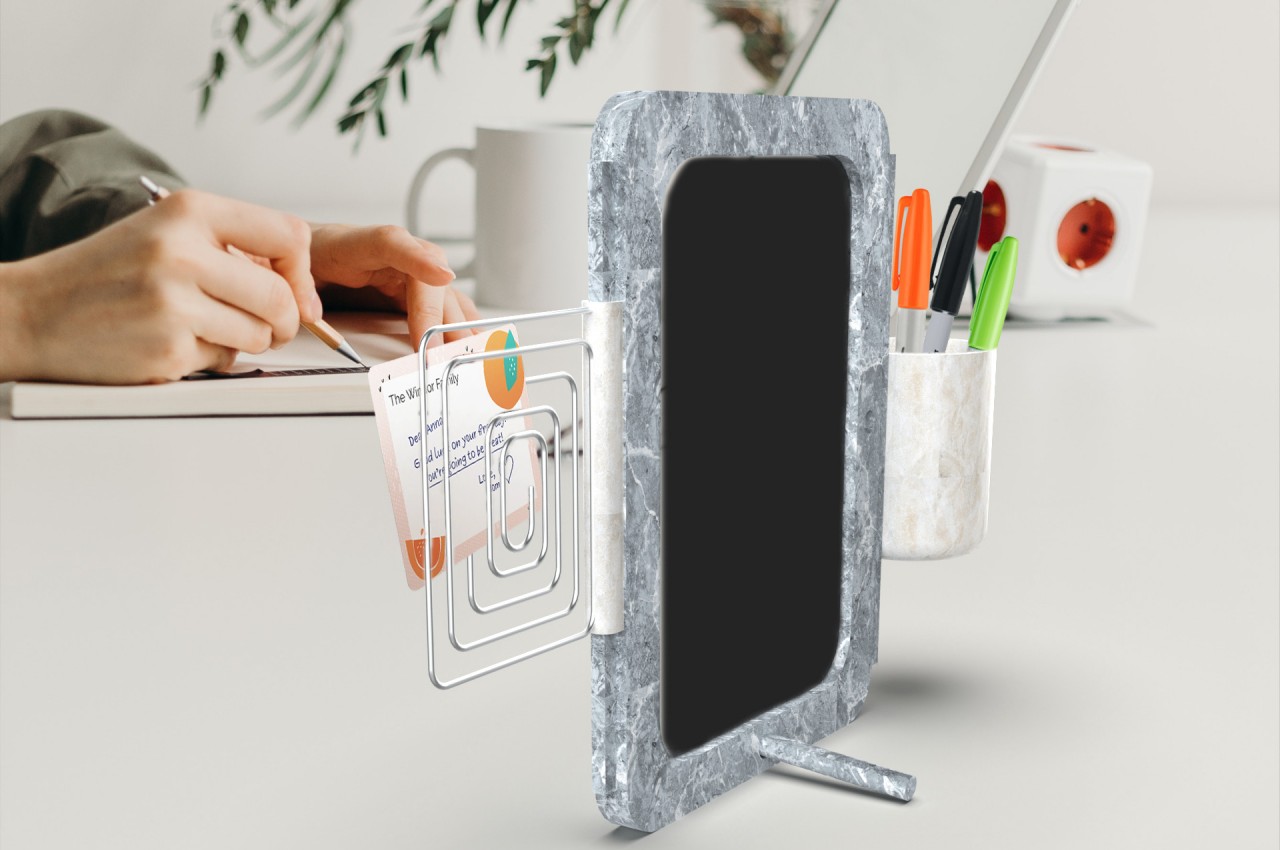
This modular picture frame concept has multiple functionalities at the same time. It enhances the design’s appeal by utilizing a material that embodies and represents long-lasting memories.

Why is it noteworthy?

It is made from marble, which leaves a lasting impression, and is a fitting metaphor for memorializing someone, something, or some memory in a photo. It’s an admittedly heavier material, but that also lends some stability to the frame.

What we like

  • Built from marble which embodies long-lasting memories

What we dislike

  • It’s a concept, so we don’t know how the final product will turn out

7. Grovemade Note-Taking Kit

The Grovemade Note-Taking Kit is the ideal product to effortlessly and efficiently capture, process, and store your notes.

Why is it noteworthy?

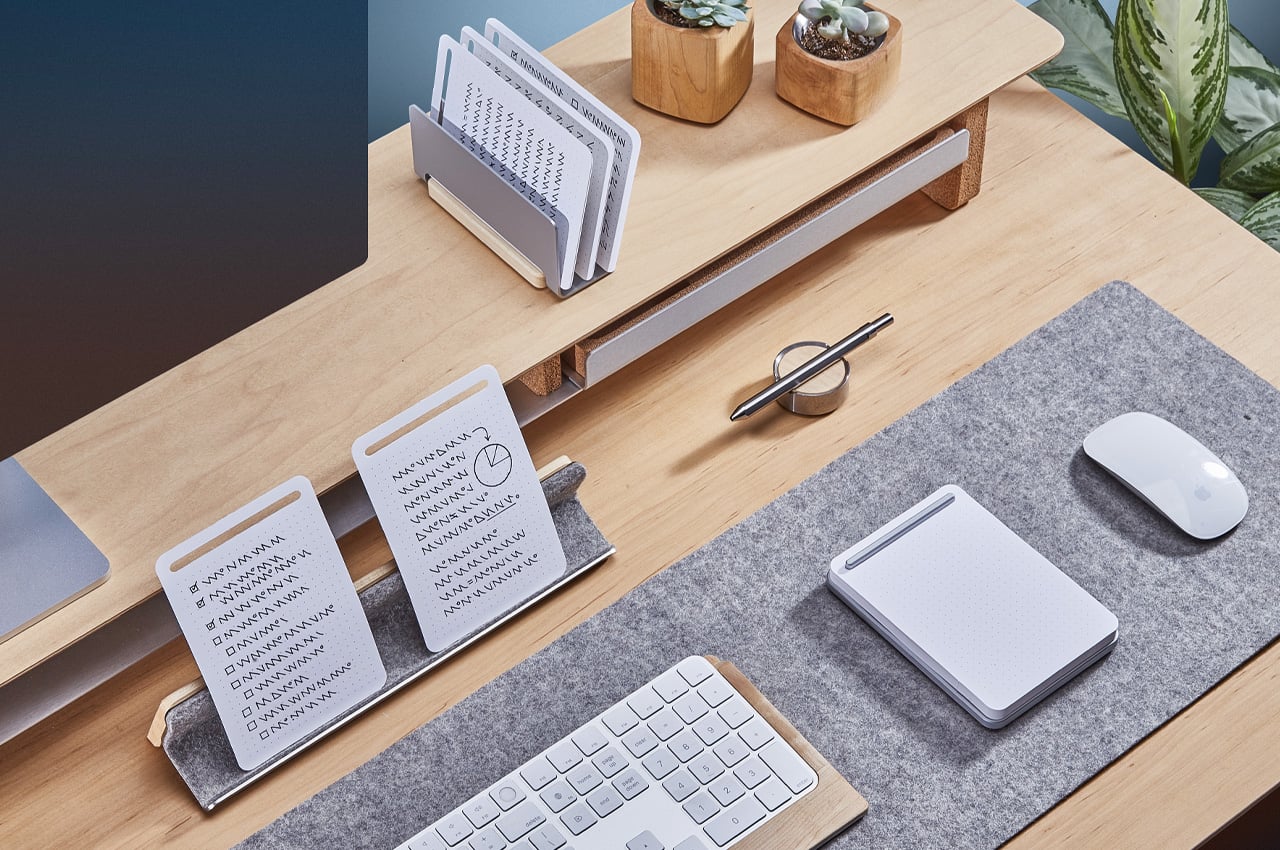
Grovemade’s Note-Taking Kit is essentially a refillable notepad with dot grid paper and a solid metal base, accompanied by a display rail to hold and accommodate your notes and devices, as well as a vertical organizer that will store your notes until you’re ready to use them – this keeps your workspace neat and tidy in the meantime.

What we like

  • Ensures that your workdesk is neat and tidy, helping you complete your important tasks first

What we dislike

  • Will consume a substantial amount of precious real estate on your desk

8. Wipe
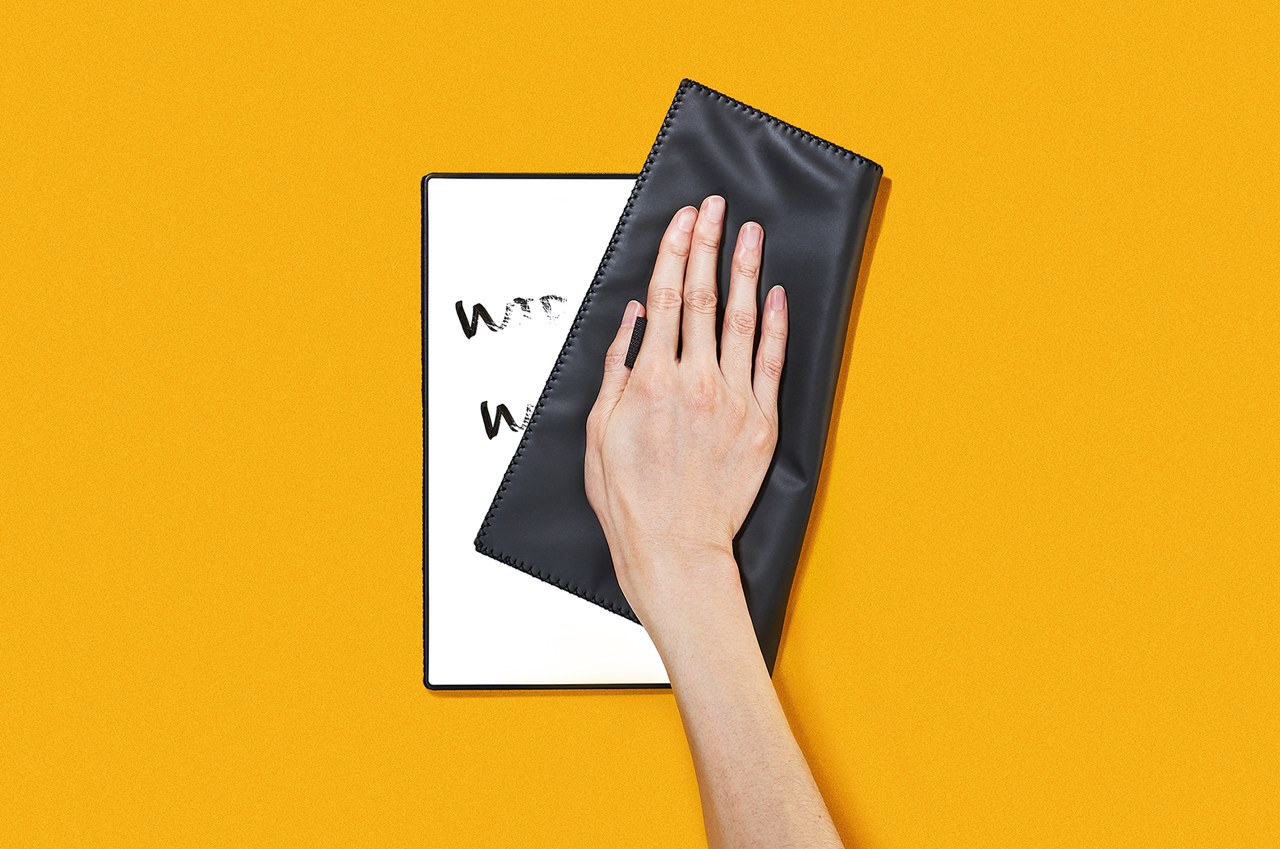
Dubbed Wipe, this unique and innovative whiteboard notebook features its own eraser allowing you to write, erase, and write over and over again!

Why is it noteworthy?

Wipe takes this simplicity and cuts it down to a smaller and more personal size that’s a little bit smaller than A4 paper. Despite the more portable size, the idea is still the same. You write on it, take a photo that you could save or send to the cloud, erase it, and write again. It’s fast, simple, and doesn’t require preparation, just like good, old paper.

What we like

  • Equipped with a newly developed Mag Force system that combines magnets and rubber bands to create a handle that also functions as a pen holder

What we dislike

  • You will need to utilize a dry-erase or whiteboard pen instead of a permanent marker

9. ONEBOX
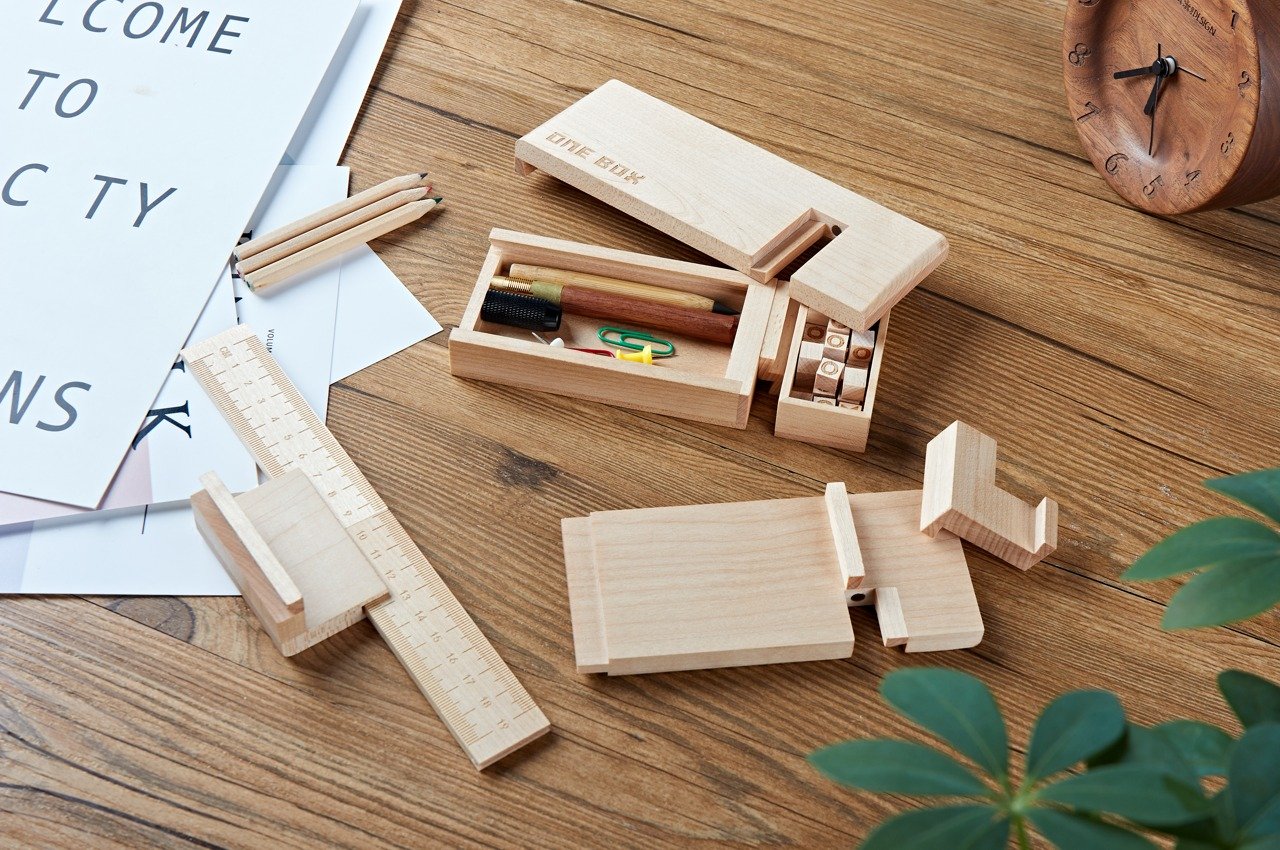
This woodworking wonder is called the ONEBOX, and it combines multiple different tools into an intriguing interlocking Jenga-like structure, using the same traditional mortise and tenon jointing technique seen for centuries in large-scale buildings in ancient times.

Why is it noteworthy?

When assembled, the ONEBOX looks just like any ordinary wooden box. Pull the pieces apart and you discover that each piece is, in fact, a stationery tool or fidget toy.

What we like

  • It is meticulously crafted from solid wood, with flawless mortise and tenon joints and built-in magnets

What we dislike

  • The aesthetics are a bit unassuming and boring

10. Japanese Drawing Pad
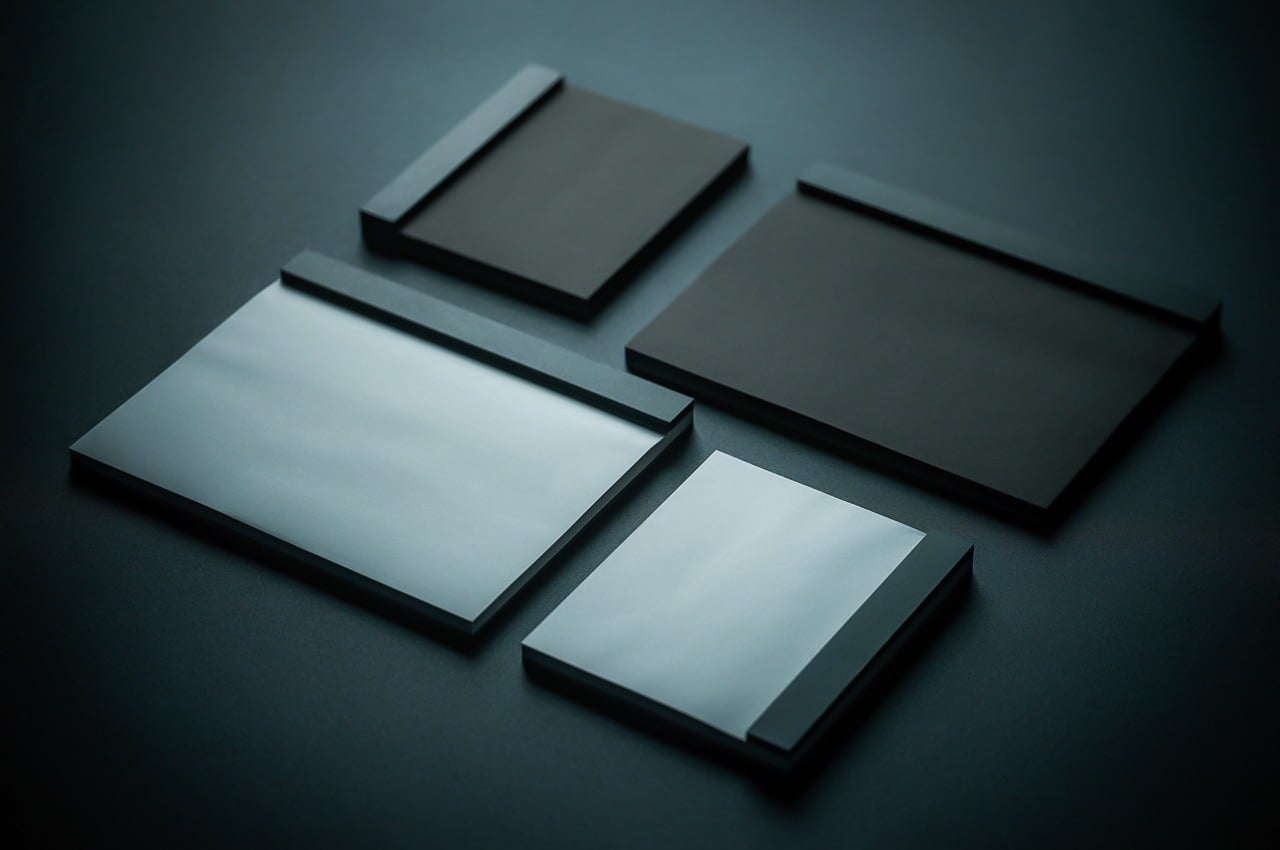
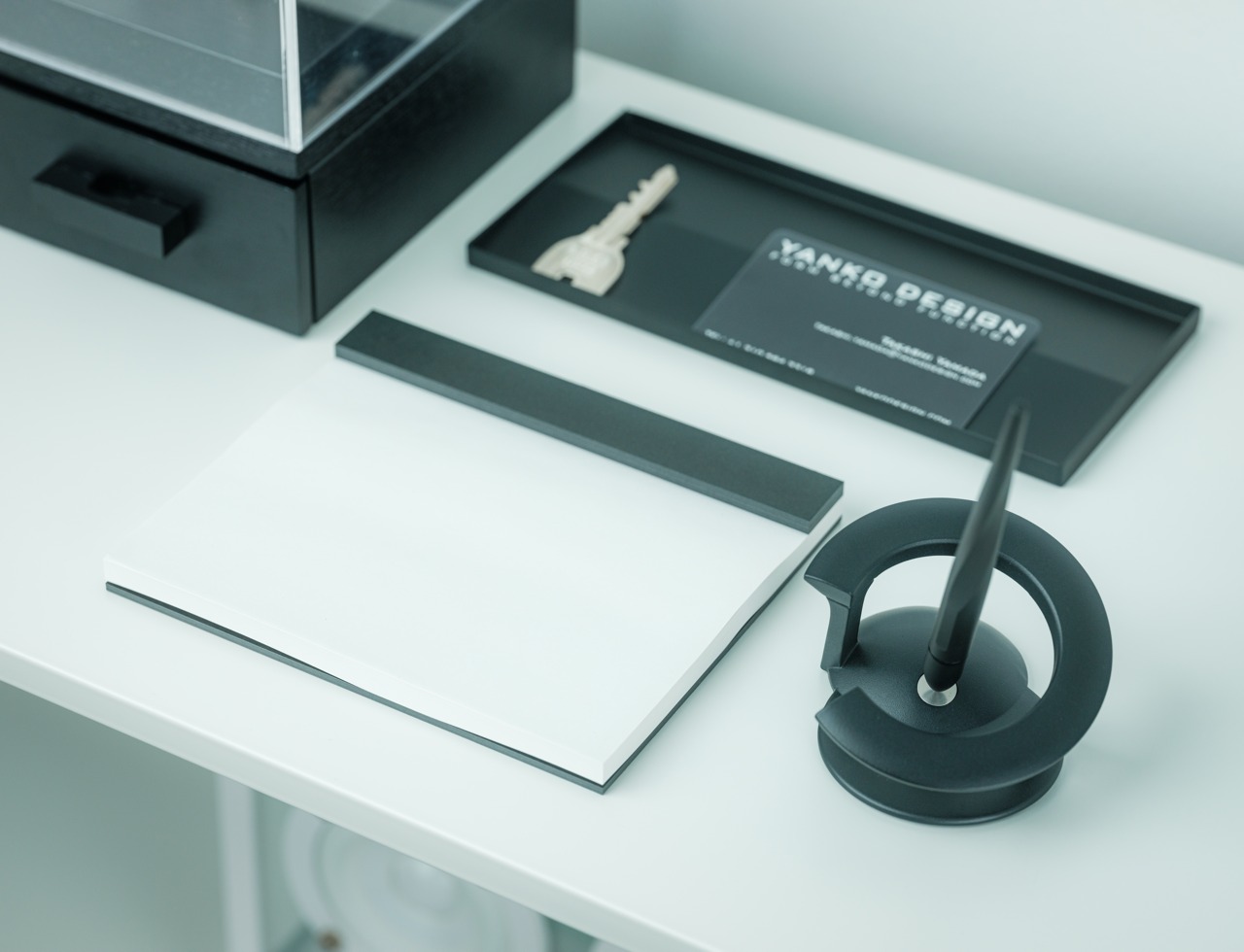
The Japanese Drawing Pad is a simple yet beautiful pad that allows those brilliant ideas in your head to get flowing. The clean black canvas pulls the ideas out of your mind, while the sturdy texture of the paper functions as an anchor for your brain.

Click Here to Buy Now: $26

Why is it noteworthy?

It is perfect for sketching art, creating designs, and any other creative pursuit, accepting your ideas and your mistakes with the serenity and openness of a blank page.

What we like

  • Utilizes high-quality Japanese paper that is preferred by stationery connoisseurs

What we dislike

  • At first glance, it seems like a simple and typical drawing pad

The post Top 10 Stationery Designs To Complete Your Everyday Work Tasks With Ease & Efficiency first appeared on Yanko Design.

Lexus unveils the futuristic and functional LX 600 overlander for adventure junkies at SEMA 2023

Lexus has once again captured the spotlight at the 2023 SEMA Show with the customized Lexus LX 600. This luxurious, full-size SUV is designed to redefine the boundaries of automotive innovation, showcasing cutting-edge features that make it a standout in the competitive world of SUVs.

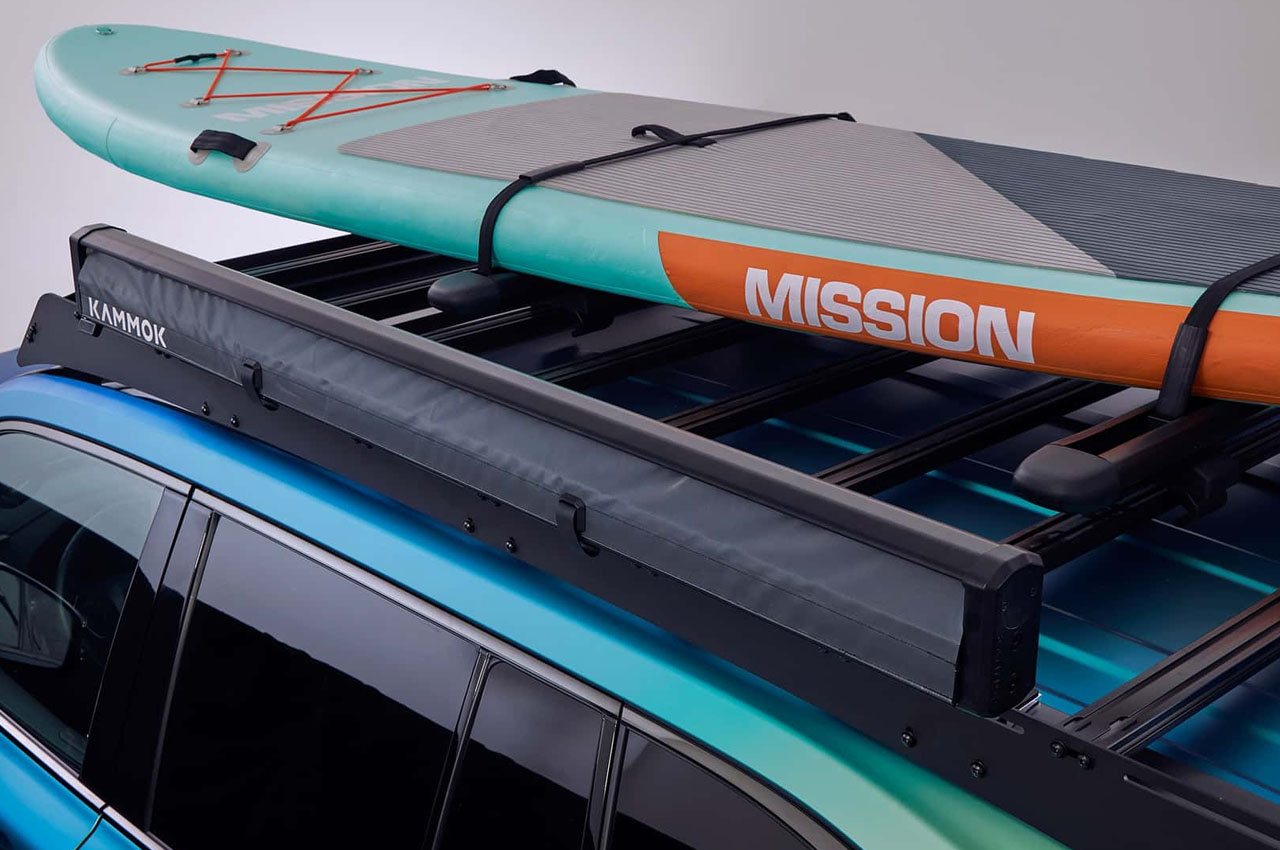
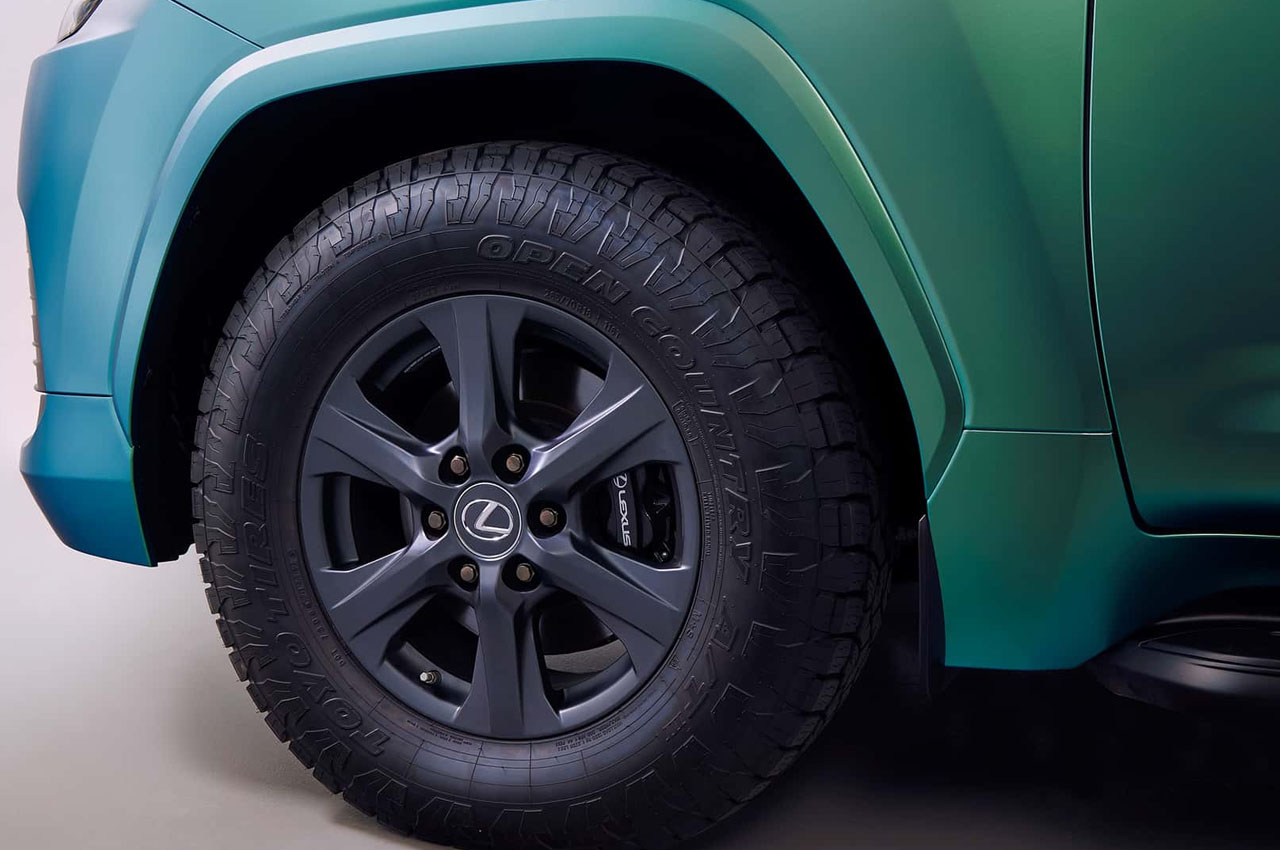
One of the most attention-grabbing aspects of the Lexus LX 600 is its stunning color-shifting exterior, a design element that sets it apart from the crowd. This unique feature allows the Overlander SUV to change colors depending on the angle and lighting conditions, giving the vehicle an air of mystique and elegance. It’s a testament to Lexus’s commitment to pushing the boundaries of automotive design and aesthetics.

Designer: Lexus

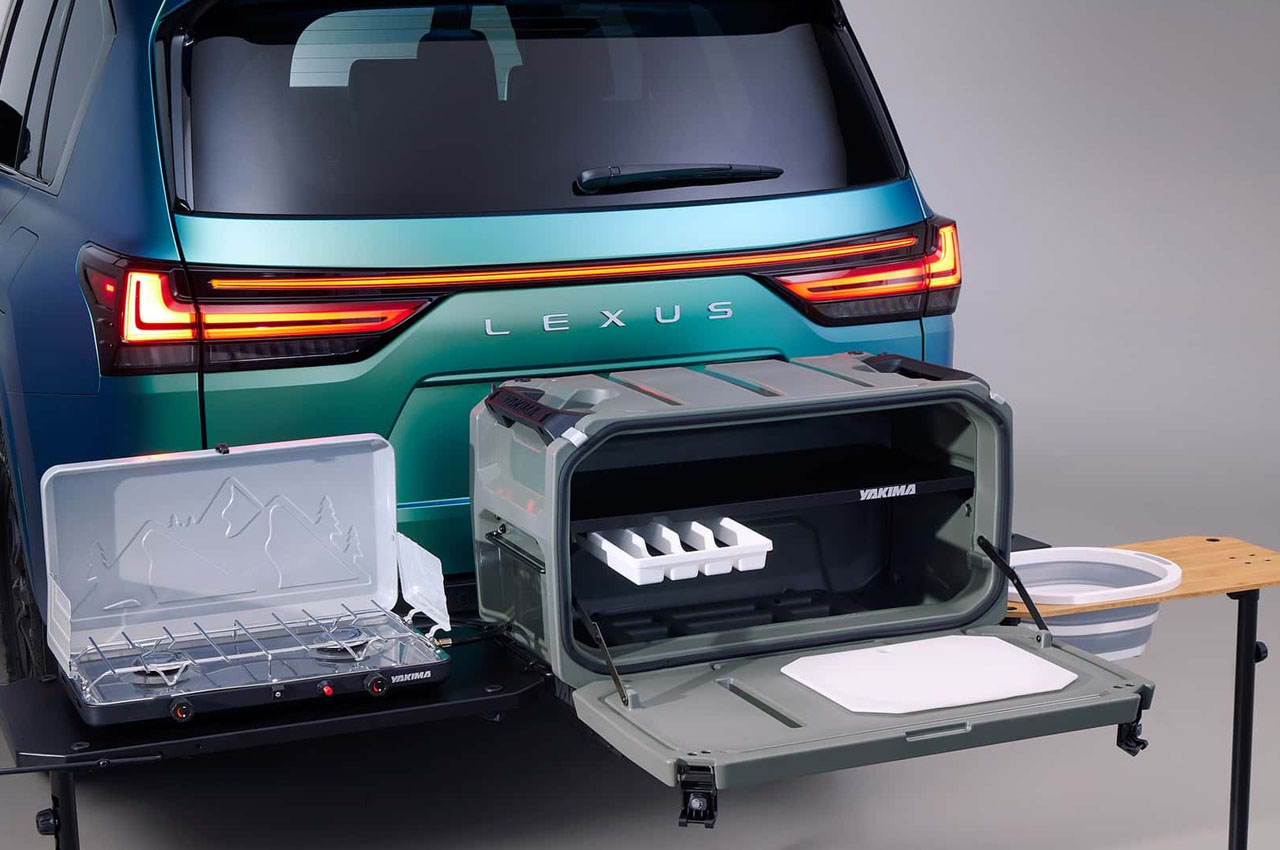
The LX 600’s interior is where the innovation truly shines. It’s not just an off-roading beast, it’s a mobile luxury kitchen on wheels. Lexus has seamlessly integrated a fully functional kitchen into the rear of the vehicle, making it the perfect choice for those who appreciate the finer things in life. The kitchen boasts top-notch appliances, a spacious countertop, and ample storage space, ensuring that every journey is a culinary adventure waiting to unfurl.

This kitchen setup is an unprecedented addition catering to those who love to embark on road trips and enjoy fine dining while on the go. It transforms the LX 600 into a home away from home, allowing you to prepare gourmet meals without ever leaving the comfort of your vehicle. Under the hood, the Lexus LX 600 doesn’t disappoint either. It’s equipped with a powerful and efficient engine that delivers robust performance and a smooth, comfortable ride. Whether you’re driving on the highway or tackling off-road adventures, the LX 600 offers the versatility to handle any terrain with ease.

In addition to its luxurious features, the LX 600 also offers advanced safety and technology-laden features. It comes with a comprehensive suite of driver-assistance systems that prioritize your safety and the safety of your passengers, making each journey as secure as it is enjoyable. Lexus has truly outdone itself with the LX 600, combining the brand’s renowned commitment to quality with innovative features that set it apart from the competition. The color-shifting exterior and the rear kitchen are not only conversation starters but also practical additions that make the LX 600 an exceptional choice for those seeking luxury and convenience.


The post Lexus unveils the futuristic and functional LX 600 overlander for adventure junkies at SEMA 2023 first appeared on Yanko Design.