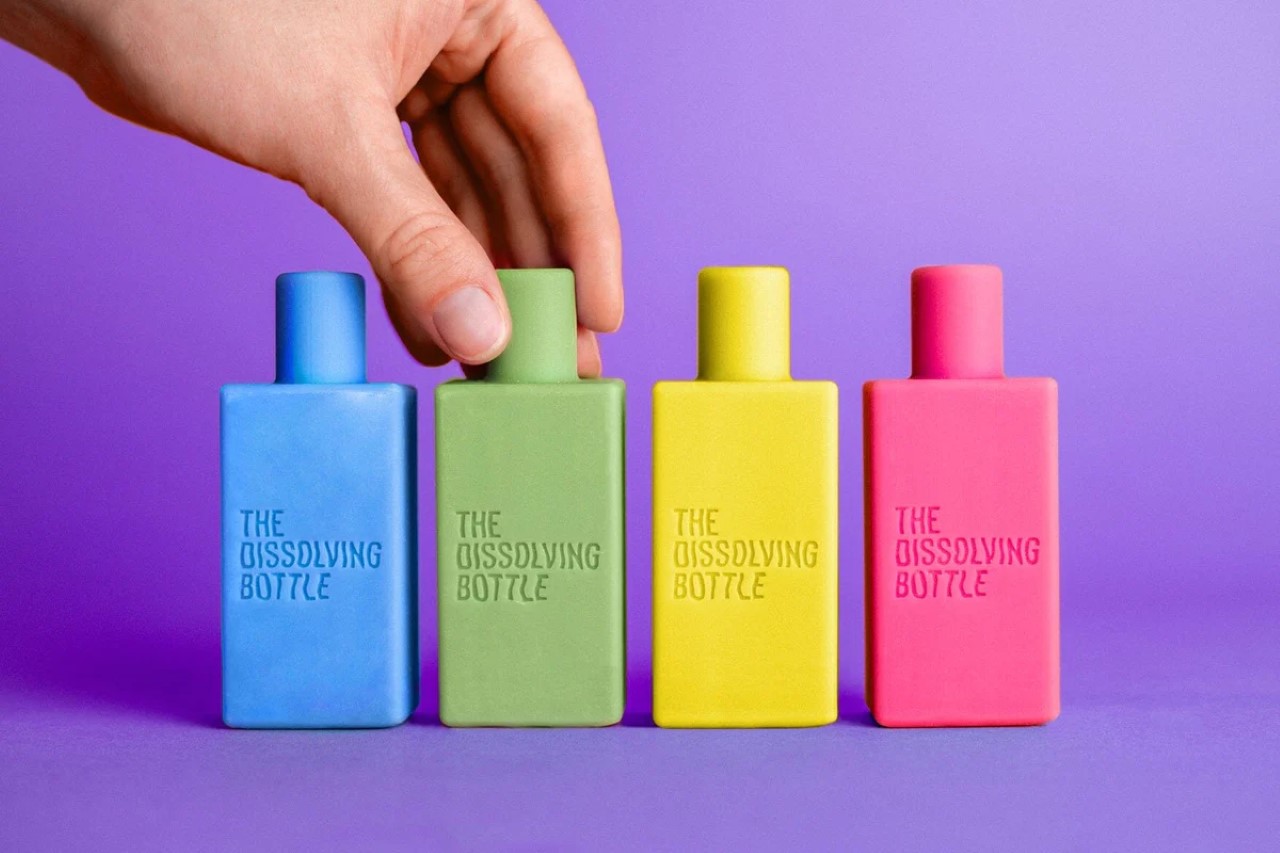
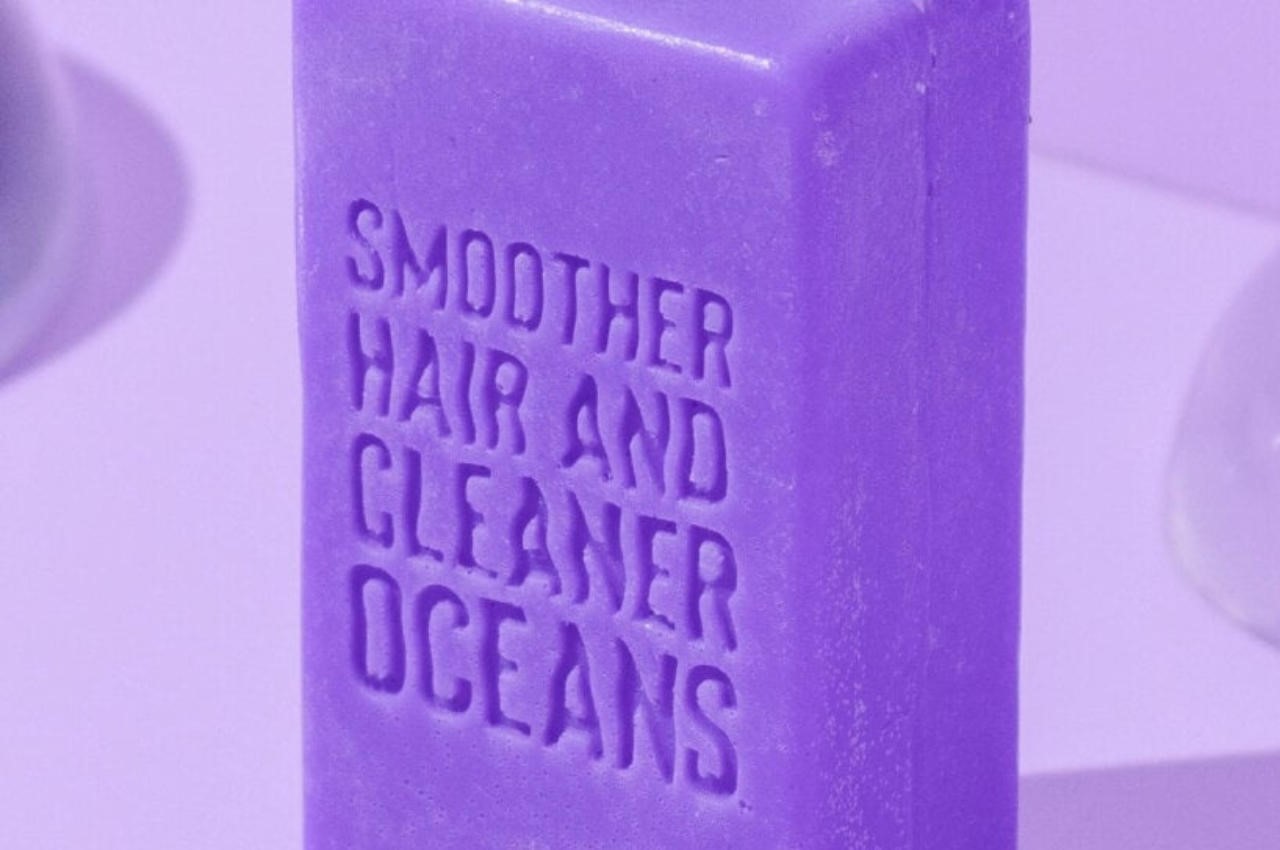
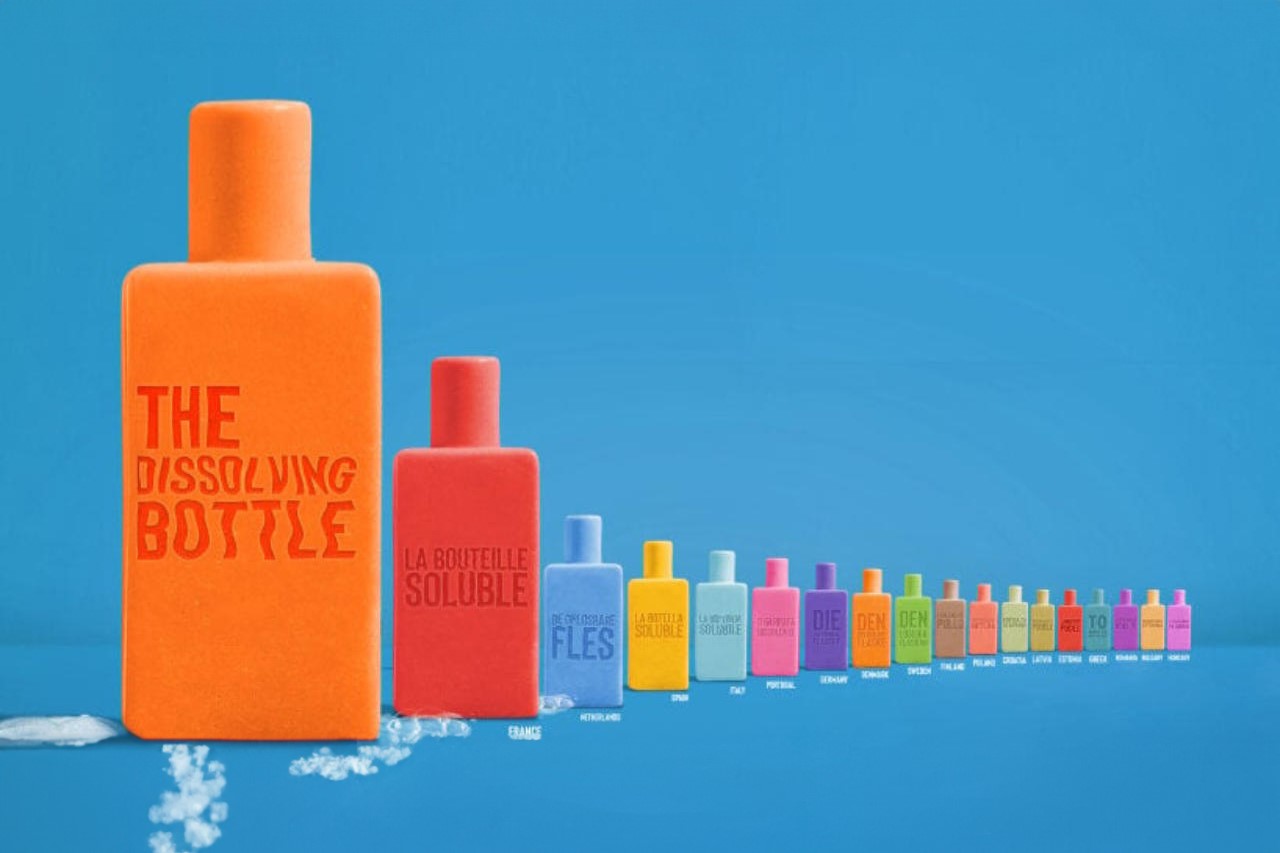
In a world grappling with the environmental repercussions of excessive plastic use, the need for sustainable alternatives has never been more pressing. Packaging waste, predominantly composed of plastic, poses a significant threat to our ecosystems. As we seek innovative solutions for a healthier planet, Philippine creative agency BBDO Guerrero has taken a bold step by sculpting vibrant shampoo bars into Dissolving Bottles, presenting an ingenious solution to the pervasive issue of plastic pollution.
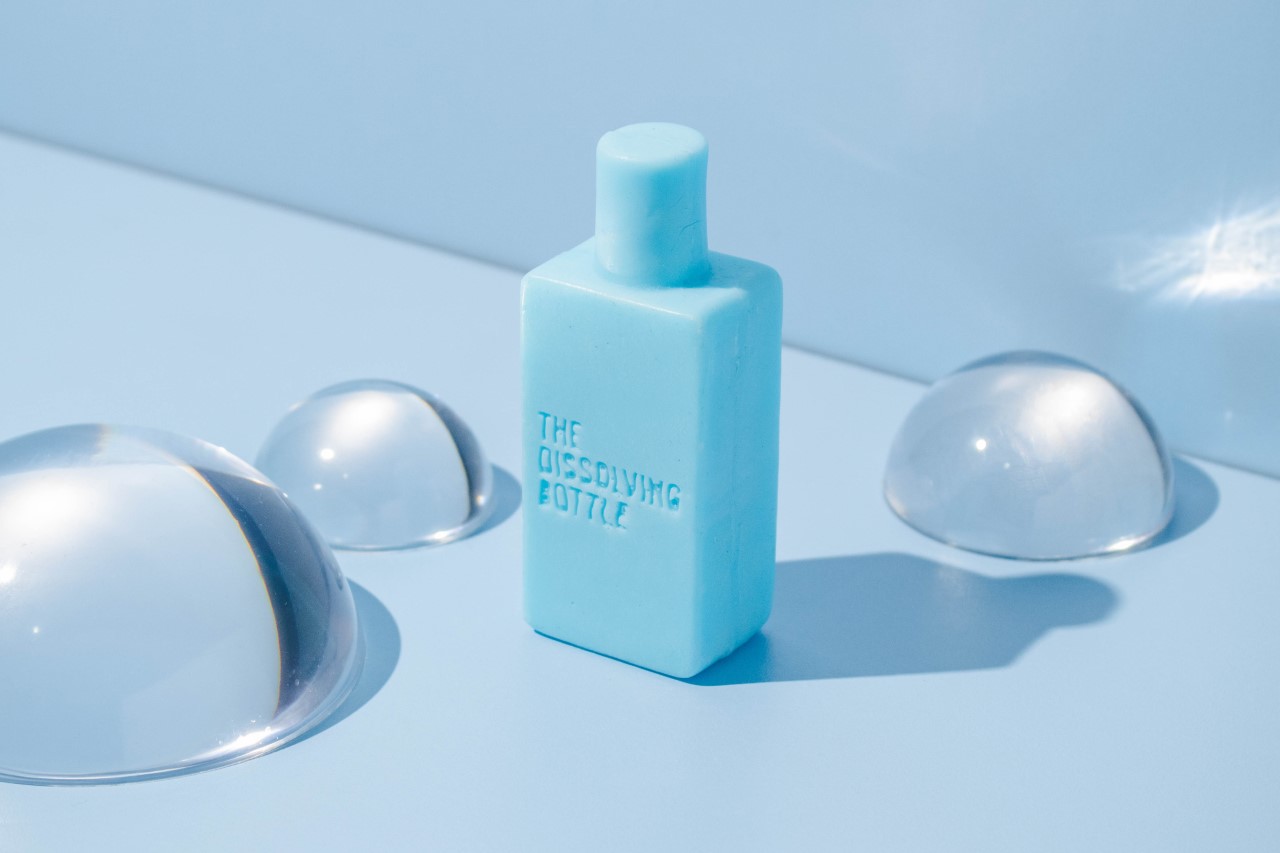
The Dissolving Bottle shampoo bars are not just a practical alternative; they are a symbol of commitment to a sustainable and plastic-free future. The concept is simple yet revolutionary – as users lather up and wet the Dissolving Bottle, it gradually diminishes in size until it disappears, leaving no trace behind. This innovative approach eliminates the need for traditional toiletry containers, offering a convenient and eco-friendly solution for daily hygiene routines.
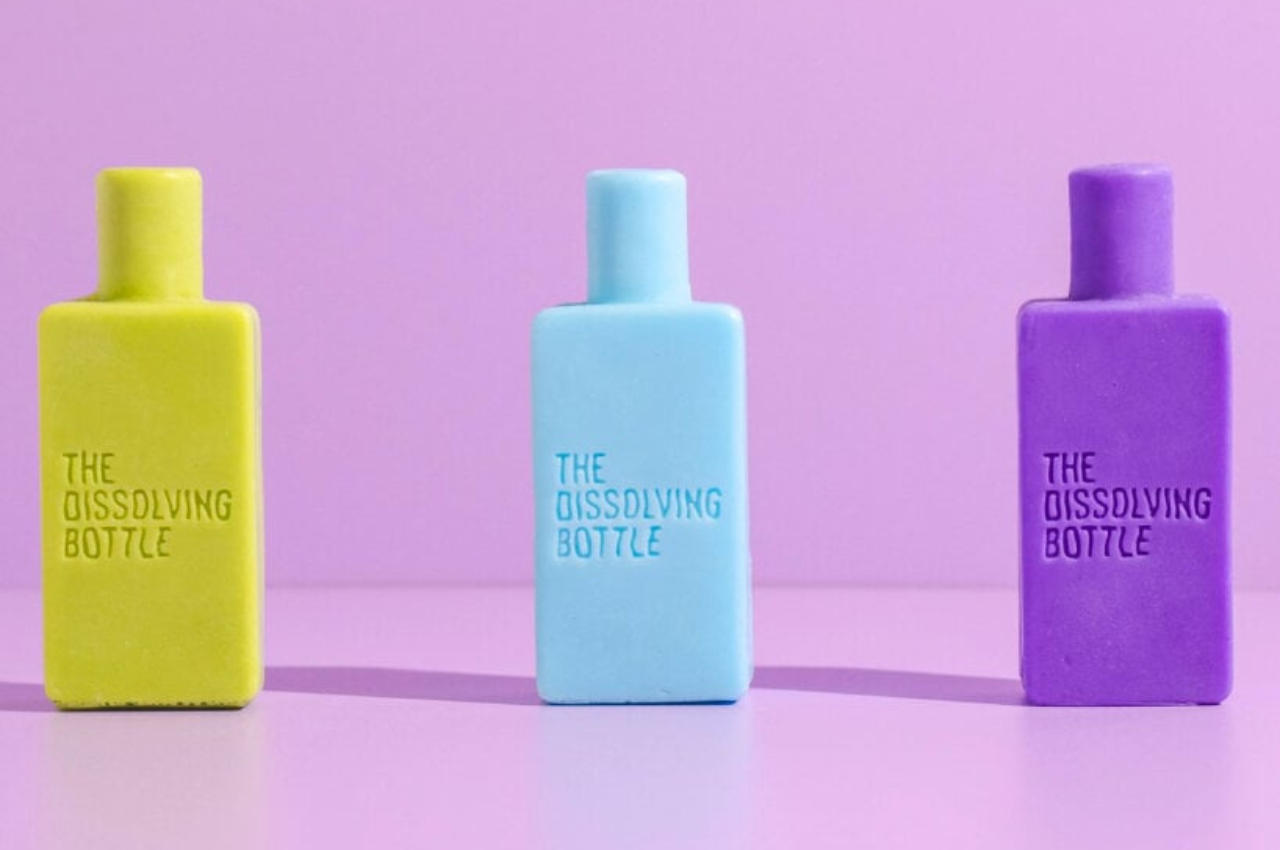
Introduced in 2021, the Dissolving Bottle has recently expanded its reach to several countries in Europe through a partnership with LUORO GmbH, a Cologne-based e-commerce company. The bottle-shaped shampoo bars, distributed under LUORO’s Plain B brand, are not just a visual marvel but also carry a powerful message. By adopting the familiar shape of a typical shampoo container, BBDO Guerrero aims to make the transition from plastic bottles to shampoo bars seamless for users.
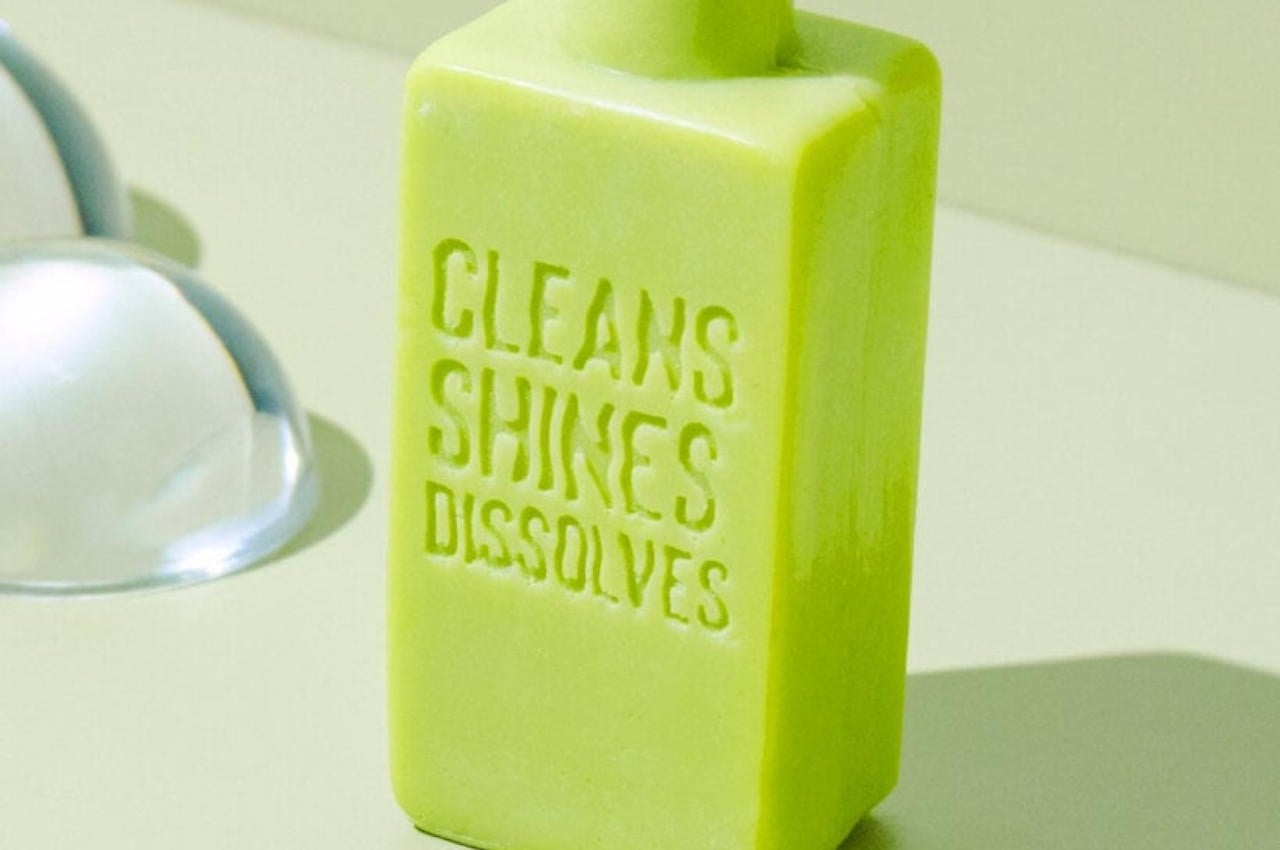
David Guerrero, Creative Chairman at BBDO Guerrero, emphasizes that the Dissolving Bottle was conceptualized as a response to the escalating plastic pollution crisis. The personal care industry, a major contributor to environmental issues, produces over 500 billion single-use plastic items annually. To address this problem, BBDO Guerrero chose a design that not only promotes sustainability but also incorporates witty slogans on the shampoo bars, such as ‘Recedes quicker than your hair,’ ‘vanishes into thin air,’ ‘leaves nothing behind,’ and ‘guaranteed not to last,’ serving as comical reminders of the benefits of choosing plastic-free alternatives.
While the environmental impact of Dissolving Bottle Shampoo Bars is undeniably positive, questions arise regarding their commercial viability. The entire bottle serving as solidified shampoo requires careful handling, as exposure to water could initiate premature dissolution. To address this logistical concern, there might be a need to explore alternative packaging materials which will be interesting to learn.
Moreover, the shift from traditional soaps to liquid body washes, driven by ease of use and convenience, poses a challenge for the widespread adoption of solid shampoo bars. The need to incorporate essential information typically printed on packaging into the Dissolving Bottle’s design further adds a layer of complexity.
Marketing strategies play a pivotal role in bridging this gap, and the strategies employed by BBDO Guerrero are commendable and hold the potential to capture consumer attention. Offering an intriguing narrative that aligns with environmental consciousness.
As these Dissolving Bottle shampoo bars make their way into the European market, priced at a reasonable starting point of 5.99 EUR, it remains to be seen whether consumers will embrace this innovative solution to reduce plastic waste. The success of such eco-friendly initiatives depends not only on their environmental benefits but also on their ability to cater to the evolving preferences and habits of consumers. The Dissolving Bottle represents a commendable step towards a more sustainable future, and its journey in the consumer market will undoubtedly be closely watched.
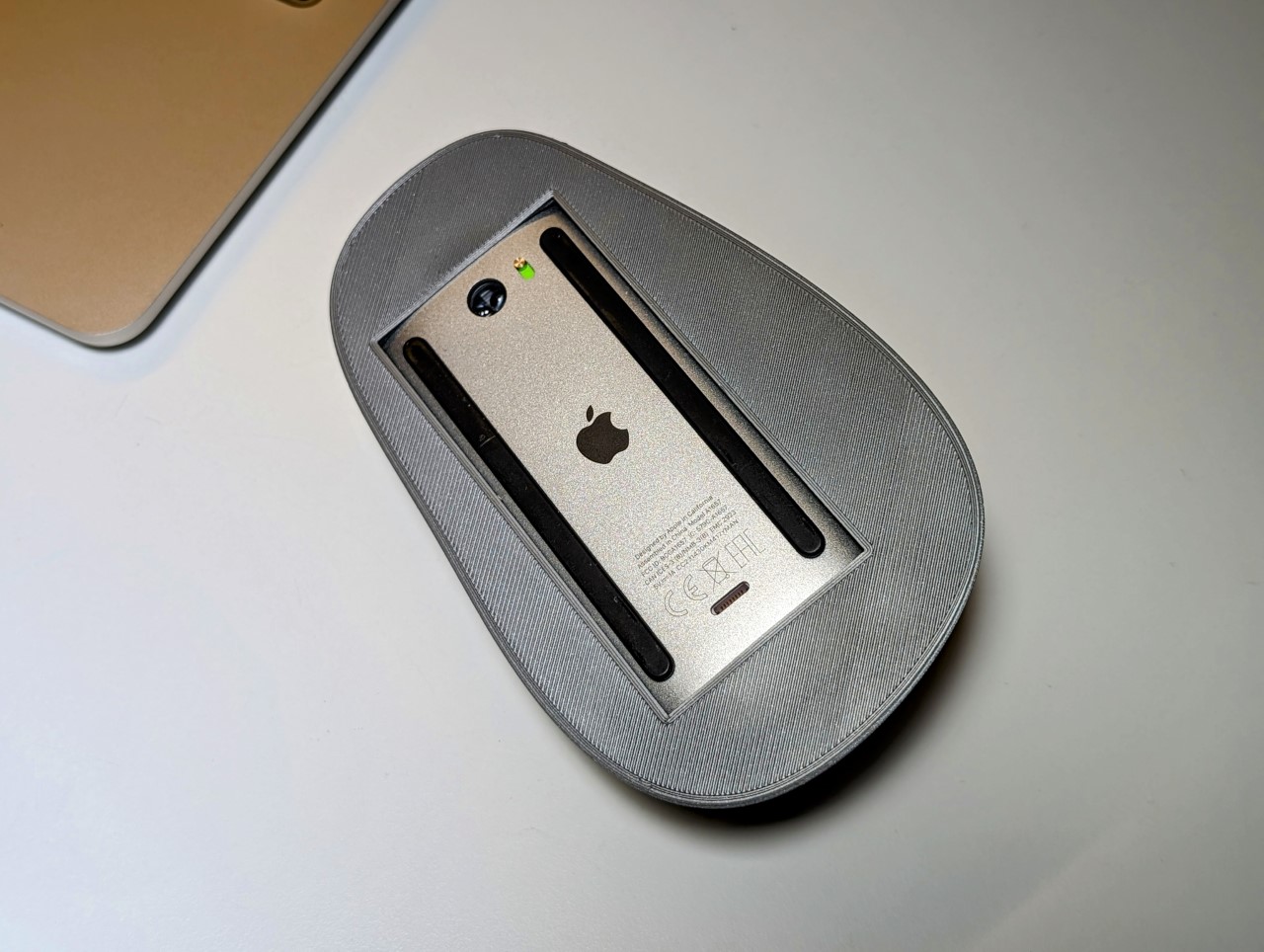
8 years ago, Apple (helmed by Jony Ive) committed one of design’s biggest cardinal sins by taking a hatched to product usability. Sounds a little extreme, but ask anyone about Apple’s biggest design flaw and they’ll probably tell you how the Magic Mouse needs to be flipped over to charge, thus rendering it absolutely unusable. The flaw is so hilariously bad that most people even overlook the fact that the Magic Mouse is the least ergonomic mouse to begin with. Its ultra-sleek design is perfect for slipping into laptop bags, but it’s a nightmare for anyone with carpal tunnel, and even generally, makes for a horrible gripping experience (resulting in people designing pretty clever ergonomic grips for the Magic Mouse).
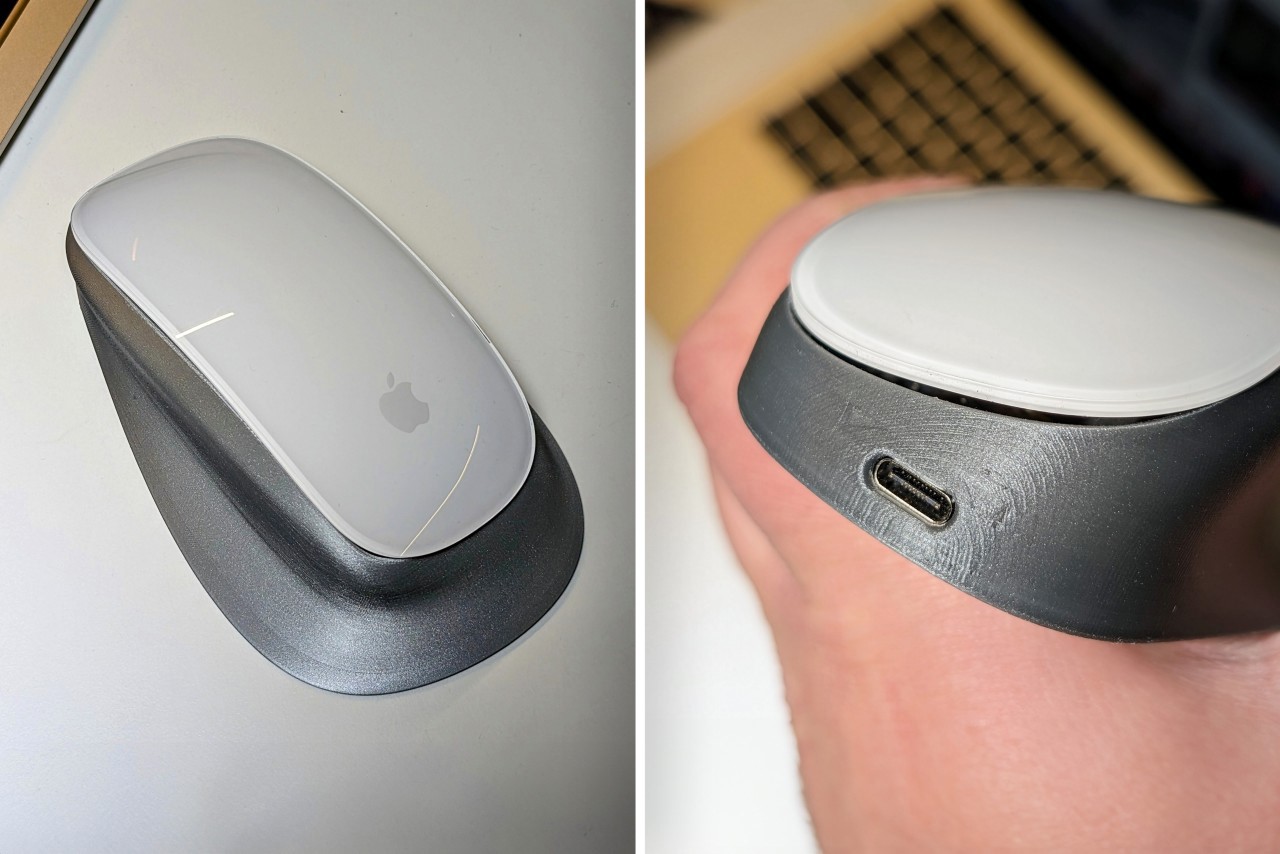
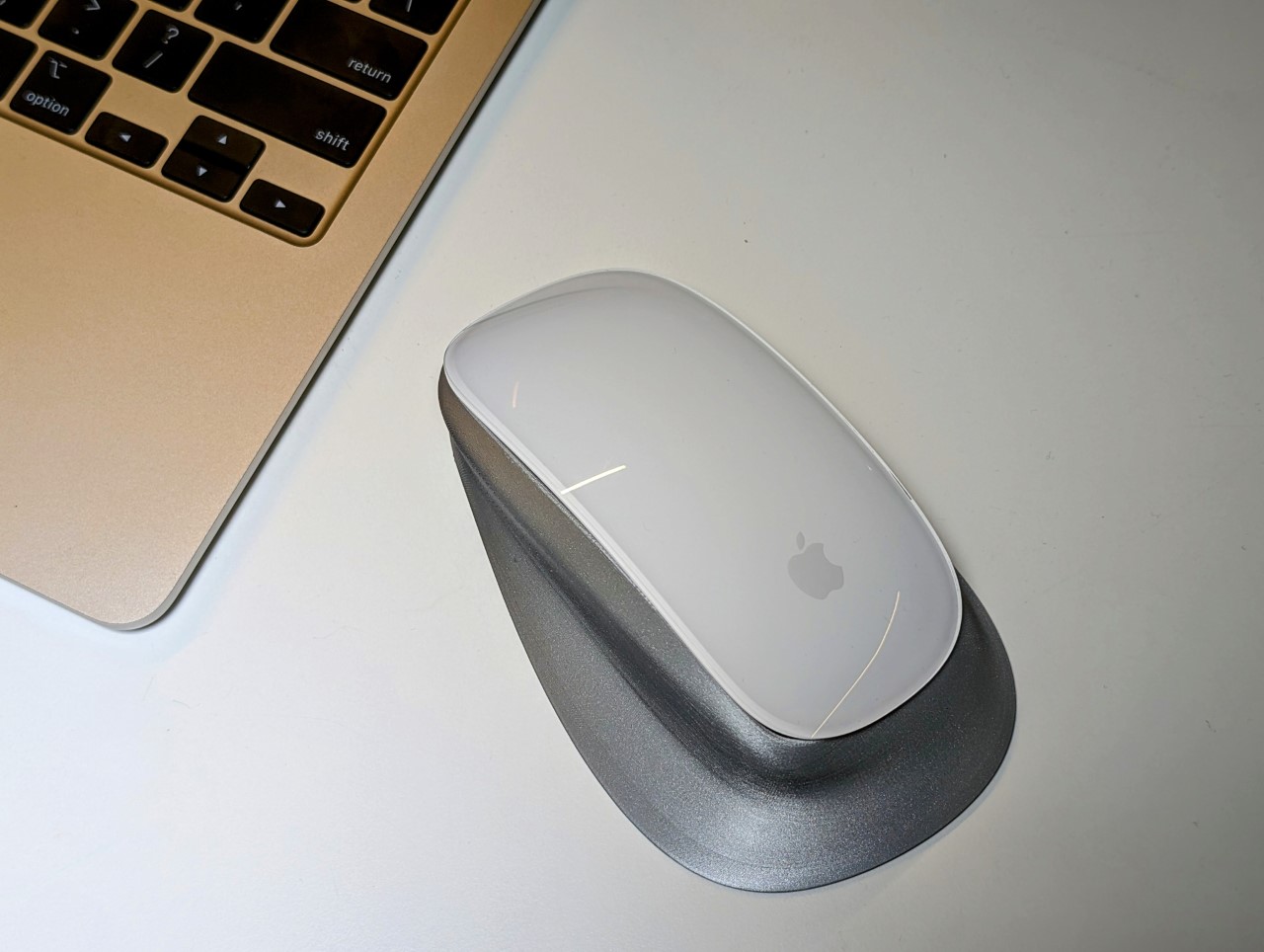
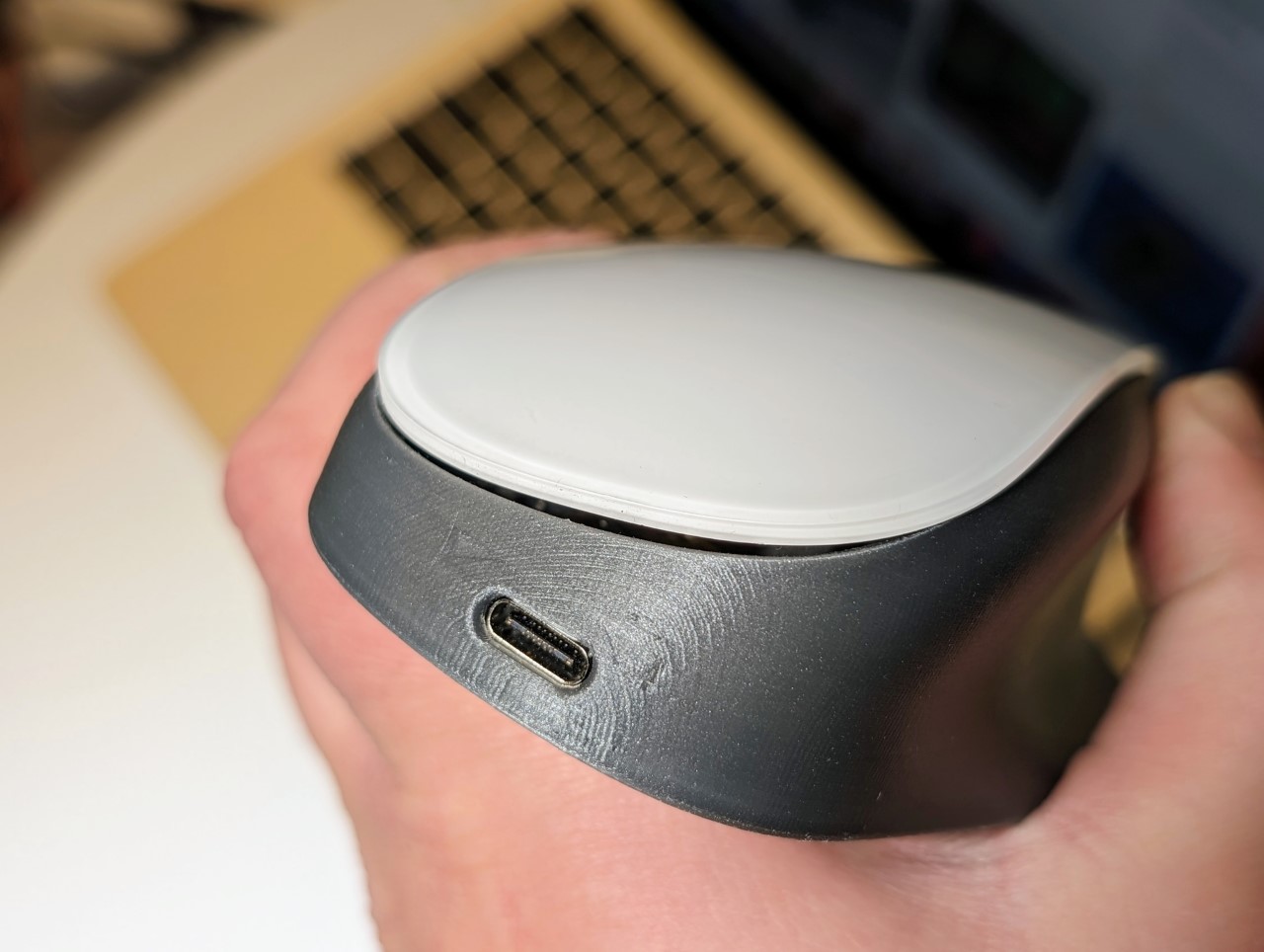
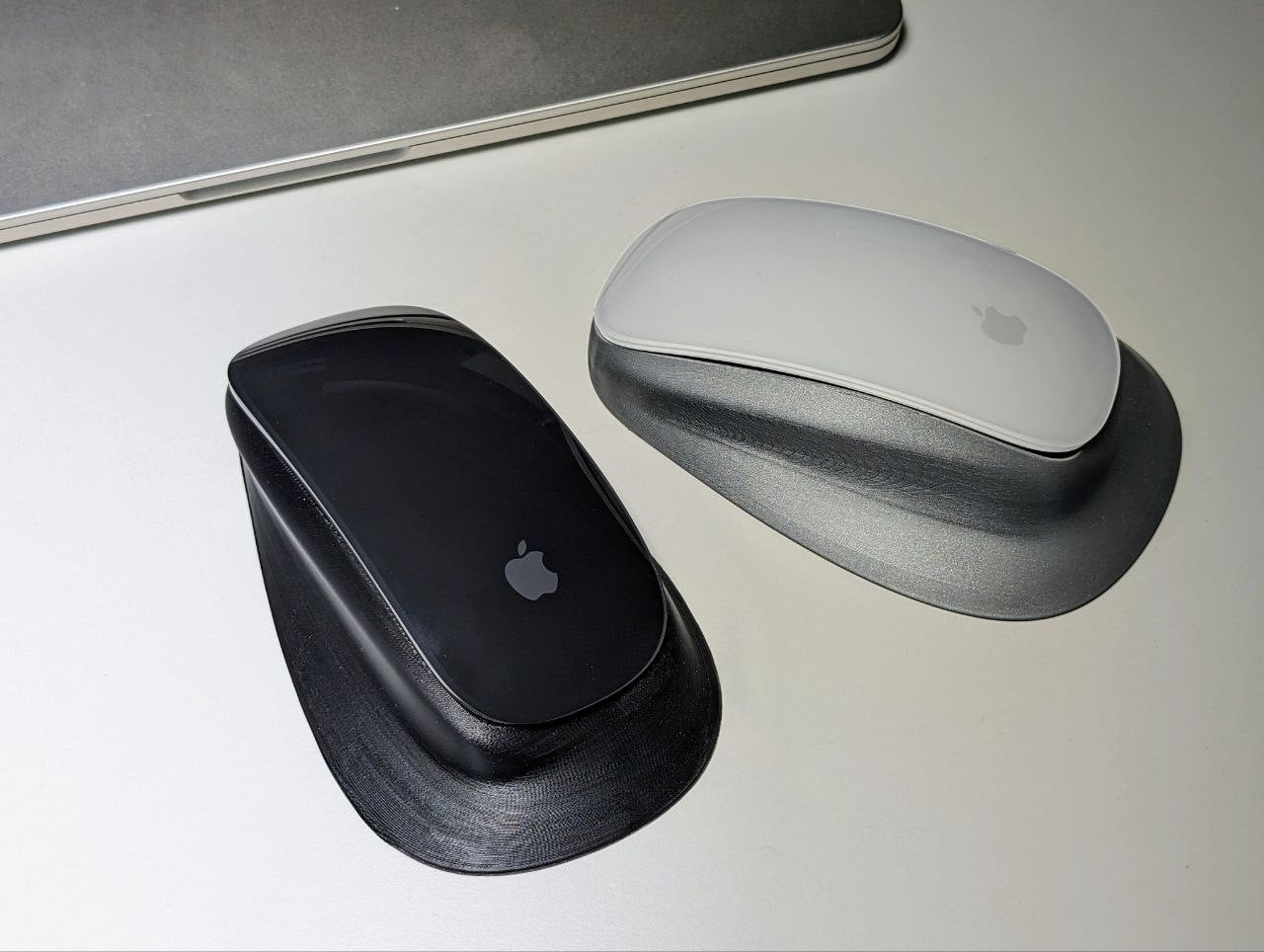
Many a DIY-er has tried fixing both the ergonomic and charging problems, but failed at the latter… but Ivan Kuleshov thinks he may have finally cracked the code. His solution? A redesigned shell for the Magic Mouse that doesn’t just fix the infamous charging issue but also enhances its ergonomic feel. The new design allows for upright charging through a USB-C port, a simple yet effective fix that Apple seemingly overlooked.
Designer: Ivan Kuleshov
Kuleshov’s design does the unthinkable – lets you use your Magic Mouse while charging it. Apple apparently engineered a failsafe into its mouse that disabled usage during charging (something that designer Matt Benedetto figured out the hard way), but Kuleshov’s solution circumvents that by technically ‘hacking’ the mouse.
The journey wasn’t straightforward. Existing 3D models of the Magic Mouse fell short, pushing Kuleshov to adjust the enclosure shape by eye, iterating through multiple prints and adjustments. This process epitomized the trial-and-error spirit inherent in DIY projects. He crafted a frame-adapter for the upper part of the mouse in just four iterations, meticulously designed to extend the original mount. This adaptation allowed for a spring and an offset lever to press the button, integrating seamlessly with the mouse’s design.
Kuleshov didn’t stop at mere design modifications. He tackled the electrical challenge head-on, soldering a TP4056 directly to the battery outputs, ensuring the mouse continued to work while charging. This modification enabled the mouse to bypass Apple’s standard charging protocol, a nifty workaround to a long-standing problem.
After numerous trials, Kuleshov finally achieved the ideal enclosure shape. It charges the battery directly, and despite its increased size, the mouse’s sensor still makes contact with the table, ensuring precise movement. Kuleshov labels it as “the world’s first ergonomic Magic Mouse without any flaws,” and while this might be a bold statement (given its slightly bulky appearance), it seems to be a significant improvement from a practical standpoint.
Kuleshov took to Twitter (or whatever Musk wants you to call it) to showcase his rather complicated but functional redesign. The internet’s consensus seems mixed, but with everyone on the same page. While most people are marveling at this new modification, calling it a truly “magical” mouse, others are applauding Kuleshov’s ingenuity while also commenting on the fact that this level of ‘hacking’ was even necessary to undo a simple problem that Apple seemingly engineered on purpose into their product. To make things better, Kuleshov has made his entire project open-source and tinkerers can download the files on GitHub to modify their own Magic Mice…
I hacked the Magic Mouse.
And created the world’s first ergonomic Magic Mouse with no weaknesses.
Yes, you can charge it via USB-C right while you’re working!
More details + demo in the thread pic.twitter.com/lxvCXArZdG
Newly ousted OpenAI CEO Sam Altman and former president Greg Brockman are meeting with executives at the company’s San Francisco headquarters now as discussions about possibly reinstating their positions continue, The Information reports. Per The Information, interim CEO Mira Murati and others have been leading the push to get Altman reinstated as CEO, and invited the two to HQ on Sunday. Altman and Brockman showed up for talks this afternoon, sources told The Information.
Around the time of the report’s publication, Altman tweeted a photo of himself wearing a guest badge for entry into the building, writing, “first and last time i ever wear one of these (sic)” — which could be interpreted several different ways, at this point. Sources told The Verge that Altman has set a 5PM PT deadline for board members to reach an agreement that could ultimately determine whether he walks away from OpenAI, or they do.
After Altman was fired without warning on Friday, Brockman stepped down in solidarity, along with a slew of senior researchers. Other staff members have reportedly pledged to resign as well and follow the two to other projects, signaling their support on social media, according to The Verge. The state of Altman's position — and OpenAI’s future leadership — has remained up in the air this weekend as backlash against the board’s initial decision grows. On Saturday evening, The Verge broke news that the board was considering reinstating him as CEO, and had “agreed in principle” to resign if so. But, the board reportedly couldn’t make up its collective mind in time, and missed the deadline that had been set for the decision.
According to Bloomberg, that’s at least in part because they’ve hit a brick wall in trying to agree on what the board will look and what its role will be if he’s reinstated. Altman reportedly wants the existing board gone if he’s to return, among other “governance changes” — including making former Salesforce CEO Bret Taylor a board member and possibly bringing on a Microsoft executive, Bloomberg reported, though the latter has not yet made a decision.
There has been much speculation over the reason behind Altman’s removal as CEO and from the OpenAI board of directors, which came as a surprise to Altman, staff, and investors. An internal memo sent that morning to staff and seen by Axios said that the decision to unseat Altman came as the result of “a breakdown in communication between Sam and the board.” It “was not made in response to malfeasance or anything related to our financial, business, safety, or security/privacy practices,” the memo from COO Brad Lightcap said.
Altman was fundraising for a custom AI chip project codenamed “Tigris” prior to his unexpected firing, Bloomberg reported. Per Bloomberg and The New York Times, which previously reported on his plans for other AI ventures, Altman has already pitched the idea of custom Tensor Processing Units (TPUs) that would rival NVIDIA’s to potential investors in the Middle East. He was also reportedly looking for backers to fund his hardware collaboration with former Apple designer, Jony Ive, for which he approached SoftBank founder Masayoshi Son. Sources with knowledge of the discussions told Bloomberg that Altman is trying to raise “tens of billions of dollars” to get these projects off the ground.
This article originally appeared on Engadget at https://www.engadget.com/sam-altman-and-greg-brockman-are-meeting-with-openai-execs-now-in-ongoing-talks-over-reinstatement-212124319.html?src=rss
It’s that time of year to gather with loved ones around the Thanksgiving table, sharing a delightful meal and reflecting on gratitude. Beyond the cuisine and menu, the table decor plays a key role in infusing a festive vibe and enhancing the space’s aesthetic appeal. After all, the real essence of Thanksgiving dinner lies in creating a warm and inviting environment that fosters connections and meaningful conversations across the table.
Designer: Linda Schuster Vartanian
What is the importance of a Beautiful Tablescape?
Designer: Aukolass
Although a beautiful tablescape may not enhance the flavor of your feast it surely helps in crafting the desired ambiance for your entire Thanksgiving dinner. A well-designed tablescape helps in making guests feel valued and special while showcasing attention to detail.
How to create an interesting Thanksgiving Tablescape?
• The first step is to choose a traditional, modern, rustic, or any unique theme for the tablescape and achieve a cohesive look. The color palette, decor choices, and overall design of the tablescape shall revolve around the desired theme.
• Rich autumnal hues of deep red, orange, and brown are perfect for a traditional tablescape.
• If you desire a contemporary and sophisticated look, consider a monochromatic color scheme in shades of white, cream, and gold.
• Don’t be afraid to explore unconventional color pairings to craft a distinctive and visually striking tablescape. Consider shades of pink, purple, and green for a modern twist.
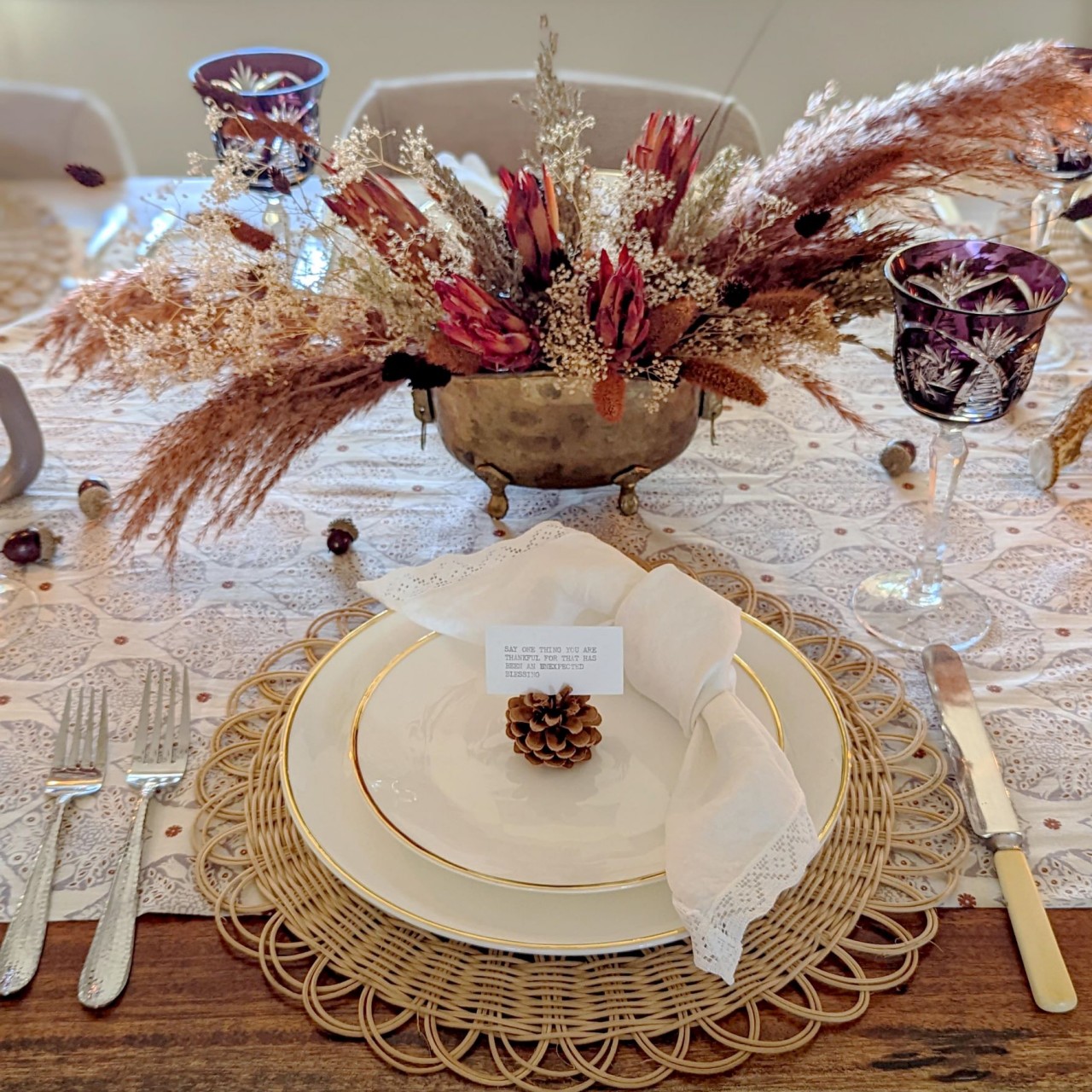
Dried flowers and branches are perfect for holiday table settings as they are budget-friendly. The best part is that one can continue using dried flowers for years instead of buying fresh blooms every year.
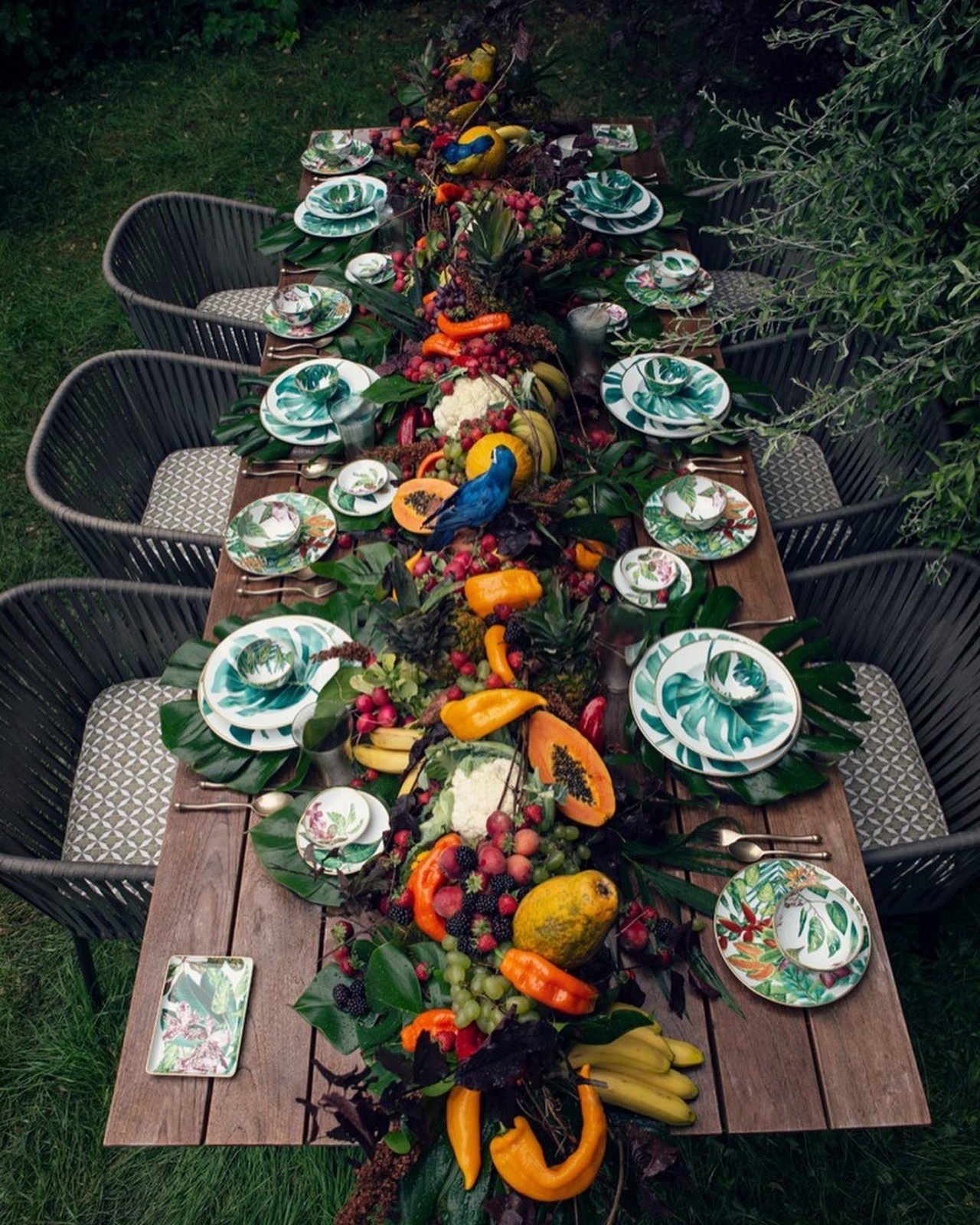
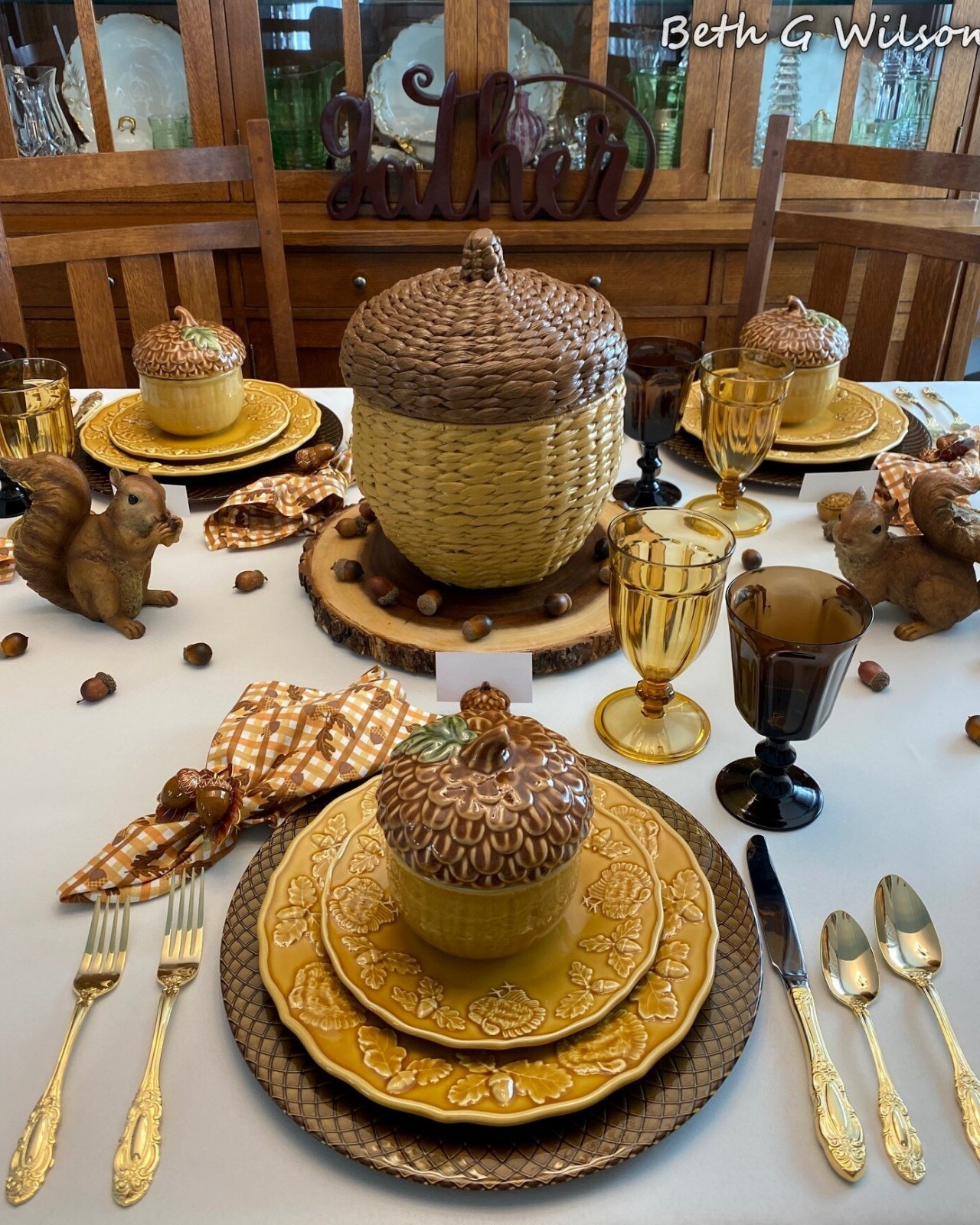
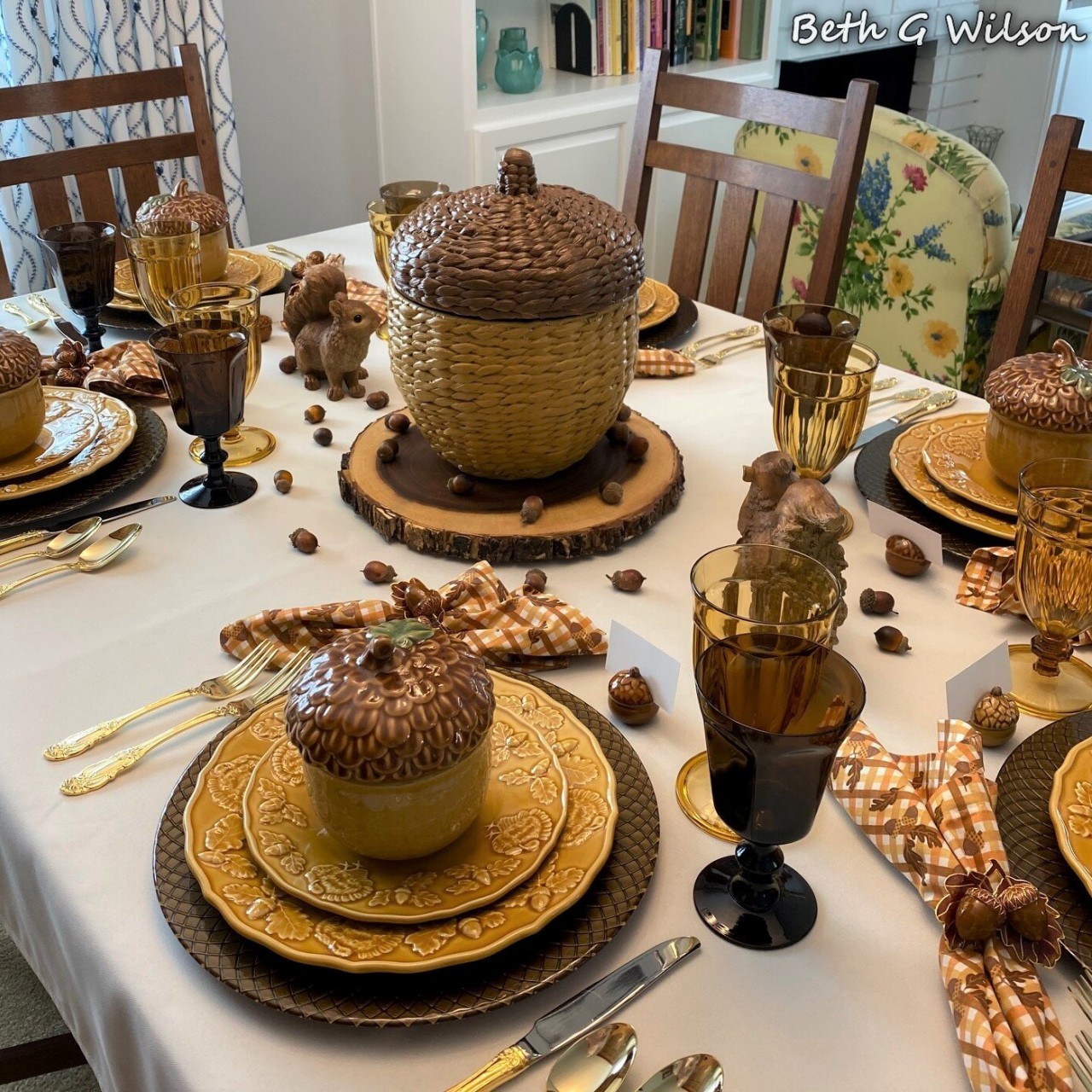
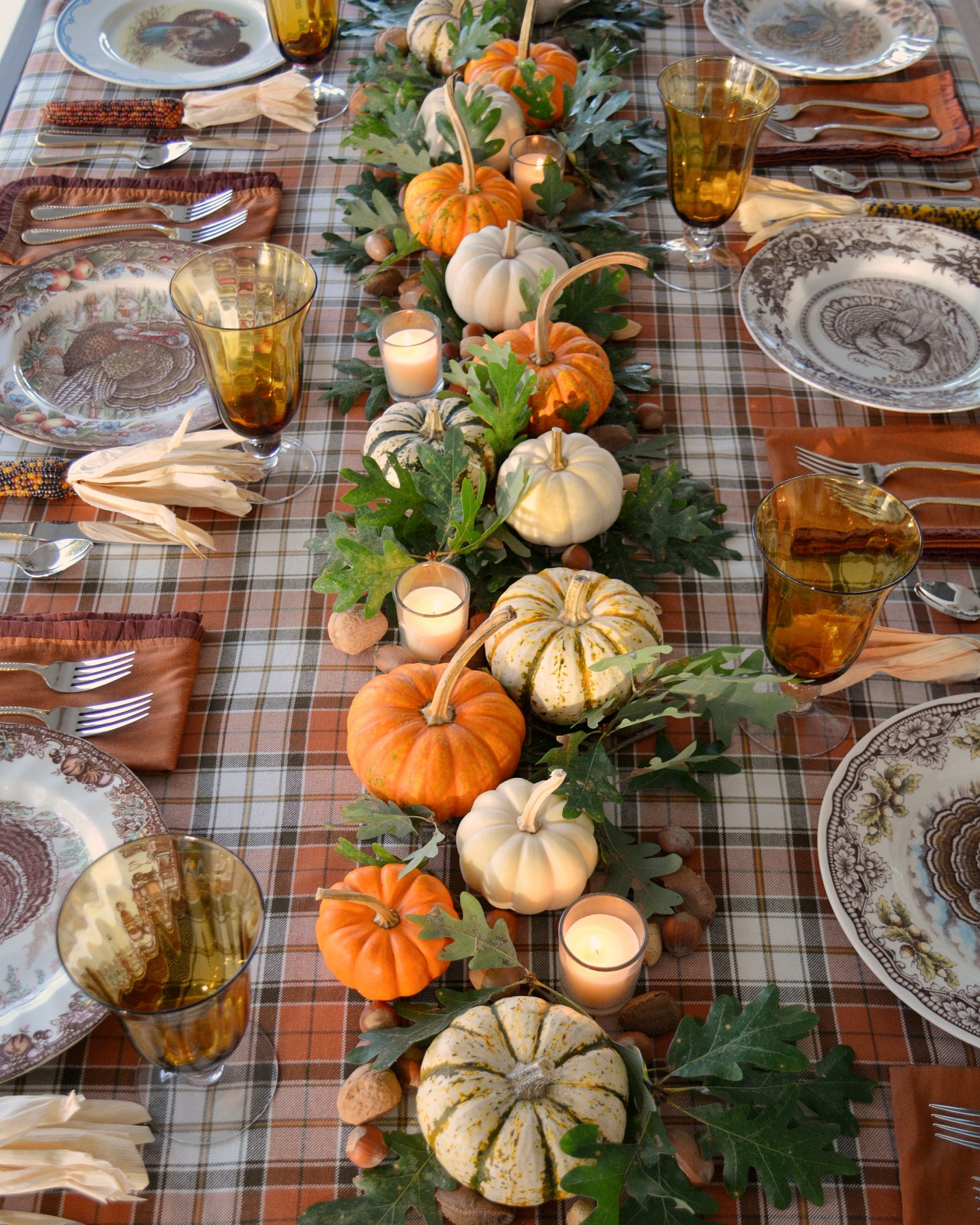
One of the most popular trends is to take inspiration from the natural world and create a beautiful table setting using fruits, pumpkins, vegetables, acorns, pine cones, and so on.
4. Bring out your Tableware
Thanksgiving dinner provides an excellent opportunity to elevate your table setting with elegant china, exquisite stemware, and beautiful linens that you’ve collected over the years or have inherited as heirlooms.
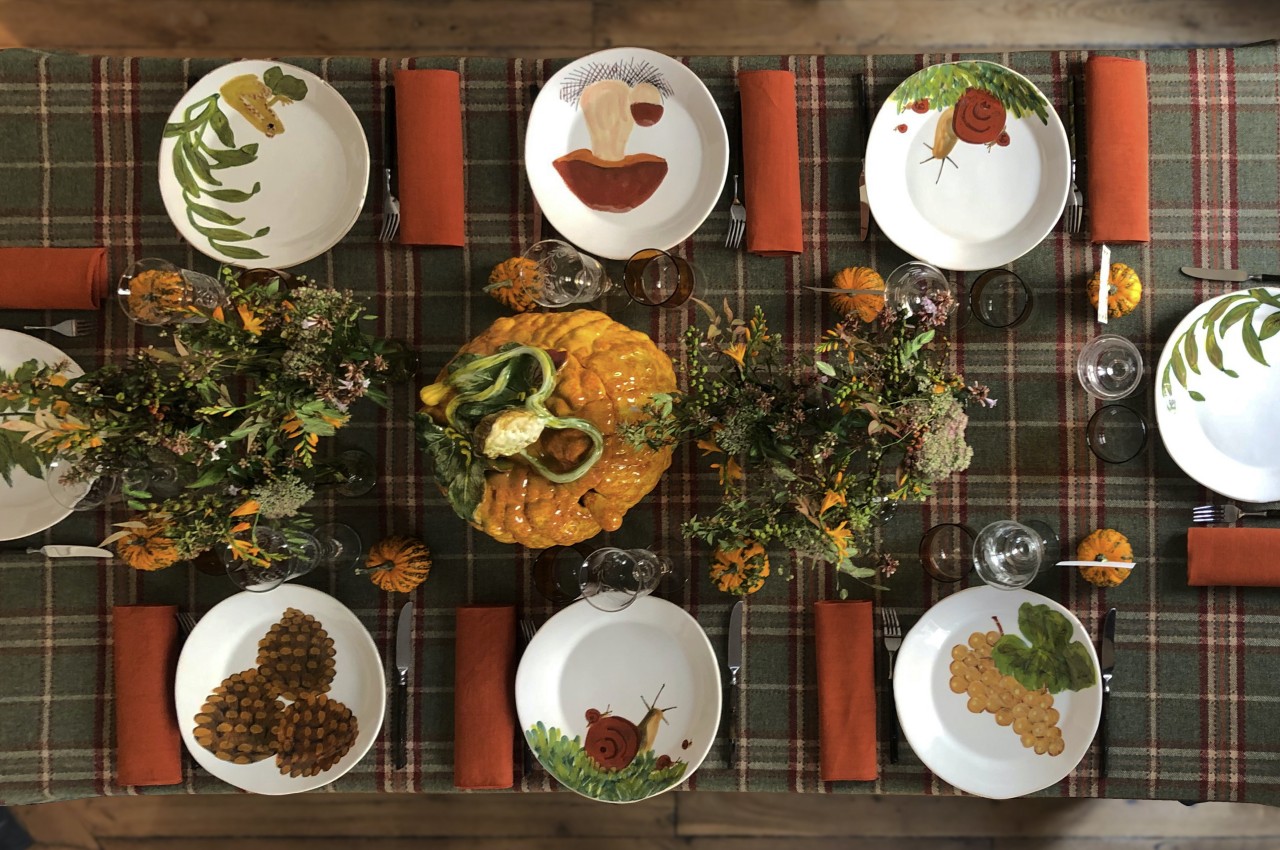
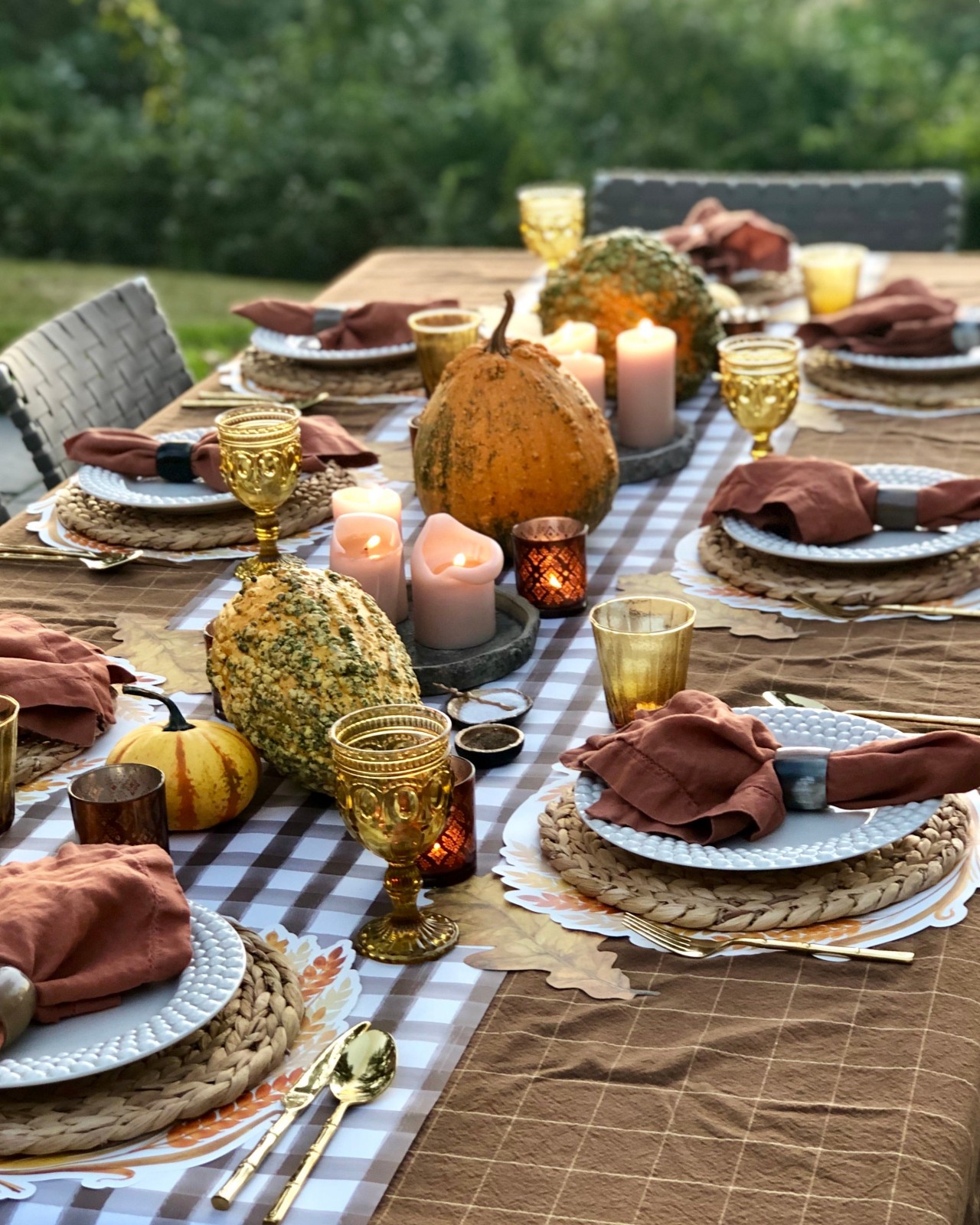
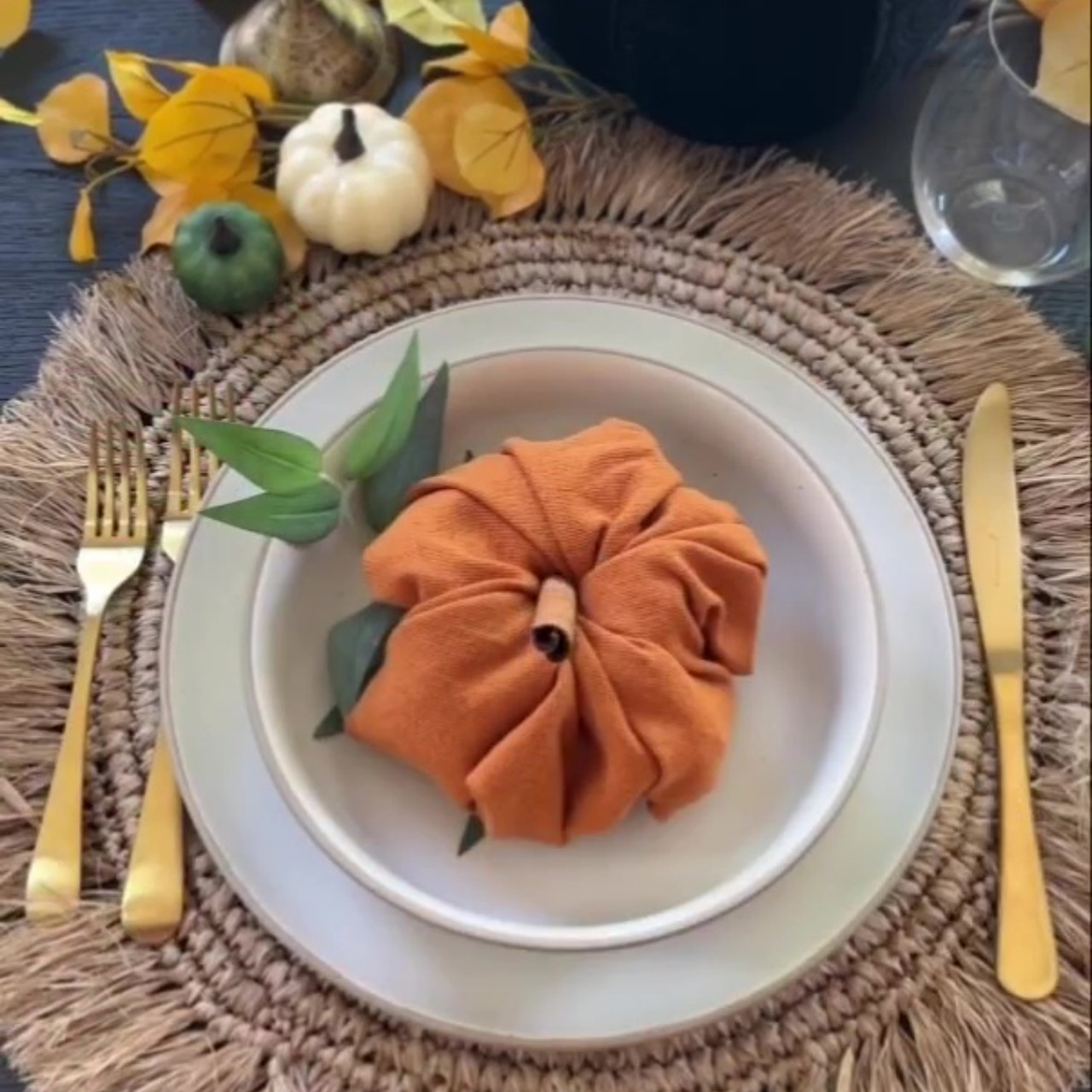
A warm and festive ambiance is created with a snug woolen checkered tablecloth, complemented by orange linen napkins and midcentury hand-painted large earthenware plates. The addition of a sizable pumpkin soup tureen enhances the homey atmosphere, completing the inviting feel of a feast.
An elegant mother-of-pearl plate from Lotus Arts de Vivre is adorned with a sterling silver turtle. Crafted from the finest Southeast Asian mother of pearl, it possesses a shimmering iridescent quality. The silver turtle with a mother-of-pearl shell symbolizes harmony with the earth, water, and other elements, making it a versatile item suitable for use as a statement serving platter for hors d’oeuvres or as a formal dining plate.
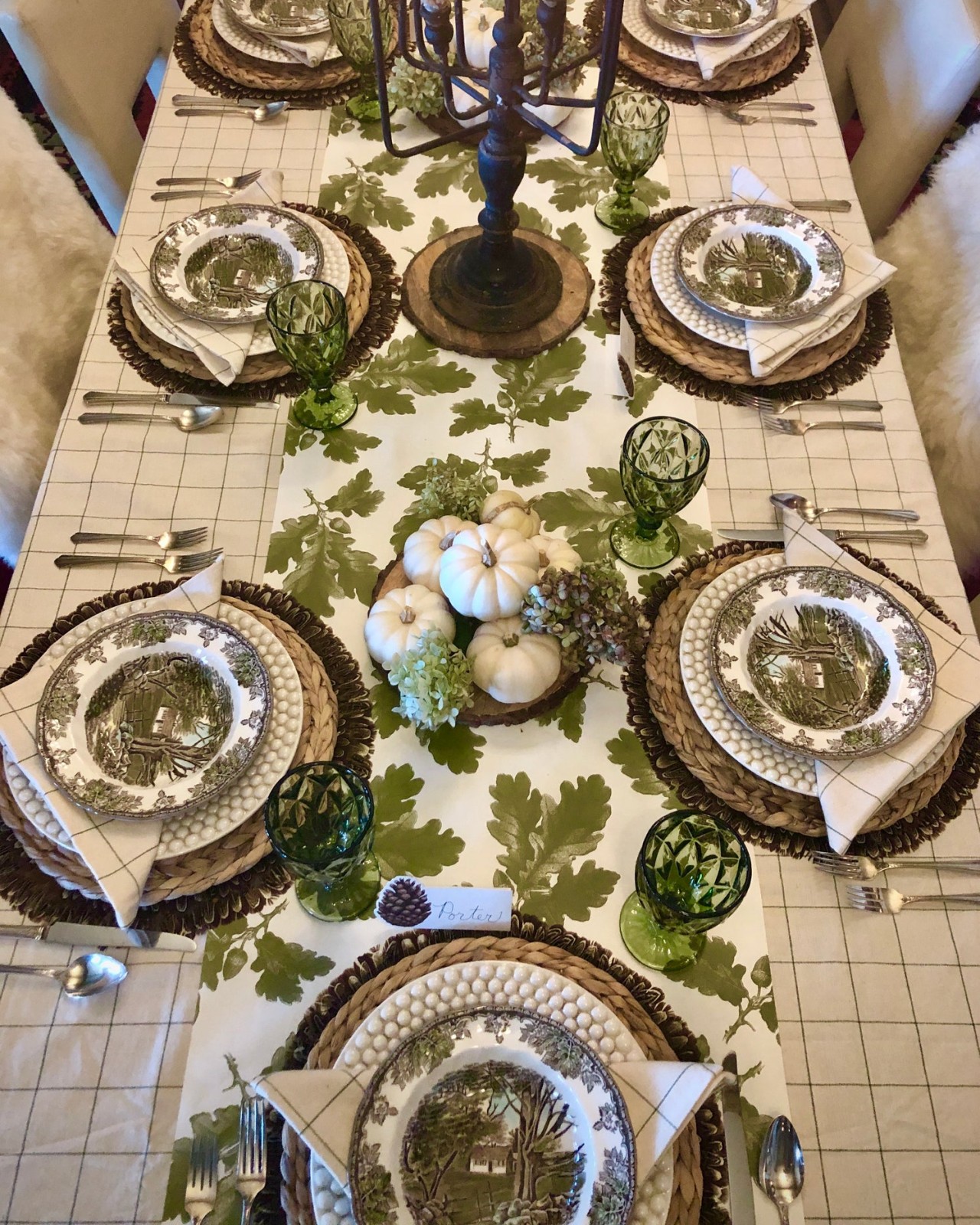
Explore a palette of organic earth tones for Thanksgiving as they effortlessly embrace the hues of fall leaves and autumn colors. Abundant textures can be introduced to create a warm and layered ambiance.
Embrace the rustic and natural ambiance with wood as a central element in your table setting. Integrate wooden serving plates for a wholesome, earthy feel. This setting celebrates the imperfections and unique textures of wood, adding character to your table.
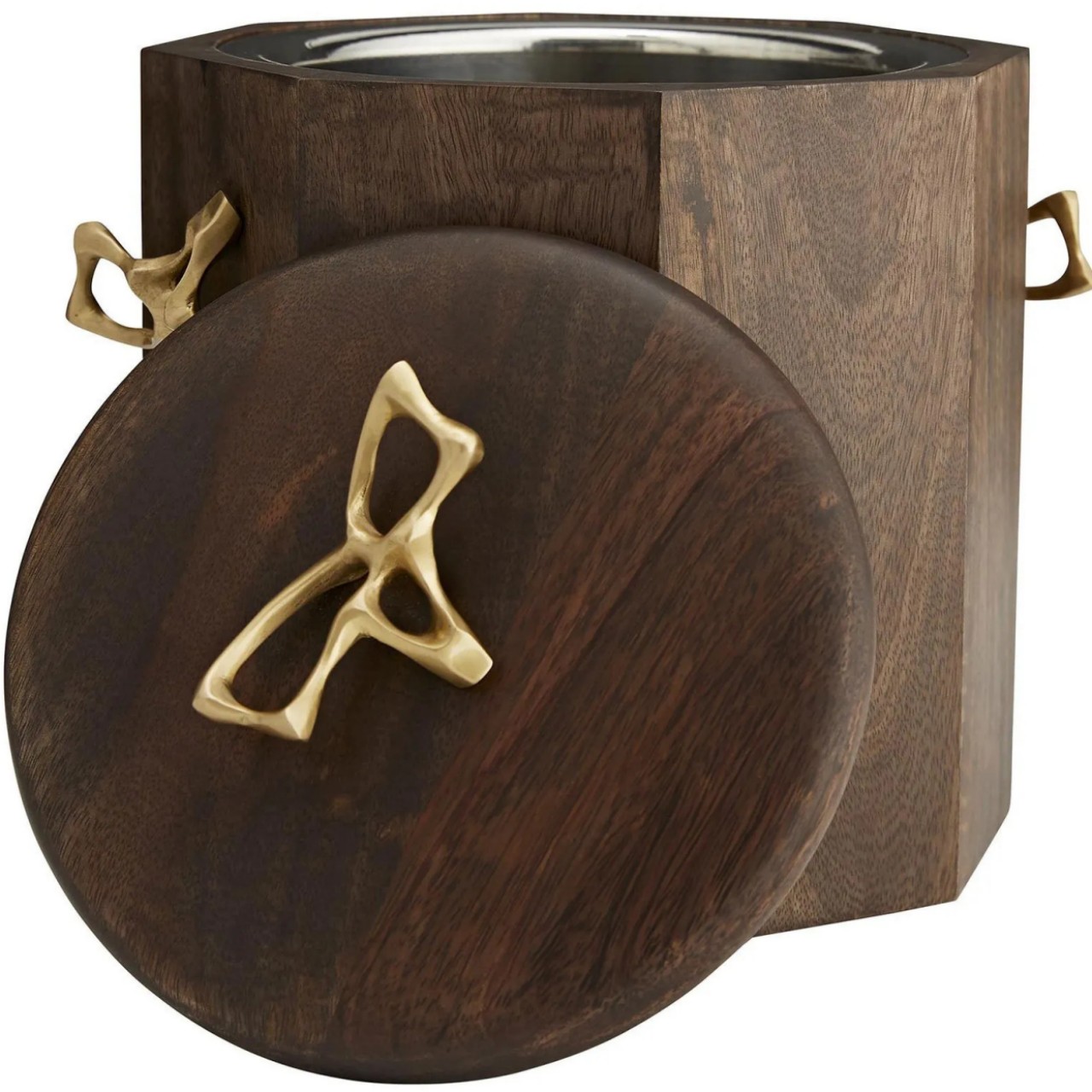
An ideal centerpiece for gatherings, the Wakefield features opulent antique brass hardware crafted into organic forms that beautifully contrast with the luxurious walnut wood. Radiating undeniable warmth, this bucket adds both panache and personality to the tablescape.
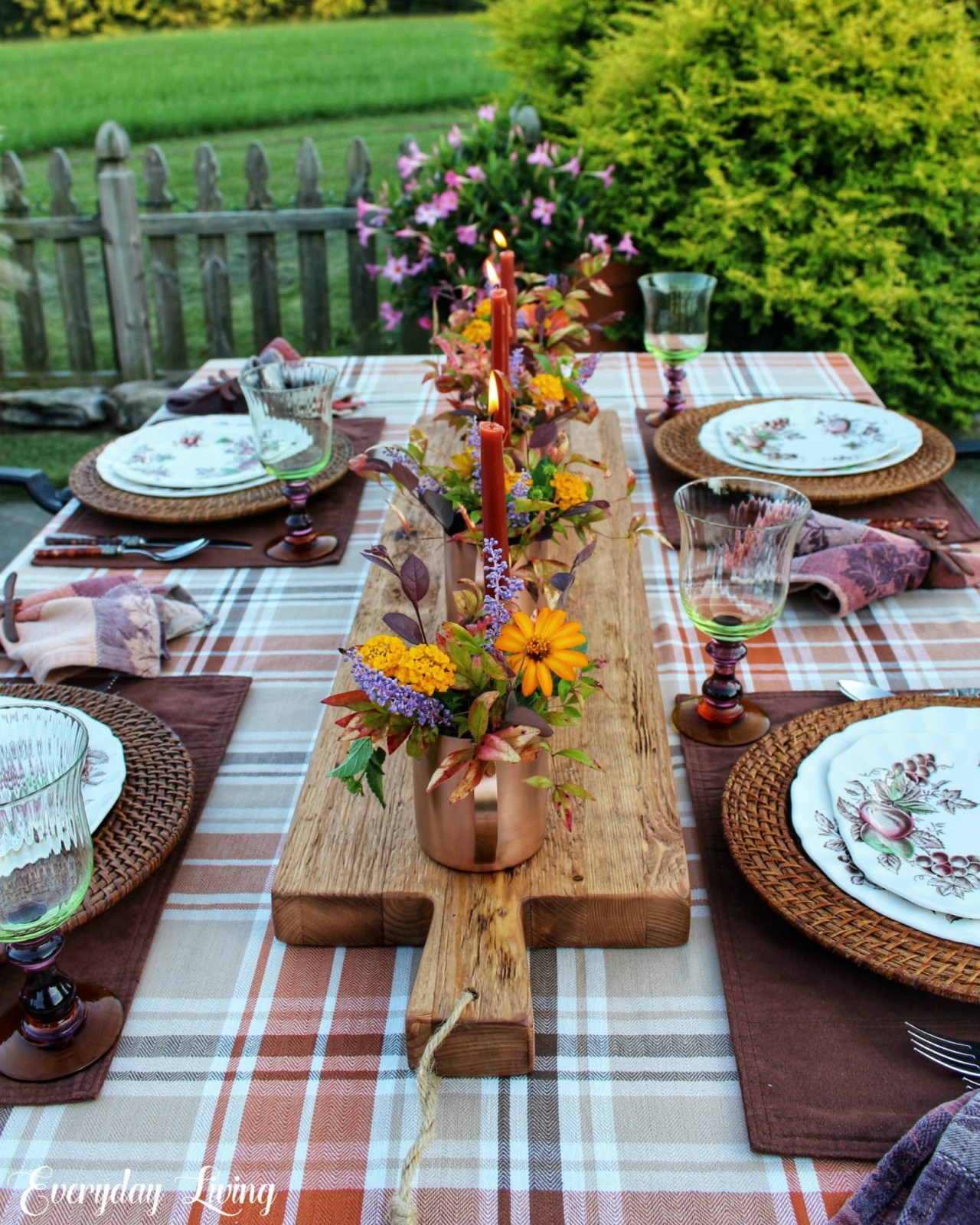
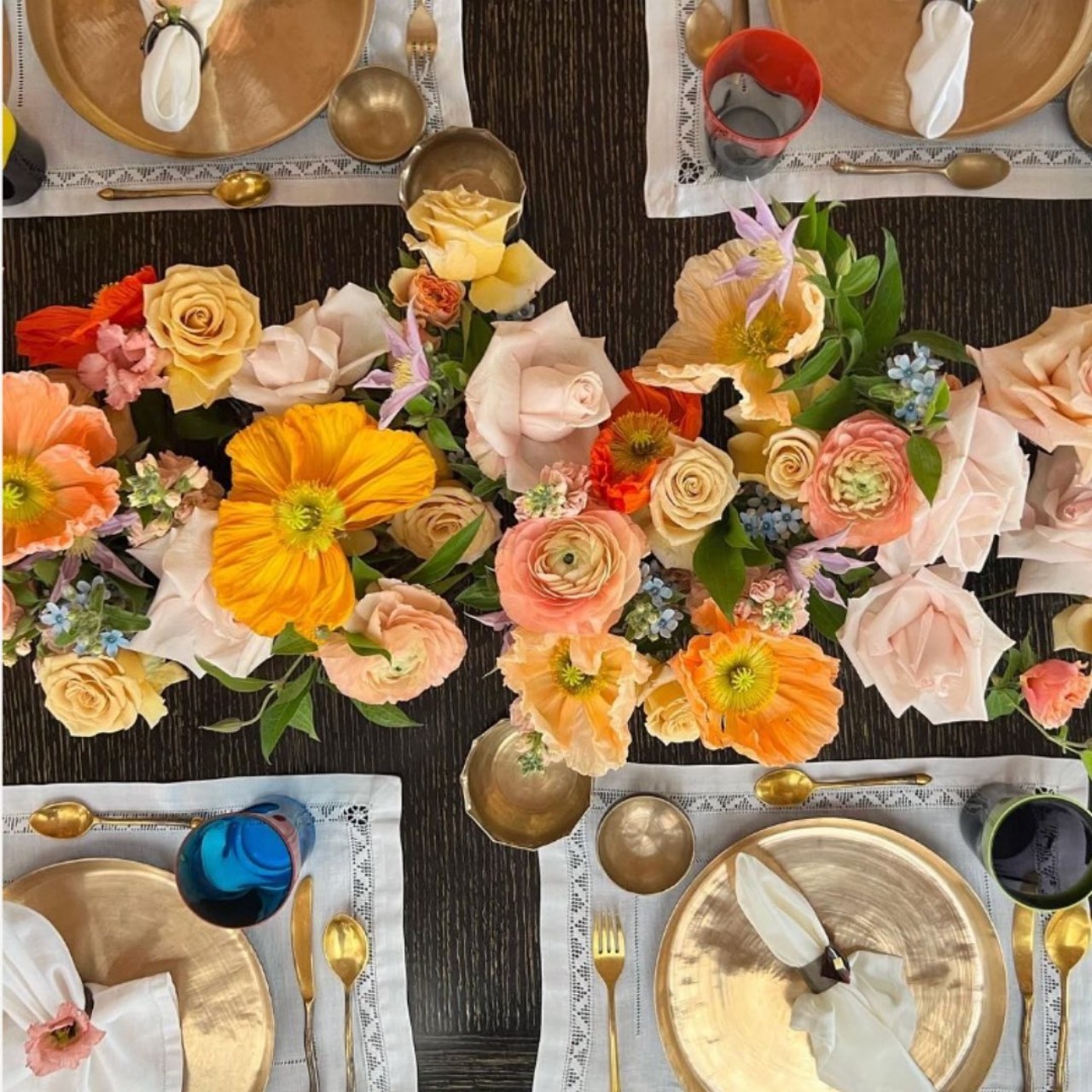
Elevate your Thanksgiving dinner by incorporating an abundance of flowers, extending from your salad plates to captivating centerpiece arrangements. Choose locally grown, in-season blooms.
Opting for pumpkins as Thanksgiving centerpieces is a timeless choice. Elevate their appeal by carving out the tops and transforming them into miniature planters, adorned with either real or artificial succulents for an extra touch of uniqueness.
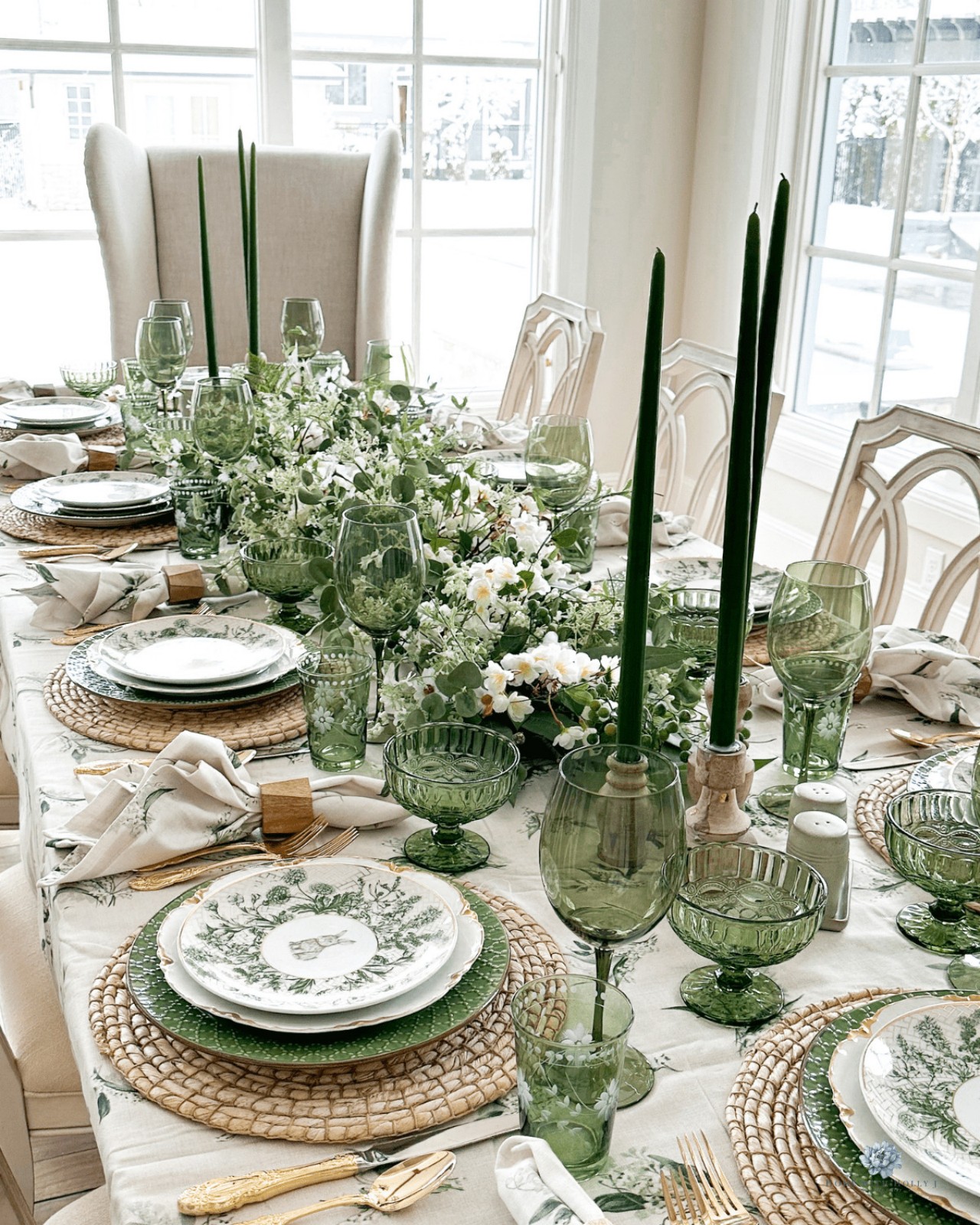
Embrace simplicity by adhering to a neutral color palette and arranging the table with glass dinnerware. One of the simplest centerpieces for this theme is a clear glass vase filled with elegant flower stems.
This Thanksgiving, layer on various eye-catching patterns to adorn the dining table. Maintaining a unified color palette ensures that the arrangement remains whimsical without becoming overwhelming.
12. Light the Table
Instead of flowers, opt for stylish decor alternatives that provide beauty and warmth, such as tapered candles. For a cozy yet non-utilitarian table appearance, use candleholders of different heights, ensuring the candles are staggered across the table for a varied and inviting display.
Ceramic artist Abid Javed applies his craft to sculptural forms influenced by microbiology. Augmin, a five-part candela, harmonizes artistry and functionality, drawing inspiration from the dynamic molecule Augmin. It serves as a statement sculpture and a practical candleholder for the Thanksgiving tablescape.
Spiral Light Candles feature a unique wraparound wick that burns for 3 hours, depleting ‘around’ the candle due to its spiral design. Its hollow design collects melted wax and creates a new candle with a wood wick that burns for 40 hours.
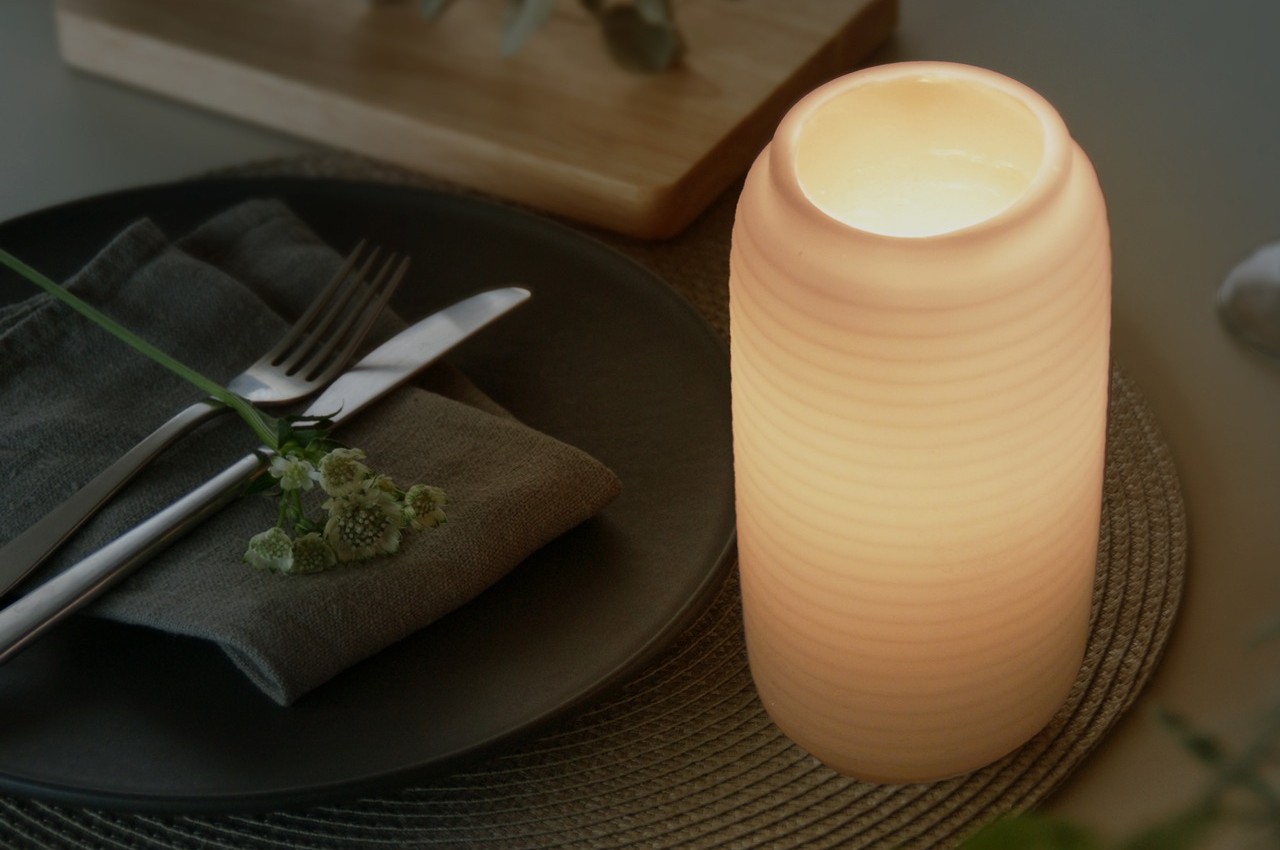
Crafted with a dual wax composition, the Chouchin features a standard wax interior for familiar candle burning. Its distinctive outer layer is made of patented, non-melting wax, creating a translucent shell that diffuses light like a lantern. As the candle burns, light permeates through this outer wax, providing gentle, warm illumination, with a 60-hour burn time and replaceable refills, minimizing waste.
Embrace a bold, maximalist aesthetic with striking glassware, an oversized floral arrangement, succulents, and crystal candleholders for a truly impactful statement.
Enhance your festive table with Ben Bodman’s exclusive ABASK carving set, expanding his hand-forged blade collection from his Wiltshire family farm. The two-tone amboyna burl wood handles, symbolizing durability, are sourced from the resilient Narra tree in the Philippines. Crafted with Damasteel, these blades boast intricate patterns, adding functional elegance to your table.
14. Napkin Folding Art
Designer: Phuong
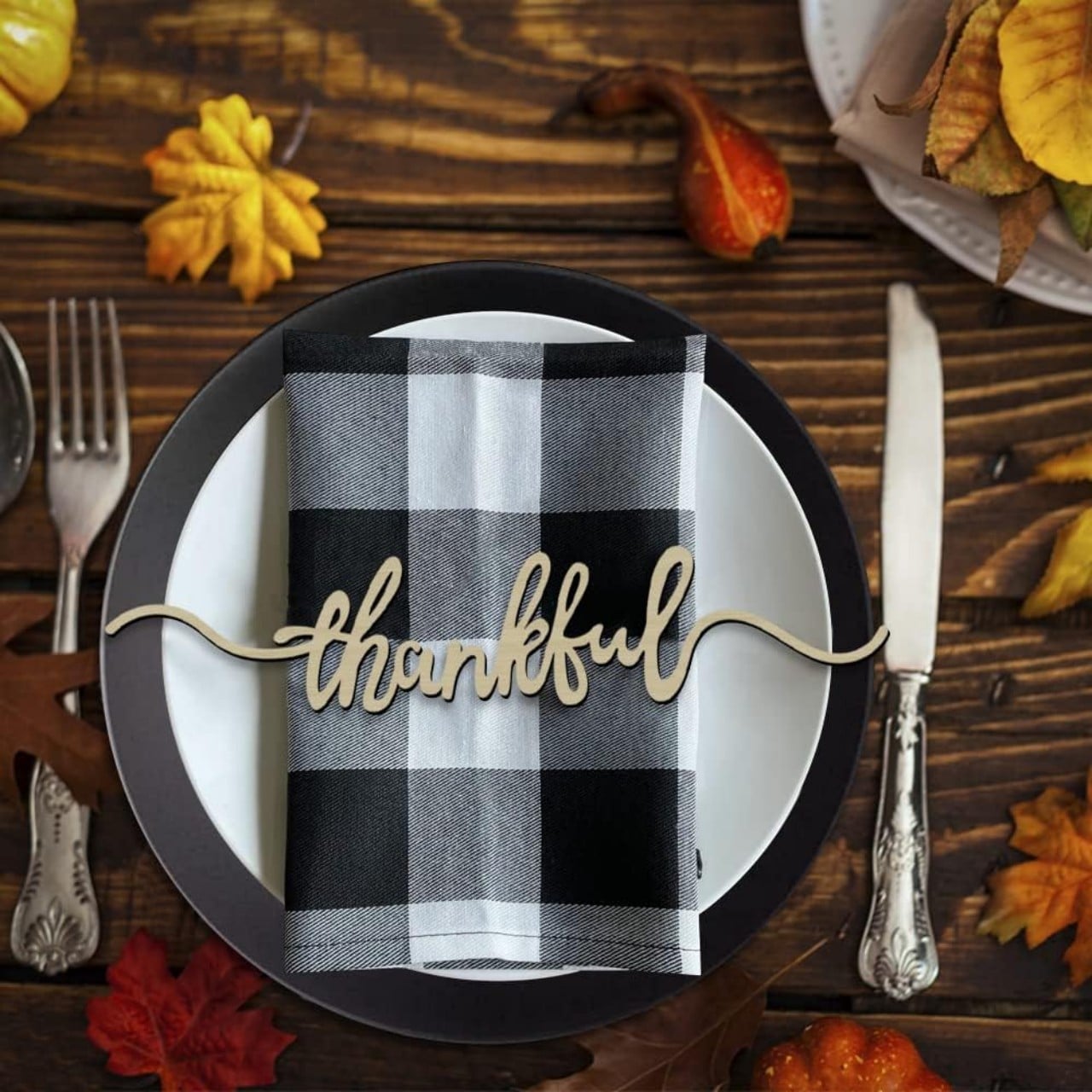
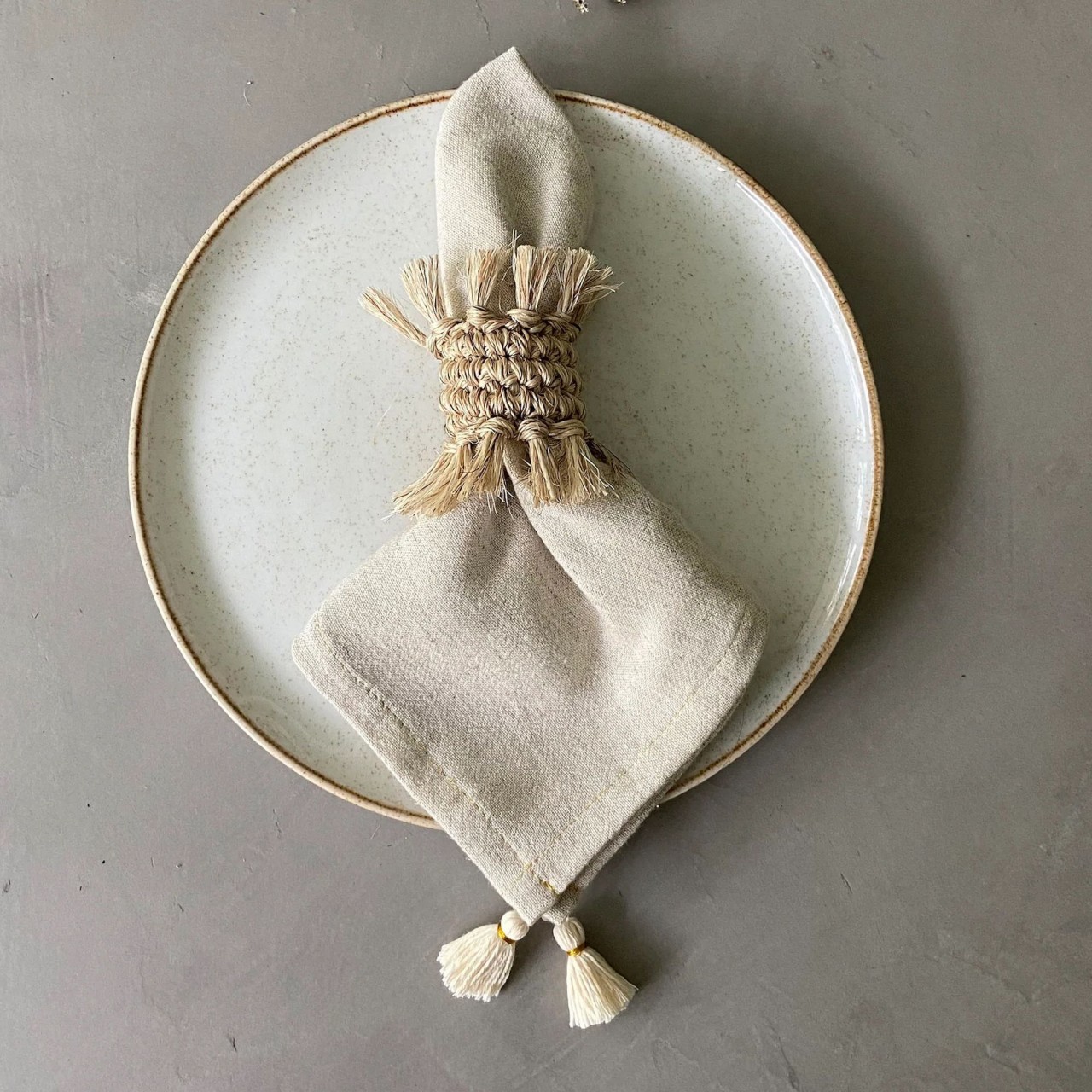
Infuse texture into each place setting by creatively folding cloth napkins. Experiment with various techniques such as the classic fan fold or use innovative folding techniques to create an interesting design. Enhance the presentation with elegant napkin rings, elevating the overall tactile experience.
TALLO de OLIVO turns ordinary spaces into distinctive ones with handmade pieces crafted by Colombian artisans, utilizing local materials to enhance their inherent beauty.
Infuse a touch of glamour into your Thanksgiving table with a decor theme that revolves around hues of gold. Envision gold-rimmed plates, shimmering candle holders, and metallic accents creating a dazzling setting for your festive meal.
With a skillful combination of colors, textures, and decorative elements, one can transform the dining table into a captivating showcase of autumn-inspired beauty that sets the ideal ambiance for your Thanksgiving feast.
If you haven’t yet hopped on the air fryer bandwagon, now is the perfect time to do so thanks to an Amazon Black Friday deal on one of Ninja’s DualZone Foodi air fryers that’s slashed $100 off the normal price. The XL Ninja DZ401 Foodi air fryer, which has two separate cooking compartments, is only $130 right now. The 10-quart beast of an appliance usually costs $230, and this is the best deal on it yet.
The DZ401 Foodi uses Ninja’s DualZone technology, which allows it to cook different types of food simultaneously in its two separate compartments. Each basket has a capacity of 5 quarts. With its Smart Finish setting, it can even coordinate the timing of the different dishes so they’re done at the same time. It’ll take up a fair amount of counter space, but would come in handy for anyone cooking for a large family or guests. In addition to frying, Ninja’s DZ401 Foodi can broil, roast, bake, reheat, and dehydrate food. It’s a versatile appliance, and one of the best air fryers on the market right now.
While it brings the option to cook with both baskets at the same time, you can also just cook using one for smaller or less complex meals. You won’t have to wait for it to preheat thanks to its rapid heaters, or worry about it being overly noisy. The current 43 percent discount on Amazon is far better than even the previous low of $180, so snatch one up now if you’ve been waiting for just the right moment.
This article originally appeared on Engadget at https://www.engadget.com/this-ninja-foodi-dualzone-air-fryer-is-cheaper-than-ever-in-amazons-black-friday-sale-191803817.html?src=rss
There’s never been a better time to buy the Apple Watch SE, which has dipped to a record low price on Amazon in a Black Friday deal. The 40mm second-generation Apple Watch SE (GPS model), released in 2022, is $60 off from its usual price of $249 — making it just $189 right now. That’s the lowest price we’ve seen it hit yet, even cheaper than the former all time low of $200.
Despite being Apple’s more budget-friendly smartwatch, the Apple Watch SE (2nd gen) is an impressive device that has a lot to offer even when compared to the premium models. We gave it a review score of 89. It doesn’t come with an Always On Display or skin temperature sensor, but it excels in workout tracking, performing just as well as the more expensive Series 8. The only drawback is, you’ll have to lift your wrist with purpose to wake up the screen and check your progress.
It sports the same tried-and-true Apple Watch design with a rounded square face, and, being lighter than some other options at just 26.4 grams, it’s comfortable to wear. Where it does differ significantly from the pricier models is in battery life. The Apple Watch SE will get you through the day with normal activity, but don’t expect to wake up the next morning with anything left over. You’ll more than likely need to pop it onto the charger by the end of each night.
At just $250 normally, though, it’s already the best smartwatch you can get for its price. If you were on the fence before, now is the best time to grab an Apple Watch SE while it’s cheaper than ever.
This article originally appeared on Engadget at https://www.engadget.com/the-apple-watch-se-drops-to-a-record-low-of-189-in-an-amazon-black-friday-deal-164553035.html?src=rss
With college bowl season just around the corner, football fans across the nation will be dazzled, not just by the on-field action, but also by the intricate "card stunts" performed by members of the stadium's audience. The highly-coordinated crowd work is capable of producing detailed images that resemble the pixelated images on computer screens — and which are coded in much the same manner.
Michael Littman's new book, Code to Joy: Why Everyone Should Learn a Little Programming, is filled with similar examples of how the machines around us operate and how we need not distrust an automaton-filled future so long as we learn to speak their language (at least until they finish learning ours). From sequencing commands to storing variables, Code to Joy provides an accessible and entertaining guide to the very basics of programming for fledgling coders of all ages.
Card stunts, in which a stadium audience holds up colored signs to make a giant, temporary billboard, are like flash mobs where the participants don’t need any special skills and don’t even have to practice ahead of time. All they have to do is show up and follow instructions in the form of a short command sequence. The instructions guide a stadium audience to hold aloft the right poster-sized colored cards at the right time as announced by a stunt leader. A typical set of card-stunt instructions begins with instructions for following the instructions:
listen to instructions carefully
hold top of card at eye level (not over your head)
hold indicated color toward field (not facing you)
pass cards to aisle on completion of stunts (do not rip up the cards)
These instructions may sound obvious, but not stating them surely leads to disaster. Even so, you know there’s gotta be a smart alec who asks afterward, “Sorry, what was that first one again?” It’s definitely what I’d do.
Then comes the main event, which, for one specific person in the crowd, could be the command sequence:
Blue
Blue
Blue
Breathtaking, no? Well, maybe you have to see the bigger picture. The whole idea of card stunts leverages the fact that the members of a stadium crowd sit in seats arranged in a grid. By holding up colored rectangular sign boards, they transform themselves into something like a big computer display screen. Each participant acts as a single picture element— person pixels! Shifts in which cards are being held up change the image or maybe even cause it to morph like a larger-than-life animated gif.
Card stunts began as a crowd-participation activity at college sports in the 1920s. They became much less popular in the 1970s when it was generally agreed that everyone should do their own thing, man. In the 1950s, though, there was a real hunger to create ever more elaborate displays. Cheer squads would design the stunts by hand, then prepare individual instructions for each of a thousand seats. You’ve got to really love your team to dedicate that kind of energy. A few schools in the 1960s thought that those newfangled computer things might be helpful for taking some of the drudgery out of instruction preparation and they designed programs to turn sequences of hand-drawn images into individualized instructions for each of the participants. With the help of computers, people could produce much richer individualized sequences for each person pixel that said when to lift a card, what color to lift, and when to put it down or change to another card. So, whereas the questionnaire example from the previous section was about people making command sequences for the computer to follow, this example is about the computer making command sequences for people to follow. And computer support for automating the process of creating command sequences makes it possible to create more elaborate stunts. That resulted in a participant’s sequence of commands looking like:
up on 001 white
003 blue
005 white
006 red
008 white
013 blue
015 white
021 down
up on 022 white
035 down
up on 036 white
043 blue
044 down
up on 045 white
057 metallic red
070 down
Okay, it’s still not as fun to read the instructions as to see the final product—in this actual example, it’s part of an animated Stanford “S.” To execute these commands in synchronized fashion, an announcer in the stadium calls out the step number (“Forty-one!”) and each participant can tell from his or her instructions what to do (“I’m still holding up the white card I lifted on 36, but I’m getting ready to swap it for a blue card when the count hits 43”).
As I said, it’s not that complicated for people to be part of a card stunt, but it’s a pretty cool example of creating and following command sequences where the computer tells us what to do instead of the other way around. And, as easy as it might be, sometimes things still go wrong. At the 2016 Democratic National Convention, Hillary Clinton’s supporters planned an arena-wide card stunt. Although it was intended to be a patriotic display of unity, some attendees didn’t want to participate. The result was an unreadable mess that, depressingly, was supposed to spell out “Stronger Together.”
These days, computers make it a simple matter to turn a photograph into instructions about which colors to hold up where. Essentially, any digitized image is already a set of instructions for what mixture of red, blue, and green to display at each picture position. One interesting challenge in translating an image into card-stunt instructions is that typical images consist of millions of colored dots (megapixels), whereas a card stunt section of a stadium has maybe a thousand seats. Instead of asking each person to hold up a thousand tiny cards, it makes more sense to compute an average of the colors in that part of the image. Then, from the collection of available colors (say, the classic sixty-four Crayola options), the computer just picks the closest one to the average.
If you think about it, it’s not obvious how a computer can average colors. You could mix green and yellow and decide that the result looks like the spring green crayon, but how do you teach a machine to do that? Let’s look at this question a little more deeply. It’ll help you get a sense of how computers can help us instruct them better. Plus, it will be our entry into the exciting world of machine learning.
There are actually many, many ways to average colors. A simple one is to take advantage of the fact that each dot of color in an image file is stored as the amount of red, green, and blue color in it. Each component color is represented as a whole number between 0 and 255, where 255 was chosen because it’s the largest value you can make with eight binary digits, or bits. Using quantities of red-blue-green works well because the color receptors in the human eye translate real-world colors into this same representation. That is, even though purple corresponds to a specific wavelength of light, our eyes see it as a particular blend of green, blue, and red. Show someone that same blend, and they’ll see purple. So, to summarize a big group of pixels, just average the amount of blue in those pixels, the amount of red in those pixels, and the amount of green in those pixels. That basically works. Now, it turns out, for a combination of physical, perceptual, and engineering reasons, you get better results by squaring the values before averaging, and square rooting the values after averaging. But that’s not important right now. The important thing is that there is a mechanical way to average a bunch of colored dots to get a single dot whose color summarizes the group.
Once that average color is produced, the computer needs a way of finding the closest color to the cards we have available. Is that more of a burnt sienna or a red-orange? A typical (if imperfect) way to approximate how similar two colors are using their red-blue-green values is what’s known as the Euclidean distance formula. Here’s what that looks like as a command sequence:
take the difference between the amount of red in the two colors square it
take the difference between the amount of blue in the two colors square it
take the difference between the amount of green in the two colors square it add the three squares together
take the square root
So to figure out what card should be held up to best capture the average of the colors in the corresponding part of the image, just figure out which of the available colors (blue, yellow green, apricot, timberwolf, mahogany, periwinkle, etc.) has the smallest distance to that average color at that location. That’s the color of the card that should be given to the pixel person sitting in that spot in the grid.
The similarity between this distance calculation and the color averaging operation is, I’m pretty sure, just a coincidence. Sometimes a square root is just a square root.
Stepping back, we can use these operations — color averaging and finding the closest color to the average — to get a computer to help us construct the command sequence for a card stunt. The computer takes as input a target image, a seating chart, and a set of available color cards, and then creates a map of which card should be held up in each seat to best reproduce the image. In this example, the computer mostly handles bookkeeping and doesn’t have much to do in terms of decision-making beyond the selection of the closest color. But the upshot here is that the computer is taking over some of the effort of writing command sequences. We’ve gone from having to select every command for every person pixel at every moment in the card stunt to selecting images and having the computer generate the necessary commands.
This shift in perspective opens up the possibility of turning over more control of the command-sequence generation process to the machine. In terms of our 2 × 2 grid from chapter 1, we can move from telling (providing explicit instructions) to explaining (providing explicit incentives). For example, there is a variation of this color selection problem that is a lot harder and gives the computer more interesting work to do. Imagine that we could print up cards of any color we needed but our print shop insists that we order the cards in bulk. They can only provide us with eight different card colors, but we can choose any colors we want to make up that eight. (Eight is the number of different values we can make with 3 bits — bits come up a lot in computing.) So we could choose blue, green, blue-green, blue-violet, cerulean, indigo, cadet blue, and sky blue, and render a beautiful ocean wave in eight shades of blue. Great!
But then there would be no red or yellow to make other pictures. Limiting the color palette to eight may sound like a bizarre constraint, but it turns out that early computer monitors worked exactly like that. They could display any of millions of colors, but only eight distinct ones on the screen at any one time.
With this constraint in mind, rendering an image in colored cards becomes a lot trickier. Not only do you have to decide which color from our set of color options to make each card, just as before, but you have to pick which eight colors will constitute that set of color options. If we’re making a face, a variety of skin tones will be much more useful than distinctions among shades of green or blue. How do we go from a list of the colors we wish we could use because they are in the target image to the much shorter list of colors that will make up our set of color options?
Machine learning, and specifically an approach known as clustering or unsupervised learning, can solve this color-choice problem for us. I will tell you how. But first let’s delve into a related problem that comes from turning a face into a jigsaw puzzle. As in the card-stunt example, we’re going to have the computer design a sequence of commands for rendering a picture. But there’s a twist—the puzzle pieces available for constructing the picture are fixed in advance. Similar to the dance-step example, it will use the same set of commands and consider which sequence produces the desired image.
This article originally appeared on Engadget at https://www.engadget.com/hitting-the-books-code-to-joy-michael-l-littman-mit-press-153036241.html?src=rss
You can get a four-pack of Apple AirTags at nearly their lowest price ever right now in a Black Friday deal on Amazon. Thanks to a 19 percent discount, the multipack is just $80. That’s like getting four AirTags — normally $30 individually — for $20 apiece. A four-pack usually costs $100, so you don’t want to wait on this one. Amazon is also running a deal on single AirTags, which are currently priced at just $24.
Apple’s AirTags have become wildly popular due to the convenience they offer for keeping track of your belongings. Just pair one of the discs with your iPhone, give it a name, and attach it to whatever item you want to keep tabs on. Slip it in a purse, backpack or wallet, or add it to your keyring. For the latter, though, you’ll need to pick up a case that has a key loop.
AirTags work with Apple’s Find My app, which will guide you directly to the lost item if it’s within your vicinity. Or, if it was last spotted somewhere farther away, it’ll appear at that location on the Find My map. AirTags have a built-in speaker, too, so you can ping the device and let its sound guide you toward the lost object. The trackers are water resistant, which Apple says should withstand spills or even quick drops in a puddle, and the replaceable battery should last around a year.
Apple has sold tens of millions of AirTags since the product’s 2021 debut, and they remain a consistently popular product. If you’ve been eyeing the item trackers, now’s the time to pick them up at one of the best prices yet.
This article originally appeared on Engadget at https://www.engadget.com/a-four-pack-of-apple-airtags-is-down-to-80-in-an-amazon-black-friday-deal-151323188.html?src=rss
Nintendo has formally rolled out its set of Black Friday deals for the year. While there aren't any straight cash discounts on Switch hardware, the company is offering a new Switch OLED bundle that pairs the $350 console with a digital copy of Super Smash Bros. Ultimate and a three-month individual Nintendo Switch Online subscription for no extra cost. The console's Joy-Con controllers feature a Smash Bros.-themed design as well. This bundle is available at several retailers, including Walmart, Target, GameStop, Best Buy and Nintendo's own online store.
Super Smash Bros. Ultimate typically retails in the $50 to $60 range and the Switch Online membership goes for $8, so that's about what you're saving here. We've seen the console go for less on its own, but if you've been meaning to give Smash Bros. a shot, there are much worse options for a free pack-in game. Although Ultimate was released way back in 2018, we still consider it the quintessential fighter for Nintendo's system, and it currently holds a spot on our list of the best Switch games.
Speaking of, Nintendo has also discounted a handful of its own Switch titles. Some notables include the cutesy adventure game Luigi's Mansion 3down to $40, the 3D platformer Kirby and the Forgotten Land at a new low of $42 and the 2D platformer Donkey Kong Country: Tropical Freezedown to a new low of $30. (Cue the memes.) Luigi's Mansion and Tropical Freeze are both included in our roundup of the best couch co-op games, while Forgotten Land is on our aforementioned list of best overall Switch games. Elsewhere, the RPG Xenoblade Chronicles 3 is on sale for $40, while Kirby's Return to Dream Land Deluxe and Mario Strikers: Battle League are each available for a low of $30. A couple of these deals aren't all-time lows — and it's hard to call games like Battle League and Return to Dream Land essential — but each is at least a little cheaper than usual.
The Nintendo eShop, meanwhile, is now running a "Cyber Deals" sale through December 3. Many of the deals noted above are also available there, but other highlights include Portal Companion Collection(which includes the all-time great puzzlers Portal and Portal 2) for $6.79, the moving management sim Spiritfarerfor $7.49, the throwback platformer The Messengerfor $5, the beat-em-up Streets of Rage 4 for $12.49 and the superbly written Kentucky Route Zero and Disco Elysium for $12.49 and $14, respectively. All of those match the lowest prices to date for the Switch versions of each game.
Unfortunately (and perhaps predictably), many of Nintendo's newest hits aren't officially part of these sales, so we don't expect to see major discounts on 2023 games like The Legend of Zelda: Tears of the Kingdom, Pikmin 4 or Super Mario Bros. Wonder. Staples is technically listing Zelda and Wonderfor $40 each, but it doesn't have either game in stock as of this writing. You can also take $5 off Wonderat GameStop if you order online and pick up in-store, though that's hardly a deal. The older Super Mario Odysseyand The Legend of Zelda: Breath of the Wild are on sale for $40 each, though Walmart says it'll have both of those available for $30 on November 22, so it's worth waiting if you've yet to play either of them.
There's also a bundle that pairs a red and blue set of Joy-Cons with a digital copy of Super Mario Party for $100. Since the controllers usually go for $80, the deal effectively brings the game down to $20. That's roughly $30 less than it typically costs on its own. It's worth noting that this isn't the latest Mario Party game, though — that would be Mario Party Superstars, which came out two years ago. Still, if you want a few new boards to play and need a set of Joy-Cons anyway, it might be worthwhile.
If you'd rather not pay up for the Switch OLED, Nintendo is still selling holiday bundles for the standard Switch and Switch Lite as well. The systems themselves aren't any cheaper at $300 and $200, respectively, but the Switch is available with Mario Kart 8 Deluxe and that same Switch Online membership atvariousretailers, while the Switch Lite now comes with Animal Crossing: New Horizons at Walmart and Target.
These bundles have been available for a few weeks, and the included games are again on the older side — Mario Kart arrived way back in 2017, while Animal Crossing hit in 2020. The Mario Kart bundle in particular is one that Nintendo rolls out just about every holiday season, so it's not an amazing deal. Still, both titles tend to retail between $40 and $50 on their own, and both are included in our Switch games buying guide. If you're late to the Switch train, they're strong starting points.
The big caveat to all of this is that we may be nearing the end of the Switch's life cycle. The original console arrived nearly seven years ago, and various reports have suggested that we're likely to see some sort of follow-up in 2024. A recent Eurogamer report, for instance, said that Nintendo demoed a possible "Switch 2" for developers in August. If you aren't dying to catch up on Switch games you missed, it might be wise to wait.
That said, the Switch's library is still excellent. If you (or your kid) have been looking to finally hop on the bandwagon, these deals provide at least a little extra value — even if we'd have preferred to see more substantial discounts on the consoles by this point.
This article originally appeared on Engadget at https://www.engadget.com/nintendo-black-friday-deals-get-a-new-switch-oled-bundle-and-a-bunch-of-discounted-games-155016053.html?src=rss
Would you like to take your business to the next level where it operates with a new kind of efficiency; where artificial intelligence (AI) is not just a buzzword but a practical tool at your fingertips? Generative Pre-trained Transformers (GPTs) are at the forefront of this shift, offering a way to enhance productivity and streamline […]