If you've missed picking up the latest Apple Watch in past sales, now's your chance. The Apple Watch Series 9 is back down to its record-low price thanks to a 25 percent discount. The 41mm smartwatch is on sale right now for $299, down from $399. The deal is only available on the model with a Midnight aluminum case and a matching nylon sports loop.
The Apple Watch Series 9 debuted last September and garnered a 92 in our review. We even named it our pick for 2024's best overall smartwatch. One of the biggest changes for the Series 9 was the addition of Double Tap. This feature allows you to bring your thumb and index finger together (on the watch-wearing hand) to activate controls like hanging up a call. The Apple Watch Series 9 is also the first in its lineup to offer on-device Siri. This shift means Siri works a bit faster and is also available even when your watch is offline.
The Series 9 smartwatch offers a comprehensive range of health features, including a heart rate monitor, sleep monitoring and cycle tracking. Plus, as an added bonus, the Apple Watch Series 9 is carbon neutral, so you can feel a little better about buying another device.
We all need a little magic in our lives, whether it’s a truly life-changing event or a simple scene or object that pulls the corners of our mouths up into a smile. We don’t have to go around looking for magical things, especially when we can more easily just bring them into our homes and into our lives. Of course, we’re talking about furniture, accessories, and designs that add something special to our spaces with their enchanting designs that tickle the mind and spark one’s imagination. This lamp, for example, made of metal and glass, combines two contrasting materials to create a design that evokes feelings of fun, wonder, and playfulness that you get when playing with seemingly magical bubbles.
Designer: Youngeun Seo
There are very few things in nature that have the innate ability to bring out our inner children, things like snowflakes, butterflies, and bubbles. A common trait among these things is their ephemeral lives, appearing and bringing joy one moment and then disappearing forever the next. It’s like they pop in and out of existence, like a curious little fairy that briefly appears to look around the human world before suddenly vanishing without a trace.
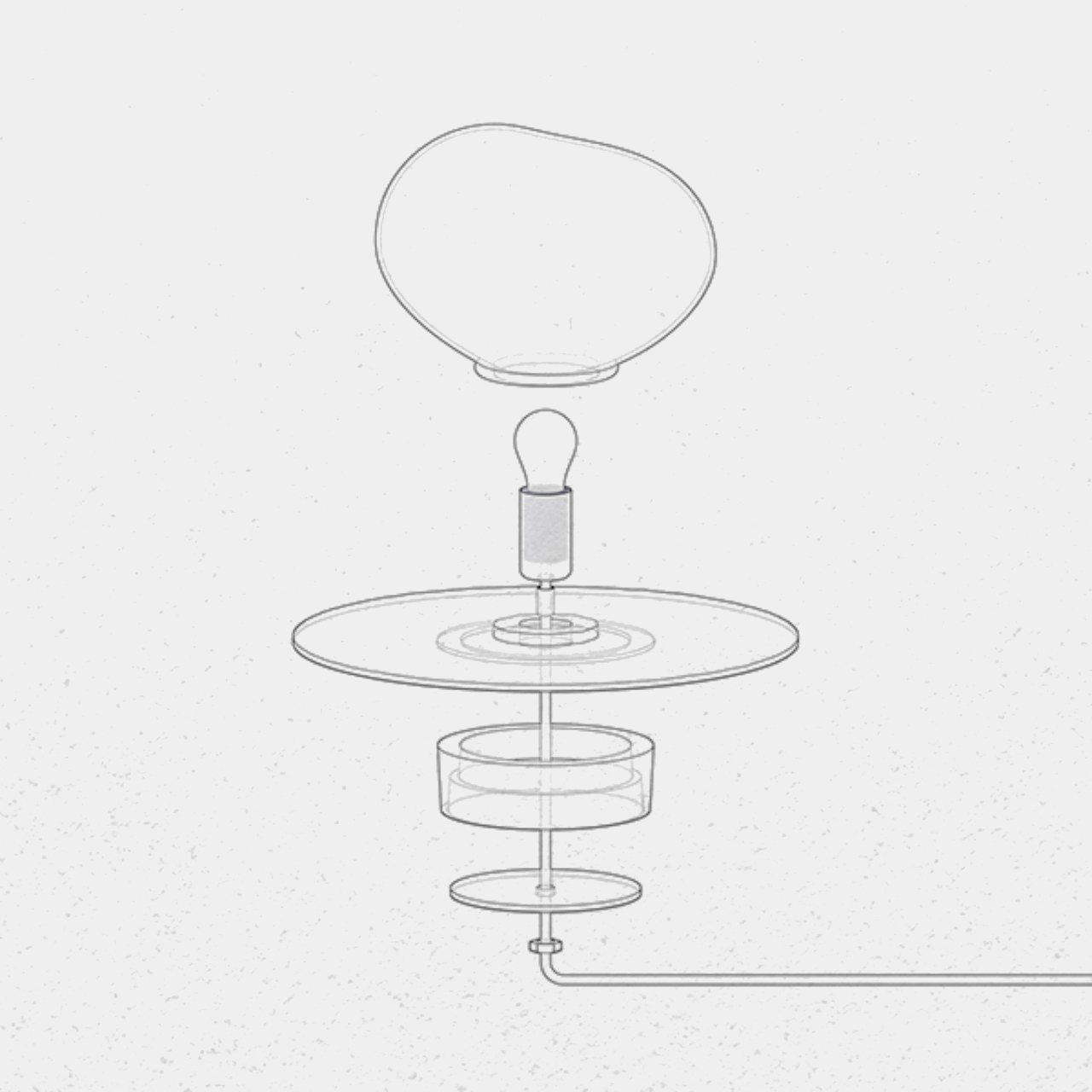
PEEKA is a table lamp that tries to recreate that feeling every time you look at it. Its main structure is an uneven glass sphere that might remind one of a bubble, one that gently floats to the ground and settles for a few seconds before suddenly popping, often causing surprise and a burst of giggles from children. The glass, which transitions from murky bottom to clear top, diffuses the bulb’s light inside while also adding specular reflections that give the bubble a magical appearance.
The lamp is set on a cast aluminum base in the shape of a very thin disc. It serves as the “ground” on which the bubble rests, its dark and cold surface contrasting with the warmth of the glass. The composition is also meant to capture the image of a fairy popping its head out of the ground to explore the human world, another playful picture that’s sure to bring a smile to anyone imagining it.
Aside from its unique associations, PEEKA is also a work of art and craftsmanship. The blown glass and cast aluminum are carefully made and polished by hand, resulting in minute imperfections that actually add to the design’s charm. The contrasting glass and metal materials also result in a striking combination that adds beauty and, in a way, magic to any room the lamp stays in.
If you’re interested in capturing drone footage of various locations around the world without the need to physically travel or even operate a drone, Teacher’s Tech has shared a unique method that you might find interesting. This technique allows you to effortlessly generate drone footage of any location globally, eliminating the necessity of owning a […]
Long before Gmail became smart enough to finish your sentences, Google’s now-ubiquitous email service was buttering up the public for a fate that defined the internet age: if you’re not paying for the product, you are the product.
When Gmail was announced on April 1, 2004, its lofty promises and the timing of its release reportedly had people assuming it was a joke. It wasn’t the first web-based email provider — Hotmail and Yahoo! Mail had already been around for years — but Gmail was offering faster service, automatic conversation grouping for messages, integrated search functions and 1GB of storage, which was at the time a huge leap forward in personal cloud storage. Google in its press release boasted that a gigabyte was “more than 100 times” what its competitors offered. All of that, for free.
Except, as Gmail and countless tech companies in its wake have taught us, there’s no such thing as free. Using Gmail came with a tradeoff that’s now commonplace: You get access to its service, and in exchange, Google gets your data. Specifically, its software could scan the contents of account holders’ emails and use that information to serve them personalized ads on the site’s sidebar. For better or worse, it was a groundbreaking approach.
“Depending on your take, Gmail is either too good to be true, or it’s the height of corporate arrogance, especially coming from a company whose house motto is ‘Don’t Be Evil,’” tech journalist Paul Boutin wrote for Slate when Gmail launched. (Boutin, one of its early media testers, wrote favorably about Google’s email scanning but suggested the company implement a way for users to opt out lest they reject it entirely.)
There was immediate backlash from those who considered Gmail to be a privacy nightmare, yet it grew — and generated a lot of hype, thanks to its invite-only status in the first few years, which spurred a reselling market for Gmail invitations at upwards of $150 a pop, according to TIME. Google continued its ad-related email scanning practices for over a decade, despite the heat, carrying on through Gmail’s public rollout in 2007 and well into the 2010s, when it really started gaining traction.
And why not? If Gmail proved anything, it was that people would, for the most part, accept such terms. Or at least not care enough to read the fine-print closely. In 2012, Gmail became the world’s largest email service, with 425 million active users.
Other sites followed Google’s lead, baking similar deals into their terms of service, so people’s use of the product would automatically mean consent to data collection and specified forms of sharing. Facebook started integrating targeted ads based on its users’ online activities in 2007, and the practice has since become a pillar of social media’s success.
Things have changed a lot in recent years, though, with the rise of a more tech-savvy public and increased scrutiny from regulators. Gmail users on multiple occasions attempted to bring about class-action lawsuits over the scanning issue, and in 2017, Google finally caved. That year, the company announced that regular Gmail users’ emails would no longer be scanned for ad personalization (paid enterprise Gmail accounts already had this treatment).
Google, of course, still collects users’ data in other ways and uses the information to serve hyper-relevant ads. It still scans emails too, both for security purposes and to power some of its smart features. And the company came under fire again in 2018 after The Wall Street Journal revealed it was allowing third-party developers to trawl users’ Gmail inboxes, to which Google responded by reminding users it was within their power to grant and revoke those permissions. As CNET reporters Laura Hautala and Richard Nievawrote then, Google’s response more or less boiled down to: “This is what you signed up for.”
Really, what users signed up for was a cutting-edge email platform that ran laps around the other services at the time, and in many ways still does. It made the privacy concerns, for some, easier to swallow. From its inception, Gmail set the bar pretty high with its suite of free features. Users could suddenly send files of up to 25MB and check their email from anywhere as long as they had access to an internet connection and a browser, since it wasn’t locked to a desktop app.
It popularized the cloud as well as the Javascript technique AJAX, Wired noted in a piece for Gmail’s 10-year anniversary. This made Gmail dynamic, allowing the inbox to automatically refresh and surface new messages without the user clicking buttons. And it more or less did away with spam, filtering out junk messages.
Still, when Gmail first launched, it was considered by many to be a huge gamble for Google — which had already established itself with its search engine. “A lot of people thought it was a very bad idea, from both a product and a strategic standpoint,” Gmail creator Paul Buchheit told TIME in 2014. “The concern was this didn’t have anything to do with web search.”
Things obviously worked out alright, and Gmail’s dominion has only strengthened. Gmail crossed the one billion user mark in 2016, and its numbers have since doubled. It’s still leading the way in email innovation, 20 years after it first went online, integrating increasingly advanced features to make the process of receiving and responding to emails (which, let’s be honest, is a dreaded daily chore for a lot of us) much easier. Gmail may eventually have changed its approach to data collection, but the precedent it set is now deeply enmeshed in the exchange of services on the internet; companies take what data they can from consumers while they can and ask for forgiveness later.
This article originally appeared on Engadget at https://www.engadget.com/from-its-start-gmail-conditioned-us-to-trade-privacy-for-free-services-120009741.html?src=rss
Long before Gmail became smart enough to finish your sentences, Google’s now-ubiquitous email service was buttering up the public for a fate that defined the internet age: if you’re not paying for the product, you are the product.
When Gmail was announced on April 1, 2004, its lofty promises and the timing of its release reportedly had people assuming it was a joke. It wasn’t the first web-based email provider — Hotmail and Yahoo! Mail had already been around for years — but Gmail was offering faster service, automatic conversation grouping for messages, integrated search functions and 1GB of storage, which was at the time a huge leap forward in personal cloud storage. Google in its press release boasted that a gigabyte was “more than 100 times” what its competitors offered. All of that, for free.
Except, as Gmail and countless tech companies in its wake have taught us, there’s no such thing as free. Using Gmail came with a tradeoff that’s now commonplace: You get access to its service, and in exchange, Google gets your data. Specifically, its software could scan the contents of account holders’ emails and use that information to serve them personalized ads on the site’s sidebar. For better or worse, it was a groundbreaking approach.
“Depending on your take, Gmail is either too good to be true, or it’s the height of corporate arrogance, especially coming from a company whose house motto is ‘Don’t Be Evil,’” tech journalist Paul Boutin wrote for Slate when Gmail launched. (Boutin, one of its early media testers, wrote favorably about Google’s email scanning but suggested the company implement a way for users to opt out lest they reject it entirely.)
There was immediate backlash from those who considered Gmail to be a privacy nightmare, yet it grew — and generated a lot of hype, thanks to its invite-only status in the first few years, which spurred a reselling market for Gmail invitations at upwards of $150 a pop, according to TIME. Google continued its ad-related email scanning practices for over a decade, despite the heat, carrying on through Gmail’s public rollout in 2007 and well into the 2010s, when it really started gaining traction.
And why not? If Gmail proved anything, it was that people would, for the most part, accept such terms. Or at least not care enough to read the fine-print closely. In 2012, Gmail became the world’s largest email service, with 425 million active users.
Other sites followed Google’s lead, baking similar deals into their terms of service, so people’s use of the product would automatically mean consent to data collection and specified forms of sharing. Facebook started integrating targeted ads based on its users’ online activities in 2007, and the practice has since become a pillar of social media’s success.
Things have changed a lot in recent years, though, with the rise of a more tech-savvy public and increased scrutiny from regulators. Gmail users on multiple occasions attempted to bring about class-action lawsuits over the scanning issue, and in 2017, Google finally caved. That year, the company announced that regular Gmail users’ emails would no longer be scanned for ad personalization (paid enterprise Gmail accounts already had this treatment).
Google, of course, still collects users’ data in other ways and uses the information to serve hyper-relevant ads. It still scans emails too, both for security purposes and to power some of its smart features. And the company came under fire again in 2018 after The Wall Street Journal revealed it was allowing third-party developers to trawl users’ Gmail inboxes, to which Google responded by reminding users it was within their power to grant and revoke those permissions. As CNET reporters Laura Hautala and Richard Nievawrote then, Google’s response more or less boiled down to: “This is what you signed up for.”
Really, what users signed up for was a cutting-edge email platform that ran laps around the other services at the time, and in many ways still does. It made the privacy concerns, for some, easier to swallow. From its inception, Gmail set the bar pretty high with its suite of free features. Users could suddenly send files of up to 25MB and check their email from anywhere as long as they had access to an internet connection and a browser, since it wasn’t locked to a desktop app.
It popularized the cloud as well as the Javascript technique AJAX, Wired noted in a piece for Gmail’s 10-year anniversary. This made Gmail dynamic, allowing the inbox to automatically refresh and surface new messages without the user clicking buttons. And it more or less did away with spam, filtering out junk messages.
Still, when Gmail first launched, it was considered by many to be a huge gamble for Google — which had already established itself with its search engine. “A lot of people thought it was a very bad idea, from both a product and a strategic standpoint,” Gmail creator Paul Buchheit told TIME in 2014. “The concern was this didn’t have anything to do with web search.”
Things obviously worked out alright, and Gmail’s dominion has only strengthened. Gmail crossed the one billion user mark in 2016, and its numbers have since doubled. It’s still leading the way in email innovation, 20 years after it first went online, integrating increasingly advanced features to make the process of receiving and responding to emails (which, let’s be honest, is a dreaded daily chore for a lot of us) much easier. Gmail may eventually have changed its approach to data collection, but the precedent it set is now deeply enmeshed in the exchange of services on the internet; companies take what data they can from consumers while they can and ask for forgiveness later.
This article originally appeared on Engadget at https://www.engadget.com/from-its-start-gmail-conditioned-us-to-trade-privacy-for-free-services-120009741.html?src=rss
Google’s AI studio has recently become available to the general public, offering a range of advanced features through its developer interface. The platform includes access to the Gemini 1.5 Pro model, notable for its 1 million tokens of context, which significantly exceeds the capacity of other models like GPT-3.5 and GPT-4. The interface is designed […]
Irrespective if you’re working at home or in commercial life, both these scenarios involve a desk! A desk is probably one of the most important pieces of furniture in our modern lives, only because we spend the majority of our day on it. You may be typing away to glory, munching away on a snack, or simply fidgeting with a random object – you do end up spending hours on your desk. And hence, your desk must be neat, tidy, and uncluttered. Not only will this improve your work routine and productivity, but it will also help you maintain a clearer and more streamlined mindset. And, I’ve discovered that adding limited, quality, and innovative products to my desk setup can help me in achieving these goals! And if they’re Japanese products then rest assured they’re gonna be minimal, functional, and ergonomic. And we’ve curated a collection of smart and well-designed desk gear to help you achieve peak productivity. Happy working!
1. Levitating Pen 3.0
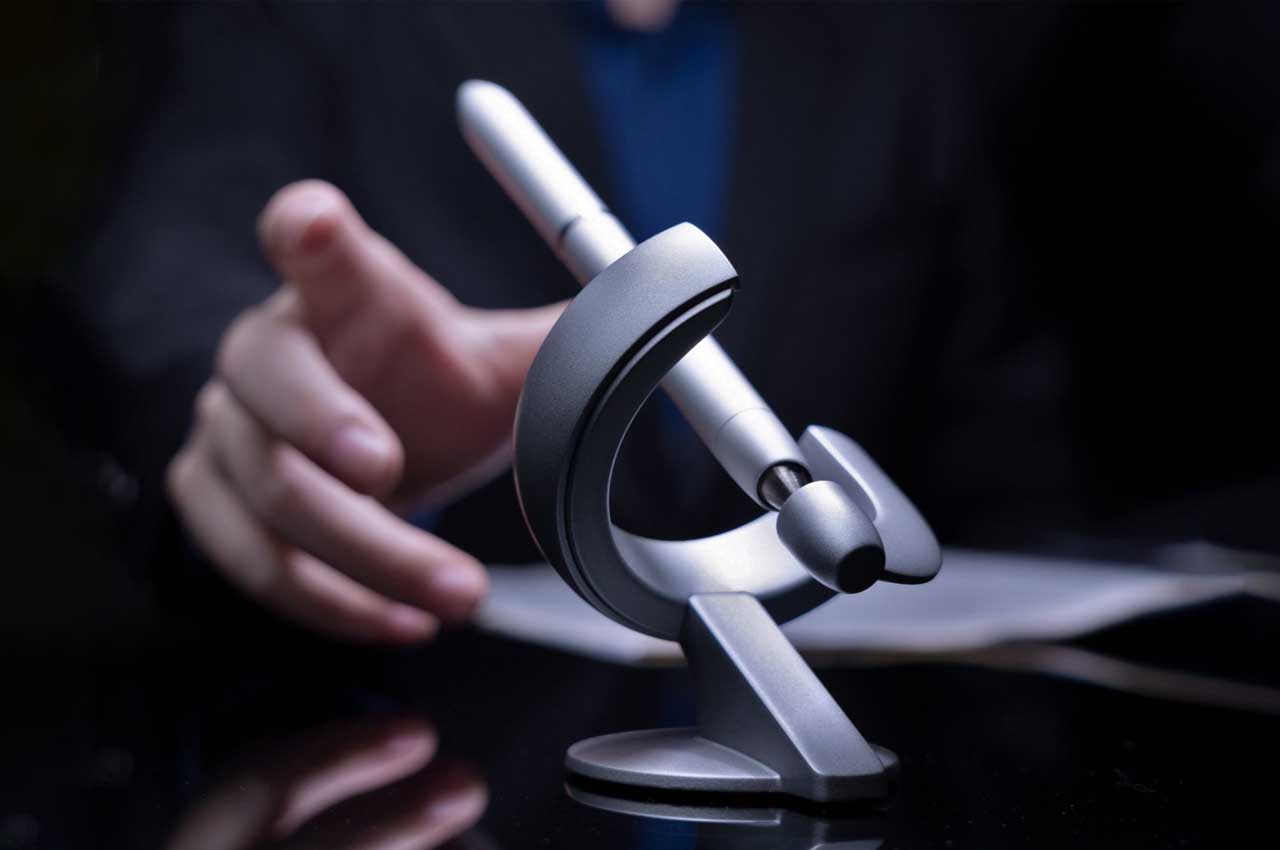
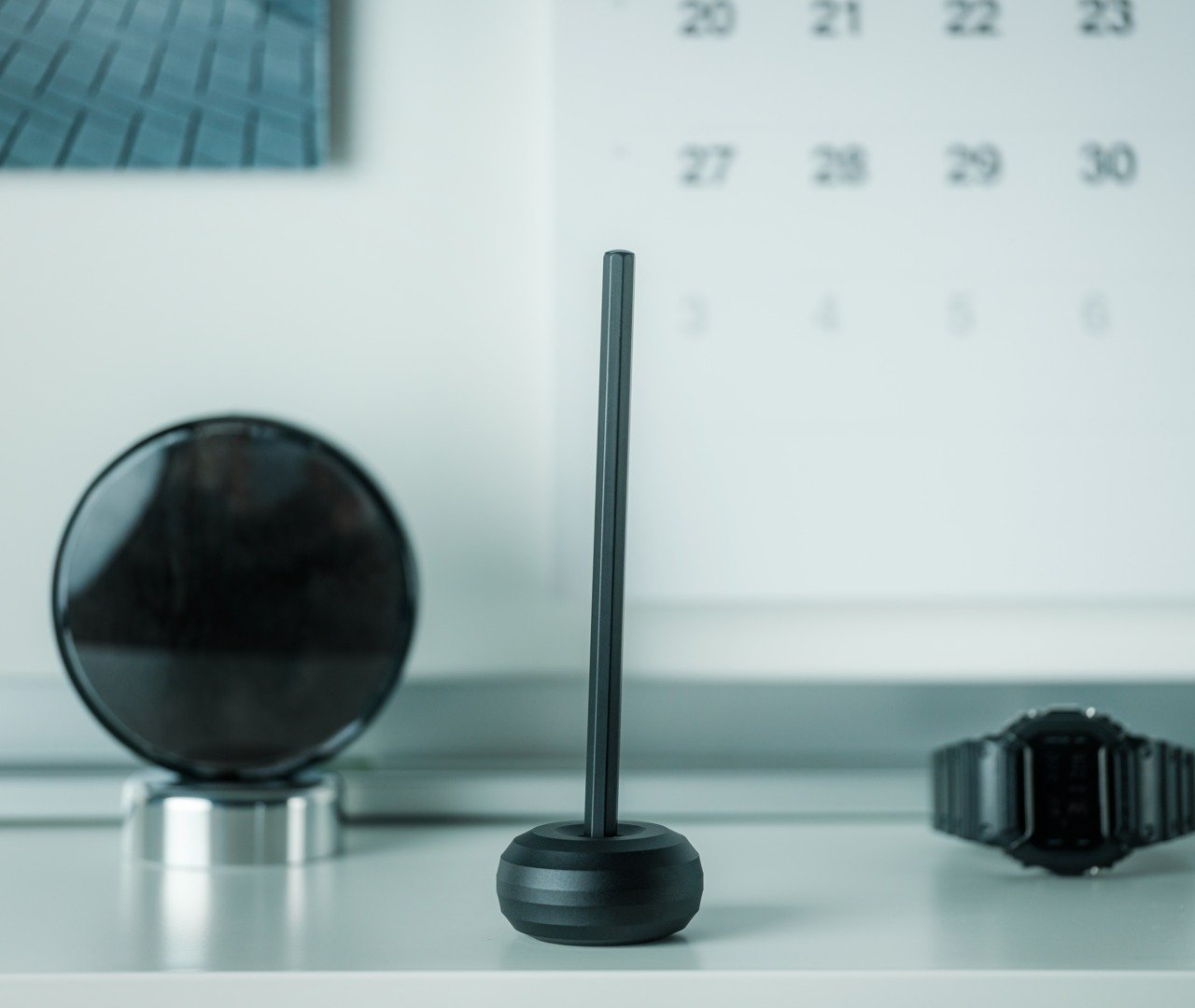
Dubbed the Levitating Pen, this sleek writing accessory features a Schmidt ballpoint cartridge, letting you hold it with ease, and write seamlessly and smoothly. The pen floats at a 60-degree angle when it is resting in its specially designed stand, which instantly reminds you of a spacecraft floating about in the galaxy!
This good-looking pen can be placed in its magnetized holder, which keeps it floating in position. You simply need to give the pen a little twist, and it will spin for 20 seconds, letting you have a playful experience with it.
What we like
Easy and sturdy to hold and use
Spinning the pen can be a fun stress-busting activity for you
What we dislike
When placed on a curved surface the pen can easily roll off, so you need to keep it aside with care
2. Bookish Bookmark
Have you ever found yourself browsing through your favorite book on your desk, and you want to leave it open while you quickly grab a snack or a drink, but you can’t find anything to mark your place with?! Well, this is where the Bookish Bookmark comes in. It is a unique acrylic bookmark that also looks like a book!
The second you look at the Bookish Bookmark, you know it is no ordinary bookmark. It is created to sit on your book, keeping it open for you as you sip some coffee, or chomp down on your favorite snacks. It lets you read while conducting other activities, but also ensures that the natural curved form of your book isn’t harmed.
What we like
Protects the natural curved form of your book, doesn’t damage its binding or ruin its shape
Lets you multitask while reading, you can sew or cook!
What we dislike
If you place the bookmark on your desk unused, it won’t lay completely flat
3. Serenity Pen Stand
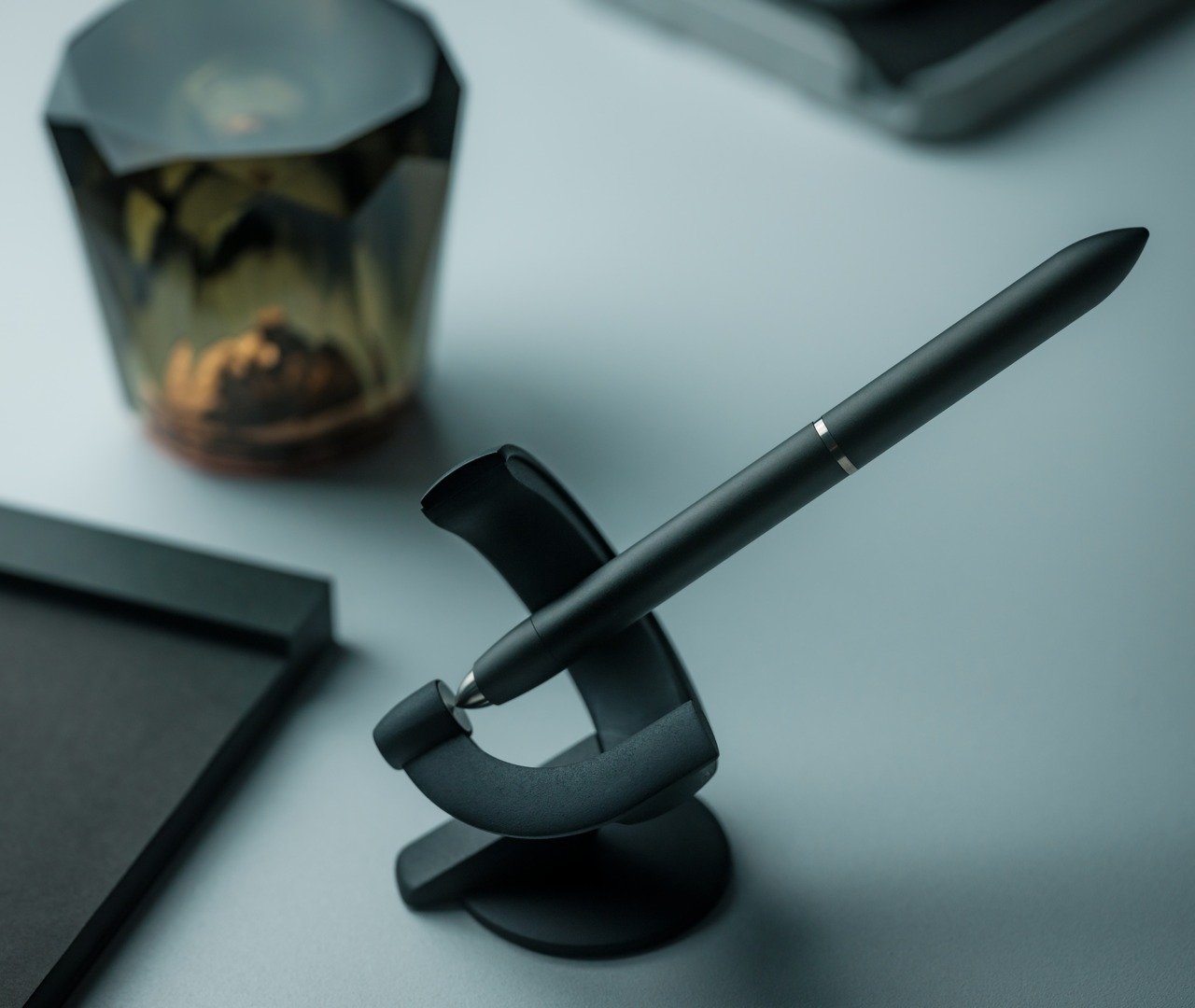
Called the Serenity Pen Stand, this Japanese minimalist design exudes a metallic hint and is created to hold your pen upright, keeping it ready to use. This pen stand ensures that you never really lose your pen, since pens can be easy to misplace, it keeps your pen in sight always.
This minimal and sleek pen stand offers constant easy access to your pen, and making sure that you never lose it. Made using aluminum and copper, it functions as a well-balanced cylinder, that is designed to add a pop of personality and Japanese design ethos to your desk.
What we like
Features a sleek minimal design that is easy to set up, use, and carry
Equipped with a heavy copper bottom, offering a stable form
What we dislike
Since the pen stand is quite minimal and compact, it can be easily misplaced
There aren’t many color options to choose from
4. World Clock
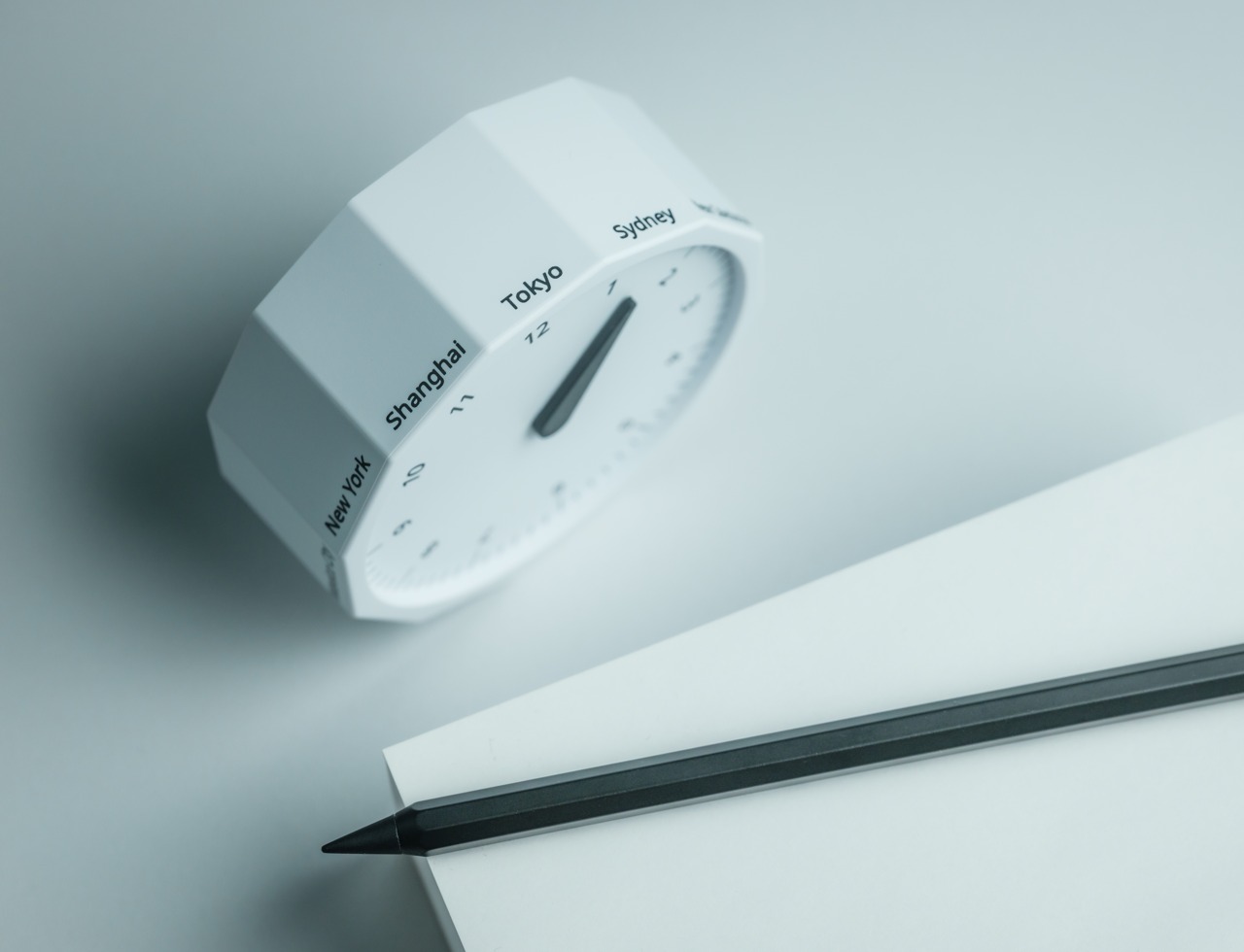
If you’re someone who always ends up procrastinating, and often loses track of time, then the World Clock is what you need on your desk. It isn’t your everyday desk clock, and it has a unique dodecagonal shape with a single hand and a minimalist face. The innovative clock presents 12 time zones!
With a unique design and form, the World Clock not only offers the correct information about your country, but also extra details on the time in other parts of the world. At first glance, you can tell the hour, but with a closer look, you can figure out which quarter of the hour it is.
What we like
Has 12 sides with individual markings for a city that represents a certain timezone
What we dislike
It features only 12 set time zones, so you will be missing out on some time zones
5. Mecricco Catch
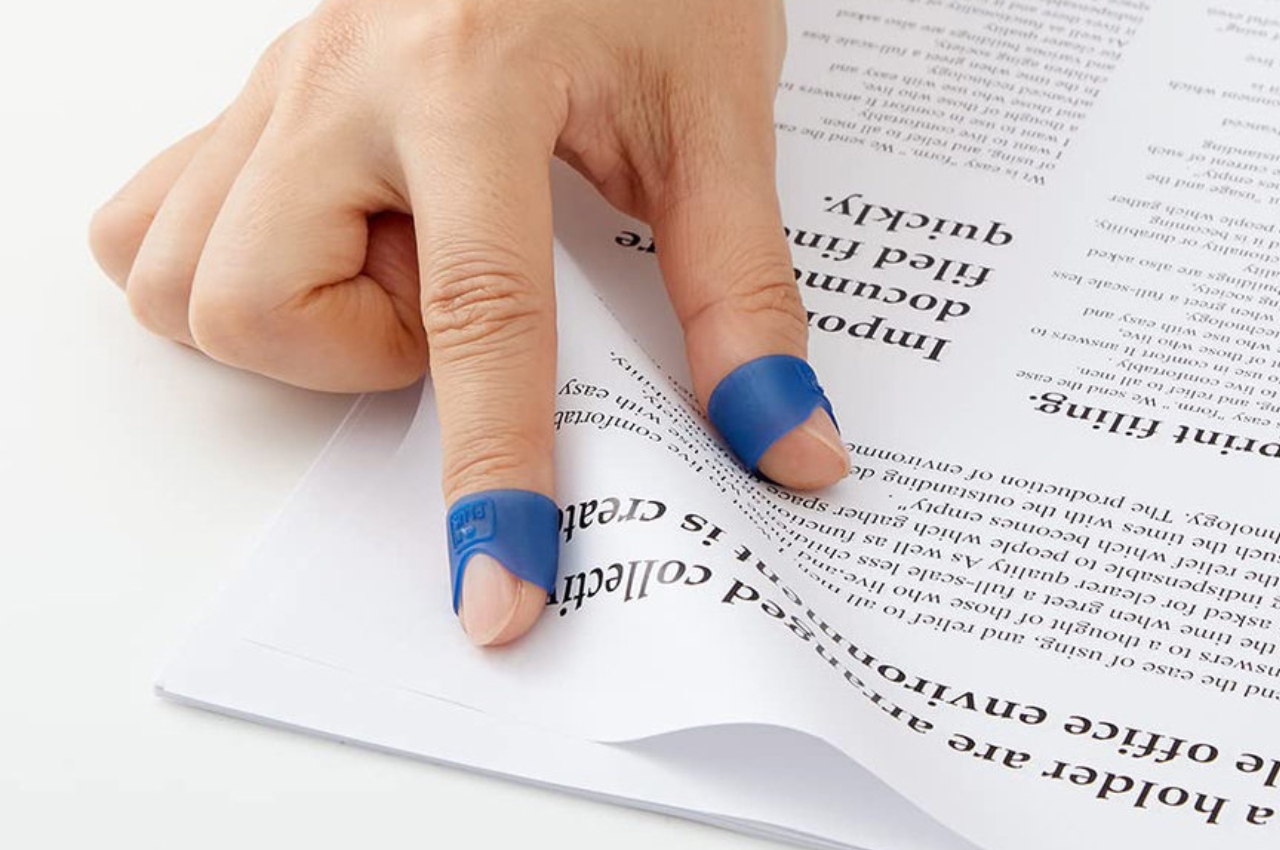
Called the Mecricco Catch, these elastic page-turning aids are designed by Plus, and let you turn your paper products with ease. The aids feature an outer rib, which lets you hold the paper firmly, while the inner rib doesn’t let your fingers slip while you’re flipping through pages.
Why is it noteworthy?
These page-turning aids have a concave curve at the bottom, which lets you move your fingers around as you flip through pages. It has holes that offer ventilation, giving your fingers some room to breathe.
What we like
An excellent option for those who have fancy nail jobs, and need to protect their fingers as they flip through pages
What we dislike
Not a necessary item, if you’ve gone completely digital
6. The Scissors w/ Base
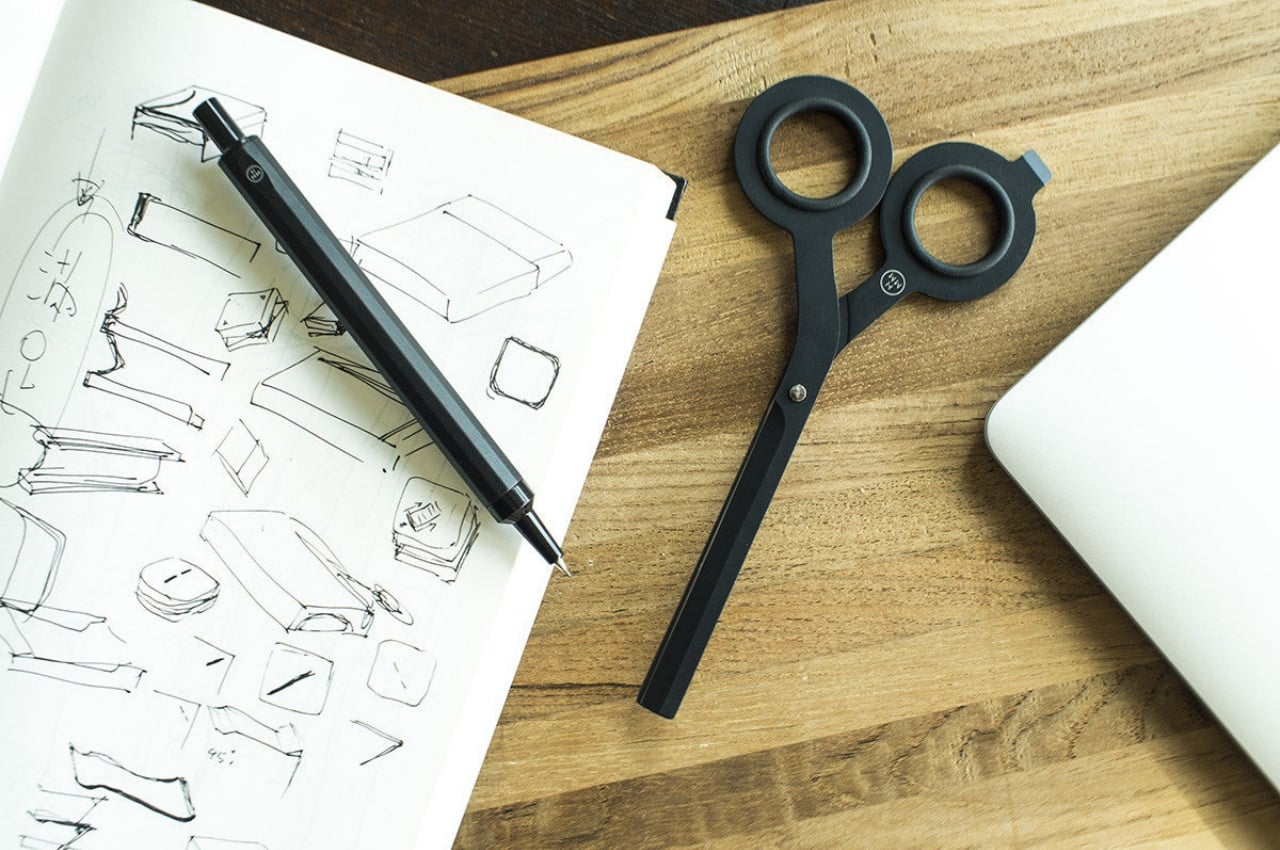
Dubbed the Scissors w/ Base, these unique scissors are equipped with a magnetic base which makes the design a cutting-edge one. This innovative design allows you to completely reshape and jazz up your workspace organization, making sure your scissors aren’t lying around creating clutter.
The scissors’ feature a magnet base which is a total game-changer, snagging a VIP spot on your desk. They are crafted from lustrous Japanese steel, and besides functioning as a pretty nifty tool, they also make a sleek and good-looking addition to your desk decor.
What we like
The magnetic base can be utilized as a dedicated spot for your scissors
Equipped with a built-in cutter, which is quite an innovative forward-thinking detail we appreciate
What we dislike
Cannot function as an alternative to the heavy-duty scissors you need for difficult tasks
7. Effortless Standing Letter Cutter
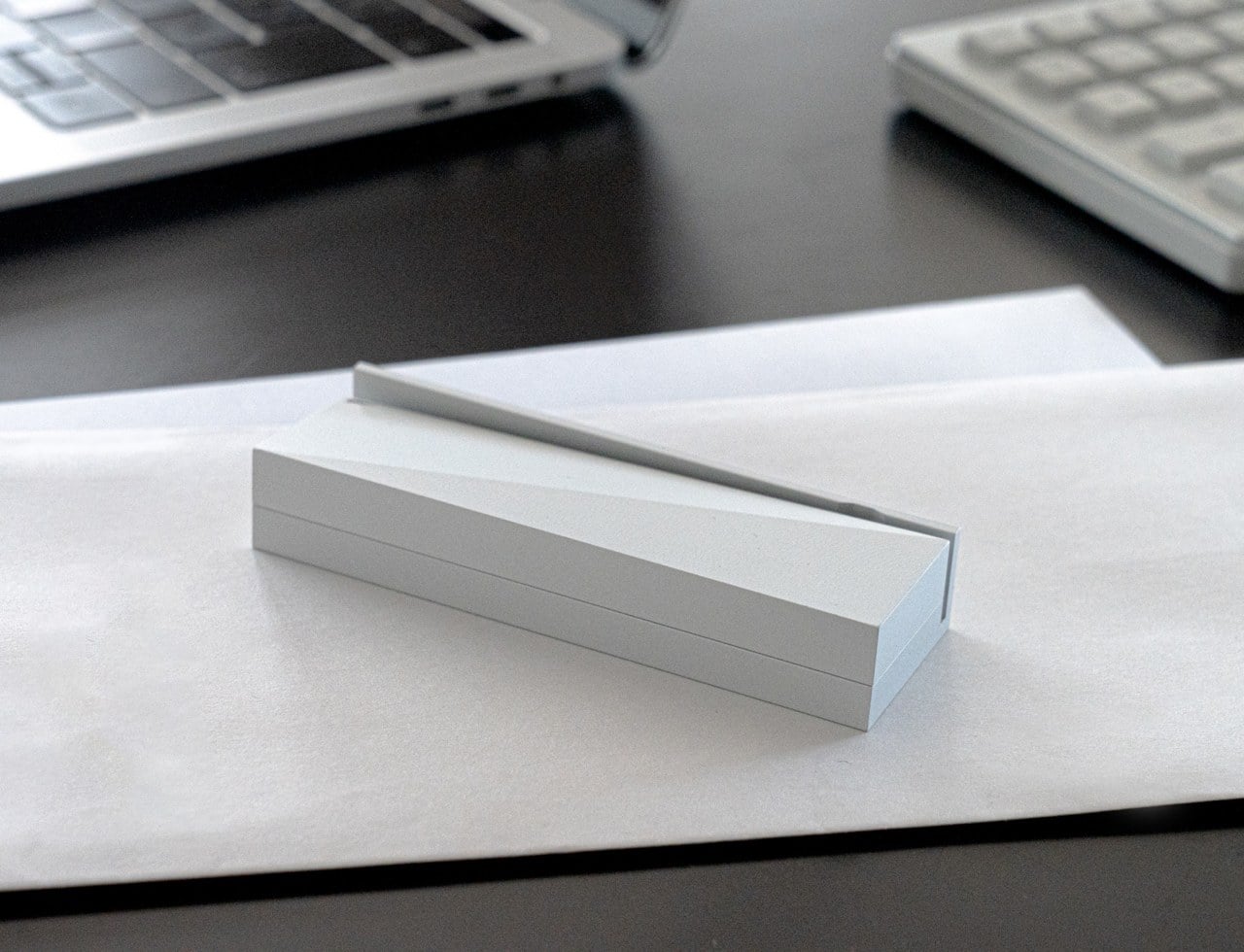
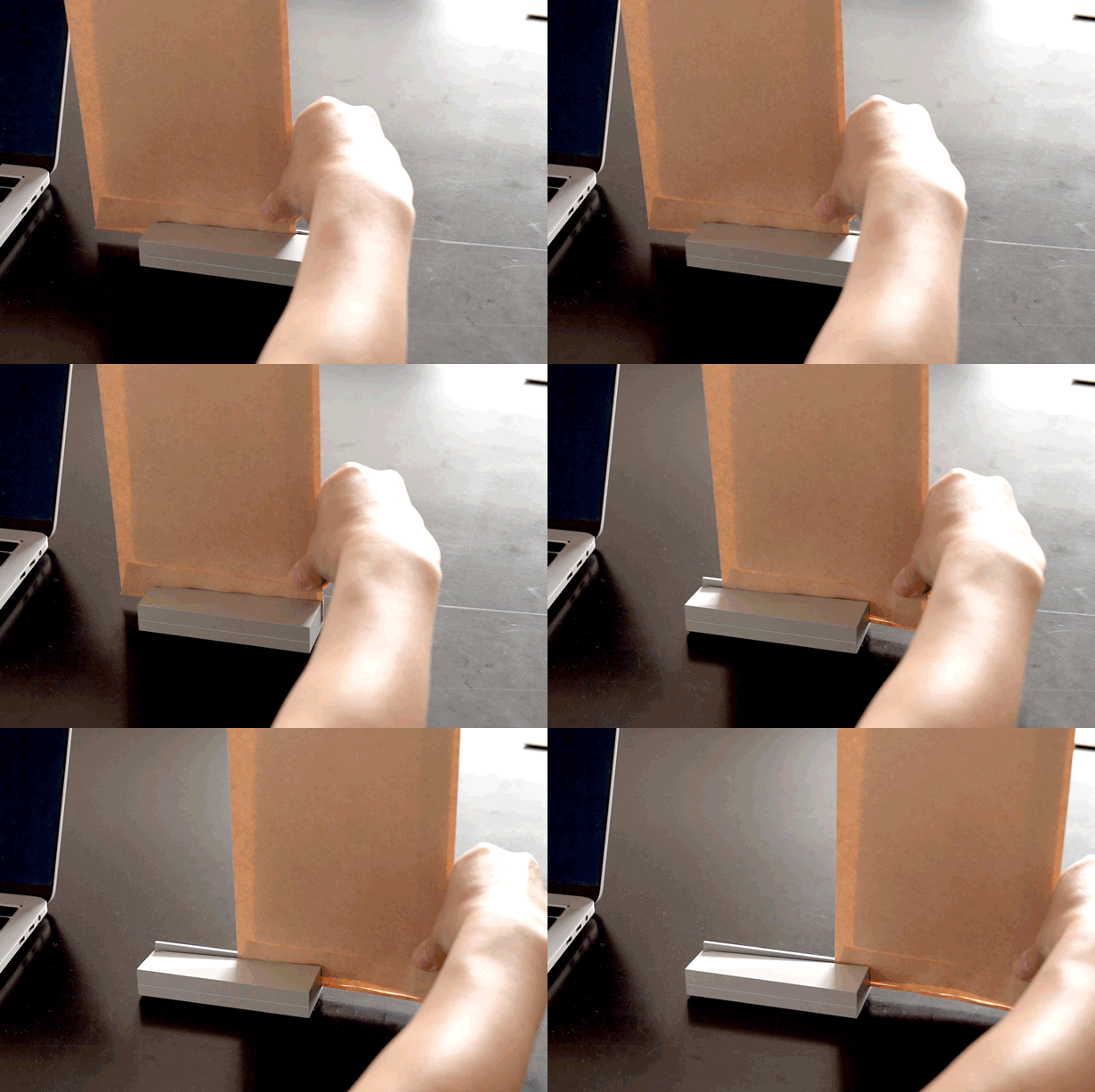
Dubbed the Effortless Standing Letter Cutter, this nifty tool is something you defo need on your work desk. This simple tool can totally elevate your daily productivity and ensure you have a clean and well-maintained desk. The letter cutter also doubles up as a paperweight!
The Effortless Standing Letter Cutter completely transforms an ordinary and standard office tool. You can cut through paper efficiently and effectively, while also functioning as a paperweight. It is an excellent solution for boosting productivity!
What we like
The letter cutter cuts precisely leaving no mess behind
Doubles up as a paperweight as well, maintaining an organized desk
What we dislike
The letter cutter is not versatile enough to deal with intricate mail or bulkier packages
8. Everlasting All-Metal Pencil
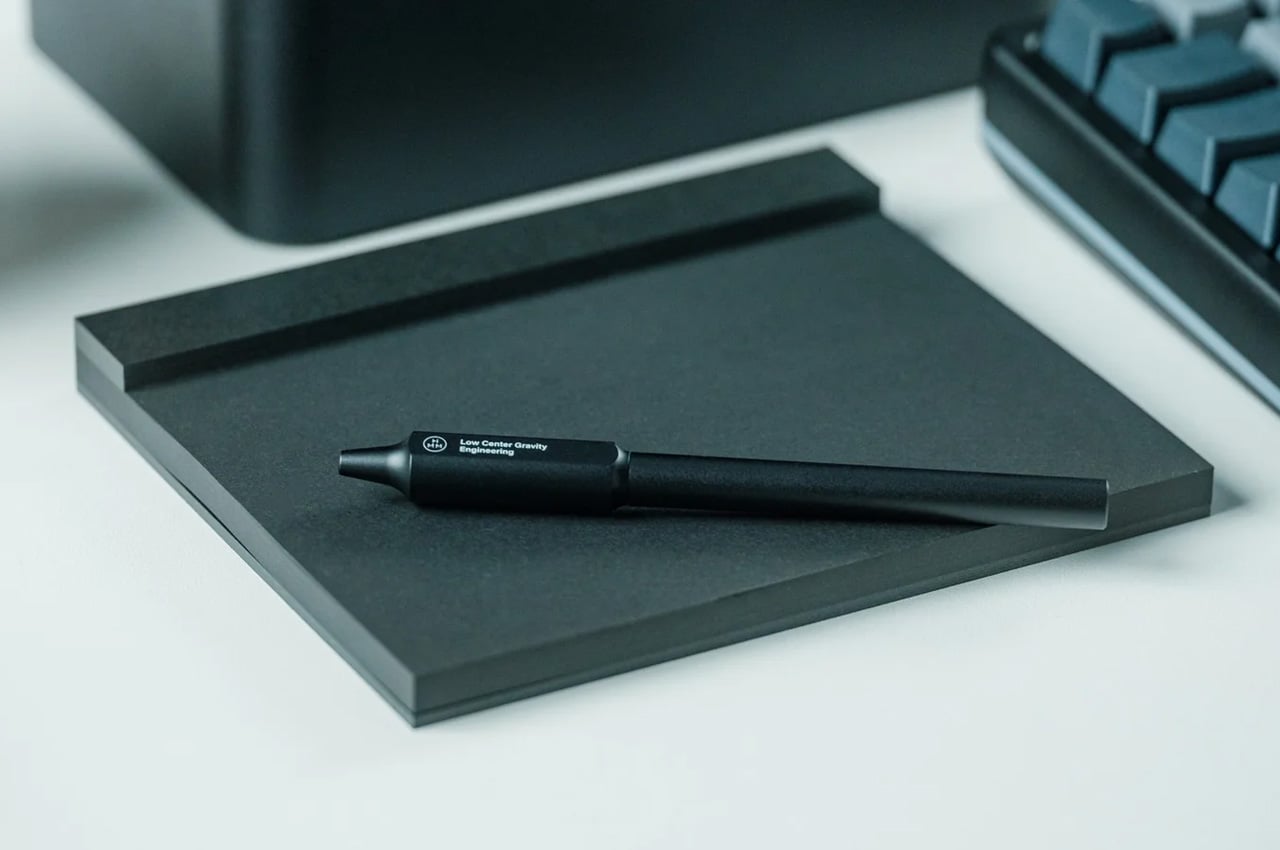
Called the Everlasting All-Metal Pencil, this little pencil is an essential addition to your work desk. You can now bid farewell to the mundane cycle of pencil sharpening and dealing with annoying mechanical leads. You can harness creative ideas, and let them flow freely without any hindrance.
This special pencil has been crafted with a special alloy core and has an aluminum body that doesn’t need to be sharpened. This pencil is a durable and practical writing instrument, and it leaves marks without causing any wear or tear to the core.
What we like
Can be easily erased with regular erases
Offers a seamless and smooth writing experience
What we dislike
Doesn’t offer the same grip and comfort as traditional wooden pencils
9. Japanese Drawing Pad
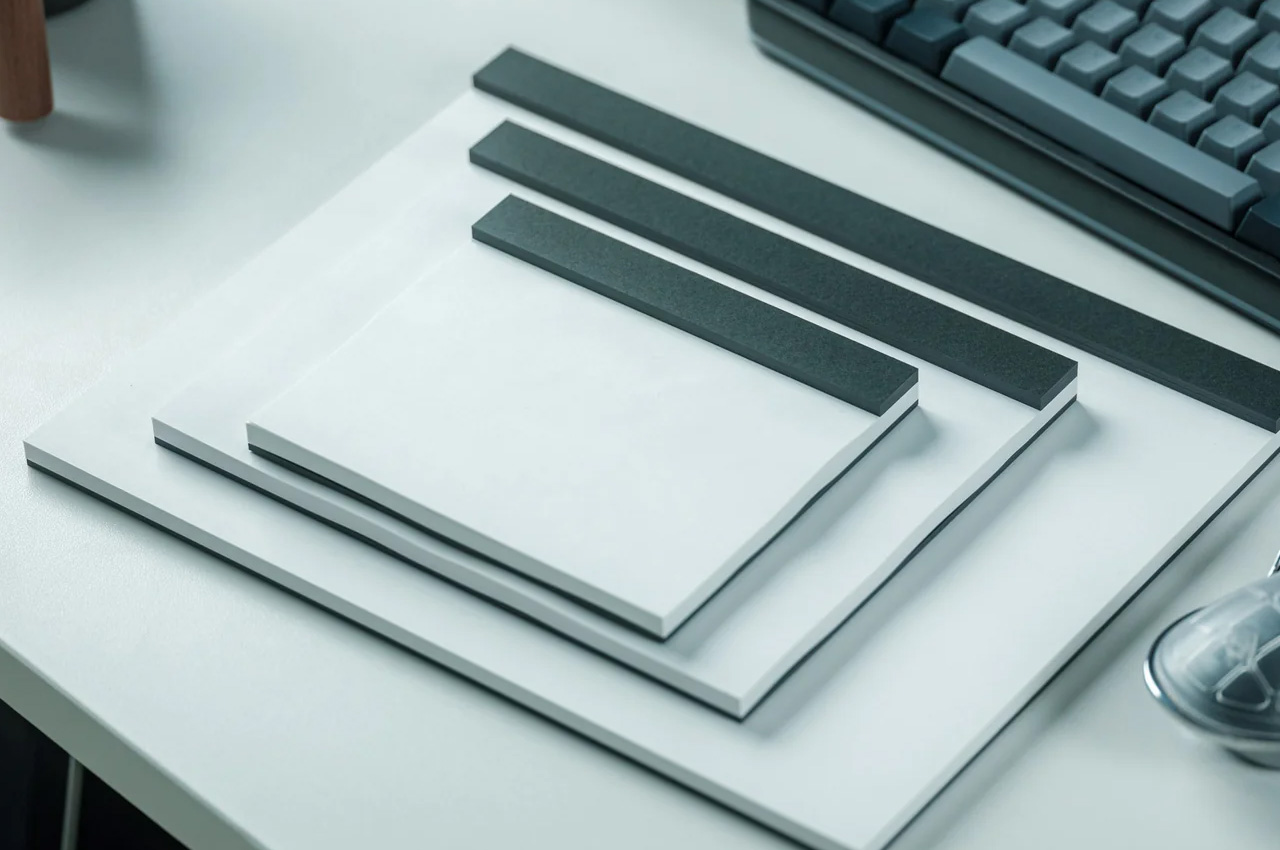
Japanese paper is known for its stunning and premium quality and is quite loved by designers and artists. If you want to add some beautiful Japanese paper to your workdesk, then you need to get your hands on the Japanese Drawing Pad!
This premium-quality pad allows you to jot down your thoughts and ideas without the fear of damaging the durable paper fibers. The pad builds an engaging, smooth, and relaxing writing experience.
What we like
The paper is micro-perforated, which makes the paper to tear
The pad is available in various colors and sizes, so you can pick the one that suits your drawing needs
What we dislike
Aesthetically it looks like an ordinary pad, but the high quality is an experience, nothing something that can be seen
10. ASMR Zen Ball
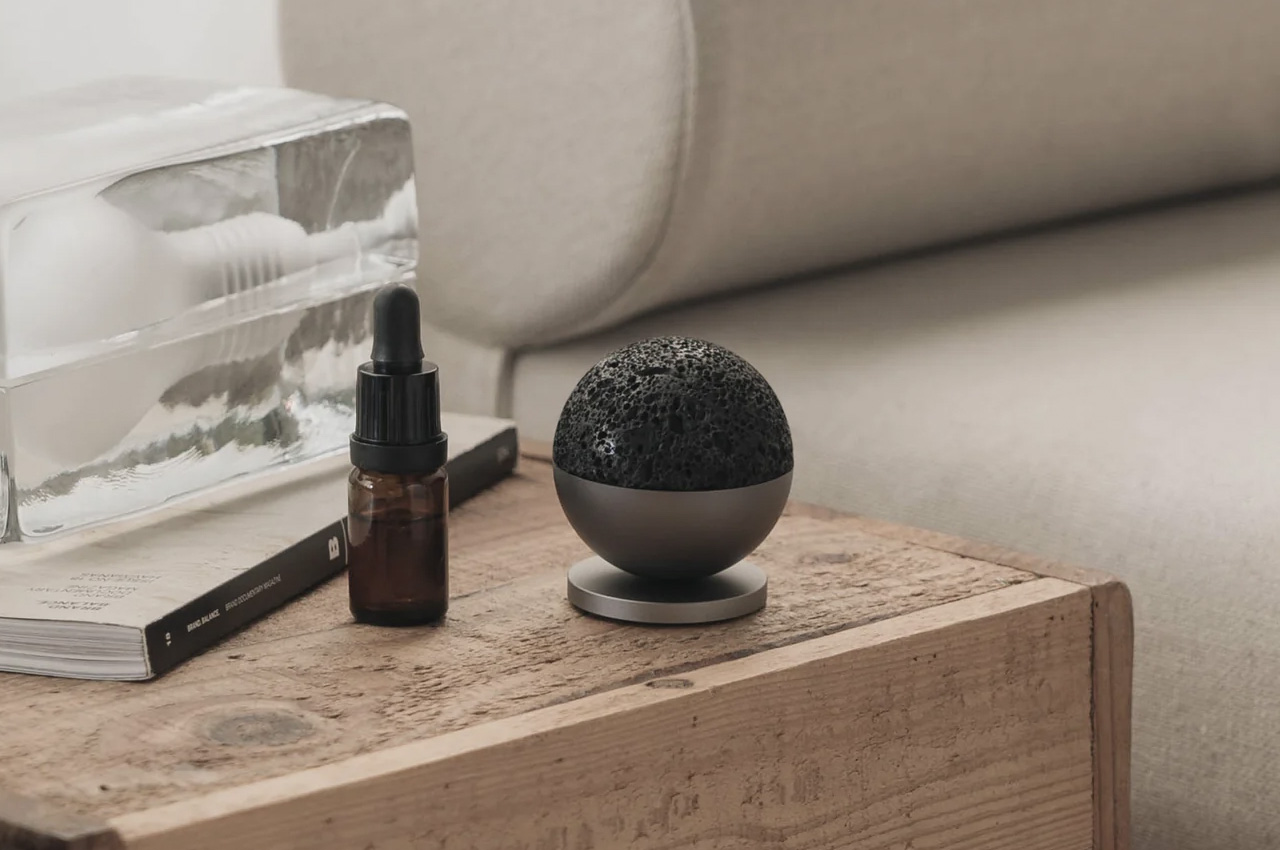
This cute-looking ball is called the ASMR Zen Ball, and it merges natural and engineered elements to build a space-inspired design that offers a calming experience to its users. It has a meteorite-inspired porous surface which can serve as an excellent absorbent surface for your aroma oils as well.
It is crafted from genuine volcanic stone and matte aluminum alloy. It also doubles up as a fidget toy, which offers an interactive experience, allowing users to connect with the natural energy of the earth.
What we like
Functions as a fidget toy as well, which offers sensory stimulation
What we dislike
If the ball is not attached to the base, it can get rolling due to accidental bumps
In October, Microsoft unbundled Teams from Microsoft 365 and Office 365 suites in the European Union and Switzerland to avoid potential fines. Now, the company is expanding this offering, selling Microsoft Teams separately from Microsoft 365 and Office 365 worldwide, Reuters reports. "Doing so also addresses feedback from the European Commission by providing multinational companies more flexibility when they want to standardise their purchasing across geographies," a Microsoft spokesperson told the publication.
Current users can now choose to keep their current deal or switch to one of the separate offerings — especially helpful for anyone who uses the Office suite but prefers another communication service like Zoom or Google Meet. Commercial customers new to Microsoft's offerings can pick up Teams on its own for $5.25, while Office sans Teams is going for anywhere from $7.75 to $54.75.
Microsoft's journey to unbundling Teams and Office started in 2020 when Slack filed an antitrust complaint with the EU. The now Salesforce-owned company alleged that it was illegal to include Teams in the Office suite and that Microsoft was blocking customers from removing the chat platform. The European Commission has subsequently been investigating this matter, with Microsoft announcing in April 2023 that it would separate Teams from Microsoft 35 and Office 365. Though the move went into effect last fall, Microsoft is still at risk of owing the EU a hefty fine if found to have broken antitrust laws.
This article originally appeared on Engadget at https://www.engadget.com/microsoft-unbundles-teams-and-office-365-for-customers-worldwide-111031996.html?src=rss
In October, Microsoft unbundled Teams from Microsoft 365 and Office 365 suites in the European Union and Switzerland to avoid potential fines. Now, the company is expanding this offering, selling Microsoft Teams separately from Microsoft 365 and Office 365 worldwide, Reuters reports. "Doing so also addresses feedback from the European Commission by providing multinational companies more flexibility when they want to standardise their purchasing across geographies," a Microsoft spokesperson told the publication.
Current users can now choose to keep their current deal or switch to one of the separate offerings — especially helpful for anyone who uses the Office suite but prefers another communication service like Zoom or Google Meet. Commercial customers new to Microsoft's offerings can pick up Teams on its own for $5.25, while Office sans Teams is going for anywhere from $7.75 to $54.75.
Microsoft's journey to unbundling Teams and Office started in 2020 when Slack filed an antitrust complaint with the EU. The now Salesforce-owned company alleged that it was illegal to include Teams in the Office suite and that Microsoft was blocking customers from removing the chat platform. The European Commission has subsequently been investigating this matter, with Microsoft announcing in April 2023 that it would separate Teams from Microsoft 35 and Office 365. Though the move went into effect last fall, Microsoft is still at risk of owing the EU a hefty fine if found to have broken antitrust laws.
This article originally appeared on Engadget at https://www.engadget.com/microsoft-unbundles-teams-and-office-365-for-customers-worldwide-111031996.html?src=rss
Apple has recently released iOS 17.4.1 and although not the smoothest release, its a significant update that not only addresses various issues but also introduces a range of new features designed to enhance the user experience for iPhone owners. One of the most notable changes in iOS 17.4.1 is the introduction of iPhone app sideloading […]