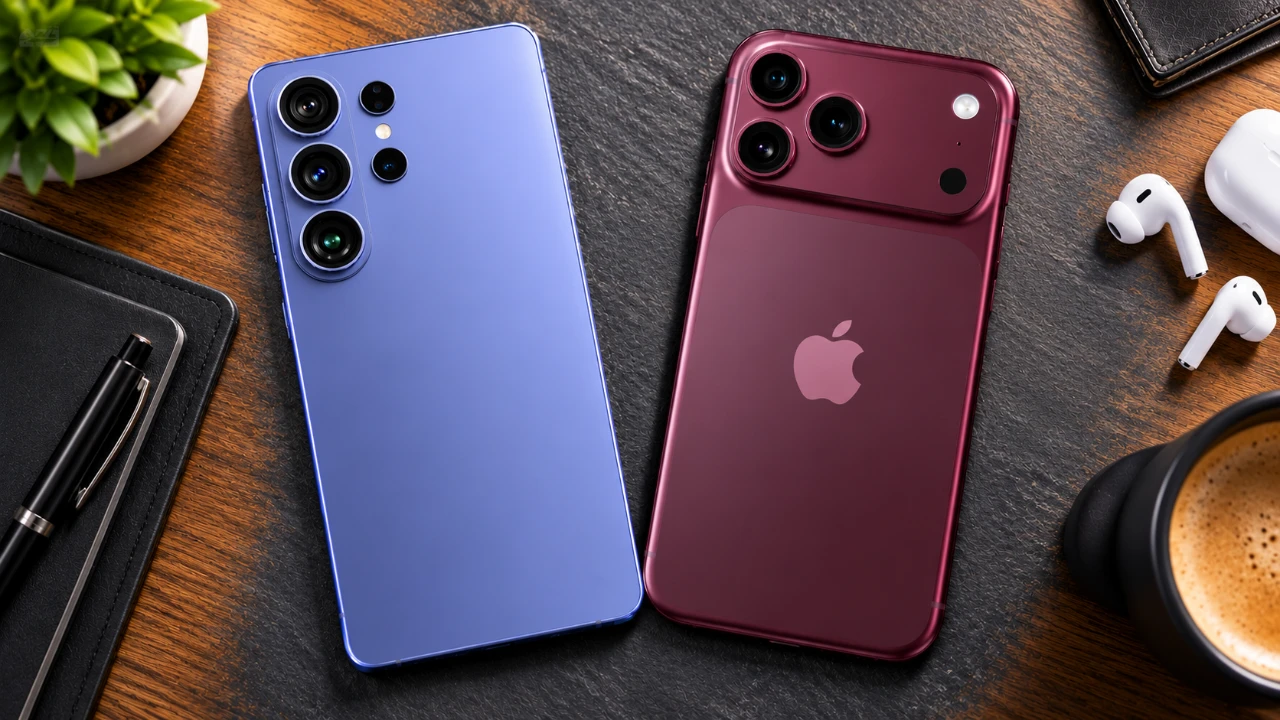
In the realm of smartphone photography, the iPhone 18 Pro Max and Galaxy S26 Ultra stand as benchmarks of technological advancement. These flagship devices feature state-of-the-art camera systems, each tailored to meet diverse user preferences. After conducting an extensive series of 31 camera-related tests, the iPhone 18 Pro Max emerged slightly ahead with 18 points, […]
According to YouGov research, 61% of Americans consider limiting who has access to their data to be “very important.” But only 33% of people take “moderate care” to protect their data. As concerns over data privacy grow, using “burner” online tools and accounts is becoming a common solution. Why Are People Using Burner Digital Tools […]
Claude has undergone a notable transformation, introducing features that enhance functionality and adaptability. Simon Scrapes examines these updates, including the introduction of the “Skill Eval” plugin, which enables users to test and refine specific skills for more accurate task execution. Another key addition is the Advisor Setting, which allows Claude to switch between models dynamically […]
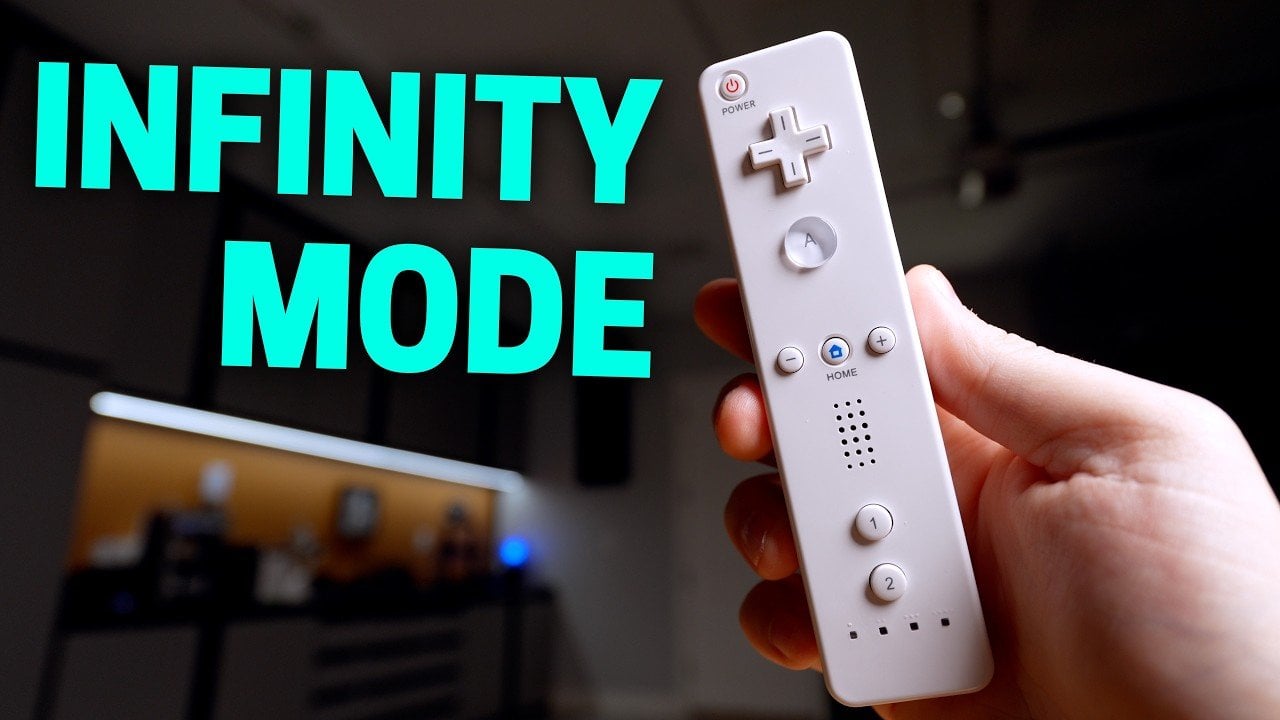
Smart Home Solver examines the OpenMote, a smart home remote designed to enhance control over connected devices. Built using a modified Wii remote, the OpenMote integrates an ESP32 microcontroller with open source software, offering a flexible approach to managing smart home systems. It includes 12 programmable buttons, an accelerometer for motion-based commands and infrared functionality […]
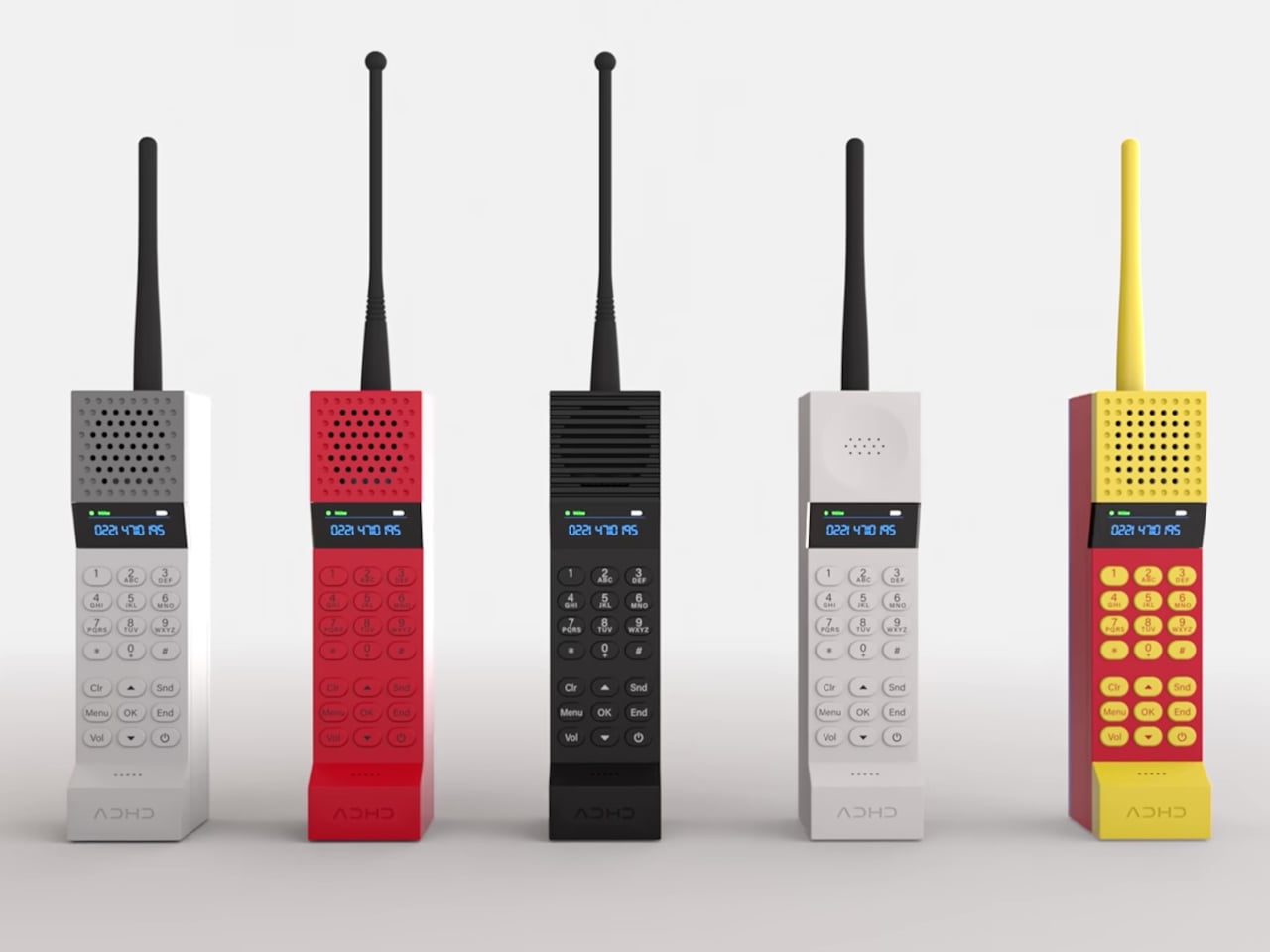
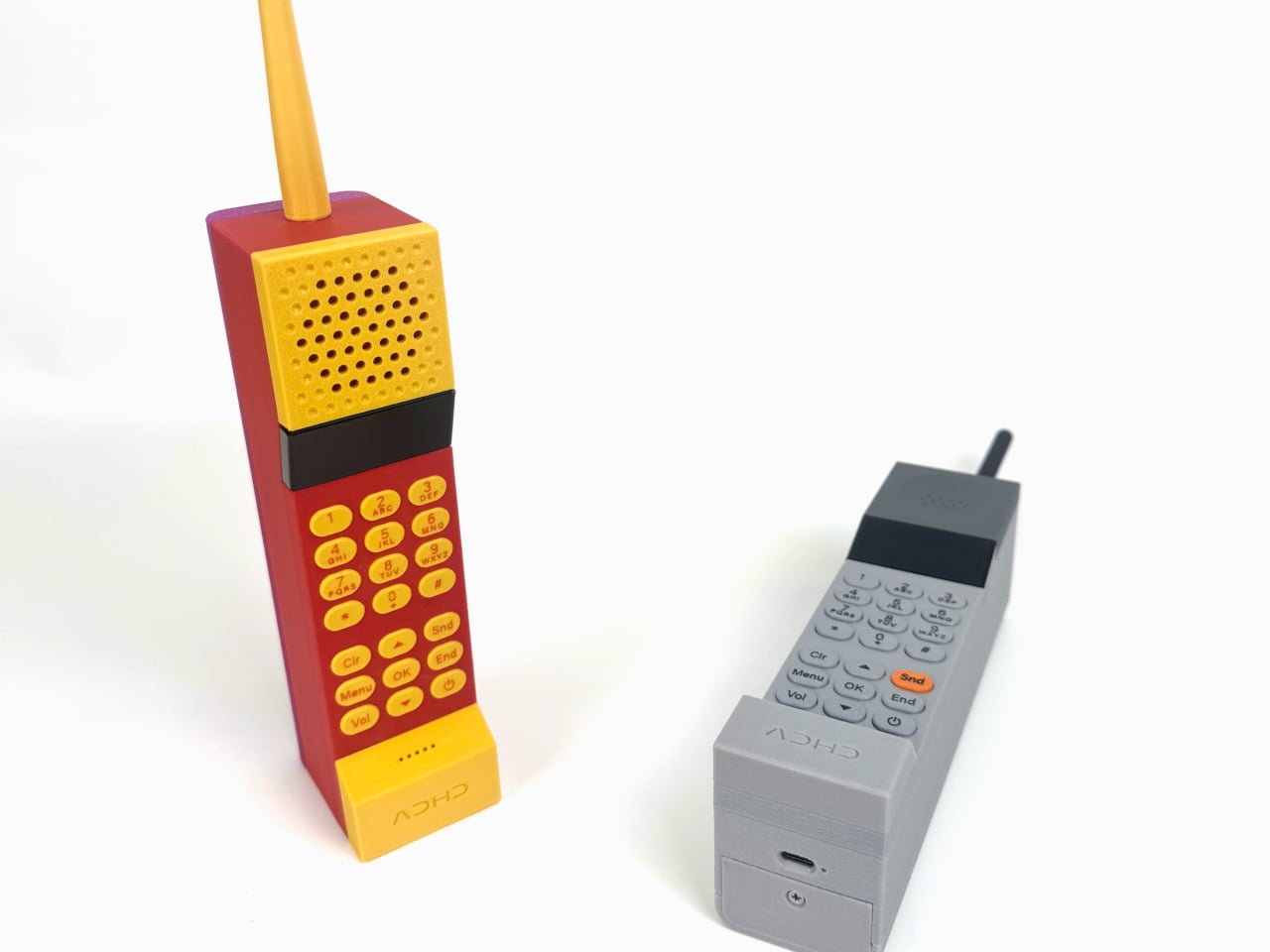
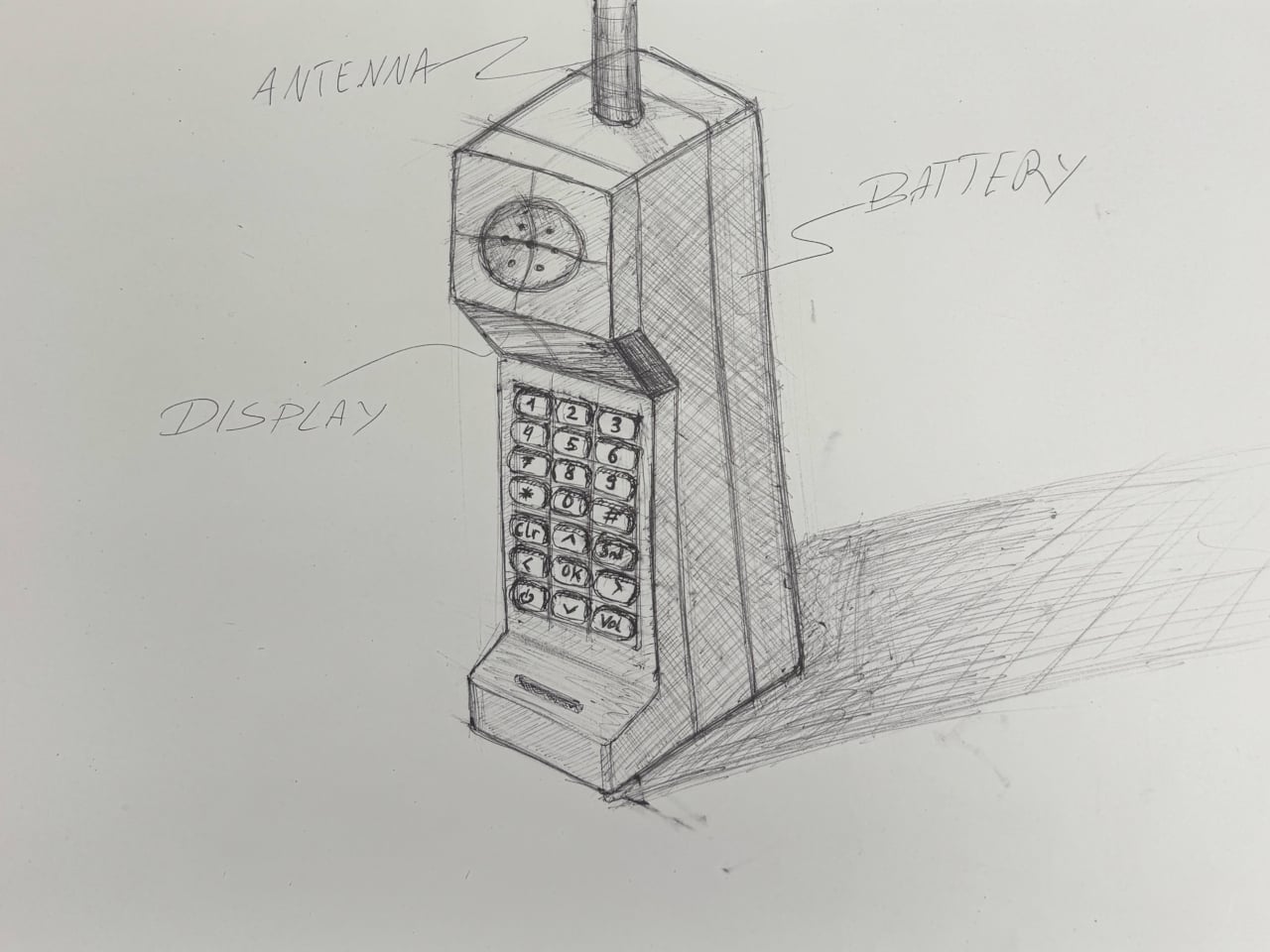
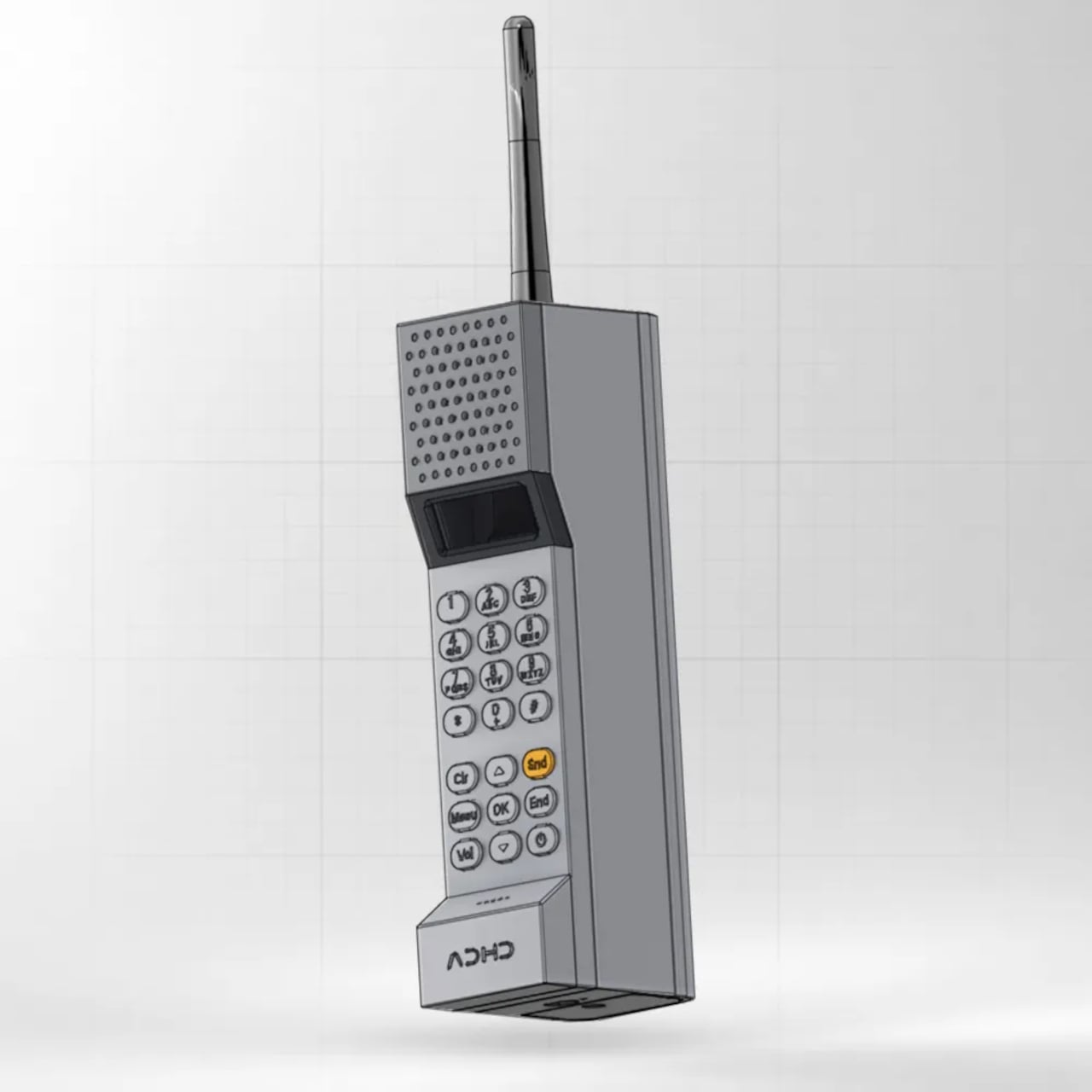
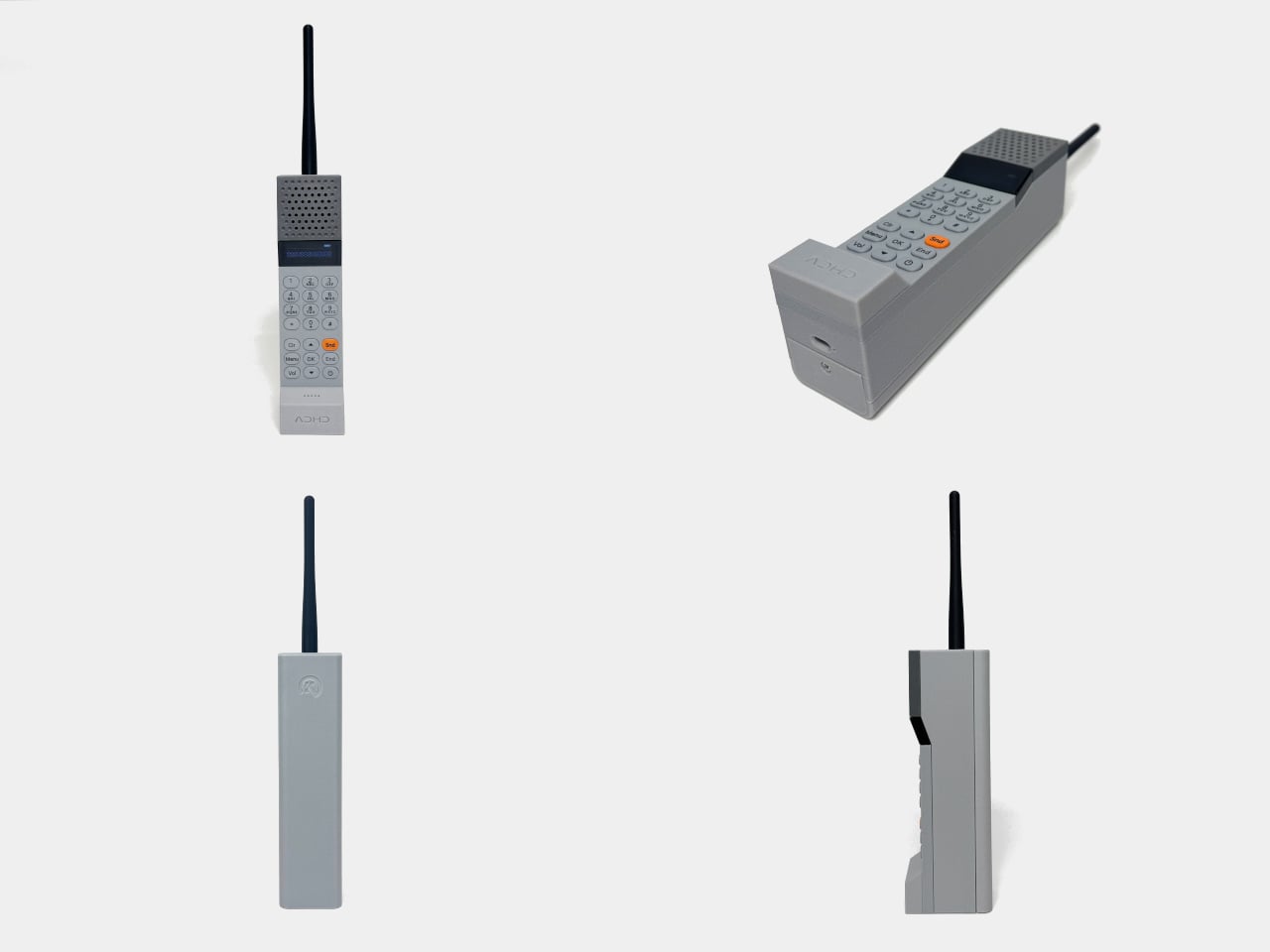
Answering a call on your smartphone can easily turn into checking messages, opening an app, and forgetting why you picked it up. ADHD ONE keeps that familiar temptation out of your hand, at least while you’re talking. This DIY, 3D-printed Bluetooth handset borrows the shape of a 1980s brick phone, letting you answer iPhone calls while the touchscreen stays tucked away nearby.
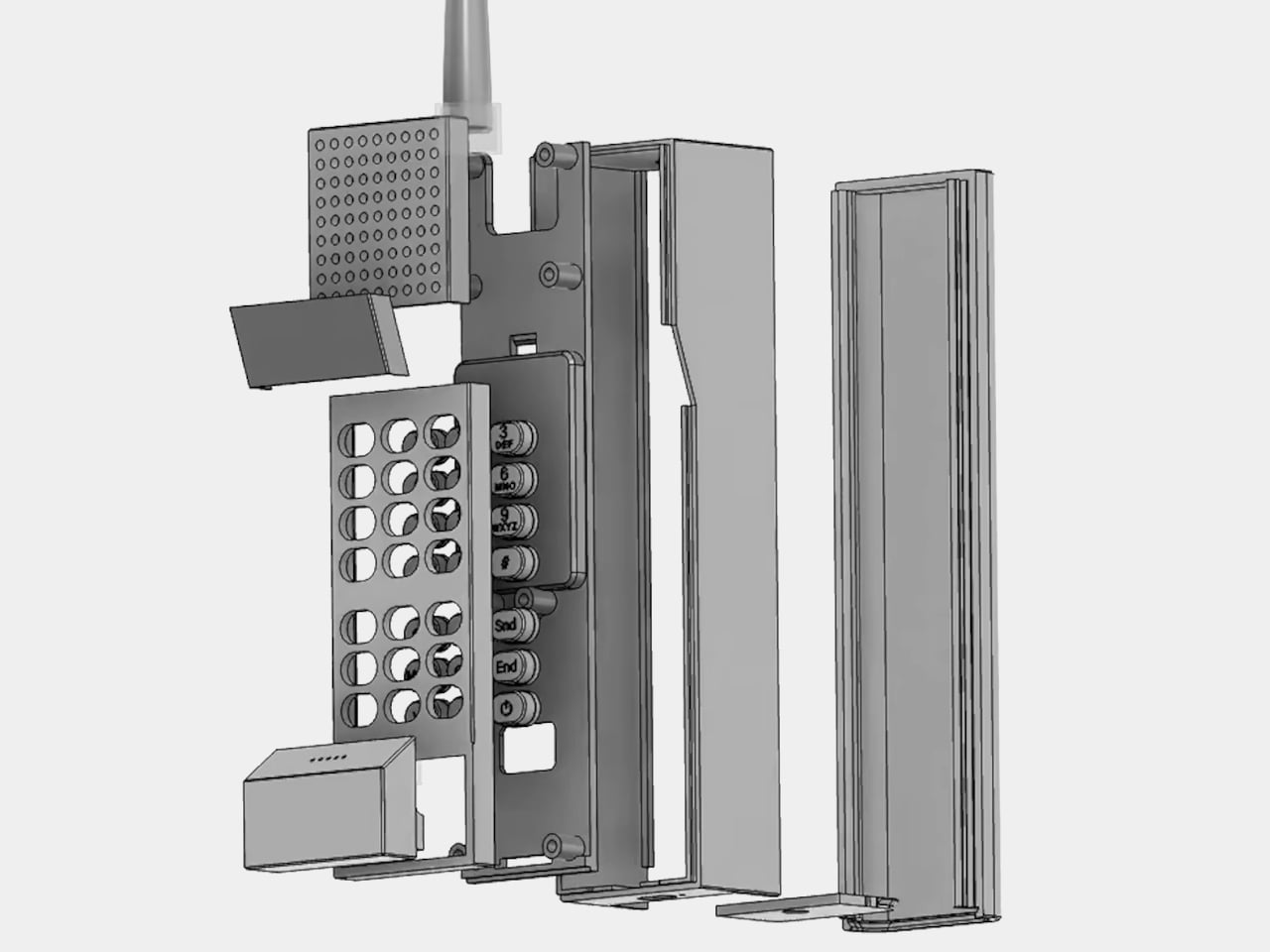
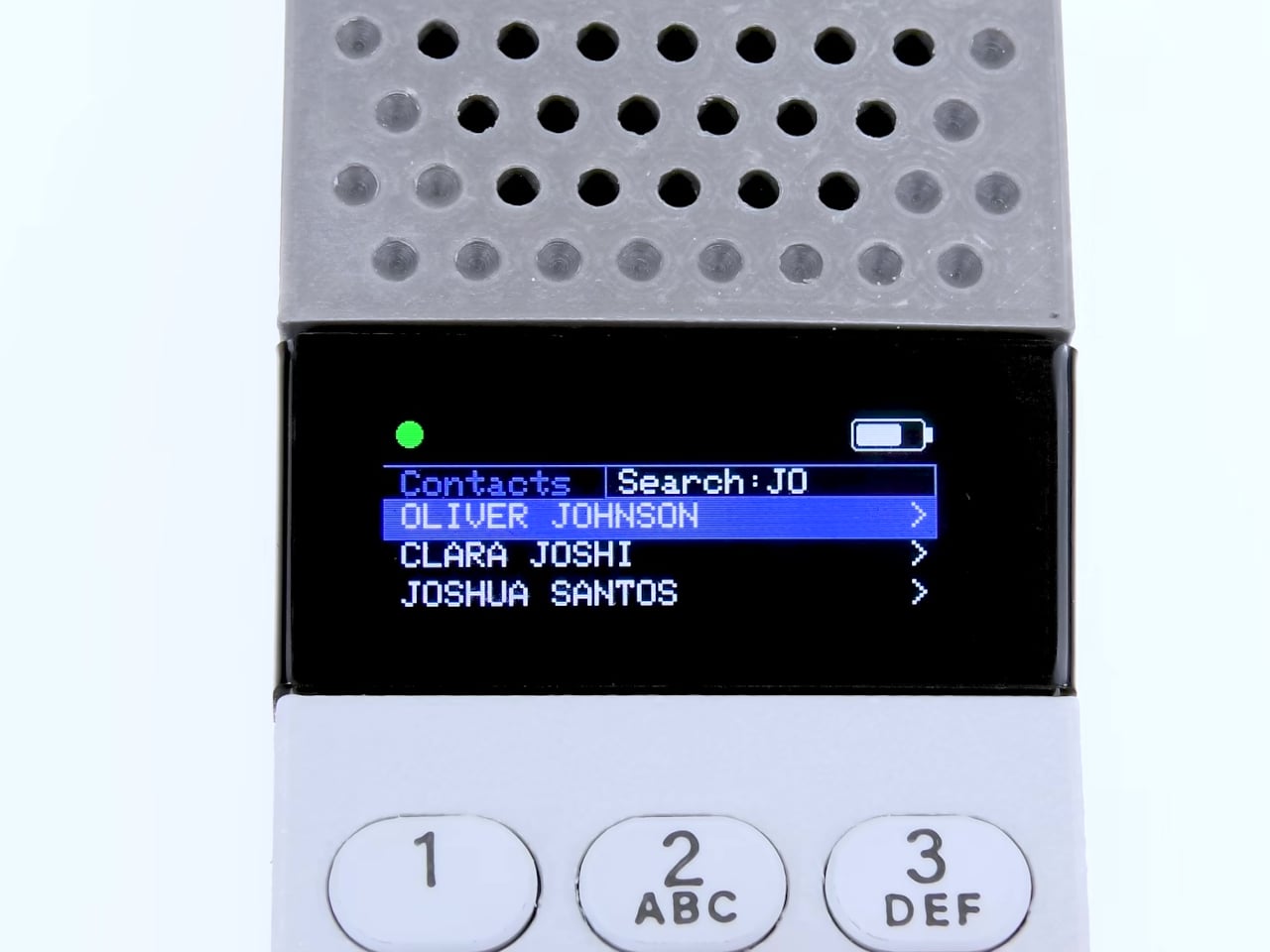
The deliberately bulky body puts a speaker grille at the top and a projecting mouthpiece at the bottom, with a narrow OLED display between the grille and keypad. Rounded physical buttons take over from glass, giving dialing and ending a call their own controls. It’s a very recognizable arrangement, even if younger owners might wonder why anyone would willingly carry something this conspicuous.
Of course, the oversized antenna doesn’t mean you’ve escaped modern technology completely. The handset connects to an iPhone over Bluetooth, so that phone still handles the cellular connection and must remain within range. You can leave it in a drawer while reading or working, with the iPhone’s Focus settings deciding which callers are allowed to interrupt your afternoon in the first place.
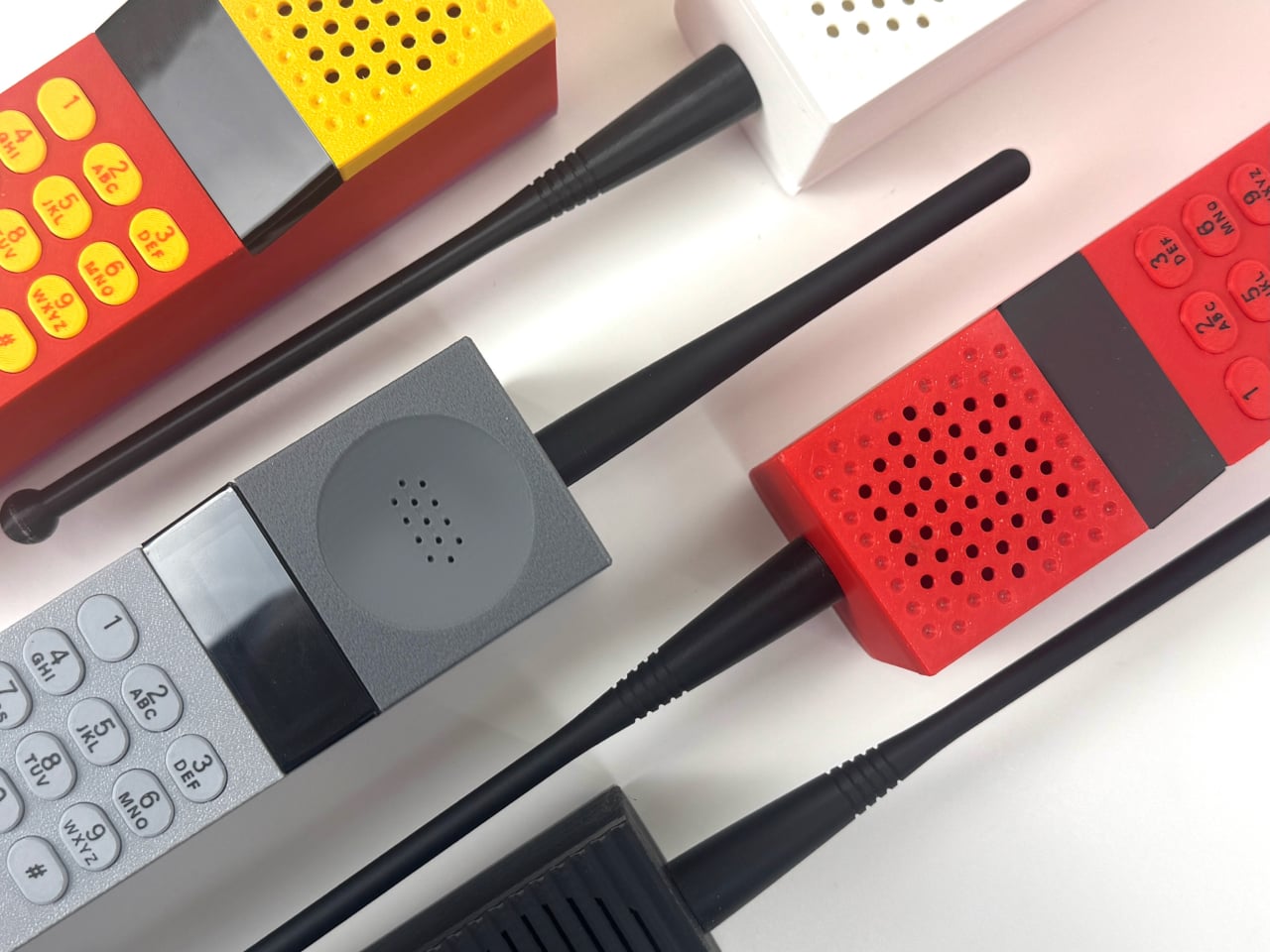
That retro character isn’t fixed to a single appearance, either. The printable enclosure comes with three speaker grille styles, ranging from perforations to horizontal stripes, plus three antenna designs. There’s even a housing that leaves the antenna opening closed. Builders can choose a cleaner outline or keep the exaggerated silhouette, although removing that long protrusion does take away a rather obvious visual joke.
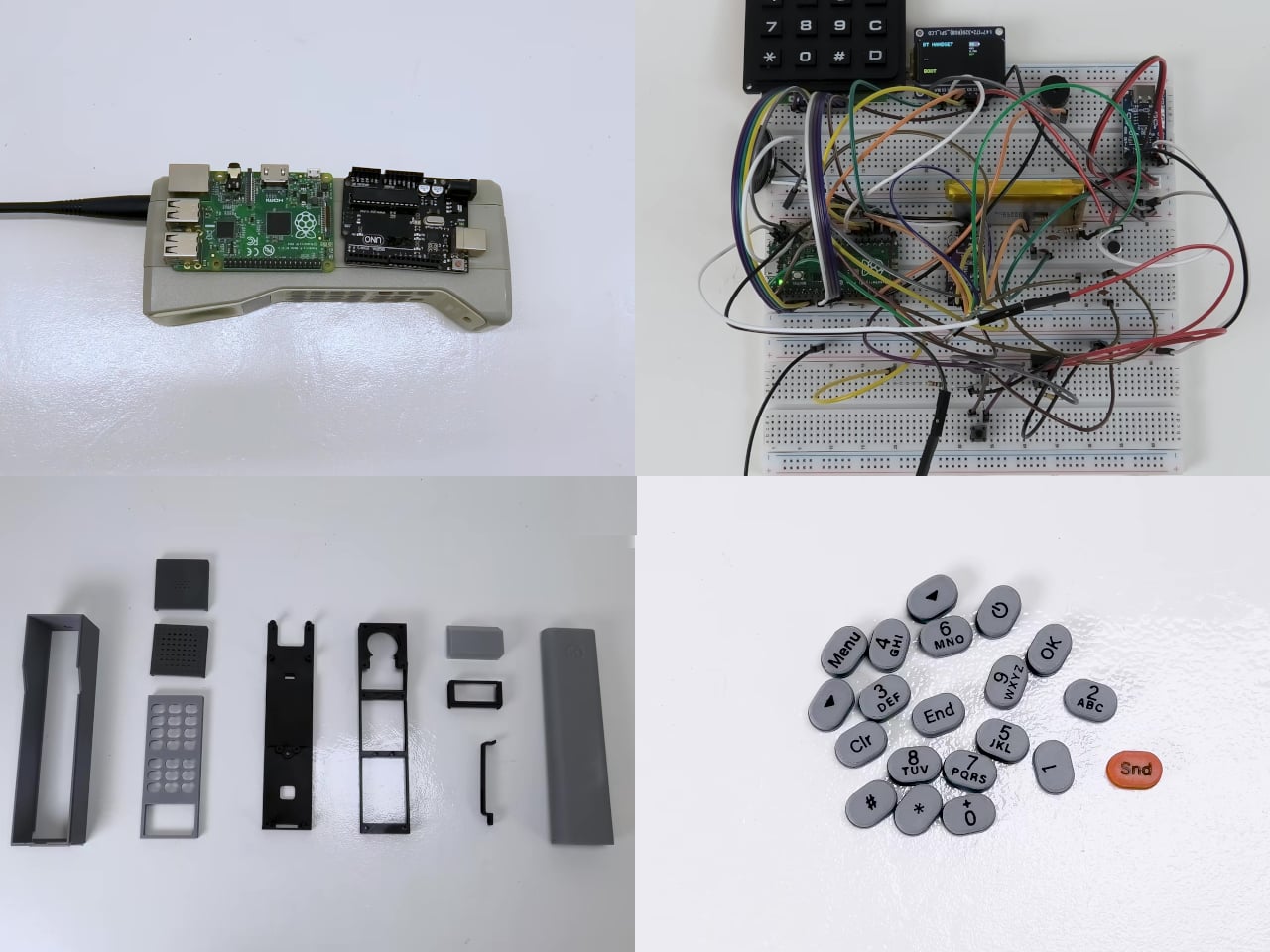
The shape also came together through a surprisingly hands-on process. Before committing to the printed enclosure, its proportions were explored using foam and a hot-wire cutter. That’s an old industrial design habit with a practical purpose: you can hold a full-size shape and remove material as needed. A digital model can describe a handset without telling you how it occupies your hand.
Getting one, however, involves more than choosing a color. The available product is a €29.99 (around $34) digital download, not a finished handset. It includes printable parts, compiled firmware, circuit-board manufacturing files, a component list, and a build guide. You’ll need to source the required electronics and assemble everything yourself, while editable design files and firmware source code aren’t part of the package.
A boxed DIY kit isn’t available, and its release hasn’t been scheduled. There’s also a standalone 4G version under development, according to the maker, but that shouldn’t be confused with this Bluetooth build. For now, the brick remains an accessory to the smartphone you’re avoiding. Leaving your iPhone at home and taking only this handset would miss an important detail.
Having a separate handset does mean finding room for another device and remembering to charge it. Its bulky outline also makes the idea easier to imagine on a desk than in a jeans pocket. But once you’ve finished talking, there isn’t a social feed waiting behind the call screen. You can put the brick down without deciding what else to do on it.
The Samsung Galaxy Tab S12 Ultra is a sophisticated tablet engineered to elevate productivity, creativity, and entertainment. Designed to meet the needs of professionals, creators, and everyday users, it combines innovative technology with user-friendly features. Below is an in-depth exploration of its standout capabilities, showcasing how this device can seamlessly integrate into your lifestyle. The […]
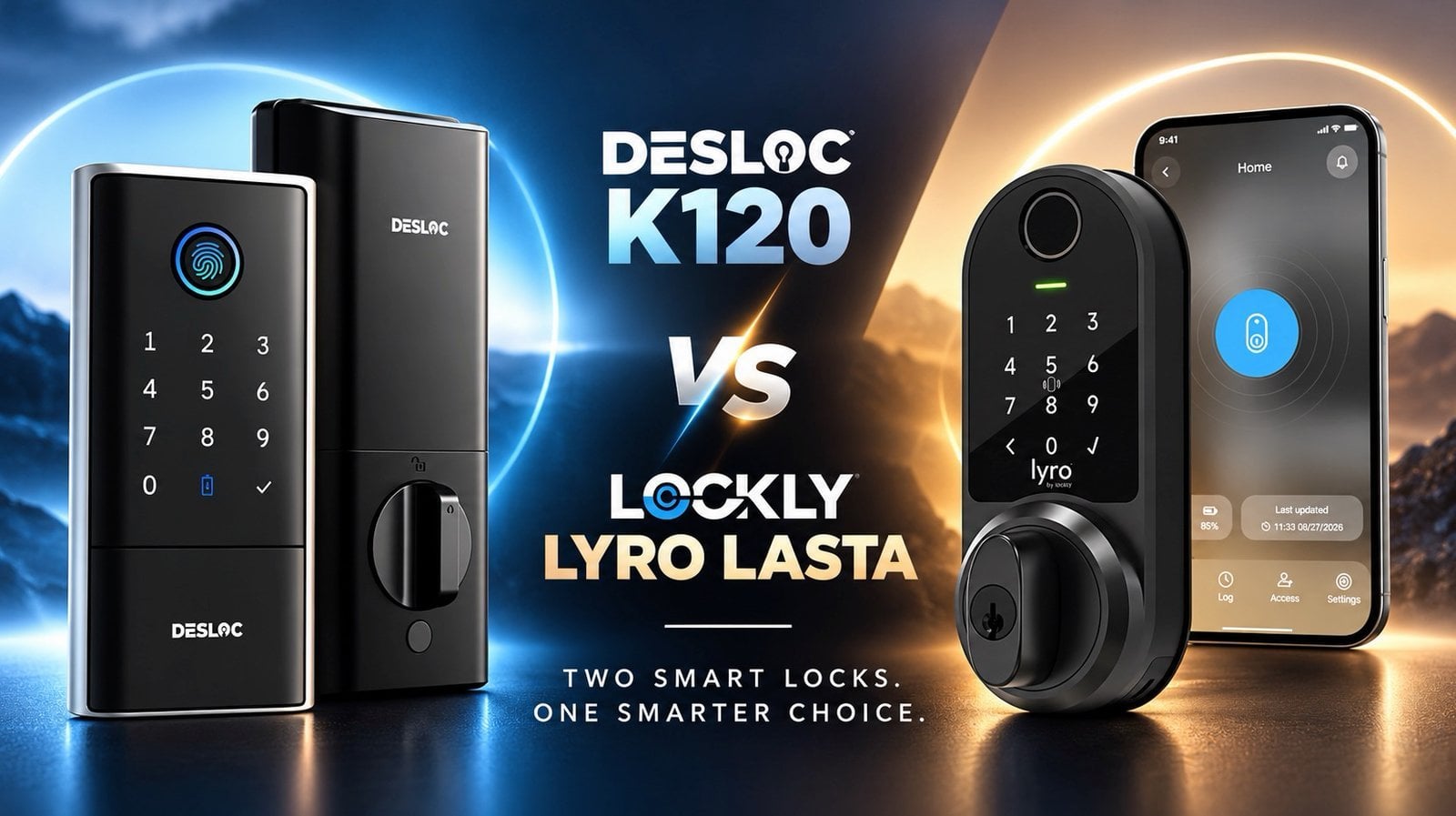
Smart locks have become a cornerstone of modern home security, blending convenience with advanced technology. In this deep dive, Smart Home 101 examines two standout options: the Desloc K120 and the Lockly Lyro Lasta. The Desloc K120 emphasizes durability with its IP65 weather resistance rating and adaptive fingerprint recognition, making it a reliable choice for […]
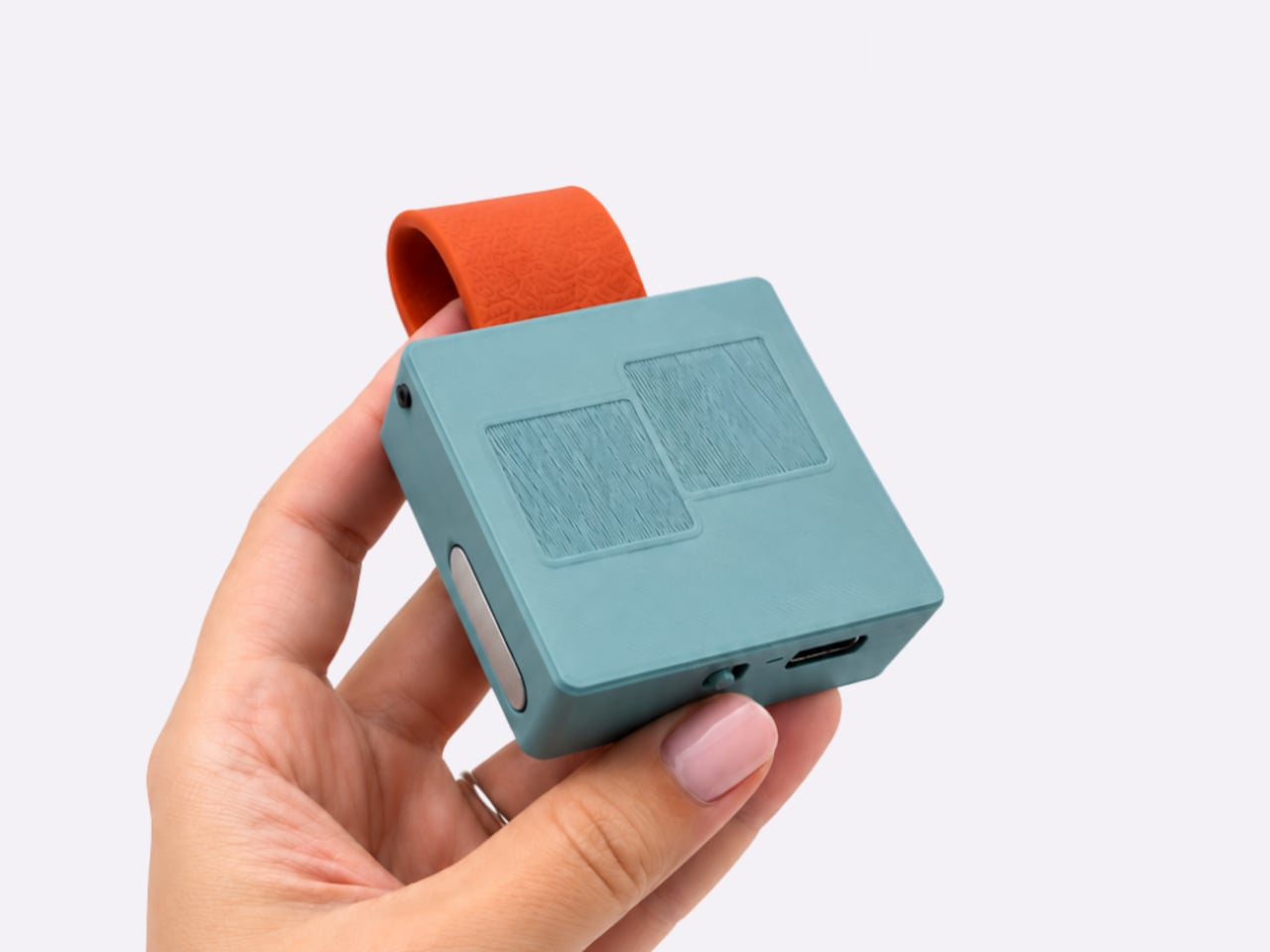
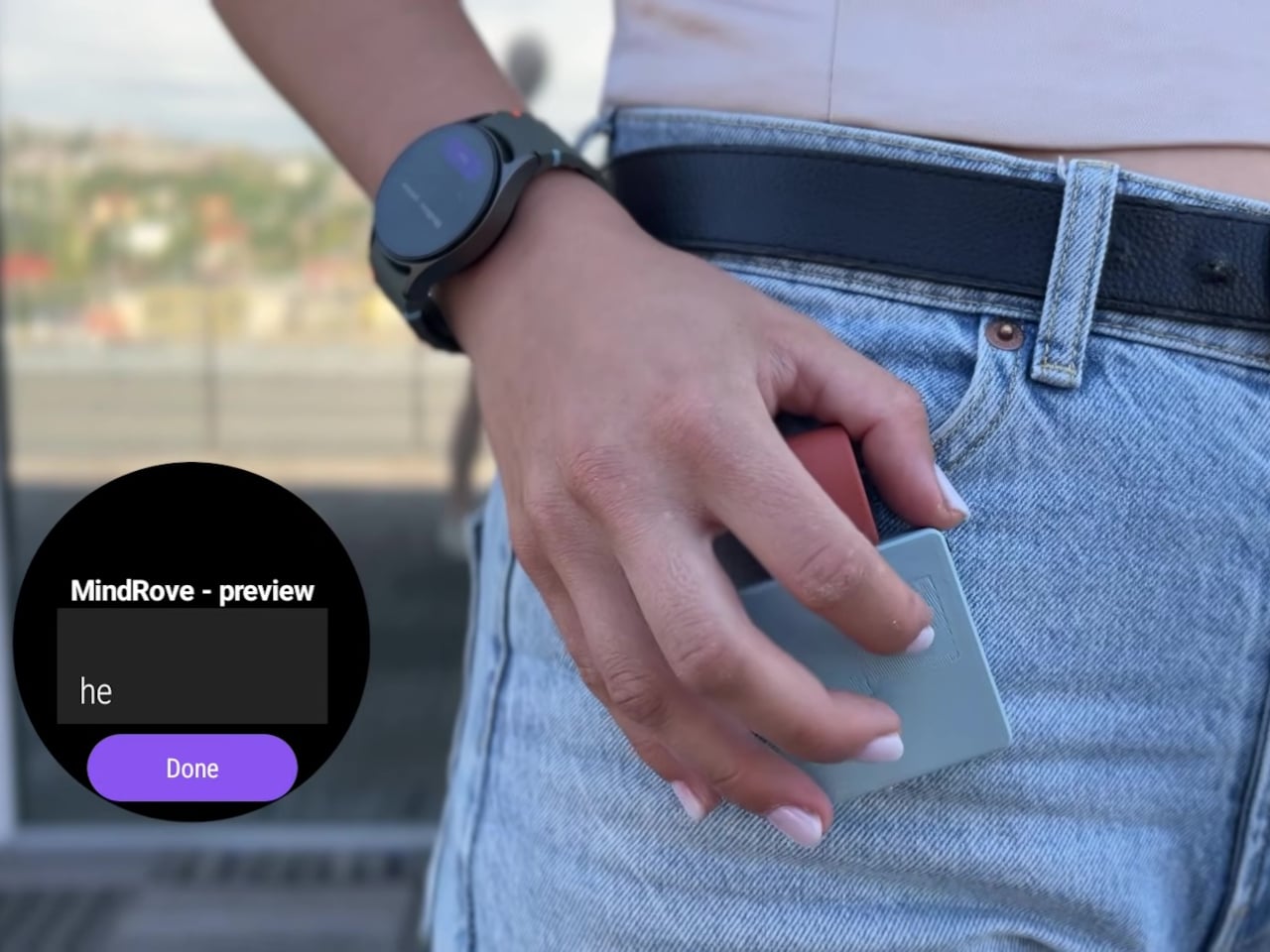
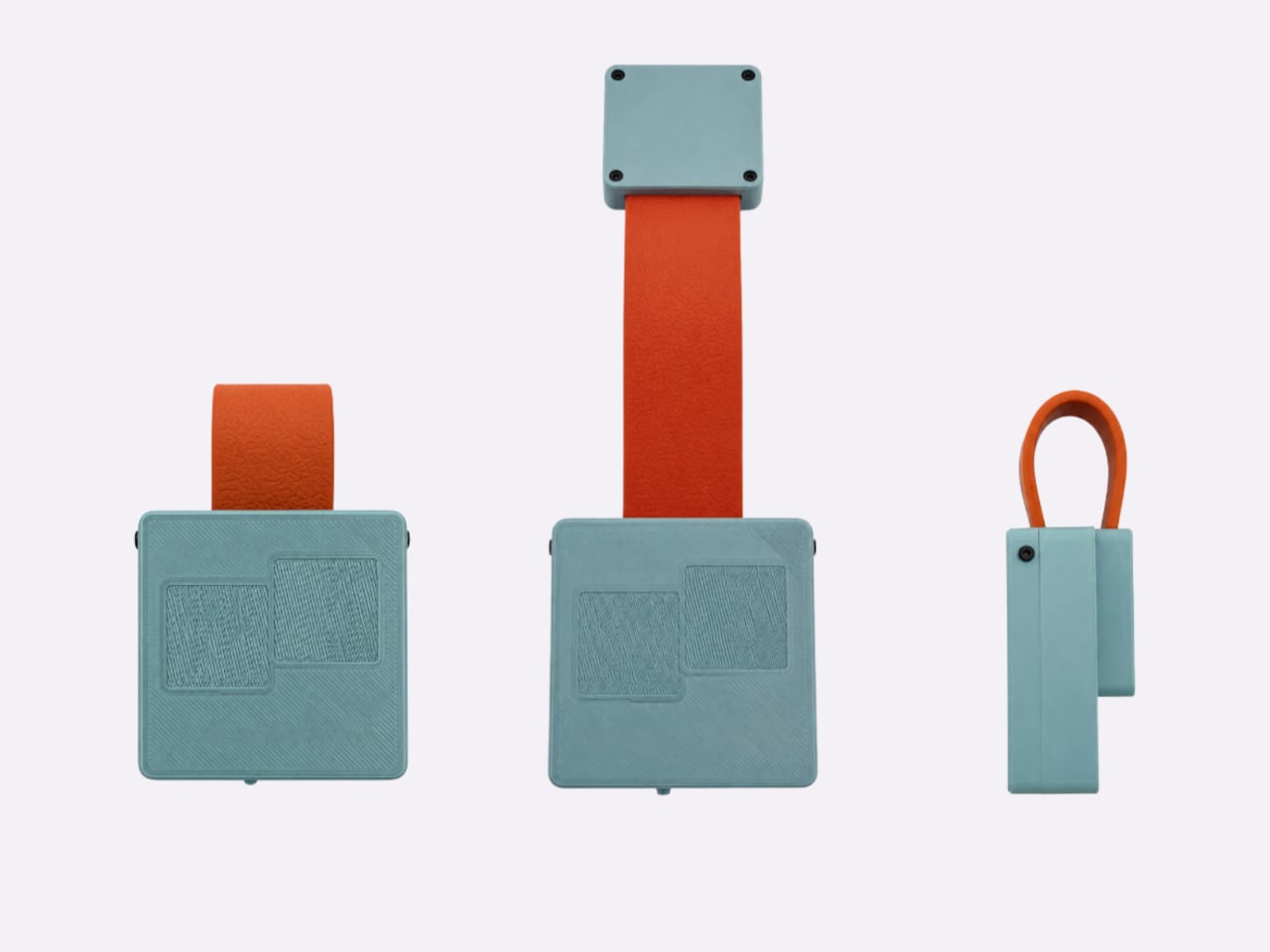
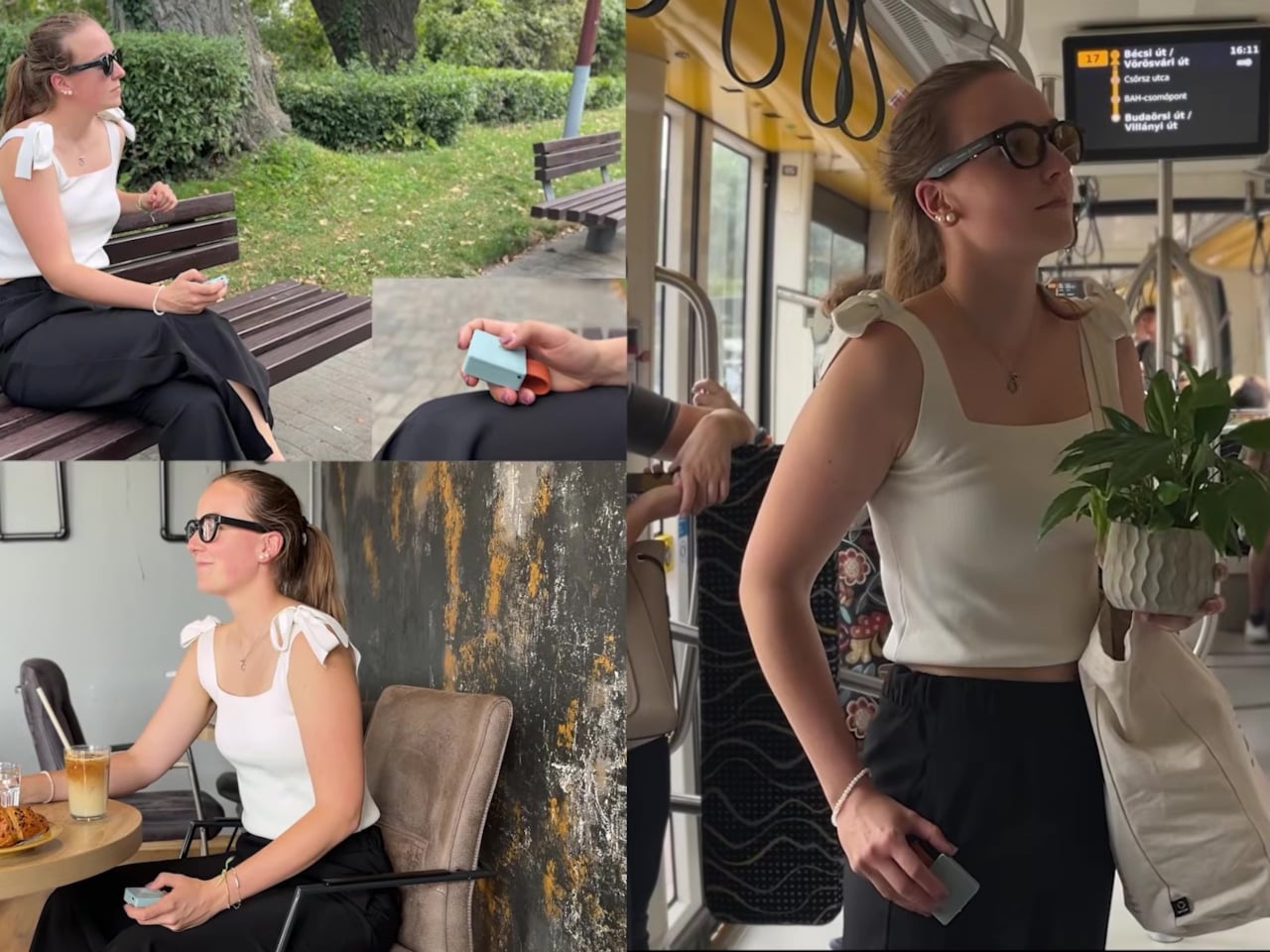
Typing through smart glasses can mean speaking messages aloud or reaching for another device. MindRove’s TypAir offers a quieter option, attaching a gesture-based Bluetooth keyboard to your clothing so your fingers can enter text without a conventional set of keys. Still a working prototype, it puts the typing surface beside a pocket rather than asking you to find room on a table.
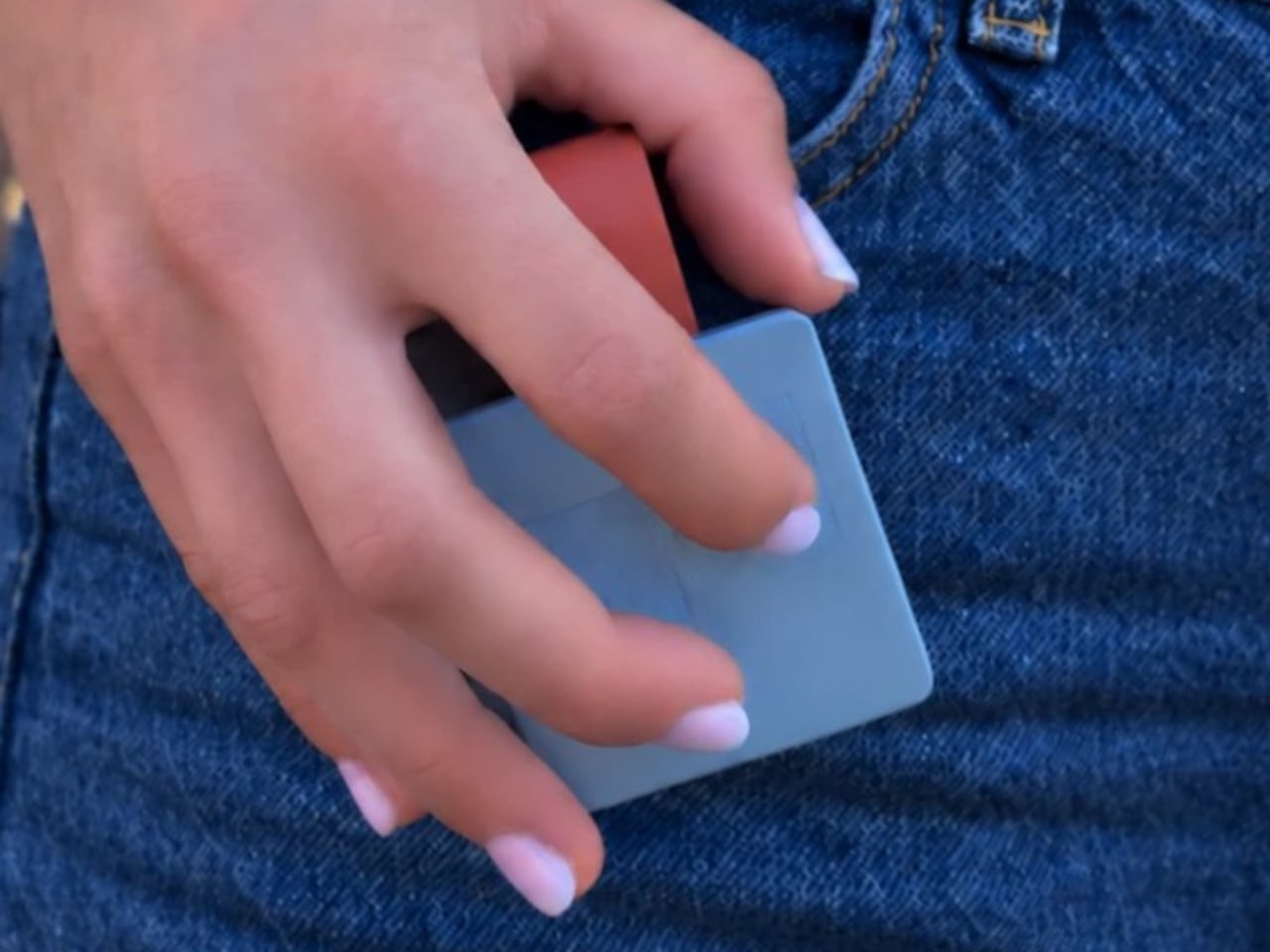
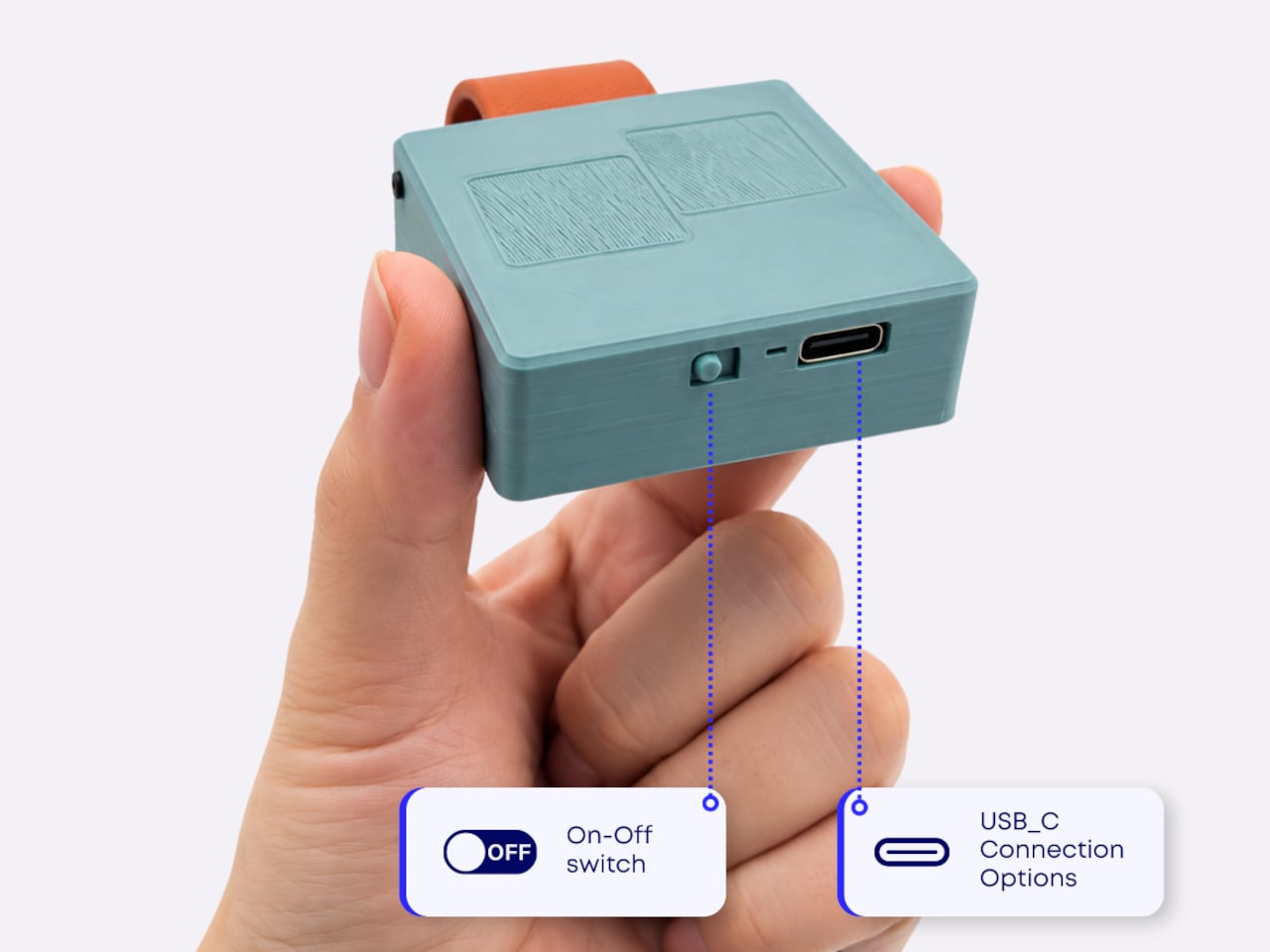
The device has a compact, roughly square body, with a strap that attaches magnetically to clothing, pockets, or other straps. That placement is central to the idea. Worn near your hip, TypAir could let you enter a short reply with your hand close to its natural resting position, although comfort will depend on the attachment point, the garment, and the hardware’s eventual proportions.
Typing itself requires a different rhythm. There aren’t any lettered keys to press, because TypAir translates a predefined set of finger gestures into characters. Its browser guide assigns A to a tap in the bottom-left corner, for example. Other letters use different movements, so the small footprint comes with a clear compromise: you’ll need to learn an alphabet before typing becomes familiar.
MindRove also plans customizable gestures for letters, symbols, shortcuts, and commands. That could give the device a purpose beyond spelling out sentences. Someone entering the same instruction repeatedly might prefer a single learned movement, while occasional messages could use the standard alphabet. The interesting design question is how much you can simplify an everyday action without making its gesture harder to remember later.
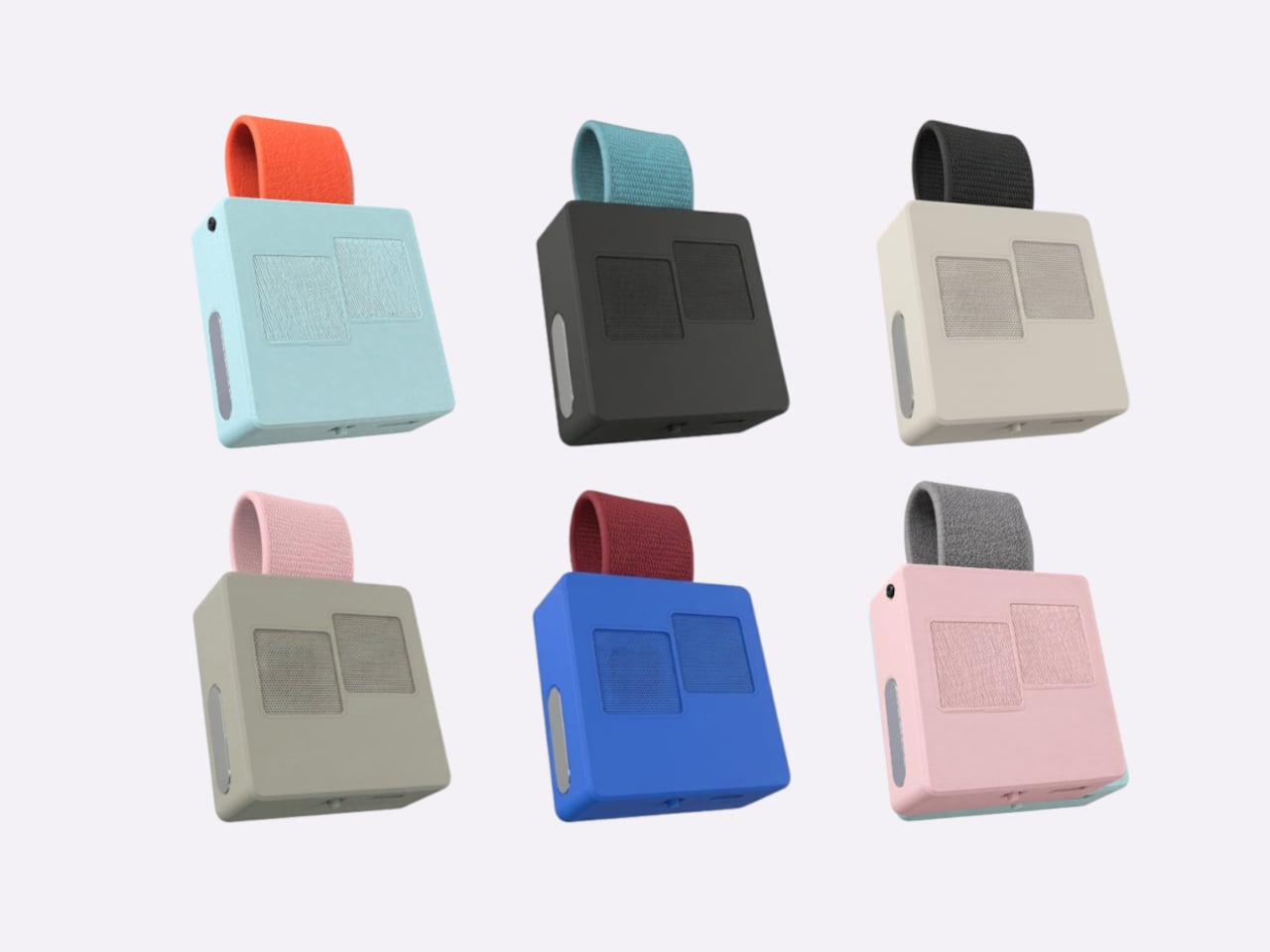
There’s a visual decision here, too. A keyboard worn on clothing becomes part of an outfit, so the module and strap can be paired in different colors. Black-on-black offers a quieter presence, while brighter combinations make the attachment more noticeable. That flexibility acknowledges something wearable electronics sometimes overlook: people might accept the function but still dislike having another gadget attached to them.
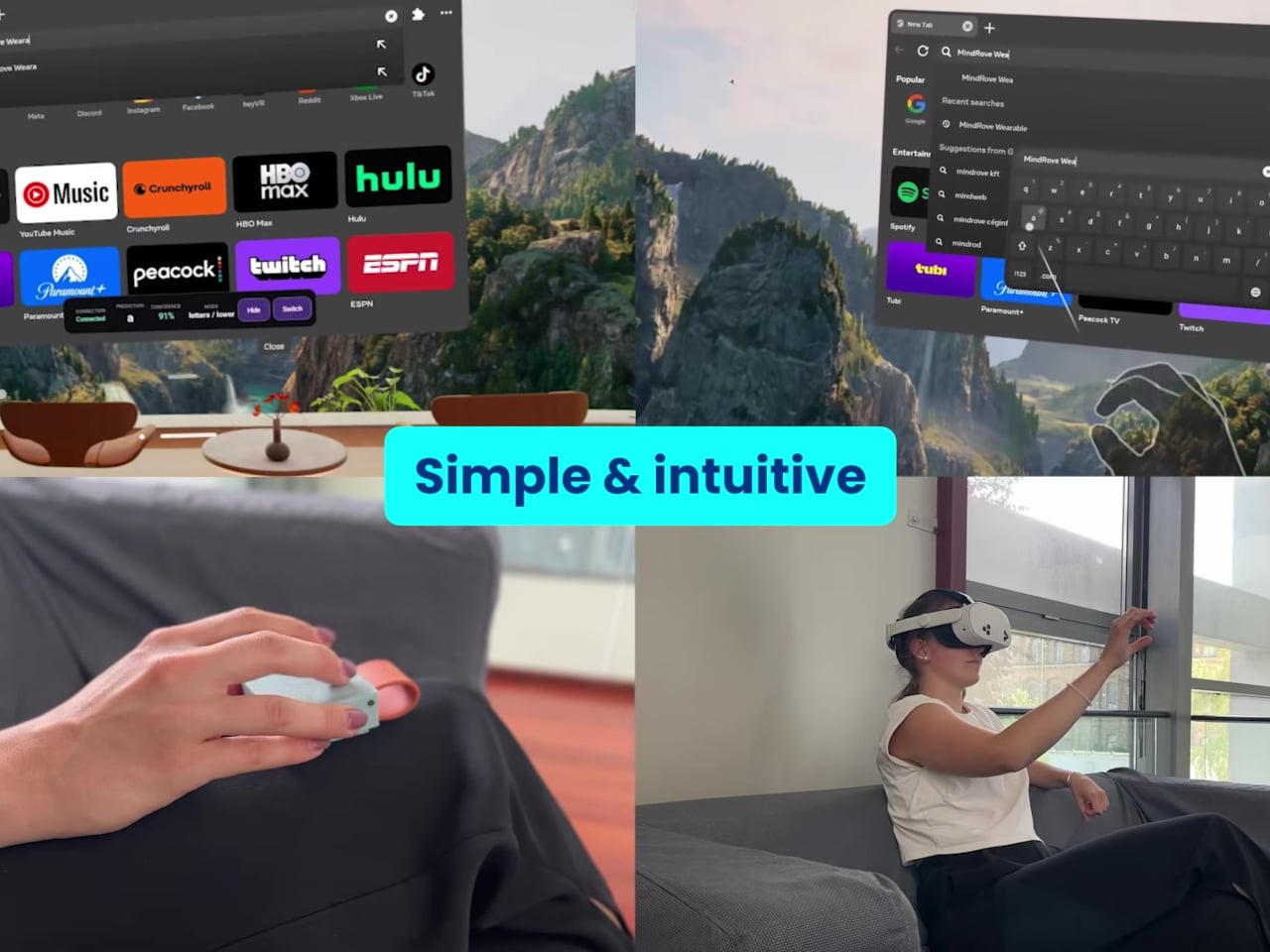
The appeal is clearest in moments when speaking would be intrusive. A message composed while waiting for an appointment could stay unspoken, provided the connected glasses support Bluetooth keyboard input. Inside a headset, the same approach could offer somewhere physical to enter text. These are plausible conveniences, but their value depends on gesture recognition being dependable enough that corrections don’t interrupt every exchange.
Compatibility and power place more ordinary limits around that promise. MindRove lists Android and Windows support, while iOS and macOS remain under development; the connected app matters, too. The company also claims more than six hours of use per charge. That adds another battery to your routine, and the stated runtime doesn’t establish that it’ll stay available throughout a full working day.
MindRove says the wearable design, gesture recognition, and manufacturing preparation still need further work. Those unfinished details will determine how practical the idea becomes, particularly when your fingers have to locate the controls without looking down. Learning the alphabet is only part of the adjustment. Wearing TypAir also means finding a position you can return to comfortably, across the clothes you actually wear.