Fujifilm X-E5 vs X-E4: Stabilisation or the Smaller Body?
Fujifilm X-E5 adds stabilisation, 40.2MP capture and a Film Simulation dial. The X-E4 stays lighter. Compare the changes before replacing a compact X body.

The internet, a cornerstone of modern life, faces an unprecedented challenge as AI-driven cyberattacks grow in scale and sophistication. Unlike traditional hacking methods, these attacks use artificial intelligence to identify and exploit vulnerabilities with alarming speed and precision. Wes Roth explores how the accessibility of open source AI models has lowered barriers for malicious actors, […]
The post A Sharp Spike in AI Cyberattacks is Expected Within 18 Months appeared first on Geeky Gadgets.
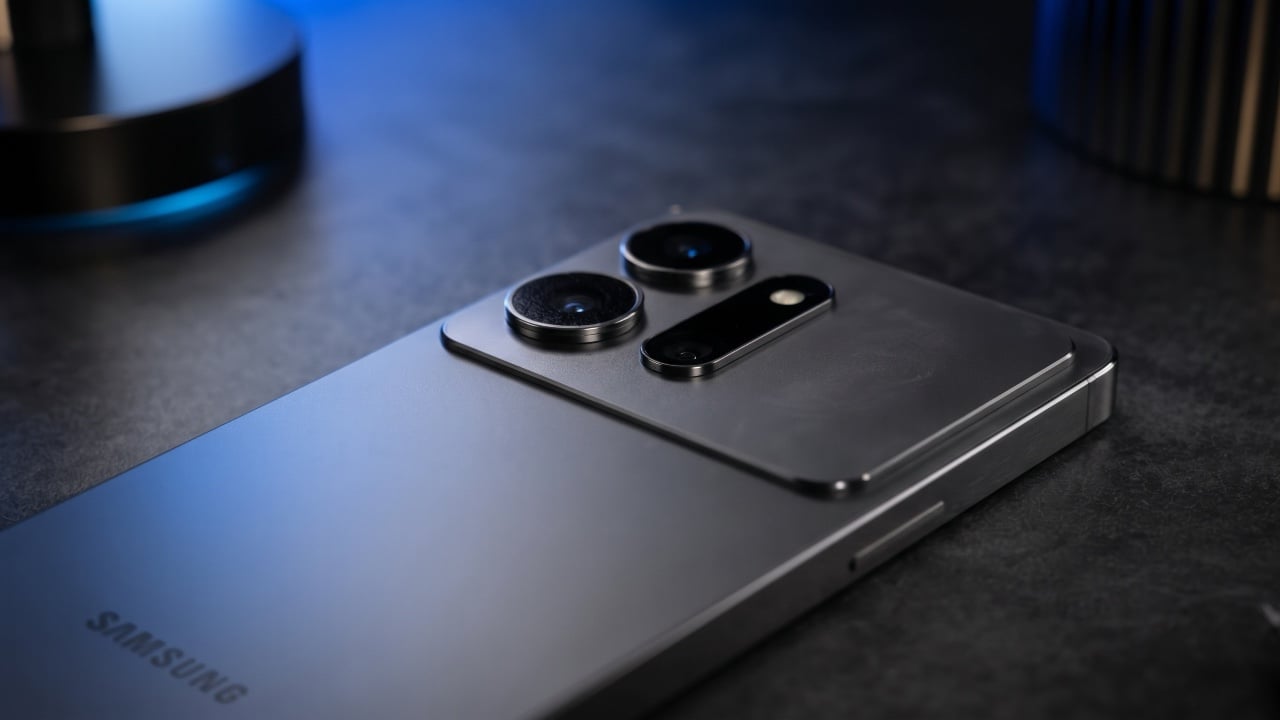
Samsung is preparing to make a significant impact in the smartphone market with the highly anticipated Galaxy S27 Ultra and Galaxy S27 Pro models. These devices are expected to bring substantial advancements in battery technology, design aesthetics, and user experience, as suggested by recent certification leaks and concept renders. If the early details are accurate, […]
The post Leaked Galaxy S27 Ultra Details Reveal What Samsung is Changing This Year appeared first on Geeky Gadgets.
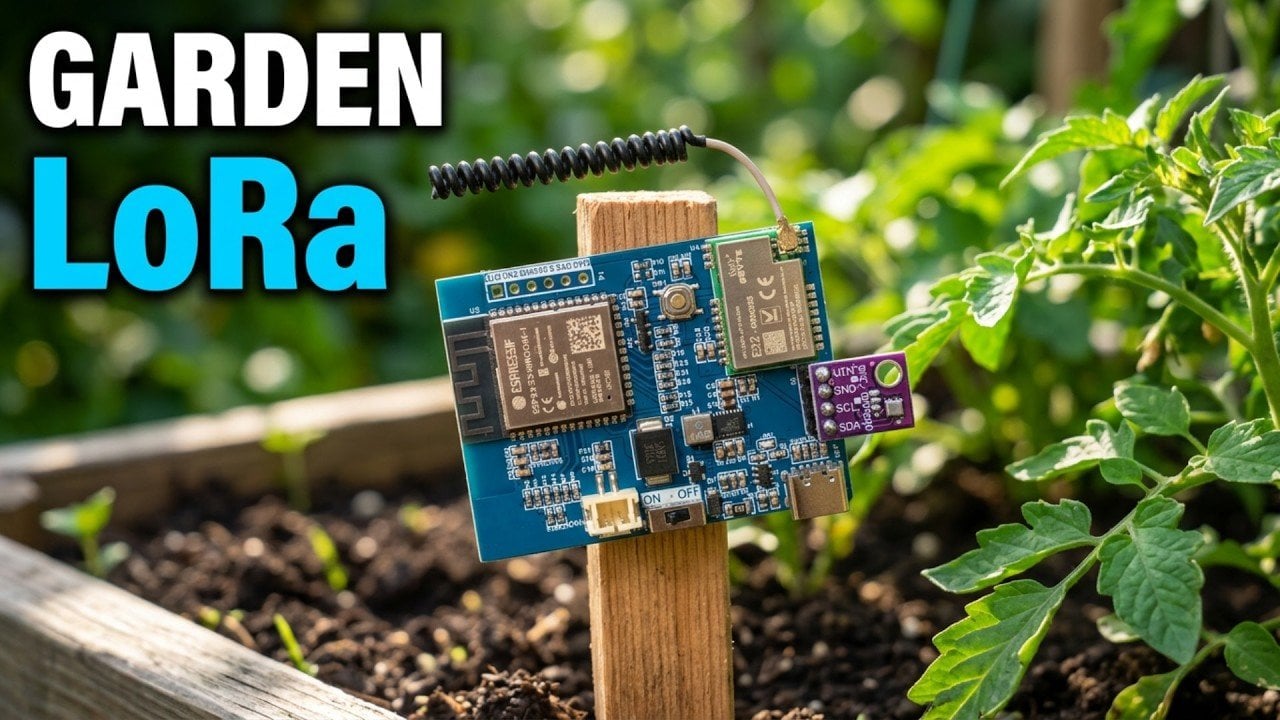
Building a DIY ESP32 LoRaWAN sensor node allows for monitoring environmental conditions in areas without traditional connectivity, such as gardens. According to How To Electronics, the process involves assembling components like the ESP32-S3 microcontroller, a BME280 sensor for temperature and humidity measurements and the EBYTE E22-900M22S LoRa module for long-range data transmission. This combination enables […]
The post Manage Outdoor Irrigation with a DIY ESP32 S3 Sensor Node appeared first on Geeky Gadgets.
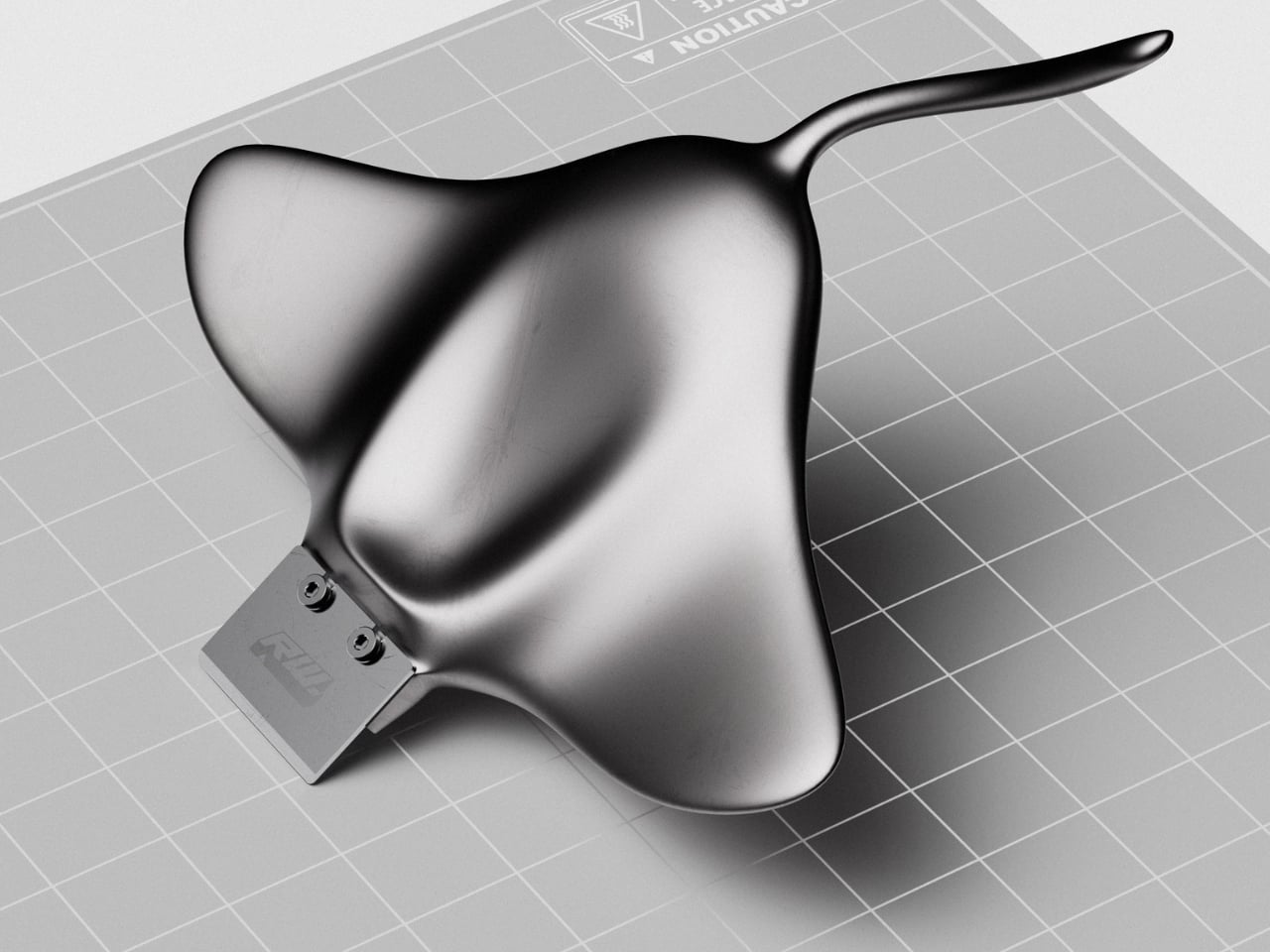
The little rectangular blade gives RAY away. Without it, Marija Kucurski’s stingray-shaped design could pass for a small sculpture, all sweeping fins and a curling tail. It’s actually a concept for a 3D print scraper, a tool meant to help release stubborn plastic from a printer’s build surface. Presented through renderings on Render Weekly, it gives an unglamorous workshop accessory a silhouette I’d happily leave out on the bench.
The practical problem is straightforward: a print needs to stay attached while it’s being made, but removing it afterward can take care. Prusa recommends letting its flexible steel sheets cool before bending them to release a print, sometimes using a spatula for assistance. RAY explores a handle for that scraping job while tackling a second, more personal frustration. Kucurski wanted to get away from the cubes, rounded rectangles, and racetrack shapes that had started to feel repetitive.
Designer: Marija Kucurski
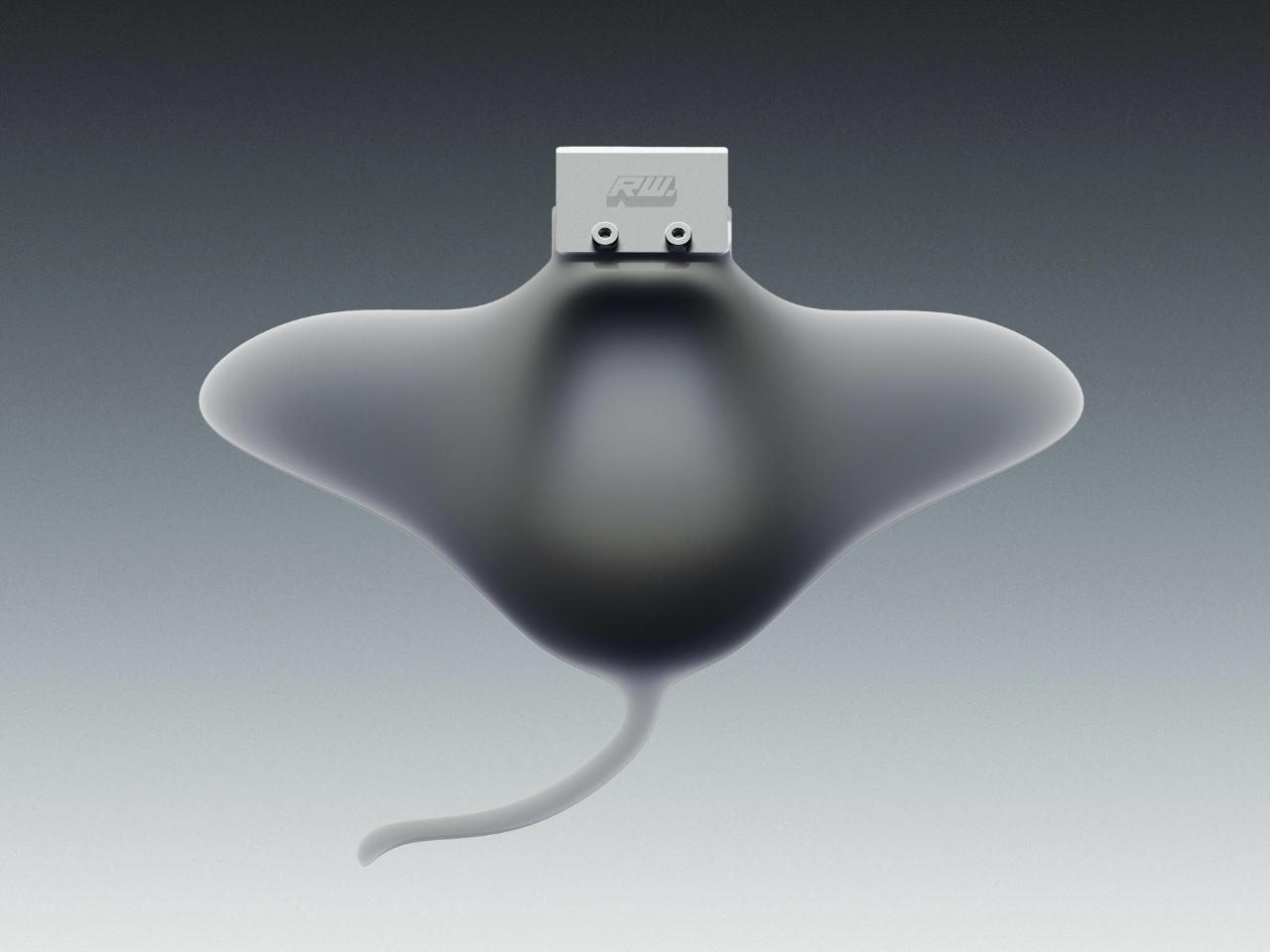
In her project description, Kucurski compares working with SubD to playing with pizza dough or clay. That experimentation led her toward a stingray. I like how modest that explanation is. There’s no elaborate story about the ocean teaching us to scrape plastic more efficiently. She wanted to try a different shape, followed the modeling process, and arrived at an animal whose broad body gives the tool a recognizable identity. Sometimes that’s a perfectly worthwhile starting point.
Seen from above, RAY spreads outward into two rounded wings, with a raised central body flowing into a slender, curved tail. The dark, metallic-looking surface catches light across those changes in curvature, making the body feel more sculpted than assembled. That’s a visual effect in the renderings, not confirmation of a particular material. The blade sits at the front, interrupting those soft contours with a plain rectangle and two exposed fasteners.
A separate visualization makes the proposed grip clearer. A hand cradles the broad body, with the thumb resting near the center and fingers supporting the wings from underneath. The tail extends back toward the wrist rather than serving as a conventional narrow handle. That arrangement suggests a different relationship between hand and tool: more of a palm-supported object than something held by a stick. I’d be curious to see how that translates when applying pressure close to the build plate.
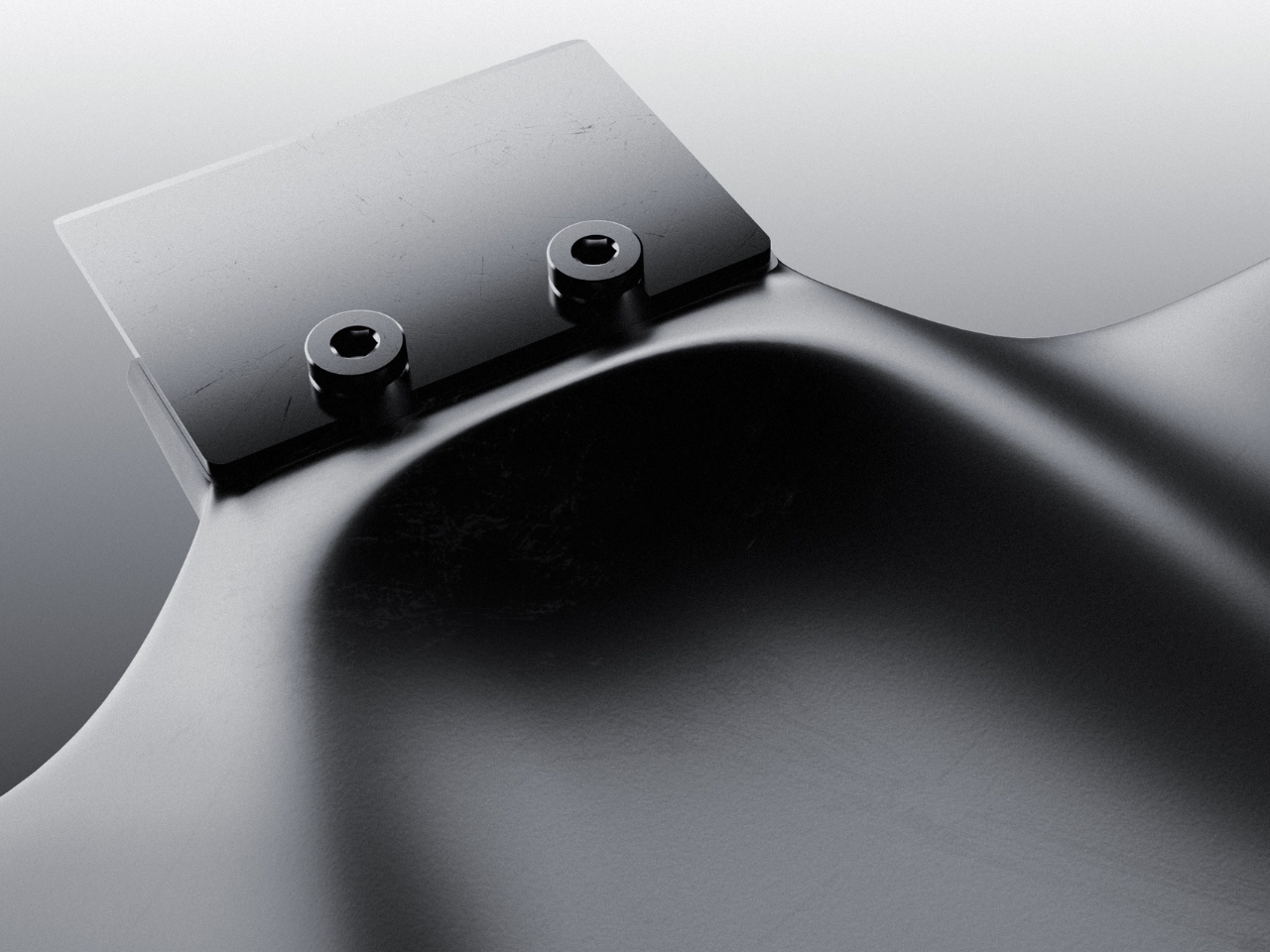
The blade attachment is a useful visual anchor. Two visible screw heads keep the business end legible, so the animal reference doesn’t completely swallow the tool’s purpose. I appreciate that decision. A perfectly uninterrupted stingray would make a cleaner sculpture, but the exposed hardware gives RAY a little workshop credibility. It also draws attention to the connection that would need to hold up during use.
My hesitation is mostly about the tail. It completes the stingray immediately, and removing it would make the design less memorable. But I’d want to know whether it contributes anything to handling or simply asks for extra space in a drawer. The wide wings raise a similar question about storage. Neither concern ruins the idea. They’re the ordinary negotiations that make a playful concept interesting once you imagine it sharing a bench with other tools.
The available presentation doesn’t establish grip comfort, scraping performance, or compatibility with particular build surfaces. Those details would matter more than the silhouette if RAY moved toward production. Even a beautiful scraper needs to respect the surface underneath it. Prusa specifically cautions against damaging the sheet when using a spatula and recommends slipping it beneath the model while the sheet is slightly bent, rather than digging into a flat surface.
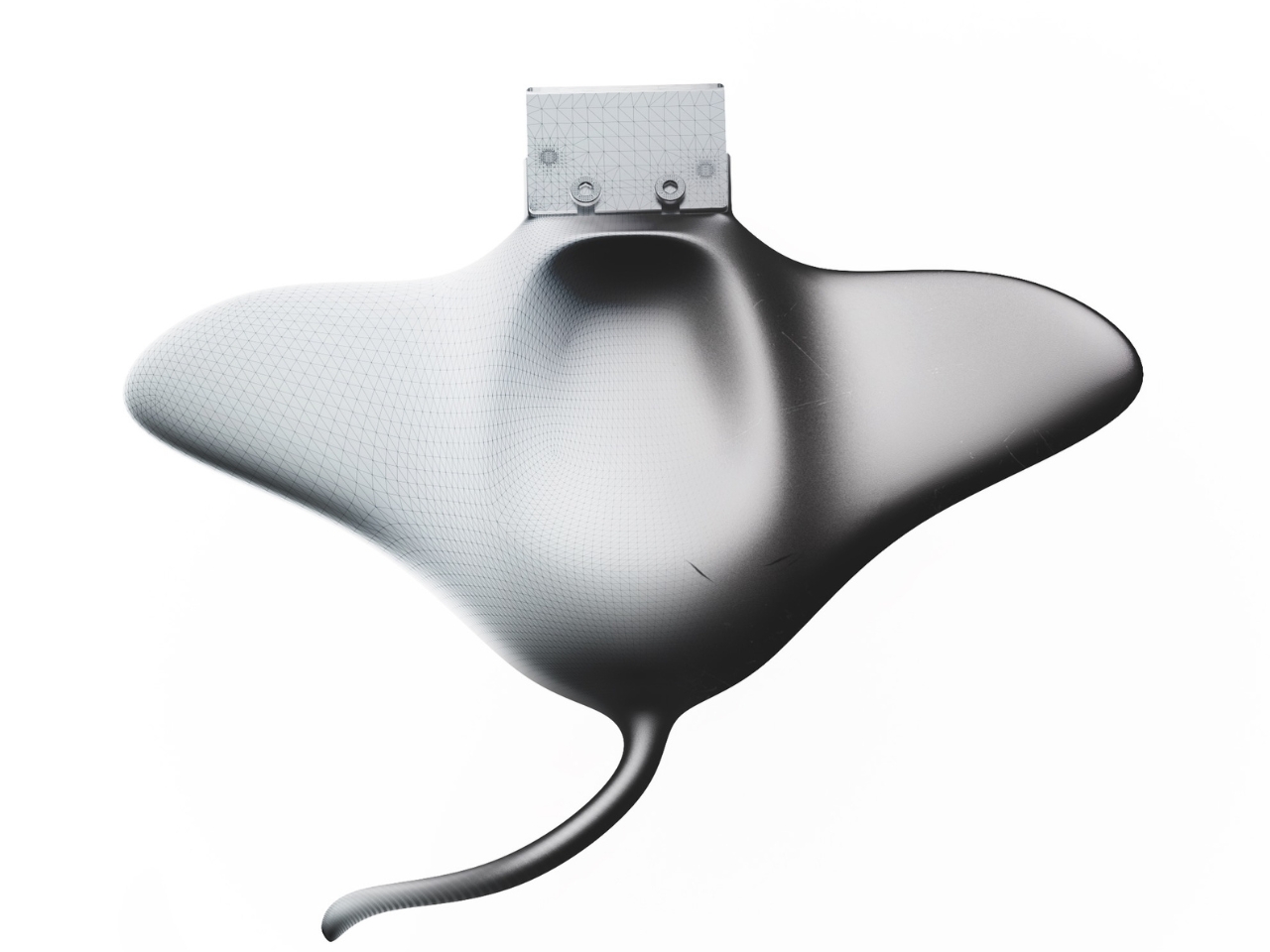
Still, I’m glad Kucurski followed the less predictable shape. I don’t need every tool to resemble a sea creature, but I do enjoy a design that makes its maker’s curiosity visible. RAY earns attention through the sweep of its body and the almost comically practical blade attached to its front. The next step would be putting that expressive form to work, finding out which curves help the hand and which ones are simply along for the ride.
The post RAY’s 3D Print Scraper Concept Refuses to Be Another Rectangle first appeared on Yanko Design.
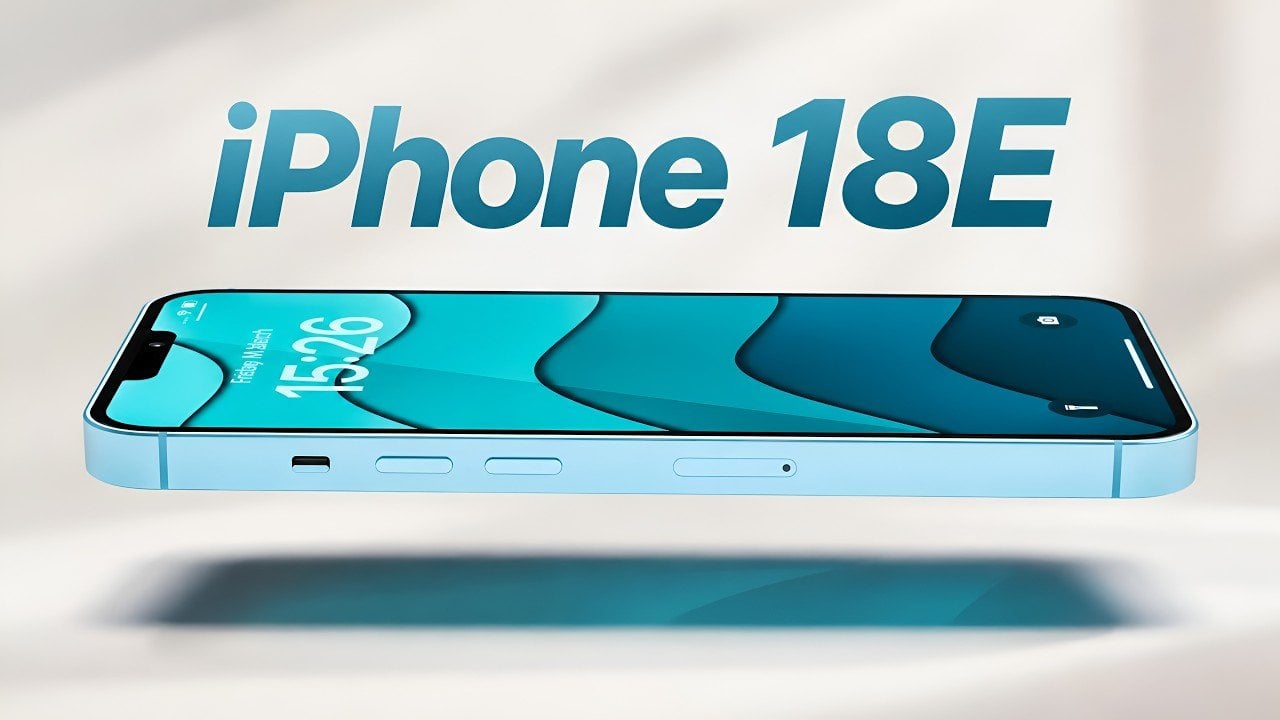
Apple is preparing to redefine its budget smartphone lineup with the highly anticipated release of the iPhone 18e, expected in March or April 2027. Positioned as a cost-effective alternative to flagship models, the iPhone 18e is designed to deliver a balance of advanced AI features, modern design, and competitive hardware. With a projected price range […]
The post iPhone 18E Could Become Apple’s Most Interesting Budget Phone appeared first on Geeky Gadgets.

Anthropic’s recent filing for an initial public offering (IPO) signals a significant moment for the artificial intelligence sector. Known for its dual focus on advancing AI capabilities and addressing the risks associated with their development, the company has built its strategy around a self-reinforcing “flywheel” model. This approach uses improved AI systems to generate additional […]
The post Anthropic Files for IPO After Raising $141.1 Billion appeared first on Geeky Gadgets.

Virtual and augmented reality devices continue to push the boundaries of how we interact with digital content and the XREAL Aura and Meta VR glasses are two standout contenders in this space. Jasmine Uniza explores these $1,300 devices, each of which caters to distinct user preferences. The XREAL Aura emphasizes augmented reality for productivity and […]
The post Best $1300 Smart Glasses: XREAL Aura vs Meta VR Headset appeared first on Geeky Gadgets.
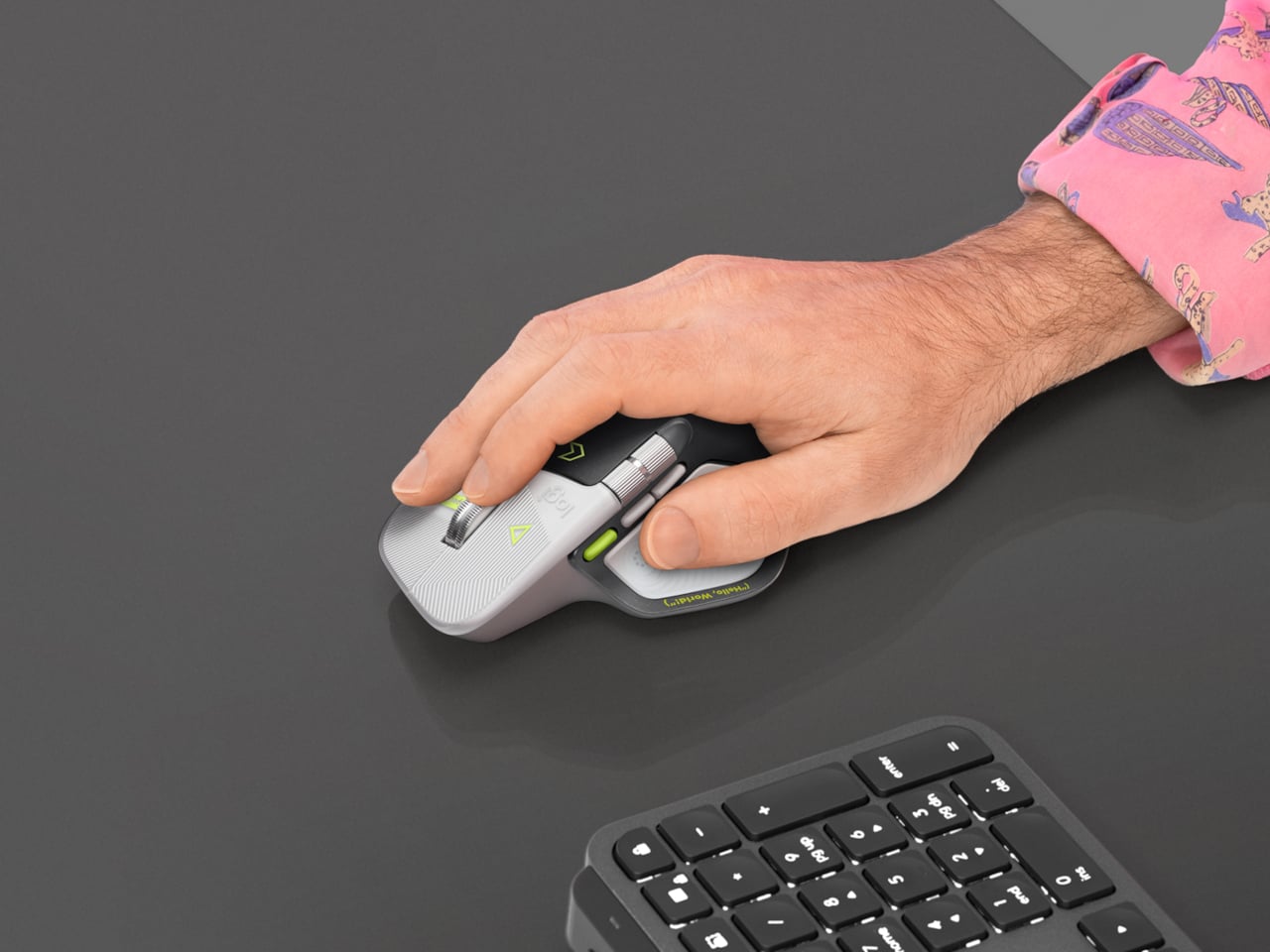
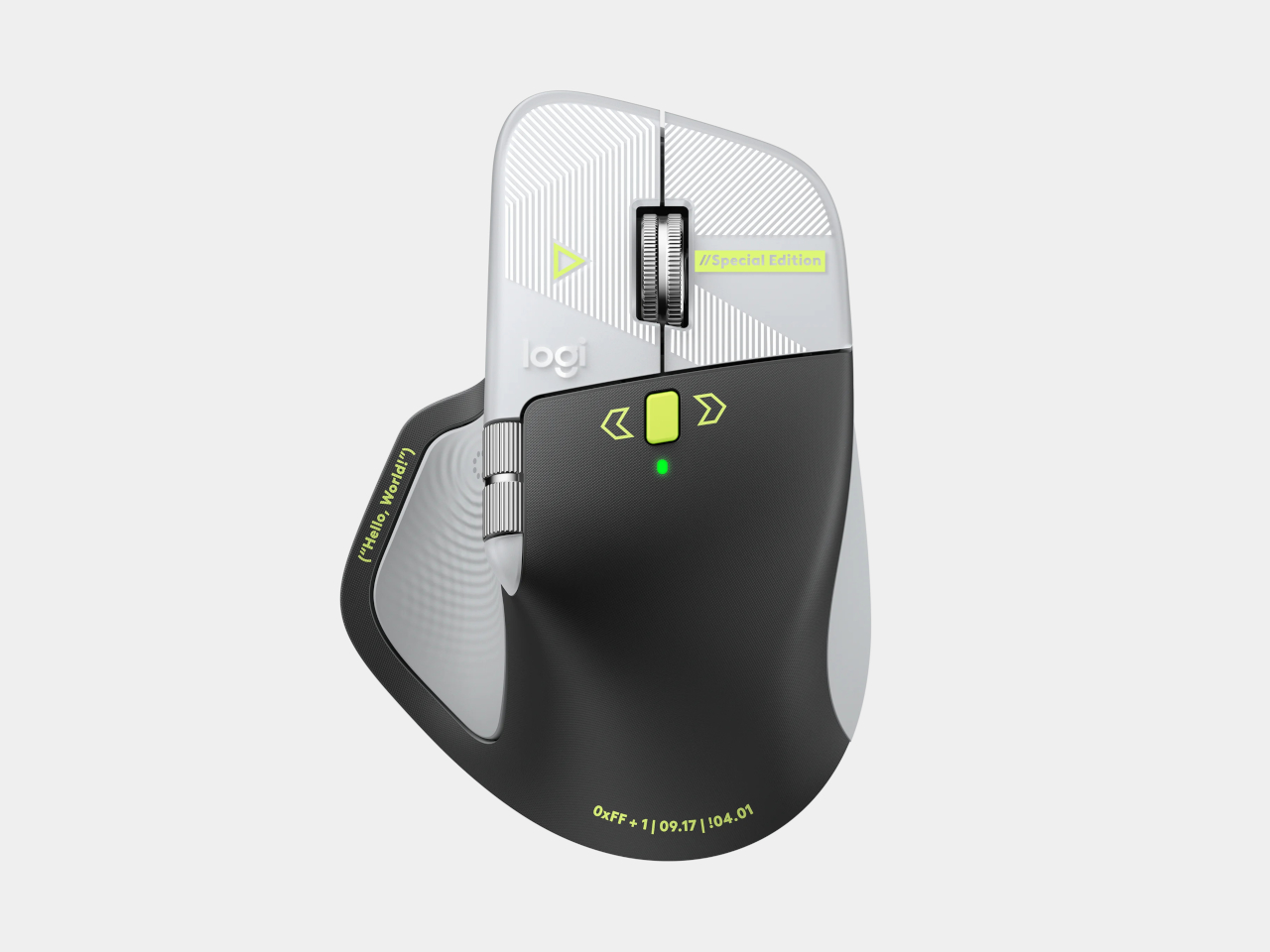
Productivity mice aren’t usually the most expressive things on a desk. Their unusual curves and extra buttons often say more about work than the person doing it. Logitech’s MX Master 4 Developer Edition takes a slightly different approach, covering its familiar shape in programming references. The limited-edition mouse keeps the standard model’s features, but gives developers something a little more personal to reach for.
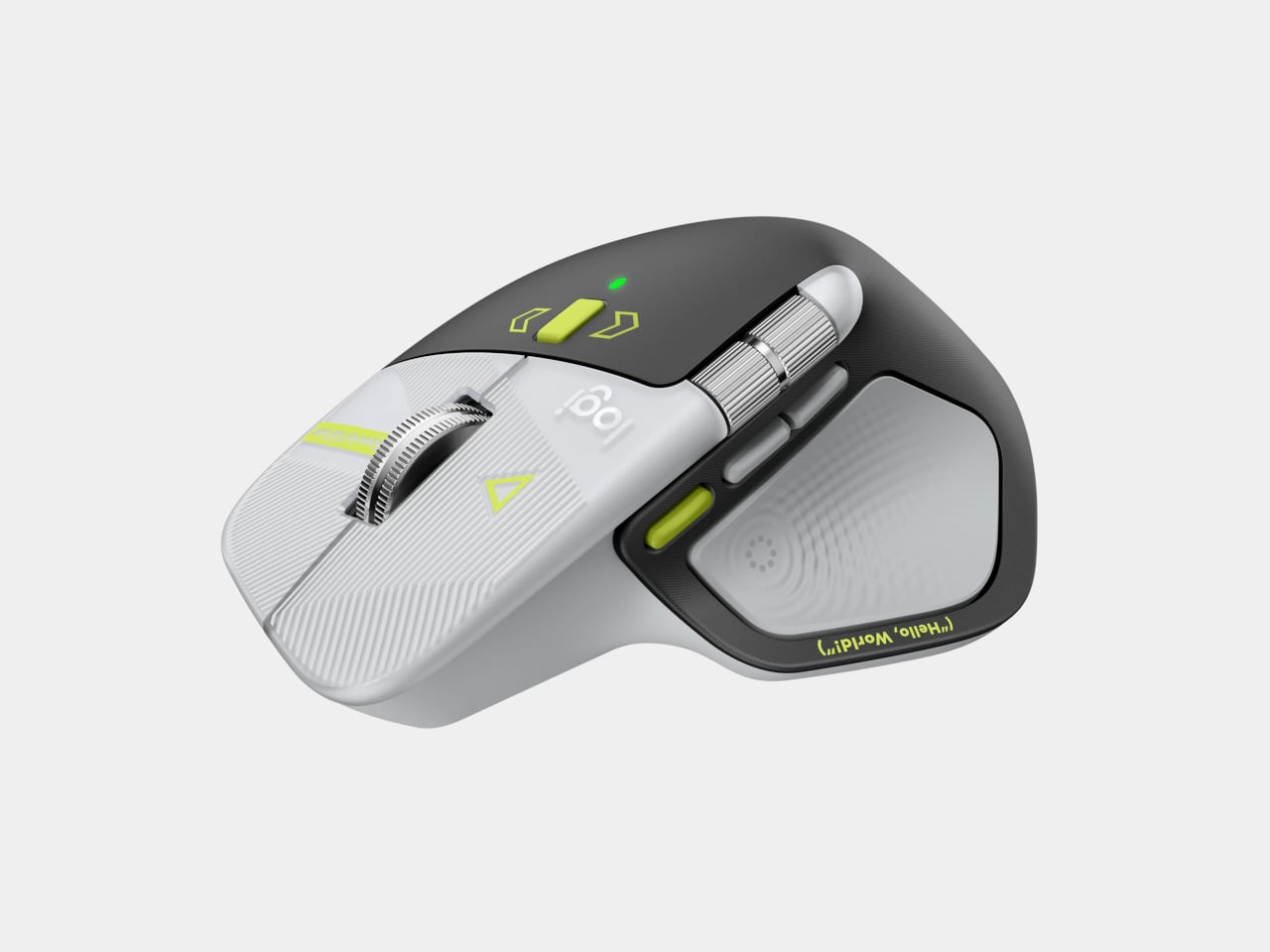
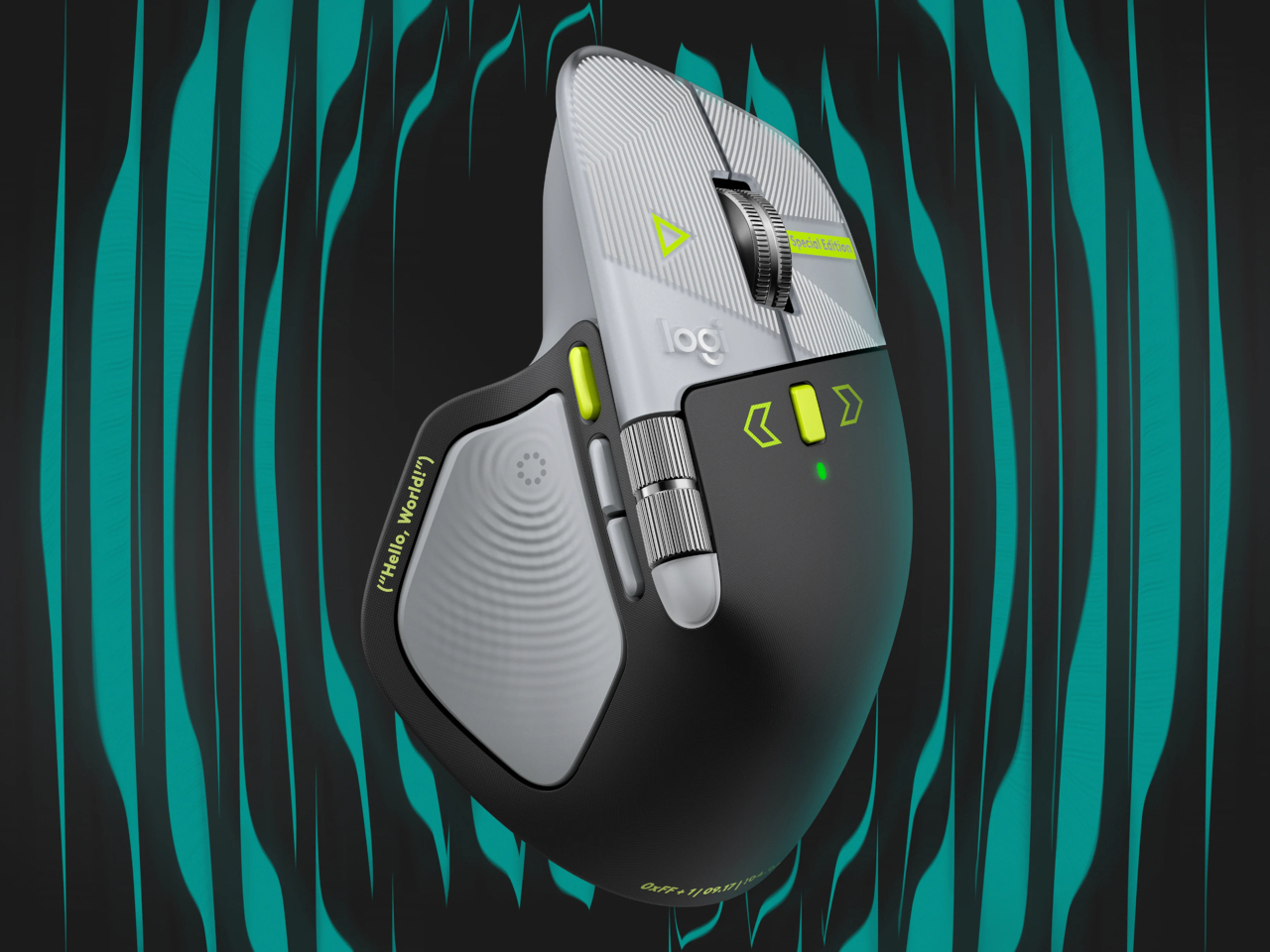
Rather than stick to a single muted color, the mouse pairs light gray buttons with a dark palm rest and bright yellow-green accents. Fine circuit-like lines spread across the front, while coding symbols sit beside the controls. It’s a busier treatment than the regular version, of course, but the graphics follow the mouse’s existing divisions instead of covering everything in one continuous pattern.
Designer: Logitech
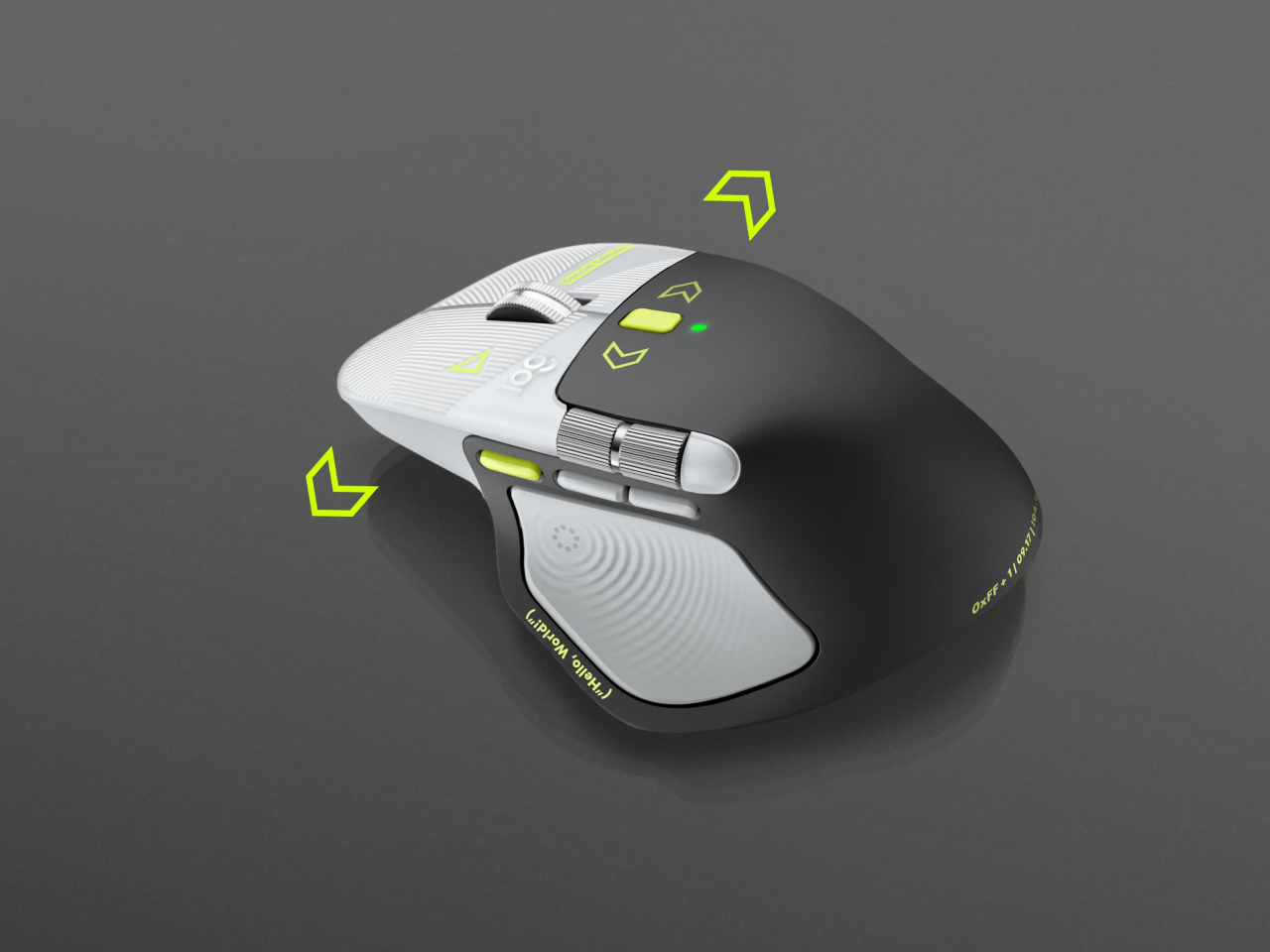
Some references are easier to recognize than others. A Hello, World greeting runs along the thumb rest, while smaller markings include 0xFF + 1 and 09.17. Logitech links those last two to Programmers’ Day and the Linux kernel’s release date. You don’t have to understand them to use the mouse, thankfully, although knowing the references does make its decoration feel rather less random.
Underneath that artwork, the familiar sculpted body remains, including a raised back and a broad platform for your right thumb. That thumb gets quite a few responsibilities, with a horizontal scroll wheel, side buttons, and the Haptic Sense Panel within reach. The asymmetric shape hasn’t become ambidextrous for this edition, so left-handed programmers are still left admiring the graphics from the wrong side.
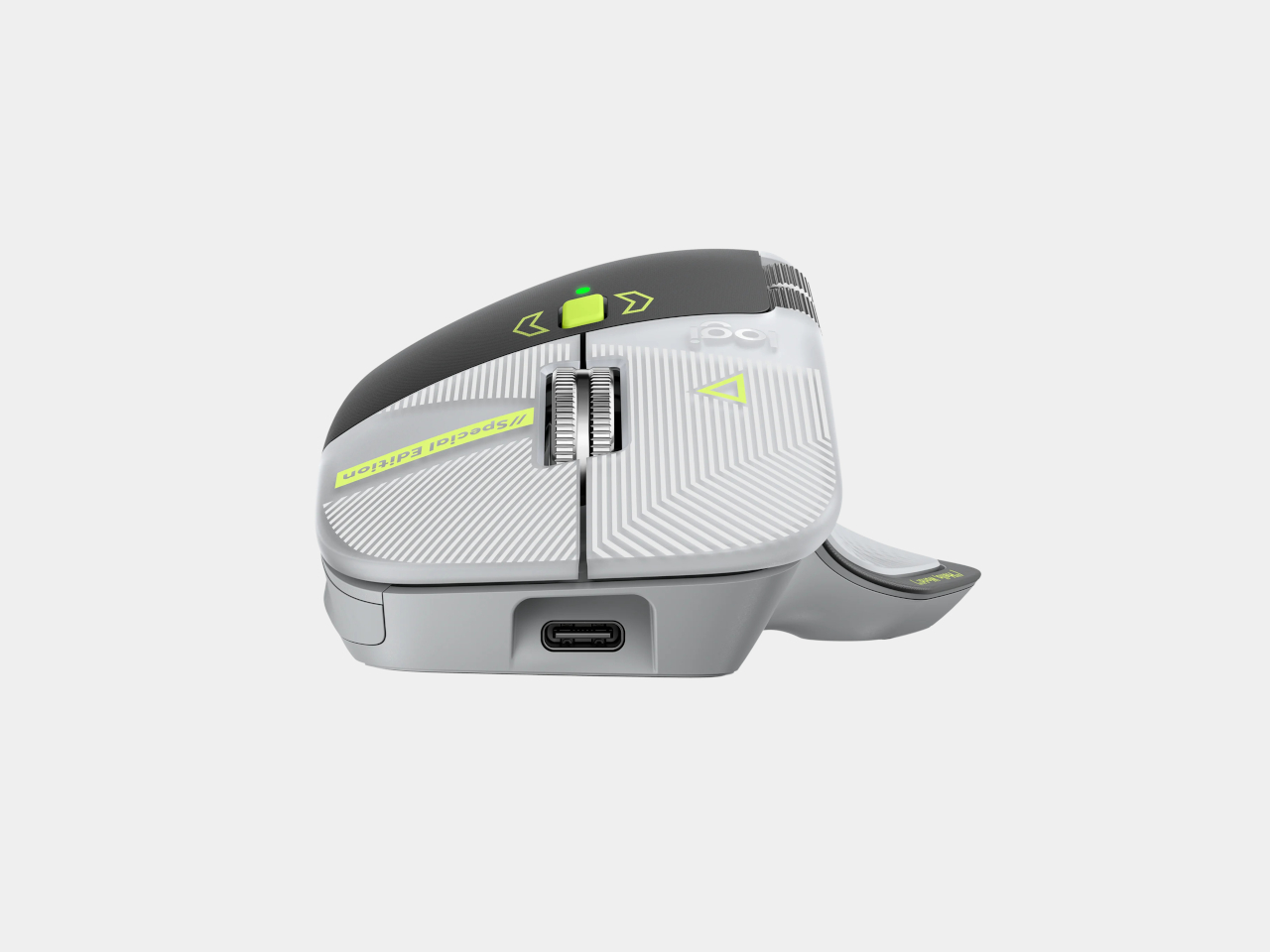
The MagSpeed wheel handles the more familiar business of moving through long documents and code. It switches between stepped scrolling and free-spinning movement, letting you work line by line or move farther through a page. The thumb wheel provides horizontal navigation, which is useful when the thing you’re working on refuses to fit neatly inside a window, as spreadsheets have a habit of doing.
The ripples on the thumb panel hint at another kind of feedback. Rather than relying entirely on what happens onscreen, the mouse can deliver vibrations for supported actions and notifications. Logitech lets users adjust their intensity and customize app-specific feedback through Logi Options+. That doesn’t mean every application suddenly gains a sense of touch, but compatible interactions can have a physical cue.
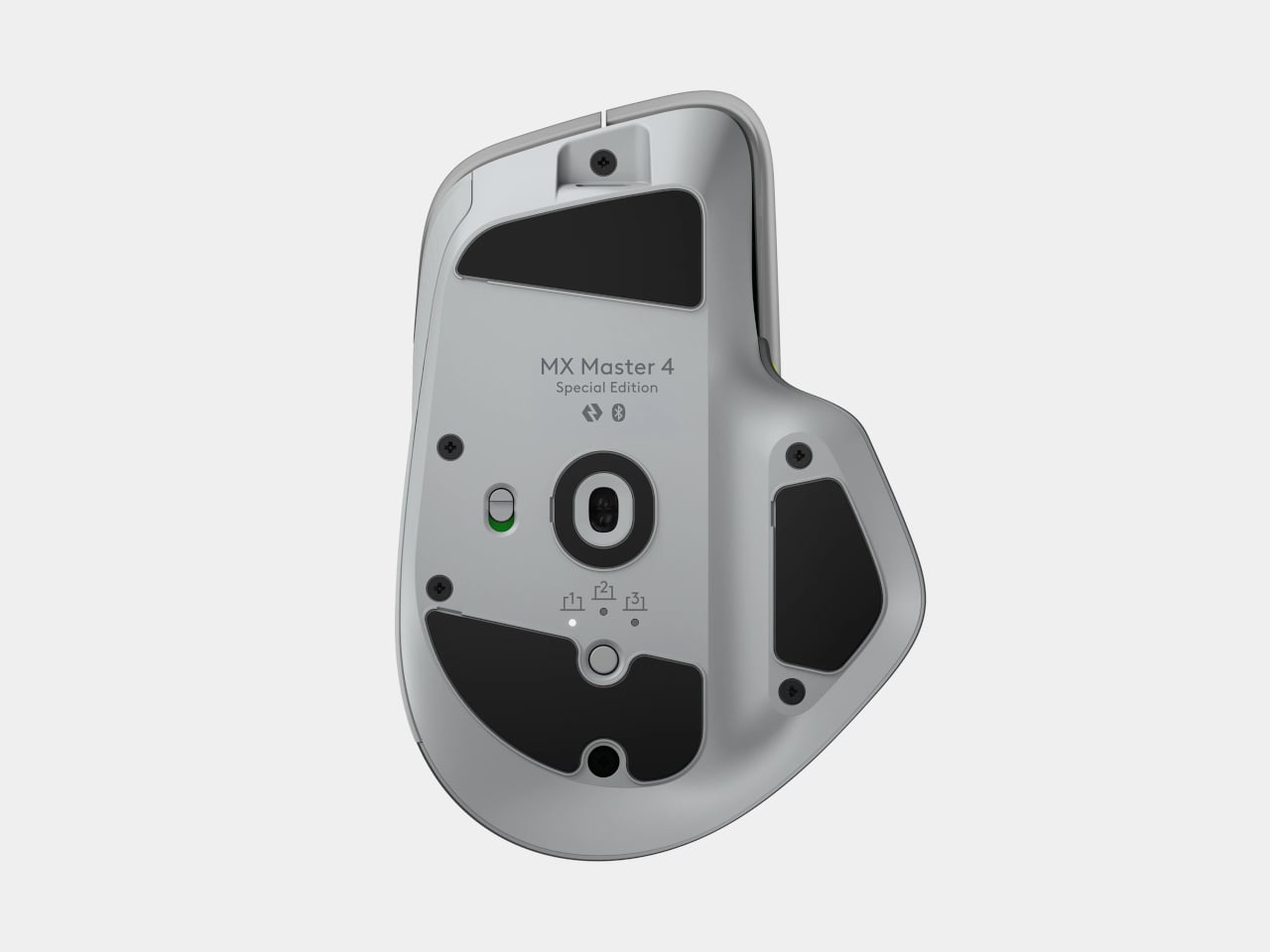
Pressing the panel also opens Actions Ring, an onscreen collection of shortcuts arranged around the cursor. You can assign tools and macros through Options+, putting frequently used commands near where you’re already working. There is a small irony here, however. Despite the Linux reference on the shell, Logitech doesn’t provide a Linux version of Options+ for configuring that particular shortcut system.
The Developer Edition is listed for US preorder at $119.99, with shipping scheduled to start October 31, 2026. Since its functions match the standard MX Master 4, the choice comes down to how much personality you’d like under your hand. Existing owners won’t find new capabilities here, though the temptation to coordinate a keyboard, desk mat, and everything else remains.
The post Logitech’s MX Master 4 Developer Edition Is a Mouse Full of Coding Easter Eggs first appeared on Yanko Design.